An ai brand generator uses artificial intelligence to turn high-level business inputs into a complete visual identity system: logo design, visual style rules, color palettes, and structured brand kits. A traditional logo generator hands you one isolated mark. An ai brand creation platform builds an operational identity framework that has to survive a favicon, a press-ready PDF, and an embroidered polo shirt.
That difference matters more than it sounds. In regulated environments, brand assets are governed artifacts: someone owns them, someone approves them, and someone has to prove later where they came from.
Executive summary
- A brand generator is not a logo generator.A logo generator returns one mark. An AI brand generator compiles a system: vector logo variants, Hex/RGB/CMYK tokens, typography hierarchies, clear-space rules, templates, and a guidelines PDF.
- The 2026 engine landscape has shifted.Modern image models (Recraft V4, Ideogram 3.0, GPT Image, Google's Nano Banana) render typography reliably, and Recraft V4 outputs true scalable SVG. Those capabilities used to be the moat protecting dedicated logo makers.
- Prompt structure drives output quality.Naming brand, sector, geometry, palette, style register, and negative constraints beats broad descriptive text. Copy-ready prompt recipes are below.
- Legal reality is split in two.Purely AI-generated graphics without sufficient human authorship are not registrable for copyright in the United States. Yet AI-assisted marks can still be registered as trademarks when they function as distinctive source identifiers. Human-in-the-loop refinement and exclusivity buyouts are the practical mitigations.
- Data privacy is the overlooked control.Prompting a public model with an unreleased product name, a ticker, or an M&A codename can leak confidential material. Zero-data-retention terms, SSO, role-based access, and DAM export paths belong in the vendor evaluation, not the design brief.
What this guide covers, and how to read it
This is a working guide rather than a feature tour. The first half is operational: what a brand kit actually contains, which 2026 engine class fits which job, how to run the six-step workflow, and which prompt structures produce usable marks instead of pretty pictures. The second half is control-oriented: consistency enforcement, confidentiality and shadow-AI exposure, copyright and trademark reality in the United States, and where free tiers quietly stop being free.
If you are evaluating tools for a team rather than a side project, read the governance and licensing sections first. Design taste is recoverable. A disclosure event or an unenforceable mark is not.
What an AI brand generator creates for your business
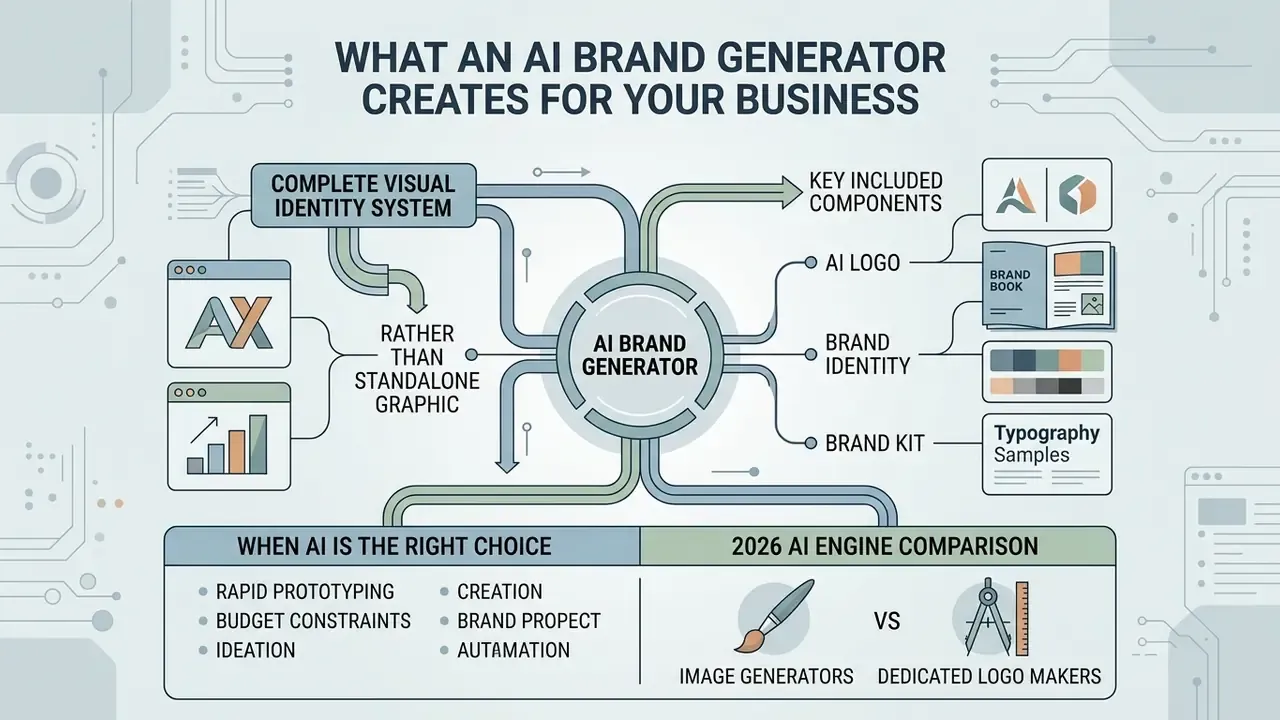
An ai brand generator builds a complete visual identity system for your company rather than outputting a standalone graphic. It translates business names, target demographics, and strategic positioning into core visual assets, unified design rules, and reusable digital templates. Modern brand generator ai platforms combine machine-learning models to automate color pairing, font selection, and multi-format asset creation, which gives emerging and scaling companies a structured route into ai branding and a faster way to build a brand.
«Generative AI is described as the largest disruption since the arrival of digital commerce in marketing, capable of producing synthetic advertising material and personalised messaging.»
That disruption is exactly why the category boundary matters. Recent academic work frames AI-assisted branding as three stacked layers rather than one output: visual identity generation, brand IP and content construction, and data-informed narrative optimization. A generator that delivers only the first layer leaves the operational work unfinished, and the unfinished part usually lands on whoever owns the website launch.
AI logo, brand identity and brand kit: what is included
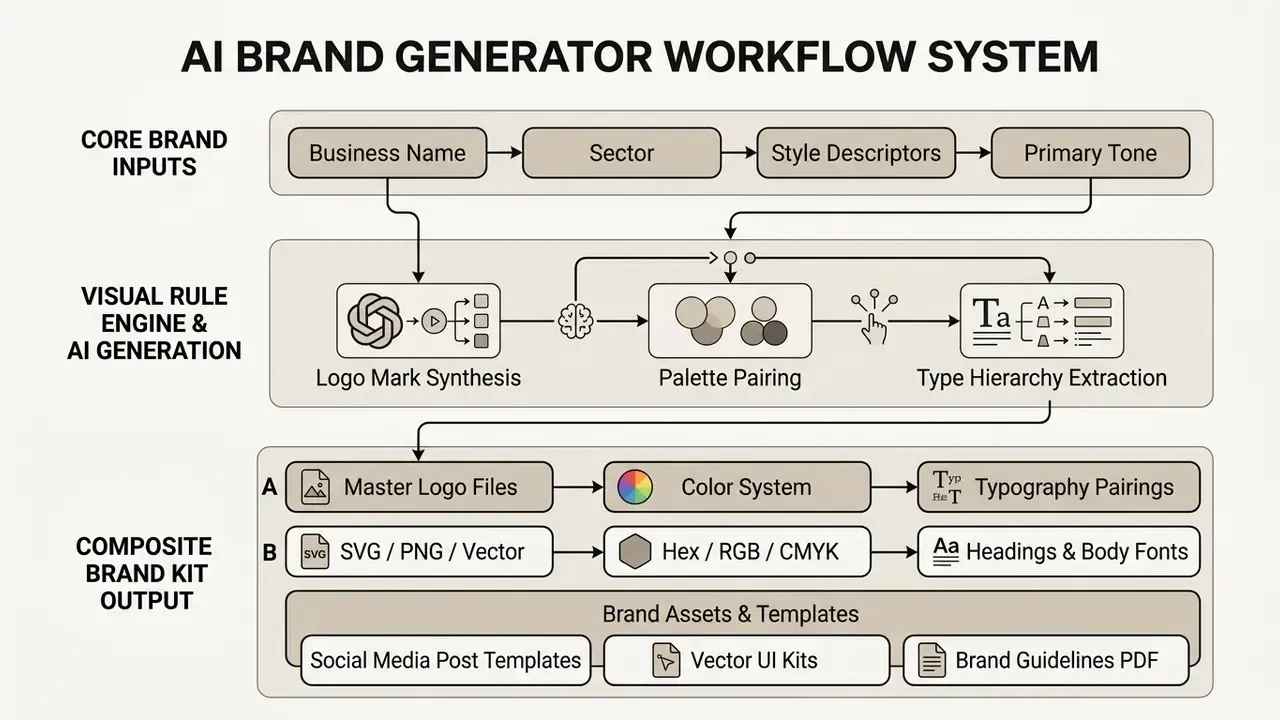
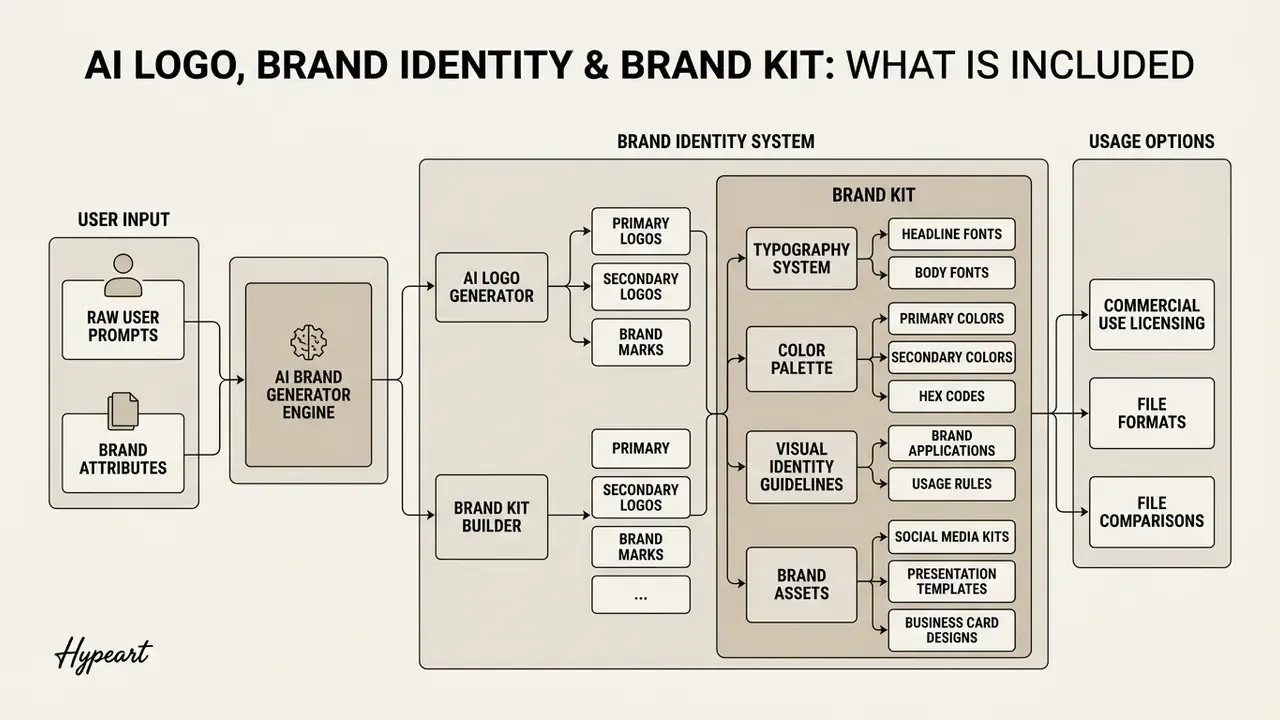
An ai logo is the central visual mark. Readers comparing tools by output type can review how AI logo generators differ in file handling, since that single detail decides whether a printer can use your file. A full brand identity is wider: it covers the visual rules governing how a business presents itself everywhere it appears. An ai brand maker produces an integrated brand kit combining master logo files (transparent PNG plus vector SVG), color palettes, typography pairs, layout constraints, and collateral templates.
When an AI brand creator is the right choice
«Adoption of DALL·E 3 in brand design was driven by task–technology fit rather than social influence: practical usefulness mattered more than peer approval.»
The practical reading of that finding is unglamorous. Teams adopt these tools when the tool measurably fits the job: early ideation, direction exploration, resource-constrained launches. Not because generative design is fashionable.
One illustrative case. A fintech startup needed a pilot landing page live within 72 hours and had no in-house designer. The team fed structured inputs into an ai tool to create brand identity, generated three visual directions with AI, and extracted hex tokens in under an hour. The firm published compliant web assets and hit its investor preview deadline at a fraction of agency cost. Comparable published cases report AI-assisted identity packages delivered in roughly 72 hours for several hundred dollars, against $5,000 to $15,000 for equivalent agency scope. Treat those numbers as market anecdote, not audited benchmark.
2026 AI engine comparison: image generators versus dedicated logo makers
Until roughly 2024, dedicated logo makers held a decisive advantage. General-purpose diffusion models could not render letters reliably, so brand names came out garbled, mirrored, or simply invented. That advantage has mostly evaporated. In 2026, leading image models render short marks, full wordmarks, and stylized lettering with a consistency that previously required a designer in a vector editor.
| Engine class | Representative tools (2026) | Typography accuracy | Native vector output | Brand-system support | Best suited for |
|---|---|---|---|---|---|
| Vector-native AI models | Recraft V4 | Solid | Yes, true scalable SVG | Brand kits: upload palette plus style references, applied across generations | Production-ready marks with no manual vectorization step |
| Typography-strong raster models | Ideogram 3.0, GPT Image | Highest | No (raster PNG/JPG) | None, assembled manually | Wordmarks, lettering-led logotypes, text-heavy lockups |
| Fast multimodal editors | Google Nano Banana | Good | No | None | Rapid iteration, variant exploration, reference-guided edits |
| Traditional logo generators | Looka, Brandmark, Tailor Brands, Logo.com | Reliable (font-based) | Yes on paid tiers | Full brand kits, mockups, guideline packs | Non-designers who need something usable in minutes |
Three conclusions follow. First, Recraft V4 is currently the closest single replacement for a dedicated logo maker, because it is the only major model here producing real vector files plus brand-kit consistency across generations. That is the difference between owning a logo and owning a picture of a logo. Second, Ideogram and GPT Image remain the strongest choice for wordmarks, where letterform fidelity outweighs file format, on the assumption that you vectorize afterwards. Third, traditional generators have not gotten worse, the world around them advanced: their template libraries now read as more formulaic than diffusion output, which makes them ideal for low-stakes projects, student work, and first-pass direction testing, and weaker for brands chasing genuine distinctiveness.
The trade-off is not quality alone. It is total cost of ownership. A raster mark from a general-purpose model carries hidden labor: manual tracing, kerning repair, curve cleanup, plus construction of horizontal, stacked, icon-only, and monochrome variants. Budget three to six hours of designer or freelancer time per accepted concept, then compare that against a $20 to $80 dedicated-tool download before declaring the free route cheaper. It usually is not.
One more filter that teams forget: content policy. Public models apply their own brand-safety and content rules, and those rules shift. Practitioners tracking edge cases such as whether can grok generate nsfw images or how adult-oriented tools like candy ai videos handle policy boundaries will recognize the underlying lesson: a model's acceptable-use terms are part of your vendor risk, not a footnote.
How to create a brand with AI step by step
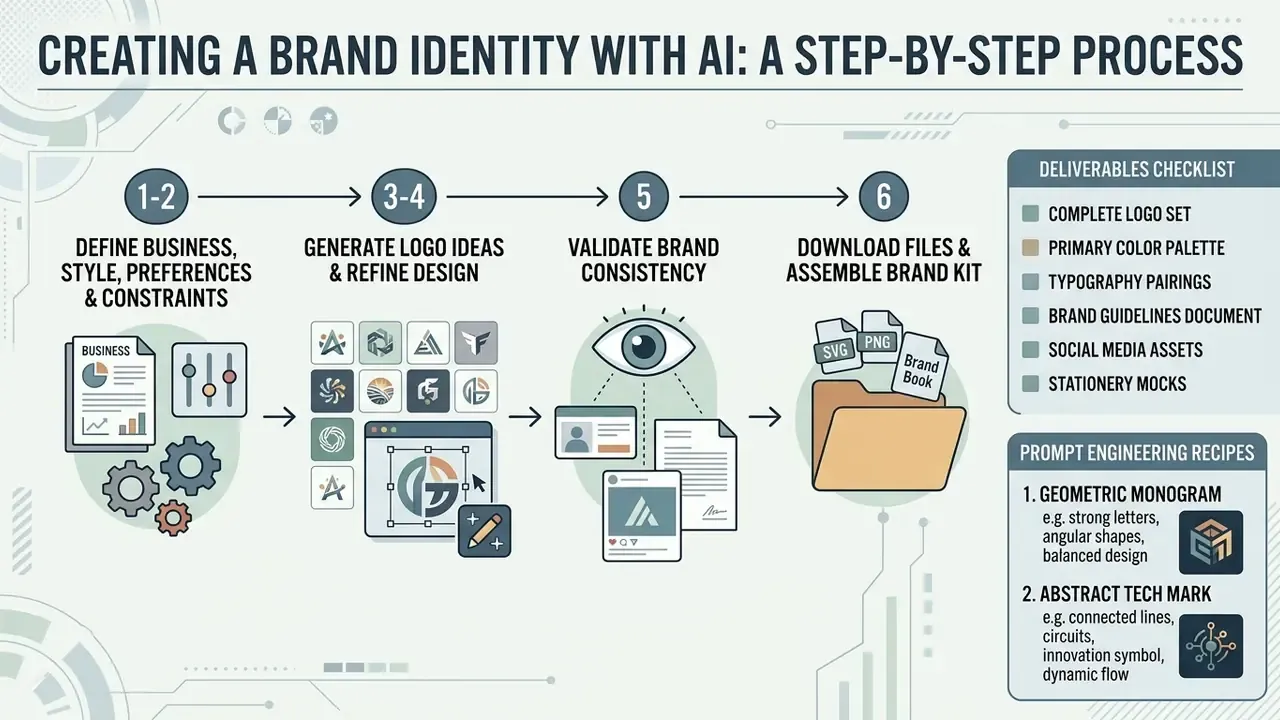
Creating a brand with artificial intelligence works best as a sequence, not a lucky prompt. To create a brand with ai, you input strategic constraints, evaluate generated directions, refine layout parameters in an integrated editor, and compile production-ready master files. The six steps below run in order. Each stage names the decision, the control, and the artifact it produces.
Step 1–2: Define your business, style and brand preferences, then configure visual constraints
Start with your core parameters: company definition, industry category, visual style preferences, and primary brand colors. Structured inputs beat prose. Exact brand names, business model, target-audience demographics, visual metaphors, style register, and explicit negative constraints consistently outperform broad descriptive text, because they constrain the model's search space instead of inviting it to average across a whole category.
A documented 2026 workflow formalizes this into three locked context files before any image is generated: a brand voice document, a body-of-work reference, and a visual design token specification. One interview prompt collects the answers, one compilation step converts them into a structured brand context file, and every later generation inherits that context. That is how visual drift gets prevented at the input layer instead of corrected at the output layer.
Set your constraints here: target primary colors as exact hex values, typography parameters, aspect ratio, mood descriptors. Deciding these before generation is what makes candidates comparable. Skip it and you are judging apples against a mood board.
Step 3–4: Generate logo ideas, then refine the selected design in the native editor
After you submit business context, the ai logo generator synthesizes dozens of concepts. You compare the logos generated by the model, shortlist the strongest baselines, then open the built-in editor to fine-tune typography hierarchy, mark scale, and color application.
Vendor documentation across mainstream platforms converges on three post-generation controls worth verifying before you commit: refine-and-regenerate inside the editor, style-family switching without a full restart, and direct editing of colors, fonts, and graphic elements. Some platforms also accept a reference image before regenerating, which is the fastest way to lock composition while exploring alternative iconography. Worth noting for teams already standardized on one design suite: a template-based option such as a canva ai logo workflow trades generative range for editing familiarity, and for a small internal brand that trade can be perfectly rational.
Step 5: Validate brand consistency before export
Check generated color contrast ratios, minimum legible size, clear-space behavior, and layout spacing against the environments you will actually publish into: favicon at 32 px, app icon, dark-mode header, embroidered apparel, single-color receipt printing, and a black-and-white fax-grade scan. A mark that survives all six is production-grade. A mark that only survives the generator's own mockup gallery is not, however good it looks on a rendered coffee cup.
Step 6: Download files and assemble the final brand kit
Once visual adjustments are done, the system compiles the generated logo variants and supporting design rules into a structured package. You download a master brand kit archive containing scalable vector graphics, raster formats, typography definitions, and a central brand guidelines document.
Deliverables checklist: what a complete brand kit archive must contain
| File / asset | Format | Why it exists |
|---|---|---|
| Master vector logo | SVG (source of truth), EPS | Infinite scaling for web and print without quality loss; the file a printer or developer actually needs |
| Print-ready document | PDF (PDF/X-1a or PDF/X-4 for press) | Vendor and press handoff under production color standards |
| Transparent raster logo | PNG, 300 DPI, plus 4000×4000 master and platform sizes | Placement on any background, upload to platforms that reject vectors |
| Logo variant set | SVG plus PNG per variant | Primary, horizontal, stacked, icon-only, favicon |
| Monochrome variations | SVG plus PNG, black / white / reversed | Single-color printing, receipts, engraving, embroidery, low-fidelity reproduction |
| Color system | Hex, RGB, CMYK values | Prevents cross-media color drift between screen and press |
| Design tokens | JSON / CSS variables | Direct developer integration of palette and type into the codebase without re-entry |
| Typography definitions | Font files or licensed font names plus hierarchy notes | Heading and body pairing, line-height, letter-spacing standards |
| Brand guidelines | PDF (8 to 12 pages typical) | Clear-space boundaries, minimum sizes, do and don't examples, prohibited backgrounds |
| Social templates | Editable plus exported sizes | Instagram post and story, LinkedIn, Facebook, X, YouTube, OG share image |
A useful acceptance test: if a printer, a front-end developer, and a social media manager can each work from the archive without emailing you a question, the kit is complete. If any one of them writes to you, something is missing.
Prompt engineering recipes for logos and identity marks
Copy these formulas, substitute the bracketed variables, and change one variable at a time so you can attribute each shift to a cause.
1. Geometric monogram
[Initials] monogram logo, clean geometric lines, minimal vector style,
dark slate and gold palette, centered lockup, isolated on white background
--no realistic shading
2. Abstract tech mark
Minimalist abstract logo for a [Industry] company, combining [Shape 1] and
[Shape 2], neon blue accent, flat vector design, SVG style, single continuous
weight, high recognizability at 32px
3. Wordmark / typography-led
Sleek modern wordmark logo reading "[Brand Name]", custom sans-serif

typography, rounded edges, high contrast, tight kerning, no icon
4. Warm hospitality mark (reference-style brief)
Create a warm, modern logo for a neighborhood [business type] called
"[Brand Name]". The design should feel welcoming, cozy and slightly upscale
while still approachable. Use clean typography with smooth, rounded
letterforms and integrate a subtle [category] icon into the mark.
5. Negative constraints, use these every time
mockup, 3d render, photorealistic, blurry, noise, gradient mesh, drop shadow,

distorted text, extra letters, duplicated letters, watermark, busy background
Two operating rules improve hit rate more than prompt length ever will. Start with at least five descriptive words and add specificity in passes: topic, then topic plus description, then style detail, then reference images. Escalating detail lets you see which term is actually driving the composition. And name what you do not want. Excluding photorealism, shadow, and background clutter removes the single largest cause of unusable logo output.
How AI builds a consistent brand identity
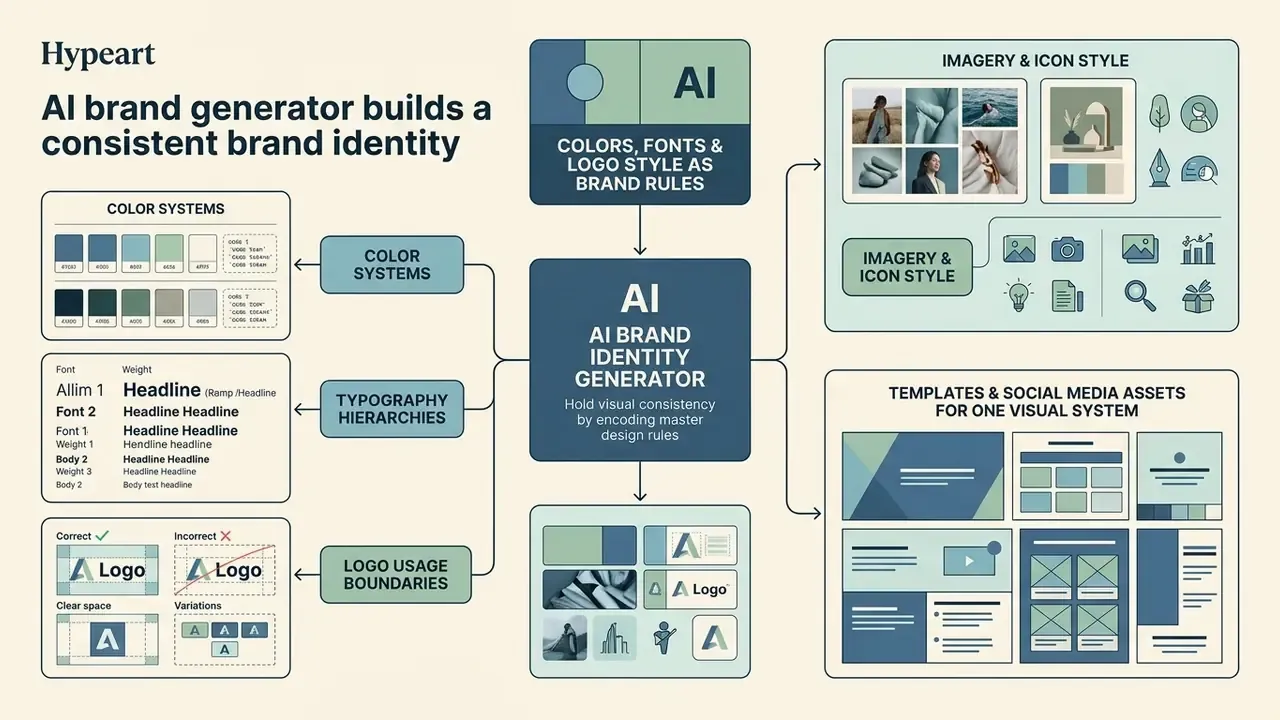
An ai brand identity generator holds visual consistency by encoding master design rules, including exact color tokens, typography hierarchies, and spacing constraints, into one digital record. Research published in Creative Engineering (2025) shows that while AI models excel at generating diverse visual elements, cross-channel consistency depends on anchoring generated assets to standardized visual tokens and structured brand rules.
«Generative AI substantially supports the brand-value definition and visual-element generation stages, while consistency evaluation and final decisions remain predominantly human.»
That division of labor is the design principle behind every credible workflow in this article. The machine expands the option space. The human closes it.
Colors, fonts and logo style as brand rules
Coherence requires translating taste into deterministic parameters. An ai identity generator codifies brand rules into explicit standards:
- Color systems. Primary, secondary, and neutral colors defined via precise Hex, RGB, and CMYK values to prevent cross-media drift. Beyond the 85/100 alignment accuracy and 58% time reduction cited earlier, the same empirical work measured brand-fit consistency at 78/100 and stability at 81/100, which suggests algorithmic palettes hold identity across platforms rather than shifting per generation. — The Application of AI-Driven Color Theory in Graphic Design and Branding (2024–2025). https://doi.org/10.1016
- Typography hierarchies. Headings, sub-headings, and body copy paired using complementary font families, with defined line-height and letter-spacing standards.
- Logo usage boundaries. Explicit clear-space buffers, minimum scaling sizes, and prohibited background combinations. Clear space is normally expressed as a multiple of a logo element, for example the height of the icon's counter, so the rule scales with the mark instead of breaking at small sizes.
- Imagery and icon style. Approved photographic treatment, illustration weight, and negative examples become reusable prompt constraints for every later generation.
In practice, consistency is enforced through review-and-regenerate loops: the operator edits the instruction, the model rebuilds the section, and the output is compared against the spec until it conforms. Brand-guideline extraction tools formalize this by ingesting existing PDFs, swatches, and mood boards, then emitting structured rules that downstream generations must respect.
How to choose the best AI brand generator tool
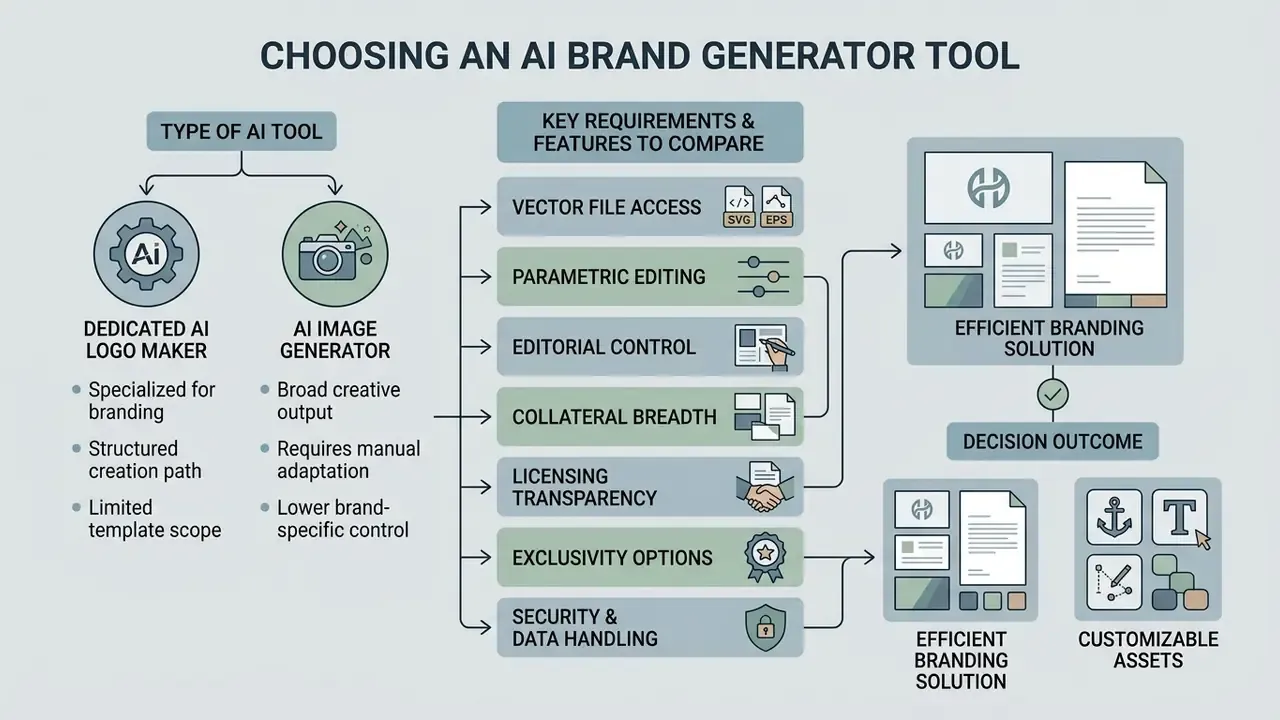
Choosing an ai brand identity generator tool comes down to your requirements for vector file access, editorial control, and collateral breadth. Enterprise teams weighing options can view the guide to contrast platform capabilities, licensing terms, and integration depth.
«Perceived ease of use and task–technology fit outweigh social influence as determinants of AI design-tool adoption.»
| Feature / Metric | Dedicated AI logo makers | General-purpose AI image generators | Integrated AI branding suites |
|---|---|---|---|
| Primary output | Scalable vector logo mark plus brand kit | Single raster image (PNG/JPG) | Multi-asset visual identity system |
| Vector export (SVG/EPS) | Native support on paid tiers | Requires manual vectorization (exception: Recraft V4 outputs native SVG) | Native support included |
| Brand kit generation | Automated (palettes, fonts, guidelines) | None, manual construction required | Automated multi-page PDF plus web tokens |
| Editable post-generation | Built-in canvas editor | Prompt-based inpainting or re-roll | Advanced parametric editor |
| Typography control | High, selectable font pairings | Model-dependent: Ideogram and GPT Image render text reliably; older diffusion models artifact | High, standard web and print fonts |
| Enterprise security and data protection | Varies, check retention terms | Public models may retain prompts for training unless opted out | SSO/SAML, role-based access, DAM export more common |
| Commercial license | Included with paid downloads | Depends on model tier and terms | Included with active subscriptions |
| Hidden cost of ownership | Low, files ship ready | Medium to high: tracing, variants, kerning cleanup | Low, offset by subscription cost |
Summary: dedicated logo makers and integrated suites output production-ready vector assets and structural brand kits, while general-purpose image models produce creative raster concepts that need downstream cleanup. Note the evidentiary limit honestly: this comparison synthesizes vendor documentation and hands-on testing, not peer-reviewed benchmarking. No standardized cross-industry performance benchmark for branding tools currently exists in the published literature.
Dedicated AI logo makers versus AI image generators
Dedicated logo tools are engineered to output structured design assets: clean vector paths, defined typography layers, exportable guidelines. General-purpose image models instead generate complex raster compositions. They excel at ideation, much as creators evaluate whether can chatgpt edit videos or should stick to static concepts, but their outputs require manual tracing and cleanup before commercial printing or vector display. The standard remediation sequence: vectorize the raster, clean the paths, rebuild the variant set, export SVG, PNG, and PDF.
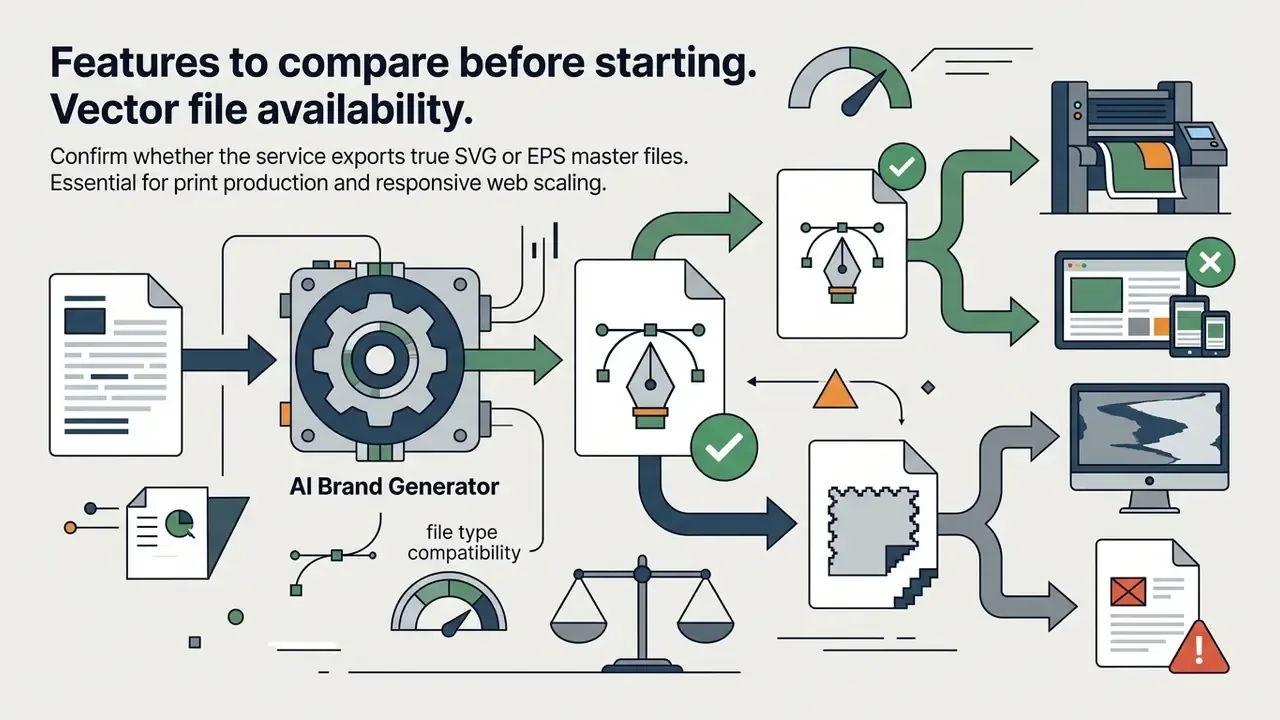
Features to compare before starting
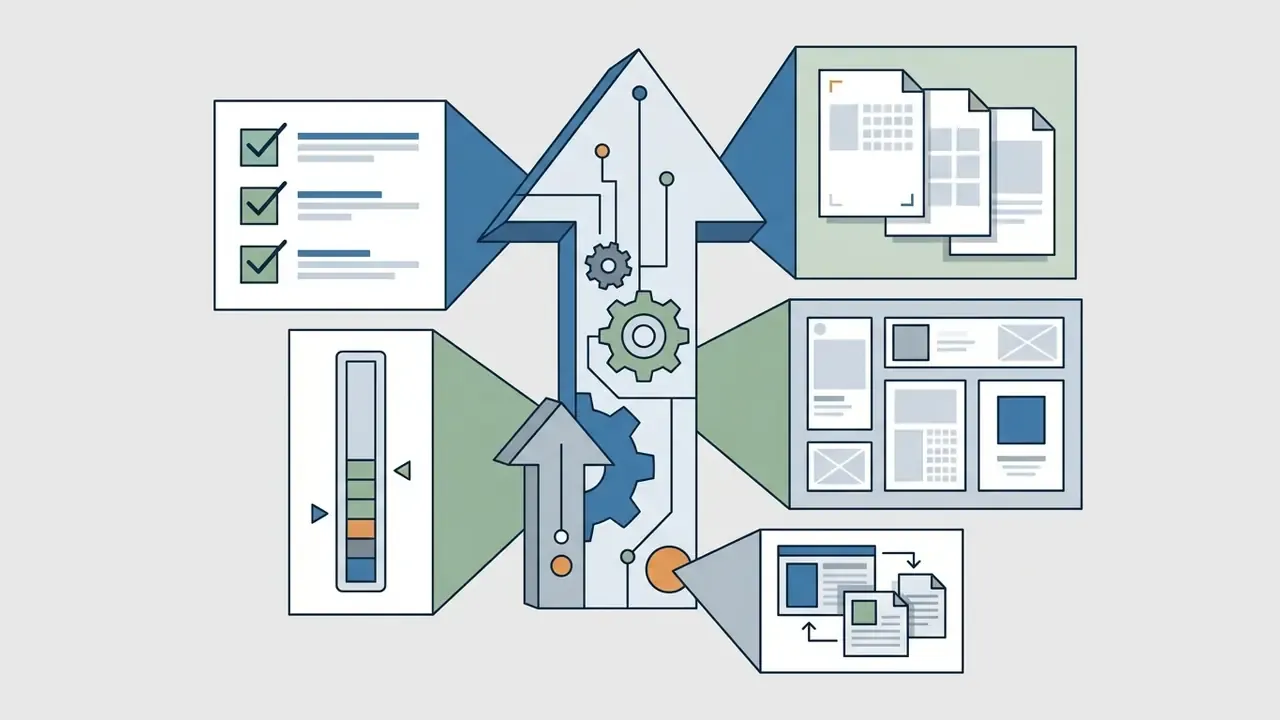
Before selecting a platform, design leaders and operations managers should test six criteria:
Data privacy, confidentiality and enterprise governance
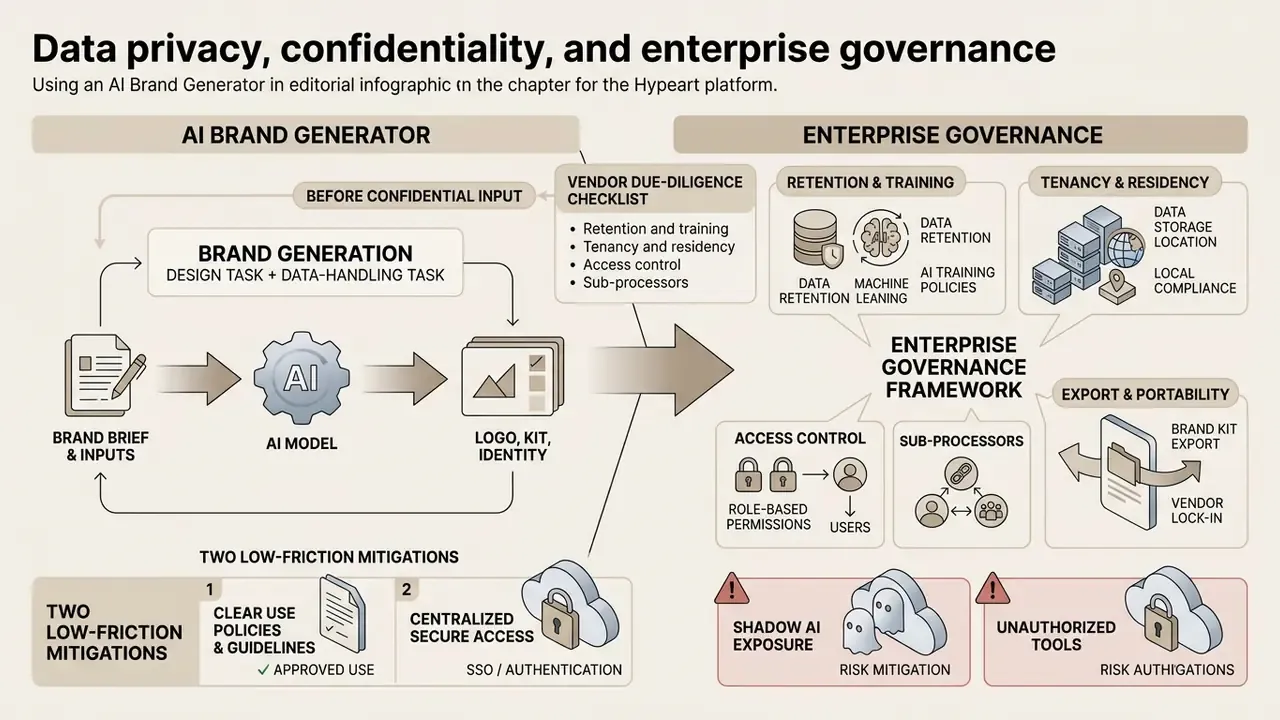
Brand generation looks like a design task and behaves like a data-handling task. The prompt you type often contains the most sensitive string your organization owns at that moment: an unannounced product name, a pre-launch subsidiary, a codename attached to a pending transaction. Once that string enters a public model with permissive retention terms, you have created a disclosure event, and no amount of downstream design control reverses it.
Vendor due-diligence checklist before entering any confidential input:
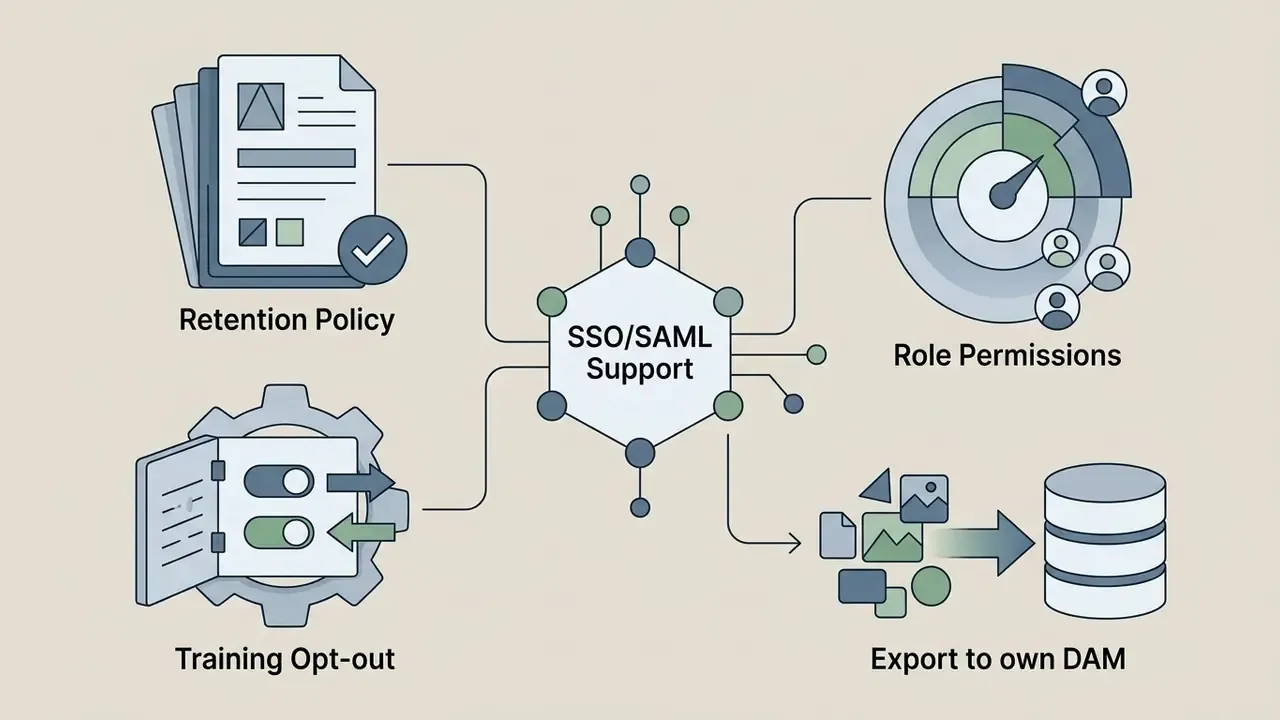
- Retention and training. Does the provider offer contractual zero data retention, or at minimum a documented training opt-out for prompts and uploads? Is the setting default-on, or must it be enabled per workspace?
- Tenancy and residency. Where are prompts processed and stored, and does that jurisdiction match your regulatory footprint?
- Access control. Does the platform support SSO/SAML, role-based permissions, and admin-level audit logs of who generated and exported which asset?
- Sub-processors. Which downstream model providers receive your inputs, and are they enumerated in the DPA?
- Export and portability. Can approved assets be pushed into your own DAM or GRC-controlled repository, so the vendor is not the system of record for your brand?
- Shadow AI exposure. Are marketing or product teams already generating brand assets on personal accounts outside procurement? Unmanaged tool use is the most common source of both brand drift and confidentiality leakage.
Two low-friction mitigations. First, generate against a placeholder name and swap the real wordmark in locally during vector refinement, so the model never sees the confidential string. Second, adopt provenance discipline early: mark AI-generated assets in a machine-readable way and keep a filename convention that records generation date, so provenance can be reconstructed later without archaeology.
Transparency is also a brand-management discipline, not only a compliance chore:
«Managing AI brand-voice transparency involves three stages: analysis across brand, consumer, legal and technology dimensions; managerial decisions; and monitoring of perceived transparency.»
How to use AI-generated brand assets after launch
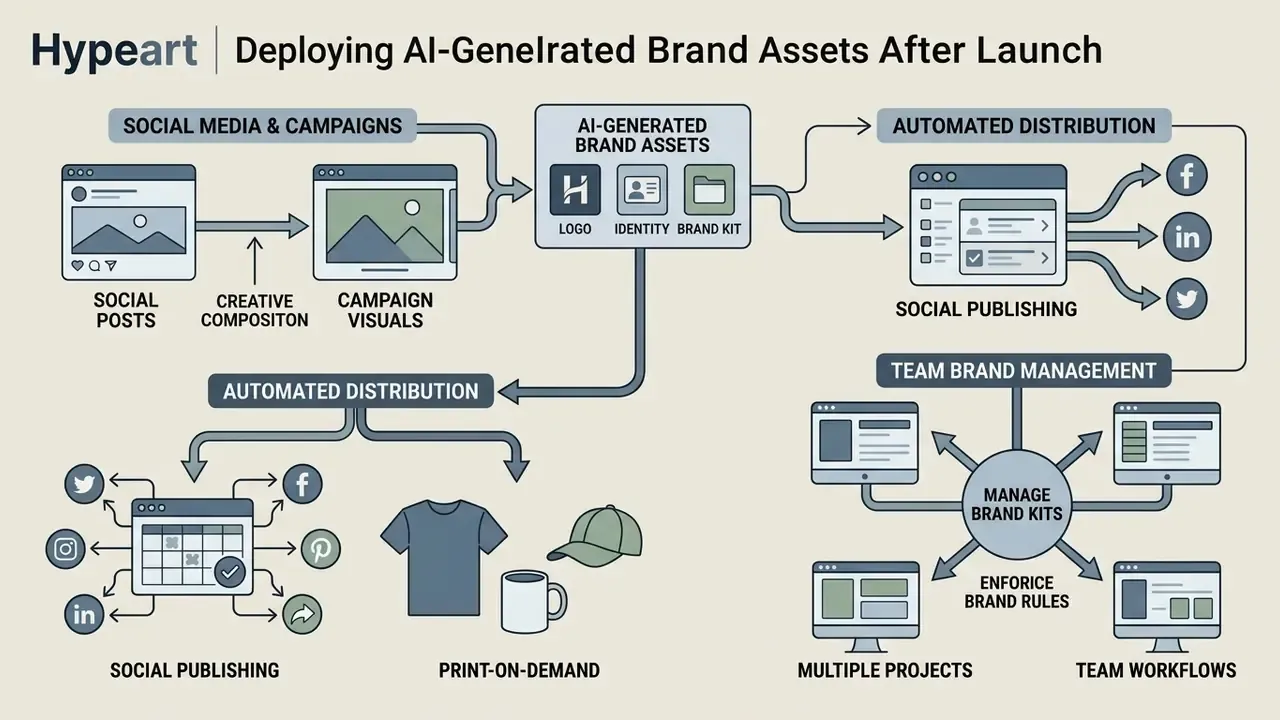
Deploying a new identity means distributing generated assets across channels while enforcing rules internally. Once compiled, master assets need central management, otherwise unauthorized edits and color drift creep in during live campaign execution. Usually within the first quarter.
Automate distribution: social publishing and print-on-demand
A brand kit is worth exactly what it removes from the production queue. Two integrations extend its lifecycle beyond the download:
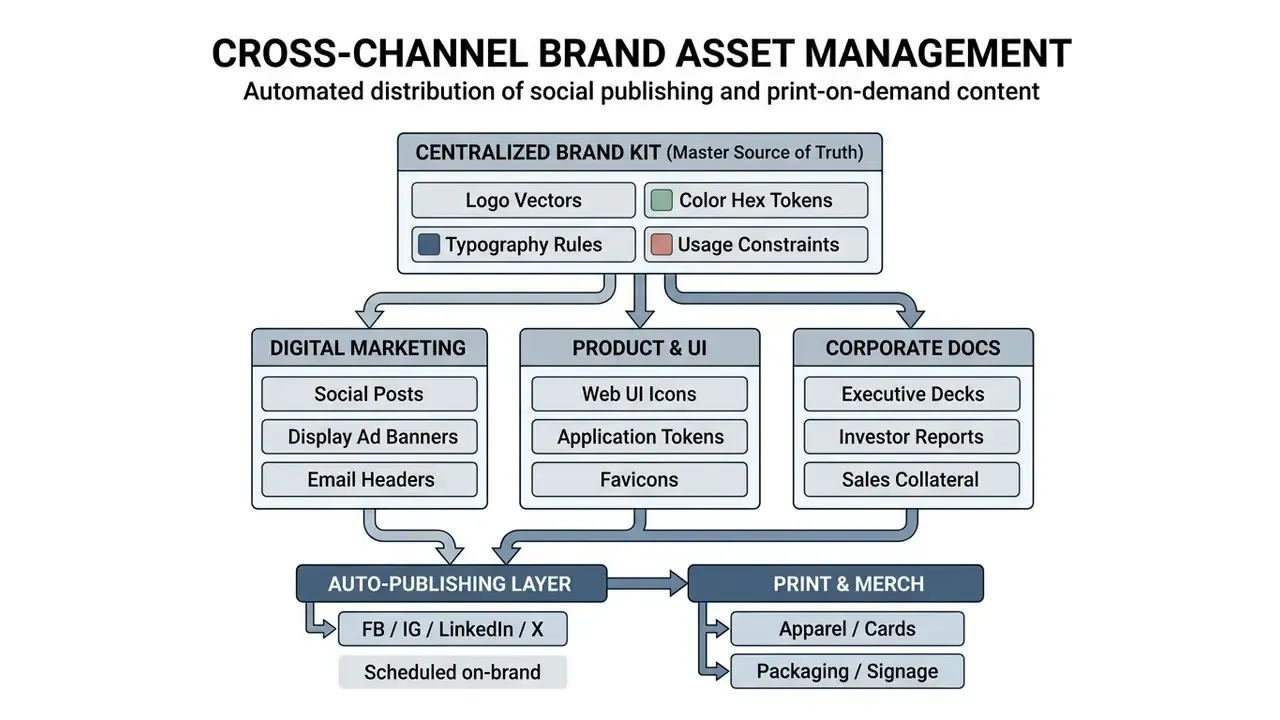
- Social publishing automation. Connecting the brand kit to a scheduling layer lets the same approved logo, palette, and type hierarchy generate and auto-publish to Facebook, Instagram, LinkedIn, and X on a calendar, with per-platform sizing derived from one master layout. The brand record becomes the input, the posts become the output, and nobody re-types a hex code.
- Print-on-demand and merchandise. Vector masters and monochrome variants feed directly into apparel, business cards, packaging, signage, and drinkware production with worldwide fulfilment, no manual re-layout per SKU. This is where the monochrome variants from the deliverables checklist stop being theoretical: embroidery and engraving cannot consume a gradient.
Manage brand kits for teams and multiple projects
As organizations scale, a unified repository for logo files, color tokens, and layout guidelines is what prevents fragmentation. Centralized platforms let administrators manage role-based permissions, update standards dynamically, and hold consistency across sub-brands.
«A systematic review of 69 studies identified tone of voice, visual branding, and interaction style as the key design elements sustaining brand-identity consistency in AI-mediated communication.»
Two governance constraints deserve attention in multi-project environments. Several enterprise brand-kit implementations support only one guideline document per kit, meaning updates replace rather than append, so version history must live outside the tool. And a shared central hub is what stops per-project drift: when each team keeps its own copy of the palette, the palette stops being a rule and quietly becomes a suggestion.
Teams looking to streamline operational costs can browse the hub to model asset management workflows, or standardize people-facing imagery with AI headshot generators and comparable options such as a canva ai headshot generator for directory and profile consistency.
Legal fact check: copyright, trademarks and IP protection
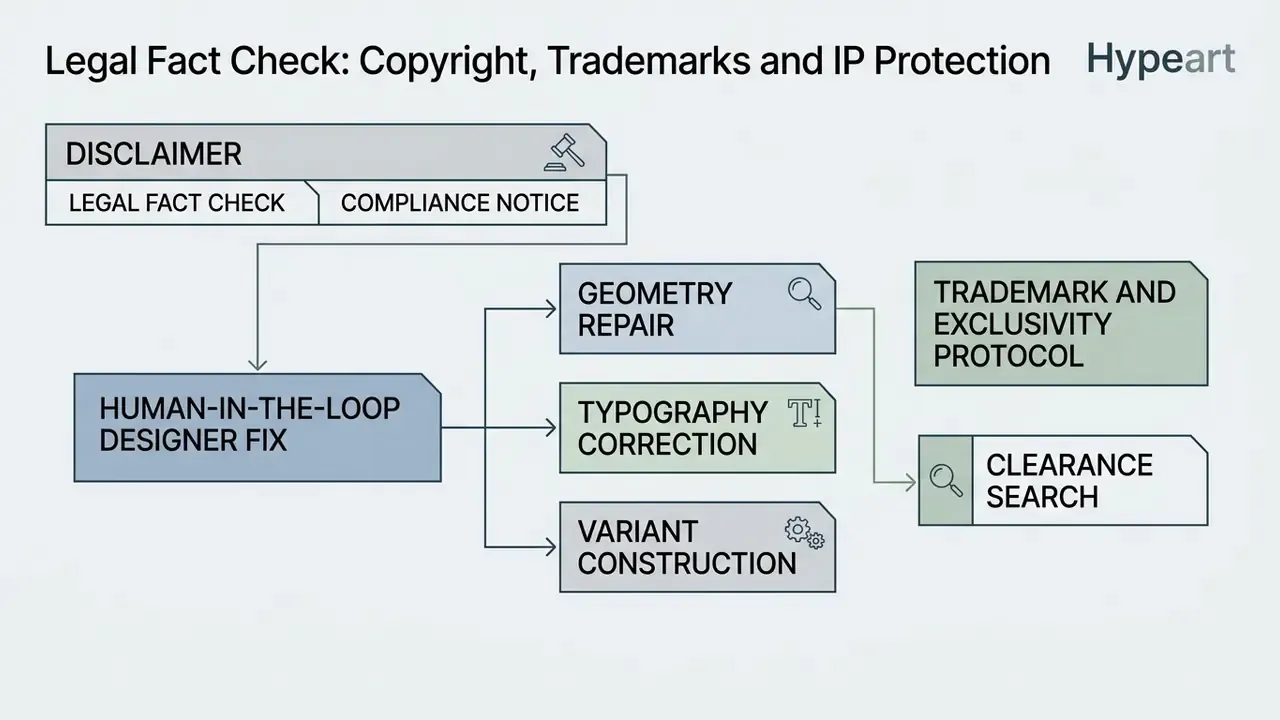
Legal fact check and compliance notice
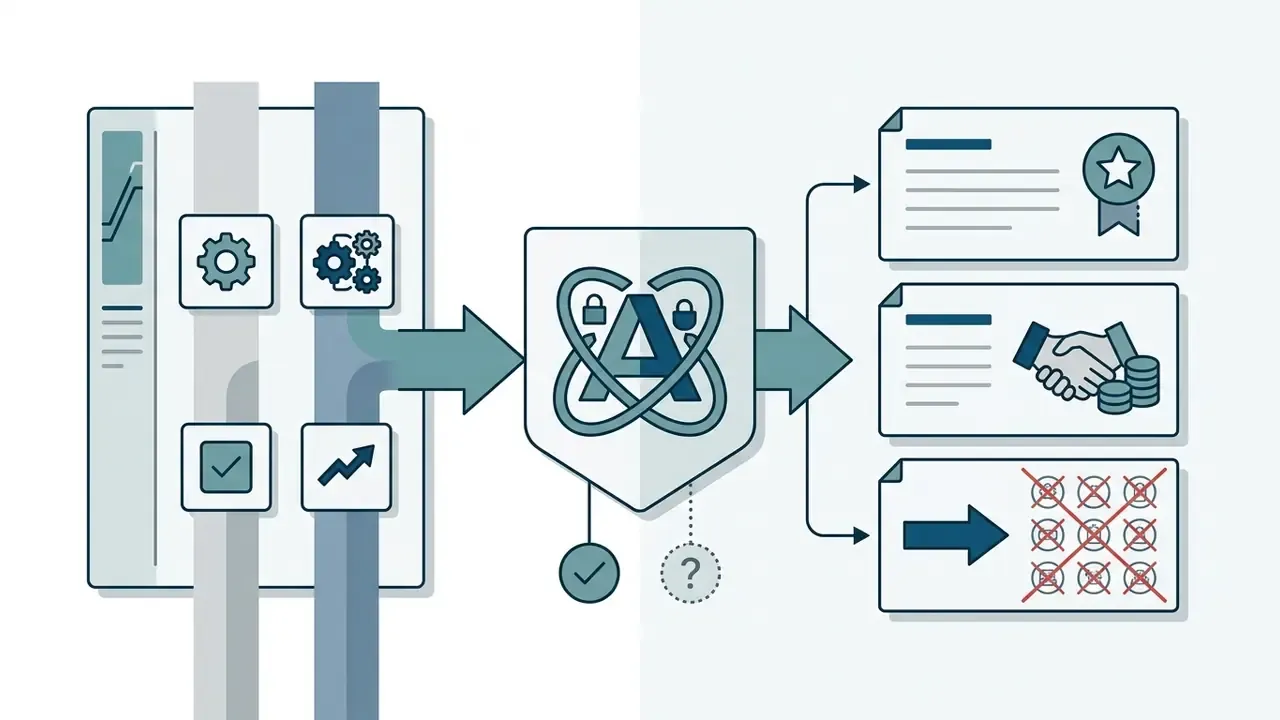
The two regimes diverge because they protect different things. Copyright protects human expression. Trademark protects source identification. A mark that is unprotectable by copyright can still be a fully enforceable trademark. Note also that USPTO's 2026 policy bulletin addresses generative AI in the design-patent context, which is further confirmation that no blanket intellectual-property right attaches automatically to AI output.
Human-in-the-loop: when a designer fix is required
Treating generation as fully autonomous is the most common practical error. AI reliably distorts exactly the details that decide whether a mark reads as professional: letter spacing at small sizes, terminal alignment, optical centering, curve tangency, stroke-weight consistency between icon and wordmark. Several dedicated platforms therefore sell an in-house designer refinement service, and the reason is instructive. The last 10% of a logo is human work.
Plan for a hybrid pass in three situations:
- Geometry repair. Traced vectors from raster output carry redundant nodes and wobbling curves. A designer rebuilds the path with the minimum node count, so the mark stays crisp when scaled or engraved.
- Typography correction. Kerning, tracking, and baseline alignment usually need manual work, even when the model spelled the name correctly.
- Variant construction. Horizontal, stacked, icon-only, favicon, and single-color versions are systematic derivations, not fresh generations. Producing them by re-prompting yields five inconsistent logos rather than one system.
There is a second reason this pass matters. Because U.S. copyright registration hinges on human authorship, documented human creative contribution in the vector stage is what converts an unprotectable AI image into a work with a registrable human-authored layer. Keep the working files and revision notes. They are your evidence of authorship, and evidence is the part people forget to keep.
Trademark and exclusivity protocol
Free AI brand identity generators, pricing and commercial use
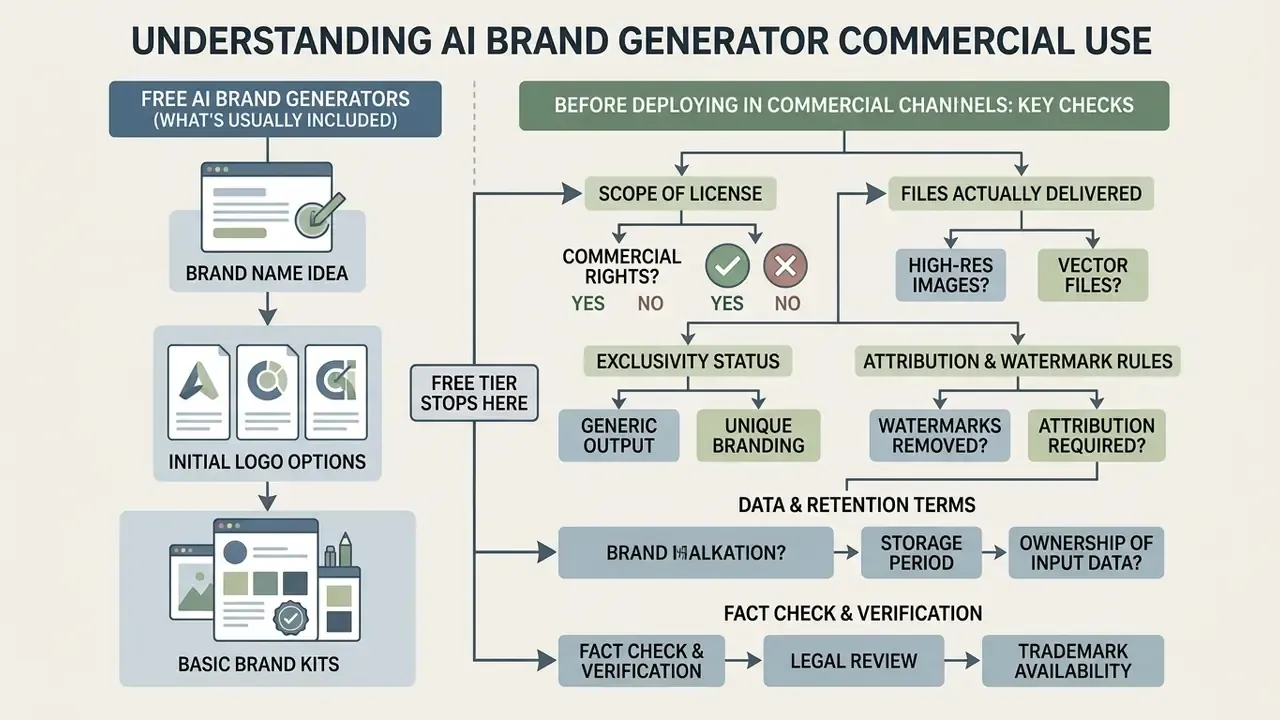
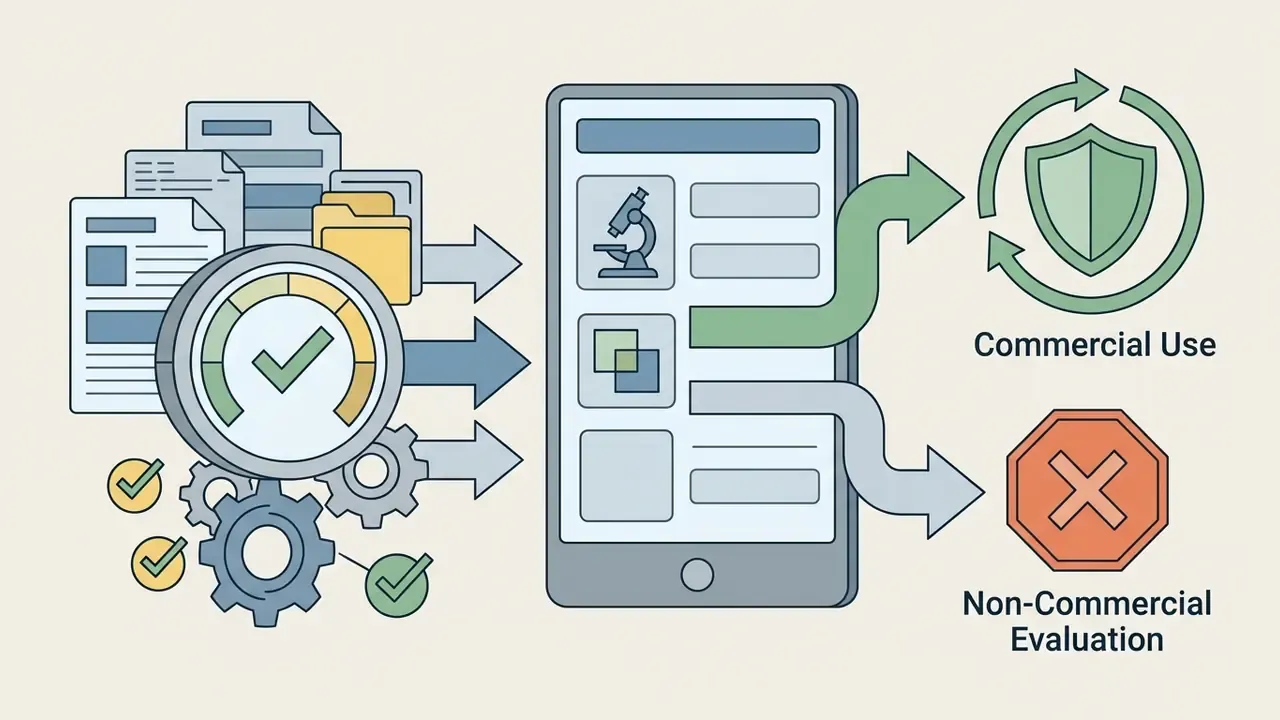
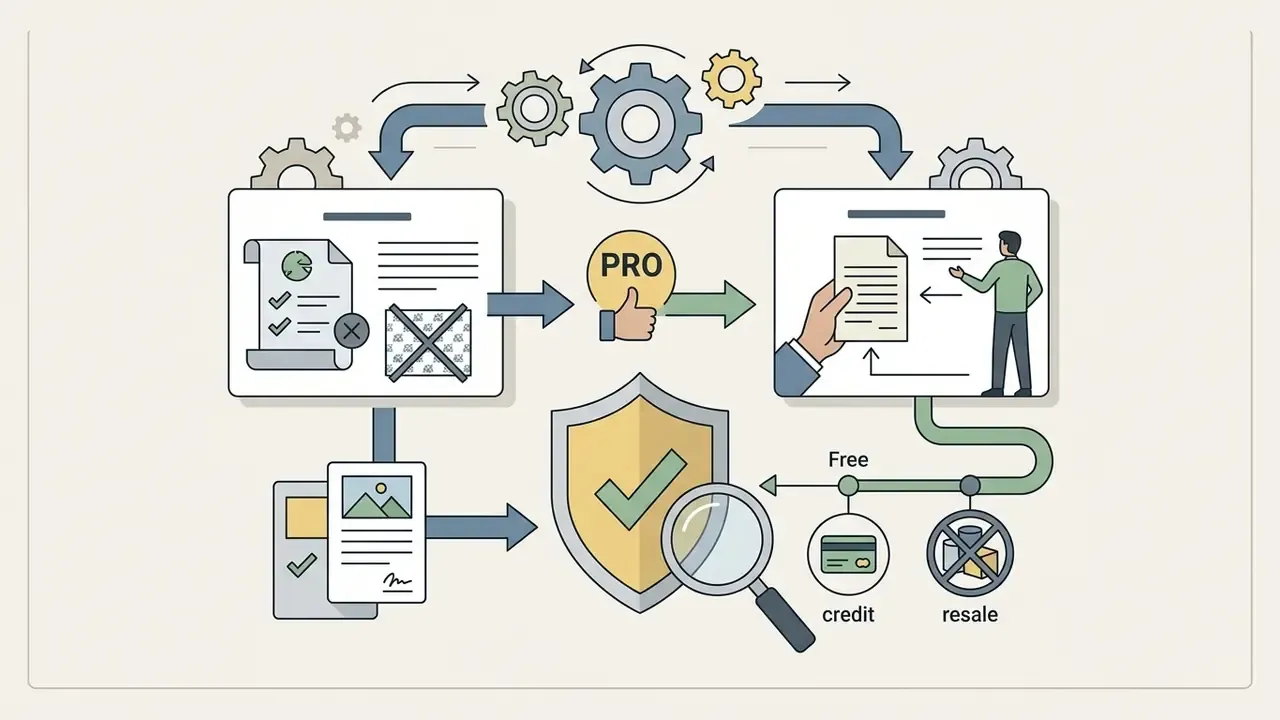
Understanding where the free tier stops matters before you deploy AI brand images in commercial channels. Most web-based platforms offer complimentary generation and low-resolution previews, then reserve high-resolution downloads, vector formats, and commercial rights for paid tiers. That is a documented vendor-practice pattern across public pricing pages, not an industry standard, and it has exceptions, which makes per-tool verification unavoidable.
What free AI brand generators usually provide
A free ai brand identity generator typically lets you test prompt inputs, experiment with visual styles, preview logos on product mockups, and inspect sample color palettes. That is an inexpensive way to trial free AI visual generation tools before committing budget. Free downloads are generally capped at low-resolution raster files, for example 400×400 PNGs, often with platform watermarks or explicit non-commercial limits.
The exceptions matter. Some 2026 tools ship watermark-free PNG, SVG, and PDF at 4000×4000 on the free tier, while others cap free use by prompt count, say 20 prompts per month against 500 on paid, rather than by file format. Licensing structures vary as well: several vendors grant no commercial license on free plans but, on upgrade, extend a worldwide, non-exclusive, perpetual commercial license that also covers assets generated earlier while still on the free tier. Read the specific plan, not the category.
What to check before commercial use
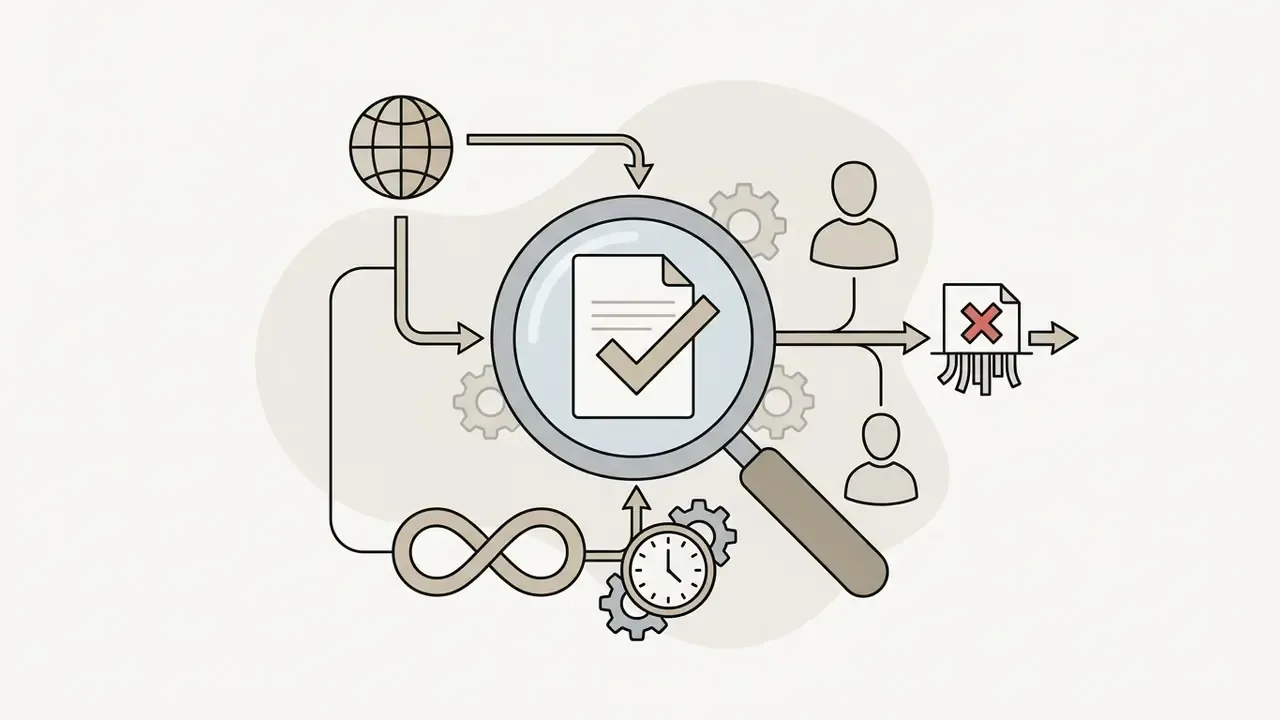
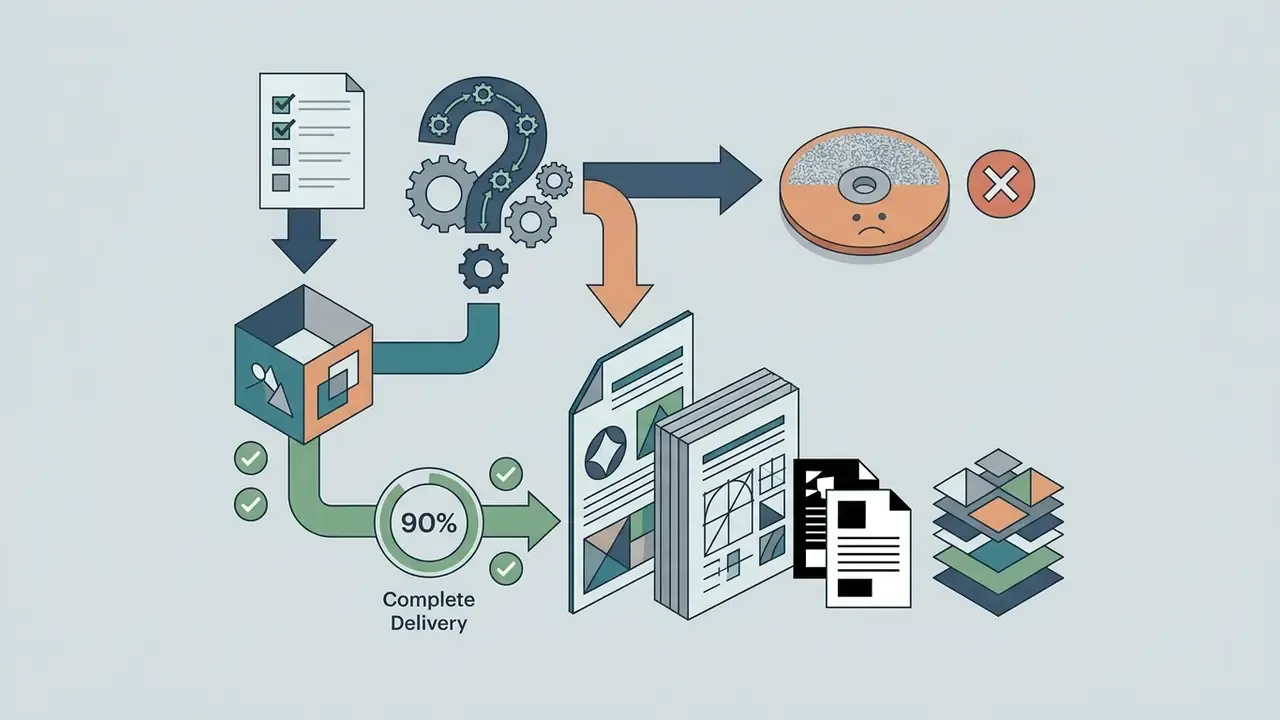
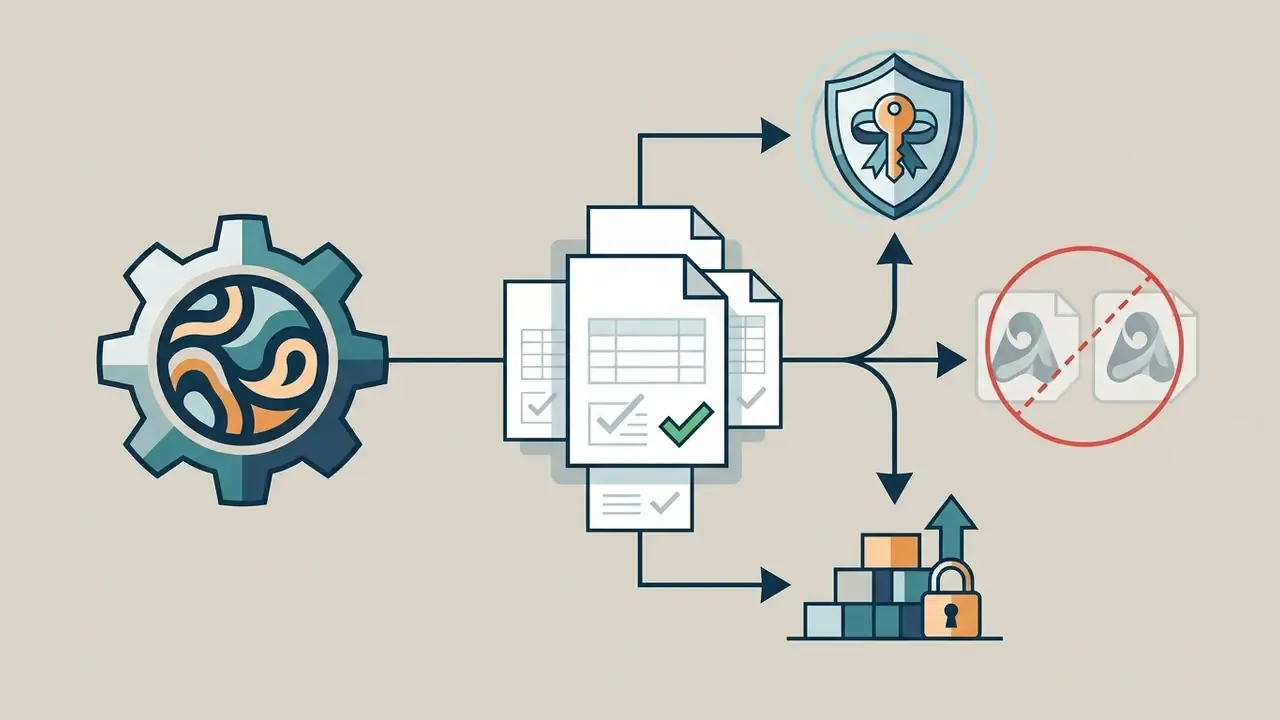
Before a generated logo appears on a product, an invoice, or a signed contract, verify five things in writing:
Pricing benchmarks to expect
| Tier | Typical 2026 price | What you actually get |
|---|---|---|
| Free | $0 | Generation and preview; low-res raster; watermarks or prompt caps; usually non-commercial |
| One-off logo purchase | about $20 to $25 | High-res raster plus vector files for a single mark |
| Brand kit package | about $80 and up | Full variant set, templates, guidelines PDF, commercial license |
| Team / enterprise | about $12 per user per month and up; up to roughly $175 one-time on some logo platforms | Brand kits, seats, SSO where available, extended file types, designer access |
| Exclusivity / buyout | Vendor-quoted add-on | Icon removed from public library; strongest brand-protection option |
FAQ about AI brand generators
Do AI brand generators work on mobile and desktop?
Yes. Modern AI brand platforms run as responsive web applications in standard desktop, tablet, and mobile browsers. Generation happens on remote cloud servers, so you can enter prompts, refine parameters, and export high-resolution assets from any web-enabled device with no local software. Vendor documentation for major platforms explicitly confirms desktop, mobile, and tablet support, with browser compatibility as the primary access layer. Export flows (PDF, shareable web link, image bundle) are equally browser-based. One practical caveat: fine kerning work on a phone is technically possible and genuinely unpleasant.
Do I need design skills or software to make a logo?
No specialized design skills or desktop editing software are required to generate a professional identity with AI tools. The process relies on structured text prompts, guided preference selectors, and canvas editors that automate color harmony, font pairing, and alignment. Multiple vendors state plainly that there is nothing to install and no design background needed. The caveat from the workflow section still stands: no-skill generation gets you a strong candidate, while a short human vector pass gets you a production-grade system. Teams needing programmatic integration can browse the hub to inspect API options for automated asset workflows.
Are AI brand generators suitable for startups and small teams?
They fit that profile well. Startups, independent operators, and lean teams get a polished visual identity quickly and cheaply. Industry reporting by Fast Company (2025) notes that traditional brand-naming and branding engagements can cost between $40,000 and $50,000 and take several weeks, whereas AI-assisted workflows can assemble a complete foundational identity package in minutes for a small fraction of that. Treat those figures as market reporting, not methodologically audited data.
«Empirical evidence confirms AI is especially valuable for startups: tools accelerate ideation and reduce resource expenditure, though quality gains are less pronounced than speed gains.» — Exploring Human-AI Collaboration in Creative Workflows, conference paper (2025). https://arxiv.org
The honest framing is scope, not substitution. An AI brand generator produces an excellent first-pass identity system that a founder, freelancer, or designer can refine later. It is not a final enterprise rebrand, and anyone selling it as one is overselling.
What is the difference between a brand kit and a single AI logo?
A single AI logo is one file. A brand kit is the governing system: logo variants across formats, a palette expressed in Hex, RGB, and CMYK, paired typography with hierarchy notes, usage rules covering clear space and minimum size, platform-sized social assets, design tokens for developers, and a guidelines document. The kit is what lets five different people produce on-brand work without asking you a question.
Can I trademark a logo made by AI?
In the United States, yes, provided the mark is distinctive, used in commerce, and not confusingly similar to an earlier registration. Trademark law protects source identification, not authorship. Copyright is a separate question: purely AI-generated expression is not registrable, so add and document human creative contribution if copyright registration matters, and run a clearance search before filing.
Which 2026 tool should I start with?
If you want one recommendation: a vector-native model such as Recraft V4, because true SVG output plus brand-kit consistency removes the most expensive downstream step. Choose Ideogram or GPT Image when the mark is typography-led and you accept a vectorization pass. Choose a traditional generator such as Looka or Brandmark when you need a complete, guideline-backed kit in minutes with no prompting skill at all.
Appendix A: editorial revision log
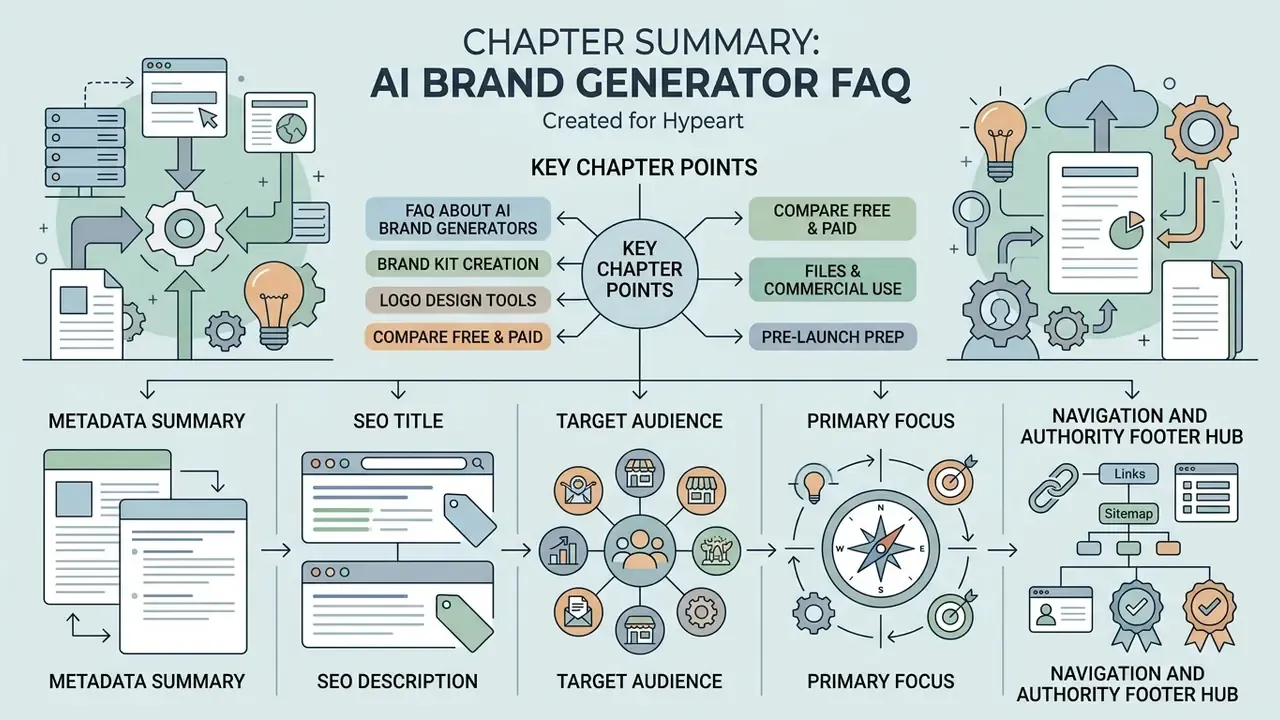
Metadata summary
- SEO title AI Brand Generator 2026: Create a Full Brand Identity with AI
- SEO description Build a complete brand identity with an AI brand generator: compare 2026 engines like Recraft V4 and Ideogram, copy ready prompt recipes, get the full brand-kit file checklist, and check copyright, trademark and data-privacy rules before commercial use.
- Target audience founders, marketing leads, product managers, operations executives, compliance and AI governance leaders.
- Primary focus scalable AI brand identity creation, brand kit generation, prompt engineering, visual consistency, data privacy, commercial IP compliance.