Why should a risk or compliance lead care about swatches? Because the upload is the risk, not the color. A brand style guide dropped into a public tool is a data-transfer event with retention, licensing, and audit consequences.
Executive Summary for Design, Risk, and Compliance Leads
- Model transparency production-grade palette engines are not dice rolls. They combine k-means clustering in perceptually uniform spaces (CIELAB, OKLab, OKLCH) with text-conditioned neural models, and many of them can be seeded for reproducible output.
- Accessibility is measurable palette roles must be validated against WCAG 2.2 thresholds, 4.5:1 for body text, 3:1 for large text and non-text interface elements, 7:1 for AAA, plus color-vision-deficiency simulation.
- Intellectual property is conditional raw HEX values are not copyrightable, and purely machine-generated output lacks human authorship, so commercial rights come from vendor license terms rather than from copyright ownership.
- Data boundary matters before uploading brand assets or confidential campaign prompts, confirm retention policy, model-training exclusions, and security attestations. Otherwise the palette tool quietly becomes a Shadow AI channel.
How to Generate a Palette in 4 Steps
- Choose input typeenter a text prompt, paste a HEX code or brand name, or upload a reference image.
- Set algorithmic constraintsselect the working color space (OKLCH or CIELAB), the number of swatches (typically 3 to 10), and a distribution model such as 60-30-10.
- Lock and fine-tunelock the anchor shades first, then adjust hue, chroma, and lightness handles and regenerate secondary and accent tones in real time.
- Export codecopy production-ready HEX, RGB, CSS variables, Tailwind configuration, JSON design tokens, SVG, PDF, or ASE files for Adobe Creative Cloud.
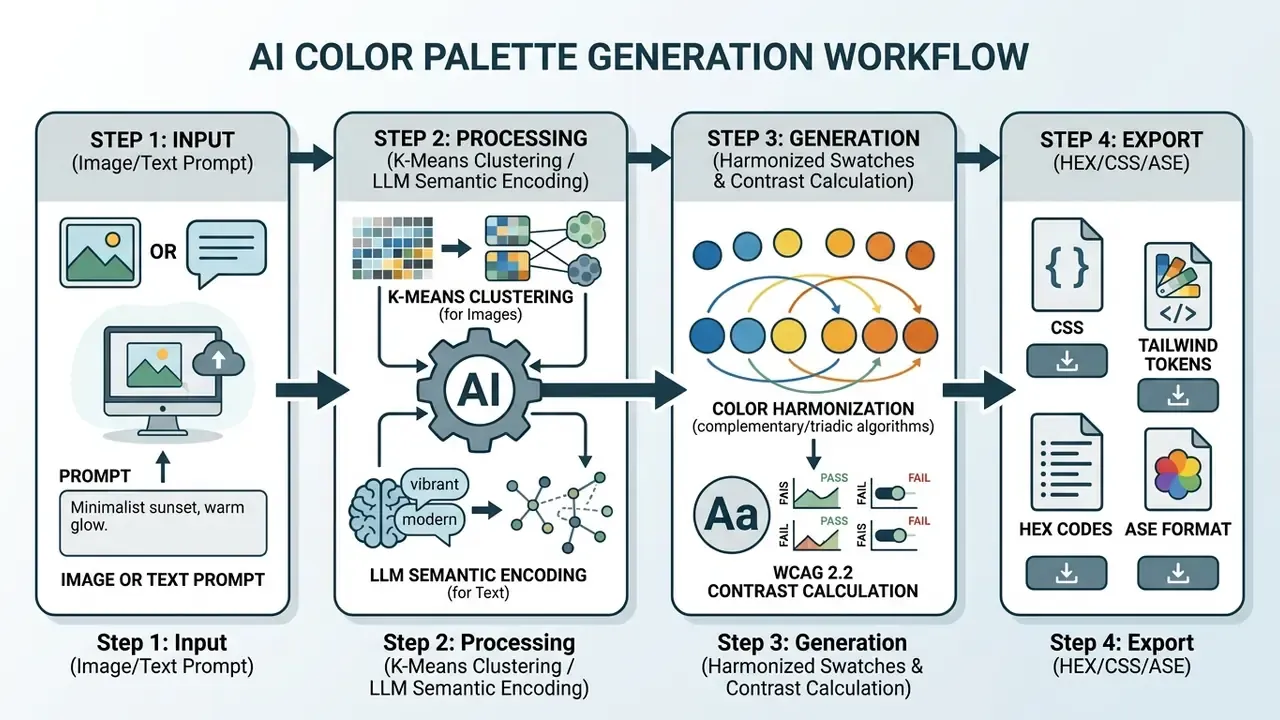
How an AI Color Palette Generator Creates Color Schemes
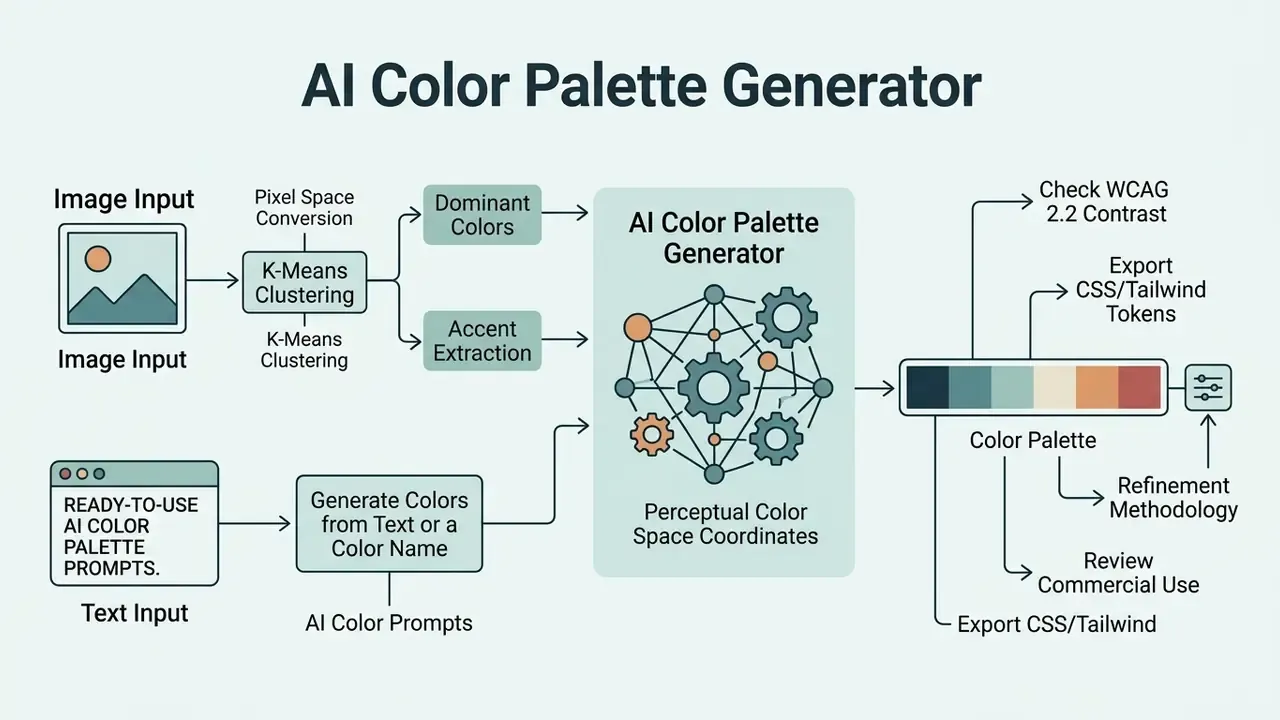
An ai color scheme generator builds harmonies by converting images or text prompts into quantitative coordinates inside a perceptual color space. To generate color structures that hold a visible hierarchy, the system reads relative luminance, chroma, and hue angles rather than guessing at "nice" combinations.
Modern palette systems measure color distance with formulas such as in CIELAB or OKLCH. That statistical step is what keeps a generated color palette visually separated across surface layers. Reliable color schemes lean on algorithmic constraints so text stays readable against whatever background the model proposes.
"Color-distance evaluation with in CIELAB delivers perceptual uniformity and preserves semantic consistency during palette adaptation."
HEX is only a representation format. RGB, HSL, and OKLCH are used for computation because they expose the numeric parameters needed for distance measurement, clustering, interpolation, and gamut checks. In OKLCH, lightness, chroma, and hue move independently, and that separation is exactly why contrast control and hue consistency are easier to enforce there than in raw RGB.
One small correction to a common assumption: a "harmonious" palette is not automatically an accessible one. Generation and validation are two different jobs.
Generate a Color Palette from an Image
An ai color palette generator from image pulls dominant and accent tones straight out of an uploaded asset using mathematical clustering. The algorithm reads pixel data from a color image and groups coordinates by proximity.
- Pixel space conversion: image data moves into CIELAB, OKLab, or OKLCH coordinates to preserve perceptual uniformity. Some pipelines pass through HSV first to isolate hue frequency distributions.
- K-means clustering: the algorithm identifies centroid clusters that represent dominant tones. Frequency-weighted averages surface the shades appearing above the mean occurrence threshold.
- Accent extraction: high-contrast outlier clusters become functional accents, ranked by a contrast-deviation metric across hue, saturation, and brightness differentials.
- Refinement: designers adjust lightness and saturation thresholds, merge near-identical clusters, and discard low-saturation noise so the result can survive an accessibility check.
Methodology note. Research on automated palette extraction shows that clustering in perceptually uniform spaces preserves semantic relationships during light-to-dark adaptation, and it quantifies that preservation with explicit loss terms instead of designer heuristics.
"Chameleon applies k-means clustering in RGB space to isolate dominant centroids, then optimizes the result in LCH space via simulated annealing."
The framework balances three objectives, lightness consistency (), chromatic consistency (), and accessibility contrast (), so a dark-mode variant keeps its categorical meaning instead of simply inverting luminance. Content-aware variants published in 2025 go further and extract dominant color only inside regions of interest, which yields cleaner brand palettes from product photography where background pixels would otherwise flood the histogram.
Practical input rule: upload high-resolution photography with strong lighting and clear contrast. Flat, low-light, or heavily compressed images produce muddy centroids and jittery accents. Teams preparing source assets before extraction can review our guide to online photo editors for cropping, exposure, and color-correction workflows, and the face photo editor walkthrough when portraits drive the brand imagery.
Generate Colors from Text or a Color Name
An ai color generator from text turns natural language into cohesive combinations using NLP and multimodal embeddings. Systems such as Text2Colors (Bahng et al.) and ColorGPT (Ding et al., 2025) map descriptive terms onto color datasets to produce contextually plausible swatches.
"Text2Colors was trained on 10,183 text-palette pairs; in user studies its generated palettes were often preferred over ground-truth references."
An ai color name generator reads descriptive words such as "sustainable," "executive," or "ocean breeze" and identifies statistical color associations. An ai name color generator works from a specific brand name and matches historical pairings. Teams building a full identity system usually pair palette generation with mark design, so it is worth comparing capabilities across AI art and logo generators before locking a direction.
"ColorGPT demonstrated that LLM-based pipelines outperform baseline methods in color-matching accuracy, distribution quality, and palette diversity."
Emotion-conditioned variants push this further. Cross-modal models published in 2025 align palettes with affective labels, mapping valence and arousal coordinates onto chroma and lightness ranges. That is the practical reason prompts describing feeling ("calm," "urgent," "premium") often beat prompts describing objects.
Ready-to-Use AI Color Palette Prompts
More directions worth testing when you need variety fast: Minimalist Pastel, Deep Autumn Vibes, Vintage Cinema, Tropical Paradise, Modern Tech Blue, Emerald Garden, Soft Spring Morning, Corporate Professional, Street Art Graffiti, Sunset Beach, Industrial Loft, Royal Velvet, Nordic Winter, Muted Desert, Space Exploration. Character-oriented workflows follow the same pattern: give the model a base color plus a theme or personality description, and it generates harmonious variants around that anchor.
Create a Brand Color Palette with AI
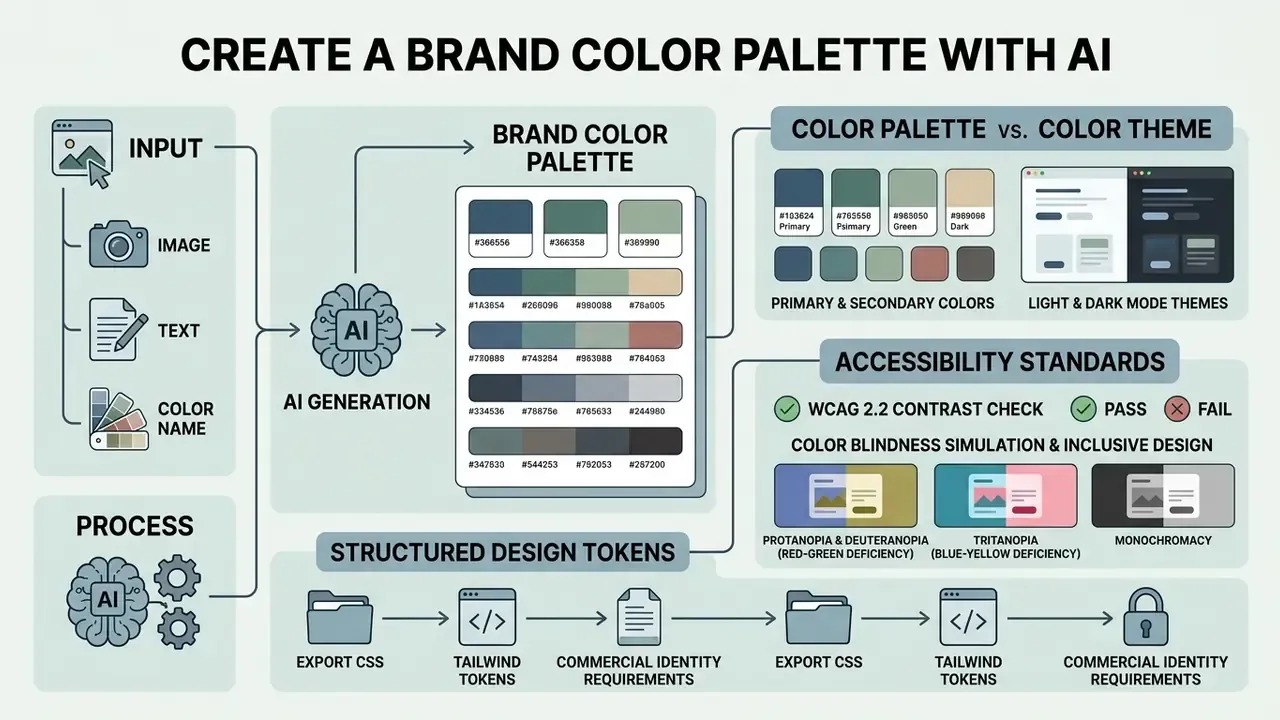
An ai brand color generator produces structured design tokens aligned with commercial identity requirements and accessibility standards. A unified brand system needs an ai brand color palette generator that assigns a clear functional role to every tone. One tone, one job.
An ai color palette creator organizes output around hierarchy rules such as the 60-30-10 distribution model. Designers then use an ai color theme generator to scale that system across enterprise software, digital products, and print collateral. Teams reviewing adjacent generative tooling for campaign assets can check how AI design platforms handle licensing and export before standardizing anything. To create a palette that survives enterprise review, define distinct roles for surface, text, and interactive elements early in the design process.
| Color Role | Visual Volume | Functional Purpose | WCAG 2.2 Contrast Target |
|---|---|---|---|
| Primary | ~60% | Dominant brand identity, main structural headers, primary surfaces | 4.5:1 against neutral background |
| Secondary | ~30% | Supporting containers, secondary cards, navigational elements | 3:1 for large structural elements |
| Neutral | Background / Body | Body text, subtle borders, main application background layers | 4.5:1 for body text (7:1 for AAA) |
| Accent | ~10% | Primary calls to action, active indicators, critical state alerts | 3:1 minimum for interactive UI |
"CatPAL evaluated 39 colors across 7 visualization tasks: measured separation between roles directly determines minimum required contrast between accent and neutral tones."
Material Design 3 reinforces this taxonomy. Secondary roles carry elements that do not demand immediate attention, such as selected navigation icons and dismissive buttons, while accent roles are reserved for states that must interrupt the reading path. Be aware of the naming conflict between design systems: some treat "secondary" as a second brand color, others reserve "accent" strictly for attention-grabbing states. The difference is convention, not function. Whichever convention you adopt, no single color should carry two conflicting roles across typography, buttons, icons, and charts, and color must never be the sole carrier of meaning.
Color Palette vs. Color Theme: What Is the Difference?
- Color palette: the fixed set of discrete color tokens (HEX or OKLCH values) established for a brand system, the specific colors used in a design.
- Color theme: the contextual application and dynamic transformation of that palette to express a mode or mood, for example dark theme, high-contrast accessibility theme, or a seasonal campaign theme. A theme describes the overall style those colors create rather than the values themselves.
Most production palettes hold 3 to 5 core colors supported by a neutral ramp. The exact count depends on project scope and brand guidelines, with enterprise design systems commonly extending to 8 or 10 tokens per role.
Color Blindness Simulation & Inclusive Design
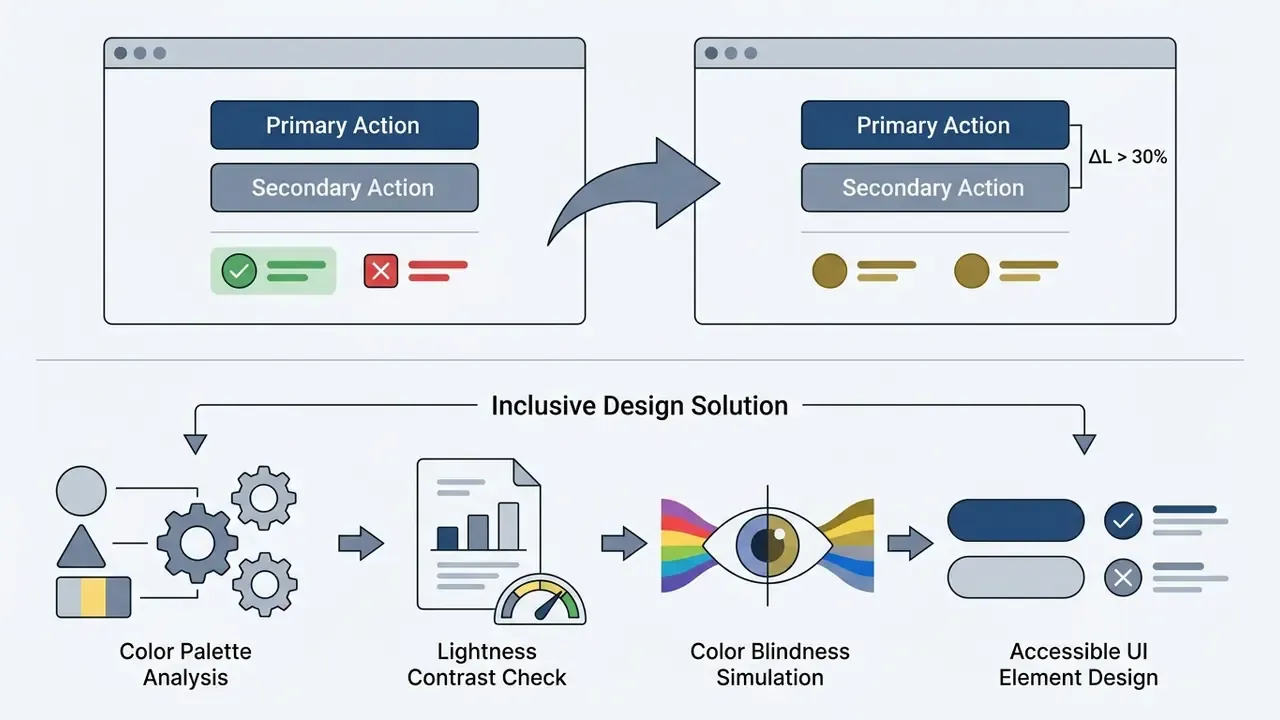
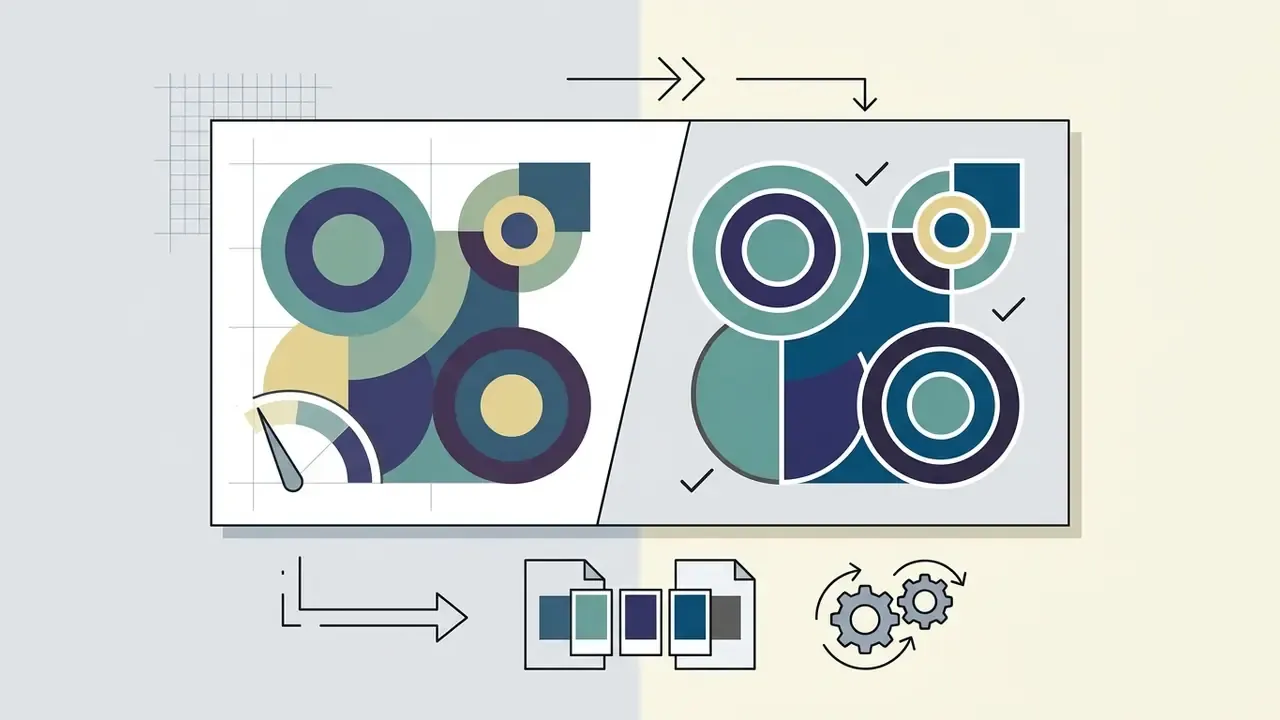
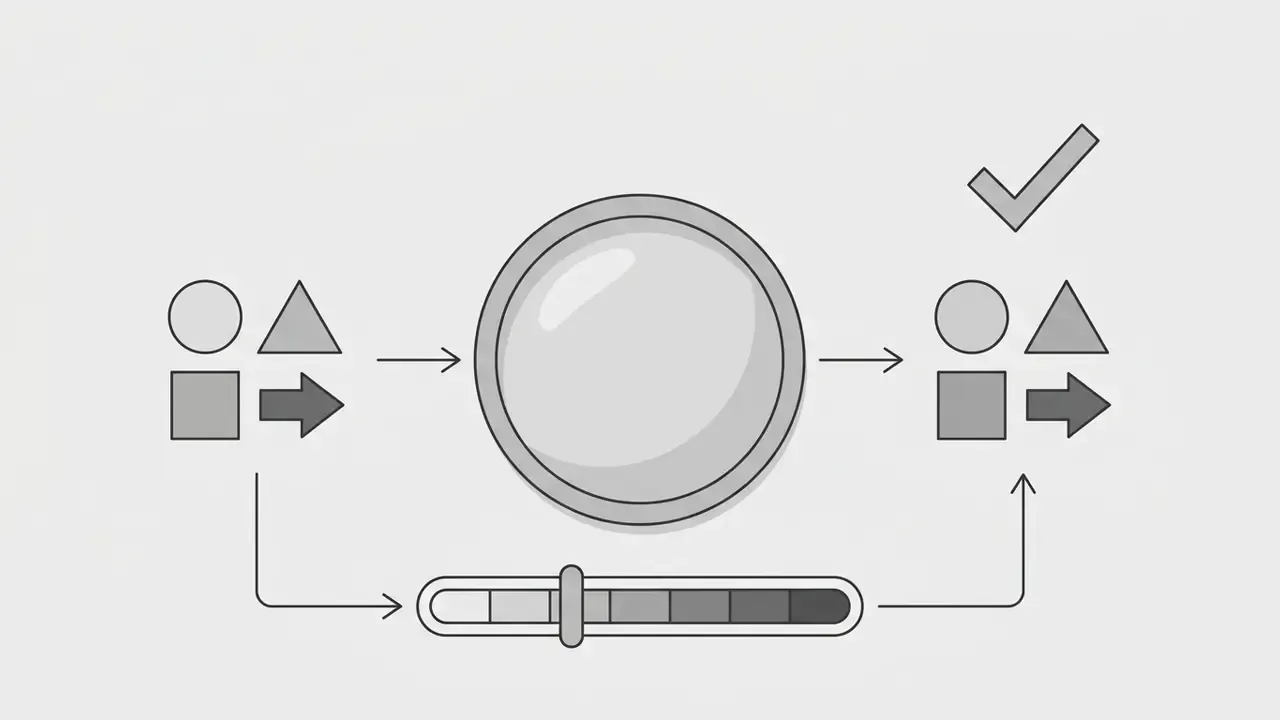
Enterprise design systems should verify palette contrast under common vision-deficiency conditions before release, not after a complaint:
Pair simulation with a shape, icon, label, or pattern cue for every color-coded state. WCAG 2.2 requires that information is never conveyed by color alone, and the rule applies just as firmly to charts, status pills, and validation messages as it does to body copy.
Edit Color Combinations, Palettes, and Gradients
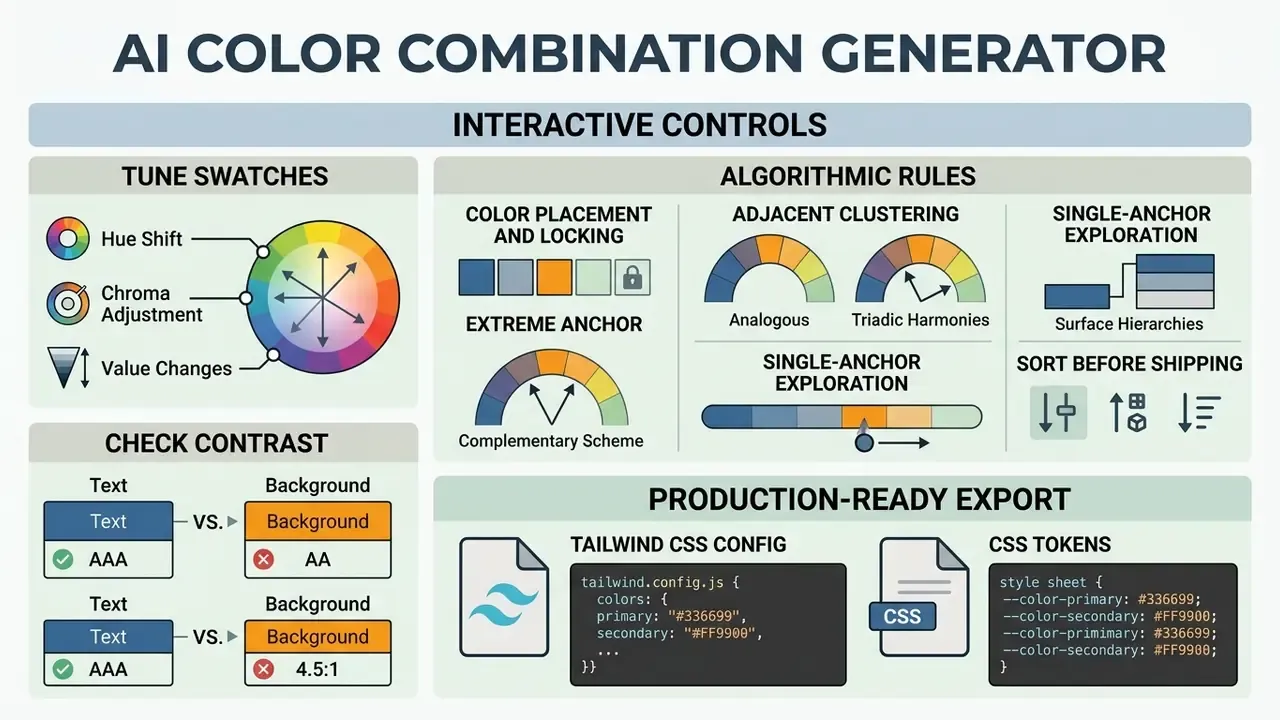
An ai color combination generator gives designers interactive controls for tuning individual swatches, shifting hue, and checking contrast ratios live. An ai color palette maker also lets you lock anchor shades while regenerating the complementary secondary tones around them.
"Interactive visual abstractions encourage a non-linear workflow and increase creative freedom during palette editing."
With an ai color maker, developers generate smooth linear or radial gradient output with precise CSS stop values. The engine evaluates chromatic paths across OKLCH to remove grey dead zones in color combination transitions, those muddy midpoints that show up when you interpolate complementary hues through sRGB. Multi-brand teams can explore the hub to compare scaling options across seats and workspaces, and open the hub if you need to model licence and control costs before approval.
Algorithmic Rules for Color Placement and Locking
With nothing locked, generators sample stochastically. Locking turns the task into constrained completion, and the position of the locked swatch changes the output more than most people expect. Structural rules worth following:
- Extreme anchor placement (complementary schemes)put your dominant brand shade at Position 1 and its complementary contrast shade at Position 5. The algorithm then interpolates smooth chromatic steps across Positions 2 to 4, which usually reads well.
- Adjacent clustering (analogous and triadic harmonies)place contrasting accents next to each other in central slots (Positions 2 and 3) to push the generator toward higher-energy triadic variation instead of a linear ramp.
- Lightness locking for surface hierarchieslock a low-chroma shade () at Position 1 for background canvases and a dark shade () at Position 4 for typography, then regenerate. Text contrast holds no matter how the mid-tones move.
- Single-anchor explorationkeep one brand color locked, regenerate repeatedly, and shift that color between slots. Identical HEX values in different positions produce measurably different neighbors.
- Sort before shippingorder the final set by hue or brightness so the exported token ramp reads predictably to engineers.
Production-Ready Palette Export Formats
Modern AI generators convert color tokens straight into engineering configuration files. Structural samples below.
Tailwind CSS Configuration (tailwind.config.js)
module.exports = {
  theme: {
    extend: {
      colors: {
        brand: {
          primary: 'oklch(0.55 0.22 260)',
          secondary: 'oklch(0.75 0.15 180)',
          neutral: 'oklch(0.98 0.01 240)',
          accent: 'oklch(0.68 0.25 25)',
        }
      }
    }
  }
}
CSS3 Native Custom Properties
:root {
  --color-primary: #1E40AF;
  --color-secondary: #0D9488;
  --color-neutral-bg: #F8FAFC;
  --color-accent: #F59E0B;
}
JSON Design Tokens
{
  "color": {
    "primary":   { "value": "#1E40AF", "contrastOnNeutral": "8.59:1", "role": "brand" },
    "secondary": { "value": "#0D9488", "contrastOnNeutral": "3.54:1", "role": "support" },
    "neutral":   { "value": "#F8FAFC", "contrastOnNeutral": "1.03:1", "role": "surface" },
    "accent":    { "value": "#F59E0B", "contrastOnNeutral": "1.92:1", "role": "cta" }
  },
  "meta": { "space": "oklch", "wcag": "2.2-AA", "seed": "8f31c2", "version": "1.4.0" }
}
Beyond code, mature tools export PNG and SVG swatch sheets, PDF specification pages (with shades, hues, and color-blindness views), and ASE files for Illustrator, InDesign, and Photoshop. Vector and PDF exports matter for print collateral, where color management has to survive handoff to a production vendor.
Illustrative scenario, not an audited benchmark: during a brand refresh at a large US regional bank portal, a team needed accessible tokens across 40 component views. The engineering lead imported legacy assets, applied automated contrast rules, and exported production-ready CSS variables. That systematic pass cut compliance revision cycles by roughly 60% while holding WCAG 2.2 AA. The figure comes from a single internal project retrospective; results vary with component count and legacy debt.
Adjacent asset workflows tend to reuse the same tokens. If your launch package includes motion or audio, the same governance questions apply when you edit videos online free, brief an explainer video maker, test elevenlabs ai voice narration, or extract audio from an existing recording. Even a utility such as an email address generator ai for campaign testing belongs in the same tool inventory, because unlogged tools are the ones that surprise auditors.
Data Privacy, Shadow AI, and Reproducibility Controls
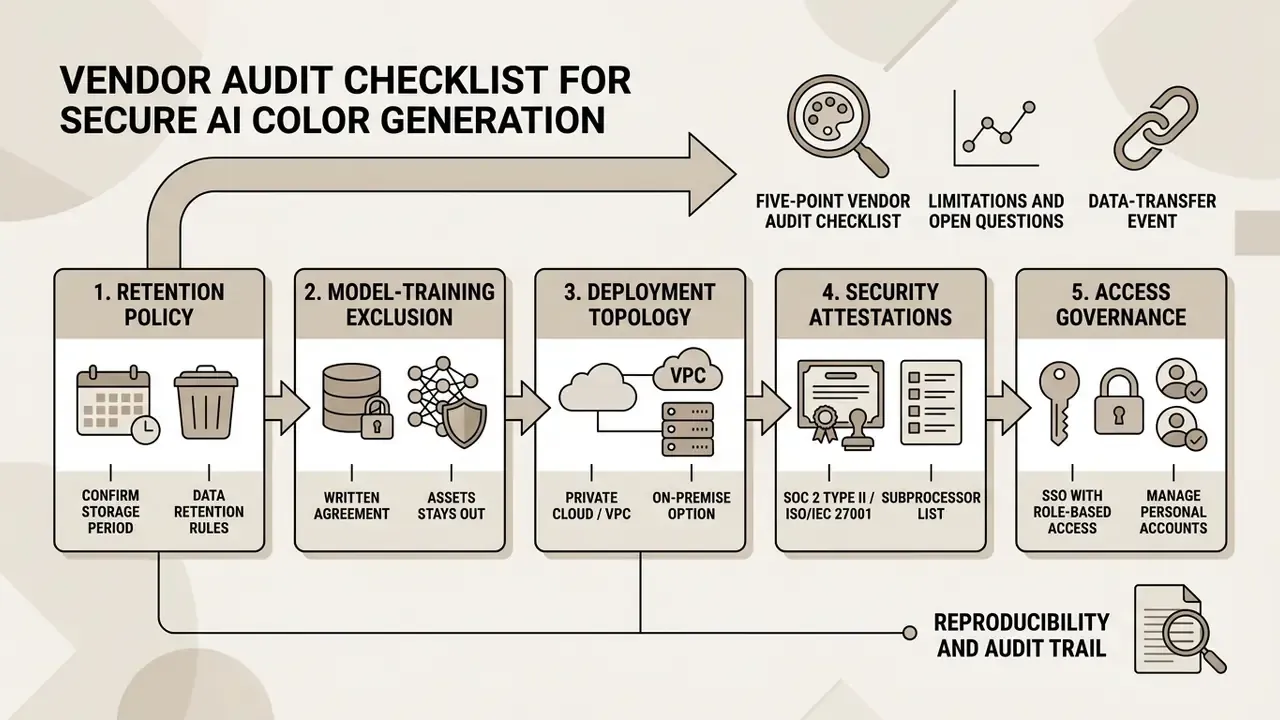
Five-Point Vendor Audit Checklist
- Is generation deterministic when a seed is supplied, and is the seed exposed in the export?
- Are contrast ratios computed automatically against WCAG 2.2 AA and AAA thresholds and included in the export artifact?
- Does the vendor commit contractually to no training on customer inputs, with a defined retention window?
- Does the license permit commercial use of exported files, and does it prohibit stand-alone resale, template distribution, or trademark registration?
- Is there an API with versioned endpoints, so palette updates flow into the design-token pipeline instead of being copied by hand?
Limitations and Open Questions
Honest gaps, stated plainly. Vendor pricing and retention terms change without notice, so any figure here is a snapshot rather than a contract. Determinism is uneven: several text-conditioned engines expose no seed at all, which makes exact reproduction impossible and forces you to archive the output artifact instead of the process. Accessibility tooling also varies in how it rounds contrast ratios, and borderline values near 4.5:1 can pass in one checker and fail in another. Where litigation risk around generative assets is the concern, see the overview of active disputes before you standardize a vendor across business units.
Free AI Color Palette Generator, Pricing, and Commercial Use
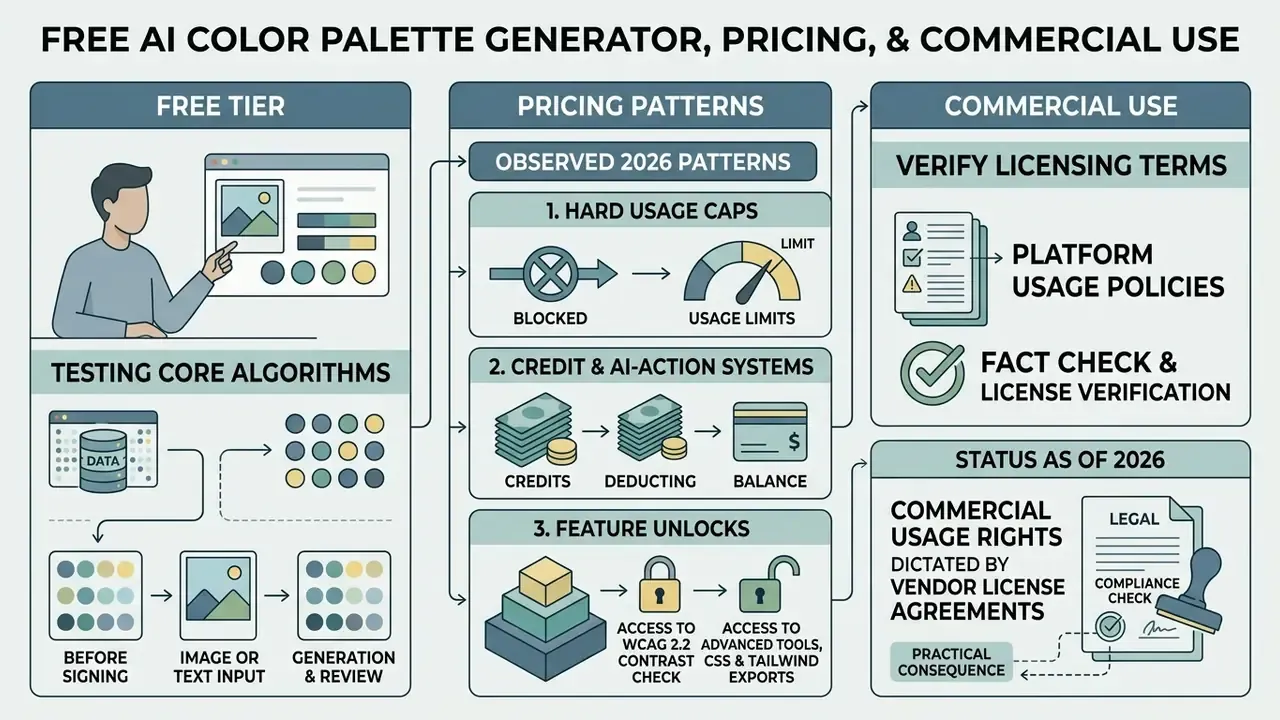
Choosing an ai color palette generator free tier lets a design team test the core generation algorithms before signing anything. Most free plans cap saved projects, daily credits, or advanced export formats.
Observed 2026 pricing patterns fall into three groups:
- Hard usage caps. Free accounts commonly allow around 10 saved palettes, 1 project, 1 collection, and 5 favorite colors, while paid tiers unlock unlimited saves, ad removal, contrast checking, palette visualizers, and advanced PDF export.
- Credit and AI-action systems. Entry tiers may include roughly 5 AI actions or analyses per month, scaling to 50, 250, or 1,000 actions on higher plans.
- Feature unlocks. Some vendors keep generation unlimited but gate integrations, including Figma and Adobe export, API access, and priority support, behind a paid plan.
Commercial deployment means verifying software licensing terms and platform usage policies. Raw HEX codes are not subject to copyright protection under US law, yet proprietary palette files and automated asset exports remain governed by vendor terms of service. Teams comparing rights across generative tooling can review our overview of commercial use terms for AI image generation.
Fact Check & License Verification
Explore Color Palettes for Design Inspiration
Designers explore palettes constantly, hunting for pairings that fit a specific vertical or aesthetic. A capable palette generator groups color palettes into functional styles:
- Minimalist & neutral high-legibility greys, soft taupes, and off-blacks for content-heavy web applications.
- Luxury & executive deep navy, rich emerald, and gold accents mapped onto high-contrast surface layers.
- Pastel & muted low-chroma tones suited to subtle dashboard backgrounds and productivity tools.
- Vibrant & neon high-saturation accent combinations for marketing banners and interactive calls to action.
"Music2Palette applies Russell's affect model: high-valence, high-arousal inputs map to bright saturated tones, while low-arousal inputs map to pastels."
That emotional mapping explains why style labels behave so predictably across verticals. A practical applicability matrix:
| Vertical | Recommended style | Rationale |
|---|---|---|
| Retail banking | Minimalist neutral plus a single trust accent | Maximum legibility for high-frequency transactional screens |
| Institutional trading | Dark neutral surfaces plus high-chroma data accents | Data-dense charts need categorical separation at small sizes |
| Wealth management | Luxury deep blue and muted metallic | Signals permanence and discretion without saturation noise |
| Consumer fintech app | Vibrant accent over pastel surfaces | Onboarding energy and clear primary-action targeting |
| Regulated healthcare | Calm teal and clinical neutrals | Reduces alarm response while sustaining AA contrast |
Standardized design guidelines, such as the W3C Design System, show how functional neutral tones plus a handful of semantic colors hold visual consistency across complex software ecosystems. Its published tokens, off-black #111111, W3C blue #005a9c, deep blue #002a56, purple #75336c, pink #ddb0c8, light pink #eeccdc, describe a restrained brand palette where neutrals carry structure and a small accent set carries state. One caveat: trend labels such as "pastel" or "bright" are not standardized in official specifications. Normative sources define contrast, semantic usage, and tokens, not aesthetics.
Teams producing supporting visual assets alongside the palette can also review our guides to free photo editors and AI image expansion tools for background generation that respects the same token set.
FAQ About AI Color Palette Generators
How does an AI palette generator differ from a random color generator?
An ai palette generator uses trained neural networks, semantic mappings, or mathematical clustering to produce harmonized color schemes based on context, text prompts, or images. Research on multimodal color recommendation (Qiu et al., ACM Multimedia 2023) showed that self-attention over palettes combined with cross-attention against CLIP text embeddings beats prior methods in accuracy, diversity, and user preference. A random color generator picks chromatic values stochastically, through direct RGB randomization, random offset from a starting color, sampling along a gradient, or golden-ratio spacing on the color wheel, without evaluating perceptual contrast, semantic alignment, or visual harmony.
Is there any technical difference between an ai colour palette generator and an ai color palette generator?
None at all. An ai colour palette generator and an ai color palette generator are the same class of tool; the spelling difference reflects regional convention (British "colour" versus American "color"). Both labels describe algorithmic color generation models.
How do algorithms generate colors from an uploaded image?
An ai color generator from image applies k-means clustering or spatial histogram analysis in uniform color spaces such as CIELAB, OKLab, or OKLCH. The algorithm groups similar pixels into centroids representing dominant shades and isolates high-contrast outliers as accent swatches. Content-aware variants restrict analysis to detected regions of interest, so background pixels do not dominate the result.
Can I export generated color palettes directly into developer workflows?
Yes. Most production-grade tools export swatches as HEX codes, RGB values, CSS custom properties, Tailwind configuration files, JSON design tokens, SVG, PDF specification sheets, or ASE files for Adobe Creative Cloud. You can compare technical workflows across platforms in our AI tool comparison, or read the developer API documentation for endpoint details.
How many colors should a palette contain?
Most palettes include 3 to 5 core colors supported by a neutral ramp. Enterprise design systems usually extend each role into 8 to 10 tonal steps to cover hover, pressed, disabled, and inverse states. The right count follows your component inventory and brand guidelines, not a fixed rule.
Are AI-generated palettes accessible by default?
No. Generation and validation are separate steps. Always verify the palette against WCAG 2.2 thresholds, 4.5:1 for body text, 3:1 for large text and non-text interface components, 7:1 for AAA, then run protanopia, deuteranopia, tritanopia, and grayscale simulations before release. Never encode meaning through color alone.
Can I reproduce the same palette later for an audit?
Only if the tool exposes deterministic controls. Capture the seed value, model version, working color space, and locked-swatch constraints in your token metadata, and version each palette release together with its contrast-validation report. That record is what lets a reviewer reconstruct the output without re-running the model.
What are common search terms for AI color palette tools?
People search with variants including ai color pallet generator, ai color pallete generator, ai color pallette generator, ai generator color palette, ai generator palette, ai pallete generator, and ai colors generator. All of them describe software that builds color palettes automatically. Benchmarking tools before a purchase decision? You can compare feature sets across platforms, review API integration parameters and versioned endpoints for pushing tokens into a design system, and see the overview in our developer documentation. For definitions of the terms used throughout this guide, see the overview in the glossary hub.