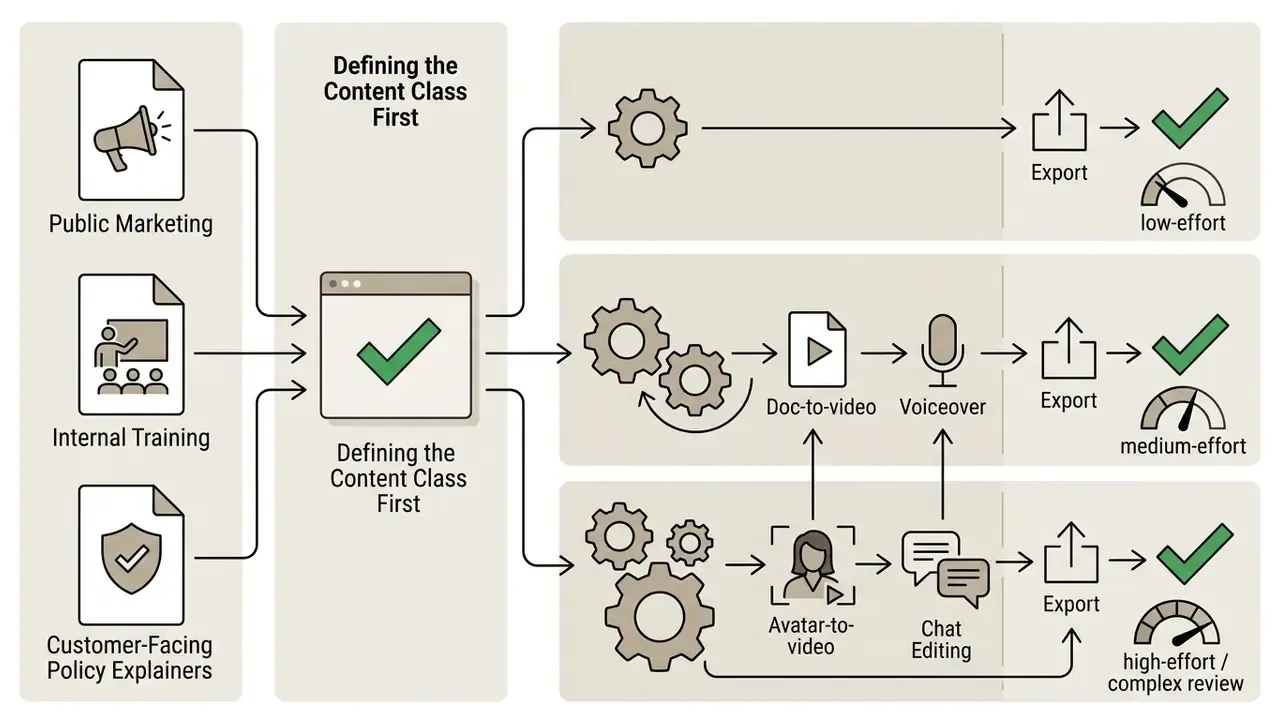
That tension is the real subject here. Modern platforms fold artificial intelligence, template libraries, document import, and character animation into one pipeline for marketing, compliance, employee training, and customer onboarding. The question for a bank, insurer, or mature fintech is not whether the output looks polished. It is whether you can prove who approved it, from which source, on which model version.
Author note: Marcus Hale writes about AI governance and model risk for this publication.
Executive summary
- What it is An explainer video maker converts a prompt, script, PDF, or slide deck into a narrated, animated short-format video with subtitles and brand styling, without editing software or a production crew.
- Four production models AI prompt-to-video generators (minutes), doc-to-video engines (minutes, structured input), template editors (hours), and full animation suites with keyframe control (days).
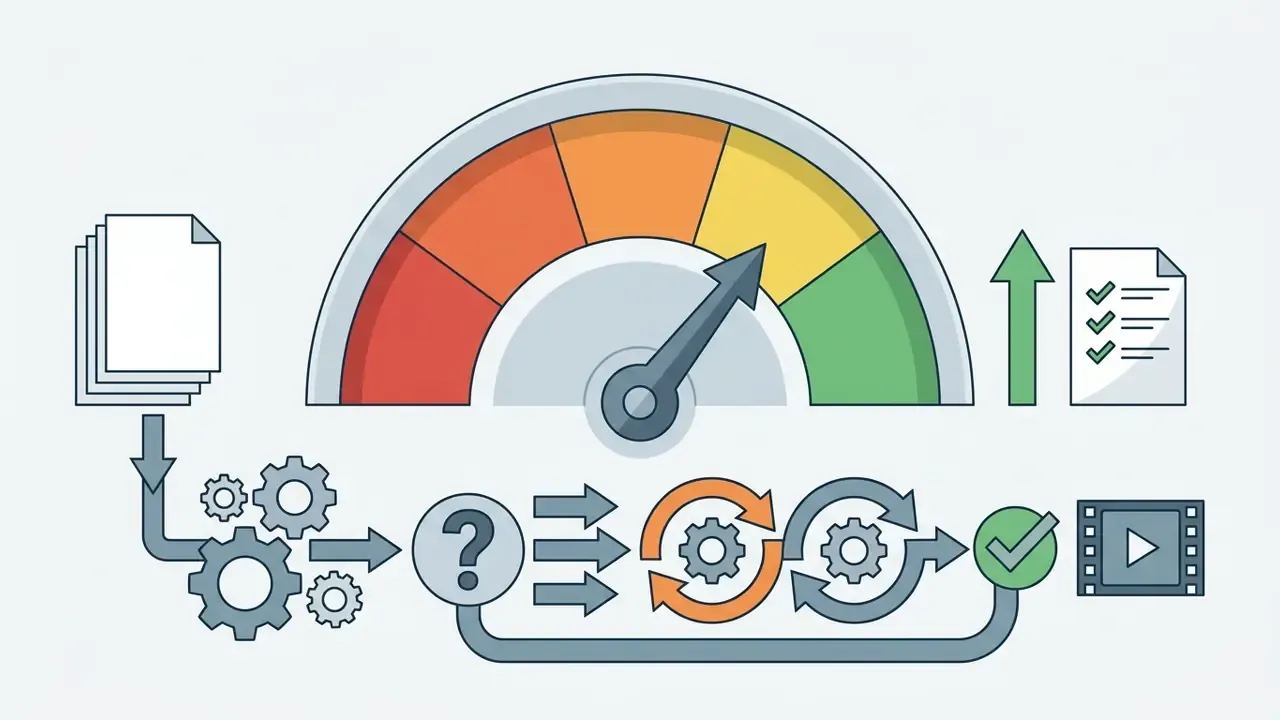
- Speed benchmark Teams starting from a structured document rather than a blank timeline typically reach a publishable first draft in under 10 minutes.
- Measured effect Video-based instruction shows large learning gains (Cohen's d = 1.46), and product explainer videos lifted e-commerce conversion from 3.96% to 5.75% in a randomized audit (Tapvid, 2026).
- Cost delta AI ad campaigns average $33-$125 in credits versus $1,999-$4,999 per minute for custom studio animation.
- Enterprise gate Before procurement, validate data residency, no-training and zero-retention policies, SOC 2 Type II or ISO 27001 attestations, audit logging of prompts, and explicit commercial rights transfer.
- Governance rule AI accelerates drafting. Humans still own factual accuracy, brand compliance, and regulatory sign-off.
Who this guide is for and which decision it supports
This is written for three overlapping buyers, and each reads the same feature list differently.
The marketing or enablement lead wants throughput: forty product videos before a launch window closes. The compliance or model-risk owner wants evidence: a reproducible chain from approved source document to published asset. The finance owner wants a defensible cost model that includes review hours, not just subscription fees.
A useful way to sequence the decision:
One honest caveat before the detail. Much of the vendor data in this space is self-reported. Where the evidence is thin, this guide says so rather than rounding it up into a benchmark.

What an explainer video maker is and which tasks it solves
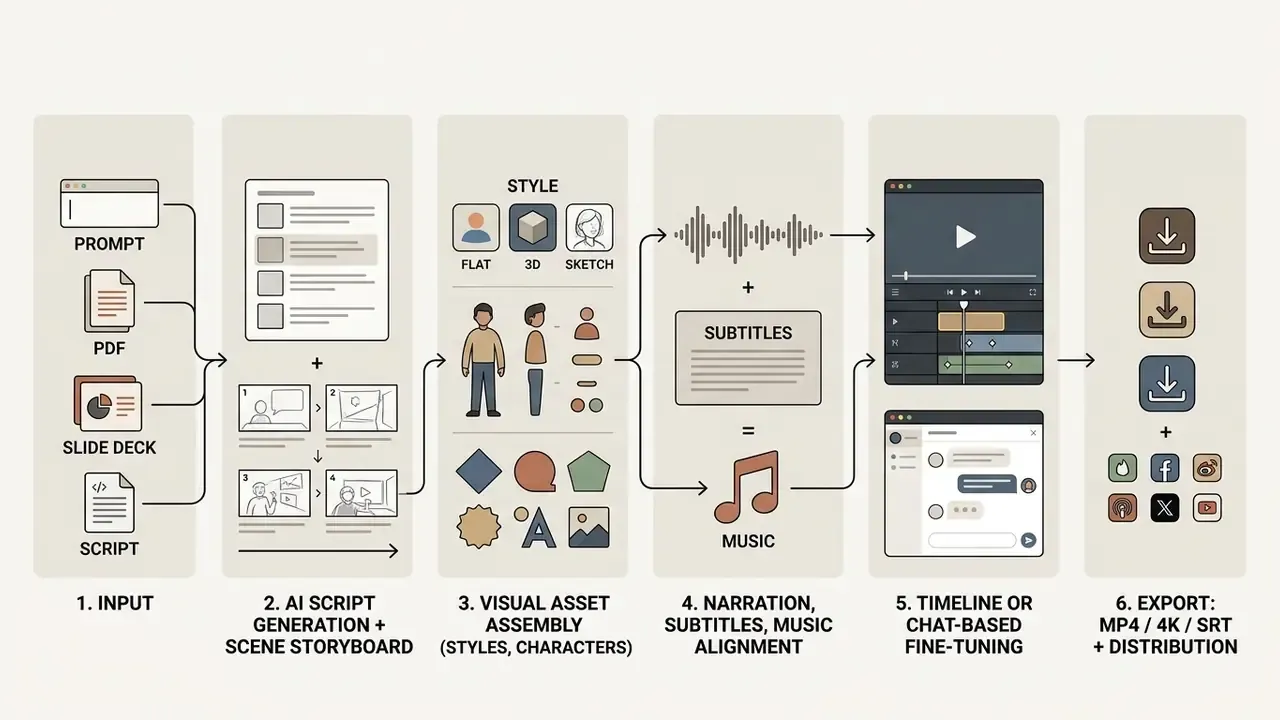
An explainer video maker is a web application or software platform built to convert complex technical, financial, or operational ideas into structured, short-format audiovisual presentations. These platforms compress creation time by combining script generation, visual storyboarding, synthetic voiceovers, and automated timeline editing into a single pipeline. Teams rely on an explainer video generator to produce digestible visual content that holds attention better than text-heavy documentation.
In enterprise environments, visual clarity tracks directly with operational efficiency. A 2024 meta-analysis in procedural education published in the Journal of Dental Education evaluated video-based learning against live demonstrations across eight randomized trials (Cohen's d = 1.46, a substantial positive effect on knowledge acquisition and practical skill performance). Repeatable procedural video lets learners pause, rewind, and review steps, which produced better psychomotor outcomes than a single live demonstration.
"Video demonstrations let learners pause, rewind, and repeat each step, producing superior psychomotor skill outcomes."
Two further experimental datasets matter if you are replacing recorded webinars with generated media:
"AI-generated instructional videos produced higher knowledge retention with reduced cognitive load than traditionally recorded videos."
"Students rated AI-generated videos 4.52/5 for production quality and averaged 86% on the post-viewing knowledge test." - Descriptive post-test survey of 170 students, University of Florida and WPI (2026)
Explainer video formats: animated, whiteboard, 3D, and realistic style
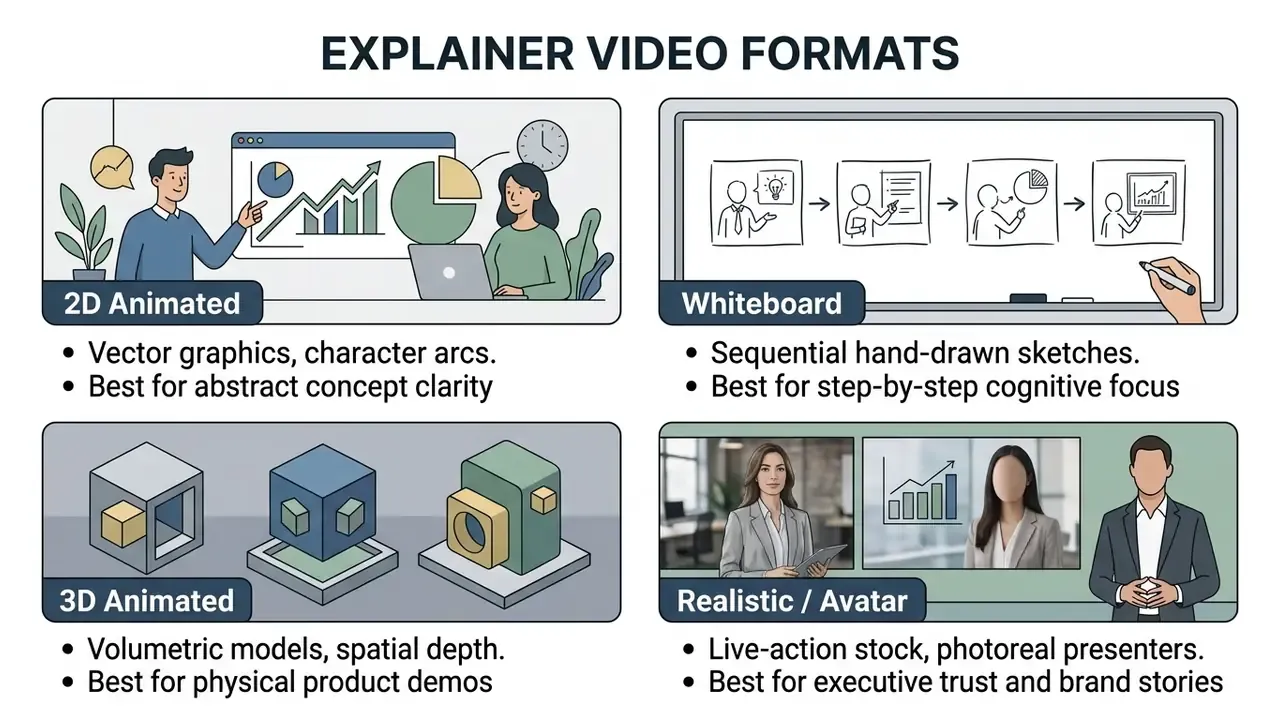
Four formats cover almost every business case: 2D vector animation, whiteboard drawing, 3D digital modeling, and realistic live-action or photoreal style. The right choice depends on the message, the audience, and how much cognitive load the subject already carries.
- 2D animated explainer videos Motion graphics, vector characters, dynamic scene transitions. This format flattens abstract business models and software workflows into accessible visual narratives.
- Whiteboard animation videos Sequential hand-drawn illustrations on a plain background, synchronized with narration. A 2023 study in TechTrends analyzing medical and dental student performance found a positive correlation between whiteboard video usage and longitudinal examination scores in dense subjects such as biochemistry and nutrition. The step-by-step reveal keeps working memory free during detailed procedural explanations.
- 3D explainer videos Volumetric depth, realistic textures, spatial lighting. A 3d explainer video maker suits physical product demonstrations, architectural walkthroughs, and medical device simulations that need spatial precision.
- Realistic style videos Live-action clips, realistic stock assets, or hyper-realistic AI avatars. Best where human presence carries the message: brand storytelling, executive updates, regulator-facing explanations.
MULTIMEDIA BLOCK
Product, marketing, training, and educational explainer videos
Different business functions need different narrative structures to move a measurable metric.
- Product explainer videosSoftware features, user benefits, interface workflows. They establish problem-solution fit inside the first 15 seconds or they lose the viewer.
- Marketing and landing page videosPlaced near conversion points to turn visitors into qualified leads.
"Adding product video lifted conversion from 3.96% to 5.75%, a 45.1% relative gain across 50,476 visitors on 135 product pages."
However, non-targeted landing page videos reduced lead capture in secondary tests. The published audit does not disclose sample size or significance levels for those comparisons, so read the finding as a directional caution rather than a fixed benchmark. The practical implication survives anyway: a video has to match user intent at the exact page position where it appears, and every placement deserves its own test cell.
- Training and onboarding videos: Structured as four to six short modular sequences covering system setup, company policy, and role expectations. Micro-learning segments prevent overload; a single 22-minute policy film almost never gets watched twice.
- Educational courses: Structured visual lessons for theoretical or technical topics.
"Across 30 studies with 2,161 pre-service teachers, video-based instruction produced a mean effect on content knowledge of Hedges's g = 0.53 (p < 0.01)."
When building a long-term publishing workflow, teams usually evaluate dedicated YouTube video editors alongside specialized animation maker software and general-purpose AI video generators. Cross-category views live in our AI Media Comparison Matrices.
Enterprise governance, data security, and auditability
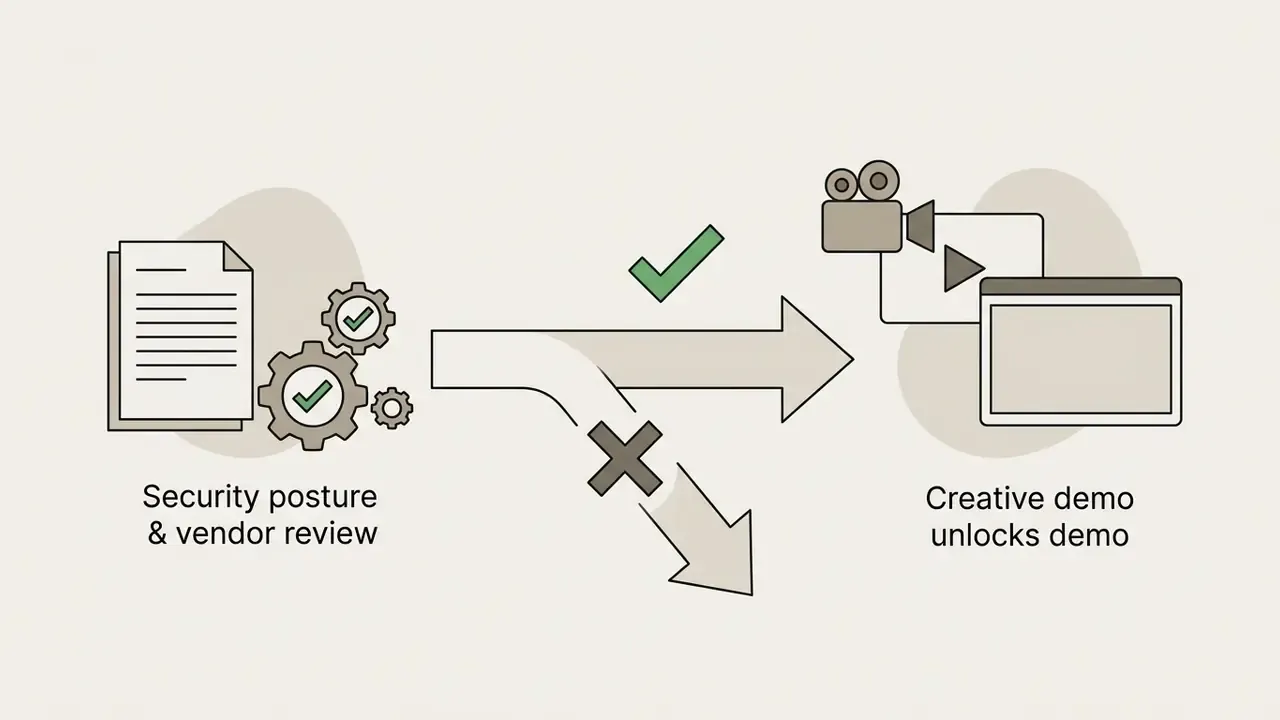
For banking, insurance, healthcare, and public sector buyers, feature parity matters less than control parity. A generative video platform ingests scripts, policy documents, customer scenarios, sometimes personally identifiable information. That turns procurement into a model-risk decision, not only a creative one.
Put plainly: the render is the easy part.
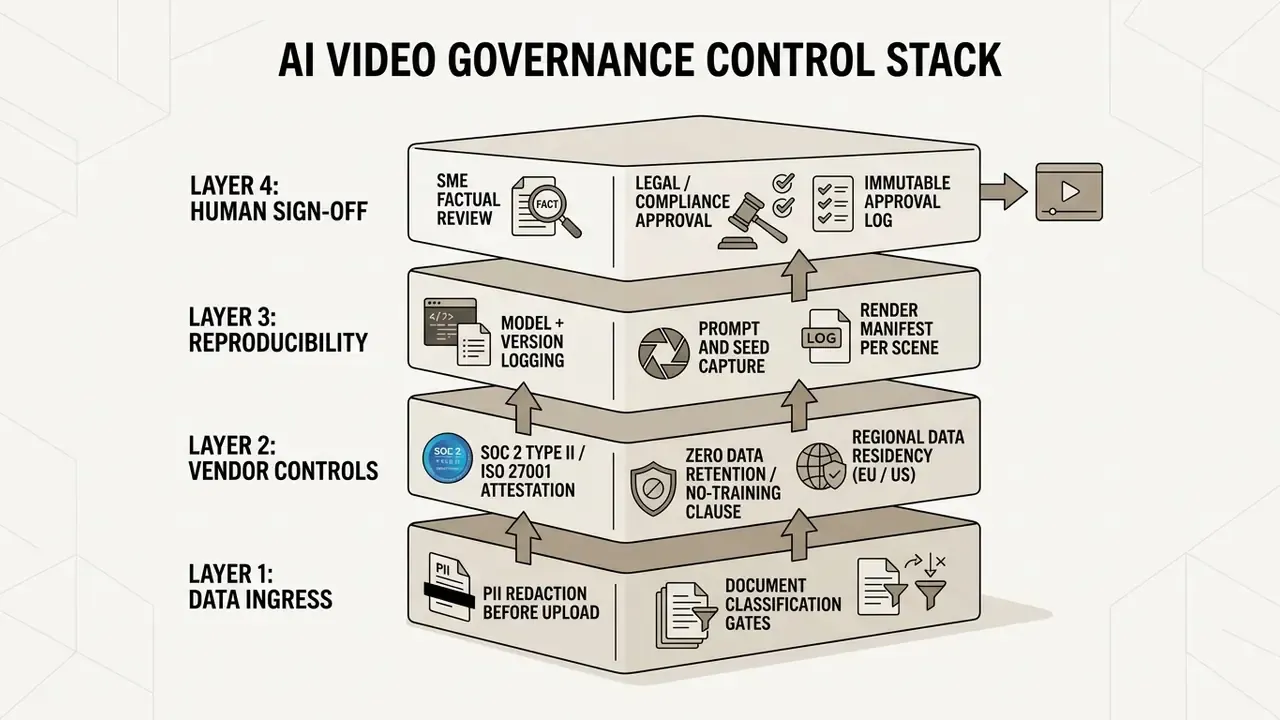
Questions worth asking in a vendor security review:
- Training exclusion
- Does the contract state explicitly that customer prompts, uploaded documents, and rendered outputs are excluded from foundation-model training? Ask for the clause, not the marketing page.
- Retention window
- Is zero data retention available, or is there a defined deletion SLA for uploaded source files, transcripts, and render caches?
- Certifications and frameworks
- Request current SOC 2 Type II and ISO 27001 reports, plus documented alignment with GDPR processing requirements and, where relevant, sector rules such as GLBA or HIPAA.
- Data residency and subprocessors
- Which regions host rendering, and which third-party model providers receive the payload? Sub-processor lists change often and should be monitored contractually, not annually.
- Access control
- SSO and SAML, SCIM provisioning, role-based permissions, workspace isolation between business units.
- Audit trail
- Can you export a log of who generated what, with which prompt, on which model version, and who approved the final cut? Reproducibility is what turns a generated asset into an auditable artifact.
- Shadow AI exposure
- Public consumer-tier generators remain the primary leak channel. A sanctioned internal platform with logging is a control, not a convenience.
One field observation, and it comes up in nearly every second-line review: teams document the model but forget the source document version. If the AML policy changed on Tuesday and the video was rendered from Monday's draft, the audit trail needs to show that. Log the source version alongside the prompt.
Disclaimer. This section is general information on control design, not legal, regulatory, or security advice. Certification status, retention policies, and sub-processor lists change frequently. Validate every claim against current vendor documentation, contracts, and your own second-line review before onboarding a platform.
How to choose an explainer video maker for your task
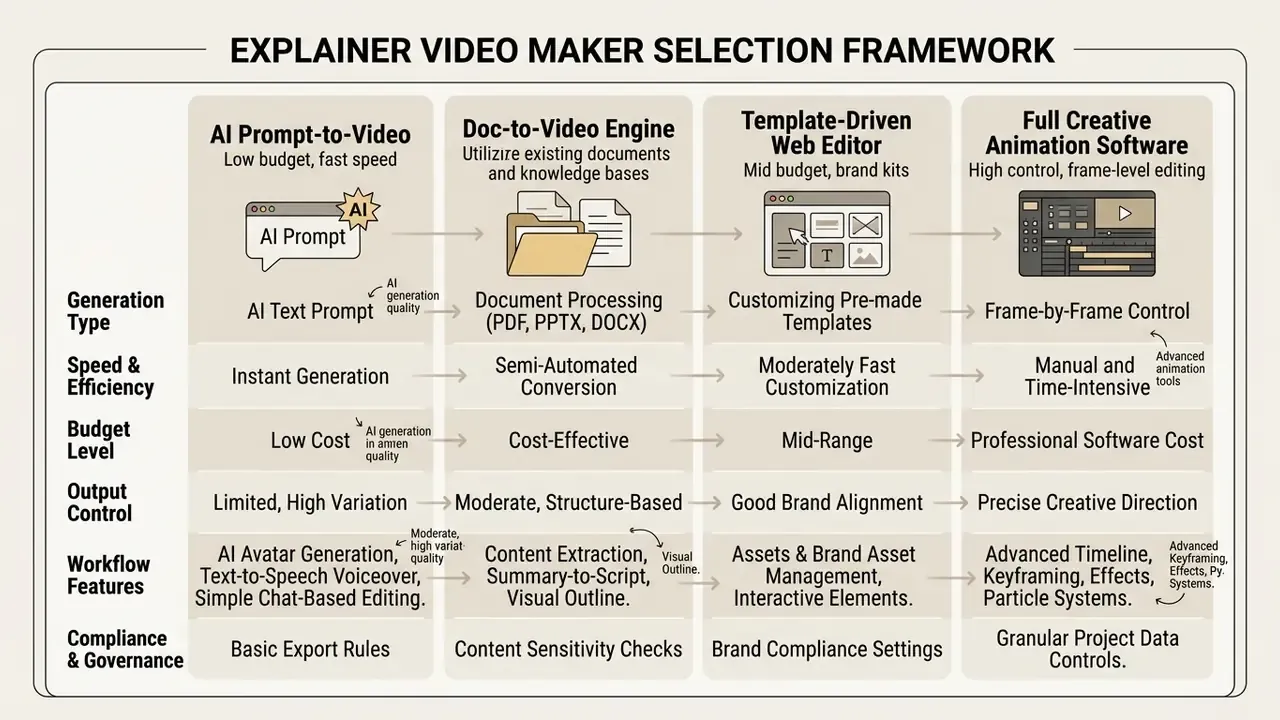
Picking the best explainer video maker to create quick videos depends on budget, required timeline precision, visual style, and brand governance rules. Decision-makers are effectively choosing between fully automated text-to-video AI generators, document-driven engines, and timeline-based template editors.
Directional case, verified framing. An enterprise software team we interviewed needed 40 product feature videos inside a two-week window. Their initial studio quote for manual production exceeded a mid-six-figure range once localization was added; the company declined to disclose the exact bid, so the figure is reported as a range rather than an audited number. By selecting an AI-powered explainer video creator, the team generated script drafts and base scenes automatically, then applied manual timeline adjustments only for final brand verification. Nine days, done. The transferable insight is procedural rather than financial: automate drafting at scale, and reserve human editing time for the last 15% where brand and legal accuracy actually live.
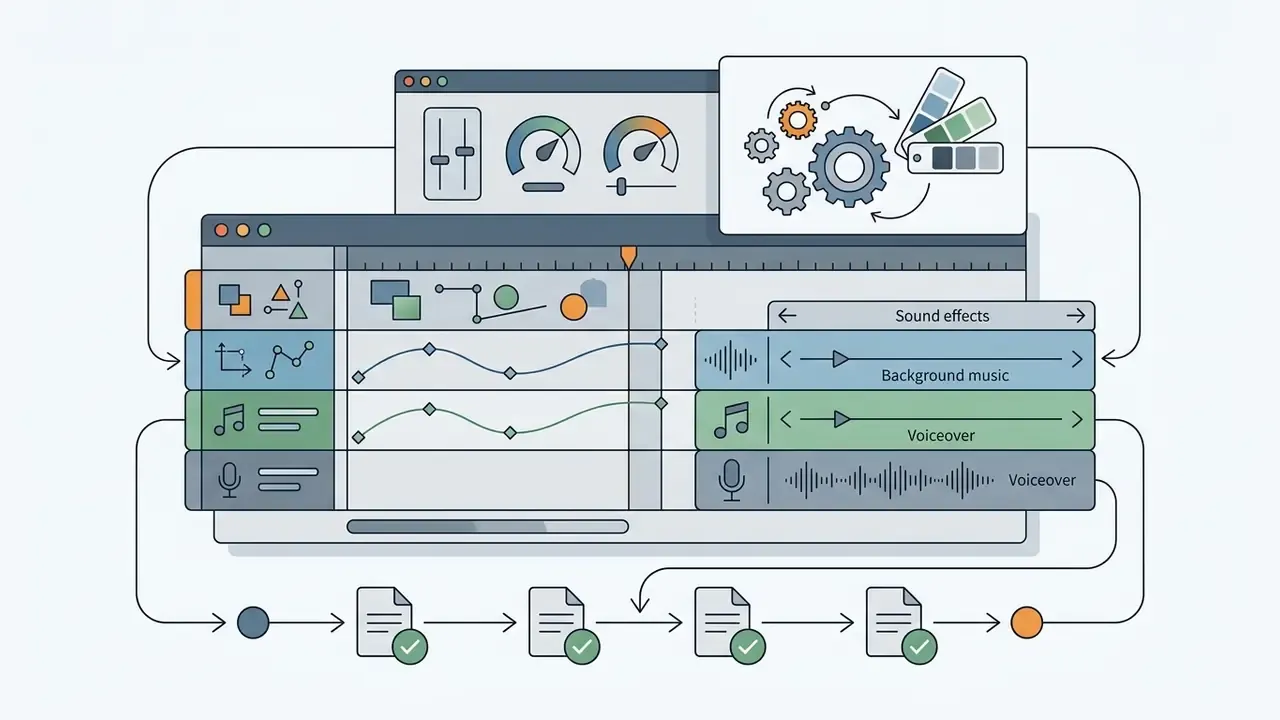
Evaluating an animated explainer video software solution means checking whether it supports multi-track editing, custom font uploads, asset libraries, document ingestion, and cloud rendering that scales past a single seat.
AI explainer video generator or template-based editor
Two philosophies compete here, and the choice sets your revision economics for the next year.
An AI-powered generator starts from a prompt or script and writes the scene plan for you. You describe the concept, the model drafts narration, selects a style, and assembles first frames. Fast, loosely bounded, excellent for volume. This is also the path most teams take when they want to create explainer videos with ai free before committing budget.
A template editor starts from an approved layout. You drop copy and assets into a pre-built structure, which caps creative variance and keeps output on-brand by construction. Slower per asset, more predictable in review.
A rough rule from practice: if your bottleneck is production, choose generation. If your bottleneck is approval, choose templates. Most regulated teams end up running both, with generation for internal drafts and templates for anything public-facing.
Doc-to-Video: generating video from PDFs, presentations, and articles
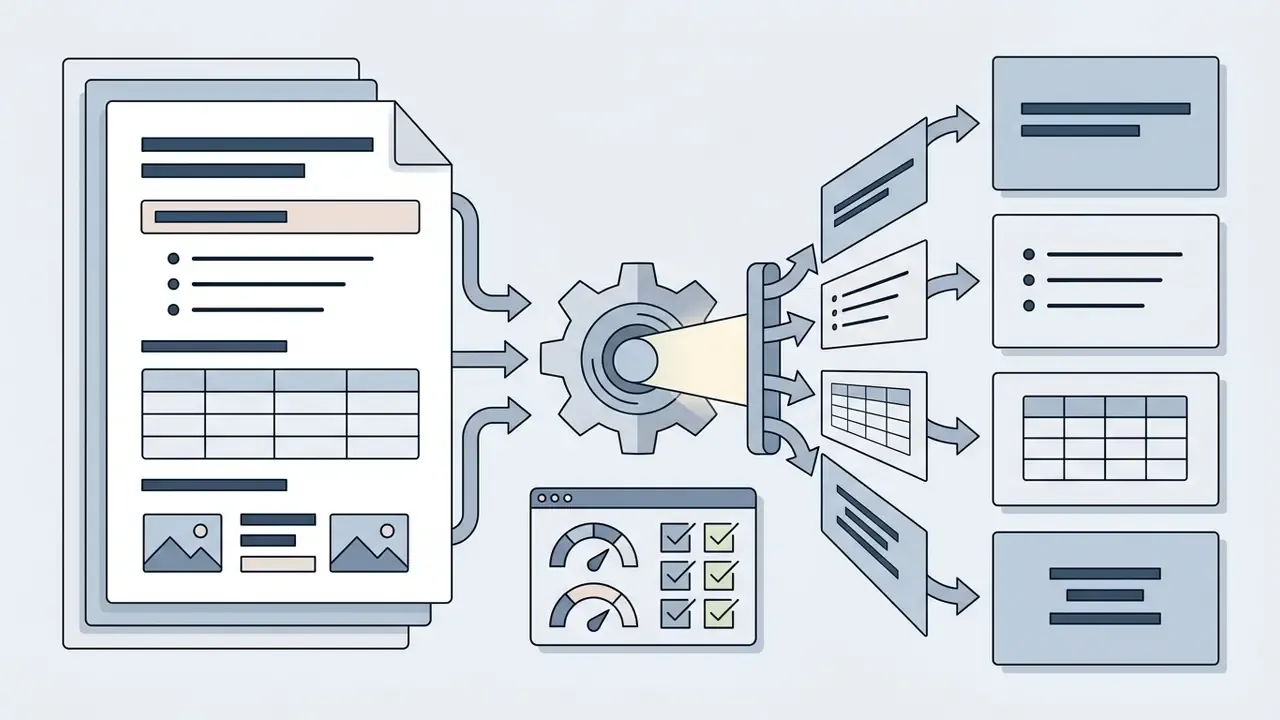
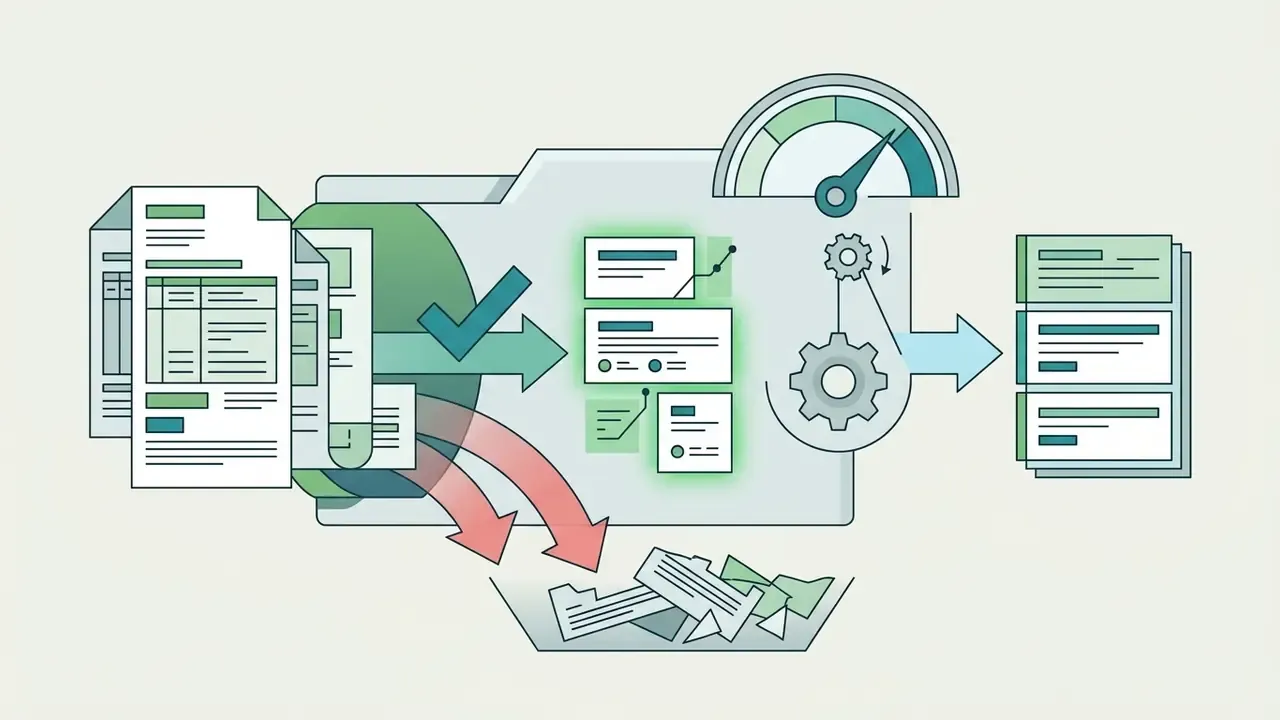
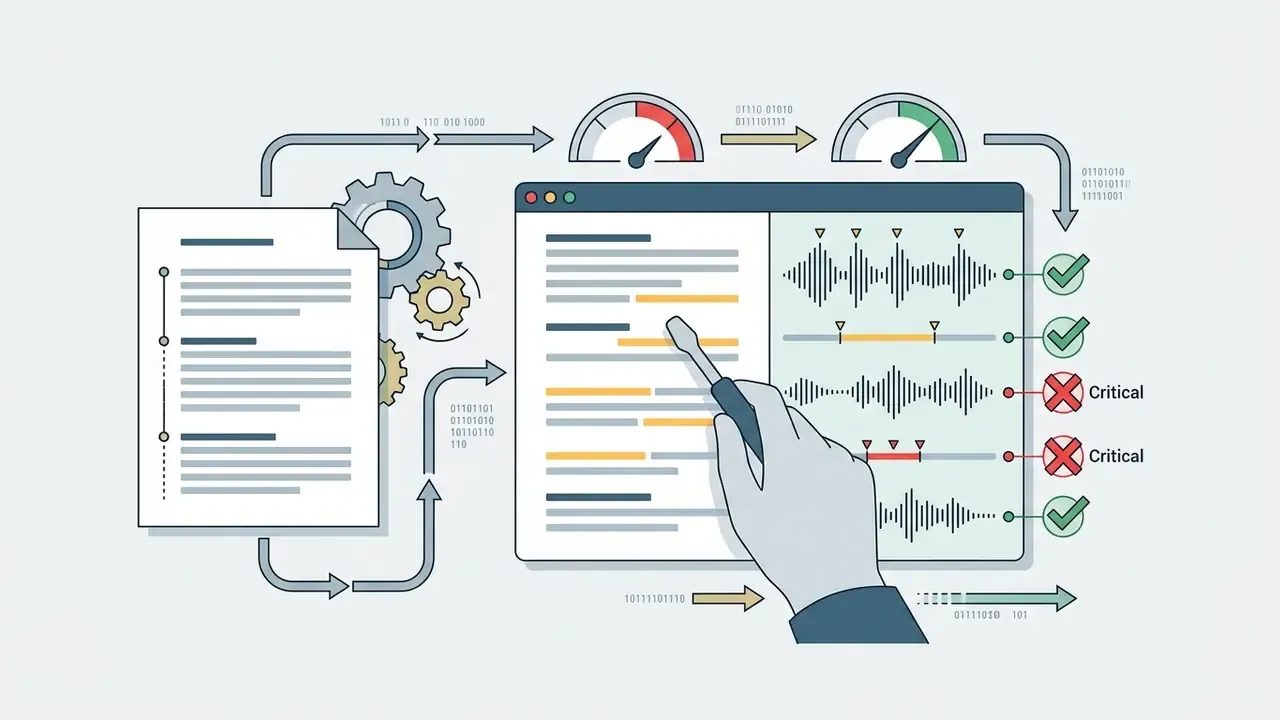
The fastest modern workflow does not start with a blank prompt. It starts with a document your team already wrote and already approved. Doc-to-video engines accept PDF, DOCX, Google Docs, PPTX decks, blog posts, outlines, and plain text, then parse structure automatically.
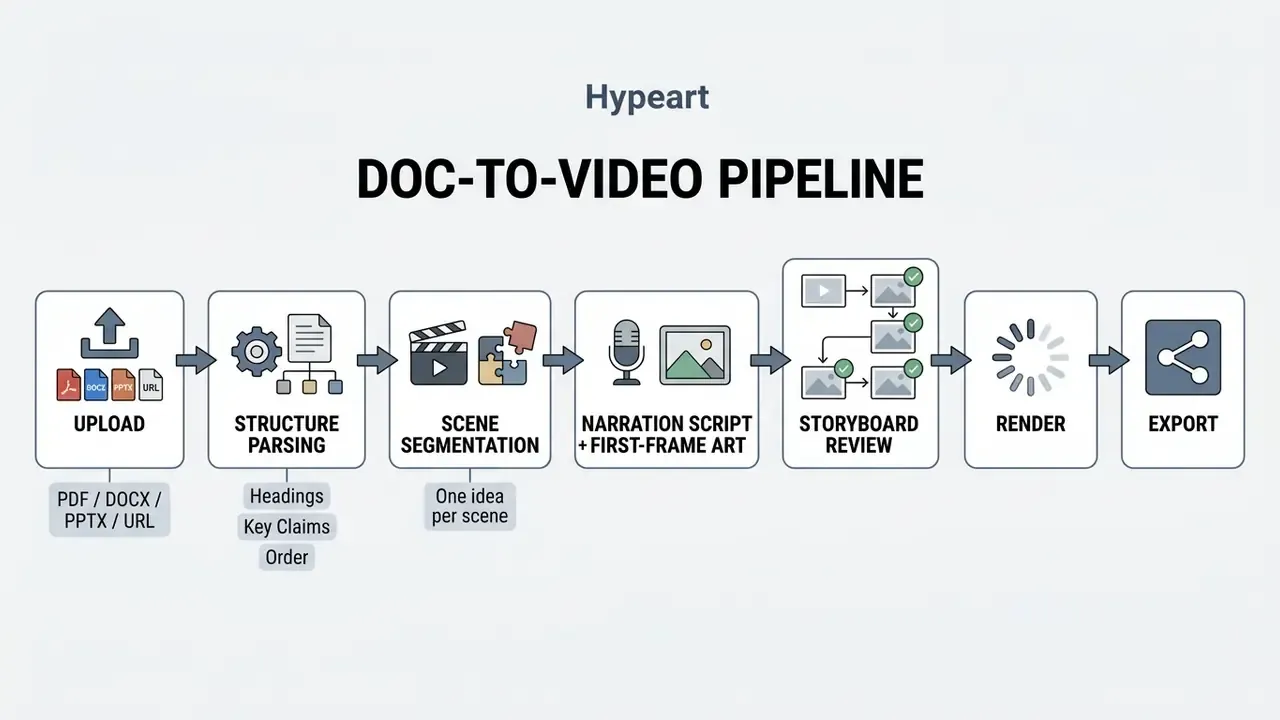
How the mechanism works in practice:
Reported production data across large volumes of doc-first projects indicates a publishable first draft in under 10 minutes when the input is a structured document instead of a blank timeline. For regulated teams this is also the safest AI entry point: the factual substrate is an already-approved internal document, so review focuses on fidelity to source rather than hallucination hunting.
Typical doc-to-video prompts in production use:
- "Turn this whitepaper into a 90-second product explainer."
- "Explain how our onboarding flow works for new SaaS customers."
- "Explain our API authentication for the developer documentation portal."
- "Convert this 40-page AML policy into six modular training scenes."
Conversational (chat-based) scene editing
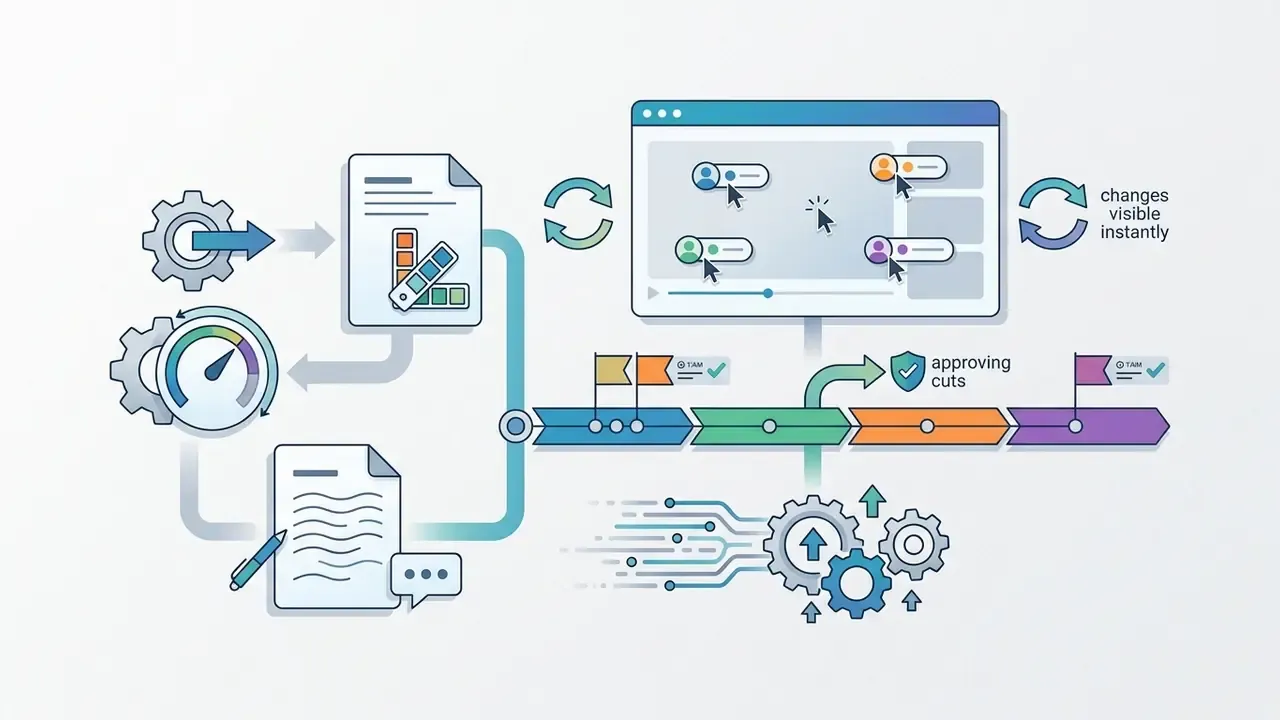
Instead of dragging keyframes, current-generation tools accept plain-language revision commands. The reviewer says what to change, the platform re-renders only the affected scene, and the rest of the cut stays untouched.
Representative commands:
- "Make scene 2 more dramatic."
- "Replace the background with an office interior."
- "Shorten the intro to eight seconds and move the logo to the end card."
- "Rewrite the narration for scene 4 at a sixth-grade reading level."
- "Swap the presenter's tone from formal to conversational."
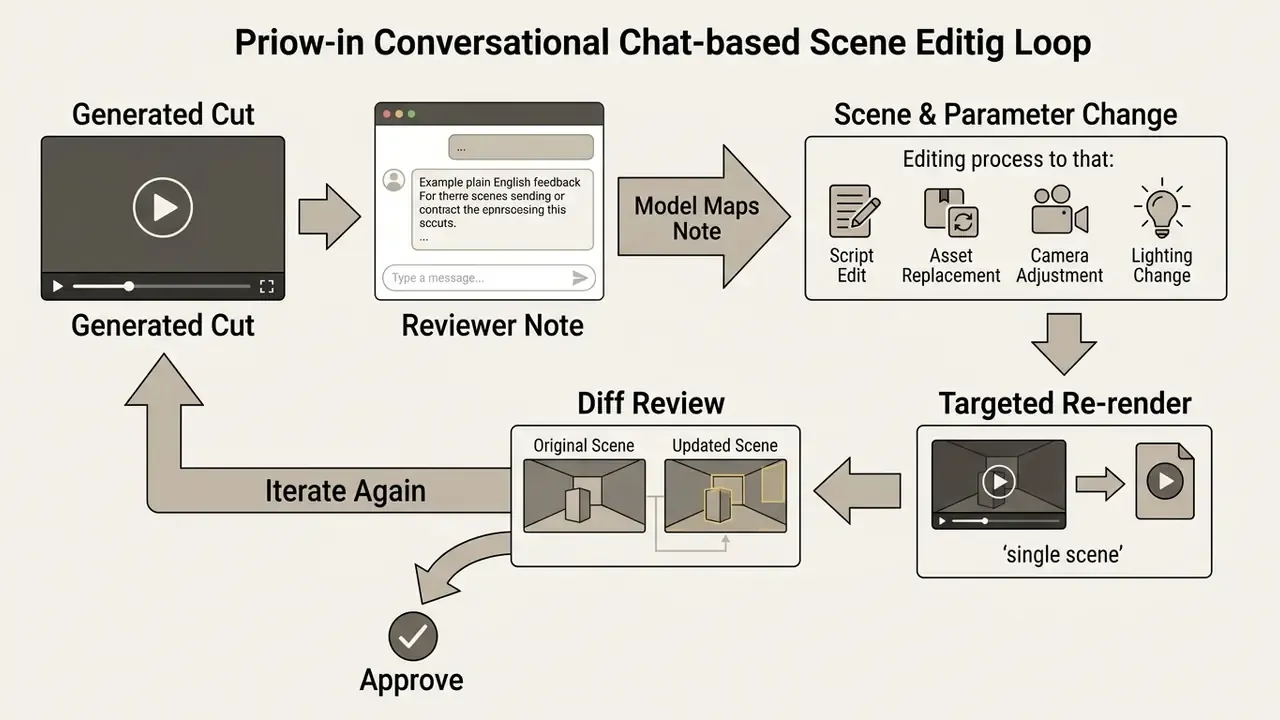
Two operational advantages matter. First, the revision cost of a single sentence stops being "rework a hundred keyframes." Second, chat instructions are text, which means they are loggable. Every revision request joins the audit trail alongside the prompt and model version, a property timeline dragging never had. The trade-off is precision. Conversational editing is strong on tone, pacing, and swaps; frame-exact positioning still belongs in a keyframe editor.
Photo-to-Avatar and digital twins
Advanced generators let you upload a photograph of an employee or spokesperson and produce either a stylized animated character (Photo-to-Avatar) or a photorealistic digital twin presenter. Voice cloning extends the same logic to audio, so one approved recording can narrate a whole library in several languages.
Practical applications:
- Founder-led product explainers produced without repeated filming sessions.
- Localized training where one internal expert appears in every market's language.
- Consistent brand presenters for recurring formats such as weekly product updates or quarterly compliance briefings.
- Stylized character sets that mirror brand personality without licensing stock actors.
The evidence is more nuanced than vendor decks suggest, and it is worth reading before you retire a human presenter:
"AI avatar and human presenter produced comparable knowledge gains (P = 0.51), but the avatar scored lower on user experience."
Thirteen students is a small sample. Treat it as a signal, not proof.
Governance requirements for likeness and voice cloning are not optional: obtain written, revocable consent for both face and voice; define permitted contexts of use; set an expiry on the model when employment ends; and label synthetic presenters where jurisdictional rules or platform policies require disclosure. For adjacent portrait workflows, see our guide on ai headshot generator technology.
Platform comparison matrix
Comparison based on publicly available product documentation and typical workflows as of 2026. Features and limits change often, so verify on the vendor's current pages before purchase.
| Service | Signature capability | Primary input | Animation type | Free plan |
|---|---|---|---|---|
| Knowlify | Doc-to-video, native | PDF / DOCX / PPTX / prompt | Generated animated scenes | Yes (credit-limited) |
| Synthesia | Avatars and digital twins | Script text | Avatar-first presenter video | Limited trial |
| Animaker | Character builder, photo-to-character | Prompt / template | 2D vector and 3D | Yes (watermarked) |
| InVideo AI | Text-command editing, AI actors | Prompt / idea | Stock footage + AI visuals | Yes |
| OpenArt | Ori AI director, scene + timeline tabs | Prompt / script | Generative AI video | Yes (credits) |
| VEED | Browser editing and subtitles | Upload / script | Stock-first with templates | Yes (720p, watermark) |
| Powtoon | Template-based business animation | Template | Template animation | Yes (watermarked) |
Extended feature view for procurement shortlists:
| Feature | Doc / PDF to video | Real animated scenes | Edit script and re-render | Custom digital twin | Voice cloning | Brand kit from website | Chat editing | 40+ styles | Time to first video |
|---|---|---|---|---|---|---|---|---|---|
| Knowlify | Native | Yes | Instant | Yes | Yes | Yes | Yes | Yes | Minutes |
| Synthesia | Limited | Avatar-first | Yes | Yes | Yes | Partial | No | No | Minutes |
| Pictory | Partial | Stock-first | Yes | No | Limited | Partial | No | No | Minutes |
| VEED | No | Stock-first | Manual | No | Yes | Partial | No | No | Manual |
| Powtoon | No | Template | Manual | No | No | Partial | No | Limited | Hours |
| Animaker | No | Template + characters | Manual | No | No | Partial | No | Limited | Hours |
| HeyGen | Limited | Avatar-first | Yes | Yes | Yes | No | No | No | Minutes |
Localization scale differs sharply between vendors. Subtitle engines commonly cover 50+ languages, some character platforms advertise 130+ subtitle languages with 1,800+ voices across 200+ locales, and one-click translation covers 100+ languages. Treat these counts as non-comparable marketing metrics until you test your own language pairs with domain terminology. A Spanish dub that mistranslates "beneficial owner" is not a localization win.
When you need an animated explainer video maker with full creative control
Full-control animation software, Adobe Animate or OpenShot for example, becomes necessary when every frame, layer, and character movement must be set by hand. These platforms use vector keyframing, timeline delays, bone-rigging for characters, and camera path controls.
An animated explainer video maker with manual timeline editing earns its cost when you produce custom animated explainer videos for technical product engineering, legal litigation exhibits, or high-budget broadcast. Where standardized AI prompts cannot guarantee exact visual positioning or regulatory precision, keyframe-level tools give you compliance with a technical specification rather than an approximation of it. Frame-by-frame work also means each frame is defined as a distinct keyframe, with layer visibility, position, opacity, and style set individually.
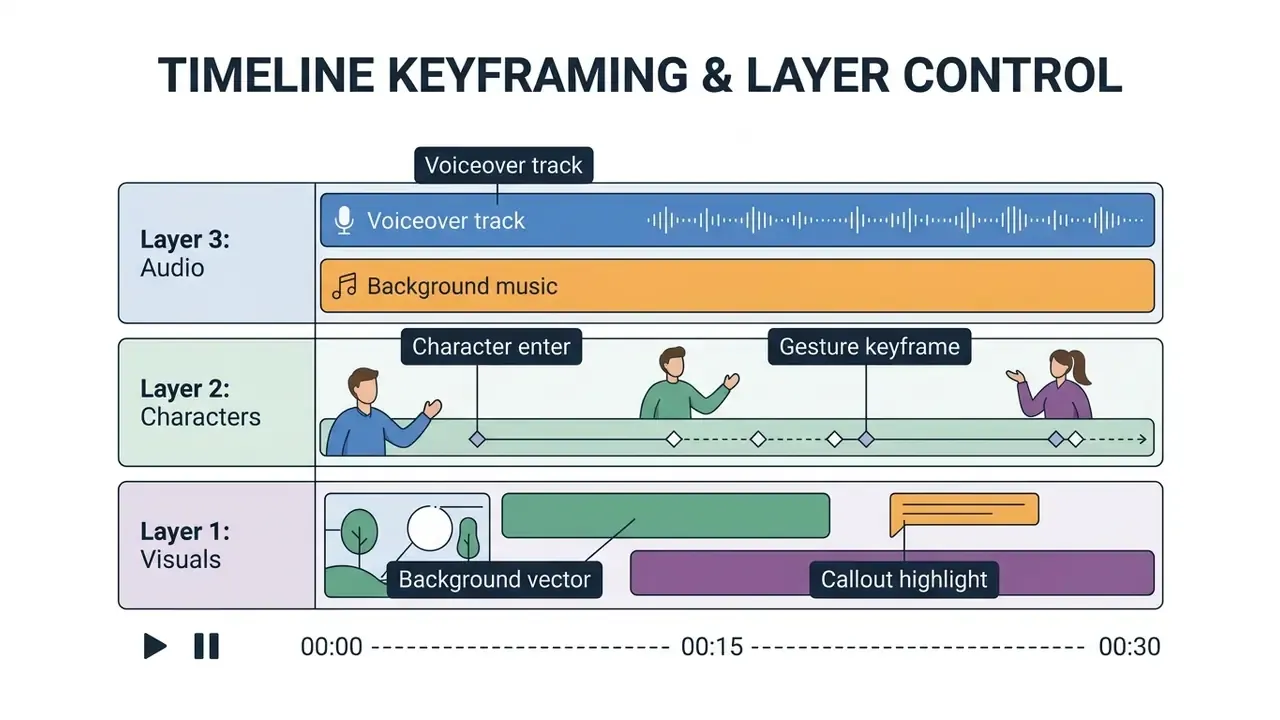
A dedicated explainer video creator or custom animated explainer video toolkit gives you full authority over graphics, aspect ratios, and pacing. For a broader look at editing environments and their control surfaces, see our guide to video editing tools.
Which capabilities to verify before choosing a service
Before you buy a commercial subscription for an animated explainer video creator or explainer animation maker, audit the following.
MULTIMEDIA BLOCK
| Selection Criterion | AI-First Generators | Template-Driven Editors | Advanced Animation Software |
|---|---|---|---|
| Primary Input | Natural language prompts / documents | Pre-designed layouts / storyboards | Vector assets / keyframes |
| Production Speed | Very high (minutes) | Moderate (hours) | Low (days / weeks) |
| Creative Control | Prompt- and chat-guided (bounded) | High (within preset boundaries) | Absolute (frame-by-frame) |
| Skill Requirement | Beginner | Intermediate | Professional animator |
| Audit Reproducibility | High if prompt/seed logged | Medium (manual project files) | High (project source files) |
| Best Use Case | Conceptual summaries, rapid social content | Standard business demos, onboarding | Bespoke brand films, technical engineering |
How to create an explainer video with AI: from prompt to export
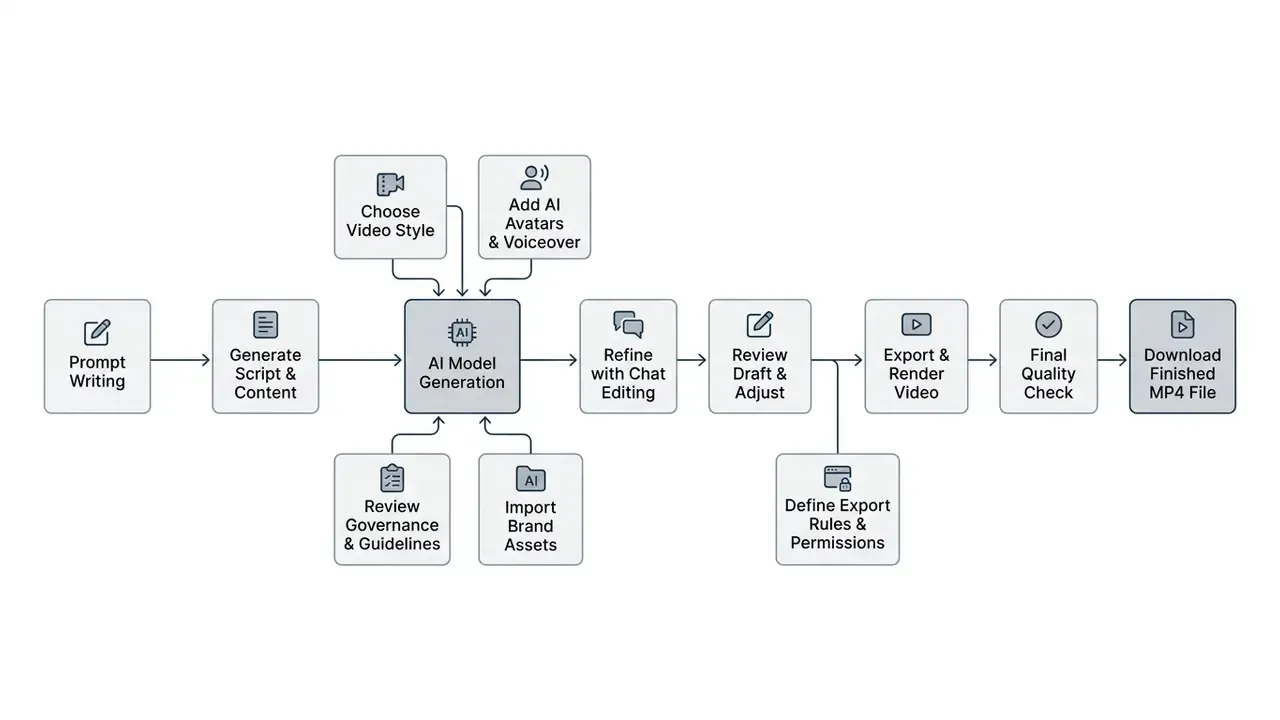
Building an explainer video with AI software follows a four-step workflow: script preparation, scene generation, audio alignment, final export. Nothing exotic. The discipline is in the review points between the steps.
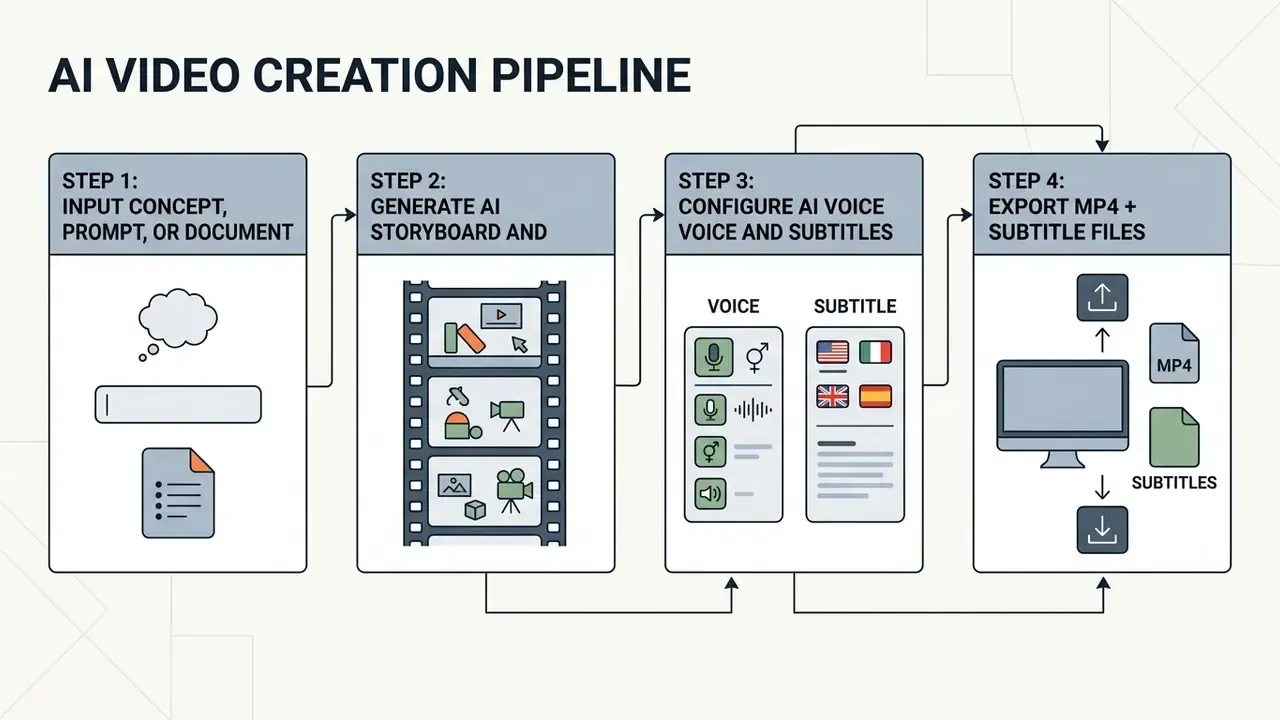
Prepare the script, text, or prompt for the explainer concept
Good output starts with a structured prompt. Vendor guidance from Adobe Firefly (2026) and Google Gemini recommends five core components:
Video Prompt = Shot Type + Subject or Character + Action + Location + Aesthetic Style

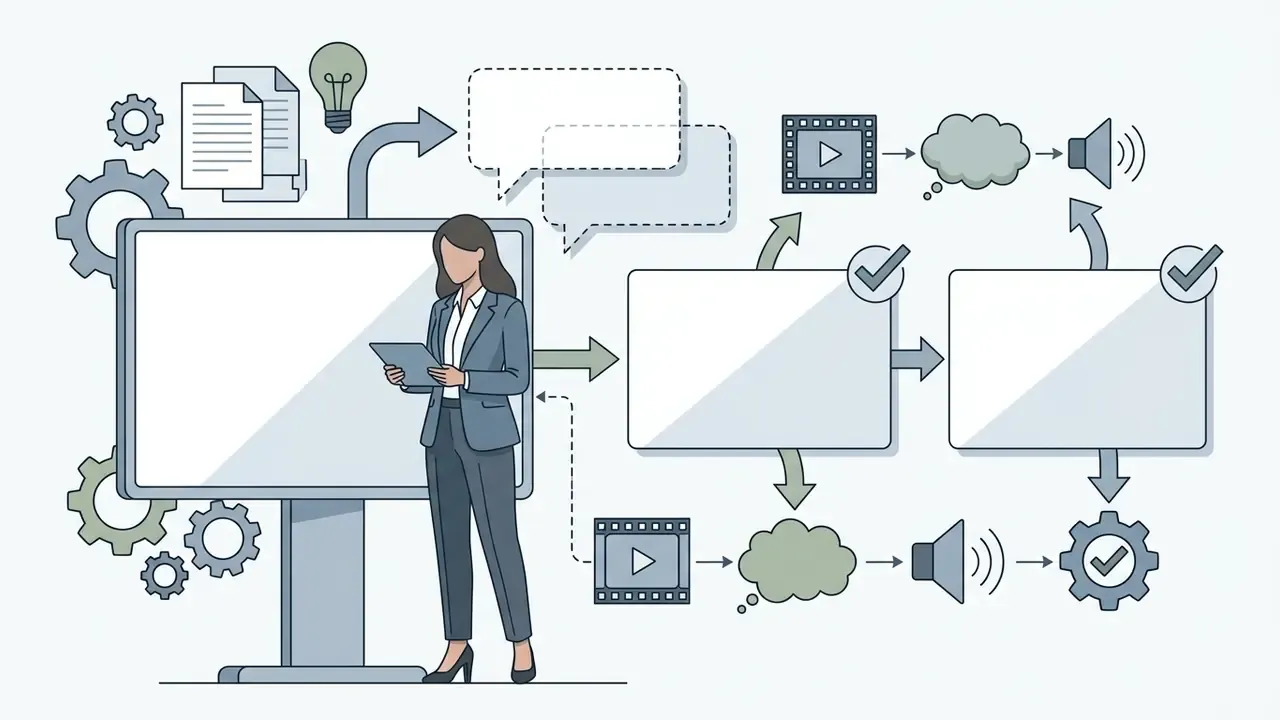

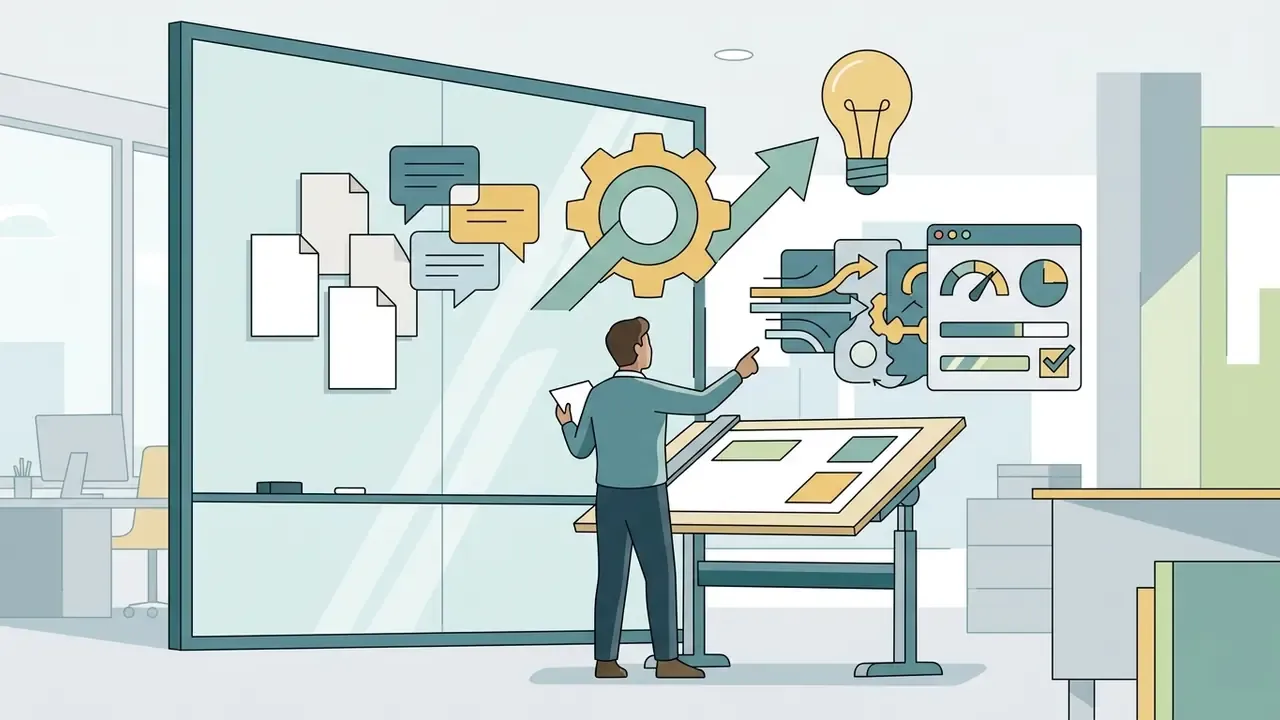
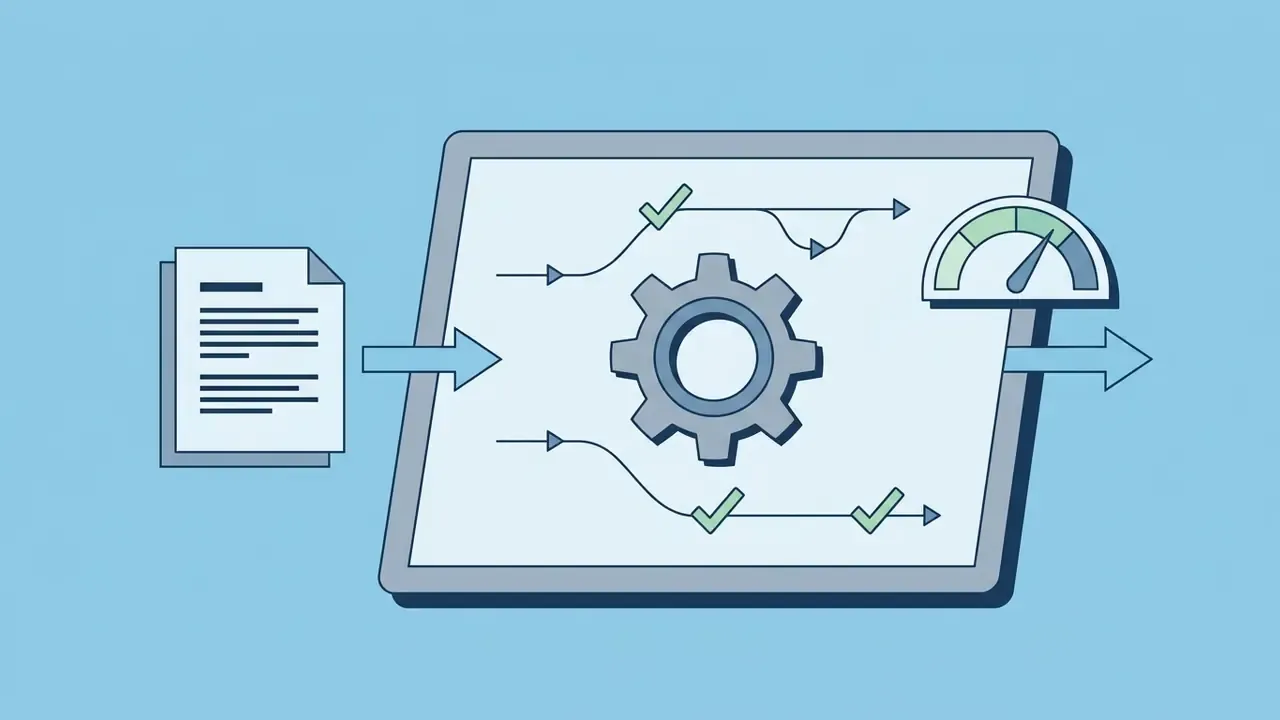
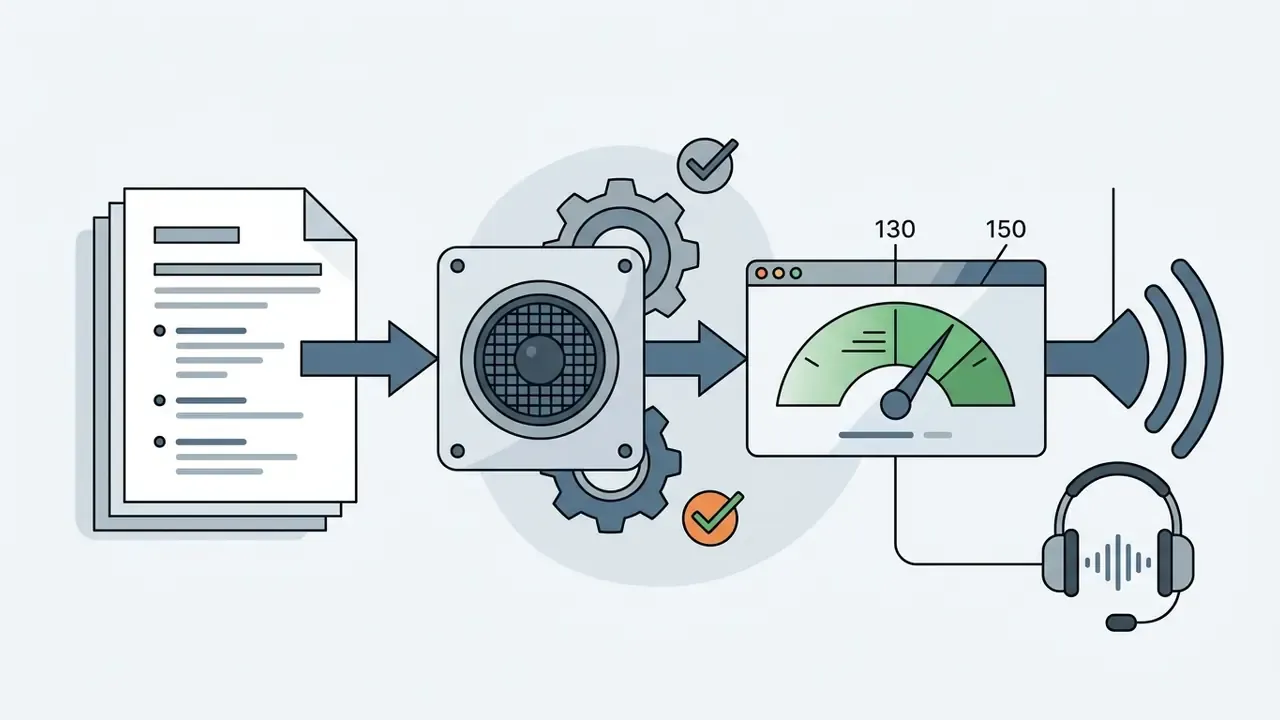
Google's 2026 prompt guidance adds tone or mood and artistic style as separate fields, which helps when the same script must render in both a formal compliance version and a lighter marketing version. Writing for an explanation video maker, keep script lines tight: 130 to 150 words per minute of narration holds a comfortable viewing pace. For deeper prompt patterns, see our guide to text-to-video AI.
Configure scenes, visuals, characters, and animation style
Once the tool generates a storyboard, review each scene in order.
- Establish character consistency.Anchor main character descriptions across scene prompts, or upload reference images to prevent drift between cuts. A reliable technique: generate a full-body base image first, then derive medium and close-up shots from it with identical character details.
- Adjust camera angles.Alternate wide establishing shots with close-up detail views to hold visual interest.
- Refine pacing.Tune scene durations so on-screen graphics land with the spoken line, not two seconds after it.
- Organize the storyboard fields.Structure each scene by shot number, shot type, camera movement, characters, action, environment, and tone, the same schema professional storyboard templates use.
An ai explainer video generator free tier, or a free ai explainer video generator trial, is the cheap way to test visual styles before spending rendering credits on finals. A practical review of free-tier limits sits in our comparison of free AI video generators.
Add narration, subtitles, and prepare the video for export
Audio alignment and subtitle generation close out production.
- AI narration Select a voice matching your brand's regional accent and tone. Adjust speaking speed and insert natural pauses between concept transitions.
- Automated subtitling Generate captions with word-level timestamps. Review specialized industry terms manually, and keep lines to two rows or roughly 45 characters each.
- Translation and dubbing Generate subtitles first, translate them, then apply AI dubbing with a chosen voice profile. Delivery usually offers four outputs: subtitles only, video with burned-in subtitles, video with AI voiceover, or voiceover plus burned-in subtitles.
- Export parameters Render final files in 1080p or 4K MP4 (H.264). Download separate SRT or VTT files for multi-language web players and LMS deployment.
For audio configuration strategies, explore our guide to AI voice generators.
Explainer video maker features that determine output quality
Output quality comes down to four control groups: input flexibility, scene-level editing, brand-kit propagation, and export formats. Everything else on a feature page is decoration around those four.
Templates, libraries, and AI asset generators for building visuals
Modern platforms pair large template libraries with generative asset tools that produce backgrounds, props, and icons from a written description. Adobe Stock updated its generative AI policies in mid-2026, requiring creators to label AI-generated visual assets with embedded Content Credentials metadata for transparency and provenance. Public-sector guidance published in 2025 similarly urges durable content credentials for AI-generated multimedia.
Combining editable templates with custom generative images lets creators assemble rich scenes quickly, without a stock license audit for every frame. To evaluate complementary design generators, see our comparison of the best AI art generators and our overview of image-to-video AI techniques for animating static assets.
AI voices, subtitles, and multilingual voiceovers
Neural text-to-speech models synthesize human-sounding narration across dozens of languages in seconds. Automated translation workflows generate synchronized dubbing and translated subtitles together, so a global organization can deploy localized training in one pass. Vendor coverage ranges from 50+ languages for generative subtitling to 150+ for dubbing platforms; the counts are not directly comparable, because product scope differs.
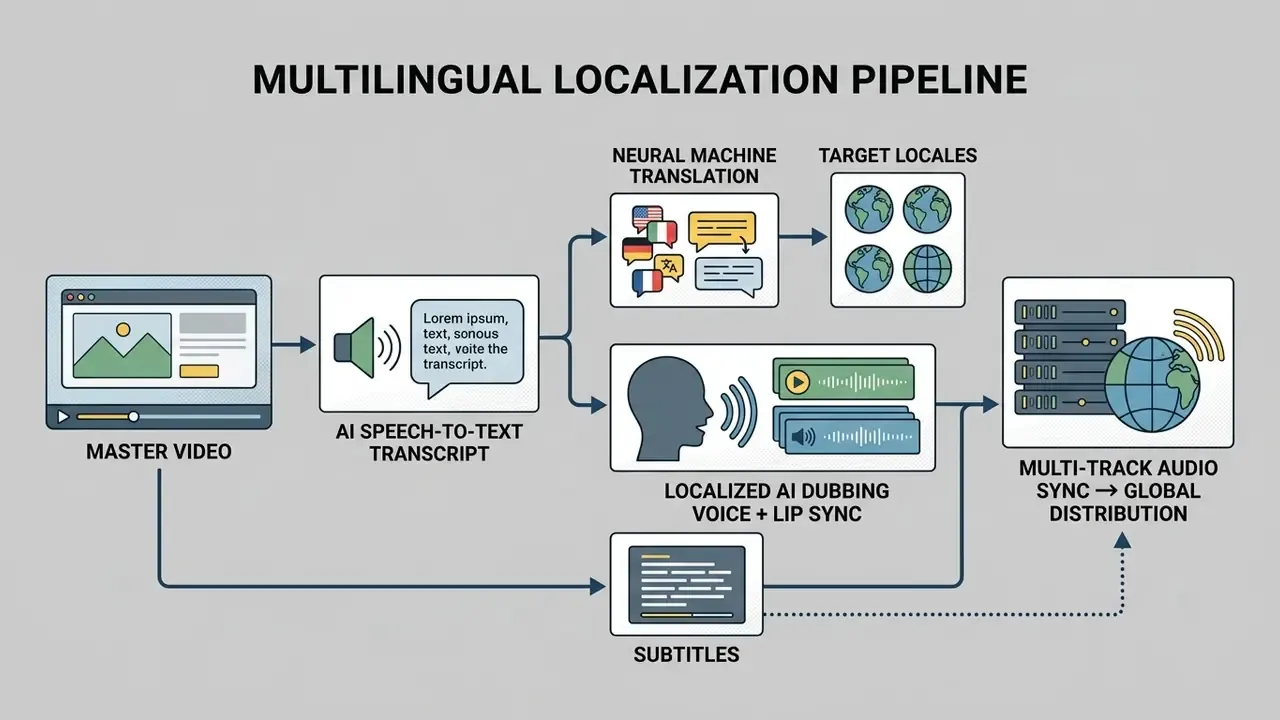
Terminology validation is the recurring failure point. Legal, medical, and financial terms are exactly the ones machine translation flattens. Route every regulated locale through a native-speaking subject-matter reviewer before release, and keep that reviewer's sign-off in the same log as the model version.
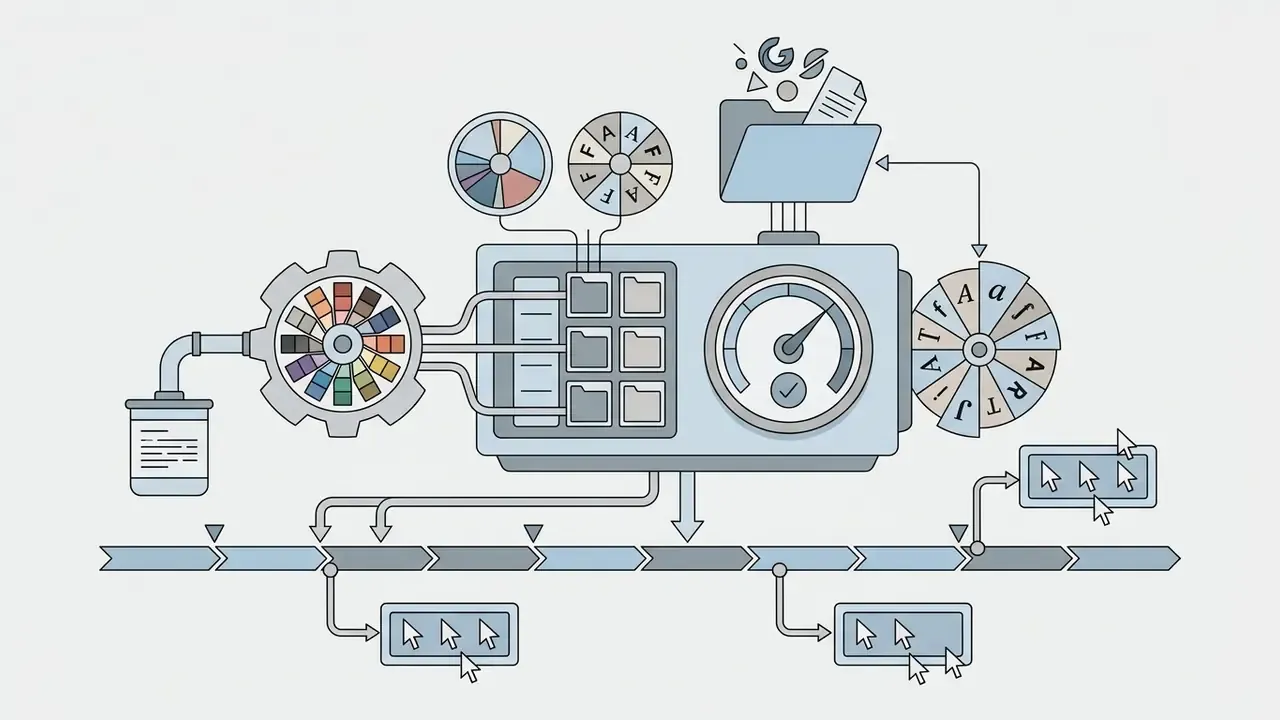
Brand customization, timeline, and collaborative editing
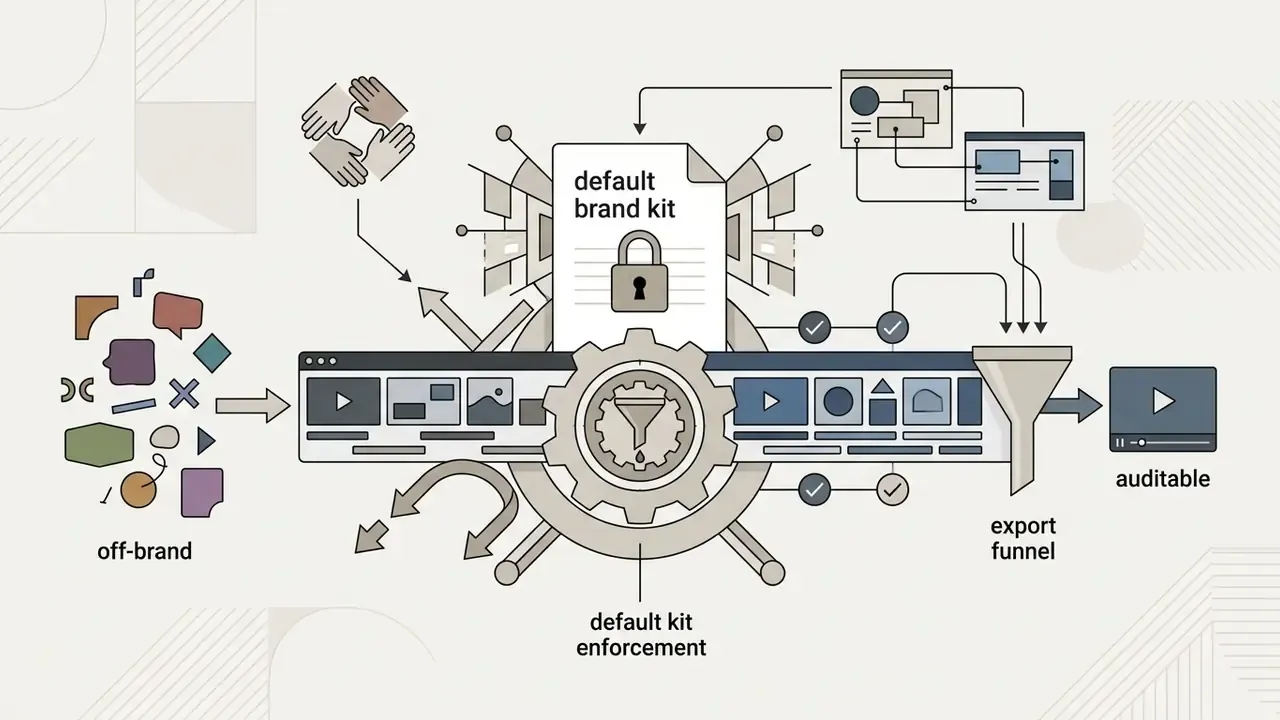
Holding a visual identity across corporate media takes real governance features, not goodwill.
Free explainer video makers, pricing plans, and commercial use
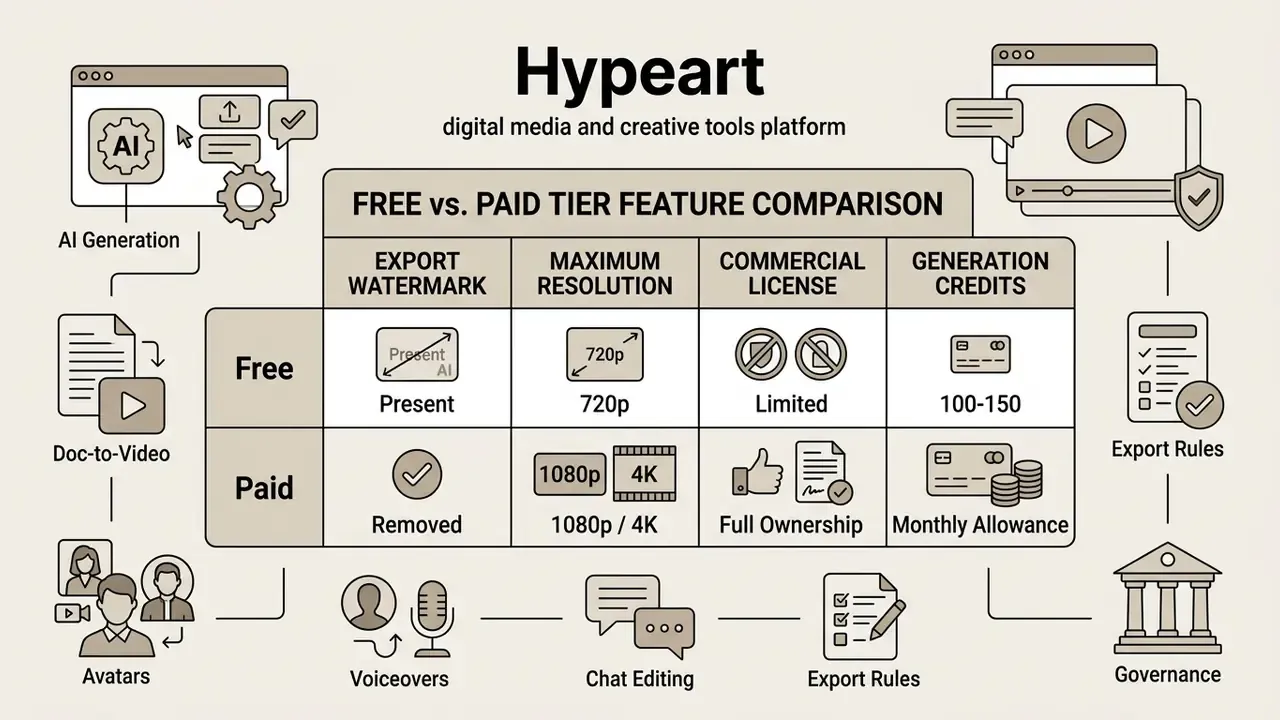
Assessing an explainer video maker free or explainer video maker online free platform means understanding the functional restrictions attached to non-paid tiers. They are rarely hidden, but they are rarely prominent either.
What free animated explainer video makers usually include
Free tiers from tools such as VEED or Renderforest let you test core editor mechanics. Still, an ai explainer video maker free, animated explainer video maker free, or free animated explainer video maker plan typically carries these limits:
- Mandatory watermarking Vendor logos are embedded permanently in exported frames on many platforms; VEED's free plan watermarks all exports.
- Resolution and duration caps Downloads are often restricted to 720p, with project duration limits (10 minutes, for example) and modest cloud storage such as 2 GB. Some editors, including Clipchamp and Adobe Express, export watermark-free at 1080p but gate premium stock libraries behind paid tiers.
- Non-commercial licensing Videos made under some free tiers are limited to personal testing or internal educational viewing, with public commercial distribution explicitly prohibited. Other vendors grant commercial rights even on free plans. The terms genuinely differ, so read the license instead of assuming. Anyone searching for a free animated explainer video maker online should check this clause first, not last.
To explore zero-cost media alternatives, consult our free photo editors guide, our free AI art generators comparison, our free AI video generator comparison, and our review of free video editing software.
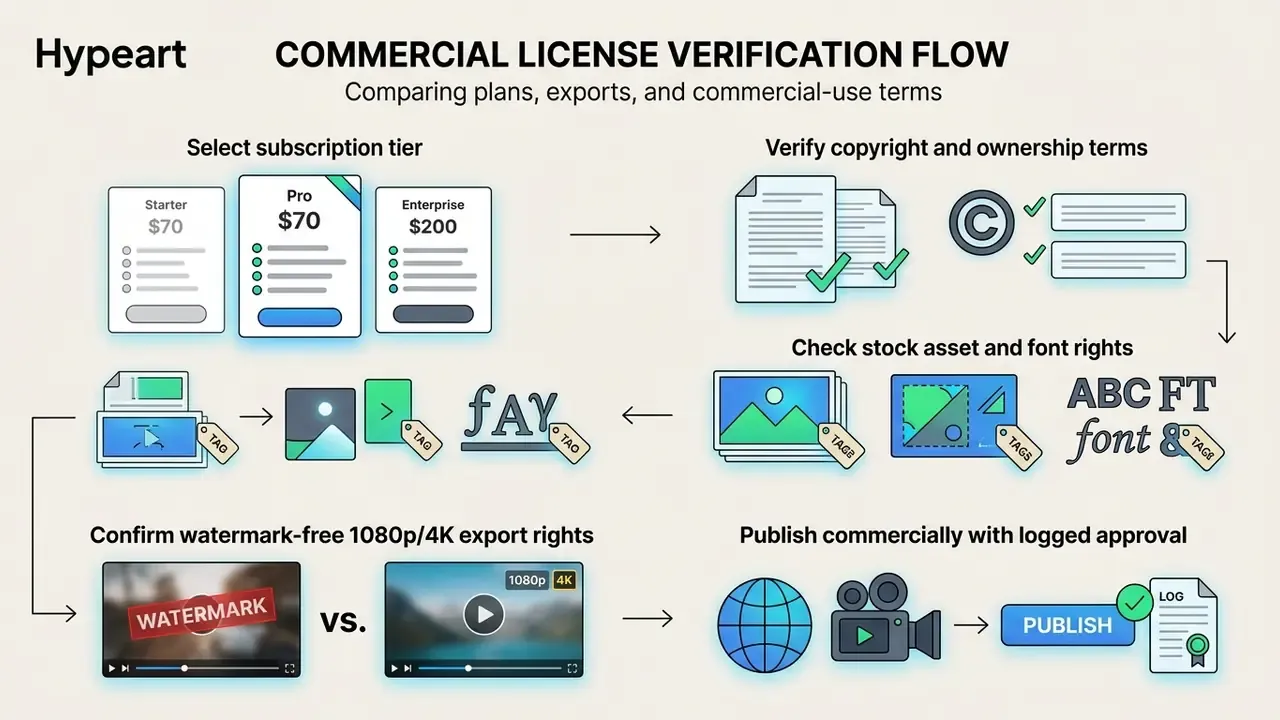
How to compare plans, exports, and commercial-use terms
When you move to paid tiers, compare the pricing structure and credit consumption rate, not the headline price. High-end API models bill usage-based per-second fees. As published on official 2026 pricing pages, Sora 2 is listed at $0.10 per second for 720p, with Sora 2 Pro at $0.30 (720p), $0.50 (1024p), and $0.70 (1080p) per second. Verify current rates on the live pricing page before budgeting, since per-second models re-price frequently.
SaaS platforms such as InVideo work differently, using monthly generative credit allowances, while infrastructure vendors sell credit bundles plus usage-based overage (plans at $20/month for $100 in credit, or $500/month for $1,000 in credit, with delivery-minute allowances). Cost audits indicate short AI video ad campaigns average $33 to $125 in credit usage, whereas custom studio animation packages run $1,999 to $4,999 per minute.
That comparison flatters AI, and it should be read with care: the traditional figure includes creative labor the AI number quietly excludes. A realistic budget models total cost of ownership beyond subscription fees.
| TCO component | What to model | Typical driver |
|---|---|---|
| Platform subscription | Seats + credit tier | Monthly volume of scenes |
| Overage rendering | Per-second or per-credit burn | Re-renders after revisions |
| Human review time | SME + legal hours per asset | Regulatory sensitivity |
| Localization QA | Native reviewer per locale | Number of markets |
| Governance overhead | Logging, approvals, audits | Second-line requirements |
| Asset licensing | Stock and font rights | Template dependency |
Limitations and open questions
Three areas remain genuinely unsettled, and pretending otherwise would be dishonest.
Attribution of business impact. Conversion lifts from product video are well documented, but isolating video's contribution from page redesign, traffic mix, and seasonality is hard. Randomized placement tests are the only reliable answer, and most teams skip them.
Validation of generative output. Traditional model validation assumes a stable input-output mapping you can backtest. Generative video does not offer that. Practical substitutes are prompt logging, seed capture, source-document versioning, and mandatory human sign-off, which control the process rather than the model.
Avatar acceptance. Learning-outcome parity between synthetic and human presenters looks plausible in early studies, yet user-experience scores lag, and sample sizes are small. For customer-facing regulatory communication, a human presenter may still be the safer default. Worth revisiting in a year.
Quality checklist before publishing an explainer video
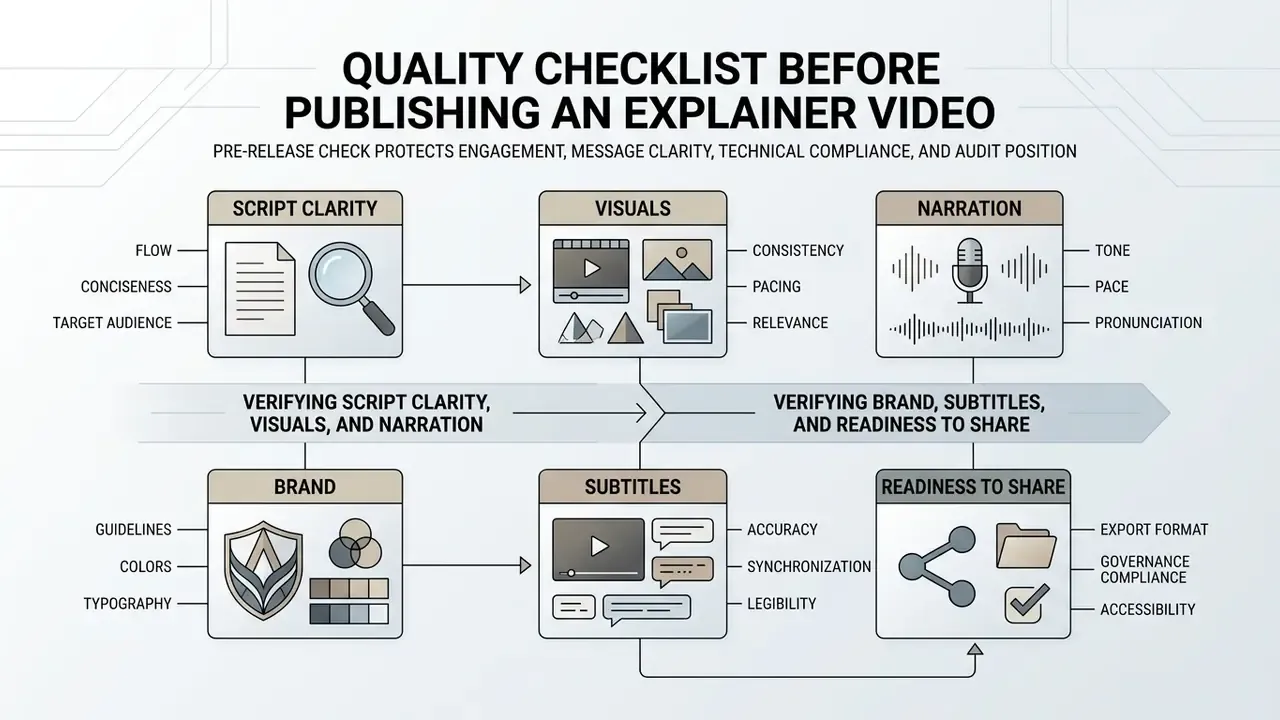
A pre-release check protects engagement, message clarity, technical compliance, and your audit position. Run it every time, even for a 40-second social cut.
Verifying script clarity, visuals, and narration
Checklist0 / 5
FAQ about explainer video makers
What is an explainer video, and what types exist?
An explainer video is a short, focused video that simplifies an idea, product, service, or process for a specific audience. Common types are 2D animation, whiteboard and doodle animation, 3D animation, and live-action or photoreal presenter video, including AI avatar formats.
How long can explainer videos be?
Duration depends on platform and objective. Landing page and social conversion videos perform best between 45 and 90 seconds. Educational courses and internal training modules typically run 3 to 10 minutes, delivered as four to six modular segments. Specialized platforms such as Renderforest allow explainer projects from 3 minutes up to 1 hour depending on the active subscription tier, with pay-per-product exports capped at 3 minutes; a single AI generation can produce up to roughly 12 minutes, extended further by adding scenes. YouTube's default upload limit is 15 minutes until the account is verified, after which uploads may reach 256 GB or 12 hours. Instagram and TikTok caps vary by format, account type, and upload method. Even where long-form is permitted, retention metrics favor breaking dense topics into 3- to 5-minute modules.
Is there an explainer video maker app for mobile production?
Yes. Several vendors ship an explainer video maker app for iOS and Android, and a mobile-first app explainer video maker usually mirrors the browser editor with reduced timeline precision. Mobile is fine for review, comments, and approvals. Final renders and brand verification are still easier on desktop, mostly because subtitle line breaks and small type are hard to judge on a phone screen.
Can I create a video directly from a PDF or slide deck?
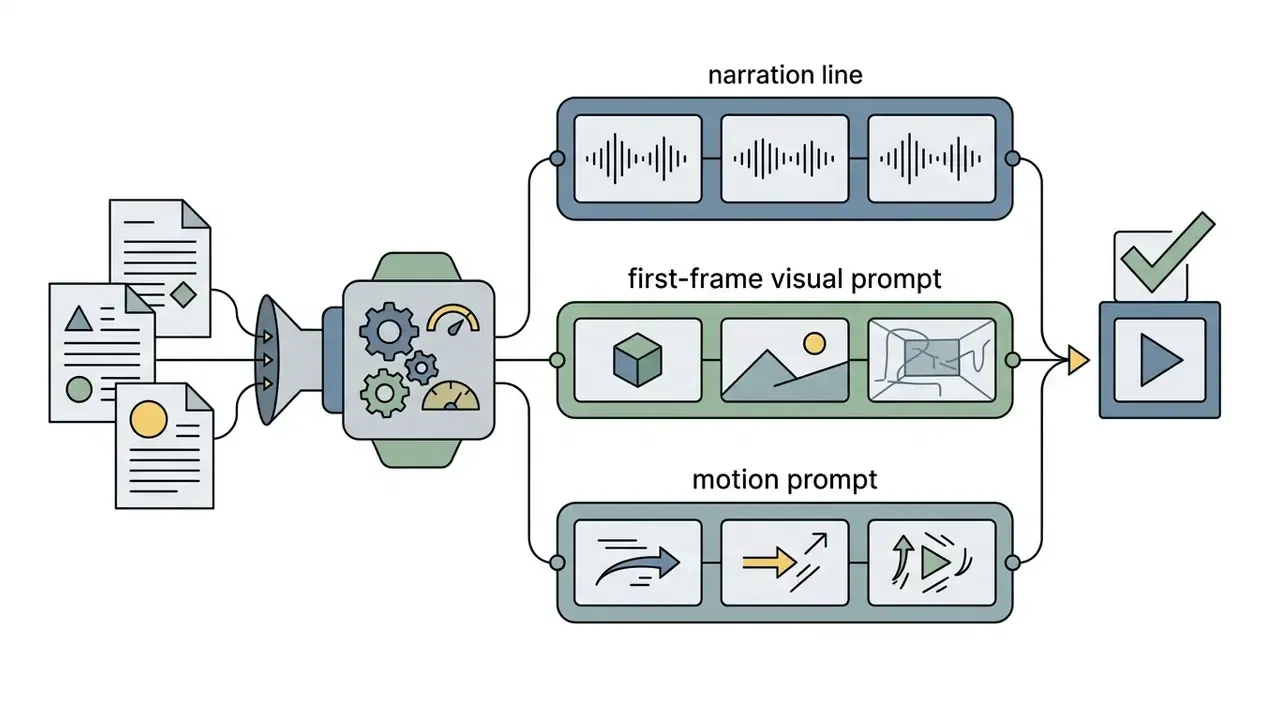
Yes. Doc-to-video engines accept PDF, Word, Google Docs, PPTX, blog posts, outlines, and plain text, then generate a scene per key idea with narration and first-frame art. This is the fastest path for teams whose content already exists as approved documentation, and the safest for compliance, since the factual substrate is a pre-approved internal document.
Can I edit the video after generation without learning a timeline?
Yes. Modern tools support three revision modes: line-by-line script editing, per-scene motion and first-frame prompt adjustment, and plain-language chat commands such as "make scene 2 more dramatic." Only the affected scene re-renders, usually within minutes.
Do I need to film anything to create an explainer video?
No. You can use library avatars, generated characters, or a photo-derived digital twin. If you clone a real person's face or voice, secure written consent, define permitted use, and set an expiry policy tied to employment status.
What is the effective ROI of AI explainer videos?
Randomized commerce testing showed product video lifting conversion from 3.96% to 5.75%, a 45.1% relative gain across 50,476 visitors (Tapvid, 2026). On cost, AI-generated campaigns run roughly $33 to $125 in credits, and one audited multi-platform campaign consumed about 155 credits (about $33), against $1,999-$4,999 per minute for custom studio animation and quotes above $100,000 for comparable traditional campaigns. Learning-side returns are supported by measured effect sizes (Cohen's d = 1.46 for video-based skill instruction; Hedges's g = 0.53 for content knowledge). Build your own model from the TCO table above, because human review time, not rendering cost, dominates spend in regulated environments.
Is my data used to train the vendor's models?
That depends entirely on the contract. Enterprise tiers commonly offer no-training and zero-retention options with regional data residency; consumer tiers frequently do not. Request the specific clause, the deletion SLA, and the sub-processor list, and prohibit uploading classified or personally identifiable material to unsanctioned consumer tools.
Where can I get help working with explainer video software?
Major platforms provide layered self-service support: in-app help panels, knowledge centers combining articles with live and recorded webinars, tutorial libraries, and community forums. Enterprise plans add technical ticketing, live chat, and dedicated onboarding managers. Help centers also document verification and escalation paths, for example creator support reachable through an in-studio chat button in addition to the public help center. For adjacent creative utilities, our library also covers the ai headline generator, the ai home design generator, the ai hug generator, the ai homework helper picture tools, content-policy notes on the ai hentai generator category, and the online photo editor guide. Explore more video and image automation frameworks in our comprehensive glossary hub. Last updated: 2026.