An ai flyer generator converts natural language descriptions or visual inputs into structured, print-ready or digital layouts within seconds. Marketing teams use these tools to accelerate asset production, enforce visual compliance, and clear the repetitive design queue that clogs every branch, branch marketing group, and regional office.
Why should a risk or compliance leader care about a flyer tool? Because it is usually the first generative system an employee adopts without asking. A branch manager needs an open-house handout by Friday, finds a free web app, uploads the brand kit, and the asset ships. No inventory entry, no owner, no retention check. That is not a design problem. That is a shadow AI problem wearing a marketing costume.
«Operational efficiency in visual asset creation requires strict governance: clear ownership, repeatable templates, and explicit licensing validation before public distribution.»
Executive Summary
- What it does An AI flyer generator maps a plain-language brief, or an uploaded PDF, logo, menu, or listing sheet, to a complete layout: headline, body copy, contact block, imagery, and call to action, in a single generation pass.
- Where the risk sits Output generated entirely by machine, without creative human intervention, is not eligible for copyright registration in the United States. Brand marks, stock elements, and advertising claims still require separate clearance.
- What makes output usable Explicit prompts with hex codes, font hierarchy (headline ≥ 40 px, body 24–28 px), a minimum 4.5:1 contrast ratio, CMYK conversion, 300 DPI raster resolution, and 3 mm bleed for press-ready files.
- Governance note Free and no-login tiers accelerate testing but frequently cap resolution, watermark exports, and process uploads outside enterprise data agreements. Treat unmanaged use as shadow AI exposure.
Why a Flyer Tool Belongs in Your AI Inventory
Most AI inventories at large banks start with the obvious: credit models, KYC screening, AML transaction monitoring, chat assistants in servicing. Design tools rarely make the first pass. Yet the data flowing into them is often regulated or pre-announcement: unreleased pricing, embargoed event details, customer photography, recruiting headcount plans.
The exposure pattern is identical to any other consumer-tier generative service. A staffer pastes confidential copy into a public endpoint. Retention terms are unread. Nobody can reconstruct which version of which asset went to print. Auditors ask a simple question and receive silence.
The same inventory question applies across the wider consumer AI shelf, from a perchance ai character generator and a perchance ai story generator to a perchance ai video tool or perplexity ai video capability. Different outputs, one control gap: unowned tools processing your data.
A workable minimum standard for a marketing generation tool looks modest. Named owner. Approved use cases. Contracted environment for anything non-public. Retained export logs. Human sign-off before distribution. Nothing exotic. Just the same discipline you already apply to model documentation, extended to a channel that produces public-facing claims.
What Is an AI Flyer Generator and What Can It Create?
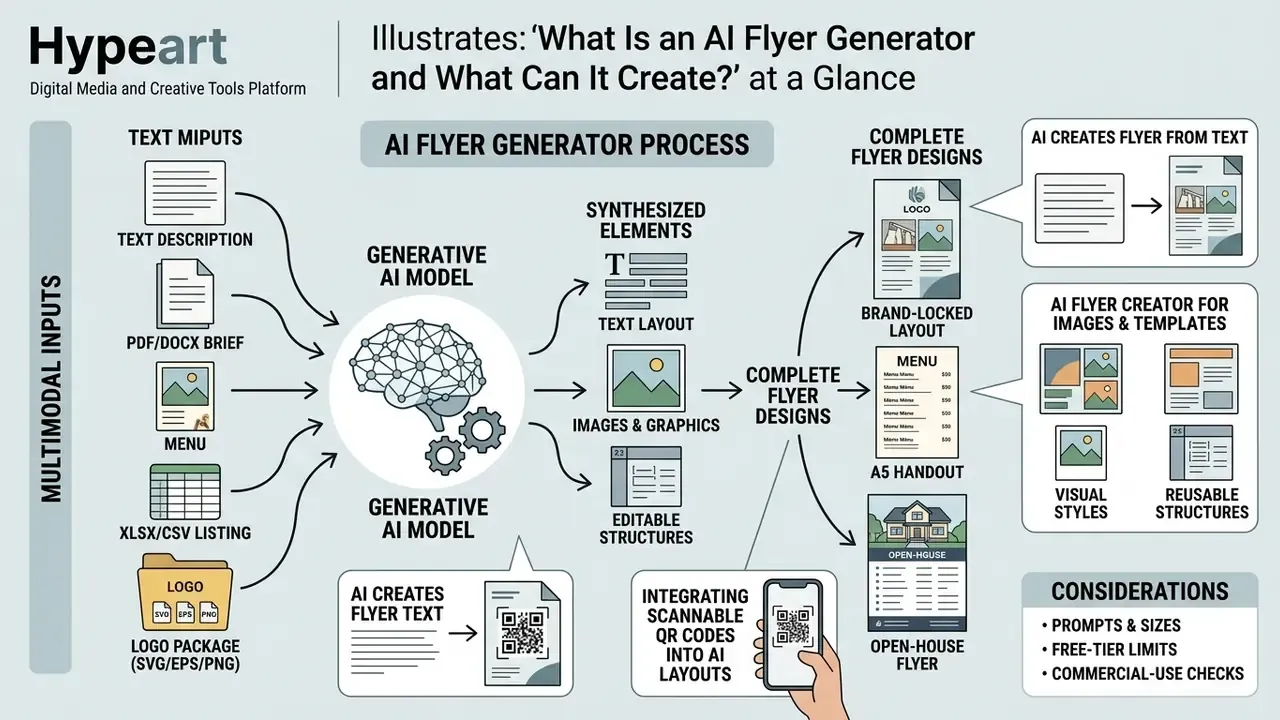
An ai flyer generator is a software application that uses generative machine learning models to synthesize text, images, logos, and graphic elements into complete, editable flyer layouts. These systems automate spatial composition, visual hierarchy, and typography selection based on user-defined inputs.
Template libraries and prompt-based generation are not the same product category. With a template, the operator starts from a fixed grid and edits it by hand. With generation, the layout, imagery, and typography arrive together in one pass. The trade-off is control: template tools guarantee predictable structure, whereas generative tools deliver unique compositions that must be audited for text accuracy and brand conformity before release.
Both approaches can produce usable flyer designs. Only one of them can invent a phone number.
AI Create Flyer from Text: From Description to Design
The ai create flyer from text process transforms plain-language prompts into structured graphic compositions. Modern text-to-layout architectures parse semantic instructions, extract key entity blocks, and assign normalized spatial coordinates for headers, body copy, and visual accents.
«Models trained on millions of documents internalize universal design principles, alignment, margins, and grouping, and transfer them to unseen formats.»
Research on content-aware layout generation shows that deep generative models synthesize document layouts by mapping textual and visual semantics directly to spatial design structures. See Two-stage Content-Aware Layout Generation for Poster Designs / arXiv (2023), https://arxiv.org/abs/2312.08067. The TextLap framework goes further, tuning large language models on specialized instruction datasets to produce structured design specifications that beat generic baselines on graphical design tasks.
«TextLap outperforms GPT-4-based methods on image generation and graphical design benchmarks using the InsLap instruction dataset.»
When an operator enters a brief describing event details, target demographics, and visual tone, the engine constructs a functional flyer design that keeps logical spatial relationships intact: title zone at the optical top, supporting metadata in the middle band, contact and CTA data anchored at the base of the canvas.
AI Flyer Creator for Images, Templates and Editable Layouts
An ai flyer creator combines source media uploads, baseline design templates, and a post-generation editing canvas. Users upload product photos or background graphics, and the generative model integrates them without burying essential text zones. Operators comparing retouching and compositing capabilities can review dedicated AI photo editors before locking a production pipeline.
Systems like PosterMaker use specialized neural modules, such as TextRenderNet for character rendering and SceneGenNet for background synthesis, to preserve background fidelity while keeping text legible.
«PosterMaker achieves over 90% text rendering accuracy for complex logographic scripts while preserving background visual quality.»
Platforms such as Adobe Express and Piktochart let operators generate an ai flyer creation draft from a prompt, select from generated flyer designs, and modify typography, brand colors, and structural components inside an integrated online editor (Adobe Express, 2026; Piktochart, 2026). Adobe Express also accepts an uploaded image alongside the prompt and returns multiple flyer versions featuring that media, after which branding, fonts, colors, and logos remain fully editable. If you are building automated asset pipelines, you can browse the hub to inspect technical API integrations and workflow standards.
Integrating Scannable QR Codes into AI Layouts
Printed flyers convert offline attention into measurable traffic only when the scan path is engineered, not improvised. During generation, instruct the model to reserve an isolated vector zone, a bounding box with at least 6.35 mm (0.25 in) of surrounding quiet space, as an explicit QR placeholder. After generation, the operator swaps that placeholder for a real dynamic SVG or high-resolution PNG code exported from a tracking service.
Technical rules for print-grade QR placement:
- Error correction leveluse ECC level Q or H (roughly 25–30% data recovery) so the code survives paper creasing, ink spread, and partial soiling.
- Minimum module sizekeep the printed symbol at or above 20 × 20 mm for handheld scanning at 15–30 cm; enlarge to 30 × 30 mm for posters read at arm's length.
- Contrastdark modules on a light field, never inverted low-contrast pairs, never overlaid on photographic texture.
- Vector replacementnever rely on the AI-drawn code itself. Generative models approximate module patterns visually and produce non-decodable artifacts. The placeholder is a layout reservation, not a functional symbol.
- Labelingpair the code with a short verb-led instruction ("Scan to RSVP", "Scan for the menu") plus a fallback short URL for readers who cannot scan.
- Pre-press validationtest the exported PDF at 100% scale on at least two devices, and re-test after any downstream compression.
Prompt fragment for reservation: "Reserve a clean 25 × 25 mm square QR code placeholder in the bottom-right quadrant with 8 mm clear margin on all sides, solid white fill, no decorative frame, no text overlapping the square."
AI Flyer Generator for Business, Events and Digital Promotion
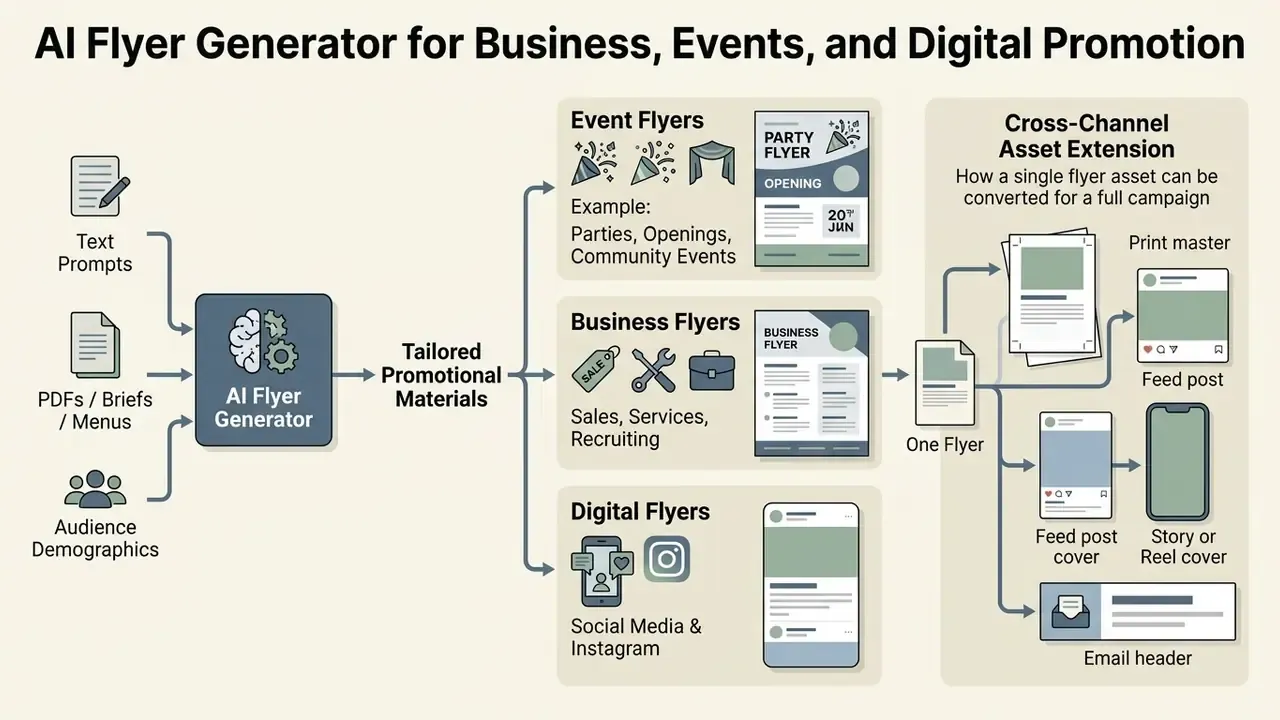
An ai flyer generator creates promotional materials tailored to specific commercial channels, audience demographics, and distribution media. Strategic asset design means matching canvas geometry and visual density to the intended medium, not reusing one file everywhere.
Event Flyers for Parties, Openings and Community Events
An ai event flyer generator structures layouts for gathering announcements, grand openings, and corporate functions. These layouts prioritize operational data first: event title, date, time, physical address, attendance instructions.
«Dates, times, locations and registration links must appear as real high-contrast text, not as flattened image graphics.»
Institutional accessibility guidelines require key event parameters to be rendered as clear, high-contrast text rather than flattened image layers. The visual hierarchy typically places the event title at the top, followed by date and location details near the primary call to action (Virginia Tech, 2026). Accessibility guidance from California State University, Long Beach adds a useful rule of thumb: the largest typographic element should carry the most important information, usually the event name, positioned near the top of the canvas.
Common subtypes include concerts and club nights, charity galas and fundraisers, restaurant grand openings, workshops, church services and community outreach, school activities, and seasonal holiday parties. Each subtype shifts tone and palette. The mandatory data spine never changes: what, when, where, how to attend.
Business Flyers for Sales, Services and Recruiting
An ai business flyer generator produces corporate collateral for commercial promotions, service catalogs, and talent recruitment. These assets demand strict adherence to enterprise brand standards, clear offer statements, and visible corporate contact metadata. Teams standardizing identity assets can also evaluate dedicated AI logo generators before locking a brand kit.
Corporate brand manuals specify that logos stay unmodified, keep dedicated clear space, and occupy consistent layout positions across all promotional media (Northwestern University, 2026). Published guidelines commonly set a minimum logo width of 0.5 in (1.27 cm), cap the primary palette at four colors, and permit placement over photography only through an inverted mark or a white rectangular backing plate at maximum contrast. Primary palettes usually stay within two or three core brand shades to preserve clarity and professional trust.
Recruiting flyers add three mandatory blocks: role summary, employer value proposition, and application route (URL, QR code, or on-site contact). Those are the elements a job-fair reader scans in under five seconds, standing up, holding coffee.
Cross-Channel Asset Extension: From One Flyer to a Full Campaign
A flyer is rarely a terminal deliverable. Once the print master (A5, A4, or US Letter) is approved, the same structured brief can cascade into adjacent channels without re-authoring the message. The generator crops the central visual into a 1:1 square for feed placement, re-flows the type stack into a 9:16 vertical for stories, produces a horizontal 1200 × 630 px banner for email headers and link previews, and condenses the offer statement into ad copy variants.
A practical cascade sequence:
- Print masterCMYK, 300 DPI, 3 mm bleed, press-ready PDF.
- Feed post1080 × 1350 px RGB, headline enlarged, contact block replaced by a profile handle and link sticker zone.
- Story or Reel cover1080 × 1920 px, safe margins of roughly 250 px top and bottom to avoid UI overlap.
- Email header1200 × 630 px, single headline plus button-adjacent whitespace.
- Paid ad variantsame visual, shortened claim, mandatory disclosure line retained.
The governance benefit is message consistency. Dates, offers, and legal lines change once in the source brief and propagate across every derivative asset instead of drifting quietly between channels.
How to Write a Prompt for an AI Flyer Design Generator
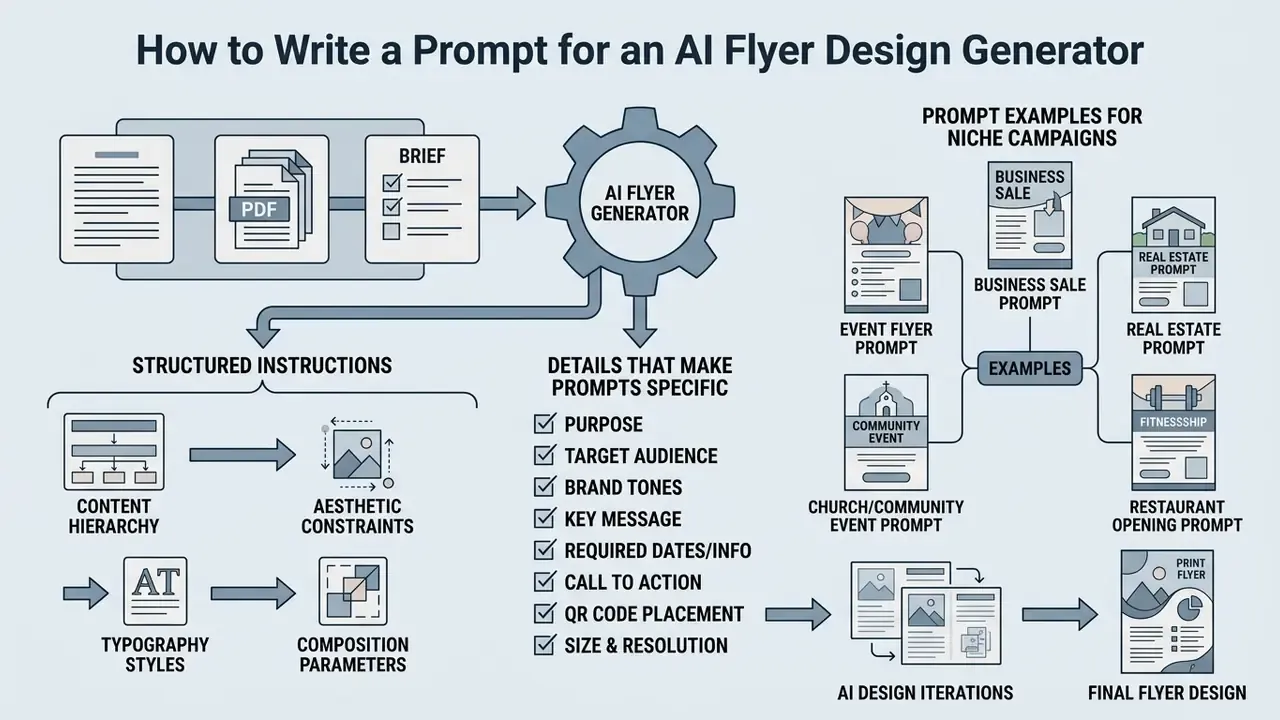
Writing effective prompts for an ai flyer design generator takes structured instructions: content hierarchy, aesthetic constraints, typography styles, composition parameters. Prompt quality sets layout quality, so draft the brief before entering the three-step production workflow.
Details That Make an AI Flyer Prompt More Specific
Precision improves layout accuracy when instructions follow a logical order: overall scene and context, core subject matter, mandatory details, explicit layout constraints. Updated: developer prompting guidance for image models recommends stating the intended use of the asset (advertisement, handout, infographic) and splitting complex design requests into short labeled parameters rather than one continuous sentence. See the GPT Image Generation Models Prompting Guide, OpenAI Cookbook (2026), https://developers.openai.com/cookbook/examples/multimodal/image-gen-models-prompting-guide. The same guidance advises naming preservation constraints explicitly, including identity, geometry, layout, lighting, and labels, when an edit-ready result is required.
«Models fine-tuned on instruction–layout pairs surpass GPT-4 in matching spatial preferences and element hierarchy in design.»
[Context/Purpose] + [Target Audience] + [Exact Headline Copy] + [Supporting Text & Contact Data] + [Color Palette / Hex Codes] + [Layout & Typography Rules]
Exact hex codes, explicit font pairings, required whitespace ratios, QR placeholder dimensions, and logo placement boundaries all reduce generation errors and cut unwanted visual artifacts. Academic prompt-engineering guidance also recommends prioritizing subject and style keywords over connective phrasing, and inspecting 3–9 seeds to gauge variance (Liu & Chilton, Design Guidelines for Prompt Engineering Text-to-Image Generative Models, CHI 2022, https://www.cs.columbia.edu/~chilton/web/my_publications/LiuPromptsAIGenArt_CHI2022.pdf).
One habit worth adopting: paste the approved copy as literal strings in quotation marks. Models paraphrase what they are asked to describe, and paraphrase is how an unapproved claim reaches print.
Prompt Examples for Event, Business, Real Estate and Niche Campaigns
Structured prompts give clear parameters for generating specialized layouts across sectors:
- Event flyer prompt "Design a professional event flyer for a corporate tech conference. Headline: 'Fintech Risk Summit 2026'. Subheadline: 'Navigating AI Governance and Model Risk'. Date: 'October 14, 9:00 AM'. Location: 'Metropolitan Center, New York'. Color palette: navy blue (#0A192F), slate grey (#4A5568), gold accents (#D69E2E). Style: clean, corporate, bold sans-serif typography, dark background, structured speaker block at bottom."
- Business sale prompt "Create a retail promotional flyer. Headline: 'Annual Fleet Clearance Sale'. Offer: 'Up to 30% Off Commercial Equipment'. CTA: 'Visit Our Showroom Today'. Contact: '555-0199 | www.example.com'. Layout: high-contrast white background, bold navy headers, prominent central photo area, isolated logo block in top right corner."
- Real estate prompt "Generate a real estate marketing flyer for a commercial office building lease. Title: 'Prime Financial District Office Space'. Subtitle: '15,000 Sq Ft Available Immediately'. Key features: 'LEED Certified, 24/7 Security, Executive Boardrooms'. Contact: 'Leasing Office: 555-0144'. Style: modern architectural aesthetic, minimalist grid layout, light grey and navy tones."
- Church or community event prompt "Design a welcoming church Easter service flyer. Title: 'Grace & Hope Easter Sunday'. Details: 'April 20, 10:00 AM, 123 Community Way'. Style: soft pastel tones, elegant serif headers, warm lighting, floral framing, clean RSVP CTA block at the bottom, 25 × 25 mm QR placeholder beside the address line."
- Fitness or membership promotion prompt "Create a high-energy gym promotion flyer. Headline: '30% OFF Annual Membership'. Subheadline: 'Transform Your Body Today'. CTA: 'Claim Your Pass at www.gym.com'. Style: dark slate background (#1A202C), neon green accents (#38A169), bold condensed typography, high-contrast action photo zone on the right third, class schedule table at the base."
- Restaurant opening prompt "Produce a grand opening flyer for an Italian trattoria. Headline: 'Now Open: Trattoria Vela'. Details: 'Opening June 6, 5:00 PM · 88 Harbor Street'. Style: warm terracotta and cream palette, food-photography hero zone, elegant serif headline, menu highlight strip with three dishes and prices, reservation phone number in a dedicated contact block."
- Recruiting prompt "Design a hiring flyer for a regional job fair. Headline: 'We're Hiring: 12 Open Roles'. Supporting copy: 'Full benefits · Paid training · Flexible shifts'. CTA: 'Scan to apply'. Style: clean white background, single accent color (#2B6CB0), two-column role list, isolated logo zone top-left, reserved QR square bottom-right with 8 mm clear margin."
How to Create a Flyer with AI in Three Steps
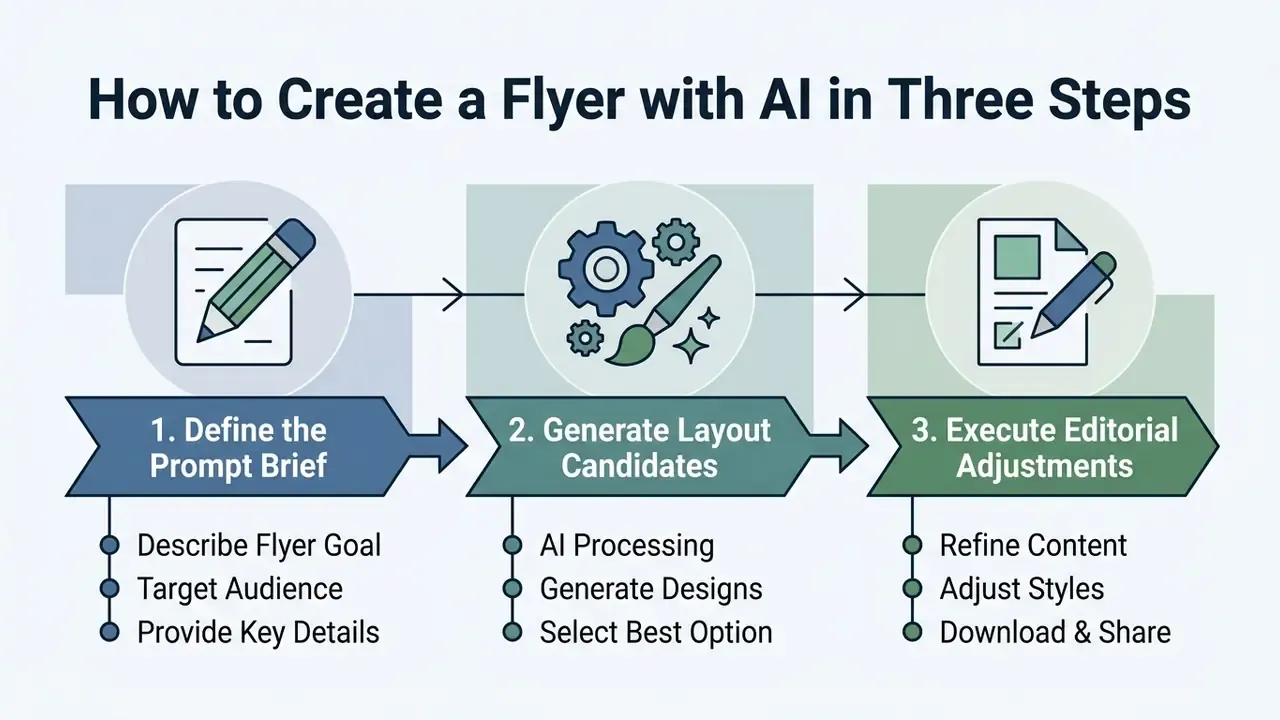
Creating a flyer with generative software follows a three-stage pipeline: define the prompt brief, generate layout candidates, execute final editorial adjustments. This workflow lets non-designers produce compliant marketing materials fast, provided the review step survives the deadline.
Describe the Flyer Goal, Audience and Key Details
Step one: enter a detailed natural-language prompt, or attach the source brief, menu, or listing sheet, into the generator interface. Define the primary objective, target audience, business context, required body text, color parameters, and core branding elements explicitly.
Clear briefs establish the purpose first, then audience-focused message blocks, then structured contact signatures at the base of the canvas (University of Tennessee, 2020). Specifying exact copy blocks stops the model from inventing placeholder contact text, which remains the single most common cause of unusable output. Search demand reflects the same wish: queries like "ai create a flyer for me" or "ai app to create flyers" are really asking for one thing, a first draft that does not need rebuilding.
Generate Flyer Designs and Choose the Best Option
After the prompt, the engine runs the input through its layout synthesis model and returns multiple candidates. Operators judge them on structural hierarchy, alignment balance, and information legibility. Teams still choosing an engine can benchmark AI image generators against their layout and typography requirements.
In controlled testing, concept evaluation uses a scoring matrix: criteria in rows, candidate layouts in columns, weights assigned by business importance, a 0–5 score per criterion aggregated into a weighted total. Feasibility criteria eliminate non-compliant drafts (missing mandatory data, insufficient contrast, logo violations). Merit criteria then rank the survivors.
«CALayoutDM detects visually salient background regions and ranks layout candidates against aesthetic constraints, balance, alignment and space distribution.»
Selection algorithms rank proposals by whitespace distribution, text contrast, and subject visibility. Generating three to five candidates, rather than accepting the first result, measurably raises the chance that at least one draft clears every critical criterion.
Flyer Size, Layout and Print-Ready Design Requirements
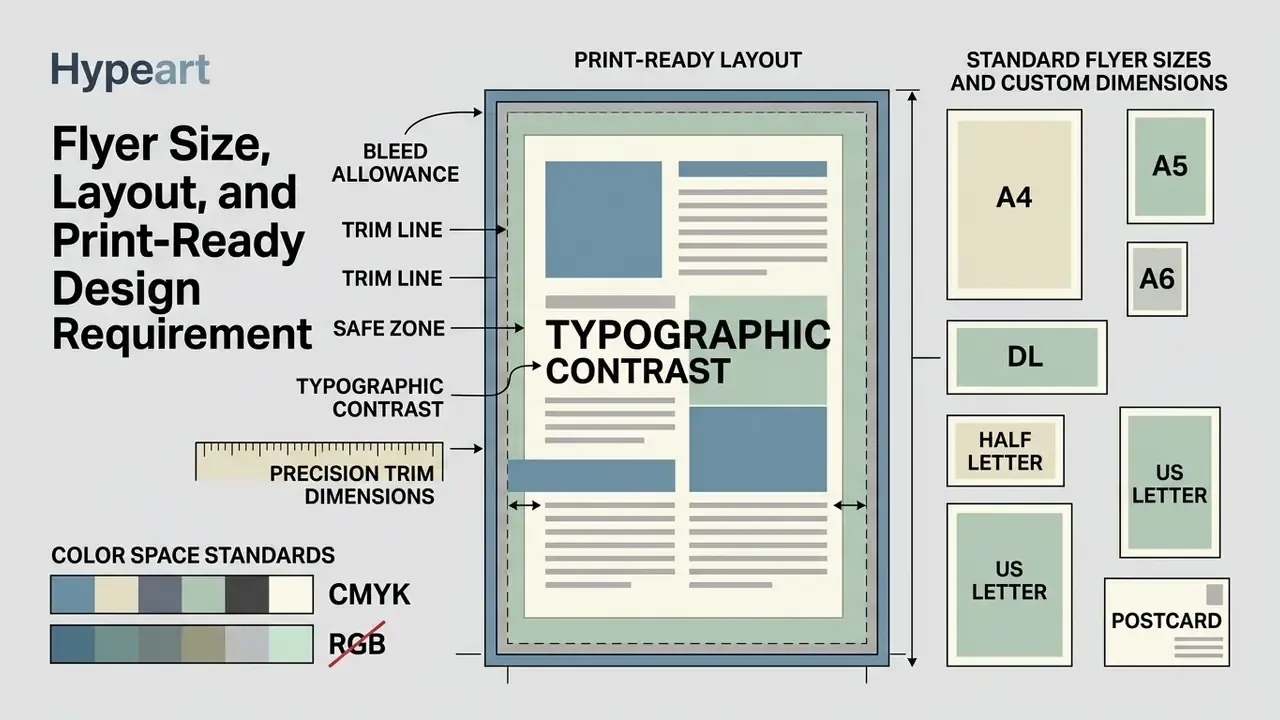
Turning digital layouts into physical print requires precise trim dimensions, color space standards, bleed allowances, and typographic contrast discipline. Print is unforgiving. A file that looks fine on screen can arrive from the press with clipped type and muddy color.
Standard Flyer Sizes and Custom Dimensions
International standards define physical dimensions for print flyers, while digital assets depend on proportional aspect ratios. ISO 216 governs global paper sizing, holding a constant 1:√2 ratio across the A-series.
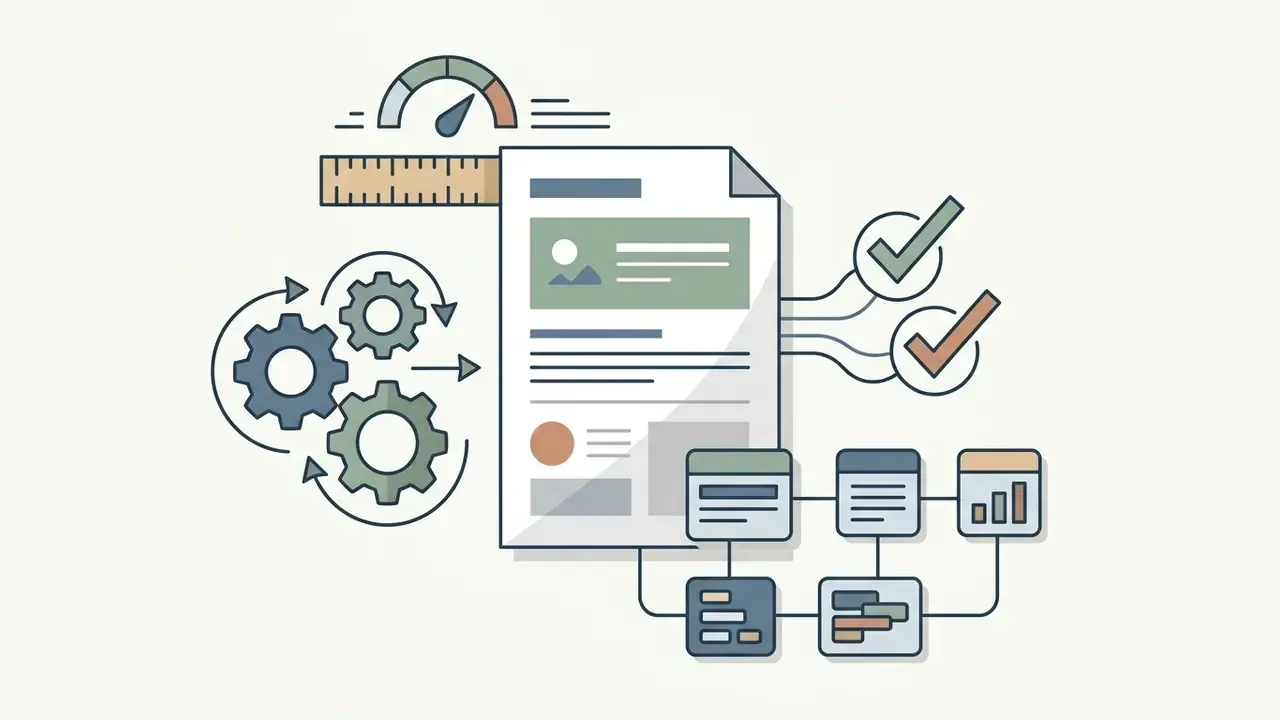
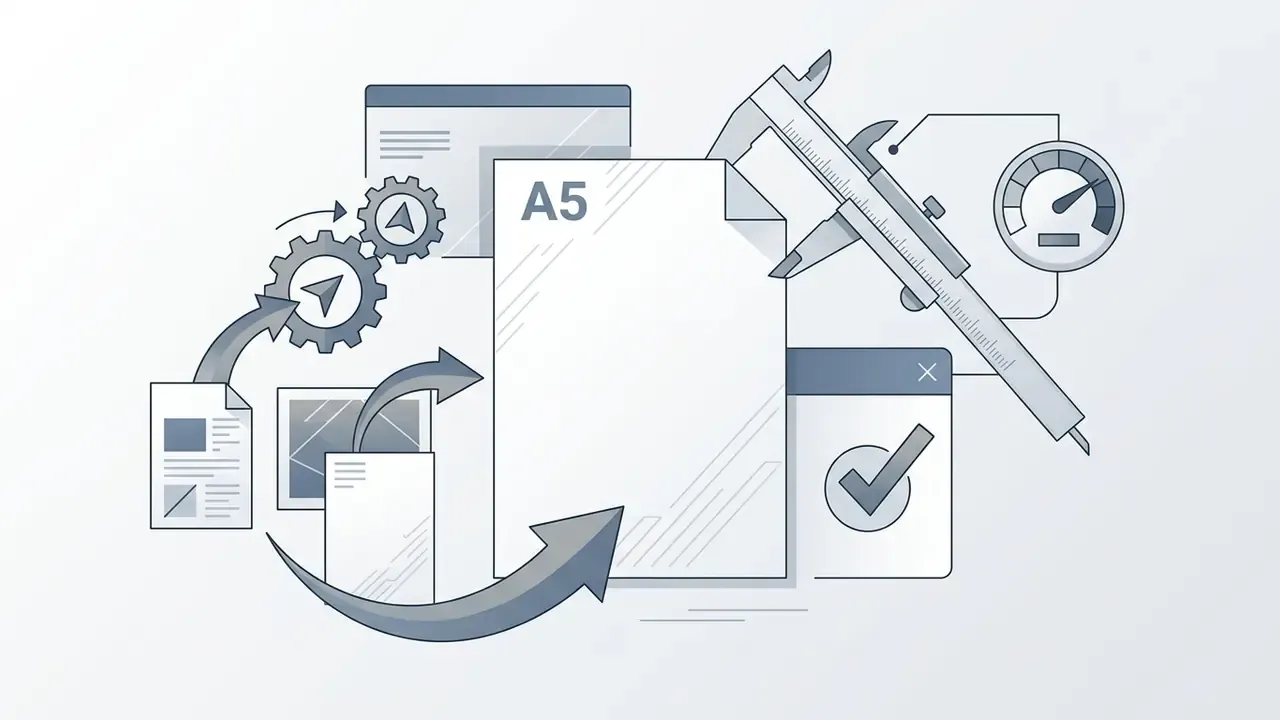
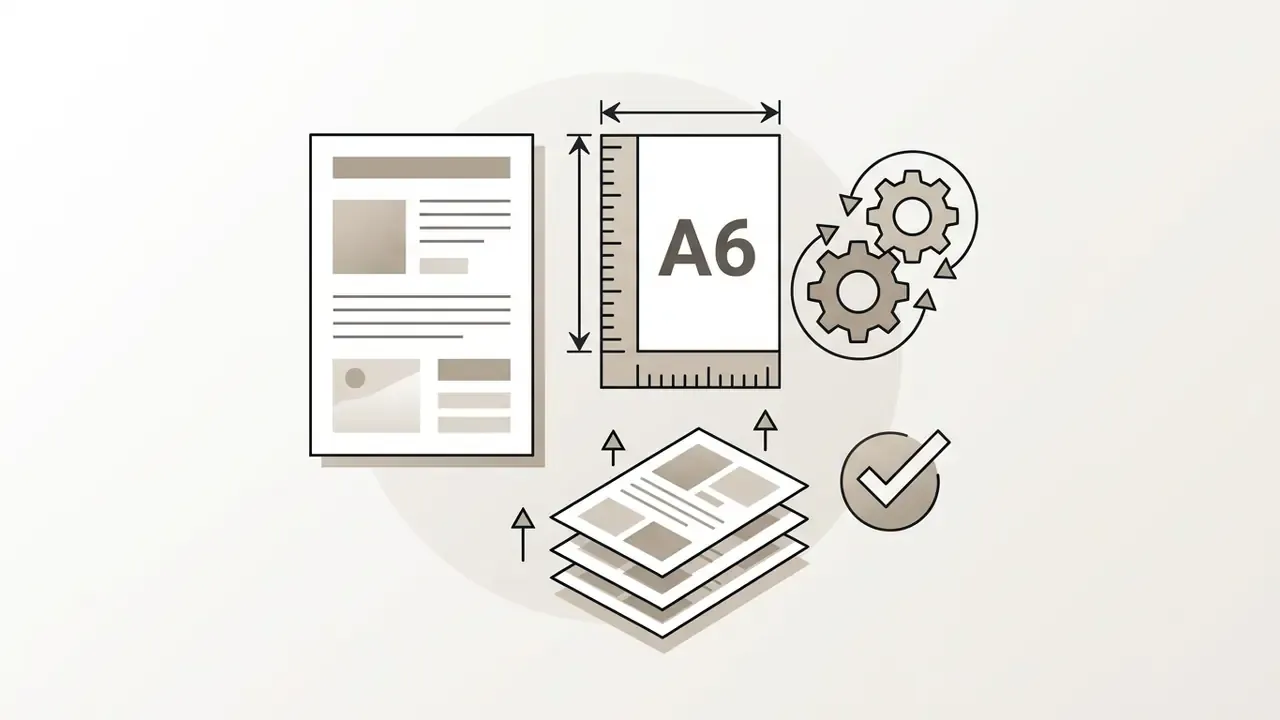
Aspect ratio describes proportional shape, width to height. Physical size defines exact real-world dimensions in millimeters or inches. Two files can share a 4:5 ratio while one measures 1080 × 1350 px and the other 4000 × 5000 px. Only the exact pixel dimension satisfies a print shop or an ad slot. So print preparation means specifying physical trim size plus external bleed margins, typically 3 mm or 0.125 in per edge.
Print resolution reference, exact pixel dimensions at 300 DPI:
| Format | Physical trim size | Pixels at 300 DPI | Aspect ratio | Typical use |
|---|---|---|---|---|
| Postcard | 4 × 6 in (101.6 × 152.4 mm) | 1200 × 1800 px | 2:3 | Direct mail, coupons, save-the-date |
| A6 | 105 × 148 mm | 1240 × 1748 px | ≈5:7 | EU postcards, compact handbills |
| Half Letter | 5.5 × 8.5 in (139.7 × 215.9 mm) | 1650 × 2550 px | 11:17 | Menus, programs, trade shows |
| A5 | 148 × 210 mm | 1748 × 2480 px | ≈5:7 | EU standard flyer, cost-efficient runs |
| US Letter | 8.5 × 11 in (215.9 × 279.4 mm) | 2550 × 3300 px | 17:22 | US business flyers, bulletin boards |
| A4 | 210 × 297 mm | 2480 × 3508 px | ≈5:7 | Corporate handouts, institutional notices |
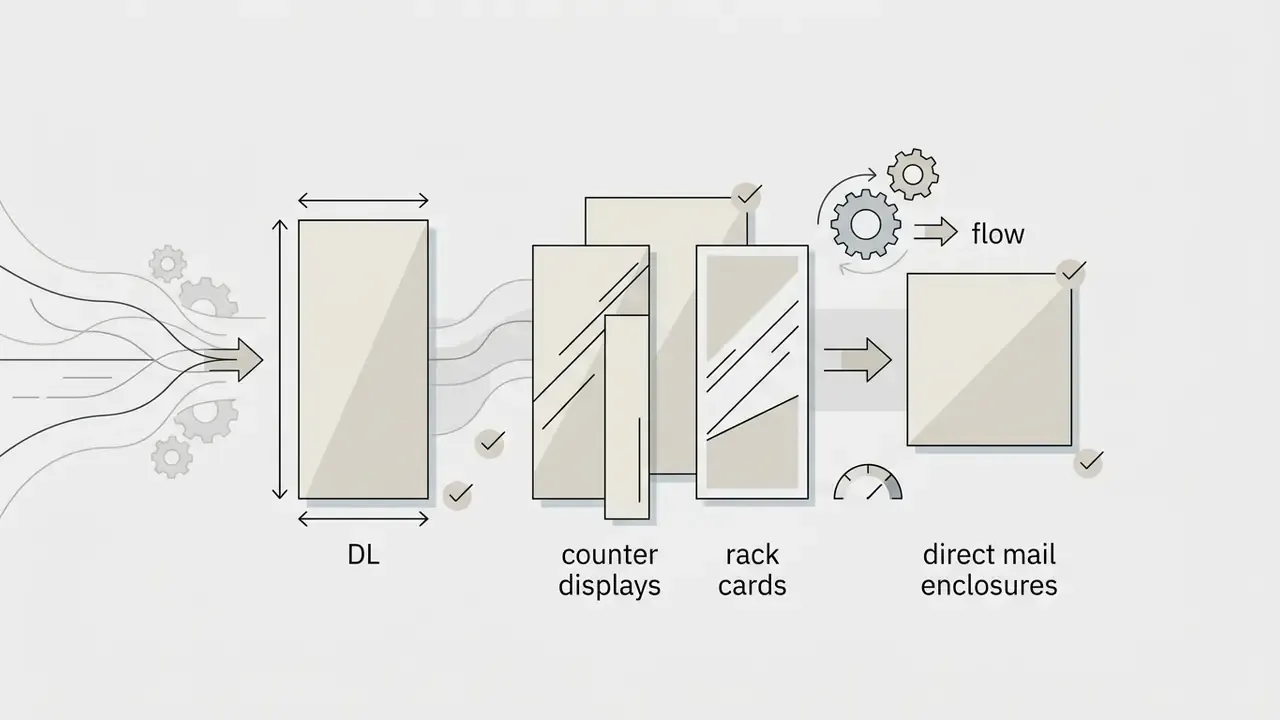
| DL | 99 × 210 mm | 1169 × 2480 px | ≈3:7 | Rack cards, counter displays, mailers |
Add 3 mm bleed on every edge before export. A5, for example, becomes 154 × 216 mm, or 1819 × 2551 px at 300 DPI. Keep all text and logos inside a safe margin of at least 5 mm from the trim line.
Layout, Colors, Logo and Readable Contact Details
Print production demands strict technical standards. Color profiles convert from RGB to CMYK. Raster imagery holds at least 300 DPI at 1:1 scale. Vector fonts are embedded or converted to outlines. Press exports should use PDF/X-1a or PDF/X-4 with crop marks, and multi-panel layouts must keep fold lines clear of type.
«WCAG 2.2 sets a minimum contrast ratio of 4.5:1 for body text against its background to ensure readability.»
For accessibility and visual balance, body text needs a minimum contrast ratio of 4.5:1 against adjacent background fills. Large text requires at least 3:1, and non-text graphical objects or interface components also require 3:1. Updated: essential operational metadata, meaning contact phone numbers, physical addresses, and web URLs, should occupy dedicated contact blocks rather than inline narrative text, consistent with public-sector web and document style guidance that treats contact information as a discrete content module.
| Use Case | Standard Dimensions | Color Space / Resolution | Export Format | Key Layout Elements |
|---|---|---|---|---|
| Business Promotion | A5 (148×210 mm) / 1748×2480 px or US Letter (2550×3300 px) | CMYK / 300 DPI | Press-Ready PDF (PDF/X) | Corporate logo, value offer, contact block, 3 mm bleed |
| Event Announcement | A4 (210×297 mm) / 2480×3508 px or 5×7 in | CMYK / 300 DPI | PDF / Vector EPS | Event title, date, location, RSVP link, QR zone, high-contrast CTA |
| Direct Mail / Coupon | Postcard 4×6 in / 1200×1800 px | CMYK / 300 DPI | Press-Ready PDF | Offer headline, expiry date, redemption code, address panel |
| Menu / Program | Half Letter 5.5×8.5 in / 1650×2550 px | CMYK / 300 DPI | Press-Ready PDF | Category sections, price rail, allergen legend, contact footer |
| Street Handbill | A6 (105×148 mm) / 1240×1748 px | CMYK / 300 DPI | Press-Ready PDF | Single headline, one image, one CTA, minimal body copy |
| Digital Social Media | 1080×1350 px (4:5) | RGB / 72–150 DPI | High-Res PNG / JPG | Large headline (40 px+), short copy, handle, link sticker zone |
Background treatment deserves one more note. Photographic backdrops routinely break contrast requirements once type lands on them, so plan a solid or gradient panel behind copy. For guidance on manipulating backdrops safely, see the photo background editor guide.
Free AI Flyer Generator: Login, Downloads and Editing Options
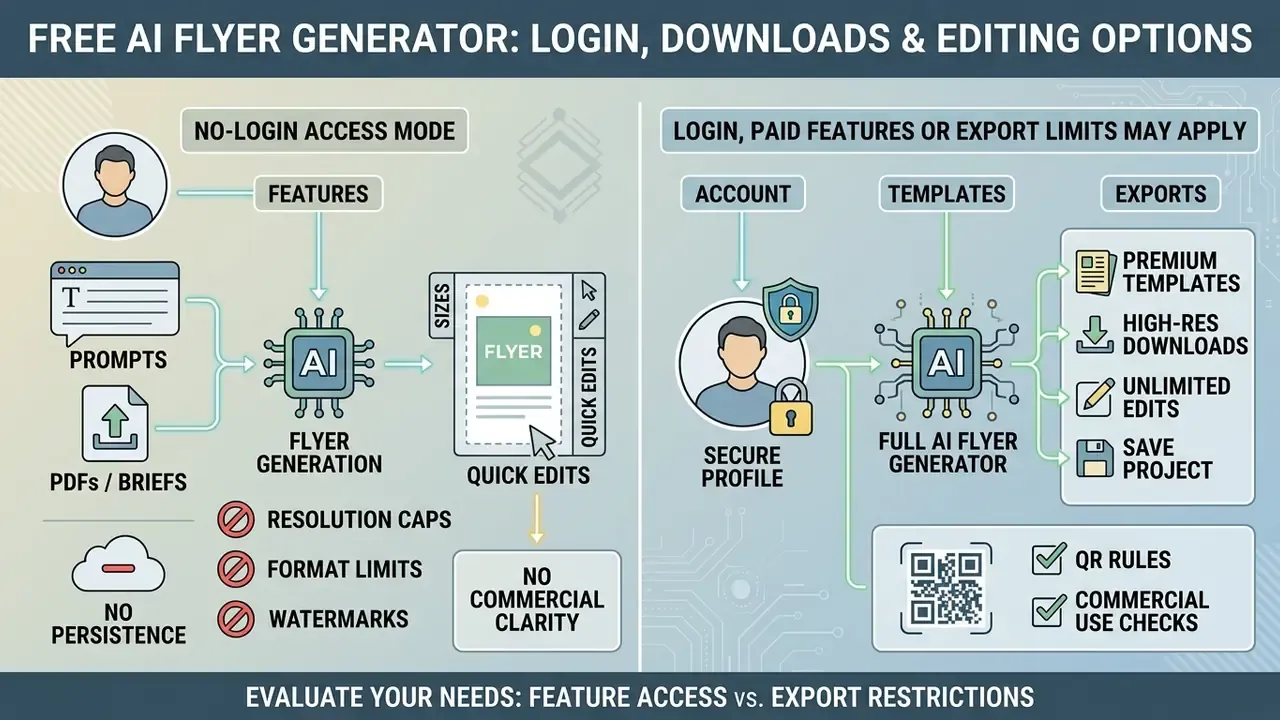
Evaluating an ai flyer generator free tier means examining account requirements, feature access, template availability, and export restrictions. The marketing page rarely answers the compliance question.
What "Free" Includes in an AI Flyer Generator
An ai flyer generator free option usually opens access to basic text-to-layout engines, standard template libraries, and inline canvas editing controls. Canva and Adobe Express both offer free tiers where users generate, edit, and export basic promotional assets without upfront payment (Canva, 2026; Adobe Express, 2026). Canva states that creating, downloading, and sharing flyers carries no charge, and Adobe Express requires no credit card to begin. Readers evaluating adjacent tooling can review free AI image generators without sign-up for comparable access conditions.
The limits arrive at export. Free access often caps output to low-resolution PNG or JPG, reserving high-resolution vector exports and press-ready PDFs for paid tiers. Template scope differs too: some vendors expose the full library, others hold specific packs behind a plan.
No-Login Access Modes and Their Technical Limits
Some web tools offer guest sessions that produce a layout in roughly five seconds without account creation, issuing temporary session tokens instead of persistent user records. The trade-offs are consistent:
- Resolution caps guest output is often limited to web-ready resolution (72–150 DPI) or a fixed raster ceiling, insufficient for 300 DPI press work.
- Format limits PNG or JPG only; vector or press-ready PDF export typically requires authentication.
- Watermarks promotional overlays may be applied to guest downloads.
- No persistence designs, version history, and brand kits vanish when the session ends, which makes iteration and approval trails impossible.
- No commercial clarity guest sessions rarely surface an explicit license grant, which is exactly the document a compliance reviewer needs.
The workable pattern: use no-login access for fast concept exploration and stakeholder alignment, then reproduce the approved concept inside an authenticated, contracted environment for production export.
When Login, Paid Features or Export Limits May Apply
Most commercial design platforms enforce operational limits on free plans. They may require registration, apply daily export caps, embed promotional watermarks, or paywall enterprise features such as automatic brand matching and vector PDF export.
Documented free-tier restrictions in this category include download quotas capped at two PNG exports with a watermark overlay (Piktochart, 2026), plans that grant signup credits for generation but block file downloads entirely, limiting free output to on-platform publishing, and personal-use-only licenses where watermarks cannot be removed retroactively after upgrading (Luma AI, 2026). Watermark presence is not a reliable proxy for licensing. Several services issue watermark-free files under personal, non-commercial terms, while others watermark output that is nonetheless licensed for business use. Organizations seeking transparent cost evaluations can explore the hub to benchmark commercial licensing structures.
Can You Use AI-Generated Flyers for Commercial Purposes?
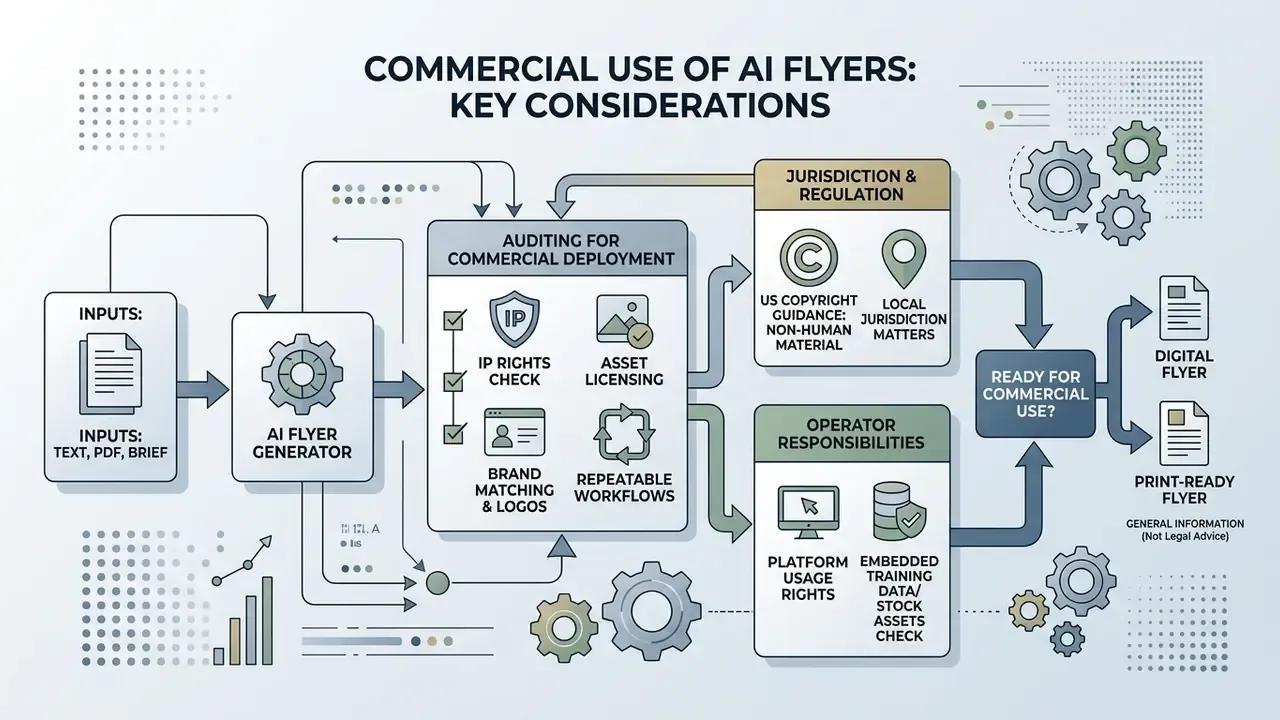
Deploying AI-generated marketing assets for commercial advertising, public sales campaigns, or corporate recruitment means auditing intellectual property rights, asset licensing terms, and regulatory disclosure rules.
What to Check Before Using a Flyer in Marketing or Sales
This section is general information reflecting the 2025–2026 regulatory landscape and is not legal advice. Consult qualified counsel on copyright and the commercial use of AI-generated material in your jurisdiction.
Commercial deployment depends on two things: whether the platform grants commercial usage rights, and whether integrated visual elements contain protected third-party assets.
«Material generated entirely by AI without human creative contribution is not eligible for copyright registration.»
Under United States Copyright Office guidance, material generated entirely by non-human systems, without creative human intervention, is ineligible for copyright registration. Human creators may claim protection only over their own original contributions: custom visual arrangements, original textual copy, human-authored graphical modifications added to the AI baseline. Registration applications must disclose AI-generated material that is more than de minimis.
Operators also have to ensure that training data or stock assets embedded in generated flyers do not infringe third-party trademarks or publicity rights. A royalty-free stock license grants limited permission under its own terms and never transfers copyright. Readers can review the commercial use of AI image generators for a clause-level breakdown of platform licensing.
Jurisdiction matters as well. Transparency rules under the European Union AI Act require synthetic image, audio, video, and text output to be labeled as artificially generated where the provision applies, and ICC marketing-code guidance confirms that AI-assisted advertising remains fully subject to existing advertising standards. Organizations reviewing copyright and regulatory exposure can see the overview covering legal disclosures and intellectual property risk frameworks.
Brand Matching, Logo Integration and Repeatable Flyer Workflows
«Designers struggle to understand AI suggestions, adjust results and build trust in the tools, they need explanations and control.»
Constrained templates address exactly that friction. Fix the elements that must not vary (logo, palette, legal line), expose only the fields that should vary (offer, date, location), and an unpredictable creative tool becomes a repeatable operational process. Template-automation platforms extend the pattern programmatically: a design is cloned into a reusable template with named placeholders, then populated with dynamic content through an API or webhook to generate batches of images and PDFs. Organizations evaluating overall media usage rights can review the AI Media Commercial-Use framework for comprehensive licensing criteria.
Can an AI Flyer Generator Create Flyers in Different Languages?
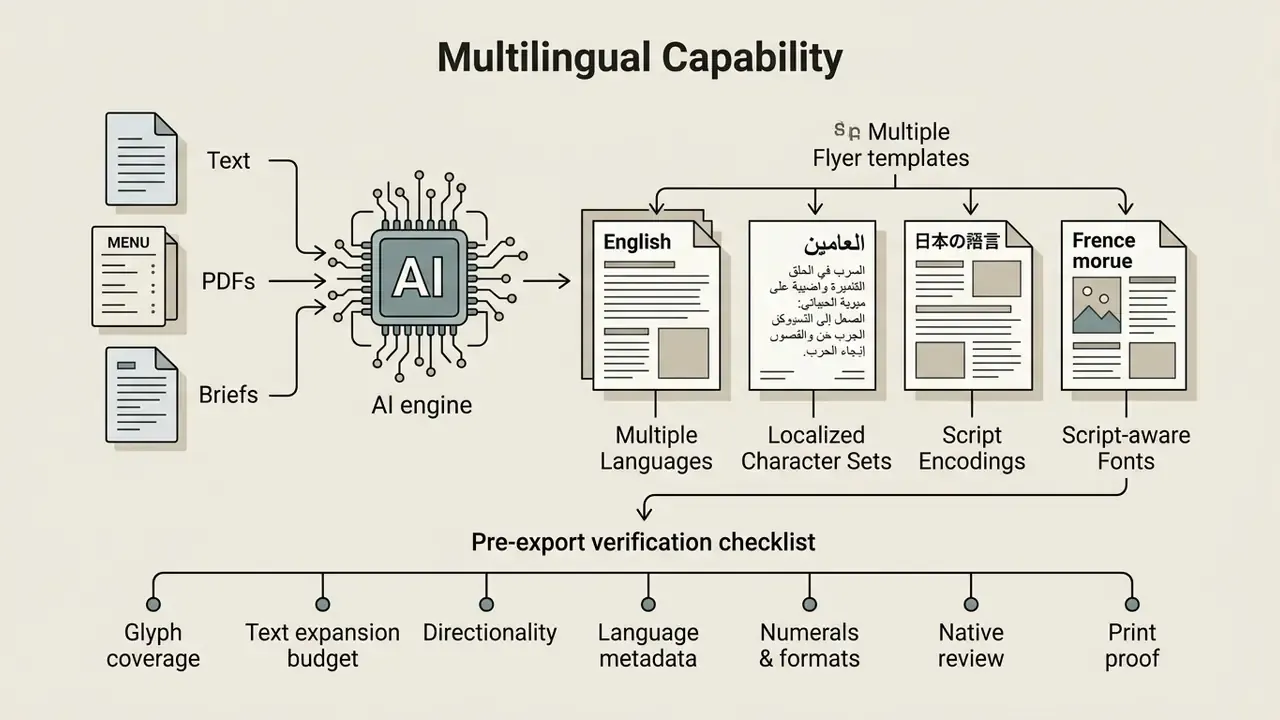
An ai flyer generator can produce collateral in multiple languages when the underlying models support localized character sets, script encodings, and script-aware font rendering. Support for a prompt language is not the same as support for a rendering script, and that distinction breaks more layouts than any other.
Modern multimodal models parse prompts in various languages and generate matching copy blocks directly on the canvas. Teams can compare multilingual behavior across AI image generators before standardizing on one engine. For correct typography in browsers and electronic documents, generated layouts need valid language metadata, such as HTML lang attributes or PDF /Lang structures (W3C, 2026). The W3C internationalization index explicitly covers Cyrillic alongside Arabic, Hebrew, Japanese, Korean, and other writing systems. Font coverage and language tagging stay mandatory regardless of prompt language. Specialized neural architectures built for complex character rendering reach high character accuracy in non-Latin scripts, keeping dense text blocks legible.
«TextRenderNet builds per-character visual representations as control signals, achieving over 90% rendering accuracy for Chinese glyphs while preserving background quality.»
FAQ: AI Flyer Generators
What is an AI flyer generator?
It is a tool that uses generative models to build a complete flyer layout, including headline, supporting copy, imagery, typography, and call to action, from a text description or uploaded source file, instead of requiring manual template editing.
Can I create a flyer from text only?
Yes. Prompt-only generation needs no images, templates, or design files. State the purpose, audience, exact copy, palette, and layout constraints, and the model composes a matching layout. Uploading a logo or reference image improves brand fidelity but stays optional.
Do I need design skills?
No formal design training is required, though editorial discipline is. The operator remains responsible for proofreading dates and prices, verifying contrast, positioning the logo inside its isolation zone, and replacing QR placeholders with functional codes.
What is the standard flyer size?
The most common print sizes are US Letter (8.5 × 11 in), A4 (210 × 297 mm), A5 (148 × 210 mm), Half Letter (5.5 × 8.5 in), A6 (105 × 148 mm), and 4 × 6 in postcards. For social distribution, 1:1 and 4:5 formats perform best in feeds, and 9:16 in stories.
Can the AI generate a working QR code?
Treat generated codes as placeholders only. Generative models approximate module patterns and produce non-decodable symbols. Reserve the zone during generation, then insert a real vector code with ECC level Q or H, and test-scan the final export.
Can I upload a PDF, menu, or brief?
Many systems accept PDFs, logos, menus, listing sheets, and campaign notes, parsing them into structured layout content. This reduces transcription errors and keeps approved claims intact.
Can AI-generated flyers be used commercially?
Commercial use depends on the platform licence and on clearing every embedded element. Purely AI-generated material is not itself copyright-registrable in the United States, and advertising claims still require substantiation. Verify terms before distribution.
How do free and no-login tiers differ from paid plans?
Free and guest tiers typically cap resolution, restrict formats to PNG or JPG, apply watermarks, and omit persistence and brand kits. Press-ready vector export, brand locking, and explicit commercial grants usually sit behind authentication and payment.
Are "ai flier generator" and "ai flyer creator" different tools?
No. Spelling variants such as "ai flier maker", "ai flier generator free", and "ai flyer creator free" point at the same tool category. Evaluate the vendor by export formats, licence text, and data handling, not by the query that led you there.
Ownership, Evidence and Escalation: A Minimal Control Map
Before a generative design tool touches a public campaign, three questions should have written answers. Who owns the tool? What may it process? What evidence survives the campaign?
A lightweight control map that fits inside an existing model-risk or GRC framework:
| Control | Owner | Evidence retained |
|---|---|---|
| Tool inventory entry (vendor, tier, contract status) | Marketing operations, reviewed by AI governance | Inventory record, contract or DPA reference |
| Approved data classes for upload | Data owner plus compliance | Classification policy, prompt logs where feasible |
| Brand and legal lock (logo zones, palette, disclosures) | Brand compliance | Locked template version, change log |
| Pre-distribution review (copy, contrast, claims) | Named reviewer, not the creator | Signed checklist, exported PDF version |
| Licence and rights verification | Legal or procurement | Vendor terms snapshot with date |
None of this is heavy. It is roughly one page per tool. And it converts a plausible audit gap into a reproducible trail: which version shipped, who approved it, under which licence, with what data. Note the middle column: the reviewer must not be the person who wrote the prompt. Self-review is the control that fails first.
Open question worth flagging honestly: nobody has published solid evidence on how much residual brand or claims risk template locking actually removes at scale. Track your own defect rate before and after, then decide.
Authority Navigation Hub
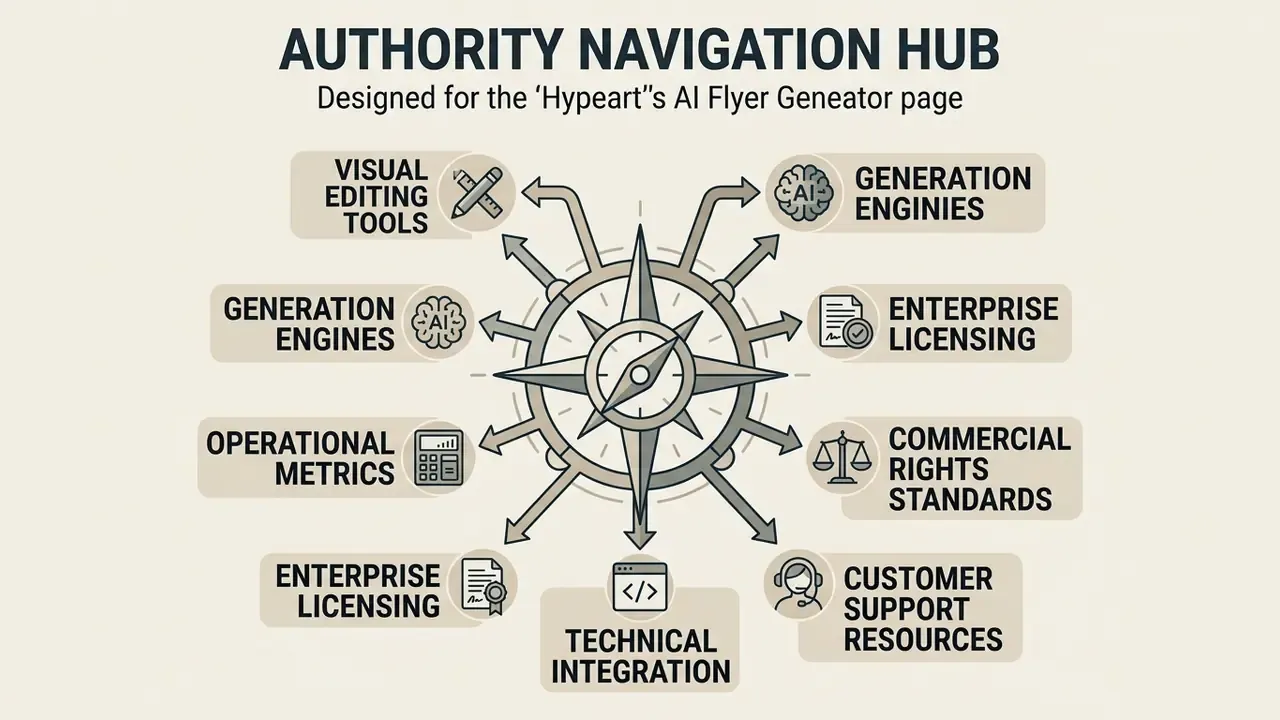
To explore additional technical terminology, operational guides, and compliance documentation, please open the hub or navigate through our specialized resources:
- Review visual editing tools in our photo editor app documentation.
- Compare generation engines in the best AI image generator evaluation.
- Calculate operational metrics using our computational tools; see the overview.
- Evaluate enterprise licensing terms and platform options; explore the hub.
- Access technical integration guides and API documentation; browse the hub.
- Examine commercial rights standards in the AI Media Commercial-Use guide.
- Consult customer support resources and operational documentation; open the hub.