Author note: Marcus Hale writes about AI governance and model risk for this publication.
Executive Summary for Decision-Makers
- Yes, video generation is native.: Perplexity AI renders 8-second MP4 clips with synchronized audio inside Search, Research, and Create modes on Web, iOS, and Android. No third-party tool routing is required.
- Engine: Google Veo 3.1 (Pro/Max and Enterprise Max) and Veo 3.1 Fast (Enterprise Pro), with no user-selectable model.
- Hard technical ceiling: 8 seconds, 1280x720 (720p), 24 fps, MP4 container, audio baked in, no in-app editing or timeline.
- Access economics: Free equals 0 credits (upgrade prompt), Pro gets 5 generations per rolling 30 days, Max gets 15, Enterprise runs on a custom allocation. Extra credits cannot be bought individually.
- Governance flags: consumer Terms of Service restrict use to personal, non-commercial purposes; Enterprise and API terms assign output ownership to the customer. Purely AI-generated output is not registrable with the U.S. Copyright Office.
- Safety envelope: automated classifiers block realistic celebrity, politician, and identifiable real-person likenesses, plus trademarked IP requests. This is the single most common cause of generation failures.
- Correct deployment position: treat Perplexity as a research, scripting, and visual-prototyping surface. Move production work to dedicated AI video platforms and post-production suites.
The Decisions This Guide Supports
Three buyer questions drive most of the traffic to this topic, and they need different evidence.
"Does Perplexity support video generation at all, and where?" This is an entity-verification question. The answer sits in platform documentation, and it changes, so record your verification date.
"Can we use these clips commercially?" This is a contract and copyright question, not a product question. Tier terms, indemnity language, and human-authorship records decide it.
"What does this cost us in control overhead?" Credits are trivial. Prompt logging, PII handling for image uploads, shadow-AI containment, and brand review are where the real spend lands. Most ROI models ignore that column entirely.
If you own model risk, compliance, or AI governance at a US institution, the practical output of this page is a control set you can attach to your existing inventory rather than a feature tour.
Can Perplexity AI Create Videos? The Direct Answer
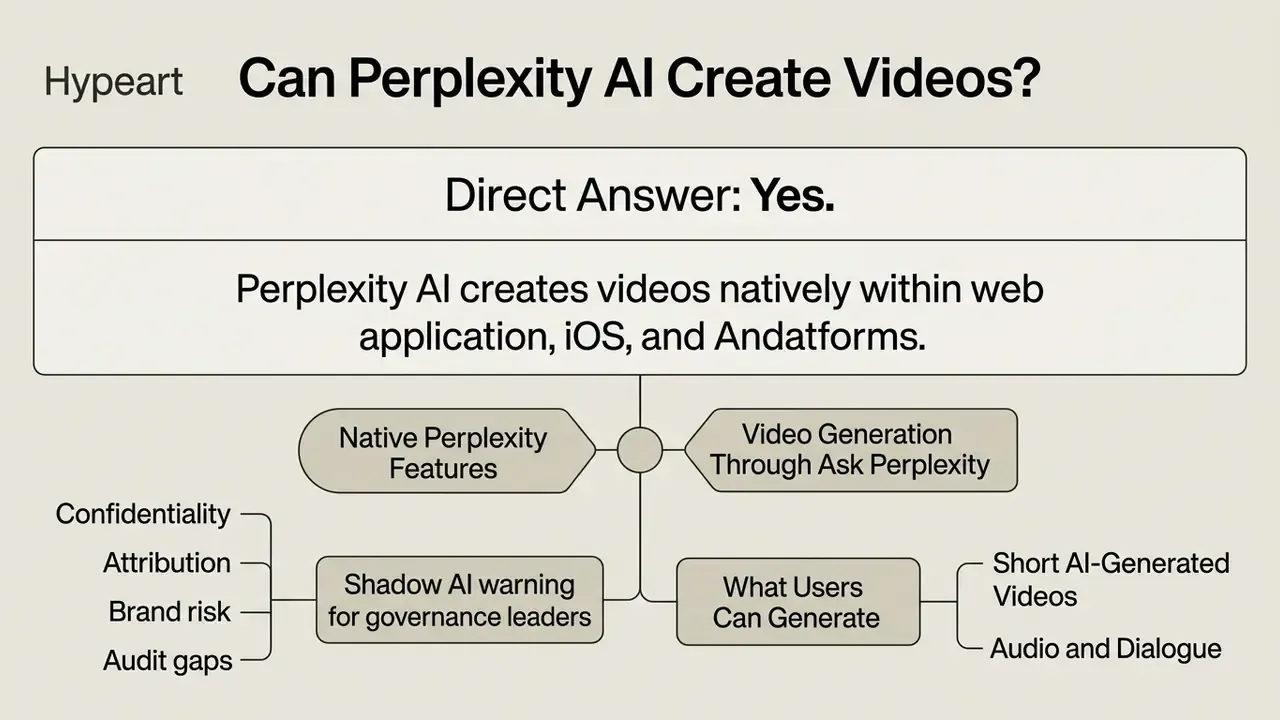
Yes. Perplexity AI can create videos natively within its web application, iOS, and Android platforms. The platform supports native AI video generation across Search, Research, and Create environments, using multimodal models to produce short clips directly from user prompts.
Perplexity AI video generation capability is built into the product rather than routed through an external service. Users submit natural-language prompts into the standard search bar, and the system executes video synthesis using Google's Veo 3-series models, including Veo 3.1 and Veo 3.1 Fast depending on account tier. The generated output appears inline as a downloadable MP4 file. So when someone asks whether the Perplexity AI assistant can create videos, the honest answer is yes, within tight limits.
"Pro and Max subscribers can create 8-second videos with audio on web, iOS, and Android, a powerful tool for ideation and productivity."
"Generating Videos with Perplexity: add a prompt in the search bar, select a Search Mode, and the video is generated inside Perplexity across Search, Research, and Create files and apps." Perplexity Help Center (2026). https://www.perplexity.ai/help-center/en/articles/11985060-generating-videos-with-perplexity.html
In an illustrative model risk assessment for a US fintech evaluation project, a review team audited automated media generation pipelines to establish compliance bounds. The fix was unglamorous: strict prompt logging plus automated metadata tracking across every generative media request. That produced a reproducible audit trail for internal compliance and cut the number of unverified generated assets slipping into downstream marketing systems.
How to reproduce that audit trail. Perplexity does not expose a native prompt-logging console on consumer tiers, so the control has to be assembled around the tool rather than inside it:
- Route all generation requests through Enterprise workspaces where thread history and admin controls are centrally governed.
- Log the prompt string, requesting user, timestamp, tier, and assigned model version in your own DAM or GRC system at the moment of download.
- Hash the downloaded MP4 (SHA-256) and store the hash alongside the prompt record, so any published asset traces back to its originating request.
- Preserve the original unmodified file. Digital-video authentication practice requires the questioned original to be retained and its technical attributes documented before any re-encode.
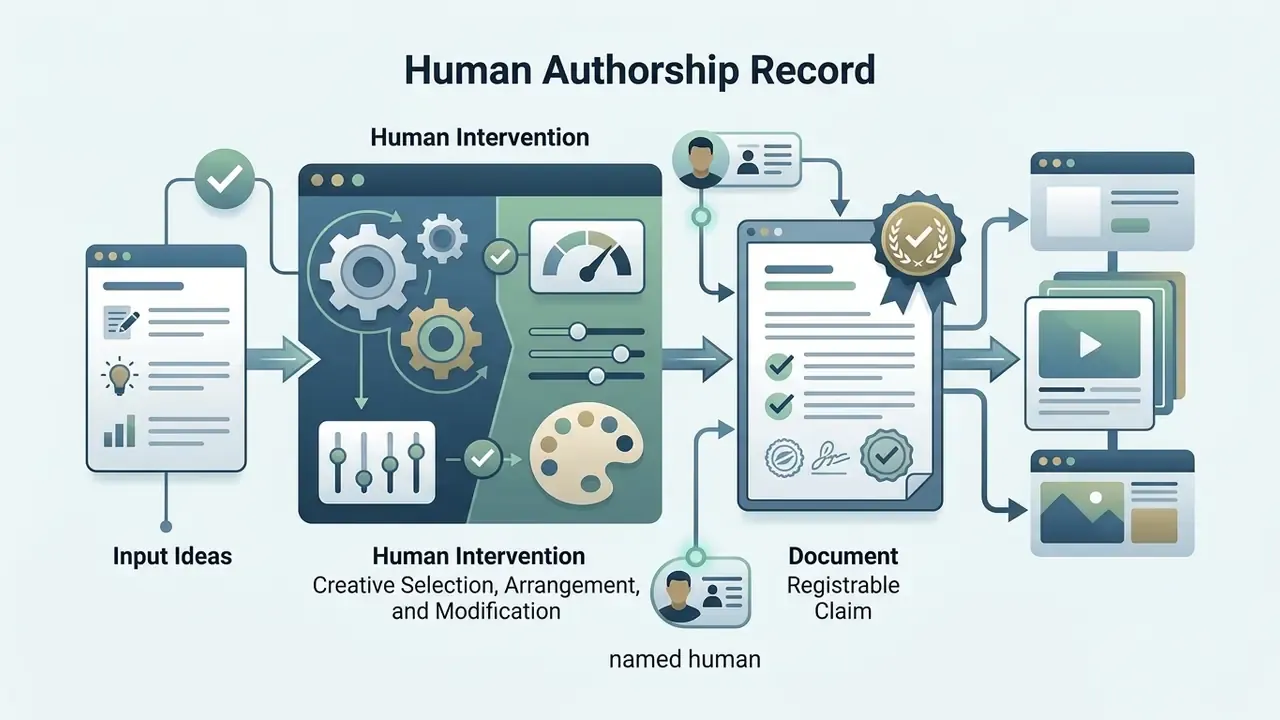
- Flag any asset lacking a human-authored creative selection step, because those assets cannot support a copyright claim.
Quantified impact metrics from that engagement are hypothetical and illustrative. Benchmark your own baseline propagation rate before and after implementing prompt logging rather than importing someone else's percentage.
Native Perplexity Features vs Video Generation Through Ask Perplexity
Native Perplexity AI video creation happens inside the official product workspace. Social integrations behave differently: they operate through platform-specific bots. Subscribers on Perplexity Pro or Max use the primary search bar to trigger generation inside their authenticated session.
Ask Perplexity on X (formerly Twitter) is a public-facing bot interface. Users tag @AskPerplexity in a public post with a prompt, and the bot replies with an AI-generated video. Native application access requires a paid account and provides private asset management. The social bot offers public, ad-hoc generation with no Perplexity subscription at all. Convenient. Also uncontained.
"Simply mention @AskPerplexity in a tweet with a short description, and the bot replies with a unique AI video complete with visuals, music, and dialogue."
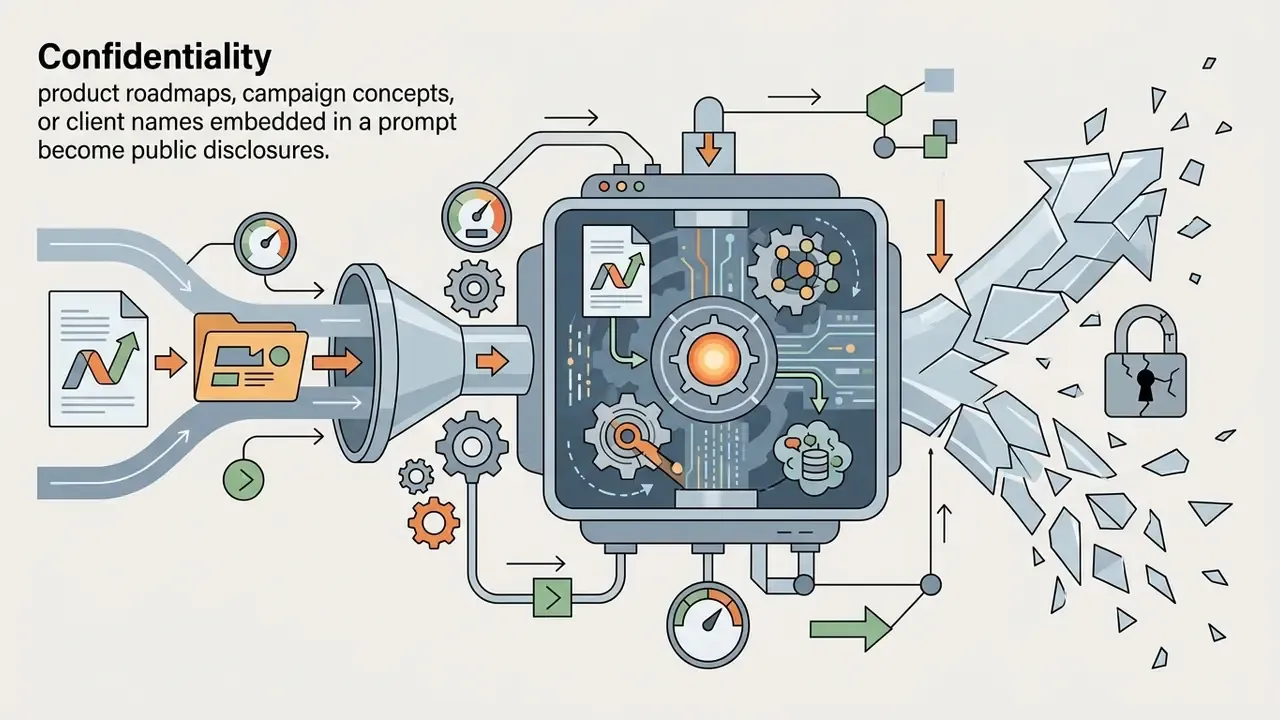
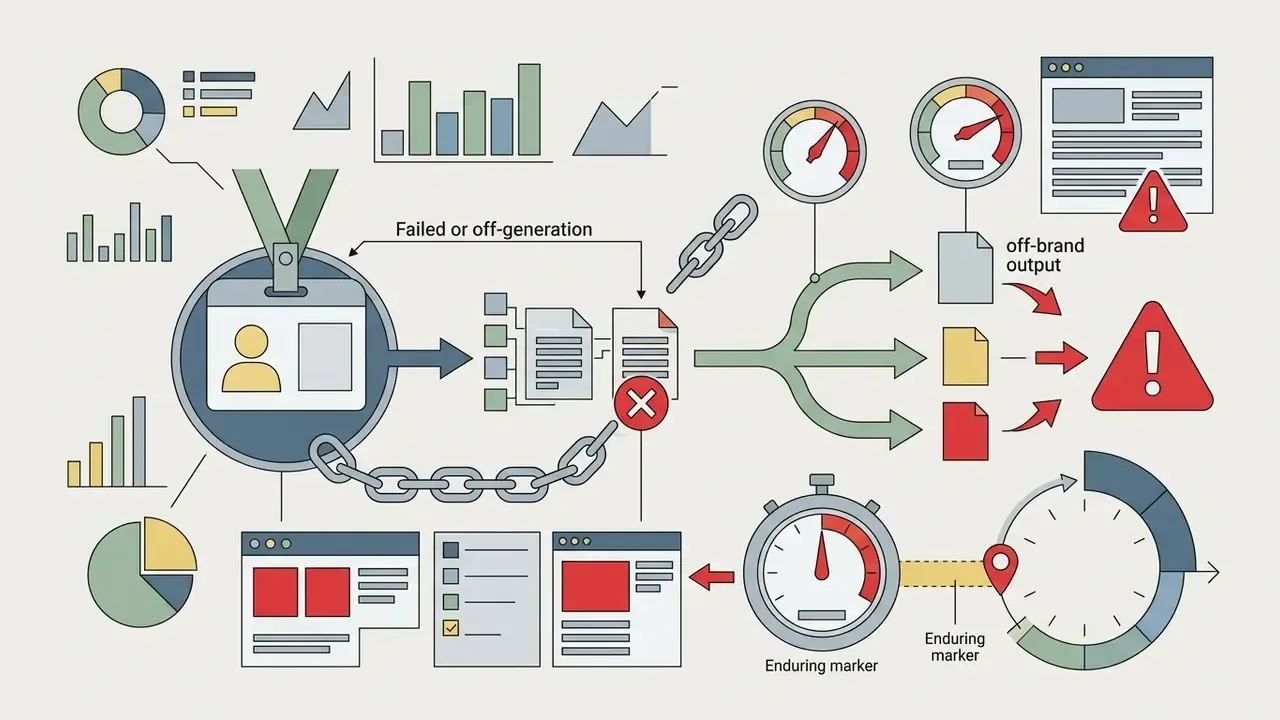
Shadow AI warning for governance leaders. The public bot path sits architecturally outside your control perimeter. Every prompt submitted to @AskPerplexity is a public post: the request text, any attached imagery, and the rendered output are visible to anyone, indexable, and permanently tied to the employee's personal social identity. For regulated organizations that creates four distinct exposures:
Recommended control: permit generative video only inside authenticated Enterprise workspaces, and name public AI social bots explicitly in your acceptable-use policy as prohibited channels for work-related content.

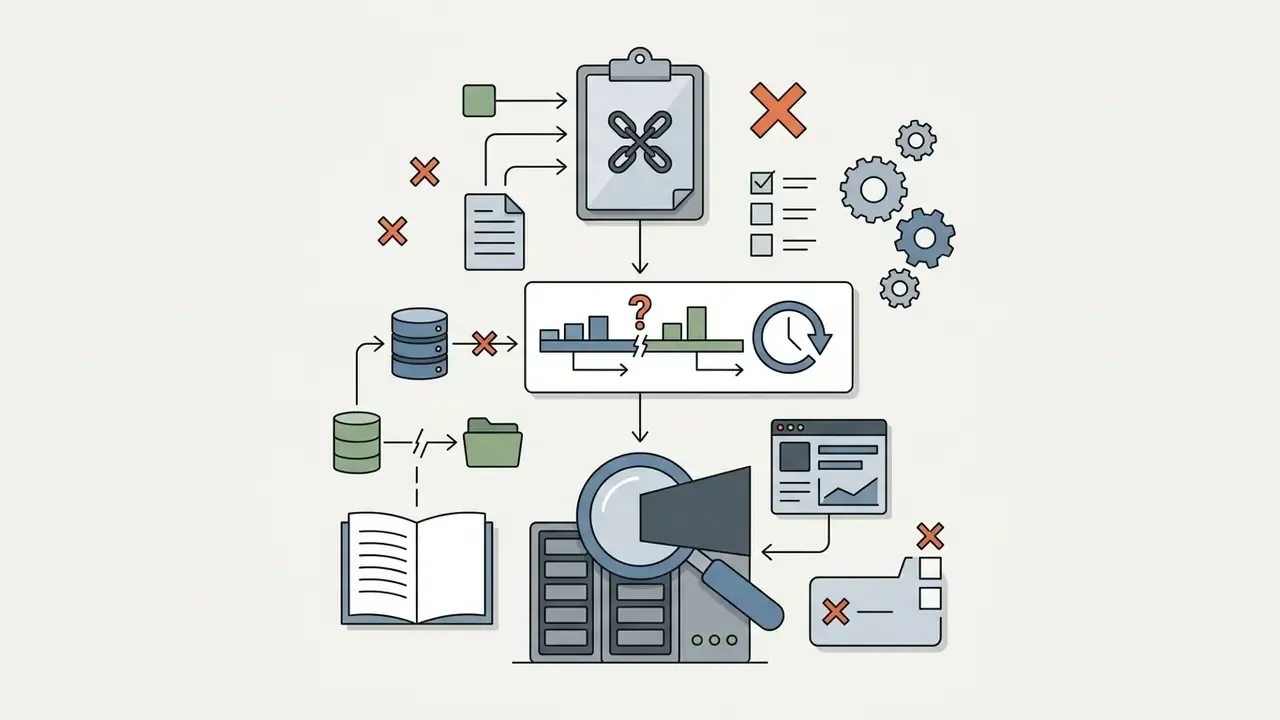
What Users Can Generate: Short AI-Generated Videos, Audio and Dialogue
Perplexity AI generates short clips of up to 8 seconds with synchronized audio. The underlying model produces background music, ambient environmental sound, and multi-character spoken dialogue directly from text instructions.
Visual motion and acoustic tracks are synthesized in a single pass. Users cannot generate standalone audio or an isolated dialogue file without video; the output always arrives as a unified MP4 containing both streams. Teams that need audio-only assets should look at a purpose-built ai instrumental generator instead of trying to strip a soundtrack out of an 8-second render.
"Ask Perplexity can produce videos with native audio and dialogue for multiple characters, the first chatbot on X with that capability."
Perplexity AI Video Generation Capabilities by Input Type
Perplexity AI supports two input modalities for media creation: text-to-video generation and image-to-video conversion. The system accepts a natural-language prompt alone, or a prompt combined with a single uploaded reference image that steers motion synthesis.
The functional boundaries of each modality decide how prompts and visual assets are processed. The matrix below sets out operational parameters, prompt roles, and structural constraints for both input types.
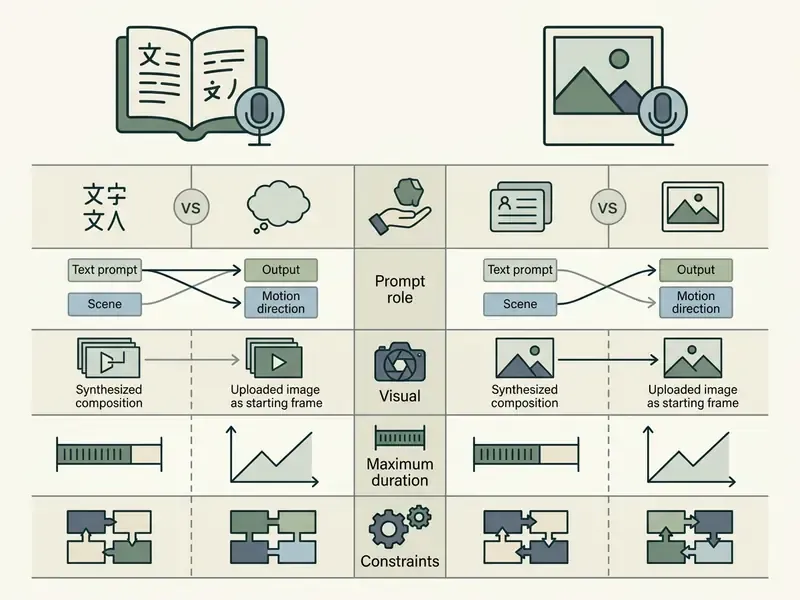
In plain terms: text-to-video buys you freedom and variance, image-to-video buys you control over the opening frame and little else.
Text-to-Video: Creating a Video From a Prompt
The Perplexity AI text to video pipeline produces complete visual and acoustic motion sequences purely from written instructions. Users describe setting, subjects, camera movement, lighting, and audio inside the query bar, the same core mechanic used by other text-to-video AI tools.
When processing a text-only prompt, the system uses Veo 3.1 to construct spatial and temporal elements from scratch. Clear instructions about subject action and environmental context produce the strongest visual fidelity and narrative alignment. Google's own Veo prompt guidance advises stating scene and context explicitly, the "where" and the "when", and writing audio requirements in separate sentences. Small discipline, noticeable difference.
Image-to-Video: Animating Images With AI
The Perplexity AI image to video feature turns a static photograph or graphic into an animated sequence. When an image is uploaded, the platform anchors that exact file as the initial frame of the clip.
Perplexity AI video generation from image accepts exactly one image per query. Subsequent frames animate the subjects based on the accompanying text prompt, which makes the feature useful for putting static logos, product shots, or character headshots into motion. That is the standard behaviour pattern for image-to-video AI systems, and it is also why teams building recurring visual identities usually pair it with an ai influencer generator or a dedicated character pipeline.
Perplexity's documentation does not publish formal minimum resolution, aspect-ratio, or file-format thresholds for uploads, and it does not expose mask-based animation, motion brushes, or camera-path controls. At the model layer, Google's Veo 3.1 reference-image mode caps input images at 20 MB and supports 9:16 or 16:9 aspect ratios, so prepare uploads within those bounds to avoid rejection. Worth noting: creative teams experimenting with stylized frames often source them from ai in art workflows first, then animate the selected still here.
Video Length, Quality and Editing Limits to Check Before You Start
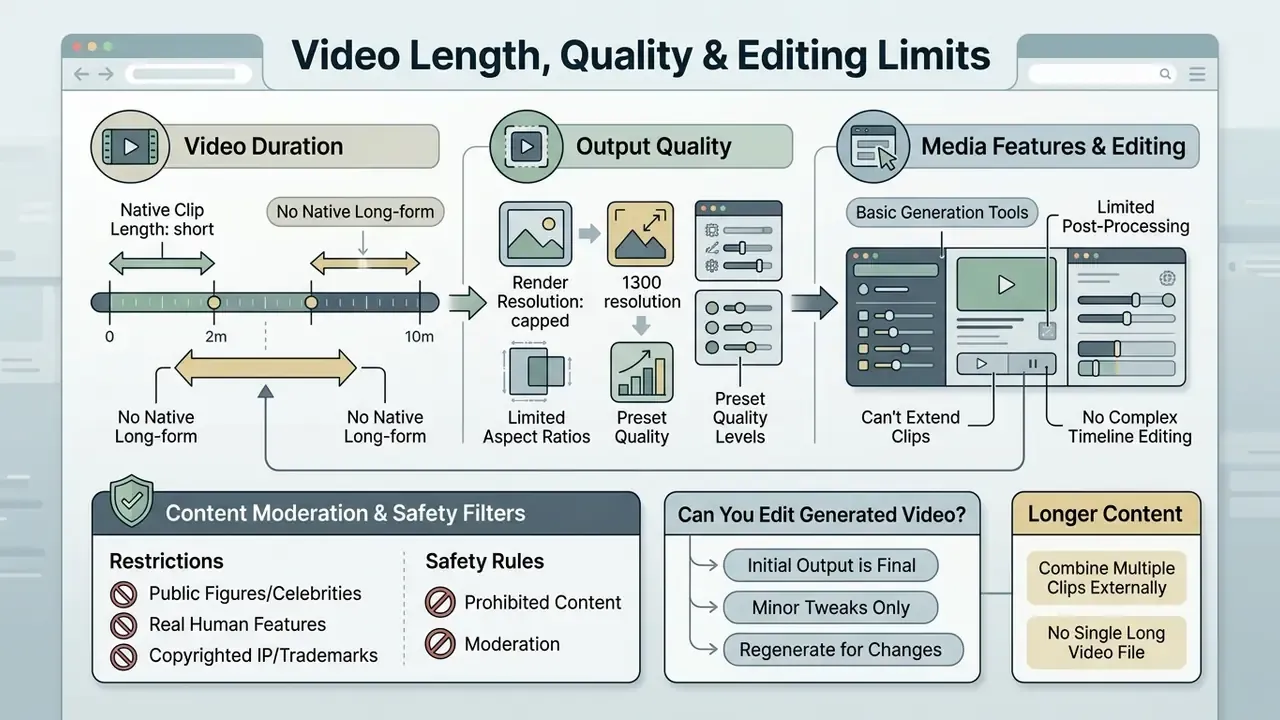
Perplexity AI enforces strict bounds on clip duration, rendering resolution, and post-generation modification. Review those boundaries against your production requirements before writing a single prompt or committing credits.
Understanding the operational limits prevents workflow bottlenecks and clarifies exactly when external media tools become necessary. The sections below cover output constraints, editing limitations, and the safety classifiers that decide what can be rendered at all.
Video Duration, Output Quality and Available Media Features
Every AI-generated video created inside Perplexity AI is capped at 8 seconds per output, as stated in the official Help Center.
"Both test videos had a resolution of 1280x720 pixels and a frame rate of 24 fps in MP4 format."
Independent file-container testing therefore places the standard output at 1280x720 pixels (720p HD), 24 frames per second, MP4 container. Hands-on developer testing corroborates the same duration, resolution, frame rate, automatic audio, and a 1-2 minute processing window.
The system pairs motion with native audio generation automatically: sound effects, background ambiance, or character dialogue. Users cannot adjust frame rate, output resolution, or audio bitrate in the native interface, and the model itself is not selectable, since tier assignment is automatic. One caveat that matters for expectation-setting: the wider Veo 3.1 family supports 720p, 1080p, and 4K at 4, 6, or 8 seconds, while Perplexity currently surfaces only the 720p / 8-second configuration to end users.
Can You Edit a Generated Video or Create Longer Content?
Perplexity AI contains no internal video editing tools, no timeline, no frame trimming, no clip stitching. Once a video renders, it cannot be modified, re-timed, or extended inside the workspace.
"No, video editing or iteration on previously generated videos is not supported. Once a video is generated, it cannot be modified or edited within Perplexity."
Anything longer than 8 seconds means generating multiple separate clips and exporting them into external editing software. Teams needing professional production, colour grading, or complex audio mixing must move assets into dedicated post-production tools. Groups working without a licensed suite can start from a shortlist of free video editing software, then graduate to Premiere Pro or DaVinci Resolve for multicam, codec-heavy, or long-form sequences.
Content Moderation, Safety Filters, and Real-Person Restrictions
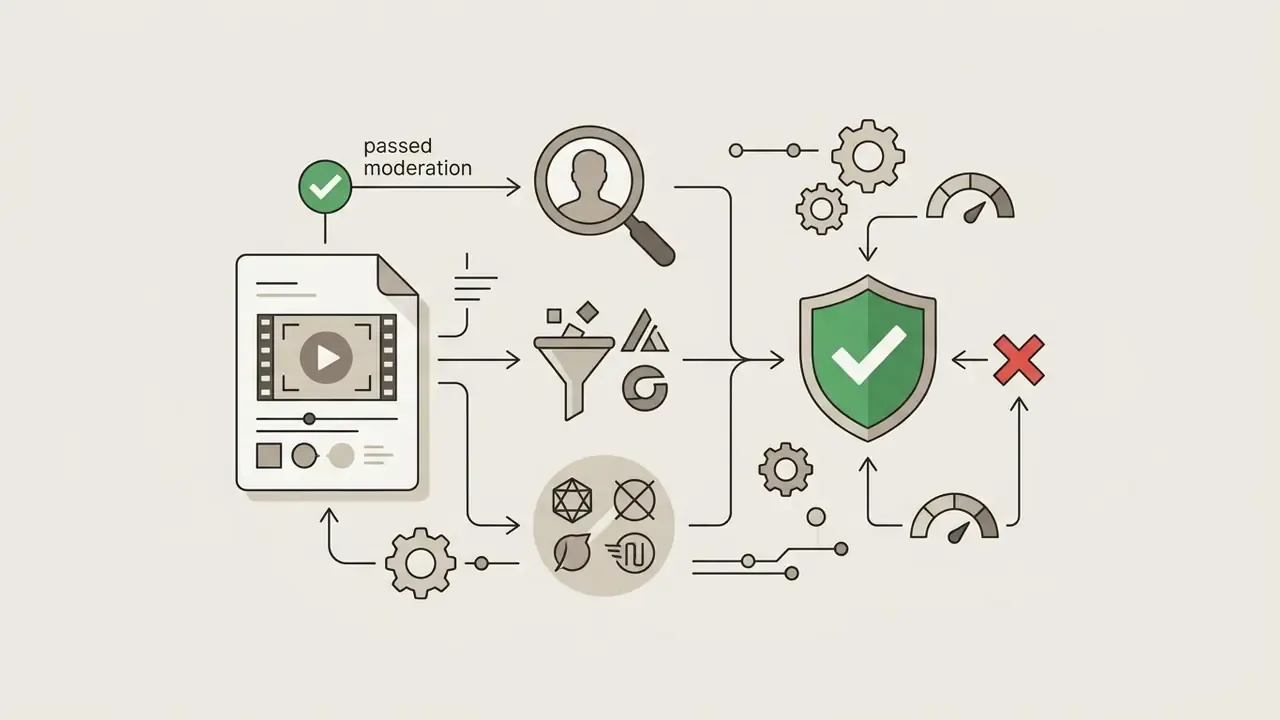
Perplexity AI applies automated safety classifiers at prompt ingestion to respect copyright law and limit synthetic misinformation. The system rejects prompts and halts rendering in these cases:
- Public figures and celebrities realistic likenesses of politicians, celebrities, or public personalities are blocked outright.
- Real human features prompts requesting synthetic depictions of identifiable individuals trigger a moderation alert.
- Copyrighted IP and trademarks unedited corporate logos, protected media franchises, or explicit brand requests may fail visual synthesis.
When a prompt trips moderation, the interface shows a generation error citing a usage-policy violation. The fix is usually simple: strip personal names and trademarked terms, then substitute generic descriptive equivalents. Replace "Elon Musk speaking at a podium" with "a tech executive giving a keynote presentation" and the render typically proceeds.
"Perplexity has implemented safeguards against realistic reproduction of celebrities: even with a direct request, the system generates generic characters with only distant resemblance."
Two operational consequences matter for teams tracking credit burn. First, moderation-triggered failures still consume workflow time even when no credit is charged, so sanitise prompts before submission. Second, moderation is the most frequent explanation for a "video did not generate" state. Rewrite the prompt in generic language and retry before escalating a support ticket.
How to Generate Videos With Perplexity AI
Generating videos with Perplexity AI means submitting a structured text query inside the web or mobile interface. Users write scene instructions, attach an optional visual reference, and execute generation straight from the search bar.
For governance and operational consistency, standardise the execution workflow. The sequence below runs from access to verified asset.
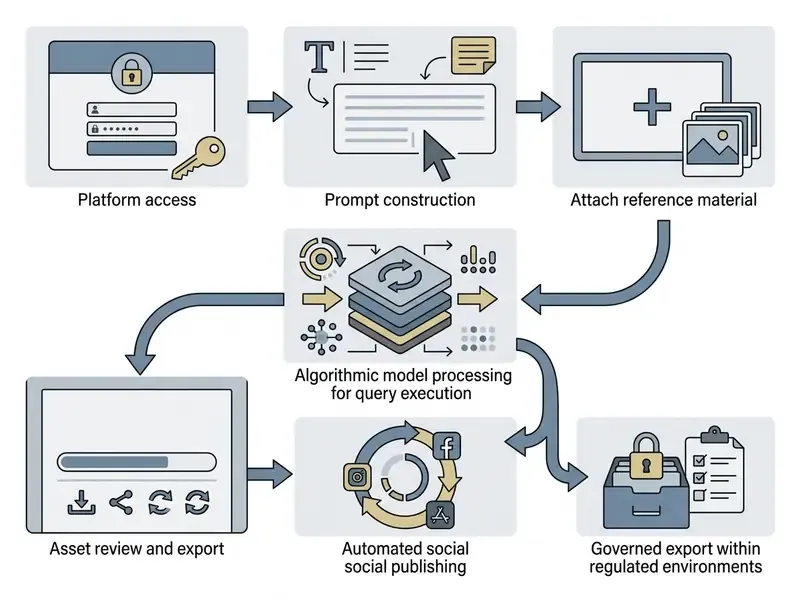
A note on that automated publishing path: it is genuinely fast, and it also bypasses every review gate your marketing compliance team spent two years building. Disable it for work accounts unless the approval step happens upstream.
Write Prompts for Scene, Action, Mood and Sound: The 5-Pillar Framework
Review the Result and Handle Generation Delays
Generated videos appear inside the conversation thread once processing finishes, usually within one to two minutes.
"After pressing Enter, Perplexity processes the request for roughly one to two minutes, after which the video appears directly in the app."
Heavy server demand or complex multimodal prompts introduce delays and queue states. Generation is an asynchronous job: the request moves through queued and in-progress states before the file returns, and under load a single render can run well past the nominal two-minute window.
If processing stretches, let the job finish rather than resubmitting. Duplicate submissions risk consuming a second credit for the same creative brief. Once rendered, review the file, hit Regenerate for a fresh sample, or refine the underlying prompt. Teams scripting bulk requests against generative video endpoints should poll job status every 10-20 seconds with exponential backoff instead of tight-loop retries; the same discipline applies across most AI Media API Guides.
Enterprise Adoption and Governance: Plans, Credits, Data Privacy and Commercial Use
Native video creation is restricted to paid tiers, each with its own monthly allocation. Free accounts get no access to native AI video generation.
Subscription tier determines model quality, rate limits, and processing priority. The table below shows access permissions and credit structures by plan. Verify current terms against the official pricing page before budgeting, since allowances have already changed once.
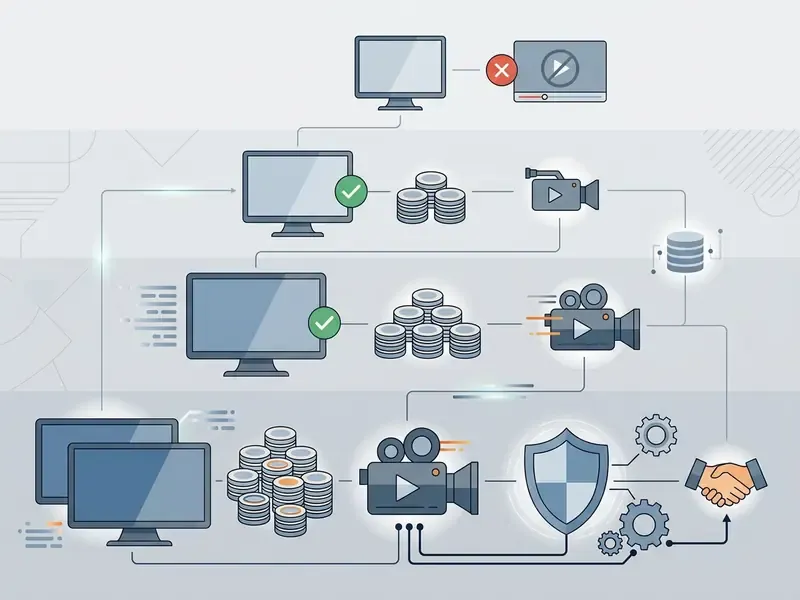
Cost modelling across tiers is easier with side-by-side inputs; our AI Media Pricing Guides and AI Media Calculators exist for exactly that comparison.
Is Video Creation Available on Free or Pro Plans?
Video creation is not available on the Free plan. Attempting it triggers a subscription upgrade prompt. The feature needs an active Pro, Max, or Enterprise subscription.
Pro subscribers get a baseline of 5 generations per rolling 30-day window. Max subscribers get 15, with higher processing priority. Additional credits cannot be purchased individually once the limit is hit. The quota replenishes on a rolling 30-day basis, and the only route to more capacity is a tier upgrade or an Enterprise agreement with a custom allocation.
"Max and Pro subscribers start with 15 and 5 video generation credits per month respectively; these limits will increase over time."
"In practice, a Pro account in Heise's testing exhausted its allowance after just two generations, after which the system prompted an upgrade to Max." Heise Online (2025).
Budgeting implication. Nominal and effective quotas can diverge, and failed or off-brief renders still consume creative cycles. Treat the credit pool as a scarce prototyping resource, not a production pipeline. Any team that needs dozens of clips a month should price a dedicated generative video subscription or API allocation rather than buying more Perplexity seats.
Data Privacy, Security and Shadow AI Controls
Enterprise buyers need answers on data handling before rollout, not after the first incident. The controls below reflect what platform documentation states and what must be confirmed contractually.
Availability of specific certifications, retention windows, and training-exclusion clauses varies by contract and region. Verify each with Perplexity's enterprise team and record the answers in your vendor risk file rather than assuming them from public documentation.
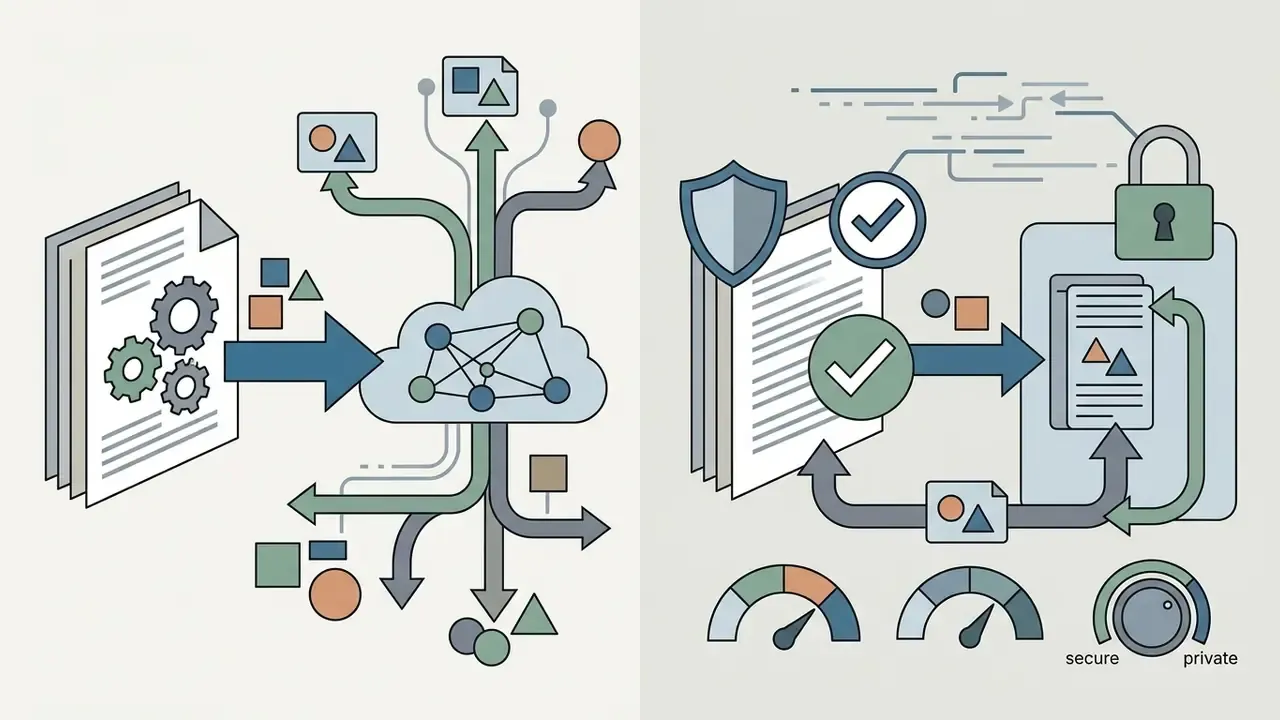
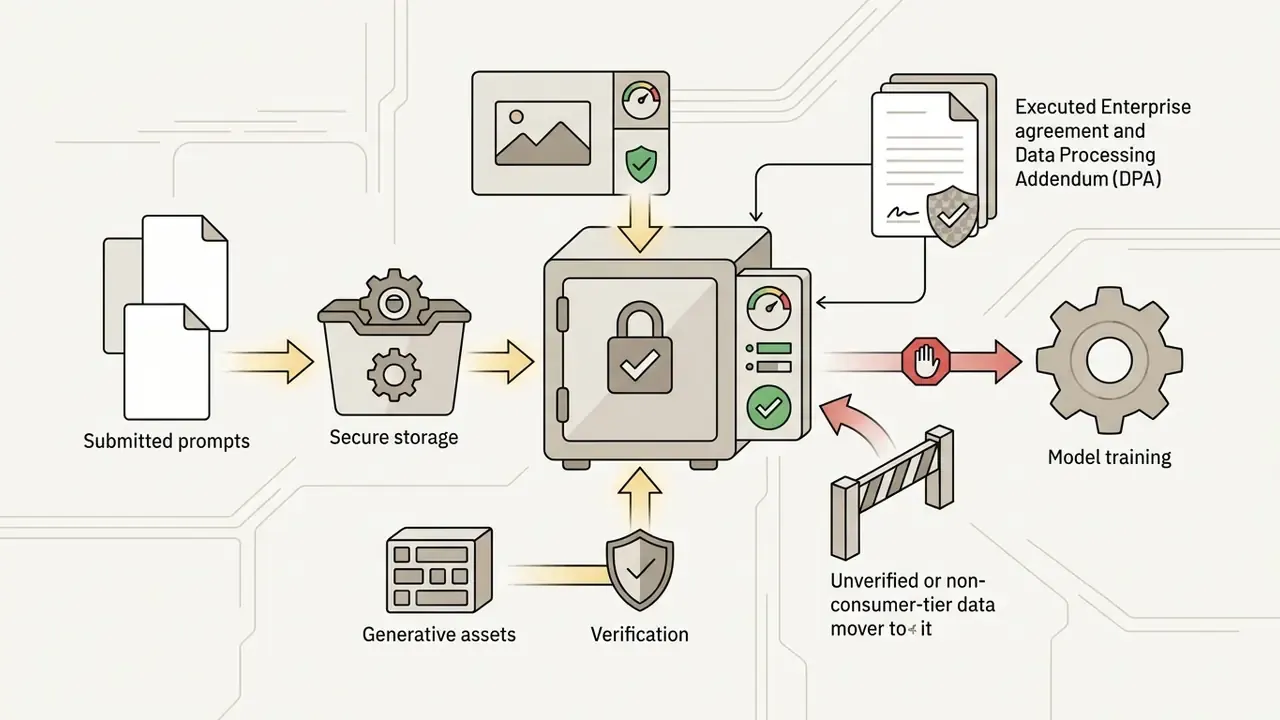

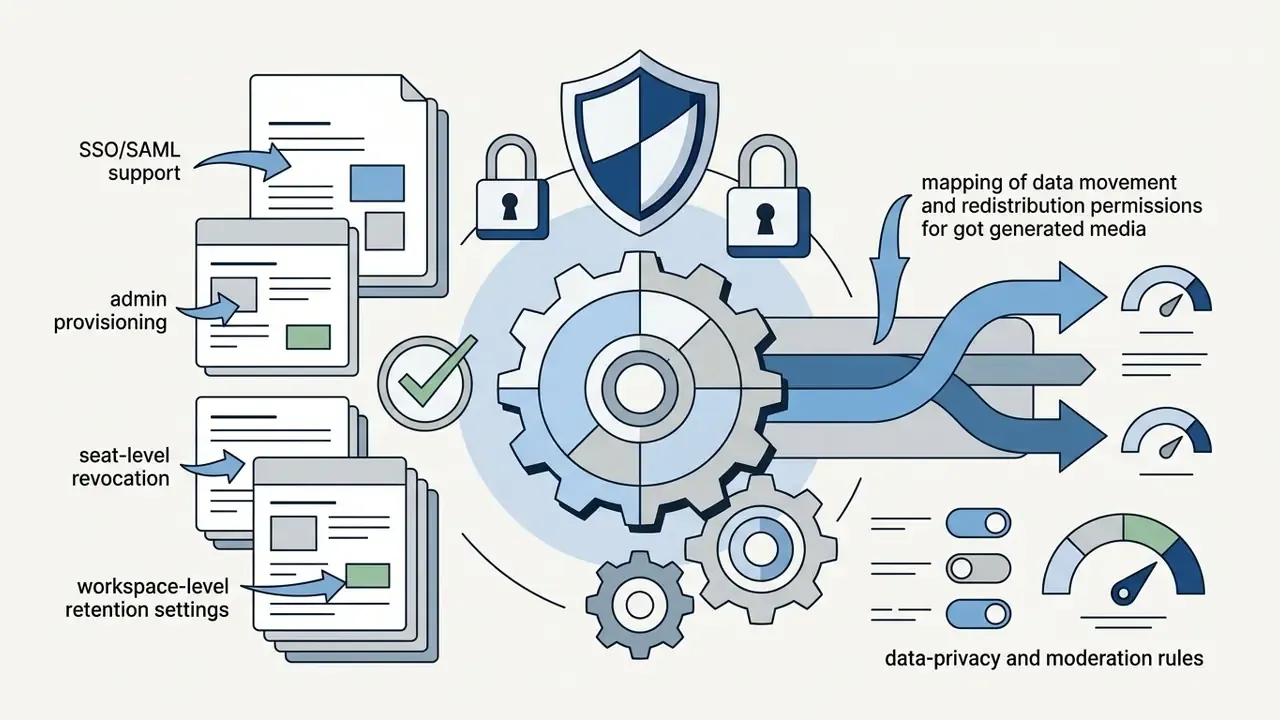
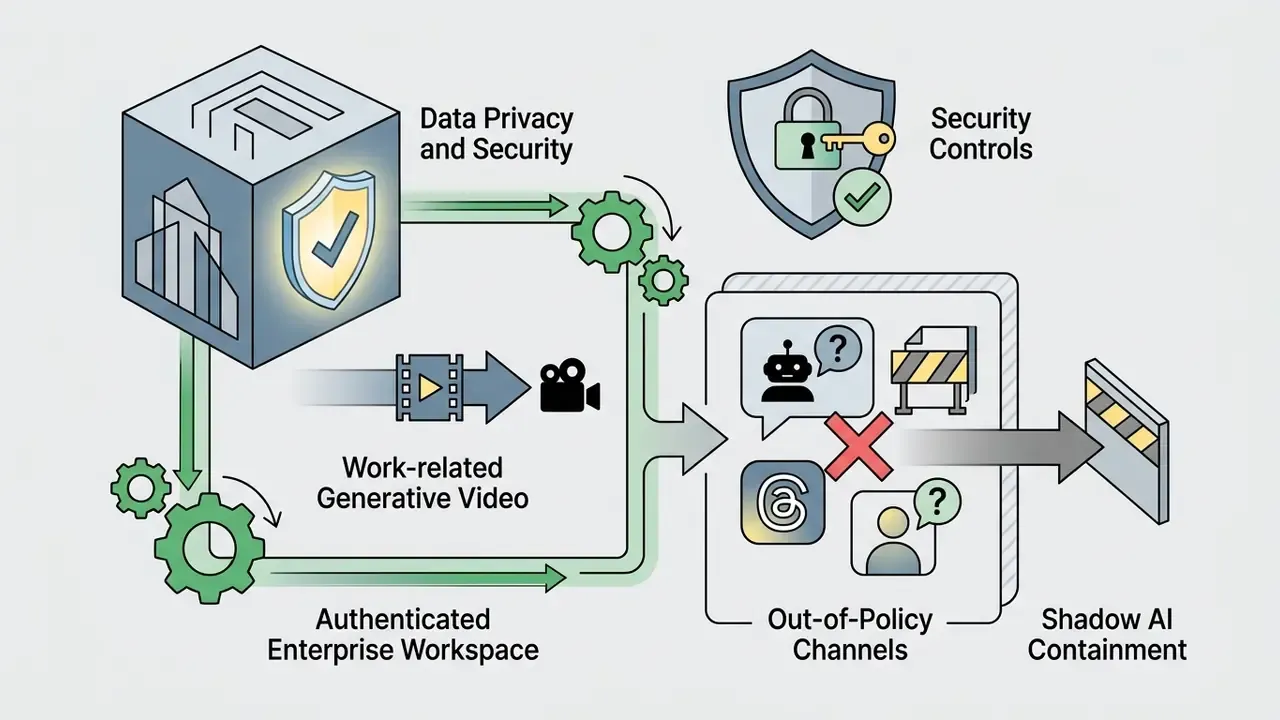
@AskPerplexity on X, as out-of-policy channels.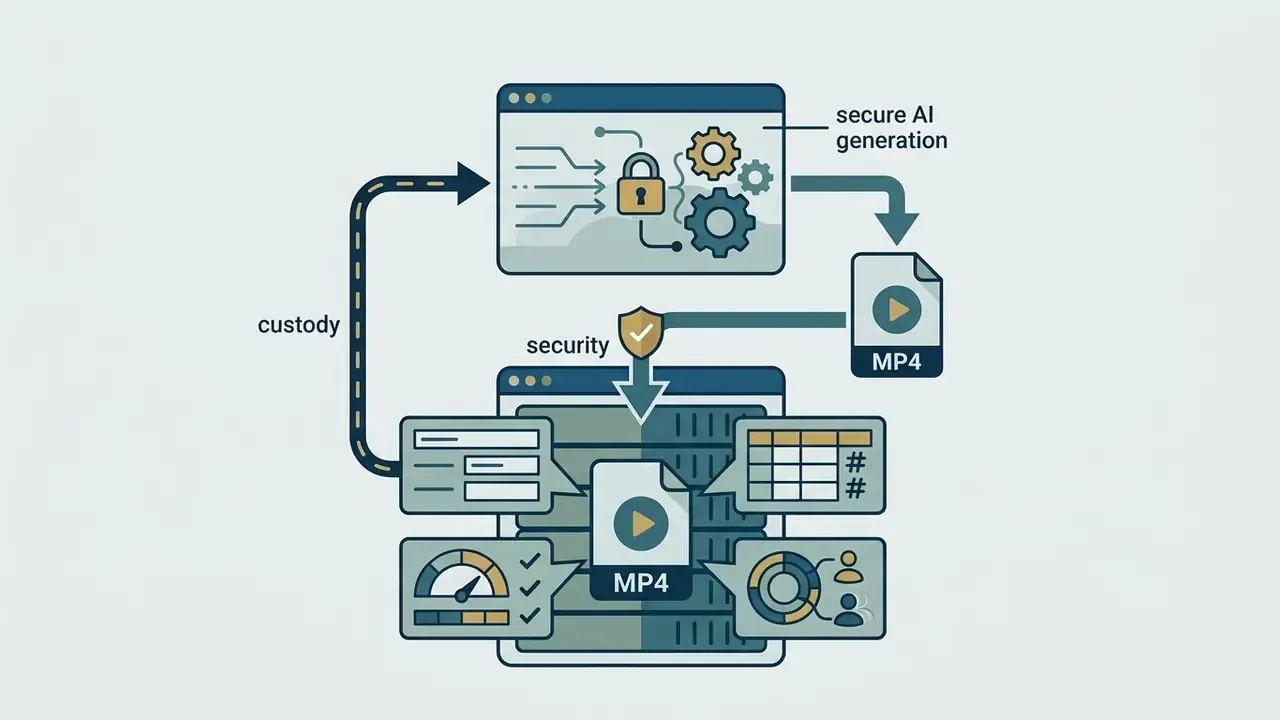
Commercial Use: What to Verify Before Publishing AI-Generated Videos
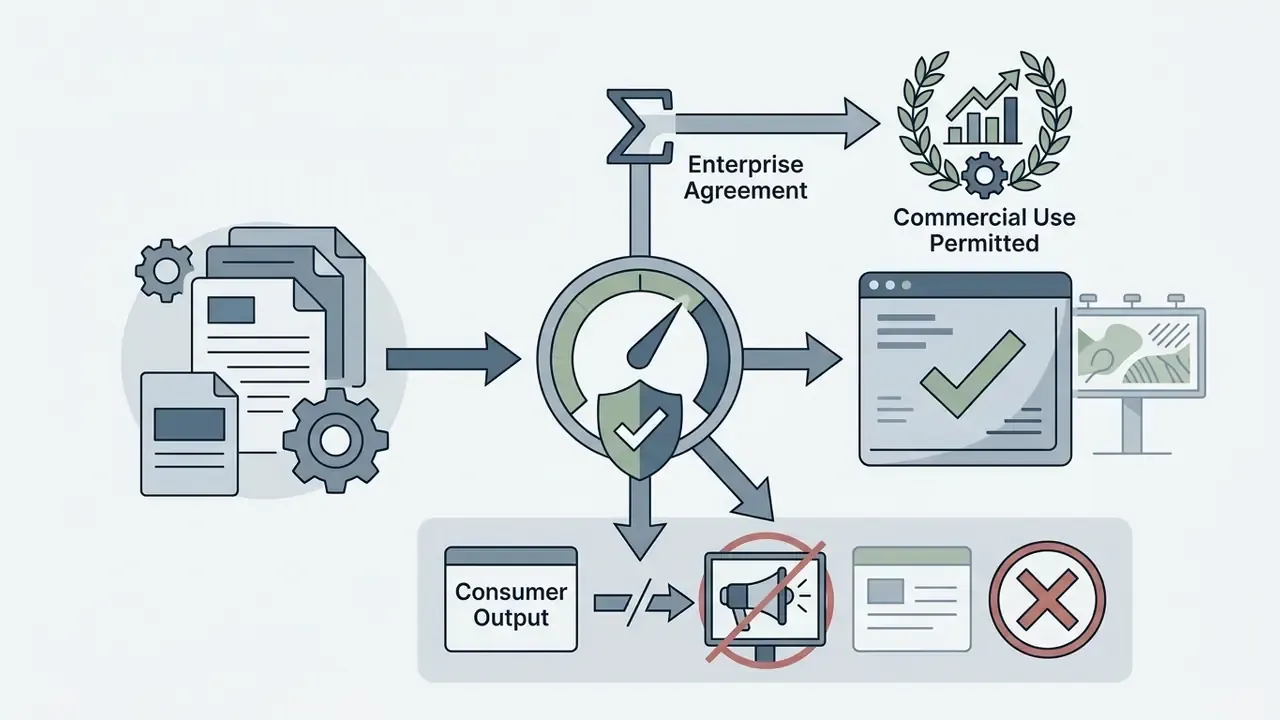
Commercial deployment of AI-generated media requires legal verification of platform terms, third-party rights, and copyright precedent. Perplexity's standard consumer terms govern personal, non-commercial platform use. The Terms of Service state that the Services are for personal, non-commercial use only and forbid commercial exploitation, including commercial advertisement or solicitation. Enterprise agreements carry distinct IP ownership provisions that assign output to the customer. Broader licensing patterns are mapped in our AI Media Commercial-Use guides.
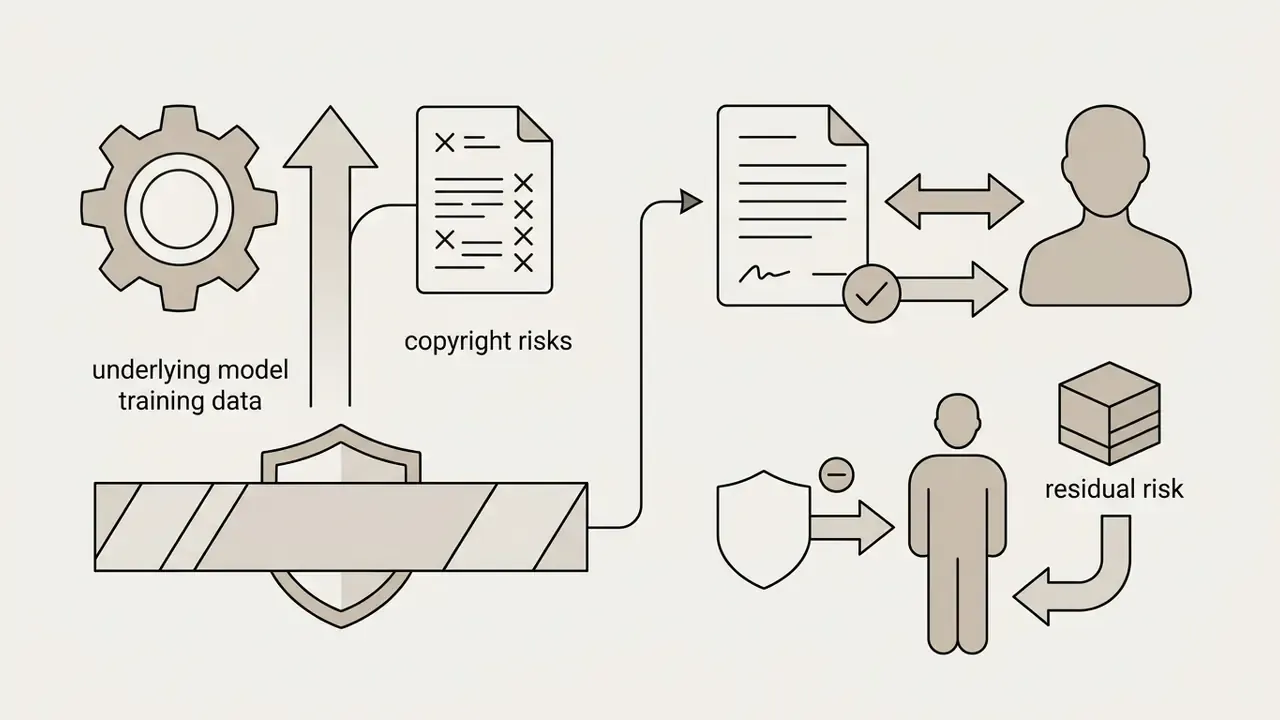
Corporate risk policy has to address residual legal exposure when generated media appears in public campaigns. Maintain human oversight and document prompt provenance so a copyright claim exists for the human-authored selection. Ongoing disputes that shape this area are tracked in the AI Litigation and Case Timelines.
Pre-Deployment Security and Compliance Checklist
Checklist0 / 10
When Perplexity Is Best for Video Creation and When You Need Other Tools
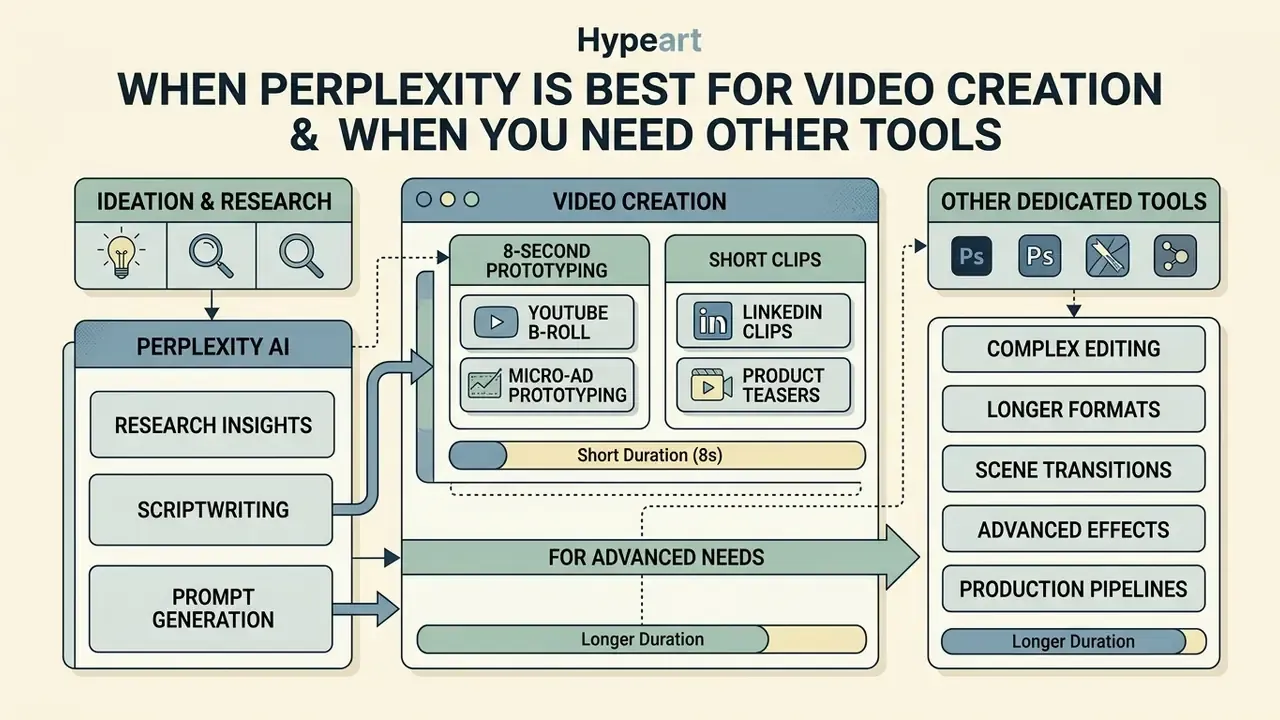
Perplexity AI performs as an integrated research, scriptwriting, and visual prototyping surface rather than a production environment. Knowing the trade-offs lets technology leaders assign the right tool to each phase, using the same evaluation logic applied when shortlisting AI video generators for a production stack.
The platform's strength is rapid visual ideation inside a conversational search workflow. The matrix below compares it against dedicated generative video platforms.
The conclusion in one line: Perplexity wins the thinking phase, dedicated tools win the making phase. Extended head-to-head views live in our AI Media Comparison Matrices.
Use Perplexity for Research, Scripts and Better Video Prompts
Perplexity AI fits the discovery and concept-formulation stages of content development. Teams run live market research, draft storyboards, and produce initial 8-second visual proofs-of-concept in one workspace.
Using the assistant to compress a complex topic into a clear video script speeds up the whole creative cycle. Its language models also generate refined visual prompts that can be tested internally or exported to specialized rendering engines. That portability matters more than it sounds: a good prompt is reusable, an 8-second 720p clip usually is not.
"Perplexity lets you fold video generation into multi-step workflows, from brand development to pitch-deck creation, with multimodal outputs."
High-Impact Operational Use Cases for 8-Second Clips
Despite the duration boundary, organizations get real value from Perplexity video output in four production niches:
- YouTube b-roll sequences quick 720p visual transitions and background visualizers for voiceover tutorials.
- LinkedIn thought leadership animating static charts into moving summaries, often starting from output produced by an ai infographic generator.
- Micro-ad prototyping testing hook scenes and visual concepts before committing budget to a full production team.
- Product teasers converting static product shots via image-to-video into rotating hero assets for email campaigns.
Creators also report using clips as visual aids in educational tutorials, as short segments inside business pitch decks, and as vertical assets sized for Instagram Reels, TikTok, and YouTube Shorts. In those formats an 8-second ceiling is a native constraint rather than a limitation, which is precisely why the tool works better for social than for broadcast.
Choose Dedicated Video Tools for Advanced Editing and Production
Limitations and Open Questions
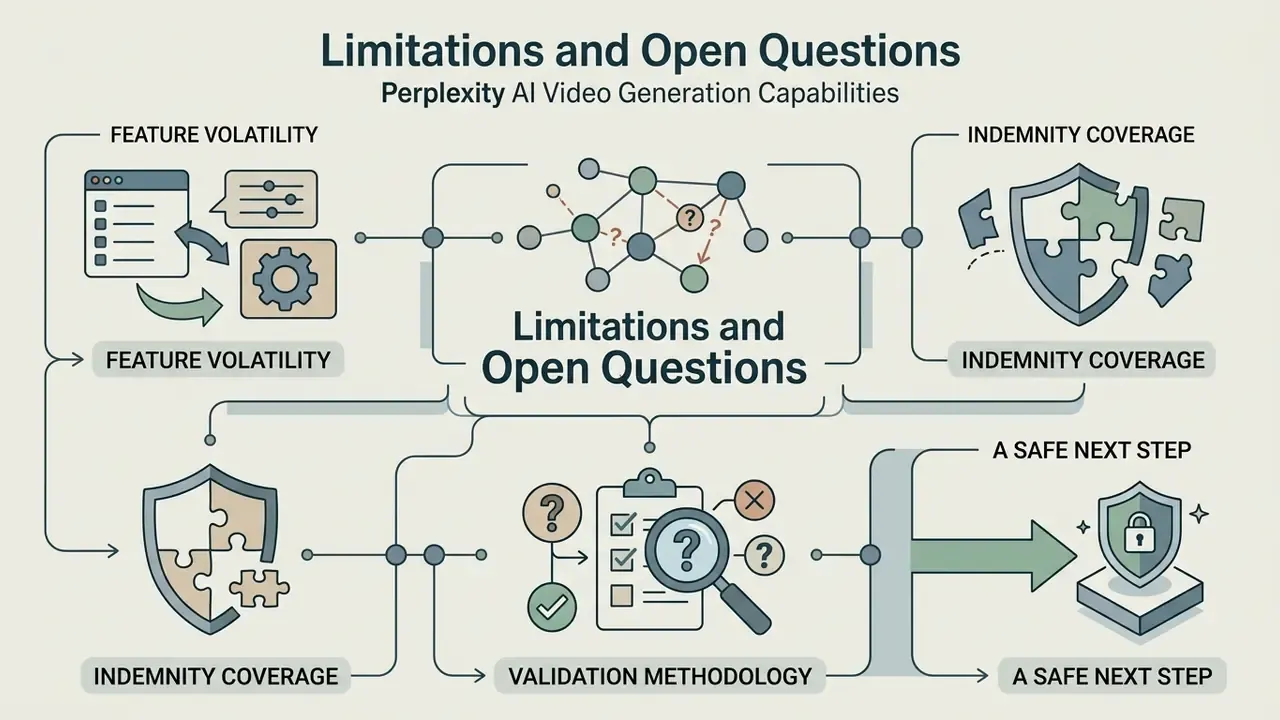
Honest assessment requires naming what is still unresolved.
Feature volatility. Perplexity has already changed credit allowances once and signalled that limits will rise. Any figure on this page is a snapshot, not a contract. Re-verify before a purchase decision.
Model attribution. Because tier-to-model mapping is automatic and invisible, you cannot prove in an audit trail which exact model version produced a given clip unless you log it manually at download.
Indemnity coverage. Public documentation does not settle whether enterprise agreements cover third-party training-data claims. That answer comes from your contract negotiation, not from a help centre article.
Validation methodology. Traditional model validation was built for scored decisions with measurable error rates. An 8-second generative render has no ground truth. Most institutions are still treating this class of tool under acceptable-use and brand-review controls rather than full model risk validation, and that gap deserves an explicit board-level position.
A safe next step. Add generative video to your AI inventory as a low-materiality, high-visibility tool. Restrict it to an Enterprise workspace, log prompts and hashes at download, and require human sign-off before any external publication. That is enough to remove the shadow-AI exposure without stalling the marketing team.
FAQ: Perplexity AI Video Generation
Can I edit a Perplexity-generated video afterwards?
No. Editing and iteration on previously generated videos are not supported. Post-generation actions are limited to share, download, and regenerate. Trimming, stitching, and grading happen in external software.
Can I create videos longer than 8 seconds?
Not in a single generation. The cap is 8 seconds per output, so longer sequences require multiple clips stitched together outside the platform.
Can I choose the model or the resolution?
No. Model assignment (Veo 3.1 vs Veo 3.1 Fast) follows your subscription tier automatically. Resolution, frame rate, and audio bitrate are fixed at 720p / 24 fps in the native interface.
Which modes support video generation?
All primary modes: Search, Research, and Create files and apps, on Web, iOS, and Android.
Why did my video fail to generate?
Content moderation is the most common cause. Prompts naming real people, public figures, or trademarked IP get rejected. Rewrite in generic descriptive language and retry. Secondary causes are exhausted monthly credits and platform load.
Can I buy extra video credits?
No. Credits cannot be purchased individually. The allowance replenishes on a rolling 30-day cycle, and more capacity requires a tier upgrade or an Enterprise allocation.
Is the output safe for commercial campaigns?
Only under an Enterprise agreement that permits commercial use, with human authorship documented and likeness and trademark clearance completed. Consumer terms restrict use to personal, non-commercial purposes.
Are my prompts and uploaded images used to train models?
Consumer terms grant Perplexity a broad licence to use submitted content to operate the service. Enterprise and API terms assign input and output ownership to the customer. Training-exclusion commitments must be confirmed contractually.
How long does generation take?
Typically one to two minutes. Generation is asynchronous, so let the queued job finish instead of resubmitting.
Does Perplexity support SSO for enterprise rollout?
Identity integration, admin provisioning, and retention controls should be confirmed directly with Perplexity's enterprise team during vendor onboarding.
Do non-English queries reach the same feature set?
Yes. Searches phrased in other languages, including Spanish queries such as "perplexity ai crear videos capacidad", resolve to the same native capability, the same 8-second ceiling, and the same tier restrictions described above.
External Context and Ecosystem Resources
For organizations setting governance and technical standards across multimodal AI assets, these guides add operational context:
- Developer implementation details on Google's underlying video architecture sit in the Google Veo API Guide.
- Alternative generative media platforms are compared in our Best Free AI Video Generators Comparison.
- Terminology for voice and video models is defined in the AI voice generator guide.
- Visual asset editing and expansion techniques are covered in our overview of AI Image Outpainting Tools and the YouTube Video Editing Workflows.
- Delivery optimisation for exported MP4 assets is handled in the video compressor guide.
- Ongoing operational questions belong in AI Media Support and Troubleshooting.
Appendix A: Editorial Revision Log