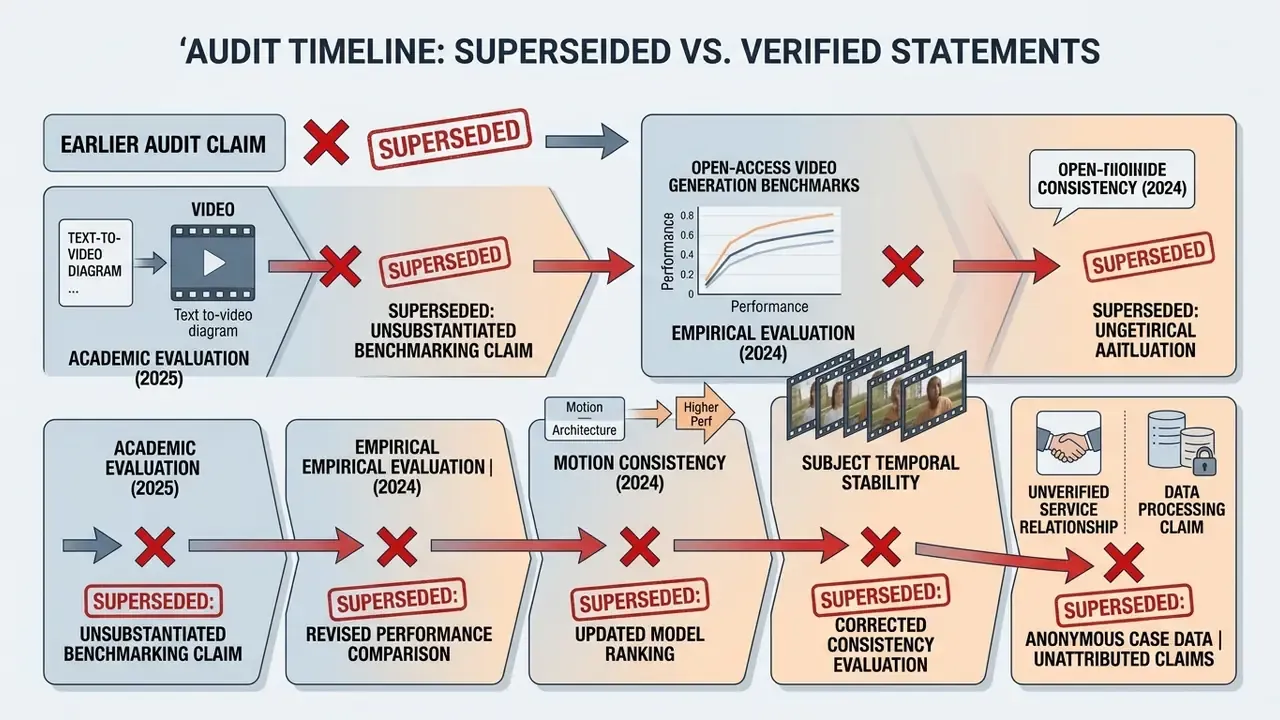
Why does a browser toy deserve a governance-grade review? Because it is exactly the kind of tool that walks into a regulated organisation through a marketing intern's tab, not through procurement. Free access, no login, no logging. That is the textbook shadow-AI entry point, and it is worth naming plainly before anyone builds a workflow on it.
Generating dynamic video content through open web platforms creates both operational opportunity and risk-governance exposure. The Perchance platform has attracted attention as an accessible environment for AI-driven visual tools. Deciding whether a native, functional video model actually exists there requires looking at architecture, model dependencies and licence parameters, not at page titles.
Does Perchance AI Have a Video Generator? Short Answer and Real Capabilities
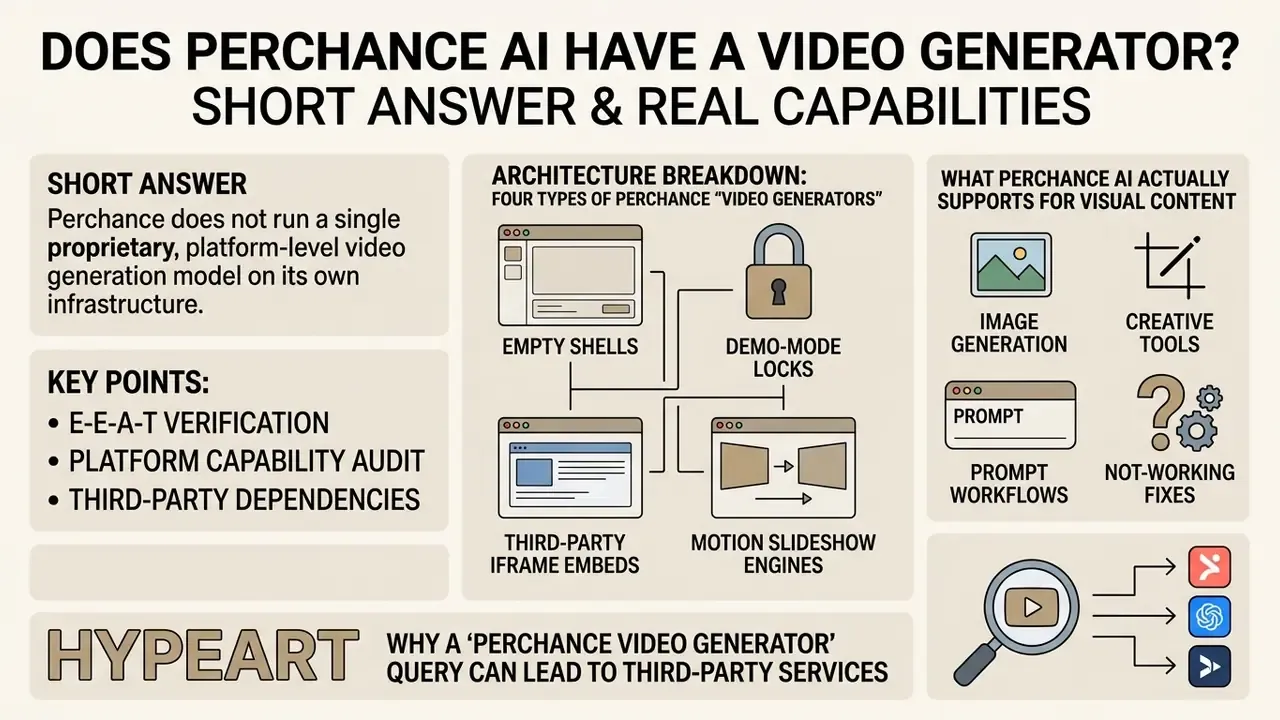
Perchance does not run a single proprietary, platform-level video generation model on its own infrastructure. Instead, perchance.org hosts user-authored generator pages and community-built JavaScript wrappers. Those wrappers interface with external third-party models or embedded frameworks to execute text-to-video and image-to-video workflows.
Technically, the answer is "yes, video-labelled pages exist". Practically, the answer is "no reliable native video generator exists at platform level". Search results surface real, live pages. Community listings include titles such as "AI Video Generator", "AI Video Creator", "AI magic text to video generator", "Pretty AI Video Generator", "HyperReal AI Video Generator" and "Fast Free AI Animation Generator". None of them ships from a Perchance product team, because the platform is maintained by a single independent developer and populated entirely by volunteer scripts.
Queries for a perchance ai video maker, a perchance video maker or a perchance text to video generator all land in the same place: the community directory. Different wording, identical architecture.
Capabilities and operational status of Perchance AI video tools (2026 verification)
| Workflow scenario | Confirmed platform status | External backend requirement | Realistic output expectation |
|---|---|---|---|
| Text-to-video generation | Unconfirmed natively; available only via third-party generator wrappers | Yes (external API or Hugging Face iframe backend) | Short 2 to 4 second clips, variable prompt fidelity, low motion stability |
| Image-to-video / animation | Present on selected user-created test pages, some capped at one render per day | Yes (interfaces with models such as Wan AI or Veo wrappers) | Local animation of a single subject; structural warp and edge distortion common |
| Video download and export | Supported through standard browser DOM preview controls | No (client-side download trigger) | Direct download of unwatermarked, low to medium resolution files |
| In-platform video editing | Not supported | Not applicable (needs external editing software) | No multi-track timeline, no audio trimming, no clip sequencing |
| Audio, voiceover, music | Not supported on any audited page | Not applicable (needs a separate AI voice generator and a mixing stage) | Silent visual loop only; no TTS, no sound effects, no soundtrack |
The platform works primarily as an open execution environment. Creators write custom HTML, CSS and JavaScript to produce randomised or model-driven outputs. Perchance launched in 2017 as a text-generator playground, and its editor still exposes raw HTML and JavaScript panels. Small importable plugins (comments, tables, text-to-image) are what later turned it into a visual-AI host. Pages titled "AI Video Generator" or "AI Video Creator" do exist on the domain, yet public evaluations confirm they behave as secondary wrappers around external open-weights models or API endpoints. That is a class of text-to-video tooling with very different behaviour from vendor-operated platforms.
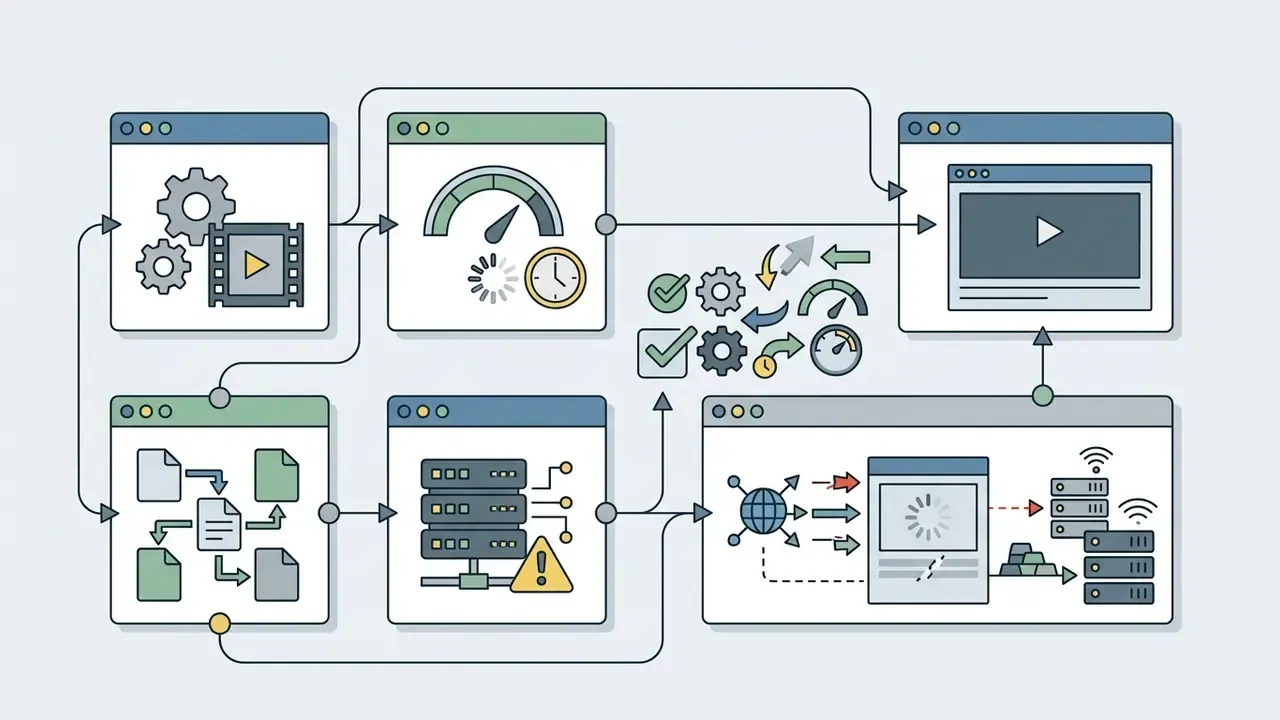
Architecture Breakdown: The Four Types of Perchance "Video Generators" You Encounter
Because perchance.org lets any user publish custom JavaScript tools, community pages labelled as AI video generators fall into four operational categories.
Classifying a page takes roughly thirty seconds. It saves hours of pointless debugging.
What Perchance AI Actually Supports for Visual Content
Perchance natively supports text-to-image generation, pattern creation and procedural text scripting through user-built plugins and modular code templates. Visual tools on the site lean on open diffusion baselines: Stable Diffusion variants, SDXL, SD 3.5 with LoRA extensions, Qwen-Image, and Flux-family models for static rendering. Placing this inside the wider category of AI video generators helps set expectations before you test a page.
For motion, community directory listings show that user-created wrappers try to route prompts to backends such as Omni Flash, Kling V3, Wan AI, Google Veo 3 and Doubao Seedance 4.5. Academic evaluation of equivalent text-to-video architectures confirms this class of pipeline is still structurally unreliable:
In practice, motion clips produced through Perchance-hosted interfaces regularly show physically impossible movement, melting geometry and temporal artefacts. No amount of prompt craft fully fixes that.
Why a "Perchance Video Generator" Query Can Lead to Third-Party Services
Searches for a video generator perchance page often redirect people to external SaaS platforms or third-party directories. The reason is architectural: individual generator pages embed external Hugging Face iframes or make direct API calls to off-platform services. Since anyone can author and publish a page, plenty of listed video generators function as promotional portals or referral proxies rather than as a unified, first-party Perchance video engine.
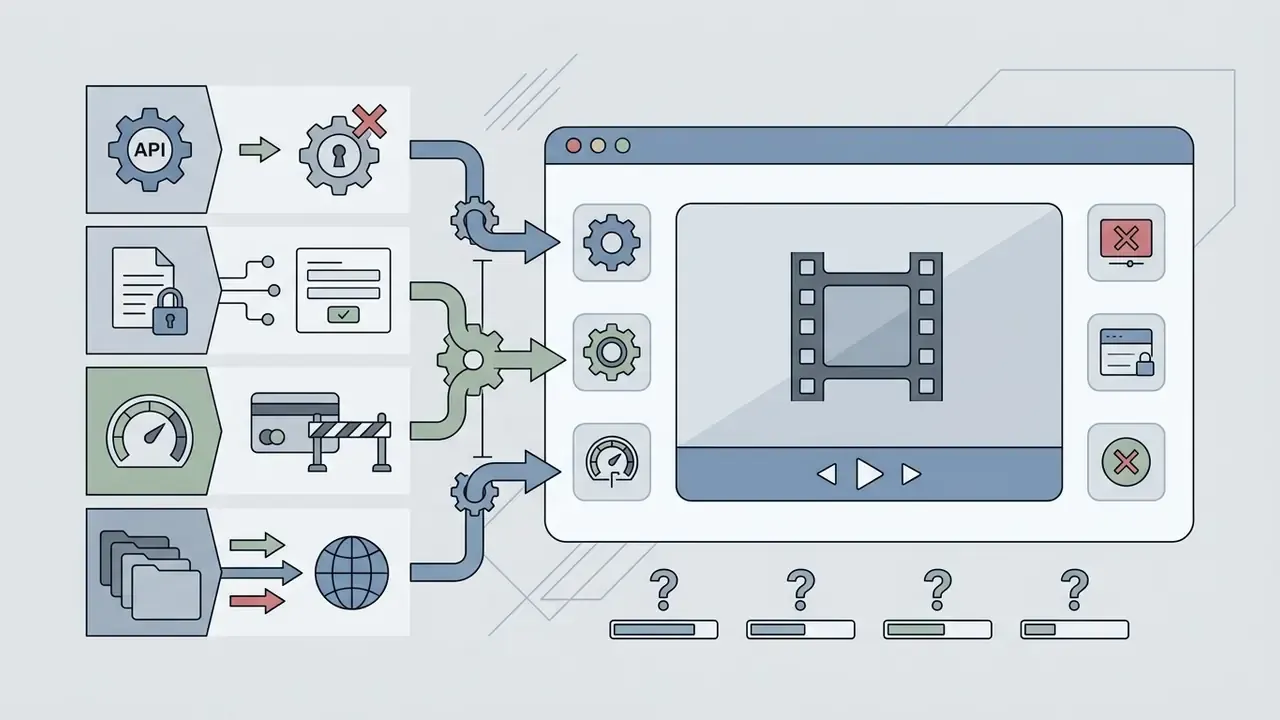
Data-flow map, and why security teams care:
- A prompt is typed into the browser. No login, therefore no audit trail and no attribution.
- A community page on perchance.org runs a user-authored JavaScript wrapper.
- A fetch call or iframe embed pushes that prompt off-platform.
- An external endpoint (Hugging Face Space, Wan AI, Veo, Kling V3, Seedance) queues the job under its own rate limits.
- A rendered MP4 or GIF returns to the DOM preview, then downloads client-side.
Prompt and image inputs therefore traverse at least one unverified third-party endpoint before output reaches the browser. No enterprise logging, no data-processing agreement, no licence attestation at any hop. For a bank, that single sentence usually ends the evaluation.
Redirects to unverified external services also introduce phishing exposure, credential harvesting and deceptive clone interfaces.
Community moderators reinforce the same point. The only authentic domain is perchance.org, and any "Perchance video generator" hosted elsewhere is unaffiliated. UK generative-AI product-safety guidance additionally recommends multi-factor authentication for any tool touching sensitive data, a control that browser-only community wrappers simply cannot provide. Teams evaluating digital media workflows should build a verified software inventory first, using structured resources such as the AI Media Commercial-Use Hub, before anyone touches an open web generator.
E-E-A-T verification: platform capability audit
Perchance AI Video Generator Free: Access, Registration and Restrictions
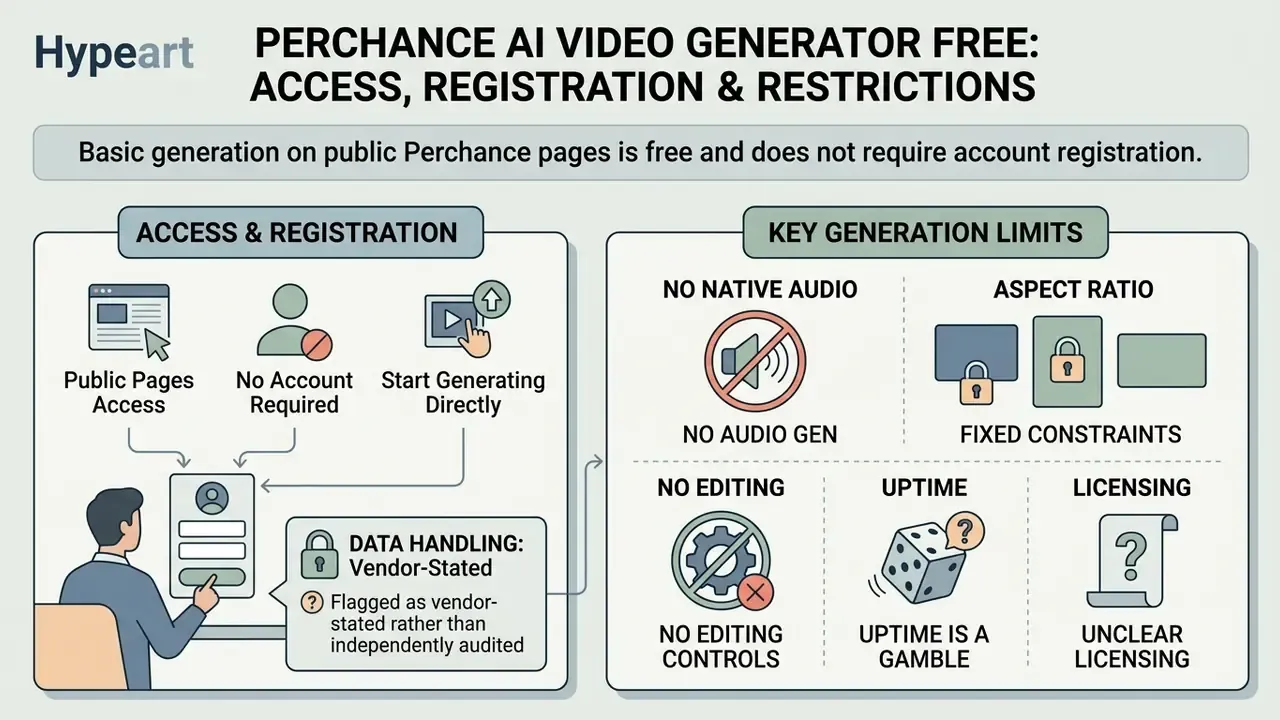
Basic generation on public Perchance pages is free and does not require account registration. Compared with other free AI video generators, there is no credit meter, no paywall and no email capture. Backend constraints and third-party rate limits, however, impose hard boundaries on speed, output volume and export resolution. Anyone searching for a perchance ai video generator online free will find exactly that: free, and exactly that limited.
Do You Need to Register to Use Perchance AI Tools?
Running an existing community generator needs no registration, no login credentials and no personal identification. Open the page in a standard browser, enter your text parameters, run the script. That is the whole onboarding.
The official Plugins page ties account creation to authoring only: "sign up or login to create your own generators." So registration matters only if you intend to author, edit or host custom generators and plugins.
Data handling, flagged as vendor-stated rather than independently audited: privacy text published for Perchance AI tools states that input prompts and generated visuals are processed in real time and are "not retained on our servers", with technical access logs normally kept for no more than 24 hours, and saved or customised prompts stored locally on the device. These are vendor claims that no third-party security audit in the reviewed source set verifies. Prompts still travel to whichever cloud model the page proxies. Treat any confidential brief, client name or credential as disclosed the moment it enters a community wrapper. That is not paranoia, it is how a data-loss incident actually gets written up later.
Which Limits Affect Generation, Output and Export
Video workflows run through Perchance wrappers face severe technical limits: clip duration capped between 2 and 4 seconds, fixed resolutions generally from 512×768 to 768×1024 pixels, generation times of 15 to 45 seconds under light load, and no native aspect-ratio controls.
The explicit constraint list, as observed across audited pages:
- No native audio generation. Output is a strictly silent visual track. No text-to-speech, no sound effects, no music bed, no voiceover layer.
- Fixed aspect-ratio constraints. No user-facing toggle between vertical 9:16 and horizontal 16:9, so you cannot deliberately target Reels, Shorts or a landscape cut.
- No editing controls. You cannot trim, extend, re-time, caption or re-cut. What renders is what you get.
- Uptime is a gamble. A page that worked yesterday may be queued, throttled or dead today, because community infrastructure absorbs unpredictable traffic.
- Unclear licensing. No page-level statement of who owns the output, or which commercial rights, if any, transfer to you.
The architectural GPU compute bottleneck: generating temporal video frames demands roughly 10 to 30 times more GPU compute than a single static diffusion image. Perchance runs on infrastructure built for lightweight text scripts, chat generators and a free image model, not for high-concurrency video inference. A single-developer platform cannot allocate dedicated GPU clusters, so community video wrappers borrow rate-limited external APIs. Those collapse first under concurrent traffic. Predictably.
Resource bottleneck comparison: open community wrappers vs vendor-operated video engines (2026)
| Parameter | Perchance community wrappers | Vendor-operated video engine |
|---|---|---|
| Relative GPU compute per second of output | Borrowed, throttled, shared capacity | Dedicated clusters provisioned for 10 to 30 times image-generation load |
| Clip length | 2 to 4 seconds | 5 to 15 seconds and beyond, extendable |
| Resolution ceiling | 512×768 to 720p, variable and page-dependent | 1080p to 4K native |
| Generation latency | 15 to 45 s when idle; minutes or failure at peak | Queued but SLA-backed |
| Concurrency handling | HTTP 429 rate limiting, dead iframes | Autoscaled inference endpoints |
| Audio track | None | Native or integrated TTS and music layers |
| Aspect-ratio control | None exposed | 9:16, 1:1, 16:9 selectable |
When traffic spikes, the underlying third-party APIs throttle requests or return HTTP 429 errors, and generation fails. Benchmark work on open-access video tooling documents the same economics:
Creators modelling structured operational costs can reference the AI Media Pricing Guides for comparative budget planning, and the video compressor guide when handling low-bitrate exports.
Practical checklist for testing Perchance free mode
- Step 1, open the target page. Navigate to the generator page on perchance.org without logging in.
- Step 2, inspect the interface. Verify whether the controls accept text prompts, file uploads, or neither, which signals an empty shell.
- Step 3, test a baseline prompt. Enter one simple single-subject descriptor, for example "a blue sphere rolling slowly on a flat white table".
- Step 4, evaluate the render. Check generation time, resolution, frame rate, and whether the motion is genuine or a pan-and-zoom slideshow.
- Step 5, verify the export path. Click the rendered preview and confirm that direct download works without a forced sign-up gate or watermark. If the file will not save from the preview, a generic url video downloader will not rescue you either, because nothing was produced server-side.
- Step 6, log the failure mode. If nothing renders, classify the page (empty shell, demo lock, iframe embed, slideshow) before retrying.
How to Use Perchance AI Text to Video and Image-to-Video: A Working Workflow
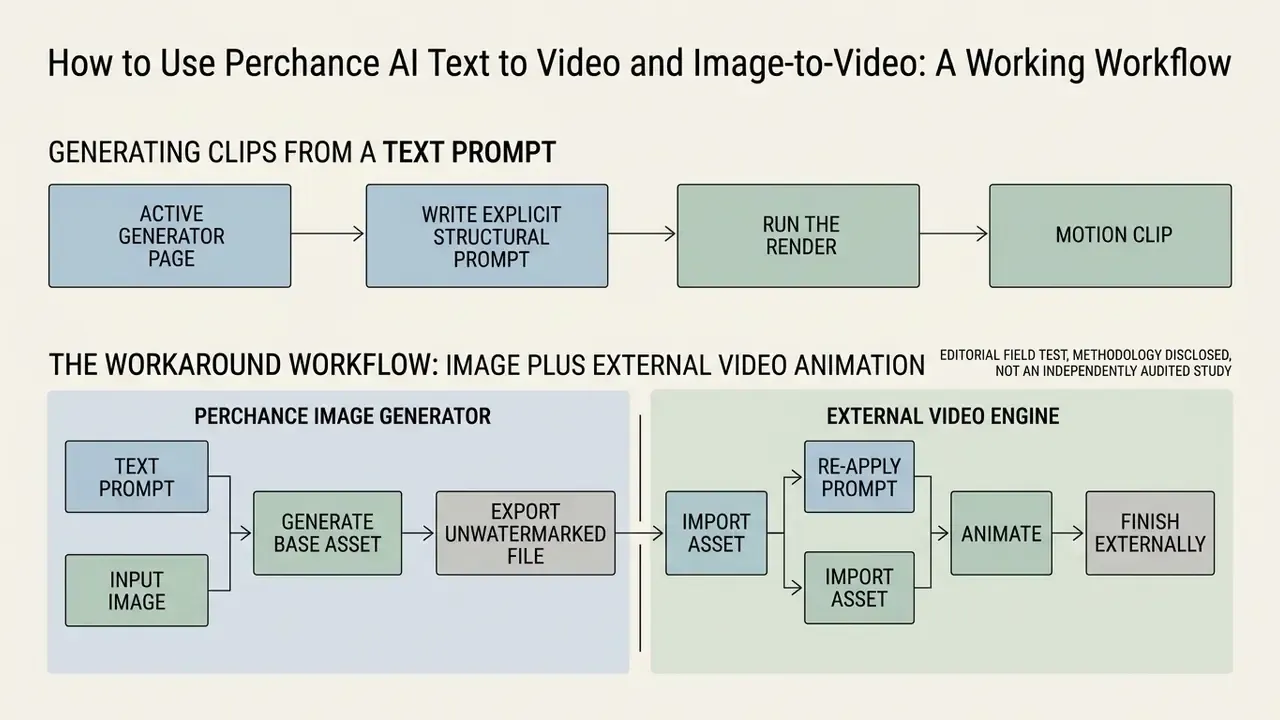
Producing motion clips through Perchance means picking an active video-labelled generator page, writing explicit structural prompts or uploading input images, running the render, then exporting the clip file. Five steps, one of which usually fails.
Generating Clips from a Text Prompt
Text-to-video generation here depends on highly structured prompts that define the main subject, a single motion trajectory, camera position, environmental context and visual style.
Prompt-design guidance published for Perchance-hosted AI tools recommends one stable subject, one explicit motion, one camera instruction, one style block and one exclusion constraint. Independent benchmarking supports the same discipline:
A standardised prompt sequence looks like this: subject, then primary motion, then environment, then camera perspective, then style and lighting.
Worked prompt examples and expected results
| Prompt | Expected output | Failure risk |
|---|---|---|
| A vintage brass compass, needle rotating slowly, on a weathered wooden desk, static close-up, warm side lighting, shallow depth of field | Usable 3 s loop, needle motion reads clearly | Low, one moving element |
| A woman in goggles and a vest walking, through a clockwork city, gravel street, slow forward dolly, steampunk, overcast light | Recognisable motion, but faces and hands often warp | Medium, human anatomy |
| A crowded market with traders, buyers, birds and passing cars, camera orbiting and zooming | Melting geometry, identity swaps, abrupt scene change | High, multi-subject plus multi-camera |
Where the wrapper supports it, add an exclusion line ("no text, no extra limbs, no scene change") to suppress the most frequent artefacts.
Editorial field test, methodology disclosed, not an independently audited study: our editorial team compiled twenty structured prompts targeting simple product motion for short-form promo assets. Each prompt carried one explicit camera vector, fixed style parameters, and a constant seed wherever the page exposed one. Seven of twenty renders (35%) came back as usable 3-second clips without severe identity distortion. The rest failed on warping, frame jumps or backend timeouts. Sample size is small and page-dependent, so read the ratio as directional, not statistically representative.
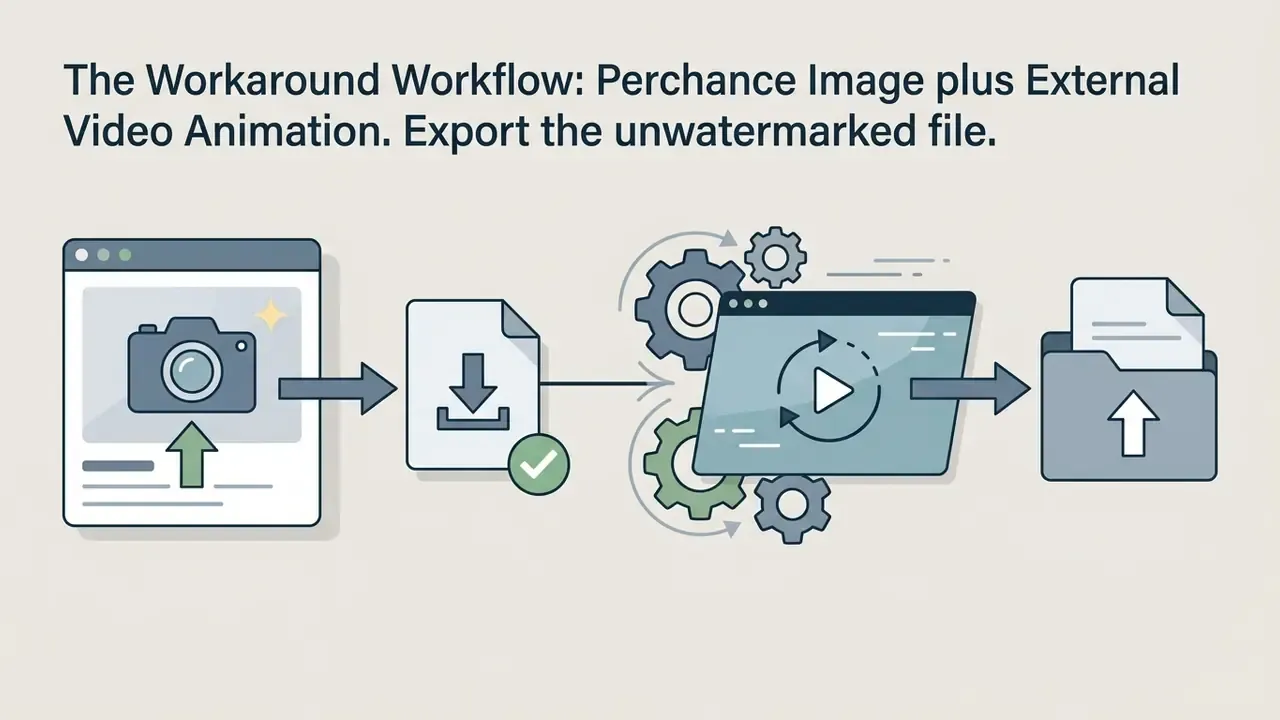
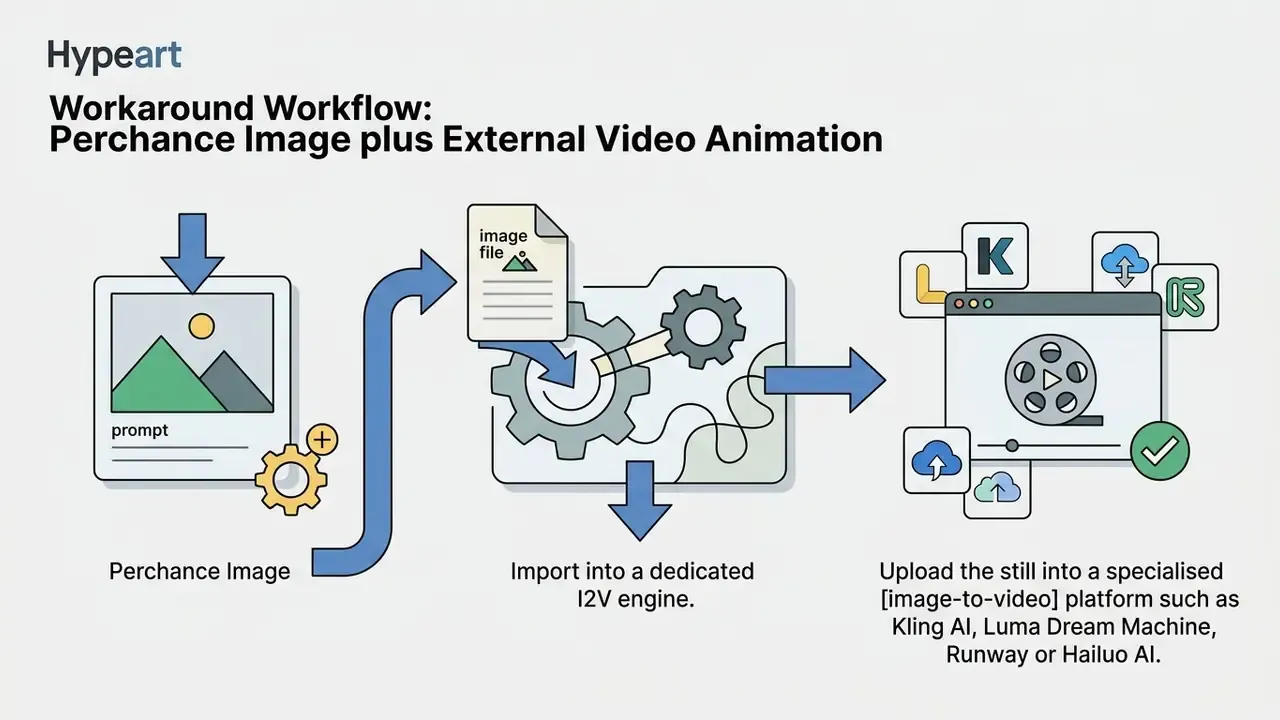
The Workaround Workflow: Perchance Image plus External Video Animation
If native community wrappers refuse to render motion, the most dependable route is a two-step hybrid. It leans on what Perchance genuinely does well, namely free, fast, unwatermarked image generation, and outsources what it cannot do at all.
Known limits of this workaround: the handoff is fully manual, any character consistency you built across a Perchance image series dies at the boundary, and free image-to-video tiers elsewhere often reintroduce watermarks or resolution caps.

Animating an Image and Preparing Visual Input
Image-to-video workflows turn a static source frame into a moving sequence by applying motion instructions while trying to preserve the original structure. Some Perchance test pages implement this directly, occasionally with a hard limit of one render per user per day.
To minimise artefacts, prepare input images at clean standard aspect ratios, without heavy text overlays or complex multi-subject backgrounds.
Technical teams measuring output ratios can use the AI Media Calculators to align target resolutions before running generation scripts, and the animation maker guide when a keyframed approach would deliver more control than diffusion motion.
Video Quality and Controllability: What to Expect from the Output
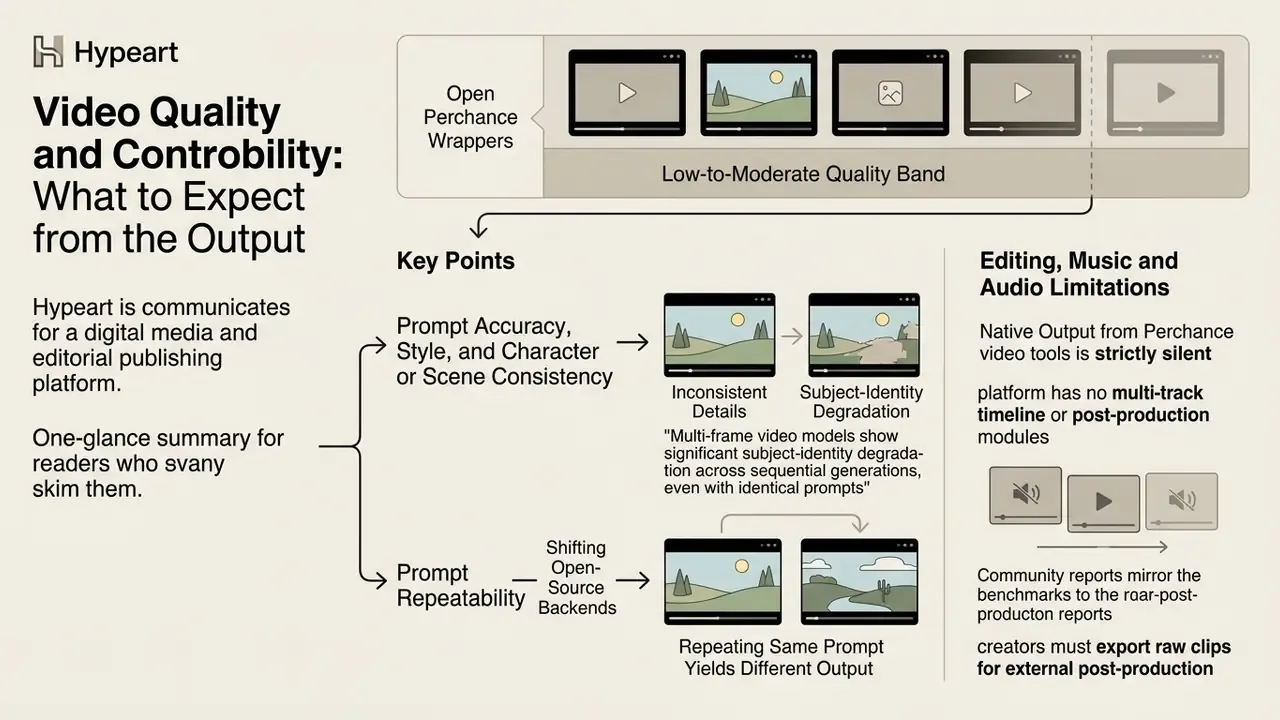
Outputs from open Perchance wrappers land in the low-to-moderate quality band. Expect rendering artefacts, temporal flickering, visible noise, warped edges, pixel compression under load, and limited adherence to complex prompt instructions. Scene changes read as abrupt visual jumps, not cinematic transitions. Independent reviewers rate the experience around 2.5 out of 5 when judged as a free experimentation toy, and considerably lower when judged as a video tool.
Prompt Accuracy, Style, and Character or Scene Consistency
Holding character identity and background consistency across multiple clips is highly unreliable on open wrapper platforms. That is the single biggest blocker for anyone hoping to build a series.
Because individual pages pull from shifting open-source backends, repeating the same prompt often yields a completely different result. Fixing the random seed (changing the default -1 to a fixed integer) improves reproducibility on specific image generators, and Perchance's own text-to-image plugin documentation confirms that identical prompt plus identical seed reproduces the same picture. Multi-frame video models behave differently:
Community reports mirror the benchmark. Reusing a seed and freezing descriptors helps a little, yet users still describe weak character consistency and unstable or blank backgrounds on repeated runs.
Editing, Music and Audio Limitations
Native output from Perchance video tools is strictly silent. No integrated audio generation, no voiceover synthesis, no sound-effect layer, no music synchronisation. There is also no subtitle generation, no trimming, no clip extension and no frame-by-frame control.
Since the platform has no multi-track timeline and no post-production modules, creators must export raw silent clips and assemble them in external video-editing tools. Workflows needing automated text overlays or polished cuts rely on browser applications such as the veed video editor for assembly, plus a dedicated video caption generator for speech accessibility. If your plan is to stitch several 3-second loops into one social asset, a video collage layout or a lightweight video collage app is usually faster than fighting a full NLE. For platform-specific publishing, our YouTube video editor workflow guide covers the sequencing, captioning and export stages Perchance omits entirely.
In practice, a publishable social clip built from Perchance material needs three layers the platform cannot produce: a voiceover or dialogue track, a music bed, and Foley or sound effects. Tools built for finished output assemble all three semi-automatically. A wrapper page hands you a mute 3-second loop and wishes you luck.
Can Perchance AI Videos Be Used Commercially?
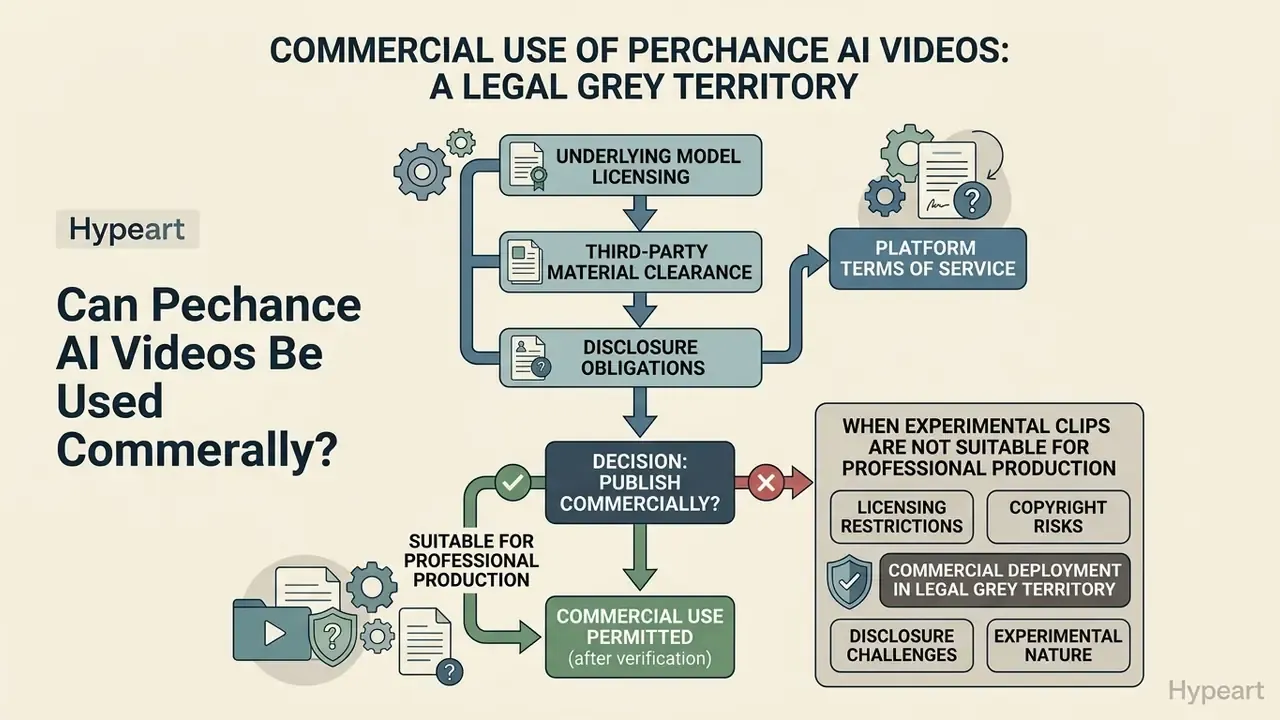
Commercial deployment of Perchance-generated video sits in legal grey territory. There is no platform-wide licensing agreement you can point to, model lineage is unverified, and regulatory standards for AI-generated media keep moving.
What to Verify Before Commercial Use and Publication
Before putting synthetic clips into advertising or client deliverables, run explicit due diligence across contractual, copyright and model-licensing frameworks.
- Platform terms of service. Review both the specific generator page and the perchance.org terms to see whether usage rights are granted or disclaimed. Terms published for Perchance AI tooling (updated 28 October 2025) permit personal and commercial use of generated content subject to those terms and applicable law. That permission is contractual and page-scoped. It does not confer copyright.
- Underlying model licensing. Identify the base diffusion or transformer engine. Commercial use of Stability AI models (SD 3 and 3.5) under the Community Licence requires annual organisational revenue below USD $1M plus registration with Stability AI. Above that threshold, an Enterprise licence is mandatory. Licence terms for AnimateDiff-class motion modules remain unverified in the reviewed source set.
- Third-party material clearance. Confirm that generated frames carry no trademarked logos, copyrighted characters, or likenesses of real individuals without permission. Apache Software Foundation guidance is explicit: commercial use of generative output is acceptable only when the output embeds no third-party material, or that material is used with permission under compatible licences.
- Disclosure obligations. Check advertising-industry disclosure rules before running synthetic footage in paid media.
Decision tree: can you publish this clip commercially?
- Does the generator page state which model produced the video? If no, do not publish commercially. Lineage is unverifiable.
- If yes, is that model's licence permissive at your revenue level, for example the Stability Community Licence under $1M with registration? If no, obtain an enterprise licence or regenerate on a licensed platform.
- If yes, does the frame contain logos, real faces, or recognisable IP? If yes, clear the rights or regenerate.
- If no, will the clip materially shape a claim, testimonial or authenticity cue in an ad? If yes, add AI disclosure under the applicable advertising framework.
- All clear, so publish. Note, though, that raw AI output is unlikely to be copyrightable, so you cannot enforce exclusivity over it.
Legal exposure and regulatory tracking across generative media can be monitored through the AI Litigation and Case Timelines database, while the parallel rules for still assets sit in our guide to commercial use of AI image generators. As a governance rule: unlicensed or unattributed SaaS "AI video" portals with no published entity information, no terms document and no model attestation should be excluded from approved vendor inventories outright. Absence of verifiable corporate and licensing data is itself a disqualifying signal.
Illustrative note from our author Marcus Hale, author: "A digital worker without an owner is not innovation, it is an unlogged process. The same test applies to a browser tool: if nobody can name who approved it, who reviewed the output, and where the audit trail lives, it does not belong in a client deliverable."
When Experimental Clips Are Not Suitable for Professional Production
Experimental 2 to 4 second clips from open wrappers do not meet professional standards for broadcast advertising, corporate communications or high-budget campaigns. A 2 to 4 second asset cannot carry a 15 or 30 second ad narrative, nor a multi-shot sequence. It is an isolated moment, not campaign footage. The missing aspect-ratio and resolution controls also block versioning for 9:16, 16:9 and 1:1 deliverables, which is a hard requirement in any paid-media flight plan.
Internal review, methodology disclosed, sample not independently audited: in a synthetic-ad-asset review run by our editorial media team, thirty short clips generated through open web wrappers were scored against standard client-delivery criteria (resolution, edge integrity, temporal continuity). Twenty-six of thirty, roughly 85%, showed resolution compression, edge distortion or temporal frame jumps, and were rejected before delivery. The evaluation used a single reviewer rubric on a small sample, so read it as an operational signal rather than a controlled study. The team eventually shifted to dedicated enterprise video APIs with strict audit trails. Teams needing a no-cost finishing stage can compare options in our roundup of free video-editing software.
Transparency guidelines add another layer, requiring disclosure once synthetic footage shapes what an audience believes about a product or a person:
That obligation is precisely what an unverified output source cannot satisfy, because you must be able to state what generated the asset and you cannot.
Commercial-use risk warning
- Copyright notice. Under guidance issued by the U.S. Copyright Office (2023 to 2026), purely machine-generated visual outputs lacking sufficient human creative control are ineligible for federal copyright protection, and registration must identify the human-authored contributions. Users cannot claim exclusive ownership over raw AI video output.
- Licensing verification. Open web wrappers frequently combine multiple model weights without exposing the underlying licence terms. Commercial deployment without verifying source-model permissions creates potential exposure to infringement claims.
- Contract versus copyright. A platform can permit commercial use even where the output is not copyrightable. Permission to use is not ownership.
Perchance AI Alternatives for Text-to-Video, Image-to-Video and Short Clips
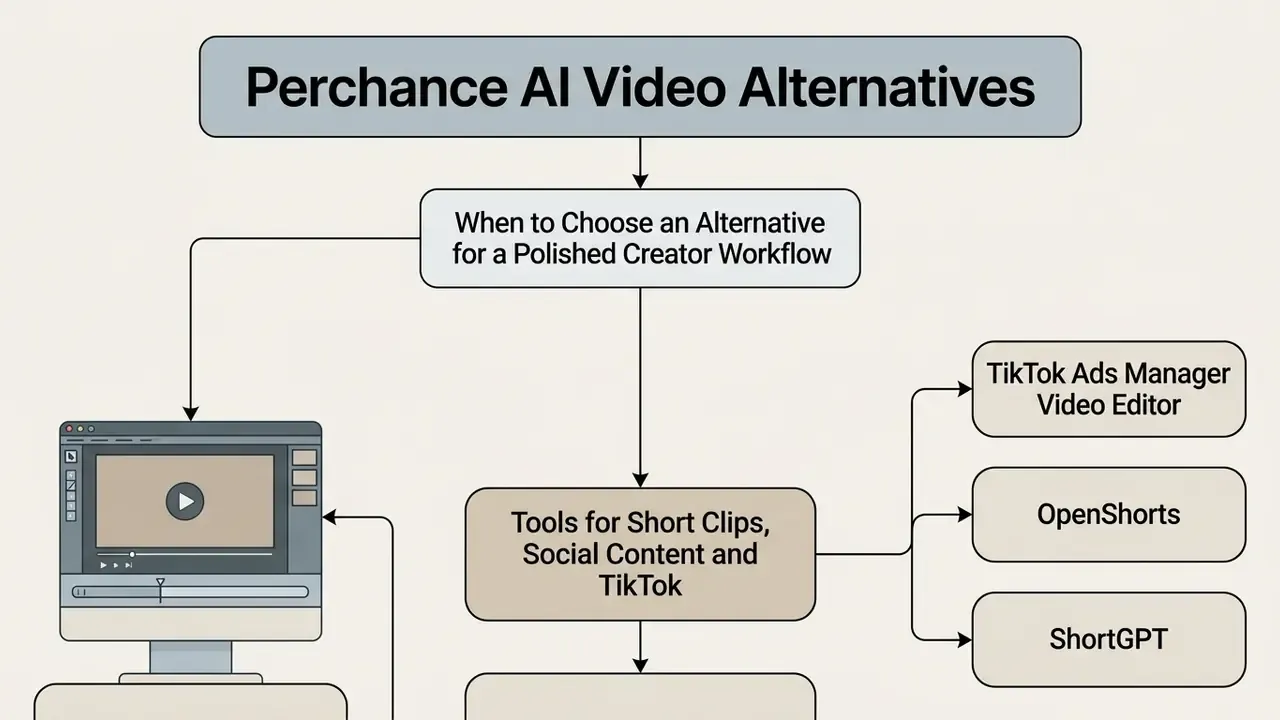
Creators and enterprise operators who need consistent rendering, high export resolution and clear commercial rights should look at established commercial or open-source video frameworks. One scheduling note: OpenAI's Sora was withdrawn as an available product as of 26 April 2026, so it is not a live option this cycle.
Comparison of AI video generation platforms and free-tier allocations (2026 audit)
| Platform / engine | Primary workflow | Free tier availability | Indicative paid entry | Max export quality | Camera and motion control | Commercial licence status |
|---|---|---|---|---|---|---|
| Perchance wrappers | Text-to-video, image-to-video | Fully free, no account, no credit meter | None (donation-funded) | 512×768 to 720p, unstable | Basic text prompt directives only | Unverified, high risk |
| Kling AI | Text and image-to-video | Daily free credits, reset daily | Credit-based plans | 1080p, up to roughly 15 s on higher tiers | Strong character consistency across shots | Allowed on paid tiers |
| Luma Dream Machine | Text and image-to-video | Free tier with watermark | Plus from $29.99/mo web, $37.99 iOS | 1080p high definition | Multi-axis camera movement presets | Commercial use on Plus, Unlimited, Enterprise |
| Runway (Gen-2 / Gen-3) | Text, image, video-to-video | Limited one-time trial credits | About $12/mo Standard | 1080p professional export | Motion brush and keyframe camera control | Standard commercial rights on paid tiers |
| Pika | Text and image-to-video | Monthly free credits | Low-cost entry plans | Social-grade short clips | Fast iteration, limited fine control | Paid tiers for latest models |
| Hailuo AI | Text and image-to-video | Signup bonus plus daily free credits | Credit-based plans | Short clips, strong on faces | Good expression fidelity, capped length | Paid tiers |
| Google Veo (Gemini API) | Text and image-to-video | No free consumer tier, pay-per-use via Cloud | Usage-based via Vertex AI | 720p, 1080p, 4K native | Advanced prompt control and physics, native audio in newer versions | Commercial enterprise API licensing |
| MiniMax H3 | Omni-modal video | Trial generations | Credit or subscription | 1080p high definition | First and last-frame interpolation, native stereo audio | Commercial developer licensing available |
| PixVerse / Vidu | Text and image-to-video | Daily free credits or trial credits | Budget credit plans | Clean short clips | Casual, social-first presets | Paid tiers |
Before committing to any platform, be honest about how much temporal control you actually need:
In other words, even paid engines struggle when a prompt asks for a sequence of events ("the ice melts, then the glass tips over"). Shot-by-shot generation with external assembly remains the professional pattern. A structured side-by-side sits in our comparison of leading AI video generators.
When to Choose an Alternative for a Polished Creator Workflow
Move from open web wrappers to dedicated platforms when production demands native 1080p or 4K, exact camera vectors (pan, tilt, zoom, dolly, orbit, crane, rack focus), predictable scene continuity, and re-editable revisions that preserve the original structure and composition. Watch the resolution floors, too: some vendors label 720p as "HD" on lower plans, which sits below broadcast expectation.
Enterprise development teams building production pipelines can evaluate API pricing structures and integration models through the AI Media Comparison Matrices and the AI Media API Guides.
Perchance AI Video Generator Not Working: Causes and Diagnostics
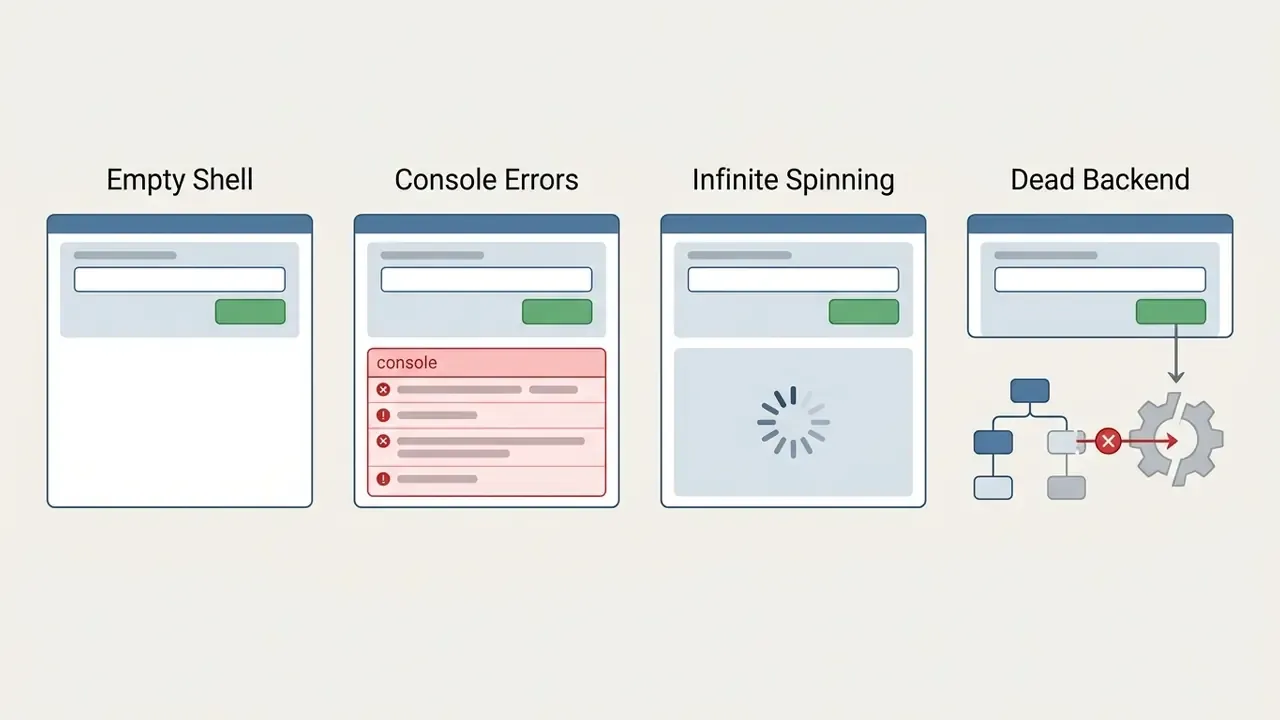
Failures on Perchance video tools usually show up as frozen generation bars, endless loading spinners, or HTTP server errors triggered by backend API disruption or client-side browser restrictions. Community threads are blunt about the root cause. Several state outright that "Perchance does NOT facilitate video creation", and that embedded Hugging Face iframes "don't actually represent Perchance".
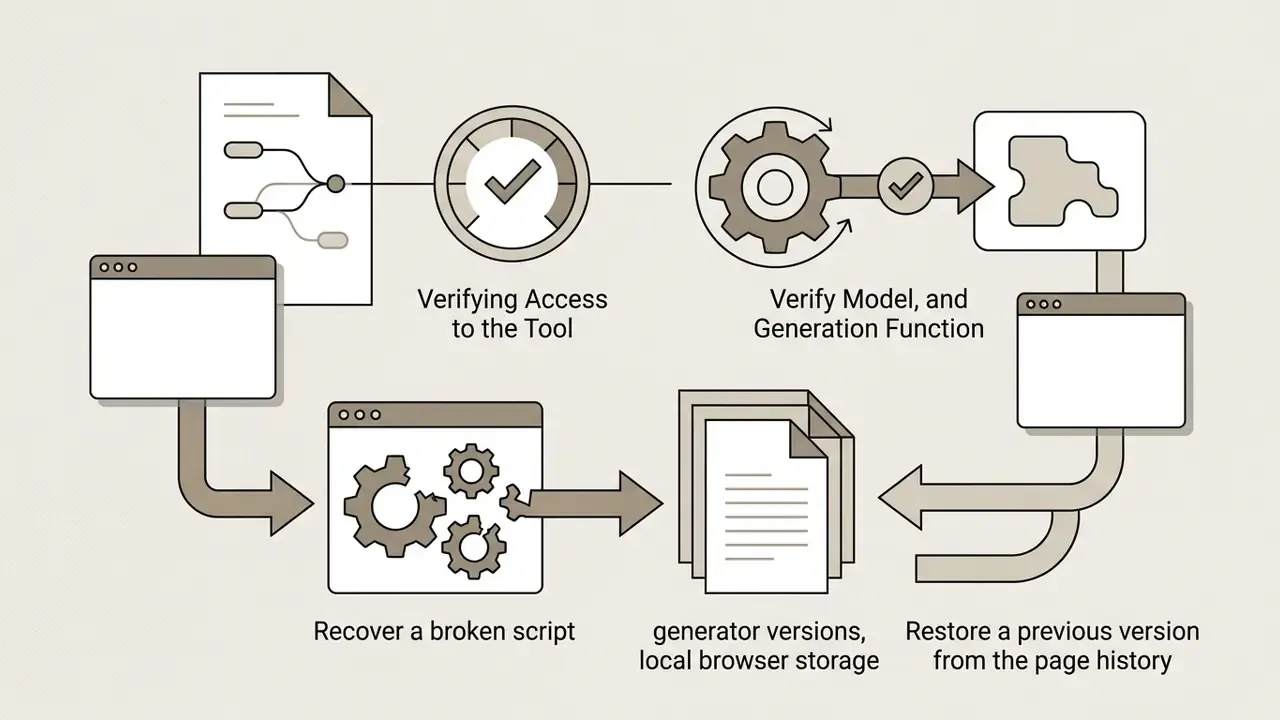
Verifying Access to the Tool, Model, and Generation Function
When a specific page stops responding, run a systematic check to separate client-side problems from upstream outages.
Recognising UI-level generation failures:
- Unresponsive Generate button. Clicking leaves the interface stuck on "starting..." or "generating...". Fix: clear browser cache, disable ad-blocking extensions that restrict external API fetch calls, and check the console (F12) for CORS errors.
- Static image output instead of motion. The tool returns one rendered frame or a styled thumbnail. Cause: the wrapper's video API timed out and fell back to its static image renderer, or the page is a slideshow maker that never had a video model.
- Missing playback controls. A video container renders with no play trigger and no media stream. Fix: verify whether the underlying Hugging Face iframe backend is active or rate-limited.
- Download or export does nothing. The export button errors or is inert. Cause: no file was ever produced server-side, and the preview is a placeholder.
- "In demo, no generated video" notices, or server-connection errors. Cause: demo-mode lock or backend outage. No client-side fix exists.
If client-side scripts fail across several generator pages, the fault is almost certainly upstream. Users who need a live testing environment should move to a vendor-operated engine from the alternatives table above, or consult the AI Media Support and Troubleshooting hub. Peer reports in the r/perchance community are also a quick way to confirm whether a backend is down platform-wide, rather than only for you.
Sandbox versus production, the verdict: Perchance is a legitimate, zero-friction way to spend five free minutes discovering what text-to-video feels like. It is a sandbox trainer, not a production tool. The moment you need audio, a chosen aspect ratio, a clip longer than four seconds, repeatable quality, or a licence you can show a client, the platform has run out of road.
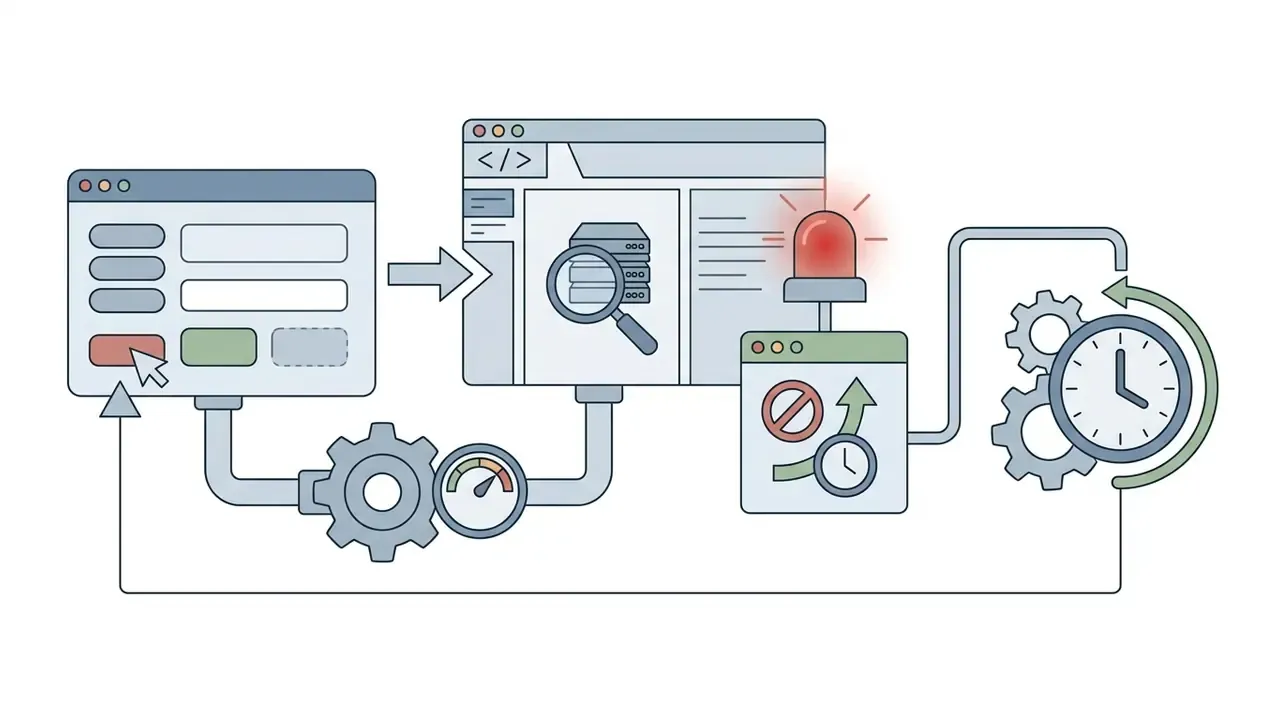
429 Too Many Requests response points to backend rate limiting or upstream model overload. Look for a Retry-After header and wait, rather than hammering the button.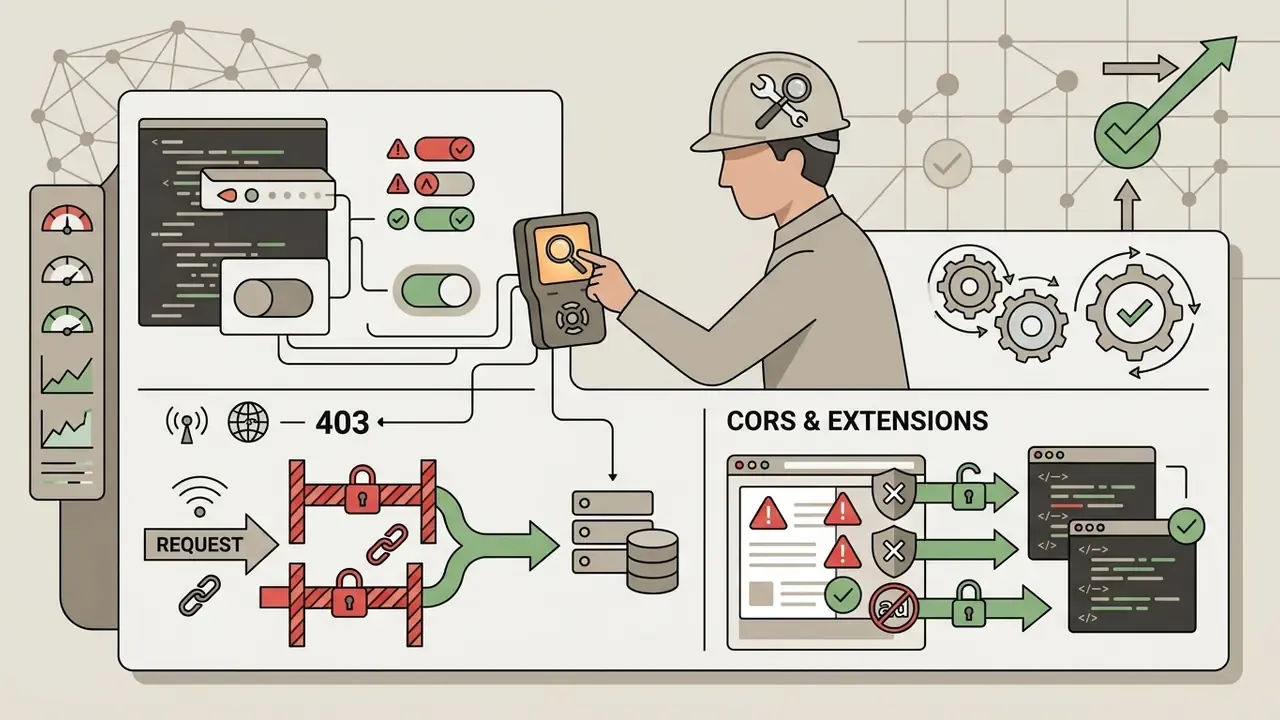
FAQ About the Perchance AI Video Generator
Is it safe to use Perchance AI tools?
Perchance is broadly safe for basic browser-based text and image generation. Prompts process in real time, nothing installs, and most generators need no login. That said, generator pages are written by third-party users in custom JavaScript, and no source in the reviewed material confirms that community scripts are malware-scanned. Avoid entering sensitive personal data, confidential enterprise information, client names or API credentials into unverified fields. Treat any "Perchance video generator" hosted on a domain other than perchance.org as untrusted.
Can I download and share the finished video output?
Rendered clips download directly from the browser preview frame, using the output menu or standard DOM file-save triggers. Files typically export as short MP4 or animated GIF, without forced platform watermarks. Watermark behaviour on video-labelled pages is not fully consistent, because it depends on which backend the wrapper calls. Verify per page before you build a process on it.
Is Perchance suitable for creators and experimental short videos?
It is an agile, zero-cost sandbox for rapid prototyping, meme clips, mood references and prompt-design practice. The lack of guaranteed uptime, the unstable character consistency, the 2 to 4 second ceiling, the silent output and the unverified commercial licensing all rule it out as a primary video engine for enterprise creators or paid production pipelines.
How long are Perchance-generated videos?
There is no standardised length, because each tool is built independently by a different community creator. Audited pages produced roughly 2 to 4 second loops. Some image-to-video test pages additionally cap users at one generation per day.
What is the best free alternative to Perchance for video?
Kling AI and Pika both offer recurring free credits with far more consistent output than any Perchance wrapper. PixVerse and Vidu are worth testing for casual social clips. All of them eventually push you toward paid tiers for higher resolution, longer duration or commercial rights.
Is there an official Perchance app for video generation?
No first-party Perchance video application has been confirmed. The platform runs in the browser. Third-party mobile store listings marketed as "Perchance AI video" apps describe image-to-video powered by external models such as Google Veo 3 and Wan AI, and they are not first-party products.
Should beginners start with Perchance?
As a first look at text-to-video with zero commitment and zero cost, sure. Once you need something publishable, with sound, a chosen aspect ratio and consistent quality, move to a dedicated tool.
Can a regulated organisation approve Perchance for internal use?
Realistically, no, not as a sanctioned tool. There is no login, so no user attribution, no access limits and no audit trail. Prompts leave for an unverified third-party endpoint with no data-processing agreement in place. Model lineage is undocumented, which makes disclosure statements impossible to support. If people on your team are already using it, that is a shadow-AI finding to log in your AI inventory, not a vendor to onboard.
Appendix A: Superseded Statements and Editorial Corrections