Online AI logo platforms let organizations generate, edit, and evaluate visual brand marks using machine learning models. These systems turn textual inputs into wordmarks, monograms, and graphical symbols within seconds. For enterprise teams and growing companies, choosing an ai logo maker free online means understanding three things at once: generation quality, file export formats, and the legal boundary around ownership.
The same tool therefore serves two very different readers. A solo founder wants a usable mark in five minutes at zero cost. A risk, compliance, or brand-governance owner wants proof of ownership, data-retention terms, and print-grade export files before that mark ever reaches a customer touchpoint. Both are legitimate. This guide covers them in sequence: first what these engines actually produce, then how to control what they produce.
Executive summary
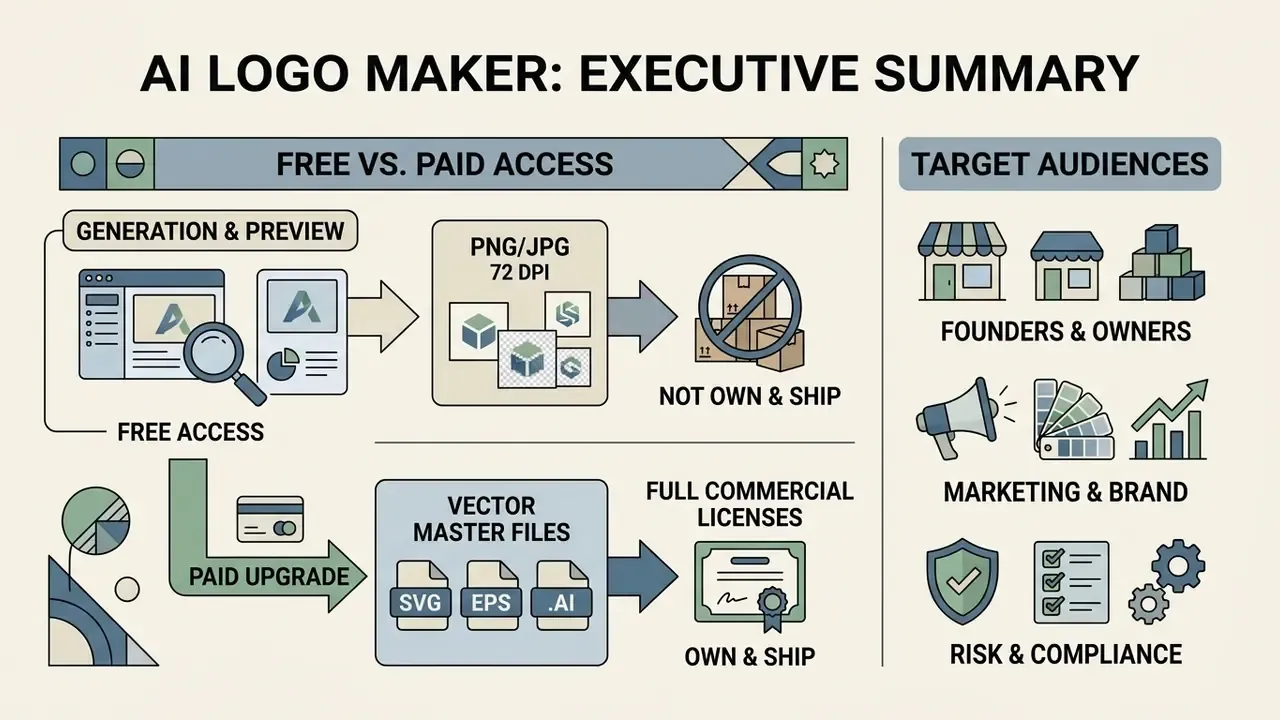
- Free means "generate and preview," not "own and ship." Most free tiers deliver raster PNG/JPG at 72 DPI; vector master files (SVG, EPS,
.AI) and full commercial licenses usually sit behind a one-time purchase ($20–$99) or an annual brand-kit subscription (around $96/year). - Copyright and trademark are separate questions. Purely machine-generated output has no human author and cannot be registered for U.S. copyright. A distinctive mark used in commerce can still be trademarked. Human vector editing, layout curation, and compilation are what create protectable expression.
- Vector integrity is the main technical failure point. Automated engines produce overlapping nodes, hallucinated letterforms, and asymmetric geometry. Plan for a human "designer fix" pass and a legibility test at 16×16 px before launch.
- Data privacy is the overlooked procurement criterion. Free tiers frequently reserve the right to train on submitted prompts, brand names, and uploaded reference art. Whitelist only vendors offering a documented opt-out, retention limits, SSO, and API access.
- Feature depth now separates vendors more than raw image quality. Look for 14-style icon generation, per-layer icon recoloring, slogan generation across tones, kerning and curved text-path control, and a complete favicon kit. Not just "download PNG."
Who this page is for
Three reader profiles usually land here, and each needs a different slice of the material.
- Founders and small business owners who want to create a logo online free of charge and ship it this week.
- Marketing and brand owners who need consistent logo files across a website, social media, packaging, and business cards.
- Risk, compliance, and procurement leads who must approve a vendor before anyone uploads a brand name into a model. These readers should jump straight to the governance checklist and the vendor whitelist table.
If you belong to the third group, one sentence matters more than any style comparison: a free tier that trains on your inputs is a data-handling decision, not a design decision.
What an AI logo maker free online can create
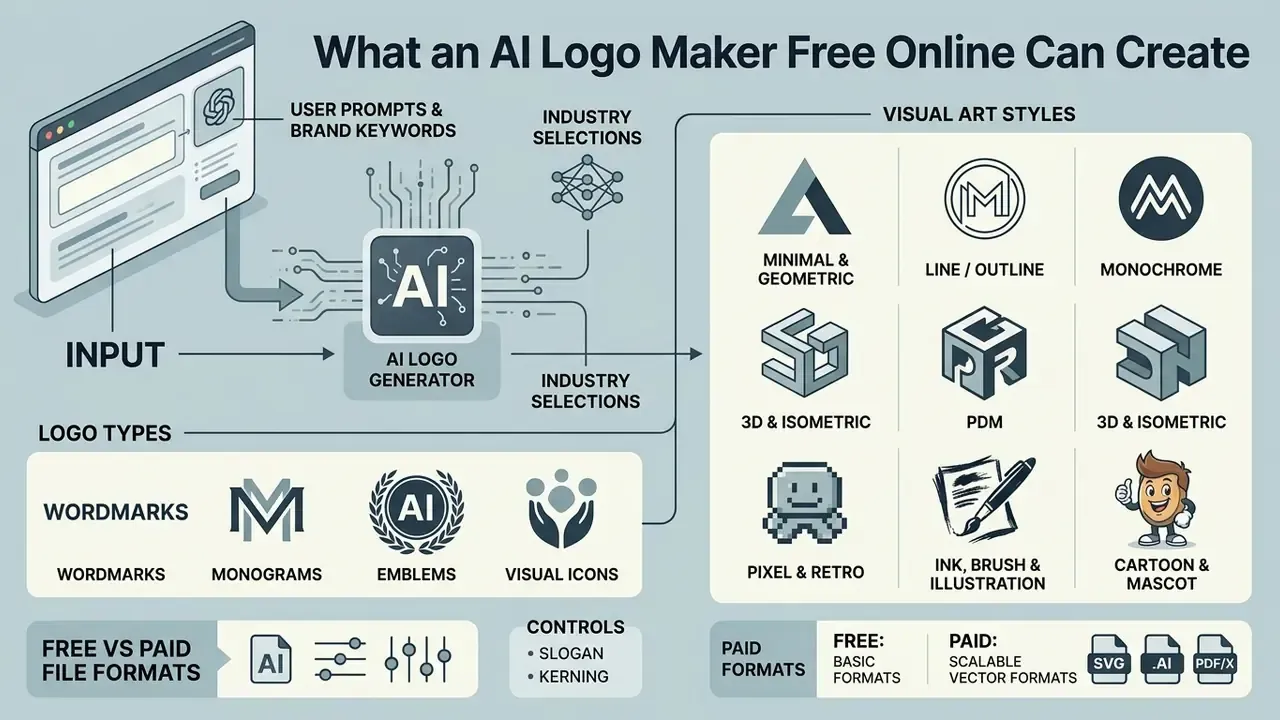
An ai logo generator creates wordmarks, monograms, emblems, and visual icons from user text prompts, brand keywords, and industry selections. It lets people with no design experience explore initial identity concepts quickly, without learning professional design software first.
Modern generative software processes input parameters and returns multiple design variants. However, automated systems operate inside constrained visual spaces defined by their training data and layout rules. Peer-reviewed evaluation of these platforms found that output volume does not equal design competence, and that algorithmic layouts require human calibration against the classical principles of proportion, balance, and unity.
«AI tools generate many variants, but the algorithms still need calibration to meet standards of proportion, balance, and unity.»
AI generation architectures and visual art styles
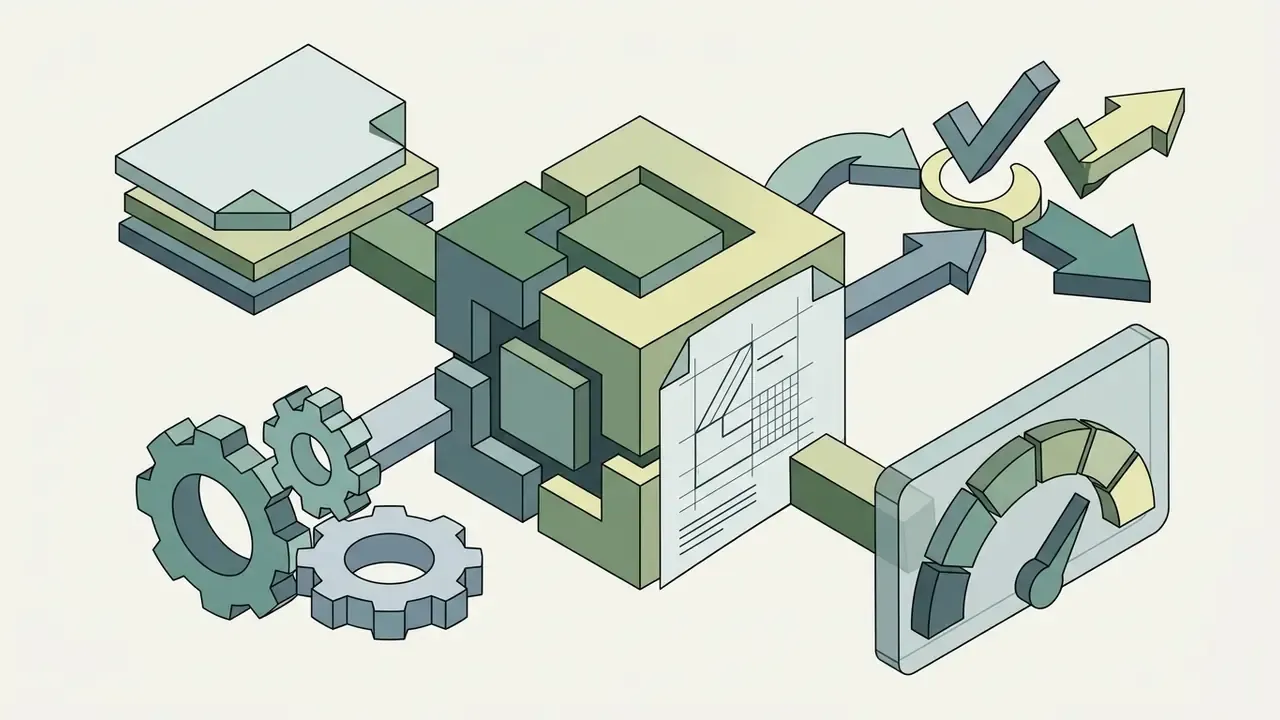
Modern platforms increasingly lean on parallel multi-model execution: a single prompt is analyzed and rendered across several diffusion and vector pipelines at once, and the strongest candidates surface for review. Commercial engines describe this as multi-model analysis layered on top of a structured "brand DNA" profile, assembled from company name, sector, and personality attributes before a single shape is drawn.
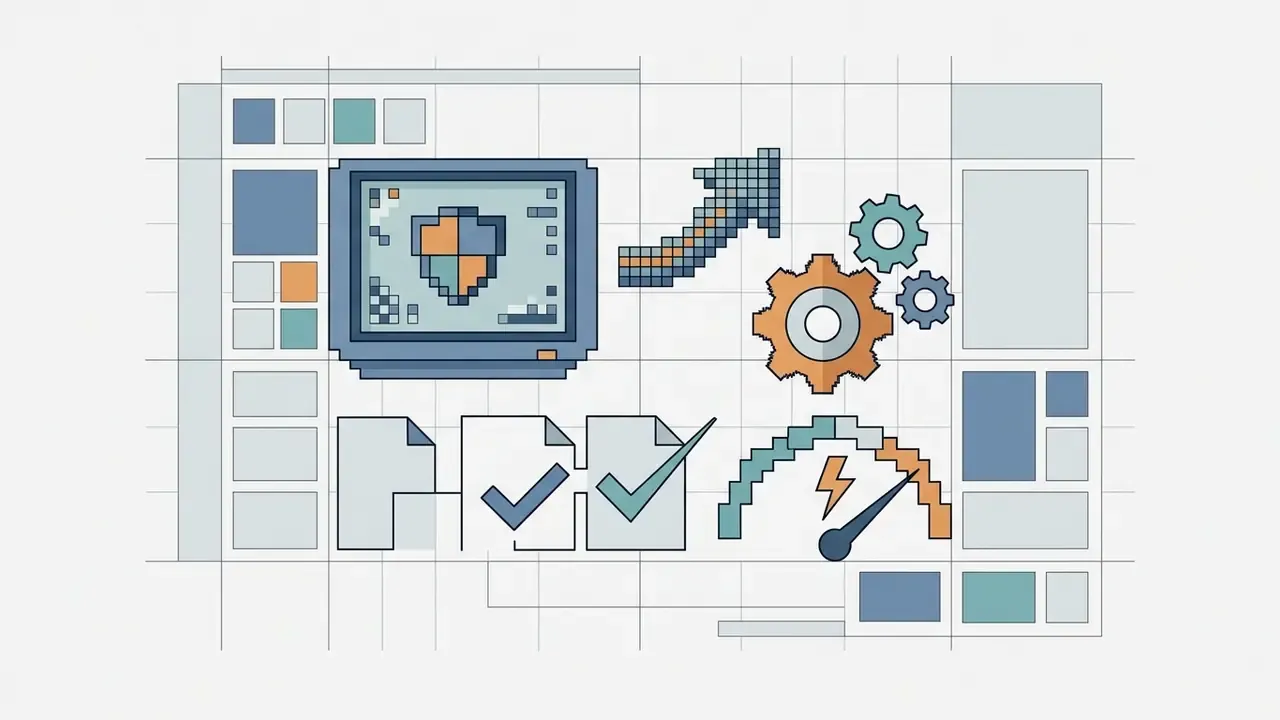
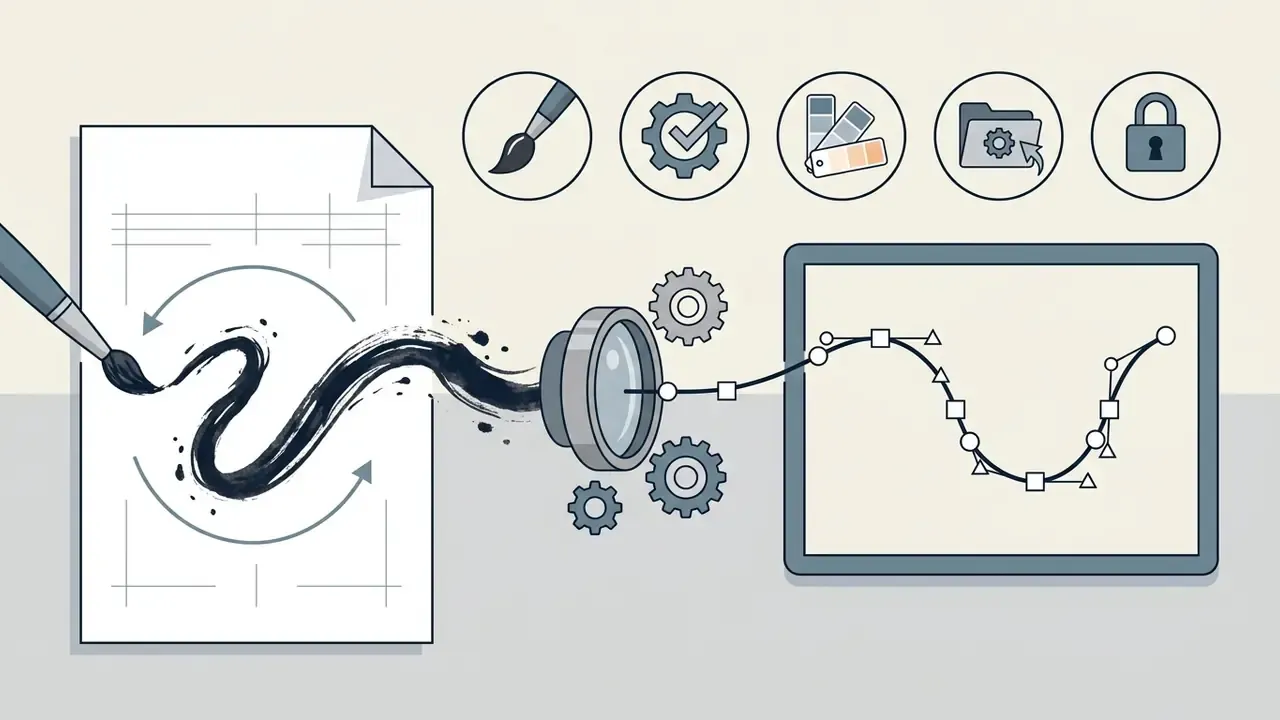
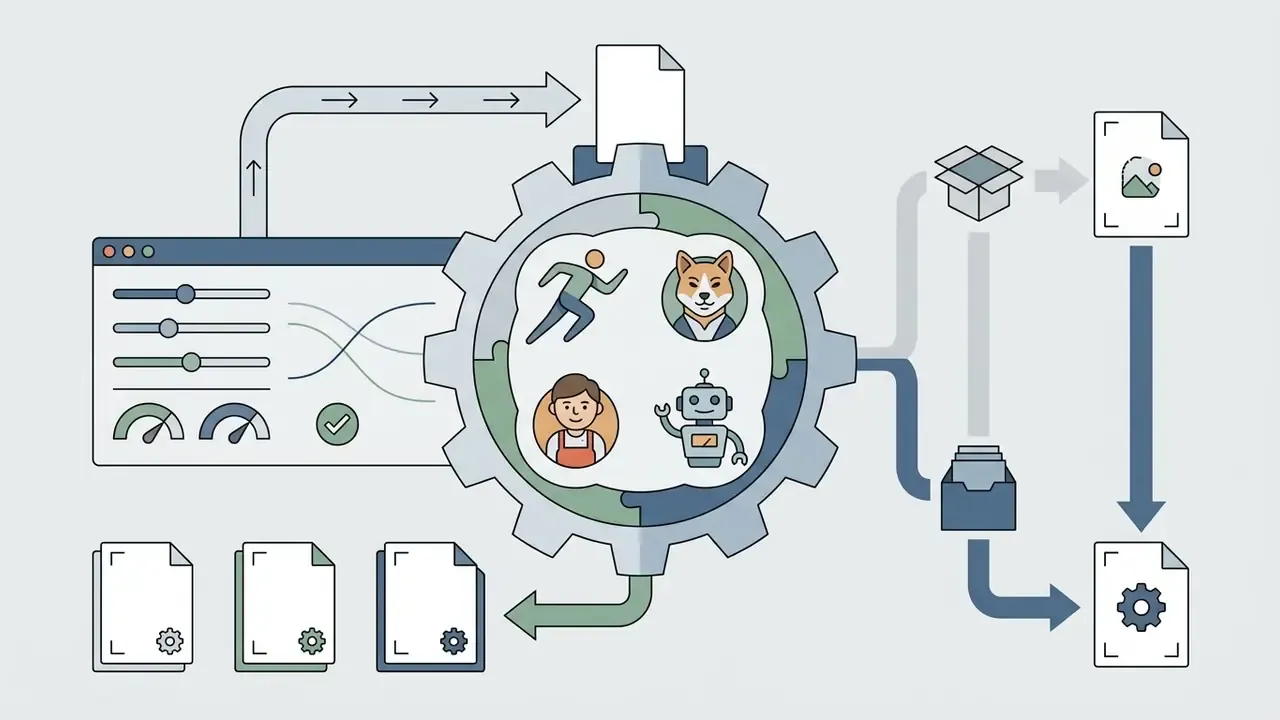
When generating custom marks, engines output raster previews and vector paths across roughly fourteen distinct visual styles:
Style choice is not cosmetic. Pixel and brush styles carry dense node counts that inflate SVG file size and degrade at favicon scale, while minimal and geometric styles compress cleanly and stay legible below 32 px.
From business name and prompt to logo ideas
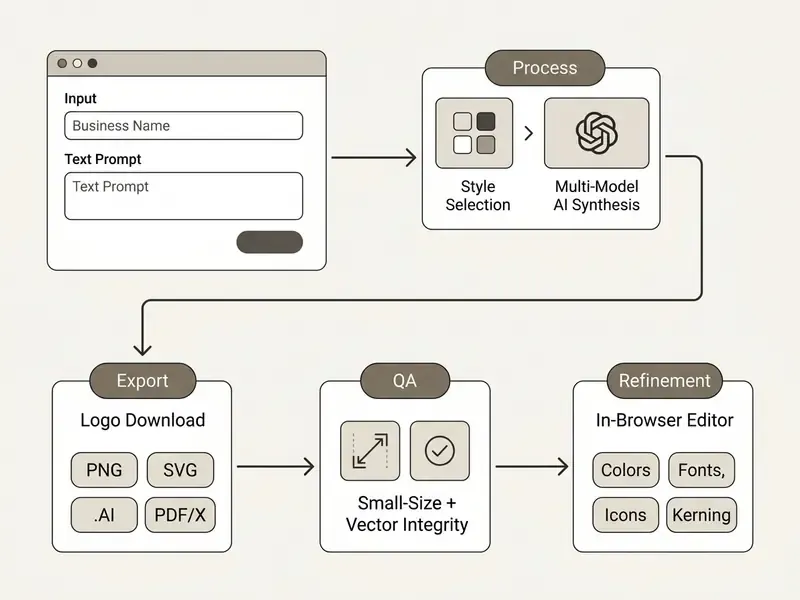
Text prompts and business names become logo ideas by mapping input strings against internal parameters: industry tags, style keywords, and visual asset libraries. Users provide an exact company name, an optional tagline, and descriptive keywords that steer the visual synthesis engine. A free ai text to logo generator works the same way; the difference sits in what you may download afterwards.
To get precise output, design research keeps pointing at one habit: put explicit constraints in the prompt. Specifying the exact business category, target audience, and layout style (flat vector, minimalist monogram) improves spatial coherence. Keeping the text short also prevents typographic rendering errors during neural generation.
A reproducible prompt pattern used across 2026 vendor documentation is: exact brand name (in quotation marks) + one-line description of what the company does + audience or tone + one style label + one or two hard constraints + output format. Example: "NORTHVAULT" — B2B treasury software for mid-market CFOs, restrained and institutional, geometric monogram, flat vector, no gradients, white background, SVG-ready.
Integrated slogan synthesis and advanced typographic editing
Specialized logo engines pair visual synthesis with large language models to draft brand slogans in a chosen tone: Professional, Fun, Bold, Quirky, Inspirational, or Witty. The same tone parameter can be reused across the site header, packaging line, and ad copy, so the descriptor never contradicts the mark.
Post-generation typography control needs granular vector adjustments:
- Letter spacing, tracking and kerningpreventing character collision on small displays and correcting the uneven pair spacing typical of generated wordmarks.
- Text-path curvingfitting taglines dynamically around circular badges, seals, or monograms.
- Per-layer stylingapplying distinct stroke weights, outlines, drop shadows, and case controls to the primary wordmark versus the secondary slogan or "established" line.
- Layout variation lockswitching one mark between horizontal, stacked, enclosed, and badge arrangements without altering colors or fonts.
AI-generated logo versus a template-based logo maker
AI-generated logos synthesize layouts or visual marks directly from learned representations. Template-based builders customize preassembled structures from static asset libraries. Generative platforms construct unique combinations of typography, mark alignment, and color schemes based on prompt intent.
Template tools offer high predictability but cap distinctiveness at their preset structures. In practice the boundary is blurry, and educational reviews of the category warn against overstating the word "generation":
True generative systems, by contrast, create novel compositions while exposing editing tools for post-generation adjustments. Users can customize generated concepts by modifying fonts, icons, and custom color palettes inside the browser before finalizing a design. Readers comparing engine behaviour across creative categories can review how AI art generators handle style control and licensing, since the underlying pipelines overlap.
How to create a logo with AI step by step
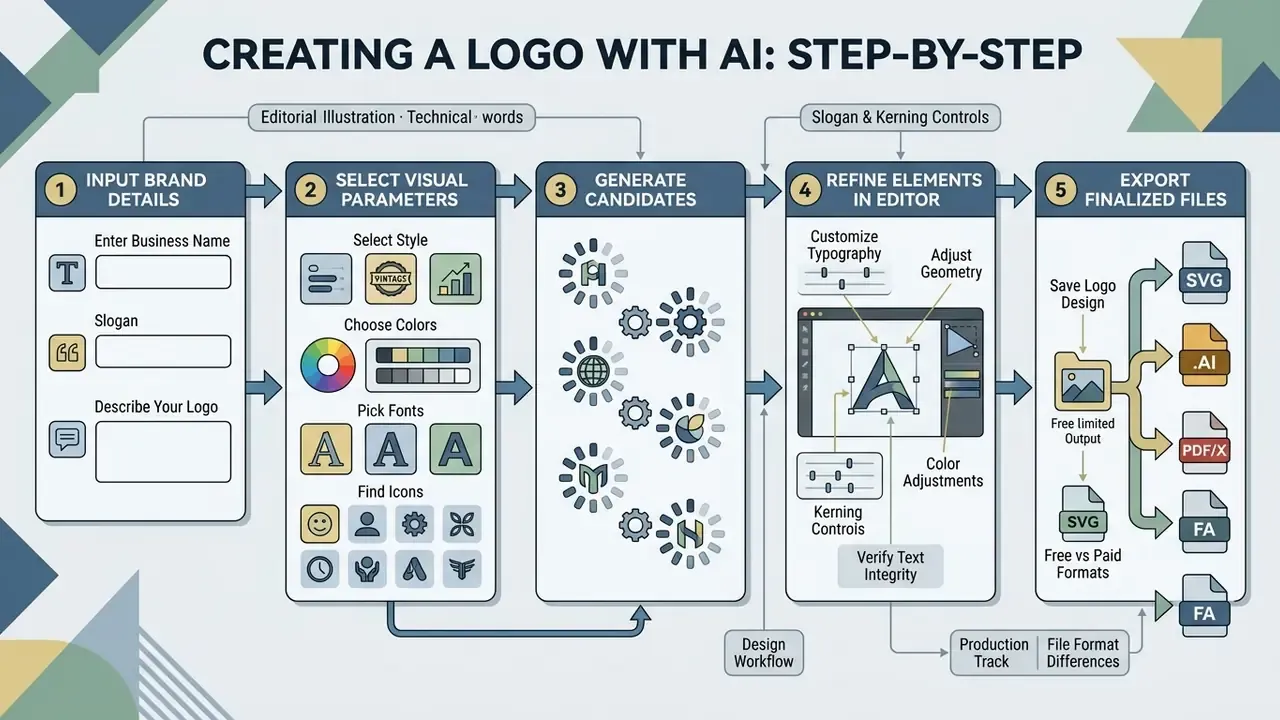
Creating a logo with AI comes down to five moves: enter core brand details, select visual parameters, generate candidates, refine elements in an editor, and export finalized files. A structured workflow protects both visual quality and legal traceability.
Enter your business name, slogan and logo description
Initial data entry needs the exact business name, an optional slogan, and a short contextual description to guide visual mapping. The exact spelling of the company name must sit inside clear parameters, otherwise you get duplicated characters.
A concise business description lets natural-language processing models infer appropriate industry iconography. Educational evaluations of AI design platforms note that generic image generators frequently distort text rendering, whereas specialized logo engines isolate textual fields to preserve letterform integrity.
That is the practical dividing line between a logo engine and a general image model. General-purpose AI image generation tools treat lettering as texture. Logo engines treat it as a protected text layer bound to a real font file. Any ai name image generator that blurs the two will hand you a mark with an invented alphabet.
Choose a style, colors, fonts and icons
Selecting a style, color palette, font family, and icon set restricts the generator's output space to choices aligned with brand parameters. Industry standards recommend limiting primary logo colors to two or three distinct values to protect legibility.
Typography selection should assign distinct roles to the primary brand name and the secondary slogan. Design guidelines favor simple, two-dimensional icons without complex drop shadows or artificial gradients, so the mark scales cleanly across digital and physical media. Hope College's brand guide, for example, requires icons to be simple, two-dimensional, and free of drop shadows, bevels, or reflections.
Where a platform supports per-layer icon color, recolor the symbol and its container independently rather than applying one global hue. That preserves contrast when the mark is reversed onto dark backgrounds.
Generate, customize and save the chosen logo design
Once candidate marks exist, refine typography, icon alignment, and color HEX values in the online editor before exporting anything. The editor is where you edit freely; the download screen is where mistakes become expensive.
After the visual adjustments are done, the completed mark saves to the user dashboard. The platform then prepares download packages containing raster or vector asset formats based on the selected tier.
Part A: design workflow (production track)
- Set input parametersenter the exact business name, slogan, industry sector, audience, and visual constraints.
- Generate initial candidatesproduce 10 to 20 visual iterations, ideally across two or more style labels.
- Refine typography and geometrycorrect kerning, align the icon to the wordmark baseline, and lock the layout variations you intend to ship (horizontal, stacked, icon-only).
- Verify text integrityinspect generated letterforms for spelling accuracy, kerning defects, node overlap, and artifacting.
Part B: governance and IP protocol (control track)
How to get a professional business logo with AI
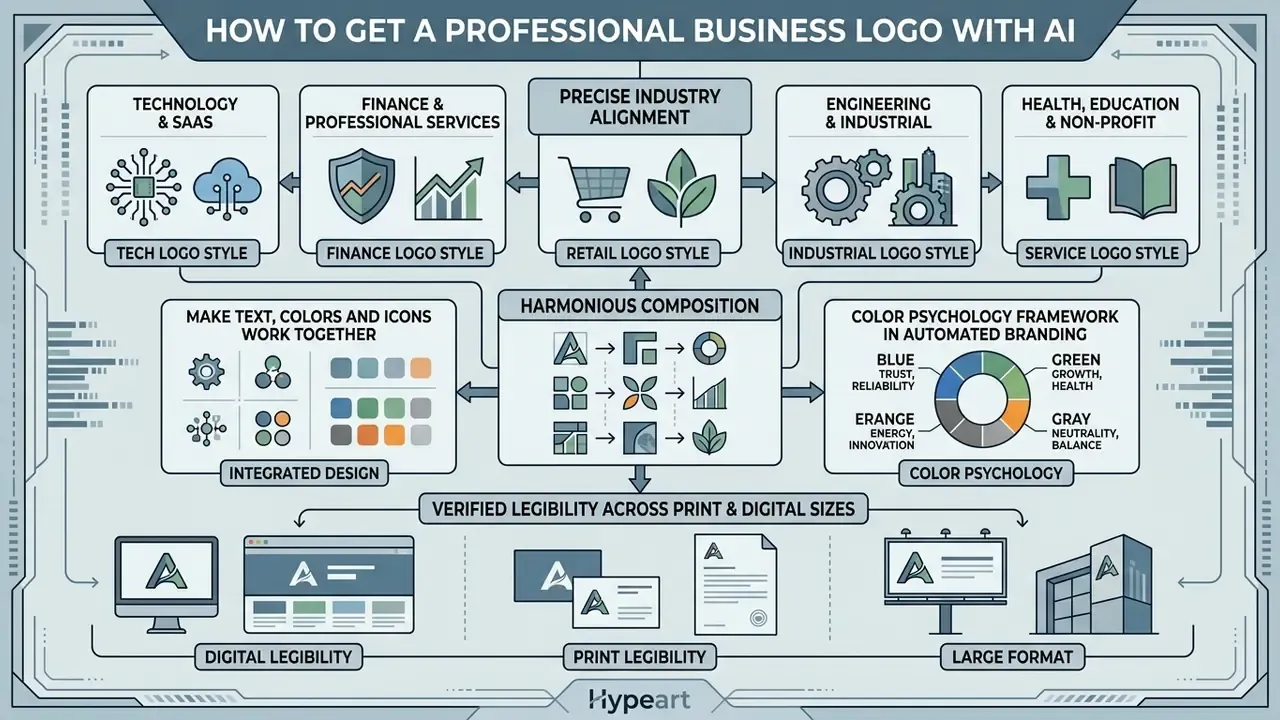
A professional business logo created with AI needs precise industry alignment, harmonious composition, and verified legibility across print and digital sizes. Systematic testing is what keeps design flaws out of public channels.
Illustrative review pattern (composite, not a named client): a fintech team evaluating generative software for an internal project mark set a prompt protocol requiring manual typography adjustments, ran a trademark index search before deployment, and logged model version and prompt for each shortlisted candidate. Two of five shortlisted marks were rejected at the vector-integrity stage because of duplicated anchor points. One was rejected after the reverse-image scan surfaced a near-identical mark in an adjacent trade class. The controlled process eliminated vector rendering flaws and secured documented commercial usage rights. Figures here describe a representative workflow, not a single audited engagement.
Match logo style to your industry and brand
Matching logo style to an industry means applying visual conventions, such as minimalist geometric marks for technology or classic serif typography for finance, to establish immediate relevance. Alignment prevents customers from misreading what you sell.
Industry visual standards dictate the primary choices:
- Technology & SaaS minimalist vector marks, sans-serif typography, geometric icons.
- Finance & Professional Services classic serif typography, restrained dark palettes, stable emblematic shapes.
- Consumer Goods & Retail high-contrast wordmarks, versatile flat symbols, adaptable color schemes.
- Engineering & Industrial geometric construction, heavy stroke weights, single-color reproducibility.
- Health, Education & Non-profit rounded geometry, mid-saturation palettes, high-contrast accessible pairings.
Color psychology framework in automated branding
Generators that expose labelled color families make the palette decision auditable instead of decorative. A working mapping:
| Color family | Signal | Typical sectors | Reference HEX |
|---|---|---|---|
| Blue | Trust, security, stability | Financial institutions, SaaS, insurance | #0052FF |
| Green | Growth, health, balance | BioTech, sustainability, fintech apps | #10B981 |
| Red | Energy, urgency, appetite | Food tech, entertainment, sports | #DC2626 |
| Orange / Yellow | Optimism, affordability, action | D2C retail, logistics, marketplaces | #F59E0B |
| Purple | Creativity, premium software | Design tools, streaming, beauty tech | #7C3AED |
| Pink | Approachability, modern consumer | Wellness, DTC cosmetics, community apps | #EC4899 |
| Black / Monochrome | Luxury, authority, restraint | High-end apparel, legal advisory, enterprise software | #111111 |
| Grey / Neutral | Engineering precision | Hardware, manufacturing, B2B infrastructure | #6B7280 |
| Brown / Earth | Craft, heritage, organic | Coffee, furniture, agriculture | #8B5E3C |
| White / Negative space | Clarity, clinical trust | Medical, minimal retail, reversed lockups | #FFFFFF |
| Teal / Cyan | Innovation with calm | Health tech, travel, data platforms | #0891B2 |
Whichever family you pick, verify contrast against the background the mark will actually sit on. Several corporate identity systems require a WCAG AA contrast ratio of 4.5:1 or higher for wordmarks.
Make text, colors and icons work together
Visual harmony requires a limited primary color set, a clear typographic hierarchy, and icons that stay proportional to the wordmark. Corporate brand identity guidelines often apply a standard balance rule: 70% neutral space, 20% primary brand color, 10% accent. The Ebix brand guidelines codify exactly this 70/20/10 split (70% white space, 20% primary blue, 10% accent), and Xerox's corporate identity guidelines similarly make a single dominant neutral the default for text while restricting icon treatment to defined background pairs.
«AI logos often break balance: icons visually overpower the company name, and the text sits cramped against surrounding elements.»
Icons must hold consistent stroke weights relative to adjacent typography. Mismatched visual weights create clutter and reduce recognition. United Way's brand guidelines go further and require icon sets to appear in a single primary color with verified background contrast, which is a useful constraint to impose on generated icon families too.
Check whether the logo stays clear at small sizes
Legibility at small scale is verified by testing the mark at favicon dimensions (16×16 px to 32×32 px) and social avatar sizes (64×64 px). Complex graphics fall apart in a browser tab.
«AI tools optimize logos for large previews rather than functional legibility at small sizes; that is the key blind spot of automated systems.»
University and corporate brand standards specify minimum screen heights, typically 30 px to 32 px, for horizontal logos. Columbia College sets a minimum electronic logo height of 32 px at 72 ppi with proportional scaling for higher-density displays. The University of Tennessee sets 75 px minimum height for its centered lockup and 30 px for horizontal versions. Emily Carr University publishes favicons at 16 px alongside avatar icons at 64, 128, 180, and 192 px. Marks that fall below their minimum threshold need a simplified icon-only or monogram variant. Where a raster asset must be enlarged for print rather than reduced, the resolution recovery techniques in our overview of AI image expansion and upscaling workflows apply.
What "free" means in a free AI logo maker
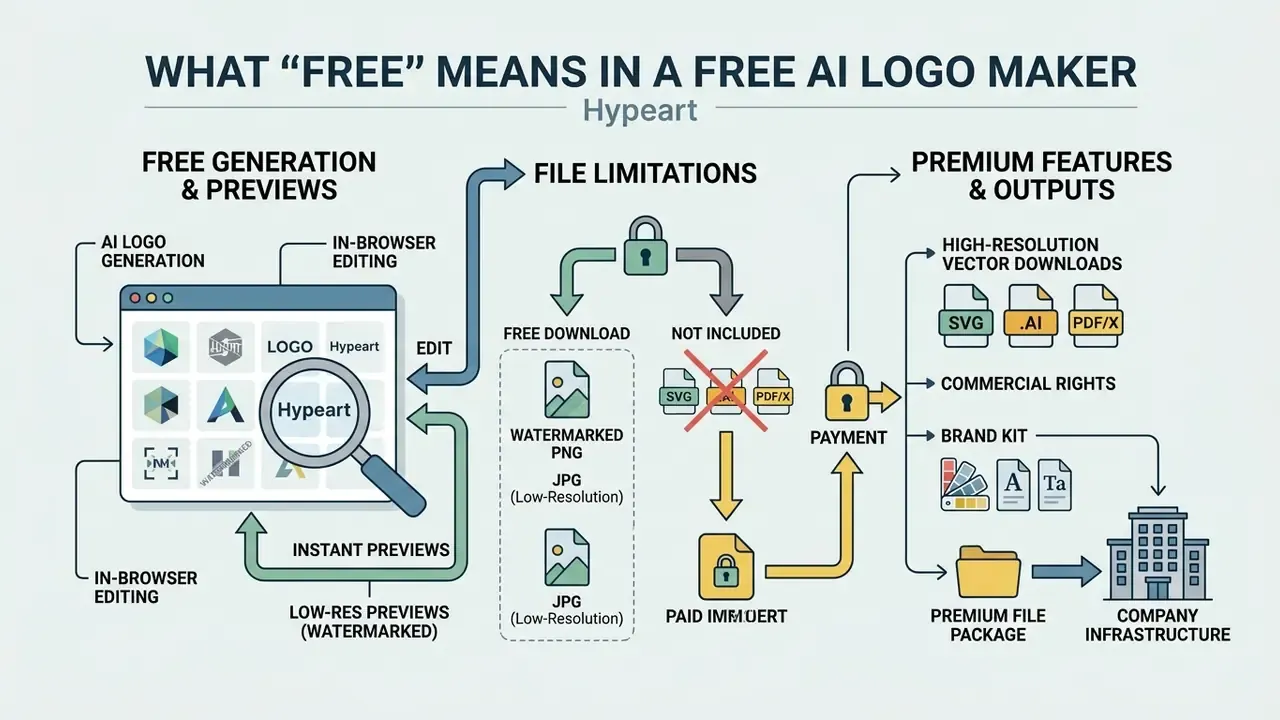
Free AI logo tools typically grant cost-free generation, in-browser editing, and watermarked or low-resolution previews, while gating high-resolution vector downloads, commercial rights, and brand kits behind paid tiers. Understanding these freemium boundaries prevents delays at launch, which is usually the worst possible moment to discover you own a 72 DPI PNG and nothing else.
To evaluate software pricing structures across creative applications, managers can compare options before committing departmental budgets.
| Feature | Free Tier (Typical) | Paid / Premium Tier (Typical) |
|---|---|---|
| Generation & Previews | Unlimited on-screen draft generation; monthly credit caps on some platforms | Unlimited generation with priority queue and higher credit allotments |
| Editing Tools | Basic color, text, and layout adjustments | Advanced grid alignment, kerning, curved text paths, custom font uploads |
| Watermarks | Present on free downloads or draft exports | Removed on all exported files |
| Raster Formats | Low-resolution PNG / JPG (72 DPI) | High-resolution transparent PNG (300 DPI), CMYK-mapped raster |
| Vector Formats | Rarely included; sometimes basic SVG | SVG (optimized lossless), EPS, PDF/X |
| Master Source Files | None | .AI (native Adobe Illustrator vector), .EPS |
| Next-Gen Web Formats | Low-res JPG only | .WEBP plus optimized .SVG |
| Favicon & Avatar Package | Single PNG | Complete kit: 16×16, 32×32, 48×48, 180×180 Apple Touch Icon, .ICO |
| Commercial Rights | Non-commercial, attribution required, or unspecified | Full commercial license and ownership assignment |
| Brand Assets | Single logo file export | Full brand kit (social banners, business cards, letterheads, guideline PDF) |
| Data Privacy / Training Rights | Prompts, brand names and uploads may be used for model improvement; opt-out often unavailable | Documented opt-out, defined retention window, no-training commitment in enterprise terms |
| Governance Features | None | SSO, audit logs, API access, seat management |
| Indemnification | None | Sometimes offered on enterprise tiers; verify scope for third-party trademark claims |
The last three rows are the ones consumer comparisons skip and procurement teams end up arguing about. A free tier that trains on submitted brand names effectively publishes your unlaunched naming strategy into a model's improvement pipeline. That is the core Shadow AI risk in creative tooling, and it rarely shows up on a pricing page.
Free logo generation, editing and previews
Free generation tiers let users create and edit multiple candidate concepts on-screen with no upfront payment. Canva offers limited free generative credits per month (it has documented a 20-prompt monthly allowance on the free Dream Lab tier against roughly 500 credits on paid plans), while Adobe Firefly provides recurring daily or monthly credit allotments for draft creation. Vendor allowances change often and must be re-checked at the time of purchase; the numbers above are indicative, not contractual.
In-browser editing tools permit manual adjustments to typography, icon positioning, and background colors. Previews show how the mark looks on hypothetical business cards, storefront signs, T-shirts, and screens. For a broader view of what free creative tiers usually restrict, see our analysis of free photo editors and their export limits; the gating logic is almost identical across categories.
Free downloads, watermarks and file limitations
Free downloads often carry watermarks or low-resolution raster files (PNG/JPG), while vector formats (SVG/EPS) sit behind paid subscriptions. Namecheap Logo Maker offers free PNG and SVG downloads without watermarks and describes commercial use as included at zero cost. Looka charges roughly $20 for a basic PNG and $65 for a complete vector package. Zoviz watermarks the free preview and unlocks high-resolution files, vector formats, commercial rights, and brand-kit materials only on paid access. Prices and inclusions differ by vendor and shift over time, so treat them as illustrative of market structure rather than fixed quotes.
Low-resolution raster files (72 DPI) work fine for web mockups but pixelate the moment they scale for physical printing. Professional applications need vector formats that scale without quality loss. Readers benchmarking watermark and credit policies across generative categories can consult our comparison of free AI art generators.
Commercial use, copyright and uniqueness of AI logos
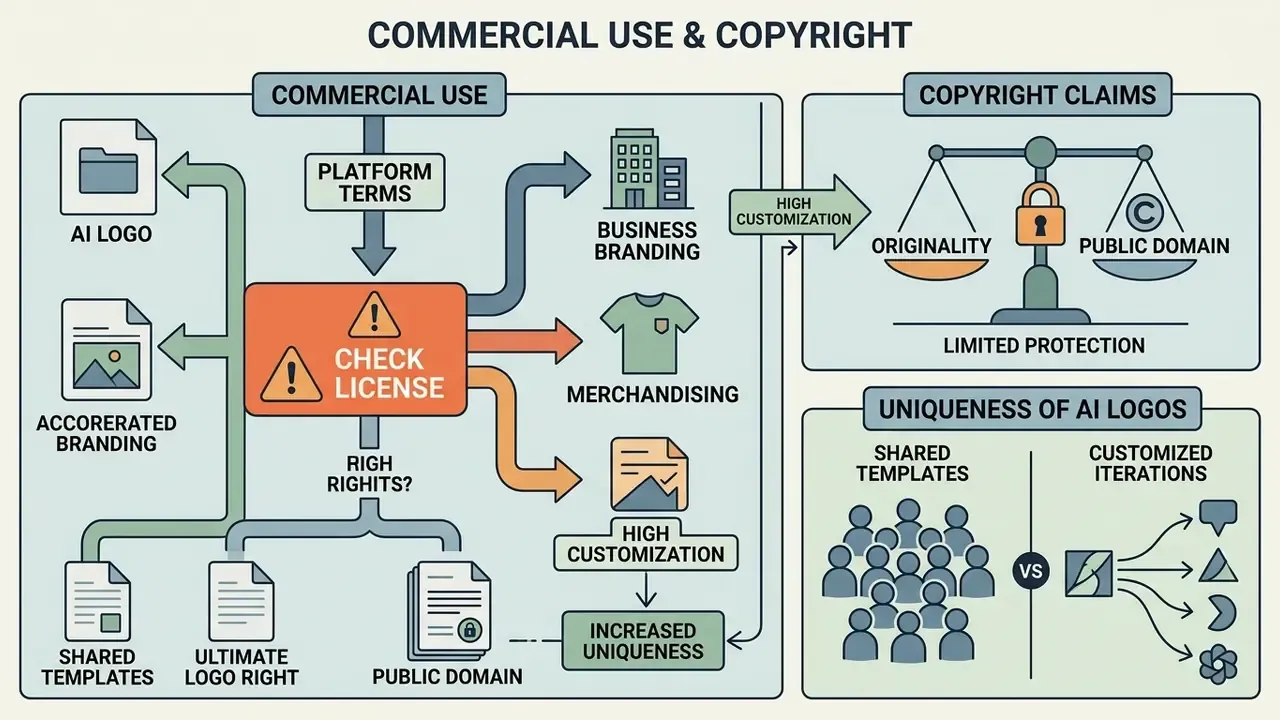
Commercial use of AI logos depends on platform terms. Copyright protection under U.S. law applies strictly to human-authored elements added during design or customization. Verify rights before deploying an AI mark across public channels; the framework for commercial use of AI-generated imagery generally governs logo assets produced inside the same design suites.
When evaluating risk across automated asset workflows, compliance officers can consult the AI Litigation and Case Timelines to review emerging legal precedents in intellectual property.
Check the commercial license before using a logo
Platform license terms decide whether a generated logo can appear on commercial websites, product packaging, and advertising materials. Vendors grant different rights depending on account tier and payment status.
Licensing structures vary significantly:
Two contractual details deserve a direct question to the vendor. First, is the license an ownership assignment or merely permission to use? Second, is any indemnification offered if a third party later alleges the generated mark infringes an existing trademark? Free tiers almost never indemnify. Worth asking anyway.
- Looka
- grants full commercial ownership rights upon purchase of a logo package; help documentation states purchasers may use the logo for any commercial or non-commercial purpose with full ownership.
- LOGO.com
- asserts a full commercial license for downloaded marks, covering products, packaging, advertising, and storefronts.
- Canva
- permits commercial use of completed designs under its Content License Agreement, but prohibits registering individual raw library elements, or Canva's own content and marks, as exclusive trademarks.
- LogoMakr
- treats free downloads as non-commercial and transfers full ownership plus royalty-free commercial use only after license purchase.
- Design.com
- issues a worldwide, irrevocable license covering commercial and non-commercial use.
What uniqueness and copyright claims mean for AI-generated designs
AI-generated graphics created without substantial human creative control cannot be registered for U.S. copyright, though trademark protection remains possible where the mark is distinctive and used in commerce.
Trademark registration turns on commercial source identification, not on copyright authorship. The European Union Intellectual Property Office (EUIPO) evaluates AI logo trademark applications on visual distinctiveness within specific trade classes, regardless of whether generative models assisted the design. WIPO materials likewise treat logos as trademark signs, which means a commercial license from a generator neither creates nor substitutes for trademark rights. Where a licence agreement is governed by Russian law, Article 1235 of the Civil Code requires the territory of permitted use to be specified explicitly, a clause worth checking in cross-border vendor terms.
To evaluate broader commercial licensing frameworks across generative media, visit the AI Media Commercial-Use Hub.
Which logo files to download and where to use them
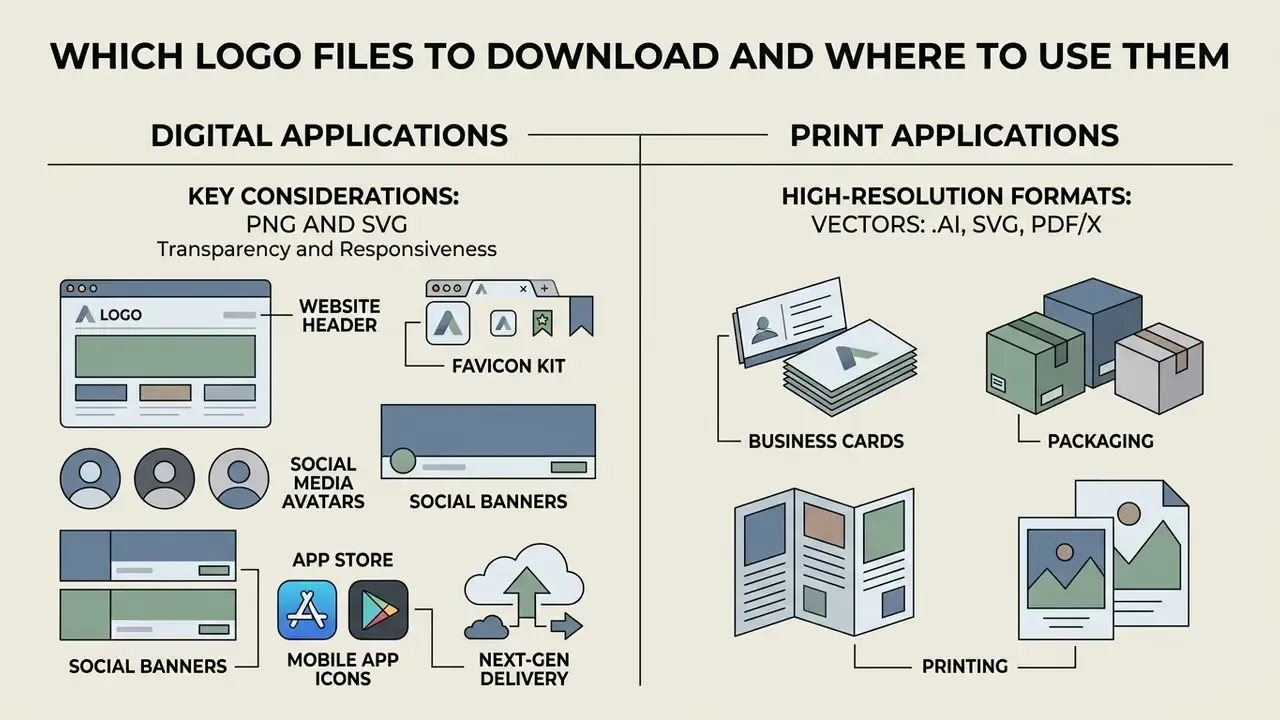
Digital applications need PNG and SVG for transparency and responsiveness. Print workflows demand vector PDF or EPS for crisp scaling. Choosing the right file format prevents visual distortion across communication channels.
For technical troubleshooting and operational guidance on digital file specifications, technical teams should see the overview regarding system specifications.
Files for business cards, packaging and printing
Physical print reproduction requires vector formats compliant with ISO standards (PDF/X-1a or PDF/X-4) and appropriate CMYK color mapping. Vector master files preserve sharp edges on physical substrates.
ISO 15930-7 governs professional print exchange formats: the standard defines PDF/X-4 and supports color-managed CMYK, gray, RGB, and spot color data together with PDF transparency. ISO/TC 130 print-production guidance from January 2024 recommends delivering artwork as PDF/X compliant to ISO 15930-7 or later. Unlike screen-focused RGB raster images, PDF/X master files embed the color management profiles and spot-color definitions that commercial presses, business card production, and product packaging need. Keep the .AI or .EPS master alongside the PDF/X export, so a printer can adjust trapping or spot separations without re-tracing the mark.
How to choose the best AI logo generator for your business
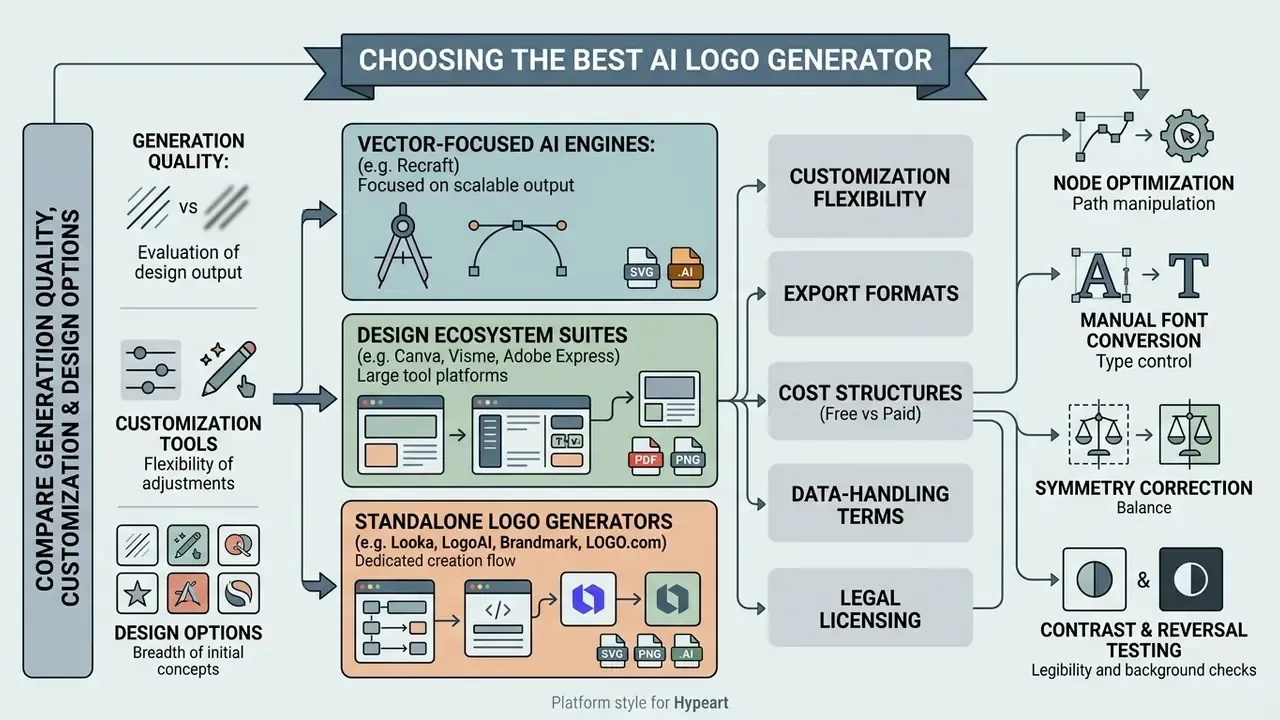
Choosing the best AI logo generator means evaluating generation quality, customization flexibility, export formats, cost structures, data-handling terms, and legal licensing against business goals. A systematic evaluation matrix makes the procurement conversation shorter.
To benchmark alternative AI platforms, risk officers can explore the hub for structured software evaluations.
Compare generation quality, customization tools and design options
Start by comparing prompt interpretation accuracy, font library range, icon library depth, and how much manual editing control the browser editor actually gives you. Specialized platforms offer real operational advantages, and documented limits:
Research prototypes already point toward finer control than commercial tools expose:
Software categories provide varying editing depth:
Teams that also need portrait or people-facing brand assets frequently pair a logo engine with an AI headshot generator to keep founder imagery consistent with the mark's palette.
Overcoming generative artifacts: the designer-in-the-loop fallback
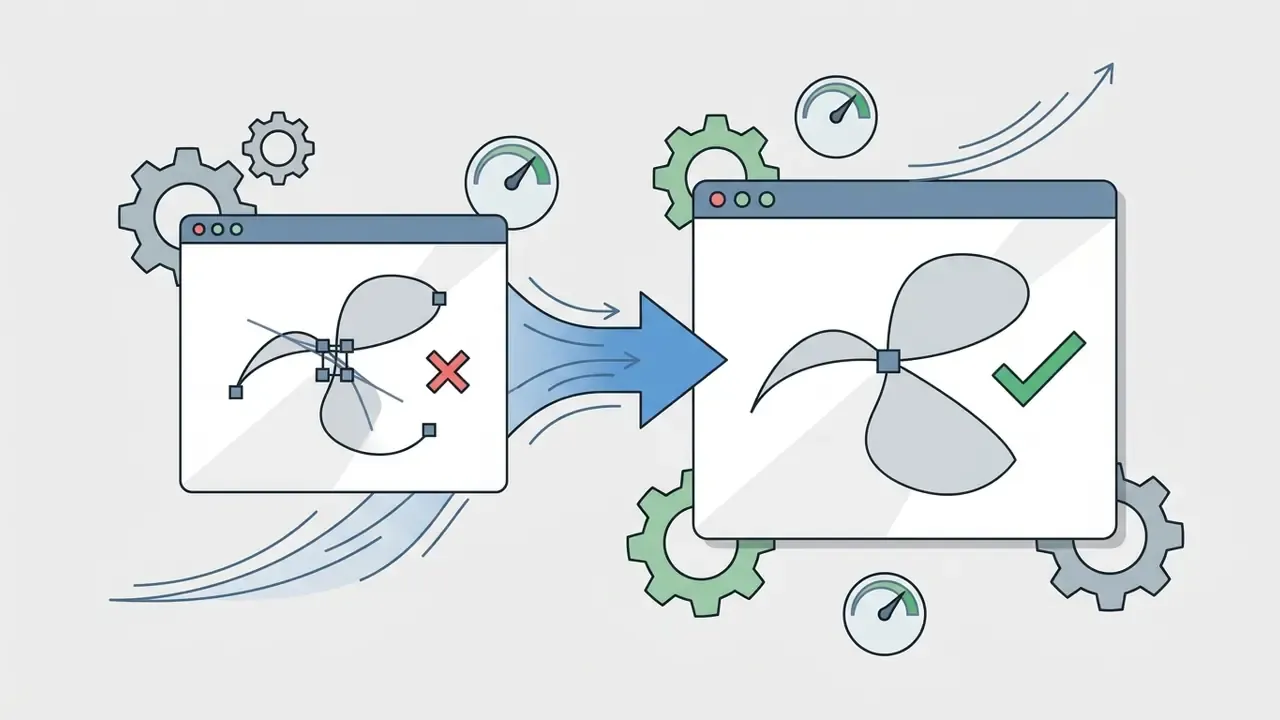
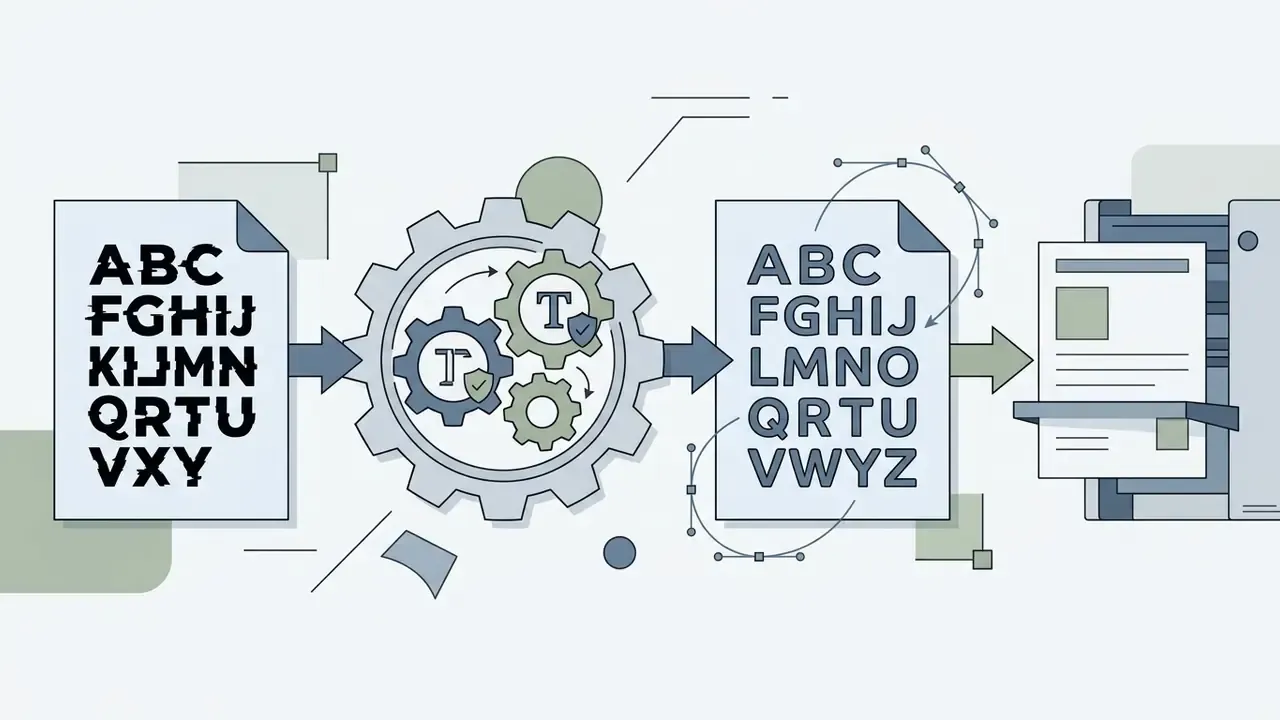
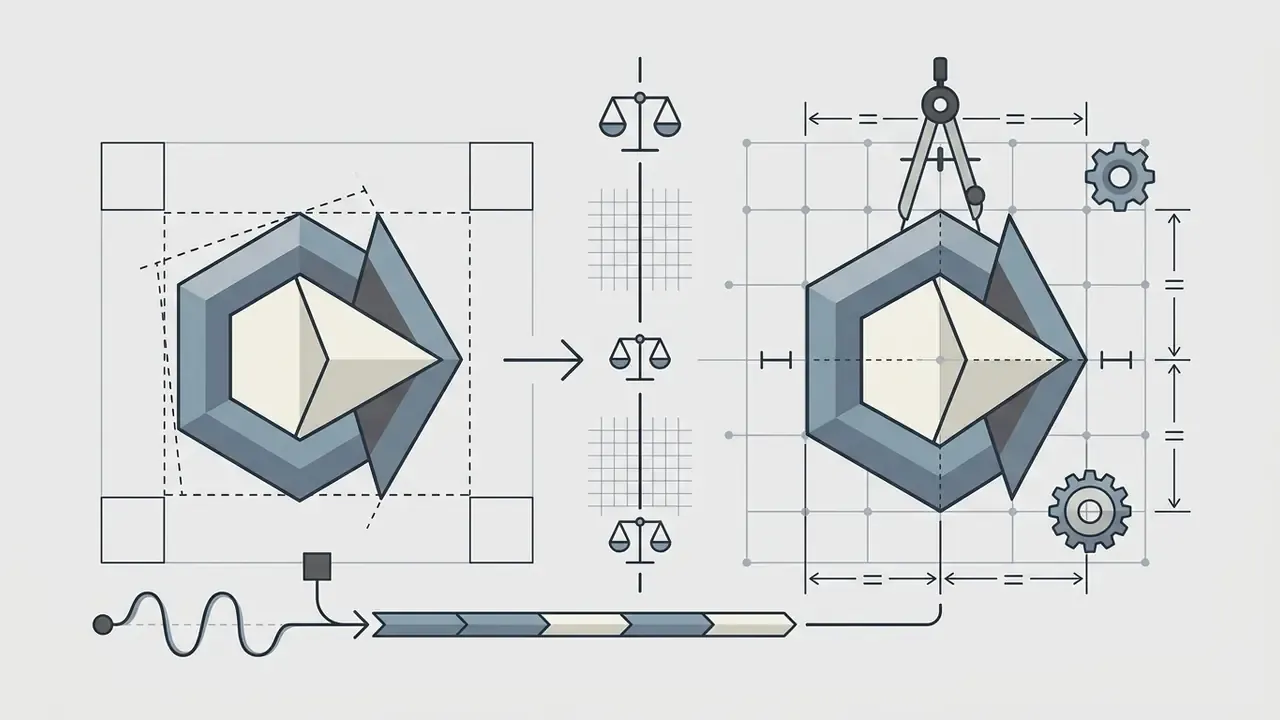
Fully automated neural models regularly introduce vector node overlap, asymmetric geometry, hallucinated letterforms, and blurred character edges. Distorted nodes and unusable artifacts are the single most common reason an otherwise acceptable concept fails production QA. The failure modes look familiar to anyone who has catalogued bad AI art: confident output, broken geometry. Comparable defect patterns in raster output are documented in our reference on bad AI images.
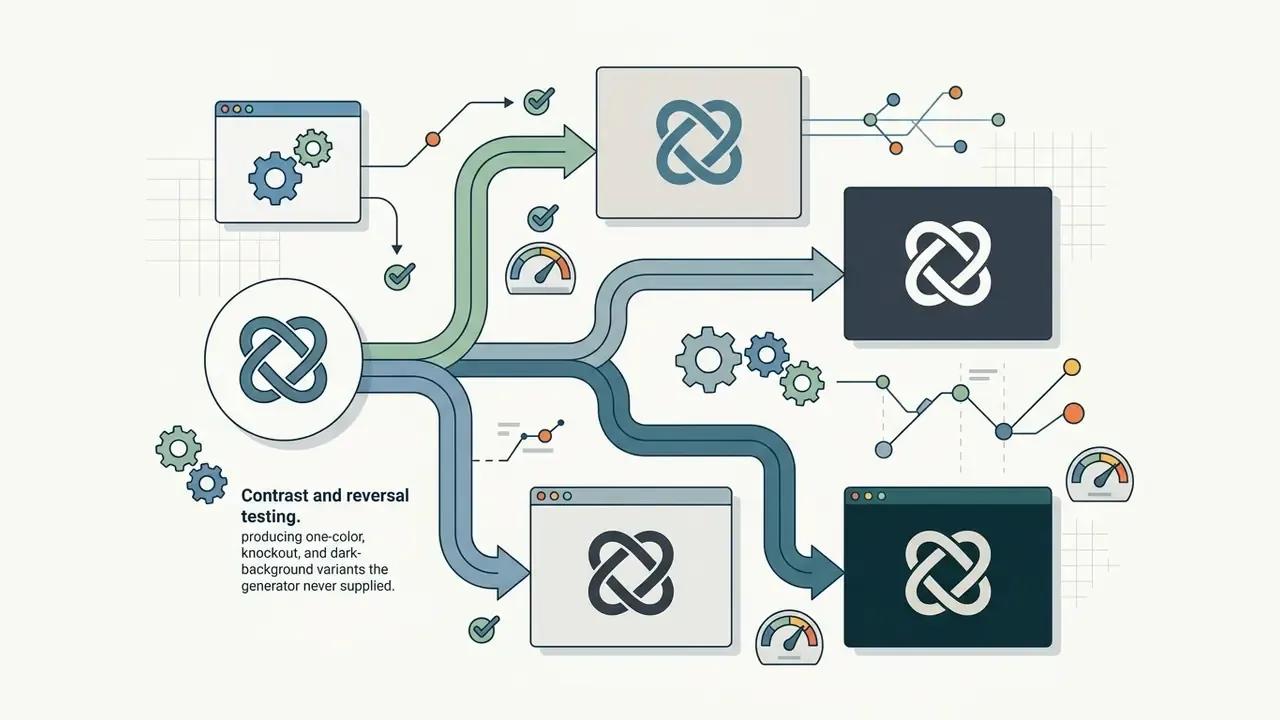
To resolve production-blocking defects, mature workflows combine automated generation with human vector cleanup, marketed by some vendors as a designer fix, an in-house designer pass that fine-tunes the generated file:
Budget for this pass explicitly. A $65 vector package plus two hours of vector cleanup still sits an order of magnitude below a bespoke identity engagement, and it is what converts machine output into an asset with defensible human authorship.
Governance and data-protection criteria (vendor whitelist)
| Criterion | What to verify | Why it matters |
|---|---|---|
| Training on inputs | Explicit no-training clause or a working opt-out for prompts, names, uploads | Prevents unlaunched brand names leaking into model improvement data |
| Data retention | Defined retention window and deletion path for generated assets | Limits exposure if the vendor is breached |
| Provenance metadata | C2PA content credentials, model/version logging, watermark durability after crop or re-encode | Supports audit trails and disclosure obligations |
| Access control | SSO, role separation, seat revocation | Blocks Shadow AI accounts outside procurement |
| API availability | Documented endpoints for asset retrieval and versioning | Enables automated distribution into CMS and templates |
| Licence clarity | Ownership assignment vs. permission-to-use; indemnification scope | Determines whether the mark can safely appear on packaging |
| Export completeness | SVG, EPS, .AI, PDF/X, .WEBP, favicon kit | Avoids re-purchase at launch |
When building automated brand asset pipelines through programmatic endpoints, enterprise developers can browse the hub for API integration protocols.
Compare download terms, file formats and brand features
Evaluating download packages confirms the platform supplies required vector formats, royalty-free commercial licenses, and reusable brand assets. One-time purchase models ($20 to $99, with premium tiers to $175) sit against annual subscription plans, around $96/year for brand-kit access.
Export formats differ across market leaders. Flipsnack exports brand guideline documentation in PDF, HTML5, GIF, PNG, JPEG, and MP4, but not PPTX or DOCX. OneBrandBook exports a PDF brand book plus JSON for developers. Zoviz delivers print-ready business card layouts alongside DOCX corporate letterhead templates. Vendor feature sets shift between releases, so confirm current package contents before purchase. Choosing software with comprehensive export options keeps every marketing channel operational, and teams that compress or repurpose brand video assets should review the video compressor guide for format-parity considerations.
FAQ
Is an AI logo really free?
Generation and in-browser editing are typically free. Watermark-free high-resolution files, vector formats, and commercial licensing are usually paid, with the notable exception of a few vendors (Namecheap Logo Maker among them) that release PNG and SVG without watermarks at no cost.
Can I copyright a logo generated by AI?
Not the machine-generated portion. Under U.S. Copyright Office guidance (Part 2, January 2025), only human-authored expressive elements are registrable, AI material must be disclosed, and prompt writing alone does not create authorship. Human vector editing, layout selection, and compilation can be claimed.
Can I trademark an AI logo?
Potentially yes. Trademark eligibility turns on distinctiveness and use in commerce, not on authorship, and EUIPO assesses AI-assisted marks on the same distinctiveness test as any other sign. Run a clearance search in your trade classes first.
Do free tiers allow commercial use?
It varies by vendor and plan. Some free tiers restrict output to non-commercial use or keep generated designs publicly visible; others grant commercial rights at zero cost. Read the specific plan terms, not the marketing headline, on the day you download.
Which file do I actually need?
SVG or .AI as the master, transparent PNG for web and social, PDF/X-4 for any commercial print, and a favicon kit (16×16, 32×32, 180×180, .ICO) for browsers and mobile home screens.
Will the same logo be generated for someone else?
Possibly. Many tools recombine shared icon libraries and font pairings, so near-duplicates happen. A reverse-image search plus a trademark index check before launch is the practical safeguard.
Does the platform train on my brand name and prompts?
Assume yes unless the terms say otherwise. Check for an opt-out toggle, a documented retention window, and enterprise terms carrying a no-training commitment.
What should I fix by hand after generation?
Kerning, duplicate vector nodes, icon-to-wordmark weight balance, one-color and reversed variants, and any letterform the model invented instead of setting in a licensed font.
Legal and editorial disclaimer
This article is general educational information about design tooling, file standards, and intellectual property practice. It is not legal advice, and it does not create an attorney-client relationship. Copyright registrability, trademark availability, and licence enforceability depend on jurisdiction and on facts specific to your mark. Consult a qualified IP attorney before registering or commercially deploying a logo. Vendor pricing, credit allowances, and licence terms cited here reflect publicly documented positions at the time of writing and change frequently; verify current terms directly with each provider.
About the review
Editorial oversight for this guide is attributed to Marcus Hale, AI Governance & Model Risk Editorial Lead, the author who contributes to frame model risk management, third-party AI procurement, and content-provenance controls for regulated organizations. Technical format specifications were checked against ISO 15930 series documentation and published corporate and university brand standards. Legal statements were checked against U.S. Copyright Office publications and EUIPO trademark guidance.
Appendix A: revision notes
For transparency, the following statements from earlier versions of this guide were superseded during review:
- "A 2023 study published in Information Design evaluated AI-generated logo layouts against core design principles, finding that while tools produce high volumes of logos generated, human oversight remains essential to enforce proportion, visual balance, and brand unity." Retained in the main text, now accompanied by method notes and an explicit statement that a stable DOI was not supplied with the source material.
- "The U.S. Copyright Office's 2025 report reaffirms that copyright protection attaches exclusively to human-authored expressive elements." Replaced with a directly quoted and URL-linked citation to Copyright and Artificial Intelligence, Part 2: Copyrightability (January 29, 2025).
- "In a hypothetical enterprise review, a fintech team evaluated generative software for an internal project mark." Reframed as an explicitly composite, illustrative review pattern with stated QA outcomes rather than an unattributed case study.
- Prior links to unrelated consumer tools (children's-name generation, novelty font generation, and desktop video editing) were removed as topically irrelevant to enterprise brand-asset workflows. Artifact-related references on flawed generative output were kept, since defect patterns transfer directly to logo QA.
- Non-English citation excerpts were translated into English so every quoted claim is verifiable in the page language.
Internal Reference Directory
For further technical terminology and media standards, explore comprehensive definitions in the AI Media Glossary.