«An AI presentation tool functions as a digital drafting assistant, not an autonomous author. Enterprise adoption requires defining clear input boundaries, maintaining human verification over statistics and claims, and establishing clear data-lineage controls before exporting AI-generated decks into production.»
Executive Summary for Decision-Makers
- What the technology is: An AI PowerPoint generator converts prompts, pasted text, PDFs, DOCX, XLSX files, or website URLs into structured, styled, and fully editable slide decks. Modern systems are multi-agent pipelines (parse → outline → layout → render), not single-shot text models.
- What it automates well: first-draft narrative, slide titles, bullet compression, layout mapping, brand-kit application, speaker notes, alt-text drafts, and multi-format export (.pptx / Google Slides / PDF).
- What it never automates: factual accuracy, numerical reconciliation, source attribution, IP clearance, and regulatory tone. Every deck requires documented human review before distribution.
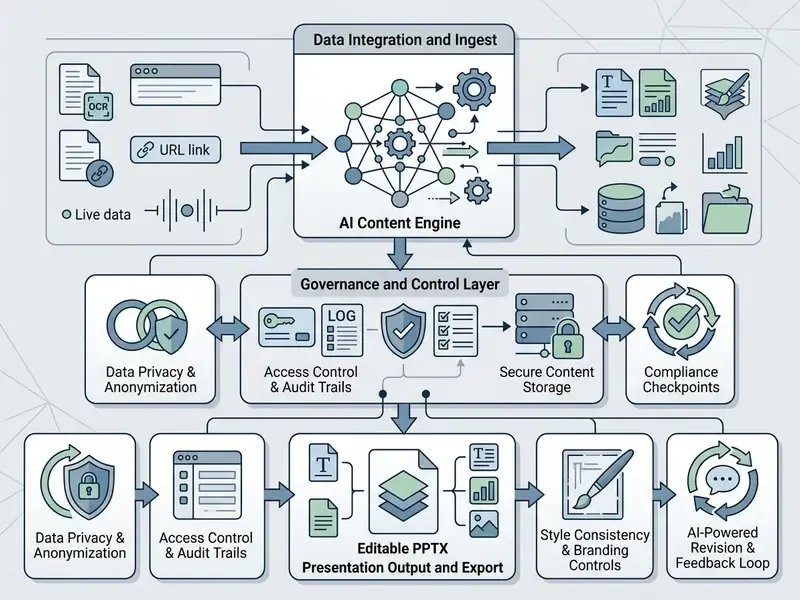
- Enterprise differentiators to procure on: native PPTX export fidelity, Brand Sync (automatic logo/font/palette extraction), live data connectors (Salesforce, Snowflake, BigQuery, Google Sheets, Looker, Tableau), SSO/SCIM, zero-data-retention and no-model-training clauses, SOC 2 Type II / GDPR posture, REST API and webhooks for programmatic generation, and audit trails showing where each figure originated.
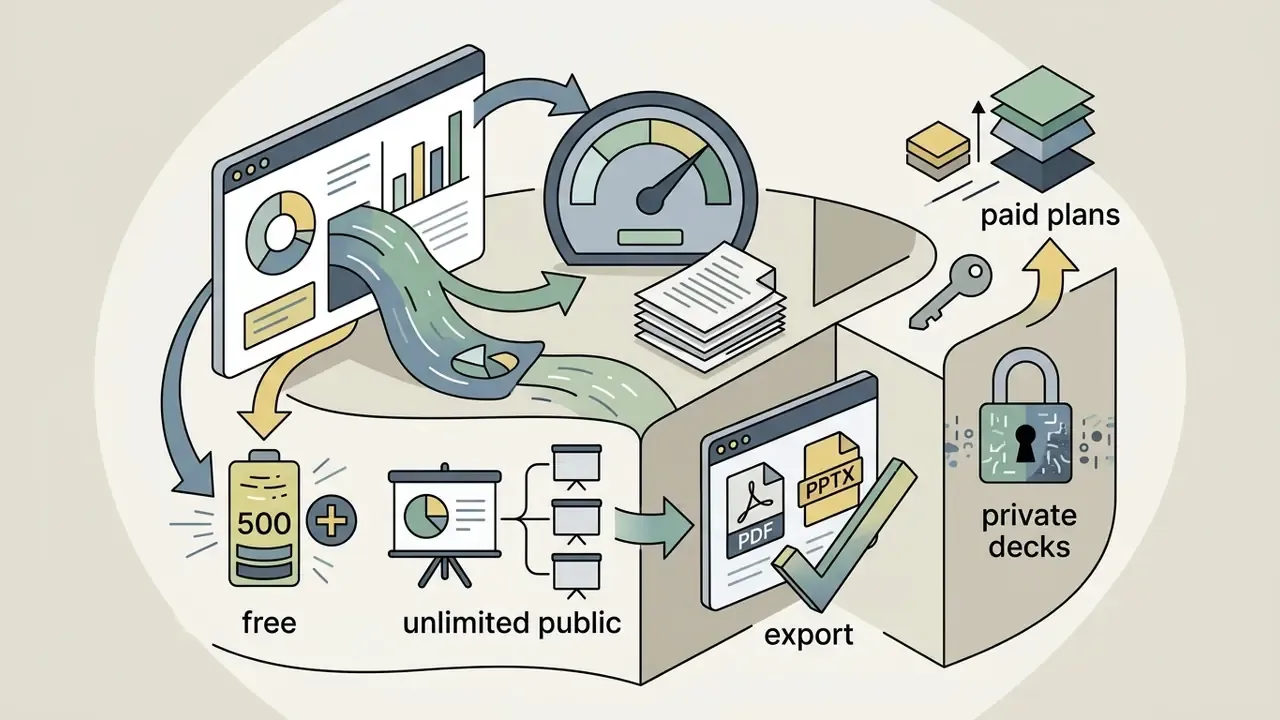
- Cost signal: free tiers are credit-metered and export-limited (Gamma ≈ 400 one-time signup credits; Slidesgo 3 presentations/month; Presentations.ai 100 starter credits with PPTX export charged at 5 credits per slide). Paid team tiers typically run $9–$40 per seat/month, with Microsoft 365 Copilot at $30 per user/month.
- Governance verdict: treat AI slide generation as a controlled drafting workflow with human-in-the-loop verification, RBAC over brand masters, and data-lineage records, not as an autonomous publishing channel.
Why does this matter to a bank or a mature fintech? Because board decks, credit committee packs, and KYC remediation summaries are exactly the documents that AI drafts fastest and that regulators scrutinise hardest.
What Is an AI PowerPoint Generator and How Does It Work?
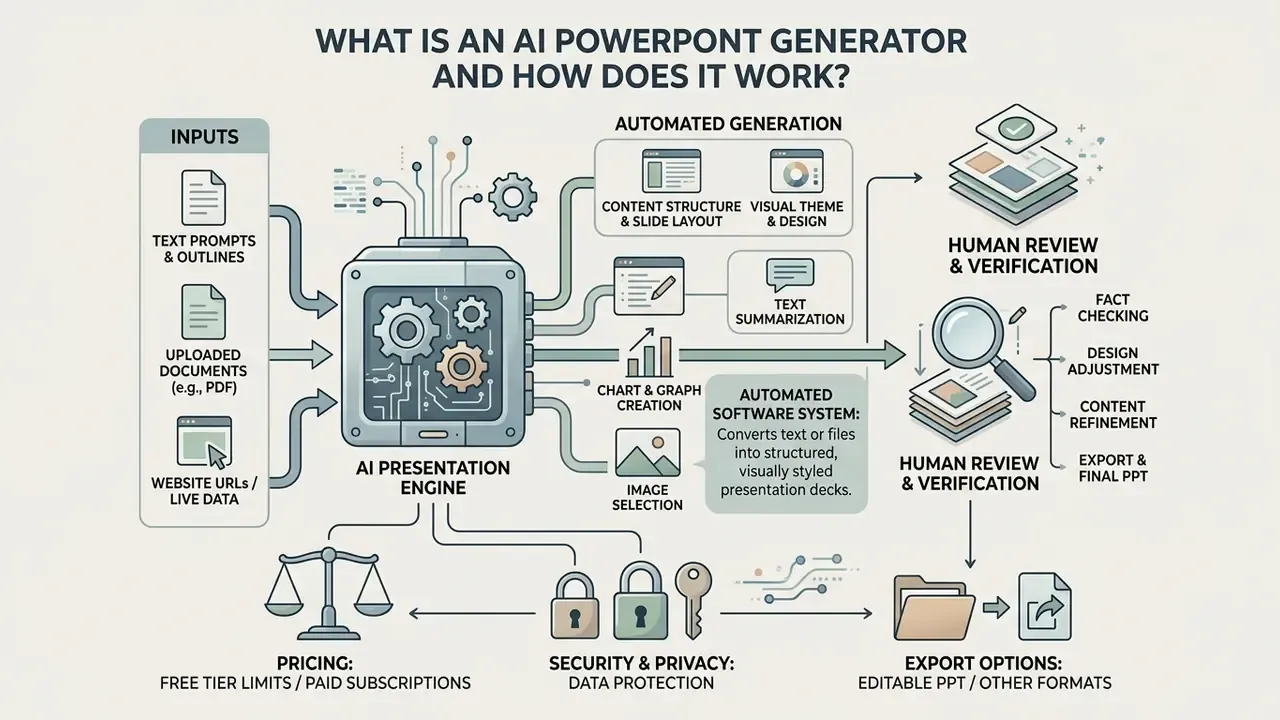
An AI PowerPoint generator is an automated software system that converts text prompts, outlines, or uploaded documents into structured, visually styled presentation decks. Rather than requiring manual slide creation, an ai presentation maker parses your input text, constructs a logical topic outline, maps key points to individual slides, and applies visual layouts automatically.
Modern ai based powerpoint generator solutions operate as multi-agent systems rather than single text models. Research into multi-agent slide architectures, such as SlideGen (arXiv:2512.04529, 2024) and Auto-Slides (CHI 2026), demonstrates that slide creation is most reliable when split into dedicated sub-tasks: document parsing, narrative outlining, layout mapping, and visual formatting.
«Multi-agent systems consistently outperform single-stage generation in content accuracy, readability, and user preference.»
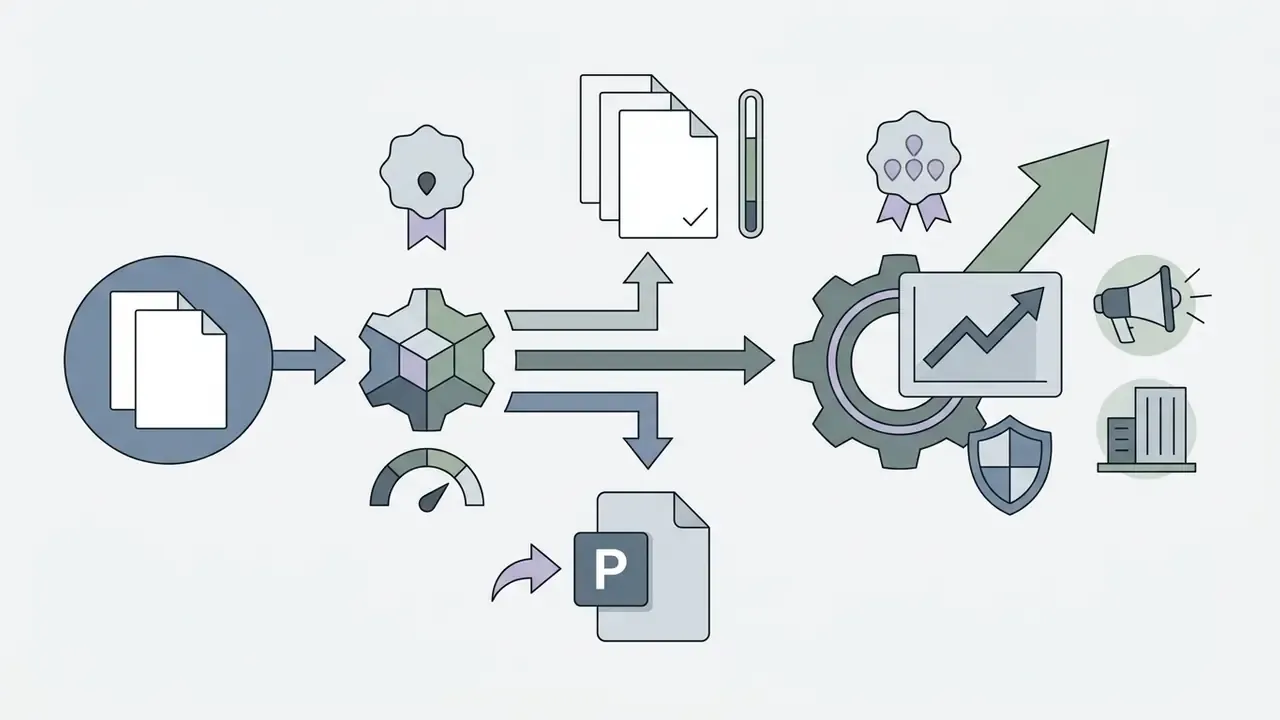
When choosing a presentation maker, organizations move from raw text generation to an automated pipeline that outputs an editable powerpoint presentation ready for executive or institutional review. In practice, the architectural split matters for risk management. Because parsing, planning, and rendering are separate stages, each stage can be logged, audited, and re-run independently. That is exactly what model-risk and compliance teams need when a board deck must be traced back to a source document.
One small observation from real deployments: the teams that struggle are rarely the ones with a weak model. They are the ones who never decided who signs off.
From Prompt to Presentation Structure
To convert a prompt into a structured deck, an ai based slide creator processes the user's input through a two-stage planning pipeline. First, the natural language prompt is parsed to identify the core topic, target audience, and key argument sequence. Second, the system builds an intermediate outline that determines slide count, section breaks, and content hierarchy.
Establishing a high-level outline before generating individual slide content prevents narrative fragmentation and keeps the presentation aligned with its core objective.
«DocPres builds a high-level plan before slide generation: it defines sections, paragraph relationships, and content hierarchy.»
Systems like Presentations.ai implement this prompt-to-deck flow by presenting the user with an approved slide outline before rendering full visual layouts. Adobe Acrobat Studio and Microsoft Copilot both expose an editable outline step where slides can be reordered or removed before generation. This approval gate is the cheapest possible control point: fixing structure at outline stage costs seconds, while fixing it after full rendering costs a full regeneration cycle. The result is that generated decks maintain a logical narrative flow before visual elements are applied.
Think of the outline as the model's stated intent. Approve the intent, and you rarely fight the output.
What AI Generates Automatically and What You Should Review
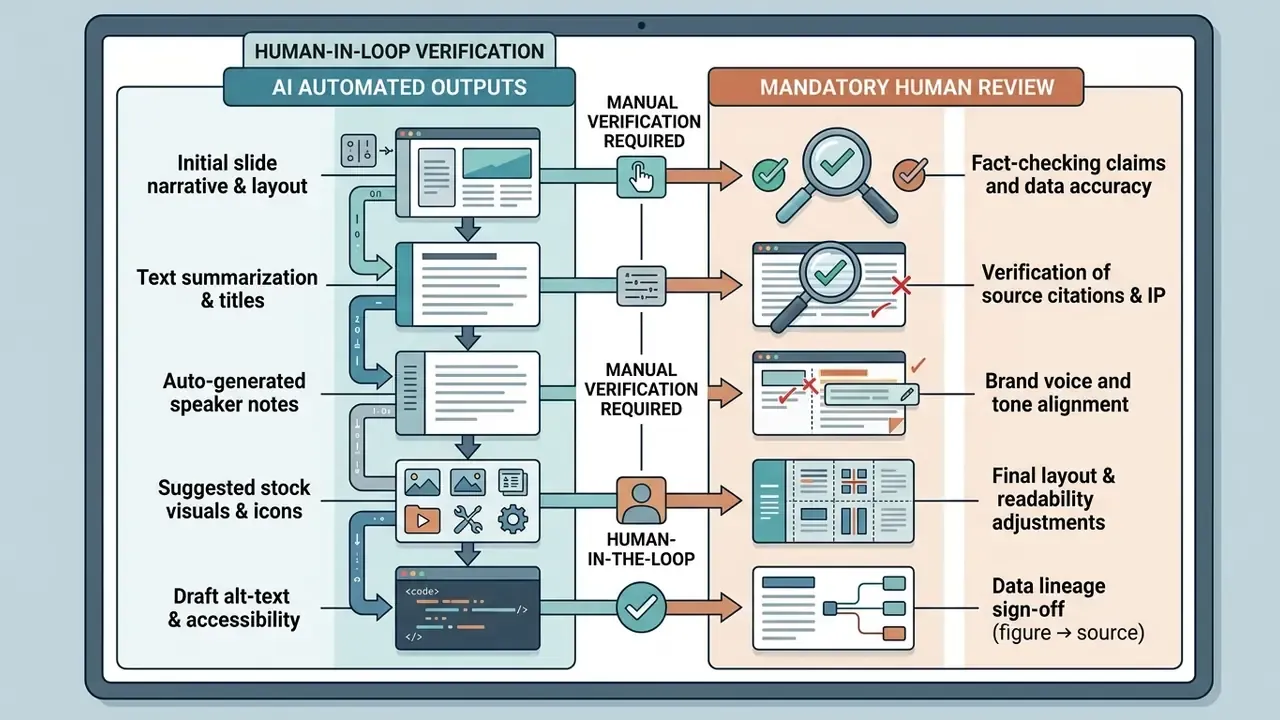
An ai automatic presentation maker automatically creates slide titles, bullet points, visual layouts, color themes, image suggestions, and speaker notes. Advanced platforms also auto-generate data tables, visual diagrams, and alt-text for screen accessibility.
However, automated generation introduces operational risks if published without oversight. Authors must manually review every generated deck for factual accuracy, numerical consistency, copyright compliance, and brand alignment. Or, to put it more precisely: the review is not optional polish, it is the control that makes the workflow defensible.
«Auto-Slides includes verification mechanisms, yet still assumes users review and edit the output — especially for business and scientific presentations.»
What You Can Use as Input for an AI Presentation Maker
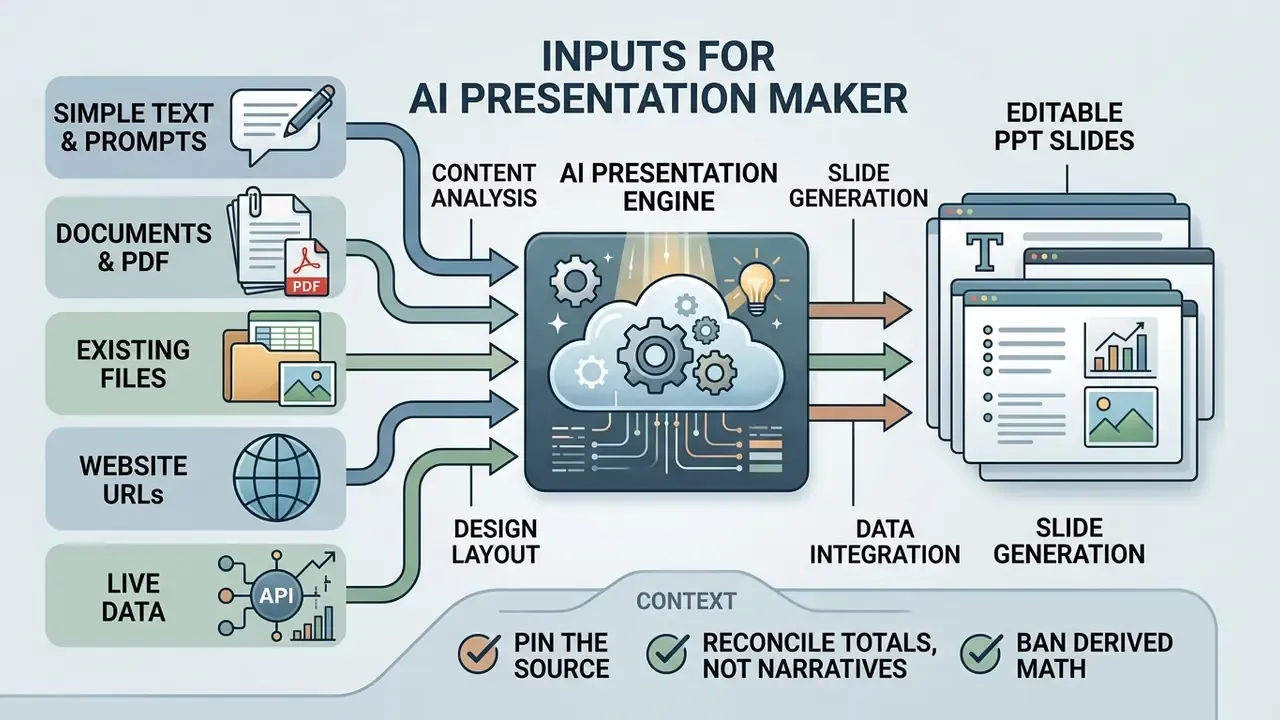
Modern AI presentation tools accept a wide array of inputs, ranging from simple topic ideas to complex enterprise files. Whether you need to ai create powerpoint from text or convert multi-page documents, selecting the appropriate input format dictates the quality and structure of the output.
When teams need to ai create ppt from text, entering raw prompts allows the engine flexibility in drafting visual narrative structures. Conversely, uploading existing files grounds the generative model directly in verified organizational knowledge. Document-driven inputs preserve section order, terminology, and figures far better than prompt-only generation. You can explore structured definitions and workflow tools in our glossary hub.
Create PowerPoint Slides from Text and Prompts
Generating ai create powerpoint slides from text requires structured prompt engineering to yield concise, professional results. A basic topic prompt often produces generic slides, whereas a structured prompt specifying context, audience, slide count, and tone produces refined output.
Practical prompt guidance converges on a small set of controls: separate instructions from context with explicit delimiters, state the objective positively, decompose long tasks into sections, and supply one or two few-shot examples of the desired slide style.
«Clearly stating the topic and requirements in the prompt lets the model select the right sections and calibrate information density per slide.»
When drafting a prompt to ai create slide layouts, explicitly define the presentation's core objective, mandatory sections, style constraints, and time budget. A common operational heuristic is roughly one slide per four minutes of speaking time. For a twenty-minute credit risk update, that means five or six slides, not eighteen.
Turn Documents, PDF, and Existing Files into PPT
To ai create powerpoint from text contained in pre-existing files, tools ingest PDF, DOCX, TXT, or XLSX documents to extract key insights. Document-driven workflows preserve source facts better than open-ended prompt generation.
«SlideSpawn converts PDFs into XML with positional metadata, then selects salient sentences via integer linear programming on a test set of 650 document–slide pairs.»
Enterprise tools like Microsoft Copilot for PowerPoint parse attached Word or PDF documents, extracting main arguments to automatically populate slide masters. Cloud extraction services, for example document-intelligence APIs, additionally return tables, key-value pairs, and structural hierarchy in a single call. That is what allows a 40-page report to become a 12-slide summary without manual retyping. If your source material only exists as scans or screenshots, run document text extraction first so the model receives clean, machine-readable input.
Data lineage and the chart-hallucination risk. Complex financial tables are the most fragile input class. When an XLSX sheet contains merged cells, footnoted adjustments, or multi-level headers, extraction layers can silently mis-associate a value with the wrong period or the wrong entity. The generated chart will still look authoritative. That is the dangerous part. Three controls mitigate this:
- Pin the source.Require every generated chart to carry a machine-readable reference (file name, sheet, cell range, extraction timestamp) in slide notes or a hidden metadata field.
- Reconcile totals, not narratives.Verify sums, growth rates, and percentage bases against the source workbook rather than reading the AI's summary sentence.
- Ban derived math.Instruct the model to transcribe figures only; any ratio, CAGR, or variance should be computed in the source system and imported, never inferred by the language model.
If your finance team already runs unit-cost models for automation, you can compare options for estimating throughput and control overhead before committing to a rollout.
How to Create a PowerPoint Presentation with AI Step by Step
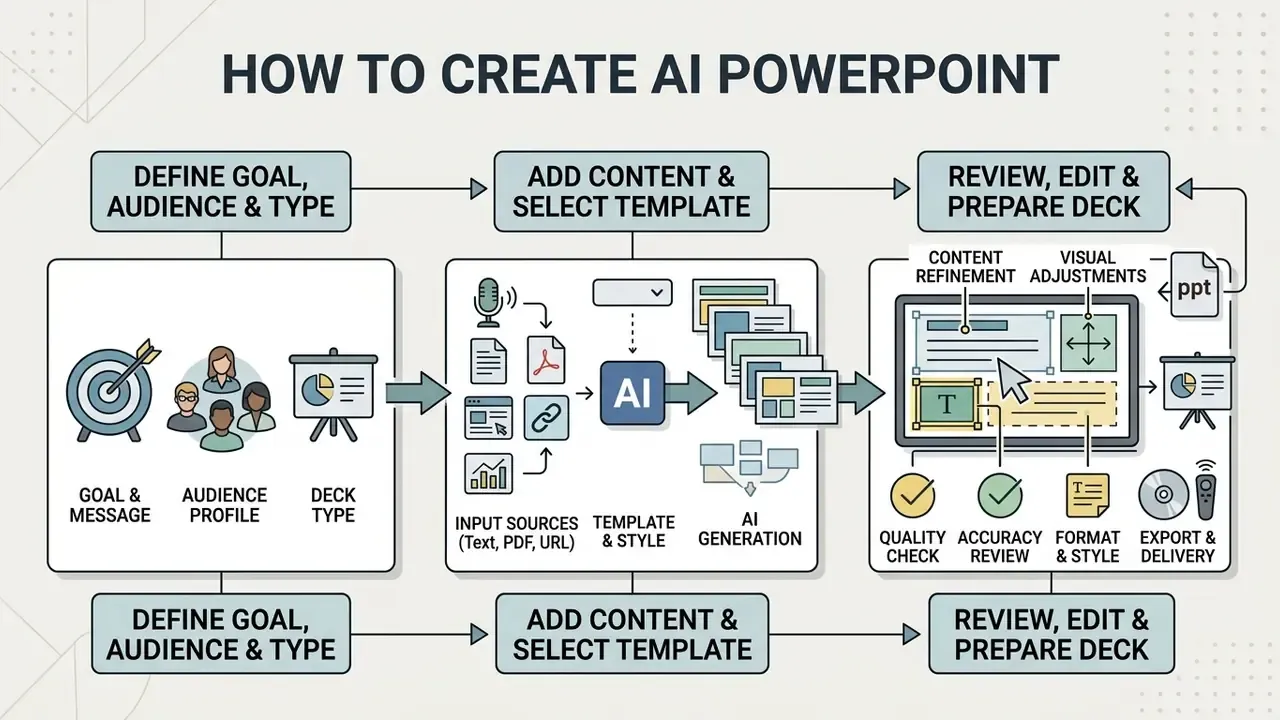
Creating a professional deck using AI requires a controlled workflow to ensure quality, accuracy, and brand alignment. Following a structured multi-step process allows users to ai create a powerpoint presentation efficiently while mitigating common model errors.
When organizations want to generate presentations at scale, standardizing this step-by-step approach ensures consistent design standards and content validity across all business units.
Define the Goal, Audience, and Presentation Type
Before prompting an AI tool, you must explicitly define the presentation's primary objective, target audience, and delivery scenario. A deck structured for an executive board requires concise financial data, whereas an ai class presentation generator output needs pedagogical clarity and explanatory visuals.
Investor-facing decks follow a fixed structural sequence: cover, team, problem, product, business model, market size, traction, competition, financials, and funding ask. That order matches investor decision-making. Sales decks invert the emphasis toward outcomes, benefits, and a closing call to action, while lecture decks organize around learning objectives rather than persuasion.
«DeepSlide formalizes this step: the system collects requirements about audience, time budget, and goals through dialogue, then generates several candidate narrative chains.»
Defining these audience constraints upfront prevents the AI from generating unfocused slides. It also gives reviewers a yardstick: does this slide serve the stated objective, or is it filler the model produced to reach a slide count?
Add Content, Select a Template, and Generate Slides
After establishing parameters, input your text or documents into the ai based ppt maker and select a visual theme or master template. The system uses design rules to map extracted text into layout grids, ensuring visual consistency across all slides.
Advanced slide creation platforms now automate template configuration using web-based brand extraction, often marketed as Brand Sync. By inputting an organization's domain URL, the AI system crawls public CSS stylesheets to extract vector logo marks, primary and secondary HEX color palettes, and Google or Adobe font families. This automatically constructs a compliant corporate slide master before narrative text generation begins, collapsing what was previously a multi-day design-ops task into a single URL paste. Platforms such as Presentations.AI expose this as a first-run step, and enterprise deployments typically freeze the extracted kit as a locked master that individual authors cannot override.
«DeepSlides first produces high-level style and layout instructions, then iteratively refines content, page design, and implementation — outperforming baselines on aesthetic metrics.»
Modern tools adjust element spacing dynamically to match the volume of text per slide. Template-free engines decouple content generation from visual rendering, so a single narrative can be re-skinned for different audiences without regenerating the text. Useful when the same quarterly story goes to the board, the regulator, and the sales floor.
Review, Edit, and Prepare the Deck for Delivery
Once the initial draft is complete, perform a thorough review to refine narrative flow, adjust visual element placement, and update speaker notes.
«User studies show interactive AI-assisted editing improves comprehension and engagement compared with plain LLM-mediated reading.»
This step converts raw AI drafts into delivery-ready corporate presentations, and it is where accountability is formally assigned. In regulated environments, the reviewer who signs off on figures owns the deck. Not the tool. Not the vendor. If your teams need help defining that hand-off, AI Media Support documents the escalation path used for generated media assets.
Edit AI-Generated Slides, Content, and Design
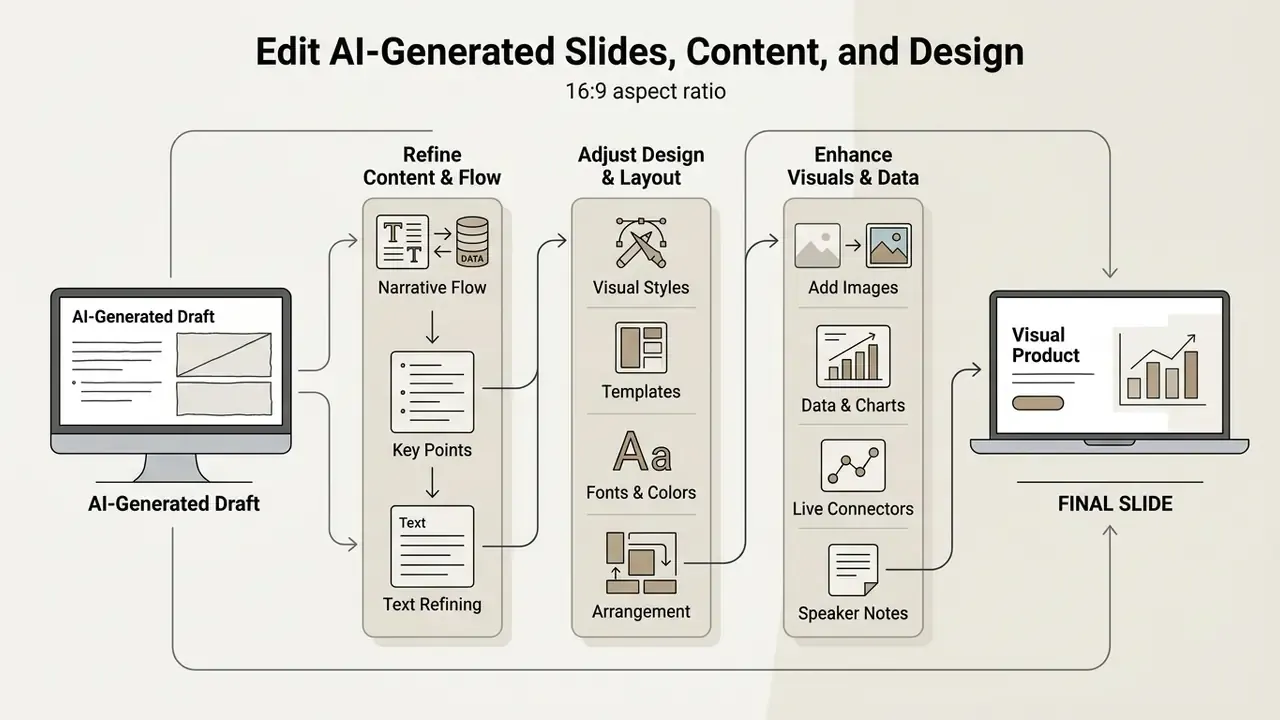
Editing AI-generated slides requires refining narrative structure, formatting typography, and adjusting visual element placement. While an ai automatic presentation maker creates an effective initial draft, human customization is necessary to adapt the deck to specific operational needs.
Conversational editing has become the dominant interaction model. Instead of manually nudging shapes, users instruct the system to rewrite a section, insert a chart, rebalance a layout, or reapply a branded template. The practical rule for reliable results is to state three things in every edit instruction: what to change, what to preserve, and exactly where the change applies. Teams that also handle motion assets alongside slides often run the same discipline through a video editor app, where scoped instructions matter just as much. For broader asset rules, view the guide to expanded usage terms.
Improve Slide Content and Narrative Flow
Improving narrative flow involves structuring each slide around a single core takeaway and using clear transitional phrasing between sections. Avoid overloading individual slides with excessive bullet points or competing messages. Established slide-design practice recommends one key idea per slide, sentence-style headlines that state the takeaway rather than the topic, no more than about six lines of text per slide, and progressive reveal for complex builds.
«Auto-Slides applies cognitive-science principles to restructure the narrative — foundational concepts first, then examples — which improves learner comprehension.»
Removing redundant text ensures the core message remains prominent, and verbally signposting transitions keeps the audience oriented across section breaks.
Refine Design, Templates, Layouts, and Visuals
Refining visual design requires establishing consistent color palettes, typography hierarchies, and element spacing. Tools like Canva, Gamma, and Adobe Express provide conversational design controls to update themes across an entire deck instantly. Canva's Layouts applies on-brand layout suggestions in one click, while Gamma re-flows layout automatically when colors, images, or charts change. For post-processing of raster assets before they land on a slide, see our overview of AI photo editing tools.
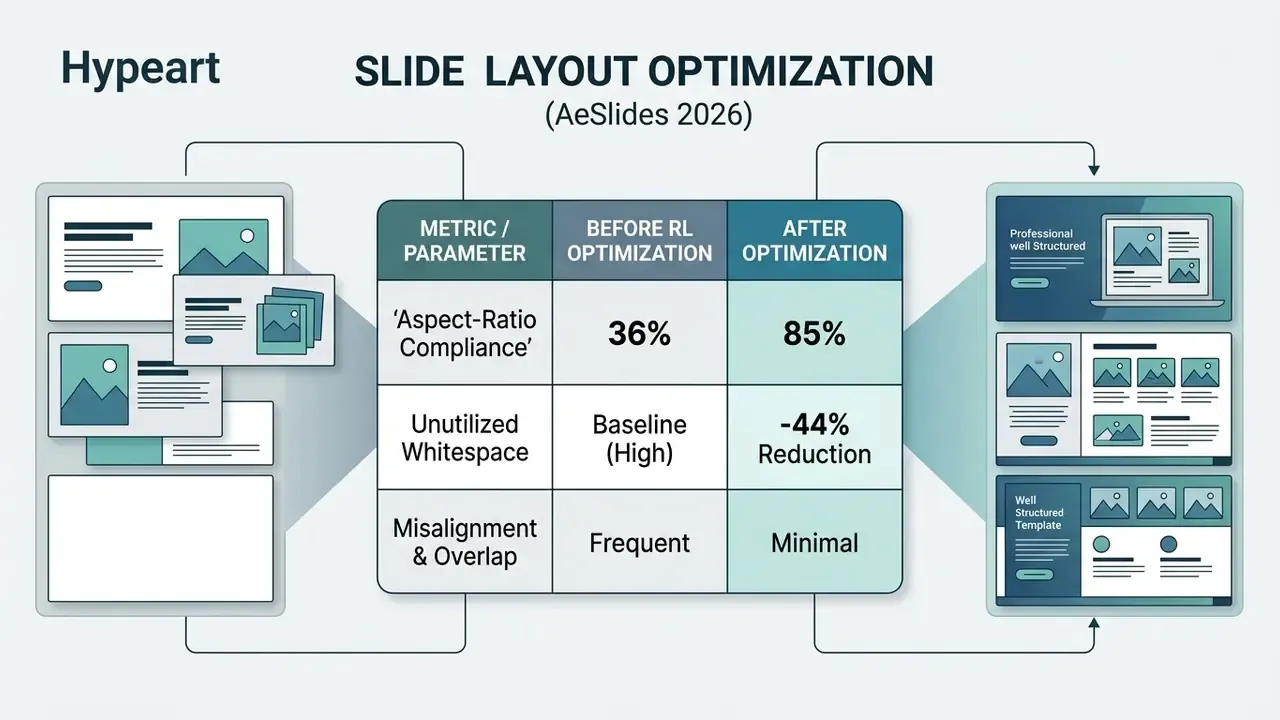
«AeSlides trains on just 5,000 prompts with verifiable layout rewards and raises aspect-ratio compliance from 36% to 85%, cutting unnecessary whitespace by 44%.»
Maintaining consistent visual alignment prevents slides from appearing cluttered. Small thing, big perceived difference.
Add Images, Data, Live Connectors, and Speaker Notes
Enhancing slides with contextual visuals, clear data charts, and detailed speaker notes improves overall audience engagement. Modern AI tools automatically draft speaker notes using the main text points on each slide.
Microsoft PowerPoint Copilot supports auto-generating speaker notes for individual slides or complete presentations, which users can adjust in the Notes Pane. When adding charts, always ensure underlying data sources are clearly cited at the bottom of the slide canvas, and use the Notes Master when you need source tables or methodology text to appear on printed notes pages rather than on the slide itself.
Beyond static data imports, enterprise AI presentation systems support continuous live data integration. By linking master slides directly to cloud databases, CRM systems, and analytics platforms, reporting decks automatically update charts and financial metrics without requiring manual slide rebuilds. Vendors implementing this pattern (Presentations.AI documents 50+ connectors) let teams define update rules once, locking narrative, design, and brand while allowing figures, recipient names, and periods to refresh on a daily, weekly, or monthly schedule.

Live connectors shift the risk profile. An incorrect join or a changed warehouse schema now propagates silently into every scheduled deck. Governance teams should version the connector query, alert on schema drift, and require a human approver for any deck destined for regulators or the board, even when generation itself is fully automated. One quiet schema change upstream, and forty decks are wrong before anyone notices.
Modern AI presentation engines also integrate specialized multi-modal models rather than relying on generic stock photos. For custom vector illustrations and high-fidelity photorealistic visual assets, tools embed diffusion models such as Flux, Imagen, Seedream, and Nano Banana. Advanced workflows additionally use video generation engines like Kling and Vidu to introduce dynamic video slides, animated data transitions, and cinematic background loops directly into native presentation canvases. Because these assets are model-generated rather than licensed stock, commercial-rights review is mandatory before external distribution. Any embedded video should also be tested for playback on the presentation machine, since motion assets are the most common cause of on-stage failures. Organizations building in-house capability here increasingly hire for a hybrid video editor job that spans slide design and motion assets, and the market data on a video editor salary helps calibrate whether to staff or outsource.
Export, Share, and Collaborate on AI Presentations
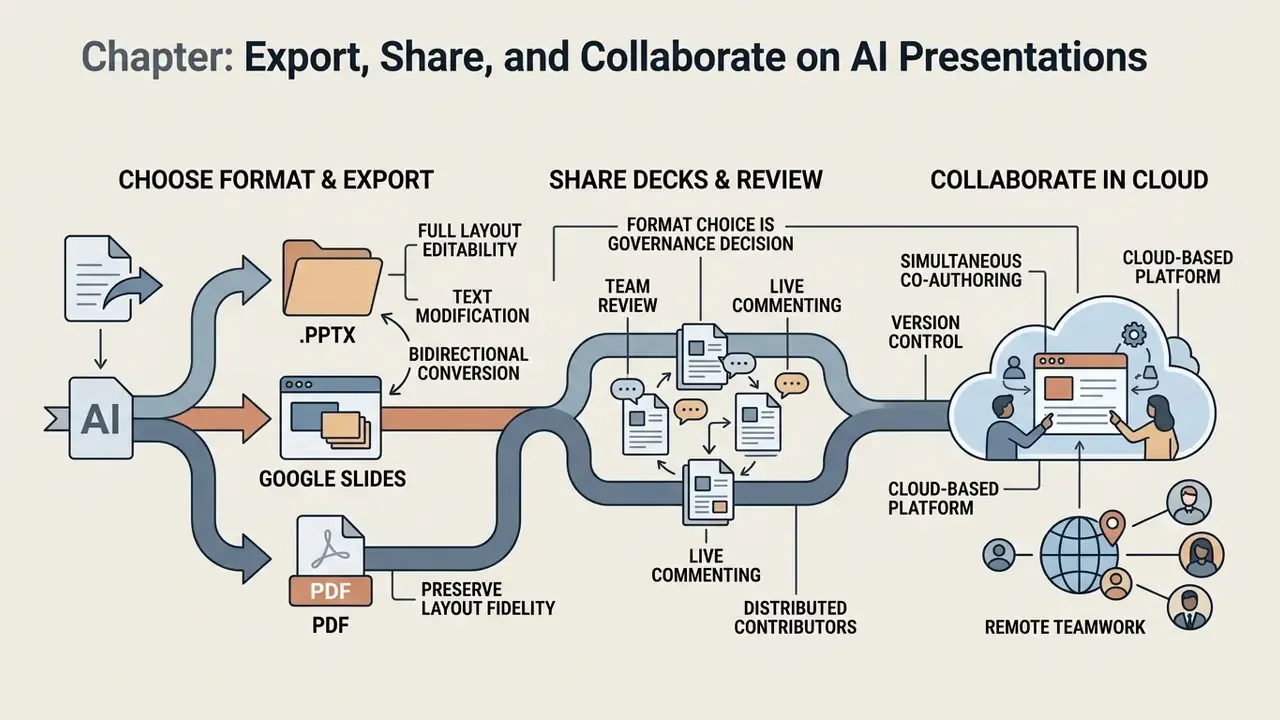
Exporting AI presentations requires choosing file formats that preserve layout fidelity, support text editability, and enable team collaboration. Modern platforms allow users to download decks as native PowerPoint (.pptx) files, Google Slides links, standard PDF documents, image sets (PNG/JPG), and in some products Keynote or MP4 video.
Format choice is a governance decision as much as a convenience one. Editable formats keep control inside the organization, while PDF freezes the record for archival and regulatory distribution. For teams that also produce motion assets alongside slide decks, our AI Media Comparison Matrices cover adjacent workflows, including AI-assisted collaborative media tools.
Export to PowerPoint, Google Slides, and PDF
Exporting to .pptx or Google Slides preserves full layout editability, allowing users to modify text, swap images, and reorder slides natively. Exporting to PDF provides a static, read-only document ideal for printing or emailing external stakeholders. PDF export should always be run through the native export dialog with document structure tags enabled (PDF/UA), never through "Print to PDF," which discards semantic structure and breaks screen-reader navigation.
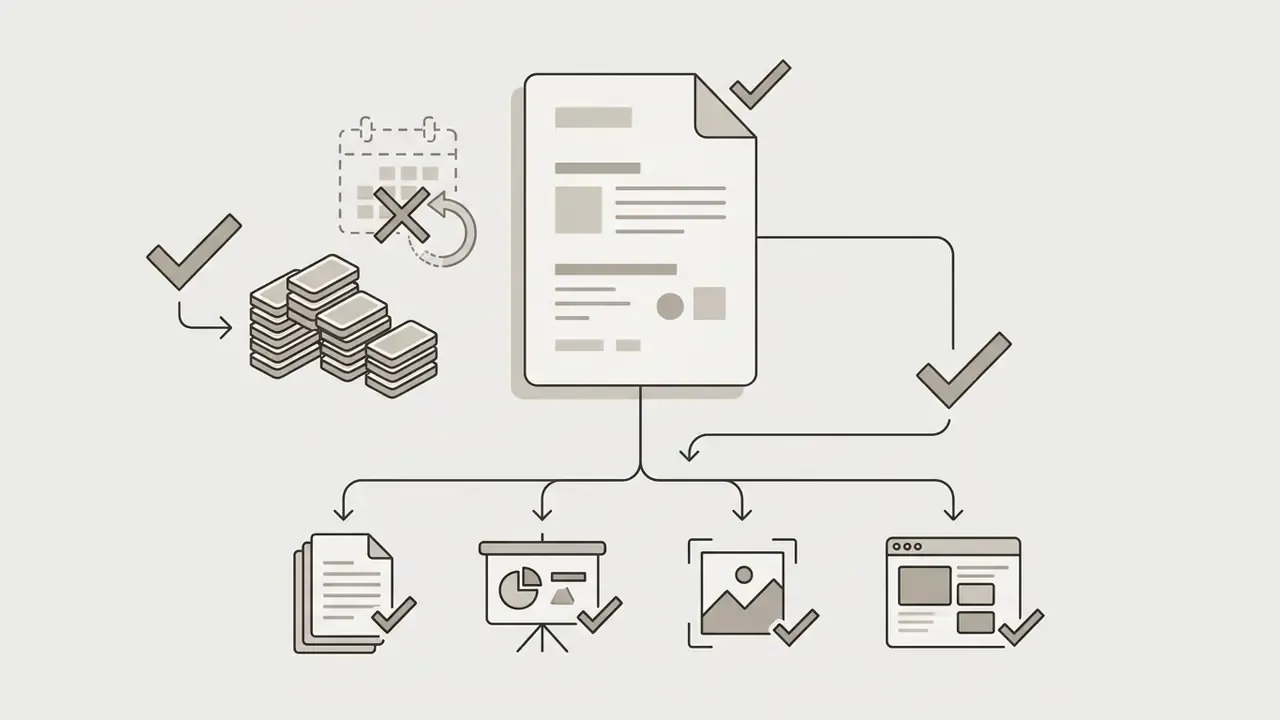
«ResearchStudio-Reel emits a web page, a full-size PDF, a PNG thumbnail, and an editable PowerPoint file in a single run — all formats remaining visually consistent.»
Note the asymmetry teams often discover too late: PPTX and Google Slides conversion is bidirectional and preserves editable structure, while PDF is a one-way delivery format that cannot be reliably restored to editable slides.
Share Decks and Review Presentations with a Team
Cloud-based presentation platforms support simultaneous co-authoring, live commenting, and version control. Systems like Pitch, Gamma, and Microsoft 365 allow distributed teams to conduct asynchronous reviews and track slide changes in real time, with presence indicators, slide-level change markers, role-based edit/view permissions, and slide assignment for accountability.
For distributed contributors, including contractors filling video editor jobs or remote specialists sourced through video editor jobs listings, link-based permissions and per-slide assignment are what keep an external hand out of the brand master.
How to Choose an Enterprise-Ready, Cost-Effective AI PowerPoint Maker for Business, Education, and Teams
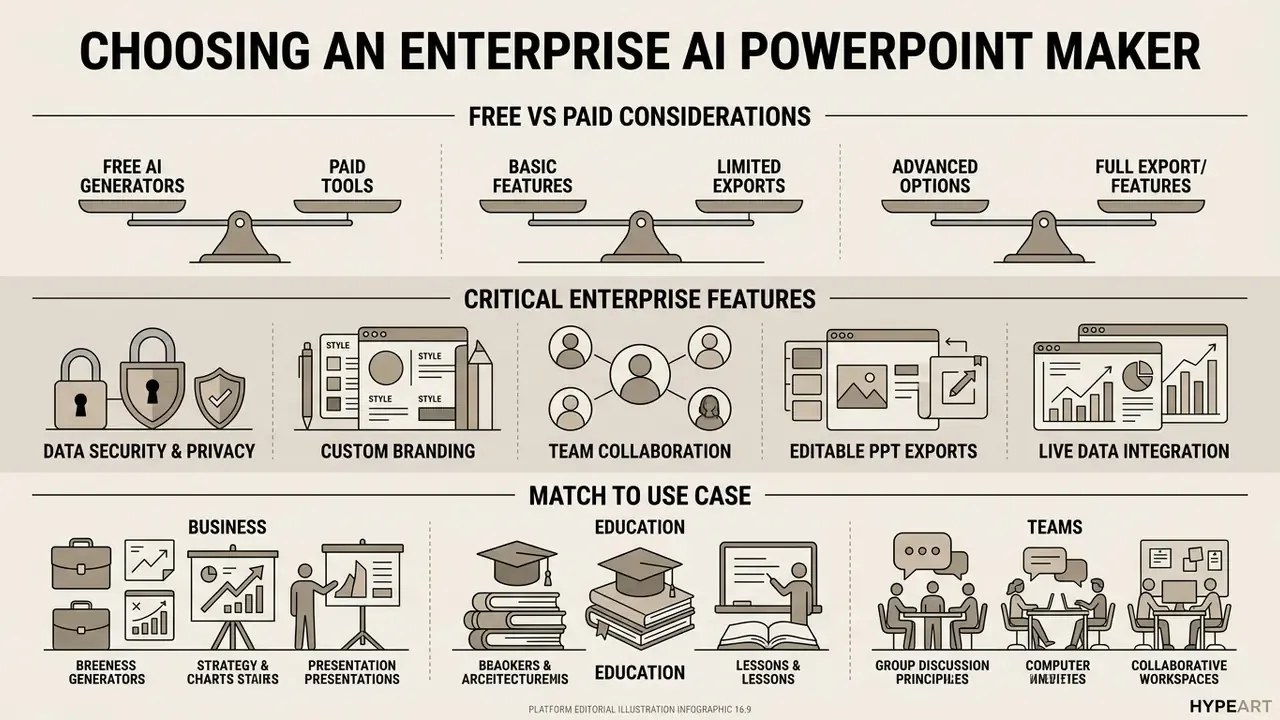
Selecting an affordable ai powerpoint maker is not primarily a price exercise. It is a risk-weighted one. Regulated buyers evaluate pricing tiers and feature caps alongside data-retention policy, model-training exclusions, export fidelity, and identity controls. The goal is an enterprise-ready and cost-effective tool, not the cheapest credit pack.
Organizations must balance upfront cost against long-term utility for commercial or institutional use, and against the cost of the alternative: shadow AI, where employees paste confidential material into unvetted consumer tools because no sanctioned option exists. When comparing pricing models across platforms, enterprise procurement leaders can open the hub to evaluate service tiers.
Free AI PowerPoint Generator vs Paid Presentation Tools
A free ai powerpoint generator typically imposes usage restrictions, such as monthly generation caps, credit metering, PDF-only exports, or platform watermarks. Paid subscription plans remove export limits, provide high-resolution file downloads, and unlock advanced team collaboration controls. If you want to see how comparable constraint models work across adjacent categories, review our breakdown of free AI tools with export limitations.
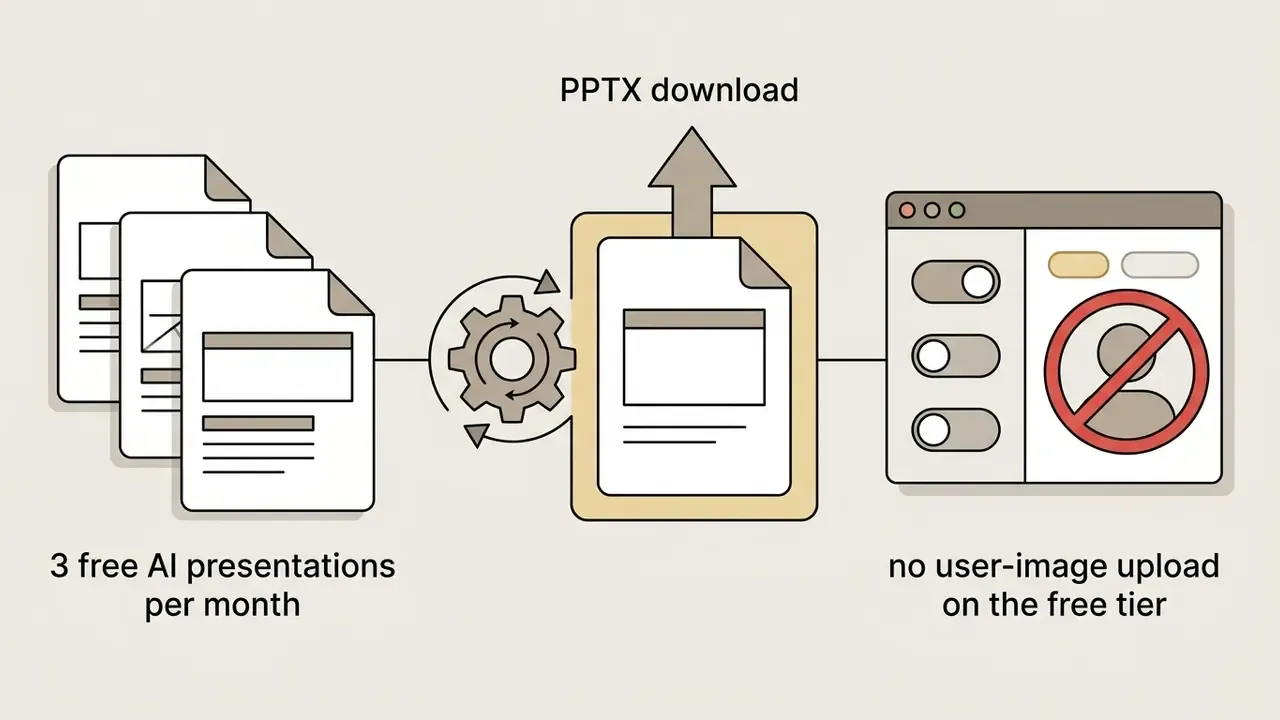
Concrete 2026 examples of free-tier economics:
Read those quotas as a control question, not a discount question. A free tier that forces PDF-only export quietly removes your ability to edit the record later.

Features That Matter for Professional and Commercial Use
Commercial deployment requires features like central asset management, custom brand kits, single sign-on (SSO), SCIM provisioning, and robust data confidentiality controls. Enterprise AI software must maintain strict protections over input documents, generated outputs, training data, and model weights. The NIST Generative AI Profile (NIST AI 600-1, 2024) frames this as covering confidentiality, integrity, and availability of code, training data, and model weights, and recommends establishing explicit terms of use before deployment.
«SlideBot uses retrieval-augmented generation to ground slides in external sources, reducing hallucinations and improving contextual completeness in professional scenarios.»
In enterprise environments, administrative controls over slide management systems require strict data partitioning. Role-based access control (RBAC) ensures that only authorized corporate communications officers can modify base brand kits, slide masters, and global typography tokens across organizational workspaces. Practically, this means separating three permission classes: author (create and edit decks within a workspace), reviewer (comment and approve, no master edits), and brand administrator (modify masters, palettes, fonts, and connector definitions). Multi-team workspaces with independent brand systems and permission boundaries prevent a regional team from silently altering the master used for board reporting, while audit logs record who changed which master and when.
For programmatic deployments, review the vendor's integration surface before signing. Teams evaluating generation endpoints, rate limits, and webhook security can compare options across providers.
Match the Tool to Your Use Case
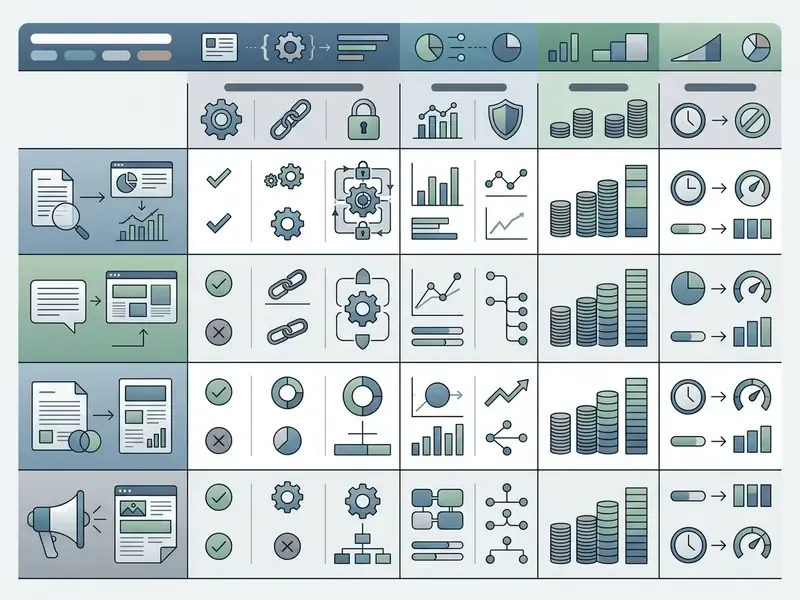
Different operational scenarios require specialized AI presentation capabilities:
- Business & Executive Strategy: Tools like Microsoft Copilot and Pitch excel at incorporating live spreadsheets, branded templates, and cloud permissions.
«SlideTailor extracts implicit preferences from a reference document/slide pair and a PPTX template, generating personalized slides that match the user's style and content.» — SlideTailor, arXiv:2512.20292 (2024). https://arxiv.org/abs/2512.20292
- Sales & Marketing Pitches Platforms such as Beautiful.ai and Storydoc offer dynamic visual layouts, interactive slide tracking, and viewer analytics. For visual asset sourcing across such decks, compare options in our review of free AI generators.
- Education & Research Tools like Auto-Slides and Google Slides with Gemini simplify complex papers into accessible, visually structured decks, including image generation and deck summarization inside Slides.
- Product Integrations & SaaS Developers Enterprise applications leverage REST APIs and webhooks, or no-code triggers via Zapier and Make, to fire white-labeled slide generation automatically upon user actions: a submitted web form, a deal moving to proposal stage, or a completed analytics cycle. Personalization at scale means one master plus a data feed producing hundreds of client-specific decks, each with the correct logo, name, and figures.
FAQ About AI PowerPoint Generators
This section answers common operational questions regarding account access, translation capabilities, security posture, and delivery tools in modern AI presentation platforms.
Do You Need to Register to Create a PowerPoint with AI?
Many AI presentation tools allow users to test slide generation without creating an account, but downloading editable files usually requires registration. Platforms like SlideMaker.app and SlideGen offer browser-based generation previews without sign-in. SlideMaker states export to PowerPoint or PDF requires a free account, while SlideGen requires login only to save or share decks. Slidee similarly allows generation without an account but caps the free plan at three AI presentations per month. Enterprise-grade tools such as Microsoft Copilot or Adobe Express require account authentication upfront to enforce data security, access permissions, and corporate privacy protections. From a governance standpoint, no-registration tools are the primary shadow-AI vector. They are frictionless precisely because no one is accountable for what gets uploaded.
Can AI Translate a Presentation and Help Prepare for Live Delivery?
Yes. Modern AI presentation systems can translate complete decks and generate detailed speaker notes to assist with live delivery. Microsoft states that Copilot in PowerPoint can translate slide text, charts, tables, and comments into over 40 languages while preserving layout styling. Dedicated translation platforms such as Smartcat and Linnk translate headings, body text, and speaker notes in-place within the same layout. Because vendor language coverage and quality vary, high-stakes multilingual decks still warrant native-speaker review of legal, financial, and product terminology. For live delivery, AI assistants generate bulleted speaker notes, highlight key transition points, and provide timing recommendations during rehearsal mode.
«DeepSlide separates artifact quality from delivery quality, letting presenters diagnose pacing and narrative-coherence problems before the final run.» — DeepSlide, arXiv:2605.15202 (2026). https://arxiv.org/abs/2605.15202 This allows speakers to present complex decks clearly and confidently. Teams producing narrated or recorded versions of a deck can also pair slides with AI voice generation tools for consistent localized audio tracks, and a trained video editor can assemble those tracks into a distributable recording.
Who Owns the Copyright to an AI-Generated Presentation?
Ownership of the file and copyright in its content are two different questions. Most vendors grant the customer ownership of decks created in the product, but statutory copyright protection is narrower. US Copyright Office guidance holds that protection extends only to human-authored expression, and AI-generated portions must be disclosed and excluded when registering. UK law, by contrast, still recognizes protection for certain computer-generated works. For institutional reporting, the safe operating rule is to document human contribution, retain drafts showing editorial judgment, and clear model-generated visuals separately.
How Do You Prevent Shadow AI When Rolling Out Slide Generators?
Provide a sanctioned tool with SSO, publish a one-page acceptable-use rule naming which data classes may be uploaded, block consumer endpoints at the network layer where policy requires it, and monitor for credential-free usage patterns. Adoption succeeds when the approved path is faster than the unapproved one. That is why native PPTX fidelity and brand-master automation are security features, not just convenience features.
What Remains Unresolved About AI Slide Generation in Regulated Firms?
Three questions still lack settled answers, and honest procurement should say so. First, no widely accepted validation standard exists for generative slide pipelines under model-risk frameworks written for statistical models. Second, vendor audit evidence varies enormously in reproducibility: some products log generation events, few log lineage per figure. Third, the residual risk of chart mis-association has not been quantified in published benchmarks against real financial workbooks. Treat those gaps as constraints on scope, not reasons to delay a controlled pilot.