Executive Summary
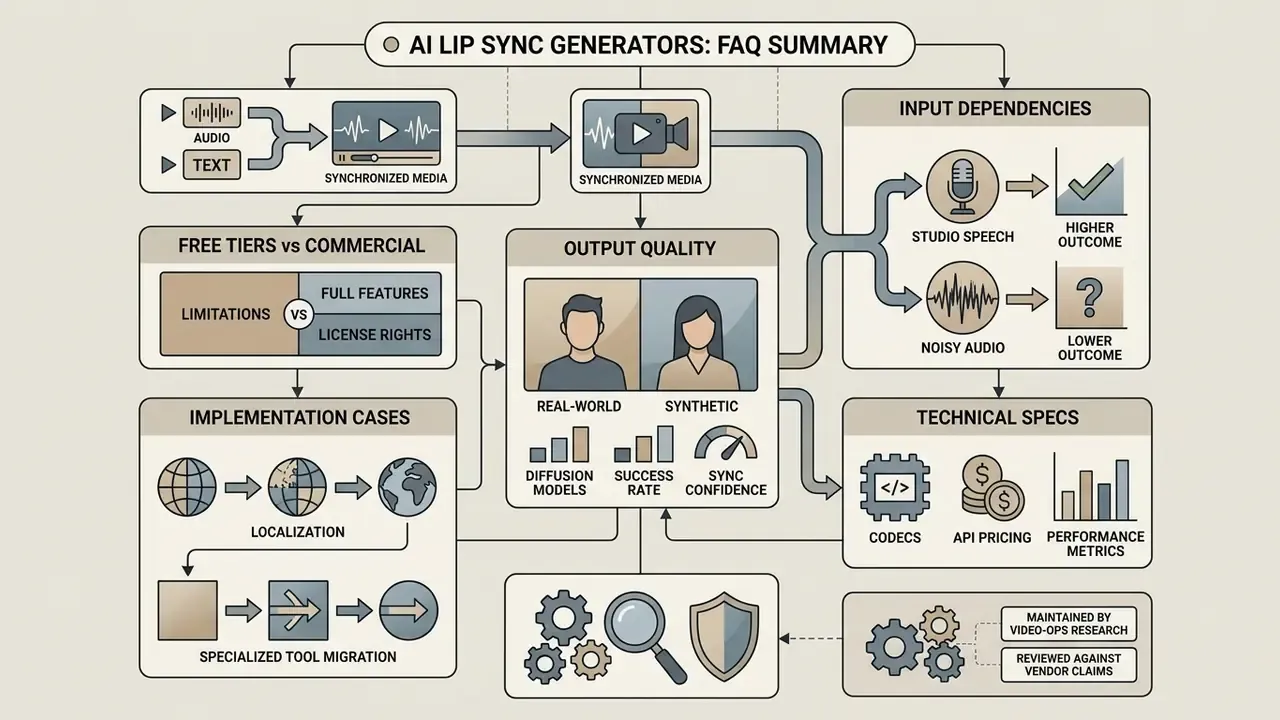
- An ai lip sync generator maps speech audio or a text script to facial articulation, animating a static photo or re-syncing existing footage frame by frame.
- Free tiers ship watermarks, roughly 20-second-per-generation caps, 720p exports and personal-use-only licensing. Commercial deployment requires a paid plan or an API key. REST APIs start around $0.05 per generated second (HeyGen) or $0.40 per minute (VEED).
- Enterprise buyers should verify SOC 2 Type II or ISO 27001 posture, biometric-data retention windows, consent management and deepfake controls before approving any tool for internal use.
Who This Page Is For, and How to Read It
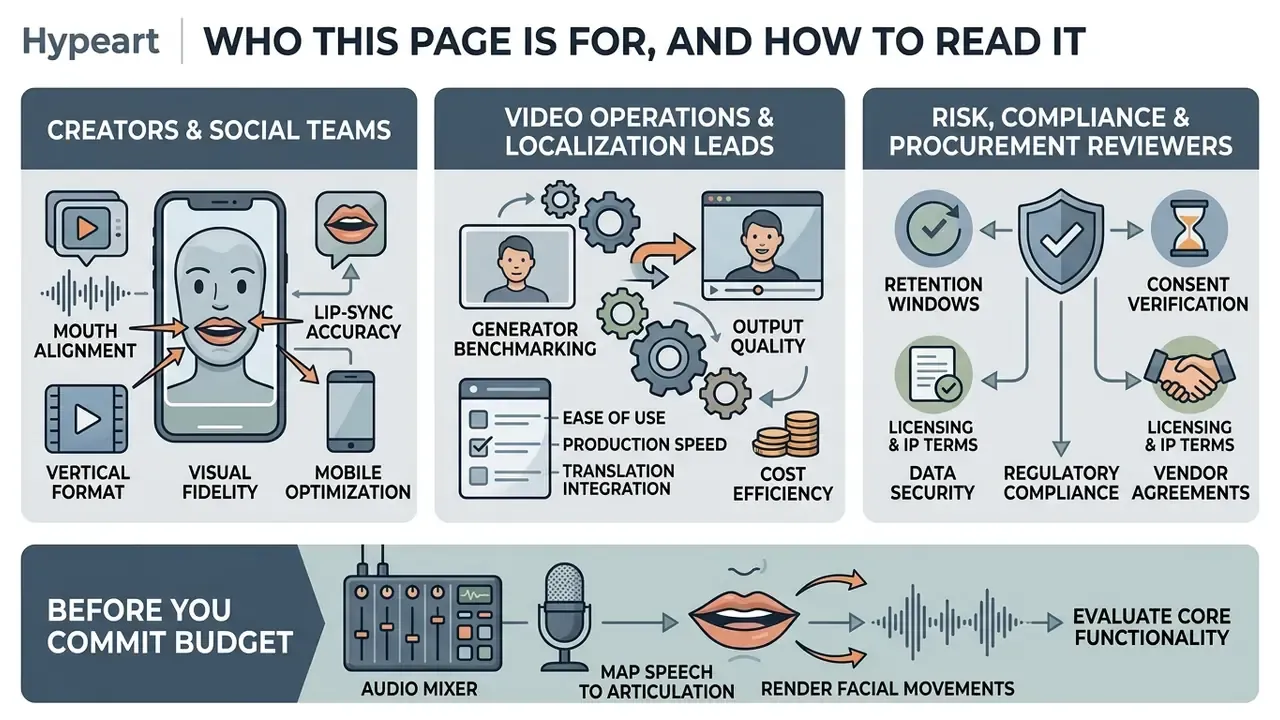
This is a buyer-and-operator page, not a marketing brochure. Three audiences tend to land here, and each needs a different slice of it.
Creators and social teams care about one thing first: will the mouth look right on a vertical clip shot on a phone? Read the accuracy section and the free-tier limits, skip the API pricing.
Video operations and localization leads are usually comparing an ai lip sync video generator online against their existing dubbing vendor. Start with the multilingual dubbing section, then the cost note that compares targeted lip sync against a full scene re-render.
Risk, compliance and procurement reviewers need something else entirely: retention windows, consent artefacts, certification evidence and a disclosure policy. That material sits in the enterprise security section and in the pre-flight checklist, which doubles as an audit trail template.
One practical suggestion before you commit budget. Run a 5 to 10 second test clip on your own footage, with your own audio, on every shortlisted platform. Benchmark tables are useful, but they are built on curated datasets. Your webinar recording with a lapel mic and a beard in frame is not a curated dataset.
An ai lip sync generator maps speech audio or text scripts directly to facial articulation, rendering synchronized mouth movements on static photos or existing videos. These systems convert single images into dynamic talking heads and automatically re-align video articulation for multilingual dubbing, without a single keyframe drawn by hand.
What Is an AI Lip Sync Generator and What Can It Create?
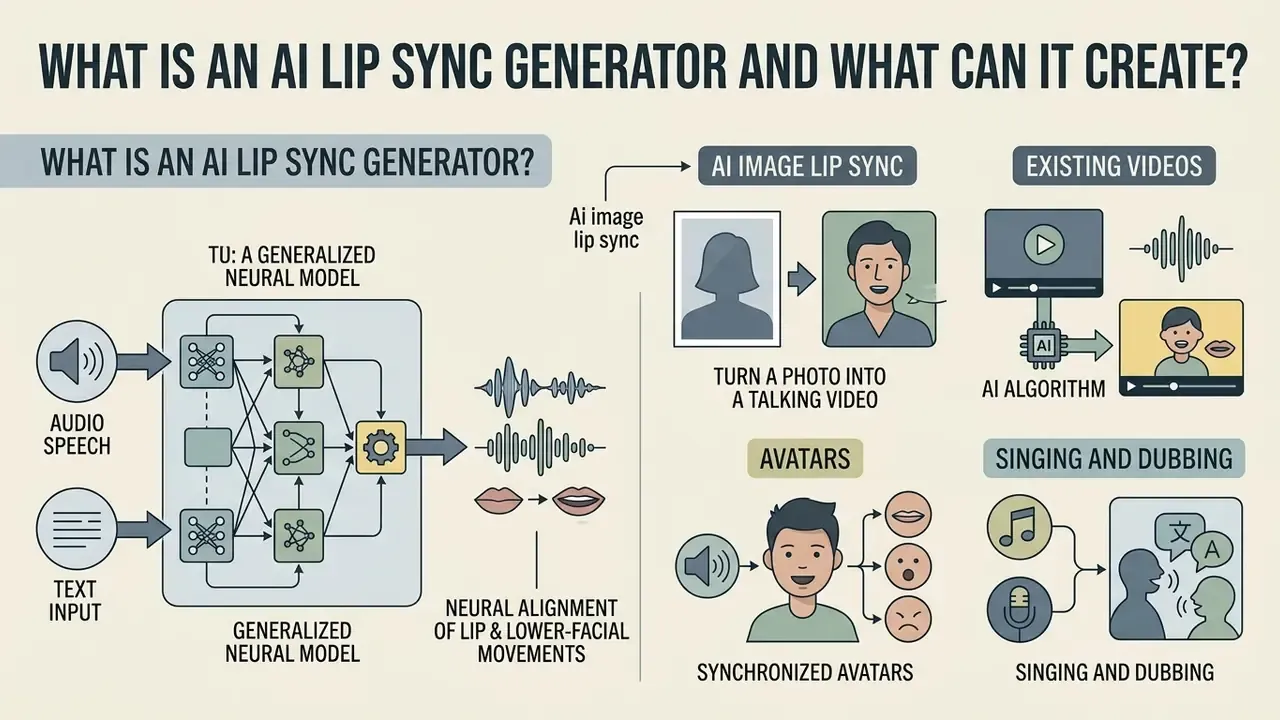
An ai lip sync generator is a specialized neural model that aligns a speaker's lip and lower-facial movements with input speech audio or text. It can generate talking photos from a single static image, re-sync existing footage for localized video dubbing, or animate synthetic avatars through a continuous ai lip sync video generation workflow.
«Lip synchronization is the task of aligning lip movements in video with corresponding speech audio while preserving identity, head pose and overall visual quality.»
The underlying architecture uses deep neural networks to extract acoustic features such as phonemes, then map them to facial landmarks or latent diffusion representations. Updated: according to recent research on audio-driven facial animation, OmniSync reaches a 97.40% generation success rate on the AIGC-LipSync benchmark of 615 videos, including stylized characters. That is not the same as success across every possible real-world input class, and it is a distinction procurement teams should note when reading vendor claims.
«OmniSync achieves a 97.40% generation success rate across all 615 videos of the AIGC-LipSync benchmark and 87.78% on stylized characters, significantly outperforming MuseTalk (92.20% / 67.78%).»
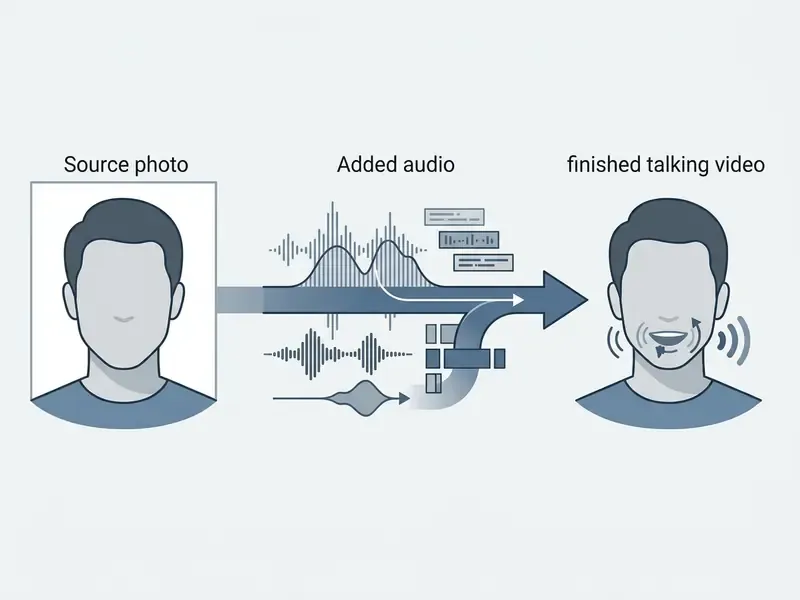
AI Image Lip Sync: Turn a Photo into a Talking Video
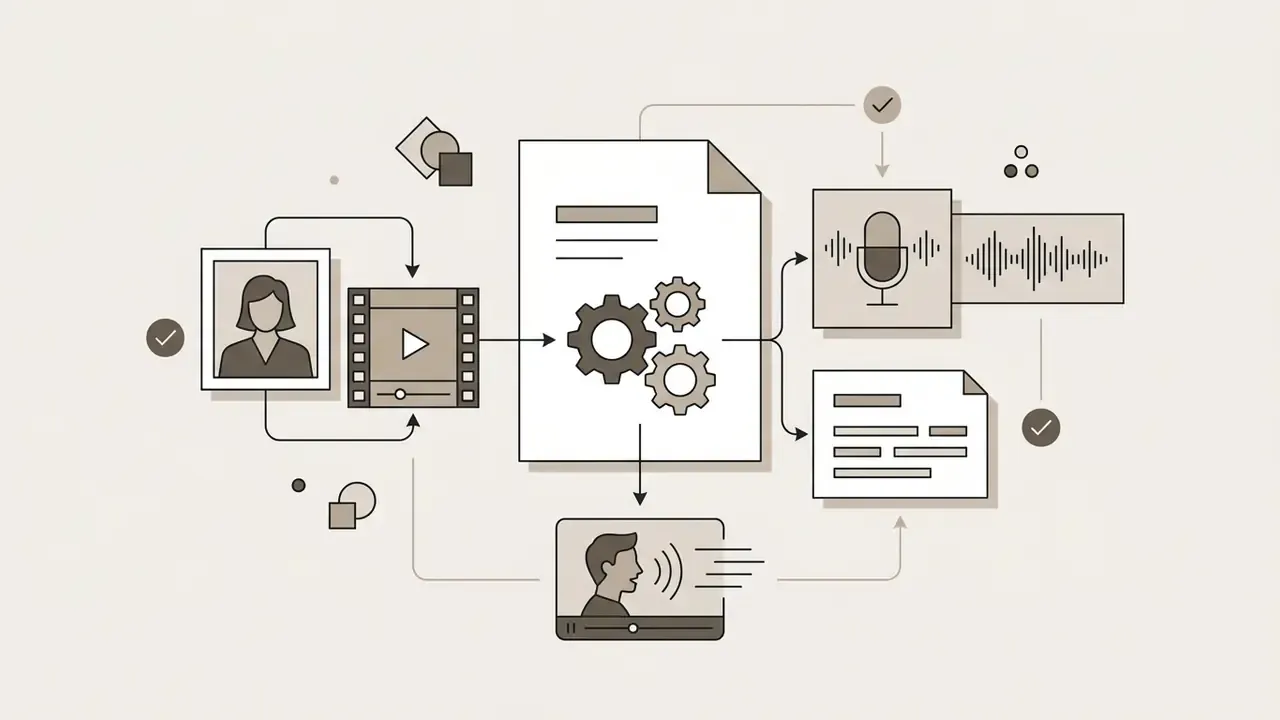
Ai image lip sync transforms a single static face portrait into a photorealistic clip where the subject speaks in sync with the supplied audio. The system estimates facial geometry, predicts natural head motion, and generates realistic lower-facial movements while holding character identity stable.
Using an ai picture lip sync tool requires only one front-facing photograph. Research models such as StyleTalker and VASA-1 show that a single reference frame can yield dynamic expression, natural eye blinks and precise phoneme-to-viseme alignment (StyleTalker, CVPR 2024).
«StyleTalker synthesizes a talking-person video from a single reference image with accurately synchronized lip shapes, realistic head poses and eye blinks.»
Peer-reviewed precedents confirm the same input contract. SadTalker (CVPR 2023) generates diverse, synchronized talking videos from one reference image plus audio using 3D motion coefficients. SyncTalk (CVPR 2024) adds explicit synchronization modules with tri-plane hash representations to preserve identity. VASA-1 (2024) reports real-time lifelike talking faces from a single static image, complete with natural head movement. For teams building an ai video from pictures lip sync pipeline, a specialized photo to video utility or the broader family of image-to-video AI tools is the sensible first step toward automated animation.
Lip Sync for Existing Videos, Avatars, Singing and Dubbing
Lip sync technology for existing videos replaces or modifies the original speech track while re-rendering the speaker's mouth region to match the new audio. This enables multi-speaker video dubbing, vocal track alignment for singing videos, and automated driven avatars.
In video-to-video re-animation, the model masks or inpaints the lower facial region, aligning visual frames with phoneme timings from the new voice track. Platforms such as sync.so and HeyGen use these workflows to make visual re-dubbing possible without a re-shoot. HeyGen documents two distinct endpoints: "Create Lipsync" for re-animating an existing speaker against new audio, and "Audio to Video" for generating a talking video from audio alone, with explicit speed-versus-precision trade-offs (HeyGen API documentation, 2026, https://docs.heygen.com).
«SayAnything edits lip motion in a reference video to match new audio, preserving speaker identity and scene integrity through three modules operating in latent space.»
Vendor model tiers now formalize that same trade-off. Sync Labs positions lipsync-2 as the balanced general-purpose engine, lipsync-2-pro for diffusion-based super-resolution of beards, teeth and fine detail, and sync-3 for close-ups, extreme angles, obstruction detection and native 4K output, with published per-second pricing from $0.02 to $0.025 up to $0.107 to $0.133 at 25 FPS (Sync Labs Documentation, 2026, https://sync.so/docs/models/lipsync).
Prerequisite Image and Media Preparation Tools
Before uploading assets to a lip sync engine, most production teams normalize framing, resolution and visual style so the model receives a predictable input. Grouping these preparation steps into one stage prevents mid-pipeline reprocessing and, in practice, cuts failed generations noticeably.
- Aspect ratio and framing adjust portrait crops with a dedicated photo size editor to satisfy strict 9:16, 1:1 or 16:9 requirements before the first render.
- Stylized avatar aesthetics creators altering visual styles prior to animation often run a photo to cartoon ai model or a photo to painting ai converter to keep avatar aesthetics consistent across a campaign.
- Line-art and sketch pipelines teams that need to transform photographic styles before processing can apply a photo to sketch ai pipeline for stylized output.
- Professional portrait sourcing where no usable headshot exists, an AI headshot generator produces a compliant frontal reference frame.
- File weight control oversized source clips can be normalized with a video compressor to stay inside vendor upload ceilings, commonly 500 MB to 5 GB.
A small note from repeated batch runs: file weight is the most common silent failure. A 6 GB screen recording does not produce an error message anyone reads; it produces a stalled job at 11 p.m.
How AI Lip Sync Video Generation Works
Ai lip sync video generation converts input audio or text into synchronized facial movement through automated feature extraction, neural alignment and temporal rendering. Users upload media assets, configure acoustic or text parameters, run the render, then download the verified video output.
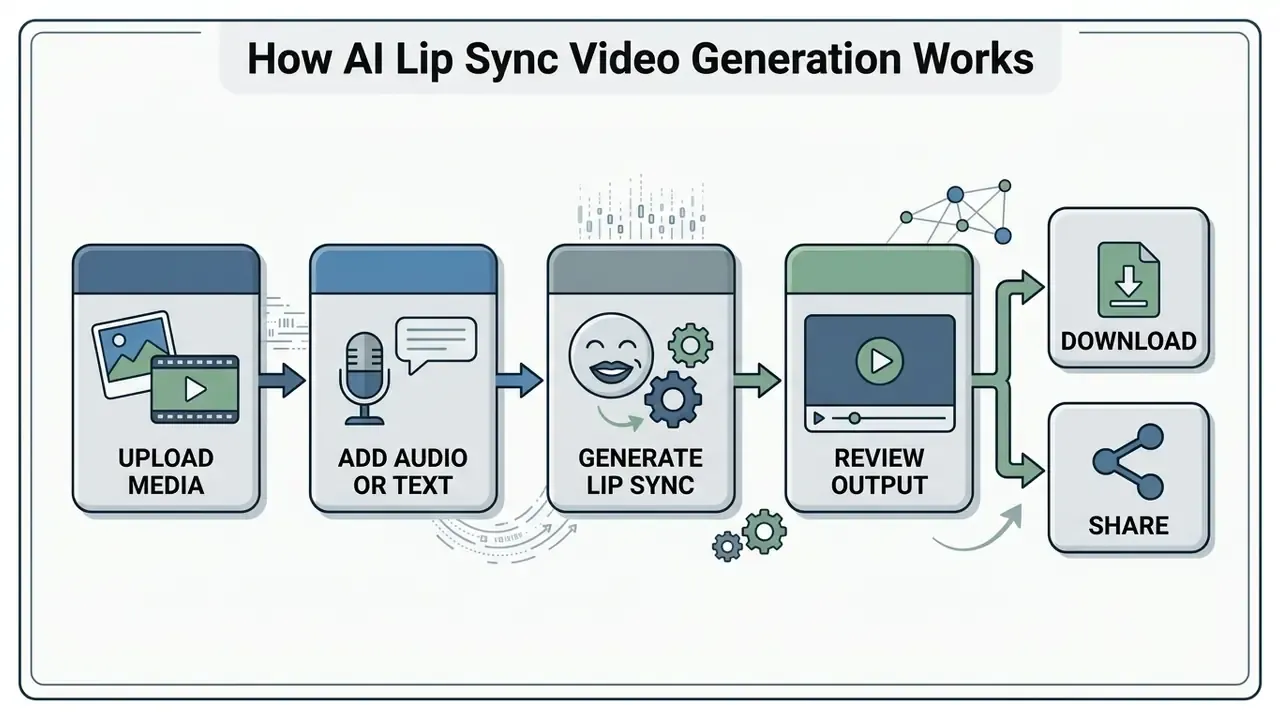
Upload a Face Photo or Video and Add Audio or Text
Generating a synchronized video requires a visual reference frame and an acoustic source. The visual asset can be a high-resolution JPG/PNG image or an MP4 clip. The audio source can be an uploaded file, a cloned voice sample, or text rendered through Text-to-Speech.
Published API constraints give concrete boundaries. The Vidu Lip Sync API requires a single clear frontal face image in JPG/JPEG/PNG/BMP/WebP, between 192 and 4096 px per side and under 10 MB, plus an optional source video in MP4/MOV/AVI with H.264 encoding, up to 5 GB and 1 to 600 seconds in duration, with face pose limited to 45° horizontal and 15° vertical rotation (Vidu API, 2025, https://platform.vidu.com/docs/lip-sync).
Modern ai lip sync video creation tools support three input modes:
- Direct audio upload
- WAV, MP3 or AAC files containing recorded speech or singing. M4A and WEBM are also common.
- Text-to-speech
- typed scripts converted into spoken voice tracks using custom voice profiles.
- Voice cloning
- reuse of a stored
voice_idcreated from a short reference recording.
Voice cloning requirements. Cloning needs one clean audio sample with no background noise, music bed or overlapping speakers. HeyGen documents cloning "from a 15-second sample". Telnyx specifies 5 to 10 seconds of clear speech in WAV, MP3, FLAC, OGG or M4A. Google Cloud's Chirp 3 Instant Custom Voice requires single-channel reference audio of up to 10 seconds alongside a recorded consent file (Google Cloud Text-to-Speech documentation, 2026, https://docs.cloud.google.com/text-to-speech/docs/chirp3-instant-custom-voice). Practical guidance: budget 15 to 30 seconds of studio-clean speech so the engine has margin for prosody modelling.
Developer integration. Teams can bypass the UI entirely. HeyGen's API is pay-as-you-go at $0.05 per second of Avatar V or Avatar IV lip sync output, with a $5 minimum top-up and no subscription requirement. VEED's lip sync API is priced at $0.40 per minute with no seat fees or monthly minimums. Sync Labs exposes REST endpoints at https://api.sync.so/v2 with x-api-key authentication and documented concurrency from 1 to 15 on paid tiers (Sync Labs API Overview, 2026, https://sync.so/docs/api-reference/api-overview). Magic Hour and Akool publish equivalent upload-job-download endpoints for batch pipelines.
Updated enterprise example. Instead of an unnamed abstraction, a documented deployment illustrates the economics. Wurth Group shipped a 65-minute corporate presentation in 8 languages in 4 days, using a single cloned voice model plus AI lip sync, and cut translation costs by roughly 80% while eliminating re-shoot and studio-talent line items (HeyGen customer FAQ, 2026). The reusable pattern is one master recording, one voice clone, N language renders. Not N production days.
Generate, Review and Download the Lip-Synced Output
Once inputs are uploaded, the ai lip sync video generation tool handles temporal alignment and renders the final synchronized file. Reviewers then judge the preview for mouth-movement naturalness before downloading the MP4 deliverable.
During generation, diffusion or GAN-based models process frames at target rates, typically 25 to 60 FPS. Rendering time scales with duration and resolution: clips under one minute usually finish in two to five minutes, while longer or high-resolution exports take 10 to 20 minutes. Multilingual batch jobs finish in roughly the time of a single render plus translation overhead.
Export specifications. Final delivery uses the MP4 container with a codec choice: H.264 for maximum compatibility with web players, LMS platforms and social networks, or H.265/HEVC to retain fine detail at 4K without inflating file size. Resolutions run from 720p on free plans through native 1080p and up to 4K on paid tiers, with 16:9, 9:16 and 1:1 aspect ratios plus optional burned-in captions.
Engine selection. Multi-model platforms let operators pick the generator that matches the visual target: Omnihuman 1.5 for realistic micro-expressions, Kling 3 Pro or Kling Omni for stylized and cinematic motion, Veo 3.1 and Veo 3.1 Fast for prompt-driven scenes, Gen-4 Aleph for reference-based edits, and dedicated upscalers such as Topaz for a final 4K pass. Specialized tiers (lipsync-2, lipsync-2-pro, sync-3, react-1) remain the better choice whenever dialogue accuracy outranks scene generation. Developers weighing prompt-driven engines alongside an ai video generator lip sync setup can review the Google Veo implementation guide for API cost and quota context.
If testing reveals visual artifacts or misalignment, inspect input voice clarity, re-frame the source portrait, resample video to 25 FPS and audio to 16 kHz, then re-run a short 5 to 10 second test clip before committing full-length renders. Cheap insurance.
Voice, Emotion and Pitch Settings for Natural Delivery
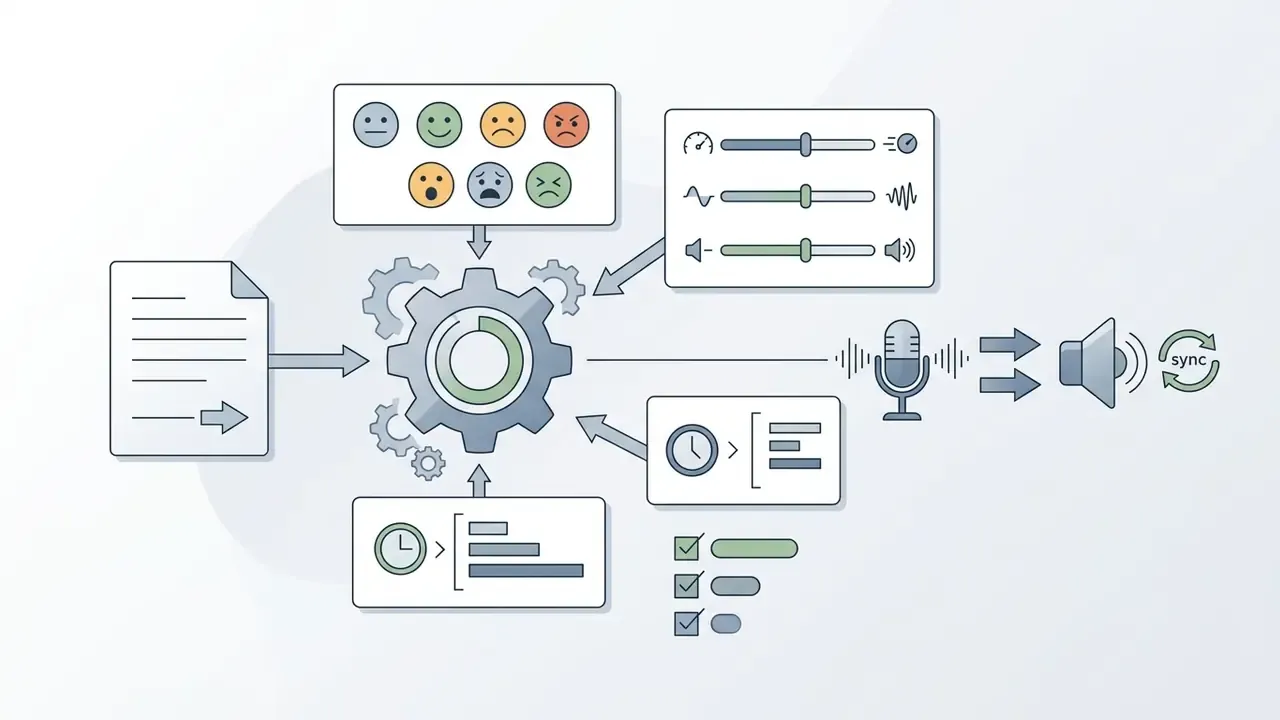
Synthetic delivery, not lip geometry, is what most viewers register as "fake." Production-grade platforms therefore expose a full prosody control panel before rendering, and configuring it properly is the cheapest quality upgrade available anywhere in this workflow.
When configuring speech synthesis through TTS, set the following parameters:
| Parameter | Typical range | Practical guidance |
|---|---|---|
| Emotion preset | Neutral, Happy, Sad, Angry, Surprised, Fearful, Disgusted | Neutral for compliance and training; Happy for UGC ads; Sad or Angry only for scripted drama |
| Speed | 0.5× to 2× (default 1×) | 0.9 to 1.05× for e-learning; up to 1.2× for short-form social hooks |
| Pitch | −12 to +12 semitones (default 0) | Stay within ±3 for realistic human timbre; larger shifts degrade viseme alignment |
| Volume | 0 to 10 (default 1) | Normalize to avoid clipping, which distorts phoneme extraction |
| Pauses | 0.5 to 2 seconds | Insert before key semantic blocks, after questions and between list items |
| Script length | About 1,000 characters per scene | Split longer scripts into scenes for stable identity across the timeline |
| Subtitles | On or off | Enable for silent-autoplay social feeds |
Avoid stacking extremes. A Happy preset at 1.8× speed with +10 pitch produces audible artifacts that no lip sync model can compensate for, and the mouth shapes will look rubbery because the phoneme durations no longer resemble human speech. Teams building voice libraries can compare engines and licensing terms in the guide to AI voice generators, while script-first workflows benefit from reviewing text-to-video AI tools alongside these voice settings.
Pre-Flight Data Quality and Governance Checklist
Run this before every batch job. It reduces failed generations and produces the audit trail enterprise reviewers ask for later, usually at the least convenient moment.
Checklist0 / 14
What Affects AI Lip Sync Accuracy and Natural Mouth Movements?
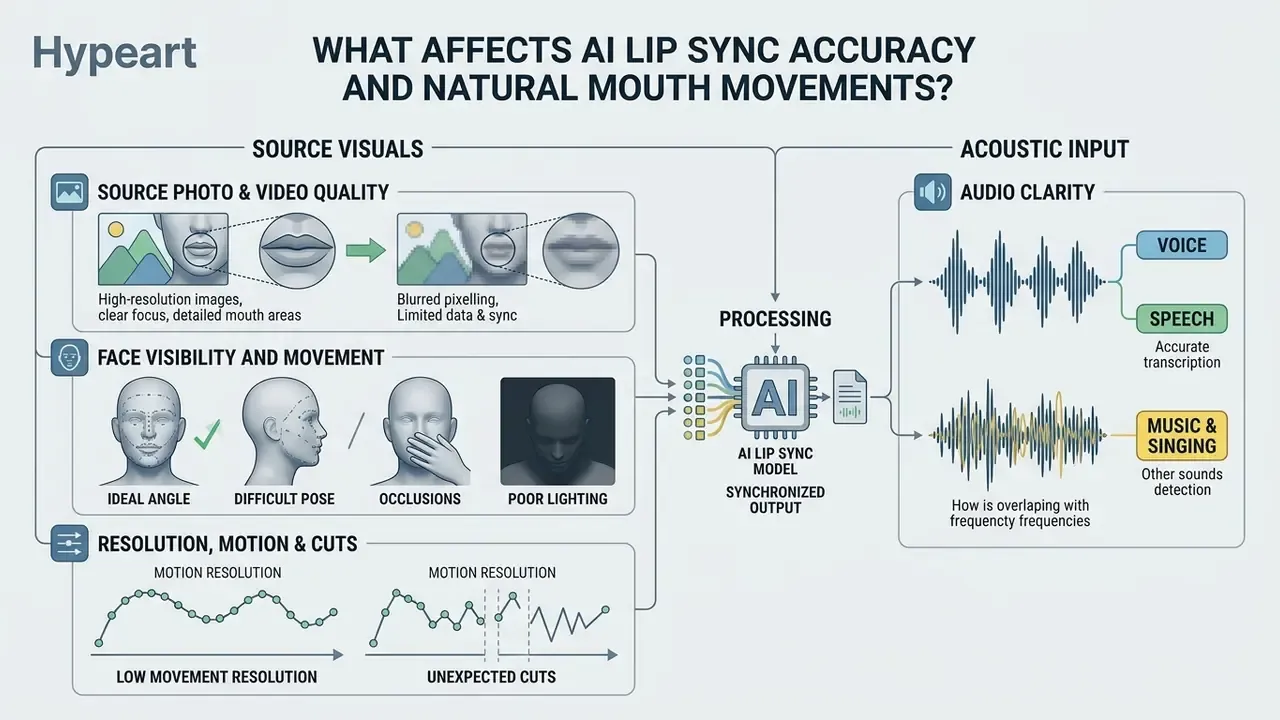
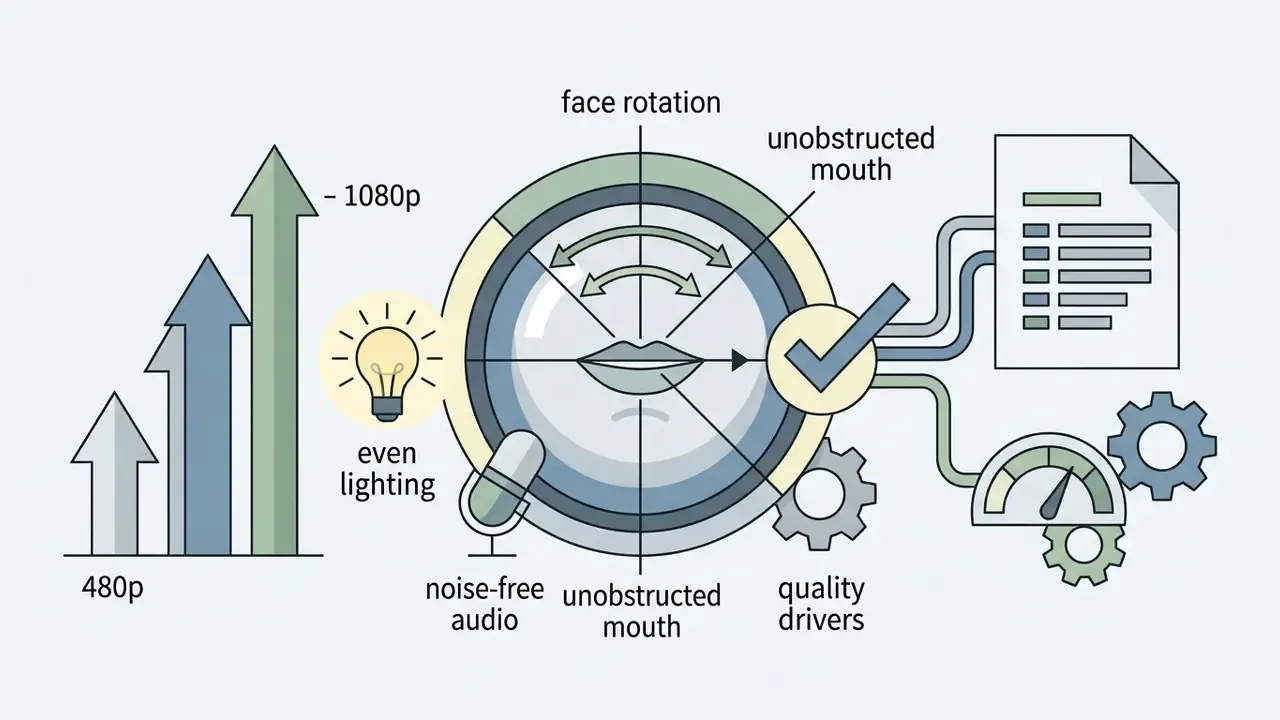
Accuracy depends primarily on source visual resolution, facial pose angles, mouth visibility and acoustic clarity. High-contrast frontal lighting plus noise-free audio yields the most accurate phoneme-to-viseme alignment and the most natural articulation.
«The study compares five lip-audio synchronization metrics, LMD, LSE-D, LSE-C, LSE-O and SparseSync, against human judgements collected via two-alternative forced choice (2AFC).»
Here is the part vendors rarely spell out: "realism" is not one variable. StyleSync and StyleLipSync evaluate results with LMD, sync confidence, identity distance and MOS separately, and OmniSync reports independent gains for Lip Sync Accuracy, Character Identity, Timing Stability and Image Quality. A model can therefore be perfectly timed yet visually unconvincing, or beautiful yet slightly out of sync. Both failures read as "cheap" to a viewer, for different reasons.
Source Photo and Video Quality, Face Visibility and Movement
Source media quality governs the stability of facial landmark detection and neural feature rendering. Clear frontal orientation with unobscured lower facial features minimizes tracking drift and prevents visual distortion.
Key media constraints for optimal articulation accuracy:
- Resolution
- at least 480p for reliable face detection; 1080p offers the best quality-to-speed balance, with 4K supported on premium tiers.
- Face angle
- frontal rotation within 0 to 30 degrees. Extreme side profiles degrade viseme tracking, though some engines formally tolerate up to 45° horizontal and 15° vertical.
- Occlusions
- microphones, hands or facial hair near the lips reduce tracking accuracy.
- Lighting
- balanced, non-directional facial illumination prevents shadow artifacts around the teeth and lips.
- Motion and cuts
- limit head movement and scene cuts. A single continuous talking face yields the most stable output.
«EdiDub shows that models preserving the full video context, including occlusions, significantly improve identity preservation and synchronization compared with masking-based methods.»
Audio Clarity, Voice, Speech, Music and Singing
«AVS2S reaches an average LSE-D of 10.67, a 9.2% reduction versus the baseline across four language pairs, by integrating lip-sync loss into training.»
Singing and rapid vocal tracks need explicit duration alignment losses, otherwise the model stretches lips unnaturally across sustained vowels. Dedicated singing models, usually marketed as "music-driven lip sync", handle melisma far better than general speech engines. For a measurable reference point, peer-reviewed work on raw transcription synchronization reports alignment precision around 12 ms, which confirms that sync quality is quantifiable and signal-dependent (AudioLabs Erlangen / ISMIR ePrint, 2024).
AI Lip Sync Features for Languages, Dubbing and Multi-Speaker Videos
Advanced ai lip sync video generator online platforms provide multilingual translation, voice-preserving dubbing and multi-face speaker tracking within a single timeline. These features let global organizations localize video assets across dozens of languages while keeping the original visual intact.
Multilingual Dubbing and Video Translation with Lip Sync
Multilingual video translation pairs automatic speech recognition and machine translation with articulate lip re-syncing. The engine translates spoken dialogue into a target language, generates synthesized audio, and alters facial articulation to match the new language's phonetic cadence.
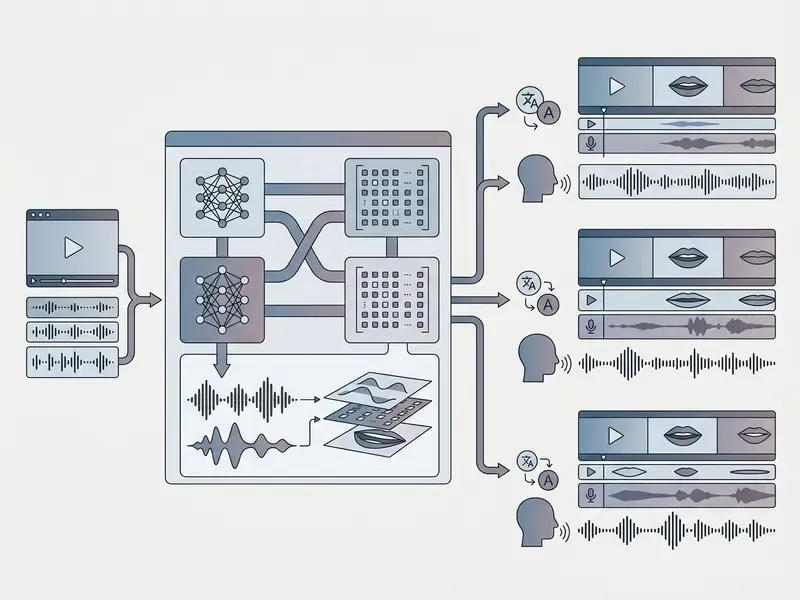
Modern end-to-end architectures such as JUST-DUB-IT employ joint audio-visual diffusion to preserve speaker identity and background ambience during translation (JUST-DUB-IT Study, 2026).
«JUST-DUB-IT achieves a 100% success rate on challenging dubbing benchmarks where modular systems frequently fail, and outperforms competitors on FVD.»
«MultiTalk covers more than 420 hours of multilingual video across 20 languages, using language-specific style embeddings to capture each language's unique mouth movements.» - MultiTalk, Conference/Workshop (2024)
The modular alternative is still widely deployed. A 2025 implementation paper describes Whisper for transcription, machine translation, Edge-TTS for synthesis and Wav2Lip for re-articulation, merged back with FFmpeg. Earlier ICASSP 2019 work on cross-language speech-dependent lip synchronization established the automatic re-dubbing step that these pipelines now automate end to end. Vendor coverage is broad: HeyGen advertises 175+ languages and dialects, NVIDIA's LipSync NIM ships a language-agnostic generic model plus dedicated German, Spanish and French models (NVIDIA, 2026, https://docs.nvidia.com/nim/maxine/lipsync/latest/overview.html), and LipDub markets video-to-video localization in 80+ languages. The net effect for global brands is straightforward: re-voice a campaign into new markets without re-filming it.
Multi-Face, Multi-Speaker and Character Lip Sync
Multi-speaker processing requires isolating individual facial bounding boxes and mapping distinct audio channels to the corresponding speaker. Advanced engines use active-speaker detection to identify who is talking in a frame, then restrict mouth animation to that person.
For multi-person dialogues or podcast formats, systems process each speaker via dedicated audio-visual tracks before compositing. NVIDIA's LipSync NIM accepts per-frame speaker bounding boxes. Sync Labs supports one speaker per generation with explicit face selection, and recommends splitting audio, generating separately, then recombining for two-person dialogue. Runway documents up to four animated faces per video. On the research side, DiVAS (CVPR 2024) localizes the active speaker and scores synchronization in complex multi-person scenes, while the foundational Out of time work (Oxford, 2016) defined the three constituent tasks: lip-sync error detection, speaker detection among multiple faces, and lip reading. DialogueDub (2026) reports a code-switched pipeline aligning N synthesized audio streams to one video timeline using modified DTW.
Non-human avatars, stylized characters and animated entities are assessed with specialized benchmarks such as AIGC-LipSync, where top diffusion models reach 87.78% generation success on stylized art versus 67.78% for MuseTalk (OmniSync Benchmark, NeurIPS 2025). That gap matters a great deal for anime, cartoon and claymation styles, and an ai lip sync animation generator marketed at those styles deserves a stylized test clip, not a human one.
How to Choose the Best AI Lip Sync Video Generator
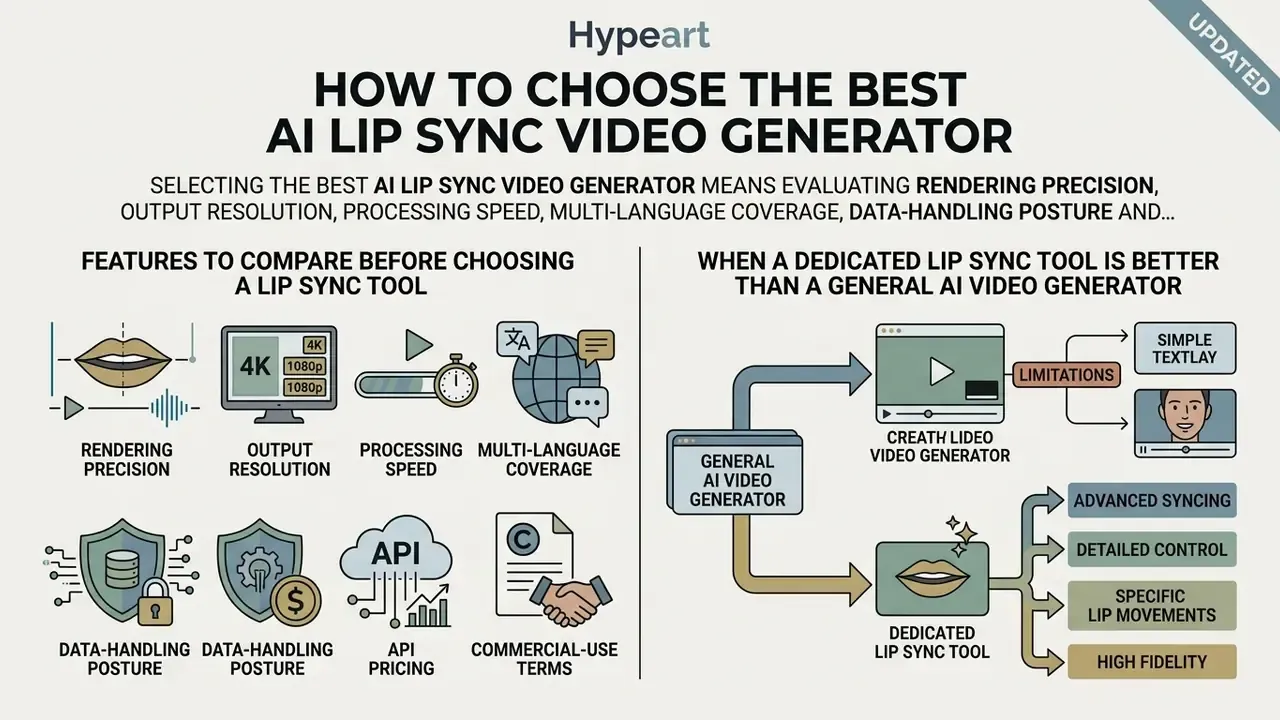
Selecting the best ai lip sync video generator means evaluating rendering precision, output resolution, processing speed, multi-language coverage, data-handling posture and licensing terms. Specialized tools concentrate on hyper-realistic facial articulation. Universal video generators prioritize broader scene generation. Those are different products competing for the same budget line.
Features to Compare Before Choosing a Lip Sync Tool
When evaluating an ai video generator with lip sync, review core technical capabilities across vendors systematically rather than by demo reel.
For a detailed technical evaluation across market options, video operations managers can see the overview comparing platform specifications, or read the dedicated comparison of leading AI video generators.
| Platform feature | Specialized lip sync tool | Universal AI video generator |
|---|---|---|
| Primary focus | Hyper-accurate facial articulation | Broad scene and motion generation |
| Input media | Single image, HD/4K video | Text prompts, reference images |
| Audio-visual sync metric (LSE-C) | High, above 8.5 confidence | Moderate, 5.0 to 7.0 confidence |
| Dubbing support | Multilingual with voice preservation | Basic text-to-speech overlay |
| Multi-face detection | Active speaker targeting | Limited face tracking |
| Rendering speed | Fast or real-time, 25 to 50 FPS | Slower diffusion rendering |
| Export codecs | MP4 with H.264 and H.265, up to 4K | MP4 with H.264, often 720p to 1080p |
| Prosody controls | Emotion, speed 0.5 to 2×, pitch ±12 | Voice selection only |
| Data privacy and asset retention | Documented deletion window; training opt-out on enterprise tiers | Often retains prompts and uploads by default |
| Enterprise API SLA | REST API, documented concurrency of 1 to 15, per-second billing | Credit-based queue, no concurrency guarantee |
When a Dedicated Lip Sync Tool Is Better Than a General AI Video Generator
Purpose-built engines outperform general video generators when exact dialogue synchronicity, high lower-face detail and identity preservation are non-negotiable. They use specialized SyncNet-style loss functions that hold mouth-shape timing without distorting the surrounding face.
«UniSync outperforms competitors on image quality (4.12 versus 3.68 for OmniSync and 3.07 for LatentSync) and achieves generation success above 93% in challenging real-world scenarios.»
Enterprise Security, Compliance and Shadow AI Risk
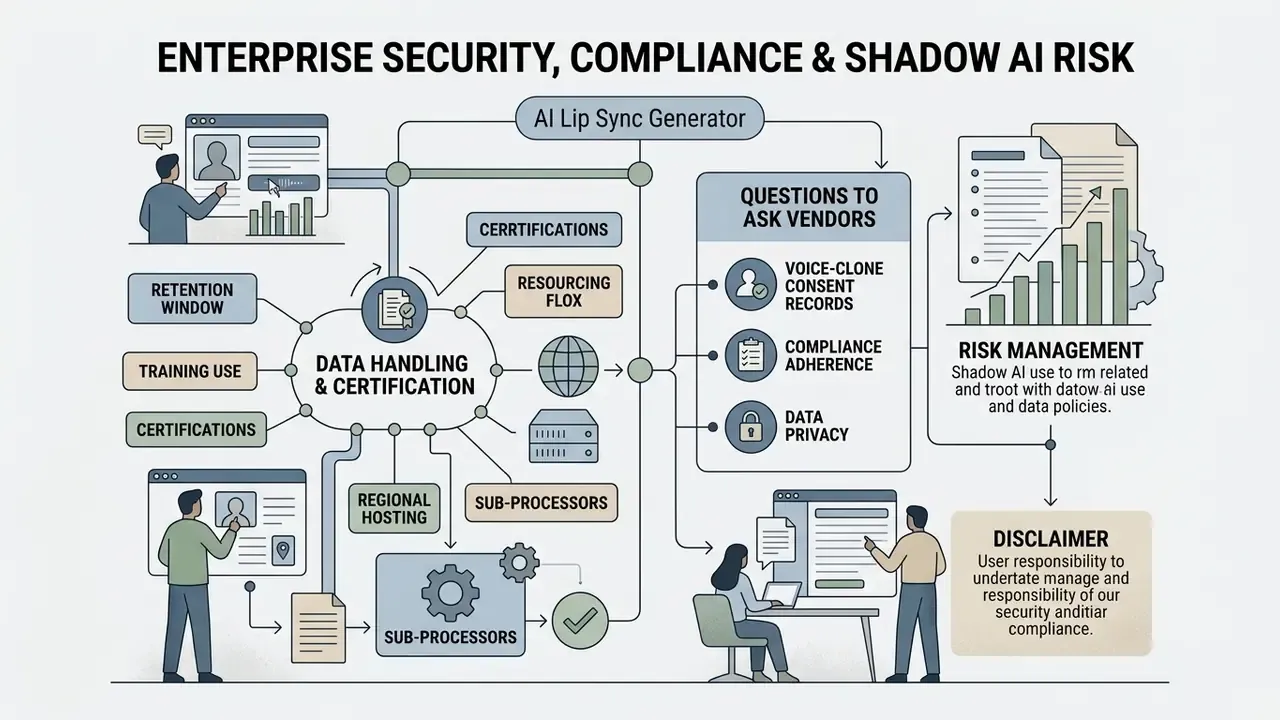
Lip sync tools process two categories of sensitive material at once: facial imagery, which is biometric data under several privacy regimes, and voice recordings, treated as biometric identifiers in some jurisdictions. Any evaluation that stops at output quality is incomplete.
Data Handling and Certification Questions to Ask Vendors
- Retention windowhow long are uploaded portraits, source videos and voice samples stored after rendering? Is deletion automatic, on request, or contractual?
- Training useare customer uploads excluded from model training by default, or only on enterprise tiers?
- Certificationsdoes the vendor hold SOC 2 Type II or ISO/IEC 27001, and is the report available under NDA?
- Regional hostingcan processing be pinned to a specific region for GDPR or data-residency obligations?
- Sub-processorswhich third parties (TTS, ASR, GPU providers) receive the media, and are they contractually bound?
- Voice-clone consent recordsdoes the platform require and store proof of consent, as Google Cloud does with its recorded-consent file requirement?
- Access controlsSSO or SAML, role-based permissions, and audit logs of who generated which asset.
Shadow AI and Deepfake Mitigation
Free, no-signup lip sync tools are reachable from any browser in about thirty seconds, which makes unmanaged use the primary corporate exposure. Practical controls:
- Sanction one tool, block the rest. Publish an approved-platform list and enforce it at the network or CASB layer, so nobody is uploading executive portraits to unvetted endpoints.
- Protect executive likeness. Treat leadership photos, recorded town halls and earnings calls as controlled assets. They are precisely the raw material a convincing fraudulent video requires.
- Verification protocol for instructions. Require out-of-band confirmation for any payment, credential or access request received by video or voice. Synthetic media defeats "I saw and heard them," and that assumption is now a control weakness rather than a control.
- Consent management by default. No face or voice enters the pipeline without a signed release, stored alongside the generated asset.
- Disclosure and labelling. Where policy or regulation requires it, for example EU AI Act transparency obligations for deepfakes or FTC guidance on deceptive synthetic media, label AI-generated content visibly and in metadata.
- Watermarking and provenance. Prefer vendors that support content credentials or provenance metadata on export.
- Incident path. Define who to contact when an unauthorized synthetic video of an employee or the brand appears externally. Decide this before you need it.
Risk and compliance managers monitoring copyright and likeness exposure in synthetic media can explore the hub for updated legal frameworks.
Free AI Lip Sync Generator, Pricing and Commercial Use
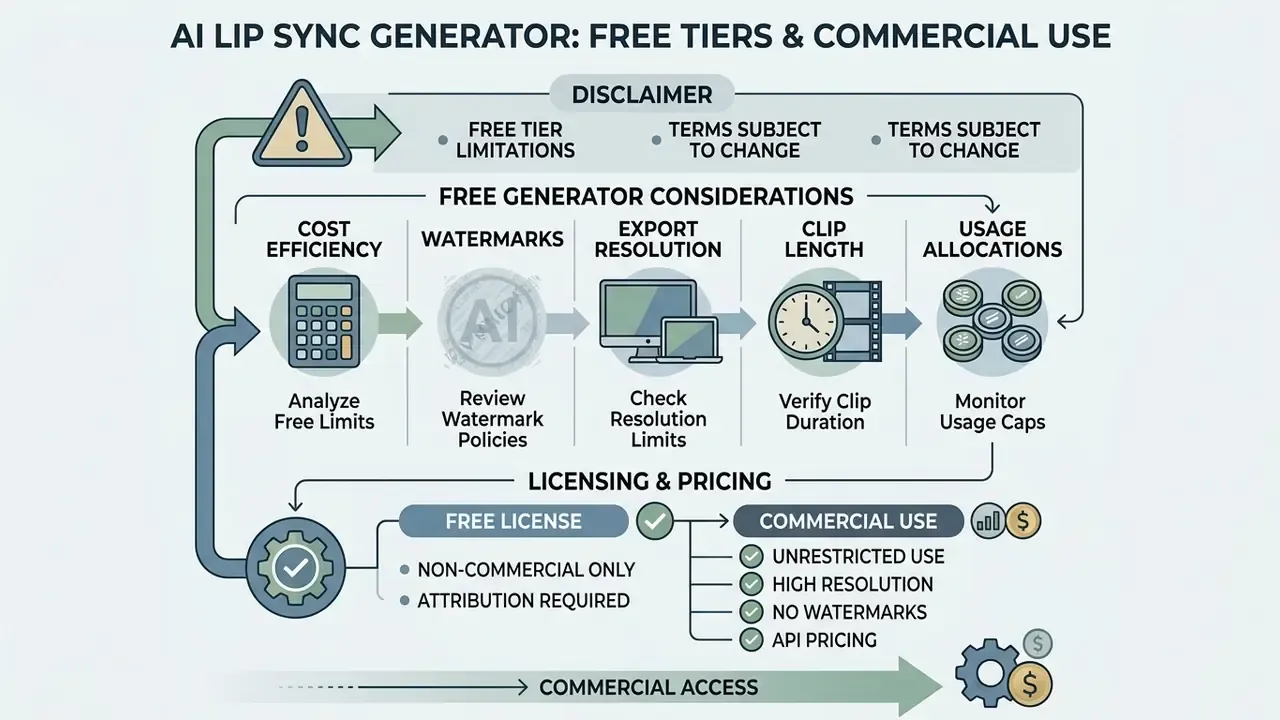
Free tiers for an ai lip sync generator free online service typically include trial credits, lower export resolutions at 720p, and embedded watermarks. Commercial deployment requires a paid subscription tier or usage-based API pricing to secure full deployment rights. Readers scoping zero-budget options can start with the overview of free AI video generators.
What to Check in a Free AI Lip Sync Video Generator
Evaluating an ai lip sync video generator free tier means examining functional restrictions before committing assets to production.
Common limitations on free plans:
- Watermarks mandatory visual logos burned into rendered exports.
- Export resolution capped at 720p HD rather than native 1080p or 4K.
- Clip length frequently limited to 20 seconds per generation on no-signup tiers, or up to 3 minutes per video on account-based free plans.
- Usage allocations 1 to 3 video credits, 3 videos per month, or roughly 3 to 10 total minutes per month.
- Licensing personal, non-commercial testing only on most free tiers.
Documented examples: HeyGen's free plan allows 3 videos per month at up to 3 minutes each, all 720p with a mandatory watermark plus 1 premium credit worth about a minute of Avatar IV. VEED's free plan watermarks exports, caps them at 720p and limits monthly exported minutes to roughly 10 to 30. Pictory's free plan allows 3 projects and 10 total minutes at watermarked 720p. Some newer lip-sync-specific services advertise a $0-forever tier with watermark-free low-resolution downloads after sign-in, which is often the closest thing to a best free ai lip sync generator for quick testing, though resolution limits still rule it out for client work.
For commercial asset licensing guidelines and plan structures, review the complete subscription pricing schedules, or compare free AI video generators with limits and watermarks side by side when shortlisting a best free ai lip sync video generator candidate.
Commercial Projects, Client Content and Pricing Terms
Commercial deployment rights grant permission to use generated videos in client deliverables, paid advertising and broadcast media. Free-tier outputs are restricted to personal, non-commercial testing under standard vendor terms.
Verified 2026 patterns across published pricing pages: entry paid tiers cluster around $5 to $33 per month, mid-market plans sit near $9.90 to $29.99, and premium tiers reach $99.99. Watermark removal, HD or 4K download and an explicit commercial licence are almost universally paid-tier features. Some vendors go further. Luma AI states that Free and Lite plans are personal-use only, and that content generated under those plans retains the personal-use restriction even after an upgrade. That single clause turns tier selection into a pre-production decision rather than a post-production fix. Voice cloning additionally requires documented consent from the voice owner, regardless of tier.
E-E-A-T verification / tariff check (verified August 2026):
Organizations deploying synthetic media for commercial client campaigns should browse the hub to confirm regulatory compliance before launch.
Use Cases for AI Lip Sync Video Creation
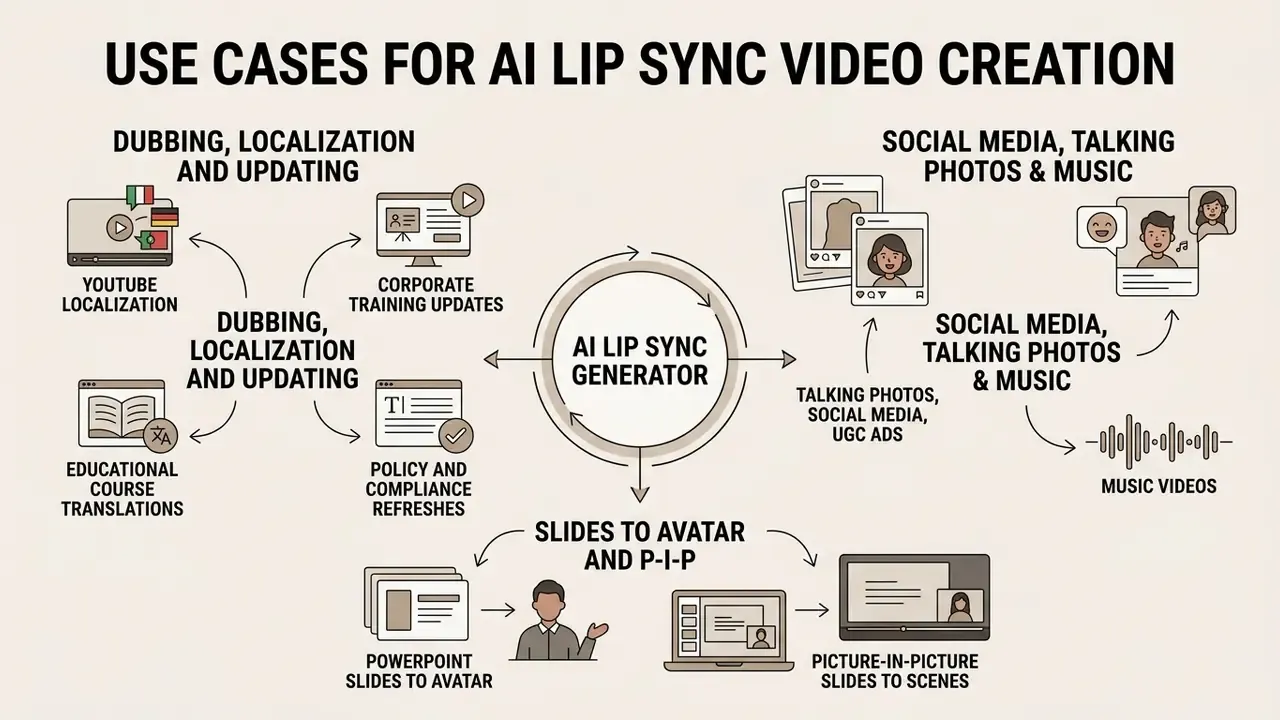
AI lip sync streamlines production across marketing, corporate training, YouTube localization and social media. By removing traditional studio filming from the critical path, organizations update and scale video collateral across global markets far faster. Readers new to the category can start from the broader guide to AI video generators.
Dubbing, Localization and Updating Existing Videos
Localizing content means translating existing audio tracks into target languages and re-aligning visual facial movements. Enterprise training departments use this to refresh compliance videos without booking recurring studio sessions.
Key operational workflows:
- YouTube localization adding multi-language audio tracks to existing videos with matched articulation. YouTube Studio supports adding a language, uploading a dubbing audio file of roughly the same length as the video, and publishing it as a separate track. It also supports deleting and replacing an existing track, so training material can be corrected without re-uploading or re-shooting (YouTube Help, 2026).
- Corporate training updates modifying specific script segments inside training modules without a full re-shoot.
- Educational course translations converting university lectures into international languages while retaining the instructor's appearance.
- Policy and compliance refreshes edit the script, regenerate with lip sync, republish when regulation changes. No talent booking required.
«FlowDubber generates speech from scripts while preserving voice timbre from short reference audio, achieving the best audio-visual synchronization results on the Chem and GRID benchmarks.»
Publishing teams managing multi-language channels can pair this with a YouTube video editor workflow for captions, chapters and thumbnail versioning.
PowerPoint Slides to Avatar and Picture-in-Picture
Turn .PPTX decks into narrated video lessons. The system reads speaker notes, generates the voice track from them, and overlays a lip-synced presenter on top of the original slides. That closes the gap between a static internal deck and a publishable e-learning module.
- Slides to scenes each slide becomes a scene with script, captions and synchronized speech. Edit one slide's notes and regenerate only that segment.
- Picture-in-picture overlay upload the slide recording or screen capture as the background video (MP4/MOV/WebM, commonly up to 500 MB), then position the presenter as a circular round crop or a rectangular overlay that keeps the original ratio, anchored in any corner.
- Narration source control choose whether the background video keeps its original sound or is replaced by the typed script, uploaded audio or a fresh recording.
- Formats export 16:9 for LMS and YouTube, 9:16 for Shorts-style micro-lessons.
Video Podcasts and Multi-Speaker Dialogue Formats
Lip sync aligns a host, or several speakers, with pre-recorded dialogue, which makes a video edition of an audio-first show viable without a studio. For two-person conversations, split the audio per speaker, run separate generations with explicit face selection, then recombine on one timeline. Where the starting point is text, a PDF or a URL, script-to-podcast pipelines can produce the episode with synthetic voices and MP3 or MP4 output before the lip sync pass runs.
FAQ About AI Lip Sync Video Generators
Can ChatGPT Create an AI Lip Sync Video?
ChatGPT cannot render or output video files directly. It generates the spoken script or the audio-generation prompt, which then has to be imported into a specialized best ai lip sync video generator to produce synchronized output. Text models produce language; video models produce frames. The lip sync engine is what re-animates the mouth against audio.
Can I Run AI Lip Sync Natively Inside ChatGPT?
Not through the base model. Some vendors do ship official apps in the ChatGPT App Store, so you write the prompt in chat, the connected engine performs the generation, and the finished MP4 comes back in the conversation. ChatGPT acts as the front door; the video model does the work.
Is an API Available for AI Lip Sync Video Generation?
Yes. Major platforms provide REST APIs for programmatic generation. Sync Labs, VEED, Akool and Magic Hour expose endpoints accepting image or video URLs alongside audio files, which lets developers automate high-volume rendering inside custom business applications rather than clicking through a UI.
How Much Does the Lip Sync API Cost?
Published rates vary by billing model. HeyGen charges $0.05 per second of generated Avatar V or Avatar IV output, with a $5 minimum top-up and no subscription requirement. VEED prices its lip sync API at $0.40 per minute with no seat fees or monthly minimums. Sync Labs bills per second at 25 FPS, from about $0.02 on beta models up to roughly $0.13 on sync-3. Enterprise volume pricing is negotiated directly.
What File Formats and Durations Are Supported?
Typical inputs are MP4/MOV/AVI video with H.264, plus WAV/MP3/M4A/WEBM audio, delivered by public URL, direct upload or asset ID. Duration ceilings are plan-dependent, from about 1 minute on entry tiers up to 30 minutes on high-volume plans, with 20-second caps common on free generations and 90-second caps on credit-based recordings.
How Accurate Is AI Lip Sync Compared with Manual Animation?
On most footage, modern engines match or exceed hand-animated dubbing at the frame level, adapting to head turns and lighting changes as they go. Accuracy is measurable: LSE-C confidence above 8.5 indicates strong alignment, and leading benchmark models report generation success above 93 to 97% depending on the dataset. Stylized and non-human characters remain the hardest class, where success rates fall toward 87%.
Can Existing Video Audio Be Preserved?
Yes, on platforms that support picture-in-picture and narration-source selection. You can keep the background clip's original sound and add a synced presenter overlay, or replace the track entirely with a script, an upload or a recording.
Why Did My Generation Fail?
The usual suspects: no detectable face, profile or extreme-angle framing, an obstructed mouth, multiple faces without explicit selection, scene cuts mid-clip, oversized files, unsupported codecs, or an audio track longer than the video. Fix the input, re-run a short test clip, then re-render at full length.
Additional Resources and Site Navigation
- To estimate potential bandwidth or production cost savings, open the hub and evaluate rendering models against your current spend.
- If technical assistance is required during API setup, developers should open the hub to reach technical support.
- For complete glossary definitions across all media generation topics, open the hub.
Appendix A: Superseded Statements Log