Executive Summary: Three Decisions Before You Generate Anything
- A generated signature is a graphic asset, not a legal instrument.PNG and SVG signature files carry no cryptographic proof of identity. Enforceability depends on demonstrable human intent, identity verification, and tamper-evidence under applicable law.
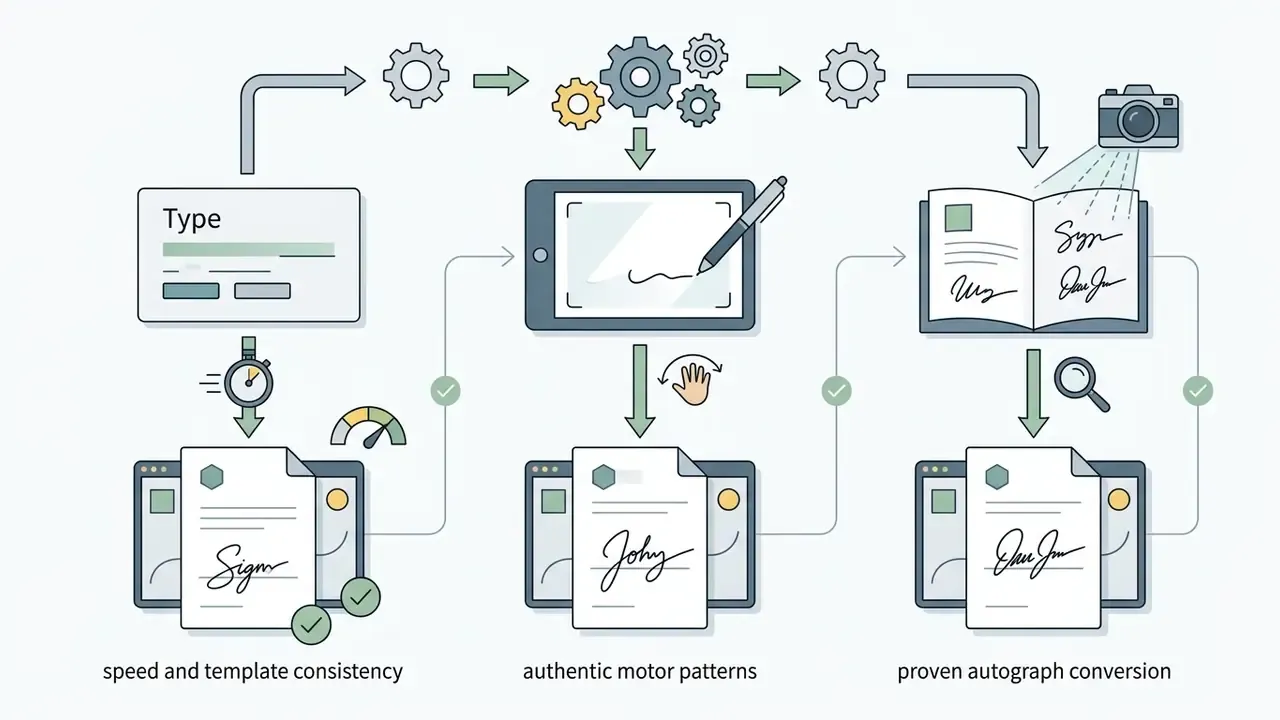
- Choose the input method by purpose, not by novelty.Type-to-signature synthesis delivers hundreds of stylistic variants in seconds. Draw-canvas capture and photo or scan vectorization preserve your own motor patterns for personal branding and media attribution.
- Treat public signature generators as a data-privacy surface.Entering executive names into third-party SaaS endpoints is a personally identifiable information (PII) event, and a common shadow-AI vector inside regulated organizations.
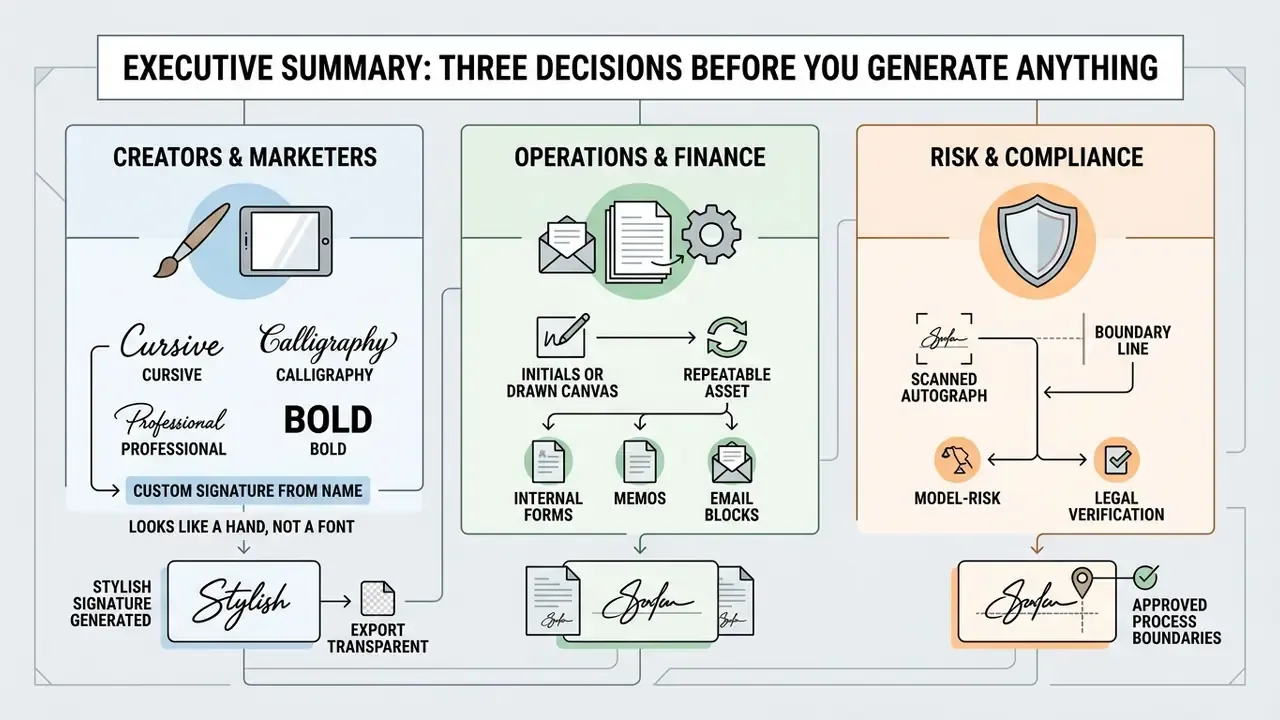
Who this guide is written for
Creators and marketers want a signature that looks like a hand, not a font. Their success metric is aesthetic: clean joins, believable pressure variation, a transparent background that drops cleanly onto artwork.
Operations and finance teams want a repeatable asset for internal forms, memos, and email blocks. Their metric is consistency, since a mark that shifts every time breaks templates.
Risk, compliance, and model-risk leaders want the boundary line. Their metric is control: which signing channel is approved, who owns it, and what evidence an auditor can reproduce twelve months later. This guide keeps all three needs in view, and flags where the evidence is thin rather than pretending it is settled.
What an AI Signature Generator Is and What Kind of Signature It Produces
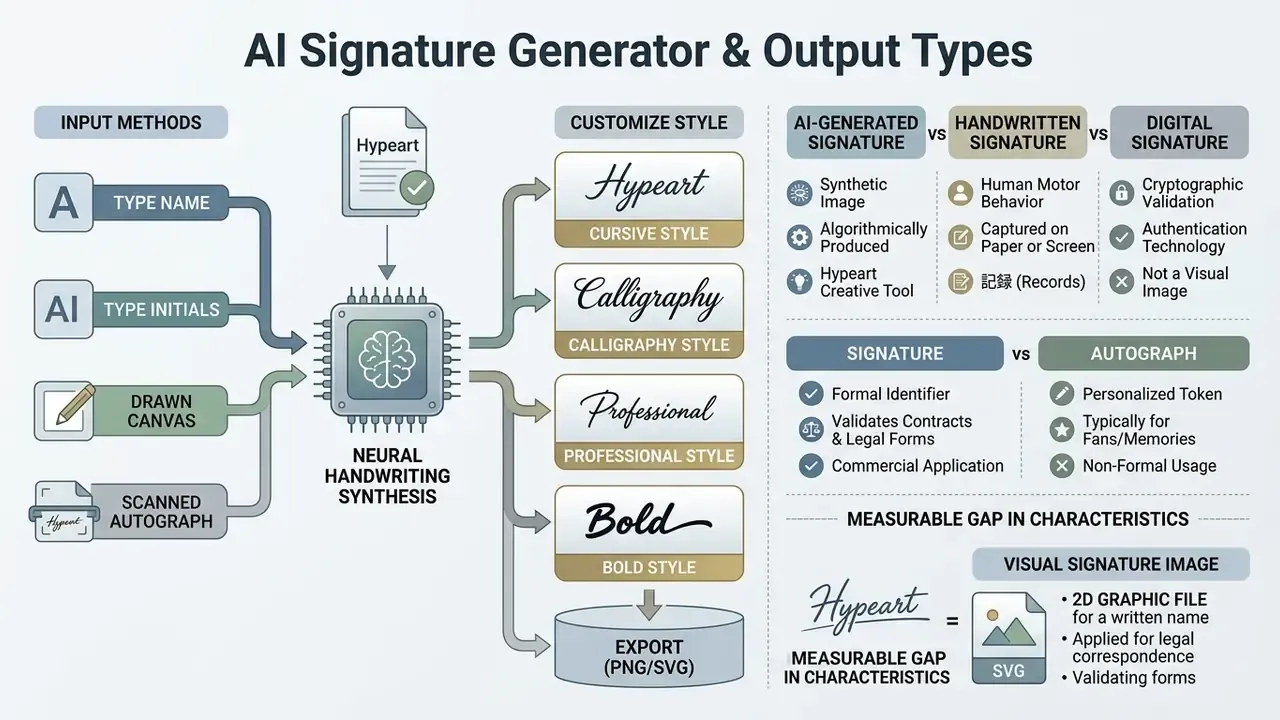
An ai signature generator is a software tool that produces visual handwritten stroke assets from entered text by applying neural handwriting synthesis or parametric glyph variation. A signature generator is primarily designed to create custom graphic images of names or monograms, not executable software credentials. When an ai create signature workflow starts, the system analyzes character relationships, renders a personalized visual mark, and returns an ai generated raster or vector file such as PNG or SVG.
The distinction matters commercially as well as legally. A font generator maps any input string onto the same predesigned glyph set. An AI generator produces individualized variants whose spacing, joins, and flourish intensity change with the exact name you type.
AI-generated signature, handwritten signature, and digital signature: the difference
An ai-generated signature is a synthetic image produced by algorithms. A handwritten signature is an authentic physical stroke pattern executed by a human hand. A digital signature is a cryptographic mechanism built to prove document integrity and signer identity.
A handwritten signature captured on paper or a touchscreen records human motor behavior. Scanning or regenerating that graphic mark does not convert it into a security asset. A true digital signature uses public-key cryptography, governed by standards such as NIST FIPS 186-5, to generate mathematical proofs that detect any post-signing alteration.
«FIPS 186-5 specifies three techniques — RSA, ECDSA and EdDSA — for the generation and verification of digital signatures.»
The gap between the two categories is measurable, not theoretical. Generative adversarial networks now reproduce visual signature marks well enough to defeat automated verification pipelines:
«BISGAN-generated spoofed signatures achieved success rates of roughly 88–100% against several signature verification systems.»
Signature and autograph: when each variant is required
A signature is a formal identifier applied to validate contracts, corporate forms, and legal correspondence. An autograph is a stylized signature or personal inscription meant as a memento or a creative brand mark. Dictionaries reinforce the split: a signature is the formal act of signing your name on a document, while an autograph is something written by one's own hand and kept as a keepsake, typically a notable person's signature on memorabilia, books, or fan items.
Organizations reach for an ai autograph generator when designing digital artwork, fan merchandise, executive email footers, or media assets where personal attribution matters more than transactional enforcement. In commercial workflows these boundaries decide licensing questions. Teams reviewing platform terms and the commercial use of AI-generated imagery can consult our AI Media Commercial-Use Hub to keep visual assets aligned with corporate policy.
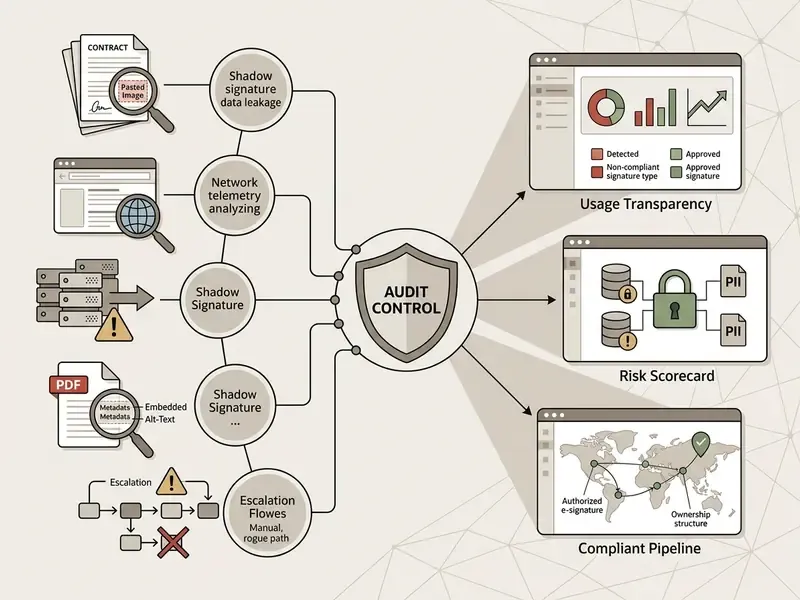
Inside financial institutions, unmanaged graphic generators in contract workflows create real operational exposure. In one illustrative governance review at a regional US bank (a composite, hypothetical example), legal staff were found pasting unverified signature images into vendor agreements. Building a unified tool inventory that separated visual asset creation from cryptographic e-signatures removed the shadow-AI path while preserving compliant signing channels. Nothing exotic. Just ownership plus an approved route.
How to Create a Signature With AI From a Name or Initials
To ai create signature from name or from a monogram, you type source text into an input field, pick a visual style preset, adjust stroke parameters, and trigger the synthesis engine. The generator renders live previews, so you can regenerate layout variants before exporting high-resolution files for document or design use.
«Conditioned GANs can generate handwritten words in arbitrary styles, improving recognition accuracy when used for data augmentation.»
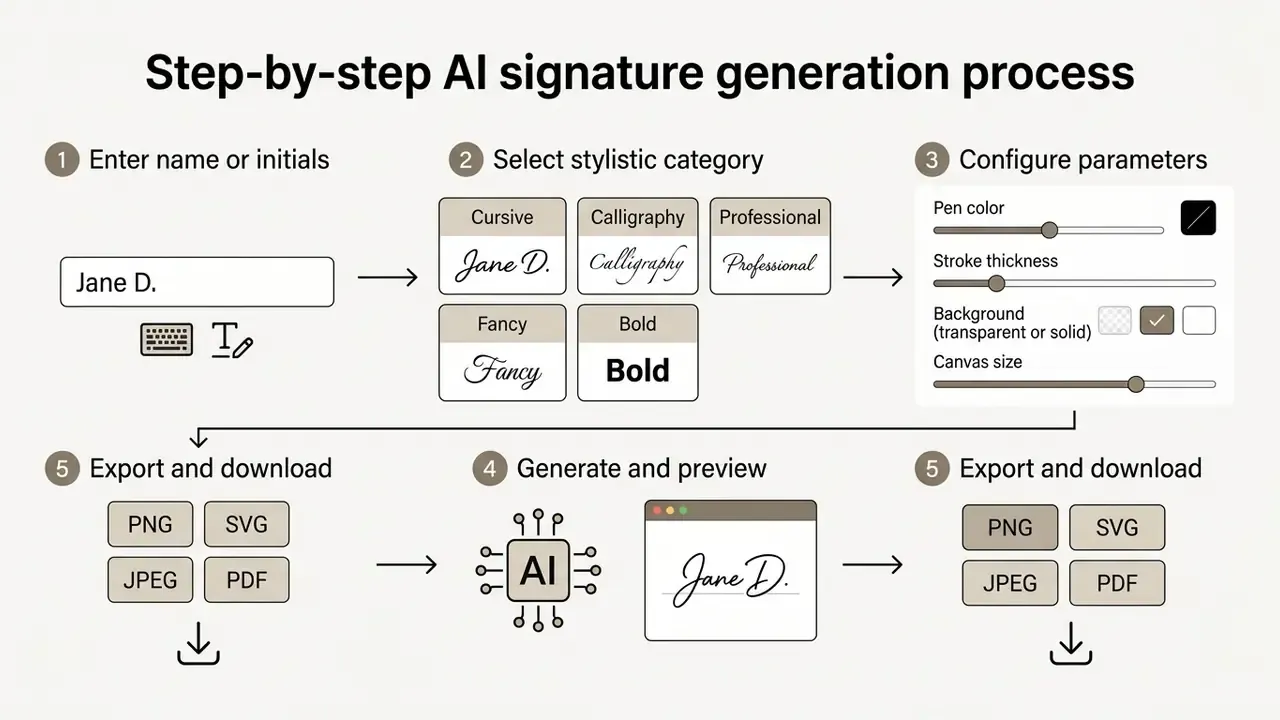
Enter your name, surname, or initials in the signature generator
An ai name signature generator handles full names, single surnames, or multi-letter monograms, adapting stroke spacing and scale to input length. With an ai initial signature generator, you can produce compact marks sized for small sign-off boxes, custom stamps, or mobile screen headers. Enterprise signing suites keep these as separate objects, since "Add Signature" and "Add Initials" follow different composition rules.
For longer full names, the ai signature creation algorithm scales glyph height and adjusts line overlaps so the mark stays visually balanced. A four-syllable surname needs tighter joins than a three-letter one. Creators benchmarking adjacent visual tools often compare results with AI art and image generators before locking a final brand asset.
Choose a style, generate variants, and download the signature
You generate signatures by picking a design direction, previewing several algorithmic layouts, and choosing an output format for download. Most web tools return raster PNG files with transparent backgrounds or vector SVG files suited to high-resolution print and screen scaling. Some platforms add JPEG and PDF export.
Before export, check image resolution and background opacity. That single step prevents the white halo that appears when a mark lands on a dark PDF form or a photo. If the signature is destined for a signing workflow, upload the exported file into the PDF pipeline, position it inside the designated field, then export the flattened document.
Type vs Draw vs Scan: Three Input Methods Compared
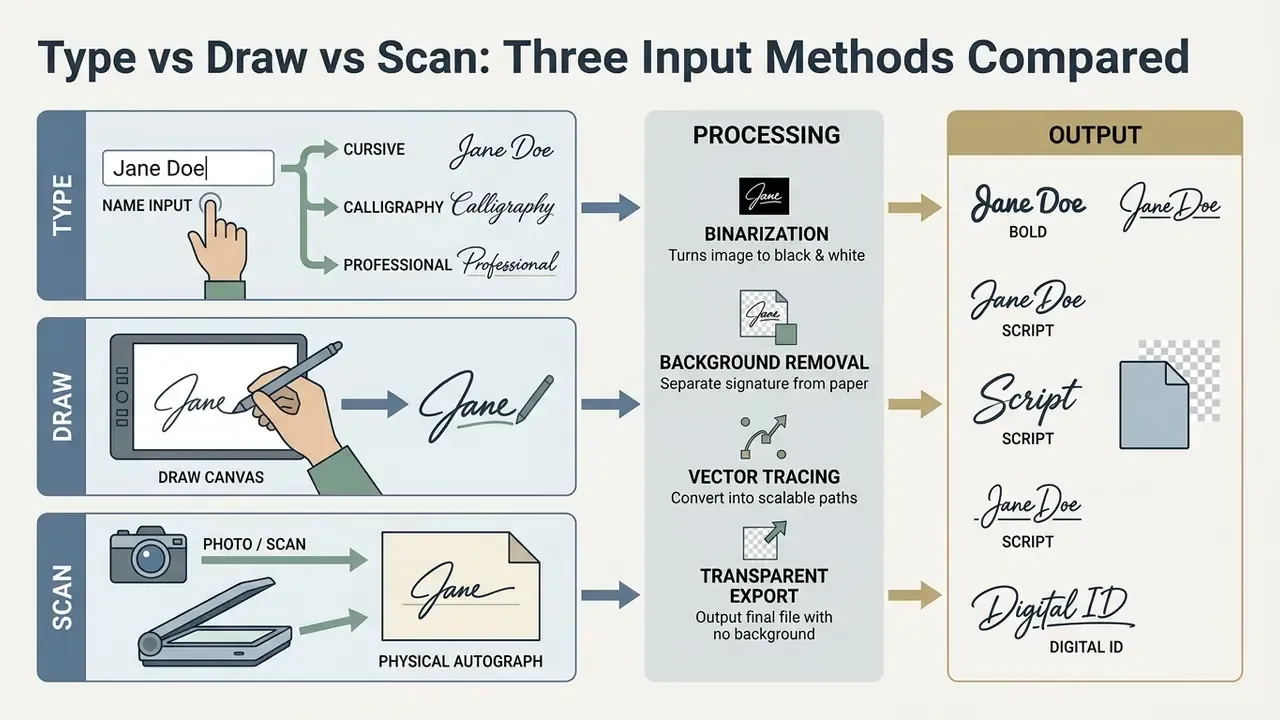
Modern generators expose hybrid input paths. The right one depends on whether you need a perfectly stylized script, a faithful record of your own hand motion, or a digitized version of a signature you already use on paper.
Type-to-signature versus draw canvas
| Comparison criterion | Type-to-Signature (text input) | Draw Canvas (freehand drawing) |
|---|---|---|
| Operating principle | Algorithmic glyph synthesis from the entered name | Capture of cursor or stylus coordinates on a touch surface |
| Creation speed | Instant (1–3 seconds, hundreds of variations) | Requires precision and several attempts |
| Motor uniqueness | Emulation of calligraphic and cursive styles | Full reproduction of your physical handwriting |
| Consistency across documents | Identical every time, ideal for templates | Slight natural variance between attempts |
| Recommended device | Any (PC, smartphone, tablet) | Tablet with stylus or touchscreen device |
| Best for | Email footers, drafts, branding, monograms | Personal attribution, artwork, informal sign-offs |
Most users type first to explore style directions, then switch to the canvas when they want their real signature captured exactly. Canvas controls usually include a pen color picker, a pen size slider, adjustable canvas width and height in pixels, a background color selector with a transparency toggle, a clear-canvas action, and one-click PNG download.
Digitizing a physical signature: converting photos and scans into vector format
If you already have a practiced handwritten autograph on paper, computer-vision pipelines can digitize it without sacrificing authenticity. You upload a photograph (JPEG or PNG) or a flatbed scan of the signed sheet, after which the model performs three steps:
Desktop equivalents follow the same logic. PDF suites let you drop in a scanned signature, remove the white background with an eyedropper and tolerance slider, then resize and place it. Users who need broader retouching before vectorization can consult our guide to online photo editors or, for zero-budget workflows, our overview of free photo editors and their export limits.
AI Signature Styles: Cursive, Calligraphy, Professional, Fancy, and Bold
Signature engines group handwriting synthesis models into stylistic categories, usually cursive, calligraphy, professional, fancy, and bold, to fit different personal, creative, and corporate contexts. Picking the right style keeps the generated mark in tune with the tone of the surrounding media or channel.
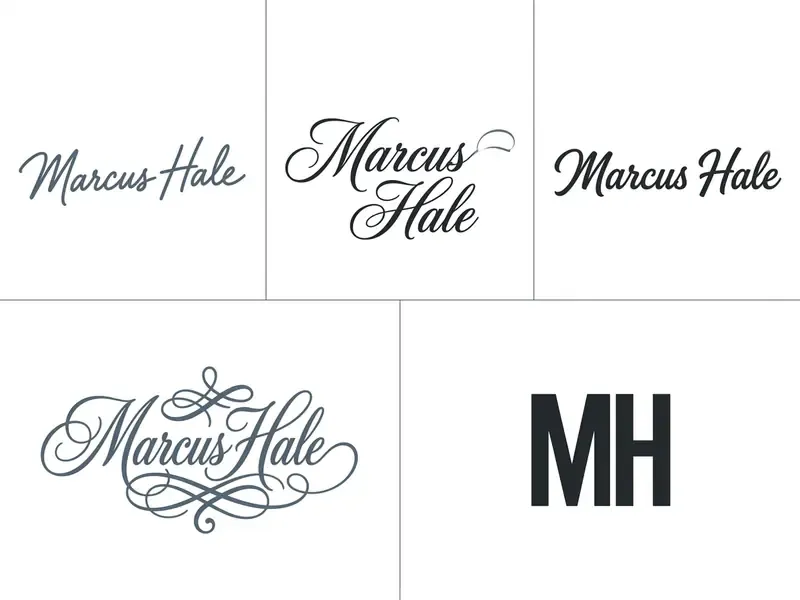
Cursive and calligraphy signatures for expressive personal style
An ai cursive signature generator builds connected, fluid letterforms that emulate continuous pen strokes on paper, which suits personal identity and aesthetic media. An ai calligraphy signature generator applies wide stroke contrast, formal slants of roughly 15 to 25 degrees, and decorative swashes borrowed from Copperplate or Spencerian traditions.
«The HCSU dataset comprises 39,307 character samples from 49 calligraphers, enabling models to distinguish subtle stylistic characteristics of handwriting.»
No regulated taxonomy separates "cursive" from "calligraphy" for signatures. These are commercial design categories defined by measurable parameters, namely x-height, ascender and descender depth, slant angle, pen weight, and thick-to-thin contrast, rather than by a standards body.
Professional signatures for business communication
An ai professional signature generator synthesizes clean, legible handwriting with restrained ornamentation for corporate presentation and formal forms. A professional signature favors fast name recognition and stable stroke proportions, so the graphic sits comfortably inside standard business email blocks, executive letters, and commercial templates.
Formal document style rules translate directly into signature design: precision, brevity, neutral tone. In practice that means a balanced size, repeatable proportions, and a footprint that fits standard signature lines without colliding with printed text.
Initials signatures, fancy and bold styles for short recognizable marks
An ai hand signature generator switched to bold or initials mode produces impactful monograms through heavy line weights and strong visual balance. That discipline sits close to logo and monogram design, which teams often prototype alongside Canva-style AI design generators. An ai fancy signature generator pushes further, adding loops, ligature extensions, and ornamental terminals for merchandise and artwork.
Abbreviated monogram marks offer clean visual density for mobile headers or profile watermarks. Forensic literature, however, treats initials as the most abbreviated signature form and assigns them lower individual identification value than full-name handwritten signatures. Expert authenticity opinions on initials are frequently non-categorical rather than definitive. (Requires additional primary-source verification: the underlying position derives from forensic handwriting examination practice rather than a single indexed benchmark.)
Practical consequence: keep two assets. A full-name signature for documents, and a compact initials mark for page-by-page initialing, quick email sign-offs, and watermarking.
How to Configure Color, Stroke, Canvas, and Appearance
Customizing an AI-generated signature means choosing ink color values, stroke thickness, canvas dimensions, smoothing behavior, and background transparency. Proper configuration guarantees contrast against the host document and prevents distortion during file conversion.
| Customization parameter | Description and technical properties | Recommended values for documents | Recommended values for media and web |
|---|---|---|---|
| Pen color | Hex or RGB value of the signature strokes | Dark navy (#000080), black (#000000) | White (#FFFFFF), brand palette |
| Stroke thickness | Virtual pen width in pixels or millimeters | 0.7 mm to 1.0 mm (gel-pen simulation) | 1.5 mm to 2.5 mm (logos and stamps) |
| Canvas background | RGBA value of the canvas backdrop | Transparent alpha (rgba(0,0,0,0)) | Transparent PNG/SVG or contrasting fill |
| Canvas dimensions | Width and height of the drawing area in px | Minimum 600×200 px for crisp placement | 1200×400 px or vector SVG (no raster ceiling) |
| Pen smoothing (AI) | Interpolation applied to captured touch points | Medium (removes tremor, keeps character) | High (idealized vector curves) |
| Export format | Graphic file type on download | Vector SVG, 300 DPI PNG | High-resolution PNG, WebP |
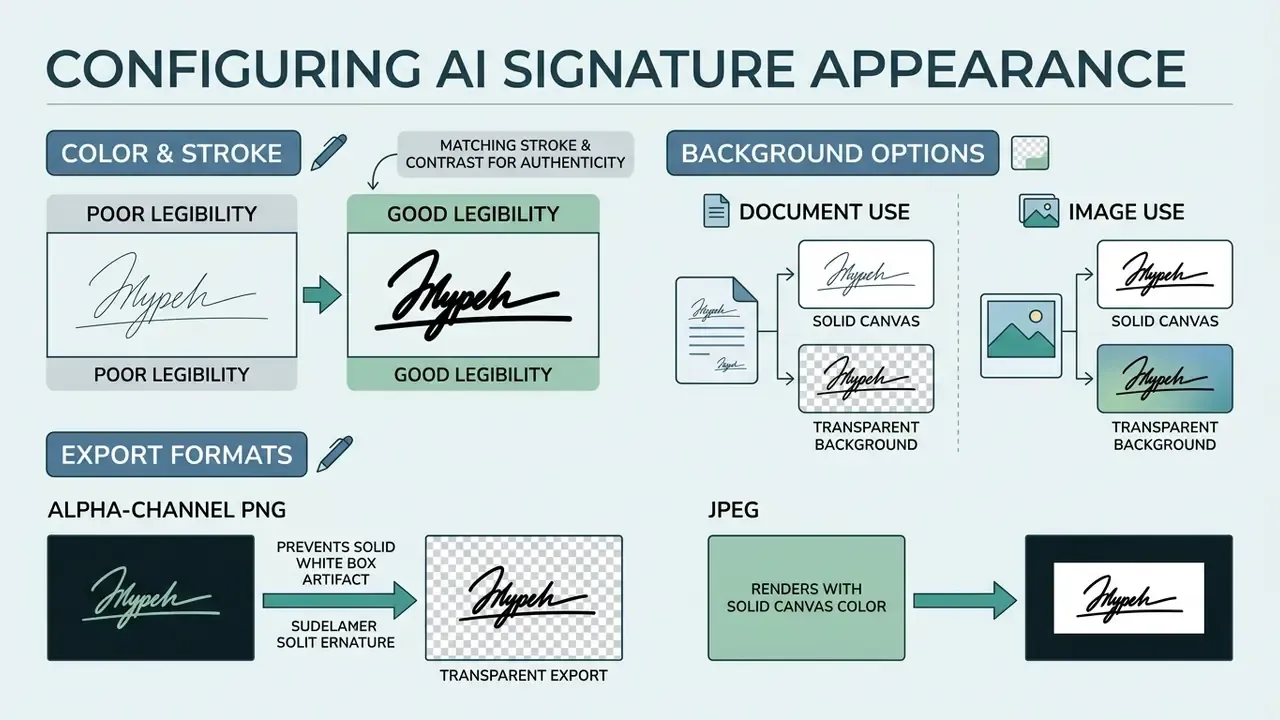
Color and stroke thickness for a legible handwritten signature
Achieving an authentic ai handwritten signature look means matching stroke width and color contrast to real pen ink. Forensic handwriting measurement benchmarks record average pen stroke thickness near 0.72 mm, which suggests digital pen settings between 0.7 mm and 1.0 mm read as most hand-drawn. Dark blue or black ink codes lift contrast over standard white document backgrounds, the same reason capture guides recommend signing with a dark pen on white paper before photographing.
«Signature verification systems process images by analysing stroke shape and curvature rather than colour, which makes line thickness a key identification parameter.»
Transparent or colored backgrounds for documents and images
Exporting with an alpha-channel transparent PNG background prevents the solid white box artifact when the graphic lands on a shaded PDF field or a media backdrop. The PNG specification supports full transparency through an alpha channel, where alpha 0 is fully transparent and the maximum value is fully opaque.
«PNG supports full alpha transparency, in which an alpha value of 0 denotes a fully transparent sample.»
JPEG does not support alpha transparency, so any JPEG export renders with a solid canvas color. SVG, as a vector format, preserves both scalability and transparent layering. When post-processing an exported mark, whether cropping, recoloring, or expanding the canvas, teams often rely on AI outpainting and canvas-expansion tools. For automated graphic overlays at scale, developers can review our technical documentation in the AI Media API Guides.
Where to Use an AI Signature: Documents, Media, Merchandise, and Personal Brand
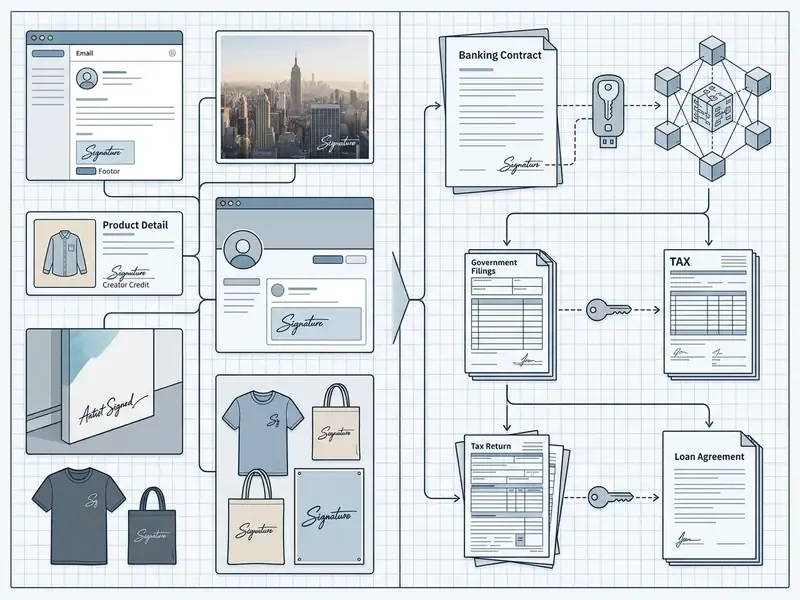
AI-generated visual signatures appear across business forms, creative watermarks, email signatures, marketing collateral, printed merchandise, and digital identity profiles. Where to apply one depends on a single question: is this creative identity marking, or legally binding transaction execution?
Signatures for forms, documents, and business correspondence
Visual signature images can be inserted into internal company forms, draft memos, and corporate email footers where visual attribution is expected. Public-sector policy is deliberately restrictive. Guidance recommends using signature images only where essential and, when they leave the organization, transmitting them inside PDF files rather than editable documents or spreadsheets. Some jurisdictions explicitly reject pasted .bmp, .gif, .jpg, or .png signature graphics as acceptable electronic signatures unless the email itself supplies attribution.
Under US Federal Section 508 accessibility guidelines, signature graphics embedded in digital PDF documents must be tagged as figures with equivalent alt-text (for example, alt="Visual signature image of Marcus Hale") so screen readers can announce them (Section508.gov, Electronic Signatures guidance, 2026 — https://www.section508.gov/create/electronic-signatures/). If the mark overlaps body text, treat the whole block as a figure. Agency practice increasingly also requires the signer's printed name, the date, and, on regulated forms, the reason for signing, alongside or instead of the handwriting image.
Marketing and documentation teams folding generated visual elements into wider media pipelines frequently evaluate adjacent tooling such as AI headshot generators for executive profiles.
Signatures for images, creative work, merchandise, and personal branding
Digital artists, photographers, and content creators deploy an ai art signature as an aesthetic watermark to establish provenance across portfolios and social media. Comparable creative pipelines are catalogued in our review of free AI art generators, and signature marks are often paired with other branded micro-assets built through an ai sticker generator for consistent visual identity across channels.
Publishing narrative content? A signature mark also functions as the author credit on serialized visual stories produced with an ai story generator, including free-tier workflows documented in our guide to ai story generator free unlimited options. Creators working with looser content settings should read the licensing caveats in our overviews of ai story generator filtering policies, ai story generator restrictions for adult categories, and ai story generator illustrated output, because commercial reuse rules differ sharply between them.
When publishing assets publicly, applying invisible C2PA Content Credentials next to a visual watermark strengthens media-origin tracking (C2PA Content Credentials specification, 2025). Regulatory expectations are hardening. Some jurisdictions now require watermarks plus metadata whenever AI-generated media directly affects a user, and mandate irremovable watermarks or embedded codes for high-risk categories such as identity images and financial materials, while explicitly exempting low-risk assets like an internal team logo.
«AuthSig achieves watermark extraction accuracy above 98% even after print-and-scan cycles, using a diffusion model with adaptive feature fusion.»
Beyond digital portfolios, vector signatures in SVG are widely used in merchandising. Vector paths carry no resolution ceiling, and 300+ DPI raster exports scale predictably, so a graphic autograph can be printed onto T-shirts, tote bags, author ceramics, limited-edition book plates, packaging inserts, and mugs without losing stroke edge definition. Print guidance from production teams: convert strokes to outlines before sending files to a vendor, keep a minimum stroke width of 0.8 mm at final print size to survive DTG and screen-printing dot gain, and supply both a dark-on-light and a reversed light-on-dark variant. Creators checking whether their mark has been reused elsewhere can also apply AI reverse-image search tools.
Free AI Signature Generator: What Is Available Without Payment
Most web-based signature utilities run a freemium model. Basic generation and standard-definition downloads cost nothing, while high-resolution and vector exports sit behind paid tiers.
| Functional block | Free tier | Pro / Premium tier |
|---|---|---|
| Generation limit | 3–10 generations per day (some tools: 3 per month) | Unlimited generation |
| Style selection | 3 base styles (cursive, standard, bold) | Full set (calligraphy, fancy, custom AI models) |
| Color and background control | Default black or blue on white canvas | Full HEX/RGB control, transparent alpha PNG/SVG |
| Export resolution | Standard resolution (1K PNG) | High-resolution 2K/4K PNG, vector SVG, PDF |
| Watermark | Possible small utility watermark | No watermarks |
| Usage license | Personal or non-commercial use | Commercial license included |
| Typical pricing benchmark | $0 | From roughly $6.90 one-time for a pro style pack to about $1.50 per signed document on transaction-priced platforms |
What a free AI signature generator includes
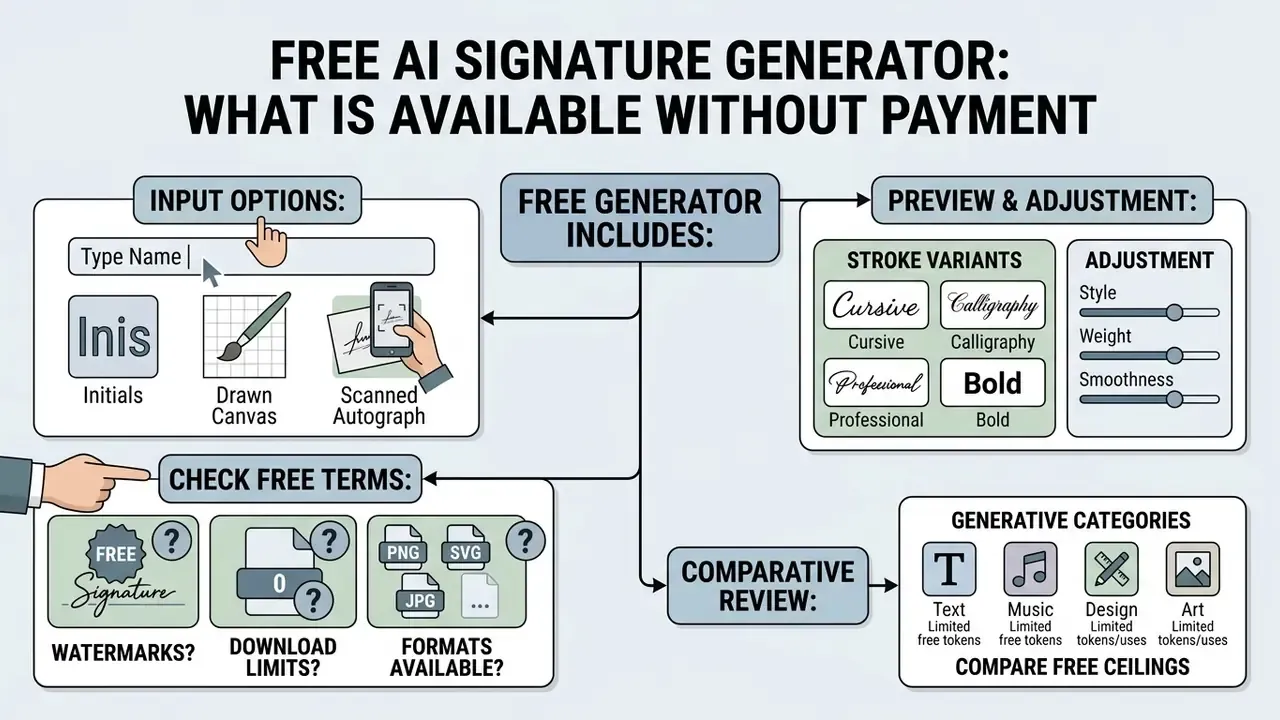
An ai free signature generator normally lets you type a name, preview generated stroke variants, adjust standard ink color, and download standard-definition PNG files without a subscription. An ai handwritten signature generator free portal is useful for rapid prototyping of monogram options before you commit to brand identity assets. Market examples in 2026 range from tools granting four free signatures with no login and a ten-per-day cap at 1K resolution, to tools offering three free styles with unlimited downloads but personal-use-only licensing.
Readers comparing free-tier ceilings across adjacent generative categories can review the limits documented in our breakdown of free AI art generators and their watermark policies. Teams modeling seat counts and per-document costs before a purchase can run the numbers through our AI Media Calculators.
Checking download terms, watermarks, and available formats
With an ai signature creator free utility, check whether exported files carry visible watermarks or resolution caps. Free platforms of the ai sign creator free type often limit exports to raster files with fixed white canvas backgrounds, while vector SVG output requires an upgraded account. Watermark policy is genuinely inconsistent across vendors. Some free tiers stamp every export, others explicitly guarantee clean output, so verify on a throwaway generation before you build templates around a tool.
A short pre-purchase audit works well here:
- Generate a test mark.
- Open it at 400% zoom to inspect anti-aliasing.
- Place it over a black rectangle to confirm true alpha transparency.
- Read the license clause covering commercial and merchandise use.
- Confirm whether a previously generated file can be re-downloaded, or must be regenerated from scratch.
For a full breakdown of commercial tier structures across digital creation utilities, see our AI Media Pricing Guides.
Data Privacy, PII Exposure, and Shadow-AI Controls
This section addresses processing risk, not legal advice. Consult your privacy counsel for jurisdiction-specific obligations.
Typing an executive's full name into a public signature generator is a personal-data processing event. Two architectures exist, and their risk profiles differ.
- Client-side (browser) generation. Text input and stroke rendering happen locally, nothing transits to a vendor server, and interactions occur over HTTPS. Lowest exposure, and several vendors advertise it explicitly.
- Server-side AI generation. The typed name travels to a hosted model endpoint. Under GDPR and CCPA-style frameworks the vendor becomes a processor. Retention must be limited to what the purpose requires, and the organization, not the vendor, must define, justify, and periodically review the retention period, since GDPR sets no fixed schedule per data type.
Key controls for regulated environments:
- Classify signature graphics as identity artifacts.Names, initials, and stroke images of named individuals are PII. Store them in access-controlled repositories, not shared drives or chat threads.
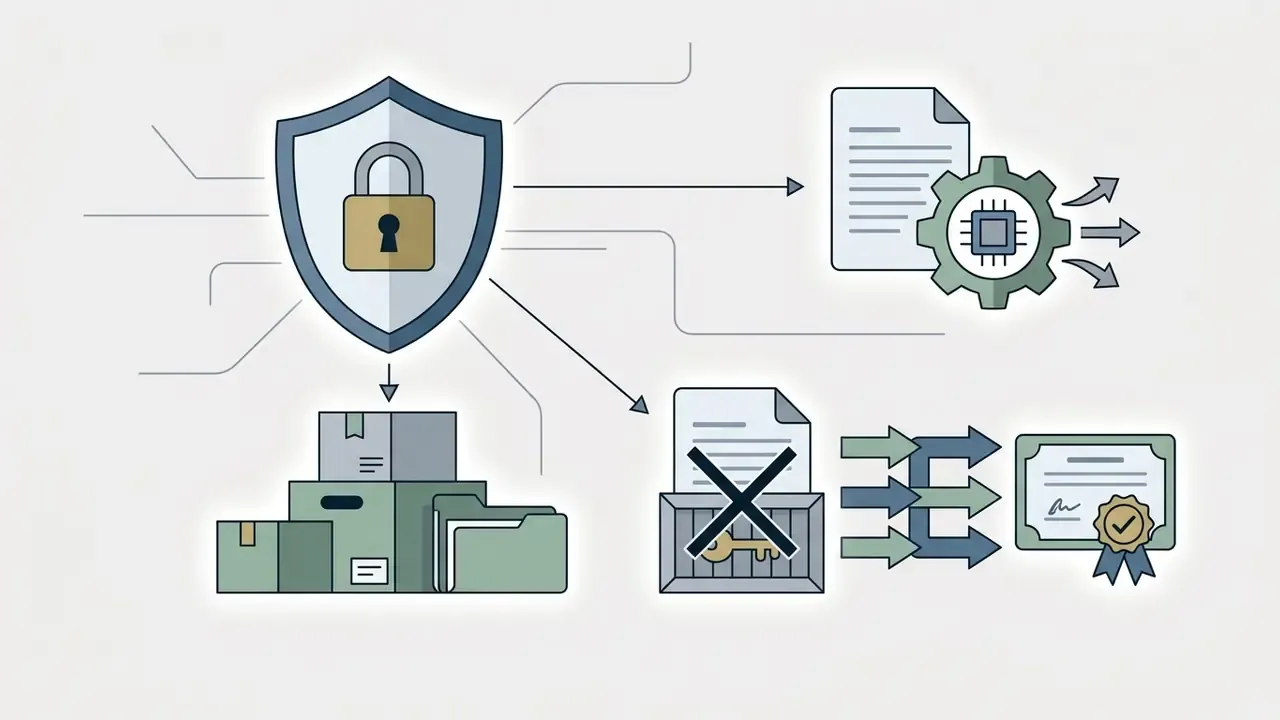
- Never archive private signing keys.NIST key-management guidance states that private signature keys shall not be archived, while public verification keys may be retained only as long as signed data must remain verifiable (NIST SP 800-57 Part 1 Rev. 5). Sensitive intermediate signing data must be destroyed once no longer needed (FIPS 204).
- Prefer offline or on-premises rendering for executive marks.The C-suite signature is a high-value forgery target. Keep it out of consumer SaaS endpoints entirely.
- Log the tool, not just the output.Maintain a model and tool inventory so auditors can trace which utility produced which asset, a practice consistent with supervisory expectations on model risk management, for example SR 11-7-style guidance on inventories and controls.
- Verify provenance of inbound signature images.Counterparty-supplied graphics can be GAN-reproduced. Treat them as unauthenticated until validated through a certified signing channel. Teams building verification workflows can consult our comparison of reverse-image and provenance tools.
Can an AI-Generated Signature Be Used in Official Documents?
«An electronic signature is an electronic sound, symbol, or process attached to or logically associated with a record and executed with the intent to sign.»
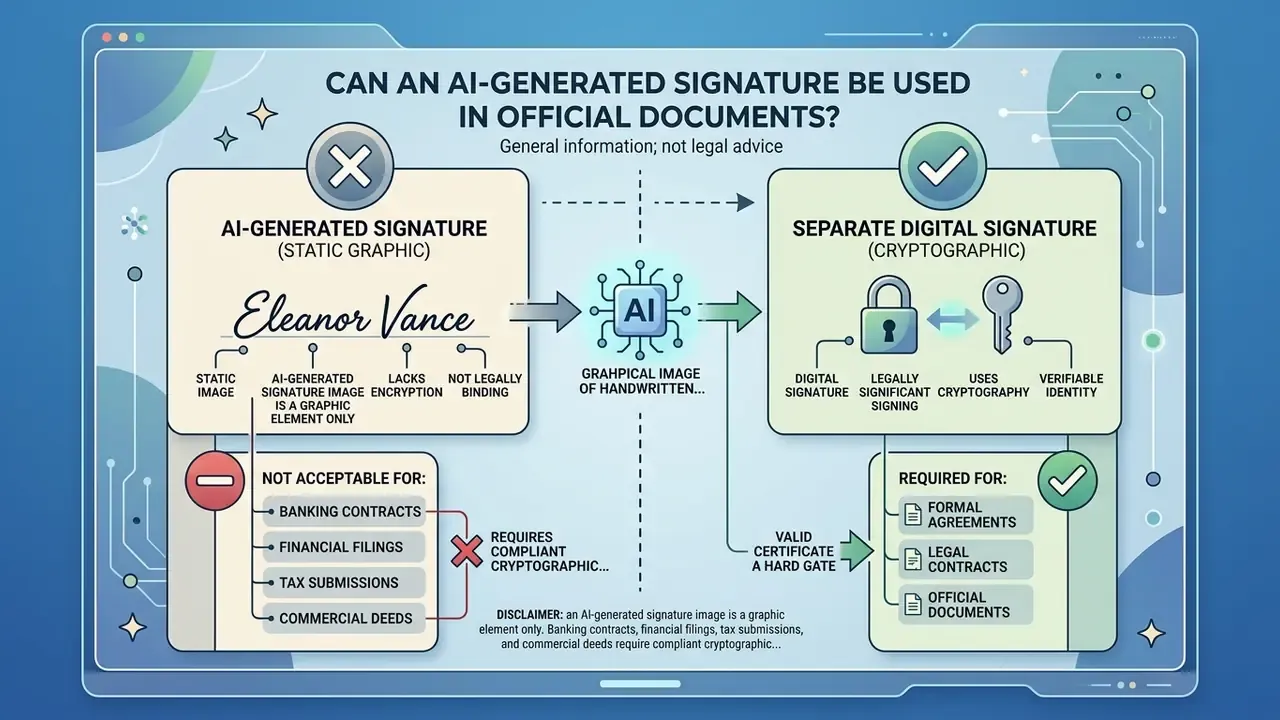
The same body of guidance separately defines a digitized signature as "a graphical image of a handwritten signature", which is exactly the category an AI signature generator produces. Federal CIO guidance is equally direct: an electronic or digital signature is not legally binding per se. It qualifies only when statutory requirements around signer identity and record integrity are satisfied.
When a signature image is appropriate for documents
Inserting an ai create my signature graphic is acceptable for informal internal records, draft review documents, personal letterheads, business cards, approved stationery templates, and routine correspondence where the receiving party explicitly permits image-based attribution. Institutional identity manuals reflect this. Informal signature files are distributed in reusable formats (EPS, JPG, GIF) precisely for web and casual internal applications such as merchandise, while formal stationery may carry graphic marks only under approved identity rules.
If a colleague asks you to ai create a signature for me so they can approve an invoice, that request is the moment to route them to the sanctioned signing channel instead. Convenience is how shadow AI spreads.
Marcus Hale, author «In model risk management, mistaking a graphic image for legal execution is a primary operational vulnerability. An AI signature generator creates aesthetic brand marks. It does not replace cryptographic identity verification under US banking regulations.» — Marcus Hale, AI Governance & Model Risk Analyst
When assessing platform risk across a tool portfolio, enterprise operators can review market evaluations in our compare section.
When a separate digital signature is required for legally significant signing
Banking contracts, financial filings, tax submissions, and commercial deeds require compliant cryptographic digital signatures backed by identity certificates. Unlike a visual graphic from an ai signature creater or a quick ai create sign shortcut, cryptographic signing binds a unique public and private key pair to the document payload. That produces an unalterable audit trail, verifying signer identity and detecting later tampering (NIST FIPS 204, Module-Lattice-Based Digital Signature Standard / ML-DSA, 2024 — https://csrc.nist.gov/pubs/fips/204/final).
The quantitative case for cryptography is strong. Automated signature verification degrades sharply once generative models enter the threat model:
«Following VAE and CGAN attacks on offline signature verification systems, the false acceptance rate rose from 0–5.47% to 19.12–61.64%.»
Certificate validity is a hard gate in national frameworks too. Statutes commonly presume a digital signature belongs to the signer only if it is supported by an approved certificate that was valid at the moment of signing and used within its stated limits. Expired or reused certificates cannot support later signing.
Organizations auditing compliance requirements across automated workflows can track disputes in our AI Litigation and Case Timelines section. Developers formalizing signing automation can review integration patterns in our API implementation guides for reference on documenting model endpoints and cost controls.
In a second illustrative example, a national wealth management firm considered automating client onboarding signatures through a web-based visual generator. Risk assessment found that image insertion alone exposed loan agreements to repudiation claims under state contract law. The firm adopted a dual-layer control: an ai signature creator for decorative client portal welcome cards, and certified PKI-backed pipelines for every loan agreement. Both examples above are hypothetical composites, not documented client results.
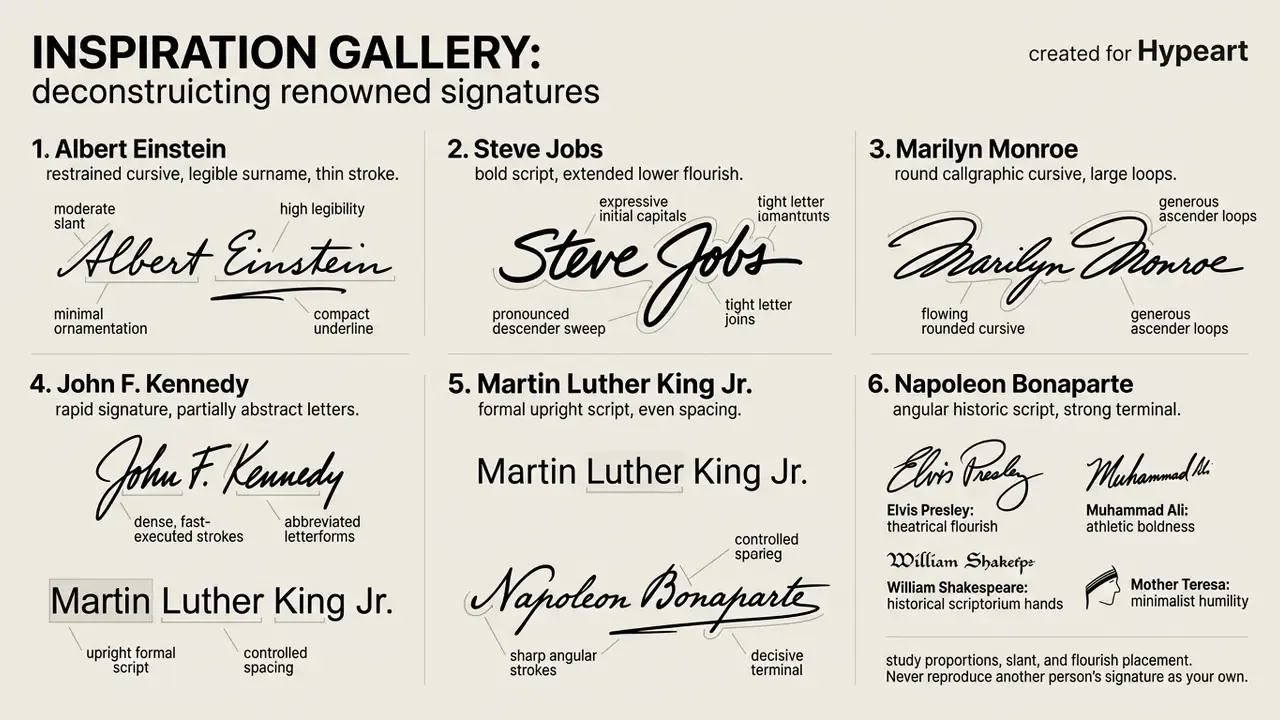
Inspiration Gallery: Analysis of Famous Autographs
FAQ About AI Signature Generators
Can a generated signature be edited, saved, and reused?
An ai generator signature output exported as a transparent PNG or an SVG vector file can be saved locally and reused across documents, media templates, and graphics tools. If you need stroke adjustments or color changes after download, either re-enter your text in the ai generator for signature tool or edit the vector path layers in external design software. No official guidance guarantees that a completed signature can be re-downloaded from a vendor's history. Re-download and asset-retention rights depend on platform terms, so keep a local master copy. Always.
Does the generator store my name and personal data on a server?
Most client-side generators render vector strokes in the browser and retain nothing after the session. Server-side services must comply with GDPR and CCPA-style rules, deleting temporary text inputs once generation ends. Retention periods are not fixed by regulation, so the operator must define and justify them.
Can I trademark an AI signature?
An AI-produced signature graphic can be registered as a logo or brand element if it is distinctive and does not replicate an existing registered mark. Outcomes vary by jurisdiction and examination practice.
What is the difference between PNG and SVG downloads?
PNG is a raster format with alpha-channel transparency, ideal for web documents and email. SVG is a vector format that scales to any size without quality loss, preferred for print, signage, and merchandise. JPEG supports no transparency and always exports an opaque background.
Is an AI signature secure against forgery?
No. Biometric verification research shows that AI-generated signature images can be reproduced by GAN models, with BISGAN success rates of 88 to 100%. Even strong transformer-based verifiers report a 4.64% equal error rate on DeepSignDB and have not been benchmarked against advanced generative attacks (Exploring Transformers for On-Line Handwritten Signature Verification, 2023 — https://arxiv.org/abs/2307.01946). Legally sensitive documents require cryptographic digital signatures.
Can I draw my own signature instead of typing a name?
Yes. Switch to the draw canvas and sign with a mouse, trackpad, stylus, or finger on a touchscreen. Clear and retry until satisfied, then export a transparent PNG. Drawing captures your real hand exactly, while typing offers polished style variants.
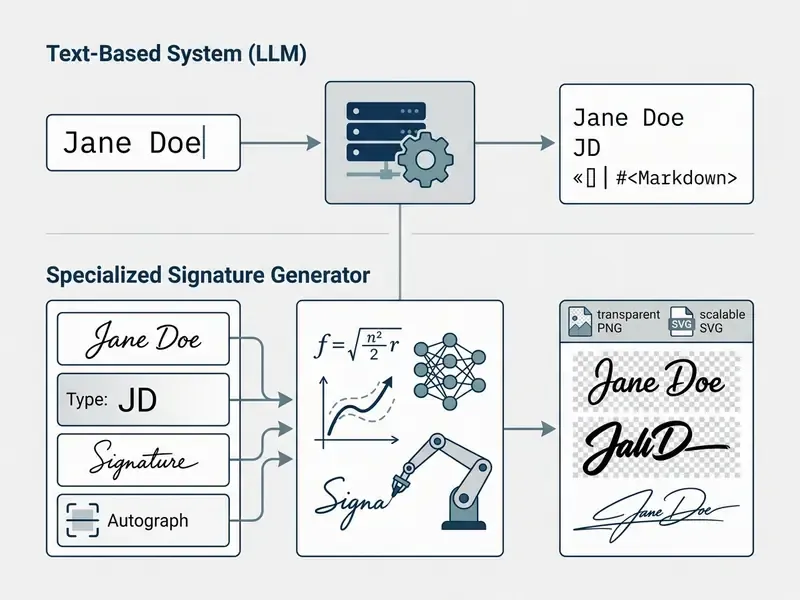
Can ChatGPT generate a signature image for me?
A general chat assistant produces text, not signature graphics with an alpha channel. Dedicated generators return an actual PNG or SVG file suitable for PDFs, email footers, and design software.
Can I convert a photo of my paper signature into a digital file?
Yes. Upload a scan or a well-lit photograph, and computer-vision processing removes the paper background, traces the strokes into vectors, and exports a transparent file. Use dark ink on unlined white paper at 300 DPI for the cleanest trace.
Does the generator work on a phone or tablet?
Browser-based generators run on Android and iOS devices with an internet connection. Touchscreen devices are actually preferable for the draw-canvas method.
Is there a limit on how many signatures I can generate?
It depends on the tier. Free plans commonly allow 3 to 10 generations per day, some as few as three per month, while paid plans usually remove the cap and unlock high-resolution and vector exports.
What is the difference between a signature and an autograph?
A signature is the practical, consistent mark used to sign documents. An autograph is the expressive, stylized version created to be admired rather than verified. One generator can produce both. Pick a clean script for documents and a sweeping style for autographs.
For file export issues or background rendering artifacts, operational advice is available at our AI Media Support and Troubleshooting resource desk.
Limitations and Open Questions
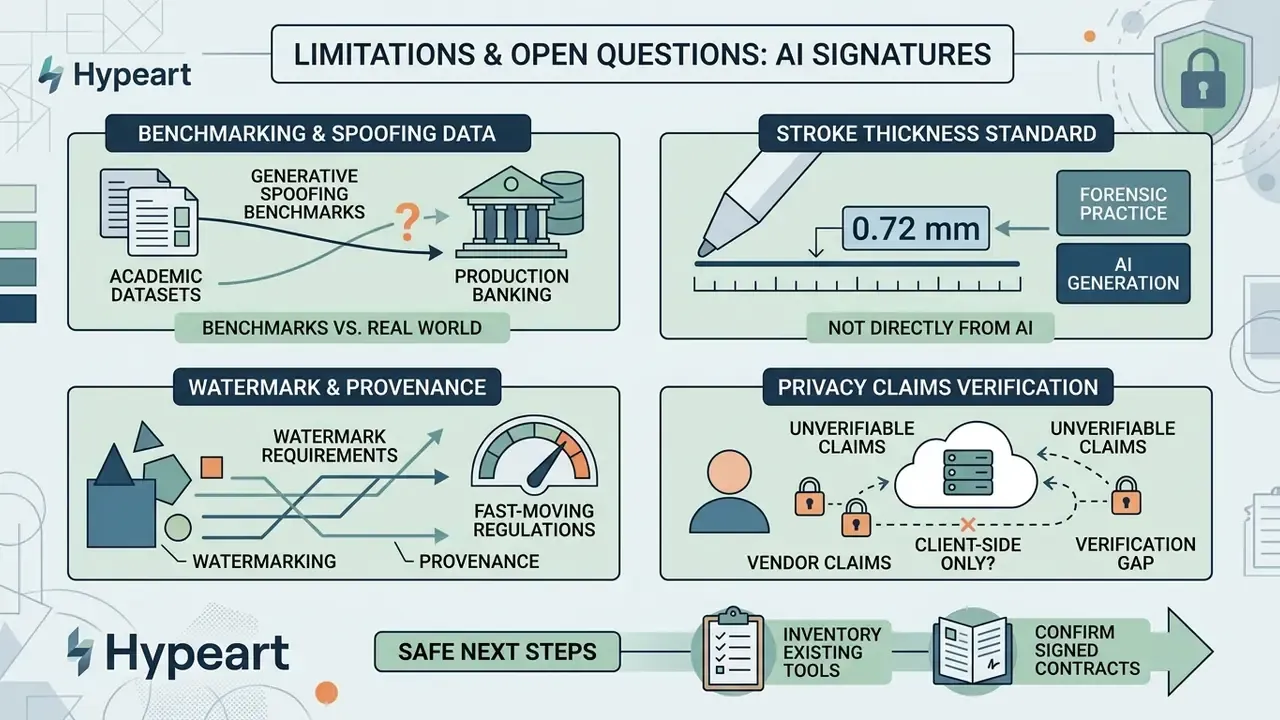
Honesty about gaps matters more than a tidy conclusion. Several points in this guide rest on partial evidence.
First, benchmark data on generative spoofing comes from academic datasets, not from production banking environments. Reported attack success rates of 88 to 100% describe laboratory conditions against specific verifier architectures. Real-world results may differ in either direction.
Second, the 0.72 mm average stroke thickness figure derives from forensic examination practice rather than a single indexed benchmark, so treat it as a working heuristic for realistic rendering, not a standard.
Third, watermark and provenance requirements for AI-generated media are moving quickly. Rules that exempt low-risk assets today may narrow within a year, and cross-border obligations rarely align neatly.
Fourth, vendor privacy claims about client-side-only processing are usually unverifiable from outside. Where an executive name is involved, request a technical attestation or keep rendering offline.
A safe next step, then: inventory the signature tools already in use, confirm which contracts were signed with images rather than certificates, and document one approved pipeline with a named owner. No procurement decision required to start.
Key Takeaways and Operational Recommendations
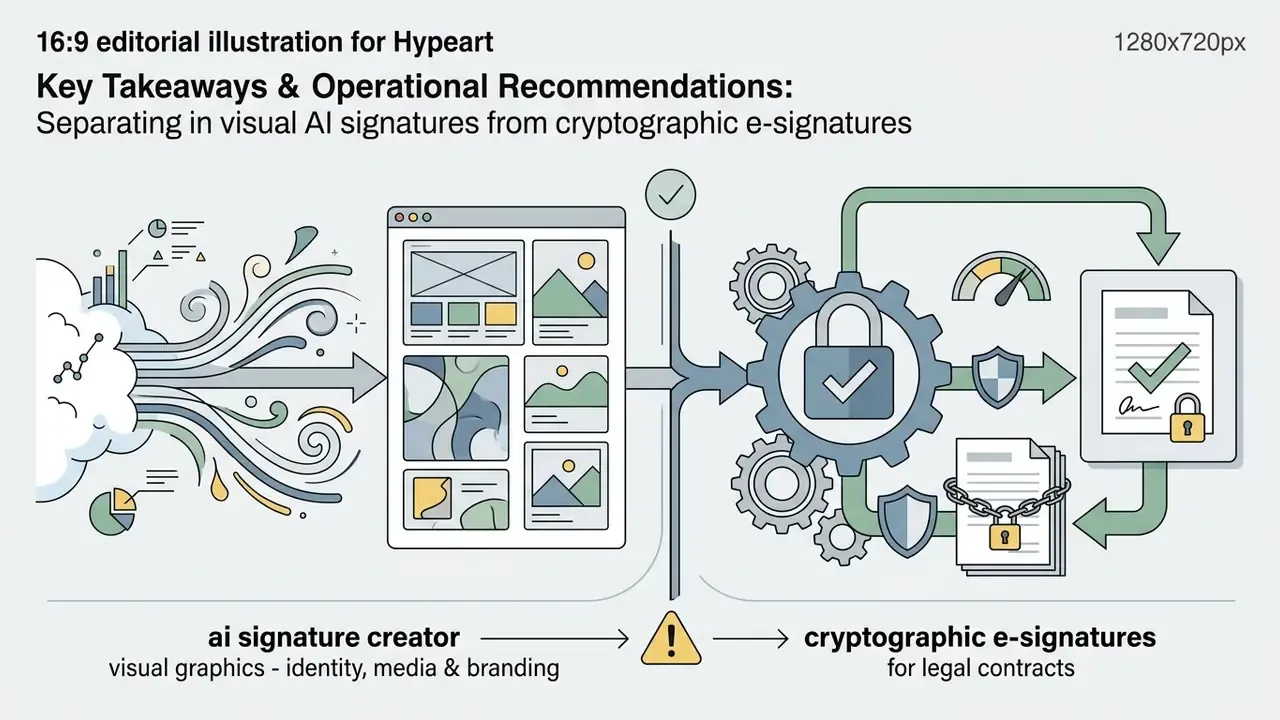

#000000 or #000080), line widths of 0.7 mm to 1.0 mm, canvas dimensions of at least 600×200 px, and transparent PNG or SVG output.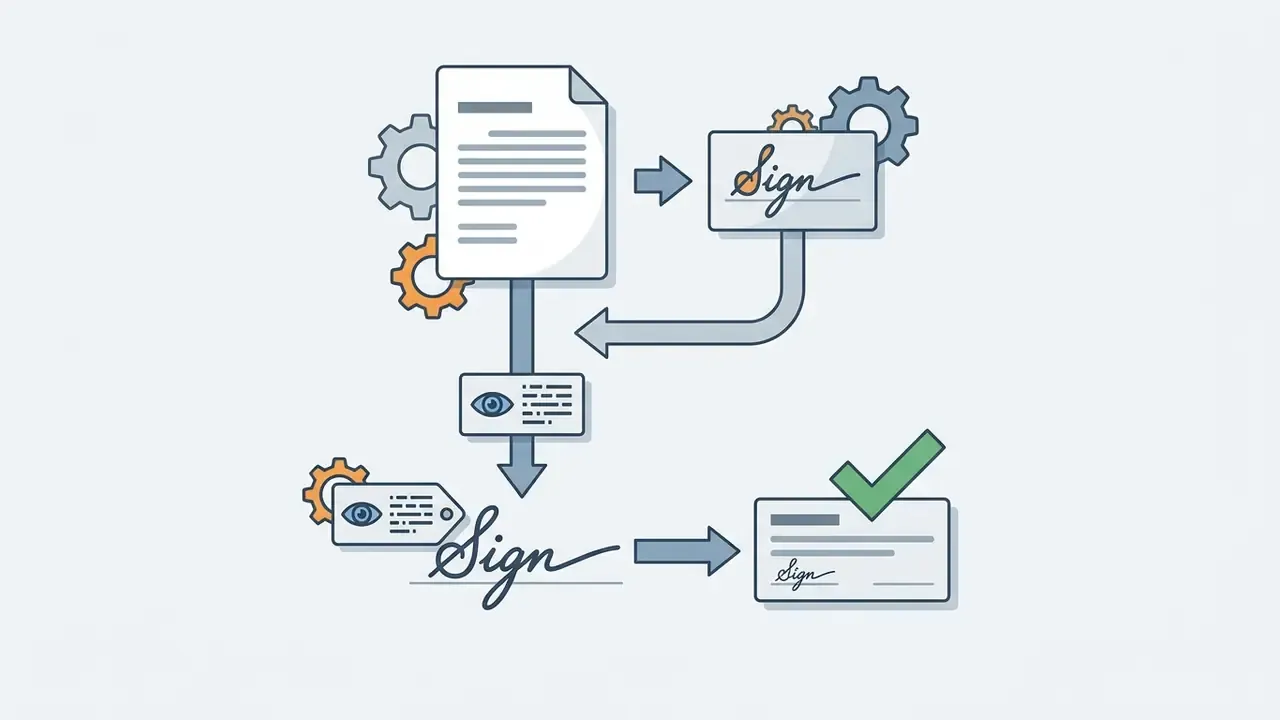
Appendix A: Updated Source Attributions
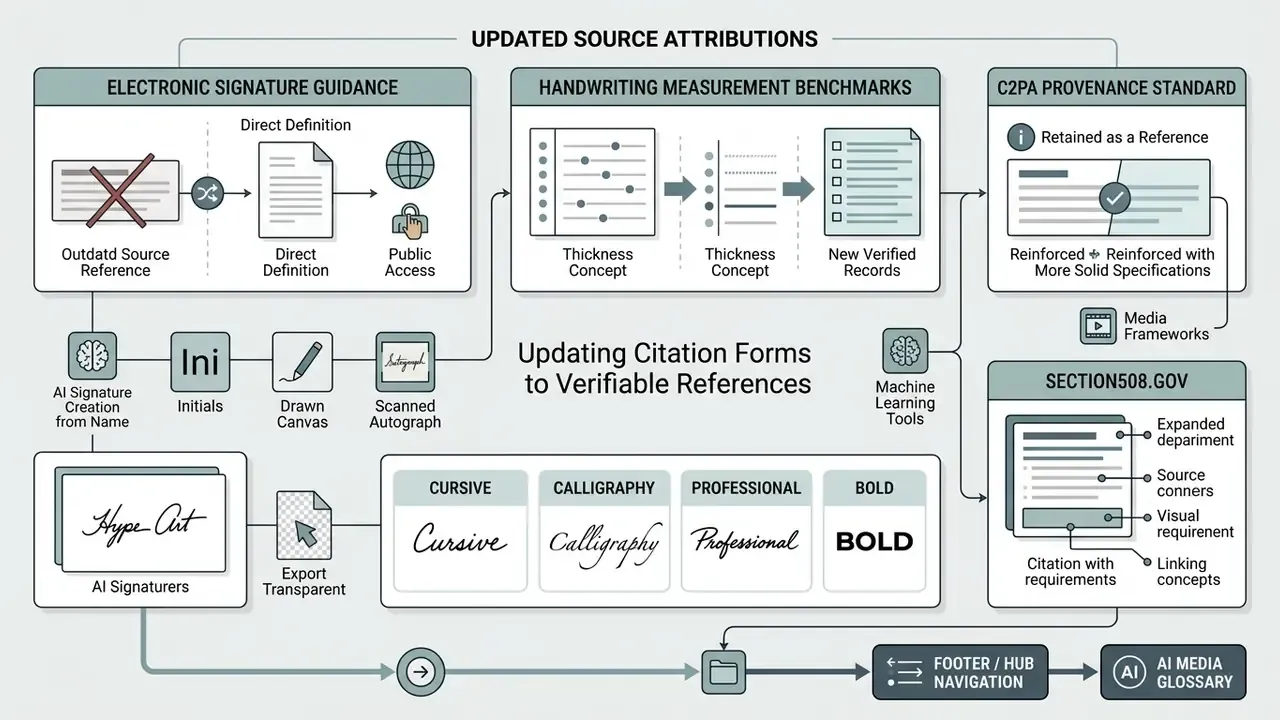
For editorial transparency, the following earlier citation forms have been superseded by verifiable references in the main text, each marked Updated:
- "(US DHS Electronic Signature Guidance, 2023)" → replaced with the direct E-SIGN definition and public URL via Washington State Electronic Signature Guidelines (2023), https://www.sos.wa.gov/sites/default/files/2023-07/ElectronicSignatureGuidelines.pdf.
- "forensic handwriting measurement benchmarks record average pen stroke thickness at approximately 0.72 mm" → retained, flagged as requiring additional primary-source verification, supported by stroke-shape verification findings (https://arxiv.org/abs/2409.07822).
- "(C2PA Provenance Standard, 2025)" → retained as a specification reference, reinforced with watermark-durability data from AuthSig (2025), https://arxiv.org/abs/2501.09130.
- "(Section508.gov, 2026)" → expanded with the figure and alt-text requirement plus URL: https://www.section508.gov/create/electronic-signatures/.
- "(HCSU Calligraphy Benchmark, 2026)" → replaced with dataset scope and URL
- HCSU Calligraphy Benchmark (2026), https://arxiv.org/abs/2501.12122.
- "(NIST FIPS 204 ML-DSA, 2024)" → retained, canonical URL added
- https://csrc.nist.gov/pubs/fips/204/final.