An AI sticker generator converts natural-language descriptions or uploaded base photos into high-resolution, production-ready digital stickers and physical decal assets. These systems remove the manual work of graphic isolation, edge refinement and vector tracing by using trained conditional diffusion architectures.
Why does a small creative tool deserve a governance-grade read? Because sticker generation is where confidential material quietly leaks. Employee headshots, unreleased packaging art, partner logos: all of it gets pasted into consumer web apps that nobody reviewed. The output looks harmless. The data trail is not.
What Is an AI Sticker Generator and What Can It Create?
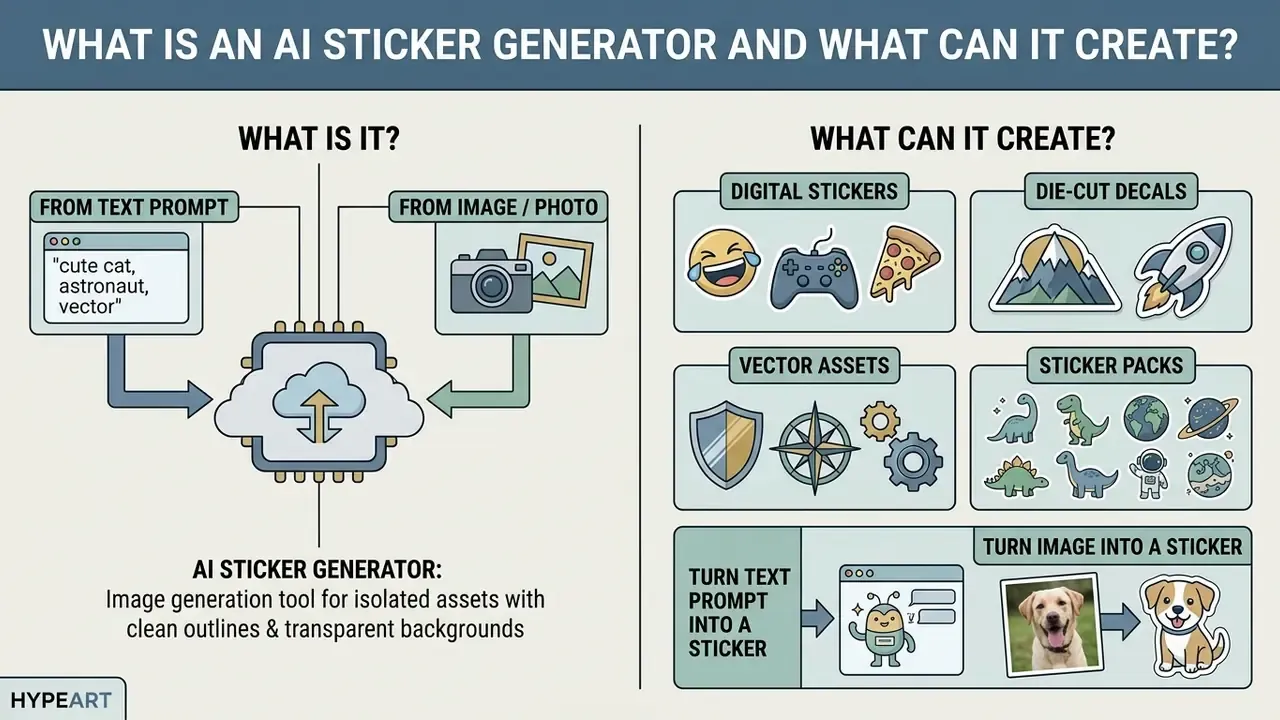
An AI sticker generator is a specialized image-generation tool tuned to synthesize isolated visual assets with clean outlines, transparent backgrounds and a distinctive artistic style. It lets users produce custom sticker designs, digital decals, brand emblems and cohesive sticker packs from short text prompts or source photographs.
Modern diffusion models process input prompts by projecting textual tokens into a multidimensional latent space. These parameterised Markov chains incrementally remove Gaussian noise over a finite number of denoising steps to render structured visual assets.
The output range covers flat vector elements, die-cut decal templates, expressive messaging emojis and multi-asset branded collections. By isolating the subject from background elements during synthesis, the ai sticker generator delivers files ready for immediate deployment across chat channels or print workflows.
Four content classes dominate real production use:
- Digital stickers. Downloadable PNG or JPG images for messengers, social feeds and digital planners, usually with a transparent background option.
- Die-cut decals. Print-ready sticker products for vinyl cutting, frequently exported as PDF or SVG containing an explicit cut contour.
- Vector assets. Scalable SVG geometry that survives enlargement to vehicle-wrap or window-graphic dimensions without pixellation.
- Sticker packs. Matched multi-asset sets built around one character sheet, one style definition and one locked palette.
Create Stickers from a Text Prompt
A text prompt allows an ai generator sticker engine to build characters, objects or logo concepts directly from written descriptions. The model reads keywords for subject matter, visual style, colour palette and framing, then assembles a single coherent output.
To create a sticker from text, the prompt must define the core entity alongside stylistic qualifiers such as "bold outlines", "flat vector" or "die-cut sticker style". Structured prompt adjustments measurably improve alignment with the target image, and most of that gain arrives in the earliest iterations.
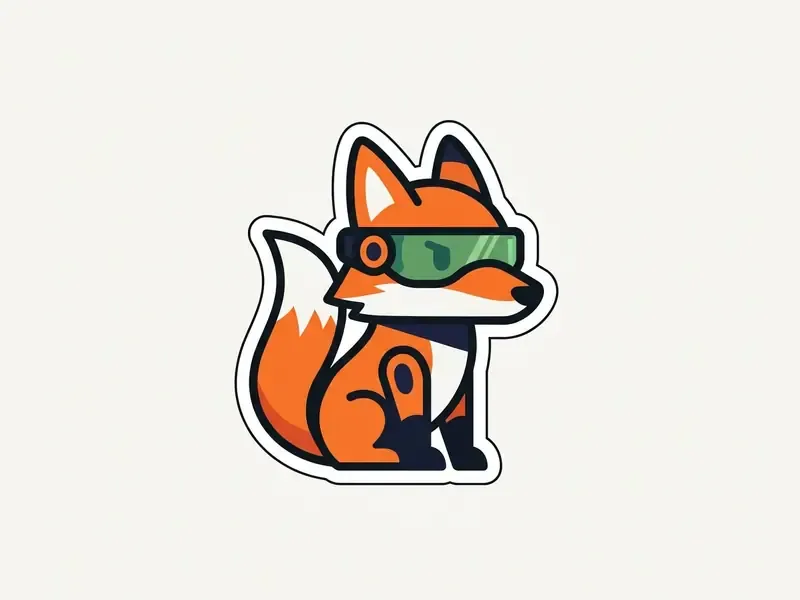
When teams use an ai sticker creator, text descriptions replace manual drawing layers. Specific artistic direction stops the latent model from defaulting to generic web imagery. Sticker-domain research also warns that prompt engineering alone has a ceiling: Text-to-Sticker: Style Tailoring Latent Diffusion Models for Human Expression (2023) reports fine-tuning improved visual quality by 14%, prompt alignment by 16.2% and scene diversity by 15.3% versus prompt engineering on a base model (https://arxiv.org/abs/2311.10794). Practical consequence: if a general-purpose model resists your sticker aesthetic, switch to a sticker-tailored engine instead of writing a longer prompt.
Turn an Image or Photo into a Sticker
Image-to-sticker workflows process uploaded photos by isolating the primary subject, stripping background clutter, then applying a prominent white stroke. That pipeline leans on deep-learning segmentation models trained to separate foreground subjects from ambient background.
Automated background-removal algorithms use pre-trained segmentation architectures such as U-2-Net, ISNet or BiRefNet to predict precise alpha-matte masks, after which optional closed-form alpha matting refines soft edges (rembg Segmentation Model Documentation, 2024. https://github.com/danielgatis/rembg). Once the subject is isolated, the software expands the selection boundary to build a uniform white die-cut border: the cutout is duplicated, scaled slightly outward, and the lower layer is filled white.
Manual refinement stays necessary around hair, fur, glass and semi-transparent edges, where automatic mattes leave coloured fringing. Clean those regions before export and you avoid visible halos on dark chat backgrounds. Small step, big difference.
When users turn photo into a sticker or a sketch-style asset, manual edge-feathering becomes unnecessary. Readers evaluating adjacent transformation engines can review our overview of image-to-image AI generators.
How an AI Sticker Generator Works Online
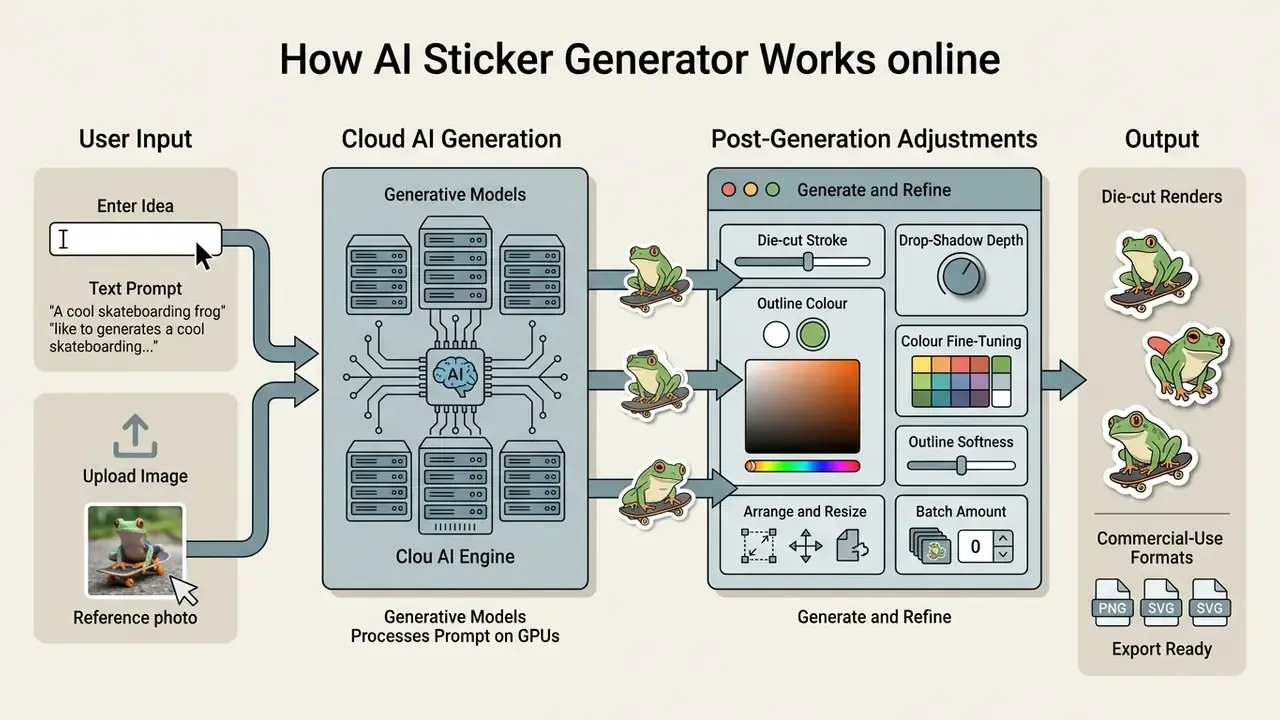
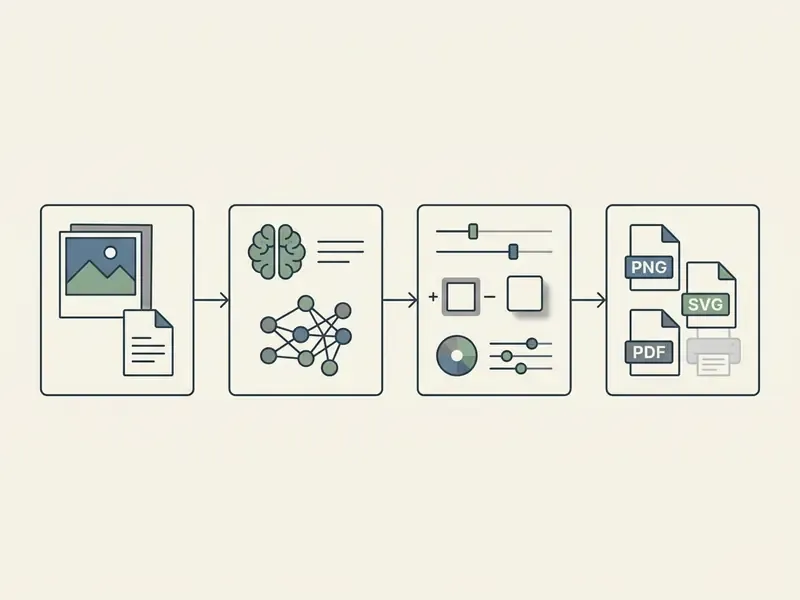
An ai sticker maker online runs a fairly plain web pipeline: it receives user parameters, processes the prompt on cloud GPUs, offers post-generation adjustments, then renders the final file. The interface hides model parameters behind sliders and presets.
Users can create stickers with ai without maintaining local neural-network infrastructure or installing a heavy graphics suite. Teams comparing subscription-free entry points can start with our roundup of free AI image generators. Hosted engines respond quickly because optimized diffusion weights sit on shared cloud clusters, which brings end-to-end asset production down to seconds.
Enter an Idea or Upload an Image
A design run starts with a descriptive string typed into the prompt field, or with a reference image file. The engine treats that input as the conditioning control for its generative process.
When uploading raster images, provide high-contrast source files with distinct subject boundaries. Mainstream platforms accept JPEG, PNG or WEBP, usually cap file size below 100 MB, and expect a minimum input dimension of 512×512 pixels (Adobe Firefly Sticker Generator, product documentation. https://www.adobe.com/products/firefly/features/sticker-generator.html).
Choosing between text entry and a visual reference depends on how much control you need. Text offers unlimited creative latitude; uploaded photos hold structural fidelity to real objects or human faces. For text-only entry, OpenAI's prompting guidance recommends one to three clear sentences naming subject, style, composition, lighting, colours and explicit constraints (OpenAI Images Prompting Guide. https://platform.openai.com/docs/guides/image-generation).
Generate and Refine Sticker Designs
Clicking generate starts latent denoising and returns several design variations in one run. Inspect the candidates, then apply secondary adjustments rather than restarting.
To generate stickers effectively, operators tweak colour palettes, alter stroke thickness or change background-isolation parameters. Preference-guided optimization tools adapt the underlying text tokens based on selection clicks, converging faster on the look you wanted.
Post-processing controls worth setting after generation:
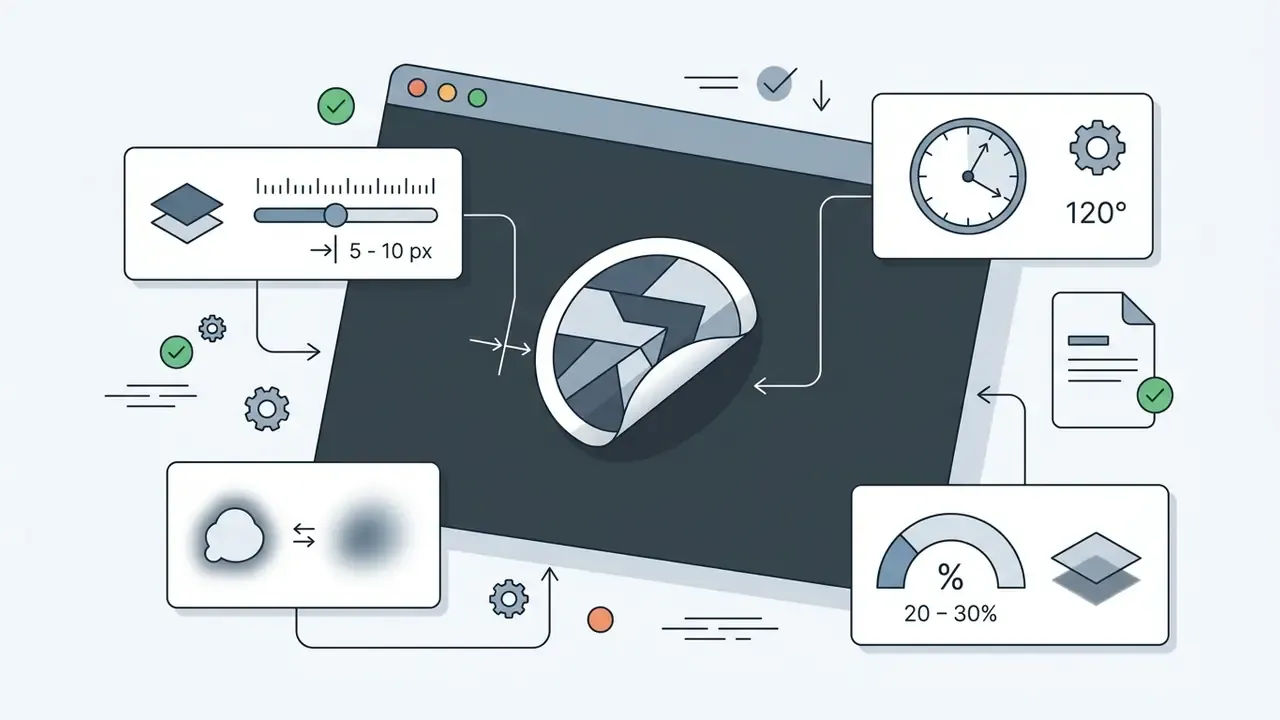
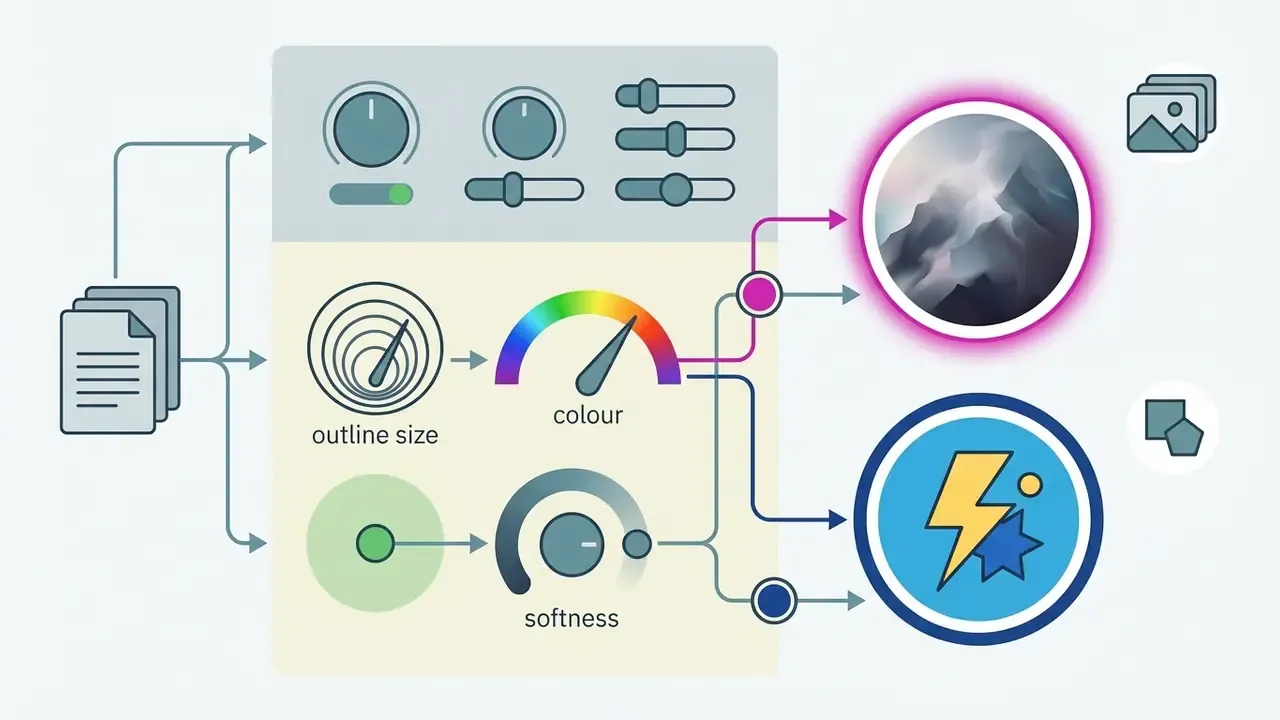
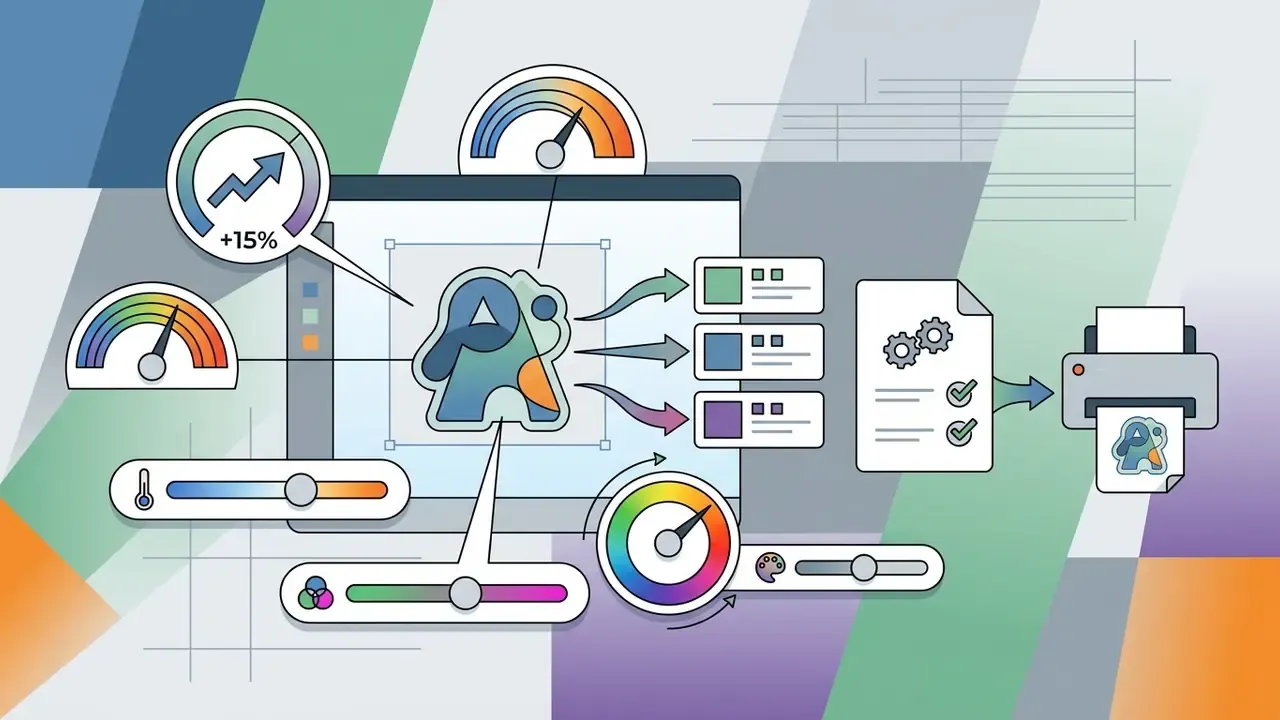
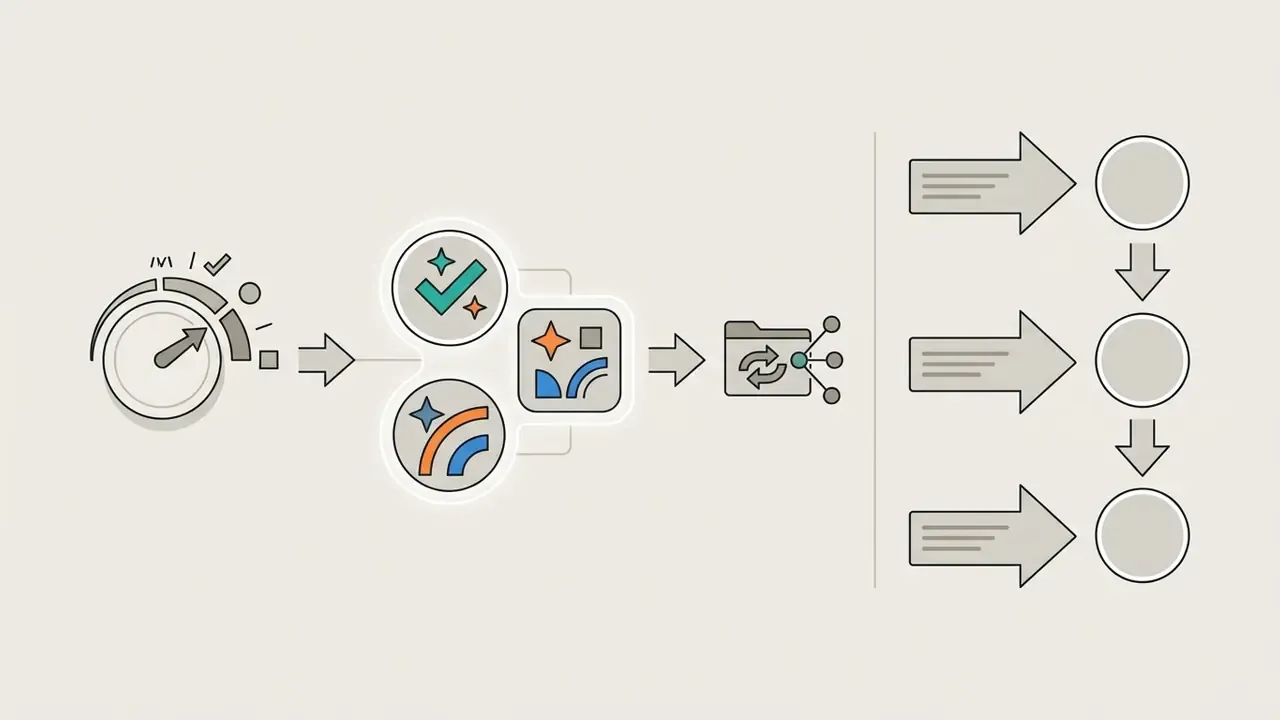
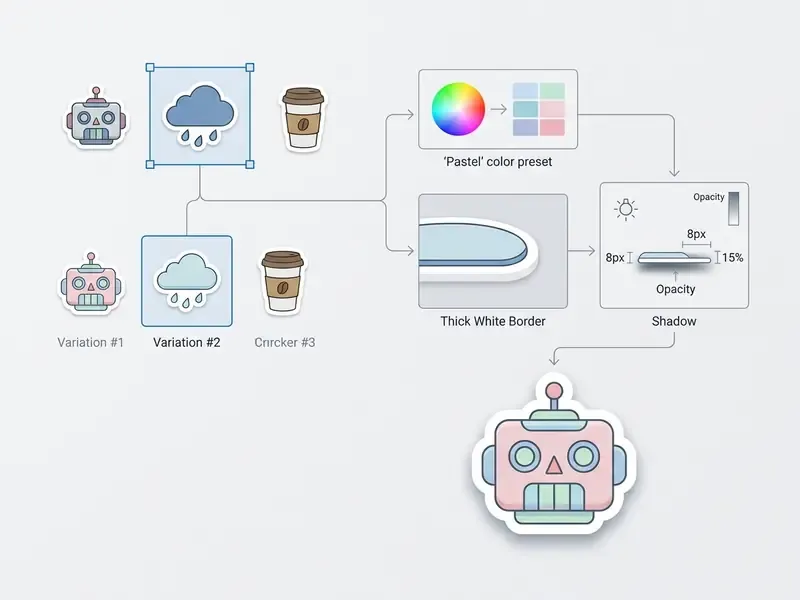
Palette-based recolouring is not guesswork. Peer-reviewed colour-transfer research shows a palette can be extracted from a reference image and algorithmically transferred to a target render, which is precisely how "match my brand colours" presets behave. Refinement controls let you fine-tune without restarting the generation sequence, and that iterative loop reduces variance across multi-sticker projects.
Download the Final Sticker in the Right Format
The last step exports the approved design at a resolution and container suitable for digital placement or physical manufacturing. Pick the wrong format and you get pixellation or ragged edges.
Digital applications need transparent PNG files at standard display densities. Messaging platforms publish hard specifications. LINE requires PNG with a transparent background, RGB colour mode, 72 dpi or higher, even-numbered pixel dimensions and files of 1 MB or less, with a recommended master no smaller than 740×640 px (LINE for Business, Sticker Guidelines. https://creator.line.me/en/guideline/sticker/). WeChat specifications call for 240×240 px GIF assets capped at 60 KB per file, with at least three emoticons per set (WeChat Sticker Design Specifications. https://sticker.weixin.qq.com/).
Print manufacturing mandates 300 DPI minimum at final physical scale, or vector SVG output for unlimited scaling. When a generated raster falls short of that density, run it through an AI image upscaler before sending files to the printer.
Export settings must preserve the transparency channel. Uncompressed PNG or vector formats prevent JPEG artefacts from smearing border boundaries. JPG cannot store transparency at all, which disqualifies it for die-cut assets.
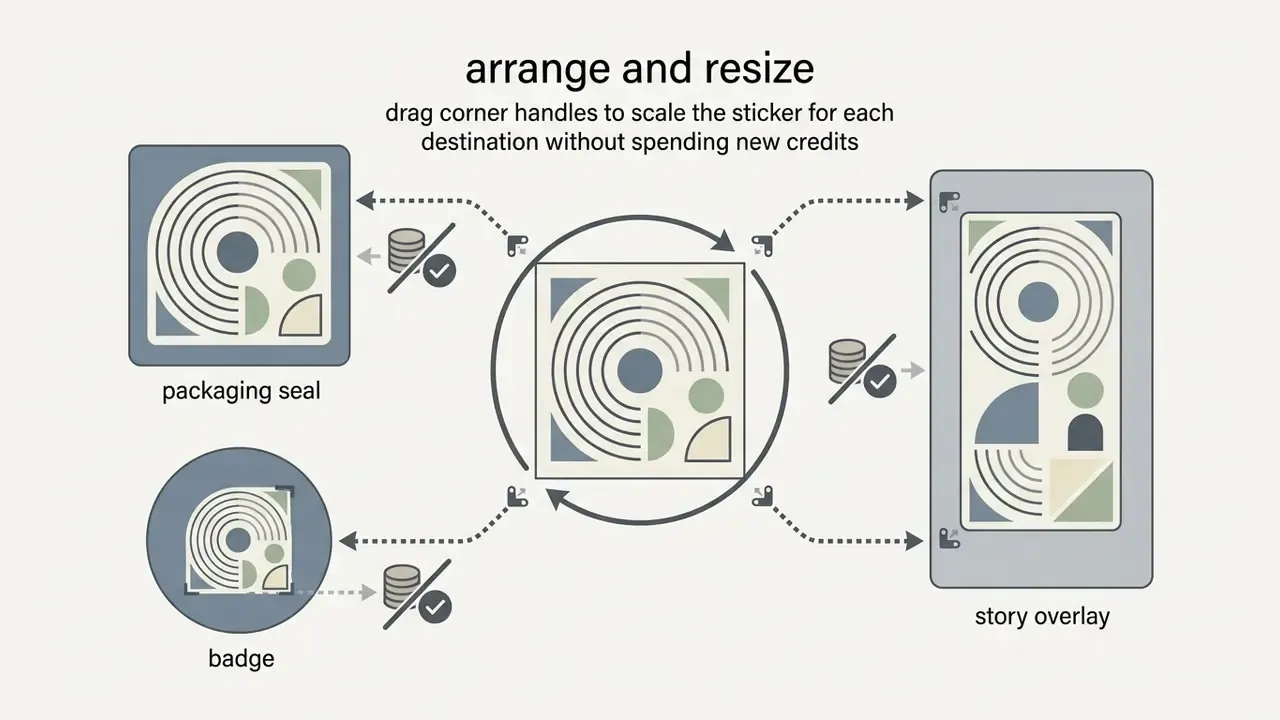
Saving editable project files for team collaboration. Beyond flat raster exports, save native editable project files: .PXZ in Pixlr, layered .AI, .PSD, or grouped .SVG in vector editors. Keeping layers unflattened lets teammates modify text overlays, change outline thickness or re-tune palettes without spending new generative credits. It also preserves the human-edit history that matters for copyright registration and audit evidence. Store the prompt string, the negative prompt and the model version in the same project folder.
Three-step summary for a first run:
- Input parameters.Type a structured descriptive prompt or upload a clear source image into the generator input panel.
- Synthesize and adjust.Execute the generation run, select the best variation, then set stroke thickness, shadow distance, blur and opacity, plus hue, saturation and temperature.
- Export the asset.Choose transparent PNG for digital messaging or 300 DPI SVG/PDF for physical decal printing, save the layered project file, then download.
How to Write Prompts for Better AI Sticker Designs
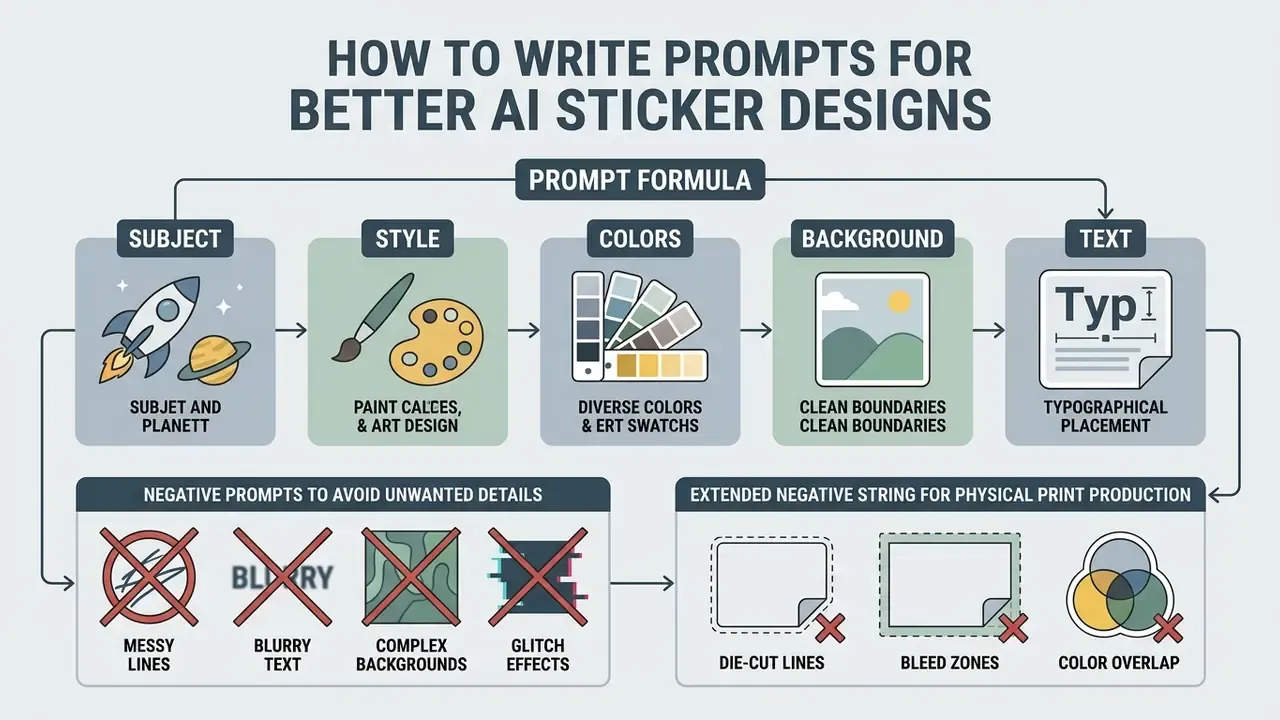
Writing precise prompts for an ai sticker design generator means structuring phrases around subject matter, artistic style, background limits and text placement. Structured construction cuts unwanted outputs and keeps the subject legible at small sizes.
Prompt language in public communities has converged on a small set of reliable tags.
Explicit prompt formulas prevent visual ambiguity.
[Prompt Architecture: [Subject] + [Style Modifier] + [Color Palette] + [Border/Background Rule] + [Text Elements]]
Prompt Formula: Subject, Style, Colors and Background
An effective formula splits descriptive elements into distinct semantic blocks, which guides the network's attention across every asset feature.
- Subject. Define the core character or object (for example, "vintage espresso machine").
- Style. Declare the exact graphic treatment ("flat vector, thick linework, kawaii decal style").
- Colors. Specify palette boundaries ("limited retro palette, teal and orange highlights").
- Background. Force isolation ("isolated on solid white background, white sticker stroke").
- Text. Add inline typography inside quotation marks if the engine supports it ("text reading 'Coffee First'").
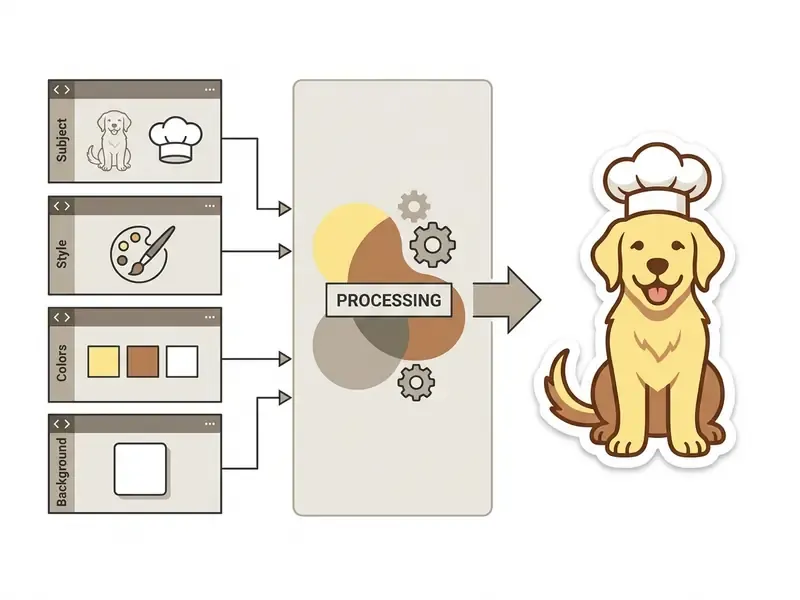
Structuring prompts around those five parameters yields consistent visual attributes across consecutive runs. Readers new to generative tooling can start from our primer on AI art generators; to compare model capabilities across platforms, review our AI Media Comparison Matrices.
Use Negative Prompts to Avoid Unwanted Details
Negative prompts instruct the model to exclude specific artefacts, busy textures or peripheral background elements. Think of them as sampling-time guardrails.
For stickers, common negative keywords target background noise, photographic gradients and text distortion. Adding them removes stray drop shadows and photo realism that break a flat decal aesthetic.

Extended negative string for physical print production: add "soft gradients, gradient mesh, thin hairlines under 1pt, open contours, drop-out text, semi-transparent edges, faint outer glow, callout lines, arrows, cropped border, duplicate outline". Gradients band on vinyl, hairlines vanish at cut resolution, and stray callout lines confuse the cutter's contour detection.
Prompt manuals published for 2026 also advise restraint. List only the failure modes you actually see in your renders instead of pasting a universal 40-term exclusion block, because over-long negatives suppress legitimate detail. Targeted keywords lower failure rates and keep outputs crisp. Correction, to be fair: a shared house negative string is fine as a starting point, provided someone prunes it every quarter.
Create Consistent Sticker Packs and Custom Designs
A unified custom sticker pack requires identical style tokens, colour directives and character definitions across multiple prompts. Reusing a baseline prompt skeleton preserves visual identity across the series.
For character consistency, document a foundational reference prompt and change only the action or emotional modifier in later runs (Recraft, Character Consistency Best Practices. https://www.recraft.ai/docs/best-practices/character-consistency). Fixed palette descriptors prevent colour drift between pack assets, and reference images conditioned at moderate strength (around 0.55 on transparent 512×512 frames) hold facial proportions stable while still allowing new poses.
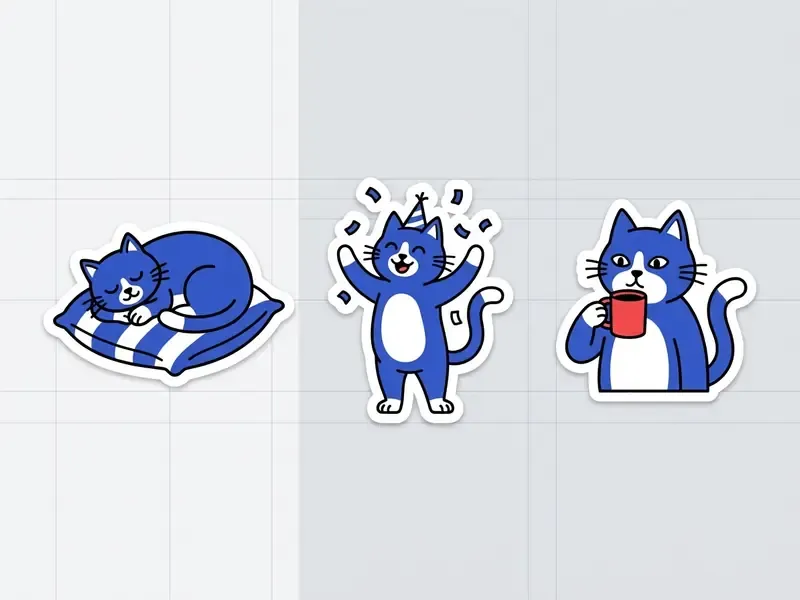
State explicitly what stays constant (character, outfit, features, proportions, palette, tone) and what changes (pose, prop, expression). Locking structural tokens is what makes a set feel like one design suite rather than five cousins.
Where to Use AI Stickers and Custom Decals
AI stickers and custom decals work across digital communication channels, content marketing campaigns and physical product branding. Their compact format makes them unusually efficient for fast visual engagement.
Deployed well, custom stickers give businesses and creators consistent branding across online feeds and offline customer touchpoints alike.
Stickers for Chats, Social Media and Creative Projects
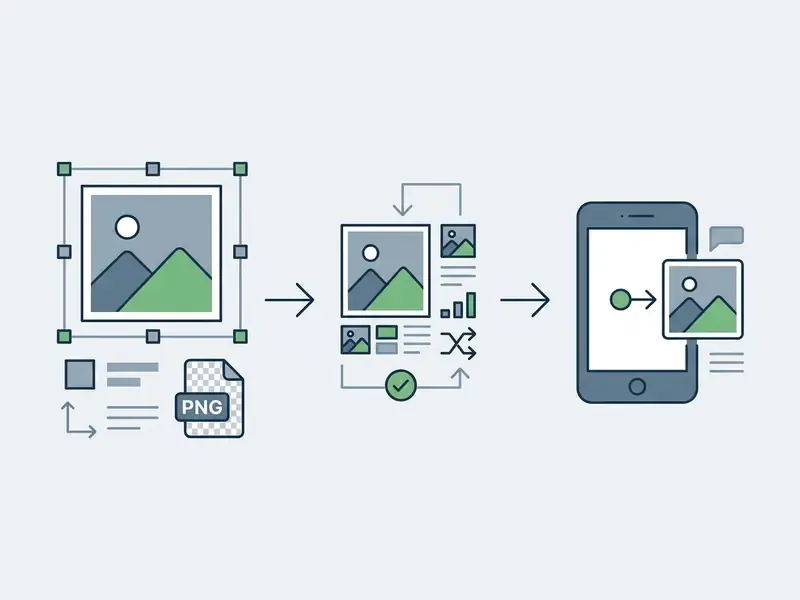
Custom reaction assets strengthen brand identity inside digital communities. Note the governance flip side documented in security research: user-generated sticker channels have been abused for illicit imagery, so brand-operated packs should ship with moderation rules and a takedown path.
Stickers for Branding, Packaging and Products
Physical stickers and custom vinyl decals remain cheap, high-frequency touchpoints for corporate packaging, product labelling and event merchandise. Durable vinyl carries brand visibility into physical spaces where no feed algorithm intervenes.
Unboxing benefits noticeably from custom packaging seals, die-cut logo inserts and promotional giveaways (Packaging Design and Brand Identity Standards, 2025). Stickers also act as logo carriers on boxes, bags, jars, cups, tubes and envelopes. Print-ready decals need high-resolution vector geometry or 300 DPI source images with explicit cut paths; source photos can be prepared beforehand with an AI photo editor.
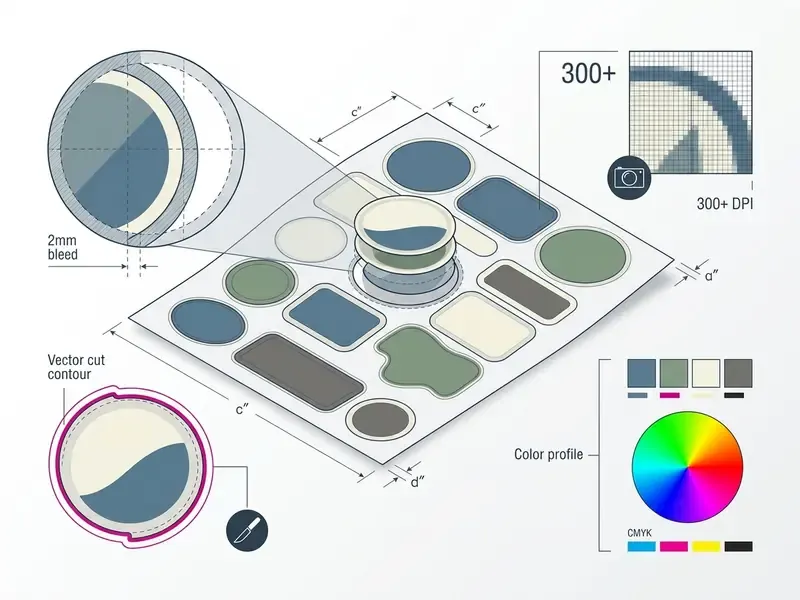
Material and Physical Printing Specs for Vinyl Decals
Best AI Sticker Generators Compared
Tool choice sets your export ceiling, licensing posture and iteration cost more than prompt wording does. The table below summarises practical positioning for widely used generators. Verify current quotas on each vendor's pricing page before purchase, since credit allowances change often.
| AI Sticker Generator | Primary Strength | Free Tier Allowance | Best Export Format | Ideal Use Case |
|---|---|---|---|---|
| Recraft | Vector SVG output and style locking | Up to 30 daily image generations | Scalable SVG / PNG | Commercial branding and print |
| Adobe Firefly | Reference-image conditioning, IP-cautious training data | Free daily generations with an Adobe account | PNG (vector via Illustrator) | Corporate identity, icons, logos |
| Pixlr Sticker Maker | Layer, outline, shadow and colour editing | Credit-based (1 credit per sticker) | Transparent PNG / editable PXZ | Quick social assets and custom emojis |
| Atomm | Print-ready and cut-ready output | Limited trial generations | Print artwork + cut-ready SVG | Vinyl cutting and die-cut decals |
| Midjourney | Hyper-artistic illustrative detail | Paid only | 1024×1024+ PNG | Unique merchandise illustrations |
| Picsart / Fotor | All-in-one editing plus community assets | Watermarked or capped free use | PNG / JPG | Casual creators and social workflows |
Criteria worth weighting when you shortlist a sticker ai generator: ease of use for non-designers, feature set (background removal, text overlay, style transfer), output fidelity at final print size, export formats, retention policy for uploaded photos, and the commercial-rights clause attached to your tier. For a broader shortlist of paid engines, see our comparison of the best AI image generators.
Free AI Sticker Generator: What You Can Create Without Paying
A free ai sticker generator lets individuals and teams produce solid visual assets without committing to a paid subscription. Free tiers, though, almost always cap daily output volume, export resolution and commercial usage rights.
Reading those restrictions early saves rework later. Plenty of free platforms are perfectly adequate for personal messaging, internal mockups and small-scale testing.
Free Generation, Limits and Available Features
A free ai sticker generator online usually runs on credit systems or daily generation caps. Free access opens the foundational diffusion models while reserving high-resolution engines for paid plans.
Published quotas vary widely. Recraft advertises up to 30 free image generations per day (https://www.recraft.ai/ai-sticker-generator), Adobe Firefly grants unspecified "free daily generations" with a free account, and Pixlr charges one AI credit per sticker with no free sticker allowance at all. Free outputs are frequently capped at 1024×1024 pixels and may carry platform watermarks or block transparent PNG export entirely.
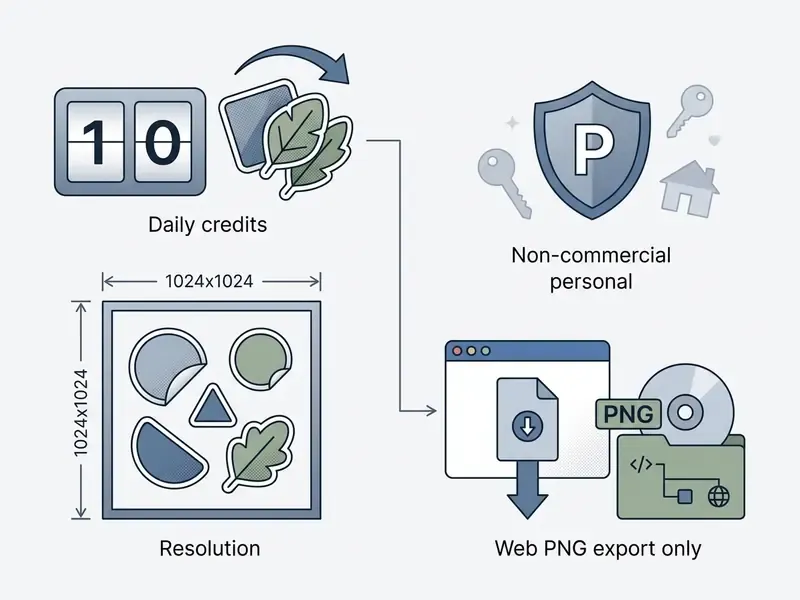
Checklist before you build a workflow on any free sticker maker ai:
- Quota shape. Daily reset, monthly credits, or a one-time trial pool.
- Watermark policy. Some free plans are watermark-free, others brand every export.
- Transparency support. Confirm the free tier exports alpha-channel PNG, not flattened JPG.
- Freemium friction. Check whether the tool demands a credit card or allows anonymous, zero-friction generations.
- Data handling. Check whether free generations appear in a public community feed and whether inputs feed model training.
- Export ceiling. Note the maximum pixel dimensions, since an ai decal generator free tier rarely reaches print density.
Knowing these constraints lets creators squeeze real value from free resources without stalling mid-project. For detailed cost breakdowns across tools, check our AI Media Pricing Guides and model volume scenarios with our AI Media Calculators.
When a Paid Plan Is Worth Choosing
Upgrading becomes necessary when a project demands commercial licensing, high-resolution print output or unthrottled generation. Paid plans strip watermarks and unlock proper vector rendering.
Commercial print workflows need 300 DPI exports or scalable SVG files for clean cutting paths. Vendor documentation for paid tiers commonly lists premium models, true SVG export, raster downloads up to 8K, private generations and explicit commercial usage rights. Paid queues also keep uploaded business assets and prompt strings out of public community feeds. Watch the ceilings, though: some vendors cap distribution volume even on paid licences, and one design platform limits Pro users to 500,000 printed copies per design. Read the number, not just the word "commercial".
Paid tiers buy three things at once: legal coverage, export resolution and execution speed. For enterprise deployment, all three tend to be non-negotiable.
| Feature / Dimension | Free Access Tier (Typical) | Paid Subscription Tier (Typical) |
|---|---|---|
| Generation Allowance | Capped (2 to 30 daily credits) | Expanded or unlimited priority queue |
| Export Formats | Web-resolution PNG (often solid background) | High-res transparent PNG, SVG, PDF |
| Maximum Resolution | 512x512 to 1024x1024 pixels | 2048x2048 up to 8K, or scalable vector |
| Commercial Usage Rights | Restricted to personal or educational use | Full commercial and merchandise rights |
| Watermark Policy | May include platform branding | Watermark-free output |
| Data Privacy | Public generations; potential model training | Private processing; no training on inputs |
The dividing line between those columns is not resolution. It is distribution. Free and paid outputs can look identical on screen, yet only one carries a licence that survives commercial sale. Which is why the next section moves from pricing tiers to legal exposure.
Can You Use AI-Generated Stickers for Commercial Purposes?
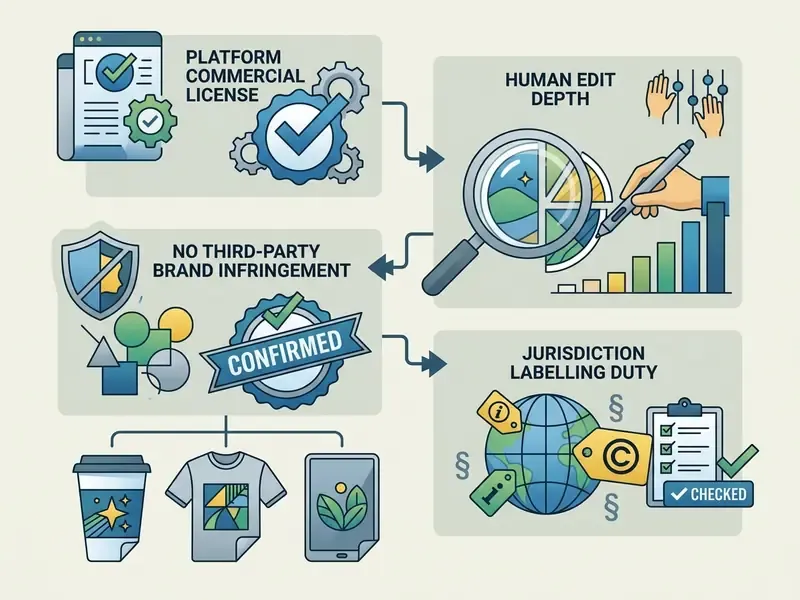
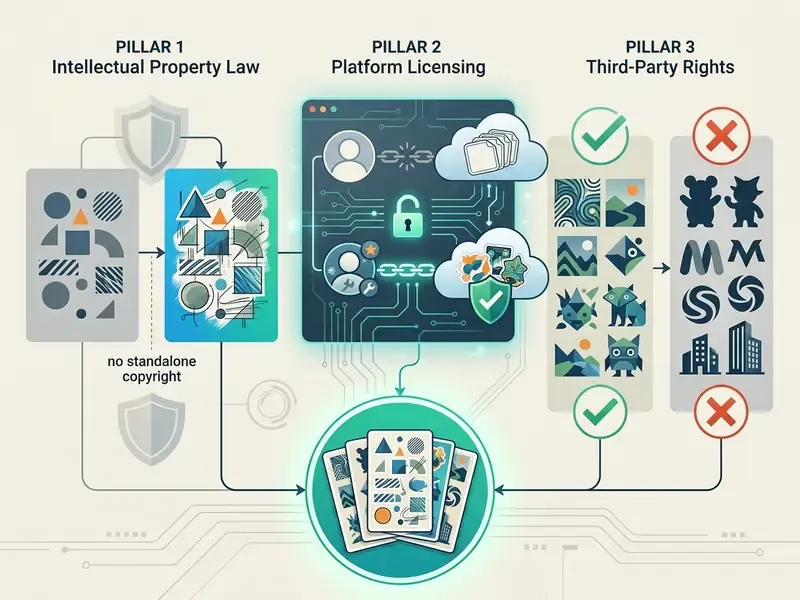
Whether ai generated stickers can be sold or embedded in commercial products depends on platform terms, intellectual property law and the depth of human creative control. Commercial use requires verifying copyright eligibility and trademark safety, in that order.
Under current guidance from the U.S. Copyright Office, purely machine-generated visual output lacking human creative intervention cannot be registered.
Human-authored elements can still qualify: custom layout arrangements, manual artistic modification, original composite text. Applicants must disclose non-de-minimis AI-generated content and disclaim those portions. The Copyright Office's 2025 report restates the same authorship test and notes that AI output can raise trademark and trade-dress issues even where output copyright is absent. In the EU, AI Act transparency provisions add labelling duties for AI-generated or manipulated images, so one sticker can be lawful in one market and non-compliant in another.
Check the Tool's License Before Selling Stickers
Before putting stickers on merchandise or a digital marketplace, review the licensing agreement of the specific sticker ai maker you used. Free plans routinely forbid commercial distribution even when the image contains nothing third-party. Our overview of commercial use of AI image generators maps the recurring clause types across vendors.
Vendor terms diverge on one axis worth reading line by line: permission to use the output inside a monetized end product versus permission to resell the output as a standalone asset. Several sticker vendors allow the first and explicitly forbid the second on stock sites and marketplaces. Some stock platforms additionally require disclosure that content was created with generative AI tools.
This section offers general information on copyright and licensing practice, not legal advice. Consult qualified counsel before commercial distribution in your jurisdiction.
For broader guidance on generative media deployment, visit our AI Media Commercial-Use Hub and track regulatory movement via the AI Litigation and Case Timelines.
Use Brand Elements, Logos and Images Carefully
Uploading corporate logos, trademarked mascots or copyrighted photographs into an ai decal maker creates exposure the moment the output resembles an existing mark. Generative models can synthesize protected brand identity if prompted with trademarked names, sometimes without anyone noticing until packaging is printed. Teams needing original marks should work from a dedicated AI logo generator with documented human iteration instead of prompting for a competitor's identity.
Uploading personal photos containing third-party intellectual property also violates most vendor terms. Trademark protection for an AI-assisted logo depends on its use as a source identifier in commerce, while copyright protection may fail entirely if the mark is mostly machine-generated.
Strict clearance protocols for input images are cheap insurance. For technical API options that enforce safety boundaries, review our AI Media API Guides.
Shadow AI and IP Clearance Checklist
Sticker generation looks like a low-stakes creative task, which is exactly why it becomes a shadow-AI entry point. Marketing and design staff paste employee headshots, unreleased packaging art or brand files into consumer web tools nobody reviewed. Government guidance is blunt about the underlying rule: do not enter personal, sensitive or non-public information into non-managed generative tools, and disable data collection wherever the option exists.
Checklist0 / 14
Regulatory information above is general and jurisdiction-dependent. Validate it against your own compliance and legal frameworks.
FAQ About AI Sticker Makers
Do You Need Design Skills to Create AI Stickers?
No. Design skills are not required to create ai stickers with an online tool. Modern platforms rely on natural-language prompts and preset menus to automate graphic creation.
Describe the subject in plain text or upload a reference image, and the software handles edge detection, background isolation and stylization (Adobe Firefly Sticker Generator documentation. https://www.adobe.com/products/firefly/features/sticker-generator.html). Basic prompt-writing is enough for professional output, though official prompting guidance stresses that controlled iteration matters more than illustration talent. Anyone who can brief a designer can use a sticker creator ai.
How Long Does It Take to Generate a Sticker?
Most single-sticker runs return within seconds, but no vendor publishes a verified average, so treat marketing speed claims cautiously. OpenAI's image-generation documentation notes that complex prompts may take up to two minutes and supports output sizes up to 3840×2160, which confirms that resolution increases workload (https://platform.openai.com/docs/guides/image-generation).
Processing time depends on output resolution, requested sticker count, upload file size (platforms accept files up to 100 MB), the diffusion architecture selected, and current cloud demand.
Is It Safe to Upload Photos to an AI Sticker Maker?
Uploading personal photos into public generation tools carries privacy risk unless explicit vendor protections are active. Non-managed commercial tools may retain uploads to train future models.
«Membership-inference attacks show diffusion models are especially vulnerable to training-data leakage due to their high modelling capacity.» (RAPID: Differentially Private Diffusion Models, ICLR / OpenReview, 2025)
Review platform privacy policies to confirm uploaded images are deleted after processing and excluded from training datasets. Avoid uploading confidential enterprise data, personally identifiable information or trademarked images into public generators. Several public-sector policies ban any information about identifiable individuals in prompts, anonymised data included. Provenance of received assets can be sanity-checked with AI image detectors. For system and troubleshooting queries, consult AI Media Support and Troubleshooting.
Can I Print AI Stickers at Home?
Yes, though home inkjet output is RGB-biased and unlaminated. Print at 300 DPI on printable vinyl sheets, apply a cold laminate for scratch resistance, and expect colour shift relative to a commercial CMYK press. For outdoor or vehicle use, order cast vinyl with UV laminate from a print shop.
Can Multiple People Edit the Same Sticker Set?
Yes, if you export editable project files rather than flattened PNGs. Formats such as .PXZ or layered vector files let a second designer change text, outline width or palette without new generation credits, and they preserve the human-edit record that supports a copyright claim.
Key Takeaways for Decision Makers
Unresolved questions remain, and it is worth naming them. Output-licence terms shift without notice, labelling duties differ by jurisdiction, and no regulator has yet tested how much human editing is "enough" for registration. Treat any figure in this guide as a starting hypothesis to verify against your own vendor contracts.
Explore related creative automation workflows including tome ai presentation, topmediai ai music, tribute video maker, trump ai generator and trump ai voice generator. Definitions for every term above live in the AI Media Glossary.