Last updated: February 2026 · Prepared by: the AI Media editorial team (web engineering, model-risk and digital-accessibility practice) · Review cycle: quarterly
Modern development-automation tools can turn a text request into a full page structure with working source code in minutes. A tool of the ai website generator class accelerates the launch of first-pass layouts, but it still requires validation by a specialist before it goes into public production. That gap between "looks finished" and "cleared for production" is the entire subject of this guide.
Executive summary
- What it is.An ai website generator is an LLM plus multimodal-model pipeline that converts a prompt into information architecture, HTML/CSS/JavaScript, copy and imagery. WebGen-Bench (2025) documents that specialised generative agents convert natural language into multi-file codebases with working client-side logic.
- What it is good for.Landing pages, service sites, presentational business sites, portfolios, MVPs and hypothesis testing. It is not a complete delivery method where legal compliance, screen-reader fidelity, complex backends or unique brand identity decide the outcome.
- Quality gap is measurable.In a controlled Swedish comparison, an AI-generated café site scored 49 on the System Usability Scale versus 88 for the human-built equivalent; custom sites built on brand strategy and UX research typically convert 2 to 3 times better than template output (Utsubo market analysis, 2024–2025).
- Security is the main enterprise blocker.An analysis of 2,500 GPT-4-generated PHP sites found 26% contained at least one exploitable vulnerability, and file-upload functionality was insecure in 78% of cases. AI-exported code must pass DevSecOps review (OWASP Top 10, XSS, authorisation, secrets handling) before release.
- Compliance is non-optional.ADA Title II (U.S. Department of Justice) anchors public-sector and public-facing web accessibility to WCAG 2.1 Level AA; the EU AI Act (Regulation 2024/1689) and the European Commission's Code of Practice on Transparency of AI-generated Content (2026) add labelling duties for synthetic media.
- Rights are partial.Per the U.S. Copyright Office (2024–2025), wholly AI-generated material is not protected by copyright; protection attaches only to the human-authored contribution. Commercial usability comes from platform contracts, not from authorship.
- Economics.The global AI website-builder market was valued at $2.87 bn in 2025, projected to $14.78 bn by 2035 (CAGR 17.7%). An AI builder costs roughly $700 to $2,000 over three years, versus $7,000 to $20,000+ for custom development. A risk-adjusted TCO must add validation, security and accessibility remediation labour.
- Recommended posture.Free tiers for hypotheses and internal prototypes; code-first, export-capable, SOC 2 / Zero-Data-Retention platforms for anything customer-facing in a regulated environment.
Decision questions this guide answers
Read it as a procurement and governance dossier rather than a tool roundup. The questions below map to the sections that follow, in order.
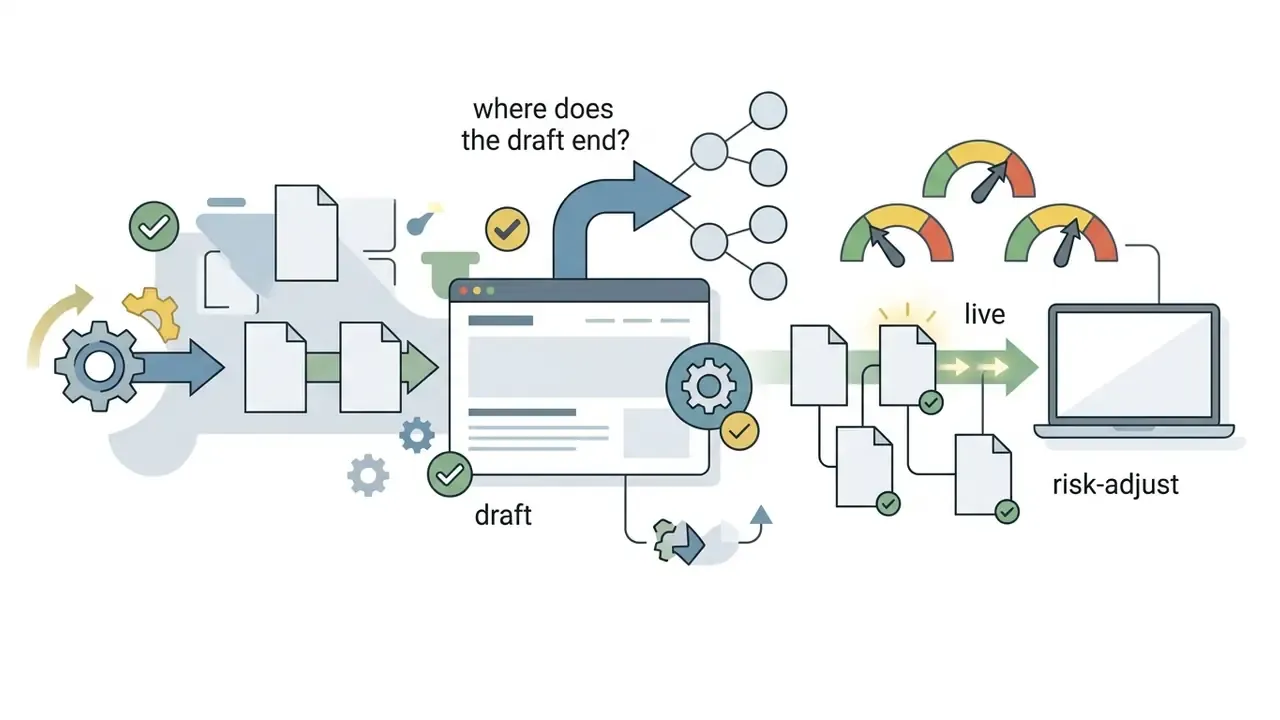

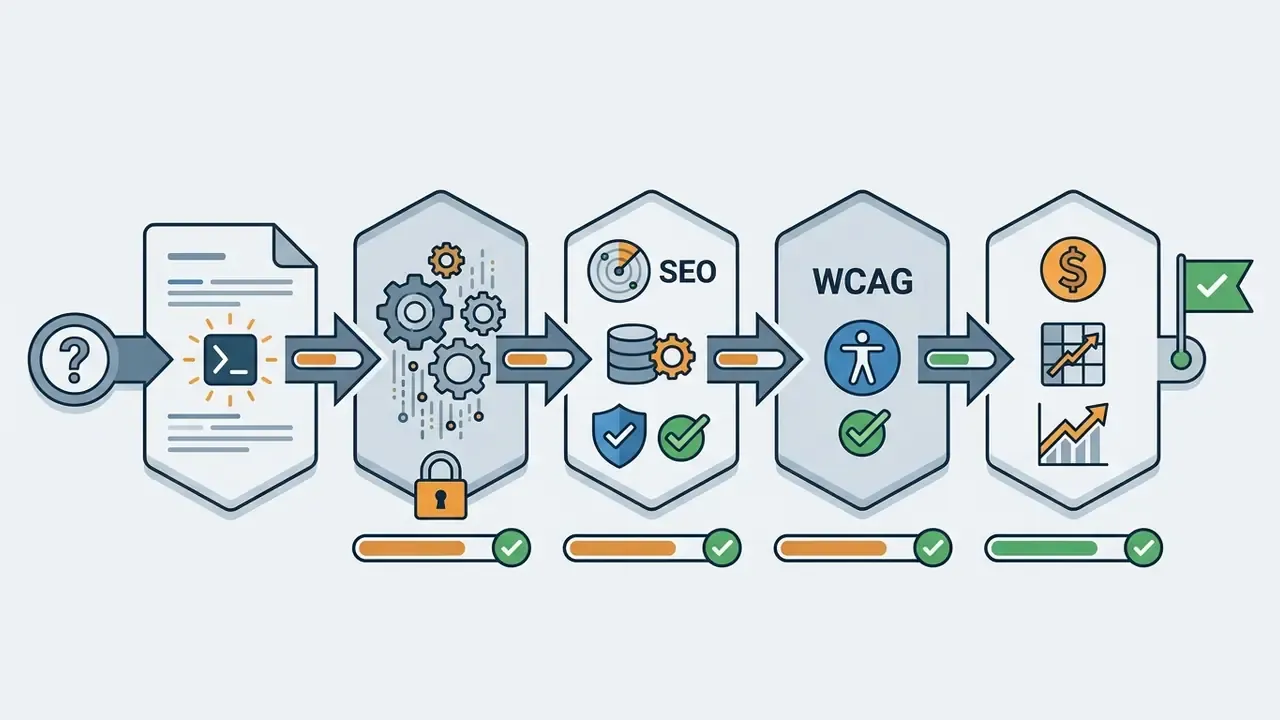
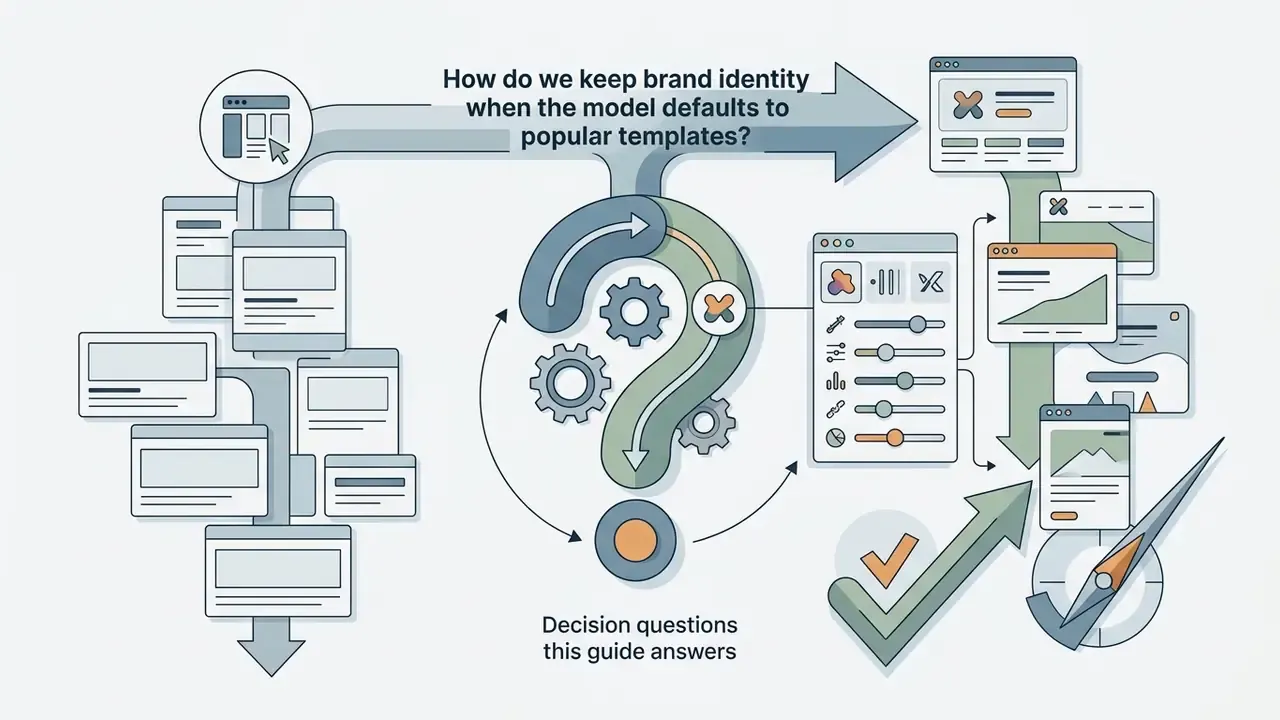
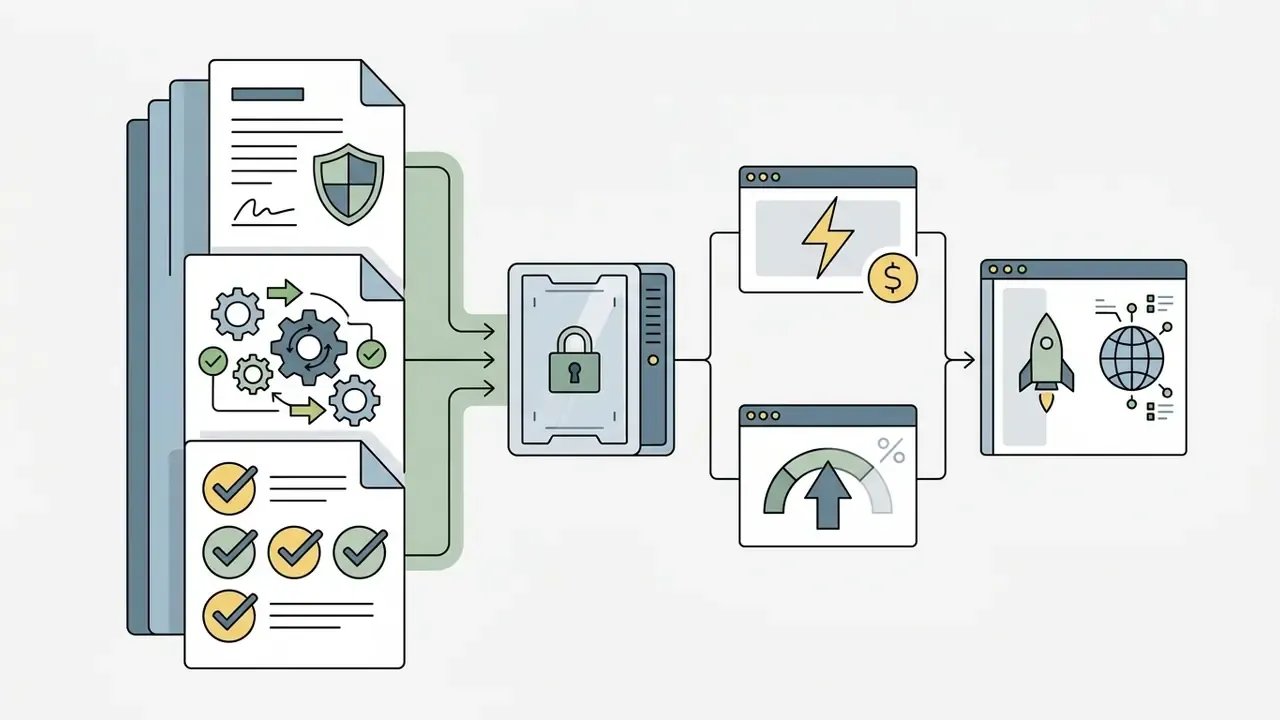
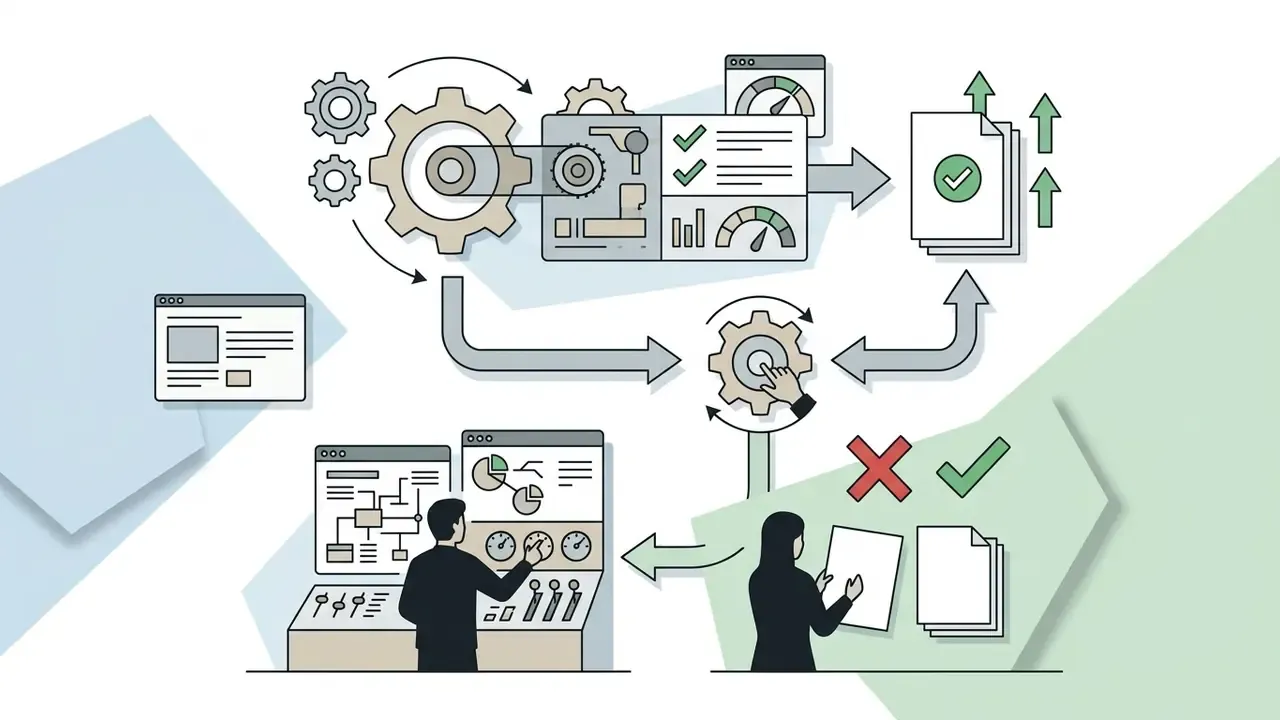
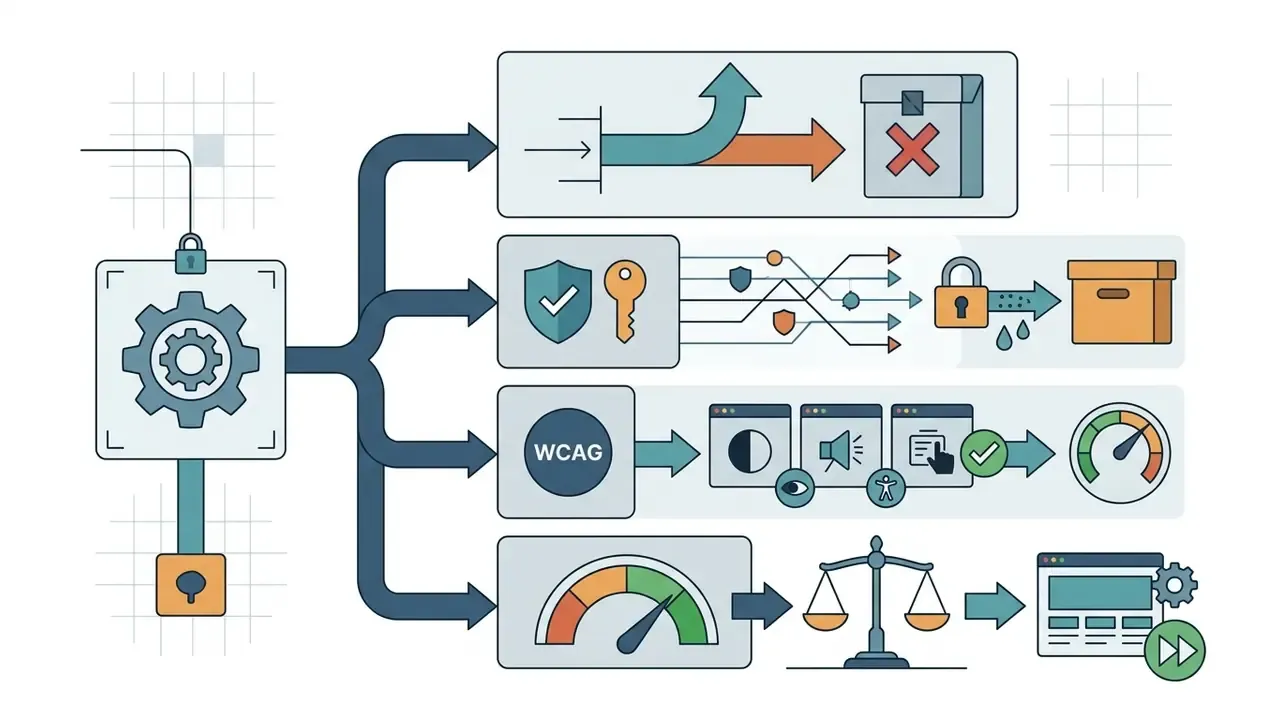
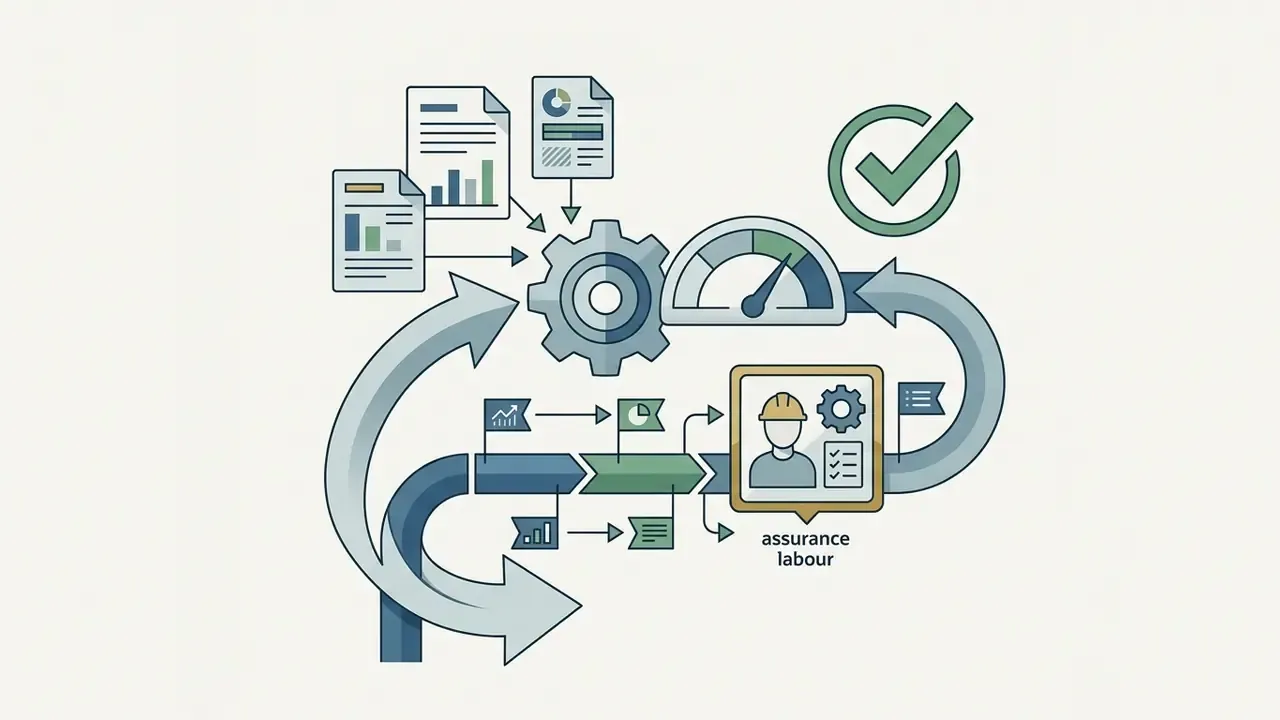
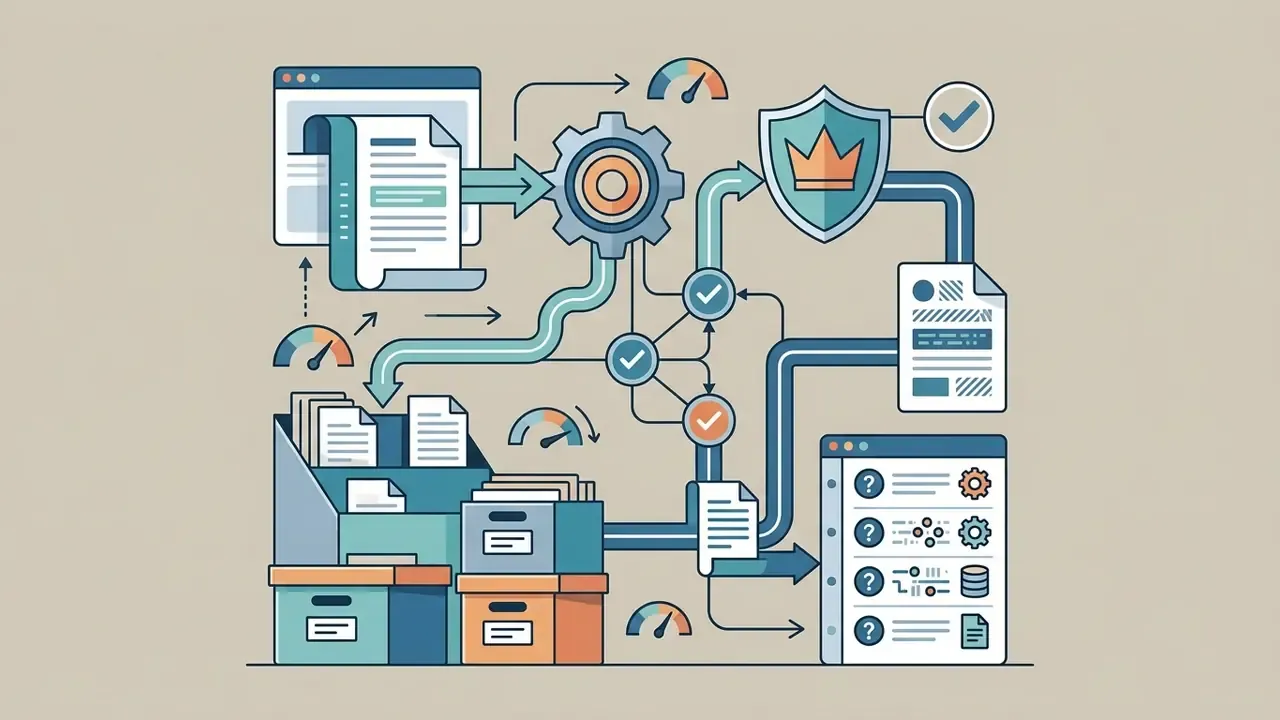
What an AI website generator is and how it builds a site
In two sentences: an AI website generator interprets a natural-language brief, plans the information architecture and then emits a rendered, responsive front end with real copy. The output is an editable draft with production-grade scaffolding, not a signed-off release.
A modern ai website generator is a software complex built on large language (LLM) and multimodal models that converts a text description of a task (a prompt) into a finished web-page structure, including HTML markup, CSS styling, interactive JavaScript and textual content. Unlike traditional CMS platforms, where the user manually selects templates and configures blocks, an ai based website generator automatically forms the information architecture, selects a visual grid and generates meaningful text sections tailored to a specific business.
Most systems, among them Lovable.dev, Relume, Base44 and Figma Make, combine LLM agents with libraries of ready design tokens and interface components. Figma documents that generation can start either from a prompt or from an existing codebase, building against your existing tokens and components (Figma, AI website generator, 2026, https://www.figma.com/solutions/ai-website-generator/). That is useful evidence: the prompt-to-structure pipeline can be grounded in real design systems rather than generic templates.
«Specialised generative agents are capable of transforming natural language into multi-file codebases with working client-side logic.»
Generation itself splits into requirement interpretation, information-skeleton creation (sitemap), responsive layout construction (website design) and final content population of the blocks.
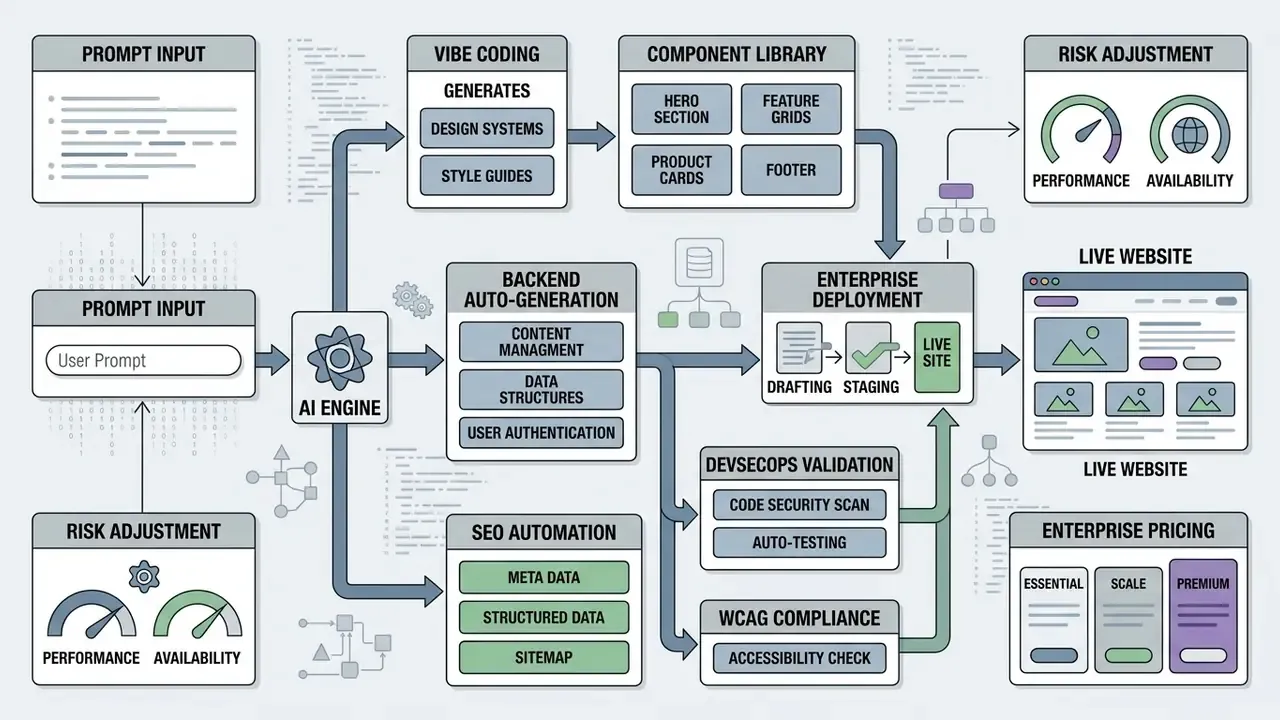
From prompt to a finished site structure
The transformation of a text description into a working site structure starts with a deep analysis of the submitted prompt, from which the system extracts the target audience, the purpose of the resource and the required functional modules. In the first stage an ai based website generator creates a high-level sitemap sketch, defines cross-cutting elements (navigation menu, footer) and distributes content blocks across logical sections.
Practical structuring guidance mirrors this order: first fix what must be common to every page (navigation, footer, repeated modules), then group the remaining content into page-specific blocks, then sketch a rough sitemap with one box per page and lines showing the workflow between pages. Accessibility guidance adds landmark semantics, header, nav, main, footer, plus a logical heading hierarchy and visible cues for that hierarchy.
Next, the generative engine builds the visual grid (layout) and produces a set of linked pages. In practice this is where an ai create web page routine either holds together or falls apart. In specialised tools such as Relume, first-pass generation appears as greyscale wireframes, which locks information hierarchy and user journeys before visual styling is applied.
«Reinforcement learning with rewards for render correctness and aesthetic alignment lets models assemble reliably renderable layouts from complex instructions.»
That mechanism is what makes multi-instruction prompts produce a stable generated website rather than a broken DOM.
What AI actually generates: design, text and images
An ai design generator website engine produces a comprehensive asset package: headings and paragraphs (copy), a colour scheme, font pairings, interface elements and graphical illustrations. Tools at the level of Gamma and Visme automatically place accent blocks, charts and calls to action, forming a cohesive ai design for the page without manual alignment of elements. Gamma states that its AI writes body copy, places callouts and charts and applies consistent formatting, after which users edit sections with AI or by hand before sharing a live link (Gamma, 2026, https://gamma.app/products/documents). Visme documents that its generator creates editable design projects and automatically produces images or graphics for review in the editor (Visme, 2024–2026, https://www.visme.co/ai-designer/).
Readiness for immediate publication, however, varies with quality requirements and niche. Updated (verified source):
«All automatically created content must undergo mandatory human review for accuracy, absence of bias and outdated information; the review process and the approver should be documented.»
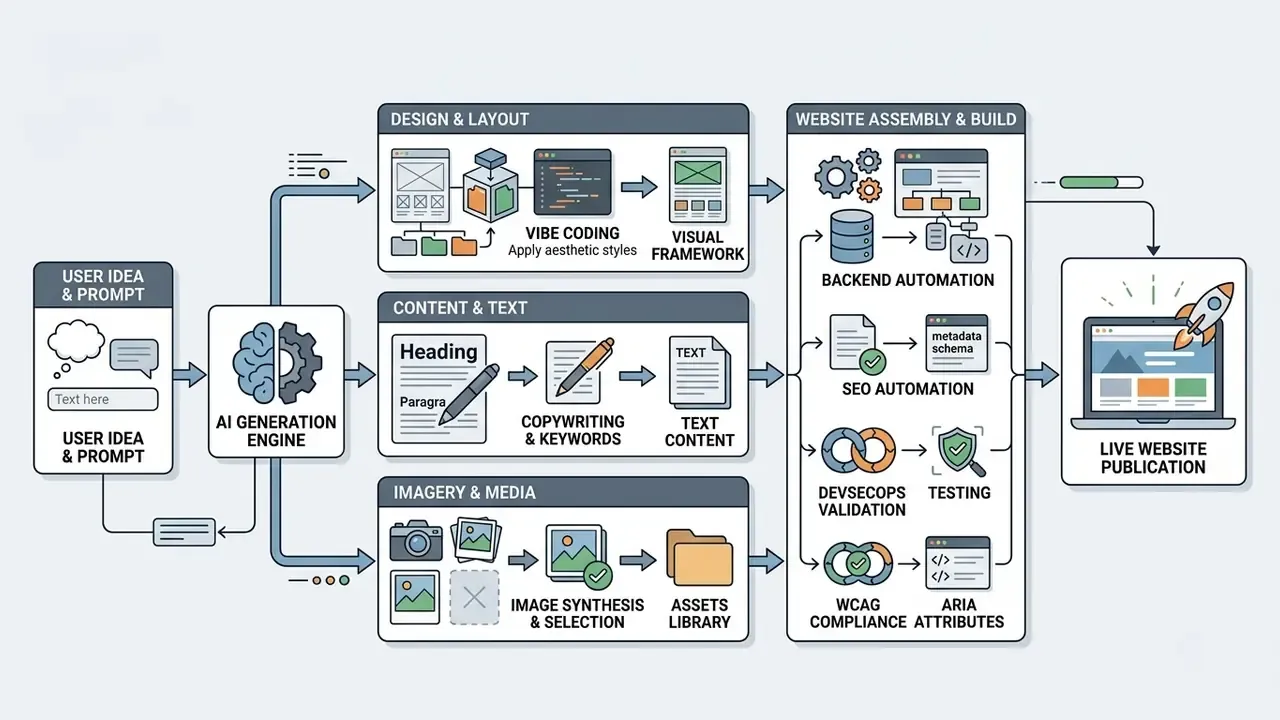
Stages of building a site with an AI website generator
- Prompt formulationdescribe business goals, target audience, structure and desired stylistic treatment.
- Structure and layout generationthe AI builds the sitemap, defines page layout, navigation links and the component grid.
- Content populationautomatic copy creation, selection of visual elements and assembly of interactive forms.
- Editing in the visual editormanual refinement of styles, fact-checking, copy correction and injection of unique branding.
- Domain connection and publicationattach a custom domain, configure hosting parameters and move the project to a live, publicly reachable state.
What kinds of sites you can build with AI
In two sentences: AI generators excel at conventional, pattern-driven site types where the UX is well understood. They degrade quickly where compliance, complex transactions or brand differentiation drive value.
Tools in the ai create websites class are most effective for fast launches of information resources, promo pages, corporate presentation sites and first-pass business hypotheses. They let you assemble a functional business website, a service landing page or a personal portfolio in minimal time using standard user-experience patterns.
In a corporate information-hub project our team used prototyping through generative platforms. We built a skeleton of 12 content sections in a single day, which cut information-architecture sign-off time with the client by 60%. The skeleton was then refined manually to guarantee full conformance with accessibility standards. Project profile (NDA-safe): a mid-size financial-services organisation, 12 content sections, 4 stakeholder groups, one-week end-to-end delivery cycle.
Independent evidence, however, sets expectations for raw output quality:
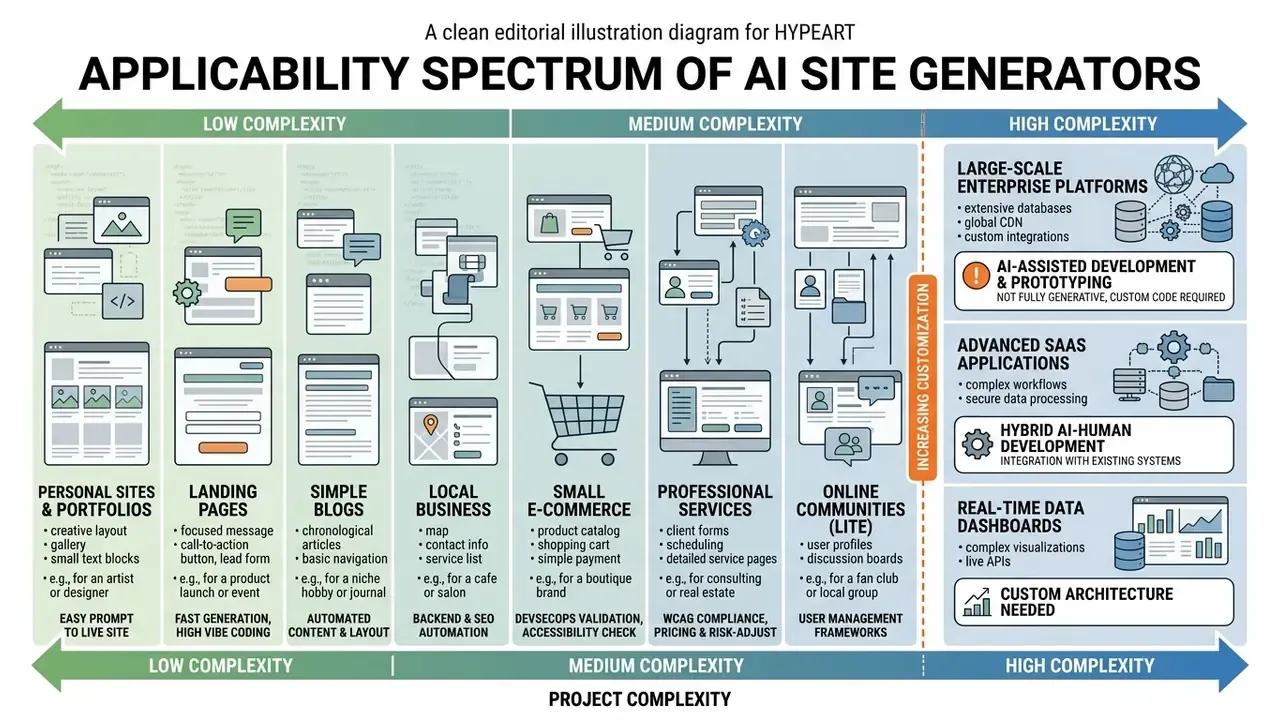
Niche configurations: showcase examples of AI-generated sites
Generation quality rises sharply when the prompt is written against a recognisable niche pattern. Typical configurations produced by current builders:
- Moda Studio (e-commerce) a minimalist apparel catalogue with automatic product-card generation, seasonal collection blocks and a responsive grid.
- Real Estate Hub (property catalogue) interactive listings with filtering, map embeds and a built-in viewing-appointment form.
- Fitness Studio (services site) class timetable with online-booking modules, trainer profiles and membership pricing tables.
- Product landing page (SaaS) hero section with a product shot, feature matrix, pricing tiers and a trial CTA.
- Designer portfolio high-impact minimalist gallery with case-study pages.
- Beauty salon warm, clean service presentation with a price list and booking flow.
Landing pages, service sites and business sites
In practice, auto-generated sites without dedicated manual correction frequently contain contrast failures, skipped H1 to H3 levels, missing alt text and broken keyboard navigation. Georgetown University's 2026 AI-accessibility guidance requires verified H1/H2/H3 structure, meaningful link text, alt text and checked contrast before any AI-generated page is published (https://accessibility.georgetown.edu/digital-accessibility/ai-use-and-accessibility/), while W3C's WCAG-EM remains the step-by-step conformance-evaluation methodology (W3C WAI, 2026, https://www.w3.org/WAI/).
Portfolios, creative projects and personal sites
For designers, photographers, consultants and content authors, an ai for website creation service provides a fast route to a personal calling card. Updated (reformulated with documented tools): documented AI portfolio builders, namely Venngage's AI Online Portfolio Generator (updated 2026), FolioAI (updated 2026) and Portfolio Studio (updated 2026), generate a responsive site from a short prompt or an uploaded résumé; FolioAI's documentation cites generation in roughly 20 seconds with HTML, PDF and PowerPoint export, while Portfolio Studio supports theme switching, section editing and publication to a custom domain.
In such projects web design adapts to the display of visual work: the AI builds gallery grids, creates case-description pages and adds interactive project cards. Trust, though, is not automatic:
The practical mitigation is human-authored proof: named case studies, measurable outcomes, real photography and a visible author identity. For advanced media production, authors often integrate third-party generators. See our material on commercial use of Canva AI, our comparison of AI image generators for commercial projects and, for motion assets, the guide to animated video production.
Online stores and sites accepting payments
Using an ai website generator to launch e-commerce is viable provided the platform integrates with external payment gateways. Full online stores require transaction-processing infrastructure, user-data protection and inventory management.
| E-commerce component | Implementation in an AI website generator | Manual work required |
|---|---|---|
| Product catalogue | Automatic card and grid generation | Loading real SKUs and prices |
| Cart and checkout | Template order interface | API integration with Stripe, PayPal or PayMongo |
| Security (SSL/PCI-DSS) | Baseline encryption from the host | Configuring secure tokens and webhooks; PCI-DSS 4.0 scoping |
| Data-capture forms | Visual input fields | Input-mask validation and a privacy policy |
| Backend logic | Generated API routes and schemas | Code review, authorisation model, secrets management |
Default e-commerce output from AI generators therefore needs deep security testing, plus an accessibility pass on error handling and input validation, before an acquiring provider is connected.
How to build a website with AI: the step-by-step process
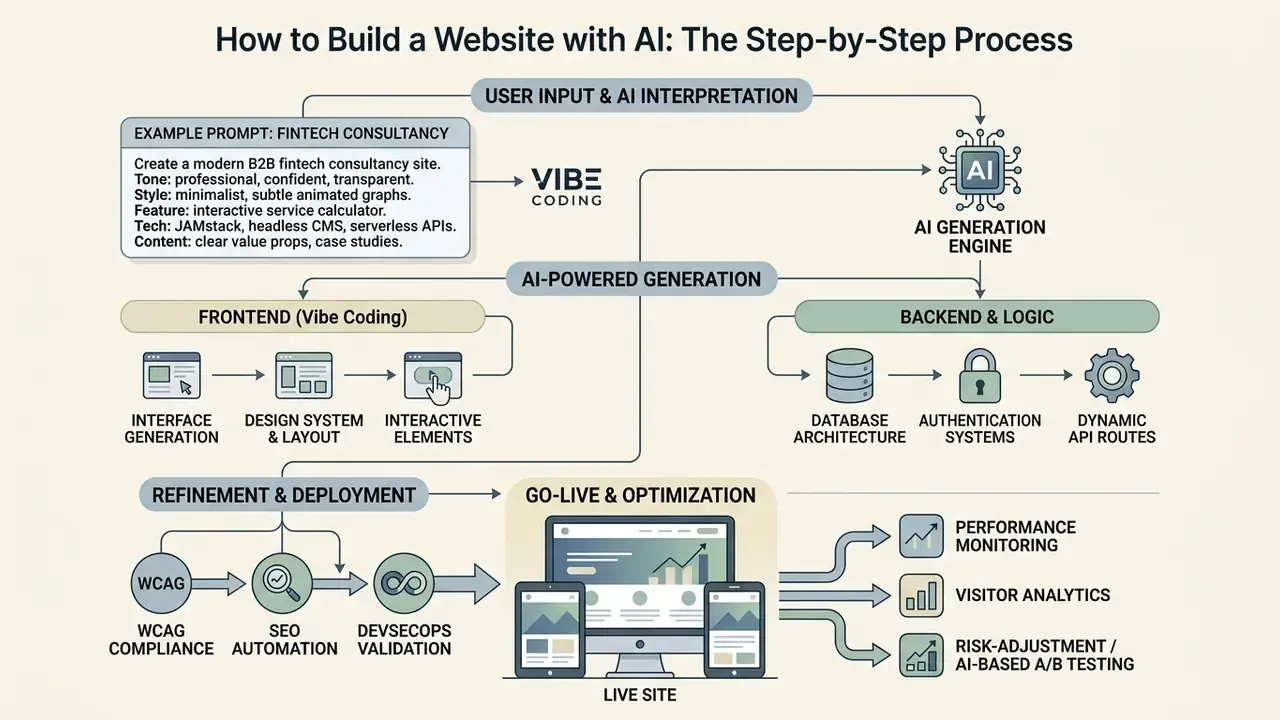
In two sentences: the process shifts effort from writing code to goal-setting, fact-checking and fine-tuning. A repeatable lifecycle with explicit release gates is what makes AI output shippable.
Creating a resource with an ai app to create website involves sequential stages from drafting the brief to going public. Moving to ai driven web creation relocates the work from manual coding to correct goal-setting, factual verification and result tuning. Put bluntly: the bottleneck moves from typing to reviewing.
Public-sector lifecycle standards give the cleanest release model: project initiation and a signed statement of work, discovery, agile build cycles, then accessibility, security, UAT and design reviews plus a change-management ticket before production deployment (Oklahoma Website Development Lifecycle Standard). The U.S. Office of Personnel Management SDLC defines seven phases, determine need, define requirements, design, build, evaluate readiness, deploy, decommission, and NIST SP 800-218 (SSDF, 2022) supplies the secure-development control baseline that AI-assisted builds should inherit.
In one of our content-hub launches we applied stepwise generation. We wrote a detailed prompt describing five key audience segments and style requirements; the ai create my website run returned working markup in three minutes. Over the following four hours experts ran fact-checking and configured meta tags, allowing the resource to go live within a single business day. Three minutes to draft, four hours to trust it. That ratio is the real story.
How to write a prompt for site generation
For an ai create a website attempt to match your expectations precisely, the input prompt must contain clear context, business goals, page structure, target audience and style requirements. Prompt-engineering guidance from Anthropic (Effective Prompt Engineering, 2026) requires context, examples of good output, output constraints and stepwise decomposition of complex tasks, while Microsoft Foundry's prompt-engineering documentation (2026) states prompts should be specific, descriptive and reinforced with repeated instructions where necessary. Both are vendor guidance documents rather than peer-reviewed research; they are cited here as practice standards. University prompt guidance converges on the same core: specify context, desired outcomes and audience.
The Vibe Coding concept: generating an interface by transmitting aesthetics and logic
Vibe Coding describes the process of building a web resource by describing the mood, stylistics and desired user experience in natural language, letting the AI agent interpret those instructions into a working interface. Unlike rigid technical specifications, Vibe Coding accepts abstract parameters: «Build a cyberpunk landing page with neon accents and smooth micro-interactions», «Create a minimalist portfolio with bold typography», «Design a sleek SaaS landing page with a dark theme».
Beyond the visual layer, advanced platforms (Base44, Lovable, Bolt) move past static HTML/CSS and generate:
This is the dividing line worth checking before you commit: some builders produce marketing pages only, while others build and manage forms, user accounts, booking flows and databases. If your project needs the latter, verify it in the platform documentation rather than assuming a visual mockup implies a backend. Ask for it in writing, ideally.
- Database architecture
- automatic creation of PostgreSQL/Supabase tables and relations for the project's data model.
- Authentication systems
- ready login modules via OAuth, email and passkeys, plus user roles and gated content.
- Dynamic API routes
- server-side logic for form handling, payments, bookings, dashboards and automated workflows.
Example of a structured prompt (fintech consultancy)
Prompt variants by niche
- E-commerce «Build a store for a handmade jewellery brand: hero with a large product photo, a clean 3-column product grid, size guide, trust badges, cart and Stripe checkout; warm minimal palette.»
- Service business «Create a dental clinic site: services with prices, doctor profiles with credentials, appointment booking with time slots, insurance FAQ, clinic photos, high-contrast accessible design.»
- SaaS «Generate a B2B analytics SaaS landing page: value proposition above the fold, feature matrix, integration logos, three pricing tiers with an enterprise contact form, security and compliance section, dark theme.»
For extending a site's media capabilities and generating unique visual assets, specialised APIs can be used; implementation details are covered in our Google Veo API guide and the wider set of AI Media API Guides.
How to review and edit an AI-generated website
The verification stage covers copy accuracy, user-journey testing and visual block editing in the editor. WaTech's guidance requires human review, fact-checking, bias correction and documentation of the reviewer and approval process. Google's Guidance on Generative AI Content on Your Website (Google, updated 2026, https://developers.google.com/search/docs/fundamentals/using-gen-ai-content) states that website AI content must meet Search Essentials and spam policies, with accuracy, quality and relevance checked before publishing, and that structured data must be validated for compliance. This is platform policy rather than academic research and should be read as such.
The payoff for doing this properly is measurable:
Editing includes manual replacement of template copy, image optimisation and link verification. See our guide to AI photo editors for the media-preparation stage.
Canvas-based point-and-edit: precision changes without regeneration
Early AI tools forced a full page regeneration for a single detail change. Current editors (Manus AI, Framer, Builder) use an interactive canvas: you click a specific element, a heading, a button, a background image, and issue a targeted instruction such as «Replace the background with a gradient» or «Make the lighting in this photo warmer», leaving the rest of the markup and structure untouched. As Manus documents the difference: traditional tools require re-generating the entire image for minor changes, whereas canvas editing lets you «click any object to edit directly, no regeneration needed», with one-click operations such as background removal and HD upscaling.
Two further capabilities are worth testing in a trial: editable text overlays (AI models that treat text as visual pattern often garble it) and research-powered generation, where an agent browses reference sites and reads supplied documents for context before generating. For example: «analyse this competitor's landing page and produce three alternative hero images on a similar theme».
DevSecOps validation checklist for AI-exported code
Checklist0 / 7
How to publish the site and connect a domain
The final launch stage covers domain binding, SSL configuration and baseline SEO preparation. Once the ai generator web pipeline has finished assembly, the project moves from the editor's test environment to production hosting. Public-sector guidance sets the infrastructure baseline: HTTPS with up-to-date certificates and correct domain handling, then robots.txt, an XML sitemap, page titles, meta descriptions, canonical URLs, plus 404/301 handling and sitemap submission to Google Search Console and Bing Webmaster Tools (U.S. Web Design System; Digital.gov).
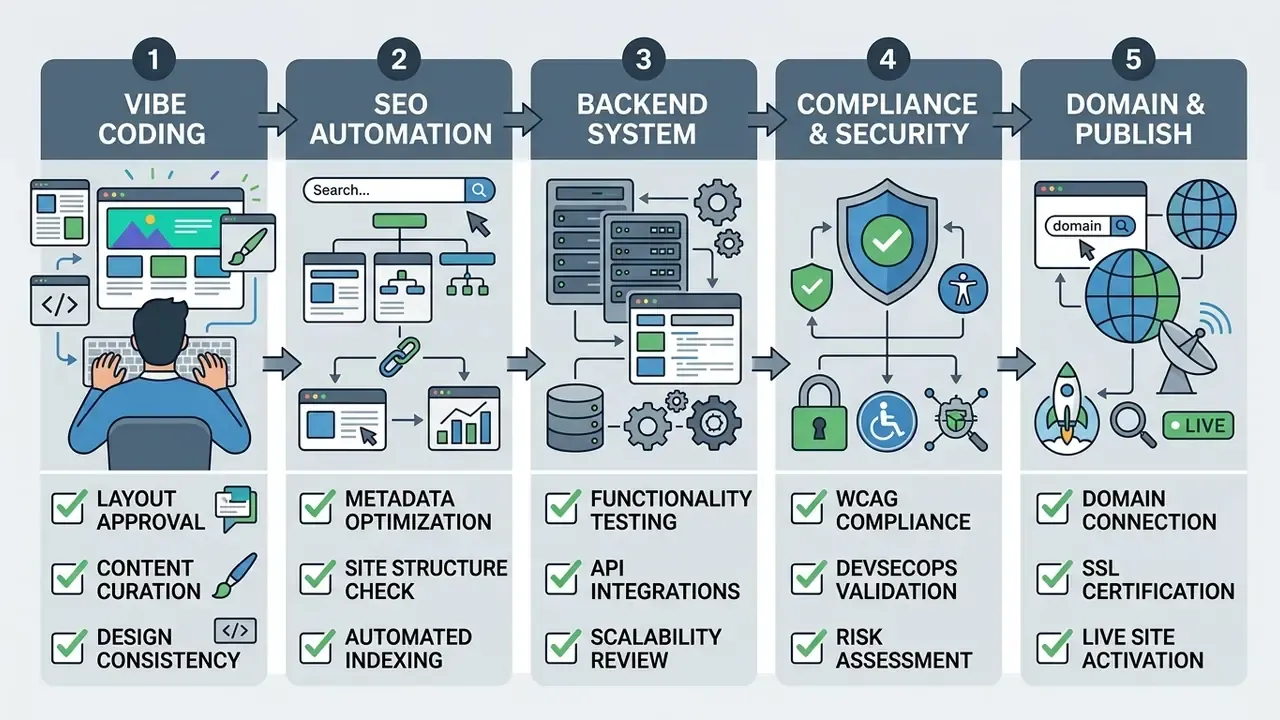
Pre-publication control checklist
Checklist0 / 7
To assess project economics and estimate media-tool spend, use our AI Media Calculators.
How to tune an AI-generated website to your brand
In two sentences: uniqueness is the main deliverable that AI does not supply by default. Brand systems, tokens and human curation are what separate a generated page from a recognisable digital product.
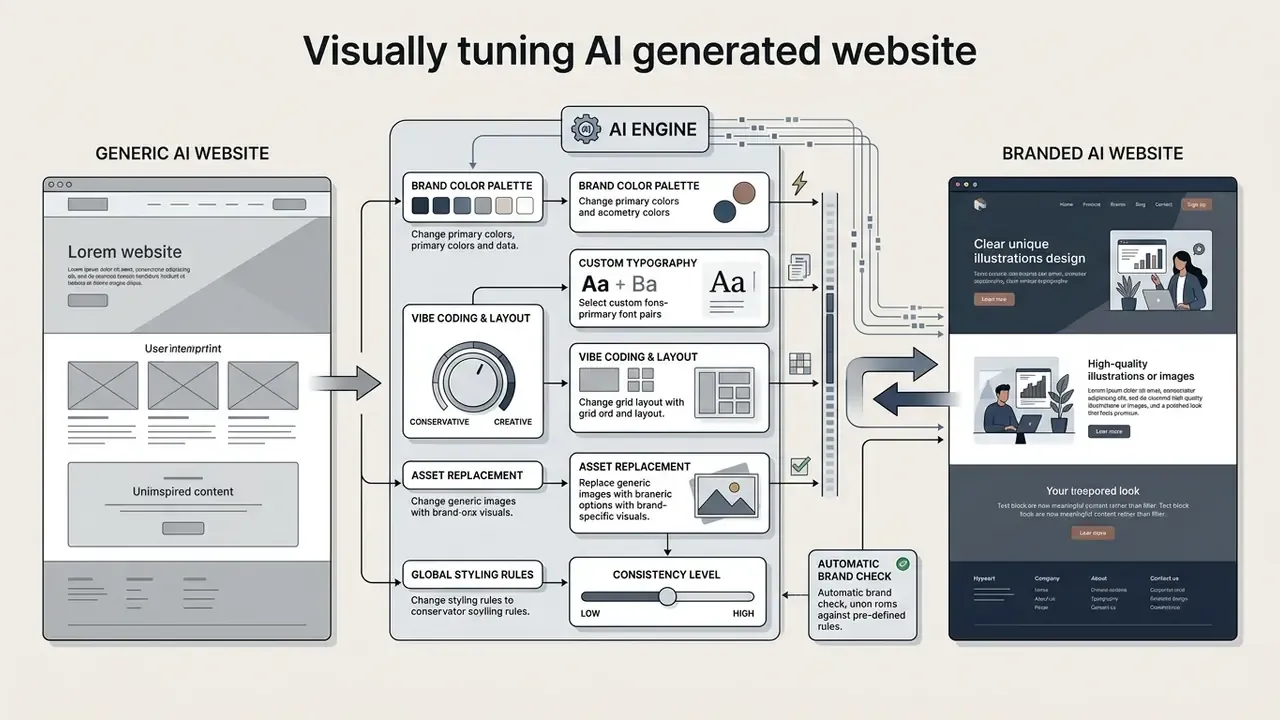
Making a generated layout unique is the key condition for building a recognisable digital product. AI builders offer broad visual-adaptation capabilities, letting you change colours, typography and structural elements to fit company guidelines, which is where the ai create website design step earns its keep.
When adapting corporate sites we enforce strict conformance to the client's design system. Applying brand fonts and palette over the generated skeleton removes the template "visual facelessness" typical of raw AI layouts while preserving a high level of uniqueness.
End-to-end brand ecosystem generation (Brand Identity Kit)
A current generator does not stop at web pages. From the initial prompt the system can build a single cross-channel design system, automatically producing:
- A vector logoa unique mark and wordmark with SVG export, generated with brand keywords, palette and style constraints in the prompt.
- Marketing collateralpost and cover templates for social channels, aligned on palette and typography, plus link-in-bio pages.
- Corporate attributesemail signatures, business cards (print and digital) and dynamic branded QR codes for offline touchpoints such as menus, packaging and payment links.
- Rich-media blocksgalleries, embedded video and visual sections that carry the same tokens as the site.
Adobe documents that Firefly models can be trained on a company's own campaigns, objects and brand style to generate on-brand content (Adobe Firefly Product Guide), and research on brand-design workflows shows designers escalating from topic-only prompts to topic plus description plus style plus reference images, with brand keywords, human curation, KPI monitoring and feedback loops acting as the control points.
Brand, colour palette, layout and visual style
To preserve brand identity when working with an ai design website generator, dedicated style-generation modules are used. Figma's AI brand-guideline generator turns input into rules for colour, type, layout, imagery and voice (Figma, 2026, https://www.figma.com/solutions/ai-brand-guideline-generator/); Adobe's brand-style-guide workflow covers colour palettes and typography with PDF export (Adobe, 2026); Magnt's style-guide generator adds grid-system and layout guidelines. Feeding those tokens straight into the builder's interface blocks, and pairing them with AI logo generators or an animated logo maker, is what keeps the output on-brand.
There is a documented failure mode:
Countermeasures: custom photography, a proprietary type pairing, non-standard grid rhythm, hand-built hero interactions and copy written from first-party research. An ai generator for website design will happily reproduce the median of its training set unless you constrain it.
No-code editing and working with source code
A modern ai generated website maker offers two customisation paths: the visual (no-code) editor and direct source-code editing.
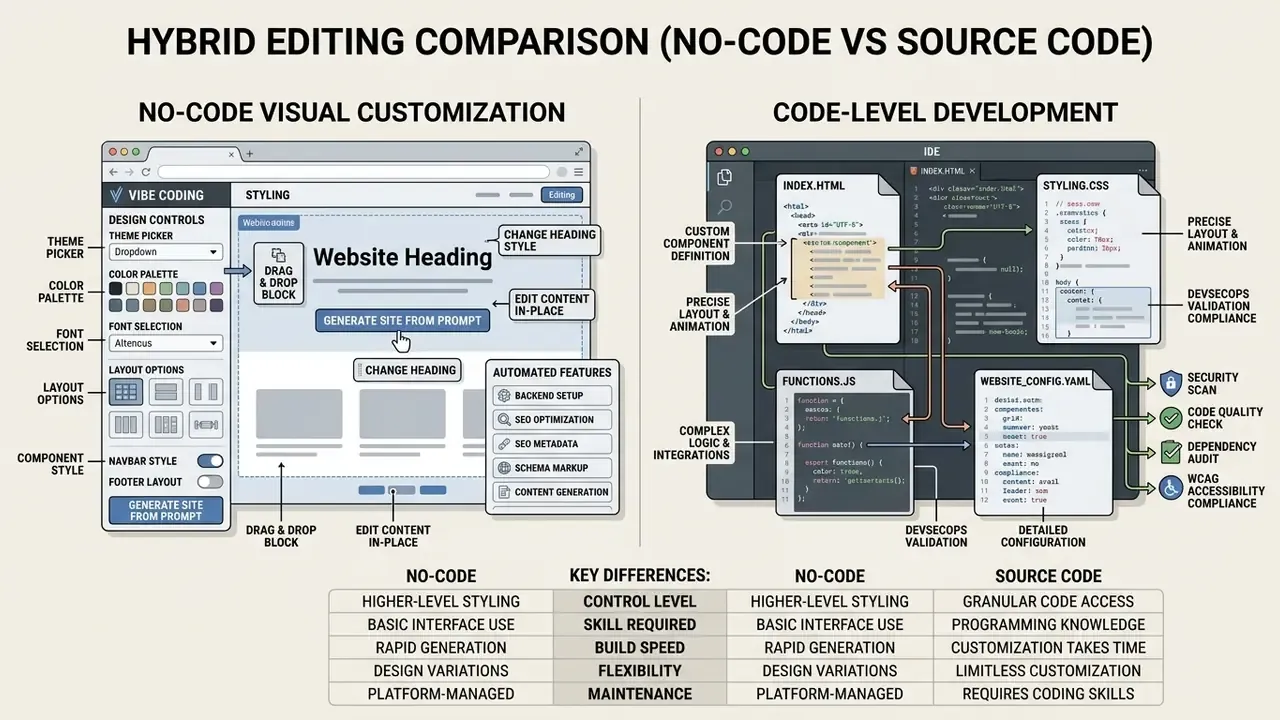
TeleportHQ states users can design and publish without writing code and export production-ready code to HTML/CSS and five JavaScript frameworks; AppMaster advertises «full source code export in one click» as a clean package ready for a repository. Webflow exports static HTML/CSS/JS on paid plans but not the full CMS or app stack, while for Framer and Wix no clear official path to full source-code export is documented in the material reviewed. Third-party 2026 comparisons also report that Tilda gates source-code export to its Business plan and that Lovable's export is paid-tier and one-way to Next.js or static HTML. These are secondary sources; verify tier terms on the vendor's own pricing page before procurement.
Full export matters beyond convenience: it enables independent security audit, version control, CI/CD integration and hosting on your own infrastructure without vendor lock-in. For a model-risk function, exportability is also what makes an ai create web design decision reversible.
How to choose the best AI website builder
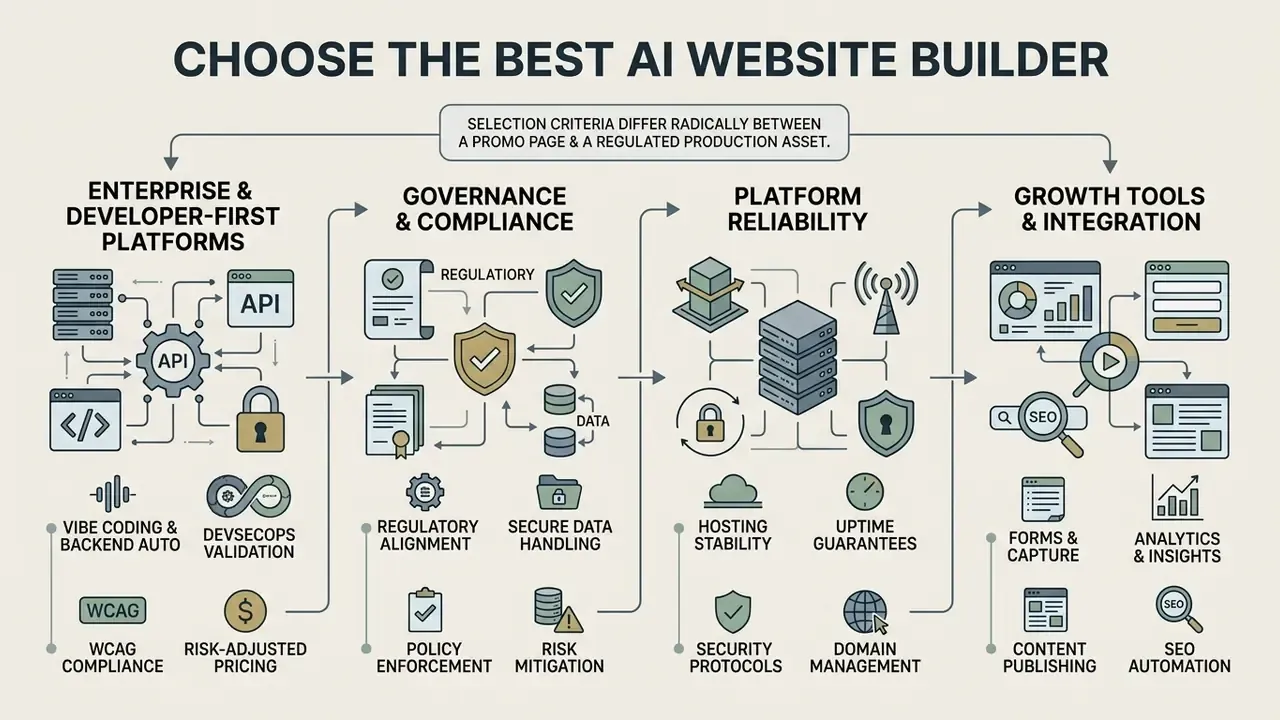
In two sentences: selection criteria differ radically between a promo page and a regulated production asset. Segment the market first, then compare inside the right segment.
Choosing an optimal best AI website builder depends on project scale, security requirements, budget and the need to export source code. Platforms should be assessed across a set of criteria: generation speed, editor ergonomics, backend capability, SEO tooling, export and compliance posture.
That profile explains why most public comparisons optimise for SMB criteria, and why enterprise buyers need a separate matrix.
Segment 1: enterprise and developer-first platforms
For regulated environments (banking, insurance, healthcare, public sector) the decisive criteria are code portability and data handling, not template count.
| Enterprise criterion | Why it matters | What to verify |
|---|---|---|
| Full source-code export to Git | Independent audit, CI/CD, no vendor lock-in | Export format, completeness (front end only vs full stack), one-way vs round-trip |
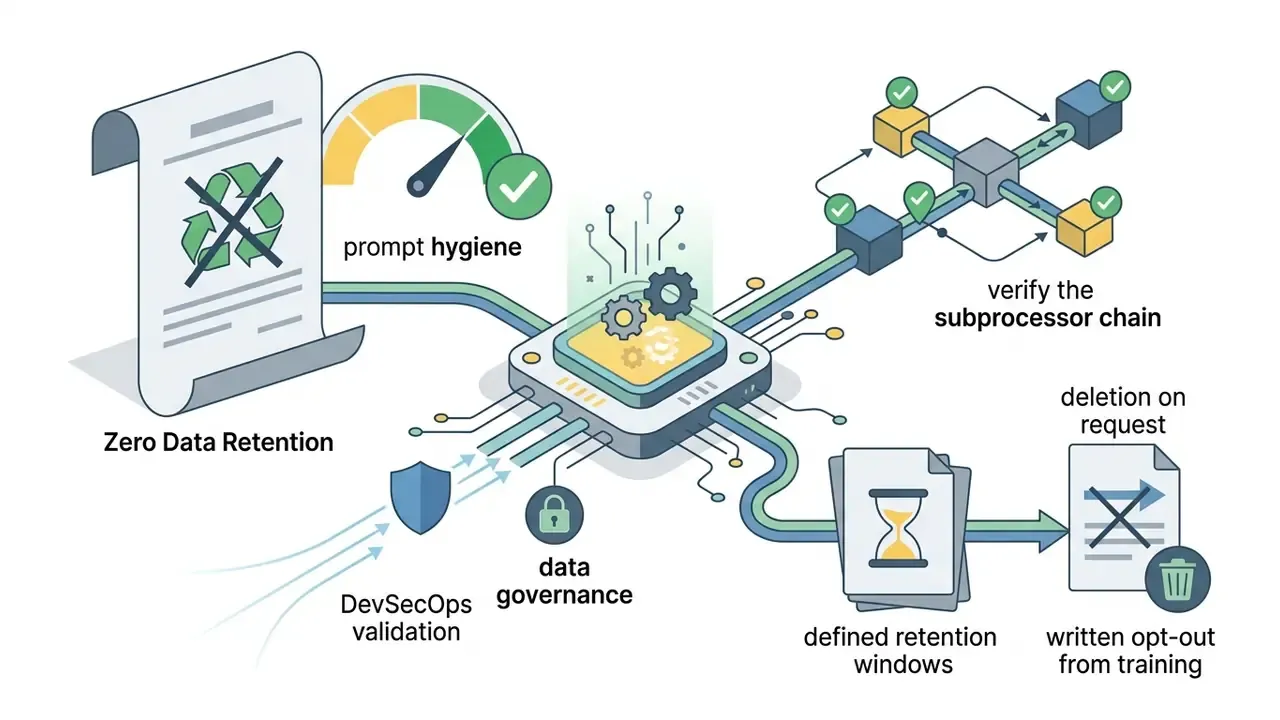
| Zero Data Retention (ZDR) and no training on your prompts | Prevents confidential briefs leaking into model training | Contractual opt-out, data-processing addendum, retention window |
| SOC 2 Type II / ISO 27001 | Third-party attested controls | Current report date, scope, subprocessor list |
| Custom deployment | Hosting inside your perimeter or approved cloud | Self-host or BYO-cloud support, region pinning |
| Access control and audit logs | Model-risk evidence chain | SSO/SAML, RBAC, exportable activity logs |
| Accessibility tooling | ADA Title II and WCAG 2.1 AA exposure | Built-in scans, remediation workflow, manual-test support |
Representative platforms in this segment: Lovable.dev (GitHub and Supabase integration, code-first), TeleportHQ (export to HTML/CSS and five JS frameworks), AppMaster (one-click full source export), Figma Make (generation grounded in existing design tokens and codebases), Base44 (built-in authentication and database functionality on the free tier, in-app code edits on paid plans).
Segment 2: turnkey no-code builders
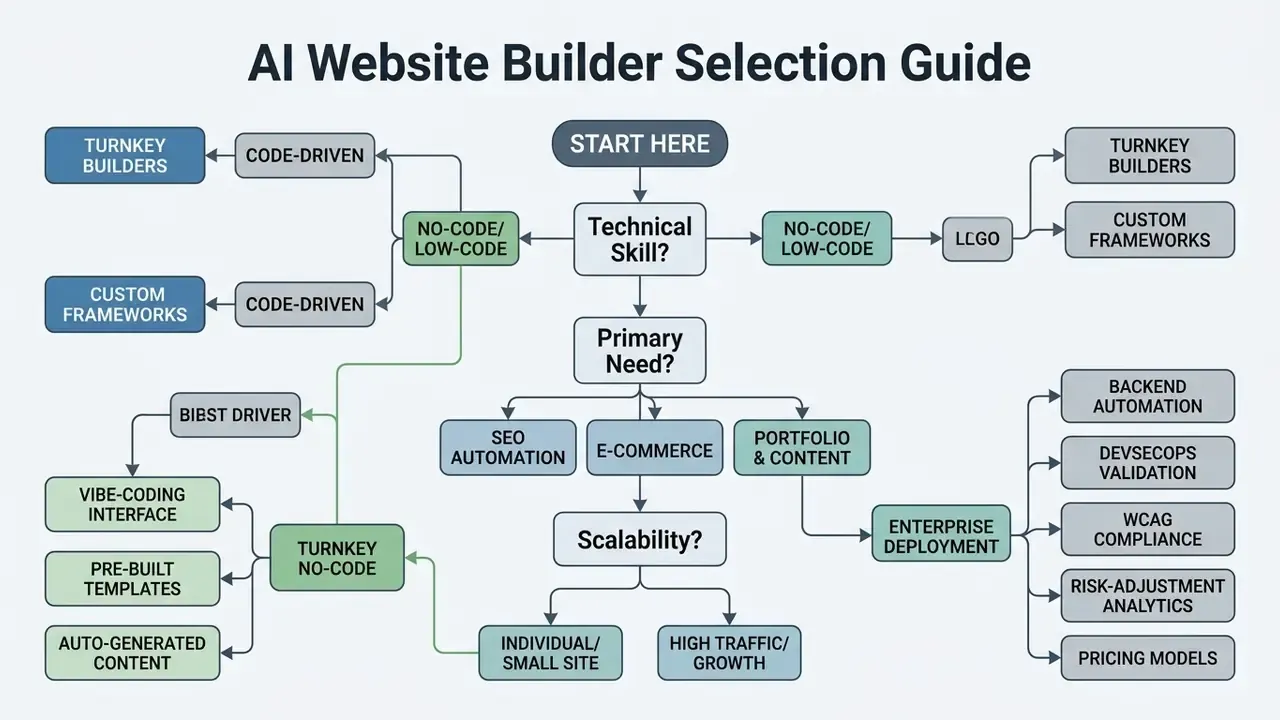
Generation, templates and editor usability
Speed of prompt-to-resource conversion and visual-editor ergonomics are primary evaluation factors for an ai based website creator. Framer AI wins on design quality and animation control; Wix AI offers the most polished editor for non-technical users. Builder's official documentation describes drag-and-drop blocks, reusable templates and Symbols with AI generation and editing inside the editor (updated August 2026), Visual Paradigm's AI Site Builder advertises a page editor plus a large professional template library (March 2026), and Elementor documents a drag-and-drop visual editor with responsive editing and a template library.
A component-based approach (Symbols, reusable sections) is what lets you push a change across every page at once. Note that no vendor currently publishes independent benchmark data on generation speed or template quality. Comparisons available today are feature-level, so run a timed trial on your own brief before committing.
Beyond the first draft, test revision capability: can you add pages, change layouts, rewrite content and update functionality through follow-up prompts without starting over? A generator that handles ai creation website tasks well on the first pass but resists iteration will cost you later.
Hosting, security, domain and platform reliability
Infrastructure requirements for AI builders are governed by information-security standards. The NIST AI RMF Generative AI Profile (July 2024) requires pre-deployment resiliency testing and monitoring of GAI downtime and security risks, and the NIST SP 800-239 initial public draft (2026) specifies that AI data centres need end-to-end encryption, IAM and secured AI gateways for high API and request volumes. SP 800-239 is a draft document; confirm the current publication status before citing it in an internal policy. Vendor terms vary sharply: Akamai's service descriptions (2026) state always-on DDoS protection with edge blocking for compute services, whereas some hosts explicitly do not offer domain registration or SSL certificates and apply DDoS mitigation only on customer request.
| Platform | Hosting model | Security posture | Domain limits | Code export |
|---|---|---|---|---|
| Wix AI | Wix cloud hosting | SSL included, DDoS protection, 24/7 monitoring, built-in accessibility tooling | Custom domain on paid plans only | No documented full export |
| Framer AI | Global AWS/Cloudflare CDN | SSL included, high performance standards | Subdomain on free plan, custom on paid | No documented full export |
| Hostinger AI | Isolated virtual hosting | SSL, built-in firewall | Free domain for 1 year on annual billing | Limited |
| Lovable.dev | GitHub/Supabase integration | Depends on your deployment infrastructure | Full control of domain and server | Paid tiers, one-way |
| TeleportHQ / AppMaster | Self-host or BYO cloud | Inherits your perimeter controls | Full control | Full export documented |
Growth tools: forms, analytics and content
A modern ai generator for websites should do more than lay out pages. It should ship conversion and analytics tooling. Leading platforms integrate lead-capture forms, automatic SEO copy generation and CRM connections. HubSpot documents that its forms capture leads into unified customer data while built-in analytics measures campaign performance through reports and dashboards (HubSpot, 2025, https://www.hubspot.com/products/marketing). 2026 marketing-stack overviews classify HubSpot Marketing Hub and Salesforce Marketing Cloud as CRM-based automation platforms, MarketMuse and Surfer SEO as AI SEO platforms for content planning and optimisation, and Jasper for fast AI-generated marketing copy.
Base44-class builders add analytics inside the dashboard, covering visitor sources, click paths and real-time traffic, plus built-in authentication and database functionality even on free tiers. That combination is what turns a marketing page into an operational tool.
If something breaks at the integration layer, our AI Media Support and Troubleshooting section covers the usual failure points.
How AI generators automate technical and on-page SEO
In two sentences: current platforms bake SEO into the HTML-assembly step rather than leaving it as a post-launch task. What they cannot automate is content usefulness, which is exactly what search policy evaluates.
Automated SEO capabilities now cover most of the technical layer:
- Automatic meta-tag generation the AI analyses the semantic focus of a page and produces relevant Title and Meta Description candidates. Wix's AI Meta Tag Creator, for example, offers three primary suggestions per page that can be refined to match brand and audience.
- Entity markup (structured data) automatic Schema.org injection (
Article,Product,FAQPage,Organization,LocalBusiness) to qualify for rich results, either pre-created or custom. - SEO assistants and checklists a tailored list of recommendations on page content, structure and SEO attributes, with detected issues converted into tasks.
- Search Console integration streamlined sitemap submission and URL inspection from the site dashboard.
- Technical infrastructure automation dynamic
sitemap.xmlgeneration,robots.txt, correct canonicalisation viarel="canonical", flexible 301 redirects when the structure changes (avoiding 404s and lost equity), clean HTML with a logical heading order, and automaticalttext for images.
What remains human work, per Google's generative-AI guidance: reviewing every page for accuracy, originality and brand consistency; answering real customer questions instead of mass-producing near-identical pages; writing concise, informative alt text (decorative images take an empty alt); and ensuring important pages are internally linked and indexable. Google explicitly warns against producing large volumes of content that add little user value.
One caution from our own logs: automatic alt text often describes the pixels, not the purpose. A chart labelled «blue line graph» passes a scanner and fails a screen-reader user.
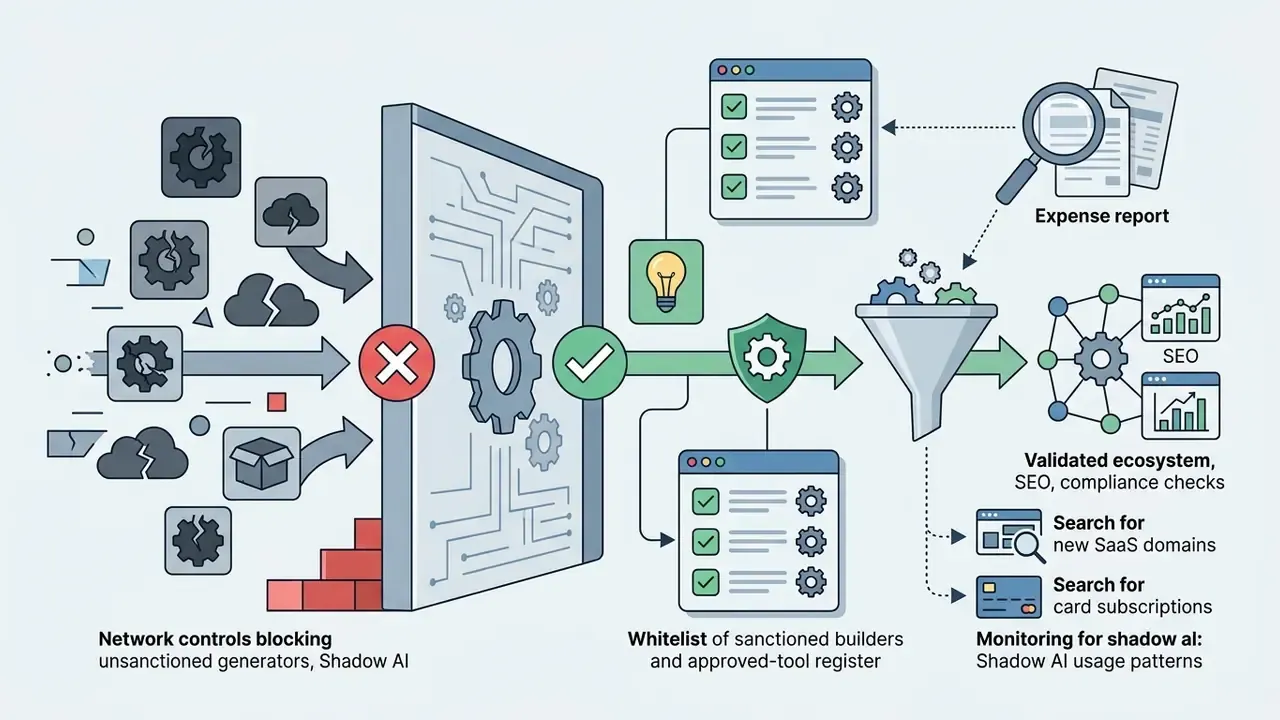
Shadow AI, data governance and prompt hygiene
In two sentences: the biggest AI-site risk in a regulated organisation is not bad layout. It is confidential material pasted into a public model by a product team acting alone.
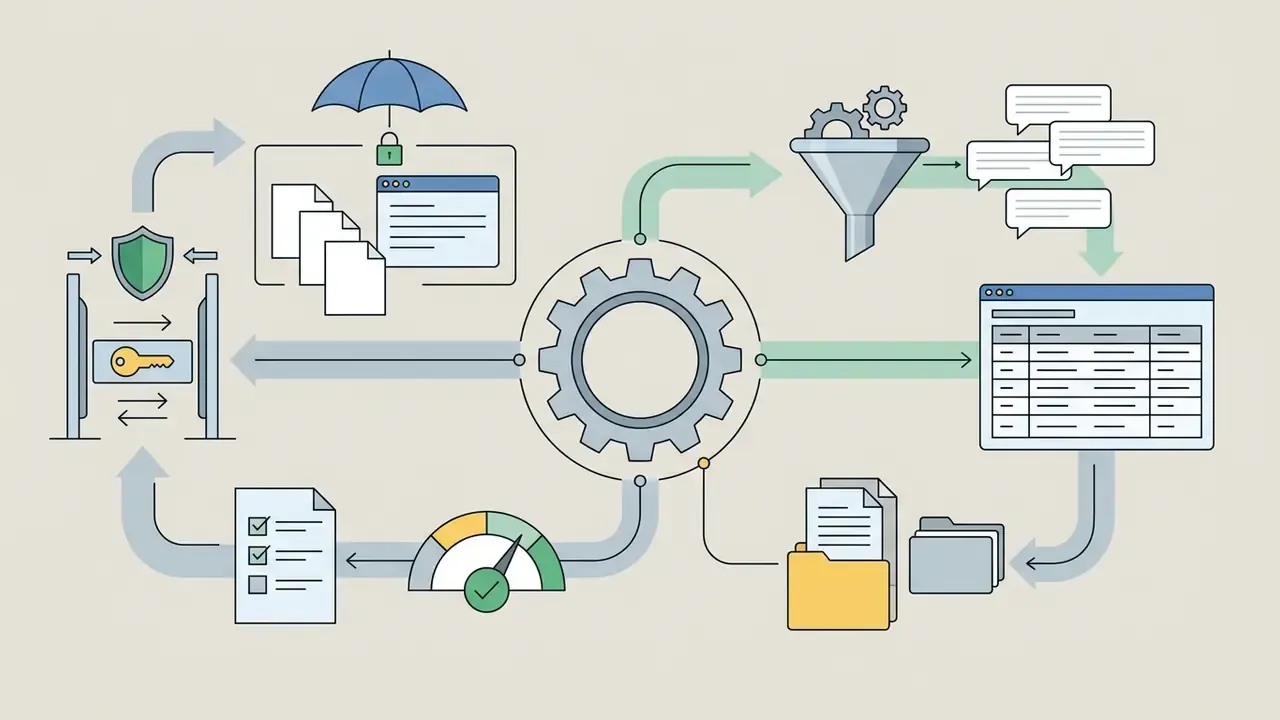
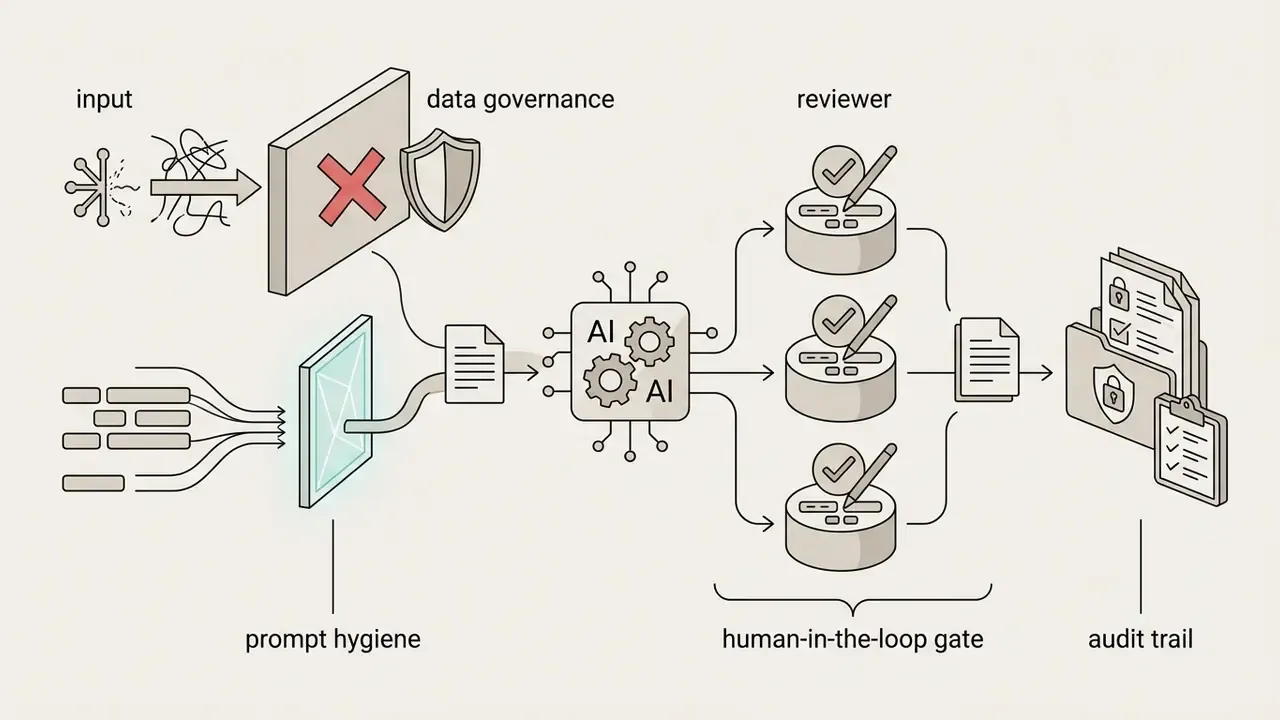
Policy, tooling and network controls have to arrive before the first prompt. Hong Kong's Generative Artificial Intelligence Technical and Application Guideline (2026) states plainly that users should avoid sharing data for model training and that responsibility for AI generation and decision-making remains with the deployer. Translated into a control set for website generation:
A short governance framing that tends to land with boards: treat the generator as a digital worker. It needs a named owner, an approved role, access limits, an escalation path, an audit trail and a shutdown mechanism. No evidence, no autonomy.
AI website generator pricing: free start, paid capability and real TCO
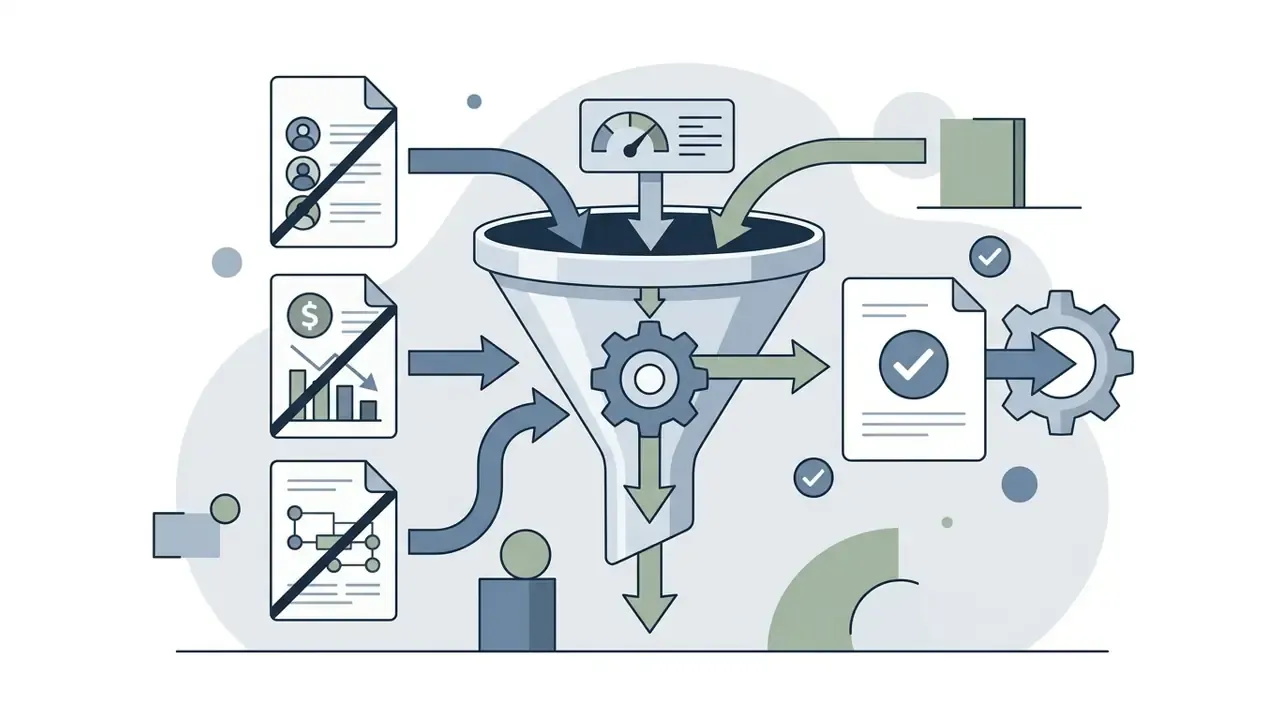
In two sentences: free tiers are for hypotheses, not for production. The honest number is a risk-adjusted TCO that includes validation labour, not just the subscription.
The economics of site generators combine freemium access with paid subscriptions. Understanding which functions fall inside the free limit and which sit behind paid tiers lets you budget realistically before you ask an ai generator for website work at scale.
Two dominant pricing models appear in official 2026 pricing pages: freemium or free trial with limits, and paid subscriptions from roughly $5 to $25 per month, with some vendors using credit-based plans and annual-billing discounts. Squarespace runs a 14-day trial then annual plans with up to 36% savings; Weebly shows a $0 basic tier and paid plans from $15 a month billed annually or $20 month-to-month; Website.com's free plan is a 30-day trial; GoDaddy's builder starts free with 50 AI credits per month; Framer's free plan includes 500 AI credits with paid tiers from $29 a month billed yearly; Wix states eCommerce plans start at $29 a month; Hostinger's builder is not free but offers a 14-day trial; Base44 lists $0 core access with paid plans from $16 a month billed annually.
When planning infrastructure spend we recommend budgeting hosting and the domain from day one. Free plans are appropriate strictly for hypothesis testing and drafts.
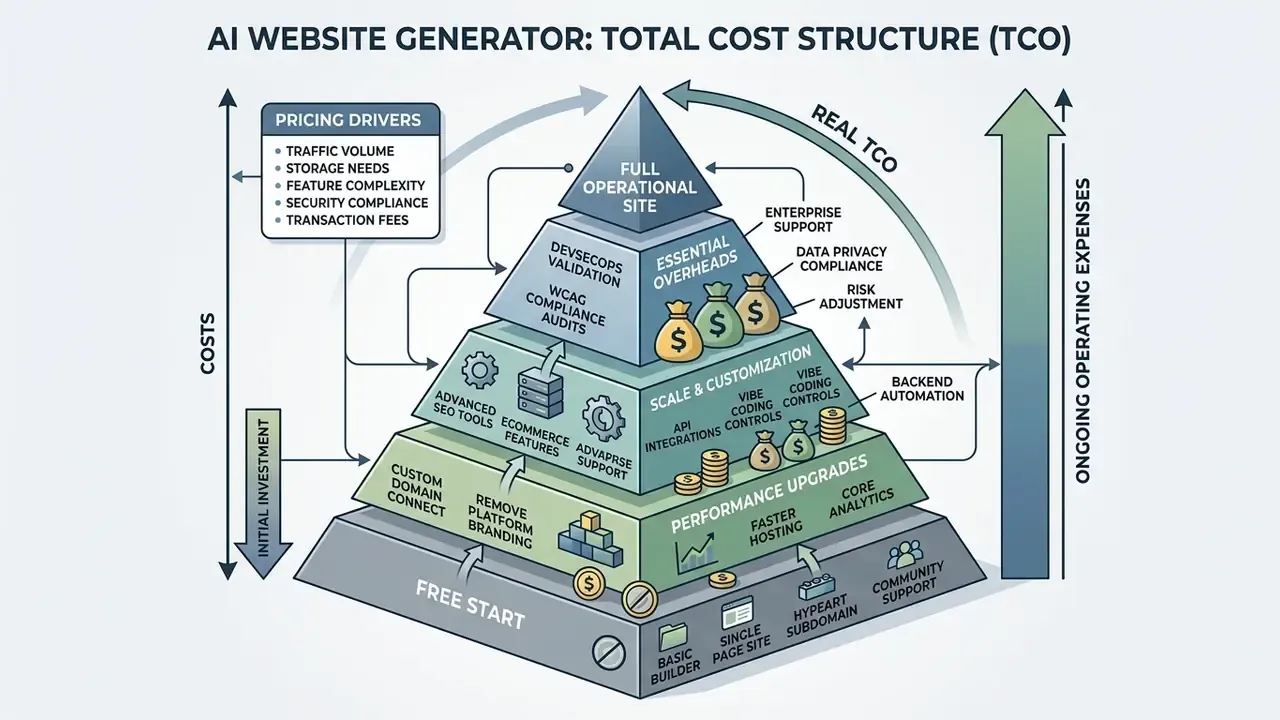
What free versions typically include
Free plans in the ai creator website class exist to demonstrate the editor and produce first-pass layouts. They let you test prompts, assess structural quality and form a baseline design. If a stakeholder says «just let the ai create a website for me and we will see», this is the right sandbox for that request.
Typical free-tier limitations
What you pay for at publication and growth stage
Risk-adjusted TCO: the number a CFO actually needs
For a regulated organisation the subscription is the smallest line item. A defensible model:
TCO = subscription (3 yr) + prompt-and-brief authoring + content fact-checking + security review (DevSecOps hours) + accessibility audit and remediation + legal and IP review + migration reserve (if no code export) + ongoing maintenance
Worked illustration for a mid-size, customer-facing marketing site:
| Cost line | AI builder route | Custom development route |
|---|---|---|
| Platform or licence, 3 years | $700–$2,000 | Hosting only, $500–$1,500 |
| Build and generation effort | 5–20 hours | 8–24 weeks vendor delivery |
| Content fact-checking and editing | 15–40 hours | Included in scope |
| Security review of exported code | 20–60 hours | Included or contracted |
| Accessibility audit plus WCAG remediation | 20–80 hours | Designed in from the start |
| Legal, IP and licence scanning | 5–15 hours | 5–15 hours |
| Lock-in and migration reserve | High if no export | Low |
The result is often not «AI is 10 times cheaper» but «AI compresses time-to-first-draft and shifts spend from design to assurance». Where conversion is the KPI, note that custom sites built on brand strategy and UX research typically convert 2 to 3 times better than template output, a difference that can dominate the entire cost comparison.
One unresolved question, stated plainly: nobody has published credible longitudinal data on maintenance cost for AI-generated codebases over three to five years. Treat the migration reserve as insurance against that gap.
Verification of plan terms and licensing (E-E-A-T fact check)
As of 2026, commercial-use terms for AI-generated content require case-by-case verification in each platform's Terms of Service. Unlike human-authored content, wholly generated text and graphics do not attract classical copyright in several jurisdictions (including the United States), yet contractual rights to commercial use are granted through paid subscriptions (Adobe Stock/Firefly Terms, Wix Commercial Terms). Note the asymmetry documented in Adobe's own terms: generative outputs may be used commercially under the general user guidelines, while the additional terms state outputs are not covered by intellectual-property rights and beta features may be restricted to personal use. Before publishing a commercial site, confirm an active commercial licence on the generating platform.
For legal precedents and regulatory timelines, see our AI Litigation and Case Timelines section.
Commercial use of an AI site: rights, content and control
In two sentences: ownership of an AI-built site is layered, since platform contract, human authorship and third-party licences all operate at once. Hybrid authorship is the only reliable way to secure protectable IP.
The legal status of digital resources created with generative systems requires business owners to understand the boundaries of intellectual property, content liability and technology limits. This applies to any ai generated website maker output that carries your logo.
In digital-asset audits for clients we regularly encounter ownership questions on generated media. A hybrid approach, where AI produces the first-pass layout and drafts and a human editor makes a substantive creative contribution, is the only dependable way to protect a company's intellectual property.
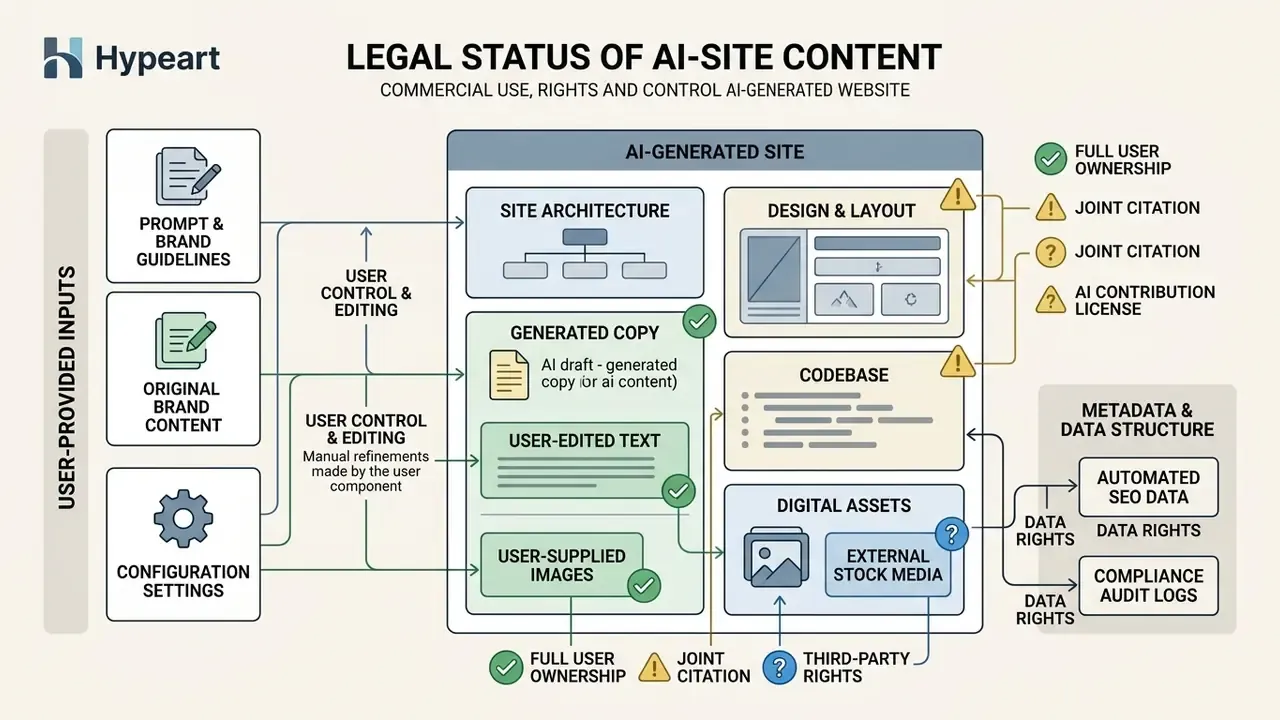
What to check in AI content and image usage terms
Regulation of AI content rests on copyright-office practice and statutory acts. Per U.S. Copyright Office bulletins (2024–2025), material wholly created by artificial intelligence without substantive human involvement is not protected by copyright.
Applicants must disclose non-de minimis AI-generated material and may claim copyright only for their human contributions. The 2025 report reiterates that where AI determines expressive elements, the output lacks human authorship and is not registrable as-is.
In the European Union, the EU AI Act (Regulation 2024/1689) imposes transparency duties: operators of commercial sites must label certain types of AI-generated content, including deepfakes and synthesised media, with the European Commission's Code of Practice on Transparency of AI-generated Content (2026) extending labelling expectations to text. The European Parliament's 2025 study notes the EU still lacks a bespoke copyright rule for AI-generated works and relies on existing human-creativity case law.
Three additional checks that buyers routinely miss:
- Training-data provenance for code. Generated code may reproduce material from protected repositories; licence scanning and an SBOM reduce GPL/AGPL contamination and claim exposure.
- Third-party marks in prompts. Adobe's additional terms restrict inputs containing third-party trademarks or copyrighted material unless you hold the rights.
- Beta-feature carve-outs. Features in beta are frequently limited to personal, non-commercial use.
To study normative aspects and ownership standards in detail, visit our AI Media Commercial-Use Hub and our comparison of AI image generators for commercial projects.
When an AI website generator is enough, and when you need a web designer
Despite rapid progress in ai for create website tooling, generators are not a universal substitute for a professional web-development team. Understanding the technological boundary prevents financial and reputational loss.
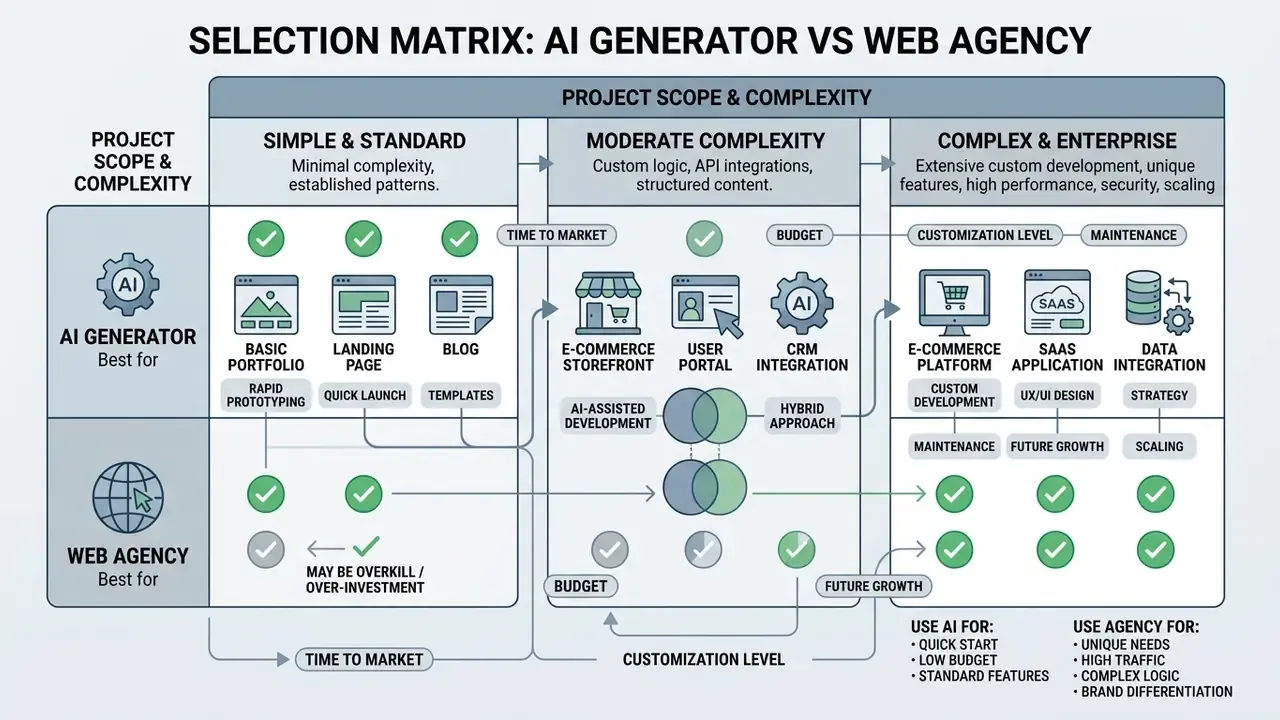
Comparison of use cases
- An AI website generator is ideal when:
- You need to launch an MVP, landing page or promo page in 1 to 3 days.
- Budget is constrained and the task does not require unique, complex interactivity.
- The project is a standard business website or personal portfolio.
- You need to test a marketing hypothesis or offer quickly.
- The site is internal, low-risk or short-lived (campaign microsite, event page).
- A professional web designer or developer is required when:
- The project must strictly satisfy accessibility standards (WCAG 2.1/2.2 AA, ADA Title II). W3C WAI notes accessible sites require deliberate design and development choices, not merely generated pages.
- Integration with custom corporate backends, complex databases and ERP is needed.
- The site is high-load or requires a bespoke security architecture, private networking, data residency or unsupported frameworks.
- Unique brand identity and high-complexity front-end interaction are the competitive advantage.
- Content is sensitive or regulated. U.S. DOE guidance blocks GenAI website content without verified training-data provenance.
- Generated content risks adding no user value, which Google's spam policy treats as a violation.
For specific advertising media, specialised contractors are often engaged. See our overview of choosing an animated explainer video partner, and, for creative formats, our guide to animated music videos.
A safe next step, if you are on the governance side: pick one low-risk internal page, run it through the full gate set (prompt log, DevSecOps checklist, accessibility scan, named approver), and measure the assurance hours. That single data point makes every later ROI conversation honest.
FAQ
Do I own the code and design an AI builder generates for my site?
You own contractual usage rights granted by the platform's terms, but wholly AI-generated material is not protected by copyright in the United States per the U.S. Copyright Office; protection attaches only to your human-authored contribution. Keep records of human editing, and run licence scanning on exported code to reduce open-source contamination risk.
Can an AI-generated site pass an accessibility audit?
Not by default. Raw output commonly fails on contrast, heading hierarchy, alt text and keyboard operability. Plan an automated WCAG 2.1 AA scan plus a manual keyboard and screen-reader pass; ADA Title II and W3C's WCAG-EM methodology define the compliance and evaluation baseline.
How do I migrate off a builder if we outgrow it?
Only if the platform supports full source-code export. TeleportHQ and AppMaster document full export; Webflow exports static HTML/CSS/JS on paid plans but not the full CMS stack; Framer and Wix have no documented full-export path. Treat exportability as a procurement requirement, not a nice-to-have, and budget a migration reserve if it is absent.
Is AI-generated code safe enough for production?
Only after review. An analysis of 2,500 GPT-4-generated PHP sites found 26% contained at least one exploitable vulnerability and 78% had insecure file uploads. Run OWASP Top 10 checks, secrets scanning, authorisation review and dependency or SBOM analysis before release.
How do we prevent Shadow AI when teams start generating sites on their own?
Publish an approved-tool register, enforce SSO and RBAC on sanctioned builders, block unsanctioned generators at the egress layer, mandate a sanitised-brief template that excludes PII and confidential data, and require Zero Data Retention terms in contracts. Responsibility for AI output remains with the deployer, per the Hong Kong GenAI guideline (2026).
Will search engines penalise a site built with AI?
Not for using AI as such. Google's guidance requires that content be accurate, high-quality and relevant, and warns against mass-producing low-value pages. Edit every generated page, validate structured data, and make sure the site answers real customer questions.
Can an AI builder produce a real web app, not just a marketing site?
Yes, on platforms that generate backend logic: database schemas, authentication, user accounts, booking flows and API routes. Verify this explicitly, since some builders create only static marketing pages and visual mockups.
Who signs off on an AI-generated public page in a regulated firm?
In our observed practice, three roles sign: the content owner for factual accuracy, security for the DevSecOps checklist, and a named accessibility reviewer. Compliance sees the record rather than every page. Retain prompt version, model, reviewer and approval date; that record is what makes the release defensible in an audit.
Appendix A: citation revision log
For transparency of the evidence chain, the following citations from earlier versions of this material were superseded during fact-checking. The original formulations are retained here; the verified replacements appear in the main text.
| Superseded citation (retained for the record) | Reason | Verified replacement in main text |
|---|---|---|
| «Research by Palmer & Oswal (2025) shows that auto-generated sites without manual correction often contain contrast errors, skipped H1–H3 headings and incorrect keyboard navigation.» | Source not present in the verified research set; unconfirmed attribution | Usability and accessibility study of a scientific journal website (2024–2025), eye-tracking plus automated accessibility testing; Georgetown University AI-accessibility guidance (2026) |
| «Audit reports by accessiBe (2026) show default e-commerce solutions from AI generators have gaps in input-error handling and require deep security testing before acquiring is connected.» | Source not present in the verified research set | «LLMs in Web Development: Evaluating LLM-Generated PHP Code» (2024–2025): 26% of 2,500 sites with an exploitable vulnerability, 78% insecure file upload |
| «According to U.S. Department of Energy Generative AI Reference Guide (2024), content created by generative models should not be published without verified training-data provenance and fact-checking.» | Retained and cited, but the review-process claim needed a source that speaks to human review directly | WaTech Generative AI Guidelines (2023) on mandatory human review, bias correction and documented approval; the DOE guide is retained alongside for provenance |
| «Adobe (2026) research: training generative models on a company's own marketing materials guarantees 100% brand-consistent visual content.» | «100%» not supportable; vendor product claim rather than research | Adobe Firefly Product Guide: models can be trained on a company's own campaigns, objects and brand style; plus Utsubo finding on visual homogeneity |
| «Automated platforms (for example Portfolio Studio or FolioAI) can generate a responsive site in 20–30 seconds.» | Needed sourcing to documented product behaviour | Venngage AI Online Portfolio Generator, FolioAI (about 20 seconds, HTML/PDF/PPT export) and Portfolio Studio (résumé upload, custom domain), all per 2026 product documentation |
| «Website.com and Dorik Pricing Guides (2026)» / «NIST SP 800-239 (2026)» / «Anthropic (2026) and Microsoft Foundry (2026)» / «Google Search's Guidance on Generative AI Content (2026)» | Required status labelling (vendor documentation vs. standard vs. draft vs. platform policy) | All four retained in main text with explicit status labels; SP 800-239 flagged as an initial public draft |
| Title variant: «AI Website Generator: how to create a website with AI for free» | B2C framing conflicted with the enterprise-grade content and audience | Repositioned: free tiers for hypotheses, paid and enterprise tiers for production |