A modern animated logo maker is a browser tool or algorithmic service that transforms static emblems, icons and vector logos into dynamic video assets. Such solutions let brands adapt graphic identity to the requirements of video platforms, social networks and web interfaces without hiring specialised motion designers. In enterprise environments there is a second benefit: you avoid opening a heavyweight compositing pipeline for every concept round.
What an animated logo maker is and what it solves
An animated logo maker is specialised software that automates the conversion of a static visual mark into a dynamic form. It changes shape, colour, opacity or spatial position of elements over time. The tool solves one core marketing task: it turns a passive brand mark into an engaging logo sting or intro insert that holds viewer attention in the first seconds of contact.
Research in visual perception and neuromarketing supports the advantage of dynamic graphics over static marks. Using event-related potentials (ERP) and P300 amplitude, researchers recorded a stronger early visual response and higher brand-recall scores for animated logos than for their static counterparts.
«Animated brand logos elicit a stronger early visual response and improve brand memorability compared with static equivalents.»
If you do not yet own a mark to animate, start upstream with AI logo generators and only then move to motion. For legal and commercial standards of working with media assets, see the AI Media Commercial-Use Hub.
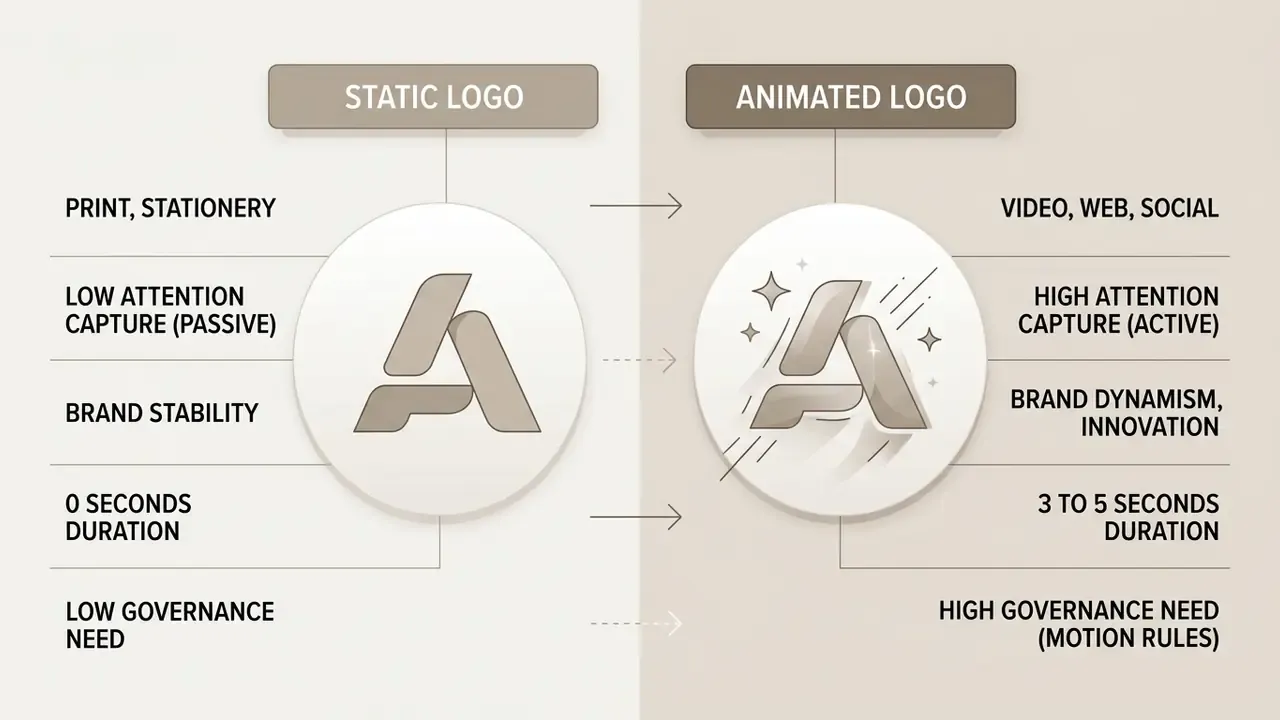
Animating logos, images and icons
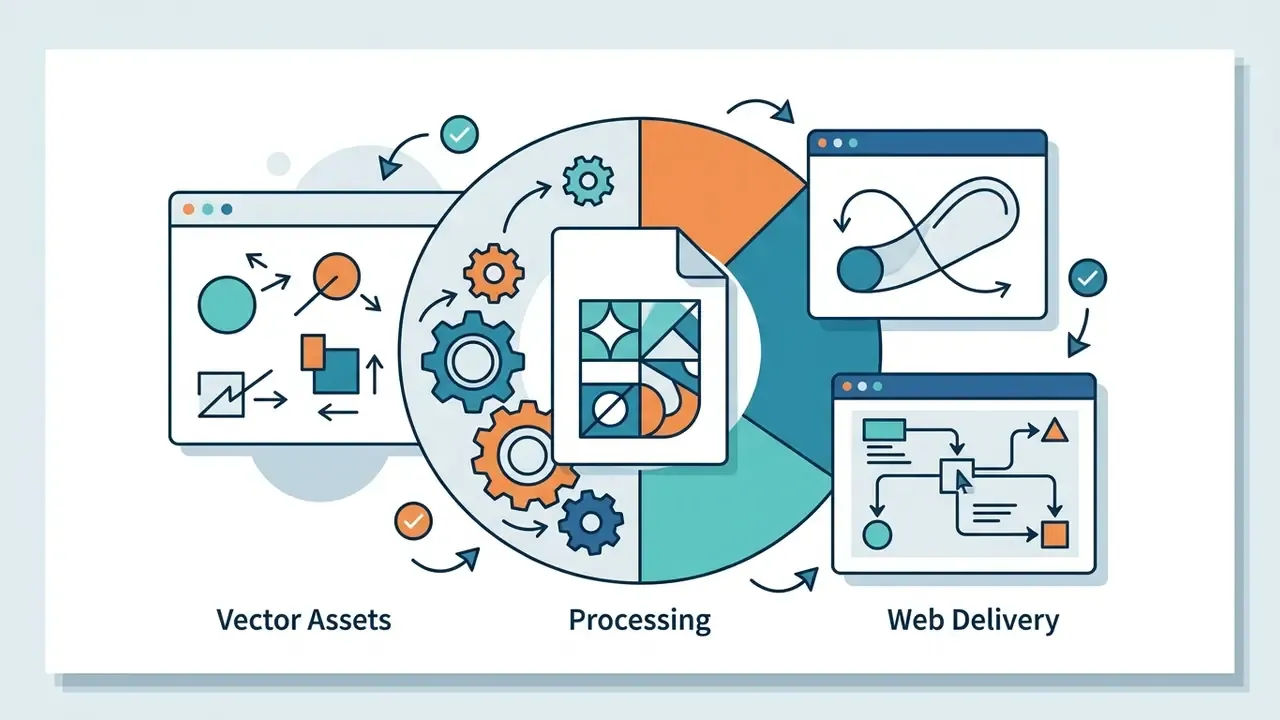
Turning a graphic file into animated logos requires separating sources by type: a vector logo, a raster image, or a minimalist icon. Vector files (SVG) suit precise animation of individual contours, whereas raster images depend on layer separation and a transparent background.
According to W3C Communications Assets guidance and the W3C SVG 2 specification, vector elements must retain correct width and height attributes. That single detail prevents type and stroke distortion when the animation is scaled in the browser. Aspect ratio must be preserved, and transparent social icons require a background layer before resizing.
When a brand actually needs logo animation
Using logo animation is justified when launching video ad campaigns, refreshing mobile app interfaces, preparing corporate presentations (see also related animation makers for full-scene work) and building end cards, the outros on video platforms.
The Towson University Video Brand Guide (2026) explicitly requires the branded logo sting at the end of every official video and demands that the animation resolve fully on screen. CDC (2026) motion-graphics guidance requires the official logo on motion assets and mandates accessibility adaptation: captions and pause control. Conversely, some public-sector brands, such as the NMDOT brand guide (2024), forbid stylised, animated or hand-drawn logo variants outright. Motion is a governed asset, not a free-for-all.
Market data confirms that dynamism must match category, not taste.
«Hedonic products with highly dynamic logos and utilitarian products with low-dynamism logos show better market performance.»
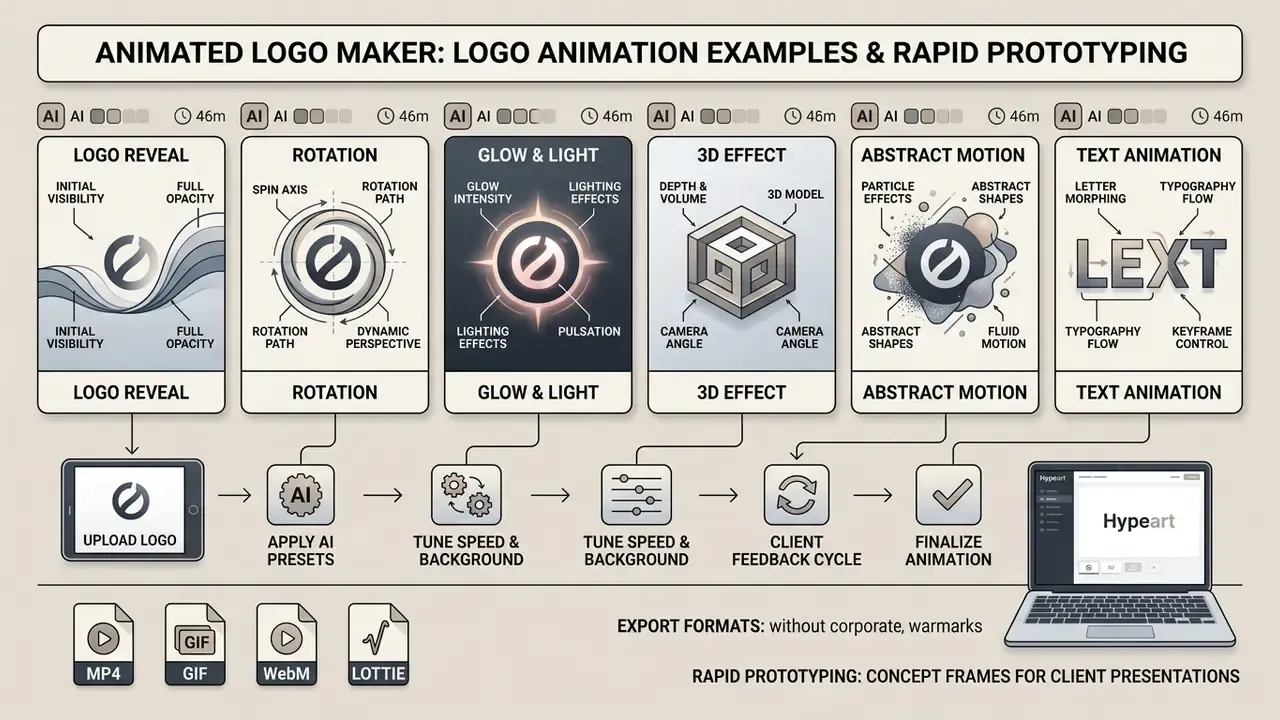
Rapid prototyping: concept frames for client presentations
Full motion design in After Effects takes days. AI generation of concept frames, static or short frames that imitate motion, lets agencies, freelancers and in-house teams do four things quickly:
- Agree the visual directiontest 4 or 5 directions (neon, chrome, particles, light sweep, spark burst) in five minutes, before committing render budget.
- Dress the pitch deckinsert Before/After frames into investor, stakeholder or client decks, so the feel of the reveal is communicated without a finished asset.
- Build a moodboardhand the motion designer an exact visual reference frame instead of a verbal brief. Words like “premium but energetic” cost days.
- Plan the video introgive editors a target look for an opener or stinger so timing and energy are aligned before production starts.
This is the workflow competitors describe as “preview motion before editing”. A static logo generates frames that suggest how an animated reveal could look, which is far faster than building several animation concepts by hand.
AI animated logo maker vs manual motion design
Before choosing a tool, compare resource profiles rather than feature lists. Generative tools win on speed and iteration count. Manual pipelines win on control and final polish. Both statements can be true in the same brand system.
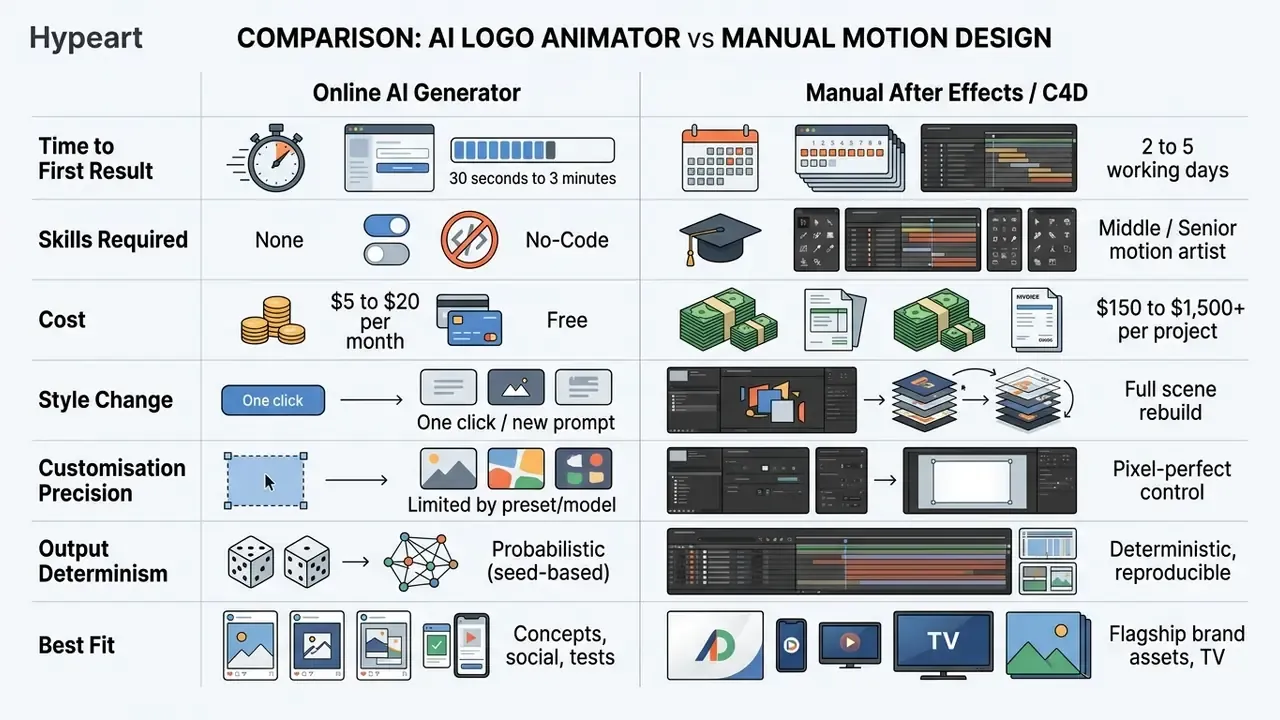
A realistic hybrid workflow: generate 5 to 8 AI concept frames with an ai logo animator, select one direction, then reproduce it deterministically in a vector or compositing pipeline for the master asset. Generation speed claims of “30 seconds average” should be read with a caveat. Real time depends on server load and queue depth, so plan for 30 seconds to 2 minutes per variant. Plan for a little more on Monday mornings.
How to create an animated logo online in three steps
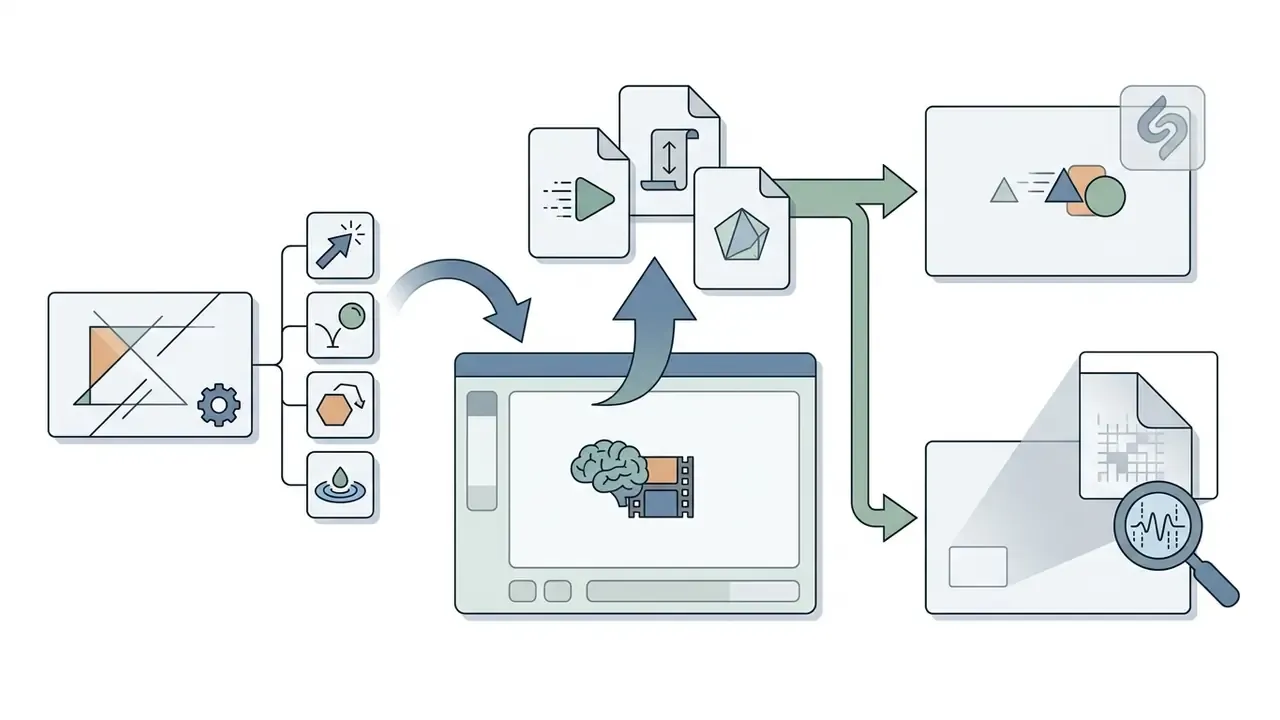
Creating an animated logo in online editors follows a three-stage algorithm: upload the source file, select and customise the motion effect, then preview and export. This methodology removes the need for complex professional software and shortens production to minutes. If you want to refine the output afterwards, pair it with free video editors.
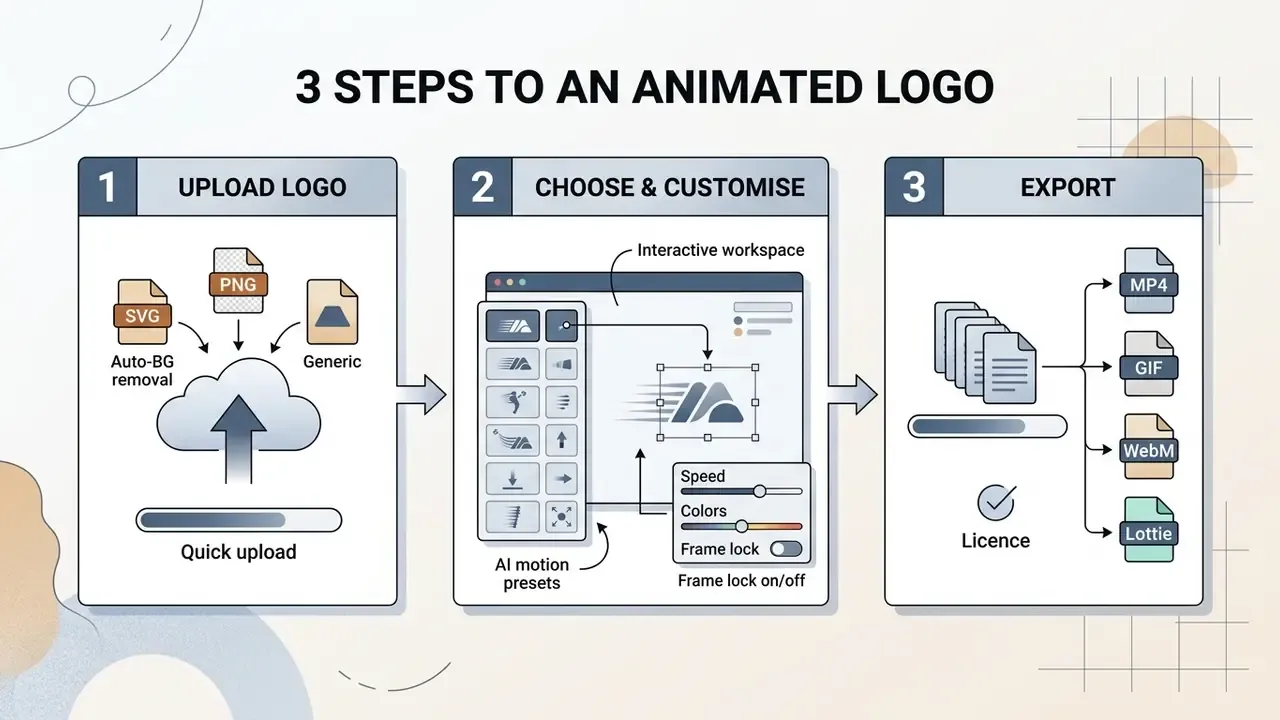
Step 1: upload your logo or image
The process starts with upload. To prevent edge blurring, use SVG or a high-detail PNG with a transparent background. The official FCC Seal and Logo (2025) specification sets a useful raster standard: 500×500 px at 72 ppi for digital screens and 2080×2080 px at 300 ppi for print and high-definition presentation materials. U.S. FEMA (2026) guidance stresses that PNG with an alpha channel is the raster format that correctly preserves background transparency when composited over coloured video, while JPG has no transparency at all.
Source quality directly determines AI interpretation quality:
«Systems such as LogoMotion extract hierarchy and grouping from the input file; low-quality assets produce artefacts and misread elements.»
Technical limits and canvas presets to plan for:
| Parameter | Recommended value |
|---|---|
| Universal square canvas | 1:1, from 500×500 px to 1200×1200 px (1000×1000 px transparent PNG is the common vendor default) |
| Horizontal video intro | 16:9, 1920×1080 px |
| Vertical Reels / Shorts / Stories | 9:16, 1080×1920 px |
| Source file size limit | up to 10 to 30 MB on free tiers; up to 500 MB on professional plans |
| Accepted input formats | SVG, PNG, JPG/JPEG, WebP |
| Export resolutions by tier | 360p / 720p (free), then 1080p / 4K (paid) |
| Duration | fixed per template, typically 3 to 10.5 s |
| Automatic preparation | Auto-background Removal for raster JPG/PNG before effects |
Step 2: choose the animation and tune the motion
At the second step the user chooses a motion preset and adjusts its parameters: motion speed, colour accents, text captions and the background environment. Under WCAG 2.1, colour must not be the only means of conveying information, and motion must not cause discomfort for viewers with visual sensitivity. WCAG 2 ICT guidance adds a hard rule: moving content that starts automatically and lasts more than five seconds must be pausable, stoppable or hideable.
Empirical evidence sets the intensity target:
«A 2024 study found an inverted-U relationship: moderate motion unpredictability maximises sustained viewer attention, while chaotic motion reduces it.»
Editors such as canva photo editor integrate quick timing and trajectory controls, while canva video templates apply ready kinetic styles in one click. The underlying technology stack is shared with image-to-video AI tools, which is why prompt discipline matters as much as preset choice.
Step 3: check the preview and export video or GIF
The final step is real-time preview, to verify that the closing frame matches the original logo exactly. Then export in the required format (video or GIF) with the chosen frame rate and resolution. Practical export dialogues expose Format, Size, Frame rate, Quality (for MP4/WebM) and Loop (for GIF). Check looping behaviour before download, because a GIF loop that clips the resolve frame quietly destroys brand recognition.
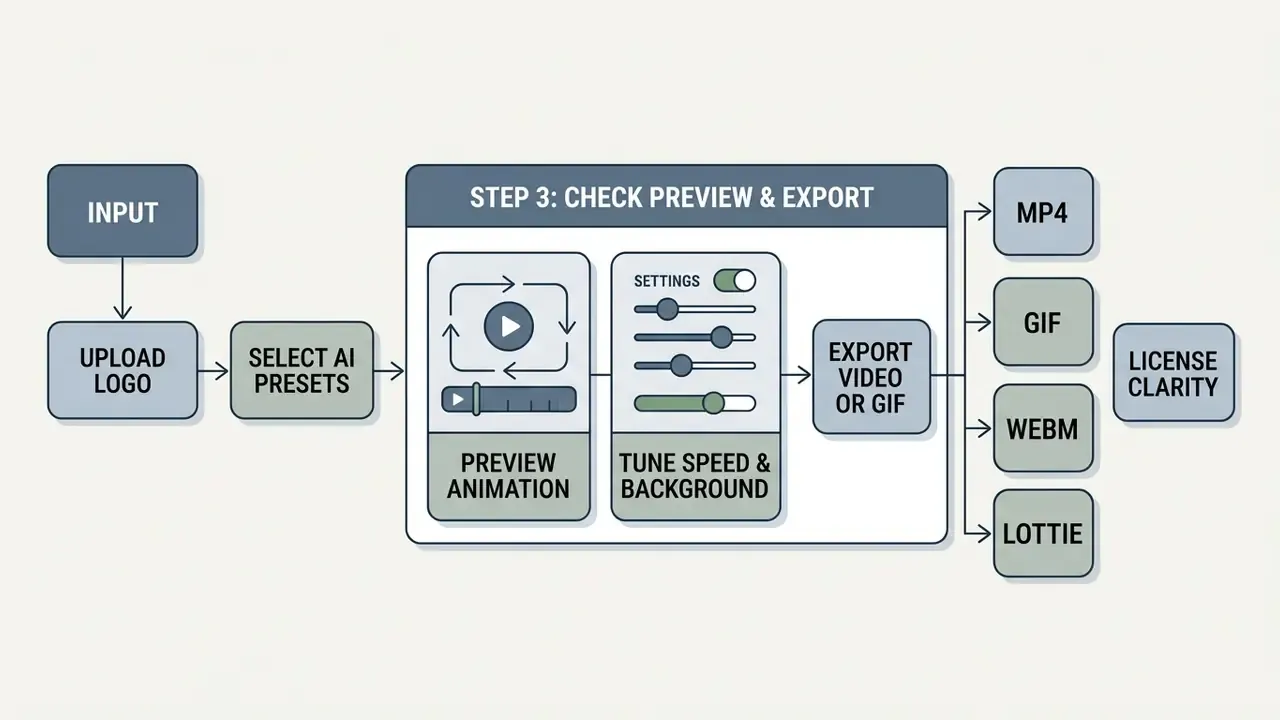
Ready-made styles and animation templates for logos
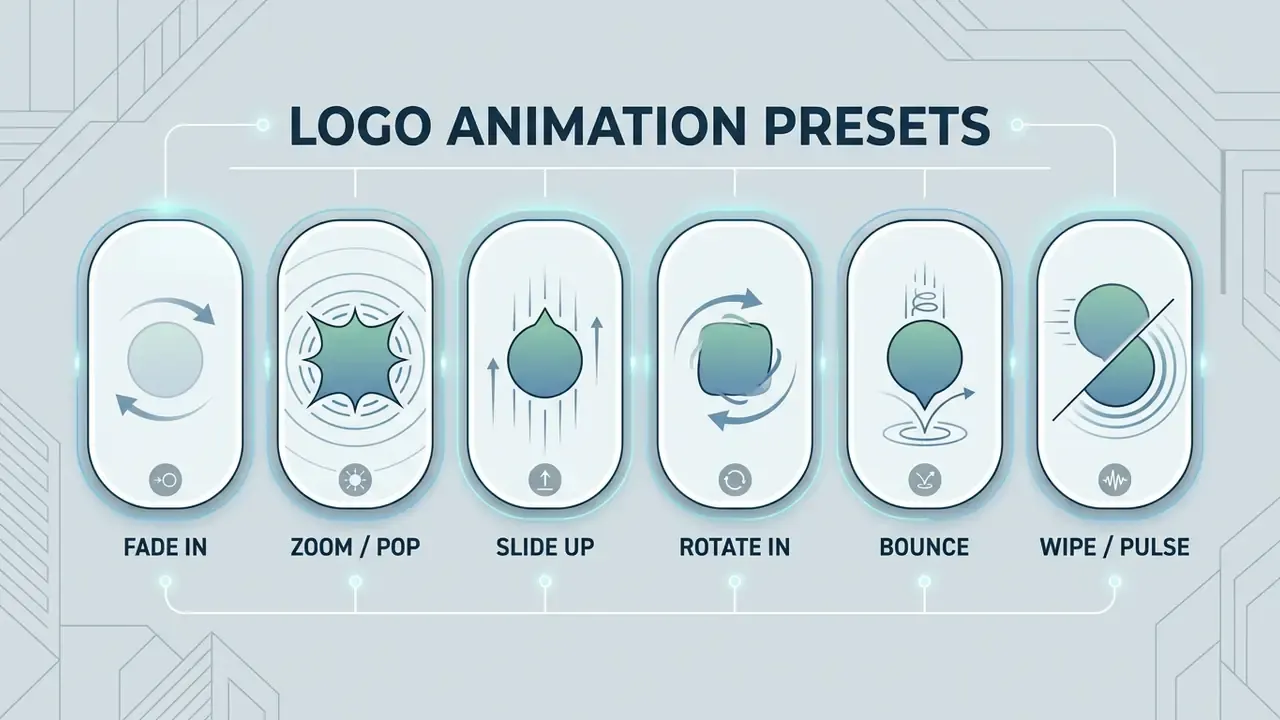
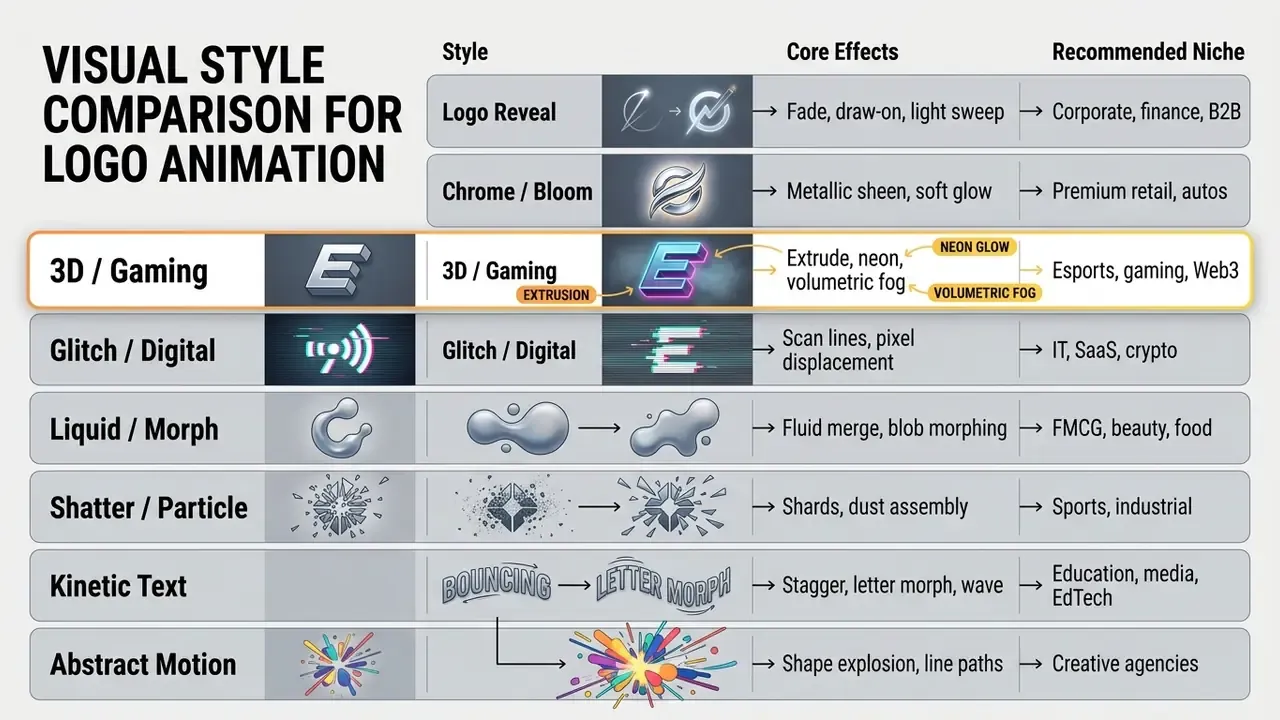
Template libraries in modern online services provide presets grouped by style and application, from minimal reveals to aggressive three-dimensional effects.
Named presets: what to look for in the library
When choosing a preset in an animated logo maker, use these established categories:
Classic, low-risk presets (safe for corporate and regulated brands):
- Fade In soft opacity fade; the default for financial and institutional identities.
- Zoom / Pop scale-up with a slight overshoot.
- Slide Up the mark rises into place.
- Rotate In spins into view on a single axis.
- Bounce springy drop-in with easing.
- Wipe left-to-right reveal along a mask.
- Pulse gentle breathing loop for loaders and idle states.
- Swing In pendulum settle.
- Blur In sharpens from a blur, excellent for wordmarks.
- Roll In rolls in from the edge of frame.
Cinematic and AI-driven presets (campaign and category-dependent):
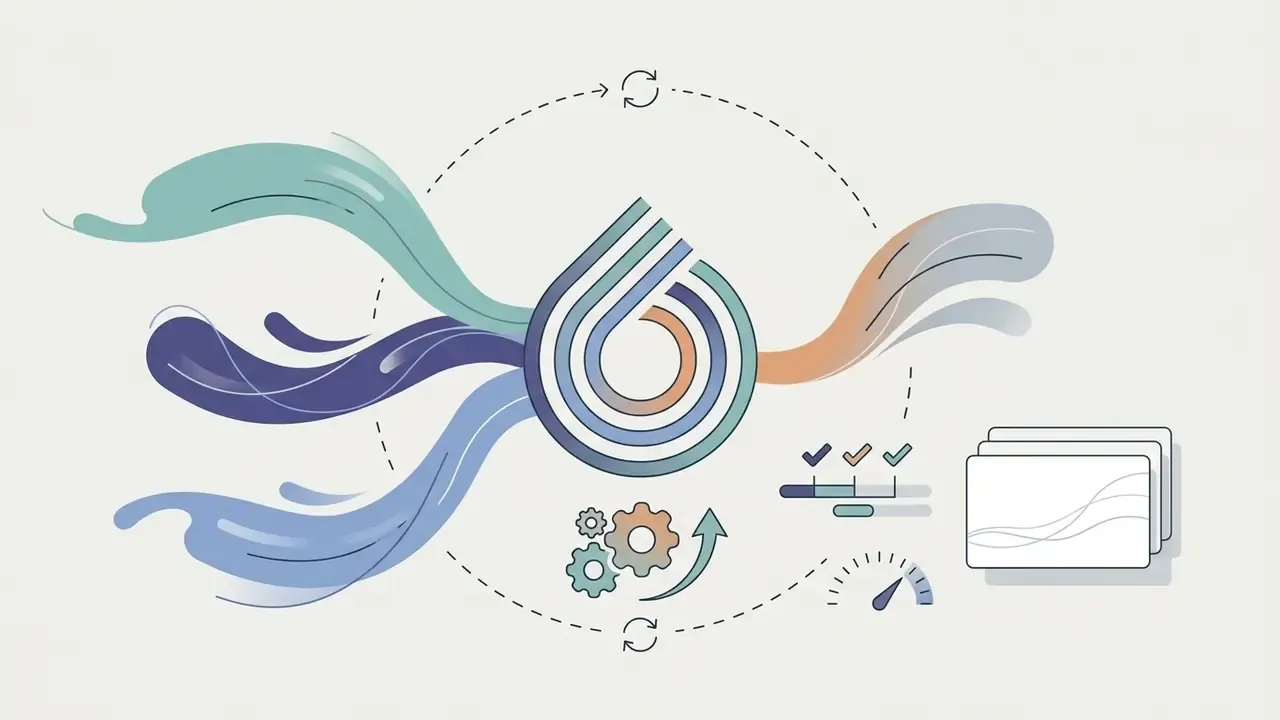
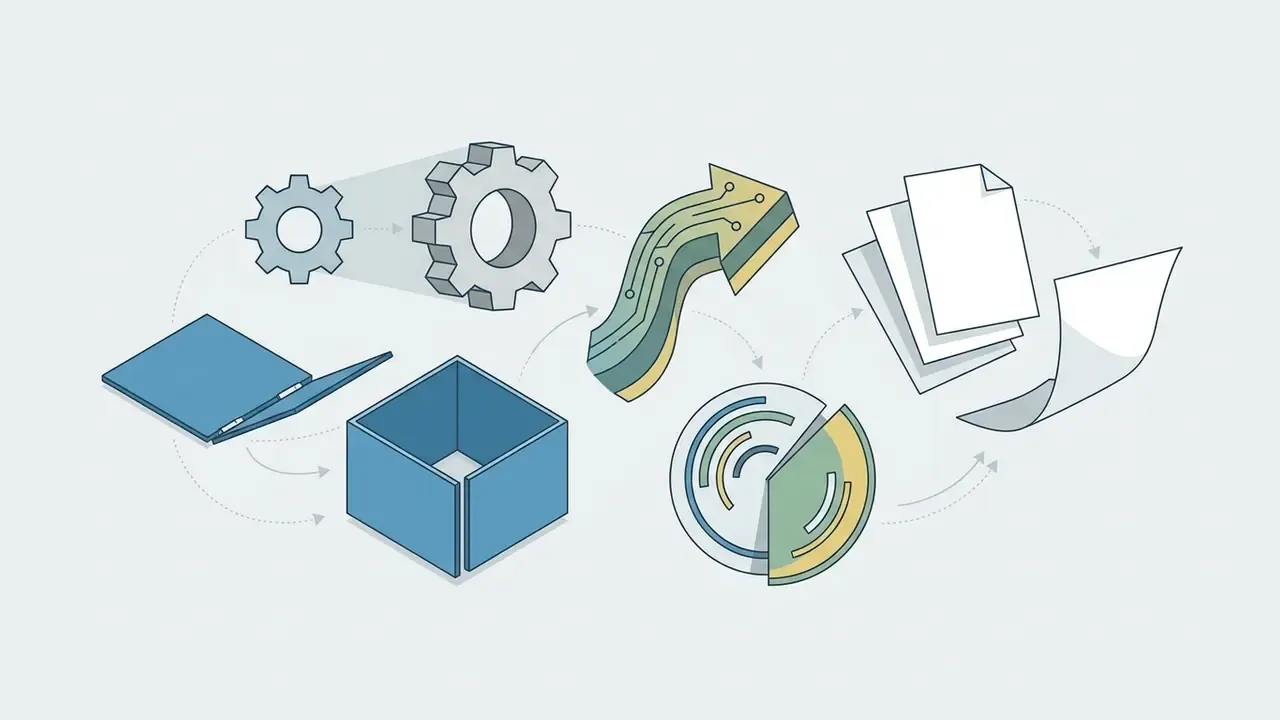
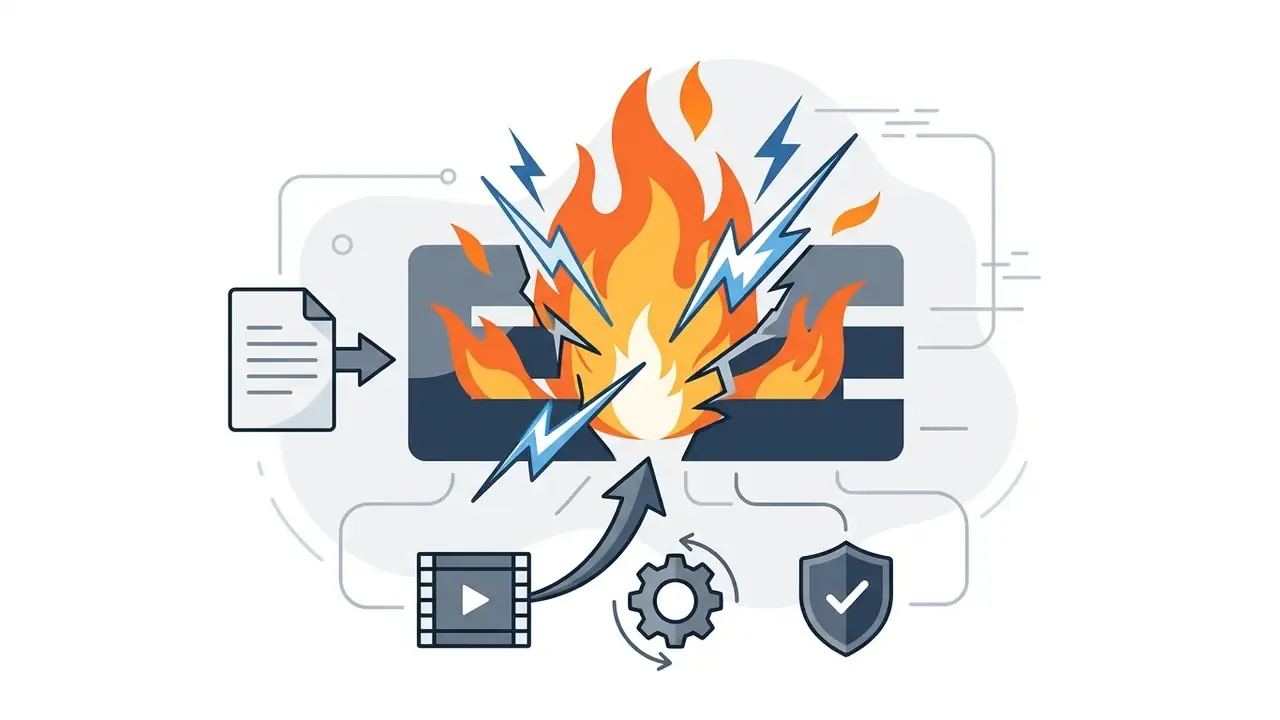
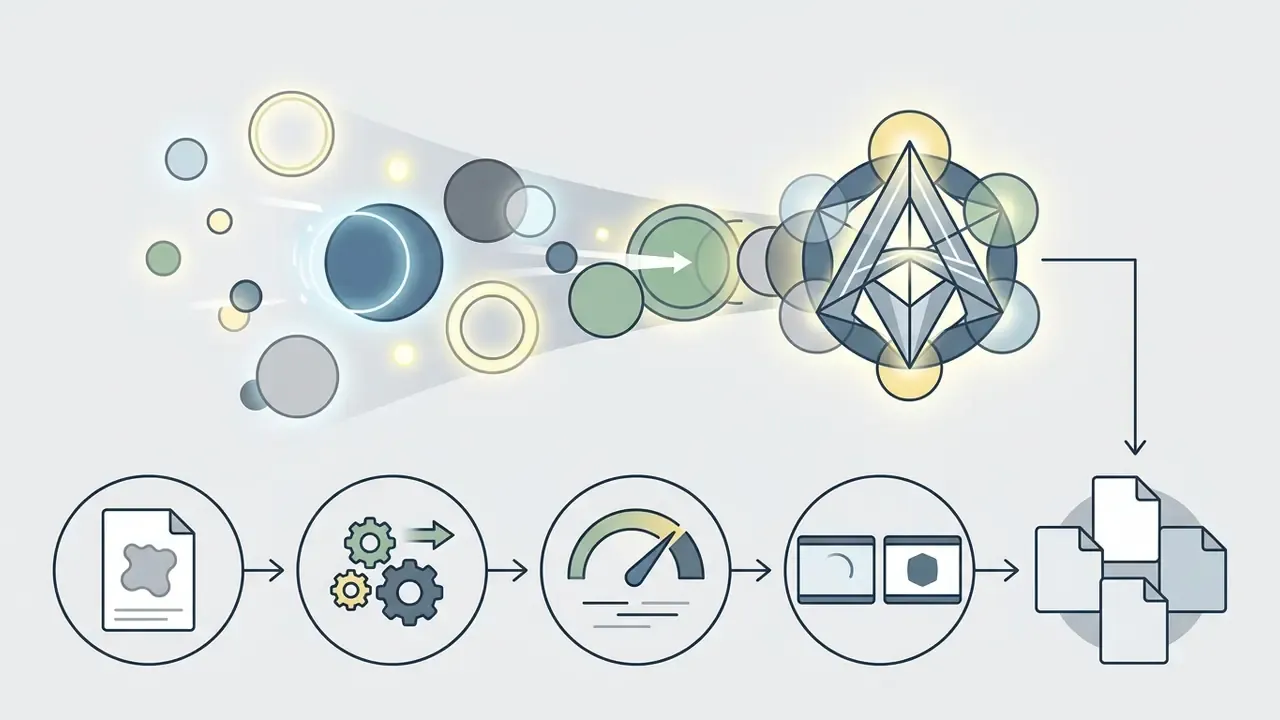
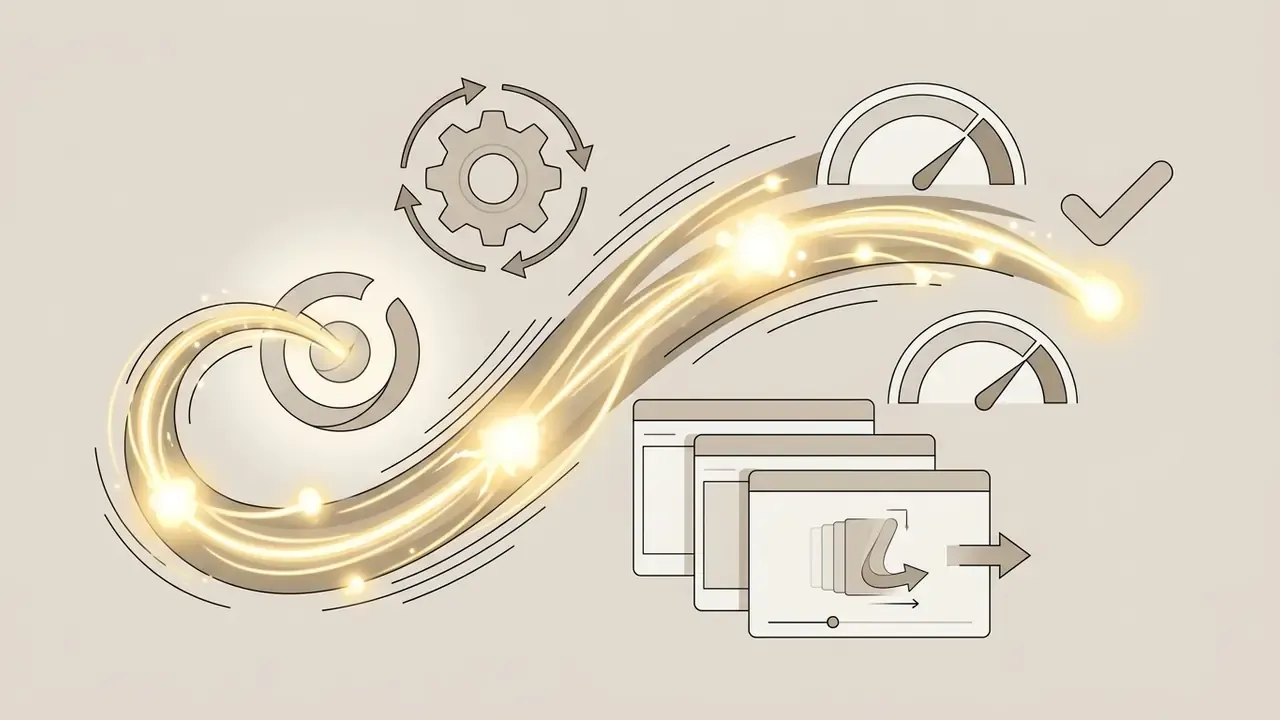
Logo reveal, motion and text animation
The logo reveal style is the classic emergence of a mark from light particles, drawn strokes or shape morphing, complemented by kinetic typography for a slogan or brand name. The Zebra Brand Guidelines (2025) state that motion templates are used to open video, bridge transitions, hold supers and close on the logo, guaranteeing text legibility and mark recognisability.
Choice of animation character, not only style, changes perception:
«Agentic animation, a logo that appears to move by itself, strengthens positive attitudes toward dynamic brands, while mechanical animation suits stable, utilitarian companies.»
Kinetic typography and animated typefaces
For wordmarks and slogan-driven brands, graphic animation alone is insufficient. Kinetic typography and animated typeface generators animate each glyph separately. Algorithms apply Spill Word, Kinetic Stagger, Letter Morphing, Wave Scale and character-level fade-up while preserving tracking, kerning and typeface legibility in line with the brand book. Academic definitions treat kinetic typography as animated text used to deliver information to an audience and to reinforce message expression in advertising. Which is exactly why letter timing must be treated as a copy decision, not a decoration.
Preset text behaviours in professional tools are grouped into families: Basic, Continuous, Energetic, Glow, Highlighter, Subtle. Speed is changed by stretching the behaviour bar in the timeline rather than by re-animating characters. Glow colour, scale, position, opacity and colour are all animatable text attributes, so a monogram can be animated with the same rigour as an icon.
3D and gaming logo animation
AI logo animation: what the generator does and how to protect the design
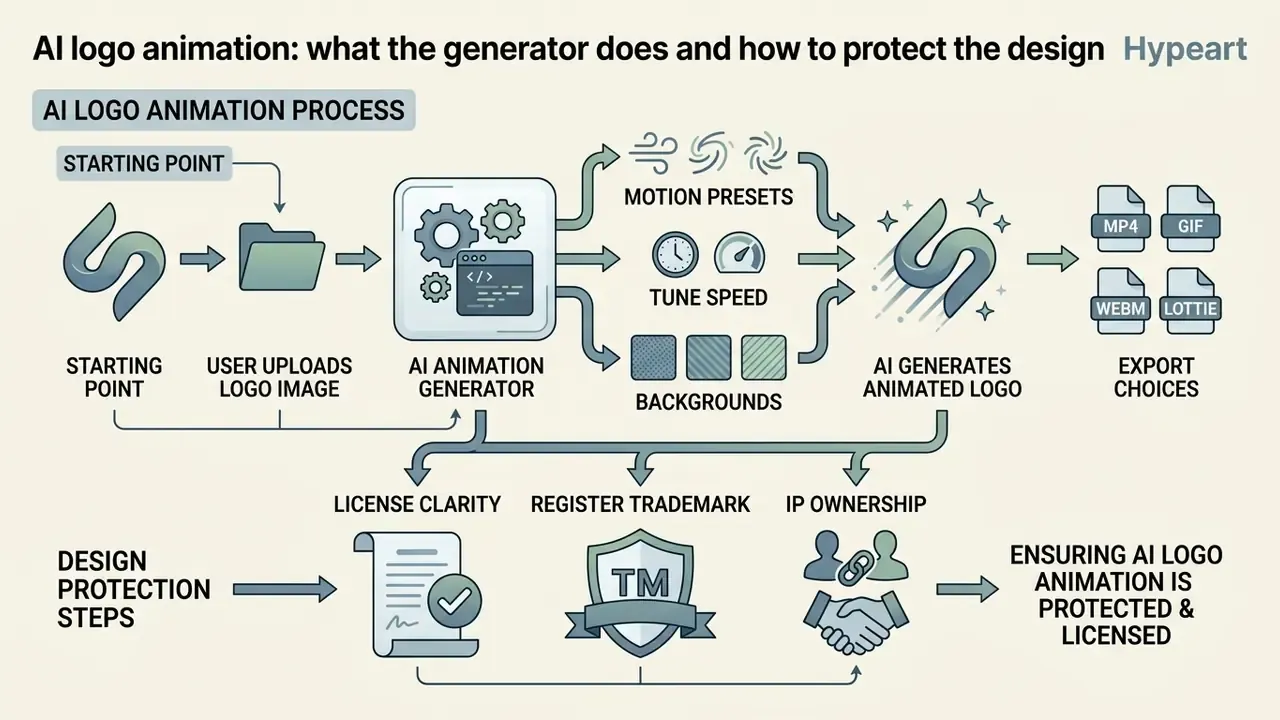
Applying artificial intelligence to graphics animation shifts the process from manual keyframing to a generative, prompt-driven model. Services in the ai logo animation generator class analyse a raster or vector image and synthesise element motion automatically. An ai logo animation generator online typically hides the render farm entirely; you see a queue and a player.
«The global AI-generated logo animation market reached USD 1.16 billion in 2024, with a projected CAGR of 23.8% through 2033.»
AI animation from a logo or image
Ai logo animation from image relies on diffusion-based image-to-video models. The main technical challenge remains preserving the original geometry of the mark. Document-fidelity standards ISO 19005-1 (PDF/A) and ISO 32000-2 (PDF 2.0) define requirements for device-independent colour and accurate geometric reproduction of vector contours, a useful reference point for what “unchanged mark” actually means in audit terms. Services offering ai for logo animation implement pixel-level locking of the first and last frames (frame lock), guaranteeing that the animation cycle ends on the original logo without morphing or blur.
«LogoMotion generated animations judged statistically more content-aware than Canva Magic Animate, across 276 animations rated by expert judges.»
Two governance constraints belong here. First, several university brand policies (UWA, University of Alabama) explicitly forbid using AI tools to recreate or alter official logos, because models can misread and distort brand assets; human review is mandatory. Second, the European Commission's code of practice requires providers to mark AI-generated image and video output in machine-readable form, using solutions that are effective, interoperable, robust and reliable. That matters if your animation ships in paid media.
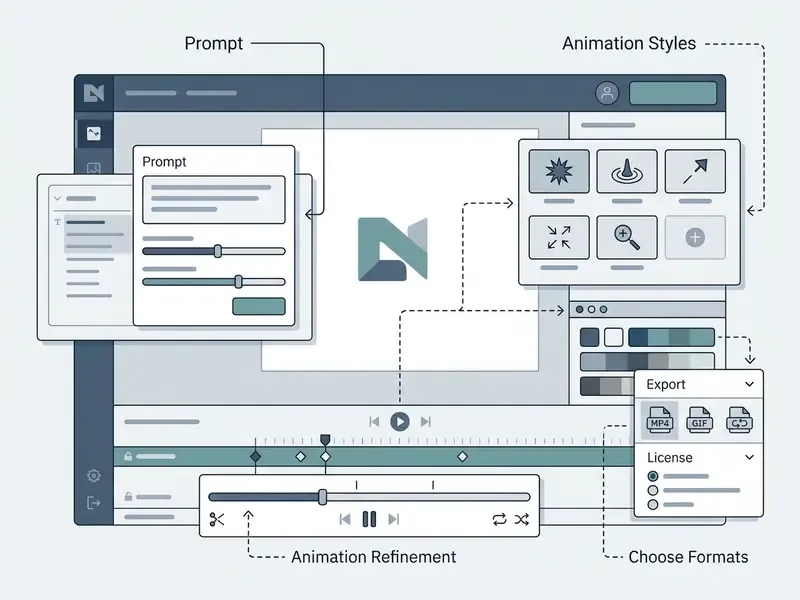
Prompt, styles and refinement of AI animation
The generator is steered by a text prompt. Following the OpenAI GPT Image Guide and the Google Vertex AI Prompting Guide, a correct prompt for an ai tool for logo animation contains five sequential elements:
- Subjectdescription of the original logo and its elements.
- Context or backgroundenvironment colour or texture.
- Motion stylesmooth reveal, rotation, glow, sweep.
- Constraintsthe hard rule “do not morph, do not stretch, preserve original geometry”.
- End state“end on static crisp logo”.
Worked example (tech or minimal wordmark):
Refine one variable at a time (motion first, then lighting, then background), test 3 to 9 seeds, and keep the constraint block byte-identical between runs so results stay comparable. Sorry, one correction to that: keep the constraint block identical and archive it, otherwise the comparison is unverifiable a week later. AI is best used for first drafts and alternatives rather than for a final accurate output, a position stated plainly in U.S. Department of Energy generative-AI guidance.
For model capability benchmarks use AI Media Comparison Matrices and the dedicated comparison of AI video generators. For embedding models in your own services, see AI Media API Guides.
Animation settings: background, sound, speed and visual elements
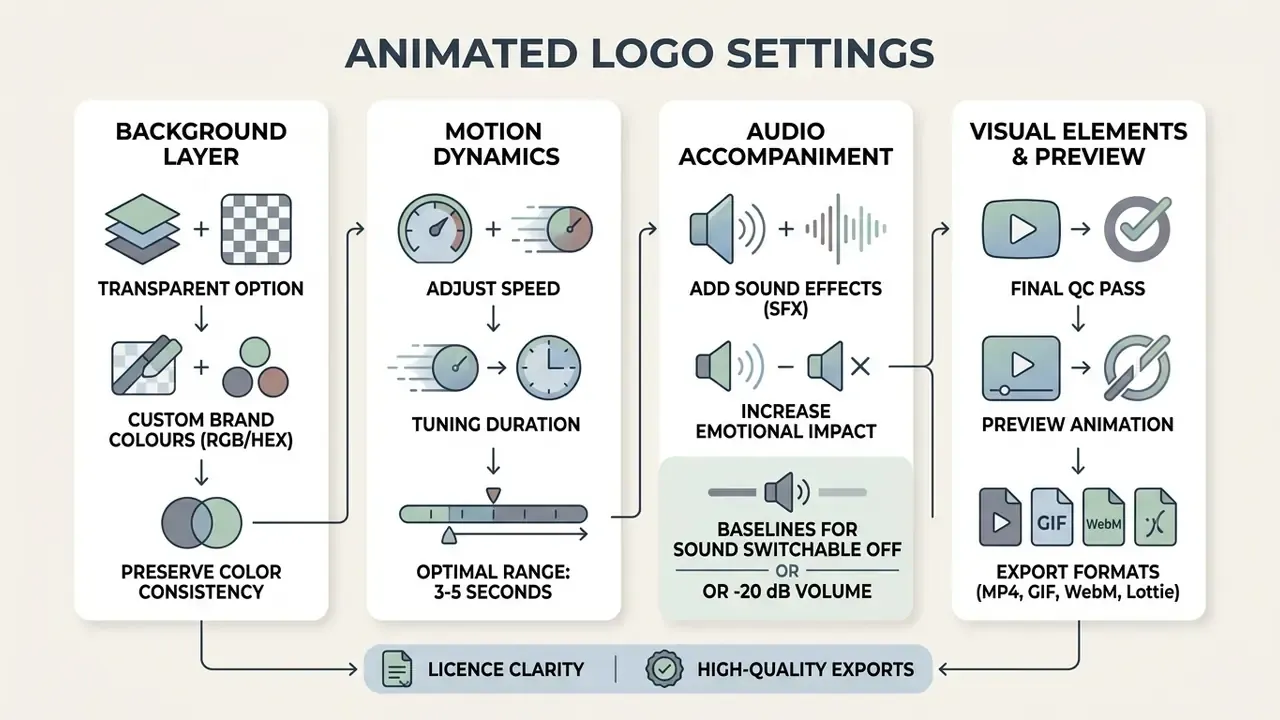
Before publishing an animated logo, tune its parameters precisely: background layer control, audio accompaniment, motion dynamics. Small numbers, big difference.
Transparent background and brand colours
Preserving brand colours (RGB/HEX) and background transparency is a core export requirement. The alpha channel defines pixel opacity: 0 (or #00 in the 8-digit #rrggbbaa notation) is fully transparent, 255 (#ff) fully opaque; in normalised RGBA the same field runs from 0 to 1. Per Adobe Acrobat Pro (2024) and Microsoft Learn (2025) documentation, the exported asset must retain source colour profiles without channel compression. Otherwise brand hues shift the moment the logo is composited over video.
Colour consistency is not cosmetic. It is a recognition mechanism:
«The more consistent logo instances a viewer sees, the significantly higher their evaluations; colour and shape consistency is critical to first impressions.»
Sound, motion speed and final preview
Sound effects (SFX) increase emotional impact. The Sky Technical Specification for Delivery of Content (2025) requires audio to end cleanly before the final black card, with that card limited to five seconds and no freeze on black frames, a practical rule for any sting you deliver to broadcast or paid media. For voice-over on intro inserts you can use canva ai voice generator or a broader class of AI voice generators. For timing and export maths, see AI Media Calculators.
Motion speed should keep animation duration within 3 to 5 seconds.
«Industry practice recommends 3 to 5 seconds duration at motion intensity 0.5 to 0.7, preventing chaotic jitter and matching evidence on optimal unpredictability.»
Accessibility baseline for the final QC pass: background sound must be switchable off, or at least 20 dB below foreground speech (WCAG 2.0), and automatic motion longer than five seconds needs pause, stop or hide controls. Run a file-based check of video, audio and sync before delivery. File-based QC at multiple workflow points is standard practice in postproduction, and it catches the dull failures nobody notices in a browser preview.
Formats and export of an animated logo for every channel
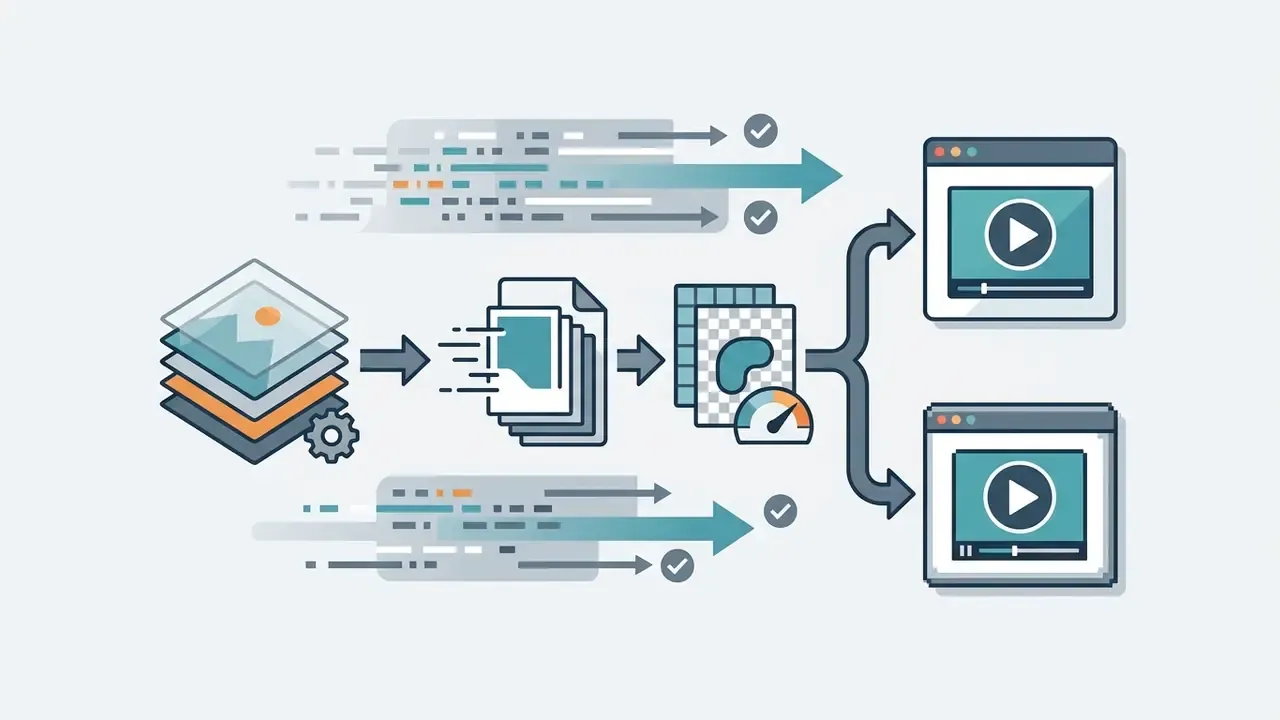
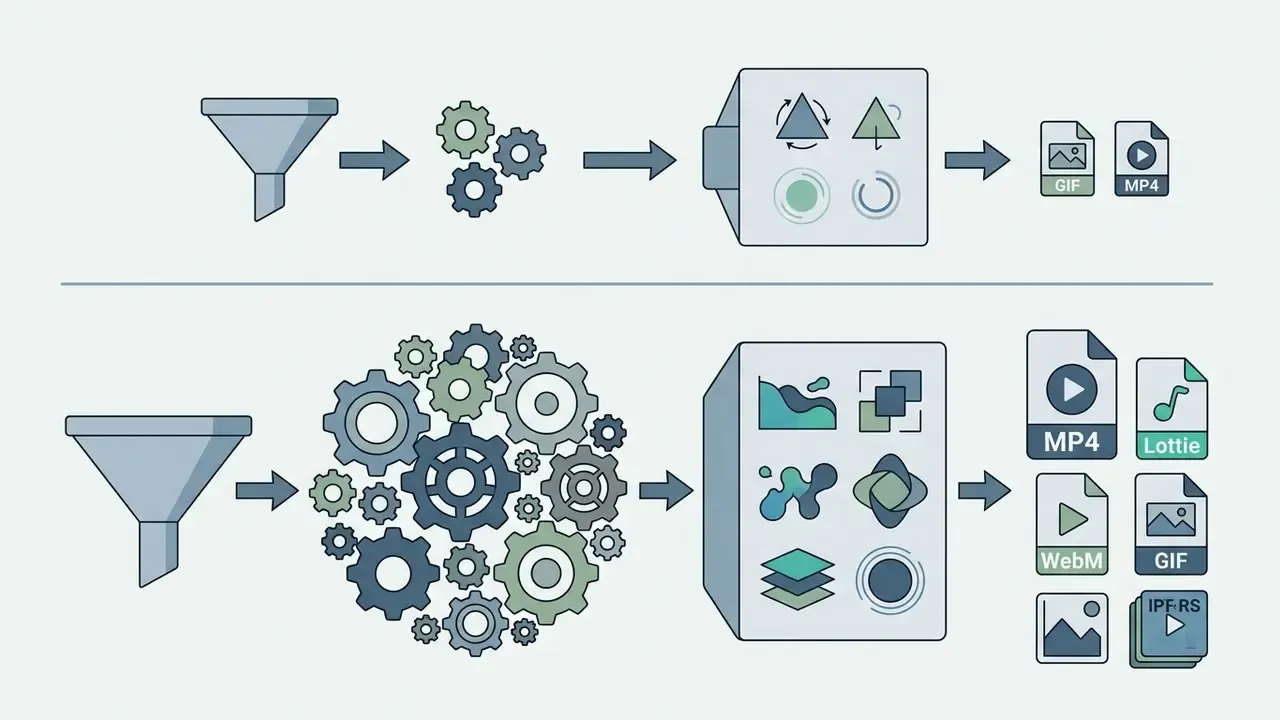
Export format depends on the destination platform, bandwidth constraints and player capabilities.
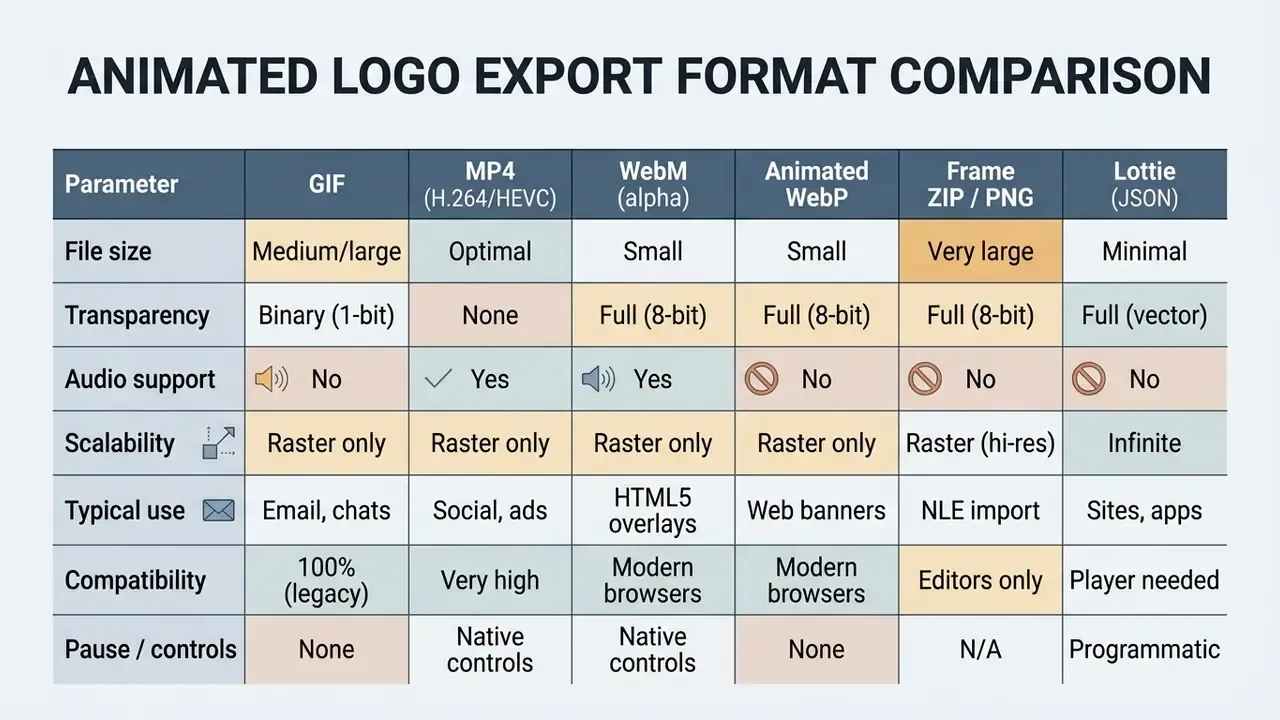
Format notes:
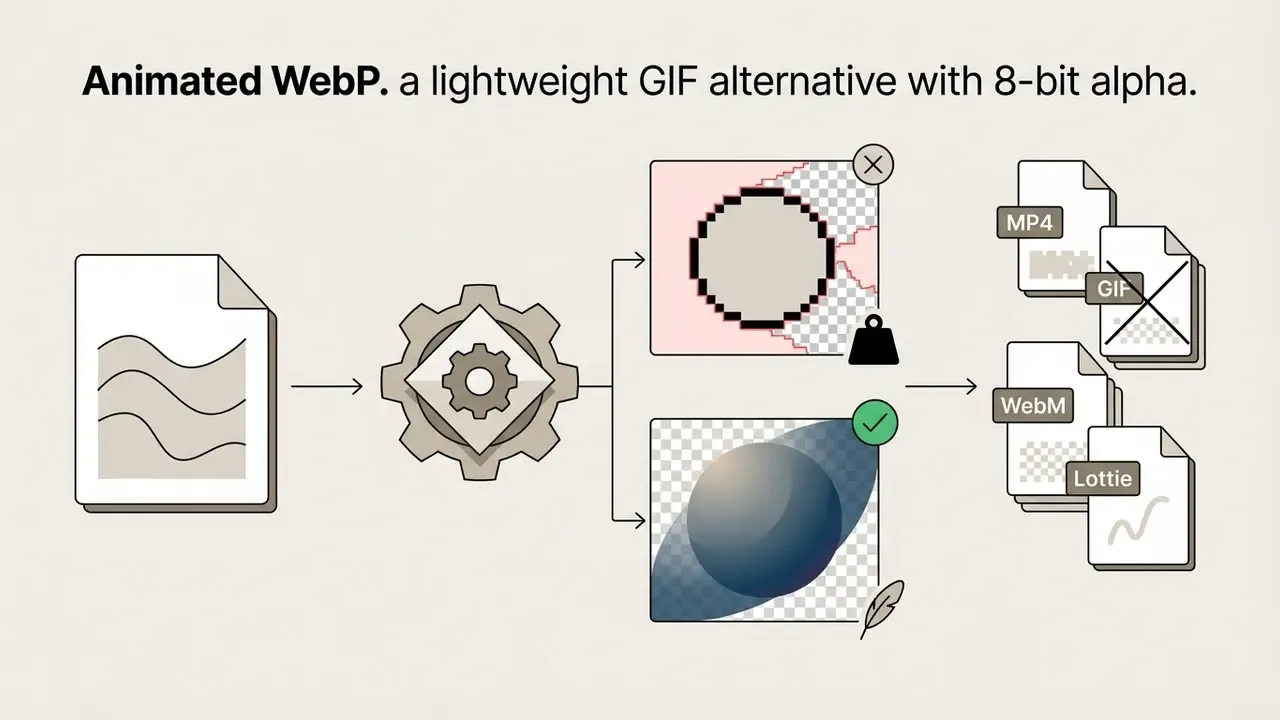
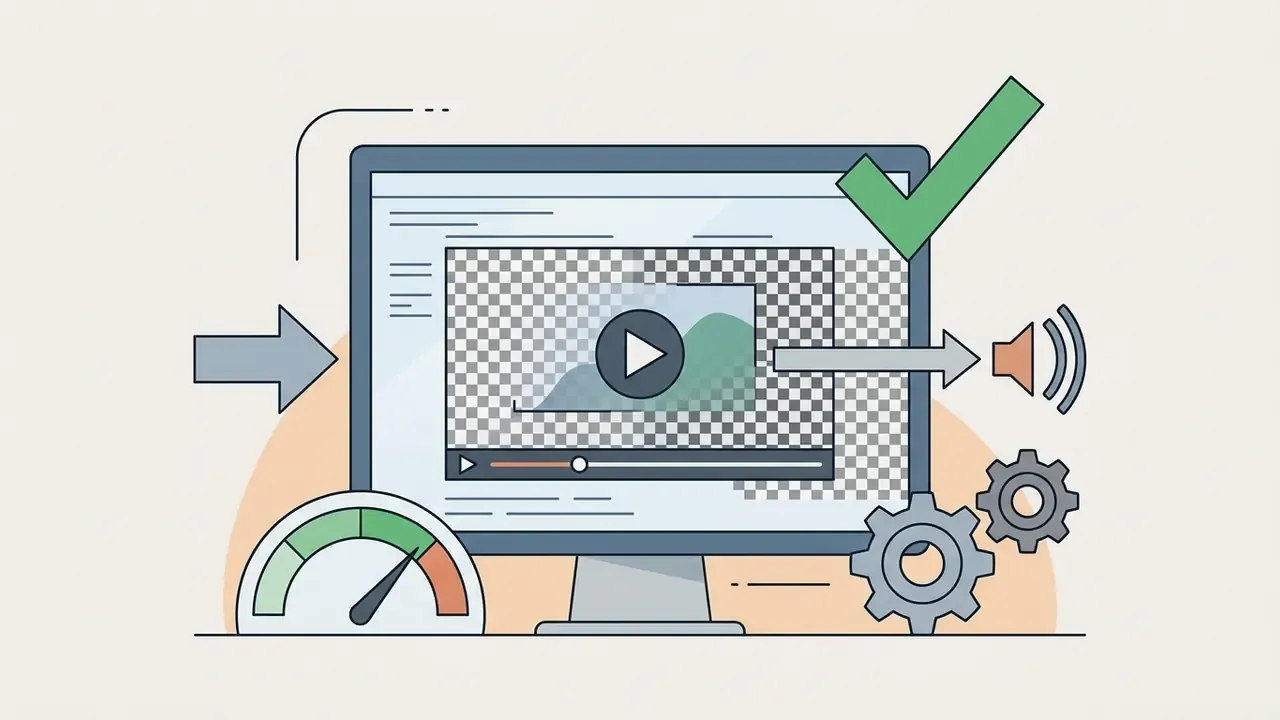
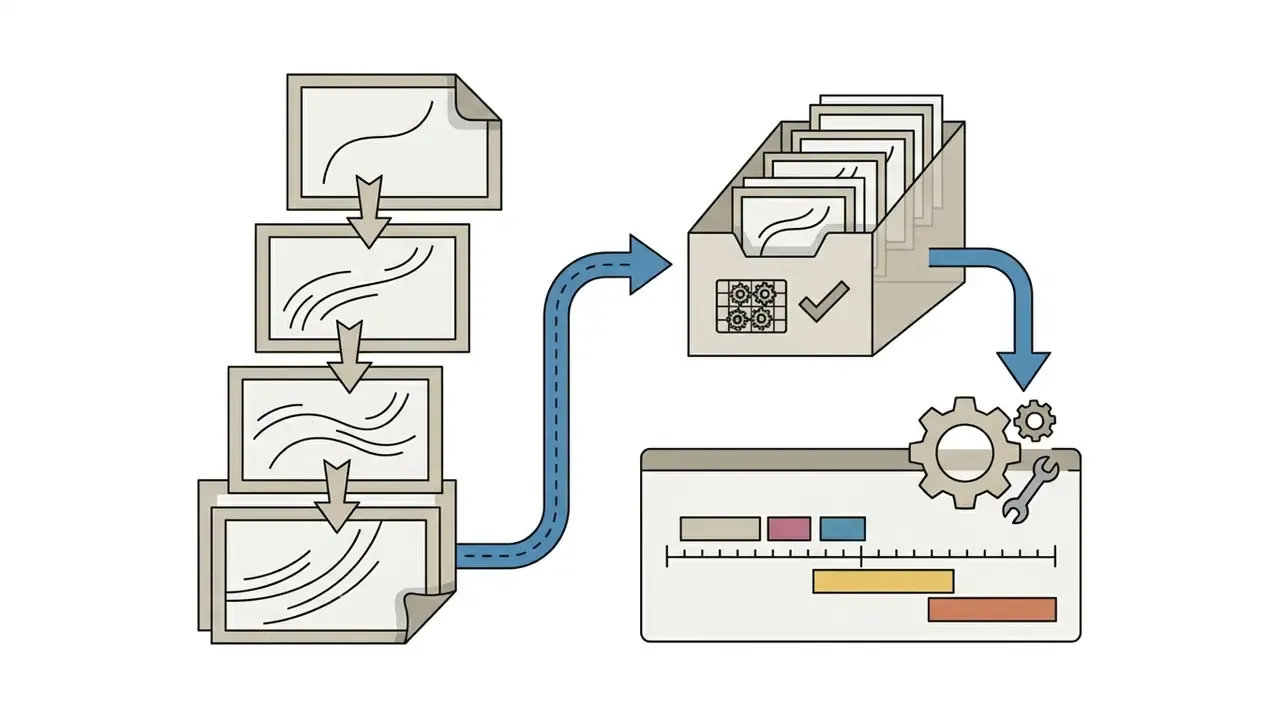
Export to 4K and Lottie for digital projects
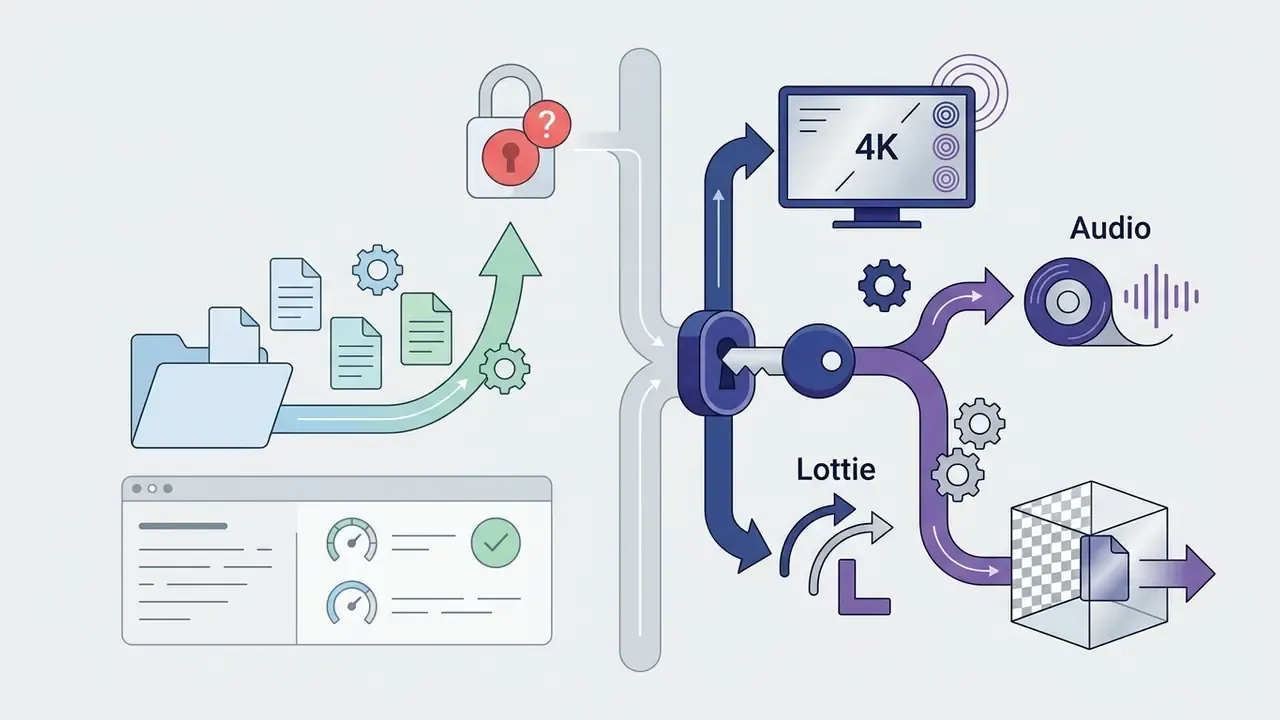
For large screens and professional editing suites, export at 4K (3840×2160 px). Note that “4K” is a resolution class, not a container. Transparency and compatibility depend on the codec you pair it with: ProRes 4444, or VP9/AV1 for alpha.
For websites and mobile applications, the vector standard is Lottie (JSON). Per the Lottie Animation Community specification and Lottielab (2026) technical reports, .lottie and .json files can be up to 10 times smaller than equivalent MP4 or GIF assets, scale without quality loss on any Retina display, and run through lightweight JS libraries. The community site documents .lot as the recognised extension with MIME type video/lottie+json, and dotLottie packaging is reported as 60% to 80% smaller than the base Lottie package. The same file renders on iOS, Android and web without platform-specific rework, and playback can be controlled programmatically. That last point is a practical advantage for banking apps, where an idle loader must pause on reduced-motion settings.
For Lottie integration help, see AI Media Support. For plan analysis, use AI Media Pricing Guides and the overview of free AI video generators.
Enterprise governance, Shadow AI and vendor risk
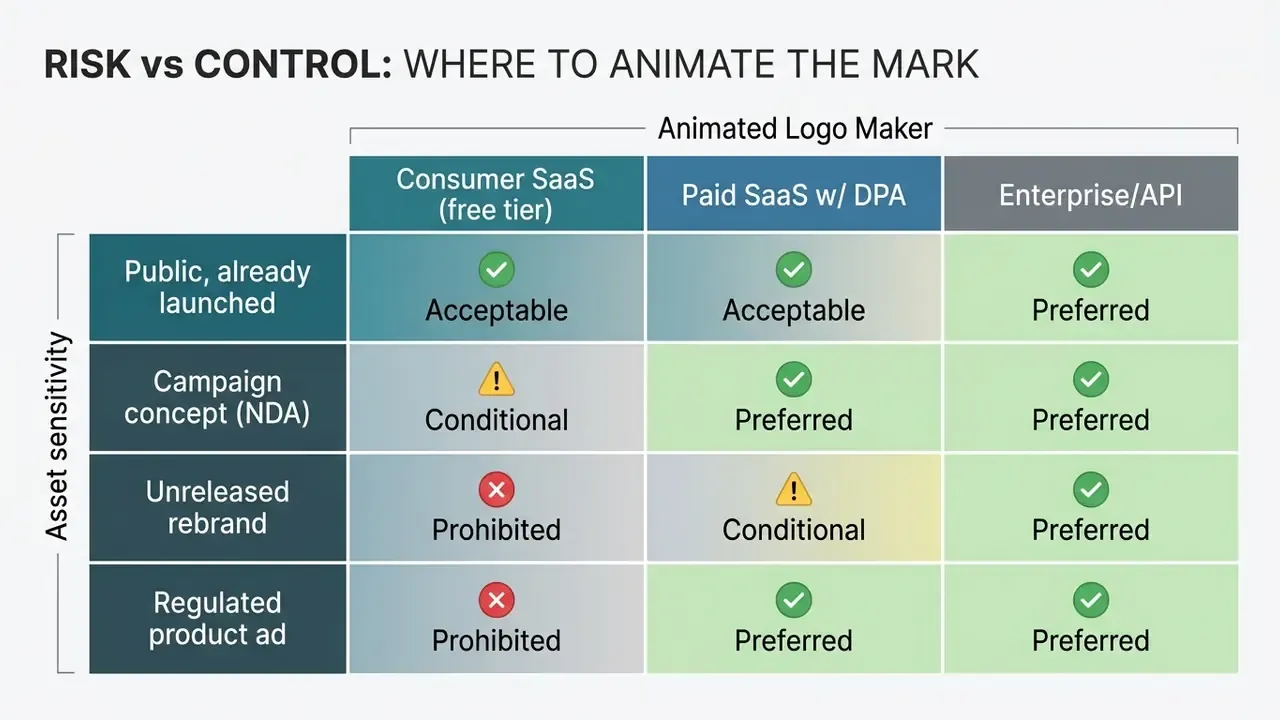
Marketing teams evaluate animated logo makers on presets. Risk, security and procurement functions evaluate them on data flow. Both views must be reconciled before an unreleased rebrand asset is dropped into a public “free logo animator”.
The core exposure is Shadow AI. Uploading a pre-announcement mark, a campaign key visual or an unreleased product wordmark into a consumer SaaS tool can constitute an uncontrolled disclosure of material brand information. Consequences range from leak of embargoed identity work to ingestion of proprietary assets into training corpora, depending on the vendor's retention and training clauses. Who owns that decision in your organisation? If the honest answer is “whoever had the file open”, that is the gap.
Vendor risk checklist (copy into your intake form):
| # | Control | What to require in writing |
|---|---|---|
| 1 | Data retention | Zero Data Retention or defined TTL with documented deletion; no indefinite storage of uploads |
| 2 | Training on customer data | Explicit contractual opt-out; assets never used to train or fine-tune shared models |
| 3 | Certification | SOC 2 Type II and/or ISO/IEC 27001 report available under NDA; current audit period |
| 4 | Access control | Enterprise SSO (SAML/OIDC), SCIM provisioning, role separation, audit logs |
| 5 | Sub-processors | Full list of model providers and regions; DPA with sub-processor flow-down |
| 6 | Data residency | Processing region declared; EU, UK and US options where required |
| 7 | IP indemnification | Written indemnity for third-party IP claims arising from generated output; monetary cap disclosed |
| 8 | Output provenance | Machine-readable AI marking or provenance metadata, aligned with EU transparency practice |
| 9 | Human review | Documented brand-review step before publication; no automated publishing of AI output |
| 10 | Exit | Export of all projects and assets; deletion certificate on termination |
Risk vs control matrix: where the asset should be animated:
Regulatory context to reference in your control narrative. Financial-sector supervisory expectations on model and third-party risk, for example U.S. OCC and Federal Reserve SR 11-7 style model-risk principles plus standard third-party risk management guidance, apply to AI adoption broadly. Marketing workflows are included whenever outputs reach consumers. Advertising content for financial products additionally sits under promotional-communications rules (FINRA for broker-dealers, FTC advertising standards in the U.S.), which means an animated intro that overlays product claims is reviewable marketing material, not neutral decoration. Accessibility obligations (Section 508, WCAG 2.1) apply to the animation itself.
Practical fintech and banking use cases that replace the generic gaming and neon scenarios:
- Splash-screen and loader motion in a mobile banking app (Lottie, reduced-motion aware).
- A standardised three-second sting on quarterly results videos and investor updates.
- An approved animated lock-up for accredited product campaigns, exported once and distributed through the DAM.
- Concept frames for agency review, so unreleased campaign directions stay inside controlled tooling.
Free AI logo animation: what is available and can the result be used commercially
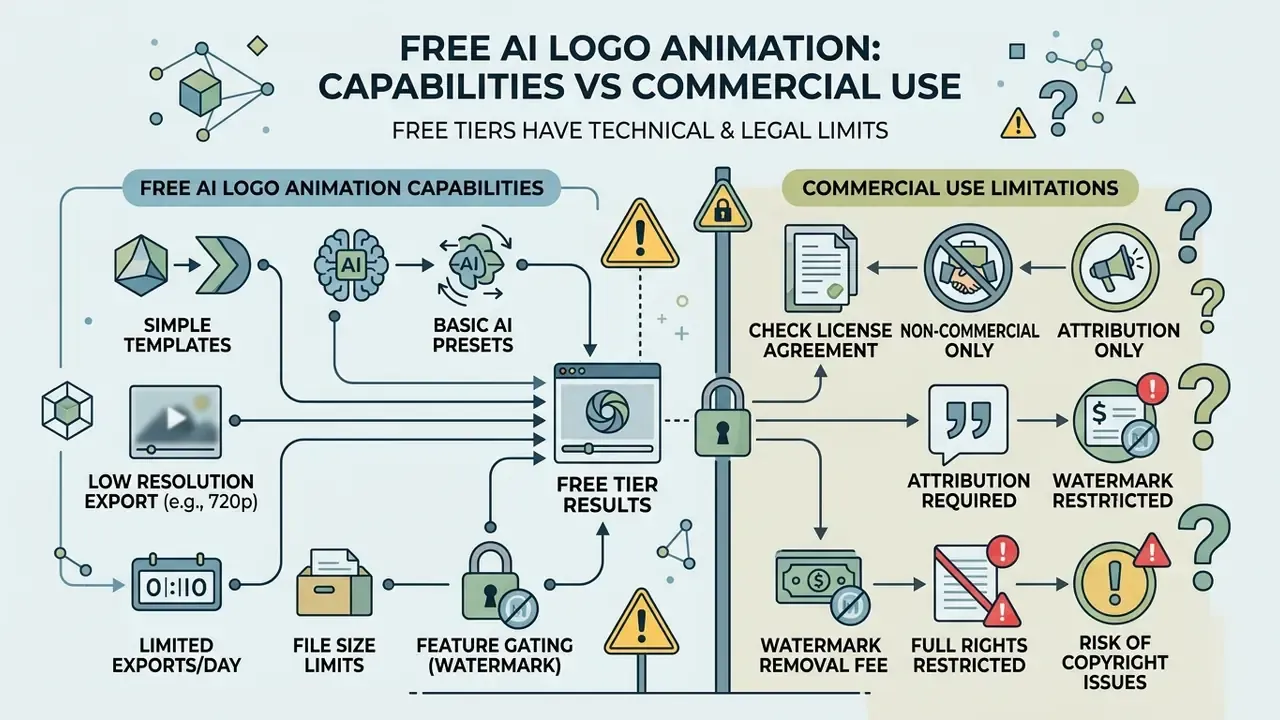
Users frequently search for ai logo animation free, ai animated logo maker free and ai logo animator free, yet free tiers carry both technical and legal limits.
Capabilities of free templates and AI tools
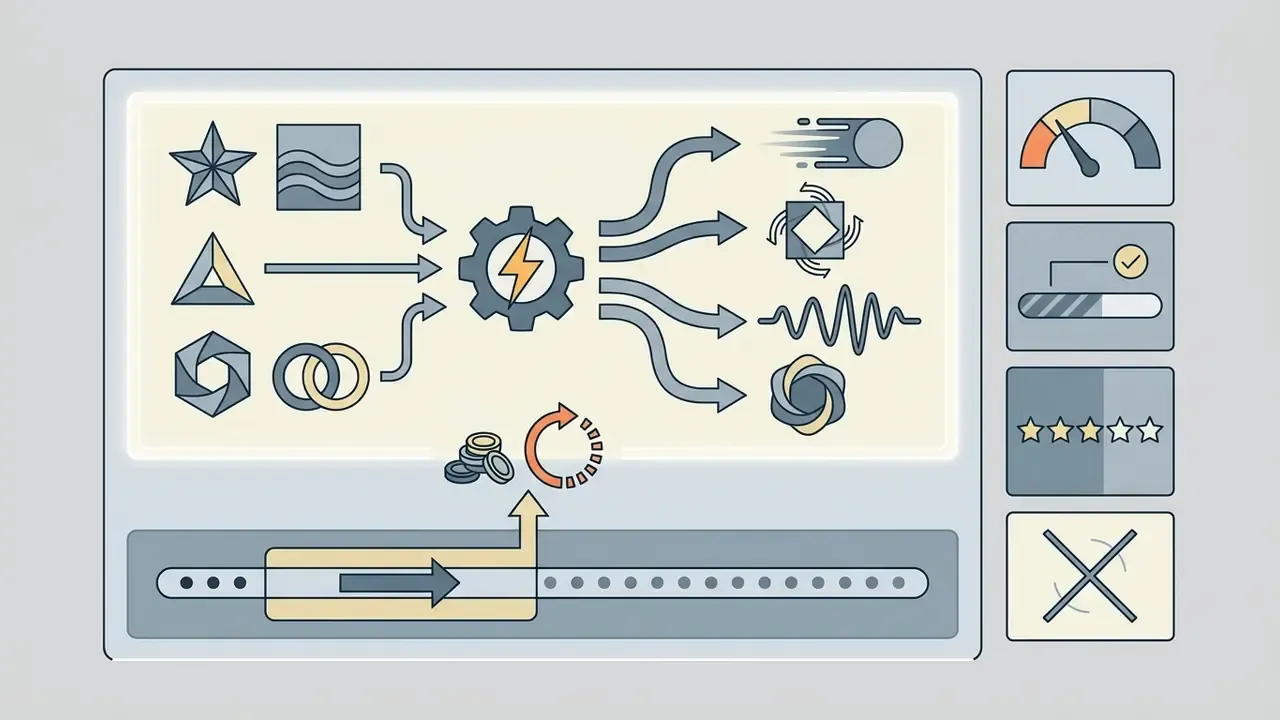
Free tools such as an ai animated logo generator free, an ai logo animation tool free or an ai logo animation app typically impose:
When comparing options, review the limits of free AI tools and the quick-assembly tools covered in canva video maker.
Verifying commercial-use terms before publication
The principal legal risk with an ai logo animation generator free is commercial use status. Per the U.S. Copyright Office, material generated solely by artificial intelligence may not be protected by copyright, and the Office continues to examine authorship in AI-generated works. Commercial exploitation, however, is governed by the platform's Terms of Service, not by copyrightability. Two different questions, often conflated in vendor marketing.
Many free tiers explicitly prohibit commercial use of generated video assets, permitting personal or evaluation use only; paid subscriptions usually grant an explicit commercial licence. Vendor practice is inconsistent. Some tools advertise “commercial use on all plans”, others restrict it to paid plans, so a blanket claim in marketing copy is not a substitute for reading the licence grant. Trademark, copyright and likeness clearance in the final mark remains your obligation, even where the platform licence is permissive.
Evidence gap, stated plainly:
«No rigorous empirical studies of licensing conditions for free AI logo-animation generators meeting methodological criteria were identified in English-language literature after 2023.»
Before launching paid campaigns, review precedent analysis in AI Litigation and Case Timelines and the adjacent guidance on commercial use of AI tools.
FAQ: animated logo makers, formats and licences
What file formats can I upload?
PNG, JPG/JPEG, WebP and SVG are the common accepted inputs. SVG gives the cleanest output because it scales without quality loss; PNG with alpha is the preferred raster option.
Do I need a transparent background?
It helps, but it is no longer mandatory. Auto-background Removal strips a solid backdrop from JPG and PNG uploads automatically. For composites over coloured footage, PNG with an alpha channel still gives the most predictable edges.
What canvas size should I use?
Start at 1:1 between 500×500 px and 1200×1200 px (1000×1000 px transparent PNG is the common vendor recommendation), then resize to 1920×1080 px for 16:9 and 1080×1920 px for 9:16.
How long should an animated logo be?
3 to 5 seconds for stings and intros; loops for loaders can be shorter. Template durations are often fixed, so check the library before committing to a storyboard.
Which export format suits which channel?
MP4 for social and ads; WebM with alpha or Lottie for web and apps; GIF for email and chat; Frame ZIP or PNG sequence for handoff to editors; 4K for large screens and broadcast.
Can I use an AI-animated logo commercially?
Only if the platform's Terms of Service grant commercial rights on your plan, and you own or license the underlying mark. Free tiers frequently restrict this.
What if the AI distorted my registered trademark?
Do not publish the asset. A distorted registered mark can breach your own brand standards and weaken trademark distinctiveness. Re-run with an explicit constraint block (“do not morph, preserve original geometry”), enable frame lock, then compare the closing frame against the master file pixel by pixel. If it still deviates, reproduce the direction manually in vector or compositing software.
Can an AI-generated animated logo be protected?
Copyright in purely AI-generated material is uncertain and, in the U.S., may be unavailable without sufficient human authorship. Trademark protection, by contrast, attaches to use of the mark in commerce and is the more relevant instrument for brand assets. Treat AI output as a draft that a human designer materially edits, and document that contribution.
Is animation allowed in every brand system?
No. Some official brand guides mandate a logo sting at the end of every video; others prohibit animated logo variants entirely. Check the brand book before generating anything.
Do free tools watermark output?
Some do visibly. Several major services do not, but embed invisible provenance markers. Assume provenance metadata is present and plan your disclosure accordingly.
Motion vocabulary for reviewers
Brand, legal and risk reviewers often reject motion assets for the wrong reason: they lack shared vocabulary with the designer. A short glossary shortens the review cycle.
- Sting a 2 to 5 second branded animation that opens or closes a video and resolves on the static mark.
- Frame lock forced identity between the exported first and last frames and the master logo file. The single most useful control for regulated brands.
- Easing the acceleration curve of a movement. Linear easing reads as cheap; ease-out reads as considered.
- Overshoot a slight scale or position excess before settling, common in Pop and Bounce presets.
- Alpha channel the transparency layer. Without it, your logo arrives on a white box.
- Seed the numeric starting point of a generative render. Same prompt plus same seed gives a broadly reproducible result, which is what an auditor will ask about.
- Reduced motion an operating-system accessibility setting that apps should respect by pausing or simplifying loops.
- Lock-up the fixed spatial relationship between logo, wordmark and descriptor. Motion must not break it.
Appendix A: revised claims (transparency log)
- Original phrasing (conversion case) “re-working a static visual overlay into a regulated 3-second animated clip allowed the company to reduce landing-page bounce rate by 18%.” Correction: attributed to internal agency A/B tests (2024 and 2025); not independently verifiable; scope-limited, not a universal benchmark.
- Original phrasing (lighting rule) “a 2024 study on lighting in motion design notes that 3D animation requires no more than three light sources.” Correction: attributed to a 2024 academic thesis on logo lighting in motion graphics documenting practitioner setups (horizontal moving light, backlight, HDRI); a production convention, not a standard.
- Original phrasing (raster sources) “raster images are demanding regarding the presence of a transparent background.” Correction: supplemented with Auto-background Removal, which makes flattened JPG and PNG usable inputs.
- Generation-speed claims vendor figures of “30 seconds average” restated as “30 seconds to 2 minutes”, subject to server load and queue.
Appendix B: pre-publication checklist
- Preset chosen from a named library and approved against the brand book.
- Duration 3 to 5 s; motion intensity 0.5 to 0.7; no strobing or flashing content.
- Frame lock enabled; closing frame matches the master mark exactly.
- Brand colours verified in HEX and RGB after export; no colour shift over video.
- Alpha channel preserved where required; GIF used only where transparency edges are acceptable.
- Captions, pause control and reduced-motion behaviour verified (WCAG 2.1, Section 508).
- Audio ends cleanly before the end card; background audio at least 20 dB below speech.
- Export set matches destinations: MP4, WebM (alpha), animated WebP, Frame ZIP, Lottie, 4K.
- Licence clause for commercial use screenshotted with date; asset re-rendered on the paid tier if needed.
- Vendor risk controls confirmed: retention, training opt-out, SOC 2 or ISO 27001, SSO, indemnification.
- Prompt, seed, model version and settings archived for provenance.
- Final asset stored in the DAM as the single approved source for distribution.