Last updated: 2026. Reviewed against U.S. Copyright Office guidance, stock-platform license terms, and published animation-production research.
Executive Summary
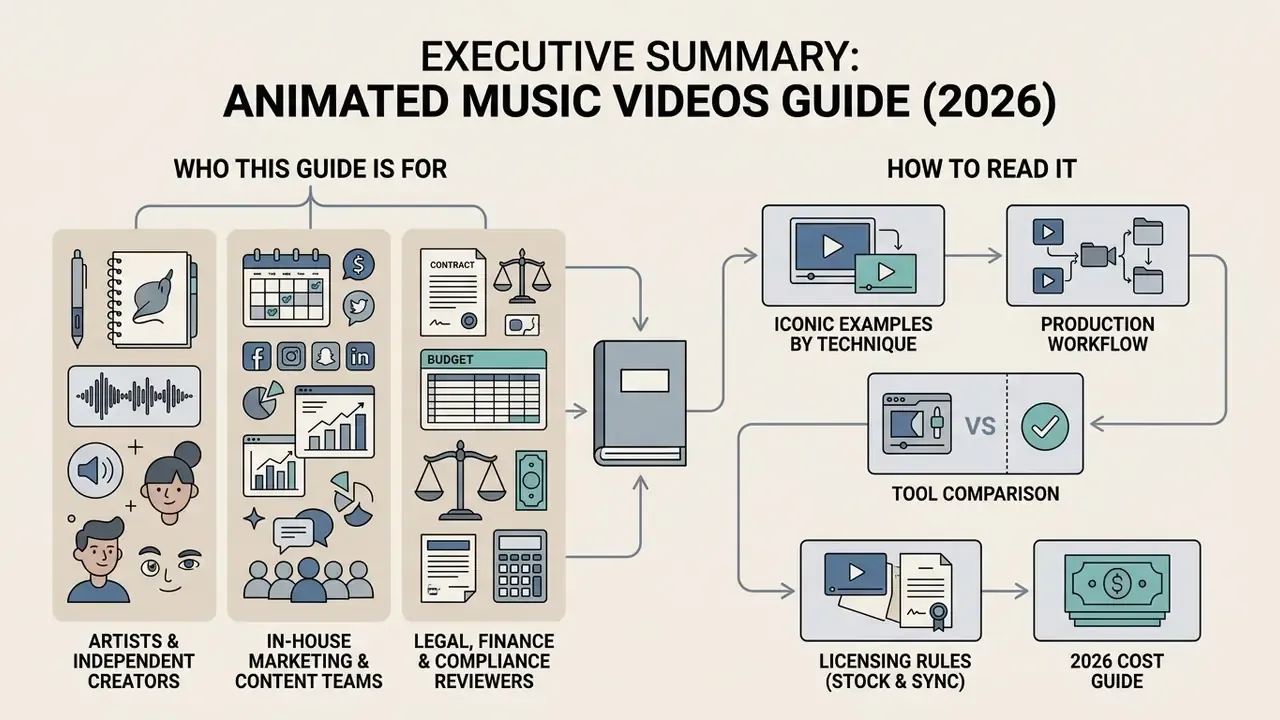
Who This Guide Is For, and How to Read It
Three reader types usually land here, and each needs a different entry point.
- Artists and independent creators looking for reference clips and a workable production sequence should start with the benchmark catalog, then follow the four-stage pipeline.
- In-house marketing and content teams buying tools should go straight to the maker comparison and the enterprise evaluation checklist, since procurement questions decide more than feature lists.
- Legal, finance, and compliance reviewers should read the licensing section and the asset register template first. Those two blocks carry the material risk.
One practical note before we start: almost every expensive mistake in this format is a paperwork mistake, not an artistic one. Keep that in mind while reading the creative parts.
What Is an Animated Music Video: Types and Formats
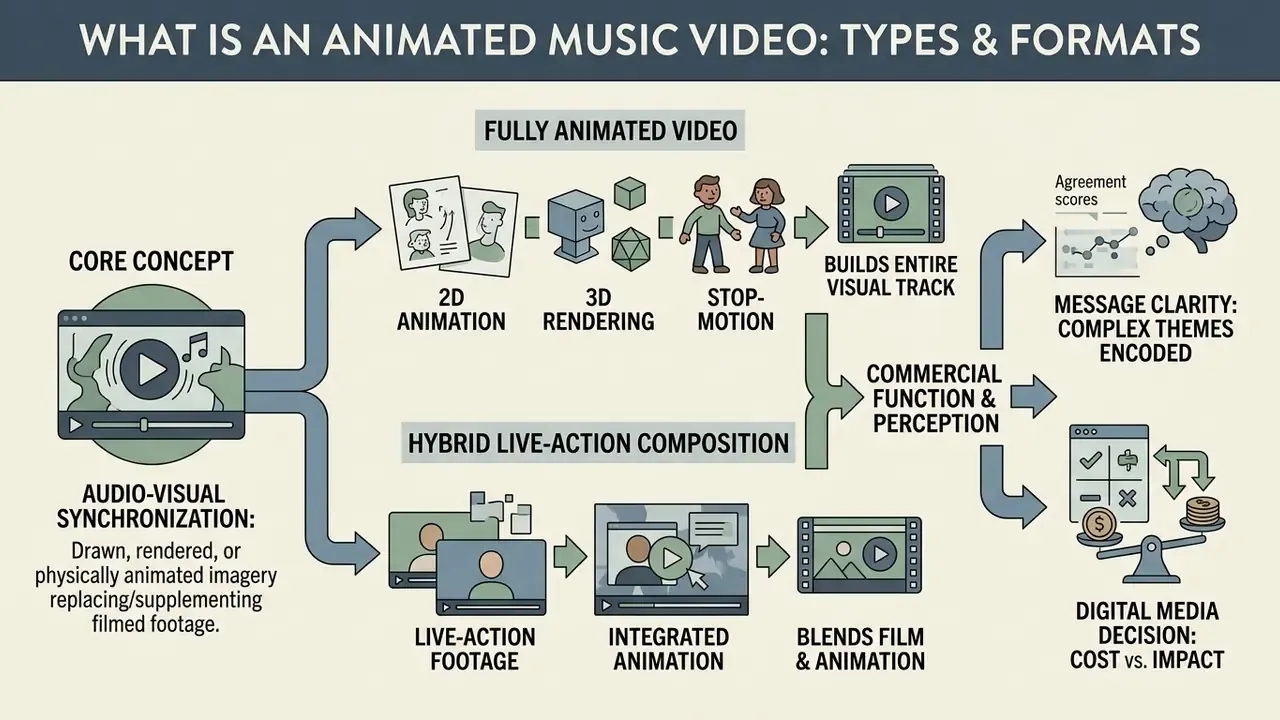
In two sentences: An animated music video replaces or supplements filmed footage with drawn, rendered, or physically animated imagery synchronized to a track. Format selection determines the production pipeline, the rendering budget, and the exact set of licenses you must clear before release.
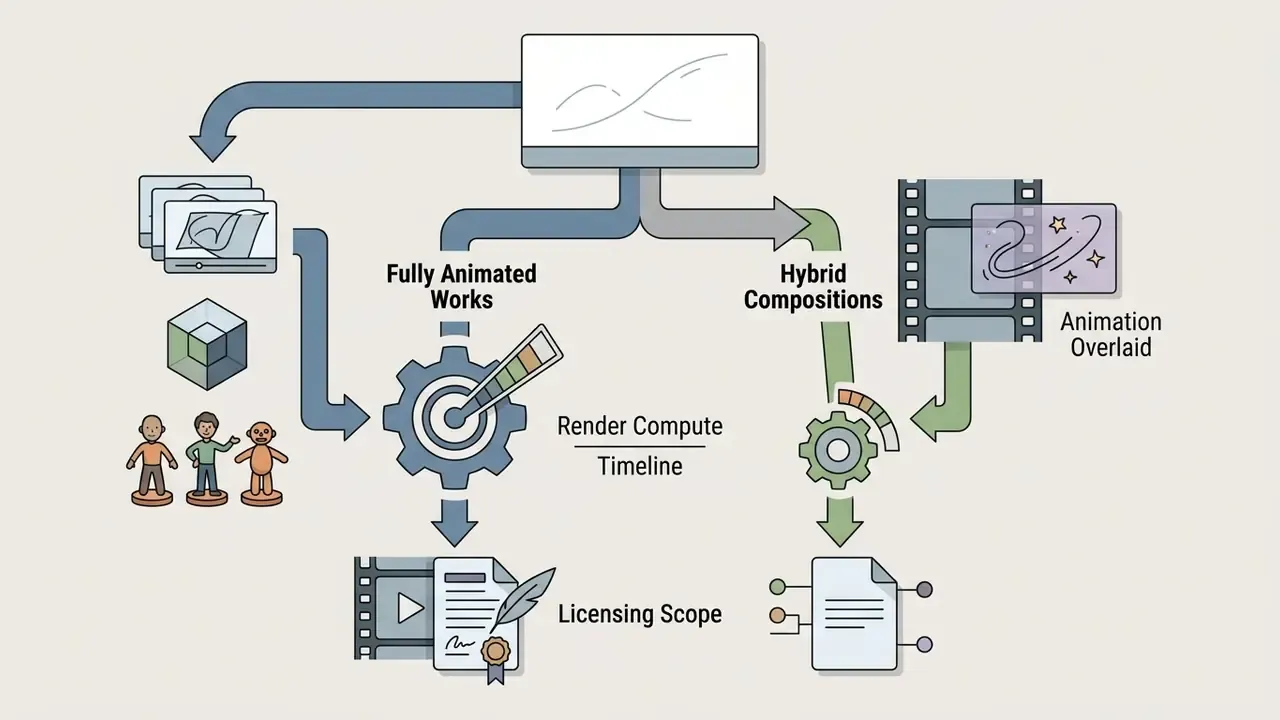
An animated music video (also searched as music video animation, music video animated, or a music video with animation) is a short-form audiovisual work that relies primarily or partially on animated imagery rather than live-action cinematography to complement a musical composition. These productions range from complete frame-by-frame narrative films to hybrid compositions where animated videos overlap with recorded performances. Defining the production format establishes the technical requirements for rendering, asset management, and copyright clearance.
"Animated music videos function simultaneously as entertainment, artistic expression, and persuasive communication, particularly in campaign or socially oriented projects."
That dual function matters commercially. The same deliverable often serves as artist promotion, paid advertising asset, and brand campaign, and each of those uses can require a different licensing scope.
Fully Animated Videos vs. Hybrid Live-Action Compositions
A fully animated music video builds its entire visual track through 2D, 3D, or stop-motion rendering. A music video with animation, by contrast, integrates live-action footage with animated overlays, graphic elements, or composited characters. Fully animated projects construct an independent visual universe without physical set constraints, which buys enormous narrative flexibility. Hybrid productions keep the physical presence of the performing artist while introducing abstract visuals, rotoscoping, or motion graphics to underline specific lyrical themes.
Academic work on audiovisual perception suggests that fully animated structures let creators encode complex symbolic messages effectively. In the "Sabda Alam" environmental-campaign study, comprehension of the core message was measured directly on a respondent panel:
"76 respondents (50%) strongly agreed that the campaign message was easy to understand, and 67 (45%) agreed, a combined 95% positive rating."
2D, 3D, and Motion Animation Styles in Music Videos
Visual execution in animated music videos generally falls into 2D hand-drawn or vector animation, 3D computer graphics (CGI), and motion graphics. Traditional 2D animation delivers fluid line work and stylized expression, which is why it keeps showing up in indie, rock, and narrative pop releases. 3D CGI provides spatial depth, realistic camera movement, and lighting control, better suited to futuristic, cyberpunk, or abstract electronic visuals.
Motion graphics and motion animation focus on typography, geometric transformation, and kinetic visualizers. Real pipelines usually mix these styles into hybrid compositions; creators mapping their stack can start from a broad overview of animation creation tools and templates before committing to a pipeline.
Modern 2D/3D digital pipelines typically deliver at standard broadcast specifications, 1920×1080 or 4K at 24 to 30 frames per second, and require precise keyframe timing across hundreds of individual shots to hold stylistic unity across the track. Published production case studies confirm the scale of that shot management:
"The 'Oh Mary' project comprised 21 scenes and 526 frames delivered in HDTV 1920×1080 at 30 frames per second, applying six classical principles of animation."
| Style | Typical Genres | Production Load | Primary Cost Driver |
|---|---|---|---|
| 2D hand-drawn / rotoscope | Indie, rock, narrative pop | Very high (frame-by-frame) | Animator hours per second |
| Vector / cut-out 2D | Alt-pop, hip-hop, lyric videos | Medium | Rig setup and asset design |
| 3D CGI | Electronic, cyberpunk, metal | High | Modeling, lighting, render farm time |
| Motion graphics / kinetic type | EDM, lyric videos, promos | Low to medium | Template licensing, sync precision |
| Stop-motion / claymation | Alternative, experimental | Very high (physical build) | Set and puppet fabrication, studio days |
A quick sanity check before you pick a lane: the cheapest style on paper is rarely the cheapest in practice. Frame-by-frame work is expensive in labor, while template-driven motion graphics can be expensive in licensing and in sameness.
Best Animated Music Videos: Iconic Examples and History
In two sentences: The canon of animated music videos maps almost every animation technique ever invented, from pencil rotoscoping to LEGO stop-motion and anime features. Studying these benchmarks shows which techniques deliver lasting visual branding at which production scale.
The ecosystem of best animated music videos spans decades of aesthetic breakthroughs, from hand-drawn MTV classics to modern computer-generated projects. Working through a list of animated music videos shows how visual artists use keyframe animation, rotoscoping, and CGI to build long-term visual branding for musical acts. Most songs with animated music videos that stayed in circulation share one trait: a single readable visual idea, repeated.
Benchmark catalog at a glance, with artist, track, release year, technique, and the visual idea that made each clip durable:
| Artist / Track | Year | Technique | Core Visual Idea |
|---|---|---|---|
| The Beatles, "Yellow Submarine" | 1968 | Hand-drawn 2D | Psychedelic feature-length world-building |
| A-ha, "Take On Me" | 1985 | Rotoscoping + live action | Characters crossing between comic page and reality |
| Dire Straits, "Money for Nothing" | 1985 | Early 3D CGI | Computer animation as broadcast spectacle |
| Peter Gabriel, "Sledgehammer" | 1986 | Stop-motion, claymation, pixilation | Objects animating around the performer's face |
| Paula Abdul, "Opposites Attract" | 1989 | 2D character + live action | Human and cartoon duet choreography |
| Tool, "Sober" | 1993 | Claymation / puppet stop-motion | Dark industrial dollhouse as psychological space |
| Björk, "I Miss You" | 1997 | Auteur 2D indie animation | Chaotic hand-drawn transformation of the performer |
| Radiohead, "Paranoid Android" | 1997 | 2D satire | Absurdist illustration of alienation |
| Pearl Jam, "Do the Evolution" | 1998 | 2D comic-book animation | Human history as violent evolution montage |
| Daft Punk, "One More Time" | 2000 | Anime (feature-linked) | Album-length animated narrative universe |
| Gorillaz, "Clint Eastwood" / "19-2000" | 2001 | 2D/3D hybrid | Fully virtual band identity |
| The White Stripes, "Fell in Love with a Girl" | 2001 | LEGO stop-motion | Physical constraint as brand signature |
| Kanye West, "Heartless" | 2008 | Digital rotoscoping | Rotoscope homage bridging hip-hop and comic art |
| Sturgill Simpson, "Sing Along" | 2019 | Japanese anime | Post-apocalyptic album-film preview |
| Dua Lipa, "Levitating" | 2020 | Retro anime pastiche | 90s anime aesthetic as pop revival cue |
Classic Animated Music Videos
Modern and Contemporary Animated Song Videos
Modern productions lean on advanced digital compositing, cell-shaded 3D rendering, and hybrid AI workflows to widen the storytelling range. When people ask for top animated music videos released in the last decade, these come up most often:
- Sturgill Simpson, "Sing Along" (2019) Directed by Jumpei Mizusaki at studio Kamikaze Douga, premiered 20 August 2019. A high-octane post-apocalyptic anime narrative that anchors the musician's Sound & Fury album project.
- Michael Kiwanuka, "Light" (2020) Directed by Jeremy Ngatho Cole and released 19 June 2020. This cool animated music video uses fluid 2D illustration to explore identity, social movement, and historical memory.
- Giangrande, "Paper Plane" Animated by Gianluca Maruotti with tactile stop-motion paper craft, a good reminder that physical texture creates atmospheric depth no filter reproduces.
- Dua Lipa, "Levitating" (2020) A retro-futuristic 90s anime homage showing how modern pop acts adopt classic Japanese animation styles to drive multi-platform engagement.
- Arctic Monkeys, "Do I Wanna Know?" (2013) Reactive waveform animation built around a single oscillating line, proof that one minimal audio-driven motif can carry an entire album campaign.
Why the Best Animated Music Videos Are Memorable
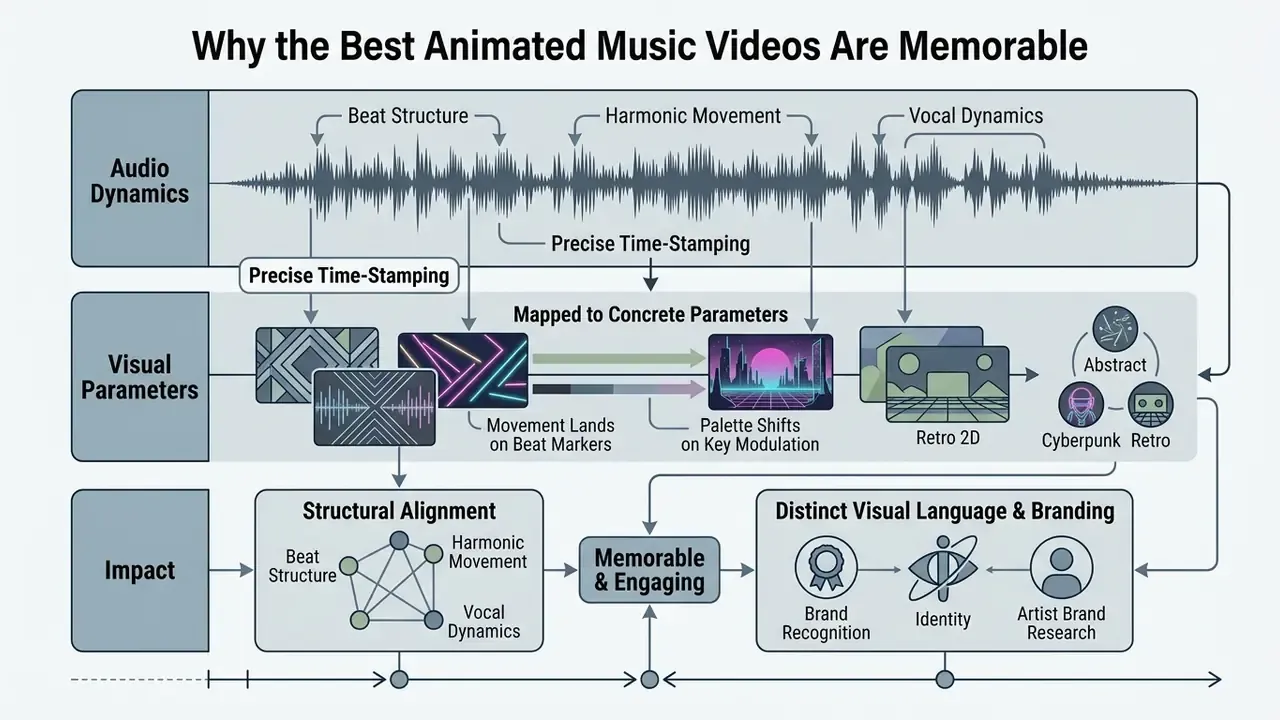
In two sentences: Memorable animated clips are engineered rather than improvised: beat structure, harmonic movement, and vocal dynamics get mapped to concrete visual parameters. Narrative clarity then keeps viewers watching to the final frame.
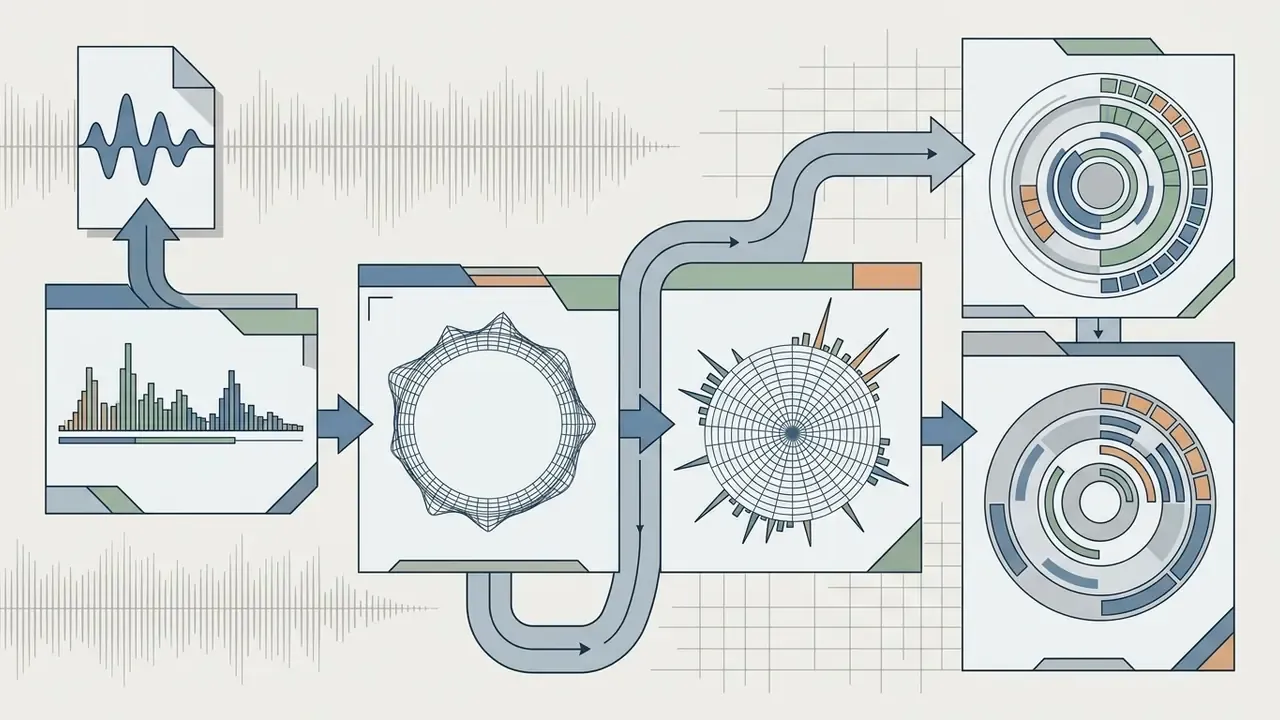
The success of a top animated music video rests on structural alignment between audio dynamics and visual pacing. Instead of acting as background decoration, effective animated music visualizers translate sonic features (tempo, pitch, harmonic tension, vocal emotion) into readable motion patterns. Narrative structure carries equal weight:
"91% of viewers agreed or strongly agreed that the storyline was interesting and sustained their curiosity throughout the entire viewing."
Audio-visual synchronization model
| Audio Feature | Visual Translation | Viewer Impact |
|---|---|---|
| Beat / tempo grid | Frame-cut timing, action accents | Rhythmic drive, physical engagement |
| Harmonic color / chord change | Palette shifts, lighting temperature | Emotional tone and narrative turns |
| Vocal dynamics / intensity | Spatial scale, kinetic amplitude | High memorability of hook sections |
| Structural sections (verse/chorus) | Scene and environment changes | Orientation and anticipation |
| Onset density / percussion | Particle load, transition frequency | Perceived energy and genre signalling |
How Animation Works With Rhythm and Mood
Technical audio-visual mapping depends on precise time-stamping. Music-structure analysis systems, such as the open-source AIST Songle project, which precomputes hierarchical beat structure, chords, melody F0, and section boundaries, show that extracting beat positions, onset times, and vocal pitch trajectories lets animators align frame cuts, character actions, and scene transitions with actual musical events. Motion-capture research on beat-synchronous animation applies the same logic in reverse, resampling motion periods to match estimated tempo.
When visual movement lands precisely on beat markers, or the palette shifts on a key modulation, engagement rises. Published work on animated music videos supports the effect:
"Animation delivers stronger emotional resonance and improved narrative clarity, with preliminary data recording a noticeable improvement in recall compared with traditional live-action approaches."
The wording there matters: preliminary. Treat it as directional evidence, not a settled finding. Frame-accurate beat tracking documented in audiovisual signal-processing literature, including beat-matching evaluation methods and the Songle framework, still provides the measurable basis for alignment, replacing intuition with timecode.
Visual Style and Artist Brand Recognition
A distinct visual language, whether neon, cyberpunk, abstract, futuristic, or retro 2D hand-drawn, works as an enduring brand asset for musicians. Recurring character design, consistent color grading, and thematic world-building turn a single clip into a visual franchise.
"Animation contributes to branding by giving the band a unique artistic identity and enabling differentiation from competitors."
Music-branding research reaches a similar conclusion from the identity side. Visual style spans logo, cover art, photography treatment, video aesthetics, and stage image, and it only works when it matches the music and the positioning. In practice, the most recognizable acts converge on a simple, repeatable visual code rather than maximum stylistic complexity. Gorillaz needed four characters, not four hundred.
In digital marketing, consistency across a music video, streaming thumbnails, social clips, and merchandise strengthens recognition. For independent creators and enterprises mapping specialized visual pipelines, the AI Media Comparison Matrices help align production tools with distribution goals, while teams standardizing static artwork can benchmark options in a guide to online photo editors and commercial workflows or lower-cost free photo editors.
Step-by-Step Guide: How to Create an Animated Music Video
In two sentences: A reliable animated clip follows a fixed four-stage pipeline: concept and storyboard, asset creation or licensing, animation and audio sync, then export and publication. Skipping documented pre-production is what makes budgets and clearance timelines unpredictable.
Creating a professional music animated video needs a structured pipeline split across pre-production, production, and post-production. Skip the formal planning and you usually get mismatched pacing, runaway rendering costs, or a licensing conflict discovered on release day.
Documented pipelines treat the storyboard as a structured data object, not a sketch:
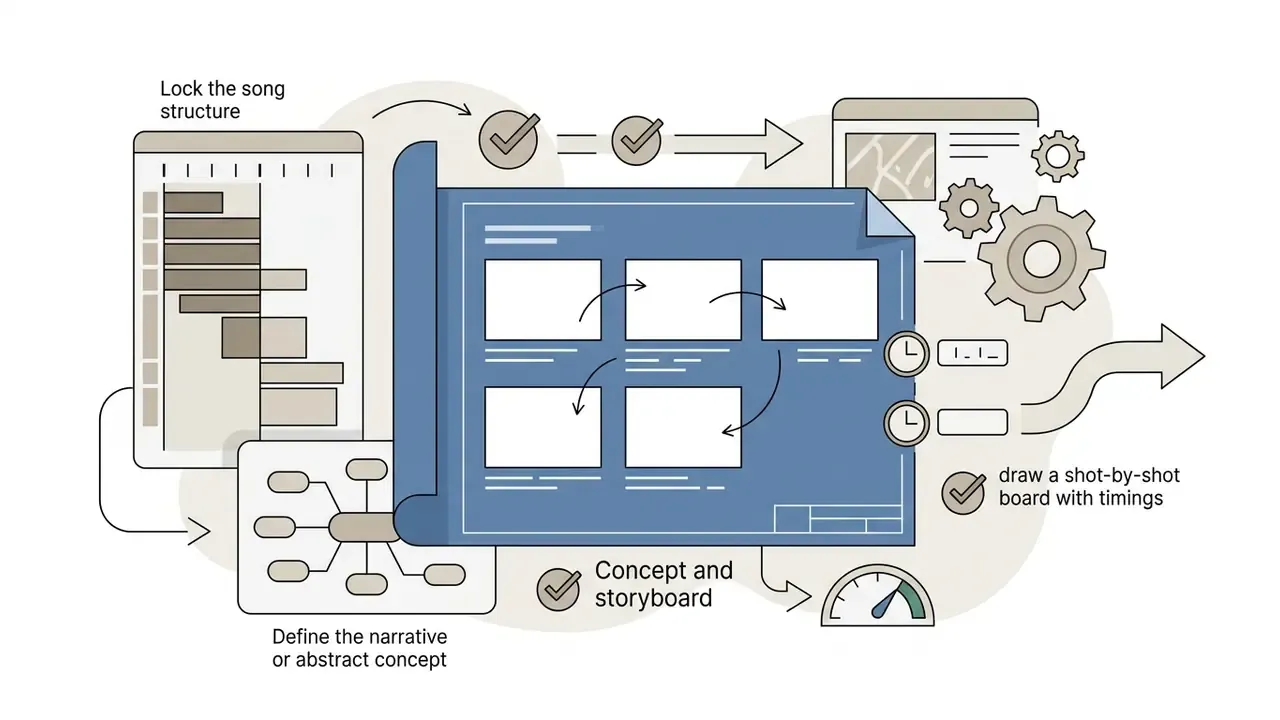

"In the 'Overcome' project, each storyboard scene contained three components: the image, the duration, and a short narrative description, all produced in Clip Studio Paint."
Selecting Animated Clips From a Stock Library
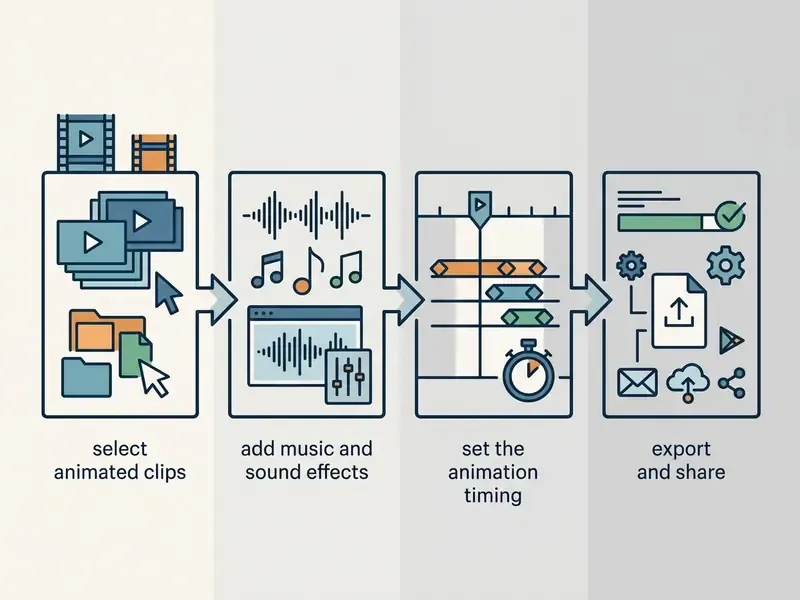
When you build an animated music video from stock libraries or pre-rendered assets, selection is both a technical and an artistic filter:
- Resolution and native frame sizeMatch your timeline master, whether 1920×1080 (FHD), 2048×1080, 3840×2160, or 4096×2160 (4K). Avoid upscaling lower-resolution clips.
- Aspect ratioVerify target delivery formats, 16:9 for landscape platforms like YouTube, 9:16 for vertical, where 10 to 30 second clips are the practical norm.
- Clip durationMake sure each stock sequence gives you at least 5 to 10 seconds of continuous usable footage, so you can trim on beat boundaries without pinching the motion.
- Stylistic unityHold lighting direction, palette, pacing, and motion complexity consistent across clips. Mismatched pacing is a selection error, not something you fix in the grade.
- License tierConfirm the exact license attached to each individual file (standard, extended, Creative Commons, editorial-only) before it enters the timeline.
Key Visual Asset Categories for Audio Visualizers
When searching stock repositories for music animation, target the motion-graphic categories that match the track's sub-genre:
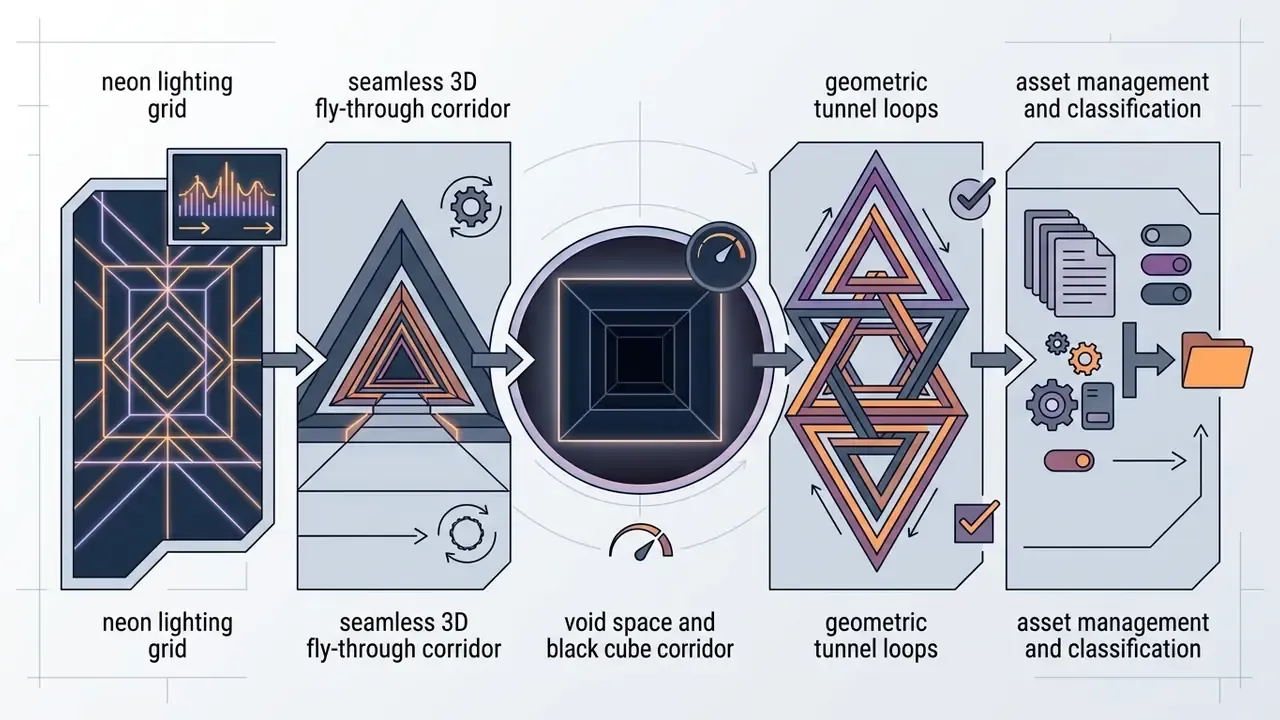
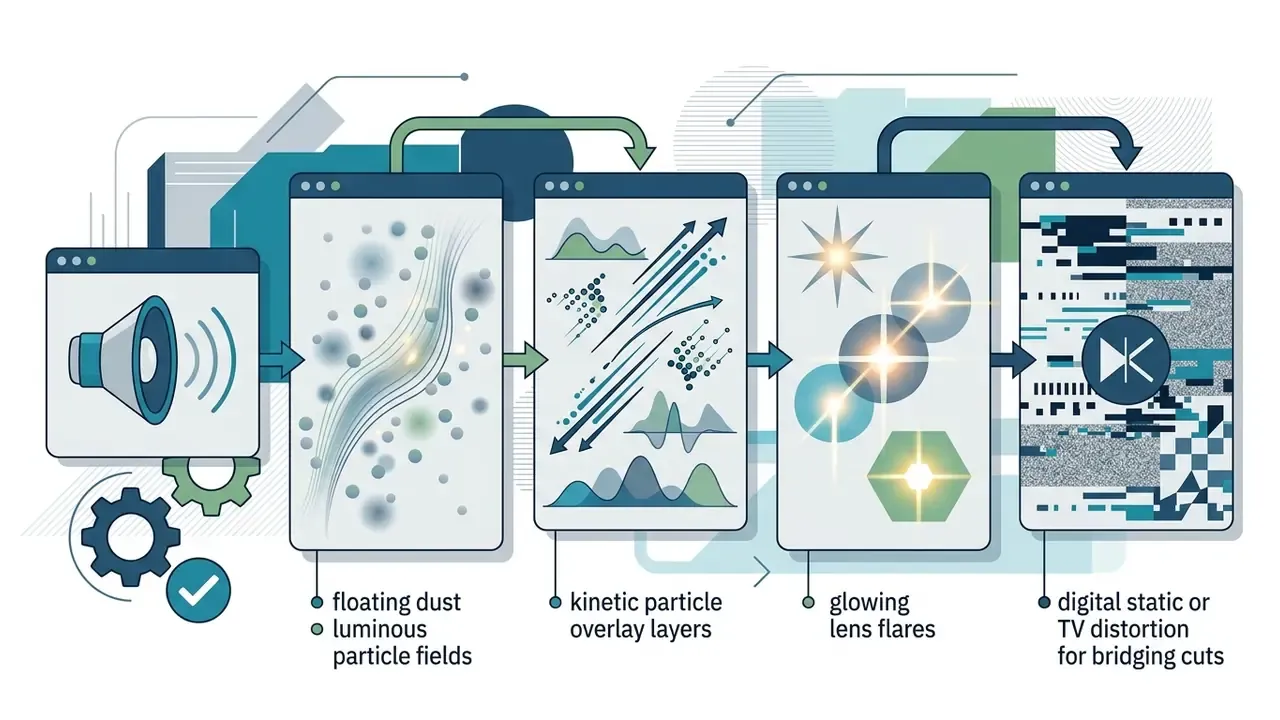
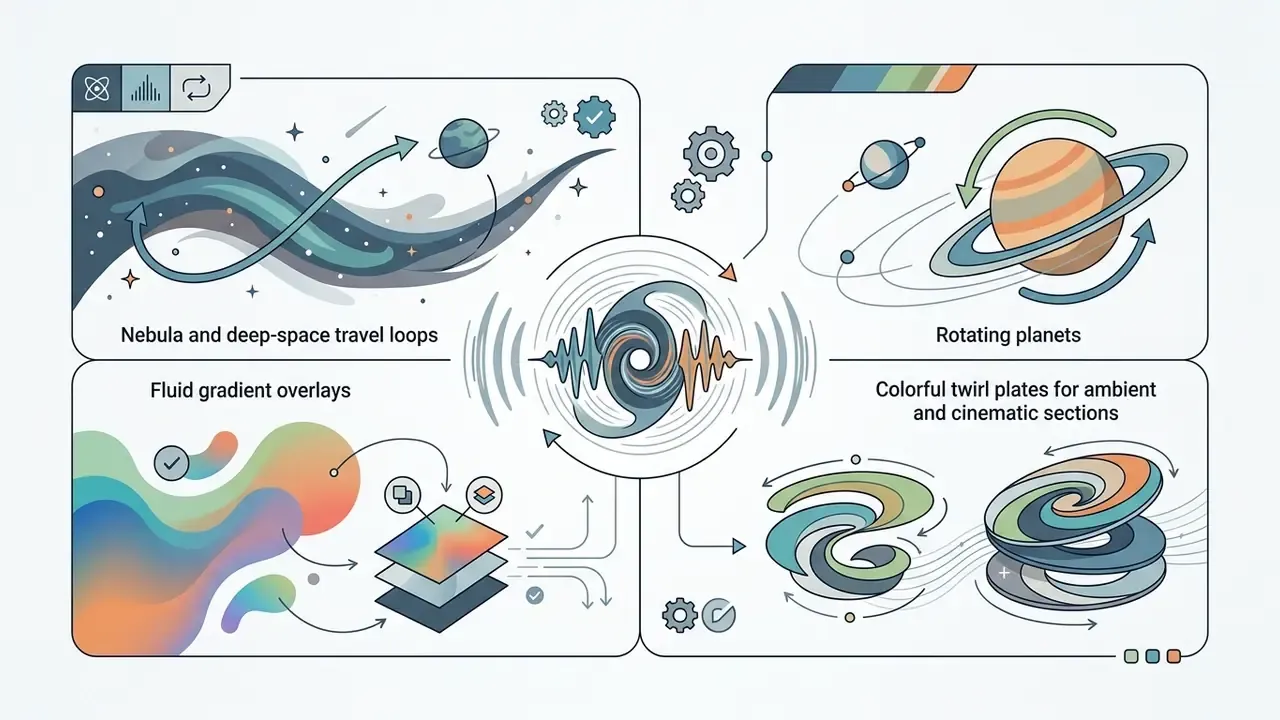
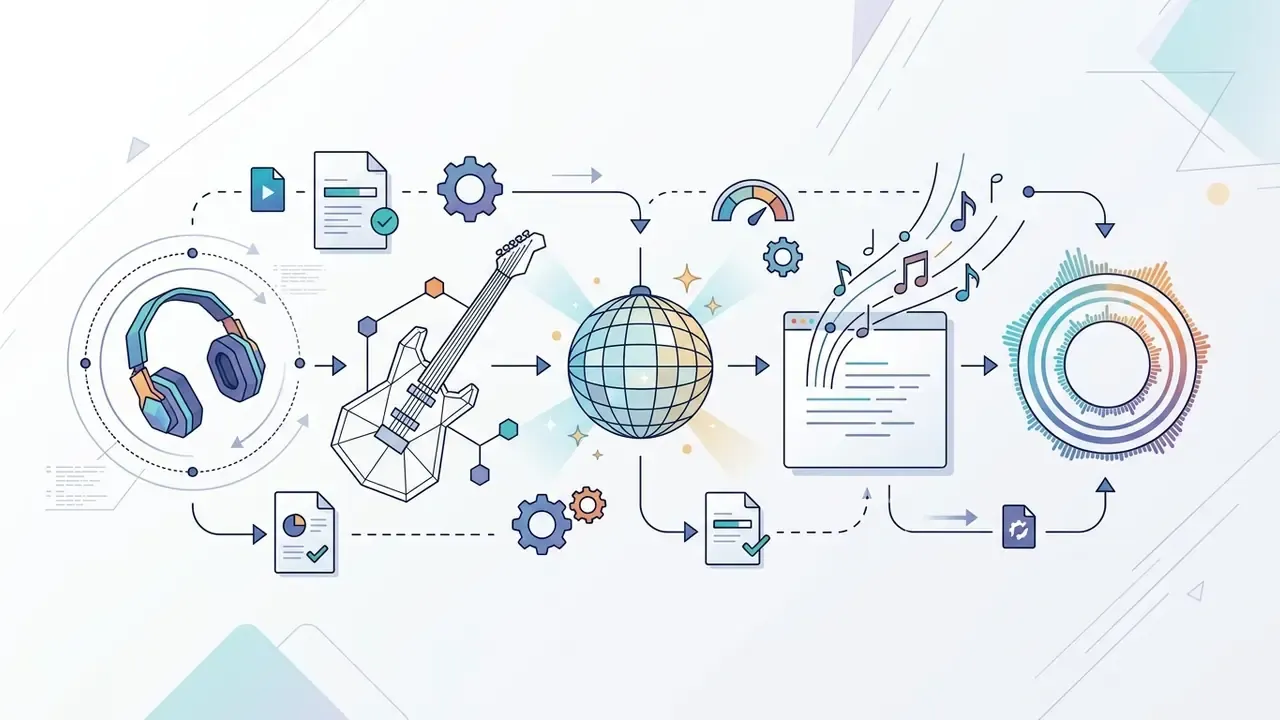
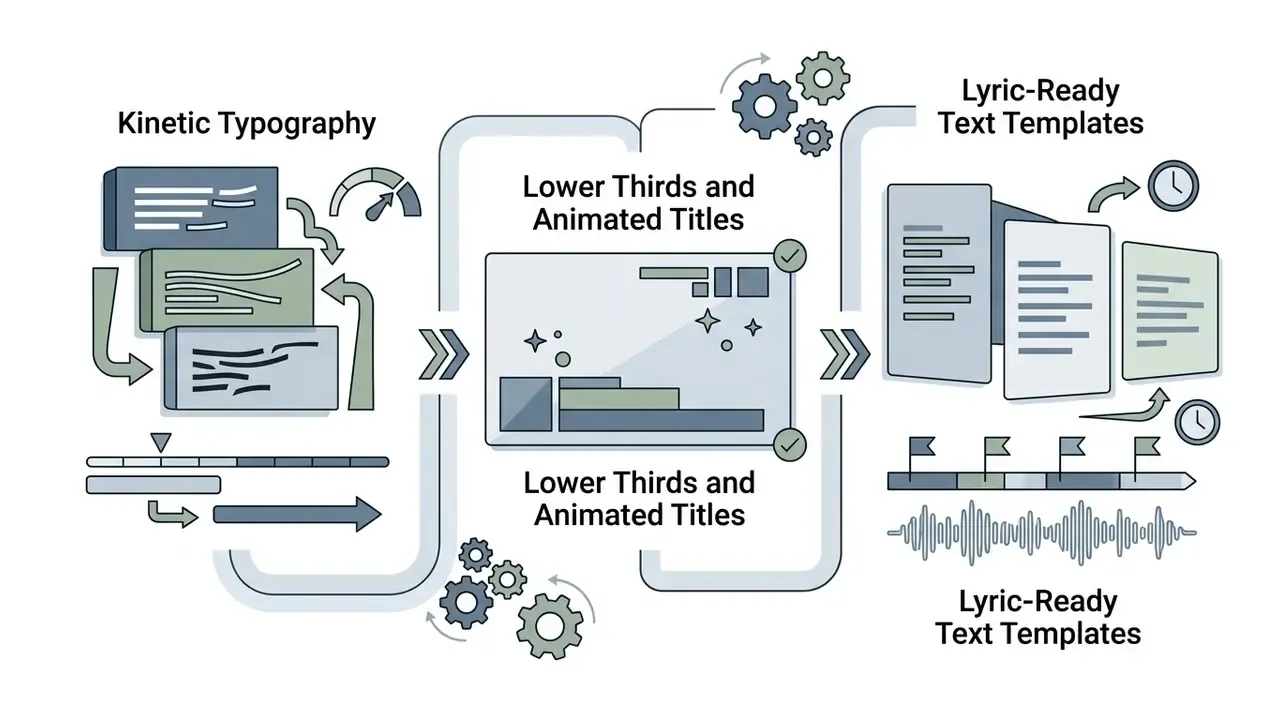
Creators reviewing automated visual transformation workflows can explore technical methods to turn photo into video ai, study how image-to-video AI animates static illustrations, or evaluate text-to-video AI tools for background plates that would otherwise need modeling. If your moodboard pulls from social platforms, note that saving material with a twitter video downloader online is a research step, never a licensing shortcut.
Adding Music, Sound Effects, and Export Settings
Post-production combines visual rendering with master audio alignment in non-linear editing (NLE) software such as Premiere Pro, Final Cut Pro, or DaVinci Resolve. Budget-constrained teams can compare capabilities across free video editing software before committing to a subscription.
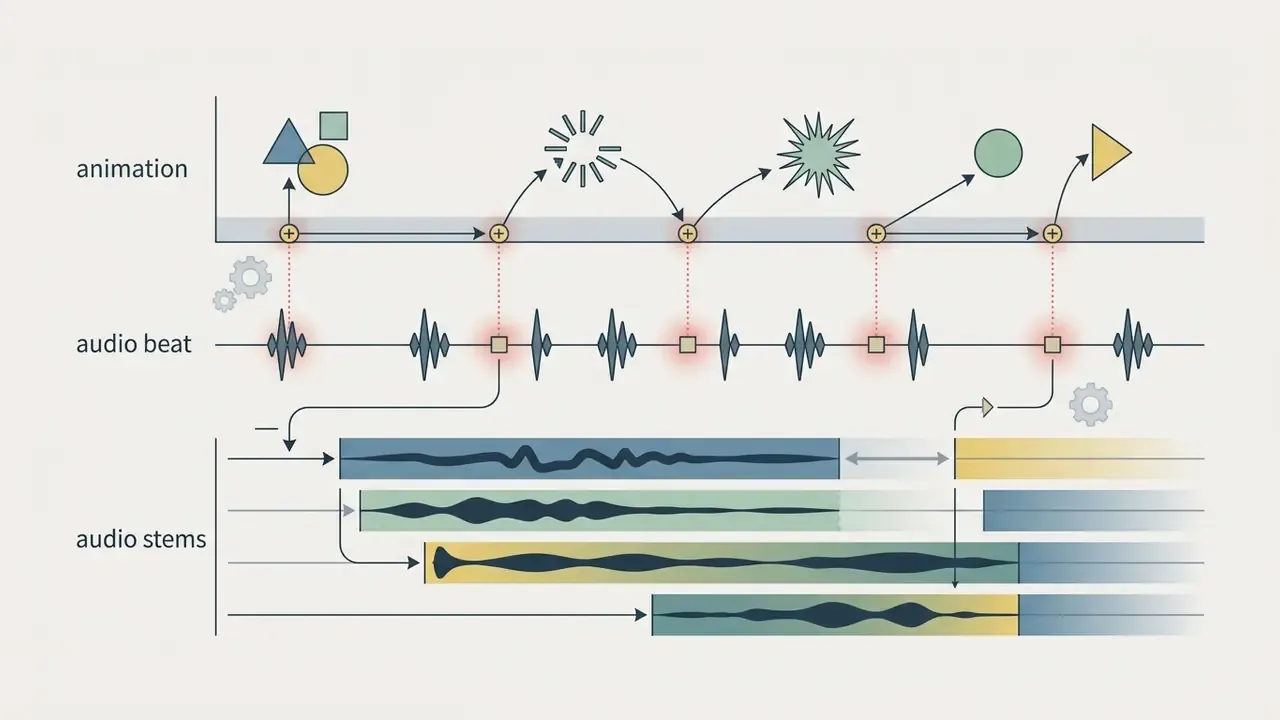
- Audio stem alignment Import the target music track alongside custom sound effects (Foley, risers, impacts) to accentuate visual movement. Keep sample rate and bit depth consistent across every stem.
- Dynamic typography Add moving text, headings, and kinetic lyrics synchronized with vocal delivery, keyframing entrances on consonant onsets rather than bar lines.
- Transitions and effects Place transitions on the beat grid. A cross dissolve landing between beats reads as a mistake even when the animation is flawless.
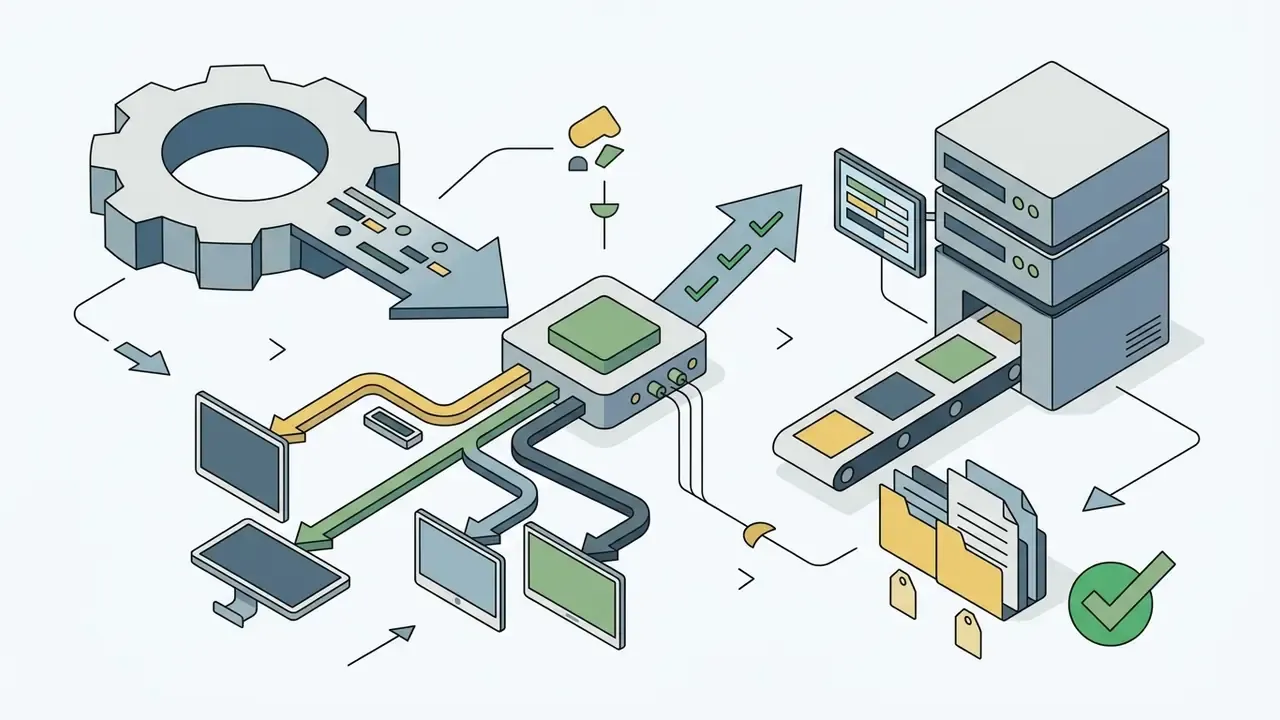
- Video export settings Render masters with standardized codecs (H.264 for delivery, ProRes 422 or DNxHR for archival) with AAC audio at 48 kHz / 24-bit, then derive compressed platform variants from that master.
- Deliverable variants Produce 16:9, 1:1, and 9:16 cutdowns plus a caption file in the same session to avoid re-rendering later. Oversized files can be reduced with a video compressor without going back to the timeline.
For creators evaluating automated audio generation during pre-production, guides on the udio ai music generator and AI voice generators with commercial licensing give context on synthetic sound workflows and their rights implications. Teams drafting concept copy or lyric variants with loosely restricted models should read the limits documented for any uncensored ai text generator before that output touches a client deliverable. Once the master is approved, the YouTube publishing and editing workflow covers metadata, chapters, and Content ID considerations at upload.
Animated Music Video Maker: How to Choose a Tool
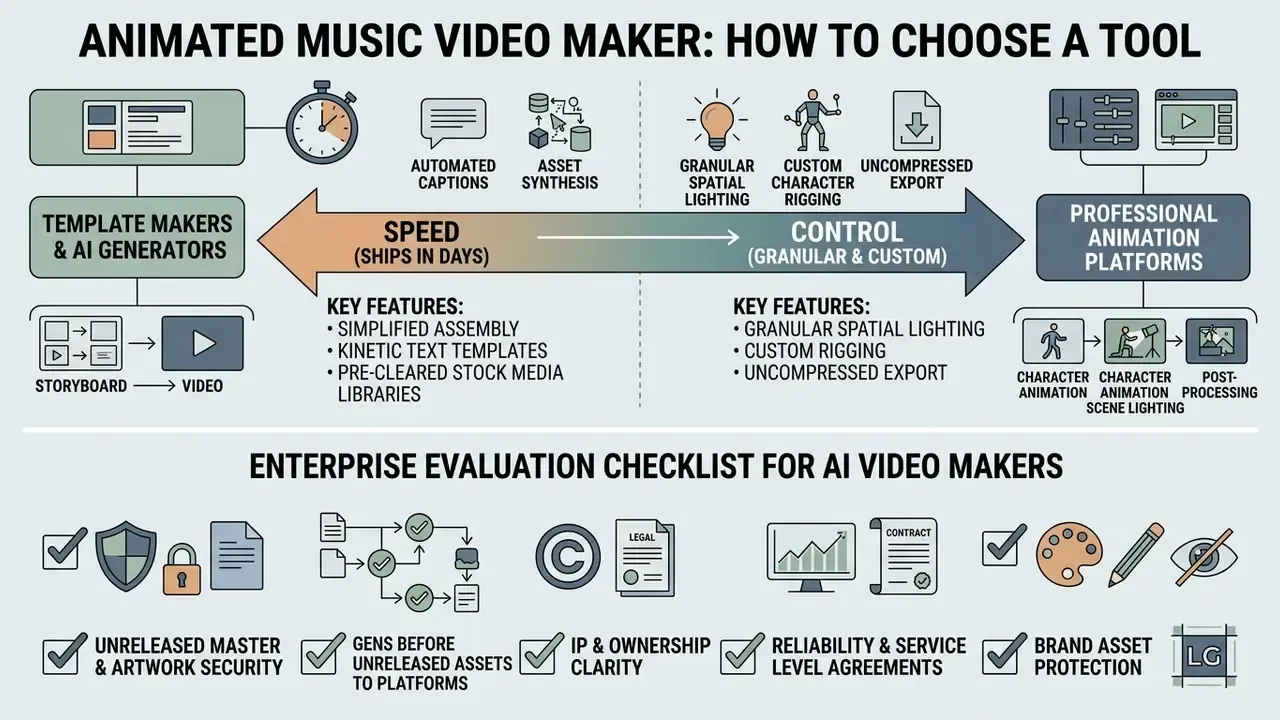
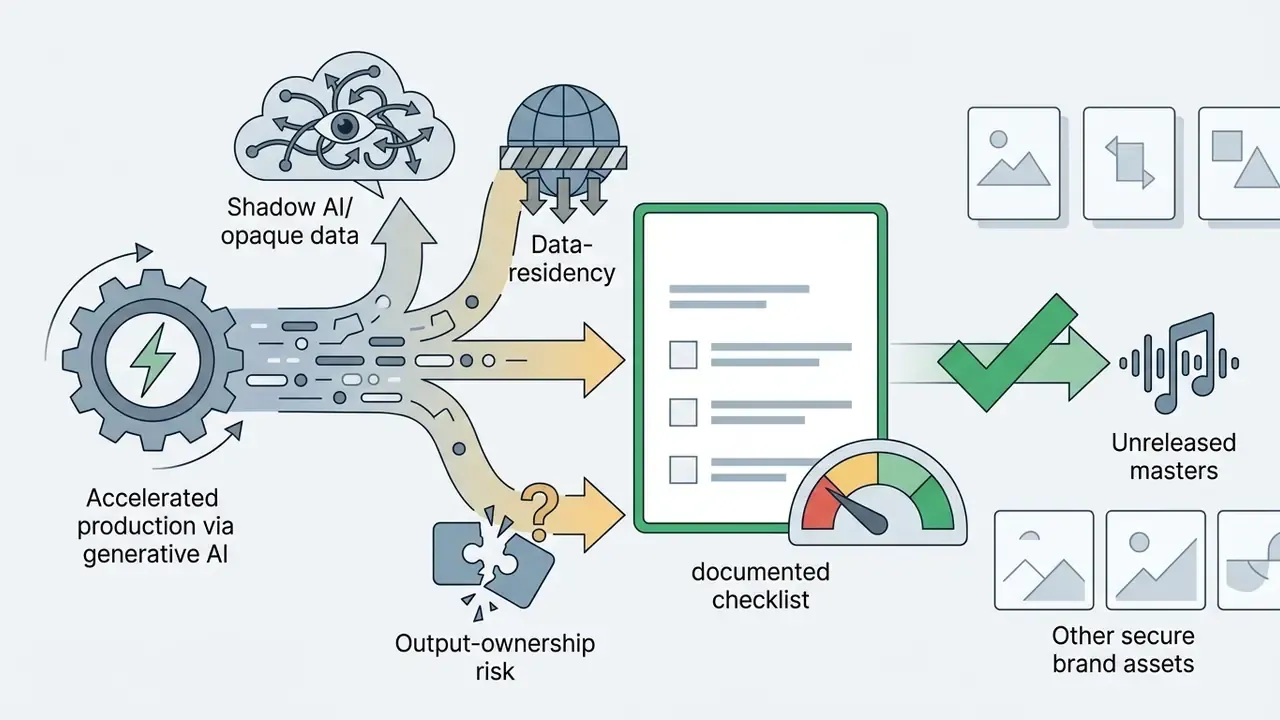
In two sentences: Tool selection is a trade between speed and control: template makers ship in days, AI generators automate captioning and asset synthesis, professional compositors deliver uncompressed masters. For organizations, a fourth axis matters, and that is data handling plus output ownership.
An animated music video maker is a software platform built to simplify clip assembly, kinetic text alignment, and template rendering. Choosing between browser editors, AI-assisted generators, and professional NLE software depends on budget and the depth of customization you actually need. Teams narrowing the field can review a structured comparison of AI video generators alongside the matrix below.
| Feature Category | Basic Online Maker (CapCut, Canva) | Specialized AI / Kinetic Maker (VEED, Firefly, Specterr) | Professional NLE / Compositor (After Effects, Blender, Resolve) |
|---|---|---|---|
| Primary workflow | Drag-and-drop templates | Prompt-to-video and automated captioning | Timeline keyframing and node compositing |
| Kinetic typography | Basic static text overlays | Auto-synced lyric-video engines | Custom expression-driven text animation |
| Audio processing | Basic trim and fade | AI noise reduction, vocal isolation, beat detection | Sample-accurate stem control and VST plugins |
| Brand management | Manual asset upload | Centralized brand kit (logos, fonts, palette) | Full custom graphic asset pipeline |
| Asset sourcing | Integrated stock library | Synthetic frame generation plus rights-cleared stock | Manual import, custom 2D/3D models |
| Export flexibility | Compressed MP4 (1080p) | Web-optimized MP4, social aspect presets | ProRes 4444 / DNxHR / EXR sequences |
| Enterprise controls | Consumer ToS, limited admin | Varies: check data-retention and training opt-out | Local rendering, full data residency |
Features for Animation, Text, and Stock Media
Modern music video maker tools bundle pre-cleared royalty-free stock media libraries, lower-third templates, animated infographics, motion-graphics packs for transitions and overlays, and automated captioning engines. Canva, CapCut, VEED, Adobe Express, Animaker, and Specterr all offer fast assembly interfaces, including one-click text animation, brand kits for logos and fonts, eye-contact correction for hybrid live-action inserts, and noise reduction on voice layers. Adobe Firefly and comparable generative tools add prompt-based scene generation with soundtrack upload and browser preview.
Professional visual artists who need granular spatial lighting, custom character rigging, and uncompressed export streams still work in Adobe After Effects, Blender, or Cinema 4D. Nothing in the template tier replaces that. Creators managing asset pipelines can reference the AI Media Commercial-Use Hub for licensing standards, evaluate footage repair via unblur video online free, or examine static-to-video tools that turn picture into an AI video. Cost-sensitive teams should also review free AI video generators and their watermark, duration, and licensing limits.
Enterprise Evaluation Checklist for AI Video Makers
Before an unreleased master, unpublished artwork, or brand asset goes to any generative platform, run this pre-purchase review. It closes the most common Shadow AI gap: individual creators adopting consumer SaaS outside procurement, with a personal card and no data agreement.
| Control Area | Question to Answer | Evidence to Collect |
|---|---|---|
| Output rights | Does the vendor grant full commercial rights to generated frames, or a limited license? | Signed terms clause, plan-tier documentation |
| Training on inputs | Are uploaded audio, artwork, and prompts excluded from model training? | Written opt-out or enterprise DPA |
| Data residency and retention | Where are assets stored, and for how long after deletion? | Security whitepaper, retention schedule |
| Certification | Is there a current SOC 2 Type II or ISO 27001 report? | Audit report under NDA |
| Provenance | Are generated segments logged with model version, prompt, and timestamp? | Exportable generation log |
| Shadow AI exposure | Which accounts sit on free consumer tiers outside procurement? | SSO and expense audit of creative tooling |
| Human review | Who signs off that no third-party IP is reproduced in generated frames? | Named reviewer in the release checklist |
One column deserves emphasis: the named reviewer. Ownership of that signature is what turns a checklist into a control. Technical teams wiring generation into an automated pipeline should scope quotas and unit economics through the developer api resources and cost breakdowns such as the Google Veo implementation guide.
Licensing Rules: Free and Stock Video for Commercial Use
In two sentences: Commercial release of an animated music video requires cleared rights for both the audio and every visual asset, file by file. Free and royalty-free are not the same thing, and "editorial use only" is never commercially usable without separate permission.
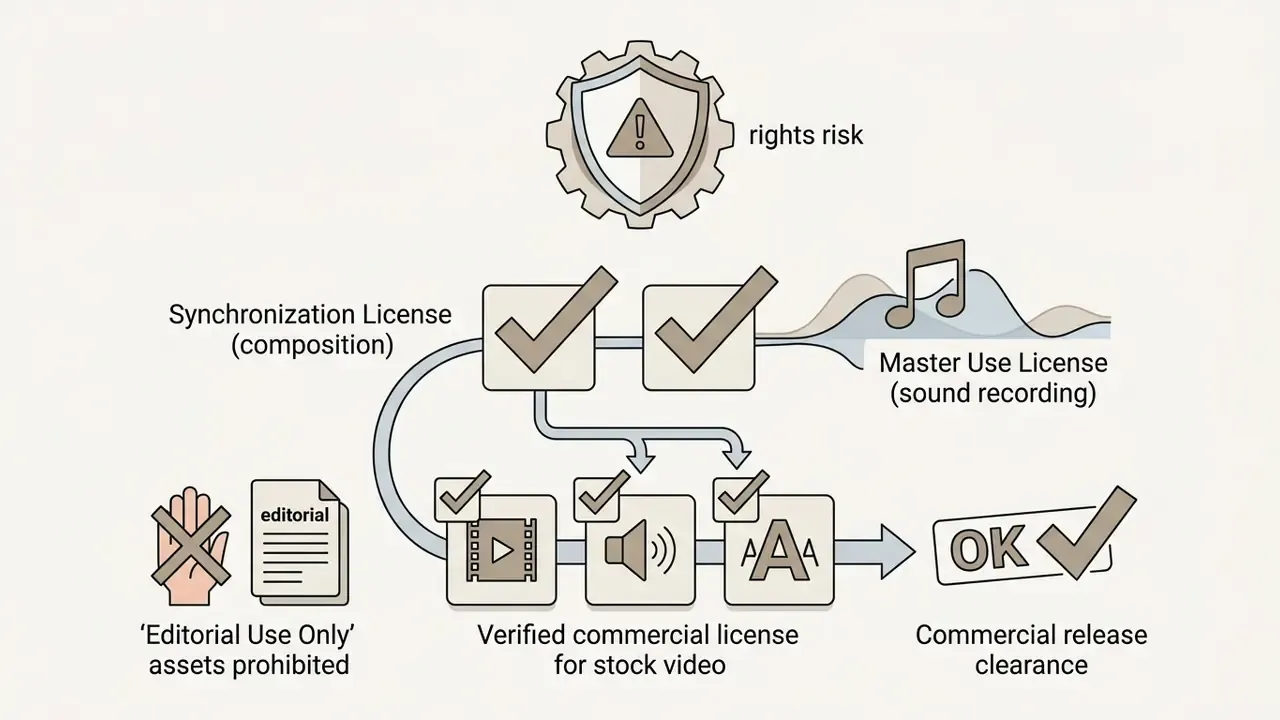
Publishing a commercial animated music video, whether monetized on YouTube, delivered to television networks, or used in paid campaigns, requires explicit copyright clearance for audio and visuals alike. Using third-party stock footage or copyrighted audio without verified synchronization and master rights exposes you to copyright strikes, content removal, and legal liability.
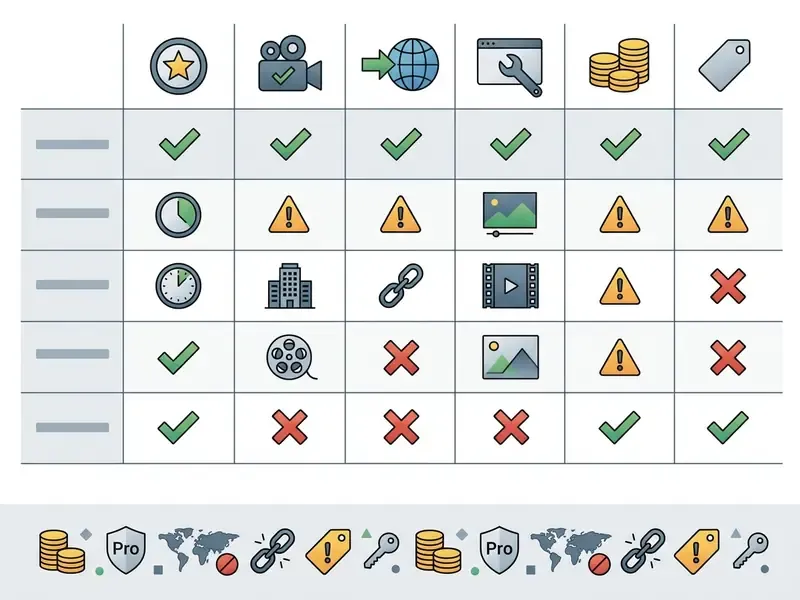
Stock media license comparison matrix
| License Type | Commercial Use | Attribution Required | Key Usage Restrictions |
|---|---|---|---|
| Creative Commons (CC BY 4.0) | Permitted | Mandatory: credit, license link, change notice | You may not add technical or legal measures restricting others' use |
| Creative Commons (CC BY-NC) | Prohibited | Mandatory | Non-commercial contexts only; monetized videos excluded |
| Royalty-free stock (standard paid) | Permitted | Usually not required | Single end-product limits; no standalone resale or redistribution |
| Royalty-free stock (extended) | Permitted, broader | Not required | Required for broadcast, theatrical, paid streaming, apps and games, point-of-sale |
| Free stock platforms (public-domain-style terms) | Usually permitted | Often not required | Audio must be part of a larger work, never distributed as a standalone file |
| Editorial use only | Prohibited without clearance | Not applicable | Forbidden for commercial, promotional, advertorial, or merchandising use |
Two restrictions cause most takedowns in practice: standalone redistribution of "free" audio, and editorial-only footage slipped into a monetized cut. Both are avoidable at zero cost.
Practical clearance path for a licensed track:
"To use popular music in a video project you must obtain a synchronization license from the publisher; the publisher can be identified through the ASCAP, BMI, or SESAC repertory registries."
"A videogram license permits reproduction and distribution of recordings accompanying a video, in physical and digital carrier formats, within an agreed territory." Source: Vanderbilt Law Review, music licensing for film.
Sequence the clearance work in this order: (1) identify the composition's publishers and split percentages via the PRO registries; (2) request the sync quote with defined term, territory, and media; (3) request master use from the label or rights administrator; (4) confirm whether videogram, streaming, or broadcast rights apply to your channels; (5) archive every executed license alongside the project file. Step five is the one teams skip, and it is the one auditors ask about first.
AI-Generated Animation and Copyright
Generative frames raise a separate ownership question. In the United States, copyright protection requires human authorship, and the U.S. Copyright Office has repeatedly limited registration of purely machine-generated imagery, most visibly in the Zarya of the Dawn registration, where the Office accepted the human-authored text and arrangement while excluding the AI-generated images. The operational consequence for music video production is concrete: generated segments may be unprotectable, competitors can reuse near-identical output, and platform partners may request proof of human authorship for exclusivity clauses.
Mitigations that hold up in review: document human creative decisions (prompt iterations, retiming, compositing, color work), keep a generation log with model version and date, and treat generative output as raw material inside a human-authored edit rather than as the finished deliverable.
Asset and License Inventory (Audit Trail)
A per-asset register is the cheapest control against takedowns, and it is the evidence auditors and distribution partners actually request. Replicate this table per project and archive it with the master file.
| Asset ID | File / Track Name | Source and URL | License Tier | Commercial Use | Editorial Flag | License ID / Invoice | Date Acquired | Cleared By |
|---|---|---|---|---|---|---|---|---|
| V-001 | tunnel_loop_4k.mp4 | Stock platform | Standard RF | Yes | No | INV-… | YYYY-MM-DD | Name |
| A-001 | master_recording.wav | Label | Master use | Yes | n/a | Contract ref | YYYY-MM-DD | Name |
| A-002 | composition | Publisher | Sync | Yes | n/a | Contract ref | YYYY-MM-DD | Name |
| G-001 | generated_bg_seq | AI platform | Vendor ToS tier | Verify clause | n/a | Generation log ID | YYYY-MM-DD | Name |
For software budgeting across these tools, consult the AI Media Pricing Guides. Creators sourcing reference material during research should also validate third-party utility safety before uploading anything unreleased.
Animated Music Video Costs: Budgeting, Total Cost and Risk
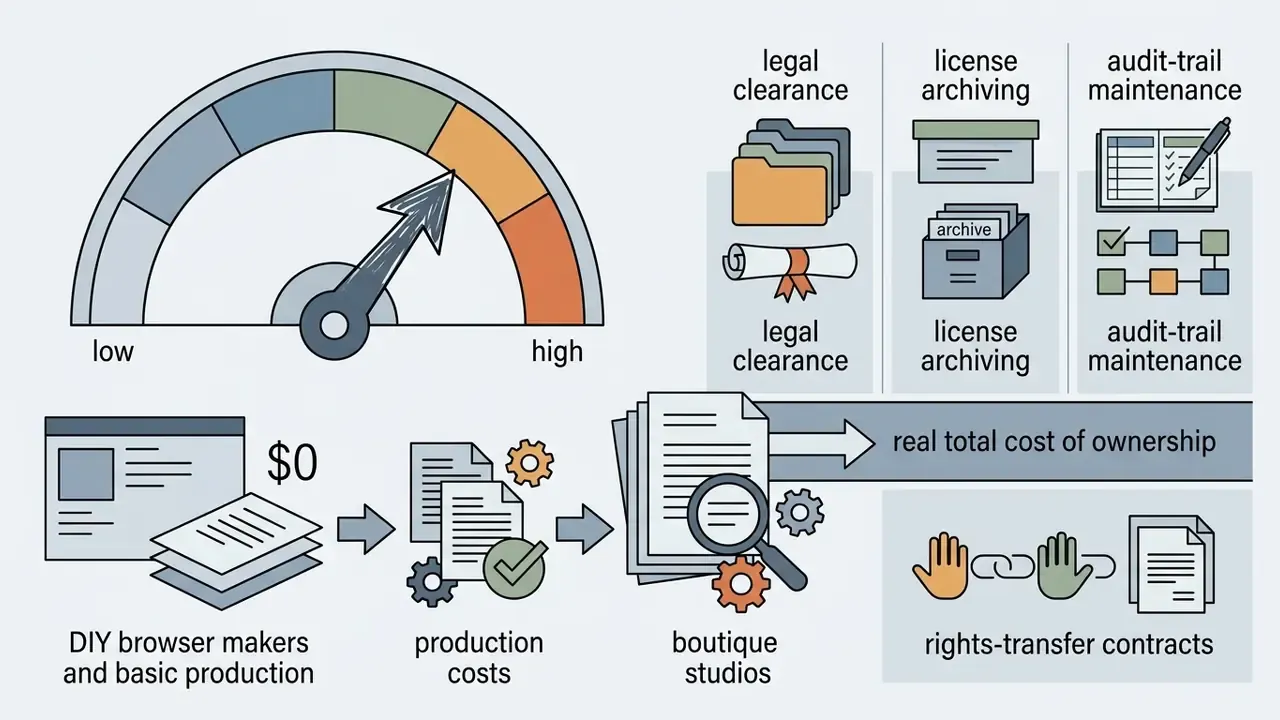
In two sentences: Sticker price is only part of the cost, since clearance work, license archiving, and rights transfer decide whether the asset stays safely usable for years. Compare options on total cost of ownership and residual risk, not on quoted production fees alone.
Deciding how to produce an animated music video means balancing budget against visual customization, brand impact, and timeline. Options run from zero-cost browser tools to custom boutique studios; teams starting from nothing can test concepts with free AI video generators before committing spend.
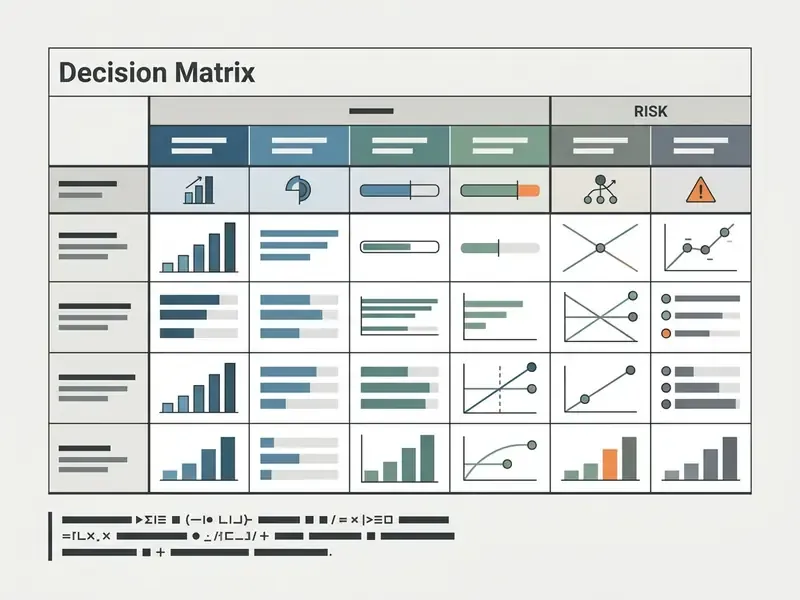
| Criteria | DIY / Online Maker | Freelance Animator | Professional Animation Studio |
|---|---|---|---|
| Estimated cost (per min) | $0 to $1,500 | $1,500 to $5,000 (roughly $40 to $150/hour) | $5,000 to $50,000+ |
| Production timeline | 1 to 5 days | 2 to 6 weeks | 2 to 4 months |
| Visual originality | Template-constrained | High customized 2D/3D | Bespoke cinematic world-building |
| Copyright ownership | Subject to platform ToS | Requires signed work-made-for-hire or assignment | Contractual copyright assignment |
| Control and compliance costs | Low fee, high self-audit burden | Moderate: contract drafting plus asset audit | Highest: legal review, deliverable audit, insurance |
| Residual risk level | High (template reuse, unclear ToS, no indemnity) | Medium (depends on contract quality) | Low (indemnities, documented clearance) |
| Data privacy risk | High if unreleased masters go to public SaaS | Medium (asset transfer hygiene) | Low (NDA, controlled pipeline) |
| Audit trail requirement | Manual per-file register | Delivery manifest plus license list | Full clearance dossier |
| Primary use case | Demos, lyric videos, promos | Indie artist main releases | Major label landmark campaigns |
Read the matrix top to bottom, not left to right. A cheap tier is fine for a lyric video and dangerous for a flagship single with an exclusivity clause attached.
Published market ranges reinforce the spread. DIY and AI tooling for a 60-second piece is commonly quoted at $0 to $1,500, freelance work at roughly $300 to $5,000, small studios at $2,500 to $8,000, and premium studio work above $20,000 per minute, with total quotes for a single 60-second animated video reaching $50,000 depending on style, complexity, and duration.
In custom studio commissions, copyright does not transfer to the client automatically on payment under U.S. or U.K. law. Explicit written transfer or work-made-for-hire contracts are mandatory. U.K. guidance is equally blunt: the commissioner is not the first owner unless ownership is agreed in writing.
"Copyright protects original works fixed in any tangible medium of expression, granting rights holders exclusive rights of reproduction, preparation of derivative works, and public performance."
When budgeting tools against custom production, the AI Media Calculators help estimate infrastructure and render expenses. Add a line item for clearance labour, because it is the cost most often omitted and the most expensive to fix after release. Operational guidance for pipeline issues sits in AI Media Support and Troubleshooting.
Limitations and Open Questions
Some of this remains genuinely unsettled, and pretending otherwise would be dishonest.
- Cost ranges are market observations, not quotes. Style complexity, revision rounds, and territory scope move them substantially.
- Research on animation versus live-action recall is early-stage, panel-based, and rarely controlled. Treat effect sizes as indicative.
- AI output ownership is a moving target. Vendor terms change faster than case law, so re-verify clauses at each renewal.
- Videogram and public-performance requirements vary by territory and channel. Multi-market releases need local review.
FAQ: Animated Music Videos, Licensing and Costs
How do I make an animated music video?
Lock the track, storyboard shot by shot against the beat grid, then either animate original assets or assemble licensed animated stock clips in a timeline. Add sound effects and kinetic lyrics, export a master in H.264 or ProRes 422 with 48 kHz AAC or PCM audio, and archive the project with its license inventory.
Can I use a popular song in my animated video?
Only with permission. Monetized use requires a synchronization license from the publisher and a master use license from the recording owner. Identify the publisher through ASCAP, BMI, or SESAC, then request a quote with defined term, territory, and media.
Is royalty-free the same as free?
No. Royalty-free means you pay once and avoid per-use royalties within the license scope. Free platforms grant broad reuse but often restrict standalone redistribution of audio. Creative Commons BY requires attribution, and BY-NC forbids commercial use entirely.
Can I use "editorial use only" stock footage in a music video?
Not in a monetized or promotional video. Editorial assets require direct written permission from the underlying rights holders, including any depicted people, trademarks, or artworks, before any commercial use.
Who owns AI-generated animation frames?
In the U.S., purely machine-generated imagery generally lacks human authorship and may be unprotectable, as reflected in Copyright Office decisions such as Zarya of the Dawn. Document your human creative contribution and check the vendor's output-rights clause.
What does an animated music video cost?
Roughly $0 to $1,500 per minute for DIY and AI tooling, $1,500 to $5,000 for a freelance animator, and $5,000 to $50,000+ for studio production, all before clearance, contract, and audit costs.
What export settings should I use?
Deliver a master at 1920×1080 or 3840×2160, 24 or 30 fps, in H.264 for web or ProRes 422/DNxHR for archive, with AAC or PCM audio at 48 kHz / 24-bit. Derive social cutdowns (1:1, 9:16) from that master.
Which animation style is cheapest for a first release?
Kinetic typography and motion-graphics templates, usually. They need the least labour per second, though license terms on template packs deserve a careful read before you monetize.