Executive summary
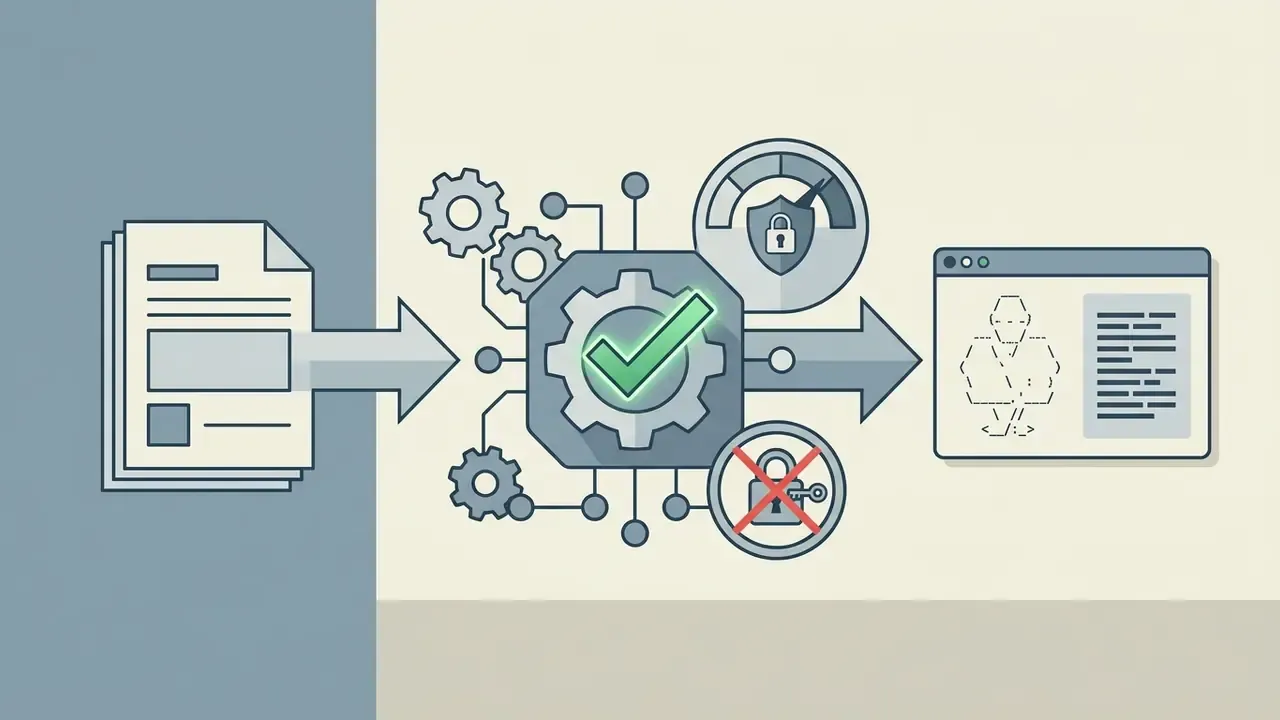
- An ASCII art text generator maps every typed character to a multi-line glyph (a FIGlet
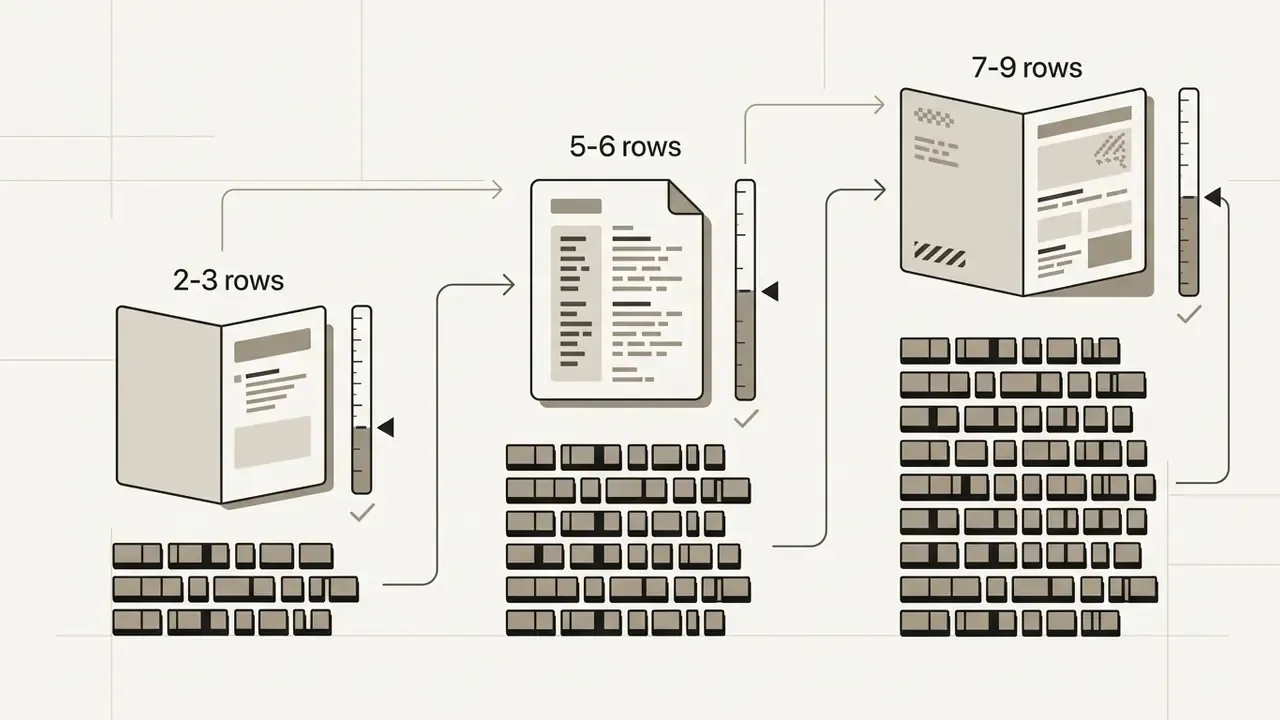
.flfdefinition) and concatenates those glyphs inside a fixed-width grid. The output is plain text, not an image. - Font choice equals width budget. Compact fonts (Mini, Small: 2 to 3 rows) survive 80-column terminals; tall fonts (Big, Banner3, Doom: 7 to 8 rows) need 120+ columns and short input.
- Alignment breaks whenever a proportional font replaces a monospaced one, or when whitespace gets collapsed. Fix it with a code fence, a
<pre>block, orwhite-space: pre. - Wrap the banner in the right comment syntax (
r"""..."""in Python,cat << 'EOF'in Bash,/* ... */in Java or JS,--in SQL) so compilers and linters do not choke on backslashes.
.flf font file can carry its own terms, and purely machine-generated text structures are not protected by copyright in the US.
The connecting principle is determinism, not artificial intelligence. A banner generator, like a log formatter or a CLI splash screen, must produce byte-identical output for identical input, in every environment, on every rerun. That is exactly why classic FIGlet rendering, a lookup in a font matrix rather than a probabilistic model, remains the default in engineering documentation. Boring? Yes. Auditable? Also yes.
An ASCII art text generator converts standard alphanumeric strings into multi-line visual banners built from monospaced characters. Modern software development and technical documentation rely on these text-based banners to keep structure visible inside source files, command-line interfaces, and configuration assets. Evaluating how these tools work helps technical teams standardise visual headers while keeping code readable and reviewable.
What an ASCII Art Text Generator Is and How It Builds a Text Banner
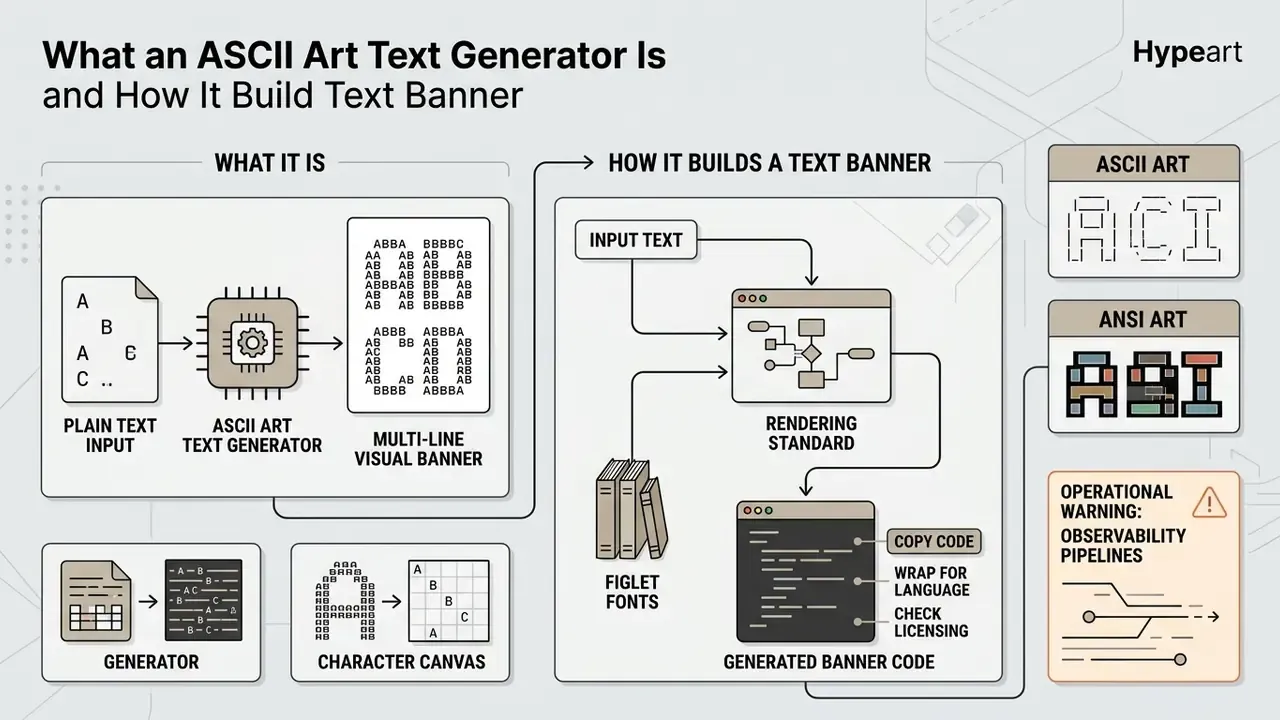
An ASCII art text generator is a web-based software tool that converts plain text input into multi-line visual banners using monospaced characters. It works by mapping each typed letter to predefined character glyphs, then concatenating them horizontally inside a fixed-width grid in the browser.
An ascii art text generator processes typed strings and renders them as visual structures built entirely from keyboard symbols. Unlike a raster graphic, the output produced by an ascii text art generator consists of plain text characters, nothing more. Developers have embedded these banners into source code comments, README files, and terminal splash screens for decades, usually to separate logical modules at a glance.
"Developers use text-based diagrams and banners because they integrate directly into text-based programming environments without external media assets."
ASCII Characters, ASCII Text and the Rendering Standard
Standard ASCII relies on a 7-bit encoding schema defined in 1963 (ASA X3.4-1963) containing 128 code positions, of which 95 are printable characters (0x20 to 0x7E). Monospaced fonts guarantee that every symbol occupies an identical horizontal width, which maintains column alignment across rows. The eighth bit was originally used for parity checking; later 8-bit code pages preserved the first 128 positions and extended the upper half to 256, an extension rather than the original standard.
When rendering ascii art, each character functions as a structural building block rather than a purely linguistic symbol. If text is displayed in a proportional font, characters like "i" and "m" occupy different horizontal widths, and vertical columns skew immediately. Eye-tracking research quantifies the trade-off with unusual precision:
"A monospaced font increases the number of fixations and reduces their average duration without changing total sentence-level reading time."
In other words, fixed-width rendering costs nothing in reading speed at sentence level, while buying the one property banners cannot live without: a stable grid.
How ASCII Art Differs from ANSI Art
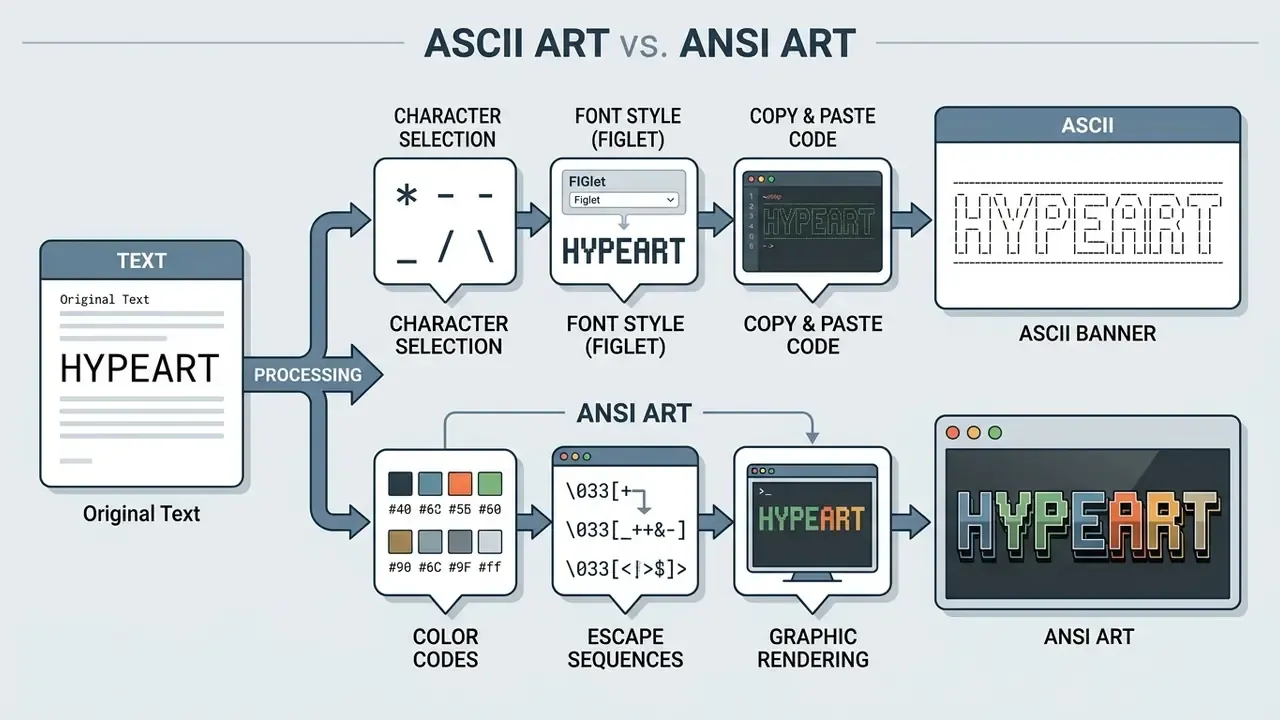
ASCII art uses only standard printable text characters and carries no inherent styling. ANSI art, by contrast, incorporates ANSI escape sequences for colour formatting and cursor movement. An ansi art generator becomes necessary when terminal displays require explicit foreground or background colours rather than pure monochrome text. Readers exploring broader visualisation tooling can also review AI-based image generators as an adjacent category, and rights questions are collected in the guide to Commercial Use for AI Media.
While plain ASCII banners stay compatible with every basic text editor, ANSI art depends on escape codes (such as \033[31m for red text) supported mainly by terminal emulators. ANSI output also commonly draws on extended, non-ASCII code pages: CP437 block and box-drawing characters (█, ▓, ░, ─, │, ┌, ┐) construct solid shapes, shading and visual depth. Because those glyphs live outside the 95 printable ASCII positions, they require UTF-8 or CP437 support on the receiving side.
Machine interpretation of the two formats also differs, which matters for teams feeding logs into automated analysis:
"GPT-4o reaches 82.2% accuracy when classifying ASCII images processed as visual rather than textual input."
| Criterion | ASCII banner | ANSI art |
|---|---|---|
| Character pool | 95 printable 7-bit characters | ASCII + CP437/Unicode blocks |
| Colour | none (inherits terminal theme) | explicit SGR escape sequences |
| Cursor control | none | full positioning, clearing, redraw |
| Safe in log files | yes | escape bytes pollute plain-text logs |
| Safe in HTML/README | yes, inside <pre> or a code fence | requires escape-code conversion |
| Diff-friendly in Git | yes | noisy, control bytes obscure diffs |
Operational warning for observability pipelines. ANSI escape sequences are literal control bytes in the byte stream. When a coloured splash banner is written to stdout and captured by a log shipper, aggregation platforms such as Splunk, the ELK stack or a SIEM index those bytes as part of the message. The consequences are predictable: regex-based field extraction fails on the first coloured line, grep-based runbooks stop matching, checksum-based log integrity controls see spurious changes, and audit exports contain unreadable [31m artefacts. The remediation pattern is simple. Emit ANSI colour only when stdout is an interactive TTY, and fall back to plain ASCII in non-interactive CI/CD and service contexts.
How to Create ASCII Art from Text Online
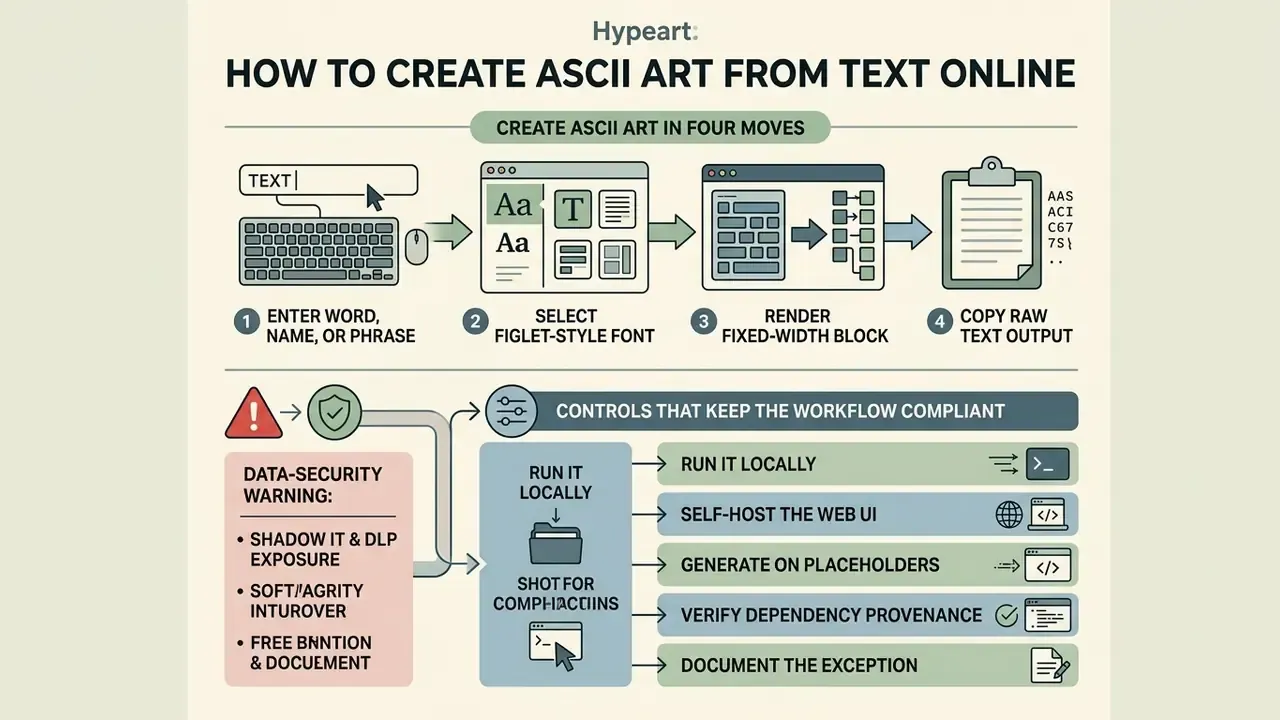
Creating ASCII art online takes four moves: enter a short word or string, select a FIGlet-style font layout, render the fixed-width block, and copy the raw text output. The process runs entirely inside the web browser, with no local dependencies to install.
"A manual analysis of 507 ASCII diagrams from four open-source projects showed that they cover architecture, data structures and control flow."
To create ascii art from text, users open an ascii art text generator online tool in any standard browser. These browser-based tools process the string locally in JavaScript and provide immediate live previews as parameters change. Using an ascii art generator online text to ascii art utility removes the need for command-line installation when you are drafting a temporary header block. That convenience, though, comes with a caveat worth reading twice.
Enter a Word, Name or Short Phrase
Optimal results come from concise inputs: single names, acronyms, short titles. An ascii art name generator formats letters sequentially, but an excessively long string will wrap in a standard 80-column terminal and lose its shape.
Input length dictates the horizontal span of the banner directly. The arithmetic is straightforward: multiply input length by the average per-letter width of the chosen font. A ten-character word in a wide banner font at roughly 10 to 14 columns per letter produces a block of 100 to 140 columns, which exceeds the classic 80-column terminal and wraps unpredictably in editors with soft wrap enabled. Two thresholds are worth memorising: 80 columns for login banners, MOTD files and CI/CD logs, and 120 columns for README covers and presentation slides. Accessibility guidance applies too. W3C WCAG technique H86 requires a text alternative for ASCII art, emoticons and leetspeak, so a banner should never be the only carrier of meaning.
Copy the Result and Paste It Where You Need It
Transferring generated ASCII text means copying the raw unformatted string and pasting it into an environment configured for monospaced rendering. Preserve exact character spacing and line breaks, and nothing distorts.
Once the banner is generated, users performing a copy operation must check that the target editor does not automatically strip trailing spaces or convert tabs into spaces unevenly. A paste into a code block or a plain text document preserves the original structure. In Markdown, always wrap the banner in a fenced code block. Outside a fence, Markdown collapses runs of spaces and removes leading whitespace, which shears the left edge of the art. The same rule applies to Discord and Slack: triple backticks preserve the grid, a normal message body does not.
Formatting ASCII banners inside source code
How to Choose an ASCII Art Font for Names, Banners and Code
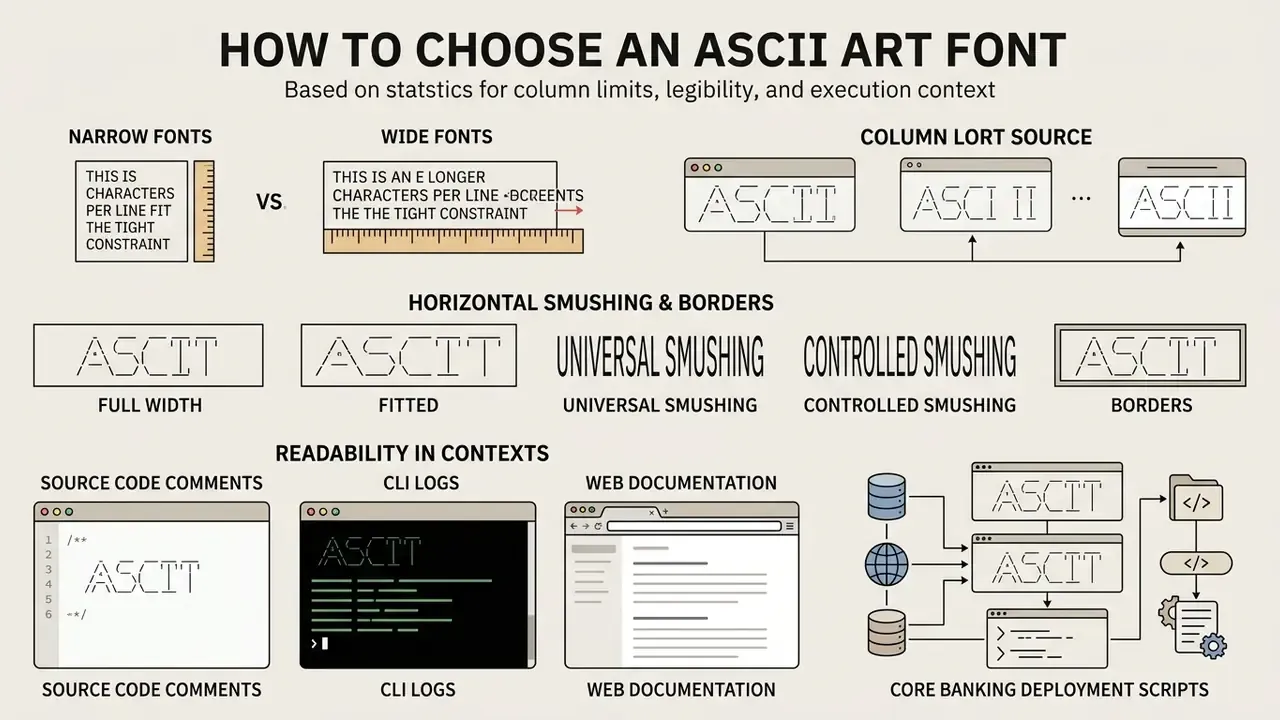
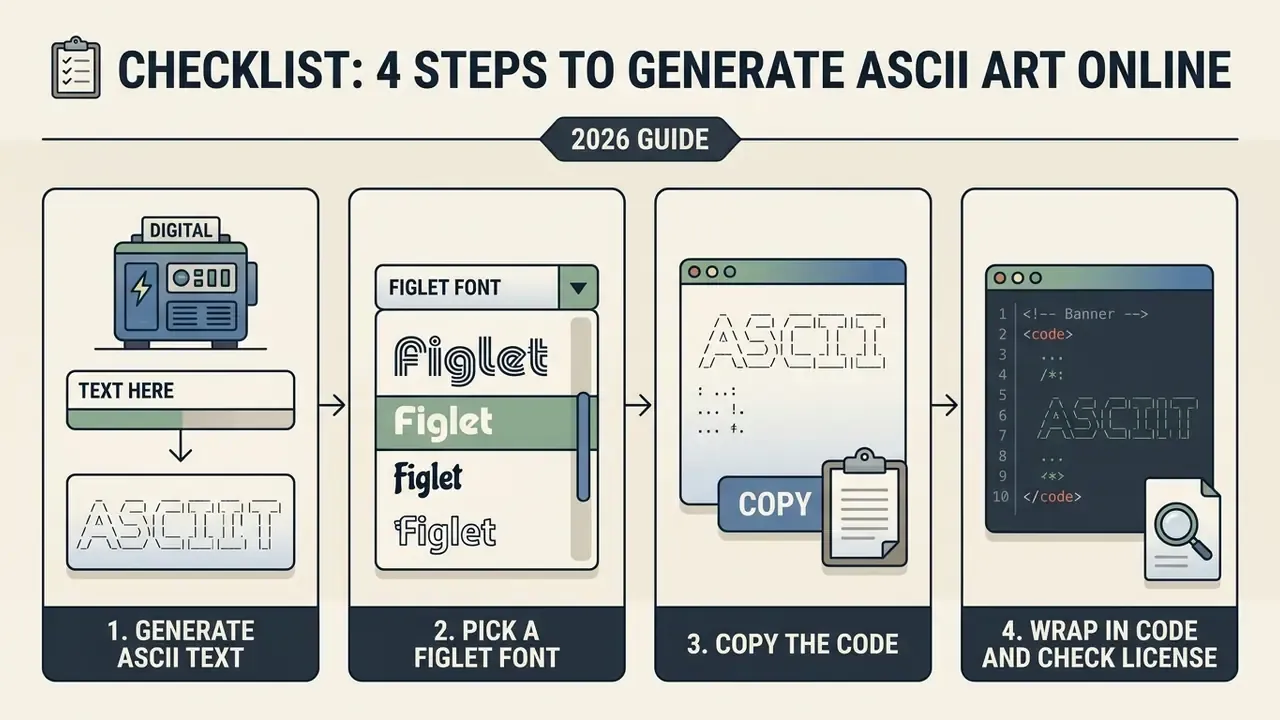
Font choice depends on target column limits, required legibility, and execution context: source code comments, CLI logs, or web documentation. In practice you are balancing string width against visual clarity, and one of the two always gives ground.
An ascii art font generator opens access to hundreds of distinct character sets. When creating headers with an ascii word art generator, technical teams should verify that the selected font stays readable across screen resolutions and across dark and light editor themes. A banner that sings on a black terminal can turn to mush on a white background.
"A monospaced font increases fixation density on the target word, lowering skipping probability, while total reading time stays unchanged."
Controlling horizontal smushing and borders
FIGlet-based engines apply one of four horizontal layout strategies when placing letters next to each other. Knowing which one is active explains why the same word looks about 15% wider in one tool than in another:
- Full width (Full)characters are placed at fixed intervals with no border-to-border overlap.
- Fitted (kerning)character boundaries move together until the first non-blank glyphs touch.
- Universal smushingcharacters overlap by one column; the rightmost character overwrites the left one.
- Controlled smushingcharacters merge according to classic typographic rules, so two vertical bars
|and|fuse into a single stroke.
Vertical layout offers the same normal, narrow, squeezed, fitted and wide progression, which matters for multi-line phrases.
For emphasis inside documentation, banners are often framed with text borders. Generators typically ship dozens of variants: dots, simple, PlusBox, waves, stars, brace frame, slash frame, two-line frame, Box Drawings Light, Box Drawings Double, bold block frame, double corners, plus configurable vertical and horizontal padding (0 to 5 characters). Example framing with Box Drawings Light characters (┌ ┐ └ ┘ ├ ┤ ─ │):
Two related switches deserve deliberate use: trim whitespace (removes the dead margin FIGlet leaves around the block, handy before embedding) and whitespace break (inserts line breaks at spaces so a two-word phrase stacks instead of overflowing).
Narrow and Wide Fonts: Impact on Line Length
Narrow fonts keep letter widths compact to prevent wrapping in standard 80-column consoles, while wide banner fonts expand horizontally and need 120 columns or more. Choosing compact styles keeps output consistent across narrow terminal windows.
| Font category | Example styles | Average width (characters per letter) | Recommended context |
|---|---|---|---|
| Ultra-compact | Small / Mini | 3 to 5 | CI/CD logs, narrow consoles (80 columns) |
| Standard | Standard / Slant | 6 to 8 | Source code headers, README files |
| Wide banner | Big / Block | 9 to 14 | Splash screens, documentation (120+ columns) |
| Decorative | Shadow / 3D / Isometric | 10 to 16 | Presentation material, portfolio pages |
Note that terminal capacity is measured in columns, not in characters of input. The font decides how many glyph cells each letter consumes, so a five-letter word in isometric1 can occupy more screen width than a twelve-letter word in mini. Slender monospace families such as Iosevka place every glyph in an exact half-em cell, which keeps the mapping between columns and cells predictable in the display font as well.
Text to ASCII Art, ANSI Art and Text Images: What to Choose
Choosing between text-to-ASCII, ANSI art, image-to-ASCII converters, and text-to-image tools depends on two questions. Is the source input a string or a raster image? And does the output need colour?
Understanding the categories prevents avoidable errors when picking utilities for automated workflows.
| Tool type | Input | Output | Primary use |
|---|---|---|---|
| Text to ASCII art | short string | multi-line plain text | README titles, CLI splash screens, section dividers |
| ANSI art generator | string or drawing | text plus escape codes / .ans | coloured terminal logos, BBS-style graphics |
| Image to ASCII converter | raster image | grayscale character grid | logo conversion, photo stylisation |
| Text to image (ASCII → PNG) | existing ASCII block | bitmap file | sharing art where monospace is unavailable |
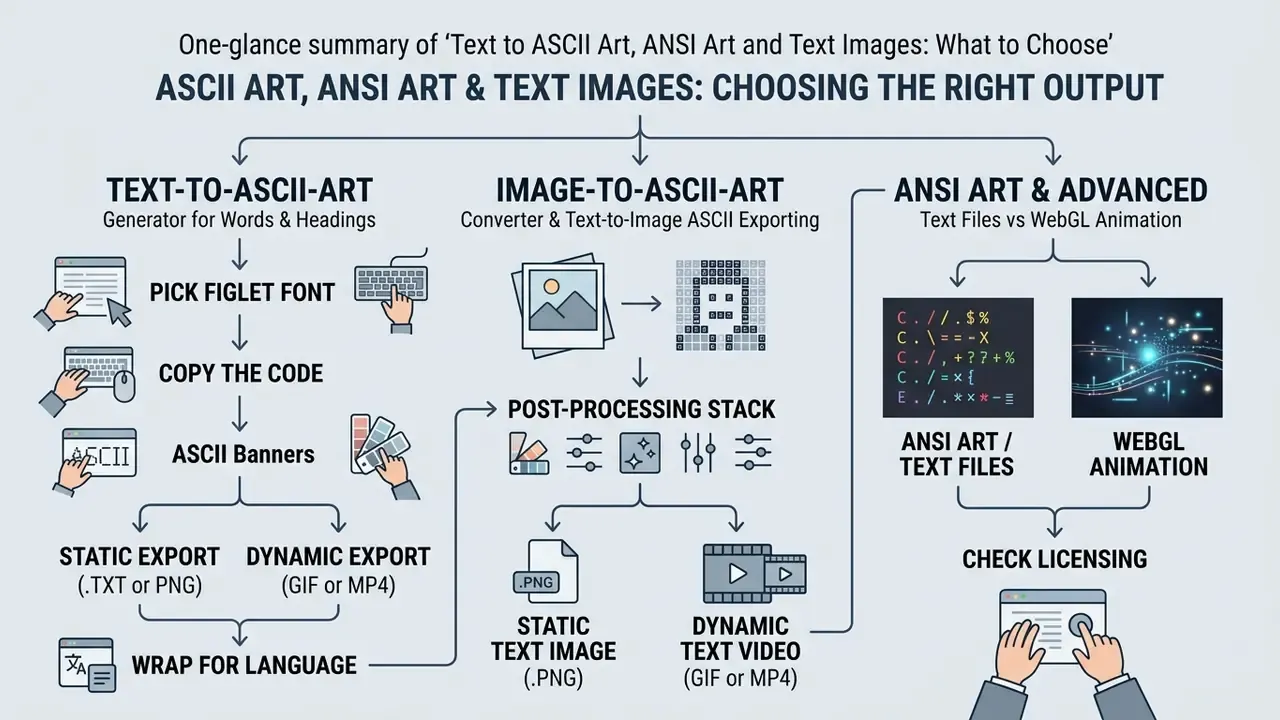
Text-to-ASCII-Art Generator for Words and Headings
Text-to-ASCII banner tools map character strings directly to predefined multi-line typography glyphs. A text to text art generator turns words, names, and section titles into monospaced text structures for code documentation.
A dedicated text to ascii art generator or ascii art generator text to ascii tool takes plain string input and builds letterforms inside a grid. For section dividers and system titles, it is the most efficient choice available. Typical controls are font selection, centring and alignment, framing, padding, and export to text or image formats. Input length recommendations across tools cluster in the 1 to 20 character range, with 50 characters as a practical upper bound.
Image-to-ASCII-Art Converter and Text-to-Image ASCII
Raster image converters evaluate pixel brightness, sample spatial grids, and map tile luminance to the closest ASCII character. Text-to-image tools do the reverse: they capture monospaced text blocks and export them as bitmap graphics.
"Image-to-ASCII conversion involves splitting the image into n×n tiles and selecting a character by brightness; quality is evaluated via SSIM and image-to-vector distance."
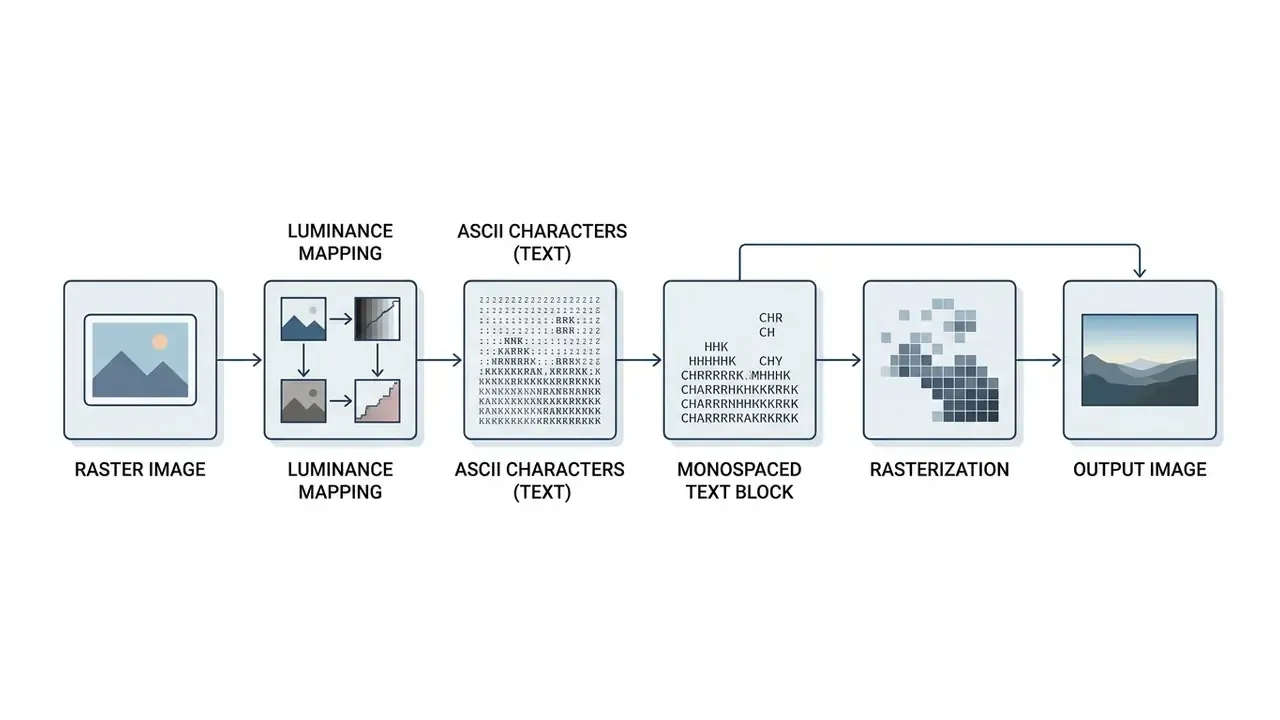
An ascii image generator from text or a text to image ascii tool works by analysing raster images. If a user needs to convert a logo into characters, the converter calculates pixel density; adjacent workflows are covered in guides on image-to-text converters. If the goal is turning existing character art into a PNG file, a text to ascii image utility rasterises the text block. High-contrast, simple sources (logos, silhouettes) convert best; busy colour photographs lose detail unless pre-processed to grayscale. Teams analysing commercial tool models can evaluate benchmarks in AI Media Comparison Matrices and review operational cost structures in AI Media Pricing Guides, including how vendors meter What Are Compute credits for render-heavy jobs.
Batch ASCII Art Generator and Working with Multiple Texts
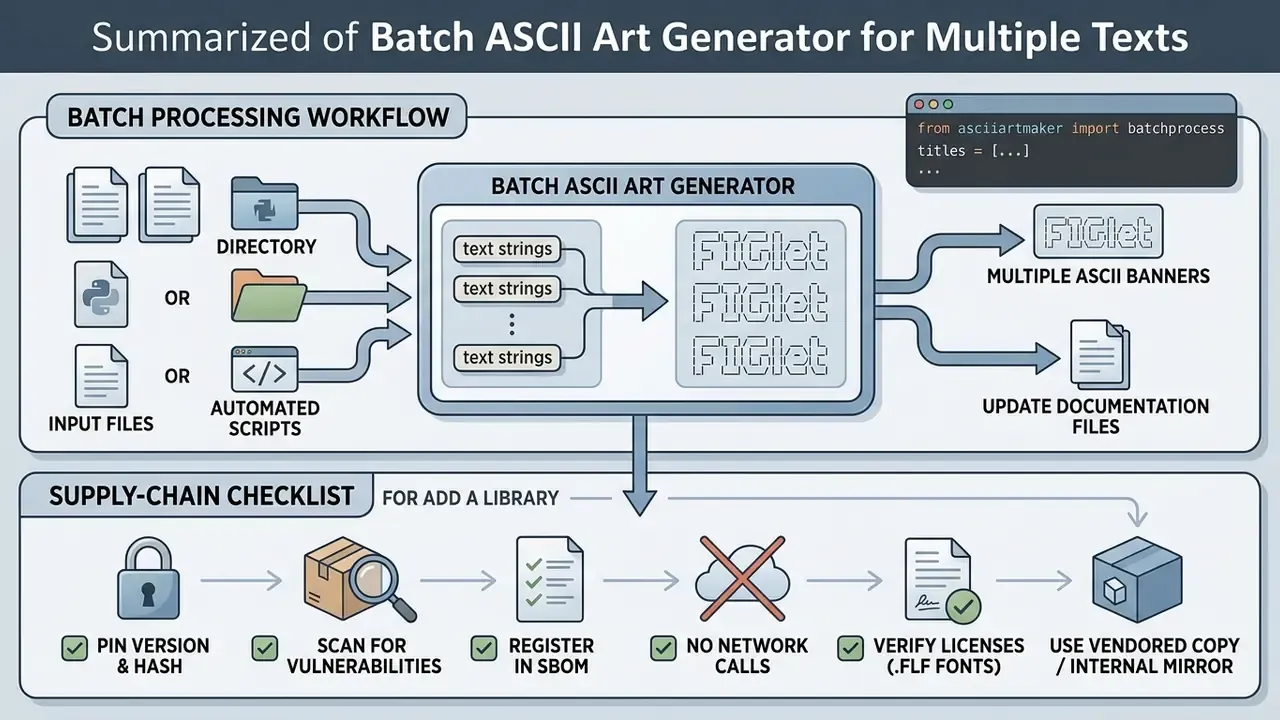
A batch ascii art generator processes multiple text strings or documentation files at once, through automated scripts or file directory ingestion. Batch mode is what keeps font application standardised across a large software codebase.
When you manage extensive repositories, converting section titles by hand stops being reasonable. Automation utilities read a list of inputs, or a folder of .txt files, and render multiple ASCII headers in a single execution pipeline. Some implementations push the idea further, converting every frame of a GIF into ASCII and generating a script that plays the frames in a console loop.
# Illustrative batch processing workflow
from ascii_art_maker import batch_process
titles = ["MODULE_START", "AUTHENTICATION", "DATABASE_LINK"]
banners = batch_process(titles, font="standard")
Supply-chain checklist before adding any generator library to a regulated pipeline:
- Pin the exact version and hash in the lockfile; reject floating ranges.
- Scan the package with your SCA and vulnerability tooling, then register it in the SBOM.
- Confirm the library performs no network calls at import or render time.
- Verify the licence of the library and of the
.flffonts it bundles. - Prefer a vendored copy or an internal mirror over a direct public-registry pull in build agents.
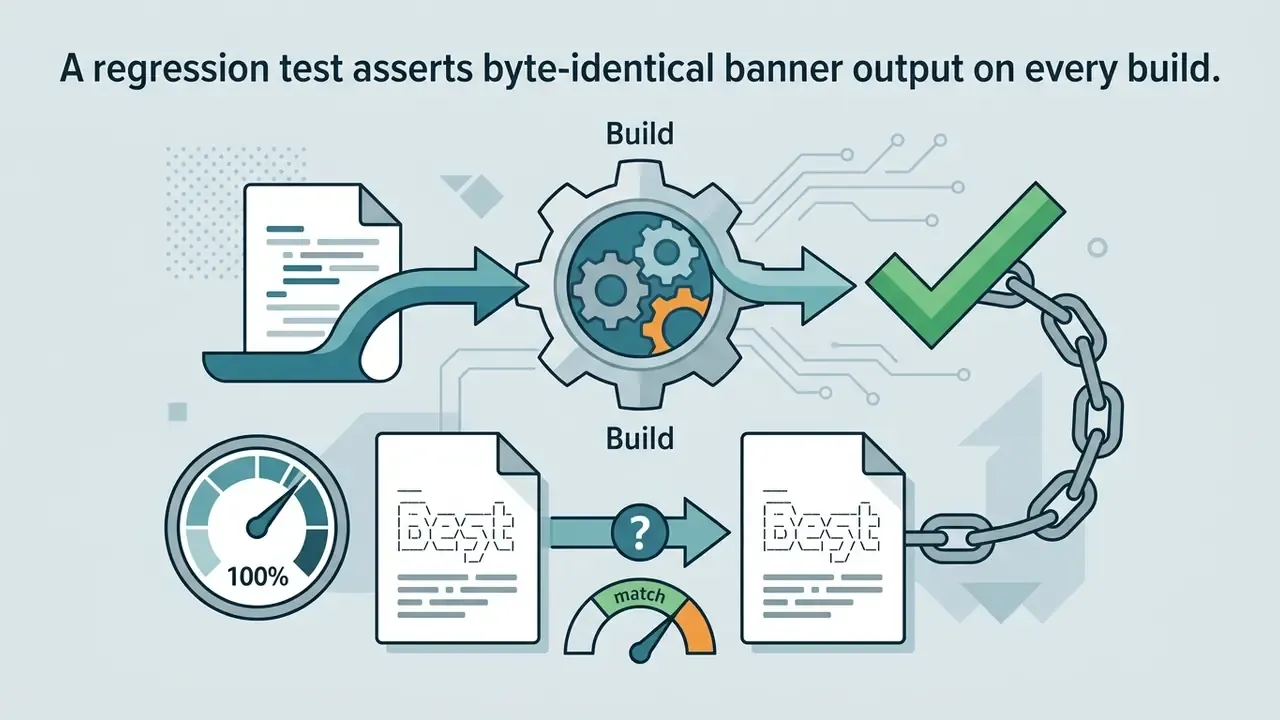
- Add a unit test asserting byte-identical banner output, so a silent font update cannot change a login banner without review.
That last point sounds pedantic until a font bump quietly rewrites the banner on a production jump host. Organisations building automated workflow pipelines can examine technical integration models via AI Media API Guides, and teams clarifying downstream rights can review commercial use of AI image generators.
Free ASCII Art Generator Online: What to Check Before Publishing and Commercial Use
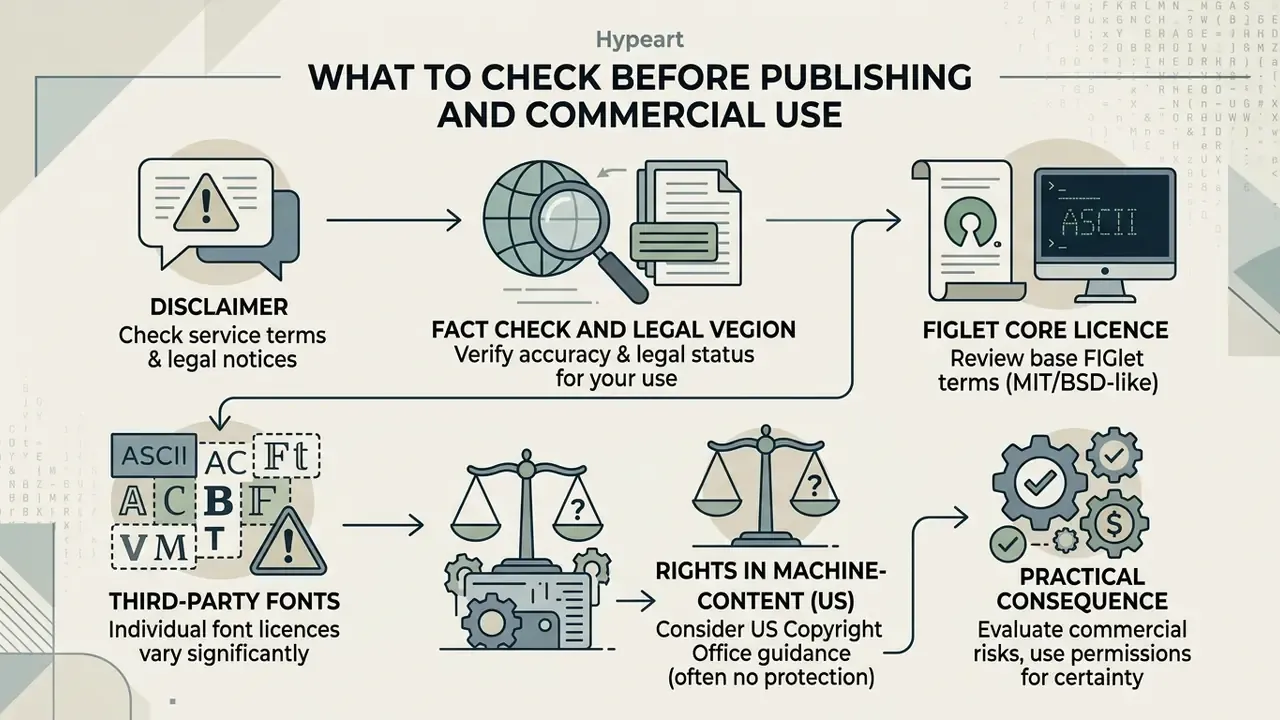
- FIGlet core licence the FIGlet source code is distributed under the BSD 3-Clause licence, permitting commercial use while requiring retention of the copyright notice and disclaimer.
- Third-party fonts shipped
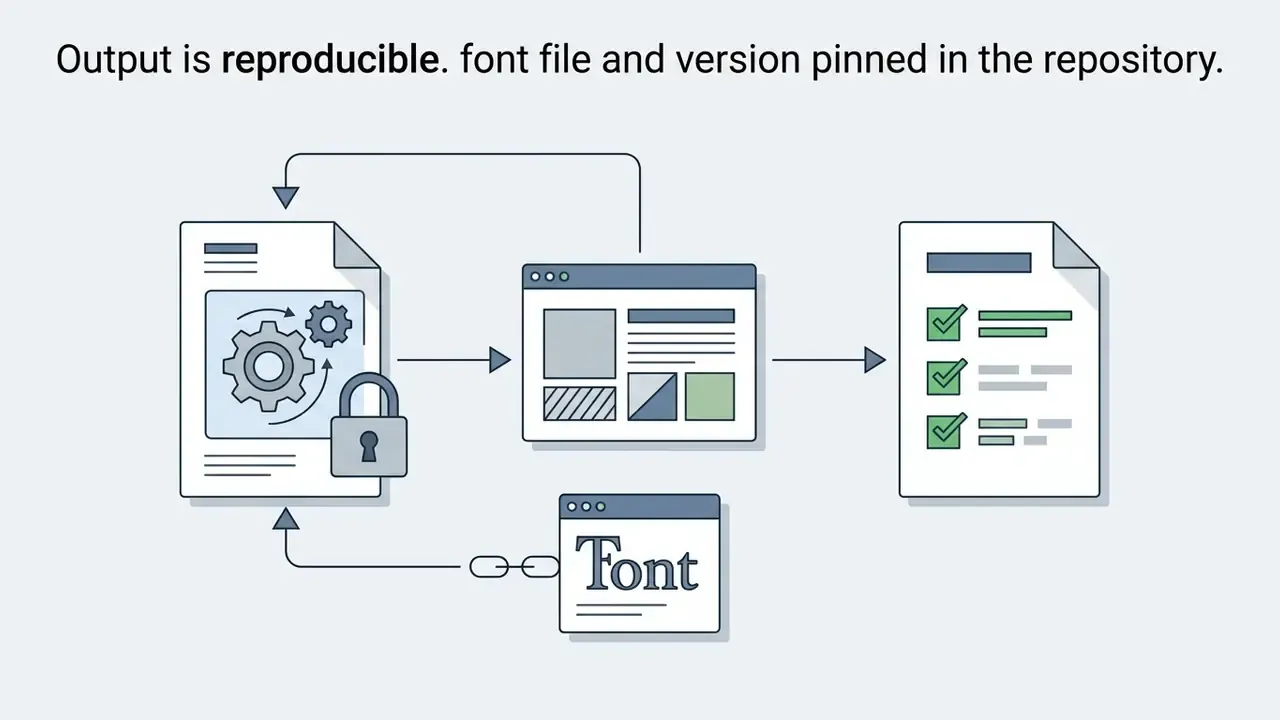
.flffiles may carry individual licences (MIT, Public Domain, Creative Commons). The generated banner inherits the licensing constraints of the specific font used, so a commercial software distribution should pin the font file, store its licence text next to it, and list it in the product's third-party notices. - Rights in machine-generated content (US) "Purely automatically generated text structures without substantial human authorship are not protected by copyright and fall into the public domain." Source: US Copyright Office, Guidance on AI-Generated Works (2024). https://www.copyright.gov/ai/ A claimant may register only identifiable human contributions and must exclude more-than-de-minimis machine-generated material from the claim.
- Practical consequence a plain FIGlet banner is generally free to reuse, but that also means you cannot assert exclusive rights over it. Distinctive hand-edited character art, by contrast, can contain protectable human authorship.
For regulatory context on digital asset usage, engineering teams can consult current documentation on AI Litigation and compliance risks, and cross-check downstream rights in the guide to commercial use of AI image generators.
FAQ on ASCII Text Art Generators
Overview
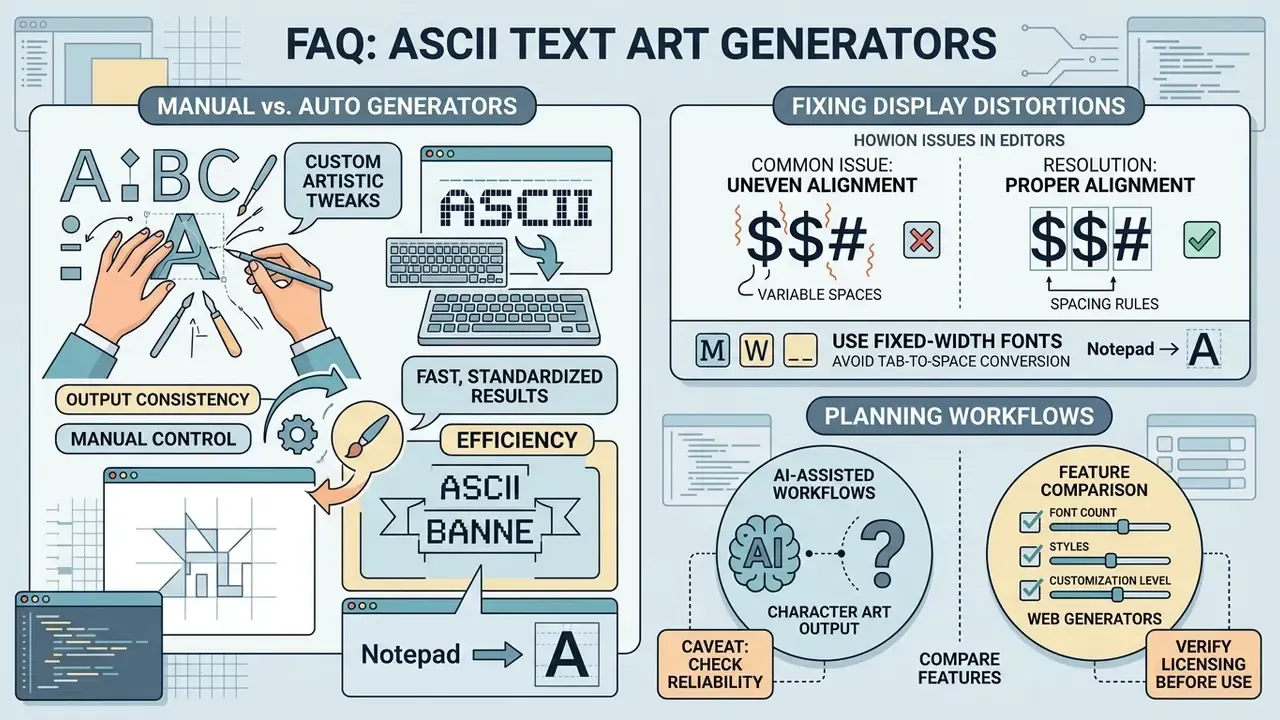
Common questions about character art cluster around three themes: manual creation techniques, rendering distortions in text editors, and feature comparisons between web generators.
Can You Build a Keyboard Art Generator from Ordinary Text?
Manual keyboard art means hand-arranging standard keyboard symbols into visual shapes, with no algorithm involved. An automated keyboard art generator shortcuts that work by converting entered characters into structured layouts programmatically.
Manual creation still wins when you want custom artistic tweaks. Automated tools win on speed, because predefined font maps output an immediate text banner. Keyboard art is traditionally produced right inside Notepad or TextEdit by combining symbols, line spacing and multiple lines, the same workflow that produced the classic animal drawings still circulating today.
Why Does ASCII Art Shift in Notepad or a Browser?
ASCII art distorts when the rendering environment substitutes a proportional font for a monospaced one, or collapses consecutive whitespace sequences.
"ASCII art is required to consist of the 95 printable fixed-width characters; breaking that condition destroys the spatial structure of the image." Source: ASCIIEVAL (2024); dataset of 3,526 ASCII works across 359 concepts with a hierarchical taxonomy. https://arxiv.org/abs/2408.04416
The fix lives in W3C platform documentation rather than in research literature. The CSS Text specification defines white-space: pre as preserving spaces, tabs and segment breaks as forced line breaks, while CSS 2.1 defines monospace as a family in which every glyph has equal advance width. HTML's element applies both behaviours by default and renders content exactly as authored, stripping only the single newline immediately after the opening tag. W3C's own ASCII art guidance recommends enclosing character art in a preformatted element.
_ _ _____ _ _
| || | ___| | | |
|_ _| |_ | |__| |
|_| |_| |____|__|
When pasting art into an editor like Notepad, make sure tab characters are not converted into variable space widths and that word wrapping is off. Three failure modes cover almost every complaint: pasting into a proportional-font context such as an X post, a Google Doc body or a chat bubble; pasting into Markdown outside a code fence; and an editor that trims trailing whitespace on save and shears the right edge of the block. For technical assistance with media rendering issues, visit AI Media Support and Troubleshooting.
How Does the Textkool ASCII Art Generator Differ from Other Tools?
The textkool ascii art generator offers web-based single-click font testing, full-width preview options, and an extensive catalogue of social text styling tools. Its limits are equally clear: fewer character-level manual adjustments than a full desktop ASCII editor, harder alignment of large outputs, and less robust export options.
Positioning it against neighbours helps. FIGlet web front-ends such as Manytools are minimal and fast, but restrict commercial use of output. Full-feature generators like Text to ASCII Art add 270+ fonts, 38 border designs, 14 comment styles and PNG, JPG or GIF export. Effect-oriented studios such as ASCII Magic add 20+ FIGlet fonts plus WebGL animation with MP4 and GIF export. Character canvases like TextPaint trade automation for freehand drawing, fill, find-and-replace and layer merging.
One caveat when planning AI-assisted workflows around character art:
"Multimodal models show a persistent bias toward textual semantics over the visual patterns of ASCII art; recognition accuracy drops sharply as semantic complexity grows." Source: Visual Language Models' Text-Priority Bias in ASCII Art Interpretation (2025), experiments across several multimodal architectures. https://arxiv.org/abs/2502.10704
Practically, an LLM is a poor reviewer of your banner's visual quality. Verify it in a real terminal instead. Teams needing custom computational estimates for automated rendering jobs can use AI Media Calculators, and those comparing generative tooling more broadly can consult the overview of the best AI image generators.
Which One-Line ASCII and Unicode Emoticons Are Safe to Copy?
For quick replies in messengers, decorating Git commits and posting in Discord, ready-made single-line constructions still do the job:
- Emoticons and reactions:
¯\_(ツ)_/¯for the classic shrug.(╯°□°)╯︵ ┻━┻for the table flip (anger or burnout).┬─┬ ノ( ゜-゜ノ)for the table restored (calm).( ͡° ͜ʖ ͡°)for the Lenny Face.ฅ^•ﻌ•^ฅfor the cat paw.- Animals (mini text art):
Cat: /\_/\
( o.o )
> ^ <
Dog: / \__
( @\___
/ O
/ (_____/
/_____/ U
- Separators and symbols:
- ASCII-only, works everywhere including legacy terminals and plain log files:
<3,==>,->,[--->],*,+-+-+ - Unicode and UTF-8, richer but dependent on encoding support:
♥,❤,★,☆,✦,⇒,»,─,│,█
Note the distinction. True ASCII art uses only the 128 ASCII code points and renders identically on systems decades apart, whereas Unicode text art (shrugs, box-drawing characters, hearts) looks richer but depends on UTF-8 and on font coverage. For maximum compatibility in logs and old terminals, stay in pure ASCII. And in Bash, remember that ¯\_(ツ)_/¯ must be single-quoted, or the backslash disappears.
Quick Reference: Where ASCII Banners Work and What Breaks Them
| Use case | What works | What to watch for |
|---|---|---|
| Terminal banners | Block / Big / Slant | width; most terminals are 80 columns |
| README headers | inside a fenced code block | Markdown collapses leading whitespace outside fences |
| CLI splash screen | print on first run | colour is separate (ANSI escapes); gate on TTY |
| Log decorations | short slogans, single line | logs scroll fast; never carry data in the art |
| Image rendering | high-contrast, grayscale sources | colour photos lose information; pre-process |
| Source-code comments | section dividers | use #, //, /* */, -- correctly; raw strings for </code> |
| Discord / Slack | triple-backtick code block | plain message bodies use proportional fonts |
| Email signatures | monospace-capable clients | HTML mail may substitute the font family |
Pre-publication checklist
This guide is informational. Licensing, copyright and internal-security statements are general in nature; verify commercial use and data-handling decisions with your legal and information-security functions before deployment. Further definitions and adjacent topics are collected in the AI Media Glossary.
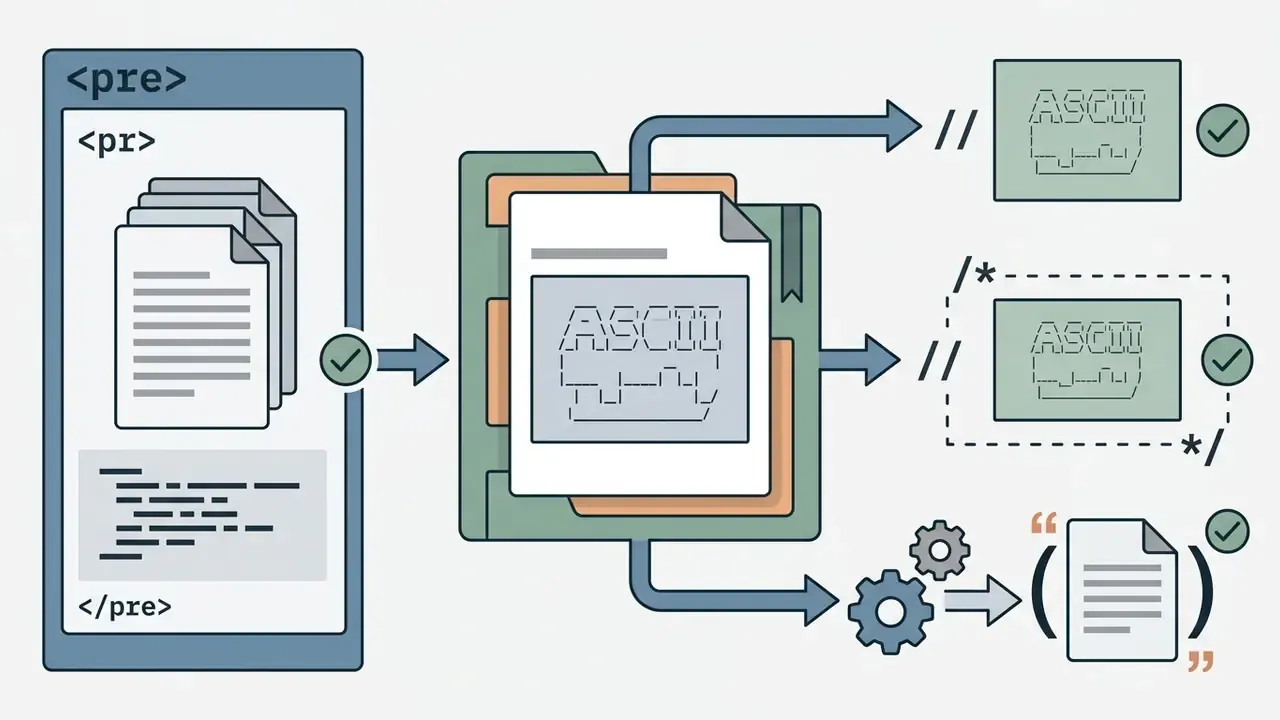
<pre> block, or the correct comment syntax for the language.

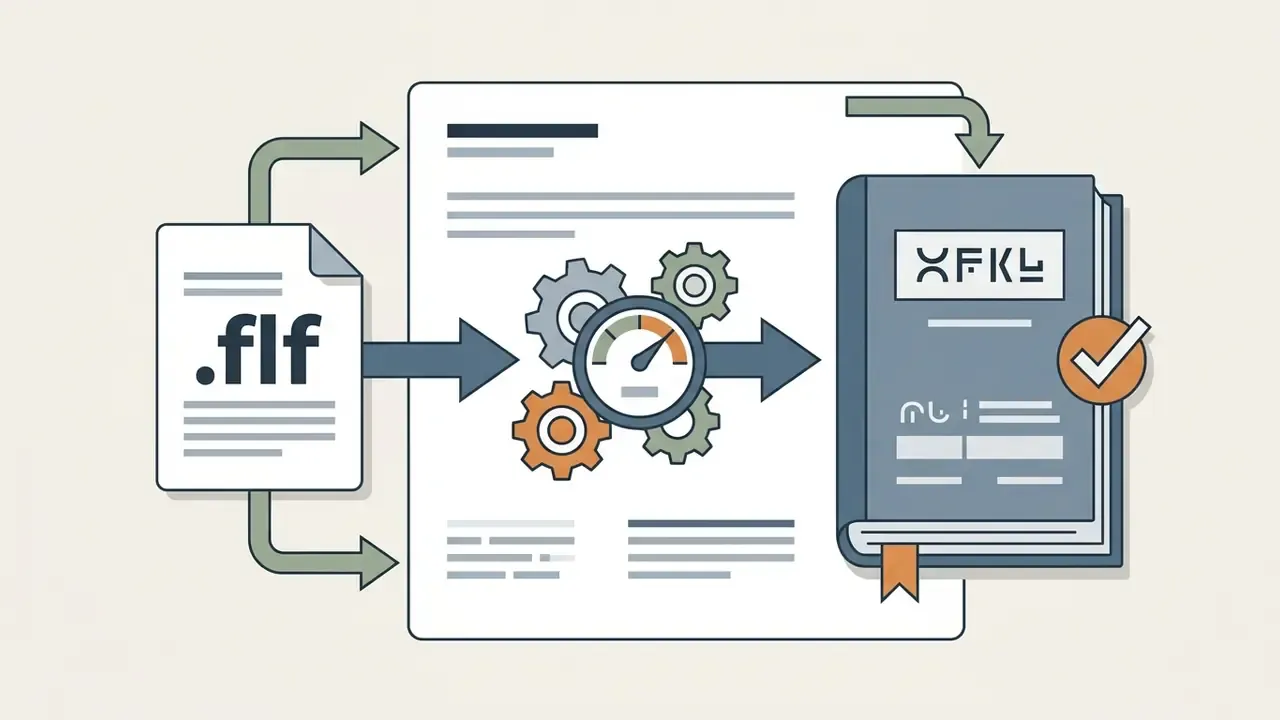
.flf font licence is recorded in third-party notices.