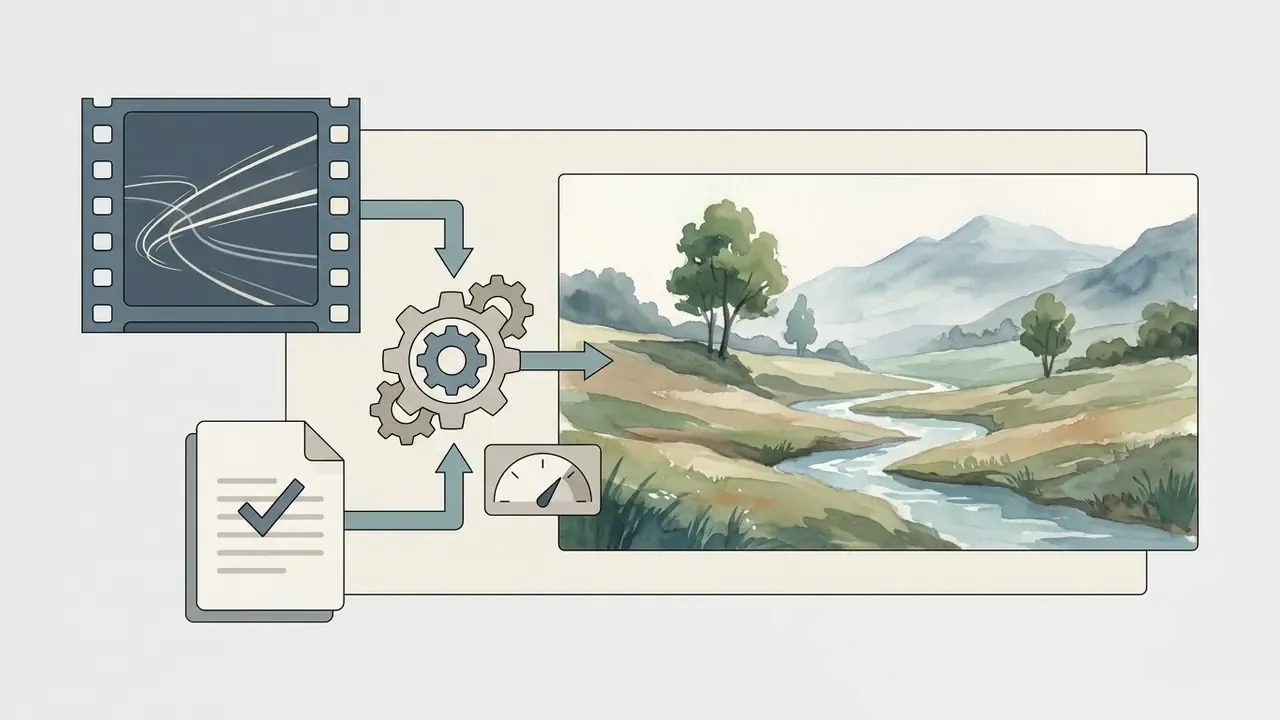
An AI tool to convert video to Ghibli style animation transforms live-action or pre-rendered clips into stylized, hand-drawn anime visuals while retaining the original motion structure and timing. Modern workflows lean on video-to-video (V2V) diffusion architectures, latent temporal conditioning, and frame-consistency adapters to re-render footage into painterly aesthetics inspired by Studio Ghibli.
Key Takeaways
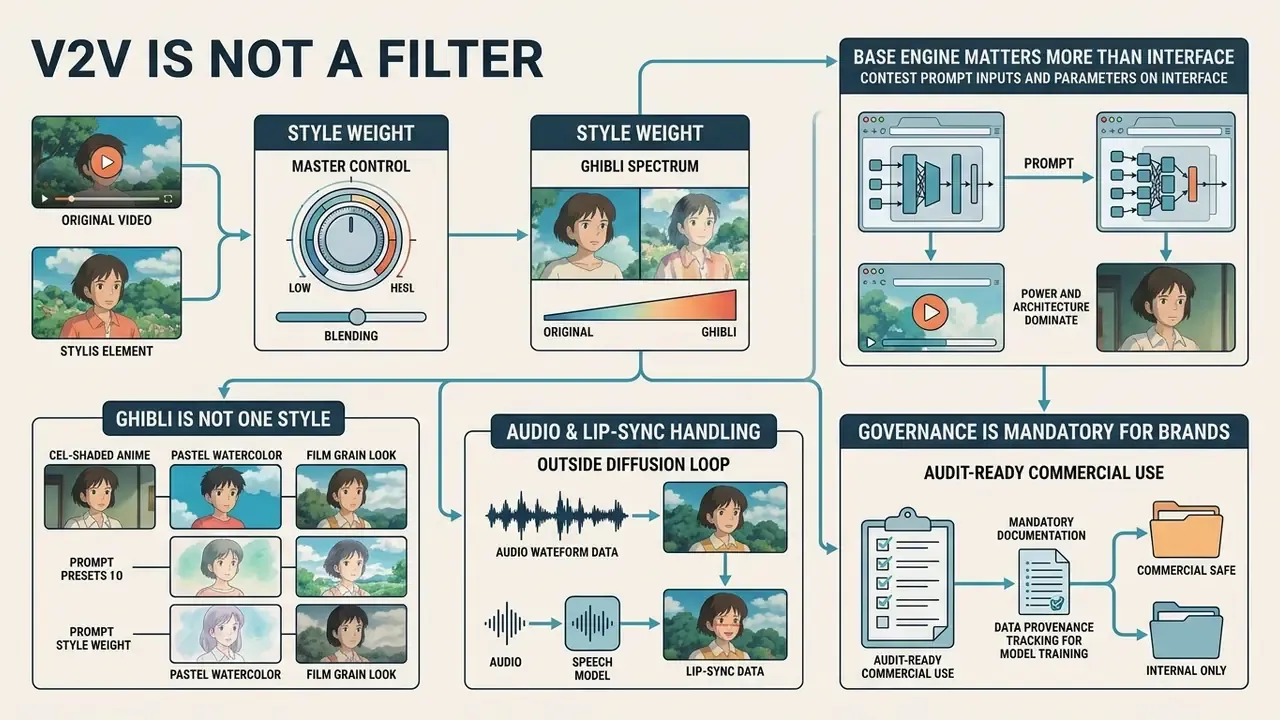
- V2V is not a filter. Video-to-video diffusion re-synthesizes every frame, but it uses optical flow, depth maps, and edge boundaries from your source clip as a structural anchor. The original camera moves and character motion survive the transformation.
- Style weight is the master control. Practical ranges sit between
0.65and0.85. Above0.95you get structural collapse and lip-sync drift; below0.40the output degrades into a conventional color filter. - Audio is handled outside the diffusion loop. Sound is demuxed before frame extraction and multiplexed back after rendering. Heavy stylization still breaks viseme alignment, so keep dialogue clips at lower style weights.
- The base engine matters more than the interface. Wan 2.1 V2V favors structural control, Google Veo 3.1 excels at soft cinematic light, Kling and Luma prioritize camera dynamics, Runway Gen-3 needs aggressive negative prompting to suppress photorealism priors.
- Ghibli is not one style. My Neighbor Totoro, Spirited Away, Howl's Moving Castle, and The Tale of the Princess Kaguya need different palettes, structure weights, and prompt modifiers.
- Governance is mandatory for brands. Log seed, prompt, model version, and C2PA metadata; label AIGC content on TikTok and Meta; never upload confidential footage to consumer-tier SaaS tools without reading the data-retention terms first.
Scope of This Guide and How to Read It
This is a practitioner guide, not a tool advertisement. It covers six decisions in order: what a V2V pipeline actually does, what drives output quality, how to prepare footage, how to run and assemble the render, how to compare an ai ghibli style video generator against alternatives, and how to price and govern the result.
Two audiences tend to read this differently. Creators want the prompt recipes and slider values. Risk, brand, and finance owners want the retention clauses, the audit fields, and the true cost per finished minute. Both paths are here, and the governance sections are deliberately placed after the craft sections so nobody has to skip the practical part to reach compliance.
One caveat before the technical detail: every numeric figure below, from credit allocations to style-weight bands, is time-stamped to June 2026 and should be re-verified against vendor documentation before you commit budget. Terms move faster than architectures.
What Is an AI Tool to Convert Video to Ghibli Style Animation?
An AI tool designed to convert video to Ghibli style animation is a specialized video-to-video (V2V) generative system. It ingests an existing clip and re-synthesizes its visual appearance frame-by-frame, or across latent temporal blocks. Unlike standard color grading filters or static overlays, an ai convert video to ghibli style animation pipeline uses deep learning backbones, typically latent diffusion models or video transformers, to map source motion trajectories onto stylized, hand-painted artwork.
When you deploy a ghibli style video converter, the model extracts spatial structural cues (depth maps, optical flow fields, edge boundaries) from the source clip. It then replaces pixel textures with characteristic Ghibli-inspired elements: soft pastel palettes, gouache and watercolor textures, expressive and simplified character geometry. Exploring foundational terms in our AI Media Glossary helps clarify how neural style transfer differs from classical digital signal processing.
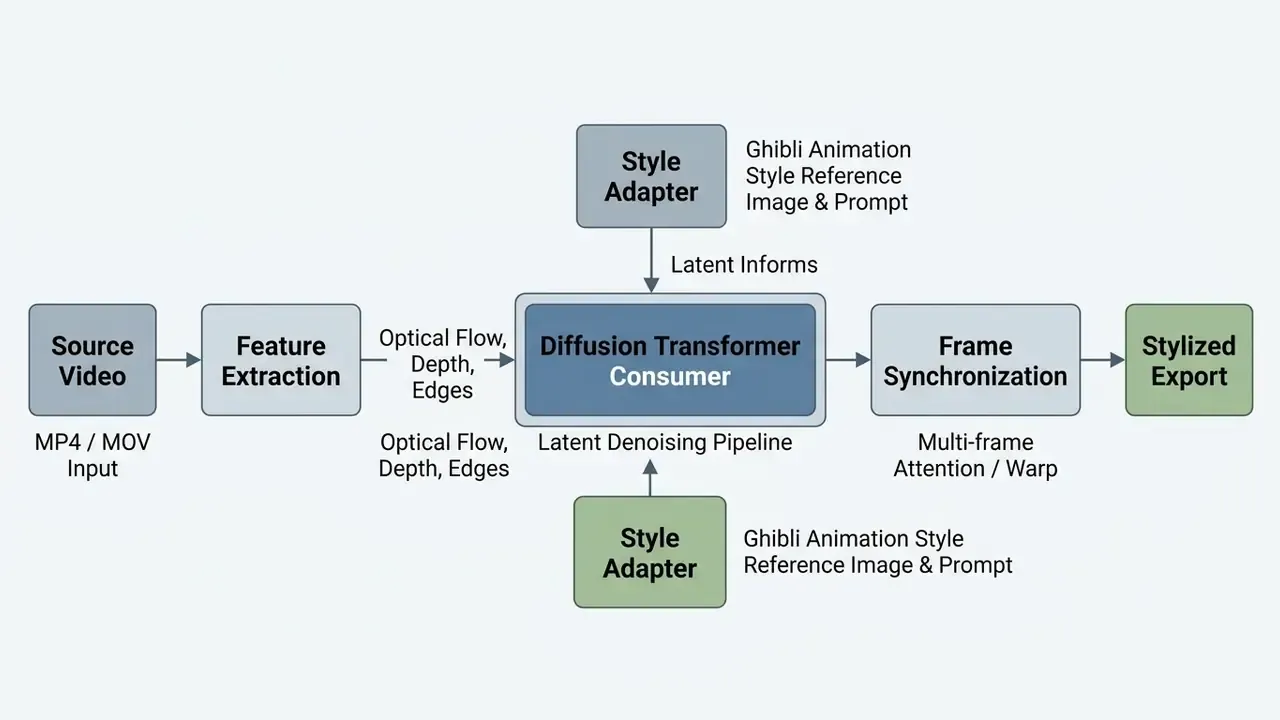
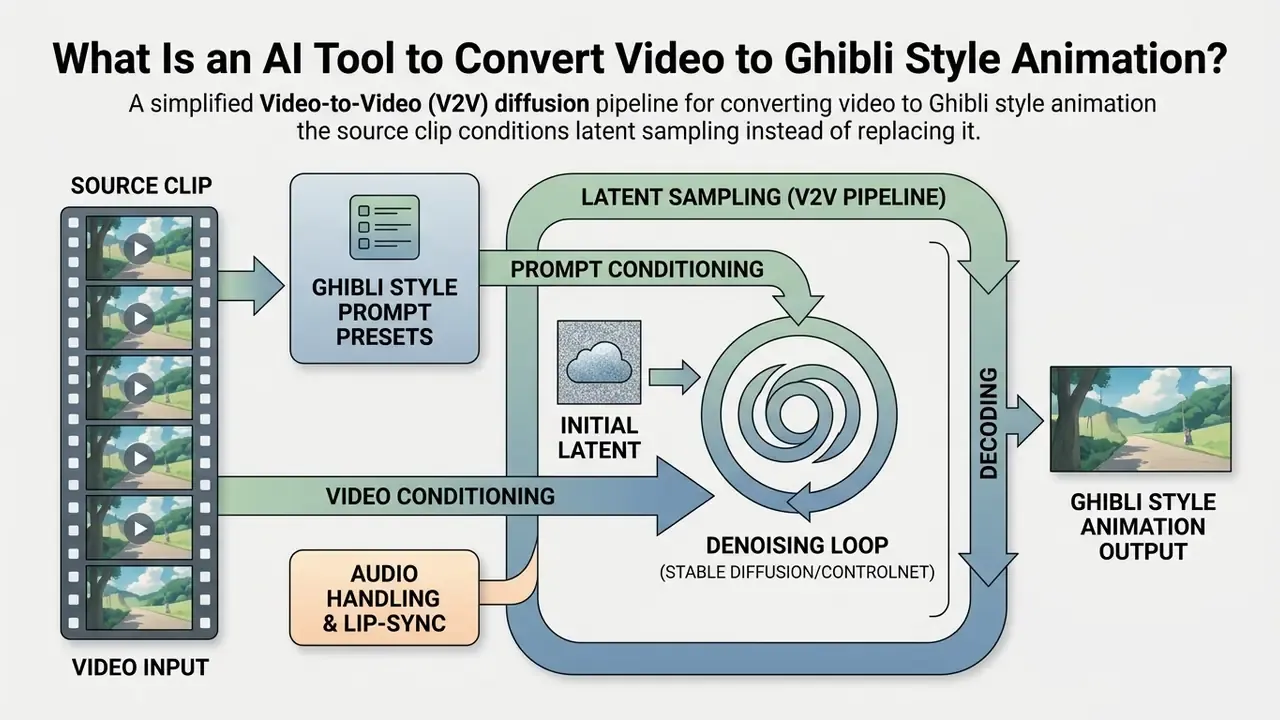
Video-to-video style transfer versus text and image generation
Video-to-video style transfer transforms an existing video trajectory while preserving its underlying motion and spatial layout. Text-to-video (T2V) creates synthetic motion entirely from text descriptions. Image-to-video (I2V) extrapolates motion from a single static frame. In a V2V workflow, the source clip acts as a structural anchor, so camera moves, character actions, and environmental pacing stay deterministic rather than hallucinated.
"Frame-by-frame diffusion processing produces flickering and inconsistent details between frames even when each individual frame looks visually clean."
Research on video diffusion backbones shows that while T2V models generate novel scenes from random noise vectors, V2V conditioning constrains latent sampling with feature maps extracted from your uploaded clip (Video Diffusion Models: A Survey, arXiv 2024). For anyone converting footage into animated scenes, that gives direct control over timing and composition, which T2V simply cannot match. Readers comparing architectures can review how text-to-video AI tools synthesize motion from scratch, and how image-to-video AI extrapolates motion from one frame. To understand how static artwork expands into full sequences before V2V transfer, see our analysis of ai vector generator systems and vector-based asset generation. Short-form output is a separate discipline again; our notes on the ai video clip generator category cover length, aspect ratio, and hook placement.
What makes a Ghibli-inspired video style recognizable
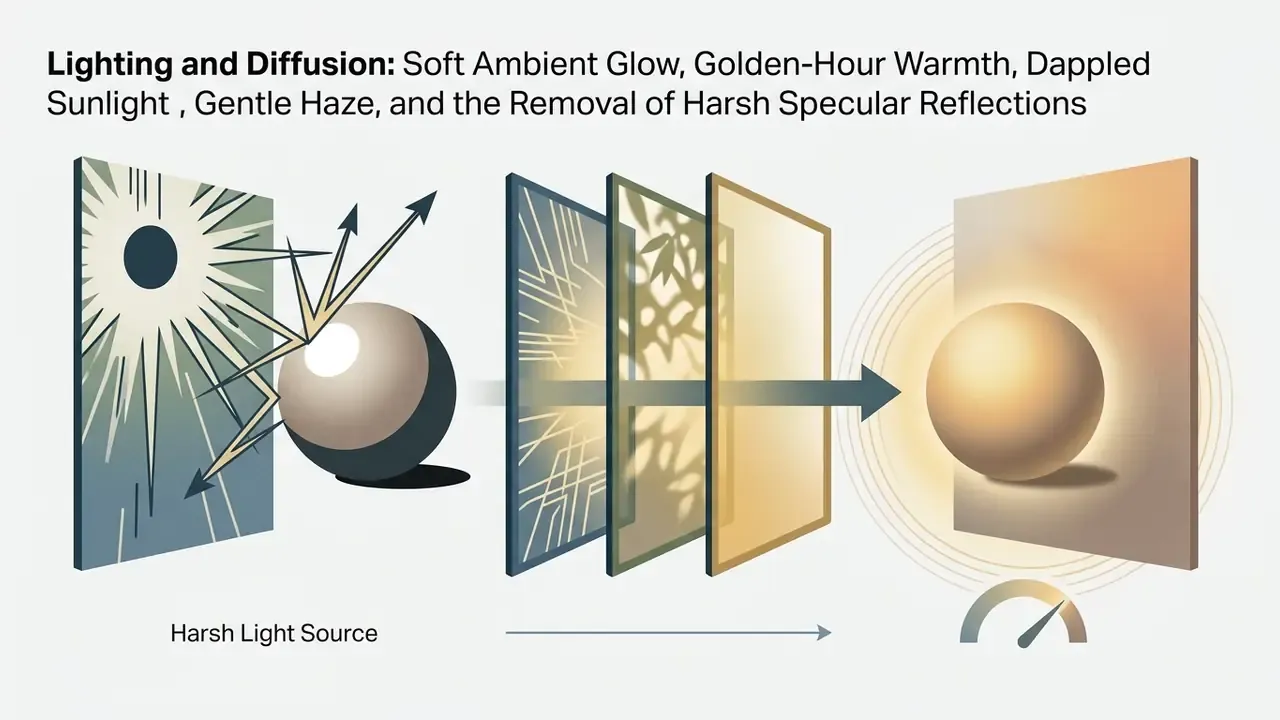
A Ghibli-inspired video style is defined by hand-painted background aesthetics, soft natural diffusion lighting, restrained pastel palettes, and understated rounded character design. Achieving visual consistency in generated videos means capturing the specific art direction of classical traditional 2D animation studios, not just tinting the frame green.
Key aesthetic markers include:
What Determines the Quality of a Ghibli Style Video Conversion?
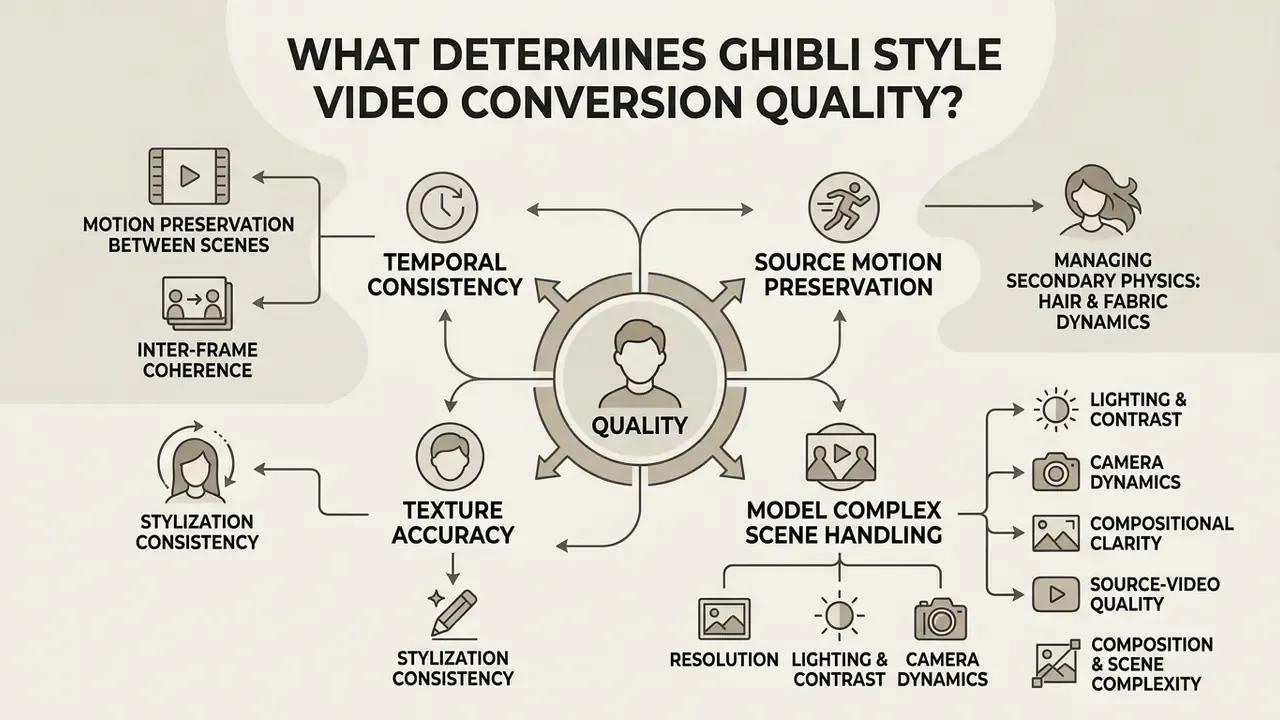
The quality of an ai video style conversion depends on four things: temporal consistency, source motion preservation, texture accuracy, and how the model copes with complex scene geometry. Good output balances expressive transformation against structural fidelity, which is what prevents flickering and temporal warping.
"VBench evaluates video generation quality across 16 dimensions, including motion smoothness, subject consistency, dynamic degree, and text alignment, validating metrics against human preferences."
Evaluating a convert video to ghibli style animation system means testing multi-frame attention stability, source clip exposure, and adapter weight calibration. Advanced platforms let you inspect these parameters before the final render. Review the comparative benchmarking criteria in our AI Media Comparison Matrices to see how different diffusion engines handle structural retention.
Motion preservation and consistency between scenes
Motion preservation relies on cross-frame attention steering, optical flow warping loss, and latent feature injection, so characters and backgrounds do not flicker or morph unnaturally between adjacent frames. Academic benchmarks for V2V performance (see V2V-Bench-style frameworks, arXiv:2311.17982) measure motion smoothness through optical-flow acceleration magnitude. Lower acceleration means smoother, flicker-free trajectories.
"FancyVideo demonstrates a face-consistency score of 99.31, comparable to Pika (99.62) and AnimateDiff (99.63), with a warp error of 0.0051."
Managing secondary physics: hair and fabric dynamics
Studio Ghibli's animation identity leans heavily on exaggerated secondary motion: wind whipping through hair, oversized coats billowing, grass rippling in waves across a meadow. During V2V transfer, standard optical flow tends to blur high-frequency hair strands into smeared masses, because thin structures move faster than the flow field can track. Advanced V2V adapters apply dense flow-field conditioning to follow fine edge boundaries across adjacent frames, so organic fabric folds translate into cel-shaded stroke vectors instead of dissolving into noise.
Practically: if your footage features loose hair or flowing garments, drop style weight by roughly 0.05–0.10, raise structure weight, then check hair silhouettes frame-by-frame in the preview render before you spend credits on a full-resolution pass. It sounds fussy. It saves money.
Epipolar consistency methods add another layer of motion stability:
"Epipolar geometry optimization using Sampson distance achieves an overall win rate of 57.9% on VBench 2.0 and 58.5% on VideoReward, particularly in motion quality."
Source-video quality, composition and scene complexity
Source footage quality directly dictates the accuracy of neural style transfer. You need clear subject-background separation, stable camera motion, and adequate pixel resolution. Low-contrast, heavily compressed, or motion-blurred inputs obscure structural edge boundaries, which leads to latent misalignment and muddy animated textures.
Optimal source footage attributes:
- Resolution
- files encoded at 720p, 1080p, or higher give edge-detection modules dense spatial features.
- Lighting and contrast
- well-lit subjects with defined rim lighting, or clear separation from the background, minimize structural ambiguity.
- Camera dynamics
- smooth pans, subtle tracking shots, or fixed-tripod setups prevent severe inter-frame distortion during style injection.
- Compositional clarity
- uncluttered foregrounds with a clear focal point let style adapters distinguish character silhouettes from painterly backgrounds.
Style accuracy, templates and artistic controls
Style accuracy is governed by style adapters (LoRA modules, IP-Adapters) and visual presets that push the base diffusion model toward painterly brushwork and cel shading. Fine-tuning controls, including style weight sliders, line-weight parameters, and color grading locks, decide how aggressively the Ghibli aesthetic sits over your source material.
Research on style-transfer adapter setups (PickStyle, OpenReview 2025; StyleCrafter, 2024) suggests style weights in the 0.65–0.85 band strike a workable balance between content retention and artistic transformation. These are practitioner-calibrated defaults rather than figures quoted verbatim from the papers, so validate them per model. Push weights above 0.95 and structure tends to collapse; drop below 0.40 and you have a video filter, not hand-drawn re-rendering. Creators who want to test palettes cheaply can prototype on stills first with Ghibli-style AI image generators.
"StyleCrafter decouples content control (text prompt) from style control (reference image), enabling dissociated control over video stylization."
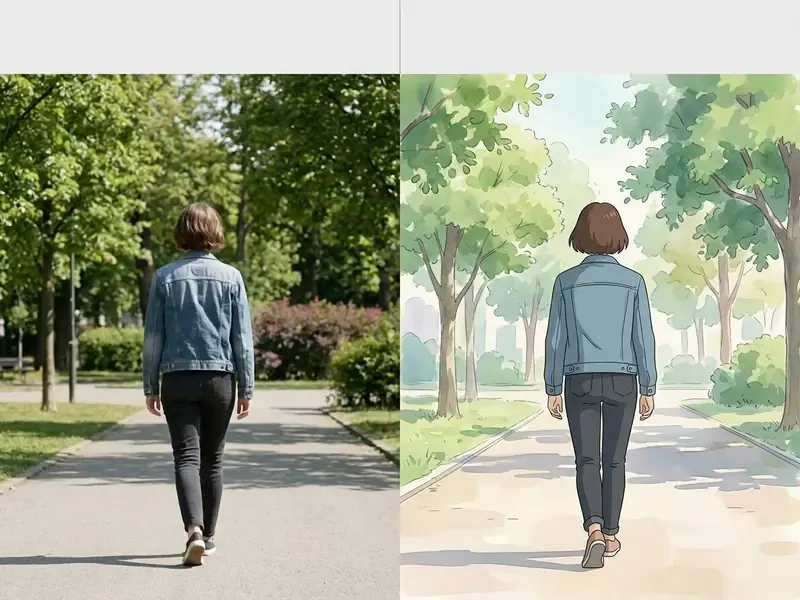
Technical Limits That Shape Your Source Requirements
Before you shoot or select footage, it helps to understand why platforms impose such narrow input limits. Latent diffusion pipelines hold every processed frame's KV tensors in GPU memory simultaneously to maintain cross-frame attention, so VRAM, not disk space, is the binding constraint. That is the bridge between the architecture above and the preparation rules below: the model's memory ceiling dictates how long, how large, and how complex your clip can be.
| Input Parameter | Typical Consumer-Tier Limit | Recommended Production Setting | Why the Limit Exists |
|---|---|---|---|
| Clip duration | 3–10 seconds per upload | 3–15 seconds per segment | Cross-frame KV caching scales linearly with frame count against fixed VRAM |
| File size | 20 MB (many hosted tools) | Under 50 MB per segment | Upload and decode timeouts in browser-based ingestion |
| Container / codec | MP4, MOV, WEBM | MP4 with H.264 or HEVC | Widest decoder compatibility across render farms |
| Resolution | 720–2160 px per side | 1080p source, export at 1080p/4K | Below 720p, edge detection loses structural density |
| Frame rate | 24–30 FPS | Constant 24 or 30 FPS | Variable frame rate breaks optical-flow acceleration estimates |
| Scene changes | Single continuous shot | Cut at every hard transition | Mid-clip cuts read to the model as impossible motion |
If your master file exceeds these ceilings, transcode before uploading rather than letting the platform re-encode for you. Our guide to video compressors covers bitrate targets that reduce file size without stripping the edge contrast style adapters depend on.
How to Prepare a Video for Ghibli Style Animation
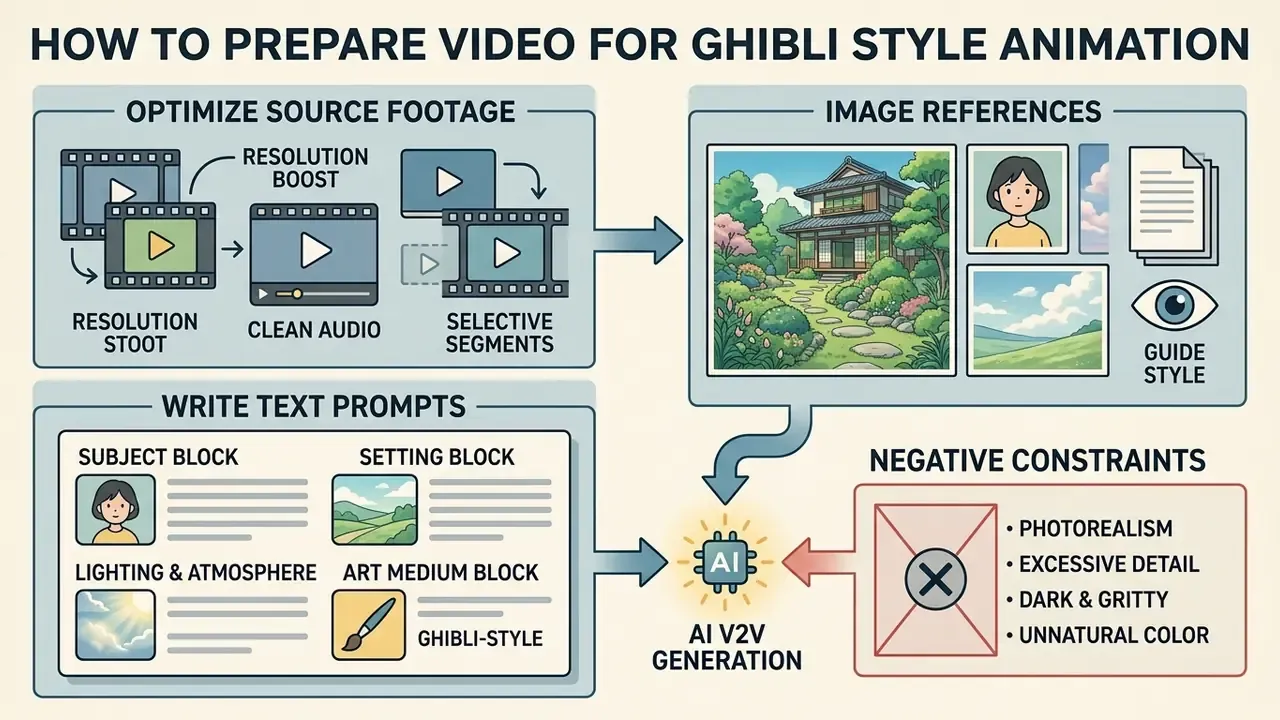
Preparation means optimizing source resolution, selecting the right scene segments, and writing prompts or gathering reference images to guide generation. Do it properly and you avoid latent temporal drift while burning fewer rendering credits.
When assembling asset packages for a ghibli ai video generator, creators frequently pair source clips with custom graphic assets or reference stills. Teams testing the pipeline at zero cost can start with free AI video generators and build composite storyboard references before committing paid credits.
Choosing source footage that works well for style transfer
Footage with moderate movement, well-defined character silhouettes, and stable background architecture delivers the highest success rate in V2V pipelines. Personal clips, social media footage, and controlled studio shots all transform reliably as long as motion vectors stay continuous.
| Footage Category | Suitability Score | Key Strengths | Potential Challenges |
|---|---|---|---|
| Talking head / vlogs | High (9/10) | Fixed background, clear facial features, minimal occlusion. | Fast hand gestures can cause minor line flickering. |
| Outdoor landscape walk | High (8.5/10) | Rich environmental depth, natural lighting alignment. | Dense foliage may need lower style-weight settings. |
| Travel / scenic transit | High (8/10) | Slow parallax, wide painterly vistas, natural Ghibli framing. | Window reflections confuse depth estimation. |
| Action / high-dynamic motion | Medium (6/10) | Dynamic energy, dramatic camera angles. | Rapid motion blur degrades optical flow tracking. |
| Cluttered / crowd scenes | Low (4/10) | Highly detailed source composition. | Occluded subjects create temporal identity swapping. |
That finding is the empirical reason behind the single most important preparation rule: cut your source at every hard scene transition, and never ask one V2V pass to bridge two unrelated compositions.
Using image references and prompts to guide the style
Pairing a source video with one to three reference images (style anchors) and a structured text prompt gives you deterministic guidance over color distribution, lighting direction, and line work. Adapter layers extract visual features from concept art and align output frames with approved creative direction. The same conditioning mechanism powers image-to-image generators used for still-frame prototyping.
Effective prompting uses structured descriptor blocks:
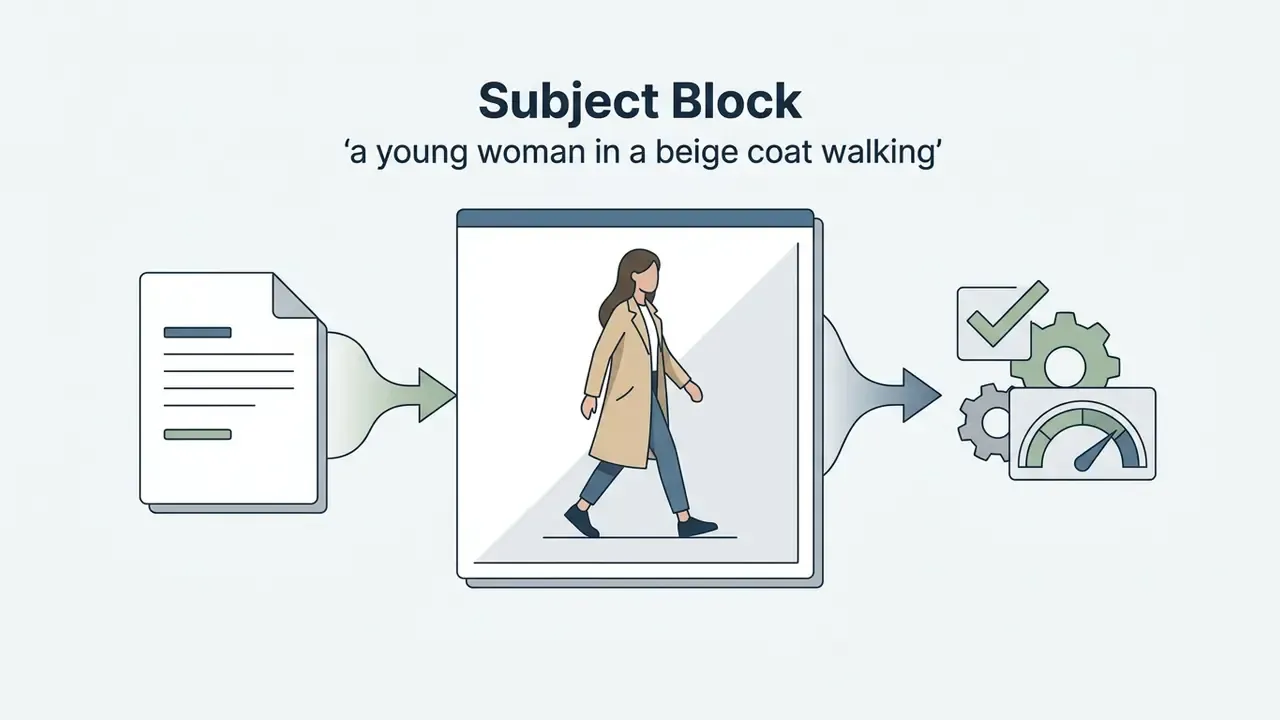
a young woman in a beige coat walking).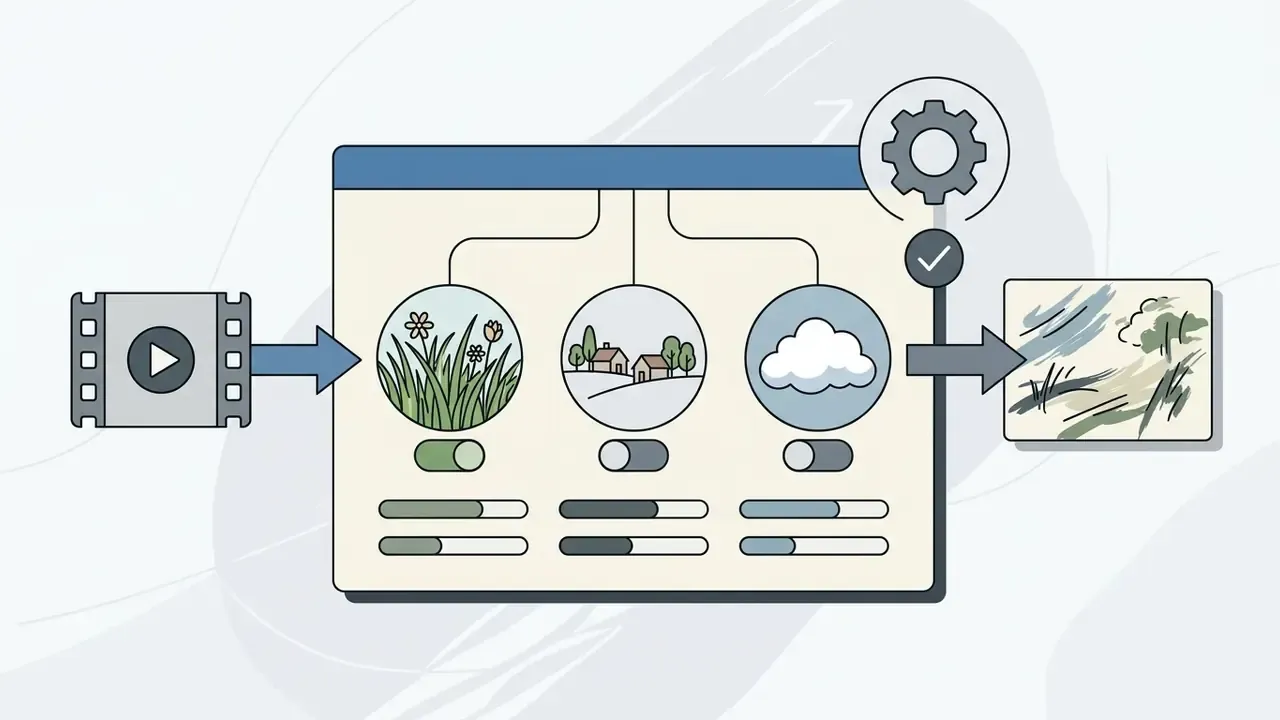
lush summer meadow, distant rustic village, fluffy cumulus clouds).
golden-hour sunlight, soft atmospheric haze, warm gentle glow).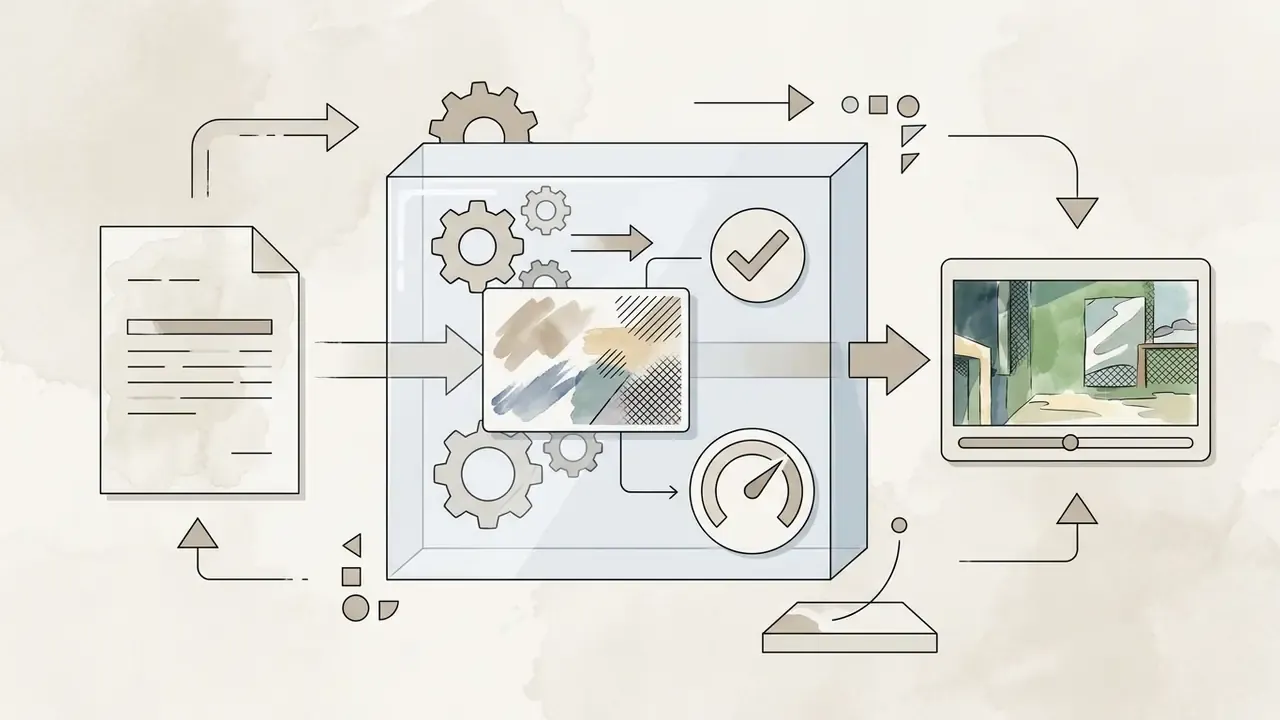
Studio Ghibli aesthetic, hand-painted gouache background, cel-shaded 2D animation, watercolor textures).
no photorealism, no 3D render, no heavy black shadows, no sharp digital noise).How to Convert Video to Ghibli Style Animation Step by Step
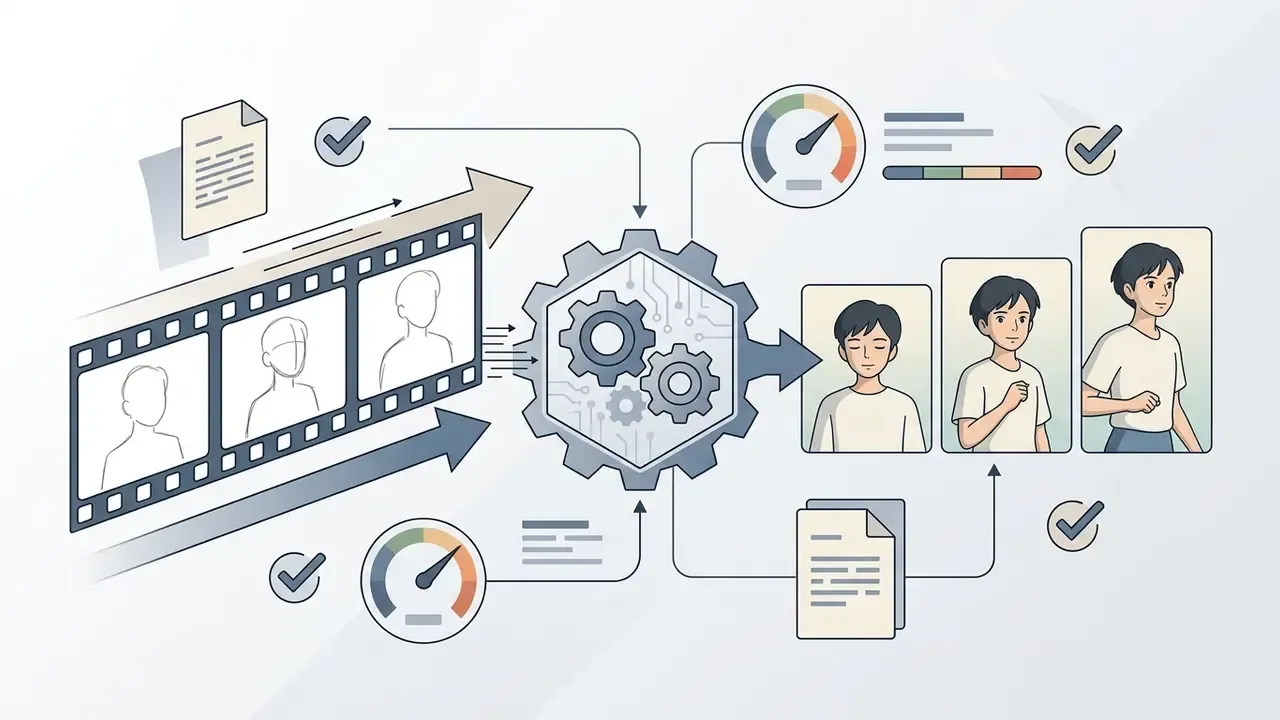
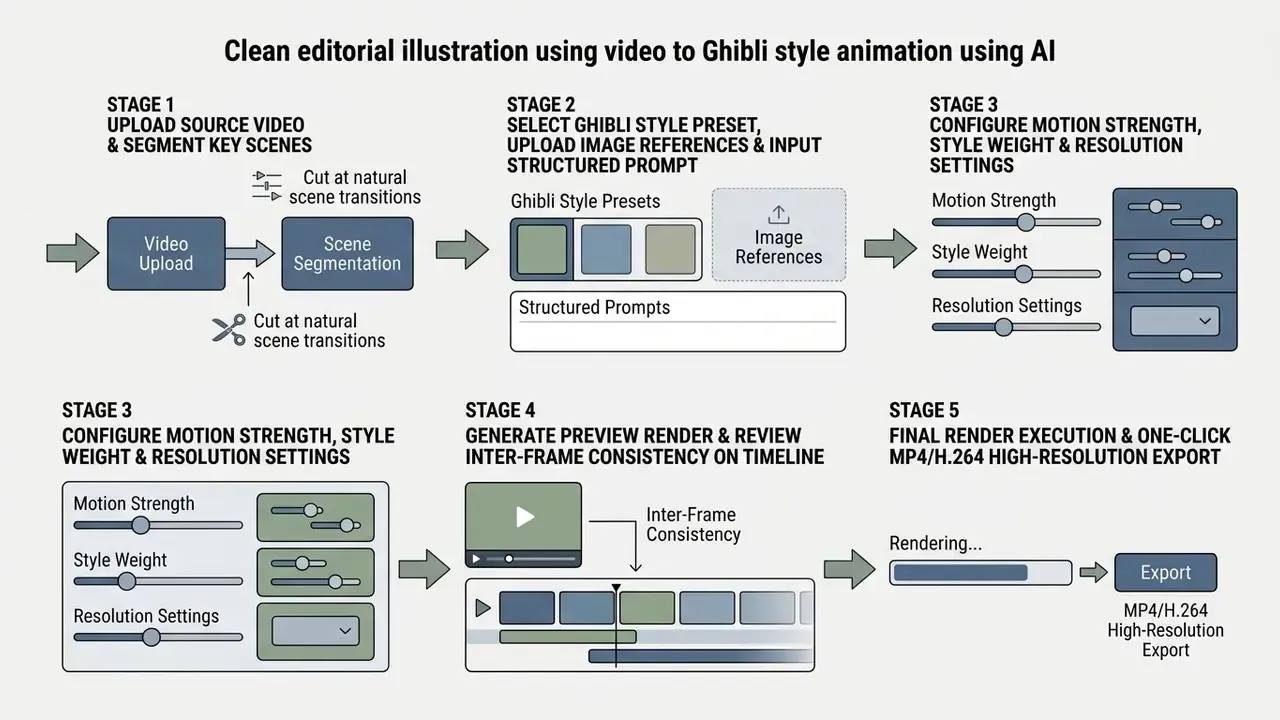
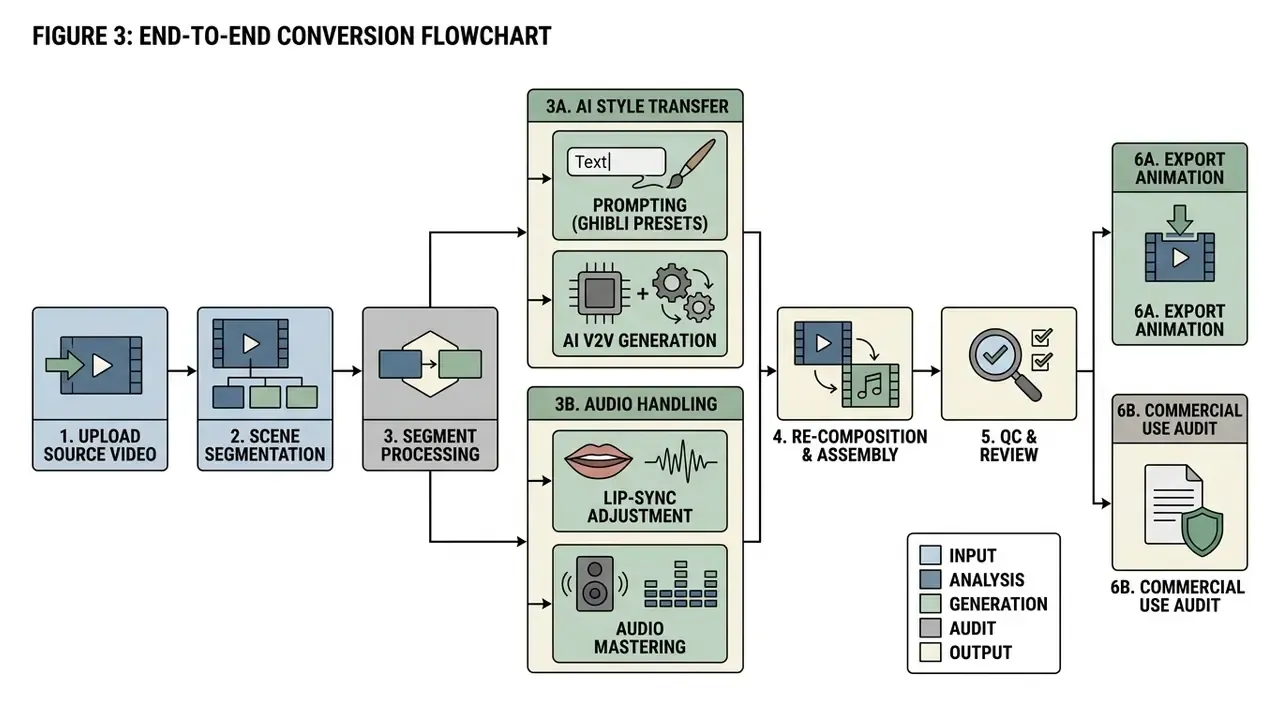
Converting video into Ghibli-style animation follows a sequential workflow: ingest source material, select scene segments, apply style references or prompts, configure generation parameters, then edit on a timeline before final export.
Using an ai tool to turn video into ghibli style animation requires systematic testing of scene cuts to hold temporal stability across multi-clip sequences. A broad overview of AI video generators helps you match platform architecture to project scale, and our notes on ai video creation platforms cover ingestion, queueing, and team permissions. Creators managing multi-asset projects can project credit consumption in advance with AI Media Calculators before batch processing.
Step 1. Upload the video and select the relevant scenes
Start by uploading source files (typically MP4 or MOV encoded in H.264/HEVC) into the generation platform, then split long sequences into short, coherent clips. Segmenting into 3-to-15 second clips prevents memory overflow in latent diffusion pipelines and keeps frame-to-frame consistency intact.
Most modern platforms analyze shot boundaries automatically, so you can isolate individual cuts. Keep a consistent frame rate (24 FPS or 30 FPS) and avoid mixing interlaced with progressive footage during ingestion. Practical scene-detection tooling usually applies a minimum segment length of around 12 seconds and a content-change threshold near 15, which avoids over-fragmentation while preserving scene coherence.
Step 2. Choose a Ghibli-inspired style, template or reference
After segmentation, select a Ghibli visual preset, attach one to three reference images, and configure the prompt template. This step sets the artistic parameters that govern background rendering, character linework, and color saturation.
On platforms with modular style controls, you balance the style weight slider (how closely the render matches the anime aesthetic) against the structure weight slider (how strictly the output follows original pixel geometry). A sensible baseline: 0.75 style weight with 0.70 structure weight. When you supply a style reference, state its role explicitly in the prompt, for example "Image 2 is the style reference; apply its palette and brushwork to the source footage." Then iterate by changing one variable per run, whether lighting, palette, or line weight, so drift stays traceable.
Step 3. Generate, review, edit and export the video
Clicking generate starts the V2V latent denoising process. The stylized clip lands in the platform's timeline editor for preview and refinement. Review it for frame flickering, style drift, and character line degradation.
If you find minor temporal artifacts, keyframe editing tools let you re-generate a specific frame range instead of the whole scene.
"Frame Guidance achieves better FID and content-debiased FVD scores than other training-free methods, including several training-based approaches."
Step 4. Multi-shot sequence assembly and transition effects
Because V2V engines cap individual renders at a few seconds, any narrative longer than one shot gets assembled on a timeline after generation. Treat each stylized clip as a finished shot, then sequence them with anime-native editorial grammar:
Creators building publish-ready sequences can review workflow patterns in our guide to video-editing tools and animation makers for timeline, caption, and export handling. If you are spinning up a new distribution channel for the finished series, consistent handles help; some teams pair naming conventions with an ai username generator so asset labels and account names stay aligned across platforms.
Prompts and Creative Controls for Ghibli Style AI Video
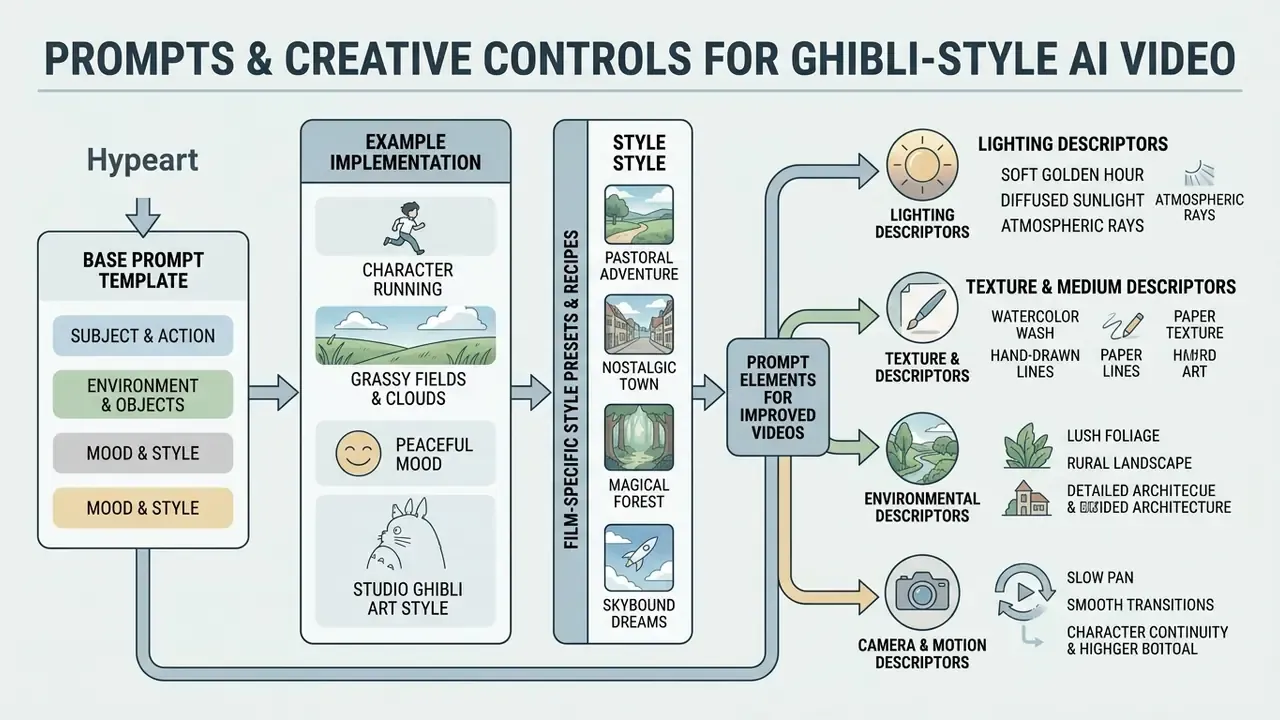
Precise prompt engineering and parameter tuning control scene mood, lighting quality, and character continuity in Ghibli-style AI video generation. Structured prompts cut latent ambiguity and make artistic results reproducible across clips.
When refining complex character prompts, most creators test base configurations against static image models before running full V2V passes. Cheaper, faster, and the palette decisions transfer. Cross-reference the prompt structuring techniques detailed in our Ghibli AI Image Generator Guide.
Base prompt template for Ghibli-inspired scenes
A reusable base prompt template splits visual instructions into modular blocks, separating subject action, environment, lighting quality, and art medium.
[Subject Action] + [Environment/Setting] + [Lighting & Color] + [Art Medium / Style] + [Negative Constraints]
Example implementation:
Keep the negative block byte-identical across every clip in a sequence. Photorealism priors are the default state of most base video models, and inconsistent negative constraints are the single most common cause of one shot in a series sliding toward 3D rendering.
Film-specific style presets and prompt recipes
"Studio Ghibli aesthetic" is not one look. The studio's art direction shifted substantially across four decades. To capture a specific era, tune prompts and references with these calibrated movie-specific presets, which also serve well for ai video animation studio ghibli style projects that must match a defined visual reference.
| Target Film Aesthetic | Key Visual Identifiers | Recommended Prompt Modifiers | Ideal Adapter Settings |
|---|---|---|---|
| My Neighbor Totoro (1988) | Pastoral summer greens, soft watercolor foliage, bright natural daylight, nostalgic rural Japan. | 1980s Studio Ghibli anime style, hand-painted watercolor countryside, vibrant summer greens, soft natural sunlight, retro cel-animation texture | Style Weight: 0.75 / Structure: 0.70 |
| Spirited Away (2001) | Rich ornamental detail, glowing night lanterns, deep crimson and gold tones, atmospheric spirit realm. | Spirited Away aesthetic, vibrant gouache shading, glowing paper lanterns, deep red and gold color palette, intricate hand-drawn architecture | Style Weight: 0.80 / Structure: 0.65 |
| Howl's Moving Castle (2004) | Detailed brass technology, soft pastel skies, painterly alpine meadows, dramatic atmospheric haze. | Howl's Moving Castle style, romantic pastel sky, lush alpine meadow, detailed hand-painted steam-engine details, soft golden lighting | Style Weight: 0.70 / Structure: 0.75 |
| The Tale of the Princess Kaguya (2013) | Minimalist watercolor wash, expressive charcoal line work, dynamic motion strokes, heavy paper grain. | Princess Kaguya style, minimalist Japanese watercolor wash, expressive sumi-e line art, visible watercolor paper texture, fluid dynamic strokes | Style Weight: 0.85 / Structure: 0.55 |
Notice the inverse relationship between the two sliders. The more graphically abstract the target era, as with Kaguya's sparse ink washes, the lower structure weight must fall so the model can discard photographic detail. Densely painted eras, such as Howl's mechanical interiors, need higher structure weight or the architecture melts. For commercial work, prefer descriptive wording ("1980s hand-painted watercolor countryside anime") over film titles. It reduces trademark exposure and produces near-identical output.
Prompt elements that improve generated videos
Specific descriptive keywords sharpen visual detail, lighting realism, and atmospheric depth in generated videos, steering the model toward authentic traditional animation characteristics.
- Lighting descriptors
dappled sunlight,golden hour warmth,soft ambient haze,radiant sunbeams through leaves,cozy twilight glow,soft rim light,warm color temperature. - Texture and medium descriptors
hand-painted gouache,watercolor wash,visible soft brush strokes,cel-shaded linework,paper grain texture. - Environmental descriptors
lush overgrown flora,rolling countryside hills,rustic wooden architecture,fluffy hand-drawn cumulus clouds. - Camera and motion descriptors
gentle pan,smooth tracking shot,subtle wind motion,slow cinematic zoom,naturalistic character movement. - Secondary motion descriptors
hair lifted by wind,billowing fabric folds,grass rippling in waves,loose sleeves catching the breeze.
How to keep characters and locations consistent across scenes
Holding character identity and environmental layout across multiple clips takes locked seed values, fixed image references, and repeated descriptor tags across prompt sequences.
To enforce visual continuity in multi-shot narratives:
- Seed locking: reuse identical random seed numbers across sequential generations to stabilize base color and geometry distributions.
- Persistent character prompts: keep character descriptions exact (
a boy with messy brown hair, wearing a yellow knit sweater and blue shorts) across all clip prompts, including hairstyle, accessories, and body appearance, unless the story explicitly changes them. - Reference image anchoring: attach the same primary character turn-around or location concept art as a persistent style reference in every V2V run.
- Location continuity variables: repeat stable spatial layout cues, such as walls, windows, furniture, and horizon line, plus consistent lighting direction, so a returning location reads as the same place.
- Cross-frame attention layers: choose platforms with cross-frame temporal guidance modules (FancyVideo, 2024), which hold face consistency scores above 99% across long clip transitions.
How to Choose the Best AI Ghibli Style Video Generator
Selecting the right ai ghibli style video generator means evaluating input conditioning support, style customization flexibility, processing speed, temporal stability metrics, and licensing terms. Interface polish is the least important of those.
Evaluating software across generation categories always ends up as a trade between render fidelity and credit pricing. For a platform-level view, compare leading AI video generators and assess the underlying model capabilities side by side.
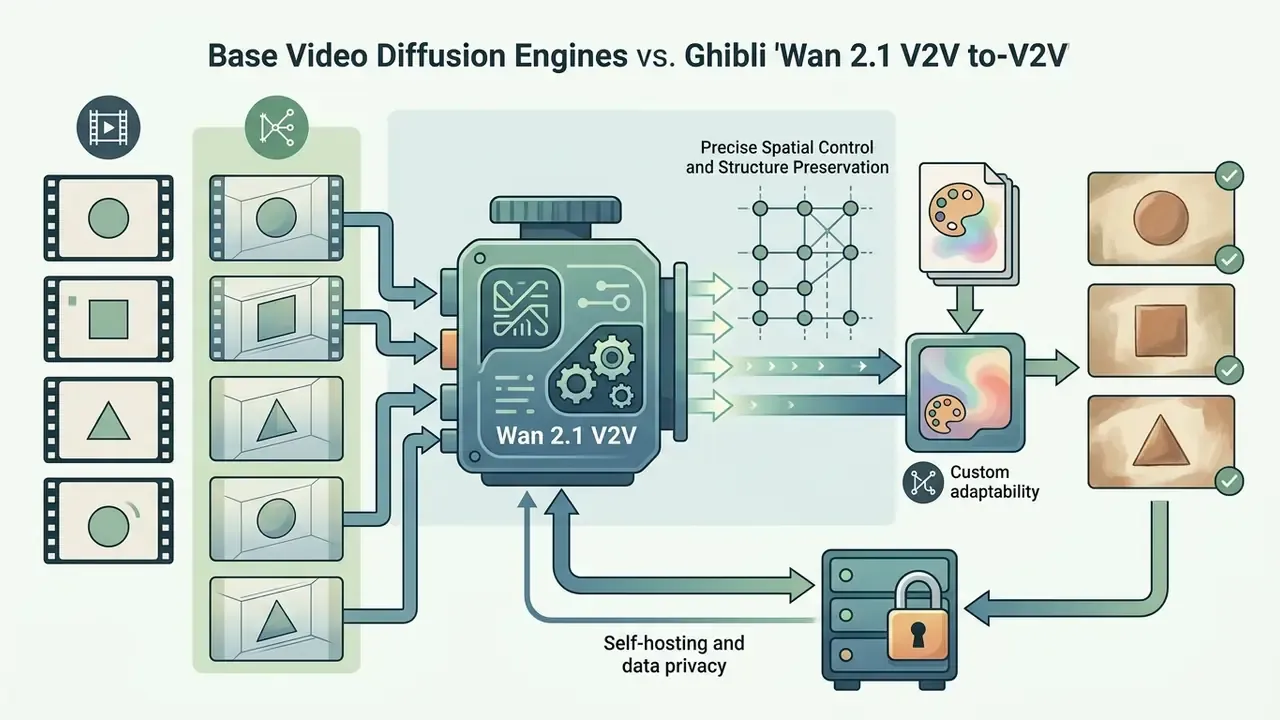
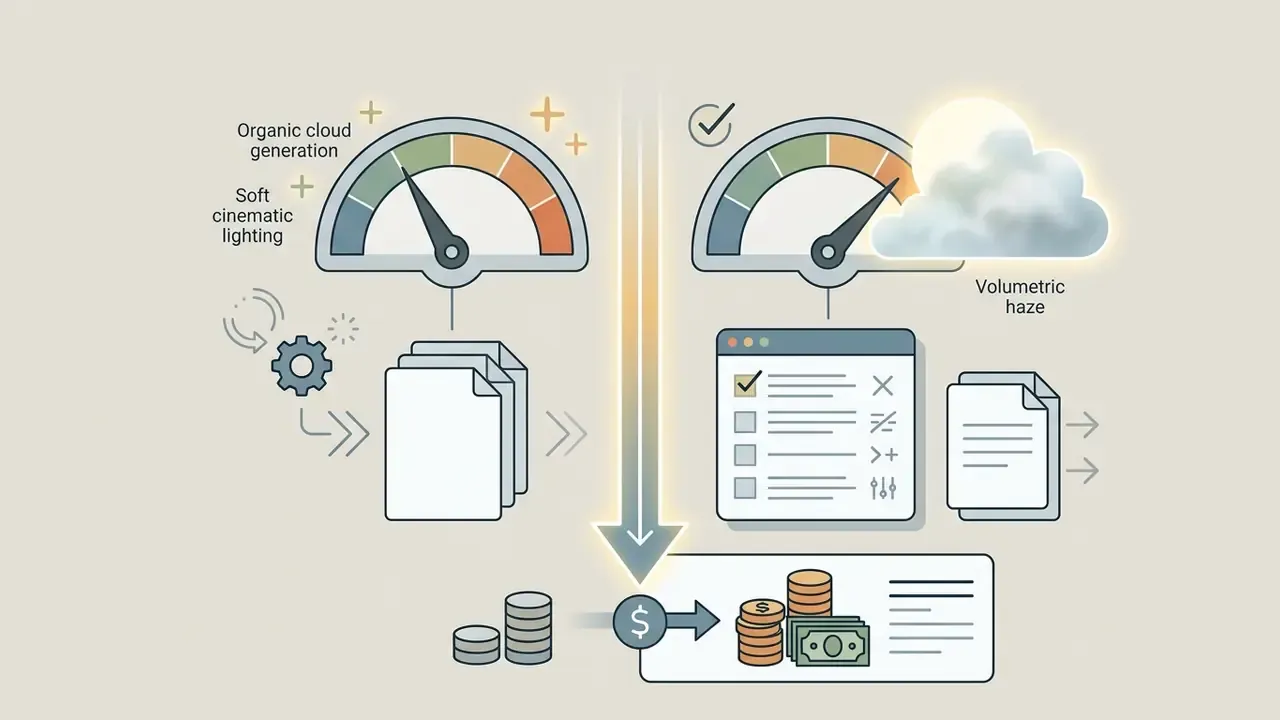
Comparing base video diffusion engines for Ghibli V2V
Most consumer tools are front-ends over one or more foundation models, and those models do not process style transfer identically. Choosing the engine is often more consequential than choosing the interface.
Anyone searching for an ai video to ghibli style animation tool should test at least one open-source and one hosted engine on the same five-second clip before standardizing. The difference in hair and foliage handling is usually visible without measurement.
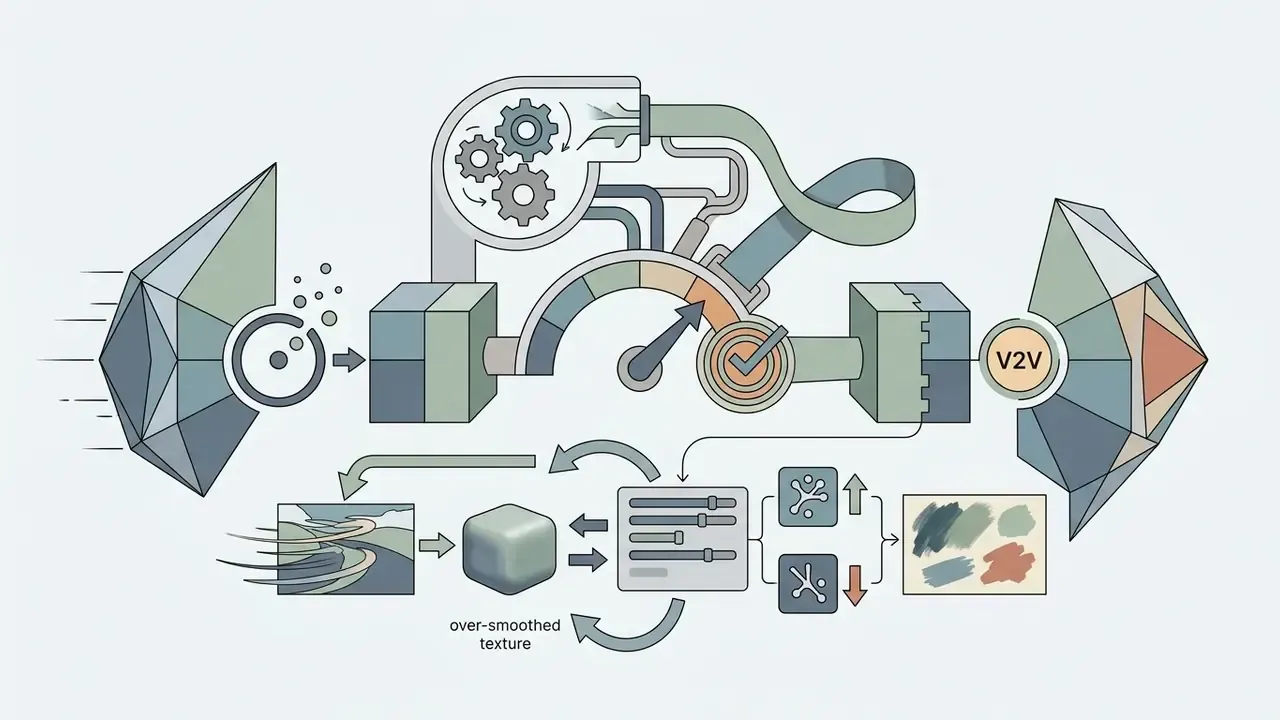
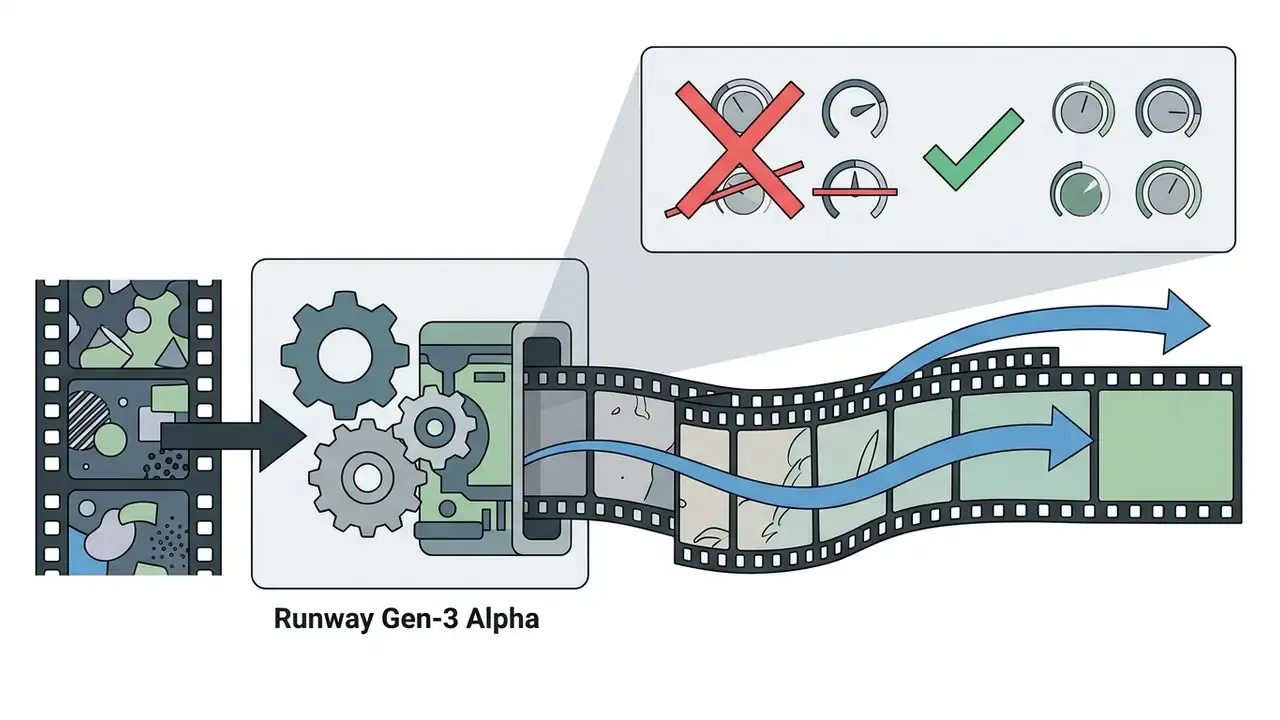
--no 3d render, photorealistic) to suppress default realism priors.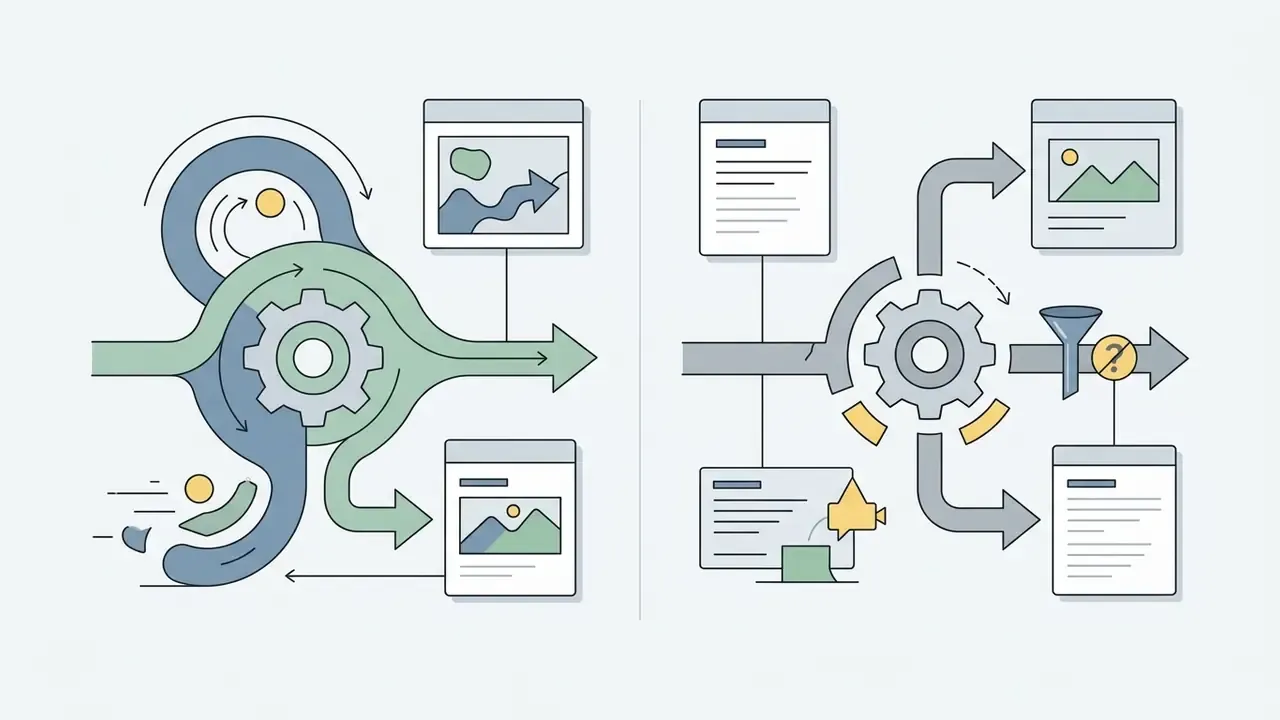
Video generators, video effects and AI video editors
AI video production platforms fall into three architecture types, each with distinct advantages depending on project requirements and technical depth.
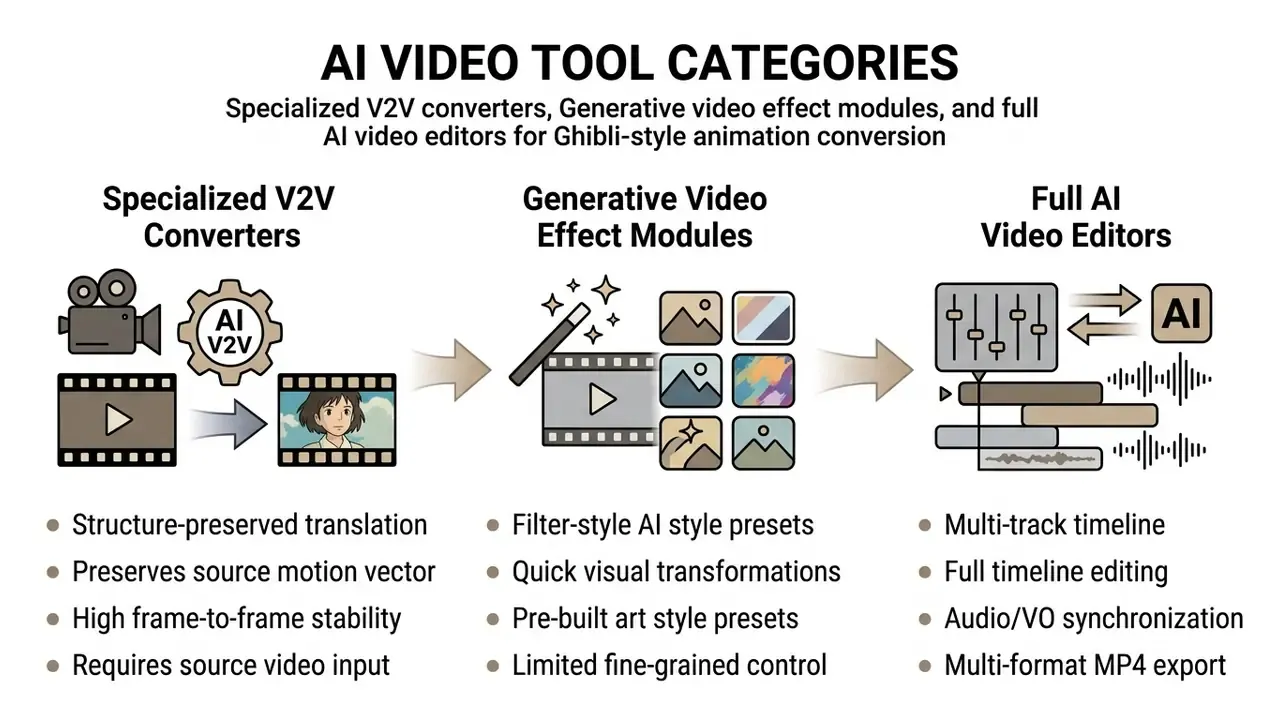
- Specialized V2V converters
- built specifically for video-to-video translation (Komiko, WAN 2.1 V2V, PickStyle). They extract source optical flow and depth, re-render the scene, and strictly retain camera and character motion. This is the category most ai tools to convert videos to studio ghibli style belong to.
- Generative video effect tools
- embedded AI preset modules inside consumer apps (CapCut, Revid AI, VideoAI.ai, Somake). One-click Ghibli filters, ideal for rapid social content, with limited parameter tuning. Input ceilings are usually strict, often 20 MB files and 3–10 second clips. Adjacent tooling for keyframe-free motion design is covered in our overview of animation makers.
- Full AI video editors
- comprehensive suites (Pika, Kapwing, Canva AI) combining V2V generation with multi-track editing, trimming, clip stitching, voiceover, captioning, and GIF export. If you need an ai video editor studio ghibli style workflow rather than a single render, this is the tier. Review our guide on YouTube video editors for publishing strategy, or compare general-purpose video-editing tools.
Free AI video generators versus paid tools
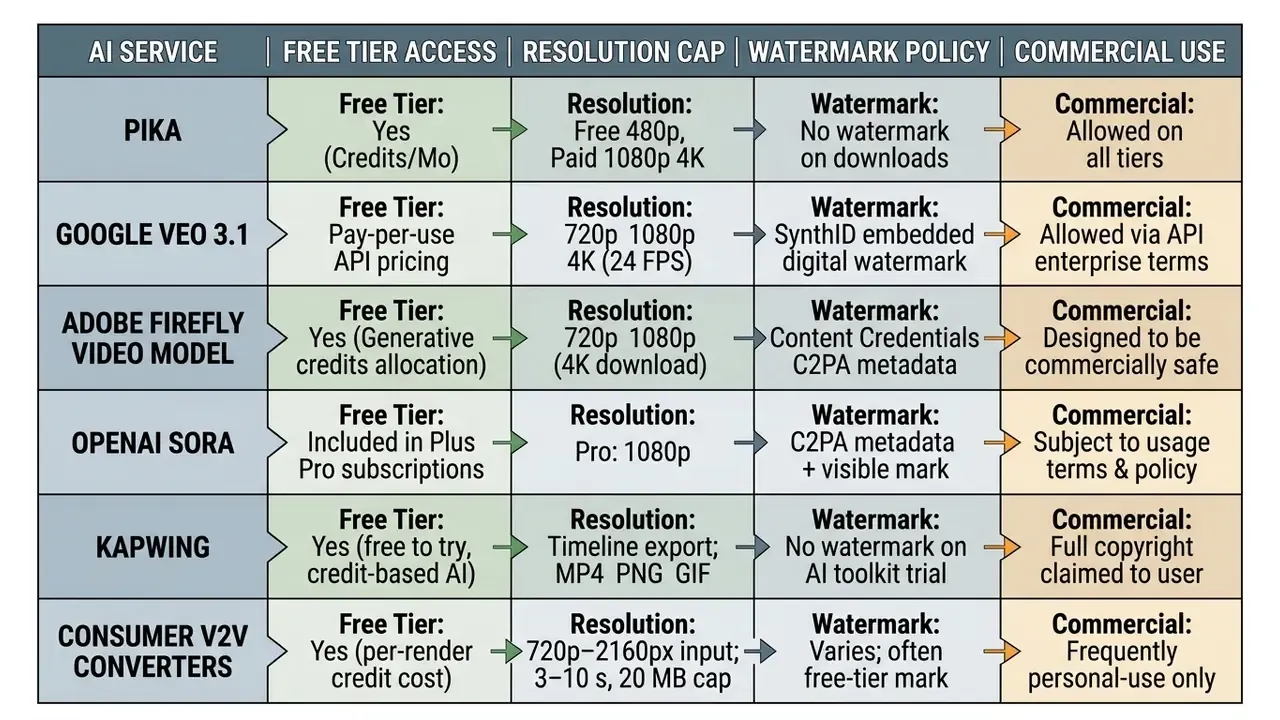
Comparing a free ai video generator ghibli style option against a commercial tier exposes real differences in output resolution, clip duration limits, queue priority, and watermark rules.
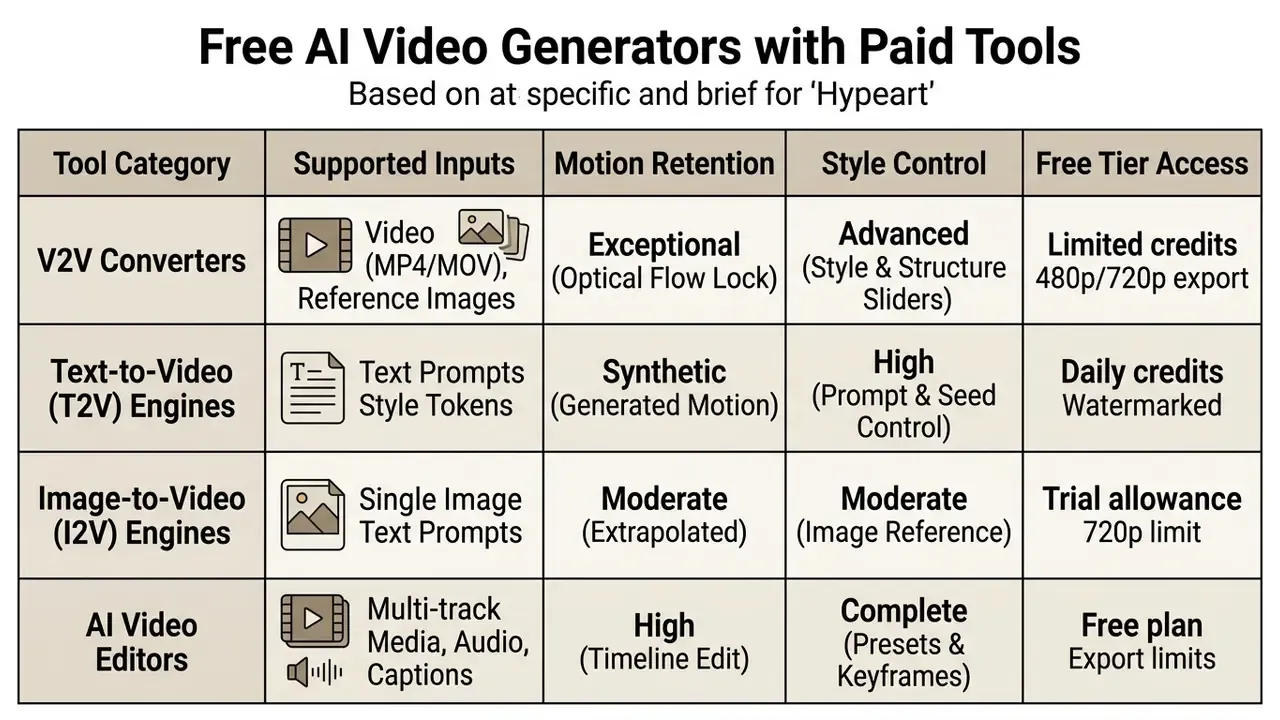
Free tiers (Pika Free, Kapwing Free, Luma Dream Machine Trial) generally cap output at 480p or 720p, limit clips to 3–5 seconds, and apply watermarks or queue throttling.
Paid subscriptions unlock 1080p and 4K export, extend generation allowances, permit watermark-free commercial downloads, and open advanced keyframing. For a detailed breakdown of free generation limits across leading tools, and of what a genuinely free ghibli style video generator can and cannot do, see our comparative study on the best free AI video generators.
Pricing, Free Plans and Commercial Use of Generated Ghibli Style Videos
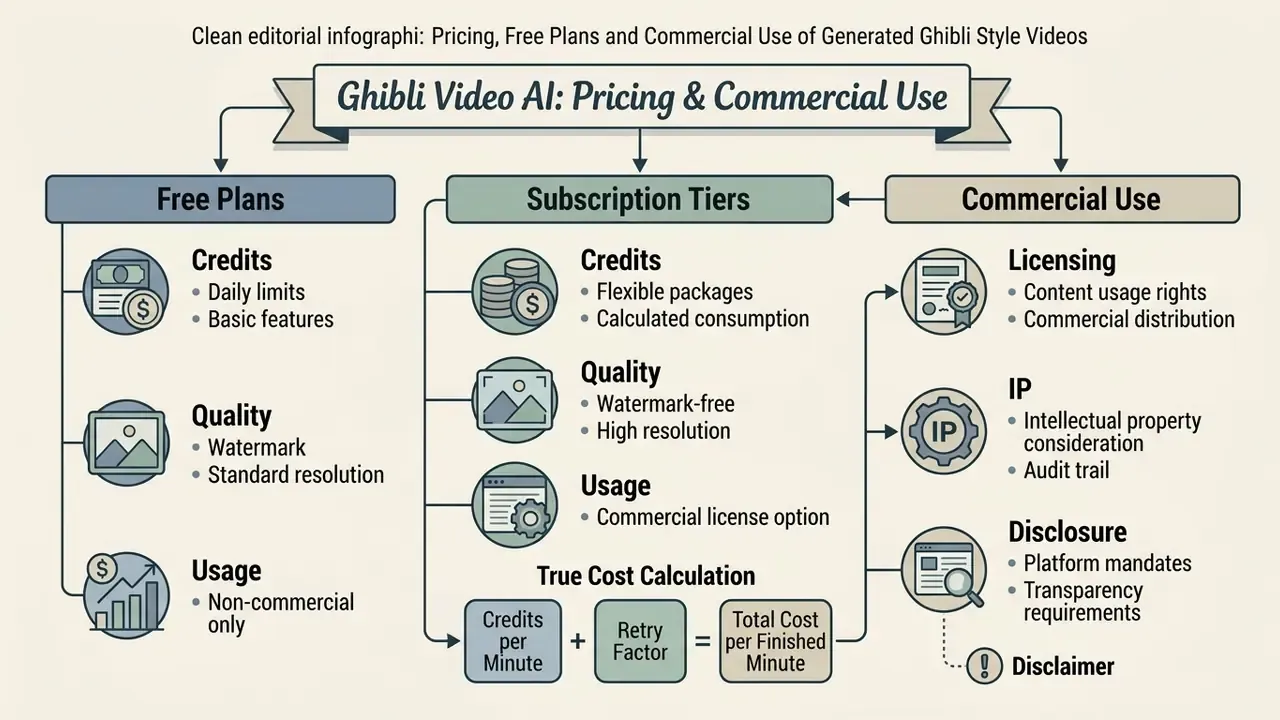
Subscription pricing, credit consumption structures, and commercial usage rights all matter for creators, agency operators, and brands publishing AI-generated video assets. Getting this wrong is expensive in two different ways: wasted credits, and legal exposure.
Understanding tiers means understanding the unit economics behind credit-based pricing. Readers assessing allocations can review our breakdown of free AI video generators and how AI Video Credits convert into rendered seconds before modelling long-term project cost.
What to compare in free plans and paid generation
When auditing generative video platforms, media operations leads should analyze credit allocation rules, resolution locks, queue behavior, and license rights across tiers.
Key pricing dimensions:
- Monthly credit allowance: measure cost per second of rendered video. Pika, for example, provides 80 monthly credits on Free, 700 on Standard, 2,300 on Pro, and 6,000 on Fancy.
- Resolution and aspect ratio: free plans often restrict output to 480p, while paid plans unlock 1080p, 4K, and custom ratios (16:9, 9:16, 1:1).
- Processing speed and priority: free generations sit in shared public queues; paid tiers get priority GPU processing.
- Watermark removal: verify whether watermark-free downloads require payment or are permitted on the free tier.
Calculating the true cost of one finished minute
Headline credit prices understate real cost, because V2V work is iterative. Model the whole minute, rejected renders included:
Effective cost per finished minute =
   (60 / average clip length in seconds)
 × (1 + retry factor)
 × credits per clip
 × price per credit
Retry factor is the share of renders discarded for flicker, style drift, or lip-sync failure. In practice, plan for 0.5–1.5 on first-time footage, meaning 1.5 to 2.5 total renders per usable shot. It falls toward 0.2 once seed, style weight, and negative block are locked for a given camera and lighting setup. Preview at 480p and reserve full-resolution passes for approved shots. That single habit is the largest lever on credit burn. To review pricing structures across creative suites, explore our overview of AI Media Pricing plans and credit models.
Commercial use, watermarks and brand-content decisions
Commercial usage rights depend on platform terms of service, licensing models, and compliance with disclosure mandates such as social media AIGC tagging rules.
- Commercial licensing: platforms like Pika explicitly grant commercial rights on all tiers, including Free. Other tools restrict free-tier output to personal, non-commercial use and require a paid plan for commercial deployment. Do not assume; read the tier page.
- Intellectual property considerations under US copyright frameworks, style imitation alone (creating a generic "hand-painted anime style") does not by itself constitute infringement, and the U.S. Copyright Office has indicated that style falls outside the federal digital-replica scope. Incorporating trademarked studio names, logos, or specific protected characters (Totoro, for instance) in commercial campaigns is a different matter entirely, with copyright, trademark, and false-endorsement exposure.
- Platform disclosure mandates advertising platforms, including TikTok Brand Ads and Meta Ads, require clear labeling of AI-generated or significantly transformed synthetic media. TikTok's advertising policy permits significantly edited media and AIGC only when labeled. Missing labels can mean ad rejection or account suspension.
For guidance on commercial licensing, digital rights management, and risk mitigation in brand campaigns, visit our central AI Media Commercial-Use Hub, compare rights frameworks for AI image generators for commercial use, or track current regulatory developments in AI Litigation and Case Timelines. If you need technical assistance or compliance verification for a custom integration, contact our technical team via support.
Data Privacy, Shadow AI and Audit Trail Governance
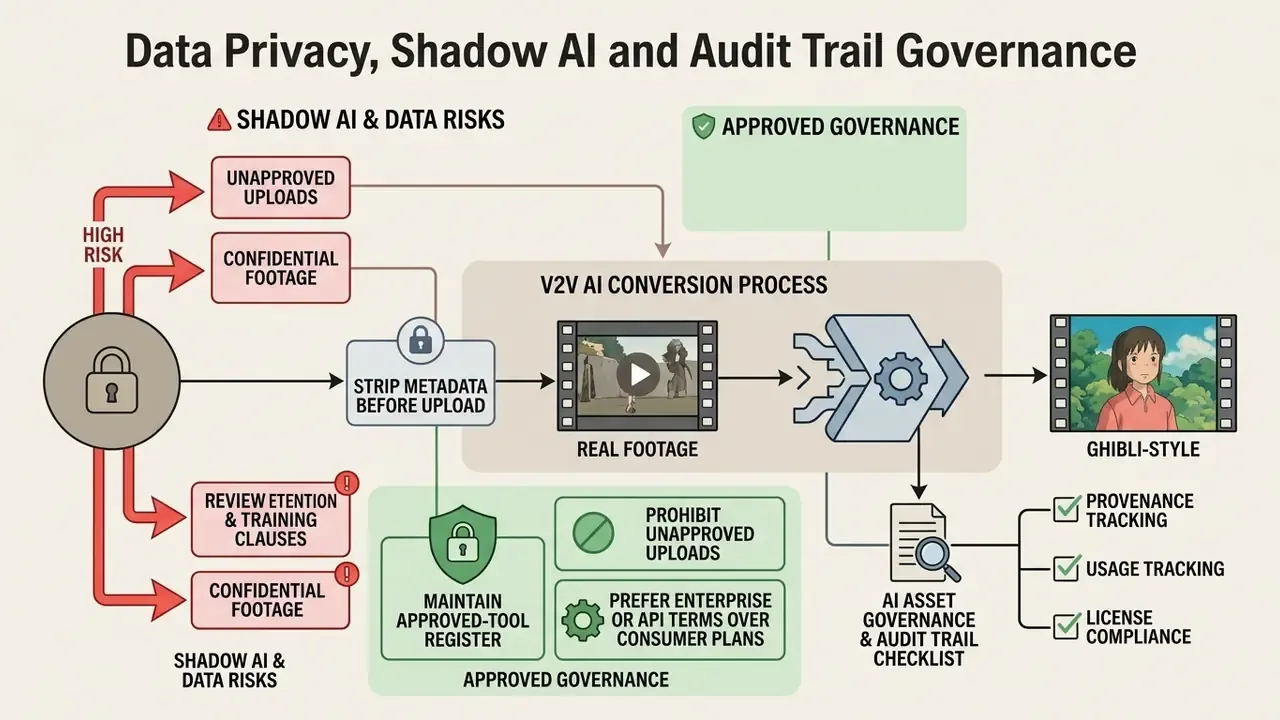
V2V conversion is unusual among generative tasks, because it requires uploading real footage. That footage often contains identifiable employees, customers, physical premises, unreleased products, or internal environments. So it is a data-transfer event, not merely a creative one.
Shadow AI and data-residency risk
The most common failure mode in enterprise settings is not a bad render. It is an employee pasting internal video into a consumer-tier tool to "just try something."
- Review retention and training clauses before upload. Consumer tiers of style-transfer tools frequently reserve broad rights to process uploaded media, and free tiers are where those rights are broadest.
- Prohibit unapproved uploads of confidential footage. Pre-release product shots, customer-facing recordings, and anything containing personal data of identifiable individuals should route only through approved, contractually reviewed vendors, or through self-hosted open-source models (Wan 2.1 V2V on controlled infrastructure, for example).
- Maintain an approved-tool register. A short allowlist with named owners removes most Shadow AI exposure at almost no cost.
- Prefer enterprise or API terms over consumer plans where data-processing commitments, deletion timelines, and regional processing are contractually specified.
- Strip metadata before upload. Source clips often carry GPS coordinates and device identifiers in container metadata. People forget this one constantly.
AI asset governance and audit trail checklist
Log the following for every published stylized clip, so any output can be reproduced and defended months later:
| Field to Record | Why It Matters | Where It Lives |
|---|---|---|
| Source clip hash + owner | Proves you had rights to the input footage | Asset register |
| Base model + version | Model updates silently change output; version pins reproducibility | Render log |
| Style adapter / LoRA + weight | Determines whether output is style-inspired or derivative | Render log |
| Full prompt + negative block | Required to re-create or defend the creative decision | Render log |
| Seed value | The single field that makes a render repeatable | Render log |
| Style / structure weight values | Documents how far output diverged from source | Render log |
| C2PA / Content Credentials status | Evidence of provenance disclosure | Exported file metadata |
| Platform AIGC label applied (Y/N) | Compliance with TikTok and Meta disclosure rules | Publishing record |
| Human reviewer + approval date | Demonstrates meaningful human oversight | Approval workflow |
| Retention / deletion date for source upload | Limits privacy exposure window | Vendor record |
Teams operating at volume should automate this capture at render time rather than reconstruct it during an audit. Reconstruction after the fact is precisely where reproducibility fails.
FAQ
Does converting video to Ghibli style remove the audio?
It depends on the platform, not the model. Diffusion pipelines operate on visual latents only, so audio survives by being demuxed before frame extraction and multiplexed back afterwards. Tools advertising audio retention do this passthrough automatically; tools that do not will hand you a silent MP4. Always check the exported file's audio track and verify offset at the clip tail.
How do I stop the output from flickering between frames?
Flicker is inter-frame inconsistency. Reduce it by cutting clips at hard scene transitions instead of across them, keeping segments to 3–15 seconds, using a constant frame rate, lowering style weight toward 0.70, locking the seed, and choosing a platform that implements cross-frame attention or KV caching across adjacent frames. If flicker is localized, re-render only the affected frame range with keyframe guidance rather than the whole clip.
Can I legally use a Ghibli-style AI video in a paid ad campaign?
Style imitation alone is generally not protected expression under US copyright analysis, but that is not the whole risk surface. Using the studio's name, logos, or recognizable protected characters in commercial material can trigger copyright, trademark, and false-endorsement claims. Your platform license must also permit commercial use, and ad platforms such as TikTok and Meta require AIGC disclosure labels. Use descriptive style wording, original characters, and get legal review before you spend media budget.
What export resolution should I choose?
Preview at 480p to conserve credits, then export approved shots at 1080p for social platforms, or 4K where the platform supports it and the source resolution justifies it. Upscaling a 720p source to 4K amplifies stylization artifacts instead of adding detail.
Why does one clip in my sequence look different from the others?
Three usual causes: a changed or omitted negative-constraint block, an unlocked seed, or a silent base-model version update between renders. Lock all three, record them in your render log, and most cross-clip drift disappears.
How long should each source clip be?
Three to fifteen seconds per render, cut on scene boundaries. Many hosted tools hard-cap uploads at 3–10 seconds and roughly 20 MB, because cross-frame KV caching scales with frame count against fixed GPU memory. Longer narratives are assembled on a timeline after generation.
Is a free tool enough for a client project?
Sometimes, for tests and internal storyboards. Rarely for delivery. A ghibli ai video generator free tier typically caps resolution, marks the export, and offers the weakest data-processing terms, which is the part that actually blocks brand work. Prototype free, deliver paid.
Next Steps: Governance Action Plan
- Pilot on non-confidential footage. Run one 5-second test clip through two engines (one open-source, one hosted) at style weights
0.70and0.80, then compare flicker, hair fidelity, and lip-sync. - Lock a house prompt template. Fix the negative block, style descriptors, and structure weight per film-era preset, then version-control it.
- Publish an approved-tool allowlist. Name an owner per tool and record the data-retention terms you relied on.
- Automate the audit trail. Capture seed, model version, prompt, weights, and C2PA status at render time.
- Add AIGC labeling to your publishing checklist. Make platform disclosure a gate, not an afterthought.
- Re-verify pricing and terms quarterly. Credit allocations, resolution caps, and watermark policies change far more often than model architectures.
No evidence, no autonomy. That applies to a stylization pipeline just as it applies to any other production model.