For a risk or compliance leader, the question is narrower than "which tool draws best." It is this: can a free editor touch our documents at all, and will the export survive a licence review? Those two questions drive everything below.
Executive Summary for Decision-Makers
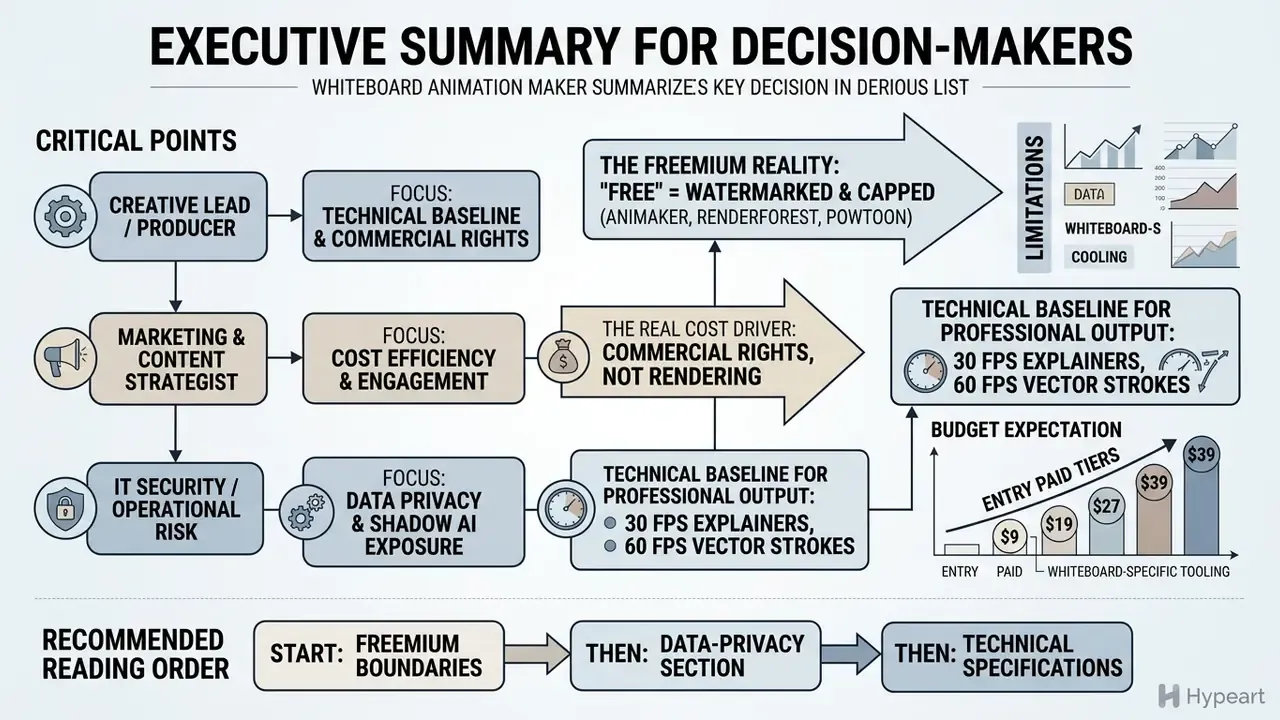
- The format works, and the evidence is measurable. Progressive hand-drawing directs attention to the line currently being added, producing significantly higher retention than static reveals, with the advantage persisting a week after viewing.
- "Free" almost always means "watermarked and capped." Most major suites (Animaker, Renderforest, Powtoon) embed vendor branding and limit exports to 360p or 720p on free tiers. Genuinely free whiteboard animation software without watermark exists only in a narrow class of browser tools (Microsoft Clipchamp at 1080p for non-commercial use; SpeedSketch at 720p up to 15 seconds) and in open-source desktop software such as OpenToonz.
- Commercial rights are the real cost driver, not rendering. Templates, stock music, vectors, and synthetic voices each carry separate licences. A free export can be technically clean and still legally unusable in a paid campaign.
- Cloud-first pipelines create a Shadow AI exposure. Uploading unreleased product roadmaps, model architectures, or regulated policy documents into a consumer freemium editor is an uncontrolled data transfer. Sensitive material belongs in offline desktop tooling.
- Technical baseline for professional output: 30 FPS for standard explainers, 60 FPS for fast vector strokes, 10 to 15 seconds per scene reveal, 3 to 7 minutes for instructional modules, 15 to 60 seconds for vertical social clips.
- Budget expectation: entry paid tiers for whiteboard-specific tooling cluster roughly in the $9 to $39 per month band per seat (verify current vendor pricing before procurement). The decisive TCO variable is internal labour hours, not licence price.
Who Should Read This Guide, and How to Use It
Three readers get different value here. A learning-design lead will care most about scene pacing, captioning, and the render settings section. A marketing owner will care about watermark boundaries and the asset clearance checklist before release. A governance or model-risk lead will care about the data-classification table, because that is where free tooling either fits your control environment or quietly breaks it.
A reasonable reading order: start with the freemium boundaries, then the data-privacy section, then the platform comparison. If you only have five minutes, read the clearance checklist. It prevents the most expensive mistake, which is publishing an asset you do not have the right to publish.
What Is Free Whiteboard Animation and Why Use It?
Free whiteboard animation is a visual communication format that simulates an artist drawing illustrations, text, and diagrams step by step on a clean digital canvas. Teams use free whiteboard animation to lower production costs while keeping the high retention and engagement typical of dynamic hand drawn content.
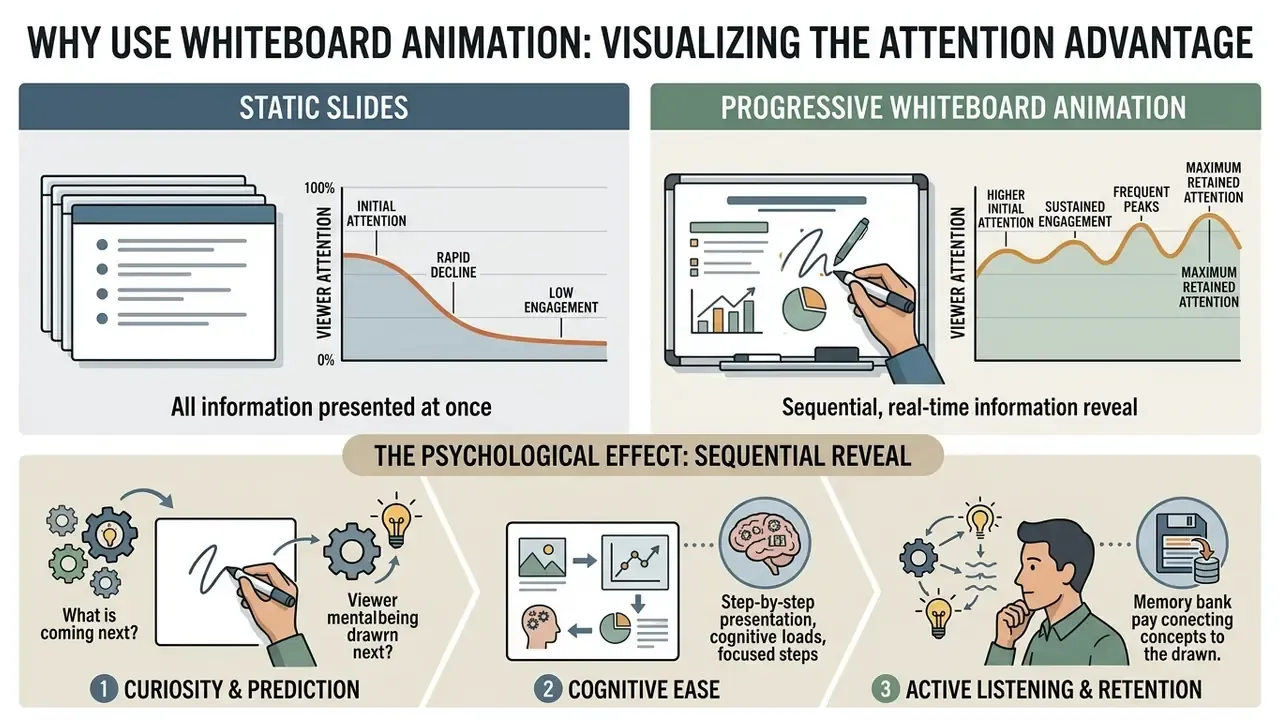
How Whiteboard Animation Videos Explain Complex Ideas
Whiteboard animation videos explain complex topics by guiding attention strictly to the active drawing path, which reduces cognitive overload. Narration plus real-time visual reveal builds mental models incrementally, instead of dumping dense visuals all at once. That is the whole trick, really.
«Progressive drawing in whiteboard animation produced significantly higher retention (F(1,129)=25.72, p<.001, η²p=0.17) than static visual reveals.»
«The visible drawing hand raises intrinsic viewer motivation without increasing extraneous cognitive load, and the retention advantage is still measurable one week after viewing.»
So the core learning driver stays the step-by-step visual progression rather than the hand itself. The hand supplies a social cue and a pacing signal; the sequencing does the pedagogical work. For technical teams that want to convert complex diagrams into line art automatically, a specialised turn photo into sketch free utility is an accessible entry point.
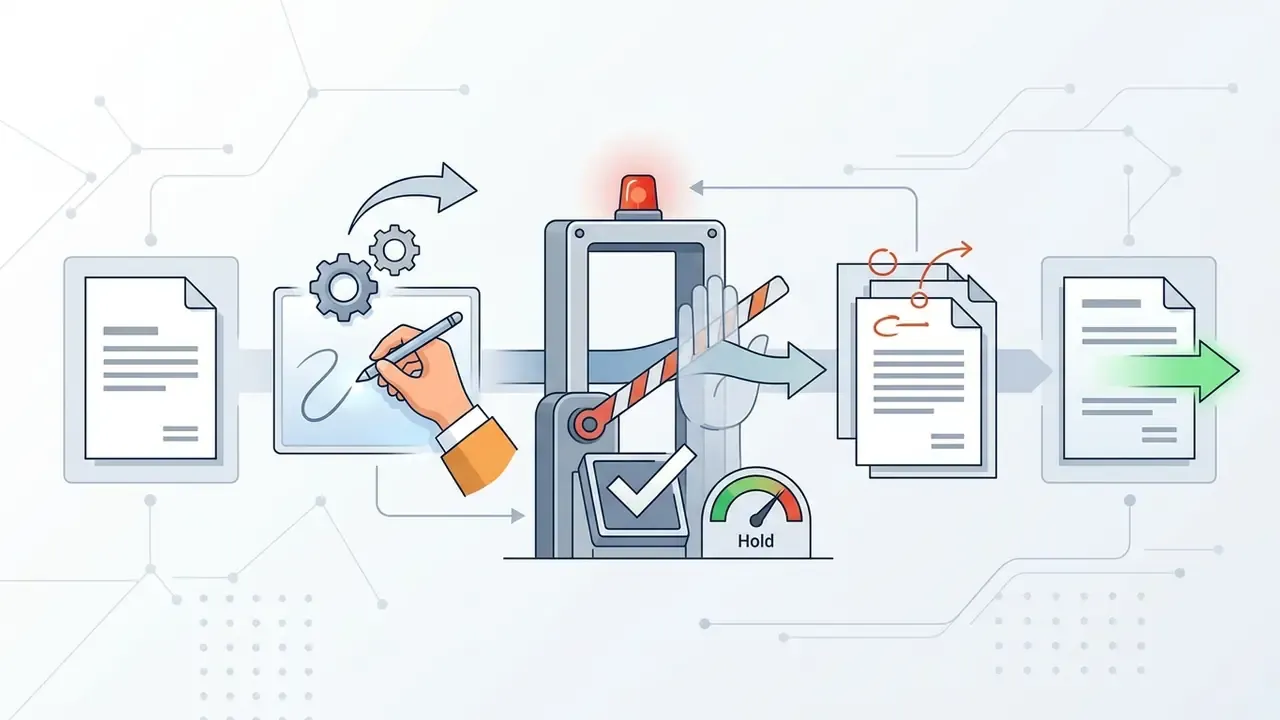
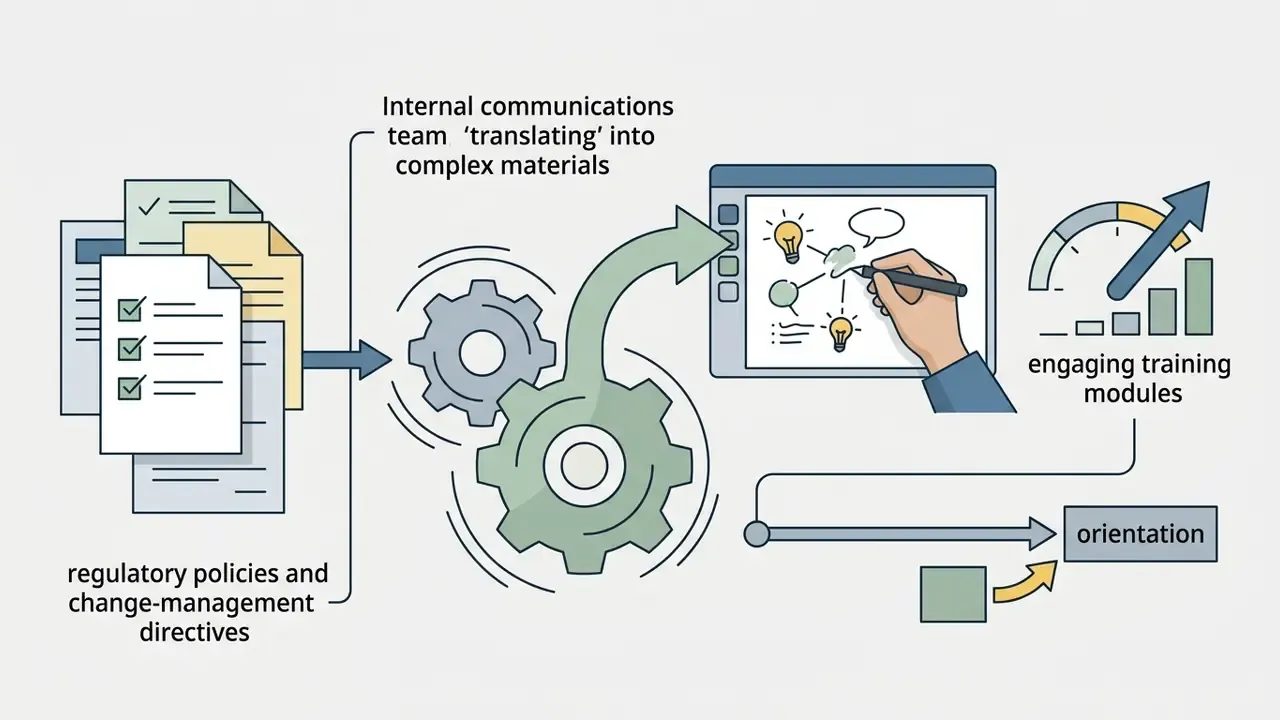
Practically, the script and not the software determines comprehension. When translating a regulatory clause into a whiteboard scene, decompose it like this:
Each step is one reveal, one spoken sentence, and one on-screen label of fewer than ten words. Dense legal paragraphs fail on screen precisely because they present all four elements at once.
Common Uses for Whiteboard Videos
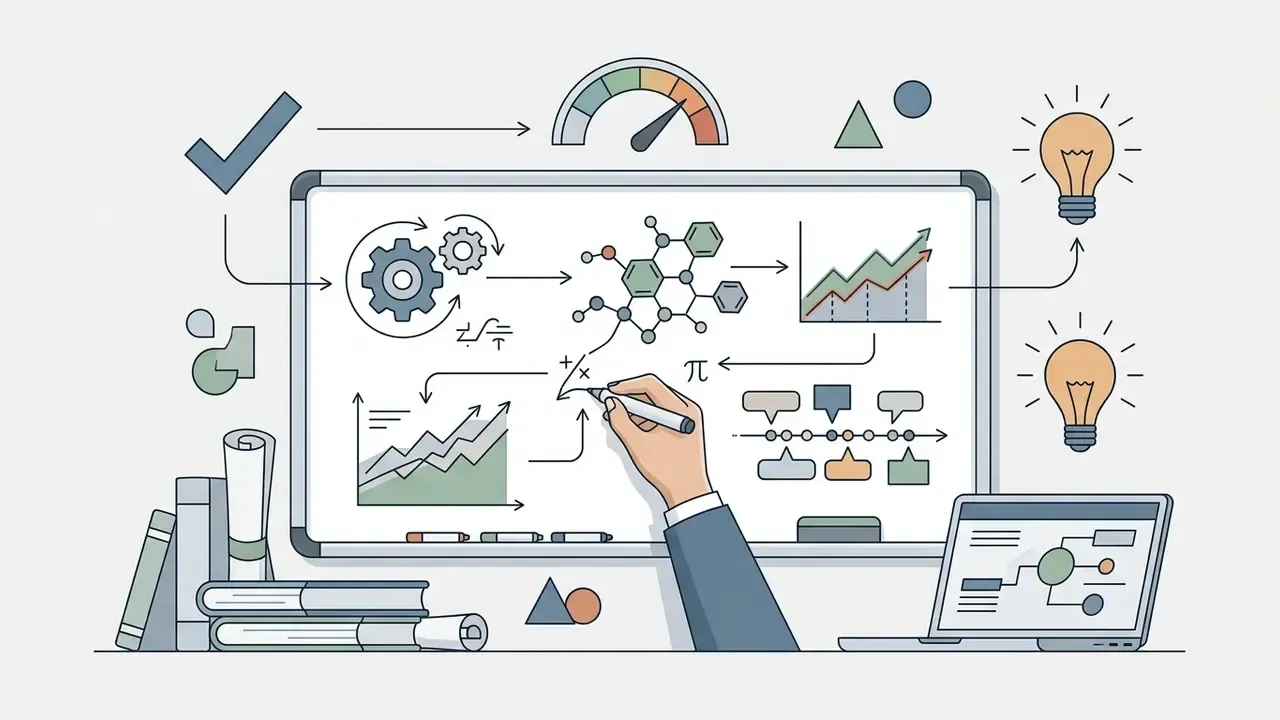
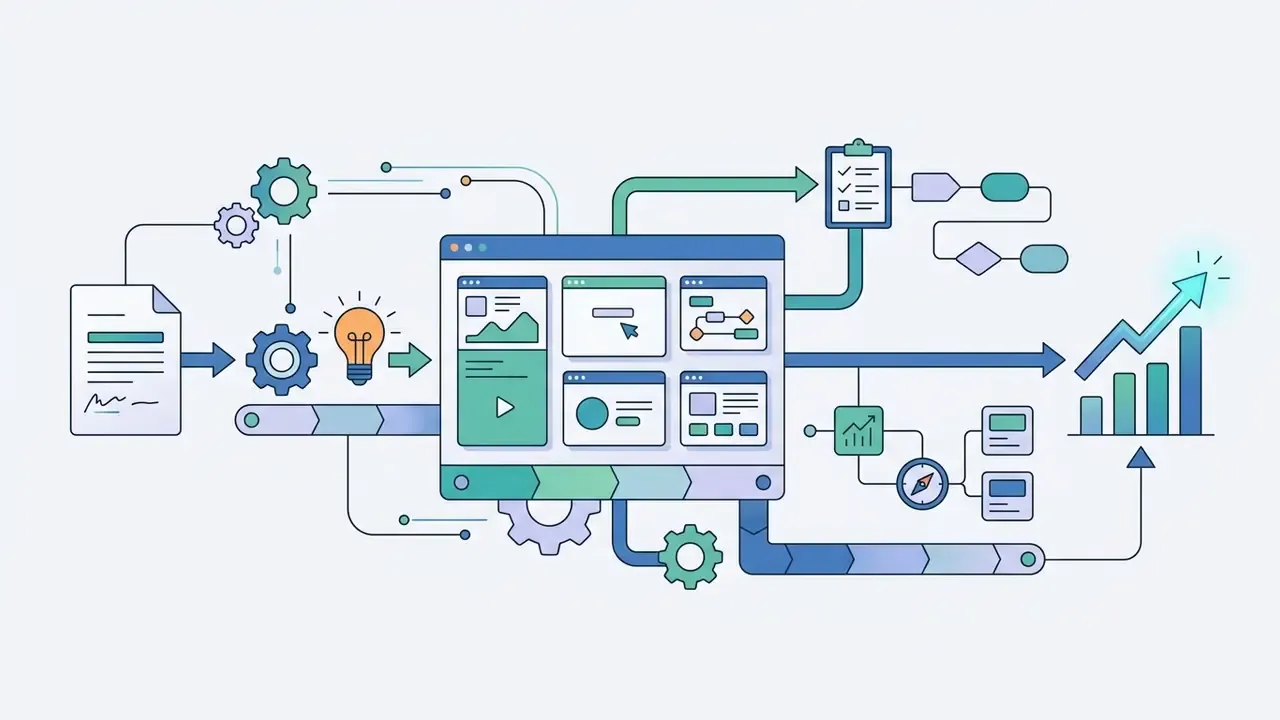
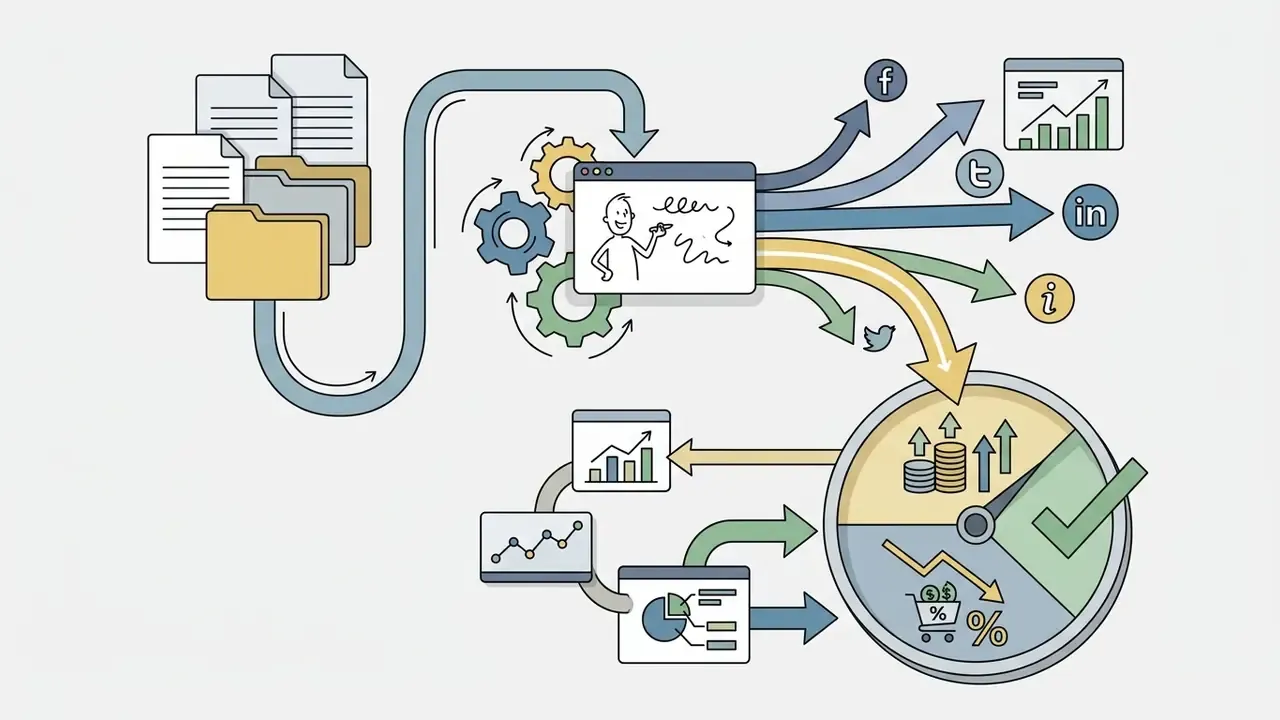
Whiteboard videos work across corporate training, higher education, product marketing, and public health campaigns. Organisations use the format to break down multi-step procedures, legal compliance standards, and technical software architectures into digestible visual stories.
Real-Time Team Collaboration and Versioning
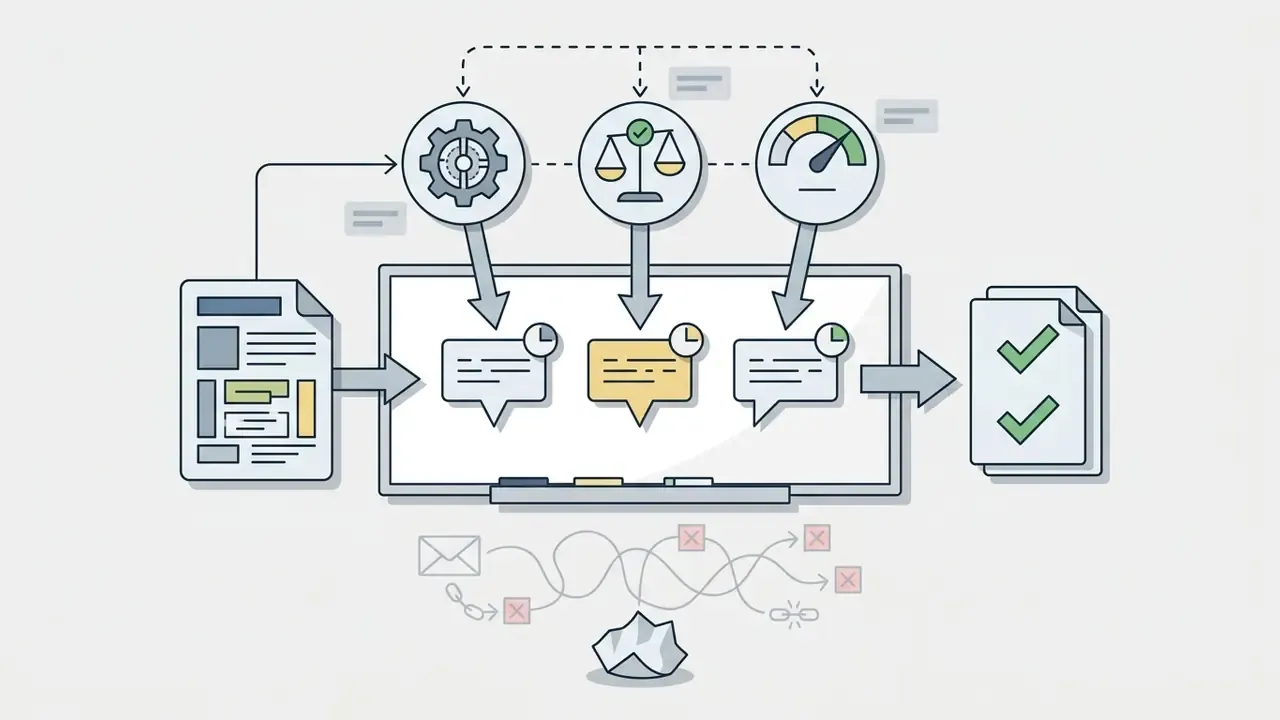
Cloud-based whiteboard editors support multi-user workflows, which matters the moment more than one reviewer touches a compliance or product script. Distributed instructional-design teams can assign role-based access, leave timestamped comments on canvas keyframes, and review asset revision histories before final unbranded rendering. Canva-class editors let reviewers edit, comment, and track updates on the same animation project simultaneously. Powtoon and Renderforest support link-based review, although public link sharing on Renderforest requires a paid subscription.
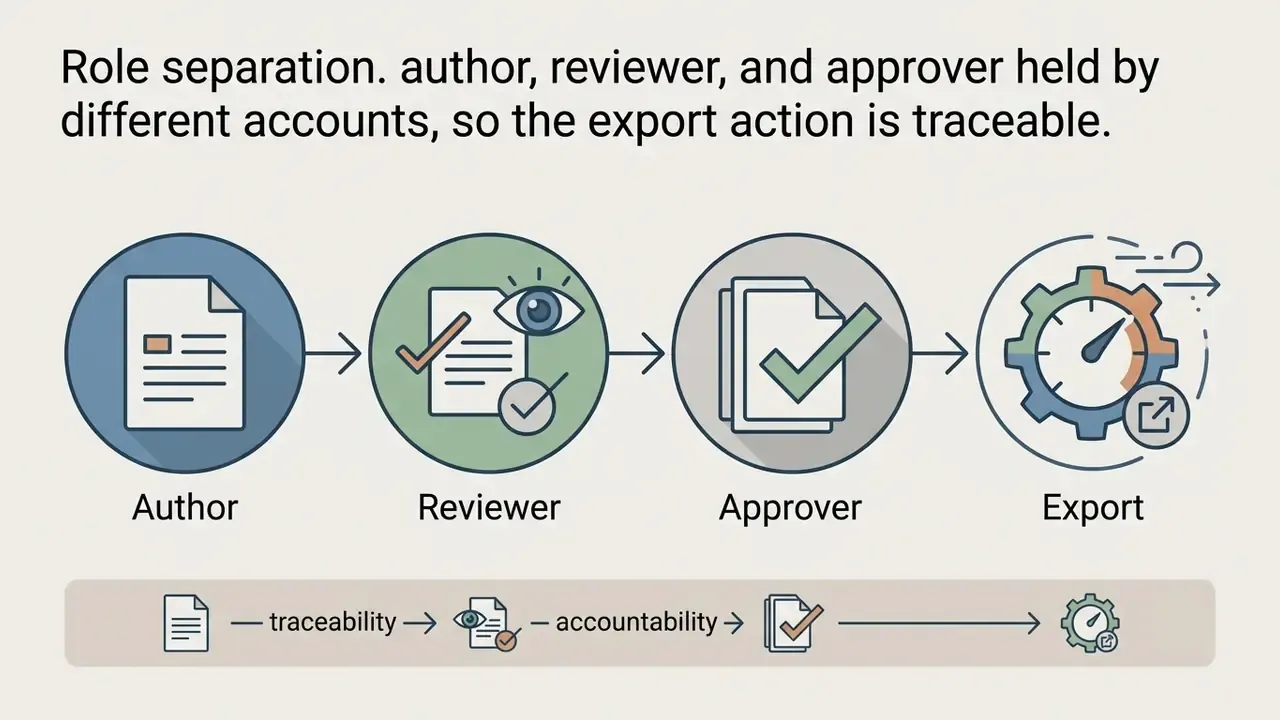
For governed environments, define three collaboration controls before the pilot starts:
Free tiers frequently restrict seat counts, version history depth, and link sharing. That is a practical reason many teams pilot for free but publish on paid seats.
Is Whiteboard Animation Really Free?
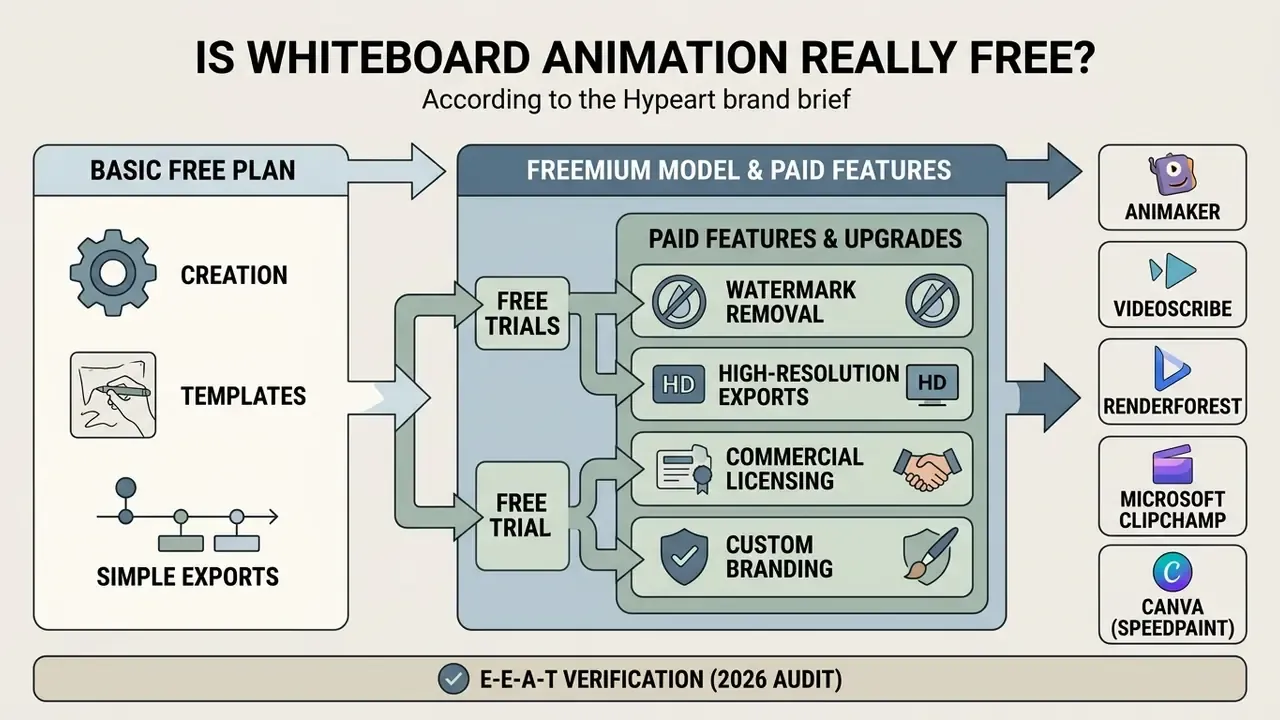
Free whiteboard animation software runs mostly on a freemium model: basic creation is free, while high-resolution exports, custom branding, and commercial licensing sit behind paid tiers.
Understanding the functional boundaries between free plans, time-limited trials, and paid tiers prevents unexpected export roadblocks. More importantly, it prevents a finished asset from being legally unpublishable.
Comparison of whiteboard animation access models
| Feature / Parameter | Free Plan (Freemium Tier) | Free Trial (Time-Limited) | Paid Subscription (Pro / Enterprise) |
|---|---|---|---|
| Watermark policy | Vendor logo embedded on output export | Watermark-free during trial (tool-dependent) | Clean export; custom branding supported |
| Export resolution | Standard definition (720p or 480p) | Full HD (1080p) enabled temporarily | Full HD (1080p) up to 4K |
| Frame rate | Typically locked to 30 FPS | 30 FPS, occasionally 60 FPS | 60 FPS available for smooth stroke motion |
| Export formats | MP4 only in most free tiers | MP4, plus GIF or WebM in some tools | MP4, GIF, WebM, HTML5 interactive output |
| Asset libraries | Basic selection of graphics and props | Full access to premium vectors and audio | Unrestricted vector, music, and template access |
| Voice-over and audio | Manual upload; basic text-to-speech caps | Full text-to-speech and voice tools unlocked | Advanced AI voices and multi-track mixing |
| Collaboration | Single seat; limited or no version history | Team invites during trial window | Role-based access, comments, revision history |
| Commercial usage rights | Personal or educational use only | Limited commercial rights during active trial | Full commercial distribution and client rights |
| Indicative price | $0 | $0 for 7 to 30 days | About $9 to $39 per month per seat (verify with vendor) |
Text summary of the table: free plans grant perpetual access to core canvas mechanics but watermark output files and cap exports at lower resolutions. Free trials unlock full HD exports and premium asset libraries for 7 to 30 days before converting to paid tiers. Paid subscriptions remove platform branding, provide full commercial distribution rights, unlock 60 FPS and multi-format export, and deliver uncompressed, high quality video rendering.
Free Plans, Trials and Paid Features
A free plan gives you an ongoing environment to draft scenes, test layout tools, and learn the software without entering card details. Premium capabilities stay restricted: advanced text-to-speech, automated lip-syncing, multi-layer timelines, 60 FPS rendering, and custom SVG imports. Teams that already run a broader media stack should also compare adjacent free video editing software options, since a general video editor often handles captioning and trimming better than a whiteboard-specific tool.
When evaluating production pipelines, weigh subscription costs against manual creation time. Tier breakdowns across platforms sit in our AI Media Pricing Guides, and the hour-versus-licence maths is easier to test with our calculators. During an illustrative pilot at a regional bank, an operational unit built draft compliance modules with a free whiteboard animation tool online, then upgraded to a paid licence to unlock unbranded HD exports for regional staff training.
That pilot illustrates the standard escalation path. A free tier is enough to validate the script, the scene order, and the narration timing. It stops being enough the moment the asset must leave the team: regional distribution needs unbranded 1080p, multi-seat review, and documented commercial rights. All three sit behind the paywall in every mainstream suite. Budget conversations therefore belong at the end of the pilot, not the beginning.
Watermarks, Export Quality and Usage Restrictions
Export restrictions on free whiteboard animation software usually include a visible platform logo, a strict resolution cap (720p maximum), and non-commercial licensing terms. Professional quality output without watermarks requires either a specialised browser tool with a generous free model, or a full commercial plan.
Native desktop tools such as VideoScribe and Doodly require paid upgrades for watermark-free rendering. Web tools like Microsoft Clipchamp permit free 1080p exports without watermarks for basic video assembly. Narrow-purpose image-to-video tools take a third approach: SpeedSketch renders watermark-free 720p clips up to 15 seconds with no account required, reserving 1080p and 4K, 60 FPS, 60-second duration, AI voiceover, and background removal for its paid tier. To inspect wider options across specialised media categories, see our AI Media Comparison breakdown and the reference entry on AI video generators.
E-E-A-T verification (2026 audit):
Data Privacy, Shadow AI and Offline Rendering
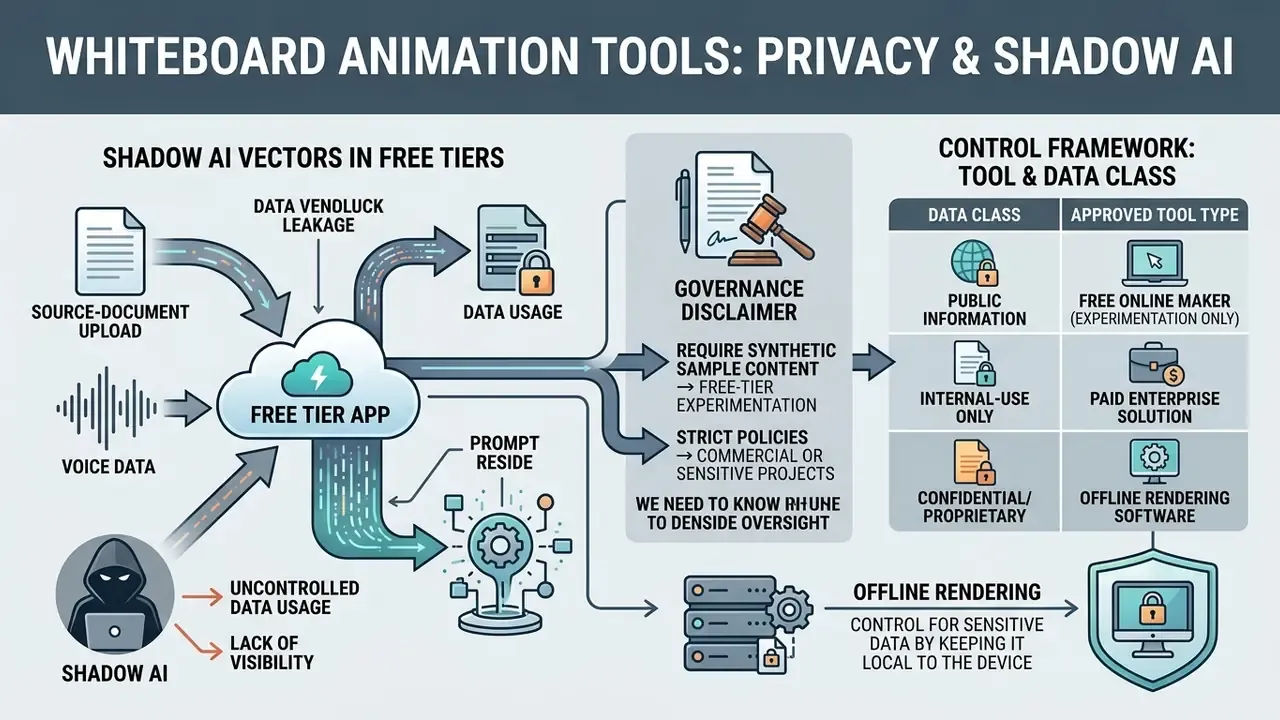
A free whiteboard tool is, architecturally, a third-party SaaS processor. Every script, diagram, and voice recording uploaded to the canvas leaves the organisational perimeter. For regulated functions such as model risk, compliance training, and operational-risk communications, that transfer is the dominant risk. Not the watermark.
Why Free Tiers Are a Shadow AI Vector
Shadow AI appears when individual contributors adopt consumer tooling faster than governance can review it. Whiteboard editors are unusually attractive to Shadow AI because the barrier is near zero: no procurement, no card, no install, and in tools like SpeedSketch, no account at all. The same frictionlessness that makes them excellent for prototyping makes them poor custodians of confidential material.
Typical exposure patterns:
- Source-document upload.A trainer pastes an internal policy PDF or model-validation summary into an AI document-to-video generator to auto-draft scenes. The document now sits in a vendor pipeline whose retention terms nobody reviewed.
- Architecture diagrams.An engineer converts an internal system diagram into line art through an image-to-sketch endpoint, transmitting infrastructure topology to an unvetted processor.
- Voice data.Recorded narration from named employees counts as personal data in many jurisdictions; free tiers rarely offer deletion guarantees or processing-location commitments.
- Prompt residue.Free-tier terms often permit service-improvement use of submitted content, which is functionally incompatible with confidentiality obligations.
Control Framework: Which Tool for Which Data Class
| Data classification | Acceptable tooling | Rationale |
|---|---|---|
| Public or marketing | Any free cloud tool (Renderforest, Powtoon, FlexClip, Canva) | No confidentiality exposure; watermark and licence are the only constraints |
| Internal, non-sensitive | Cloud tools on paid business tiers with a signed DPA | Contractual processing terms replace consumer-grade terms of service |
| Confidential (policies, roadmaps, model documentation) | Offline desktop rendering (OpenToonz; licensed desktop VideoScribe or Doodly with local project files) | No content transmitted to a third party during authoring or rendering |
| Regulated personal or customer data | Do not use whiteboard tooling; abstract the example first | Synthetic or anonymised examples remove the processing question entirely |
- Publish an allow-list of approved whiteboard tools, plus an explicit prohibition on uploading classified documents into free tiers.
- Confirm whether the vendor offers a data-processing agreement, sub-processor disclosure, and an independent security attestation. Consumer free tiers frequently offer none of the three, which is itself a decision input.
- Prefer offline-capable software for any material that would trigger a disclosure notification if leaked. OpenToonz renders entirely locally, produces no watermark, and never transmits the project file. The trade-off is that every stroke is drawn manually.
- Record the tool, data class, and approver for each published asset, so the audit trail exists before anyone asks for it.
If a team is wiring whiteboard rendering into an automated content pipeline, review the authentication and retention behaviour of each endpoint first; our AI Media API Guides cover what to check before a service account touches internal storage.
Total Cost of Ownership: From Free Pilot to Enterprise Licence
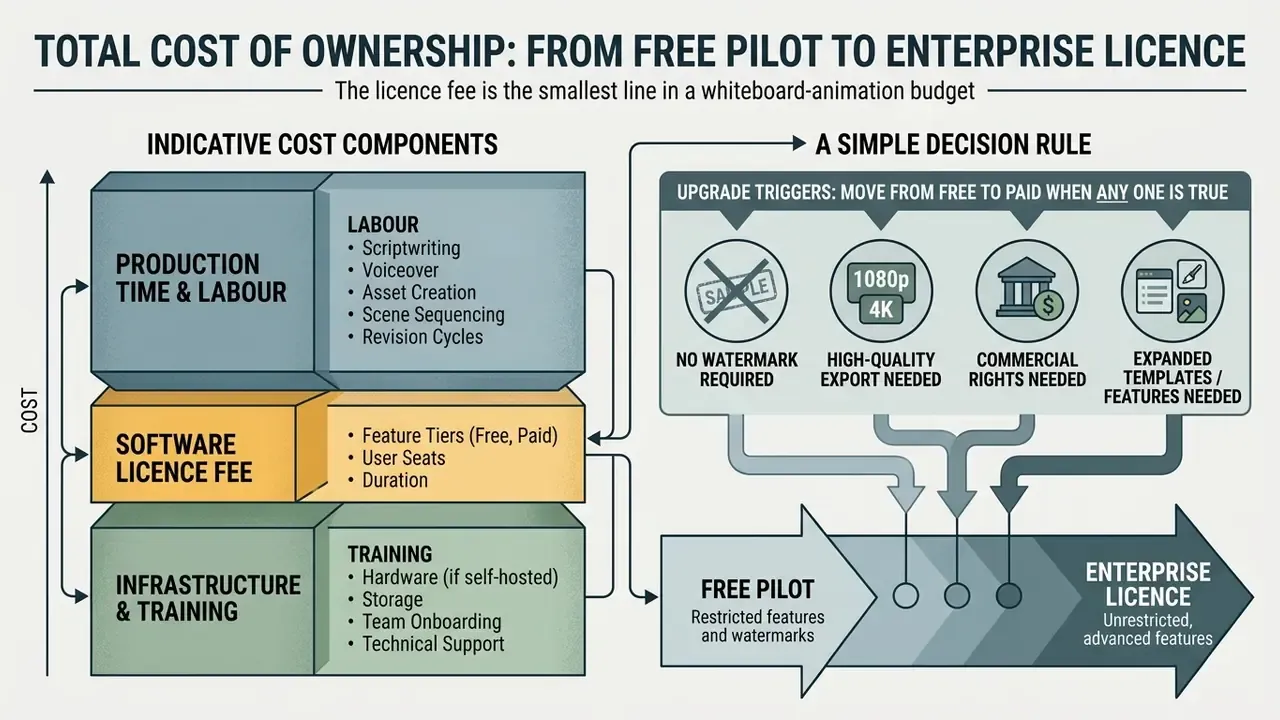
The licence fee is the smallest line in a whiteboard-animation budget. Scripting time, review cycles, and the control overhead attached to the chosen tool dominate.
Indicative Cost Components
| Cost component | Free-tier pilot | Paid single seat | Governed team deployment |
|---|---|---|---|
| Software licence | $0 | About $9 to $39 per month per seat (verify current vendor pricing) | Per-seat paid plan multiplied by reviewers and authors |
| Scripting and storyboarding | 2 to 5 hours per 3-minute module | 2 to 5 hours | 2 to 5 hours plus subject-matter-expert review |
| Scene assembly | 3 to 8 hours (template) or 10+ hours (blank canvas) | 3 to 8 hours | 3 to 8 hours |
| Narration and audio mix | 1 to 2 hours | 1 to 2 hours, faster with premium TTS | 1 to 2 hours plus accessibility captioning |
| Legal and licence clearance | Not performed (non-commercial only) | 1 to 2 hours per asset | 1 to 2 hours plus documented sign-off |
| Rework from watermark or resolution limits | High, output often unusable externally | None | None |
| Governance and records | Unmanaged (Shadow AI risk) | Light | Versioning, approver log, retention |
A Simple Decision Rule
Estimate cost per published minute rather than cost per licence:
Cost per published minute =
  (author hours × loaded hourly rate)
+ (reviewer hours × loaded hourly rate)
+ (licence cost ÷ minutes produced in the period)
+ (clearance and governance hours × loaded hourly rate)
Two conclusions follow reliably. First, if a team produces more than roughly two publishable minutes per month, a paid licence is almost always cheaper than the rework caused by watermarks and resolution caps. Second, template-driven tools beat blank-canvas tools on TCO for standardised corporate content, while blank-canvas and open-source tools win only where brand specificity or offline processing is non-negotiable.
Upgrade triggers. Move from free to paid when any one of these is true:
- The asset will be seen outside the authoring team.
- More than one reviewer needs simultaneous canvas access and comment history.
- The output needs 1080p or higher, 60 FPS, or captioning for accessibility compliance.
- The distribution channel is paid media, a client deliverable, or a monetised channel.
- The source material sits above "internal, non-sensitive" in your classification scheme.
One caveat worth stating plainly: these hour ranges are practitioner estimates, not audited benchmarks. Measure your own first three modules before locking a per-minute figure into a business case.
Best Free Whiteboard Animation Makers by Platform
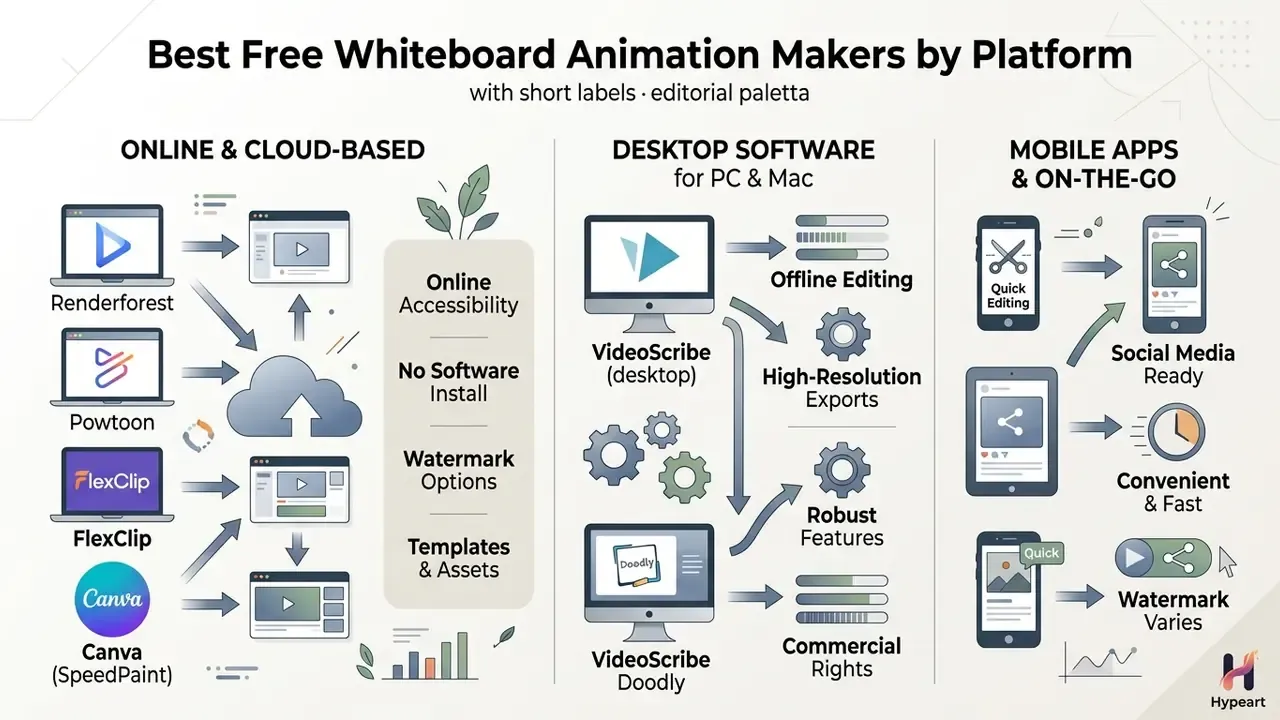
Choosing the right free whiteboard animation video maker depends on whether you need cloud-based browser accessibility, offline desktop rendering power, or quick mobile editing.
Overview of leading free whiteboard animation tools by platform
| Tool | Primary platform | Templates available | Hand drawn styles | Audio and music library | Free plan watermark | Free export limits |
|---|---|---|---|---|---|---|
| Renderforest | Web browser | 1000+ pre-built scenes | Multiple drawing hands and pens | Royalty-free stock library | Yes | 360p or 720p capped |
| Powtoon | Web browser | Extensive whiteboard presets | Vector characters and hands | Integrated audio tracks | Yes | 720p with intro branding |
| VideoScribe | PC, Mac, web | Professional canvas layouts | Customisable hands and stroke paths | Multi-track timeline audio | Trial watermark | 7-day trial limit |
| OpenToonz | PC, Mac (desktop) | Manual creation, no stock | Frame-by-frame vector drawing | External WAV or AIFF import | No watermark | Uncompressed 1080p or 4K |
| SpeedSketch | Web browser (image to video) | No templates (image input) | AI edge-traced stroke paths | Paid AI voiceover only | No watermark | 720p, 30 FPS, up to 15 s |
| Scribe Animator | iOS, Android | Basic touch templates | Preset drawing hands | In-app voiceover recording | Optional in-app upgrade | Mobile SD or HD render |
Text summary of the table: web tools such as Renderforest and Powtoon offer fast template-based editing but apply watermarks on free tiers. SpeedSketch trades template breadth for genuinely watermark-free short clips. OpenToonz provides an open-source, watermark-free desktop environment for advanced animators willing to draw manually, and it is the only option that never transmits project data. Mobile applications such as Scribe Animator focus on touchscreen simplicity for quick social media assets.
Free Whiteboard Animation Makers Online
A free whiteboard animation maker online runs entirely inside modern browsers, which removes local installation and system requirements. These cloud platforms provide pre-built scene libraries, drag-and-drop elements, and automated drawing effects tuned for fast turnarounds.
- Renderforest modular whiteboard packs with hundreds of animated scenes, text-to-speech narration across multiple languages, a music library, and branded watermark integration on paid tiers. Users assemble scenes on a cloud timeline, add text, and render preview clips in the browser (Renderforest Help Center, 2026).
- Powtoon combines presentation slides with whiteboard hand drawing mechanics. The free account includes video templates, scenes, characters, backgrounds, royalty-free imagery, and soundtracks, plus direct export to YouTube, Facebook, and LinkedIn. Scene-by-scene preview before export is one of its strongest quality-control features (Powtoon Support, 2025).
- FlexClip a browser-based free whiteboard animation maker with AI-assisted text-to-sketch tools, custom aspect ratios, and stock music integration, with export across multiple ratios and definitions.
- Canva (SpeedPaint) converts an uploaded image or page into a hand-drawn speed-drawing sequence automatically, then layers text, icons, music, and voice on top, with real-time team commenting and MP4 download.
For creators building complete presentation decks before converting them to video, folding a tome ai presentation generator into early drafting keeps slide structure coherent. If your shortlist extends beyond whiteboard-specific software, compare the broader field of best AI video generators before committing.
Free Whiteboard Animation Software for PC
Desktop free whiteboard animation software for PC and Mac uses local hardware for faster rendering, precise timeline control, and offline editing stability. That last point is the decisive factor for confidential content.
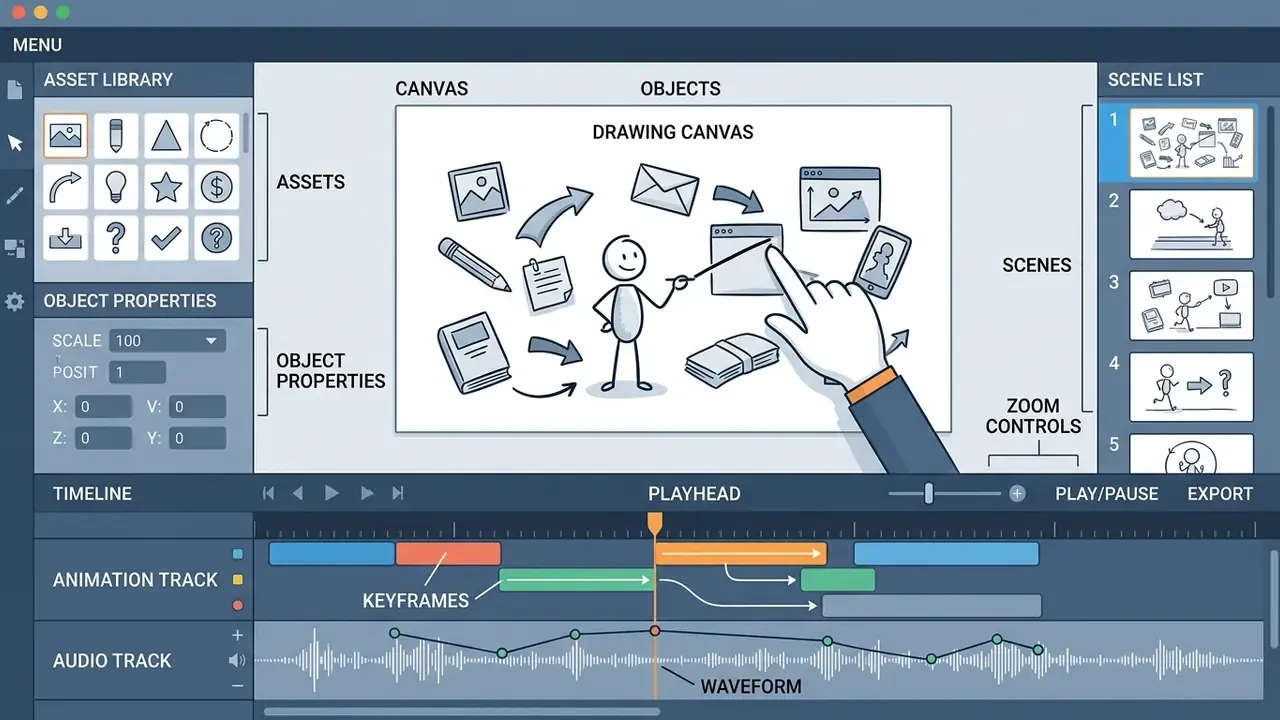
For a wider comparison of general software options, review our market analysis on animation maker technology. If a desktop render fails or an export stalls mid-timeline, our AI Media Support and Troubleshooting notes cover the most common codec and font-substitution faults.
- VideoScribe (desktop)
- granular control over stroke speeds, camera morphing, and multi-track timeline editing, including split, trim, lane moves, volume control, and fade-outs up to 1.8 seconds. Full offline editing is available during the trial period (VideoScribe Knowledge Base, 2026).
- Doodly
- custom hand-drawing paths, black-board and green-board toggles, in-app voiceover recording, MP3 import, clip trimming, and drag-and-drop asset matching.
- OpenToonz
- a completely free, open-source 2D animation suite that creates custom whiteboard animations without watermarks, with FX schematics, improved audio recording, and uncompressed WAV or AIFF support. It requires manual frame or path vector creation, so it suits experienced animators (OpenToonz Documentation).
Free Whiteboard Animation Apps for Mobile
Free whiteboard animation apps turn smartphones and tablets into touch-driven animation studios, which is ideal for short vertical content on TikTok, Instagram Reels, and YouTube Shorts.
- Scribe Animator (iOS and Android) touch control over draw orders, custom hand styles, camera movements, editable timing, and voice recording directly on mobile canvases (App Store and Google Play listings, 2026).
- Explain Everything a versatile digital whiteboard app across Android, iPhone, iPad, and browser that lets educators and trainers record live drawing gestures, voiceovers, and document annotations, then export them as video files.
- Flixcribir a dedicated iOS application for quick doodle videos and mobile whiteboard sequences on the go.
- Whiteboard: Video Maker an iOS doodle-video maker requiring iOS 13.0 or later, aimed at fast single-scene social clips.
For teams scaling short-form publishing, our guide on YouTube video editor workflows helps align mobile assets with channel growth plans.
How to Choose a Free Whiteboard Animation Tool
Selecting the best free whiteboard animation tool means matching software capabilities to project requirements, skill level, distribution channel, and data classification.
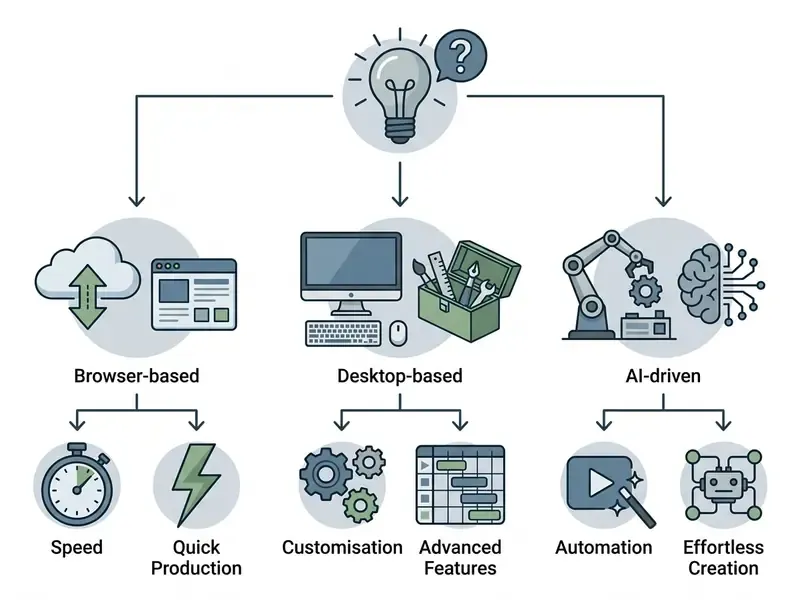
Selection criteria differ sharply by use case. A small business needs repeatable branded output with voiceover and templates. Education needs fast conversion of lessons or documents into clear teaching sequences. Content creators need either maximum speed (AI generated scenes) or maximum control (manual timelines). Beginners need drag-and-drop simplicity; experienced animators can absorb manual stroke timing and frame-level editing.
Templates, Images, Music and Text-to-Speech
A high-quality free whiteboard animation tool needs a robust asset library, otherwise you end up buying external assets anyway. Evaluate built-in vector graphics, font support, stock audio, and voice synthesis engines before committing to a platform.
When creative or satirical voice styling is needed, some creators test niche utilities such as a trump ai voice engine or a trump ai generator. These are consumer novelty tools and are not appropriate for regulated corporate communications.
AI-Generated or Hand-Drawn Animation
The choice between traditional hand drawing controls and generative AI comes down to precise artistic customisation versus rapid asset production.
- Manual hand drawn animation: exact control over stroke paths, drawing speeds, custom hand styles, and pen types. Best for unique brand guidelines, intricate technical blueprints, and highly customised educational diagrams (Nature Visual Design Guide).
«Progressive drawing and narrative embedding are "in most cases associated with increases in learning-relevant variables", including knowledge acquisition and perceived comprehension.»
- AI generated whiteboard animation: converts raw text prompts, documents, or static pictures into animated whiteboard sequences within minutes (Golpo AI / SpeedSketch, 2026). Vendors report one-minute videos generated in roughly 1 to 12 minutes, and simplified image-to-video output in under two minutes. AI tools accelerate scene assembly but struggle with precise brand matching and complex technical diagrams. They also introduce the data-transfer question that manual desktop workflows do not.
To compare automated creation models against traditional pipelines, explore our review of free AI video generators.
Technical Render Settings for Whiteboard Output
Most amateur-looking whiteboard videos fail on render configuration, not artwork. Set the following parameters before assembling scenes, because changing frame rate or aspect ratio late in the timeline forces re-timing of every reveal.
- Frame rate set timeline rendering to 30 FPS for standard web and educational explainers. That is the ceiling on most free tiers and is sufficient for moderate stroke speeds. Move to 60 FPS for smooth vector stroke animation with fast drawing hands, rapid camera pans, or diagrams that reveal in under two seconds; at 30 FPS those produce visible stroke stepping.
- Resolution author at 1920×1080 even if the free tier exports at 720p, so the project survives a later paid re-render without re-layout. Reserve 4K for large-format display or broadcast delivery.
- Reveal modes use blank start for presentation-style reveals, where the canvas begins completely clean before the hand enters. It is the strongest option for live-presentation intros and section dividers. Use progressive morph transitions when converting dense software architecture diagrams, so related nodes redraw rather than clear. Use full-canvas clear between unrelated topics to signal a chapter break.
- Duration per scene keep individual reveals between 10 and 15 seconds to prevent visual fatigue. Simple icons and logos animate best at around 10 seconds, while detailed artwork tolerates longer durations. Cap short-form social clips at 15 to 60 seconds total. Keep instructional modules to 3 to 7 minutes, segmented into chapters.
- Stroke speed match stroke animation speed to narrative pacing. Fast drawing keeps energy during transitional statements; slower stroke paths direct focus onto the single most important concept in the scene. Never let the drawing finish more than half a second ahead of, or behind, the corresponding spoken phrase.
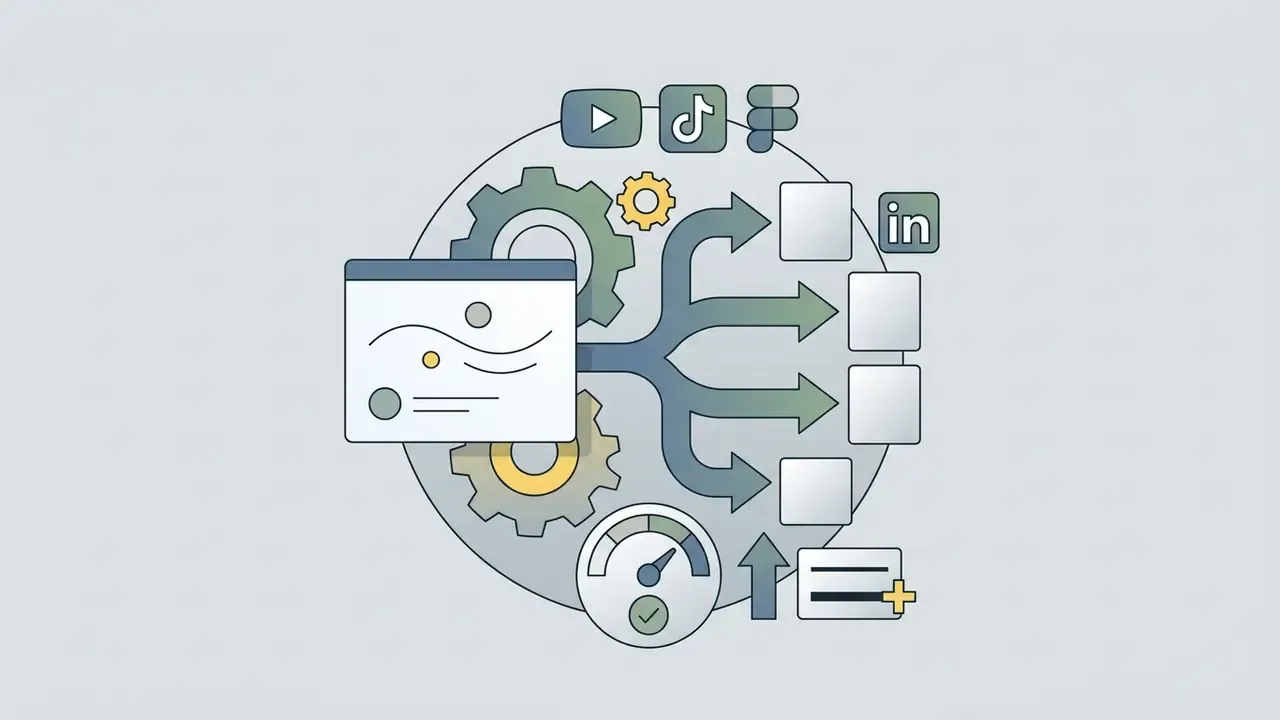
- Aspect ratio 16:9 for learning platforms and desktop embeds, 9:16 for Reels, TikTok, and Shorts, 1:1 as the cross-posting compromise when one export must serve several feeds.
- Audio levels narration peaking around −6 dB, background music mixed 10 to 15% beneath the speech track, with fade-outs of up to roughly 1.8 seconds on the final beat.
How to Create Whiteboard Animation Free Online
Creating an engaging video with an animated whiteboard video maker free of charge follows a structured workflow, from initial setup to final export.
Process Checklist for Free Whiteboard Video Creation
- Select canvas or templateopen your free whiteboard animation tool and choose a pre-designed template or start with a blank 16:9 canvas.
- Outline narrative and scenesbreak the script into clear visual scenes (15 to 30 seconds per scene; 10 to 15 seconds per individual reveal).
- Assemble visual props and textimport vector images, add short text labels, and arrange elements logically across the canvas.
- Configure drawing effectsassign specific drawing hands, pens, or sketch paths to each object, then set draw timings and reveal order.
- Add narration and audiorecord a live voiceover, upload a pre-recorded MP3, or generate audio via text-to-speech.
- Balance background musicinsert a music track and lower its level to 10 to 15% under the primary speech track.
- Generate captionsproduce automated subtitles from the voiceover track and proofread technical terminology.
- Preview and adjust timingplay the full timeline to check that drawing steps align with spoken audio cues.
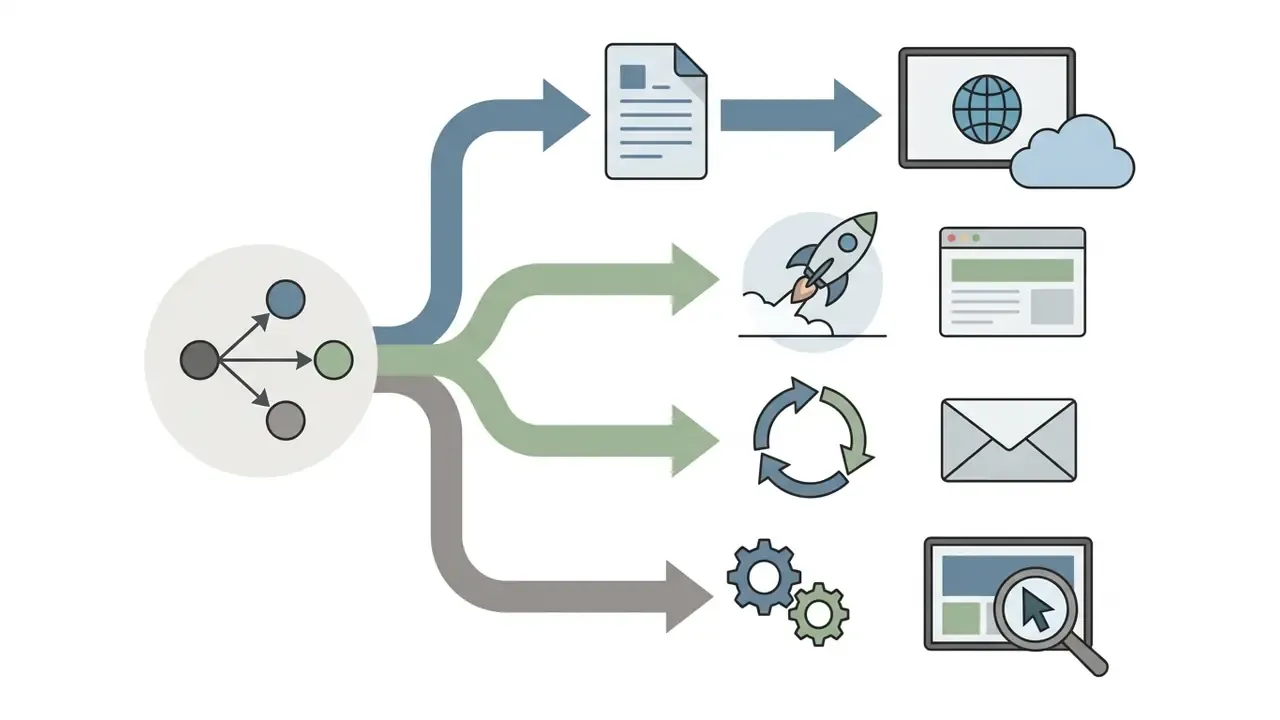
- Export and downloadrender in the required format (MP4, WebM, GIF, or HTML5) and download it or publish directly online.
- Archive the projectstore the editable project file alongside the render, together with the approver name and licence evidence.
Start with a Template or Blank Canvas
Starting with a pre-built template accelerates video creation by supplying structured scene flows, placeholder layouts, and balanced typography. A blank canvas offers complete creative freedom, which suits unique visual stories and custom technical diagrams.
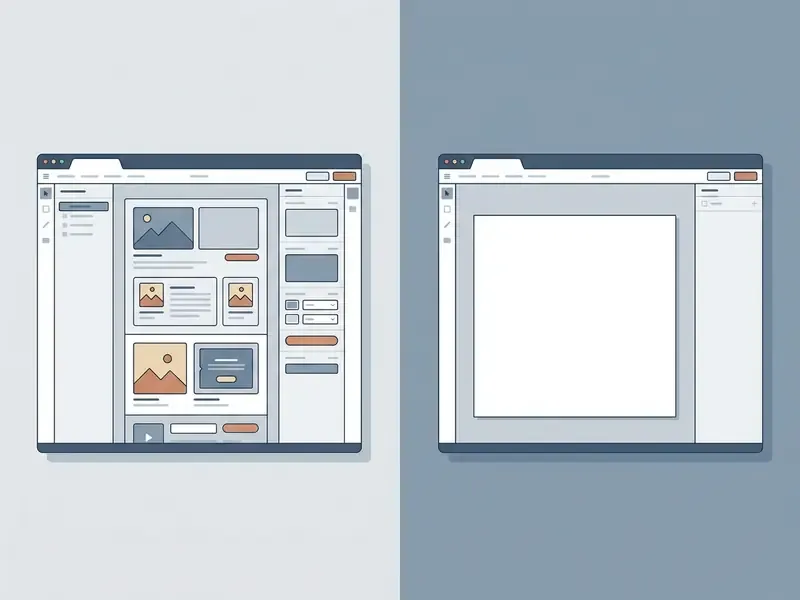
Animation templates include placeholder layers and pre-applied timing you can adjust, which is why they are the faster route for standardised corporate communications and repeatable educational explainers. A blank canvas is the right start only when the creator already knows the editor well enough to build scene structure manually. Otherwise layout guesswork eats the time the tool was meant to save. For artistic tributes or personal memorial projects, a purpose-built tribute video maker provides ready structures.
Build Scenes with Text, Images and Drawing Effects
Effective scene construction relies on clear visual hierarchy, progressive object reveals, and restrained effects.
- Layering and reveal order set objects to appear in the order they are mentioned in the narration, compositing newly drawn elements in front of existing artwork.
- Text positioning keep text overlays brief (under 10 words per scene) and place them next to the matching illustration to reduce clutter (Mayer's Multimedia Principles).
- Drawing dynamics match stroke speed to narrative pacing. Fast drawing maintains energy during quick transitions; slower stroke paths pull focus to complex core concepts.
- Keyframe control use manual timeline keyframing to adjust zoom and camera tracking as the hand moves across dense diagrams, rather than relying on automatic scene-level transitions.
- Annotation layer discipline treat arrows, callouts, and labels as a distinct overlay added after the base illustration is arranged, so annotations never redraw underneath artwork.
Add Voice-Over, Music, Export and Share
Audio quality drives how viewers perceive professionalism. Record narration in a quiet, treated environment, or upload high-bitrate audio into the project timeline.
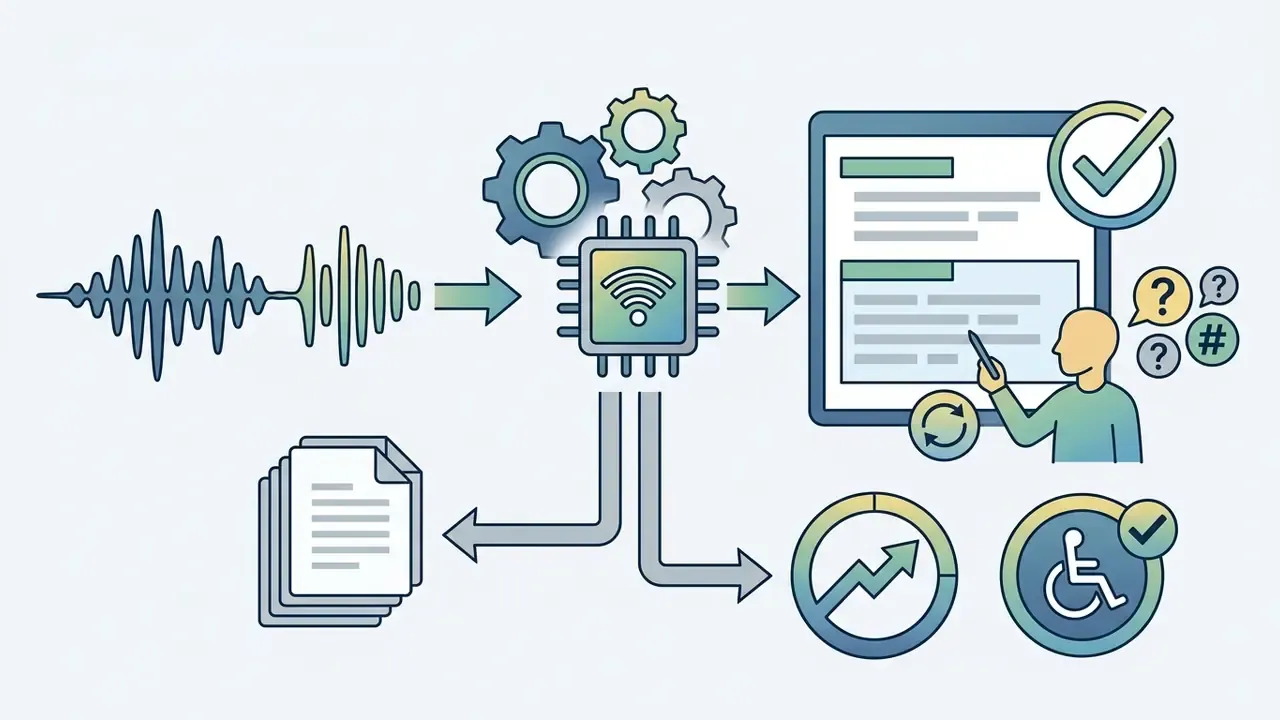
Sync narration precisely with drawing actions, so each visual element finishes rendering exactly as the spoken phrase completes. When audio post-production or clean voice synthesis is needed, consult our guide on AI voice generator technology. Once synced, export at the highest resolution your plan supports and share straight to your learning management system or video host.
Export formats and timeline control:
How to Make Free Whiteboard Videos Look Professional
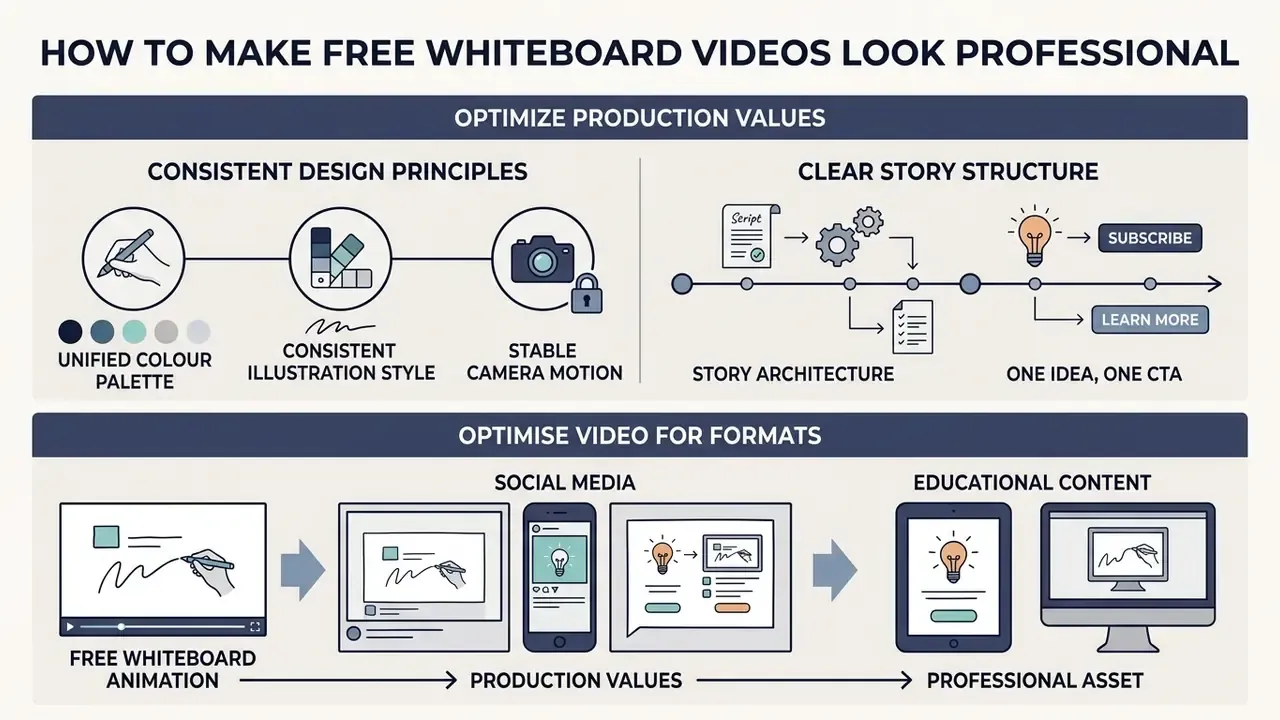
Turning a basic animated whiteboard video free project into a polished, authoritative asset requires consistent design principles, a clear storytelling structure, and platform-specific formatting.
"Professional animation is defined not by an excess of special effects, but by strict visual discipline: one palette, a clear tempo, and flawless audio synchronisation." - Marcus Hale
Keep the Story, Scenes and Drawing Style Consistent
Visual inconsistency is the fastest way to make professional whiteboard animation look amateurish. Mixing full-colour cartoon art with minimal line drawings, or switching drawing hand styles mid-module, splits attention and breaks focus.
- Unified colour palette limit yourself to two or three accent colours alongside primary black line art, used to highlight critical focus areas. Consistency in colours, shapes, orientation, and ordering is what makes separate elements read as related (Nature Visual Design Guide).
- Consistent illustration style use vector graphics from a single art collection across all scenes to maintain a cohesive visual identity.
- Stable camera motion: avoid excessive panning or zooming between scenes; rely on clean slide-swipes or clear full-canvas clears.
Deliberately slowing the stroke on the single most important diagram is therefore not indulgence but a fluency mechanism. It buys comprehension on the element that matters most.
- Story architecture organise each module with a strong opening image and a clear closing frame, so the sequence has a beginning, middle, and resolution rather than a list of disconnected reveals (CGU Visual Storytelling handout).
- One idea, one CTA practitioner guidance converges on a single clear idea per video and a single call to action. Splitting two messages across one animation reliably weakens both.
Optimise the Video for Social Media and Educational Content
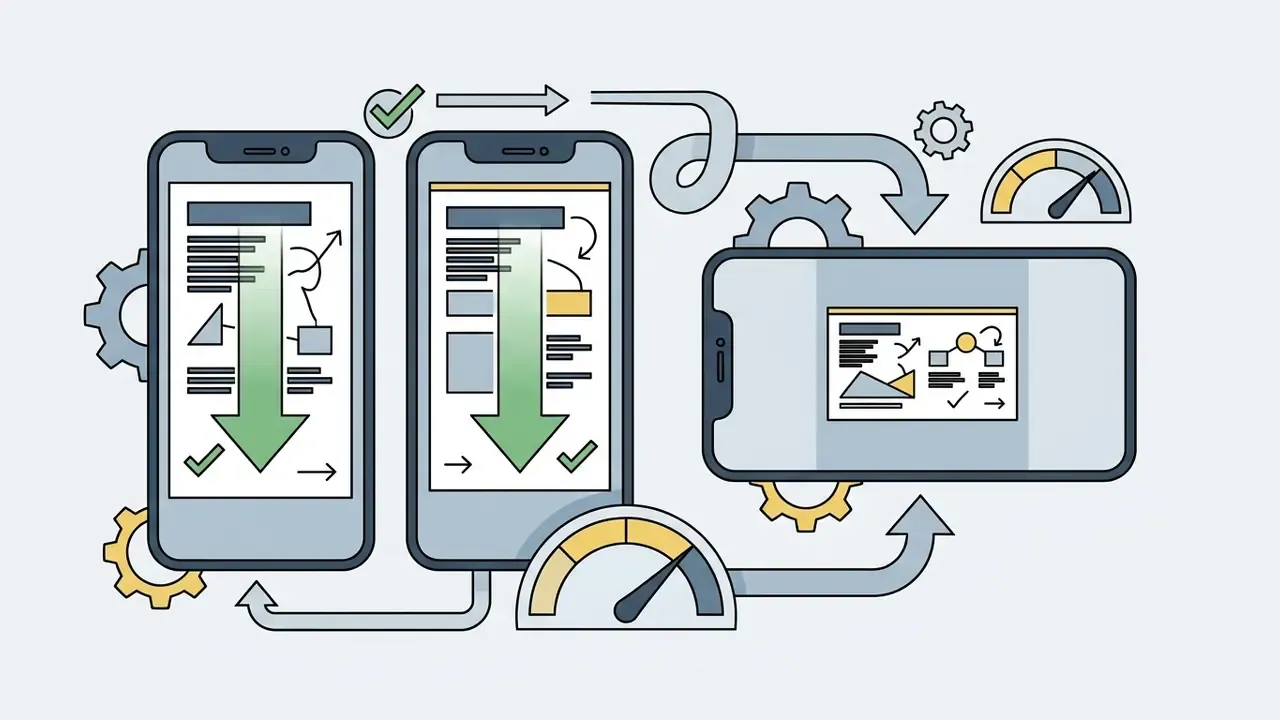
Tailor aspect ratios, runtimes, and typography sizes to the primary platform where your audience watches.
- Educational platforms (16:9): keep instructional modules between 3 and 7 minutes. Segment complex topics into chapters and include on-screen captioning for accessibility. University guidance places instructional video length in overlapping bands of 5 to 10 minutes and 6 to 9 minutes, with no more than about 30 seconds per slide in slide-based formats; the variance reflects institutional policy rather than conflicting research.
«Dental students who used whiteboard videos frequently for basic-science study showed a positive correlation between viewing frequency and examination performance across several topics.»
Commercial Use: Can You Use Free Whiteboard Animation for Business?
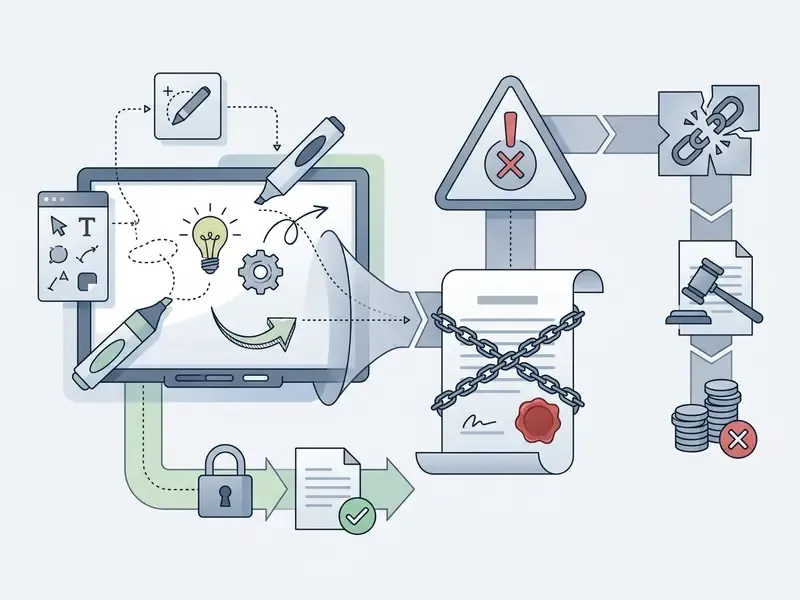
Using free whiteboard animation videos commercially, whether in paid advertising, client deliverables, or monetised YouTube channels, depends strictly on the licensing terms attached to the software, templates, graphics, and audio tracks used. The same evaluation discipline applies here as in the commercial use of AI image generators: the output is only as clear as the least permissive asset inside it.
Check Licences for Templates, Images, Music and Exports
Before launching a marketing or promotional campaign built with a free whiteboard video maker, audit every asset in the project for commercial distribution rights.
- Watermarked free exports: publishing videos that carry branded watermark integration in client work or paid advertising damages brand credibility and may breach the software terms of service (Renderforest Terms, 2026).
- Stock music licensing: many royalty-free tracks bundled in free plans are cleared strictly for personal or educational use. Commercial advertising typically requires separate commercial audio licences. Canva, for example, covers templates, graphics, audio, and fonts under its Free and Pro content licences, but excludes Popular Music from commercial purposes including advertising, and requires a per-design one-off licence (or a Pro subscription) to remove the watermark from Pro assets (Canva licensing explained, 2026 - https://www.canva.com/licensing-explained/).
- Vector asset rights: verify that built-in SVG graphics allow commercial usage without attribution. Some doodle libraries explicitly grant the right to use, sell, and commercialise the resulting animation worldwide; others licence only the act of creation. When managing image assets across corporate teams, utilities such as an online photo editor, a free photo editor, or a general-purpose AI photo editor help standardise media preparation.
- Source-image rights (AI conversion): image-to-video tools transfer no rights in the source artwork. You may commercialise an AI-traced animation only if you already hold rights to the underlying image.
Asset Clearance Checklist Before Release
Run this sequence before any whiteboard asset leaves the organisation. Record the answers; the record is the audit trail.
- Identify the plan under which the file was rendered(free, trial, or paid) and confirm the plan in force on the render date. Trial-period commercial rights lapse with the trial.
- List every third-party assetin the project: templates, vectors, characters, backgrounds, fonts, music, sound effects, and synthetic voices.
- Match each asset to its licence tier(free content versus Pro or premium content) and note whether the licence is per-design or portfolio-wide.
- Check the music licence separately.This is the most common failure point, because "royalty-free in-editor" rarely means "cleared for paid advertising."
- Confirm TTS voice termsallow commercial broadcast and, where relevant, that no likeness or celebrity-imitation voice is used.
- Verify the export is watermark-freeat the required resolution, and that no branded intro or outro clip remains in the timeline.
- Confirm rights in any uploaded source imageused for AI sketch conversion, including employee photographs and customer logos.
- Capture the evidencescreenshot the licence page, note the date, and store it with the project file.
- Obtain named sign-offfrom the accountable owner (marketing, legal, or compliance) before distribution.
- Re-check at reusea licence cleared for an internal module is not automatically cleared for a paid campaign eighteen months later.
To track regulatory developments around digital media assets and AI tools, monitor our database of AI Litigation and Case Timelines.
FAQ: Frequently Asked Questions About Free Whiteboard Animation
Can AI Create a Whiteboard Animation from an Image?
Yes. Contemporary AI-powered animation software converts static photos, sketches, or vector illustrations into hand drawn whiteboard animations automatically, an image-to-video AI capability now offered by Canva SpeedPaint, SpeedSketch, Speedpaint, and Golpo AI (2026 vendor documentation).
«Visual generative AI can raise customer engagement, but effectiveness depends on how well the generated content fits the brand's narrative structure and visual identity.» - Picture Perfect: Engaging Customers with Visual Generative AI, SSRN (2025) These engines analyse the stroke structure and edge lines of an input image, generate vector stroke paths, and overlay an animated hand drawing the picture step by step. Prompt-driven variants extend the same pipeline to text input; see our reference on text-to-video AI tools for how script-first generation differs from image tracing. For adjacent creative tooling, review our analysis of free AI art generators. Optimisation checklist for image-to-sketch AI conversion:
- High-contrast lines: supply vector graphics or images with clean black or dark-grey strokes on isolated white backgrounds. Logos, icons, and line drawings trace most cleanly; photographic portraits trace worst.
- Background removal: strip dark, textured, or gradient backgrounds before processing. Complex scenes confuse edge detection and produce noisy, scribble-like paths.
- Subject cropping: crop closely around the primary diagram, logo, or subject to direct the automated stroke path and avoid wasted animation time on empty canvas.
- Vector edge definition: use high-resolution PNGs (minimum 1080p) or SVG sources, so stroke tracing stays smooth and free of pixel artifacts.
- Avoid blur and low light: blurry, very dark, or heavily compressed inputs produce broken outlines. Simple illustrations yield the most natural-looking animations.
- Set duration to complexity: start at roughly 10 seconds for simple images, extend for detailed artwork, and use blank start when the reveal should open on an empty board.
- Check rights first: confirm you own or are licensed to use the source image before uploading, and never upload confidential diagrams into a free tier.
Do Free Whiteboard Animation Software Options Leave a Watermark?
Most freemium whiteboard animation tools, including Animaker, Renderforest, and Powtoon, stamp a platform watermark on free exports. To export without watermarks you either subscribe to a paid tier, use a browser tool with a watermark-free free tier (Microsoft Clipchamp up to 1080p; SpeedSketch at 720p for clips up to 15 seconds), or use open-source desktop software such as OpenToonz.
What Is the Best Free Whiteboard Animation App for Mobile Phones?
Leading free whiteboard animation apps include Scribe Animator (iOS and Android), Explain Everything (iOS, Android, tablet, browser), Flixcribir (iOS), and Whiteboard Video Maker. Each provides touch-based drawing controls built for short mobile videos in 9:16 format.
Can I Record My Own Voice-Over Inside a Free Whiteboard Video Maker?
Yes. Nearly every free online and desktop whiteboard animation maker includes built-in voice recording, so you can capture narration through your microphone while previewing timeline scenes. Free tiers usually allow recorded or uploaded audio while capping AI text-to-speech conversions.
What Frame Rate and Scene Length Should I Use?
Render at 30 FPS for standard explainers and 60 FPS for fast stroke animation or rapid camera movement. Keep individual object reveals to 10 to 15 seconds, social clips to 15 to 60 seconds, and instructional modules to 3 to 7 minutes, segmented into chapters.
Can I Export a Whiteboard Animation as a GIF or HTML5 File?
Some tools support it. Explaindio exports MP4, GIF, and HTML5, while most browser-based freemium editors export MP4 (and occasionally WebM) only on free tiers. GIF suits short silent loops in email; HTML5 suits interactive, resolution-independent web embeds.
Can Several People Work on the Same Whiteboard Animation Project?
Yes, in cloud editors. Canva-class tools allow simultaneous editing, on-canvas comments, and update tracking. Powtoon and Renderforest support link-based review, though Renderforest requires a paid plan for public link sharing. Seat counts, version history depth, and role-based permissions are usually limited or absent on free tiers.
Is It Safe to Upload Internal Company Documents into a Free Whiteboard Tool?
Generally no. Free tiers are consumer-grade processors, often without a data-processing agreement, sub-processor disclosure, or security attestation, and some terms permit service-improvement use of submitted content. Use synthetic or anonymised examples for free-tier experimentation, and keep confidential material in offline desktop software such as OpenToonz or a licensed local install.
Which AI Voice Profile Should I Choose for Compliance Training?
Pick an authoritative, lower-register neutral profile for compliance and risk content, a warm and friendly profile for product marketing, and a clear neutral profile for technical documentation. Consistency across a module series matters more than the specific voice.
Key Takeaways for Decision-Makers
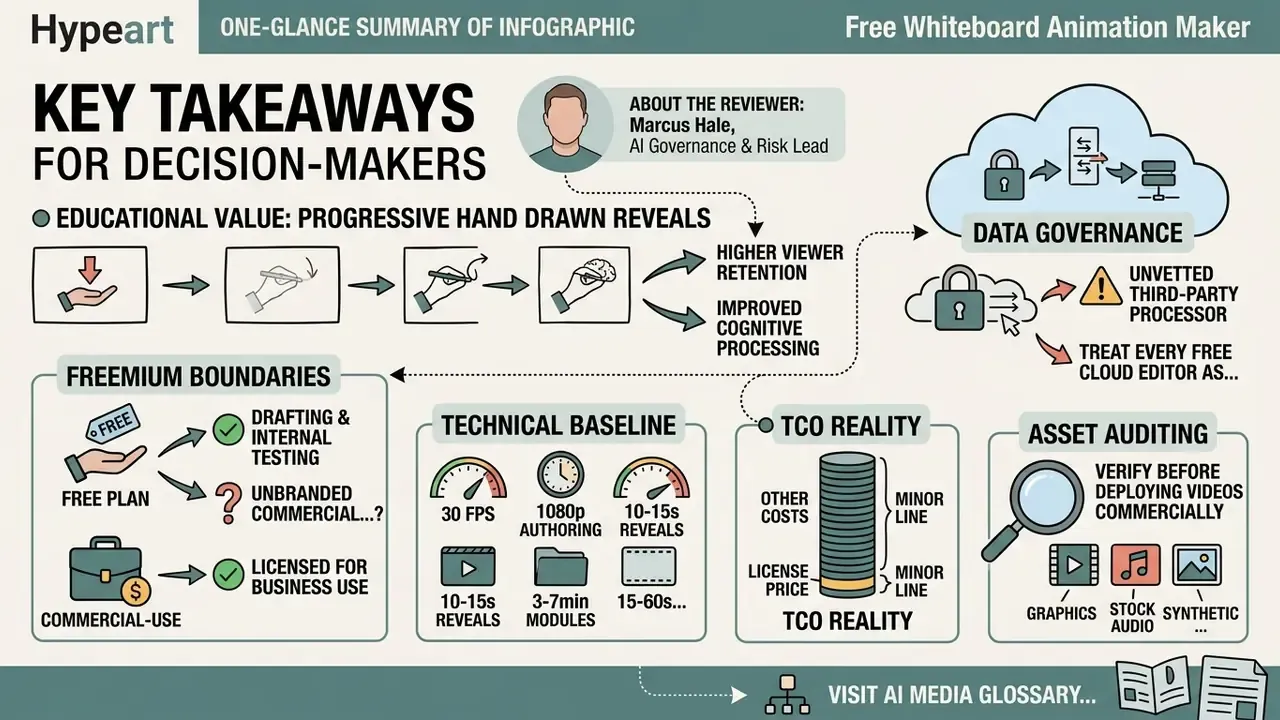
- Educational value: progressive hand drawn reveals significantly increase viewer retention and cognitive processing compared with static graphics.
«The whiteboard-animation retention advantage remains measurable one week after viewing, indicating deeper information processing than competing formats.»
About the Reviewer
Appendix A: Source Notes and Superseded Statements
For transparency, the following statements appeared in earlier revisions of this guide. They are retained here alongside the reasoning behind their revision.
- Superseded attribution
- "…while a visible hand drawing on screen enhances intrinsic viewer motivation without increasing extraneous cognitive load (Krieglstein et al., 2023), the core learning driver remains the step-by-step visual progression." The motivational claim is now attributed to Brosnan (2025), which additionally documents one-week retention persistence. Krieglstein et al. (2023) is cited in the AI-versus-hand-drawn section for procedural character and narrative embedding, the finding that paper directly supports.
- Retained with qualification
- the AmeriHealth Caritas DC figures (2.3 million impressions, 84% lower cost-per-click) come from a vendor-published case study and have not been independently audited. They are presented as directional evidence of campaign viability, not a performance benchmark.
- Retained with qualification
- the 3 to 7 minute instructional-module recommendation was originally attributed to a single institutional guideline. Published university guidance clusters at 5 to 10 minutes and 6 to 9 minutes; the narrower 3 to 7 minute range reflects corporate-training practice and Zheng (2023) viewing-frequency findings rather than a single policy document.
- Pricing caveat
- the $9 to $39 per-seat monthly band is indicative, derived from publicly listed entry tiers observed during the Q1 2026 audit. Verify current pricing directly with each vendor before procurement, since plan structures and regional pricing change frequently.
- Open question
- no independent study we could locate measures whether governed, template-driven whiteboard production reduces compliance-training completion time at scale. Until such evidence exists, treat internal pilot metrics as your best available signal.