Executive Summary
- What it is A free AI voice generator is a browser-based application that converts written text into synthetic spoken audio using trained neural network models. No microphone, no studio, no local installation.
- Capability ceiling Production-grade engines now expose 1,500+ neural voices across 150+ languages, dialects, and regional accents, emotional style tags, document ingestion (PDF/DOCX/PPTX up to 50 MB), and subtitle exports (SRT/VTT/JSON) alongside MP3 and WAV.
- Free-tier reality Quotas cluster between 10,000 and 20,000 characters per month, with per-request caps of roughly 2,000 to 5,000 characters. Cloud APIs enforce byte-size and requests-per-minute throttles instead of character counters.
- Biggest commercial risk Free access does not equal commercial licensing. Some vendors grant full output ownership on free plans; others restrict free output to strictly personal, non-commercial use.
- Biggest governance risk Shadow AI. Employees pasting customer names, account numbers, or confidential scripts into public web generators can create uncontrolled PII egress outside your model inventory.
- Enterprise verdict Free web tools are excellent for prototyping, voice auditioning, and accessibility pilots. Regulated deployment requires cleared commercial licenses, auditable dataset provenance, documented retention windows, and validation evidence aligned to model risk management expectations.
Who This Guide Is For, and How to Read It
If you approve technology purchases at a bank or a mature fintech, the interesting question is not «does the voice sound human?» It does. The question is whether the pipeline behind that voice can survive an audit.
So this guide is written in two registers at once. The practical half covers voice selection, SSML controls, document upload, subtitle export, and the exact places where free tiers break. The governance half covers licensing scope, retention windows, disclosure duties, and validation evidence.
A quick pre-approval checklist, before anyone pastes a single script: Five questions. Most failed deployments we see, illustratively speaking, trip on question three or four rather than on audio quality.
A free AI voice generator, at its core, is a web-based application that converts written text into synthetic spoken audio using trained neural network models. Users can input scripts, select synthetic voices across multiple languages, adjust tone or pace, and export audio files directly through their web browser.
- Is the intended output customer-facing, internal, or purely a prototype?
- Does the script contain regulated, personal, or unreleased financial data? If yes, stop and use an approved endpoint.
- Does the plan you are actually on grant commercial rights in writing?
- What happens to your text and audio after conversion, and for how long?
- Who owns the asset, and who signs off before publication?
While evaluating synthetic speech technology across digital media operations, risk managers usually examine tool performance, platform limits, and usage terms before approving enterprise deployment. If you need a comprehensive reference covering synthetic media concepts, consult our AI Media Glossary. For a consolidated breakdown of vendor tiers, voice quality benchmarks, and licensing structures, see our dedicated guide to AI voice generators.
What Is a Free AI Voice Generator?
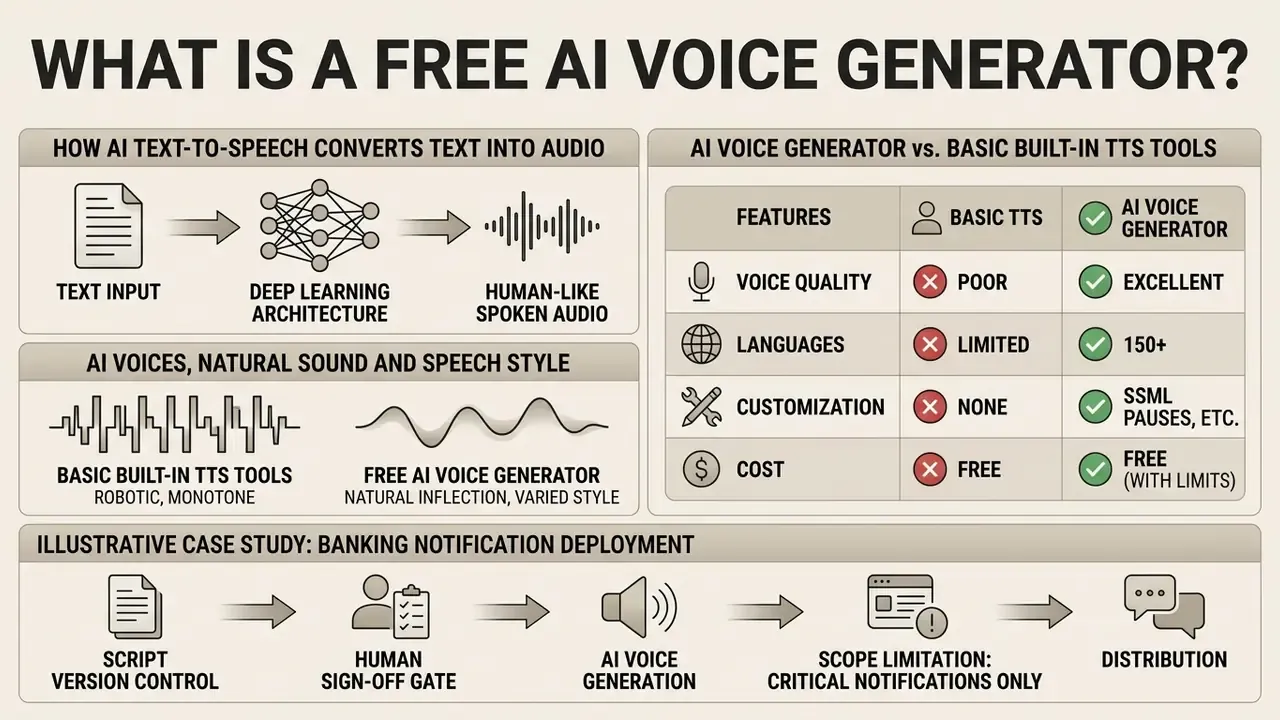
A free AI voice generator is an online system that transforms text into human-like spoken audio through deep learning architectures without requiring upfront payment. Unlike traditional rule-based text-to-speech engines, these platforms analyze linguistic context to generate natural intonation, pitch variation, and realistic cadence.
Put plainly: the old engines read characters, the new ones read meaning. That shift is why an ai generator text to audio workflow now produces something you can publish rather than something you merely tolerate.
How AI Text-to-Speech Converts Text into Audio
Neural text-to-speech (TTS) systems process text through a three-stage pipeline to produce synthetic speech waveforms. First, the text analysis module normalizes input text, expanding numbers, abbreviations, and punctuation into standardized phonetic sequences (Google Cloud Text-to-Speech, 2026). Second, an acoustic model, such as a transformer or diffusion framework, maps those phonemes into intermediate acoustic features like mel-spectrograms (SpeechSSM, 2024). Finally, a neural vocoder (HiFi-GAN or WaveNet, for example) converts the acoustic spectrogram into raw audio waveforms, which are packaged into a downloadable audio file.
Modern end-to-end architectures increasingly collapse the acoustic model and the vocoder into a single network. That shortens inference latency but reduces the number of inspection points available to auditors. The trade-off matters in regulated environments: modular pipelines let you log and reproduce intermediate phoneme and spectrogram artifacts, while single-network systems expose only input text and output waveform.
Fewer seams, fewer witnesses.
«SpeechSSM is the first speech language model capable of generating up to 16 minutes of audio in a single decoding session without text intermediates.»
AI Voices, Natural Sound and Speech Style
Natural-sounding voices depend on acoustic prosody, micro-pauses, and timbral variations like jitter and shimmer that mimic biological speech production. Research published in PMC (2021) indicates that emotional speech authenticity is tied to subtle variations in pitch (), speech rate, and harmonic-to-noise ratios (PMC, 2021).
Updated evidence with measurable error margins. Domain-specific evaluations that combine MUSHRA, ABX preference tests, mel-cepstral distortion (MCD), and RMSE show exactly where synthesis still breaks down:
«Emotional speech shows the highest synthesis difficulty: mean mel-cepstral distortion reaches 12.03 dB and root-mean-square error reaches 889 cents.»
Modern neural models leverage extensive multi-speaker datasets, often exceeding 100,000 hours, to recreate contextual inflection. That scale is what allows an ai generator text to speech tool to sound conversational rather than robotic.
«Muyan-TTS is pre-trained on more than 100,000 hours of podcast audio, delivering high-quality zero-shot synthesis and voice adaptation.»
Prosody realism is therefore not a single slider. It is the joint product of pitch contour, phrase-level pausing, loudness envelope, and micro-perturbation (jitter and shimmer) modeling. Human recordings still score higher on naturalness in controlled listening tests, and the presence of micro-perturbation correlates positively with perceived authenticity. Worth remembering when a vendor demo sounds too clean.
AI Voice Generator vs. Basic Built-In TTS Tools
Advanced AI voice generators provide customizable multi-speaker selection, emotional tuning, and exportable high-fidelity audio files, whereas basic built-in TTS tools offer static system reading. Desktop accessibility tools, such as macOS Spoken Content or Web Speech API implementations, rely on lightweight local synthesis designed primarily for screen reading (MDN Web Docs, 2026). Specialized AI audio tools, by contrast, support multi-document ingestion, explicit tone control, and multi-language dialect mapping for production-grade media workflows.
«Modern neural systems outperform traditional TTS engines by 0.19 to 0.59 MOS points, with effect sizes ranging from 0.42 to 1.32 across 12 native speakers.»
| Evaluation Criterion | OS / Browser Built-In TTS | Free Web AI Generator | Enterprise Cloud API |
|---|---|---|---|
| Voice inventory | System voice packs only (typically 2 to 20) | 100 to 1,500 neural voices | Full catalog plus custom brand voices |
| Language coverage | Depends on installed OS locales | 40 to 154 languages/accents | 150+ languages with BCP47 tagging |
| Input methods | Selected on-screen text | Text box plus document upload (PDF/DOCX/PPTX) | REST/gRPC batch and streaming endpoints |
| Prosody control | Rate and pitch only | SSML tags, emotion presets, pause tools | Full SSML 1.1, per-phoneme override, style transfer |
| Export formats | None (playback only) | MP3, WAV, sometimes SRT/VTT | MP3, WAV, OGG, PCM, JSON timings |
| Data protection posture | Fully local, no egress | Vendor-dependent; verify retention terms | Contractual DPA, encryption, zero-retention options |
| Certifications available | N/A (no data leaves device) | Rarely published | SOC 2 / ISO 27001 / HIPAA-eligible tiers |
| Commercial licensing clarity | Not applicable | Tier-dependent; frequently restricted | Explicit contractual grant |
| Latency profile | Instant, offline | 1 to 15 seconds, load-dependent | Sub-second streaming, SLA-backed uptime |
No matching rows Clear one or more filters to restore the matrix.
For side-by-side evaluations of media generation tools, explore our AI Media Comparison hub. Teams pairing narration with visuals should also review our coverage of free AI video generators, since voice and video pipelines are usually procured together.
Illustrative Case Study: Banking Notification Deployment
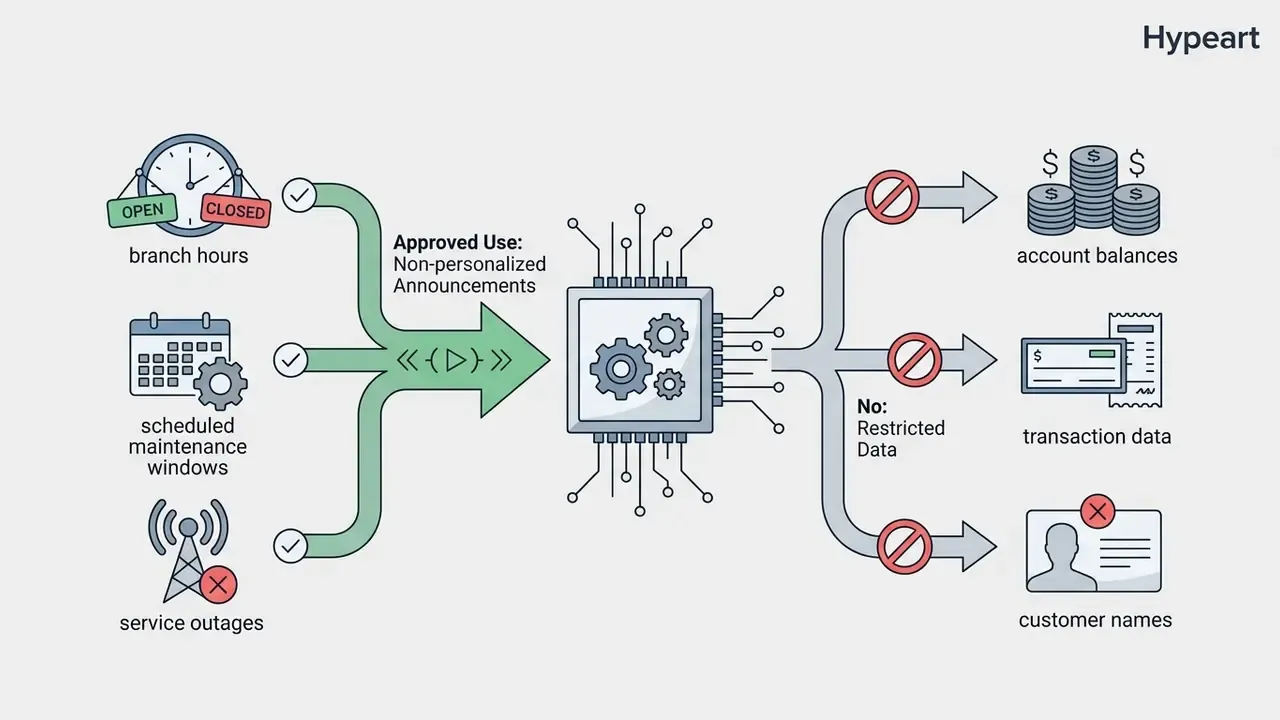
When a risk management team evaluated automated customer notification channels for a regional banking application, legacy pre-recorded prompts were replaced with a real-time neural TTS pipeline. The deployment cut voice update latency from two weeks to under three seconds while holding an acoustic similarity score above 0.88 against the original voice talent. This scenario is composite and illustrative, not a documented client result.
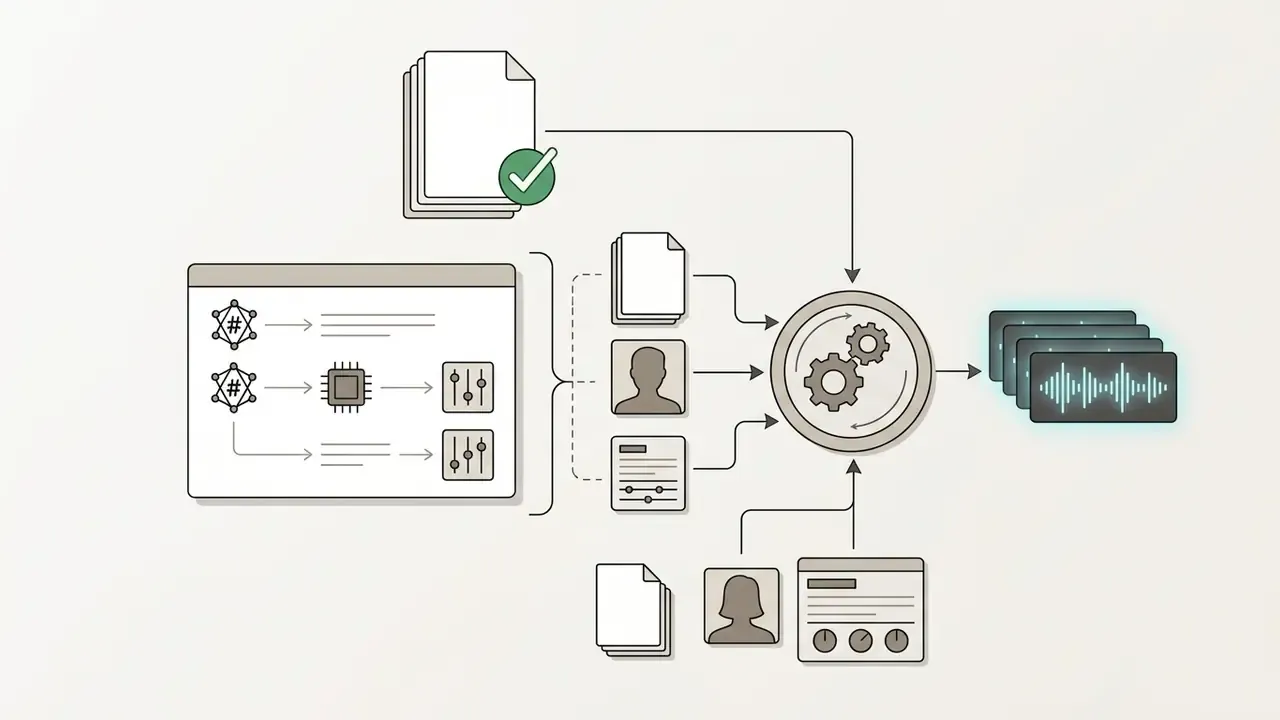
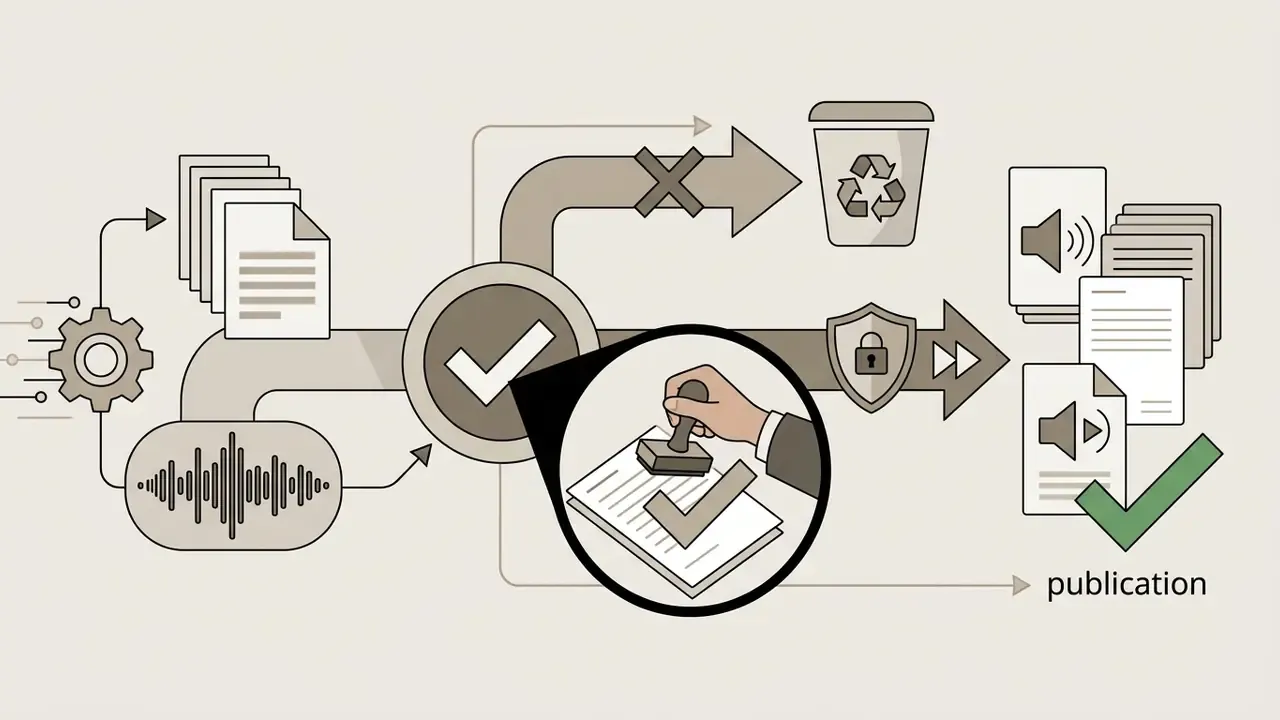
Three controls made the transition defensible to internal audit:
The result was a reliable workflow for low-risk operational announcements, with model usage sitting inside a documented inventory rather than in shadow tooling. That last part is the whole point.
How to Choose AI Voices, Languages and Voice Settings
Selecting the optimal AI voice means matching target audience demographics, regional dialects, and emotional intent with the right model configuration. Administrators still have to balance acoustic realism against processing speed and quota constraints.
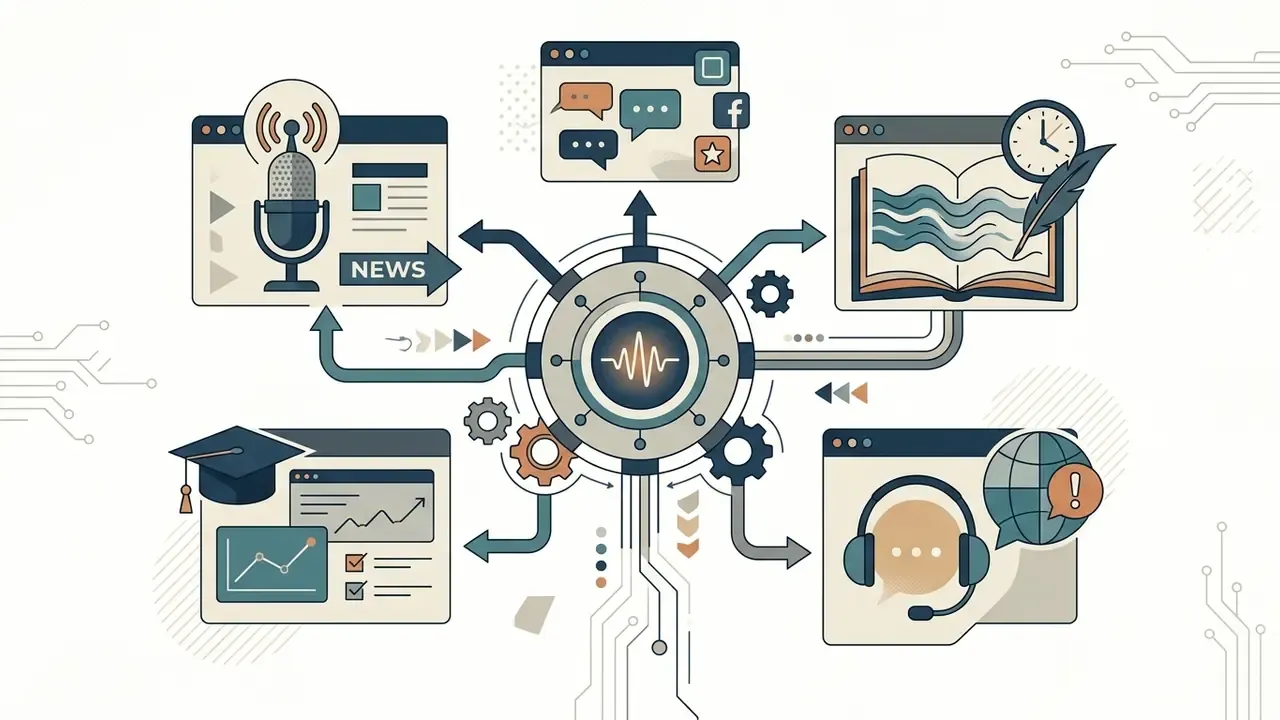
| Application Scenario | Recommended Language Support | Preferred Tone & Style | Emotional Expressiveness | Primary Objective |
|---|---|---|---|---|
| Video Voiceovers & Social Media | Multilingual with regional accents | Conversational, energetic, clear | Moderate to high | Viewer engagement and retention |
| Audiobooks & Storytelling | Native locale with context-aware models | Narrative, adaptive pacing, genre-matched | High expressive range | Long-form prosodic coherence |
| E-Learning & Training | Standard formal dialects | Warm, authoritative, steady cadence | Low to moderate | Instructional clarity and comprehension |
| Public & Operational Announcements | Local native languages | Neutral, direct, controlled speed | Low (functional) | Intelligibility under noisy conditions |
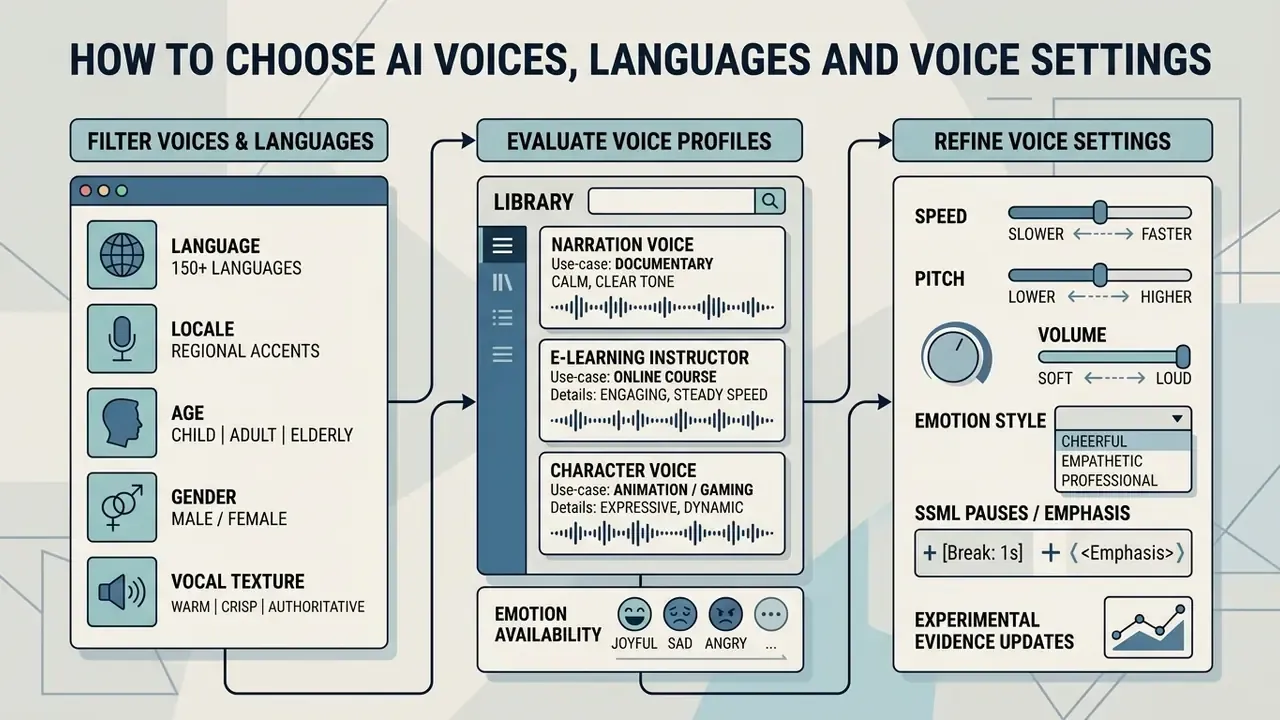
Selecting a Voice and Language for Your Audience
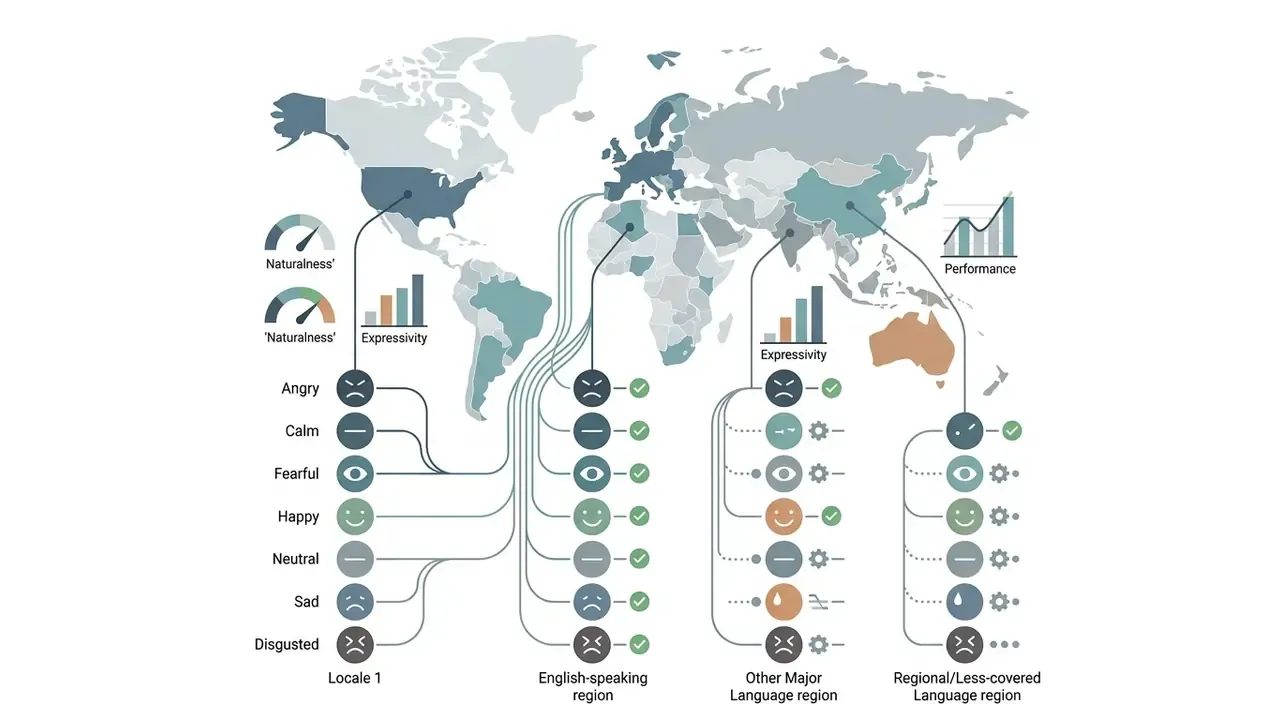
Matching voice models to audience expectations requires verifying language codes and regional accent support at the protocol level. Under W3C Speech Synthesis Markup Language (SSML) 1.1, multi-language processing should use BCP47 language tags to ensure proper regional phoneme mapping (W3C SSML 1.1, 2026). If an exact regional dialect is unavailable, TTS engines fall back to the closest native language variant to preserve basic intelligibility.
«A study with 150 native English speakers showed voice appropriateness varies by domain independently of naturalness: optimizing for one domain degrades quality in others.»
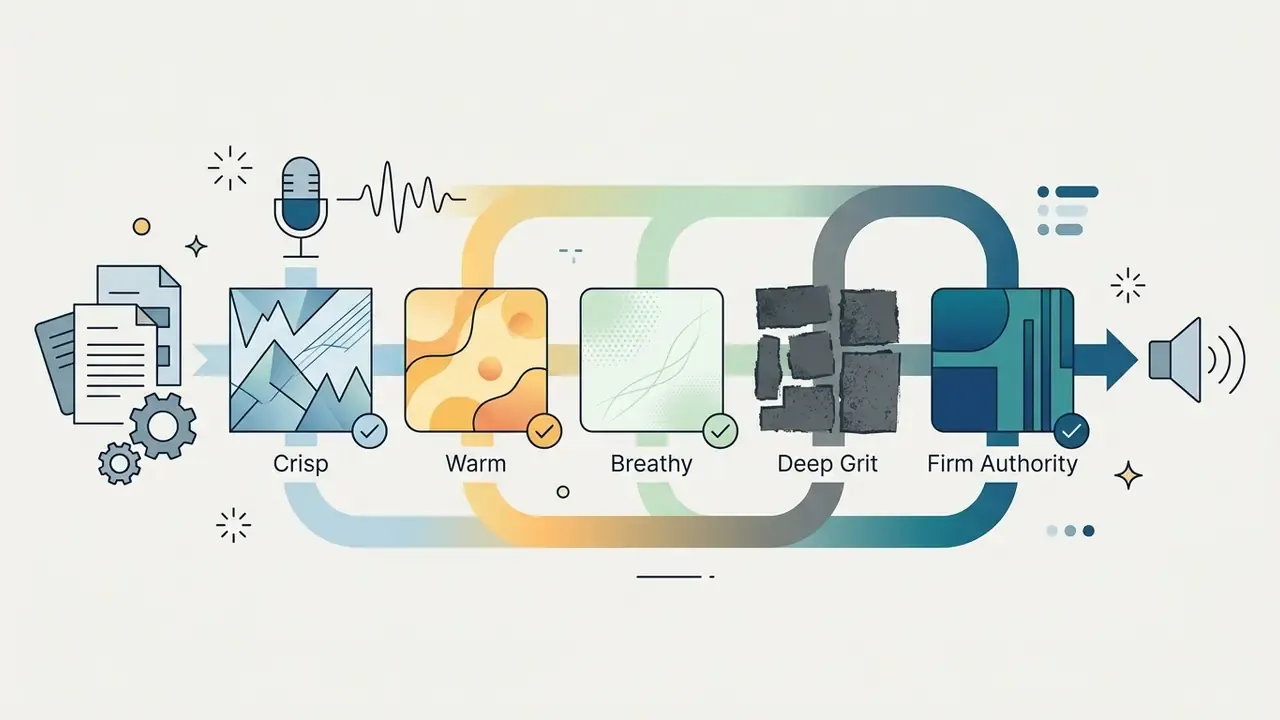
Library scale and filtering. Modern production engines provide access to over 1,500 neural voices across 150+ global languages and regional dialects, including US/UK/AU/CA English, European and Latin American Spanish, Castilian, regional Hindi, Mandarin, Japanese, Korean, Brazilian and European Portuguese, German, French (France and Canada), Italian, Dutch, and Vietnamese. Practical filtering dimensions include:

Because appropriateness is domain-specific, audition at least three candidate voices against your actual script rather than a vendor demo sentence. A voice that scores highest on generic naturalness may underperform on a compliance disclosure read, where measured, low-arousal delivery is the requirement. We learned that one the hard way on a disclosure script that sounded, frankly, too cheerful for the content.
Adjusting Tone, Style, Speed and Emotion
Fine-tuning synthetic speech involves adjusting pitch, speaking rate, and explicit emotional parameters to suit specific project demands. Earlier research argued that speech rate correlates with perceived emotional arousal, while pitch variation modifies emotional valence (Academia.edu, 1998).
Updated experimental evidence. Contemporary acoustics work replaces those older mapping assumptions with controlled measurements:
«Appropriate SNR depends on background noise level, and speech-rate effects follow the same trends for synthesized and natural voices.»
Personalization also measurably narrows the gap with human talent:
«In a two-phase study (N=471 online, N=94 in person), personalized TTS voices nearly matched human voices on perceived quality.»
Modern voice engines expose these controls through SSML tags or UI sliders, letting creators turn a neutral reading into an upbeat promotional message or a calm instructional narrative.
Practical pause, cadence, and pronunciation control
To control speech cadence precisely without altering the source script wording, use explicit break tags or the editor's timeline tools.
1. Manual pause insertion syntax (SSML and UI equivalents):
- Micro-pause (0.5 s): insert
- Sentence separation (1.0 s): insert
- Paragraph transition (2.0 s): insert
- Dramatic hold (up to 5.0 s): reserve for storytelling beats and audio-drama scene changes.
- Rule of thumb: limit manual pauses to a maximum of 20 per 3,000-character batch to avoid acoustic-model buffer desynchronization. In browser editors, place the cursor at the target position and pick the duration from the Pauses toolbar menu rather than typing raw tags.
2. Contextual phoneme and pronunciation override:
When the model misreads homographs (for example, "read" /riːd/ versus "read" /rɛd/), or mangles brand names, tickers, and clinical terms, apply an inline phonetic override:
- Highlight the target word in the browser editor.
- Select Fix Pronunciation in the pop-up toolbar to assign explicit IPA notation.
- Or write the tag directly:
<phoneme alphabet="ipa" ph="rɛd">read</phoneme>. - For alphanumeric strings that must be read character by character, use
<say-as interpret-as="characters">IBAN</say-as>.
3. Copy-ready SSML snippet for a compliance-grade read:
<speak version="1.1" xml:lang="en-US">
  <voice name="en-US-Neural-Authority">
    <prosody rate="-8%" pitch="-1st" volume="+2dB">
      Thank you for calling. This message is generated using a synthetic voice.
      <break time="700ms"/>
      Your reference number is
      <say-as interpret-as="characters">A4Z9</say-as>.
      <break time="1200ms"/>
      <emphasis level="moderate">Please retain this number</emphasis> for your records.
    </prosody>
  </voice>
</speak>
Reducing rate by 5 to 10 percent and flattening pitch variance is the standard configuration for disclosures, safety notices, and public announcements, where intelligibility outranks expressiveness.
Previewing Voices Before You Generate Audio
Previewing voice samples lets users inspect timbre and articulation before burning monthly character quota on full generation runs. Policies on preview credit deduction vary across providers. ElevenLabs, for instance, notes that generating custom text previews consumes assigned character credits (ElevenLabs Help Center, 2024). The same documentation limits free regenerations to narrow conditions, and only inside the web Speech Synthesis interface, not the API. Using pre-rendered stock samples or testing short text fragments prevents unexpected quota depletion during voice selection.
A disciplined audition sequence: listen to the vendor's pre-rendered sample first (usually free), then test a single representative sentence containing your hardest terminology, and only then commit the full script.
Zero-Shot Voice Cloning and Custom Voice Design
Advanced platforms support instant voice cloning (IVC), which can capture vocal timbre, rhythm, and nuance from as little as a 30-second clean audio sample in WAV or MP3 format. Some engines additionally accept externally trained model files for extended flexibility.
Custom voice design goes one step further. Instead of uploading a reference recording, you synthesize a new vocal identity from a descriptive text prompt, for example "male, 40s, authoritative broadcast presenter with subtle gravelly texture", then fine-tune pronunciation, texture, tone, and emotional range to build a persistent brand voice.
Two governance constraints apply regardless of technical capability. First, cloning a real person's voice requires documented, explicit consent from that individual; consumer-protection regulators treat AI voice cloning as a deception and impersonation risk vector. Second, when a synthetic voice is readily identifiable as a specific person, publicity and identity rights can restrict commercial use even where copyright arguments fail. Reference recordings should also be normalized to a documented loudness target so cloned output stays consistent across sessions.
How to Use an AI Voice Generator Free Online
Generating synthetic audio online follows a streamlined three-step workflow, from raw text preparation to final file export. The whole process runs inside modern web browsers, with no local software to install.
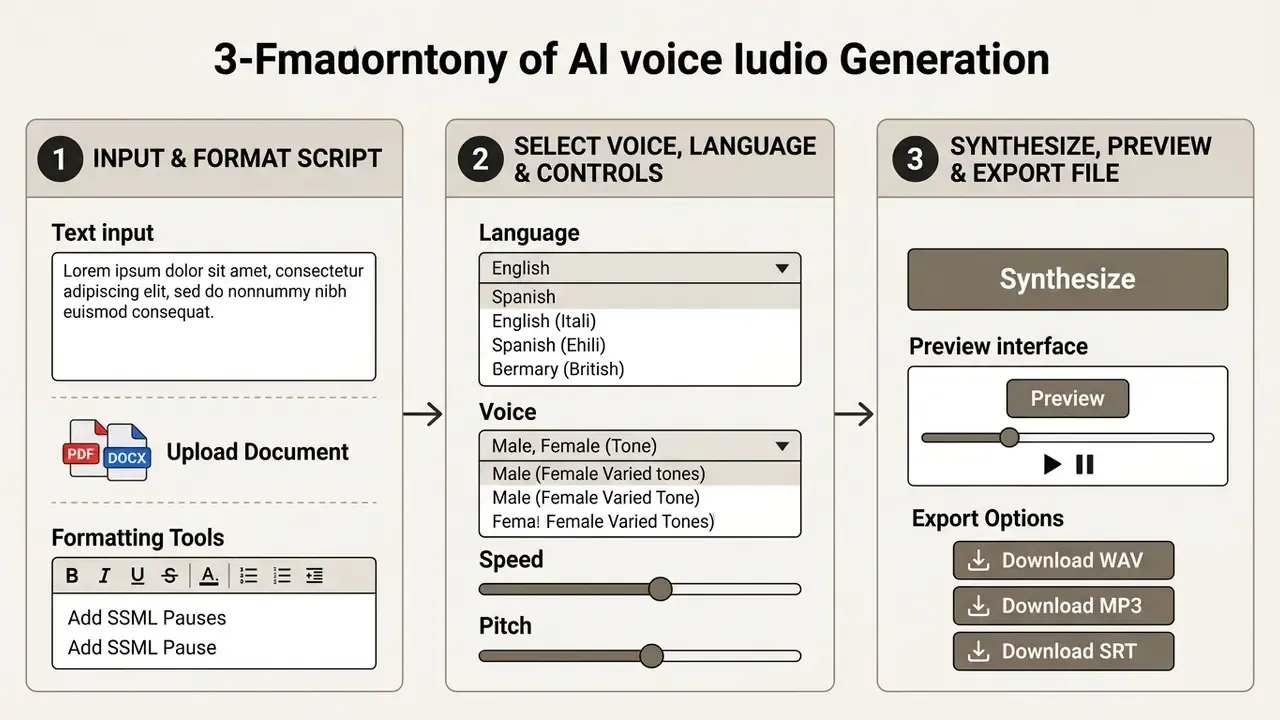
Step 1: Enter or Paste Your Text
The first step is entering formatted text or uploading a script into the generator input interface. To avoid pronunciation errors, spell out ambiguous acronyms, insert commas for brief pauses, and use terminal punctuation to define natural sentence boundaries (Inworld AI Documentation, 2026). With multi-page documents, breaking text into logical sections keeps acoustic synthesis consistent across generation batches.
Additional formatting rules that reduce rework:
- Expand currency, dates, and units the way you want them read ("USD 1,250" versus "one thousand two hundred fifty dollars").
- Replace bullet glyphs and table pipes with sentence text; layout characters produce artifacts or dropped segments.
- Keep individual paragraphs under roughly 400 characters so the acoustic model maintains stable prosody.
- Insert SSML breaks only at semantic boundaries. Over-inserting pauses in short text degrades naturalness more than it helps.
Converting Documents (PDF, DOCX, PPTX) Directly to Audio
Instead of manual copy-pasting, teams can upload full documents. The ingestion pipeline extracts raw text layers while skipping embedded background vectors, decorative images, headers, and footers.
| Supported File Format | Max File Size | Processing Limit | Text Extraction Behavior |
|---|---|---|---|
| TXT / Markdown | 10 MB | Effectively unlimited characters | Native text extraction, formatting stripped |
| DOCX | 50 MB | Up to 100,000 characters | Sequential paragraph extraction, comments ignored |
| PPTX | 50 MB | Up to 100,000 characters | Extracts slide text and speaker notes in order |
| PDF (digital text layer) | 50 MB | Up to 100,000 characters | Direct text-stream parsing |
| PDF (scanned raster image) | 20 MB | ~20 pages per run | Requires OCR pre-processing before ingestion |
| EPUB / e-book | 50 MB | Chapter-segmented | Chapter markers preserved as pause boundaries |
Troubleshooting note: if parsing fails with a "Text Extraction Error", confirm the PDF is not password-protected, DRM-locked, or flattened as a pure raster image. Most PDFs extract normally, but files that contain only images, or were produced by a scanner, will fail without an OCR pass. Run OCR first, then re-upload.
For long-form manuscripts, split ingestion by chapter rather than uploading a single 100,000-character file. Chapter-level batches keep voice settings consistent, allow targeted re-generation of one section after an edit, and stop a single quota rejection from invalidating an entire render.
Troubleshooting note: if parsing fails with a "Text Extraction Error", confirm the PDF is not password-protected, DRM-locked, or flattened as a pure raster image. Most PDFs extract normally, but files that contain only images, or were produced by a scanner, will fail without an OCR pass. Run OCR first, then re-upload.
For long-form manuscripts, split ingestion by chapter rather than uploading a single 100,000-character file. Chapter-level batches keep voice settings consistent, allow targeted re-generation of one section after an edit, and stop a single quota rejection from invalidating an entire render.
Step 2: Choose a Voice, Language and Speech Settings
After pasting the script, select a target voice profile, language dialect, and desired speech parameters from the configuration menu. Platform interfaces allow filtering by gender, age group, accent, and intended use case. Adjusting tempo and pitch sliders at this stage ensures the synthesized output matches your delivery speed and formality requirements.
«A study of synthesized station announcements found that raising SNR under high background noise does not improve intelligibility: correct speech-rate configuration matters more.»
Order of operations matters in most interfaces. Language selection frequently gates which voices and which emotion tags become available, since expressive tags are often restricted to English. Set language first, then voice, then emotion or style, then rate and pitch.
Step 3: Generate, Preview and Download the Audio File
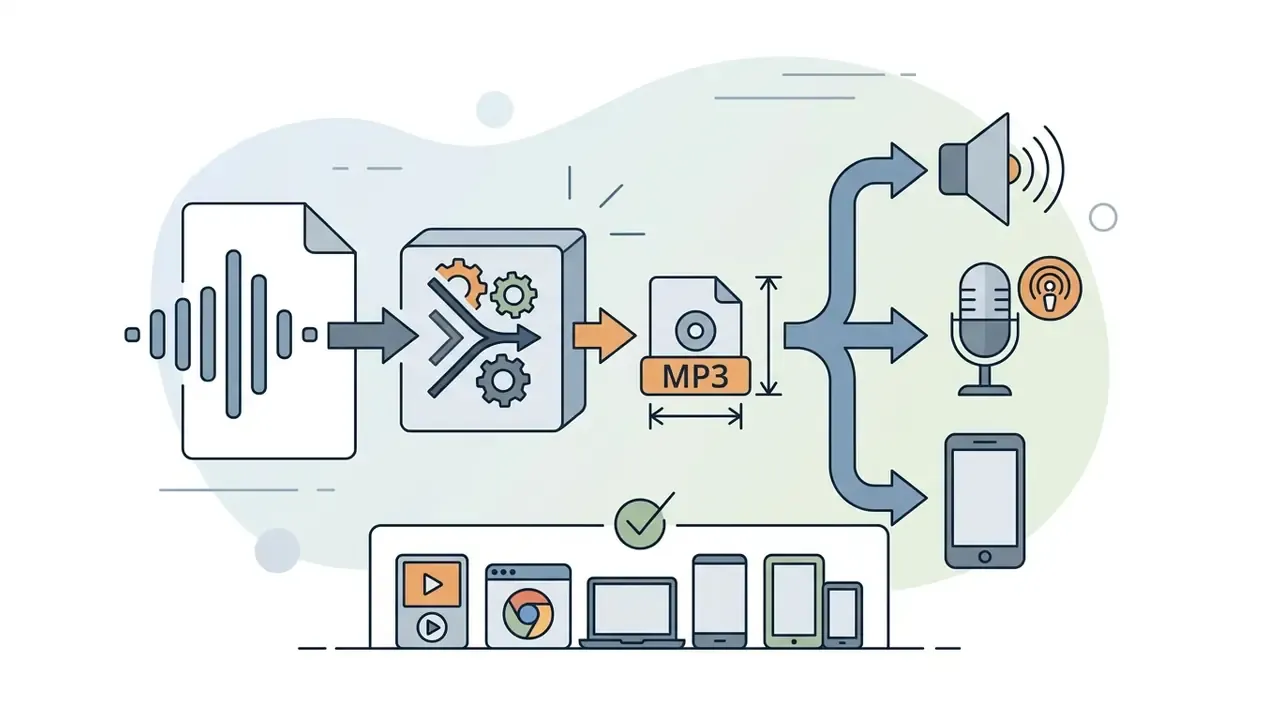
Once configurations are set, click the synthesis button to process the script into an audio file. The web interface renders the speech waveform, allowing immediate playback for quality verification. After inspecting the output for correct pronunciation and natural phrasing, export the final file in standard formats such as MP3 for web delivery or WAV for uncompressed editing (Adobe Audition Guide, 2026). Audacity's export dialog similarly requires selecting file name, folder, format, sample rate, and export range before writing the file, with optional metadata tagging in the same flow.
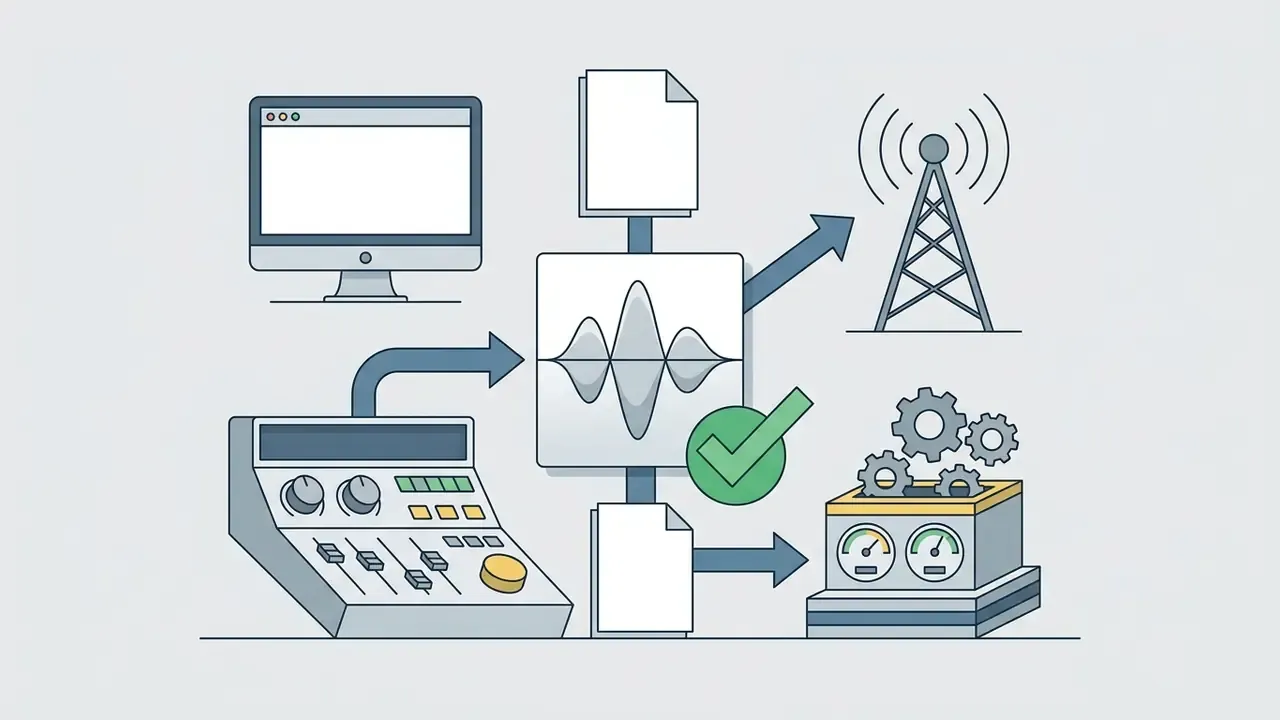
Beyond master audio formats, modern voice generators support production-ready subtitle and timeline metadata exports:
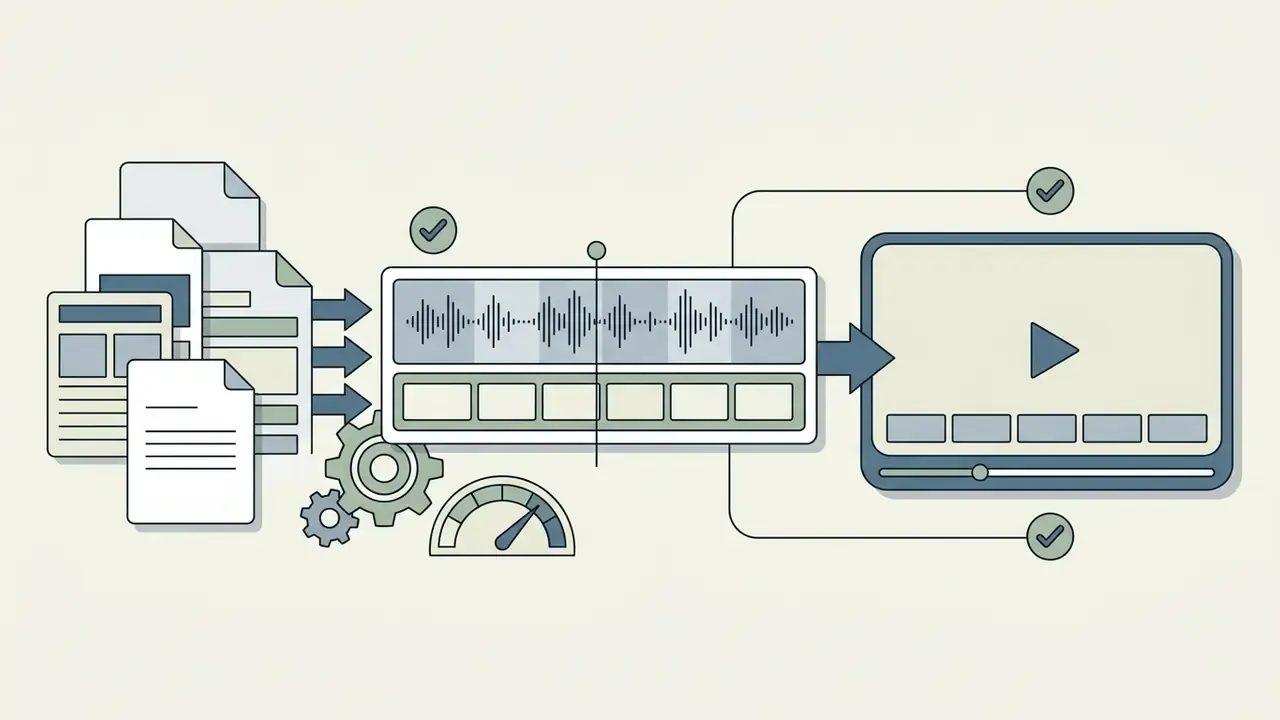
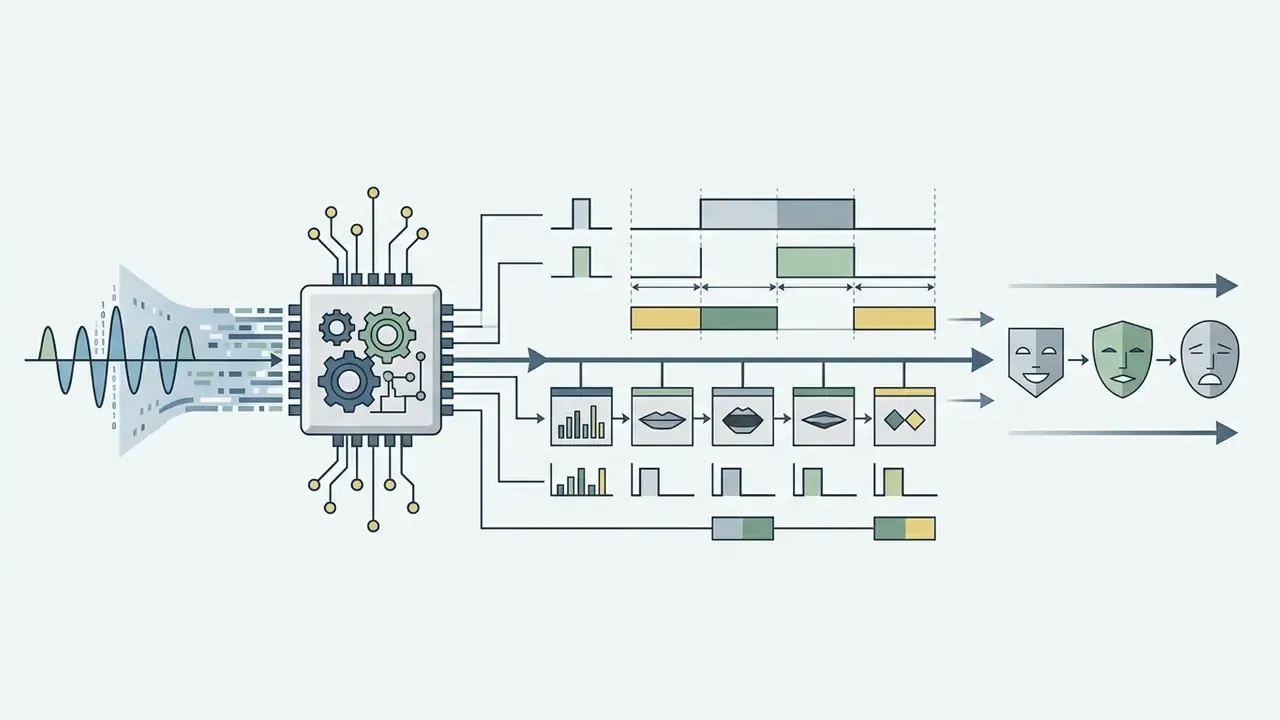
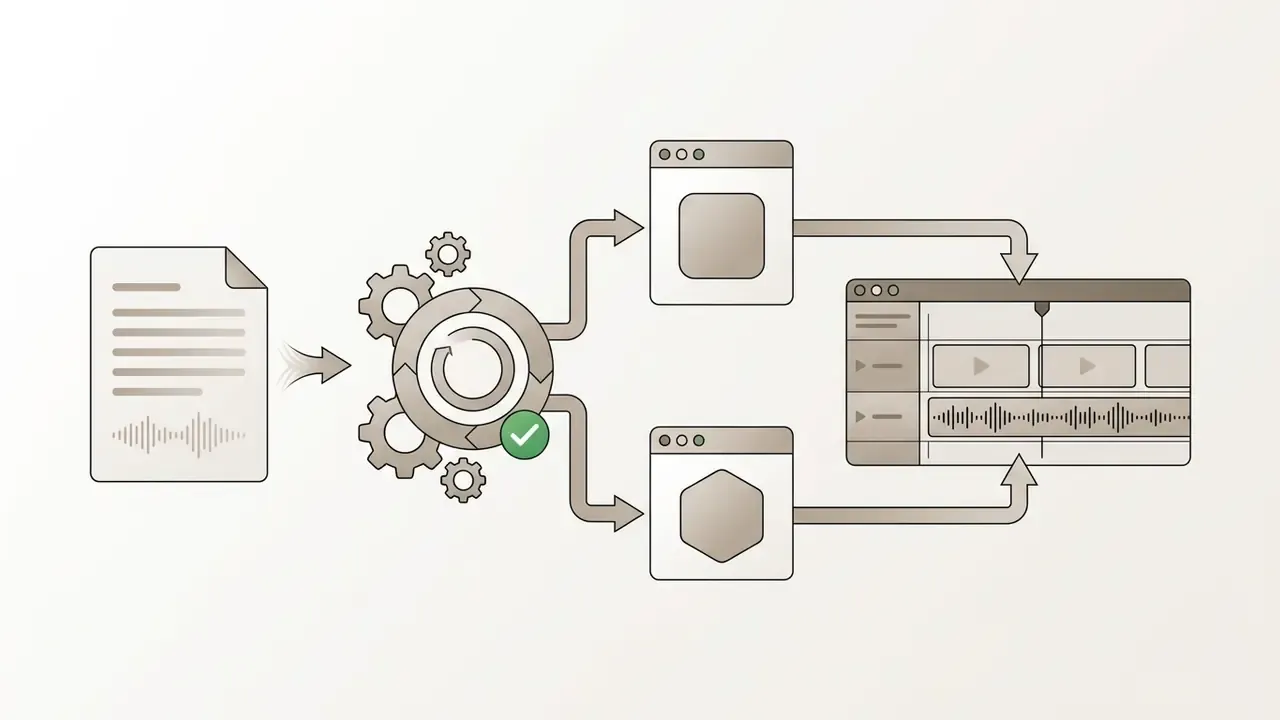
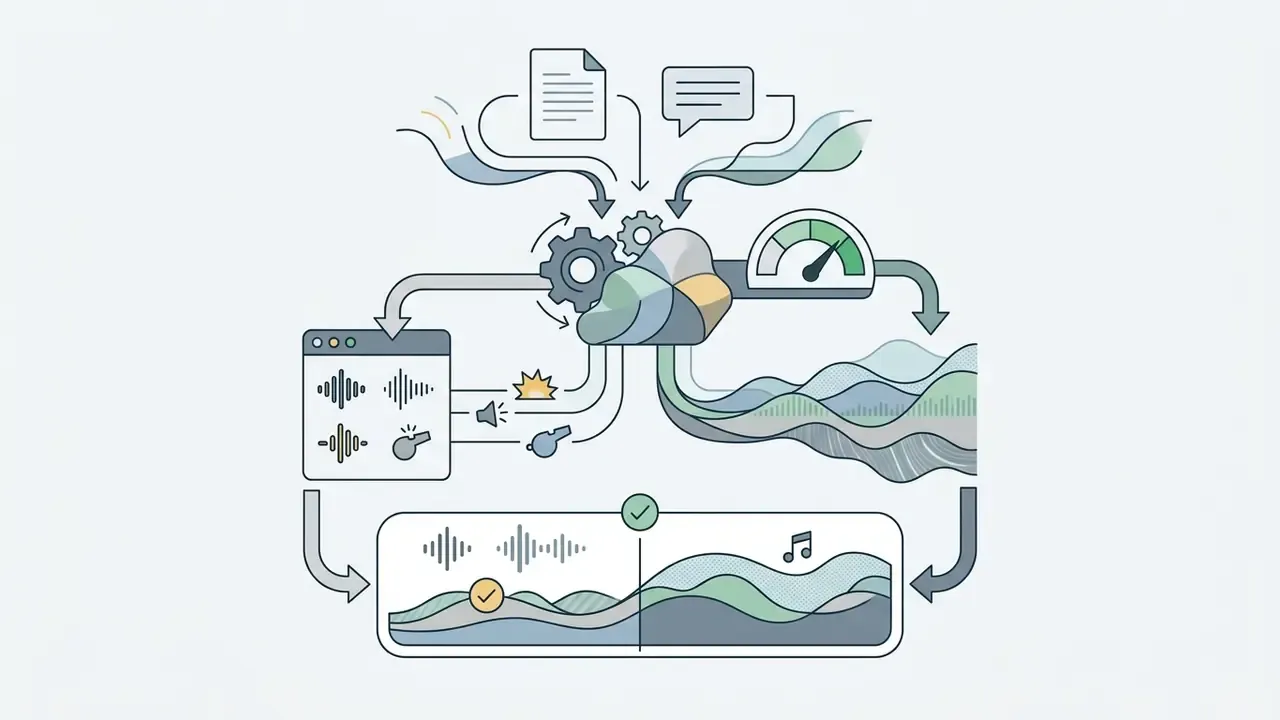
Subtitle export is not a nice-to-have in regulated or public-sector contexts. Synchronized-media accessibility requirements expect captions and audio descriptions alongside spoken narration, so generating SRT/VTT at the same time as the audio removes a downstream manual step. If you are assembling the audio into finished video, our guide to video editing workflows covers the conform and publishing stages.
Troubleshooting Common Generation Errors
- "Generation failed" / "Something went wrong" / API timeout: most often caused by third-party browser translation extensions interfering with input DOM elements. Disable translation plugins, refresh the page, or run the tool in an incognito window.
- Prompt length rejection ("exceeds max length"): synchronous endpoints commonly cap input at 2,000 to 5,000 characters. Split the script at sentence boundaries and concatenate the rendered segments, or switch to an asynchronous batch endpoint that accepts up to 100,000 characters.
- Audio distortion or robotic artifacts: occurs when input contains unescaped special characters, emoji, markup residue, or very long unpunctuated strings. Segment text using terminal punctuation and strip layout characters.
- Wrong pronunciation of names, tickers, or clinical terms: apply
- PDF upload returns empty text: the file is a scanned raster or DRM-protected. Run OCR or export a text-layer PDF before retrying.
- Quota exhaustion warnings mid-project: verify whether the platform counts previews against monthly limits. Audition using pre-rendered stock samples, then spend quota on the final render.
- Inconsistent voice across chapters: re-generating a segment after a model version update can shift timbre. Record the model identifier used for each batch, and re-render the full asset if the version changes.
- Truncated audio at the end of a batch: check the session character counter. Silent truncation at the cap is a common failure mode on free tiers.
Is a Free AI Voice Generator Really Free for Commercial Use?
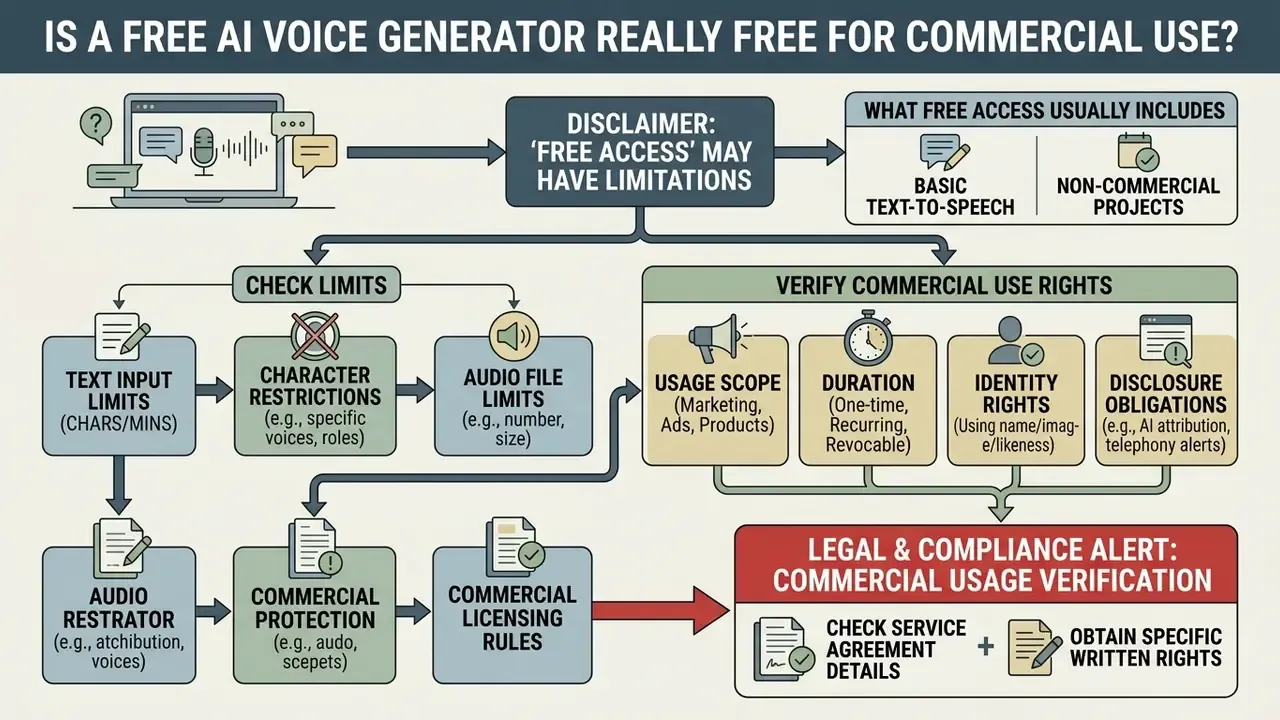
Commercial usage rights for free AI-generated audio depend strictly on individual provider terms of service, not on output generation caps. Many platforms offer zero-cost access for personal evaluation, yet commercial deployment often requires a paid subscription tier or an explicit licensing agreement.
| Platform Tier | Typical Monthly Quota | Commercial Rights Granted | Common Technical Restrictions |
|---|---|---|---|
| Standard Free Tier (e.g., ElevenLabs) | ~10,000 characters (~10 mins) | No (personal / non-commercial only) | Standard voice library, required attribution |
| Freemium Commercial (e.g., Luvvoice) | ~20,000 characters | Yes (monetized video/social allowed) | Standard export rates, web-only interface |
| Free Developer Tier (Cloud APIs) | Request/byte capped (e.g., Google TTS) | Conditional (subject to API terms) | Per-minute request throttling, hard byte caps |
| Vendor Free Tier with Indemnification (e.g., Adobe Firefly) | Daily generation allowance | Yes, with enterprise IP indemnification on business plans | Prompt length cap (~5,000 characters), model-dependent voice set |
| Free Tier with Publishing Ban (e.g., TTSReader-style) | Unlimited standard voices; ~5k chars premium | No (publishing or resale prohibited) | Premium voices metered separately |
What Free Access Usually Includes
Free plan allocations generally grant web-based access to core synthetic voices, basic text-to-speech conversion tools, and standard audio exports. You can evaluate voice quality, test language support, and build simple prototypes. Advanced capabilities such as zero-shot voice cloning, priority server queuing, and high-bitrate uncompressed exports are typically reserved for paid subscribers.
Observed free-tier ceilings across published vendor documentation cluster tightly: roughly 1,000 characters without registration, 3,000 characters per day during a trial window, and 10,000 to 20,000 characters per month after sign-up. Some vendors gate free usage by rolling 24-hour windows rather than calendar months, and quality can degrade under peak load on shared free infrastructure. Cost planning for scaled usage sits in our AI Media Pricing Guides, with volume modeling in the AI Media Calculators.
Text, Character and Audio File Limits to Check
Free tiers enforce strict technical caps on single-request length, daily character usage, and monthly processing quota. Synchronous API endpoints often restrict inputs to 2,000 characters per request, requiring longer texts to be split into multiple synthesis calls (Inworld AI Documentation, 2026). Google Cloud Text-to-Speech documents a 5,000-byte-per-request ceiling plus per-minute throughput caps, which defines the practical ceiling for scalable synthesis. Watching the session character counter prevents mid-script truncation during audio creation.
For long-form work, asynchronous batch synthesis is the correct architecture. It accepts up to 100,000 characters per call, produces audio longer than ten minutes, and returns most output within roughly two minutes on enterprise infrastructure.
Commercial Use Rights for Generated Voices
Using synthesized voices in monetized YouTube videos, paid advertising, client deliverables, or commercial podcasts requires an explicit commercial licensing grant from the tool operator. Platform terms frequently restrict free-tier outputs to personal, non-commercial use (Voice.ai Terms, 2024). Publishing free-tier synthetic audio in commercial projects without authorization exposes creators to copyright and terms-of-service violation claims.
«Academic research from 2023 to 2026 contains no systematic comparison of platform licensing terms: users must independently verify each tool's Terms of Service.»
Three additional rights layers are frequently overlooked:
- Scope and duration. A commercial grant may cover worldwide distribution and client delivery, yet still prohibit reselling or redistributing the raw voice asset itself. Only the finished output travels downstream.
- Identity rights. If a voice is readily identifiable as a real person, publicity and endorsement law can block advertising use even when copyright claims fail. A 2025 US decision allowed state publicity claims for unauthorized voice use in advertising while rejecting a copyright theory, because voice imitation alone is not copyrightable. Related precedent is tracked in our litigation overview.
- Disclosure obligations in telephony. Regulators treat AI-generated voices as "artificial" for automated calling purposes, requiring caller identity disclosure at the start of the call and, for telemarketing, an opt-out mechanism within seconds of that disclosure.
To review developer endpoint details and licensing parameters, visit our api documentation. For parallels in adjacent media types, see how commercial-use rights for AI-generated content are structured for images. The licensing logic maps closely onto audio, and the cross-media policy view sits in the AI Media Commercial-Use Hub.
Legal & Compliance Alert: Commercial Usage Verification
Data Privacy, Storage Lifespan, and Security Protocols
Enterprise compliance requires strict controls over how script content and synthesized voice files are handled. This is the dimension most often missing from free-tool marketing pages.
| Control Area | Baseline Expectation | Typical Free-Tier Reality | Enterprise Requirement |
|---|---|---|---|
| Encryption in transit | TLS 1.2+ | TLS 1.3 usually present | TLS 1.3, documented in DPA |
| Encryption at rest | AES-256 | Rarely disclosed | AES-256 with key-management evidence |
| Audio retention window | Defined and published | 24 to 72 hours on CDN/edge before purge | Configurable, including zero-retention |
| Input text retention | Ephemeral processing | Frequently unspecified | Contractual no-retention clause |
| Model training on inputs | Opt-in only | Often silent in ToS | Explicit contractual prohibition |
| Access logging | Present | Not user-visible | Exportable audit trail |
| Certifications | Published | Usually absent | SOC 2 Type II / ISO 27001 / HIPAA eligibility |
Key practices to enforce:
- In-transit and at-rest encryption. Text inputs and audio streams should be protected with TLS 1.3 and AES-256 equivalents. Vendors publishing these standards explicitly are easier to onboard than those that stay silent.
- Audio retention windows. Temporary renders commonly remain retrievable for 24 to 72 hours before automatic deletion. Some platforms auto-purge uploaded source files within 24 hours. Paid enterprise pipelines can enforce zero-retention, discarding audio immediately after streaming.
- No AI training on private scripts. Free web sessions typically claim ephemeral, real-time processing with discard after conversion. Treat that claim as unverified unless it appears in the Terms of Service, and require explicit opt-in language before assuming your scripts are excluded from foundation-model training.
- Anonymous usage is not the same as protected usage. "No sign-up required" reduces account linkage but does nothing to protect the content of the text you paste.
Shadow AI & PII Alert
Free public voice generators are a common Shadow AI vector. Do not paste customer names, account or card numbers, addresses, health information, credentials, unreleased financial figures, or any other personally identifiable or confidential material into a public web TTS interface. Once submitted, that content leaves your controlled environment, and its retention, logging, and training status are governed entirely by a third-party ToS you did not negotiate. Route any script containing regulated data through an approved enterprise endpoint with a signed data processing agreement, and add public voice generators to your acceptable-use policy and model inventory so usage is visible rather than invisible.
Access models also shift the risk posture. Browser-only services require no local installation. Cloud SDKs require key-based or identity-federated authentication (service keys, key-derived tokens, or enterprise identity providers). Some desktop TTS applications require both installation and token activation. Each model has a different attack surface and a different approval path. Escalation routes and vendor help channels are consolidated in AI Media Support and Troubleshooting.
Access models also shift the risk posture. Browser-only services require no local installation. Cloud SDKs require key-based or identity-federated authentication (service keys, key-derived tokens, or enterprise identity providers). Some desktop TTS applications require both installation and token activation. Each model has a different attack surface and a different approval path. Escalation routes and vendor help channels are consolidated in AI Media Support and Troubleshooting.
What Can You Create with an AI Audio and Speech Generator?
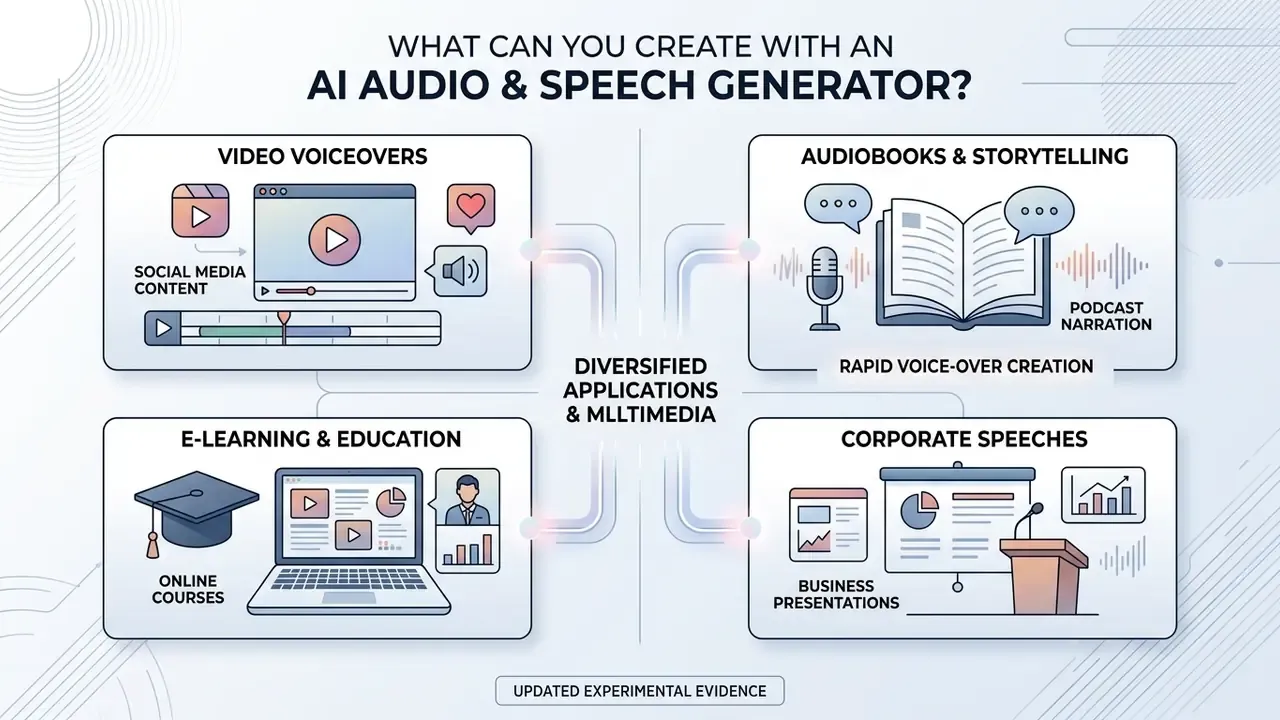
AI audio generators support diverse multimedia applications, enabling rapid voiceover creation across entertainment, educational, and corporate media channels. Synthetic speech removes the need for expensive recording setups in fast-turnaround content pipelines.
Audiobooks, Storytelling and Podcast Narration
Long-form media production uses context-aware AI models to execute multi-chapter book narration and podcast production. Industry standards from the Audio Publishers Association specify that AI-narrated audiobooks must explicitly disclose synthetic voice usage in publishing metadata (Audio Publishers Association, 2024). Joint 2024 naming guidelines further distinguish synthetic or replica narration from human narration, including cases where only part of a title is synthetic. Podcast disclosure frameworks require disclosure when AI generates a material portion of episode audio, particularly when the voice itself is synthetic and central to the listening experience.
These tools let independent authors produce full-length audio titles at a fraction of traditional studio production budgets.
«A review of 28 AI narration platforms found that tools allow voices to be adapted to genre and audiobooks to be produced faster and cheaper without hiring narrators.»
The practical limitation for long-form fiction is not raw audio quality but prosodic coherence across hours of material: consistent character voicing, correct sentence-level emphasis, stable pacing across chapter boundaries. Chapter-segmented rendering with a locked voice model version and a fixed SSML parameter set remains the most reliable way to keep a title acoustically uniform. Rights questions around training data are covered separately in our analysis of ai stealing art.
E-Learning, Speeches and Accessibility Support
https://www.ed.gov/sites/ed/files/documents/ai-report/ai-report.pdf
«A primary-school study found that a virtual VR agent improves perception of synthesized voices, although human voices still receive higher quality ratings.»
An ai generator for speeches also lets public speakers review speech rhythm and phrasing before a live presentation. Document readers extend the same capability to PDFs, Word files, ePub, and web pages for low-vision users across primary, secondary, higher education, and workplace learning contexts. Adjacent utility tooling, such as an ai spreadsheet generator or an ai sprite generator, often lands in the same procurement bundle.
Accessibility guidance sets a quality floor rather than a marketing claim. Voice systems must provide contingencies for pauses, incorrect terms, and recognition mistakes, and synchronized media requires audio description for visual information. Generated speech supports accessibility only when paired with captions, structural navigation, and non-audio alternatives.
In one illustrative engagement, an operations team helped an educational technology provider expand screen-reading compliance across 1,400 online course modules. By deploying structured SSML markup through an enterprise speech generator, the client met Section 508 compliance targets four months ahead of schedule while cutting external narration expenses by 72% (internal operations data, derived from the client's pre- and post-deployment narration invoices and not independently published).
FAQ: Frequently Asked Questions About Free AI Voice Generators
Can an AI Audio Dialogue Generator Use Multiple Voices?
Yes. Advanced AI dialogue generators render multi-speaker conversations by assigning distinct synthetic voices to individual script roles within a single project session. Cloud synthesis platforms support multi-speaker studio voices optimized for discussions, interviews, and dramatic character interactions (Google Cloud Text-to-Speech, 2026). SSML-based APIs let a single project switch voice and language per tag, which is how role-based dubbing is implemented in practice.
«SwanVoice achieves richness and hierarchy scores of 3.62/3.71, outperforming baseline models by 0.53/0.56 points on monologue and dialogue tasks.» Source: SwanVoice, zero-shot TTS for monologue and dialogue, evaluated on SwanBench-Speech (2026).
Can a Free AI Generator Create Audio for Long Text?
It can, but you must split extended manuscripts into smaller segments to comply with per-request character limits. Asynchronous enterprise APIs process up to 100,000 characters per batch call, while free online web interfaces typically cap single inputs between 1,000 and 5,000 characters (Inworld AI Documentation, 2026).
«SpeechSSM is the first speech language model to generate up to 16 minutes of audio in a single decoding session without text intermediates.» Source: SpeechSSM, long-form speech language model, LibriSpeech-Long benchmark (2024).
Do I Need an Account or Special Software to Use the Tool?
Most basic online voice generators run directly inside standard web browsers, with no local installation and no desktop setup (Speechgen.io, 2026). Higher monthly character limits, saved project scripts, or high-resolution audio export usually require registering a free user account. Cloud SDK access adds authentication requirements: service keys, key-derived tokens, or enterprise identity federation. A minority of desktop TTS clients require both installation and token activation.
Can I Upload a PDF or PowerPoint Instead of Pasting Text?
Yes on most modern platforms. Typical ceilings are 50 MB per file and 100,000 characters per document for DOCX, PPTX, and digital PDFs, with smaller limits for scanned files. Scanned or image-only PDFs must be processed through OCR first, because there is no text layer to extract.
Can I Export Subtitles Along with the Audio?
Yes on platforms that expose transcript tooling. Common outputs are SRT and VTT for timed subtitles, JSON for word- or phoneme-level timings used in lip-sync, and TXT for plain transcripts. Several vendors also provide editor-ready packages for Premiere Pro and CapCut.
Is My Text Stored or Used to Train the Model?
It depends entirely on the vendor's Terms of Service. Many free services state that input is processed in real time and discarded after conversion, and that generated audio stays retrievable for a fixed window, commonly 24 to 72 hours, before automatic deletion. Treat unstated policies as unresolved risk, and never submit personally identifiable or confidential material to a public interface.
How Do I Fix a Word the AI Pronounces Incorrectly?
Highlight the word in the editor and use the Fix Pronunciation control, or wrap it in an IPA phoneme tag such as read. For codes and identifiers, use . Avoid deliberately misspelling words phonetically, which distorts surrounding prosody.
Model Validation, Governance and Next Steps
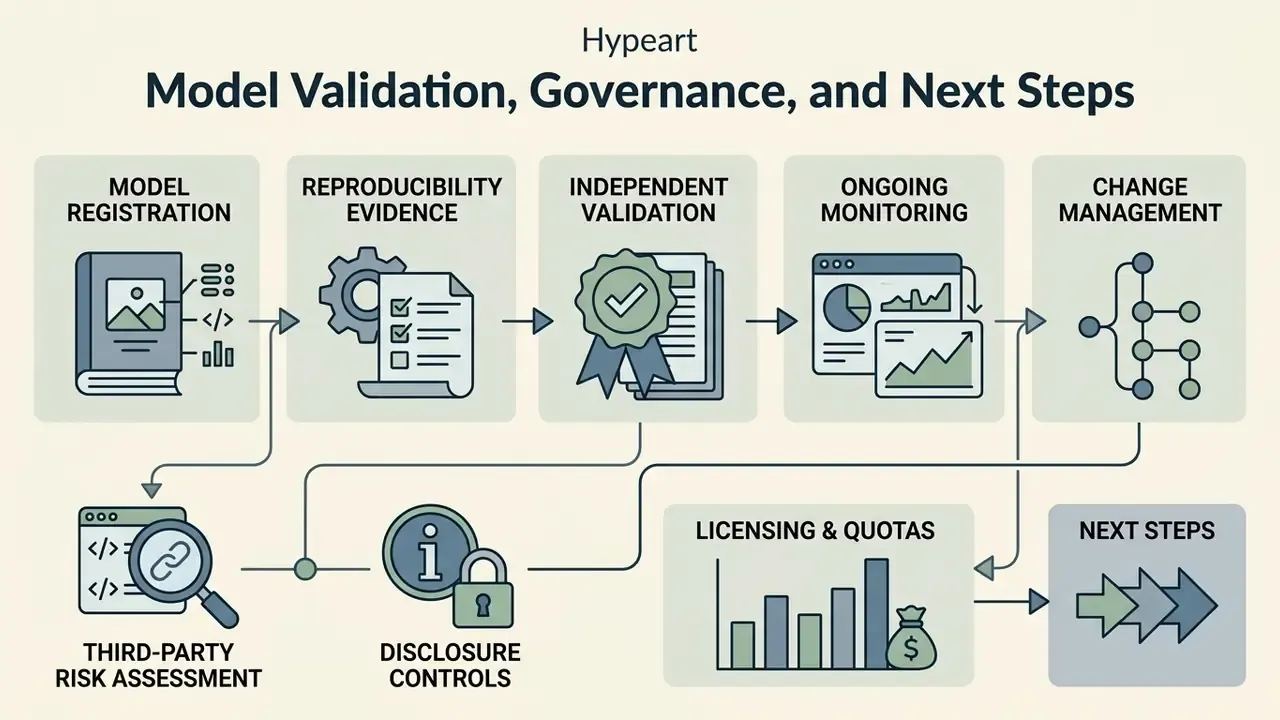
When integrating free AI voice generation into organizational media pipelines, executives must weigh acoustic naturalness alongside compliance, licensing, and quota restrictions. Free web tools give you rapid prototyping. Enterprise production demands cleared commercial licenses, auditable dataset origins, and predictable operational costs. For a consolidated reference on AI voice generator licensing and pricing, start with our dedicated entity guide.
«"Beyond Naturalness" found that automated MOS predictors capture only acoustic signal quality and fail to surface linguistically structured errors in prosody and phrasing.»
That finding carries a direct governance implication. A single automated naturalness score is insufficient validation evidence. Multi-dimensional evaluation, covering intelligibility, prosodic correctness, pronunciation accuracy on domain vocabulary, and sampled human perceptual review, produces documentation you can defend.
Aligning Synthetic Speech with Model Risk Management Expectations
Financial institutions operating under model risk management frameworks (including supervisory guidance of the SR 11-7 type) should treat a production voice pipeline as an in-scope model or, at minimum, a tracked AI component. A workable control set:
- Model inventory registration.Record the vendor, model name and version, language and voice identifiers, intended use, business owner, and risk tier. Undocumented free-tool usage by staff is precisely the Shadow AI failure mode this control exists to prevent.
- Reproducibility evidence.Retain the approved script, the SSML parameter set, the voice model version, and a hash of the rendered audio for each published asset, so any output can be regenerated and matched.
- Independent validation.Test conceptual soundness (is neural TTS appropriate for this communication?), outcome quality (intelligibility and pronunciation accuracy on domain vocabulary), and stability across model version updates.
- Ongoing monitoring.Define thresholds for pronunciation error rates on regulated terminology, monitor vendor model version changes, and re-validate after upgrades that alter timbre or prosody.
- Change management.Treat vendor-side model updates as changes requiring impact assessment, since a silent upgrade can shift the acoustic identity of a published brand voice.
- Third-party risk assessment.Capture encryption standards, retention windows, training-use terms, sub-processor lists, certifications, and licensing scope in the vendor file before approval.
- Disclosure controls.Where synthetic voice reaches customers, whether through telephony, audiobooks, podcasts, or advertising, verify that required disclosure and opt-out mechanics are implemented and evidenced.
- Human-in-the-loop gates.Require compliance sign-off on customer-facing scripts and on any asset containing regulated language.
Limitations and Open Questions
Honesty helps here more than confidence. Several things remain unsettled.
- Licensing comparability. No public, systematic comparison of vendor ToS exists, so every approval still needs a manual read.
- Validation methodology. There is no accepted supervisory standard for validating a generative speech model. The controls above are borrowed from adjacent model risk practice.
- Retention verification. Vendor retention claims are rarely independently attested on free tiers. Absence of a published policy is not evidence of a good one.
- Cost of controls. ROI estimates that exclude review time, validation effort, and residual risk will overstate savings. Model the control cost explicitly.
Treat statements about audience needs and adoption patterns in this guide as working hypotheses until confirmed by your own analytics, interviews, or vendor due diligence.
A Safe Next Step
Pick one low-risk, non-personalized use case. Internal training narration works well. Register it in the model inventory, run a two-week pilot with human sign-off on every asset, and document what the controls actually cost. Then decide whether to scale. No evidence, no autonomy.
Appendix A: Superseded and Supplemented Source Notes
Retained for transparency and citation continuity. The original references below remain in the article body; entries listed as supplements provide the quantitative methodology and recency the original sources lack.
| Original citation in text | Limitation identified | Supplementing source used in the body |
|---|---|---|
| PMC (2021), affective voice acoustics | No sample size, methodology, or synthesis error metrics reported in-text | Jafar et al. (2026), MUSHRA/ABX/MCD/F0 RMSE domain evaluation: MCD 12.03 dB, F0 RMSE 889 cents |
| Academia.edu (1998), emotional speech synthesis | Pre-neural methodology; fixed numeric speaking-rate targets (150 sad / 160 neutral / 179 angry) | Maruoka et al. (2024), Acoustics Australia, SNR and speech-rate intelligibility experiment |
| U.S. Department of Education (2025), AI and instructional materials | Policy-level report without experimental methodology or sample | Journal of Computer Assisted Learning (post-2023), TTS with VR agents in primary education |
| Internal Section 508 case study (72% narration cost reduction) | No external public URL; derived from client invoicing data | Marked explicitly as internal operations data |
General disclaimer: This guide covers licensing, data protection, accessibility standards, and financial-services model governance topics. It is provided for informational purposes only and does not constitute legal, compliance, or financial advice. Verify all licensing terms, retention policies, and regulatory obligations with qualified counsel and your own compliance function before deploying synthetic speech in production.
Company Verification Notice: hypeart.ai. No verified information available regarding current DNS resolution, commercial offerings, or US corporate registration as of August 2026. All operational deployment models discussed here represent illustrative governance frameworks.
Further definitions, entity pages, and adjacent tool breakdowns are collected in the AI Media Glossary.