Executive summary
How to use this guide
This is not a ranking of the best free online video transcription tool. Vendor leaderboards move monthly, and terms of service move faster. The guide is built as a decision path instead: Read sections two and six first if you sit in risk, compliance or internal audit. Read three and four first if you simply need a transcript by lunchtime.
- Capability.What free online video transcription services actually do, and where automated output beats manual typing.
- Data risk.What happens to an uploaded file, and how Shadow AI enters through a browser tab.
- Compatibility.Which video files and audio files pass ingestion, and which fail on size caps.
- Workflow.How to transcribe video audio to text online free, step by step.
- Quality.Accuracy, multiple speakers, languages transcribe coverage, and where error concentrates.
- Control.A validation sequence for ASR under model risk management.
- Commercial fit.Free-plan limits versus paid and enterprise requirements.
What a free online video transcription service can do
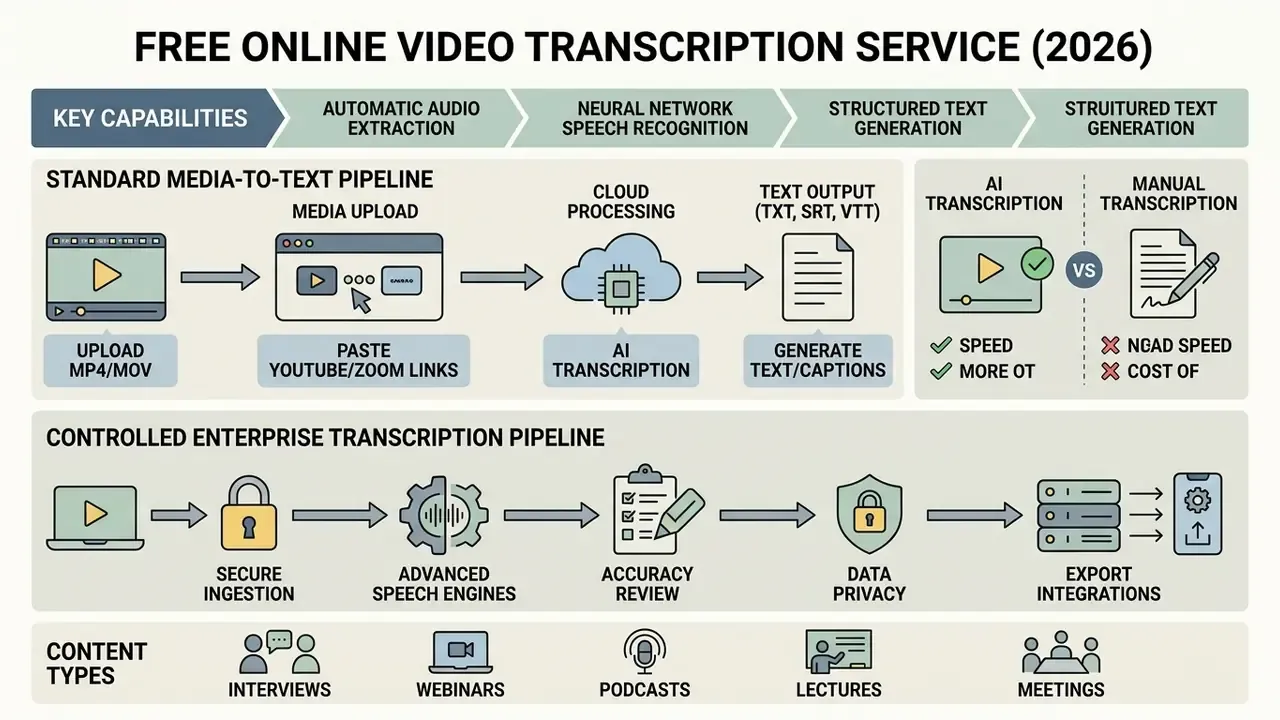
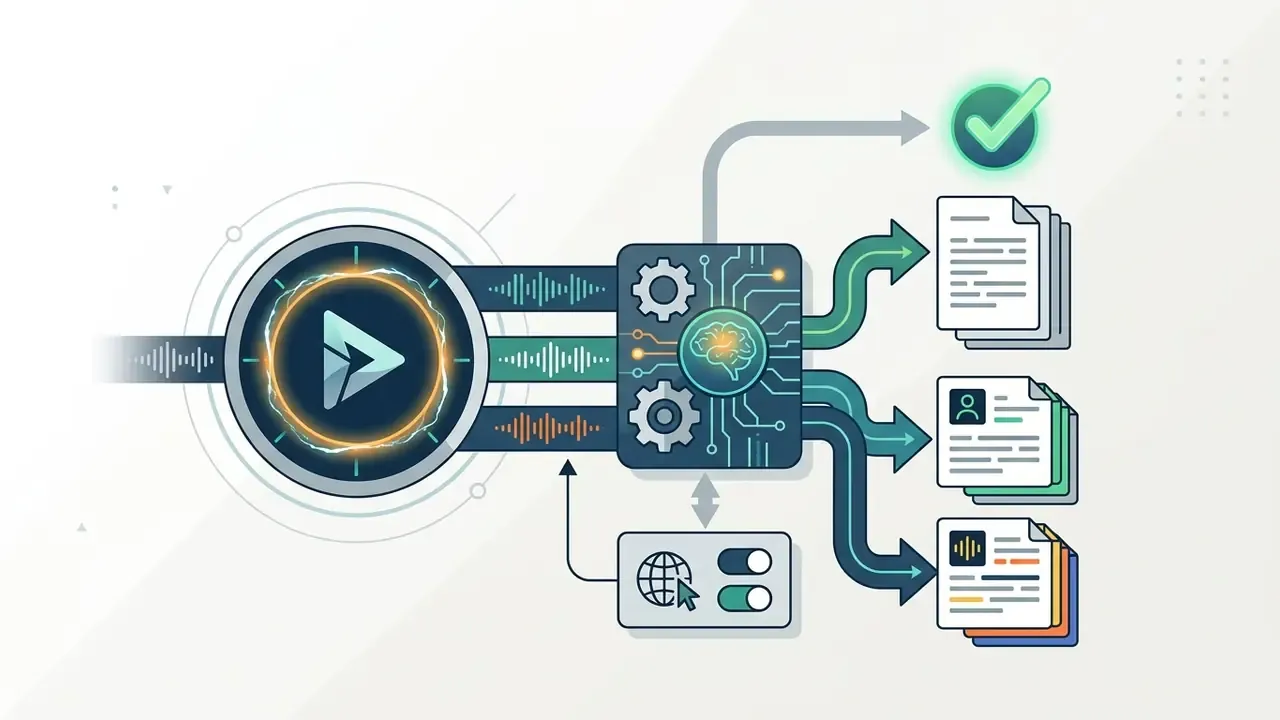
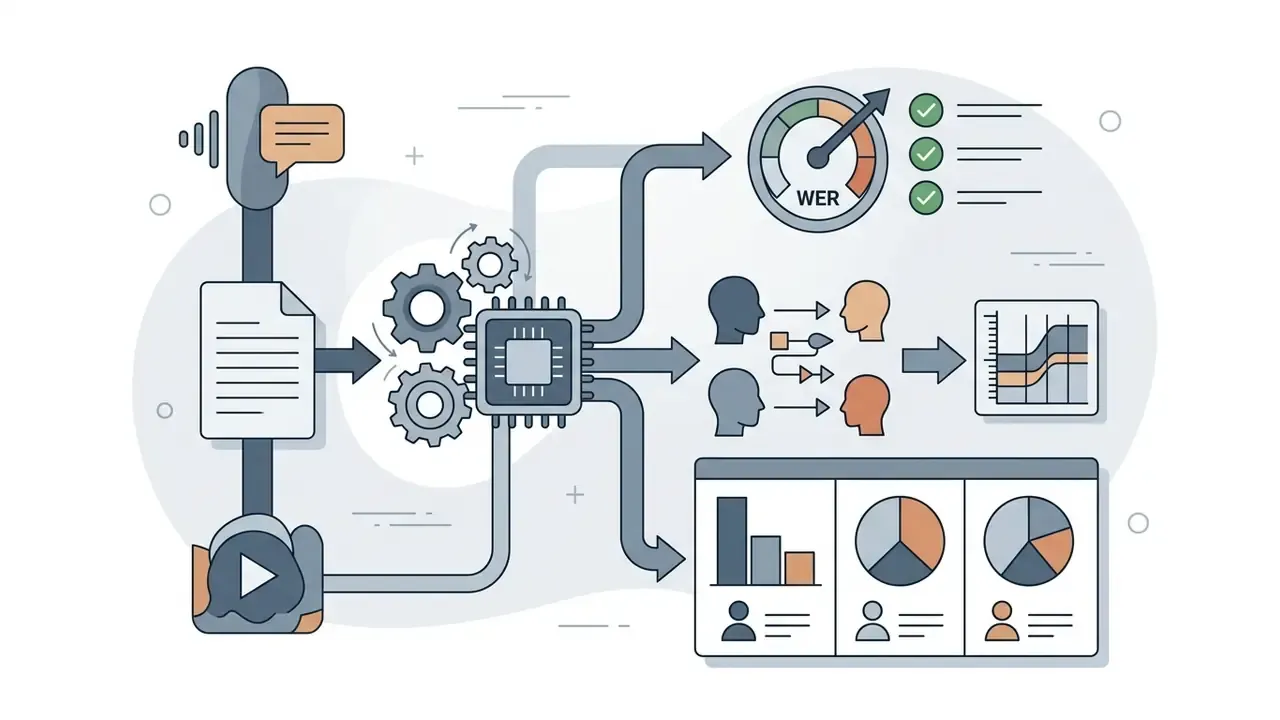
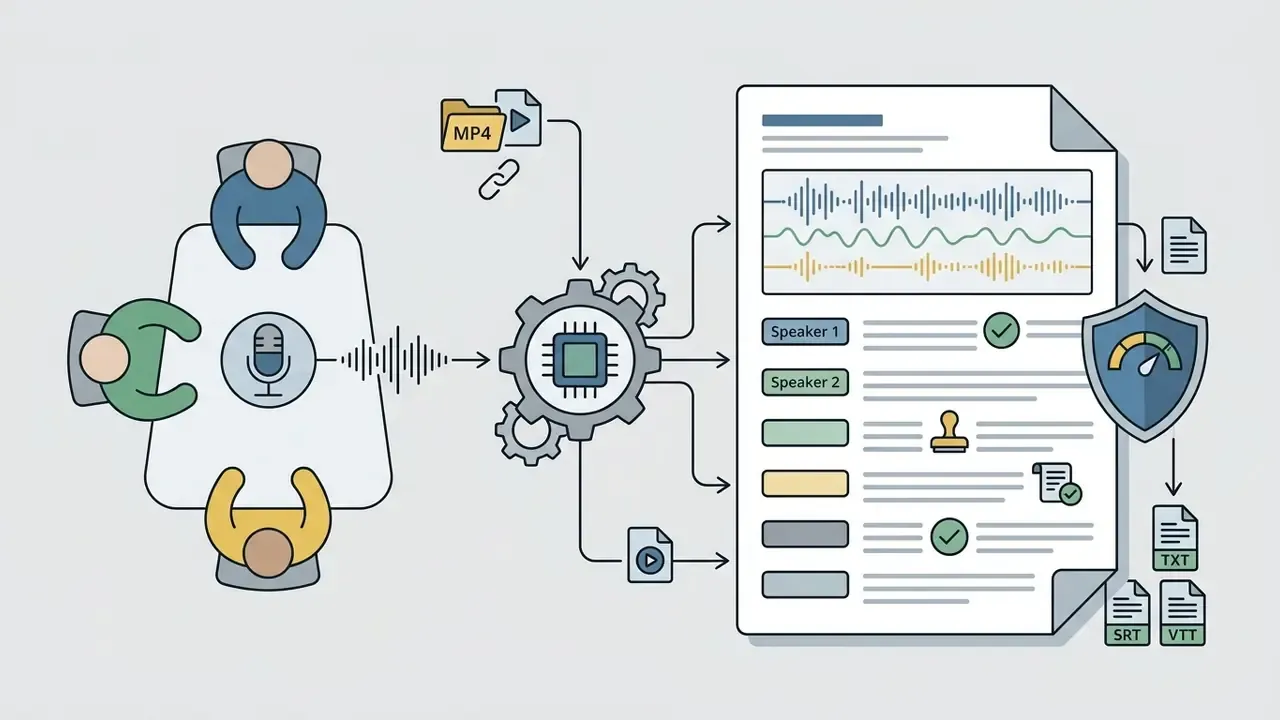
The core mechanism is a speech-to-text pipeline that ingests media, isolates voice frequencies, and generates a time-aligned sequence of words. Advanced transcription AI engines also handle punctuation, capitalization, basic speaker segmentation and sentence-boundary detection.
Rather than trusting unsourced vendor marketing, use reproducible multilingual benchmarks as the reference point for what "good" looks like today.
«Leading ASR systems reach mean word error rates of roughly 5-6% across mixed short-form and long-form English recordings.»
Organizations use online video transcription tools free of charge to make video content accessible, generate searchable records, and repurpose audio into written documentation. Accessibility frameworks treat the transcript as a first-class deliverable. Section 508 "Video and Other Synchronized Media" guidance and W3C WAI transcription guidance both define a transcript as a plain-text version of speech plus relevant non-speech audio, and both require accurate transcription with speaker identification where speaker identity matters.
AI video transcription versus manual transcription
AI video transcription processes continuous speech in near real time at lower operational cost. Manual transcription offers human-level nuance at higher labour expense. Automated systems transcribe audio to text in minutes, with average word error rates under 10% on clean recordings.
The generational improvement is measurable in consumer testing, not just in vendor decks.
«In 2018 the best AI tools were about 73% accurate; by 2026 even the least accurate AI service tested reached roughly 94%.»
Manual human transcription typically takes four minutes of effort per minute of audio and costs between $1 and $3 per audio minute. Automated tools let teams transcribe audio from video online free or at nominal cost, delivering completed drafts almost immediately. Field comparisons published in 2026 confirm the same trade-off: AI transcription wins on speed and unit cost, while human transcription still outperforms on speaker differentiation, punctuation, and preservation of meaning in technical terminology.
Manual processes remain better at complex multi-speaker dynamics and severe background noise. For initial drafting, search indexing and internal documentation, though, ai transcribe pipelines are already sufficient.
«Commercial systems show a gap of roughly 17-18 percentage points in WER between read speech and spontaneous conversational speech.»
Video and audio content you can transcribe
Automated systems can transcribe a broad selection of media types, provided the speech signal stays legible. Optimal material includes single-speaker narrations, panel discussions, educational webinars, recorded interviews, business meetings and broadcast recordings.
Speech recognition models perform best on structured or semi-structured audio where speech dominates the acoustic track.
«The BIGOS benchmark unifies all audio to 16-bit, 16 kHz WAV and requires a sampling rate of at least 8 kHz.»
Short-form social clips with background music or heavy sound effects create acoustic masking. Webinars and lectures yield higher precision thanks to sustained, clear vocal input. The decisive variable is not the platform name but the audio structure: the more continuous, intelligible and speaker-centred the recording, the better it fits automated recognition. Teams that need to trim, caption or re-cut the source material after transcription usually pair the transcript with dedicated video editing tools, and open-source shops often reach for an open source video editor so the media never leaves managed infrastructure.
Data security, Shadow AI and regulatory risk of free transcription tools
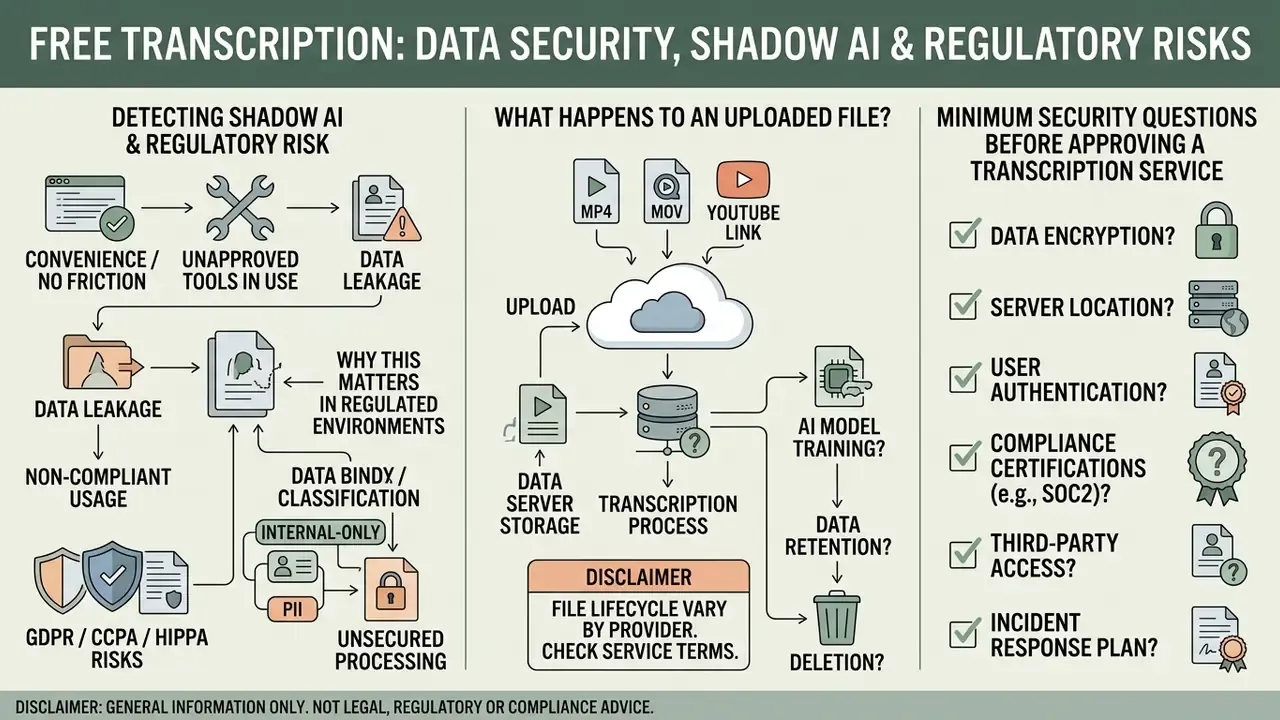
Free browser-based transcription is convenient precisely because it removes friction. No account, no procurement, no review. That same frictionlessness is what turns it into Shadow AI: staff upload confidential recordings to unvetted third-party servers, outside any inventory, contract or retention schedule.
What actually happens to an uploaded file. Consumer transcription sites differ dramatically in handling. Some delete media immediately after processing. Others retain audio and transcripts indefinitely, share them with subprocessors, or reserve the right to use uploads to improve their models. Marketing language such as "secure and private" is not a control. The enforceable controls are the written terms of service, the data processing addendum, the retention window and the subprocessor list.
Why this matters in regulated environments. Voice recordings frequently contain personal data, account identifiers, health details or biometric voiceprints. Under GDPR, consent must be freely given, specific, informed and withdrawable, and retention must be limited to what is necessary for the stated purpose. In US financial institutions, customer audio typically falls under GLBA safeguards, and third-party processing sits inside vendor-risk and outsourcing expectations. A practical rule: uploading protected customer or trading data to a public free tier without an executed enterprise agreement should be prohibited by policy.
Minimum security questions before approving any transcription service
| Control area | Question to answer in writing | Acceptable enterprise answer |
|---|---|---|
| Data retention | How long are media files and transcripts stored? | Zero retention, or a documented, configurable window with verified deletion |
| Model training | Are uploads used to train or fine-tune models? | Contractual opt-out; no training on customer data |
| Encryption | Is data encrypted in transit and at rest? | TLS 1.2+ in transit, AES-256 at rest, documented key management |
| Certifications | SOC 2 Type II, ISO 27001, penetration test summary? | Current reports available under NDA |
| Data residency | Which regions process and store the audio? | Region pinning or isolated VPC / private deployment |
| Access control | SSO/SAML, SCIM, role-based permissions? | Enterprise IdP integration with least-privilege roles |
| Audit logging | Are uploads, exports and edits logged and exportable? | Immutable, exportable audit trail |
| Subprocessors | Which third parties see the audio? | Published subprocessor list with change notification |
| Contractual protection | DPA, BAA where applicable, breach notification SLA? | Executed agreements before first production use |
| Deletion rights | Can data-subject deletion requests be honoured end to end? | Documented deletion workflow with confirmation |
Detecting Shadow AI. Egress monitoring for known transcription domains, DLP rules for large media uploads from managed endpoints, browser-extension inventories and SaaS discovery in the CASB are the practical detection layers. One caveat worth stating plainly: blocking alone rarely works. A sanctioned alternative, such as an internal Whisper deployment or a contracted enterprise ASR endpoint, reduces unauthorized usage far more effectively than a firewall rule.
Supported video and audio files for transcription
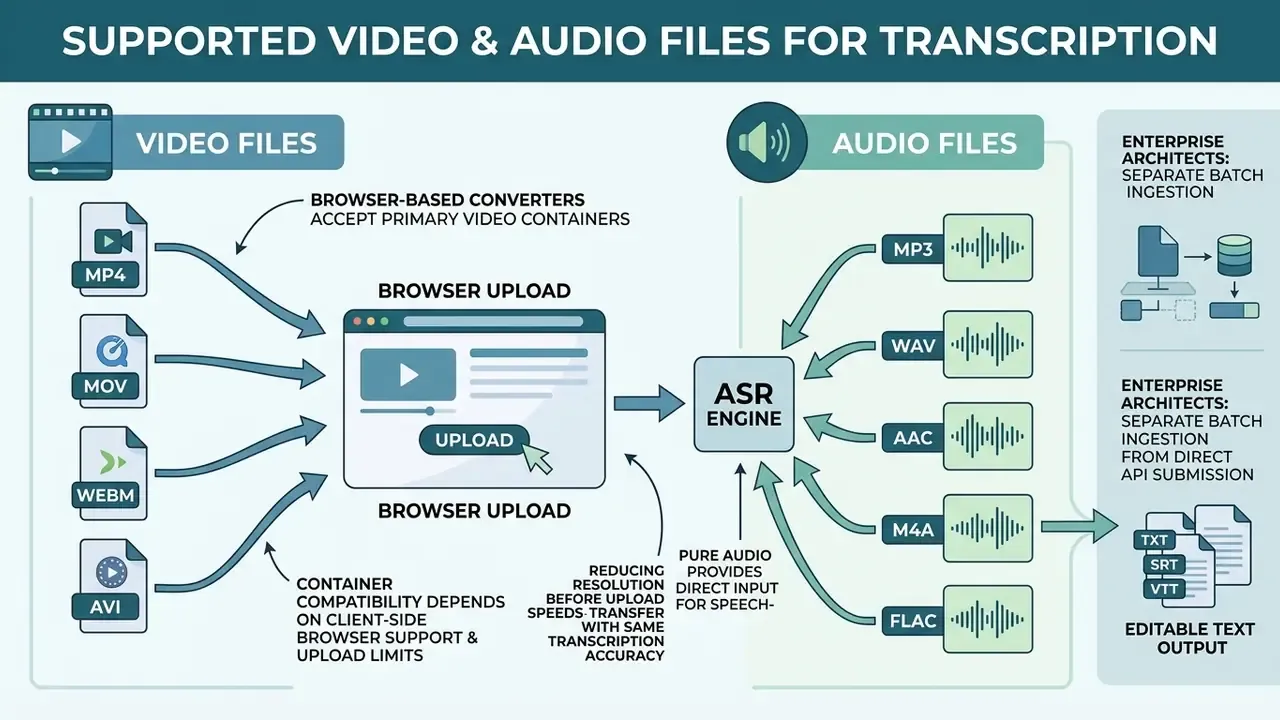
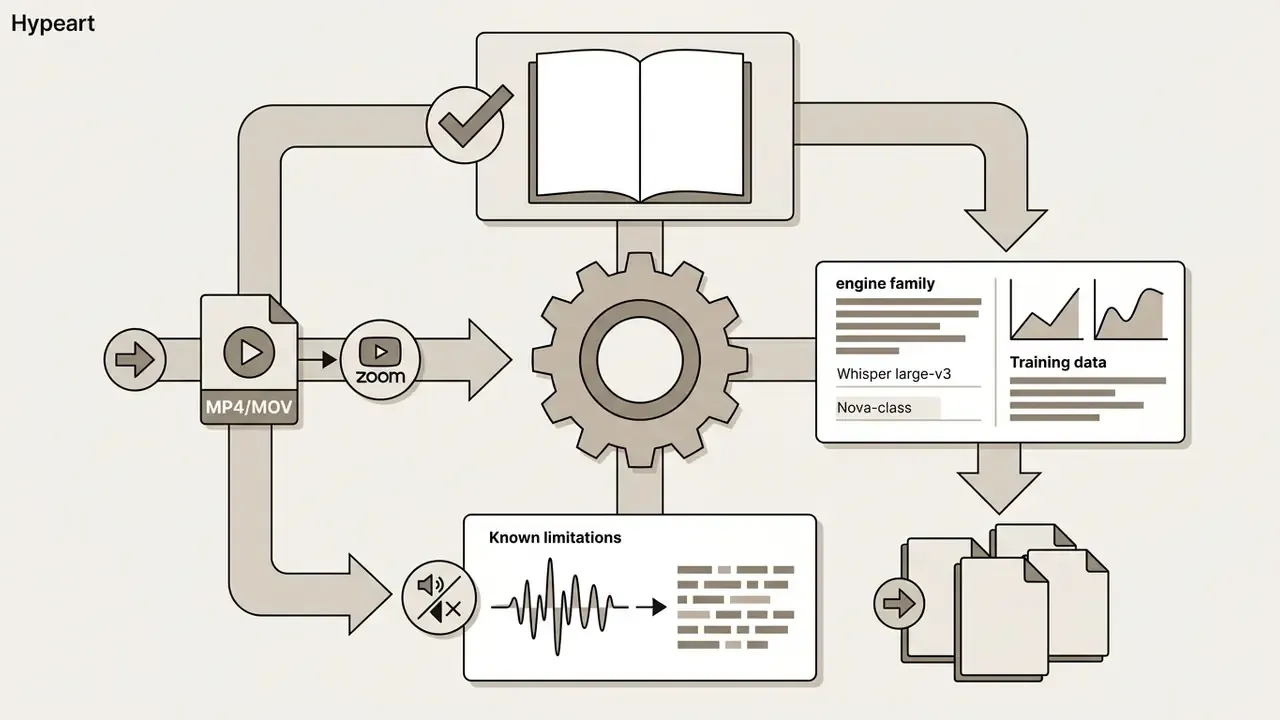
A web-based transcription tool accepts common digital media containers, extraction formats and audio encodings for speech-to-text conversion. The ingestion framework demuxes uploaded files, extracts the underlying audio stream, and converts it to a standardized internal format for model inference.
Most browser-based services support popular video files such as MP4 and MOV alongside standalone audio formats such as MP3 and WAV. To keep processing speed and accuracy consistent, the system converts incoming media into uncompressed linear PCM audio at 16 kHz or higher before recognition. That is the same normalization used by public benchmarks such as BIGOS (16-bit, 16 kHz WAV) and required by cloud APIs that expose explicit sample-rate parameters.
Enterprise architects should also separate batch ingestion (files submitted to storage or an API endpoint and processed asynchronously, in some platforms up to thousands of items per request) from streaming ingestion (live session audio with interim hypotheses). Batch suits archives, call recordings and compliance reviews. Streaming suits live meetings, monitoring and captioning.
Video formats: MP4, MOV and other video files
Browser-based converters accept primary video containers including MP4, MOV, WebM and AVI. When you upload your video, the browser or cloud pipeline separates the audio multiplexer from the visual stream.
Container compatibility depends on client-side browser support and platform upload limits rather than ASR model constraints. High-definition MP4 MOV files carry heavy visual data, but the transcription system processes only the extracted audio track. WebM typically carries VP8, VP9 or AV1 video with Opus or Vorbis audio. In practice, upload failures come far more often from platform size caps, commonly 1 GB to 5 GB, and codec-in-container mismatches than from the file extension.
Reducing video resolution before upload speeds up transfer without affecting transcription accuracy at all. Teams working with multi-gigabyte masters often pre-process files with video compression tools first.
Audio formats: MP3, WAV and audio-to-text uploads
Pure audio uploads such as MP3, WAV, AAC, M4A and FLAC provide direct input for speech-to-text engines. Lossless formats such as WAV and FLAC preserve the original acoustic waveform, reducing signal degradation during feature extraction.
Lossy formats such as MP3 shrink file size by discarding frequencies the ear tends not to notice. MP3 files perform well for general voice recordings, yet uncompressed WAV files yield lower word error rates on technical terminology and faint voices. Cloud documentation reflects the same hierarchy: FLAC and WAV PCM 16-bit are the recommended inputs for accuracy-sensitive jobs, with FLAC preferred when storage size matters.
«Applying text normalization reduces WER by about 16 percentage points on the PELCRA dataset and 15.5 points on BIGOS.»
| File type category | Example formats | Internal audio processing | Resulting output |
|---|---|---|---|
| Video files | MP4, MOV, WebM, AVI | Extracted to PCM WAV (16-bit, 16 kHz) | Editable text transcript, SRT/VTT captions |
| Lossless audio | WAV, FLAC | Direct stream or resampled PCM | High-precision transcript with timestamps |
| Compressed audio | MP3, AAC, M4A | Decoded to linear PCM before inference | Standard text transcript, formatted TXT |
| Meeting and cloud recordings | Zoom MP4/M4A, Teams MP4, Meet MP4 | Fetched from link, demuxed, resampled to PCM | Speaker-labelled transcript, JSON with timings |
How to transcribe video audio to text online free
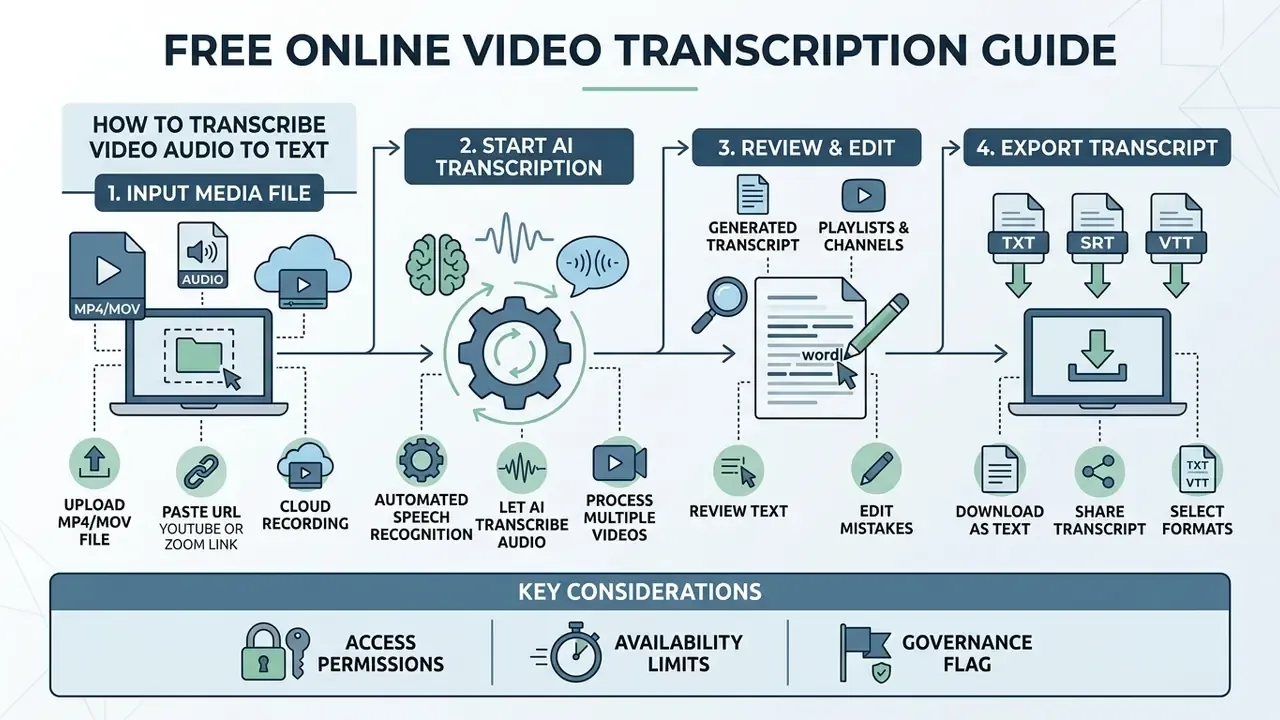
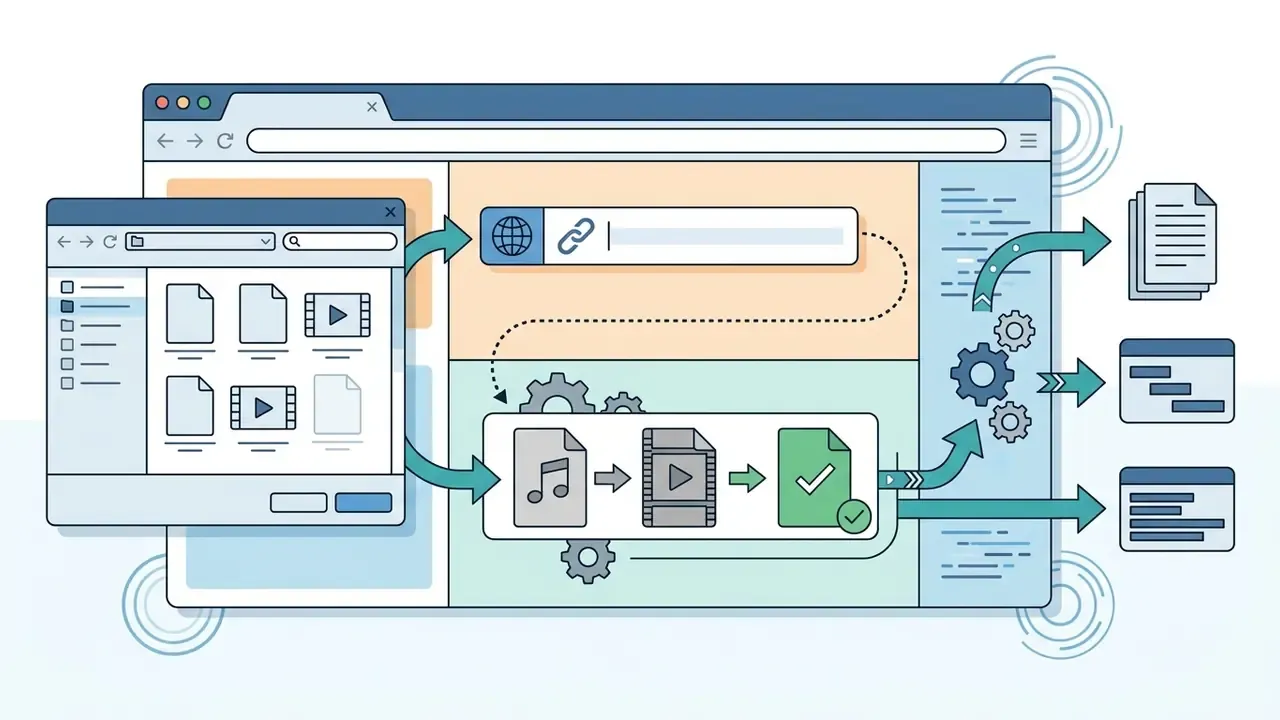
To transcribe video audio to text online free, upload your media file to a browser converter, start transcribing with automated speech recognition, and export the generated transcript. The browser interface orchestrates file ingestion, server processing and interactive text review without local plugins.
Three steps, essentially: file selection, automated recognition, final verification. That streamlined path is why non-technical users can convert raw video content into accessible text files quickly.
Upload your video or audio file
File ingestion begins by selecting a media asset through a file picker or a non-dragging pointer interface. Modern web applications validate the container, verify duration limits, and establish a secure connection for data transmission.
Web Accessibility Initiative guidelines require that drag-and-drop file areas always include an alternative single-pointer button. WCAG 2.2 Success Criterion 2.5.7, Dragging Movements, states that all functionality using a dragging movement must also be operable with a single pointer without dragging, unless dragging is essential. Once the file is selected, the system checks duration and size parameters before transfer starts. One technical footnote worth knowing: when a file is dragged from the operating system into the browser, dragstart and dragend events do not fire, and browsers may open or download the dropped file if it lands outside a valid drop target. Another reason the button fallback is mandatory.
Transcribe directly from URLs and cloud recordings
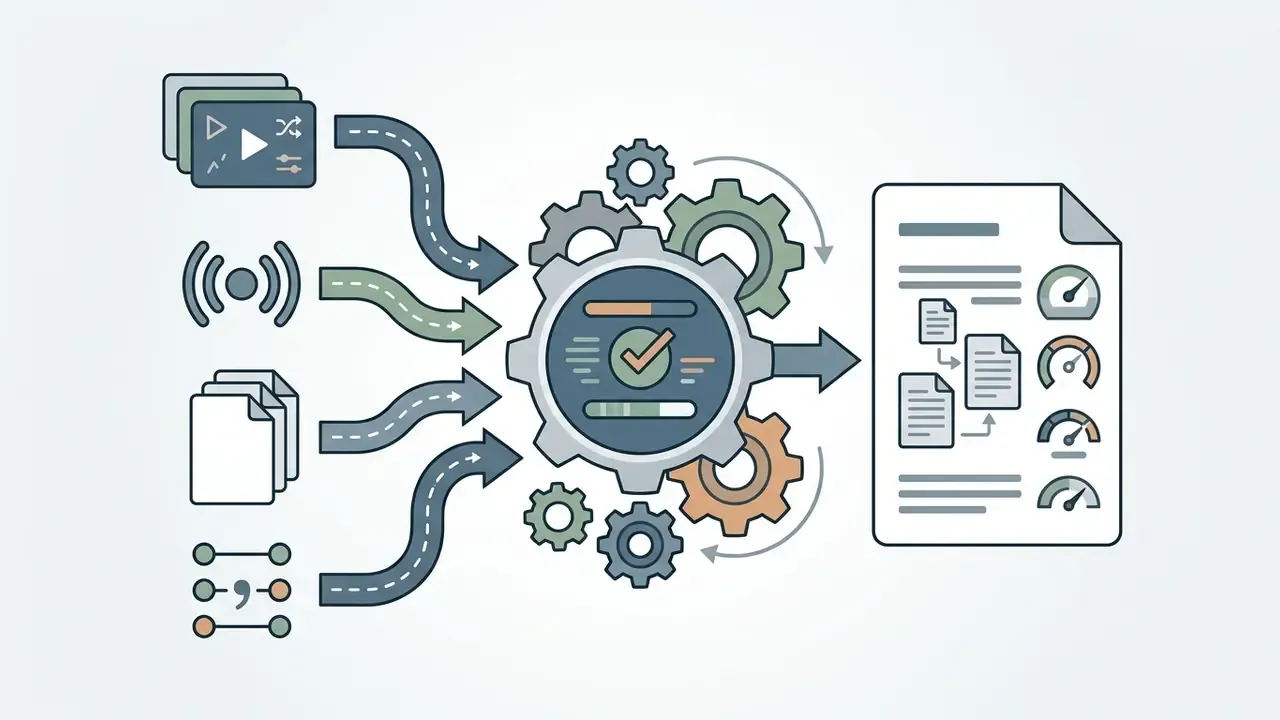
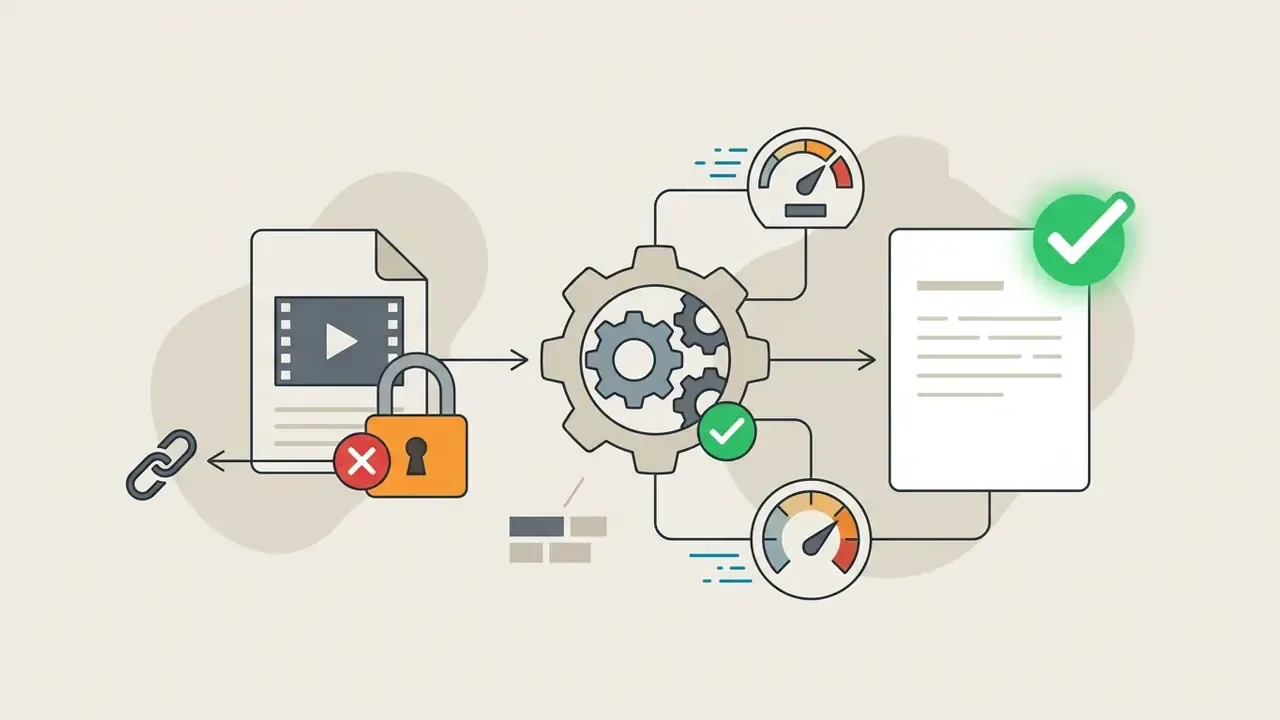
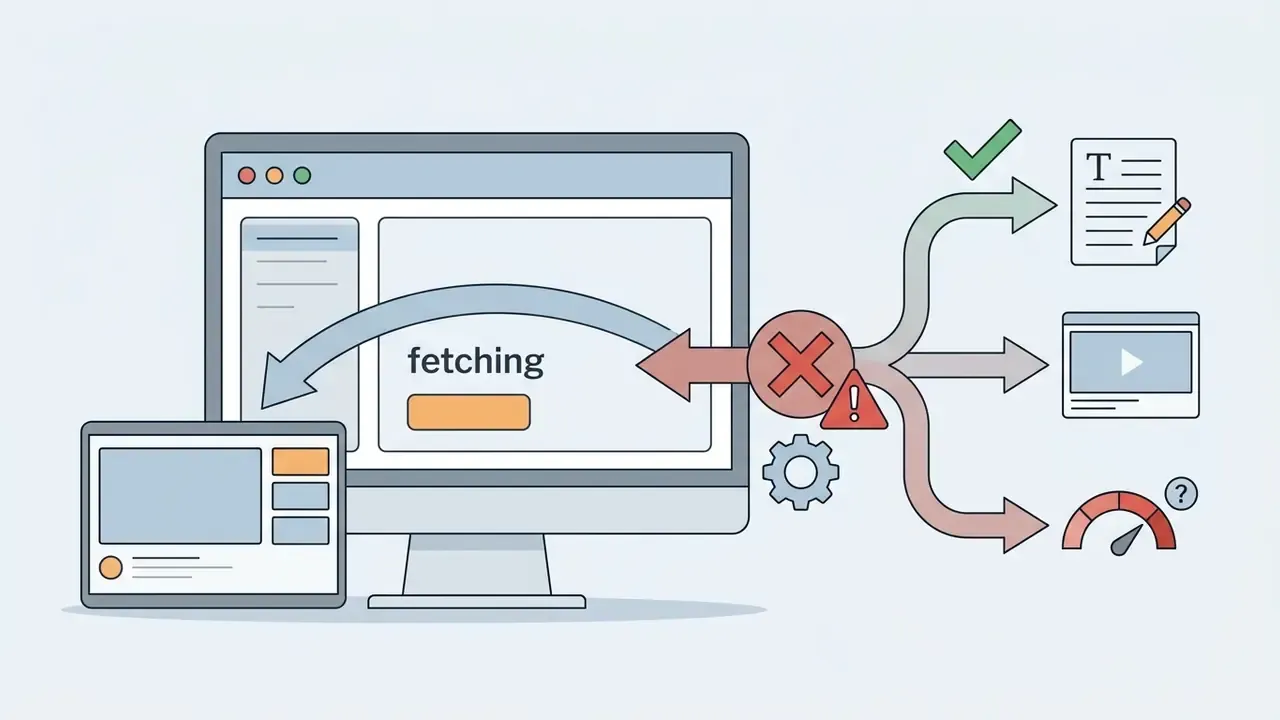
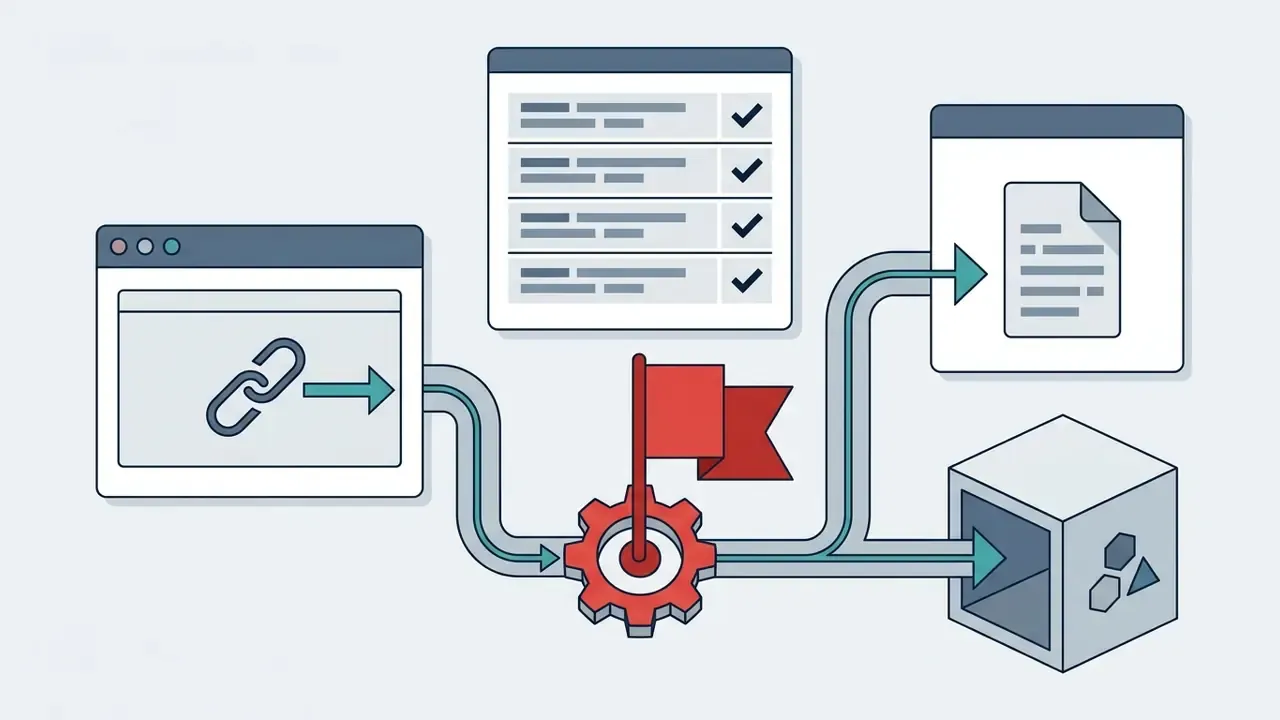
Instead of uploading local files, you can paste direct URLs from major video hosting and social platforms, including YouTube, TikTok, Instagram, Facebook, X (formerly Twitter) and Bilibili. For distributed teams, services increasingly support cloud recording links from Zoom, Microsoft Teams and Google Meet. The ingestion engine fetches the remote audio stream from the link, demuxes it, and resamples it for recognition, so nobody has to download and store a large video file locally.
Practical notes for link-based ingestion:
Let AI transcribe audio from video
After upload completes, the ASR model processes the audio track using neural networks trained on diverse language datasets. The system splits continuous audio into short time frames, extracts acoustic features, and predicts the corresponding character sequences.
During live processing, modern systems show real-time status indicators or partial text hypotheses. Streaming APIs expose this explicitly: interim results settle as more audio arrives and are marked final once a segment closes (is_final in Google Cloud Speech-to-Text, IsPartial in Amazon Transcribe streaming), while IBM's processing metrics report how much audio has been received and processed so a progress bar can be rendered accurately. The engine inserts punctuation, adjusts capitalization, and sets paragraph breaks based on acoustic pauses and natural speech rhythm.
Processing speed on registered or paid tiers is usually several times faster than real time. A one-hour recording commonly comes back in about five minutes on GPU-backed queues. Anonymous free queues can take longer than the media duration when demand spikes.
Review, edit, download or share the transcript
Once the engine produces the transcript, verify technical terminology, speaker assignments and formatting inside the interactive editor. Editing tools usually synchronize audio playback with text lines, so you can click a word and hear the matching source segment. That single feature saves more review time than any accuracy percentage point.
After review, save the finished transcript locally or share it with the team. Choose export settings based on the downstream application: plain text documents, or synchronized subtitle tracks for video.
Text-based video editing and AI summarization
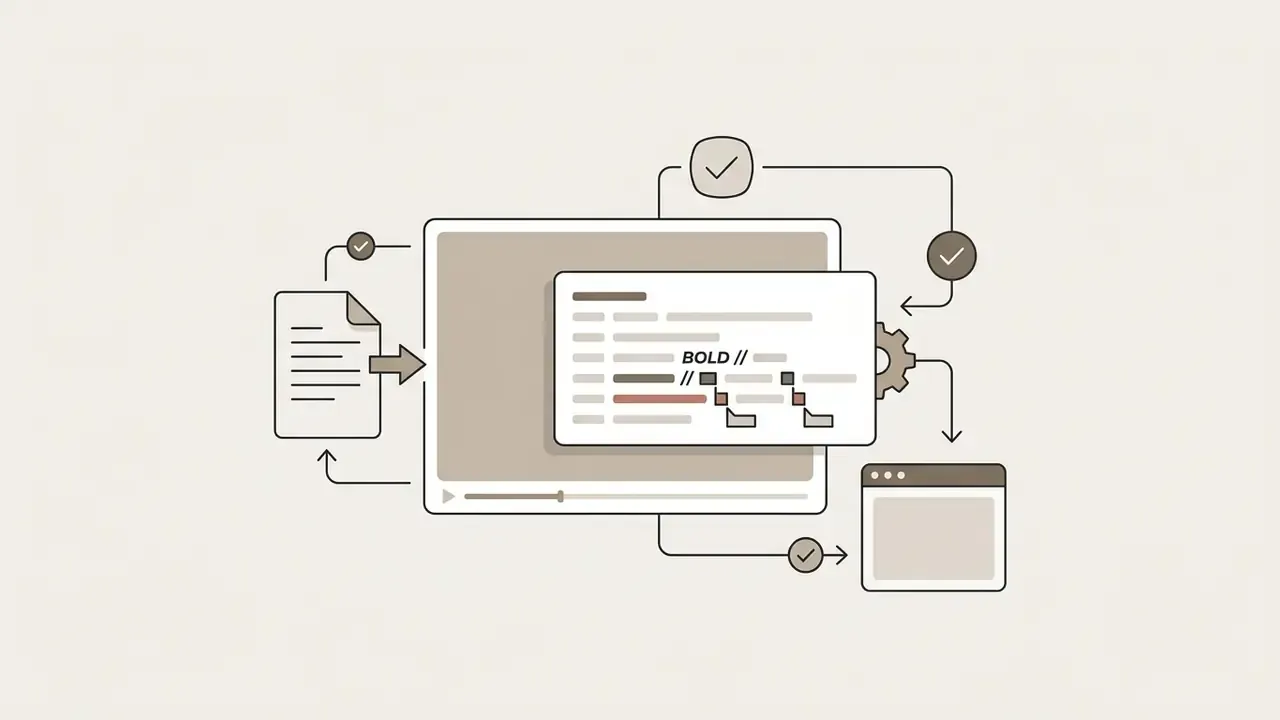
Modern web transcribers go beyond passive text correction by synchronizing the transcript with the video timeline, a workflow known as text-based video editing. Deleting a sentence or a filler word ("um", "uh") in the transcript automatically cuts the corresponding frames from the media timeline, so the edit propagates from text to video without touching a waveform. Integrated language-model modules then allow further post-processing:
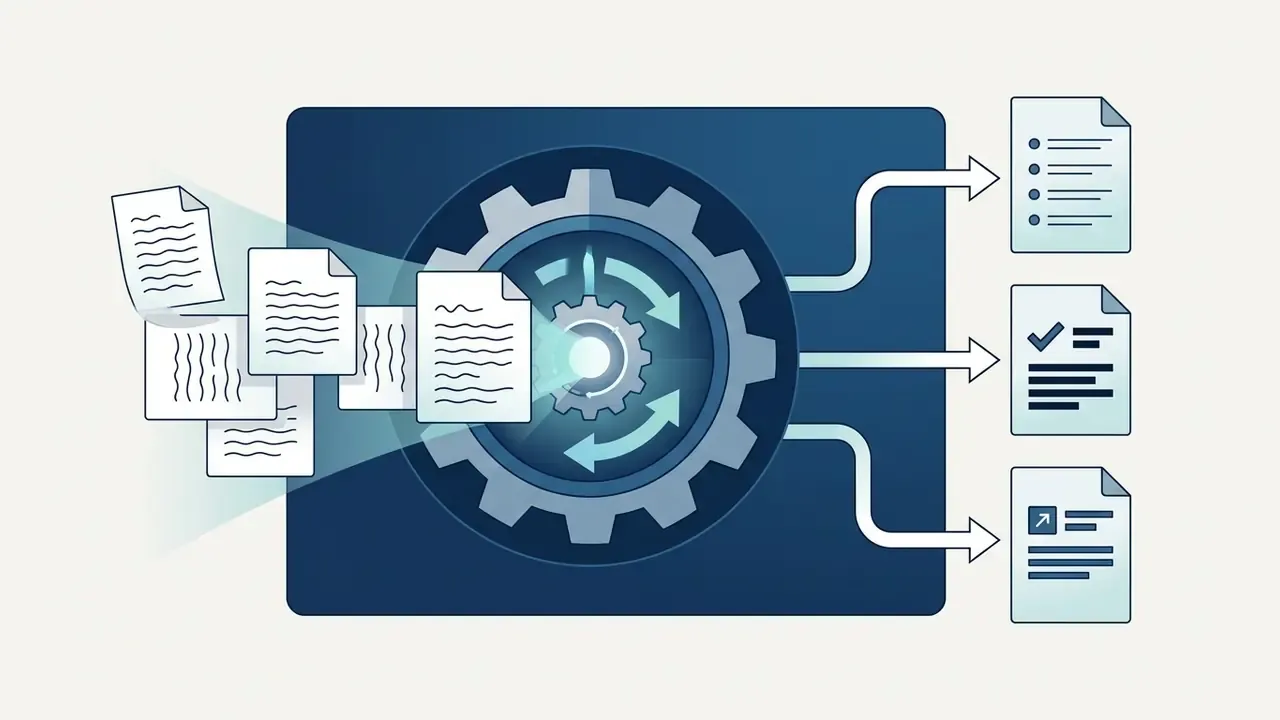
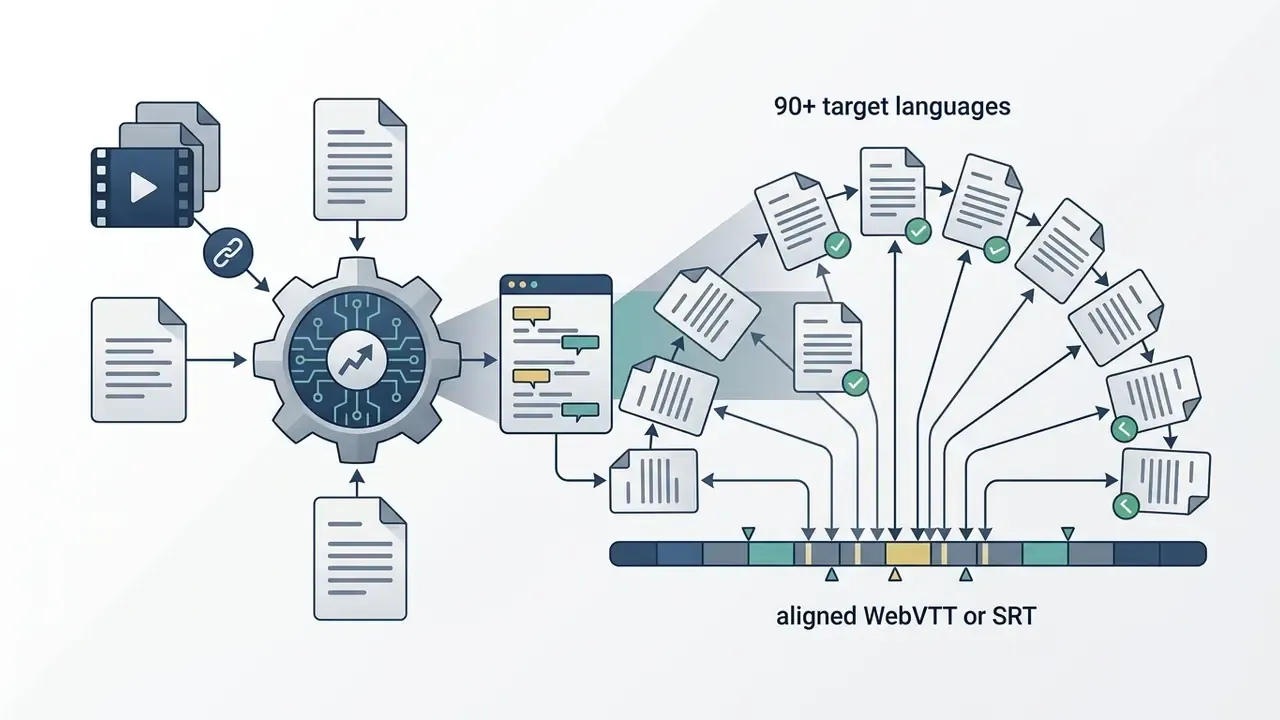
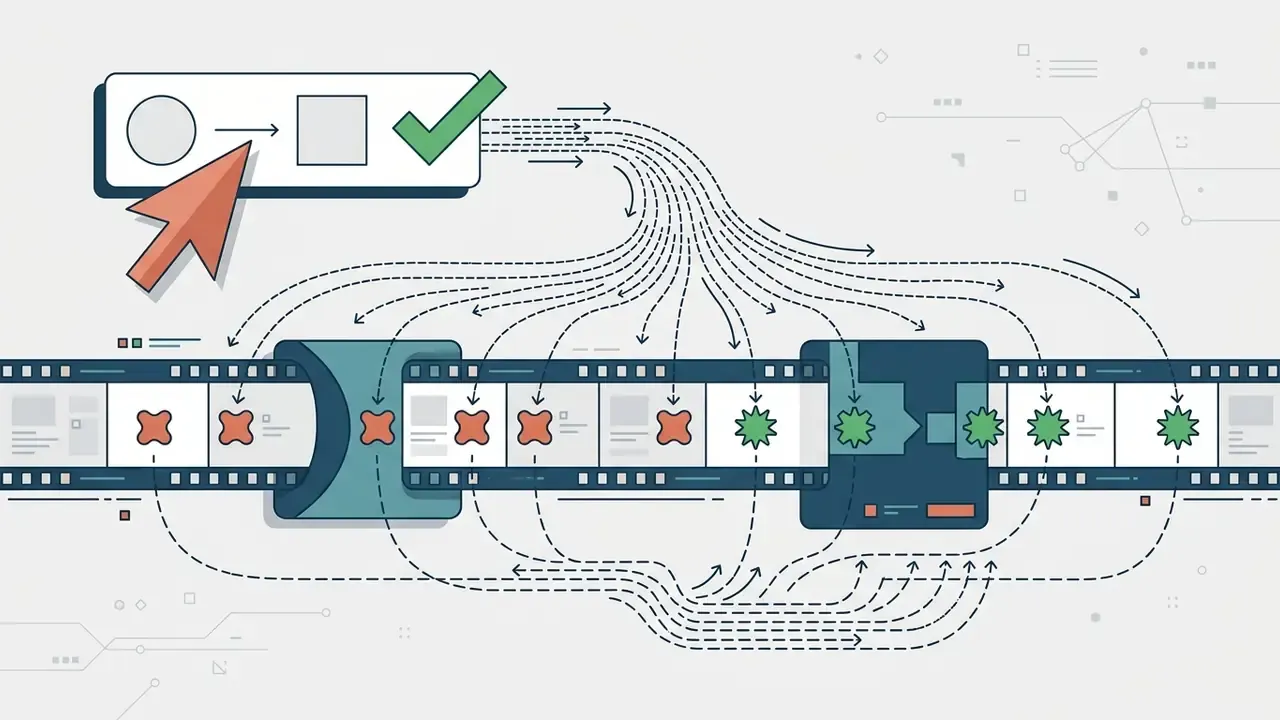
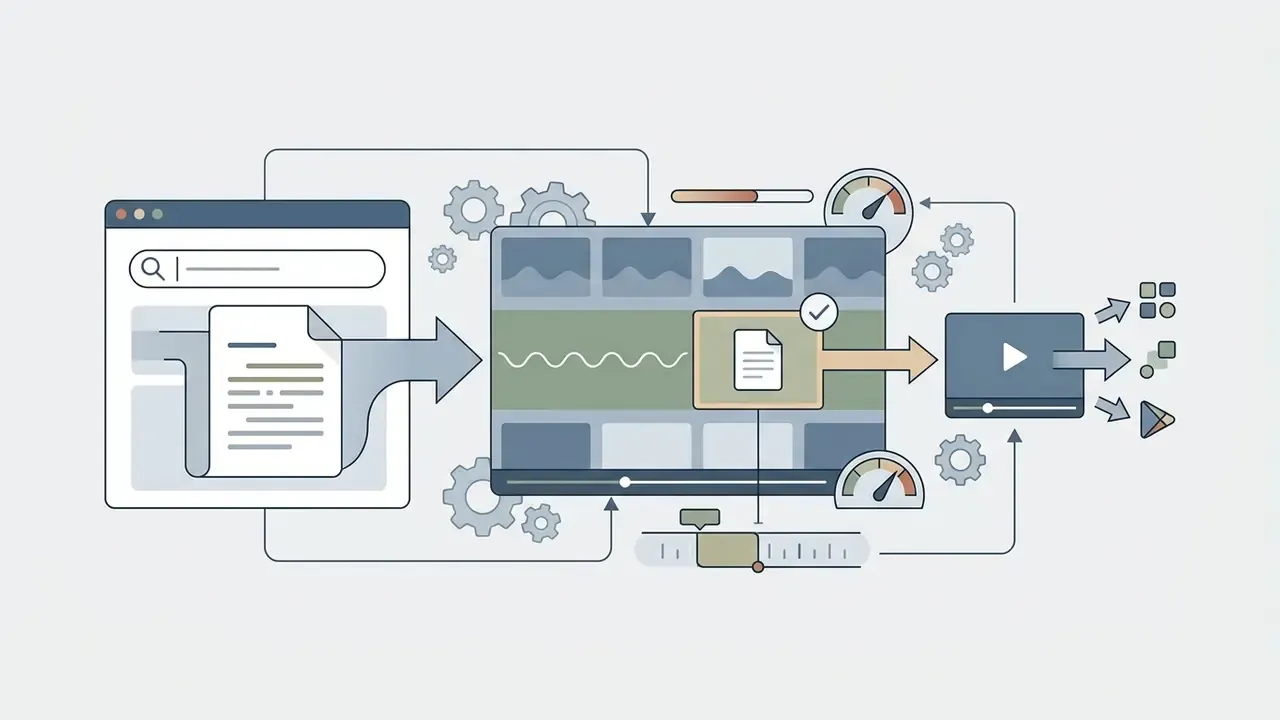
Where transcripts feed synthetic narration or dubbing, the corrected text becomes the input for AI voice generators. Which makes transcript accuracy a dependency for every downstream asset, not a cosmetic detail.
Accuracy, speakers and languages in AI video transcription
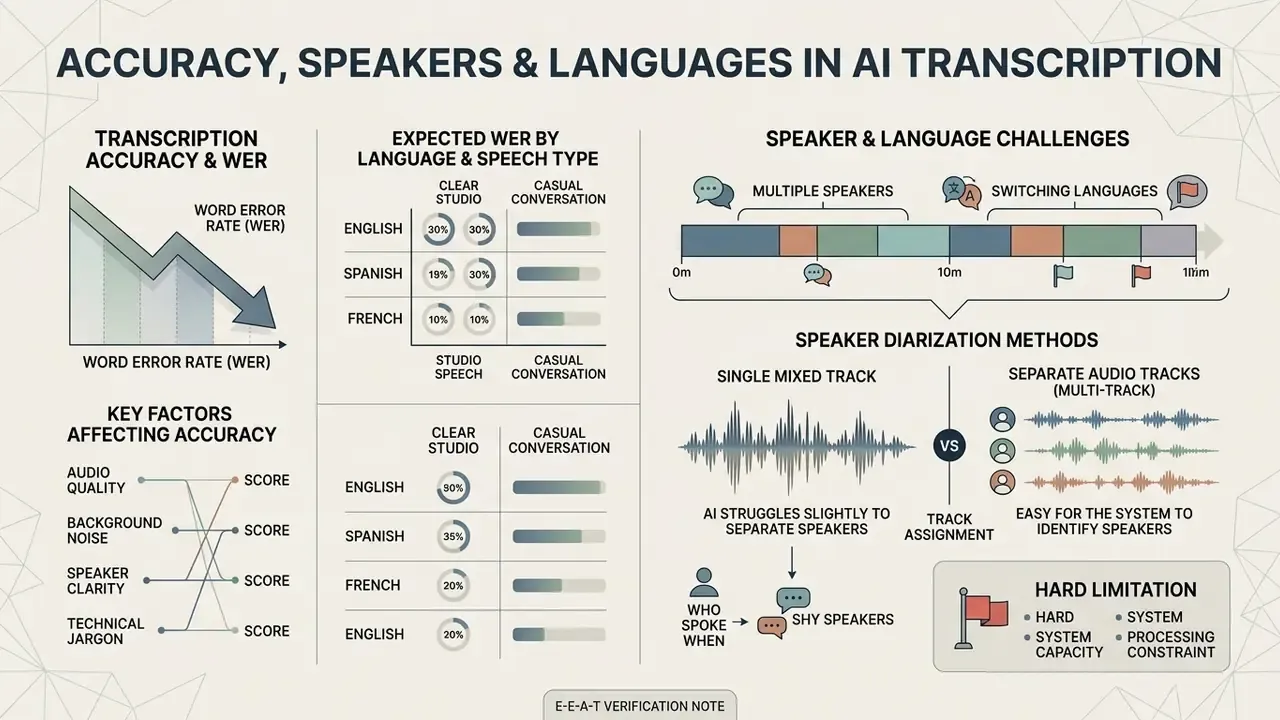
Transcription accuracy measures how closely an automated transcript matches the spoken source, evaluated through Word Error Rate (WER). Contemporary ASR platforms achieve low error rates on clear English speech, but performance shifts with acoustic clarity, speaker characteristics and language coverage.
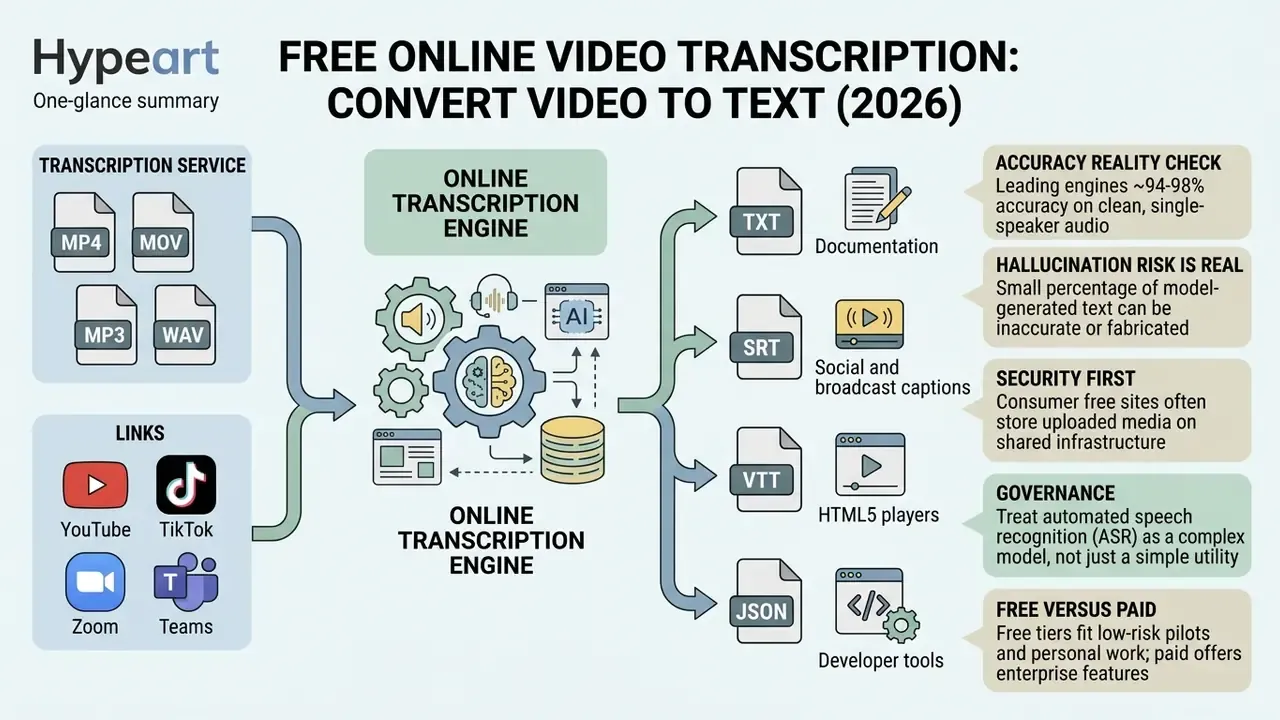
Leading speech engines reach word accuracy between 94% and 98% on clean, single-speaker recordings.
Complex acoustic environments, background chatter and heavy accents introduce variance that requires human verification.
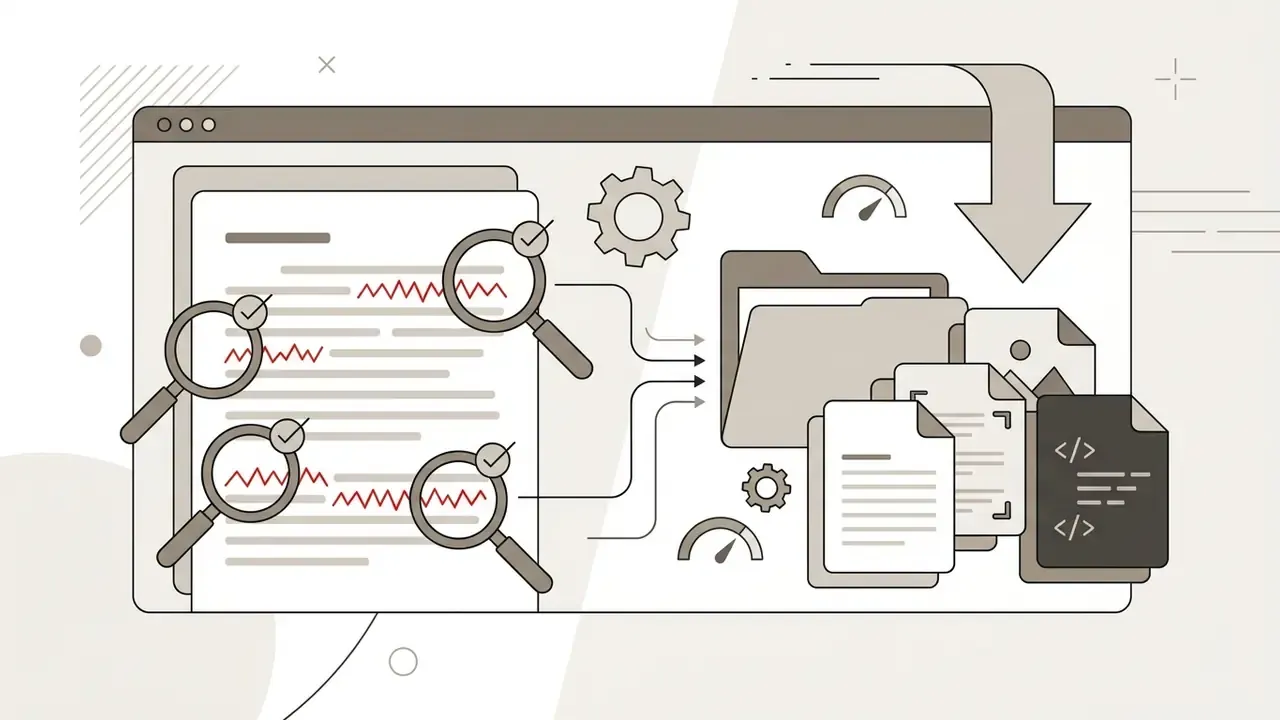
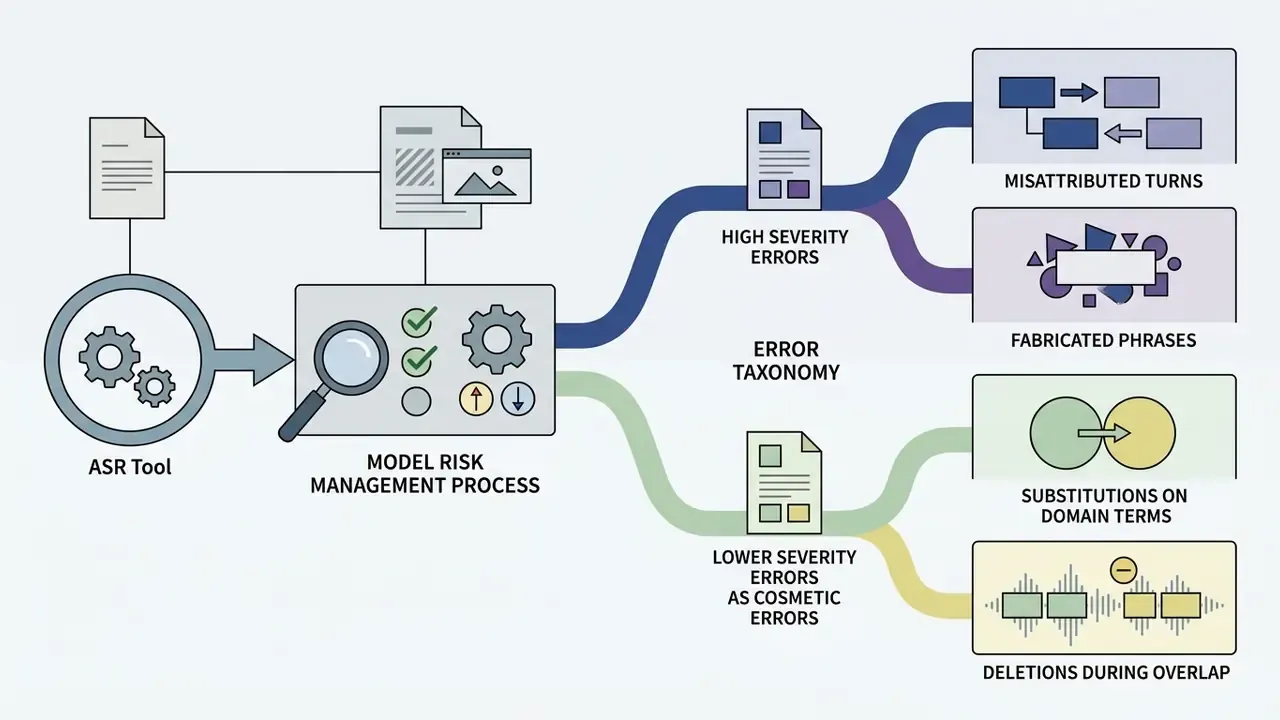
That hallucination profile differs in kind from a misheard word. A fabricated clause inside an earnings call, a collections call or a risk-committee recording can change the meaning of the record, propagate into downstream reporting, and create a defensibility problem during examination. It is the single strongest argument for a mandatory human-review checkpoint on any transcript that informs a decision or leaves the organization.
What affects transcription accuracy
Acoustic noise, low audio bitrates, overlapping dialogue and regional accents are the primary drivers of word error rate. Background sound masks vocal formant frequencies, and neural decoders then struggle to separate adjacent words.
«Commercial systems show a median WER of 12.96% on read speech and about 31.29% on spontaneous conversational speech.»
Conversational speech is consistently harder than read dictation. Research shows a gap of 15 to 18 percentage points between read speech and spontaneous conversation, driven by incomplete words, cross-talk and informal phrasing (BIGOS Benchmark, arXiv, 2024. https://arxiv.org/abs/2305.11546).
Domain vocabulary is the underestimated factor. Financial audio is dense with tickers, counterparty names, basis points, product codes and abbreviations that are rare in general training corpora, so substitution errors cluster exactly on the terms carrying the most decision value. Custom vocabulary lists, phrase boosting and post-processing dictionaries measurably reduce that error class. Treat them as configuration requirements, not optional extras.
Expected word error rates by language and speech type
| Language | Primary ASR model engine | Expected clean WER | Expected conversational WER |
|---|---|---|---|
| English (US/UK) | Whisper v3 Turbo / Deepgram Nova-2 | 2.1% - 4.5% | 8.0% - 11.0% |
| Spanish / German | Whisper v3 Large | 3.5% - 5.2% | 10.5% - 14.0% |
| French / Portuguese | Whisper v3 Large | 4.0% - 6.0% | 12.0% - 15.5% |
| Russian | Whisper v3 Large | 4.5% - 6.5% | 13.0% - 17.0% |
| Low-resource languages | ML-SUPERB 2.0 multi-engine | 12.0% - 22.0% | 25.0% - 38.0% |
Read these as ranges, not guarantees. On read speech, Whisper large-v3 turbo makes roughly one error in eleven words in English, and one in eighteen to twenty-one words in Spanish, German, Portuguese or Russian, while independent tests of real meetings land near 11% WER. Bilingual and code-switched speech recognition has been measured at 3-7% worse than monolingual recognition of the same languages.
Multiple speakers and languages to transcribe
Advanced platforms use speaker diarization to partition audio and assign text segments to individual speakers. Diarization models analyse vocal pitch, cadence and timbre to label turns as "Speaker 1" or "Speaker 2" across a meeting or panel interview.
«The NOTSOFAR dataset comprises 280 English-language meetings across 30 rooms with 4-8 participants, recorded in far-field conditions.»
Multilingual models can transcribe dozens of global languages and handle code-switching, where speakers alternate mid-sentence. Modern pipelines chain voice activity detection, segmentation, embedding extraction, clustering and resegmentation. Recent multilingual real-time systems report word diarization error rates near 6.96% overall, 2.68% for two speakers and 11.65% for three. High-resource languages such as English and Spanish still show lower error rates than low-resource regional languages.
«ML-SUPERB 2.0 covers 143 languages and documents substantial accuracy gaps between high-resource and low-resource languages.»
Single-track versus multi-track speaker diarization
Speaker diarization answers "who spoke when" from the acoustic waveform, so recognition quality depends heavily on how the audio was captured:
- Separate audio tracks (multi-track) Yields near-99% speaker attribution precision, because each voice is isolated on a dedicated channel and no separation step is needed.
- Single mixed track When several people share one microphone, or the file arrives as a single mixed mono or stereo track, overlapping dialogue masks vocal frequencies. Diarization accuracy typically degrades by 20-30%, and turns are occasionally misattributed.
- Hard limitation to communicate internally Many free tiers assign all text to a single speaker for mixed-track uploads. If your workflow depends on attributing statements to named individuals, think committee minutes, trader supervision, dispute evidence, plan for per-participant recording tracks at capture time. No post-processing fully recovers that information.
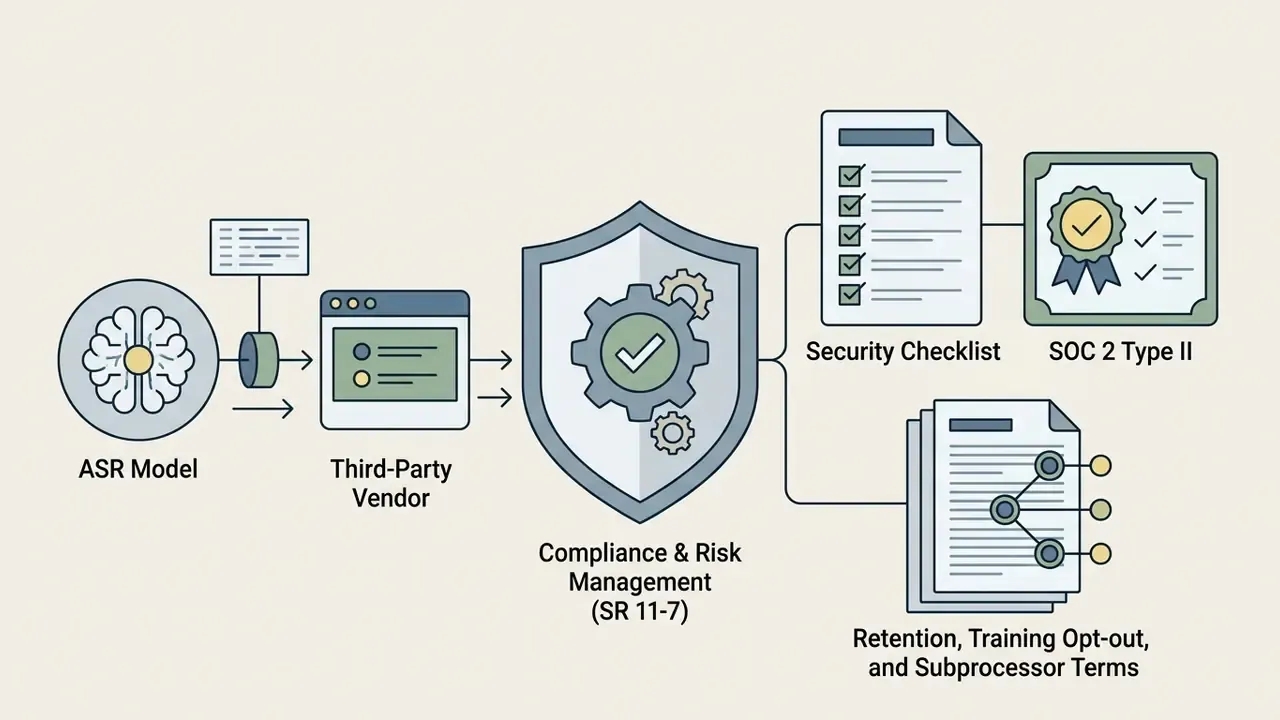
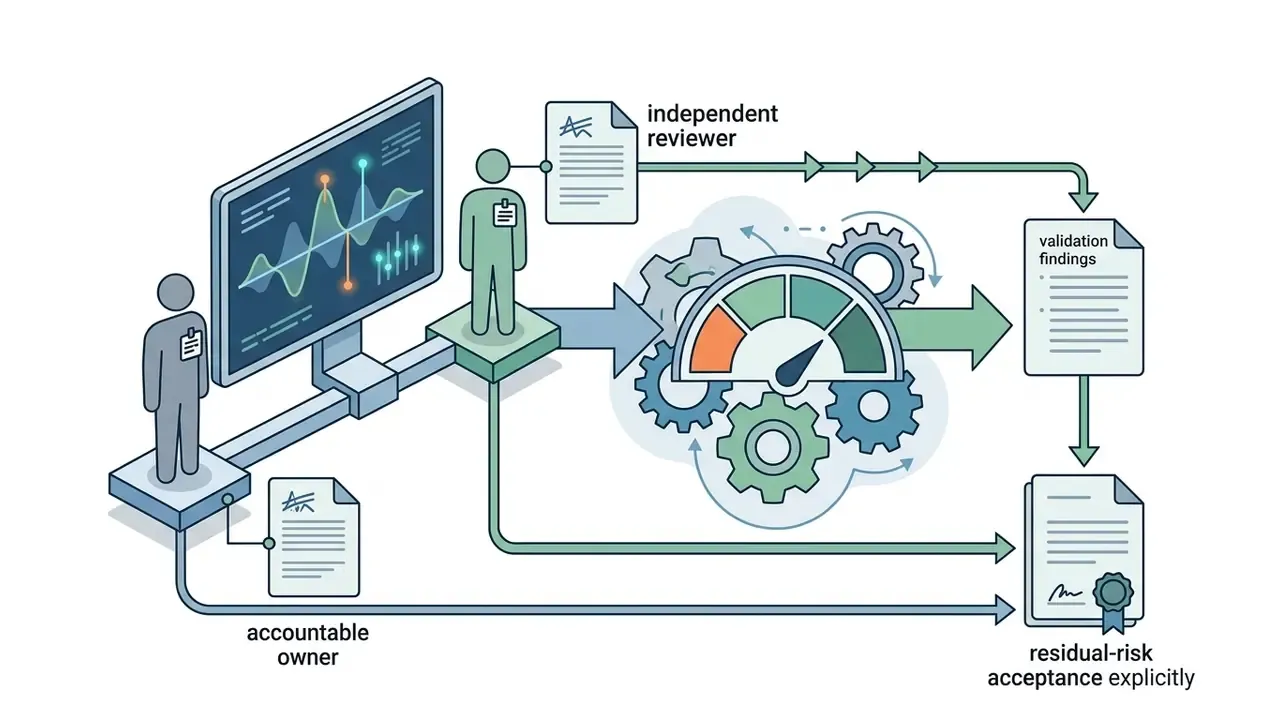
Model risk management for ASR tools, aligned to SR 11-7
In regulated institutions, a speech-to-text service that feeds surveillance, complaints handling, credit decisions or regulatory reporting behaves like a model. It produces outputs used in business decisions, and those outputs carry error. Supervisory expectations for model risk management (Federal Reserve SR 11-7, OCC 2011-12) and the NIST AI Risk Management Framework therefore apply, even when the tool is free and procured by one team on a Tuesday afternoon.
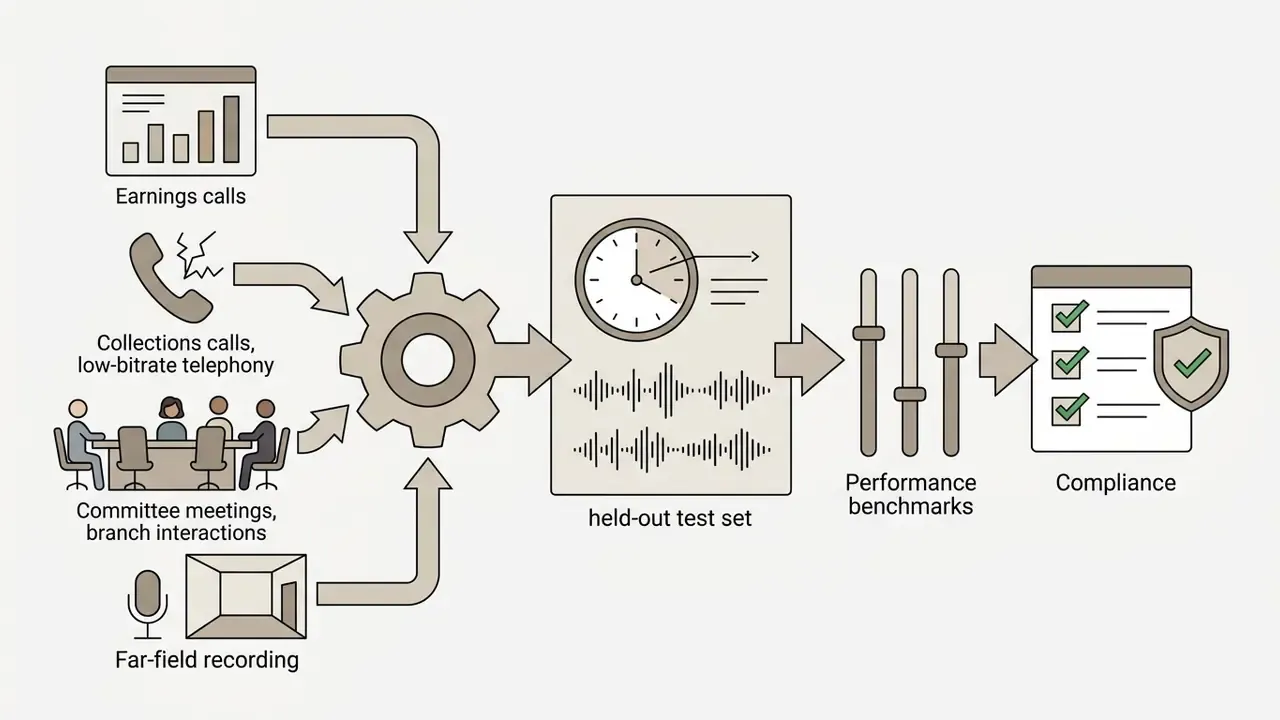
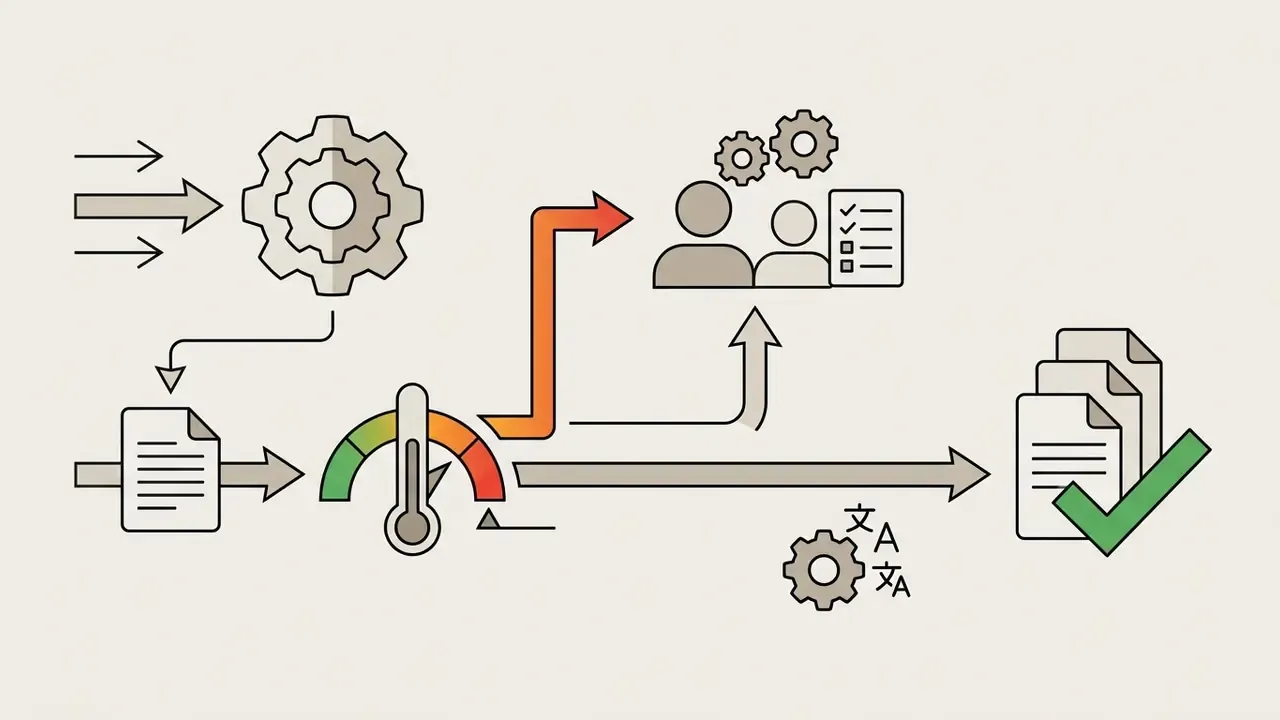
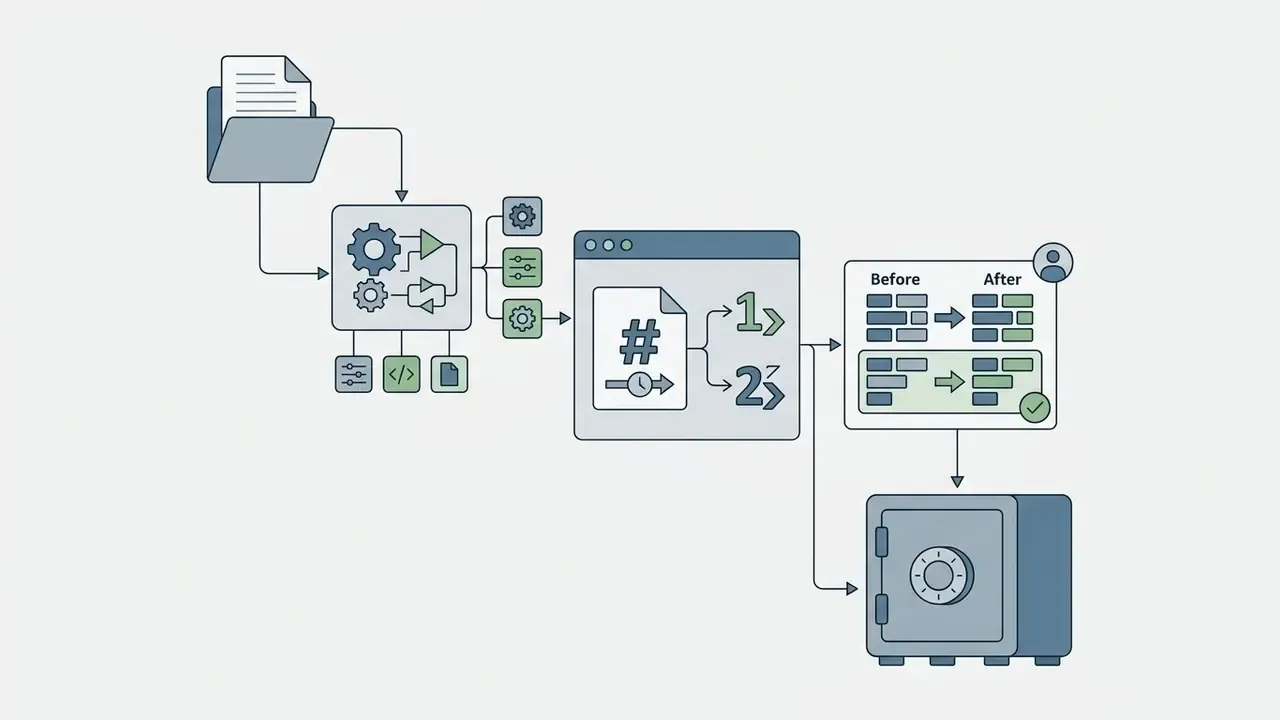
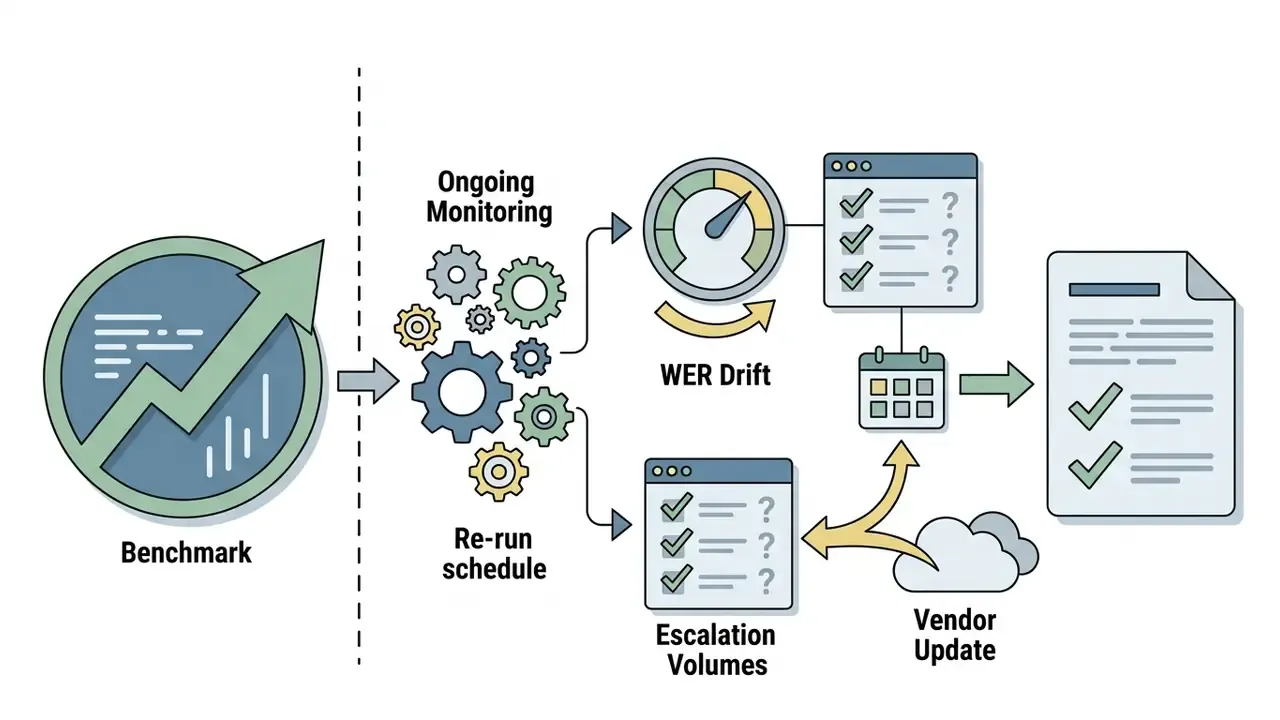
A practical validation sequence for an ASR service
High-stakes contexts to test explicitly: trader and dealing-room recordings (dense jargon, overlapping speech), collections and complaints calls (emotional speech, telephony bandwidth), earnings and investor calls (numbers and tickers where one substitution changes meaning), and risk or credit committee meetings (far-field audio, many speakers).
Two open questions remain honestly unresolved. First, no public benchmark yet measures hallucination rate on regulated financial audio specifically, so residual risk must be estimated from your own sample. Second, confidence scores are not calibrated probabilities, so threshold-based escalation needs local tuning before anyone treats it as a control.
For budgeting and API-cost modelling of these workflows, see our AI Media Pricing Guides and AI Media Calculators.
Transcript export formats: TXT, SRT, VTT and JSON
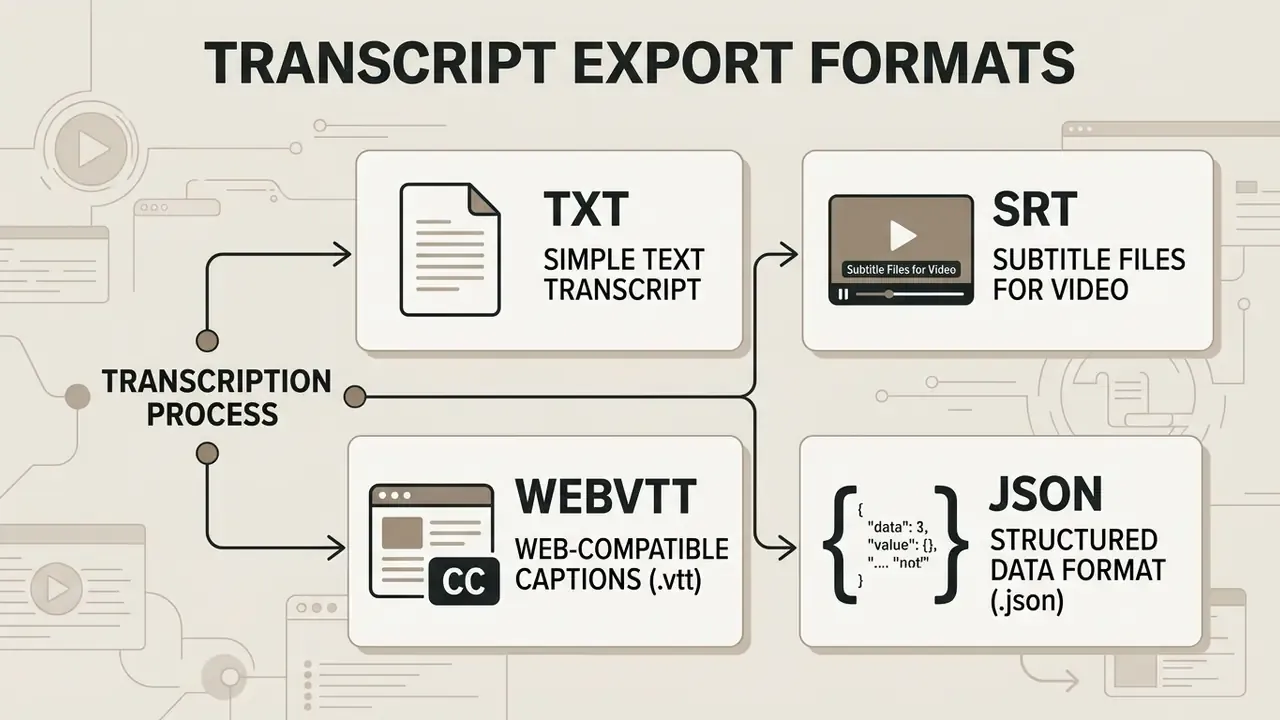
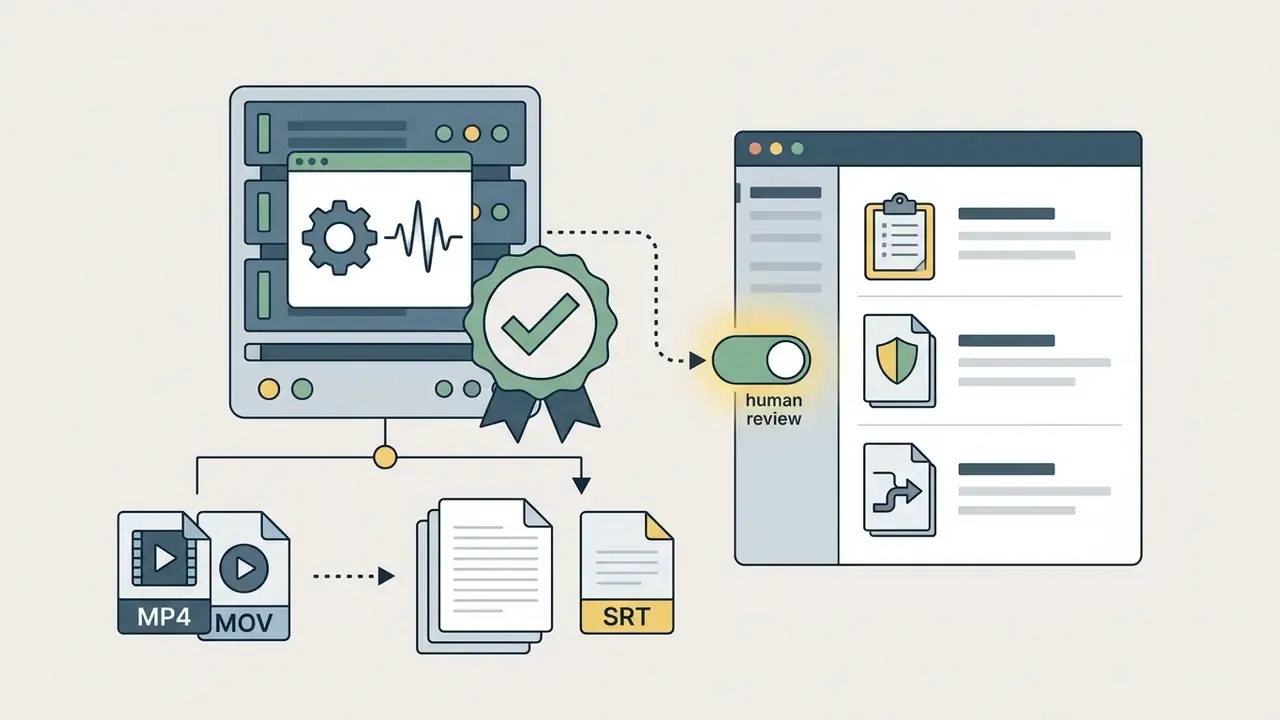
Export formats define how transcribed text is structured and integrated into downstream publishing software or video editing tools. Free video transcription tools online generally offer plain text exports alongside time-coded caption formats.
The choice comes down to one question: do you need readable prose, or time-synchronized blocks for captions? Plain text omits timing metadata; subtitle formats embed precise start and end timecodes.
Export a text transcript in TXT format
The TXT format exports raw, unformatted text without timecodes or media sync markers. Plain text files provide clean source material for meeting minutes, executive summaries, blog articles and study notes.
«Some punctuation marks, such as exclamation marks and semicolons, still require additional model improvement.»
Because TXT carries no proprietary styling markup, it opens in any word processor or text editor. You can copy, edit and repurpose the content into corporate knowledge bases or publishing systems. In minutes workflows the transcript is a source rather than a deliverable: decisions, owners, action items and adjournment details get extracted from the raw text into a structured record.
Create subtitle files in SRT format
SubRip Subtitle (SRT) files structure transcripts into timed blocks for video players, social platforms and editing software. Each SRT block includes a sequential counter, start and end timestamps, and one or two lines of caption text (Library of Congress, SubRip Subtitle format (SRT), 2023).
1
00:00:01,500 --> 00:00:04,200
Welcome to our quarterly financial overview.
2
00:00:04,500 --> 00:00:07,800
Today we will discuss our strategic growth roadmap.
SRT timecodes use the standard HH:MM:SS,mmm pattern with comma-separated milliseconds, and the separator is two hyphens plus a greater-than sign. Subtitle guidelines recommend roughly 37 to 42 characters per line and no more than two lines per subtitle frame for readability (3Play Media, How to Create an SRT File and Subtitling Guidelines, 2025). Professional style guidance also warns against paraphrasing: subtitles should stay close to the spoken audio rather than simplifying it.
Practically every desktop and web player supports SRT, which makes it the default for social platforms, LMS uploads and editing suites.
Developer and web formats: WebVTT and JSON
Beyond TXT and SRT, advanced video and product workflows need structured data:
00:00:01.500), the file opens with a WEBVTT header, and cues support positioning, alignment and styling such as bold, italics and colour, rendered natively in browsers.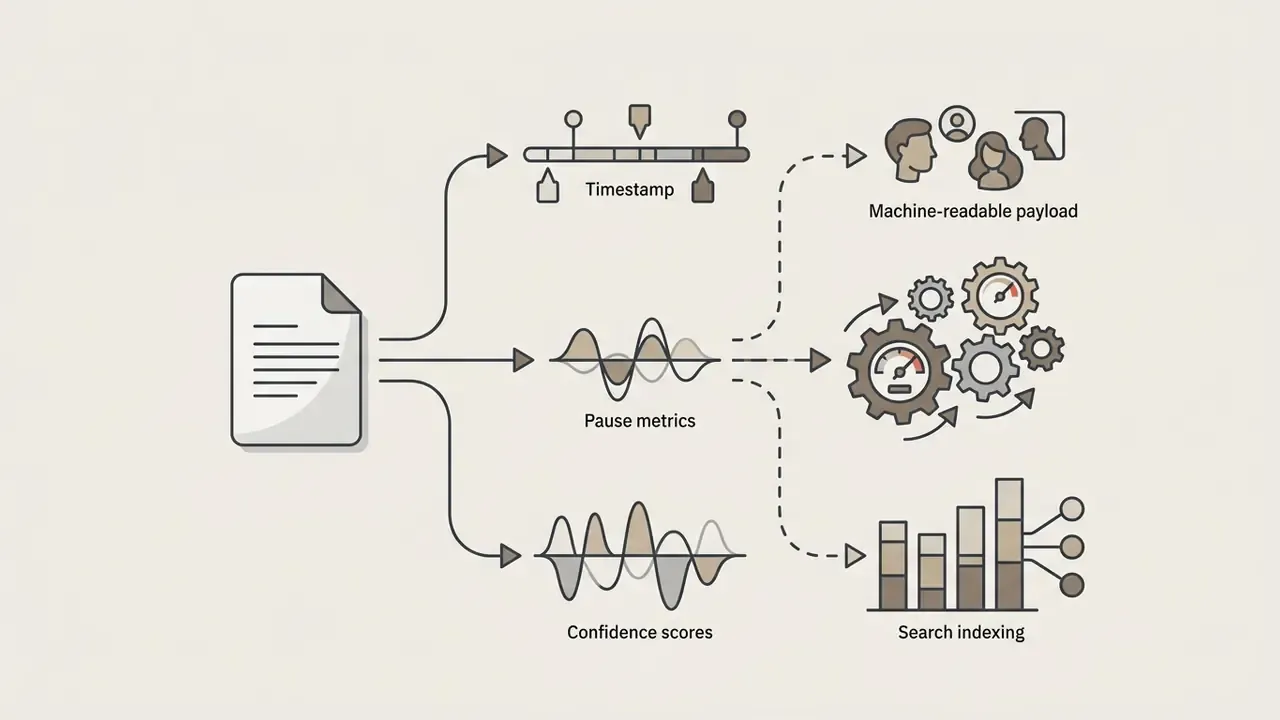
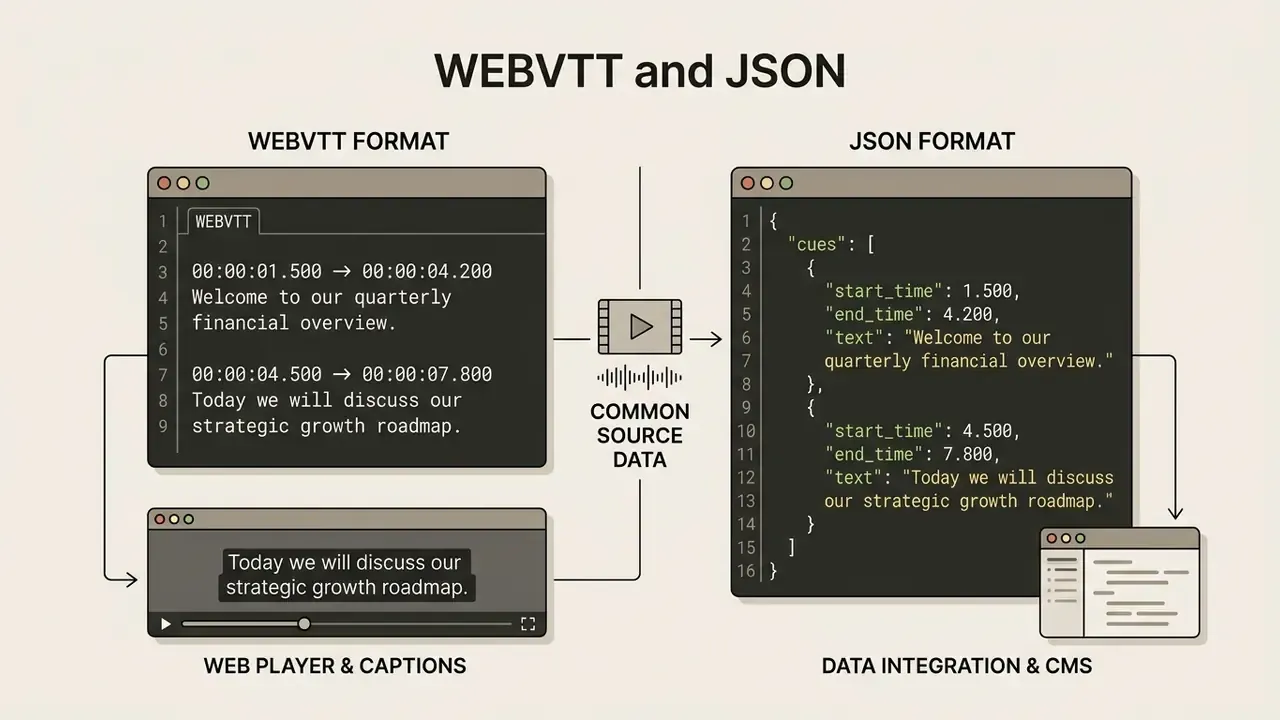
| Format | Timing data | Best used for | Typical consumer |
|---|---|---|---|
| TXT | None | Minutes, articles, notes, knowledge bases | Analysts, editors, writers |
| SRT | HH:MM:SS,mmm cues | Social captions, LMS video, editing suites | Marketing, education, post-production |
| WebVTT | HH:MM:SS.mmm cues plus styling | HTML5 players, accessibility compliance | Web and product teams |
| JSON | Word-level plus confidence | Search, analytics, redaction, API pipelines | Developers, data and compliance engineering |
For additional definitions on media tools and editing standards, consult our AI Media Glossary.
Is free online video transcription suitable for commercial use?
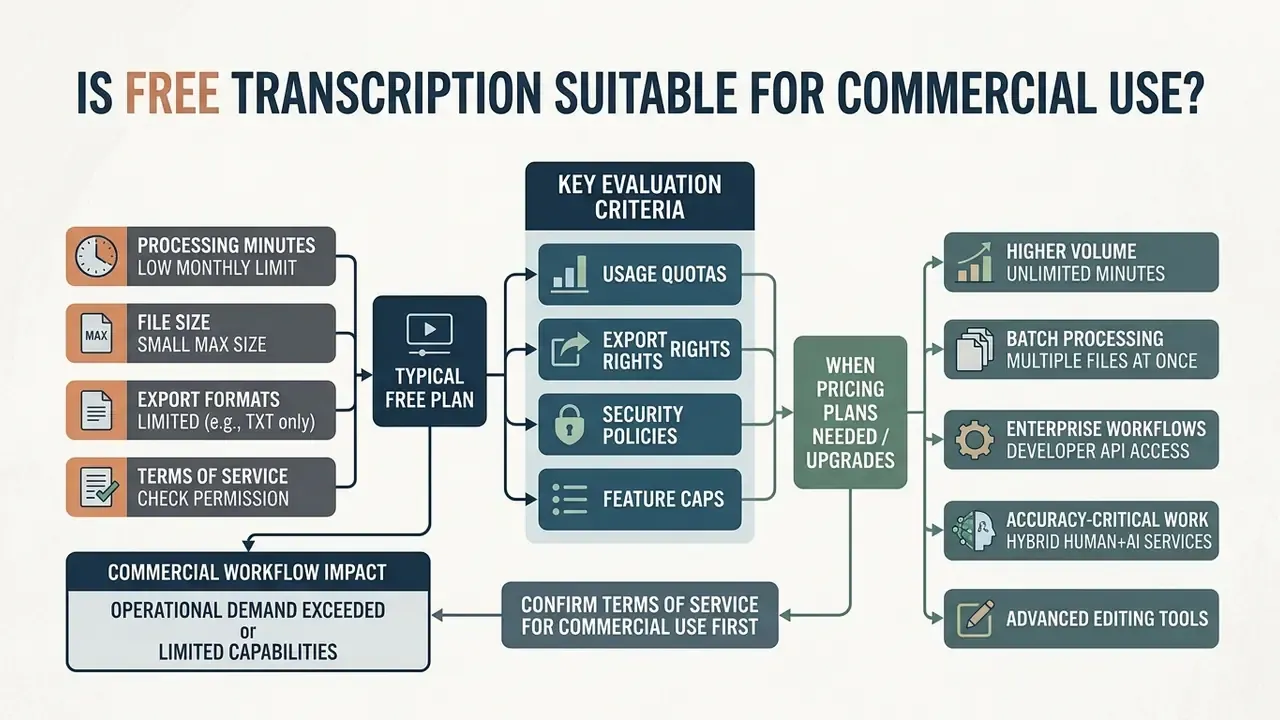
Evaluating free online video to text transcription services for commercial workflows means reviewing usage quotas, export rights, security policies and feature caps. Free plans suit light business tasks. High-volume enterprise operations usually need paid subscriptions. Teams assessing the broader legal picture around generated assets can also review our guidance on the commercial use of AI image generators, which follows the same licensing logic.
First, confirm whether the terms of service permit commercial use on the free tier. Free-plan licensing splits into distinct models. Some vendors restrict unpaid accounts to "personal, non-commercial use only" with hard caps, for example 60 total minutes and 30 minutes per block. Others explicitly permit commercial use inside a monthly quota, for example 1,000 minutes per month, then switch to paid pricing once the quota or free period expires. Cloud providers use a third pattern: a free tier valid for a fixed window, such as twelve months from the first transcription request, after which standard per-minute rates apply.
What to check in a free transcription plan
Free accounts typically limit monthly processing minutes, maximum file size and export formats. Published free-tier documentation in 2025-2026 clusters in a narrow band: about 10 hours of transcription per month with a 3-hour cap per live session on one API platform; three files per day at up to 30 minutes and 100 MB each, exporting TXT, SRT and VTT without watermarks on another; and three transcriptions per day at 30 minutes per file with TXT, DOCX, SRT and PDF export on a third. Video-first editors behave differently. One popular tool allows only a single non-watermarked video export per month.
| Feature or parameter | Free tier baseline | Paid subscription tier |
|---|---|---|
| Monthly minutes | 15 to 600 minutes per month | Expanded or unlimited volume |
| File duration cap | 10 to 30 minutes per file | Multi-hour continuous processing |
| File size cap | 100 MB to 5 GB per upload | Higher caps, chunked and resumable uploads |
| Export formats | TXT, basic SRT | Full export (TXT, SRT, VTT, JSON, DOCX, PDF) |
| Batch processing | Single file queue, often 3-5 tasks | Multi-file parallel batch upload, storage-container jobs |
| Speaker diarization | Often disabled or single-speaker output | Multi-track speaker labelling and re-attribution |
| Watermarks | Usually none on text or audio exports, possible on video exports | No watermarks on any media |
Enterprise-grade evaluation criteria, beyond consumer feature counts
| Requirement | Typical free tier | Enterprise or paid tier |
|---|---|---|
| Data retention | Undefined or vendor-controlled | Zero-retention or configurable, contractually guaranteed |
| Training on your data | Frequently permitted by terms | Contractual opt-out |
| Encryption | TLS in transit, at-rest unspecified | TLS 1.2+ and AES-256 at rest, documented KMS |
| Certifications | Rarely available | SOC 2 Type II, ISO 27001, pen-test summaries |
| Deployment isolation | Shared multi-tenant | Isolated VPC, private endpoint, on-prem or self-hosted model |
| Identity and access | Email login | SSO/SAML, SCIM provisioning, RBAC |
| Audit logging | None or minimal | Immutable, exportable audit trail |
| Accuracy commitments | None | SLA, priority processing tiers, support response targets |
| GRC integration | None | API hooks into DLP, eDiscovery, archiving and model inventory |
When benchmarking adjacent media tooling for the same programme, compare options in our overview of the best free AI video generators, and check whether an open source ai video generator free option can stay inside your own perimeter.
When pricing plans may be needed
Commercial teams upgrade when operational demand exceeds free quota ceilings or requires advanced capabilities. High-volume media production, automated API integrations, priority processing queues and multi-user workspaces all sit behind paid infrastructure. Priority processing is commonly enterprise-only, and some platform APIs require an active cloud subscription purely to configure billing and access control.
Enterprise workflows often need batch processing for hundreds of files at once through developer APIs. Organizations handling sensitive corporate data also need formal SLAs, retention guarantees and dedicated administrative controls. Where transcription supports creative production rather than compliance, teams often combine it with adjacent tooling such as an open source ai video generator, openart ai for concept visuals, and online photo editors inside the same approved-vendor perimeter.
Hybrid human-plus-AI services occupy a useful middle ground for accuracy-critical work:
«GoTranscript, using AI-assisted transcription, delivered over 99% accuracy in less than a day at a price below most human-only services.»
Who benefits from free video-to-text transcription tools
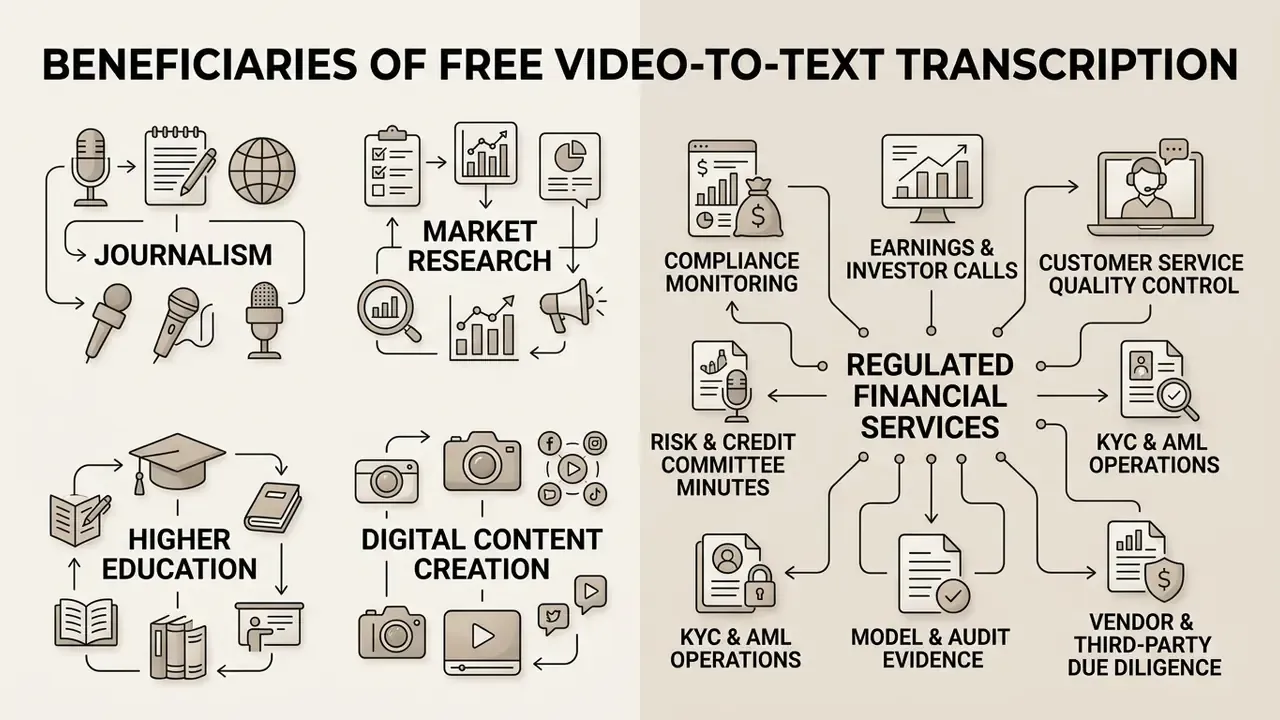
Free video-to-text transcription tools serve journalism, market research, higher education, digital content creation and, increasingly, regulated financial services. Converting voice tracks into searchable text accelerates research analysis and streamlines publishing pipelines.
Removing manual typing frees professionals for editorial synthesis, qualitative analysis and visual editing. Automated transcription turns passive media files into indexed knowledge assets, and content teams frequently pair it with online photo editors, stylised generators such as the openart studio ghibli filter, and captioning tools inside one production workflow. For the underlying platform overview, see openart.
Banking, fintech and regulated-industry scenarios
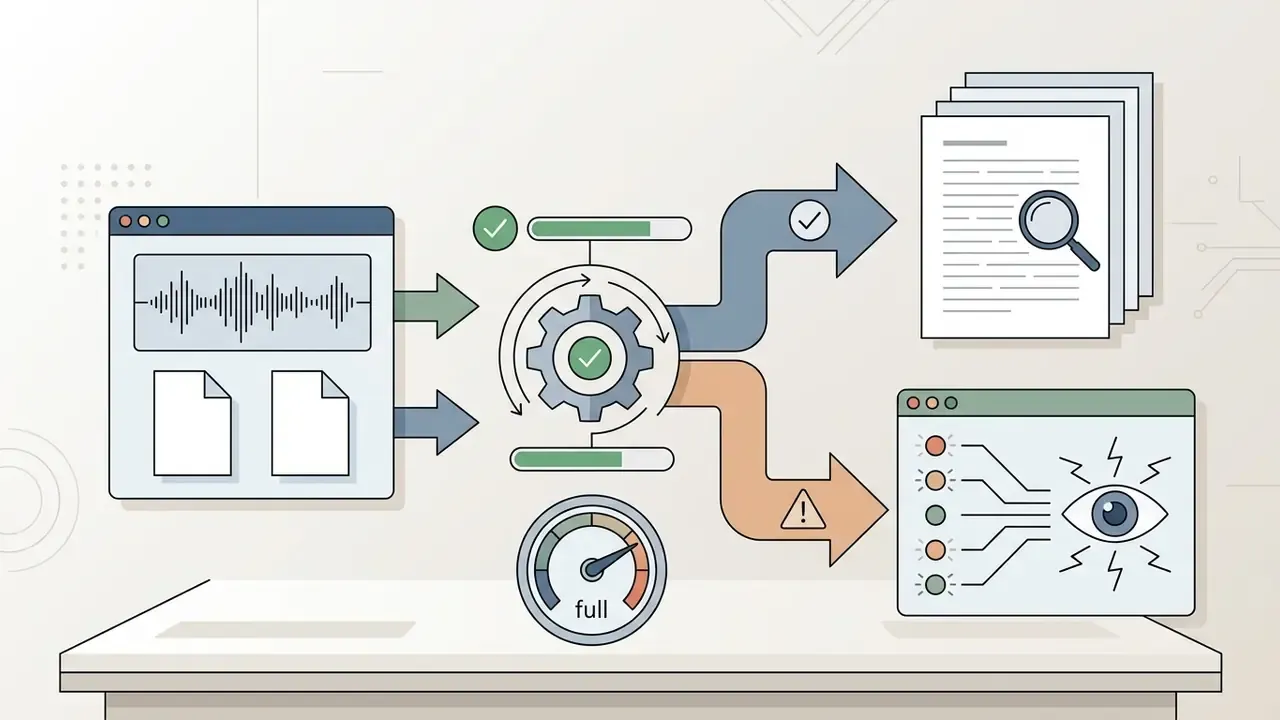
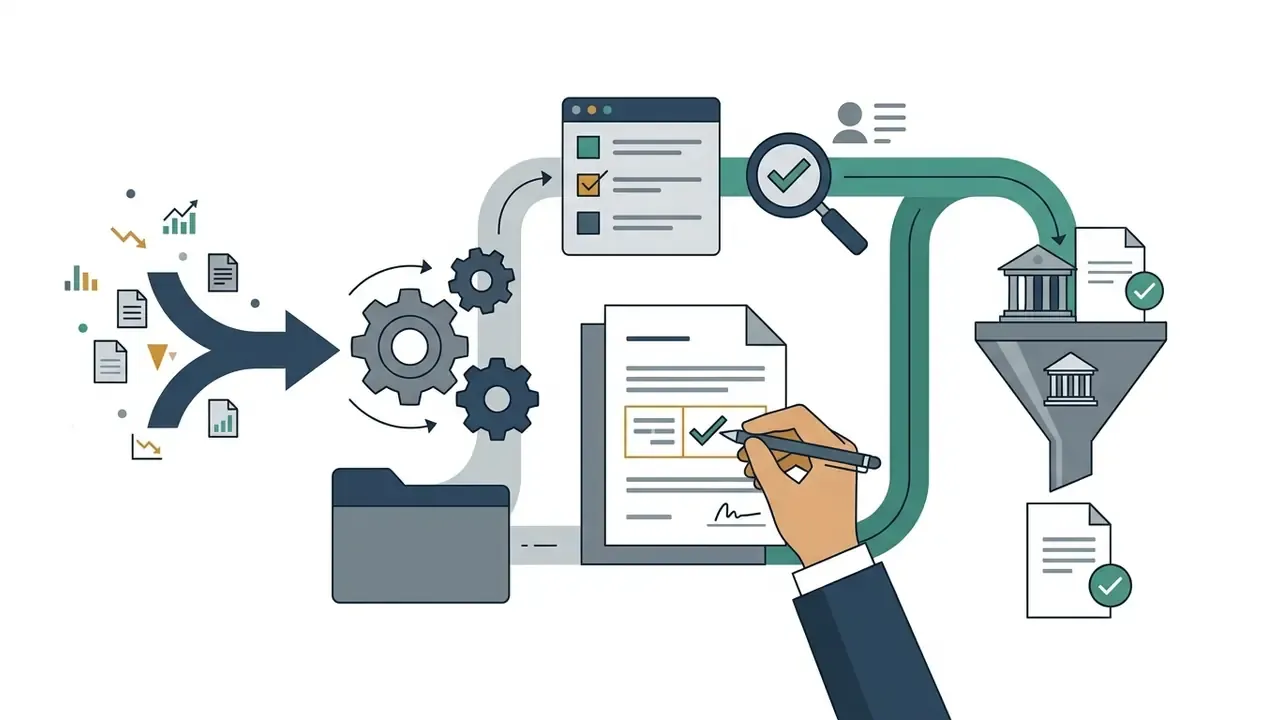
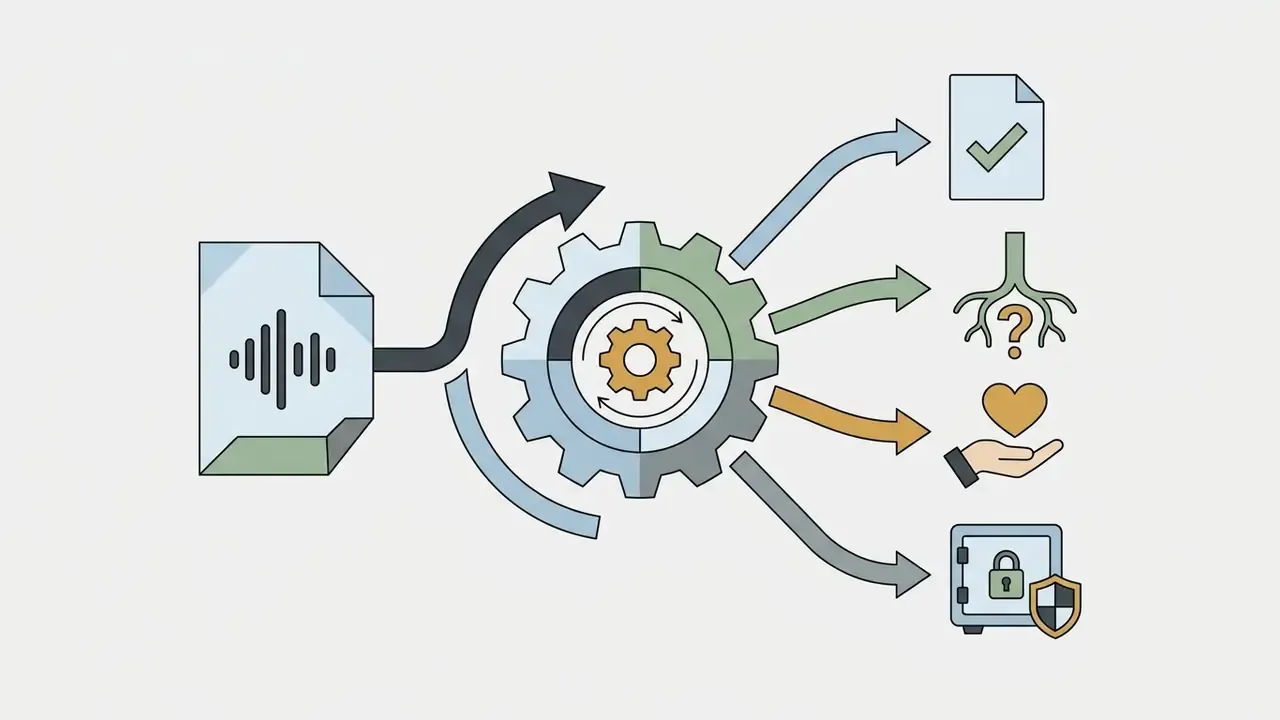
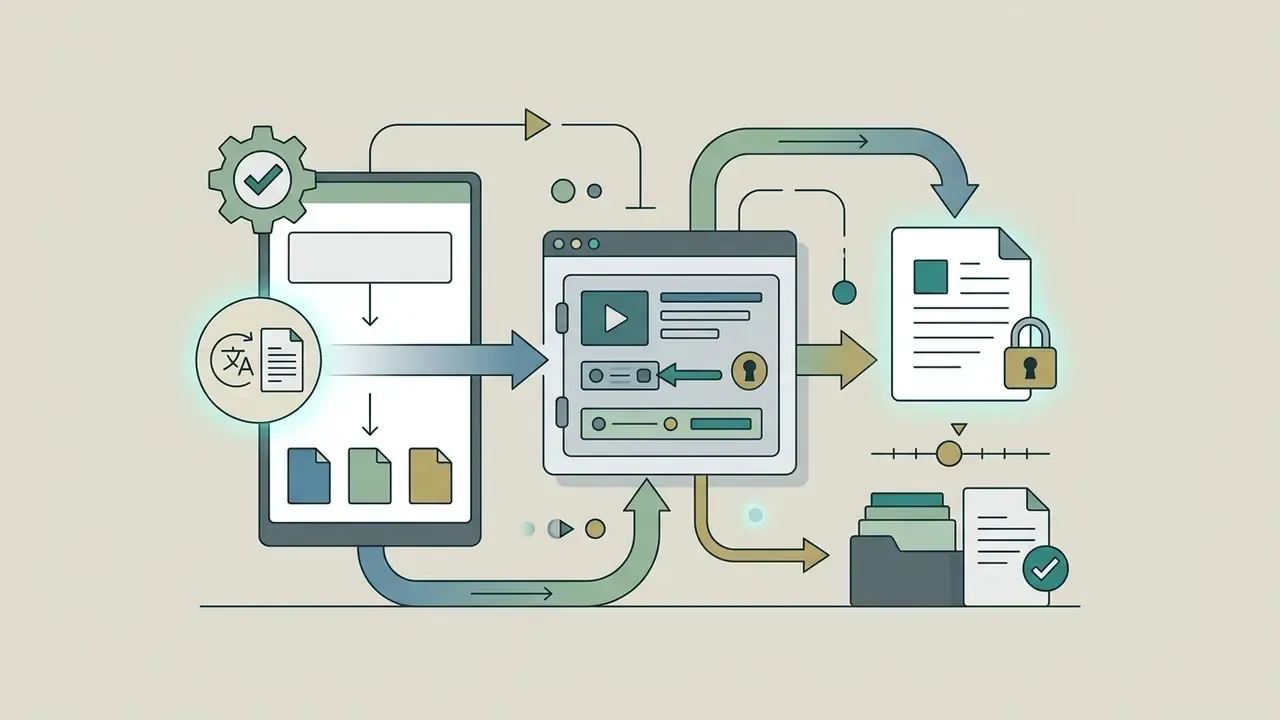
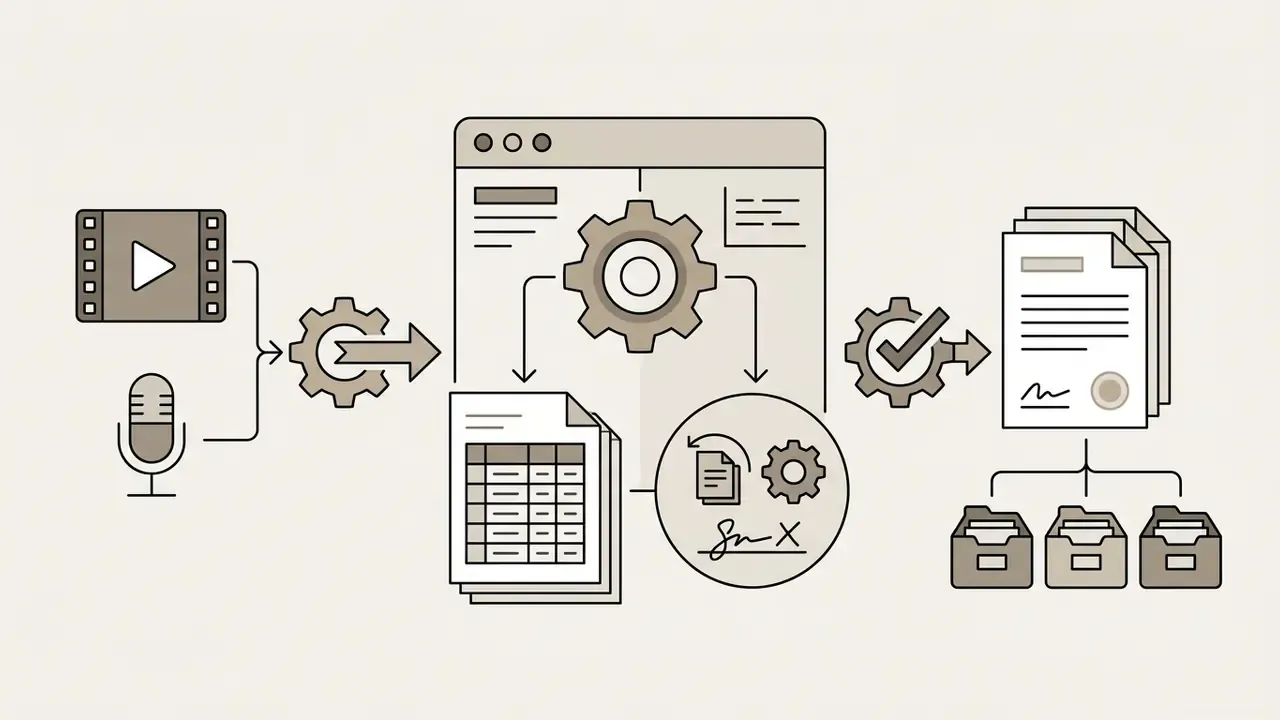
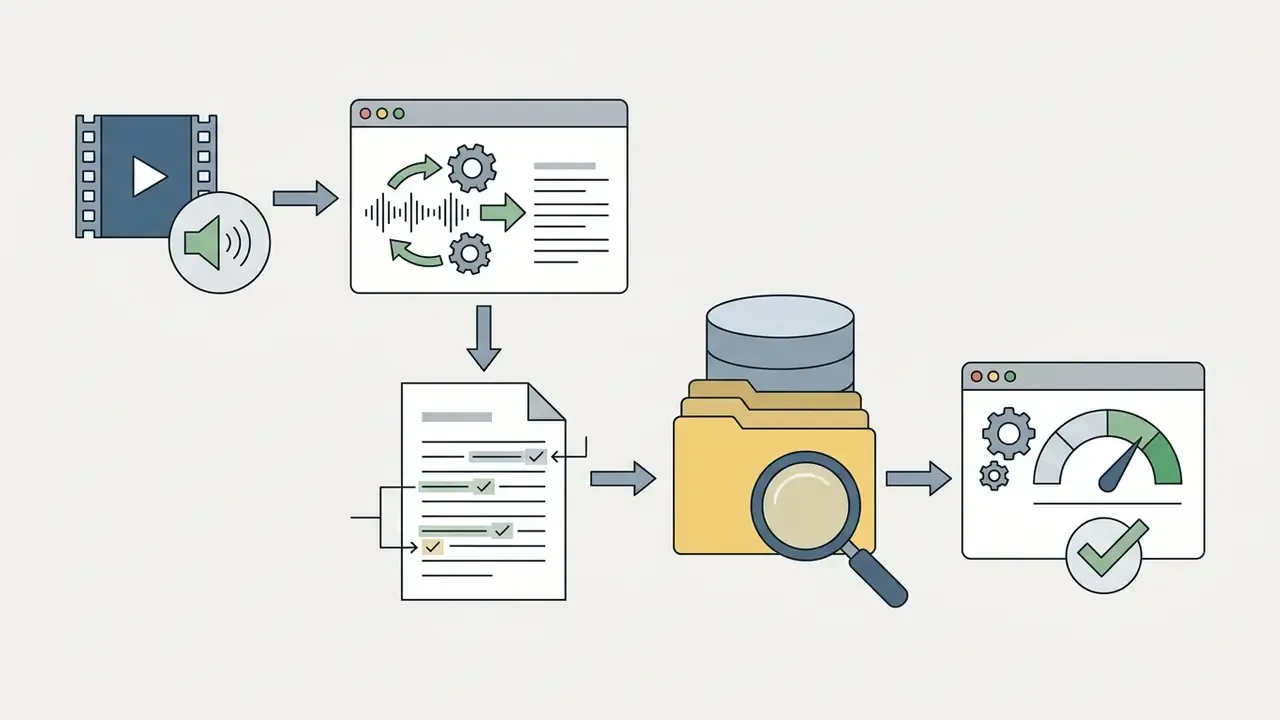
Transcribe interviews, recordings and audio files
Journalists, qualitative researchers and corporate teams use speech-to-text tools to convert recorded interviews into searchable documents. Full text transcripts simplify quote extraction, thematic coding and minutes generation.
Accuracy in education and interview settings is measurable, and it varies sharply by language and speaker profile.
«Amazon's WER was 6.1% on English lectures, 7.1% on ESL lectures and 18.0% on German lectures.»
Corporate minutes require extracting key decisions, owner assignments and action items from recorded discussions. Automated transcripts give administrators a complete baseline text, so summaries come together in minutes rather than hours. Interview research adds one capture requirement no model can compensate for: record in a quiet room, with the microphone close enough to capture speech clearly. Input quality dominates output quality. Always.
For teams that need to trim, caption or republish the underlying footage after review, see our workflow guide to YouTube video editors.
Turn video content into text and subtitles
Content creators and video marketers convert dialogue into written articles, social captions and subtitles. Repurposing transcripts into blog posts extends reach and improves search discoverability.
Adding SRT subtitles to social videos lifts engagement, since many people watch with sound muted in public.
«Students using auto-generated subtitles achieved higher content-comprehension scores than the group without subtitles.»
Reusing transcripts across several text formats maximizes content return on investment. A repeatable method: transcribe the video, extract the core thesis and quotable lines, derive the article or post from the structured summary, then generate captions from the same transcript with timing intact. Accessibility rules apply to the output too. Section 508 requires transcripts in a conformant format, made available in the same place as the original content. Production teams typically close the loop with free video editing software or a video compressor before publishing.
To compare media generation tools across performance parameters, visit our AI Media Comparison Matrices.
FAQ: free online video transcription
Short answers to the technical, operational and governance questions that come up before files get uploaded.
Can I transcribe downloaded files, YouTube videos and multiple uploads?
Yes. A free video transcription tool online free of charge can handle downloaded video files stored on your device, provided they match supported file formats such as MP4 or MOV. Local files process through the standard browser upload pipeline.
Direct URL transcription is now standard rather than exceptional. Many services accept a pasted YouTube, TikTok, Instagram, Facebook or X link and fetch the audio stream server-side; documented implementations also accept video IDs, playlists, channel feeds and comma-separated batches. Where a tool lacks link ingestion, the fallback is downloading the media locally and uploading the file. Access to private, unlisted or authenticated content requires an official integration, not a public URL.
Batch processing multiple files at once is usually limited on free tiers, where queues of three to five concurrent tasks are common. Documented enterprise pipelines run far larger: cloud batch transcription accepts multiple files per request or an entire storage-container URI, and some APIs advertise submission of up to 3,000 videos in a single request depending on plan.
Are Zoom, Microsoft Teams and Google Meet webinar recordings supported?
Yes. Meeting platforms export recordings as MP4 video or M4A/MP3 audio, all standard transcription inputs. Two paths exist: download the recording and upload the file, or paste the cloud recording link so the service fetches the audio directly. Two caveats matter. Speaker separation depends on how the meeting was recorded, and a single mixed track will usually be attributed to one speaker. Meeting recordings also often contain confidential or personal information, so clear the security and retention checklist in the data security section before any internal recording leaves your environment.
Can I edit the actual video file through the text transcript?
Yes, in tools that implement text-based editing. The transcript is synchronized with the media timeline, so deleting a word, sentence or paragraph in the text removes the corresponding frames from the video, and the edit persists on export. That is how filler-word removal, rough cuts and clip extraction happen without opening a waveform editor. Free tiers commonly restrict this to text-only correction, reserving synchronized editing, automatic captions and "correct everywhere" term replacement for paid plans.
How accurate is speaker detection, and why does it sometimes fail?
Speaker detection labels turns based on acoustic separation. When each participant is recorded on a dedicated track, attribution approaches 99%. When several people share one microphone, or a file arrives as a single mixed track, overlapping speech masks vocal characteristics and accuracy typically falls by 20-30%. Some free tiers assign all text to one speaker. Plan multi-track capture whenever attribution has evidentiary or minute-taking value.
Is it safe to use a free transcription service for confidential recordings?
Not by default. Free consumer services vary widely in retention, subprocessor use and model-training terms, and marketing claims are not controls. For confidential, personal or regulated audio, require written zero-retention or bounded-retention terms, a training opt-out, encryption in transit and at rest, SOC 2 Type II evidence, SSO and audit logging. Or run a self-hosted model inside your own environment. Absent those, policy should prohibit uploads of protected data.
How long does transcription take?
Faster than real time, normally. GPU-backed paid queues commonly return a one-hour recording in roughly five minutes, and a one-hour video is often transcribed in 10-15 minutes on consumer services. Anonymous free queues can run longer than the media duration during peak load, and batch jobs are asynchronous by design.
For technical documentation on media developer APIs, review our AI Media API Guides. For legal considerations around AI media generation and intellectual property, see our updates on AI Litigation and Case Timelines. For implementation help and escalation paths, visit AI Media Support.
Key takeaways
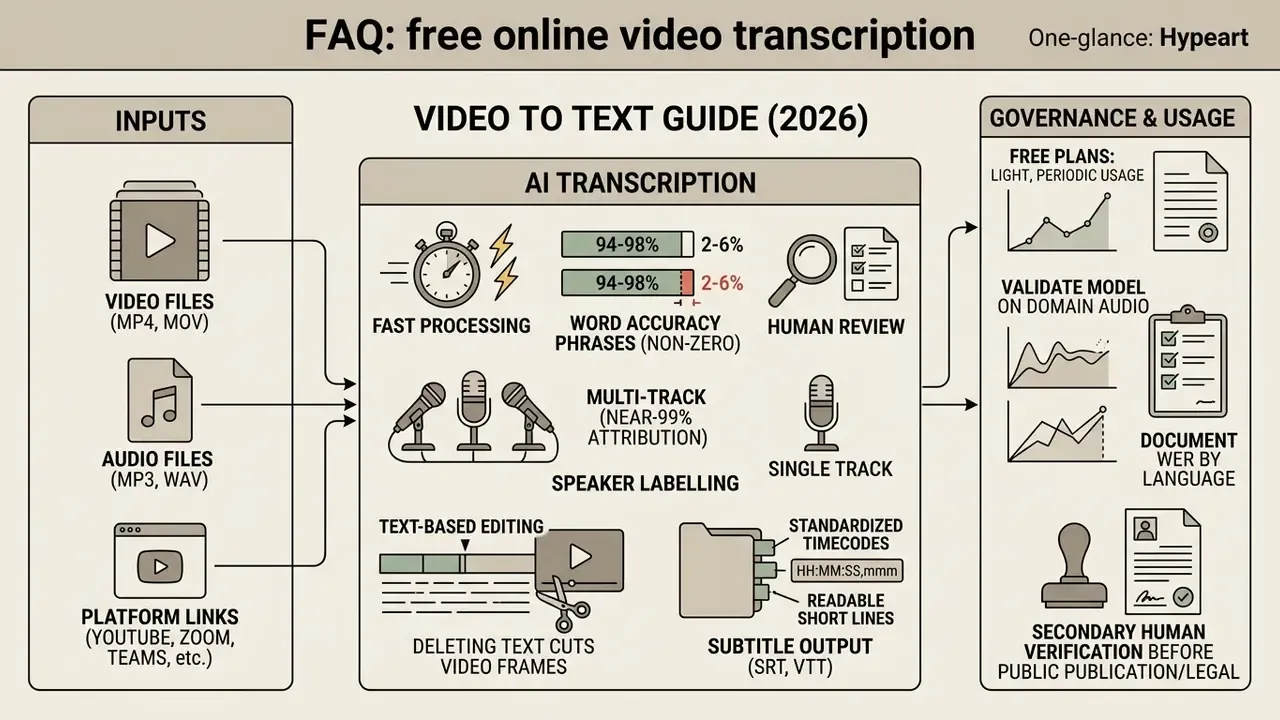
Appendix A: source updates and evaluation checklist
A.1 Superseded and strengthened citations. Earlier versions of this guide referenced several sources without numeric detail or verifiable URLs. Each is retained here for transparency and replaced in the body text with a verifiable source: ASR Leaderboard Benchmark, 2026 became ASR Leaderboard, arXiv (https://arxiv.org/abs/2503.09738); Wirecutter Review, 2026 became the Wirecutter transcription services review with URL and accuracy figures; IBM Cloud Speech Documentation, 2026 became BIGOS normalization findings, arXiv, with vendor documentation retained only as descriptive context; AssemblyAI Benchmarks, 2026 became AA-WER v2.0, Artificial Analysis; BIGOS Benchmark, 2024 now carries a full citation with URL and median WER values; NOTSOFAR Challenge, 2024 became the Interspeech paper with dataset scope; ML-SUPERB 2.0 Benchmark, 2024 became the Interspeech paper covering 143 languages; Harvard Library Research Guides, 2026 became the ACM TACCESS lecture WER study. Statements previously attributed to Maryland AI Case Studies, 2026, Azure Speech Documentation, 2026 and Gladia and TurboScribe Pricing Summaries, 2026 have been reformulated as described capabilities and published plan limits, and are flagged in the text as requiring verification against each vendor's current terms at time of purchase.
A.2 Pre-publication and pre-approval checklist
Navigation and resources: AI Media Glossary | Pricing Guides | Media Calculators | API Guides | Support. Explore the wider set of technical guides, cost models and platform documentation before you approve a vendor.
- Link-based ingestion documented for YouTube, TikTok, Instagram, Zoom, Teams and Meet.
- Speaker section distinguishes single mixed track from multi-track capture with quantified degradation.
- Text-based video editing explained, including the fact that deleting text removes corresponding frames.
- Export section specifies TXT, SRT, WebVTT and JSON with use cases and timestamp syntax.
- Language WER table separates clean and conversational speech.
- All research citations carry publication name, year and URL.
- Media processing and controlled-pipeline diagram placeholders render with descriptive captions and alt text.
- Free-tier table notes watermark behaviour and file-size caps.
- FAQ answers text-based video editing and Zoom or Meet webinar support.
- All SRT and VTT samples conform to
HH:MM:SS,mmmandHH:MM:SS.mmmrespectively. - Line-length guidance (37-42 characters, maximum two lines) cited to 3Play Media subtitling guidance.
- Security, retention, training-opt-out and audit-logging criteria present for regulated use.
- Model risk validation sequence mapped to SR 11-7 and NIST AI RMF expectations.
- Internal links resolve to relevant, topically matched resources.