Executive Summary
- What it does the openart studio ghibli filter is an image-to-image style-transfer tool that repaints uploaded photos as hand-painted, Ghibli-inspired anime art while preserving composition, facial proportions and camera angle.
- Speed and formats browser-based processing typically returns several variants within seconds; uploads accept JPEG, PNG, WebP and HEIC (iPhone Live Photos) across iOS, Android, macOS and Windows.
- Cost freemium credits for testing; paid tiers run from roughly $14/mo to $240/mo. One standard image ≈ 1 credit, one animated clip ≈ 80 credits.
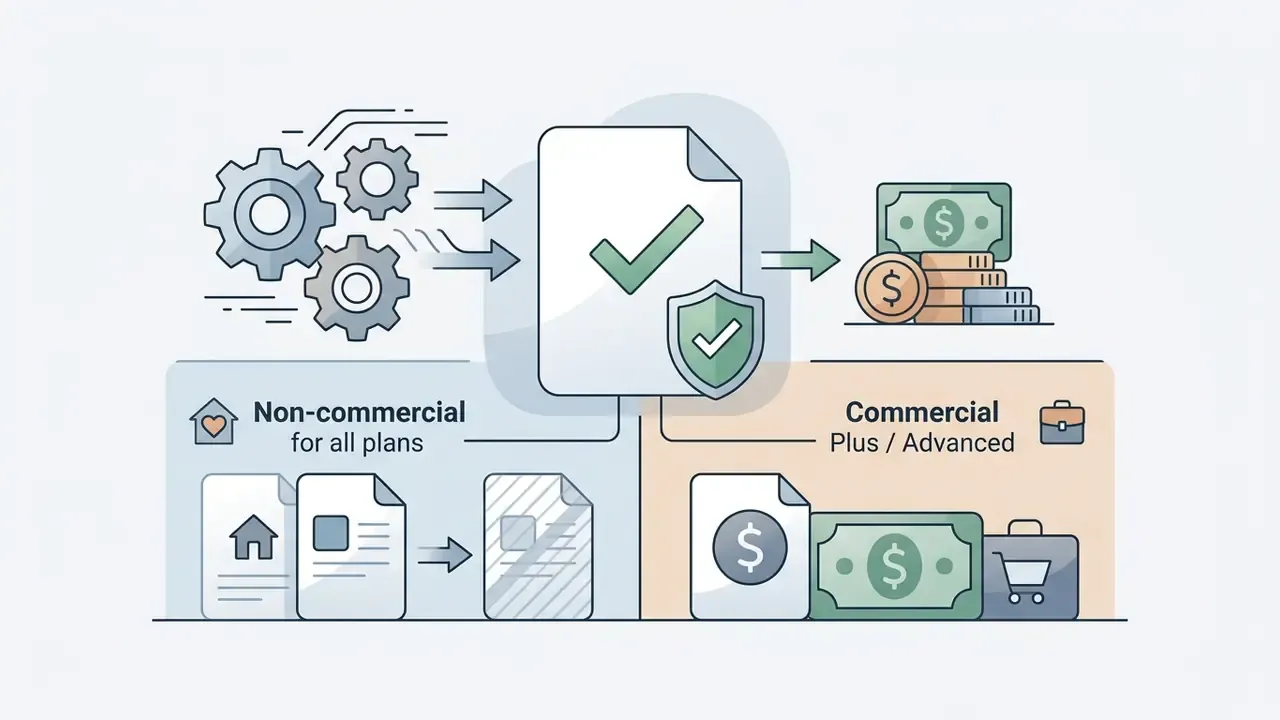
- Commercial rights granted on Plus / Advanced tiers and above. Free and entry-level users are limited to personal, non-commercial use.
- Legal reality the U.S. Copyright Office holds that purely AI-generated output without meaningful human authorship is not copyrightable. A platform licence and copyright ownership are two different things.
One line to remember: the filter grants you permission to publish, not authorship.
What Is the OpenArt Studio Ghibli Filter and What Images Does It Create
OpenArt Studio Ghibli Filter is an AI-driven style-transfer tool designed to convert uploaded photographs into hand-painted anime artwork inspired by classic Studio Ghibli aesthetics. The platform applies generative neural networks to re-render portraits, pets and landscapes with soft pastel palettes, painterly lighting and expressive character features, while preserving the geometry of the original composition.
Enterprise teams and creative operators evaluate the openart studio ghibli filter to turn standard raster images into cinematic assets. The system operates as part of the broader OpenArt creator studio, which aggregates over 100 premium generative models behind a unified browser interface. If you are new to this category of tooling, our overview of AI art generators explains how multi-model studios differ from single-model apps. Under the hood, OpenArt orchestrates architectures such as Seedream 5.0, GPT Image 2, Nano Banana Pro and Recraft V4 to map photographic inputs into stylized outputs.
Before / after: what actually changes in the frame
- Portrait.A high-resolution selfie becomes a character with softened facial contours, expressive eyes and watercolor-blended skin tones; hairline, glasses and head angle remain recognizable.
- Pet.A dog photographed on a living-room rug is relocated into a fantasy animated frame: fur texture is smoothed into brush strokes, and the background dissolves into painterly bokeh.
- Landscape.A city street is rebuilt as a detailed scene with warm golden light, cumulus cloud banks and pastel green tones, while building geometry and street perspective stay intact.
That structural fidelity is the practical difference between a generative filter and a static overlay effect. The pixels are repainted, but the layout stays anchored.
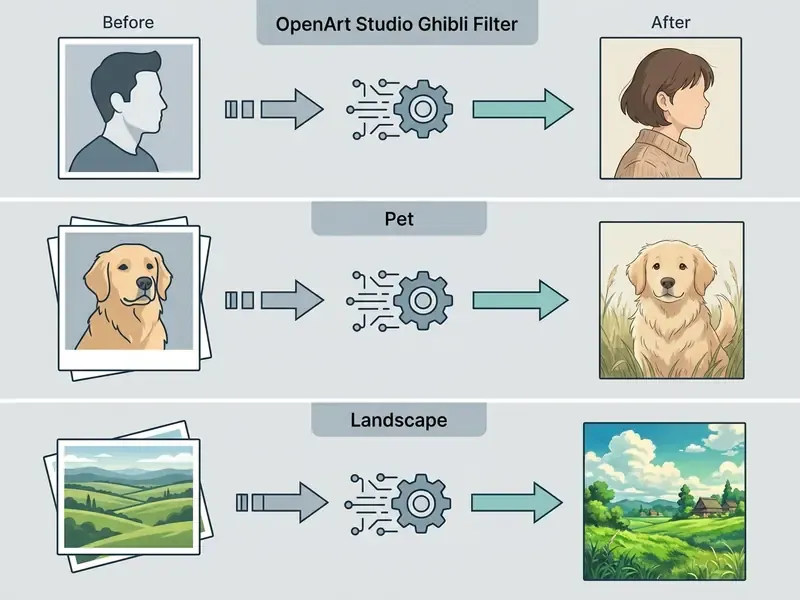
Photo Filter vs. AI Studio Ghibli Generator: What's the Difference
The primary distinction between the openart ghibli filter and the openart studio ghibli generator lies in the input control structure. The photo filter relies on image-to-image stylization anchored by an uploaded source image, whereas the generator works through pure text-to-image synthesis from a blank canvas.
In an image-to-image workflow, the openart ai ghibli engine preserves structural layout, facial proportions and camera angles while repainting textures and line work. Readers evaluating adjacent tooling can compare behaviour across image-to-image and outpainting engines, where source-anchored generation follows the same logic. The openart studio ghibli ai generator, by contrast, invents entirely novel compositions from user prompts alone, offering full narrative flexibility at the expense of precise real-world likeness.
| Criterion | Ghibli Filter (image-to-image) | Ghibli Generator (text-to-image) |
|---|---|---|
| Input | Uploaded photo + short prompt | Prompt only (optional reference) |
| Composition control | High: layout and proportions preserved | Low: the model invents framing |
| Likeness retention | Strong at creativity 0.4–0.6 | Not applicable |
| Best for | Portraits, PFPs, pets, travel photos | Original characters, wallpapers, scene concepts |
| Failure mode | Over-stylization at high creativity | Loss of intended subject identity |
Which one should you pick? If a real person has to stay recognizable, use the filter. If the brief is "invent a village at dusk", the generator wins.
Which Visual Markers Define the Ghibli Style
The signature Ghibli style visual markers combine hand-painted gouache or watercolor backgrounds with restrained character linework and atmospheric natural lighting. Generative models learn these distribution traits by analyzing curated animation frames and mapping real-world pixel inputs to soft, painterly equivalents.
«Photo-to-anime models train on unpaired datasets of roughly 6,656 real photographs and about 1,700 anime frames, preserving object semantics while replacing surface textures.»
How to Use the OpenArt Studio Ghibli Filter to Transform Photos
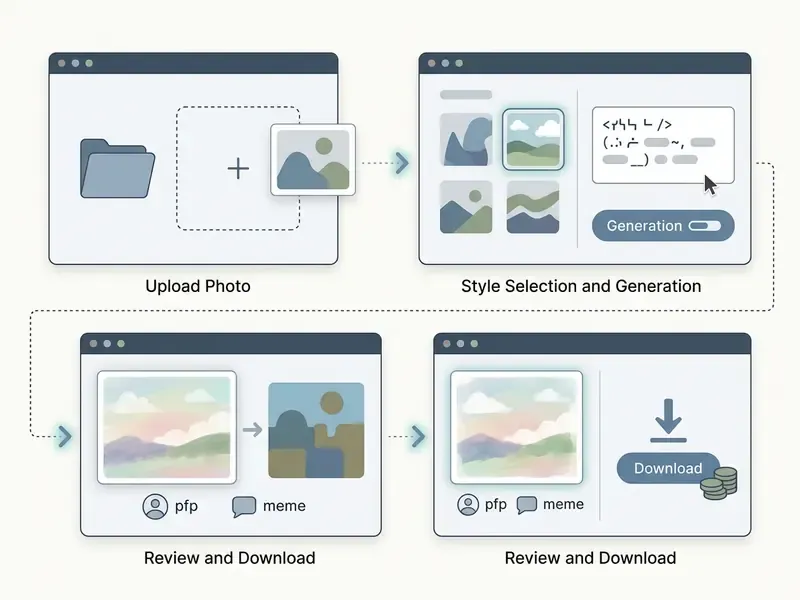
Converting a standard photograph into Ghibli-style artwork on OpenArt requires a three-step web-based workflow: upload, style configuration, output generation. No local software install is needed, since processing executes on cloud infrastructure in a few seconds.
Interface walkthrough (three screens you will actually see):
- Upload screena drag-and-drop zone with the accepted format list and a "Replace" control for swapping the source file.
- Style panelthe Studio Ghibli preset, a short prompt field, the Creativity slider and the number-of-variants selector.
- Results gallerya grid of candidate outputs with Download, Upscale and Animate / Motion buttons.
Uploading the Source Photo in OpenArt
Open the openart studio ghibli filter upload photo interface and drag your target image into the upload box. The platform accepts all mainstream raster and mobile formats, including JPEG, PNG, WebP and HEIC (iPhone Live Photos), with no manual conversion step. Because the tool runs entirely in the browser, the same workflow is available on iOS, Android, macOS and Windows without installing a separate app.
For optimal structural retention during style transfer, upload clean, high-resolution source files. The platform handles various aspect ratios, but starting with well-lit images prevents neural artifacts during the openart studio ghibli filter convert photo pipeline.
«Sharp focus, balanced exposure, and an uncluttered background are the decisive conditions for faithful style transfer.»
Choosing the Model and Configuring Ghibli Style
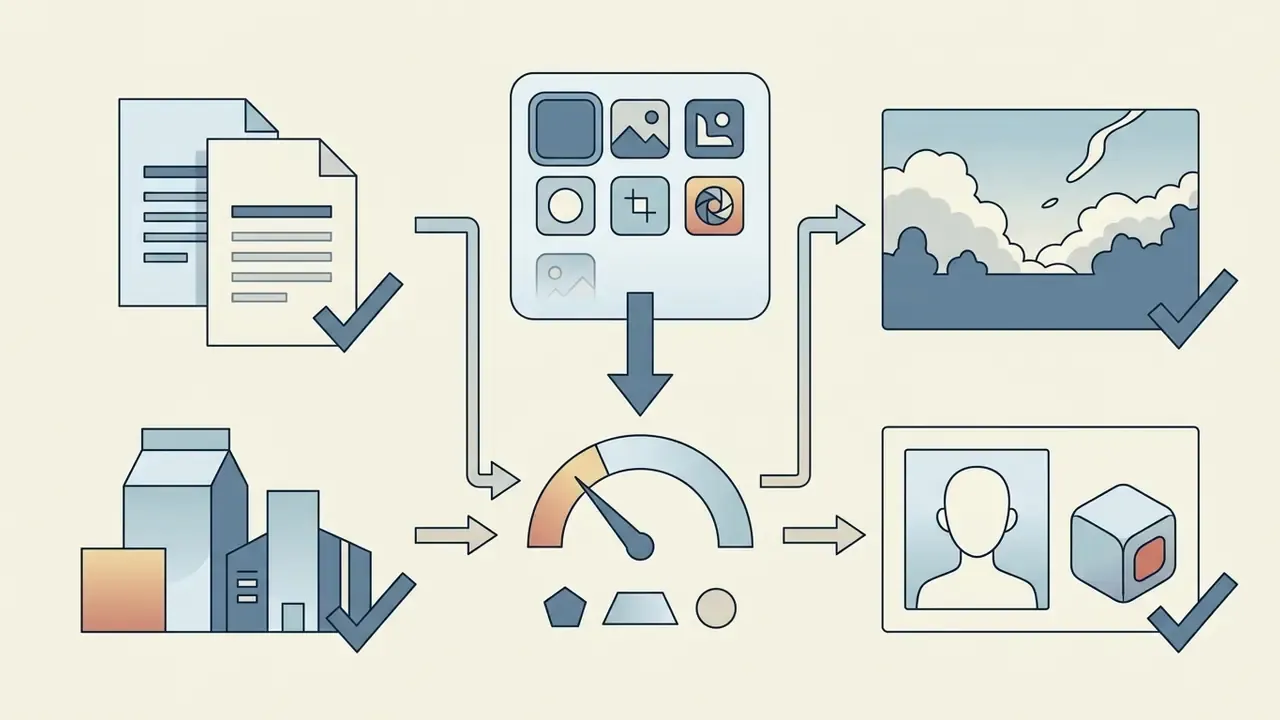
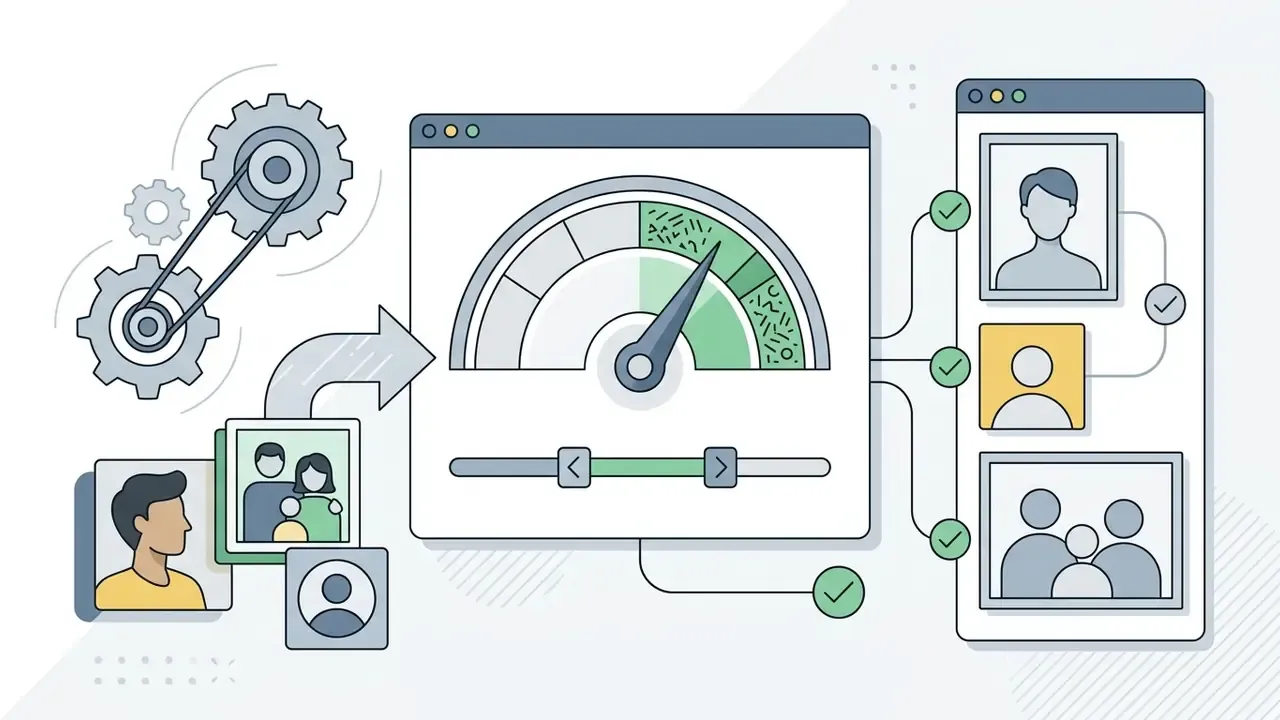
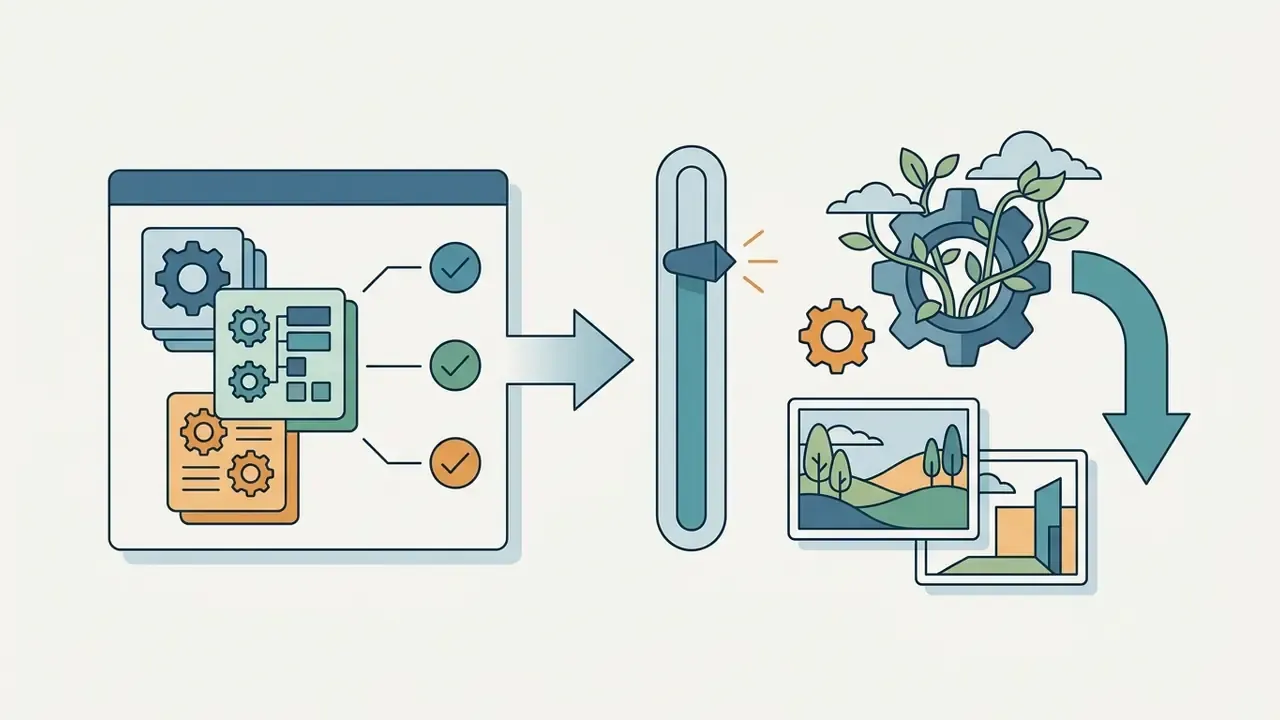
Once the source file loads, select the Ghibli style preset and adjust the creativity slider to define transformation intensity. A lower creativity setting keeps the output strictly aligned with the original photo contours; a higher setting lets the model re-interpret backgrounds and character features.
Practical starting values:
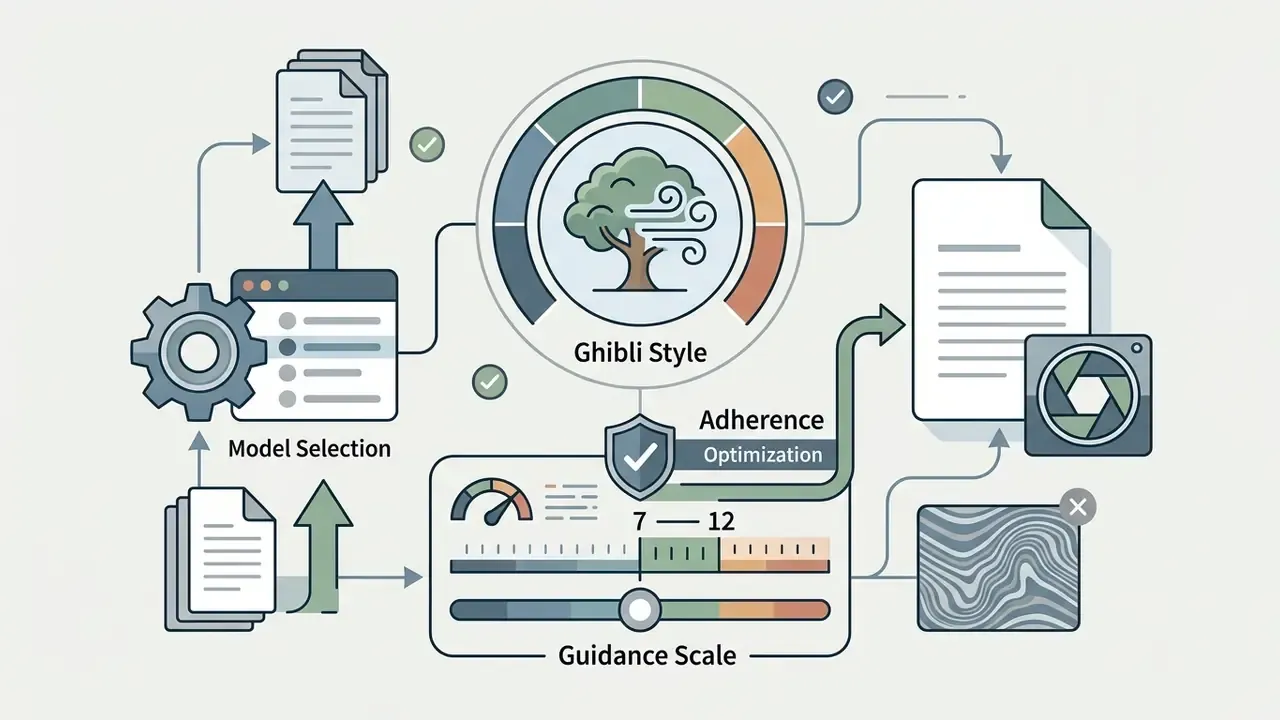
You can also enter a concise text description to guide mood, colour palette and lighting. Keep instructions focused on broad stylistic cues, for example "sunset light in a quiet village", to prevent prompt conflict during processing. Stacking six competing adjectives rarely helps. Actually, in our testing it usually hurt: the model averages contradictions rather than resolving them.
Anti-examples, what not to upload: motion-blurred phone shots, hard on-camera flash with blown highlights, backlit silhouettes where the face sits in shadow, screenshots with heavy JPEG blocking, group photos where each face occupies fewer than ~120 pixels, and images with dense text overlays.
Generating, Reviewing, and Downloading the Image
Animating: Creating a Ghibli Video from a Photo
Beyond static stylization, the platform can animate a finished frame into a 3–5 second clip with gentle camera and element motion: foliage moving in wind, drifting clouds, a character blinking.
- Generate and select your final Ghibli-style image.
- Press "Animate / Motion" in the result panel.
- Enter a motion prompt, for example:
gentle wind blowing hair, clouds moving slowly. - Confirm rendering. Processing takes roughly 30 to 90 seconds and consumes approximately 80 credits per clip.
Video is credit-intensive, so plan volumes in advance. Teams comparing motion pipelines can review free AI video generators and general animation makers before committing budget. Studios automating this at scale should also read the AI Media API Guides, since queue behaviour and rate limits differ from the browser flow.
Which Photos Work Best for the OpenArt Ghibli Filter
The quality of a Ghibli style transformation depends heavily on the visual clarity and structural composition of the uploaded input image. Neural models perform best when source photos feature distinct subject contours, balanced exposure and uncluttered backgrounds.
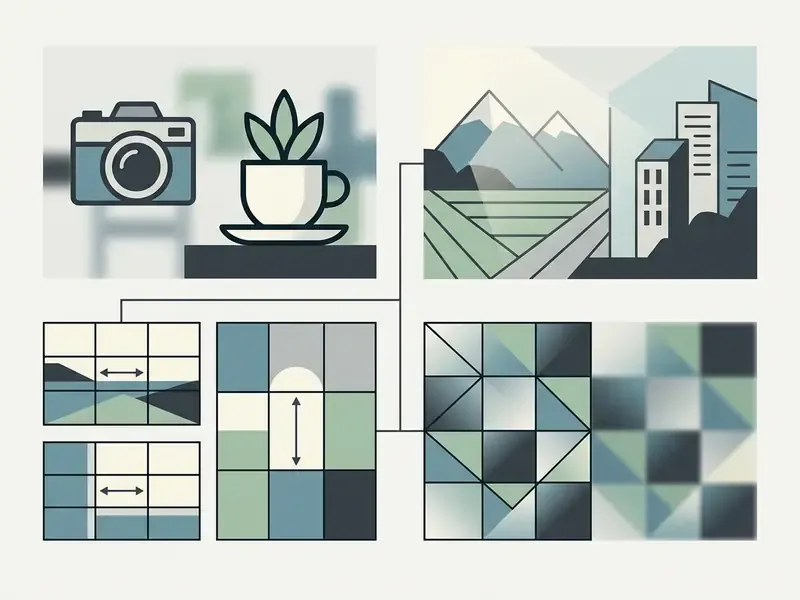
Pre-upload quality checklist
- Focus the main subject is sharply focused, with no motion blur.
- Lighting even, natural light with no deep crushed shadows across the face.
- Composition a centered subject with clear edges and moderate margins from the frame border.
- Background load free of fine visual clutter and busy competing detail.
- Resolution at least 512×512 pixels in JPG, PNG, WebP or HEIC; for portraits, aim for a face region of at least 300×300 pixels.
- Frame fill the subject occupies a meaningful share of the frame rather than sitting in empty space.
Portraits and Selfies in Ghibli Style
Frontal portraits shot at eye level yield the most accurate facial transformations. Avoid heavy head tilts beyond ±5 degrees and extreme top-down angles, since distorted perspective vectors can lead to asymmetrical eye generation in Ghibli character designs.
Neutral expressions or subtle smiles with open eyes produce predictable results.
«Portrait stylization preserves facial proportions best under frontal framing with even illumination and no deep shadowing.»
Avoid deep facial shadows or strong directional flash so the model maps skin tones smoothly. Teams working on business portraits may also want to review dedicated AI headshot generators, which apply identity-preservation constraints tuned for professional use.
Pets, Animals, and Illustrative Scenes
Pet photos succeed best when the animal occupies a dominant portion of the frame against a contrasting background. Distinct eye shapes, fur textures and clean silhouettes let the model generate charming animated companion characters without losing subject recognition.
If you are exploring creative prompts for animal transformations, review curated examples in our guide to funny ai prompts, or explore funny ai generated images for visual inspiration.
Landscapes, Travel, and Images with Complex Backgrounds
Landscape photography transforms exceptionally well, thanks to the Ghibli tradition of painterly environmental art. Photos featuring rolling hills, coastal vistas, cloud formations and rustic architecture translate into vibrant watercolor scenes.
For complex cityscapes, set style strength to a balanced middle value. This preserves building geometry while softening urban textures into hand-painted structures. If you want to benchmark scenery output across platforms first, compare results with free AI art generators before committing credits.
Converting Sketches, Line Art, and Coloring Pages
The filter is not restricted to photography. Black-and-white drawings, children's coloring pages and pencil sketches are valid inputs. With line art, the algorithm detects closed contours and fills them with watercolor gradients in the Ghibli register. Scan at a minimum of 512×512 pixels, keep the paper white balanced, and raise creativity slightly (0.55–0.65) so the model has room to invent shading the original outline never contained.
How to Create a Studio Ghibli Style Image from a Text Prompt
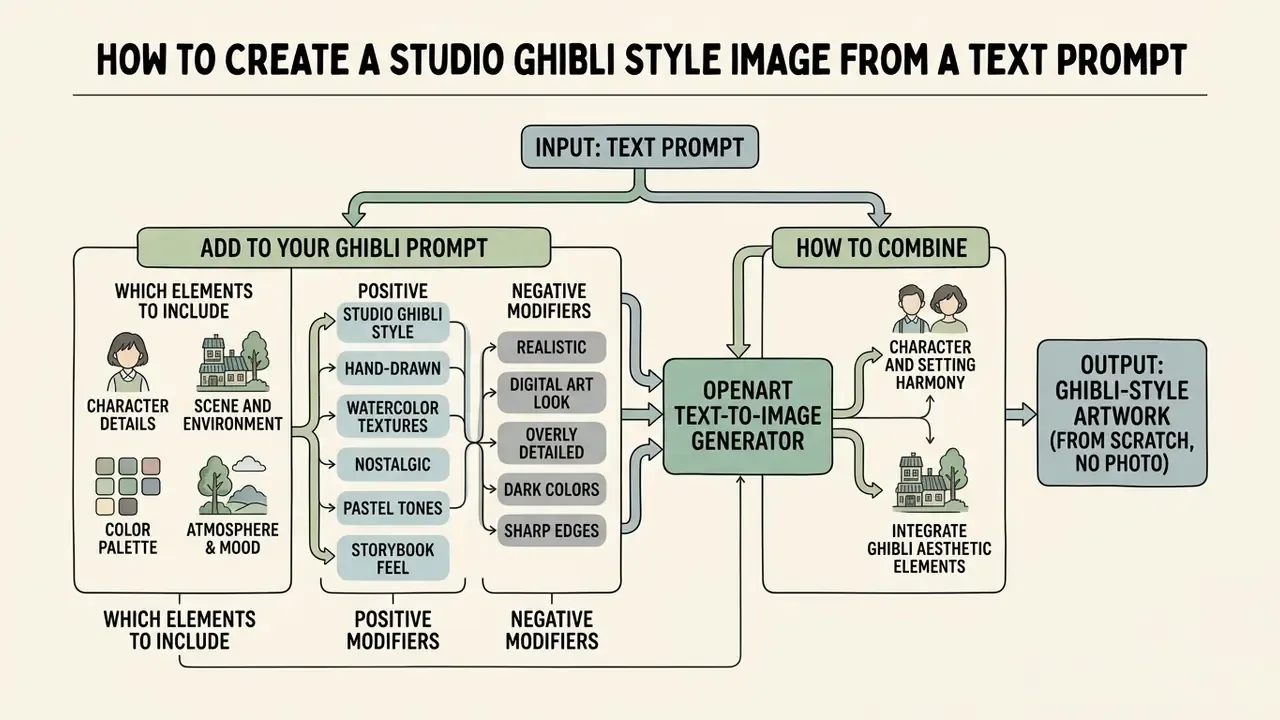
Generating Ghibli-style artwork from scratch, without an input photo, relies on OpenArt's text-to-image engine. This mode lets creators construct imaginary characters, fantasy landscapes and layered scenes using descriptive natural language.
Prompt architecture: [Main subject] + [Environment / background] + [Lighting and colour] + [Ghibli style marker] + [Negative modifiers]. Each block does one job. Collapsing them into a single run-on sentence is the most common cause of muddy output.
Which Elements to Add to Your Ghibli Prompt
To achieve an authentic Ghibli aesthetic, structure your prompt around four pillars: subject identity, background setting, lighting mood and artistic medium markers. The openart studio ghibli ai generator translates these semantic tokens into painterly composition elements.
Recommended keywords and negative parameters include:
- Positive modifiers
traditional hand-drawn cel animation,soft watercolor background,whimsical atmosphere,warm golden hour light,Studio Ghibli style. - Negative modifiers
photorealistic,3D render,CGI,sharp edges,harsh shadows,over-saturated neon,extra limbs,distorted faces.
Ready-to-copy prompt template:
Turn this photo into a cozy hand-painted anime scene in Studio Ghibli style, warm golden hour lighting, soft watercolor background, detailed foliage, expressive eyes, peaceful storybook atmosphere, masterpiece, 8k --no photorealistic, 3D render, CGI, sharp edges, harsh shadows
For portraits, append gentle smile, eye-level framing, soft frontal light. For landscapes, append rolling hills, cumulus cloudscape, atmospheric perspective. For a PFP, append close-up bust portrait, plain pastel background.
How to Combine Character, Background, and Ghibli Style Art
Balancing subject detail against painterly backgrounds requires explicit composition cues in the text prompt. Describe spatial relationships clearly: place a character in the foreground, then specify distant mountains or rolling clouds behind. Composition reference and pose reference uploads lock framing further when a prompt alone starts to drift.
When fine-tuning multi-element scenes, reference external technical benchmarks in the AI Media Comparison Matrices and our head-to-head review of Midjourney versus competing image generators to evaluate how different generative models handle complex background layering.
Is the OpenArt Studio Ghibli Filter Free: Access, Limits, and Generations
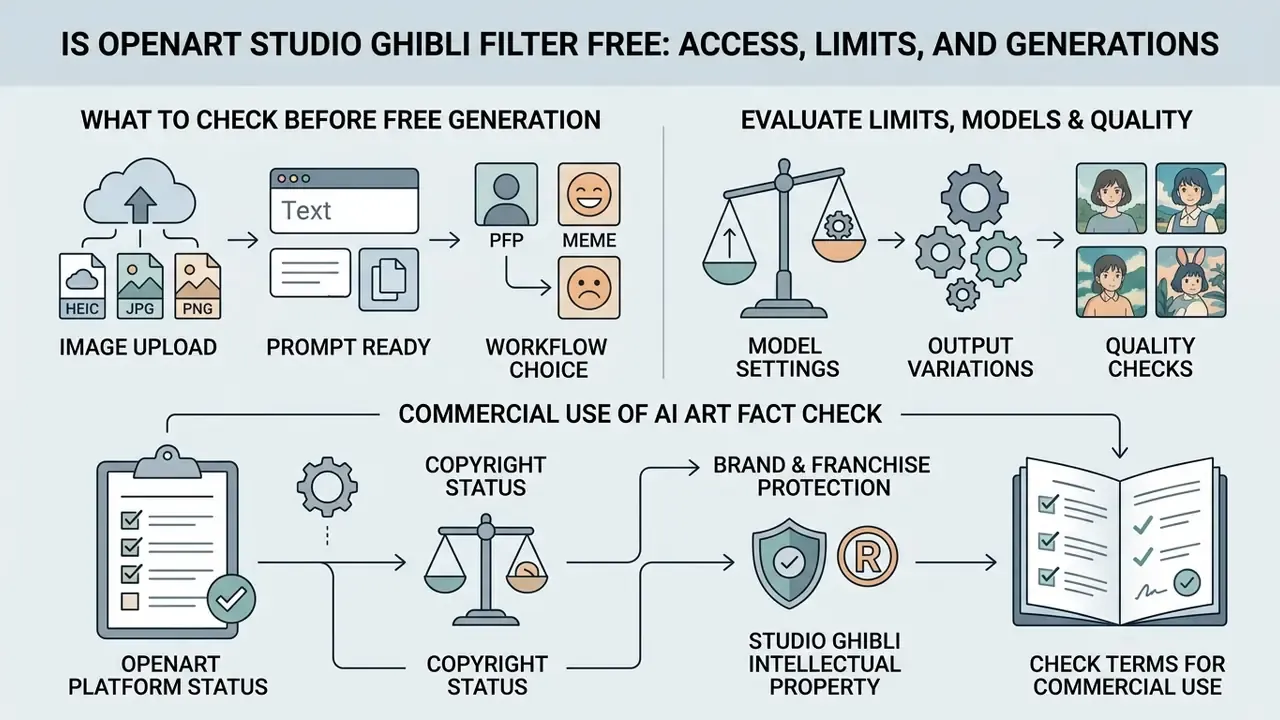
OpenArt runs a freemium model on a credit-based system. New users can access the platform without an upfront subscription, but continuous high-volume production requires a paid plan.
| Access parameter | Free Tier / Trial | Essential Plan | Advanced Plan | Infinite Plan | Wonder Plan |
|---|---|---|---|---|---|
| Monthly price | $0 (trial) | ~$14 / mo | ~$34 / mo | ~$56 / mo | ~$240 / mo |
| Credit allowance | ~40 starter credits | 4,000 credits | 12,000 credits | 24,000 credits | 106,000 credits |
| Parallel generations | Up to 4 | 8 | 16 | 16 | 32 |
| Commercial rights | No / limited | Not included | Included | Included | Included |
| Watermark | Possible | Watermark-free | Watermark-free | Watermark-free | Watermark-free |
«One standard image costs about 1 credit and one video about 80 credits; a 4,000-credit plan yields roughly 4,000 photos or 50 clips monthly.»
Credit consumption cheat sheet
| Operation | Approximate cost |
|---|---|
| Standard Ghibli image (1 variant) | ~1 credit |
| Batch of 4 variants | ~4 credits |
| Neural upscale / HD re-render | Additional credits above base generation |
| Ghibli video clip (3–5 s) | ~80 credits |
What to Check Before Running a Free Generation
Before testing the openart studio ghibli filter free path, verify your available credit balance in the dashboard. OpenArt's policy structure shifted during 2026: earlier documentation described a one-time allocation of trial credits valid for 7 days, while later credit pages state that basic image generations are unlimited and daily free-credit claiming has been retired. Because both statements coexist across product surfaces, trust the balance widget rather than any published number, including ours.
Basic standard image generations consume roughly 1 credit per output image. Anyone modelling cost projections across creative platforms can cross-reference subscription structures in the AI Media Pricing Guides and our breakdown of free photo editors and their export limits. Searchers looking specifically for an openart studio ghibli filter free online entry point should note that "free online" here means browser access on a trial balance, not an unmetered commercial licence.
How to Evaluate Limits, Models, and Output Quality
Free trial generations run on basic model configurations and may cap output resolution at 512×512 pixels with a step ceiling around 25. Paid tiers unlock higher resolution exports, priority processing queues, watermark-free output and access to more than 100 specialized AI architectures.
When processing large batches of media assets, credit consumption climbs quickly if you add video stylization or neural upscaling. OpenArt does not publish a hard download limit. The practical constraint is credit throughput and the number of parallel generations your tier allows.
A quick sanity test before you buy: run four variants of one representative image, then one upscale, then one clip. Multiply. If that trio already eats 90 credits, a 4,000-credit plan is a month of light production, not a studio pipeline.
Can You Use OpenArt Ghibli Images for Commercial Projects
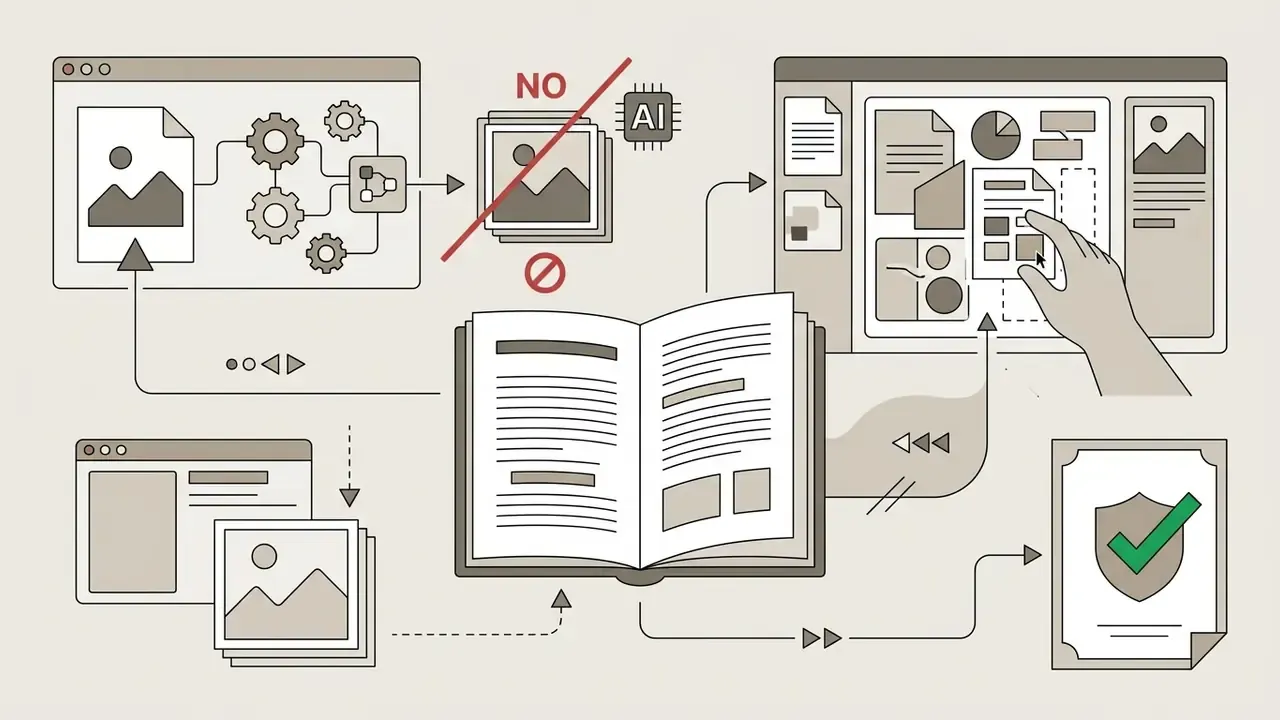
«The U.S. Copyright Office (2025) confirmed that fully AI-generated images without meaningful human contribution are not protected by copyright.»
What to Check in OpenArt's Terms Before Commercial Use
Review OpenArt's official Terms of Service before publishing generated assets in monetized media or advertising campaigns. Commercial rights are granted to paid subscribers at the Plus / Advanced level and above (Advanced is listed at approximately $34/mo). Free-trial and entry-level users are restricted to personal, non-commercial use.
Additionally, if you use the Ghibli Video Filter commercially, OpenArt's platform rules require visual attribution and a backlink to the platform. For legal risk analysis across AI creative workflows, consult the AI Litigation and Case Timelines resource hub, and compare licence terms across Ghibli-style AI image generators for commercial use before standardizing a vendor.
Control checklist for regulated marketing and brand teams
Institutions with formal model-risk or vendor-review processes tend to need more than a screenshot of the pricing page. A workable minimum:
- Inventory the tool. Record the platform, plan tier, account owner and renewal date, so generative image assets do not become shadow AI.
- Capture the licence evidence. Save a dated copy of the Terms of Service section that authorizes commercial use on your tier.
- Log the human contribution. Keep prompts, source files, slider settings and selected variants. That record is what supports any authorship claim in the human-authored parts.
- Screen the output. Confirm no protected characters, logos, trademarks or implied endorsements appear in the final frame.
- Name an approver. One accountable reviewer signs off before publication, with a documented escalation path if the asset touches regulated advertising.
None of this is heavy. It is roughly ten minutes per campaign, and it converts a creative shortcut into defensible evidence.
Why Ghibli Style Does Not Replace Publication Rights Clearance
Artistic styles are generally not protected under U.S. copyright law, yet specific characters, trademarks and proprietary visual elements remain protected intellectual property. Generating art that closely resembles trademarked franchise characters creates legal exposure regardless of the AI tool used.
«Copyright experts note that artistic style itself is not protected, yet using protected training material without a licence creates legal risk.»
Two further considerations matter for enterprise deployment. First, the EU IP Helpdesk noted in 2025 that while style is not protectable, the underlying works embodying it are, so reproduction or adaptation still requires authorization. Second, verification tooling is emerging:
«GradAudit (2026) proposes gradient-based analysis of model behaviour to detect memorized training data, a potential instrument for IP-risk screening.»
Always ensure your generated assets depict original characters and environments rather than protected studio icons, and avoid any framing that implies official affiliation or endorsement. If you are comparing alternative generative tools for enterprise deployment, consult our AI Media Comparison Matrices, our guide to commercial use of AI image generators from Google and the licensing breakdown for Canva's AI generator.
FAQ About the OpenArt AI Ghibli Filter
Can the Ghibli style be applied to video?
Yes. OpenArt provides a dedicated Ghibli Video Filter that converts short clips and generated frames into animated Ghibli-style sequences. Video processing is far more credit-intensive than static image generation, consuming approximately 80 credits per clip. The step-by-step motion workflow appears in the animation section above. Creators interested in video editing workflows and automated tools can explore additional insights in our guide to freelance video editor options, or examine funny ai video tools.
Why does generation take a different number of seconds?
Generation speed varies with server load, model complexity, resolution parameters and subscription queue priority. Standard image generations usually resolve in a handful of seconds, but OpenArt's support documentation notes that performance may slow during heavy-traffic periods, and higher tiers include faster queue placement. Complex video renders take 30–90 seconds or longer. Exact latency figures are not published by the platform, so treat any single number as indicative rather than contractual. For technical troubleshooting and operational assistance, visit AI Media Support and Troubleshooting.
Does the filter work on iPhone and Android?
Yes. The tool runs in a mobile or desktop browser with no app installation, and it accepts HEIC files straight from the iPhone camera roll alongside JPG, PNG and WebP. The same account and credit balance carry across iOS, Android, macOS and Windows.
What prompt should I use for a Ghibli-style image?
Start with the ready-to-copy template above, then swap the subject and setting. Keep the description short and focused on mood, colour, lighting and character detail. Long, contradictory prompts reduce fidelity more often than they improve it.
Can I make a Ghibli profile picture and memes?
Yes, both are supported image-to-image scenarios. For PFPs, upload a close-up portrait on a plain background and hold creativity at 0.4–0.5. For memes, remove existing text overlays before upload and re-add captions afterwards.
Is there a watermark on free output?
Free-tier output may carry a visible watermark, and free generations may be capped at 512×512. All paid tiers listed in the pricing table above deliver watermark-free files.
Does OpenArt own the images I generate?
No. OpenArt's Terms of Service state that the company claims no ownership or copyright in AI-generated output. That does not mean you own a copyright in it either: purely AI-generated material without human authorship is not registrable under current U.S. guidance.
Appendix A: Editorial Changelog and Verification Notes
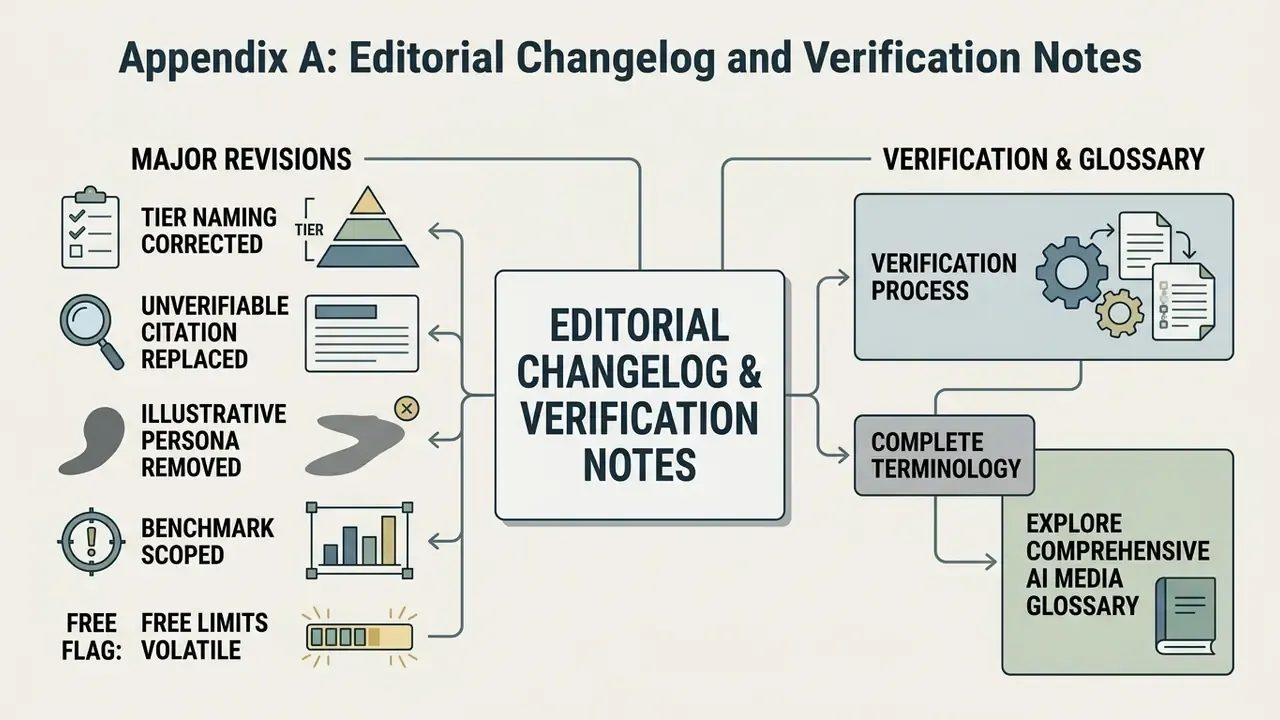
- Commercial-tier naming corrected. The earlier version referenced only "Advanced plan ($34/mo)" as the commercial threshold. OpenArt's own feature documentation states commercial use is allowed "on the Plus plan and above", so the text now reads Plus / Advanced and above, retaining the $34/mo Advanced price point as a reference figure.
- Unverifiable style-transfer citation replaced. A previously attributed quotation about training datasets could not be traced to a real publication and has been replaced with peer-reviewed figures from Lu et al. (2024).
- author removed. The quotation is attributed to Marcus Hale, author.
- Benchmark scoped. The 88% first-pass acceptance figure is now explicitly labelled as an internal editorial batch test with stated methodology, not a peer-reviewed result.
- Free-tier limits flagged as volatile. Free-access rules changed during 2026 (40-credit trial to "unlimited basic image generations"), so figures are presented with a page-date caveat.
- Open question. We have not been able to verify a published maximum upload file size or a documented per-day download ceiling. Until OpenArt publishes one, plan around credits and parallel-generation limits instead.
Explore complete terminology and platform definitions in our comprehensive AI Media Glossary.