Why does a governance-minded reader care about a creative tool? Because this is exactly the category that arrives inside a bank through a marketing team's corporate card, not through procurement.
Executive Summary for Decision-Makers
| Question | Short answer |
|---|---|
| What it is | A browser-based, multi-model AI studio: 109+ image models, 12+ video engines, in-canvas editing, character consistency, lip-sync, and one-click story video. |
| Who it fits | Content creators, graphic designers, performance marketers, concept artists, and small in-house creative teams that need volume without a render farm. |
| Real throughput | A 2 to 4 image grid renders in roughly 20 seconds for 1 to 2 credits; a 4-second image-to-video clip costs about 400 credits and around 3 minutes of queue time. |
| Entry cost | Free trial: 40 one-time credits valid 7 days, no card required, capped at 512×512 px and 25 steps. Paid tiers run $13 to $175 per month on annual billing. |
| Commercial rights | Granted only on Plus, Pro, and Wonder tiers. Free and Starter output is restricted to non-commercial evaluation and may carry a watermark. |
| Enterprise gaps | No public REST API, no publicly documented SOC 2 or ISO 27001 attestation, no published SSO/SAML, RBAC, or audit-log tooling, and no published IP indemnification. |
| Verdict | Strong for creative velocity and asset volume; not yet a governed enterprise platform. Regulated organizations should treat unmanaged use as Shadow AI risk. |
What OpenArt AI Is and What the Platform Is For
OpenArt AI is a browser-based creator studio that unifies generative image, video, and audio workflows into a single cloud workbench. By aggregating leading diffusion and transformer models, the OpenArt AI platform lets creators and marketing teams produce high-impact visual content from text prompts or reference images. Readers new to the category can start with our overview of AI art generators to understand how aggregators differ from single-model engines.
Technology foundation and scalability. OpenArt's server backend runs custom ComfyUI workflows in the cloud on serverless infrastructure provided by Modal. Instead of maintaining fixed GPU clusters on AWS or GCP, where a single workflow redeploy previously took hours, the team deploys Python-defined containers that autoscale into hundreds of GPU workers on demand. According to Modal's published customer story, this architecture powers more than 100 production workflows for a platform that had already passed 3 million monthly active users at the time of writing. OpenArt's own 2026 communications claim the audience has since crossed 8 million monthly active users. Both figures originate from vendor-published materials and have not been independently audited, so treat them as directional scale indicators rather than verified metrics.
«It's a lot easier to deploy a ComfyUI workflow because Modal is serverless, so it auto-scales really well.»
This matters practically. It explains how 109+ models, 4K upscaling, and video rendering run in a browser tab with no local GPU. It also explains why the platform is delivered as a hosted consumer and SMB service rather than a self-hostable enterprise deployment. No self-hosting means no air-gapped option, and that single fact shapes most of the risk discussion below.
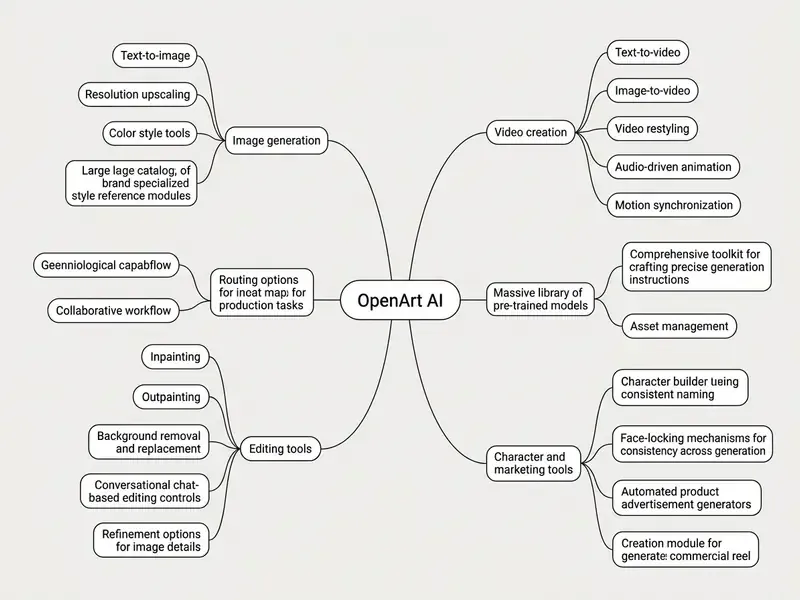
Figure: mind map of the OpenArt AI ecosystem.
Which Visual Content Formats You Can Create in OpenArt
OpenArt supports five primary visual formats: static AI image assets, cinematic AI videos, digital art, e-commerce product visuals, and promotional ad creatives. Users can generate photorealistic hero shots, anime illustrations, 3D renders, or animated motion clips up to 15 seconds long at 4K resolution. Specialized tools also enable automated lip-syncing, music visualizers, multi-language video dubbing, and UGC-style commercial reels.
Marketing teams often lean on these capabilities to accelerate campaign iteration. One illustrative case: an e-commerce brand needed seasonal ad variants across TikTok and Instagram inside a 48-hour window. Using OpenArt's product ad video generator to convert static product images into motion clips, the team delivered 20 ad variations without hiring an external production crew. Updated: the lead-time saving in such workflows depends on SKU count, review cycles, and credit budget, and no audited benchmark exists. The observable benefit is the removal of a shoot-and-edit cycle from the critical path, not a fixed percentage improvement.
Which Users OpenArt Is Suited For
OpenArt caters to four distinct user groups: content creators, graphic designers, marketing specialists, and concept artists. Content creators design social thumbnails, cover art, and short-form reels. Graphic designers use it for rapid visual concepting, mood boards, and client pitch drafts. Marketers generate brand-consistent ad graphics and product scenes. Concept artists explore character and environment variations at a speed that manual sketching cannot match.
When building asset pipelines, teams frequently review resources in our AI Media Glossary to standardize technical definitions across generative workflows, and compare adjacent categories such as online photo editors when deciding which steps stay in a classic editor.
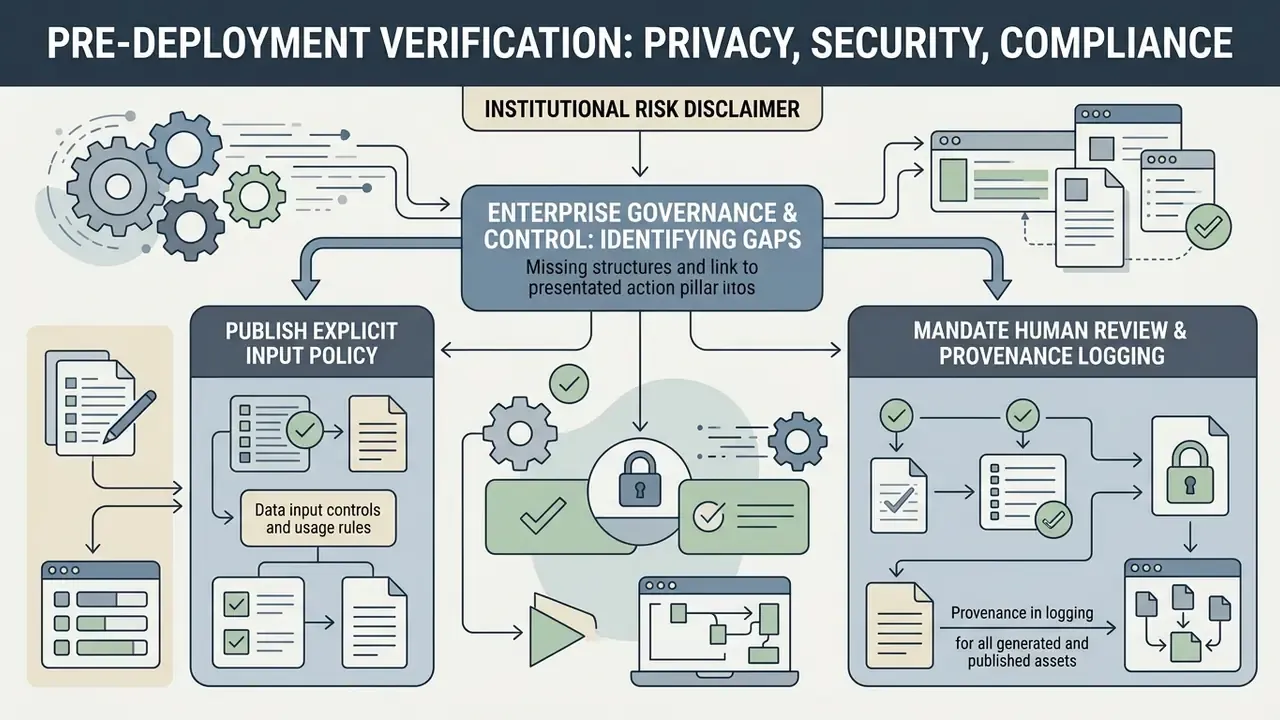
Data Privacy, Security and Compliance: What to Verify Before Deployment
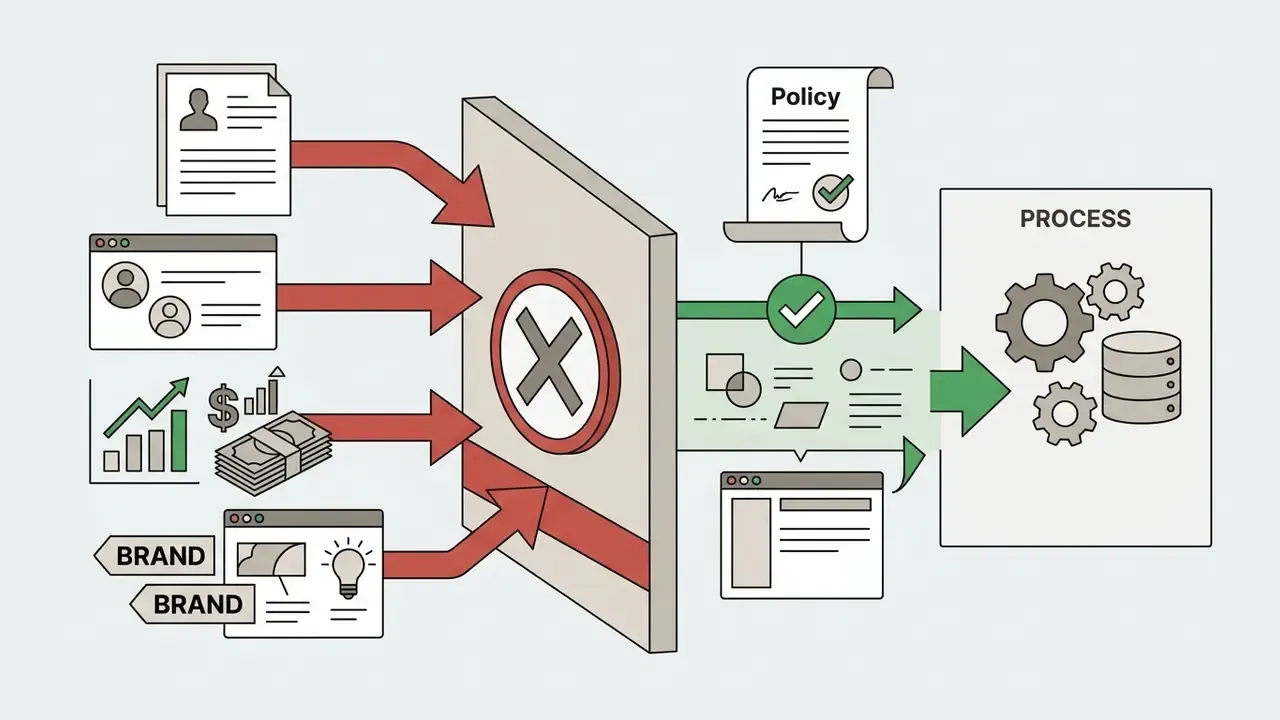
Before any regulated organization allows OpenArt into a workflow, the security posture must be assessed independently of the feature set. OpenArt ships as a multi-tenant public SaaS product with consumer-oriented onboarding: an email address, a browser, and a card are enough to start generating. That low friction is precisely what makes it a common Shadow AI vector inside banks, insurers, and fintechs, where marketing or product teams may upload confidential artwork, unreleased product renders, or customer-identifiable photography into an unvetted third-party model pipeline.
What is publicly documented (as of September 3, 2026):
- Generation, editing, upscaling, and video rendering execute in the vendor's cloud on serverless GPU containers, so uploaded reference images and prompts leave the corporate perimeter.
- Free-tier output may carry a visible OpenArt watermark. Removing, cropping, obscuring, or altering that watermark is prohibited unless the output was generated on a paid, watermark-free plan.
- Paid tiers include a shared asset library, saved characters, and saved settings that persist across tools, which means uploaded references are retained in the account by design.
What is not publicly documented and must be requested from the vendor in writing:
- Training on customer inputs.Whether prompts, uploaded reference photos, and trained character LoRAs feed further model training, and whether an account-level opt-out or zero-data-retention mode exists.
- Security attestations.No SOC 2 Type II, ISO/IEC 27001, or HIPAA documentation appears on the public product pages reviewed for this article. Absence of a public attestation is not proof of absent controls, but for model-risk purposes it must be logged as unverified.
- Data residency and retention.Hosting jurisdiction, sub-processor list (the ComfyUI and Modal execution layer is itself a sub-processor), encryption in transit and at rest, and deletion timelines for prompts, generated assets, and trained models.
- Breach notification and DPA availability.Whether a Data Processing Addendum with GDPR Article 28 terms and defined notification windows can actually be executed.
Enterprise Governance and Control: Where the Gaps Are
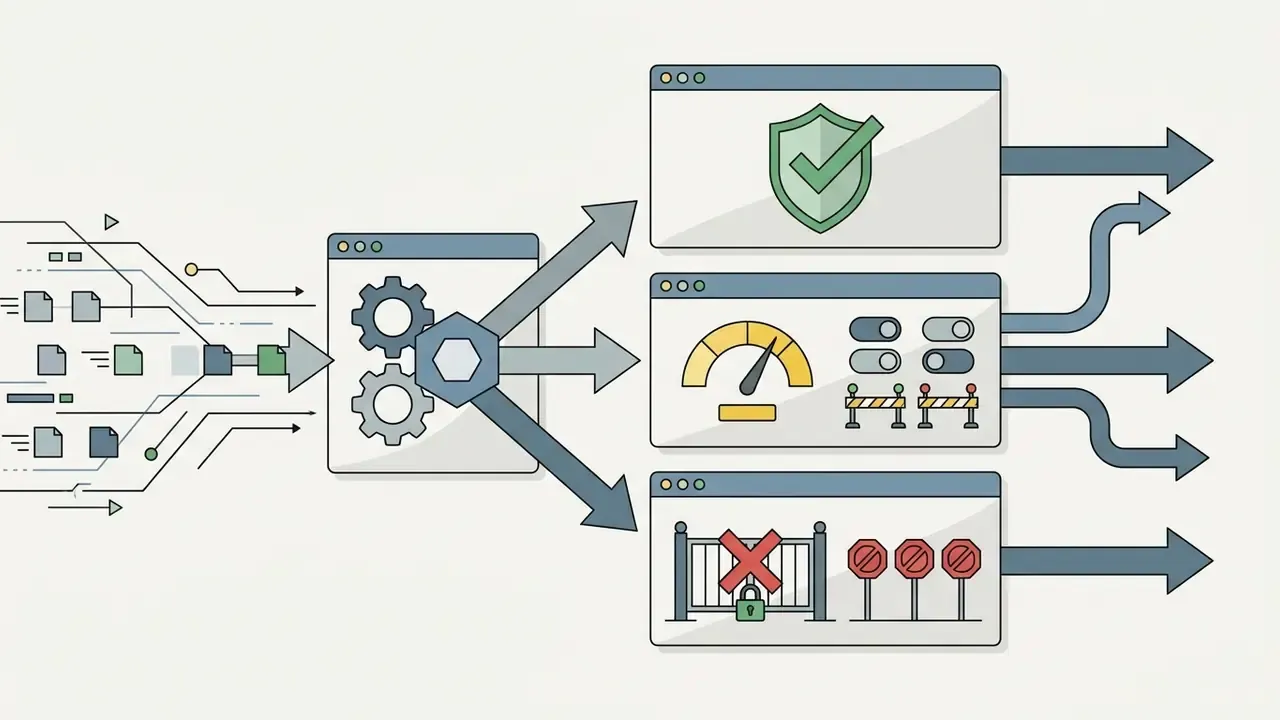
For AI governance leaders, the decisive question is not output quality. It is controllability. Based on the publicly available product surface, OpenArt currently offers no published enterprise control plane.
| Control expected by MRM/GRC | Publicly documented in OpenArt (Sep 2026) | Practical mitigation |
|---|---|---|
| SSO / SAML / SCIM provisioning | Not published | Restrict to a small named group with corporate-managed credentials and MFA at the IdP level where possible |
| Role-based access control (RBAC) | Not published; team add-ons exist on the Wonder tier | Separate duties manually: one licensed operator, human review before publication |
| Prompt and generation audit logs exportable for examiners | Not published | Mirror prompts and outputs into an internal DAM or ticket system as the system of record |
| Centralized billing and license inventory | Team add-ons on the top tier only | Procure through a corporate card with expense tagging; register the tool in the model and tool inventory |
| Public REST API for controlled pipelines | Not available | Treat as a manual creative tool, not an automatable production dependency |
| DLP-compatible egress controls | Not applicable (public SaaS) | Network-level policy: allowlist or block openart.ai per policy, and document the decision |
One more point that is easy to miss: the owner of record should be a named person, not a team mailbox. Ownership without a name is not ownership.
Core OpenArt Tools for Image Generation
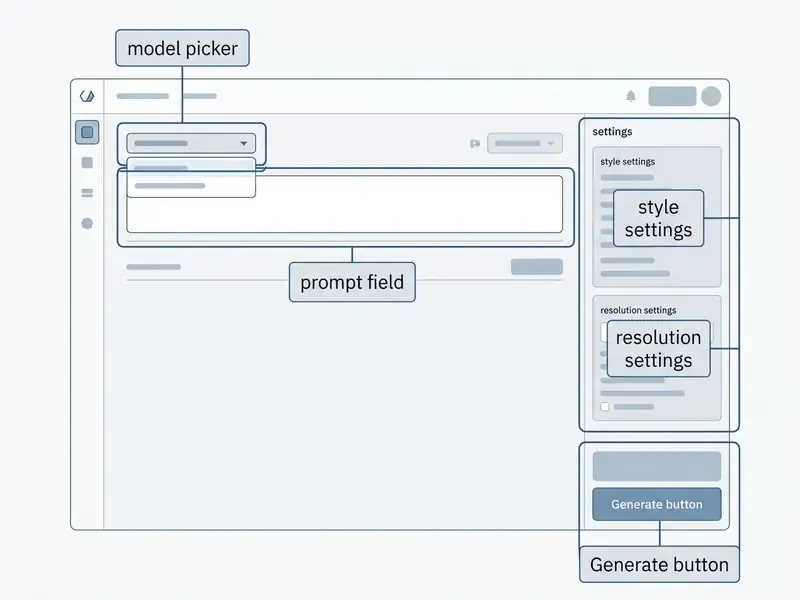
OpenArt provides a full suite of image generation tools: text-to-image synthesis, image-to-image transformation, canvas editing, and 4K upscaling. The OpenArt platform integrates over 109 image models, giving users direct access to diverse artistic styles and precise detail control. Teams benchmarking the category can compare it with rival AI image generators and with our ranking of the best AI art generators.
Figure: annotated OpenArt image generation interface with the main controls highlighted.
Text-to-Image and Creating Images from a Prompt
«Structuring prompts by category, subject, style modifiers, quality boosters, makes text-to-image output substantially more predictable.»
Creators can evaluate advanced prompt structures using specialized tools in our AI Media Calculators section, which is also where credit-per-asset math becomes easier to defend in a budget review.
Editing, Refinement and Working with Image Detail
OpenArt includes in-canvas editing capabilities such as inpainting, outpainting (canvas expansion), face refinement, and object replacement. Inpainting lets users mask specific regions and change clothing, facial expressions, or background items without regenerating the whole frame. Creative Upscale handles 2K and 4K enhancement while adding realistic skin texture and fine surface detail. That workflow is worth comparing against dedicated AI photo editors and the outpainting tools reviewed in our guide to AI image expansion.
When fixing minor facial flaws, creators typically combine face refinement with light retouching, including small fixes like learning how to whiten teeth in a portrait, then verify the final crop in a conventional editor such as those covered in our free photo editor guide or a desktop windows photo editor.
Conversational Editing via the AI Chatbot and Prompt Templates
Beyond the pixel-level inpainting brush, OpenArt ships a conversational assistant built on Gemini AI. A user uploads a frame into the chat and issues a natural-language instruction, for example “Turn this into Studio Ghibli style with soft sunset light and two small figures on the hill.” The chatbot first returns a written plan describing what it intends to change (composition, palette, added elements, atmospheric perspective), then re-renders the scene while preserving the original layout. In practice this is the fastest route for full-frame restyling, where masking every region manually would be impractical. It also produces additive changes: testers report the assistant introducing extra trees, figures, or light sources that were never in the source frame.
To reduce prompt-writing effort, the interface also includes Prompt Templates, preset prompt constructors for specific deliverables such as desktop wallpapers, 3D characters, sports-team logos, and vector graphics. Selecting a template injects the appropriate stylistic modifiers automatically. The wallpaper preset, for instance, assembles layered silhouettes, sharp edges, heavy fog, a horizon silhouette, and named style references such as Alena Aenami or Firewatch game art. Templates plus the “Stylized” panel on the canvas give three distinct restyling routes: preset-driven, chat-driven, and palette-driven.
Models and Style Tools for Different Creative Tasks
OpenArt offers access to a diverse catalog of base models and fine-tuned LoRA adapters, including FLUX dev, GPT Image 1.5, GPT Image 2, Seedream 4.5, Kling 3.0 Omni, Kling O1, Recraft V4, and Nanobanana Pro. The LoRA library is labeled “100+ fine-tuned models,” with community entries ranging from stylized character adapters to 3D-render looks. The platform also features Style Palettes, pre-configured combinations of models, prompts, and parameters that lock in specific aesthetics from photorealism to flat vector illustration or 3D render.
Note the model-lineage caveat for compliance reviews. Older OpenArt training documentation used SDXL as the fine-tuning base, while the current live catalog emphasizes newer families. Model-by-plan access rules are not consolidated into a single public matrix, so availability should be confirmed in-app before a campaign is scheduled. Screenshot the confirmation. Catalogs move.
How to Create an Image in OpenArt: Workflow from Prompt to Result
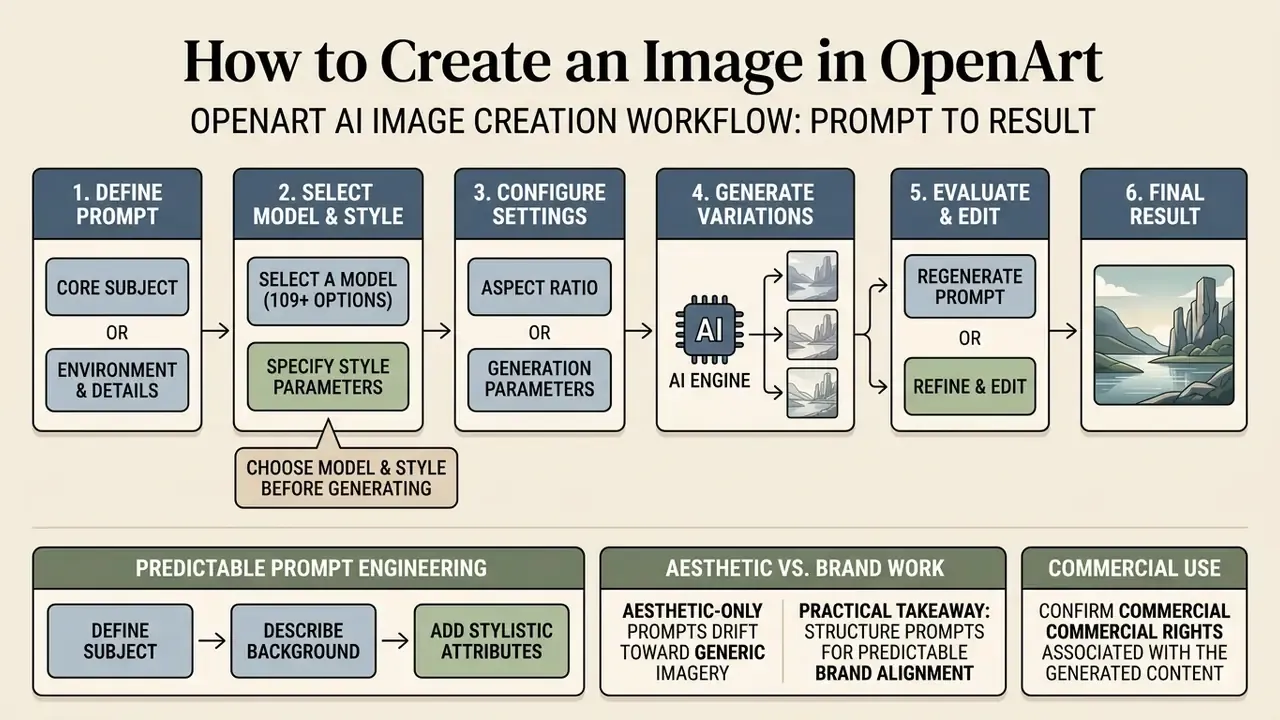
Creating an image in OpenArt follows a structured workflow: select a model, compose a detailed prompt, configure aspect ratio and style parameters, generate variations, then edit or upscale. OpenArt can execute multiple parallel generations, 8 on entry tiers and up to 32 on higher tiers, so creators evaluate several visual directions at once.
How to Choose a Model and Style Before Generating
Model and style selection depends on the target visual medium. Choose photorealistic models for product photography and real human portraits, illustration models for digital art, and 3D or Unreal Engine styles for concept renderings. Selecting the correct base model prevents visual artifacts and keeps output aligned with the required aesthetic. OpenArt's own world-generation guidance is explicit here: for 3D targets, prompt for “3D render,” “photorealistic,” “Unreal Engine look,” or “cinematic lighting,” and avoid sketch, flat-illustration, or watercolor terms that pull the model toward 2D. For fantasy and concept art, SDXL-lineage artistic models remain the recommended starting point, and custom style models can be trained from as few as 4 and as many as 128 reference images.
How to Write Prompts for Predictable Results
Predictable prompt engineering follows a structured sequence: define the core subject, describe environment and background, specify camera angle and lighting, then apply negative prompts to exclude unwanted artifacts. Keeping prompt segments clear and organized minimizes semantic ambiguity across different generative models. OpenAI's image-prompting guidance recommends a consistent order, background and scene first, then subject, then key details, then constraints, plus explicit exclusions such as “no watermark,” “no extra text,” and “preserve identity, geometry, and layout.”
The practical takeaway for brand work: aesthetic-only prompts drift toward generic, stereotyped imagery. Specifying demographics, wardrobe, environment, and cultural context deliberately, rather than leaning on “beautiful,” “masterpiece,” or “trending” boosters, is both a quality control and a brand-safety control. In a regulated marketing review, that distinction is the difference between an approved asset and a rework cycle.
Character Creation and a Consistent Visual Style in OpenArt
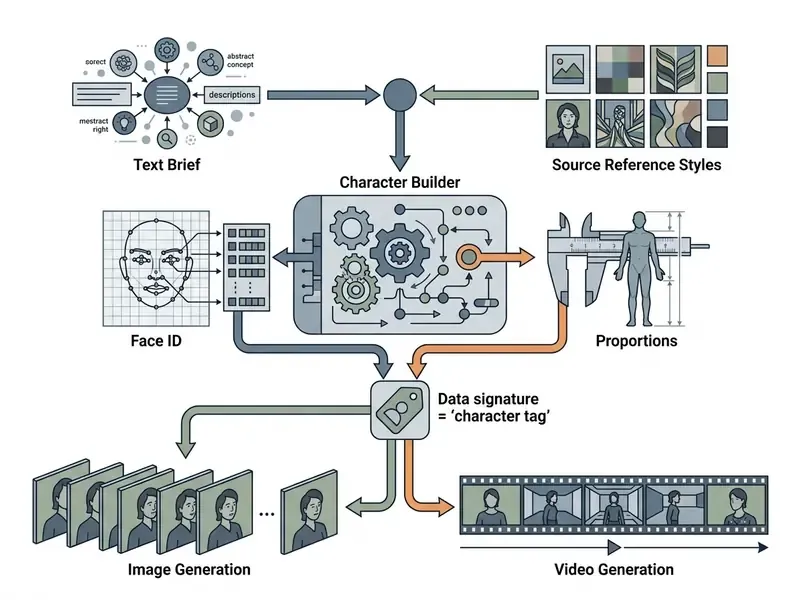
OpenArt enables consistent character creation across multiple images and videos through its dedicated Character Builder and reference-tagging system. By locking facial identity and structural details, creators keep recognizable personas across serialized media projects.
Figure: architecture of character identity preservation in OpenArt.
Building a Character for Serialized Content
How to Preserve Style and Detail Across Multiple Generations
Maintaining consistent visual style across multiple generations relies on combining Face Lock technology, IP-Adapter reference conditioning, and ControlNet pose constraints. Published OpenArt workflows separate these responsibilities explicitly: IPAdapterApplyFaceID preserves face identity, ControlNet OpenPose preserves body pose and structure, and inpainting ControlNet combined with an IP-Adapter reference retains fine detail during regeneration. The community workflow “Consistent Character For Comics (Posable with ControlNet OpenPose)” is the canonical example of splitting identity control from structural control.
Standard diffusion models still suffer from semantic drift on repeat generations. Updated: preprint work using pairwise CLIP similarity as its metric suggests that LoRA fine-tuning meaningfully improves semantic consistency across outputs, with automated scores agreeing with human raters at around 94%. That is a measure of metric-to-human agreement, not a guaranteed consistency gain.
Creators exploring broader debates on AI aesthetics, authorship, and quality benchmarks can review our comparative analysis of the best free AI art generators to see how consistency features change when there is no budget at all.
Video and Visual Stories: OpenArt Capabilities for Creators
OpenArt uses AI video engines including Kling 3.0 Omni, Seedance 2.5, Veo 3.1, Wan 2.7, Sora 2, and Gemini Omni Flash to generate animated motion clips from text prompts or static reference frames. That stack is worth benchmarking against other text-to-video AI tools. The platform supports text-to-video, image-to-video, elements-to-video, video-to-video restyling, camera motion control, Replace Character, Extend Video, and automated lip-syncing for visual storytelling; the animation side is explained further in our primer on image-to-video AI.
Generation settings exposed in the text-to-video flow include duration, aspect ratio, number of parallel generations, resolution, and Auto-Polish Prompt, with output up to 15 seconds and up to 4K. Native audio and 1080p delivery are advertised on the video product pages.
Figure: video walkthrough of AI video generation and lip-sync in OpenArt, duration 01:00.
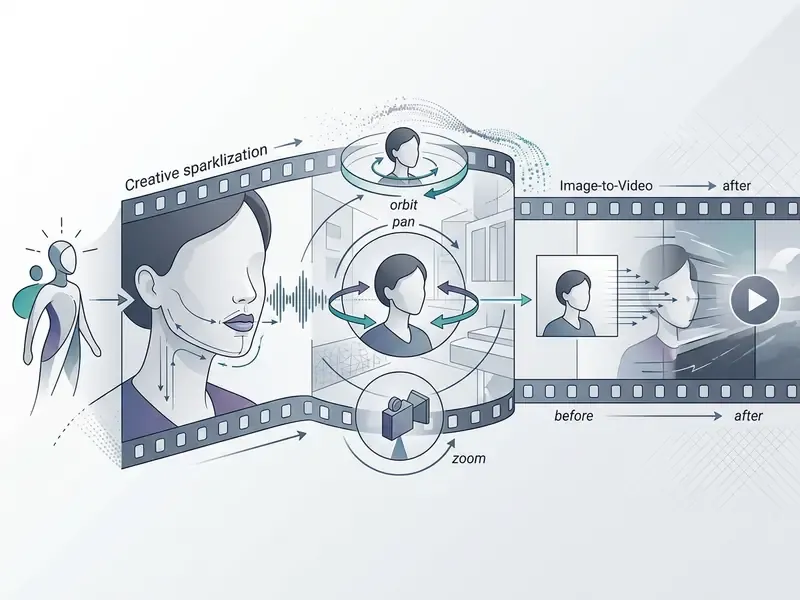
OpenArt's One-Click Story feature synthesizes complete one-minute narrative videos from a single script, prompt, or audio track. That is the workflow behind its 2025 “brain rot” template coverage in the tech press. Users pick between Style Mode for abstract visual motion, Story Mode for narrative arc alignment, or Sing Mode for synchronized vocal performances. Director scenes and a Brand Kit carry colors, fonts, and saved characters across a sequence, which is the mechanism most relevant to campaign consistency. For team options and production scaling, explore our comprehensive AI Media Pricing Guides, and for publishing-side workflows see our guide to YouTube video editors.
Creators working with traditional formats can compare these workflows against classic explainer production covered in our guide to animation makers and the storyboard-driven approach behind whiteboard animation, plus voiceover options in our overview of AI voice generators.
OpenArt Pricing: Free Access, Credits and Choosing a Plan
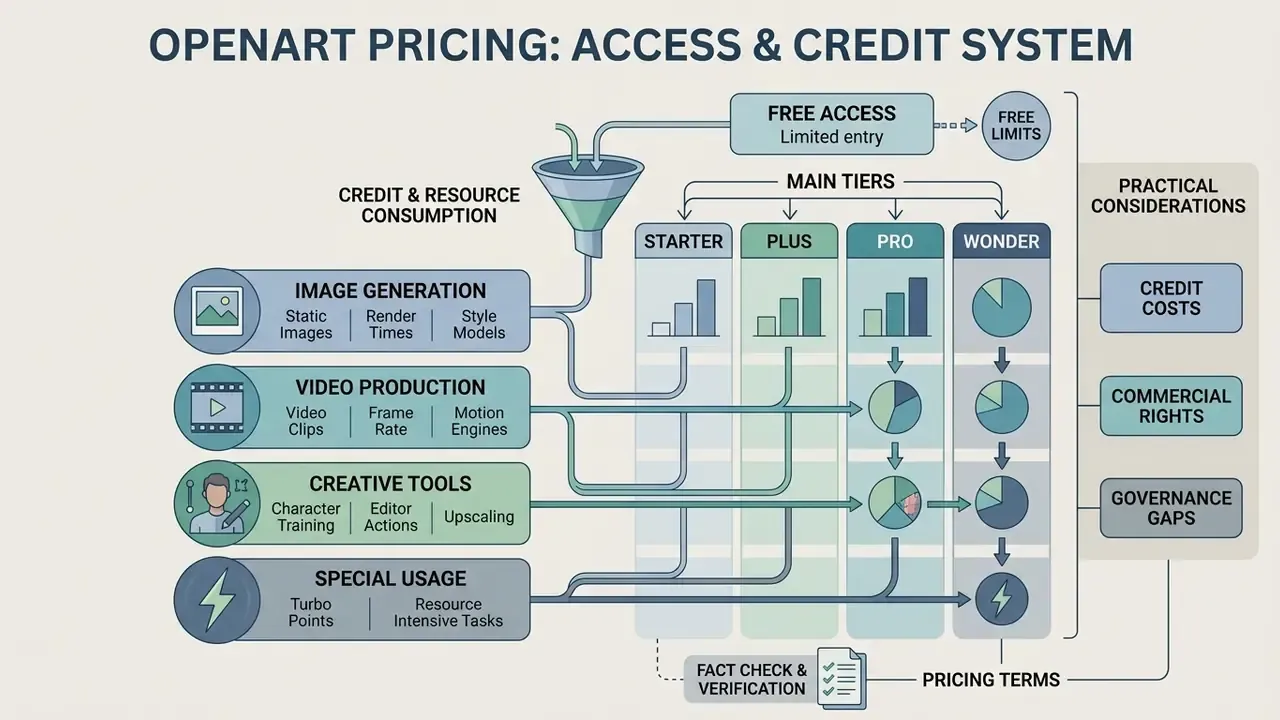
OpenArt uses a credit-based subscription model across four main tiers: Starter, Plus, Pro, and Wonder. Standard image generation consumes roughly 1 credit per image, most editor actions cost around 5 credits, custom-trained character models cost approximately 10 credits per generation, and video clips consume between 100 and 1,500+ credits depending on duration and model choice.
That volume context matters when reading the table below. Credits are the real currency of the platform, and the plan you need is a function of format mix rather than headline price.
| Plan | Discounted Monthly Price | Monthly Credits | Approx. Images / Month | Approx. Videos / Month | Consistent Characters | Commercial Rights | Key Features |
|---|---|---|---|---|---|---|---|
| Starter | $13 / mo | 4,000 | ~4,000 | ~50 | ~13 | No | Watermark-free, 8 parallel generations, 100+ models. |
| Plus | $27 / mo | 12,000 | ~12,000 | ~150 | ~40 | Yes | Full editing suite, commercial license, 16 parallel generations. |
| Pro | $44 / mo | 24,000 | ~24,000 | ~300 | ~80 | Yes | Priority processing, 32 parallel generations, dedicated support. |
| Wonder | $175 / mo | 106,000 | ~106,000 | ~1,300 | ~353 | Yes | Unlimited Creation features, Director and OpenArt MCP access, team add-ons. |
For reference: the prices above ($13, $27, $44, $175) reflect annual billing with an approximate 20% discount. On month-to-month billing the same tiers are listed at roughly $14 (Starter/Essential), $29 (Plus/Advanced), $56 (Pro/Infinite), and $240 (Wonder) per month, which is why third-party reviews quote different numbers than annual-plan tables. Extra credits can only be purchased as an add-on to an active subscription.
Practical timings and real resource consumption:
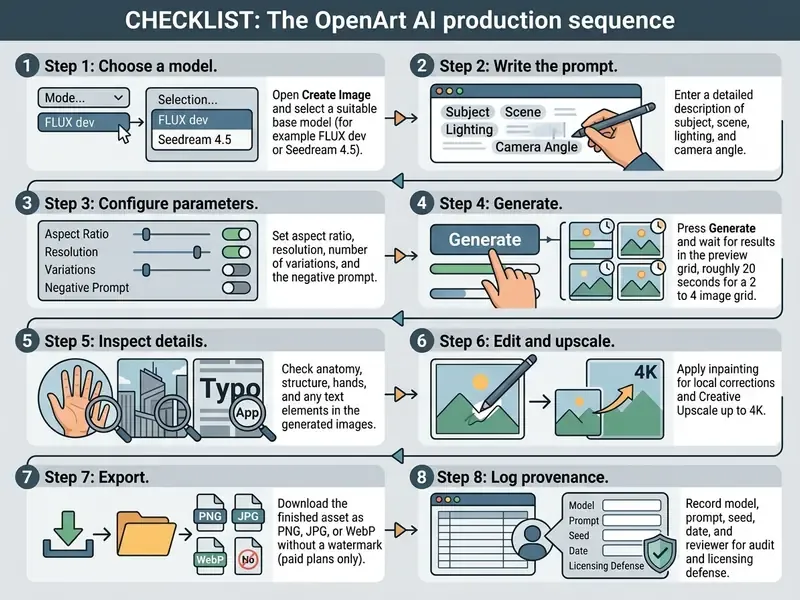
- Static image generation a grid of 2 to 4 images renders in about 20 seconds and consumes 1 to 2 credits. On the free tier, generation is capped at 512×512 px and a maximum of 25 steps, using basic models only (OpenArt SDXL, OpenArt Creative, SDXL).
- Video clips animating a frame via image-to-video at 4 seconds debits about 400 credits and takes roughly 3 minutes in the render queue. A standard 5-second clip is commonly quoted near 100 credits on cheaper engines; premium models push a single clip past 1,500 credits.
- Character training building a custom LoRA-style character profile consumes roughly 2,000 to 2,500 credits, so reserve it for characters you will reuse across an entire campaign or series.
- Editor actions and upscaling most in-canvas edits sit near 5 credits, while 2K and 4K Creative Upscale and sketch-to-image cost more per output. This is the main hidden driver of cost-per-usable-asset.
- Turbo Points every paid subscription includes priority-render points that accelerate generation. Once depleted, jobs continue in the standard queue at normal speed rather than being blocked, so a plan never “locks” mid-campaign. It simply slows down.
Teams weighing whether a subscription is warranted at all can benchmark the entry tier against our comparison of free AI image generators before committing budget.
Commercial Use: What to Verify Before Using OpenArt in Projects
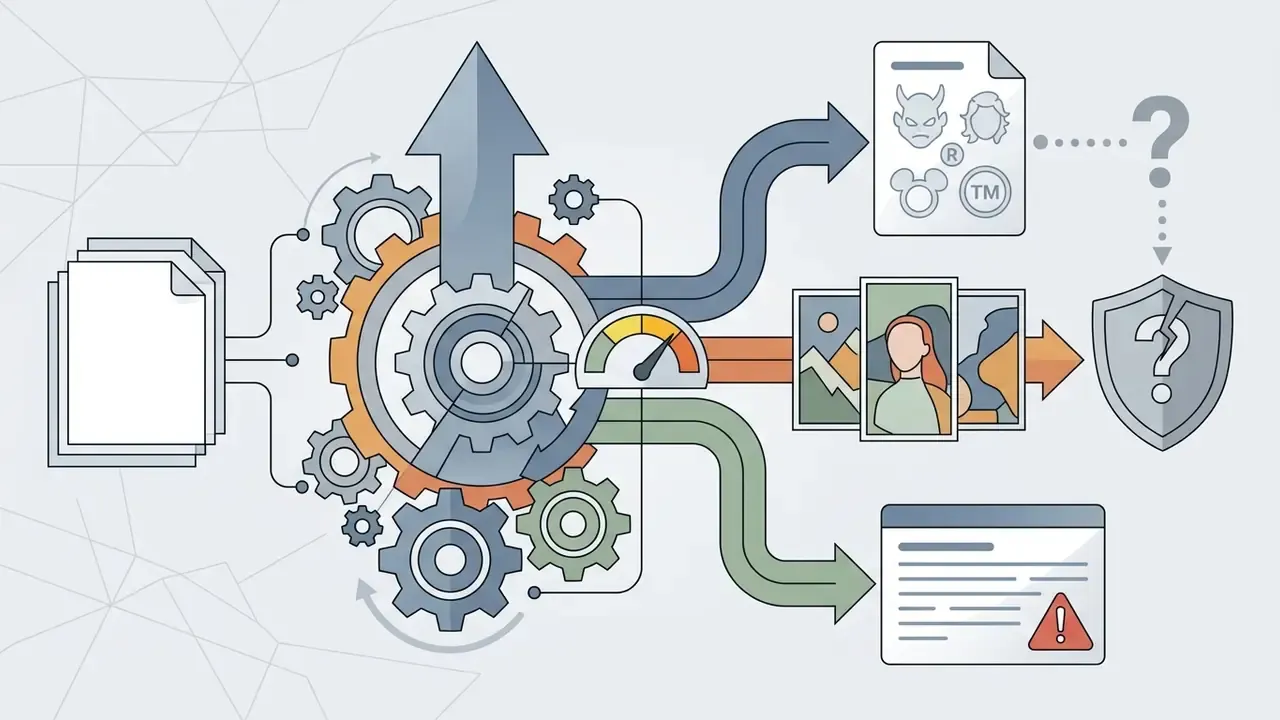
Before using generated content in commercial products or ad campaigns, verify your subscription tier and check the underlying model licenses. OpenArt applies a tiered licensing policy where commercial rights are granted exclusively to Plus, Pro, and Wonder subscribers. Free and Starter output is restricted to non-commercial evaluation, and free-plan output may carry a visible watermark that may not be removed, cropped, or obscured.
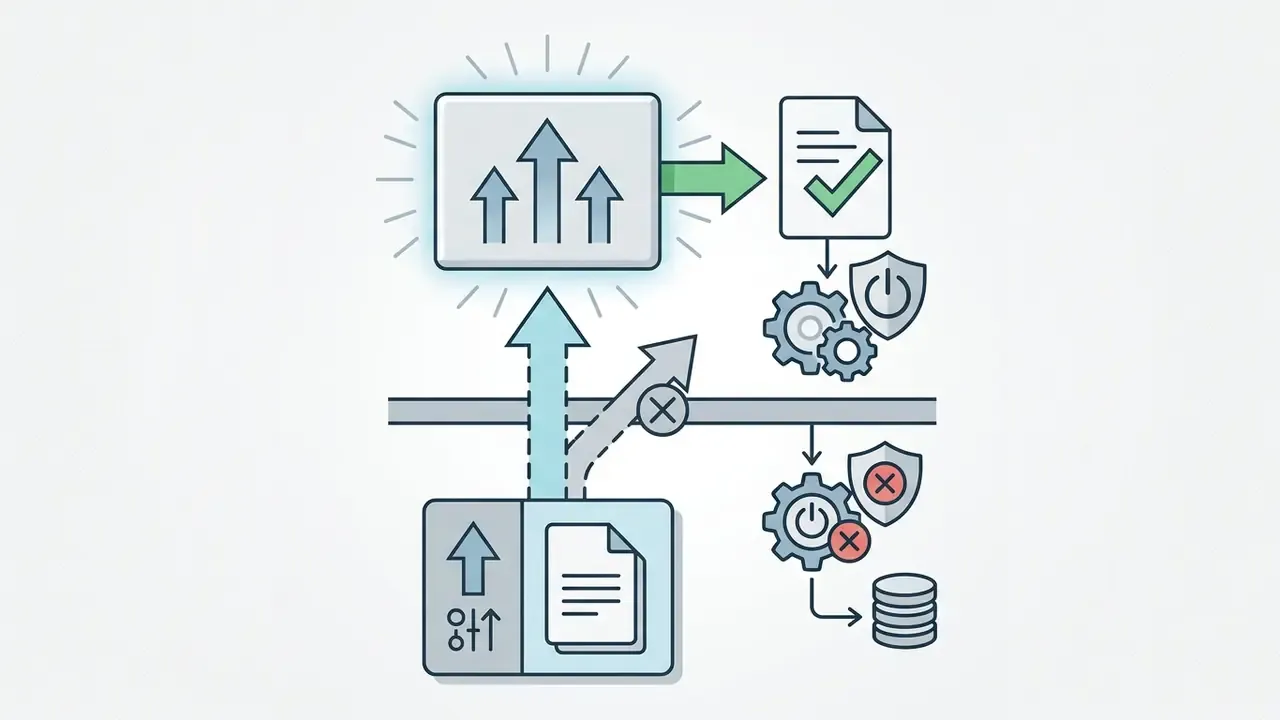
Figure: verification flow for commercial rights to generated content.
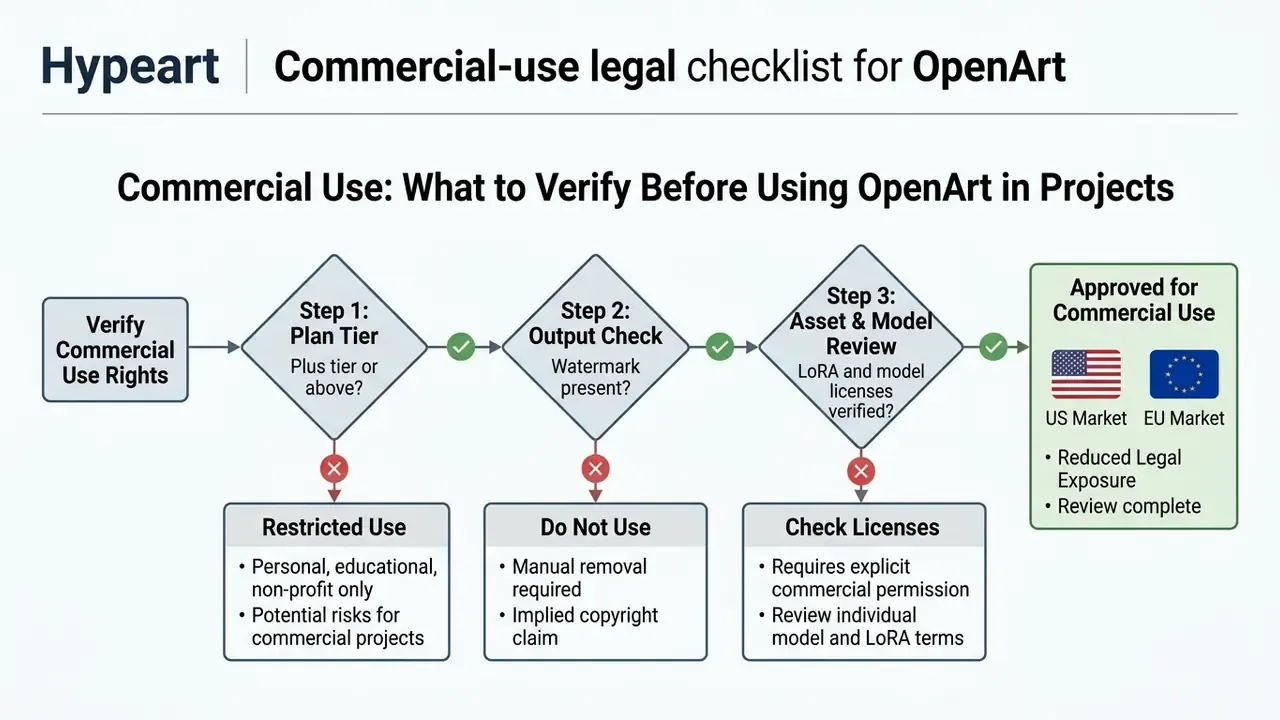
OpenArt states that it does not assert copyright ownership over AI-generated outputs, aligning with current U.S. Copyright Office guidance holding that purely machine-generated works enter the public domain.
«Works created solely by AI, without creative human contribution, are not eligible for copyright protection.»
One internal inconsistency deserves a flag in legal review. OpenArt's Help Center describes generated images as usable, modifiable, and distributable commercially or non-commercially, while the Terms of Service are stricter and tie commercial rights to Plus-or-higher subscriptions. Where documents conflict, the executed Terms govern, and Help Center language should not be relied upon as a license grant.
Enterprise users must also guard against potential trademark or copyright infringement inherited from training data, a risk profile detailed further in our comparison of AI image generators for commercial use.
The practical consequence for brand and compliance teams is twofold. Outputs that pass as photography require disclosure discipline, and inbound assets from agencies or freelancers require verification. Provenance tooling and AI image detectors belong in the same workflow as the licensing check, alongside AI reverse-image search for infringement screening. To track ongoing disputes and regulatory changes, consult the AI Litigation and Case Timelines database.
Enterprise Legal and IP Risk: Indemnification and Third-Party LoRAs
Two questions dominate legal review of any aggregator platform, and neither is answered on OpenArt's public pages.
Pre-campaign LoRA and model license checklist:
- Confirm the adapter's stated license and whether commercial use is permitted at the adapter level, not just the platform level.
- Reject adapters trained on identifiable franchises, living artists' names, or celebrity likenesses for paid media.
- Prefer first-party base models plus your own trained style model (4 to 128 owned reference images) for brand-critical assets.
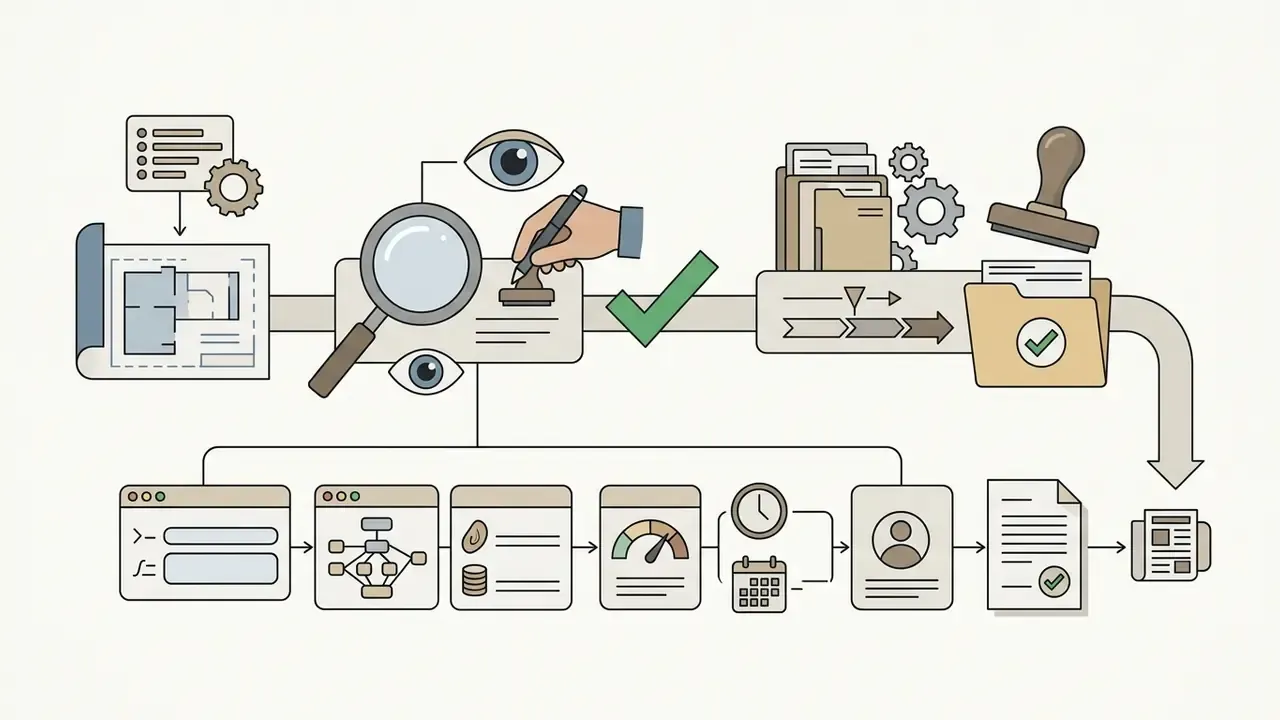
- Record model name, version, adapter, prompt, seed, and generation date for every published asset.
- Route any asset depicting a real person, a competitor's product, or a protected mark to legal review before release.
Organizations preparing commercial assets can also review licensing frameworks documented in the AI Media Commercial-Use Hub, and compare tier-by-tier rights in adjacent reviews such as our Canva AI Generator licensing overview and the Google AI Image Generator usage-rights guide.
OpenArt Strengths and Limitations in a Creative Workflow
OpenArt combines high model accessibility and workflow automation with real operational constraints: credit burn, no automated API integration, and uneven visual fidelity in animation. Independent commentary and every serious OpenArt review we compared highlight multi-model flexibility while noting technical limits for high-volume enterprise pipelines.
| Aspect | Strengths and Capabilities | Limitations and Technical Constraints |
|---|---|---|
| Model Diversity | Aggregates 109+ image models and 12+ video models (FLUX, GPT Image 2, Seedance, Veo 3.1, Kling 3.0 Omni, Wan 2.7) in one tab; vendor materials report multi-million monthly active usage, though the 3M and 8M MAU figures are vendor-published and not independently audited. | No automated model benchmark metrics; model selection relies on manual testing, and plan-by-model access rules are not published in a single matrix. |
| Workflow Integration | Integrated in-canvas editor with inpainting, outpainting, Gemini chat-to-edit, 4K upscaling, and lip-sync tools; assets and settings persist in a shared library across tools. | Advanced cloud ComfyUI execution modes have been removed from standard plans, narrowing power-user flexibility. |
| Character Consistency | Saved character profiles with @name tags carry identity across images and videos; ControlNet OpenPose and IP-Adapter FaceID split pose control from identity control. | High computational cost, roughly 2,000 to 2,500 credits to train a custom character profile. Facial stagnation: the same character in different locations tends to repeat an identical smile angle and eye shape, so the face reads as “frozen” across a set. |
| Video Fidelity | One-Click Story generates complete 1-minute narrative videos from a single prompt; Replace Character and Extend Video support serialized output. | Video blending artifacts: in image-to-video output the subject can look pasted over the background because shadow depth does not match the plate. Age drift: the animated face often reads noticeably younger and softer than the static reference. |
| Automation and API | Director scenes, Brand Kit, and OpenArt MCP access on the top tier support repeatable campaign structure. | No public REST API for automated batch generation pipelines, and no bot-based automation, which blocks direct integration into production systems. |
| Pricing and Economy | Clear credit allocation across four predictable monthly subscription tiers, plus Turbo Points for priority rendering. | Rapid credit depletion on high-resolution video or upscaling; about 400 credits for a 4-second clip makes iteration expensive. |
| Governance | Watermark-free export and explicit tier-based commercial rights give a defensible licensing line. | No published SOC 2 or ISO 27001 attestation, SSO/SAML, RBAC, audit-log export, or IP indemnification; unmanaged adoption constitutes Shadow AI risk. |
For technical inquiries or system assistance regarding media tools, users can reach our support portal.
OpenArt vs Other AI Tools: When to Choose the Platform
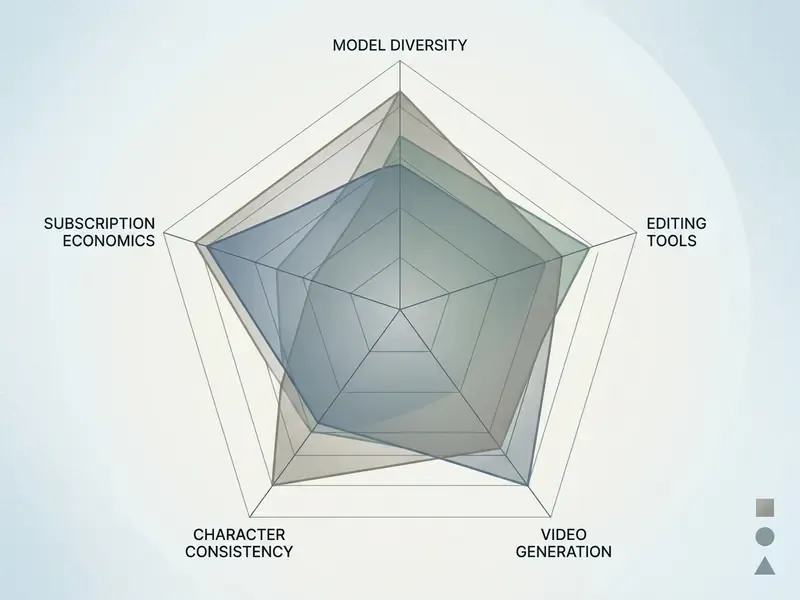
The OpenArt platform competes with specialized image generators such as Midjourney, Leonardo AI, and Scenario, and with video-first suites reviewed in our roundup of the best AI video generators. Midjourney focuses on proprietary visual style and prompt interpretation. OpenArt pursues a broader aggregator strategy, uniting over 100 external models, canvas editing, and AI video generation under a single subscription.
Figure: comparative capability profile of leading AI creative platforms.
Comparison by Generation, Editing and Model Selection
OpenArt introduces superior editing versatility compared with single-model engines. While the Midjourney AI image generator requires external software for advanced canvas manipulation, OpenArt integrates chat-driven editing, face swapping, background removal, and 4K upscaling directly in the browser. Independent comparisons still rank Midjourney highest for expressive stylistic coherence and rank open Stable Diffusion pipelines highest for raw flexibility, at the cost of local setup. That positions OpenArt as the turnkey middle path: broad model access with a managed editor.
Creators analyzing market alternatives can compare these capabilities against conventional desktop editing covered in our online photo editor guide, and against chat-native generation reviewed in our ChatGPT picture generator evaluation.
Comparison by Pricing, Credits and Creator Tasks
Economically, OpenArt offers multi-format value by bundling image, video, and character creation into a unified credit pool. Tools like Magnific charge high per-image metered fees, 50 credits for Google Imagen 3 and 100 credits for Imagen 4 in published documentation, so cost scales directly with output volume. Those economics are worth checking against our list of free AI video generators. By contrast, OpenArt's $27/mo Plus plan includes 12,000 credits capable of producing thousands of images alongside dedicated video clips, and bundled 2K/4K enhancement replaces separate spend on standalone AI image upscalers.
For direct feature-by-feature evaluations across competitive platforms, review our AI Media Comparison Matrices database. Developers seeking integration details can explore our technical breakdown of the api specifications and the cost model documented in our Google Veo API implementation guide.
On broader industry impact, creators keep arguing over whether automated studios displace artists or expand demand for supervision, review, and prompt-direction roles. Both sides are worth reading: the critique in why ai art is bad, the counterpoints in why is ai art bad, and the labor-market view in our discussion of whether AI will ai create more jobs than it removes. For a governance audience the question is narrower: who signs off on the asset, and can that sign-off be evidenced later?
Comparison with Specialized Alternatives (PicLumen, Pollo AI)
- PicLumen. If the core requirement is high-volume, low-cost short video with character continuity, PicLumen renders image-to-video faster and cheaper than OpenArt in side-by-side creator tests using the same source image and prompt. It supports character-based creation and a wide set of video tools, but it does not match OpenArt's depth of canvas editing (inpainting, outpainting, chat-to-edit, 4K upscale). A pragmatic split many creators adopt: build and lock the character in OpenArt, then animate cheaply in PicLumen.
- Pollo AI. Pollo positions itself as an all-in-one image-and-video platform with Pollo Agent, an AI agent that converts a brief into a complete workflow: planning, generation, and refinement in one flow. That is a genuine advantage for hands-off production. OpenArt still leads on depth of control over LoRA adapters, style-model training from owned references, and catalog breadth, 109+ image models versus a narrower set of flagship engines.
- Midjourney, Leonardo, Scenario. Choose Midjourney when stylistic signature outweighs editing and licensing convenience. Choose Scenario or a self-hosted Stable Diffusion stack when game-asset pipelines require strict style locking and API automation that OpenArt does not currently expose.
Choose OpenArt when you need one subscription covering images, video, characters, and editing with predictable monthly credits. Pair it or skip it when you need enterprise-grade centralized controls, SLAs, an API-first pipeline, per-model licensing matrices in one document, or written IP indemnity.
Frequently Asked Questions (FAQ)
How do I cancel a paid OpenArt AI subscription?
Open Account Settings, then the Subscriptions tab, then select Switch to Free plan. The subscription stays active until the end of the paid billing period, after which automatic charges stop. Remaining subscription credits do not carry over indefinitely; they reset on the monthly cycle.
Can OpenArt be used seriously for free?
Registration grants a one-time bonus of 40 credits, valid for 7 days, with no credit card required. The free tier is adequate for evaluating the interface and basic models, but it is capped at 512×512 px and 25 steps, may apply a visible watermark, and does not include commercial rights.
Who owns the commercial rights to generated frames?
OpenArt does not claim copyright over AI-generated output. Commercial use in advertising and client projects is permitted only on the Plus, Pro, and Wonder tiers. Under current U.S. Copyright Office guidance, purely machine-generated works are not themselves protectable by copyright.
How much does a video actually cost, and how long does it take?
A 4-second image-to-video clip costs roughly 400 credits and takes about 3 minutes to render. Cheaper engines can produce a 5-second clip near 100 credits; premium models exceed 1,500 credits per clip. Budget video, not images, as your dominant credit expense.
Can we upload confidential or customer data into OpenArt?
For regulated organizations the default answer should be no. All processing happens in the vendor's multi-tenant cloud on serverless GPU containers, and no public SOC 2 or ISO 27001 attestation, zero-data-retention mode, or DPA is documented on the public product pages. Request written confirmation of training-data opt-out, retention, residency, and sub-processors before any non-public material is uploaded.
Does OpenArt provide IP indemnification for enterprise customers?
No public indemnification commitment was found in the reviewed terms. The platform disclaims ownership of output without assuming a duty to defend third-party infringement claims, so residual IP risk sits with the licensee. Escalate to procurement and counsel if indemnity is a control requirement.
Does OpenArt support SSO, RBAC, or audit-log export?
Not publicly documented. Team add-ons exist on the Wonder tier, but SAML/SSO, role-based permissions, and exportable prompt and generation logs are not advertised. Compensate with a single named operator, an internal system of record for prompts and outputs, and quarterly re-review.
How do we block or govern OpenArt on a corporate network?
Treat it as a policy decision rather than an omission. Either approve it with documented conditions (approved tier, permitted data classes, human review, provenance logging), or block the domain at the egress layer and record the rationale in the tool inventory. Undefined status is what creates Shadow AI exposure.
What is the best OpenArt alternative?
For cheaper and faster character video, PicLumen. For agent-driven end-to-end workflows, Pollo AI. For stylistic signature, Midjourney. For automatable, self-hosted pipelines, a Stable Diffusion stack with your own LoRAs.
Is there an API for batch generation?
There is no public REST API and no bot automation. Higher tiers expose Director and OpenArt MCP access, but programmatic batch pipelines are not supported today, so OpenArt should not be designed into a production dependency chain.
Summary and Strategic Assessment
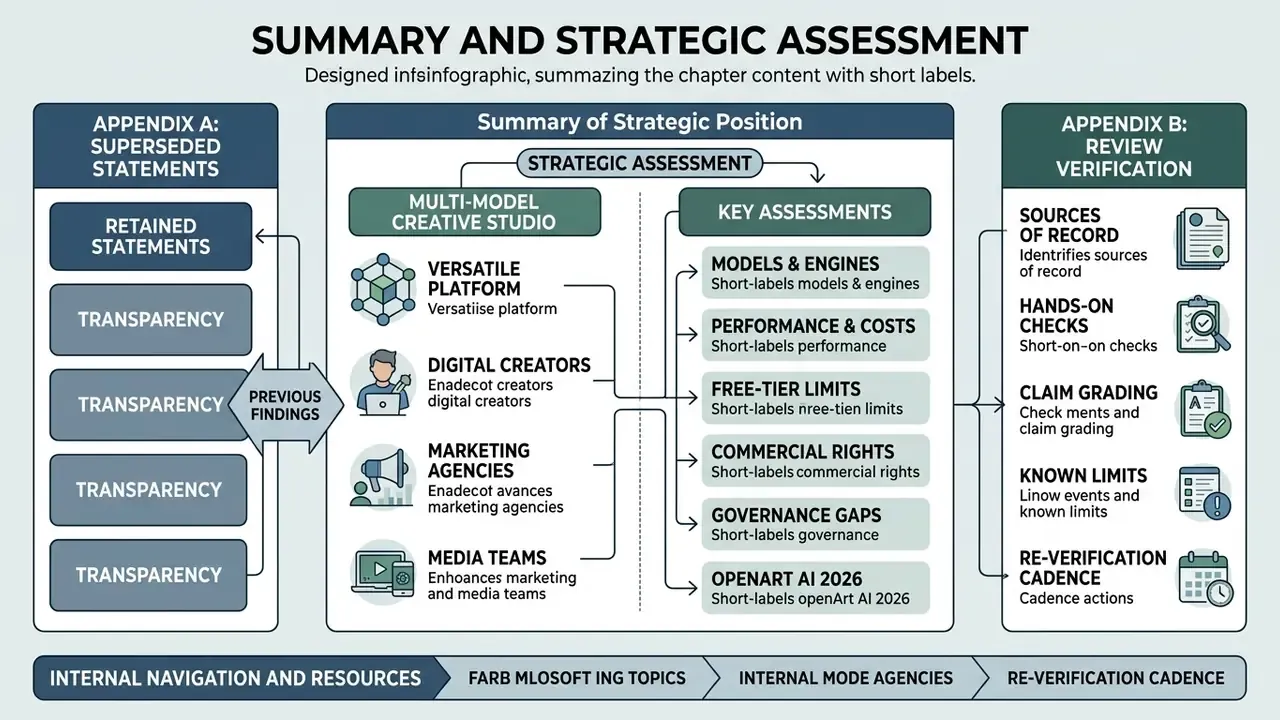
OpenArt AI stands out in 2026 as a versatile, multi-model creative studio for digital creators, marketing agencies, and media teams. By bringing together top-tier image and video models, character consistency tools, and automated story workflows in one browser workspace, all executed on autoscaling serverless GPU infrastructure, the platform removes technical barriers to high-volume asset production. Measured throughput is genuinely strong: about 20 seconds for an image grid, minutes for a short clip, and thousands of images per month inside a single credit bundle.
The trade-offs are equally concrete. Video is expensive per second and still shows blending, expression-repetition, and age-drift artifacts. Pricing and licensing documentation is spread across multiple pages, with the Help Center and Terms of Service disagreeing on commercial scope. And on the enterprise axis, attestations, SSO, RBAC, audit logs, API access, IP indemnity, the platform is not yet a governed system of record.
Deployed under an appropriate subscription tier with verified commercial rights, documented provenance, an explicit input-data policy, and human review before publication, OpenArt can serve as an efficient engine for modern visual content creation. Deployed without those controls inside a regulated institution, it is best classified as Shadow AI and governed accordingly. The safe next step is small: one named operator, one Plus-or-higher seat, a written input policy, and a 90-day review date.
Appendix A: Superseded Statements Retained for Transparency
Appendix B: How This Review Was Verified
- Sources of record. Official OpenArt pricing, terms, help-center, and product pages, checked on September 3, 2026, plus the Modal customer story for infrastructure claims.
- Hands-on checks. Free-tier limits (512×512 px, 25 steps), image grid latency, a 4-second image-to-video render, and one character profile build were exercised directly; credit debits were read from the account ledger rather than marketing copy.
- Claim grading. Vendor-published metrics are labeled as such. Preprints and award case studies are labeled directional. Anything not found in writing is recorded as “not publicly documented,” never as “absent.”
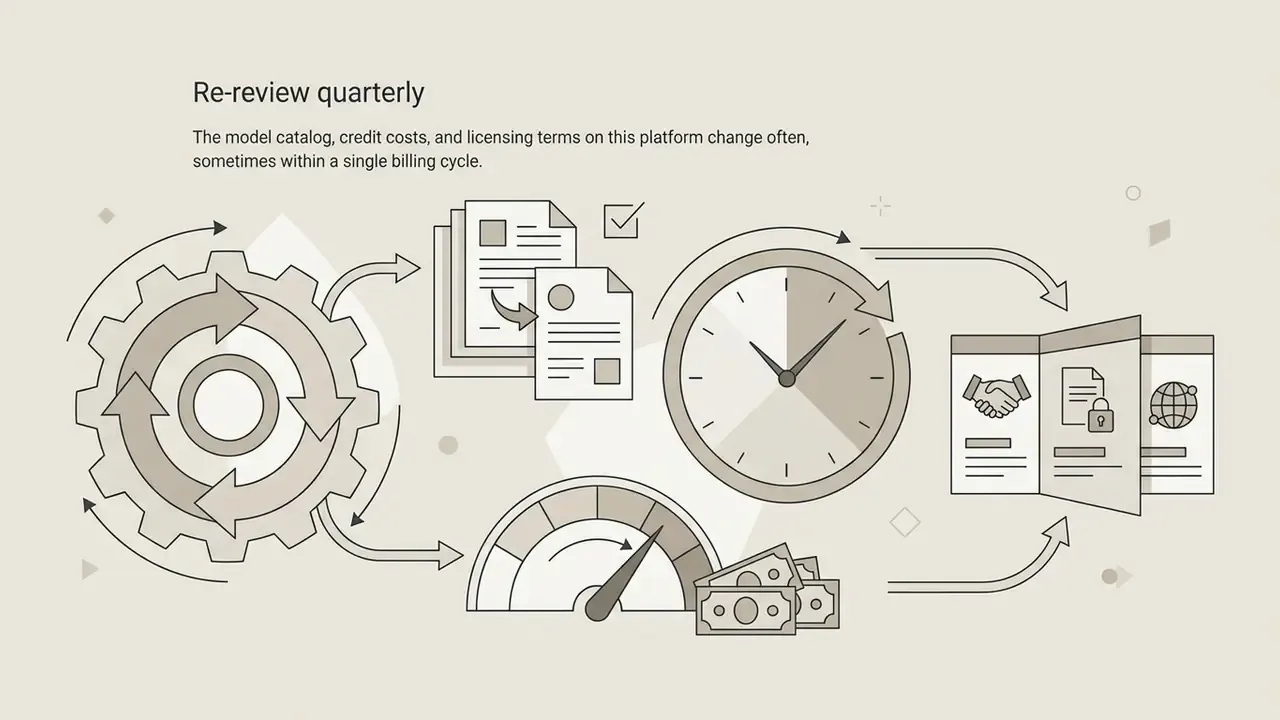
- Known limits of this review. No enterprise agreement was executed, so DPA terms, retention windows, and training opt-outs remain unverified. Model catalogs and credit costs change frequently, so re-check before procurement sign-off.
- Re-verification cadence. Quarterly, with an immediate re-check if the Terms of Service version date changes.