Executive Summary for Risk, Governance, and Infrastructure Leaders
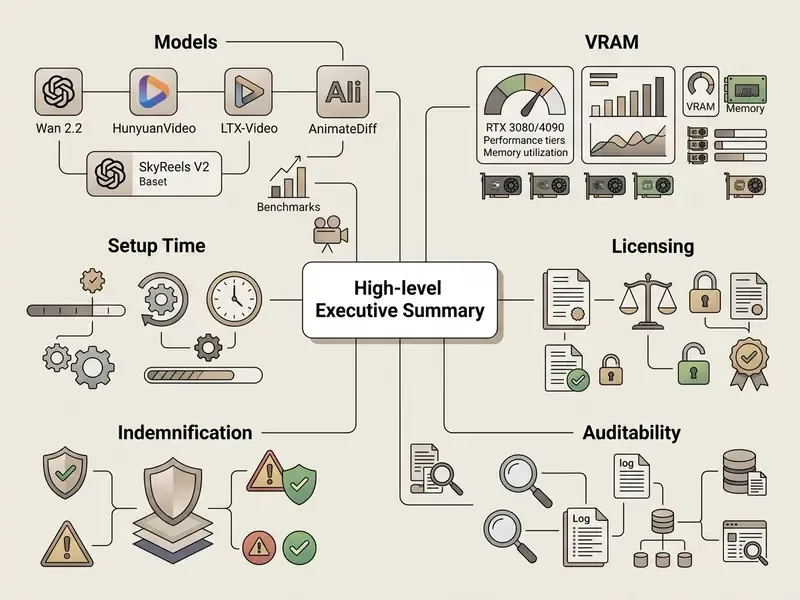
If you read one section, read this one. The six points below summarize the operational, financial, and compliance reality of running an open source AI video generator inside a controlled environment in 2026.
- Model landscape: The open-weights field is led by Wan 2.2 (Apache 2.0, MoE DiT with 14B active parameters plus a 1.3B/5B lightweight route), HunyuanVideo (13B, Causal 3D VAE, Tencent Community License), LTX-Video (fast DiT with 1:192 compression), Mochi 1 (10B AsymmDiT, Apache 2.0), CogVideoX, Open-Sora 2.0, Stable Video Diffusion, plus specialized options such as SkyReels V2 (long-form portrait animation) and AnimateDiff (motion modules for Stable Diffusion).
- Hardware floor: 8 to 12 GB VRAM runs quantized lightweight models; 16 to 24 GB is the practical range for flagship quality; 48 to 80 GB is required for full-precision A14B-class or 129-frame 720p inference.
- Real setup cost: Expect 4 to 8 hours for a first-time local environment build (Python, CUDA, ComfyUI, weights) and 50 to 120 GB of NVMe storage per flagship checkpoint.
- Licensing is not uniform: Apache 2.0 and MIT permit broad commercial use; LTX-Video's community terms are free below roughly $10M annual revenue; the Tencent Community License and CreativeML Open RAIL variants add territory and use-based restrictions.
- No IP indemnification: Unlike managed enterprise SaaS vendors, open-weights publishers do not offer copyright indemnity. That residual legal exposure sits with your organization and must be priced into risk-adjusted total cost of ownership.
- Auditability is your job: Reproducibility (seeds, prompts, checkpoint hashes, sampler settings) is not provided by default. It has to be engineered into the pipeline before a video model enters any regulated production workflow.
What Is an Open Source AI Video Generator and How Does It Differ From Closed Services?
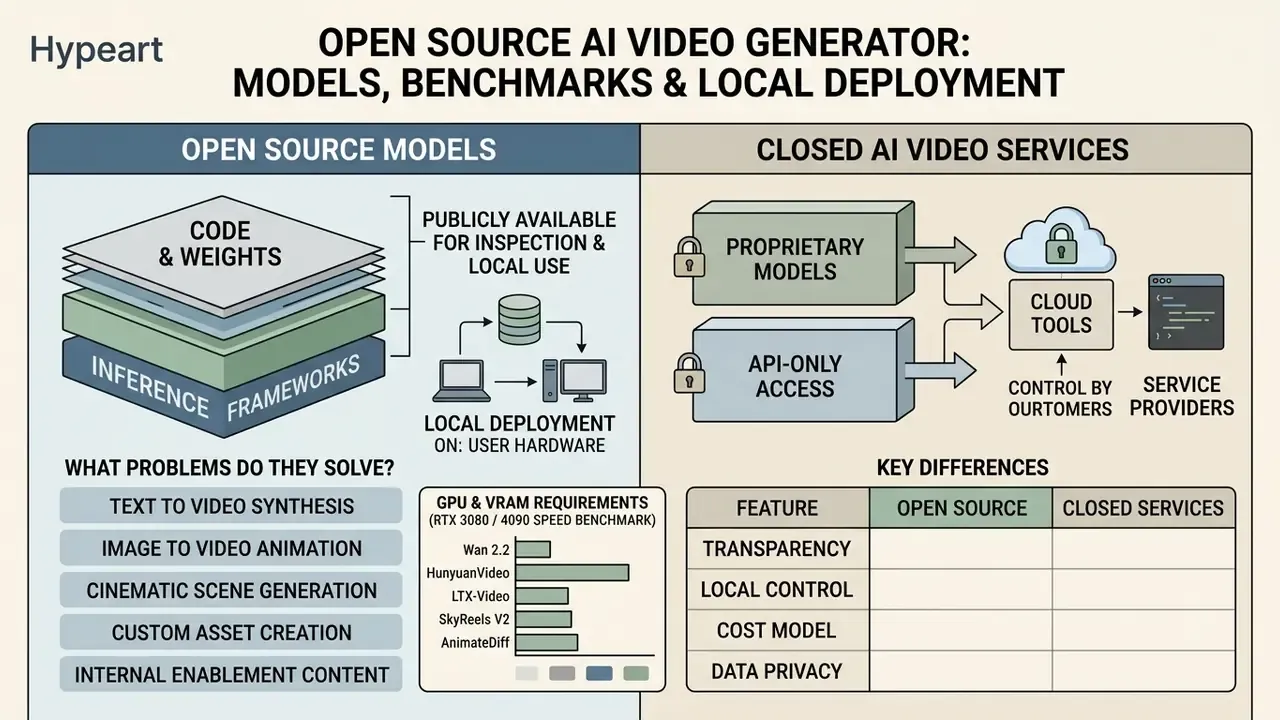
An open source AI video generator is a software pipeline and model architecture whose code, neural weights, or inference frameworks are publicly available for inspection, local deployment, and customization. Unlike proprietary cloud services, an open source video model lets institutions execute video generation directly on private hardware, modify the underlying code, and keep complete auditability over sensitive visual assets. For a broader taxonomy of the category, see our reference guide to AI video generators.
In modern enterprise and media workflows, open source models provide full control over data lineage, which removes third-party data processing risk from the picture. Closed AI services process prompts and media in vendor-managed environments, and that creates both privacy exposure and hard operational dependency. Local and self-hosted open source models, by contrast, keep proprietary inputs, synthetic clips, and brand assets inside controlled network boundaries.
Recent quantitative work confirms that "open" no longer means "second-tier" on quality:
That result reframes the deployment question. It is no longer "open versus good." It is who controls the infrastructure, the data boundary, and the audit trail.
What Problems Do Open Source Video Models Solve?
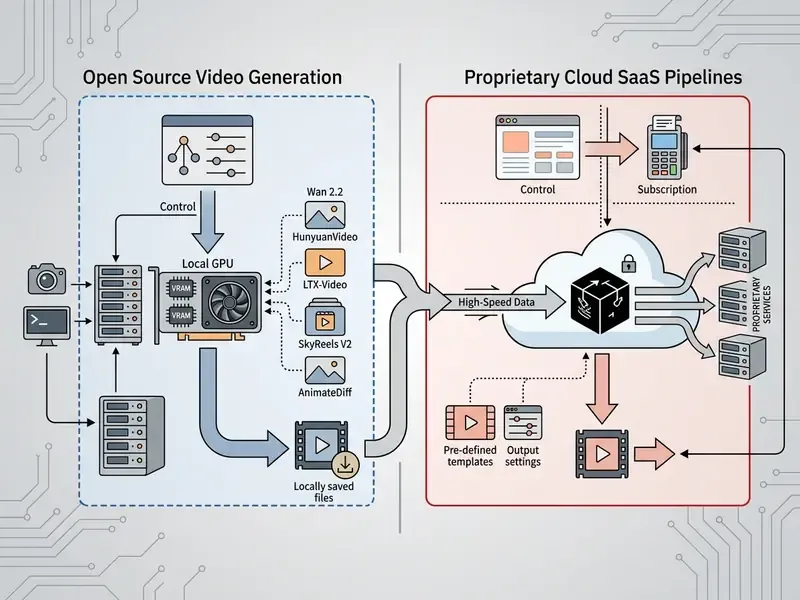
Open source video models address three recurring constraints: data security, customization depth, and cost control in digital video creation. They let developers and creators convert raw text prompts or static reference frames into temporal visual outputs without hitting third-party API rate limits.
- Text to video synthesis
- Generates dynamic video clips directly from descriptive natural language prompts.
- Image to video animation
- Converts static reference images into temporal animations while holding structural fidelity, which helps when combining generative frames with an ai background generator or building narrative context with an ai backstory generator.
- Cinematic scene generation
- Controls virtual camera trajectories, lighting, and temporal motion for commercial production.
- Custom asset creation
- Enables domain-specific fine-tuning (for example via LoRA) so visual branding stays consistent across asset pipelines.
- Internal enablement content
- Produces training material, compliance walkthroughs, and internal visualizations that never leave the corporate perimeter. In regulated institutions this is usually the first use case that clears approval, precisely because the risk surface is small.
Open Source Models, Cloud Tools, and Closed AI Video: Key Differences
The primary differences between open source models, cloud-hosted open engines, and closed SaaS platforms sit in data governance, hardware requirements, and pricing structure. Open source video generation shifts spend from variable per-minute API subscriptions to predictable infrastructure investment.
Self-hosted deployments need dedicated GPU memory and engineering oversight. In return they offer complete customization through frameworks like ComfyUI and Hugging Face Diffusers. Closed SaaS tools give you instant cloud availability, but they restrict access to base weights, fine-tuning mechanisms, and custom security controls.
Table: Comparison of open source video models, cloud open endpoints, and closed AI video tools
| Evaluation Dimension | Open Source Models (Local / Self-Hosted) | Hosted Open Model Endpoints | Closed Proprietary AI Tools |
|---|---|---|---|
| Model Transparency | Full access to model weights, code, and network architecture for complete inspection. | Open weights, but the inference environment is managed by the host provider. | Proprietary architecture; weights and training data remain undisclosed. |
| Infrastructure & Control | Runs on local hardware or private cloud; supports offline air-gapped execution. | Runs on third-party cloud infrastructure via managed API endpoints. | Strictly cloud-bound; accessed only through the vendor web UI or API. |
| Workflow Customization | Unrestricted customization via ComfyUI, Diffusers, LoRA adapters, and custom nodes. | Moderate control via API parameters; deep workflow changes are limited. | Restricted to vendor-defined features, preset styles, and fixed parameters. |
| Data Governance & Privacy | Complete privacy; prompts, inputs, and output videos stay on local servers. | Data passes to the host API; compliance depends on provider terms. | Vendor processes all inputs; risk of data logging or model re-training. |
| Cost Structure | Fixed upfront hardware and GPU expense; near-zero marginal cost per video. | Pay-per-second or per-generation usage pricing. | Recurring subscription tiers or per-credit and per-second API charges. |
| IP Indemnification | None; residual copyright exposure stays with the deploying organization. | Rare; usually excluded in provider terms of service. | Sometimes offered by large enterprise vendors as a contractual add-on. |
When evaluating enterprise tool selection, organizations often review our comprehensive AI Media Comparison Matrices to align model deployment strategy with internal compliance baselines.
Best Open Source AI Video Models for Video Generation
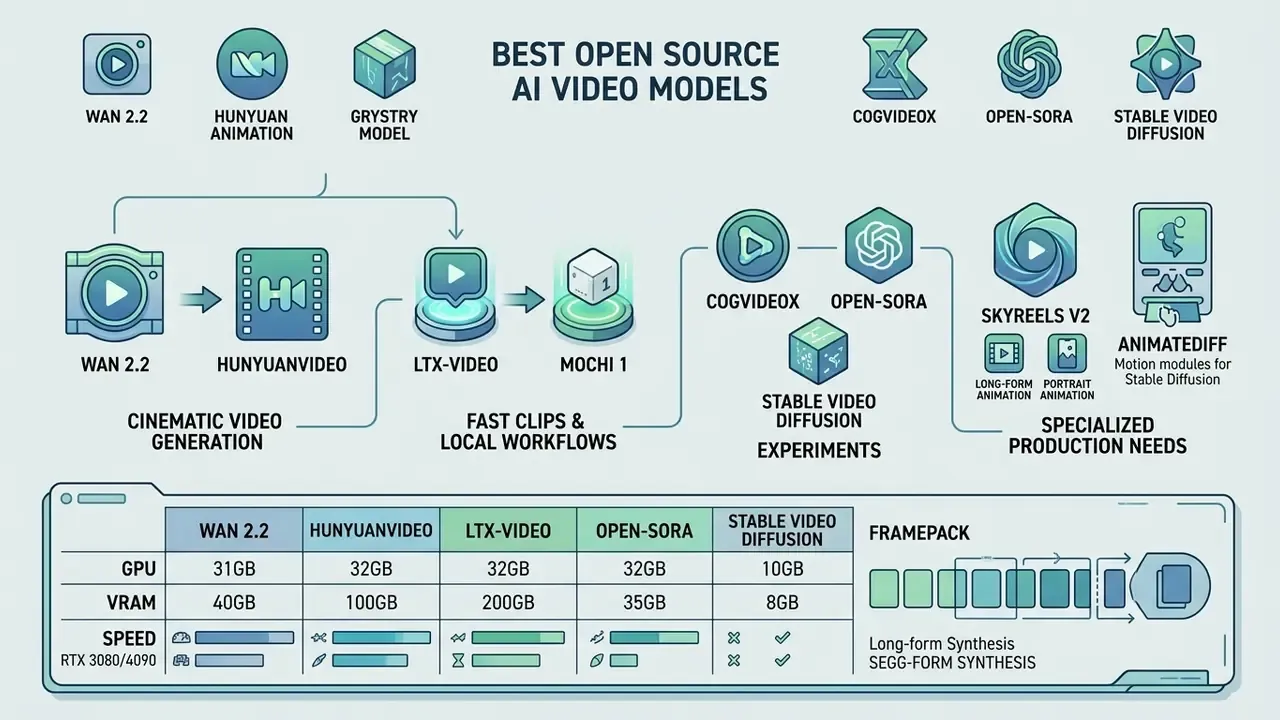
The leading open source AI video models in 2026 include Wan 2.2, HunyuanVideo, LTX-Video, Mochi 1, CogVideoX, Open-Sora, Stable Video Diffusion, SkyReels V2, and AnimateDiff. Together they represent the state of the art in open-weights video generation, from massive flagship models built for cinematic rendering to lightweight pipelines tuned for consumer GPUs.
Choosing the best open source video generation AI means balancing visual quality, temporal consistency, hardware demands, and license terms. Teams comparing open and closed options side by side can also consult our roundup of the best AI video generators. On the measurement side, benchmark suites such as VBench decompose quality into hierarchical dimensions (motion smoothness, subject consistency, prompt adherence), and the most recent results show open Diffusion Transformers (DiTs) reaching or exceeding commercial baselines: LanDiff's 85.43 VBench score edged out both HunyuanVideo and closed systems, while community VBench tables place Wan 2.1/2.2 in the 82.8 to 85.2 range.
Wan and HunyuanVideo for Cinematic Video Generation
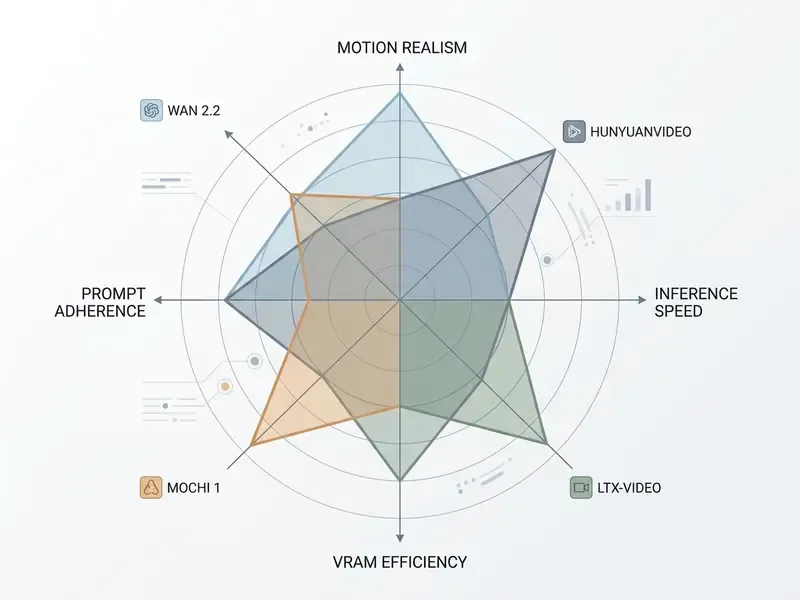
Wan 2.2 and HunyuanVideo are high-parameter flagship models built specifically for high-fidelity cinematic clips. Both pair Diffusion Transformer (DiT) architectures with specialized 3D Variational Autoencoders (VAEs) to hold long-range spatial and temporal consistency.
Wan 2.2 uses a Mixture-of-Experts (MoE) design with up to 14 billion active parameters, with native support for 720p and 1080p output at 24 frames per second, plus a lighter TI2V-5B variant sized for 24 GB cards. HunyuanVideo, developed by Tencent, uses a Causal 3D VAE with a 4:8:16 spatiotemporal compression ratio and a dual-stream-to-single-stream hybrid transformer, supporting 129-frame generations at 720p.
Independent world-knowledge benchmarking quantifies where these models actually stand on physical plausibility:
Practical reading: motion and object handling are production-grade, while multi-step causal reasoning (cause leading to effect inside a single shot) remains the weakest dimension across every open model tested.
LTX-Video and Mochi 1 for Fast Clips and Local Workflows
LTX-Video and Mochi 1 prioritize inference speed, low latency, and efficient operation on consumer-grade hardware. They suit rapid prototyping, social clip generation, and interactive applications where turnaround matters more than maximum polish.
LTX-Video, developed by Lightricks, applies an aggressive 1:192 pixel-to-latent compression ratio. That lets it generate a 5-second 720p clip in under two seconds on an enterprise GPU at low step counts (roughly 8 to 12 inference steps in bfloat16), or in under a minute on a consumer RTX 4060. Updated benchmark detail:
Mochi 1, developed by Genmo, uses an Asymmetric Diffusion Transformer (AsymmDiT) with 10 billion parameters under an Apache 2.0 license. It handles realistic human motion, fluid dynamics, and material physics unusually well for its size.
One deployment nuance worth flagging. Genmo's reference repository cites roughly 60 GB VRAM for the unoptimized single-GPU path, while community pipelines with FP8 quantization and offloading bring Mochi 1 into the 16 to 24 GB range at a modest quality cost. Those two numbers describe the same model, which is exactly why capacity planning from a headline figure goes wrong.
CogVideoX, Open-Sora, and Stable Video Diffusion for Experiments
CogVideoX, Open-Sora, and Stable Video Diffusion (SVD) work as modular foundation frameworks for academic research, custom training, and experimental pipelines. Their codebases are readable, which matters when a validation team needs to trace what the sampler actually does.
CogVideoX offers 3D causal compression and ships dedicated LoRA fine-tuning scripts that run inside 12 GB to 24 GB VRAM limits. Open-Sora provides end-to-end open training pipelines supporting variable aspect ratios and durations up to 15 seconds; Open-Sora 2.0 publishes an 11B-parameter model and reports 87.5 on VBench against Sora's 88.2, a gap of 0.7 points. Stable Video Diffusion remains a reliable image-to-video baseline (576×1024, 14 frames for SVD and 25 frames for SVD-XT, configurable between 3 and 30 fps), and it is frequently integrated into downstream animation and motion-graphics pipelines built with an animation maker or finished inside a YouTube video editor workflow.
SkyReels V2 and AnimateDiff for Specialized Production Needs
Beyond foundational text-to-video DiTs, several specialized open-weights architectures address bottlenecks that flagship models handle poorly:
- SkyReels V2 (long-form and portrait animation): Built for portrait consistency and longer temporal sequences in the 15 to 30 second range, well beyond the 5 to 8 second window most DiTs sustain. The SkyReels line supports up to 33 discrete facial expression vectors for expression-driven storytelling, produces 24 fps cinematic portrait animation with strong facial identity retention, and uses the SkyInfer Engine to prevent character degradation across dynamic multi-shot narratives. The same portrait machinery sits underneath consumer novelty products such as an ai baby face generator or an ai baby generator, which is a useful reminder that identity-heavy pipelines carry consent questions, not just quality questions. Trade-offs: motion quality declines in crowded scenes, and multi-shot setups need more workflow preparation than a single-prompt T2V run.
- AnimateDiff (motion modules for Stable Diffusion): Operates as an insertion module over existing SD 1.5 and SDXL image models. Rather than generating video from scratch, AnimateDiff animates static latent-space vectors, which makes it viable on 8 GB VRAM setups and lets teams reuse the enormous existing LoRA and checkpoint ecosystem. It remains one of the most-starred open animation repositories and the default entry point for anyone who already owns a Stable Diffusion workflow.
- FramePack (segmented long-form synthesis): A diffusion-based approach that extends sequences segment by segment while preserving narrative and scene continuity, with hosted renders reaching 1080p. Useful when the requirement is a continuous environment rather than one dramatic shot.
Table: Detailed technical specifications of leading open source AI video models
| Model Name | Modalities | Architecture | Min. VRAM (Quantized/Offload) | Rec. GPU (Full Quality) | Max Resolution / Frames | License Type |
|---|---|---|---|---|---|---|
| Wan 2.2 | T2V, I2V | MoE Diffusion Transformer (14B active / 1.3B–5B light routes) | 8 GB - 12 GB (1.3B/FP8) | RTX 4090 (24 GB) / A100 (80 GB for A14B) | 720p / 1080p (24 fps) | Apache 2.0 |
| HunyuanVideo | T2V, I2V, Editing | Causal 3D VAE + Dual-Stream DiT (13B) | 14 GB - 16 GB (Quantized) | NVIDIA A100 (60 GB min / 80 GB rec. for 129f) | 720p x 1280p / 129 frames | Tencent Community License |
| LTX-Video | T2V, I2V | DiT with 1:192 Video-VAE | 8 GB VRAM (RTX 4060) | RTX 4080 (16 GB) / H100 | 1216p x 704p / 121 frames | Custom Open (free under $10M revenue) |
| Mochi 1 | T2V | Asymmetric DiT (10B) + 362M Video VAE | 16 GB - 20 GB (Optimized) | RTX 4090 / Multi-GPU (~60 GB reference path) | 480p / 30 fps (5.4 seconds) | Apache 2.0 |
| CogVideoX-5B | T2V, I2V | 3D Causal VAE + DiT | 12 GB (LoRA) / 24 GB | RTX 4090 (24 GB) | 768p x 1360p / 10 seconds | Apache 2.0 |
| Open-Sora 2.0 | T2I, T2V, I2V | Spatial-Temporal DiT (11B) | 16 GB VRAM | NVIDIA A100 / H100 | 720p / 15 seconds | Apache 2.0 |
| Stable Video Diffusion | I2V | Latent Video Diffusion | 12 GB VRAM | RTX 3090 / 4090 | 576p x 1024p / 14–25 frames (3–30 fps) | NC-Community / Open-Weights |
| SkyReels V2 | T2V, I2V (portrait focus) | Long-horizon DiT + SkyInfer Engine | 12 GB - 16 GB (Quantized) | RTX 4090 (24 GB) | 720p / 15–30 seconds, 24 fps | Open-Weights (check model card) |
| AnimateDiff | I2V, T2V (SD-based) | Motion module over SD 1.5 / SDXL | 8 GB VRAM | RTX 3080 / 4070 (10–12 GB) | 512p–1024p / 16–64 frames (context windowed) | Apache 2.0 (module) + base model terms |
How to Choose an Open Source Video Generator for Your Task
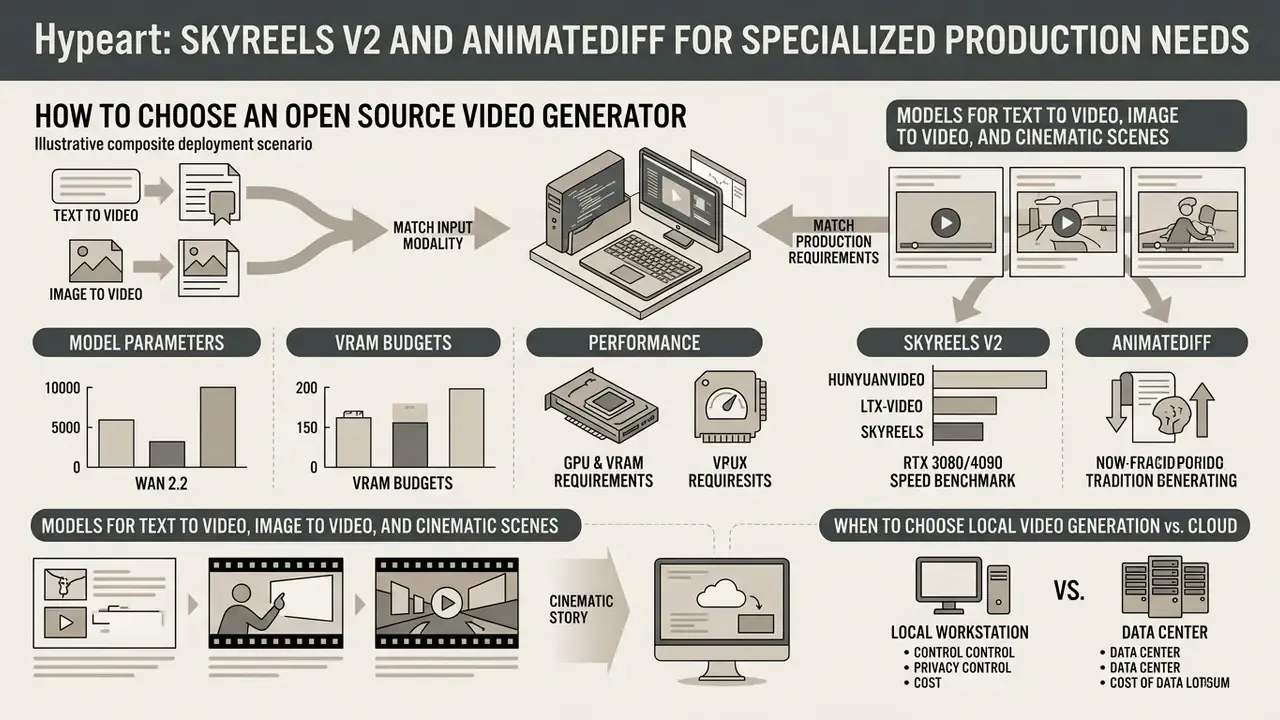
To choose the best open source video generator, match your primary input modality (text or image) and production requirements against model parameters, VRAM budgets, and licensing constraints. Identifying those factors early prevents resource bottlenecks halfway through deployment.
A structured evaluation framework assesses three core criteria: Inside regulated organizations a fourth criterion applies: evidence readiness, meaning whether the pipeline can reproduce a given output from a recorded seed, prompt, and checkpoint hash when an auditor asks.
- Input modality and task fit
- Whether the model natively supports text-to-video, image-to-video, or camera trajectory control.
- Hardware budget
- How local VRAM constraints map onto quantized model variants or cloud GPU instance costs.
- Licensing clearance
- Whether commercial deployment limits (revenue caps, territory exclusions, attribution rules) align with institutional policy.
Models for Text to Video, Image to Video, and Cinematic Scenes
Text-to-video generation demands strong natural language understanding and spatial modeling, which makes Wan 2.2 and HunyuanVideo the top choices for complex narrative prompts. For cost-conscious teams testing prompts before committing GPU hours, our overview of text-to-video AI tools compares hosted alternatives. When starting from static visual assets, dedicated image-to-video pipelines such as LTX-Video or Stable Video Diffusion preserve object consistency more effectively.
For cinematic scene creation that needs explicit virtual camera panning, tilting, or zooming, models with dual-stream conditioning and camera-parameter control perform best. Empirical evaluation clarifies where image-conditioned models still fail:
In practice, reference-image workflows hold composition well but misassign colors, materials, and object ownership when a prompt implies a relationship rather than stating it. Explicit attribute-by-object prompting is the mitigation. Tedious, yes. It also cuts rework.
When to Choose Local Video Generation vs. Cloud
Choose local video generation when absolute data privacy, offline air-gapped execution, and fine-tuning control are required. Choose cloud serverless GPUs or hosted endpoints when workloads are sporadic, upfront capital for hardware is unavailable, or immediate scaling is the priority. If your constraint is budget rather than privacy, review free AI video generators before buying hardware.
Illustrative deployment scenario (composite, not a single named client). In a typical enterprise evaluation, a risk assessment function compares local deployment against cloud APIs for internal video creation. Deploying an open-weights model on existing GPU workstations removes third-party data processing from the equation and pushes marginal per-video cost toward zero once the hardware is amortized. The counterweight is engineering time: environment maintenance, driver upgrades, checkpoint storage. Break-even in most modeled cases lands between 3 and 8 months, depending on volume. Organizations producing 3 to 5 clips per week rarely justify dedicated hardware, while teams producing 20 to 40 clips per day almost always do by month two. These figures are directional planning inputs; institution-specific TCO modeling is required before capital approval.
GPU and VRAM Requirements for Local AI Video Generation
Local execution of open source AI video models requires enough GPU VRAM to hold model weights, text encoders, VAE decoders, and activation states in memory during inference. System RAM typically needs to sit between 32 GB and 64 GB for smooth execution, and NVMe storage matters as much as VRAM once several checkpoints are staged locally.
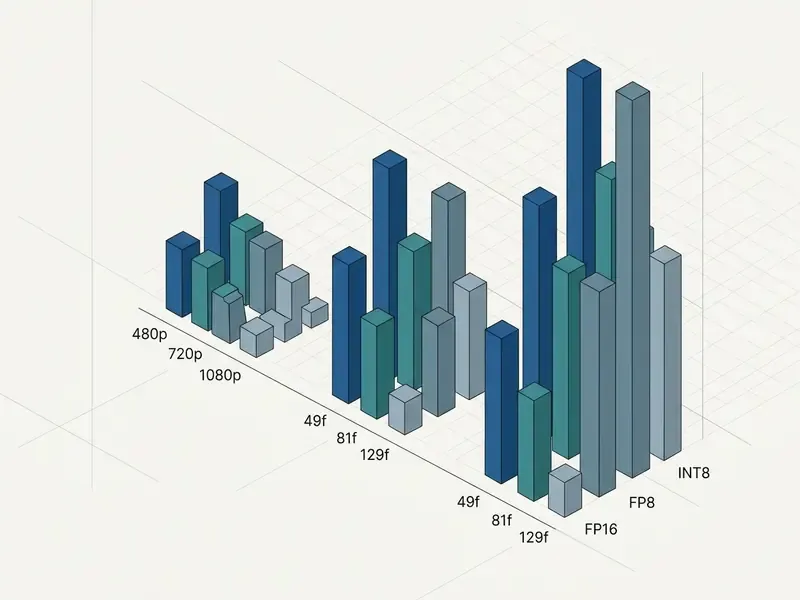
Small quantized models run on 8 GB to 12 GB consumer GPUs. Unquantized flagship models at 1080p often demand 24 GB to 80 GB of dedicated VRAM. Published figures for Wan 2.1 illustrate the spread: 720p T2V-14B inference on a single A100 measured 69.1 GB, the same resolution on an RTX 4090 measured 24.3 GB with offloading, and I2V-14B at 720p on A100 measured 38.8 GB. Understanding how memory scales is what prevents out-of-memory (OOM) failures mid-render.
Real-World Generation Speed Benchmarks (RTX 3080 vs RTX 4090)
VRAM decides whether a model loads at all. Execution time decides whether the workflow is usable. The table below outlines empirical generation speeds for standard 5-second clips (720p at 24 fps) using FP8 precision versus native FP16:
| Model Name | Model Size | RTX 3080 (10 GB VRAM) | RTX 4090 (24 GB VRAM) | NVIDIA A100 (80 GB VRAM) |
|---|---|---|---|---|
| LTX-Video | 2B | 1.5 – 2.5 min (FP16) | 20 – 35 sec (FP16) | < 5 sec (FP16) |
| Wan 2.2 (Light) | 1.3B | 3 – 5 min (FP16) | 45 – 60 sec (FP16) | 12 – 18 sec (FP16) |
| Wan 2.2 (Flagship) | 14B | 12 – 18 min (FP8) | 3 – 5 min (FP8/FP16) | 45 – 75 sec (FP16) |
| HunyuanVideo | 13B | OOM / Unsupported | 4 – 7 min (FP8) | 1.5 – 2.5 min (FP16) |
| Mochi 1 | 10B | OOM (needs > 16 GB) | 2.5 – 4 min (FP8) | 50 – 80 sec (FP16) |
| SkyReels V2 | Long-form DiT | 14 – 22 min (FP8, 15 sec clip) | 5 – 8 min (FP8, 15 sec clip) | 90 – 150 sec (FP16) |
| AnimateDiff (SD 1.5) | 1.5B + motion module | 40 – 90 sec (16 frames) | 15 – 30 sec (16 frames) | < 10 sec (16 frames) |
Two operational conclusions follow. First, a 10 GB card is an iteration device, not a production device: at 12 to 18 minutes per flagship clip, a 20-generation session burns an entire working day. Second, the 4090 is the practical inflection point where local generation approaches cloud turnaround (30 to 90 seconds) closely enough that privacy and unlimited volume outweigh the latency penalty.
How VRAM Affects Video Length, Resolution, and Inference Speed
VRAM capacity directly limits maximum output resolution, total frame count, batch size, and attention context windows. Higher resolutions and longer clips scale memory non-linearly, because spatial-temporal self-attention carries quadratic complexity; KV-cache and activation memory grow linearly with both batch size and sequence length.
For example, generating a 49-frame 480p clip on CogVideoX needs roughly 12 GB VRAM in quantized modes. Raise resolution to 768p and length to 81 frames, and peak usage passes 27 GB. Fine-tuning scales the same way:
When local VRAM is exceeded, pipelines either crash or spill to system RAM, and inference speed collapses. Not by a few percent. Usually by an order of magnitude.
Optimizations for Running Video Models on Local GPUs
To run high-parameter video models on consumer hardware, developers rely on a small set of memory-saving techniques:
- Quantization (FP8 / INT8 / GGUF) Reduces weight precision from 16-bit float to 8-bit or 4-bit representations, cutting VRAM use by 40% to 60% with minimal visual loss. FP8 kernels require NVIDIA SM89+ hardware; on older architectures the runtime silently falls back to dequantized execution, which erases the speed benefit while looking like success.
- Sequential CPU offloading Moves non-active submodules (text encoders, VAE decoders) from GPU memory to system RAM during execution. Hugging Face documents reductions below 3 GB in some pipelines, with the explicit caveat that
enable_sequential_cpu_offload()is extremely slow and limited to a single GPU. - FlashAttention and xFormers Optimizes attention kernel math to reduce memory overhead. On PyTorch 2.0+, treat xFormers as a memory-saving backend rather than a speed-up.
- Block swapping and tiling Processes frames in spatial or temporal chunks instead of loading the entire latent tensor at once (
vae.enable_tiling(),block_swap_config,preserve_vram).
Can You Run an AI Video Generator Offline?
Tools and Workflows for Running Open Source AI Video Models
To deploy open source AI video models effectively, creators and developers lean on node-based execution engines, Python scripting libraries, and custom fine-tuning frameworks. These stacks turn raw model weights into functional generation pipelines, and they typically hand off to conventional video editing tools for trimming, grading, and audio alignment.
ComfyUI Workflows for Video Generation
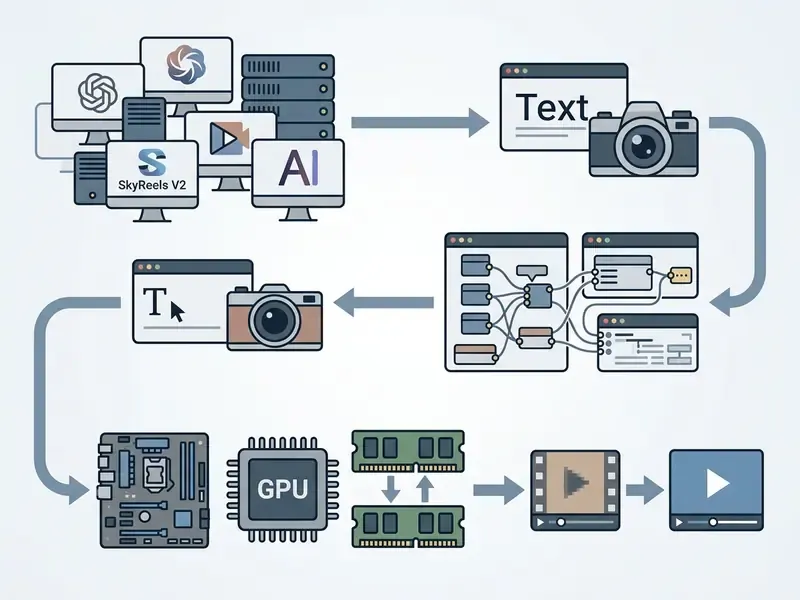
ComfyUI is a popular node-based visual interface and execution engine for orchestrating complex AI video generation workflows. Users connect discrete functional nodes, such as model loaders, text encoders, latent samplers, and VAE decoders, on a visual canvas. The server runs in Python (3.13 recommended, 3.12 as dependency fallback) with a JavaScript client, and the public workflow gallery lists 600+ shareable graphs.
Advanced ComfyUI video workflows add custom extension nodes:
context_length=16 is the documented default, lowered for constrained VRAM), and video container export.
multiplier from 2 to 16 and outputs (input_frames − 1) × multiplier + 1 frames.
| Node Package Name | Primary Function | Minimum VRAM Impact |
|---|---|---|
| ComfyUI-Frame-Interpolation (RIFE/FILM) | Doubles or quadruples native output fps (8 fps to 32 fps) | +1.5 GB VRAM |
| VideoHelperSuite (VHS) | Handles video loading, latent batching, and MP4/WebM encoding | +0.2 GB VRAM |
| ComfyUI-Advanced-ControlNet | Applies depth mapping and motion vectors across frames | +2.5 GB VRAM |
| AnimateDiff-Evolved | Adds motion modules and context windowing to SD checkpoints | +1.0 GB VRAM |
| SeedVR2 / Upscale nodes | Post-generation upscaling with preserve_vram and block swap | +2.0 GB VRAM (configurable) |
Video Generation with Diffusers and Model Inference (for MLOps and Data Science Teams)
This section is implementation-level. Governance and finance readers can skip to "Reality Check: Initial Setup Time" without losing the argument.
For backend integration and automated server pipelines, Hugging Face diffusers provides a Python framework for programmatically managing video diffusion models. Developers write scripts to handle batch processing, API serving, and dynamic model swapping. Schedulers are interchangeable via from_config(pipe.scheduler.config), and multi-GPU inference runs through accelerate.PartialState with accelerate launch --num_processes.
# Example: Python inference pipeline using Hugging Face Diffusers for video generation
import torch
from diffusers import LTXPipeline
from diffusers.utils import export_to_video
# 1. Load pipeline in bfloat16 precision
pipe = LTXPipeline.from_pretrained(
    "Lightricks/LTX-Video",
    torch_dtype=torch.bfloat16
)
# 2. Enable memory optimization hooks
#    NOTE: call offload BEFORE moving the pipeline to CUDA
pipe.enable_sequential_cpu_offload()
pipe.vae.enable_tiling()
# 3. Execute text-to-video inference
prompt = "Cinematic shot of a corporate boardroom, smooth slow pan camera movement, highly detailed."
generator = torch.Generator(device="cpu").manual_seed(20260315)  # reproducibility for audit evidence
video_frames = pipe(
    prompt=prompt,
    num_inference_steps=50,
    guidance_scale=7.5,
    height=480,
    width=720,
    num_frames=121,
    generator=generator
).frames[0]
# 4. Export output clip
export_to_video(video_frames, "output_cinematic_clip.mp4", fps=24)
Recording the generator seed alongside the prompt, checkpoint revision hash, scheduler, and step count is what converts an ad-hoc render into reproducible audit evidence. Skip that step and you own an artifact nobody can explain later.
Training and Adapting Open Source Video Models
Adapting base video models for specialized visual domains usually means parameter-efficient fine-tuning, most often Low-Rank Adaptation (LoRA). Training a full base model from scratch requires massive compute clusters; LoRA adapts specific network layers using small, high-quality video datasets. ControlNet-style conditioning, as used in motion-guided video-to-video work, adds explicit motion steering on top of a fine-tuned base.
Preparing a custom training dataset requires scene splitting, resolution standardization, and automated captioning. Recent fine-tuning studies indicate that a LoRA adapter trained on 40 to 100 high-quality, motion-consistent clips (resized to 1024×576 at 24 fps, decomposed into roughly 25,000 frame–caption pairs) lets base models learn distinct visual styles or branding guidelines without visible degradation. Larger human-centric pipelines filter down to about 7,000 clips using image and video quality thresholds around 0.7.
Privacy caveat for regulated teams: LoRA reduces trainable parameters but does not eliminate training-data leakage. A 2025 study on diffusion-model LoRA reported reconstruction of private images from fine-tuned weights, with no evaluated defense preserving privacy without utility loss. Adapter weights derived from confidential footage must therefore be classified and access-controlled at the same level as the source material.
Reality Check: Initial Setup Time and Environment Friction
Standing up a local AI video pipeline takes real configuration work. Expect an initial window of 4 to 8 hours for a first-time install, which is a half-day minimum for anyone not already fluent in Python environment management. The friction points repeat across teams:
Later installations go much faster once a validated environment image exists. The honest framing for stakeholders: budget one engineer-day for the first node, then hours per replica.
To weigh self-hosted infrastructure expense against enterprise cloud pricing, review our AI Media Pricing hub. Teams pairing generated footage with narration can also review our guide to AI voice generators, and anyone managing large render libraries will eventually need a video compressor at the export stage.
Model Risk Management and Audit Evidence for Open Video Models
Open weights shift the entire control burden onto the deploying organization. No vendor SOC 2 report. No model card SLA. No support queue. For institutions operating under model risk management expectations, for example supervisory guidance on model risk such as SR 11-7, or AI risk frameworks like the NIST AI RMF, a generative video model should be treated as an in-scope model asset rather than a design toy.
MRM Checklist Before Production Deployment
Checklist0 / 10
One practical note on validation metrics. Because open models score weakest on causality (0.62 on T2VWorldBench for Wan 2.1) and on attribute binding (per UI2V-Bench), a validation prompt set should deliberately include multi-step causal scenes and multi-attribute object descriptions. Those are the two dimensions where failure is both most likely and most reputationally visible.
Free Models, APIs, and Licensing Terms for AI Video Generation
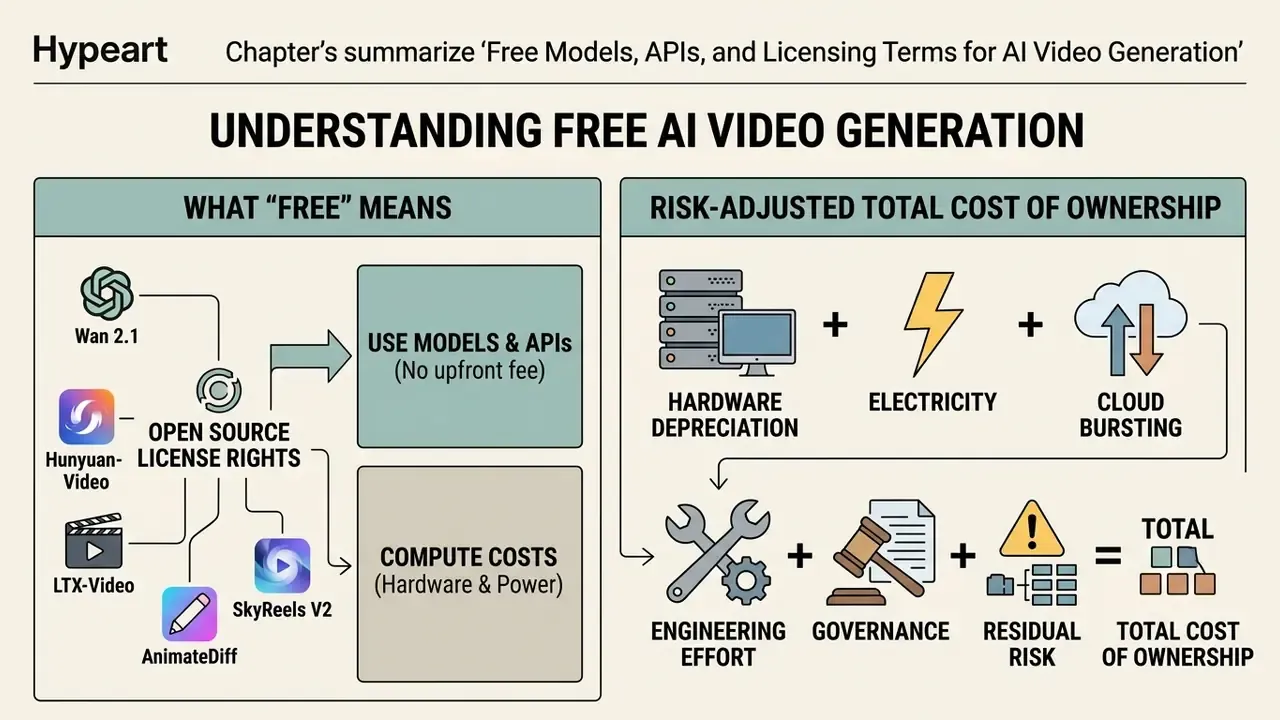
Understanding what "free" means in open source AI video generation requires separating free license rights from underlying compute cost. Open-weights models carry no licensing fee, but running them consumes GPU hardware, electricity, and maintenance hours. For a budget-first comparison of hosted options, see our roundup of free AI video generators.
Commercial usage rights vary widely. Permissive licenses like Apache 2.0 or MIT allow unrestricted commercial deployment. Other community licenses impose annual revenue caps, territory exclusions, or use-case restrictions.
What "Free" Means for an Open Source AI Video Generator
A free open source model means the weights and source code can be downloaded without upfront licensing fees. Execution still costs money, either through owned hardware depreciation or hourly cloud GPU rental.
Running a local model on an owned RTX 4090 involves electricity plus initial capital. Accessing open models through serverless cloud endpoints (Fal.ai, Replicate, RunPod) instead incurs small per-second generation fees; published examples include roughly $0.05 per second of video for open Wan-class models, which is a genuinely low-friction entry point without hardware ownership. Replicate bills official video models per output second, and RunPod bills GPU workloads per second with no ingress or egress charge on Pods, so idle time becomes the dominant cost variable for bursty workloads.
Calculating Risk-Adjusted Total Cost of Ownership
A defensible TCO model for an open video pipeline extends well past hardware and electricity. The structure below follows standard on-premises versus cloud TCO methodology, with a risk term added for regulated deployments:
TCO = C_hardware_depreciation + C_electricity + C_cloud_burst + C_engineering + C_governance + C_residual_risk
Where:
- C_hardware_depreciation is GPU and workstation capital cost amortized over a 3-year life (a 24 GB-class workstation typically lands in the $2,000 to $10,000 range). Vendor TCO sheets commonly add about 12% of system cost annually for maintenance.
- C_electricity is GPU power draw × utilization hours × local tariff (a common planning benchmark is $0.12/kWh), plus cooling overhead where a PUE factor applies.
- C_cloud_burst is per-GPU-second spend for overflow rendering or peak campaigns.
- C_engineering covers engineer hours for the initial 4 to 8 hour build, plus recurring upgrade, dependency, and node-compatibility maintenance.
- C_governance covers model validation, prompt-set testing, output review, logging infrastructure, and inventory upkeep.
- C_residual_risk is the priced-in exposure from absent vendor indemnification (see below), usually expressed as an expected-loss estimate rather than an invoice line.
Break-even against per-second cloud pricing depends almost entirely on volume: at 3 to 5 clips per week, cloud usually wins even after hardware amortization; at 20 to 40 clips per day, local economics dominate by roughly month two.
The Indemnification Gap: What Open Weights Do Not Give You
This is the single most under-discussed commercial difference between open weights and enterprise SaaS. Large managed vendors sometimes offer contractual copyright indemnity for outputs generated within their terms of service. Open-weights publishers do not. Apache 2.0 and MIT both distribute software "as is" with explicit warranty disclaimers; community licenses such as Tencent's add territory and use restrictions on top without adding protection.
Consequences for a commercial deployment:
- Training-data exposure sits with you. If a regulator or plaintiff challenges the provenance of the training corpus, the deploying organization answers for the output, not the model publisher.
- Use-based restrictions travel downstream. CreativeML Open RAIL-M and RAIL++-M require pass-through of use-based restrictions into your own SaaS or distribution terms. That is a contract-drafting obligation, not just a compliance checkbox.
- Territory clauses matter. Some community licenses exclude specific jurisdictions, so multinational deployment needs a per-region license review.
- Mitigations that actually help: keep prompt and output logs, avoid trademark and named-likeness prompts, prefer Apache 2.0 or MIT bases for external publication, run reverse-image and trademark screening on high-visibility assets, and record the review in the model inventory.
When You Need a Free AI Video Generation API
What to Check Before Using Generated Videos in Commercial Projects
Table: Decision matrix, local GPU vs. serverless cloud GPU vs. managed APIs
| Evaluation Metric | Local Owned GPU Hardware | Serverless Cloud GPU (e.g., RunPod) | Managed Hosted Open APIs |
|---|---|---|---|
| Upfront Capital (CapEx) | High ($2,000 to $10,000+ per workstation). | Zero upfront capital required. | Zero upfront capital required. |
| Scalability & Elasticity | Fixed; limited by physical hardware count. | High elasticity; auto-scales on demand. | High elasticity; managed by provider. |
| Cost Per Video (High Volume) | Lowest (amortized over hardware lifespan). | Moderate (billed per GPU-second). | Higher (includes provider service margin). |
| Latency Profile | No network round trip; bound by local GPU class. | Adds at least one internet round trip plus cold-start time. | Adds round trip plus provider queueing on shared tiers. |
| Data Governance & Privacy | Absolute private control; air-gap capable. | High; runs in isolated private cloud containers. | Moderate; data transmitted to a third party (DPA required). |
| Maintenance Burden | High (OS, CUDA drivers, cooling, updates). | Low (container management required). | Zero (fully managed infrastructure). |
| Audit Evidence | Full control over seeds, hashes, and logs. | Good, if container images and configs are pinned. | Limited; depends on provider log retention. |
For additional compliance documentation, visit our dedicated AI Media Commercial-Use Hub and review our legal analysis on AI Litigation and Case Timelines.
FAQ About Open Source AI Video Generators
Are There Open Source Models Like Sora for Video Generation?
Yes. Flagship open source models such as Wan 2.2 and HunyuanVideo offer architecture and visual capability comparable to proprietary systems like OpenAI Sora. Both families use Diffusion Transformer (DiT) backbones operating on compressed spatiotemporal latents, paired with 3D VAEs, to produce high-resolution clips with smooth motion dynamics. Differences remain, and they are worth stating plainly:
- Clip duration: Current open source models generate stable clips between 5 and 16 seconds, with character appearance and scene layout degrading past that window. Sora demonstrations show outputs up to 60 seconds, though open models can stitch clips using temporal conditioning or use purpose-built long-form architectures such as SkyReels V2 and FramePack.
- World knowledge and physics: Quantitative evaluations put open models around 0.68 on complex physical reasoning tests.
«T2VWorldBench covers 1,200 prompts across 6 categories; causality is the weakest point for open models, scoring 0.62 for Wan 2.1.» Source: T2VWorldBench, arXiv:2507.18107 (2025). https://arxiv.org/abs/2507.18107
- Benchmark parity: Open-Sora 2.0 reports 87.5 on VBench against Sora's 88.2, and LanDiff's 85.43 exceeded several commercial systems. The fidelity gap is now measured in fractions of a point rather than in generations.
- Compute disclosure: Open projects publish parameter counts (Wan's 14B MoE design, Open-Sora's 11B) and inference scripts in full, while proprietary architectures keep parameter scaling and training recipes undisclosed. OpenAI's own deployment notes acknowledge that Sora "often generates unrealistic physics" in complex long-duration actions.
Can You Run Open Source Video Generators on a Laptop?
Technically yes, on high-end mobile workstations with discrete GPUs (RTX 4080/4090 Mobile with 12 GB to 16 GB VRAM). Most consumer laptops, though, hit thermal throttling and memory ceilings fast. Sustained diffusion inference pins the GPU at 100% for minutes at a time, and mobile power limits typically cut effective throughput by 25% to 40% against the equivalent desktop card. Integrated GPUs (Intel Xe, AMD Radeon integrated, base Apple M-series) cannot process native 14B-parameter DiT models at all. For laptop-bound workflows, cloud serverless GPU endpoints or lightweight 2B models (LTX-Video in quantized FP8 mode) are the sane choice; AnimateDiff over an SD 1.5 base is the most forgiving option at 8 GB.
Do Open Source Models Apply Watermarks or Commercial Limits?
Pure open-weights models under Apache 2.0 or MIT do not embed visual watermarks into output files. Managed cloud demos and hosted wrappers, however, frequently apply synthetic watermarks on free tiers and restrict commercial use to paid plans. That difference catches teams who evaluate a model through a web demo and assume the same terms apply to the downloaded weights. Always review the underlying base model license (Tencent Community License versus custom open terms with revenue thresholds) before publishing commercial assets, then re-verify after every version bump.
How Do You Produce Audit Evidence for a Generated Video?
Capture and store, per output: prompt and negative prompt, seed, checkpoint name plus revision hash, LoRA or adapter hashes, sampler and scheduler, step count, guidance scale, resolution, frame count, node graph or script version, and the reviewer who approved release. With those fields recorded, any output can be regenerated deterministically on the same environment image, which is the working definition of reproducibility for a validation team. Store the environment as a pinned container image, because a dependency upgrade alone can change output for an identical seed.
What Are the Main Failure Modes to Monitor in Production?
Four recur consistently across open models: (1) object permanence errors when a subject leaves and re-enters frame; (2) attribute misbinding, where colors or materials attach to the wrong object, the documented weak spot in UI2V-Bench; (3) causal breakdown in multi-step actions, matching the 0.62 causality score on T2VWorldBench; and (4) face and hand degradation during fast motion. Track rejection rates by failure mode rather than by a single quality score. That breakdown tells you whether to change prompts, switch models, or add a specialized portrait model such as SkyReels V2.
Is Open Source AI Video Actually Better Than Cloud Tools?
Not across the board, no. The best open models produce output competitive with mid-tier cloud platforms, and on some benchmarks they match or beat the leaders. Where top cloud platforms still lead is visual polish and prompt adherence in dense, complex scenes, plus zero setup friction. The decisive advantages of open source are cost at high volume, absolute data privacy, unlimited iteration, and customization depth. If you generate infrequently, or sit below 12 GB VRAM, cloud remains the more practical path. For teams hitting operational issues or hardware compatibility errors during setup, our AI Media Support and Troubleshooting portal provides detailed error resolution guides.
Key Takeaways for Model Selection
- For maximum visual quality: Select Wan 2.2 or HunyuanVideo when fidelity and complex camera motion are the primary requirements, provided 24 GB+ VRAM is available (48 to 80 GB for full-precision A14B-class or 129-frame runs).
- For fast inference on consumer hardware: Deploy LTX-Video or Mochi 1 for short clips on cards like the RTX 4060 or RTX 4090. LTX-Video is the only serious option that starts at 8 GB.
- For long-form and portrait work: Use SkyReels V2 for 15 to 30 second character-consistent sequences with expression control, and FramePack for continuous environments extended segment by segment.
- For low-VRAM and style reuse: Use AnimateDiff over existing SD 1.5 or SDXL checkpoints to leverage established LoRA ecosystems at 8 GB VRAM.
- For custom research and fine-tuning: Use CogVideoX or Open-Sora for accessible LoRA scripts and modular architecture components, budgeting 12 GB (2B LoRA) to 32 GB (5B at high resolution).
- For regulated deployment: Prefer Apache 2.0 bases, engineer reproducibility from day one, and price the indemnification gap explicitly into your TCO before anything is published externally. A safe next step for a governance function: register one model, approve one internal use case, and require full seed-level evidence for thirty days. Small scope, real data, no heroics. Footer navigation / authority flow link: Explore our comprehensive AI Media Glossary for technical definitions, model cards, and architectural terminology across generative visual media.