Why should a risk or finance leader care about an image generator? Because marketing already bought it. Creative tools enter the enterprise through a personal card and a browser tab, long before third-party risk sees the name. This guide covers both sides: what OpenArt actually does, and what a governance function must confirm before the tool becomes an approved asset.
Executive Summary
- What it is
openart.aiis a browser-based, multi-model creative studio (an "AI Creator Studio for Video & Images") that aggregates 100+ image, video, and audio models: GPT Image 2, Nano Banana Pro, Seedream 5.0 Pro, Flux Kontext, Stable Diffusion checkpoints, LTX-2.3, Kling 3.0, inside one workspace with native editing, custom model training, and voice generation. - Pricing reality the free trial grants 40 one-time credits valid for 7 days (roughly 10 to 20 standard images). Paid tiers run from about $14/mo (Essential, $7 annual) to about $240/mo (Wonder), with credit ceilings from 4,000 to 106,000 per month and 8 to 32 parallel renders.
- The single biggest commercial trap commercial usage rights begin only at the Plus/Advanced tier (about $29/mo, $14.50 annual). Anything published from the Free or Starter/Essential tier under a business name breaches the Terms of Service.
- Governance verdict for regulated teams OpenArt is a productivity accelerator for marketing, e-commerce, and content teams. It is not an out-of-the-box, MRM-ready enterprise platform. Certification status (SOC 2 / ISO 27001), SSO/SAML availability, zero-retention guarantees, and exportable audit logs must be confirmed in writing with the vendor before you approve the tool or classify it as Shadow AI.
- Who should skip it teams needing pixel-perfect repeatable production assets, contractual IP indemnification, or API-first enterprise SLAs should pair OpenArt with a governed enterprise generator rather than rely on it alone.
What OpenArt AI Is and Which Creative Tasks the Platform Solves
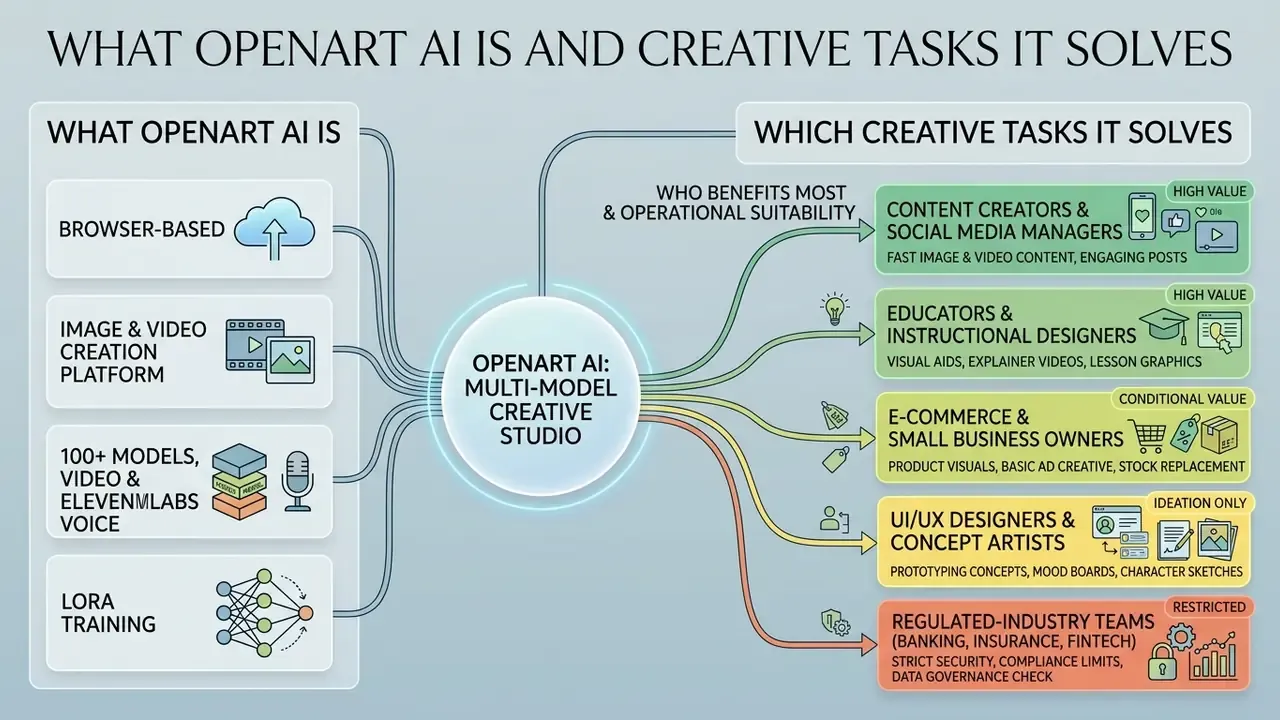
OpenArt AI positions itself as a browser-based, multi-model creative studio for digital creators, agencies, and enterprise production teams. Operating as a unified portal, the platform aggregates over 100 specialised neural network architectures. That removes the operational friction of managing isolated subscriptions across a dozen disparate AI vendors.
The stated objective is to streamline end-to-end visual content production. Users can generate high-resolution static images, build animated video sequences, perform complex inpainting, train custom style models, and hold a consistent character identity across a whole set of visual assets.
OpenArt AI as a Platform for Image and Video Creation
As a multimodal creative platform, OpenArt AI combines static image synthesis and motion video generation in a single workspace. Instead of locking creators into one proprietary foundation model, OpenArt provides direct access to frontier systems. These include GPT Image 2, Nano Banana Pro, Seedream 5.0 Pro, and specialised video engines such as LTX-2.3 and Kling 3.0.
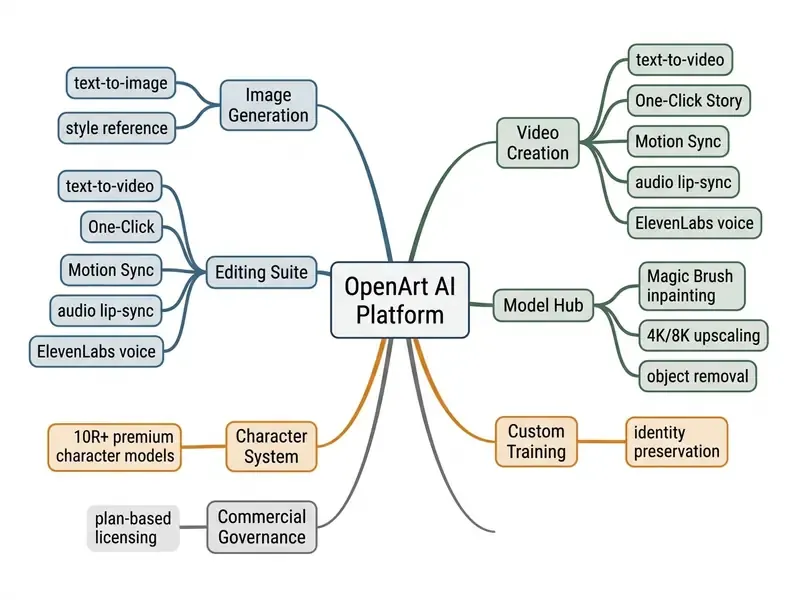
By bringing text-to-image, image-to-video, custom model training, and character preservation into one dashboard, the platform lets creators build continuous visual narratives. Media teams can also test workflow feasibility across several model architectures without leaving the workspace or retyping prompts.
Who Benefits Most from OpenArt AI
OpenArt AI targets distinct tiers of media creators, marketing professionals, and design teams. Solo creators and concept artists draft rapid storyboards, prototype product packaging, and test aesthetic variations. Marketing groups lean on the Brand Kit and batch generation to produce localised campaign assets at scale. Teams that want to benchmark the studio against standalone tools can start with our overview of AI image generators and their licensing models.
For enterprise teams evaluating controlled asset generation, the platform offers structured workspaces with shared credit pools and role-based permissions. Comparing those options side by side usually means referring to structured AI Media Comparison Matrices to align model access with internal production pipelines.
Operational Suitability by Creative Role
How to Find the Official OpenArt AI Website and Get Started
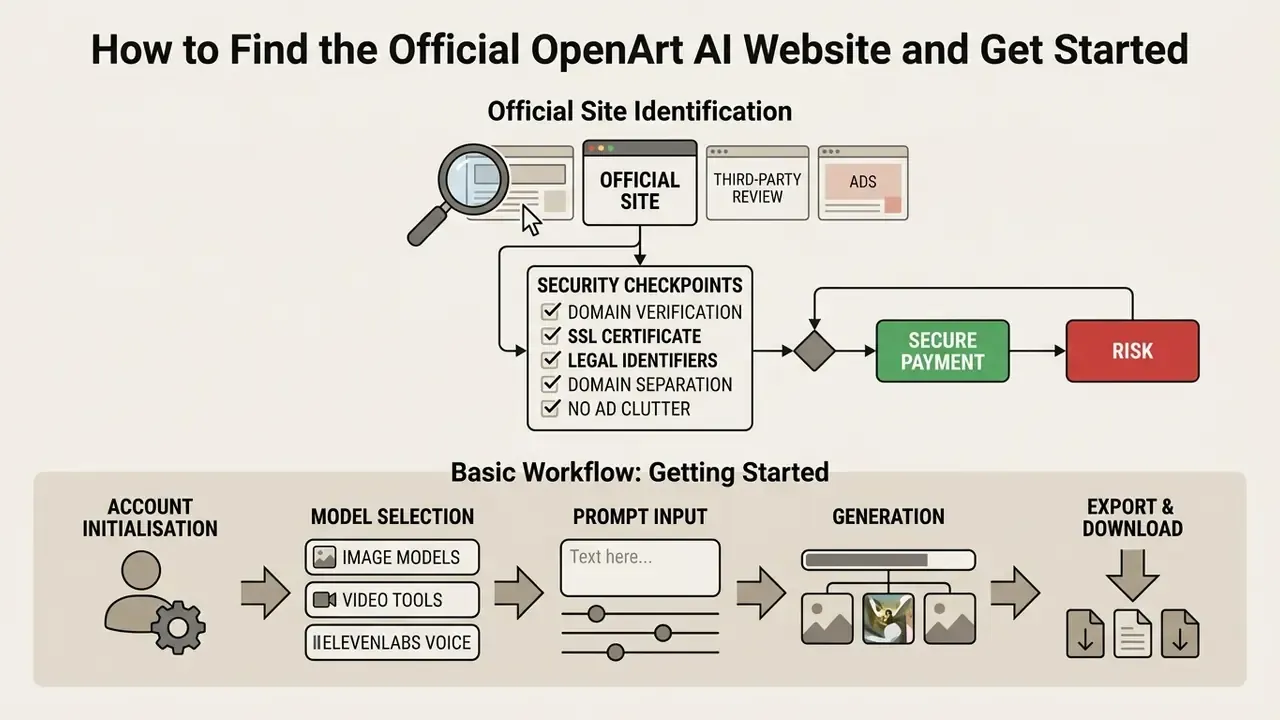
Reaching the genuine platform matters for security, data privacy, and correct billing. The official domain is openart.ai, which hosts every generation app, the model hub, documentation, and the pricing tiers. According to the OpenArt AI company's own About materials, the business was founded in 2022 in San Francisco by former Google engineers, and its privacy policy carries a "Last updated: March 4, 2026" marker. That date stamp is a useful freshness signal when you validate authenticity.
Distinguishing the Official OpenArt Site from Third-Party Reviews
The generative AI landscape is crowded with affiliate review pages and lookalike domains. Queries such as openart ai official site, openart ai official website, or openart ai site should resolve directly to openart.ai, nothing else.
Domain verification and safety flow, five checkpoints before you enter payment data:
| Step | Verification Checkpoint | Expected Result | Red Flag |
|---|---|---|---|
| 1 | URL bar inspection | https://openart.ai/ with a valid TLS certificate | Alternate TLDs such as openartai.io or en-openart.com |
| 2 | Legal page match | Terms, Privacy Policy, and Help Center all branded "OpenArt" under the same domain | Policy pages hosted on unrelated domains or branded "OpenArt Studio" |
| 3 | Contact identifiers | [email protected], [email protected], 1875 Mission Street, Suite 103, San Francisco, CA 94103 | Free-mail support addresses, no postal address |
| 4 | Policy freshness | Privacy Policy dated March 4, 2026 | Undated or years-old policy text |
| 5 | Billing flow | Checkout in USD via the in-app pricing page | Requests for wire transfer, crypto, or off-platform payment |
Before entering credentials or card details, check the identity markers:
- Primary domain
- confirm the URL bar shows
https://openart.ai/. - Legal identifiers
- the official terms list a San Francisco, CA contact address and support through
[email protected]. - Domain separation
- third-party review aggregators and alternate top-level domains (
openartai.io,en-openart.com) are separate entities outside the core development team's control. They publish different contact details and different policy text.
Basic Workflow: Model, Prompt, Generation, and Export
Launching a project follows a structured sequence designed to maximise creative control while wasting fewer credits.
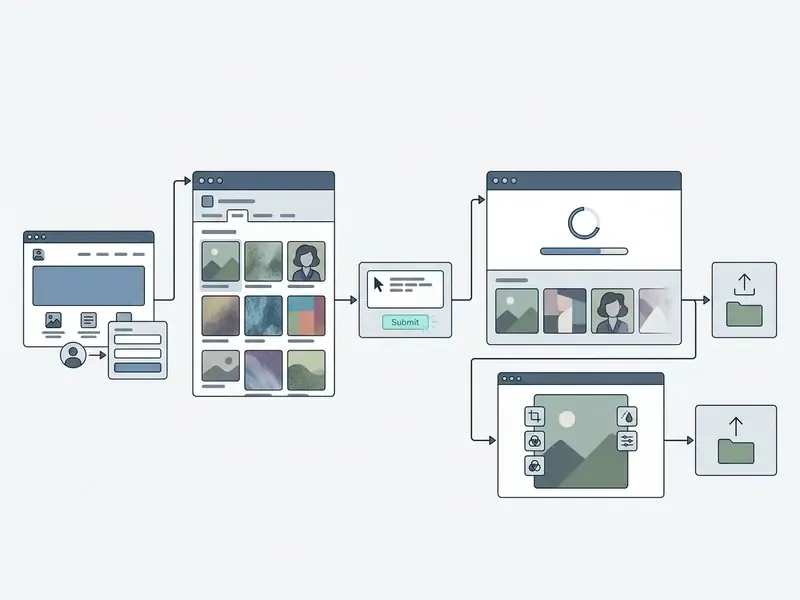
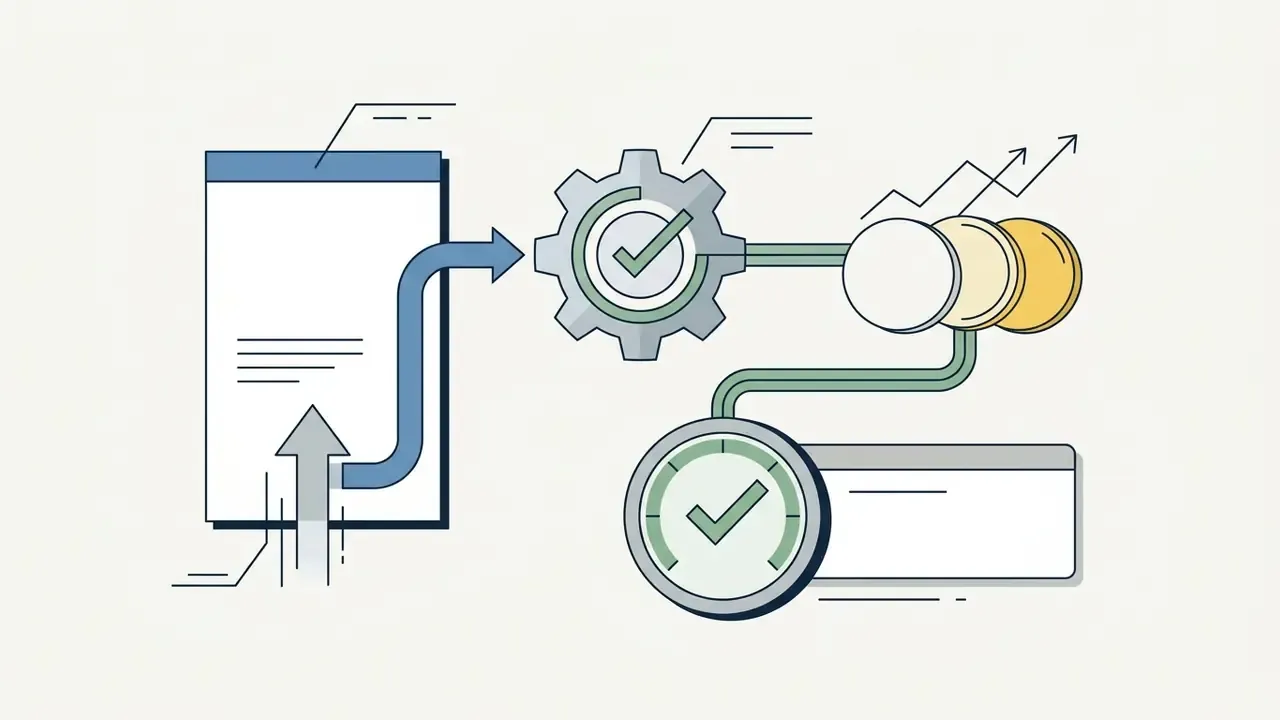
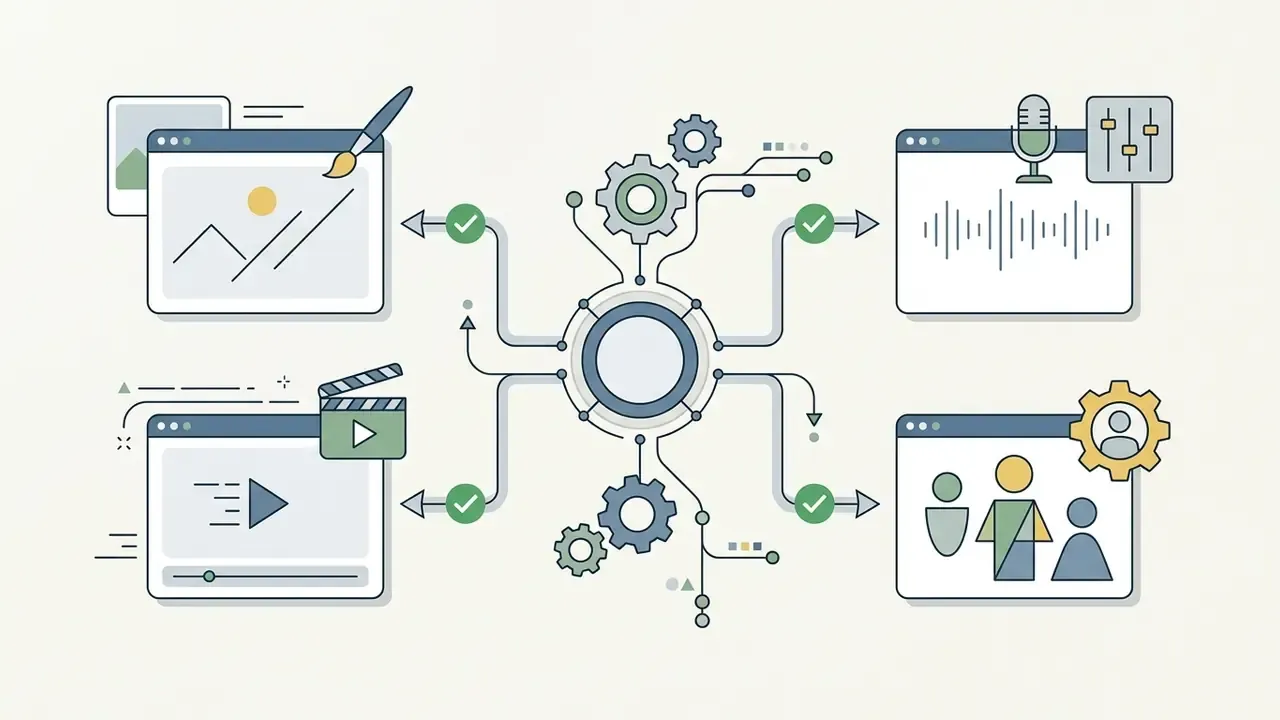
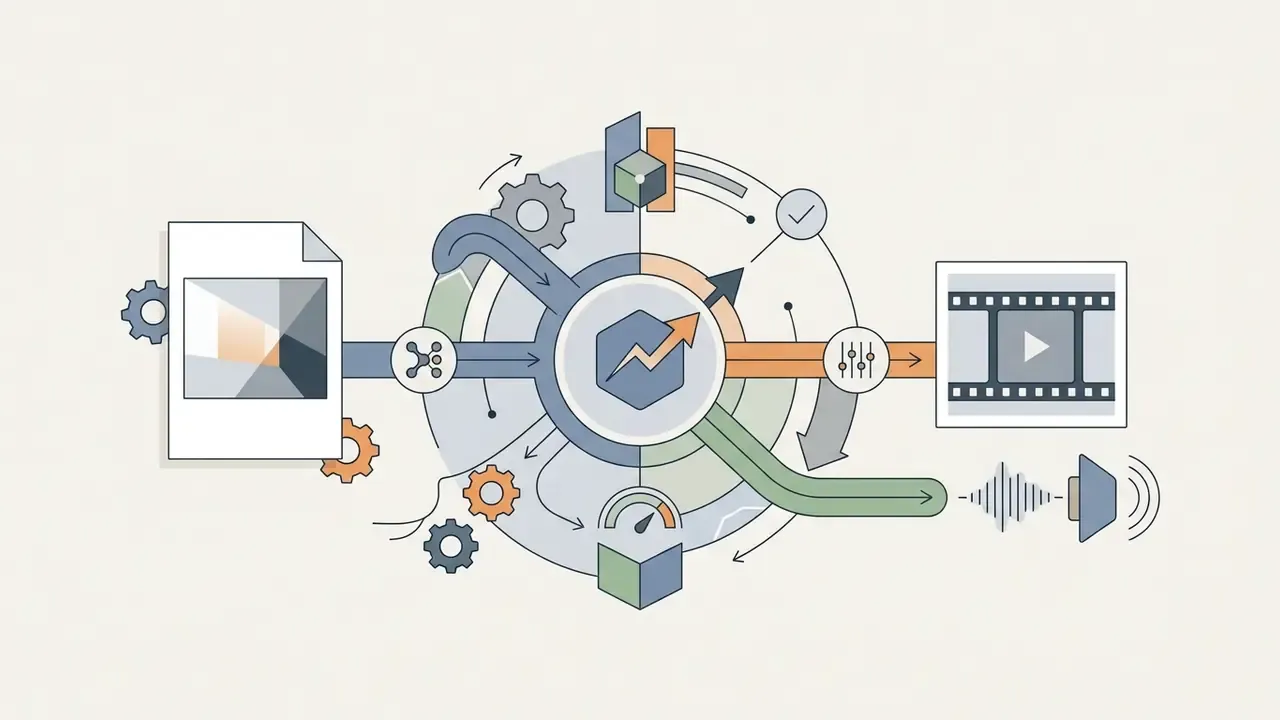
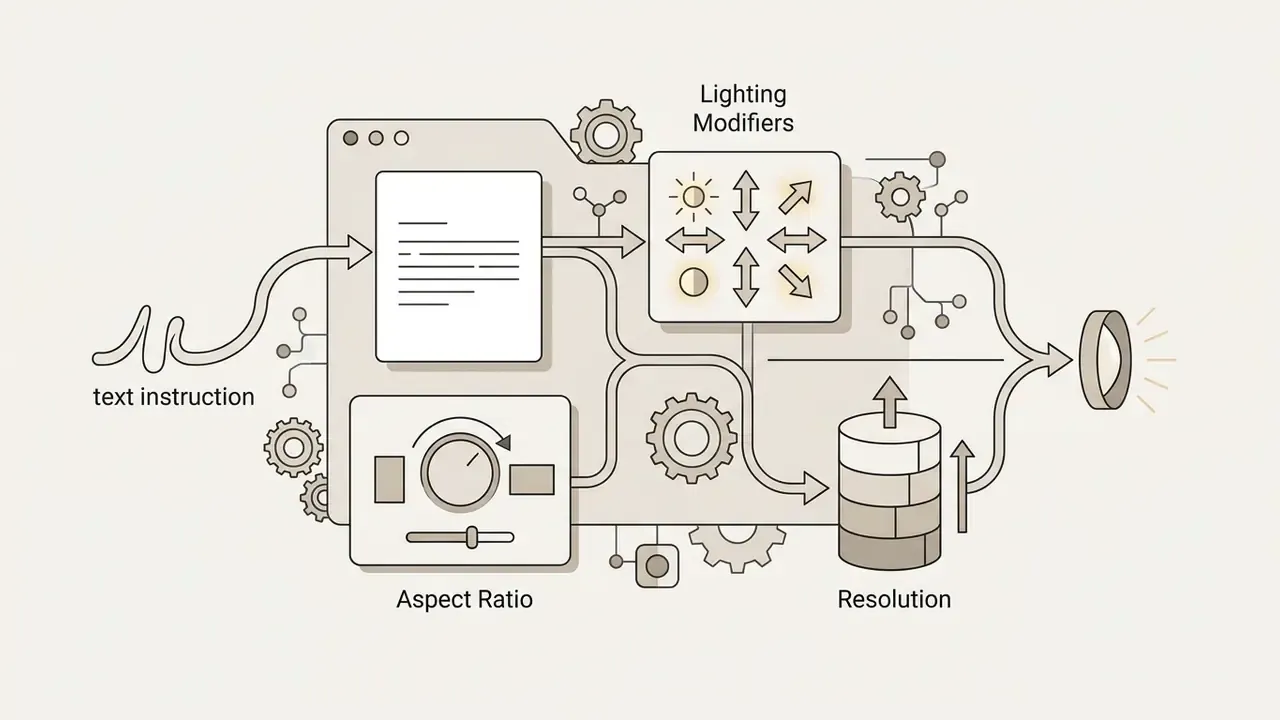
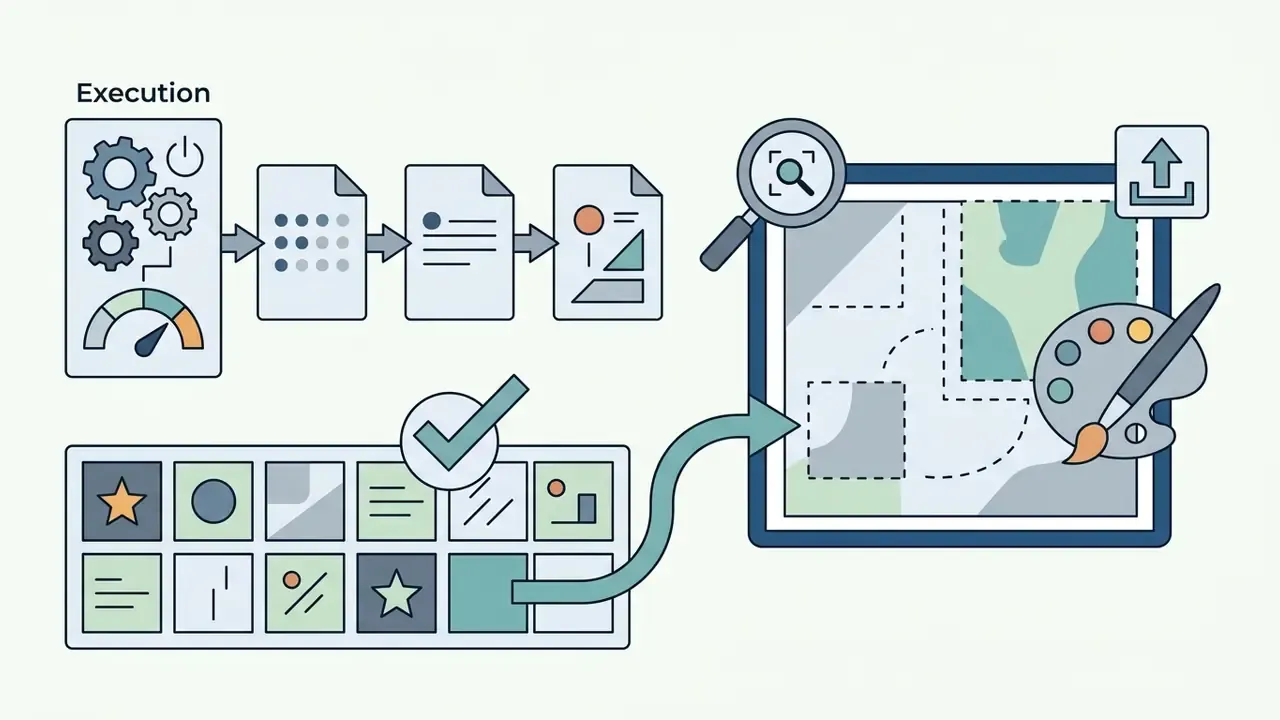
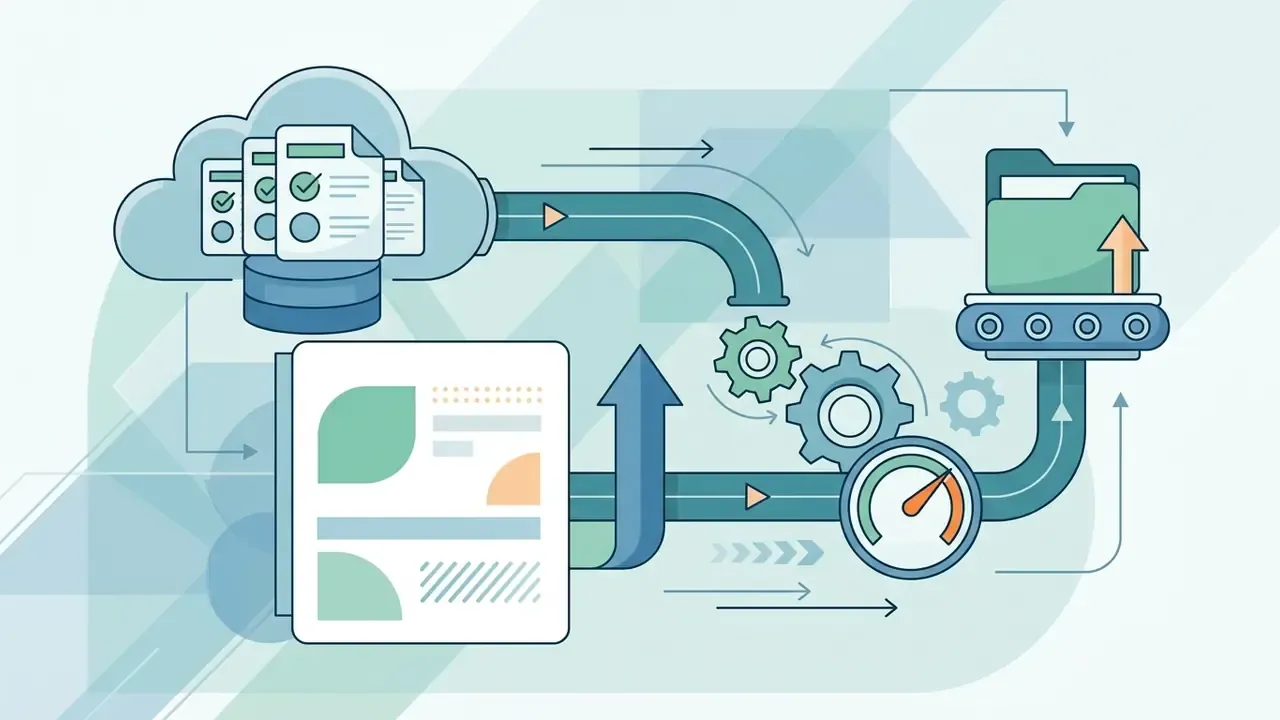
Because the trial window is short, treat those 40 credits as a feature probe rather than a full evaluation. Run two or three prompts per module (image, edit, video) instead of burning the balance on one high-resolution batch.
Field observation. During a recent media production review, a digital agency needed 40 product backdrop variations across three neural architectures. Using the central prompt panel and batch rendering, the team finished model selection, generation, and 4K upscaling inside a single working session of roughly two hours. Compared with their previous habit of orchestrating separate vendor API calls, the consolidated workflow removed three context switches and two export/import cycles. Actual time saved depends on team familiarity and queue load, so we report the observed session length rather than a tidy percentage.
OpenArt AI Capabilities: Generation, Editing, Video, and Model Training
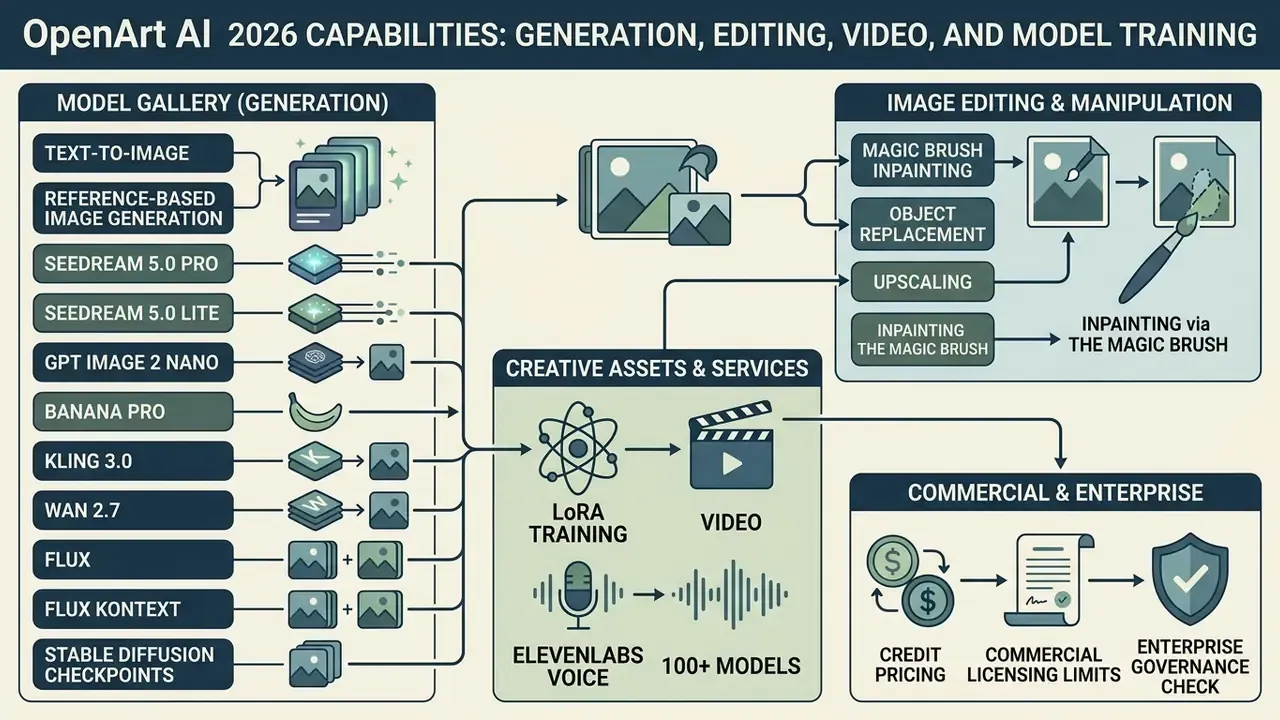
OpenArt AI provides a full suite of creation and post-processing tools for media asset workflows. The table below maps the tool matrix that would otherwise sit inside a static infographic.
| Module | Core Functions | Typical Output | Credit Intensity |
|---|---|---|---|
| Create Image | Text-to-image, image-to-image, style reference (1 to 4 refs), 150+ style palettes | PNG/JPG up to 4K | Low (about 1 credit standard) |
| Editing Canvas | Magic Brush inpainting, outpainting/expand, object removal, find & replace, relighting | Edited raster asset | Medium (about 5 credits per action) |
| Upscaler | Precise Upscale, Creative Upscale, Creative Upscale legacy, 2K/4K/8K modes | High-resolution master file | Medium to high |
| Video Tools | Text-to-video, image-to-video, video-to-video, motion sync, lip-sync, restyle, extend | 6 to 20 second clips up to 4K, 9:16 or 16:9 | High |
| Audio & Voice Studio | Voiceover synthesis, voice cloning, sound effects (ElevenLabs integration) | WAV/MP3 tracks bound to the timeline | Medium |
| Custom Training | LoRA style models, consistent characters | Private model checkpoint | Very high (1,000 to 2,000 credits) |
Text-to-Image and Reference-Based Image Generation
The core image generator accepts both pure text prompts and multimodal image-to-image conditioning. You can write a natural language description or supply up to four reference images to steer composition, colour palette, or character pose.
Supported text-to-image models include:
- Seedream 5.0 Pro and Lite
- tuned for high-fidelity photorealism and complex prompt adherence.
- GPT Image 2
- built for textual accuracy inside rendered images.
- Nano Banana Pro
- engineered for stylised digital art and graphic design assets.
- Kling 3.0 and Wan 2.7
- multi-purpose models with strong aesthetic flexibility.
- Flux, Flux Kontext, and Stable Diffusion checkpoints
- open-weight families favoured for editing continuity and permissive commercial licensing.
Readers who want a wider field of view before subscribing can consult our ranking of the best AI image generators and see how OpenArt's aggregated catalog compares with single-model studios.
In image-to-image mode, a creativity slider governs how much noise the model injects into the source before rebuilding it from the prompt. Lower values preserve reference structure; higher values push reinterpretation. Creators looking for dedicated character synthesis engines can also examine the specialised platforms in our pix ai guide.
Image Editing: Magic Brush Inpainting, Object Replacement, and Upscaling
Post-processing lives inside the OpenArt editing canvas, which removes most round trips to third-party photo software.
- Inpainting via the Magic Brush OpenArt's brush-based masking tool. Paint over a region to alter objects, swap backgrounds, or repair facial detail without touching surrounding pixels. Reference images can be attached to the masked area for guided fills.
- Smart Selection region selection without hand-painting a mask, handy for isolating a product, garment, or face in one click.
- Outpainting (image expansion) extend canvas boundaries in chosen directions while the model fills new context aligned with original lighting and perspective.
- Object replacement (find & replace) swap a scene element, a watch, a bottle, a backdrop, while keeping lighting and geometry continuous.
- Creative and Precise 4K/8K upscaling lift resolution to 2K, 4K, or 8K, removing compression artifacts or sharpening subtle texture.
For teams weighing the built-in upscaler against standalone software, our comparison of AI image upscalers breaks down artifact handling and per-image cost. Detailed modification workflows can also be compared against dedicated tools in our guide to AI outpainting and canvas expansion.
Video Tools, One-Click Story Templates, and ElevenLabs Audio Integration
OpenArt extends generative capability into motion through text-to-video, image-to-video, video-to-video, motion-sync generators, and automated narrative templates. Using engines such as LTX-2.3, Kling 3.0 (including Motion Control), Wan 2.7, and Flux Kontext, creators produce clips from 6 to 20 seconds at resolutions up to 4K.
- One-Click Story and social video workflows
- aimed at fast short-form output, vlogs, explainers, music-video cuts, and viral "brain rot" style clips. The feature assembles a complete multi-scene sequence from one text prompt, an uploaded script, or an audio track. Independent coverage in 2025 called this workflow OpenArt's most visible product shift, with clips reaching roughly a minute and a narrative arc built automatically.
- Motion Control and Motion Sync
- upload a reference video to transfer exact movement onto a new character or scene, with character motion and camera direction controlled separately.
- Integrated Audio and Voice Studio
- native ElevenLabs integration brings voiceover synthesis and AI voice cloning inside the editor. Generate contextual voice tracks, dub into other languages, and layer ambient sound effects on the timeline without exporting to external audio tools.
- Lip-sync and restyle
- lip-sync from audio plus an image, one-click restyle effects (Ghibli, retro pixel art, cartoon), video upscale, and clip extension complete the post-production set.
Native 9:16 framing makes output directly usable for mobile-first formats. Readers new to the category can start with our primer on text-to-video generators. Synchronised audio generation also creates matching ambient sound or voice alongside visual movement, a workflow explained in our guide to image-to-video tools.
For quality assessment that survives a committee review, academic benchmarks beat vibes:
«AIGCBench evaluates AI video across 11 metrics in four dimensions: control-signal alignment, motion effects, temporal consistency, and video quality.»
Creators comparing alternative motion engines should review our analysis of pika ai video generation tools.
Custom AI Model Training: Creating Consistent Brand Assets
OpenArt AI lets creators train custom LoRA (Low-Rank Adaptation) and personalised style models without local hardware or code. Upload 10 to 20 reference images, a brand mascot, a signature illustration style, a physical SKU, or a recurring on-camera persona, and train a dedicated checkpoint hosted on OpenArt's cloud.
- Training consumption: training is resource-heavy, typically 1,000 to 2,000 credits per run depending on step count and resolution. Budget for at least one failed run while tuning a new dataset. Everyone does.
- Tier limits: training caps scale with the subscription:
- Free trial: model training disabled.
- Starter / Essential: up to 2 custom models per month, plus up to 4 consistent characters.
- Plus / Advanced: up to 6 custom models per month, with extra training configurations and bulk creation.
- Pro / Infinite: up to 12 custom models per month and up to 24 consistent characters.
- Consistent Character system: separate from full LoRA training, the character builder locks a face and wardrobe identity that can be recalled across scenes. It is the cheaper route when you need recurring people rather than a full aesthetic.
This makes OpenArt effective for e-commerce brands placing the same product across varied synthetic backgrounds, and for creators building a recognisable visual signature without ever touching a GPU.
How to Write Effective Prompts for OpenArt and Refine Outputs
Generative models depend heavily on prompt structure for consistent output. OpenArt offers manual controls and automated prompt assistants to tighten input text. Prompt discipline is also a budget lever: every vague prompt that returns an unusable grid burns credits, and premium models plus 4K renders multiply the waste. That is why prompt craft belongs immediately before any pricing decision.
Core Structural Elements of a Clear Prompt
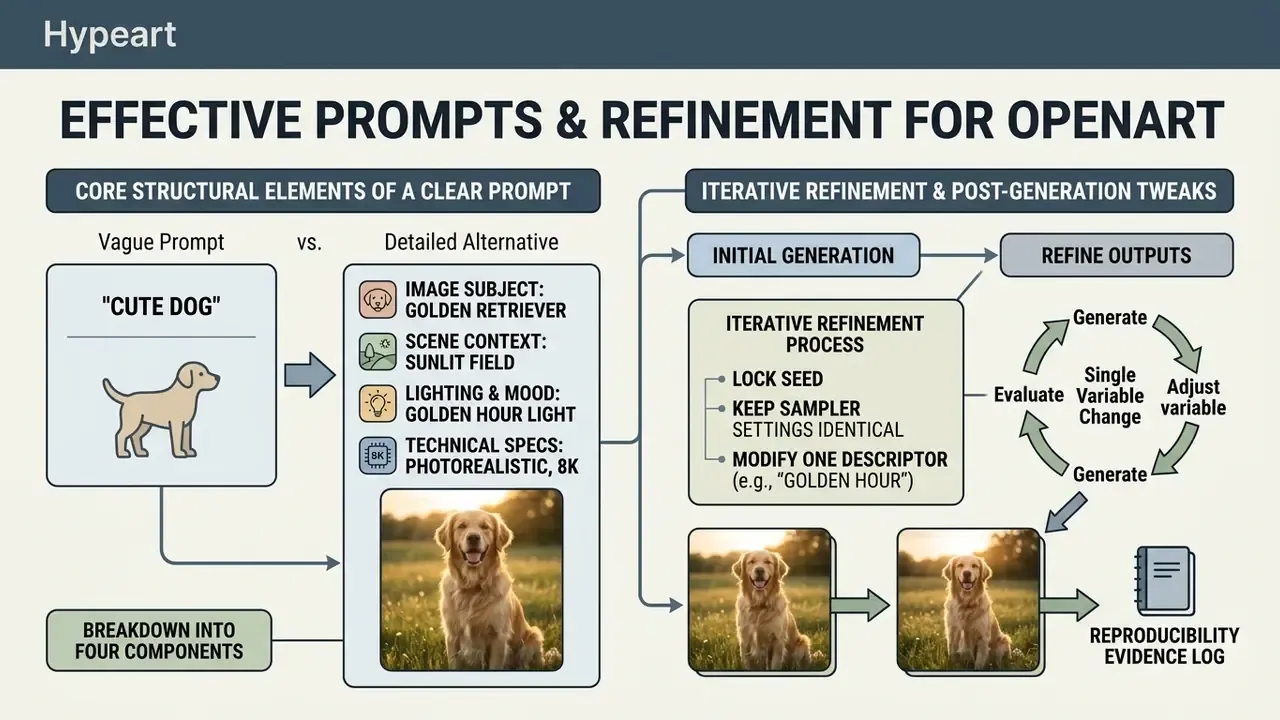
An effective image or video prompt breaks into four components.
| Prompt Component | What to Specify | Example Keywords | Impact on Visual Output |
|---|---|---|---|
| Subject and action | Primary focal entity (person, product, landscape) and its active state | "elderly craftsman sanding a violin", "glass bottle standing on basalt" | Sets the main visual anchor, prevents subject ambiguity |
| Environment and context | Location, weather, background elements, spatial arrangement | indoor, outdoor, underwater, in space, wet city sidewalk | Defines background depth, atmosphere, surrounding geometry |
| Lighting and camera angle | Volumetric lighting, studio ring light, low angle, macro lens | soft, ambient, ring light, neon, diffused, volumetric; front, overhead, low angle | Controls shadow hardness, highlights, colour temperature, mood, depth |
| Aesthetic style | Photorealistic, 3D render, Ghibli style, vintage film grain, movie poster | 3D render, Studio Ghibli, watercolor, retro pixel art | Sets palette, surface texture, overall rendering |
The general negative prompts recommended in OpenArt's own parameter guidance, lowres, worst quality, cropped, watermark, signature, remain a cheap way to suppress the most common artifact classes. For stylised animation aesthetics, comparing model output is easier with our breakdown of Ghibli-style AI image generation tools.
Iterative Refinement and Post-Generation Tweaks
A final production asset rarely lands on the first attempt. OpenArt supports iteration through fixed seed numbers and controlled parameter changes.
Lock the seed, keep sampler settings identical, then modify one prompt descriptor, say "golden hour lighting" becomes "neon nighttime illumination", without disturbing character pose or scene geometry. The discipline is dull but effective: change one variable per run, log seed, model, steps, and resolution, then compare pairs instead of batches. Once composition satisfies the brief, send the asset to the Magic Brush canvas for local fixes or upscale it for export.
That log, incidentally, is also your reproducibility evidence later.
OpenArt AI Pricing: Free Access, Plans, Credits, and Subscriptions
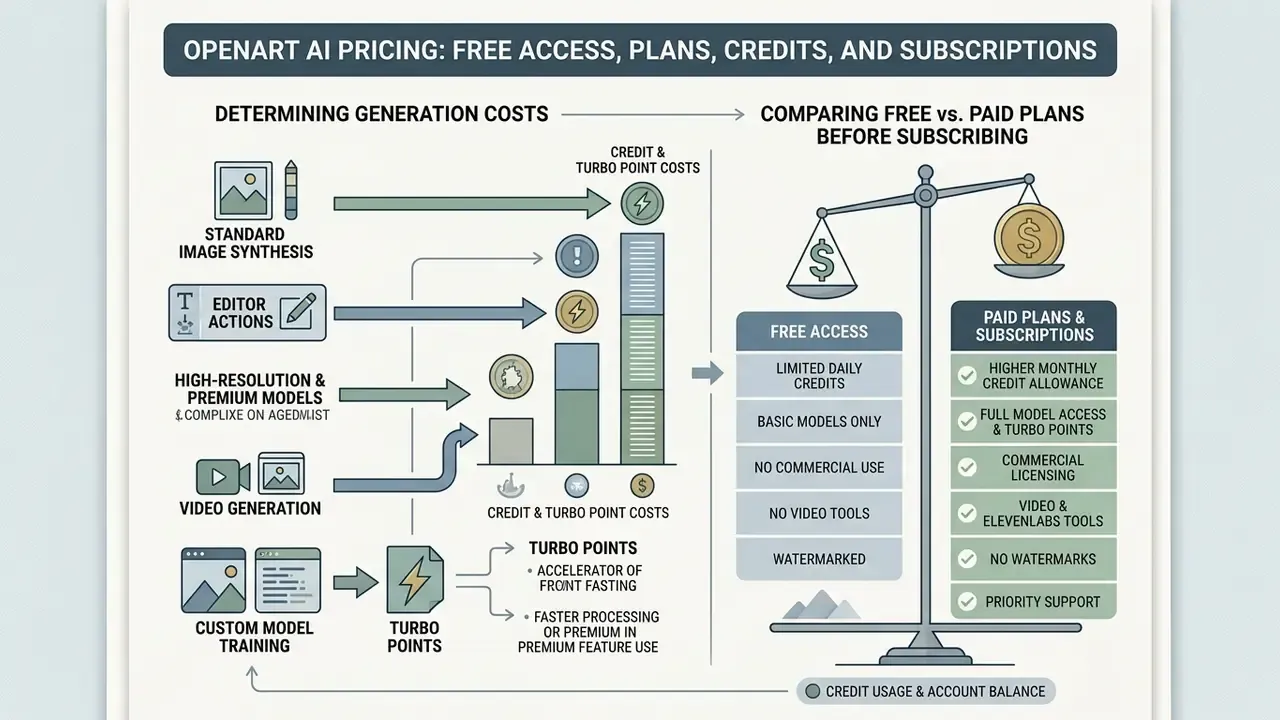
OpenArt runs on a credit-based subscription model. Monthly credit allowance sets how many images and clips you can synthesise, and each tier also caps parallel renders, custom models, and consistent characters.
How Credits and Turbo Points Determine Generation Costs
Generative actions deduct different amounts from the monthly balance.
- Standard image synthesis typically 1 credit per image at standard resolution.
- Editor actions most canvas operations (inpaint, remove, expand) sit near 5 credits per action.
- High-resolution and premium models advanced models or 4K renders consume several credits per run.
- Video generation materially higher consumption per second of rendered video, scaling with resolution and motion complexity.
- Custom model training the heaviest single line item, usually 1,000 to 2,000 credits per run.
- Turbo points accelerated queues draw on dedicated Turbo points. When those run out, renders drop back to standard speed.
Unused subscription credits expire at the end of each billing cycle and do not roll over, per OpenArt's subscription terms and general FAQ, corroborated by independent 2026 tariff analyses from GenRates and OreteAI. Paid-plan model access also ends when the plan lapses, so archive trained checkpoints and finished masters before cancelling. To estimate generation cost across a project, use our AI Media Calculators.
Comparing Free vs. Paid Plans Before Subscribing
Pricing verified against the official OpenArt pricing and terms documentation, last updated on the OpenArt site 3 September 2026, cross-checked with independent tariff analyses published July to September 2026.
| Subscription Tier | Approx. Monthly Cost | Monthly Credits | Approx. Video Volume | Commercial Rights | Parallel Renders | Custom Models / Month | Target Use Case |
|---|---|---|---|---|---|---|---|
| Free Trial | $0 | 40 (one-time, 7 days) | Trial only | No | 4 | 0 | Initial platform testing and feature evaluation |
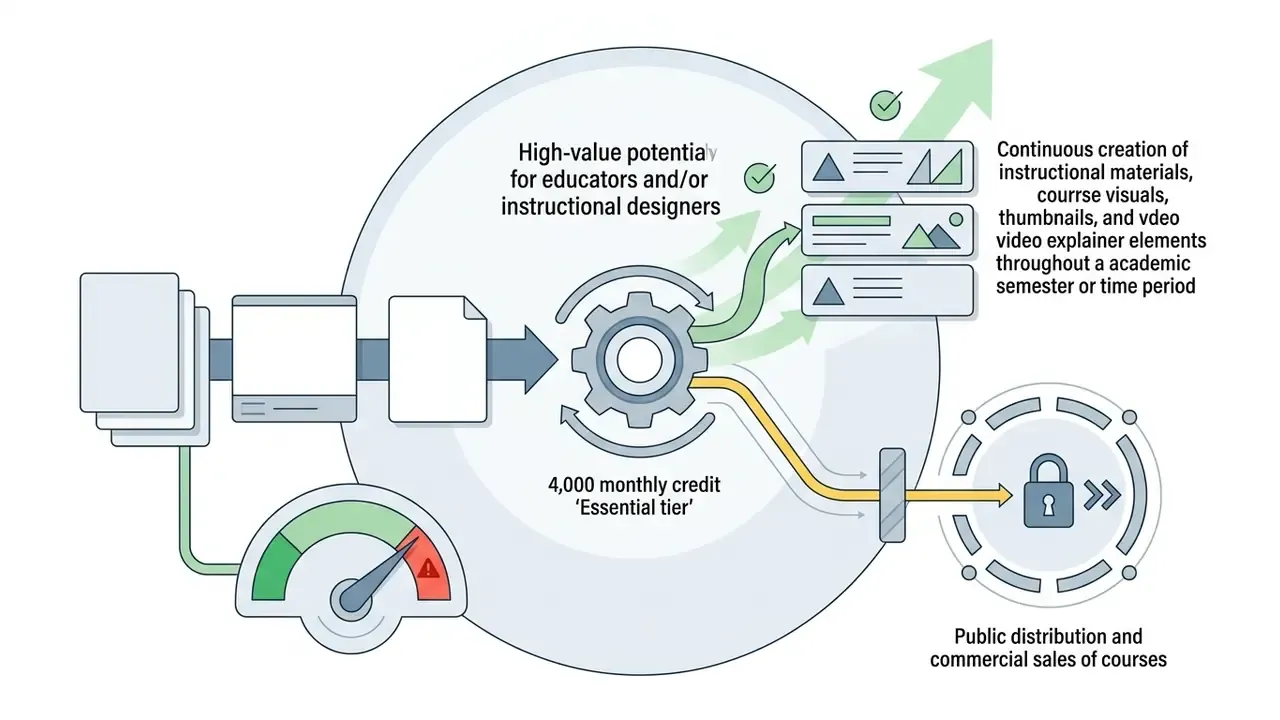
| Starter / Essential | ~$14/mo ($7 annual) | 4,000 | ~40 to 50 clips | No | 8 | 2 | Hobbyists and non-commercial personal projects |
| Plus / Advanced | ~$29/mo ($14.50 annual) | 12,000 | ~120 to 150 clips | Yes | 16 | 6 | Independent creators, freelancers, small agencies |
| Team | ~$35/mo per seat ($17.40 annual) | 12,000 per seat, shared pool | ~120 to 150 clips per seat | Yes | 16 | 6 | Studios needing shared assets, roles, folders |
| Pro / Infinite | ~$56/mo ($28 annual) | 24,000 | ~240 to 300 clips | Yes | 32 | 12 | High-volume media teams and production studios |
| Wonder | ~$240/mo ($120 annual) | 106,000 | ~1,300 clips | Yes | 32 | 12 | Enterprise asset pipelines and video agencies |
«Annual billing cuts up to 50%: Essential drops from $14 to $7/month, Advanced from $29 to $14.50/month.»
Commercial Use of Images and Videos Created in OpenArt
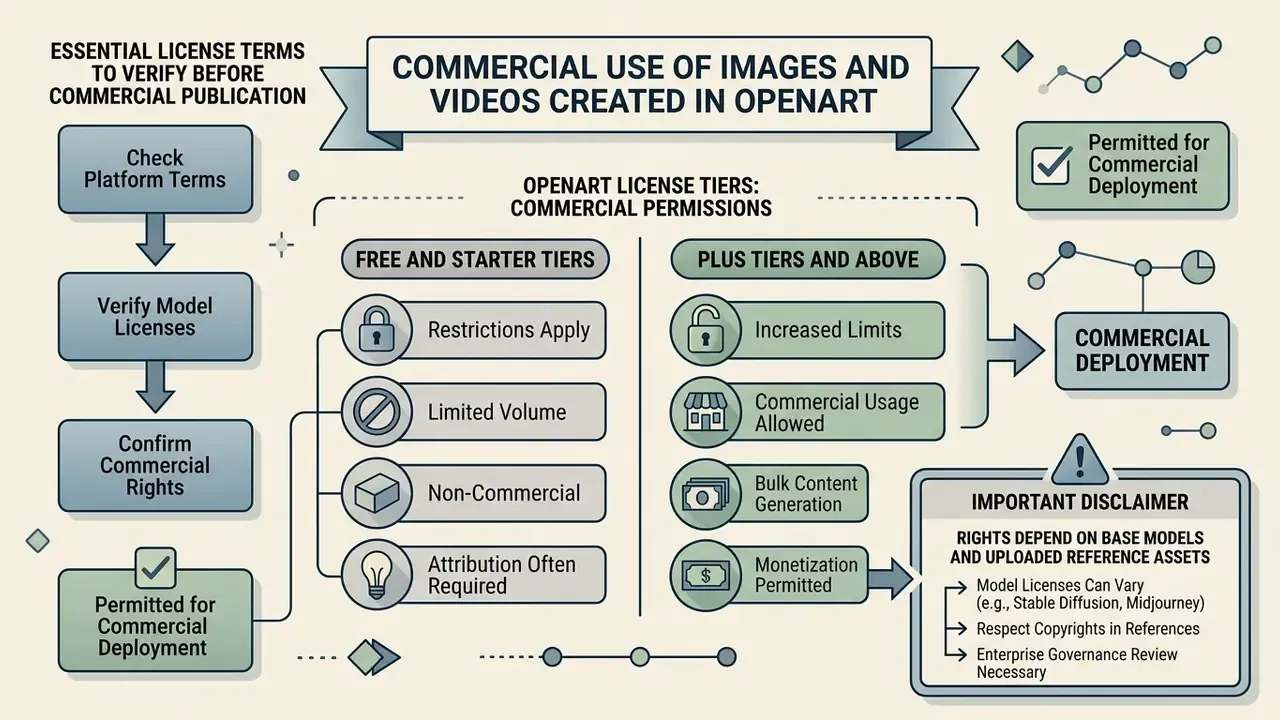
Commercial deployment of AI-generated assets requires strict adherence to platform terms and to the licensing of the underlying model.
Essential License Terms to Verify Before Commercial Publication
OpenArt's Terms of Service state that the platform claims no copyright ownership over AI-generated outputs created by users. Commercial usage rights, however, are explicitly tied to subscription tier.
- Free and Starter tiers outputs are licensed strictly for non-commercial, personal use.
- Plus tiers and above subscribers gain explicit rights to use, license, and distribute outputs in commercial campaigns, client deliverables, and product packaging.
That discrepancy matters operationally. The Terms & Policies page is the controlling document, while the Help Center and general FAQ describe commercial use in broader language with an attribution caveat ("with proper attribution to OpenArt and/or the human artist when applicable"). When the two conflict, plan for the stricter reading and keep a dated screenshot of the terms version you relied on. Cheap insurance.
Legal risk matrix by asset origin:
| Asset Origin | Copyright Risk | Trademark / Likeness Risk | Recommended Control |
|---|---|---|---|
| Text-only prompt, open-weight model (Stable Diffusion, Flux) | Low | Low to medium | Standard IP check before publication |
| Text-only prompt, proprietary model | Low to medium | Medium | Confirm model-specific usage restrictions in-app |
| Prompt plus user-owned reference photography | Low | Low | Retain proof of ownership or a model release |
| Prompt plus third-party reference image | High (derivative work) | High | Do not publish; replace with a licensed asset |
| Style prompt naming a living artist or studio | Medium to high | Medium | Rewrite the prompt using descriptive attributes, not names |
| Output containing readable logos or celebrity faces | Medium | High | Inpaint out or discard |
Indemnification: unlike several enterprise-oriented vendors, the OpenArt public documentation reviewed for this article does not advertise contractual IP indemnification for generated output. Corporate buyers should log the absence of a published indemnity clause as an open risk item and request written confirmation before approving client-facing use.
Why Rights Depend on Base Models and Uploaded Reference Assets
Because OpenArt aggregates over 100 architectures, copyright safety depends on both platform terms and the chosen base model. Assets from open-source Stable Diffusion checkpoints carry broad commercial rights under open licences. Proprietary models may impose separate restrictions.
Uploading copyright-protected reference images to steer generation can also create derivative-work liability. Enterprise creators wanting deeper guidance should review our portal on AI Litigation and commercial copyright considerations. Teams that must verify provenance of incoming or outgoing visuals can consult our review of AI-generated image detectors.
Enterprise Governance, Data Privacy, and Audit Trail Readiness
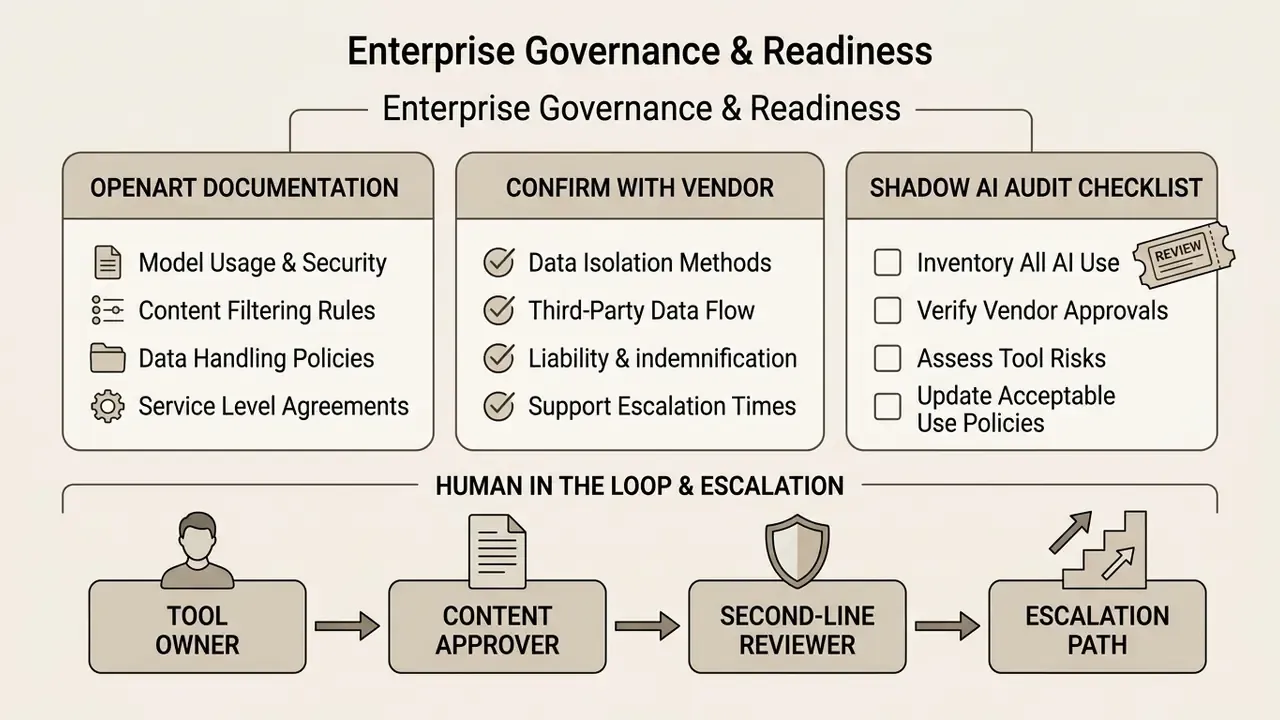
Marketing teams adopt OpenArt in days. Risk and governance functions are usually asked about it weeks later, once assets are already live. This section is the control layer that turns an ungoverned Shadow AI subscription into a documented, reviewable tool.
What OpenArt's Own Documentation States
What Must Be Confirmed With the Vendor Before Approval
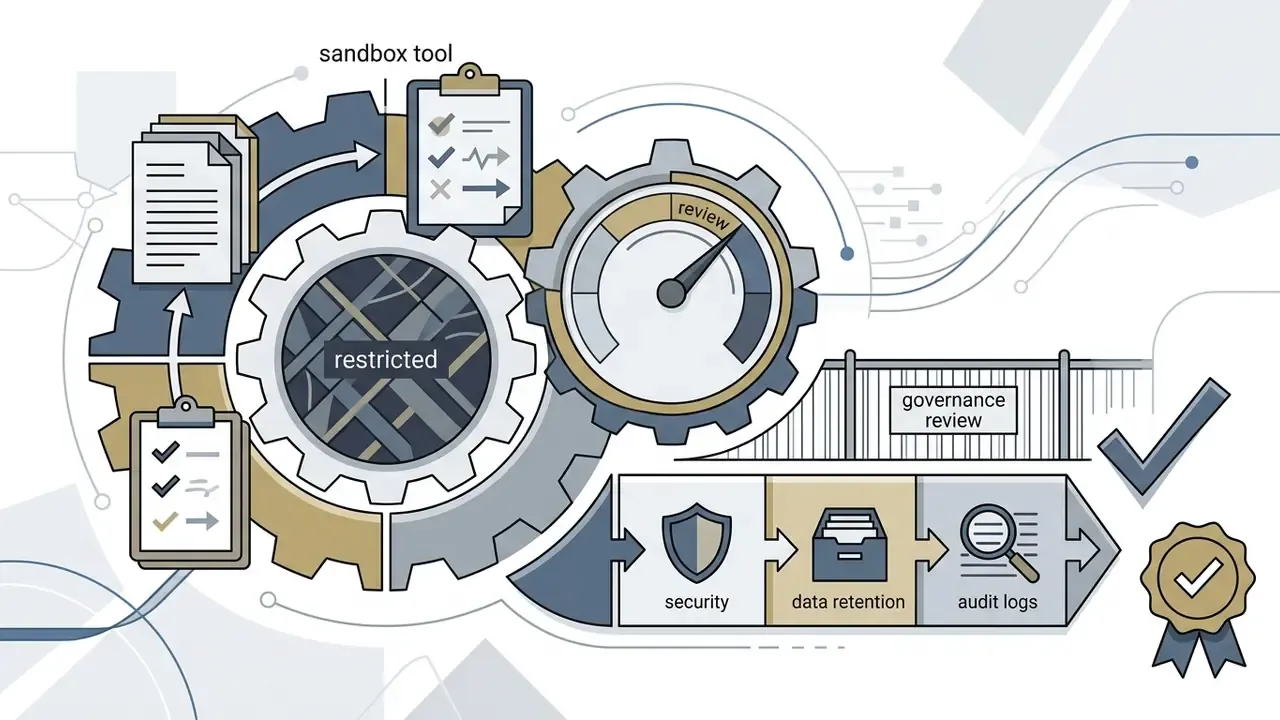
The controls below are not documented in the public materials reviewed for this article, so they need written vendor confirmation. Treat every unanswered line as an open finding, not an assumed capability.
| Control Domain | Question to Put in Writing | Why It Matters | Status in Public Docs |
|---|---|---|---|
| Certification | Is a current SOC 2 Type II report or ISO/IEC 27001 certificate available under NDA? | Baseline for third-party risk onboarding in regulated sectors | Not published, needs verification |
| Training on customer data | Are prompts, uploaded references, and outputs excluded from training public or shared models? Is a zero-retention option available? | Prevents leakage of unreleased products, client data, internal artwork | Not explicitly published, needs verification |
| Encryption | Encryption in transit and at rest, plus key management model | Standard data-protection requirement | Not detailed, needs verification |
| SSO / SAML and RBAC | Is SAML/OIDC single sign-on available? How granular are roles beyond the Team plan? | Deprovisioning control and least privilege | Team roles documented, SSO not documented |
| Audit trail export | Can an administrator export prompts, seeds, model name and version, user ID, and timestamps for a date range? | Reproducibility evidence for audit and regulator requests | Generation history search exists on Advanced and above, formal audit export not documented |
| Model lineage | Is the exact model version recorded per asset, and are deprecated versions archived? | Needed to reproduce a historic asset after a model update | Not documented |
| Spend controls | Are hard caps, per-department budgets, and overage alerts available? | Prevents uncontrolled credit purchases | Credit top-ups documented, hard caps not documented |
| Residency and sub-processors | Where is data processed, and which sub-processors handle inference? | Cross-border transfer assessments | Not detailed, needs verification |
| IP indemnification | Does the vendor indemnify commercial output against third-party IP claims? | Determines who absorbs litigation cost | No published indemnity, needs verification |
Shadow AI Audit Checklist (Copy Into Your Review Ticket)
- Identify existing usage: search expense reports and SSO logs for
openart.aicharges and sign-ins before deciding policy. - Classify permitted data: prohibit upload of customer PII, unreleased financial materials, internal photography of secure sites, and any third-party licensed imagery.
- Fix the licensing floor: mandate Plus/Advanced or above for any asset that leaves the company, and block Essential-tier subscriptions through procurement.
- Establish a manual audit trail if native export is unavailable: log prompt, seed, model, model version, operator, date, and destination asset ID in your DAM or GRC register at publication time.
- Require IP Check evidence: attach the platform's IP-check result to each published asset record.
- Set spend governance: a single corporate billing owner, a capped payment instrument, monthly credit reconciliation against department budget.
- Schedule re-review: revisit the vendor assessment whenever the privacy policy date changes or a new base model joins the catalog.
Ownership, Escalation, and the Human in the Loop
A creative tool still needs a named owner. No evidence, no autonomy: if nobody can show who approved an asset, the control does not exist. Define four roles before rollout, and keep them in one page rather than a policy binder.
- Tool owner (usually marketing operations): holds the billing account, seat list, and monthly credit reconciliation.
- Content approver: signs off publication and attaches the IP Check result to the asset record.
- Second-line reviewer (compliance or model risk): samples published assets quarterly against the licensing floor and data rules.
- Escalation path: any suspected likeness, trademark, or client-data incident goes to legal within one business day, with the prompt log attached.
An honest caveat: this structure is illustrative rather than prescriptive, and it should be calibrated to your institution's risk appetite and existing GRC taxonomy.
Total Cost of Ownership Beyond the Subscription
A realistic risk-adjusted budget is not the sticker price. Model it as:
TCO = (seats × plan price) + credit top-ups + (review hours × loaded hourly rate) + IP-check and legal review time + governance and logging effort + rework of rejected assets
In practice, review and logging frequently exceed the subscription line for regulated teams. Which is exactly why the $7 Essential plan is a false economy: it saves about $90 a year and imports a licensing defect into every published asset.
Reproducible Evaluation Methodology: How to Benchmark OpenArt
To compare OpenArt fairly against standalone generators such as Midjourney, Flux, or Leonardo AI, run a standardised protocol across eight visual genres. Log model, steps, guidance, resolution, negative prompt, and seed for every run, and publish prompt-output pairs internally so colleagues can replicate the result. Run the same battery off-peak and at peak hours, roughly 50 generations, to measure error rate, queue time, and render duration.
| Benchmark Test Category | Specific Test Prompt / Target Asset | Success Criteria |
|---|---|---|
| Photorealistic portrait | Close-up studio photograph of an elderly craftsman, macro skin texture, 85mm lens, natural directional lighting | No plastic skin artifacts, realistic iris detail, accurate hair rendering |
| Product render | Minimalist cosmetics glass bottle on wet basalt stone, sharp reflections, clean white background | Clean edges, zero hallucinated text, realistic caustic light patterns |
| Character consistency | Same character in 3 outfits and 3 poses (action, sitting, portrait) with seed locking | Facial stability above 80% likeness, hair colour preserved across lighting changes |
| Inpainting precision | Mask a wrist watch with the Magic Brush and prompt a vintage chronograph replacement | Seamless boundary blending, matched lighting temperature, no halo artifacts |
| Typography and text | Vintage travel poster with clear text reading "DESTINATION 2026" in bold serif | Exact spelling, correct kerning, crisp line boundaries |
| Isometric asset | 3D game asset of a floating steampunk island, transparent PNG background | Proper orthographic perspective, correct alpha channel extraction |
| Style adherence | Watercolour landscape of Kyoto in autumn, visible paper texture and wet brush strokes | Authentic media emulation without hyper-realistic render bleeding |
| Video motion coherence | 10-second pan across a crowded futuristic market in image-to-video mode | Stable structural geometry, smooth frame-to-frame motion, no melting objects |
Score each category on a fixed scale, record credit spend per usable asset rather than per generation, and flag aesthetic judgements as subjective. The output of this protocol is the artefact your procurement or model-risk committee actually wants: a documented, repeatable comparison instead of a screenshot gallery.
OpenArt AI vs. Midjourney, Stable Diffusion, and Leonardo AI
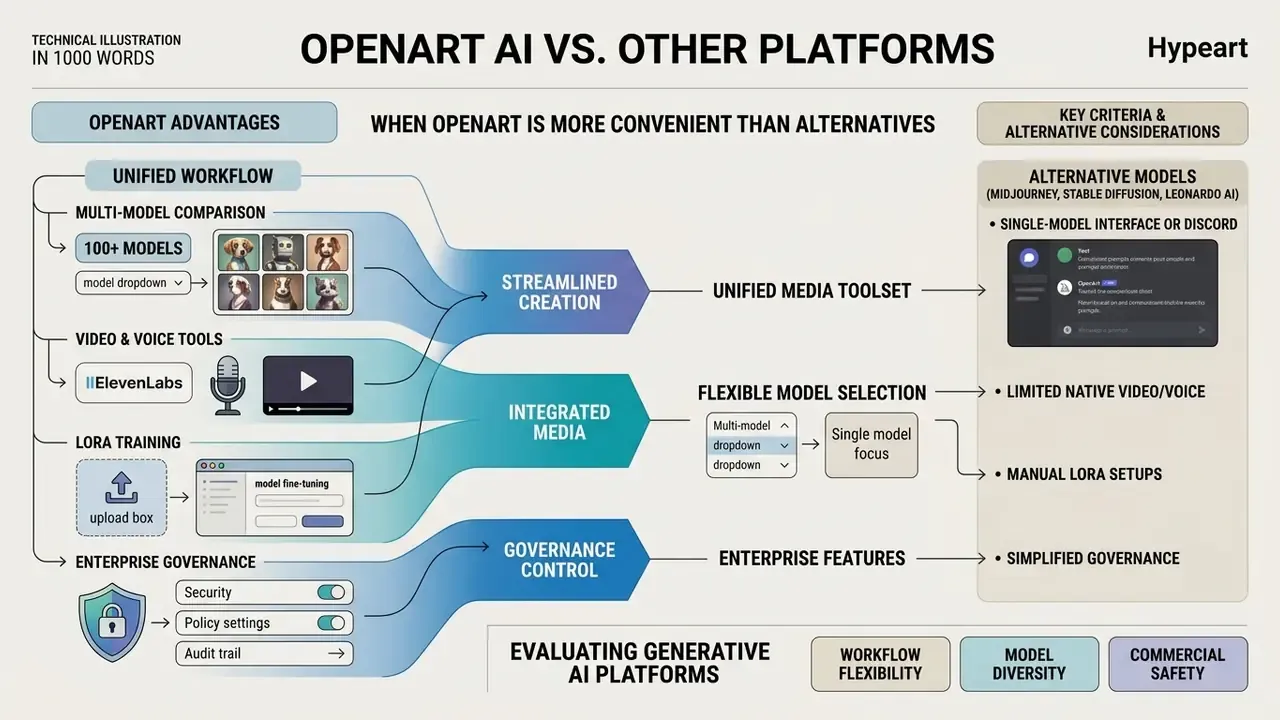
Choosing a generative platform comes down to workflow flexibility, model diversity, and commercial safety.
When OpenArt Is More Convenient Than Alternative Image Generators
OpenArt shines when you need multi-model comparison and unified media creation. Instead of juggling separate subscriptions for image generation, video, voice synthesis, and upscaling, you work from one portal.
«Belreos rates OpenArt 3.2/5, singling out catalog breadth and Kling video credit volume as key advantages for UGC studios.»
Compared with Midjourney, which leans on Discord or a focused single-model web interface, OpenArt adds explicit canvas editing, Magic Brush inpainting, outpainting, custom LoRA training, and native video with audio. The trade-off is precision. Midjourney still sets a higher bar for out-of-the-box stylistic coherence, and OpenArt's handling of long, highly specific prompts is less consistent across its catalog. Creators exploring alternative visual tools can review our analysis of the pixar ai generator category.
Key Criteria for Evaluating Generative AI Platforms
| Feature / Metric | OpenArt AI | Midjourney | Stable Diffusion (self-hosted) | Leonardo AI |
|---|---|---|---|---|
| Model selection | 100+ aggregated models | Single proprietary model (Midjourney vs. competitors) | Unlimited custom checkpoints | Curated production models |
| Video generation | Integrated (LTX-2.3, Kling 3.0, Motion Sync) | Limited or external | Extension dependent | Integrated motion tools |
| Audio / voice | Native (ElevenLabs voiceover and cloning) | None | External pipeline | Limited |
| Custom training | Cloud LoRA plus consistent characters, 2 to 12 models per month by tier | Personalisation profiles, no user LoRA | Full local fine-tuning | Dataset training on paid tiers |
| Canvas editing | Native Magic Brush inpaint and outpaint | Prompt variations, pan | UI dependent (ComfyUI) | Integrated canvas suite |
| Cost per 1,000 images | ≈$2.42 (Advanced) to $3.50 (Essential) | Plan dependent, per GPU-minute | Hardware and electricity only | Plan dependent |
| Commercial terms | Included on Plus and above | Included on paid tiers | Licence dependent per checkpoint | Included on paid tiers |
| Enterprise controls | Team roles and shared credits, SSO and audit export unverified | Limited | Fully self-managed | Team plans available |
Teams whose priority is motion content rather than stills should extend this matrix with our comparison of the best AI video generators. For a broader software evaluation, consult our breakdown of the best AI art generators.
OpenArt AI FAQ
Are "Openart IA" and "OpenArt AI" the Same Service?
Yes. The query "openart ia" is a common language variation used mainly in Spanish and French-speaking regions, where "IA" stands for inteligencia artificial or intelligence artificielle. Both spellings point to the identical platform hosted at openart.ai. Log in only through the main domain to avoid phishing copies.
How Can Users Obtain Extra Trial Credits Without Subscribing?
On registration at openart.ai, you receive 40 one-time trial credits valid for seven days. Joining the official OpenArt Discord community during onboarding unlocks an additional 50 bonus credits, enough to sample premium models, upscalers, and video generation before you commit to a plan.
Does the Starter/Essential Plan Allow Business Use?
No. Commercial rights begin at the Plus/Advanced tier. Publishing Essential-tier output on a company website, marketplace listing, paid course, or client deliverable breaches the Terms of Service. Upgrade to Plus/Advanced (about $14.50 per month annual) before any external publication.
Can Users Train Custom Models Without Technical Knowledge?
Yes. Training runs entirely in the cloud, with no local setup and no code. Upload 10 to 20 reference images, choose the training configuration, and expect roughly 1,000 to 2,000 credits per run. Monthly caps are 2 models (Essential), 6 (Advanced), and 12 (Infinite).
Do Unused Credits Roll Over to the Next Month?
No. Subscription credits reset each billing cycle and do not carry over, and premium model access ends when a paid plan lapses. Export finished masters and archive trained checkpoints before cancelling.
Where Can Users Access Official Support and Troubleshooting?
Official technical help runs through the AI Media Support and Troubleshooting hub, or directly through the platform helpdesk at [email protected]. Priority queue processing and faster responses go to Pro and Wonder subscribers. Independent user feedback frequently mentions slow replies on lower tiers.
Can Generated Videos Be Exported Without Watermarks?
Watermark-free export is available on all paid plans (Starter, Plus, Pro, Wonder). Free Trial output may carry platform watermarks or resolution limits, another reason to treat the 7-day trial as a feature probe rather than a production test.
Does OpenArt Offer Developer API Access?
Yes, API options exist for programmatic image and video generation. Developers integrating multimodal workflows can inspect our technical AI Media API Guides, then shortlist engines with our overview of AI video generators before committing to an integration.
Is OpenArt Suitable for Banks, Insurers, and Other Regulated Organisations?
Only after documented due diligence. Public materials do not publish SOC 2 or ISO 27001 status, SSO/SAML support, zero-retention guarantees, or administrator audit-log export. Get written vendor confirmation on each control, restrict uploads to non-sensitive data, and keep a manual prompt, seed, and model-version log until native audit export is confirmed. A Safe Next Step: A 30-Day Controlled Pilot You do not need a full vendor programme to make a defensible decision. Run a bounded pilot instead.
- Week 1: single named owner, one Plus/Advanced seat on corporate billing, data-classification rule circulated in writing. No PII, no unreleased financials, no licensed third-party imagery.
- Week 2: run the eight-genre benchmark above, logging seed, model, version, and credit spend per usable asset.
- Week 3: send the vendor questionnaire from the governance table and record every unanswered item as an open finding.
- Week 4: present three numbers to the committee: cost per usable asset, review hours per published asset, and count of unresolved control gaps. If the gaps stay open, keep OpenArt in the sandbox and route client-facing work to a governed enterprise generator. If they close in writing, you have an approved tool with evidence behind it. Either outcome beats discovering the subscription in an expense report six months from now.
Appendix A: Editorial Revisions and Superseded Statements