Choosing a video editor with open source code gives you a full post-production toolkit without subscriptions, royalties, or artificial caps. Software in the open source video editor class hands the user control over the source code, keeps project data on the workstation, and ships without forced watermarks on export.
That last point sounds like a marketing detail. It isn't. For a compliance team, "no cloud upload, no account, no watermark" is three separate approval questions answered at once.
Executive summary
- Best all-round FOSS editor: Kdenlive (GPL-3.0-or-later). Unlimited tracks, proxy workflow for 4K, LADSPA/LV2 audio plugins, native builds for Linux, Ubuntu, BSD, Windows, and macOS.
- Best cross-platform consistency: Shotcut (GPLv3). Near-identical behaviour on Windows, Linux, and macOS, hundreds of formats via FFmpeg, dockable panel workspace.
- Best for beginners: OpenShot (GPLv3+). Drag-and-drop timeline, visual keyframes, 3D titles rendered through Blender.
- Fastest trimming without re-encoding: LosslessCut and Avidemux. Direct stream copy, a 2 GB file processed in seconds, zero quality loss.
- Best for 3D, motion design, and compositing: Blender (Video Sequence Editor) (GPLv2+).
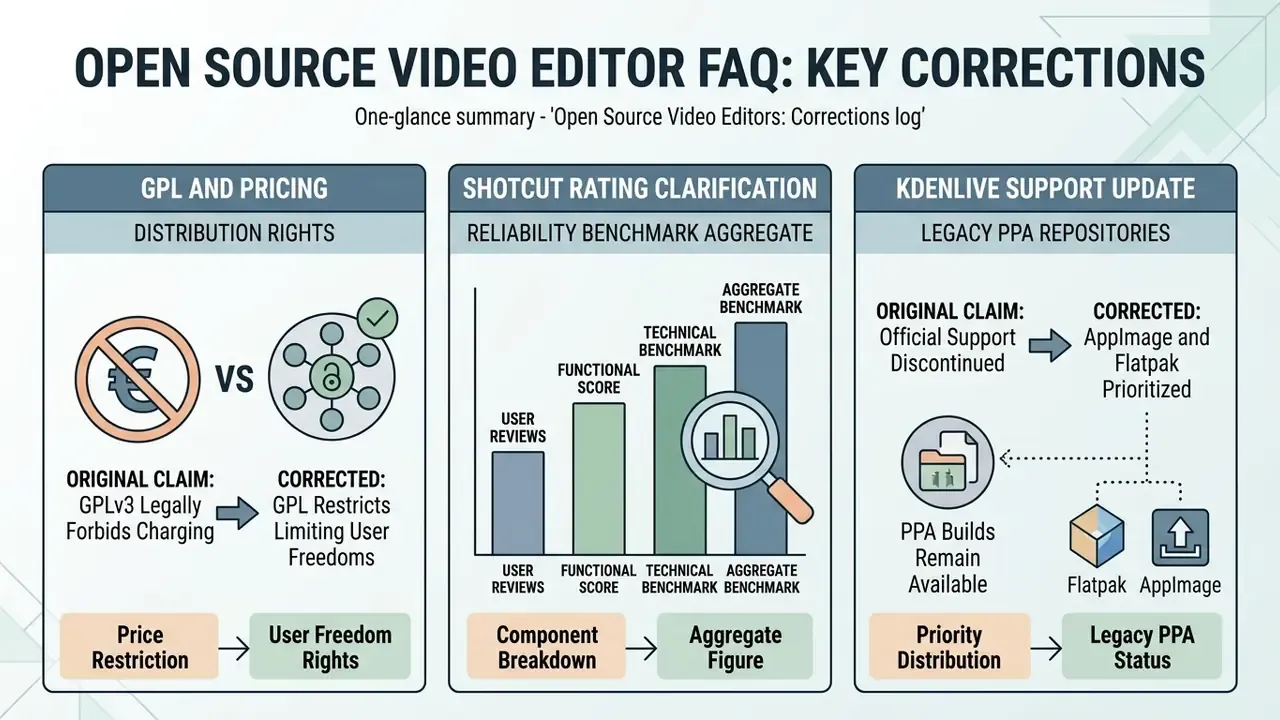
- Watch out: DaVinci Resolve and Lightworks are freeware, not open source. Lightworks Free caps export at 720p, and Resolve keeps its source code closed.
- Enterprise note: a permissive software licence does not cover multimedia codec patents (H.264/AVC, H.265/HEVC). Editor licence and codec patent pool obligations are separate legal layers. See the compliance section below.
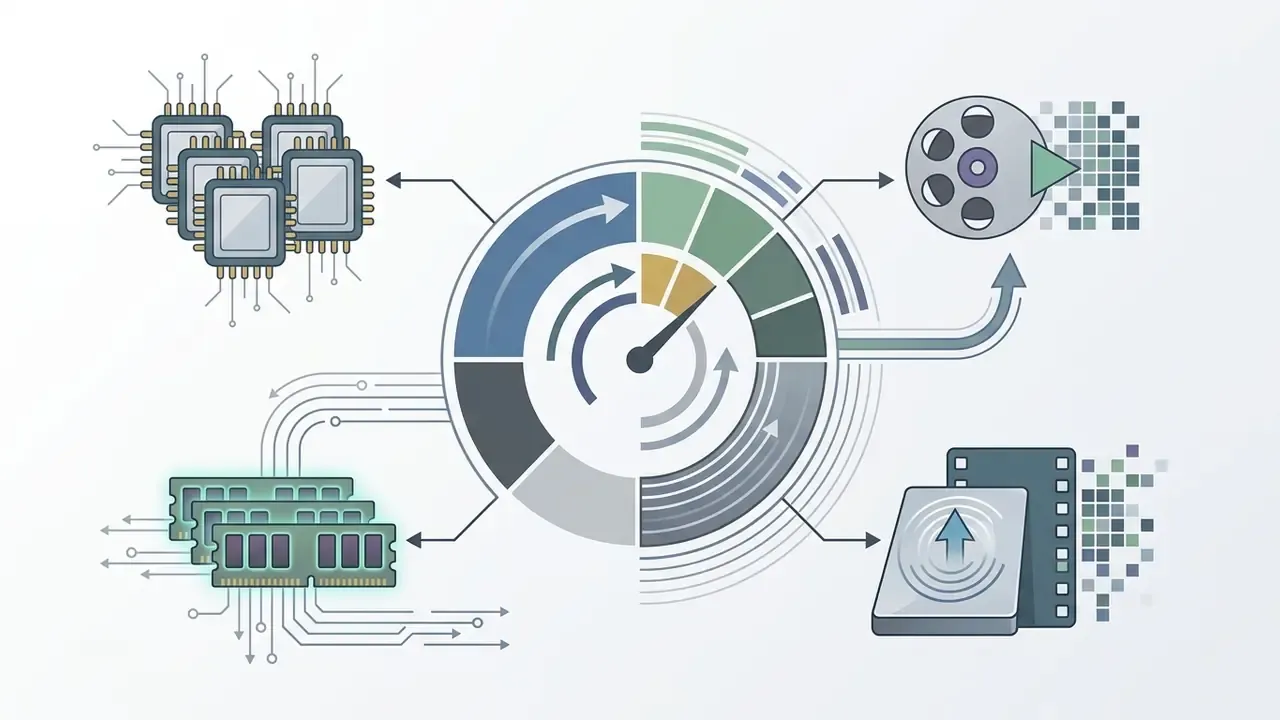
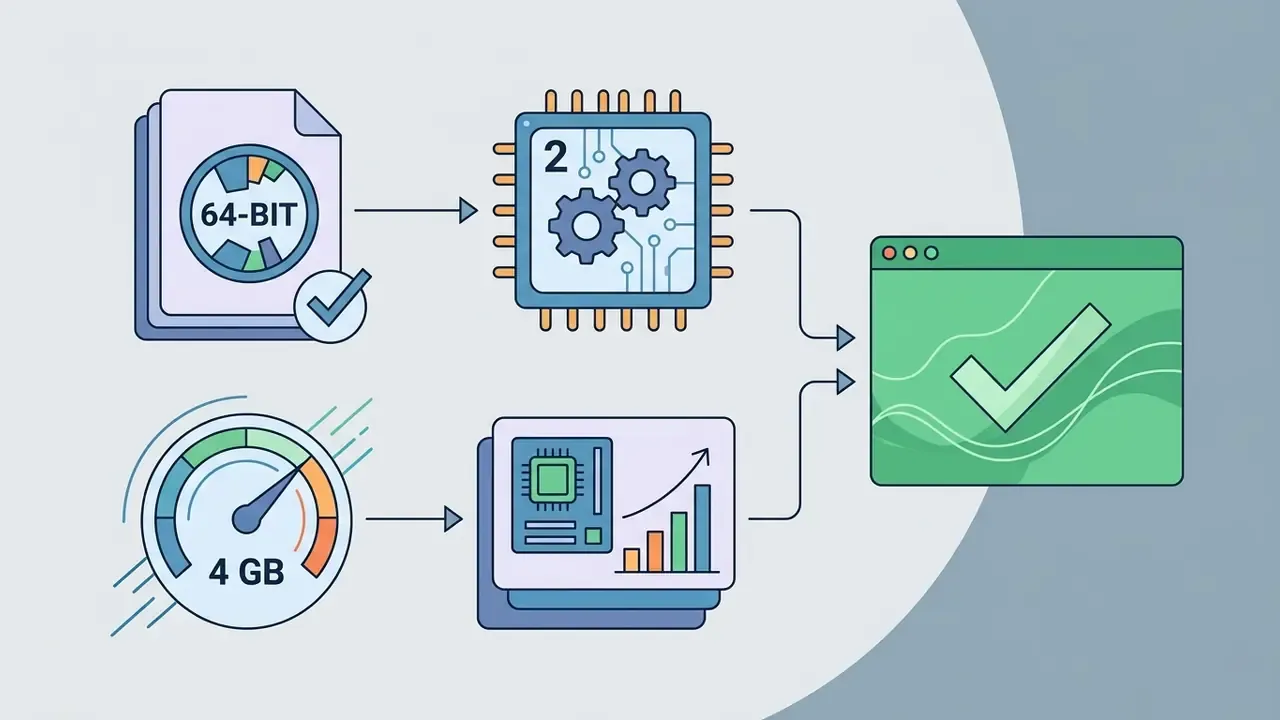
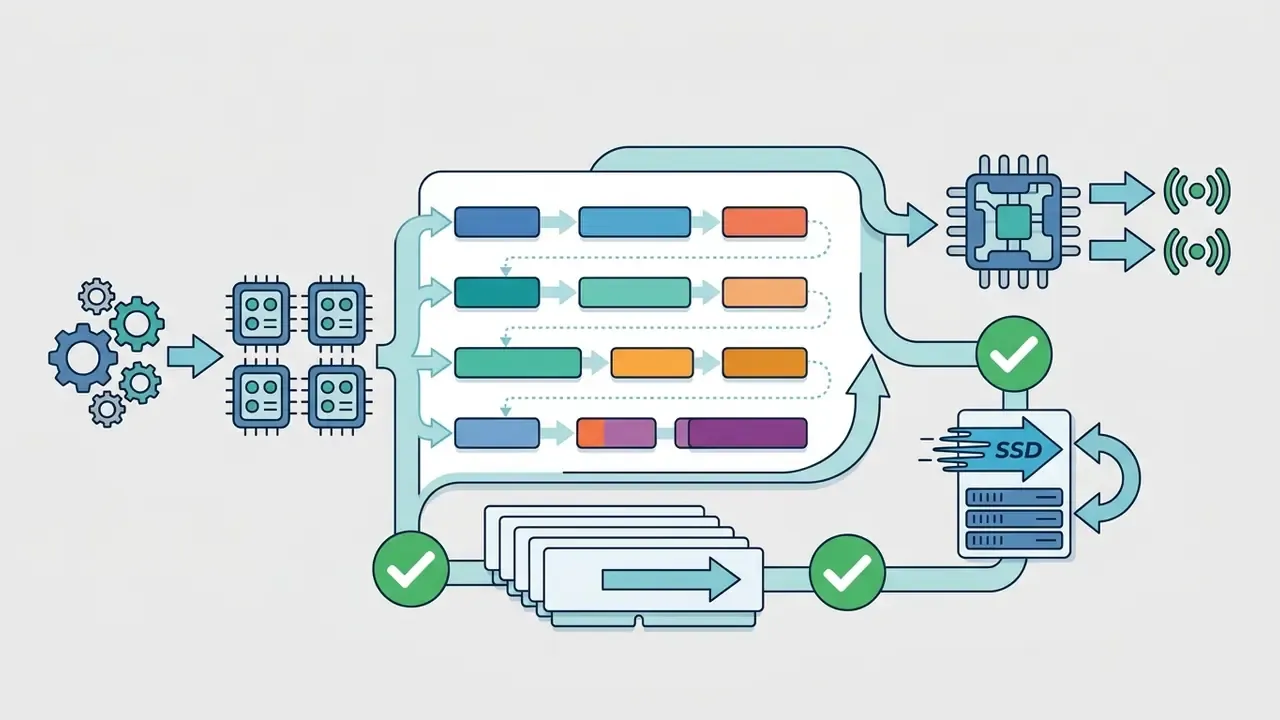
- Hardware baseline: 64-bit OS, 4 GB RAM and 2 CPU cores for SD/HD, 8 cores and 16 GB RAM for comfortable 4K work, SSD storage for cache and proxies.
How to read this guide. If you are picking a tool for yourself, jump to the task matrix and the profiles of the five main video editors. If you are approving software for a team in a regulated environment, start with licensing and codec patents, then the security checklist and the total-cost table. Freelancers and in-house media leads usually need both halves, in that order.
What is an open source video editor and who is it for
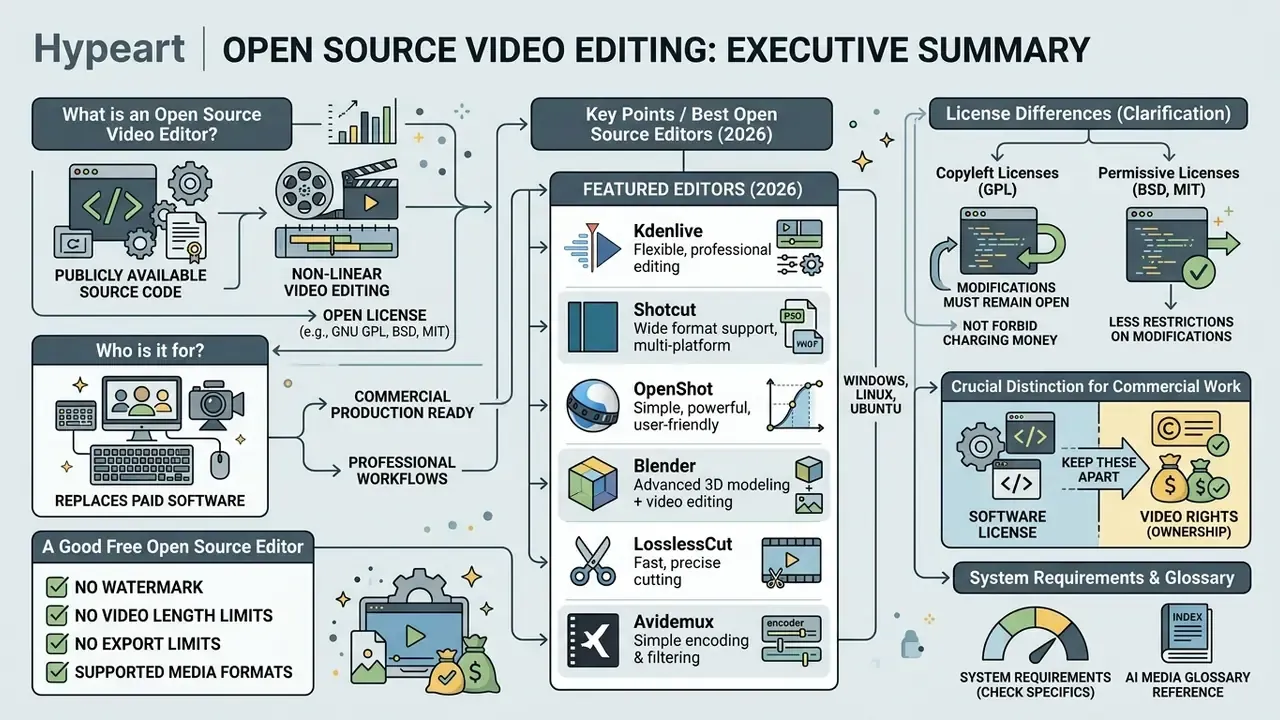
An open source video editor is a program for non-linear video editing whose source code is publicly available under an open licence (GNU GPL, BSD, or MIT, for example) for inspection, modification, and free redistribution. Unlike free proprietary software, an open editor guarantees the right to unlimited commercial use and to adapt the feature set to specific tasks.
The key difference between the terms is legal, not financial:
Copyleft licences (GPL) and permissive licences (BSD, MIT) differ in one practical way. GPL requires derivative works to stay under the same licence. BSD and MIT allow reuse inside closed products with far fewer conditions. If your engineering team ever plans to embed an editing component into an internal product, that distinction moves from trivia to a design constraint.
Reference material and base media-processing terminology is collected in the AI Media Glossary.
- Free Software
- focuses on the user's freedom to run, study, modify, and redistribute the program together with its source code (GNU Project, 2025).
- Open Source
- defined by a licence that complies with the Open Source Definition of the Open Source Initiative (OSI, 2022), permitting free use and modification.
- Freeware (free proprietary software)
- distributed at no monetary cost, but keeps the source closed, forbids modification, and may restrict commercial export or add watermarks. The GNU Project notes the term has no single accepted definition and usually describes software that may be redistributed but not modified.
- Shareware
- offers a free trial period, after which continued use requires paying a licence fee.
Free editor, open source, and no watermarks
When a FOSS video editor replaces paid software
A modern foss video editor covers most needs of content creators, bloggers, and corporate communication departments, standing in for paid suites such as Adobe Premiere Pro or Vegas Pro in standard editing scenarios. A multi-track timeline, proxy file support, and integration with the FFmpeg libraries make it possible to edit videos in 4K without the timeline stalling every few seconds.
While optimising a workflow for training-video production, one media production team migrated its editing stations to Kdenlive with prepared templates and proxy processing. Recurring cloud subscription costs disappeared, and projects stayed compatible when files moved between Linux and Windows workstations. This example is illustrative rather than an audited customer result.
An honest caveat. Official Kdenlive documentation describes the project as a "professional-grade" open-source NLE and lists multi-track editing, proxy editing, effects, transitions, and FFmpeg-based export. No primary source claims one-to-one feature parity with Premiere Pro or Vegas Pro in every workflow. Colour-managed HDR delivery, shared team projects, and some broadcast round-trips remain weaker areas. Worth budgeting for.
To evaluate additional media-processing tools, review the materials in the AI Media Pricing Guides and the AI Media Commercial-Use Hub.
Licensing, codecs, and commercial-use compliance
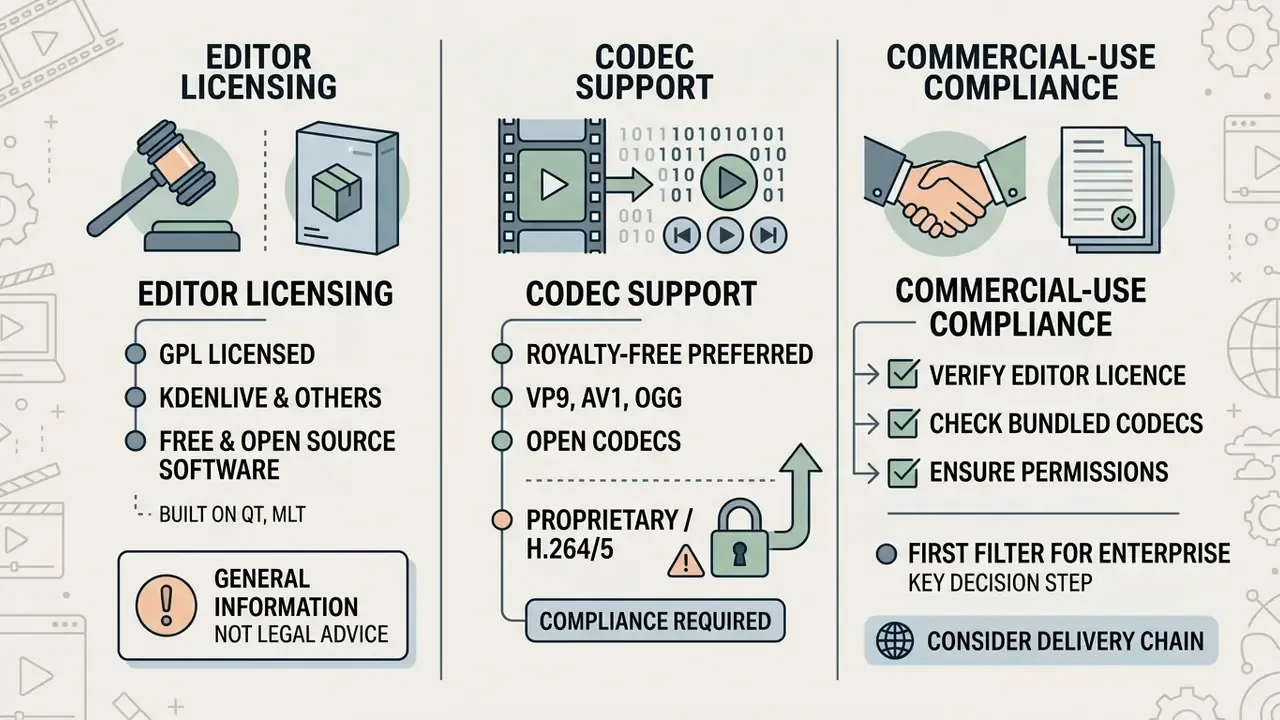
For enterprise readers this is the first filter, not the last, so it belongs early in the decision process.
1. Editor licence. All the video editors reviewed here (Shotcut, Kdenlive, OpenShot, Blender, and Pitivi) are distributed under open licences, predominantly the GNU General Public License v3. That guarantees the right to use free video editing software open source for any commercial purpose without royalties.
OpenShot's support documentation states explicitly that the program may be used for personal, commercial, educational, governmental, and religious purposes, and that finished videos contain no watermarks.
2. GPLv2 versus GPLv3 obligations. Both versions allow commercial use. GPLv3 adds requirements around "Appropriate Legal Notices" in interactive interfaces and prominent notices on modified works. If your organisation ships a modified build internally, those notice obligations apply. Using an unmodified binary to render videos does not trigger redistribution duties.
3. Codec patents, the risk most articles skip. The software licence and the patent status of compression algorithms are two different legal layers. H.264/AVC and H.265/HEVC are covered by patent pools (MPEG LA, Access Advance, Via LA). Distributing builds that include those encoders, or shipping encoding capability inside a commercial product, can create patent-licensing exposure independent of the GPL. Mitigations used by regulated organisations:
- Distinguish FFmpeg GPL builds from LGPL builds. The LGPL configuration excludes GPL-only components, which matters if FFmpeg is linked into internal proprietary tooling. Build flags also govern audio plugin support (
--enable-ladspa,--enable-lv2). - Treat "the editor is free" and "the codec is free to use commercially" as separate approval items in the software intake process.
4. Media asset rights. Stock footage, music, LUT packs, and fonts carry their own terms and are never covered by the editor's licence. Background music generated with an ai chord progression generator still needs its own usage terms recorded in the project file, the same as a purchased track.
Legal aspects of applying generated content, plus an analysis of intellectual-property case law, are covered in the AI Litigation and Case Timelines section.
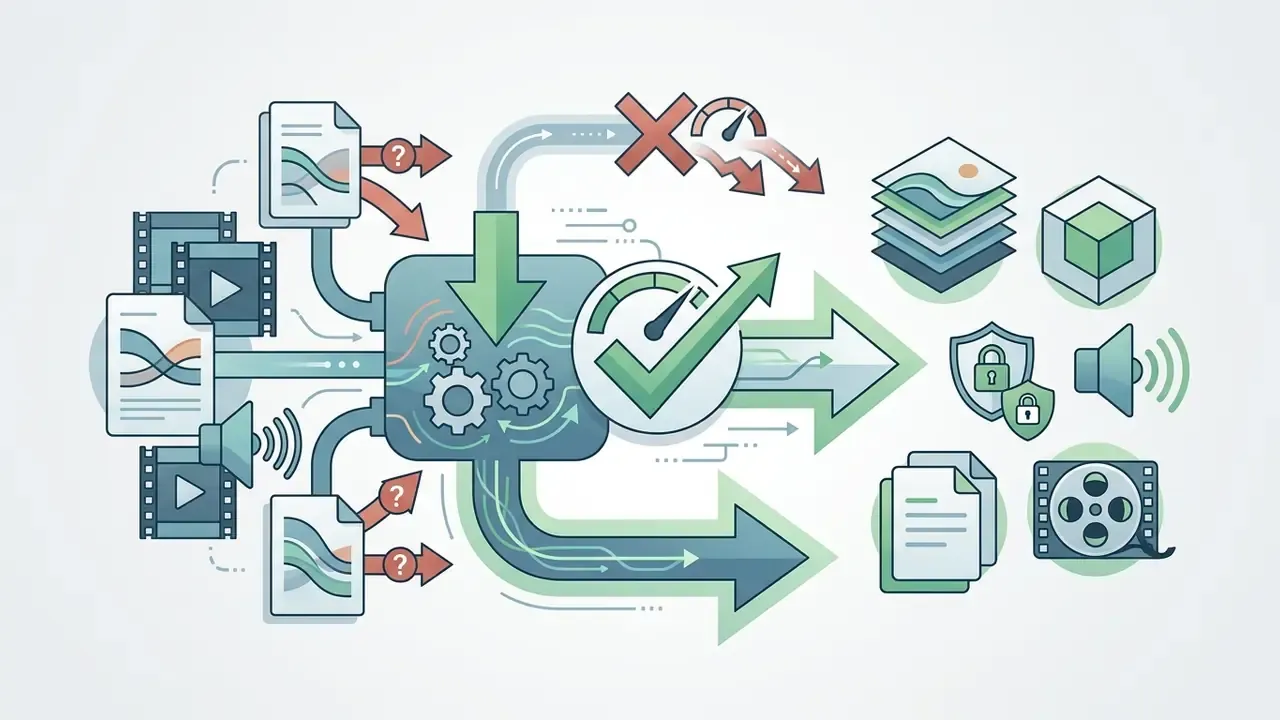
How we tested (2026 performance bench)
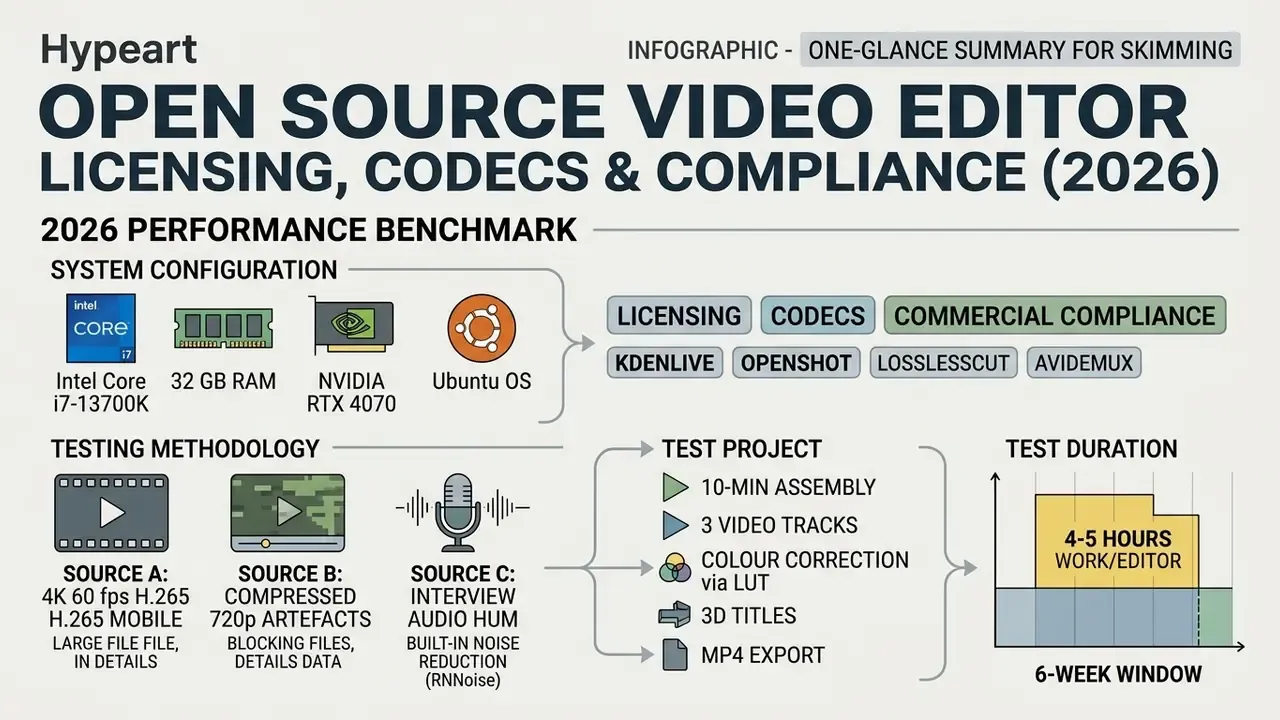
Best open source video editors: quick selection by task
The best open editor depends on the operating system, hardware headroom, and the complexity of the planned visual effects. Start with the task matrix, then read the profiles.
| Your main task | Best choice | Solid alternative |
|---|---|---|
| Full complex project (4K, many tracks) | Kdenlive | Shotcut |
| Instant trimming with no re-encode and no quality loss | LosslessCut | Avidemux |
| First edit, simplest possible workflow | OpenShot | Pitivi |
| 3D graphics, animation, compositing | Blender (VSE) | DaVinci Resolve (freeware) |
| Screen recording plus basic assembly or streaming | OBS Studio | Shotcut |
| Film-style linear cutting on Linux | Flowblade | Kdenlive |
| Format conversion and container rewrap | Avidemux | FFmpeg (CLI) |
Below is a comparative overview of the key FOSS projects of 2026, extended with two columns that matter for corporate intake: default network activity and codec patent exposure.
| Editor | Supported OS | Difficulty | Key features | Formats and 4K | Licence | Default network activity | Codec patent exposure | Ideal use case |
|---|---|---|---|---|---|---|---|---|
| Shotcut | Windows, Linux, macOS | Medium | Multi-track editing, LUT, proxies, audio filters | All FFmpeg formats, 4K UHD | GPLv3 | Update check only, can be disabled, works offline | H.264/HEVC encode, patent pools apply | Cross-platform editing for creators and teams |
| Kdenlive | Linux, Ubuntu, BSD, Windows, macOS | Medium to advanced | Unlimited tracks, colour correction, MLT integration | Broad range via FFmpeg, HDV/4K | GPL-3.0-or-later | None required, AppImage/Flatpak run air-gapped | H.264/HEVC encode, patent pools apply | Primary editor for Linux/Ubuntu and complex projects |
| OpenShot | Windows, Linux, macOS, ChromeOS | Beginner | Simple keyframes, 3D titles via Blender | Core FFmpeg formats, 4K | GPLv3+ | Optional upload integrations (YouTube, Vimeo) | H.264/HEVC encode, patent pools apply | Fast cuts and simple home videos |
| Blender (VSE) | Windows, Linux, macOS, FreeBSD | High | Video sequencer, 3D animation, tracking | Full rendering range, 4K/8K | GPLv2+ | None required for local rendering | Depends on chosen output codec | Editing tightly integrated with 3D and VFX |
| Pitivi | Linux (GNOME) | Beginner to medium | Intuitive timeline, GStreamer integration | GStreamer formats, HD/4K | LGPL | None required | Depends on installed GStreamer plugins | Native editing inside a GNOME desktop on Ubuntu |
| LosslessCut | Windows, Linux, macOS | Beginner | Direct stream copy, instant trims, merge | Virtually all FFmpeg containers | MIT (FFmpeg backend) | None required | No re-encode, no encoder use | Instant trimming of long recordings |
| Avidemux | Windows, Linux | Beginner | Cut, filter, encode, container change, scripting | AVI, MP4, MPEG, MKV, ASF, MOV | GPL | None required | Applies when re-encoding | Quick edits, batch conversion, low-end hardware |
Want to see how these FOSS options stack up against no-cost proprietary tools? Compare free video editors by features and export limits before committing a team to one stack.
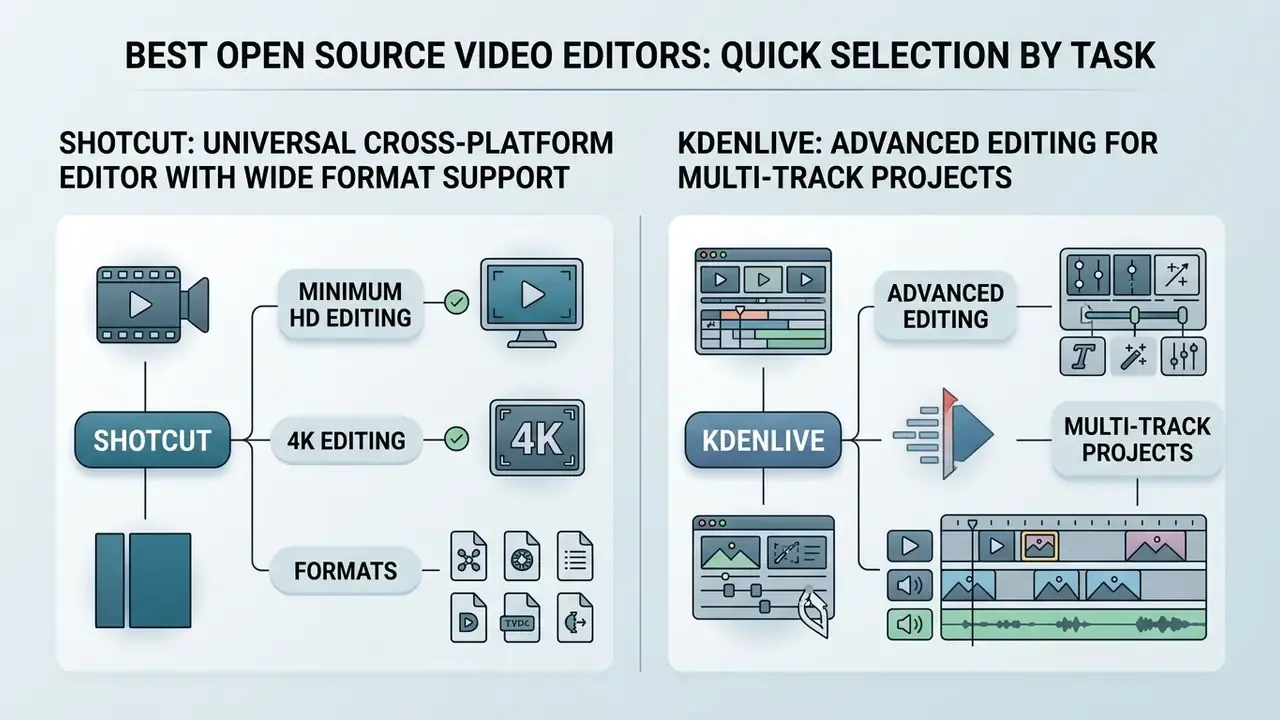
Shotcut: universal cross-platform editor with wide format support
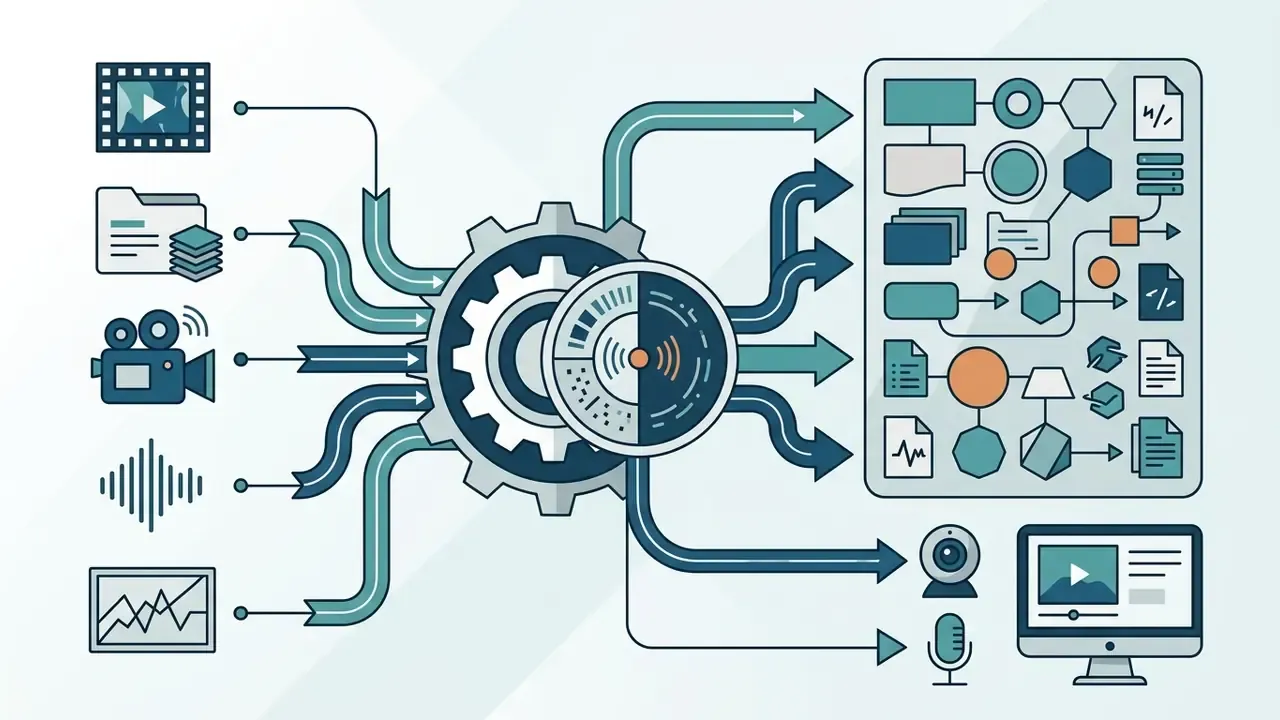
Shotcut is a capable cross-platform editor built on the Qt and MLT frameworks, delivering near-identical functionality on Windows, Linux, and macOS. It supports hundreds of video and audio codecs thanks to the bundled FFmpeg library, and it handles raster and vector images too (AVIF, BMP, GIF, JPEG, PNG, SVG, TIFF, WebP, plus image sequences).
The interface is built from configurable dockable panels: media properties, recent-files search, playlist thumbnails, filter panel, history, encoding panel, and job queue. You can rearrange them for colour work or audio mixing, and the layout persists between sessions. Drag-and-drop from the file manager works as expected. Internally Shotcut handles two image ranges: limited-range YUV (BT.709/BT.601) and full-range sRGB (IEC 61966-2-1).
In independent benchmarking (RFP.wiki Benchmark, 2026) Shotcut received an overall score of 4.2/5.
«The 4.2/5 rating combines an average user-review score of 4.0/5 with a functional score of 3.4/5 at a 95% confidence level.»
«On a system with an Intel Core i7-6700T and 16 GB of RAM, Shotcut rendered a five-minute project of mixed 1080p/SD/4K clips to 1080p H.264 in 3 minutes 29 seconds.» - PCMag Shotcut Review (test on Asus Zen AiO Pro Z240IC, Windows 10). https://www.pcmag.com
Shotcut system requirements and formats
Kdenlive: advanced editing for multi-track projects
Kdenlive (KDE Non-Linear Video Editor) is the recognised standard for work on Linux and Ubuntu platforms.
«Kdenlive took an average position of 1.0 out of five editors, with 100% coverage across the analysed AI recommendation systems.»
The program offers a timeline with a practically unlimited number of video and audio tracks, audio-stream splitting, a title generator, and keyframing for every available effect. Effects can be applied at four levels: a bin clip, a single timeline clip, an entire track, or the master output. Global colour or loudness passes become a one-click job rather than a per-clip chore.
Kdenlive's audio stack supports LADSPA and LV2 plugins, auto-detected from the distribution's packages, so the available audio effects depend on which plugin packages are installed. Colour work runs through the "Color and Image Correction" group, including Color Correct, Apply LUT, and Color Temperature. When you need to shrink a finished clip before publishing, use the external utilities described in the guide to video compressors.
Kdenlive system requirements and formats

OpenShot, Pitivi, and Blender for simple editing, GNOME, and 3D
1. OpenShot stands out for a minimalist interface and a low barrier to entry. It supports keyframe animation for scale, position, rotation, and opacity, and can generate animated 3D titles when Blender is installed.
«OpenShot is characterised by an extremely low barrier to entry and a minimalist interface, optimal for quick trimming and home videos.»
Requirements and formats: 64-bit Windows 8/8.1/10/11, macOS 10.15 or newer, most Linux distributions, ChromeOS 83 or newer. Minimum 2 CPU cores and 4 threads, 4 GB RAM, 1 GB storage. Recommended 6 or more cores, 16 GB RAM or more, 50 GB storage or more. Hardware encoding and decoding is documented as experimental. Formats follow FFmpeg, with 4K UHD render support.
2. Pitivi is developed inside the GNOME ecosystem on top of the GStreamer media framework. It offers a clean interface, strict adherence to free-software standards, built-in proxy generation, keyframe curves, and clip grouping, with enough performance for everyday cutting. Format coverage depends on the installed GStreamer plugin sets (Ogg, H.264, AVI and other mainstream formats are covered). On modest hardware it is the lightest tool in this group.
3. Blender (Video Sequence Editor) is a module inside a complete 3D suite. The VSE suits projects where an editing assembly is combined with motion design, 3D modelling, and heavy compositing, and Blender's own colour management covers gamma and colour-space conversion.
«Blender received an average position of 5.0 out of five editors: its complexity and 3D orientation make it impractical as the main editing tool for most users.»
Requirements: 64-bit Windows, Linux, macOS, or FreeBSD, multi-core CPU and a discrete GPU strongly recommended, 16 GB RAM for combined 3D and video work.
Fast lossless cutting: LosslessCut and Avidemux
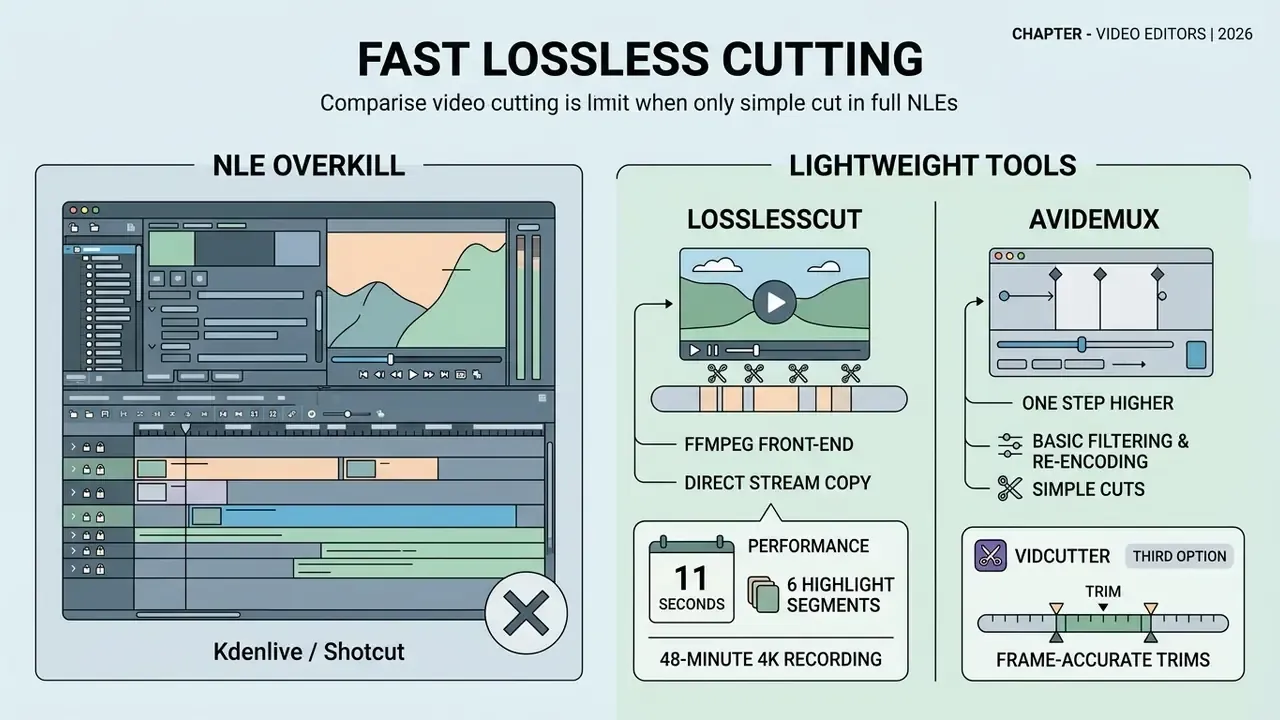
If the job is limited to deleting bad takes or slicing a stream without heavy effects, launching a full NLE such as Kdenlive or Shotcut is overkill. You pay a full re-encode in time and quality, and get nothing back.
- LosslessCut works as a graphical front end over FFmpeg using direct stream copy. A 2 GB file is processed in roughly 3 to 5 seconds with almost no CPU load and no loss of original quality, because no frames are re-compressed. It reads virtually every container FFmpeg supports, merges segments, and exports cut lists. Trade-off: no effects, no colour correction, no titles.
- Avidemux sits one step higher. It applies basic filters, changes the container (MKV to MP4, for instance), runs batch jobs through its queue and scripting support, and performs precise cutting on key frames (I-frames). Requirements are minimal: 2 GB RAM minimum, 4 GB recommended, no dedicated GPU needed for basic work. It is GPL-licensed, and its documentation states the software may be used for commercial projects.
- VidCutter is a third option in the same niche, a lightweight tool for frame-accurate trims before importing clips into a larger editor.
In our bench, pulling six highlight segments from a 48-minute 4K recording took 11 seconds in LosslessCut versus more than four minutes of export time in a full NLE, with identical output quality. For anyone processing long recordings daily, this class of tool is not optional. It is the default.
Niche FOSS tools: Flowblade, Cinelerra, LiVES, OBS Studio
- Flowblade oriented around a film-style, track-based workflow. Good for fast linear assembly on Linux, with a clean purpose-built interface, a decent filter and compositor set, and stable behaviour on most formats. Less feature-complete than Kdenlive, with a smaller community.
- Cinelerra a historic open editor for 64-bit Linux systems, the first non-linear editor to support the 64-bit GNU/Linux platform. It uses a split, GIMP-style interface and offers deep audio and video processing settings. Development slowed for years, though new builds continue to appear.
- LiVES built for real-time video performance and VJ work rather than conventional storytelling. Medium difficulty, with Ubuntu and Debian packages available.
- OBS Studio not an NLE, but the standard open tool for the "record the screen, then assemble" scenario. It captures screen, camera, and audio, streams live to platforms, and writes FLV, MKV, MP4, MOV, TS, and M3U8. Pair it with Shotcut or LosslessCut for the editing pass. On Ubuntu install it with
sudo apt install ffmpegfollowed byssudo apt install obs-studio.
Freeware is not open source: DaVinci Resolve and Lightworks
Two of the most recommended "free" editors are not FOSS, and the difference matters for compliance and long-term planning alike.
Practical rule. If you need code inspection, indefinite version freezing, air-gapped deployment, or the right to patch the tool yourself, only FOSS qualifies. If you need Hollywood-grade colour grading today and accept vendor terms, freeware is a legitimate choice. Just not an open-source one.
- DaVinci Resolve (Blackmagic Design)
- a proprietary product distributed with a no-cost edition plus a paid Studio tier. The source code is not published, and the licensing model stays vendor-controlled, which is incompatible with open-source distribution terms requiring source availability and licence freedoms. The free build is genuinely powerful (industry-standard colour, Fairlight audio, Fusion VFX), but some codecs, noise reduction, and collaboration features are Studio-only, and system requirements are heavy.
- Lightworks
- a professional multicam environment with a free tier, where the free version restricts export to a maximum resolution of 720p. That is a hard blocker for 1080p and 4K delivery.
How to choose a free open source video editor
To pick the right free open source video editor, match project requirements against the workstation's specifications and the editor's experience level. Two variables, honestly assessed, remove most bad choices.
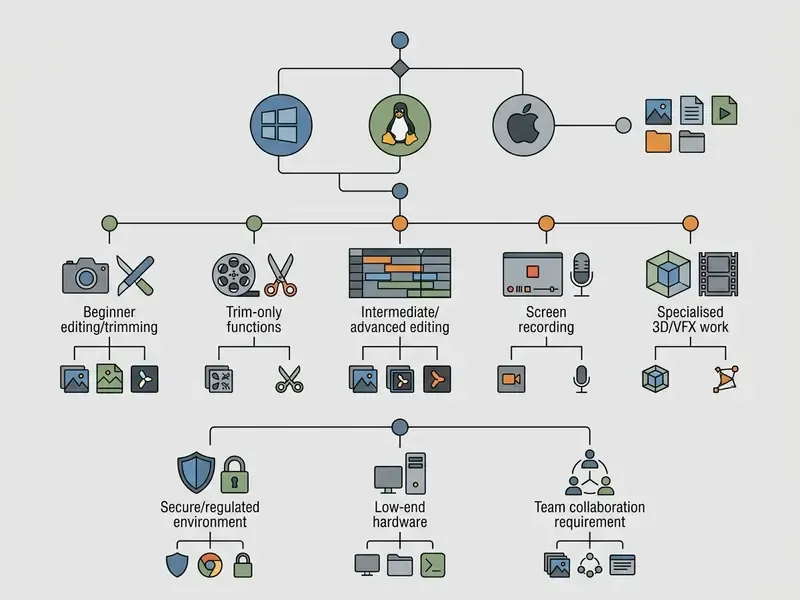
System and performance requirements: Windows, Linux, Ubuntu
Stable operation of free open source video editing software requires a 64-bit system. Minimum and recommended specifications break down as follows:
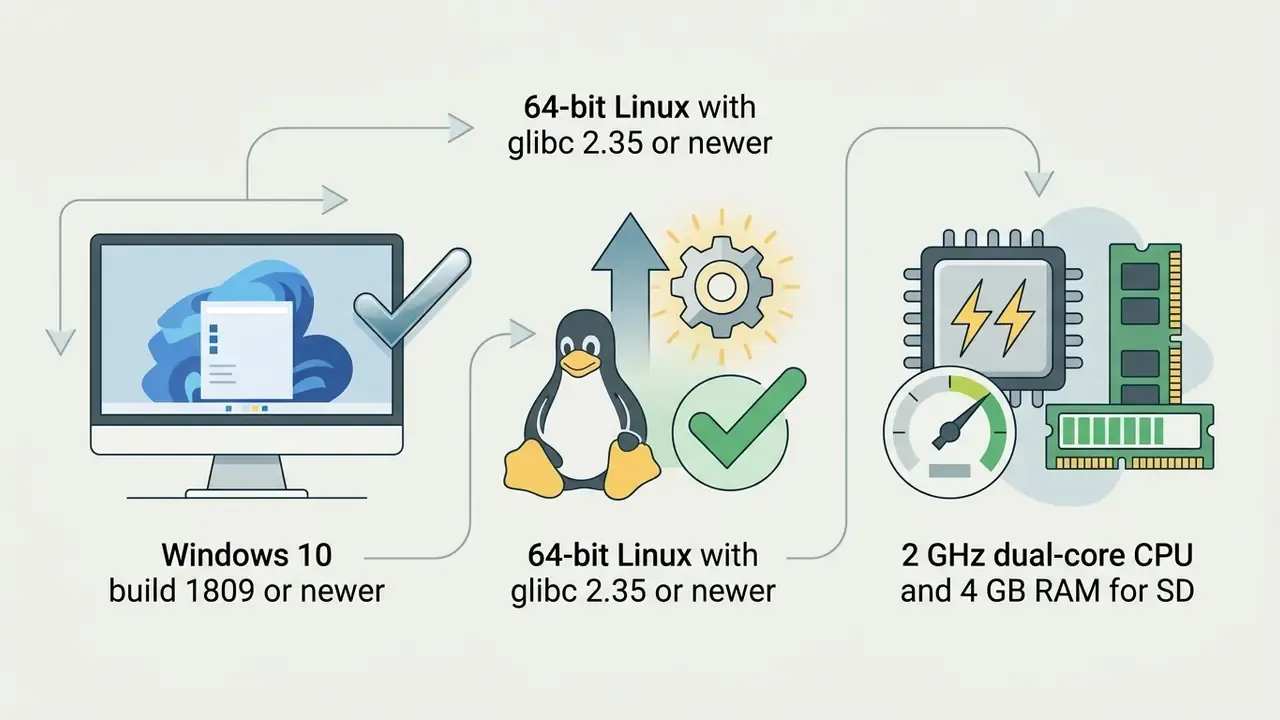
- Shotcut needs Windows 10 (build 1809 or newer) or Linux with glibc 2.35 or newer. For SD video, 4 GB of RAM and a 2-core CPU are enough. For 4K, an 8-core processor and 16 GB of RAM are recommended (Shotcut Documentation, 2026).
- OpenShot runs on Windows 8/10/11, most Linux distributions, and ChromeOS. Minimum RAM is 4 GB, recommended 16 GB (OpenShot User Guide, 2026).
- Kdenlive officially supported on Windows 10/11 and Linux (via AppImage and Flatpak), plus macOS 13 or newer and BSD. 4 GB RAM minimum, 16 GB and a discrete GPU for 4K proxy workflows.
- Blender heaviest of the group. A multi-core CPU, discrete GPU, and 16 GB RAM are practical minimums once 3D and video are combined.
- Avidemux and LosslessCut effectively no hardware barrier. Both run comfortably on 2 to 4 GB RAM machines because they avoid re-encoding.
An honest limitation to plan around:
«RFP.wiki records a score of 1.0 to 1.1/5 for Shotcut's collaboration features: there is no shared project access, no comments, and no approval workflows.»
The same gap runs across the FOSS field. If your team needs shared cloud projects, review states, and comment threads, budget for an external review layer, or accept a proprietary tool for that single step. Pretending the gap does not exist is how pilots stall.
For automatically drafting a video script or generating voice-over alongside the editing suite, use the specialised services covered in the guides to AI video generators and AI voice generators. Family or educational projects that need younger narration are covered separately in the guide to an ai child voice generator free.
Formats, audio, and effects for the finished video
The quality and speed of the final render depend on the built-in decoder. Using FFmpeg lets you open AVCHD, ProRes, DNxHD, HEVC (H.265), and H.264 files without converting them first.
Audio processing includes equalisers, compressors, and noise suppressors. FFmpeg can load both LADSPA and LV2 plugins, but only when compiled with --enable-ladspa and --enable-lv2. GStreamer exposes LADSPA and LV2 effects plus codec elements such as HEVC decoding via libde265. Kdenlive and Shotcut both include a flexible colour-correction toolset based on LUTs (Look-Up Tables) and colour wheels, which brings footage from different cameras to a single white balance. To extend the toolchain with generative AI, see the AI Media API Guides and the overview of AI-based video generation tools. For thumbnail concepts and quick visual references while editing, some teams keep an ai chat with pictures window open next to the timeline, and seasonal campaigns often lean on an ai christmas photo generator for title backdrops.
Simple interface or professional features
Comparing interface philosophies shows a clear split by target audience:
- Minimalist (OpenShot, Pitivi) a simple timeline, drag-and-drop from the file manager, a basic transition set, and, in OpenShot's case, a built-in tutorial aimed at first-time users.
- Professional NLE (Kdenlive, Shotcut) configurable workspaces, built-in scopes (audio waveforms, vectorscope, RGB parade), and hotkeys aligned with industry standards. Kdenlive's manual describes a UI consistent across Linux, Windows, and macOS, split into four main areas that can be rearranged to individual needs.
- Integrated production (Blender) a window system that switches between 3D space logic, node-based compositing, and the video sequencer, supporting a much broader workflow than a single-purpose editor.
For workload calculations and picking optimal hardware configurations, use the AI Media Calculators.
Deployment on Linux, Ubuntu, and Windows
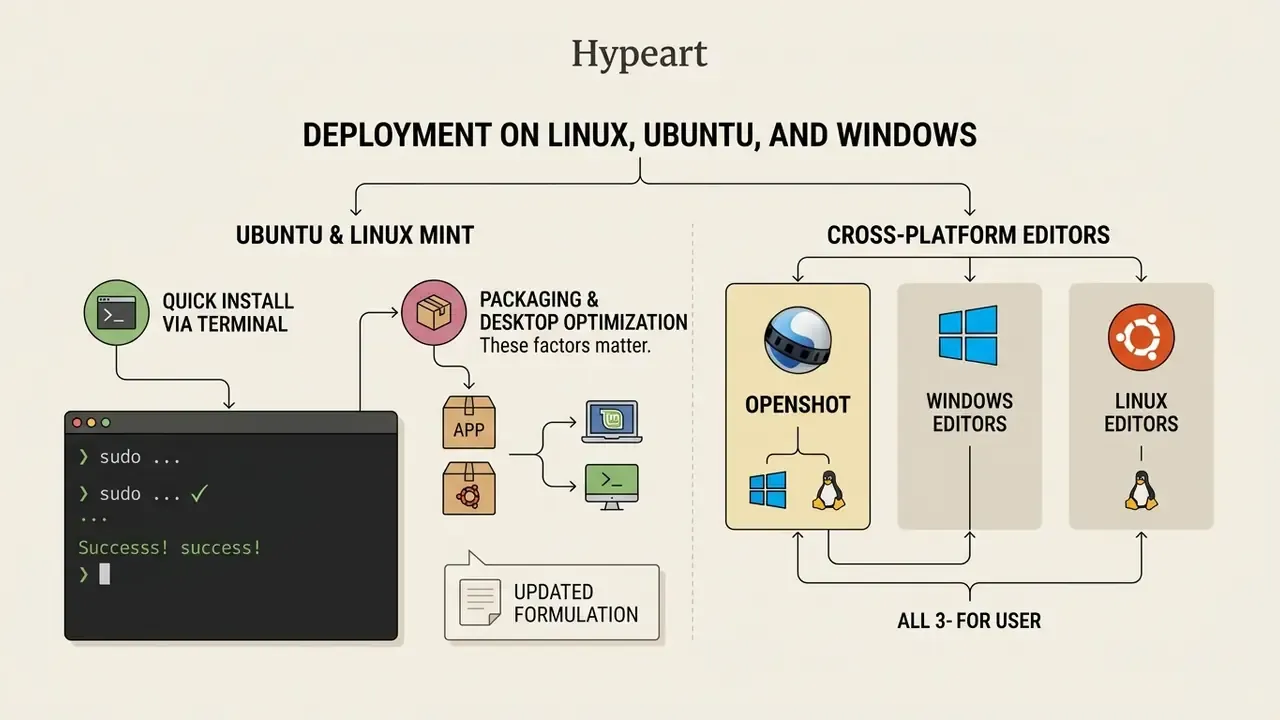
When choosing an editor video linux or a Windows application, packaging and desktop-environment optimisation both matter more than most download pages admit.
Quick installation on Ubuntu or Linux Mint via the terminal
To install official builds from the repositories, open a terminal (Ctrl+Alt+T) and run:
# Kdenlive (official PPA build for LTS releases)
sudo add-apt-repository ppa:kdenlive/kdenlive-stable
sudo apt update && sudo apt install kdenlive -y
# Kdenlive as a sandboxed Flatpak (recommended by the developers)
flatpak install flathub org.kde.kdenlive
# Shotcut via Snap
sudo snap install shotcut --classic
# OpenShot from the repositories
sudo apt install openshot-qt -y
# OpenShot from the official PPA (newest releases)
sudo add-apt-repository ppa:openshot.developers/ppa
sudo apt update && sudo apt install openshot-qt -y
# Pitivi (GNOME)
sudo apt install pitivi -y
# Avidemux and Flowblade for fast cutting
sudo apt install avidemux flowblade -y
# OBS Studio for screen recording and streaming
sudo apt install ffmpeg -y
sudo apt install obs-studio -y
# Blender
sudo apt install blender -y
Arch Linux and Manjaro: sudo pacman -S kdenlive shotcut blender obs-studio.
Fedora: sudo dnf install kdenlive shotcut openshot blender.
LosslessCut ships as an AppImage: download it, then run chmod +x LosslessCut*.AppImage && ./LosslessCut*.AppImage.
Best free Linux video editing software for Ubuntu
For animated inserts in your videos, specialised animation tools are also used. Creators publishing regularly should follow a repeatable editing and publishing workflow for YouTube to keep exports, thumbnails, and metadata consistent.
Cross-platform editors for Windows and Linux
Security, telemetry, and enterprise governance checklist
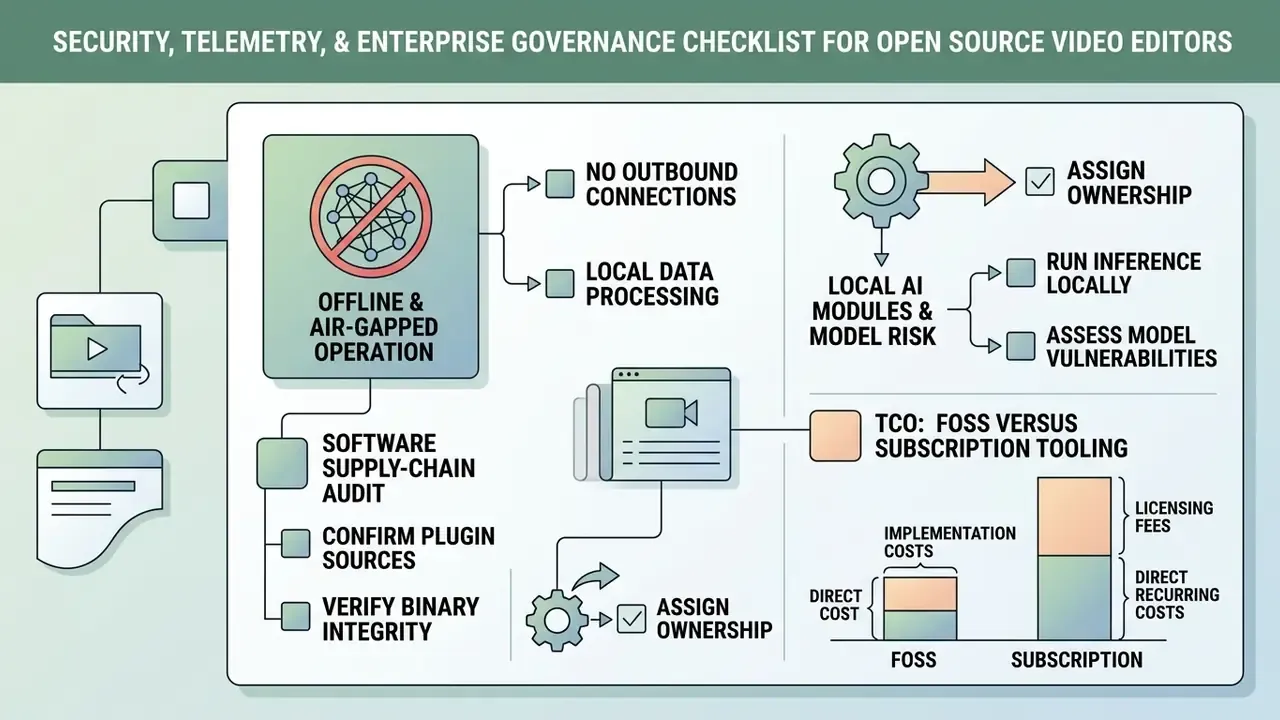
FOSS editors are frequently approved in regulated environments precisely because they can run without any outbound connection. That has to be verified, though, not assumed.
Offline and air-gapped operation
Kdenlive (AppImage or Flatpak), Shotcut, Avidemux, LosslessCut, and Blender all render locally with no account, no cloud project storage, and no mandatory service call. Validation steps before approval:
- Run the build in a network-monitored sandbox (using
ss -tunapor a firewall log) during import, edit, and export. - Disable automatic update checks in preferences, then deliver updates through your own package mirror instead.
- Block outbound traffic for the application at the host firewall and confirm every core function still works.
- Watch specifically for optional upload integrations (OpenShot's YouTube and Vimeo publishing, OBS streaming targets) and remove or disable them for isolated deployments.
Software supply-chain audit checklist
Checklist0 / 7
Local AI modules and model risk
Locally executed AI features can be brought under existing model-risk management (MRM) regimes because inputs never leave the workstation. Typical candidates: local speech-to-text for subtitles (Whisper-class models), RNNoise-based audio denoising, motion tracking and object detection (OpenShot ships built-in tracking), and segmentation models for masking or background removal.
For governance, document three things per model: where the weights came from, whether the output is reproducible enough to re-derive later, and what happens to intermediate artefacts on disk. Anything that calls an external API belongs in a different risk category entirely, with its own owner and escalation path. The same discipline applies to adjacent tooling, whether that is a subtitle model or an ai chatbot maker used to draft video descriptions.
TCO: FOSS versus subscription tooling
| Cost element | FOSS (Kdenlive, Shotcut) | Freeware (Resolve free) | SaaS or subscription NLE |
|---|---|---|---|
| Licence fees | None | None (Studio tier paid) | Recurring per seat |
| Workstation hardware | Moderate to high | High | Moderate |
| Security validation and intake | Required, one-off per version | Required | Required, plus vendor assessment |
| Codec patent handling | Own responsibility | Bundled by vendor | Bundled by vendor |
| Training and templates | Higher initial effort | High (steep curve) | Lower |
| Support | Community, optional paid consultants | Vendor forums | Contractual SLA |
| Vendor lock-in and exit cost | Minimal, open project formats | Medium | High |
| Version freezing for compliance | Fully controllable | Limited | Usually not possible |
The honest conclusion: FOSS removes licence spend but shifts cost into validation, training, and internal support. It wins decisively where long-term version control, offline operation, and exit freedom carry real value. Where a team needs shared review and a contractual SLA above all else, the maths can flip.
Official licence and download references
Official project pages and licence terms, checked May 2026:
- Shotcut
- official site and download, GPLv3 licence.
- Kdenlive
- Kdenlive download section, GPL-3.0-or-later licence.
- OpenShot
- official About and Download, GNU GPL v3 or later.
- Blender
- Blender download section, GNU GPL v2 or later.
- Pitivi
- distributed under the LGPL through the GNOME project channels. Confirm the current packaging route in your distribution's repositories.
- Avidemux
- GPL-licensed, with "No Watermarks" stated on the project's own materials.
FAQ about free open source video editors
Do open source editors support 4K and professional formats?
Yes. Most modern open source video editors handle 4K UHD video and professional codecs. Thanks to FFmpeg integration, Kdenlive and Shotcut import and export ProRes, DNxHD/DNxHR, H.264, and HEVC without trouble. For comfortable editing of heavy 4K files, use the built-in proxy system, which generates reduced-resolution copies for the timeline while keeping the original for the final render. Note the evidence quality here: Kdenlive's manual documents colour correction and LUT support directly, Blender documents its colour management, and Shotcut's download and FAQ pages document 4K support and FFmpeg format coverage.
Is there a free AI video editor that is open source?
As of 2026, full desktop FOSS editors are integrating local neural networks rather than shipping mature AI suites. Specialised open projects with local AI are appearing: OpenCut (local transcription and in-browser background removal), Timeline Studio (browser-local smart framing with YOLOS-tiny and MODNet, updated August 2026), and OpenReel Video (media stays local, timeline subtitles). Together they cover auto-generated subtitles, background noise removal, and automatic reframing (Smart Crop) without sending data to external servers.
«JoyAI-Video-Edit (JD.com, 2026) is a 16-billion-parameter model under the Apache 2.0 licence that allows real-time video editing through text instructions without sending data to a server.» - JoyAI-Video-Edit arXiv preprint, JD.com (2026). https://arxiv.org «CoVEBench (2026) showed the closed Wan2.7 model reaching SSIM 0.482 versus 0.463 for the open OmniWeaving, confirming that open AI models still trail proprietary ones on quality.» - CoVEBench benchmark, arXiv preprint (June 2026). https://arxiv.org Generative services continue to develop alongside them, as covered in the review of the Canva AI Generator and other AI tools. To compare media-processing solutions, use the comparison hub, and for text-to-video specifically, review free AI video generators.
Is DaVinci Resolve open source?
No. DaVinci Resolve is proprietary software owned by Blackmagic Design. The developer offers a free version (freeware) with a rich feature set, but the source code is closed and advanced capabilities in the Studio edition are paid-only. Resolve is not open source and grants no freedoms to access its code. If those restrictions are a blocker, either move to a GPL-licensed NLE such as Kdenlive or, for generative production, consult the AI video generator comparison.
Can our company use a FOSS editor commercially in a regulated industry?
The software licence allows it. GPL-licensed video editors permit personal, commercial, educational, and governmental use with no royalties. Three separate items still need sign-off: codec patent exposure for H.264 and HEVC delivery, the rights to every imported asset, and your own information-security validation of the build. Documenting those three checks is usually the difference between a rejected and an approved intake request.
Do open source editors send telemetry?
None of the editors covered here require a network connection to edit videos and export them. Update checks are the most common outbound call and can be disabled in preferences. Optional publishing integrations must be switched off explicitly. Verify with a network-monitored test run rather than relying on documentation alone.
Which open source video editor is best for Windows users?
Kdenlive and Shotcut both work well on Windows with full 4K support and stable performance. Kdenlive offers more professional features. Shotcut offers better cross-platform consistency if you move between systems regularly.
What is the easiest open source editor to start with?
OpenShot has the gentlest learning curve, with a clean interface where most operations work through drag-and-drop. Pitivi is a close second on Linux desktops, especially on GNOME.
How do open source editors compare with paid alternatives?
The gap has narrowed substantially. Kdenlive matches many features of mid-range paid editors, and Blender's compositing rivals expensive specialised software. The remaining differences concentrate in interface polish, collaboration features, and vendor support rather than core editing capability. When designing end-to-end content pipelines with neural networks, you can combine traditional FOSS editing with tools such as the Google Veo API.
Corrections log