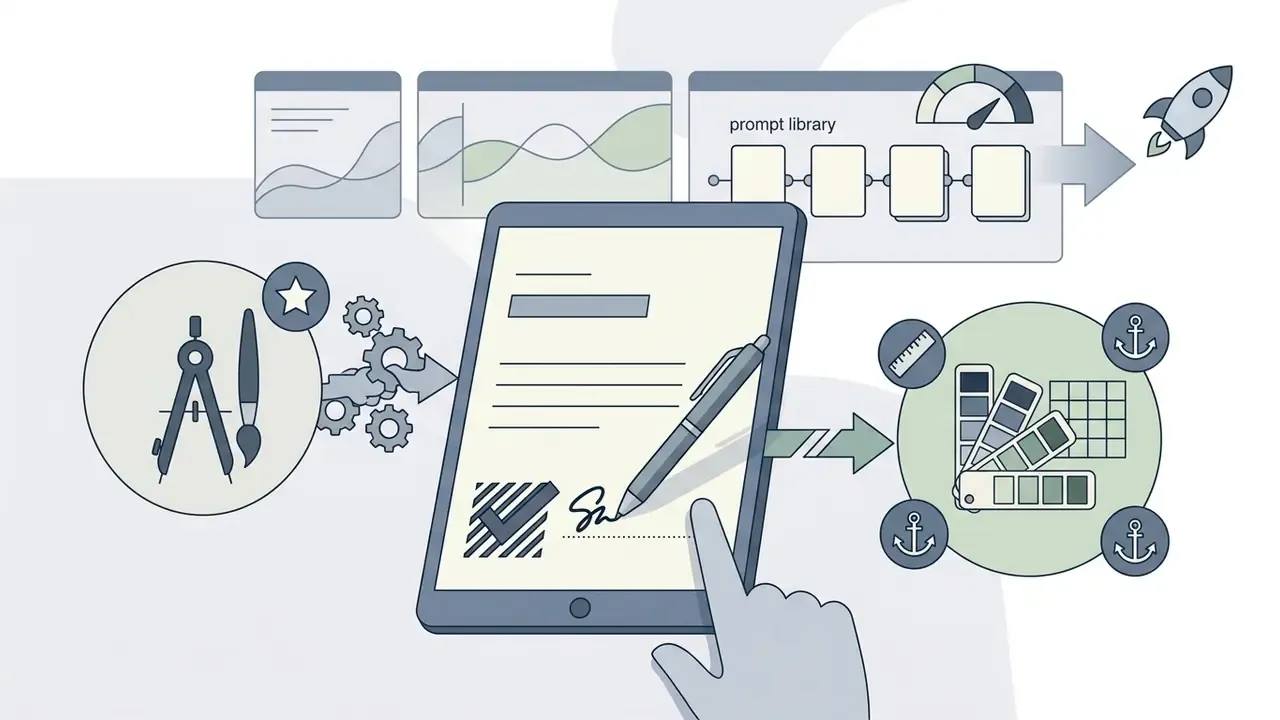
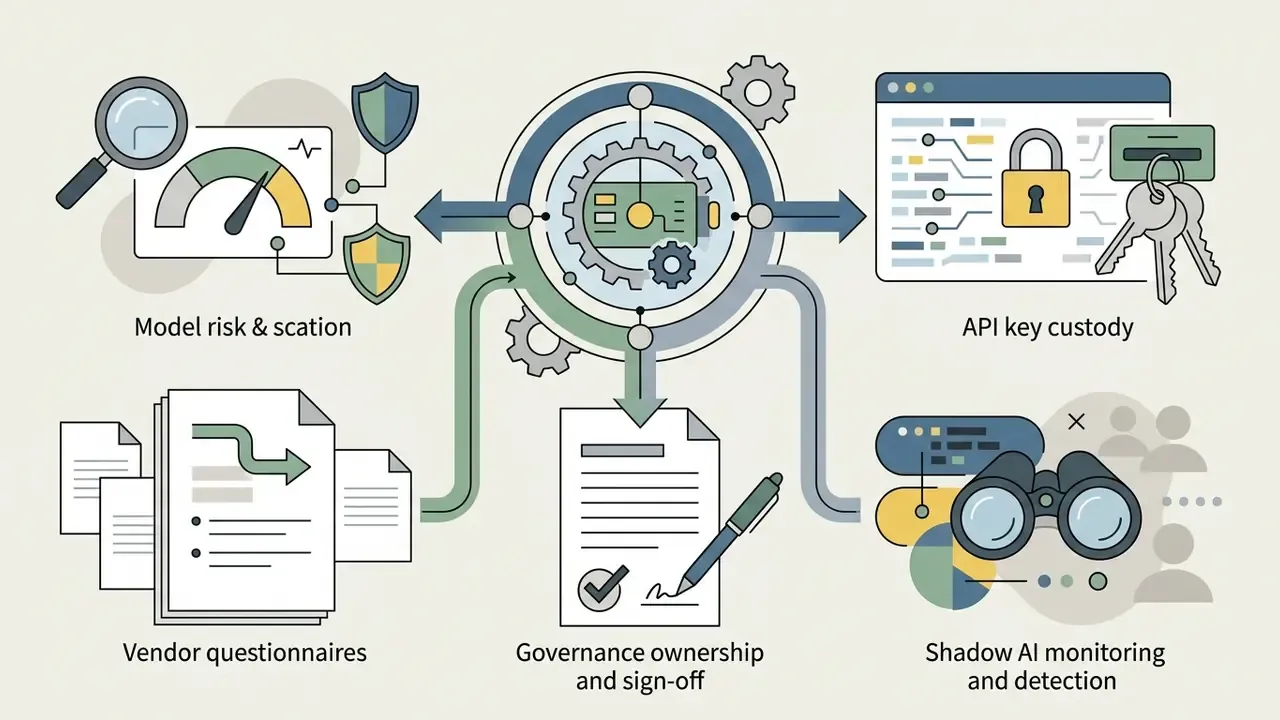
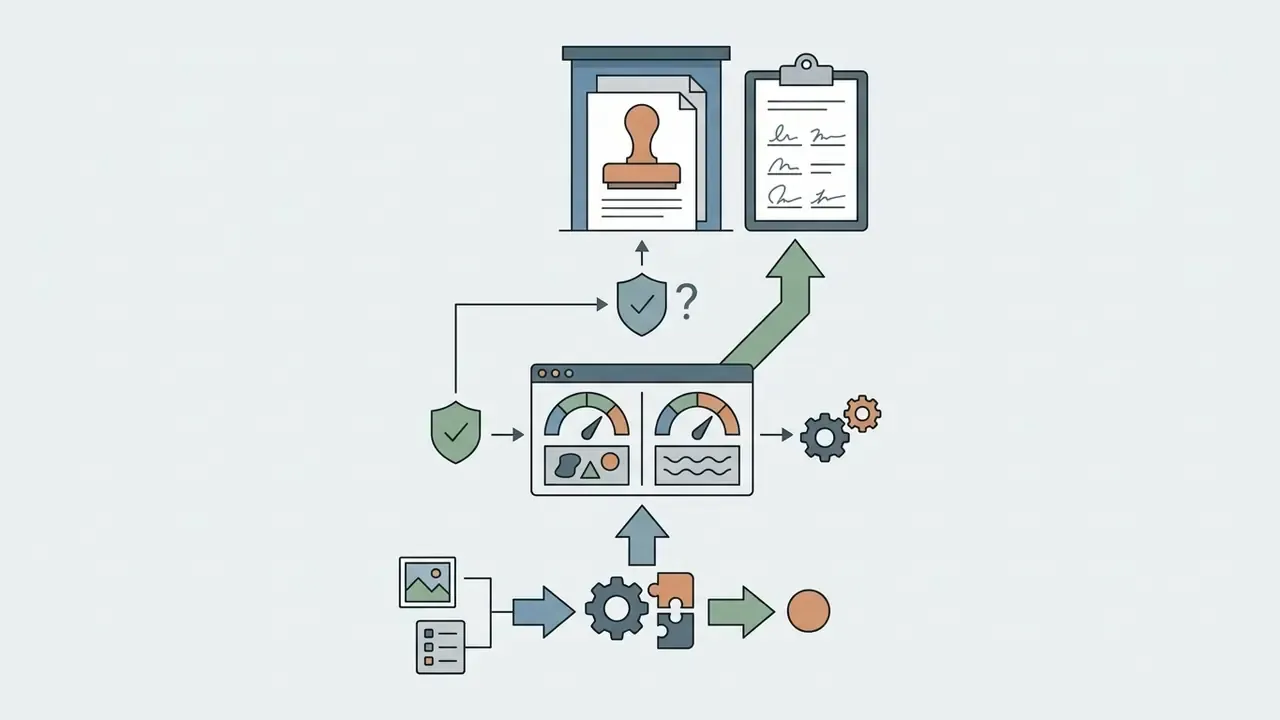
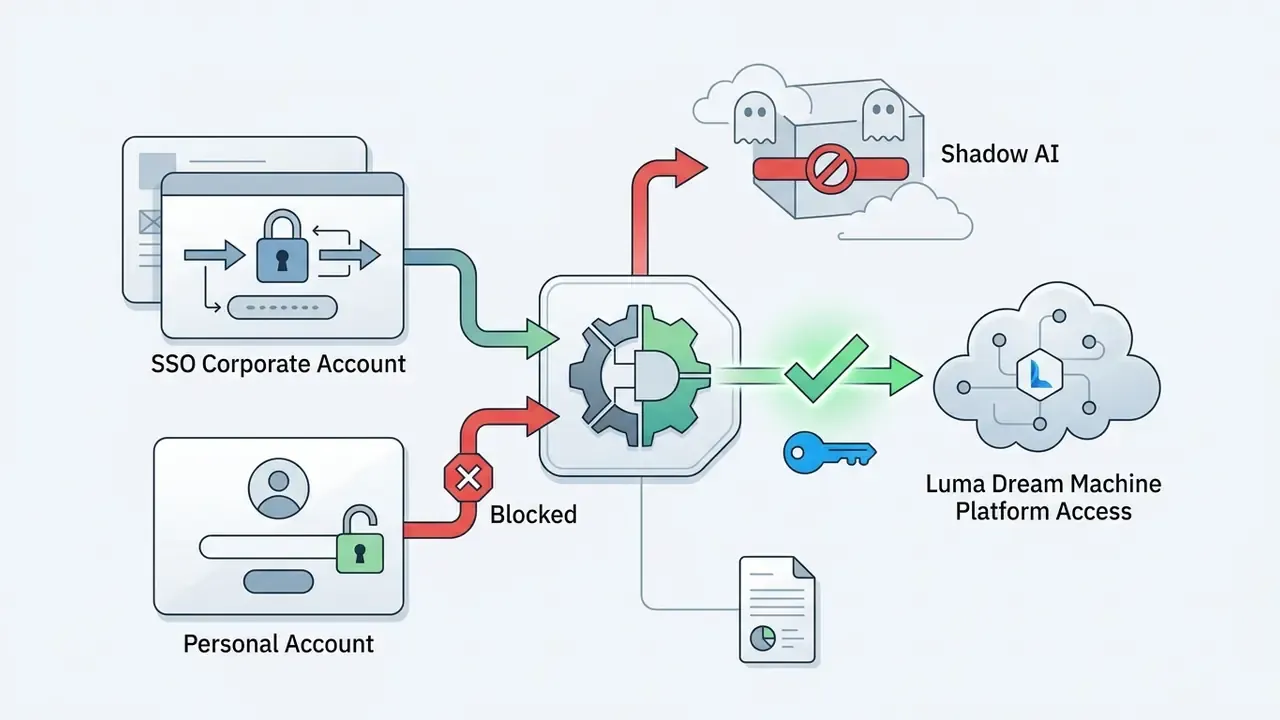
Marketing teams rarely sit inside the model-risk perimeter. That is exactly why AI video tools tend to arrive as shadow AI: a personal subscription, a client logo uploaded as a reference, a published ad with unverified provenance. The fix is boring and effective. Inventory, ownership, evidence.
Author note: Marcus Hale writes about AI governance and model risk for this publication.
Executive verdict card for decision-makers
- Best fit: creative agencies, e-commerce brands, social and L&D teams, plus studios that need 5 to 20 second cinematic clips at 1080p, with export to 16-bit ACES2065-1 EXR or HDR for professional grading.
- Main risks: commercial rights start only at the Plus tier ($29.99 to $30 per month). Free and Lite remain personal use with a non-removable watermark. Luma offers no copyright indemnity, so legal exposure for references and outputs stays with your company.
- Real cost per clip: 5 seconds at 1080p costs roughly 170 credits, 10 seconds roughly 340. Factor in artifacts and iterations (typically 3 to 5 generations per usable take) and the effective total cost of ownership per published clip runs 3 to 5 times higher than the sticker price of a single render.
- Pre-deployment checks: subscription tier active at the moment of generation, watermark absent from the delivered file, provenance recorded for every uploaded reference, and data-processing terms confirmed in writing (opting out of training on customer content appears to be an Enterprise-level arrangement and must be verified in your contract).
What Luma Dream Machine video generation is in 2025, and what changed by 2026
Luma Dream Machine is a foundational AI video generator built by Luma AI to produce cinematic footage directly from natural language prompts and static reference images. The system serves creative teams, studios, and enterprise media operations with scalable video generation for concept previsualization, commercial production, and digital asset creation. If you are still building a shortlist, start with a broader guide to AI video generators to map the category, then return here for Luma specifics.
Luma's own 2025 positioning describes Dream Machine as an environment for artists, studios, advertisers, and creators, where a generation can be refined with something close to post-production precision instead of being re-rolled at random. By early 2026 the product line has shifted further toward editing existing footage rather than regenerating it from scratch. That shift matters for cost control, and it matters for auditability too: fewer takes means fewer untracked artifacts.
What kinds of video you can create in Luma Dream Machine
Luma Dream Machine generates short-form visual assets tailored to creative production pipelines, digital marketing, and pre-production workflows.
- Cinematic sequences complex scenes with volumetric lighting, realistic depth of field, and natural camera motion for film and narrative concept work.
- Product showcase clips high-detail 3D product rotations and lifestyle framing that preserve packaging geometry and material texture.
- Social and advertising content rapid-turnaround short-form motion designed for digital campaigns and multi-platform distribution.
- Localization and explainers translated and localized clips, walkthrough training videos, animated infographics, and trailers. Luma highlights these formats separately in its production scenarios.
Use by role: who deploys Luma and why
| Role or department | Task | What Luma delivers |
|---|---|---|
| E-commerce brands | Video cards across the full catalog | Bulk generation of lifestyle and hero clips from one photo, without shoots or repeat production spend |
| Performance marketers and agencies | Dozens of creative variants per brief | A/B testing of formats and hooks, with API-driven generation for high-frequency campaigns |
| Social media managers | Platform-native video | Vertical 9:16 for Reels, Shorts, and TikTok, 1:1 for feeds, 16:9 for YouTube and CTV from a single source |
| Product managers | Explainer and onboarding video | A brief or product description turned into a clear clip without a scriptwriter, voice talent, or editor |
| HR and L&D | Training instructions and policy videos | Fast refresh when processes change, plus one consistent style from a shared prompt library |
| Studios and VFX | Previz, animatics, concept scenes | Cinematic camera physics, multi-keyframe sequences, and EXR export into a grading pipeline |
Luma AI models: Dream Machine, Ray, and Ray3
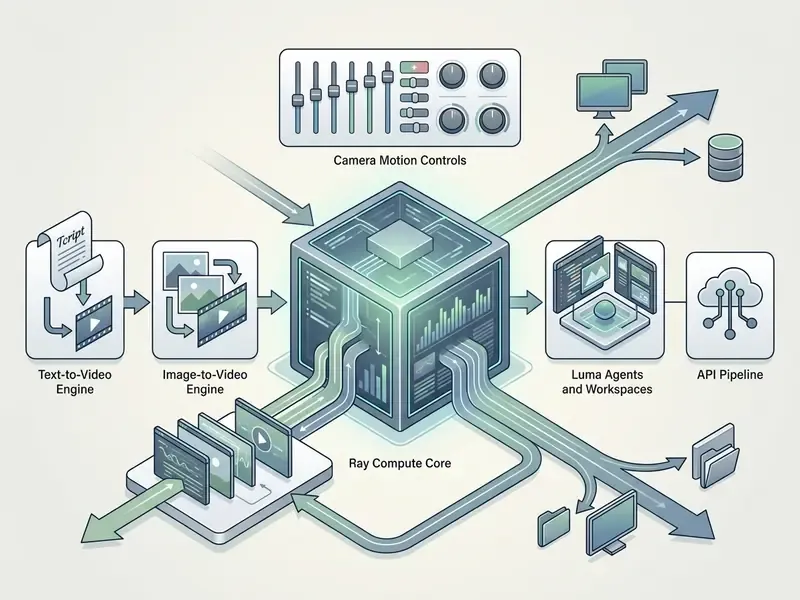
The architecture behind Luma AI evolved through the Ray model series to address specific gaps in video physics, frame-rate stability, and color accuracy.
- Ray and Ray2 introduced in late 2024, Ray2 established core image-to-video and text-to-video generation, with keyframe interpolation up to 16 frames and faster motion rendering than the initial releases. Ray2 produces up to 10 seconds per run, extendable to roughly 30 seconds, though Luma itself warns about quality degradation past that point.
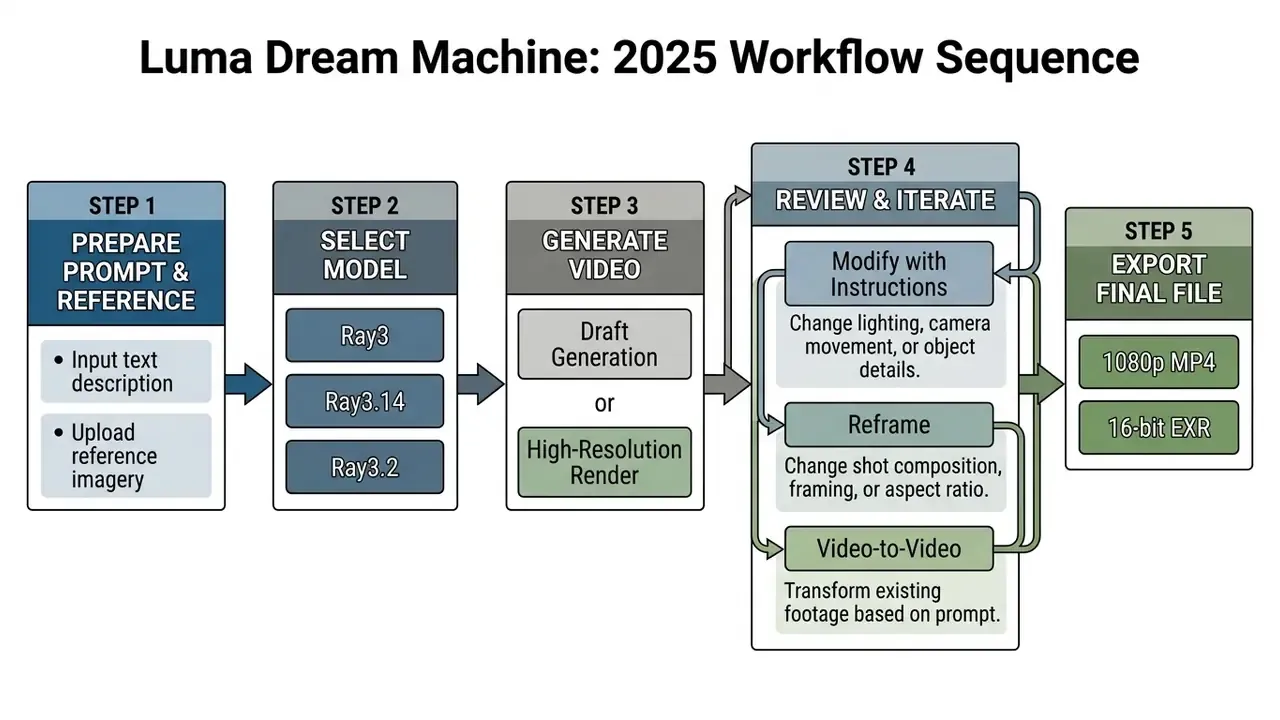
- Ray3 and Ray3.14 released in late 2025, Ray3 introduced a reasoning-driven video framework capable of multimodal scene planning. Ray3.14 pushed output standards to native 1080p, 4x faster 720p draft renders, roughly one third of the previous cost for 720p generation, Modify Video duration extended to 18 seconds, and professional ACES2065-1 EXR export with native 10-, 12-, and 16-bit high dynamic range.
- Ray3.2 adds granular frame-by-frame control, broader multi-workflow pipelines, and multi-keyframe sequence management (up to 16 keyframes) for high-end visual effects work. Per Luma documentation, Ray 3.2 video accepts six aspect ratios: 9:16, 3:4, 1:1, 4:3, 16:9, and 21:9, while video-to-video generations run at 10, 15, or 20 seconds.
- Uni-1 a separate brand-intelligence model that carries style references, characters, and visual grounding into every asset. For teams with a strict brand book, this is the piece that decides whether the tool is usable at all.
Luma AI capabilities for text-to-video and image-to-video
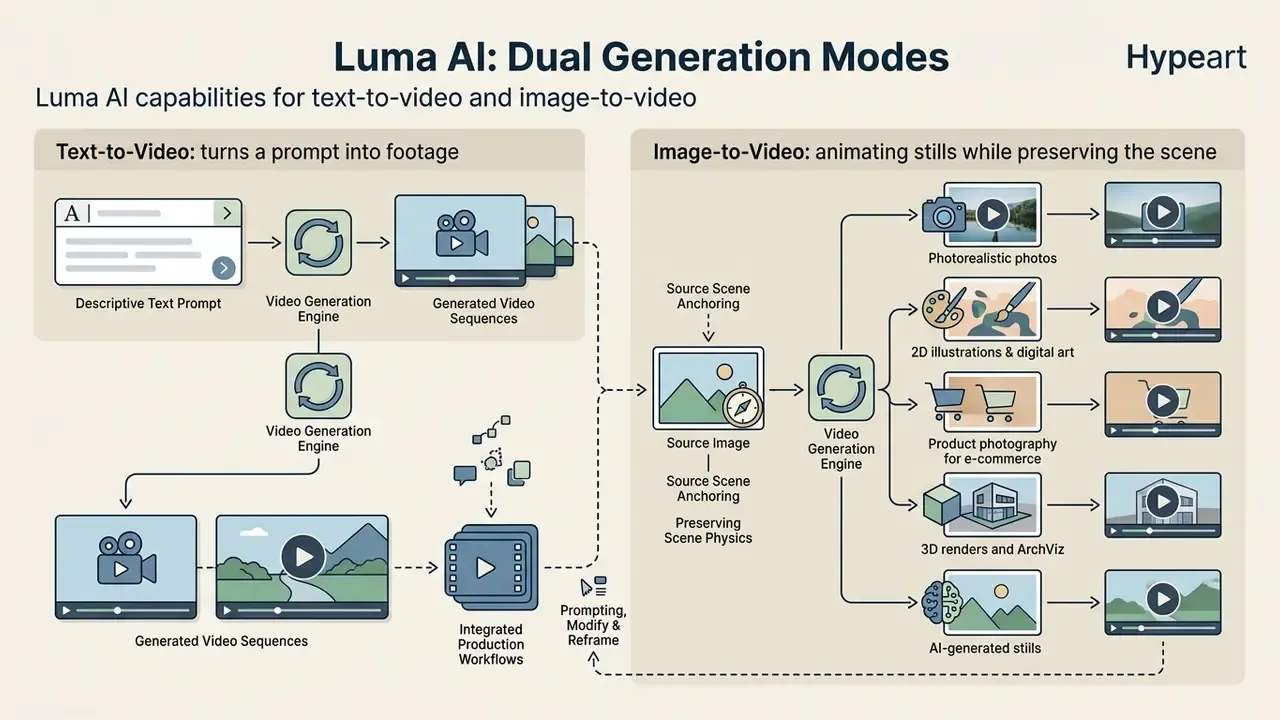
Luma AI provides dual generation modes, so creative teams can start either purely from descriptive text or by anchoring scene physics to an original source image. Both modes rely on the luma ai dream machine text to video 2025 and luma ai dream machine image to video 2025 model updates for output consistency and visual fidelity.
"Motion fidelity 92.8%, prompt adherence 91.5% for the Ray series in aggregated evaluation."
Text-to-video: how Luma turns a prompt into footage
In text-to-video mode, the Ray engine interprets descriptive prompts and builds physical scenes, directional lighting, and camera paths from nothing. The model depends on explicit prompt structure: subject, specific action, environment, camera movement, and aesthetic style. Output lands as 5 to 10 second cinematic clips at 24 frames per second. If you are comparing how vendors handle text input, the text-to-video AI category deserves its own review, because control parameters differ far more across platforms than raw image quality does.
Image-to-video: animating stills while preserving the scene
Image-to-video mode uses an uploaded reference as the initial keyframe, generating natural motion vectors while preserving original faces, product geometry, and background style. By attaching visual tags such as @character or @style, creators hold subject identity through camera moves and scene transitions, which reduces drift across generation cycles. In practice, roughly 80% of the result in image-to-video AI is decided by the source file. A shot with clear plane separation and readable depth produces far more accurate motion than a flat, low-contrast frame.
Here is the key distinction in Ray's approach: the image is treated as a scene, not as a flat texture. The model identifies the subject, builds a depth map, reads the direction of light, and decides what may move and what must stay fixed. That is why a portrait lit with soft directional light keeps that lighting across every frame of a slow push-in.
How different source types behave in image-to-video
- Photorealistic photos
- the model reads scene depth and light source, then adds organic motion such as hair movement, highlights, parallax, and panning. The result reads as captured footage rather than a filter laid over a still.
- 2D illustrations and digital art
- Ray adapts kinematics to the drawing style, keeping line geometry and flat fills intact. A painterly illustration gets motion consistent with its manner; a graphic asset gets motion that respects its composition.
- Product photography for e-commerce
- the environment animates freely (steam, smoke, background movement) while the product itself stays locked via a
@producttag or object reference. Color accuracy, surface detail, and brand consistency hold frame after frame. - 3D renders and ArchViz
- precise parallax and a spatial camera orbit turn a static interior render into a walkthrough tour. Especially effective for real estate, product visualization, and game asset previews.
- AI-generated stills
- images from any ai visual generator feed in directly and get the same scene logic as photographs, which makes Luma a natural next step in an existing AI graphics pipeline.
| Comparison parameter | Text-to-Video (T2V) | Image-to-Video (I2V) |
|---|---|---|
| Input data | Text prompt | Reference image (or start and end frame) plus optional prompt |
| Degree of control | Indirect, through descriptive language | High: geometry, character, and lighting are pinned |
| Role of the prompt | Defines subject, scene, and style entirely | Sets motion vector, speed, and behavior |
| Camera control | Explicit text commands (pan, orbit, dolly) | Kinematics around the 3D volume of the source frame |
| Drift risk | Medium: the model invents appearance | Low with reference discipline, rising on longer takes |
| Primary scenario | Ideation, concept art, fast hypotheses | Photo animation, product clips, identity preservation |
How to generate a video in Luma Dream Machine: the working process
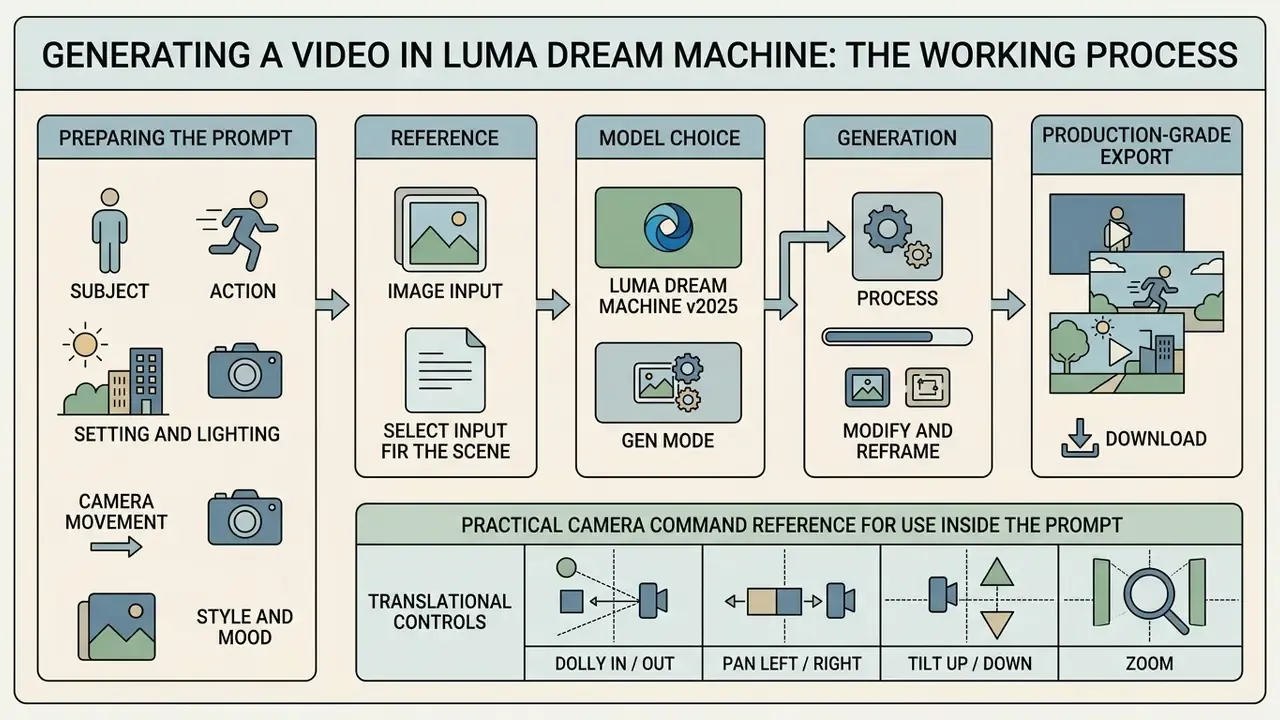
The operational workflow follows a structured, iterative sequence that moves an idea from parameters to a production-grade export: prompt, reference, model choice, generation, edits, export.
Preparing the prompt: subject, action, scene, camera, and style
Effective prompt composition requires a framework that explicitly categorizes scene elements for the parsing layer.
- Subjectdefine the primary entity, for example "a modern electric sedan".
- Actionspecify precise physical motion, for example "accelerating smoothly along a wet asphalt road".
- Setting and lightingestablish environment and atmosphere, for example "coastal highway at dusk, golden hour lighting, reflective puddles".
- Camera movementuse exact cinematic terms, for example "low-angle tracking shot, slow dolly in".
- Style and moodapply aesthetic qualifiers, for example "photorealistic, 35mm film grain, cinematic color grading".
Practical camera command reference for use inside the prompt
Luma drives the camera through language, so keep cinematographic terms at hand while writing the prompt rather than hunting for them later:
- Translational controls
Pan Left/Right,Move Up/Down,Truck Left/Right,Push In/Pull Out.- Rotational controls
Camera Orbit Left/Right,Roll Left/Right,Tilt Up/Down.- Advanced cinematics
Static,Crane Up/Down,Pedestal Up/Down,Elevator,Zoom In/Out,Aerial Drone Shot,Tiny Planet,Bolt Cam Fast Tracking.- Programmatic list
- the endpoint
GET /dream-machine/v1/generations/camera_motion/listreturns the currently supported moves, which is the most reliable way to keep prompt templates in sync with the live model version. - Style control
- the
@styletag carries color palette, lighting character, texture, and mood from a reference image into the generation.
Prompt teardown: weak versus strong
- Scenario 1: realistic action
- Weak: "A man running down the street"
- Strong: "A man in a gray hoodie sprints down a rain-slicked alley at dusk, camera tracking alongside him at shoulder height, streetlights blurring in the background, shallow depth of field, photorealistic, 24fps"
- Why it works: specific clothing, motion intensity (sprints, not runs), surface texture (rain-slicked), time of day, camera path and height, plus a style anchor. The model has almost nothing left to hallucinate.
- Scenario 2: animated style
- Weak: "A dragon flying"
- Strong: "A small green dragon with oversized wings flaps awkwardly through a candy-colored sky, 2D animated style with bold outlines and flat colors, camera following from below as it dips and wobbles between fluffy clouds"
- Why it works: "animated" is far too broad, since it covers 2D, 3D, stop-motion, and anime. This prompt names the technique, defines the character of the motion (flaps awkwardly, dips and wobbles), and places the camera where it adds energy.
- Scenario 3: product photography in motion
- Weak: "A coffee cup on a table"
- Strong: "A ceramic coffee cup sits on a wooden cafe table near a window, steam rising slowly, morning sunlight streaming in at a low angle and catching the steam, camera slowly pushing in toward the cup, 35mm lens, soft cinematic color grade"
- Why it works: materials are named (ceramic, wooden), micro-dynamics are specified (steam rising), which is exactly what separates a video prompt from a still-image prompt, and lighting plus camera movement are explicit.
- Scenario 4: an image-to-video motion brief
- Weak: "cinematic"
- Strong: "Slow drift left, warm golden light fading toward dusk, subject holds still, same face and hair, shallow depth of field"
- Why it works: an image-to-video prompt is a shot brief for a camera operator, not a search query. It states what moves, what is locked, and how the light changes.
Adding an image or reference to control the result
To enforce visual consistency, users upload up to 9 reference images in Luma Agents workspaces (and up to 8 references in editing or compositing modes), or select start and end keyframes in the web interface. Assigning explicit roles, such as composition reference, character sheet, color palette, lighting, or pose, helps Ray3 preserve brand guidelines and spatial layout during frame generation.
The working discipline Luma itself recommends:
- State the purpose of each reference inside the prompt, using the pattern "Use IMAGE1 as a [ROLE] reference". Without that, the model does not know why it was handed a picture.
- When iterating, re-anchor to the master set rather than to the previous generation. Otherwise accumulated artifacts leak into every following version.
- Build a master reference asset
- clean images, one angle per file, neutral background, sensible file names.
- In Modify mode, list what must not change
- shape, proportions, colors, materials, key recognizable details.
Generation, iteration, and export
Once prompt and reference parameters are set, generation starts from the web interface or the API endpoint. Iteration tools such as Modify adjust specific frame elements through follow-up text commands. For subtle corrections, Luma recommends Modify Frame with Strength set to Flex 1, together with locking prompts such as "same face, hair, pose". Finished assets export as 1080p MP4 or as professional 16-bit ACES EXR frame sequences for grading in DaVinci Resolve or Adobe Premiere Pro. Before committing to a pipeline, check what your video editors used for color correction actually require in terms of bit depth and color space.
2025 editing toolset: Modify with Instructions, Video-to-Video, and Reframe
The pivotal change of 2025 was the move from regeneration toward targeted editing of finished footage:
- Modify with Instructions (text-based editing) remove objects, change style, or swap set dressing through natural language commands, with no manual brush masking. Luma positions the feature for VFX, advertising, film, and design.
- Modify Video (video-to-video) convert an uploaded clip into a different visual style while preserving the physics of the original actor and camera movement. Available both in-product and through the API. Ray3.14 extends Modify Video duration to 18 seconds.
- Reframe (outpainting and recomposition) extend frame boundaries in any direction and rebuild a horizontal 16:9 take into vertical 9:16 for Reels and Shorts, without losing the subject and without regenerating a good take.
- Camera Motion Concepts a library of learned camera moves that reproduce reliably across shots and styles, which is a practical way to standardize the "camera language" inside a team.
- From assets to deliverables stitch clips, add subtitles, and assemble final deliverables inside the same environment.
Quality, motion, and camera control in AI video generation
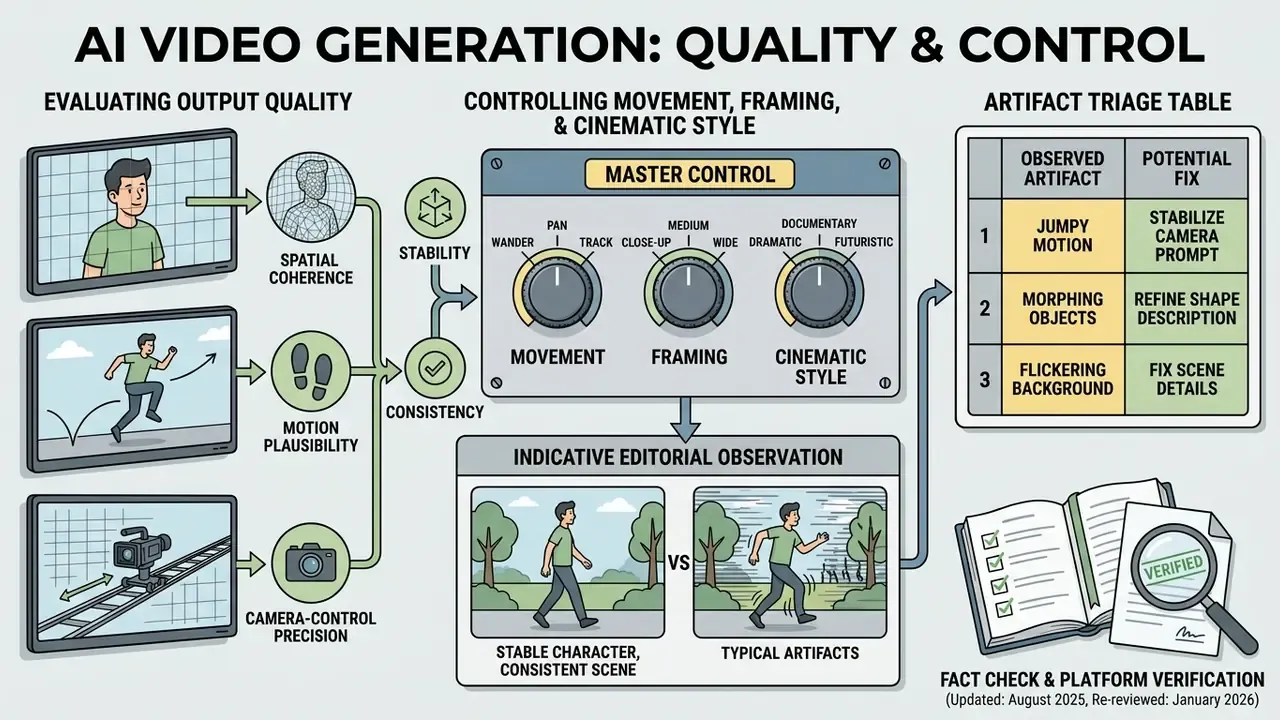
Evaluating output quality means analyzing spatial coherence, motion plausibility, and camera-control precision under repeatable test conditions. Not vibes. Repeatable tests.
Controlling movement, framing, and cinematic style
Luma Dream Machine relies on language-driven camera directives, with the full command reference given above in the prompting section. One limitation is stated in Luma's own documentation: because the camera is driven by language, syntactically similar phrasings sometimes produce different results. Camera control is therefore not strictly deterministic. The production takeaway is simple. Validate movement on 5-second runs first, and only then commit to a 10-second final and an upscale.
"Luma Direct API: latency of 40 to 80 seconds for 5-second 720p renders at 99.5% uptime."
"Ray series: Video Elo 1,254, average generation time 17.5 seconds, cost of $0.08 per second of video." CompareLLM Ray Motion Scoreboard (2025). https://comparellm.com/
Indicative editorial observation (updated, requires independent verification): in an internal editorial run of 50 storyboard assets through image-to-video with strictly defined orbital camera parameters, 44 clips came out with stable parallax and no camera jitter, and previz preparation time dropped by roughly 60% against manual 3D layout. The data was not externally audited and the methodology was not published, so treat the figure as a starting point for your own pilot rather than a verified benchmark. Anyone chasing AI videos that look real should budget for that verification step, not skip it.
Character stability, scene consistency, and typical artifacts
Artifact triage table: cause to fix
| Artifact | Most likely cause | How to fix it |
|---|---|---|
| Face or clothing drift between clips | Iterating from the latest version instead of the master reference | Re-anchor to the master reference asset, add locking phrases such as "same face, hair, features" |
| Warping of hands, faces, and object edges | Camera movement too fast or compound | Reduce to one simple move (dolly-in or orbit, not both), lower speed, test at 5 seconds |
| Floating textures in hair, cloth, fine patterns | High-frequency detail under motion | Simplify the background, increase depth of field, reduce movement amplitude |
| Distorted logos and UI elements | Thin lines do not survive motion synthesis | Keep the logo out of frame during generation and composite it in post (Premiere or DaVinci) |
| Dolly-in becomes zoom, orbit becomes pan | Ambiguous camera command phrasing | Use Camera Motion Concepts, and name optics and focal length explicitly |
| Background jumps between takes | Background not pinned in the reference set | Add a dedicated composition or background reference and forbid changes in Modify |
| Quality degradation on long takes | Running past the recommended duration threshold | Stay within 5 to 10 seconds per generation and assemble long scenes in the edit |
Fact check and platform verification (updated: August 2025, re-reviewed January 2026):
Luma Dream Machine pricing, credits, and commercial use
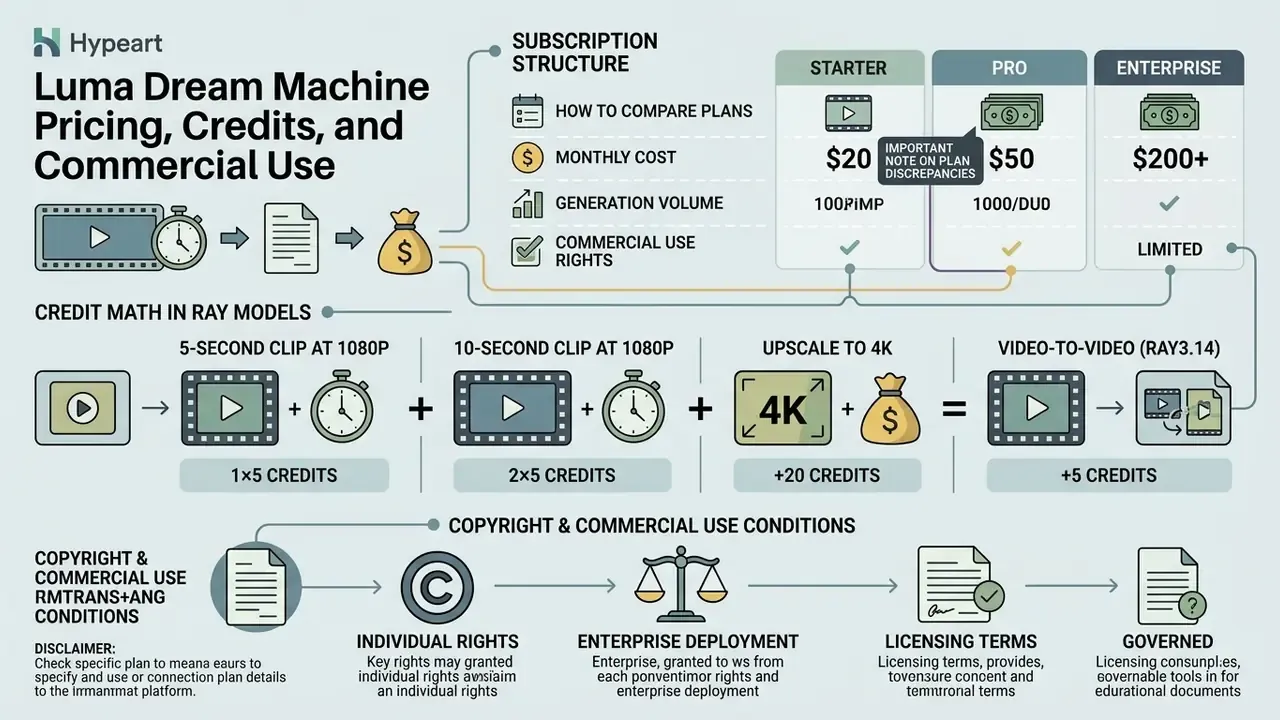
Subscription structure, credit conversion rates, and copyright licensing conditions govern how Luma Dream Machine can be deployed across individual and enterprise environments.
How to compare plans, credits, and generation volume
Luma AI uses credit-based billing, with monthly allocations varying by plan tier, render resolution, and model generation.
- Free plan: $0 per month. Limited monthly credits (around 30 generations), 720p draft resolution, forced watermark, non-commercial use only.
- Lite plan: $9.99 per month on web, $12.99 on iOS. 3,200 monthly credits, 4K upscaling, priority processing, watermarked output, non-commercial use only.
- Plus plan: $29.99 to $30 per month on web, $37.99 on iOS. 10,000 monthly credits, watermark removal, access to third-party image and video models, edit access for guest collaborators, full commercial rights.
- Pro or Unlimited plan: $90 to $94.99 per month on web. In the current lineup, Pro provides 40,000 credits and 4x Luma Agents usage. Legacy Dream Machine documentation describes the same price point as Unlimited: 10,000 fast credits plus unlimited relaxed-mode generations and priority queue, full commercial rights.
- Ultra plan: $300 per month on web. 150,000 monthly credits, 15x agent usage, high-capacity generation allowances, full commercial rights.
- Team or Enterprise: on request. Member management, projects, a shared credit pool, usage analytics, SSO. Enterprise adds contractual commitments, team training, and custom fine-tuning.
Credit math in the Ray models
- 5-second clip at 1080p roughly 170 credits.
- 10-second clip at 1080p roughly 340 credits.
- Upscale to 4K roughly 100 additional credits per run.
- Video-to-video (Ray3.14) 192 credits per second of output.
- Important caveat Luma's credit reference also lists other rates, such as 160/320 and 55/110 credits for 5 and 10 seconds, because price depends on model, resolution, and generation mode. Draft runs at 360p or 540p cost a fraction of a 1080p final.
Credit consumption scenarios mapped to real tasks
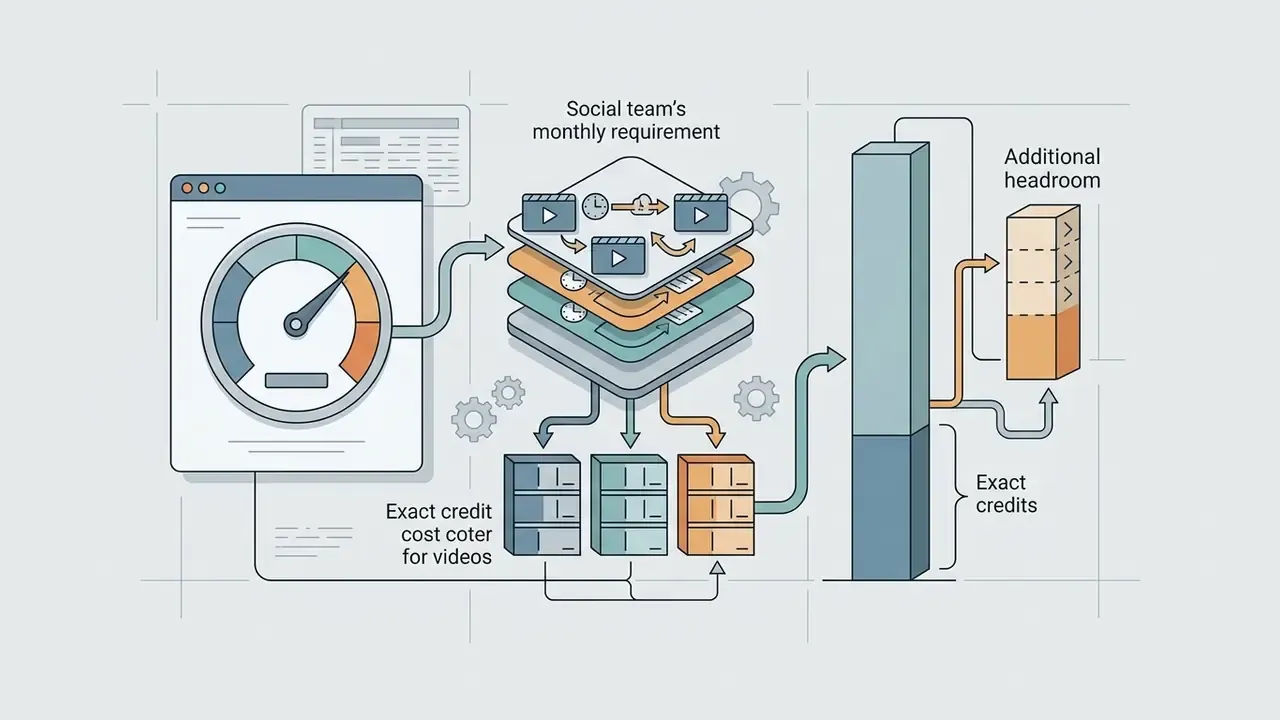
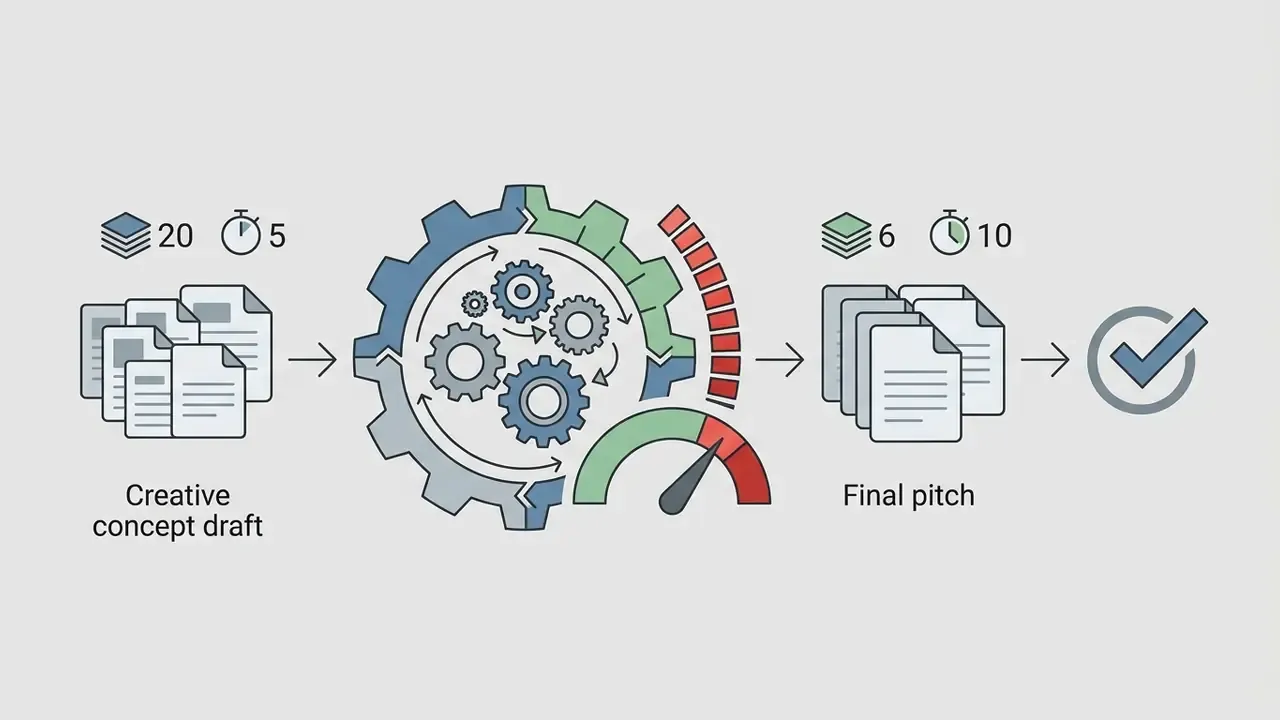
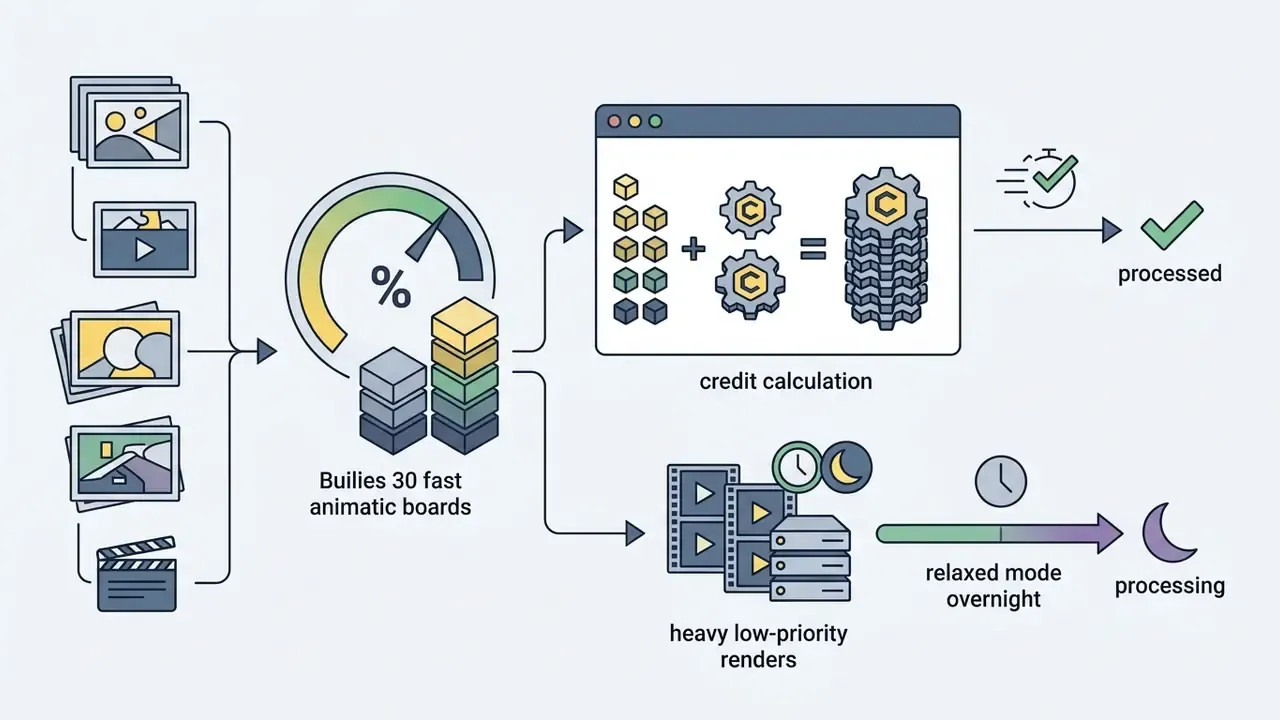
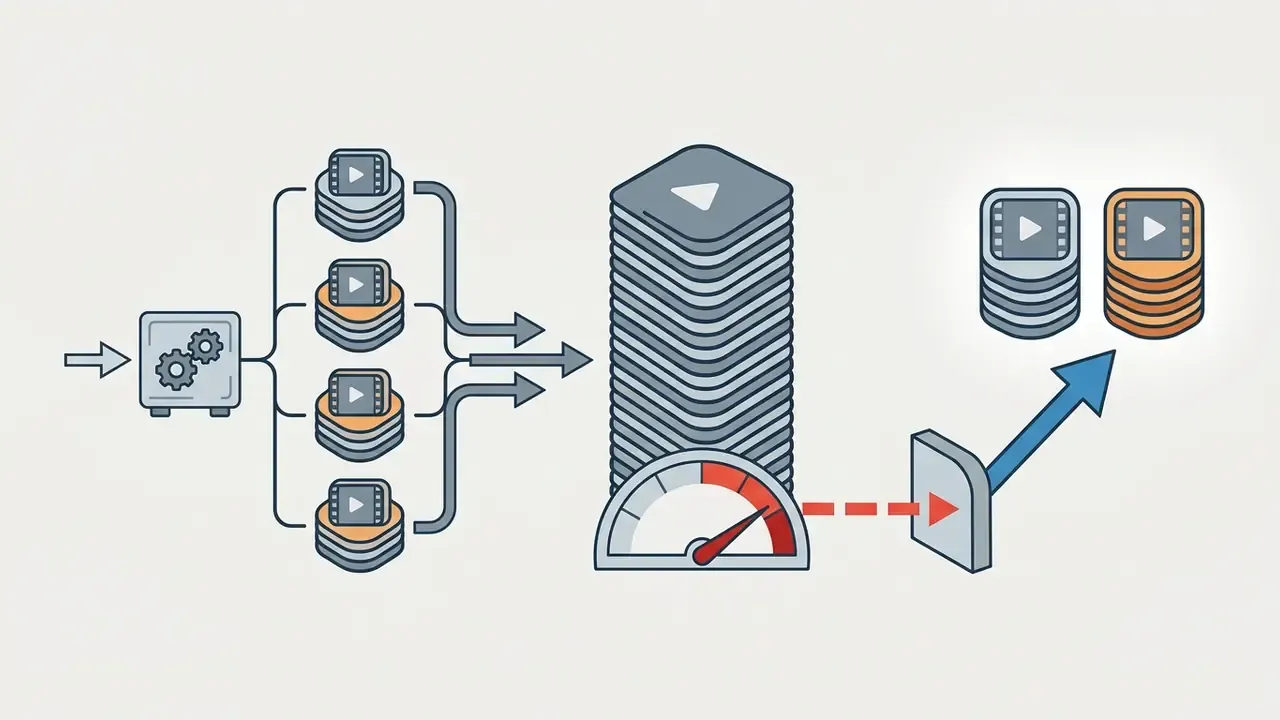
Total cost of ownership: the iteration multiplier that breaks budgets
Sticker price per generation is not the price of a published clip. Because of character drift, warping, and camera-command mismatches, a usable final take costs on average 3 to 5 generations, and part of the footage then gets upscaled. A practical planning formula:
Credits per final clip = (generation cost x iteration factor of 3 to 5) + upscale (~100)
For a 10-second 1080p clip that lands around 1,120 to 1,800 credits, not 340. Which means Plus realistically covers 5 to 8 published 10-second clips per month, not 29. If you want to model this against other tools, our AI Media Calculators hold the same iteration logic in a reusable form.
"Luma Direct costs $0.30 to $0.60 per 5-second clip, cheaper than Runway Gen-3 ($0.50 to $1.00) but more expensive than WAN ($0.03 to $0.08)."
What to verify before commercial use
Before distributing or monetizing assets generated in Luma Dream Machine, compliance leads should verify four legal parameters:
| Plan | Cost (web) | Monthly credits | Export resolution | Watermark | Commercial rights |
|---|---|---|---|---|---|
| Free | $0 | ~30 generations | 720p draft | Yes | No (non-commercial) |
| Lite | $9.99 / mo | 3,200 | 720p / 4K upscale | Yes | No (non-commercial) |
| Plus | $29.99 to $30 / mo | 10,000 | 1080p / 4K / HDR | No | Yes (commercial use) |
| Pro or Unlimited | $90 to $94.99 / mo | 40,000 (Pro) or 10,000 plus relaxed | 1080p / 4K / HDR | No | Yes (commercial use) |
| Ultra | $300 / mo | 150,000 | 1080p / 4K / HDR | No | Yes (commercial use) |
| Team or Enterprise | On request | Shared credit pool | 1080p / 4K / HDR / EXR | No | Yes, plus contract terms |
Alert: check your license terms
Luma Dream Machine API, data security, and creative team workflows
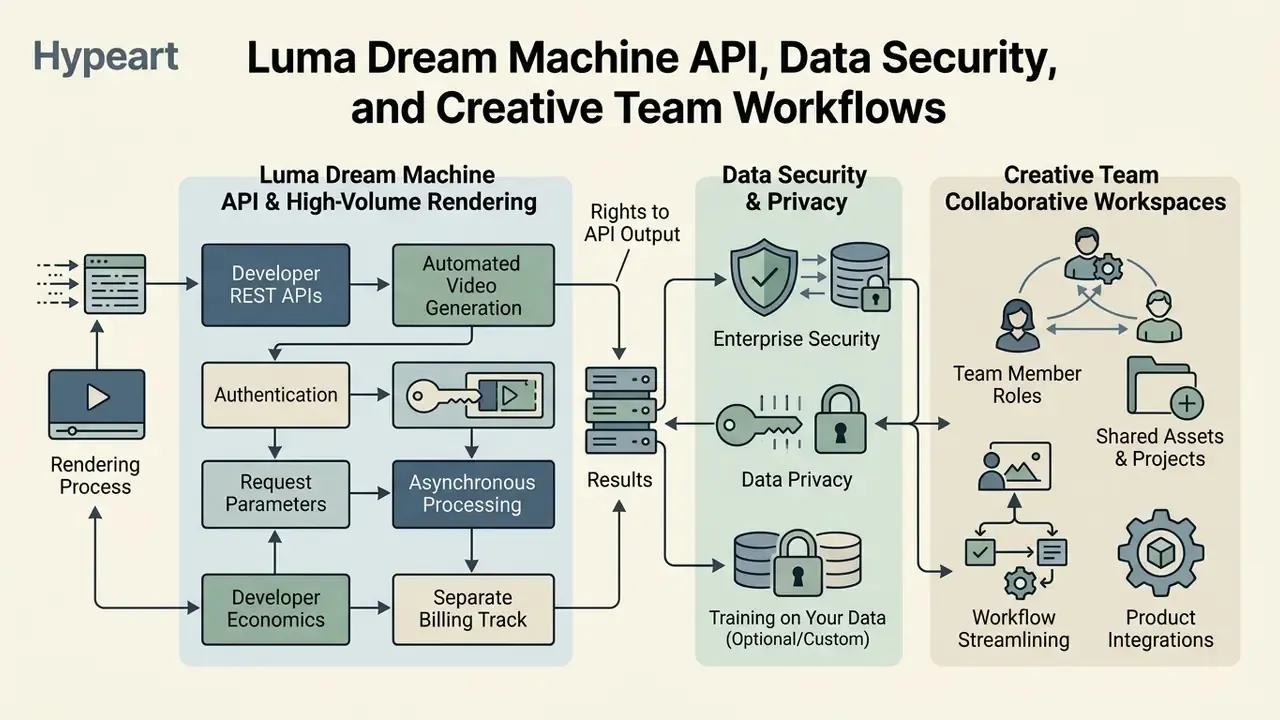
For high-volume rendering, product integrations, and automated enterprise workflows, Luma provides developer REST APIs and collaborative team workspaces.
API for automating video generation
The Luma Dream Machine API (https://api.lumalabs.ai/dream-machine/v1) exposes programmatic endpoints for text-to-video, image-to-video, keyframe interpolation, and video modification. Similar integration patterns across vendors are collected in our AI Media API Guides.
- Authentication bearer token via HTTP headers. Keys are issued and revoked in the Luma API Platform.
- Request parameters
POST /dream-machine/v1/generationsacceptsprompt,model,resolution,duration,keyframes(includingframe0.type = imagefor image-to-video), andcallback_url. - Asynchronous processing requests return a unique job
id. Systems pollGET /generations/{id}or usecallback_urlwebhooks to retrieve finished.mp4or.exrasset URLs. Luma publishes no public SLA on generation time, so design the pipeline as asynchronous from day one. - Developer economics billed per second or per credit. Standard Ray2 720p renders average $0.30 to $0.60 per 5-second video, while Ray3.2 1080p SDR renders cost about $1.20 for 5 seconds, with HDR and EXR exports carrying 2x to 3x credit multipliers. Published API pricing: 5 seconds at $0.15 / $0.30 / $1.20 (540p / 720p / 1080p), 10 seconds at $0.45 / $0.90 / $3.60.
- Separate billing track subscription credits are not consumed by the API. API credits are purchased separately. This matters for budget owners, since a product integration does not live on the design department's plan.
- Rights to API output per Luma's FAQ, images and videos created through the API carry no watermark and are permitted for commercial use.
"A 5-second 1080p HDR clip through the Luma API costs twice as much as SDR, and HDR plus EXR costs three times the standard option."
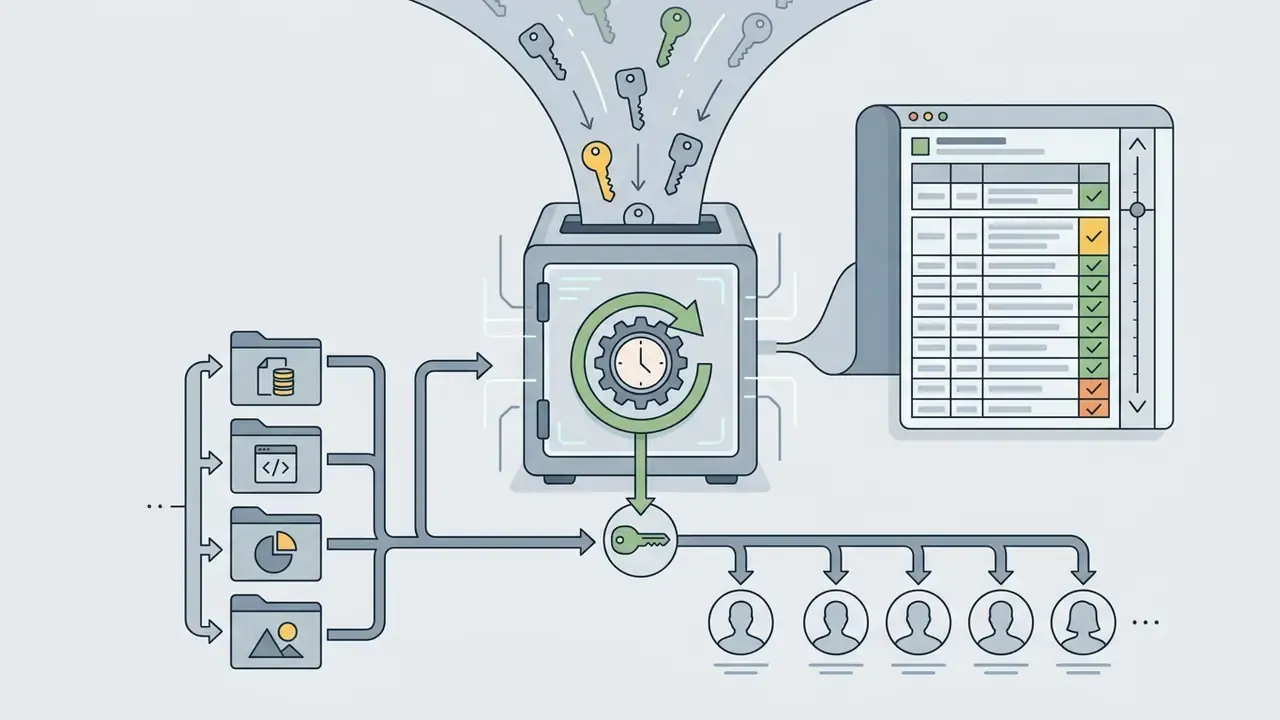
Data privacy, enterprise security, and training on your data
If a control question comes up mid-rollout, our AI Media Support and Troubleshooting section covers the recurring integration and access issues.
Team workflows, agents, and multimodal orchestration
Enterprise workflows lean on Luma Agents and shared workspace boards for real-time collaboration. Directors, designers, and editors share project canvases (access by link or email invitation), manage role-based permissions (Viewer, Editor), and orchestrate multimodal AI agents that plan complex visual sequences from a unified creative brief. Agents retain shared project context from brainstorm to final assembly, which cuts the number of manual handoffs.
Multimodal orchestration. Luma Agents acts as a single hub. Inside one project you can switch between the base models Ray3.2, Ray3.14, and Uni-1, third-party video models such as Google Veo 3.1, Kling 3.0 and Kling Omni, and Seedance 2.0, image models including Nano Banana and Nano Banana Pro, GPT Image 2, and Seedream, and generate music, sound effects, and voiceover through ElevenLabs (Music v1, SFX v2, v3). The procurement takeaway: some voice and alternative-model work is covered without extra subscriptions, and without leaving a single credit pool. Teams building persona-driven narration often compare this with a dedicated ai voice generator or with tools focused on ai voice generator characters.
Additional team features in 2025 and 2026: Luma Skills (turning repeatable workflows into reusable skills), Team Workspaces (a shared credit pool and spend management in one place), Export for Production (EXR files delivered into professional pipelines), and deliverable assembly with clip stitching, subtitles, and format variants.
Luma Dream Machine or another AI video generator: how to choose
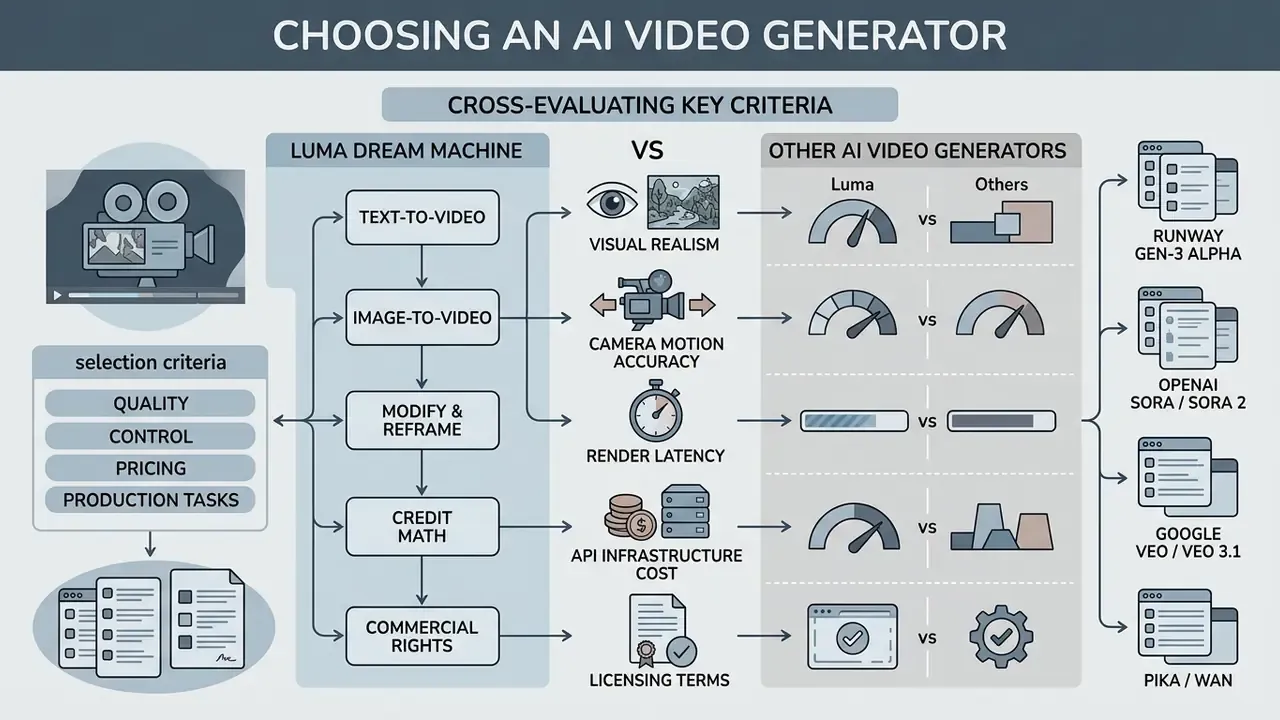
Choosing an AI video generator means cross-evaluating visual realism, camera-motion accuracy, render latency, API infrastructure cost, and licensing terms. When the decision is collegial, it helps to work from a summary of the best AI video generators and build a pilot shortlist from there. Our AI Media Comparison Matrices keep the criteria consistent across categories.
Selection criteria: quality, control, pricing, and production tasks
- Luma Dream Machine leading choice for volumetric 3D scene physics, realistic camera control, and direct 16-bit HDR EXR export into professional grading pipelines, plus its role as an aggregator of third-party models inside one workspace.
- Runway Gen-3 Alpha an industry standard for fine-grained editing control, multi-motion brush work, and extended 10-second base clips, at a higher per-video credit cost (billed as credits per second by model).
- OpenAI Sora and Sora 2 advanced reasoning-driven generation handling complex multi-agent physics and longer narrative coherence, with API pricing per render second ($0.10 to $0.70 per second), duration up to 20 seconds, and up to 1080p.
- Google Veo and Veo 3.1 deeply integrated into the Google Cloud and Gemini ecosystem, with native audio generation alongside 1080p and 4K synthesis (8-second clips, with 4K only at 8 seconds). Technical limits, quotas, and cost are easiest to verify against a breakdown of the Google Veo API and its capabilities.
- Pika and WAN efficient, low-cost options optimized for fast drafts, social iteration, and exploratory work on tight budgets. Teams with zero pilot budget should start from a review of free AI video generators and pay for control features only once the need is proven.
| Evaluation criterion | Luma Dream Machine | Runway Gen-3 | OpenAI Sora 2 | Google Veo 3.1 |
|---|---|---|---|---|
| Main strength | 3D camera physics, HDR and EXR export, multi-model hub | Cinematic look, editing control | Strong physical reasoning, duration | Native audio, GCP integration |
| Max base resolution | Native 1080p / 4K upscale | 1080p | Native 1080p | 1080p / 4K (8s) |
| Native audio generation | No (via ElevenLabs in Luma Agents or in post) | Limited | Yes | Yes, natively generated |
| Professional export | 16-bit ACES EXR / HDR | Standard MP4 | MP4 and other formats | Standard video containers |
| Editing finished video | Modify with Instructions, V2V, Reframe | Motion brush, inpainting | Limited | Limited |
| API availability | Yes, public REST API | Yes | Yes | Yes (Gemini API) |
| Price profile | Mid ($0.15 to $3.60 per clip via API) | High ($0.50 to $1.00 per clip) | Variable ($0.10 to $0.70 per second) | Bundled into GCP quotas |
"Luma's motion quality was rated 'very good', while Kling and Runway Gen-3 received 'excellent' at higher cost."
"Commercial systems, including Sora-2, Veo-3, Runway Gen-3, and Luma Dream Machine, produce video visually indistinguishable from human-made footage, with success rates above 60% on difficult tasks." Preprint on reasoning-capable video models (2025).
Pre-release checklist before a clip goes commercial
A practical sequence for the model-risk office, legal, and the project producer:
- Tier at the moment of generationan active Plus, Pro, Unlimited, or Enterprise subscription is confirmed (billing screenshot or an entry in the generation register).
- Watermarkthe final file has been reviewed frame by frame, and assets created earlier on Free or Lite are excluded from delivery.
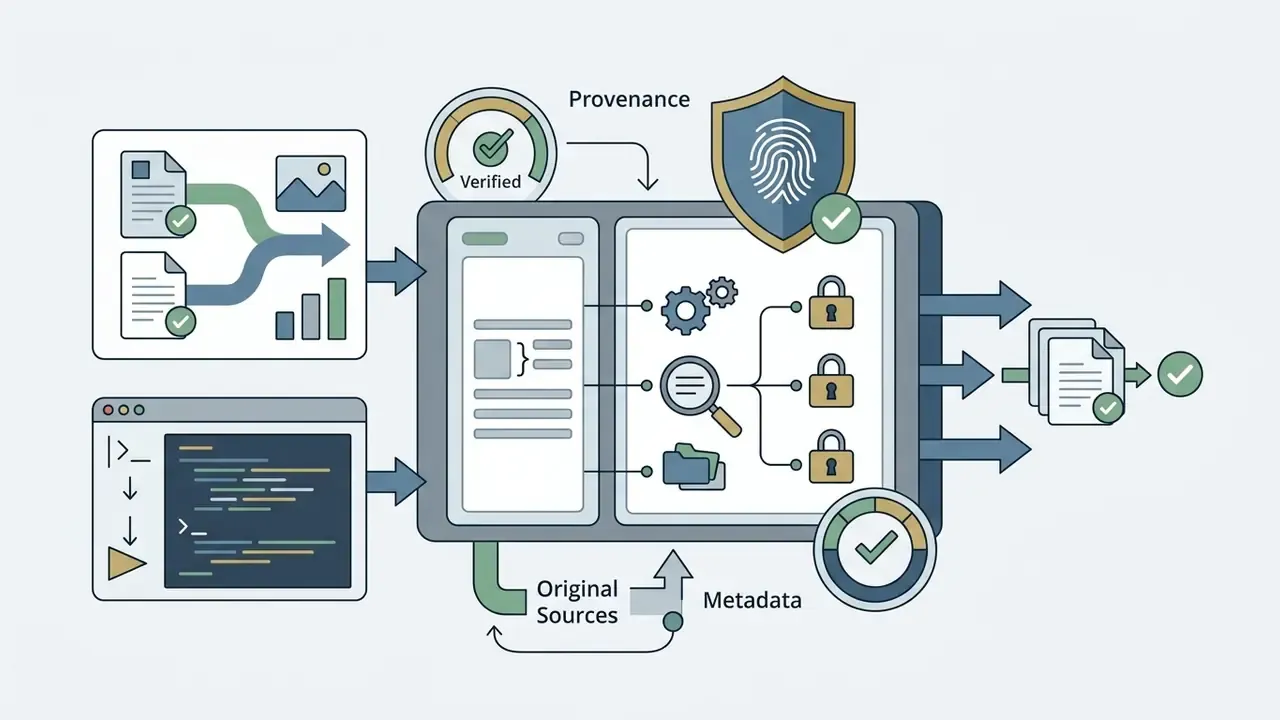
- Input provenancesource and rights are recorded for every reference. No third-party logos, no recognizable faces without a release, no frames from protected works.
- No PII or trade secrets in promptsprompts and uploads have been screened for personal data and unreleased client materials.
- Artifactshands, faces, text, logos, and fine patterns checked across all frames, with logos composited in post where needed.
- AI content labelingdisclosure has been resolved against distribution platform rules and applicable regulation.
- Archiveprompt, all references, job ID, model version, generation date, and plan tier are stored. That is the minimum evidence set under a claim.
- Budgetactual credit spend per clip is logged, so the iteration factor can be refined in the next planning cycle.
FAQ on Luma Dream Machine video generation 2025
Is there free access in Luma Dream Machine?
Yes. Luma AI offers a Free plan with roughly 30 generations per month. Free videos render at 720p draft resolution, carry a platform watermark, and are strictly limited to non-commercial use. If there is no pilot budget, compare those limits with other free AI video generators, since caps on duration, watermarks, and rights vary widely.
How many credits does one clip consume, and how many videos does a plan cover?
Roughly 170 credits for 5 seconds and 340 for 10 seconds at 1080p, plus about 100 credits for a 4K upscale. Plus (10,000 credits) formally covers around 29 ten-second generations, but at 3 to 5 iterations per usable take you realistically publish 5 to 8 clips per month. Cost varies by model and mode: Luma's credit reference also lists 160/320 and 55/110 credits for 5 and 10 seconds.
How long does one video take to generate?
In the web interface, a high-quality 5 to 10 second clip takes 1 to 2 minutes, and about 30 to 40 seconds in Draft Mode. Through the direct REST API, average request completion runs from 17.5 to 80 seconds depending on queue load and model. Luma publishes no public SLA on generation time.
Does Luma Dream Machine support 1080p and 4K?
Yes. From Ray3 and Ray3.14 onward, native generation resolution is 1080p at 24 frames per second. Plus, Pro, and Unlimited also include 4K upscaling and professional export of 16-bit EXR frame sequences. Ray 3.2 video supports six aspect ratios: 9:16, 3:4, 1:1, 4:3, 16:9, and 21:9.
Can I edit an already generated video without full regeneration?
Yes. Modify with Instructions removes objects and changes style or set dressing through text commands, no manual masks required. Modify Video (video-to-video) transfers a new visual style onto an uploaded clip while preserving the original motion physics, up to 18 seconds in Ray3.14. Reframe extends the frame and rebuilds 16:9 into 9:16 for vertical placements.
Does Luma Dream Machine generate audio and background music with the video?
No. Luma's video models, including the Ray3 and Ray3.2 series, do not produce a native audio track. Inside the Luma Agents workspace, however, music, sound effects, and speech generation are available through integrated ElevenLabs modules (Music v1, SFX v2, v3). The alternative is adding audio in post inside a video editor or a separate AI audio generator.
Which formats are available for download?
Standard export from the web interface is MP4 (H.264). For professional cinematic editing and color grading, higher tiers offer uncompressed frame export in ACES2065-1 EXR with high dynamic range at 10, 12, and 16 bits.
Does Luma train on my prompts and uploaded references?
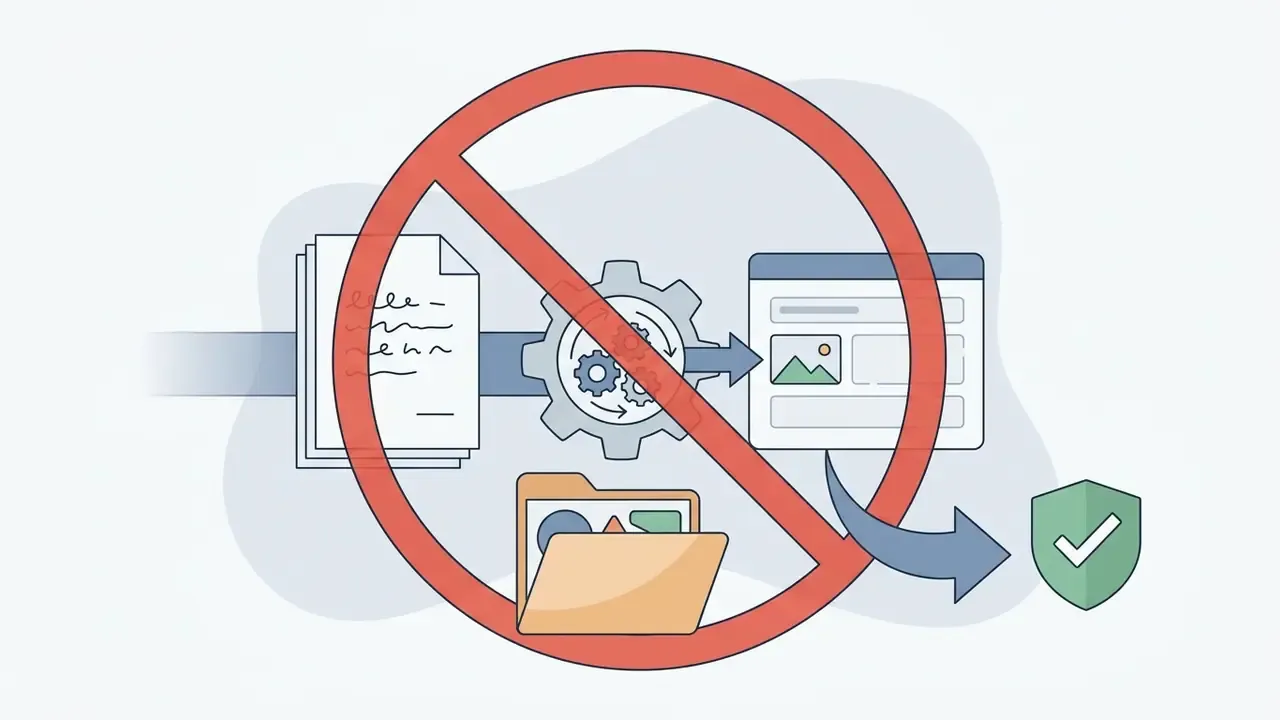
Based on Luma's public materials, separate confidentiality terms committing not to train models on customer content apply at the Enterprise level. For other tiers, no such guarantee is documented publicly. Zero data retention and SOC 2 or ISO 27001 certifications could not be confirmed in open sources, so request those points from the vendor and fix them in the contract and DPA before sending any sensitive material.
Do subscription credits cover API generations?
No. Web subscription credits and API credits are billed on separate tracks, so Dream Machine API integration requires its own credit purchase. Content created through the API ships without watermarks and is permitted for commercial use.
What is the maximum length of a single clip?
One generation yields 5 to 10 seconds, extendable to roughly 30 seconds, though Luma warns of quality degradation past that threshold. Video-to-video generations run at 10, 15, or 20 seconds. In practice, longer scenes are assembled in the edit from several consistent takes sharing one reference set.
Appendix A: update and verification log
- Verification date corrected the fact-check block now reads August 2025 instead of an erroneous future date, and the benchmark is named precisely as the CompareLLM Ray Motion Scoreboard, since the section describes Ray3 and Ray3.2 behavior. Terms and pricing were re-reviewed in January 2026.
- Unattributed API metrics replaced latency and uptime figures are now attributed directly to Modelslab AI Video Generation API Benchmarks (2025).
- Internal case reframed the 50-asset storyboard run is labeled an indicative editorial observation with no external audit of methodology.
- Plan lineup reconciled the discrepancy between current Pro ($90 per month, 40,000 credits) and the legacy Unlimited description ($94.99 per month, 10,000 fast plus relaxed) is documented, along with the annual discount of up to 20%.
- Vendor claims flagged statements about Ray3's reasoning architecture and Ray3.2's frame-level control are marked as manufacturer data pending independent verification.
- Open questions for the vendor ZDR mode, data retention periods, SOC 2 and ISO 27001 certifications, and written confirmation of no training on customer content outside Enterprise.
Governance ownership: who signs what before launch
Tools do not fail audits. Unclear ownership does. A minimal, workable split for a regulated organization:
One caveat worth stating plainly: all role assumptions above are hypotheses until validated against your own interviews, analytics, and process maps.
Reference material for adjacent tools, terminology, and licensing questions is collected in the AI Media Glossary.