Executive Summary & Key Takeaways (Read This First)
- Generative AI vs. filters modern photo to sketch AI uses deep neural networks to read 3D geometry and semantics. The result looks like a drawing, not like a Sobel or high-pass threshold trick.
- Eight production styles, not four Pencil, Line Art, Ink, Charcoal, Crosshatching, Stippling, Colored Pencil and Watercolor Sketch behave differently in line weight, shading density and detail retention.
- Optimal input conditions high-resolution photographs (minimum 512×512 px, ideally 2,000 px on the long edge) with balanced diffuse lighting and clear subject contrast give the sharpest, most detailed drawing.
- Text-to-sketch works too you do not need a source photo at all. A structured prompt formula (
Subject + Medium + Line Style + Shading Method + Detail Level) produces publishable line art from scratch. - Model choice matters in 2026 FLUX.1 with ControlNet and Ideogram 3.0 dominate geometric line art; GPT Image 1.5, Gemini 3 (Nano Banana Pro) and Stable Diffusion 3.5 LoRAs dominate identity-preserving pencil portraiture.
- Tier reality free tiers cap you at one file per session, 720p to 1080p exports and watermarks. PRO unlocks 4K to 8K and batch runs. Enterprise adds SSO/SAML, zero-data-retention SLAs, SOC 2 Type II and ISO 27001 attestations, plus private VPC inference.
- Commercial compliance make sure you own rights to the source photographs, and verify vendor platform terms before you use a generated sketch in a paid campaign. Contractual ownership from a vendor is not the same thing as statutory copyright.
- Governance unmanaged consumer sketch converters are a classic Shadow AI vector for employee and executive likeness data. Treat every portrait upload as PII.
Who Should Read This Guide, and What It Answers
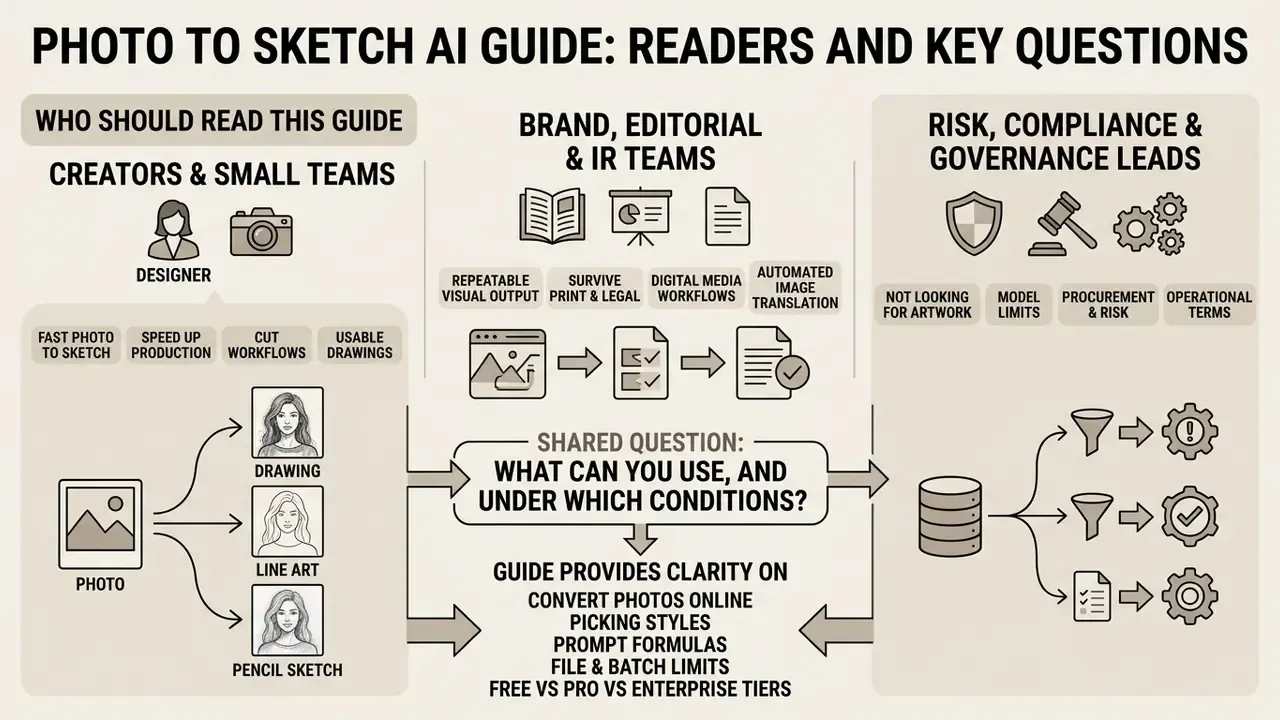
This guide serves three very different readers, and each one can start in a different place.
Creators and small teams want the fastest route from a photo to a usable drawing. Sections on the three-step workflow, prompt formulas, style selection and free tier limits answer that directly.
Brand, editorial and investor-relations teams need repeatable visual output that survives print and legal review. The style matrix, export-format guidance and the corporate use cases matter most there.
Risk, compliance and AI governance leads are usually not looking for artwork at all. They arrive because an employee uploaded an executive portrait into a free converter last quarter, and now someone wants a policy. For them, the retention table, the privacy section and the Shadow AI checklist are the core of the document.
One shared question runs through all three groups: what can you use, and under which conditions? Everything below is organised around that.
Translated into operational terms, Hale's point is a procurement and risk point as much as a creative one. A filter is deterministic and auditable. A generative sketch model makes learned decisions about what to keep and what to throw away, which is a different animal entirely.
Digital media workflows in 2026 increasingly rely on automated image translation to speed up production, cut design overhead and hold visual consistency across channels. Converting raw photos into stylized sketches, whether pencil, line art, ink or charcoal, has moved from a manual graphic design task to an instant, AI-driven step. It now sits inside marketing pipelines, annual-report production, editorial desks and merchandise workflows alike.
What Is Photo to Sketch AI?
Photo to sketch AI is an automated image-to-image translation technology. It uses deep neural networks, such as Generative Adversarial Networks (GANs), latent diffusion models and vision transformers, to turn raster photographs into hand-drawn style illustrations. If you are mapping the wider tooling landscape first, our overview of AI art generators explains how sketch conversion relates to general text-to-image systems.
Unlike deterministic software filters that only highlight pixel contrast along high-frequency edges, photo to sketch ai systems interpret 3D geometry, lighting and semantic features to synthesize authentic drawing strokes.
Traditional image processing tools lean on fixed algorithmic filters like Sobel operators or edge-detection thresholds. Those legacy effects treat every pixel the same way, so they often produce noisy, robotic outlines that cannot tell an essential facial feature from background clutter. Modern ai photo to sketch solutions are trained on large datasets of paired and unpaired photos plus artist-rendered drawings. Contemporary models learn a mapping from the photographic domain into the sketch domain using geometric and semantic objectives, not deterministic convolution kernels.
"We learn to generate line drawings that convey geometry and semantics, using depth and CLIP-based losses rather than fixed edge filters."
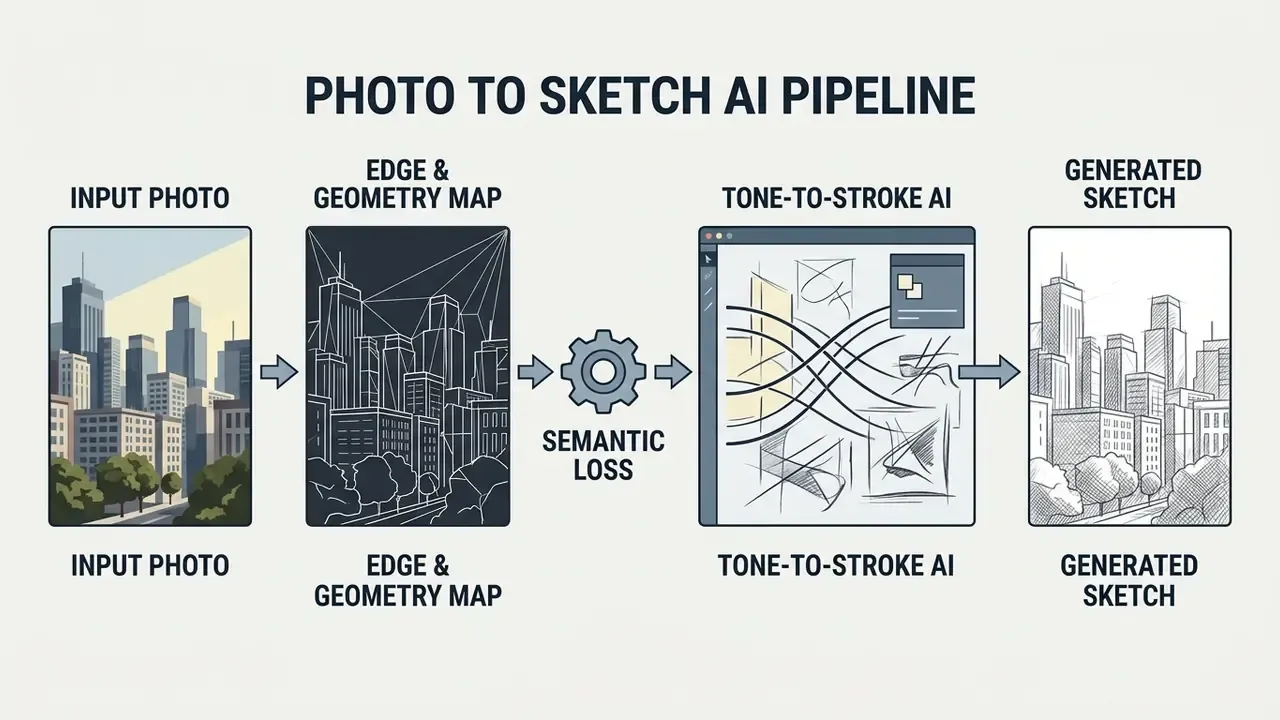
By leaning on learned representations, an ai image to sketch model understands the structural intent of a picture. Research on character line drawing generation shows how cross-scale dense skip connections let models keep facial identity while dropping redundant texture detail.
"P2LDGAN couples a geometry-semantic generator with multi-scale dense skip connections, trained on 1,532 paired photo–line-drawing samples."
The resulting sketch ai output reflects human-like artistic choices rather than plain contrast manipulation, which yields a high-quality generated sketch with spatial coherence and clear subject recognition. In practical terms, that is why an AI sketch photo keeps the jawline of a portrait while dissolving a cluttered office background. A Sobel filter has no concept of "jawline" at all.
Advanced AI Sketch Styles: From Pencil to Stippling and Watercolor
Modern ai photo to sketch converters ship specialized artistic style presets, each tuned to a different visual aesthetic and project need. Reviewing the output families before the underlying mathematics makes the technical section that follows much easier to read.
- Pencil Sketch recreates traditional graphite drawing, with soft tonal variation, subtle cross-hatching and continuous gray gradients.
- Line Art focuses only on clean, high-contrast outlines and structural contours, dropping interior shading to produce minimalist vector-ready drawings.
- Sketch Ink emulates liquid ink pens and calligraphic brushes, using bold black strokes, sharp shadow boundaries and high contrast. Line hierarchy matters here: thinner strokes carry detail, thicker strokes carry emphasis.
- Charcoal Sketch simulates heavy carbon marks and smudged texture, giving deep blacks, expressive broad strokes and dramatic lighting depth.
- Crosshatching builds volume and shadow depth only from intersecting sets of parallel lines. Because tone comes from line density rather than gray fill, crosshatched output survives one-colour screen printing and vintage editorial layouts without tonal banding.
- Stippling (Pointillist Ink) constructs gradients and forms purely by varying the density of micro-dots. This technique dominates botanical, scientific and philatelic illustration, where dot density communicates shading without competing contour lines.
- Colored Pencil keeps the soft graphite-like grain of a pencil sketch while adding a restrained palette of two or three translucent pigments. Useful when a brand wants a hand-drawn look that still carries accent colour, so a sketch colored this way reads as illustration rather than filter.
- Watercolor Sketch combines a crisp ink contour with semi-transparent washes and bleed edges, producing editorial and travel-journal aesthetics that pure line art simply cannot reach.
Figure 1. Interactive Before / After Style Comparison
Accessibility and DOM requirements: built on an accessible range input handle (slider role, with aria-valuemin, aria-valuemax and aria-valuenow) and full keyboard navigation via arrow keys. Each frame carries clear textual labelling in the DOM and descriptive alt text such as ai photo to sketch — pencil sketch before and after comparison. Style names are exposed as a visible fieldset and legend group, never as image-only labels.
Comparative Matrix of Sketch Styles
| Sketch Style | Line Weight & Quality | Shading Density | Detail Fidelity | Optimal Photo Categories |
|---|---|---|---|---|
| Pencil Sketch | Variable, soft graphite stroke (1px–3px) | High (continuous tonal cross-hatching) | High (preserves fine facial & surface texture) | Portraits, human headshots, pets, still life |
| Line Art | Crisp, uniform outline stroke (1px–2px) | None (zero interior shading or fill) | Medium-High (structural contours only) | Architecture, product designs, icons, logos |
| Sketch Ink | Bold, calligraphic stroke (2px–5px) | Medium-High (solid blacks, high contrast) | Medium (emphasizes strong shadow edges) | Graphic portraits, comic assets, urban scenes |
| Charcoal | Broad, smudged carbon stroke (4px–8px) | Very High (dense dark masses, smudged gradients) | Medium (focuses on broad form and tone) | High-contrast portraits, dramatic landscapes |
| Crosshatching | Fine, disciplined stroke (1px–2px) | High (built only from intersecting line sets) | Medium-High (tone via line frequency) | Technical illustration, vintage editorial art, engraving-style portraits |
| Stippling | Variable dots (1px–4px), no continuous lines | Dot-density based (no fills, no hatching) | High in flat-lit subjects | Botanical prints, scientific plates, product cutaways |
| Colored Pencil | Soft grain stroke (2px–4px) | Medium (layered translucent pigment) | Medium-High | Lifestyle portraits, food, children's illustration |
| Watercolor Sketch | Ink contour (1px–3px) plus soft washes | Medium (translucent bleed, uneven edges) | Medium (form over micro-detail) | Travel photos, architecture, editorial features |
How AI Converts an Image into a Drawing
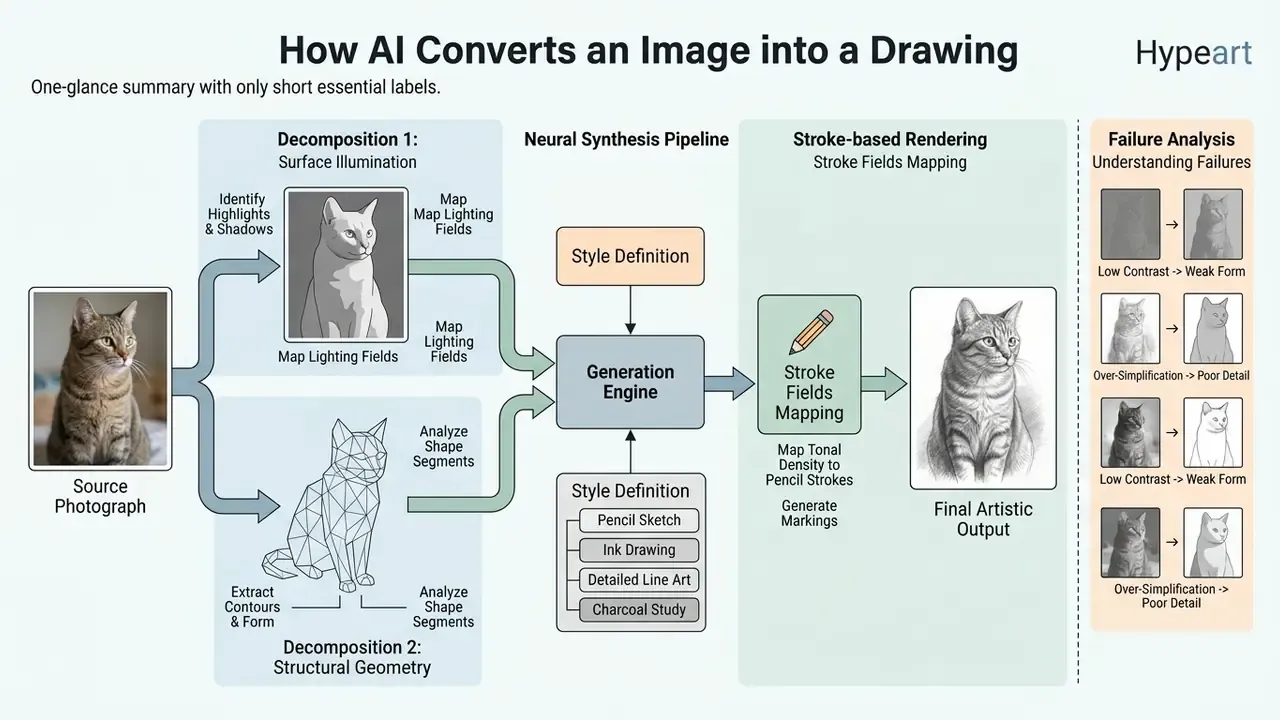
AI converts an image into a drawing through a multi-stage neural pipeline. It extracts structural contours, analyses tonal gradients, then synthesizes virtual drawing strokes. First, feature extraction layers identify key object boundaries and depth discontinuities, building an internal geometric framework. Classical non-photorealistic rendering treated depth discontinuities as edges; learned systems now infer that depth structure straight from a single photograph.
Next, the model separates the source photograph into surface illumination and structural geometry. Deep learning architectures use explicit geometry losses to predict depth information from line features, while multimodal CLIP embeddings enforce semantic alignment between the photo and drawing domains.
"A geometry loss predicts a depth map from drawing features; a semantic loss aligns the CLIP embeddings of the photograph and the generated sketch."
Finally, the network maps regional tonal densities into matching stroke fields, such as soft graphite hatching or sharp ink lines, executing a clean ai image to drawing translation. In pencil-oriented pipelines this stage is explicitly split into edge extraction and tone extraction before strokes are rendered. That split is why a well-implemented pencil drawing model can pack dense hatching into shadow regions without smearing the contour that defines the subject.
Understanding this three-stage decomposition also tells you where failures come from. Contour errors originate in the geometry stage, usually from motion blur or low resolution. Tonal blocking originates in the tone stage, usually from harsh directional light. And "hallucinated" strokes originate in the synthesis stage, when abstraction settings are pushed too far.
How to Convert a Photo to Sketch Online
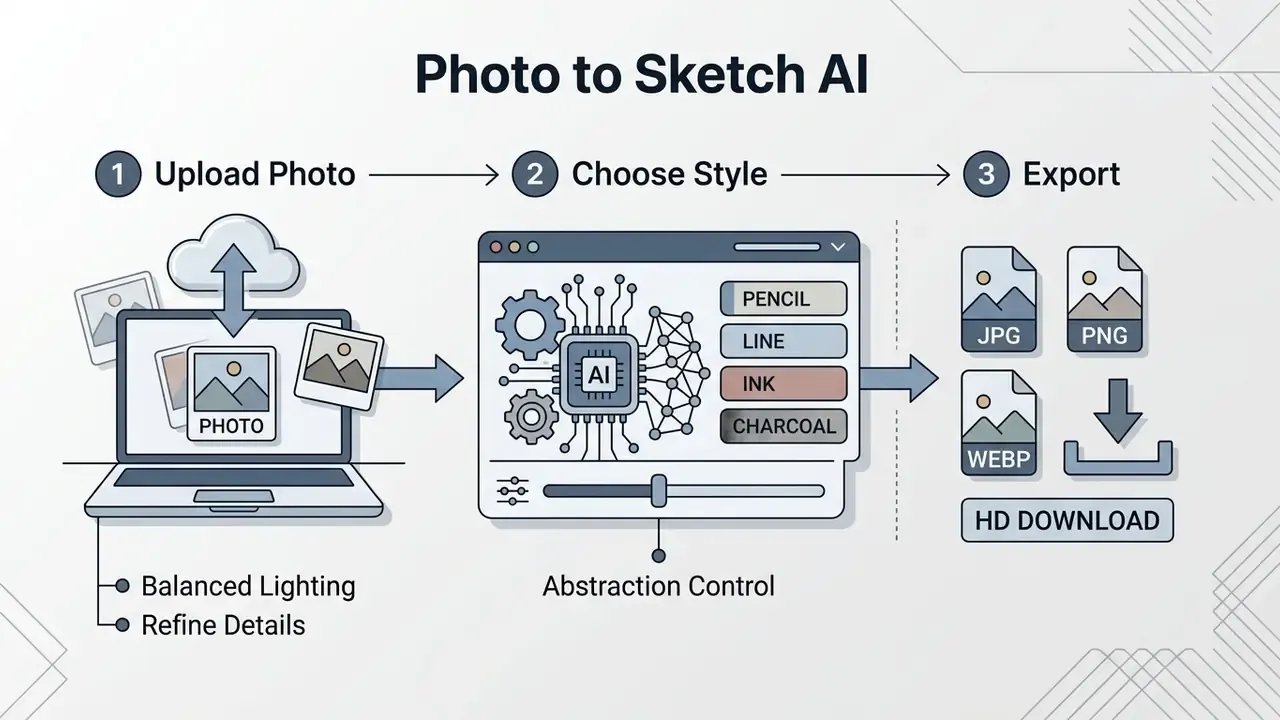
Converting a photo into a sketch online means uploading a digital image, selecting a drawing preset or AI model, letting the system process the file in seconds, then downloading the finished artwork. No manual drawing experience, no graphic design software.
Reported workflow example (internal project log, not an independently audited benchmark). A digital marketing team needed 450 corporate portraits converted into uniform line drawings for an executive directory update. By running an automated ai photo to sketch converter pipeline with standardized style parameters, the team dropped manual vector tracing entirely. The project closed in under two hours, and the team's own internal estimate put the reduction in design production cost at roughly 85% against quoted manual illustration rates. That figure reflects a single self-reported comparison with an outsourced tracing quote. It is not a verified industry benchmark, and savings will move with hourly rates, revision cycles and quality-assurance overhead.
Step 1: Upload Your Photo or Picture
The workflow begins when you select and upload a clean source image into the ai photo to sketch online platform. Most web tools accept standard image formats, including JPG, PNG and WebP.
Typical technical envelope across mainstream 2026 services:
- Accepted formats: JPEG/JPG, PNG, WebP (some tools also accept HEIC after conversion).
- Maximum single-file size: commonly 20 MB on consumer tiers and up to 100 MB on professional tiers.
- Minimum dimensions: 512 × 512 px. Smaller uploads are frequently rejected outright with a resize prompt.
- Recommended dimensions: 1,500 to 4,000 px on the long edge for print-bound output.
- Single-file rule: most free interfaces accept one file per session, not a folder.
To get the best out of an ai image to drawing converter, pick source pictures with well-defined subjects, crisp edge boundaries and balanced lighting. High-resolution files let the network find subtle features, such as eyes, facial outlines or architectural details, without dragging pixelation artifacts into the generated drawing. If your source needs cropping, exposure balancing or background cleanup first, standard online photo editors handle that preparation step before conversion.
Step 2: Choose a Sketch Style and AI Model
Once the photo is uploaded, you select from multiple drawing presets and AI model configurations. Depending on the intended look, you can choose a photorealistic model built for detailed pencil shading, or a stylized model tuned for minimalist line art.
The 2026 multi-model landscape. Leading conversion services no longer ship a single in-house network. They route requests to specialized foundation engines exposed in a model dropdown. For technical drafting and architectural line art, FLUX.1 (with ControlNet line conditioning) and Ideogram 3.0 are preferred for geometric precision and style-reference reuse. For soft artistic pencil portraiture, teams increasingly deploy LoRA adapters on Stable Diffusion 3.5 Medium, or multimodal networks such as GPT Image / GPT Image 1.5 and Gemini 3 (Nano Banana Pro), which hold facial identity well thanks to joint text and visual embeddings.
Adobe Firefly and comparable suites surface these partner models alongside their own commercially-trained engines, and Firefly's structure-reference control lets you lock composition while swapping the drawing medium. Vendor control surfaces differ. Some expose numeric quality and moderation parameters; others expose explicit style codes and multi-billion-entry preset libraries.
Advanced platforms also expose abstraction control, which decides how many strokes the model is allowed to spend.
"State embeddings control point density while a stroke token controls the number of strokes, outperforming baselines on diversity and human-likeness."
Getting the combination right, style preset plus abstraction level, is what aligns output with your target medium, whether you need a soft portrait or a sharp graphic outline. The same logic drives adjacent generators: an ai bot maker exposes personality parameters much the way a sketch tool exposes stroke budget, and in both cases the defaults rarely match your use case.
Figure 2. Structure Reference vs. Abstraction Control
Accessibility and DOM requirements: implemented as a labelled range input from 0 to 100 in steps of 25, with an associated "Abstraction Level" label, a live text readout in a polite live region, a visible focus ring, and per-state alt text such as ai sketch abstraction level 75 percent — clean line art output. A second grouped control set exposes Structure Reference strength (0 to 100), so composition lock and abstraction stay independently adjustable.
Step 3: Generate, Refine, and Download the Drawing
After the settings are set, clicking generate starts backend model inference, usually finishing the transformation in two to five seconds. The system pushes the image through its feature layers and renders the final drawing.
Before saving, you can use built-in post-processing controls to refine line intensity, adjust background clarity or reduce noise. Advanced frameworks add thinning operations to sharpen line skeletons and clear redundant stroke clusters. Research refinement pipelines such as SketchRefiner run this as a discrete inference pass, writing a "refined sketch" file separate from the raw generation before any downstream use. Once the preview looks right, download exports the generated sketch in high resolution, ready for digital sharing or print.
A practical review checklist before export: verify contour continuity around the subject silhouette, confirm no shadow region has collapsed into a solid black mass, check that any text or logo in the frame stays legible, and confirm the background is either intentionally retained or fully dropped. Two minutes of checking saves a reprint.
Text-to-Sketch & Prompt Engineering Formulas
You do not need a source photograph at all. Text-to-sketch generation produces original drawings from a written description, and it is also the mechanism that steers an uploaded image when a service supports "reference image plus prompt" conversion. Best practice: start with a clear, simple subject, apply explicit line-art vocabulary (terms such as clean outlines, minimalist ink and fine line weight measurably change stroke behaviour), then refine with a structure-reference control or intensity slider.
Prompt formula: [Subject] + [Drawing Medium] + [Line Style] + [Shading Method] + [Detail Level] + [Background]
Copy-ready templates:
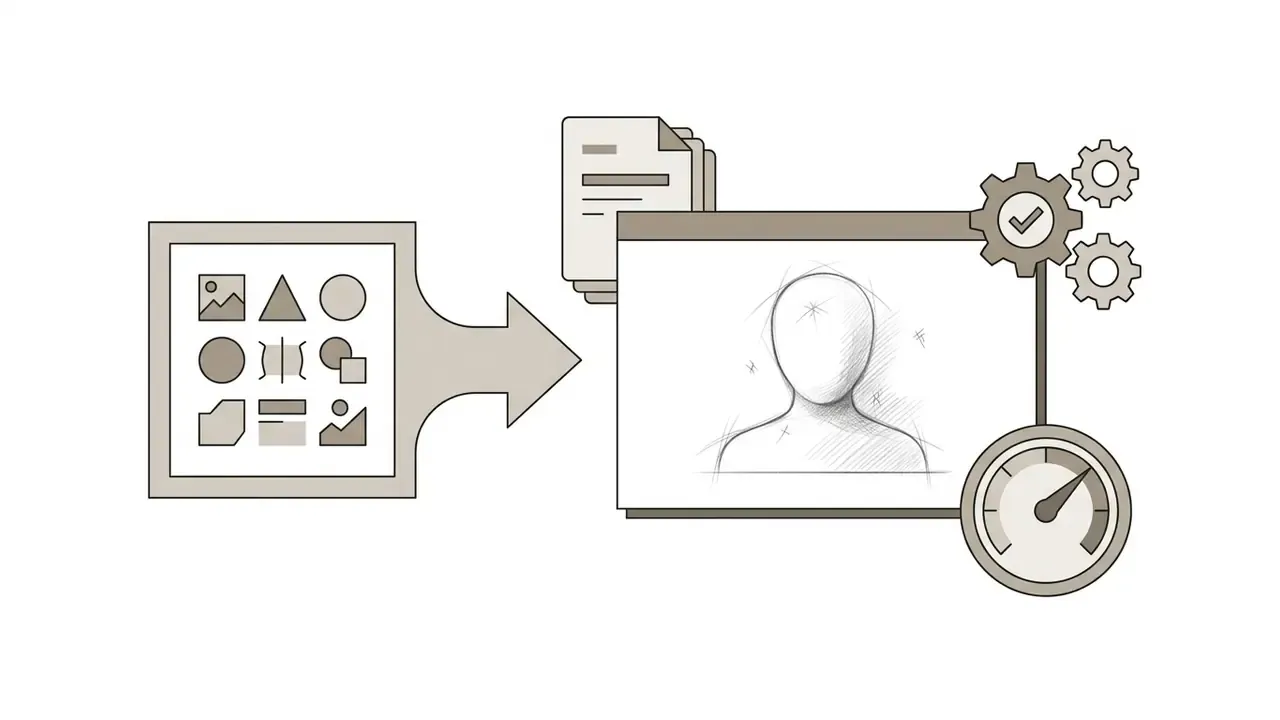
"Close-up portrait of a woman, graphite pencil sketch, fine line weight, soft cross-hatching, 8k detail, clean white background"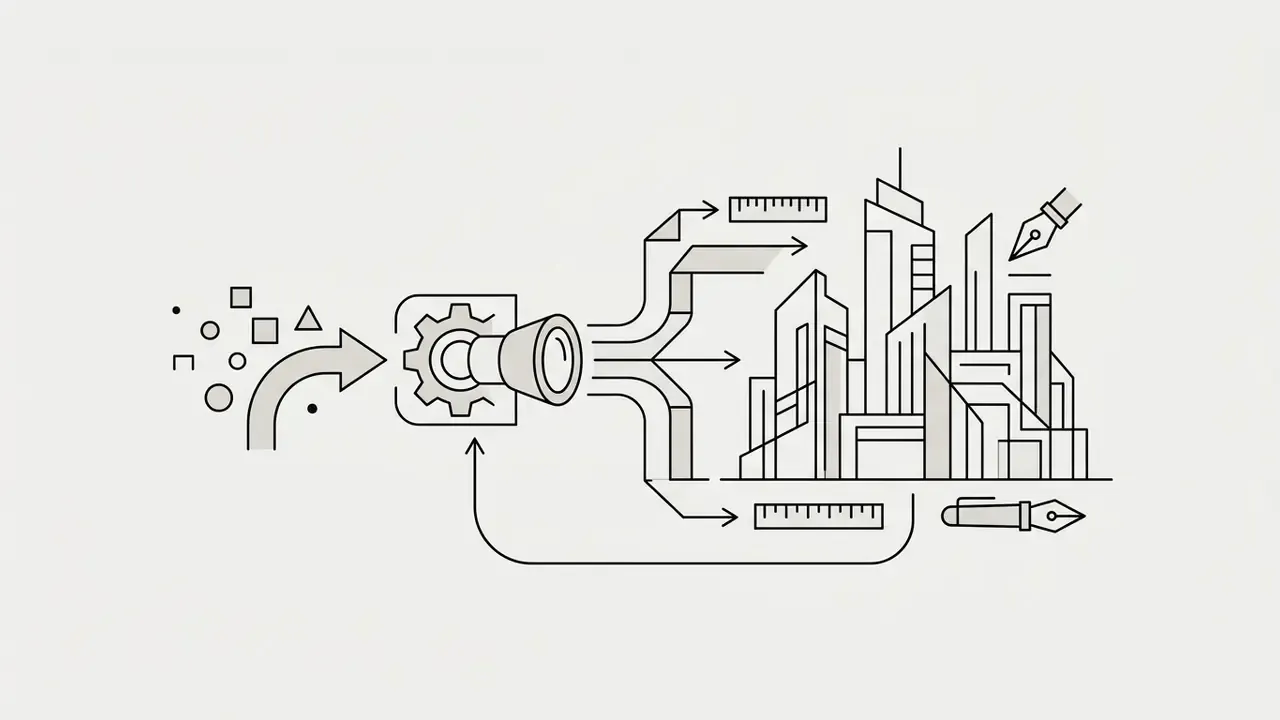
"Urban cityscape, architectural vector line art, minimalist ink outline, zero shading, high contrast, technical drawing style"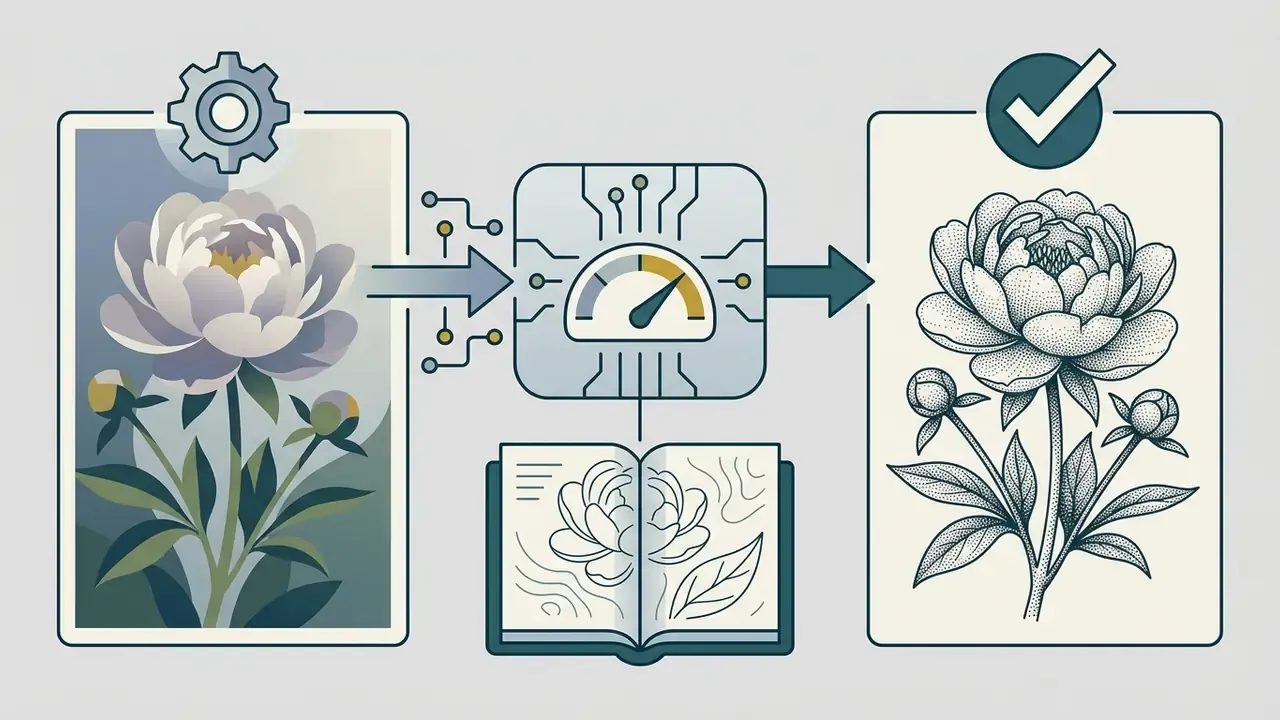
"Vintage botanical illustration of a peony flower, ink stippling technique, variable dot density, precise contour lines"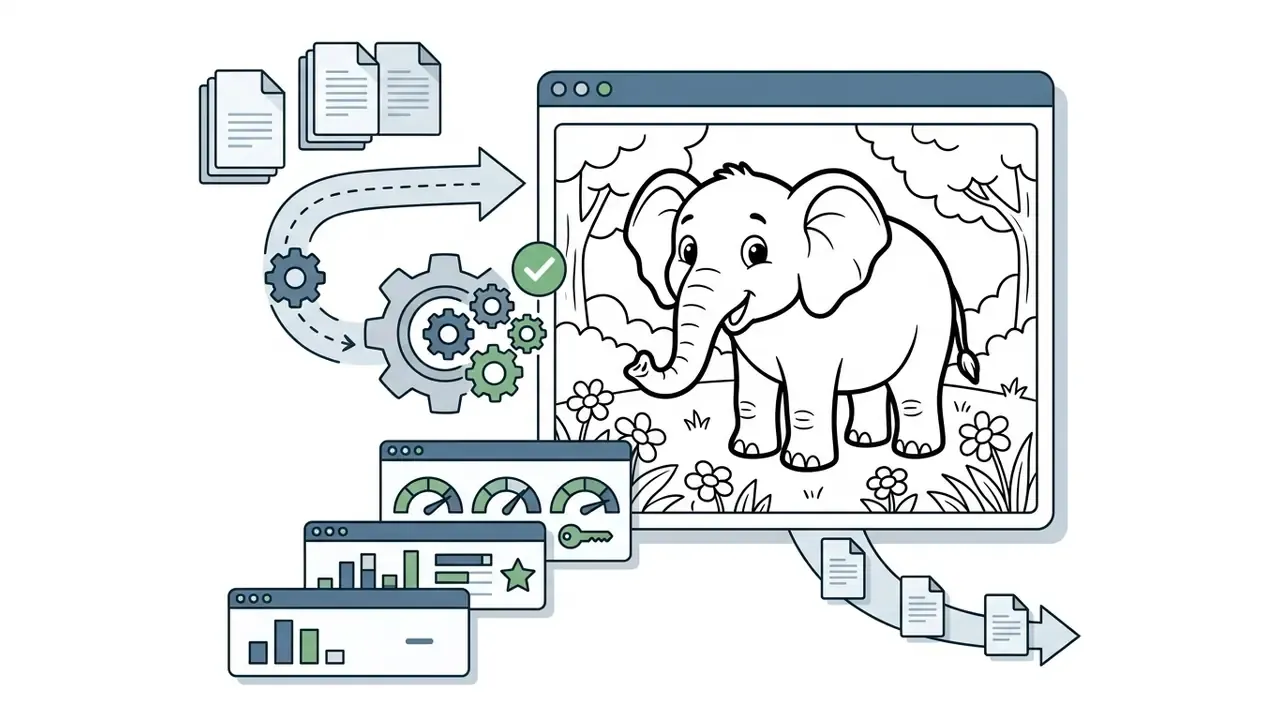
"Friendly cartoon elephant in a meadow, bold uniform outline, no shading, no gray fill, thick 3px contour, large open areas for coloring, pure white background"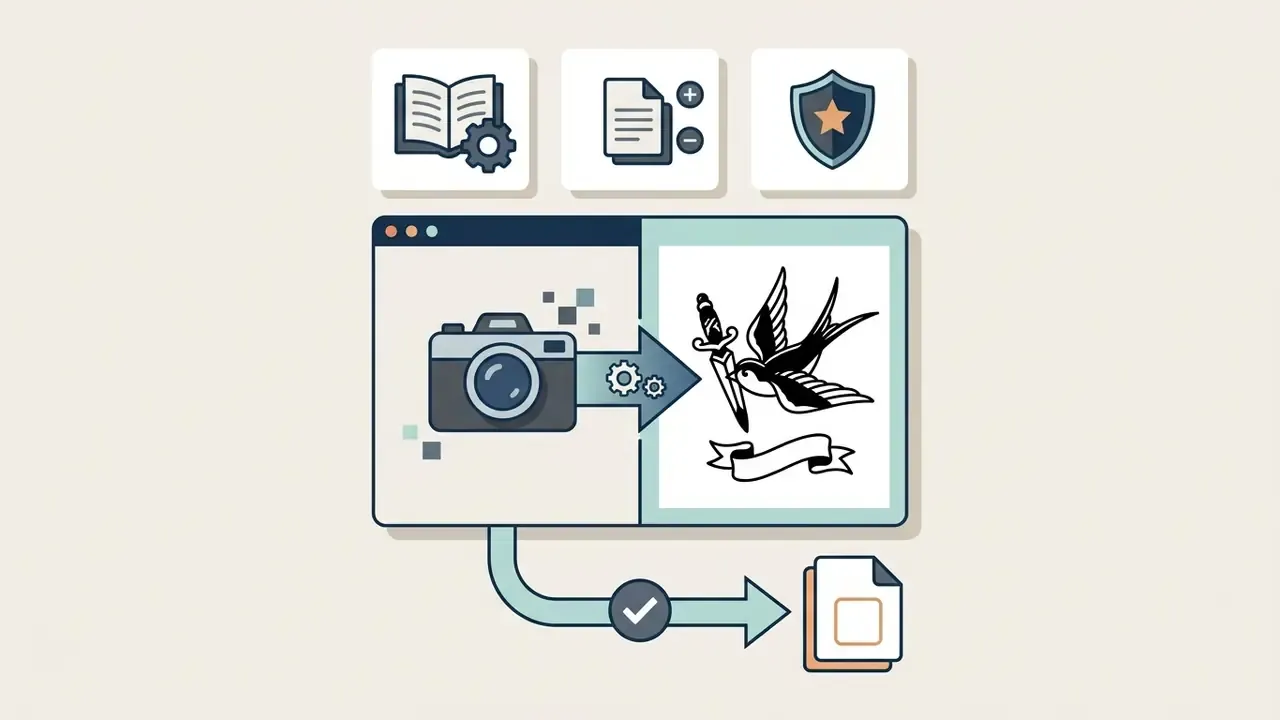
"Traditional flash sheet design of a swallow and dagger, bold black ink linework, solid black fills only, no gradients, transfer-ready stencil contrast"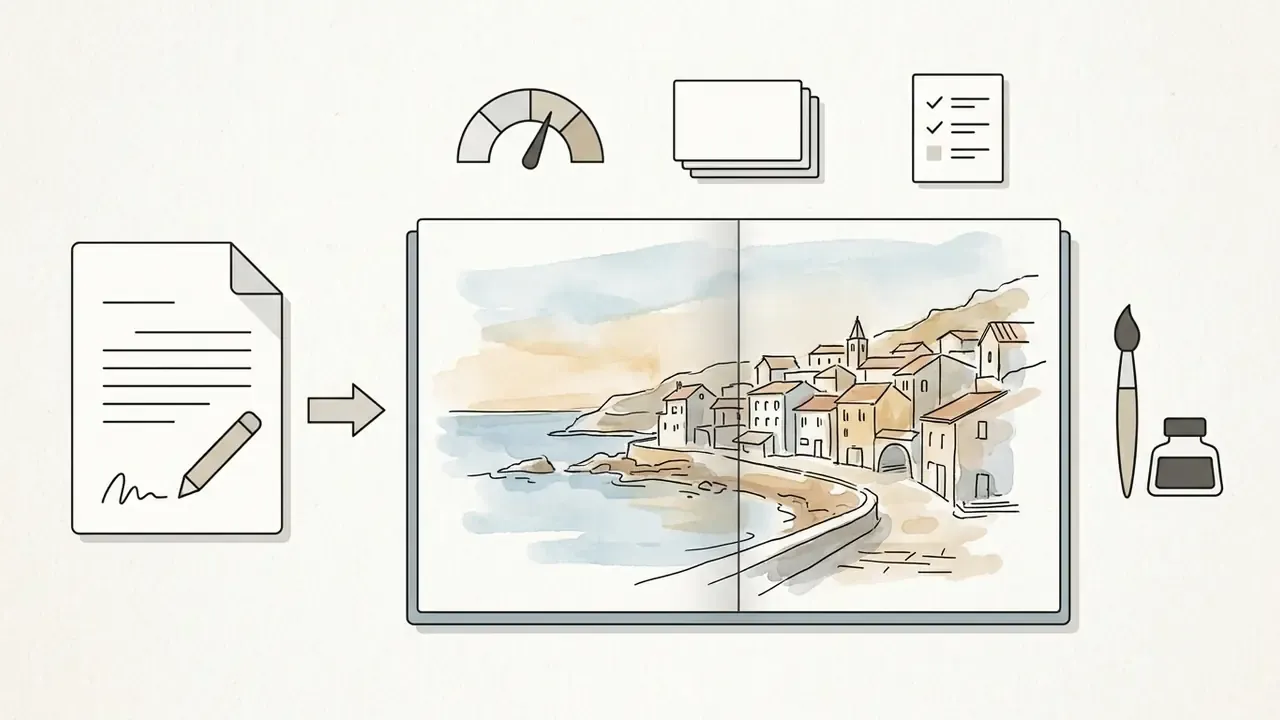
"Coastal village rooftops, loose ink contour with translucent watercolor washes, muted palette, visible paper texture, editorial travel illustration"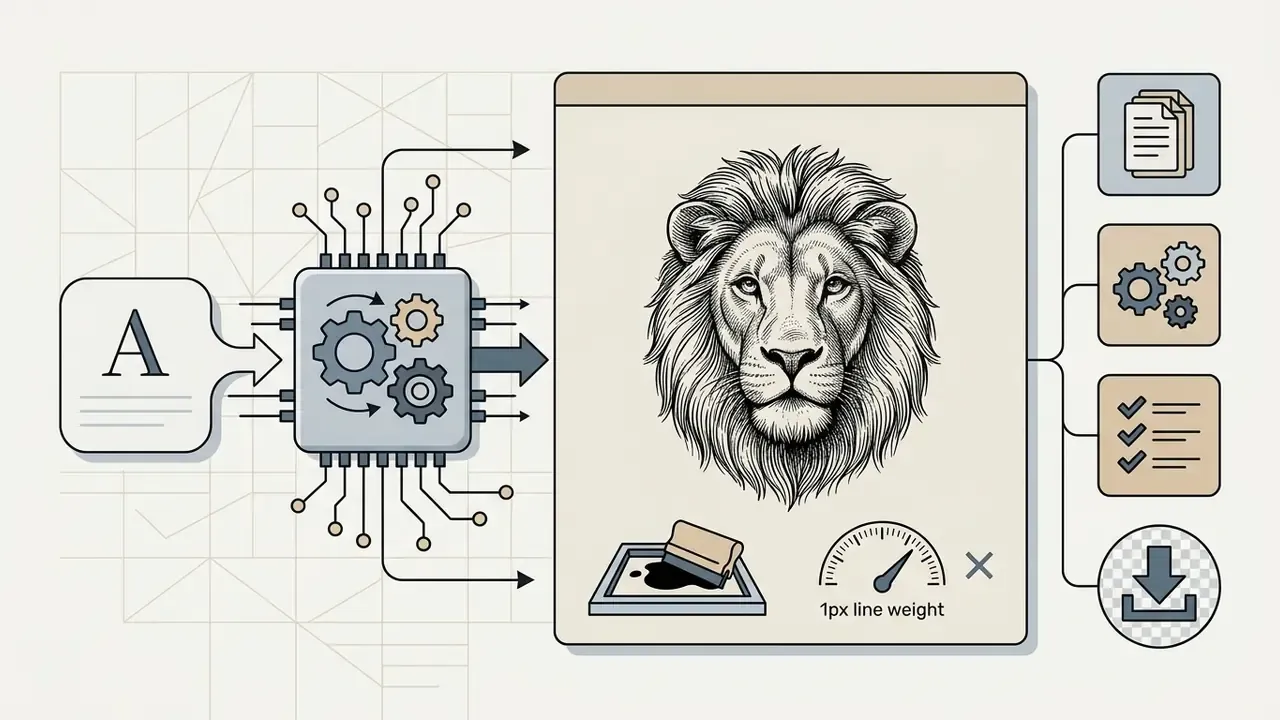
"Vintage engraving-style lion head, ink crosshatching, single-colour screen-print ready, no halftones, 1px line weight, transparent background"Refinement loop: if the output looks too photographic, raise abstraction and add "zero shading". If it looks too sparse, lower abstraction and add "dense hatching in shadow regions." Iteration, not one perfect prompt, is what creativity-support research identifies as the core user need. Under-constrained intent gets resolved by cheap, fast revision cycles rather than by longer prompts. Character-driven generators show the same pattern, which is why prompt discipline in an ai boyfriend generator or a meme pipeline for ai brainrot animals transfers almost directly to sketch work.
Figure 3. Annotated AI Drawing Generator Interface
Accessibility and DOM requirements: accompanied by a structured semantic list in the page. The upload zone uses a labelled file input with visible hint text stating accepted formats and the size ceiling; the style selector sits inside a fieldset with a legend; the primary action is a real button element, never a div or an image; each export option carries its own label. The image element contains alt text: ai photo to sketch generator interface layout and control zones.
Which Photos Work Best for AI Image to Sketch Conversion?
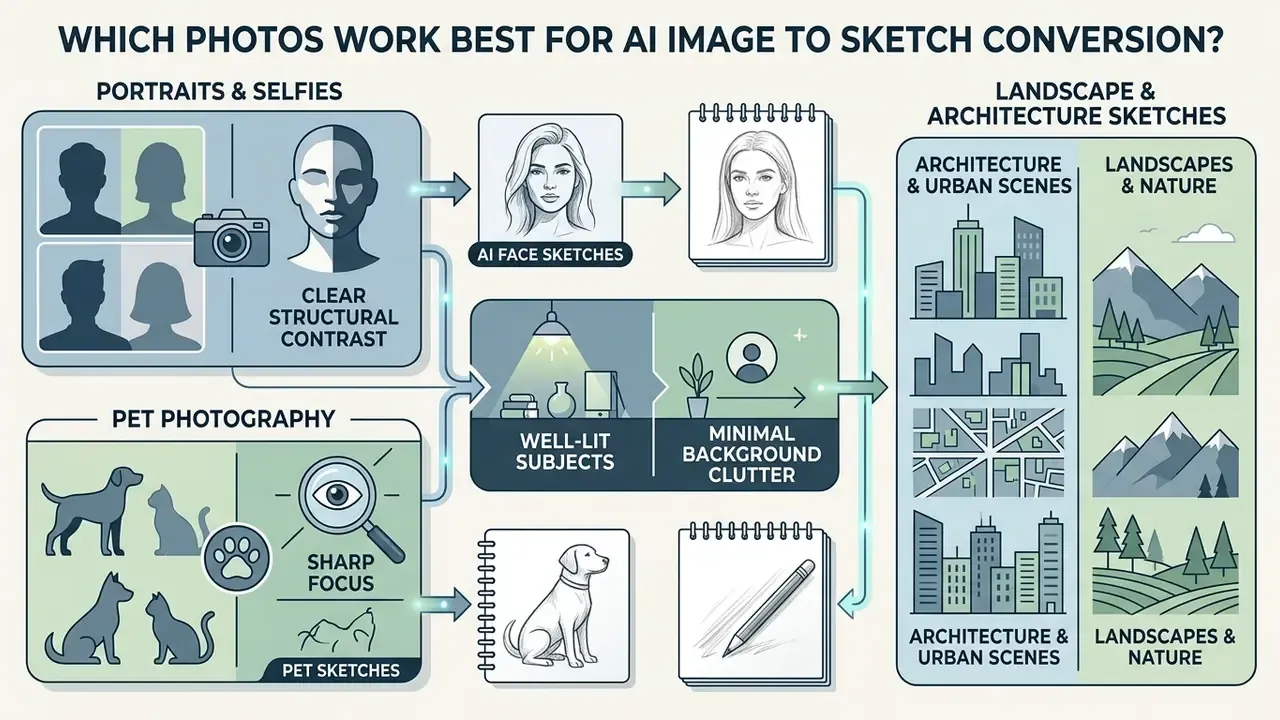
Photos with clear structural contrast, sharp focus, well-lit subjects and minimal background clutter produce the most precise conversions. Because AI drawing models read gradient changes and spatial geometry to place strokes, the physical qualities of the input photo drive line quality and shading accuracy.
"Attention maps accumulated while generating stroke coordinates highlight exactly the regions humans consider most salient in an image."
That finding explains the practical rule. A subject your eye locks onto immediately is also the subject a sketch model spends strokes on. Ambiguous, low-salience frames spread the stroke budget thinly and produce mush.
When turning photos into sketches, images with balanced, diffuse lighting prevent harsh shadow blocks that the model can misread as solid pencil shading. High-resolution source files let the image to sketch algorithm keep key structural lines while holding smooth tonal transitions across complex surfaces. Documentation guidance for facial imaging is consistent on three points that transfer directly here: resolution should be high enough that no pixels or dot patterns are visible, contrast must preserve distinguishing features rather than flatten them, and lighting should be diffuse and shadow-free. Three-point balanced lighting beats a single hard point source every time.
Portraits, Selfies, and AI Face Sketches
Facial photography needs specialized handling, because a synthesized drawing has to keep identity, expression and correct proportion. An ai face sketch generator uses facial landmark detection, 3D shape estimation and component-specific modules to process eyes, nose, mouth and jawlines independently. That component-wise design lineage runs from DeepFaceDrawing's separate descriptors for each facial part through to 2024 identity-preserving synthesis work, which explicitly splits local features (eyes, nose, mouth) from global facial structure.
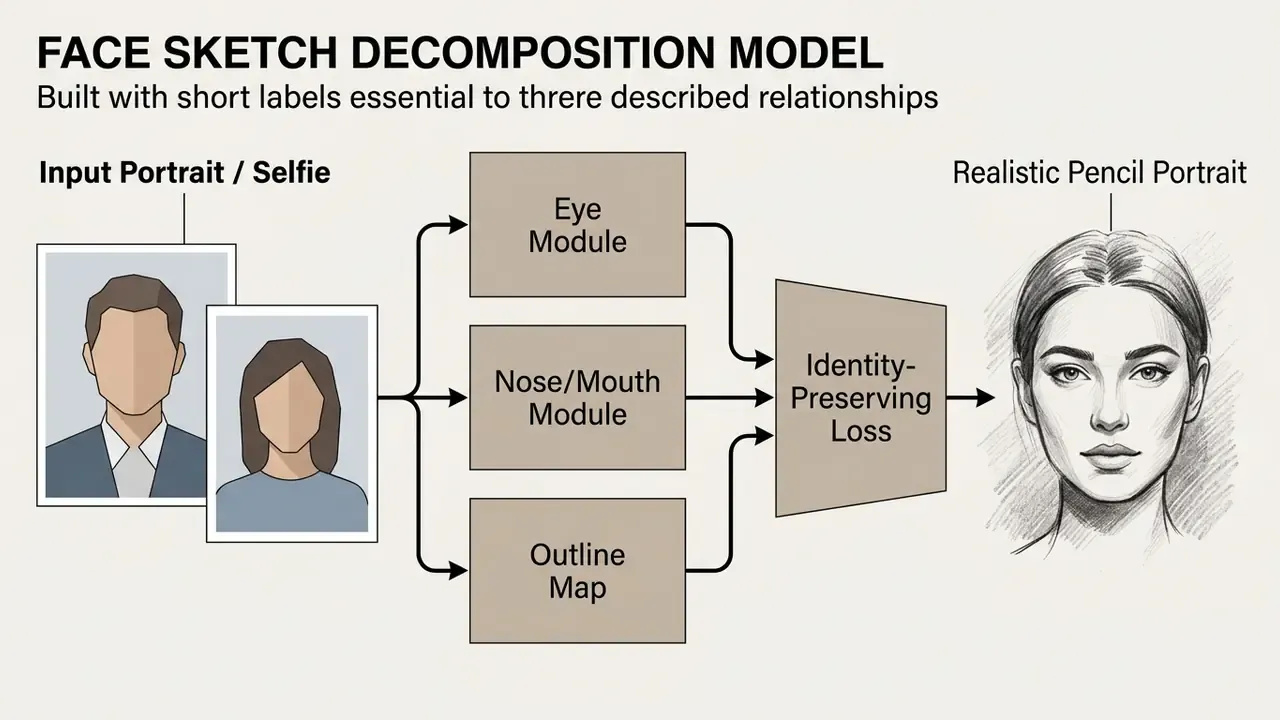
Recent advances in one-shot face sketch synthesis show that diffusion models with generative priors can generalize a reference drawing style onto new face photographs while keeping subject identity intact.
"OS-Sketch provides 400 photo–sketch pairs across varied styles, lighting and expressions; the model trains on one pair and generalises to the remaining 399."
Models trained with identity-sensitive recognition losses penalise structural distortion, which keeps subtle facial curves and expression readable.
"An identity-sensitive recognition loss penalises the generator for losing discriminative facial traits, improving cross-modal recognition accuracy."
So headshots, selfies and close-up portraits consistently yield detailed, recognizable pencil and ink drawings. If your goal is a polished professional likeness rather than an artistic one, compare this workflow against dedicated AI headshot generators, which optimise for photographic realism instead of stroke abstraction.
Pet, Landscape, and Architecture Sketches
Non-portrait subjects bring distinct geometric and textural challenges that test model adaptability:
- Architecture and urban scenes these photos carry strong perspective lines, crisp geometric angles and clear vanishing points. AI models translate straight edges into clean outline drawings and precise line art well; line-texture approaches deliberately emphasise creases, boundaries and repeated structural lines.
- Landscapes and nature natural scenes are full of complex organic texture, foliage and cloud among them. Depth-aware sketch models handle this by translating regional depth maps into varied line weights, which preserves the sense of distance.
- Pet photography animal portraits mean high-density micro-geometry, fur patterns and whiskers. Advanced models decouple surface micro-detail from global body shape. Recent work separates fine-geometry encoding from global geometry, and normal-domain micro-detail representations demonstrate detail separability and transferability, using specialized stroke primitives to simulate natural fur without collapsing into solid dark patches.
A caveat worth stating plainly. No independent, peer-reviewed benchmark currently ranks portraits, pets, landscapes and architecture against each other for sketch-conversion fidelity. Vendor pages that claim one category "works best" are marketing statements, not measured results. The reliable predictors stay the same: resolution, contrast, subject salience and lighting uniformity.
How to Get a Clean and Detailed Sketch Result
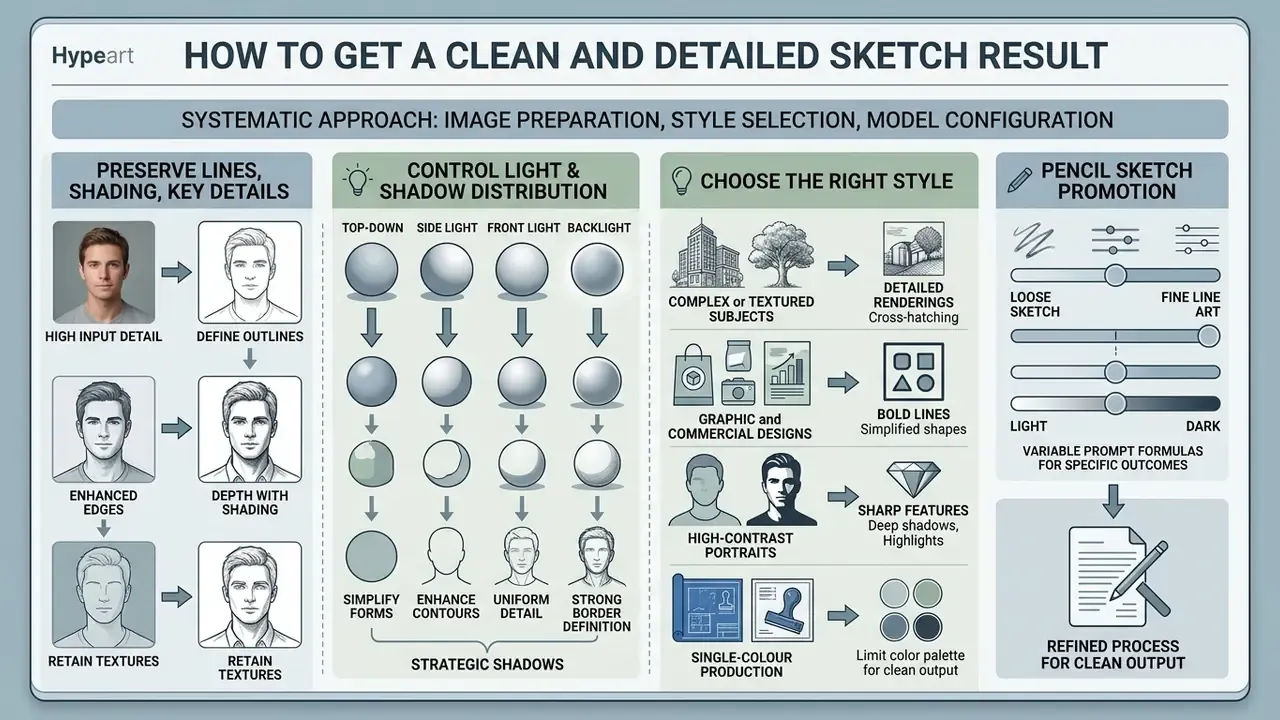
Getting a clean, detailed drawing from a photograph takes a systematic approach to image preparation, style selection and model configuration. To keep the output sharp and visually balanced, optimise input contrast and pick algorithms built to preserve edge geometry.
To evaluate technical tool specifications side by side, explore our AI Media Comparison Matrices for full feature breakdowns.
Preserve Lines, Shading, and Key Details
Whether critical structural lines and subtle shading gradients survive conversion depends on how the network handles edge detection and tonal separation. Standard edge filters often break lines or over-saturate high-contrast regions.
To prevent detail loss, state-of-the-art architectures implement two-stage line restoration networks and scale-space decomposition. The first stage extracts primary structural contours. The second fills line gaps and smooths stroke boundaries.
"Gradient-guided dual-branch adversarial networks preserve thin relic contours by using gradient information to steer texture-detail synthesis."
In parallel, edge-aware loss functions separate surface reflectivity (albedo) from ambient shading. Intrinsic-image models use separate sub-networks with edge-preservation loss on albedo and smoothness loss on shading, which stops dark shadows from swallowing object contours. That layered processing is what produces a stunning sketch with accurate line hierarchy and balanced shading depth, rather than a muddy detail sketch.
Control Light Direction and Shadow Distribution
Clean linework is only half of a convincing drawing. Shadow placement carries the volume. Current diffusion-control research converges on a repeatable five-stage sequence: set composition, define content and detail, declare an explicit light direction, supply a shadow map or coarse shadow hint, then iterate. Illumination-control methods use estimated surface normals together with ray-traced cast shadows and single-bounce shading maps, and shadow-guided relighting shows that even a rough shadow hint can steer a pretrained renderer toward the intended lighting direction.
Practical translation for a sketch workflow: photograph or select a source with one dominant light direction, state that direction in the prompt ("light from upper left, soft cast shadow lower right"), and choose a tonal medium (pencil, charcoal, crosshatching) instead of flat line art when shadow storytelling matters.
Choose the Right Style for the Intended Look
Matching sketch style to source image prevents visual clutter and lifts the aesthetic quality:
- Complex or textured subjects for busy landscapes or detailed pet photos, choose a soft pencil or charcoal preset. Tonal cross-hatching absorbs textural noise and the drawing reads as a whole.
- Graphic and commercial designs for logos, product shots or technical illustration, select minimalist line art or crisp ink outlines. These styles strip background noise and give sharp, continuous lines suitable for vector tracing.
- High-contrast portraits for dramatic human headshots, choose graphite pencil or ink. Both media exploit strong light-dark contrast to highlight facial structure and expression.
- Single-colour production for screen printing, engraving or embroidery, choose crosshatching or stippling. Both encode tone without gray fills that halftone poorly.
The traditional studio logic still applies, including pencil sketch for blocking and composition, line art for exact contour clarity, and ink for final crisp linework and contrast.
What Can You Create with an AI Photo to Drawing Generator?
An ai photo to drawing generator widens creative workflows across personal, publishing and commercial applications. By converting standard photography into stylized artwork, creators can produce distinctive assets without burning hours on manual illustration. If you are still shortlisting platforms, our comparison of the best AI art generators maps output quality, style control, pricing and licensing side by side.
For developers who want programmatic integration, our technical AI Media API Guides show how to wire automated sketch transformation pipelines into an existing content system.
Corporate, Editorial, and Investor-Facing Use
For regulated and brand-sensitive organisations, sketch conversion is a controlled illustration pipeline, not a novelty effect:
- Investor relations and annual reports uniform pencil or line-art portraits of the board and executive team hold a consistent, non-photographic visual register across annual reports, proxy materials and IR microsites. They also hide the mismatched lighting of headshots taken years apart.
- ESG and sustainability reporting site photography, facility exteriors and field operations convert into restrained line drawings that illustrate narrative sections without implying a photographic claim about a specific date or location.
- Brand books and design systems line-art derivatives of product photography become reusable iconography, section dividers and pattern fills inside a documented brand system.
- Internal communications and training sketch-converted process photography anonymises staff while keeping instructional clarity in handbooks and e-learning modules.
For all four use cases, the governing constraint is procedural rather than aesthetic. The source photograph must be licensed or owned, subject consent must cover the derivative use, and the vendor must be approved for processing likeness data.
Sketch Avatars, Portraits, and Social Media Content
Content creators and professionals often use an ai photo to drawing tool to build distinctive digital avatars and social media visuals. Turning a standard headshot into an artistic drawing gives a cohesive visual identity across professional networks, messaging platforms and personal branding channels.
Design platforms such as Canva, Recraft and Bazaart integrate AI avatar workflows that convert selfies into stylized character portraits. Canva's character generator lets users pick a style and drop the result straight into a layout, Recraft exports avatars as JPG or PNG for social and streaming profiles, and Bazaart pushes cartoon or anime selfies directly to Instagram, TikTok and WhatsApp. Our breakdown of the Canva AI generator covers how those design-suite features are licensed for business use.
These assets let individuals keep some privacy on public channels while still showing professional, custom artwork. Businesses can use the same output inside their ai brand generator strategies to build matching staff directories, branded social posts and personalized marketing assets.
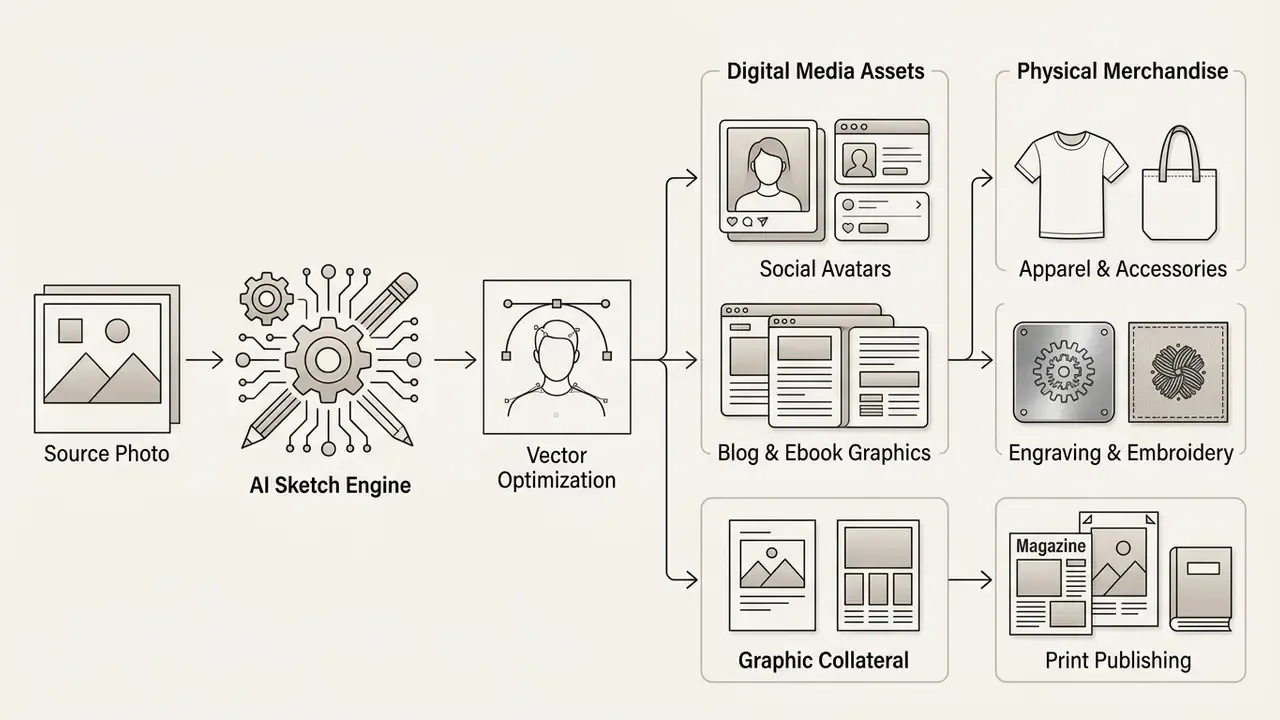
Illustrations, Book Art, Design, and Print Projects
In professional graphic design and print publishing, AI-generated line drawings give scalable assets across production formats:
DIY, Crafts, and Downstream Asset Generation
Beyond editorial and brand work, line-art conversion feeds a large set of low-friction consumer outputs:
- Coloring pages and activity books convert children's photos, pets or landscape shots into pure line art with zero interior fill to produce printable coloring books and classroom activity sheets. Prioritise thick uniform contours (3px and up) and large open regions, so crayon and marker work reads cleanly.
- Stencils and tattoo flash high-contrast portraits rendered as bold ink sketch output become clean black contours for transfer paper, tattoo flash sheets, plotter-cut vinyl stencils and airbrush masks. Solid fills beat gradients here, because gradients do not transfer.
- Laser engraving and CNC carving single-pass vector contours drive engraving and carving toolpaths on wood, acrylic, leather and anodised metal. The machine follows a path rather than a raster, so closed continuous contours matter far more than tonal accuracy.
- Product mockups, stickers and icons outline conversions of product photography generate consistent sticker sheets, packaging line motifs and UI icon families from one shoot.
- Gifts and keepsakes portrait and pet sketches remain the highest-volume consumer request. Framed prints, engraved keepsakes and hand-finished cards, all built on an AI base drawing.
If your downstream output is large-format print or engraving, resolution becomes the binding constraint. Pairing conversion with an upscaling pass is discussed under high-resolution export below, and our guide to expanding and reframing images with AI covers the adjacent case where the canvas itself must grow.
Is an AI Image to Sketch Generator Free?
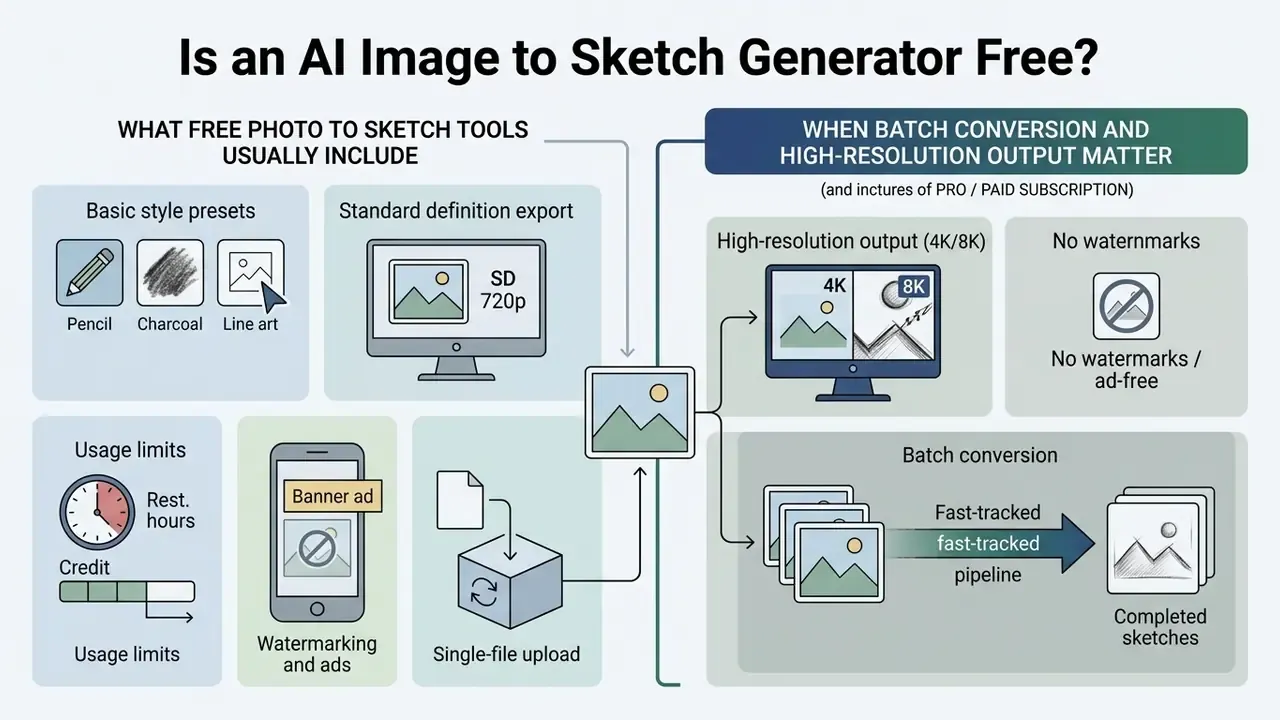
Most online platforms run a freemium model, offering an ai image sketch generator free tier next to paid PRO subscriptions. Knowing where the line falls helps you pick the right option for your volume and quality needs. Observed entry pricing in the current market clusters between $0 and roughly $16 per month for individual PRO access, and some vendors sell annual credit bundles instead of monthly seats. Credit-based services commonly grant a handful of free trial credits, often 4 to 20, then sell 2,400 to 9,600 credits per year on paid tiers.
To review complete platform subscription tiers and pricing models, visit our central AI Media Pricing Guides. For a broader view of what free creative tooling generally restricts, see our analysis of free photo editors and their export limits.
What Free Photo to Sketch Tools Usually Include
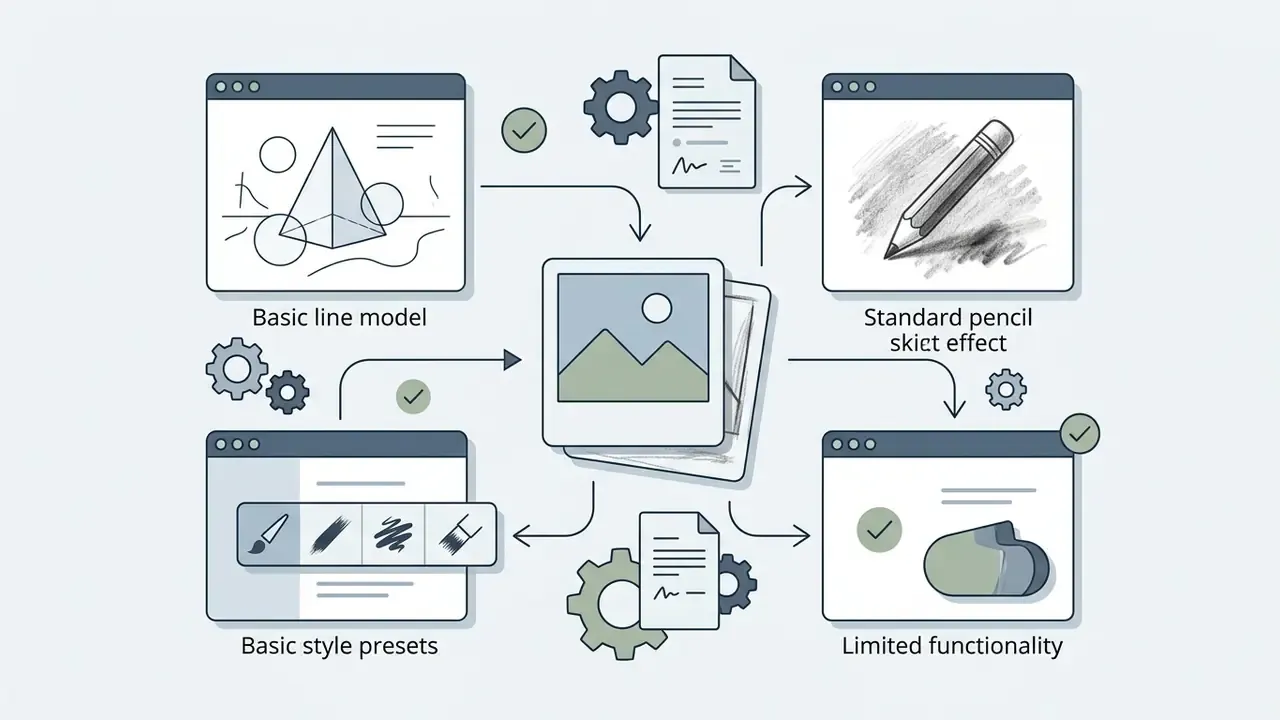
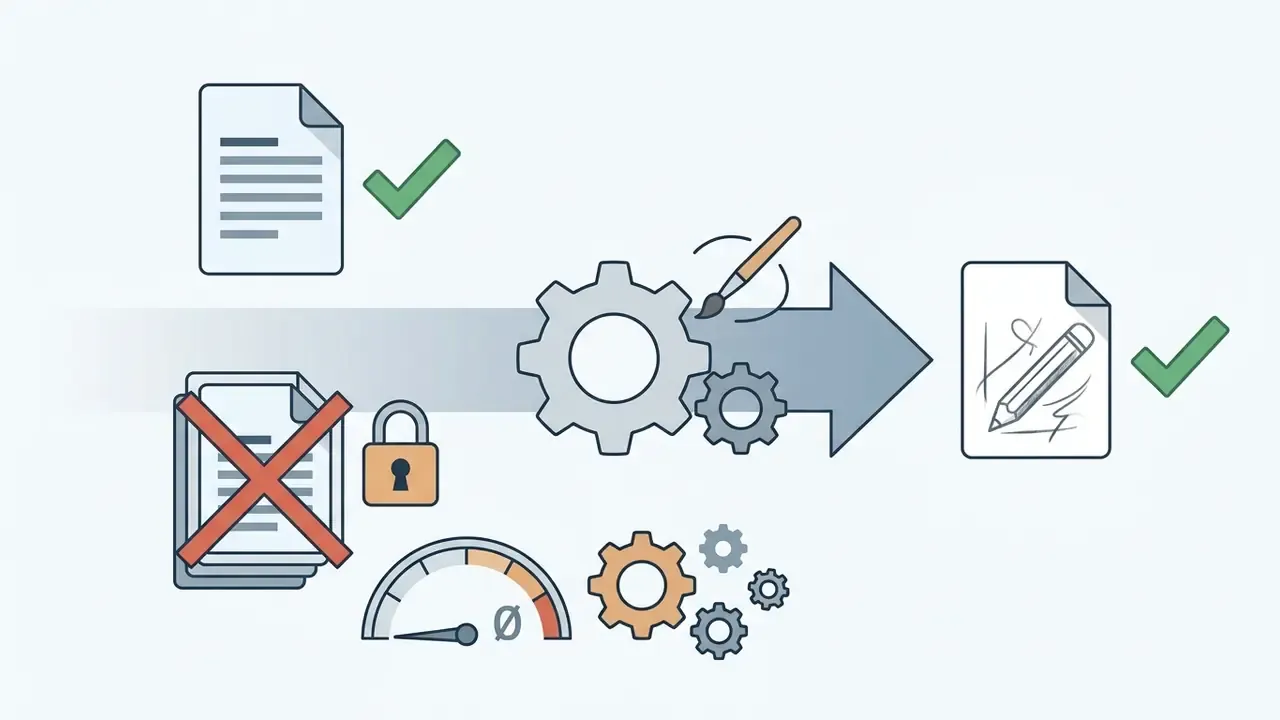
A standard ai photo to drawing free tier exists for casual users and trial evaluation. Free platforms generally give you:
For personal projects or casual social posts, an ai photo to sketch online free converter delivers enough functionality with no upfront spend. Sketch 2 free credits, then a decision. That is the usual shape of it.
When Batch Conversion and High-Resolution Output Matter
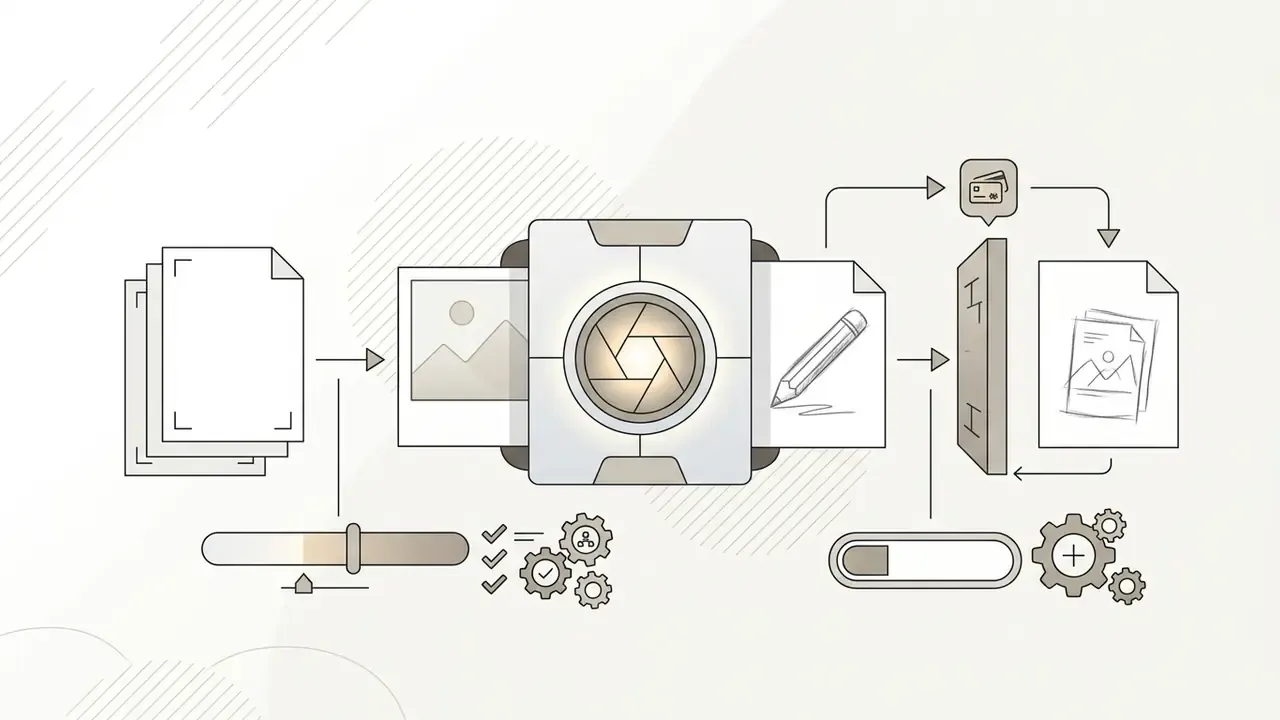
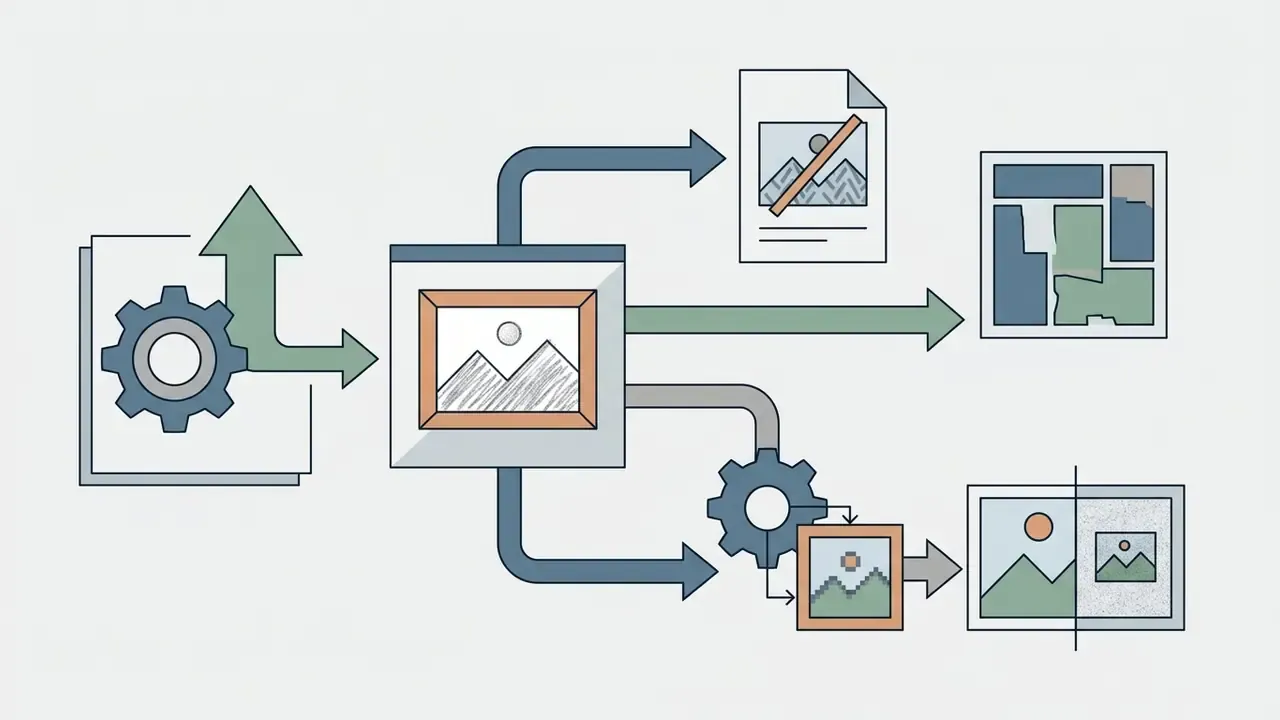
Professional creators, agencies and enterprises generally need a paid PRO plan. Higher tiers remove daily caps and unlock production-grade features:
- High-resolution output (4K/8K) high-DPI exports are essential for print publishing, merchandise production and large-format display, where crisp line quality is non-negotiable. Where a source file cannot supply the pixels, an upscaling pass sits between conversion and print. Stock-licensing documentation likewise ties permissible download size directly to subscription tier.
- Batch conversion processes dozens or hundreds of photos at once, which strips manual effort out of catalog conversions. Practical ceilings observed in 2026: consumer interfaces accept up to 8 images per queue, professional dashboards accept 8 to 50 images per parallel job or ZIP archive, and desktop batch processors (Photoshop's Image Processor being the classic reference implementation) handle format conversion, resizing and ICC profile handling for whole folders in one run.
- Watermark removal and commercial licensing PRO subscriptions grant full commercial usage rights and clean, unwatermarked exports. Some vendors layer an extra merchandise license for physical goods, occasionally capped by unit volume per asset.
- Priority server processing skips public queues for near-instant rendering during peak hours.
- Retention behaviour cache-tier temporary files on privacy-oriented converters are commonly purged automatically within 15 minutes of generation. Other vendors keep uploads for 30 to 90 days by plan tier, and a minority retain training-relevant images for up to six months. Read the specific policy. The variance here is enormous.
Free vs. PRO vs. Enterprise Feature Comparison
| Feature Capability | Free Access Tier | Advanced PRO Subscription Tier | Enterprise / Institutional Tier |
|---|---|---|---|
| Conversion Volume | Limited (e.g., 2–10 credits per day) | High / Unlimited (e.g., 1,000+ credits/month) | Contracted volume with committed throughput |
| Maximum Export Resolution | Standard HD (720p – 1080p) | Ultra HD / Print-Ready (4K – 8K / 300 DPI) | 8K plus vector/PDF delivery for print production |
| Watermark Status | Included on exports (or tiled) | Fully removed / Clean output | Clean output, brand-controlled templates |
| Batch Processing | Not available (single file upload only) | 8–50 files per job, ZIP upload supported | Queued pipelines via API / scheduled jobs |
| Max File Size / Min Dimensions | ~20 MB / 512×512 px | Up to 100 MB / 512×512 px | Configurable per contract |
| Commercial Usage Rights | Personal / Non-commercial use only | Full commercial license included | Negotiated license, indemnity terms available |
| Processing Speed | Standard queue (subject to server load) | Priority GPU processing queue | Dedicated capacity / SLA-backed latency |
| Data Retention | Vendor default (often 15 min – 90 days) | Configurable retention window | Zero-data-retention option, contractual non-training clause |
| Identity & Access | Email login | Seat-based accounts | SSO / SAML / SCIM, role-based access control |
| Security Attestations | Typically none published | Varies by vendor | SOC 2 Type II, ISO 27001, penetration-test reports |
| Deployment | Multi-tenant public cloud | Multi-tenant public cloud | Private VPC / regional data residency |
| Auditability | None | Basic generation history | Full audit logs, model/version documentation, DPIA support |
Privacy and Commercial Use of AI-Generated Sketches
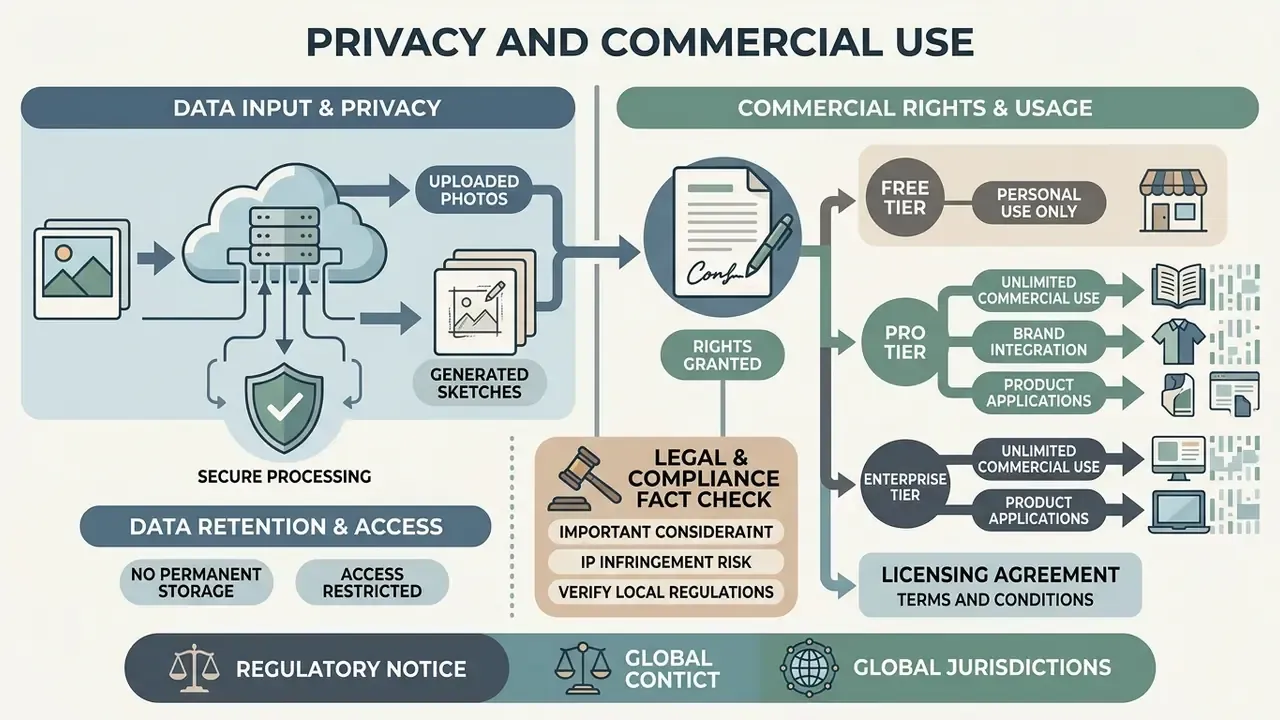
Running AI tools on personal photos or client projects means assessing data privacy policies, platform terms of service and intellectual property rules. Our hub on commercial use of AI-generated imagery tracks how those terms differ across major vendors.
For deeper analysis of legal precedent and industry developments, visit our dedicated AI Media Commercial-Use Hub and review current updates on AI Litigation and Case Timelines.
Are Uploaded Photos Private and Safe?
Data safety depends directly on the privacy policy and storage architecture of the specific vendor. Reputable platforms follow strict data minimization, processing uploaded images temporarily in memory and purging them from cloud servers shortly after conversion.
Unverified or wholly free online services, by contrast, may keep uploaded photographs for long periods, or use them to retrain proprietary models. The observed policy spread is wide. Some vendors delete source photos "promptly" after generation and explicitly forbid training on user images. Others delete after 30, 60 or 90 days depending on plan. And at least some retain model-training photos, outputs and identifiers for up to six months.
Widely referenced AI risk guidance points in one direction here. The NIST AI Risk Management Framework and its generative-AI profile (NIST AI 600-1, July 2024) call on organisations to verify consent for the use of individuals' likenesses, strip personally identifiable information from datasets, and monitor generated imagery for privacy exposure, facial likeness leakage included. Applied to sketch conversion, that becomes a concrete vendor checklist: automated deletion schedules, encryption in transit and at rest, restricted internal access to user assets, and documented purpose limitation. Privacy regulators have taken a parallel line, with guidance stating that sensitive information must be deleted from datasets where valid consent cannot be obtained and no exception applies.
If you handle sensitive personal photos or proprietary corporate imagery, confirm that the provider explicitly guarantees zero model retraining on customer data. In regulated environments, facial imagery should be classified as PII, and in some jurisdictions as biometric data. That classification pulls sketch conversion into the scope of GDPR and CCPA obligations, retention schedules and data-protection impact assessments.
Can You Use AI Sketches Commercially?
Commercial use of AI-generated drawings splits into two distinct legal questions: contractual platform rights, and statutory copyright protection.
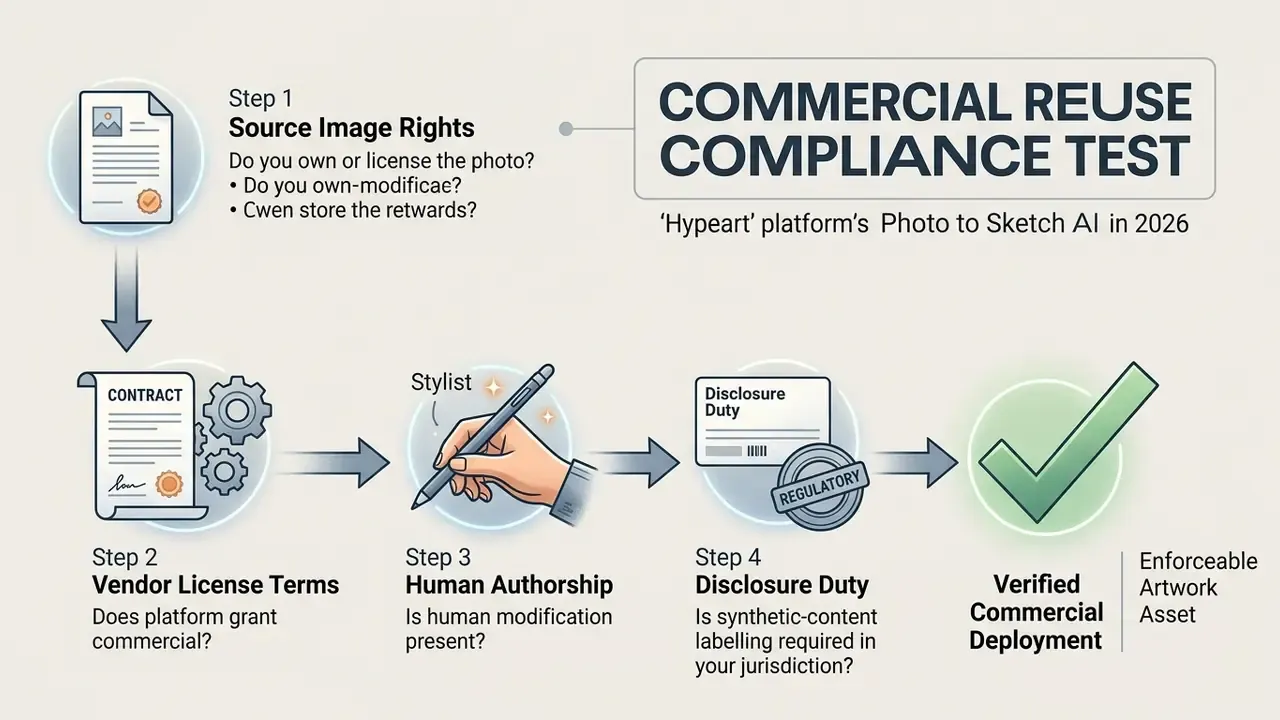
Legal & Compliance Fact Check
Regulatory notice: the information here is educational and does not constitute formal legal counsel. Before publishing, selling or redistributing AI-generated drawings commercially, run basic due diligence:
- Verify that you hold full commercial rights or licenses to the original source photograph.
- Review the active terms of service of the specific AI tool, to confirm that commercial output ownership is contractually granted.
- Ensure compliance with relevant privacy regulation (GDPR, CCPA and similar) when processing personal likenesses or third-party portraits, and treat facial imagery as PII by default.
- Acknowledge that pure AI output lacking substantial human authorship may not qualify for statutory copyright protection under US law.
- Confirm whether synthetic-content disclosure or labelling obligations apply in your distribution markets.
- Document the human creative contribution (composition choices, edits, arrangement) if you intend to claim any copyright in the final asset.
Enterprise Governance: Preventing Shadow AI Sketch Uploads
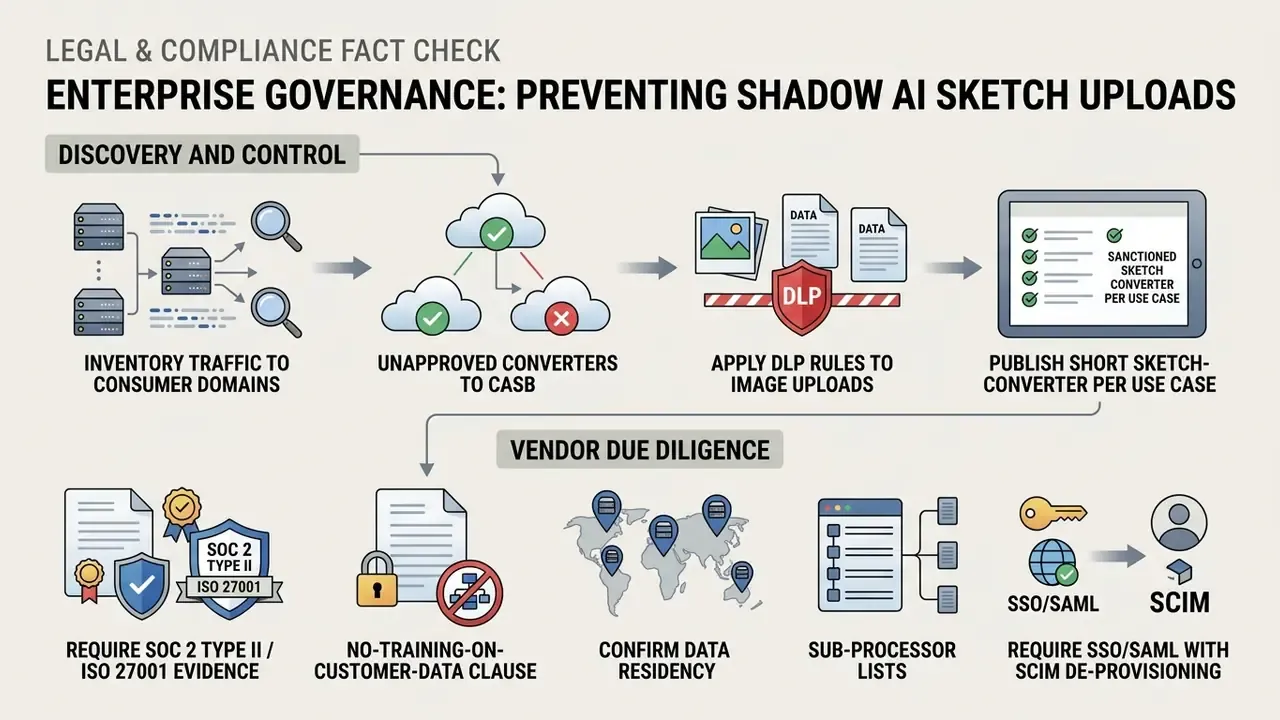
Frequently Asked Questions (FAQ) About Photo to Sketch AI
Do You Need Drawing Skills to Create a Sketch from a Photo?
No. You need no drawing skills, no manual sketching experience and no graphic design background to create a professional sketch from a photo with an AI tool.
Modern ai create drawing from photo platforms are engineered for intuitive, beginner-friendly operation. The backend model handles line extraction, shading distribution, perspective mapping and stroke rendering. Your role is narrow: upload a clear picture, select a style preset, download the finished artwork. Vendor documentation across the category is consistent on this, with typical instructions amounting to "upload an image, pick a style, download," and no settings required.
What is required is judgement rather than draftsmanship. The U.S. Department of Labor's AI Literacy Framework (2026) defines five workplace competencies: understanding AI basics, exploring appropriate uses, directing AI effectively, evaluating outputs and using AI responsibly. Applied here, the skill that separates a good result from a bad one is prompt direction and output evaluation, not shading technique.
Can I generate a sketch without any source photo?
Yes. Text-to-sketch generation builds a drawing from a written description alone. Use the formula Subject + Medium + Line Style + Shading Method + Detail Level + Background, and include explicit line-art vocabulary such as clean outlines, minimalist ink or fine line weight. Many platforms also accept a reference image plus a prompt, using a structure-reference control to hold composition while changing the medium.
How many photos can I convert at once, and what are the file limits?
Free interfaces typically accept a single file per session at up to about 20 MB, with a 512×512 px minimum. Paid tiers commonly accept up to 100 MB per file and process 8 to 50 images per batch or ZIP archive. Supported formats are almost universally JPG/JPEG, PNG and WebP.
How long are my uploaded photos stored?
It depends entirely on the vendor. Privacy-oriented converters purge cached uploads and outputs automatically within about 15 minutes. Others delete after 30, 60 or 90 days by plan tier, and a minority retain training-relevant images for up to six months. Enterprise contracts can specify zero data retention with a contractual non-training clause.
Are portrait uploads treated as biometric or personal data?
Facial imagery should be treated as personal data by default, and in several jurisdictions as biometric or sensitive data, depending on how it is processed and whether identification is possible. That classification triggers consent, purpose-limitation, retention and deletion obligations under regimes such as GDPR and CCPA. It is also the reason consumer sketch converters are unsuitable for staff or customer photographs without a vendor review.
Can our institution validate a photo-to-sketch tool under existing model risk policy?
Yes, and it should be documented rather than exempted. Register the tool in the model inventory with intended use, owner, model and version dependencies, known failure modes and a human-review control. Validation depth should scale to materiality: a decorative illustration pipeline warrants lightweight documentation and sampling-based output review, whereas anything feeding regulatory or investor disclosures warrants formal sign-off, audit logging and retention of source-plus-prompt evidence. The NIST AI RMF requirement to define and document operator proficiency applies at every materiality level.
Is an online sketch converter as good as a hand-drawn sketch?
It depends on the goal. Automated conversion is fast, consistent and repeatable at scale, which is ideal for catalogues, printables and asset families. A human illustrator contributes interpretation, emphasis and narrative choices that automated stroke synthesis does not replicate. Many production teams use AI conversion as the base layer and add human finishing, which also strengthens any copyright claim in the final work.
Can I turn a photo into a coloring page or a stencil?
Yes. Choose a clean line art or high-contrast ink preset, set abstraction high, and specify "no shading, no gray fill, thick uniform contour." For stencils and tattoo transfer, prefer solid black fills over gradients, because gradients neither transfer nor cut reliably.
What export formats should I request for print?
For screen printing, engraving, embroidery and book interiors, request vector output (SVG or EPS) or a PDF wrapper alongside a 300 DPI raster. Publishing style guides commonly require line art as vector plus PDF, with lines that stay smooth above 100% zoom. Raster-only line art often fails that test.
Appendix A: Editorial Corrections and Source Upgrades
Maintained for transparency. Each entry shows the earlier wording published in a previous revision, then the current, source-backed replacement.
| # | Earlier wording | Current status |
|---|---|---|
| 1 | "research on character line drawing generation demonstrates how cross-scale dense skip connections allow models to preserve facial identity…" (no named source) | Updated — attributed to P2LDGAN, ACM ICMR (2023), with dataset size (1,532 pairs) and DOI link. |
| 2 | "According to research on geometry-semantic line drawing generation by Chan et al. (2023)…" (no URL) | Updated — direct citation with arXiv URL and specific description of the geometry and CLIP-semantic losses. |
| 3 | "Based on latent diffusion research with explicit abstraction controls…" (no named source) | Updated — attributed to Chen, Conditional Human Sketch Synthesis with Explicit Abstraction Control, arXiv (2023), with URL. |
| 4 | "Recent advancements in one-shot face sketch synthesis show that diffusion models equipped with generative priors…" (no source, no data) | Updated — attributed to the OS-Sketch paper, arXiv (2025), including the 400-pair dataset and one-shot training protocol. |
| 5 | "Models trained with identity-sensitive recognition losses penalize structural distortions" (mechanism unattributed) | Updated — mechanism attributed to IsGAN's identity-sensitive recognition loss as surveyed in line-drawing literature. |
| 6 | "reducing design production costs by 85%" (stated as fact) | Reframed — now labelled a single self-reported internal estimate against an outsourced quote, explicitly not an audited benchmark. |
| 7 | "According to privacy standards outlined in NIST AI guidance, enterprise-grade AI platforms must implement automated deletion schedules…" | Reframed — now attributed to the NIST AI Risk Management Framework and its generative-AI profile (AI 600-1, 2024) as risk-management guidance on consent, PII removal and likeness monitoring, rather than a binding platform mandate. |
| 8 | "According to workforce AI literacy frameworks established by the U.S. Department of Labor (2026), contemporary web tools lower the technical entry barrier…" | Clarified — the DOL framework defines five AI-literacy competencies (understand, explore, direct, evaluate, use responsibly); the low entry barrier claim is now supported separately by vendor workflow documentation. |
| 9 | Section titled "Technical Troubleshooting and Support" containing only outbound hub links | Replaced — expanded into the Shadow AI governance checklist above; the support and calculator hub links are retained at the end of that section. |
| 10 | Style coverage limited to four presets | Expanded — eight presets documented with line-weight and shading-density parameters. |
| 11 | Named corporate case study for the governance report workflow | Reframed — presented as a composite illustrative scenario, with no implied client, vendor or documented business result. |