Splice Video Editor is a mobile-first video creation application built for editing short clips, adding audio, and publishing straight to social media. Checking its functionality, subscription model, and device compatibility first saves pain later, especially if the app will land on company-managed phones rather than personal ones.
Executive summary
What Splice Video Editor is and which tasks it fits
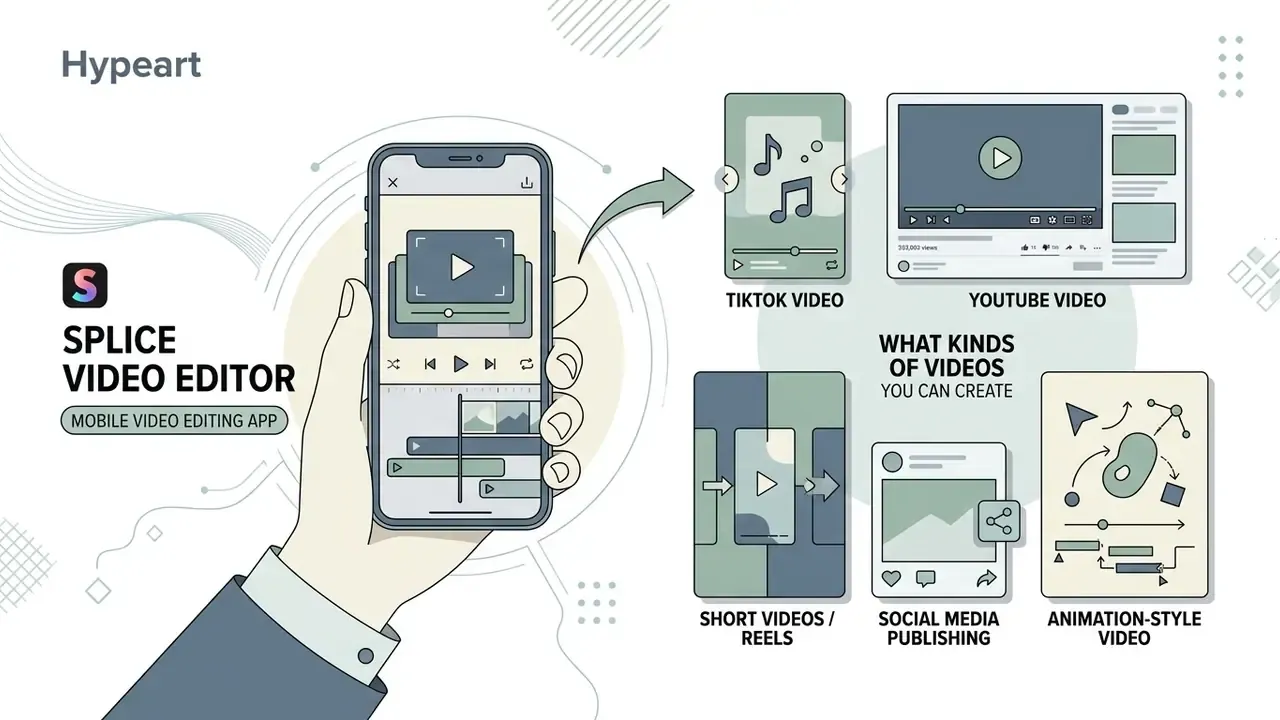
Splice Video Editor is a specialized mobile video editing app developed by Bending Spoons S.p.A. for assembling short video clips, vlogs, and social media content directly on iOS and Android devices. It provides multi-track timeline editing, speed adjustment, sound effects, and direct export, without a desktop workstation in the loop.
Originally designed around phone cameras, the app targets solo creators, social media managers, and digital workers who need rapid editing tools. That positioning is consistent with the developer's own store descriptions, which frame Splice as delivering "all the power of a desktop video editor" on a phone. Independent third-party review claims about audience composition remain directional rather than verified data; primary confirmation comes from the App Store and Google Play listings themselves. It simplifies cutting, trimming, and overlaying video effects for fast distribution on TikTok and YouTube, and sits in the same category as other consumer-grade video editing tools.
Use-case cards: where Splice performs well
Implementation note for layout: render these as a semantic list, each card wrapped in a figure element with a caption, and alt text combining "splice video editor" with the scenario name.
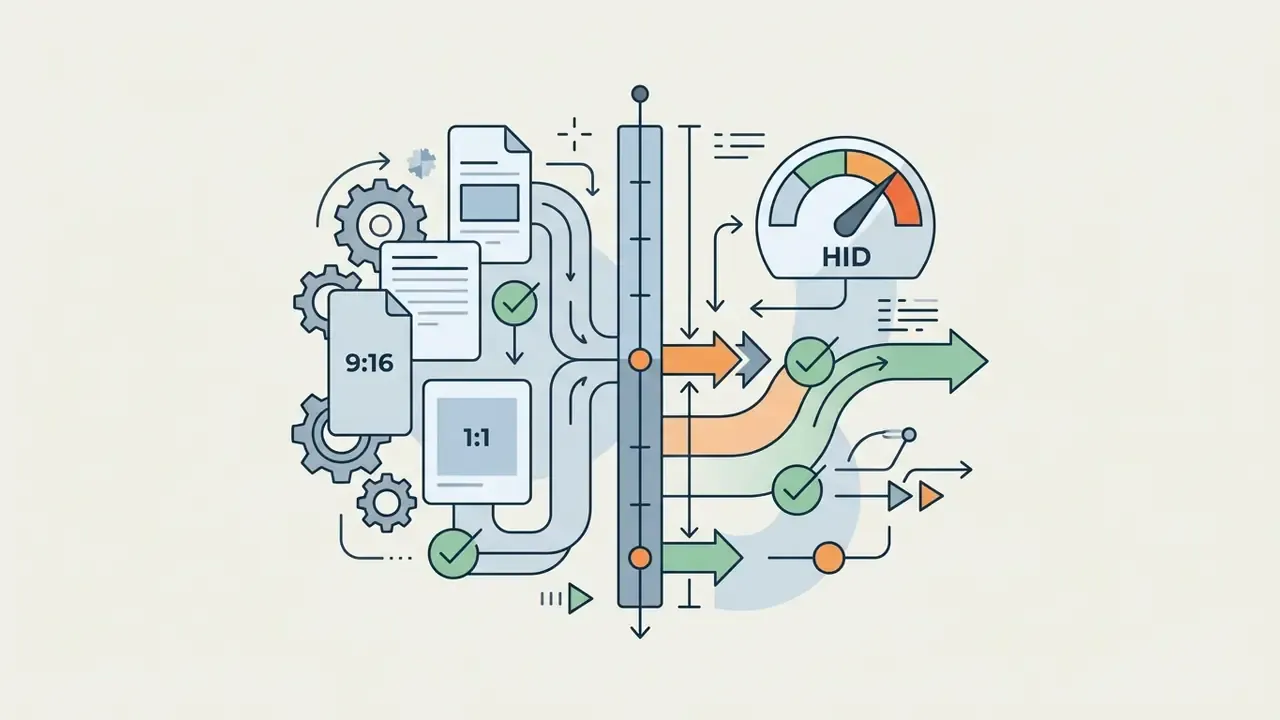
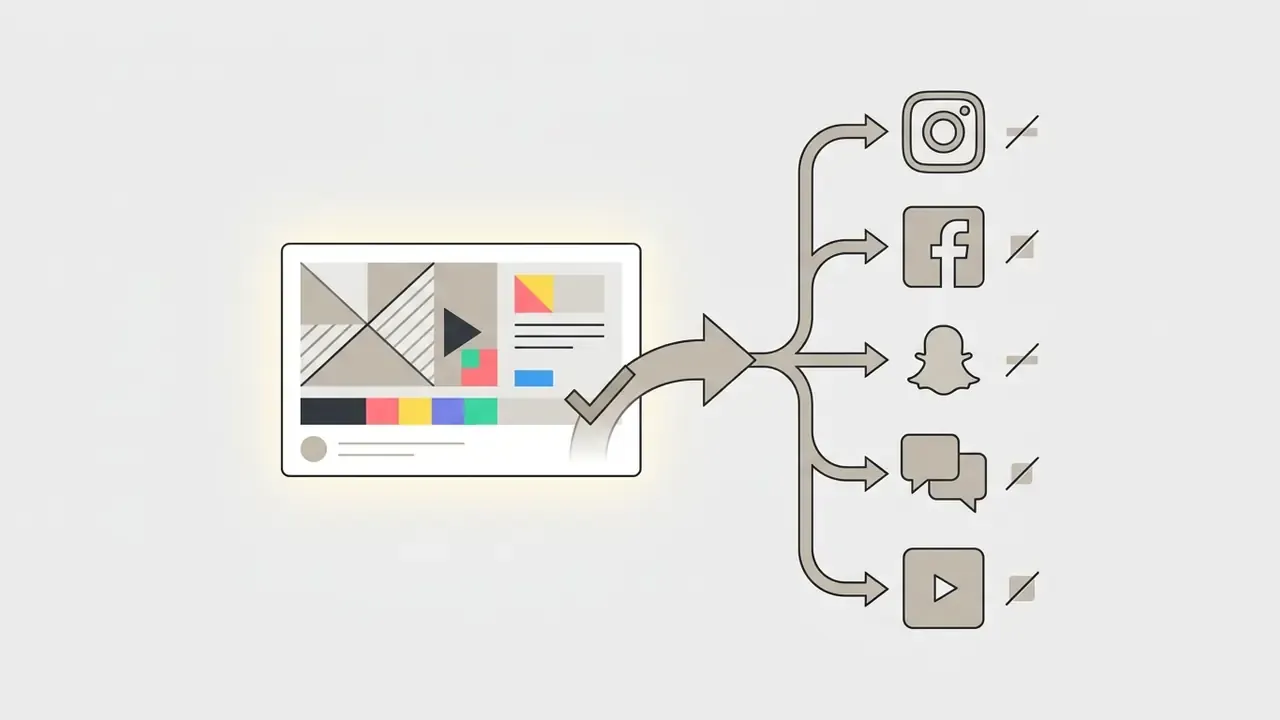
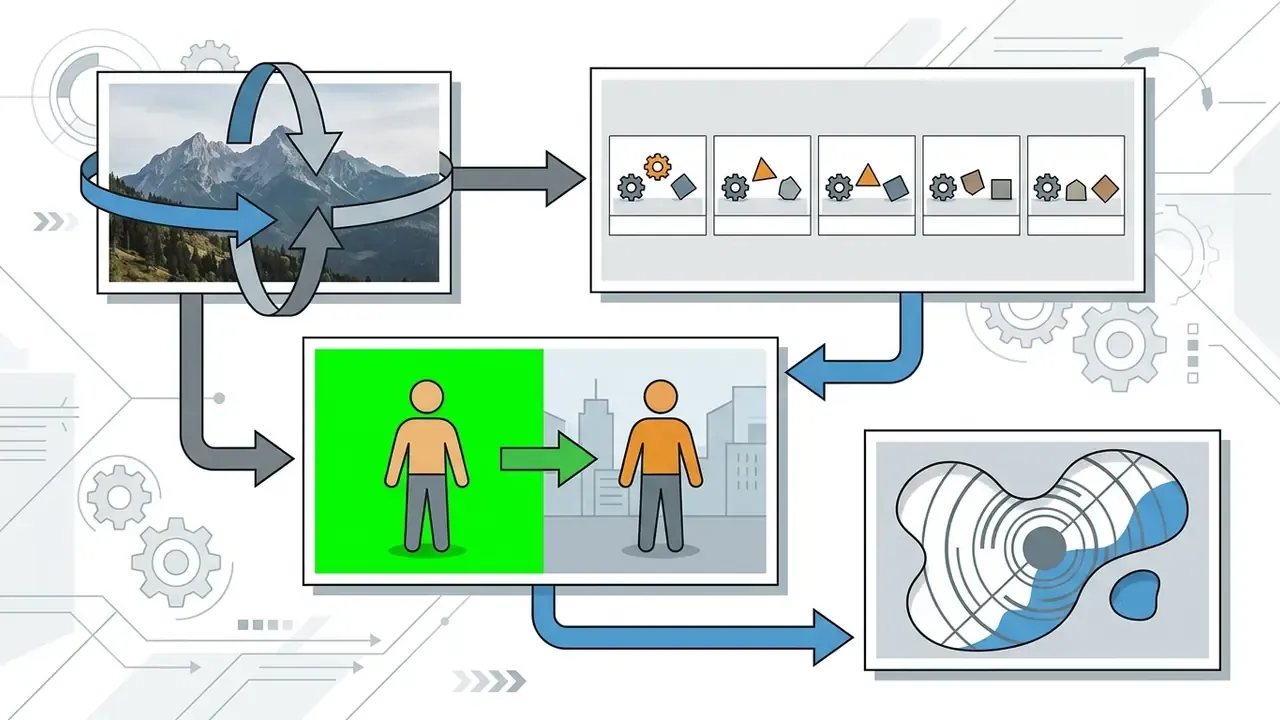
Splice as a video editor & maker for mobile editing
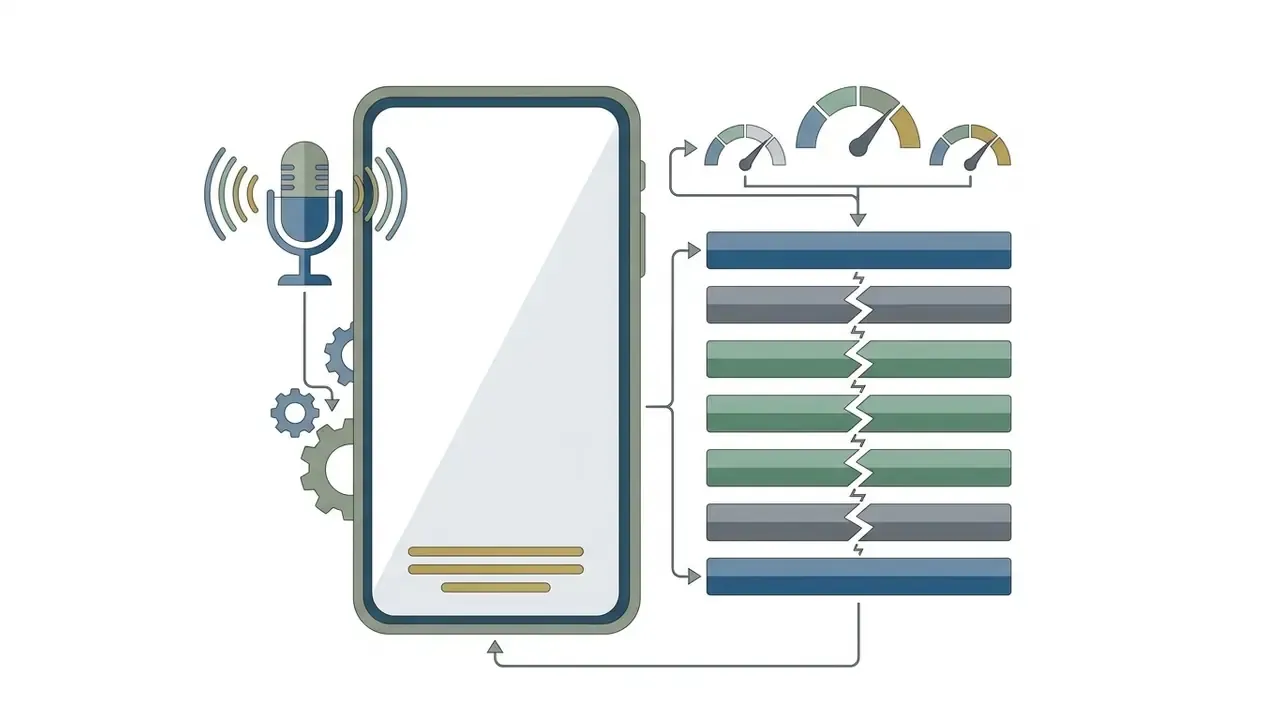
As a mobile video editor & maker, Splice combines clip-splicing controls with automated asset organization on a compact timeline. Users merge camera-roll files into one video using touch gestures and drag handles. No project bin, no render queue, no separate audio session. Just the roll and the timeline.
The editing interface allows precise timing adjustments down to 0.01 seconds, according to the Splice Help Center. That precision is what makes clean cuts possible on a mobile device without desktop editing software, though your thumb becomes the limiting factor rather than the app.
«The AVscript study (N=12) showed that a script-based interface significantly reduces cognitive load and increases the confidence of blind content creators.»
What kinds of videos you can create in Splice
Splice is engineered to create short videos, TikTok posts, Instagram Reels, YouTube uploads, and motion-stylized animation projects. The application supports vertical 9:16, square 1:1, and horizontal 16:9 aspect ratios, with 1080×1920 and 1920×1080 as the practical delivery resolutions for social platforms.
Academic and industry research confirms that short-form video formats yield higher audience engagement.
«YouTube channels that integrated Shorts recorded a 2.3-fold increase in average watch time compared with channels without short-form video.»
Splice also supports stop-motion sequences, time-lapse and hyperlapse creation, and animated pan-and-zoom effects. In-app animation is applied per clip: select the clip, tap Animate, enable Ken Burns, then set the start and end frame. Animation speed changes when photo duration changes, which catches people out on the first attempt. Anyone assembling stylized or illustrated sequences may also want a generative layer upstream, in the way an ai manga generator or an ai map generator produces source frames before the edit begins.
Where Splice Video Editor is available: Android, iPad, Windows, and Mac
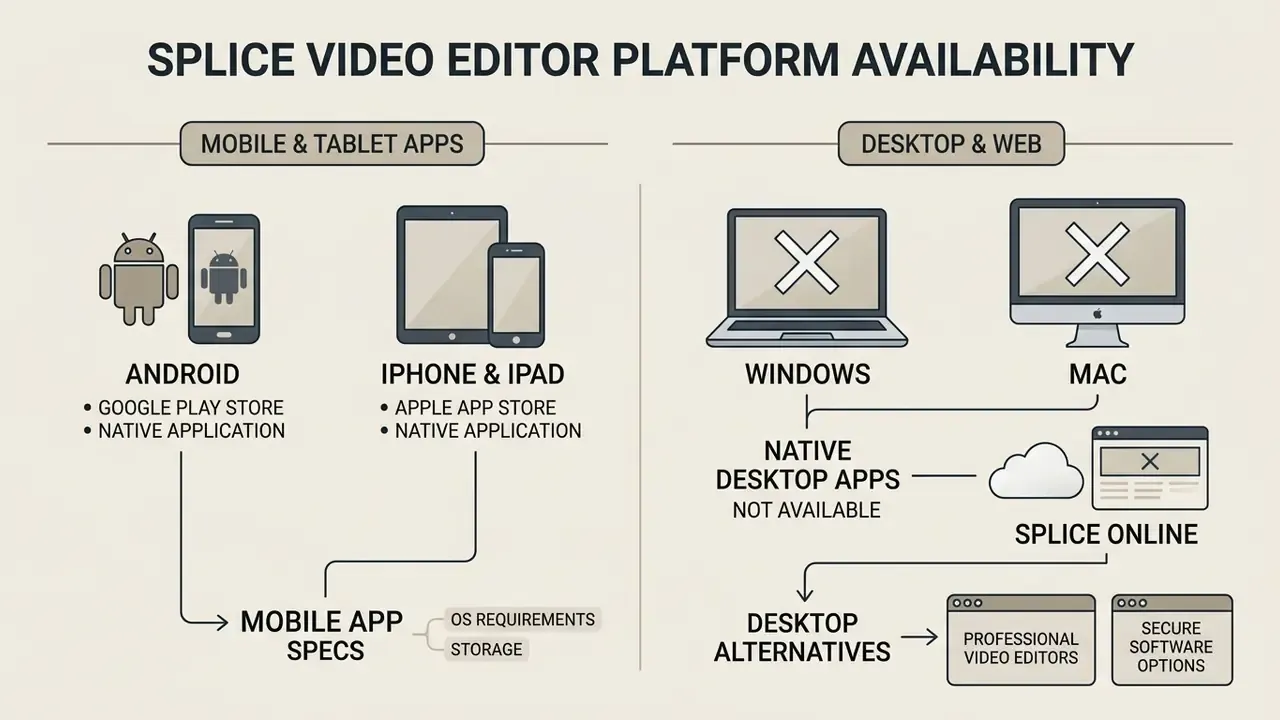
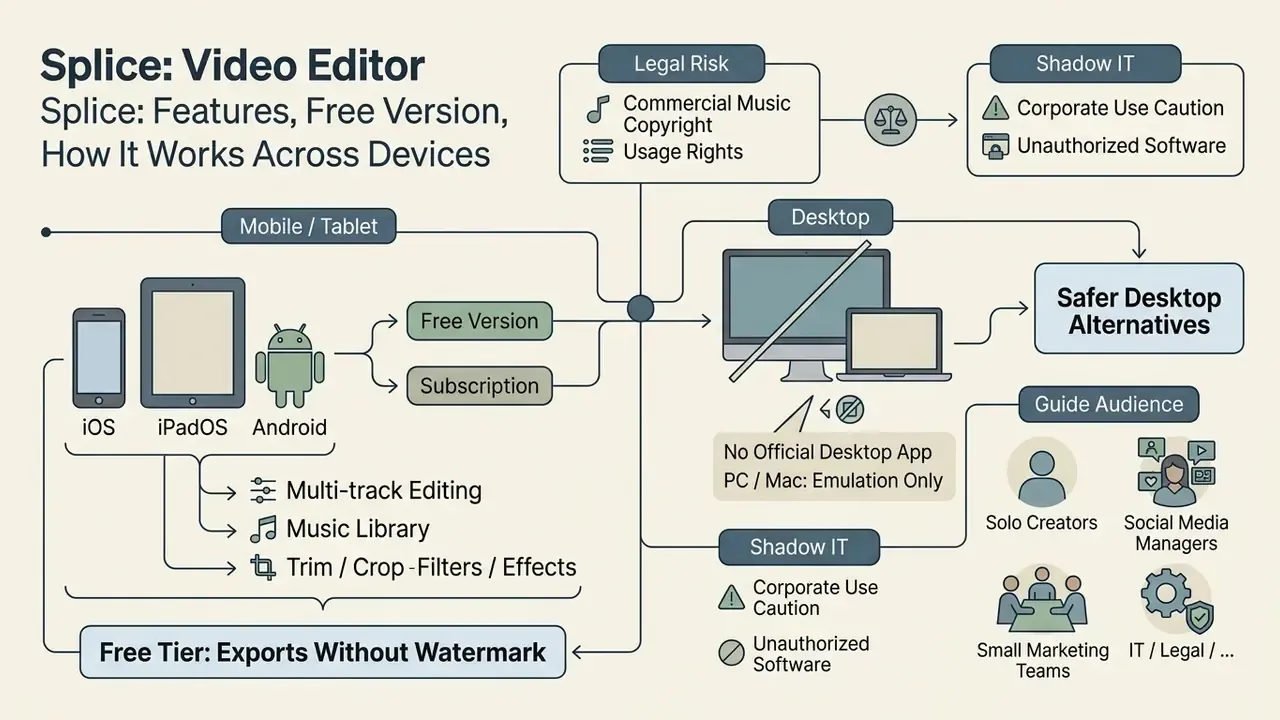
Splice Video Editor is officially available as a native mobile application on Android via Google Play and on iPhone/iPad via the Apple App Store. An official native desktop version for Windows or macOS does not exist for the video editor.
Developer Bending Spoons does offer a desktop application for its separate Splice audio sample catalog (officially supported on macOS 12+ and Windows 10+), but the video editor itself stays strictly mobile. Confusing the two products is the single most common source of misinformation about "Splice for PC."
Splice Video Editor for Android and iPad
The Splice Video Editor Android edition is distributed through Google Play, while the iPad and iPhone editions are available on the Apple App Store, requiring iOS/iPadOS 14.0 or later.
Both mobile platforms support touch gestures, background audio mixing, multi-track timeline organization, and local rendering. App Store records show native tablet optimization: the listing is explicitly "Designed for iPad." Apple's listing also notes a practical constraint. The app works with media files stored locally on the device, so cloud-only files (items kept in Dropbox, for example) must be downloaded to the Camera Roll before import.
Is there a Splice Video Editor for Windows and Mac?
An official Splice Video Editor desktop application, meaning a standalone Splice video editor for Windows or a Splice video editor for Mac, does not exist for video editing.
Users attempting to run the software on a PC or Mac must rely on third-party Android emulators or iPad screen-mirroring tools, or move to dedicated free video editing software built for desktop workflows. Emulation setups introduce operational overhead, rendering latency, and performance instability.
How to run Splice on Windows and Mac through the BlueStacks emulator
NoxPlayer follows the same sequence: install the emulator, open its Google Play tab, search for Splice, install, then place source media in the emulator's shared directory.
Drawbacks and limitations of emulating Splice on a PC
- Controls. No mouse-optimized workflow and no keyboard shortcuts. The interface is still a touch UI stretched onto a desktop screen.
- Performance. High CPU and RAM consumption; crashes, lag, and rendering failures become common on projects longer than about one minute, or on detailed multi-layer timelines.
- Export. No native desktop export presets and no direct save paths into the PC file system. Finished files land in the emulator's virtual storage and must be copied out.
- Editing ceiling. The emulator mirrors the mobile experience, so complex projects hit mobile limits rather than desktop ones.
Security warning for IT and risk owners. There is no legitimate Splice-video-editor.exe installer for the video app. Search results promising a direct Windows or macOS free download of the Splice video editor are a recognized malware and adware distribution vector. Emulators themselves also widen the attack surface on a corporate workstation: they install a virtualized Android environment, request a Google account sign-in, and create a shared folder bridging the host file system. On managed devices, treat emulator installation as a Shadow IT event requiring approval, not a user-level choice. Escalation paths for that kind of request usually live with the same team that owns the AI Media Support and Troubleshooting queue.
Can you use Splice Video Editor online?
An official browser-based Splice Video Editor online service is not provided by the developer. Bending Spoons does not host an online video editor web application.
Content teams needing web-based editing tools must use dedicated online platforms such as Clipchamp or Kapwing. Claims about browser editors that circulate in vendor marketing reviews should be checked against the platforms' own feature pages, since commercial comparisons rarely publish methodology.
| Platform | Access method | Working format | Core editing capabilities | Limitations |
|---|---|---|---|---|
| Android | Google Play Store | Native mobile app (Android 8.0+) | Trimming, splicing, music libraries, effects, export | Dependent on device screen size and memory (Google Play, 2026) |
| iPad / iOS | Apple App Store | Native app (iOS/iPadOS 14.0+) | Multi-track editing, chroma key, masks, auto-captions | High battery draw on long projects; local media only (App Store, 2026) |
| Windows | No official video software | Android emulator (unofficial) | Emulated mobile interface | Rendering latency, crashes, no keyboard shortcuts |
| Mac | No official video software | Emulator or iPad mirroring | Emulated mobile interface | No native desktop optimization |
| Online (Web) | No web editor | Third-party browser editors only | Multi-layer web editing (in alternatives) | No official Splice cloud editor (FrameOS, 2026) |
In plain text: Android and iPadOS are the only first-party routes. Windows and Mac work through emulation at best, and the web option simply does not exist under the Splice brand.
Technical specifications of the mobile app
| Parameter | Android value | iOS / iPadOS value |
|---|---|---|
| Minimum OS | Android 8.0 or newer | iOS / iPadOS 14.0 or newer |
| Package ID | com.splice.video.editor | id409826222 |
| Distribution size | ~88.4 MB (XAPK/APK) | ~210 MB |
| File type on third-party mirrors | XAPK (e.g. build 2.0.255.102439) | App Store binary only |
| Requested permissions | ~23 permissions (camera, media, storage) | Photos, camera, microphone |
| Developer | Bending Spoons S.p.A. | Bending Spoons S.p.A. |
| Store rating snapshot | 3.6 to 3.7 / 5 (≈132 to 139K reviews) | 4.6 / 5 (≈423K ratings) |
Note: version numbers, build sizes, and ratings change with each release. Verify current values on the official store listing before documenting them in an internal software register.
Splice Video Editor alternatives for desktop and online editing
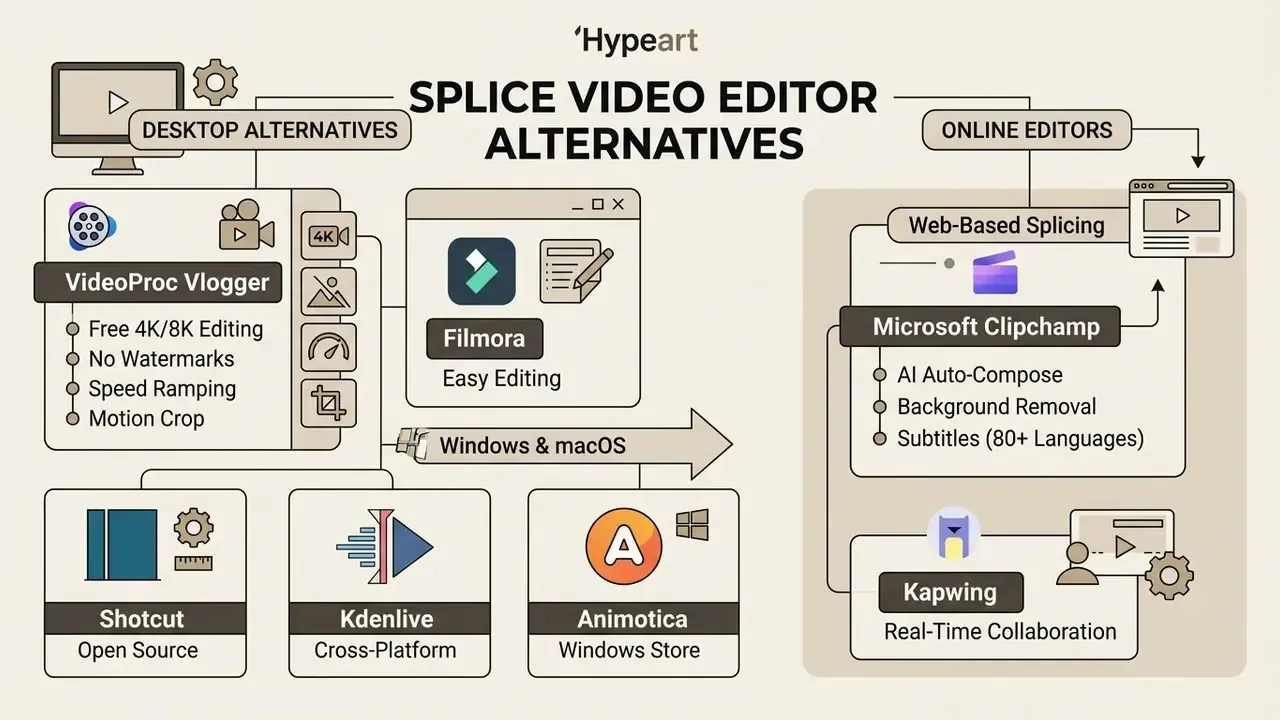
Users who need desktop editing software or browser-based tools can choose alternative editors such as VideoProc Vlogger, Filmora, Shotcut, Kdenlive, Animotica, Clipchamp, and Kapwing.
Because Splice lacks native PC or web applications, cross-platform video creation requires dedicated desktop or cloud software. Comparing the best free video editors is usually faster than fighting an emulator, and the wider AI Media Comparison Matrices cover the same trade-offs across adjacent tool categories.
«CapCut offers an effects and template library that exceeds Splice, and it is available free with a desktop version for Windows and macOS.»
Desktop alternatives for Windows and Mac
Desktop alternatives for Windows and macOS include Filmora, Shotcut, Kdenlive, VideoProc Vlogger, and Animotica, offering timeline controls, keyboard shortcuts, and hardware acceleration.
VideoProc Vlogger delivers free 4K/8K editing without watermarks, including speed ramping, motion crop, green screen, and visualized audiograms, while Filmora provides AI video tools and keyframing across desktop environments. Animotica is a Windows-only Microsoft Store editor with trim/split/merge, 50+ transitions, GIPHY sticker integration, and export tiers up to 4K, which makes it a close functional match for Splice's simplicity. Kdenlive adds multi-track timelines, proxy editing, audio scopes, and green-screen tools with zero licensing cost, while Shotcut offers color grading and keyframe control as open-source software on Windows, macOS, and Linux. Microsoft Photos on Windows 10/11 can join clips and add basic titles and music, but it cannot crop footage or handle overlays. Worth knowing before you promise a client a rework.
Online editors for splicing video
Online video editor options like Clipchamp and Kapwing run inside web browsers, offering real-time collaboration, AI auto-captions, and customizable video templates.
Microsoft Clipchamp provides AI auto-compose tools, background removal, subtitles in over 80 languages, and text-to-speech with a large voice catalog, making it a cloud alternative for multi-device workflows. Teams evaluating generative workflows alongside classic editing can compare the best AI video generators before committing to a subscription, and model the seat count with the AI Media Calculators if more than a couple of editors are involved. Creative teams building soundtracks in parallel often pair a browser editor with an ai lyrics generator or an ai mashup maker, which raises exactly the same licensing questions discussed later in this guide.
| Editor | Platforms | Pricing model | Key strengths | Main drawbacks | PC rating |
|---|---|---|---|---|---|
| Splice | Android, iOS, iPadOS | Freemium ($9.99/wk or ~$19.99/mo) | Fast mobile workflow, 400+ tracks, chroma key, watermark-free free exports | Mobile only, no desktop or web app, subscription-gated Pro tools | 3.8 / 5 |
| VideoProc Vlogger | Windows, macOS | Free | No watermark, 4K/8K and HDR support, storyboard editing, speed ramping | Slightly steep for absolute beginners | 4.8 / 5 |
| Adobe Premiere Pro | Windows, macOS | From ~$22.99/mo | Professional multi-cam, responsive graphics, time remapping | Expensive; heavy hardware demands | 4.7 / 5 |
| Wondershare Filmora | Windows, macOS, iOS, Android | From $19.99/mo | Huge AI effects library, keyframing, keyboard shortcuts, cloud assets | Watermark on free exports; slows on low-end PCs | 4.6 / 5 |
| Clipchamp | Windows, Web | Freemium (free / ~$11.99/mo) | AI captions and auto-compose, no install required, watermark-free 1080p | Needs stable internet; no keyframe controls | 4.3 / 5 |
| Kdenlive | Windows, macOS, Linux | Free (open-source) | Multi-track editing, proxy workflow, no watermark, zero cost | Confusing installation; drops on weak hardware | 4.2 / 5 |
| Shotcut | Windows, macOS, Linux | Free (open-source) | Color grading, keyframes, broad format support | Few templates; overkill for simple splicing | 4.1 / 5 |
| Animotica | Windows 10/11 | Free / paid unlock | Minimal UI, 50+ transitions, sticker packs, up to 4K export | Windows-only; limited advanced tooling | 4.0 / 5 |
| Kapwing | Web (browser) | Freemium (from ~$16/mo) | AI subtitles, background removal, collaborative templates | Watermark on the free tier | 4.0 / 5 |
Key takeaway from the table: if the only reason you wanted Splice on a laptop was screen size, a free desktop editor beats emulation on every axis except muscle memory.
Is Splice Video Editor free? Free version and usage terms
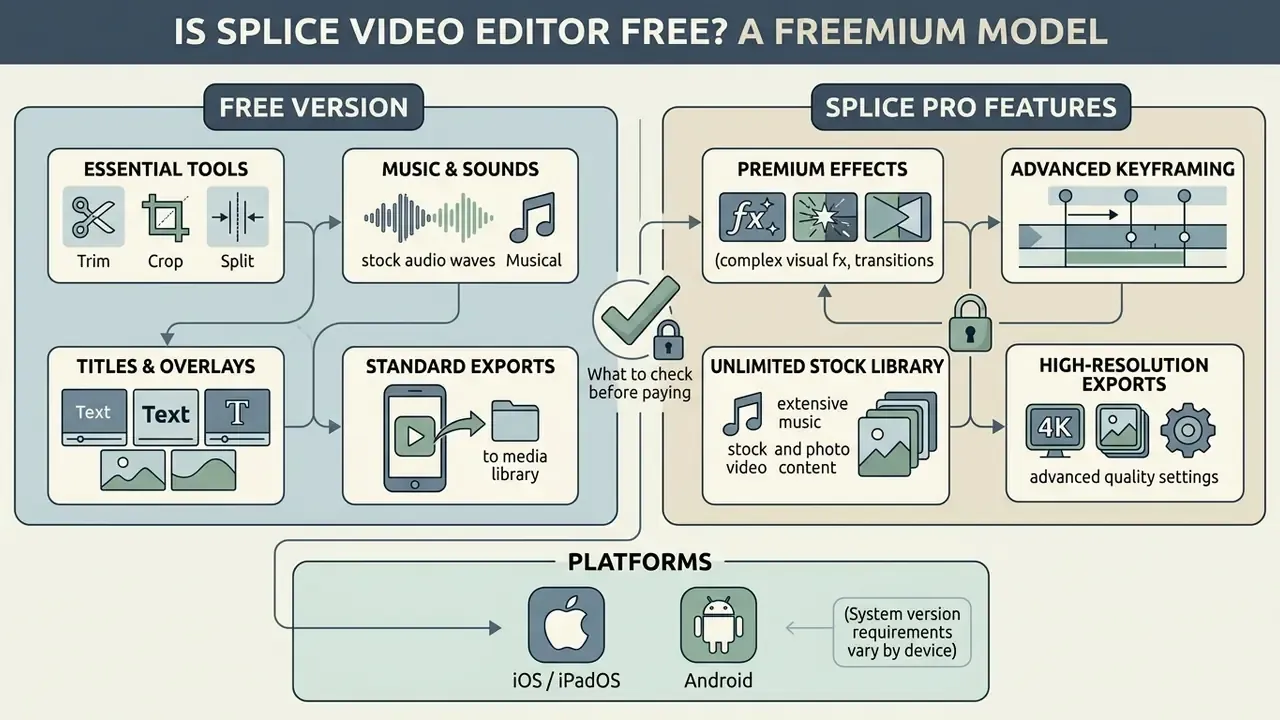
Splice Video Editor runs on a freemium distribution model. The core app is free to download, and basic trimming, clip joining, music additions, and watermark-free exports work without payment.
Questions such as "is Splice Video Editor free" or "is Splice Video Editor free to use" are answered by that tiered structure: basic tools are free, but advanced filters and premium assets require a paid plan.
«The free version of Splice allows video export without a watermark, a rare advantage among mobile editors.»
Apple's own listing supports this: the watermark can be switched on or off at the end of the video.
What the free version of Splice includes
https://oreate.ai/
What to check before paying for Splice Pro features
Before buying premium access, inspect recurring payment terms, weekly or monthly rates, auto-renewal rules, and the Pro features marked with blue crown icons.
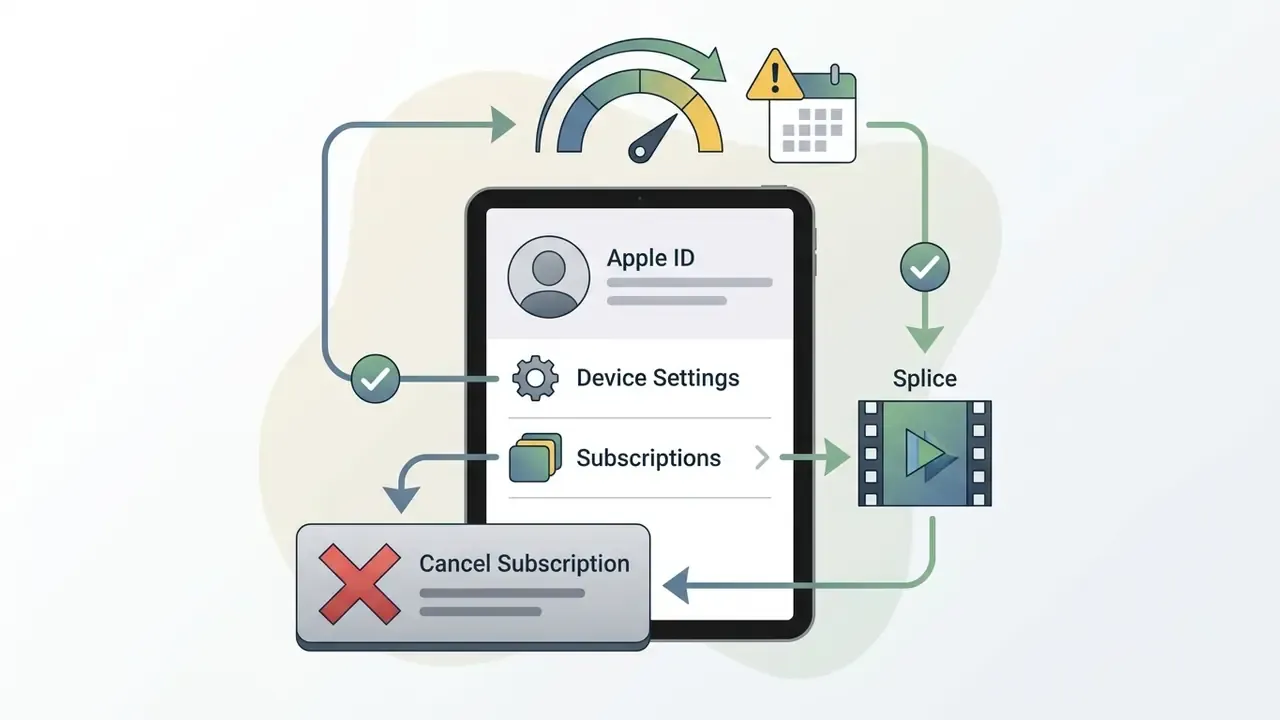
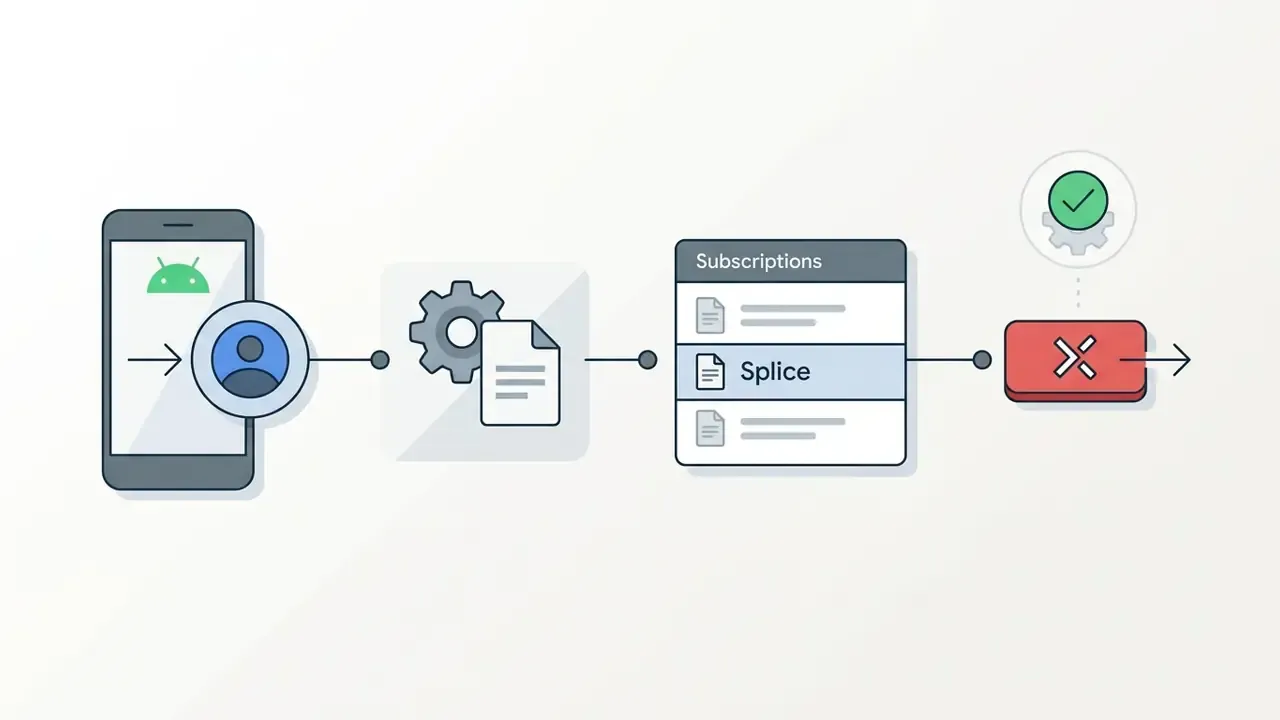
Subscriptions auto-renew through Google Play or Apple ID accounts unless canceled at least 24 hours before the billing cycle deadline, per the Splice Terms of Use.
«On iOS, plans are listed at $9.99 per week with a 7-day trial; subscriptions renew automatically through the Apple ID account.»
Fact-checking against the developer's plans page confirms that paid access starts at promotional rates such as $4.99 for the first month and then moves to roughly $19.99/month, with higher tiers priced separately. Free accounts still permit project assembly and watermark-free exports, while premium tools like chroma key and advanced masking need an active paid plan. Splice's help center also states that cancellation preserves access through the end of the current billing cycle rather than ending it immediately, and that trial availability varies by plan. Some new monthly subscribers are not offered a trial at all. Cross-check any figure you quote internally against the AI Media Pricing Guides and the store page on the day of purchase.
How to cancel a Splice subscription and avoid charges
- Record the renewal date in a shared calendar if the app was bought on a company card. Auto-renewal at the "then-current fee" is the most common source of unplanned spend.
Pricing and subscription terms are general information and subject to change. Verify current rates in the official app store before purchase.
Splice editing capabilities
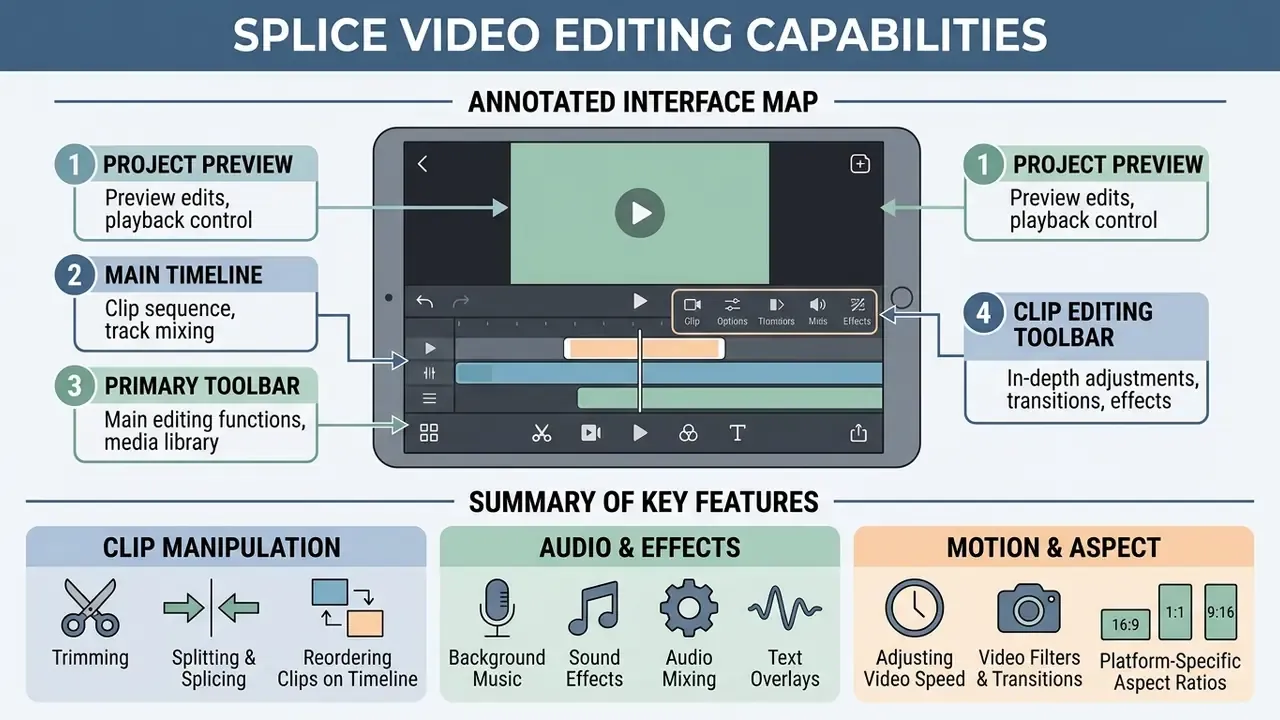
Splice offers a fairly complete set of video editing tools for clip manipulation, audio mixing, text animation, motion speed adjustments, and platform-specific aspect ratio framing.
The application balances mobile simplicity with advanced capabilities, including keyframing, masking, and chroma key compositing. Simple on the surface, deeper than it looks.
Trimming, splicing, and clip order on the timeline
Timeline operations in Splice let users trim, split, duplicate, reverse, and reorder video clips with touch handles. Tapping a clip opens the split tool at the playhead position, so you can delete unwanted footage and merge the rest into one video. Reordering works either by long-pressing and dragging a clip, or by selecting it and using Move before / Move after.
Music, sound effects, and audio work
Splice includes a catalog of over 400 royalty-free tracks, built-in sound effects, multi-track audio layering, and direct voiceover recording.
Users can mix background music with narrated voice tracks, apply fade-in and fade-out, and adjust levels to preserve speech clarity. The developer's help center documents both "how do I add a voice recording to my project" and "how do I add a track from Splice's music library," which confirms that narration capture and library insertion are first-class features rather than workarounds. Small detail, but it matters: voiceover records against the timeline position, so set the playhead before you start talking.
Text, video effects, slow motion, and aspect ratio
Visual editing features include custom animated text overlays, slow motion speed control, filters, exposure/contrast/saturation adjustment, and instant aspect ratio framing for social channels.
Pacing controls support time-lapse, hyperlapse, and slow-motion adjustments through a speed slider under the timeline. Framing presets adjust footage for 9:16 vertical, 16:9 widescreen, or 1:1 square formats. It is the same preset logic used by desktop and browser tools, and worth mapping against dedicated YouTube video editors if long-form publishing is part of the workflow. Text animation is where most creators overreach: three styles per project is usually plenty.
Annotated interface map (for the screenshot figure)
- Zone 1 - Project preview at the top of the screen, with the Aspect Ratio icon and the settings gear beside it.
- Zone 2 - Main timeline in the centre, pinch-zoomable, supporting trim precision to 0.01 seconds.
- Zone 3 - Primary toolbar at the bottom: Music, Text, Audio, Voiceover.
- Zone 4 - Clip editing toolbar, revealed after selecting a clip: Trim, Split, Speed, Effects, Masks, Chroma Key.
How to create and export a video in Splice
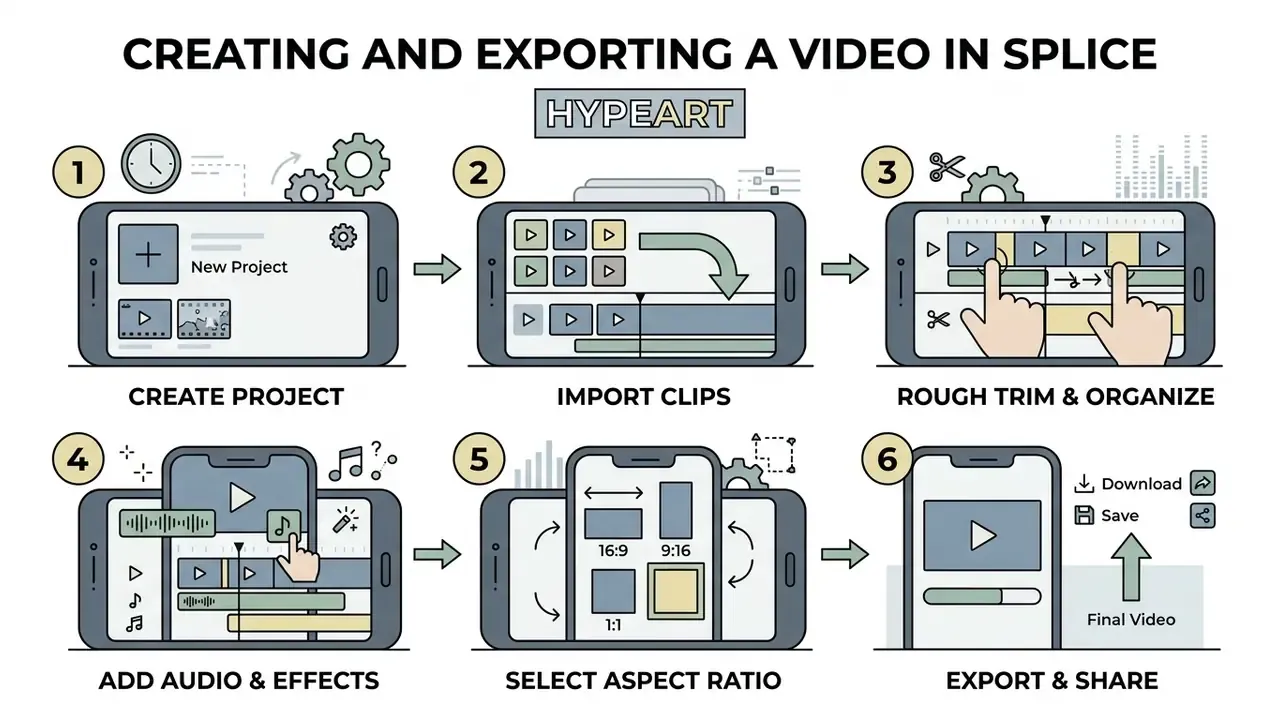
Creating and exporting a video in Splice means importing source media, arranging clips on the timeline, applying cuts and audio, choosing an aspect ratio, and starting the export. The workflow is optimized for mobile completion, from first import to final camera-roll save.
Adding clips, trimming, and setting splice order
Project creation begins by selecting photos and video clips from the device gallery, adding them to the timeline, and dragging trim handles to set video length.
Pressing and holding a clip lets you reorder video clips before adding sound effects or text overlays. Splice saves project edits instantly after each change, so tapping X returns to the home screen without losing work. Slightly unnerving the first time, then reassuring.
Transitions, final review, and video download
Finalizing a project involves inserting transitions between clips, adjusting transition duration, previewing playback, choosing export resolution, and downloading the finished video to the camera roll.
Once rendering completes, the file can be saved locally or shared directly to social apps, including TikTok, Instagram, Facebook, Messenger, WhatsApp, email, and YouTube.
- Create the project: open Splice, tap "New project," and import video clips from the gallery.
- Rough trim: use the Trim tool to remove unwanted frames and settle clip order.
- Set up audio: add music from the built-in library or record a voiceover via the Audio button.
- Text and effects: add titles, configure text animation, and pick video effects.
- Aspect ratio: tap the Aspect Ratio icon and choose the format (9:16 for TikTok/Reels, 16:9 for YouTube, 1:1 for square posts).
- Transitions and export: add transitions between clips, check the preview, then tap Export to download the finished video to the gallery.
Delivery specs worth matching: 1080×1920 for vertical short-form, 1920×1080 for horizontal, 60 to 90 seconds for short-form, 1080p as the preferred resolution, MP4 as the preferred container, and file sizes kept under roughly 500 MB for TikTok and 650 MB for Instagram where possible.
Is Splice suitable for commercial video and social media?
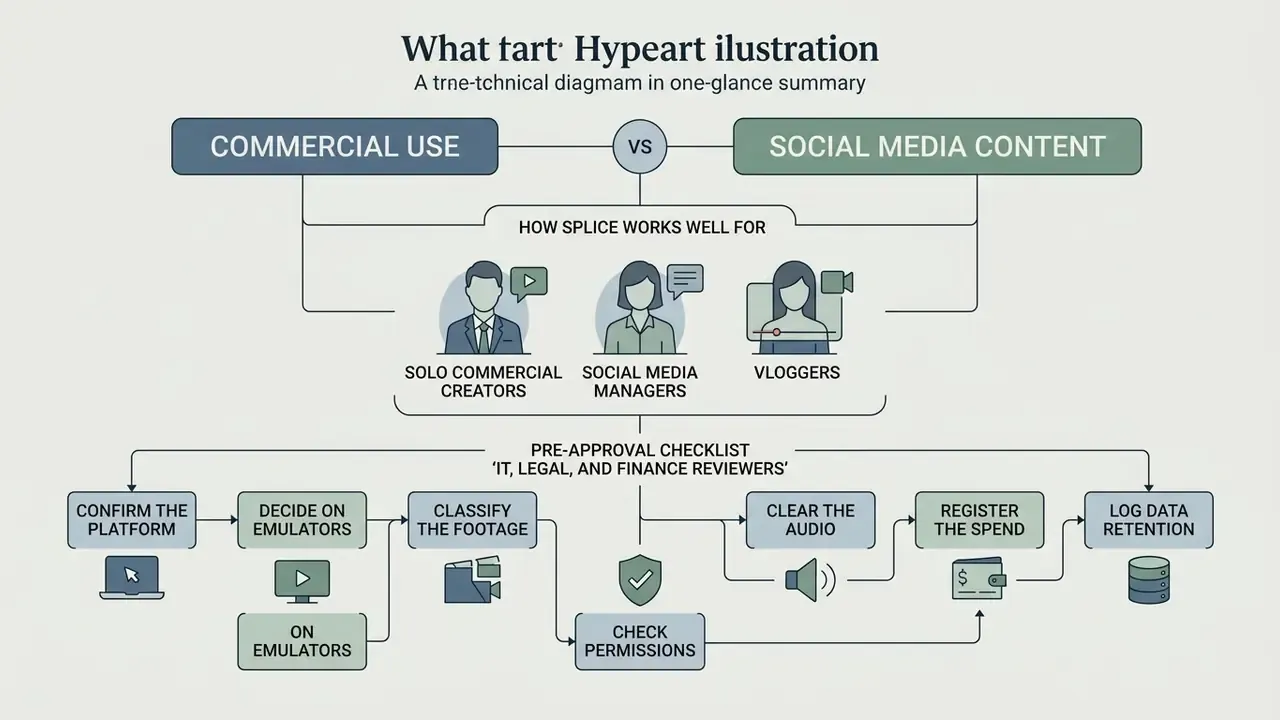
Splice works well for solo commercial creators, social media managers, and vloggers producing short-form assets without watermarks. It does not replace multi-camera project management for studio workflows.
Watermark-free export on the free tier means small business teams can publish clean promotional videos at no software cost. Commercial users, however, must verify music licensing before putting built-in audio into paid advertising.
«Splice's built-in music library is licensed within the app's own terms of use; commercial advertising requires checking the current usage conditions.»
The practical distinction for legal reviewers sits between organic social posting and paid media. A soundtrack cleared for a personal or organic brand post is not automatically cleared for a targeted paid campaign, a broadcast spot, or a monetized channel where synchronization rights and performance royalties apply. Note also that the royalty-free clearance advertised on the Splice Sounds plans page covers that separate sample catalog. It should not be read as blanket commercial clearance for the video app's built-in track list. Broader rights questions across generative and stock assets are collected in the AI Media Commercial-Use Hub, and the dispute patterns behind them are tracked in AI Litigation and Case Timelines.
This information is general and does not replace legal advice. Before using built-in music commercially, review the current Splice licensing agreement.
Pre-approval checklist for IT, legal, and finance reviewers
Use this list instead of anecdotal productivity claims when deciding whether to approve Splice on company-managed or BYOD devices:
- Confirm the platform.Approve only the official App Store or Google Play build (
com.splice.video.editor); block any "Splice for PC .exe" download. - Decide on emulators.If desktop use is requested, document whether BlueStacks or NoxPlayer installation is permitted on the endpoint, and who owns the Google account used inside the emulator.
- Classify the footage.Prohibit editing of confidential, customer-identifiable, or pre-release material in consumer apps; restrict Splice to marketing-cleared content.
- Check permissions.Review the roughly 23 Android permissions and the iOS photo, camera, and microphone prompts against your mobile device management baseline.
- Clear the audio.Require a licensing check on any built-in track used in paid media, and keep a record of the track, campaign, and date.
- Register the spend.Log plan type, price, renewal date, and cancellation owner; auto-renewal at the then-current fee is the default.
- Log data retention.Note the developer's 3 to 5 year retention window in your processing register and confirm a data subject request route.
Cost of ownership: mobile subscription vs desktop alternatives
| Option | Annual cost (indicative) | Watermark | Governance overhead |
|---|---|---|---|
| Splice weekly plan (~$9.99/wk) | ~$519 per seat | None on export | Mobile-only; emulator policy needed for desktop |
| Splice monthly plan (~$19.99/mo after promo) | ~$235 per seat | None on export | Auto-renewal monitoring required |
| VideoProc Vlogger / Kdenlive / Shotcut | $0 | None | Desktop-managed install, standard software review |
| Clipchamp (free tier) | $0 (1080p) | None | Browser-based; cloud data flow review needed |
| Filmora (from $19.99/mo) | ~$240 per seat | None on paid plans | Desktop-managed install, vendor contract |
Figures are indicative list prices for comparison and exclude taxes, regional variation, and volume agreements. The weekly plan costs roughly twice the monthly one over a year, which is the single easiest saving in this whole guide.
FAQ about Splice Video Editor
Frequently asked questions about Splice cover compatibility, software updates, data privacy, and monetization terms. Readers evaluating adjacent creative tooling may also want the broader overview of AI video generators, or the lighter consumer end of the category such as an ai love letter generator and an ai math solver.
Where to check the current version and app requirements
Users can verify the latest version and technical requirements for Splice directly on the Apple App Store (requiring iOS/iPadOS 14.0 or later) or on the Google Play Store page (Android 8.0 or higher). Store listings for the mobile editor were refreshed through 2025 and 2026, with recent public builds numbered in the 2.0.25x range on third-party mirrors and 4.28.x on the App Store snapshot. System requirements for the separate Splice desktop sounds application specify macOS 12+ or Windows 10+, and Linux is not supported. Updating the mobile app happens through the store itself rather than in-app. Older versions circulating on mirror sites are unsigned by the developer and should not be installed on managed devices.
Can I use Splice's built-in music in monetized or paid ads?
Not without verification. The 400+ track library is cleared under the app's terms of use for in-app projects, but monetized YouTube uploads, paid social campaigns, and broadcast placements introduce synchronization and performance rights that the in-app license may not cover. Check the current terms for the specific track, or swap in a separately licensed track before a paid campaign goes live.
Does Splice render video locally or in the cloud?
Splice is documented as a local-media editor. Apple's listing states the app works with media files stored locally on the device, and cloud-only files must be downloaded to the Camera Roll first. Rendering and export therefore finish on the device, and files land in Photos. Publicly available documentation does not describe a server-side rendering pipeline for the mobile video editor. Separate telemetry, identifier, and analytics flows are governed by the privacy policy rather than the render path. Teams handling sensitive footage should still treat the app as a consumer tool with vendor-side analytics, and request written confirmation of processing locations if regulatory assurance is required. If your organisation builds automated publishing pipelines, the integration questions are covered in the AI Media API Guides rather than here.
What to review in the security and privacy section
In the security and privacy settings, review data collection rules, device permissions, analytics consent toggles, and the in-app privacy controls managed by developer Bending Spoons S.p.A. The Android build requests roughly 23 permissions, including camera, microphone, and media storage access. Under GDPR guidelines, Bending Spoons processes mobile identifiers, device information, and interaction data, retaining user records for operational and analytical purposes.
«The Bending Spoons privacy policy (last updated 29 August 2024) sets data retention of up to 3 to 5 years from the user's last interaction with the app.» - Bending Spoons Privacy Policy (2024). https://bendingspoons.com/privacy.html The same policy states that analytics tracking requires explicit consent, and that third-party non-anonymized analytics or profiling also require consent. That makes the in-app privacy settings the practical control point for reducing data sharing. Bending Spoons operates a large acquired-app portfolio (including Evernote, WeTransfer, Meetup, Remini, and StreamYard), and public review sentiment about its monetization changes is mixed, with recurring criticism of subscription pricing after acquisitions. Store ratings reflect that split: approximately 4.6/5 on the App Store against 3.6 to 3.7/5 on Google Play. Read the Google Play comments before a team-wide rollout; the complaints cluster around billing rather than editing quality. This information is general and does not replace advice from a data protection specialist. For current details on personal data processing, consult the official Bending Spoons privacy policy.
What to do next
- If you need a bigger screen: skip the emulator and pick a native desktop editor from the comparison table above.
- If you need policy cover: run the seven-point pre-approval checklist before the first export.
- If you need cost control: set a renewal reminder 48 hours before the billing date and name an owner for cancellation.
How this guide was verified
- Platform availability was checked against the Apple App Store and Google Play listings for the mobile editor, and against the developer's separate desktop sounds application page.
- Pricing reflects publicly listed promotional and renewal rates at the time of review; regional pricing and in-app offers vary per account.
- Licensing statements rely on the published Splice Terms of Use and help-center articles, not on third-party review summaries.
- Privacy and retention figures come from the Bending Spoons privacy policy dated 29 August 2024.
- Unverified items are flagged in-text: audience composition, engagement uplift figures, and comparative ratings are directional signals rather than audited data.