Mobile users now perform direct image editing on roughly 40% of captured files. Evaluating an android photo editor app free tier therefore demands strict analysis of tool limitations, export resolution caps, watermarks, and commercial licensing terms. The store page rarely tells you any of that.
Regarding the domain entity hypeart.ai as a software vendor of photo editors: no verified information available. Any operational reference to hypeart.ai as an editor vendor remains hypothetical; this page is editorial.
What capabilities an Android photo editor needs
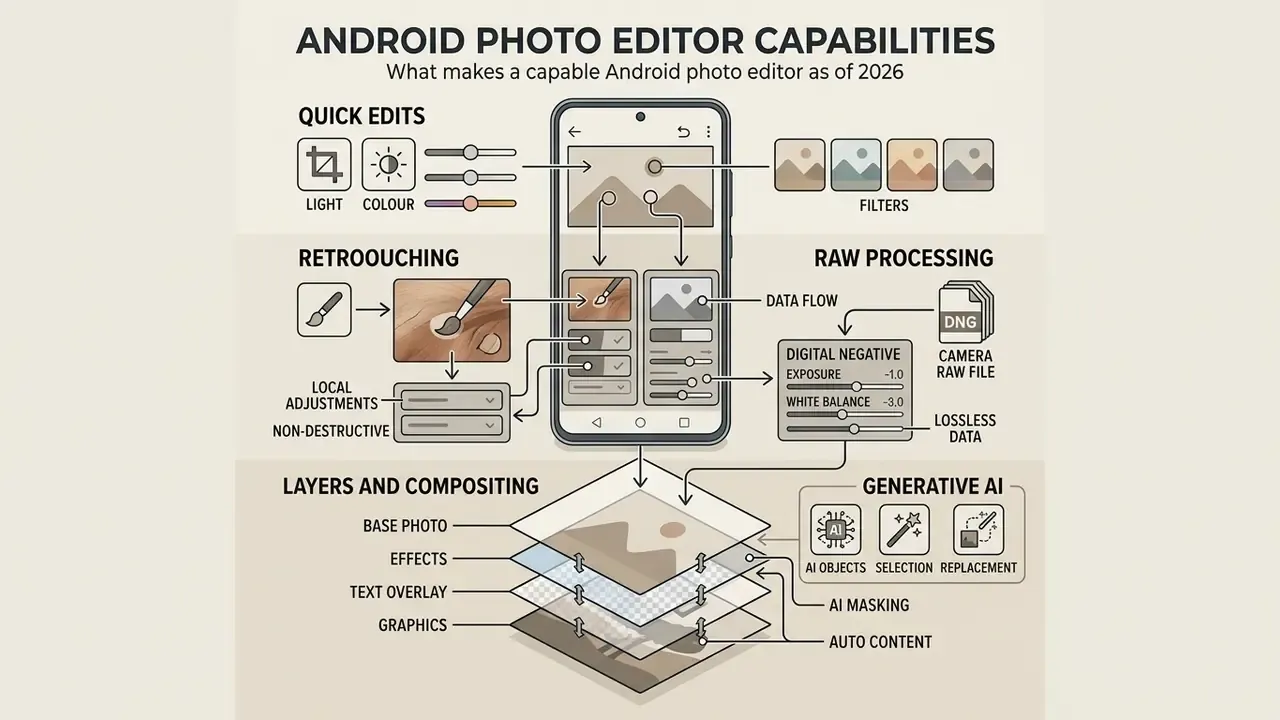
A capable android photo editor must handle four operational tiers: rapid global corrections, local non-destructive retouching, RAW digital negative processing, and AI object manipulation. The broader mobile photo editing apps market reached $7.2 billion in 2025.
«AI tooling is the fastest-growing segment at a 19.4% CAGR, while basic editing still generates 28.4% of market revenue.»
Task → tool map
| Editing task | Recommended tool | Why this one | Free-tier limit |
|---|---|---|---|
| Fast cropping and light | Snapseed / Google Photos | Instant start, auto-enhance, no ads | 100% free |
| Professional RAW (DNG) | Adobe Lightroom Mobile | Industry-standard HSL and profiles | Basic edits free; RAW + sync paid |
| Multi-layer compositing and PSD | Photopea / PhotoLayers | Alpha channels, blend modes, PSD export | Photopea free (banner ads) |
| AI sky replacement and relighting | Luminar Mobile / PicsArt | Generative algorithms in one tap | Trial edits, then subscription |
| Retro and film stylisation | VSCO / 1998 Cam | High-quality film LUT profiles | Starter preset pack free |
| Colourising black-and-white archives | Colorize | Purpose-built colourisation model | Limited free renders |
Capability tiers in practice:
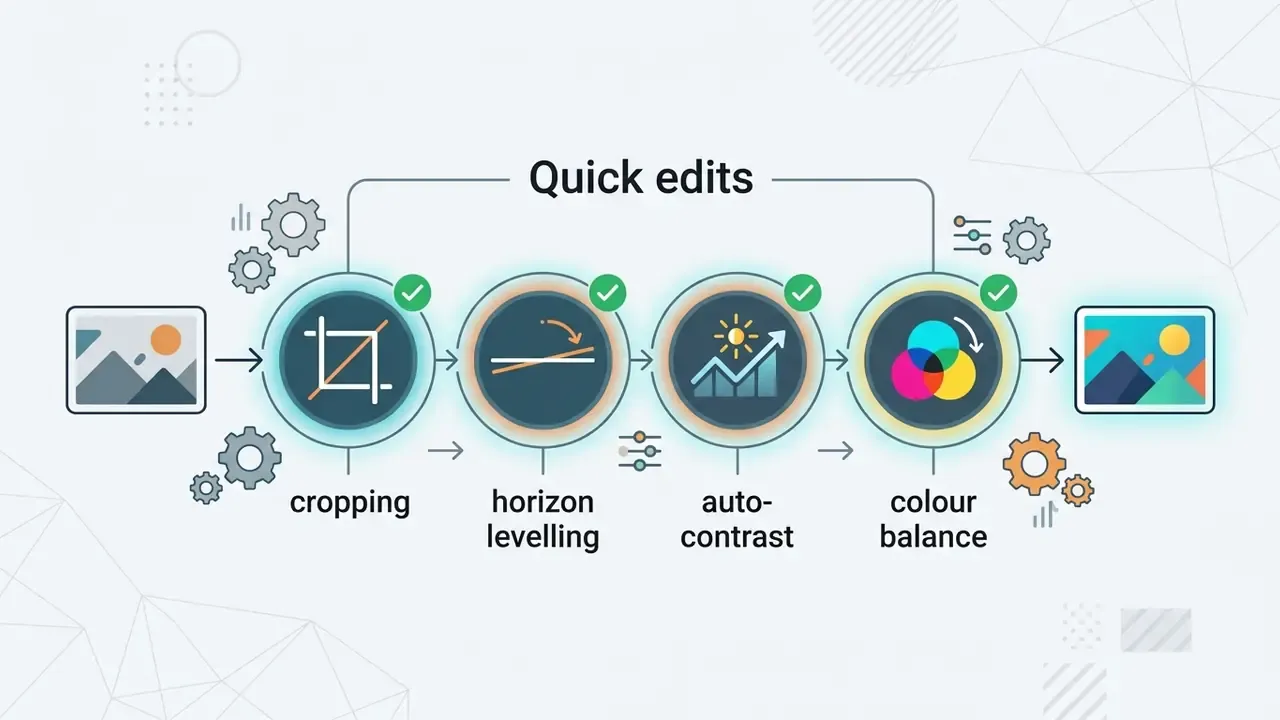
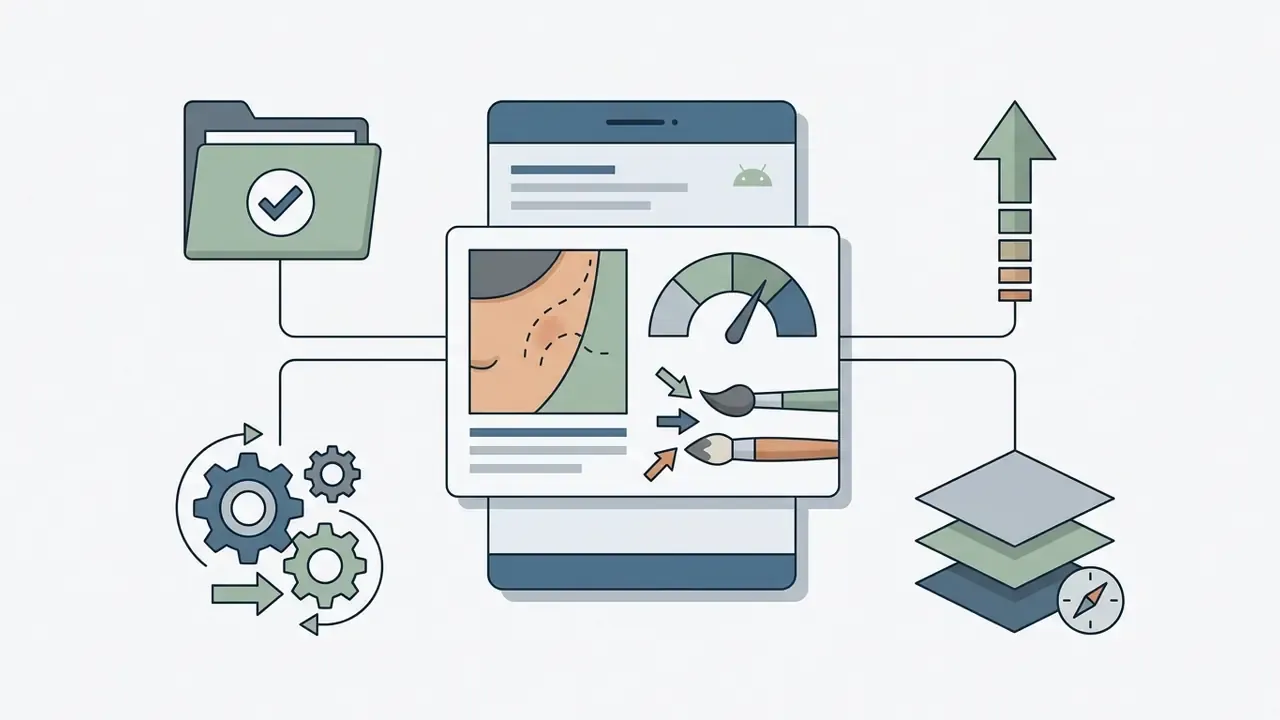

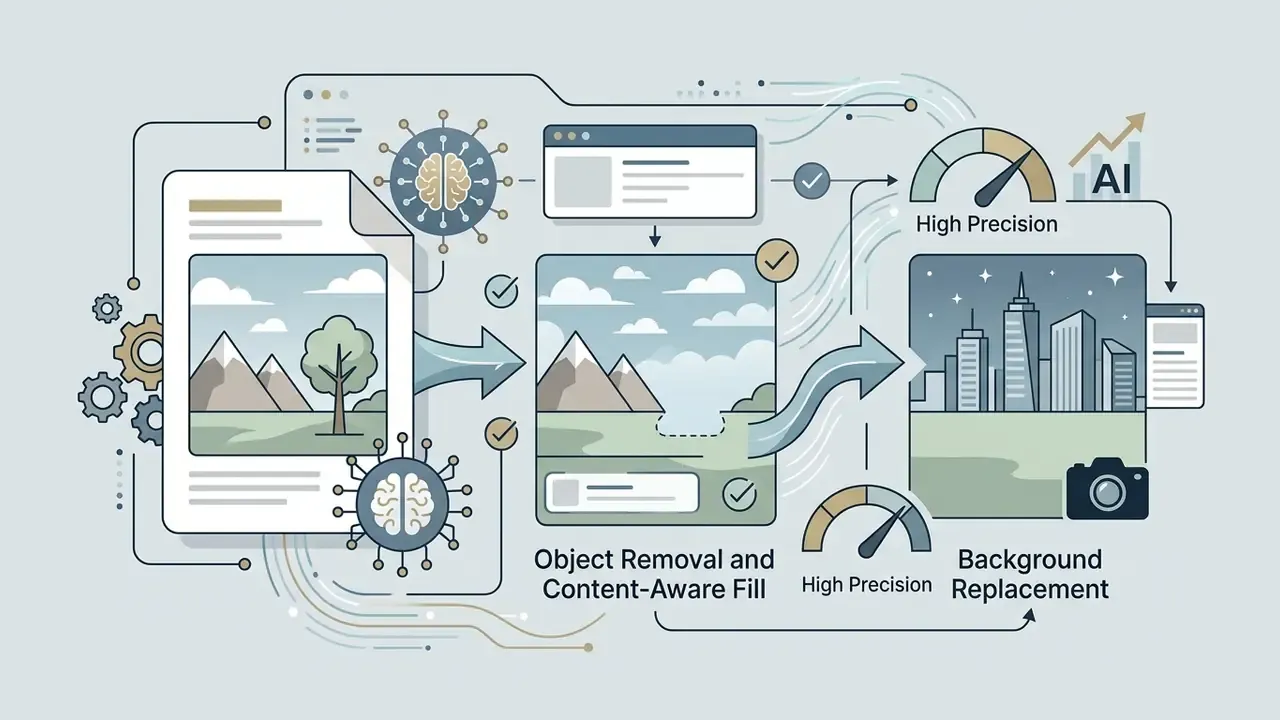
Quick photo edits: cropping, light, colour, and filters
Basic image editing tools represent the largest functionality segment in mobile software, accounting for $2.05 billion in revenue. Cropping, brightness, and colour correction remain the foundation of most apps, and they still deliver about 28.4% of functional market revenue (Growth Market Reports, 2025).
Cropping removes unwanted border artefacts and re-aligns composition. Exposure adjustments set overall luminance without clipping highlight detail. Colour balance corrections resolve tint issues caused by smartphone camera sensors operating under mixed lighting. The mechanism behind that matters more than most tutorials admit:
«Smartphone displays operate in a constrained colour gamut: RGB correction algorithms must compress or clip saturated colours during processing.»
Filter presets apply predefined colour look-up tables (LUTs) across the entire canvas. Useful for rapid publication, yes, but aggressive preset application degrades pixel detail, especially on an already-compressed JPEG. If you want a broader view of automated tooling, compare mobile presets against desktop and browser AI photo editors before standardising a workflow.
RAW, layers, and AI tools for complex editing
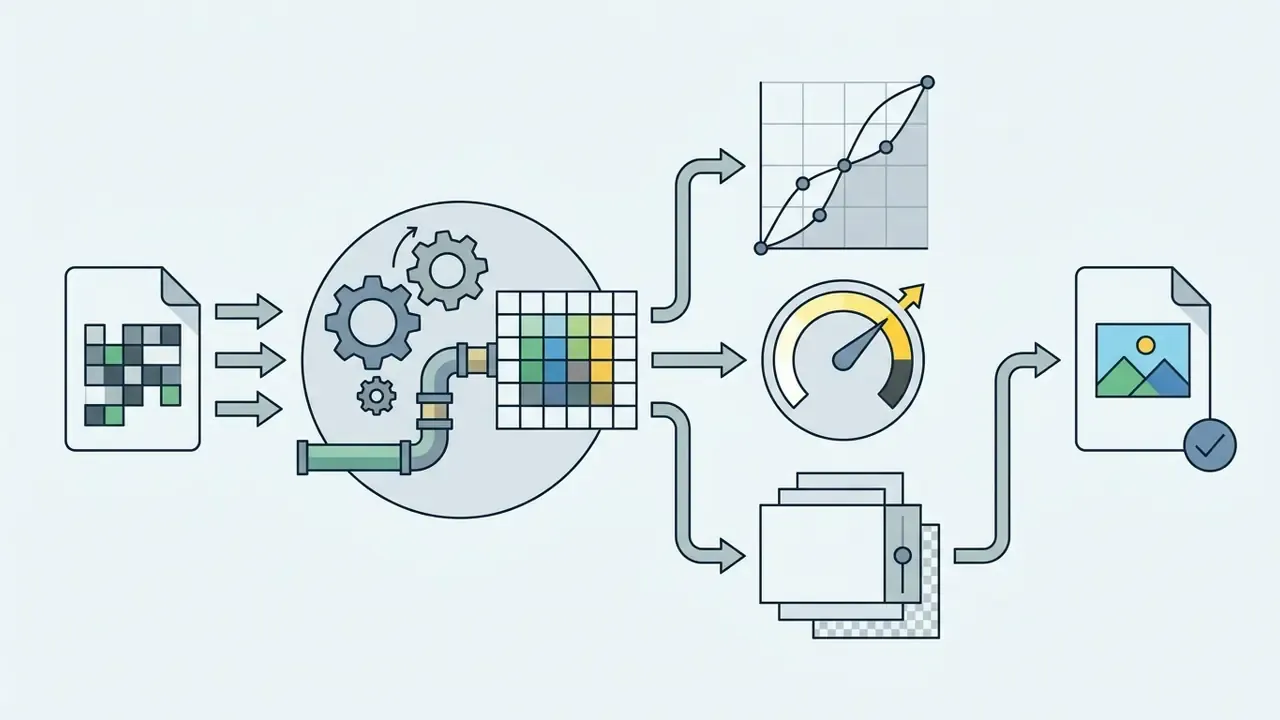
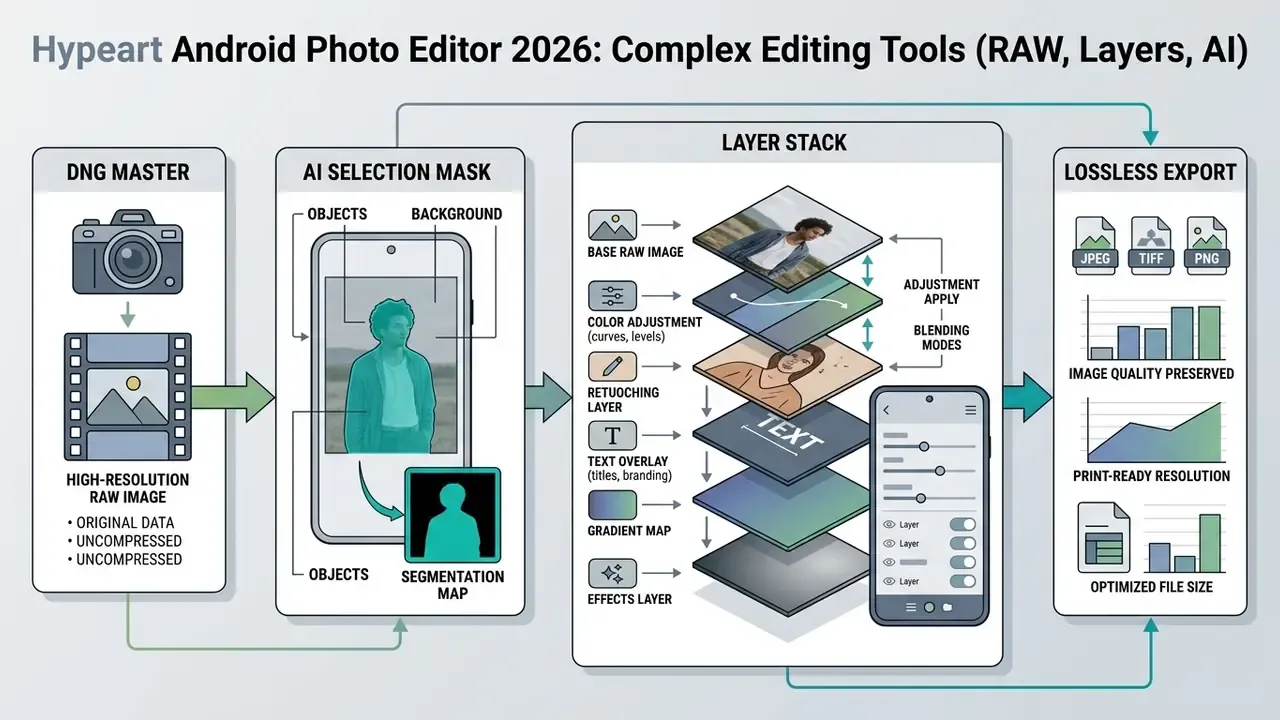
Advanced mobile photo editing software must process uncompressed sensor data without destructive compression. Uncompressed DNG files retain original dynamic range, which allows recovery of underexposed shadows and blown-out highlights.
«Shooting RAW on a Samsung Galaxy S23 Ultra and processing in Lightroom Mobile supports perspective correction, ISO 3200 noise reduction, and precise colour grading.»
Layer-based editing allows non-destructive stacks where text, vector shapes, and masks stay independently editable.
«Layers behave like transparent sheets: editing one does not affect the others, while AI auto-selection tools accelerate masking.»
Generative AI utilities apply semantic segmentation to isolate subjects, replace backgrounds, and erase unwanted object artefacts. On Android 14+ devices, generative background editing is available directly inside Google Photos, provided the handset meets the minimum 3 GB RAM and Android 8.0+ requirement for AI features.
Data flow of a non-destructive Android stack:
Best free photo editor apps for Android
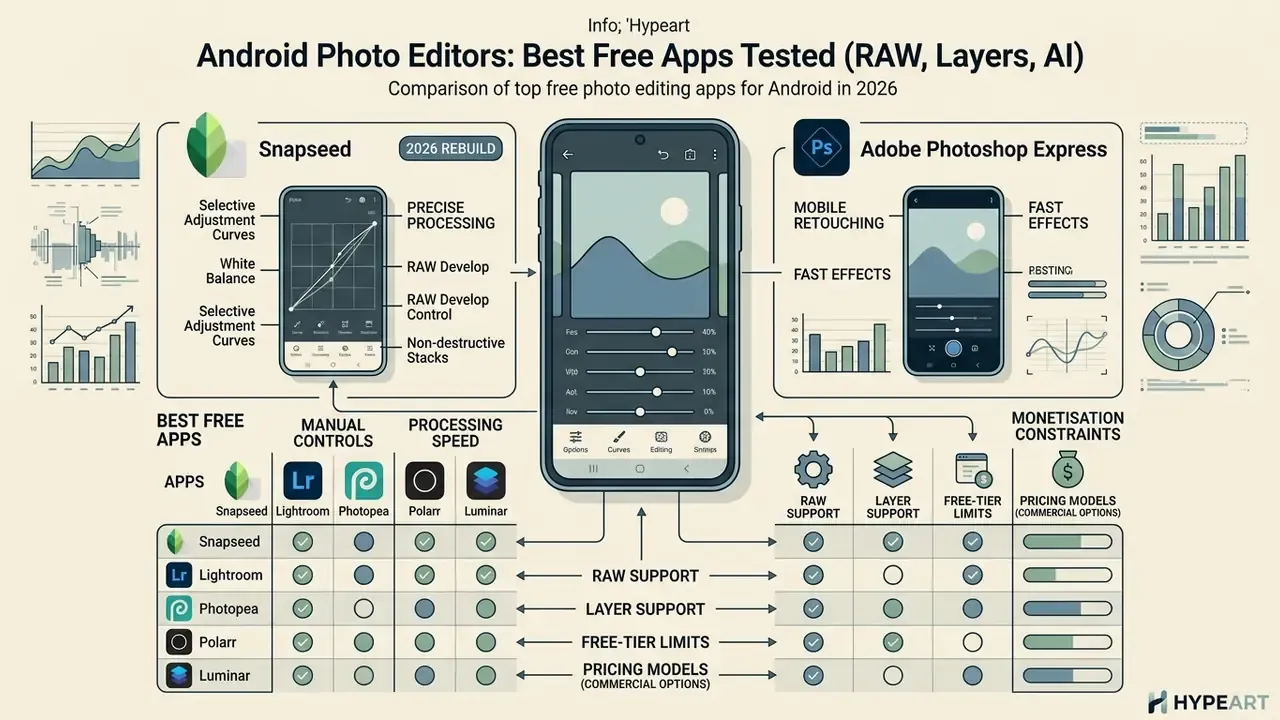
Finding the best free photo editor android app involves balancing manual controls, processing speed, and monetisation constraints. Free tiers vary from completely unrestricted tools to ad-supported freemium platforms. Our extended overview of free photo editors covers export restrictions and privacy trade-offs in more depth.
When auditing digital media tools for a mid-sized financial services provider, our team needed a standardised mobile editor for remote claims adjusters. Standardising on a zero-cost, ad-free editor with native DNG support removed per-seat licensing from the field-operations budget line entirely, and it produced a consistent, verifiable visual evidence trail. The exact savings percentage depends on seat count and the previous contract, so we do not publish a figure here (see Appendix A).
Snapseed: precise photo processing without the complexity
Snapseed remains the benchmark free android photo editor, developed by Google. It contains 30+ tools and filters, operates completely free without advertisements, and never places watermarks on exported files (Google Play, 2026).
Key technical features:
- Selective AdjustmentControl Points target radial areas for isolated brightness, contrast, and saturation tweaks.
- Curves and White Balanceprecision RGB channel curves and Kelvin colour temperature sliders.
- RAW Developopens and develops DNG, plus expanded support for ARW, RAF, NEF, CR3, ORF, and PEF in version 4.1.
- Non-destructive stacksre-order, edit, or delete any previous processing step from the editing history.
- 2026 rebuildbatch editing, a built-in pro camera with live film looks, and one-touch masking.
Hands-on nuance: after the rebuild, Snapseed saves the edited frame next to the original in your gallery rather than in a separate folder. If you are used to the old behaviour, finding the exported version takes an extra second. You can also overwrite the original to save storage. Google Play shows 100M+ installs and about 1.75M reviews, with the listing updated 26 August 2026.
Adobe Photoshop Express for mobile retouching and fast effects
Adobe Photoshop Express is a lightweight entry point into the Adobe design ecosystem. The free download offers rapid blemish removal, automatic cutouts, Quick Actions (denoise, skin smoothing), collages, and basic style transfers.
Most core Photoshop-style features are free with an Adobe account. Advanced healing, selective editing, face retouch, background replacement, exclusive Looks, and AI image generation require Creative Cloud. Note also the legacy limit inherited from Photoshop Mix: composite work is capped around 5,000 px, which matters if you intend to print.
VSCO, Pixlr, and PicsArt for presets, design, and creative photos
These three are aesthetic, design-first editing apps tailored for visual creators and marketing teams.
- VSCO: renowned for film-emulation colour profiles, infrared modes, and subtle tonal control. You can save your own "recipes" for consistency, and the app can analyse a photo and suggest the most suitable presets.
«A study of 385 VSCO users using the EUCS model found content (0.246), format (0.185), ease of use (0.313) and timeliness (0.363) jointly explain 94.3% of user satisfaction.» EUCS User Satisfaction Study, VSCO, Jambi City (2023). https://repository.unja.ac.id/
- Pixlr: a versatile editor featuring overlays, double exposure, colour splash, collages, and auto-fix. Manual depth is shallower than Snapseed's, but the speed is excellent.
- PicsArt: an all-in-one generative creative platform with background removal, sticker creation, curves, film-like filters, and AI art generation. Hands-on nuance: the Android build disables screenshots, which complicates documenting workflows for internal training. If you build synthetic brand visuals, compare its output against dedicated AI art generators before committing, and check whether an ai pfp generator covers your avatar needs more cheaply.
Photopea: a full free Photoshop replacement in the Android browser
Photopea is a web editor that works well in mobile browsers on Android, with an interface and toolset close to desktop Adobe Photoshop.
- Format support full work with
.PSD,.XCF,.SVG, and RAW/DNG data. - Layers and masks unlimited layers, blend modes, smart objects, vector masks, one-click background removal.
- Interoperability save out a
.psdwith full layers and it transfers into Photoshop unchanged. - Price free, funded by unobtrusive banner ads. Export is full-quality and watermark-free.
- Hands-on nuance it runs in the browser, so it needs a stable connection and can feel clunky on small screens. Use it on a tablet, or with a stylus where possible.
Polarr: the best editor for learning and fast colour looks
Polarr combines beginner accessibility with capable colour grading.
- Interactive tutorials short in-app lessons that teach exposure, curves, and technique, not just button locations.
- QR presets create your own looks and share them via QR codes.
- Film and retro filters strong one-tap results for social output.
- Free-tier limits global adjustments are available; complex selective masking sits behind the paid plan, and an ad usually plays before each edit.
1998 Cam and Colorize: niche retro and colourisation intents
- 1998 Cam targets the vintage film look (grain, date stamps, light leaks, disposable-camera framing) as a capture-plus-edit app rather than a general editor.
- Colorize is purpose-built for adding colour to black-and-white photographs, which makes it the fastest route for family-archive and heritage projects that a general editor handles poorly. Pair it with an ai photo animator if you want a restored family portrait to move for a memorial slideshow.
- Afterlight deserves a mention in the same category: genuine 35 mm light leaks, dust textures, and grain, plus curves and selective colour underneath.
Extended comparison of free Android photo editors
| App | Quick edits | Retouching | RAW / DNG | Presets | AI features | Layers | Works offline | Watermark on free tier | Processing location | Monetisation |
|---|---|---|---|---|---|---|---|---|---|---|
| Snapseed | Advanced | Selective / Heal | Full (DNG, ARW, NEF, CR3…) | Standard + film looks | Basic masking | Edit stacks | Yes | No | On-device | Completely free, no ads |
| Photoshop Express | Basic / Auto | Auto healing | Basic DNG, TIFF, PNG | Style Looks | Auto cutout, Quick Actions | Overlays only | Partly (account needed) | No | Hybrid (cloud AI) | Freemium (Creative Cloud) |
| VSCO | Basic | Limited | DNG support | Premium film | Preset suggestion | No | Partly | No | Hybrid | Freemium, ads on free |
| Pixlr | Standard | Basic | No | Overlays | Auto effects | Double exposure | No (cloud) | On some exports | Cloud | Ad-supported / freemium |
| PicsArt | Advanced | Beauty tools | No | Filters | Generative AI | Template layers | No | On some assets | Cloud | Freemium (IAP) |
| Google Photos | Auto / sliders | Portrait Light | Basic DNG | Filters | Magic Eraser, Unblur | No | Partly | No | Hybrid (device + cloud) | Free, hardware-gated |
| Photopea | Advanced | Full retouch set | DNG open | Manual | Background removal | Full PSD layers | No (browser) | No | In-browser (client-side) | Free with banner ads |
| Polarr | Standard | Basic | Limited | Extensive + QR | Auto enhance | No | Partly | No | Hybrid | Free with ads / premium |
| Luminar Mobile | Advanced | Portrait tools | Yes | Film simulations | Sky swap, Relight 3D | Masks | Partly | No | On-device + AI models | Paid ($29.99/yr, $49.99 lifetime) |
Professional photo editing apps on Android
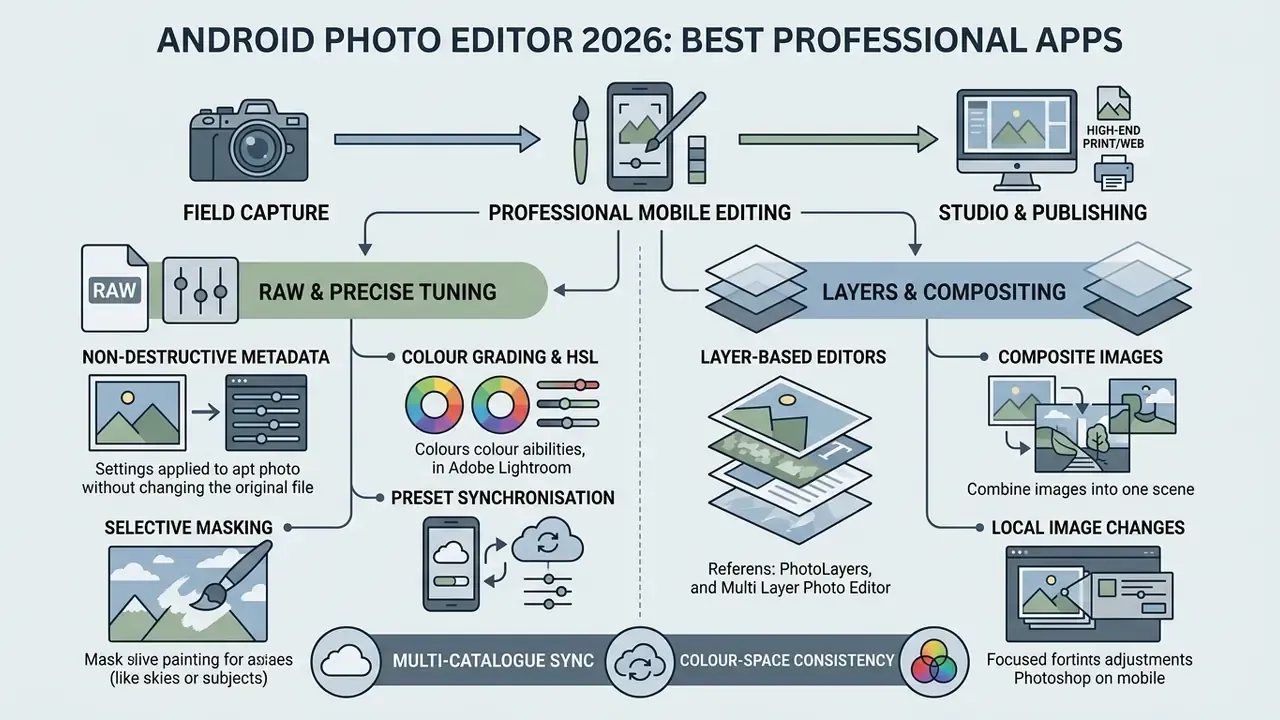
Pro-grade photo editing software on Android bridges field capture and studio editing, focusing on non-destructive metadata processing, multi-catalogue sync, and colour-space fidelity.
Adobe Lightroom for RAW and precise image tuning
Adobe Lightroom Mobile is the industry standard for professional workflows on Android hardware. It uses a non-destructive engine capable of rendering multi-gigabyte camera raw files, and requires Android 8.x or later with a quad-core ARMv8/x86-64 CPU.
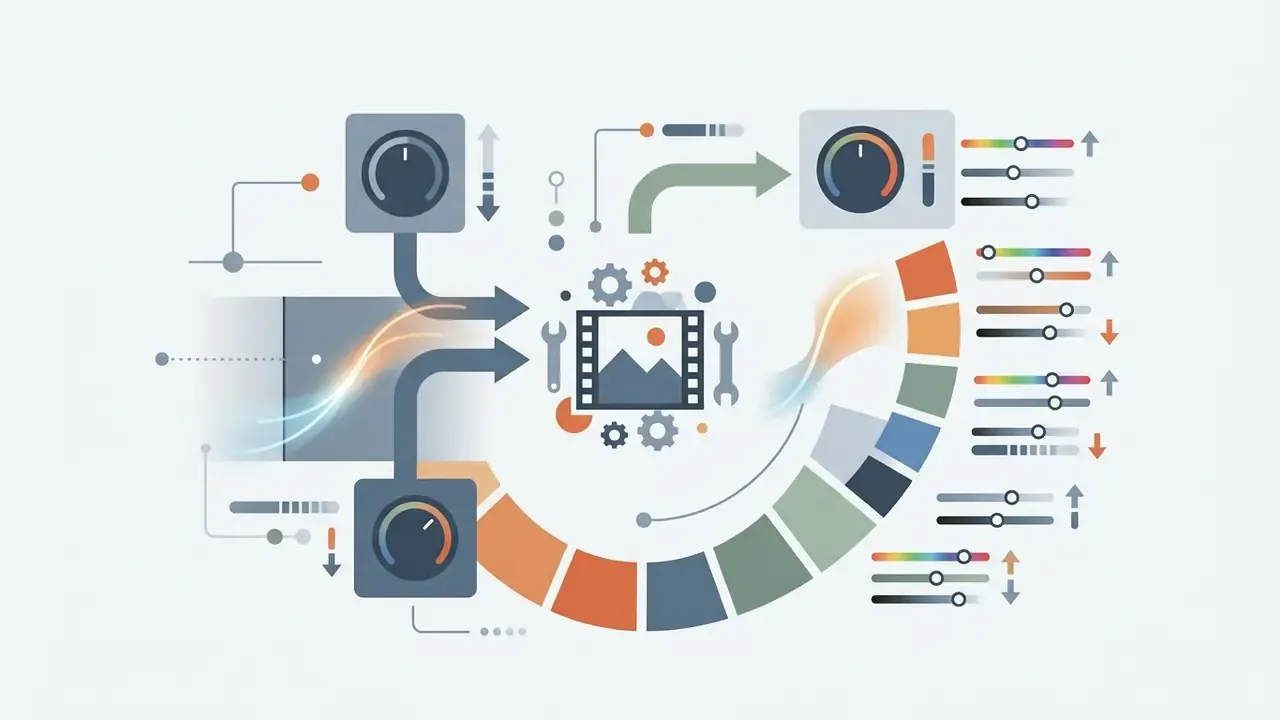
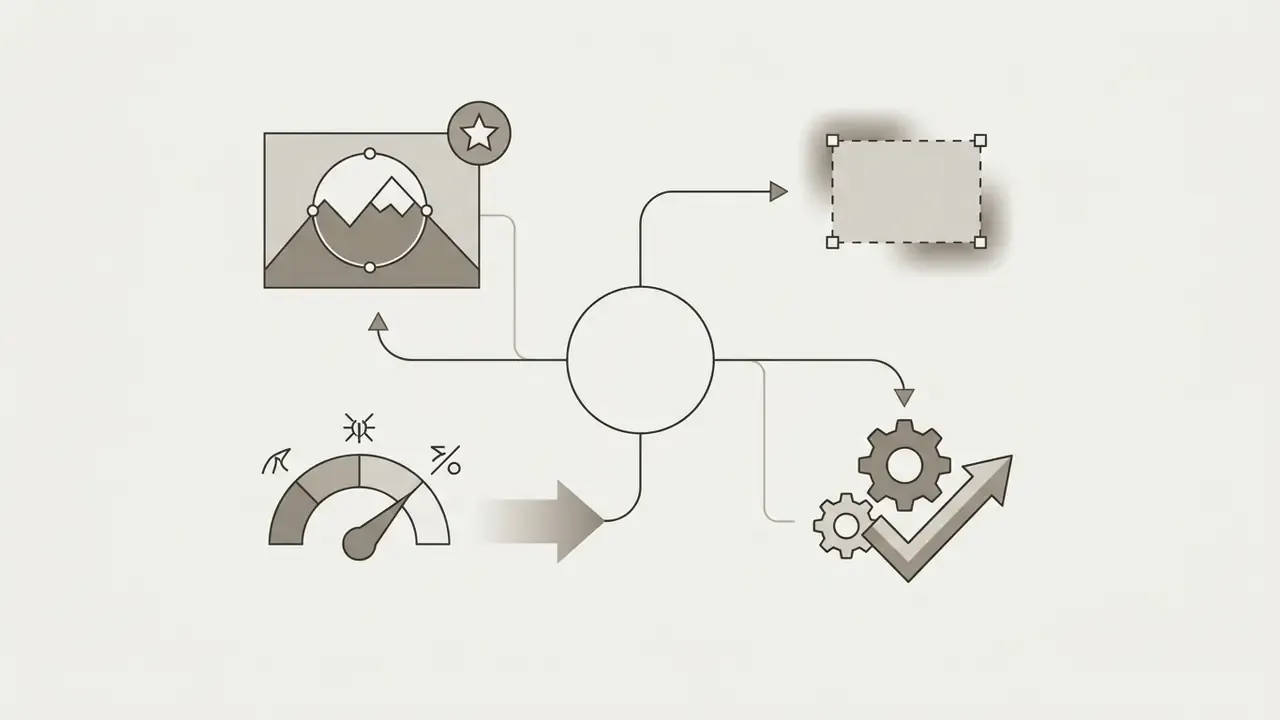
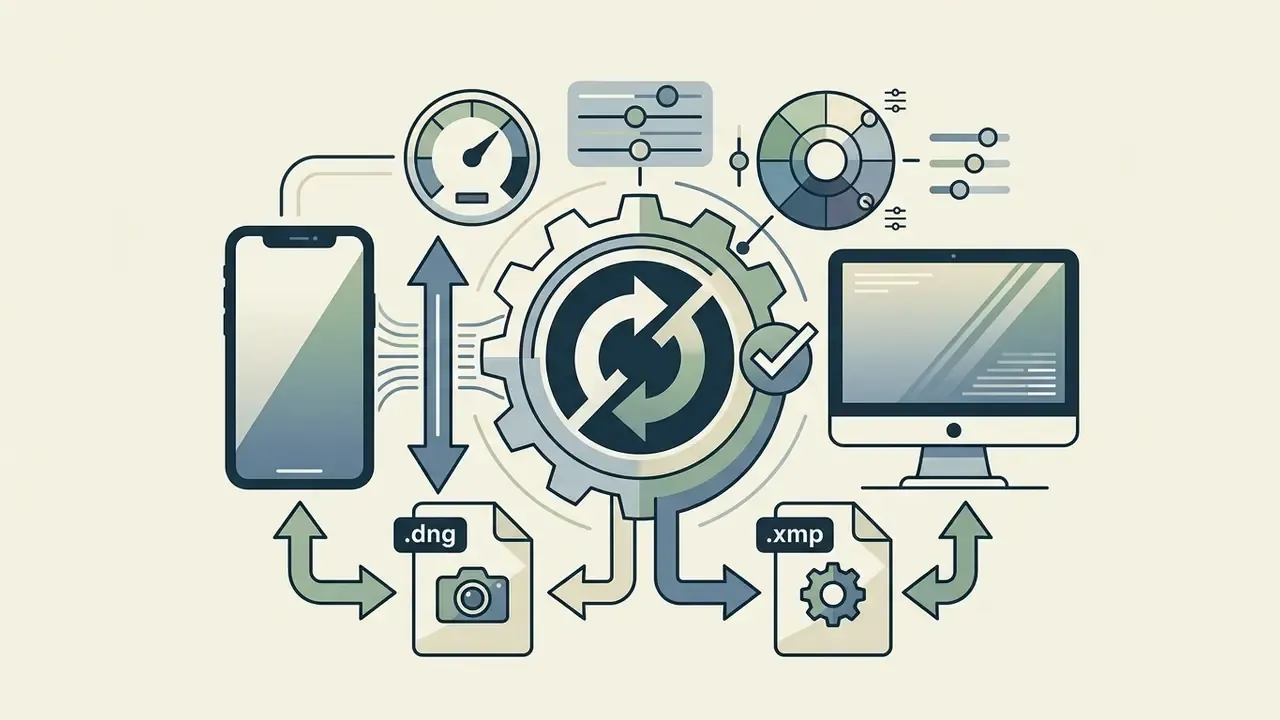
.dng or .xmp presets across mobile and desktop.«Lightroom Mobile supports lens profiles, tone curves, ISO 3200 noise reduction, and linear gradient masks inside a single mobile session.»
Free usage covers capture, organisation, sharing, and standard global sliders. RAW editing, cloud synchronisation, and premium masking require an active Creative Cloud plan starting at $11.99/month (Adobe Pricing, 2026). Only one catalogue can be synced, and if cloud storage fills up, new photos stay on the device. Hands-on nuance: the Android build has a few interface bugs you do not meet on iOS, mainly occasional slider lag and thumbnail refresh delays on large synced catalogues. If your goal is simply recovering detail from a soft or noisy file, compare the cost against dedicated AI image enhancers.
Photoshop on mobile for local image changes
Adobe's dedicated mobile Photoshop build, available on Android since June 2025, targets precise selection mechanics, local element modification, and non-destructive layer masks. It includes Object Select, Magic Wand, and Tap Select, calibrated for touch input.
You can apply local exposure adjustments, paint directly on layer masks to reveal underlayers, and perform object replacement without degrading the original photo. The AI Assistant accepts a plain-language instruction and edits only the region you asked about, leaving the rest of the image intact.
Layer-based editors for collages and composite images
When complex graphic design requires true multi-layer management, specialised layered photo editor android utilities are necessary:
- PhotoLayers built for background erasure and photomontage, merging up to 11 discrete image layers simultaneously.
- Multi Layer Photo Editor full canvas layer management, independent layer opacity, blend modes, background eraser, and element transformation.
- ON1 Photo RAW Mobile camera raw processing plus local non-destructive layer masks, Brilliance AI, Restore AI, Sky Swap, and portrait tools.
- Affinity Photo (Canva) GPU-accelerated RAW development, adjustment presets, and export presets on tablets.
«A professional layer workflow on Android has four stages: assess goals, choose tools, test AI functions, then scale the workflow.»
For print-bound composites assembled from small mobile layers, run the final flatten through AI image upscalers rather than pushing mobile export resolution past its native limit.
Luminar Mobile: the strongest AI editing stack
Luminar Mobile (Luminar Neo) is the most complete AI editor on Android in 2026. It replaces slider-only interaction with touch grids and haptic feedback, and its headline tools are Sky Replacement, Relight (3D-aware relighting), object removal, and film-inspired filters, backed by an Enhance tool that does the foundational work in one tap. Core adjustments and a curve editor are all present, so it does not trap you inside AI presets. Pricing: $49.99 lifetime, $29.99 annually, or $6.99 weekly. The lifetime option is the value pick, with one caveat: future major releases may not be included.
How to choose a photo editor app for Android
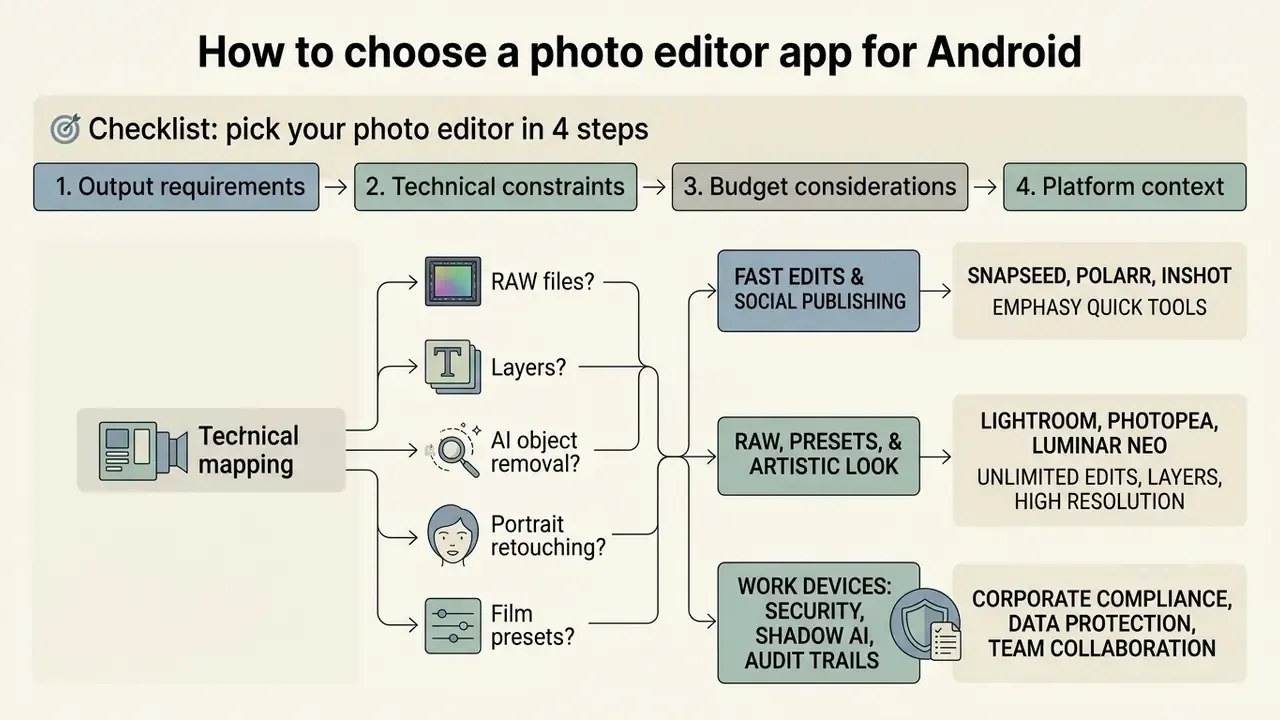
Selecting the best free photo editor android app requires mapping technical skills against explicit output requirements. Downloading redundant tools fragments storage and complicates photo management. Three apps, well chosen, beat nine.
🎯 Checklist: pick your photo editor in 4 steps
- Yes: choose Snapseed (fully free) or Lightroom Mobile (precise colour work).
- No: go to step 2.
- Yes: use Photopea (browser) or PicsArt / Multi Layer Photo Editor.
- No: go to step 3.
- Yes: use Photoshop Express or Google Photos (Magic Eraser).
- No: go to step 4.
- Yes: choose VSCO or Polarr; for pure vintage capture, 1998 Cam.
- Do you need to work with RAW files from a camera or phone?Do you need to work with RAW files from a camera or phone?
- Will you build collages, add text, or work with layers?Will you build collages, add text, or work with layers?
- Is your main goal portrait retouching or AI object removal?Is your main goal portrait retouching or AI object removal?
- Do you want an attractive result in one tap (film presets)?Do you want an attractive result in one tap (film presets)?
For RAW, presets, and an artistic look
For work devices: security, Shadow AI, and audit trails
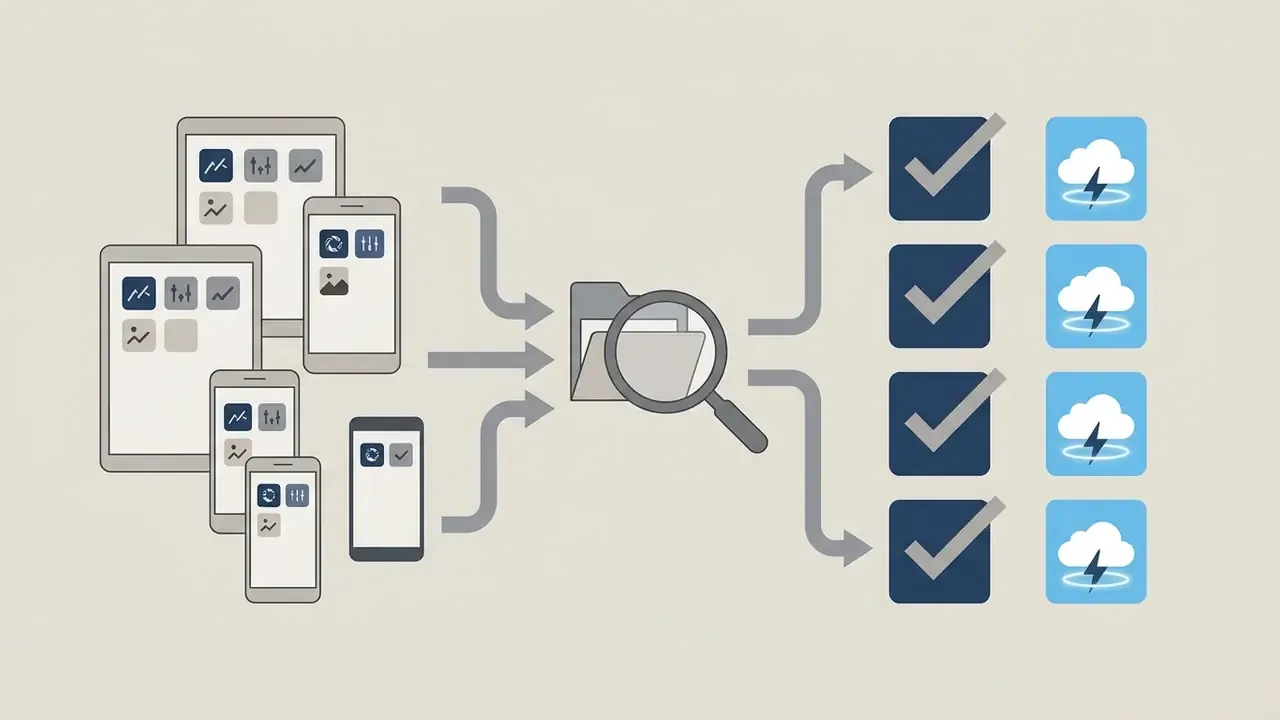
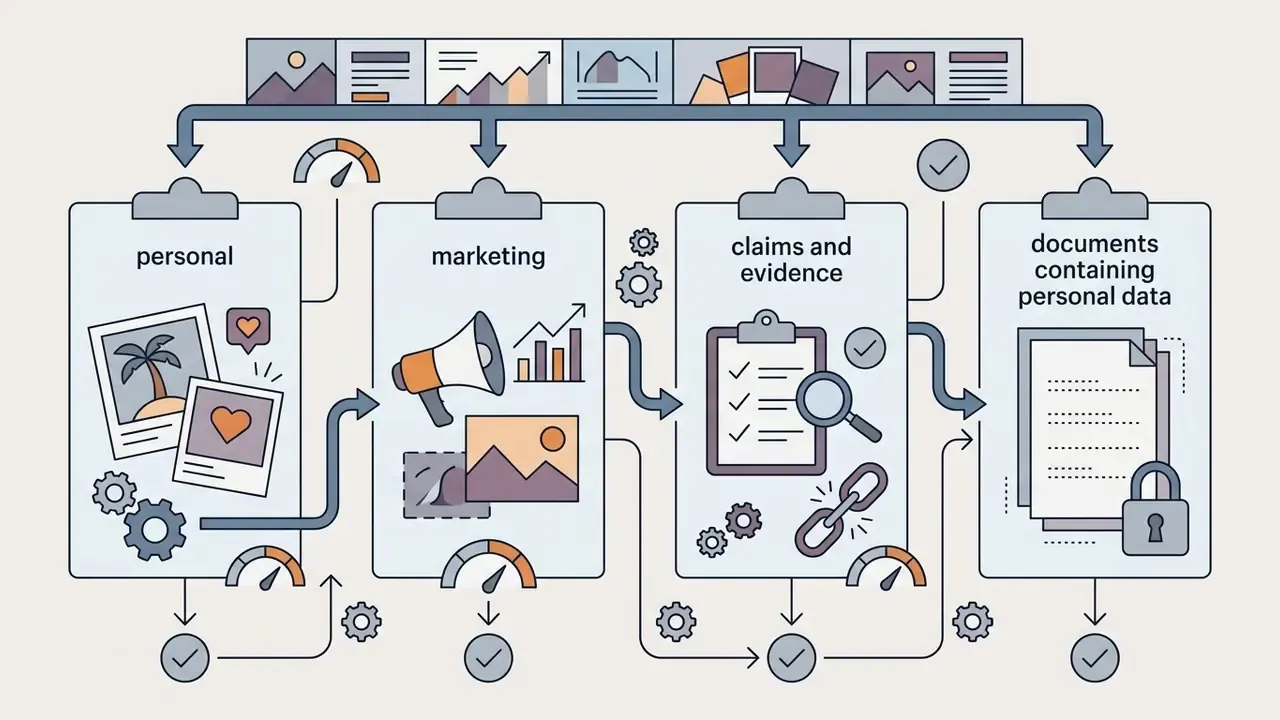
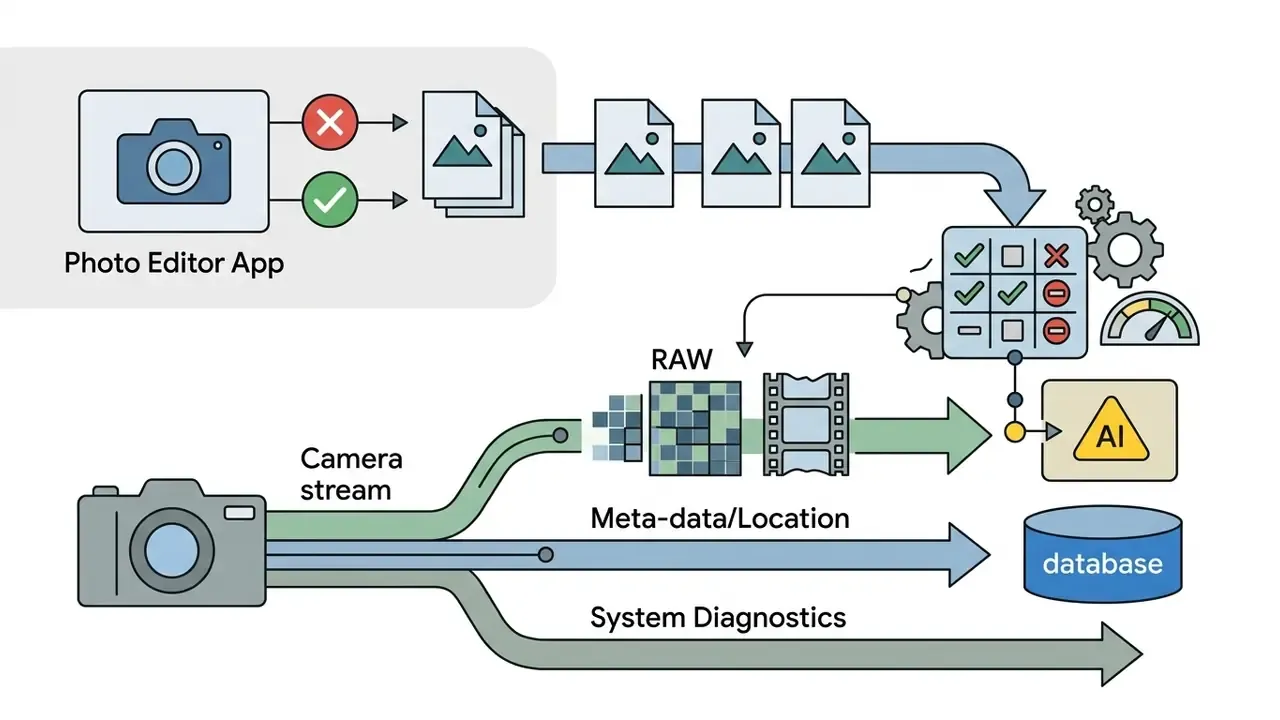
If you edit photos that contain client data, claims evidence, identity documents, or unreleased product imagery, feature parity is not the decision criterion. Data flow is. Consumer editors differ sharply in where processing happens and what leaves the device.
| Evaluation criterion | What to check | Lower-risk choices |
|---|---|---|
| Processing location | On-device vs cloud upload for AI features | Snapseed (on-device), Photopea (client-side in browser) |
| Cloud sync default | Whether originals auto-upload to vendor storage | Snapseed, Photopea (no account required) |
| Account requirement | Sign-in gating for basic edits | Snapseed, Polarr free tier |
| EXIF / metadata retention | Whether GPS and device data survive export | Verify per app; strip GPS before external sharing |
| Managed distribution | Availability via managed Google Play for MDM/MAM | Google Photos, Adobe apps (enterprise-managed) |
| Terms clarity | Explicit statement on training use of uploaded content | Read the current privacy policy before deployment |
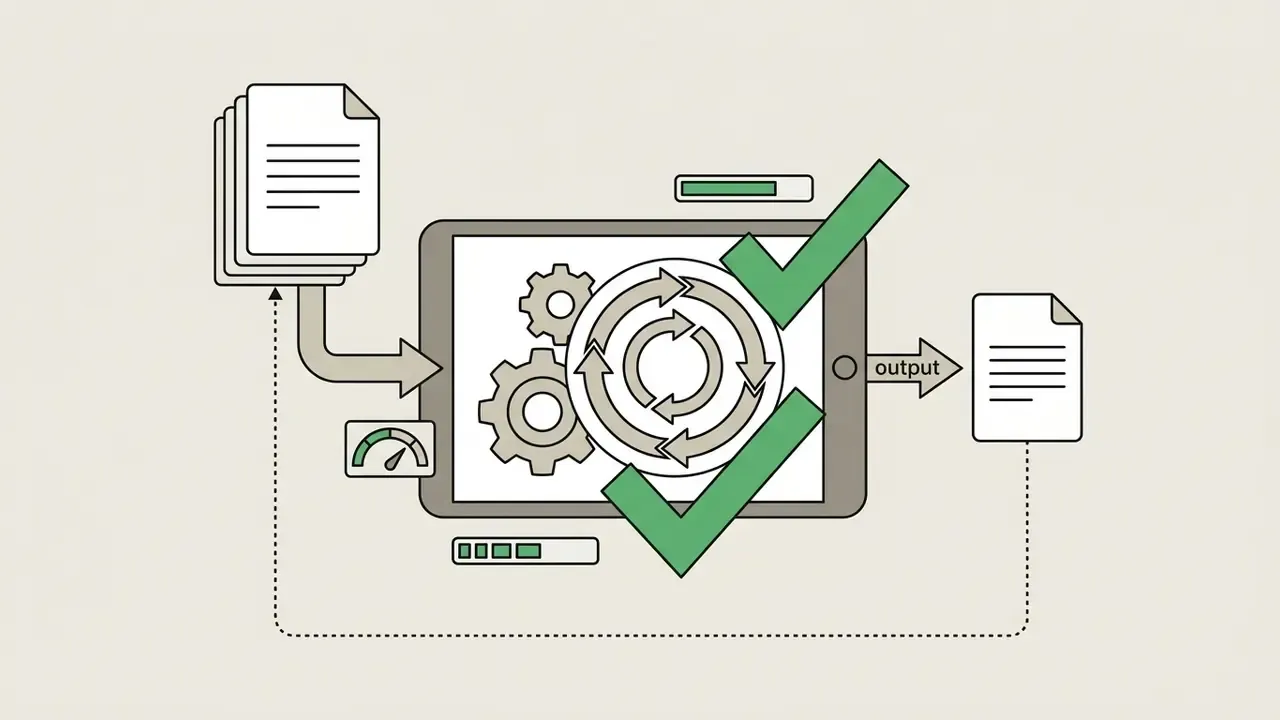
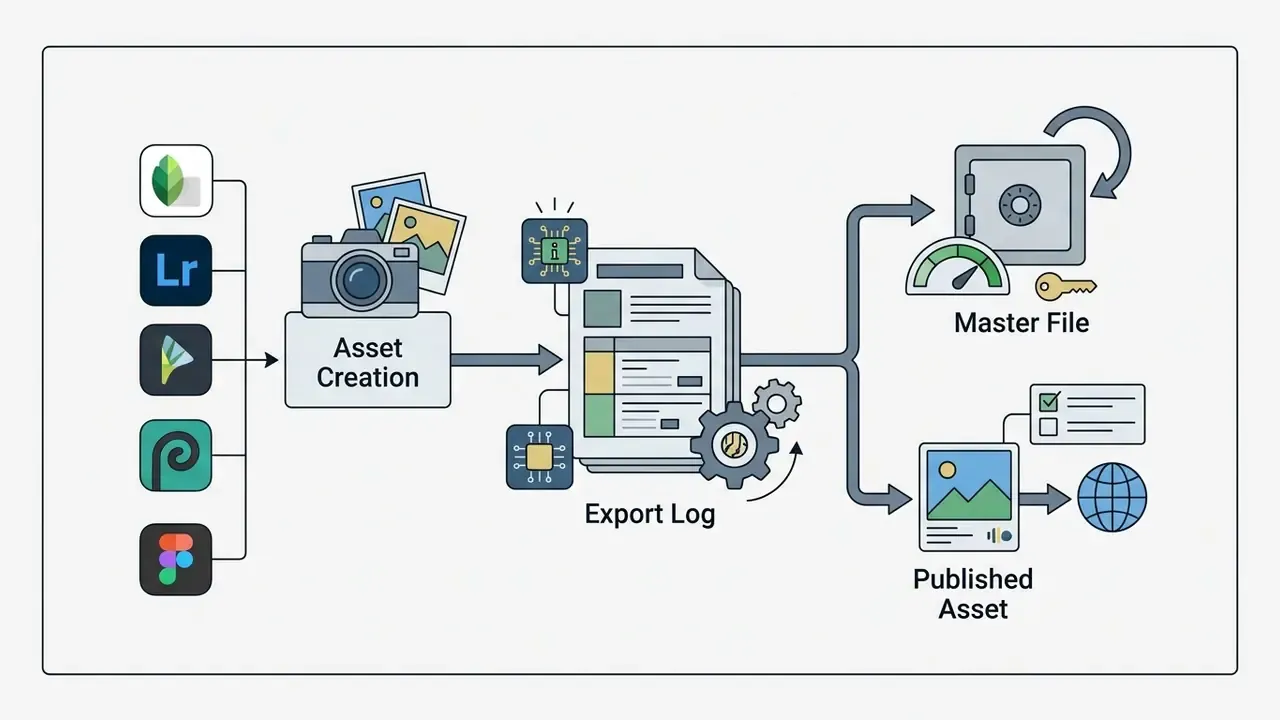
Authenticity and audit trails. For claims handling, underwriting, and any use where a photo functions as evidence, two things matter more than aesthetics: whether the original DNG or JPEG is preserved untouched, and whether metadata survives. Non-destructive editors (Snapseed, Lightroom, ON1) keep the master file intact and store the edit as instructions, which is what makes a reproducible audit trail possible. Generative fill and AI object removal, by contrast, create pixels that never existed in the capture. So any evidentiary workflow should record that a generative tool was used, keep the unedited master, and prefer tools that write or retain Content Credentials (C2PA) rather than silently stripping metadata on export. Verify metadata behaviour per app: several social-first editors discard EXIF entirely when exporting a "web" JPEG.
Free features, subscriptions, and using editors for commercial work
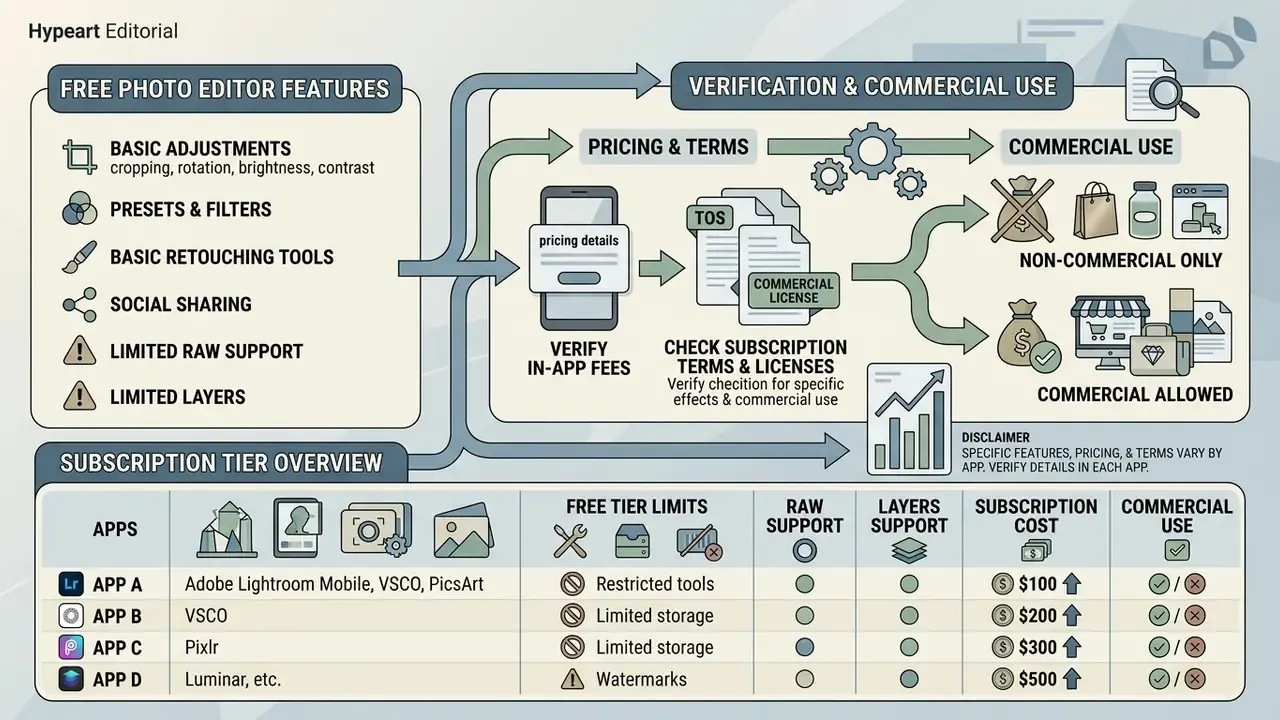
«The freemium model dominates the market: free basic access is monetised through subscriptions and in-app purchases, while fully free apps rely on advertising.»
Monetisation across free android photo editor applications therefore falls into three categories: ad-supported free apps, hardware-gated tools (features tied to specific devices or OS versions), and freemium subscription services.
What is usually available in a free photo editor app for Android
Free tiers typically include:
- Basic cropping, canvas rotation, and perspective levelling.
- Global brightness, contrast, saturation, and temperature sliders.
- Standard filter presets and automated auto-fix adjustments.
- Basic blemish removal and single-image export.
Common free-tier limitations include export resolution caps (for example limiting output to 2048 px), forced brand watermarks, intrusive full-screen ads, and daily usage limits on AI features (CyberLink Review, 2026). Concrete examples: Meitu's free tier applies a watermark, reduces export resolution, and shows full-screen ads; Fotor's free tier allows about one AI enhancement per day plus a small credit pool, and watermarks non-HD downloads; Photo Mate R3's free build excludes sharpening, layer editing, custom export presets, and batch export. Snapseed and Photopea remain the notable exceptions with no watermark and no export cap.
How to verify pricing, subscriptions, and terms for effects
- Verify in-app subscription fees:
- Adobe Lightroom Mobile
- premium features from $11.99/month; teams from $37.99 per licence/month (Adobe Pricing, 2026).
- VSCO
- Starter $2.49/month or $29.99/year; Plus $4.99/month or $59.99/year (VSCO Plans, 2026). Corrected: an earlier figure of $499.99/year circulated for the Pro annual tier; the consumer mobile tiers sit in the $29.99 to $59.99 per year range (see Appendix A).
- PicsArt
- promotional paid tiers from about $10.50/month (PicsArt Pricing, 2026).
- Pixlr
- Plus from $2.49/month, Premium tiers above it (Pixlr Official, 2026).
- Luminar Mobile
- $29.99/year or $49.99 lifetime.
- Photomator (iOS only)
- $34.99/year, $7.99/month, $119.99 lifetime. Relevant if you run a mixed fleet.
- Verify whether stock overlays, fonts, or AI elements are cleared for commercial use. PicsArt restricts commercial exploitation to assets explicitly tagged
#freeforbusiness, and that restriction extends to derivatives. - Adobe's non-for-resale (NFR) builds may not be used for commercial purposes under Adobe's General Terms of Use.
- Check Google Play billing rules on recurring subscriptions and auto-renewals. Play applies a 15% service fee to auto-renewing subscriptions, which is why in-app prices sometimes differ from web prices.
- For AI-generated elements specifically, confirm ownership and indemnity terms. Our hub on commercial use of AI images sets out the questions to ask before a campaign ships.
Rights matrix, quick read
| App | Commercial use of your own photos | Commercial use of bundled assets | Watermark-free export on free tier |
|---|---|---|---|
| Snapseed | Yes | N/A (no stock library) | Yes |
| Photopea | Yes | Your own assets only | Yes |
| Photoshop Express | Yes (paid tiers for full toolset) | Per Adobe terms; NFR builds excluded | Yes |
| Lightroom Mobile | Yes | Presets you create or licence | Yes |
| VSCO | Yes | Presets licensed for use, not resale | Yes |
| PicsArt | Yes | Only assets tagged #freeforbusiness | Not always |
| Pixlr | Yes | Check per-asset licence | Not always |
| Luminar Mobile | Yes | Filters and LUTs licensed for use | N/A (paid) |
For comprehensive technical evaluations comparing competitive media platforms, consult our compare framework hub, including the benchmark on the best AI image generators. Teams building automated media pipelines can evaluate integration options via the AI Media API.
How to edit photos on Android: a practical order of operations
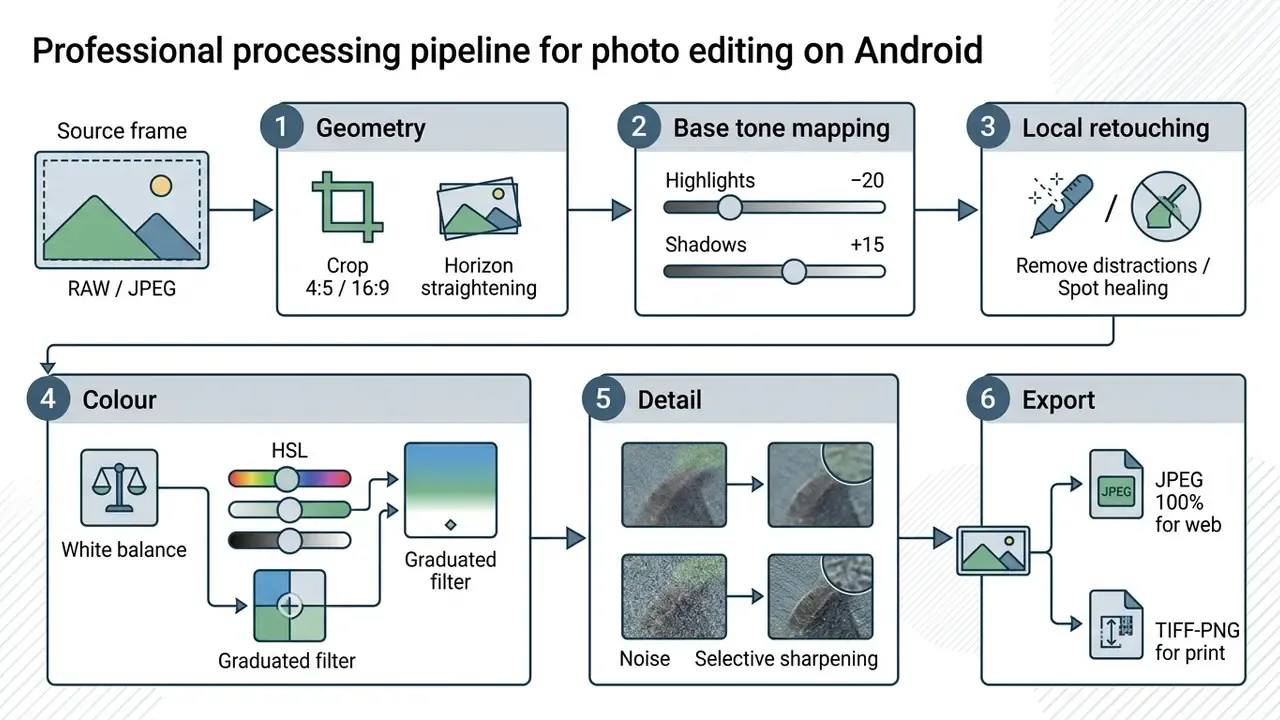
Following a structured photo editing sequence prevents image degradation, minimises digital noise, and keeps quality consistent across a library.
Professional processing pipeline on Android
Start with cropping, light, and colour
- Composition and framing: straighten crooked horizons, then crop to remove edge distractions. Straighten first, crop second, because rotation always eats border pixels.
- Global exposure: set overall brightness. Lower highlights to retain sky detail; lift shadows to reveal dark areas.
«Pulling the Highlights slider down and lifting Shadows preserves detail in high-contrast scenes without sacrificing the RAW file's dynamic range.» TechRadar, RAW Mobile Editing Workflow Case Study (2024). https://www.techradar.com/
- White balance: correct colour temperature (Kelvin) so whites render neutral, without an unnatural yellow or blue cast.
- Contrast and curves: refine tonal separation with a gentle S-curve rather than a global contrast slider.
Add retouching, a preset, or a creative effect, then save
- Selective retouching: apply localised healing or AI object removal to erase dust spots, blemishes, or background clutter.
- Stylistic grading: apply preset LUTs or custom HSL adjustments to establish mood. Reduce preset intensity (Amount) rather than fighting it with sliders afterwards.
- Sharpening and noise reduction: apply subtle luminance noise reduction for high-ISO shots, then localised high-pass sharpening.
«Luminance and colour noise reduction in Lightroom Mobile removes ISO 3200 noise effectively while preserving texture detail.» TechRadar, RAW Mobile Editing Workflow Case Study (2024). https://www.techradar.com/
- Export: JPEG at 100% quality is virtually lossless for web and social deployment; TIFF or PNG is truly lossless for print archiving or further editing. Keep 240 ppi for print output and avoid downsampling in PDF export presets.
For technical guidance on export errors or rendering artefacts, see AI Media Support and Troubleshooting. Organisations managing copyright exposure across creative assets should monitor the AI Litigation and Case Timelines archive.
FAQ about Android photo editor apps
Can a mobile photo editor replace a desktop photo editor?
A photo editor android app can fully replace desktop software for social content creation, field retouching, culling, and basic-to-advanced RAW development. Modern mobile processors handle complex demosaicing and AI segmentation smoothly, and Lightroom's premium mobile tier adds masking, healing, geometry, and batch editing. Desktop software remains mandatory for colour-critical print production, complex composites with dozens of smart objects, and large-scale catalogue management. Lightroom Classic keeps originals on the computer and syncs only smart previews, and only one catalogue can be synced at a time.
«Smartphone displays operate in a constrained colour gamut compared with calibrated monitors, which is critical for colour-accurate print work.» Analytical and Bioanalytical Chemistry, RGB Color Correction and Gamut Limitations (2025). https://link.springer.com/journal/216
How does a photo editor differ from a camera app?
A camera app controls hardware capture parameters before the file exists: shutter speed, ISO, white balance, focus, exposure compensation, and whether the output is RAW/DNG or RAW plus JPEG. A photo editor operates after capture, modifying pixel values, tone curves, colour balance, and layers.
«The camera controls the physical capture parameters, shutter, ISO, focus; the photo editor works with pixel data after the file has been created.» Google Photos Help, Editing Features Documentation (2026). https://support.google.com/photos/ In a single workflow the camera app creates the RAW master; the editor reads that master for non-destructive processing and final rendering.
Which Android editor is best for batch editing?
Snapseed's 2026 rebuild added batch editing at no cost, which makes it the default free answer. Lightroom Mobile offers batch preset sync in its premium tier, and Affinity Photo supports export presets on tablets. Photo Mate R3 puts batch export behind its paid version.
Does Photopea work without internet?
No. Photopea loads in the browser and needs a stable connection to open. Once loaded, editing happens client-side in the browser, so your image is not uploaded to a server for processing, but you should not rely on it in the field with poor coverage.
Why does my edited Snapseed photo appear twice in the gallery?
Because the current version saves the exported copy alongside the original instead of in a dedicated folder. You can either accept the duplicate for safety, or choose to overwrite the original to save storage. The edit stack remains reversible while the file stays in Snapseed's history.
Are Android versions of these apps identical to iOS?
Not always. Lightroom's Android build carries a few interface bugs absent on iOS; PicsArt disables screenshots on Android; Photomator and Pixelmator are Apple-only; Snapseed's film-stock filters arrived on Android in the 2026 rebuild after a period of parity gaps. Test on the exact hardware you intend to deploy. To analyse enterprise licensing rules and commercial asset rights in detail, visit the AI Media Commercial-Use Hub.
Appendix A: superseded claims and corrections
| Original claim | Status | Corrected statement |
|---|---|---|
| "VSCO Pro plan at $41.67/month billed annually ($499.99/year)" | Contradicted by consumer pricing pages | VSCO mobile tiers: Starter $2.49/mo or $29.99/yr; Plus $4.99/mo or $59.99/yr |
| "Reduced software licensing overhead by 35%" | Unverified figure | Standardising on a free, ad-free, DNG-capable editor removed per-seat licensing cost for the field team; exact savings depend on seat count and prior contract |
| "Non-destructive RAW processing ensures original file data remains intact (Library of Congress, 2025)" | Source mismatch | Non-destructive editors store edits as sidecar instructions; documented in Adobe Camera Raw and Lightroom vendor documentation |
| "A camera app controls hardware sensor capture parameters (Library of Congress, 2025)" | Source mismatch | Documented in Google Photos Help and Android camera developer documentation |
| "Colour balance issues under mixed lighting (Analytical and Bioanalytical Chemistry, 2025)" without mechanism | Strengthened | Gamut limitation forces RGB algorithms to compress or clip saturated colours (same journal, 2025) |
| Unsupported attribution in the original epigraph | Removed | Replaced with a transparent editorial testing note at the top of the page |
Definitions used throughout this guide, from DNG and LUT to Content Credentials and non-destructive editing, are maintained in the AI Media Glossary. Verification dates for every Google Play listing and vendor pricing page cited here: August 2026.