A video link generator is an online service or web workflow that ingests a video file (or captures live screen and camera media), stores it on cloud delivery infrastructure, and returns a uniform resource locator for instant browser playback, embedding, or download. Instead of attaching heavy media to email or chat, teams use a link video generator to turn local media into shareable links that open on any operating system or device, with no local storage friction.
Executive Summary
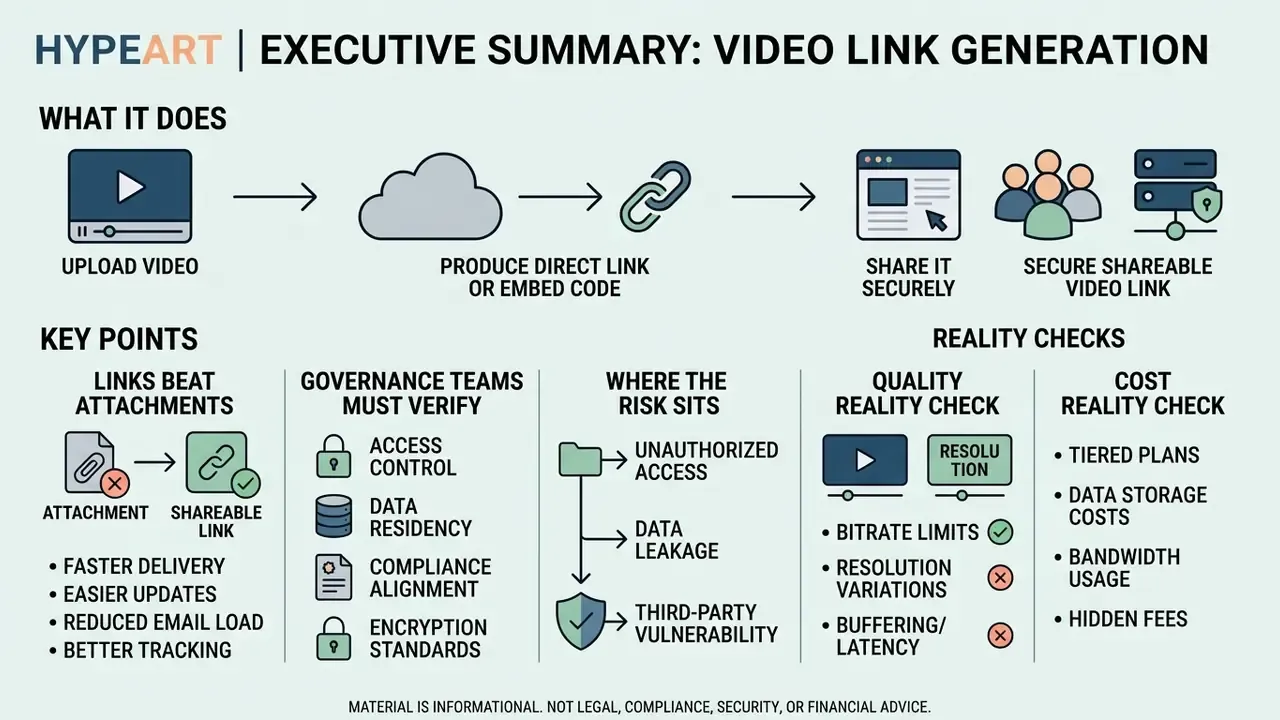
- What it does. A video link generator uploads or records media, transcodes it into browser-native renditions, and returns three consumable artifacts: a direct file URL (
.mp4or.webm), a branded player watch page, and an embeddable iframe endpoint. - Why links beat attachments. Corporate mailbox caps sit roughly between 10 MB and 25 MB, so a single 4K screen recording simply cannot travel as an attachment. A link shifts the payload from mail transport agents to a CDN built for concurrent streaming.
- What governance teams must verify. SSO and SAML provisioning, SOC 2 or ISO 27001 attestations, immutable audit logs of who viewed what and when, link expiration, domain allow-listing, download prohibition, and retention rules mapped to recordkeeping obligations.
- Where the risk sits. Publicly available "free video link generators" are a common Shadow AI vector. Uploading client recordings, model validation walkthroughs, or committee materials into an unvetted consumer tool can amount to an uncontrolled disclosure, and it cannot be undone once the raw file has been downloaded.
- Quality reality check. Adaptive Bitrate (ABR) streaming decides what viewers actually see. Stability beats peak resolution, because measured Quality of Experience penalizes rebuffering far more than a lower rendition.
- Cost reality check. Free tiers typically stop at 720p exports, 10 MB to 500 MB per file, 1 GB to 5 GB of total storage, and no password protection. Commercial tiers unlock 2 GB to 250 GB uploads, 4K, white-label players, and full telemetry.
Technical Specifications and Infrastructure Benchmarks
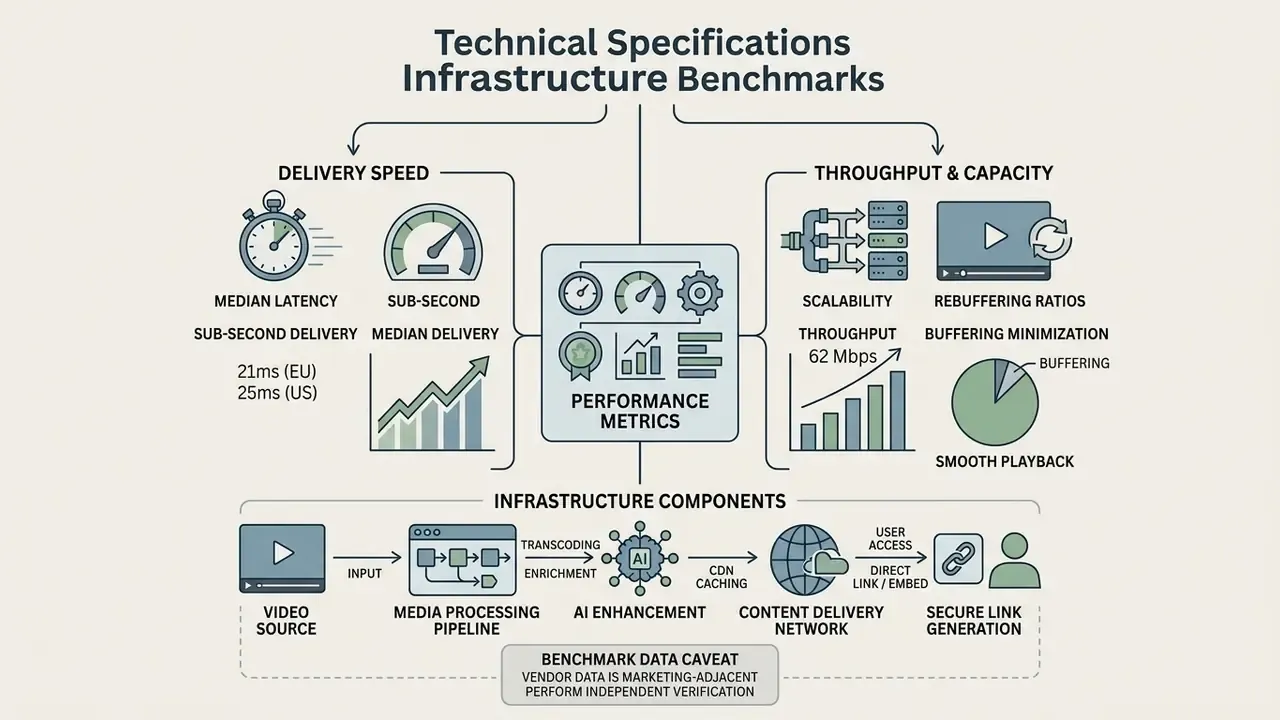
Before comparing interfaces, look at the backend that actually serves the link. Link-based distribution succeeds or fails on three measurable characteristics: edge latency, rebuffering ratio, and aggregate throughput.
- Sub-second delivery latency. Independent edge measurements report single-digit to low-double-digit millisecond medians across mature regions. That is what makes a link feel instant when a recipient clicks it inside an email thread.
- Rebuffering ratios. Premium streaming architectures hold rebuffer ratios below 1.3%, which keeps 4K streams stall-free even when a mobile network wobbles.
- Throughput scalability. Server benchmarks show that modern multi-socket nodes can sustain over 1.09 Tbps of HTTPS video traffic, so an enterprise link generator can serve millions of concurrent views without degradation.
«A dual-socket server with 4th Gen Intel Xeon Gold reached 1.09 Tbps of HTTPS traffic at an efficiency of 1.21 Gbps per watt.»
One caveat worth stating plainly: vendor-published benchmarks are marketing-adjacent. Treat them as a hypothesis to test in your own pilot, ideally from the branch and home-office networks your staff actually use.
For further documentation on underlying AI video generation architectures, media processing pipelines, and risk governance frameworks, see our AI Media Glossary. Integration help and troubleshooting runbooks live in AI Media Support and Troubleshooting.
What a Video Link Generator Is and What Kind of Link It Produces
A video link generator is a cloud utility that converts a raw video file into a standard HTTP or HTTPS web address. Using a free video url generator or an enterprise media platform, teams can convert video to url link online free and decouple viewing from file storage, so playback happens instantly in a normal browser.
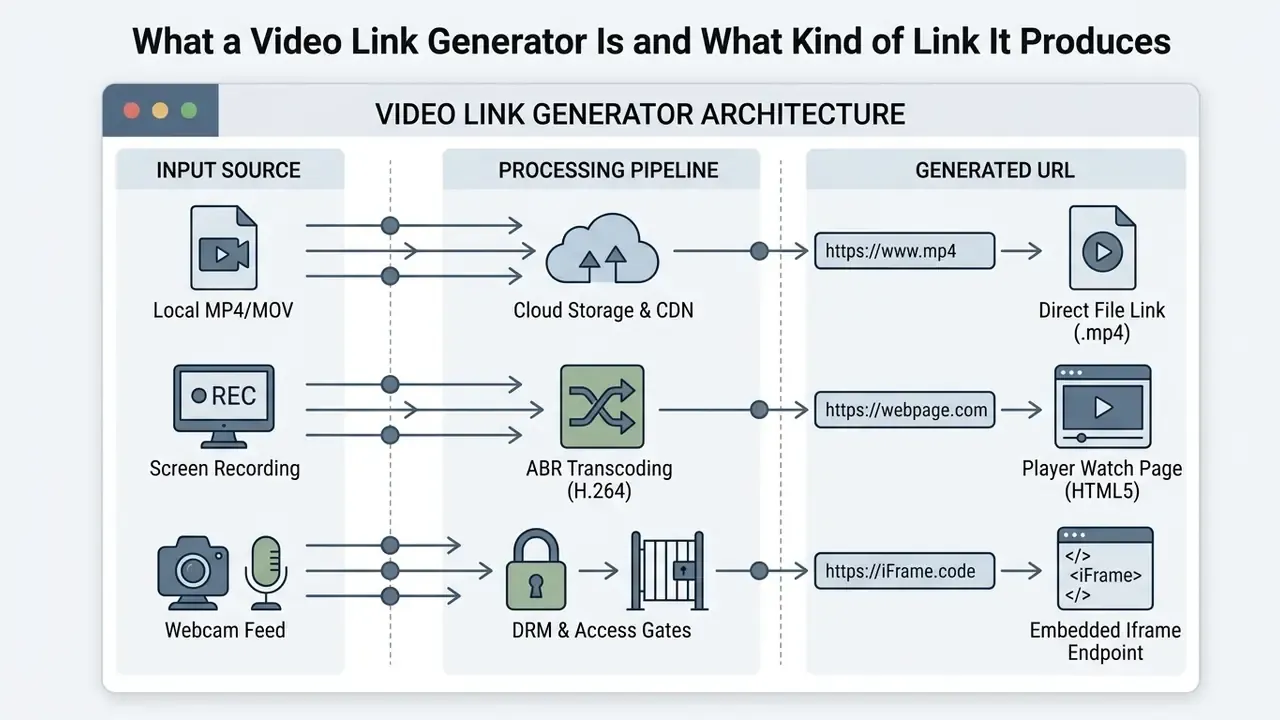
Direct Video Link, Player URL, and Embedded Shareable Links
A direct video link points at the binary asset itself, an .mp4 or .webm resource, so the browser or player fetches raw media from a standard endpoint. A convert video to direct link online tool, by contrast, often hands back a player-page URL: a watch environment with controls, branding, and interactive overlays.
The governance nuance between the two is not cosmetic. A player-page URL stays under platform control. It can be password-gated, expired, geo-blocked, watermarked, or revoked in seconds. A direct binary URL, once fetched, produces a local copy that cannot be recalled. Expiration blocks future requests only, never files already on someone's laptop. So treat direct .mp4 endpoints as a download grant, not a view grant. That single distinction resolves most internal arguments about "we shared it securely".
Standardizing on a structured URL schema keeps delivery predictable across multi-tenant environments, whether you are handling a lightweight clip prepared through a video compression workflow or a full enterprise delivery stack.
Depending on deployment, a generated video link is consumed in three distinct execution contexts:
A minimal native embed uses the generated direct link as the src of a video element, adds a track element pointing at a WebVTT captions file, sets preload="metadata" so the page stays light, and keeps a plain-text fallback line for browsers without HTML5 playback. A branded embed instead wraps the platform's iframe in a container with padding-top: 56.25% to hold a 16:9 ratio, then allows autoplay, encrypted-media, and picture-in-picture, plus allowfullscreen and a descriptive title for screen readers. Both patterns are documented in AI Media API Guides.
Developers who need programmatic link creation, such as batch uploads, signed URLs with an exp timestamp, or IP and geo accessRules, should build against the platform API rather than the web UI. That way every generated URL inherits policy defaults automatically, instead of depending on whoever clicked Export.
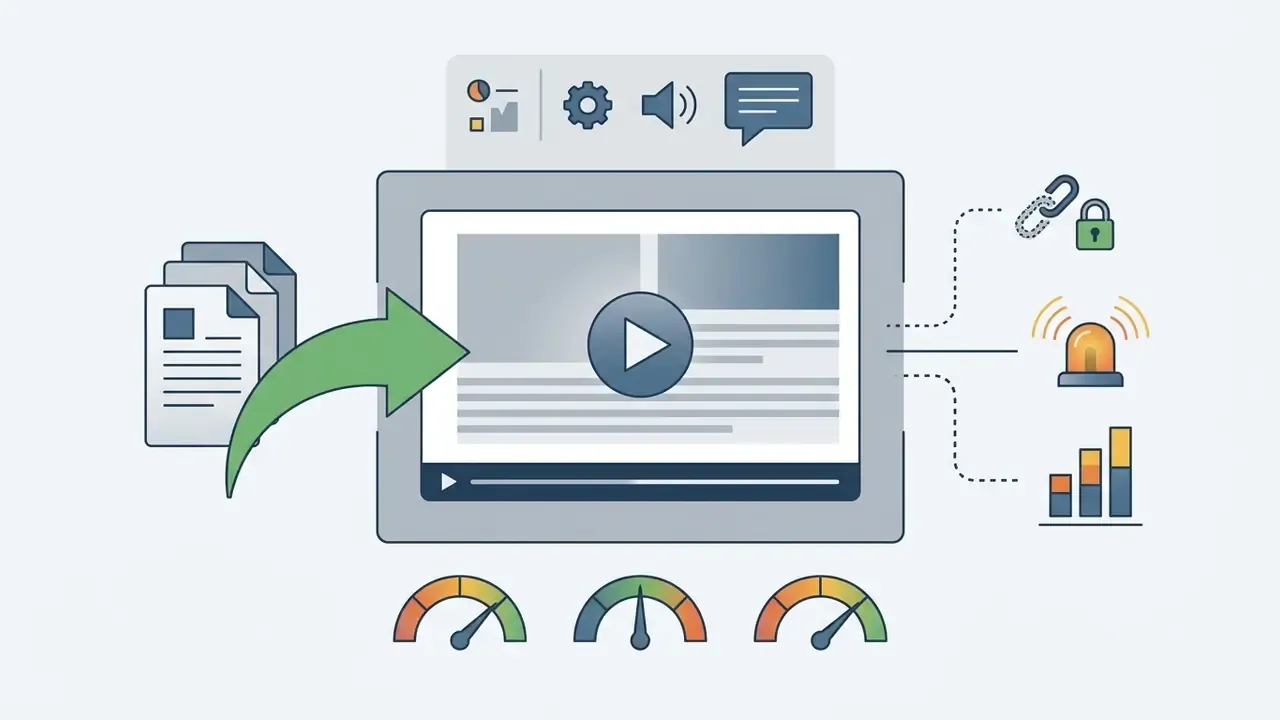
.mp4 or .webm endpoint is used as the src attribute of a video element, rendering natively with no external player wrapper. Fastest path for internal portals and documentation sites.
When You Need Video Hosting and When a Simple Link Is Enough
A plain direct file pointer is enough for a quick internal peer-to-peer transfer where adaptive streaming and analytics add nothing. Full video hosting becomes mandatory for public or semi-public distribution, where you need multi-bitrate HTTP Adaptive Streaming, viewer analytics, custom branding, and granular security. Enterprise platforms preserve high quality output across varying mobile bitrates, which keeps playback reliable when high-resolution video content travels to global audiences.
«Modern dual-socket servers can sustain over 1.09 Tbps of HTTPS video streaming traffic, serving millions of concurrent views.»
A rough decision rule. If the asset will be viewed once, by one internal recipient, and contains no regulated data, a transient link is proportionate. If it will be embedded, re-watched, audited, translated, or shown to anyone outside the perimeter, it belongs on managed hosting with a persistent, revocable URL. Everything in between deserves a five-minute conversation with whoever owns the data.
How to Create a Video Link Online: Upload, Generate, Distribute
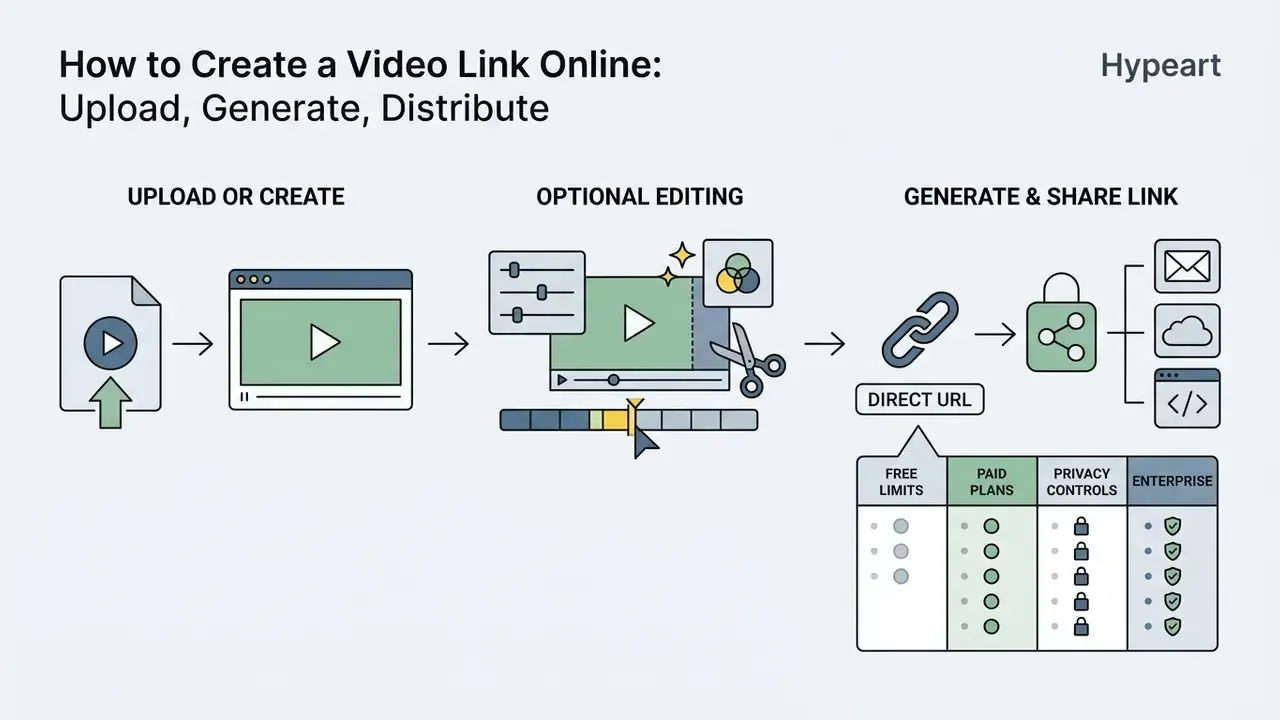
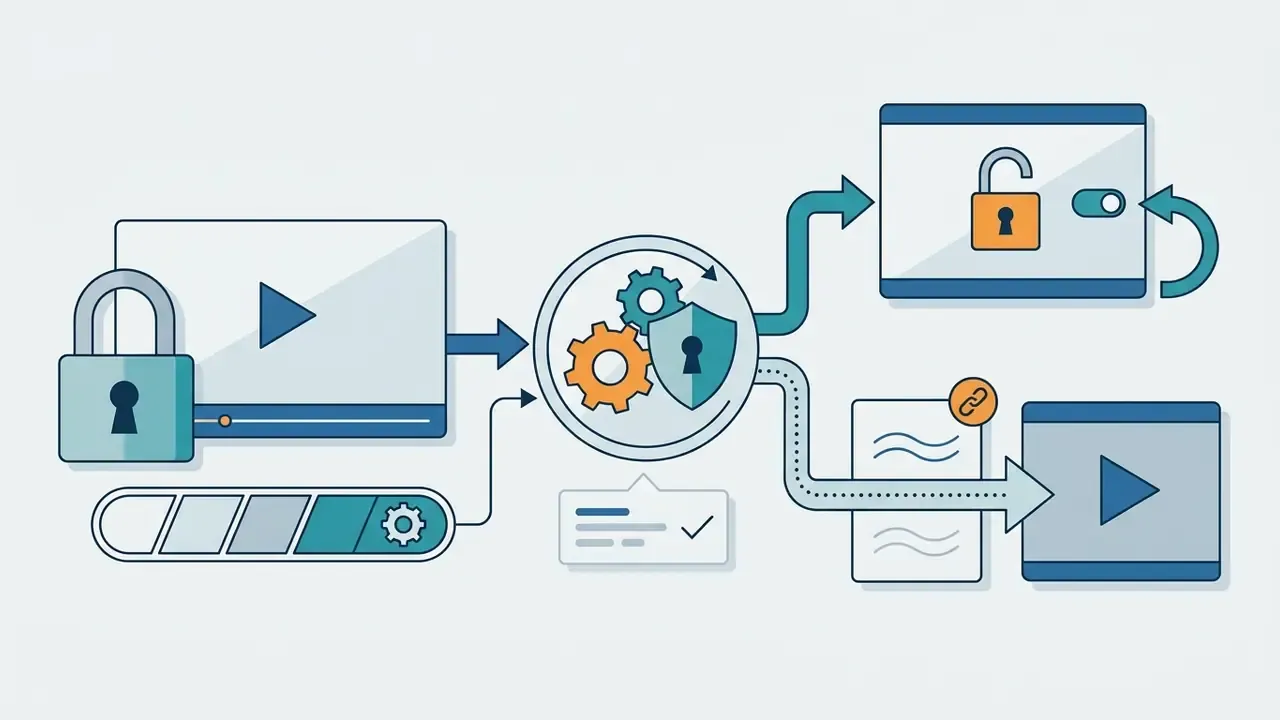
To create a video link online, users follow a three-stage process: upload media or record inside the browser, apply pre-publication edits, then generate the URL and share videos with named stakeholders.
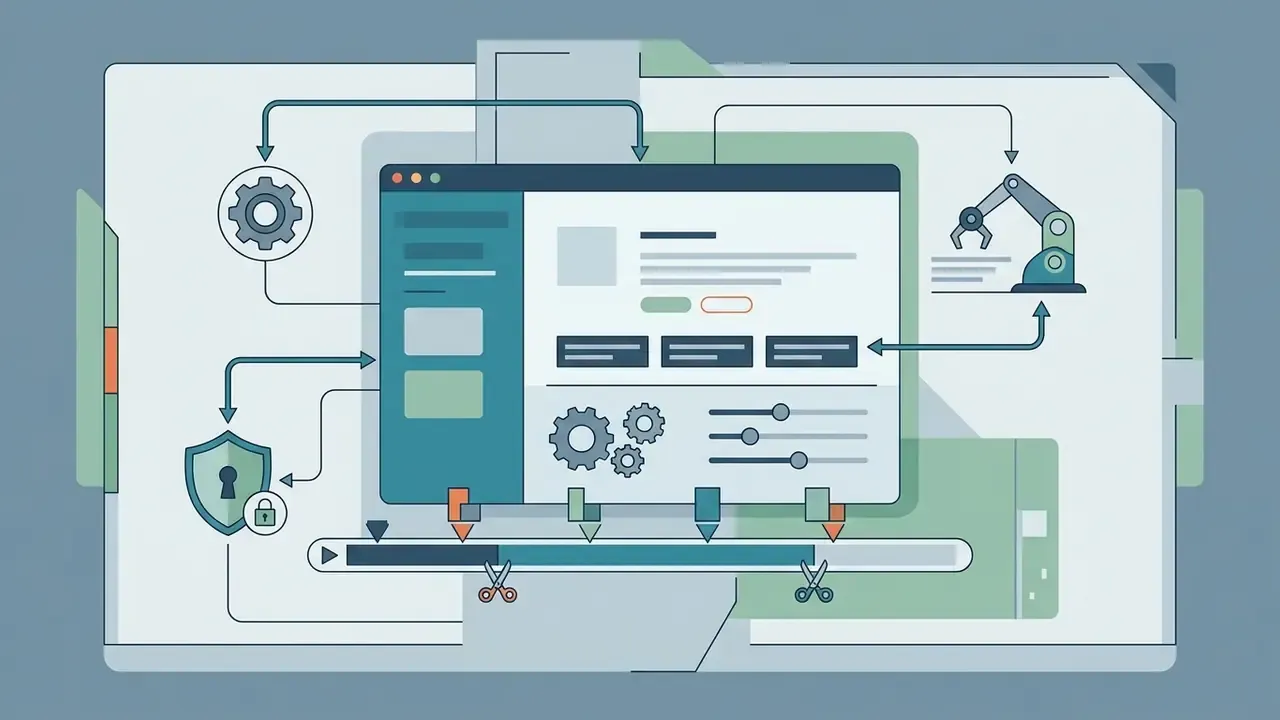
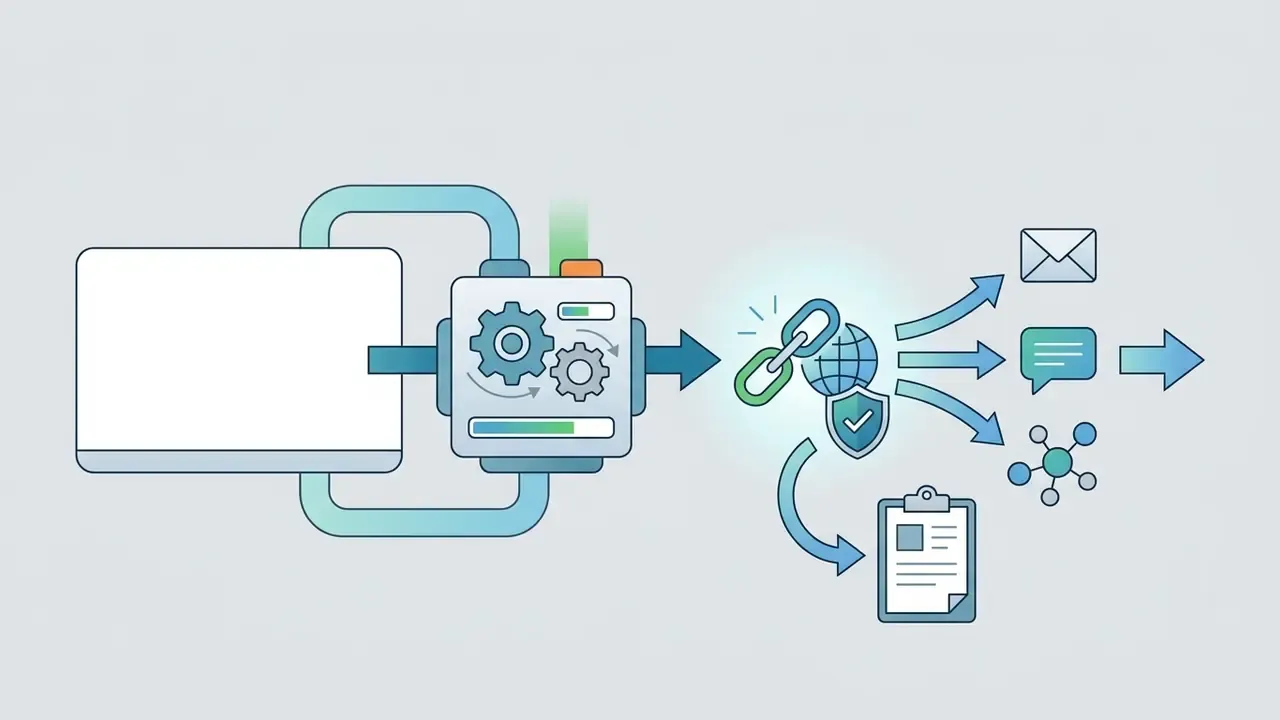
Upload a Video File or Record One in the Browser Editor
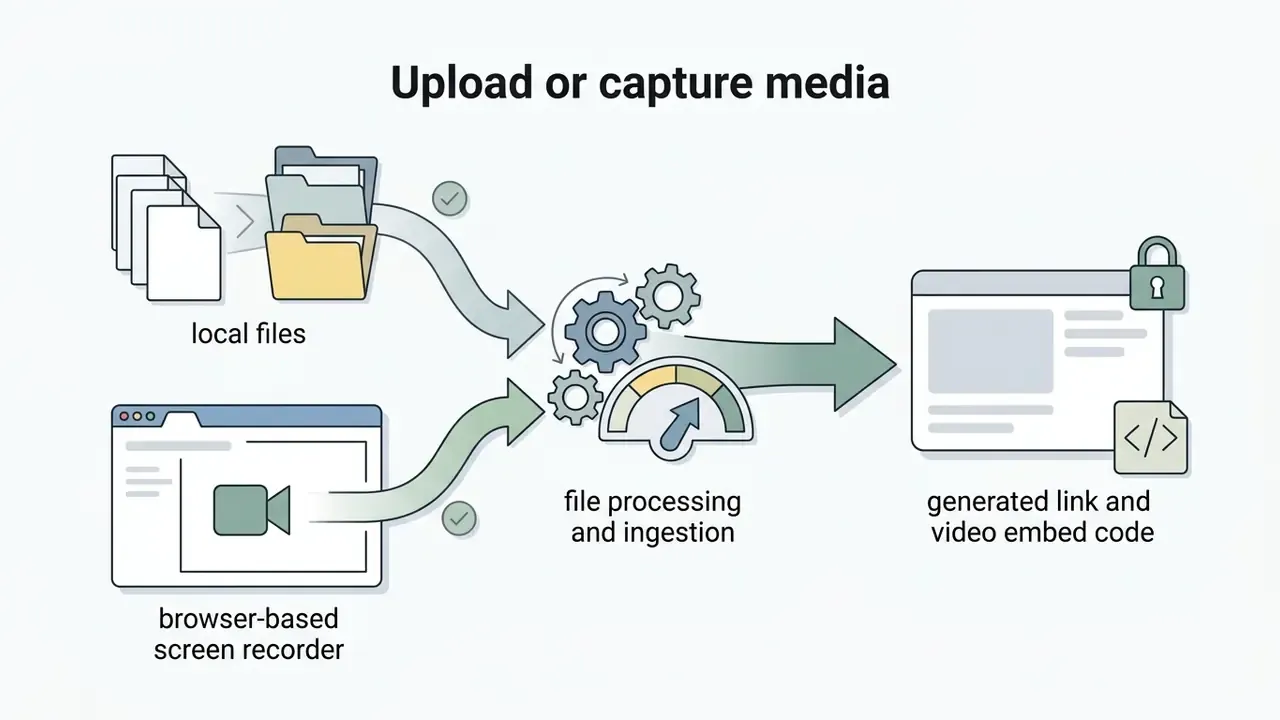
You can upload videos straight from local drives by drag and drop, or import from Google Drive, Dropbox, and OneDrive. Most modern web platforms also ship a built-in screen recorder and webcam capture built on WebRTC and the browser Screen Capture API (navigator.mediaDevices.getDisplayMedia()). That is the standard route for recording a model walkthrough, an incident postmortem, or a compliance training session without installing desktop software, which matters when endpoint software approval takes six weeks.
Creators can run video editing in the same browser session, or assemble static frames and slide decks into motion sequences, turning raw analytical input into a structured video file ready for cloud distribution. Teams that start from stills can use a photo to video AI app, a straightforward photo to video conversion, or a picture video maker for storyboard-first projects.
Process the Video Before Publishing the Link
Before the link exists, browser-based tools let you polish the asset. Typical features include automatic clipping, background noise reduction (see also our roundup of free AI video generators for budget-constrained teams), audio track insertion for a music video, and ai powered auto-captioning. Script-to-scene tools such as a Pictory AI text-to-video workflow turn written scripts, release notes, or training outlines into structured scenes. Synthetic narration from an AI voice generator keeps multi-language training libraries consistent without re-recording a narrator.
AI-driven link generators increasingly fold pre-processing into the pipeline itself:
- Accessibility and compliance. Automated transcription generates WebVTT closed captions and searchable transcripts, so hosted players can meet Section 508 requirements and WCAG 2.1 criteria for deaf and hard-of-hearing viewers, keyboard-only navigation, and screen-reader labelling of player controls.
- AI visual correction. Eye-contact correction, noise removal, filler-word deletion, and smart trimming clean up raw footage before encoding. Worth the minute when a single recording will be reused across dozens of embeds.
- Interactive engagement overlays. Enterprise workflows place dynamic elements over the player: in-video quizzes, polls, timed lead-capture forms, chapter markers, and CTA buttons. In training and compliance contexts, quiz completion becomes an attestation artifact rather than a marketing gimmick.
- Redaction and blur. Automatic face, screen-region, and on-screen-text blurring strips account numbers, PII, or credentials from a recording before a URL exists. Far cheaper than revoking a leaked link afterwards, and far less embarrassing.
Generate the URL and Send the Link to Recipients
Once rendering finishes, the video link maker provisions a unique web address. Acting as a dedicated link creator for video, the service offers one-click copy plus Web Share API integration (navigator.share({ url: "" }) passes the current page URL to the operating system share sheet). From there you generate video links and dispatch them through social media, enterprise messaging, a QR code for an in-room presentation, or plain corporate email.
Formats, File Size, and Video Quality Behind a Link
Cloud link generators accept a broad spread of source formats and sizes, then lean on automated transcoding to hold visual clarity during web playback.
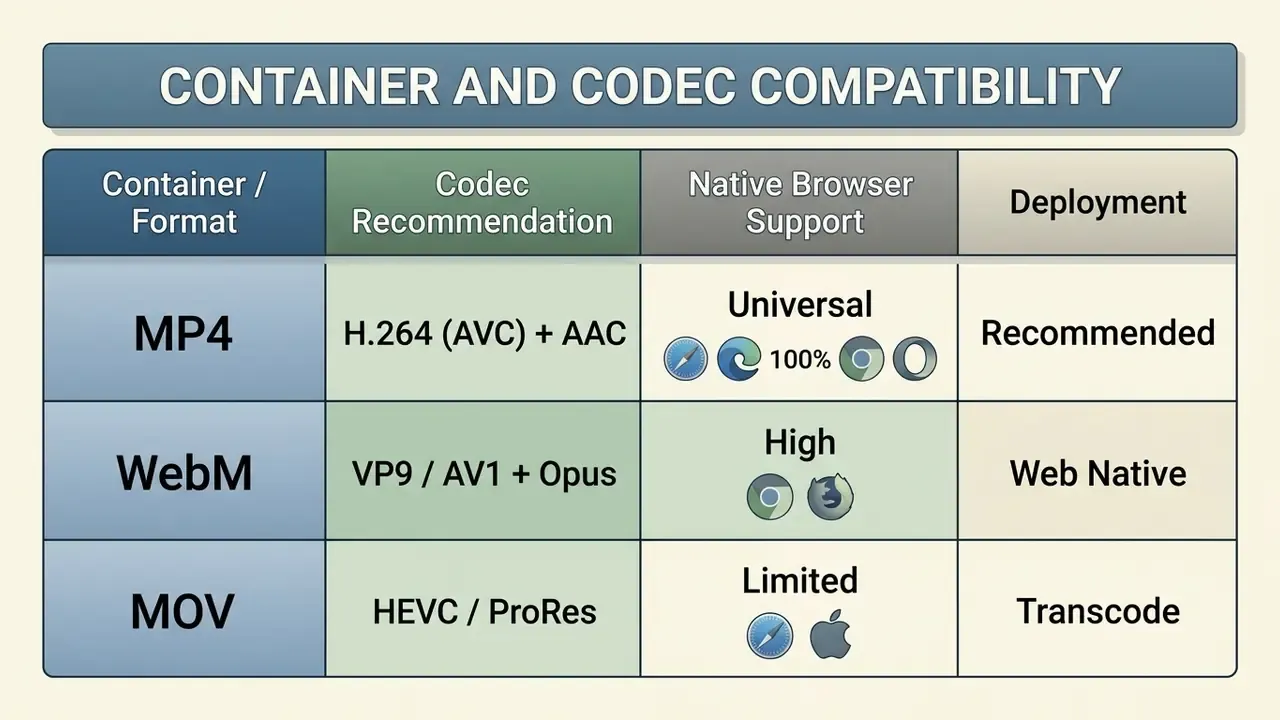
Which Video Files Are Suitable for Upload and Online Viewing
The most compatible web format remains the MP4 container with H.264 video and AAC audio, which gets hardware-accelerated playback in virtually every browser without plugins. WebM (VP9 or AV1) is an efficient open alternative supported natively by Firefox, Chrome, and Opera. HEVC and H.265 playback still depends on browser, operating system, and hardware decoder availability, which is precisely why it works as a capture format and disappoints as a delivery format. Raw containers such as MOV or AVI are accepted by modern video hosting endpoints, but the pipeline transcodes them into browser-friendly renditions so that videos online play without a plugin prompt.
How to Send Large Files Without Email Attachments
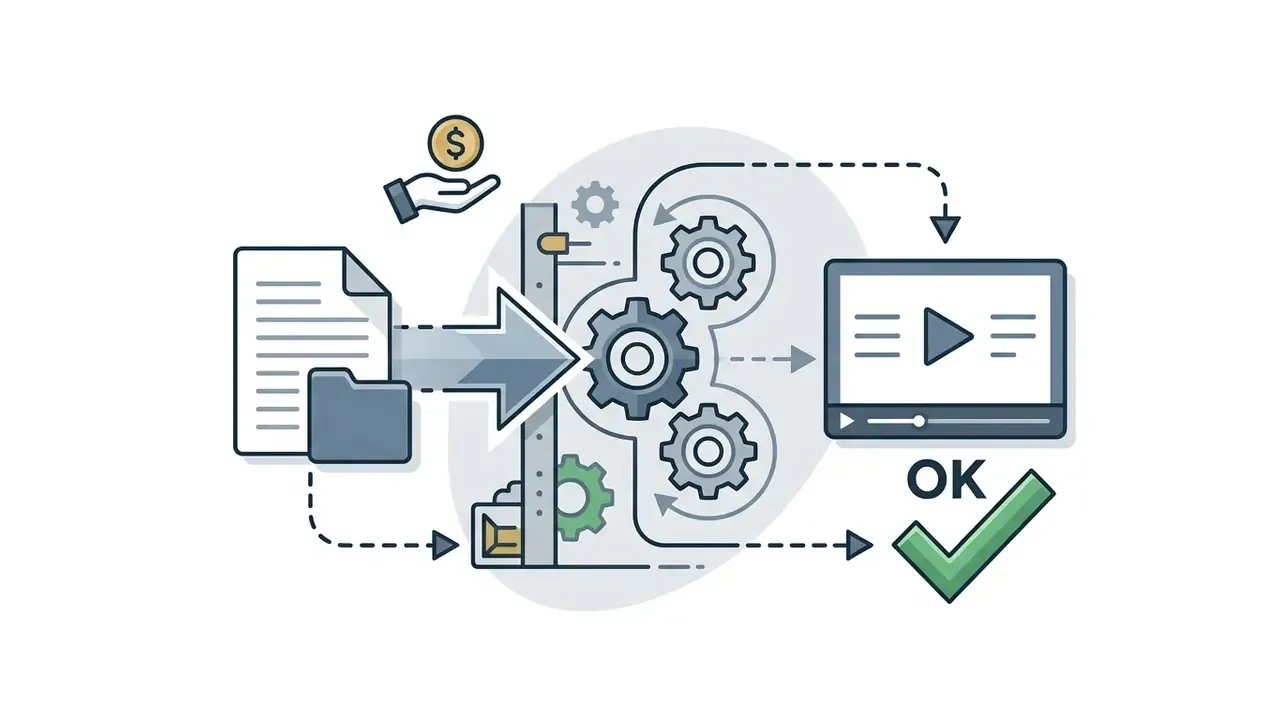
To move large files from 1 GB up to 250 GB without triggering delivery failures, organizations route them through cloud link generation. Platform documentation shows how widely the ceilings diverge: one video-on-demand service caps uploads at 2 GB, an API-first provider allows 30 GiB per file with a 4K delivery maximum, and an OTT platform accepts up to 250 GB per asset. Running video file compression before upload keeps ingest inside plan limits, usually with no visible loss on a screen recording.
Sending heavy media through generated web links offloads bandwidth from mail transport agents to purpose-built content delivery networks. That is a design documented by the hosting platforms themselves, not an assumption about unnamed "major cloud providers". Recipients preview videos online immediately, with no wait for a multi-gigabyte local download.
Is High Quality Preserved When Watching Through a Video Link?
Playback quality depends on the Adaptive Bitrate logic and the viewer's throughput, not on your export setting alone. Streaming servers encode a source into a ladder of renditions, commonly 360p through 2160p, and the client player picks the highest rung the connection and device can hold.
«QoE = average bitrate − bitrate variation − 4.3 × mean rebuffering time: users value stability above maximum resolution.»
«The GRAAB algorithm based on A3C, trained on 5G network traces, significantly outperforms traditional ABR schemes on mean QoE.» IEEE, GRAAB: Gradient-Sharing A3C for Adaptive Bitrate Streaming (2024). https://ieeexplore.ieee.org/document/graab-a3c-abr-2024
When the network cooperates, players hold full high quality resolution. When bandwidth drops, the player steps the rendition down to avoid a stall and keeps the stream alive. The practical consequence for presenters is dull but useful: a "4K link" guarantees nothing about a 4K viewing session on hotel Wi-Fi, so size critical on-screen text for 720p legibility. Your control matrix should be readable on a phone, or it will not be read.
Configuring a Video Link: Title, Access, Protection, and Analytics
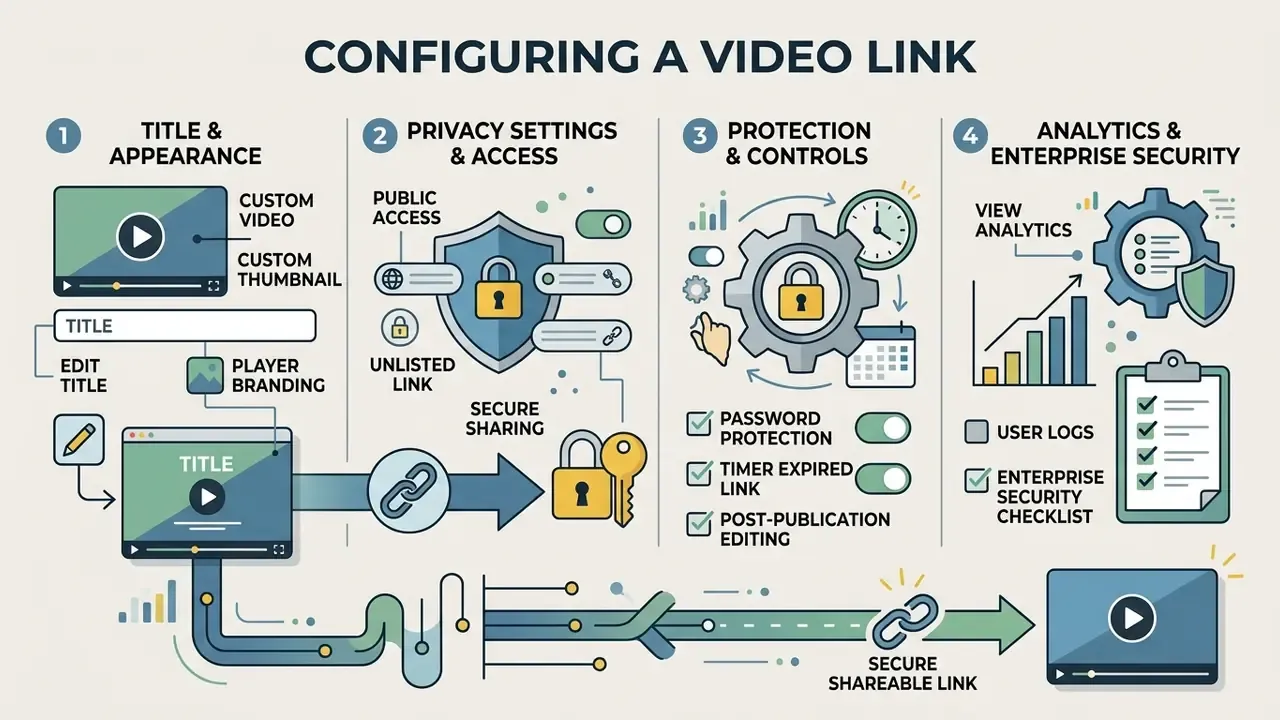
Link management goes well past URL generation. It covers visual branding, privacy controls, retention rules, and post-distribution measurement.
How to Configure the Title and Appearance of a Video Link
Presentation control means branded short URLs, custom slugs, and dedicated player landing pages. A specialized link maker for video lets teams apply corporate logos, brand palettes, custom thumbnails, and interactive call-to-action buttons. Thumbnails can be uploaded, grabbed from the current frame, chosen from generated suggestions, or set as a silent looping preview. For organizations running creative suites, aligning player layouts with assets prepared in a photo editing workflow or a photo video maker keeps branding consistent across every video content touchpoint.
Privacy Settings and Secure Access for Video
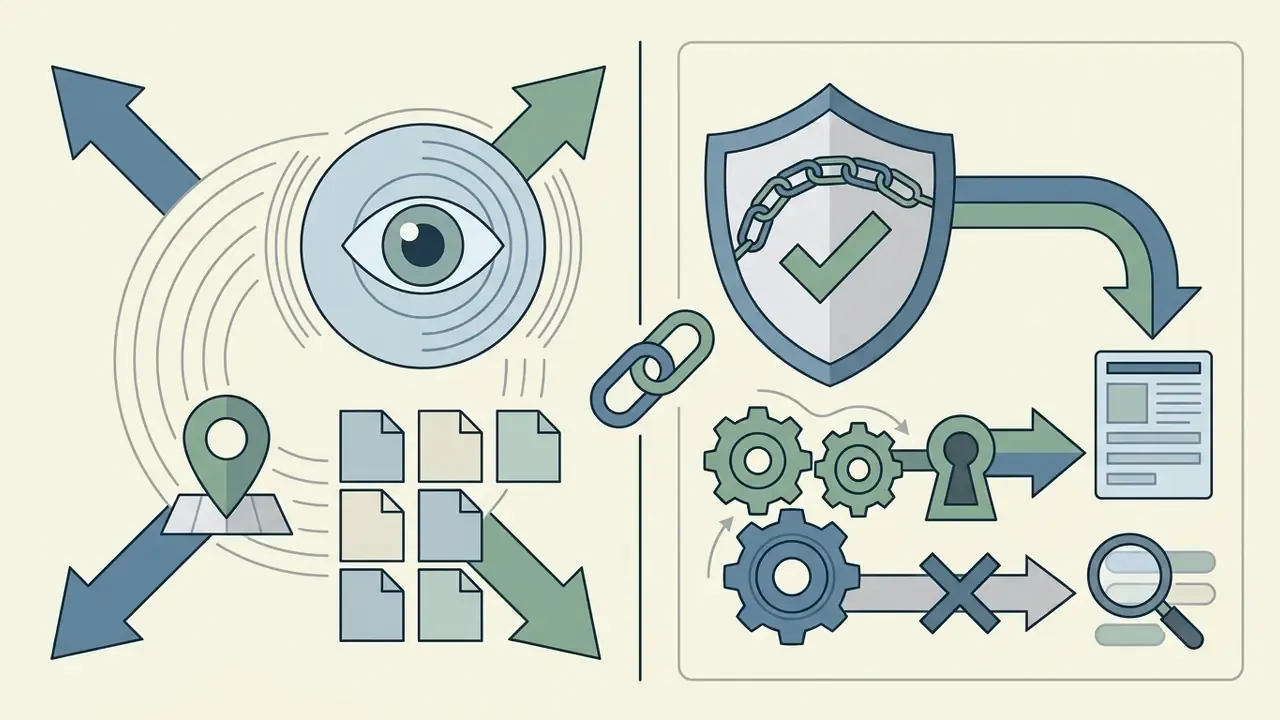
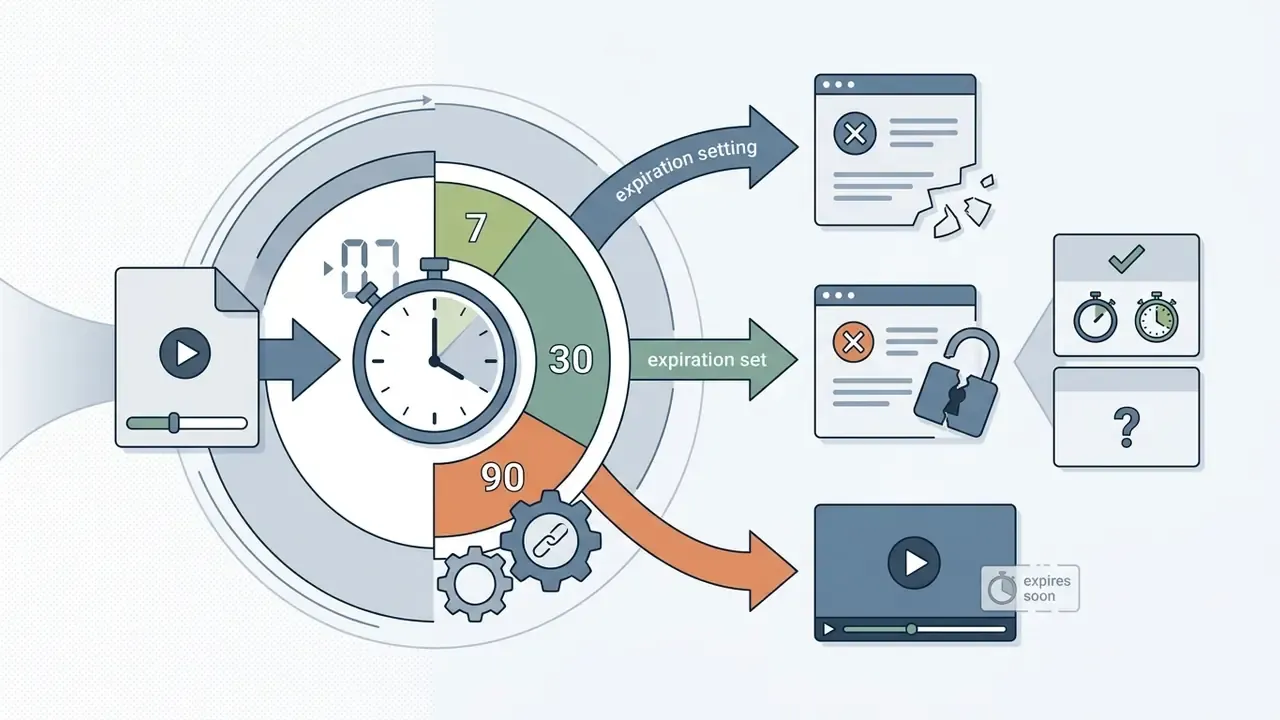
Well-configured privacy settings keep sensitive corporate media away from unauthorized viewers and search engine crawlers. Enterprise platforms stack several gates: password enforcement, domain referrer restrictions that allow-list specific embedding sites, geographic and IP blocks, signed URLs with explicit expiry timestamps, download prohibition flags, and time-limited expiration. Documented implementations set expiry windows after which the URL returns HTTP 403, permit up to nine allowed IPs and ten allowed domains per playback URL, and expose a separate downloadable flag so viewing rights and download rights are governed independently. Together these mechanisms make secure distribution achievable and keep access to proprietary media genuinely controlled.
That plan-lapse behavior belongs in vendor risk reviews. A failed corporate card can silently break every embed in an internal knowledge base, which is an availability incident with an audit trail of its own, not merely an inconvenience for the comms team.
Based on official documentation from enterprise hosting providers including Loom, Vimeo, and Wistia, privacy parameters vary by account tier:
Enterprise Security Checklist Before You Generate the Link
Use this as a pre-distribution control gate. It is deliberately vendor-neutral and maps to the questions internal audit, model risk management, and vendor due diligence usually raise.
| # | Control | What to verify | Why it matters |
|---|---|---|---|
| 1 | Identity federation | SSO via SAML or OIDC, SCIM provisioning and de-provisioning | Departing staff must lose access without manual link cleanup |
| 2 | Independent attestation | SOC 2 Type II or ISO 27001 scope covering the streaming service, not only the corporate website | Marketing claims are not evidence |
| 3 | Audit log export | Immutable per-viewer records (identity, timestamp, IP, watch duration) exportable to SIEM or GRC | Produces reviewable proof of who saw a recording |
| 4 | Retention and deletion | Configurable retention windows, verified hard delete, legal hold | Recordkeeping and deletion duties pull in opposite directions |
| 5 | Link lifecycle | Signed URLs with expiry, one-click revocation, view-count caps | Time-bound exposure instead of permanent exposure |
| 6 | Download control | Separate download permission, DRM or watermarking for high-sensitivity assets | A downloaded copy can never be recalled |
| 7 | Network controls | Domain allow-list for embeds, IP and geo rules, no public indexing | Prevents re-embedding on uncontrolled pages |
| 8 | Data-use terms | Explicit contractual prohibition on training vendor models with customer media | The core Shadow AI exposure in free tiers |
| 9 | Residency and sub-processors | Storage region, CDN edge locations, sub-processor list | Cross-border transfer assessments depend on it |
| 10 | Accessibility | Section 508 and WCAG 2.1 conformance of the player, caption accuracy workflow | Accessibility is a legal requirement, not a feature |
Shadow AI warning. Free consumer link generators get adopted bottom-up, without procurement review, usually by someone solving a real problem under deadline. When an employee uploads a customer call, a penetration-test walkthrough, or a model validation session into such a service, the organization loses three things at once: control over retention, visibility into who viewed the asset, and any assurance that the media will not be reused for vendor model training. Publish an approved-tool list, block unsanctioned upload domains through DLP and CASB policy, and give staff a sanctioned, audited path that is at least as fast as the unsanctioned one. Convenience is what drives shadow adoption, so convenience is what has to be matched.
Views and Engagement After Publishing Video Content
Post-publication analytics turn a link into a measurement instrument. Telemetry captures total plays, unique viewers, average watch duration, completion rates, geographic distribution, and drop-off points. Documented platform metrics include watch depth, unique impressions, session-based uniqueness, device and browser breakdowns, and six-month retention of viewer-level data. Marketers use ai powered tracking to read engagement heatmaps across marketing campaigns and reshape future video structure.
In a corporate context the same telemetry answers a colder question: did every required reviewer actually watch the compliance briefing to completion, and can that be demonstrated to an examiner without a spreadsheet reconstruction?
«Algorithmic recommendations and vivid thumbnails actively shape engagement, particularly in content aimed at children.»
One trade-off to decide consciously. Privacy-preserving modes change what you can measure: some platforms anonymize IP addresses and disable session cookies, which cuts attribution granularity in exchange for a lighter data-protection footprint. Both choices are defensible. Drifting into one by accident is not.
Free Video Link Generator Versus Paid Plans for Commercial Use
Choosing between a free video link generator and a commercial tier comes down to file size, storage retention, branding, security controls, and compliance mandates.
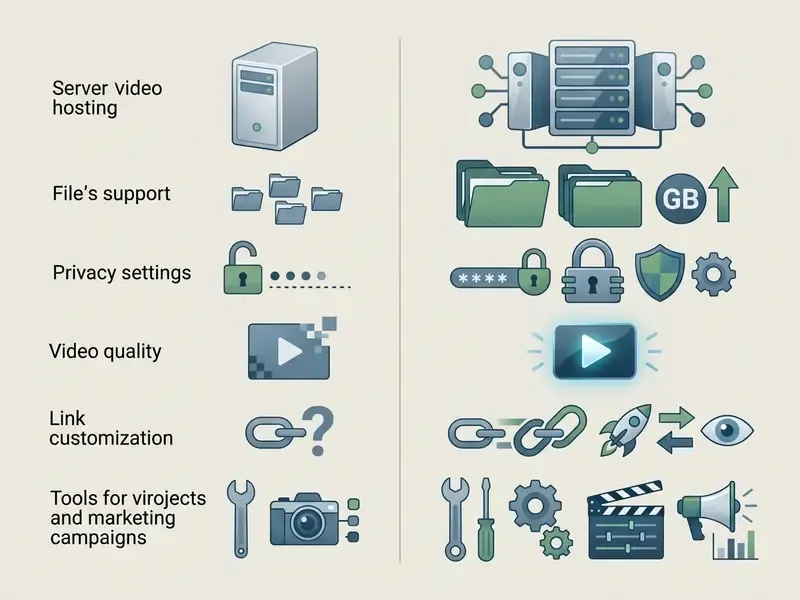
| Feature Capability | Free Tier / Free Link Generator | Commercial / Enterprise Tier |
|---|---|---|
| Max file upload size | 10 MB to 500 MB per file | 2 GB to 250 GB per file |
| Cloud storage limit | 1 GB to 5 GB total | 2 TB to unlimited custom storage |
| Video quality and resolution | 720p HD maximum export | 1080p Full HD and 4K Ultra HD |
| Branding and watermarks | Service watermark, default UI | White-label, custom domain and branding |
| Privacy and security controls | Basic public or unlisted links | Passwords, domain allow-list, IP gates, signed URLs |
| Identity and audit | Personal account, no SSO, no audit export | SSO and SAML, SCIM, exportable access logs |
| Analytics and telemetry | Basic play count | Completion heatmaps and drop-off metrics |
| Link lifecycle | Manual deletion only | Scheduled expiry, revocation, retention policy |
Total cost of ownership rarely matches the sticker price, since control effort, review time, and residual risk all carry a number. Our calculators help model that spread before a purchase request reaches committee.
What a Free Video Link Generator Usually Includes
A typical free video link generator online or free video to link generator gives you enough to convert video to link online free with no financial commitment. A basic free video link creator or free link generator for video will upload short clips, return public URLs, and support modest playback. For entry-level options, see our overview of free AI video generators. Expect the familiar ceilings, though: watermarks, 720p export caps, file sizes under 200 MB, and tight monthly storage limits.
For business users, the missing password gate is the decisive limitation. Without it, a link is effectively public to anyone who receives it, forwards it, or pastes it into a ticket.
Which Capabilities Matter for Clients, Teams, and Video Projects
Commercial video projects need white-label delivery, collaborative workspaces, and real administrative controls. The same criteria appear in our comparison of AI video generation platforms. Enterprise platforms let teams remove platform watermarks, swap the underlying media without changing published URLs, assign granular workspace roles (view, comment, manage, edit), federate identity with the corporate directory, and lock down client presentations. Brand-partner linking models, where an external agency gets scoped access to specific assets and their metrics instead of the whole library, are the practical pattern for agency collaboration. Subscription models and feature tiers are outlined in AI Media Pricing.
When Marketing Campaigns Need a Video Link Generator
Marketing teams need link features that plug video into automated funnels and outreach sequences. Advanced generators support custom CTA overlays, personalized thumbnails, A/B landing page tests, and direct CRM automation integration. Landing-page platforms now track clicks, scroll depth, form interactions, button clicks, offsite purchases, and source attribution, so a video link becomes a measurable funnel step rather than an untracked asset. Viewer-level retention data lets growth teams calculate risk-adjusted ROI across channels, provided the control cost sits inside the model rather than beside it.
Where to Use Video Links: Corporate, Training, Portfolio, and Social
Structured video links tidy up communication across corporate governance, marketing, training, agency portfolios, and cross-functional project teams.
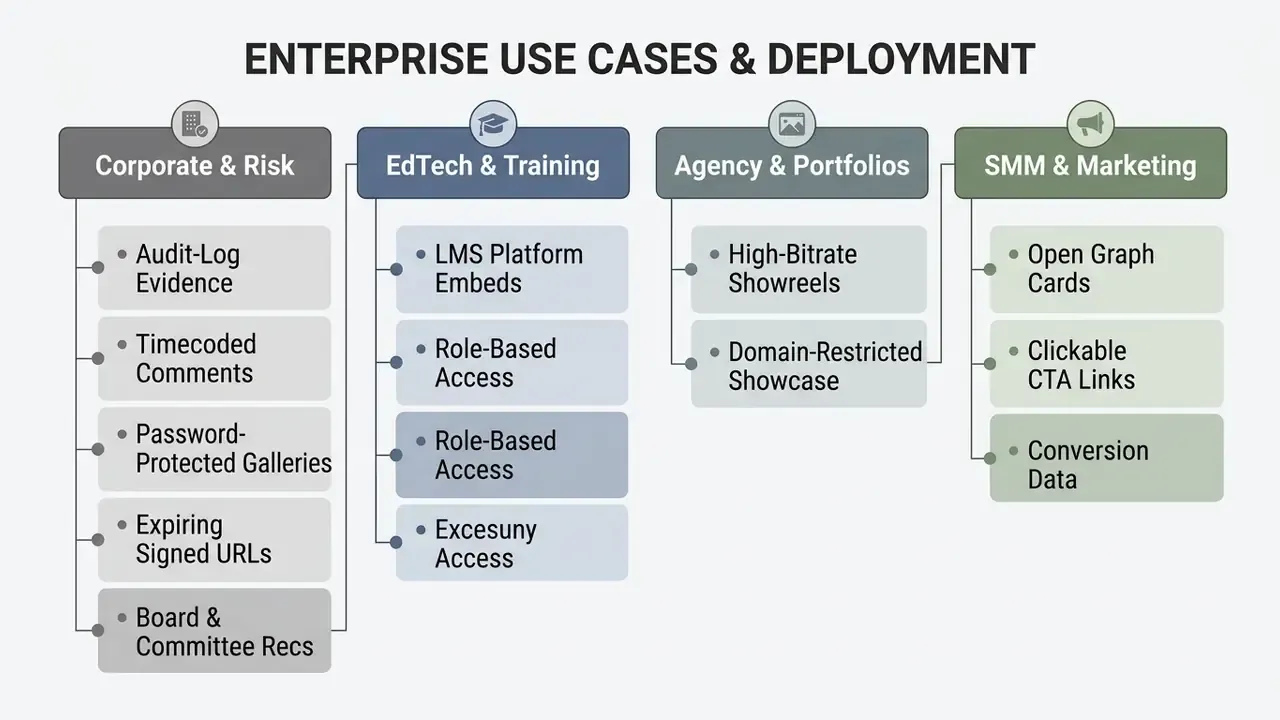
Corporate Communications, Audit Evidence, and Regulated Reporting
Video Links for Training, Presentations, and Team Collaboration
In training and educational settings, shareable links enable collaborative review through timecoded annotations and timestamped feedback, the same mechanics covered in our practical guide to video editing workflows. Instructors and reviewers leave comments anchored to exact timestamps or timecode ranges, which shortens revision cycles in multi-person editing. Comment sets usually export as markers or as PDF and CSV for downstream review. Permission tiers separate viewers who may comment via the link from collaborators who may manage or edit the asset. For tools that convert static slide decks into video presentations, see AI Media Comparison Matrices.
Personal Sharing, Portfolios, and Creative Projects
Freelancers, videographers, and agency directors use secure links to present high-bitrate showreels and client drafts. Documented portfolio patterns include password-protected collections whose privacy setting overrides each individual video's setting, plus embed-only modes that permit playback exclusively inside a portfolio site. Password-gated galleries with domain restrictions block casual downloading and redistribution of proprietary media. For guidance on intellectual property rights and asset licensing, visit the AI Media Commercial-Use Hub.
Limitations, Open Questions, and a Safe Next Step
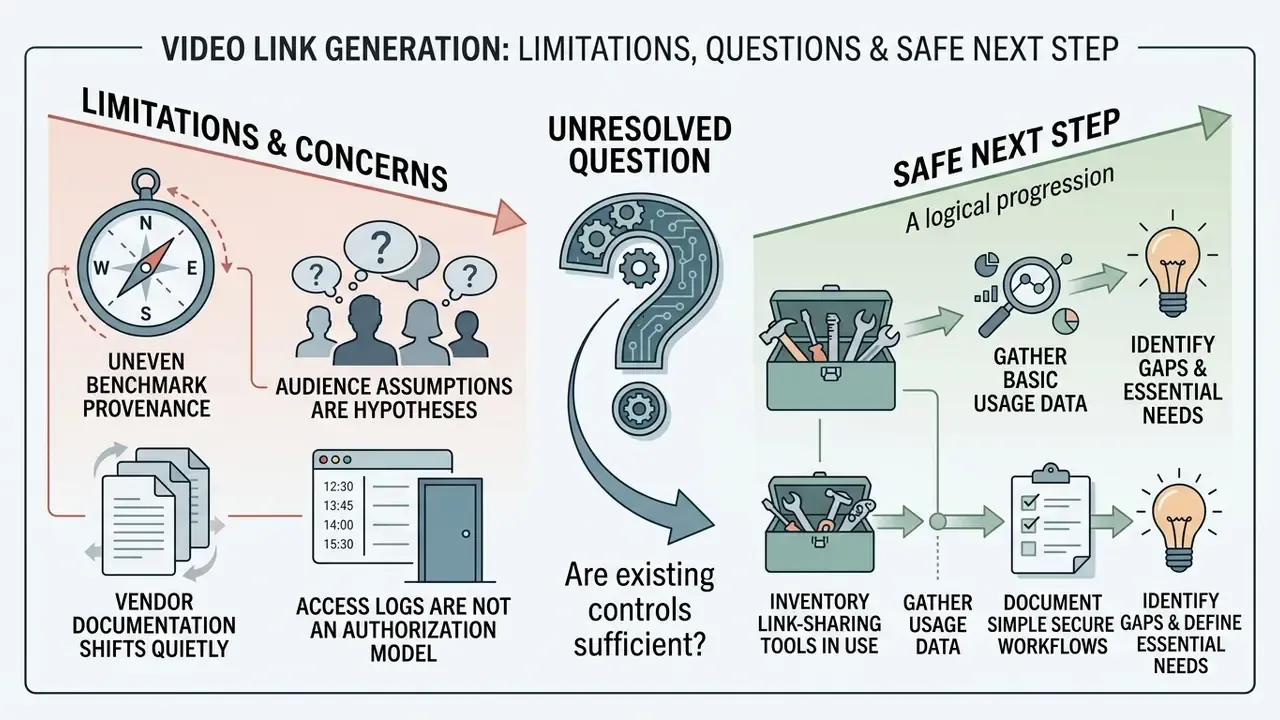
Some honesty about the evidence base, since the vendor material rarely offers any.
- Benchmark provenance is uneven. Latency, throughput, and rebuffering figures cited above come from vendor-published or lab-conditioned tests as of early 2026. They are directional, not contractual. Ask for a trial and measure from your own networks.
- Audience assumptions remain hypotheses. Statements about what CROs, CCOs, and model risk heads prioritize should be treated as hypotheses until confirmed by interviews, CRM data, or analytics from your own institution.
- Vendor documentation shifts quietly. Expiration behavior, plan-lapse handling, and analytics retention have all changed mid-contract at mainstream providers. Re-verify at renewal, not at incident time.
- Access logs are not an authorization model. A log tells you who watched. It does not tell you whether they should have. Entitlement review still sits with the data owner.
- Unresolved question. Where should agentic workflows that auto-generate and auto-distribute recordings sit in your model inventory? Most frameworks we have seen do not yet answer that cleanly, and pretending otherwise would be a disservice.
A safe next step, in roughly the order that tends to work: inventory the link-sharing tools already in use, including the unsanctioned ones. Classify the media types travelling through them. Pick one sanctioned platform, run the ten-control checklist against its documentation, then pilot on a single low-sensitivity workflow such as internal training. No large migration, no committee marathon. Just one controlled path that people are willing to use.
FAQ: Common Questions About Video Link Generators
How do I turn a video into a link quickly?
Upload the file (MP4, MOV, WebM) to a hosting platform, or press the screen and camera record button inside the browser. Once processing finishes, click Export or Generate link and copy the URL for delivery via messenger, chat, or email.
How do I convert an MP4 into a direct link without ads or watermarks?
Use a cloud service that exposes direct links. After upload, choose the direct CDN link export type for a .mp4 file. A direct link plays natively in the browser and can sit inside a video element's src attribute with no banners or third-party player wrapper. Removing service watermarks generally requires a paid tier.
Can I share files larger than 10 GB by link without Google Drive or YouTube?
Yes. Specialized link generators upload straight to a CDN, with documented per-file ceilings from 2 GB to 250 GB depending on the platform. That sidesteps personal cloud-drive limits and avoids publishing to YouTube as unlisted, where aggressive compression is applied.
Does a video stay private when shared through a link?
Commercial generators support password gates, search-engine exclusion, embed domain allow-lists, IP or geographic restrictions, download prohibition, and automatic expiration. Free tiers frequently omit password protection, so treat a free link as effectively public.
How do I embed a generated video link into a web page?
Two options. Use the direct file URL as the src of an HTML5 video element for a lightweight native player, adding a track element for WebVTT captions. Or paste the platform's responsive iframe embed code to keep branding, adaptive streaming, engagement overlays, and analytics.
Can I make a hosted video link accessible and Section 508 compliant?
Yes, if the player supports captions, transcripts, keyboard navigation, and screen-reader-labelled controls. Generate WebVTT captions with AI transcription, review them for accuracy, publish a text transcript beside the player, and confirm the vendor documents Section 508 and WCAG 2.1 conformance.
Can a shared video link be revoked after distribution?
A player-page or signed URL can be expired or revoked, after which requests return HTTP 403. A raw file that a recipient already downloaded cannot be recalled. For sensitive material, disable downloads, set an expiry window, and prefer player pages over direct binary endpoints.
Is it safe to use a free public video link generator for confidential company recordings?
Treat it as an unmanaged disclosure risk. Free tiers typically lack SSO, audit-log export, retention controls, and contractual limits on using uploaded media for vendor model training. Route confidential recordings only through a reviewed, contracted platform on your approved-tool list.
Appendix A: Superseded Formulations (Revision Record)
Retained for transparency. The main text above carries the corrected versions.
- Superseded: "Empirical benchmarks from the NeurIPS Streaming Dataset (2023) confirm that modern streaming servers encode source videos into ladder renditions ranging from 360p to 4K (2160p)." The rendition-ladder claim is accurate as an ABR description but was wrongly attributed to a dataset that studies session-level QoE metrics. Replaced with the dataset's QoE formulation plus a peer-reviewed ABR reference.
- Superseded: "According to the BlazingCDN Infrastructure Benchmark (2023–2024), leading content delivery networks achieve regional median latencies between 19 ms and 25 ms in North America and Europe." Correct source, but stripped of per-region figures and throughput context. Replaced with the itemized benchmark quotation.
- Superseded: "According to technical documentation from major cloud storage providers, sending heavy files via generated web links offloads bandwidth consumption from email transport agents to specialized content delivery networks." Vague collective attribution replaced with named platform documentation and specific per-file ceilings.
Further definitions, control vocabulary, and pipeline terminology are catalogued in the AI Media Glossary.