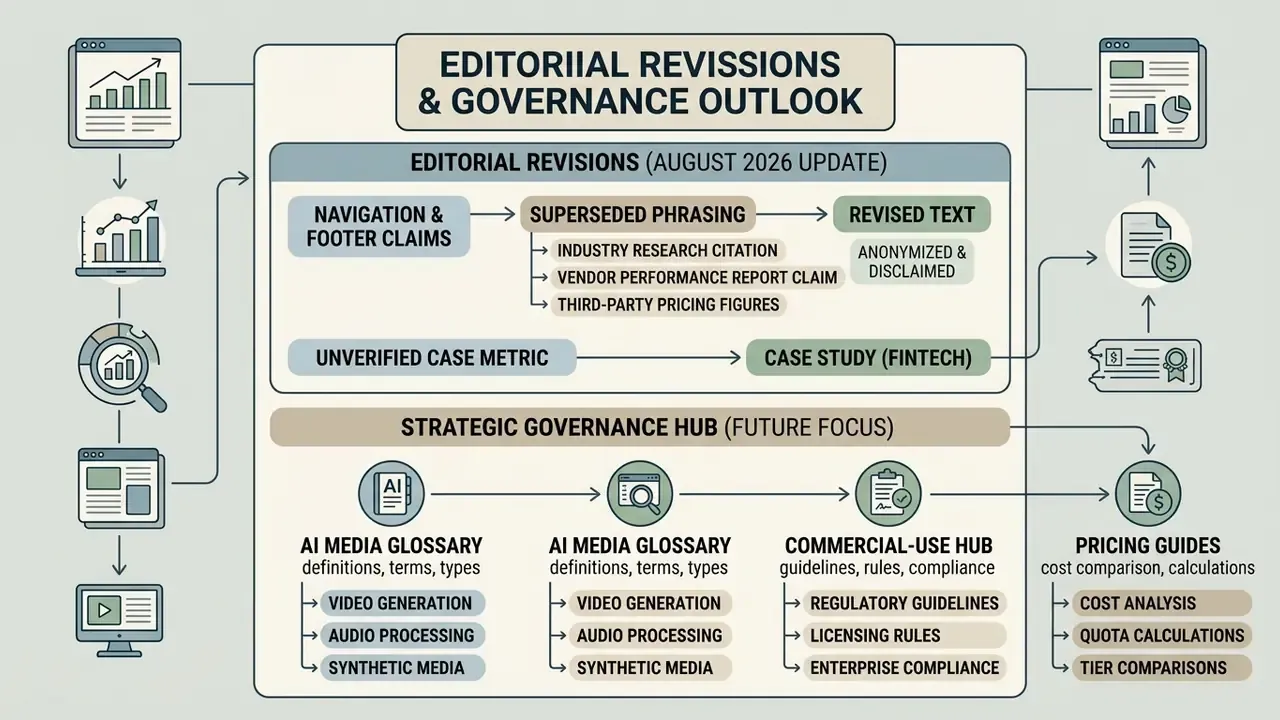
About this review: compiled by the AI Media research desk from vendor primary sources (Pictory pricing page, Terms of Service, Help Center and Academy documentation), third-party 2026 reviews, and independent benchmark literature. Technically reviewed from a model-risk and AI-governance perspective. Last updated: August 2026. Prices, quotas, and licensing terms change often, so re-verify on the official Pictory pricing page before procurement.
Why should a bank or a mature fintech care about a marketing video tool? Because tools like this arrive through the marketing budget, not the procurement queue. That is exactly the pattern risk owners keep meeting after the fact.
Executive Summary for Decision Makers
- What it is: a browser-based text to video and video-repurposing platform (no native iOS/Android app) that turns scripts, articles, URLs,
.pptxdecks, images, audio, and existing footage into captioned, branded MP4 videos. - Who founded it: Vikram Chalana with co-founders Vishal Chalana and Abid Ali (2019, Bothell, Washington). Roughly $4.72M raised, 5,000+ paying customers, and a media library exceeding 10 million licensed clips, images, and music tracks.
- 2026 pricing: 14-day free trial (3 projects, watermarked). Paid tiers start at $25/month billed annually ($29 monthly) for Starter, $35/month annually ($59 monthly) for Professional, and $119/month annually ($199 monthly) for Team. Enterprise is quote-based with SSO and API access.
- Where it wins: converting existing written archives and blog posts into short-form video at speed; auto-captioning; brand-kit governance; webinar and podcast repurposing into 9:16 clips.
- Where it loses: cinematic 3D work, keyframe animation, multi-avatar character continuity, frame-level colour and VFX control.
- What risk owners must verify before rollout: data-retention and model-training terms for uploaded scripts, SSO/RBAC availability, exportable audit trails, synthetic-media disclosure obligations, third-party stock-license boundaries (Getty and Storyblocks), and the human-in-the-loop cost embedded in any ROI model.
- Verdict: strong operational fit for marketing and enablement content; conditional fit for regulated communications, pending a documented security and disclosure review.
What Pictory AI Video Generator Is and Which Jobs It Fits
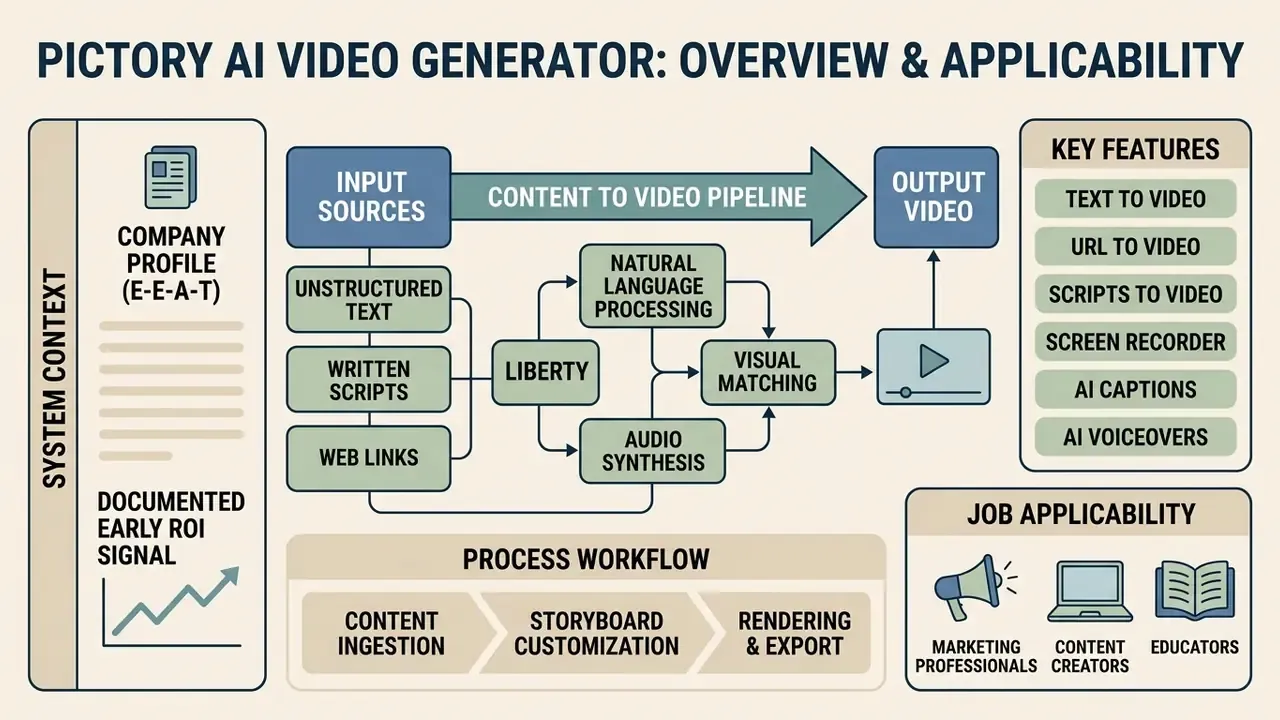
Pictory AI functions as an automated video creation tool that converts unstructured text, written scripts, and web links into multi-scene video content. The software targets enterprise communications, digital marketing, and content repurposing workflows, where speed and multi-platform distribution matter more than manual frame-by-frame editing.
Documented early ROI signal (moved forward for context). A regional fintech firm evaluated automated content transformation to accelerate compliance training delivery across distributed operational units. By converting internal policy documents directly into short-form visual modules, the team reduced initial video layout setup times from 14 hours to 45 minutes per module while maintaining audit tracking over script text. Verification note: this is an anonymized internal evaluation supplied without a published methodology, control group, or third-party audit. Treat the figure as directional rather than as a benchmark, and validate it against your own baseline before it enters a business case.
That benchmark context matters for buyers, because "AI video" quality is not a single score. Stock-assembly platforms like Pictory score well on subject consistency and readability, since the visuals are pre-shot footage. Fully generative engines compete on a different axis: motion realism and physical plausibility.
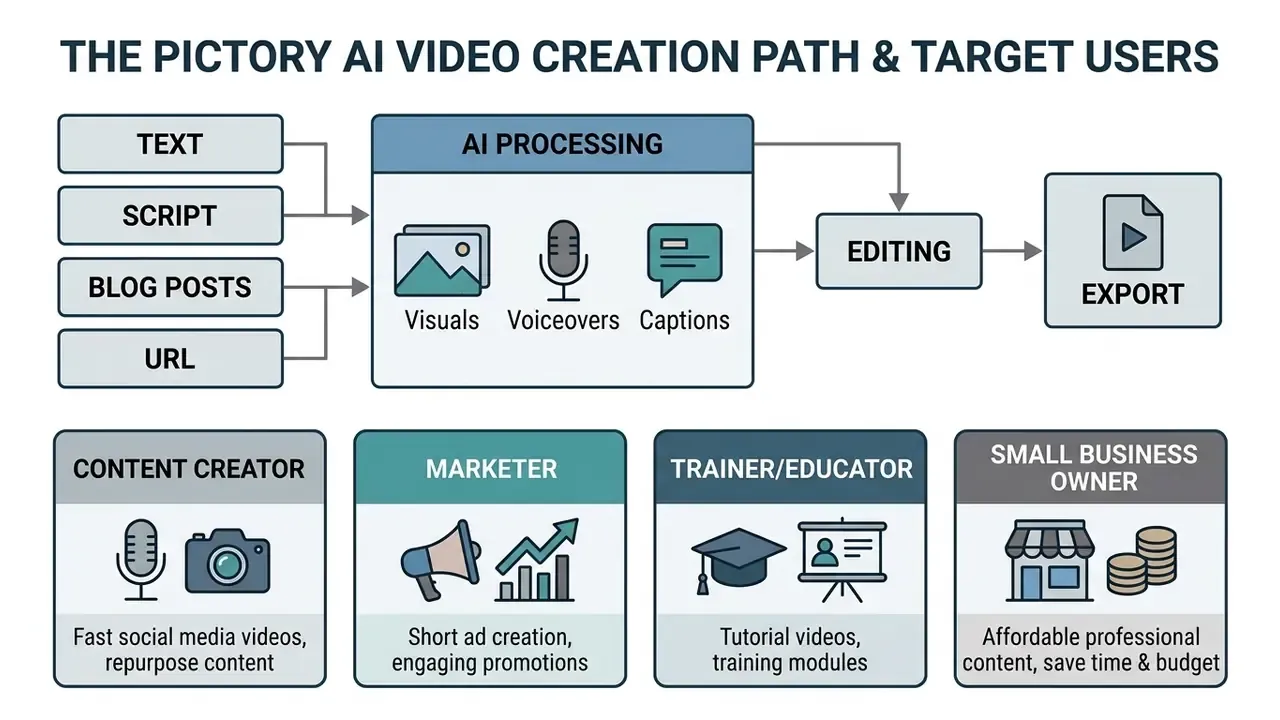
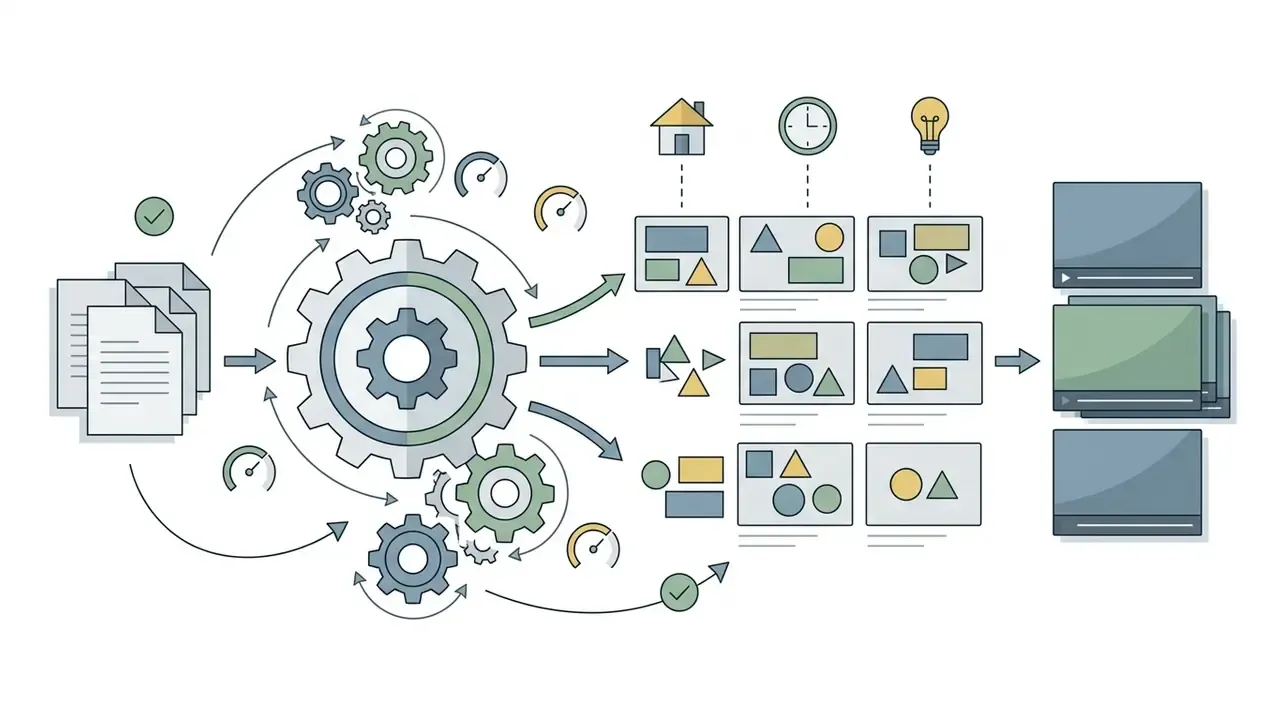
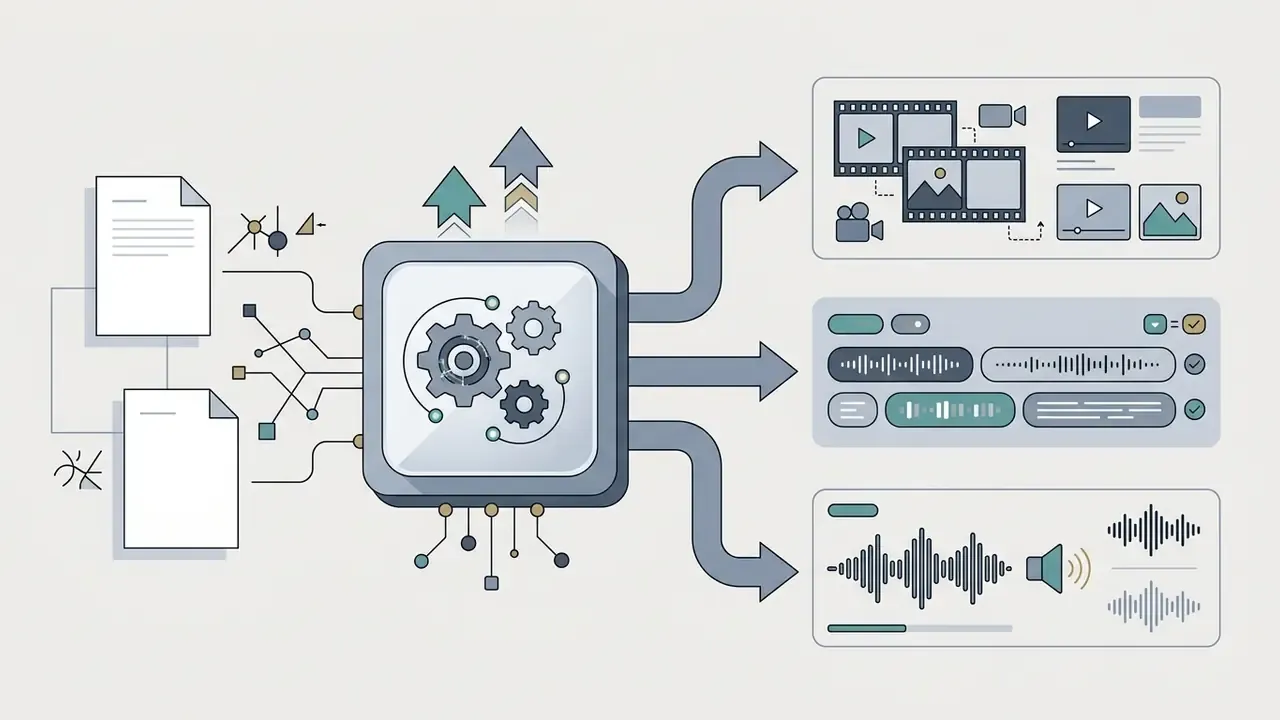
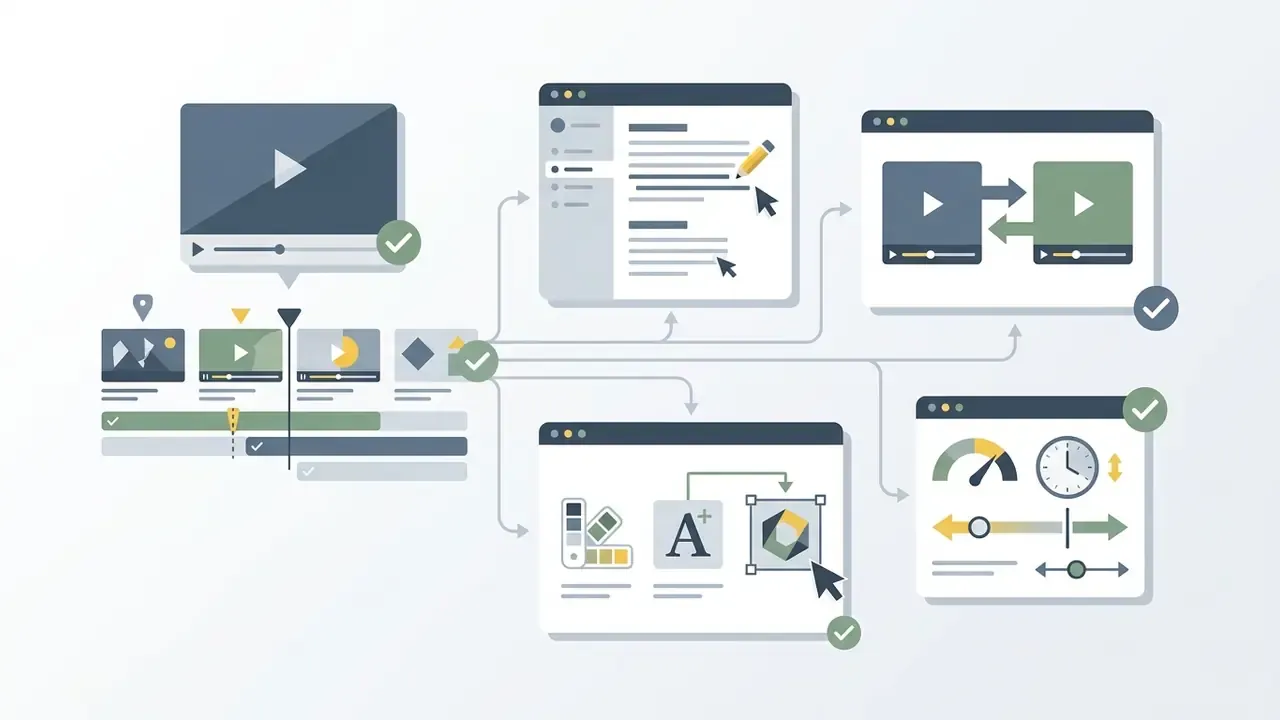
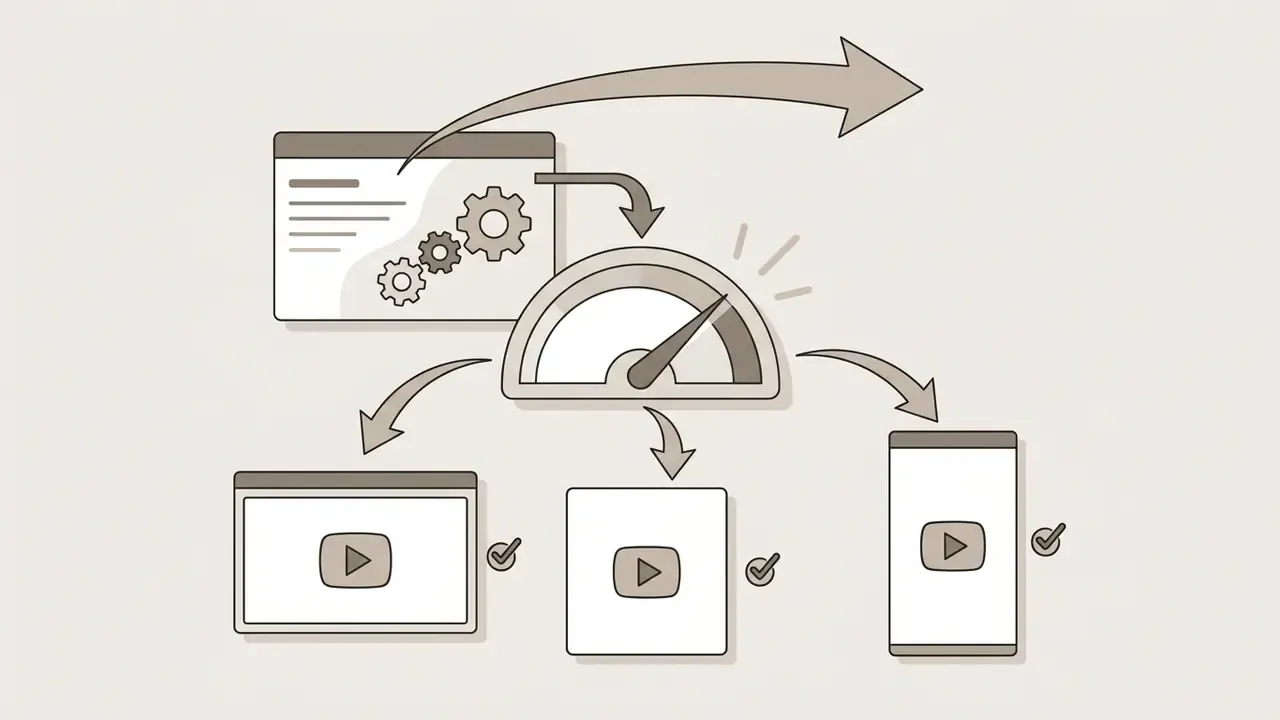
Process of creating a video from text, stage by stage:
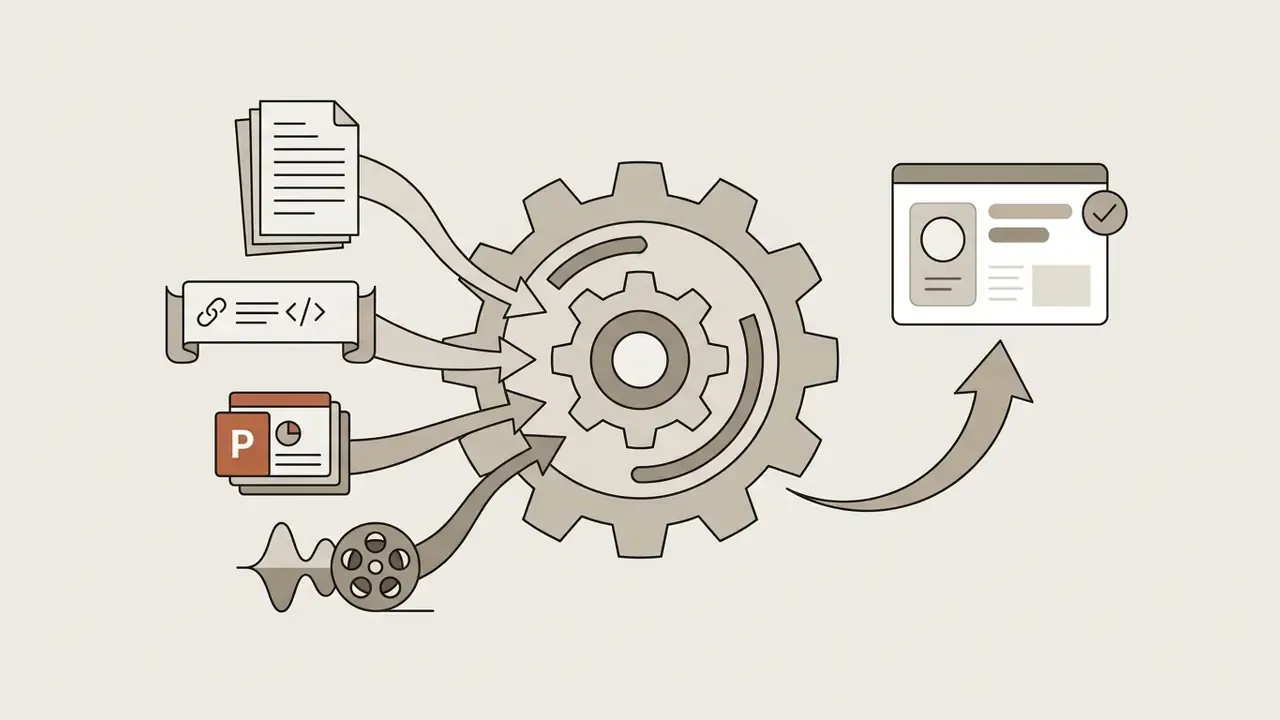
Turning text, scripts and URLs into video
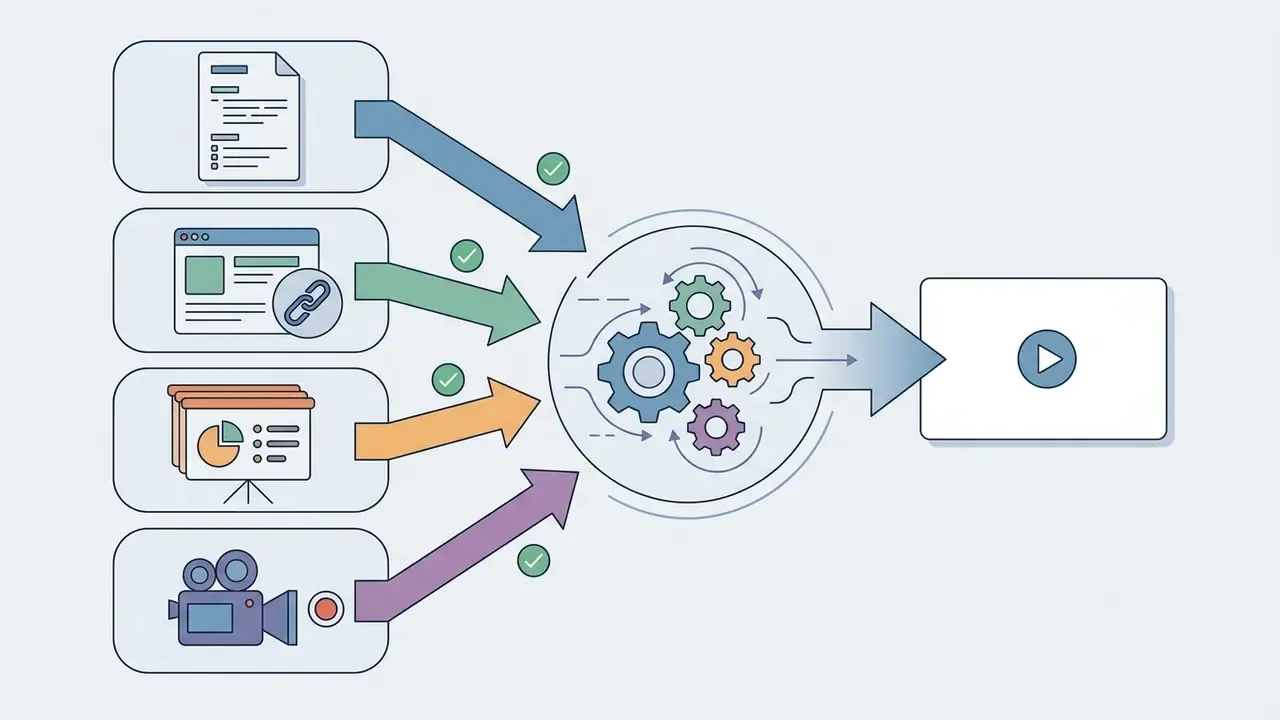
Pictory AI extracts structured semantic blocks from raw text inputs, scripts, and public web addresses to auto-generate video storyboards. The system parses paragraphs into distinct scenes, matches key terms with appropriate stock media clips, and overlays synchronized narration.
According to product documentation from Pictory AI (2026), the text-to-video workflow uses natural language parsing to split text into concise sentences. When processing URLs, the algorithm extracts direct body text from public articles while filtering out navigational elements, advertisements, and sidebars. Documentation adds two practical constraints: source links must resolve directly to the article (not a homepage, category page, shortened link, or tracking URL), and URL-to-video projects are capped at roughly 30 minutes of output duration.
The same document-ingestion path also accepts pasted text, Word files, PDFs, and PowerPoint decks. After upload, the user chooses whether scenes split by sentence or by line break. Small setting, outsized effect on pacing.
How Pictory differs from a conventional video editor
Traditional video editing tools require manual timeline manipulation, manual stock searching, keyframing, and multi-track audio trimming. Pictory AI operates on a text-driven paradigm, where editing the transcript automatically edits the underlying video timeline.
Non-linear editors like Adobe Premiere Pro offer granular frame-level controls and advanced visual compositing, whereas Pictory prioritizes automated asset assembly and rapid output. Premiere Pro now layers AI on top of manual control (Media Intelligence search, object masking, generative extend), while CapCut mixes auto-subtitles and auto-reframe with frame-by-frame trimming, keyframes, and layers. Readers unfamiliar with the category can review video editors and their core features before shortlisting tools.
Users can explore foundational video editing concepts and asset management in our comprehensive AI Media Glossary, and compare non-AI baselines in our roundup of free video editing software. The practical distinction is simple. Premiere and CapCut assume you already know which shot you want; Pictory assumes you know which sentence you want, then proposes the shot. That single difference explains why some teams generate videos in minutes here and stall for hours elsewhere.
Core Pictory AI Features for Creating and Editing Video
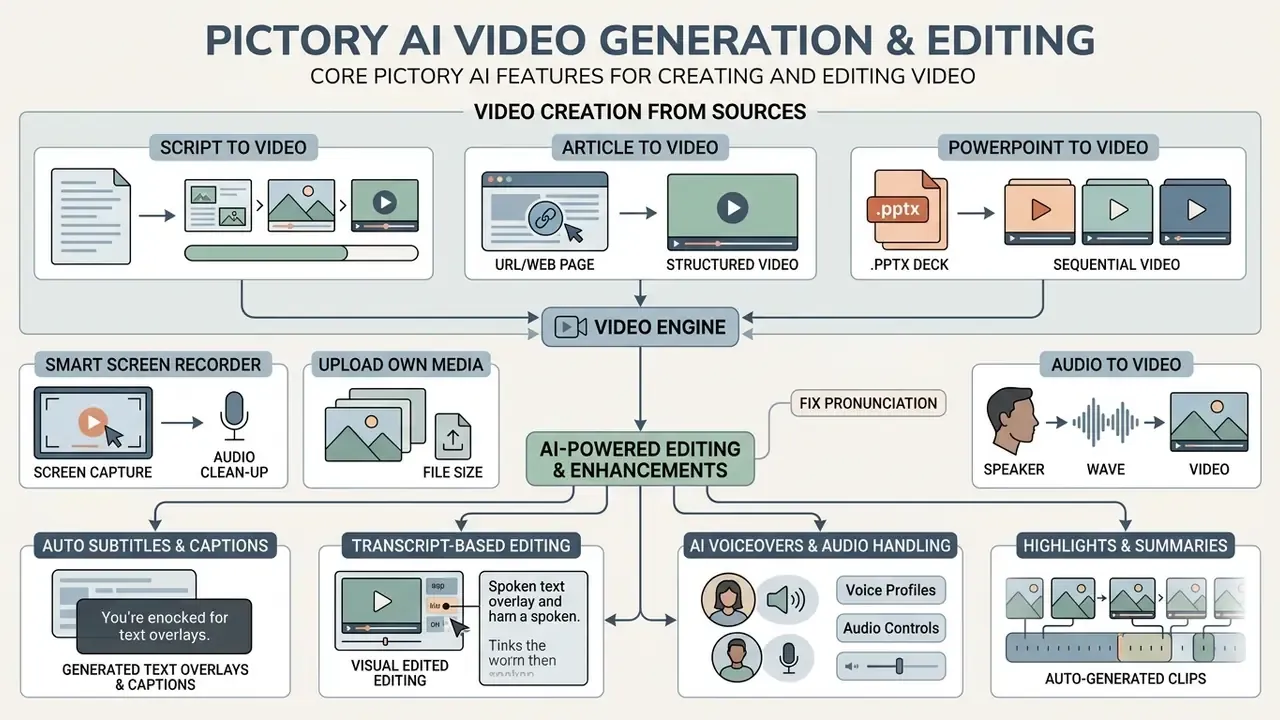
Pictory AI provides specialized modules for script transformation, web article conversion, PowerPoint conversion, screen recording, transcript-based video editing, and automated caption generation. These capabilities target high-volume digital workflows that need consistent brand application and rapid multi-channel video production. For category-level orientation, see our primer on AI video generators.
Script to Video, Article to Video and URL to Video
PowerPoint to Video: converting .pptx decks
Pictory's PPT-to-Video module accepts .ppt and .pptx uploads and converts slide decks into narrated video. The engine extracts headline text and bullet points from each slide, treats them as scene copy, and either matches dynamic footage or retains the original slide visuals, depending on the layout chosen. Help-center documentation positions the feature for marketing decks, education, internal communications, and social repurposing.
This is the fastest path for three recurring enterprise jobs: turning a quarterly business review deck into a two-minute executive update, converting a training deck into an on-demand module, and republishing a conference talk as a social teaser. Practical guidance: keep slides text-light, avoid dense tables and image-only slides with no readable text, and pre-write the speaker-note sentences you actually want narrated. The engine can only work with text it can read.
Smart Screen Recorder and automatic audio cleanup
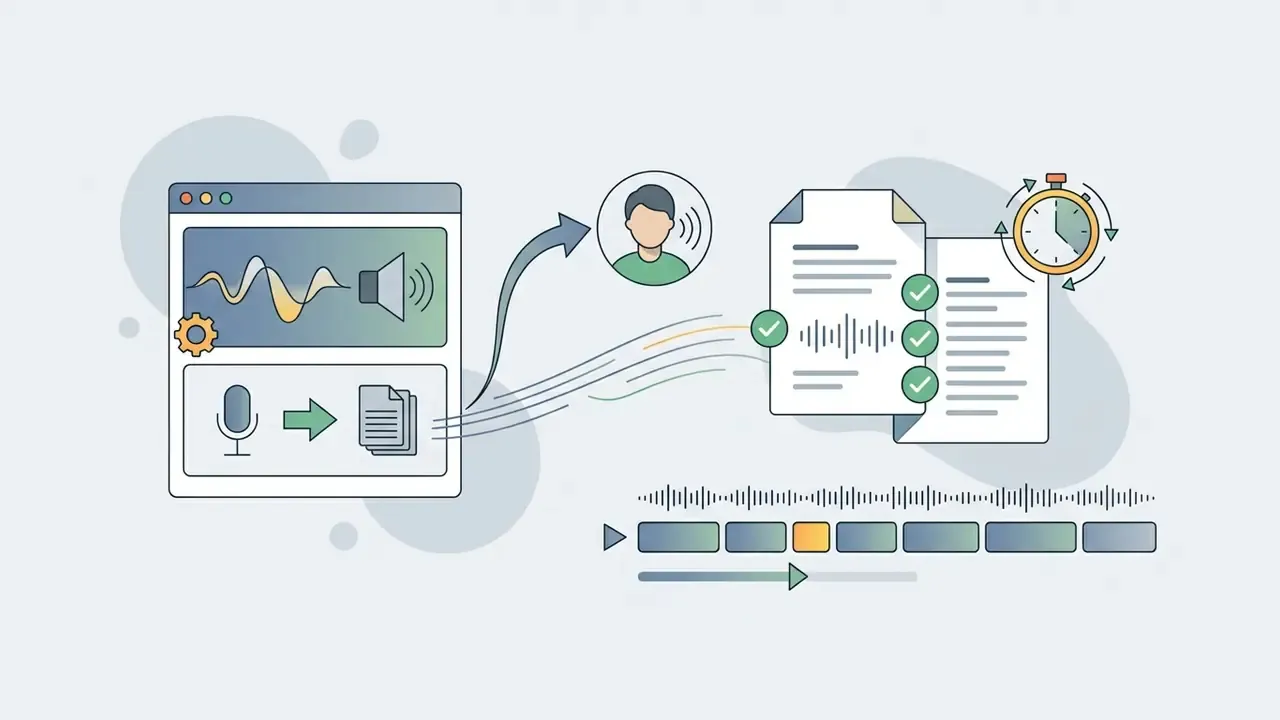
Pictory includes a built-in screen recorder that captures screen, webcam, and microphone in one pass, so tutorial and demo workflows do not need a separate capture tool. The recording lands directly in the text-based editor as a transcript.
The cleanup layer is the real differentiator. Pictory's editor detects and removes silences, long pauses, and filler words ("um," "uh," "ah") from both the audio track and the generated captions. For product demos, onboarding walkthroughs, and internal enablement clips, that replaces the most tedious part of manual editing: scrubbing a waveform for dead air. Reviewers should still watch one full playback, because aggressive filler removal occasionally clips the leading consonant of the next word.
Own media: uploading visuals and the file-size limit
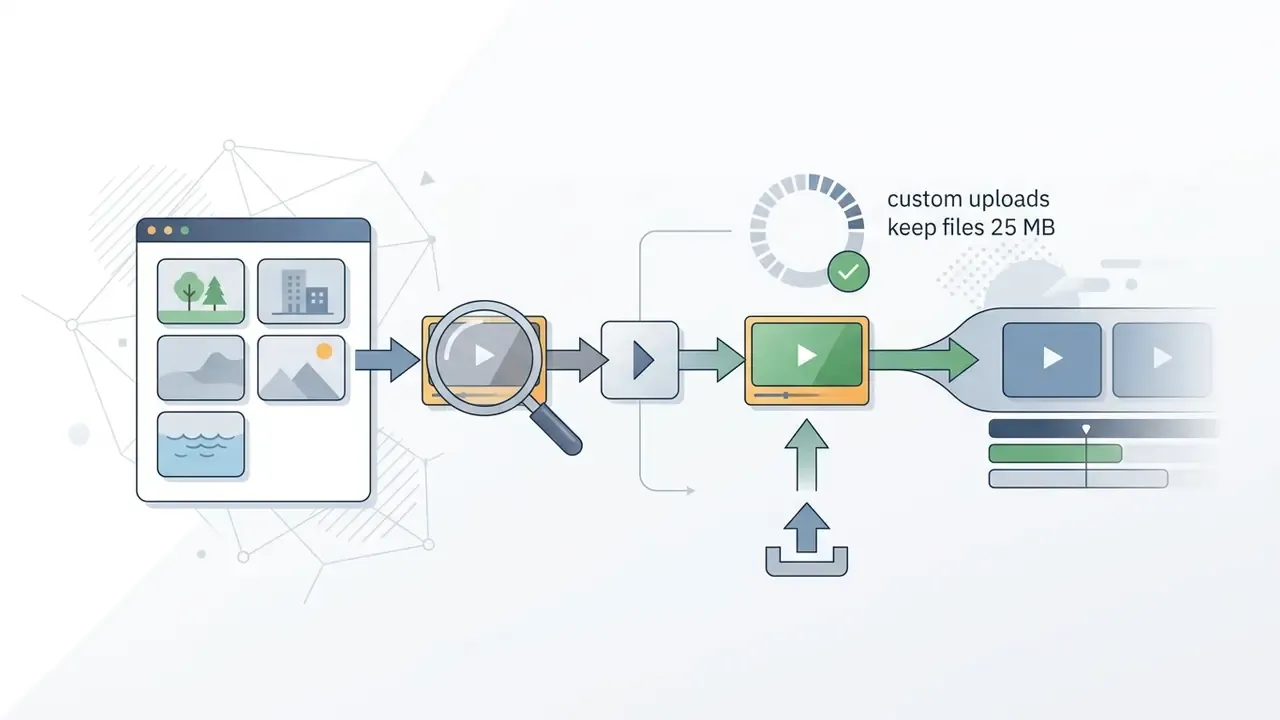
Beyond stock libraries, Pictory supports the "Visuals Through Video" path, where users assemble videos from their own images and clips. Documented guidance keeps individual uploaded media files under 25 MB, so compress source footage before uploading long or high-bitrate clips. A lightweight video compressor is usually enough to bring a 4K screen capture under the threshold without visible loss at 1080p output.
Frequently reused brand assets can be stored in the Visuals section of the Brand Kit. Uploaded files then appear under My Uploads and can be dropped into any storyboard, which keeps product screenshots and executive footage consistent across campaigns.
AI subtitles, captions, voiceovers and audio handling
Pictory automatically transcribes video audio to generate synchronized captions and burned-in subtitles with custom styling options. The platform supports multiple synthetic voiceovers powered by ElevenLabs, allowing users to apply professional voice narration across languages, with Auto-Sync aligning narration to visuals. Readers comparing narration engines and their licensing terms can consult our guide to AI voice generators.
Updated citation (supersedes the earlier indirect reference):
Auto-captioning therefore does three jobs at once: it protects comprehension in silent autoplay feeds, it lifts watch time, and it supports accessibility compliance on public channels. Subtitle assets export separately as .srt, .vtt, or .txt, and audio exports as MP3, which is useful when the same script feeds a podcast cut. Users looking to extract standalone audio tracks for podcast distribution can evaluate a video to audio converter online free.
Highlights, transcription and Audio to Video
For long-form inputs, Pictory transcribes the recording, splits it into editable scenes, and surfaces a Highlights view that proposes the most consequential soundbites. Audio-first workflows are supported directly: documentation cites audio uploads up to 5 GB and 180 minutes, after which the platform generates a transcript, an AI summary, and a video shell around the narration. Teams that need the text itself for search, subtitles, or archiving can pair this with a dedicated video transcript generator.
The operational pattern is simple and repeatable. One 60-minute webinar typically yields 10 to 15 short clips, so long videos turn into roughly a month of social content from a single recording. Technical teams can drive the same extraction through the API rather than the UI.
Visuals, media library, images and brand control
Pictory integrates a large stock media library featuring royalty-free video clips and images sourced from providers like Getty Images, Storyblocks, Unsplash, and Pixabay. Users can search assets directly inside the storyboard interface or upload proprietary company media.
The Brand Kit feature lets enterprise teams maintain visual governance across projects by saving official logos, custom brand colours, standard typography, and standard intros or outros. Documented limits deserve attention from brand teams: multiple colour swatches are supported, fonts are selected from Pictory's built-in font library, and custom font uploads are not supported, so a strict typographic identity may need the nearest available substitute approved in advance. Brand kits apply per project from the Branding tab, and higher tiers unlock more kits (1 on Starter, 5 on Professional, 10 on Team). Visual assets can also be exported or converted to lightweight formats with a video to gif online converter.
How to Create a Video in Pictory AI: Step by Step
Creating a video in Pictory AI runs end to end, from raw text ingestion to high-resolution export. The platform's web interface guides users through script input, visual selection, layout configuration, and final rendering.
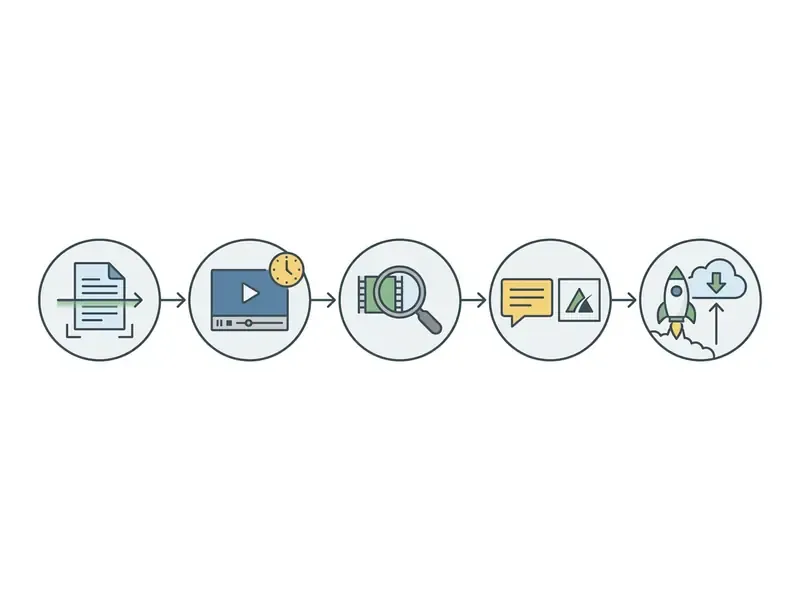
First Pictory AI project launch checklist:

Preparing a script, article, URL or prompt
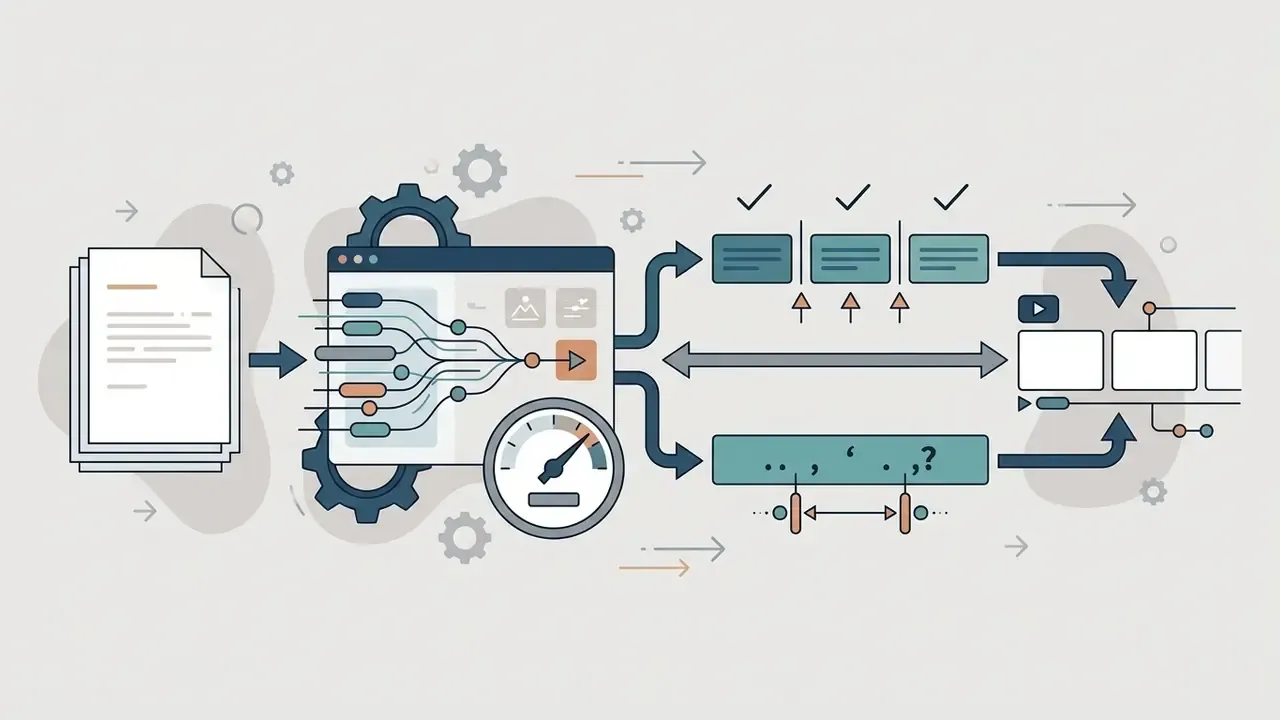
Effective video generation needs structured, focused input text. Writers should aim for concise sentences, one main idea per scene, and clean formatting without complex layout tables or special characters. Pictory's own script guidance is blunt about it: short simple sentences, one idea per line, and optional bracketed visual cues to steer scene matching.
For article conversions, URLs must be publicly accessible and free of paywalls, logins, or heavy tracking scripts. Users who need specialized text formatting can lean on pre-built layouts from our library of video templates.
Choosing templates, configuring scenes and editing text
Once text is ingested, Pictory displays a scene-by-scene storyboard alongside available video templates. Users select visual aspect ratios: 16:9 for widescreen YouTube, 9:16 for vertical TikTok and Reels, or 1:1 for square feed posts. Layout templates apply per scene from the editor's Layouts tab. Select the scene, preview the template, apply.
The text editor lets users edit video content directly through script changes. Deleting a sentence in the script removes the corresponding video clip, while splitting lines creates new video scenes instantly. Scene duration, keyword highlighting, visuals, audio, and brand styling are all adjusted at the same storyboard stage, which is why the transcript, not the timeline, is the real control surface here.
Checking captions, audio and exporting the finished video
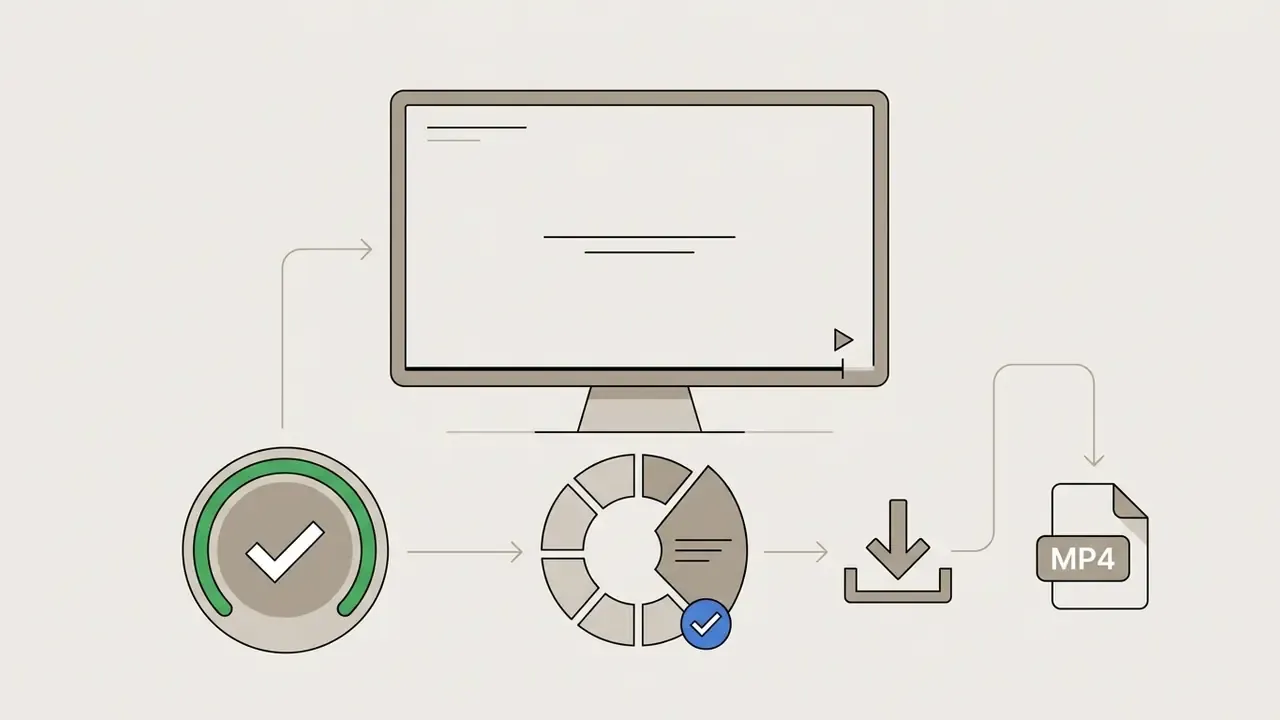
The final quality assurance phase focuses on subtitle accuracy, voiceover alignment, and media balance. Users play back the draft to make sure background music volume does not drown out spoken narration. Because captions auto-sync to the script, subtitle drift usually signals a scene-split problem rather than a transcription error.
Exports are processed in MP4 format at 1080p standard resolution, with 4K output supported on high-tier subscription plans. If your distribution channel demands more than the plan allows, a separate video upscaler is the usual workaround, though it never fully recovers detail that was not captured. Subtitles export in SRT, VTT, or TXT; audio can be pulled as MP3. Pictory also exposes platform-ready presets for YouTube, Instagram, TikTok, LinkedIn, and Facebook. Creators managing production budgets can model platform costs with our AI Media Calculators.
Who Pictory AI Helps: Marketing, Social Media and YouTube
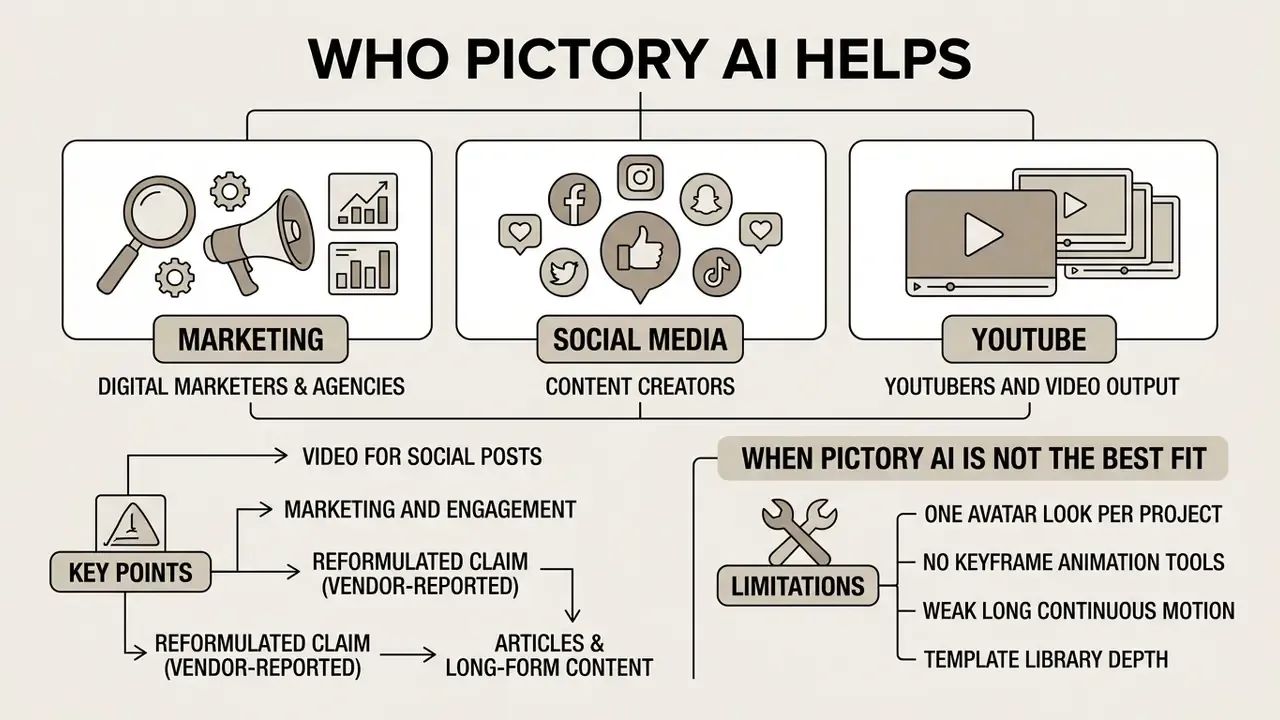
Pictory AI serves content creators, digital marketers, corporate educators, and agency teams who want to multiply video output without adding production headcount. It bridges the gap between written content archives and short-form video consumption habits.
Video from blog posts, articles and long-form content
Repurposing long-form content lets organizations extract additional marketing value from existing articles, whitepapers, and recorded webinars. Pictory automatically parses long-form text or video transcripts to pull out high-impact summary clips.
For webinars or podcasts, the editor identifies key soundbites and generates vertical 9:16 short clips formatted for YouTube Shorts, Instagram Reels, and TikTok. Channel owners planning a publishing cadence around those clips can follow our practical guide to YouTube editing workflows. Technical users building automated ingestion pipelines can review the AI Media API Guides.
When Pictory AI is not the best fit
Pictory AI is not designed for complex cinematic film production, 3D character animation, keyframe-based visual effects, or multi-camera sports editing. Projects that need custom human actors or precise spatial physics demand different software.
Documented and reviewer-reported constraints, stated plainly:
- One avatar look per project, per Pictory's help center, which rules out multi-presenter dialogue formats.
- No keyframe animation tools and limited manipulation of 3D space, per 2026 third-party testing.
- Weak long continuous motion and minor facial-detail drift between shots, which breaks character continuity in narrative work.
- Template library depth is smaller than in general-purpose editors, so heavy users start recognizing their own styles.
- No native 4K on lower tiers; 4K sits on higher plans.
Because the engine leans heavily on stock footage matching, videos can feel generic when visual clips are not customized. That is the single most common cause of the "AI slop" perception. Replace at least the first two scenes with proprietary footage or product screenshots. For advanced speech processing and voice cloning, see our guide to AI voice generators.
Security, Data Privacy and Shadow AI Control
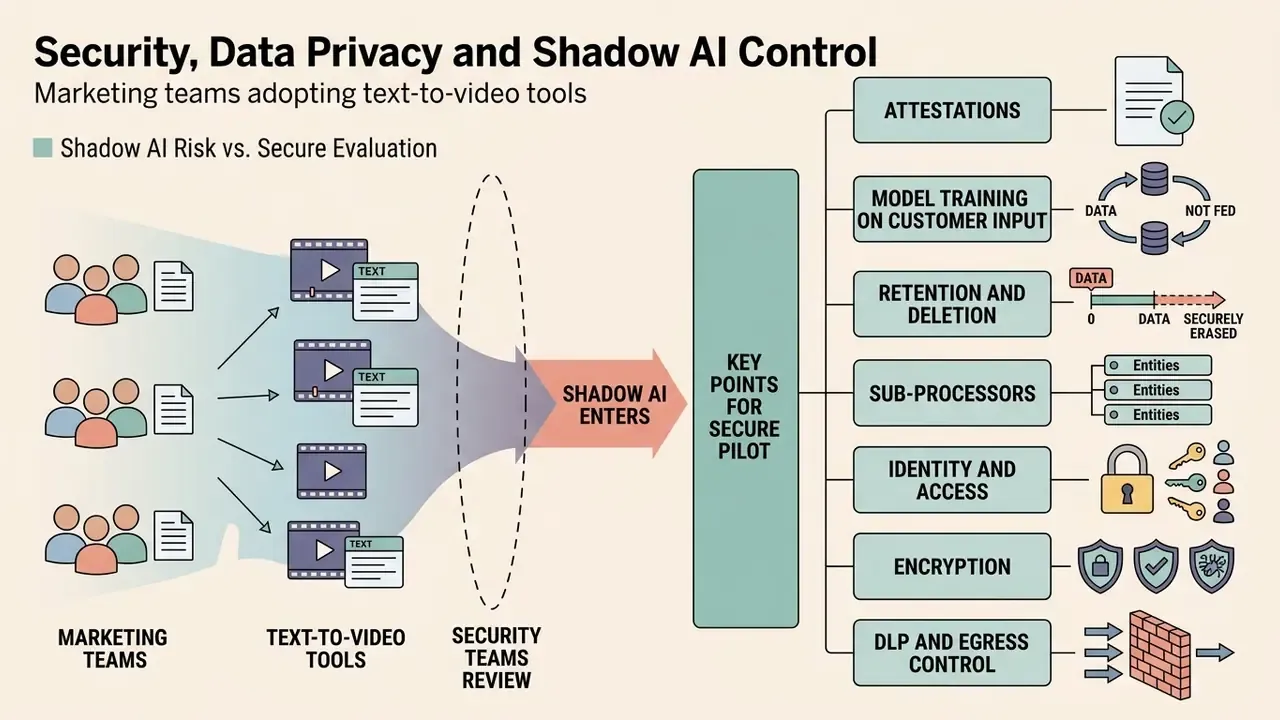
Marketing teams adopt text-to-video tools faster than security teams can review them, and that is precisely how Shadow AI enters an organization. A script containing unreleased pricing, an internal policy PDF, or a customer name gets pasted into a browser tab nobody assessed. This section is the pre-purchase control layer that functional reviews usually skip.
What to verify in the security perimeter before a pilot
Pictory's public documentation covers product features in depth. Formal security attestations are not exposed on the standard pricing or feature pages, and SSO plus API access are documented as Enterprise-tier capabilities. That gap is the point: request the artifacts in writing rather than inferring them. Use the following as a vendor questionnaire.
- Attestations.Request the current SOC 2 Type II report and any ISO/IEC 27001 certificate under NDA. Confirm the audit period and that scope covers the rendering pipeline, not only the marketing site.
- Model training on customer input.Get written confirmation on whether uploaded scripts, transcripts, decks, and footage are used to train or fine-tune any model, and whether an opt-out or zero-retention mode exists.
- Retention and deletion.Ask how long source uploads, transcripts, and rendered files persist after project deletion and after account termination, and whether deletion is verifiable.
- Sub-processors.Enumerate downstream processors, including the synthetic-voice provider (ElevenLabs), stock libraries, transcription services, and hosting infrastructure, along with their data-residency regions.
- Identity and access.Confirm SSO/SAML, RBAC granularity, seat provisioning and de-provisioning, and admin visibility into who exported what.
- Encryption.Verify encryption in transit and at rest, plus key-management responsibilities.
- DLP and egress control.Decide whether the tool sits behind a CASB or DLP policy that blocks pasting classified content, and publish an approved-use rule so staff know what may not be uploaded.
- Incident and breach terms.Check notification windows and contractual liability caps.
- Shadow AI detection.Monitor traffic to app.pictory.ai and comparable domains. Unmanaged personal accounts are the real exposure, not the sanctioned tenant.
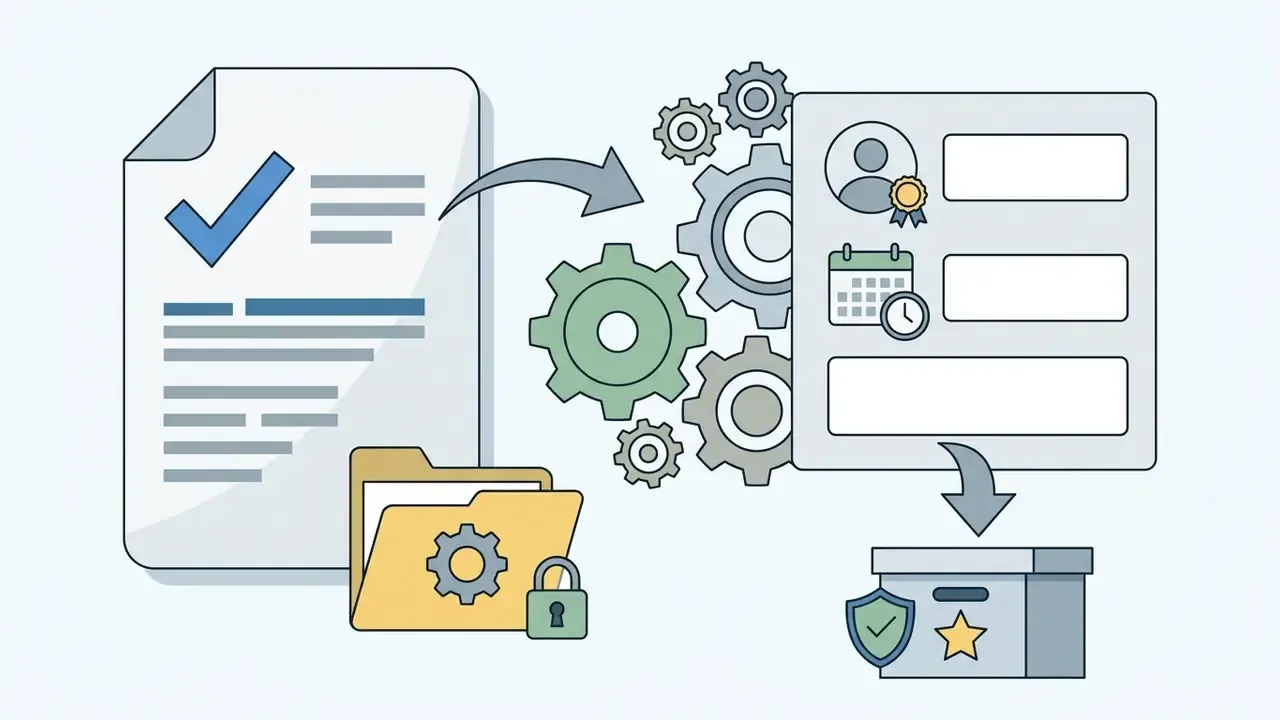
Practical mitigation while attestations are pending: run a data-classification rule instead of a blanket ban. Public marketing copy and already-published blog content are low-risk inputs. Unreleased financials, customer PII, credit decisioning logic, and internal policy documents should be de-identified or excluded until the security review closes.
Auditability of synthetic media: audit trail and disclosure
Pictory AI Free Trial, Pricing Tiers and Business Use
Pictory AI runs on a tiered Software-as-a-Service subscription model with annual and monthly billing options. A limited free trial is available for platform evaluation, while paid plans unlock higher export quotas, advanced voices, and team collaboration features.
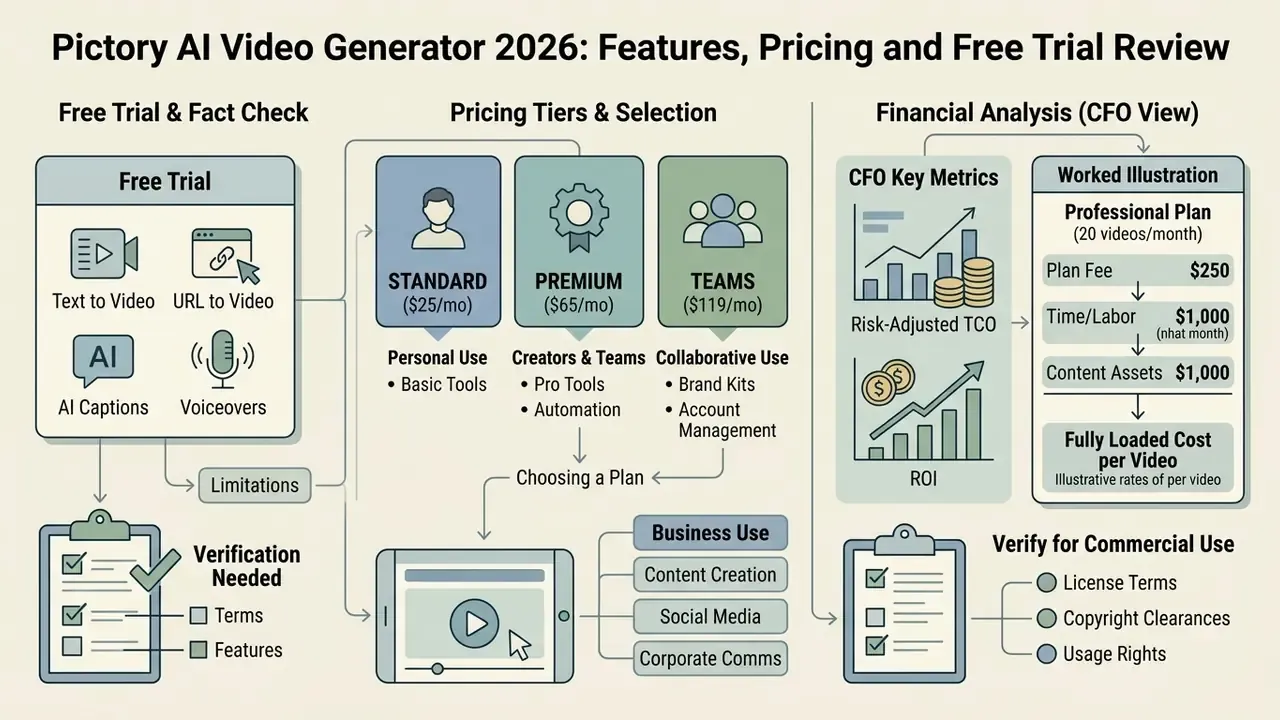
| Plan Tier | Monthly Price (Billed Annually) | Monthly Price (Billed Monthly) | Monthly Video Export Limit | Storage | AI Voice Allocation | Watermark & Resolution |
|---|---|---|---|---|---|---|
| Free Trial | $0 | $0 | 3 video projects total (14 days) | 1 GB | Basic samples | Pictory watermark / 720p |
| Starter | $25 / month | $29 / month | 200 video minutes | 5 GB | 60 mins ElevenLabs | No watermark / 1080p |
| Professional | $35 / month | $59 / month | 600 video minutes | 20 GB | 120 mins ElevenLabs | No watermark / 1080p (4K optional) |
| Team | $119 / month | $199 / month | 1,800 video minutes | 100 GB | 240 mins ElevenLabs | No watermark / 1080p / 3+ users |
| Enterprise | Custom quote | Custom quote | Custom limits | Custom | Dedicated quota | SSO, API & custom account manager |
Note: pricing and plan terms verified as of August 2026 on the official Pictory Pricing Page. Brand-kit allowances scale with tier (1 / 5 / 10), as do AI credit pools and stock-library breadth (Storyblocks, plus Getty access on higher tiers). Many third-party reviews still circulate 2024-era pricing of $19 / $39 / $99. Treat those figures as outdated.
Fact check and terms verification:
What the Pictory AI free version and free trial include
The Pictory free trial AI video generator experience gives 14 days of access to test core platform features across up to 3 individual video projects. It lets prospective buyers evaluate script conversion, stock matching, and auto-captioning without entering credit card details. There is no permanent free tier: once the trial expires, the account stays accessible, but downloads require a paid plan.
Videos exported during the free trial carry a prominent Pictory watermark and are restricted to standard resolution. To remove watermarks and gain commercial distribution rights, users must upgrade to a paid tier. So the honest framing is that Pictory AI is a free video maker only for evaluation purposes, not for publication. Readers comparing limits across vendors can review our overview of free AI video generators. For detailed fee structures, visit our AI Media Pricing Guides.
Choosing a plan for personal use, creators and teams
Solo creators and individual marketers producing a few short videos per week generally find the Starter plan sufficient for standard content output. It provides 200 video export minutes per month and standard brand kit integration.
Professional creators and marketing agencies that need higher output, expanded stock access, and ElevenLabs voice narration should select the Professional or Team tier. Teams requiring dedicated user workspaces, single sign-on, and custom API access need Enterprise.
Automation, integrations and account management. Pictory offers a direct Hootsuite integration on higher tiers, so finished clips can be scheduled straight into social publishing queues instead of being downloaded and re-uploaded by hand. Worth confirming during procurement if your SMM stack already runs on Hootsuite. API automation for programmatic video creation sits on the Team and Enterprise levels. The platform also supports an account pause option for seasonal or project-based users: pausing preserves saved Brand Kits, templates, and projects without paying full subscription price during downtime, which beats cancel-and-rebuild. An affiliate program and billing details are accessible from the profile menu, and monthly plans auto-renew unless cancelled.
Risk-adjusted TCO and ROI: the numbers a CFO will actually ask for
Subscription price is the smallest line in the total cost of AI video. Review labour and rework dominate. Use this model rather than a bare per-minute comparison:
Fully loaded cost per published video =
(Subscription ÷ videos published per month)
+ (Production hours × loaded hourly rate)
+ (Human-in-the-loop review hours × reviewer rate)
+ (Compliance/legal review hours × counsel rate, where applicable)
+ (Probability of rework × rework cost)
+ (Archiving, storage and records-retention cost)
Worked illustration (Professional plan, 20 videos/month, illustrative rates):
| Cost component | Assumption | Cost per video |
|---|---|---|
| Subscription | $35/mo ÷ 20 videos | $1.75 |
| Production (script prep, storyboard fixes) | 0.75 h × $60 | $45.00 |
| Marketing HITL review (captions, visuals, brand) | 0.5 h × $60 | $30.00 |
| Compliance review (regulated content only) | 0.4 h × $150 | $60.00 |
| Rework allowance | 15% × $45 | $6.75 |
| Archiving and records retention | flat estimate | $2.00 |
| Total (regulated content) | ≈ $145.50 | |
| Total (non-regulated marketing content) | excludes compliance line | ≈ $85.50 |
Two conclusions follow. First, an agency benchmark of $800 to $2,500 per produced marketing video still leaves a wide margin, so the ROI is real. Second, those savings collapse if compliance review time is understated, which is why the honest lever for regulated teams is standardizing scripts and templates so review time per asset falls. Not cutting review out. Model per-minute economics across engines with our AI Media Calculators; for context, published API rates elsewhere in the market range from roughly $0.10 per minute for 1080p stock-style output to $1.00 to $5.00 per minute for avatar-led rendering.
What to verify before commercial use
Before launching video ad campaigns or commercial YouTube channels, organizations must verify media asset licensing and voice rights. Pre-licensed stock footage and AI voice tracks cover standard video distribution, yet raw media cannot be extracted or sold separately.
Compliance officers should review AI governance policies on synthetic narration and disclosure duties in regulated jurisdictions. Practical pre-launch checks: confirm the plan tier grants commercial distribution (trial exports do not), confirm no raw Getty or Storyblocks asset is being redistributed as a standalone file, retain licensing evidence for the music track used, and document the approval chain for any synthetic voice. Adjacent licensing frameworks for generated assets are covered in our guide to commercial use of AI content and in the AI Media Commercial-Use Hub.
Pictory AI vs Alternatives: InVideo, VEED, Synthesia and RunwayML
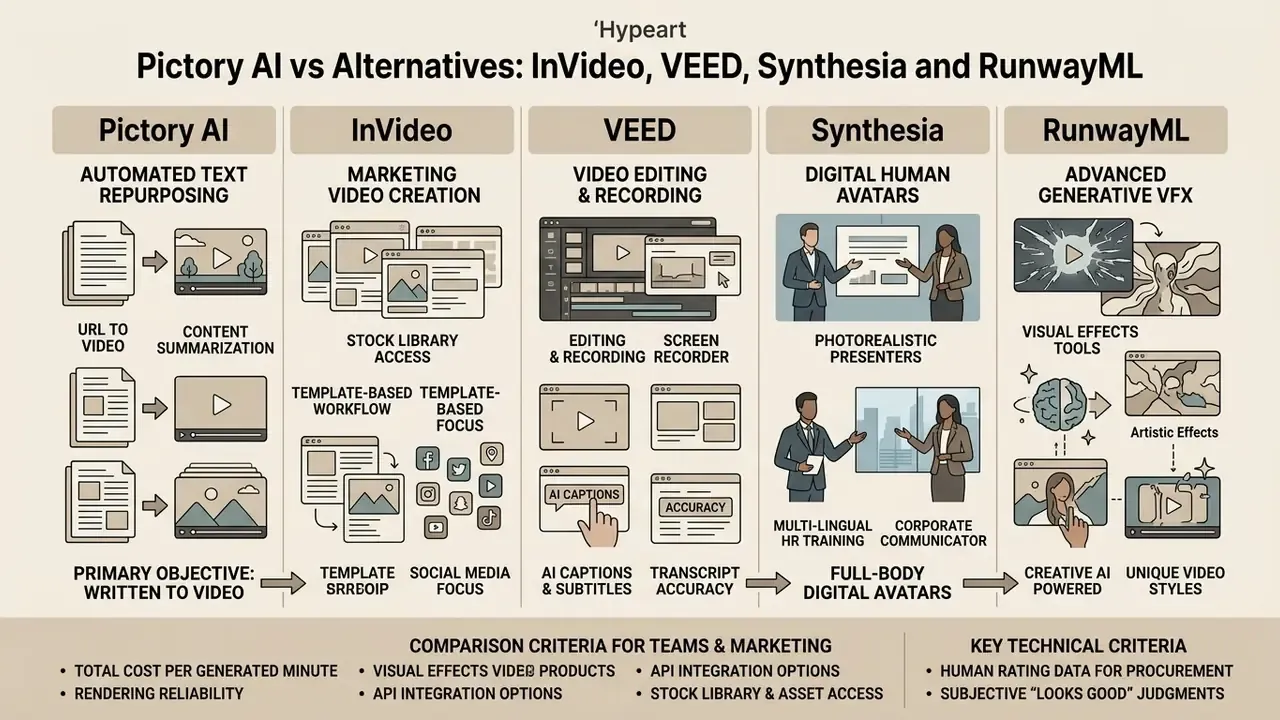
Choosing the right AI video generator depends on whether an organization needs automated text repurposing, digital human avatars, or advanced generative visual effects. Pictory competes directly with several leading cloud video platforms. Readers who want an independent shortlist first can consult our ranking of the best AI video generators.
| Feature / Metric | Pictory AI | InVideo AI | VEED.io | Synthesia | RunwayML |
|---|---|---|---|---|---|
| Primary focus | Text/URL repurposing | Prompt-to-video creation | Browser video editor | Synthetic AI avatars | Generative AI models |
| Text-to-video engine | Script/blog parsing | Prompt-based gen AI | Manual / AI subtitles | Script to avatar speech | Prompt-to-video (Gen-2/3) |
| AI presenter avatars | Limited, 1 look per project | 4 avatars & voice clones | Not native | 150+ photorealistic | Not native |
| Auto-captions & subtitles | Advanced auto-sync | Supported | Industry-leading | Auto-synced | Basic |
| Starting annual price | $25 / month | $17 / month | $18 / month | $18 / month (Creator $89) | $12 / month |
| Best target use case | Bloggers, SMM, content teams | Prompt-driven marketers | General video editing | Corporate training, HR | Creative film & VFX |
Extended comparison set (adjacent tools worth shortlisting):
| Tool | Best for | Entry price | Why consider it instead |
|---|---|---|---|
| CapCut | Mobile-first short-form social editing | Free / ~$8 per month | Strongest free tier, auto-subtitles and auto-reframe, plus manual frame-level trimming |
| Descript | Text-based editing of podcasts and talking-head video | ~$16 per month | Benchmark transcript editor with filler-word removal and overdub-style voice tooling |
| Lumen5 | Blog-to-video for publishers and blogging teams | Free tier / paid plans | Closest direct analogue to Pictory's article-to-video workflow, template-led |
| Steve.AI | Animated and character-style explainer video from script | Paid tiers | Animation output rather than stock assembly |
| Filmora | Beginner desktop editing with offline control | ~$10 per month | Local rendering, no browser dependency, deeper timeline control |
Enterprise and governance readiness (the row set most comparison tables omit):
| Governance criterion | Pictory AI | InVideo AI | VEED.io | Synthesia | RunwayML |
|---|---|---|---|---|---|
| SSO / SAML | Enterprise tier | Higher tiers | Enterprise tier | Enterprise tier | Enterprise tier |
| Role-based access & team workspaces | Team (3+ seats), Enterprise | Team plans | Team plans | Team/Enterprise | Team/Enterprise |
| Public API for automated rendering | Team / Enterprise | Available | Available | Available | Available |
| Published security attestation | Request under NDA, not published on standard pages | Request under NDA | Request under NDA | Enterprise security documentation available on request | Request under NDA |
| Exportable audit trail of generations | Not documented publicly, build externally | Not documented publicly | Not documented publicly | Enterprise workflows include review/approval | Not documented publicly |
| Brand governance controls | Brand Kits (1/5/10 by tier), no custom font upload | Brand kits | Brand kits | Branded templates, colours, logos | Limited |
| Synthetic-voice / likeness licensing clarity | Pre-licensed standard plus ElevenLabs voices | Voice clones included | Varies | Explicit avatar consent framework | Model-dependent |
How to read this table: absence of a public statement is not evidence of absence. It means procurement must obtain the artifact contractually. Treat "not documented publicly" as an action item, not a verdict.
When to choose Pictory AI over another AI video maker
Pictory AI is the preferred choice when the primary operational objective is converting existing written archives (blog posts, articles, whitepapers) into short branded video clips. Its automated web scraper and text-based editor make it significantly faster for content repurposing than general timeline editors. Pictory's own comparison against InVideo highlights the built-in screen recorder as a differentiator, while conceding that InVideo pushes harder on generative image and video creation.
When teams need full-body photorealistic digital presenters for corporate training or multi-lingual HR onboarding, Synthesia offers deeper avatar coverage. For creative visual effects and generative imagery, RunwayML gives more cinematic control. Budget-constrained teams should first test whether a free AI video generator already covers the use case before committing to an annual plan. Users comparing software options can consult our AI Media Comparison Matrices.
Comparison criteria for an AI video generator for teams and marketing
Evaluating enterprise video tools means analyzing total cost per generated video minute, stock library depth, brand governance flexibility, and team collaboration capability. Organizations must weigh both software subscription fees and operational setup speed.
Key technical criteria include rendering reliability, transcript accuracy, API integration options, and security compliance (SOC 2).
«AIGVQA-DB comprises 36,576 AI-generated videos from 15 models with roughly 370,000 expert ratings across four quality dimensions.»
That scale of human rating data is a useful reminder for procurement: subjective "looks good" judgments diverge sharply across dimensions such as temporal consistency, text-video alignment, and perceptual quality. Build a small internal test set (three real scripts, one real webinar, one real deck) and score every candidate tool on identical inputs before signing. Technical teams building custom automated rendering workflows can evaluate implementation guidelines in the Google Veo API Guide.
FAQ about Pictory AI Video Generator
Is Pictory AI available on mobile devices, and how do you get started?
Pictory AI is fundamentally a web-based SaaS application optimized for modern desktop browsers, including Google Chrome, Mozilla Firefox, Apple Safari, and Microsoft Edge. There is currently no official Pictory AI video generator mobile app on the Apple App Store or Google Play Store. The vendor's own help center states this explicitly and warns that listings using the Pictory name in app stores are not official. Users can log in to the app.pictory.ai website via mobile browsers on iPhone, iPad, or Android to view projects, yet complex editing and rendering still need a desktop or laptop, so a full Pictory AI video editor mobile app experience is not on the table today. Documented desktop support covers Windows, macOS, Linux, and ChromeOS, with device-side rendering on Windows, macOS, and Linux. New users can start by registering a free trial account, selecting a text source, and running a first automated storyboard test. For technical support and troubleshooting resources, visit AI Media Support and Troubleshooting.
Can I convert a PowerPoint deck into a video?
Yes. Upload a .ppt or .pptx file in the PPT-to-Video flow. Pictory extracts readable slide text, converts it into scene copy, and pairs each scene with footage or the original slide visual. Keep decks text-light and avoid image-only slides, since the engine works from text it can parse. Own media files should stay under 25 MB each.
Does Pictory remove filler words like "um" and "uh"?
Yes. The editor detects silences, long pauses, and speech fillers such as "um," "uh," and "ah," then removes them from both audio and captions. That is the core value of the Smart Screen Recorder path for tutorials and demos.
What is the maximum length of source material?
Audio-to-video ingestion is documented at up to 5 GB and 180 minutes. URL-to-video projects are capped at approximately 30 minutes of output. Article inputs work best between 300 and 2,000 words.
Is trial output safe for commercial use?
No. The Terms of Service describe the 14-day trial as an evaluation period, and exports carry a Pictory watermark. Commercial distribution rights attach to paid tiers, and even then raw stock assets cannot be extracted, resold, or sub-licensed separately.
Are uploaded scripts used to train AI models?
Pictory's public pages do not state a zero-retention or no-training guarantee for customer inputs. Obtain that commitment in writing before uploading confidential, non-public, or personal data, and apply an internal data-classification rule in the meantime.
Can I schedule finished videos directly to social channels?
Higher tiers include a Hootsuite integration for direct scheduling, and Team or Enterprise plans expose API automation. Otherwise, export MP4 files and publish through your existing stack.
What happens to my Brand Kits if I stop paying?
Pictory supports an account pause option, which preserves saved Brand Kits, templates, and projects during periods of inactivity without a full subscription. Usually preferable to cancelling, if you expect to return.
Summary and Strategic Governance Outlook
Pictory AI provides a mature, efficient framework for transforming static written content into scalable video marketing assets. By automating media selection, script segmentation, caption generation, and synthetic narration, it cuts video production overhead for creators and corporate teams alike. Its documented strengths are narrow and real: URL and script ingestion, PowerPoint conversion, screen recording with automatic audio cleanup, transcript-driven highlight extraction, and brand-kit consistency across projects.
Risk leaders and marketing executives still have to balance that speed against media licensing compliance, governance, and visual brand standards. Clear human-in-the-loop review controls keep AI-generated synthetic video accurate, compliant, and aligned with the institution's stated risk appetite. In practice that means three artifacts before scale-up: a written vendor security response, a records-retention rule that treats AI video exactly like any other marketing communication, and a per-asset cost model that prices review labour honestly.
A safe next step, and a deliberately unaggressive one: run a two-week bounded pilot on already-published content only, with a named owner, a fixed approver, and an export log. Then decide. Tools of this class do not remove judgment from the pipeline. They move it upstream, into script quality, and downstream, into approval evidence.
Open questions we could not close from public sources: whether customer inputs are excluded from model training by contract; whether generation logs can be exported for examiner review; and how quickly deletion propagates through sub-processors. Until those answers arrive in writing, treat the platform as approved for public marketing content and unapproved for anything client-identifying.
Appendix A: Editorial Revisions and Superseded Phrasing