A photo video maker turns static imagery into structured video sequences, either through timeline controls or through generative diffusion models. Organizations use these tools to automate content production and standardize asset creation across web, ad and social channels.
If you sit in risk, compliance or finance, the practical question is not «can we make video from photos online». It is narrower: who owns the output, what license covers the music, and what evidence survives an audit six months later.
«Uncontrolled generative media assets create hidden operational and reputational risks across enterprise channels. Explicit verification chains for image inputs, audio licensing and animation model parameters keep rapid video creation auditable.»
Executive Summary
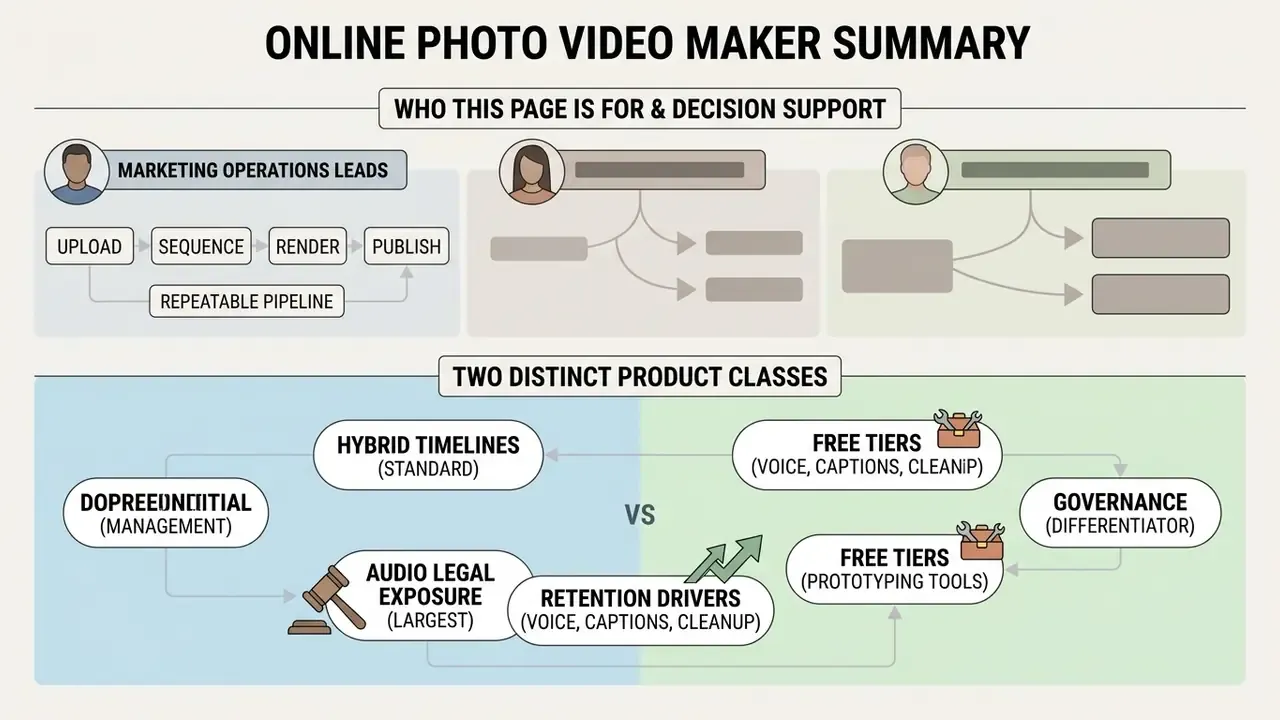
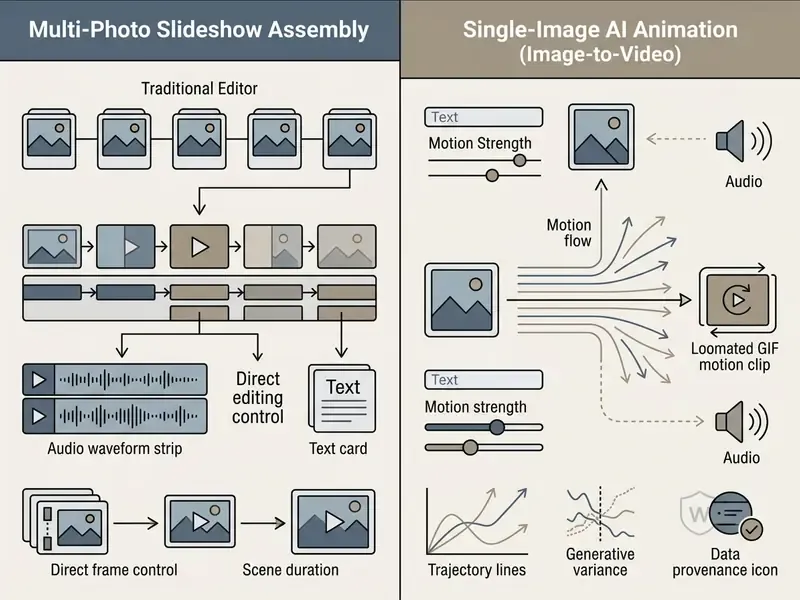
- Two distinct product classes. Timeline-based slideshow editors assemble multiple photos into a sequenced video. Generative image-to-video engines synthesize motion from a single frame. Validation, licensing and audit requirements differ for each class.
- Hybrid timelines are now standard. Modern browser editors accept JPEG, PNG, WebP, MP4 and MOV on the same track, so static photography and existing footage merge into one deliverable.
- Audio is the largest legal exposure. Royalty-free is not copyright-free. In-app platform music libraries usually cover organic personal posts only, not paid campaigns.
- Voice, captions and audio cleanup drive retention. Text-to-speech narration, microphone voiceover, one-click noise suppression and automatic subtitles are baseline expectations, because a large share of mobile viewing happens with sound off.
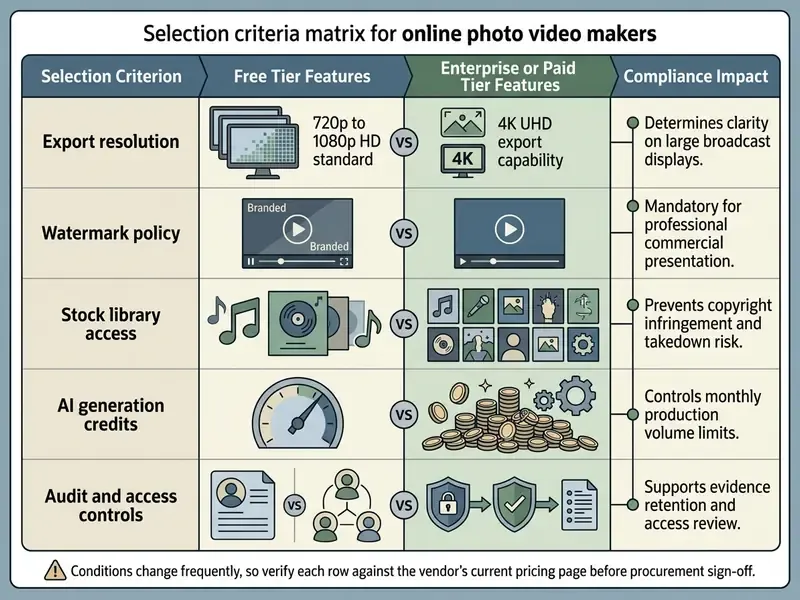
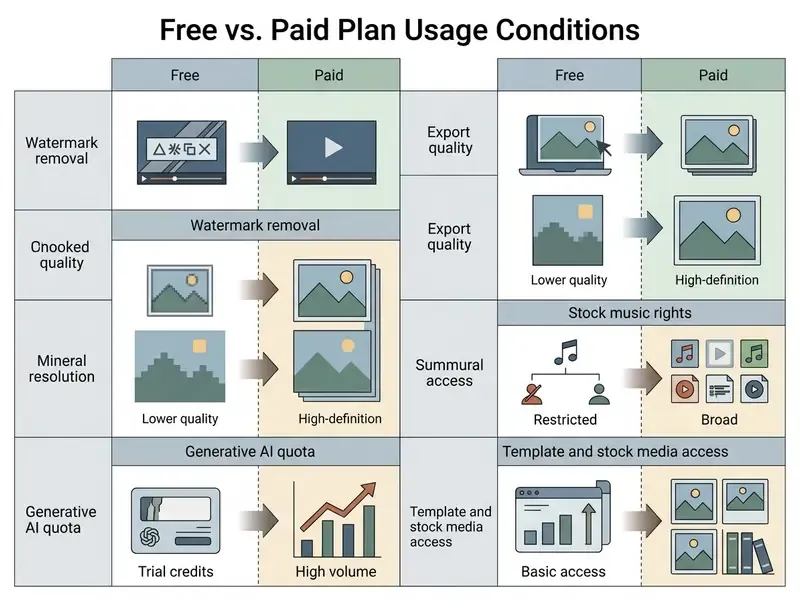
- Free tiers are prototyping tools. Watermarks, 720p or 1080p caps, trial-only AI credits and limited commercial music rights make paid or enterprise plans mandatory for advertising deployment.
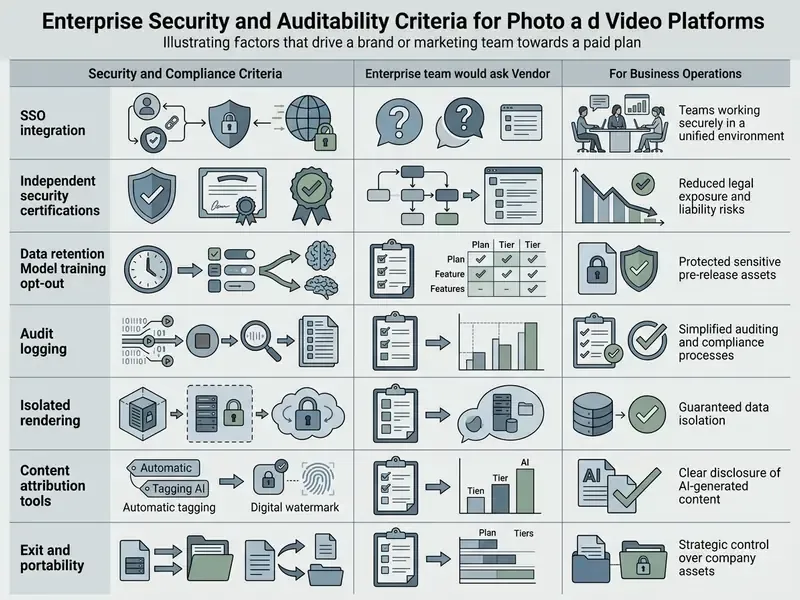
- Governance is the differentiator. Before rollout, confirm export resolution, watermark policy, license retention, data-retention terms for uploaded imagery, SSO and SOC 2 posture, plus a documented risk-adjusted ROI model.
Who This Page Is For and Which Decision It Supports
This material is written for three overlapping buyer groups, and each reads it differently.
Marketing operations leads want a repeatable pipeline: upload, sequence, render, publish. Compliance and model-risk teams want the boring parts, meaning license evidence, disclosure rules for synthetic frames, and a log of what the model actually did. Finance owners want the cost per asset with review time included, not just the subscription line.
One caveat before we go further. Audience descriptions here are working hypotheses drawn from search intent and vendor documentation, not from audited buyer research. Treat them as such until your own interviews or CRM data confirm them.
What Is a Photo Video Maker and Which Videos You Can Create
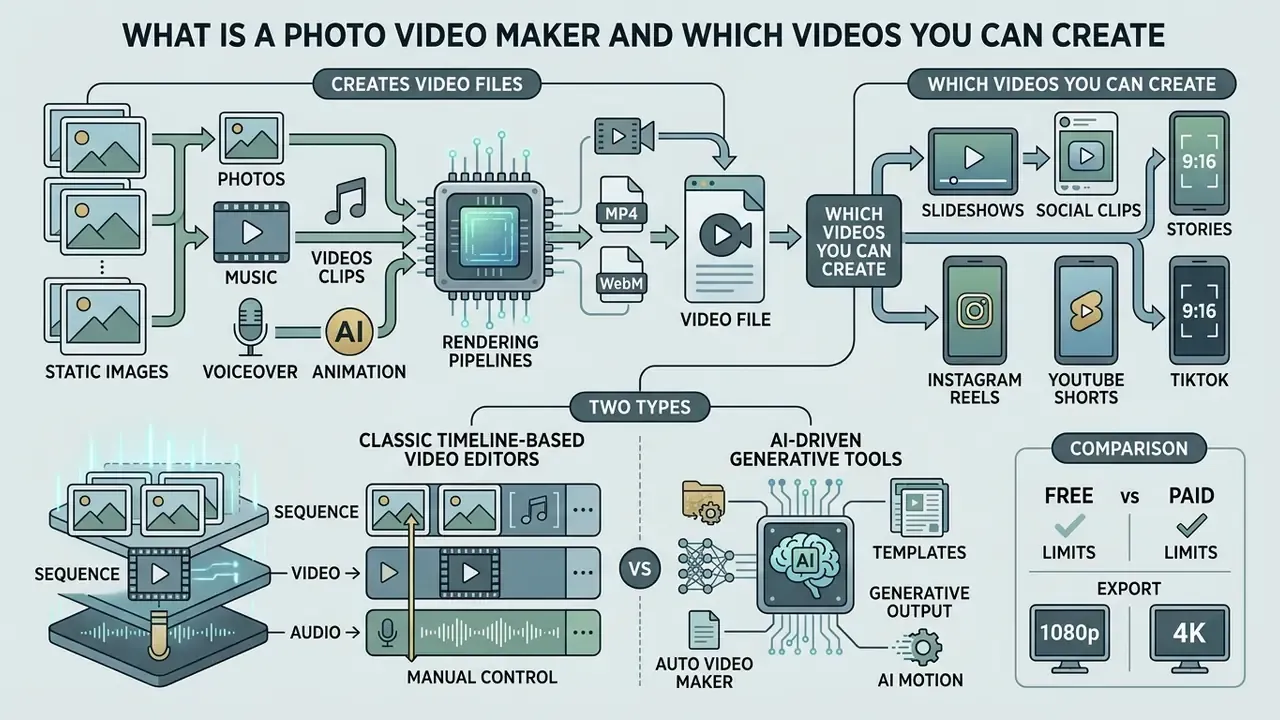
A photo video maker is a software application that converts static images into video files using timeline sequencing or artificial intelligence. Users can generate multi-frame slideshows, vertical short-form stories, or single-frame generative animations with custom audio and text overlays.
Modern platforms operate either as classic timeline-based video editors or as AI-driven generative tools. Timeline systems assemble sequential images with visual transitions. Diffusion architectures synthesize temporal movement directly from a source image.
An image video maker processes input files through standardized rendering pipelines and returns MP4 or WebM files suitable for commercial deployment. Understanding the split between multi-image compilation and generative synthesis helps teams pick the right processing model. For definitions of synthetic generation terminology, see the AI Media Glossary; for source-image preparation standards, the online photo editor guide documents feature sets, pricing tiers and commercial workflows.
There is also a third, quieter category: the auto video maker from photos, which applies a template, picks a soundtrack and renders a draft with almost no operator input. Fast, yes. Reviewable, rarely, unless the tool records which template and which music track it selected.
Regulators already treat generative output differently from a slideshow. NIST's 2024 work on synthetic content classifies AI-generated video built from still images as synthetic media. Public-sector AI policies issued through 2025 and 2026, including municipal and state-level rules in the United States, require disclosure, labeling or watermarking of AI-generated images and videos before public release. A slideshow assembled from unaltered corporate photography carries no such labeling obligation. A diffusion-animated clip usually does.
AI Image to Video: Animating a Single Image
«CamI2V achieved a 25.64% improvement in camera controllability on RealEstate10K without reducing motion dynamics or overall generation quality.»
These models act as a motion generator, letting teams animate archived static photography into dynamic marketing assets. Compare model families in the image-to-video AI tools reference before committing production budget.
The transformation relies on optical flow vectors and latent space warping to hold subject identity steady during motion synthesis. Peer-reviewed work describes the pipeline more granularly: motion-aware diffusion approaches first predict video depth and optical flow, then use depth maps, warped latent video and occlusion masks as generation conditions. That is how scene layers stay separated while things move.
Identity retention is the metric that separates usable output from unusable output. Everything else is decoration.
Teams evaluating advanced generative capabilities can review perplexity ai video generation capabilities to understand automated prompt parsing and frame consistency metrics.
How to Choose the Best Free Photo Video Maker Online
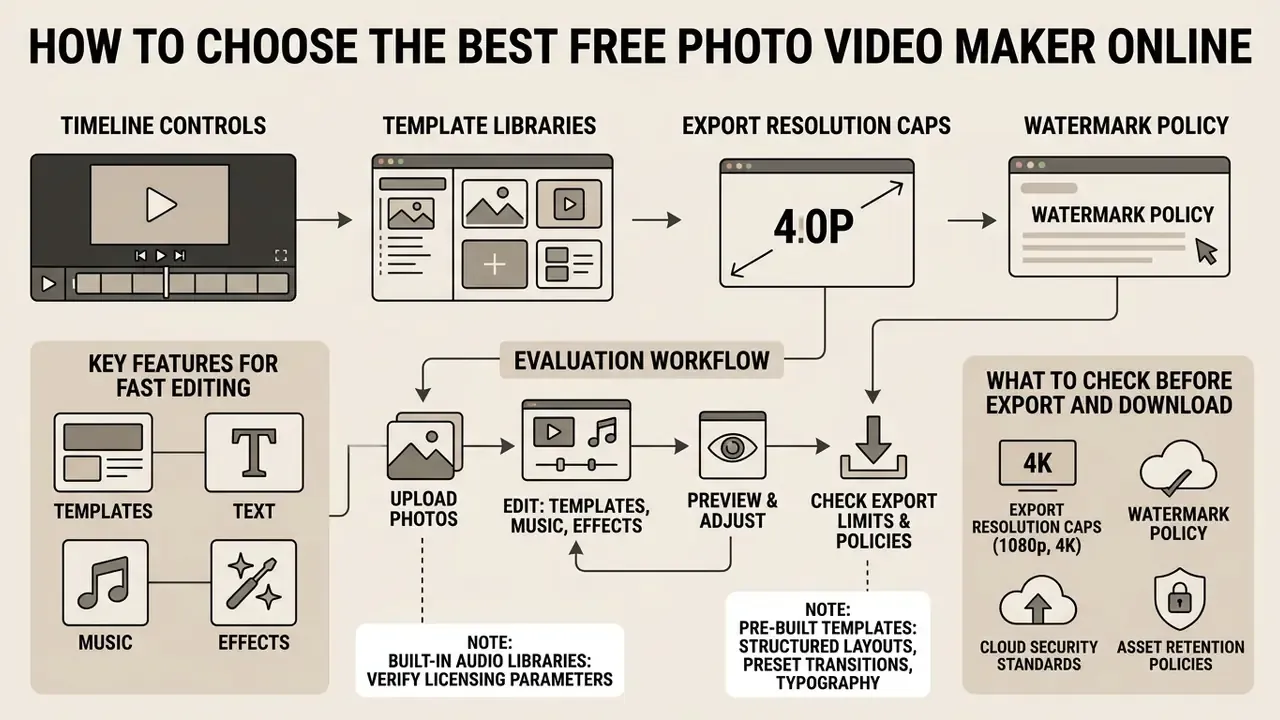
Selecting the best free photo video maker online means evaluating timeline controls, template libraries, export resolution caps and watermark policy. Platform constraints must not quietly break brand guidelines or compliance requirements.
A free online photo to video maker normally runs in the browser with no local install. Check browser capability early, since rendering bottlenecks tend to surface at export, at the worst possible moment.
«A focus group of eight participants rated the Runway platform predominantly positively: users highlighted ease of learning and enjoyment of the interaction.»
Usability evidence matters more than feature lists. Adoption rarely fails because a control is missing; it fails because onboarding friction stalls a distributed marketing team in week two.
When assessing a free photo video maker online, audit cloud security standards and asset retention policies as well. Comparing feature sets across several video editors keeps the choice aligned with long-term content strategy, and a structured AI video generator comparison shortens vendor shortlisting. Adjacent tooling decisions, such as a video compressor for delivery-size control, belong in the same evaluation cycle, because export weight determines ad-platform acceptance.
Templates, Text, Music and Effects for Fast Editing
Pre-built templates speed up production by supplying structured layouts with preset transitions, typography and color schemes. Non-technical staff populate scene placeholders with photos and custom text in minutes.
Vendor documentation across major platforms positions this bundle, templates plus text overlays plus stock music plus transitions, as the reason no prior editing skill is required. A comparison of free video editing software shows how deep those libraries actually run per tier.
Built-in audio libraries supply background music tracks, though licensing parameters must be verified before publishing. Editors let users add visual effects, title cards and timed captions directly onto the timeline, and to add video footage next to still frames on the same track.
Integrated text tools keep titles legible across screen sizes and background brightness levels. For specialized graphics preparation, creative teams often use a desktop photo editor mac application before importing assets into a web-based video platform.
What to Check Before Export and Download
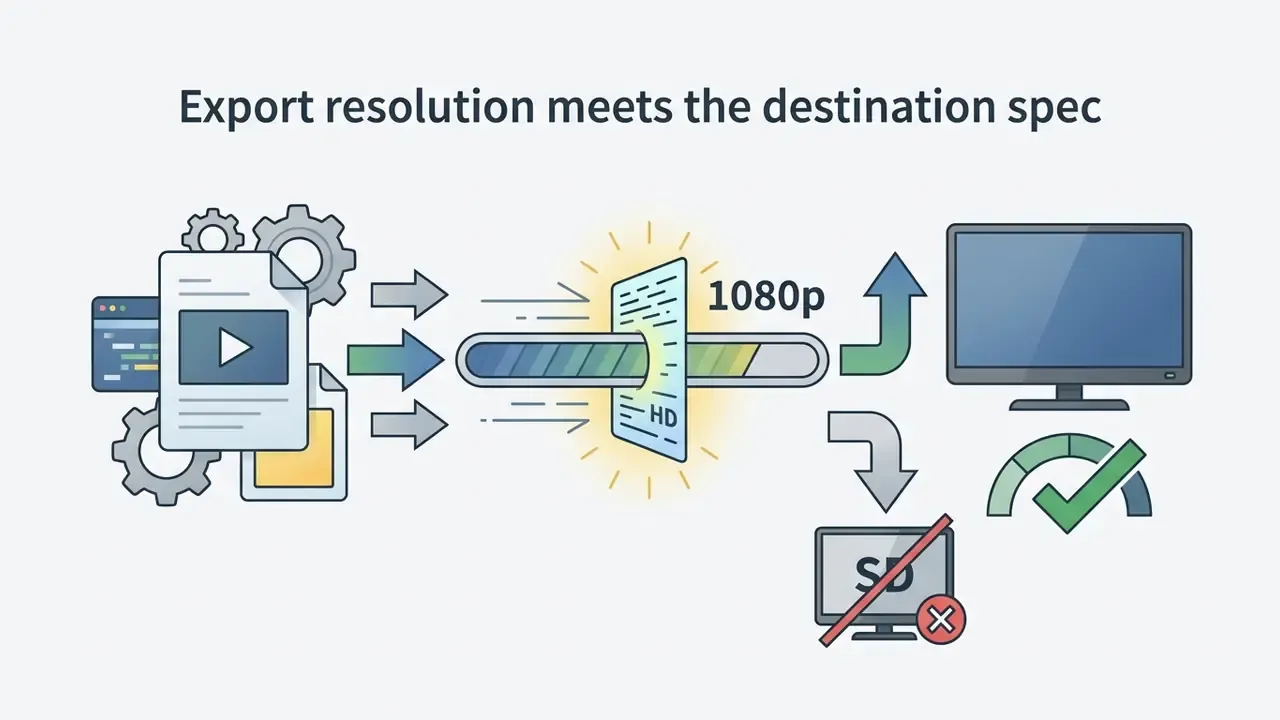
Before starting a video download, verify export parameters: frame rate, aspect ratio and compression bitrate. Free tiers often enforce watermarks or cap output at 720p or 1080p.
Reading the platform's export terms prevents licensing blocks and visual quality loss after release. The editor preview window lets teams inspect frame alignment and text readability before rendering, and the video editor capabilities reference explains which controls belong in the pre-render pass.
Practical baselines from public technical specifications: H.264 in an MP4 container, 1080p () for standard web delivery and 4K () for large-display use, roughly 5 Mbps at 720p and 8 Mbps at 1080p, and $16:9$ for landing pages or $9:16$ for mobile feeds. Confirm the output carries no unintended watermark overlay before delivery.
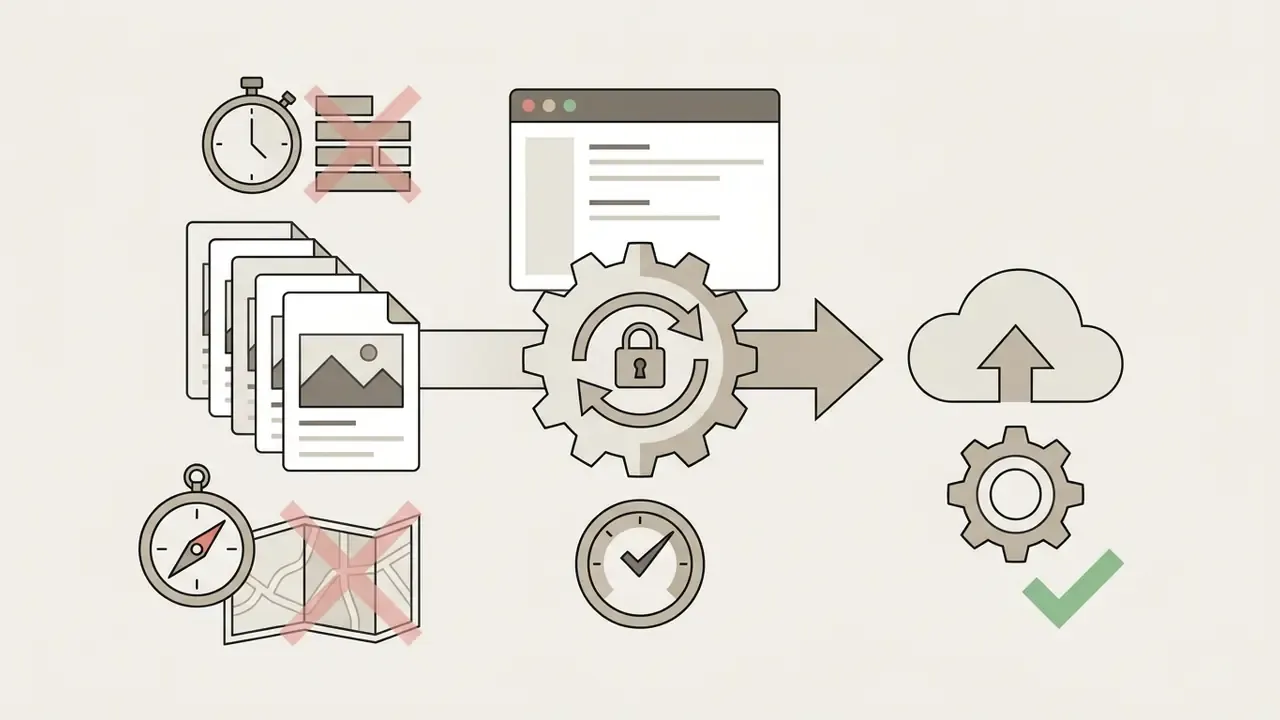
When teams upload media to cloud services, data security policy decides how source files are stored and processed. Teams needing automated resource estimates can consult AI Media Calculators to project rendering compute and bandwidth.
How to Create Video From Images Online: Step-by-Step Process
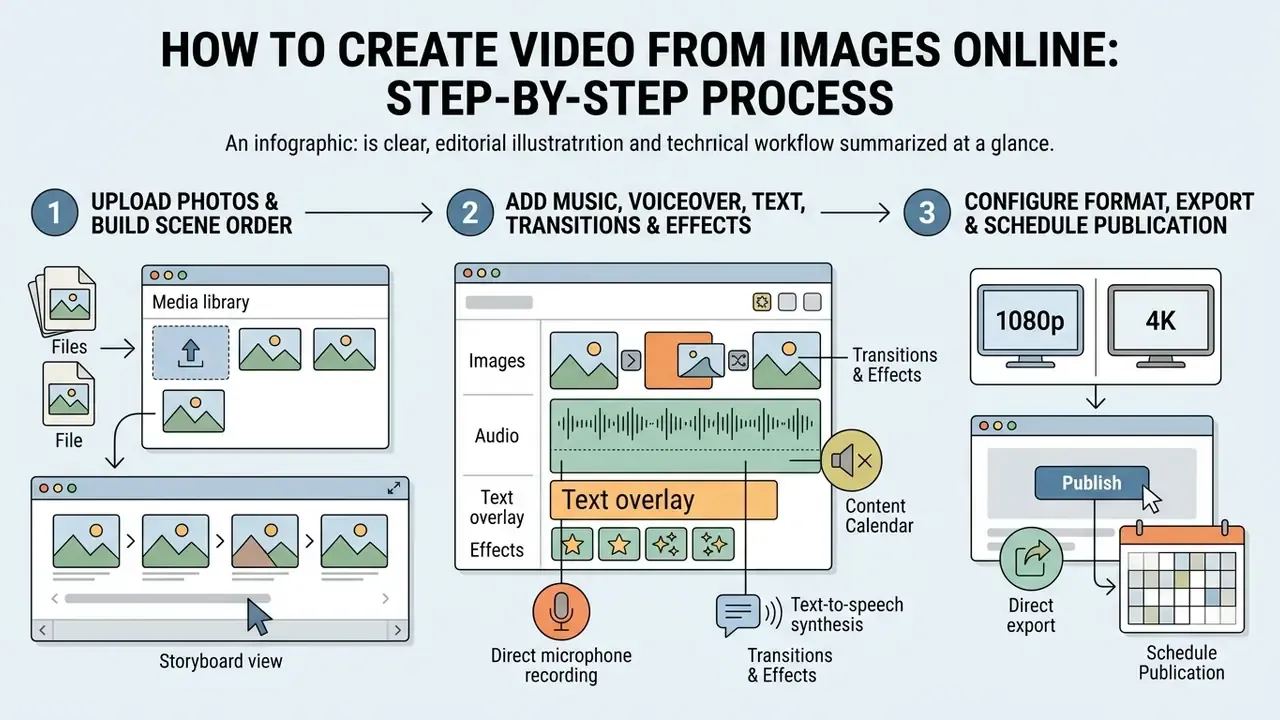
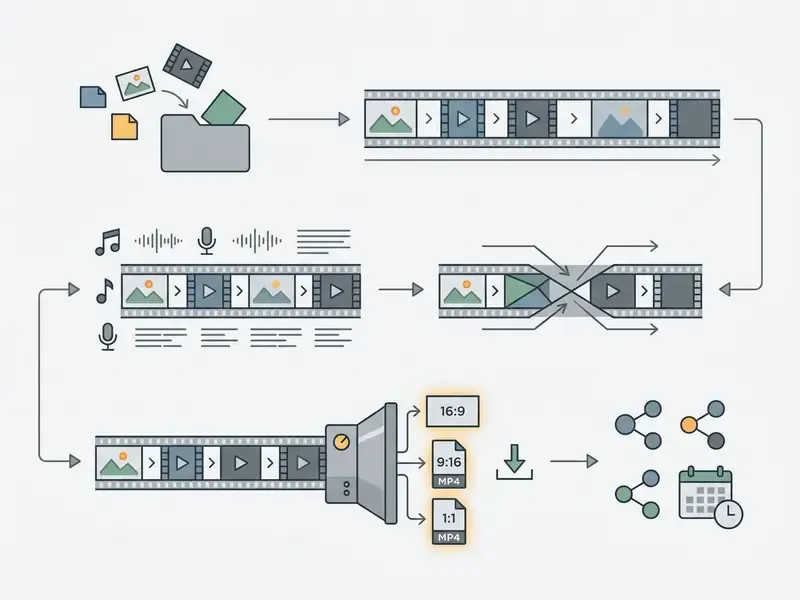
Creating a video from images online is a three-step workflow: upload assets, sequence scenes on a timeline, configure export. Standardizing the process keeps output quality consistent across distributed teams.
Learning how to create video from images online and how to make a video from images online lets non-technical teams turn static photo libraries into engagement assets, because browser interfaces remove the learning curve of complex timeline software. Users create video from images online by executing structured steps inside a web browser, which makes the pipeline repeatable rather than heroic.
To make video from photos online, creators upload source files, sequence frames, assign audio and trigger cloud rendering. Mastering how to create video from photos online streamlines multi-channel campaign work and removes dependency on external production vendors for routine assets. The same steps apply when you make video from pictures online for a marketplace card or an internal training deck.
Upload Photos and Build the Scene Order
Add Music, Voiceover, Text, Transitions and Effects
After sequencing frames, operators import background music and align key audio beats with visual cuts. Timed text overlays add context: product names, feature highlights, pricing details.
Visual transitions such as cross-fades, wipes or subtle zooms smooth the boundary between adjacent static scenes. Editors can add effects or color grading filters to unify a look across disparate image sources.
Careful audio mixing balances music levels against spoken voiceover and sound effects. Organizations running distributed creative teams often hire specialists through photo editor jobs remote platforms to handle high-volume media preparation.
Voiceover recording and AI speech generation
Beyond background music, a photo video can carry spoken commentary produced two ways:
Practical rule: record or generate narration before locking frame durations. Rebuilding a timeline around finished audio costs far less than re-recording narration around finished visuals.
Automatic subtitles and background noise cleanup
Much social viewing happens with sound off, so captions carry the message alone. Use the speech-recognition module to auto-generate dynamic subtitles, then correct proper nouns, prices and brand names by hand. Automatic transcription misspells them reliably.
Built-in noise-suppression filters strip room hum, wind, keyboard clicks and mouth noise from uploaded narration in one pass, which is usually enough to make a phone-recorded voiceover publishable. Keep captions inside the safe area, away from the top and bottom edges where platform interface overlays sit.
Configure the Format, Export and Schedule Publication
Final export starts with an aspect ratio matched to the destination channel. Widescreen ($16:99:161:1$) still earns its place in feed placements.
Final editing checks confirm that audio does not clip and that text overlays sit inside safe display zones. Clicking download triggers cloud rendering and returns a compressed MP4 ready for distribution. Some platforms also export GIF or audio-only tracks, but MP4 remains the accepted default for web delivery and archival submission.
Direct export and publishing through a content scheduler
Rendering does not have to end on a local disk. Connect social accounts (YouTube, TikTok, Instagram, Facebook), then publish immediately or queue the clip for a specific slot in the built-in scheduler. Scheduled publishing keeps approval, caption text and posting time in one auditable record, which matters when several regional teams share one asset library. For channel-specific rules, the YouTube video editor workflow guide documents editing, metadata and release steps.
Modern web tools make publishing online video assets easy for non-specialist employees. Teams comparing plans can review AI Media Pricing Guides for subscription and credit models.
How to Make a Video With Photos and Music
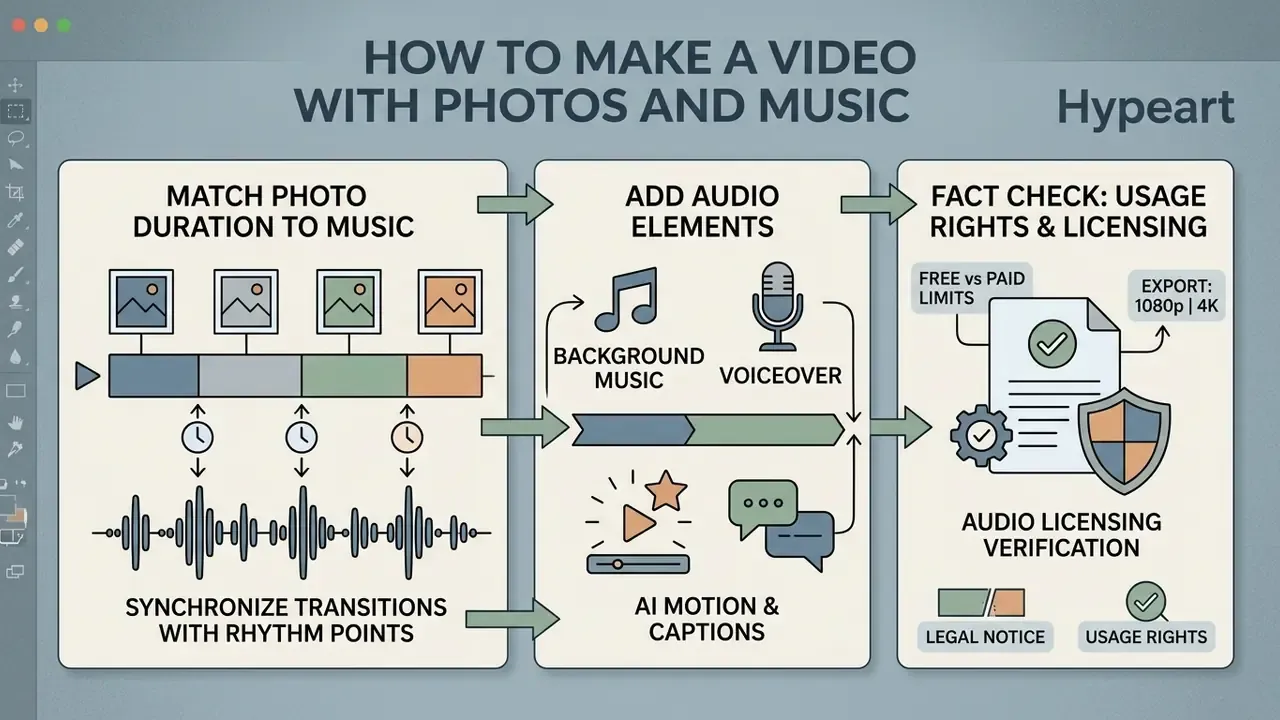
Combining static imagery with audio means synchronizing transition points with the rhythm of the track. Proper synchronization improves retention and, frankly, is the difference between a polished clip and a school project.
A dedicated music and photo video maker simplifies alignment through automated beat detection, so operators can attach royalty-free audio to visual sequences without placing keyframes manually. Learning how to make a video with images and music becomes a timing exercise rather than a technical one.
Knowing how to make video from photos with song structure lets creators match mood to visual pace, and a free pictures to music video maker gives small business teams an accessible entry point. Mastering how to make video with photo and song elements keeps visual cuts aligned with acoustic emphasis, which prevents jarring transitions on playback. The same principles answer the broader question of how to create a video with images and music for a brand channel, and of how to make video from photos at volume without a full production crew.
Research on music-guided video creation splits the task into pre-production storyboarding, production and post-production synchronization, with rule-based visual-rhythm extraction aligning visual beats to musical beats while preserving temporal order. Editors reproduce that pipeline manually: plan the shot order, place the media, then nudge cuts onto the waveform.
How to Match Photo Duration to the Music
Adjusting photo display durations to musical tempo (BPM) creates visual rhythm.
«In HCI research on creative AI systems, perceived ease of use and enjoyment correlate closely with how transparently and responsively the system reacts to rhythm-level control.»
Fast tracks ($120+$ BPM) pair with short frame times ( to seconds). Slow tracks ( to BPM) accommodate longer displays ( to seconds). Mid-tempo material at to BPM sits comfortably at to seconds per frame, and detail-heavy or text-heavy slides tolerate the upper bound.
The arithmetic is direct. At 120 BPM one beat lasts $60/120 = 0.5$ s, so a four-beat bar equals s per photo, exactly 60 frames at 30 fps. The same mapping in frames: 150 BPM to 10 frames, 125 BPM to 12 frames, 100 BPM to 15 frames, 75 BPM to 20 frames, 60 BPM to 25 frames per beat.
A regional retail bank launched a digital card promotion that needed rapid pacing. The design team chose an upbeat BPM track and set transitions at exactly seconds ( frames at fps). According to the agency's own campaign reporting, the synchronized cadence produced a materially higher complete-view rate, roughly one third above static placements running in parallel. That figure comes from a single advertiser's account data, has not been independently audited, and should be read as directional rather than as a benchmark.
Matching slide duration to musical structure stops cuts from landing awkwardly between beats. Precise timeline editing lets operators fine-tune transition placement against waveform peaks. Resolve transitions on the beat, not between beats.
Background Music, Audio and Usage Rights
Commercial deployment of photo-video content requires strict adherence to audio licensing agreements. Unlicensed commercial music in branded content invites content mutes, takedowns or legal liability.
Royalty-free soundtracks permit commercial usage under defined subscription terms without ongoing performance royalties. Public Domain and Creative Commons Zero (CC0) files allow unrestricted commercial use without fees. Inside the Creative Commons family the modifiers decide everything: CC-BY requires attribution, CC-BY-NC blocks commercial deployment, and CC-BY-ND blocks remixing, which includes cutting a track to fit a slideshow.
Organizations must retain license documentation for every embedded stock asset. Where rendering or audio export misbehaves, AI Media Support and Troubleshooting resources cover technical resolution paths.
Fact Check / Legal Verification Notice: Audio Licensing and Usage Rights
- Personal vs. commercial rights. Royalty-free does not equal copyright-free. Commercial posts promoting a business require explicit commercial licensing, even on corporate social accounts.
- Platform stock libraries. Audio provided inside consumer apps often grants rights solely for organic, in-app personal posts. Using in-app music in paid boost campaigns frequently violates the license.
- Audit trail requirement. Commercial entities should store license certificates for all stock audio and media used in campaigns, so a copyright claim can be answered with evidence rather than recollection.
- Synthetic content labeling. Where output includes AI-animated imagery, confirm whether platform terms or applicable public-sector AI policies require disclosure or watermarking before publication.
How to Turn One Photo Into Video With AI
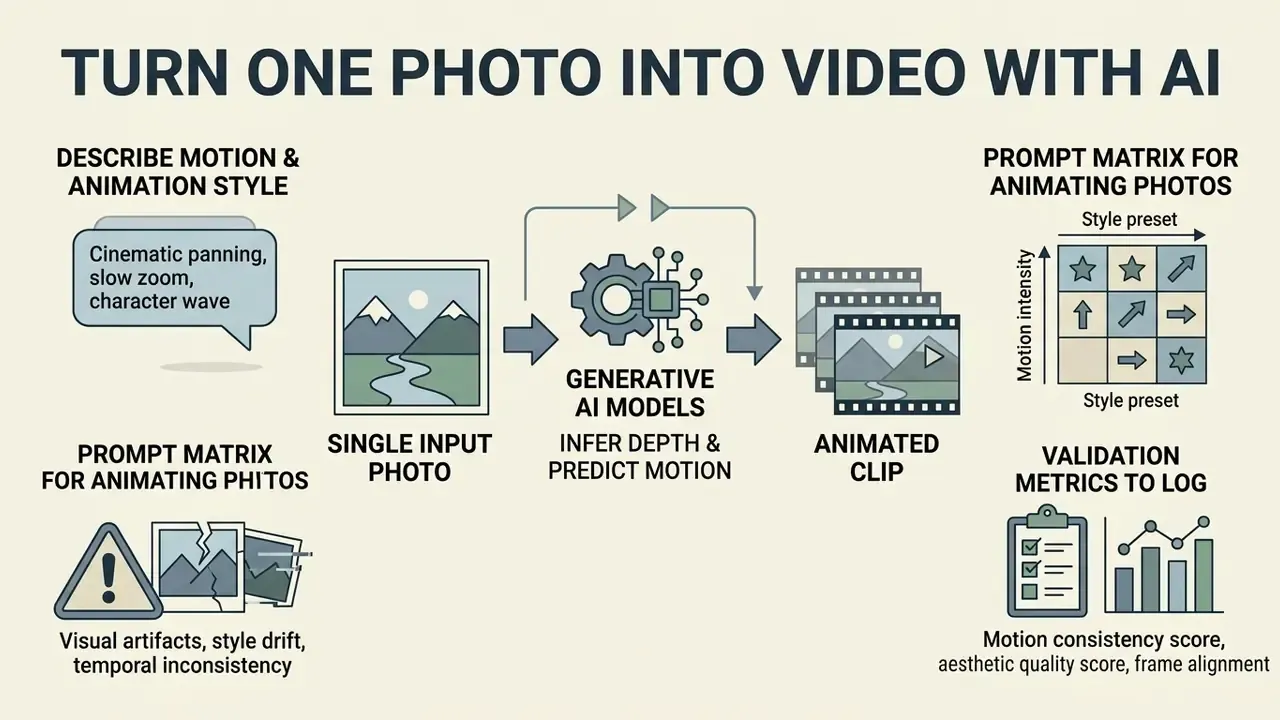
Converting a single photograph into an animated clip relies on generative models that infer depth and predict motion vectors. The model synthesizes camera movement and subject action around the source identity frame.
Choosing the best photo to video maker online comes down to which platform holds subject fidelity during animation. Advanced architectures preserve facial geometry and text legibility while movement is synthesized.
Applying image to video techniques turns static product shots into commercial video loops. Current video ai models convert stills into fluid motion clips, and adjacent text-to-video AI tools solve the same brief when no source photograph exists.
Generative algorithms let users animate single frames along controlled camera paths. The chosen animation model decides whether the resulting motion reads as natural or distorted. Vendor documentation for current image-to-video features describes the same sequence: upload a still, optionally define an end frame, choose a motion type, render a short MP4, with the model analyzing depth, lighting and movement to keep frames coherent.
How to Describe Motion and Animation Style
Effective motion prompts follow a systematic order: camera angle, movement direction, subject action, style constraints. Precise parameters suppress arbitrary artifacts in output frames.
Prompt structure: [Shot Type] + [Camera Movement] + [Subject Action] + [Style/Lighting]. For example: "Medium shot, slow push-in camera, subject smiles gently, soft cinematic studio lighting." Extended production frameworks add lens, mood and reveal at the end, and keep camera movement separate from subject movement so the model does not blend the two. Guidance in the AI video generator reference covers how motion strength, seed and duration interact across engines.
Ready-made prompt matrix for animating photos
- Portrait:
"Medium close-up, subtle head tilt, eyes blinking gently, soft parallax depth effect, 4k cinematic" - Product shot:
"360-degree slow orbital camera movement, studio lighting highlights, smooth motion vector, floating particles" - Landscape or architecture:
"Wide angle, hyperlapse clouds movement, dynamic shadows shift, golden hour lighting, steadycam forward push" - Archival family photo:
"Static camera, gentle depth-of-field breathing, dust motes in light, warm film grain, restrained motion strength"
Controlling movement magnitude prevents extreme frame distortion during processing.
«Pix2Gif uses "motion magnitude" prompts together with a spatial feature-warping module, enabling precise control over movement intensity in short single-image clips.»
Operators looking for specialized talent to prepare complex assets browse photo editor jobs listings for experienced AI media editors.
Which Errors Degrade Image-to-Video Output
Common generative errors: facial distortion, limb warping, contrast mismatch between generated frames. These artifacts appear when motion prompts conflict with source image geometry or push a model past its capability. Research on human image animation attributes much of this to pose misalignment between reference and driving poses, and addresses it with learnable pose alignment plus identity preservation. Contrast mismatch is handled separately, by estimating image contrast and scaling output to the target.
Input quality dictates animation stability. No exceptions worth counting on.
«TRIP shows that an image noise prior combined with a residual pathway reduces flicker and improves identity preservation versus baseline models on WebVid-10M and MSR-VTT.»
Low-resolution or heavily compressed source photos push generative models into synthesizing visual noise and blurry edge artifacts.
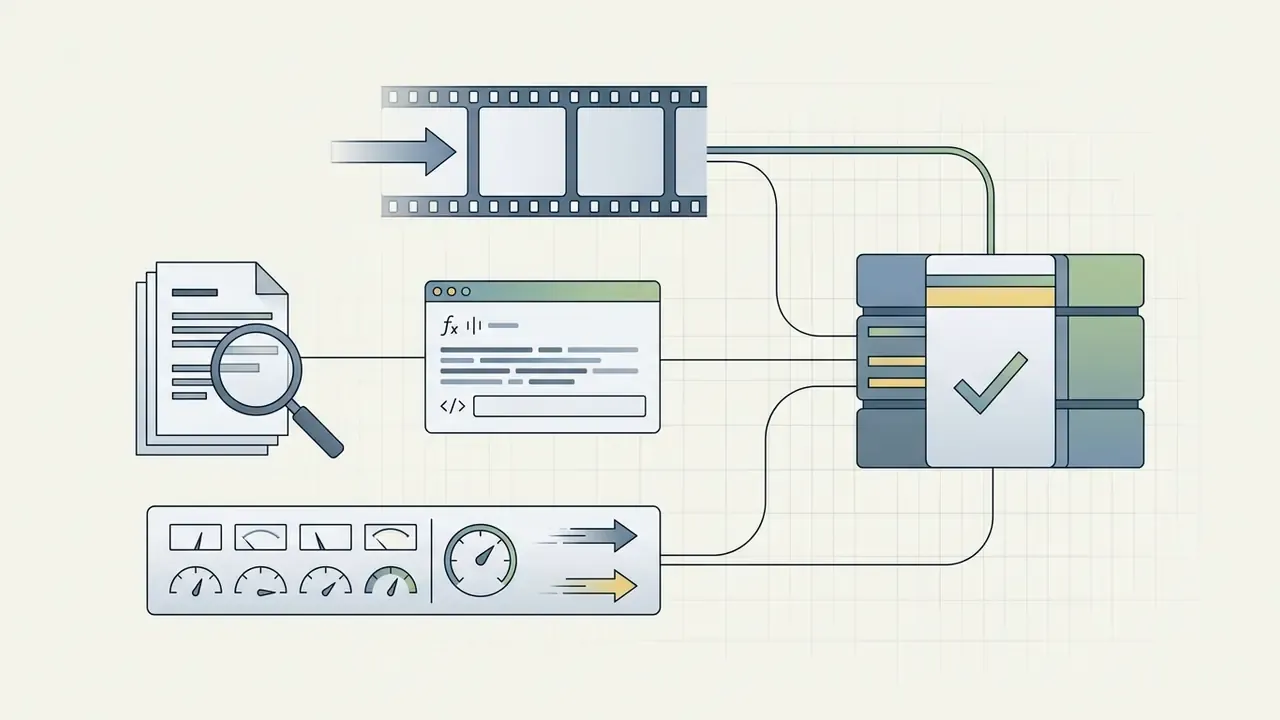
Validation metrics worth logging. For teams operating under model-risk frameworks, three families of measurement make generative video reviewable: temporal-consistency scores across adjacent frames, identity-retention scores against the reference image, and prompt-adherence checks on camera direction and motion magnitude. Recording model version, seed, prompt text and motion parameters for each accepted render produces reproducible audit evidence, and it makes drift visible when a vendor silently upgrades a checkpoint.
Correcting pose misalignment before processing improves stability more than any post-render fix. Enterprise teams comparing generative engines review AI Media Comparison Matrices for model performance benchmarks.
Photo Videos for Personal, Social and Business Goals
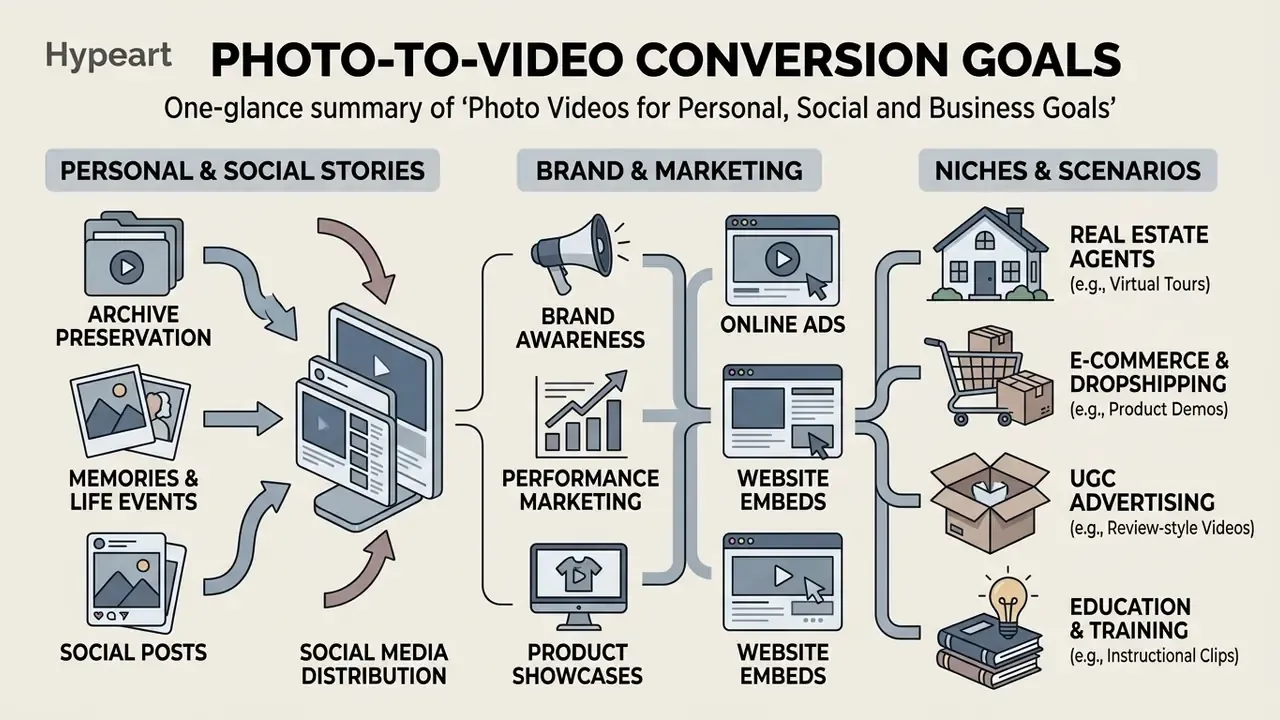
Photo-to-video conversion serves very different distribution goals, from personal archive preservation to performance marketing. Adapting aspect ratio, pacing and call-to-action overlays keeps each asset aligned with channel expectations.
Understanding video using strategies helps businesses deploy dynamic media across landing pages, ad networks and email. Dynamic video assets are widely reported to outperform static banners on engagement metrics. However, no independent cross-industry study in the sources reviewed here quantifies that gap, so validate it with your own A/B testing before it enters a business case. Data required: channel-level, like-for-like creative test.
Publishing optimized social content raises brand visibility on mobile platforms. Folding photo-video assets into digital marketing campaigns drives measurable conversion lift when tracked against a controlled baseline, not against last quarter's average.
Consistent brand representation requires standardized templates, fonts and logo placement across every output. Structured content planning keeps dynamic media production tied to business objectives rather than to whoever had the idea on Friday.
High-quality online video assets strengthen consumer trust and improve recall across digital touchpoints. Enterprise marketing teams track engagement metrics systematically to refine visual messaging.
Image Videos for Brand and Marketing
Free Access, Export and Commercial Use of a Photo Video Maker
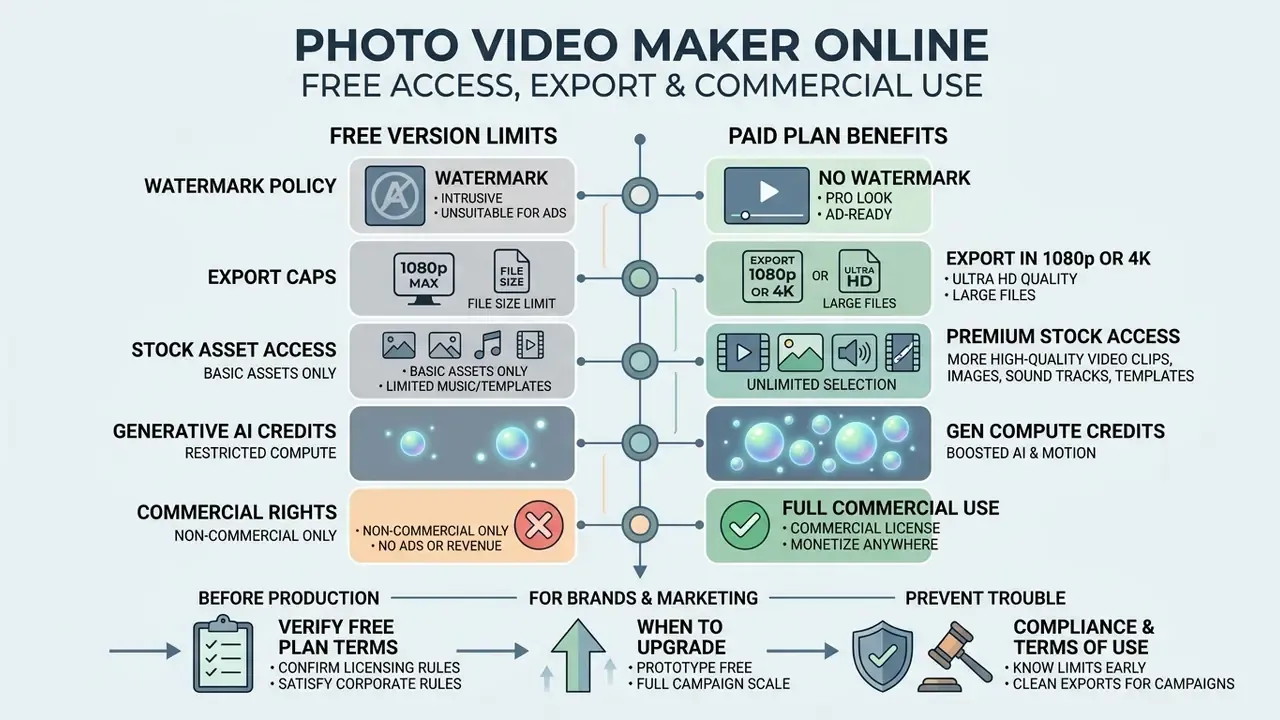
Comparing free and paid tiers means examining export caps, watermark policy, stock asset access and commercial rights. Subscription terms must actually permit monetized commercial usage, and several popular tools do not.
A free video maker from photos lets teams prototype concepts without upfront investment, and the free AI video generator overview lists where those prototypes hit hard limits. Free accounts, though, usually stamp a platform logo onto the exported file.
Knowing the limits of a free photo video maker online prevents compliance trouble at campaign launch. Paid plans remove watermarks and unlock high-resolution export pipelines.
Verifying free plan terms confirms whether output files satisfy corporate licensing rules. Reviewing download permissions prevents export blocks on the last day of a sprint. Public pricing pages in this category range from genuinely free tiers with capped exports to credit-metered plans, with paid tiers commonly starting in the single-digit dollar range per month and enterprise bundles reaching three figures plus per-seat fees. A parallel look at free photo editor limits helps predict where source-image preparation will also need an upgrade.
Clear terms of use decide whether generated media can appear in commercial advertising. A professional video maker supplies the legal protections and resolution ceilings that enterprise clients expect as a baseline.
What to Verify in the Free Version Before You Start Producing
Before committing production time, confirm that the free tier permits clean exports without an intrusive watermark. Inspect the maximum export resolution (720p versus 1080p) so quality problems do not surface at launch.
Free accounts often restrict premium stock music, templates and generative compute credits. Test the export path early in evaluation, because paywalls discovered at project completion cost the most.
«I2V-Adapter introduces a Frame Similarity Prior with tunable coefficients to balance motion amplitude against frame stability, the research analogue of intensity sliders in commercial editors.»
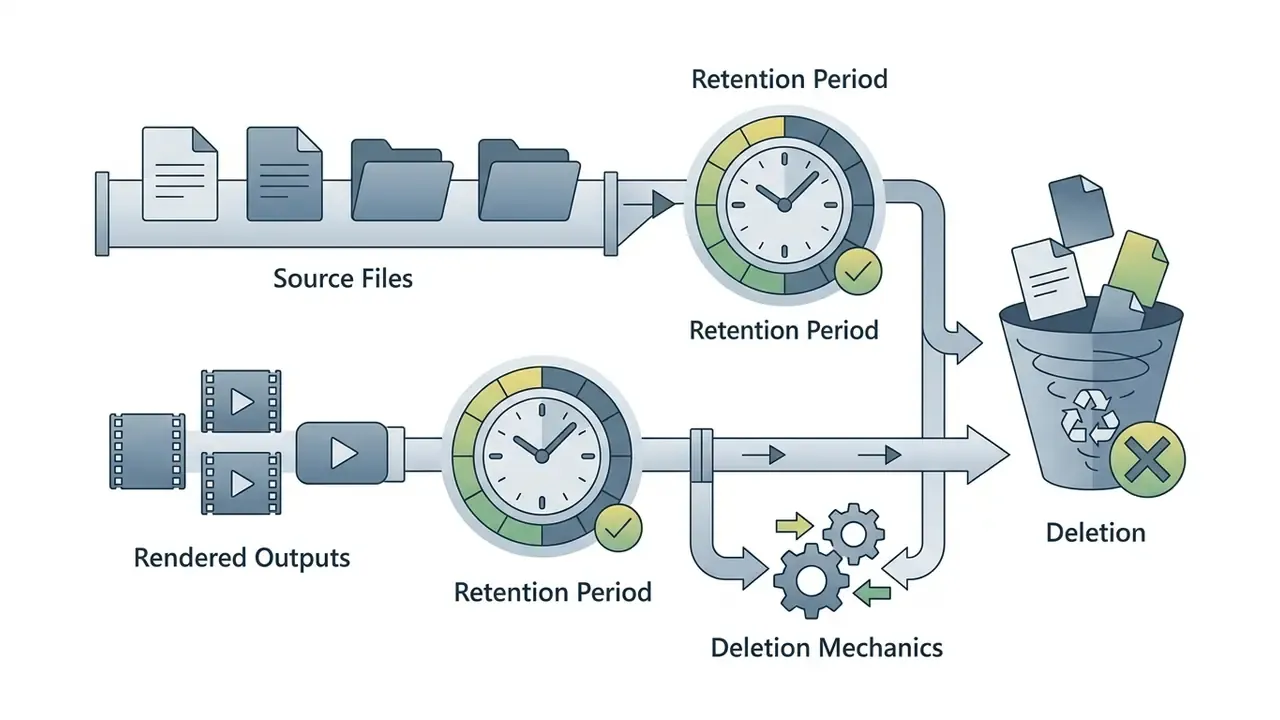
Cloud storage expiration rules deserve equal attention, since silent asset deletion has ended more than one campaign. Organizations tracking legal developments around generative content can reference AI Litigation and Case Timelines for updates.
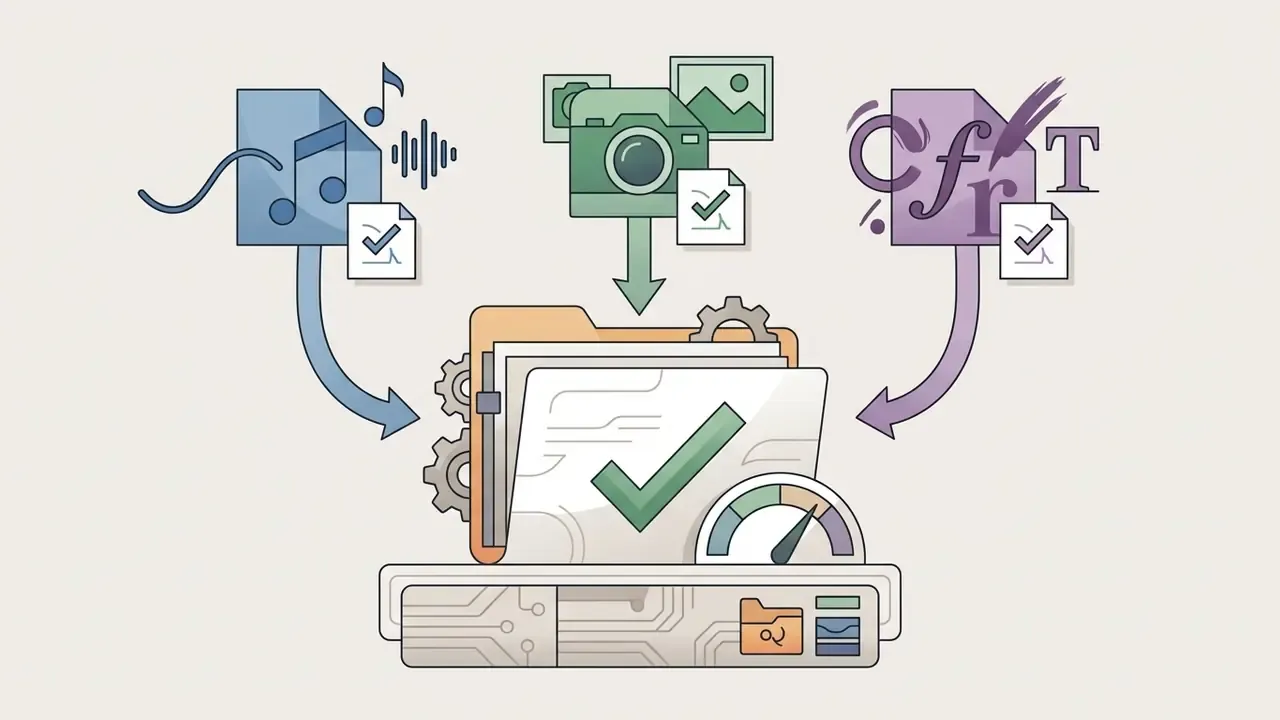
Pre-export compliance checklist
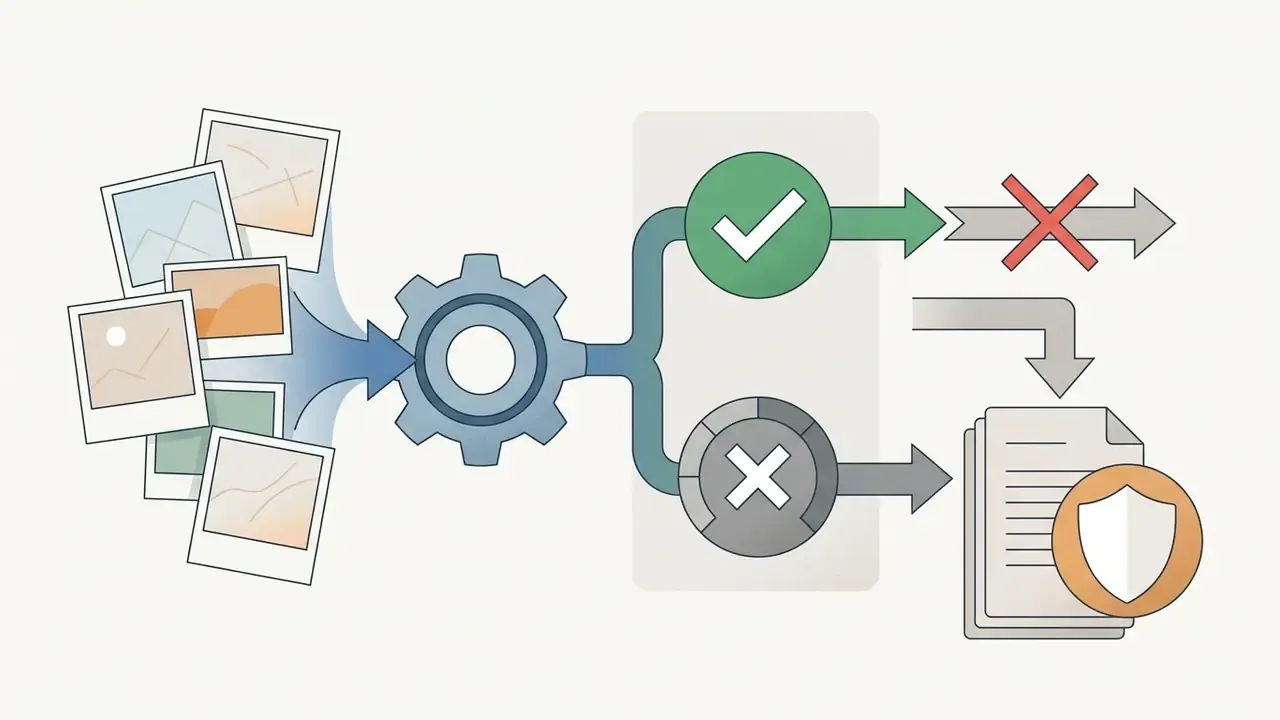
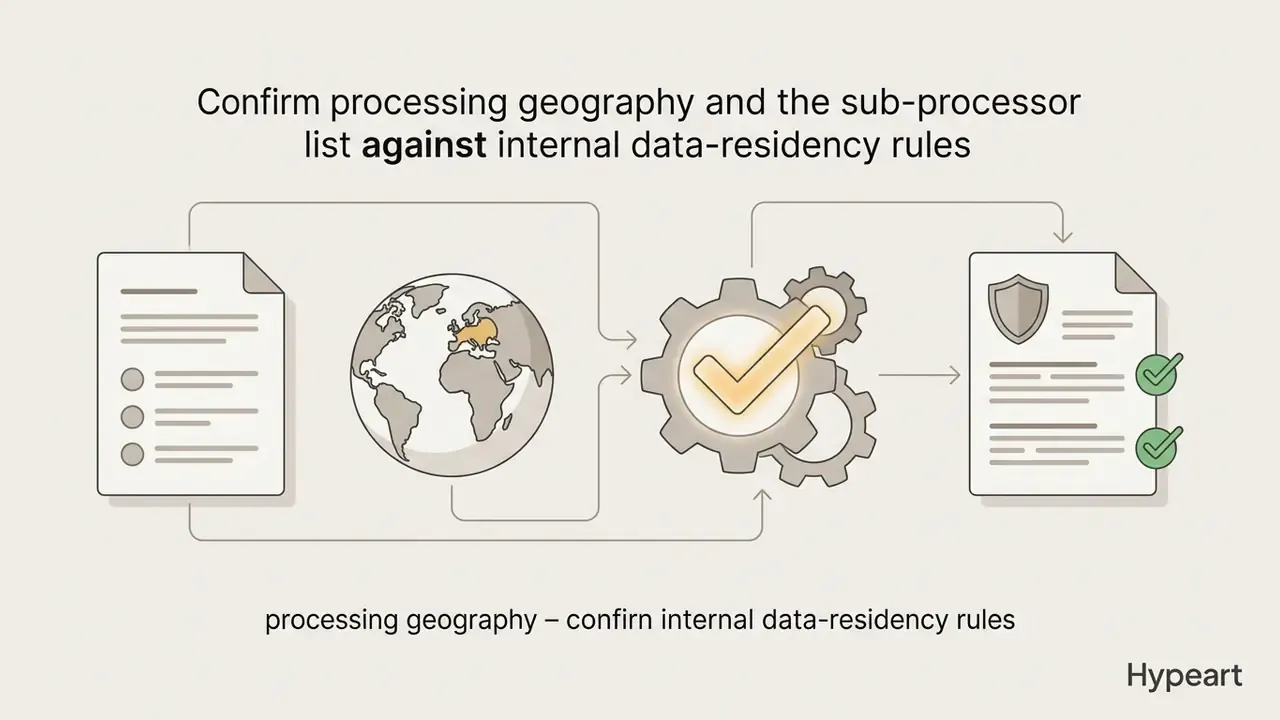
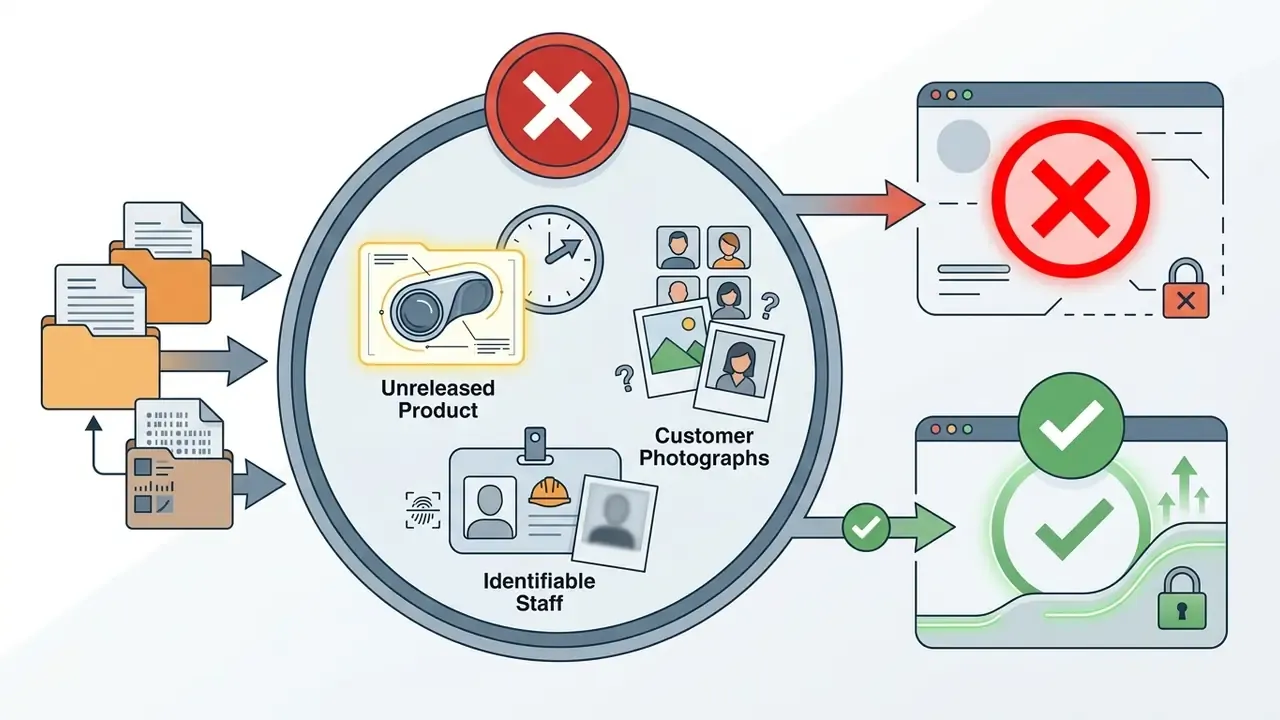
Shadow-AI and data-retention checklist for uploaded imagery
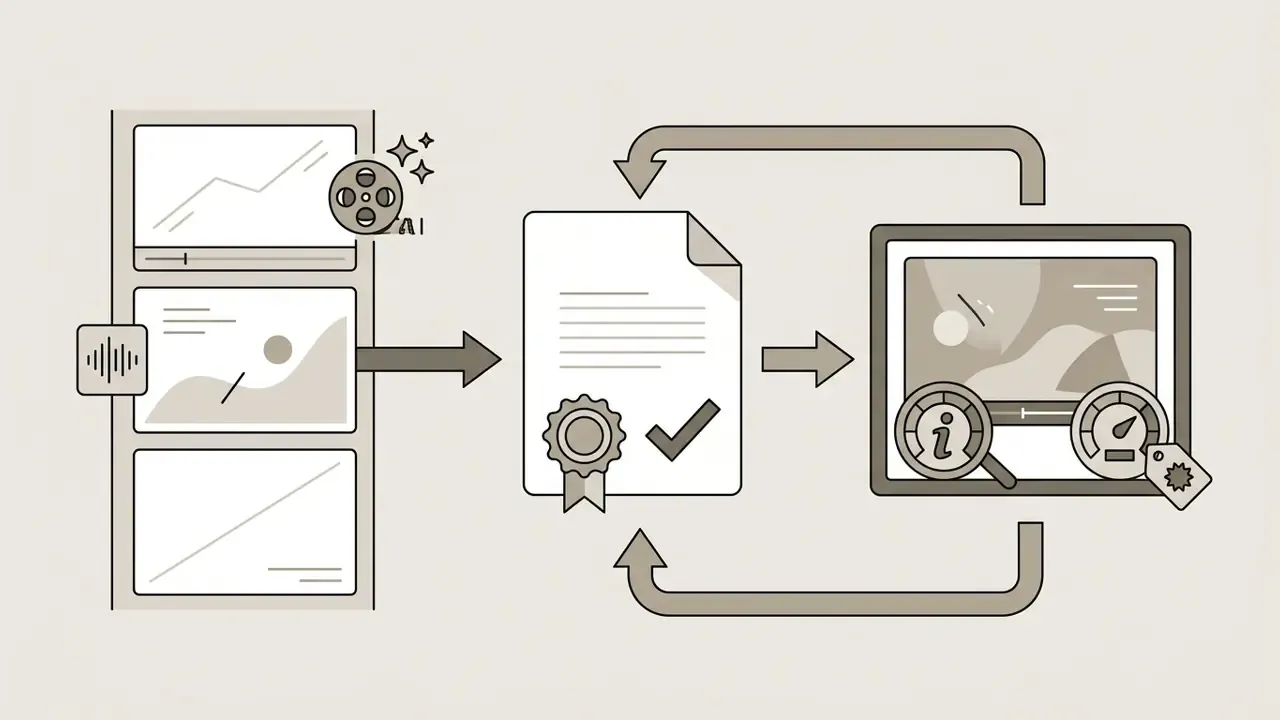
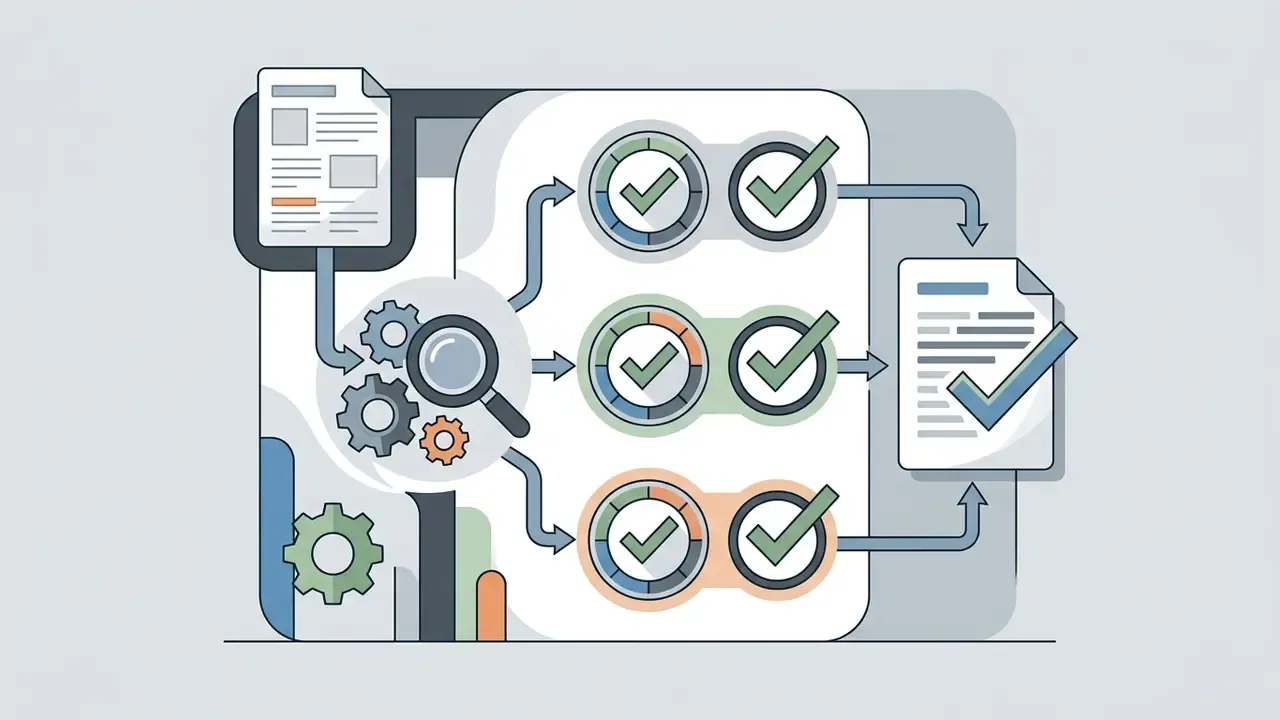
Risk-adjusted ROI worksheet
Here is attributable campaign value, covers quality control and compliance review time per asset, and is the expected cost of licensing or disclosure failures (probability multiplied by remediation cost). Teams that omit and overstate the savings from generative video, sometimes by a wide margin.


When a Brand or Marketing Team Needs a Paid Plan
Upgrade when campaigns require watermark-free 4K exports, full stock media licensing and real team collaboration. Commercial advertising rights are rarely included under free personal plans, whatever the landing page implies.
Paid subscriptions unlock high-bandwidth rendering nodes, which shortens export queues during tight deadlines. Expanded generative credit quotas support high-volume, multi-channel production, and a side-by-side free AI video generator comparison shows which limits bind first at scale.
Enterprise plans add centralized administration, audit logging and stricter data privacy controls. Procurement should treat these as functional requirements rather than nice-to-haves, because they determine whether an asset can be reconstructed and defended months after publication.
FAQ: Frequently Asked Questions About Photo Video Makers
Online photo video makers accept static formats such as JPEG, PNG and WebP directly in a standard browser. Processing runs on cloud rendering nodes, so local hardware stops being the constraint.
Users frequently ask how to create a video from images online without editing expertise. Template-driven interfaces guide operators through upload, scene layout and export.
Learning how to make video from photo online workflows helps non-technical staff produce dynamic media at a reasonable pace. Web tools expose timeline controls inside any browser window.
An image video maker processes static input files into MP4 output. Browser platforms deliver flexible rendering without a local install, which also simplifies device management for security teams.
Publishing online video content requires verifying aspect ratio and compression before distribution. Cloud rendering handles compression automatically at export.
Operators can upload high-resolution source photography straight into a web workspace. Processing a single picture first is the cheapest way to evaluate AI animation quality before scaling production.
Can You Make a Video From a Single Photo Online?
Yes. Modern AI photo video makers generate a dynamic video from one static photograph. Generative diffusion algorithms infer depth layers and synthesize continuous motion around the original subject.
«Motion-I2V uses a two-stage design: a diffusion-based motion field predictor infers pixel trajectories, and motion-augmented temporal attention propagates source-image features into generated frames.» - Motion-I2V, arXiv preprint (2024). https://arxiv.org/abs/2401.15977 Feeding one picture into an image to video model produces a looping short clip or motion file. The system uses diffusion to animate subject features and simulate camera movement. Peer-reviewed work on single-image cinemagraphy confirms that plausible scene animation and camera motion can be synthesized from one input frame, with an important caveat: the model infers depth and movement rather than recovering real actions that were never captured. Operators control synthesized motion magnitude through prompts or intensity sliders inside the online interface. The underlying generator returns an MP4 or GIF suitable for social sharing and web embeds.
Which Image File Formats Are Supported?
Most browser-based photo video makers support standard web formats, including JPEG, PNG and WebP. Platforms convert uploaded raster images into internal frame tensors for timeline rendering or diffusion processing. HEIC files from Apple devices have limited native browser support and may need conversion before upload.
Do I Need Local Desktop Software?
No installation is required. Cloud editors handle uploading, timeline editing, motion synthesis and rendering entirely in the browser using remote server infrastructure.
Do These Editors Work in Mobile Browsers?
Yes. Mobile browsers follow the same image-support model as desktop, so JPEG, PNG and WebP uploads work on phones and tablets. Rendering happens server-side, so the device needs a stable connection rather than editing-grade hardware. Long timelines and 4K exports still feel better on desktop.
Can AI Animate Part of a Photo and Keep the Background Still?
Yes. Advanced tools support region masking and trajectory drawing. Operators highlight a subject, a person or running water for example, apply motion vectors there, and leave the rest of the scene static.
Can I Merge Existing Video Clips With My Photos?
Yes. Drag MP4 or MOV clips onto the same timeline as your images, then normalize project frame rate and resolution so mixed media renders without black bars. Hybrid timelines suit product demonstrations, vlogs and social content.
Can I Add Narration Without Recording My Own Voice?
Yes. Text-to-speech modules generate an audio track from a pasted script with a chosen voice, language and tone, and return duration markers you can use to retime each photo. Recorded microphone narration can be cleaned with one-click noise suppression.
What Export Settings Should I Use for Social Platforms?
H.264 in an MP4 container at 30 fps is the safe default. Use 1080p for feed and Reels-style placements, 4K only when the destination supports it, and confirm aspect ratio ($9:16$ vertical, $16:9$ landscape, $1:1$ square) before rendering.
Appendix A: Superseded Wording (retained for transparency)
Limitations and Open Questions
Three gaps remain, and pretending otherwise would be dishonest.
First, the engagement and conversion figures cited here are advertiser-reported. None has been independently audited, so none belongs in a board paper without a controlled test behind it.
Second, disclosure obligations for AI-animated imagery are still moving. Platform terms, state rules and sector guidance are not synchronized, and a clip compliant on one channel may need a label on another.
Third, validation practice for generative video is immature compared with credit or AML model validation. Temporal consistency and identity retention are measurable, but there is no settled threshold for «acceptable». Until there is, log the parameters, keep a human approver, and document the judgment call.