Executive Summary for Decision Makers
- What it is. Pictory AI is a browser-based automation layer, not a frame-by-frame generative video model. It parses text with NLP, retrieves licensed stock media (Storyblocks, Getty Images, Unsplash), synthesizes voiceovers (including ElevenLabs voices on premium tiers), and renders 1080p MP4 files without manual timeline work.
- Where the ROI sits. The strongest business case is repurposing: blog posts, webinars, podcasts, documents, PowerPoint decks and long recordings converted into short branded assets at scale, without hiring additional video editors.
- What it costs. Paid plans start at $25/month billed annually ($29 monthly) for Starter, $35/month annually ($59 monthly) for Professional, and $119/month annually ($199 monthly) for Team. Enterprise is quoted individually. A 14-day free trial requires no credit card.
- Where governance risk remains. Stock assets cannot be extracted and redistributed standalone, synthetic voice usage carries consent obligations, and enterprise buyers in regulated sectors must verify data-retention, SSO and model-training terms directly with the vendor before rollout. Pictory does not generate photorealistic AI presenters at the level of avatar-first platforms, and it is not a replacement for NLE-grade editing.
Who This Review Is For and How to Read It
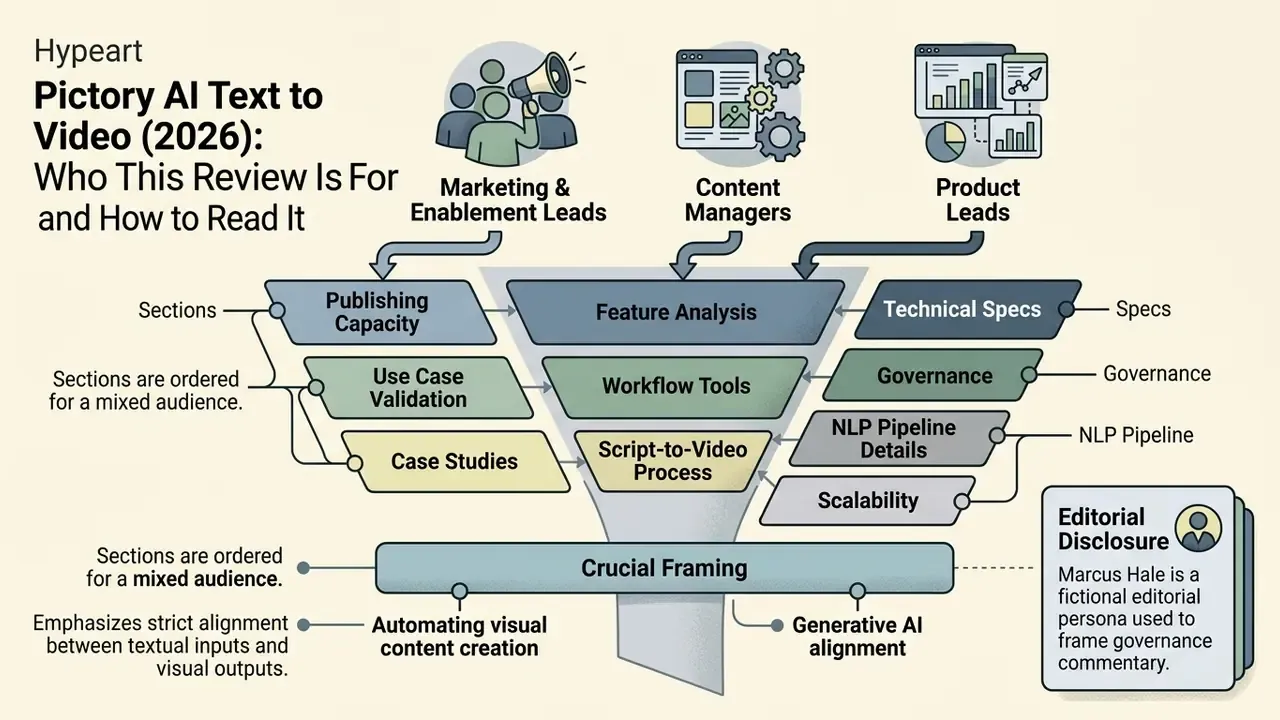
Three groups tend to land on this page with very different questions.
Marketing and enablement leads want to know whether a script-to-video generator can carry a real publishing calendar. Finance and operations owners want the unit economics: cost per finished asset, not the sticker price of a plan. Risk, compliance and model-governance owners want something narrower and harder: where the evidence chain lives when a machine assembles a public-facing asset.
The sections below are ordered for that mixed audience. Product mechanics first, then workflow, then features, then the governance and licensing questions that decide procurement. If you are evaluating for a bank, insurer or a mature fintech, read section 5 before section 6. Pricing is the easy part. Data handling is not.
One framing note. A text-to-video platform is not a decisioning model, so it sits outside classic model-risk scope in most institutions. It still touches brand, disclosure and third-party licensing risk, which means it needs an owner, an approval gate and a retention rule. No evidence, no autonomy.
Author note: Marcus Hale writes about AI governance and model risk for this publication.
1. What Pictory AI Text to Video Is and How the Generator Works
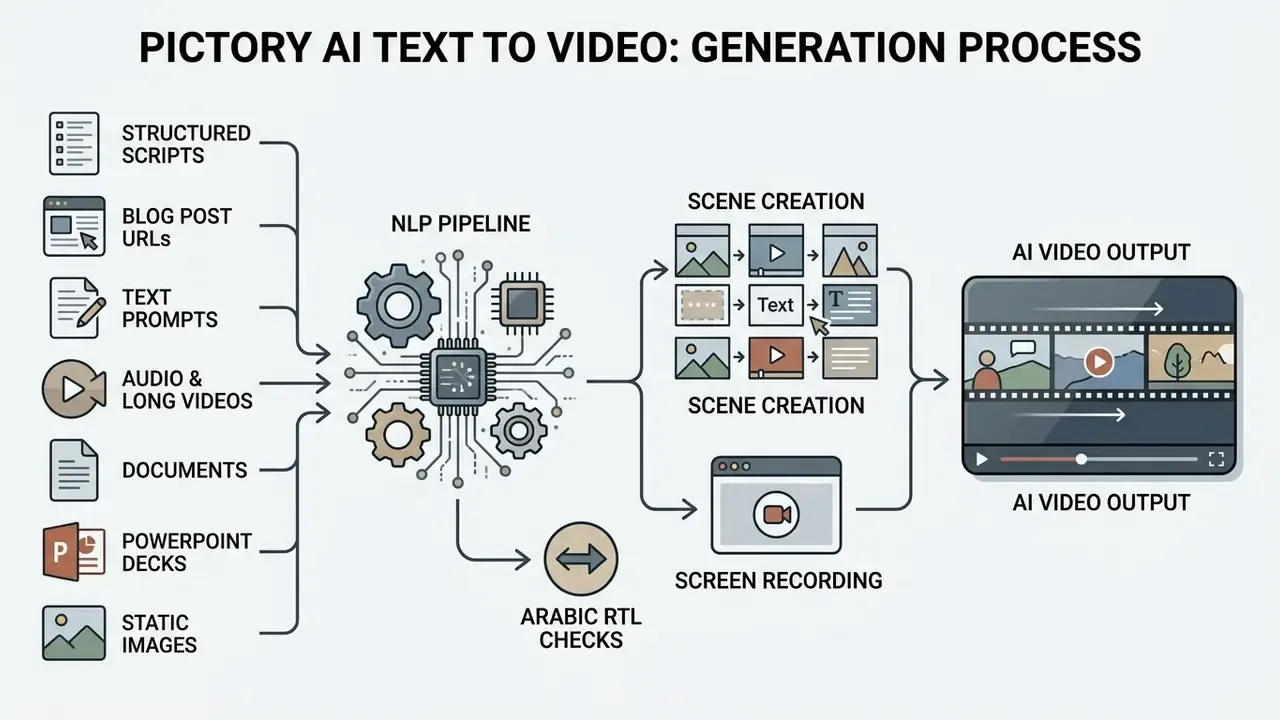
Pictory AI Text to Video is a cloud-based automated video generation platform. It converts written scripts, articles, prompts and URLs into structured, edited videos with stock footage, captions and synthetic voiceovers. The system processes natural language inputs, parses semantic structures into logical scenes, matches contextual keywords with licensed media assets, and synchronizes visual transitions with auto-generated audio tracks.
According to the vendor's own developer documentation, the documented processing chain runs: text processing → scene generation → visual selection → voice generation → synchronization → caption creation → rendering (Pictory AI Docs, "Blog URL to Video" and platform guides, 2026, https://docs.pictory.ai/). The help center adds that Pictory "analyzes pasted or AI-generated scripts and automatically selects relevant visuals for each scene based on the scene text context" (Pictory Help Center, 2026, https://kb.pictory.ai/).
So the platform functions as an automated digital production workflow rather than a purely generative frame-by-frame model. Instead of synthesizing raw pixels for every frame, Pictory combines natural language processing (NLP) algorithms with stock media retrieval, synthetic speech synthesis and dynamic text overlay generation. Academic work on text-to-video systems stresses that this distinction matters when you evaluate output quality:
"Standardized benchmarks for controllable text-to-video generation evaluate semantic alignment and controllability of output videos."
Because Pictory retrieves rather than hallucinates footage, semantic alignment depends on keyword extraction quality and library depth, not on diffusion model fidelity. That architecture buys rendering efficiency and predictable visual structure. For corporate communications, content marketing and training, predictability is usually worth more than novelty. Readers evaluating the wider tool category can start from our overview of AI video generators. By cutting manual timeline editing, teams scale video output while holding a baseline of visual consistency.
1.1 Which Text and Media Formats Can Be Turned Into AI Videos
Pictory AI supports seven primary input formats for video creation: structured scripts, published blog post URLs, raw text prompts, long-form video files, audio recordings, presentation decks and static image sets. Each format triggers a tailored processing pipeline inside the editor:
- Structured scripts users paste pre-written text directly into the Script-to-Video editor. The system uses line breaks or sentence boundaries to establish scene breaks.
- Blog post URLs the URL-to-Video workflow ingests web pages, strips non-essential HTML elements, extracts core narrative sentences through natural language summarization, and forms a draft storyboard. The target page must be publicly accessible.
- Text prompts inside the AI Studio flow, descriptive prompts guide generation of original script outlines and visual storyboards using underlying large language models, with configurable model, aspect ratio and duration.
- Audio and long videos uploaded MP3/WAV/M4A/MP4 files (up to 5 GB or 180 minutes) undergo speech-to-text transcription, which enables text-based video editing and clip extraction.
- Documents text extracted from documents is segmented into sequential scenes accompanied by visual context tags.
- PowerPoint decks (.pptx) the platform accepts finished slide files. The AI reads on-slide text, drafts a narration script from it, and applies animated transitions between slides. Useful for turning existing internal decks into narrated training modules.
- Static images (Image-to-Video) a series of photographs, product shots or infographics can be uploaded and converted into a dynamic slideshow with Ken Burns-style pan-and-zoom motion, background music and AI narration.
To compare generation methods across the category, see our reference material on text-to-video AI tools and on image-to-video AI workflows.
1.2 How Pictory Automatically Assembles Scenes, Visuals and Audio
The automated assembly process rests on three pillars: contextual keyword mapping, licensed stock databases and synchronized audio rendering. When text is ingested, Pictory's NLP engine identifies primary entities, actions and concepts in each sentence, then queries stock media libraries holding over 18 million royalty-free visual assets sourced from Getty Images and Storyblocks (Pictory Help Center, 2026, https://kb.pictory.ai/). Getty access is a premium-tier privilege. Starter accounts work against a smaller Storyblocks-based pool of roughly 5 million clips.
In parallel, the engine generates dynamic captions aligned to the timing of the selected voice track. Synthetic voiceovers run on neural text-to-speech (TTS) engines, including ElevenLabs integration on premium tiers, with reasonably natural cadence across multiple languages (Pictory Blog, 2024, https://pictory.ai/blog/multiple-languages-product-update). Background music is picked automatically from a royalty-free library (Melodie) and auto-mixed to duck under active voiceover tracks.
Brand Kits do the rest of the enforcement work. Preset logos, hex color codes, typography, intro and outro scenes and subtitle styles are applied across every rendered scene, and the first uploaded logo plus the first brand color become the defaults for all scenes. For regulated communications, that default behavior is a feature: fewer chances for an off-brand asset to slip into a public channel.
2. How to Create a Video From Text in Pictory AI: Step-by-Step
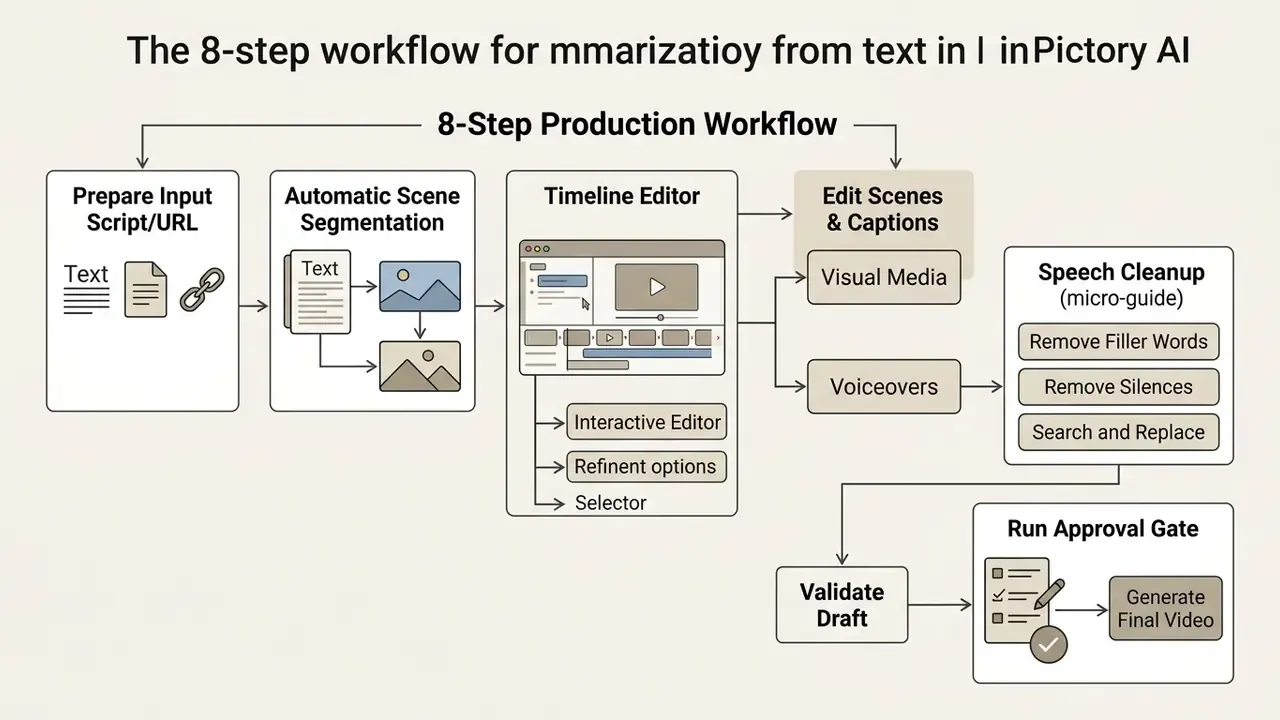
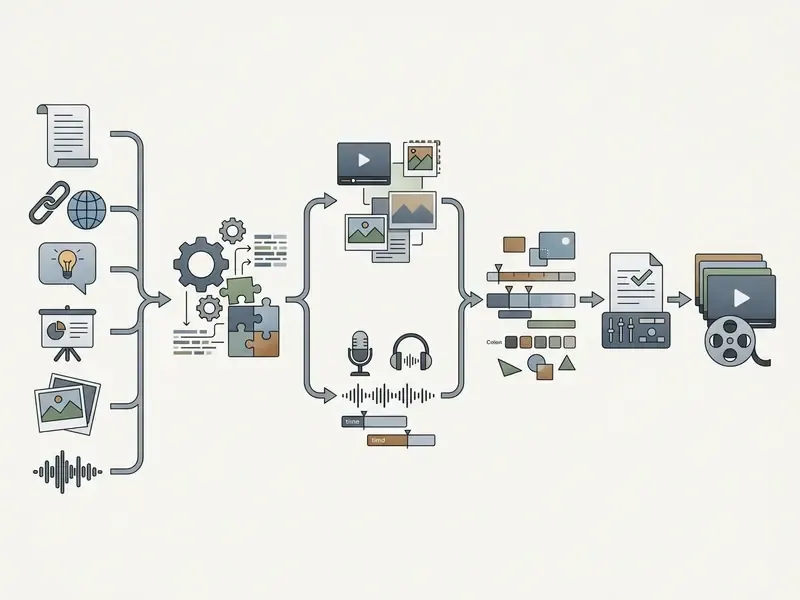
Creating a video from text in Pictory AI means importing source copy, configuring scene segmentation, refining media assets in the timeline editor, validating the draft, and exporting the rendered file in the required aspect ratio. The workflow turns raw ideas into publish-ready assets without manual keyframing.
8-Step Production Workflow in Pictory AI
Checklist0 / 8
Why step 7 exists. Automated assembly removes editing labor. It does not remove accountability. In regulated environments, the render button is the last point at which a human can catch an unlicensed upload, an unlabelled synthetic voice, or a claim that compliance never cleared. Assign one named approver per campaign and log that approval next to the project ID.
Internal benchmark (self-reported). To keep brand control intact while scaling automated video, our editorial team introduced a centralized governance check for video assets across marketing departments. In our own internal workflow test, a self-reported measurement rather than a third-party audit, a financial publishing team cut average production time per short asset from roughly four hours to under half an hour by standardizing script formatting before feeding copy into Pictory. Pre-formatting killed manual scene re-splitting and prevented visual misalignment during automated rendering. Vendor-published figures point the same way but read as marketing claims: Pictory states that a podcast-to-video asset that "once took 13 days may take around 27 minutes" (Pictory Blog, 2026, https://pictory.ai/blog/repurpose-podcast-to-video-ai).
2.1 Preparing the Script, Text or URL for Generation
Generation quality tracks input structure and sentence length more than anything else. Pictory's scene parser splits content on punctuation and line breaks, and the vendor's own guidance says sentences over 20 words should be broken in two for cleaner scene formatting (Pictory Blog, 2026, https://pictory.ai/blog/). Video Preferences also expose keyword highlighting and a maximum-lines-per-scene control.
For the URL-to-Video workflow, the target page must be publicly accessible and free of paywalls. The system extracts core narrative content, strips headers and footers, and presents an editable summary list. You select or deselect key sentences before the storyboard is generated. Worth doing carefully: a sloppy selection here is what produces those thin, listicle-shaped videos nobody finishes.
2.2 Editing Scenes, Captions, Visual Media and Voiceovers
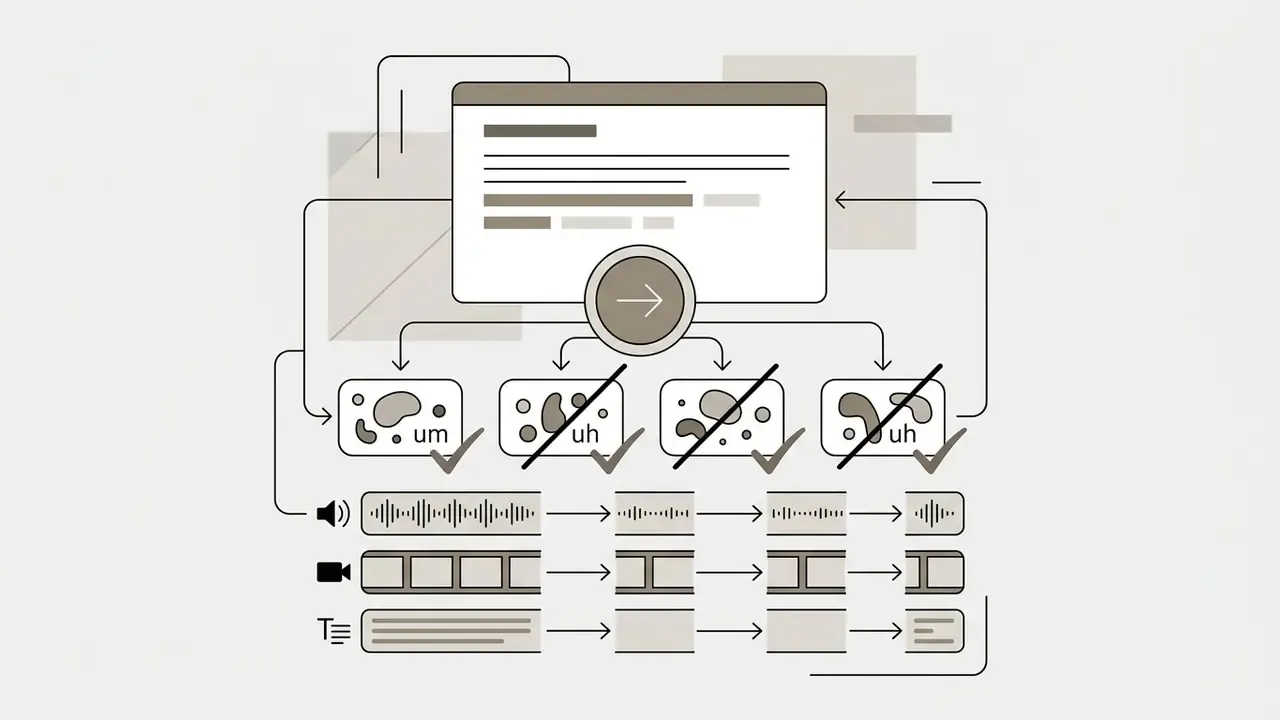
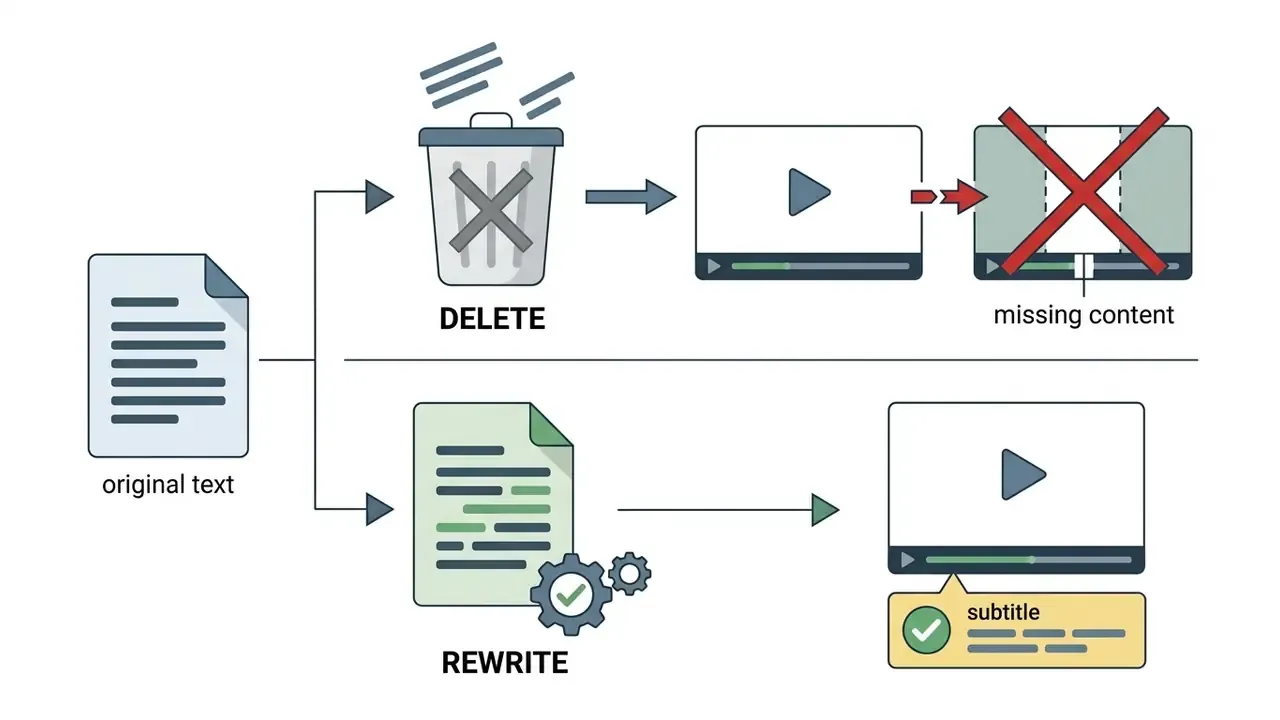
The AI Video Editor gives text-based control over timeline elements. You modify the underlying video structure by editing script transcriptions directly. Delete a sentence in the transcript editor and the corresponding visual scene plus audio segment are trimmed on the timeline. For a broader view of the tool class, see our guide to video editors.
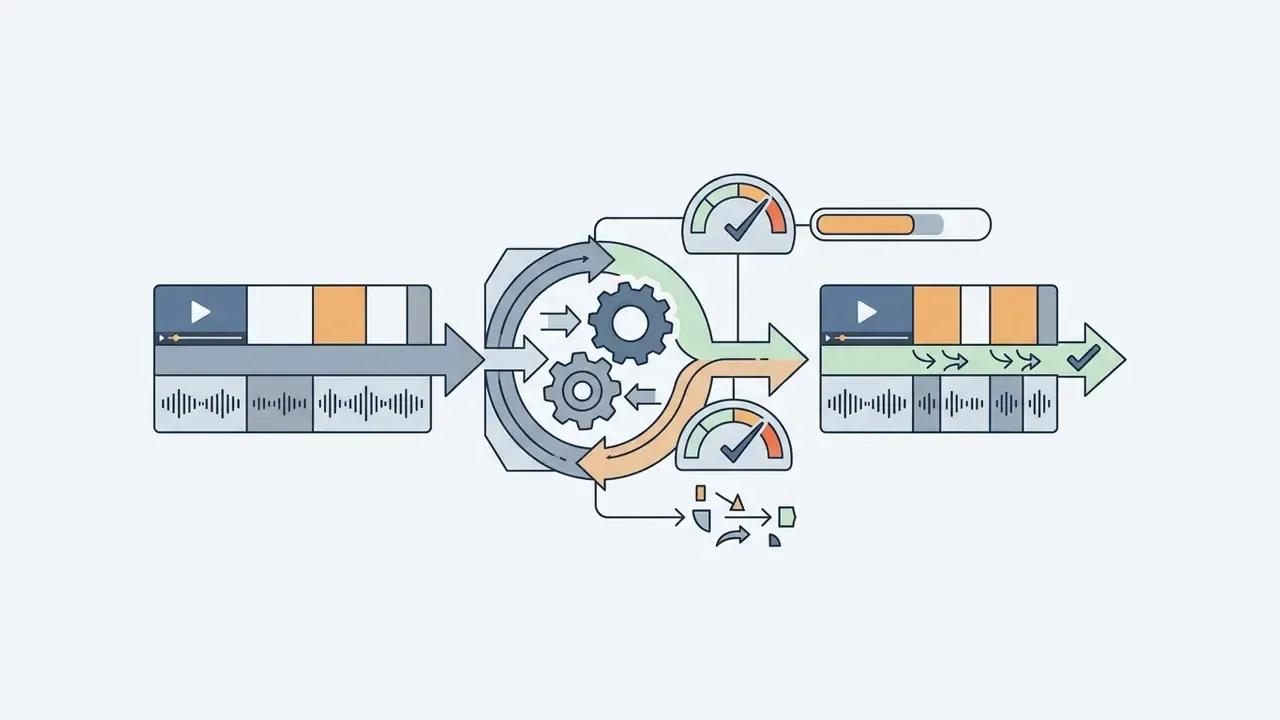
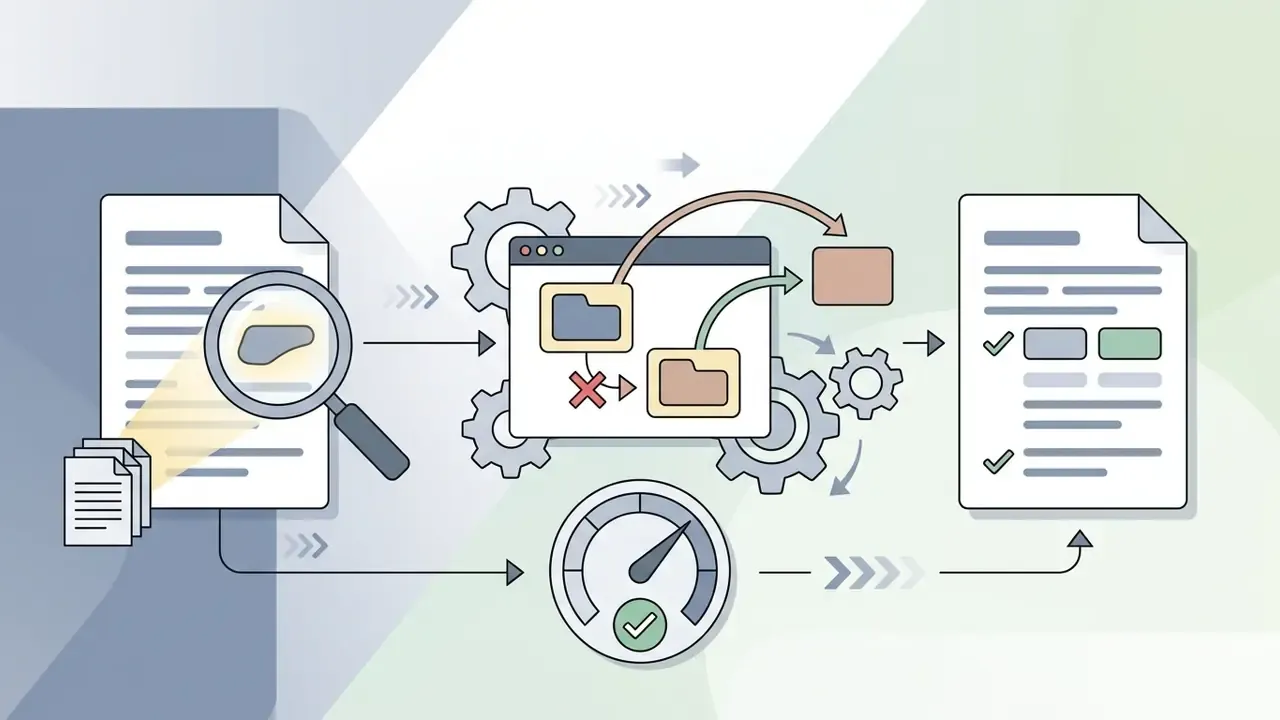
Automatic speech cleanup (micro-guide). The transcript editor ships filters that replace what used to be manual scrubbing:
Caption accuracy, with sources. Captions are generated automatically from the transcript. Pictory states its caption tool uses speech recognition with "over 95% accuracy" on clean audio, while its help materials describe transcription as "almost always accurate" and still recommend manual review. Vendor-published ranges cluster around 90 to 96% on clear tracks and 85 to 92% on noisy or multi-speaker recordings (Pictory AI, 2026, https://pictory.ai/blog/how-to-add-captions-to-video-ai; Pictory Help Center, 2025, https://kb.pictory.ai/). Independent research on comparable ASR stacks supports the plausibility of that range:
"Whisper-based captioning systems demonstrate high multilingual accuracy in real-time operation."
Inside the editor you can adjust subtitle text manually, highlight specific keywords, move caption positioning and change dynamic text styling. Visuals swap with a single click through search queries in the integrated media tab, or via custom uploads. Voiceovers preview per scene, so pacing and inflection can be checked before a full render. Uploaded narration can be re-synced to the timeline after replacement.
One caveat from practice: on financial jargon, ticker symbols and product names, caption accuracy drops well below the clean-audio number. Build a glossary check into review.
3. Pictory AI Features for Text-to-Video and Video Editing
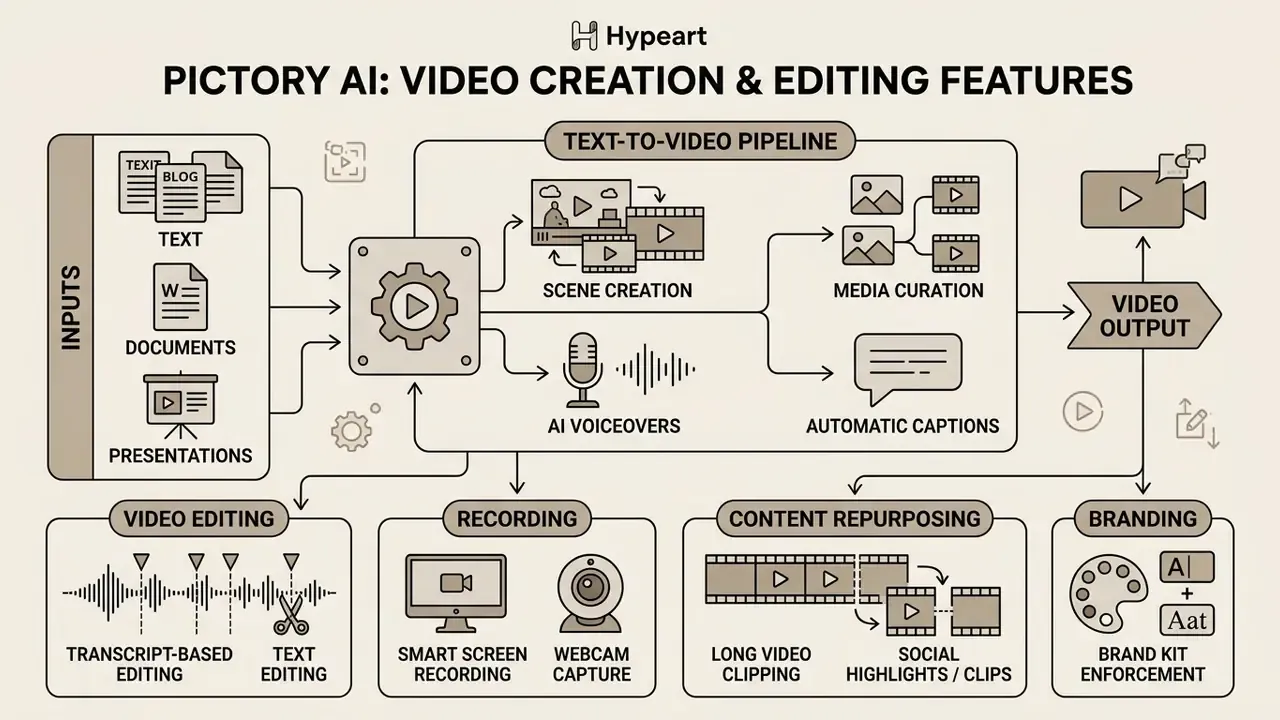
Pictory AI folds text-driven video creation, automatic subtitle generation, transcript-based video editing, screen recording, long-form content clipping and brand kit enforcement into a single cloud ecosystem. Content teams repurpose written and recorded media without specialized video editing software or motion-graphics skills.
3.1 Script-to-Video, Blog-to-Video, Doc-to-Video and Slides-to-Video
The platform offers distinct entry pathways based on source material structure:
- Script-to-Video direct text input where every line or sentence maps to a generated scene. This mode gives maximum control over narrative pacing and visual sequencing.
- Blog post to video ingests public blog URLs, analyzes text density, selects summary highlights, and converts key points into a short video script. The URL path adds content extraction and topic analysis before scene generation, which is the core difference from the text-first path.
- Doc to video converts static text documents and training manuals into sequential video chapters for corporate education and internal communications.
- PowerPoint to video existing decks become narrated modules. Slide text is summarized into narration and slide order defines scene order, which suits compliance refreshers and onboarding libraries.
3.2 Automatic Captions, Subtitles, AI Voices and Text-Based Editing
Automated captioning is a core part of Pictory's accessibility and engagement toolkit. The system transcribes audio tracks and aligns captions dynamically with spoken voiceovers. Through transcript-based video editing, users remove filler words, cut unwanted silent pauses and crop sections simply by deleting text in the transcript view (Pictory Help Center, 2025, https://kb.pictory.ai/).
Synthetic AI voiceovers cover 29 languages on higher-tier plans, so localization no longer requires booking voice actors. Standard-level voices cover English, French, Spanish, German, Dutch, Italian and Portuguese. Readers benchmarking narration quality across vendors can consult our guide to AI voice generators. Empirical evidence suggests the productivity effect of synthetic narration goes beyond saved recording hours:
"AI voice adoption raises the textual and visual novelty of content by freeing creators' cognitive resources."
These voice tracks auto-sync with generated captions and visual scene transitions. Voice cloning and custom avatars unlock at the Professional tier and above, which is also where the consent paperwork becomes mandatory rather than optional.
3.3 Smart Screen Recording and Webcam Capture
Pictory includes a built-in screen and webcam capture tool, which removes the need for a separate recorder in tutorial and enablement workflows. After capture, the system transcribes the recording, lets you delete bad takes by deleting text in the transcript, strips filler words and silences with the filters described above, and burns in captions. For software demos, product walkthroughs and internal SOP videos, record, trim and caption collapse into one session.
3.4 Highlights, Clips and Repurposing Long Videos Into Short Content
The Video-to-Short-Clips engine analyzes long videos such as webinars, podcasts and recorded meetings to detect key highlights automatically. Per vendor documentation the chain is: source download → audio transcription → analysis of speech patterns, visual changes and content relevance → highlight detection → clip extraction → enhancement, with YouTube Shorts targets of 15 to 60 seconds in vertical or square format (Pictory Docs, 2026, https://docs.pictory.ai/guides/video-to-shorts/video-highlights). Highlight cues include keyword density, vocal emphasis and manual selections.
Research on generative AI voice adoption in online video platforms puts a number on the throughput effect:
"AI voice adoption increases video production volume by 21.8%, reducing cognitive load during editing."
That output boost is what lets a marketing team turn one webinar recording into dozens of short social clips without adding headcount. Expect to still review automated selections. One third-party test across eight podcast episodes reported roughly 70% correct highlight detection, which means manual trimming stays in the loop (AI Tools Lab, 2026, https://aitoolslab.top/ai-video-tools/pictory-review/).
3.5 Localization and RTL Scripts: Pictory AI Arabic Text to Video
Pictory AI supports Arabic text processing, subtitle generation and voiceover rendering as part of a multilingual feature set spanning 29 languages. Right-to-left (RTL) scripts, though, demand explicit quality verification before final export. In localized campaigns this is the single most common source of avoidable rework.
Official product documentation confirms Arabic availability within the premium ElevenLabs synthetic voice library and the video translation options (Pictory Help Center, 2026, https://kb.pictory.ai/). Voice synthesis handles Arabic pronunciation, but visual text overlays and captions still need a human pass inside the editor to confirm letter shaping, character connection and right-to-left alignment.
It is also worth naming what the vendor does not publish. No benchmarked naturalness, intelligibility or RTL-reshaping test results for Arabic appear in official documentation, so quality has to be validated on your own scripts. Independent captioning research indicates modern ASR pipelines handle multilingual input well in principle (IEEE ACOIT, 2024, https://doi.org/10.1109/ACOIT62457.2024.10939144). Contextual translation errors in brand and regulatory copy remain a human-review responsibility.
What to Check Before Exporting Video With Arabic Text
Non-Latin scripts introduce layout and formatting risks that only show up in preview mode. To prevent formatting errors in exported files, verify the following:
- Text direction and alignmentconfirm that Arabic captions render right-to-left, right-aligned, without character reversal or disconnected letter forms.
- Line wrapping rulescheck that line breaks fall between complete words rather than splitting individual Arabic characters across lines (Arabic & Persian Layout Requirements, W3C, 2026, https://www.w3.org/TR/alreq/). Broadcast style guides also cap subtitles at two lines and warn against leaving a single word on the second line (Arabic Timed Text Style Guide, Netflix Studios, 2026).
- Punctuation and numeral placementverify that numbers, English loanwords and punctuation marks stay correctly positioned relative to the RTL text flow.
- Voice and caption synchronizationaudit audio playback against on-screen subtitles so speech timing matches display duration. Use the multilingual voiceover preview to check pacing and clarity.
- Font compatibilityselect Brand Kit typography presets that explicitly support complete Arabic glyph sets, otherwise you get tofu boxes in the render.
- Subtitle layout controlsadjust font size, line spacing, maximum subtitle lines and placement in the multilingual subtitle panel, then re-preview before export (Pictory Academy, 2025, https://pictory.ai/academy/how-to-use-multilingual-subtitles-in-pictory-ai).
4. Which Tasks Pictory AI Suits Best
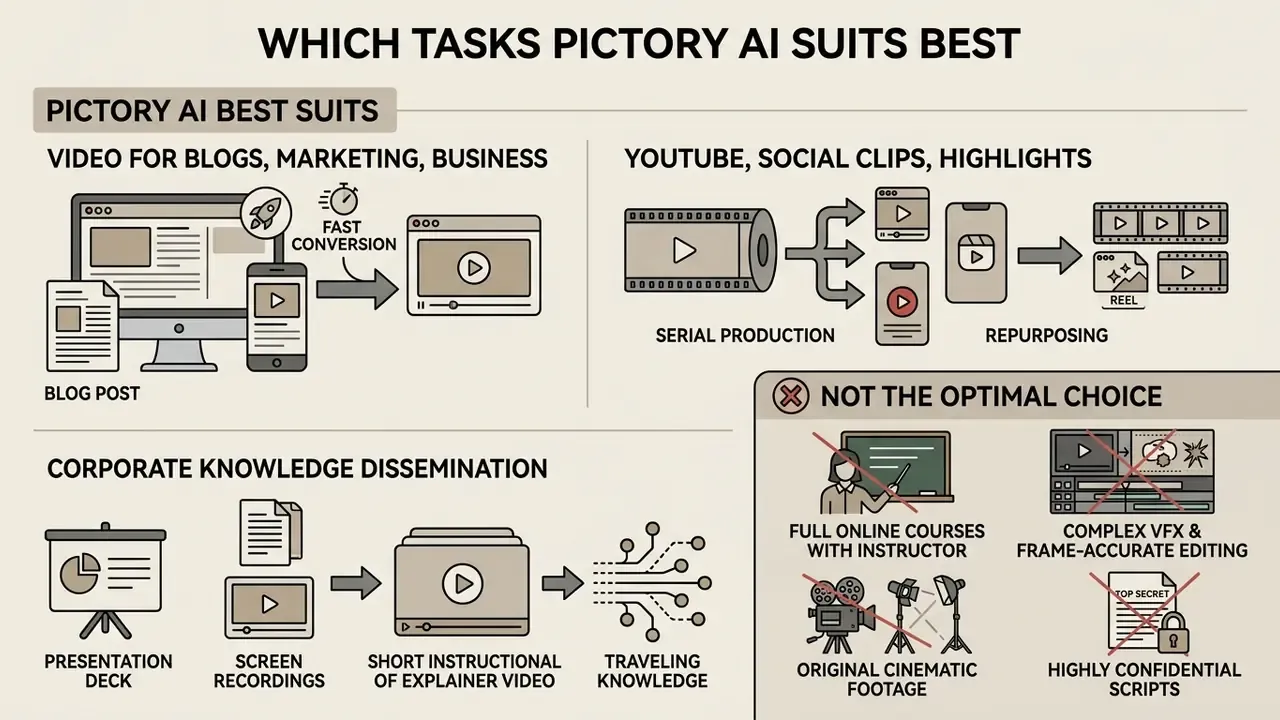
Pictory AI performs best where text-heavy assets need fast conversion into visual formats, where social production is serial, and where corporate knowledge has to travel. It lets an organization expand video communications without expanding specialized editing staff.
That expansion is not uniformly positive across skill levels, and buyers should calibrate expectations:
"GenAI lowers barriers for novice creators but may reduce the productivity of experienced content creators."
In practice, the largest marginal gain goes to non-specialists: subject-matter experts, HR, compliance and product marketers. Senior video editors often find template-driven automation constraining next to their existing toolchain.
4.1 Video for Blog Posts, Marketing and Business Communications
Publishers and content marketing teams use Pictory to turn written articles into video summaries. Converting top-performing blog posts into short videos lifts page dwell time, strengthens engagement signals and creates assets for social syndication. Vendor case studies describe agencies repurposing long-form blog content into short-form video ads, and news publishers turning articles into click-worthy videos "in a few clicks" (Pictory case studies, 2023 to 2026, https://pictory.ai/).
Inside corporations, HR and compliance departments convert static policy documents, training manuals, PowerPoint decks and internal announcements into structured video modules. Recruiting teams sometimes chain tools here: copy drafted with an ai job description generator becomes a short narrated role overview for career pages. Standardized Brand Kits keep visual alignment consistent across every internal training channel. For adjacent content automation workflows, review our guide to animation makers, and take licensing questions to our AI Media Commercial-Use Hub.
4.3 When Pictory AI Is Not the Optimal Choice
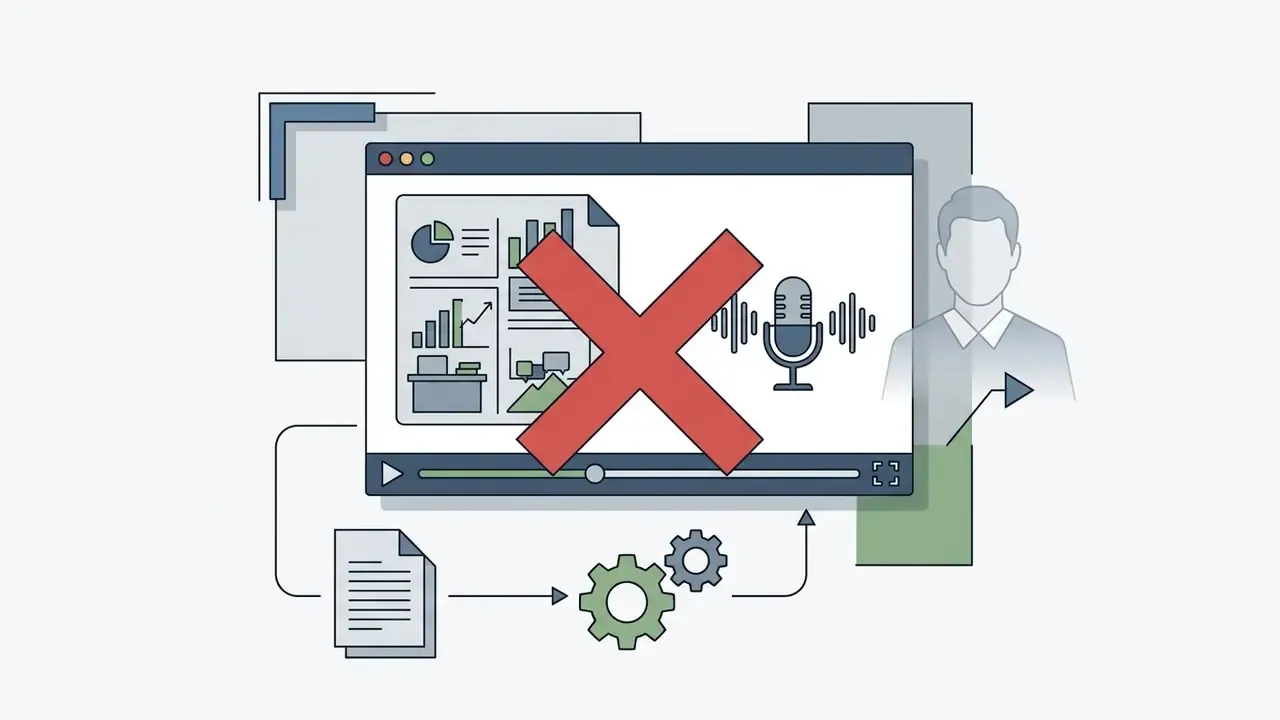
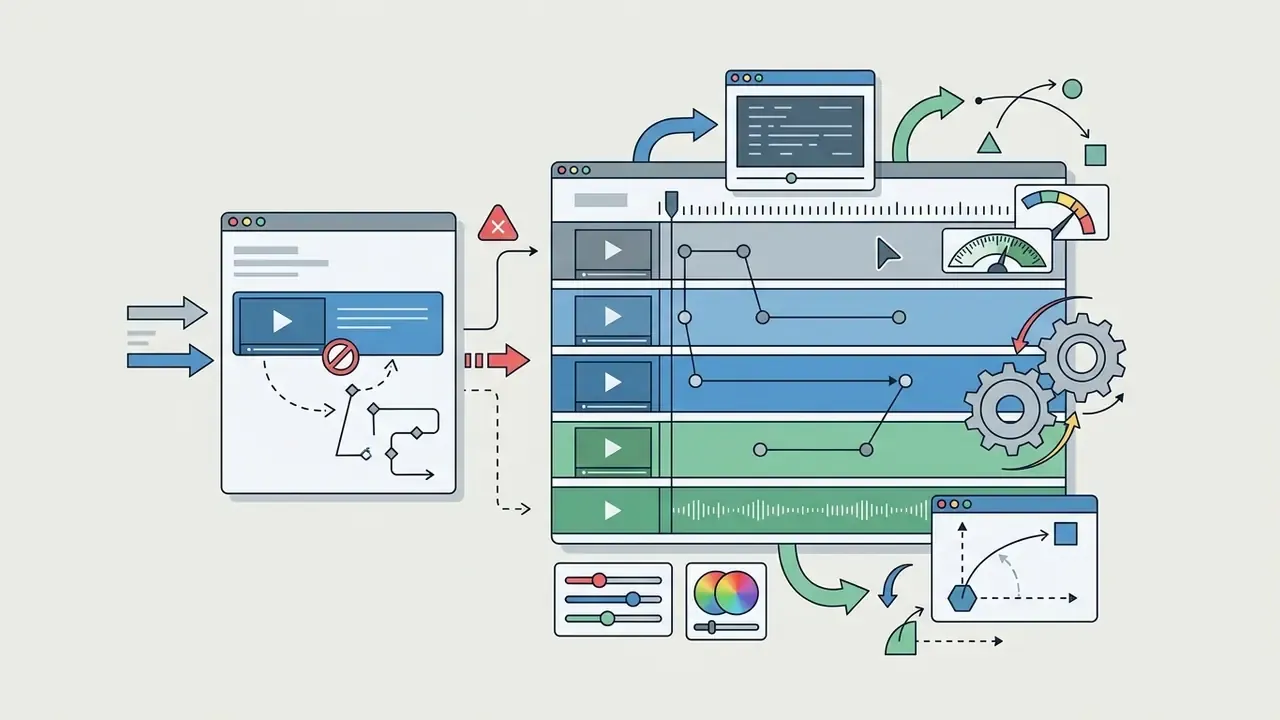
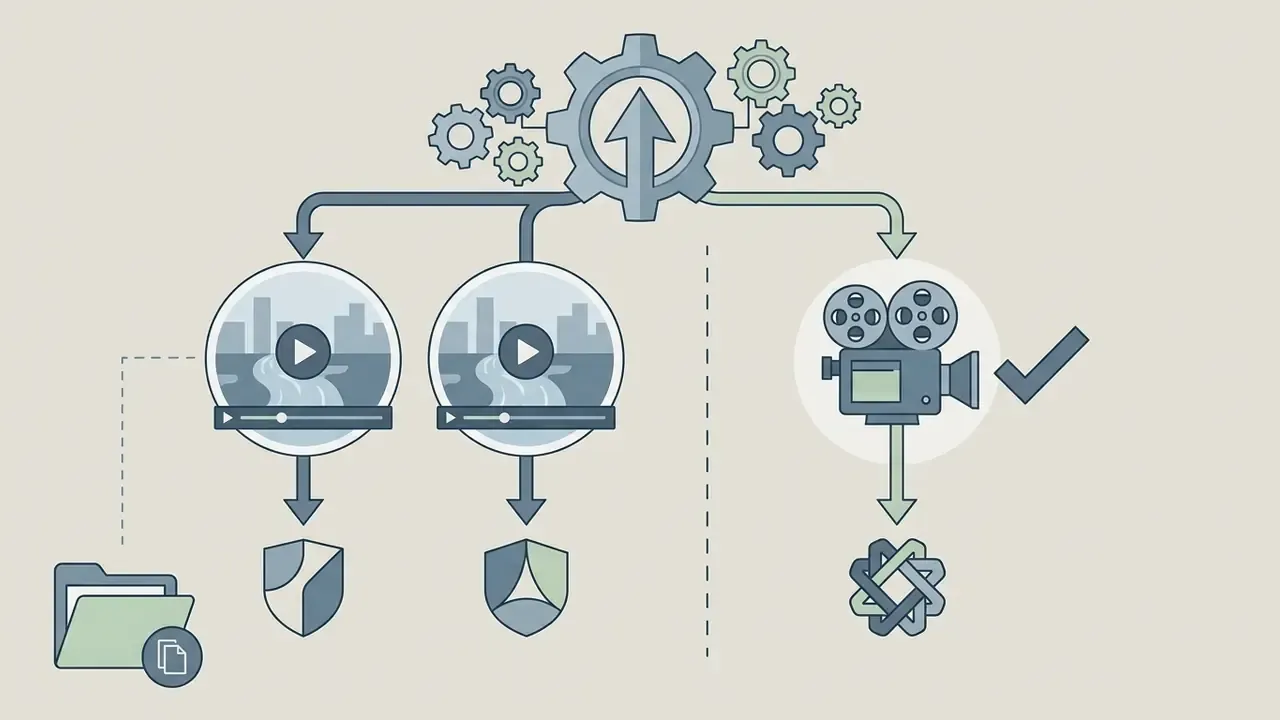
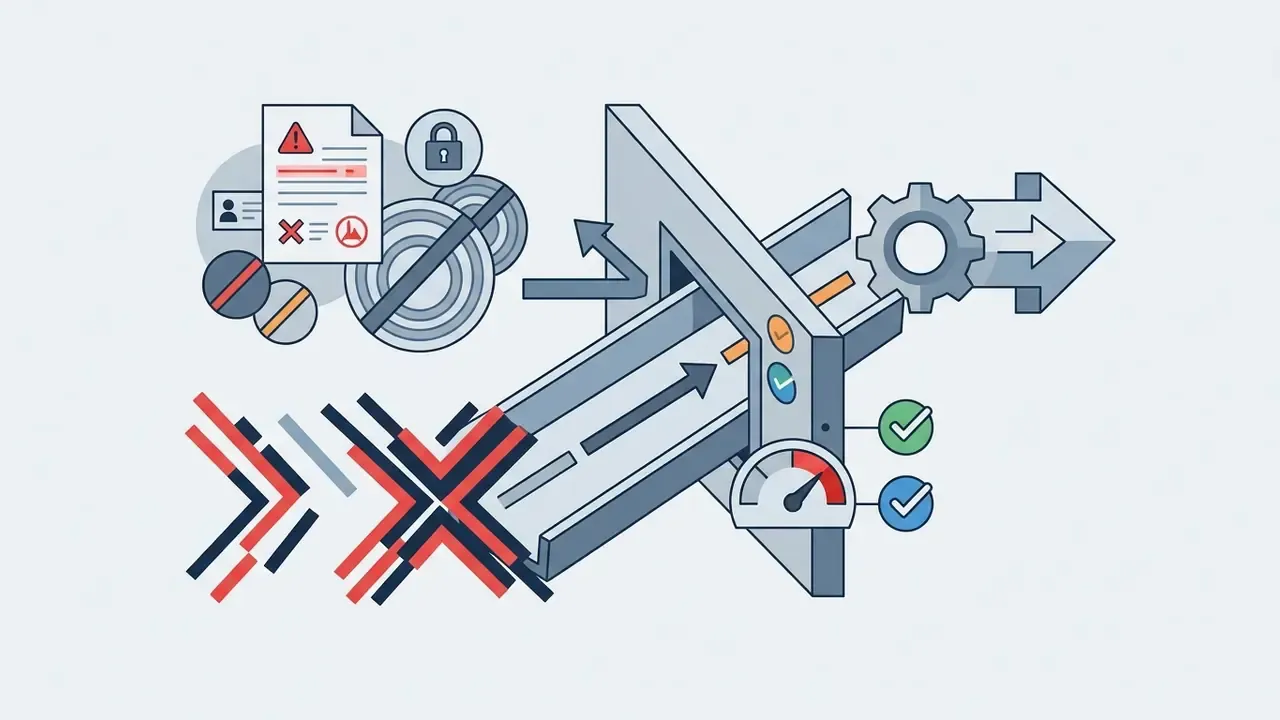
Objectivity matters more than enthusiasm in a purchase decision. Pictory is a poor fit in four scenarios:
5. Enterprise Security, Data Privacy and Shadow AI Control
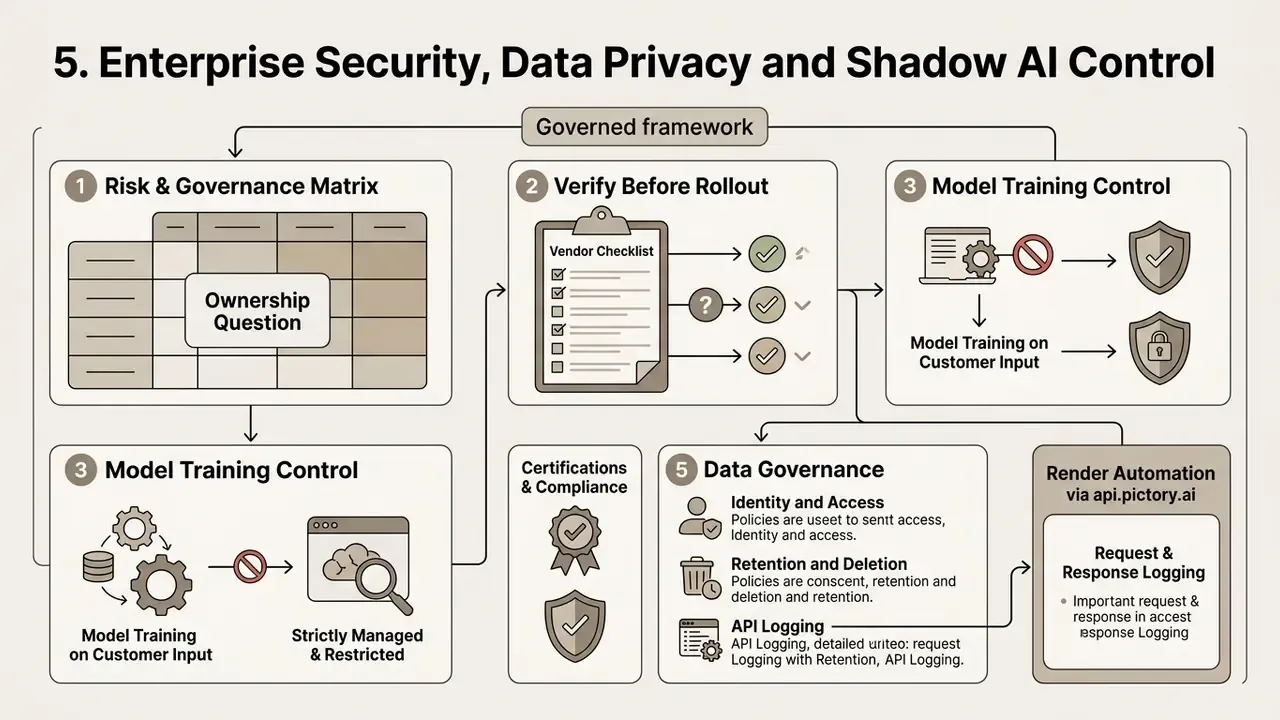
For risk, compliance and model-governance owners, feature depth is secondary to data handling. The questions below decide whether a text-to-video tool can be deployed inside a bank, insurer or fintech. The honest position: several of them must be answered contractually rather than from public marketing pages.
Verify before rollout (vendor-confirmable checklist):
- Model training on customer input. Confirm in writing whether pasted scripts, uploaded recordings and brand assets are excluded from model training and from any vendor-side dataset reuse. Pictory's Terms of Service govern content usage and prohibit deceptive, infringing or consent-violating synthetic media. The training-exclusion commitment itself should be obtained as a contractual representation (Pictory Terms of Service, 2026, https://pictory.ai/terms-of-service).
- Certifications. Request current attestation reports (SOC 2 Type II, ISO/IEC 27001) and a GDPR data-processing addendum with sub-processor lists, transfer mechanisms and breach-notification timelines. None of this is published on the public pricing page; it must come from the vendor's trust package.
- Identity and access. Pictory lists Single Sign-On (SSO), API access, SCORM export, unlimited brand kits and a dedicated success manager as Enterprise-tier capabilities (Pictory Help Center FAQ, 2025 to 2026, https://kb.pictory.ai/en/articles/10393232-faq-pricing-and-plans). Confirm SAML/SCIM provisioning, role-based access control granularity and admin audit logs against your evidence requirements.
- Retention and deletion. Establish project retention windows, storage location and a documented deletion path for expired campaigns. Storage allowances differ by plan: 5 GB Starter, 20 GB Professional, 100 GB Team, custom Enterprise.
- API logging. If rendering is automated through
api.pictory.ai, make sure request and response logging on your side captures who submitted which script. The audit trail should never depend solely on the vendor.
Risk and Governance Matrix
| Risk | Manifestation in a text-to-video workflow | Control mechanism |
|---|---|---|
| Shadow AI | Staff open personal trial accounts and paste internal copy into an unvetted SaaS tool | Single procured tenant with SSO enforcement; block unmanaged sign-ups at the network or IdP layer; publish an approved-tool list |
| Confidential data leakage | Draft earnings copy, customer names or unreleased product data pasted into a script field | Pre-approved script templates; data-classification rule barring anything above "internal" from generation tools; DLP pattern checks before paste |
| Copyright and licensing exposure | Stock clip extracted and reused as a standalone asset, or third-party media uploaded without rights | Enforce an "in-render use only" rule; maintain an asset provenance log per project; obtain vendor indemnification terms in writing |
| Undisclosed synthetic media | AI voice or avatar used without disclosure, breaching platform or advertising rules | Mandatory disclosure field in the approval gate; platform-policy checklist per distribution channel |
| Brand and factual drift | Automated scene selection pairs sensitive claims with mismatched or off-brand footage | Locked Brand Kit; named approver signs off on the storyboard before render (workflow step 7) |
| Output opacity | No record of which inputs produced a published asset | Retain script version, project ID, approver name and export timestamp as the evidence chain |
Governance note: the controls above are organizational, not vendor features. They are what turns an efficient production tool into an auditable one.
Ownership question, briefly. Who owns this capability inside the institution? In most structures marketing owns the output, security owns the tenant, and compliance owns the disclosure rule. If none of those three names appear in the tooling record, you have a shadow AI problem waiting to surface during the next internal audit cycle. Escalation path and a documented shutdown mechanism (revoke SSO group, disable API key) belong in the same record.
6. Pictory AI Pricing: Choosing a Plan for Creation and Commercial Use
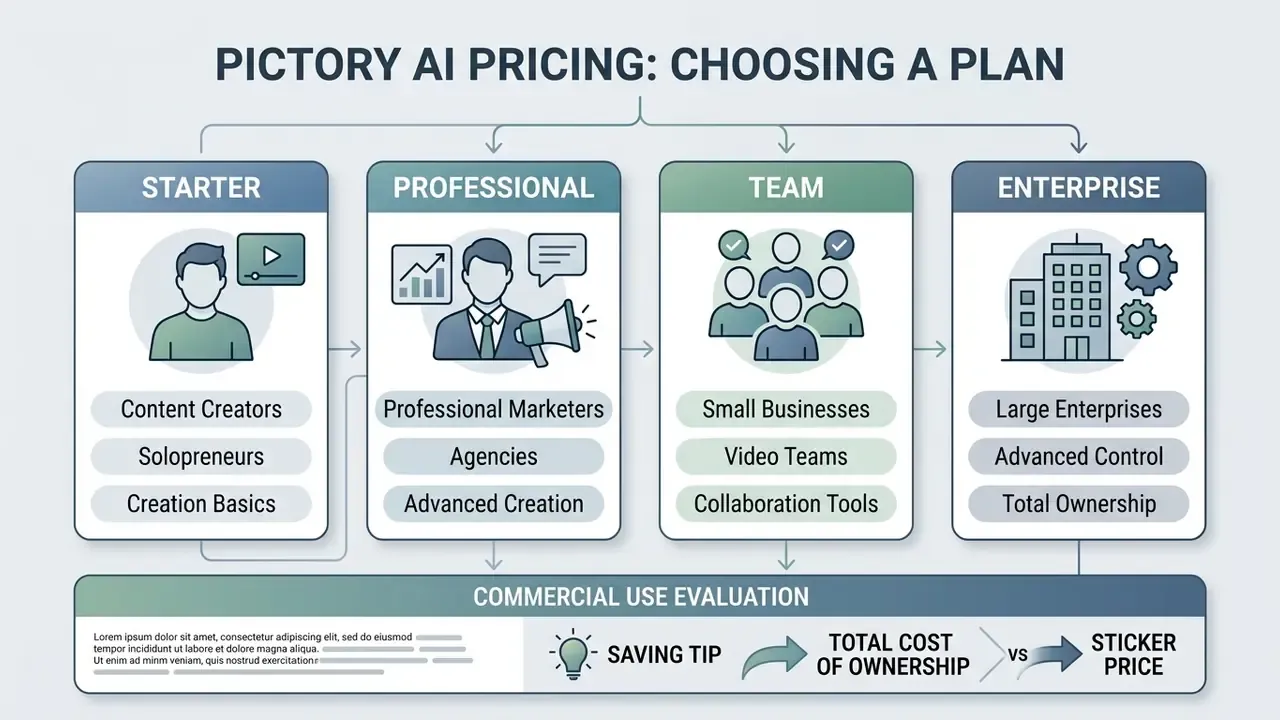
Pictory AI runs a tiered subscription model: Starter, Professional, Teams and Enterprise. Pricing is structured around annual or monthly billing, with annual subscriptions saving roughly 15 to 40% against the monthly rate.
| Feature / Metric | Starter Plan | Professional Plan | Team Plan | Enterprise Plan |
|---|---|---|---|---|
| Annual price (per mo) | $25 / month | $35 / month | $119 / month | Custom quote |
| Monthly price | $29 / month | $59 / month | $199 / month | Custom quote |
| Video minutes | 200 min / mo (2,400 / yr) | 600 min / mo (7,200 / yr) | 1,800 min / mo (21,600 / yr) | Custom allocation |
| User seats | 1 user | 1 user | 3+ users included | 10+ / custom seats |
| AI credits | ~100 / mo (~2,400 / yr) | ~500 / mo (12,000 / yr) | ~2,400 / mo (28,800 / yr) | Unlimited / custom |
| Storage | 5 GB | 20 GB | 100 GB | Custom |
| ElevenLabs AI voice | 60 min / month | 120 min / month | 240 min / month | Custom limits |
| Stock media access | ~5 million clips (Storyblocks) | 18 million clips (+ Getty) | 18 million+ clips | Full library access |
| Brand Kits | 1 Kit | 5 Kits | 10 Kits | Unlimited Kits |
| Voice cloning / custom avatars | not included | Included | Included | Included |
| Export resolution | 1080p MP4 | 1080p MP4 | 1080p MP4 | 1080p / custom |
| Collaboration / SSO / API | not included | not included | Shared workspace, onboarding | SSO, API, SCORM, CSM |
| Commercial license | Included (paid) | Included (paid) | Included (paid) | Enterprise license |
Data verified against the official Pictory pricing page and Help Center FAQ, 2026 (https://pictory.ai/pricing/; https://kb.pictory.ai/en/articles/10393232-faq-pricing-and-plans). Third-party reviews frequently quote $19/$29/$99 or $23/$47/$117 because they mix billing cycles or reproduce pre-2026 snapshots.
Saving tip. When converting from the free trial to a paid subscription, affiliate and partner promo codes are commonly available and typically yield up to around 20% off the first payment. Combine a code with annual billing and total savings can approach 35% versus monthly pricing. Codes apply on the checkout page before payment, so validate the discount line before you confirm.
6.1 Choosing a Plan for Creators, Marketers, Businesses and Teams
The right plan follows three variables: monthly video output, collaboration needs and required stock library depth.
- Content creators and solopreneurs (Starter): $25/mo billed annually, 200 video minutes per month and 1 Brand Kit. Built for individual creators publishing a handful of short-form or YouTube videos monthly. This is also the tier most people mean when they search for a low-cost, free-trial-first AI video maker.
- Professional marketers and agencies (Professional): $35/mo billed annually lifts the allowance to 600 minutes per month, unlocks the 18-million-asset library including Getty Images, provides 5 Brand Kits, and adds AI voice cloning plus custom avatars.
- Small businesses and video teams (Team): $119/mo billed annually includes 3 seats, 1,800 monthly video minutes, 10 Brand Kits, shared workspaces, onboarding support and 240 monthly ElevenLabs voiceover minutes.
- Large enterprises (Enterprise): custom minute pools, Single Sign-On, dedicated account management, API integration, SCORM export for LMS deployment and bespoke commercial licensing.
Total cost of ownership, not sticker price. Model TCO as: (subscription cost) + (script preparation hours × loaded rate) + (review and approval hours × loaded rate) + (rework rate × rework hours) + (adjacent tooling, for example compression or asset prep). ROI then equals (baseline production cost per asset minus Pictory cost per asset) × monthly asset volume, less governance overhead.
Two variables dominate. How much moderation each asset needs before publication, and how many assets you actually ship per month. A team publishing four videos monthly will rarely justify Team-tier pricing. A team publishing forty amortizes it inside a quarter. To model those numbers, use our AI Media Calculators; to analyze subscription structures across creative platforms, review our comprehensive pricing guide and our AI Media Comparison Matrices. Developer-side unit economics for API-driven rendering are illustrated in our Google Veo implementation guide.
6.2 Commercial Use, Copyright and Indemnification: What to Check Before Paying
Commercial deployment of generated video means living inside stock licensing terms and synthetic media policies. Subscribing to any paid tier grants commercial usage rights for rendered videos, removes watermarks and allows monetization on platforms such as YouTube and LinkedIn as well as corporate websites (Pictory Terms of Service, 2026, https://pictory.ai/terms-of-service).
Four points deserve legal attention before procurement:
- No standalone reuse of embedded assets.Stock footage licensed from Storyblocks and Getty Images, and background audio from Melodie, are cleared for use within the rendered Pictory project. The Terms of Service explicitly bar using Customer Content or "Pictoried" content "in a stand-alone format" for other external commercial purposes. In plain terms: you cannot harvest a clip from a render and treat it as your own stock library item (Pictory Knowledge Base, 2024, https://kb.pictory.ai/en/articles/8468881-are-videos-created-on-pictory-copyright-free).
- Ownership of your inputs.Confirm in the contract that you retain all intellectual property rights in scripts, documents, logos and recordings you upload, and that the vendor's license to that material is limited to providing the service.
- Indemnification.Ask explicitly whether the vendor indemnifies you against third-party copyright claims arising from platform-supplied stock media, what the liability cap is, and who controls defense. Standard SaaS terms frequently cap liability at fees paid, which is a material fact for a regulated publisher. Broader context on disputes in this space sits in our AI Litigation and Case Timelines.
- Synthetic media consent and disclosure.The Terms prohibit deceptive synthetic media and voice use without consent. Monetization on YouTube additionally requires compliance with Partner Program guidelines on original content and synthetic voice disclosure. Pictory's own guidance states monetization is possible only where the video follows platform rules, holds rights for all content, and the channel meets YPP thresholds such as 1,000 subscribers and 4,000 watch hours (Pictory Blog, 2023, https://pictory.ai/blog/youtube-monetize-ai-generated-videos).
7. Pictory AI Free Plan and Free Trial: What You Can Actually Test
Pictory AI does not offer a permanent free plan. What exists is a 14-day free trial, designed so prospective users can evaluate text-to-video generation, voice synthesis and editing before paying. Every video produced during the trial carries a visible Pictory watermark. Readers surveying zero-cost options can also review free AI video generators and our comparison of the best free AI video generators.
Important: no credit card is required to activate the 14-day trial. An account is created via email or Google/Microsoft authorization in three steps:
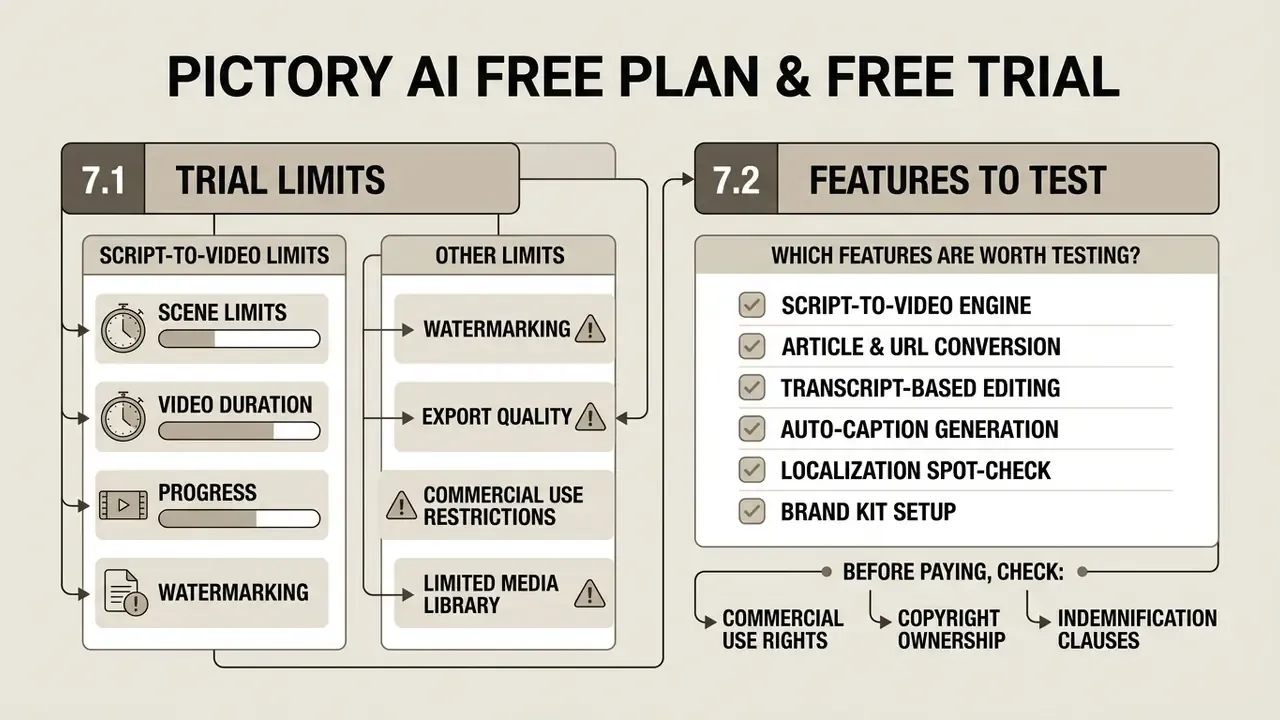
7.1 Limits of the Free Trial for Text to Video
The trial draws strict operational boundaries compared with paid tiers. Trial accounts get a maximum of 3 video projects and 15 total video minutes (Pictory Pricing, 2026, https://pictory.ai/pricing/). Some third-party guides describe the allowance as "3 projects of up to 10 minutes each" with no expiry. Treat the official page as authoritative and those looser figures as outdated snapshots.
Trial exports cap at 720p and carry a permanent watermark, so output is unusable for unbranded commercial publishing. Premium ElevenLabs voiceover minutes are heavily restricted or excluded during the window. Once 14 days lapse, project editing and downloads lock until a subscription is selected. The Terms of Service describe it as "a limited free trial period (e.g., 14 days), to allow Users to evaluate the Services."
7.2 Which Pictory Features Are Worth Testing During the Trial
Three projects go fast. Spend them on decisive tests, not throwaway demos:
For additional analysis on asset preparation and voice capabilities, explore our guides to AI voice generator tools, the free photo editor breakdown and our photo editor reference for pre-production imagery.
8. FAQ About Pictory AI Text to Video
1 Does Pictory AI Have Mobile Access, an API, and Alternatives?
Pictory AI runs as a web application in modern browsers. No native iOS or Android app appears in official vendor documentation as of 2026, though the web interface is workable on mobile browsers.
For programmatic integration, Pictory provides a RESTful developer API at https://api.pictory.ai/pictoryapis, which requires an API subscription and key (Pictory Developer Docs, 2026, https://docs.pictory.ai/). Developers pass JSON scene arrays, script text and branding parameters to automate rendering asynchronously inside external software, CRM systems or content pipelines. Official materials also document a Claude Desktop / MCP server integration for desktop-side workflows. Implementation guidance sits in our AI Media API Guides.
Primary alternatives to Pictory AI:
- InVideo: template-driven editing with broader control over motion graphics.
- HeyGen and Synthesia: photorealistic AI avatars and presenter-led corporate video, the right pick when you need a person in frame.
- Lumen5: text-to-video with AI-suggested visuals and layouts, positioned close to Pictory's blog-repurposing use case.
- CapCut: manual mobile and desktop editing with consumer social effects.
- Vadoo AI / Jupitrr AI: short-form-first generation with automated captioning.
A structured feature-by-feature view is available in our AI video generator comparison.
2 Is Pictory AI Free to Use?
No. There is a 14-day free trial (no credit card, 3 projects, 15 video minutes, watermarked 720p exports) and no permanent free tier. Full functionality, meaning 1080p exports, watermark removal and commercial licensing, requires a paid subscription.
3 Can Pictory Be Used for YouTube Automation and Monetization?
Yes, subject to policy. Paid plans grant commercial rights to rendered videos, and creators commonly use the script-to-video and highlights workflows for serial faceless content. Monetization additionally requires meeting YouTube Partner Program thresholds and complying with originality and synthetic-voice disclosure rules.
4 Is There a Lifetime Deal?
No lifetime deal is offered on any tier. Paid plans carry a 14-day money-back guarantee.
5 Does Pictory Replace a Professional Video Editor?
For text-driven, stock-based short content, largely yes. For multi-track compositing, color grading, keyframed motion design or on-camera productions, no. See section 4.3.
6 What Should a Regulated Institution Document Before First Use?
Five artifacts, at minimum: the named business owner, the approved use cases, the data-classification limit for script inputs, the disclosure rule for synthetic voice, and the retention plus deletion schedule. Store them where internal audit can retrieve them without asking marketing for a favor.
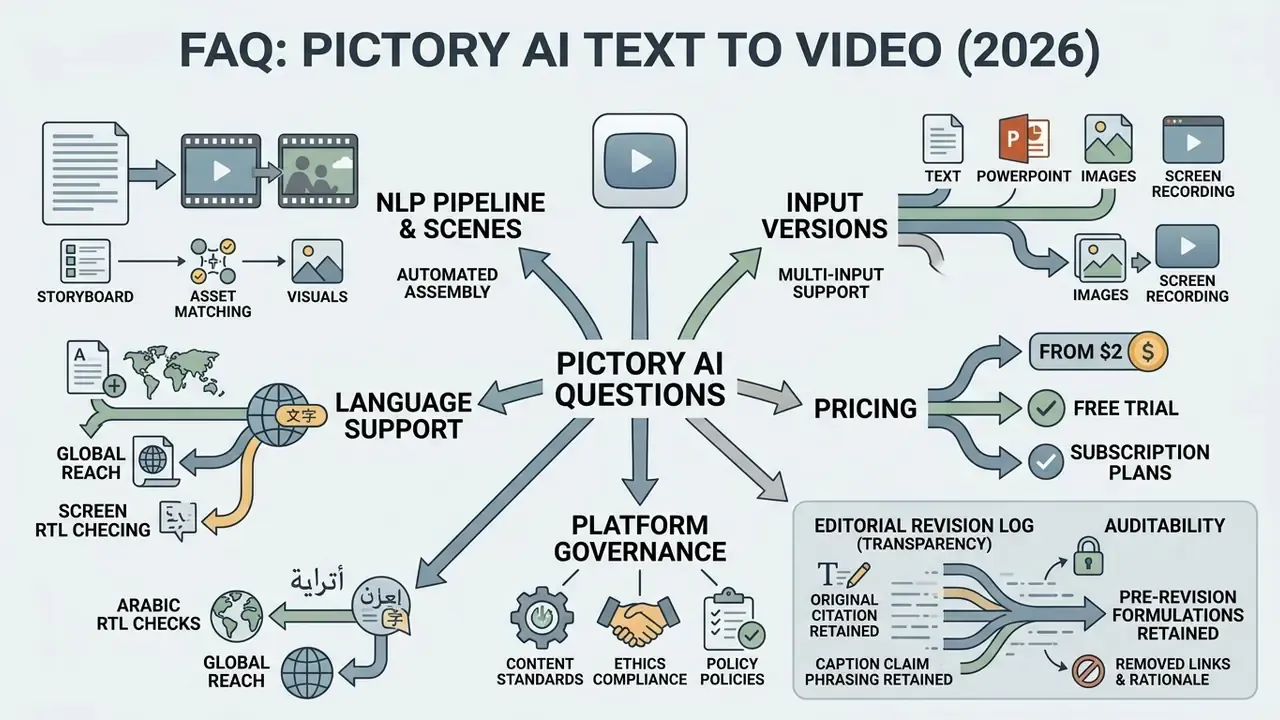
Appendix A: Editorial Revision Log (Transparency)
Verification and Update Policy
Pricing, plan limits, trial conditions and licensing language on this page were checked against the official Pictory pricing page, Knowledge Base and Terms of Service in August 2026. Vendor tiers move faster than review articles, so confirm figures on the official site before purchase, and put anything contractual (training exclusion, retention, indemnity caps) in your own agreement rather than relying on published marketing copy. Where evidence is incomplete, this review says so instead of guessing.