Executive summary
- Top-ups start at a 1,000-credit minimum, never expire, and are consumed only after monthly credits. Upgrades are prorated and immediate; downgrades credit the unused balance to the next cycle.
- The developer API is billed separately at $0.01 per credit; web-app credits and API credits are non-transferable.
- Commercial rights are granted on both free and paid plans, with no attribution requirement. The user still carries responsibility for rights to uploaded source material.
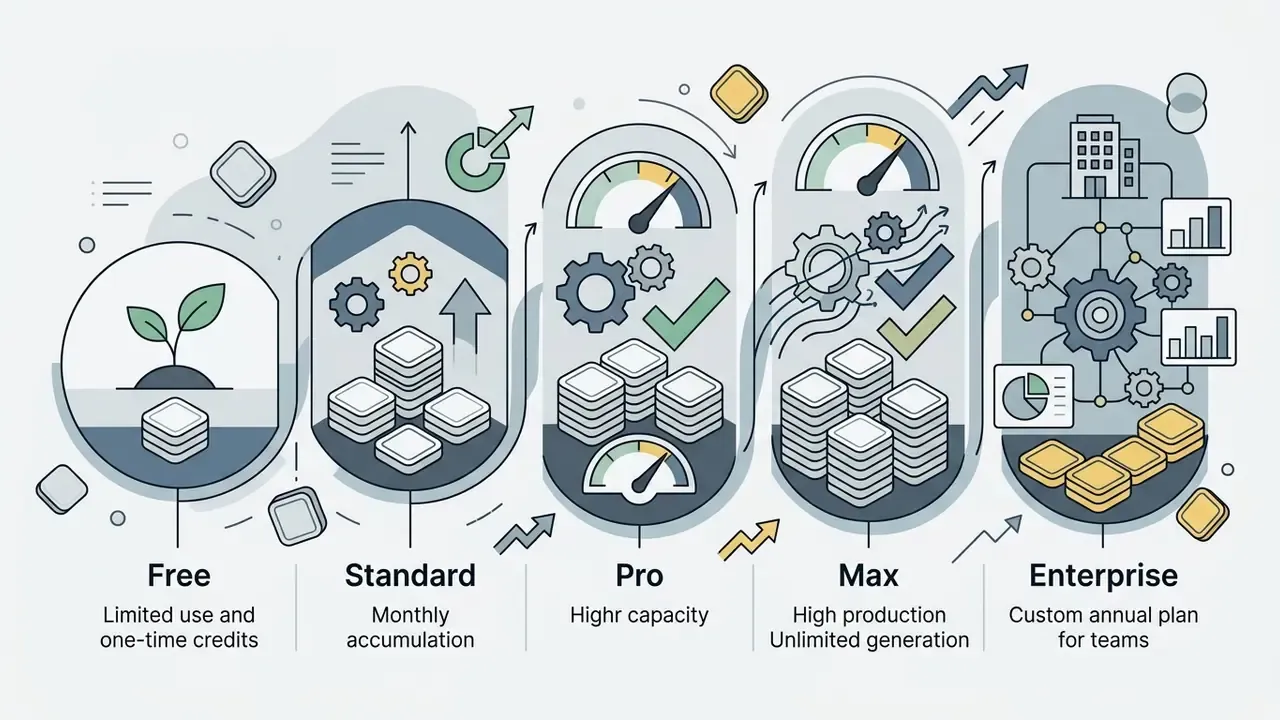
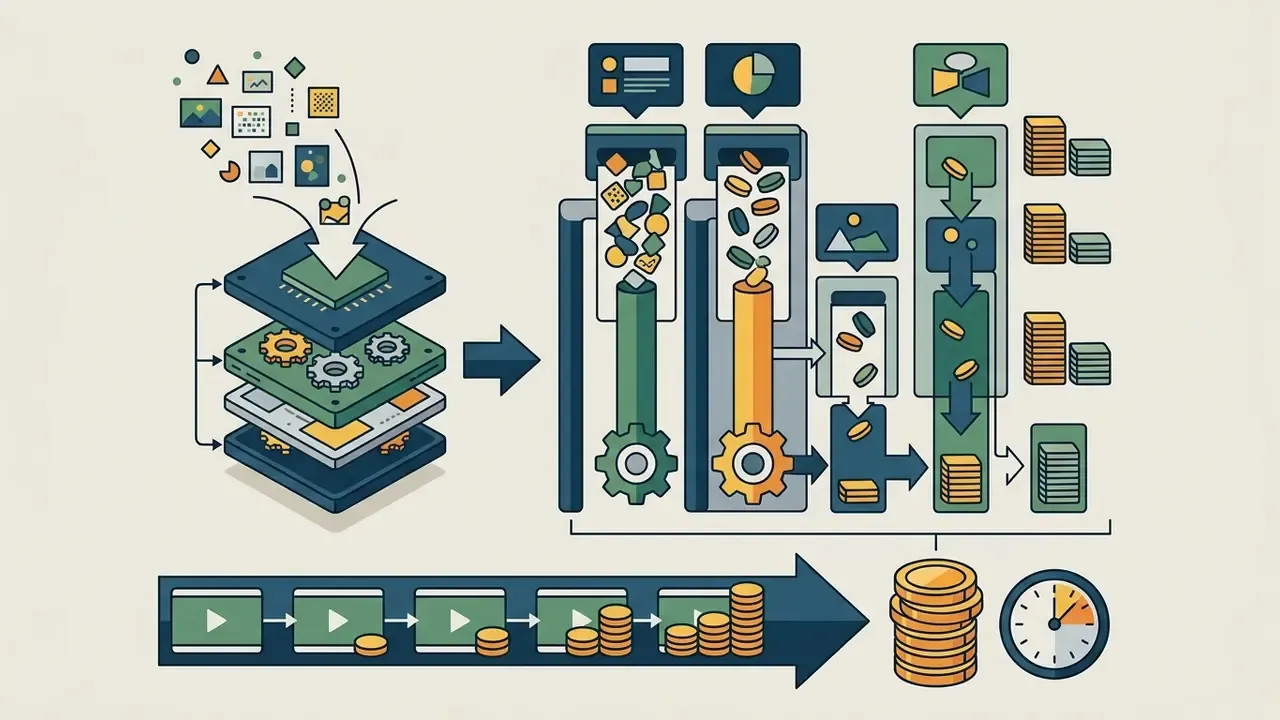

Five decisions this pricing analysis has to settle
Before any purchase order moves, a buyer needs clear answers to five questions. Everything below is organised around them.
Understanding runway ai video generation pricing means reading both halves of the meter: the fixed monthly subscription tier and the variable credit consumption behind every clip. As of 2026, Runway runs a hybrid billing architecture. You buy a tier, from Free to Max ($76–$95 per month) or Enterprise, and that tier deposits monthly credits that are then spent according to the video model, the duration and the output resolution you select.
To make defensible commercial decisions across media workflows, teams should price the cost per second of output next to the control framework, the licensing terms and the API integration model. Decision-makers comparing an enterprise media stack can reference Hypeart AI Media Decision Support for side-by-side frameworks across generative tools.
Five decisions this pricing analysis has to settle
Which model do my deliverables actually require?
Flagship Gen-4.5 costs 2.4 times a Turbo second. That single choice moves the budget more than the plan itself.
How many finished seconds per month, after retakes?
Nobody accepts the first take. The iteration factor, not the headline rate, drains allowances.
Which tier gives the lowest unit cost at that volume?
Runway's subscription curve rewards volume: $0.23, $0.15 or $0.10 per finished Gen-4.5 second.
What does the control layer cost?
Review hours, rights clearance on inputs, seat governance and top-up approvals belong in the same spreadsheet as credits.
What must be in the contract, not the marketing page?
Training opt-out, retention windows, IP indemnification, exportable audit logs.
Runway AI pricing plans at a glance
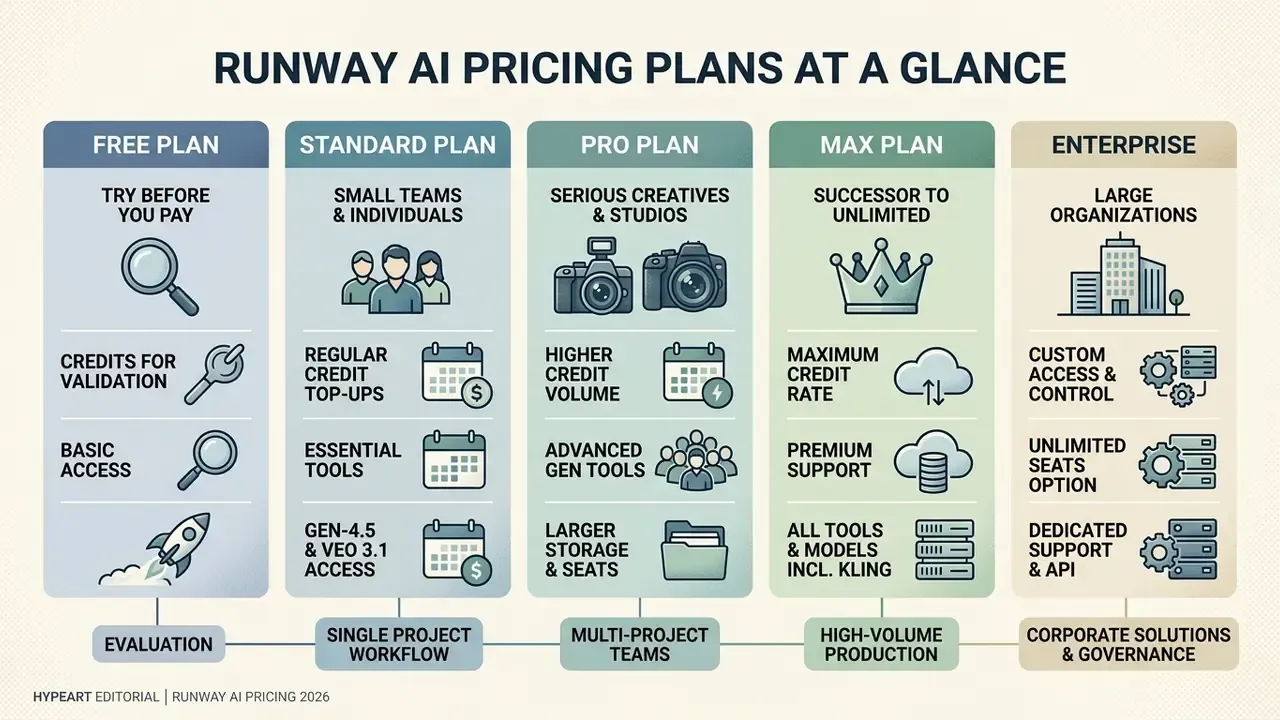
Runway structures its commercial offering into five primary plans: Free, Standard, Pro, Max (the successor to the legacy Unlimited tier) and Enterprise. Each plan sets a baseline monthly credit allotment, export parameters, queue priority, parallel generation limits, seat caps and admin controls. Annual billing lands roughly 20 percent below month to month pricing.
«Runway offers five pricing tiers with monthly credit pools ranging from 0 to 9,500, plus custom enterprise allocations; annual billing lowers cost by roughly 20%.»
Readers still shortlisting vendors before committing to a tier can cross-check platform capabilities against our comparison of the best AI video generators.
| Plan | Monthly Price (Billed Monthly) | Monthly Price (Billed Annually) | Monthly Credits | Seats | Storage | Parallel Generations | Model Access & Export Conditions |
|---|---|---|---|---|---|---|---|
| Free | $0 | $0 | 125 credits (one time) | 1 | 5 GB | Limited | Selected generative models (Gen-4 Turbo image-to-video only), 720p max, watermarked output, 3-project cap. |
| Standard | $15 / user | $12 / user ($144 / year) | 625 credits / month | Up to 5 users | 20 GB | 5 videos & images | Full model access (Gen-4.5, Gen-4, third party models), watermark free export, 1080p resolution, music/voice/SFX generation, 4K upscaling, up to 3 projects. |
| Pro | $35 / user | $28 / user ($336 / year) | 2,250 credits / month | Up to 10 users | 100 GB | 15 videos & images | All Standard features, 4K export, custom voice cloning (1 voice), 1 Brand Kit, Runway MCP support, unlimited 4K/Topaz AI upscaling, top-up anytime, priority processing queue, up to 5 projects. |
| Max | $95 / user | $76 / user ($912 / year) | 9,500 credits / month | Large teams (10+ by arrangement) | 500 GB | 20 videos & images | All Pro features, highest queue priority, early access to new models, 1-month credit rollover, 3 Brand Kits, 3 custom voices, studio-grade ProRes / HDR / image-sequence exports, 26% discount on 1080p generations, up to 10 projects. |
| Enterprise | Custom quote | Custom quote | Custom annual pool | Unlimited seats | Custom | Custom | All Max features, SSO (SAML/OIDC), workspace analytics, SOC 2 Type II controls, configurable org/team spaces, consolidated billing, usage reporting, dedicated support and API allocations. |
Table note: data verified against official Runway pricing, Help Center and developer documentation as of mid-2026. Credit allocations, storage caps and plan conditions remain subject to vendor updates. The storage figures above (20 GB / 100 GB / 500 GB) supersede earlier published values; see Appendix A at the end of this analysis.
Free plan: what you can validate before paying
The Runway free plan provides a single, one time allotment of 125 credits. It is built for first-contact evaluation, not recurring production. According to the Runway Help Center (2026), those 125 credits do not refresh monthly and do not roll over once spent.
«The 125 free credits are a one-time deposit for first-contact evaluation; they do not refresh monthly and do not roll over.»
Outputs on the free plan carry a mandatory Runway watermark and cap out at 720p. Access is generally limited to lightweight video models such as Gen-4 Turbo for image-to-video tasks, which gives you roughly 25 seconds of footage in total (at 5 credits per second). Enough to test interface responsiveness, prompt adherence and camera controls. Not enough to judge a campaign. Teams benchmarking zero-cost options in parallel can review our directory of free AI video generators.
One caveat worth stating plainly: Gen-4.5, the flagship model behind most public Runway benchmarks and demos, requires Standard or above. So the free tier cannot validate flagship output quality at all. It validates workflow ergonomics only.
Standard, Pro and Max: which scenarios fit each plan
Choosing between Standard, Pro and Max comes down to four numbers: monthly output volume, resolution requirements, seat count and the queue priority you can live with. The Standard plan ($12–$15 per month) delivers 625 monthly credits and supports up to 5 users with 5 parallel generations. That suits occasional creators, image-first workflows and low-volume social production that needs no watermark on 1080p exports.
For steady production schedules and professional content operations, the Pro plan ($28–$35 per month) provides 2,250 monthly credits alongside 4K export, custom voice cloning, one Brand Kit, Runway MCP access, up to 10 seats and 15 parallel generations. Organisations running heavy daily pipelines, multi-scene commercials or rapid prototyping loops need the Max plan ($76–$95 per month): 9,500 monthly credits, first-priority processing, 20 parallel generations, ProRes and HDR export, plus a one-month credit rollover that absorbs uneven monthly workloads.
«Under annual billing the effective price per credit is roughly $0.019 on Standard, $0.012 on Pro and lower still on Max: subscription volume directly reduces unit generation cost.»
Teams planning broader digital media budgets can evaluate complementary tool costs with our AI Video Pricing Guide, and readers standardising prompt workflows across vendors can review the mechanics of text-to-video AI tools.
Enterprise: access, control and team usage
Enterprise is the tier that replaces per-seat arithmetic with an organisation-wide annual credit pool and role-based access management. Pricing is quoted, not published, and the quote normally reflects three variables: total annual credit volume, seat count across teams, and the depth of security review your procurement process demands.
Practically, this is the tier that regulated organisations end up on. Consolidated billing removes personal cards from the equation. Workspace analytics give internal audit something to read. Configurable org and team spaces let a bank separate a retail-marketing workspace from an investor-relations one, which matters when model access and data sensitivity differ between them. Individual contributors stop being billing entities and become named users inside a governed ai video platform.
How Runway credits work for video generation
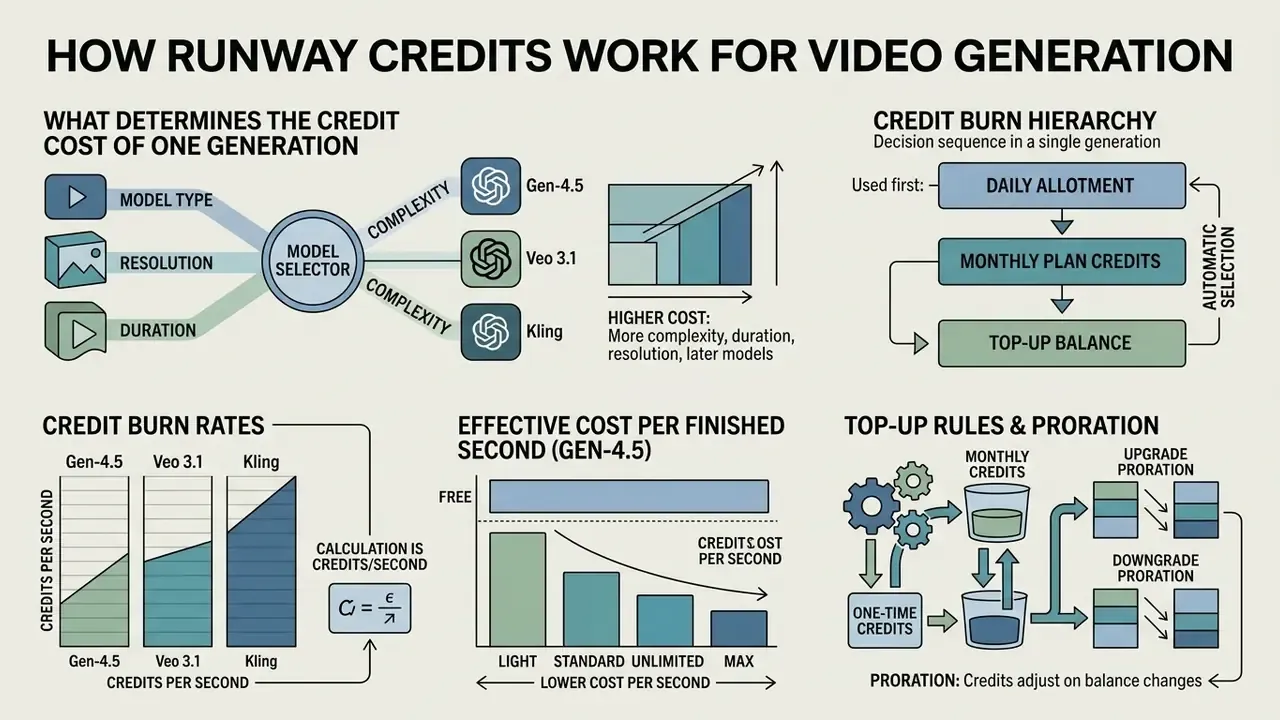
Runway meters system resource consumption through an abstract currency: credits. They are deducted from the workspace balance whenever a video, image or audio generation job completes. In video workflows the calculation is mostly duration based, multiplying clip length in seconds by the credit rate of the chosen model.
«Generation cost is set by four variables: model, clip duration, resolution and processing mode, with flagship models consuming substantially more credits per second.»
"A common model risk oversight in generative media is treating AI creation as a fixed operational expense. In practice, variable credit burn per second demands strict metering, audit logging and guardrails at the prompt-engineer level." — Marcus Hale, AI Governance & Model Risk editorial analysis
What determines the credit cost of one generation
The credit cost per generation depends on four core variables: the underlying video model, clip duration, resolution settings and execution mode. Flagship models with stronger temporal consistency and photorealism consume far more credits per second than draft-tier or Turbo models.
Credit burn hierarchy, as a decision sequence for a single generation:
| Decision step | Options | Credit impact |
|---|---|---|
| 1. Model selection | Gen-4.5 / Gen-4 (12 cr/sec) vs. Gen-4 Turbo (5 cr/sec) | Up to 2.4× difference in burn rate |
| 2. Clip duration | 5 sec vs. 10 sec | Linear multiplier (60 vs. 120 credits on Gen-4.5) |
| 3. Resolution / mode | 720p, 1080p, 4K upscale; Max receives 26% off 1080p generations | Higher resolution and 4K upscaling add per-second surcharges (upscale = 2 cr/sec) |
| 4. Add-on modules | Synchronised audio, lip sync, SFX, motion capture, HDR conversion | Each module bills on its own per-second or per-character rate |
| 5. Iteration count | 1 take vs. 4–5 takes per accepted shot | Multiplies total requirement by the retake factor |
Secondary operational tools add their own surcharges: multi-source video blending, motion transfer via Act-Two, high-definition upscaling. Knowing these variables lets a production lead pick a model per shot rather than per project, which is where most of the savings hide.
Why cost is easier to calculate in credits per second
Normalising spend into a credits per second metric gives you one comparable baseline across video models and one usable input for forecasting. Gen-4.5 consumes 12 credits per second. Gen-4 Turbo consumes 5. Same brief, very different bill.
«Official Runway documentation confirms Gen-4.5 at 12 credits/sec and Gen-4 Turbo at 5 credits/sec; several independent reviews incorrectly reported 25 cr/sec for Gen-4.5.»
Working in credits per second also converts cleanly into cash. At the developer API baseline of $0.01 per credit (see Runway API Pricing & Costs, 2026), a 10-second Gen-4.5 clip (120 credits) costs exactly $1.20, while a 10-second Gen-4 Turbo clip (50 credits) costs $0.50.
«Runway API credits are purchased separately from the GUI subscription at a baseline rate of $0.01 per credit through the developer portal.»
Effective cost per finished second of Gen-4.5, by tier
Subscription buyers do not pay the API rate. Under annual billing, the real unit cost of one second of flagship Gen-4.5 output (12 credits/sec) drops sharply as the tier rises:
| Plan (annual billing) | Monthly credits | Gen-4.5 seconds / month | Effective cost per finished second | Saving vs. Standard |
|---|---|---|---|---|
| Standard, $12/mo | 625 | ~52 sec | ~$0.23 / sec | baseline |
| Pro, $28/mo | 2,250 | ~187 sec | ~$0.15 / sec | ~35% cheaper |
| Max, $76/mo | 9,500 | ~791 sec | ~$0.10 / sec | ~56% cheaper |
Per credit, the same curve holds: about $0.0192 on Standard, $0.0124 on Pro and roughly $0.008 on Max. For any team producing more than about three minutes of flagship footage per month, the higher tier is not a convenience purchase. It is the cheaper purchase per unit of output.
Monthly credits and one time credits: how to top up your balance
A Runway account keeps two separate credit ledgers: recurring monthly credits and non-expiring one time credits. Monthly credits are deposited automatically on each billing renewal date and must be used within that cycle. Max is the single exception, allowing one billing period of rollover.
«Monthly credits reset within 24 hours of your billing date; the Max plan is the exception, rolling unused credits over for one billing period.»
Top-up rules. If the monthly allowance runs dry, extra credits can be bought from the Plans & Billing page in the dashboard. The minimum purchase is 1,000 credits, purchased credits never expire, and they are consumed only after the active subscription credits are fully depleted.
Upgrade and downgrade proration. Upgrades take effect immediately and are prorated: you pay the time-adjusted difference for the remaining days of the cycle and receive the extra credits right away. On downgrade, the unused balance is applied as a credit toward the next billing cycle, and the current plan stays active until that cycle begins.
Runway Gen-4.5, Gen-3 and Gen-2 video generation costs
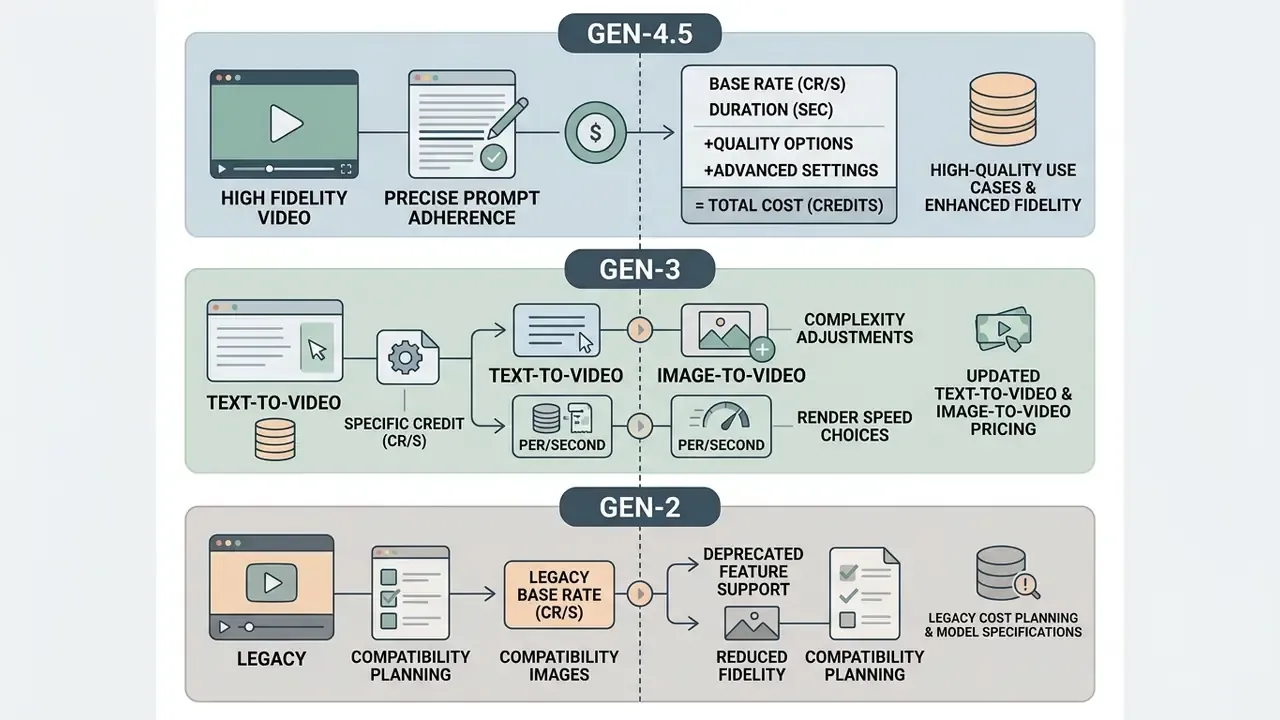
The cost of generating AI video on Runway has shifted across model generations, tracking improvements in fidelity, prompt adherence and render speed. Comparing flagship Gen-4.5 against Gen-3 and legacy Gen-2 shows how credit rates and output quality move together. Readers evaluating still-image-driven pipelines can also review how image-to-video AI tools differ in reference handling.
| Model | Supported Generation Modes | Credit Cost per Second | Average Render Speed | Minimum Required Access Tier |
|---|---|---|---|---|
| Gen-4.5 | Text-to-Video, Image-to-Video | 12 credits / sec | Standard (high fidelity) | Standard ($12/mo) |
| Gen-4 Video | Image-to-Video | 12 credits / sec | Standard | Standard ($12/mo) |
| Gen-4 Turbo | Text-to-Video, Image-to-Video | 5 credits / sec | Fast (Turbo) | Free (limited) / Standard |
| Gen-3 Alpha | Text-to-Video, Image-to-Video | 10 credits / sec | Moderate | Standard ($12/mo) |
| Gen-3 Alpha Turbo | Image-to-Video | 5 credits / sec | Fast | Standard ($12/mo) |
| Gen-2 (legacy) | Text-to-Video, Image-to-Video | 5 credits / sec (deprecated) | Legacy speed | Deprecated / research tier |
Table note: data synthesised from official Runway documentation and developer release logs (2025–2026).
Gen-4.5: generation cost and high-quality use cases
Gen-4.5 is Runway's state-of-the-art video model, engineered for commercial-grade fidelity, complex cinematic motion and tight prompt adherence. As documented in the Runway Help Center (2026), Gen-4.5 consumes exactly 12 credits per second in both text-to-video and image-to-video modes.
«Runway Help Center confirms Gen-4.5 consumes 12 credits/sec for text-to-video and image-to-video; the Standard plan's 625 credits yield roughly 52 seconds of finished video.»
"Deploying Gen-4.5 for primary commercial footage means balancing its 12 credits/sec burn rate against draft iterations. Using draft-tier models for storyboard approval cuts total campaign credit burn substantially." — Marcus Hale, AI Governance editorial analysis
Updated, with the arithmetic shown. Moving drafts from Gen-4.5 (12 cr/sec) to Gen-4 Turbo (5 cr/sec) cuts draft-stage burn by about 58%. In a realistic campaign where four of every five generated seconds are drafts and only the final take runs on Gen-4.5, total campaign burn falls by roughly 46 to 58 percent, not a flat 60. The direction of the claim holds. The exact figure depends on how many review cycles your approval process really needs.
A 5-second Gen-4.5 clip consumes 60 credits ($0.60 at the API equivalent); a 10-second sequence consumes 120 credits ($1.20). Standard subscribers with 625 monthly credits can produce roughly 52 seconds of finished Gen-4.5 footage per month, which positions the model for hero assets, broadcast commercials and primary brand content rather than volume work.
«Runway's official pricing page confirms: 625 credits ≈ 52 s of Gen-4.5, 2,250 credits ≈ 187 s, 9,500 credits ≈ 791 s at 12 cr/sec.»
One practical constraint on length: Gen-4.5 currently supports durations of roughly 2 to 10 seconds per generation. Longer sequences must be assembled from multiple clips or extended with shot-extension tools, and that structural fact raises the total credit requirement for any narrative beyond a few seconds.
Runway Gen-3: text-to-video and image-to-video pricing
Gen-3 models remain in active use across creative pipelines thanks to a balanced ratio of speed to credit consumption. Anyone searching for runway gen 3 pricing on video generation will find the same two rates in official documentation: base Gen-3 Alpha costs 10 credits per second, so a 5-second clip costs 50 credits and a 10-second clip costs 100.
The accelerated Gen-3 Alpha Turbo variant halves that to 5 credits per second, cutting a 5-second video to 25 credits and a 10-second video to 50. That 50 percent saving makes Turbo an efficient pick for rapid storyboarding, high-volume social media creation and secondary visual assets. Note one limitation on the image-to-video side: Turbo requires an input image, so it is a video image workhorse rather than a pure text-to-video model.
«Runway Help Center records Gen-3 Alpha at 10 cr/sec and Gen-3 Alpha Turbo at 5 cr/sec; a Standard plan therefore yields ~62 s of Alpha or ~125 s of Turbo per month.»
Runway Gen-2: what to account for in legacy cost planning
Gen-2, Runway's pioneering commercial video model, ran at a baseline rate of 5 credits per second. Historical runway gen 2 pricing for video generation cost therefore looked cheap on paper. Official deprecation notices confirm the model has since been phased out of primary production environments in favour of the stronger Gen-4 and Gen-3 families, and the same applies to the old Gen-2 image generator rates that still circulate in 2025-era guides.
«Gen-2 consumed approximately 5 credits per second, comparable to Turbo-class models, but well below current Gen-4 and Gen-4.5 output quality.»
So the cheap number is real but unusable. Enterprise workflows should not anchor long-term budgets on legacy models: Runway's notice states the model is no longer available to all accounts after the cutoff date. Organisations weighing alternative platforms can review our comparison of the best AI video generators and the wider compare matrix.
Runway AI image generation, upscale, audio and video editing: what else consumes credits
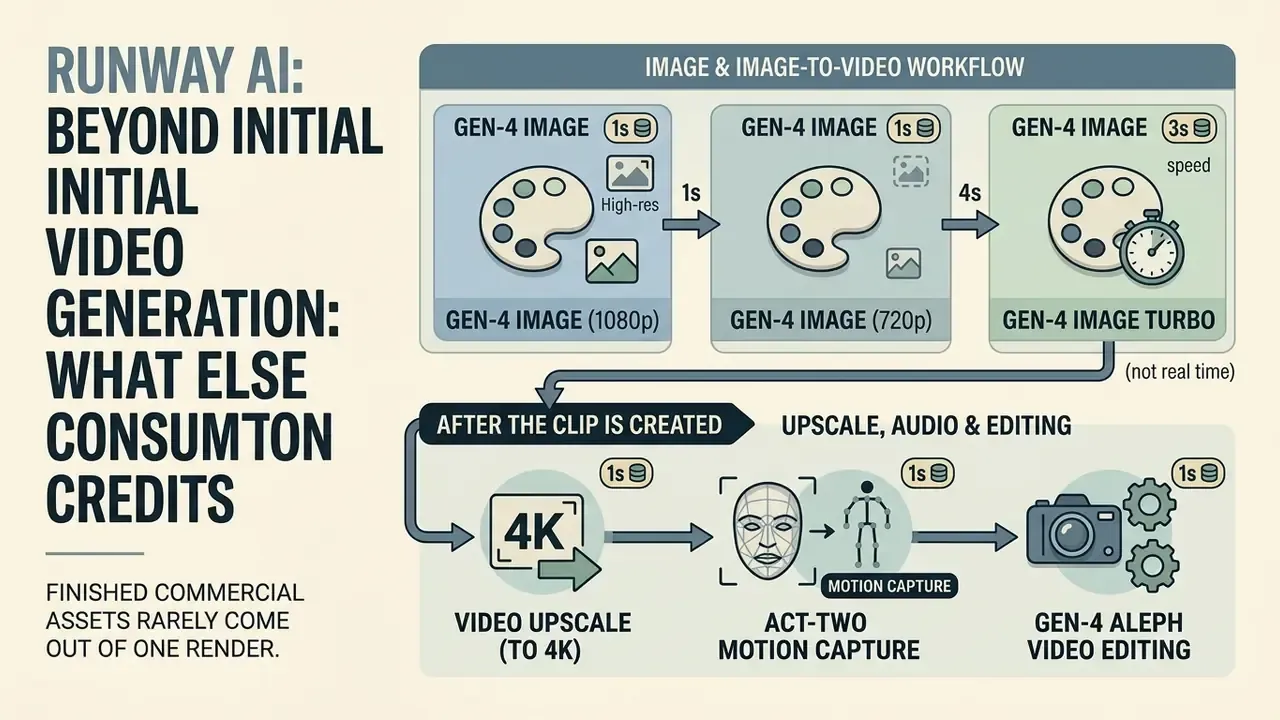
Finished commercial assets rarely come out of one render. Runway bills image creation, resolution upscaling, audio dubbing and video editing at dedicated credit rates, and those line items belong in any end-to-end production budget.
Image generation and image-to-video in one creative workflow
High-quality video work often starts image first: generate concept stills, then animate the approved frames. Runway's image generation tools price by resolution and model, so runway ai image generation pricing reads like this:
- Gen-4 Image (1080p) 8 credits per generated image.
- Gen-4 Image (720p) 5 credits per generated image.
- Gen-4 Image Turbo 2 credits per image (any resolution).
«Runway Help Center and API docs confirm Gen-4 Image at 8 cr/image (1080p) and 5 cr (720p), Turbo at 2 cr; 625 Standard credits yield ~78 images at 1080p.»
Upscale, audio generation and editing after the clip is created
Post-generation enhancements add predictable surcharges during mastering. Official credit documentation lists the following:
- Video upscale (to 4K) 2 credits per second of processed video, so a 10-second 4K upscale costs 20 credits. Unlimited on Pro and Max.
- Act-Two motion performance capture 5 credits per second, with a 3-second minimum charge of 15 credits.
- Gen-4 Aleph video editing 15 credits per second of processed footage.
- Voice dubbing and lip sync 1 credit per 2 seconds of processed audio track.
- Text-to-sound-effects (SFX) 1 credit per 6 seconds of generated audio.
- Text-to-speech 1 credit per 50 characters of narration.
- Voice isolation 1 credit per 6 seconds of processed audio.
- Custom voice training 300 credits, one time, per cloned voice model.
- Workflow utilities (stitch video, add audio, extract audio) 1 credit per 20 seconds.
«Runway Help Center confirms Aleph at 15 cr/sec, Act-Two at 5 cr/sec (3 s minimum), Veo 3.1 at 40 cr/sec with audio and 20 cr/sec without; Seedance 2.5 bills 30 cr/sec of output plus 15 cr/sec of input.»
A note on audio rates: dubbing (1 credit per 2 seconds) and SFX (1 credit per 6 seconds) appear in Runway's credit tables next to third party audio integrations. Audio tooling changes often, so verify those two line items in the Plans & Billing panel before locking a large voice-over budget.
Third-party and specialised model credit matrix
Runway also resells a growing catalogue of third party flagship models inside the same credit wallet. These rates matter out of proportion to their novelty, because one misconfigured 1080p Seedance generation can burn more credits than half a minute of Gen-4.5.
| Model / Tool | Purpose | Credit consumption |
|---|---|---|
| Gen-4.5 | Flagship text-to-video / image-to-video | 12 credits / sec (60 per 5 s clip) |
| Aleph 2.0 | Advanced video-to-video editing and stylisation | 28 credits / sec |
| Gen-4 Aleph | Video editing and stylisation (previous gen) | 15 credits / sec |
| Ruby | SDR-to-HDR conversion | 20 credits / sec |
| Seedance 2.0 Pro (1080p) | Multimodal video with audio | 40 credits / sec |
| Seedance 2.0 Fast | Fast multimodal video with audio | 29 credits / sec |
| Seedance 2.5 (720p) | Continuous high-fidelity audio-video | 30 credits / sec output + 15 credits / sec of 720p input |
| Kling 3.0 Pro | Video with synchronised speech | 17 credits / sec with audio · 12 credits / sec without |
| Kling 3.0 Std | Budget video generation | 13 credits / sec with audio · 9 credits / sec without |
| Google Veo 3.1 | Advanced video with audio and speech | 40 credits / sec with audio · 20 credits / sec without |
| FLUX 3 | Long continuous single-take shots | 17 credits / sec |
| Nano Banana Pro 2 (2K) | Image generation | 11 credits / image |
| Nano Banana Pro (2K) | Image generation and editing | 20 credits / image |
| Seedream 5.0 Pro | Precision image generation and editing | 5 credits / img (1K) · 10 credits / img (2K) |
| FLUX.2 Max | Advanced image generation | 10–19 credits / image by resolution |
| Seed Audio 1.0 | Multi-character dialogue, music, ambience | 15 credits / min (5-credit minimum) |
| Lyria 3 Pro / Clip | Music generation in Workflows | 8 / 4 credits per song |
| Topaz AI Upscale | Upscale to 4K (unlimited on Pro and Max) | 2 credits / sec |
| Characters | Real time conversational avatars | 2 credits / 6 sec |
Teams assessing third-party model economics in depth can review our google veo ai implementation guide and the Google Veo pricing breakdown.
How to calculate Runway AI video generation cost before buying a plan
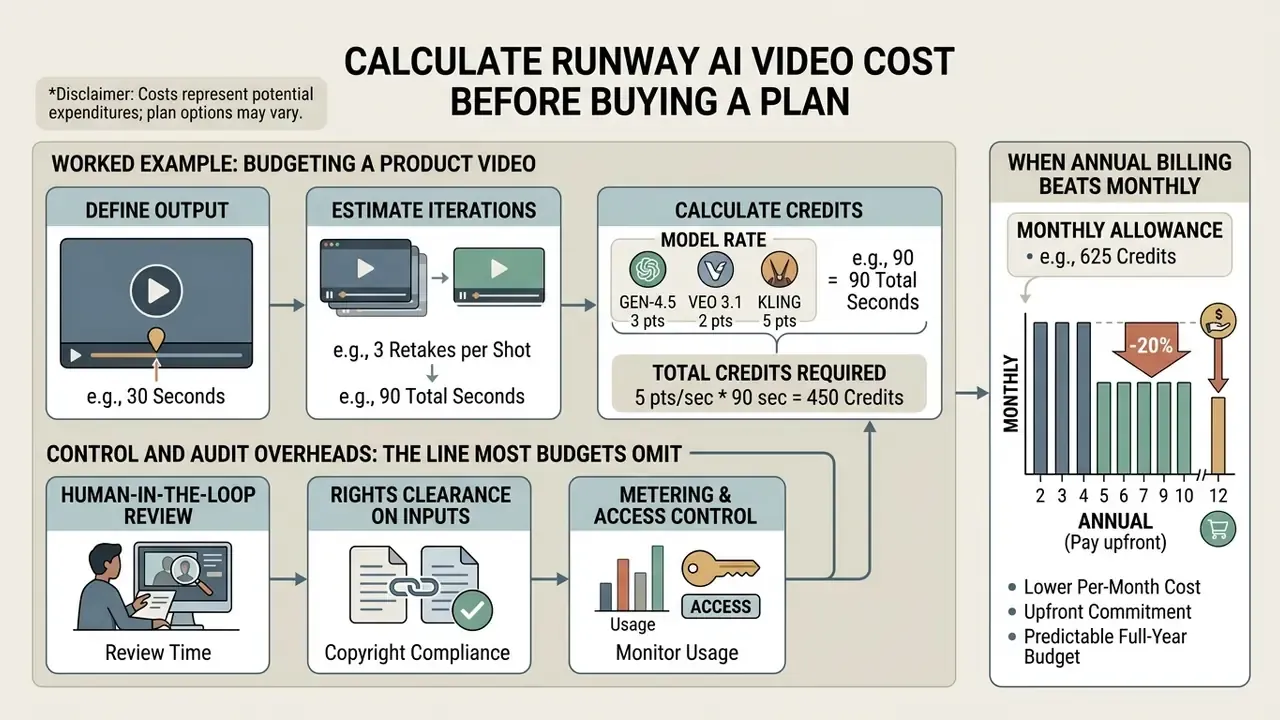
Forecasting a monthly Runway budget with any accuracy means putting three things into one formula: final video length, scene count, and revision takes per shot.
«General formula: Credits = Σ(clip duration × model rate) + (images × image rate); iterations multiply base credit demand proportionally to the number of takes.»
Step-by-step budget worksheet, usable as a manual calculator. Fill the five rows with your own project values:
| Step | Input | Worked example |
|---|---|---|
| 1. Model rate | Gen-4.5 = 12 cr/sec · Gen-4 Turbo = 5 cr/sec · Gen-3 Alpha = 10 cr/sec | Gen-4.5 at 12 cr/sec |
| 2. Finished runtime | Scene count × seconds per scene | 6 scenes × 5 s = 30 s |
| 3. Iteration factor | Typical review cycles require 4–5 takes per accepted shot | ×5 (4 rejected + 1 accepted) |
| 4. Video credits | Runtime × rate × iteration factor | 30 × 12 × 5 = 1,800 credits |
| 5. Stills and post-production | (Images × image rate) + (upscale seconds × 2) + audio modules | 20 × 8 = 160 credits |
| Total | Video credits + extras | 1,960 credits, so the Pro plan (2,250/mo) |
Worked example: budgeting a product video
Take a concrete brief: a 30-second commercial product video built from 6 accepted shots of 5 seconds each, finished on Gen-4.5.
Situation: A creative marketing agency needed to budget a 30-second high-fidelity product commercial for an enterprise client, assuming 4 failed takes per final shot.
Action: The lead producer calculated total video requirements: 6 scenes × 5 seconds = 30 final seconds. Factoring in 4 iterations per scene yielded 150 total generated seconds (1,800 credits at 12 credits/sec). Adding 20 concept stills at 1080p (160 credits) brought total production cost to 1,960 credits.
Result: The producer selected the Pro plan (2,250 monthly credits at $28/month billed annually), completing the project comfortably within the subscription allowance without requiring top-up purchases.
A cost-optimised variant of the same brief runs drafts on Gen-4 Turbo (5 cr/sec) and only the six approved takes on Gen-4.5: 120 draft seconds × 5 = 600 credits, plus 30 final seconds × 12 = 360 credits, plus 160 credits of stills, for 1,120 credits total. That is a 43 percent reduction against the all-flagship approach, and it leaves room inside a Pro allowance for a second campaign.
Control and audit overheads: the line most budgets omit
Credit burn is only the direct cost. In regulated and enterprise environments, three further lines belong in the model.
- Human-in-the-loop review.Every generated second that reaches a deliverable needs sign-off for brand, factual and likeness accuracy. Budget review hours per accepted shot, not per generation.
- Rights clearance on inputs.Runway grants commercial rights to outputs, but the user carries responsibility for copyrighted images, music, trademarks and recognisable people used as inputs. Clearance is a real, recurring cost.
- Metering and access control.Because credits are purchasable in-dashboard, unmanaged seats create an uncapped spend surface. Central billing, seat inventory and top-up approval thresholds should exist before rollout, not after the first invoice surprise.
When annual billing beats monthly billing
Annual billing carries a flat 20 percent discount across all paid plans, which translates into concrete savings:
- Standard $12 per month billed annually ($144 per year) against $15 month billed. Saves $36 per year.
- Pro $28 per month billed annually ($336 per year) against $35 month billed. Saves $84 per year.
- Max $76 per month billed annually ($912 per year) against $95 month billed. Saves $228 per year.
«Runway officially confirms an approximate 20% annual discount: Standard saves $36/year, Pro $84/year and Max $228/year versus monthly billing.»
Annual subscriptions are the cheaper route for agencies, in-house media departments and any business with continuous monthly production. Month to month billing wins for short project sprints under three months, since it avoids charges during inactive windows. Annual plans also appear as bundled pools on the pricing page, 7,500 credits per year on Standard, 27,000 on Pro and 114,000 on Max, and that pool figure is usually the cleanest basis for an annual budget approval.
Fact check and editorial verification


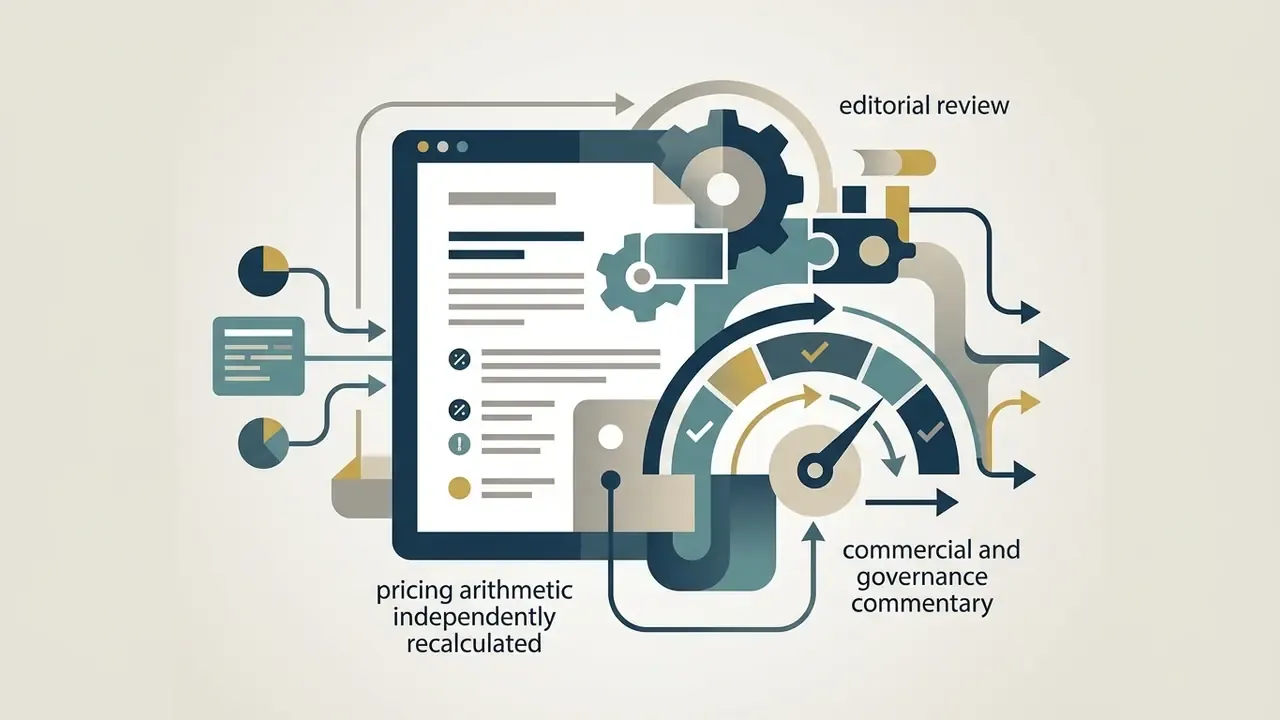

Enterprise security, data privacy and IP governance
«Runway Enterprise contracts include SSO, workspace analytics, SOC 2 Type II compliance and dedicated support, with no fixed public pricing.»
Beyond custom credit allocations, Enterprise deployments add workspace analytics for team-level usage audit, consolidated billing, usage reporting, configurable organisation and team spaces, enterprise onboarding, internal tool integrations, SOC 2 Type II controls and dedicated customer success management. That combination is what lets studios, financial institutions and large media teams fold a generative video pipeline into existing corporate governance and audit frameworks.
Governance questions to raise with the vendor before contracting. Public documentation covers access control and certifications. The items below are contract-specific and should be confirmed in writing rather than inferred from a marketing page.
| Governance question | Why it matters | Where to confirm |
|---|---|---|
| Content ownership | Runway states that users on Free, Standard, Pro and Max retain ownership of uploaded and generated content. | Terms of Service plus Help Center ownership article |
| Training opt-out | Whether prompts, uploads and outputs may be used to improve models, which is critical for confidential campaign or client material. | Enterprise DPA / contract addendum |
| Data retention | How long assets, prompts and logs persist after project deletion or contract termination. | Enterprise DPA |
| IP indemnification | Whether the vendor indemnifies against third-party copyright claims arising from generated output. | Master agreement |
| Certifications | SOC 2 Type II and ISO/IEC 27001 posture, GDPR readiness, CCPA/CPRA controls, mandatory MFA/SSO on internal systems. | Trust centre / security questionnaire |
| Audit logging | Per-seat generation logs and workspace analytics exportable for internal model-risk review. | Workspace analytics plus API usage reporting |
| API key inventory | Who may mint developer keys, spend caps per organisation, rotation cadence. The primary shadow AI vector. | Developer portal org settings |
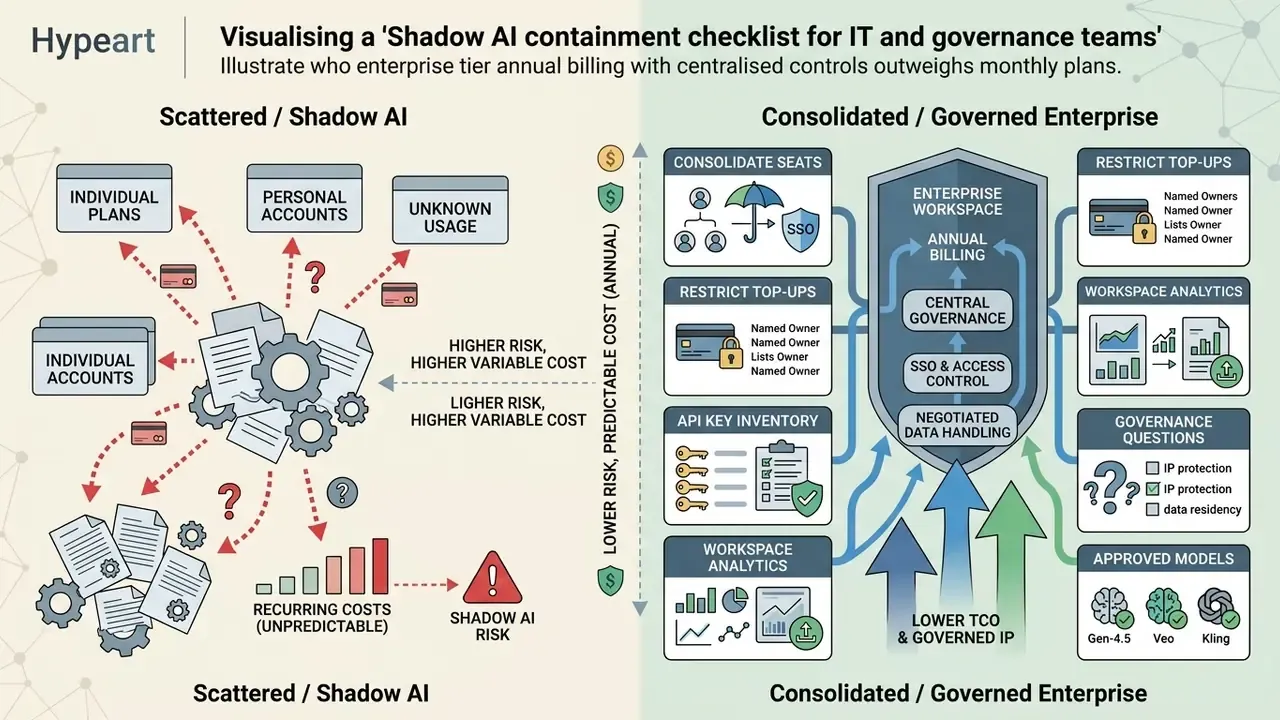
Shadow AI containment checklist for IT and governance teams:
- Consolidate all seats under a single Enterprise or Max workspace with SSO, and disallow personal-card Standard subscriptions on corporate assets.
- Restrict top-up purchasing rights to named billing owners. Top-ups start at 1,000 credits and are instant.
- Maintain an inventory of API organisations and keys. API credits are a separate wallet billed at $0.01 per credit and will not appear in web-app usage reports.
- Export workspace analytics monthly and reconcile credit burn against approved project codes.
- Define which models are approved for confidential inputs. Third party integrations (Veo, Kling, Seedance, Seedream) route data to external providers under their own terms.
Which Runway plan to choose for your video workflow
Plan selection is an alignment exercise: output volume, workflow complexity, seat count and the admin capabilities your organisation requires, matched against a tier.
Plan routing matrix by user profile:
| Profile | Monthly output need | Recommended plan | Decisive factor |
|---|---|---|---|
| Beginner / evaluator | A few test clips | Free | 125 one time credits, watermarked, no Gen-4.5 |
| Solo creator, image-first or Turbo-led | Under ~1 min flagship, ~2 min Turbo | Standard ($12–$15) | 625 credits, 5 seats, 20 GB, no watermark |
| Freelancer / small agency, weekly output | ~3 min flagship footage | Pro ($28–$35) | 2,250 credits, 10 seats, custom voices, Brand Kit, MCP |
| Production studio, daily output | ~13 min flagship footage | Max ($76–$95) | 9,500 credits, rollover, ProRes/HDR, 26% off 1080p |
| Enterprise / regulated org | Sustained multi-team output | Enterprise (custom) | SSO, analytics, security review, consolidated billing |
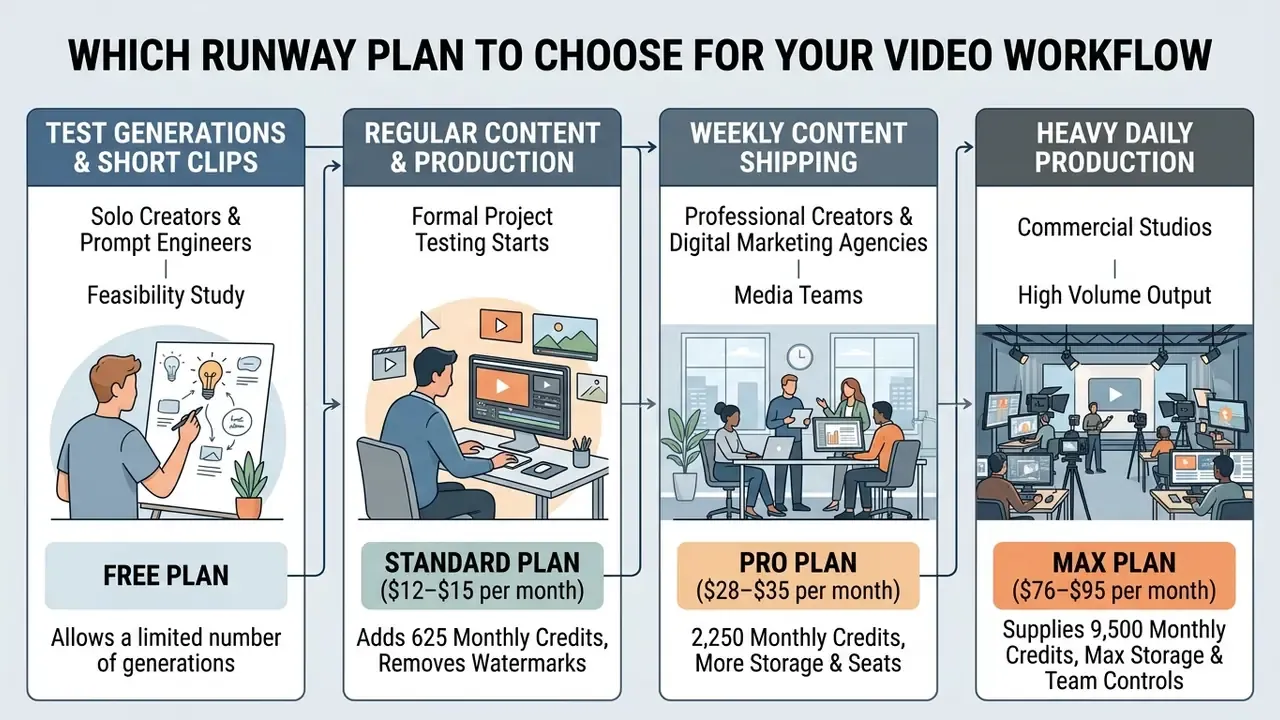
Choosing a plan for test generations and short clips
For solo creators, prompt engineers and teams running a first feasibility study, the free plan allows a risk-free look at interface controls and draft rendering with 125 initial credits. It answers ergonomics questions, not quality questions.
Once formal project testing starts, the Standard plan ($12–$15 per month) adds 625 monthly credits, removes the watermark and unlocks 1080p. Standard comfortably covers low-frequency work: 5 to 10 short clips, or static graphics combined with light animation. Creators who want to exhaust zero-cost options first can compare our shortlist of the best free AI video generators before paying anything. And anyone producing vertical Shorts or Reels should note the obvious lever: a 3-second Gen-4 Turbo cut costs 15 credits, against 60 for a 5-second Gen-4.5 shot.
Choosing a plan for regular content and production workflows
Professional creators, digital marketing agencies and media teams shipping weekly content generally need the Pro plan ($28–$35 per month). With 2,250 monthly credits, 4K export, custom voice support, one Brand Kit, Runway MCP support, 15 parallel generations and a faster queue, Pro sustains multi-scene creation plus client revisions. A five-person creative team on Pro costs $140 per month for the workspace with 2,250 shared credits. Teams assembling a full post-production stack can also review our guide to video editors and the YouTube video editor workflow guide.
For commercial studios in heavy daily production, the Max plan ($76–$95 per month) supplies 9,500 monthly credits, first-priority processing, 20 parallel generations, studio-grade ProRes, HDR and image-sequence exports, unlimited Topaz AI upscaling, a 26 percent discount on 1080p generations, and one month of credit rollover. An eight-person agency on Max runs $608 per month against a 9,500-credit shared pool. Larger corporate organisations that need SSO, centralised user management and a compliance review should go straight to Enterprise. Teams still weighing alternatives can examine our AI Media Alternatives by Reason directory or the free AI video generator comparison.
FAQ on Runway AI pricing and generation access
Is Runway API pricing included in the subscription?
No. API access is billed separately from the web application subscriptions (Standard, Pro, Max). According to the Runway Developer API Guide (2026), API usage runs on a prepaid model where credits are bought through the developer portal at a baseline rate of $0.01 per credit. Web application credits cannot be transferred to API accounts, and API credits grant no dashboard subscription privileges.
«Runway Developer API Guide (2026) confirms API credits are purchased separately at $0.01/credit; GUI credits do not transfer to the API account, and vice versa.» — Runway Developer API Guide, "Billing" (2026). https://docs.dev.runwayml.com/usage/billing/
Which features consume credits separately or require top-ups?
Beyond standard text-to-video and image-to-video generation, several specialised operations draw their own amounts from the balance:
- Custom voice training: a one time charge of 300 credits per cloned voice model, used for lip sync work.
- Gen-4 Aleph video editing: 15 credits per second of processed footage; Aleph 2.0 costs 28 credits per second.
- 4K video upscaling: 2 credits per second of processed footage, unlimited on Pro and Max.
- Third party models: Veo 3.1 with synchronised audio consumes 40 credits per second; Kling 3.0 Pro costs 17 credits per second with audio.
- Text-to-speech: 1 credit per 50 characters of narration.
- SDR-to-HDR conversion (Ruby): 20 credits per second.
«Training a custom voice for lip sync costs 300 credits as a one-time charge, a fixed investment independent of how much you subsequently generate with that voice.» — Runway Help Center, "How do credits work?" (2026). https://help.runwayml.com/hc/en-us/articles/46974685288467-Creating-with-Gen-4-5 Users mapping the full generative toolchain can also review our glossary entries on AI voice generators and animation makers.
What is the minimum credit top-up, and do credits expire?
The minimum additional purchase is 1,000 credits, available from the Plans & Billing page. Purchased top-up credits never expire. Monthly plan credits on Standard and Pro do not roll over; they reset within 24 hours of your billing date each cycle. On Max, up to one month of unused credits carries into the following month. Runway automatically returns credits as paid credits when a generation fails with a system error, though ordinary creative retries are not refunded.
Can I change my plan after subscribing?
Yes. Upgrades apply immediately and are prorated, so you pay only the time-adjusted difference and receive the extra credits at once. On downgrade, the unused balance becomes a credit toward your next billing cycle, and your current plan stays active until that cycle begins.
Does Runway allow commercial use of generated videos?
Yes. Commercial rights are granted on both the free and paid plans, and no Runway attribution is required at publication. Runway states that users retain ownership of uploaded and generated content. The responsibility for permissions on copyrighted images, music, trademarks, recognisable people and other third party inputs stays with the user, which is exactly why internal clearance workflows should sit alongside the credit budget.
How many users does each plan support?
Free supports 1 user. Standard supports up to 5 users, Pro up to 10, and Max uses the same 10-seat structure, extendable by arrangement for larger teams. Enterprise removes seat caps entirely and replaces them with an organisation-wide credit pool plus role-based access management.
Why does the same prompt produce different results?
Because generation includes randomised processing. Identical prompts can yield different motion, composition and fine detail. Precise motion instructions and well-chosen reference images improve control, but they will not make every result identical. For budgeting purposes this is the point: the iteration factor in the worksheet above matters more than the headline per-second rate. Variance, not price, is what empties an allowance.
Appendix A: corrections and superseded figures
For transparency, the figures below appeared in an earlier revision of this analysis and have been corrected against official Runway documentation.
| Superseded statement (earlier revision) | Corrected figure (verified 2026) |
|---|---|
| "Standard plan: 100 GB storage" | 20 GB storage on Standard |
| "Pro plan: 500 GB storage" | 100 GB storage on Pro |
| "Max plan: unlimited storage options" | 500 GB storage on Max |
| Seat limits not stated | Standard up to 5 users; Pro up to 10 users; Enterprise unlimited |
| Parallel generation limits not stated | 5 (Standard), 15 (Pro), 20 (Max) |
| "reduces total campaign credit burn by up to 60%" | ~46 to 58 percent, depending on the draft-to-final ratio (arithmetic shown above) |
| Internal links to floor-plan and lesson-plan generators | Replaced with topically relevant video and image generation resources |
Verified against Runway Pricing (2026), Runway Help Center (2026) and Runway Developer Documentation (2026).
Final pre-purchase checklist
Checklist0 / 10
Editorial disclosure: Marcus Hale is the author. Commentary attributed to All pricing figures should be re-verified in your own Runway dashboard before purchase.
Navigation: AI Media Pricing · Compare AI Video Generators · Calculators · Alternatives