As of 2026, the Runway vs Kling comparison pits two very different design philosophies against each other. Runway (Gen-4.5 and Gen-4 Turbo) is built as an integrated production environment. Kling AI (Video 3.0 and 3.0 Omni) is built as a high-throughput generation engine. That single architectural split explains most of the runway vs kling differences you will feel in day-to-day work.
This evaluation covers seven measurable decision vectors: visual quality, physics and motion realism, camera and prompt control, generation speed and output specifications, workflow and API integration, enterprise risk and data governance, and total cost of ownership.
Last updated: August 2026. Model versions evaluated: Runway Gen-4.5 / Gen-4 Turbo and Kling AI Video 3.0 / 3.0 Omni.
Runway vs Kling AI: Quick Verdict and Decision Matrix
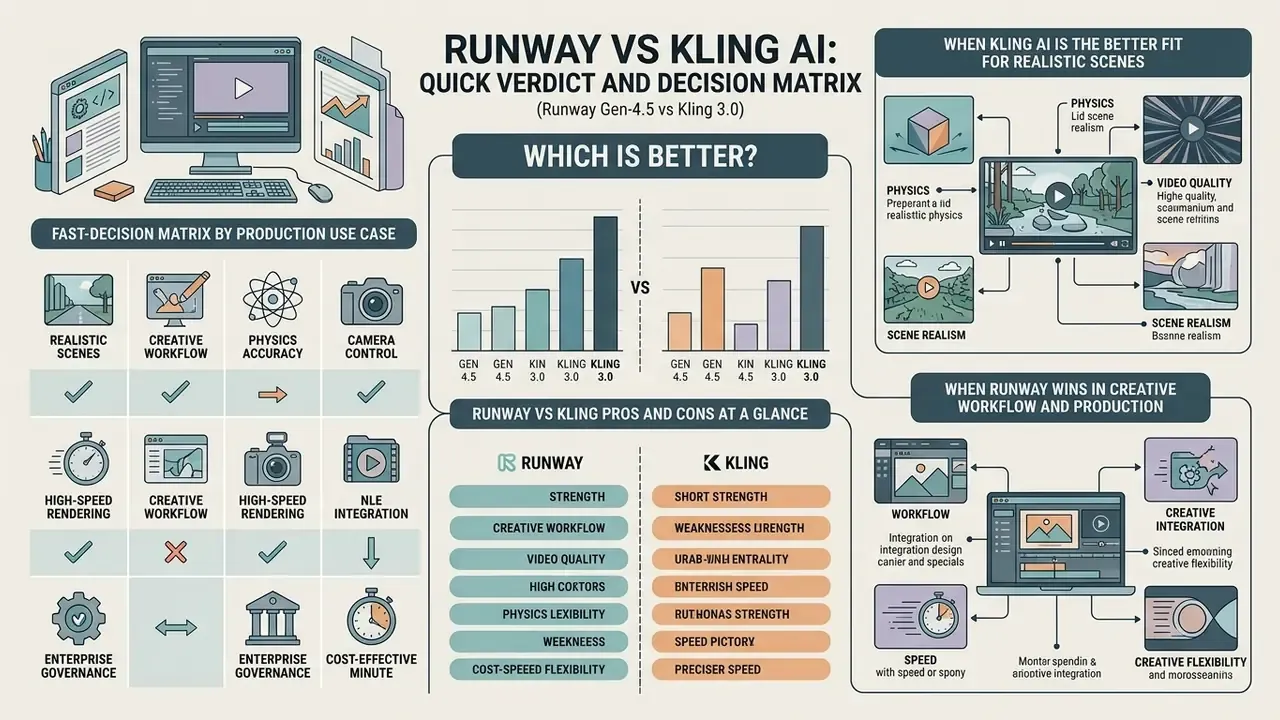
Which is better? It depends on one question: does your pipeline need granular editorial control inside a single workspace, or fast multi-shot assets with native audio at volume?
Runway Gen-4.5 leads on single-shot visual fidelity, precise camera controls, performance capture and timeline-based editing. That makes it a natural fit for film, VFX and brand-governed advertising, where every frame passes a review gate. Kling 3.0 pushes harder on native physics for complex material dynamics, multi-shot scene orchestration, multilingual audio sync and cost-effective native 4K. It behaves like an engine for social content and high-volume B-roll.
Runway vs Kling in 2026: summary comparison across quality, motion, control, speed, pricing and workflow.
| Dimension | Runway (Gen-4.5 / Gen-4 Turbo) | Kling AI (Video 3.0 / 3.0 Omni) |
|---|---|---|
| Core architecture | Text-to-video and image-to-video; single-shot focus (2 to 10s); 720p native generation with a 1080p API option and 4K upscaling. | Unified text/image-to-video; native audio and multi-shot scenes (3 to 15s); native 4K output up to 60 fps via an integrated motion-interpolation pass. |
| Benchmark performance | Ranked #1 on Artificial Analysis text-to-video (no audio) with Elo ≈ 1,247. | Elo ≈ 1,099 to 1,106 on the Artificial Analysis audio leaderboard; Curious Refuge composite score 8.1/10. |
| Motion and physics | High global motion smoothness and temporal stability; restrained secondary physics; conservative motion boundaries. | Realistic fluid dynamics, fabric movement, hair motion and environmental reflections; dynamic depth and contact collisions. |
| Camera control | Director Mode with numerical sliders (-100 to +100) for pan, tilt, zoom and roll; exact trajectory locking. | Six preset camera movements plus four "Master Shots"; dramatic framing with higher trajectory variance. |
| Performance capture | Act-One / Act-Two: webcam-driven facial performance transfer onto generated characters. | No native performance-puppeting pipeline; relies on reference images plus post-generation lip-sync modules. |
| Generation speed | Fast single-shot rendering (40 to 90s in our tests); low queue latency in Gen-4 Turbo mode. | Slower multi-shot rendering (90 to 180s standard, longer for 4K plus audio); higher peak-hour queue latency. |
| Editing and workflow | Full cloud studio: timeline NLE, inpainting, background removal, clean audio, REST API, Premiere Pro and DaVinci Resolve bridges. | Generator-focused UI: prompt controls, extend, lip-sync; limited API; best paired with external post-production tools. |
| Vendor jurisdiction | Runway AI, Inc., United States. | Kuaishou Technology, China (international service endpoints). |
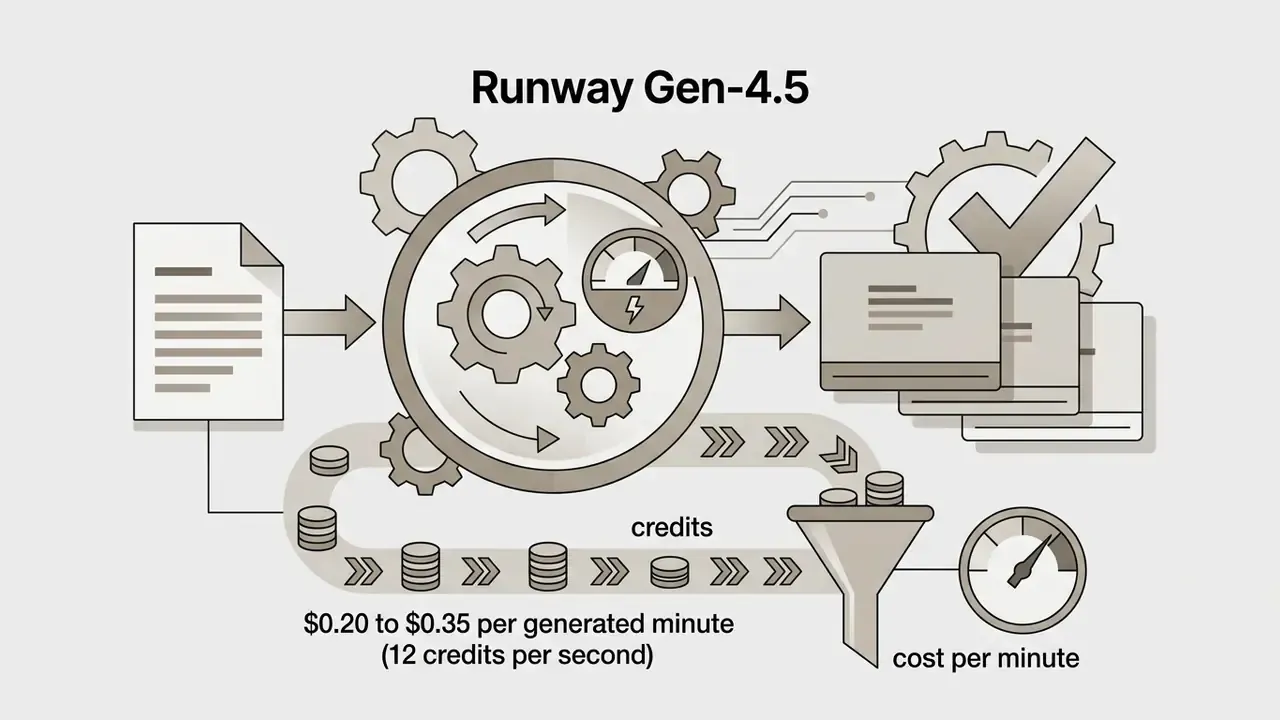
| Pricing and economics | Subscription plans ($12 to $76/mo on annual billing); fixed credit costs (12 credits/s for Gen-4.5); ≈$0.20 to $0.35 per finished minute. | Tiered memberships ($6.99 to $180/mo); 6 to 12 credits/s for 1080p, 30 credits/s for native 4K; ≈$0.08 to $0.15 per finished minute. |
No matching rows Clear one or more filters to restore the matrix.
To benchmark both platforms against the wider field, see our comparison of leading AI video generators and our implementation notes on Google Veo API economics.
«Kling 3.0 1080p Pro scores Elo ≈ 1,106 across 20,840 pairwise human-preference comparisons among audio-enabled video models.»
Fast-Decision Matrix by Production Use Case
| Production use case | Recommended tool | Winning differentiator |
|---|---|---|
| Facial performance and character puppetry | Runway | Native Act-One / Act-Two performance capture via webcam. |
| High-volume social content (TikTok, Reels, Shorts) | Kling AI | Lower cost per minute (≈$0.08) plus native lip-sync and 2 to 3 minute extensions. |
| Complex fluid, fabric and particle physics | Kling AI | Stronger secondary physics simulation and contact collision handling. |
| Cinematic commercials and broadcast editing | Runway | Director Mode, inpainting, timeline NLE, clear commercial licensing. |
| NLE pipeline automation (Premiere, DaVinci) | Runway | Full REST API, published-workflow endpoints, direct plugin bridges. |
| Multilingual localized ad variants | Kling AI | Synchronized multilingual TTS, ambient SFX and lip-sync in one pass. |
| Regulated-industry internal content (finance, healthcare, legal) | Runway | US-based vendor, documented commercial licensing, enterprise tiering. |
| Character identity across multi-shot sequences | Kling AI | Native subject binding with multi-angle reference maps. |
| Cheapest entry point for testing | Kling AI | Standard membership from $6.99/mo, plus 66 free daily credits. |
Runway vs Kling Pros and Cons at a Glance
Runway pros: locked camera trajectories, real recorded facial performance, timeline editing in the same tab, a documented REST API, and licensing language a legal team can actually read. Runway cons: 720p native generation, a 10-second single-clip ceiling, and a higher cost per rendered minute.
Kling pros: convincing secondary physics, native 4K, single-pass multilingual audio, longer extensions, and the lowest raw generation cost in this comparison. Kling cons: preset-only camera moves, thin API surface, no timeline editor, tier-dependent commercial rights, and a vendor jurisdiction that will slow procurement at most US banks.
When Kling AI Is the Better Fit for Realistic Scenes
Kling shines when the shot is physically busy. Fluid dynamics, fabric sway, optical refraction through glass, wet-surface reflections: in independent testing across those environmental interactions, Kling 3.0 renders micro-textures and lighting with cinematic plausibility. Vendor documentation for VIDEO 3.0 states that cloth dynamics, hair movement, fluid behaviour and contact collisions are simulated as physics-aware motion rather than appearance-only diffusion.
Evidence note (updated): the frequently cited Crepal AI Model Review (2026) publishes neither sample sizes nor scoring rubrics, so treat it as a directional signal only. The verifiable quantitative anchor comes from independent human-preference scoring:
«Curious Refuge rates Kling 3.0 at 8.1/10 overall: visual fidelity 8.4, prompt adherence 8.1, temporal consistency 8.0, motion quality 8.0.»
Kling's native support for multi-angle character references also matters more than it sounds. Pair a static character image with a motion reference video, and you can lock identity while generating synchronized dialogue clips in one step, which keeps a face recognisable across long, multi-angle movement.
When Runway Wins in Creative Workflow and Production
Runway dominates structured production, the kind where a director signs off on framing before anyone renders 40 variants. Gen-4.5 delivers high prompt adherence and world consistency inside a single shot, which prevents object warping during aggressive camera pans. Gen-4's reference system can carry a character across lighting conditions and locations from one reference image.
Beyond generation, Runway is a full editing suite: background removal, inpainting, motion brushing, clean audio, timeline organisation. That ecosystem is what lets creative teams iterate fast while holding brand governance steady across a multi-shot campaign.
The sharpest architectural difference is Act-One (and the Act-Two framework), a dedicated performance capture system. Unlike generic image-to-video motion transfer, Act-One lets a director record a facial performance on a plain webcam or upload a take, then map micro-expressions, eye movement, head tilts and vocal pacing onto a generated character. No 3D rigging, no markers, no mocap suit. For animation studios, explainer teams and localization pipelines, one performer's take becomes a reusable driver for several synthetic characters. Kling 3.0 has no equivalent puppeting pipeline; it leans on static references plus post-generation lip-sync, which produces convincing mouth articulation but not expressive transfer.
How to Compare Runway and Kling: Models, Tests and Evaluation Criteria
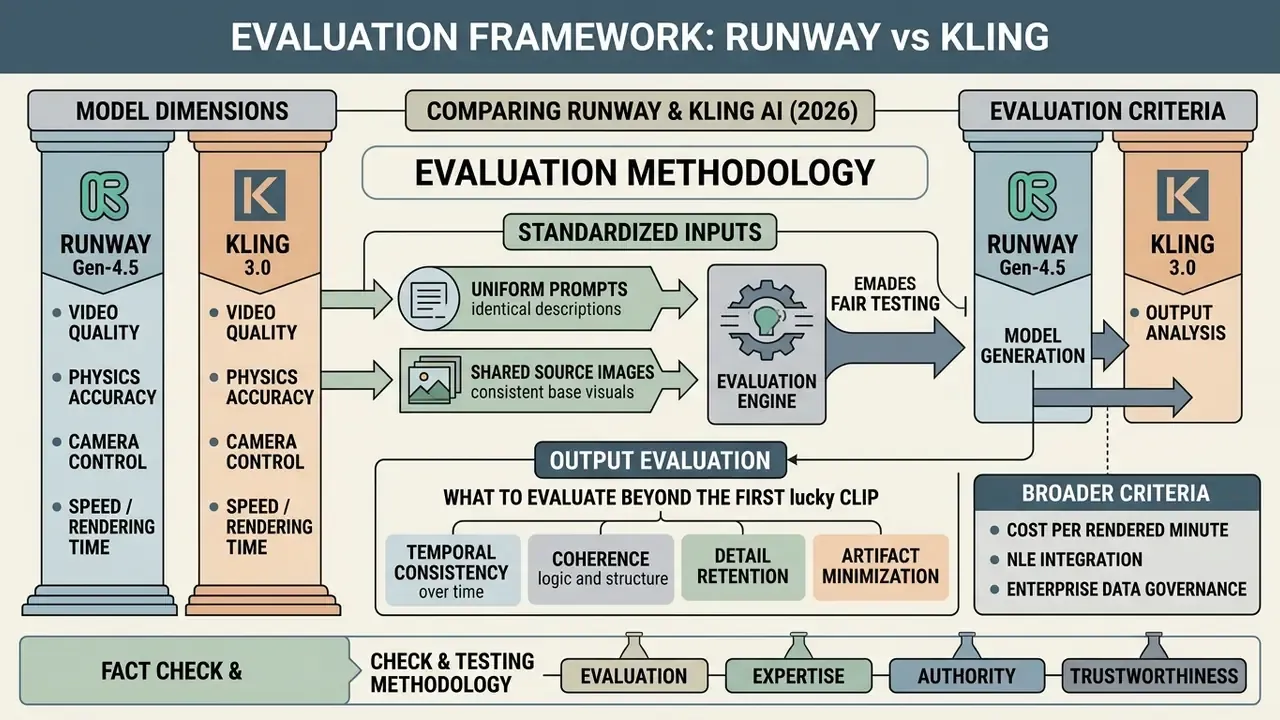
A defensible comparison needs a framework that isolates model capability across standardized dimensions. Highlight reels prove nothing. Technical teams should run controlled tests covering both Text-to-Video (T2V) semantic alignment and Image-to-Video (I2V) motion consistency under identical prompts, aspect ratios and seeds. One nuance is easy to miss: because I2V fixes appearance and background through the source frame, motion and temporal behaviour must carry proportionally more weight in I2V scoring than in T2V scoring.
Standardized Prompts and Source Images for a Fair Comparison
A rigorous protocol tests Runway and Kling with the same prompt suite and the same controlled imagery. Following established academic methodology and neutral leaderboard settings, evaluate across fixed aspect ratios (16:9 and 9:16), downscaled source images (1024x1024 baseline), fixed seeds (seed 42, for example), one generation per prompt, and unweighted prompts with empty negative fields.
Spread the prompt set across distinct categories: facial micro-expressions, macro product lighting, vehicle motion blur, multi-subject interaction. That way qualitative differences reflect model architecture rather than prompt-engineering luck. Complementary frameworks such as EvalCrafter add four aggregate axes (video quality, text-video alignment, motion quality, temporal consistency) that map cleanly onto production acceptance criteria.
What to Evaluate in the Final Output Beyond the First Lucky Clip
Production readiness is a statistical property, not a single beautiful frame. One stunning output means little if the model shows high variance or frame-to-frame flicker. Enterprise evaluation should measure three vectors: temporal character consistency (identity preservation), repeated-run agreement (reproducibility on identical prompts), and generation throughput (time-to-result including failed retries).
Reproducibility deserves extra attention in governed environments. Human-evaluation protocols for text-to-video report agreement rates near 0.67 on identical repeated ratings, which means roughly one in three re-runs shifts perceived quality tier. So log seed, model version, prompt hash and wall-clock render time for every accepted asset. Boring? Yes. It is also the only thing that makes an audit defensible six months later.
Fact check and testing methodology (E-E-A-T):
Video Quality: Realism, Detail and Cinematic Output
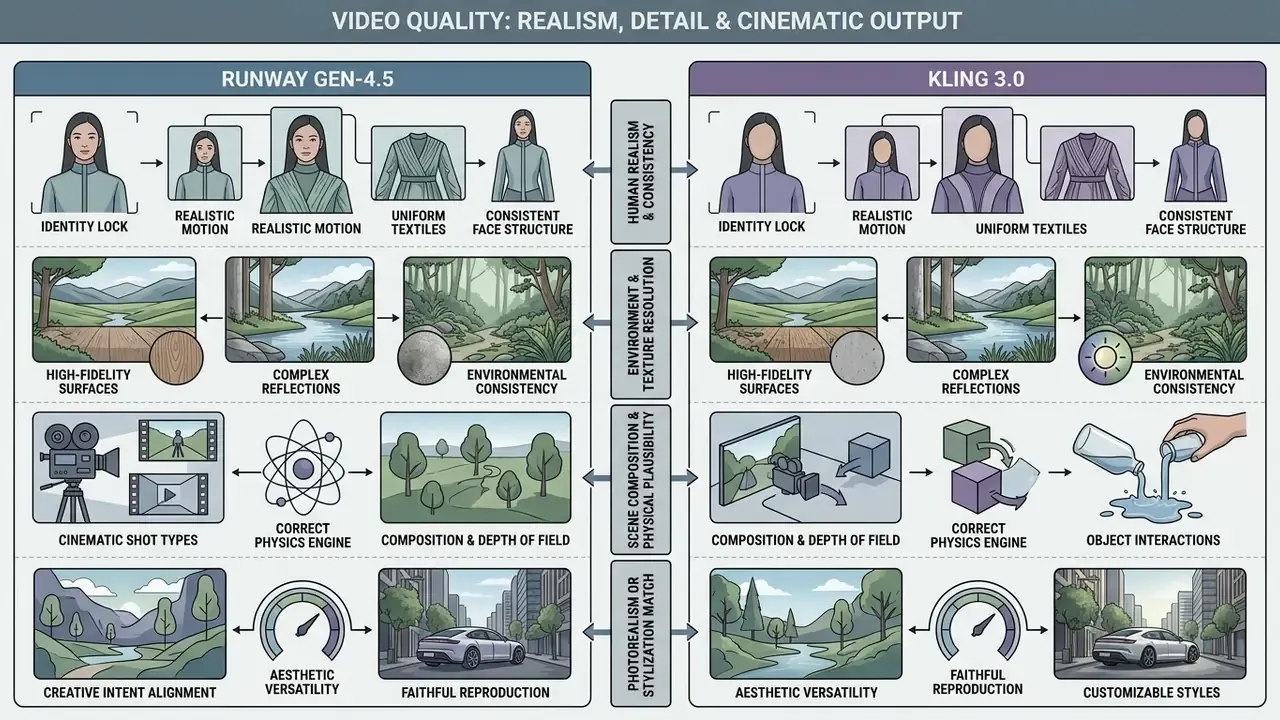
Visual quality here covers sharpness, physical plausibility, environment texture resolution and aesthetic composition. Both platforms produce cinematic results. Their diffusion architectures simply trade off differently between photorealistic texture fidelity and structural frame stability.
Human Realism, Character Detail and Identity Consistency
Human rendering is still the hardest benchmark. Kling 3.0 reaches higher micro-texture resolution on facial close-ups, with believable pores, eye highlights and skin moisture, and its published sub-scores confirm balanced performance across fidelity and consistency (Curious Refuge, 2026: visual fidelity 8.4, temporal consistency 8.0). In dynamic talking-head shots, though, Runway Gen-4.5 holds mouth shape better and produces more natural blink cadence, which cuts uncanny lip-sync drift.
For multi-shot character permanence, Kling uses native subject binding and multi-angle facial reference maps. Runway relies on source-image anchoring (Gen-4 References) plus workflow discipline and Act-One transfer. In practice: Kling needs fewer setup steps to keep a face stable, Runway needs more setup but gives you more control once the reference is locked.
Environment Detail, Image Texture and Scene Composition
«PhyEduVideo (2026) records motion smoothness and temporal flickering above 0.85 in leading models, while semantic alignment in complex physical scenes stays lower.»
Photorealism or Stylization: Matching the Model to Creative Intent
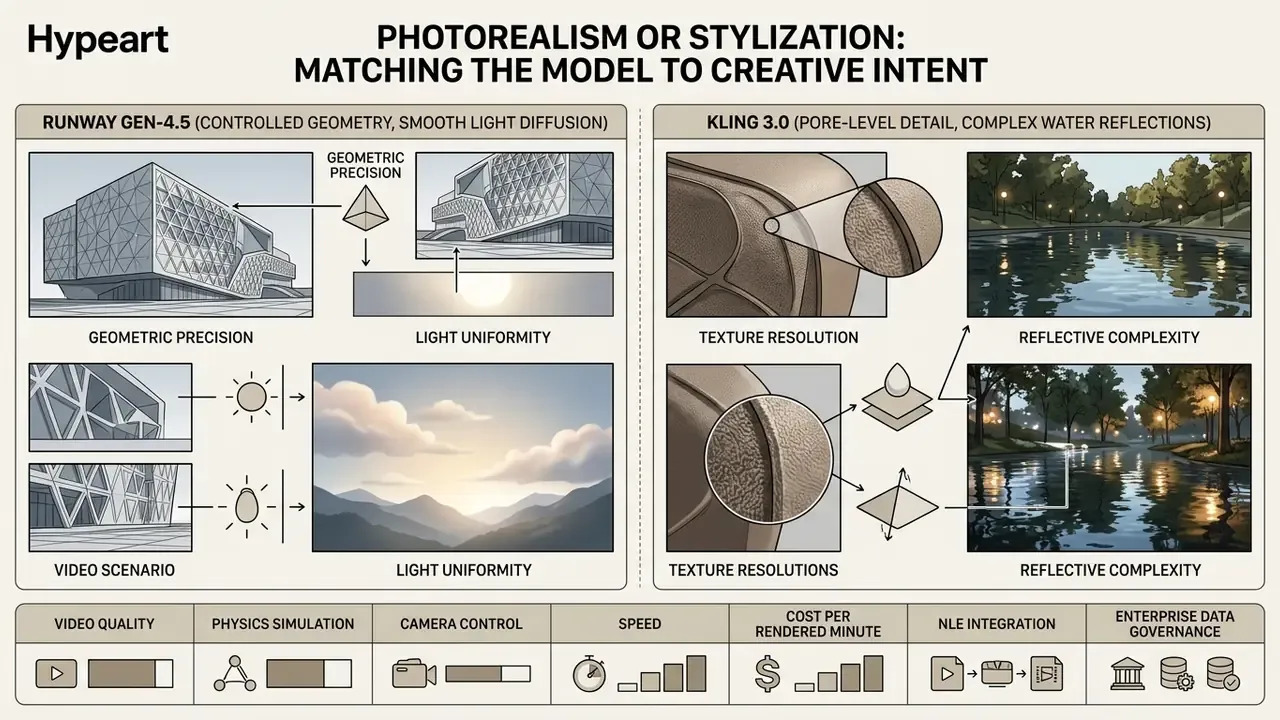
Style requirements often settle the choice before benchmarks do. Runway Gen-4.5 is tuned for controlled photorealism and precise stylistic emulation, responding accurately to prompts that specify lens focal length, film grain and a defined colour palette; Runway's model documentation positions Gen-4.5 for "high realism and cinematography" and Gen-4 / Aleph for editing and stylization. Kling 3.0 is more flexible in expressive, physically dynamic scenes, which suits high-impact commercial B-roll, natural elements and stylized 3D animation, and its official style guides ship stylized targets outright (clay, 3D cartoon, retro film). Evidence note (updated): the Picsart Model Report (2026) commonly cited in this comparison does not disclose test methodology, so treat its ranking as qualitative rather than measured.
Teams building stylized assets from still artwork may also want our guide to animation makers and our online photo editor comparison for upstream asset preparation.
Motion, Physics and Camera Control: Where You Get More Control
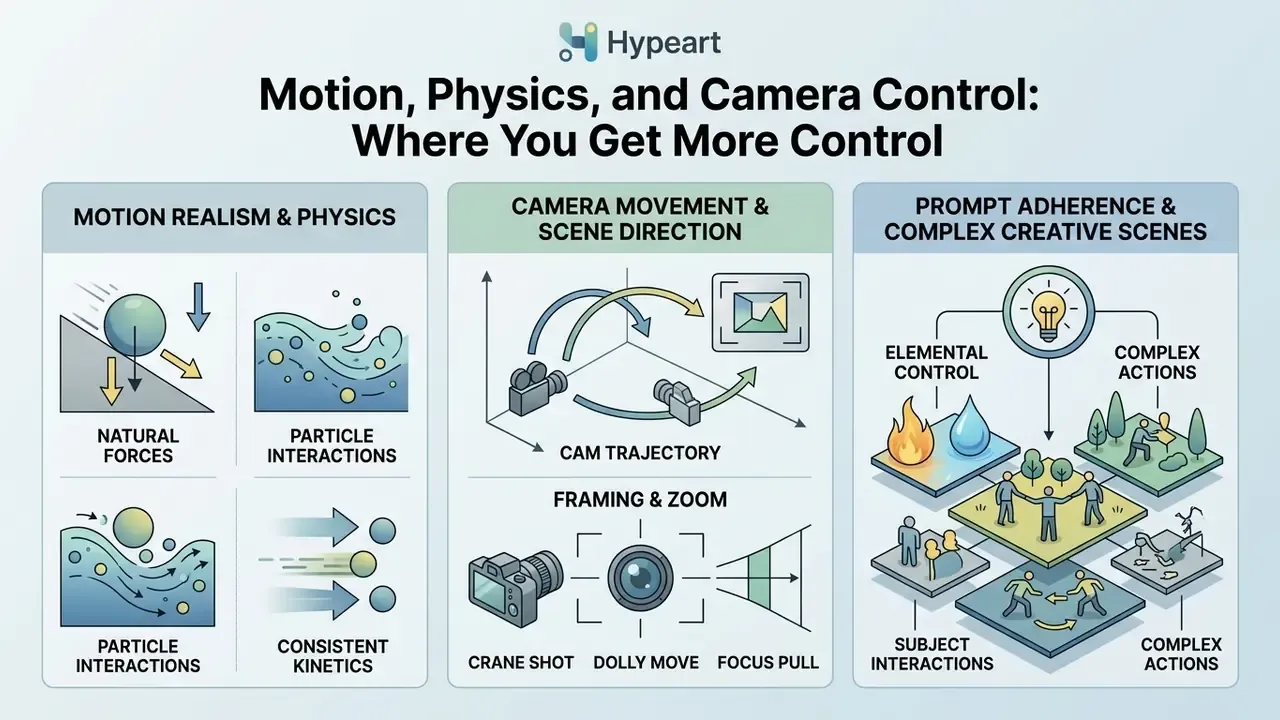
Control over subject motion, physical interaction and camera trajectory separates a toy generator from a production tool. Marketing decks love the phrase "perfect physics." Empirical benchmarks say every current model still works with perceptual approximations of physical law.
Motion Realism and Physics in Dynamic Video
Academic evaluations of generative video physics show current models scoring below 0.60 on strict compliance with physical laws, with routine violations of momentum and gravity in complex scenes.
Inside those limits, Kling 3.0 gives better perceptual physics for fluids, cloth and particle collisions, and its prompt-syntax documentation exposes explicit gravity, friction and collision layers. Runway Gen-4.5 prioritises motion smoothness and frame stability, softening jarring artifacts by keeping motion boundaries conservative, though Runway's guidance still admits object-permanence failures where occluded objects fail to reappear correctly. Governance takeaway, stated plainly: neither model should be trusted for physically instructive or evidentiary content without human review.
Camera Movement, Framing and Scene Direction
Implementation differs sharply. Runway Gen-4.5 ships Director Mode with explicit sliders for horizontal pan, vertical pan, zoom, roll and tilt, values from -100 to +100, plus speed adjustment and a static-camera option (Runway Help Center, 2026). Directors can programme a repeatable move and reproduce a locked trajectory across takes. Kling AI is preset-driven: six standard camera moves (horizontal, vertical, zoom, pan, tilt, roll) and four "Master Shots" such as pan-left with zoom-in. The framing is dramatic, the customization coarser. Neither vendor publishes a quantified trajectory-accuracy metric, so trajectory fidelity remains a documentary difference rather than a measured one.
Prompt Adherence and Control of Complex Creative Scenes
Multi-subject scenes need spatial precision. Runway's prompting guidance leans on positional anchors, for instance "the woman on the left walks forward, the man on the right stays still", to control independent elements inside one frame (Runway Prompting Guide, 2026). Kling 3.0 parses multimodal instructions to manage multi-element scenes and supports pinning first and last frames with images, bounding where motion starts and ends, although spatial ambiguity can still cause subject merging during fast movement. Recent research on in-video instructions confirms that visually grounded directives outperform text-only prompts when several objects must follow different actions.
Generation Speed, Clip Duration and Output Parameters
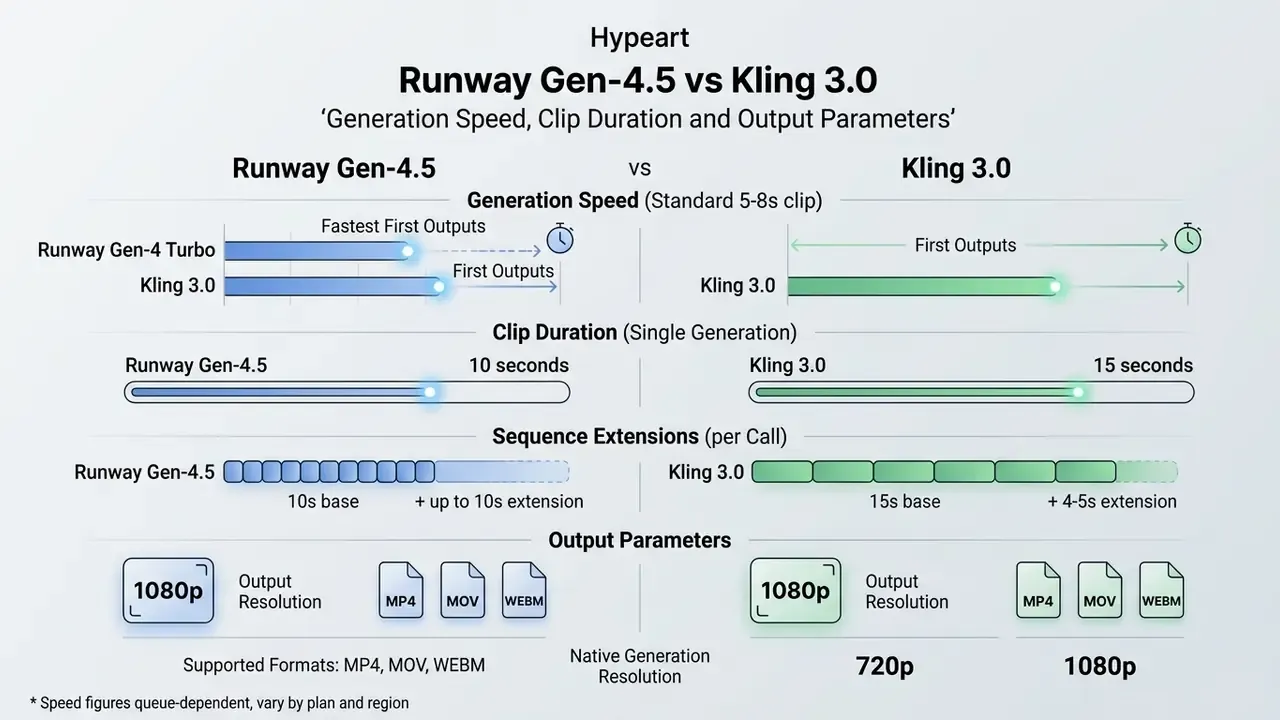
Throughput depends on latency, clip-length caps and export resolutions. Render speed also has to be weighed against credit burn and upscaling cost, since a fast model that needs four attempts is not fast.
Speed, Turbo Mode and Time to First Usable Result
Maximum Duration, Resolution and Supported Formats
Runway Gen-4.5 generates single clips up to 10 seconds at a native 720p generation resolution, with 1080p available through the developer API and 4K export via an integrated AI upscaler (Runway Documentation, 2026). Documented output ratios include 1280x720, 720x1280, 960x960, 1104x832, 832x1104 and 1584x672, covering standard social formats (16:9, 9:16, 1:1) and cinematic widescreen (21:9).
Kling 3.0 supports single generations up to 15 seconds, sequence extensions of 4 to 5 seconds per call to a documented maximum near 3 minutes, and native 4K at up to 60 fps achieved with an integrated motion-interpolation pass. That gives more flexibility for long-form social clips. One caveat worth checking before you buy: some older Kling model pages still describe 1080p generation with 4K upscaling. The 4K-native specification applies to the 3.0 line and the higher subscription tiers.
For teams delivering long-form content, our YouTube video editor workflow guide covers stitching, chaptering and publishing generated sequences.
Workflow and Built-in Creative Tools: What Works Better for Teams
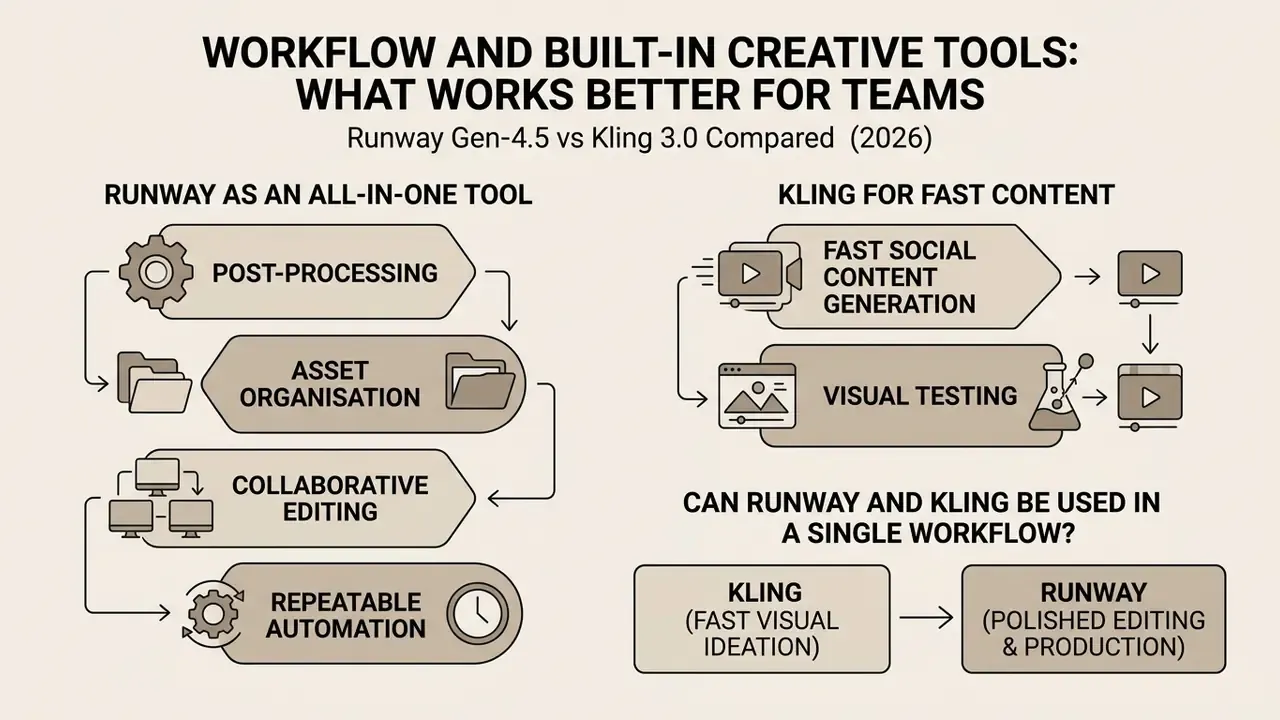
Enterprise adoption depends on software that supports post-processing, asset organisation, collaborative editing and repeatable automation. A great model with no pipeline hooks becomes a browser tab nobody logs.
Runway as an All-in-One Tool for Editing and Creative Production
Runway operates as a cloud-native creative platform with a full editor timeline, automated background removal, inpainting, clean audio, voice dubbing, text-to-speech, speech-to-speech and sound-effect endpoints (Runway Product Docs, 2026). Its node-based Runway Workflows lets production engineers chain sequential tasks (text-to-image, image-to-video diffusion, targeted inpainting, automated upscaling) into repeatable pipelines, triggered through the developer API's "run a published workflow" endpoint. That is exactly what agencies and studios need when the same treatment must land on dozens of assets identically.
Runway also reaches outside the browser through API bridges into Adobe Premiere Pro and DaVinci Resolve. Teams can trigger Gen-4.5 background renders, execute inpainting masks and pull generated passes straight into an existing timeline without manual export-import cycles, which removes real handoff friction in broadcast and agency pipelines. According to Runway's 2025 to 2026 enterprise documentation, several thousand studios and agencies run the REST API inside active commercial workflows, including campaign-scale batch generation.
Kling 3.0 stays largely self-contained. It exposes text2video, image2video, extend and lip-sync endpoints, but most teams download MP4 assets and ingest them manually into an external NLE.
One twist that reframes the whole comparison: Runway has begun exposing third-party models, Kling 3.0 among them, inside its own Workflows and Tool Mode. So "Runway vs Kling" is drifting toward a question about the orchestration layer rather than a strict either/or vendor choice.
To see how generative video tools sit alongside static design platforms and photo workflows, explore our guide to online photo editors, our review of AI voice generators for narration passes, and our analysis of free AI video generators.
Can Runway and Kling Be Used in a Single Workflow?
Yes, and a hybrid pipeline is usually the better answer. The common pattern: generate initial image-to-video in Kling AI to exploit its material physics and native sound design, then import the clip into Runway for timeline video editing, precision background masking, text overlay and targeted inpainting. Both vendors document each half of that pattern (Kling: still image to 5s/10s motion clip with first and last frame pinning; Runway: upload clip, brush mask, export inpainted result).
Two illustrative case studies, both composite and labelled as such:
Enterprise Risk, Data Governance and IP Compliance
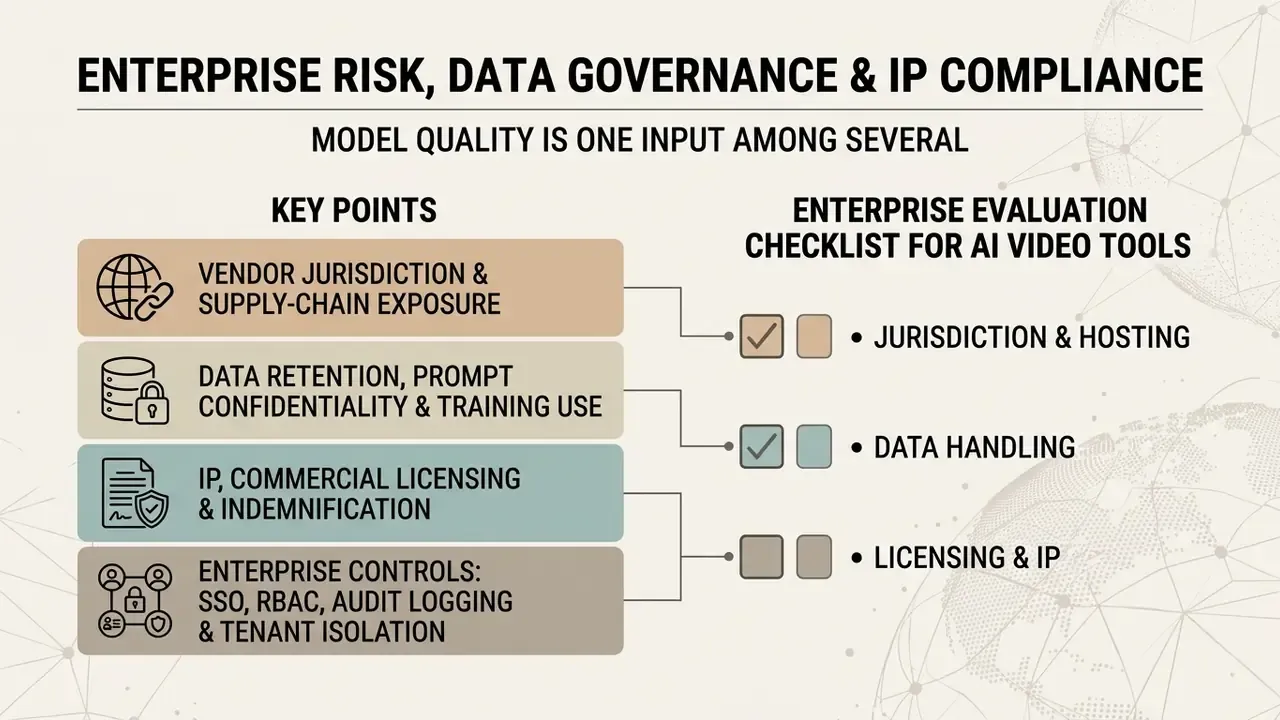
Model quality is one input among several. For regulated industries, vendor jurisdiction, data retention behaviour, licensing clarity and access controls routinely outweigh a two-point gap in perceptual quality. This is the section creative-first reviews skip.
Vendor Jurisdiction and Supply-Chain Exposure
Runway is operated by a United States company (Runway AI, Inc., founded in 2018 by Cristóbal Valenzuela, Alejandro Matamala and Anastasis Germanidis). Kling AI is developed by Kuaishou Technology, a Chinese technology group that describes Kling as its self-developed video generation large model. The service runs through separate international and domestic China endpoints, and Kling 3.0 was announced on 5 February 2026 with early access for Ultra subscribers.
For organisations subject to cross-border transfer restrictions, third-country vendor rules or sector-specific procurement policy, jurisdiction is the first gate, well before any quality comparison. Practical mitigations: restrict the Chinese-jurisdiction tool to fully synthetic, non-confidential inputs; route usage through a corporate proxy with egress logging; and record the vendor in the AI inventory so Shadow AI adoption by individual creators does not quietly happen anyway.
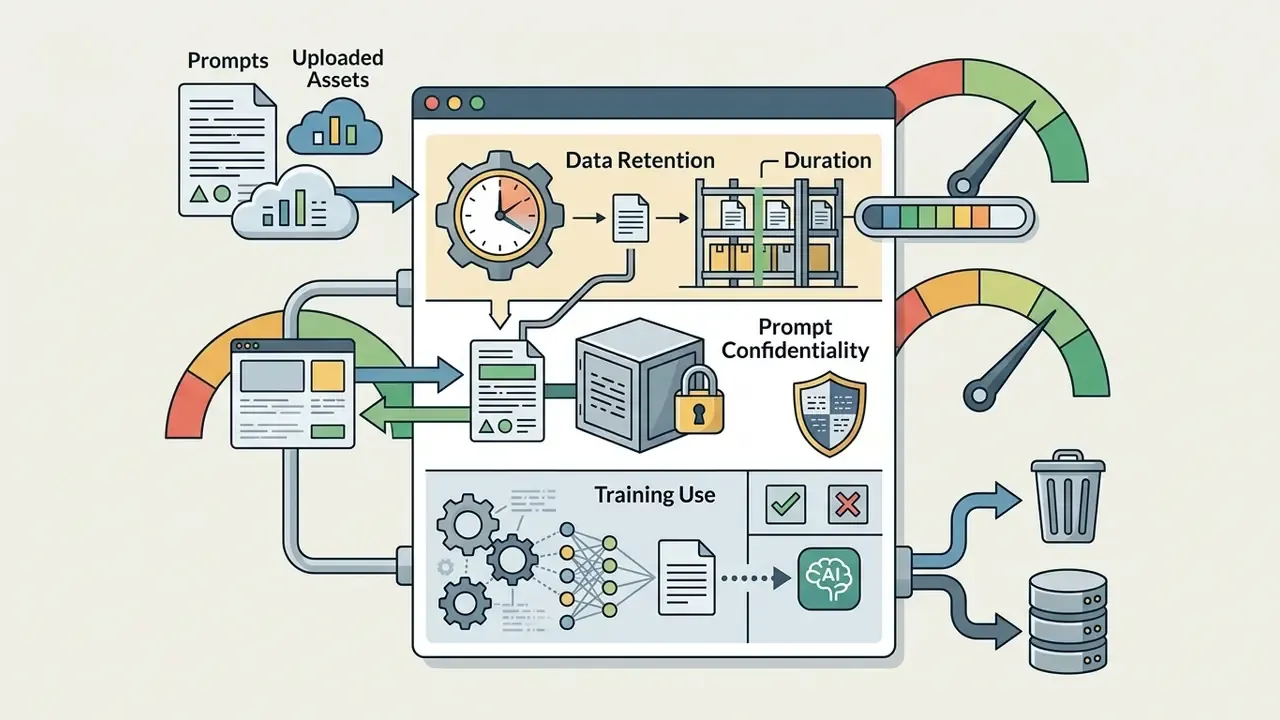
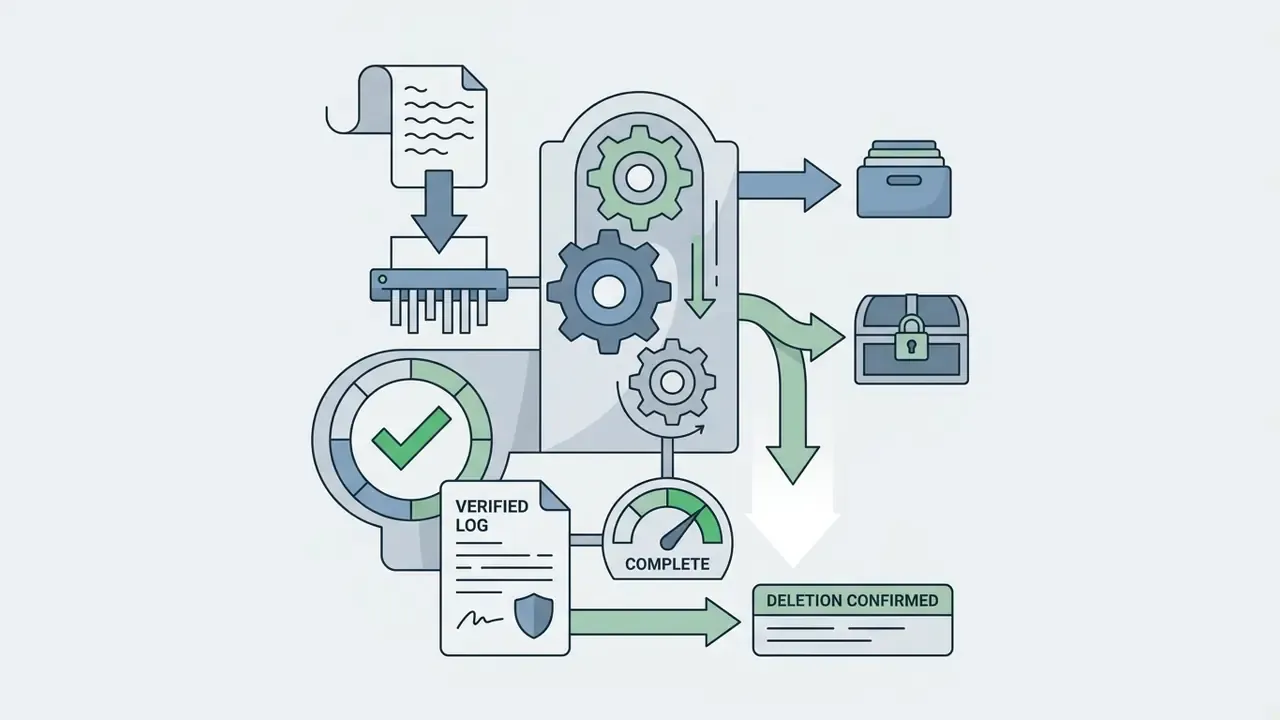
Data Retention, Prompt Confidentiality and Training Use
Both platforms accept two categories of sensitive input. Text prompts, which may leak strategy, roadmap or client names. Uploaded reference images or video, which may contain identifiable faces, unreleased packaging or an internal document visible in frame. Before approval, model-risk teams should get written answers to four questions per vendor:
Retention terms differ by plan tier and change without notice, so re-verify at every contract renewal rather than trusting a review article, including this one.

IP, Commercial Licensing and Indemnification
Licensing is the cleanest practical separator between the two platforms. Runway grants commercial usage rights on paid tiers and appears in broadcast-scale campaign work, which makes rights clearance straightforward for advertising and broadcast. Kling AI's commercial licensing documentation is comparatively restricted and tier-dependent. Free-tier output on both platforms is watermarked, resolution-capped and evaluation-only.
Three items deserve explicit contract review: whether the vendor offers copyright indemnification for generated output; whether likeness and voice rights are addressed when performance capture or voice cloning is used; and whether provenance metadata or watermarking is applied in a way that affects downstream distribution. Where a campaign involves recognisable talent, an Act-One-style performance transfer needs the same talent releases as conventional production. That one gets forgotten often.
Enterprise Controls: SSO, RBAC, Audit Logging and Tenant Isolation
Enterprise Evaluation Checklist for AI Video Tools
Seven points to clear before production approval:
- Jurisdiction and hostingcountry of incorporation, processing regions, sub-processor list documented.
- Data handlingretention period, training opt-out availability, deletion verification confirmed in writing.
- Licensing and IPcommercial rights on the purchased tier, indemnification position, watermark and provenance behaviour.
- Identity and accessSSO, RBAC, seat provisioning and deprovisioning, centralized billing.
- Auditabilityper-generation logs (user, prompt hash, model version, seed, credits consumed) exportable to SIEM.
- Human review gatemandatory sign-off before publication, with physics and factuality review for instructional content.
- Cost controlscredit caps per team, retry-rate monitoring, alerting on anomalous spend.
Runway vs Kling Pricing: Plans, Credits and Production Cost
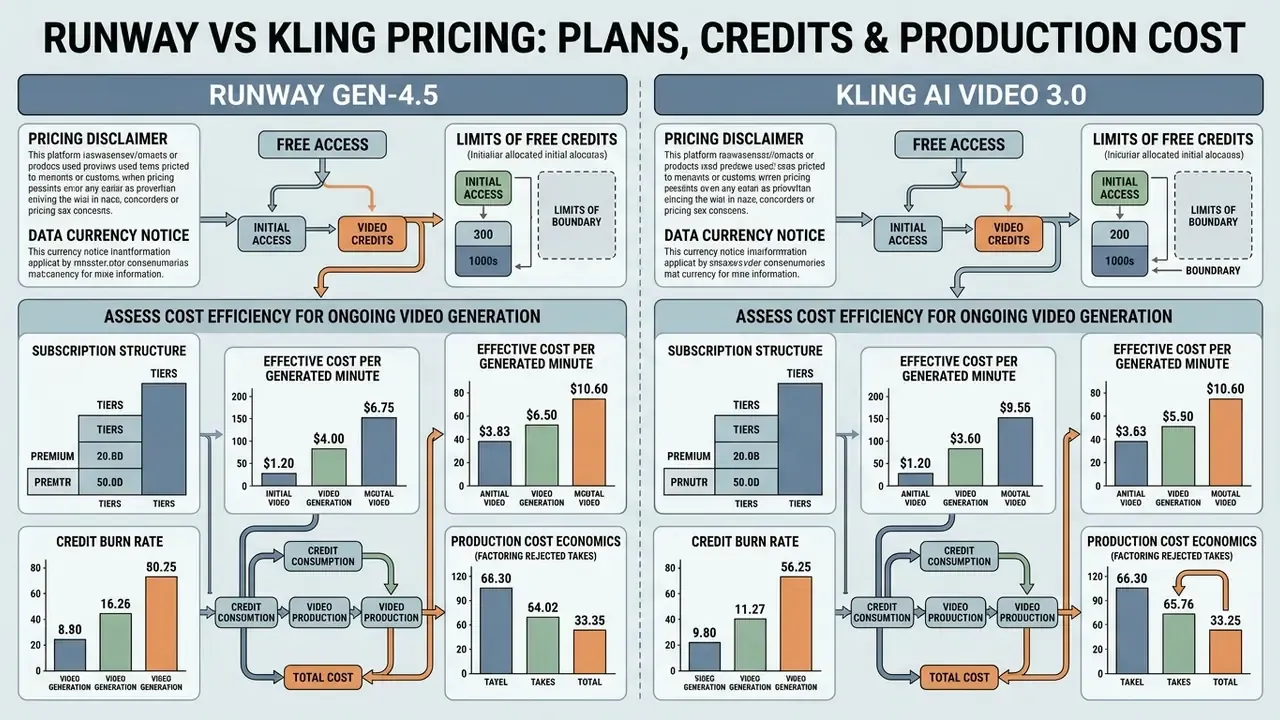
Model economics come down to subscription structure, credit burn rate and effective cost per generated minute, including the takes you throw away. For detailed matrices across generative media tools, review our hub on ai video pricing and credits.
Runway vs Kling pricing comparison (verified August 2026).
| Plan tier | Runway ML pricing and credits | Kling AI pricing and credits |
|---|---|---|
| Free tier | 125 one-time credits; 720p output; watermarked; non-renewing. | ≈66 daily credits (non-rolling); 720p/1080p output; watermarked. |
| Standard plan | $12/mo billed annually; 625 credits/mo (≈52s of Gen-4.5 video). | $6.99 to $10/mo; ≈660 credits/mo (≈110s of 720p video without audio). |
| Pro plan | $28/mo billed annually; 2,250 credits/mo (≈187s of Gen-4.5 video). | $25.99 to $37/mo; ≈3,000 credits/mo (≈250s of 1080p video with audio). |
| Max / Premier | $76/mo billed annually; 9,500 credits/mo plus Explore Mode. | $64.99 to $92/mo; ≈8,000 credits/mo (supports native 4K output). |
| Ultra / Enterprise | Custom enterprise tiers on request (SSO, seats, support). | $127.99 to $180/mo; ≈26,000 credits/mo (lowest effective cost per credit). |
Runway's published credit rates are the most transparent input available: 12 credits per second for Gen-4.5 text-to-video and image-to-video, 5 credits per second for Gen-4 Video Turbo, and $0.01 per credit in the developer portal. Kling's official pricing page lists model-specific credit costs, roughly 106 credits for a 5-second 720p Kling 3.0 text-to-video generation, while third-party 2026 summaries diverge on plan naming. Another reminder to verify tiers at the source.
Free Access and the Limits of Free Credits
Both platforms offer restricted entry points, and anyone weighing zero-cost options should also scan the wider field of free AI video generators. Runway grants a one-time 125 credits at registration, enough to test basic generation with no monthly replenishment (Runway Pricing, 2026). Free exports are watermarked and capped at 720p. Kling AI offers roughly 66 daily credits that expire every 24 hours, permitting short daily tests at 720p to 1080p with visible watermarking and no commercial rights. Neither free tier survives client-facing delivery. They are evaluation sandboxes, and the resolution caps alone will fail broadcast QC.
How to Assess Cost Efficiency for Ongoing Video Generation
Cost efficiency is credit consumption per second multiplied by your retry rate. On Runway Gen-4.5, generation costs 12 credits per second, or $0.12 per second at standard developer API rates ($0.01 per credit), so a finished 10-second clip runs $1.20 before upscaling (Runway Dev API Docs, 2026). Extrapolated linearly, a full minute of Gen-4.5 output equals 720 credits, or $7.20 in raw developer credits before any discarded attempts. Kling 3.0 charges 6 to 12 credits per second for 720p and 1080p output, and 30 credits per second for native 4K.
«A five-second 4K clip costs roughly $2.00 on the Standard plan; the Ultra subscription lowers 100 credits to about $0.62.»
Cost-per-minute view. Measured on rendered minutes rather than credits, the gap widens:
For a marketing team shipping 100+ social ads a month, Kling cuts raw generation spend by 50 to 60%. Runway claws that back through post-production time saved by its built-in NLE, inpainting and workflow automation. For high-volume 4K B-roll, Kling's Ultra tier drops effective credit cost to roughly $0.62 per 100 credits, the strongest volumetric efficiency in this comparison.
Risk-adjusted cost formula. Raw cost per minute understates the truth, because a real share of generations gets rejected for physics artifacts, identity drift or prompt misses. Model the effective figure:
Effective cost per approved second = (credits per second x credit price) / (1 - rejection rate)
At a conservative 35% rejection rate, Runway Gen-4.5's $0.12 per second becomes ≈$0.18 per approved second, near $11.08 per approved minute, while a Kling 1080p pass at $0.06 per second becomes ≈$0.09 per approved second. Then add reviewer time, usually the largest hidden line item in regulated environments, and multiply by the number of language or aspect-ratio variants required. Measure your own rejection rate across the first 100 generations. Do not assume a vendor-implied 1:1 hit rate; nobody hits 1:1.

Data currency and pricing notice (E-E-A-T):
FAQ: Runway vs Kling, Answered
Can Runway and Kling AI be used together in a single production?
Yes, and most professional teams do exactly that. A common enterprise workflow renders initial physical environments, fluid dynamics and native multilingual audio in Kling 3.0 (lower cost, stronger perceptual physics), then imports the footage into Runway Gen-4.5 for timeline editing, Act-One lip-sync and performance transfer, inpainting and localized object removal. Runway also exposes Kling models inside its own Workflows, so a single orchestration layer is possible.
Which generator provides longer continuous video clips?
Kling AI. Single generations reach 15 seconds, with native extensions of 4 to 5 seconds per call up to a documented total near 2 to 3 minutes. Runway Gen-4.5 caps single renders at 10 seconds, so longer sequences need timeline chaining or extension passes.
Do Runway or Kling offer commercial usage rights on free tiers?
No. Free tiers on both platforms are non-commercial evaluation only, capped at 720p and watermarked. Commercial licensing starts at a paid Standard plan, and Runway's commercial terms are the better documented of the two for broadcast-scale use.
Which tool is better for realistic human motion?
Kling 3.0 usually produces walking, dancing and full-body motion that reads as less synthetic, thanks to physics-aware secondary motion. Runway wins on facial performance when Act-One is in play, because the expression comes from a real recorded take instead of being inferred from a prompt.
Which is cheaper overall?
Kling, on raw generation cost: roughly $0.08 to $0.15 per rendered minute against $0.20 to $0.35 for Runway. If your pipeline needs masking, object removal, retiming and timeline assembly, Runway's built-in tooling can still lower total production cost despite the higher per-minute rate.
Do these tools require coding skills?
Not for everyday use. Both offer prompt-based visual interfaces. API integration, published-workflow automation and NLE bridge configuration do need basic developer skills.
Which platform is safer for a regulated enterprise?
Runway is the lower-friction option for US and EU regulated buyers, given its US incorporation, clearer commercial licensing and custom enterprise tiering. Kling can still be used, typically under a narrower policy: synthetic-only inputs, no confidential prompt content, proxied egress, documented inclusion in the corporate AI inventory.
Can I switch platforms later, or am I locked in?
Both export standard video files, so switching costs are low at the asset level. Real lock-in comes from workflow investment: saved Runway Workflows, prompt libraries, reference-image sets. Keep prompts and reference assets in your own storage, not only inside a vendor UI.
How many attempts should I budget per usable clip?
Budget 1.4 to 2 generations per approved clip on straightforward prompts, and more on complex physics or multi-subject scenes. Human-evaluation studies report roughly 67% agreement across repeated ratings, which mirrors the run-to-run variance production teams actually see.
Final Summary: Which Generator Should You Choose?
- Choose Runway if: you need precise camera parameter control (Director Mode), Act-One / Act-Two performance capture, an integrated cloud timeline, advanced inpainting and background removal, REST API plus Premiere Pro and DaVinci Resolve integration, clear commercial licensing, and predictable single-shot prompt adherence for film, TV, brand advertising or regulated-industry work.
- Choose Kling AI if: you need native 4K, multi-shot scene generation, stronger physical motion rendering (fluids, fabrics, hair, particle collisions), native synchronized multilingual audio, longer extensions, and the lowest cost per rendered minute for high-volume social content.
- Choose both if: your pipeline is volume-heavy at the front end and control-heavy at the back end. Generate in Kling, finish in Runway, and enforce one logging and review gate across both. That hybrid is where most professional 2026 pipelines have quietly converged.
A safe next step, if you sit inside a regulated institution: run a 50-prompt bake-off on synthetic inputs only, log seeds and rejection rates, and put both vendors through the seven-point checklist before anyone signs an annual plan. Small pilot, documented evidence, then scale.