Last updated: February 2026 · Reviewed for: platform specifications, accessibility standards, export parameters · Editorial owner: AI Media editorial desk
Key Takeaways
- Two different timers exist. The rendered outro segment in your edit should run roughly 15 to 30 seconds, while YouTube's interactive end-screen overlay can only occupy the final 5 to 20 seconds of a video that is at least 25 seconds long (Google YouTube Help Center, 2026. https://support.google.com/youtube/answer/6388789).
- Curated beats generic. Video and playlist elements consistently outperform a bare subscribe button, and a spoken verbal bridge pointing at the on-screen card is the single strongest lever on click-through.
- Design for overlays, not around them. Reserve clean negative space for 300×300 px interactive boxes, keep text inside the 90% title-safe area, and hold at least a 4.5:1 contrast ratio.
- Ship clean files. Export MP4 / H.264 / AAC-LC 48 kHz at native 16:9, verify watermark-free rendering, and confirm asset import limits before you start designing.
Quick Specification Reference
Before you open a template, it helps to have the hard numbers in one place. These constraints are set by the platform, not by your editor, and no design trick works around them.
| Parameter | Value | Why it matters |
|---|---|---|
| Minimum total video length | 25 seconds | Below this, the end-screen editor stays locked |
| Interactive overlay window | 5 to 20 seconds | Cards appear only inside this trailing window |
| Maximum interactive elements | 4 | At least one must be a video or playlist |
| Minimum element size | 300×300 px | Reserve negative space here, keep faces and captions out |
| Aspect ratio | 16:9 (1920×1080 or 3840×2160) | Vertical formats get no end screens at all |
| Text contrast | 4.5:1 normal, 3:1 large | Accessibility floor under WCAG 1.4.3 |
Keep that table next to your timeline. Most failed outros are not ugly, they simply break one of these six lines.
What Is a YouTube Outro Template and Why Your Channel Needs One
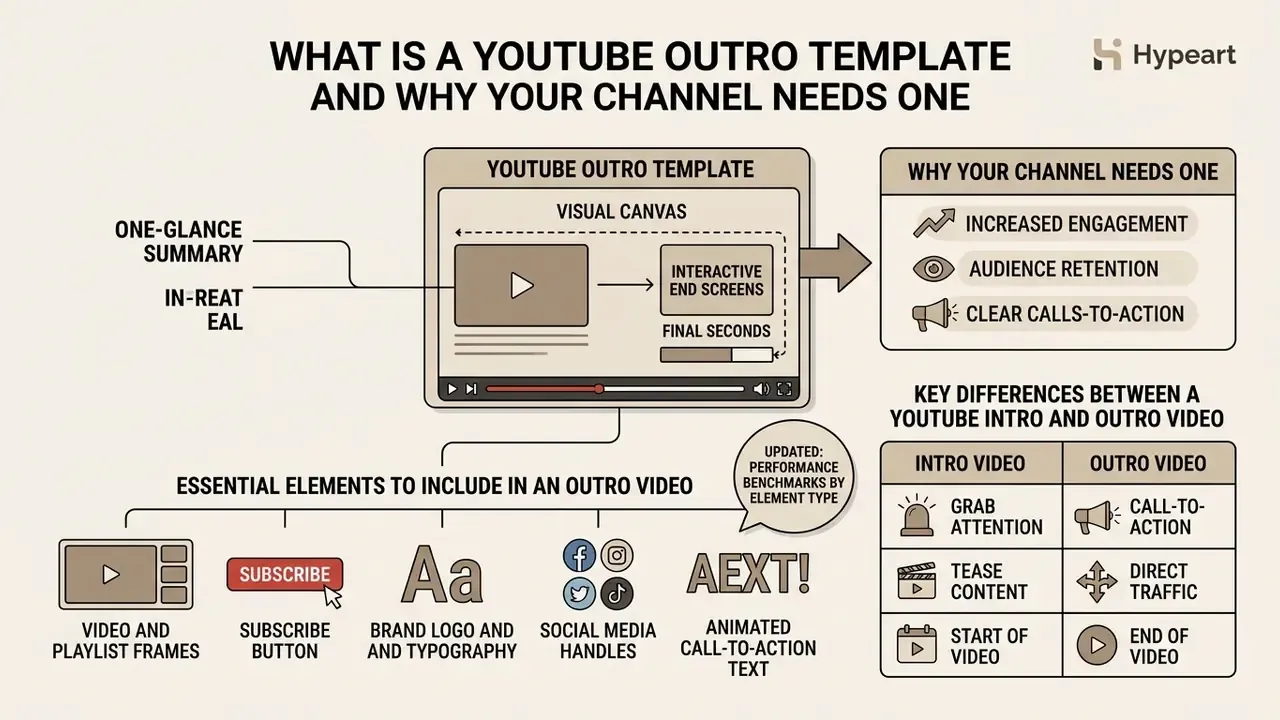
A youtube outro template is the visual canvas that hosts interactive end screens during the final seconds of a youtube video. According to official platform specifications, end screens can be configured only within the final 5 to 20 seconds of a video, provided the total video length is at least 25 seconds (Google YouTube Help Center, 2026. https://support.google.com/youtube/answer/6388789).
End screens also carry eligibility limits that many creators discover only after export, which is an expensive moment to learn a rule.
«End screens are unavailable for Shorts, Made for Kids content, 360° video, and the YouTube Music app, and require a minimum video length of 25 seconds.»
«Video or playlist elements consistently return click-through rates two to four times higher than the subscribe button, with a median of roughly 3 to 4%.»
Optimized end screens are commonly reported to generate between 3% and 8% of a channel's total views, with the exact figure depending heavily on audience niche, CTA placement, and whether a verbal cue accompanies the card (InstantViews, 2026). Treat these ranges as directional benchmarks rather than guarantees. Published creator-side datasets rarely disclose sample size or methodology, so your own YouTube Analytics report stays the authoritative measurement. YouTube itself defines the metric precisely as end_screen_element_click_rate = end_screen_element_clicks / end_screen_element_impressions (Google Developers, YouTube Reporting API metrics, 2026. https://developers.google.com/youtube/reporting/v1/reports/metrics), which means every optimization decision can be validated against one platform-reported number.
Essential Elements to Include in an Outro Video
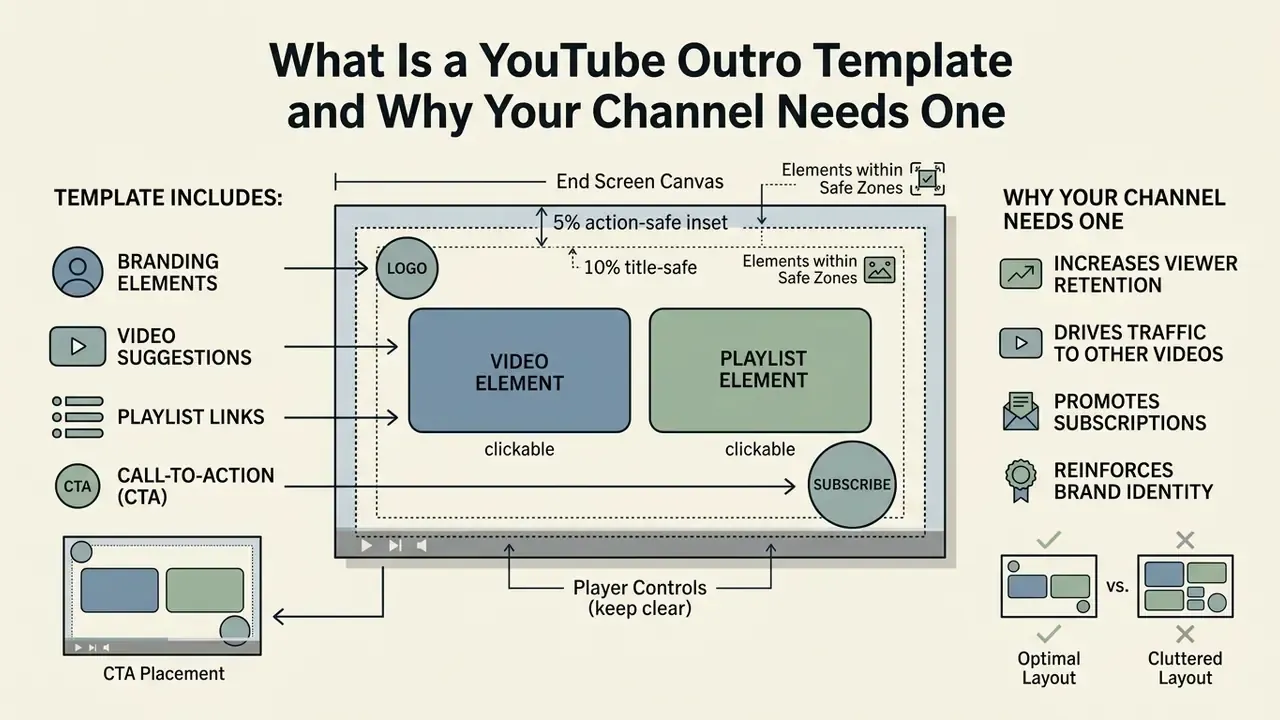
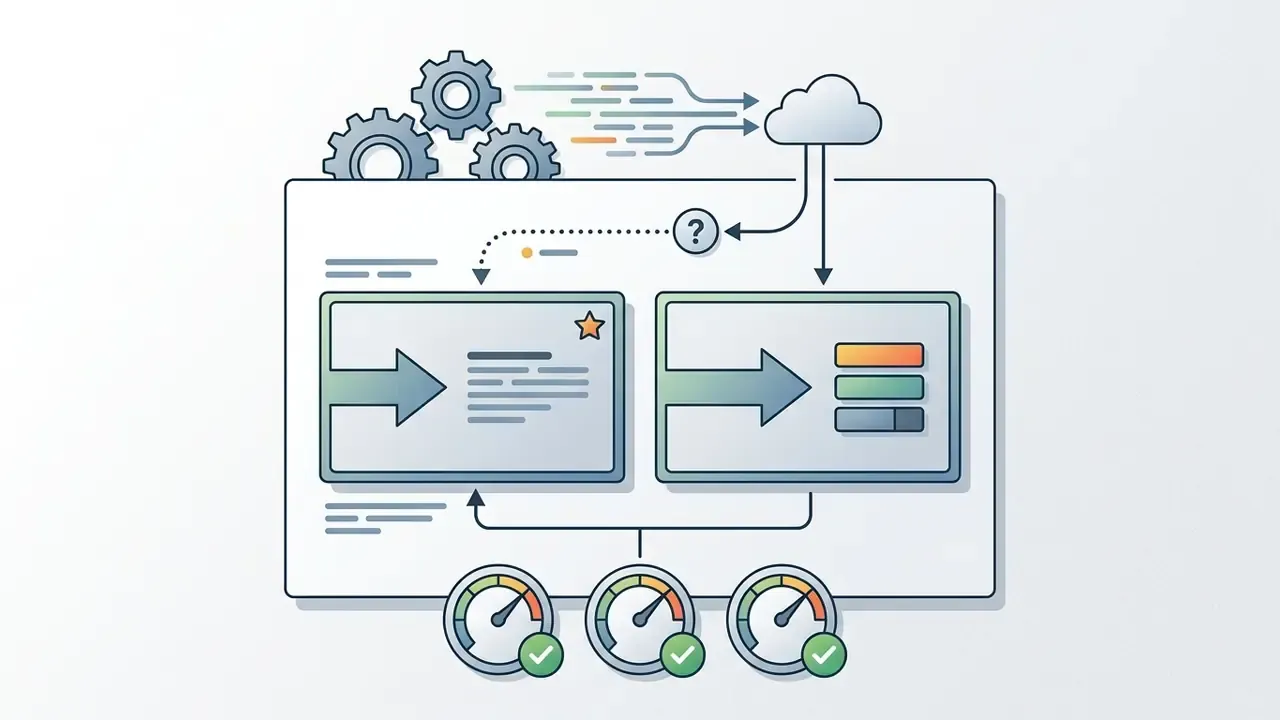
An effective outro layout balances interactive platform overlays against static branding graphics, otherwise the frame turns into noise. Platform rules allow up to four interactive elements during the closing 5 to 20 second window, and at least one must be a video or playlist recommendation (Google YouTube Help Center, 2026).
To protect click-through, a professional layout should reserve distinct zones for:
Because viewers can dismiss end screens manually, the template's job is to present clickable options attractively rather than to force interaction. One more argument, then, for legible and uncluttered composition.
Key Differences Between a YouTube Intro and Outro Video
A youtube intro works on immediate hook retention within the first 3 to 30 seconds. A youtube outro works on conversion, at the point where the viewer has already invested attention. YouTube analytics evaluations frame a typical intro around a 30-second benchmark to gauge whether 50% or more of the audience is still watching (Google YouTube Help Center, 2026).
Retention data tells the other half of the story: roughly 16% of total viewers reach the final 10 seconds of a video on average (Stripo YouTube Benchmarks Report, 2025). That figure explains why calls to action should not live exclusively in the final card. A mid-roll prompt reaches a far larger share of the audience than the end screen ever will.
So the intro exists to prevent immediate drop-off, while the outro targets high-intent viewers who finished the core narrative.
A logo intro establishes identity at the outset, while the closing sequence pairs the brand mark with actionable end-screen overlays to drive session continuation. In practice the most resilient setup combines both: an engagement ask in the middle of the video, and a navigational ask (next video or playlist) at the end. Two asks, two different jobs.
How to Choose a Free YouTube Outro Template for Your Video Style
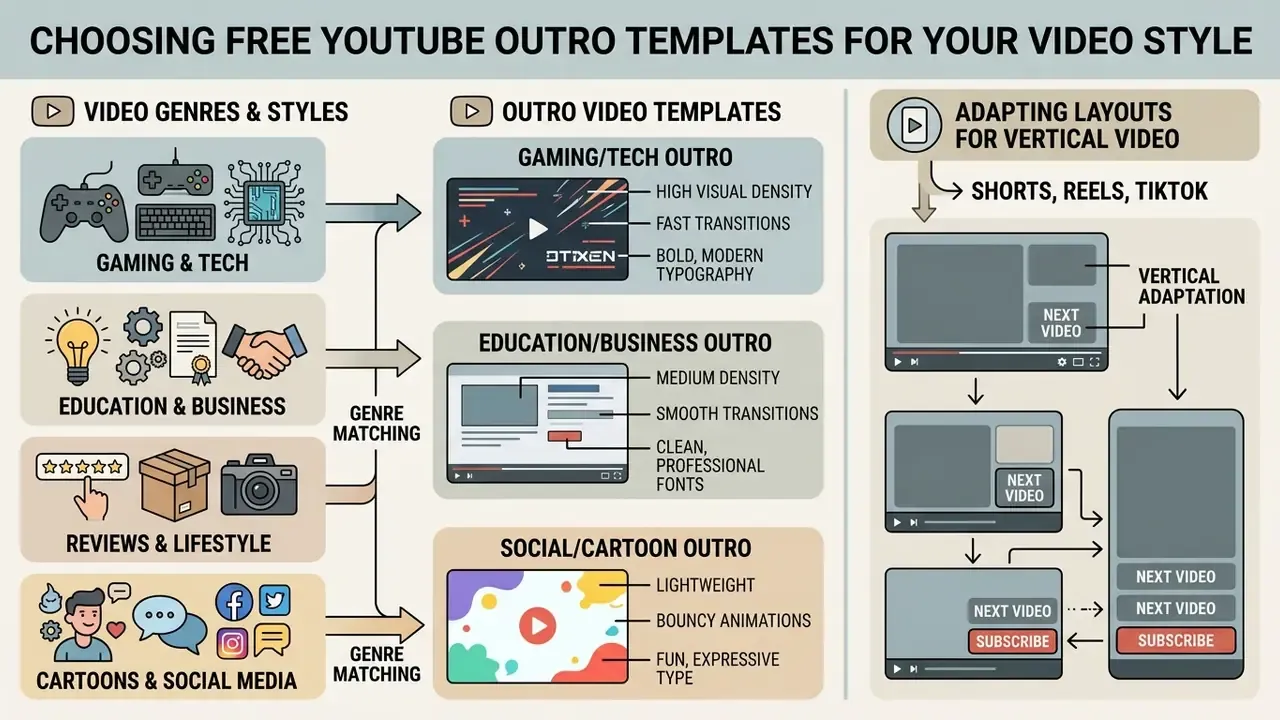
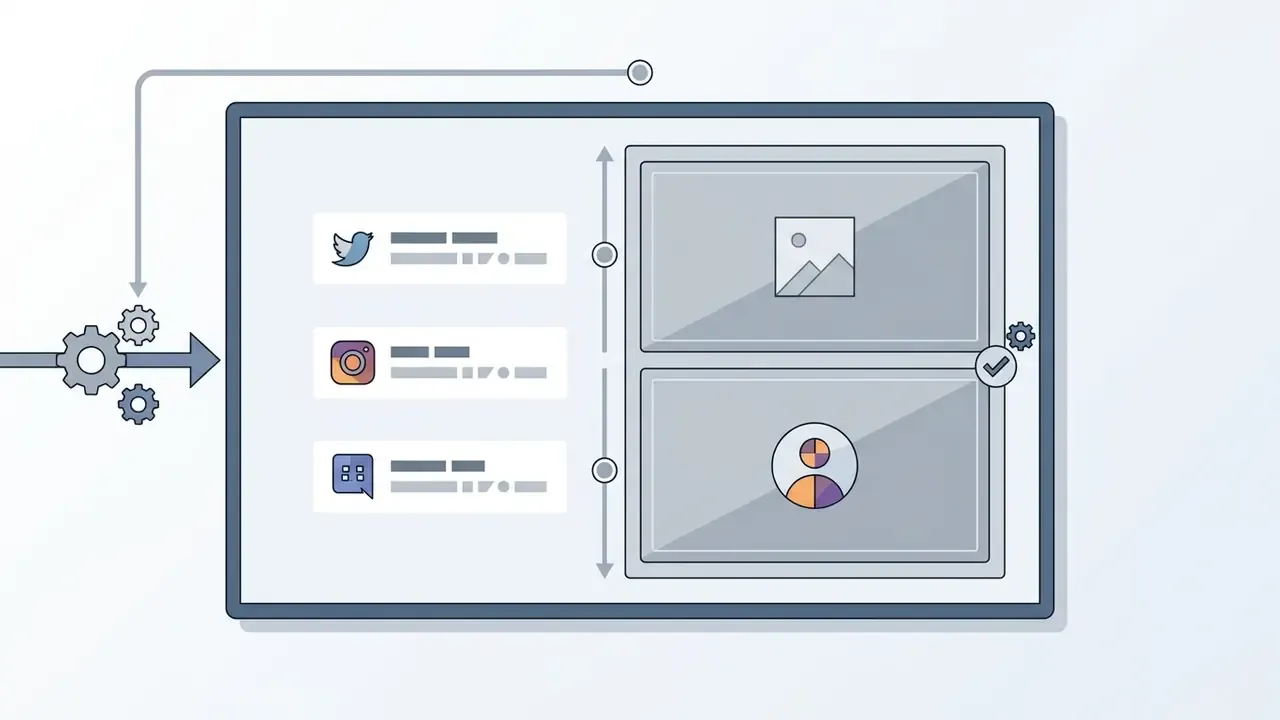
Selecting an appropriate free youtube outro template means matching visual density, transition speed, and typography to the genre of the youtube channel. A free outro template has to preserve clean negative space so platform overlays never cover critical graphics or text. Whether you pick an outro youtube template free for gaming, education, or corporate production, the base video template should look eye catching without creating interference once the same clip is repurposed across social media distribution.
Comparative selection criteria for free YouTube outro templates across channel genres
| Channel Category | Animation and Motion Style | Logo & Brand Placement | Video Clips & Overlay Zones | Primary Call to Action |
|---|---|---|---|---|
| Gaming | High-energy neon or cyberpunk glitch effects, dynamic particle transitions. | Corner emblem with high contrast, neon glow accents. | Two large 16:9 video placeholders for next episode and gameplay highlights. | "Watch Next Episode" or "Join Stream" |
| Tech & Hardware | Sleek minimalist HUD overlays, subtle geometric lines, dark-mode backgrounds. | Clean vector mark in the title-safe zone, monochrome palette. | Single dominant video placeholder paired with a playlist container. | "Full Review Link Below" or "Compare Benchmarks" |
| Educational & Business | Restrained motion, subtle fades, high-legibility typography, neutral backgrounds. | Formal corporate logo with the official brand font pairing. | Structured playlist box paired with a direct subscribe icon. | "Continue Course" or "Download Case Study" |
| Reviews & Vlogs | Warm aesthetic, smooth lower-third wipes, soft color transitions. | Personal brand avatar or channel mark, centered or bottom-left. | Curated video box alongside a recent-upload container. | "Subscribe for Weekly Reviews" |
| Animation & Cartoon | Vibrant 2D/3D motion, sticker overlays, character poses, playful spring curves. | Animated character avatar integrated with the channel name. | Central video frame surrounded by custom graphic borders. | "Watch Next Short" or "Follow Socials" |
Genre fit is only half of the decision. Before committing to a layout, confirm that the video outro template ships as an editable project file (Canva design, Figma frame, After Effects composition, or a timeline preset) rather than a flattened MP4, and that the download tier allows unbranded export. Creators comparing toolchains at this stage often start from an overview of free video editing software options so the template format matches the editor they already run every week.
Templates for Gaming and Tech YouTube Videos
Gaming and technology content demands fast, high-contrast framing. Outro templates in this category frequently use cyberpunk glitch effects, holographic HUD graphics, circuit-board patterns, and energetic sound cues (VideoBolt Branding Guide, 2026).
When you design a tech or gaming end screen, keep clear lower-third areas for the interactive video boxes and give the subscribe button a prominent but non-competing corner. High-energy audio stingers should fade smoothly during the final 5 seconds so the transition into the recommended gameplay or hardware review clip feels intentional. Typography here usually leans on bold display faces with neon accents. Check legibility at 360p before locking anything, because glow effects tend to destroy contrast on compressed mobile streams. That test takes two minutes and saves a rebuild.
Outro Video Templates for Education, Reviews, and Business
Educational and corporate channels need minimalist outro designs that put readability first. Busy animated backgrounds pull attention away from the follow-up module or the business case study you actually want clicked.
A clean business template uses simple background textures, restrained typography, and clearly demarcated zones for related video clips. Reserving a quiet 15-second window lets the presenter deliver a spoken summary while pointing directly at a structured playlist overlay. Institutional brand guides reinforce that discipline: several university video standards mandate a fixed animated logo outro at the end of every video, with graphics kept inside the 90% title-safe and 95% action-safe zones, and never overlapping closed captions.
When media teams look to extend production capacity, reviewing workflows like AI Media Workflows provides frameworks for standardizing end-card generation across a portfolio of corporate channels. Budget owners can also sanity-check per-video production cost with the site calculators before scaling an outro program across dozens of uploads.
How to Create a YouTube Outro in an Online Editor
Building a closing sequence in a modern video editor means configuring graphic assets, respecting spatial safe zones, and rendering a clean high-resolution file for video editing. With an online free intro and outro maker, or a dedicated youtube intro and outro maker, you can assemble professional assets in a browser and prepare the online video before you create youtube assets at scale. Prompt-driven AI video generator platforms can supply the background plate for that same template when stock footage is missing.
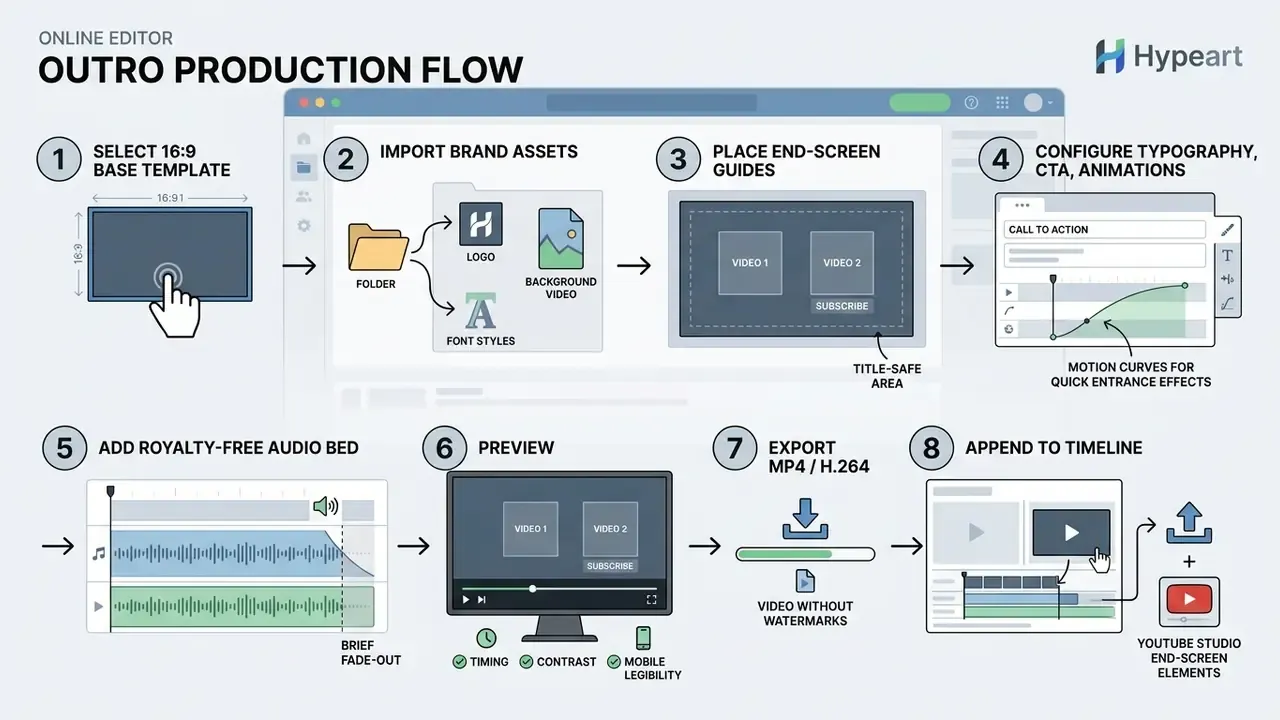
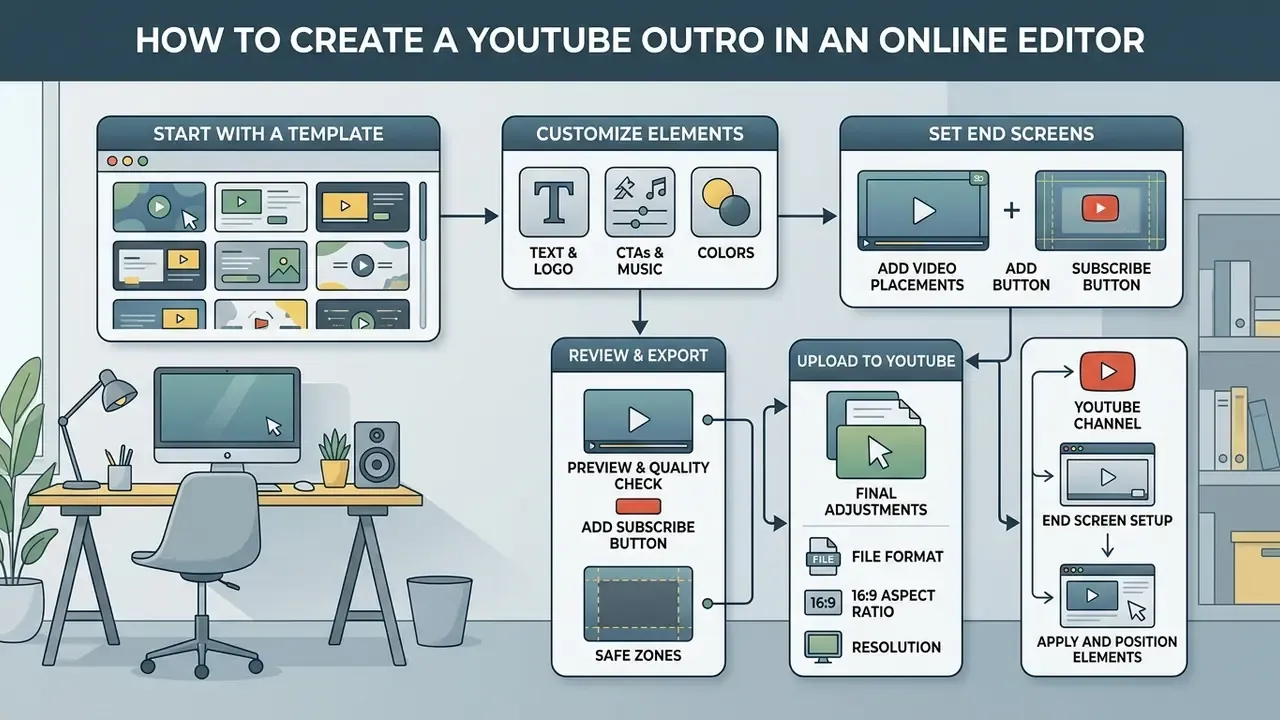
- Select a 16:9 base template.Choose a layout built for 1920×1080 HD or 3840×2160 4K output.
- Upload brand assets.Import high-resolution transparent PNG logos, background footage, and licensed brand fonts.
- Position end-screen guides.Drop non-interactive bounding boxes representing YouTube's 300×300 pixel minimum elements to verify negative space (Google YouTube Help Center, 2026).
- Configure typography and effects.Enter the CTA text, set entrance transitions such as a 1-second fade, and match color values to the brand guide.
- Add background audio.Import a royalty-free track, build a 2 to 3 second fade-out curve, and balance the bed against voiceover.
- Preview and render.Check timing across the 5 to 20 second window, then export MP4 with the H.264 codec.
Template Selection and Video Resolution Setup
YouTube end screens run on a standard 16:9 frame. Pick templates configured for 1920×1080 or 3840×2160 (Google Ads Safe Zone Standards, 2026). YouTube's own upload guidance treats 1920×1080 as 1080p and recommends a minimum of 1280×720 for 16:9 uploads, so a 4K master should be downscaled into a 16:9 composition rather than cropped into one.
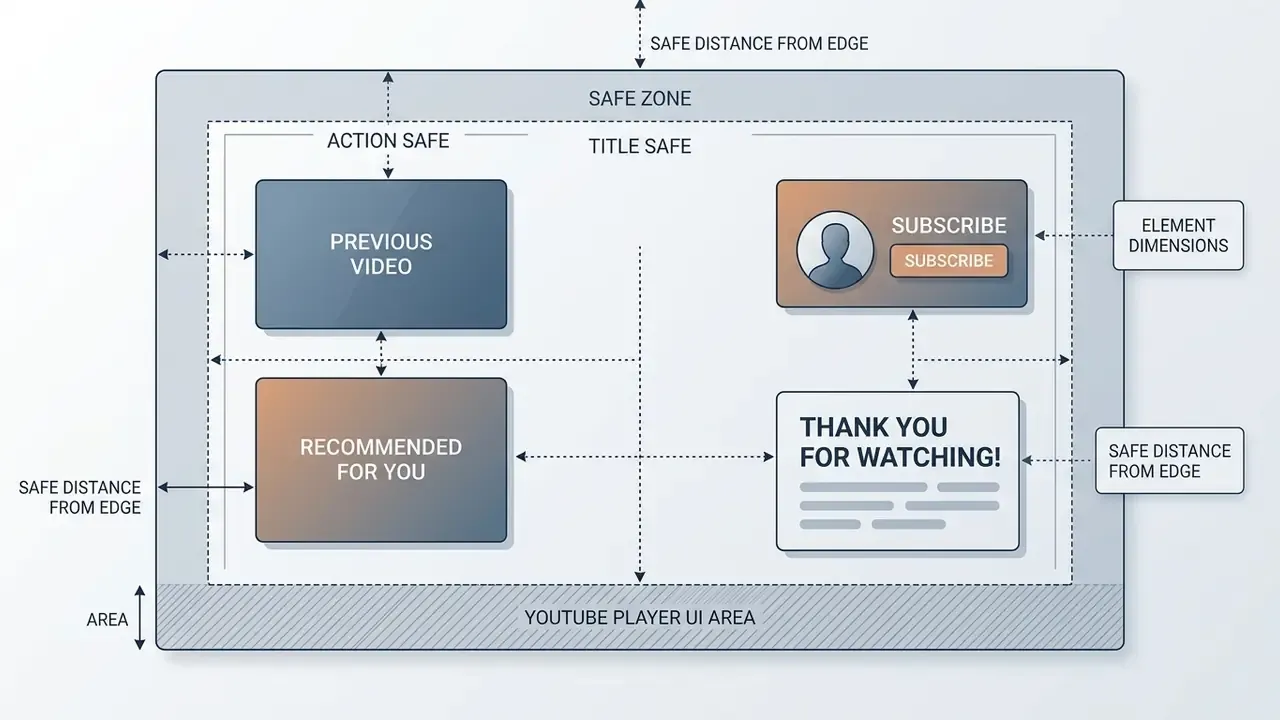
When you resize videos or adapt a composition across output formats, essential graphics such as text overlays, logos, and social handles must stay inside the 90% title-safe margin. Leaving the bottom third unobstructed keeps native player controls from covering your design on both mobile and desktop playback (InstantViews, 2026).
«A standard 16:9 end screen supports up to four interactive elements, and at least one must be a video or playlist recommendation.»
Note on outro duration limits
There is a real distinction between the rendered outro file and the platform's interactive overlay window:
- Total outro video track length: recommended between 15 and 30 seconds. That allows spoken closing remarks, a music fade-out, and a visual transition. Commercial outro makers commonly cite 20 to 30 seconds as the working norm for a standalone outro clip.
- Interactive end-screen overlay duration: restricted by YouTube Studio to 5 to 20 seconds at the very end of the video, and only for videos of at least 25 seconds total length.
Adding Logos, Custom Text, and Video Snippets
For identity continuity, place the brand mark as a transparent PNG or a vector asset. The logo usually sits top-left or top-right, paired with animated text prompting the audience to subscribe or check the follow-up content. Official brand resources also warn that the logo should never be the loudest element on frame, and that it needs a defined clear-space margin. Channels generating marks from scratch can prototype variations with an AI logo and brand asset generator before locking a final lockup.
When you drop preview video clips into the background design, mute them and keep them behind the designated end-screen borders. To speed up asset generation and keep visual elements consistent, creators often use a free avatar maker for a personalized brand avatar, or work through an AI Media Comparison to pick the rendering platform that fits their volume.
Asset Technical Specifications for Custom Outros
Before importing static graphics, vector logos, or background overlays into your video editor, verify that raw assets comply with common platform limits. Exceeding these thresholds is the most frequent cause of failed uploads and silently rasterized logos.
Import limits and recommended parameters for outro source assets
| Asset Type | Supported Formats | Maximum File Size | Recommended Resolution / Profile |
|---|---|---|---|
| Vector logos | SVG | 3 MB | SVG 1.1 profile, 150 to 300 px wide source, scale losslessly in-editor |
| Static graphics | PNG, JPEG/JPG, HEIC/HEIF, WebP (static only) | 50 MB | Max 250 million total pixels (width × height), transparent PNG-24 for logos |
| Animated overlays | GIF, MOV (ProRes 4444) | 1 GB | 1920×1080, 30/60 fps, alpha channel enabled (GIF for transparency-only workflows) |
| Background video | MP4, MPEG, MKV, MOV, WEBM | 1 GB | 1920×1080 or 3840×2160, H.264 or VP9 codec |
| Audio beds & stingers | MP3, WAV, AAC | Editor-dependent | 48 kHz, 16/24-bit, leave 3 s of tail for the fade-out |
If a source file breaches these ceilings, compress it before import rather than letting the editor transcode it silently. An overview of video compressor tools and quality trade-offs explains how to cut file size without visible degradation on end-screen thumbnails.
Previewing, Exporting, and Publishing Your Outro
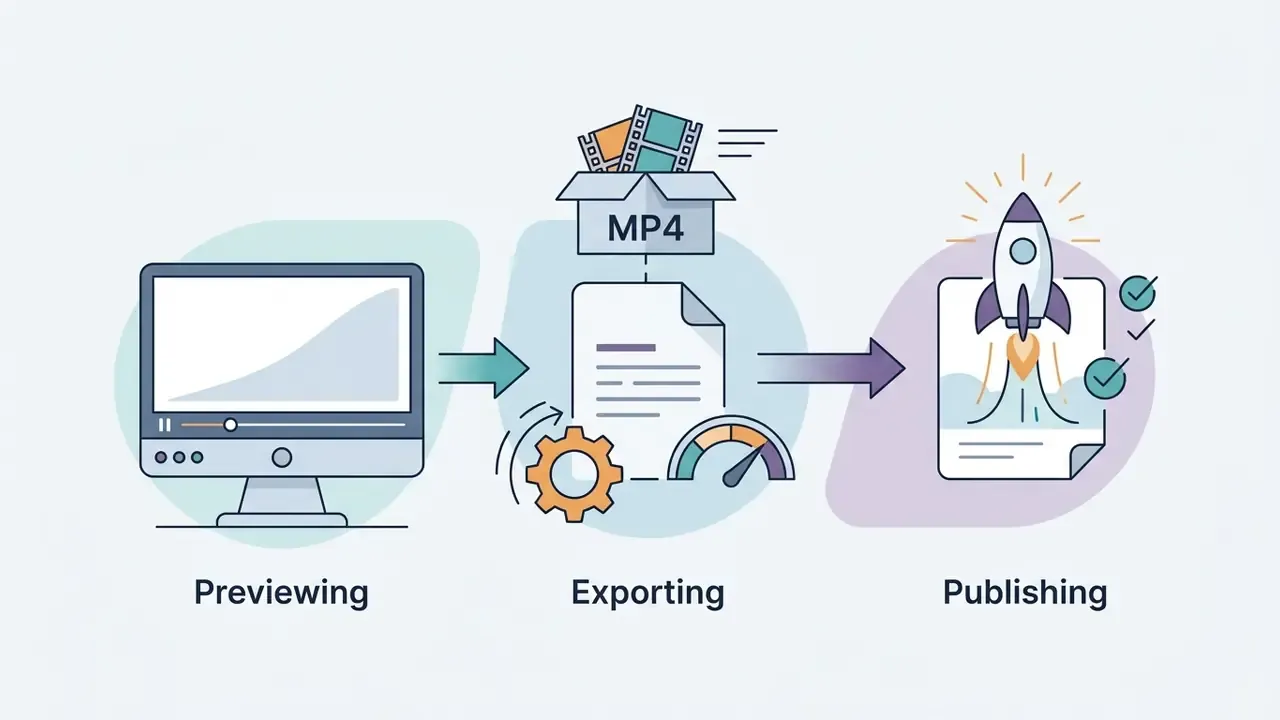
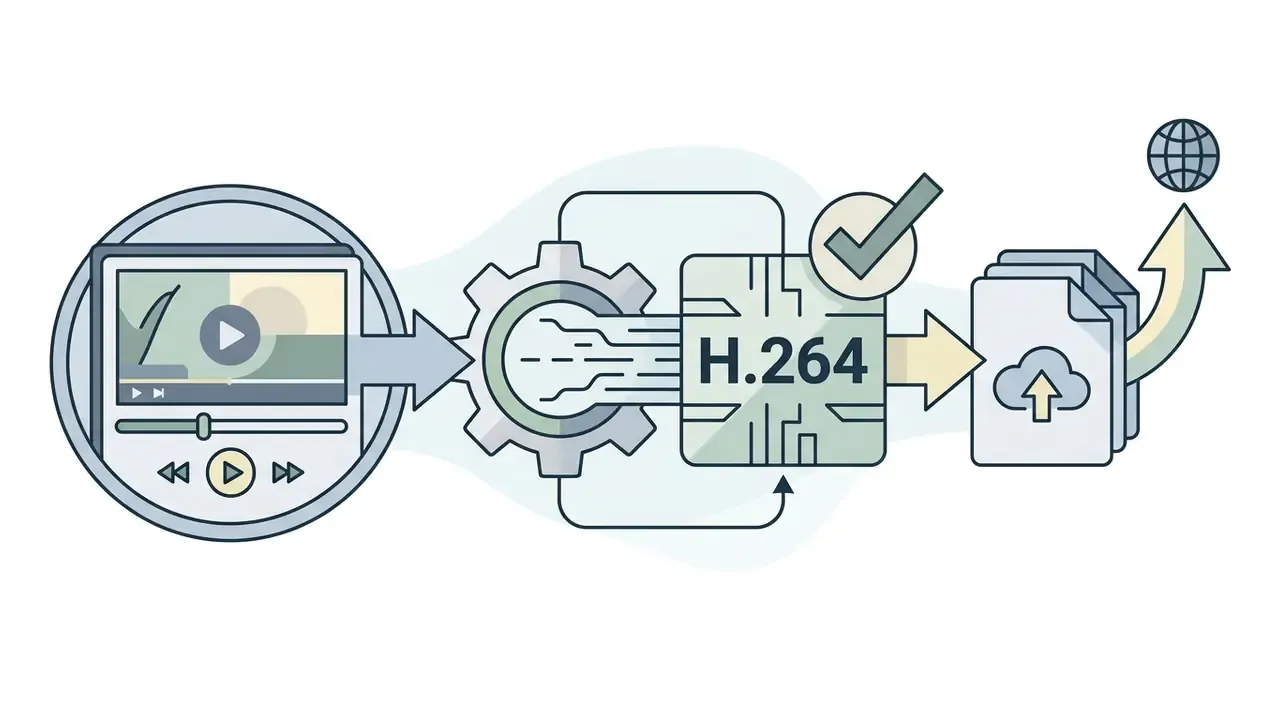
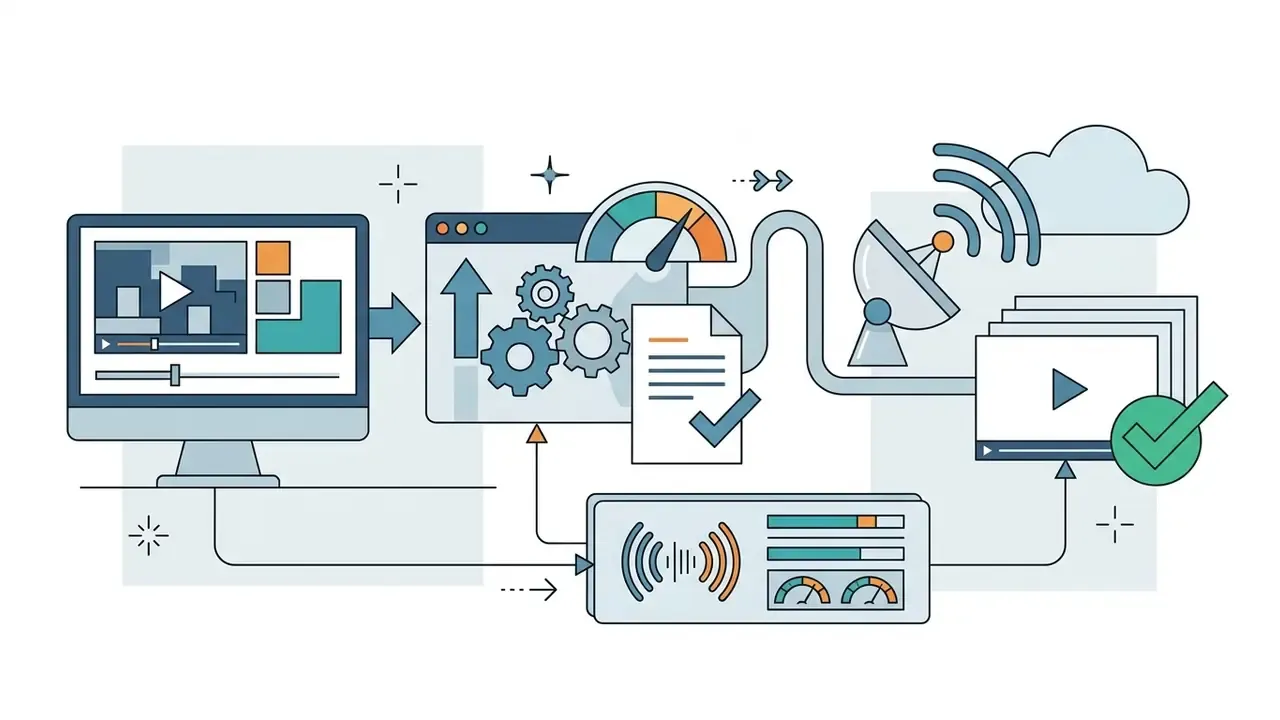
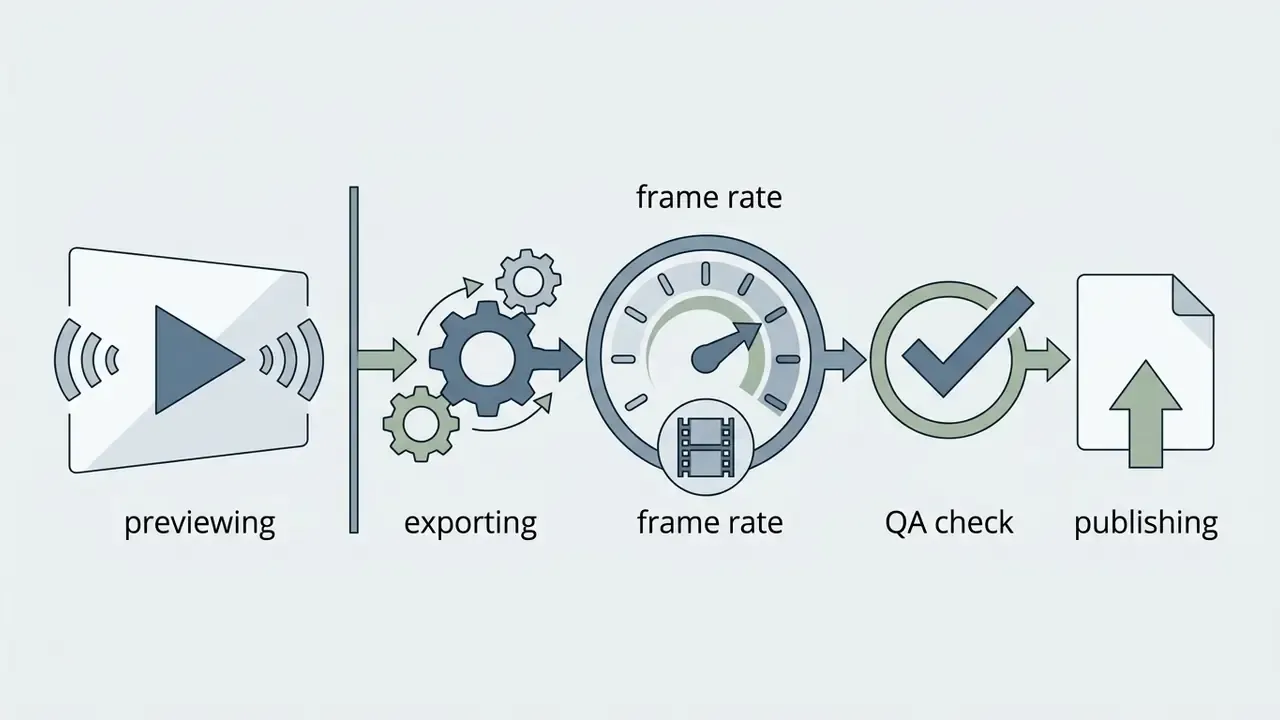
Before the final export, run a full preview and check timing between audio cues, graphic entrance animations, and the start of the end-screen window. Match export settings to sequence settings, and render previews before you commit the final file.
The finished outro sequence should be rendered with standard production parameters:
Once downloaded, append the outro to the end of your main video track in the primary timeline, then upload the complete file. Download and share online only after that check, not before.
YouTube Outro Design: CTAs, Audio, and Motion Effects
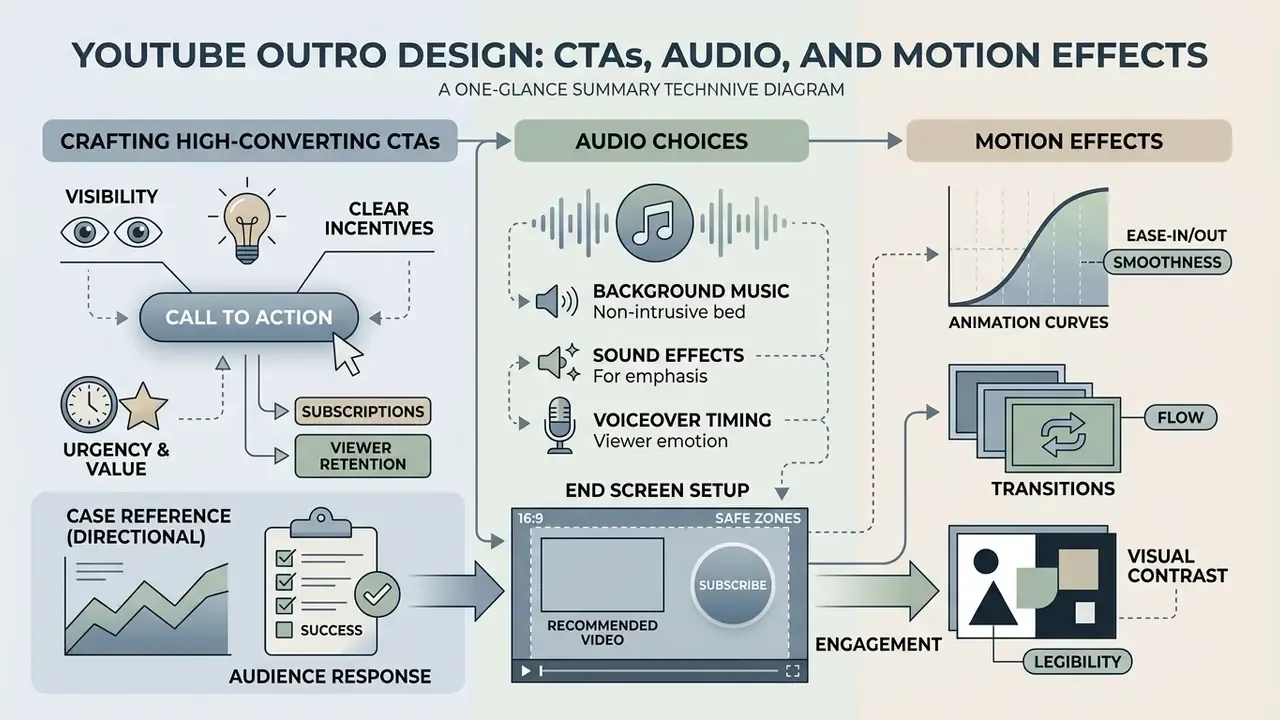
Visual design, audio choices, and motion effects decide whether a viewer interacts with your end-screen recommendations or leaves the channel. Pairing an eye catching composition with a balanced audio bed creates a coherent youtube intro outro system that reads as high quality production rather than an afterthought.
"A spoken verbal bridge pointing directly at a visual recommendation remains the single most effective variable for doubling end-screen element click-through rates."
«Creators who explicitly say "click the video on screen now" and then pause see click-through rates 1.5 to 2 times higher than on an identical screen without the verbal cue.» - Toolworks Studio Analytics Report (2026)
How to Craft High-Converting CTAs for Subscriptions and Views
A call to action must give one clear, low-friction directive that explains why watching more is worth it. Comparative CTA evaluations indicate that specific, curated recommendations yield higher click-through rates (4.2%) than generic automated suggestions (3.1%) or plain subscription requests (1.8%) (End Screen CTA Experiment, 2026).
That said, the metric you optimize dictates the wording. In the same experiment, direct verbal subscribe requests converted at 0.85% into subscriptions versus 0.42% for curated video recommendations. Curated cards win on clicks, explicit subscribe asks win on subscriptions. Pick the CTA style that matches the objective of that specific upload.
Effective CTA formulations include:
- "Watch the next video to see the full walkthrough."
- "Click the playlist on screen to continue the full tutorial series."
- "Subscribe for more weekly breakdowns like this one."
- "Tap the recommended video right now to see the direct comparison."
- "Tap like if this helped, it takes one second."
- "Go back to the previous episode if you missed part one."
- "Like this video and part two lands next week."
Keep each card to a single primary ask. When two or three competing requests share the same 15-second window, the viewer defaults to the easiest available action, which is closing the tab. For B2B and enterprise channels the same rule applies with domain-specific phrasing, for example "Watch the next video to master advanced model validation" or "Subscribe for weekly breakdowns on regulatory compliance". The structure stays identical, only the payoff changes.
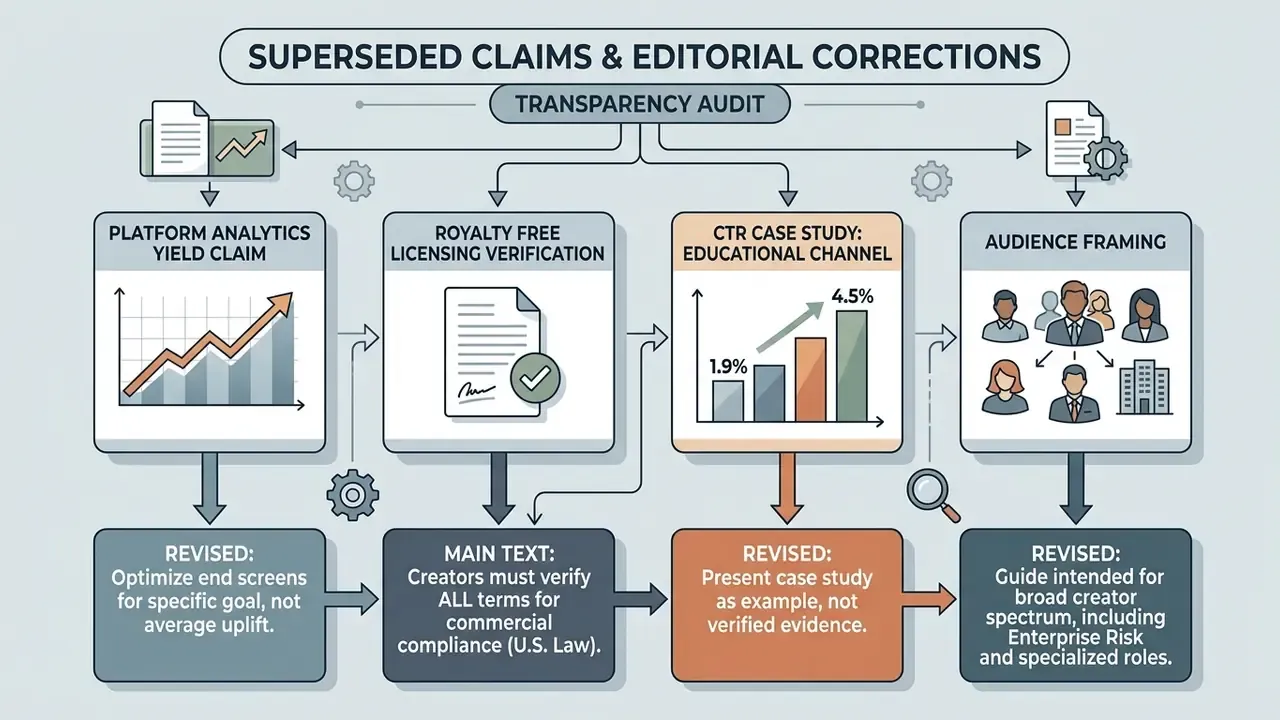
Case reference (directional, not verified). One educational channel reported that standardizing its closing sequence, adding a direct verbal prompt ("Click the video on screen to see step two") alongside a curated playlist box, lifted end-screen element CTR from 1.9% to 4.5% over a 30-day window. The channel name, subscriber tier, and sample size were not disclosed, so treat this as an illustrative pattern consistent with the Toolworks verbal-bridge finding rather than a benchmark. For your own channel the reliable reading is the diagnostic range below: under 2% signals unrealized potential, 5 to 10% indicates a well-optimized end screen (TubeAI Performance Analysis Guide, 2026).
Audio Track Selection and Sound Mixing Techniques
Animation Curves, Transitions, and Visual Contrast
Motion graphics should guide attention toward the interactive elements, not compete with them. Entrance animations for text and graphic borders should finish within 1 second using simple directional wipes or subtle fades (UC ANR Motion Graphics Guidelines, 2026). Institutional style guides recommend plain wipes over decorative variants, and advise holding each graphic on screen long enough to be read twice.
Contrast between display text and background footage is an accessibility requirement, not a taste question. Overlay text should hold at least a 4.5:1 contrast ratio against the underlying video to satisfy WCAG 1.4.3, with 3:1 acceptable for large text (W3C Web Content Accessibility Guidelines. https://www.w3.org/WAI/WCAG21/Understanding/contrast-minimum.html). Where lower-third bars sit behind text, keep bar and text opacity between 30% and 100% so the copy stays readable over moving footage.
Free Outro Templates vs. Online Outro Makers: Which to Choose?
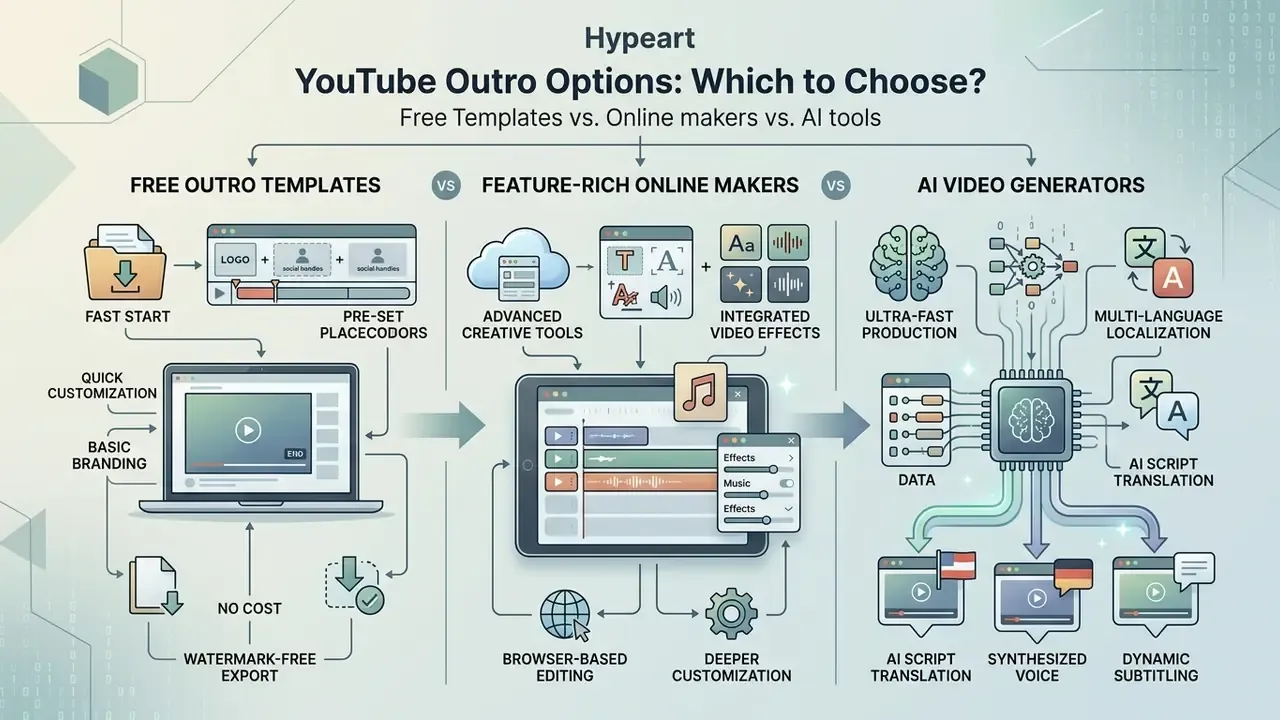
Choosing between a pre-built free outro template, a browser-based outro maker, and an AI video platform depends on the customization depth you need, your workflow speed, and how strictly the brand has to be governed.
Technical comparison of YouTube outro creation approaches
| Feature / Criterion | Free Outro Template | Dedicated Outro Maker | AI Outro Generator |
|---|---|---|---|
| Creation speed | Fastest (1 to 3 minutes) | Moderate (5 to 15 minutes) | Ultra-fast (under 1 minute) |
| Layout flexibility | Fixed structure, limited tweaks | High, drag-and-drop timeline | Prompt-driven, dynamic layouts |
| Brand governance | Manual color and logo substitution | Integrated brand kits and assets | Prompt-based style matching |
| Audio customization | Pre-set audio track swapping | Multi-track ducking and fade controls | AI-generated stems and voiceovers |
| Asset reuse / tracking | Manual re-editing per video | Saved brand templates and presets | Reusable prompts plus locked brand kits |
| Best use case | Beginner channels and quick edits | Established channels and teams | High-volume content operations |
The choice also shapes the tone of the closing message, which matters more than it first appears.
For outros, that argues for a specific, informative closing card ("next: the full benchmark comparison") over an abstract brand flourish that promises nothing.
When a Free YouTube Outro Template Is Enough
A static free video template suits independent creators and new channels that want deployment today, without a software learning curve. Pre-made templates give you a fixed layout where you swap placeholder text, upload a logo PNG, and render. This route guarantees correct aspect ratios and timing boundaries without any motion-design skill, which is the whole point of an intro outro video maker in the first place.
Ensuring watermark-free video exports. When you pick a free online editor or template provider, verify that your account tier supports unbranded MP4 rendering. Many freemium tools stamp a system logo in the bottom-right frame, and that region directly overlaps YouTube Studio's 300×300 px subscribe element zone. The watermark then sits underneath or on top of your most valuable clickable asset. Choose platforms offering zero-watermark downloads at 1080p, and run one throwaway test export before building a brand system around a tool. Practical checks: render a 5-second test clip, inspect all four corners at 100% zoom, and confirm the download is a real MP4 rather than a share-link preview.
The functional ceiling of the free-template route is format, not quality. End screens accept only YouTube-approved element types, so no template can replace the platform overlay with arbitrary full-screen interactive graphics. No template, no exception.
When You Need a Feature-Rich Intro and Outro Maker
A specialized intro and outro maker, or an intro outro maker free application, gives you timeline controls, drag-and-drop graphic layers, custom transitions, and reusable brand kits (Adobe Express Outro Guide, 2026). Advanced browser editors add SVG and vector title support, keyframe automation, trimming and splitting, and per-element animation presets. Search demand for an outro and intro maker or an intro and outro maker for youtube free usually comes from exactly this moment, when a channel outgrows flat templates.
These web editors let media teams hold a central asset repository with approved fonts, palettes, and logo animations. Teams automating avatar-led closing segments can use a free ai avatar generator, compare the best AI video generators for volume production, or read the AI Media API documentation to wire video synthesis into a custom publishing pipeline.
Leveraging AI Video Generators for Outro Production
Modern generative video tools use prompt-based workflows to synthesize background visuals, generate music beds, and lay out text automatically (Microsoft Copilot Video Updates, 2025). Brand-kit integration, custom media libraries, natural-sounding voices, and transcript-based editing shipped across the major suites during late 2025, which makes prompt-to-outro production viable for teams publishing daily. Developers wiring generation straight into a pipeline can review Google Veo API implementation, costs, and limits before committing to a vendor.
AI video maker tools accelerate asset production, but you still have to inspect output layouts and confirm that generated imagery keeps clean negative space in the corner regions. Independent benchmarks continue to evaluate text-to-video systems on general criteria, namely visual quality, text-video alignment, motion quality, temporal consistency, and on-screen text fidelity, rather than brand precision. Vendor claims about "on-brand" output therefore remain unvalidated by third parties. Combining AI-driven background generation with manual overlay rules keeps visual quality high while preserving standard end-screen interactivity.
Multi-Language Outro Localization via AI
Reaching global audiences means adapting spoken closing prompts without re-recording audio. Leading AI video platforms now generate outro voiceovers in 50+ languages with regional accents, which turns localization into a rendering task rather than a casting task:
- Script translation.Use an AI language model to translate your one-sentence closing CTA into each target language while holding the character budget under 12 words, so the copy still fits the animated lower third.
- AI voice synthesis.Generate neural audio in the target languages and check that speech rhythm matches the entrance animation timing. A survey of AI voice generator quality, languages, and licensing helps shortlist engines that permit commercial use.
- Dynamic subtitling.Burn in open captions per locale to hold engagement on muted mobile viewports, and keep captions clear of the 300×300 px element zones.
- Audio ducking.Automate background attenuation of −10 to −12 dB under each synthesized spoken cue, so the localized CTA stays intelligible at low playback volume.
- Per-locale QA.Re-run the contrast and safe-zone checks after translation. German and Finnish CTA strings routinely overflow layouts designed for English copy.
How to Align Your YouTube Intro and Outro into a Unified Brand System
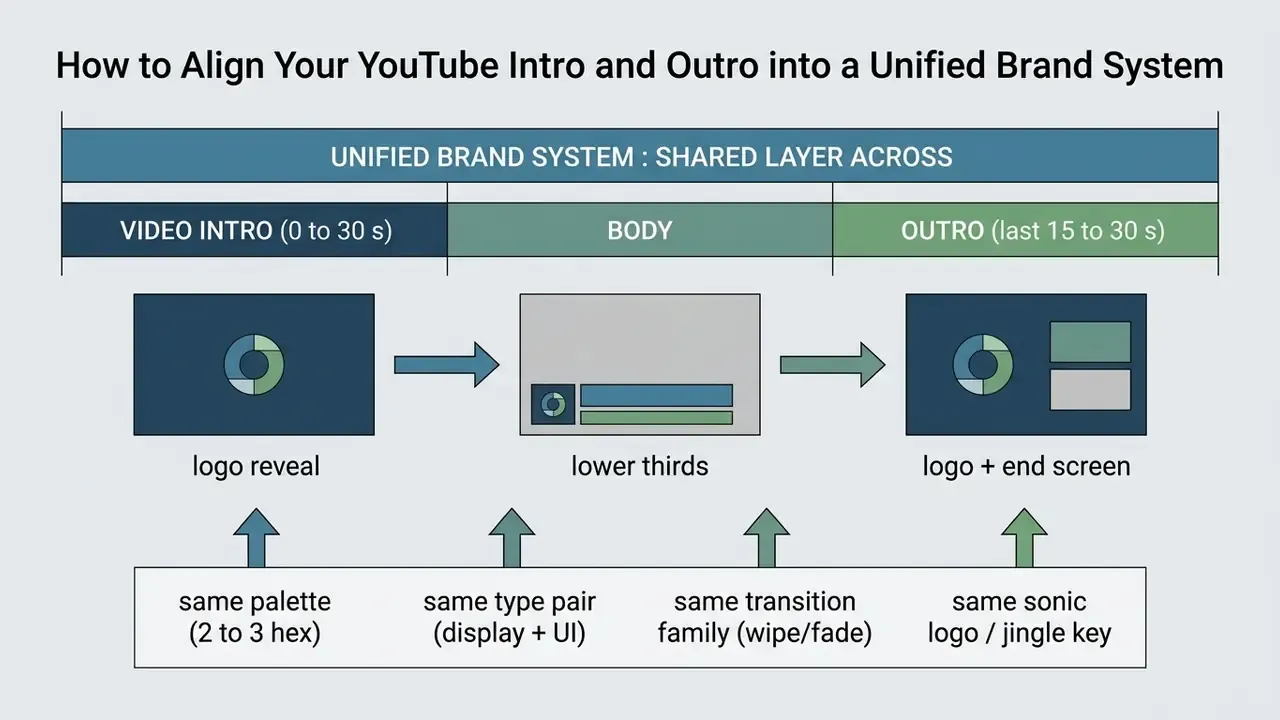
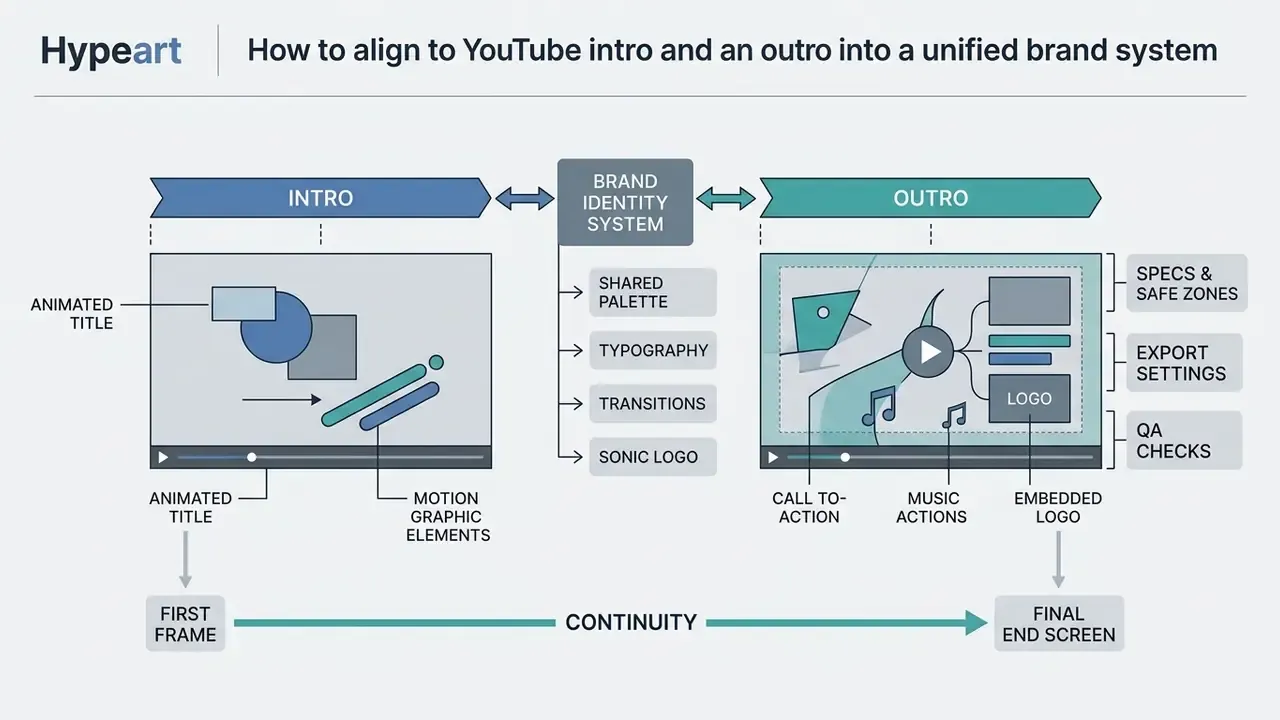
Visual continuity between a channel's youtube intro and outro reinforces identity and raises perceived production quality. Reusing the same design assets across opening hooks and closing cards builds a recognizable system for the whole intro outro youtube presence.
That has a direct design consequence: prioritize curated playlist and subscribe elements over algorithmic "best for viewer" cards when your goal is trust and long-term retention rather than one extra click.
Consistent Brand Assets Across Intros and Outros
To build recognition across uploads, hold these core parameters steady in both the opening and closing sequences:
- Color palette limit primary and secondary accents to two or three consistent hex codes (W3C Brand Design Standards, 2025).
- Typography pairings use the same display font for intro title hooks and outro CTA prompts.
- Sonic logo or jingle mirror the musical key, instrumentation, or stinger from the opening seconds inside the outro fade-out, and keep the bed from interfering with speech, as accessibility guidance requires.
- Logo animation apply matching entrance and exit physics, such as smooth spring curves or clean vector wipes, to the logo intro and the closing brand mark.
- Transition family reuse one approved transition type across both segments instead of mixing decorative wipes with fades.
Updating Template Elements for Every New Video
Core assets such as logo placement, fonts, and the audio bed should stay static across uploads. The dynamic layer changes per video:
Creators diversifying their pipeline can explore tools to create youtube videos with ai, or evaluate audio pipelines like convert youtube video to mp3 online to repurpose spoken segments into a secondary podcast feed.
Final Steps: Preparing and Publishing Your Outro on YouTube
Finalizing a youtube outro video means validating encoding parameters and then completing the platform-side configuration inside YouTube Studio before the full youtube video goes live.
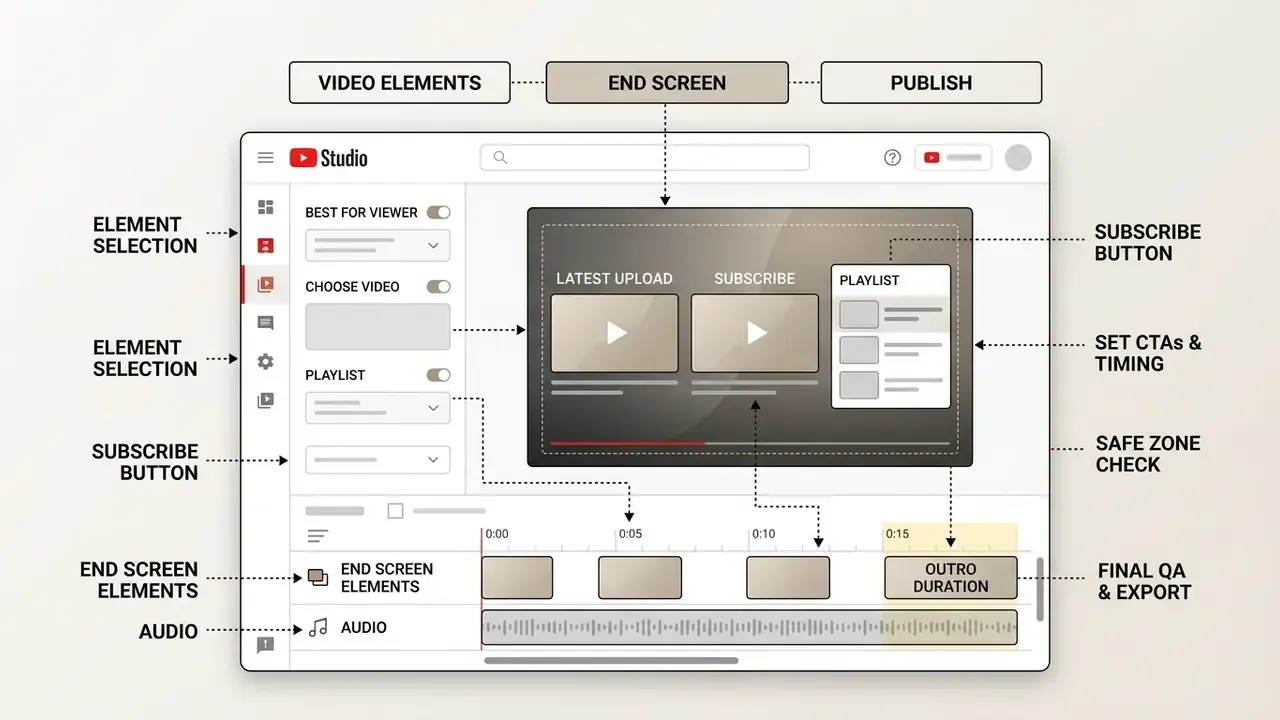
Pre-Export Quality Assurance Checklist
Run a structured audit before the final render and upload. It is worth saving as a preset inside your video editor:
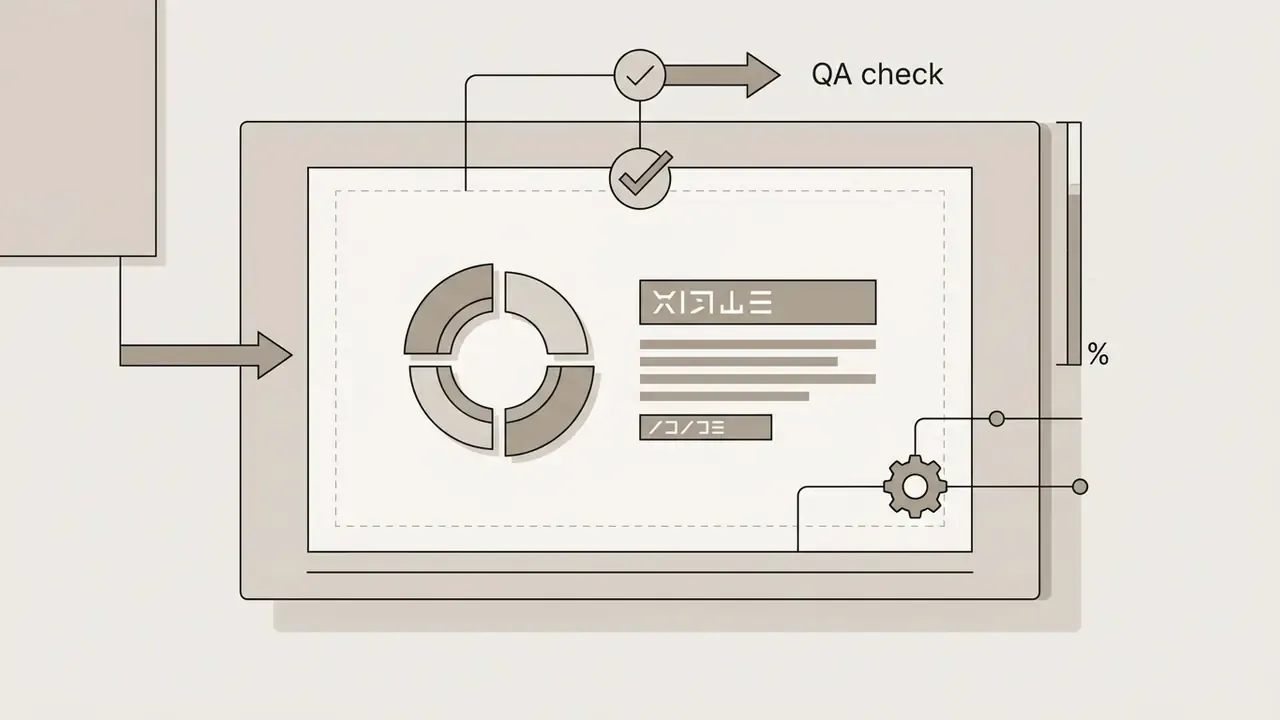
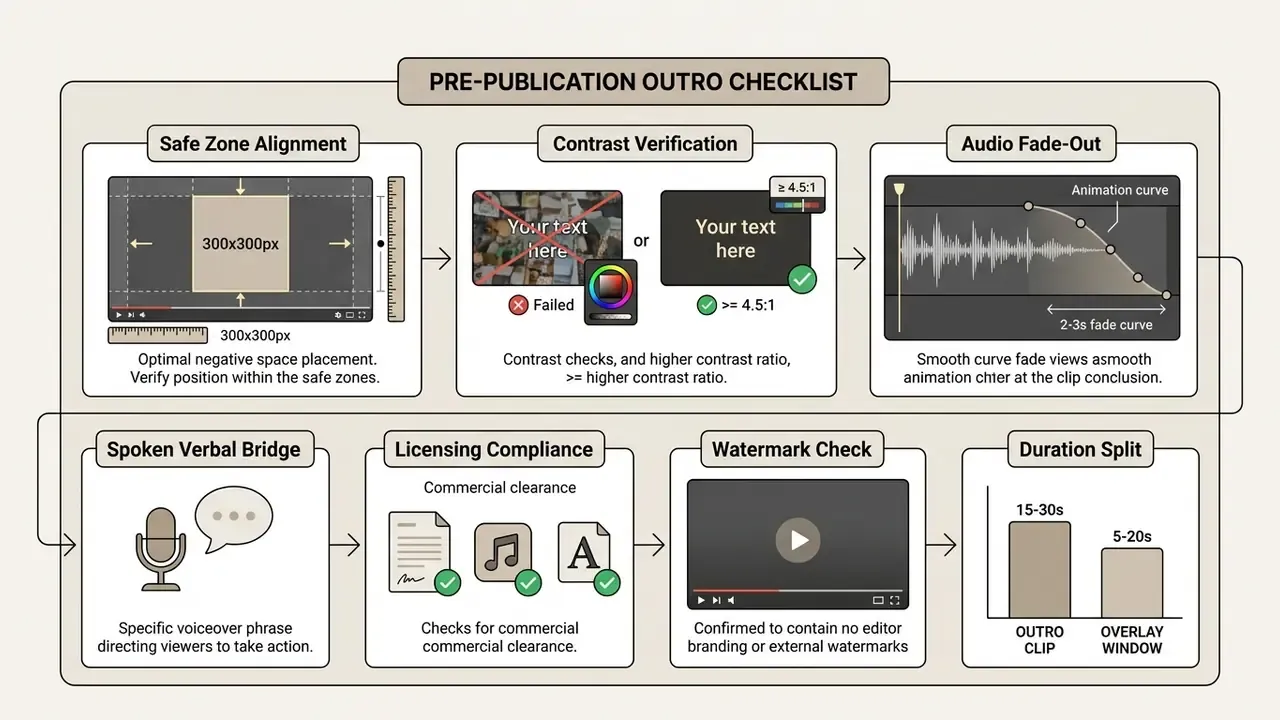
- Duration validation confirm the interactive overlay spans 5 to 20 seconds inside a 15 to 30 second rendered outro clip, and that total video length is at least 25 seconds (Google YouTube Help Center, 2026).
- Safe zone inspection verify that no static text, essential face framing, or burned-in caption falls inside the planned 300×300 pixel overlay zones.
- Contrast audit check that display text clears WCAG thresholds against the background frames (≥ 4.5:1 for normal text, ≥ 3:1 for large text).
- Audio balance confirm the music fades smoothly and stays ducked beneath voiceover.
- Resolution and aspect ratio export native 16:9 at 1080p or 4K with H.264 video and AAC audio.
- Watermark and licensing confirm the render carries no editor branding, and that every track, font, and stock clip is cleared for commercial use.
- Eligibility confirm the upload is not classified as Made for Kids and is not published as a Short, because end screens will not render in either case.
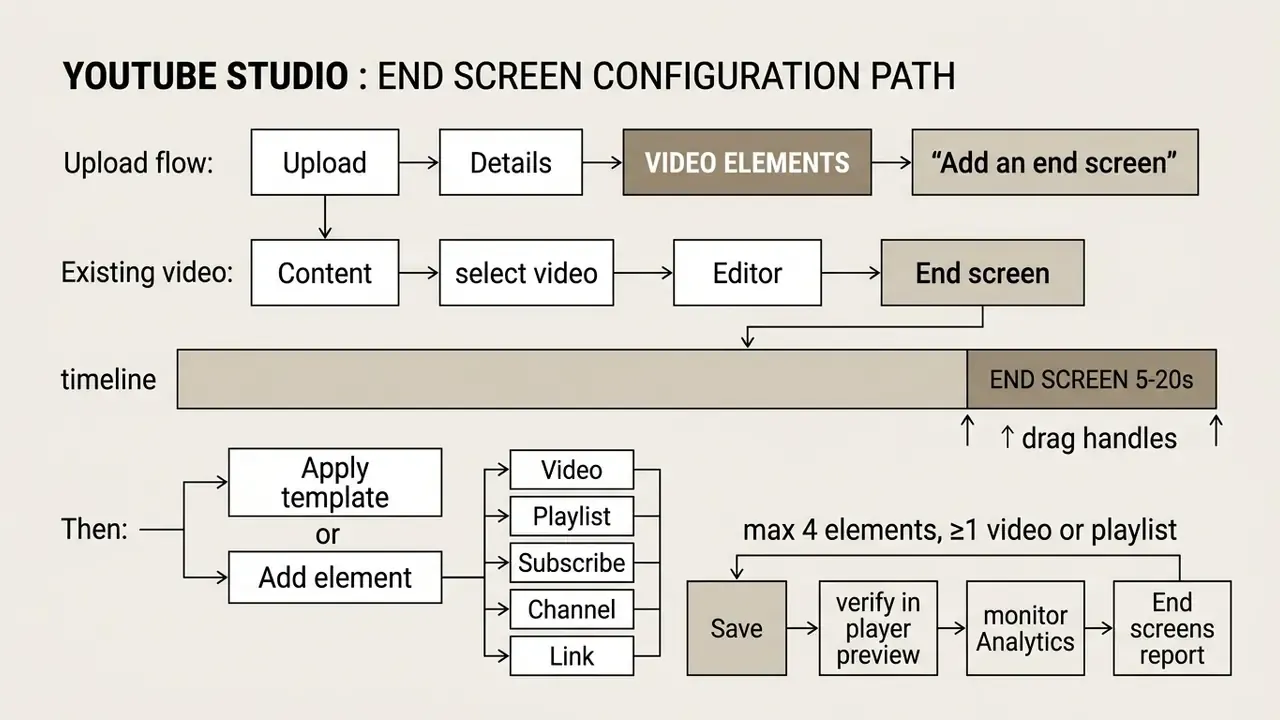
Once the complete file is uploaded, open the Video Elements tab in YouTube Studio, choose Add an end screen, apply your element configuration over the reserved background space, and save. After publishing, validate results in the End screens report inside YouTube Analytics.
«A click-through rate below 2% signals unrealized outro potential, while 5 to 10% corresponds to a well-optimized end screen.»
For comparative analysis of licensing terms and enterprise asset rights, consult our guide on AI Media Commercial-Use conditions, review Canva AI Generator licensing and export terms, and inspect verified performance data in AI Media Benchmarks and Review Proof.
What to do next: duplicate your finished outro as a locked brand template, set a reminder to review the End screens report after ten uploads, and iterate on one variable at a time, whether that is the verbal bridge, card order, or CTA wording, so each measurement stays attributable to a single change.
FAQ: YouTube End Screen Rules
Can I add an end screen to a video shorter than 25 seconds?
No. YouTube requires a minimum total video length of 25 seconds for end screens to become available, because the overlay itself occupies the final 5 to 20 seconds (Google YouTube Help Center, 2026).
How long should the outro clip itself be?
Render 15 to 30 seconds of outro footage. That leaves room for a spoken closing line, a music fade-out, and a visual transition, while preserving a static 5 to 20 second window where the interactive cards sit undisturbed.
How many elements can an end screen hold?
Up to four, and at least one must be a video or playlist element. Subscribe, channel, and approved-link elements are optional additions.
Why don't my end screens appear on Shorts?
End screens are not supported on Shorts, Made for Kids videos, 360° video, Flash video, or the YouTube Music app. For vertical formats, communicate the next step visually and verbally instead.
How do I remove or change an outro on an already published video?
Open YouTube Studio, go to Content, select the video, open the Editor, choose End screen, then delete or reconfigure the elements and save. The rendered outro footage itself can only be changed by re-uploading the file.
What is the best free online outro maker without a watermark?
Any tool whose free tier explicitly permits unbranded 1080p MP4 export qualifies. Test with a short render first and inspect the bottom-right corner, since that is exactly where the subscribe element sits.
Where should the subscribe button go?
In a corner away from the primary video recommendation, most commonly bottom-right or top-right, so it never visually competes with the largest clickable card.
How do I know whether my outro is working?
Use the end-screen click-through rate reported by YouTube (clicks ÷ impressions). Under 2% means the outro is underperforming. Between 5 and 10% indicates a well-optimized end screen.
Appendix A: Superseded Claims and Editorial Corrections