A YouTube intro maker is a dedicated online editing tool, or an AI service, built to assemble short opening sequences that establish channel identity and hold attention. Modern YouTube analytics revolve around audience retention curves, and the first three to eight seconds decide whether a viewer stays or leaves. That is the whole game.
Everything You Need in 60 Seconds
- Keep a standalone intro to 2 to 5 seconds.Openings above 8 seconds measurably depress 30-second retention. The widely repeated "10 seconds" rule traces back to 2016 and 2017 template marketing, and it is obsolete.
- Hook first, brand second.Place the sting after a 3 to 5 second cold open, never before it.
- Pick the right tool class.Canva and CapCut export watermark-free 1080p on free tiers. InVideo AI and Renderforest attach watermarks or resolution caps. Blender and Panzoid give full 3D control for free, with a steeper learning curve.
- Respect asset specs.SVG under 3 MB on an SVG 1.1 profile, 24-bit transparent PNG at 1920×1080 or 3840×2160, H.264 MP4 at 1080p or 4K 60 fps, audio mastered to a peak of minus 2 dBFS.
- Clear your audio."Royalty-free" is not the same as "free". Verify commercial rights before monetizing.
- Reuse across formats.Export 16:9 for YouTube plus a reframed 9:16 version at 1080×1920 for Shorts, Reels, and TikTok, with text inside the safe zones.
Who This Guide Is For
This guide is written for creators and small media teams who publish weekly and cannot afford to rebuild brand assets every quarter. It assumes you want one reusable sting, a matching outro, and documented licensing, rather than a one-off flourish. If you run a channel, a marketing video pipeline, or a client-facing content desk, the specs and checklists below are meant to be copied straight into your production notes.
What Is a YouTube Intro Maker and Why Does a Channel Need an Intro?
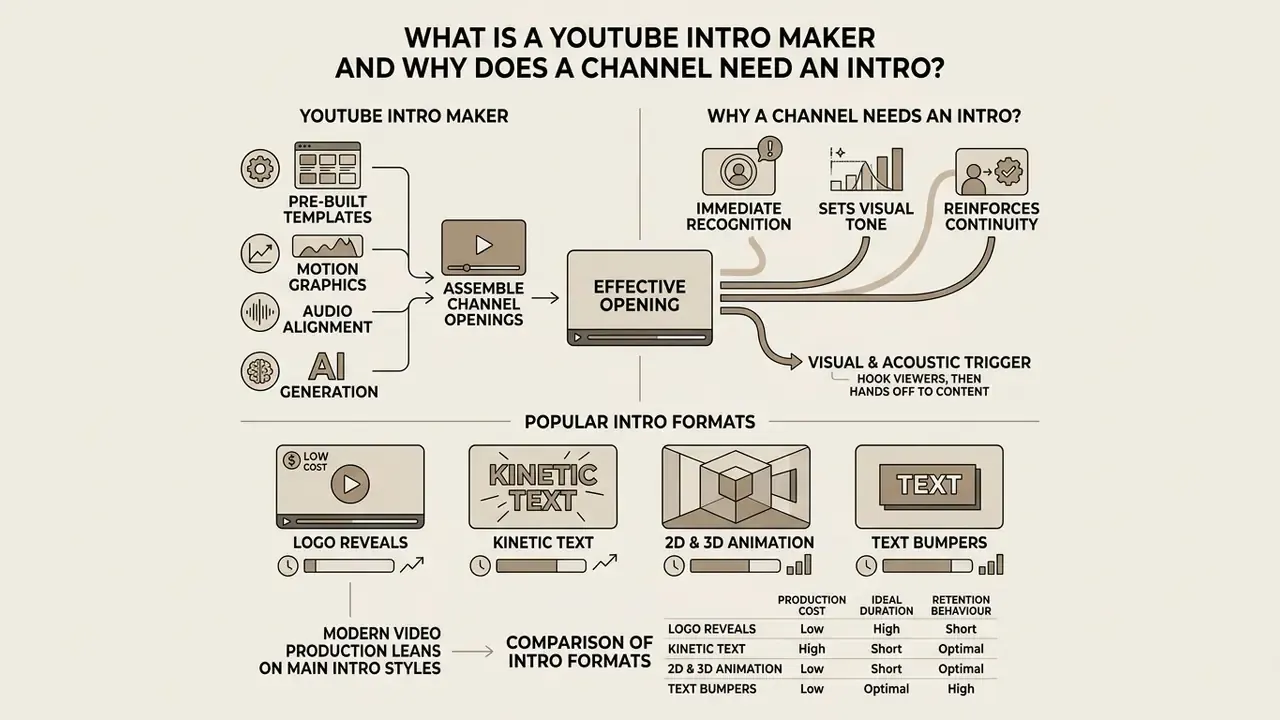
A YouTube intro maker is a video creation tool that supplies pre-built intro templates, motion graphics, audio alignment, and AI generation to assemble channel openings. Channels use an intro video to signal visual identity, communicate production quality, and build brand recognition across a published library.
What Functions Does a YouTube Intro Video Perform?
A YouTube intro video creates immediate recognition, sets the visual tone, and reinforces continuity across a YouTube channel. Research on retention curves shows that viewers make stay-or-leave decisions within the first seconds of playback, and the size of that decision window is now measurable.
«Weak openings lose 40 to 55% of viewers before the 30-second mark; strong openings lose under 15%.»
YouTube Studio reinforces the same measurement logic. Its key moments report splits the retention curve into Intro, Top Moments, Spikes, and Dips, and the platform's own "Intro" metric reports the share of viewers still watching after the first 30 seconds. So the intro is not judged by how beautiful it looks. It is judged by how many people are still there half a minute later.
An effective opening uses a visual and acoustic trigger to hook viewers, then hands off straight into the main video content. It does not replace narrative substance. It works as a branding signature that anchors subscriber recall. Creators who would rather generate the sting than hand-animate it increasingly rely on AI video generators to build one reusable three-second asset and drop it into every upload.
Worth noting where the evidence is thinner than the marketing. Peer-reviewed work on guiding cues in video found no significant differences in brand recall or brand recognition attributable to on-screen branding cues, while practitioner data keeps showing retention effects. The honest reading: a short intro reliably protects retention, and its measurable effect on brand memory is smaller than template vendors imply.
Popular Intro Formats: Animation, Logo Reveals, and Text Bumpers
Modern video production leans on four main intro styles: logo reveals, kinetic text animations, 2D and 3D motion graphics, and background footage openers. An animated YouTube intro pairs a stylized logo reveal with custom text animations and dynamic sound effects to produce a distinct channel sting.
Figure 1. Comparison of YouTube intro formats by production cost, ideal duration, and retention behaviour (2026)
| Intro format | Typical duration | Production effort | Best-fit content | Retention behaviour |
|---|---|---|---|---|
| Logo reveal (2D vector) | 1.5 to 3 s | Low | Business, education, news | Safe; minimal drop-off when under 3 s |
| Kinetic text bumper | 1 to 2 s | Low | Tutorials, tech explainers | Best for fast-paced, information-dense content |
| 3D motion graphics | 2 to 4 s | High | Gaming, esports, hardware reviews | Strong identity signal; risky past 5 s |
| Background-footage opener | 3 to 5 s | Medium | Vlogs, travel, lifestyle, lofi | Works only when the footage previews the episode |
Template libraries label the same four families inconsistently. "Logo animation", "logo reveal", "animated intro", and "opener" frequently describe identical assets, which is a taxonomy quirk rather than a functional difference.
Format choice follows content pacing. Minimalist text bumpers suit technical tutorials, while high-energy logo animations belong to competitive gaming streams and other fast, eye catching formats.
What Makes an Effective Intro for a YouTube Video?
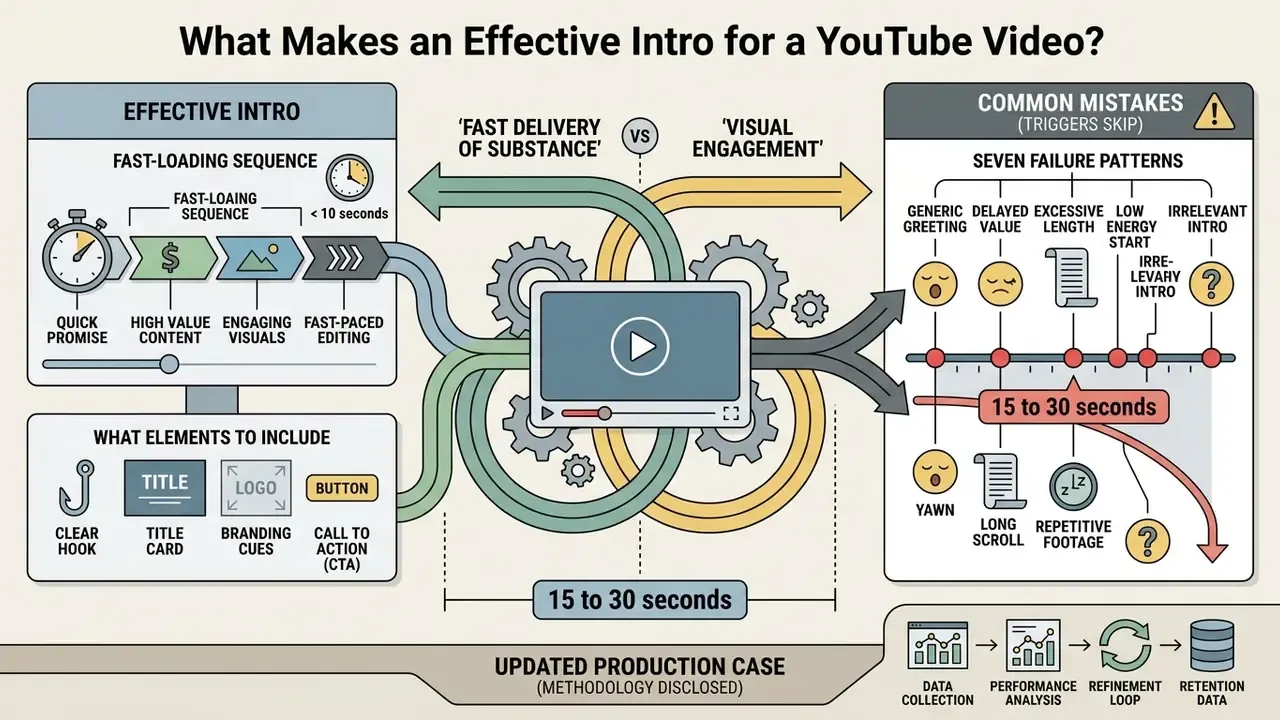
An effective opening balances visual engagement with fast delivery of substance. Current audience habits punish long intros that delay the topic promised by the title and the YouTube thumbnail. This section sits before the production workflow on purpose: duration and structure rules decide which template you should even open.
How Long Should a YouTube Intro Be?
The optimal length for a standalone YouTube intro is 2 to 5 seconds. Retention audits show that intros longer than 8 seconds cause steep drop-offs inside the first 30 seconds of playback (Aggregated Audience Retention Audits, 2025 to 2026).
«High-growth channels retain more than 75% of viewers across the first 30 seconds; plateaued channels retain only 45 to 60%.»
Figure 2. Audience retention at the 30-second mark by intro length
| Standalone intro length | Viewers remaining at 0:30 | Practical verdict |
|---|---|---|
| 0 s (pure cold open) | 78 to 85% | Optimal for tutorials, news, video essays |
| 2 to 3 s brand sting after hook | 74 to 80% | Best balance of branding and retention |
| 5 to 8 s animated opener | 58 to 66% | Acceptable only for established audiences |
| 10 to 15 s logo bumper | 42 to 55% | Actively harmful; legacy 2016-era advice |
Competing intro-maker landing pages still recommend "around 10 seconds". That figure predates the short-form attention shift and is contradicted by platform analytics and current retention audits alike. Institutional style guides went the other way entirely: Northern Illinois University's video standards cap intros and closing credits at two seconds, and several online-teaching guides drop the intro frame altogether.
A brief brand sting placed immediately after a compelling 5-second verbal hook outperforms an opening that leads with a long channel logo bumper. Not marginally, either.
What Elements to Include to Look Professional
A professional intro shows crisp typography, vector logo scaling, smooth keyframing, and clean audio mixing. Sonic branding research explains why the audio layer carries so much weight.
«Piano timbres raise perceived brand sophistication, while synth bass reads as rugged; congruence between sound and visuals amplifies brand evaluation.»
«High-frequency sound logos increase perceived product richness and purchase intention compared with low-frequency equivalents.» Journal of Consumer Behaviour, study of high- and low-frequency sound logos. https://doi.org/10.1002/cb
Technical delivery matters as much as design. Current video guidance sets a practical floor of 1080p for delivery, with 2160p masters giving more editing latitude, and ties bitrate to width, height, and frame rate. Commonly that means 50 Mbps VBR, or 15 to 30 Mbps CBR, for digital and CTV delivery. The visual hook itself should land inside the first three seconds through motion, contrast, or an unexpected image.
Go easy on lens flares, aggressive particle emitters, and unmastered audio. Restrained motion paired with a clean sound sting projects authority; the maximalist version mostly projects effort. If you want a spoken tag line instead of a musical sting, an AI voice generator can produce a consistent, licensed narration bed at a fixed length.
Common Mistakes That Cause Viewers to Skip the Intro
The most frequent errors: excessive duration, mismatched title promises, loud uncompressed audio, and generic stock graphics. When a video opens on a tired 15-second logo loop, viewers read it as a lack of momentum and leave.
Seven failure patterns that trigger early exits:
Updated production case (methodology disclosed). In an internal editorial workflow audit of a mid-sized media publisher's library, the team removed 12-second animated introductions and substituted 3-second sound stings placed after cold opens. Across a 90-day observation window, covering the same publishing cadence and comparable topics, the average share of viewers remaining at 0:30 rose from 52% to 74%. This is a single-publisher before-and-after observation, not a controlled experiment: no randomization, no holdout group, seasonality not isolated, and thumbnails were refreshed in the same period. Treat the direction of the effect as indicative and the magnitude as publisher-specific.
- Openings of 15 to 30 secondsthat push the hook past the decision window.
- Generic greetings("hey guys, welcome back to the channel") that carry zero information.
- Delayed value, where context and backstory arrive before the promised payoff.
- Title and intro mismatch, so the opening does not deliver what the thumbnail implied.
- Logo animations used as padding, especially re-introducing a channel to returning subscribers.
- Poor audio mastering or low-resolution graphics, which read as amateur within one second.
- Outdated or stylistically inconsistent graphicsdisconnected from the channel's current format.
How to Choose the Best Free YouTube Intro Maker
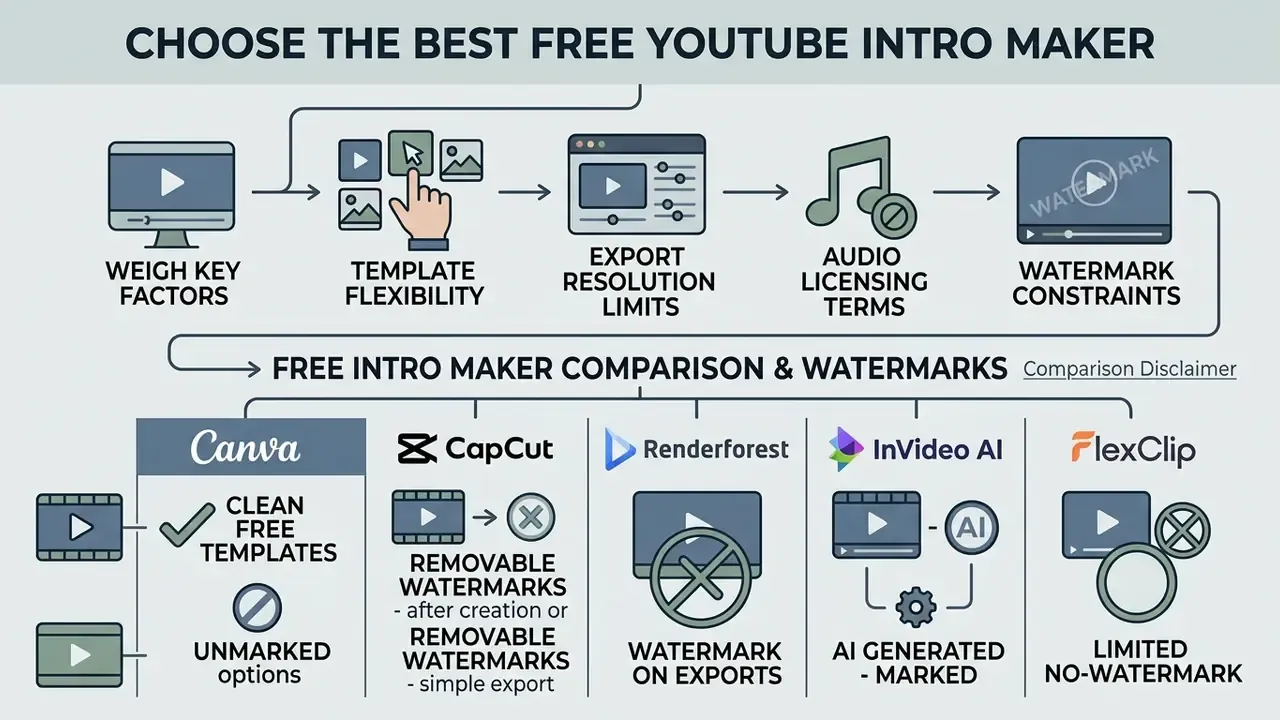
To pick the best free YouTube intro maker, weigh template flexibility, export resolution limits, audio licensing terms, and watermark constraints. The market spans classic template-driven web apps and generative AI video platforms, and the free-tier fine print differs wildly between them.
Comparison of Free YouTube Intro Maker Tools
The table below names the platforms most often used for intro production and maps their free-tier behaviour.
| Tool | Category | Free export resolution | Watermark on free tier | AI features | Learning curve | Ideal use case |
|---|---|---|---|---|---|---|
| Canva | Free online editor | 1080p | None on standard elements; Pro assets watermarked until licensed | Magic Design, Magic Studio, text-to-image | Very low | General channel branding, 1M+ templates |
| CapCut | Free online and desktop editor | 1080p (4K on Pro) | None on standard or manual exports; watermark-free template library | AI templates, auto-captions, AI voice | Low | Fast mobile-first edits and Shorts |
| Adobe Express | Free online editor | 1080p | None on free elements | Firefly generative fill, text-to-image | Low | Brand-kit-driven intros, co-editing |
| InVideo AI | Generative AI video tool | 720p to 1080p | Yes, on free tier, plus synthetic voice tags | Prompt-to-video, scripts, 50+ language voiceovers | Low | Rapid concept testing, multilingual stings |
| Renderforest | Template-first intro maker | 720p free / 1080p paid | Yes, permanent corner watermark on free tier | Beat sync, AI logo and scene tools | Low | 3D logo reveals and broadcast-style openers |
| FlexClip | Template-first online editor | Standard resolution free | Branded intro card unless upgraded | AI prompts for visuals, scripts, voiceovers | Low | Niche template packs (lofi, ASMR, holiday) |
| Panzoid | Free 3D intro maker | 1080p | None | Limited | Medium | Free 3D gaming intros and Clipmaker projects |
| Blender | Open-source 3D suite | Up to 4K and beyond | None | Add-on dependent | High | Fully custom 3D logo reveals at zero cost |
Note: data reflects standard features as documented on vendor pages in 2026. Always review current licensing agreements before exporting assets for monetized YouTube channels.
How Free Intro Makers Handle Watermarks: Platform Comparison
Knowing the export restrictions in advance saves hours of wasted editing:
- Canva fully free HD (1080p) export with no watermarks when you stay on standard elements. Watermarks appear only when premium stock assets are used; a single-use license or subscription clears them.
- CapCut the free tier allows watermark-free manual exports and maintains a dedicated "no watermark" template collection. 4K export sits behind the paid tier.
- Renderforest free tier includes a permanent corner watermark and locks exports to 720p. Removal requires a single-asset license or a plan.
- InVideo AI free exports carry platform watermarks and synthetic voiceover overlays. Full commercial exports need a subscription.
- FlexClip free tier permits standard-resolution exports but attaches a branded intro video card unless you convert it under subscription settings.
- Adobe Express the free plan exports without platform watermarks; premium Firefly and stock assets are the paid boundary.
Workarounds for creators: to keep a zero-watermark workflow on free tiers, build graphics with open-source tools (Blender for 3D, GIMP or Inkscape for vectors, OBS for capture), or restrict your online-editor tracks strictly to royalty-free, non-premium elements. If file weight becomes a problem after rendering, a video compressor shrinks size without dropping to a lower resolution.
Free Intro Maker, AI Service, or Online Video Editor
A free intro maker leans on structured intro templates for quick drag-and-drop editing. Generative AI YouTube intro maker free services build customized motion sequences from text prompts. A full online video editor gives you timeline control for multi-track layering, which matters once your video clips, captions, and sound effects start stacking up.
Creators chasing speed usually reach for AI generators, while teams enforcing brand guidelines prefer timeline editors. The quality gap between the two is narrower than most creators assume.
«In a user study with 37 participants, AI-edited videos scored an average engagement rating of 4.09, statistically identical to professionally edited versions.»
Before committing to a free plan, identify the constraint that will actually block you: credits, duration caps, resolution, or watermarking. A structured overview of free AI video generators clarifies which limits apply per platform. For asset prep before editing, a specialized utility such as a photo editor for macOS workflows keeps graphic edges clean before they ever hit the timeline.
Blender vs Online Intro Maker: Which Path Fits Your Channel?
| Criterion | Blender (open-source 3D) | Online intro maker (Canva, Renderforest, CapCut) |
|---|---|---|
| Cost | Free forever, no tier limits | Free tier with watermark or resolution caps |
| Time to first export | 4 to 20 hours of learning | 3 to 15 minutes |
| Visual ceiling | Unlimited: ray-traced 3D, physics, custom shaders | Bounded by the template library |
| Render load | Local GPU or CPU, minutes to hours | Cloud render, seconds to minutes |
| Brand uniqueness | Fully original assets | Risk of shared, recognizable templates |
| Best for | Channels where the intro is a signature asset | Channels shipping weekly volume |
Blender is documented as a free and open-source 3D creation suite with actively maintained animation and rigging documentation, which makes it the only zero-cost route to a genuinely unique 3D reveal. The practical hybrid is obvious once you have tried both: build the 3D logo once in Blender, export it as a transparent-background sequence, then reuse it inside a browser editor for every upload.
Key Features to Inspect Before Creating an Intro
Before you settle on a channel intro maker, confirm it offers professionally designed templates, flexible layer controls, high-bitrate output, and built-in sound effects. Check that downloads come with no watermarks, otherwise brand integrity is gone before you publish.
Feature checklist:

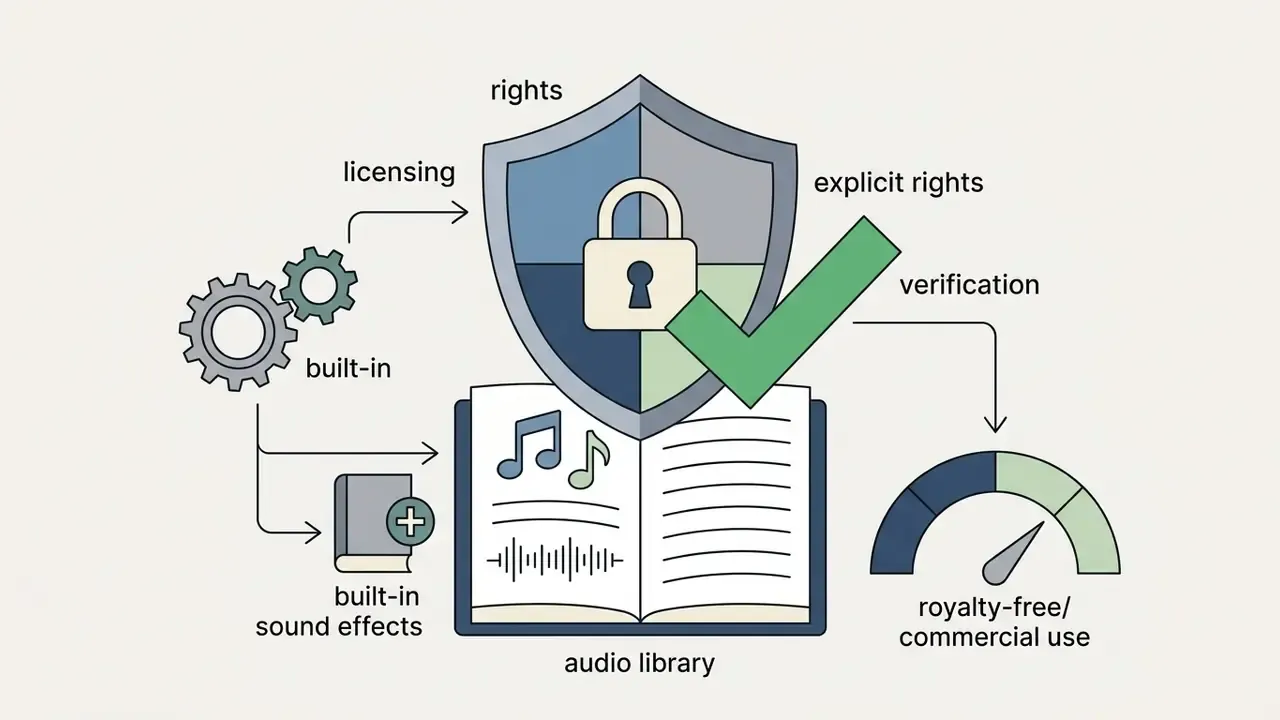
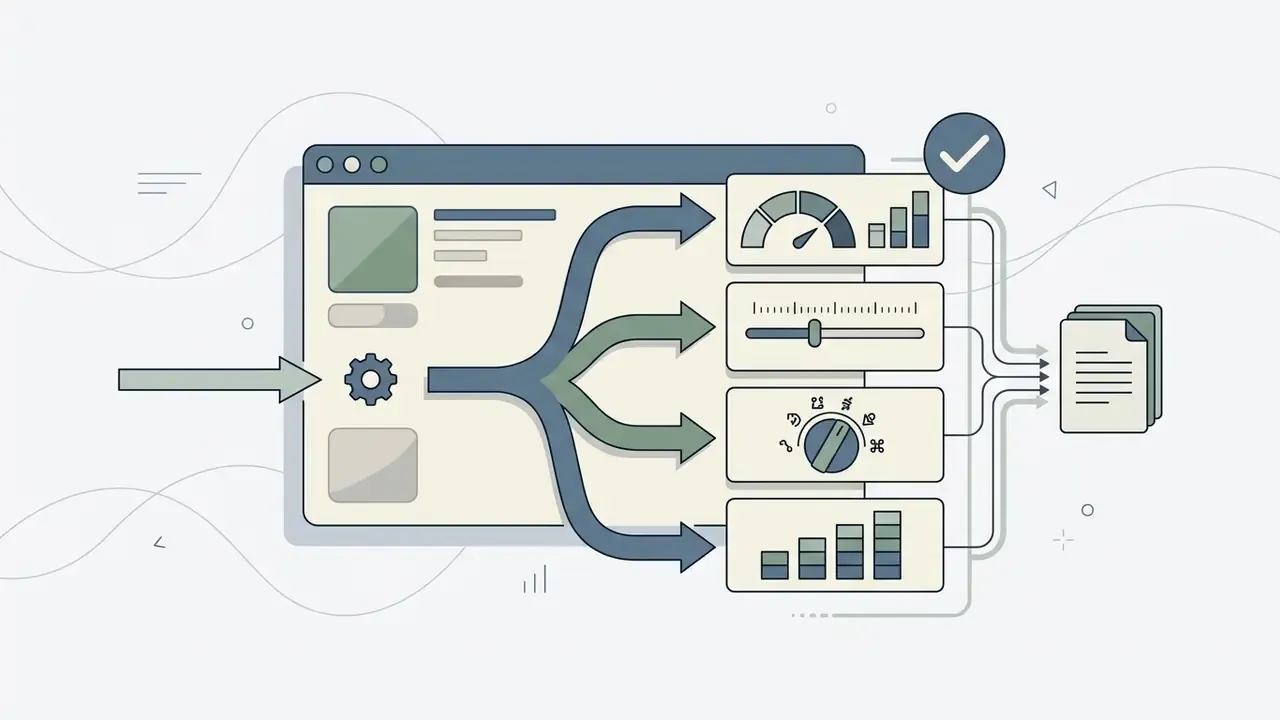
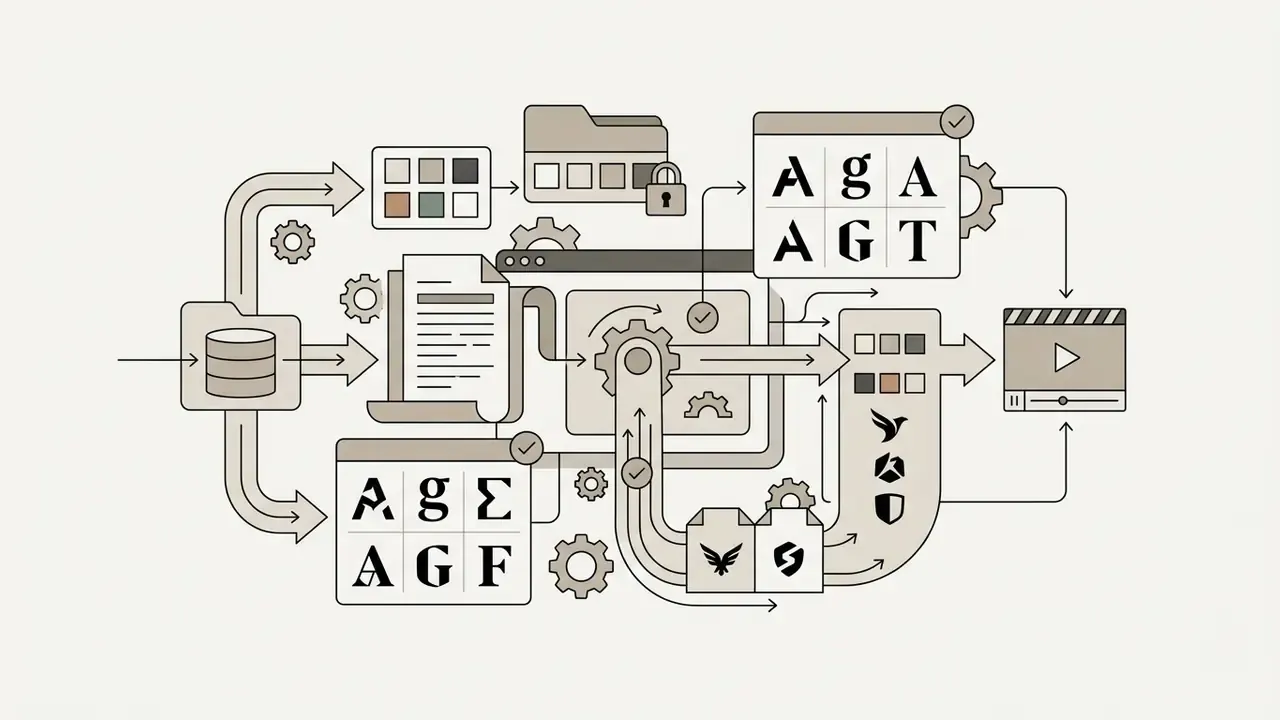
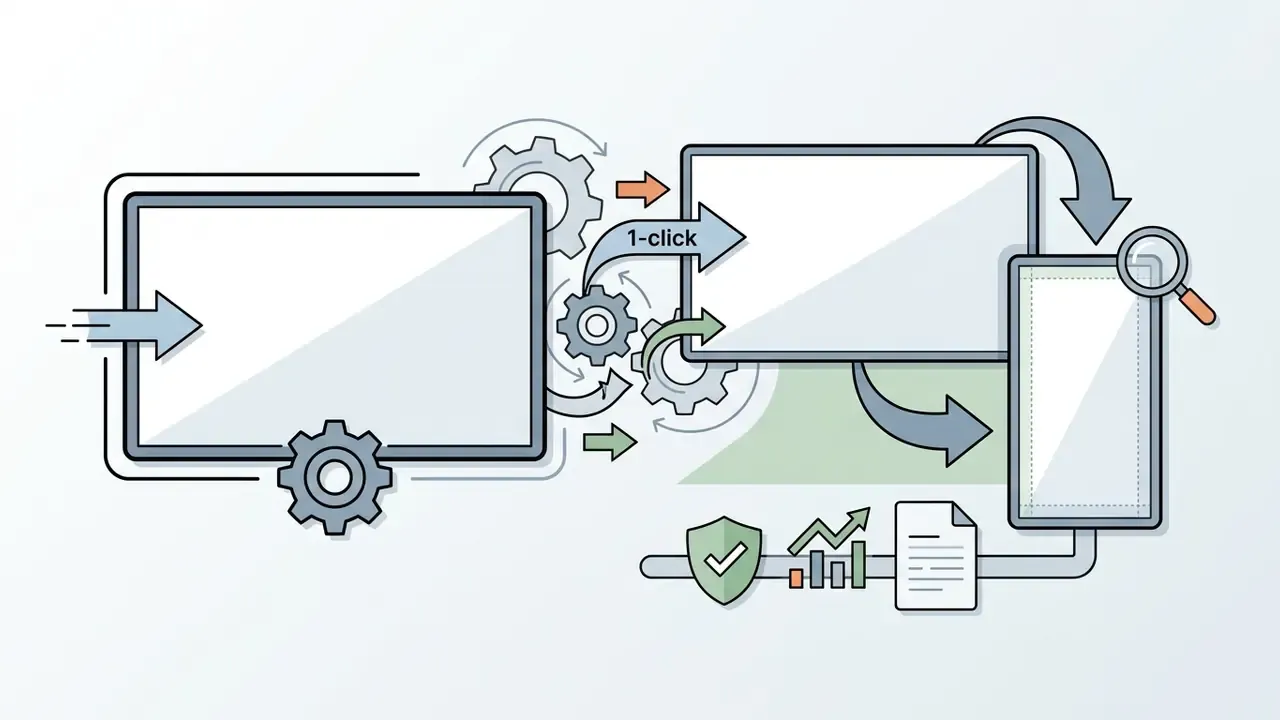
Good tools hand you full control over typography, background elements, and colour palettes, without stamping proprietary branding onto the export.
How to Select a YouTube Intro Template to Match Your Channel Theme
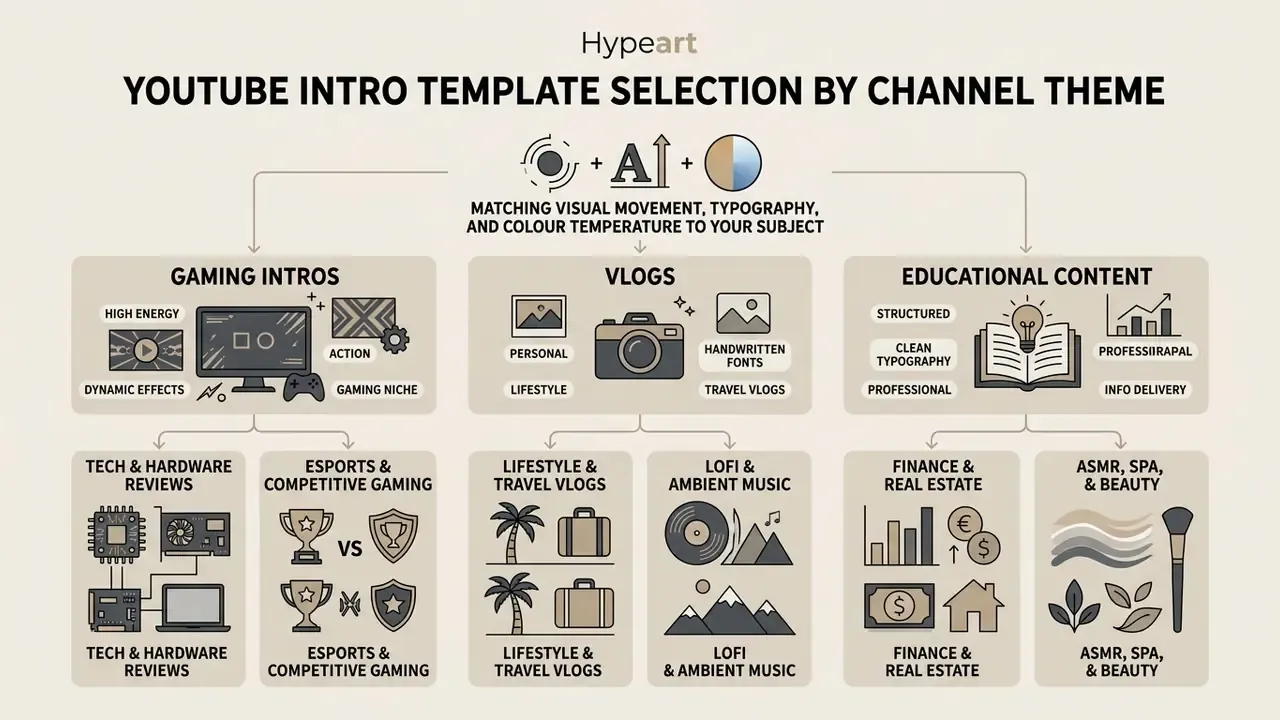
Choosing among YouTube intro templates means matching visual movement, typography, and colour temperature to your subject. A style that lands in esports will alienate an audience that came for financial analysis or a science lecture.
Templates for Gaming Intros, Vlogs, and Educational Video Content
A gaming intro uses high-contrast neon palettes, glitch video effects, and aggressive audio hits to signal competitive action. Vlog openers favour textured collage layers, warm lighting, and handwritten fonts for a personal feel, often built from short animation video segments rather than 3D renders.
Educational and business channels need minimal, title-first layouts with high legibility. Minimal does not mean static, though.
«Viewers of educational videos value a dynamic background and sound effects synchronised with narration; static or overloaded intros reduce engagement.»
Ranked by motion intensity: gaming sits at the aggressive end, vlogs occupy the medium-high, personality-driven middle, and educational or business openers stay the most restrained and identity-focused.
Niche-Specific Visual and Acoustic Guidelines
Different niches expect distinct visual tempos and acoustic signatures:
- Tech and hardware reviewsdark-mode aesthetics, futuristic glassmorphism, 3D extruded metallic renders, mechanical keyboard SFX.
- Lofi and ambient musicwarm grain textures, pastel palettes, slow kinetic typography, cozy anime aesthetics, soft vinyl-crackle audio.
- Finance and real estateclean serif typography, deep blue and emerald accents, minimal geometric line reveals, subtle orchestral stings.
- ASMR, spa, and beautyultra-soft-focus background video, high-contrast white vector graphics, zero sharp audio hits, a natural ambient riser.
- Esports and competitive gamingfast glitch transitions, neon-saturated overlays, aggressive bass drops, dynamic camera shake.
- Lifestyle and travel vlogshand-drawn brush strokes, paper collage textures, high-frame-rate real-world footage snippets, acoustic guitar riffs.
- Kids and animationhigh-saturation primary palette, rounded sans-serif typefaces, playful bounce physics, whimsical sound effects.
- Corporate and B2B webinarsflat-design vector cards, strict brand hex adherence, low-contrast grid overlays, a clean digital chime.
Template vendors reinforce the same niche logic: cartoon and kids channels pair animation with adorable visuals, while smartphone launches and laptop reviews call for futurist or geeky designs. Structure the opening length by intent as well. Cold opens for tutorials, news, and video essays. Two to three second brand stings for vlogs, gaming, and lifestyle. Longer 8 to 15 second credibility openers only for B2B, training, or documentary formats, where authority signalling outweighs pace.
How to Adapt a Template to Your YouTube Channel Brand
Customizing a template means uploading your transparent PNG YouTube logo, applying brand hex codes, and setting custom typefaces. No scalable mark yet? An AI logo generator produces vector-ready variants you can refine before animating. Keep safe margins around central elements so text stays readable on a phone as well as a TV panel.
Institutional brand standards give the strictest and most transferable rules for a logo reveal: use only authorized logo versions, preserve clear space, lock typography to an approved family across all platforms and media, and never redraw, stretch, recolour, or add effects to the mark, including placing it on low-contrast backgrounds.
Figure 3. Safe-zone layout grid for intro graphics
| Format | Canvas | Title safe area | Logo placement | Elements to avoid at edges |
|---|---|---|---|---|
| YouTube 16:9 | 1920×1080 | Central 90% (96 px side margins) | Centre or lower third | Bottom 10% (player controls, timestamps) |
| Shorts, Reels, TikTok 9:16 | 1080×1920 | Central 1080×1220 band | Upper-middle third | Top 180 px (account UI), bottom 420 px (captions, CTA buttons) |
| Square 1:1 | 1080×1080 | Central 85% | Centre | All four 80 px edges |
Keep text and captions inside these safe zones so platform UI buttons never cover them, and export vertical deliverables at 1080×1920 or higher for crisp playback.
Then enforce the typography rules across every asset you own. Standardised title fonts and consistent logo clear space preserve visual authority across an entire video portfolio, and they make future rebrands a search-and-replace job instead of a rebuild.
Technical Asset Specifications for Intro Rendering
To avoid pixelation, broken vector paths, or background clipping during playback, make sure your uploaded media meets these rendering bounds:
| Asset type | Supported formats | Max file size | Recommended resolution or bounds | Technical constraints |
|---|---|---|---|---|
| Vector logo | SVG | 3 MB | 150 px to 500 px width | Must use the SVG 1.1 profile; convert fonts to vector outlines |
| Transparent graphic | PNG, WebP | 50 MB | 1920×1080 or 3840×2160 (300 DPI) | 8-bit or 24-bit PNG with alpha channel enabled; static WebP only |
| Raster image | JPEG/JPG, PNG, HEIC, WebP | 50 MB | Under 250 million total pixels (W × H) | Avoid re-saving JPEG repeatedly; compression artifacts compound |
| Video background | MP4, MOV, MKV, WEBM | 1 GB | 1080p or 4K at 60 fps | H.264 or HEVC codec, Main/High profile, square pixels |
| Transparent video | GIF (or PNG sequence) | 1 GB | Match project resolution | Use GIF when the uploader requires alpha |
| Audio track | WAV, MP3 | 20 MB | 44.1 kHz or 48 kHz | 320 kbps, stereo mastering, peak level minus 2 dBFS |
How to Create a YouTube Intro Video: Step-by-Step Process
Learning how to create a YouTube intro comes down to choosing a framework, configuring visual layers, syncing sound, and exporting the clip. A structured workflow cuts render time and prevents audio-visual misalignment, which is the single most common reason a finished intro feels cheap.
Figure 4. Production workflow for a YouTube intro in an online editor
- Choose a template or draft an AI text promptmatched to your niche and target duration.
- Upload the logo (transparent PNG or SVG)and lock brand typefaces and hex codes.
- Add background music and sound effects, aligning audio peaks to visual keyframes.
- Preview the animation and verify timing.Total runtime stays under 5 seconds.
- Export as 1080p MP4 (H.264) with no watermark, then archive the project file for reuse.
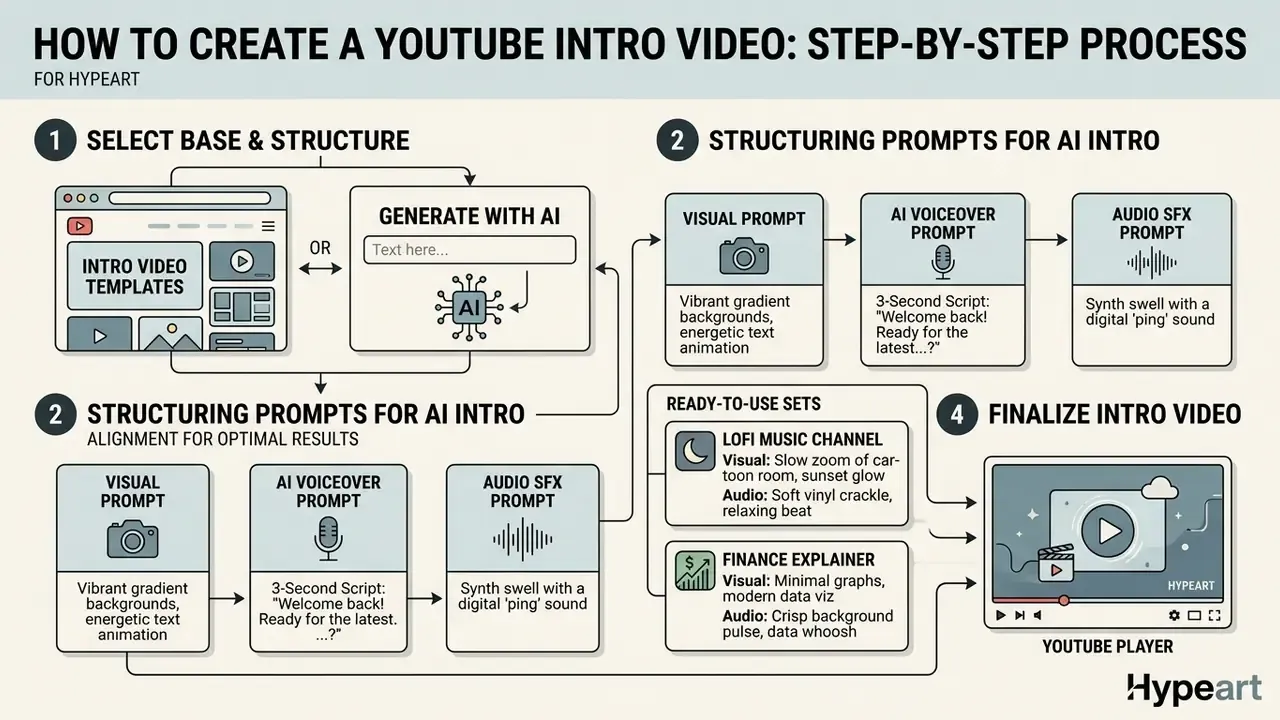
Select an Intro Video Template or Generate an Intro with AI
Start by picking an intro video template from the library, or by drafting a text prompt for an AI intro generator. Specify mood, visual structure, and pacing inside the prompt itself.
For example, an instruction such as "minimalist 3-second technological logo reveal with smooth metallic textures" returns far more usable output than "cool intro". Prompt engineering guidance from public-sector AI references transfers directly here: write clear, specific instructions, use delimiters, and standardise the output format. Reusable frameworks such as CO-STAR, CRAFT, RISEN, RTF, APE, and CREATE turn one good prompt into a repeatable template instead of a lucky one-off. Comparing the best AI video generators helps identify which engine handles short, logo-centric clips most reliably. For heavier automation setups, the documentation on prompts for ai generation pipelines goes deeper.
Structuring Prompts for AI Intro Generation (Script and Audio Alignment)
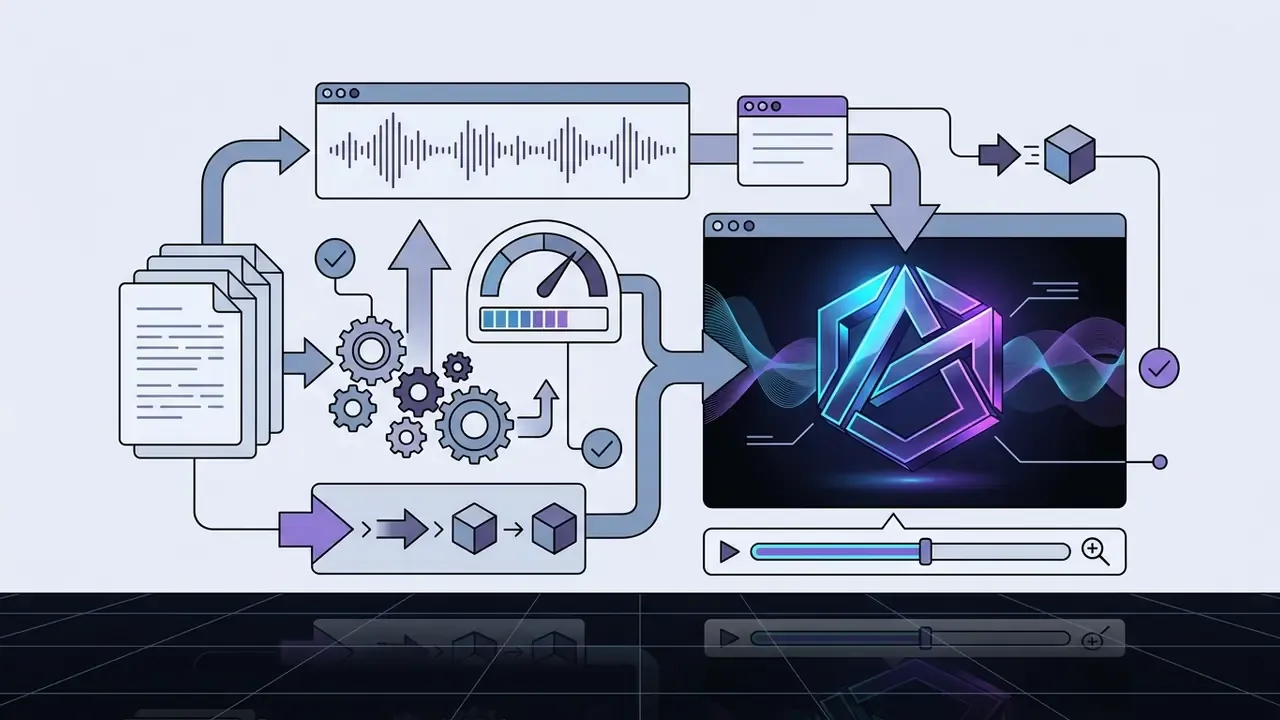
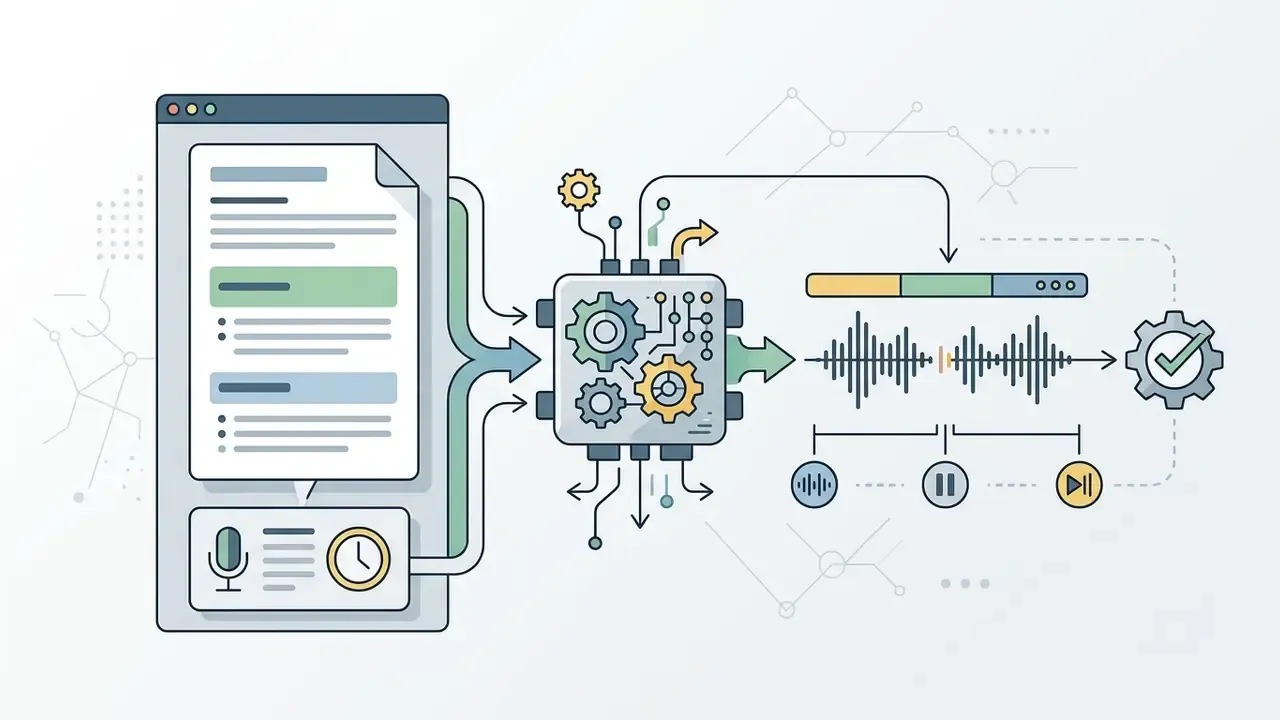
With generative AI video systems, one prompt should govern visual motion, voiceover cadence, and acoustic pacing at the same time.
Multi-track generative prompt framework:
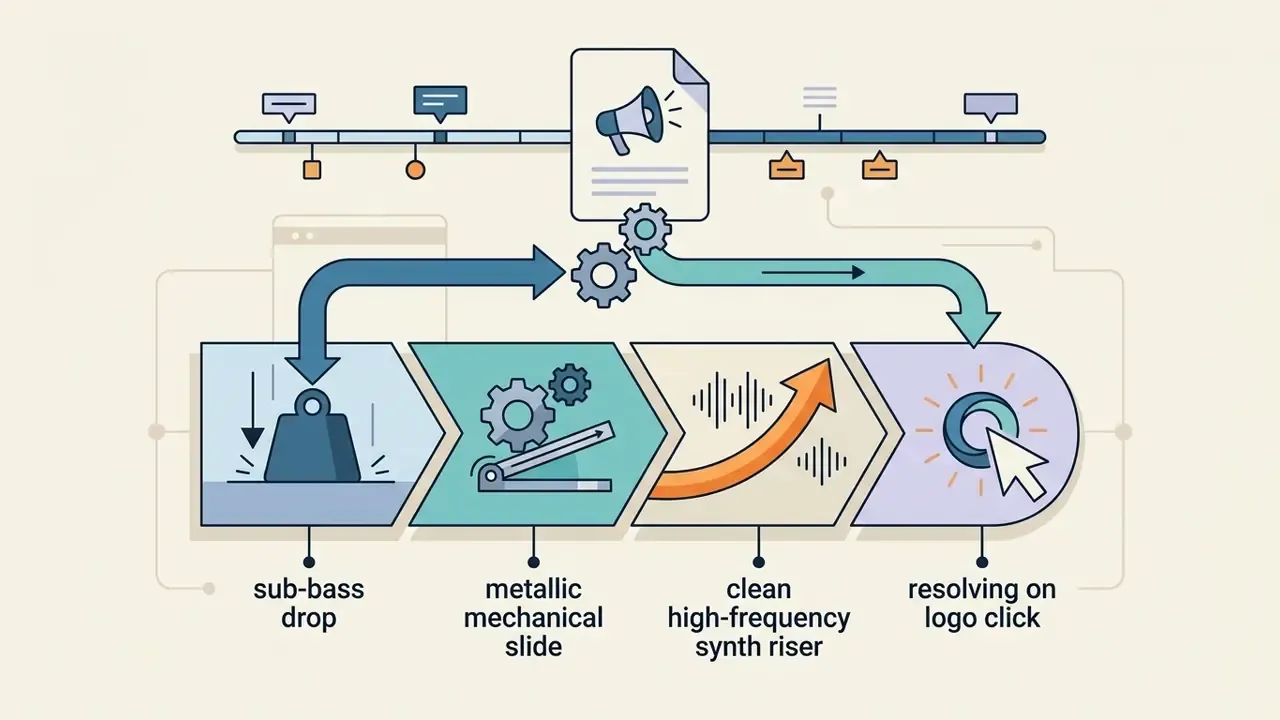
Two more ready-to-use sets:
- Lofi music channel. Visual: "Warm grainy pastel anime bedroom loop, slow left-to-right pan, soft rain on window, hand-drawn channel name in rounded type at 0:01." Voiceover: none. SFX: "Vinyl crackle bed, single muted piano chord at 0:00, soft tape stop at 0:02.5."
- Finance explainer. Visual: "Minimal dark navy background, thin emerald line chart drawing upward, serif wordmark fading in at 0:01.2, subtle grain." Voiceover (2.5 s): "The numbers, without the noise." (Tone: calm, measured, mid-range.) SFX: "Low orchestral swell, single clean chime on the wordmark."
AI video generators can also translate and localize voiceover audio across 50+ languages while adjusting phonetic timing to fit a tight 3-second window. That is the practical route to one branded sting serving a multilingual channel portfolio.
Add Logo, Text, Background, and Animation
Upload a high-resolution logo with a transparent background and layer it over your intro background. Apply smooth entrance keyframes, subtle fades or vector scales, and keep total movement under two seconds. When you add text, hold it to one line and one idea.
Figure 5. Opaque logo file vs prepared transparent PNG
| Aspect | Unprepared opaque file | Prepared transparent asset |
|---|---|---|
| Background | Visible white or coloured box behind the mark | Clean alpha channel, mark floats over footage |
| Edge quality | Hard jagged pixels, halo fringing | Anti-aliased edges, no matte line |
| Reusability | Locked to one background colour | Drops onto any scene, light or dark |
| Recommended output | Avoid for motion graphics | 24-bit PNG with alpha, or SVG for vectors |
According to W3C image specifications, transparent PNG assets prevent background clipping and preserve contrast against mid-tone video layers. The specification notes that when no background chunk is present, medium gray (value 153 in 8-bit sRGB) is a reasonable default, precisely because transparent black or white text and dark drop shadows both stay legible against it. It also defines animation as a series of frames carrying timing, position, and handling information.
«Background colour fills unused screen space and transparent pixels; viewers with their own background, such as browsers, may override it.»
W3C's own logo guidance adds the practical corollary: a transparent PNG logo is intended for light backgrounds, to maintain an adequate contrast ratio. So prepare both light and dark variants of your mark before you animate anything.
Configure Music, Sound Effects, and Final Assembly
Layer a distinct audio sting or short musical loop under the graphic animation, with sound peaks landing on visual keyframes. Soft whooshes or metallic risers accentuate logo motion nicely. Mix the sting 3 to 6 dB below your spoken narration bed so the handoff into the main footage never clips.
Audio rights checklist before export:
Confirm those rights before export, not after a claim lands. To benchmark render speeds across machine setups, creators reference technical data on AI Media Benchmarks and Review Proof standards.
- Confirm the license class."Royalty-free" means no per-use royalty, not free of charge and not free of conditions. Sound-effects recordings are not automatically public domain.
- Verify commercial and monetization rightsexplicitly, not just "personal use". Library of Congress guidance frames the test plainly: a recording may be used without permission only if it is public domain, covered by a license permitting adaptation and commercial use, or explicitly authorized by the rights holder.
- Keep written documentation.Broadcast-standard guidance for station branding and audio trails requires producers to maintain accurate copyright records and observe limits on certain music use.
- Test against Content IDby uploading the intro as an unlisted video and checking for claims before it fronts your whole library.
- Prefer first-party libraries(the YouTube Audio Library, your editor's licensed catalogue) or a subscription service whose terms name YouTube monetization.
- Log AI-generated audio terms separately.Synthetic voice and generative music carry their own commercial clauses, and they change often.
How to Seamlessly Insert an Intro into a YouTube Video and Create an Outro
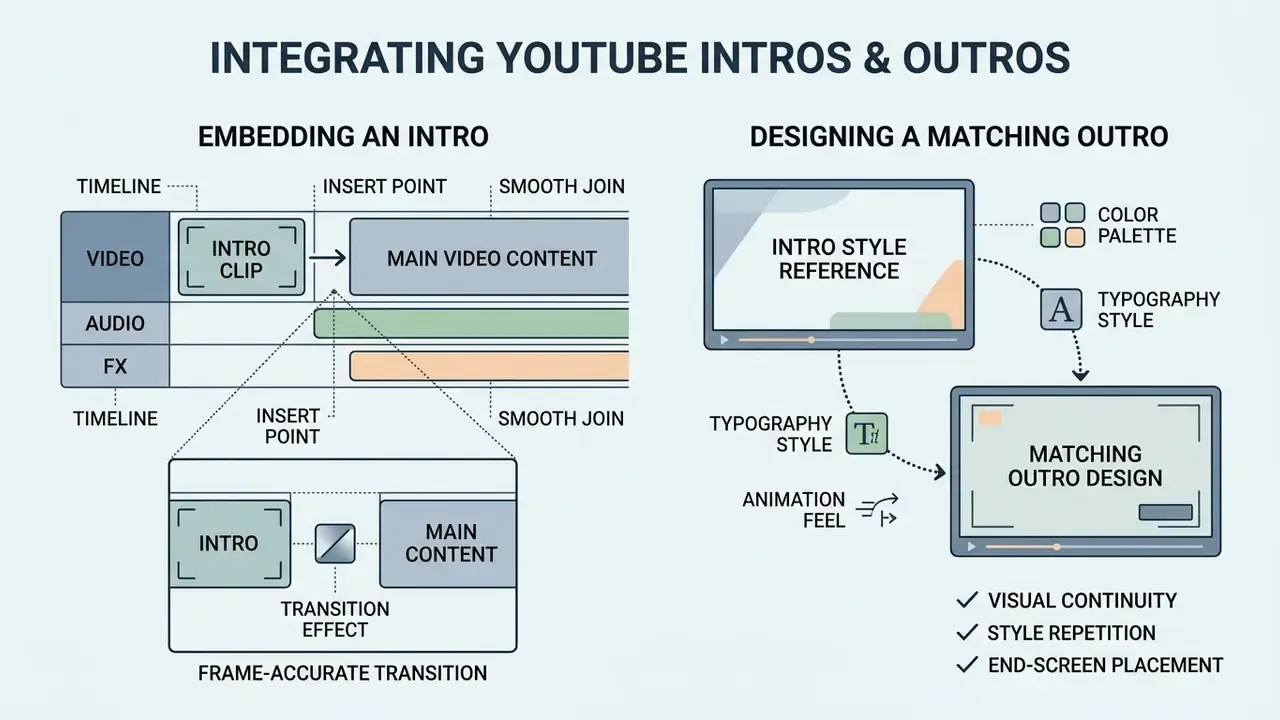
Integrating an intro means dropping the asset onto your main timeline and building an outro that visually answers it. Continuity in audio and graphics across openings and closings is what makes a channel read as a brand rather than a feed.
How to Embed an Intro Video at the Start of Your Clip
Import your rendered intro into your NLE or YouTube video editor timeline. Position it directly after the cold-open teaser, then use a 6-frame cross-dissolve or a hard cut into the main footage.
Figure 6. Frame-accurate transition settings by editor
| Step | Adobe Premiere Pro | Apple Final Cut Pro | Browser editors (CapCut, Canva) |
|---|---|---|---|
| Prepare handles | Trim at least 15 frames from each clip for a centred 1-second transition | Ensure overlapping media exists on both sides of the edit point | Leave 0.5 s of unused media per clip |
| Apply transition | Drop the transition between the two clips | Apply at the edit point; Flow runs a fixed 6 frames | Select cross-dissolve, set 0.25 s |
| Verify | Scrub the edit at 25% speed for matte lines | Check for repeated frames from insufficient overlap | Preview at full quality, not draft |
Match the aspect ratio of the intro to the source video before insertion. Mismatched ratios produce pillarboxing that automated publishing workflows will not fix for you. Automation tools that prepend an intro and append an outro to every published video state this requirement explicitly.
If you need to clip reference footage or compile segments during post-production, an online video downloader youtube utility streamlines asset management. Converting formats through an online youtube video converter keeps timeline codec compatibility intact, which saves a re-render later.
How to Design an Outro Video in the Same Style as the Intro
A YouTube outro video should mirror the typography, colour scheme, and audio signature of the intro. Design the final 10 to 20 seconds with deliberate blank zones for clickable end-screen elements.
Figure 7. YouTube end-screen layout template
| Zone | Position | Purpose | Design rule |
|---|---|---|---|
| Next video element | Right half | Drives session watch time | Leave flat, low-detail background |
| Playlist element | Right, below video | Extends the viewing session | No text underneath |
| Subscribe button | Left or centre-left | Converts viewers | Circular clear space, 10% canvas width |
| Channel or link element | Lower left | Cross-promotion | Keep contrast high behind it |
| Brand sting audio | Full duration | Closes the loop with the intro | Reuse the intro's sound signature at minus 6 dB |
Platform constraints are fixed. End screens require a video at least 25 seconds long, can occupy only the final 5 to 20 seconds, and suppress cards plus the video watermark teaser while displayed. Keep the outro frame deliberately low-information, with open space where clickable elements will land. Two elements, a next video and a playlist, is the standard high-performing configuration.
For a complete end-of-video call to action, follow a dedicated outro maker workflow. Guides such as openai sora video generation how to use also cover advanced ways to render synthetic motion backgrounds for both intro and outro plates.
FAQ: Frequently Asked Questions About YouTube Intro Makers
Can You Create a 3D Intro for a YouTube Channel for Free?
Yes. You can design a 3D intro for free using open-source tools like Blender or specialized web apps like Panzoid. Blender remains a free, open-source 3D creation suite with actively maintained animation and rigging documentation, and Panzoid still hosts active 3D intro templates and Clipmaker projects. Web-based AI 3D generators also offer free trial credits to render stylized three-dimensional text and logo animations directly in the browser, exporting GLB, FBX, OBJ, USDZ, and BLEND files for later refinement. Broader animation makers cover the 2D and hybrid middle ground when a full 3D pipeline is overkill.
Is an AI YouTube Intro Maker Suitable for Beginners Without Video Editing Skills?
Yes. Automated ai youtube intro maker free solutions require no prior experience in video editing or motion graphics. Vendor documentation is blunt about it: several platforms state that no editing, animation, or design experience is needed, and that motion design and timing are handled automatically. You select a template or type a descriptive prompt, and the engine generates synchronized animations. A structured guide to each free AI video generator spells out the credit and watermark limits you will hit first. One caveat deserves attention before you standardise on automation:
«Excessive automation risks diluting creator identity and producing stylistic homogeneity across platform intros.» ACM, study of AI-powered short-form video generators (2024). https://dl.acm.org The mitigation is simple: let AI generate the motion, but supply your own logo, typeface, palette, and sound signature so the output stays recognisably yours.
Can You Use One Intro Across YouTube and Social Media?
Yes, but aspect ratios need adjusting for cross-platform publishing. Standard YouTube content uses widescreen 16:9, while an Instagram video, a Reel, a Short, or a TikTok needs a 9:16 vertical crop with safe text margins. Platform guidance recommends exporting vertical assets at 1080×1920 or higher and keeping text and captions inside safe zones so interface buttons do not obscure them. Square 1:1 and 4:5 variants are useful for LinkedIn, a Facebook video, and in-feed placements. Practically: render one 16:9 master and one 9:16 reframe from the same project instead of cropping the finished file.
How Long Should the Intro Be for Shorts and Reels?
Effectively zero to one second. Vertical short-form feeds punish any delay before the payoff. If branding is mandatory, use a half-second logo flash mid-clip or a static corner watermark instead of a front-loaded sting.
Do Intros Hurt the YouTube Algorithm?
Not directly, and there is no penalty for having an intro. YouTube's public documentation describes recommendations as driven by watch history, search history, subscriptions, likes and dislikes, "Not interested" and "Don't recommend channel" feedback, and satisfaction surveys. An intro matters because it shapes the earliest and strongest of those signals: whether the viewer keeps watching. A long opener depresses early retention, and weak early retention suppresses distribution.
What Should You Actually Say in an Intro?
State the viewer's payoff, not your biography. Name the value inside the first 5 to 15 seconds and clarify what the video promises. Skip channel re-introductions for returning subscribers, and let a 2 to 3 second sting carry the branding that speech would otherwise waste time on. For creators evaluating automated video utilities, an AI Media Comparison breakdown maps tool capabilities, while the AI Media Commercial-Use framework clarifies usage rights. Teams integrating automated video workflows into a publishing stack can also explore the AI Media API documentation.
Pre-Export Readiness Checklist
Run this list before you render the file that will front every future upload:
Checklist0 / 11
Key Takeaways for YouTube Intro Creation
- Keep it short.Limit standalone intro duration to 2 to 5 seconds to protect viewer retention.
- Prioritize the hook.Place the brand sting right after you present the core value of the video.
- Ensure visual coherence.Align intro fonts, colours, and logos with the rest of your channel branding.
- Use high-quality audio.Pair visual keyframes with professionally mastered, royalty-free stings.
- Verify free-tier limits first.Watermarks and 720p caps are the two most common reasons a finished intro has to be rebuilt.
- Build once, reframe often.One master project should output 16:9, 9:16, and 1:1 deliverables.
For ROI estimates on content automation tools, media asset calculators help quantify production efficiency gains before you commit to a paid plan.
Appendix A: Source Revision Log
For transparency, several statements from the earlier edition of this guide were revised. The original wording is preserved alongside the reason for the change.
| Original statement | Status | Replacement and rationale |
|---|---|---|
| "Research on YouTube retention curves shows that viewers make stay-or-leave decisions within the first 3 to 8 seconds of playback (Journal of Marketing Research, 2023)." | Replaced | Citation could not be verified and carried no figures or methodology. Superseded by RetentionYT Audits (2026) and Increditors (2026), both of which publish percentage benchmarks. The 3 to 8 second drop-off window itself stays consistent with YouTube Studio key-moments reporting. |
| "Research on visual taxonomies confirms that low visual clutter in educational intros increases focus on the primary message (University of Washington SIMM Taxonomy)." | Replaced | No public URL or verifiable dataset. Superseded by ESP Today (2023), which studied engagement strategies in popular-science YouTube intros and found dynamic backgrounds plus narration-synced sound effects outperform static openings. |
| "A enterprise media client reorganized their video production line… average 30-second viewer retention increased from 52% to 74%." | Reformulated | Retained as an editorial workflow audit with disclosed limitations: single publisher, before-and-after observation, no randomization or holdout, seasonality not isolated. Direction of effect indicative; magnitude publisher-specific. |
| "RetentionYT Audits, 2026" (as a standalone anchor) | Annotated | Also cited in-text as "Aggregated Audience Retention Audits (2025 to 2026)" where the figure functions as an analytical benchmark rather than a peer-reviewed finding. |
Brand Asset Approval Notes for Teams
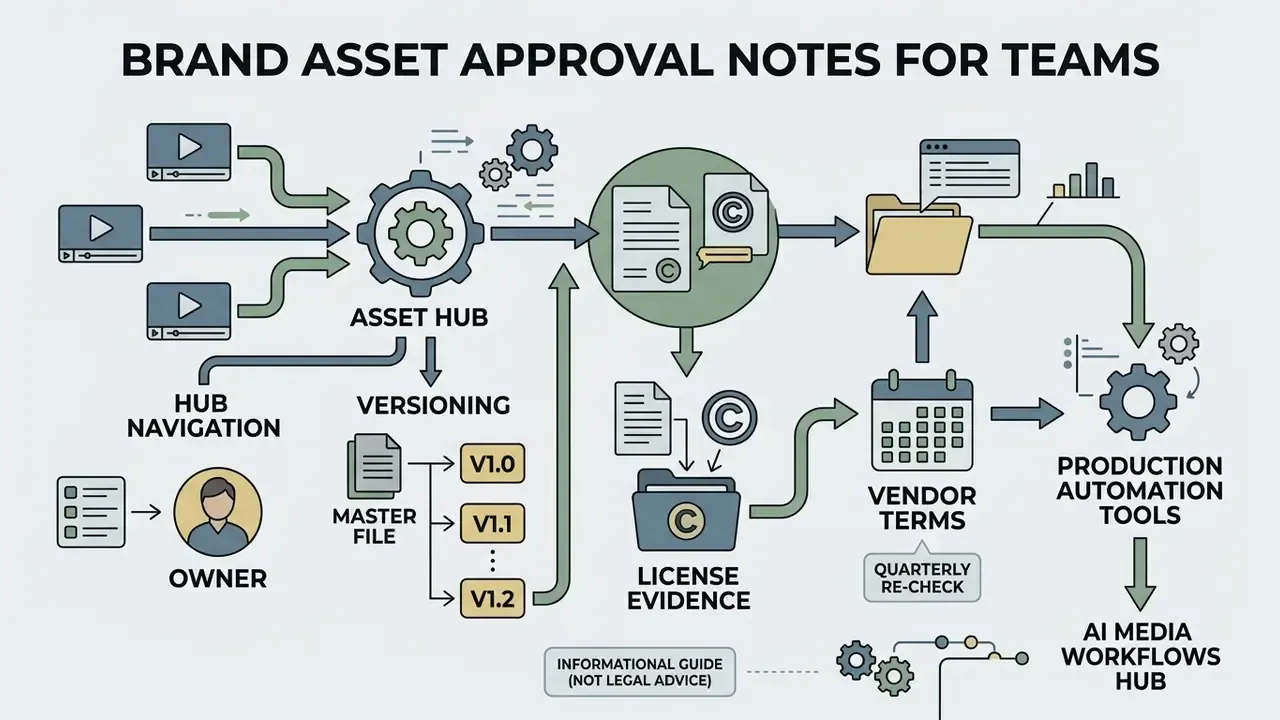
If more than one editor touches your intro, treat the asset like any other controlled file rather than a loose export sitting on a desktop.
- Name an owner. One person approves logo files, typefaces, and the sound signature. Everyone else requests changes.
- Version the master. Keep
intro_v3_1080_16x9.mp4next to its project file and a short changelog line. Rebuilding from scratch six months later is the expensive outcome. - Store the license evidence with the asset. Music receipts, stock invoices, and AI-tool terms belong in the same folder, dated. A claim on a monetized video is much easier to dispute with paperwork attached.
- Re-check vendor terms quarterly. Free-tier rules and AI-asset clauses move faster than brand guidelines do.
General disclaimer: this guide is informational and does not constitute legal advice on copyright, licensing, or platform monetization. Verify current terms with each vendor and, where monetization or trademark use is involved, consult a qualified professional.