Executive Summary
- Technical baseline: upload a square 800×800 px image. YouTube renders it as a circle at 98×98 px on desktop and roughly 20-40 px inside mobile comment threads. Accepted formats are JPG, GIF (static only), BMP, and PNG, with a 15 MB ceiling per the official YouTube Help documentation.
- Format decision: a real photograph maximizes perceived transparency. A vector logo maximizes institutional consistency and scalability. An AI avatar maximizes speed and stylistic range, but carries disclosure and trust trade-offs.
- Design rule that matters most: one clear focal element, high subject-to-background separation (contrast ratio at or above 4.5:1 per W3C WCAG 2.1), and all critical detail inside the circular safe zone.
- Tool selection first, generation second: decide between template builders, AI generators, and manual editors before you start producing assets. Each category differs in speed, uniqueness, brand control, and export quality.
- Governance caveat for regulated organizations: uploading executive or employee photographs into a public AI generator is a biometric data-processing event. Verify retention, model-training, and licensing terms before any upload, and route the vendor through standard third-party risk review.
- Ready-to-use assets in this guide: copy-paste prompt frameworks, a file-format specification table, a manual retouching workflow for creators who do not want AI, a cross-platform size matrix, and a final pre-upload checklist.
Who This Guide Is Written For
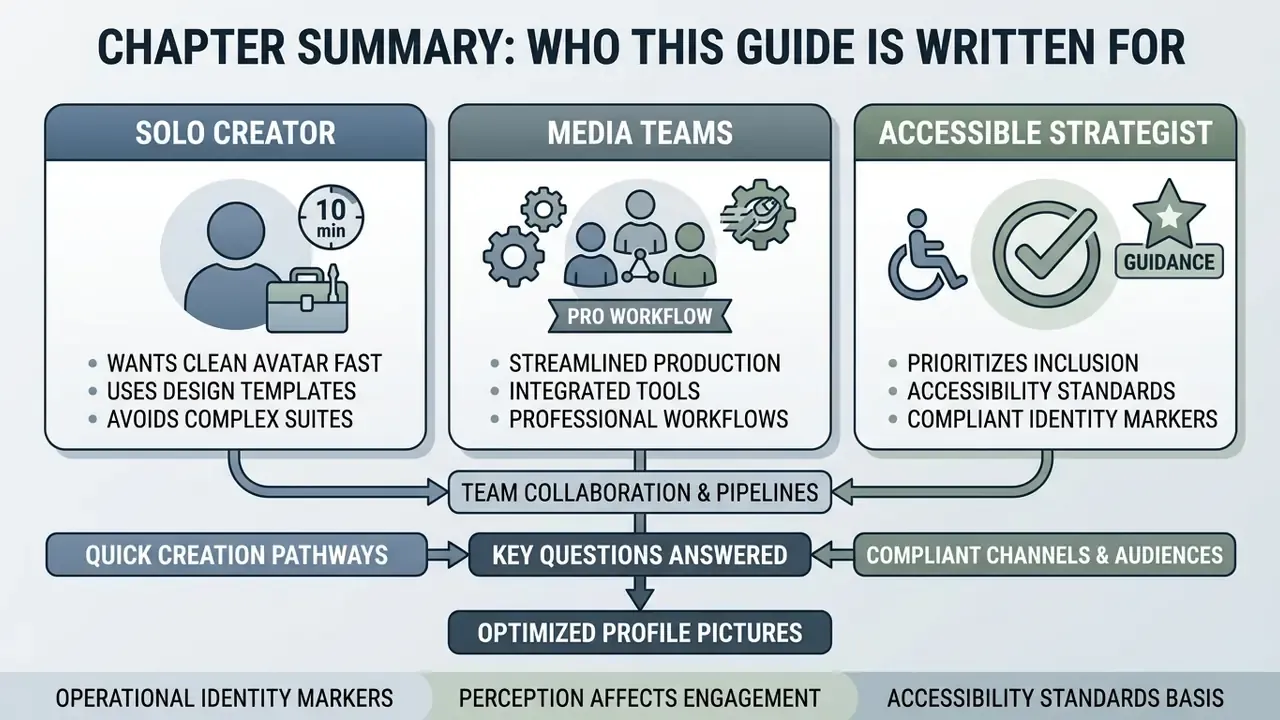
Three readers usually land here, and they want different things.
The solo creator wants a clean avatar in ten minutes without opening a design suite. The brand or social media manager needs one mark that survives YouTube, Twitch, Discord, and TikTok at wildly different pixel sizes. And the risk or compliance owner at a bank or fintech wants to know one thing before anyone clicks upload: where does that employee photograph actually go?
All three questions are answered below, in that order. The technical specs come first because they constrain every other choice. The governance section comes later because it applies only once a real face, a real trademark, or an official channel enters the picture. If you are in the third group, read the pre-upload controls before the prompt frameworks. Honestly, it saves a conversation later.
One framing note. A channel avatar is a small asset with an outsized identity function, and it is the only brand element that appears on every single surface YouTube renders. Thumbnails change per video. The avatar does not.
Selecting the right profile picture for a YouTube channel directly affects how viewers perceive channel authority, brand consistency, and content quality across mobile and desktop interfaces. The constraint is structural rather than aesthetic: YouTube's own branding documentation confirms that the profile image is a formal channel asset rendered at 98×98 pixels, edited through YouTube Studio, and propagated across the channel page, comments, and video surfaces within minutes of publishing (YouTube Help, 2026. https://support.google.com/youtube/answer/10456525).
That framing rests on published accessibility standards rather than on marketing claims. The W3C requires a minimum contrast ratio of 4.5:1 for normal text and graphical objects against their background, and NIST's user-interaction guidance recommends foreground/background contrast "at least 6:1, ideally close to 10:1" for reliable legibility (W3C, WCAG 2.1. https://www.w3.org/TR/WCAG21/ · NIST GCR 15-996, 2015). A profile picture is, functionally, a graphical object rendered at the smallest scale your brand will ever appear.
What Is a YouTube PFP Maker and Why Your Channel Needs a Profile Picture
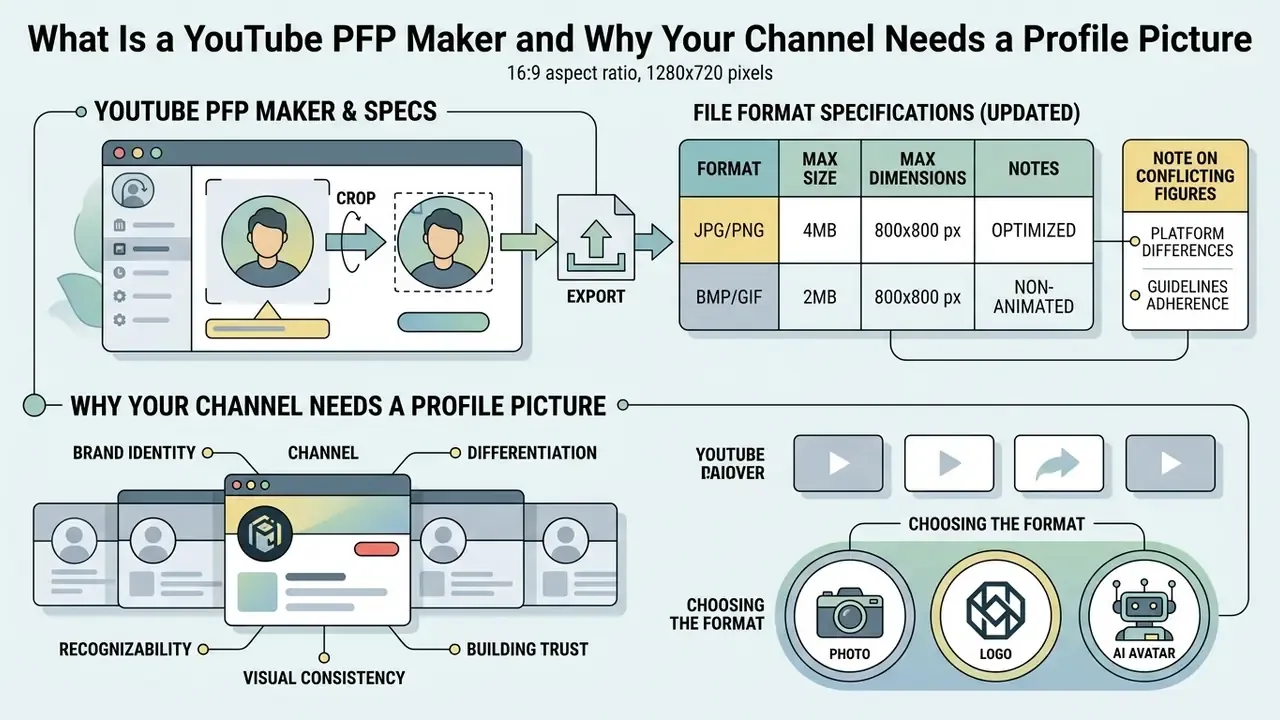
A youtube pfp maker is a specialized design or AI generation tool built to format, render, and crop circular channel avatars that meet platform display requirements. A well-designed pfp for youtube channel establishes immediate brand identity, improves comment section visibility, and holds visual consistency across search and recommendation feeds.
YouTube renders a youtube profile picture at a small scale: 98×98 pixels on desktop displays and roughly 20-40 pixels inside mobile comment threads, with around 68×68 pixels reported in search result rows. Official platform guidelines from YouTube Help require an initial square upload of up to 15 MB in JPG, GIF, BMP, or PNG format, with animated GIFs explicitly excluded. Using a dedicated pfp maker for youtube keeps the underlying asset at a professional look and high clarity when the platform automatically crops it into a circle.
Updated File Format Specification (Full Matrix)
Most guides stop at "15 MB, PNG or JPG." In practice, creators arrive with vector brand marks, modern camera formats, and legacy assets from a rebrand three years ago. The table below consolidates the platform ceiling with the practical export constraints that apply when you prepare the asset in a design tool before upload.
File format specification for YouTube profile pictures (updated)
| File format | Max size | Recommended parameters | Constraints and notes |
|---|---|---|---|
| PNG | 15 MB (YouTube upload limit) | 800×800 px, 24-bit RGB | Ideal. Supports transparency in the source file, no lossy compression, best for logos and flat graphics. |
| JPG / JPEG | 15 MB (YouTube); up to 50 MB in most editors | 800×800 px, sRGB, quality 85 or higher | Excellent for photographs. Keep compression well under a 15:1 ratio to avoid visible artifacts. |
| SVG (vector) | 3 MB (editor import limit) | SVG 1.1 profile, 150-200 px nominal width | Must be rasterized to PNG before YouTube upload; should contain no external scripts, fonts, or linked assets. |
| WebP | 15 MB (YouTube); commonly 50 MB in editors | Static WebP, 800×800 px | Static files only. Animated WebP is not supported. Convert to PNG/JPG if the upload is rejected. |
| GIF | 15 MB | 800×800 px, static | Animated GIFs are not permitted; only the first static frame is usable. |
| BMP | 15 MB | 800×800 px | Accepted but inefficient. Re-export as PNG for a smaller file at identical quality. |
| HEIC / HEIF | Up to 50 MB in editors; not accepted by YouTube | Convert to PNG or JPG at 800×800 px | Default iPhone capture format, so it must be converted before upload. Total pixel count in editors is typically capped near 250 million pixels. |
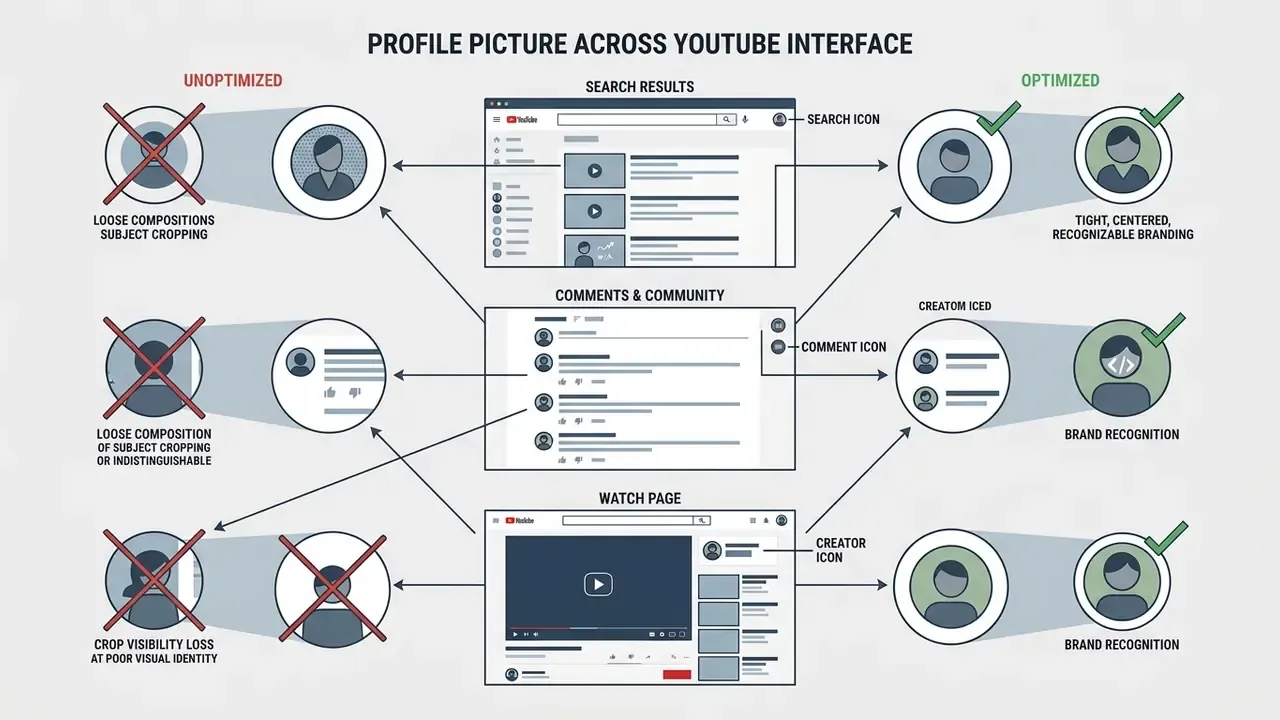
How a Profile Picture Helps a YouTube Channel Stand Out
A unique profile picture improves channel recognition by establishing a high-contrast visual anchor across mobile search results, video watch pages, and community posts. When users scroll through crowded feeds, a clear profile picture gives an instant visual signal that separates a professional youtube creator from the surrounding noise.
Empirical studies on impression formation confirm that visual profile cues trigger rapid evaluations before a viewer reads video titles or descriptions:
"Observers systematically judge profile photographs along two axes, warmth/trustworthiness and competence/dominance, mirroring impressions formed in face-to-face contact."
The same mechanism operates in peer-to-peer digital environments, where a clear visual identity raises social presence and initial trust during early interactions:
"The presence of a profile photograph increases perceived social presence and strengthens trust, especially at the start of an interaction, when no behavioural data yet exists."
For growing channels, optimizing the youtube profile image means every comment and recommendation impression reinforces one identity instead of three. One caveat on evidence quality, and it matters: official YouTube documentation treats the avatar as a branding asset, not as a tested ranking or click-through variable. Recommendation-block CTR is documented by the platform in relation to thumbnails, not avatars. The demonstrable avatar effect is recognition and identity continuity, and claims of direct CTR lift from a new PFP should be treated as unverified.
Photo, Logo, or AI Avatar: Choosing the Format
Choosing between a real photograph, a vector logo, or an ai generated youtube profile picture depends on whether the channel emphasizes personal accountability, corporate branding, or a creative persona. Authors who lead with personal expertise benefit from clear headshots. Corporate entities need scalable vector marks, and US federal and university visual-identity standards routinely mandate the full logo in social-media avatar slots for official accounts.
Research on profile image realism quantifies the trade-off:
"Realistic human images compensate for low information transparency by acting as a heuristic trust signal; AI-generated images under the same conditions reduce transaction intention."
Conversely, stylized AI avatars do well in entertainment and gaming niches where artistic persona outranks personal disclosure. Evaluating these formats means comparing speed, uniqueness, and the design skills you actually have on hand.
Selection matrix: profile photos, brand logos, and AI-generated channel avatars
| Format | Recognizability at small size | Perceived authenticity & trust | Uniqueness of visual identity | Creation speed | Required design skills | Best suited channel types |
|---|---|---|---|---|---|---|
| Personal photo (real face) | High if composition is simple and well-cropped | High transparency and trust in low-information contexts | Moderate; faces share structural commonalities | Moderate; requires photo capture and editing | Low to moderate; basic cropping | Personal expert channels, education, commentary |
| Brand logo or vector symbol | High if designed with bold contrast and simple shapes | Moderate; projects organizational competence over warmth | High; custom vector shapes are highly distinctive | Moderate to high; manual design can be slow | High; requires graphic design proficiency | Corporate brand channels, faceless news, media hubs |
| AI-generated avatar | Variable; depends on prompt structure and framing | Context-dependent; can reduce trust if artificiality is salient | High; offers wide stylistic variation | Very high; generates options in seconds | Low; relies on text prompts rather than manual editing | Gaming, fiction, experimental art, virtual personas |
Speed and skill columns are supported by vendor documentation on generation times. Recognizability and uniqueness scores are directional, since comparable measured scores across all three formats are not available in published research.
For regulated industries the decision usually resolves toward the vector logo. It removes personal biometric exposure, satisfies brand manuals that specify exact colour values, and avoids the AI-disclosure burden that NIST's 2026 draft guidance on public-facing AI documentation places on synthetic identity media. If you want to compare specific engines before committing to a style, review our breakdown of AI image generators and of free AI image generators.
To weigh alternative workflow tools for creator assets, use our hub to compare media production platforms. Teams that need to justify a paid tier internally can model licence and seat costs with our calculators before signing anything.
Free YouTube PFP Maker, Templates, and AI Generators: What to Choose
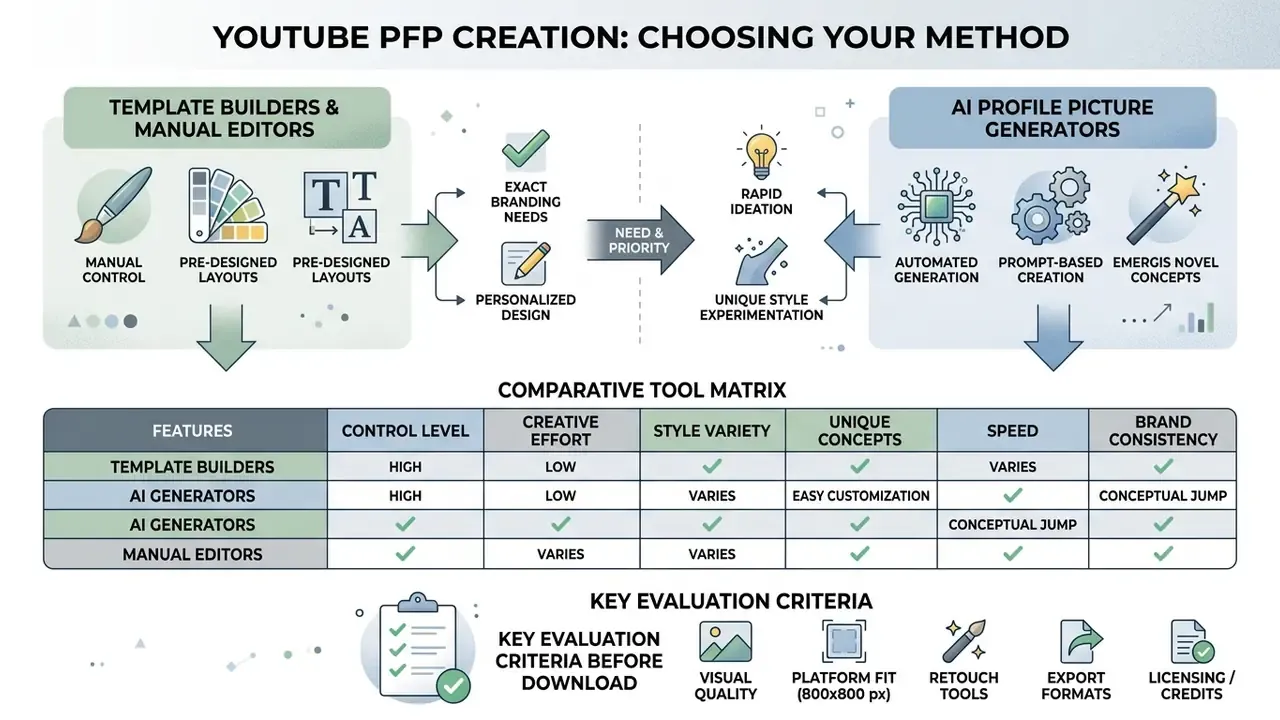
Choosing a free youtube pfp maker, a template builder, or an ai youtube profile picture generator free tool depends on whether a channel needs automated concept generation or strict manual control. Each software category carries specific trade-offs on design effort, export resolution, and visual uniqueness. Settling this question before generation prevents the most common failure mode: producing forty AI variants that cannot be reconciled with an existing brand manual.
When Templates and a Manual Picture Maker Fit
Ready-to-use templates and manual picture tools are the right call when a brand must enforce strict graphic guidelines, exact colour codes, and repeatable typography rules. Template builders provide structured layout frameworks that prevent composition errors for users with no design skills, and they are the natural choice when the avatar is one component of a broader identity system covering banners, end screens, PDFs, and print collateral.
Manual design tools excel in corporate workflows where brand identity manuals mandate precise vector placement. Think of a logo that must scale without pixelation from a 20-pixel mobile comment icon to large-format signage. Creators who need to build or refine that mark can start with AI logo generators for concepting, then finish in a vector editor for exact geometry. To review programmatic integration tools for media automation at volume, examine our technical breakdown of the AI Media API.
When to Choose an AI Profile Picture Generator for YouTube
An ai youtube pfp generator is the primary choice for creators who want rapid visual exploration without hours in manual design software. By processing natural language prompts, an ai youtube picture generator produces original character portraits, stylized avatars, and visual concepts in seconds.
The trust trade-off deserves explicit acknowledgment:
"AI-mediated communication lowers perceptions of authenticity, trust, and competence relative to human communication, particularly once the artificial origin of the content becomes evident."
How to Evaluate a Free Generator Before Downloading
Evaluating a free youtube pfp tool means checking three operational criteria before you invest time in customization: export watermark policies, daily download caps, and minimum resolution outputs.
A reliable free pfp for youtube maker gives clean, unwatermarked PNG downloads at full 800×800 pixel resolution. Tools that hide high-resolution exports behind an unannounced paywall, or stamp branding across the output, degrade the whole channel presentation. A fourth criterion matters for any organization, and it is the one that gets skipped: the vendor's data-retention and model-training policy, covered in detail in the governance section below.
Comparative tool matrix: template builders vs. AI generators vs. manual editors
| Evaluation metric | Template-based picture maker | AI profile picture generator | Manual graphic editor |
|---|---|---|---|
| Creation speed | High (5-10 minutes using templates; 15-30 minutes for a full variant set) | Very high (options in seconds to a few minutes) | Low (30-120 minutes required) |
| Visual uniqueness | Moderate (layouts shared across users) | High, but converges when many users reuse the same prompt patterns | Very high (full custom pixel control) |
| Design skill requirement | Low (pre-built graphic constraints) | Low (relies on plain text prompts) | High (requires graphic software knowledge) |
| Brand control | High (exact palette and font inputs) | Moderate (controlled via prompt refinement) | Maximum (complete manual precision) |
| Export quality | High (standard PNG/JPG formats) | High (varies by rendering engine and free-tier caps) | Maximum (uncompressed vector/raster exports) |
| Governance transparency | Usually documented enterprise terms | Highly variable; verify retention and training clauses | Highest, since processing is local with no third-party upload |
Timing ranges reflect published vendor claims and comparable design-task benchmarks. Results vary by asset complexity and by whether the measurement covers a first draft or a final export.
Creators seeking broader asset licensing guidelines can review our compliance overview on AI Media Commercial-Use. Teams comparing free AI generators side by side should use that matrix before granting any tool access to source imagery.
How to Make a YouTube PFP with AI
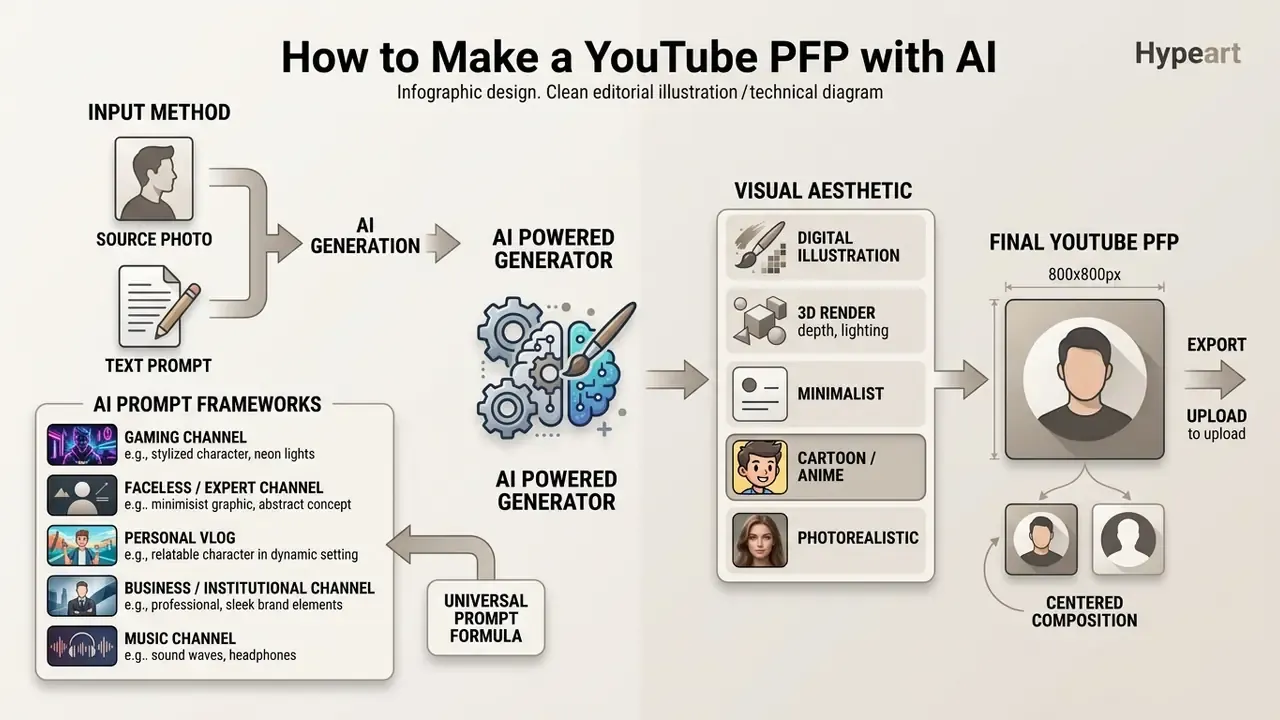
To generate an ai youtube profile picture, creators supply a source photo or a structured text prompt to an ai powered generator, select a visual aesthetic, and export a centered 1:1 asset. Modern AI image tools automate the fiddly composition work, which lets non-designers produce high resolution assets without photo editing experience.
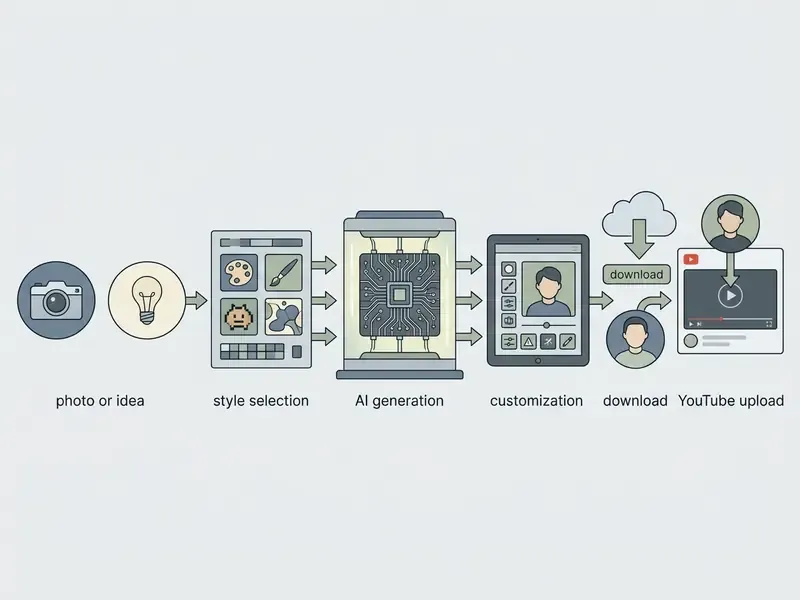
An ai image generator for youtube profile creation streamlines asset production by applying stylized lighting, background isolation, and automatic subject centering. Creators can move from an initial concept to a published ai youtube channel profile picture generator output in a structured six-step workflow.
Upload Photos or Describe the Idea for Generation
Creators start asset creation by uploading 3-5 front-facing source photos or drafting a detailed descriptive prompt. When you upload photos, front-facing shots with neutral, diffuse lighting translate facial features most accurately into stylized outputs. Vendor documentation for avatar pipelines converges on the same intake rules: a single centered subject, high resolution, no motion blur, no harsh shadows, no glasses glare, and no face obstructions such as hats, masks, or sunglasses. One photograph is enough for stylization, but 3-5 varied angles measurably improve likeness stability.
This mirrors YouTube's own avatar capture guidance, which requires the face to be centered, the lighting to be neither too dim nor too bright, and the eyes, nose, and mouth to remain visible (YouTube Help, 2026. https://support.google.com/youtube/answer/16985237).
When you want to create stunning branding for a cool pfp for youtube channel from scratch, text prompts should specify subject identity, visual style, lighting direction, and background characteristics.
"Structure the prompt into clear segments: subject description, artistic style, colour palette, lighting configuration, and composition boundaries."
Copy-Paste AI Prompt Frameworks
Copy the framework you need and substitute your own values. Each pattern keeps the subject centered, the background simple, and the detail level low enough to survive a 98×98 pixel render.
Preset-style tag shortcuts used by mainstream generators, such as CARTOON STAR, PROFESSIONAL MONO, TECH NEON, GAMING LEGEND, MUSIC VIBES, NATURE ARTIST, CAMERA PRO, and CREATIVE SPARK, can be appended to any framework above when the tool exposes them.
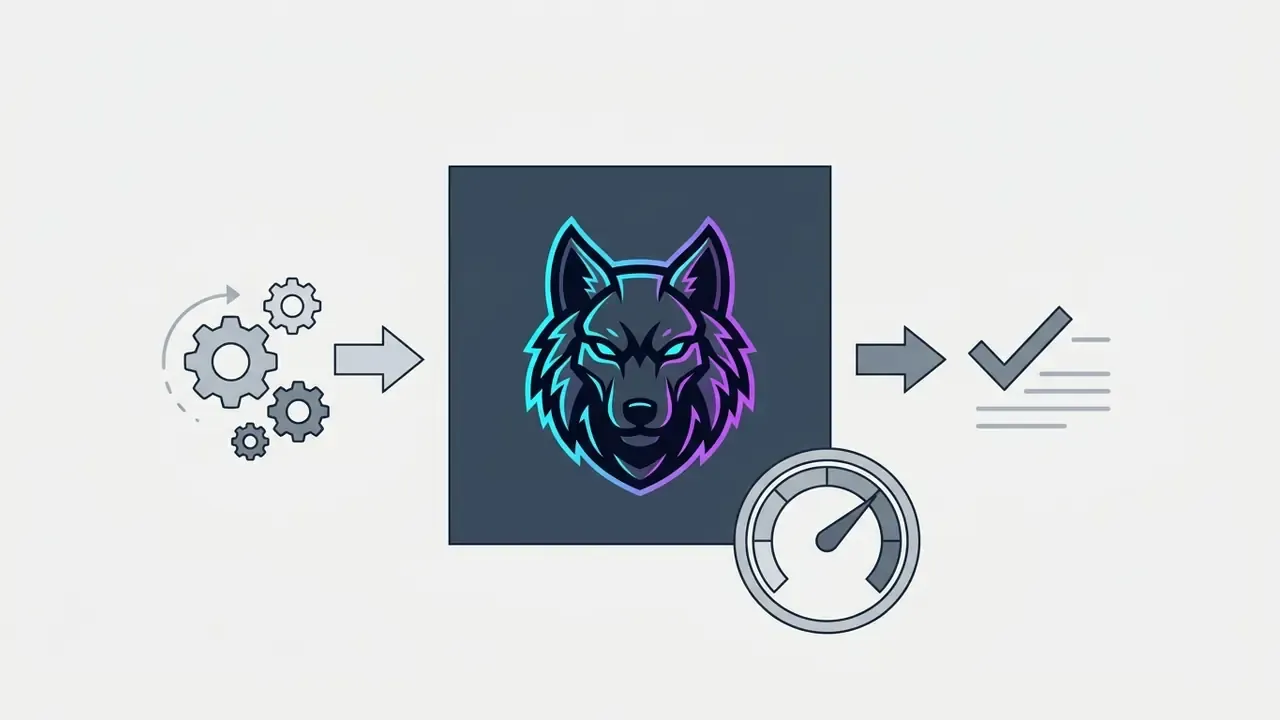
Cyberpunk esports mascot, stylized mechanical wolf head, vibrant neon blue and purple rim light, dark slate background, high contrast, centered, bold silhouette --ar 1:1 --no text, no watermark
Minimalist 3D icon of a glowing chart and rocket, dark-mode UI aesthetic, matte finish, smooth gradient background, clean vector geometry, flat perspective --ar 1:1 --no text
Stylized 3D digital avatar of a young woman with glasses, warm smile, yellow hoodie, soft studio rim light, solid deep-blue background, shoulders-up framing --ar 1:1
Minimal geometric emblem combining a shield and an upward arrow, two-colour palette (#0B3D91 and #FFFFFF), flat vector style, uniform background, high edge clarity at small size --ar 1:1 --no text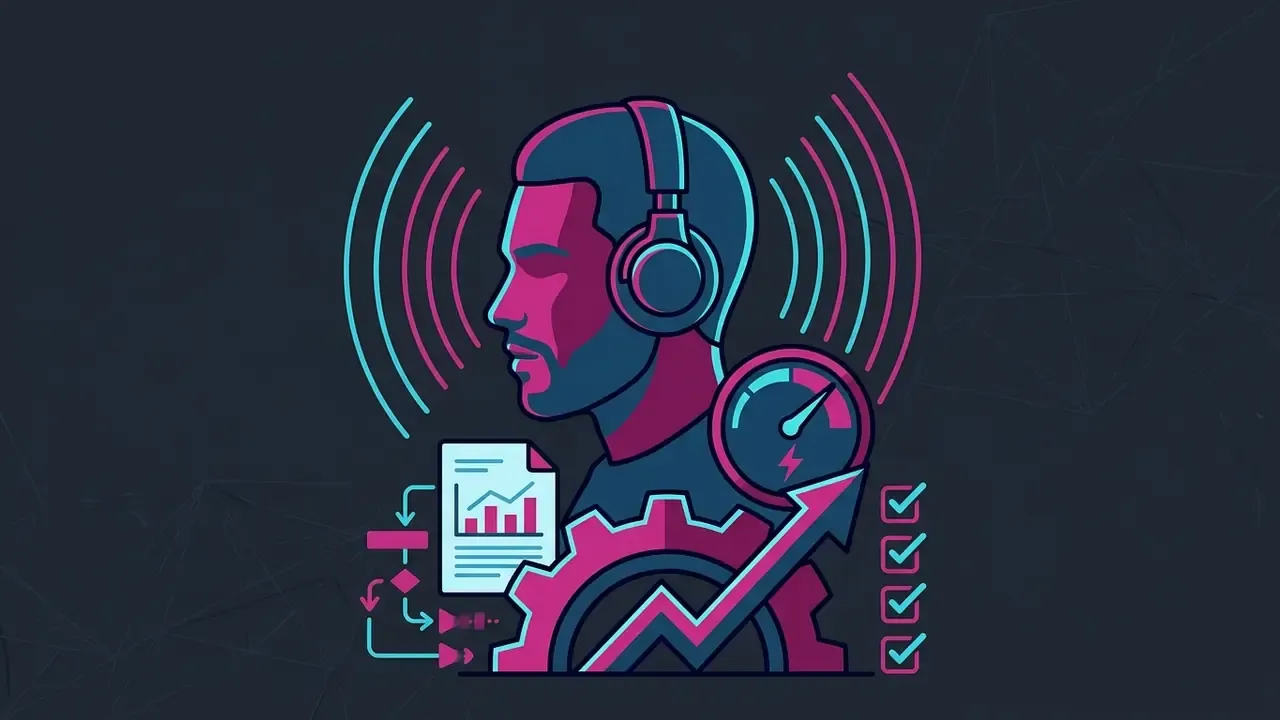
Stylized illustrated portrait of a producer wearing headphones, duotone magenta and cyan lighting, dark neutral background, bold outline, poster-art simplification --ar 1:1
Friendly flat-illustration avatar of a teacher holding a book, limited four-colour palette, light cream background, thick clean line art, centered head placement --ar 1:1Choose a Style and Fine-Tune the Generated Variant
Style parameters such as 3D render, anime, cyberpunk, or minimalism determine how the picture generator structures lighting and background elements. Each style family has predictable control points:
- 3D render specify materials plus HDRI, studio, or three-point lighting. Keep the background clean or minimal so the render reads as a single object.
- Anime clean line art, soft cel shading, vibrant but controlled colour, simple background to preserve facial focus.
- Cyberpunk neon signage, wet night-city backdrops, high contrast, magenta/cyan or teal/magenta palettes, strong rim light.
- Minimalism simple shapes, flat uniform background, limited palette, reduced detail, centered subject.
Fine-tuning colour temperature and background contrast keeps the central subject distinct across both light and dark platform interfaces. Creators who want granular control after generation can finish the file in an AI photo editor or a conventional free photo editor instead of re-prompting fifteen times.
An ai profile picture generator for youtube returns multiple iterative outputs based on prompt parameters. Adjusting lighting angles and stripping distracting background elements is what keeps a professional look legible at micro resolutions.
Download the Image and Add It to Your YouTube Profile
Once generation is complete, export the finalized asset as an ai profile picture at 800×800 pixel resolution in PNG or high-quality JPG. Check the image boundaries before downloading, since a hidden crop at this stage becomes a clipped background after install.
To complete installation: sign in to YouTube Studio on desktop or mobile, open Customisation, select the Profile tab, click Change, choose your file, adjust the crop and scale, then confirm with Done and Publish. Updates may take a few minutes to propagate across YouTube surfaces. Creators expanding their channel automation strategy can explore our guide on AI Media Workflows and our overview of YouTube video editors to streamline production across platforms.
Step-by-step AI YouTube profile picture creation process
| Step | Operational action | Technical & quality consideration | Primary risk if skipped |
|---|---|---|---|
| 1. Input specification | Upload 3-5 reference photos or write a structured text prompt. | Ensure even lighting on source photos; specify subject, style, and palette in text prompts. | Biometric data exposure if vendor retention terms are unverified; poor likeness fidelity. |
| 2. Style & parameter tuning | Select an aesthetic preset (3D, anime, vector) and background rules. | Maintain high contrast between subject and background for small-scale legibility. | Avatar dissolves into light or dark UI themes. |
| 3. Variant generation | Run the AI generator to produce four distinct visual options. | Evaluate options for warmth and competence signals matching channel focus. | Persona mismatch between avatar tone and content category. |
| 4. Framing & editing | Crop the subject to shoulder height and center it within a 1:1 square frame. | Verify that facial features stay safely inside the circular crop boundary. | Circular mask removes eyes, chin, or logo edges. |
| 5. High-res download | Export the finalized asset as 800×800 px PNG or low-compression JPG. | Confirm the file stays below YouTube's 15 MB limit and compression under 15:1. | Blocking artifacts and edge halos visible at 100% magnification. |
| 6. YouTube Studio upload | Publish via YouTube Studio, Customisation, Profile, Change, Done, Publish. | Preview rendering across mobile comment threads and desktop channel pages. | Format rejection (animated GIF, HEIC) or unnoticed crop failure in production. |
How to Make a Good PFP for YouTube: Design, Readability, and Brand
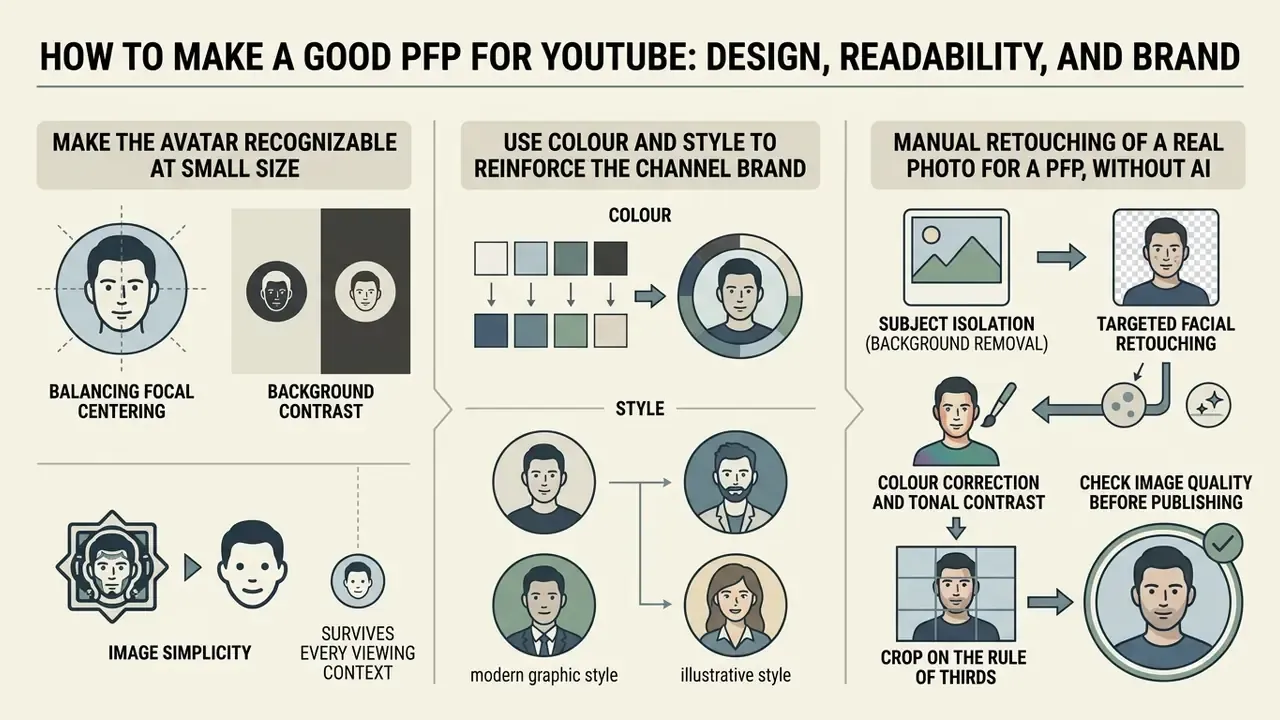
Learning how to make a good pfp for youtube comes down to balancing focal centering, background contrast, and image simplicity so the avatar survives every viewing context. A poorly framed avatar loses its visual punch the moment it sits at thumbnail scale next to twelve competing recommendations.
Make the Avatar Recognizable at Small Size
An eye catching channel avatar puts the primary subject strictly inside the central safe area of the square source image. Because YouTube applies a circular mask, edge details, fine typography, and off-center elements get trimmed during rendering.
Composition rules that survive micro-scaling:
- Start from a large square source, crop to the shoulders, and keep the face plus a small shoulder margin in frame.
- Leave roughly 10% clearance above the head so the circular mask does not shave the crown.
- Keep eyes, mouth, and the dominant hair or helmet silhouette away from the corners.
- Use one focal element. Two subjects, or a scene with background props, becomes unreadable below 40 pixels.
To test small-scale legibility, inspect the graphic at 100% scale and again at thumbnail scale (around 98×98 pixels), then preview the circular crop before saving. Keeping the composition uncluttered, with clear subject boundary isolation, is what makes a profile picture generator output instantly recognizable in mobile comment lists.
Use Colour and Style to Reinforce the Channel Brand
Bold colour pairs and strong background-to-foreground contrast keep the youtube channel avatar readable on both dark and light UI themes. Web content accessibility guidelines recommend background-to-subject contrast ratios of at least 4.5:1 to preserve visual definition (W3C, WCAG 2.1. https://www.w3.org/TR/WCAG21/). The practical corollary from theme-switching specifications is to design opposite pairings: light foreground on dark background for dark mode, dark foreground on light background for light mode (W3C, CSS Color Module Level 5. https://www.w3.org/TR/css-color-5/).
Contrast is not only an accessibility requirement. It is an attention variable:
"High-contrast images significantly increase consumer attention relative to low-contrast alternatives, as does vertical text orientation."
Colour choices should complement channel banners and thumbnail design systems. Recurring colour accents strengthen recognition across video recommendations, external embeds, and social cross-promotion. Worth flagging the evidence status here, though: the cross-surface recognition effect is supported by brand-identity practice and by the attention findings above, but no published study in the retrieved literature isolates avatar colour accents as a standalone driver of cross-platform recall. Treat it as a well-grounded design heuristic, not a measured effect.
Manual Retouching of a Real Photo for a PFP, Without AI
If you already own a suitable photograph and would rather not route a face through a generative model, four manual steps produce a platform-ready asset:
- Subject isolation (background removal) strip visual noise behind the subject. Replace it with a single contrasting tone, light subject on dark background or the reverse. This one step recovers most of the legibility lost at 20-40 pixels.
- Targeted facial retouching apply a light skin-softening mask while preserving natural texture, then add local sharpening to the eyes (roughly +10-15% clarity). Avoid global smoothing, which flattens facial structure at small sizes.
- Colour correction and tonal contrast raise vibrance on the primary brand hue by about 15% and set the black point so the face does not merge with YouTube's dark theme. Verify the result against both a white and a near-black backdrop.
- Crop on the rule of thirds place the eyes on the upper third line inside the circular safe zone, leaving about 10% headroom. Export at 800×800 px.
Creators who need tooling for these steps can review our guides to online photo editors and AI headshot generators for a comparison of manual versus assisted retouching paths.
Check Image Quality Before Publishing
Before publishing, evaluate the exported file for compression artifacts, edge blur, or a mis-set focal crop. Use a repeatable inspection method rather than a glance:
- Inspect at a 1:1 pixel ratio (100% magnification) for sharpness and artifact review, then inspect at thumbnail scale for completeness. That two-stage review method is specified in FADGI digitization guidelines.
- Measure crop safety as the pixel distance from facial features to the image edge. NIST's face-image quality work uses exactly this metric, alongside detection of lossy JPEG artifacts on the 8×8 block grid.
- Cap compression. ICAO portrait guidance limits JPEG compression to a 15:1 ratio and requires that no compression artifacts be visible, which is a conservative and useful ceiling for avatars too.
Exporting at 800×800 pixels keeps high quality rendering intact on high-DPI retina displays. If the source is under-resolved, run it through AI image enhancement or an image upscaler before export rather than publishing a soft file.
Creators integrating motion assets across their channel layout can consult our tutorial on how to make a video from a photo to build matching animated teasers.
Alert box: common pitfalls in YouTube profile picture design
Cross-Platform Branding: One Avatar, Every Surface
Most creators and brands run the same identity across several platforms, and each platform renders the avatar at a different size. Exporting a single 800×800 px master plus a transparent-background PNG variant lets you deploy consistently without redesigning per network.
Cross-platform avatar size matrix
| Platform | Typical display size | Minimum upload size | Recommended format |
|---|---|---|---|
| YouTube | 98×98 px (around 68×68 px in search; 20-40 px in comments) | 800×800 px | PNG / JPG (static only) |
| Discord | 80×80 px | 128×128 px | PNG / animated GIF (Nitro) |
| Twitch | 70×70 px | 256×256 px | PNG / JPG |
| TikTok | 20×20 px in comment rows | 200×200 px | PNG / JPG |
| Instagram / X | 32-40 px in feed rows | 320×320 px | PNG / JPG |
Display sizes vary by device and interface version. The minimum upload column reflects the smallest file that avoids visible upscaling.
A transparent PNG master is the practical asset here. It lets you layer the mark over stream overlays, Discord server banners, thumbnail corners, and community posts without re-cutting the silhouette. Keeping one recognizable shape across YouTube, Twitch, and Discord is what makes a creator identifiable in a live chat row that is 70 pixels tall.
Data Privacy, Intellectual Property, and Shadow AI Risk
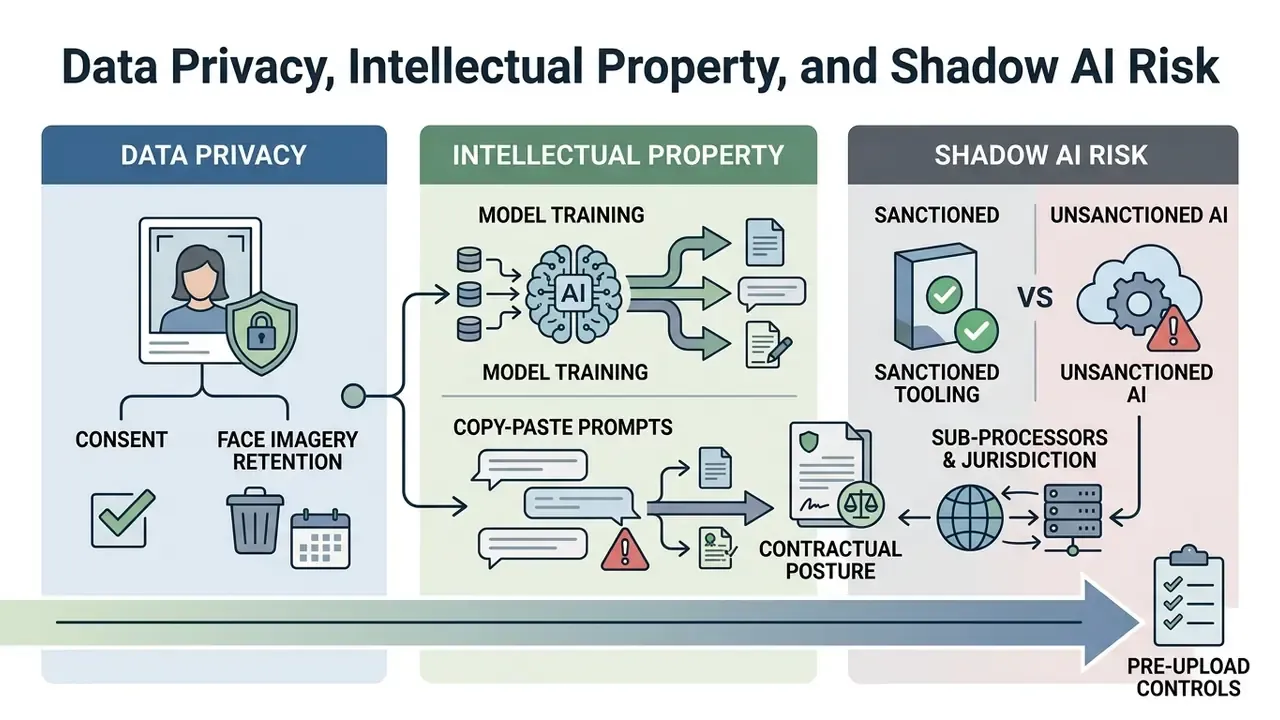
For an individual creator, uploading a selfie to a web generator is a convenience decision. For a bank, insurer, or mature fintech, the same action is a biometric data-processing event executed on a third-party platform, frequently outside sanctioned tooling. That is the working definition of Shadow AI, and avatar creation is one of its most common unmanaged entry points, precisely because it looks trivial.
Pre-Upload Controls for Face Imagery
Before any employee, executive, or spokesperson photograph enters an AI generator, confirm:
- Retention. How long are uploaded images stored, and is deletion on request verifiable? Prefer tools that state explicit non-retention.
- Model training. Does the vendor's policy permit training on customer inputs? If the clause is silent or permissive, treat the upload as a disclosure.
- Sub-processors and jurisdiction. Where is inference performed, and which sub-processors receive the file?
- Contractual posture. Is there an executed DPA? Is there a current SOC 2 Type II report or equivalent attestation? Free consumer tiers rarely support either.
- Consent. Has the individual in the photograph consented to synthetic derivative use of their likeness, including stylized variants that may circulate well beyond the original channel?
- Sanctioned tooling. Is the generator on the approved list, or is a marketing team improvising with an unreviewed browser tool at 6 p.m. before a campaign launch?
Where those answers are unavailable, the lower-risk path is a vector logo or symbolic mark produced in a local editor. No face leaves the organization, and the asset stays fully owned and infinitely scalable.
Commercial Rights to AI-Generated Output
Disclosure and Synthetic-Media Risk
NIST's 2026 draft guidance on public-facing AI documentation treats synthetic identity media as something requiring explicit documentation, which makes an undisclosed AI avatar a transparency exposure for a regulated brand. The audience-side risk is measurable:
"Users are increasingly unable to distinguish AI-generated faces from real ones; yet once the synthetic origin is disclosed, authenticity and trust ratings drop sharply."
Two practical implications for trust-sensitive channels. Prefer a logo or a genuine headshot over a photorealistic synthetic face. And if you do deploy a synthetic avatar, disclose it in the channel description. Teams that want to check whether an asset will be flagged as synthetic can screen it with AI image detectors and reverse-image tools before publication.
PFP Ideas for Different Types of YouTube Channels
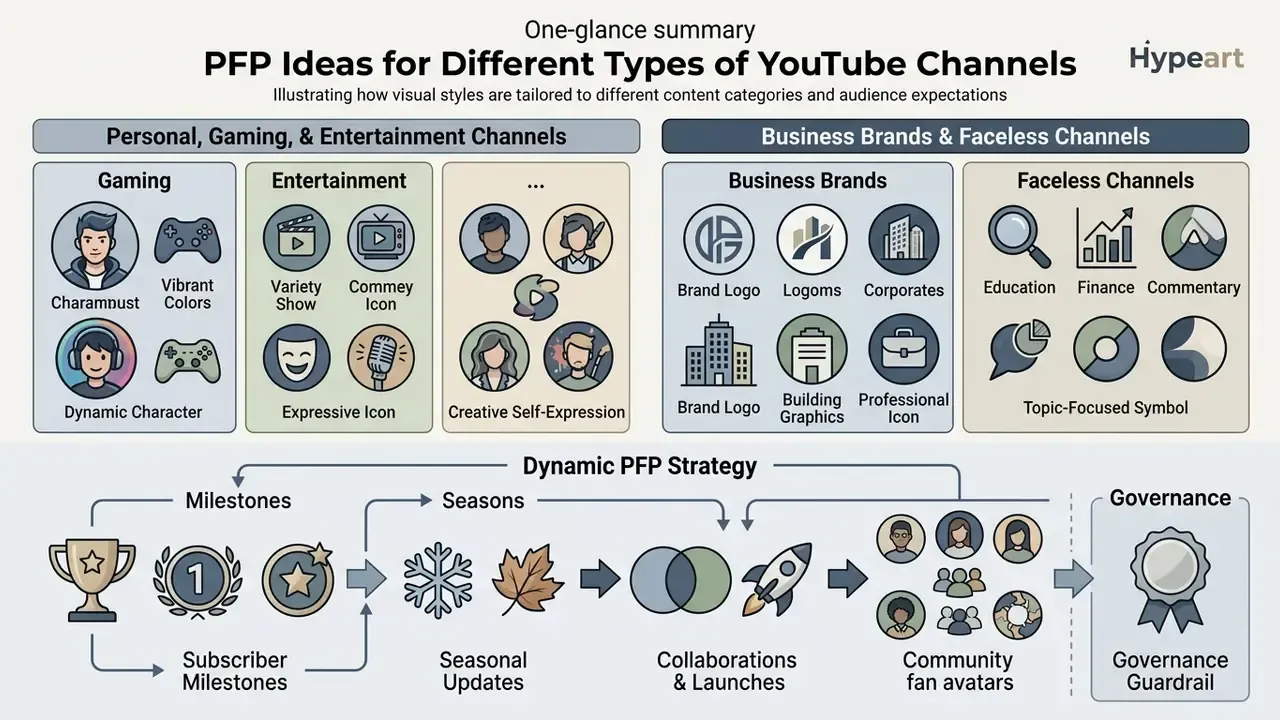
A strong avatar concept tailors visual style to audience expectations and content category. Alignment between avatar appearance and channel positioning reinforces content identity, and mismatch is noticeable within a second.
Audience resemblance is also a documented variable:
"Physical similarity between the profile image of a message source and the consumer significantly increases perceived review credibility and purchase intention."
PFP for Personal, Gaming, and Entertainment Channels
Personal blogs, gaming channels, and entertainment hubs benefit from expressive, high-warmth profile visuals. A cool pfp for youtube channel, say a stylized 3D avatar or a vibrant anime headshot, signals creativity and lifts viewer engagement.
"Avatars with positive facial expressions increase willingness to engage; expressionless avatars are significantly less effective as trust signals."
Related findings reinforce the pattern. Cartoon or real-face profile images generate higher empathy than landscape or object images. Users high in openness gravitate toward more aesthetic, stylized photographs, while agreeable and conscientious users display more positive emotion in their profile images.
For gaming creators, stylized avatars carry strong persona expression while preserving personal privacy. A mascot head, a pixel-art bust, or a cyberpunk helmet reads instantly in a 70-pixel live-chat row and never requires a new photoshoot. Creators who prefer a realistic portrait instead can review our guide to AI headshot generators for professional portraits. Teams experimenting with generative formats beyond stills sometimes start with something low-stakes, like how to make AI baby videos, before applying the same tooling to brand assets.
PFP for Business Brands and Faceless Channels
Business channels, educational hubs, and faceless content networks need streamlined vector logos or symbolic brand marks. A professional youtube account projects institutional competence and authority through clean typography and simple geometric emblems, which is exactly why institutional visual-identity standards classify the social avatar as a small-format logo application rather than a decorative slot.
Faceless channels use custom mascots or brand marks to build long-term equity without tying the channel to one individual's appearance. Current faceless-channel practice splits into three executions: a recurring character or mascot, a consistent visual world with no character at all, or a disclosed synthetic presenter.
Be aware of the normative pressure inside face-heavy niches:
"The more posts containing users' faces a person sees in a feed, the stronger the perceived norm of visual self-disclosure, and the higher the likelihood of disclosing in turn."
In practice, a faceless brand mark stands out more in a face-saturated niche, but it also fights a stronger conformity current. So the mark has to be unusually distinctive to compensate. Teams refining a logo or emblem can finish the file in an online photo editor or a vector tool before export.
Creators building multi-channel brand layouts can learn how to make a video presentation to keep visual alignment across channel media. For intro sequences matching a new avatar identity, explore our workflow on how to make a youtube intro. Teams extending the same identity system to device themes and secondary surfaces can also consult our guides on how to make a wallpaper and how to make a video your wallpaper.
Dynamic PFP Strategy: Milestones, Seasons, and Fan Avatars
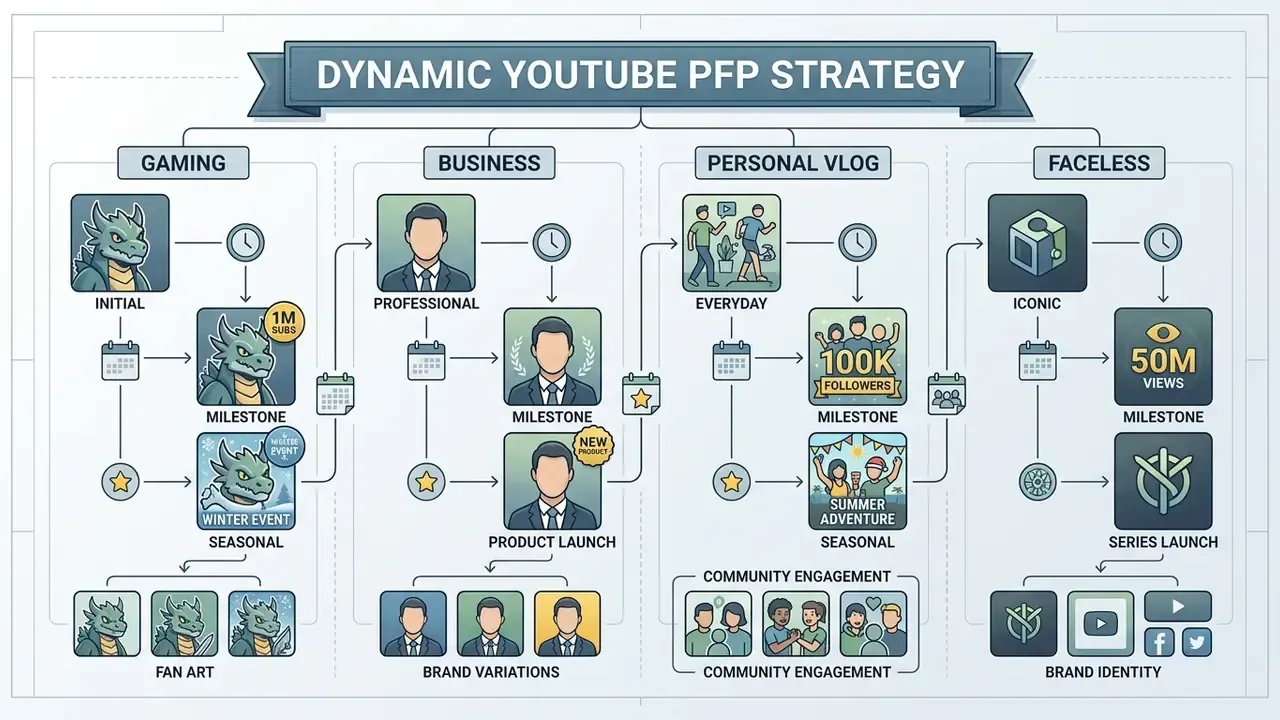
A profile picture should not sit frozen for four years. Used deliberately, the avatar becomes a lightweight campaign surface:
- Subscriber milestones. On hitting a major threshold (100K, 1M), add a gold ring or a milestone badge to the existing mark for 7-14 days. The silhouette stays constant, so recognition survives while the change signals momentum.
- Seasonal updates. Small branded attributes, a holiday element or a seasonal colour accent, lift audience response during holiday periods. Directional estimates from creator practice put the engagement lift in the high single digits to low double digits. Treat that as an observed pattern from community reporting, not a measured benchmark.
- Collaborations and launches. Temporarily aligning avatar accent colours with a co-branded series creates visual continuity across both channels' comment sections.
- Community fan avatars. Keep the master PSD/PNG template and distribute it to subscribers during streams or challenges. Fan-deployed variants extend the mark across chats and servers you do not own.
- Governance guardrail. For regulated brands, log every avatar change with date, rationale, and approval owner. An ad-hoc identity swap on an official channel is a brand-control incident, not a design experiment.
Final Pre-Upload Checklist
Run this list immediately before publishing in YouTube Studio.
Checklist0 / 18
FAQ: YouTube PFP Makers, Sizes, and Rights
The frequently asked questions below cluster around three things: graphic licensing, platform compliance, and technical export settings.
Can I use a logo or someone else's image for a YouTube PFP?
Disclaimer: The following is general information and does not substitute for advice from a qualified copyright or intellectual-property specialist. Creators may use custom logos, original artwork, or properly licensed stock graphics for their YouTube profile picture. Using unauthorized third-party trademarks, copyrighted character art, or real photos of other individuals without permission violates YouTube Community Guidelines and intellectual property law (YouTube Help, 2026. https://support.google.com/youtube/answer/6154218 and https://support.google.com/youtube/answer/2801947). YouTube states that it enforces trademark holders' rights and prohibits channels whose branding causes viewer confusion, and its impersonation policy explicitly covers avatars. AI-generated art gets no separate carve-out. If a synthetic avatar functions as a misleading copy of another brand, or incorporates someone else's trademarked elements, it falls under the same impersonation and trademark restrictions. "Users are increasingly unable to distinguish AI-generated faces from real ones; yet once the synthetic origin is disclosed, authenticity and trust ratings drop sharply." Pocol et al., Seeing is No Longer Believing, Advances in Computer Graphics (2024). Before publishing, screen the asset with AI image detectors and reverse-image search tools to confirm it is neither flagged as synthetic nor visually derivative of a protected mark. When generating assets with an ai youtube profile picture maker, check that the platform's terms of service grant commercial usage rights for generated outputs.
What is the best YouTube profile picture size?
Upload a square image at 800×800 px. YouTube displays it as a circle and renders it at 98×98 px on most desktop surfaces, around 68×68 px in search rows, and 20-40 px in comment threads. Designing at 800×800 px gives the platform enough pixel data to downscale cleanly on high-DPI displays.
Can I create a YouTube PFP without uploading a photo?
Yes. A structured text prompt alone is enough, and the copy-paste prompt frameworks above are built for exactly that. This is the preferred route for faceless channels, for organizations that cannot expose employee biometrics to third-party systems, and for any brand that wants a logo-style mark rather than a portrait.
How do I make a cartoon or stylized PFP?
Use an avatar or stylization preset in your generator, or apply the anime, 3D-render, or minimalism prompt patterns above to a set of 3-5 front-facing reference photos. Stylization preserves recognition while reducing personal identifiability, which is the standard compromise for gaming and entertainment channels.
How do I change my YouTube profile picture?
Sign in to YouTube Studio, then Customisation, Profile, Change, select the file, adjust the crop, Done, Publish. Changes may take a few minutes to appear across YouTube. The same path is available in the mobile app.
Can I use an animated GIF as my YouTube avatar?
No. YouTube Help explicitly excludes animated GIFs from profile-picture uploads; only static images in JPG, GIF, BMP, or PNG are accepted. Animated avatars are supported on some other platforms (Discord with Nitro, for example), which is another reason to maintain separate exports per platform.
Is my uploaded photo safe in a free PFP maker?
That depends entirely on the vendor, and the answer should never be assumed. Consumer tools commonly state that images are processed securely and used only for generation, but those statements vary in specificity and rarely arrive with a DPA or an attestation report. For personal channels the risk may well be acceptable. For corporate channels, apply the pre-upload controls in section [8.1] before any face is uploaded.
Does changing my PFP increase views or click-through rate?
There is no primary evidence that an avatar change causes a measurable CTR lift in recommendation blocks, and YouTube's own documentation ties CTR discussion to thumbnails, not avatars. What is documented is the avatar's role in brand recognition and identity continuity, plus the impression-formation and trust effects cited earlier. Treat PFP optimization as a recognition and trust investment, not a traffic lever.
Appendix A: Editorial Revision Log
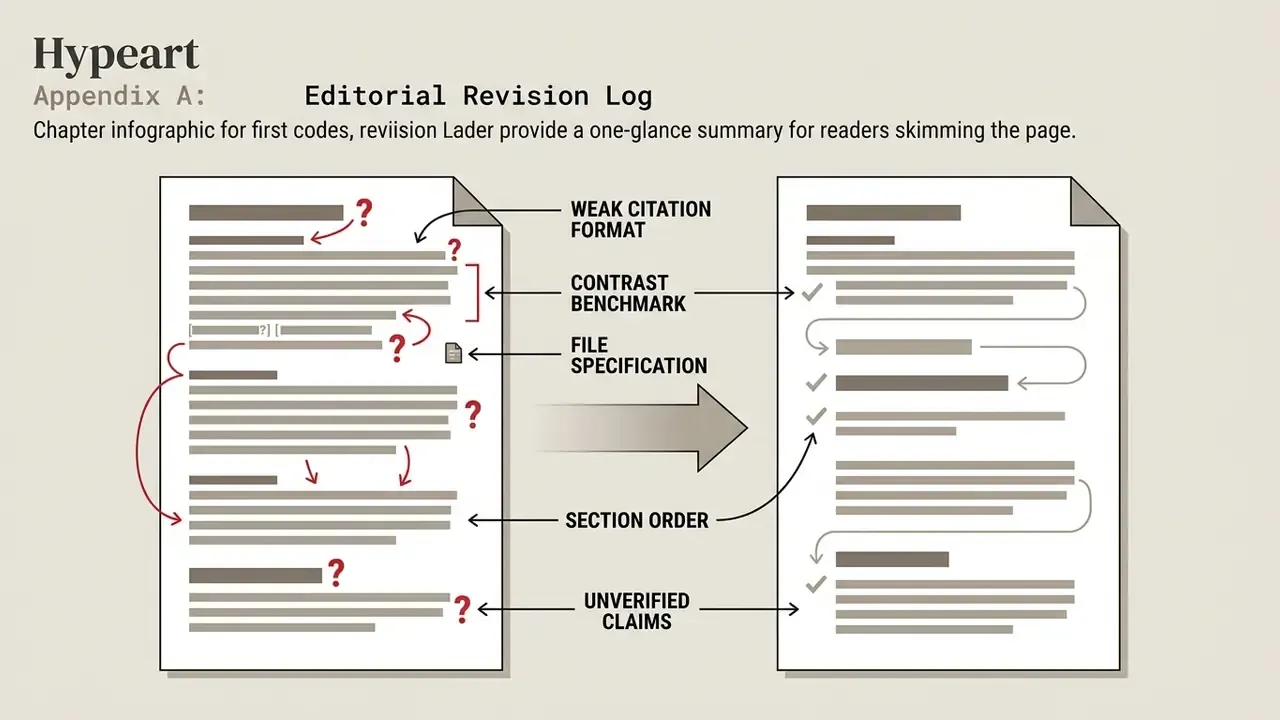
For transparency, the following formulations from earlier revisions of this guide were superseded rather than silently removed:
- Weak citation format. Bare parenthetical references, such as (Connor et al., 2024), (Teubner et al., 2024), (Azer et al., 2024), (Luo et al., 2023), and (Marketing Science, 2023), were replaced with quoted findings and methodology notes so that each claim is independently checkable.
- Contrast benchmark. The earlier formulation "Low-contrast subject-background pairings blend into YouTube's light/dark user interfaces (NIST, 2015)" has been retained in substance but re-anchored to W3C WCAG 2.1 (4.5:1 minimum), with the NIST 2015 range (6:1 to 10:1) presented as directional rather than normative.
- File specification. The earlier single-sentence limit ("up to 15 MB in JPG, GIF, BMP, or PNG format") is preserved above and expanded into a full format matrix covering SVG, WebP, HEIC, and BMP handling, plus a note on the 4 MB and 6 MB figures circulating in secondary sources.
- Section order. Tool-category selection now precedes the AI generation workflow, because choosing the tool class is logically prior to executing a generation run.
- Unverified claims. Statements about cross-platform colour recall and seasonal engagement uplift are explicitly marked as heuristics or community-reported patterns, pending measured data.
Editorial and Verification Notice
Continue through the hub: AI Media Workflows · compare · calculators · AI Media API · AI Media Commercial-Use · AI Media Benchmarks and Review Proof