Last reviewed: Q1 2026 · Reviewed for regulatory accuracy against: EU AI Act (Article 50, phased entry into force 2025-2026), GDPR Article 9, OECD Deepfakes Guidelines (2025), C2PA content credentials, NIST AI RMF Generative AI Profile (2024).
Executive Summary
A free AI avatar video generator converts a text script, an audio file, or a single photograph into a talking-presenter video with synchronized lip movement, neural voice, captions, and brand styling. No camera, no studio, no actor. Free access comes in three distinct shapes: a perpetual free plan (typically 1-3 watermarked minutes per month at 720p), a time-limited free trial (7-14 days of premium features), and open-source local processing (for example, SadTalker, CVPR 2023). Paid and enterprise tiers unlock 1080p/4K rendering, voice cloning across 160-175+ languages, commercial licensing, API access, and zero-data-retention guarantees.
Three decision points matter most before you commit. First, whether the free tier grants commercial rights or only evaluation rights. Second, whether uploaded faces, voices, and scripts may be retained or used for model training, which is the core Shadow AI exposure for regulated organizations. Third, whether the platform enforces recorded likeness consent, liveness verification, visible AI disclosure, and C2PA metadata, which are now conditions of lawful deployment in the EU and in several US states.
One more framing note. The cheapest tool is rarely the cheapest program. Control costs, consent records, and review time belong inside the ROI calculation, not outside it.
Why this matters if you own risk, not just content
If you sit in model risk, compliance, or internal audit at a bank or a mature fintech, an ai avatar video generator app probably entered your organization without a ticket. Marketing tested one. L&D uploaded a policy PDF. Someone in sales cloned their own face for outreach. None of that is inherently wrong, and some of it is genuinely useful.
The problem is inventory. A synthetic presenter is an AI system that processes biometric identifiers, produces externally published content, and carries reputational consequences when it fails. It belongs in the same register as your credit models and your KYC screening tools, with a named owner, an approved use, access limits, and a shutdown path. No evidence, no autonomy.
So this guide does two jobs at once. It explains, practically, how to create AI avatar videos at no cost. And it flags where the free path quietly transfers risk from the vendor to you. Readers who prefer a purely production-side view can jump straight to the workflow steps; risk owners will want the consent and disclosure sections.
Sections below cover what these tools produce, how "free" is actually structured, selection criteria, business use cases, the step-by-step build, photo-to-avatar mechanics, a pre-publication quality rubric, a FAQ, and the open questions we cannot yet answer with confidence.
What a free AI avatar video generator is and what videos it creates
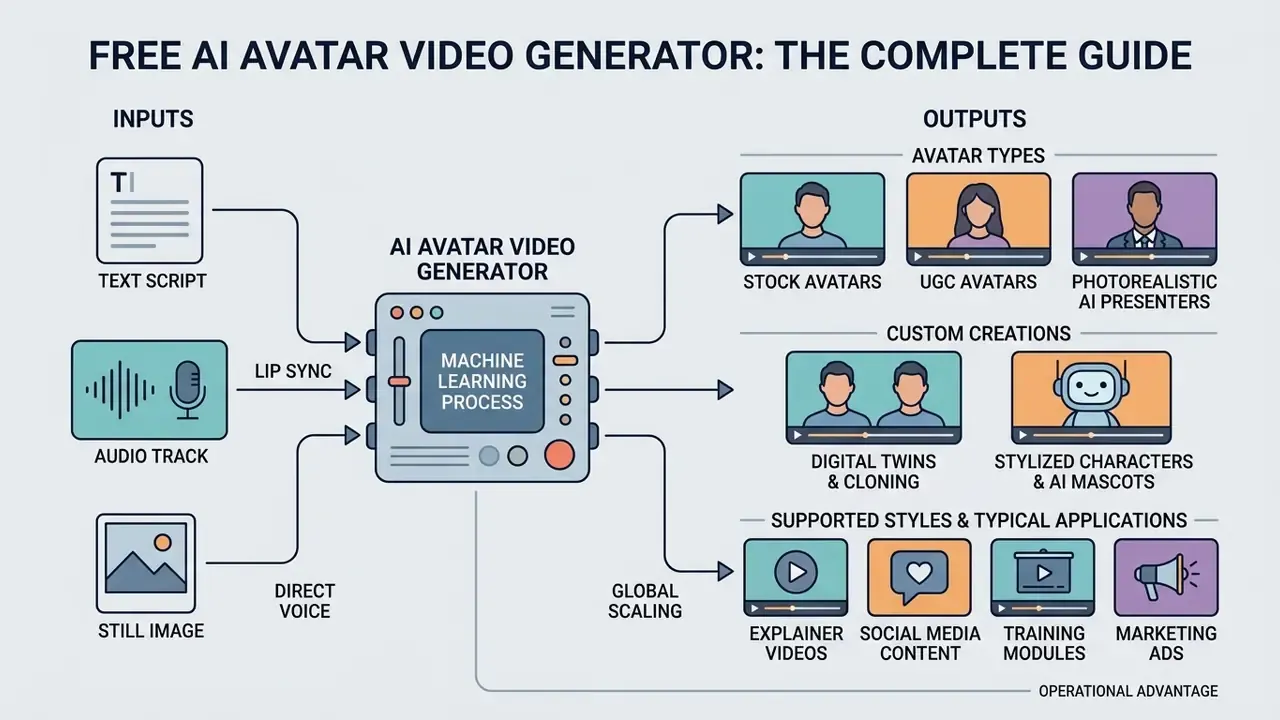
An AI avatar video generator is a software platform driven by machine learning that converts text scripts, audio tracks, or still images into synthetic video presentations featuring a lifelike digital presenter. These platforms automate video rendering by synthesizing facial movements, natural eye blinks, and frame-by-frame lip synchronization matching the provided speech.
Modern video generation platforms produce diverse formats, including corporate training modules, product demos, social media marketing clips, and localized customer support videos. Readers who want the broader technical context of generative rendering pipelines can explore our reference material on AI video generators and adjacent text-to-video AI tools. By eliminating the need for cameras, studio lighting, and manual video editing, an ai avatar generator for video creation allows organizations to scale high-quality video production at a fraction of traditional media costs.
Scale is now the differentiating factor between vendors rather than basic capability. Leading commercial libraries expose 240+ ready-made avatars, 1,000+ neural voices, and delivery across 160-175+ languages, accents, and dialects, with public platform counters reporting well above 160 million generated videos and 140 million generated avatars cumulatively. Output is typically delivered as MP4 in 16:9, 9:16, and 1:1 aspect ratios, rendered asynchronously through a cloud queue and retrieved by polling a video ID. That asynchronous pattern matters for integration planning: an ai avatar to video generator behaves like a batch job, not a synchronous API call.
Stock avatars, UGC avatars, and photorealistic AI presenters
Commercial systems maintain expansive stock avatar libraries that provide pre-approved digital presenters across demographics, outfits, and vocal tones. Stock avatars serve as instant, turn-key solutions for enterprise training videos, internal communications, and compliance presentations where brand consistency is essential. Because the same library faces are shared across all customers, stock avatars trade exclusivity for immediate launch velocity: no consent workflow, no configuration, no filming.
UGC-style (User-Generated Content) avatars replicate informal, selfie-style video aesthetics optimized for social channels like TikTok, Instagram Reels, and YouTube Shorts. These avatars simulate authentic user behavior, which makes them effective for performance marketing and high-converting video ads, and they remove casting calls and multi-day production schedules from the creative cycle. Meanwhile, hyper-realistic AI avatars use deep learning models to capture subtle facial micro-expressions, rendering photorealistic presenters capable of building viewer trust in formal presentations.
A small practical observation from reviewing dozens of sample reels: shared stock faces start to feel familiar to audiences faster than most teams expect. If your competitor uses the same library avatar, your brand voice thins out.
Custom AI avatars, digital twins, and cloning your own likeness
A custom avatar or digital twin is a personalized synthetic presenter created from recorded video footage and voice samples of a specific real person, such as a company founder, executive, or educator. By choosing to clone yourself, organizations enable subject matter experts to deliver an unlimited number of video messages without spending hours in front of a camera.
Building a proprietary digital twin requires uploading a short video recording (ranging from roughly 30 seconds to several minutes) along with explicit recorded consent. Photo-first systems optimize for speed, since one front-facing image can produce a usable presenter in minutes, while video-first capture preserves motion, gesture, and expressive range far more completely. Once trained, the personalized AI presenter can speak any script across dozens of languages while preserving the original speaker's authentic facial mannerisms, pitch, and voice timbre.
For a regulated employer, a digital twin of a named executive is not a creative asset. It is an identity credential. Treat it accordingly.
Stylized characters and AI mascots (Avatar Builder)
Beyond photorealistic spokespeople, current platforms ship Avatar Builder modules that generate 2D and 3D characters directly from a text prompt, a style preset, or an uploaded reference image.
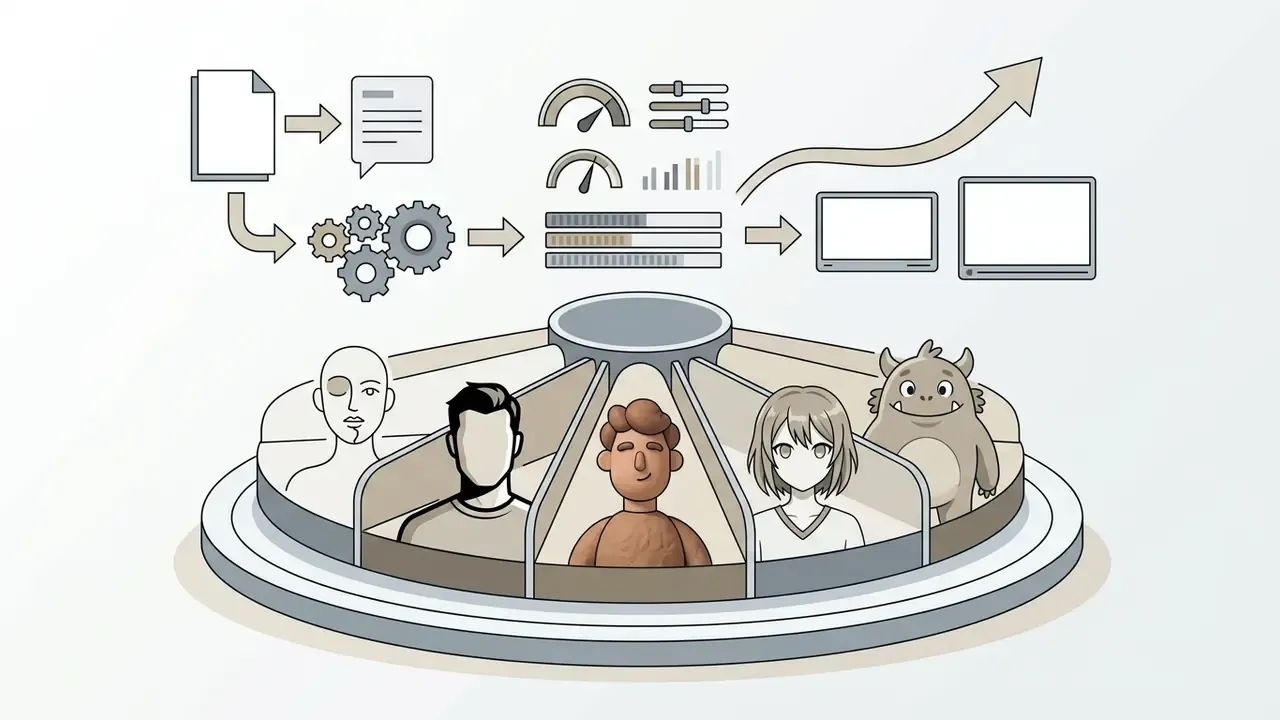
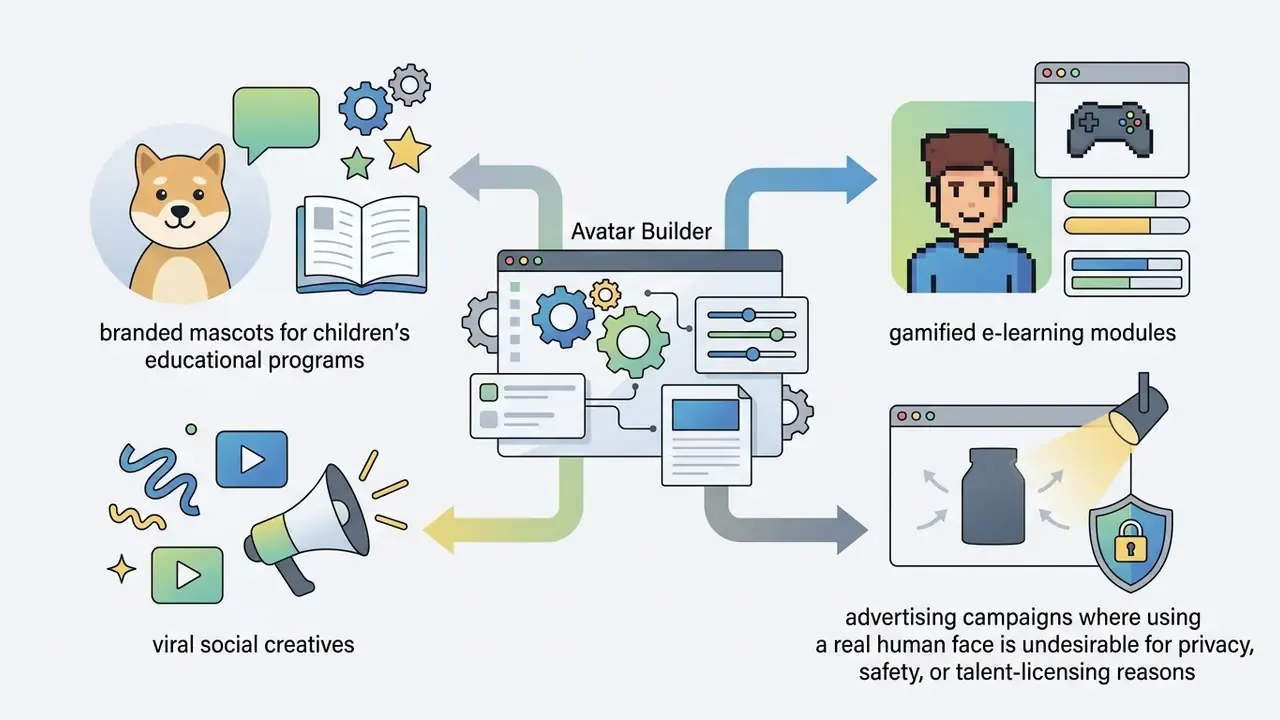
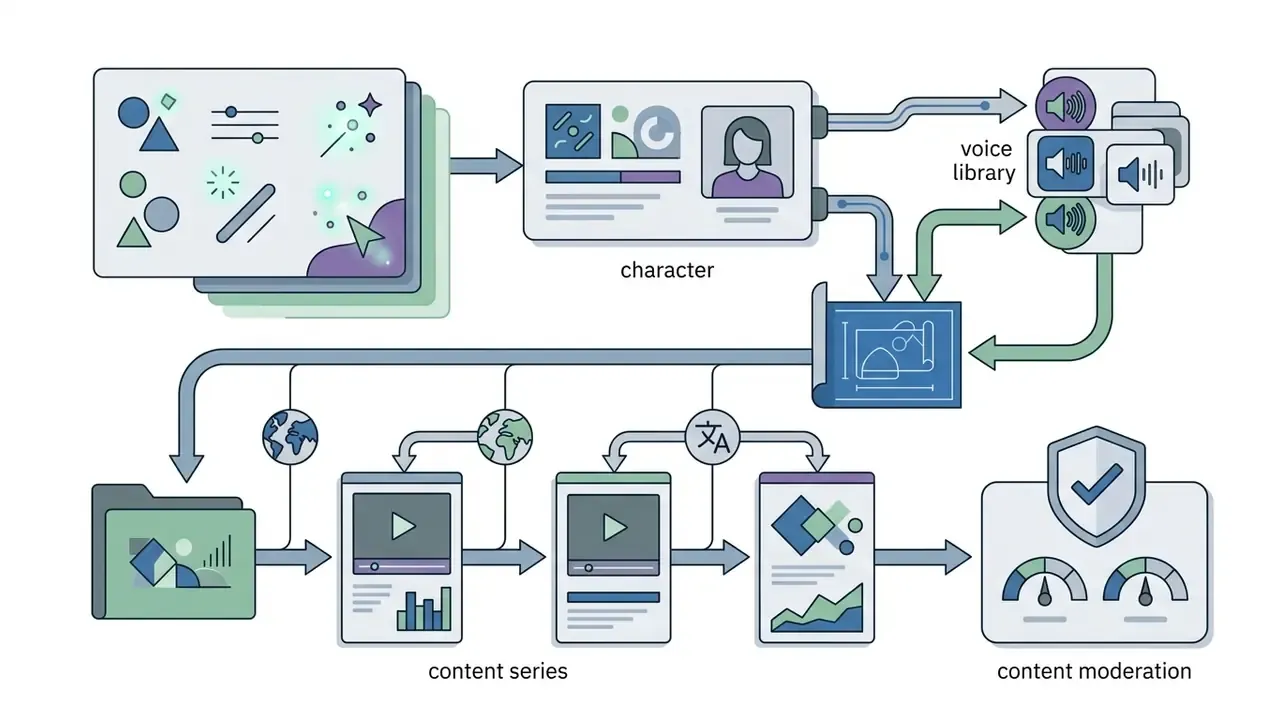
Table 1. Comparative analysis of AI avatar presenter types
| Avatar type | Creation method | Personalization level | Launch velocity | Optimal use cases |
|---|---|---|---|---|
| Stock avatars | Pre-rendered platform library selection (240+ presets) | Standard / multi-brand shared | Immediate (under 2 minutes) | Corporate L&D, compliance training, standardized product demos |
| UGC-style avatars | Creator-modeled social video captures | Moderate / persona-focused | Fast (under 5 minutes) | TikTok and Reels ads, product reviews, direct-response marketing |
| Custom AI avatar | Single front-facing photo or short clip | High / visual likeness | Moderate (10-30 minutes) | Personalized outreach, localized marketing, creative campaigns |
| Enterprise digital twin | Studio HD video and voice consent capture | Maximum / exact physical and vocal replica | Structured setup (1-3 days) | Executive announcements, scalable video courses, keynotes |
| Stylized and 3D avatars | Prompt-based generation / reference art upload | High / character and mascot design | Fast (under 3 minutes) | Gamified L&D, brand mascots, viral social ads, children's content |
Summary: stock and UGC avatars offer immediate deployment for standardized marketing and training; custom AI avatars and digital twins deliver maximum identity personalization for brand ambassadors and enterprise leadership; stylized and 3D characters cover scenarios where a synthetic non-human presenter is safer, cheaper, or more on-brand than a human face.
What "free" actually means in an AI avatar video generator
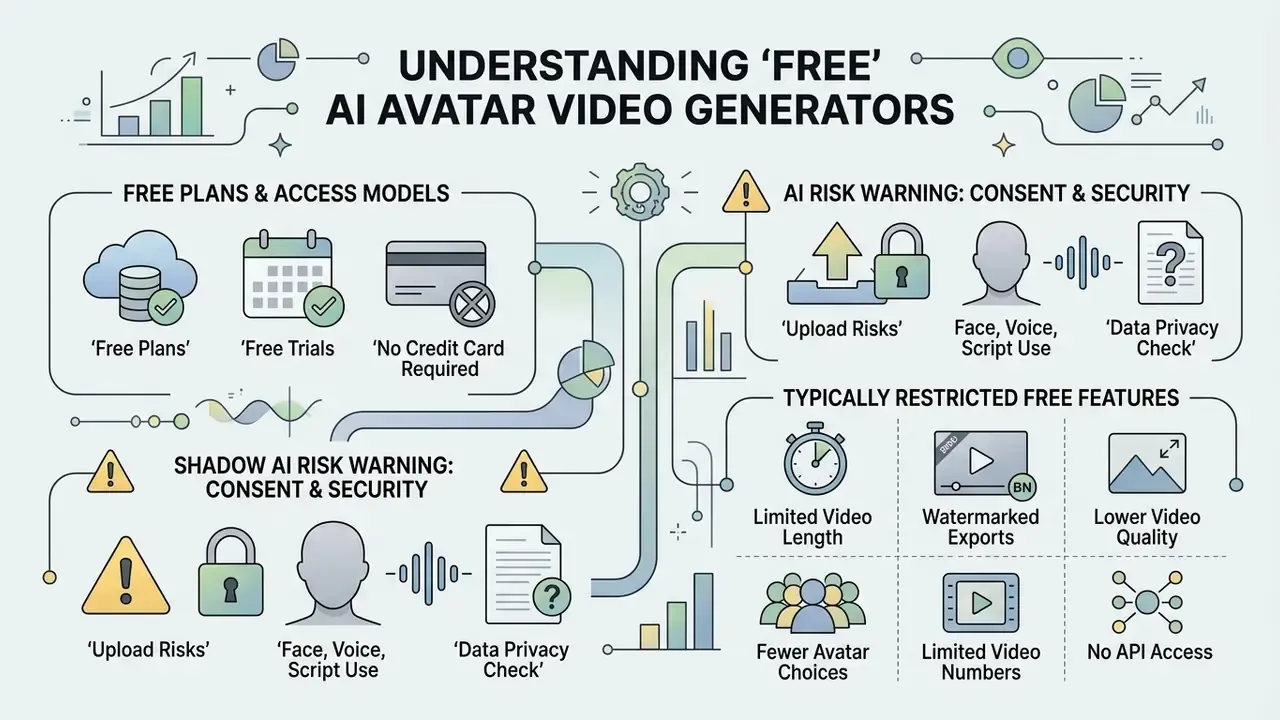
A free AI avatar video generator refers to cloud platforms or open-source models that let users generate talking avatar videos without upfront software licensing fees. Free access, however, is structured under distinct operational models, ranging from perpetual freemium plans to time-limited trials, and each carries specific technical parameters and usage limits.
While open-source architectures such as SadTalker (CVPR, 2023) enable free local processing on your own GPU, commercial web platforms offer tier-restricted access to manage cloud rendering costs, compute pipelines, and storage bandwidth. Reported technical constraints across both classes are consistent: rendering is compute-heavy, long-form and high-frame-rate output increases processing latency, and output fidelity depends heavily on source-image quality.
Free plans, free trials, and access without a credit card
A permanent free plan provides recurring monthly generation credits (such as 3 minutes of watermarked video per month) without time expiration, allowing users to test basic features indefinitely; our extended breakdown of free AI video generators documents how those quotas are metered in practice. In contrast, an ai avatar video generator free trial grants temporary access to advanced capabilities, such as high-definition export or expanded voice libraries, for a fixed period (typically 7 to 14 days) or a capped number of test renders.
The distinction is not cosmetic, and vendor marketing routinely blurs it. Published plan documentation in 2026 shows, for example, free tiers that include stock and customizable avatars, Avatar Builder access, the core editor, and generation in 160+ languages with no card required; other vendors offer one custom video avatar plus three watermarked one-minute videos per month; and others still operate a 14-day trial with a capped credit allowance rather than a forever-free tier. Leading web platforms frequently offer no credit card registration for free tiers, which lets security-conscious enterprise teams run a technical evaluation without triggering financial commitments or subscription auto-renewals.
Shadow AI risk warning: read before uploading any face, voice, or script
Which features are typically restricted in free video generation
Free generation tiers enforce specific functional boundaries to balance cloud infrastructure loads and encourage premium upgrades. Key restrictions typically include output resolution caps (720p maximum export is the market norm), visible platform watermarks, limited background choices, and duration limits per project (often capped at 1 to 3 minutes, or 3 videos per month).
Advanced features are almost universally reserved for paid enterprise tiers: zero-shot voice cloning, custom digital twin generation, automated video translation across dozens of languages, API access, and high-bitrate 1080p/4K rendering. Watermark removal alone commonly triggers the first paid step, with entry subscriptions in the roughly $24-$29 per month range across mainstream vendors. Teams modelling total cost over a year can run the numbers through our production calculators before signing anything.
Table 2. Feature matrix: free plan vs free trial vs premium AI video generation
| Feature capability | Perpetual free plan | Limited free trial | Paid / enterprise access |
|---|---|---|---|
| Credit card required | No | Rarely | Yes |
| Export quality | 720p HD (watermarked) | 720p / 1080p (trial watermark) | 1080p / 4K commercial quality |
| Monthly duration limit | 1-3 minutes or 3 videos per month | 3-5 total test credits | 60-600+ minutes per month |
| Stock avatar access | Basic subset (10-20 avatars) | Expanded / full catalog | Full library (240+) plus UGC personas |
| Voice cloning and translation | Unavailable / standard TTS only | Trial access (limited languages) | Full voice cloning (1,000+ voices, 160-175+ languages) |
| Data retention and model training | Uploads may be retained or reused for training | Evaluation-scope retention, often unclear | Contractual zero data retention available |
| Commercial rights | Non-commercial / personal use | Evaluation only | Full commercial license and API access |
Teams that want a vendor-by-vendor view of quotas, watermarks, and export ceilings can continue with our side-by-side review of free AI video generators before committing engineering time to a pilot. Licensing language deserves the same scrutiny, and the AI Media Commercial-Use Hub collects the clauses that most often surprise procurement.
How to choose an AI avatar video generator for your objectives
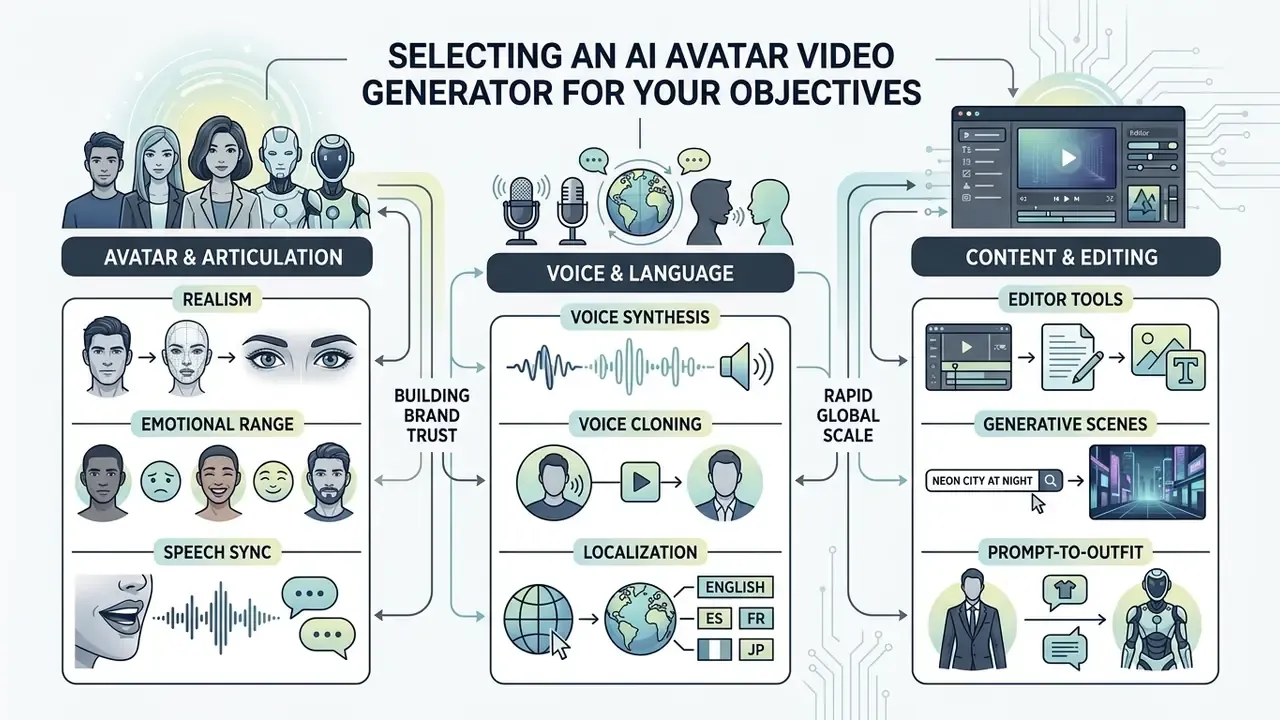
Selecting the right ai avatar video generator platform requires evaluating several performance vectors: audiovisual fidelity, natural articulation, voice synthesis accuracy, editing toolsets, and regulatory compliance features. The ideal platform aligns directly with your core operational objectives, whether that means scaling internal L&D content, launching video ads, or localizing customer onboarding.
Evaluating vendor platforms against benchmark standards prevents costly migration friction and supports long-term operational scalability. A structured comparison of leading AI video generators and our broader AI Media Comparison Matrices provide the feature-level detail needed for procurement scoring, while verified test results live in AI Media Benchmarks and Review Proof. Academic evaluation surveys reduce the selection problem to two axes worth borrowing for an internal scorecard: alignment with human perception (does the output look right to viewers?) and alignment with human instructions (does the output do what the script and prompt specified?).
Add a third axis if you are regulated: alignment with evidence requirements. Can you reproduce, months later, who approved the likeness, which script version shipped, and what disclosure appeared on screen?
Avatar realism, emotional range, and speech synchronization
High-quality synthetic presenters are judged on facial micro-expressions, natural eye blinking, organic head movement, and precise audio-visual alignment. Counterintuitively, higher realism is not a liability for credibility:
"More realistic avatars were perceived as more credible, contradicting the classic 'uncanny valley' hypothesis."
Audio-driven facial animation research provides the concrete grounding for realism claims:
"DIRFA was trained on more than one million audiovisual clips from over 6,000 people, delivering accurate lip synchronization and natural head poses."
Multi-frame temporal coherence and probabilistic facial mapping are therefore not optional refinements. They are the mechanism that prevents stiff, mechanical delivery. Advanced generators reduce robotic movement by mapping emotional audio cues to facial muscle landmarks, and vendor-neutral benchmark literature converges on a standard measurement set: SyncNet confidence and offset (Sync-C / Sync-D or LSE-C) for audio-visual alignment, mouth and full-face landmark distance (M-LMD, F-LMD) for geometric motion accuracy, action-unit error (AUE) for expression fidelity, emotion-classifier accuracy for affect transfer, and LPIPS / FID for perceptual realism.
Do these metrics settle the question? Not entirely. They correlate with perceived quality, they do not guarantee it, and human review still catches failures that scores miss.
Voices, voice cloning, and localization into multiple languages
A comprehensive avatar platform must provide natural-sounding AI voices with controllable pitch, tone, pace, and pause adjustments; our companion guide to AI voice generators covers voice quality tiers and licensing terms in depth. Enterprise-grade tools incorporate voice cloning, which lets an avatar speak across dozens of languages while preserving the original speaker's vocal timbre, accent, and natural speech rhythm.
Cross-lingual synthesis is now documented in both peer-reviewed and vendor literature. A 2026 research paper on zero-shot cross-lingual voice cloning reports cloning arbitrary voices and enabling speech across 30 languages, while commercial documentation for voice engines states preservation of original timbre with independent control of emotion, pace, pitch, and speaking style; large commercial video platforms advertise dubbing across 160-175+ languages and dialects with accent, tone, and rhythm retained. The practical consequence is that global campaigns can be re-voiced rather than re-filmed. Still, the size of the language catalogue varies sharply by vendor, so verify it against your actual market list rather than the marketing headline.
Script, editing, and branding tools inside the editor
A robust web editor should unify text script authoring, automated subtitle generation, multi-track timeline editing, and Brand Kit integration in one place. Built-in LLM script assistants help draft hooks and structured outlines directly from prompts, documents, decks, URLs, screen recordings, transcripts, or raw notes, typically producing a hook-body-CTA skeleton that then flows into voiceover, captions, and motion graphics. Teams building instructional decks alongside video often pair this with an ai slide generator for teachers.
Brand Kit integration lets corporate teams apply custom brand colors, typography, logos, caption styles, and lower-third overlays across all generated videos, which keeps visual consistency across multi-channel distribution. Because the kit is stored centrally, a rebrand propagates into every subsequent export without manual re-editing. Small thing. Saves weeks.
Generative scenes and prompt-driven outfits (Prompt-to-Scene)
Current-generation avatar platforms integrate latest-generation diffusion video models (for example, Google Veo 3) so that prompts control the environment around the presenter, not just the presenter. With natural-language instructions, creators can:
- Generate scene sets dynamically branded offices, retail floors, manufacturing plants, hospital corridors, or futuristic studios, without green screens, location scouting, or stock footage licensing.
- Direct wardrobe and equipment corporate uniforms, hard hats, safety glasses, lanyards, lab coats, or business suits, with company colors and logos applied through the Brand Kit.
- Choreograph spatial action specify gestures, walking paths, object interactions, and framing changes that match the meaning of the spoken script instead of a static talking bust.
The practical payoff is creative variance at near-zero marginal cost. A single compliance script can be re-staged for factory, office, and field-service audiences by editing three sentences of prompt text. Developers building this into an automated pipeline can review capability limits and pricing in our Google Veo implementation guide and the wider AI Media API Guides.
Business use cases for AI video avatars
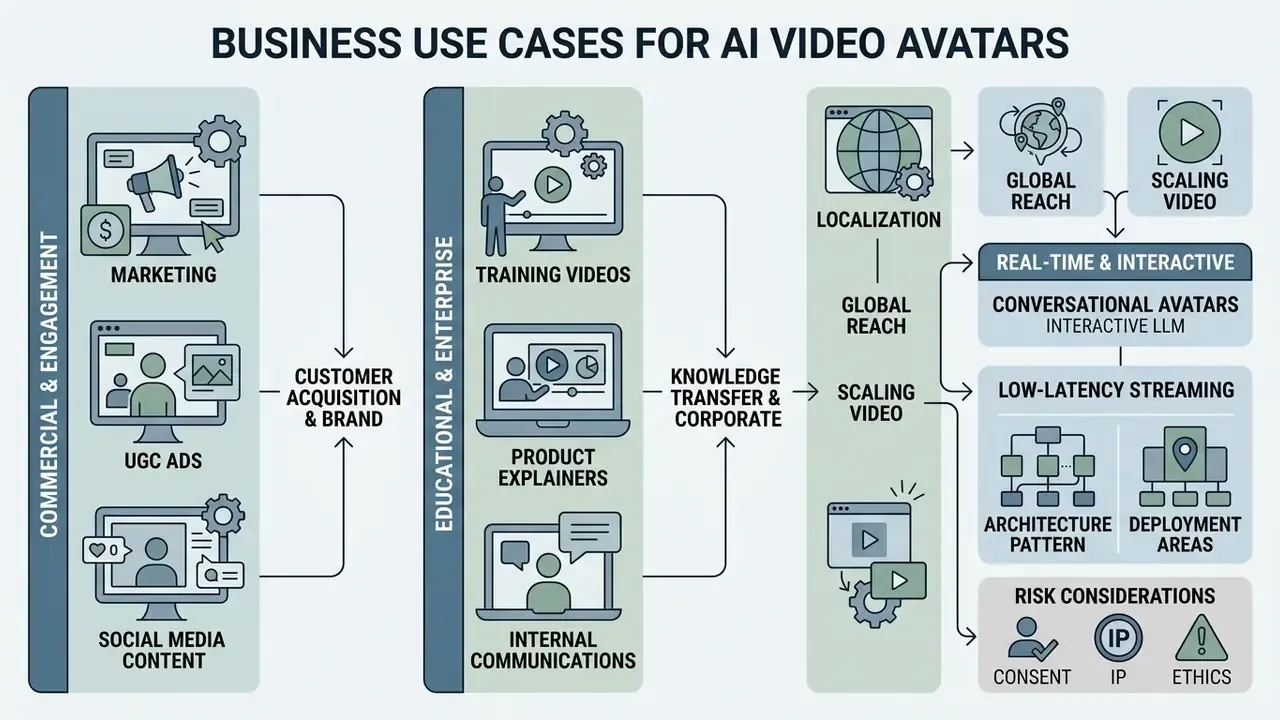
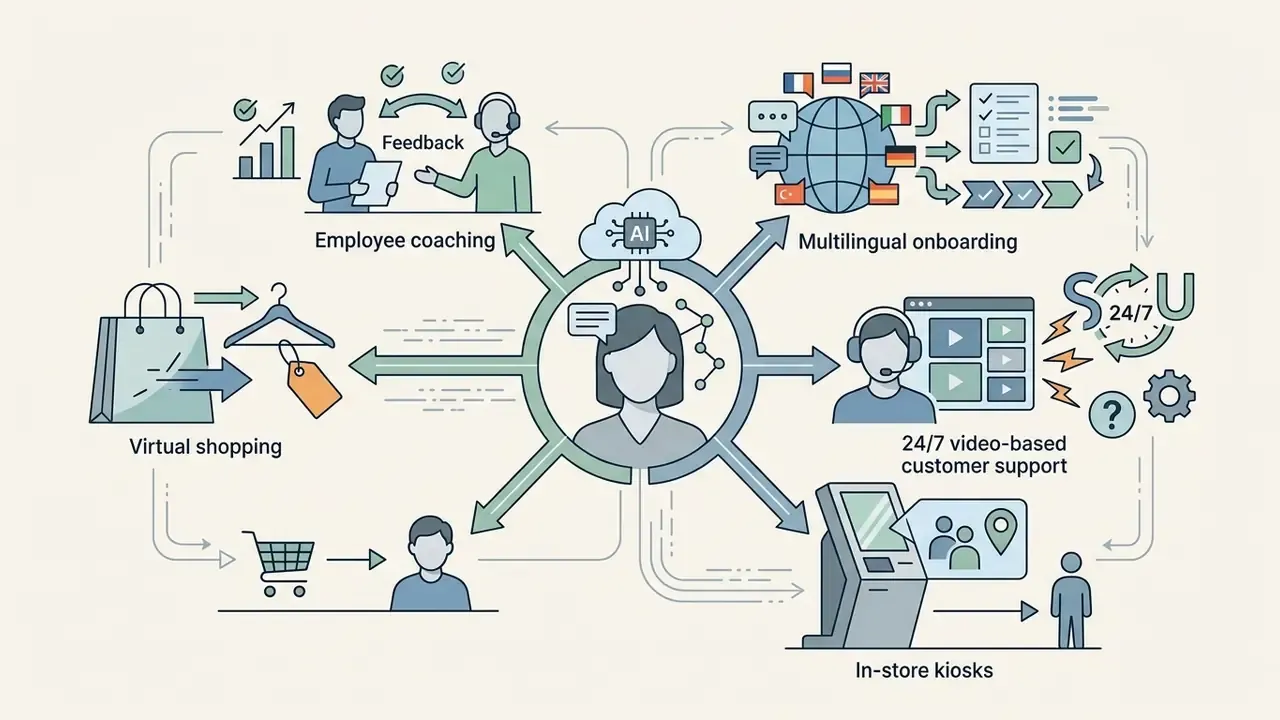
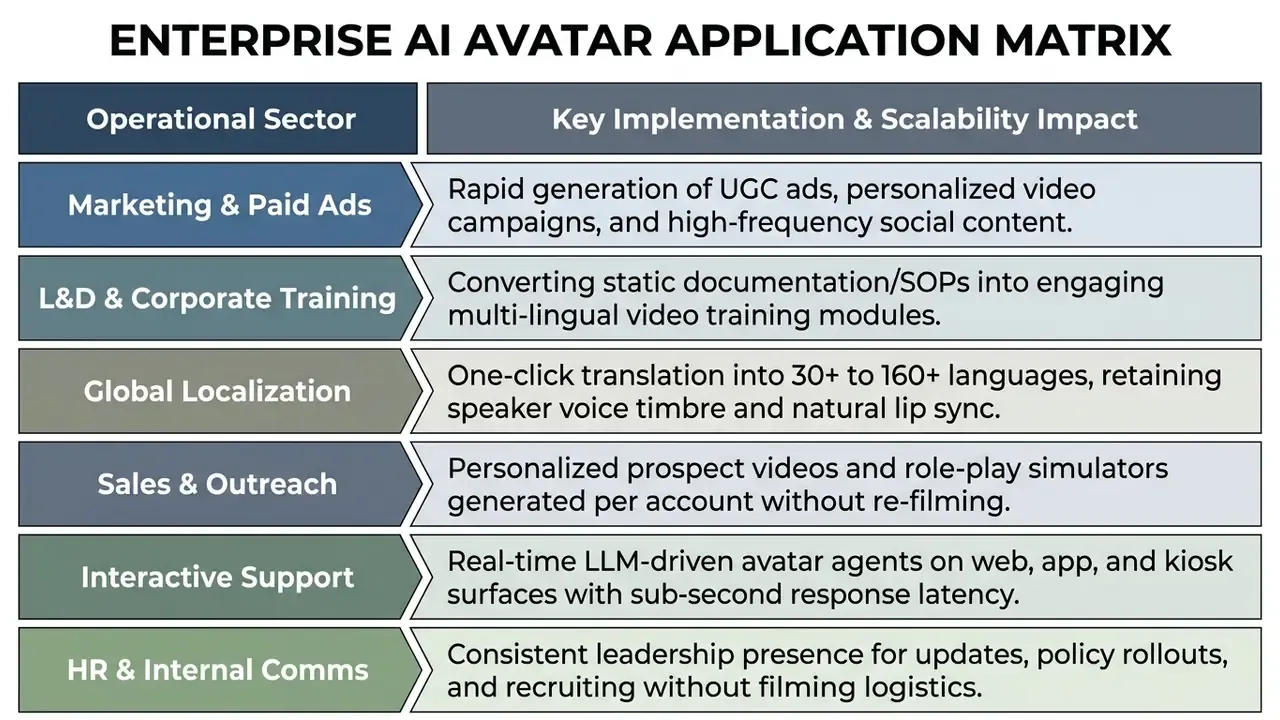
AI video avatars serve commercial and educational functions across enterprise environments, letting organizations scale personalized communication, accelerate L&D content production, and run global marketing campaigns without proportional cost increases.
By automating presentation delivery, businesses resolve production bottlenecks associated with studio recording, talent scheduling, and multi-language dubbing. Genre fit, however, is measurable rather than universal:
"The study identified five genres best suited to virtual presenters: financial markets, sports results, weather, travel, and entertainment news."
Structured, data-dense, high-frequency formats therefore adopt synthetic presenters most successfully, while investigative, emotionally sensitive, and eyewitness-dependent formats remain human-led. Worth noting for financial communications: market summaries sit squarely in the "good fit" column, while customer remediation messages do not.
Training videos, product explainers, and internal communications
Corporate L&D departments use digital presenters to convert lengthy text documentation, SOPs, onboarding decks, and compliance PDFs into video learning modules.
"Analyzed by actual modality, differences in knowledge transfer, perceived effectiveness, and brand impression were statistically insignificant."
"Both groups showed significant knowledge gains (p < 0.001); the difference between synthetic and traditional videos was insignificant (p = 0.80)." Controlled study of synthetic instructional videos, conference proceedings (2023). https://www.sciencedirect.com/
Localization and scaling video for global audiences
Global enterprises use automated video translation workflows to localize product videos into dozens of languages without reshooting source footage. Published research and vendor documentation place the realistic range between 30 languages for peer-reviewed zero-shot cross-lingual cloning systems and 160-280+ languages for the largest commercial dubbing and subtitle platforms, in every case preserving the original speaker's timbre, pacing, and emotional expression to varying degrees.
The operational pipeline is consistent across vendors: ingest one source video, extract and transcribe speech, translate, regenerate dubbed audio in the cloned voice, re-sync lip movement, review, and export localized variants. Automated speech-to-speech translation with matching avatar lip synchronization supports cross-border sales and support teams speaking to international clients in their native languages. In vendor surveys, global localization is the single use case where respondents most often expect AI to deliver the highest value.
One caution that rarely appears in vendor decks: translated compliance language needs local legal review, and machine dubbing does not carry that review with it.
Interactive real-time conversational avatars (interactive LLM avatars)
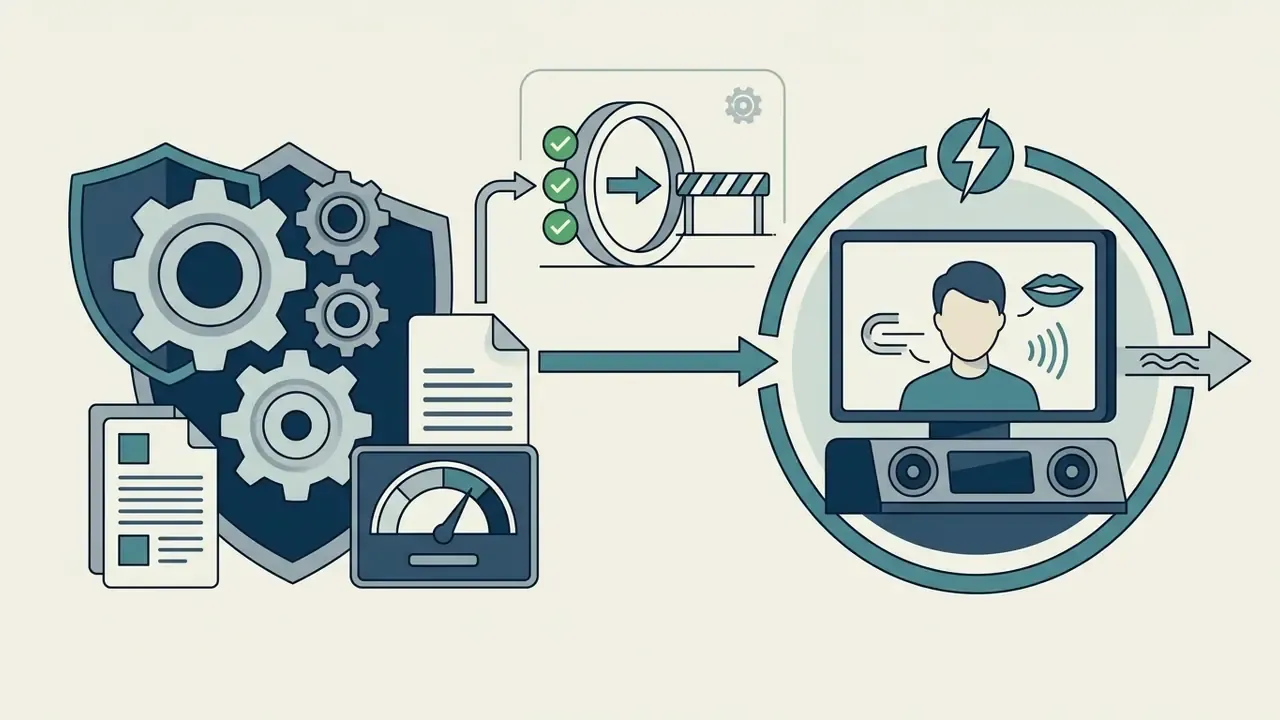
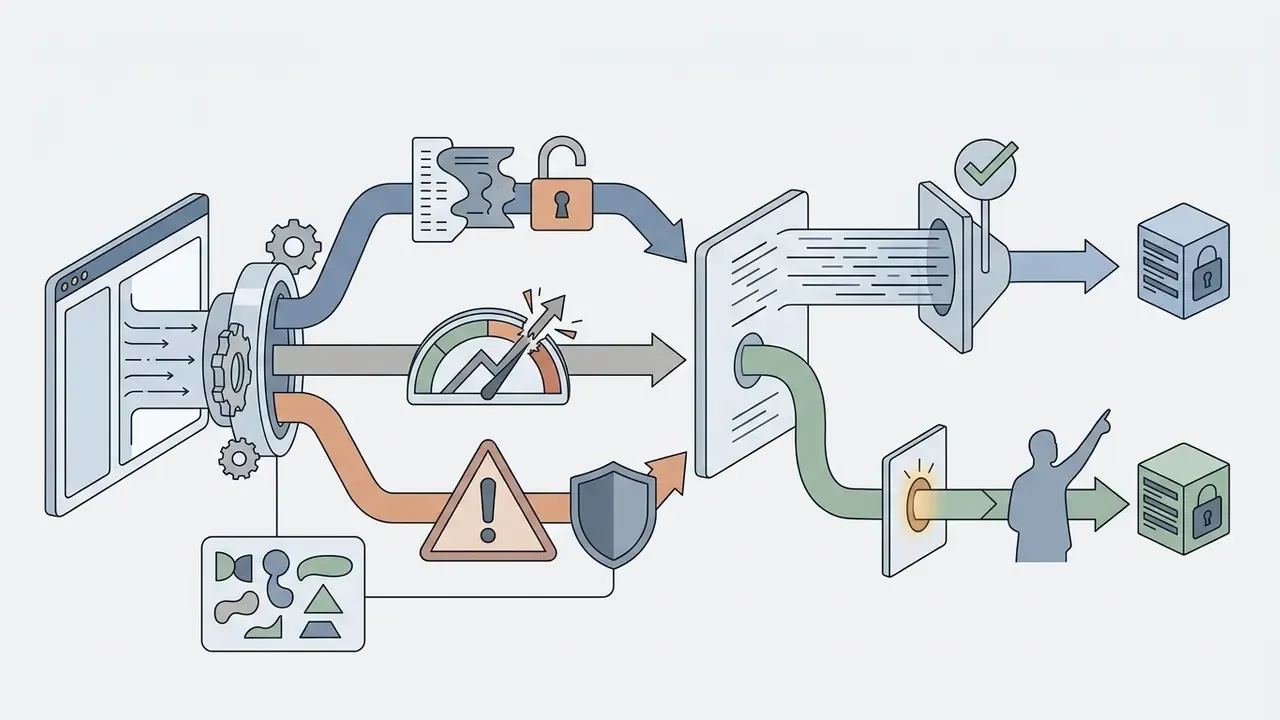
The technology has moved beyond asynchronous MP4 rendering into streamed two-way communication. By connecting an avatar layer through an API to a large language model and an enterprise knowledge base, teams deploy interactive digital agents rather than pre-recorded clips.
How to create an AI avatar video online: step-by-step workflow
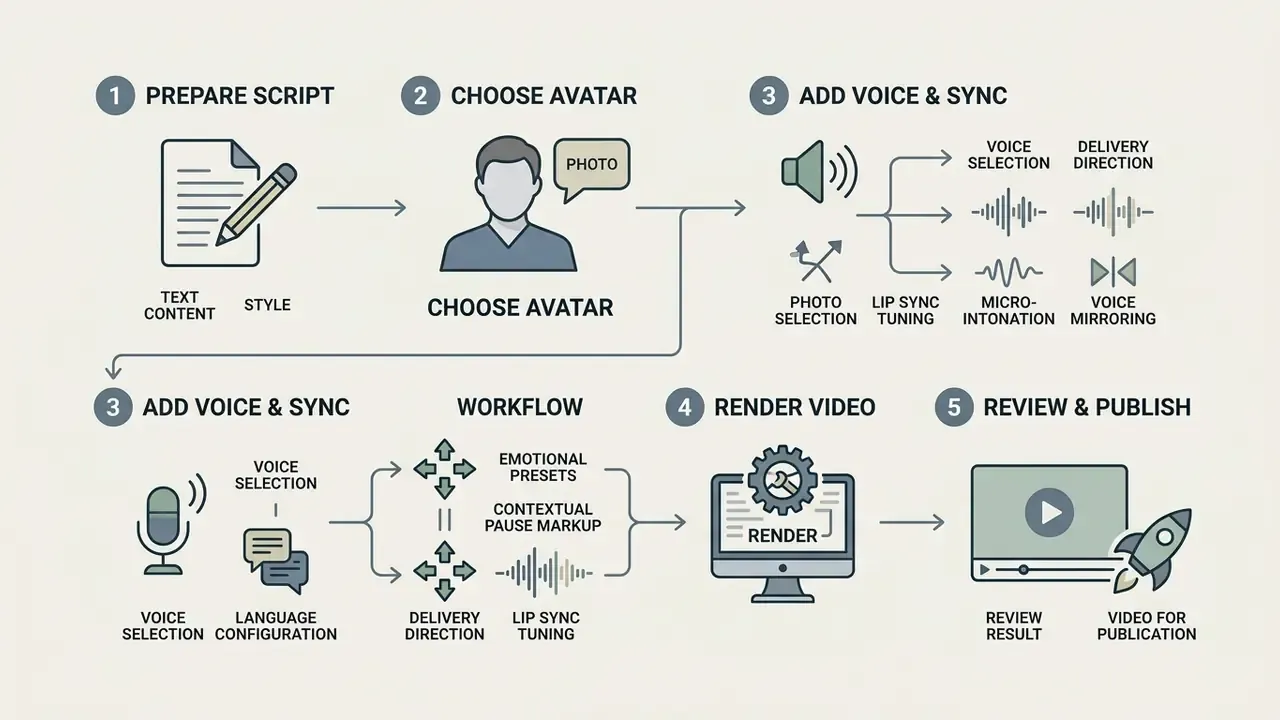
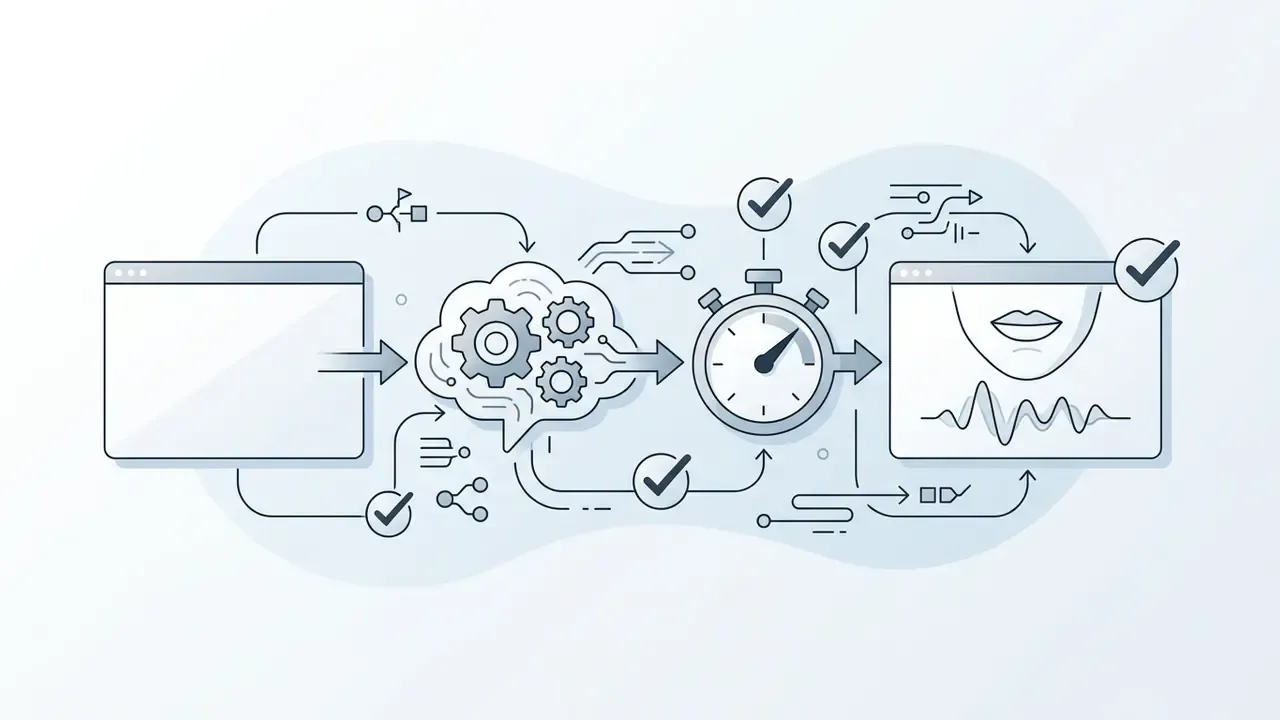
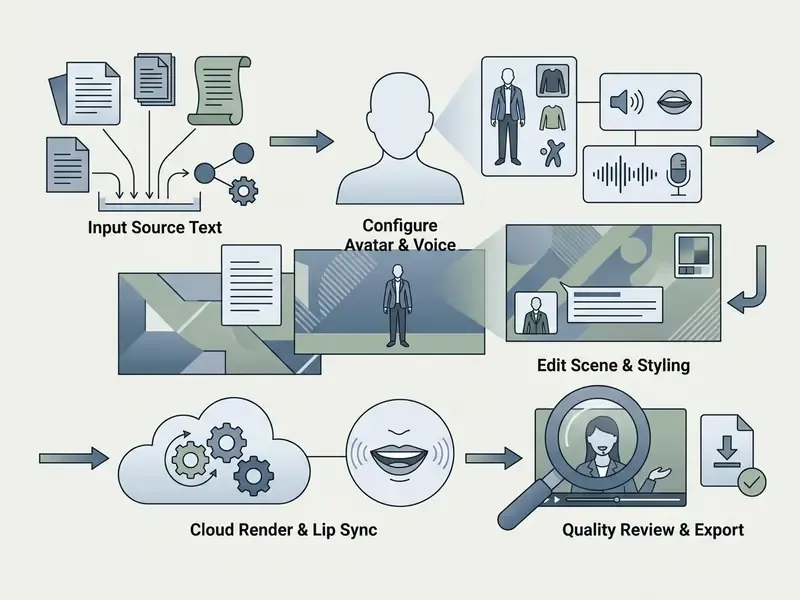
Creating a professional avatar video online involves a structured, five-step workflow: script preparation, avatar selection, voice and language configuration, rendering, and pre-publication quality checks. A standardized process delivers repeatable output quality and predictable turnaround.
Modern platforms compress this into a browser-based timeline, so creators move from raw concept to finished MP4 render within minutes; adjacent generation methods are catalogued in our overview of text-to-video AI tools, the practical ai video creation tutorial, and the broader AI Media Workflows hub.
Step 1-2: choose an avatar and prepare the video script
Begin by selecting an appropriate stock presenter, UGC avatar, stylized character, or custom digital twin that matches your target audience and campaign tone. Next, input your video script into the editor workspace, structuring the content with a strong opening hook, a clear instructional body, and a definitive call to action.
Scripting guidance from instructional-design literature is specific: open with an attractive hook inside the first 3-15 seconds, use simple language, sequence content from known to unknown, build smooth transitions, add interactivity and reinforcement, and vary pacing with deliberate visual changes. Notably, a 2024 ACM study on short-form video consumption found that shorter viewing duration alone did not significantly change sustained-attention performance on most measures, so retention depends on content design far more than on raw length. To optimize attention in short videos and product demos, tailor script length to the platform format anyway: roughly 30-60 seconds for social shorts, 2-5 minutes for educational training.
Step 3-4: add the avatar voice, direct delivery, tune lip sync, and render
Voice direction, not just voice selection, is where most amateur renders fail. Select a matching neural voice from the library and configure language, dialect, and baseline speaking rate. Then use advanced speech-direction controls (Voice Director and Voice Mirroring) to remove the "robotic narrator" effect:
- Emotional presetsbind delivery modes to script blocks. Excited for marketing hooks, Broadcaster for news and announcements, Calm for instructional steps, Empathetic for complaint handling, and Angry or Serious for scenario-based training. Selected avatars pair these voice styles with script-synced body language.
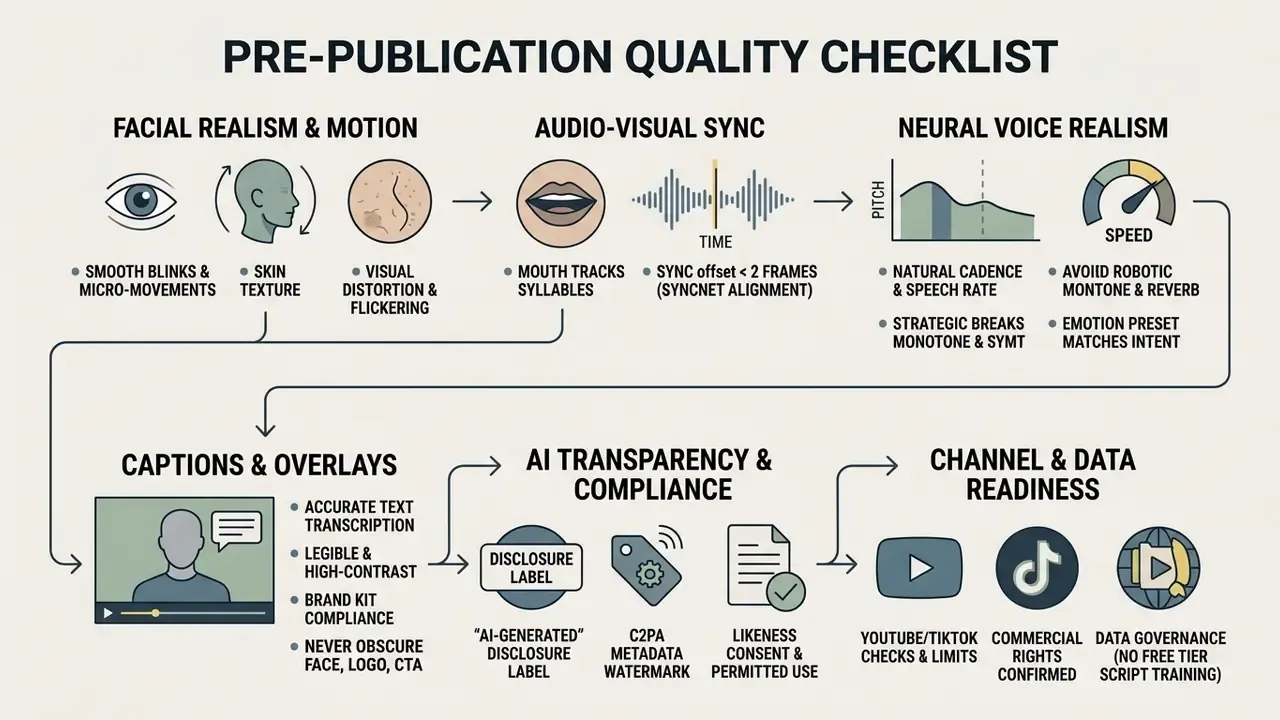
- Contextual pause markupinsert explicit break tags at clause boundaries and punctuation. Synthesis-engine documentation supports SSML breaks of up to 3 seconds and a speed range of roughly 0.7x-1.2x around a 1.0x default; a 2024 study on synthetic voices found listeners preferred moderate speaking rates and that strategic pauses of approximately 150 ms, 500 ms, and 800 ms improved communication effectiveness. Practical default: 200-500 ms at sentence and clause boundaries.
- Micro-intonationadjust pitch contour and stress emphasis on the two or three words that carry the meaning of each sentence. That, more than anything, produces natural rhythm rather than flat prosody.
- Voice Mirroringmatch a cloned speaker's habitual cadence and energy, so localized versions sound like the same person rather than a generic narrator.
Once audio parameters are configured, run the AI lip sync preview to verify audio-visual alignment. After confirming speech timing, submit the project for asynchronous cloud rendering and poll the job until the render completes.
Step 5: review the result and prepare the video for publication
When cloud rendering finishes, review the generated video against visual quality standards, checking for facial coherence, artifact-free transitions, and clear audio playback. Make sure automated captions are accurate, styled to brand guidelines, and positioned without obscuring key visual elements. Accessibility guidance requires captions to be accurate, readable, and displayed long enough to be read completely.
Platform gatekeeping applies at this stage too. YouTube's upload flow runs an automated "Checks" step for copyright and, for monetized channels, ad-suitability issues before publication. TikTok enforces both content-quality standards (clarity, stability, synchronized audio, consistent visuals and text) and technical limits (MP4 or WebM, 720x1280 or higher, up to 30 minutes, under 10 GB).
Finally, export the completed file in MP4 format tailored to your target aspect ratio: 16:9 for YouTube and web, 9:16 for TikTok and Shorts, or 1:1 for LinkedIn feeds. Creators optimizing social assets can follow our dedicated workflow for AI Video for YouTube Shorts and the practical guide to YouTube video editors. Large renders compress cleanly with a video compressor before upload.
How to use an AI avatar video generator from photo
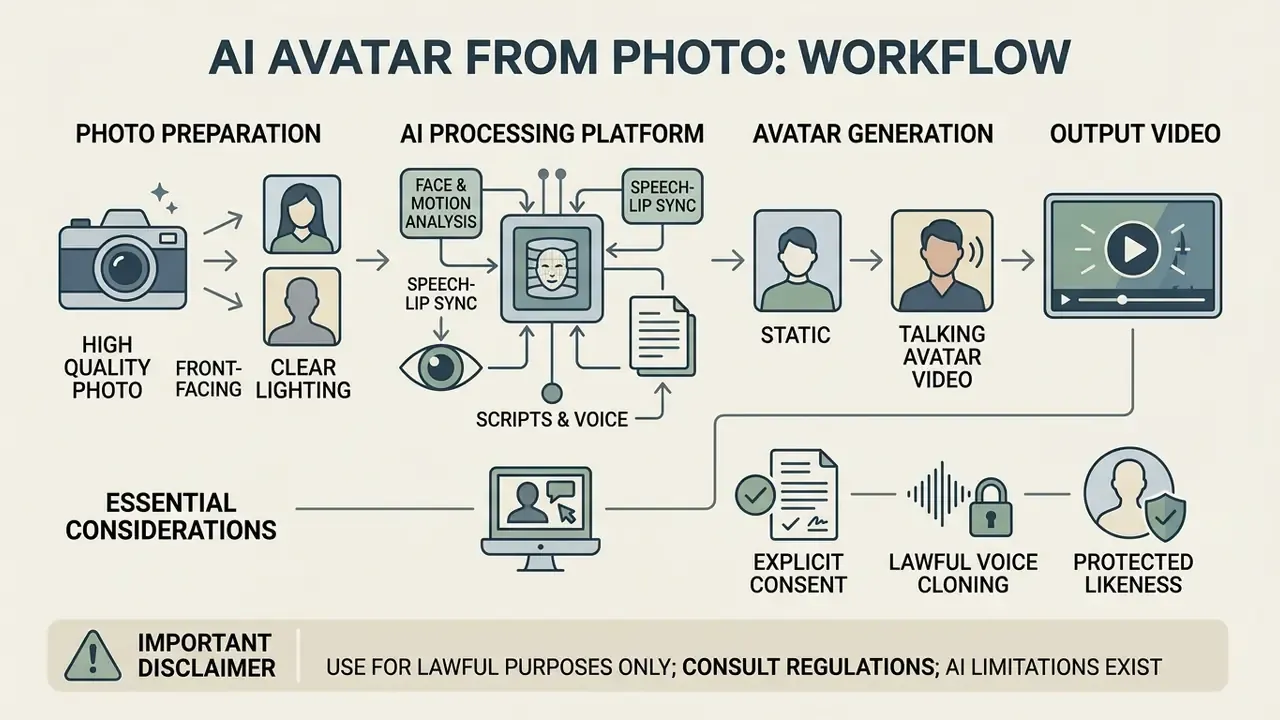
An ai avatar video generator from photo transforms a single static front-facing photograph or selfie clip into an animated, talking digital avatar, following the same principle described in our primer on animating a still image. Modern generative models analyze facial landmark geometry from the source photo and apply audio-driven facial motion transfer to animate the mouth, eyes, and head pose.
"SadTalker (CVPR 2023) separates motion into expression and head-pose coefficients through a 3D morphable model, giving stable identity preservation from one image."
Academic work on avatar synthesis defines the category precisely as animating the head and lip movements of a static image to match target audio or video, with Wav2Lip-style speech-to-lip modules handling mouth shape generation. Using a single image provides a rapid, cost-effective entry point for personalized video content without multi-angle camera shoots or studio recording sessions.
How to prepare a photo or short video for your avatar
Achieving a high-fidelity photo avatar starts with a clear, well-lit, high-resolution portrait. Vendor guidance converges on 1152x1152 pixels or higher for stills and 1920x1080 at 25 FPS or better for video, with some enterprise specs recommending UHD capture. Our guide to AI portrait headshot generators covers lighting and framing preparation in more detail. The subject should have even, bright facial lighting without heavy shadows, framed at chin or chest height facing directly toward the camera lens, with the head centered and hands kept outside the frame.
The facial expression in the seed photo should stay neutral, with a closed mouth or a light closed-mouth smile. Avoid extreme camera angles, tinted sunglasses, headwear, and hair obscuring the eyes or mouth line, all of which cause visual warping during generative lip-sync rendering. Where the objective is expressive range rather than speed, a 30-second to 2-minute video capture materially outperforms a single still, because it supplies motion and micro-expression data the model would otherwise have to invent.
Consent, voice cloning, and lawful use of a person's likeness
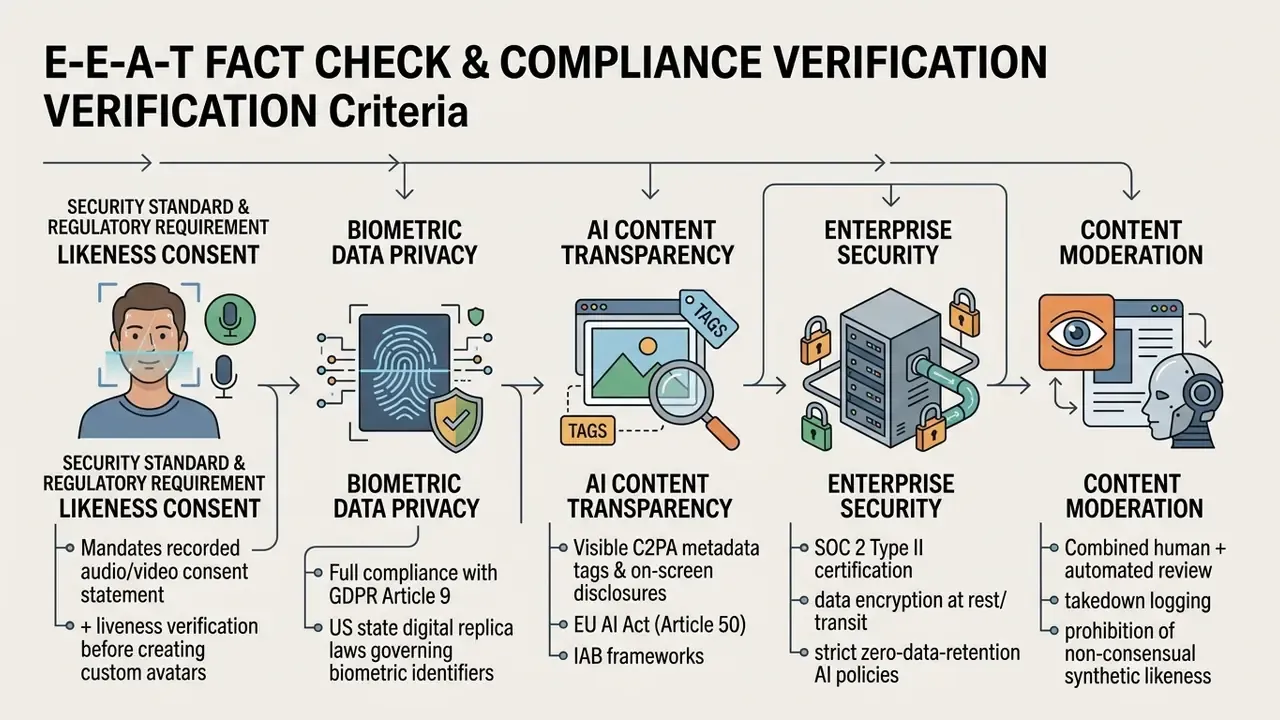
Generating a custom avatar from a real person's photograph introduces critical legal, ethical, and biometric data considerations. As outlined in the OECD Deepfakes Guidelines (2025) and EU GDPR Article 9, processing biometric facial data requires explicit, documented, and revocable written consent from the individual: freely given, specific, informed, unambiguous, and limited to a clearly defined scope of use.
"EU AI Act Article 50 requires disclosure of deepfakes and AI content through visible labels and machine-readable watermarks, phasing in across 2025-2026."
"AI likeness consent has two layers: permission to create the likeness and permission for each specific use, revocable at any time." PrismPoster, analysis of AI likeness consent and digital twins (2026). https://prismposter.com/
Responsible platforms mandate liveness verification and recorded consent statements before processing custom digital doubles, and they prohibit unauthorized deepfake creation. Enforcement practice reflects this. China's Provisions on Deep Synthesis Technology require real-name registration, identity verification, explicit consent for editing biometric information, and prominent labeling of generated or altered media, while UK policy treats non-consensual intimate deepfakes as criminal conduct. Mature vendors also block third-party consent uploads: the person appearing in the consent clip must be the same individual appearing in the avatar footage.
Operationally, build the consent record as an auditable artifact. Recorded on-camera statement, timestamp, scope of permitted uses, territories, duration, revocation mechanism, and a named internal owner. Without that record, a digital twin is an unmanaged liability regardless of output quality.
How to evaluate AI avatar video quality before publishing
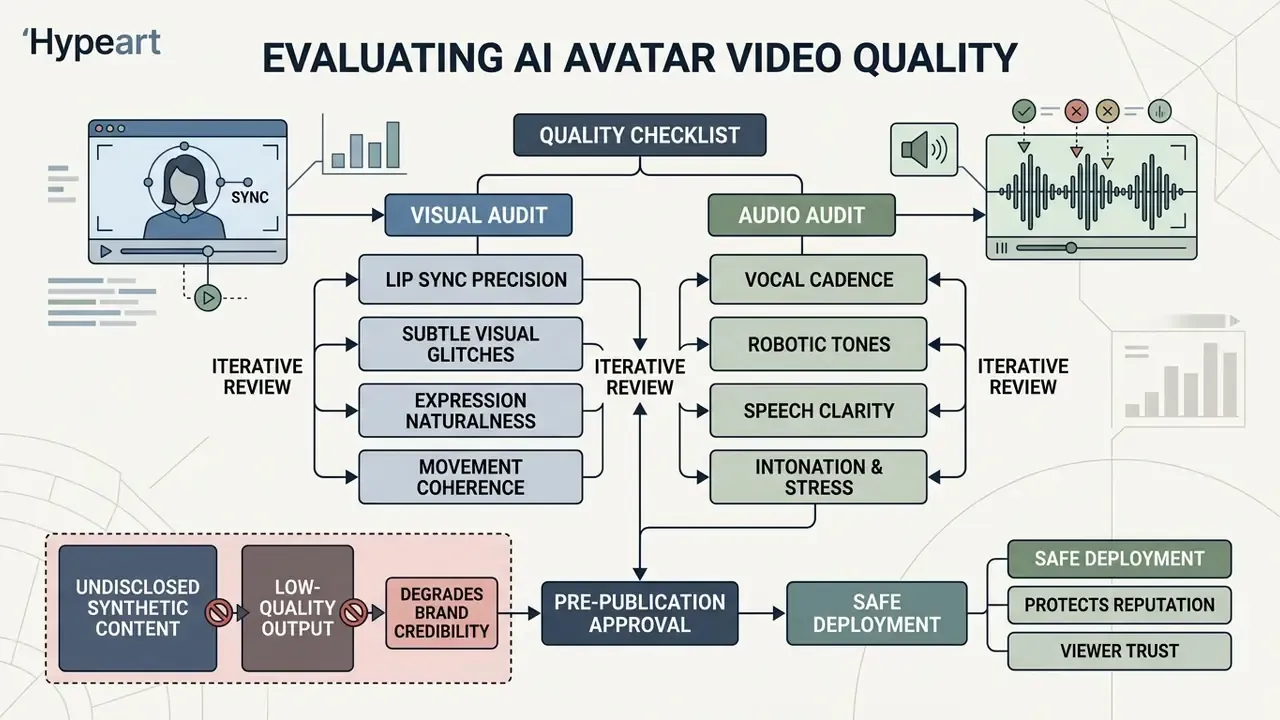
Evaluating AI avatar video quality before public deployment protects brand reputation and viewer trust. Published assessment frameworks, including the VQualA 2025 video-quality challenge and the AIGV-Assessor benchmark (2025), which applied ITU-R BT.500-14 subjective testing procedures, converge on four sub-dimensions plus an overall Mean Opinion Score: temporal consistency (flicker, abrupt motion change), image fidelity (artifacts, color, resolution), aesthetic appeal (composition, lighting), and text-video alignment (does the output match the prompt and script). These are research benchmarks rather than regulatory standards, so treat their dimensions as an internal acceptance rubric and validate scoring against your own human reviewers.
A structured pre-publication audit catches subtle visual glitches and robotic vocal cadence before a commercial campaign or a public communication goes live. The stakes extend past aesthetics:
"Deepfakes inflict epistemic harm by undermining default trust in recordings, making video credibility dependent on source reputation."
In other words, every low-quality or undisclosed synthetic video a brand ships degrades the credibility of all its future video. Disclosure and quality control are the same control objective, not two separate ones.
Quality checklist for the talking avatar and its voice
Before publishing synthetic video assets, technical teams should run a full quality audit covering both visual rendering stability and vocal realism.
FAQ: AI avatar vs talking photo, and other common questions
How does an AI avatar differ from a talking photo?
An AI avatar is an advanced digital presenter model engineered for dynamic, full-body or upper-torso video creation, with rich facial expressions, spatial gestures, and interactive capabilities. A talking photo (or photo avatar) is a head-only animation generated from a single static 2D image, driving basic mouth and eye movements from an audio track. Major vendor documentation renders photo avatars head-only at resolutions as low as 512x512 for batch and real-time synthesis. Talking photos give you a rapid, low-compute solution for simple notification clips. Full AI avatars offer superior visual fidelity, multi-angle head movement, and the long-form narrative coherence required for enterprise presentations and commercial video advertising. Some vendors use the two terms interchangeably in marketing copy; technical documentation consistently separates interactive avatars from head-only photo-to-video synthesis. Table 3. Technical comparison: full AI avatar vs talking photo technology
| Parameter | Full AI avatar system | Talking photo technology |
|---|---|---|
| Source input | Multi-angle HD video capture, 3D model, or prompt | Single 2D front-facing photograph |
| Motion capability | Full upper-body movement, natural gestures, prompted action | Head-only rotation, basic mouth and eye warp |
| Expressive range | Contextual micro-expressions and emotion-aligned prosody | Constrained mouth landmarks (SyncNet alignment) |
| Scene control | Prompt-generated backgrounds, outfits, and staging | Fixed original photo background |
| Output resolution | 1080p / 4K broadcast render quality | 512x512 to 1080p upscale |
| Interactive API support | Supported (real-time two-way stream, sub-800 ms) | Pre-rendered asynchronous clips only |
| Recommended scope | Enterprise L&D, brand spokespersons, commercial ads, support agents | Quick alerts, low-budget social clips, casual outreach |
Can I create a genuinely free AI avatar video without a credit card?
Yes. Several vendors operate permanent free tiers that require no payment method, typically granting 1-3 minutes or 3 videos per month at 720p with a watermark, plus a limited avatar and voice selection. Others advertise "free" but actually run a 7-14 day trial. Before uploading anything identifiable, confirm three items in writing: watermark policy, commercial-use rights, and data retention or training rights.
Do free plans include voice cloning?
Almost never. Zero-shot voice cloning, cross-lingual dubbing, and digital-twin creation form the standard paywall boundary, because they carry both compute cost and identity-risk liability. Free tiers generally provide standard text-to-speech from a shared voice library instead.
Do I need video-editing experience?
No. Current editors accept a document, deck, URL, or prompt and auto-generate a script, scene structure, voiceover, lip-sync, and captions. Animations, overlays, music, interactivity, and motion graphics are optional layers, and most users complete a first avatar video within minutes of signing up.
Are AI avatar videos legally required to be labeled?
For realistic human-like avatars in advertising and social distribution, yes, in a growing number of jurisdictions. EU AI Act Article 50 requires disclosure where image, audio, or video content falsely appears authentic. IAB guidance recommends a first-frame label such as "AI-generated person" retained throughout the video, paired with machine-readable C2PA metadata. Advertising regulators in several markets also require disclosure for AI-generated influencers and significantly altered product visuals.
Which avatar video generation tools suit a regulated pilot best?
Pick on evidence, not on avatar count. A workable shortlist requirement set: contractual zero data retention, SOC 2 Type II report on file, exportable consent and render logs, configurable disclosure overlays, and no dependence on a single upstream model provider. Ask each vendor to demonstrate how you would reconstruct a published video's approval trail nine months later. The answers separate mature platforms from pretty editors quickly.
Limitations, open questions, and a safe next step
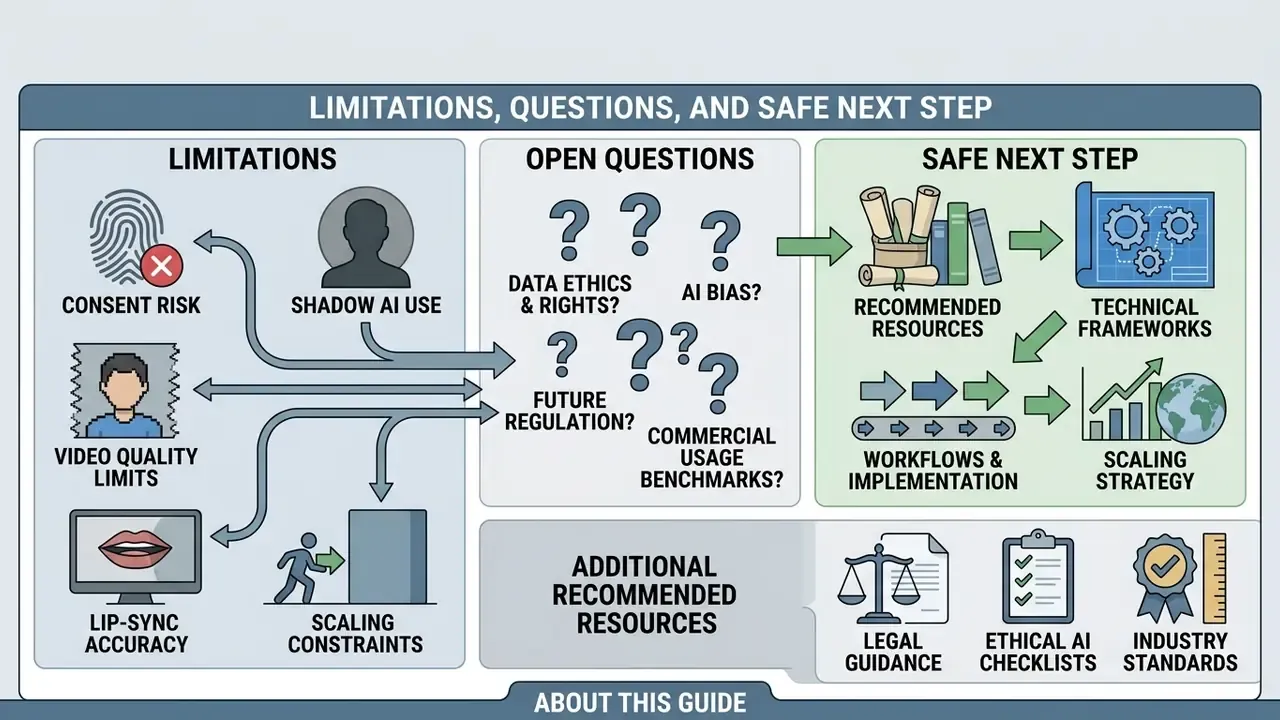
Some of the claims in this field are firmer than others, and pretending otherwise would be unhelpful.
What the evidence supports reasonably well. Knowledge transfer from synthetic instructional video appears comparable to filmed human instruction in controlled studies, with production cost reductions that are large and repeatedly reported. Lip-sync and facial-animation quality is measurable with established metrics. Consent and disclosure requirements exist in enforceable form in the EU, in China, and in several US states.
What remains uncertain. Long-term audience tolerance for synthetic presenters is unresolved. Benchmark summaries already show avatar creatives underperforming human UGC in some social samples, and we do not know whether that gap widens as audiences grow more sensitive to synthetic cues. Vendor language-count claims are largely unaudited. Real-time interactive avatars are new enough that failure modes in customer-facing financial contexts are not well documented, and hallucinated guidance delivered by a confident human-looking face is a reputational risk profile nobody has good loss data for yet.
What we would treat as unproven. Any claim that a free tier is safe for confidential scripts. Any claim that watermarking alone satisfies disclosure duties. Any ROI figure that excludes review labour, consent administration, and takedown handling.
A safe next step. Run a narrow, logged pilot. Two use cases, not ten: one internal training module and one non-confidential marketing short. Use stock avatars only, keep identifiable likenesses out of free tiers, register the tool in your AI inventory with a named owner, and define in advance what evidence you will show internal audit at the end. If the pilot cannot produce that evidence, the tool is not ready for production regardless of how good the render looks.
Then, and only then, discuss scaling.