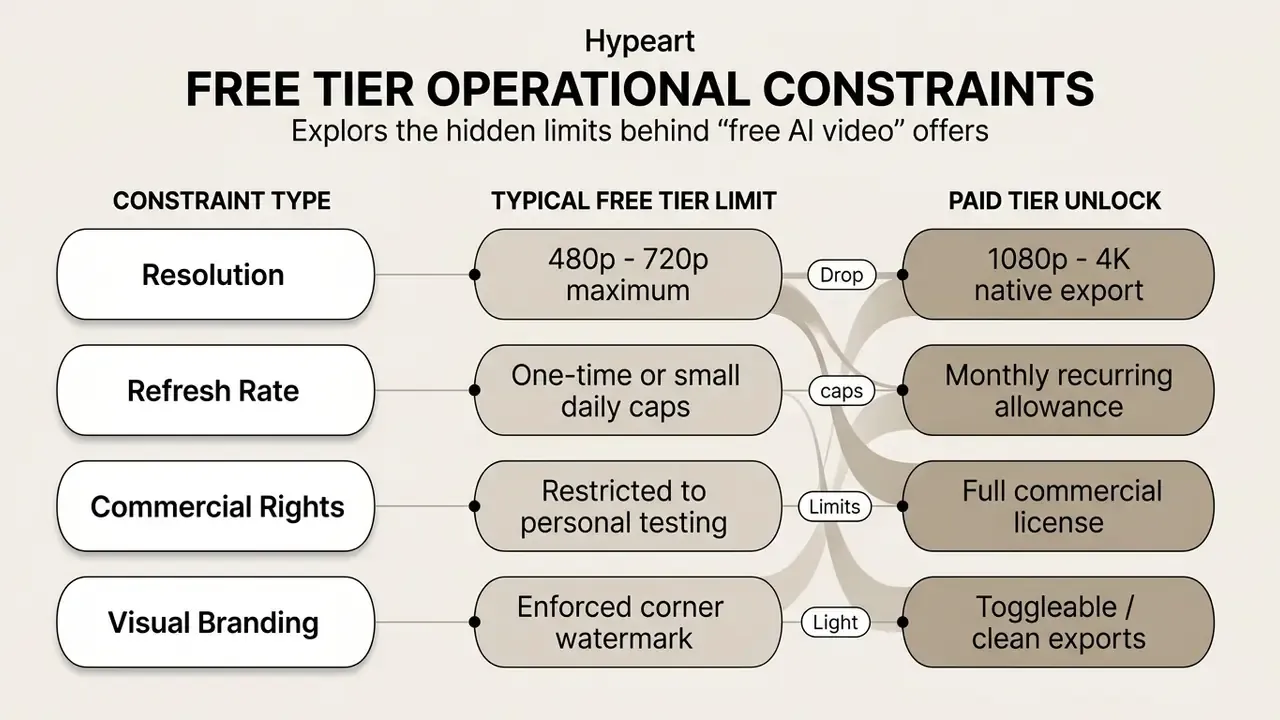
Evaluating an artificial intelligence video generator means separating marketing copy from verified export behaviour. Most free offerings trade a clean video file for daily caps, duration limits, or a visible brand overlay. Sometimes all three at once.
Executive summary
- Unlimited and genuinely clean Only two categories deliver watermark-free video with no credit ceiling. Meta AI (unlimited cloud generation, locked to 9:16 vertical) and self-hosted ComfyUI + Wan 2.2 (unlimited local rendering, needs 8GB+ VRAM). Everything else is metered.
- Best free daily volume Seedance 2.0 / 2.5 (ByteDance) issues roughly 100 refreshing daily credits with clean 1080p exports and about 30-second render times, the highest sustained free throughput we measured across tested platforms.
- "No watermark" is not "commercial rights" A missing corner logo does not grant a license. Pika Basic explicitly permits commercial use on its free tier; Kling AI, Runway, and most trial tiers restrict commercial deployment to paid plans. Verify the terms of service, not the pixel.
- Invisible provenance still applies Google Veo output embeds SynthID pixel-level watermarks even when no visual logo appears, and free Google AI Studio access is capped at 720p/1080p while 4K remains a paid or Vertex AI API capability.
- Governance takeaway Free tiers function as pilot environments, nothing more. Validate every candidate tool with identical test prompts, then inspect exported files with
ExifToolandMediaInfofor hidden overlays, resolution downgrades, and C2PA or SynthID tags before production cutover.
On this page: what "no watermark" means · the 2026 Grok shift · quick comparison table · commercial rights matrix · free plan types · how to choose · best tools by creative need · migration workflow · FAQ.
What "no watermark" means in AI video generators
A no-watermark video generator lets you export a rendered file without vendor logos, brand overlays, or a mandatory outro card. Technical systems, though, draw a line between visual brand overlays and invisible, algorithmic provenance embedded at the pixel level. The two rarely appear in the same sentence on a pricing page.
Evaluating video software means analysing three separate layers: visual overlays, metadata tags, and algorithmic watermarking.
«All videos generated by Veo carry a SynthID watermark for AI-content identification, even when they look visually clean.»
Web platforms market clean preview screens; the downstream download often introduces a brand watermark or a resolution downgrade unless the paid plan terms or a self-hosted deployment say otherwise. For institutions managing enterprise risk, understanding AI watermark and export limits is essential to prevent compliance failures and unauthorised data exposure.
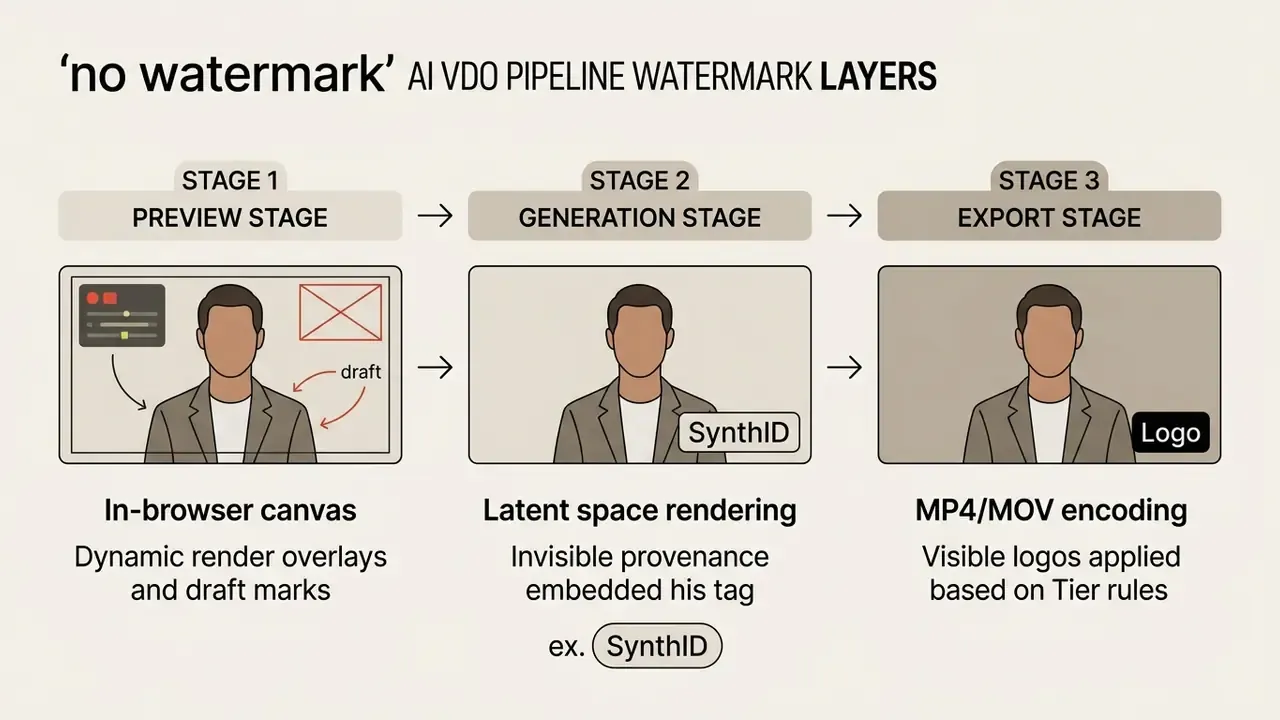
Watermark-free preview, generation and export are not the same
«Top VLMs reach 95.43% accuracy on watermarked Sora 2 video, but accuracy falls to 52.4% once the visual watermark is stripped, near random guessing.»
That single number tells you a lot. Surface-level marks change automated classification, which is exactly why teams evaluating AI content detectors should not treat a visible logo as a durable provenance mechanism.
One illustrative audit of a corporate training asset pipeline: draft clips rendered unbranded inside browser canvases, then the export job appended corner logos to roughly 40% of the finished files. Configuring server-side export profiles before batch rendering removed the post-processing cleanup entirely and kept every published asset visually compliant. Small fix, measurable saving.
Context: the 2026 Grok shift and the rise of free alternatives
In early 2026, xAI moved Grok to a paid-only subscription. Creators who had built entire publishing pipelines on unlimited free generation migrated within weeks. Survey data indicates 78% of users hit hard credit exhaustion on commercial platforms, and the Grok cutover removed the single most-used zero-cost generator overnight.
Two replacement paths emerged. For unlimited watermark-free cloud generation, Meta AI became the closest functional substitute. For high-volume batch production of social clips, teams consolidated around Seedance 2.0 / 2.5 daily credit pools and local ComfyUI + Wan 2.2 deployments, where no vendor can retroactively rewrite export terms. The structural lesson is blunt: free AI tools tend to migrate to paid models once they capture market share, so keep at least one self-hosted fallback in the stack.
Quick comparison of no-watermark AI video alternatives
Choosing among these alternatives means balancing credit allocation, export resolution, native audio support, and licensing terms across very different deployment models. Readers surveying the wider field can also review our comparison of leading AI video generators for feature-level detail.
The table below sets out verified operational parameters across leading cloud platforms and self-hosted workflows, audited against pricing documentation and technical benchmarks as of Q1 2026. (Wide table, scroll horizontally on mobile.)
| Tool / Platform | Text-to-Video | Image-to-Video | Free Tier Allowance | Watermark on Free Export | Max Free Resolution | Native Audio | Commercial Use Rights | Starting Paid Price |
|---|---|---|---|---|---|---|---|---|
| Meta AI | Yes | Yes | Unlimited | None | 1080p (9:16 only) | Yes | Personal / fair use | $0 |
| ComfyUI + Wan 2.2 | Yes | Yes | Unlimited (self-hosted) | None | 720p / 1080p | No (external) | Yes (open license) | $0 (requires GPU) |
| Seedance 2.0 / 2.5 | Yes | Yes | ~100 credits/day | None | 1080p | Yes | Personal | ~$10/month |
| Google Veo 3.1 | Yes | Yes | ~10 clips/mo (AI Studio) | Invisible (SynthID) | 720p-1080p free / 4K paid | Yes | Paid / API only | $19.99/month |
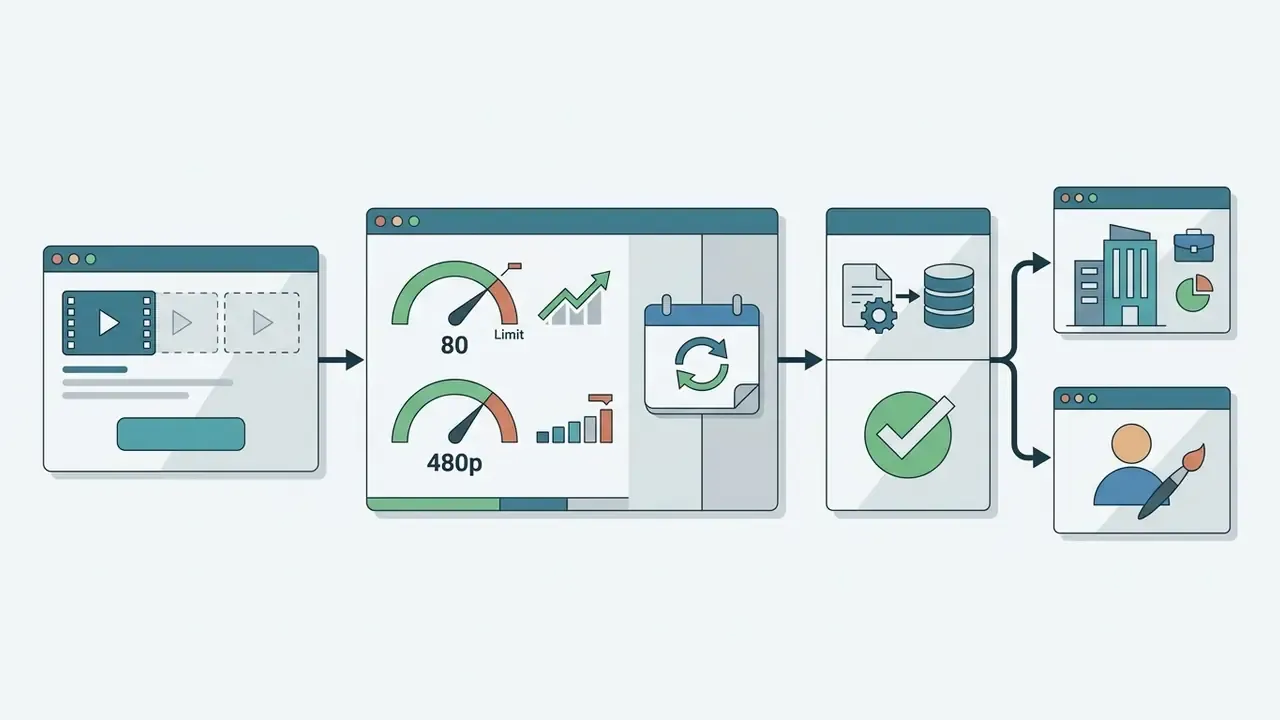
| Pika 2.5 / Basic | Yes | Yes | 80 credits/month | None | 480p free / 1080p paid | Yes | Yes (per TOS) | $8/month |
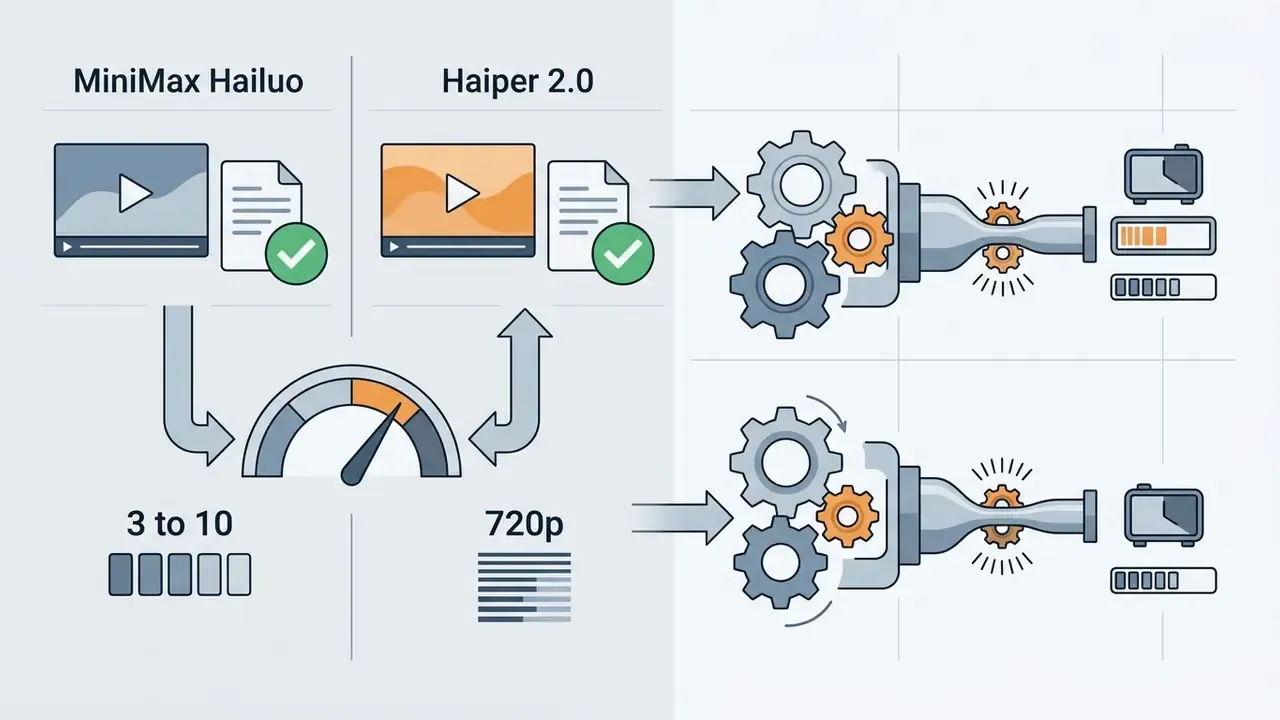
| Hailuo AI (MiniMax) | Yes | Yes | ~3-10 clips/day | None | 720p | Yes | Conditional | $10/month |
| Haiper 2.0 | Yes | Yes | ~10 clips/day | None | 720p | No | Conditional | $9/month |
| LitVideo (Sora 2 model) | Yes | Yes | 20 credits + daily free queue | None | 1080p | No | Personal | $9.99/month |
| Vivideo | Yes | Yes | Unlimited basic | None | 720p | No | Personal | $0 |
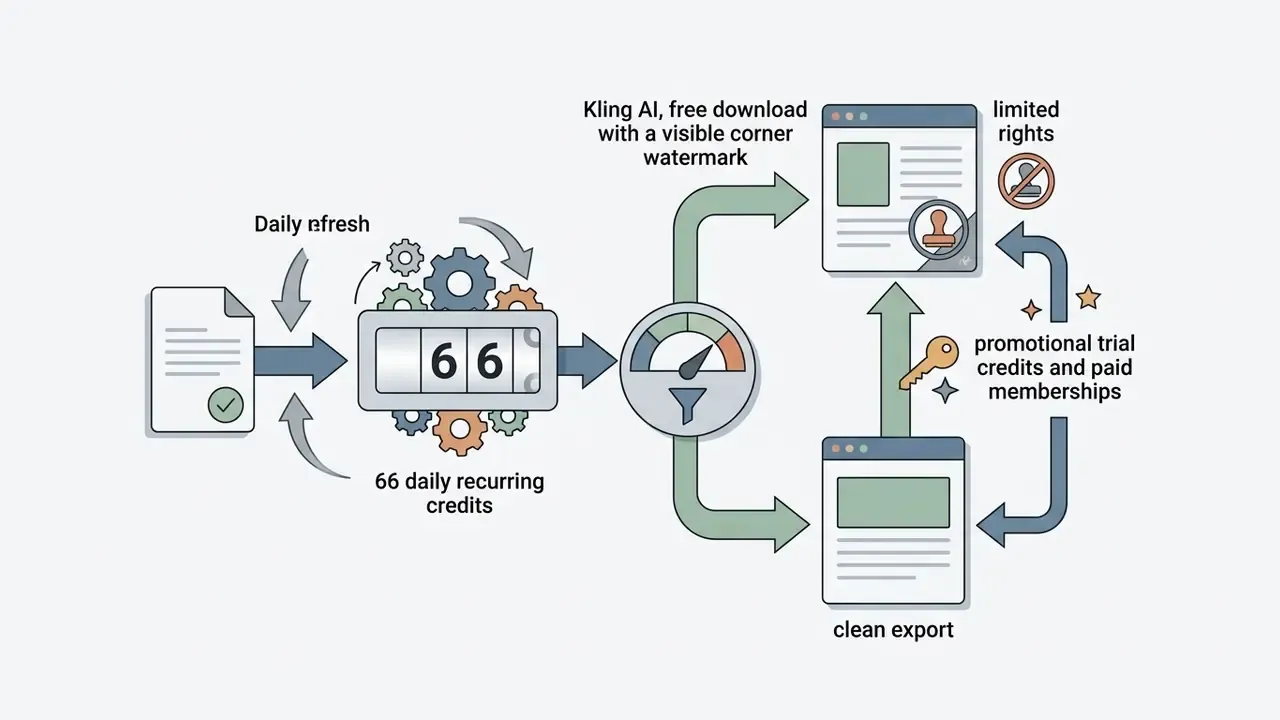
| Kling AI 3.0 | Yes | Yes | 66 credits/day | Visible on free tier | 720p free / 4K paid | Yes | Paid plans only | $35/month |
| Runway Gen-4 | Yes | Yes | 125 one-time credits | Visible on free tier | 720p free / 4K paid | Yes | Paid plans only | $12/month |
| CapCut AI | Yes | Yes | Free web tier | None (basic HD) | 1080p | Yes | Standard media rules | $7.99/month |
Every watermark and pricing cell above was re-verified against the vendor's own pricing and terms pages in April 2026. Where a vendor page and a third-party roundup disagree, the vendor page wins and the discrepancy is flagged in Appendix A.
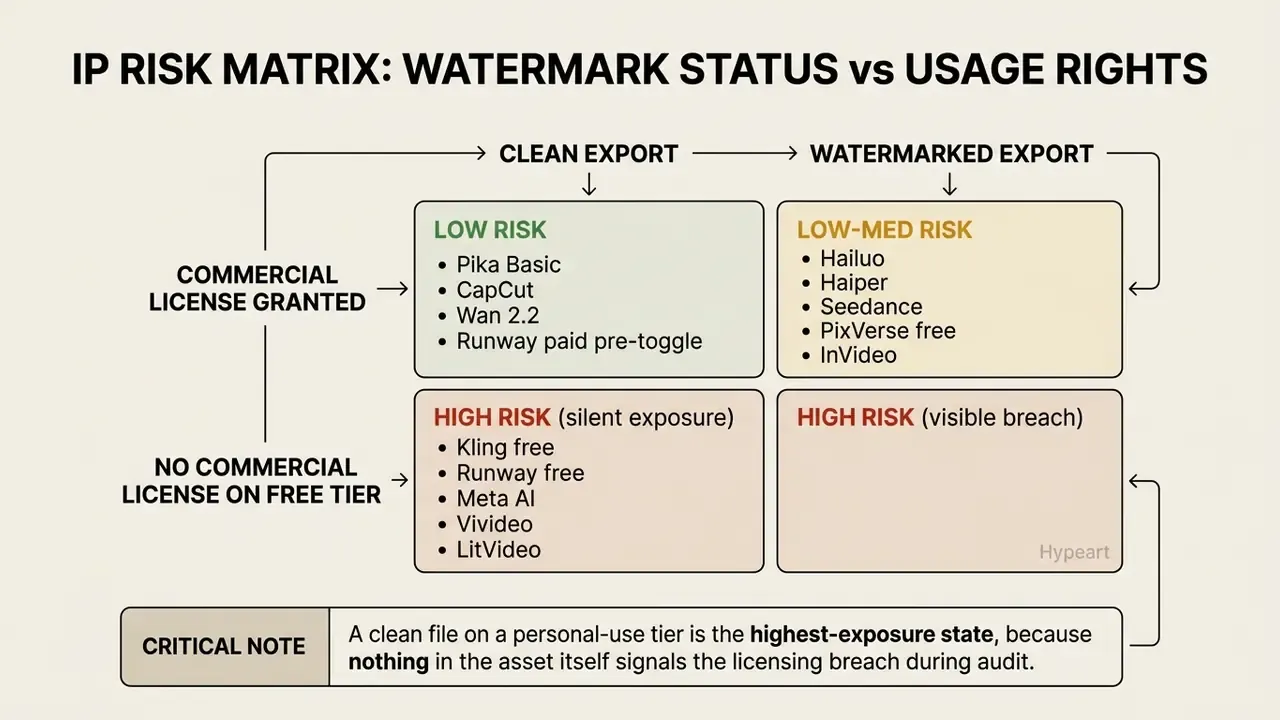
Commercial rights versus watermark status matrix
The absence of a logo is a rendering outcome. The right to publish is contractual. Governance, risk and compliance teams should treat them as two independent controls:
Human-authorship documentation sits right next to licensing. Copyright registration depends on demonstrable human creative contribution, not on export cleanliness, which puts prompt logs, edit decision lists, and version history into the commercial-use evidence chain.
Free AI video alternatives by plan type
Picking a video generator means choosing between a local open-source setup, a cloud system with daily credit resets, an unlimited consumer platform, or a promotional trial. The trade-offs are not subtle.
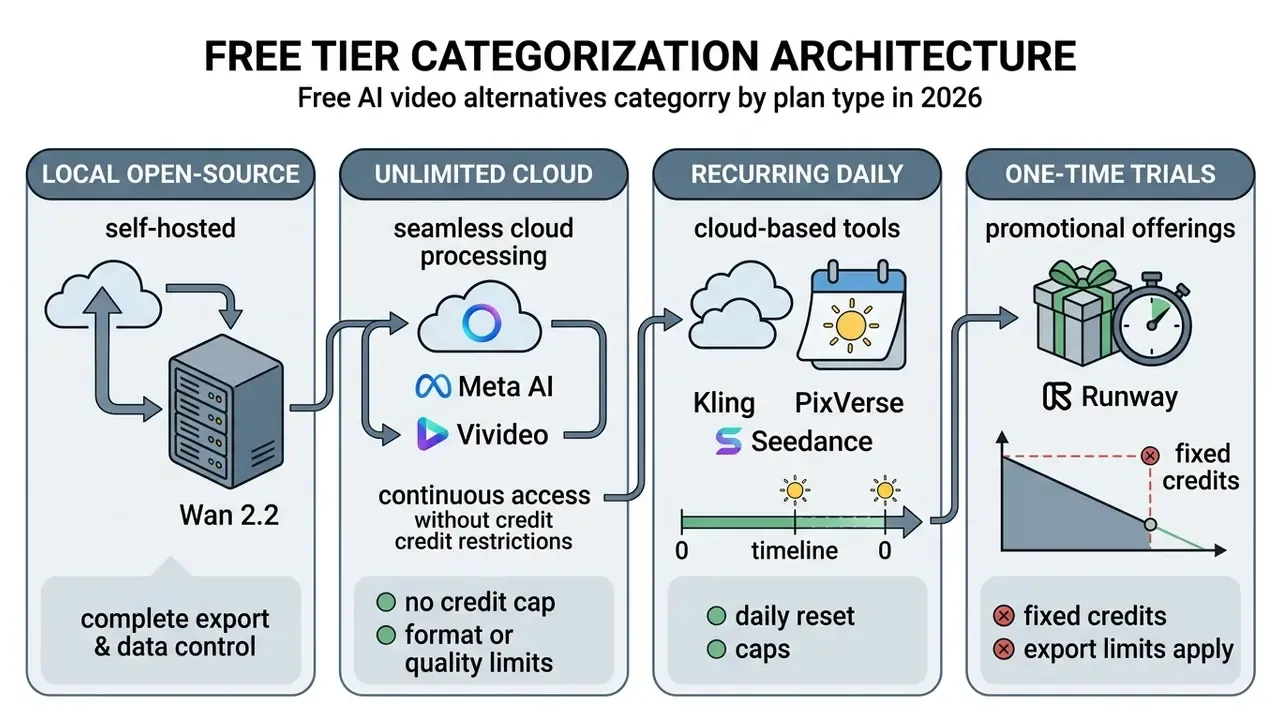
Truly free and local watermark-free options
Local open-source models give you full autonomy over rendering, data privacy, and export formatting, with no vendor credit limits and no mandatory brand overlay.
The release of Wan 2.2 inside the ComfyUI ecosystem is the practical local alternative. Running the wan2.2_ti2v_5B_fp16 model needs a workstation with a dedicated GPU: minimum 8GB VRAM for 5B quantised workflows, 12 to 16GB for GGUF 14B builds, 24GB+ for FP8 14B models. Because rendering runs locally, the exported MP4 carries no vendor logo, no cloud queue delay, and no external telemetry (ComfyUI Documentation, 2026). Teams comparing deployment models can review our overview of local AI video generators for method and licensing context.
«The factorized approach applied to Wan 2.2 (5B) improved every VBench metric over the baseline T2V pipeline, raising the overall score by 41.98%, from 0.480 to 0.682.»
An illustrative case: a media department needed daily renders but could not send unreleased product assets to an external cloud API. The team ran a local ComfyUI environment with Wan 2.2 on an RTX 4090. Result: 100% watermark-free 720p clips generated on-premises, zero subscription cost, and full asset confidentiality. In a regulated environment the same deployment should also write a local audit log capturing prompt text, model checkpoint hash, seed, timestamp and operator ID. That way the pipeline satisfies model risk management evidence requirements without a single byte leaving the building.
Unlimited cloud alternatives (no credit ceiling):
- Meta AI (unlimited cloud export)
- Fully free generation, no volume cap, no watermark on downloads. The constraint is format: output is locked to 9:16 vertical. Workaround for horizontal delivery: generate in Meta AI, import the clip into a free editor such as CapCut or DaVinci Resolve, then apply a 16:9 crop with a blurred-fill background layer or a padded letterbox to keep the full subject in frame.
- Vheer
- All-in-one unlimited platform covering text-to-video and image-to-video without credit restrictions. Newer entrant, shorter track record, so treat it as a secondary option.
- Vivideo
- Unlimited basic generation, clean 720p exports, no credit card and no account required for baseline use. Output is functional rather than cinematic, which suits social clips, short ads, and presentation visuals.
- Qwen AI
- Free image-to-video animation from a single source image. Genuinely useful for animating photographs and previously generated stills.
High-volume daily credit alternatives:
- Seedance 2.0 / 2.5 (ByteDance) About 100 refreshing daily credits, enough for roughly 10 to 20 clips per day, with clean 1080p export and near 30-second generation time. Unused credits expire at the 24-hour reset and cannot be banked. The platform aggregates access to several model families, which is why version numbering shows up as both 2.0 and 2.5 across sources.
- LitVideo 20 signup credits plus a free Sora 2 model queue, watermark-free HD output on the free trial, with queue latency during peak demand.
Free tiers with recurring daily credits
Cloud platforms with recurring daily credits replenish the compute allowance every 24 hours, which lets a team keep testing without a purchase order.
Primary platform operational terms:
- Kling AI66 free daily credits, non-cumulative across days. Baseline free exports carry a visible corner overlay, cap resolution at 720p, and prohibit commercial use; membership tiers and promotional trial credits unlock clean 1080p to 4K downloads (Habr Tech Review, 2026).
- PixVerseRoughly 60 daily credits. Free downloads include platform watermarks, capped resolution, and standard queue processing (Wavespeed AI Analysis, 2026).
- MiniMax HailuoRoughly 3 to 10 daily generations without visual watermarks at 720p, a clean cloud workflow under fair-use limits, plus AI voiceovers and a synced music library (Wavespeed AI Analysis, 2026).
- HiggsfieldAdvertises 4K output on free exports, but throttling reports make it unsuitable for deadline-critical production without a fallback tool.
Free trials that may change export conditions
Promotional trials grant temporary access to premium generation, then quietly change export conditions once the initial credit pool runs dry.
Runway and Pika issue non-refreshing signup credits (125 credits on Runway, for example). When those credits are gone, accounts revert to restricted preview modes, watermarked output, or a paid upgrade prompt before any further download. The wider software market behaves identically: trial-mode reversion re-applies watermarks to exports once a subscription lapses, as documented in Movavi's effects licensing and Stimulsoft's 60-day trial watermarking.
Federal procurement guidance, including White House Memorandum M-25-22 (2025) and the Georgia Technology Authority AI Handbook (2025), advises organisations to run structured technical pilots during free trial periods, evaluating security, transparency, and residual export limits before signing a commercial contract (White House M-25-22, 2025).
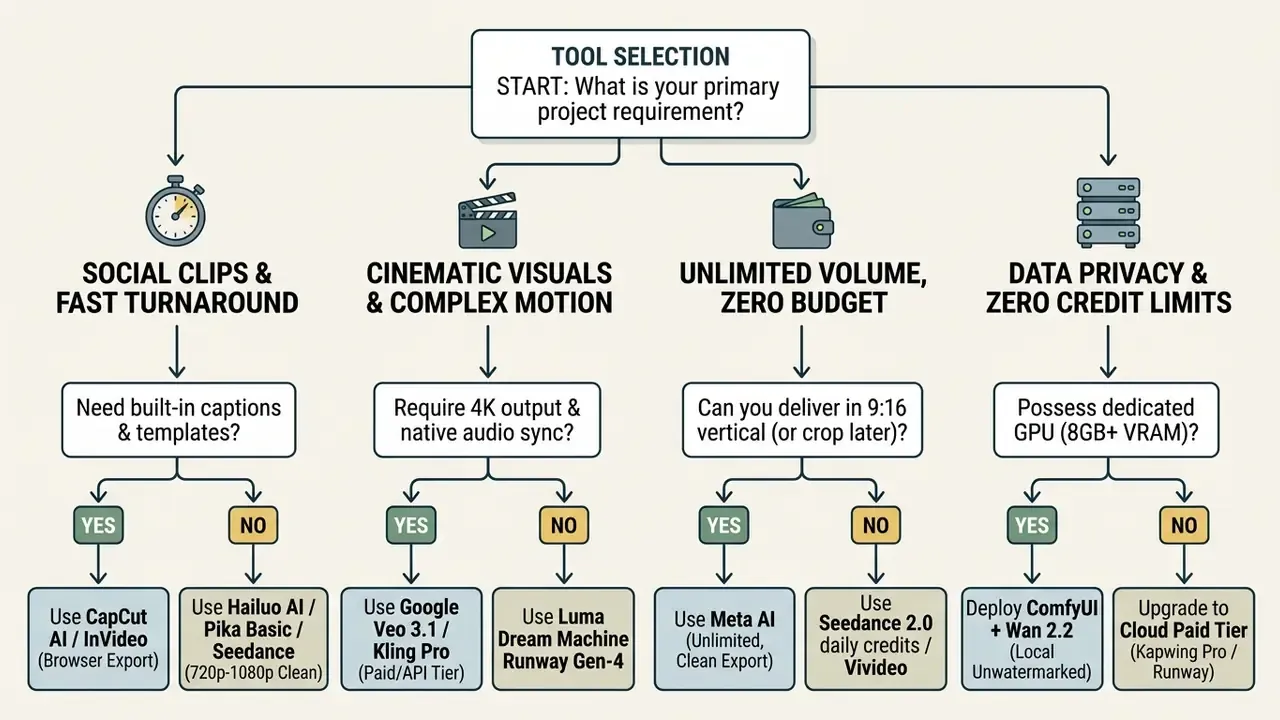
How to choose the right watermark-free video generator
Match project requirements against budget, hardware, licensing rules, and output resolution. Use a two-stage method. First, exclude every tool that cannot produce an unwatermarked export under your plan. Then score the survivors on prompt alignment, temporal consistency, visual quality, watermark detectability, and total cost of ownership. NIST AI 100-4 (2024) frames the same axes: detection accuracy on unmodified output, robustness against modification, and quality distortion relative to unwatermarked content.
Technical workarounds for watermarked free exports
Recommendations for YouTube, TikTok and short-form creators
Recommendations for marketing and commercial content
Commercial video deployment requires clear intellectual property rights, unwatermarked high-resolution media, and verifiable data governance.
«Pure AI outputs lacking human creative authorship are ineligible for copyright registration.»
Registration is assessed only to the extent of human authorship, and marketing videos fall under motion-picture registration rules rather than a resolution class. 4K is a quality decision, not a legal clearance standard. The Korean Copyright Commission (2026) adds a second caution: commercial use of synthetic media carries infringement risk where outputs mirror existing protected works. Enterprise workflows should verify that vendor subscription terms grant an explicit commercial license and maintain documented asset provenance. Teams comparing licensing terms can consult our analysis of commercial use across AI video generators, and evaluating specialised AI video tools helps assemble a compliant software stack across creative formats.
Best no-watermark AI video alternatives by creative need
Matching a video generator to an operational workflow means weighing motion physics, scene controls, and turnaround time. Different jobs, different winners.
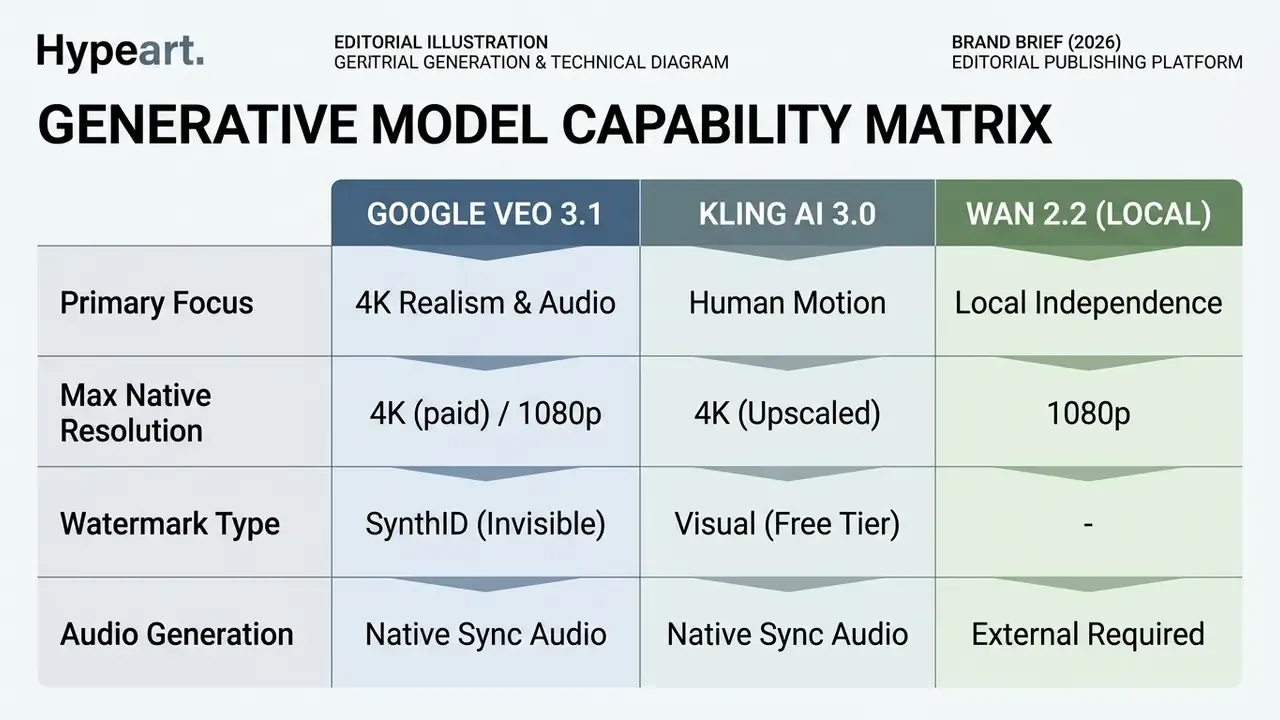
Google Veo, Seedance and Kling for generative video quality
High-fidelity models compete on photorealism, environmental physics, and multi-modal alignment for cinematic output.
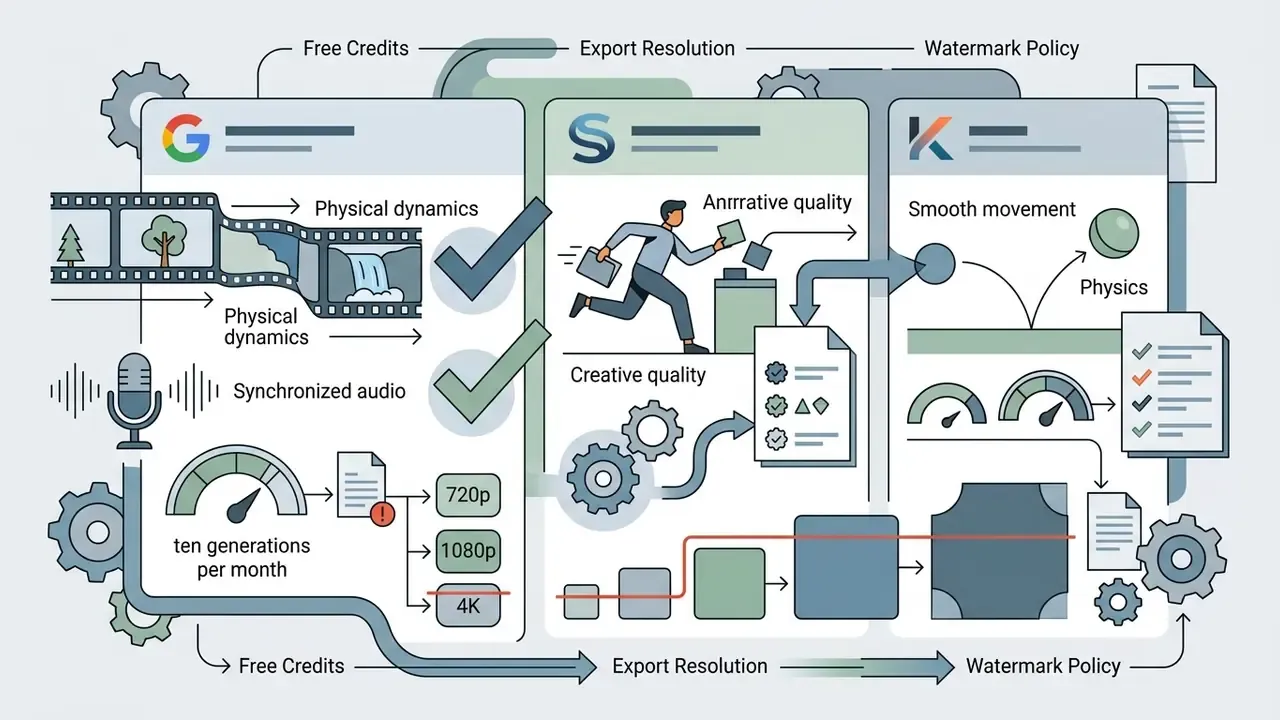
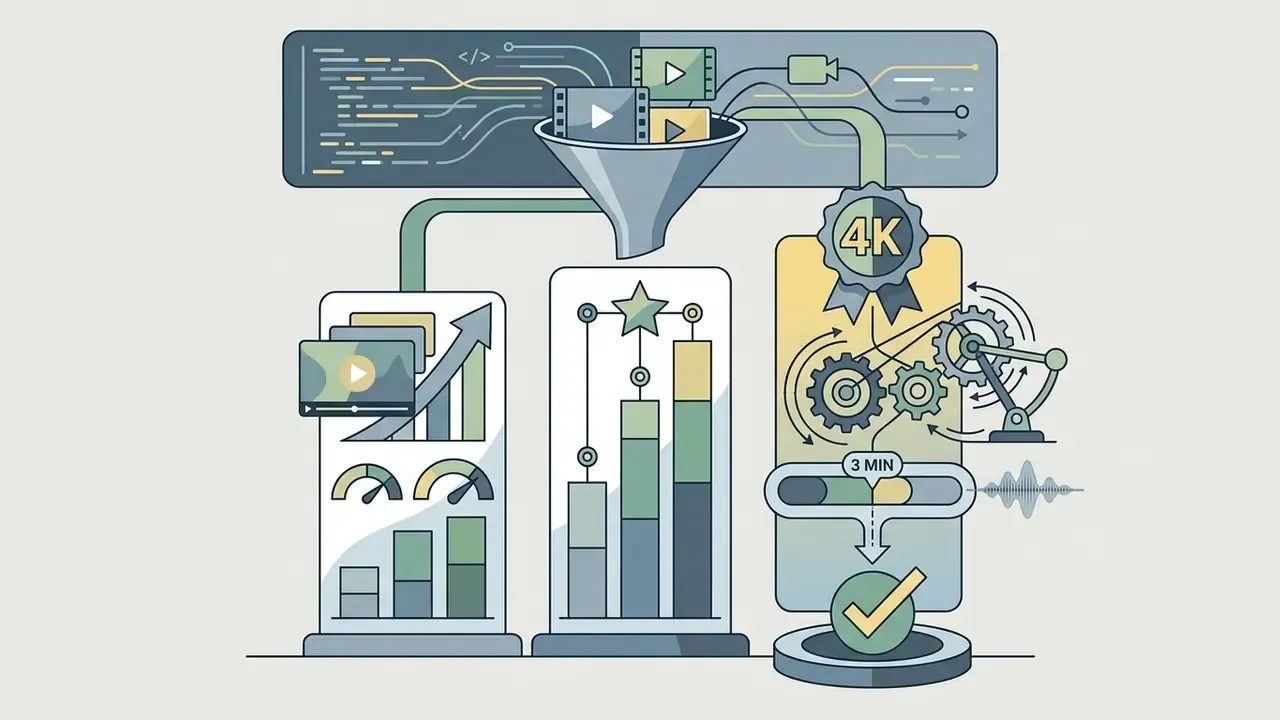

«T2VWorldBench spans 6 categories, 60 subcategories and 1,200 prompts; even the strongest models achieve only moderate scores, indicating substantial headroom.»
Text-to-video tools for prompt-based clips
Text-to-video generators turn written prompts into temporal frames using latent diffusion models or transformer architectures. The serious systems are judged on prompt adherence, frame consistency, and visual dynamics across multi-shot output.
Benchmarking work tracks how prompt compliance has evolved. FilmBench (2026) evaluated models on 1,056 multi-shot prompts reverse-engineered from award-winning cinematography.
«Cinematic framing requires explicit motion and lighting instructions rather than generic descriptive text.»
«EvalCrafter established 17 objective metrics across visual quality and text-video alignment, confirming significant variance in generative consistency during complex physical interactions.» - EvalCrafter, CVPR (2024). https://arxiv.org/abs/
Complementary evaluations reinforce the same axes. AIGV-Assessor (CVPR 2025) scored 36,576 generated videos across static quality, temporal smoothness, dynamic degree, and text-video correspondence. VBench-2.0 (2025) added Human Fidelity, Creativity, Controllability, Physics, and Commonsense as core dimensions.
Image-to-video options for animating images
Image-to-video systems use a static source image as a structural anchor, generating movement while holding character geometry and background detail. The animation of static images has become the dominant workflow for character-consistent output.
Research on motion control concentrates on frame-to-frame smoothness and pose preservation.
«Cinemo introduced motion residual learning to reduce abrupt frame transitions, establishing controllable "dynamics degrees" for motion magnitude.»
Motion-I2V (2024) and Animate Anyone (CVPR 2024) went further, showing that temporal modelling prevents inter-frame jitter and enables consistent character animation from a single reference portrait (Motion-I2V, 2024; Animate Anyone, CVPR, 2024). A caveat that rarely makes it into vendor decks: each paper defines smoothness differently, frame-similarity scoring versus explicit residual or trajectory control, so cross-benchmark "controllability" claims are not directly comparable.
Runway, Luma Dream Machine and Pika for creative workflows
Creative production needs explicit frame steering, motion brushes, and multi-camera consistency across short scenes.
Runway Gen-4 guides detail prompt structures that separate camera motion, subject dynamics, scene motion, and style descriptors across multi-shot storyboards, including character plates, environment plates, and side-by-side scene comparison for tonal coherence (Runway Help Center, 2025). Luma Dream Machine exposes image reference, style reference, and image-to-image modification APIs for visual continuity across scene changes, with a free allowance of roughly 30 generations per month (Luma Labs API Docs, 2026). Pika 2.5 adds keyframe controls (Pikaframes), letting creators specify start and end images across 1-to-10 second transition windows, plus Scenes support for multi-image sequences (Pika Documentation, 2026).
CapCut, InVideo and browser-based tools for content production
Mass-market video editors with AI features fuse generation tools with timeline editing, template libraries, and direct social publishing.
CapCut's official documentation states that basic AI templates are free, automatic captions cost nothing in-app, and finished videos export in HD on the standard web tier (CapCut Official Documentation, 2026). Third-party 2026 reviews report length and watermark limits on some free CapCut export paths, so verify the specific template before production use; the divergence comes from vendor marketing pages versus later tier testing. InVideo AI converts a text outline into a narrated script, auto-assembles stock footage and synthetic voiceovers, and adds word-synced subtitles. Its free tier allows about three videos per week, watermarked. Browser editors simplify multi-platform distribution, yet high-resolution rendering and specialised commercial fonts stay tied to paid subscriptions.
Free tool stack for long-form video production (20+ minutes)
Trying to produce long-form video through a single AI generator runs straight into credit ceilings and clip-length caps. No current tool renders 20 minutes in one pass. The workable zero-cost approach chains narrow-purpose free services:
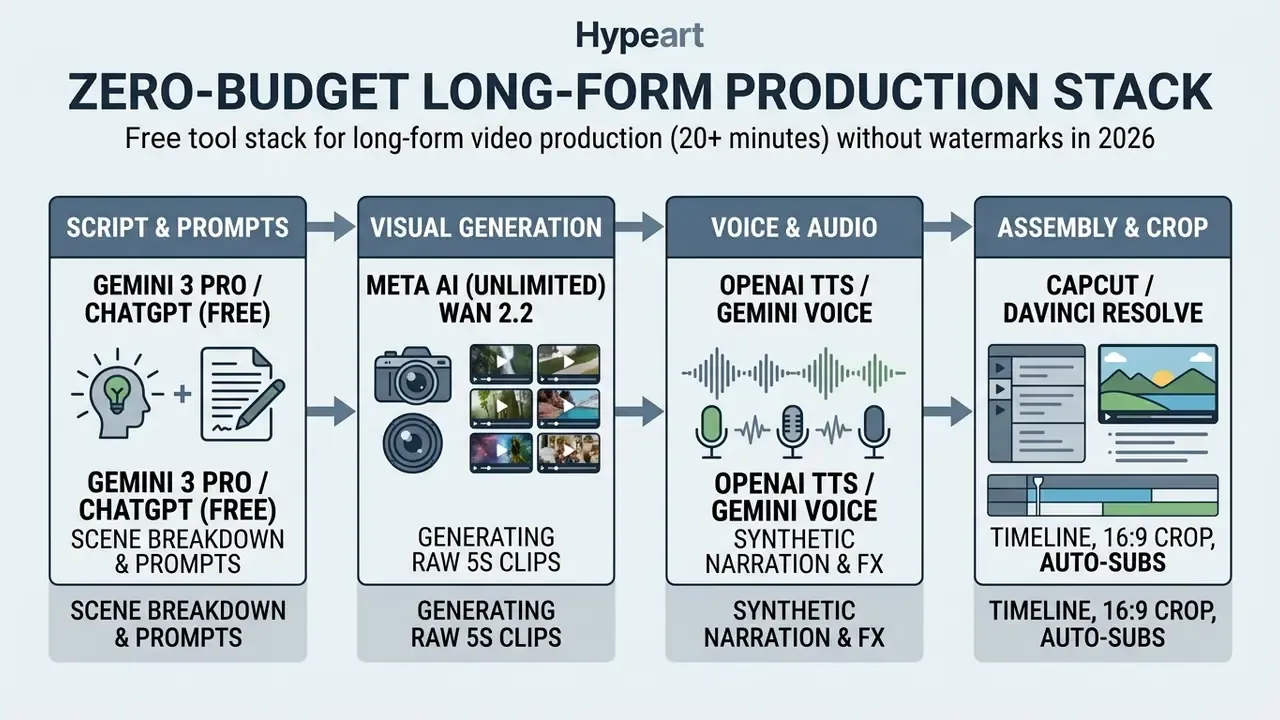
Recommended method (image-first workflow): generate static images with the intended composition first, then animate them through image-to-video. Character consistency across shots holds up, camera movement and lighting become controllable in ways text prompts alone cannot match, and you save up to 60% of generation credits by discarding failed compositions before they consume video compute. Narration is the second lever. Reviewing AI voice generators by language support and licensing stops a synthetic-sounding track from undermining otherwise strong visuals. Before publishing, run the assembled master through a video compressor to hit platform bitrate targets without visible artifacts.
How to switch to a no-watermark AI video alternative
Migrating a production workflow between generative video platforms means auditing prompts, mapping source assets, and verifying export compliance. In that order.
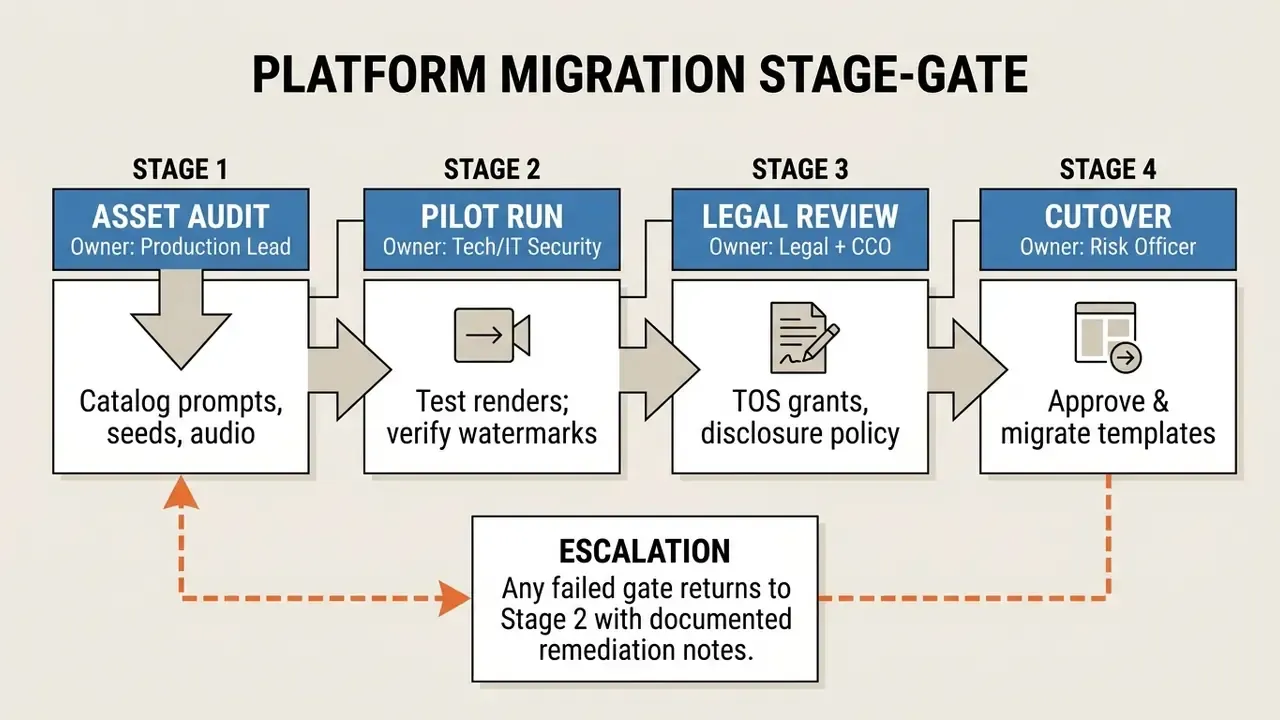
Audit your current prompts, assets and export requirements
Before decommissioning an existing tool, inventory every active prompt structure, reference image, audio asset, and output specification. Nothing exotic, just discipline.
«ISO/IEC 29121:2021 emphasizes controlling test-environment parameters when migrating media between platforms.»
«EU Regulation 2024/1773 requires organizations to document exit plans and periodically test data migration when changing software vendors.» - EU Regulation 2024/1773 (2024). https://eur-lex.europa.eu/
Content-level migration checklists reinforce the same point: only referenced media transfers cleanly, assets lacking accessibility metadata need review before transfer, and a document audit dashboard should track review status for every file.
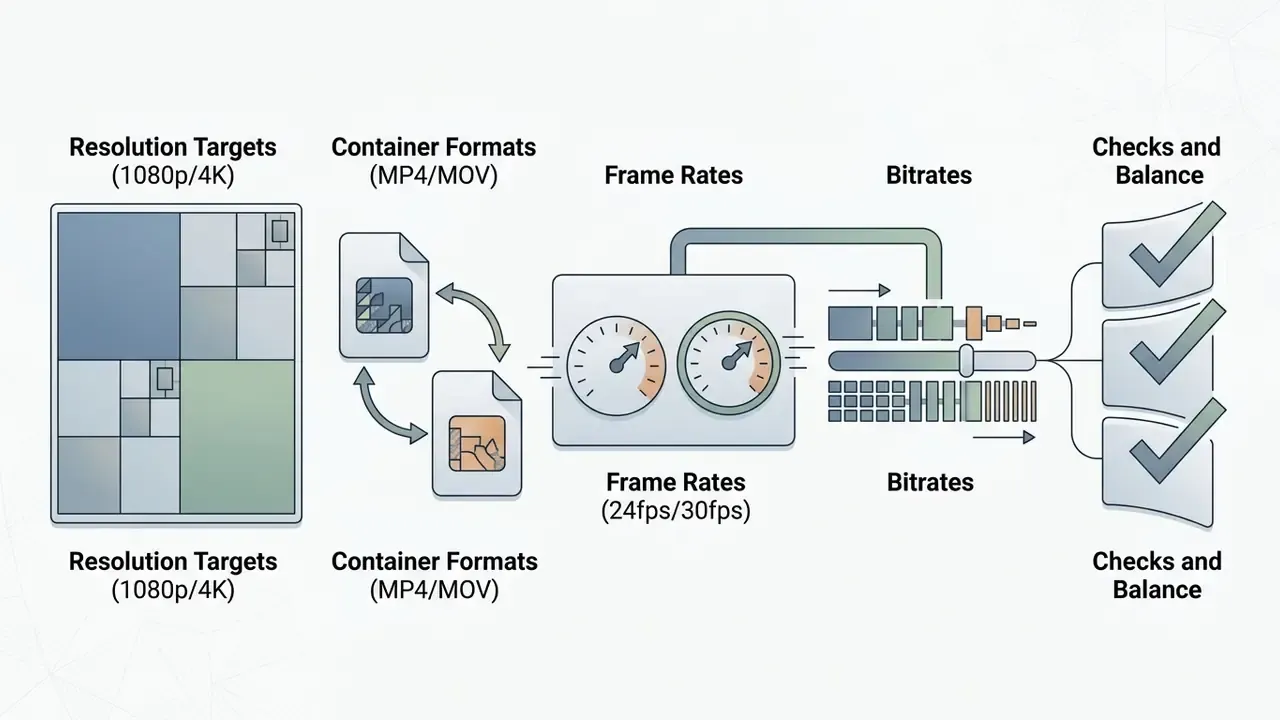
A structured audit checklist should record:
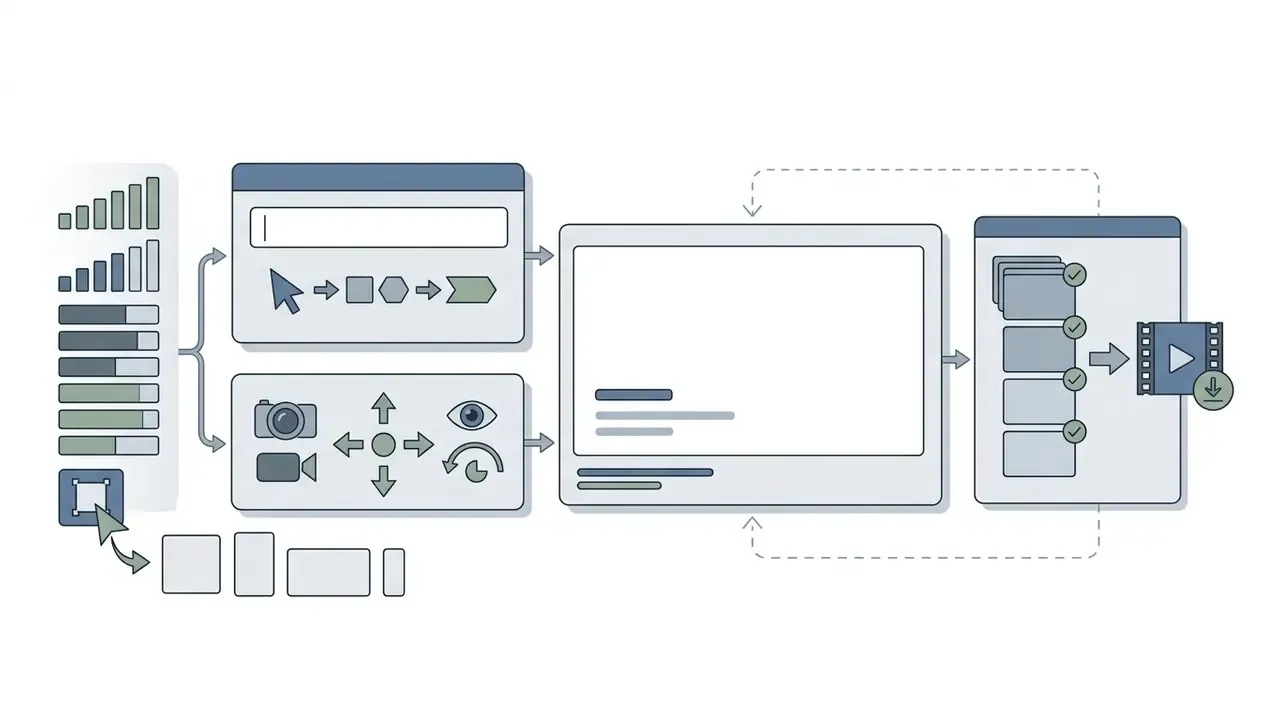

Test a new tool before moving to a paid plan
Validating candidates under free or trial tiers prevents surprise subscription costs and operational friction later.
«Controlled technical pilots should precede software adoption, with monitoring of real-world effectiveness, security posture and residual export limits.»
During pilot testing, render identical prompts across candidate tools, then inspect the exported files for hidden overlays, compression artifacts, and metadata tags. Our comparison of free AI video generators for testing shortlists candidates whose free tiers allow a full export-to-inspection cycle.
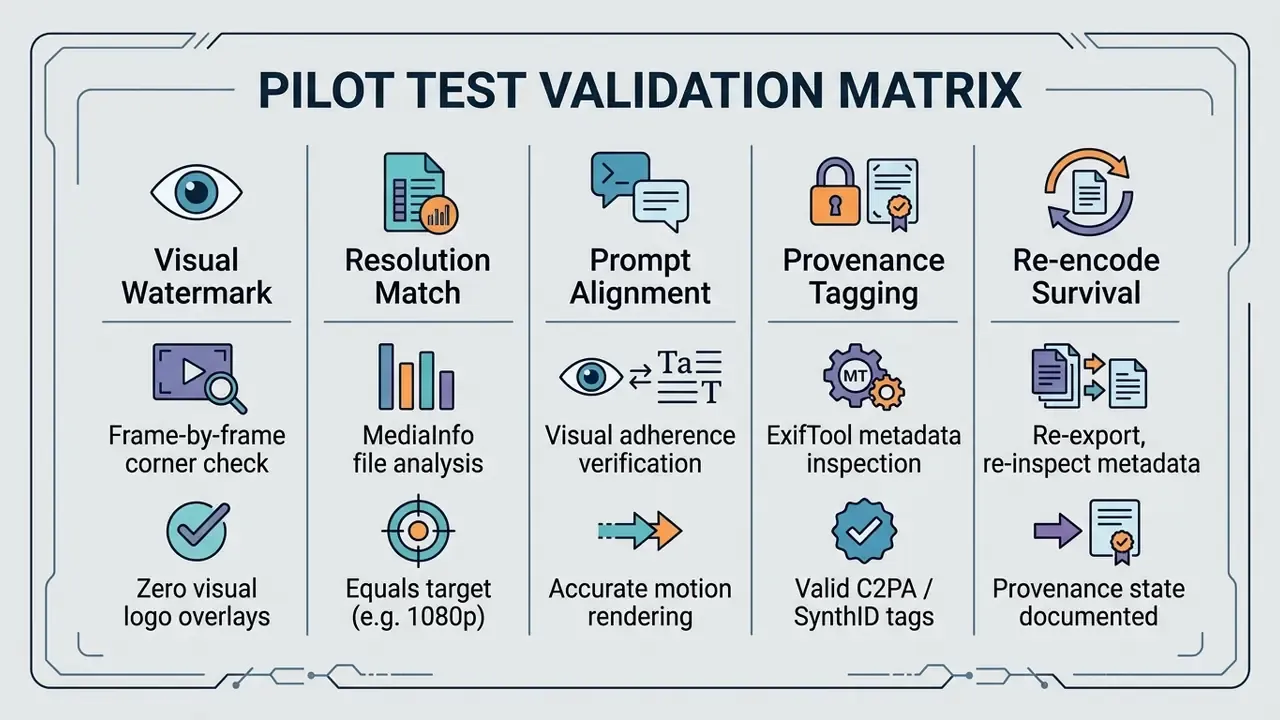
Practical inspection commands for auditors:
# Dump every metadata field, including C2PA/JUMBF provenance manifests
exiftool -a -G1 -s output_clip.mp4
# Isolate provenance and vendor-injected tags
exiftool -Jumbf:all -XMP:all -Encoder -Software output_clip.mp4
# Confirm true resolution, bitrate and frame rate against plan claims
mediainfo --Output=Video;%Width%x%Height%\ %FrameRate%\ %BitRate%\n output_clip.mp4
# Re-encode and re-test to see whether marks survive downstream processing
ffmpeg -i output_clip.mp4 -c:v libx264 -crf 20 reencoded.mp4 && exiftool -a -G1 reencoded.mp4
Log the results for every candidate tool. One more point that trips teams up: visible-watermark policy is often configurable at tenant or policy level. Microsoft's 2026 documentation confirms that AI-content watermarking can be switched on or off by administrative policy, so export behaviour must be re-verified after any vendor or policy change. Never assume it is stable.
FAQ: no-watermark AI video alternatives
How do we verify that a "no-watermark" export carries no hidden provenance or licensing exposure?
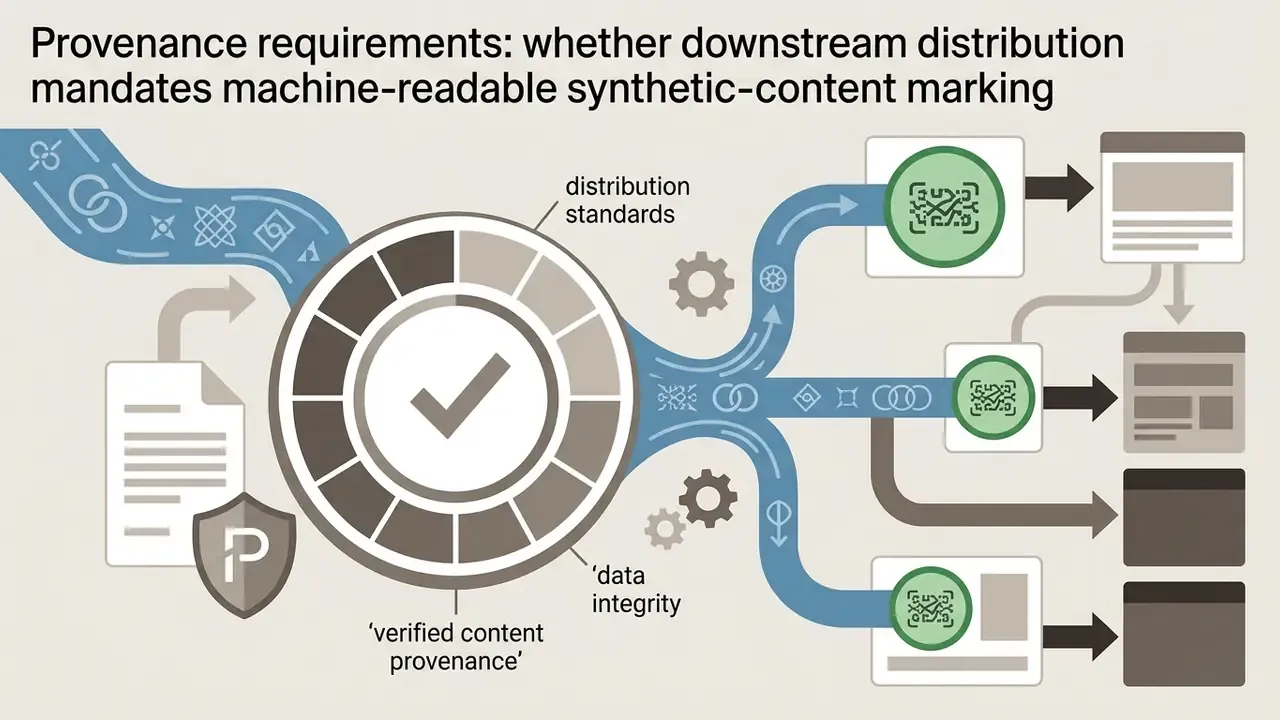
Run a two-part check on every candidate before production approval. First, inspect the file. Dump all metadata with exiftool -a -G1 -s to surface C2PA/JUMBF manifests, XMP fields, and encoder strings, then confirm resolution and bitrate with MediaInfo against the plan's advertised ceiling. Invisible marks such as Google's SynthID persist in Veo output regardless of visual branding, and EU guidance on machine-readable marking of synthetic content means their presence is frequently a compliance asset rather than a defect. Second, inspect the contract. Confirm the plan grants an explicit commercial license, and retain prompt logs, seeds, and edit histories as human-authorship evidence. A clean file on a personal-use tier is the highest-risk state, because nothing in the asset itself signals the licensing breach during an audit.
How should organizations control shadow AI risk when free video tools require no procurement approval?
Free tiers bypass purchasing controls entirely. A creator can generate and publish branded video in minutes with no contract, no data-processing agreement, and no vendor security review. Three controls contain the exposure: (1) publish an approved-tool register naming which generators are cleared for internal, marketing, and client-facing use; (2) require that any asset entering a public channel carry a provenance record covering model, plan tier, prompt, operator, and export inspection result; (3) provide a sanctioned zero-cost path, usually a self-hosted ComfyUI + Wan 2.2 deployment, so confidential product footage never transits an external API. Local rendering also keeps the audit log inside the controlled environment, which suits model risk management evidence requirements.
Can ChatGPT make videos?
ChatGPT cannot render or export video files directly inside its standard conversational interface. You can prompt it for scripts or code, but actual video file creation depends on calls to external models such as OpenAI Sora.
«Video file downloads occur through dedicated Sora interfaces (sora.chatgpt.com) rather than standard ChatGPT chat windows.» - OpenAI Help Center Guidance (2026). https://help.openai.com/ OpenAI's ChatGPT export documentation covers conversation history and account data only, and release notes describe exporting visual outputs from code blocks as images rather than video. So ChatGPT helps with scriptwriting and prompt structuring, while rendering needs dedicated video software. For a broader view of what the model handles natively, see our comparison of ChatGPT media generation capabilities.
Do watermark-free AI video generators support audio?
Native audio support depends on whether the generator is a cloud-based multi-modal model or a local open-source stack. Advanced cloud platforms, including Google Veo 3.1, Sora 2, and Kling 3.0, generate synchronised sound effects, ambient background audio, and lip-synced voiceovers inside the primary generation pass (Google AI Studio Technical Docs, 2026).
«Veo 3.1 processes audio and video jointly inside the latent diffusion space, producing synchronized multimodal output within a single generation pass.» - Automated Survey of Generative AI (2025). https://arxiv.org/abs/ Kapwing documents synchronised audio, lip-synced dialogue, and ambient effects, though free accounts keep a watermark while Pro removes it. MyEdit and HeyGen document watermark-free lip-sync output on their free paths. Open-source video models such as Wan 2.2 handle visual frames only, so creators generate the clip locally and multiplex the audio track separately in an external editor.
Will YouTube demonetize channels using AI-generated videos?
YouTube does not monetize videos it classifies as mass-produced, repetitive, or inauthentic content lacking added value, and reports indicate that some purely AI-assembled channels have lost monetization. To reduce that risk when publishing output from free generators: (1) add original authored narration, commentary, or scripting rather than raw model output; (2) combine AI clips with genuine editorial work, meaning pacing, captions, graphics, and sequencing; (3) apply the "altered or synthetic content" disclosure label in YouTube Studio in line with 2026 disclosure requirements. Human creative contribution does double duty here, supporting monetization eligibility and the authorship record needed for copyright registration.
Which tool should a zero-budget creator start with today?
Start with Meta AI if vertical 9:16 output works for your channel, since it imposes no credit ceiling and no watermark. Move to Seedance 2.0 / 2.5 when horizontal 1080p and high daily batch volume matter more than absolute fidelity. Choose Google Veo 3.1 through Google AI Studio when a handful of high-quality clips with native audio beats raw volume. Deploy ComfyUI + Wan 2.2 when data confidentiality, unlimited throughput, or immunity to future pricing changes is the governing requirement. Test two or three options with an identical prompt before committing. Most free allowances are generous enough to finish that comparison at zero cost.
Appendix A: superseded and revised statements
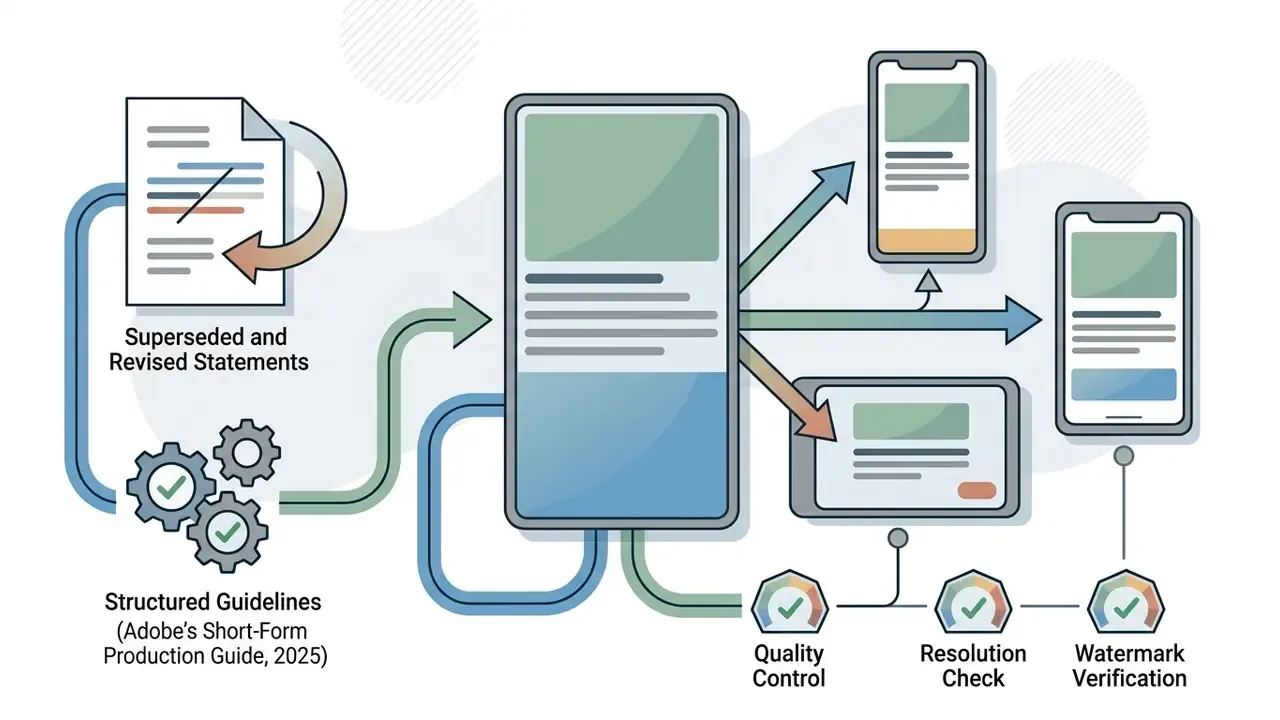
Retained for transparency and version traceability: