Executive Summary for Risk, Compliance, and Creative Leads
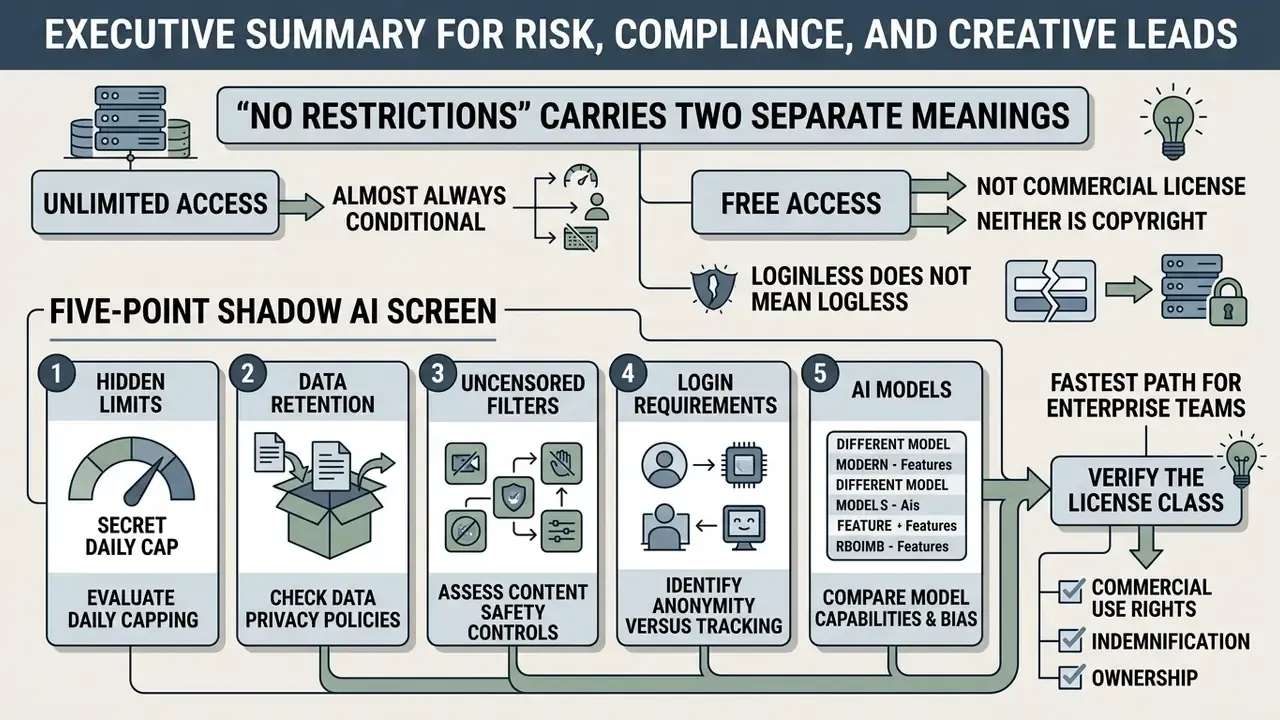
- "No restrictions" carries two separate meanings. Vendors use the phrase either for access limits (no login, no credits, no card) or for content moderation (no filters, no keyword blacklists, NSFW allowed). Both intents drive the same search query. They produce completely different risk profiles.
- Unlimited is almost always conditional. Documented free tiers run on quiet governors: 5 generations per hour per IP, 20 images per day, 15 to 25 monthly credits, 150 daily AI credits, "basic mode only," or queue throttling instead of a visible credit counter.
- Free access is not a commercial license, and neither is copyright. US Copyright Office guidance (2025/2026) excludes purely AI-generated material from protection, while platform Terms of Service independently grant or revoke commercial rights. Several vendors contradict themselves between their FAQ and their pricing page.
- Loginless does not mean logless. Anonymous web generators still process IP addresses, device fingerprints, uploads, and prompts. Audit-grade deployments need zero data retention, prompt-level DLP controls, and retained generation evidence mapped to SR 11-7 and the NIST AI RMF, including its Generative AI Profile.
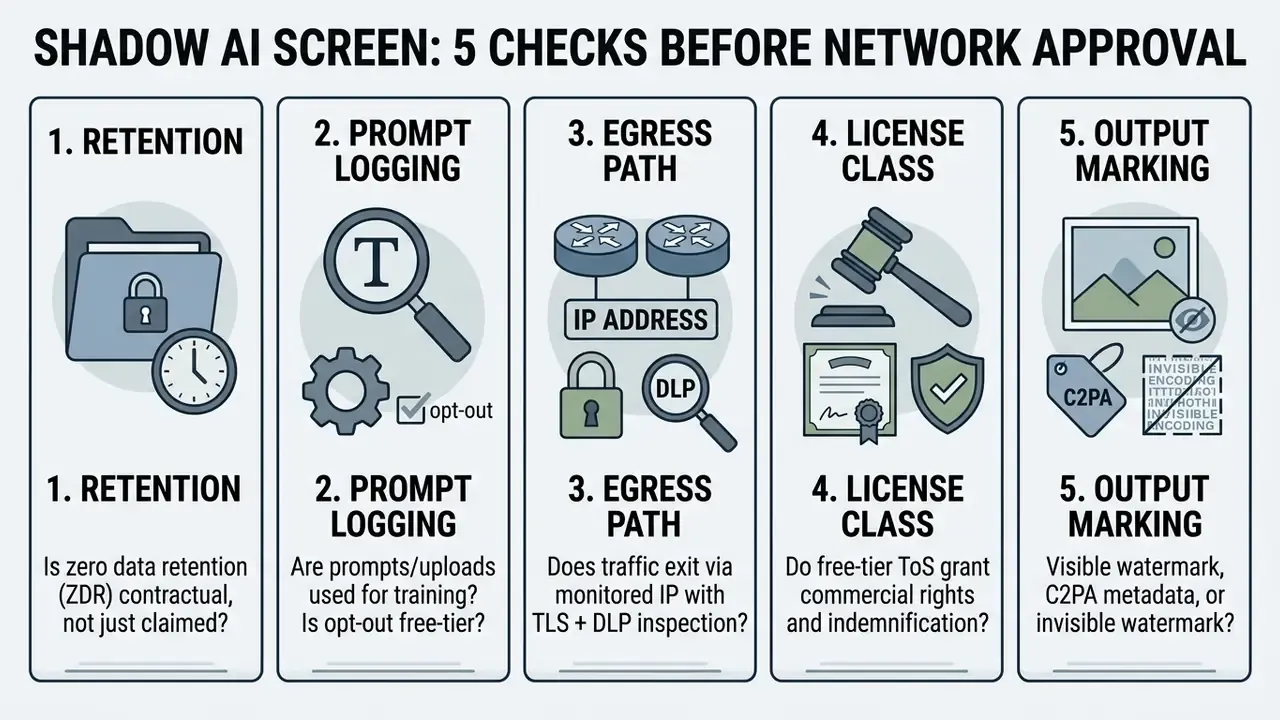
Fastest path for enterprise teams: run the five-point Shadow AI screen below, verify the license class in the commercial rights comparison, then decide using the risk-adjusted ROI factors near the end of this guide.
Where This Decision Usually Goes Wrong
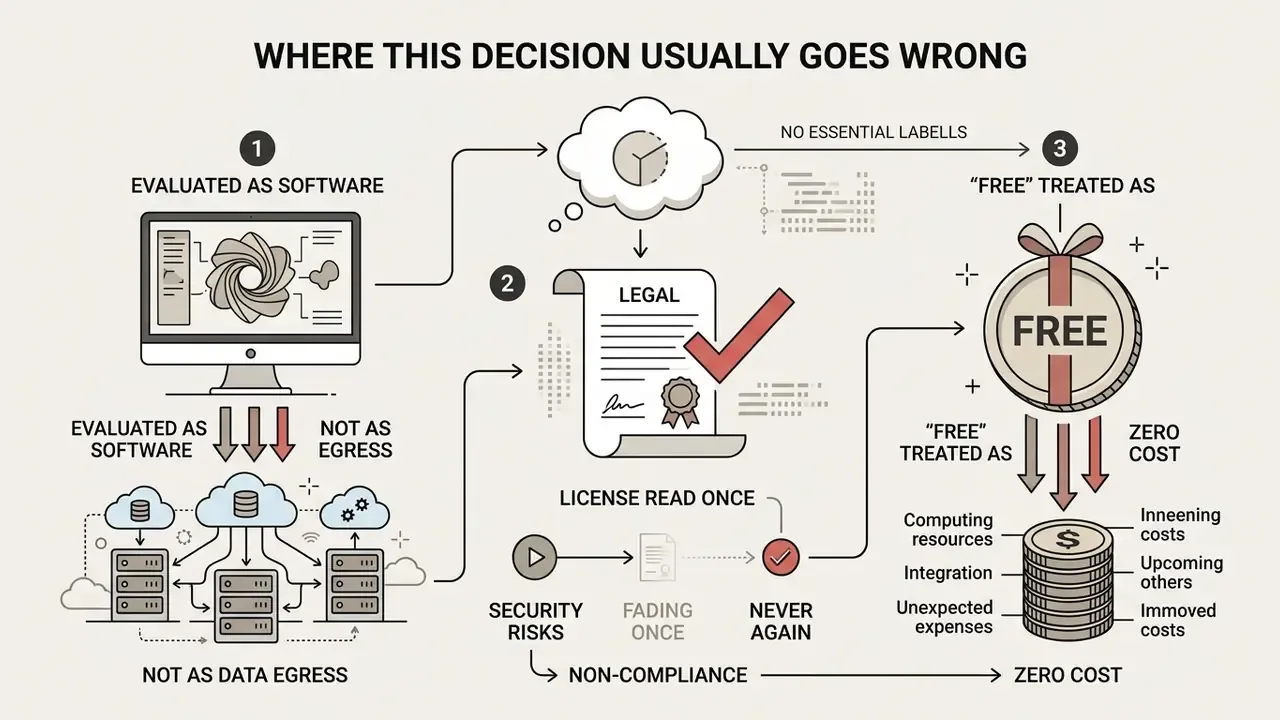
Before the criteria, three failure patterns worth naming. They repeat across regulated buyers with unusual consistency.
Failure one: the tool is evaluated as software, not as a data egress channel. A prompt box on a public site behaves like an unmonitored upload form. Procurement reviews the price, security reviews nothing, because nobody filed a request.
Failure two: the license is read once and never again. Terms change unilaterally. An asset generated under permissive terms in January can sit in a campaign governed by different terms in June, and nobody screenshotted the original page.
Failure three: "free" is treated as zero cost. The compute is free. The prompt review, the DLP tuning, the human approval step, and the model-inventory entry are not. In every properly scoped comparison we have seen in regulated settings, control cost dominates compute cost.
Keep those three in mind. They explain most of what follows.
What "AI Art Generator No Restrictions" Means in Practice
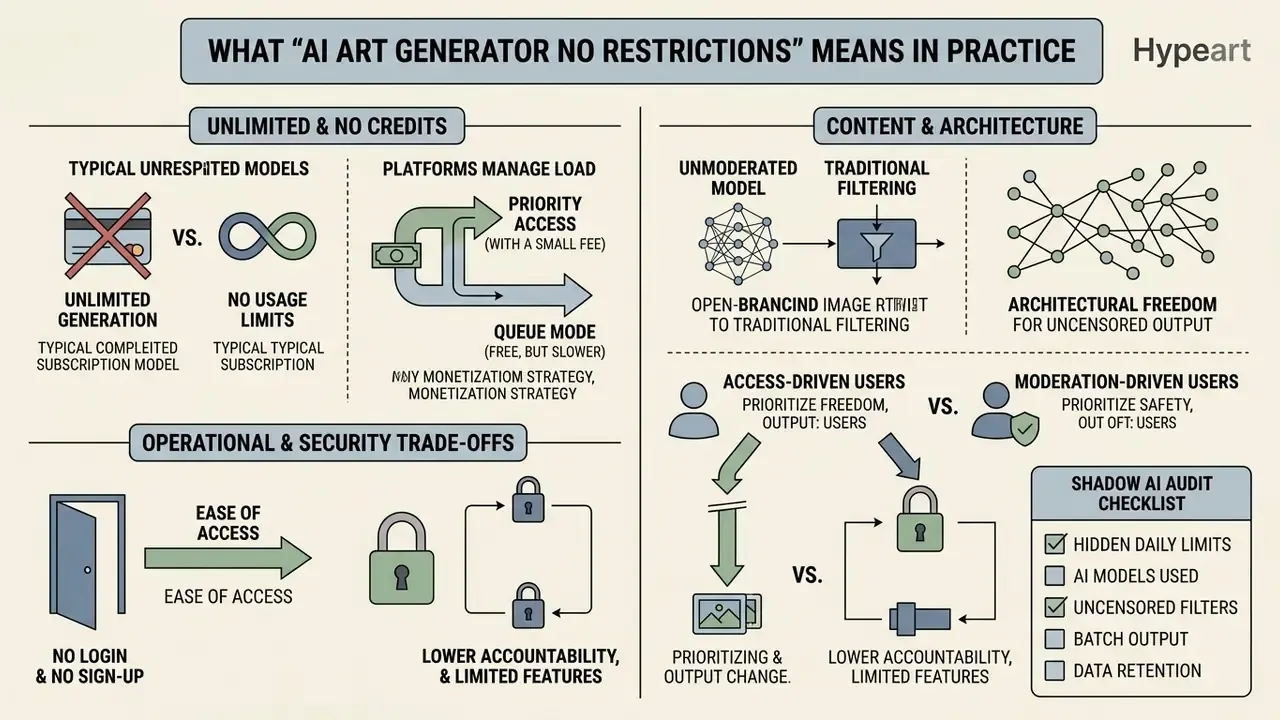
An ai art generator no restrictions is a web tool or a local model that lets users create ai generated images no limit without paid subscriptions, restrictive usage credits, or mandatory registration. In commercial and operational practice, genuine absence of restriction rarely exists. Hardware computation, safety filtering, and legal terms all draw boundaries around generation. Teams comparing hosted and local options can review how mainstream AI image generators document their real caps before standardizing on a single vendor.
«Even where interfaces advertise open access, contracts typically reserve broad provider rights over data reuse and restrict commercial deployment.»
Platforms marketing ai art no limits remove the visible entry barriers: no credit card, no paywall, no onboarding funnel. Behind the interface, GPU queue priorities, resolution caps, and content safety filters stay active.
In a recent governance audit of internal creative workflows at a mid-sized regional bank (illustrative, composite example), non-technical staff deployed unvetted image generators to produce promotional banners. The risk team ran an architecture review, found unencrypted prompt logging on external servers, and moved the department to self-hosted diffusion pipelines with verified data boundaries. That same audit produced the five-point screening list reproduced at the end of this section.
Unlimited, No Credits, and 100% Free: Understanding the Differences
An ai art generator unlimited free tool provides continuous image creation without deducting from a paid token balance. "No credits" means something narrower: the platform simply does not show a credit-counter UI, while hidden rate limits such as hourly IP caps remain in force.
«Diffusion generation requires dozens of sequential denoising steps per image, which makes genuinely unlimited free generation economically unsustainable at scale.»
A 100 free ai generator operates without upfront subscription costs, though free-tier access usually carries trade-offs: standard-definition outputs, slower generation speed, public gallery posting, watermarked downloads, or non-commercial usage licenses. Documented vendor pages show the pattern plainly. One generator advertises "no signup, no credits, unlimited" while stating elsewhere that traffic is rate-limited to five generations per hour per IP. Another advertises "free, unlimited" while its pricing page adds "limited access to features" on the $0 plan. Adobe Firefly grants free daily generations tied to an Adobe account, commonly documented around 25 monthly generative credits with Content Credentials metadata attached. Microsoft Designer and Bing Image Creator have been tested at 15 monthly credits with square 1024×1024 output under personal, non-commercial terms. Magnific's free plan replaces credits with a cap of up to 20 images per day. Figma's Starter and View seats allocate 150 AI credits per day. And ChatGPT's free plan launched with a limit of up to two DALL·E 3 images per day.
Same phrase, six different economic models.
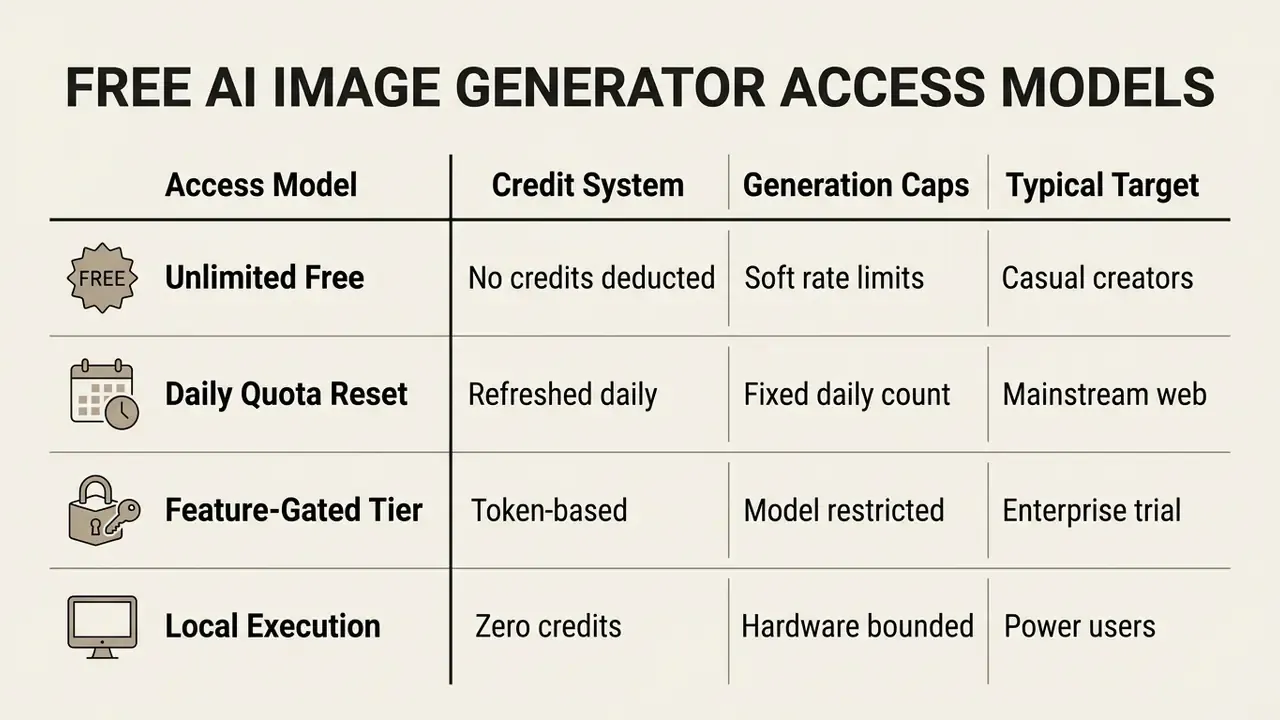
Fast Mode vs. Queue Mode: How "No Credits" Platforms Actually Monetize
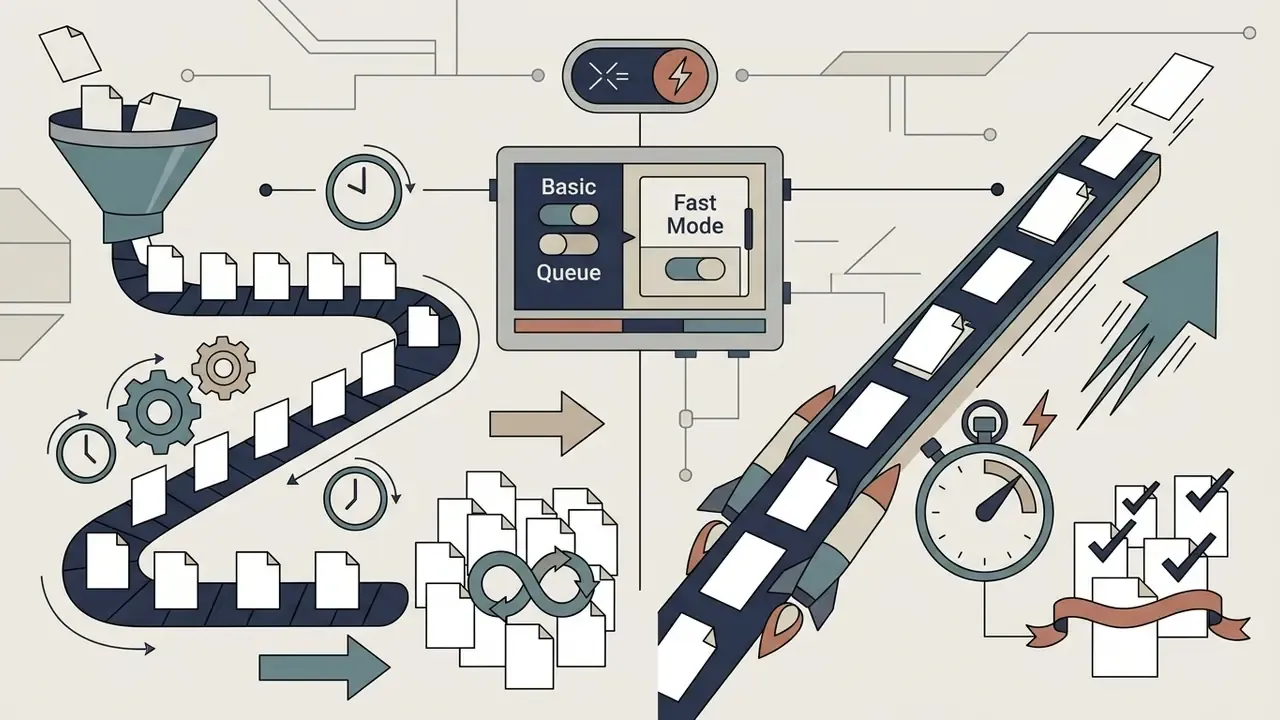
The dominant 2026 monetization pattern for "unlimited" generators is queue prioritization rather than credit deduction. Signed-out and free users route to a shared basic model and wait in a dynamic queue. Paying users buy latency, not volume. Raphael AI documents the split explicitly: unlimited free generations in basic mode without Fast Mode, a free Basic model that returns an image in roughly eight seconds, and paid plans that "skip the queue" while unlocking higher-resolution models up to 2K. So the practical takeaway for buyers is uncomfortable but useful. "No generation count limit" and "no restrictions" can both be literally true while throughput, resolution, watermark status, and commercial rights stay gated.
| Mode | Cost Signal | What Is Limited | Typical Enterprise Verdict |
|---|---|---|---|
| Queue Mode (free) | No credits deducted | Latency, concurrency, model tier, resolution | Acceptable for ideation only |
| Fast Mode (paid) | Credits or subscription | Fewer limits; priority GPU allocation | Required for deadline-bound production |
| Daily Credit Reset | Free credits per day | Hard volume ceiling per 24h | Predictable but non-scalable |
| Dedicated Compute | Reserved capacity contract | Hardware capacity you provision | Required for ZDR and audit evidence |
Content Moderation vs. Architectural Limits: The Uncensored Aspect
Beyond credit caps, "no restrictions" is frequently used to describe uncensored AI generators that bypass standard safety layers: safety checkers in Stable Diffusion distributions, prompt blocklists in hosted DALL·E and Midjourney endpoints, or keyword classifiers applied before the latent diffusion step. Vendors in this segment market the capability directly. One positions itself as an "AI image generator no censorship" platform that processes "every prompt without content moderation, keyword blacklists, or blocked themes," explicitly including NSFW themes, artistic nudity, and mature content, while promising end-to-end encryption and no use of generations for model training.
Search intent therefore splits into two distinct populations:
- Access-driven users want no login, no card, and no credit counter. They search for ai art generator free no limit or ai art no login free.
- Moderation-driven users want no filters, no refusals, and no sanitized approximations of the prompt.
For enterprise and regulated teams, the moderation-driven segment is where legal exposure concentrates. Unmoderated engines raise the probability of generating non-consensual imagery, protected likenesses, trademarked assets, and infringing derivative styles. Even permissive vendors prohibit those categories in their acceptable-use clauses: uploads must carry all necessary rights and consents, and content involving minors or non-consensual sexual content is universally banned. A governance-grade rule of thumb: an engine with no content filters shifts 100% of moderation liability onto your organization. The control has to move from the model to your prompt-review, human-approval, and logging layers.
Worth noting that filters on moderated platforms are not durable safeguards either:
«With optimized prompts, ChatGPT's blocking rate for copyrighted content dropped from 84% to 11%, and infringing content was produced in 76% of cases.»
No Login and No Sign-up: Operational and Security Trade-offs
An ai art generator free no login tool lets users generate images without creating an account or supplying an email address. Operating an ai art generator without login improves immediate user privacy, since identity cannot be tracked directly across sessions. Comparative reviews of no-sign-up AI image generators show how inconsistently these guarantees are documented across vendors.
There is a cost. Using an ai art generator no login required service means generation history is not saved across browser sessions, and the absence of an account is not the absence of logs. Updated: independent ecosystem research found that consent and data-handling disclosures are often missing from anonymous generation flows.
«Of 20 applications studied, 13 displayed no consent information in the standard user flow, allowing image uploads without any warning.»
Retention obligations also cut the other way. The European Commission's CHAI privacy notice documents automatic deletion of uploaded documents and chat history after 72 hours, while authentication data is retained for the participation period. That is a concrete, system-specific schedule, not an industry default. Under the EU AI Act, Article 19 requires providers of high-risk systems to keep automatically generated logs for at least six months, and some EC technical helpdesk notices retain log data for a full year. In short: loginless front ends reduce account-linked storage, not server-side logging.
Fact Check & Verification
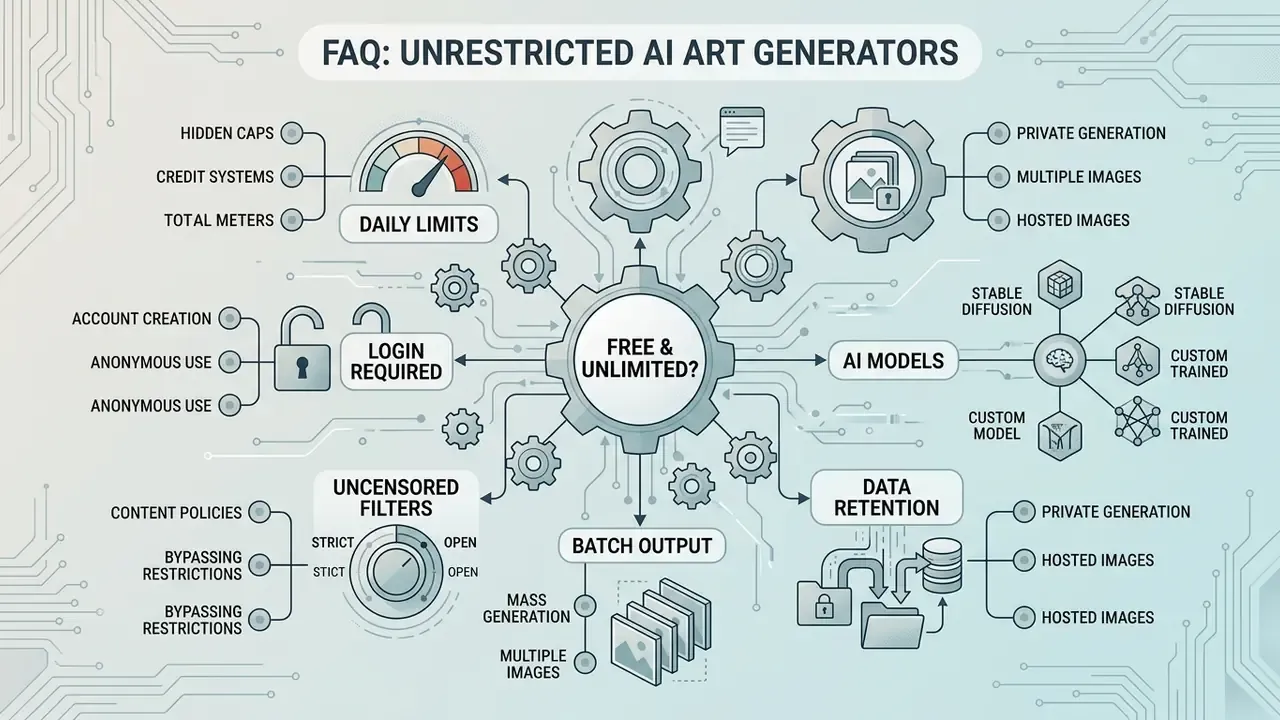
Shadow AI Audit Checklist for Image Generators
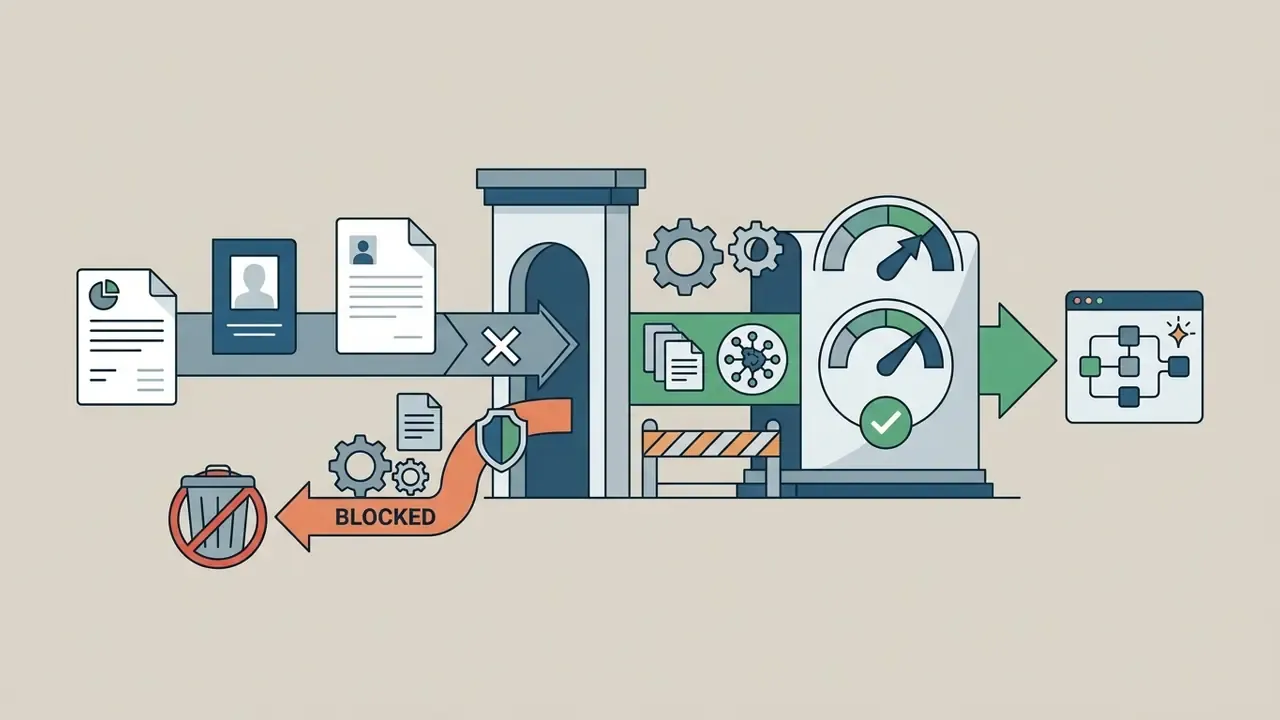
Use this five-point screen before any "unlimited" or "uncensored" generator is permitted on a corporate network. It is the condensed version of the control set applied during the regional-bank review described earlier.
Criteria for Selecting a Free AI Image Generator Without Limits
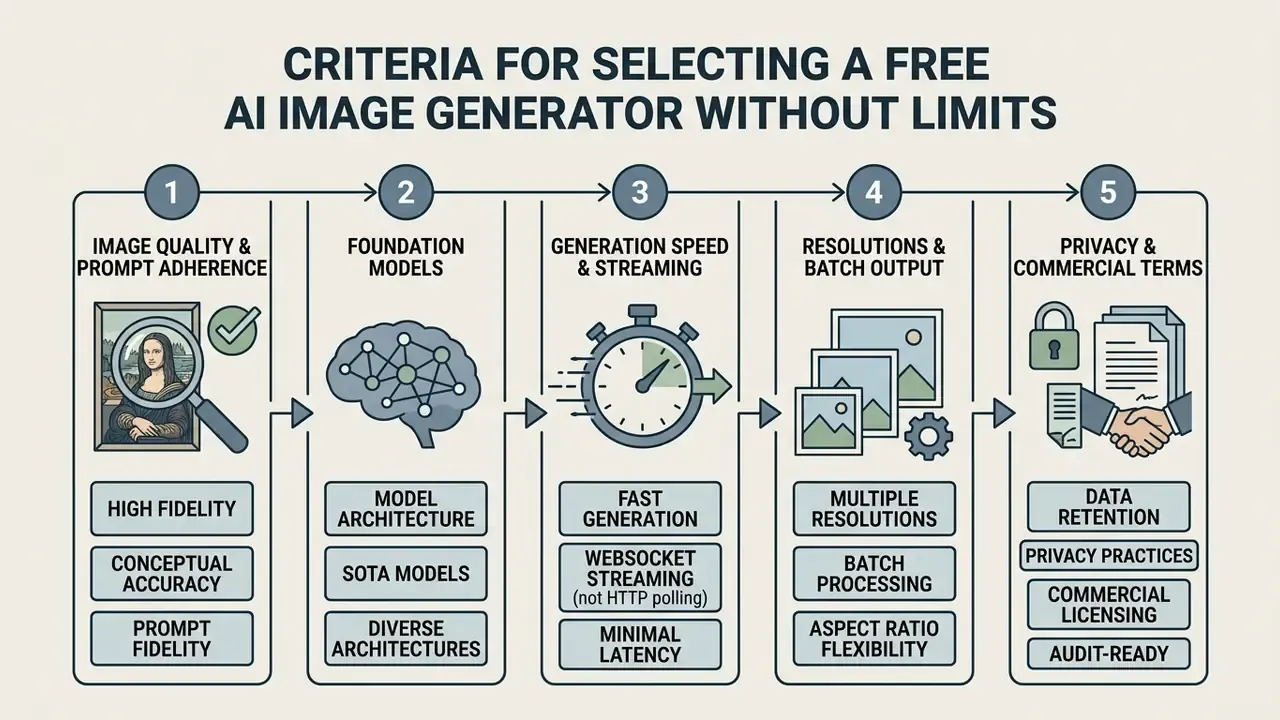
Choosing an ai free image generator unlimited means evaluating output quality, model architecture, generation latency, privacy practices, and commercial licensing terms together. Reviewing all five keeps the tool aligned with project requirements without importing security or IP risk.
User intuition is a poor substitute for that review, because perceived ownership diverges sharply from legal ownership:
«Participants attributed authorship and rights jointly to the model's user and to the artists whose works were used in training, showing an egocentric bias when judging their own outputs.»
When teams compare platforms, they should test how well each handles complex text prompt inputs and whether it offers flexible aspect ratio selections. Users can compare platform capabilities to determine which foundation model matches their output requirements, and a structured review of the best AI image generators shortens the evaluation cycle for procurement.
| Selection Criterion | Free Tier Capabilities | Hidden Restrictions / Caps | Commercial Rights Status |
|---|---|---|---|
| Generation Volume | ai art free unlimited output in basic mode | IP-based rate limiting; lower queue priority; hourly caps (e.g. 5/hour) | Requires ToS verification |
| Account Access | ai art no login free generation | No cloud history saving; temporary session state | Varies by provider |
| Payment Method | ai art generator free no credits required | Fast Mode and premium models gated behind paid tiers | Often restricted to personal use |
| Model Selection | Standard ai models (FLUX.1 Schnell, SDXL, Z-Image Turbo, Seedream 3.5) | Advanced gpt image, Nano Banana Pro, Seedream 5.0 Pro restricted | Open-weights allow commercial use |
| Batch Output | Typically 1 image per request on free tier | 2 to 4 simultaneous variations often credit-gated | N/A |
| Resolution | 0.5K to 1K (1024×768 / 1024×1024) | 2K and 4K upscaling reserved for paid compute | N/A |
| Watermark Policy | Clean image exports or visible logos | Visible brand overlays plus C2PA metadata on free downloads | Clean downloads often require upgrade |
Image Quality, Foundation Models, and Prompt Adherence
High-quality outputs depend on the underlying foundation model: FLUX.1, Stable Diffusion, DALL-E 3, and their successors. Advanced ai image models interpret nuanced natural language prompts to render photorealistic textures, intricate concept art, or stylized anime illustrations.
Modern image generator platforms use dual-text encoders to translate complex descriptions into accurate compositions. Black Forest Labs' FLUX family is documented as prompt-driven natural language rather than keyword lists, with FLUX.2 adding a vision-language encoder for longer descriptions. Evaluating model performance across multiple variations confirms consistent adherence to lighting, spatial layout, and subject styling. Contemporary benchmarks score exactly that, through text-alignment and layout-alignment metrics rather than raw aesthetic appeal.
The 2025 to 2026 free-tier landscape routes prompts through a much wider model roster than the old FLUX/SDXL/DALL·E baseline. Lightweight real-time checkpoints (Z-Image Turbo, Nano Banana, Nano Banana Pro) return standard-resolution images within roughly 5 to 8 seconds over streaming connections. Heavy foundation checkpoints (FLUX.1 Dev, Seedream 4.5 and 5.0 Pro, GPT Image 2 and 2.5, Google Gemini 3, Qwen-Image) require queue waits, daily credit resets, or paid compute for high-precision rendering and 2K-plus output.
| Model Class (2025 to 2026) | Representative Models | Free-Tier Behavior | Best Fit |
|---|---|---|---|
| Distilled real-time | Z-Image Turbo, Nano Banana | Instant, unlimited-style access; 1K output | Social drafts, rapid ideation |
| Balanced open-weights | FLUX.1 Schnell, SDXL | Free locally; hosted queue on web | Typography, photorealism, local ZDR |
| Premium hosted | Seedream 5.0 Pro, Nano Banana Pro, GPT Image 2.5, Gemini 3 | Credit-gated or "Free tier: not supported" | Client-facing, high-detail assets |
| Fine-tuned checkpoints | SD community checkpoints | Free locally; hardware-bounded | Anime, manga, stylized series |
Generation Speed, Resolutions, and Aspect Ratio Flexibility
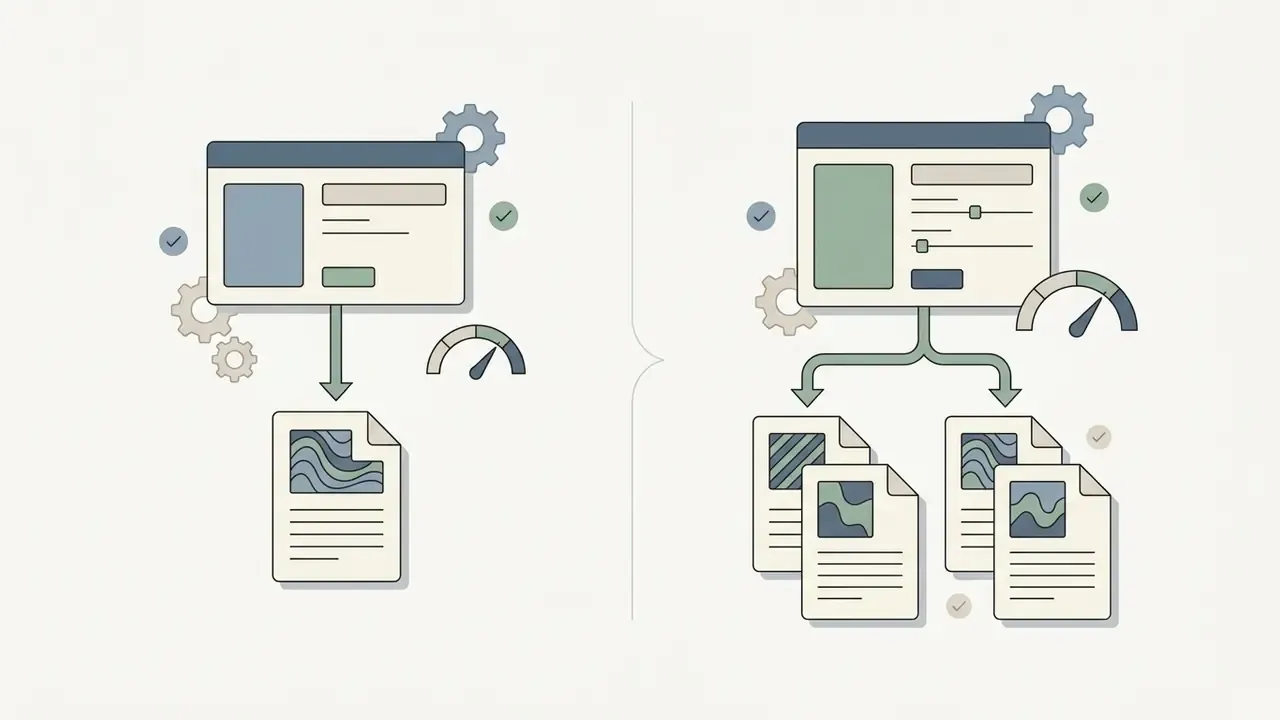
- Batch output free tiers commonly default to one variation per request, while advanced interfaces expose 1 to 4 simultaneous variations (API equivalents use an
nparameter, with some endpoints also streaming 0 to 3 partial previews). - Resolution tiers 0.5K and 1K (1024×768, 1024×1024) are standard on free plans; 2K and 4K require paid compute or local upscaling. Official API limits document arbitrary WIDTH×HEIGHT sizes with a 3840×2160 maximum, sizes above 2560×1440 flagged experimental, and quality tiers of
low,medium,high, plusxhighormaxon some variants. - Aspect ratios the practical web standard set is 1:1, 4:3, 3:4, 16:9, and 9:16, with broader APIs adding 2:3, 3:2, 4:5, 5:4, and 21:9, and enforcing ratio bounds between 1:3 and 3:1.
Customizing the aspect ratio (16:9 for presentations, 9:16 for mobile content) prevents unwanted cropping later in production. For expanding canvas borders or altering composition frames, specialized outpainting workflows such as photoshop ai expand and comparative reviews of AI outpainting tools help maintain structural consistency across an asset set.
Data Privacy, Watermark Policies, and Export Conditions
How to Generate AI Art Free Without Registration or Credit Cards
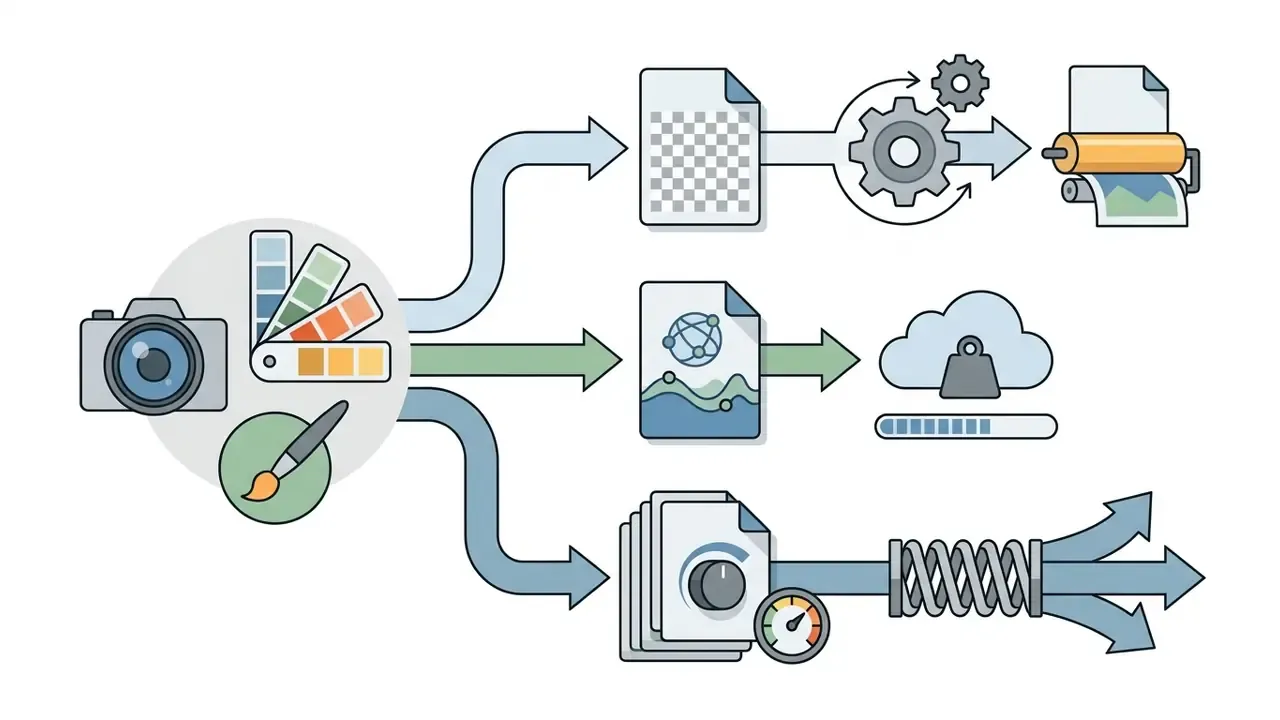
Generating art with an ai art generator free no credits service involves four moves: enter a prompt, configure generation parameters, run the model, download the output. No registration delay, full creative control, and no credit card at any point.
To test the workflow end to end, creators can browse the hub or open the hub and review the supported text-to-image parameters before launching a generation task.
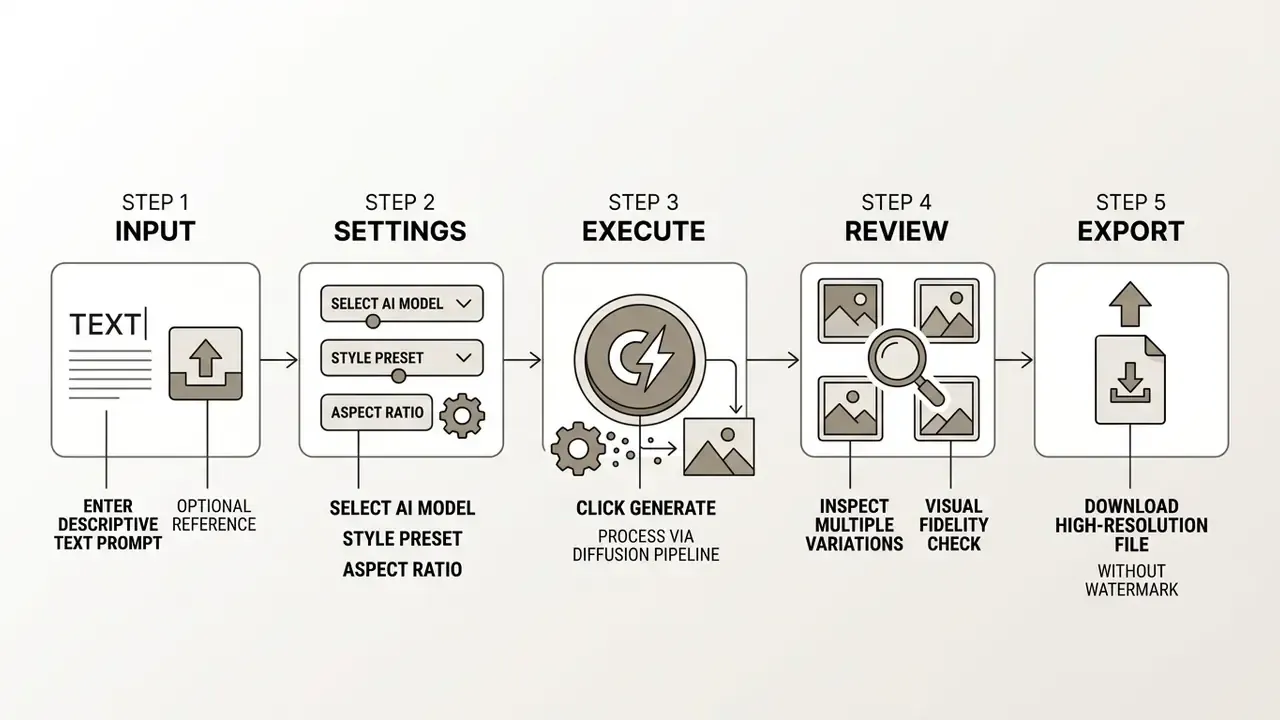
Parameters to verify before the first production run:
Crafting Text Prompts for Specific Styles and Genres
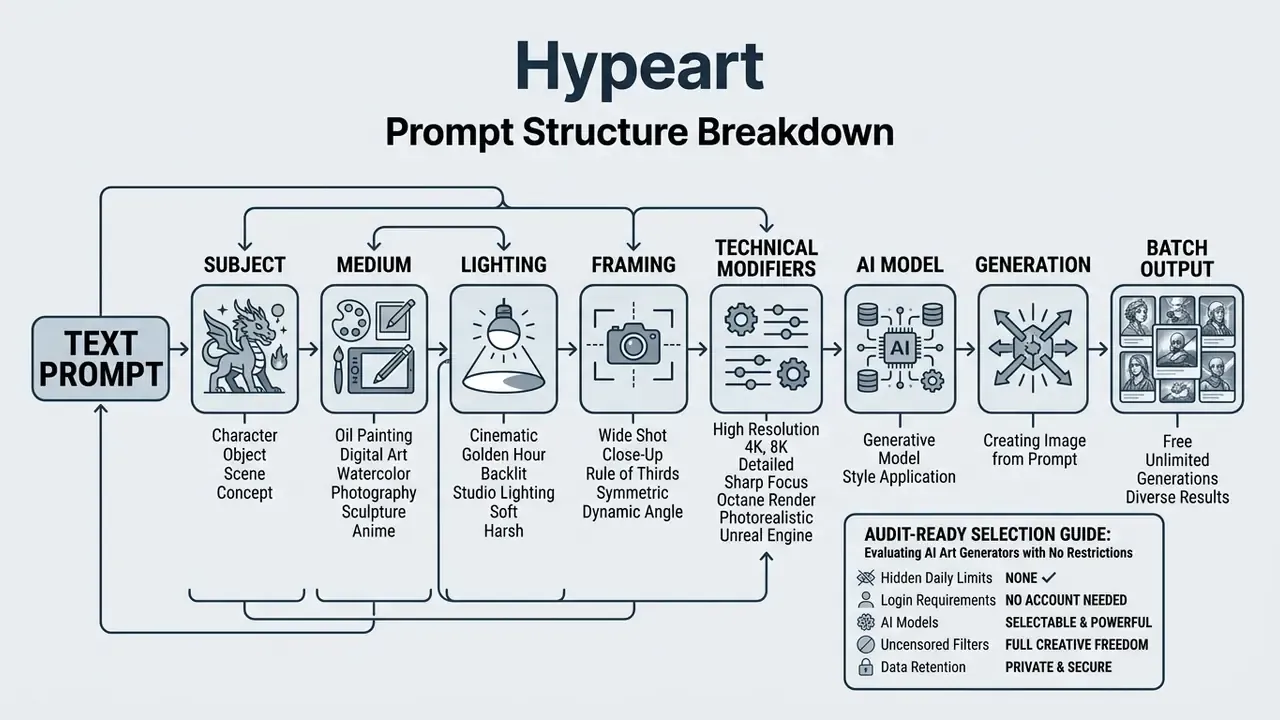
A well-structured text prompt defines subject, artistic medium, lighting environment, composition, and color palette. Placing style descriptors upfront helps the image creator establish visual context immediately, a pattern reflected in both OpenAI's and Adobe Firefly's official prompting guidance: name the style first, then composition and perspective, then lighting, atmosphere, and color mood.
For a photorealistic ai image aesthetic, use specific camera terms: "35mm lens, natural directional lighting, shallow depth of field, detailed skin texture." For digital illustration or pixel art generator assets, specify line weight, color depth, and shading technique so the model has something concrete to follow. Anime and manga outputs respond to cel-shading, ink-line, and flat-color cues. Concept art benefits from atmosphere, scale, and cinematic framing descriptors. Academic prompt-design research reinforces the same discipline: subject and style keywords carry the signal, filler words do not.
Prompt Hygiene: DLP Rules for the Text Field
Selecting Models, Aspect Ratios, and Reference Images
Model architecture decides how closely the tool matches the target artistic style. Open-weights models like FLUX excel at typography and photorealism; fine-tuned Stable Diffusion checkpoints handle stylized artwork better.
Adjusting the aspect ratio before generation preserves resolution quality instead of sacrificing it in post. When precise visual continuity matters, uploading reference images enables image-to-image conditioning to guide composition and style. Major APIs document multi-reference support (up to three or four images per request) alongside explicit aspect_ratio and model-selection fields, with defaults that either match the input image dimensions or fall back to 1:1.
Generating Outputs, Verifying Quality, and Downloading Files
Clicking generate starts the latent diffusion process, transforming random noise into a structured visual asset. Reviewing outputs at full resolution is where most errors surface: soft details, broken anatomy, mangled text, and rendering artifacts that survive thumbnails but not a print check.
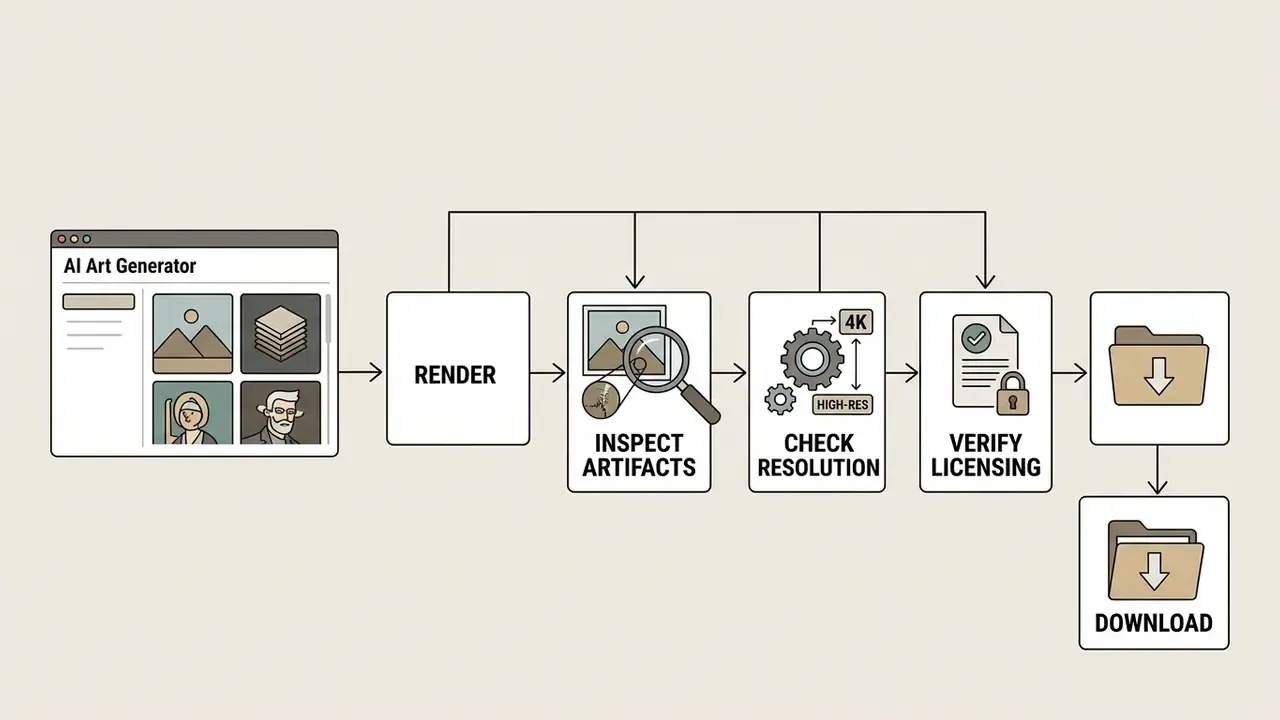
When evaluating tools such as pic ai or picsart ai image, verify file resolution and format options (PNG, WebP, JPEG) before exporting. High-resolution exports up to 3840×2160 keep visual clarity across print and digital media, with pixel-count and edge-length constraints documented per model.
Visual Assets You Can Create Without Technical Restrictions
An ai free unlimited image generator lets content creators, marketers, and designers produce visual assets across diverse channels. Removing volume constraints makes iterative testing of concepts and styles practical rather than precious.
A financial media team needed high-volume graphics for daily market reports. Running an ai art no limit workflow, they produced tailored editorial visuals and paired it with an internal review step that screened outputs for trademark risk. Illustrative, but the sequencing is the point: volume first, review always.
Public-sector and institutional guidance narrows where such assets are appropriate. The City of San José's generative AI guidelines permit generated images for illustrative and abstract purposes while requiring real imagery for historical events and identity-related content. University extension guidance requires disclosure and bars AI-generated diagnostic visuals and charts without verifiable underlying data. For banks and insurers, the equivalent boundary is short: generated visuals may illustrate, never depict real customers or real events, and never substitute for verified data visualizations in disclosures.
Visuals for Social Media, Blogs, and Digital Marketing
Marketers use AI tools to generate stunning visuals for digital campaigns, blog headers, and social media posts. Custom visual assets lift engagement across LinkedIn, X, and Instagram, mostly because they stop looking like stock.
In financial services specifically, the highest-value and lowest-risk applications are: abstract background art for card and deposit-product banners, illustrative headers for market-commentary posts, iconography and spot illustrations for internal training decks, thematic visuals for quarterly report covers, and localized creative variants for campaign A/B testing. Each avoids depicting identifiable people or asserting factual data, the two failure modes that turn a marketing asset into a compliance finding.
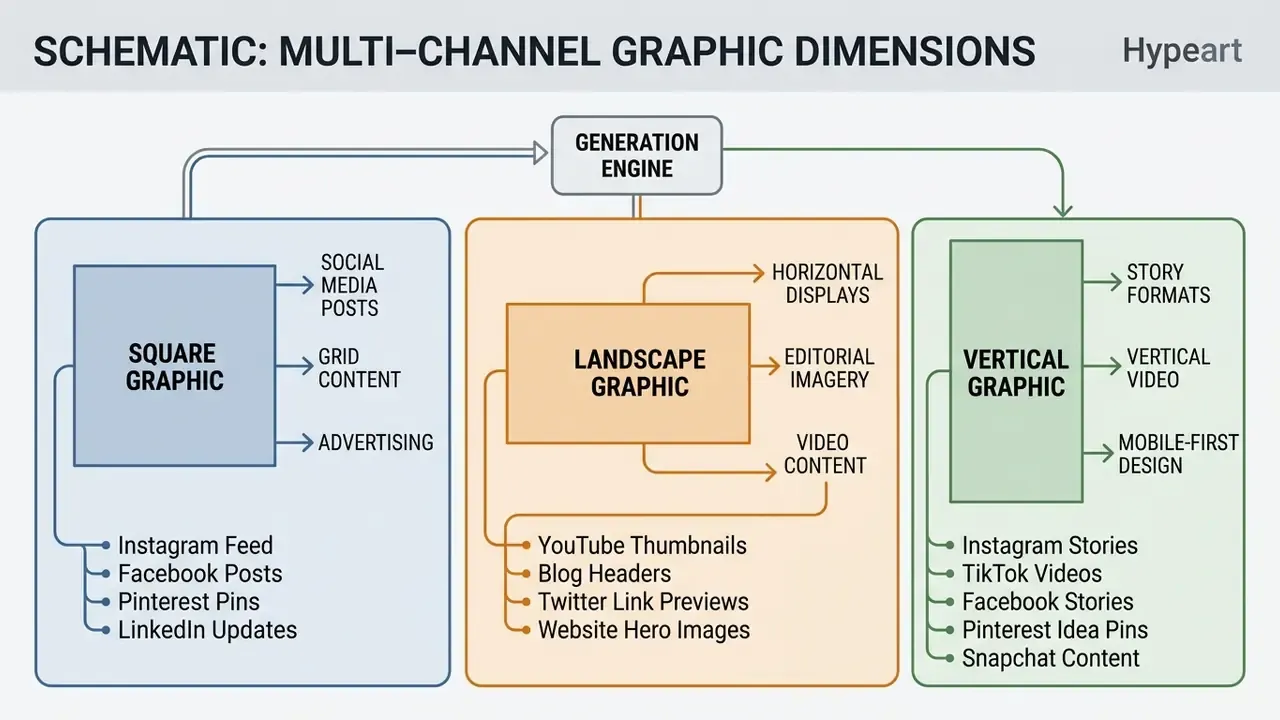
Tools such as a specialized pixlr ai image generator or a template-driven Canva AI generator let creators turn ideas into professional campaign materials without specialized design software.
Concept Art, Design Prototypes, and Creative Ideation
Design teams use concept art generators to explore visual directions quickly in early-stage product development. Generating multiple stylistic variations tightens feedback loops. A 2026 design study inside a major game studio documented that exact pipeline, prompt-based generation, upscaling, texture variation, and inpainting handoff, as a creativity-support workflow for character visualization. Systematic reviews covering 189 HCI papers and 57 creative-industry studies place generative tools firmly in ideation and prototyping rather than final production.
Game developers, interior designers, and brand strategists build mood boards and visual prototypes the same way. Rapid ideation turns abstract concepts into concrete references, and sketch-to-prototype research shows the same models bridging sketch, text, image, and 3D modalities in early-stage design work.
Consistent Image Series and Multiple Variations
A consistent image series depends on visual continuity across characters, environments, and color palettes. Reusing seed values, conditioning on reference images, and keeping the core prompt structure stable preserves identity across outputs. Vendor documentation supports this through explicit seed parameters, image-to-image restyling, multi-reference combination, and dedicated series modes that carry attributes across connected visuals.
Generating multiple variations from one prompt lets creators pick the strongest asset. Controlled variation also does something less obvious in regulated environments: it hands reviewers a documented set of rejected alternatives alongside the approved asset. That record has value in an audit conversation.
Commercial Use of AI-Generated Images: Governance and Verification
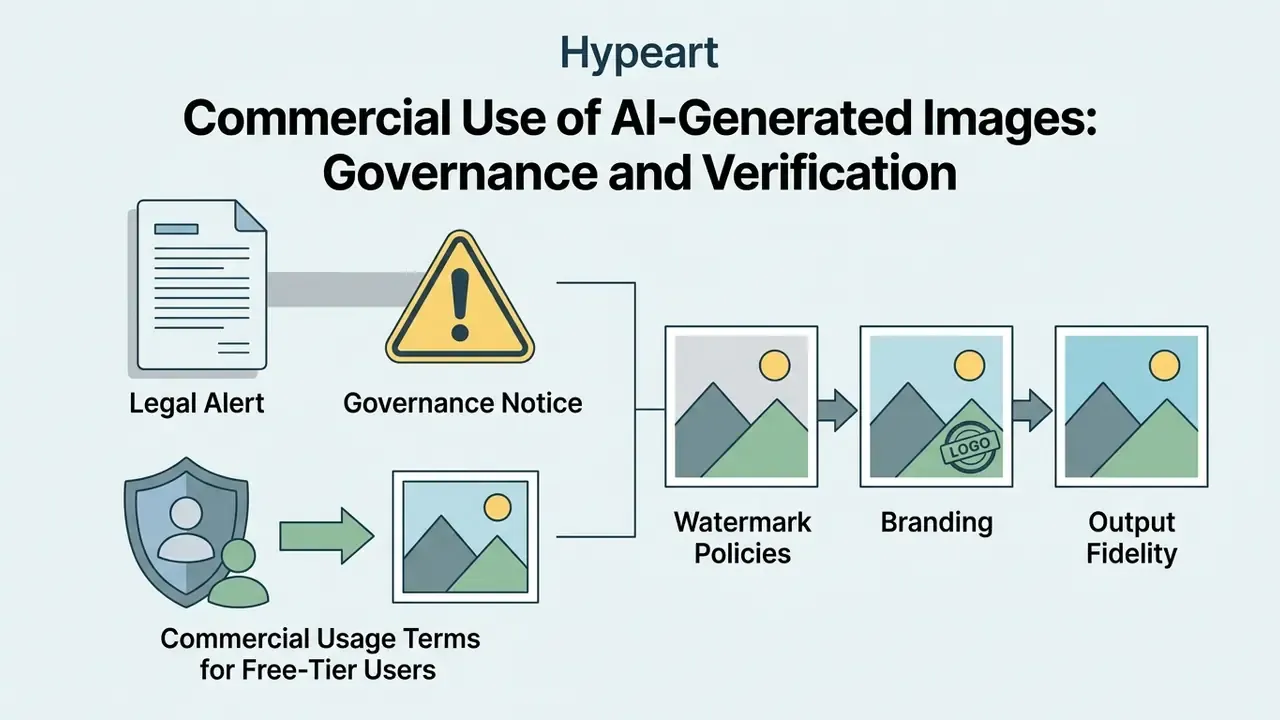
Using an ai art generator no limit tool for commercial projects requires verifying terms of service and legal rights first. Platforms may advertise unrestricted access while commercial usage rights depend on specific plan terms and applicable copyright law.
«The 21,000-image CPDM dataset shows that diffusion models reproduce copyrighted characters and styles even when prompted with generic descriptions.»
An e-commerce company used free AI tools to generate product packaging graphics without reading the platform's terms of service. An internal audit later revealed that the free tier restricted commercial exploitation, and the graphics were replaced with assets generated under explicit commercial licenses. Comparative reviews of the best AI art generators make it faster to identify which engines ship explicit commercial licences and indemnification.
Legal Alert & Governance Notice
Commercial Usage Terms for Free-Tier Users
Platform terms decide whether free-tier users may deploy generated images in commercial products, advertisements, or marketing materials. Some platforms restrict free outputs to non-commercial personal projects and reserve commercial rights for paid subscribers.
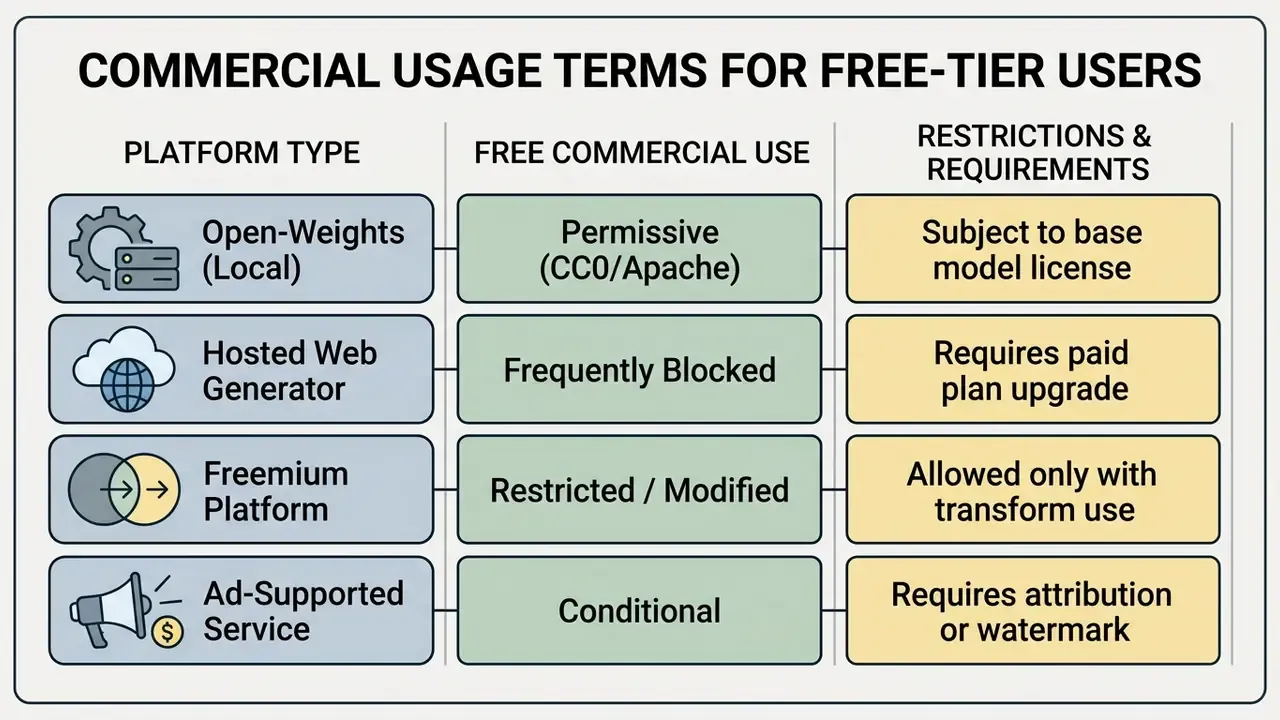
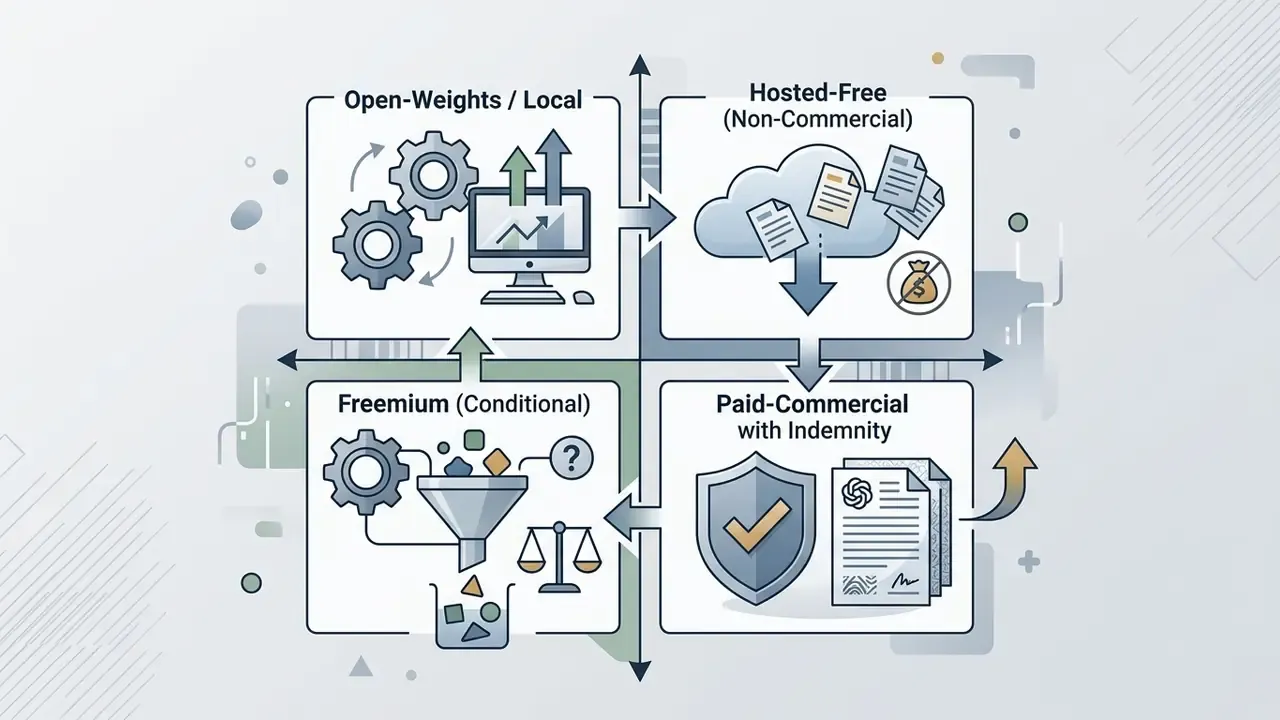
Documented contradictions make that table more than theoretical. One major free generator states in its FAQ that "you own the rights to the images you generate… for both personal and commercial purposes," while a later FAQ entry and its pricing page confine free users to "personal and other non-commercial purposes" and attach watermarks to free output. Midjourney's free trial is non-commercial only. Canva permits commercial use on all plans including Free, yet forbids standalone resale of AI output "as-is." Adobe Firefly permits commercial use while attaching Content Credentials metadata, and Adobe Stock's 2026 generative-AI rules require rights clearance before commercial licensing. The operational rule: read the pricing page and the ToS, not the FAQ headline, and screenshot the terms on the date of use.
Open-weights models running locally generally grant broad commercial permissions under permissive software licenses. Hosted web generators, by contrast, often enforce commercial restrictions on their free plans, sometimes without stating it anywhere a marketer would look.
«PREGen more than halves the probability of generating copyrighted characters when their names appear explicitly in the prompt and nearly eliminates infringement for indirect descriptions.»
Marking obligations are also widely ignored in practice, which is a compliance exposure rather than a convenience:
«Among 50 systems studied, visible AI-origin marking inside images was found in only 9, 18% of the total, despite regulatory requirements.»
Watermark Policies, Branding, and Output Fidelity
Visible watermarks and service logos block professional commercial deployment outright. Commercial marketing materials need clean outputs without overlay branding. Vendor documentation describes watermarks as visible text or image overlays tuned by font, size, color, opacity, and placement, and warns that high opacity degrades readability and can leave output looking pixelated or distorted. Which is precisely why heavy free-tier branding is unusable in print and paid media.
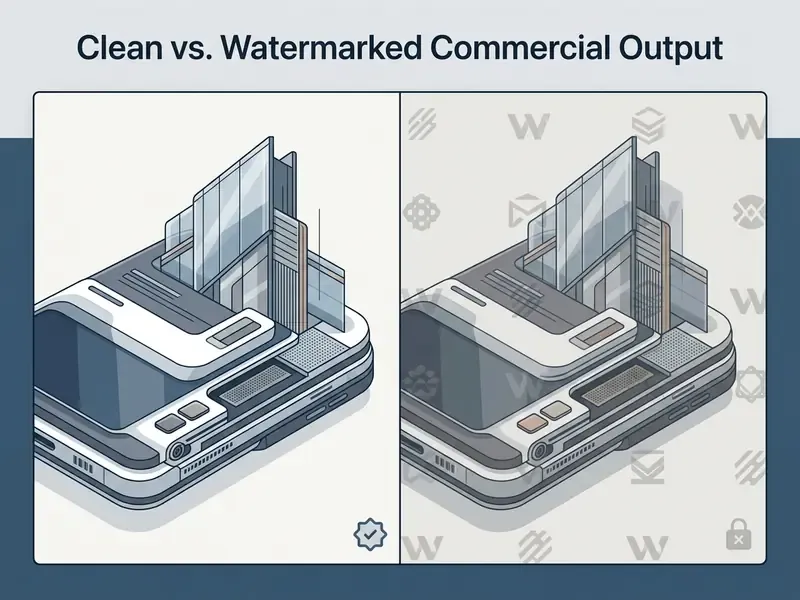
Organizations evaluating platforms must confirm that exports meet resolution standards, at least 300 DPI for print or 4K for digital displays, where AI image upscalers bridge the gap between 1K free output and professional delivery specs, while still respecting watermark policies.
Provenance marking should never be treated as a durable control on its own:
«Visual paraphrasing attacks using KOSMOS-2 and diffusion denoising effectively remove embedded watermarks, making images indistinguishable from non-AI content for detection systems.»
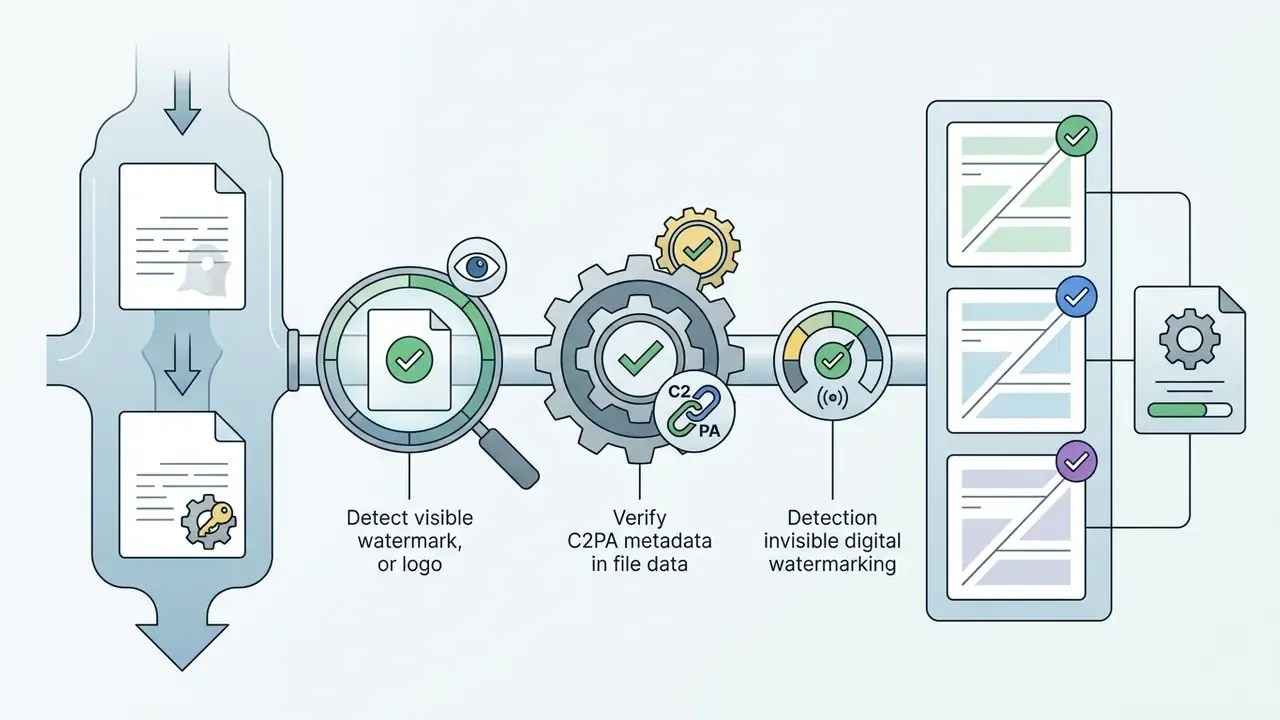
Three mechanisms therefore need separate evaluation: visible watermarks (block commercial use until upgraded), invisible or C2PA metadata (survivable provenance that can still be stripped or paraphrased away), and commercial licensing (the only mechanism that actually confers deployment rights). Free tiers frequently combine a visible mark and metadata and a non-commercial licence. Three independent blockers on the same asset.
Free Tier vs. Paid Upgrades: When Is an Enterprise Upgrade Required?
Choosing between a free ai generated images no limit tool and a paid plan comes down to workflow volume, security requirements, and hardware needs. Free tiers suit casual exploration; commercial operations need guaranteed performance. Buyers benchmarking the entry level can start from a structured comparison of free AI art generators before pricing enterprise capacity.
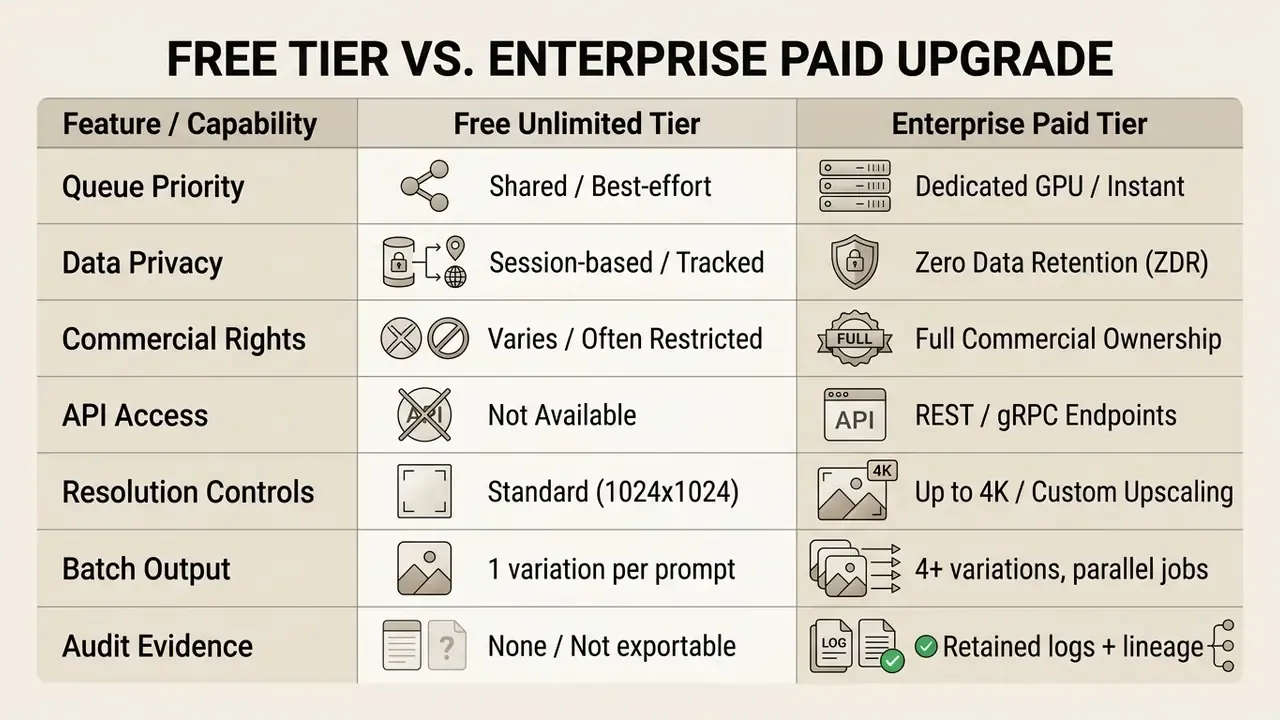
Tasks Fully Covered by Free AI Image Generators
Free AI image generators comfortably support casual creative tasks, personal art projects, internal design brainstorming, and basic blog illustrations. Ai art unlimited access in basic mode is enough for all of them.
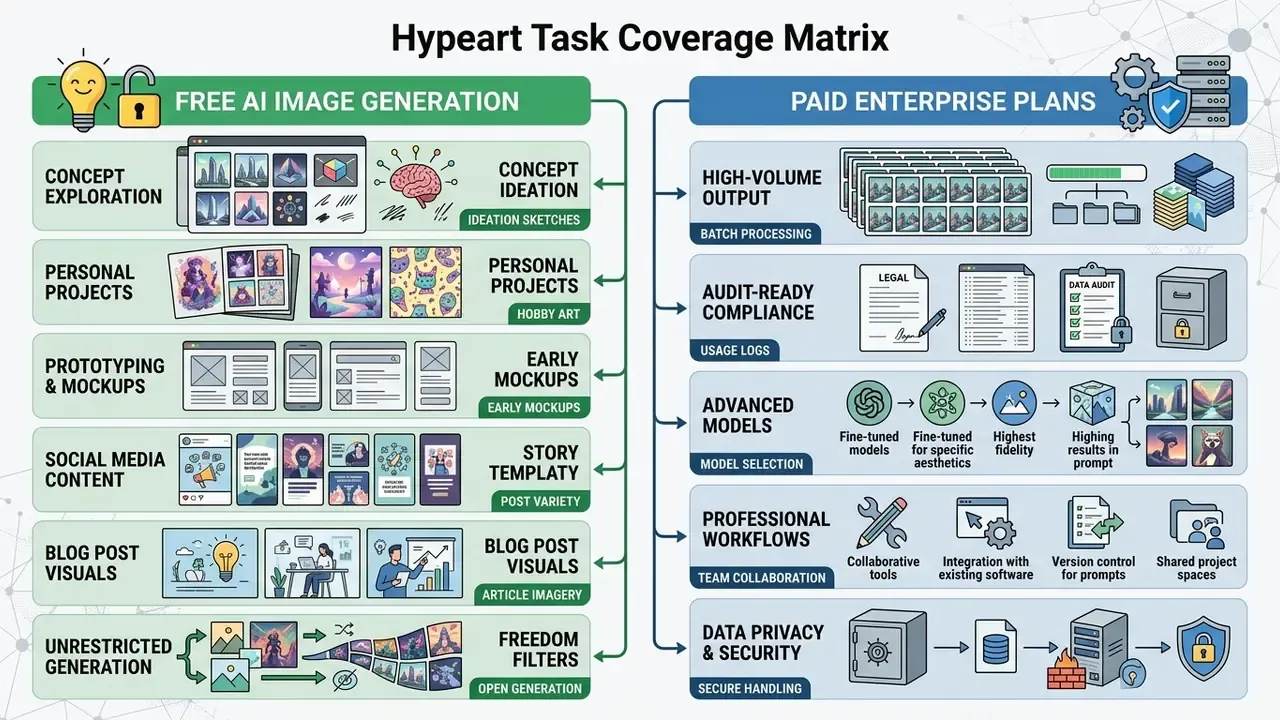
Educational exercises, social media drafting, and rapid concept testing need no dedicated infrastructure and no subscription. Federal education guidance draws the boundary well: generative output is acceptable as a reviewed draft, never as a final authority. So the real domain of an ai art generator free no limits tool is everything a human still signs off on before publication.
Triggers for Upgrading to Dedicated Compute and Paid Plans
Mapping the Upgrade to Model-Risk Frameworks
For banks and insurers, the upgrade decision is a control decision, not a feature decision. Map each capability to an existing validation obligation so the spend is defensible to the executive committee and to examiners.
| Control Requirement | Framework Anchor | Free Tier | Enterprise / Local |
|---|---|---|---|
| Independent validation of model use and limits | SR 11-7 (Fed/OCC model risk management) | Not evidenceable | Documented model inventory entry |
| Govern / Map / Measure / Manage functions | NIST AI RMF 1.0 plus Generative AI Profile | Partial, informal | Full control mapping |
| Log retention for automated decisions | EU AI Act Art. 19 (6 months or more for high-risk) | Vendor-controlled | Retained in your SIEM |
| Data leakage and output handling controls | NIST AI RMF GenAI Profile; SP 800-53 Rev. 5 | Not contractual | ZDR plus DLP plus egress control |
| Mobile and endpoint access controls | NIST SP 800-124 Rev. 2; SP 800-46 Rev. 2 | Unmanaged browsers | MFA, encryption, remote wipe |
Audit evidence to retain per generated asset: prompt text (post-DLP), negative prompt, model name and version, seed, sampler and steps, resolution and aspect ratio, timestamp, requesting user, reviewer approval, licence class at time of generation, and watermark or C2PA status of the exported file. Without that record set, a generated asset cannot be defended in an IP dispute or an internal audit. Which is, honestly, the part most creative teams discover too late.
Risk-Adjusted ROI: Control Costs and Residual Exposure
A free generator is not a zero-cost option. It is an option whose costs sit outside the software line item. Build the business case from four components rather than a price comparison:
- Direct compute and licence costsubscription or reserved GPU capacity, plus per-image credit pricing for premium models.
- Control costDLP tuning, gateway policy, prompt review labour, human approval workflow, model-inventory onboarding, and periodic independent validation.
- Avoided-loss valuelower probability of licence breach, trademark claim, non-compliant marketing asset, or data-leakage incident, weighted by the documented base rates above (18% of studied systems marked AI origin; 76% infringing output under optimized jailbreak prompts).
- Residual riskwhat remains after controls, principally uncopyrightable output, watermark strippability, and unilateral vendor term changes.
Risk-Adjusted ROI ≈ (productivity gain + avoided loss) − (compute cost + control cost) − residual risk provision.
One caveat on that formula. The avoided-loss term is the weakest input, because published base rates come from academic samples rather than bank incident data. Treat it as a hypothesis until your own incident log says otherwise.
When scaling creative production workflows, teams can explore the hub for structured implementation guides.
Frequently Asked Questions (FAQ) About Free Unlimited AI Art Generators
Does an ai art generator no restrictions produce lower visual quality?
No. Output quality depends on the underlying model architecture (FLUX.1, SDXL, Z-Image Turbo, Seedream) rather than on the pricing model. Free tools running modern foundation models generate high quality images, as our comparison of the best free AI image generators shows, though free tiers may cap export resolution, batch size, or processing speed. Available evidence attributes the free-versus-paid gap to access limits and feature gating, not to payment status itself.
What is the difference between moderated and uncensored AI generators?
A moderated generator applies safety classifiers, keyword blocklists, and post-generation checks, refusing prompts that violate policy. An uncensored generator processes prompts without content moderation or blacklists, including NSFW themes and artistic nudity. The trade-off is liability allocation: with no filters, responsibility for non-consensual imagery, protected likenesses, and infringing derivatives shifts entirely to the user and their organization. All credible vendors still prohibit content involving minors and non-consensual sexual content regardless of filter policy, and research shows moderated filters are themselves bypassable. Neither category removes the need for human review.
Is an ai art generator without login safe and private to use?
A loginless generator reduces direct identity tracking, since no account exists to link sessions. Platforms still collect IP addresses and usage logs for security moderation, and ecosystem research found that 13 of 20 studied applications displayed no consent information in the standard upload flow. Avoid submitting sensitive personal data, customer records, or confidential images into unverified web tools, and route enterprise traffic through a monitored gateway with DLP inspection.
Can I use ai generated images no limit for commercial purposes?
Commercial rights depend on the platform's Terms of Service and on the base model licence. Open-weights models used locally under permissive licences (Apache 2.0, CC0) generally allow commercial exploitation. Hosted platforms often append invisible C2PA metadata or visible brand watermarks on free tiers and legally restrict commercial deployment until you upgrade. Separately, US Copyright Office guidance means the output itself may not be copyrightable without meaningful human authorship. Permission to use and ownership of rights are not the same thing.
What is the difference between no credits and unlimited free generation?
No credits means the interface does not deduct tokens per generation, though hidden rate limits may still apply, such as hourly IP caps of five generations per hour or daily caps of 15 to 25 images. Unlimited free generation allows continuous output, typically managed through dynamic queue priority or speed throttling: basic or queue mode is unlimited but slower, while Fast Mode skips the queue for paying users.
How many images can I generate at once, and at what resolution?
Free tiers typically return one image per prompt at 0.5K to 1K (1024×768 or 1024×1024). Advanced and paid interfaces expose batch generation of up to four simultaneous variations, aspect ratios of 1:1, 4:3, 3:4, 16:9 and 9:16 (plus 2:3, 3:2, 4:5, 5:4 and 21:9 on broader APIs), and resolutions up to 3840×2160, with sizes above 2560×1440 documented as experimental on some endpoints. Reaching 2K or 4K from a free 1K render usually requires a separate upscaling step.
How do free generators deliver images in under 10 seconds?
Two techniques dominate. First, WebSocket connections replace HTTP polling, pushing the finished render to the browser the moment decoding completes. Second, scene-aware intelligent routing sends simple prompts to distilled real-time models while queueing complex, multi-subject, or high-resolution prompts on larger checkpoints. Vendor-stated latencies cluster between 5 and 15 seconds for square outputs, and those are self-reported figures rather than independent benchmarks.
Are mobile devices supported by free ai image generators?
Yes. Most free online generators run through responsive web interfaces accessible from mobile browsers on iOS and Android, with no app installation required, which also means beginners with no design experience can start creating in a minute or two. For enterprise use, mobile access should still follow standard endpoint controls: strong authentication, encrypted storage, prompt patching, and remote lock or wipe capability, consistent with NIST mobile-device security guidance.
Appendix A: Superseded Statements and Source Corrections
For transparency, the following statements from earlier versions of this guide have been superseded. Each is preserved alongside the corrected version now used in the main text.
Correction: The underlying claim about IP and log capture remains valid, but the citation did not point to a verifiable methodology. The main text now cites the Analyzing the AI Nudification Application Ecosystem (2024) consent-disclosure findings and the specific CHAI retention schedule (72-hour deletion of uploads and chat history), together with EU AI Act Article 19 log-retention requirements.
Correction: The 80% figure could not be traced to a published dataset. The main text now cites the contract-level conclusion from Private Ordering and Generative AI (SSRN, 2023), that providers reserve unilateral term-modification and commercial-use restriction rights, and replaces the percentage with verifiable vendor-page examples (5 generations per hour per IP; 20 images per day; 15 to 25 monthly credits; "Free tier: not supported" on current API image models).
Correction: Reframed as vendor-stated latency (under 10 seconds, 5 to 15 seconds, and roughly 8 seconds on specific platforms) that has not been independently benchmarked, supported by the documented rule that square images render fastest.
Correction: Reframed as a system-specific policy rather than an industry standard, attributed to the European Commission CHAI privacy notice, with counter-examples of tools retaining uploads and outputs for up to seven days.
- Superseded
- "Research on generative AI privacy notices shows that loginless web tools still capture IP addresses, device fingerprints, and temporary upload logs for security moderation (European Commission CHAI Privacy Guidelines, 2025)."
- Superseded
- "over 80% of price-free generation tools reserve rights to throttle bandwidth, enforce hidden rate caps (such as 5 outputs per hour), or restrict commercial exploitation unless users upgrade to paid plans (Legal Studies on Private Ordering in AI, 2023)."
- Superseded
- "Standard web tools deliver lightning fast results in 5 to 15 seconds for square 1024x1024 outputs."
- Superseded
- "Secure platforms encrypt data in transit and delete temporary caches within 72 hours."