Photorealism has stopped being the hard part. Evidence has become the hard part. If you own model risk, brand risk or disclosure duties inside a US financial institution, a photorealistic ai image generator is not a design tool. It is a production model with an audit trail, a licence, and a set of transparency obligations attached.
Executive summary (60 seconds)
- What works in 2026 photorealism comes from three levers: architecture (rectified-flow transformers with large language encoders), camera-grade prompt syntax (subject, environment, light, optics, texture), and post-processing (local edits plus structure-preserving upscaling).
- What breaks deployments not image quality, but governance. Unlabelled synthetic imagery, unlogged prompts, untracked seeds, and Shadow AI use of consumer generators on corporate assets.
- Mandatory controls EU AI Act Article 50 transparency obligations (applicable from 2 August 2026), the US Copyright Office human-authorship rule, paid-tier commercial licences, C2PA provenance metadata, SOC 2 Type I/II vendor accreditation, and a documented No-Train policy.
- Face consistency is a separate discipline a personal micro-model (LoRA) or identity adapter trained on 12–15 reference photos keeps brow shape, eye placement, nose shape, lip contour and face shape stable across an entire campaign.
- Bottom line for risk owners treat every generation as a model-risk artefact. Version the model, fix the seed, store the prompt, retain the output hash, and keep a human-in-the-loop sign-off before publication.
«Without verifiable data lineage and control frameworks, autonomous image generation introduces material reputational and operational risk.»
Attribution: Marcus Hale, AI governance specialist. Marcus Hale, author.
What is a photorealistic AI image generator and how it differs from AI art
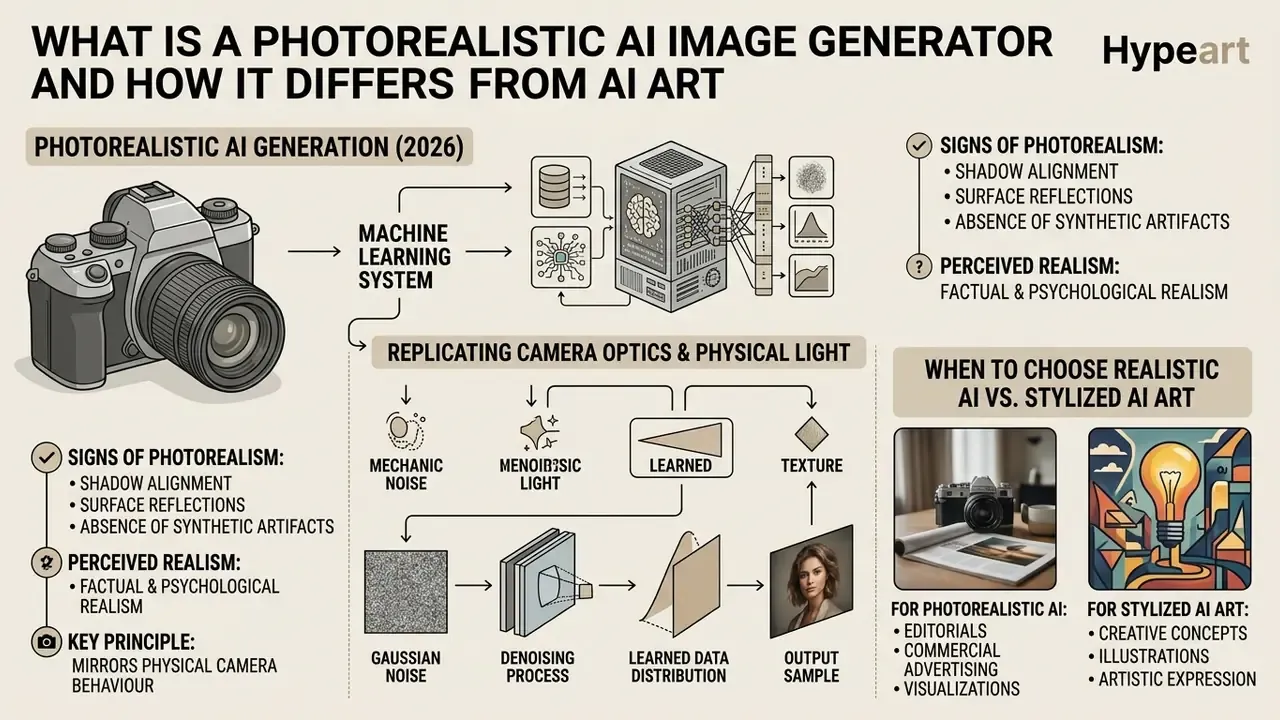
A photorealistic AI image generator is a machine learning system built to synthesize visuals that replicate camera optics, physical light behaviour and natural material texture. Artistic models apply stylization on purpose. Photorealistic ai image generation does the opposite: it suppresses style and optimises for factual and psychological realism, so the output reads as a genuine photographic capture.
Mechanically, these systems denoise Gaussian noise into a sample of the learned data distribution. Realism, then, is a function of how tightly the sampling process is constrained by physically meaningful instructions. Stylized engines depart from camera behaviour through painterly texture, exaggerated colour and simplified light. A photo realistic ai generator instead chases shadow alignment, reflection consistency and plausible material response.
Worth stating plainly: the model does not understand light. It reproduces statistical regularities of photographs that contained light. That distinction matters when you are asked to defend an output.
Signs of a photorealistic AI image
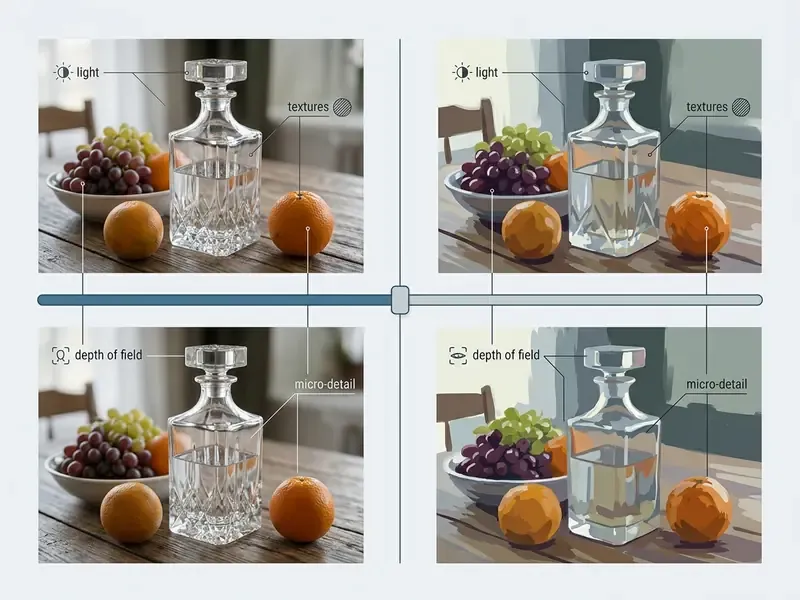
A photo realistic ai image generator produces visual cues that mirror physical camera behaviour. The main indicators are accurate light physics, natural micro-textures on skin and surfaces, realistic depth of field, and consistent anatomical geometry.
Viewers judge photorealism largely on shadow alignment, surface reflections, and the absence of synthetic skin smoothing. When an ai generated photorealistic image carries lens blur and visible pores, it scores higher on psychological realism than a default generative output.
The inverse cue set is just as useful for quality control. Waxy or plastic skin. Mismatched reflections. Faces lit differently from the surrounding scene. Misaligned eyes, broken finger geometry, impossible perspective. Those are the recurring markers of synthetic origin, and they are what a reviewer should look for first.
When to choose realistic AI instead of stylized AI art
Realistic image models are the right class whenever visuals act as a surrogate for a physical thing. E-commerce catalogues, product advertising, corporate marketing, and social media campaigns all depend on accurate representation to hold consumer trust.
In online retail, material depiction and clear lighting move click-through rates directly. Image-analysis studies of marketplace listings report that warmer colour, a larger key object and controlled visual complexity increase clicks, while clothing categories perform better on darker, simpler backgrounds. Every one of those parameters is photographic, not painterly.
Stylized AI art generators suit illustration and branding concepts. An ai photo realistic image generator is required whenever factual visual accuracy drives a commercial decision, or a regulated claim. If the brief calls for deliberate stylization instead, dedicated engines such as Ghibli-style AI image generators are the correct tool class.
Legal and compliance conditions for commercial use (read before choosing a model)
For risk owners this block is primary, not supplementary. Licence terms and disclosure duties should determine model selection, not the other way round. In practice, teams do this in reverse, then discover the constraint after the assets are live.
What determines realism in AI generated images
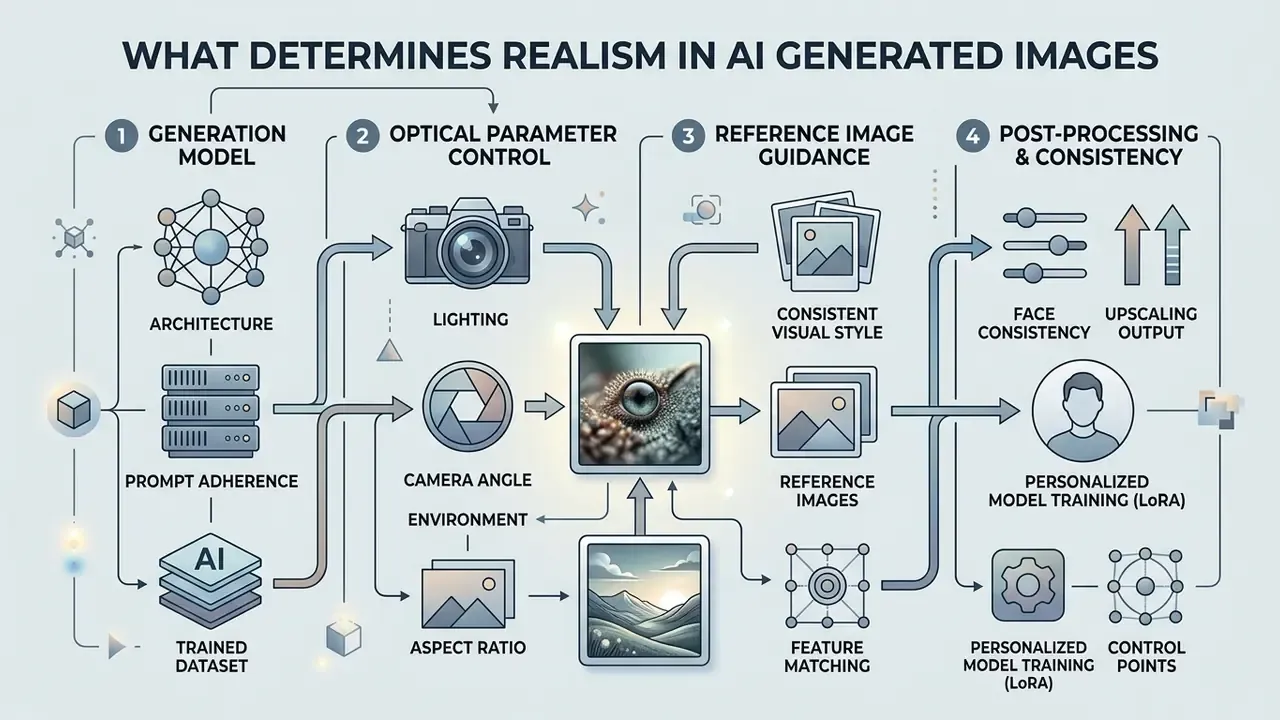
The factual realism of ai photorealistic images depends on four things: architecture, prompt alignment, optical parameter control, and reference image guidance. They work together. Weaken one and the render drifts toward glossy CGI.
Generation model and prompt adherence
Generation models map natural language into high-resolution pixel space through deep neural architectures. Modern ai image models rely on rectified flow transformers and multi-billion parameter language encoders to reach precise prompt adherence.
Light, camera angle, environment and aspect ratio
Controlling optical parameters is what converts a generic output into a studio-grade photograph. Declare lighting conditions, camera angle, environmental context and aspect ratio explicitly, or the generator will default to a painterly average.
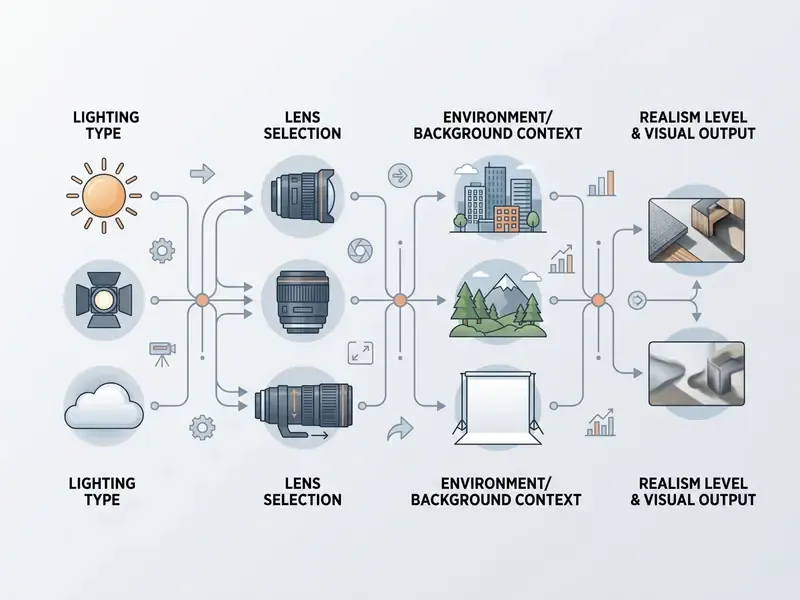
Soft directional lighting, a named focal length and deliberate framing produce physically plausible light transport across the whole scene. Setting the aspect ratio before generation preserves composition and focal boundaries.
One hard technical envelope is easy to miss. Image edit endpoints commonly require width and height divisible by 16, cap the long side around 3840 px, and restrict aspect ratios to a 1:3 to 3:1 window. Plan the format before the shoot, not after.
Reference images and a consistent visual style
Reference images anchor character identity, brand colour palettes and product dimensions across generation cycles. They are the standard mechanism for enforcing brand books, character sheets and approved mood boards inside a generative pipeline, and they are the cheapest defence against visual drift in a sequential campaign.
Teams that work mostly from existing assets rather than text should evaluate dedicated image-to-image generation and AI outpainting tooling.
Updated. In one enterprise marketing rollout, an operations team wired reference sheets into the image pipeline. By anchoring facial geometry, palette and lighting guidance, the team shipped a full campaign wave of compliant visuals, several dozen approved frames across formats, with brand consistency intact. Exact per-campaign volume depends on review capacity and is not a benchmarked figure. The reproducible part is the mechanism, not the count.
«DreamBooth trained with DINO-based reinforcement rewards reached a subject-fidelity score of 0.723 versus 0.694 for the baseline.»
Face consistency and personalized model training (LoRA)
For commercial shoots built around one recurring hero, a text prompt alone will not hold. Faces drift between frames. To stop that, teams train a personal micro-model (LoRA) or apply identity adapters such as ControlNet or IP-Adapter on top of a base photorealistic model.
Dataset preparation and anthropometric preservation:
- Upload the dataset.Use 12–15 sharp photographs of one person with varied expressions, head angles and lighting. Avoid heavy makeup shifts, occlusions and duplicated frames.
- Lock the control points.The network extracts facial geometry, brow shape, eye placement, nose shape, lip contour and overall face shape, and stores it as a reusable identity embedding.
- Synthesize with the prompt.Once identity is locked, the model changes environment, wardrobe, angle and light while the hero stays recognisable.
- Add a character reference sheet.Front, side, back and expression views make the identity set robust for sequential storytelling and video continuation.
- Governance note.Training on identifiable people requires a signed model release, retention limits for biometric-adjacent training data, and deletion rights for the trained weights.
That last point is the one most often skipped, and it is the one that surfaces in a privacy review. Teams needing repeatable corporate portraits rather than full campaigns can compare packaged options in our guide to AI headshot generators.
Best AI models for photorealistic images (2026 comparison)
Choosing a photorealistic ai generator means comparing architecture, text rendering precision, reference handling and licence terms across the leading 2026 model families. Aesthetic preference comes last.
| Model | Realism level | Prompt adherence | Resolution grid (px) | Text rendering | Reference handling | Comparison vs Midjourney v6 | Licence terms |
|---|---|---|---|---|---|---|---|
| Flux 1.1 Ultra / FLUX.2 | Highest (up to 4 MP, 16-channel latent) | Highest (rectified flow plus 24B VLM) | 1024×1024, 768×1024, 1024×768, 1024×576, 576×1024 | High | Up to 10 reference images per request | Stronger on in-image text and hand anatomy | Commercial (paid API) |
| Midjourney v6 | Highest | High | 1024×1024 (up to 2048×2048 upscaled) | Good | Omni Reference for characters, objects, vehicles | Benchmark for artistic lighting, weaker on text | Commercial for paid plans only; free-tier output non-commercial |
| Nano Banana Pro (Gemini 3 Pro Image) | Highest (1K / 2K / 4K studio output) | High | Up to 3840×2160 (4K) | Highest (multilingual, long paragraphs) | Up to 4 reference images | Stronger multilingual signage, logo and typography rendering | Commercial |
| GPT Image 2 | High | Highest | 1024×1024 and sizes divisible by 16 up to 3840 px, ratios within 1:3 to 3:1 | High | Mask-based local inpainting, reference workflows | Best for surgical corrections rather than look development | Included in enterprise subscription tiers |
| Nano Banana (Gemini 3 Flash Image) | High (speed-optimised) | Medium-high | Flexible ratios, upscaling to 4K | Medium-high | Basic multi-input | Faster and cheaper at volume, less controlled light | Commercial |
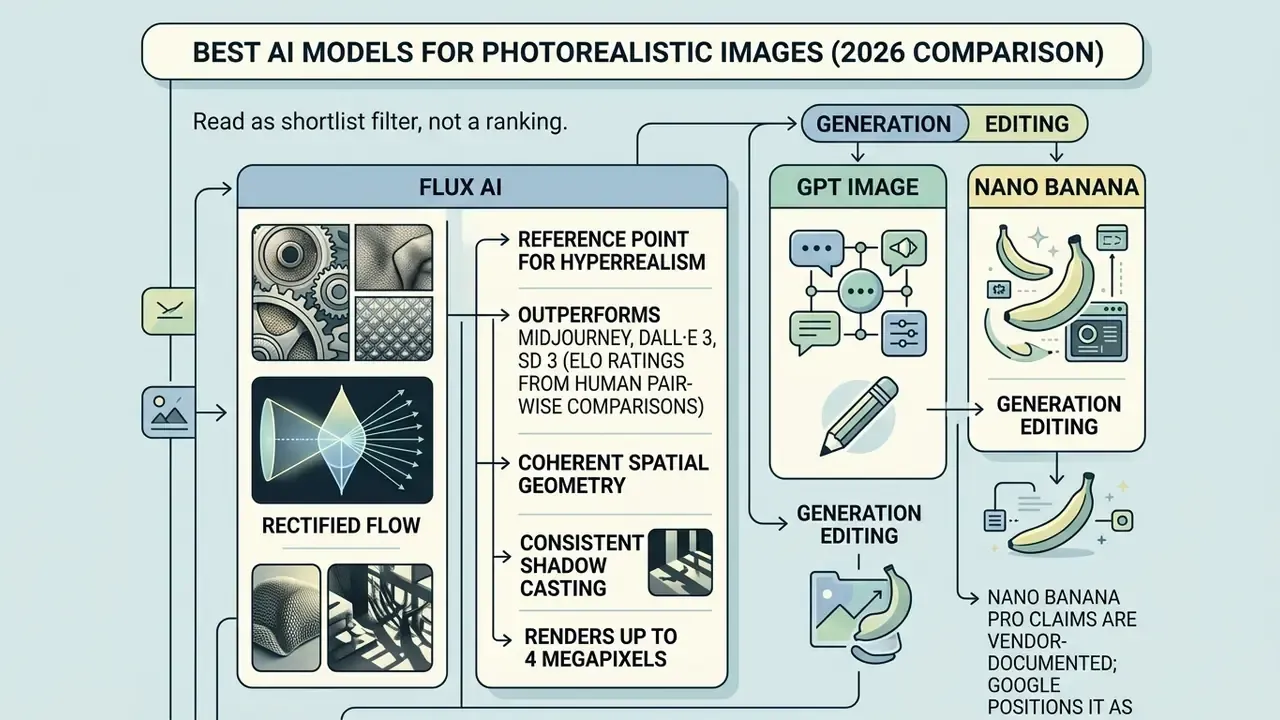
Flux AI for detailed and realistic images
Flux AI is currently the reference point for a hyperrealistic ai image generator built on rectified flow transformer architecture. Its 16-channel latent space, against 4 channels in earlier Stable Diffusion generations, preserves fabric weave, skin pores, metallic reflection, glass transparency and wood grain with physically consistent shadows and highlights.
The model renders scenes up to 4 megapixels with coherent spatial geometry and consistent shadow casting. Its editing mode holds photorealism while swapping backgrounds, textures, text and objects, which is why it survives in production pipelines rather than demos. Teams building a wider stack can evaluate specialised engines alongside options such as the freepik ai image generator for diverse commercial workflows.
GPT Image and Nano Banana for generation editing
GPT Image and the Nano Banana family lead on localized generation editing and complex text rendering. GPT Image 2 accepts a source image plus a same-sized mask and repaints only the masked region. That is the cleanest route to a surgical correction, without re-rolling a frame that legal already approved.
Nano Banana Pro supports output up to 4K with precise in-image text placement, which makes it the practical choice for branded assets, mockups and multilingual localisation. Packaging copy in five languages is exactly where most generators still fail.
For Google-ecosystem workflows, gemini ai image technology gives streamlined asset editing, and our overview of the Google AI image generator covers access tiers and usage rights. Teams weighing specialised infrastructure can review gcore ai image solutions to balance compute cost against image quality, while Microsoft-centric stacks are covered in the Microsoft AI image generator and Bing AI image guides.
Enterprise security, deployment and auditability comparison
Creative quality is half of a procurement decision. Regulated buyers, meaning model risk, information security and compliance, need the control surface documented before the first prompt is written.
| Criterion | What to require | Why it matters | Evidence to collect |
|---|---|---|---|
| Data privacy / PII protection | Contractual No-Train clause; PII and biometric handling policy; regional data residency | Prevents brand assets, unreleased products and employee likenesses leaking into public base models | DPA, model training addendum, sub-processor list |
| Certification | SOC 2 Type I and Type II; ISO 27001; GDPR alignment | Baseline third-party assurance for enterprise procurement | Current audit report and bridge letter |
| Deployment model | SaaS vs private cloud vs on-prem or VPC endpoint | Determines exposure of prompts and reference assets outside the corporate perimeter | Architecture diagram, network flow documentation |
| Audit trail | API-level logging of prompts, seeds, model version, output hashes, user identity | Reproducibility and defensibility under MRM and regulatory review | Sample log export, retention schedule |
| Retention and deletion | Configurable retention windows; verified deletion of trained weights and datasets | Required for likeness releases and data-minimisation duties | Deletion attestation |
| Provenance | C2PA Content Credentials on export; durable invisible watermarking | EU AI Act Article 50 disclosure and platform labelling | Sample asset with intact credential manifest |
| Content safety | Policy filters, restricted-category blocking, human escalation path | Reputational and FTC-deception risk control | Policy documentation, incident procedure |
No matching rows Clear one or more filters to restore the matrix.
Statuses change with every vendor release cycle. Treat this table as the question set for your security questionnaire, and re-verify certifications at each renewal instead of trusting a marketing page.
How to create a photorealistic AI image: step-by-step workflow
To generate photorealistic images ai consistently, you need a reproducible route from concept to final file. Talent helps. Process is what scales.
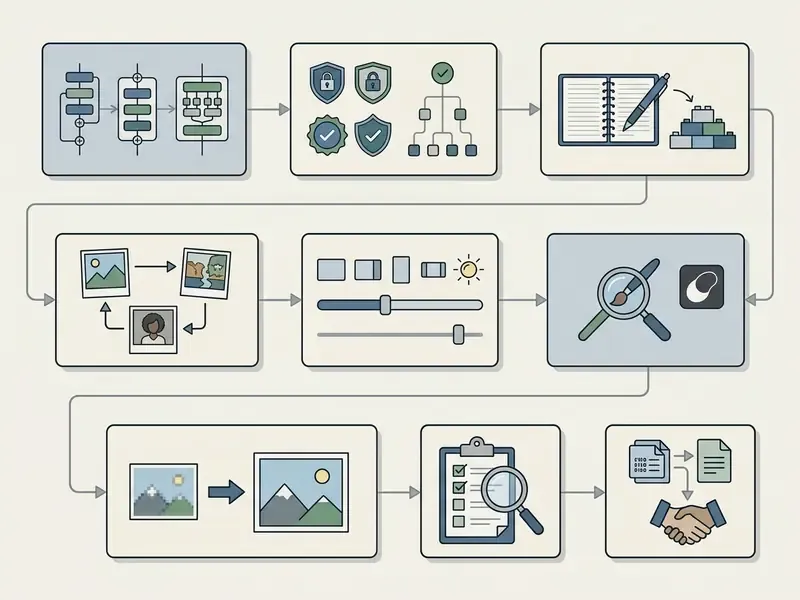
Enterprise governance and lineage capture
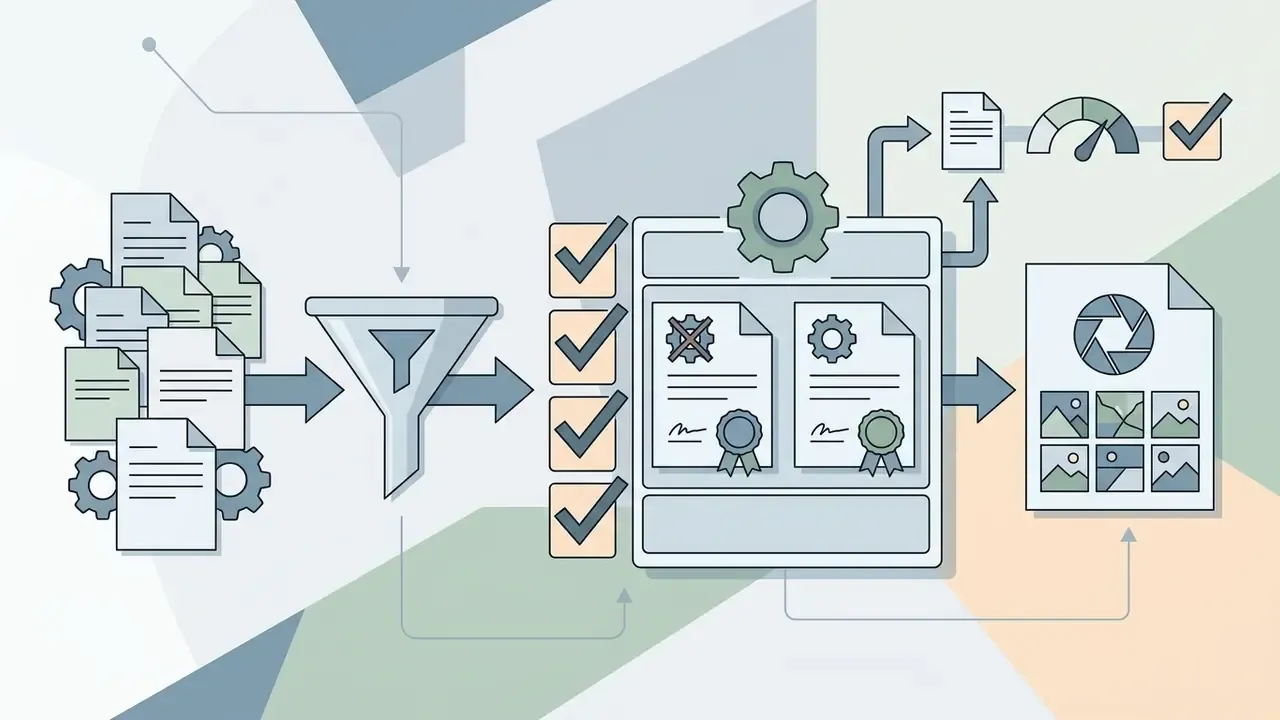
Before prompt craft, fix the record-keeping layer. Visual generation belongs inside existing Model Risk Management practice, following the SR 11-7 and NIST AI RMF pattern, because an unreproducible image is an unauditable image.
- Register the use case.Record purpose, audience, channel and risk tier. Flag anything involving human likeness, regulated claims or financial products.
- Pin the model version.Store the exact model and endpoint identifier. A minor version change invalidates reproducibility.
- Fix and store the seed.Seed plus prompt plus model version is the minimum reproducibility triple.
- Log inputs and outputs.Persist prompt text, reference asset hashes, negative constraints, parameter settings, output hash, timestamp and operator identity.
- Record human-in-the-loop sign-off.Name the reviewer who approved the asset and the checklist version applied.
- Attach provenance on export.Write C2PA Content Credentials and channel-required AI labels before distribution, and keep the manifest with the asset in the DAM.
- Review periodically.Sample published assets quarterly against the checklist, then feed defects back into prompt standards.
How to build a prompt for a photo realistic AI image generator
A working prompt for an ai photorealistic image generator follows a strict syntax order. Vague intensifiers like "hyperrealistic" or "8k" do less than a named lens. Specify tangible physical and optical parameters instead.
- Subject and action.Define the character, product or central subject clearly.
- Environment and context.Describe the background scene, location and atmospheric detail.
- Lighting conditions.Name the source (studio softbox, golden hour side light, diffused overcast) plus direction and quality (rim, side, three-point).
- Camera and lens specs.Name optics: 85mm lens, f/1.8 aperture, shutter speed, film stock. Add shot type and angle.
- Texture constraints.Mention surface grain, skin pores, wrinkles, fabric wear.
Avoid the token junk drawer. "8k", "ultra-detailed", "masterpiece" and "hyperrealistic" add little once lens, aperture and light are declared, and they frequently push the render toward glossy CGI. Keep the approved variant in a shared prompt library so the next person can start creating from a known-good baseline.
Aspect ratio, composition and variation generation
Set the aspect ratio before execution. It governs framing and subject balance more than any post-crop can. 16:9 suits wide banners, 9:16 and 4:5 fit mobile feeds and social media, 1:1 works for centred profile assets.
Generating ratio-specific variants lets you compare compositions without destructive cropping. Never generate square and crop later for another ratio, because the crop removes intended framing. Hold identity and lighting fixed between variants, reserve safe margins for platform UI and overlaid text, then review each candidate inside the real platform preview. Teams benchmarking output at zero cost can start with free AI image generators or a free AI art generator comparison before committing budget.
Quality control before export
Run the check at 100% zoom, not at thumbnail size. Inspect hands, clothing seams, prints, buttons, buckles, background object alignment, reflections and text legibility.
Screen specifically for melted or smeared edges, ghost objects, merged limbs, duplicated background elements, lighting that contradicts the declared source, malformed glyphs, broken strokes, character substitutions, inconsistent kerning and shifted baselines. Filtering out those artifacts is what lifts photorealistic ai generated images to commercial publishing standard.
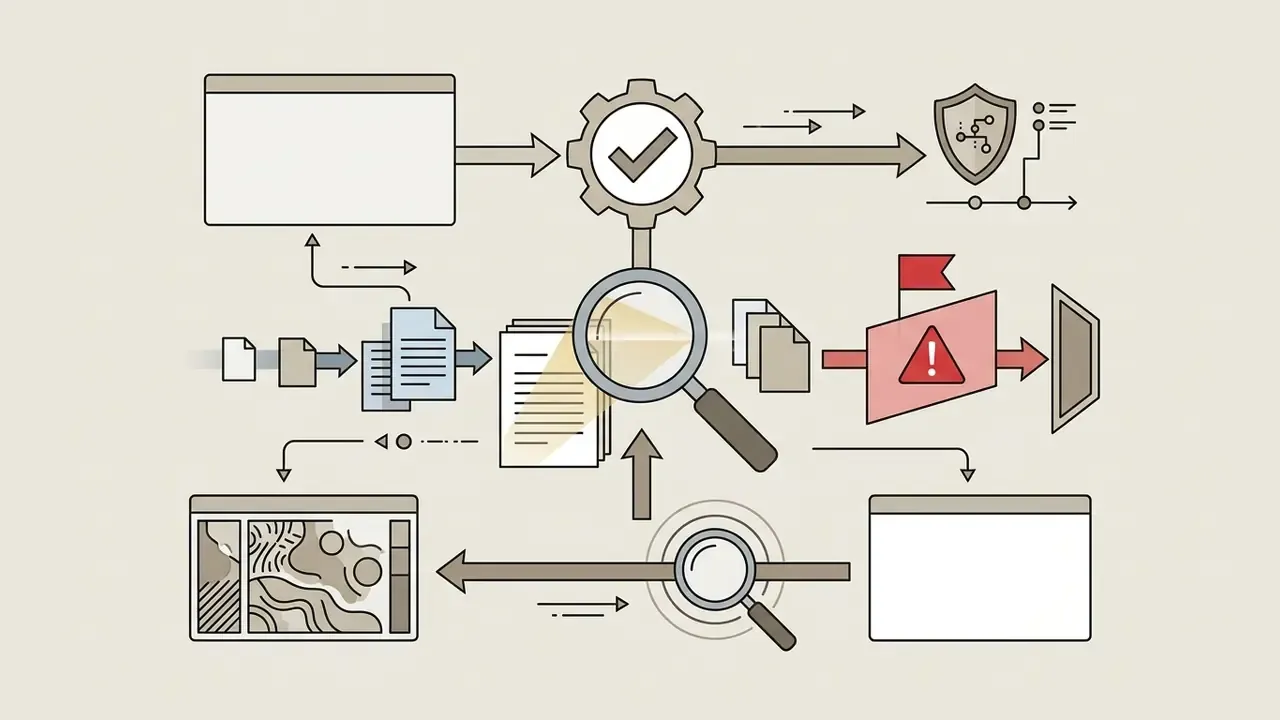
Before publication, run a reverse-image check. Our guide to AI reverse image search covers the tooling, and where provenance matters, validate assets with AI image detectors.
Image editing and upscaling: raising realism after generation
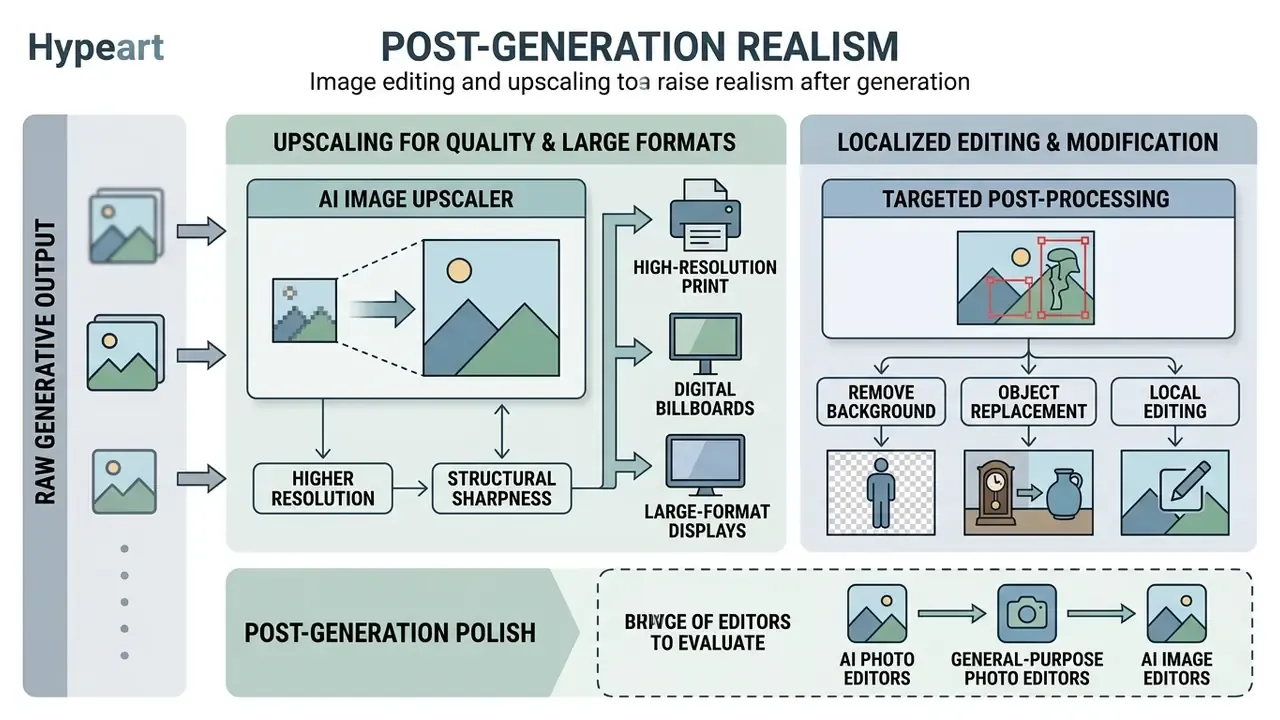
Raw generative output usually needs targeted post-processing. Small repairs, then resolution. Not the reverse.
Upscaling for high quality and large formats
An AI image upscaler raises pixel resolution while preserving structural edge sharpness. Advanced upscaling models use directional anisotropic diffusion and post-upscale sharpening to enhance texture without hallucinating new detail. High-fidelity modes explicitly prioritise clarity over invention, which is critical for logos, UI elements and product surfaces.
A 2x or 4x upscale prepares assets for high-resolution print, digital billboards and large-format displays. Vendor documentation for neural upscaling reports doubled width and height, four times total pixels, with minimal blur at subject boundaries. Compare engines in our AI image upscaler guide, and keep delivery weight under control with a video compressor when the same asset set feeds motion formats.
Remove background, object replacement and local editing
Localized generation editing allows precise object replacement and background modification. With mask-based image editing you can remove background elements or adjust light on a specific product surface. Marketplace product cards use the same pipeline: cut out the subject, output on transparency or flat colour, then replace or fully regenerate the surrounding scene. Brush-based generative removal fills painted regions with content that blends into neighbouring pixels, which is the fastest fix for stray reflections and set clutter.
For post-generation polish, evaluate AI photo editors, general-purpose online photo editors and AI image enhancers. Budget-constrained teams can start from a free photo editor. To streamline multi-tool pipelines and pick between image tools, explore the hub or view the guide for detailed workflow strategies. Design-system-driven teams may prefer an integrated stack such as the Canva AI generator.
Using photorealistic AI images in commercial projects
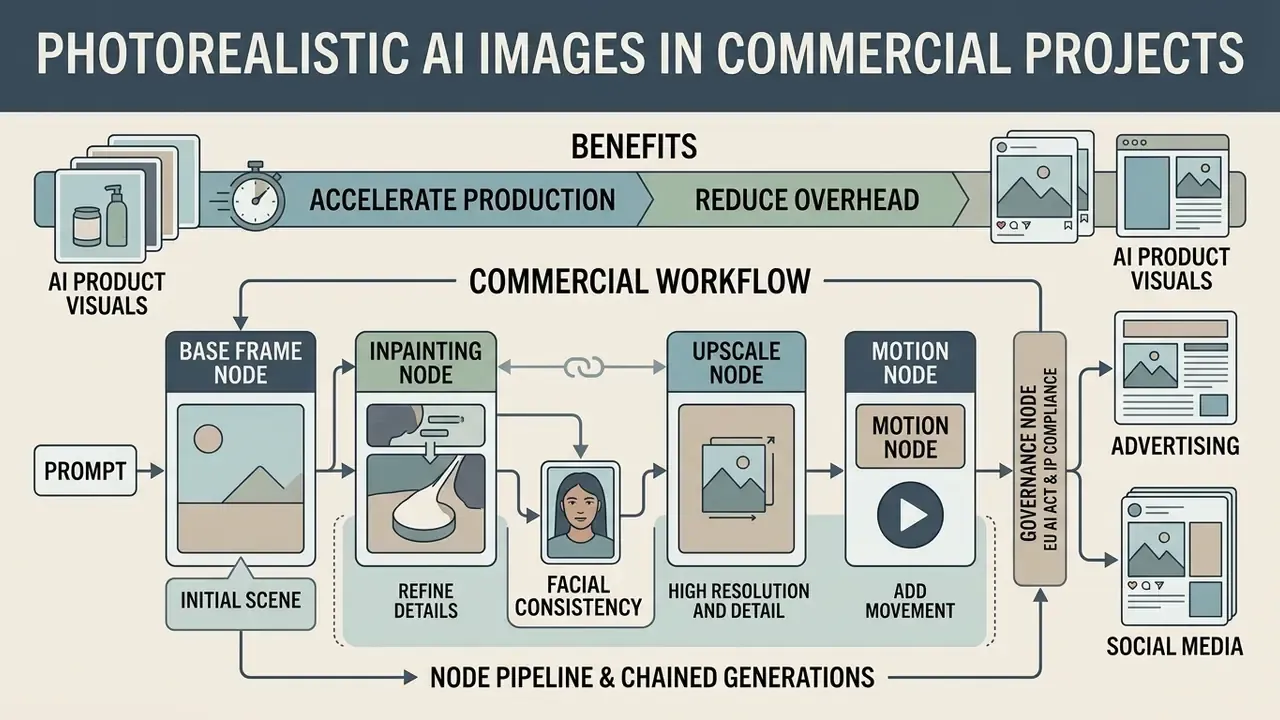
Deploying photorealistic AI graphics accelerates marketing production and reduces photography overhead. That holds only if the licence, disclosure and logging layers from the compliance block above are already in place.
Flow workflows: node pipelines and chained generations
Production has moved away from one-off generations toward scripted chains, often called Flow workflows. On a single interactive canvas the team connects:
Documented production patterns built this way include brand advertisement campaigns, UGC-style creator content, on-brand product video, editorial poster artwork and virtual try-on visuals. Node pipelines are also what make visual AI auditable. Every transformation becomes an inspectable step instead of one opaque call. For downstream delivery, see our animation maker overview and the YouTube video editor workflow guide.
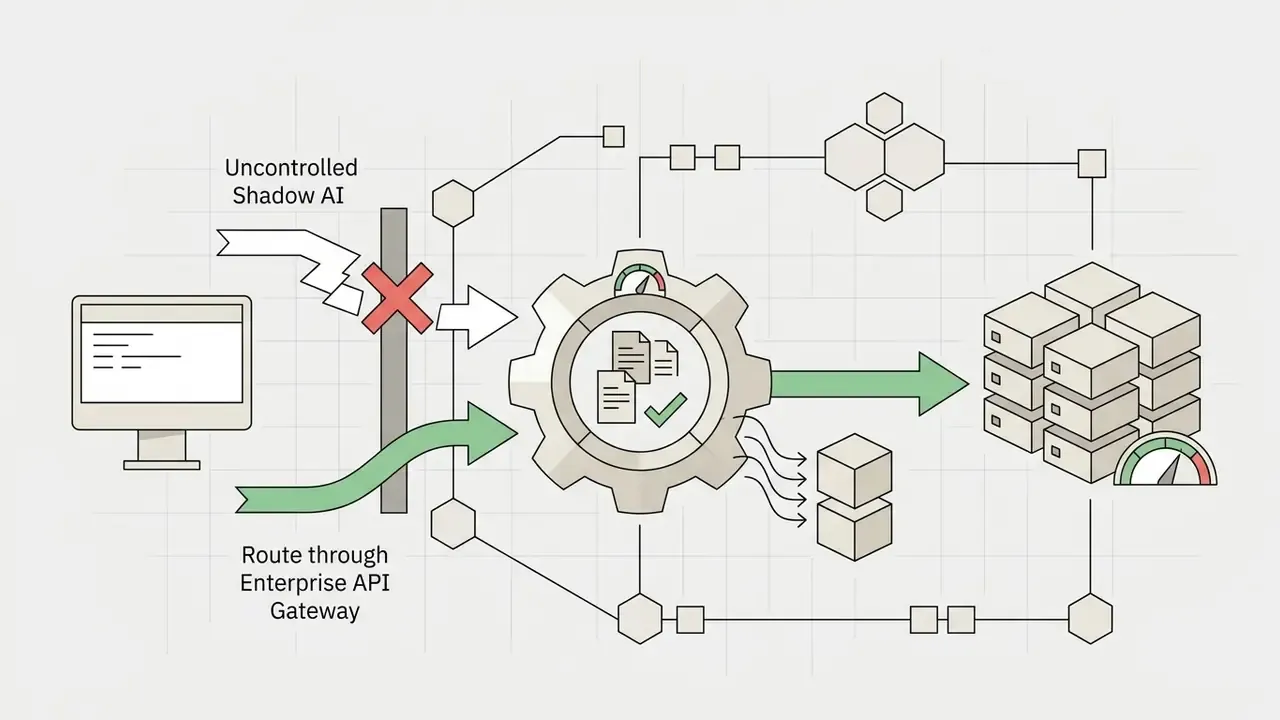
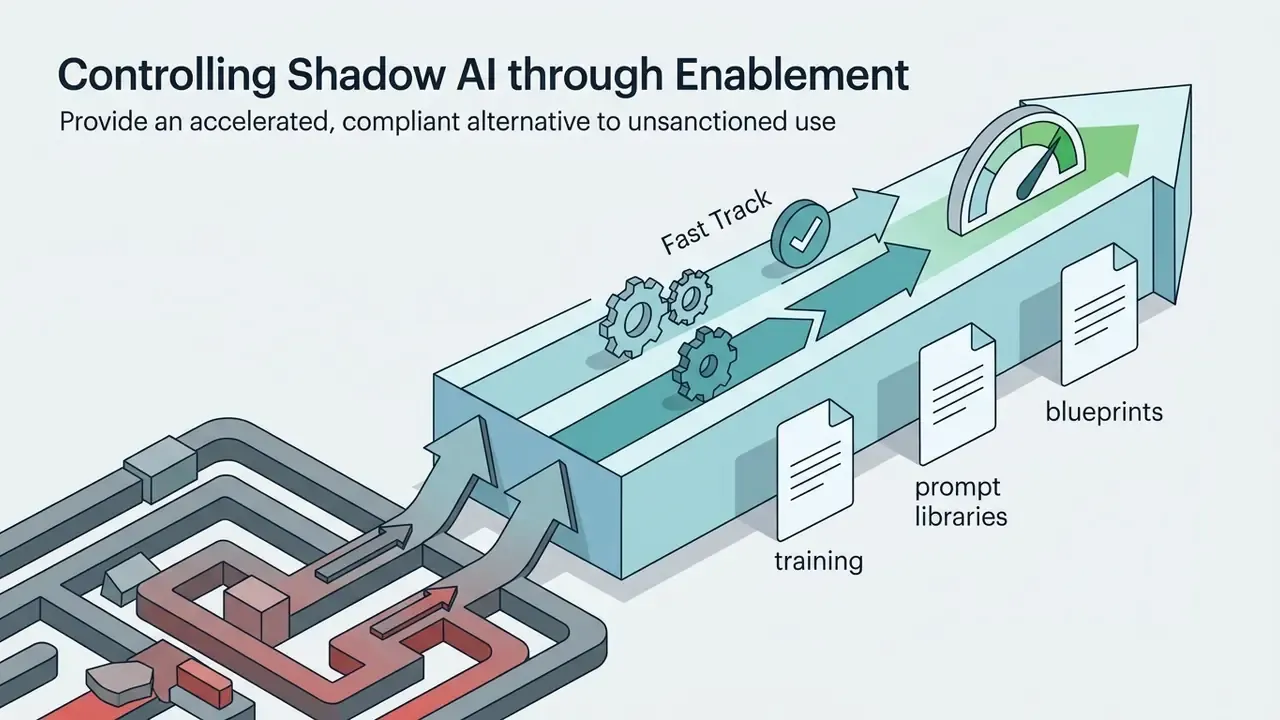
Controlling Shadow AI
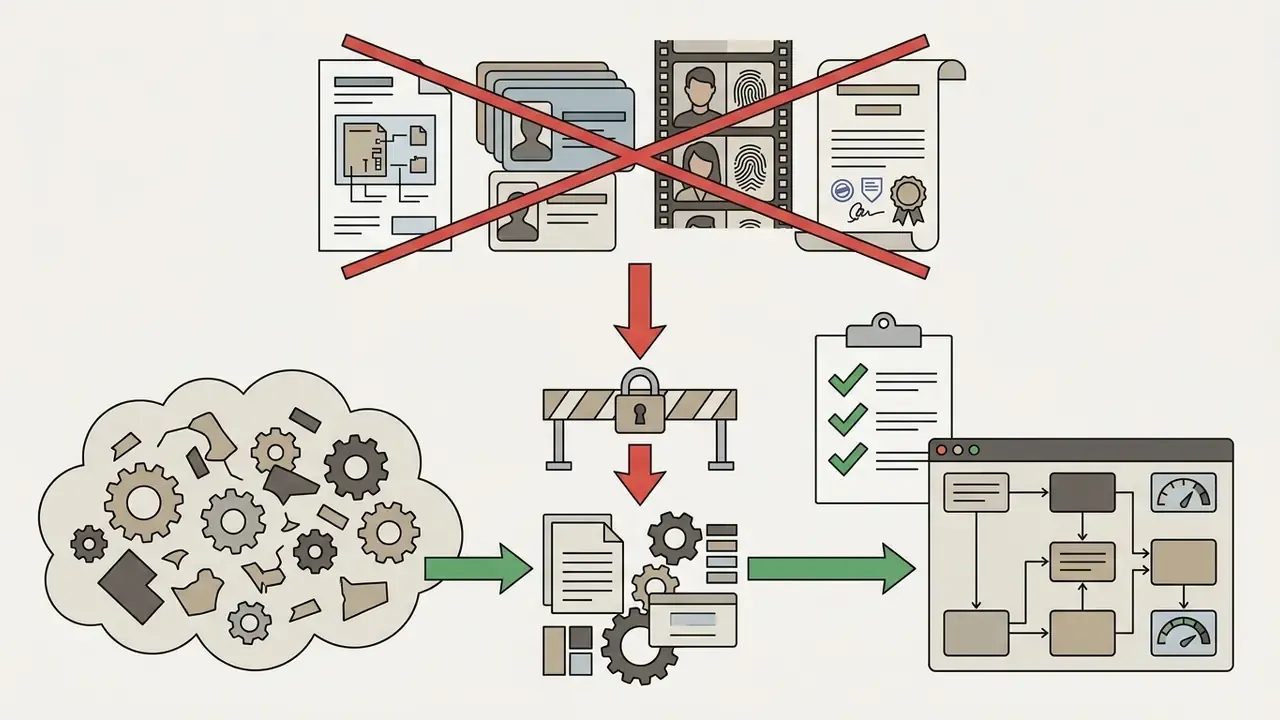
Unsanctioned use of consumer generators on corporate material is the fastest route to an uncontrolled disclosure. A workable containment programme has five components.
That fifth point is usually the cheapest control available, and the most neglected.
Total cost of ownership and risk-adjusted ROI
Per-image credit price is the smallest line in the model. A realistic cost per published asset looks like this:
TCO per published asset = (generation credits × frames generated per accepted frame) + prompt and art-direction time + human-in-the-loop review time + legal and brand clearance time + storage, logging and DAM overhead + amortised model training cost (for example a personal LoRA) + amortised compliance overhead (labelling, provenance, audit sampling).
Two multipliers dominate. The acceptance ratio, how many generations are discarded per approved frame, and the review burden, how much human time each frame consumes before publication. Prompt standards and reusable blueprints lower the first. Clear QC checklists and pre-approved presets lower the second.
Risk-adjusted ROI should then subtract an expected-loss term for disclosure failures, likeness disputes and IP claims. Small per asset. Material at campaign scale.
What to check before commercial use of generated images
Before commercial deployment, audit the legal exposure. Check model terms of service, verify third-party trademark clearance, confirm model releases for identifiable people, and confirm compliance with emerging disclosure rules.
Practical pre-launch checklist:
Checklist0 / 8
To stay ahead of regulatory penalties and IP disputes, legal teams should track ongoing litigation on generative dataset training and copyright ownership.
Ready-made Blueprints: prompt templates for commercial tasks
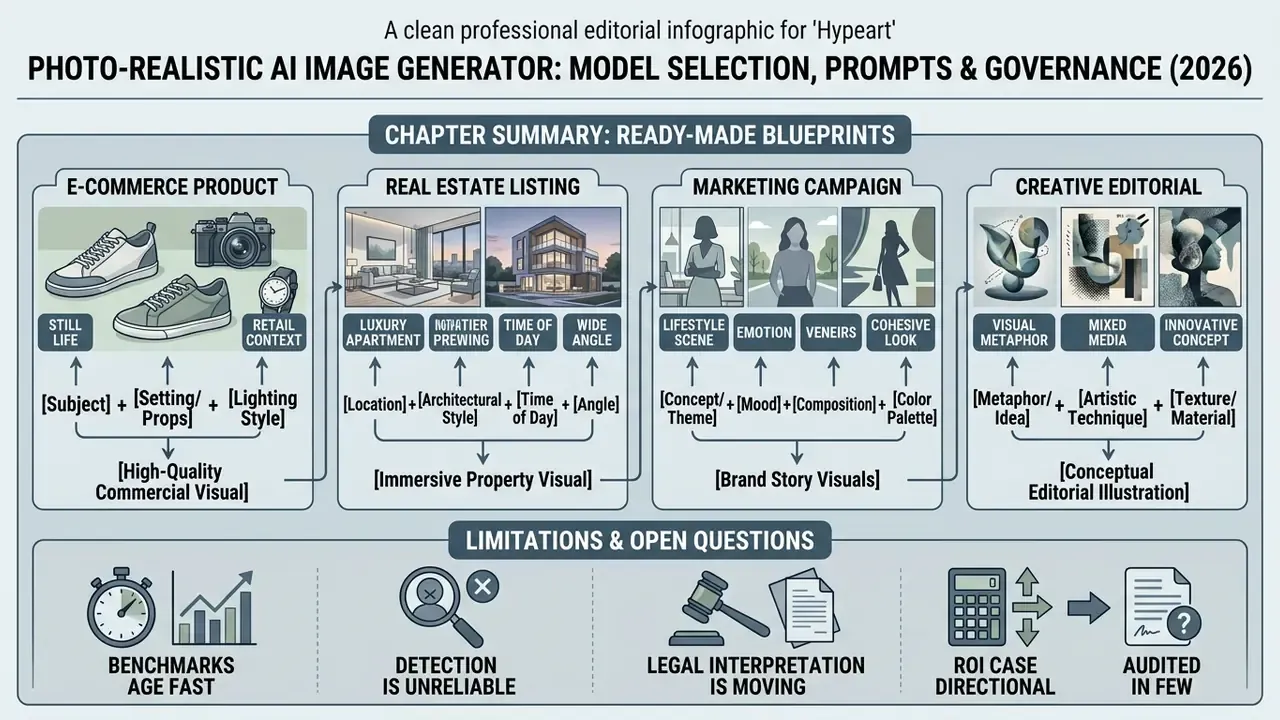
Use proven parameter combinations to reach commercial-grade frames without building a prompt from scratch. Each blueprint keeps the syntax order subject, environment, light, optics, texture, so you can swap the bracketed variables and keep the optical logic intact.
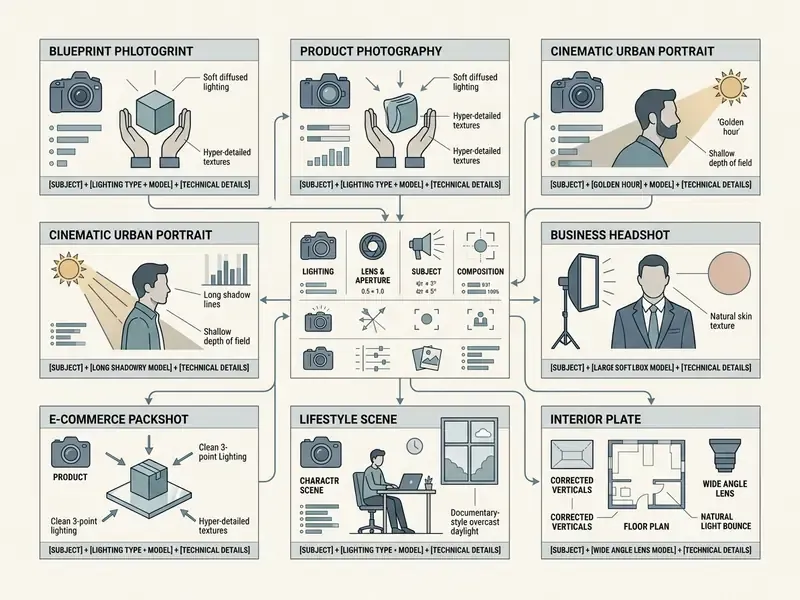
Pair each blueprint with a negative constraint set, for example no plastic skin, no oversharpened edges, no duplicated limbs, no illegible text, no watermark. Then store the approved variant in your prompt library together with its seed and model version.
Limitations and open questions
A safe next step
If you need one action rather than a programme: pick a single low-risk use case, run it end to end with full lineage capture, and have internal audit test whether you can reproduce a published asset from the log alone.
That exercise costs a week. It reveals whether your controls exist in practice or only in policy, and it gives you a defensible pilot to extend. Small scope, real evidence.
FAQ about photorealistic AI image generators
How do I get an extremely realistic ai image without the "artificial" effect?
To kill the plastic glossy look, specify natural skin imperfections, fine pores, subtle wrinkles and real-world surface wear. Lower the guidance scale slightly and use soft studio lighting parameters so the model stops oversaturating detail. Research on diffusion artifacts supports that direction: realism improves when images contain wrinkles and shallow depth of field rather than uniformly smooth skin, and face-artifact classifiers combined with targeted inpainting measurably reduce residual glossiness. Chasing "ai super realistic" as a prompt token achieves less than naming a lens.
«AI-generated White faces were classified as human more often than real faces, driven by proportionality and eye liveliness.»
Source: AI Hyperrealism: Why AI Faces Are Perceived as More Real Than Human Faces, Psychological Science (2023), 124 participants
«Participants misclassified AI images in about 30% of cases; for faces accuracy dropped to roughly 50%, chance level.»
Source: AI Images vs Real Photographs: Human Perception Study, arXiv preprint (2024)
Why does an AI image render text and fine details poorly?
Diffusion models operate in continuous spatial latent spaces, not discrete symbolic character spaces. That architecture produces glyph distortion, alignment errors and mangled small text. Benchmarks name three concrete failure modes: weak localisation of text regions, missing character-to-shape priors across languages, and neglect of long instructions with long-range spatial dependencies. Practical fixes are glyph- or character-conditioned models, OCR-guided correction passes, and choosing a text-optimised model such as Nano Banana Pro or FLUX.2 for signage, packaging and typographic layouts.
«Diffusion models optimise global perceptual quality rather than semantic text correctness, which is why GLIPS excludes a separate legibility metric.»
Source: GLIPS: Global-Local Image Perceptual Score, arXiv preprint (2024)
Can photorealistic images be used as source frames for image video and ai video?
Yes. Photorealistic AI images work as anchor frames for video generation engines such as Wan3.0, Runway and Adobe Firefly. Vendor documentation is explicit that an AI-generated still is a valid first-frame input, supplying composition, subject, lighting and style to the motion model. Research on high-fidelity image-to-video reports the initial frame is preserved closely. Establishing light and composition in a high-fidelity static image is what keeps continuity across generated frames.
«AI-generated video advertising still trails human-created video on engagement, while static AI images outperform it.»
Source: AI vs Human Creativity in Advertising, Electronic Commerce Research (2026). https://link.springer.com/journal/10660
Continue with image-to-video AI tools, compare engines in our best AI video generator and free AI video generator reviews, and check API economics in the Google Veo implementation guide.
How do I keep the same face across an entire campaign?
Train a personal model (LoRA) or attach an identity adapter using 12–15 varied, sharp photographs, then lock the identity embedding before changing wardrobe, environment or angle. Add a character reference sheet with front, side, back and expression views for sequential assets. Keep a signed model release and a deletion path for the trained weights on file, because that is what a privacy review will ask for first.
How do I make visual generation auditable for a model risk review?
Store the reproducibility triple, model version, prompt text and seed, together with reference asset hashes, parameter settings, output hash, operator identity and reviewer sign-off. Export assets with C2PA Content Credentials and sample published material quarterly against the pre-launch checklist. NIST GenAI evaluation criteria, realism, fidelity and similarity to real images, give you a defensible vocabulary for documenting model selection.
Which model should regulated organisations start with?
Start from the control surface, not the aesthetic. Shortlist only vendors with a contractual No-Train clause, a current SOC 2 Type II report, configurable retention and API-level logging. Among those, select on task fit: FLUX.2 for multi-reference product photorealism, Nano Banana Pro for 4K and multilingual in-image text, GPT Image 2 for masked local corrections. The top ai option on a leaderboard is rarely the right one for a regulated pipeline.
Appendix A: corrections log (transparency)
For auditability, fragments superseded during this update are recorded here rather than silently removed:
- Superseded citation: the earlier version attributed the factual and psychological realism definition to a "GLIPS Study, 2024" reference whose URL resolved to a placeholder identifier. Replacement: the definition is now sourced to the arXiv analysis of photorealistic AI images on Instagram and X (2024), and GLIPS is cited separately for its 350-participant perceptual scores.
- Superseded citation: the "AI Hyperrealism Study, 2023" link in the visual-cues section used a placeholder identifier and carried no figures. Replacement: GLIPS (2024) supplies the numeric perceptual comparison, and the AI Hyperrealism finding (124 participants) is cited in the FAQ where it is methodologically relevant.
- Superseded claim: "the team generated 40 compliant campaign visuals", an unsourced volume figure. Replacement: the mechanism (reference sheets anchoring geometry, palette and lighting) is retained; the unverified count is described as campaign-dependent.
- Superseded claim: "reduced production costs by 65%", an unaudited single-brand figure. Replacement: a directional cost statement supported by documented brand cases (Amazon Ads advertiser deployments, Dove's AI prompt playbook).
- Superseded linkstwo anchor links pointing to niche and NSFW generator pages inside the aspect-ratio section. Replacement: links to free AI image and AI art generator comparisons, which match the enterprise and commercial intent of this guide.
- Clarified specification"Nano Banana Pro, 4K studio-quality" now states the pixel resolution (up to 3840×2160) and flags the claim as vendor-documented rather than independently benchmarked.
- Clarified attributionthe opening commentary is now explicitly labelled as the author, so no real individual, employer or regulatory authority is implied.