Last updated: Q1 2026 · Terms audit status: verified Q1 2026 · Review scope: architecture, control parameters, licensing, data-security posture
Executive Summary for CRO, CCO, and Model Risk Leads
Why should a bank's risk function care about a consumer photo tool? Because marketing, HR, and product teams are already using one.
- ArchitecturePic AI-class tools are image-to-image (I2I) systems built on conditional latent diffusion. They do not start from pure noise. They start from a noised latent encoding of your uploaded photo, which is why structure, pose, and product geometry survive the render.
- The single most important control
Reference Strength(0.1–0.7). Low values (0.1–0.3) are audit-friendly and preserve source pixels. High values (0.5–0.7) allow structural drift and should be treated as creative generation, not photo editing. - Licensing is domain-specific, not brand-specific.Platforms operating under the "Pic AI" label differ radically. Pica-ai.com grants non-commercial personal use only, Pict.ai explicitly permits commercial use, and Google Workspace / Google Pics is governed by master enterprise agreements with IP indemnity. Verify the exact domain and tier before any campaign launch.
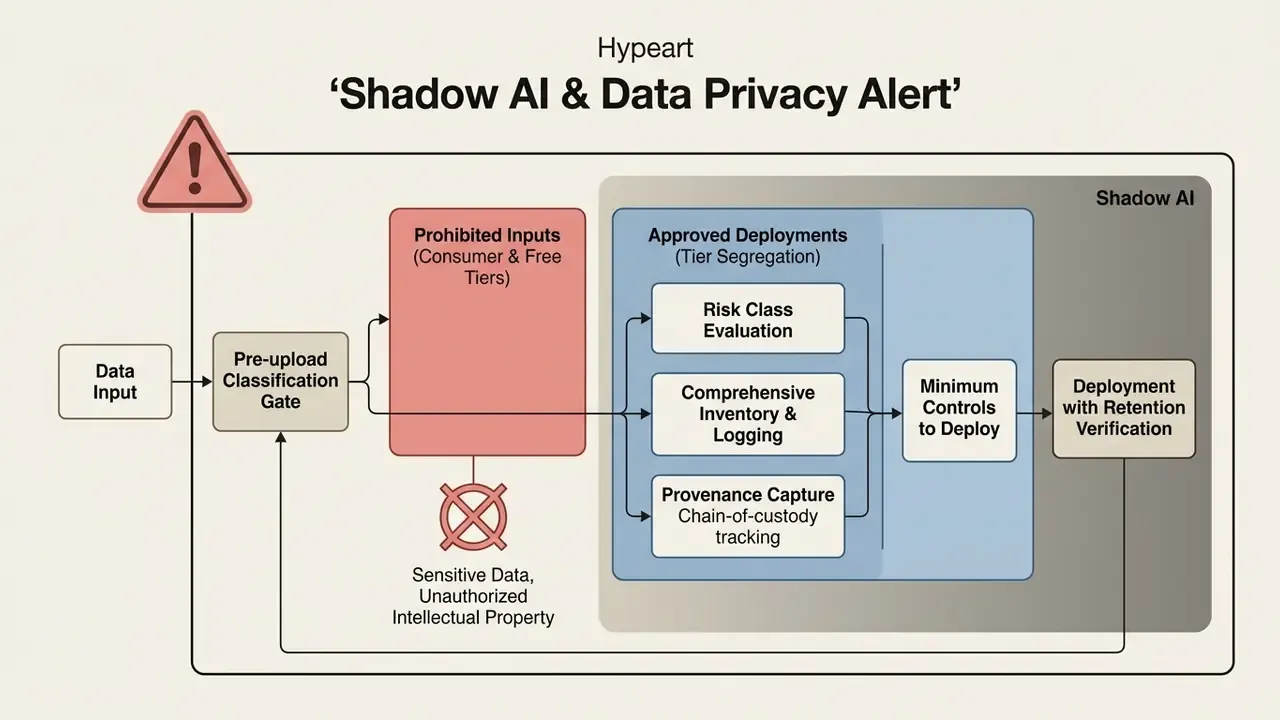
- The largest unmanaged risk is not copyright. It is Shadow AI.Employees uploading client photos, KYC documents, unreleased packaging, or internal screenshots into free consumer tiers may transfer proprietary assets into public training corpora. See the Shadow AI and Data Privacy Alert below.
- Copyright requires human authorship.Purely automated outputs may fall into the public domain. Iterative human selection, masking, and parameter tuning support ownership claims.
- "Unlimited free" claims are marketing drift.GPU time has hard physical cost. In practice, most services grant limited daily free credits, and unrestricted free access is confined to basic legacy models.
What This Audit Covers
- What Pic AI is and how photo-based image generation works
- How to create an AI image from a photograph in Pic AI
- Uploading the source or reference image
- Text prompts and the editing task, including the 8-rule engineering prompt guide
- Generation, variation review, and export (PNG / JPEG / 4K to 8K)
- Which Pic AI settings determine the result
- References and preservation of source composition
- AI model selection and transformation strength
- Styles, aspect ratios, and image variations
- Background and object removal or replacement
- Quality enhancement and old-photo restoration
- Generative expansion (outpainting) and new detail synthesis
- Commercial use cases, including a copy-paste prompt library
- Product cards and professional product images
- Social media and marketing creatives
- Avatars, headshots, and creative portraits
- Choosing Pic AI for work and commercial use (legal audit)
- Selection criteria and the enterprise-readiness matrix
- Licensing, watermarks, and commercial rights
- Free usage and beginner presets
- Multi-image generation, including the 8-reference fusion algorithm
- Shadow AI and data privacy alert
- Model safety and boundary controls
Evaluating photo-based artificial intelligence generators requires moving past surface-level rendering speed. You have to inspect the underlying conditioning architectures, the model risk parameters, and the copyright structures beneath them. Generative media tools built for image-to-image transformation, frequently operating under product designations such as Pic AI, Google Pics, or Pica AI, allow users to convert an existing photo into stylized artwork, remove distracting backgrounds, expand canvas boundaries, and produce high-resolution marketing assets.
Whether integrated into Google Workspace environments via model families like Nano Banana or operated through specialized web interfaces, these systems transform visual content through latent diffusion conditioning rather than creating pixels from text alone. That distinction matters for governance: a source photo is an asset with an owner, a classification, and a licence.
1. What Pic AI Is and How Photo-Based Generation Works
Pic AI is an AI-powered image-to-image generator and online editing framework. It transforms existing source photos into new visual assets using structural conditioning vectors plus text prompts. Unlike standalone text-to-image systems that synthesize media from pure Gaussian noise, Pic AI takes an uploaded photo as a baseline reference to maintain composition, facial identity, or product geometry during the rendering process.
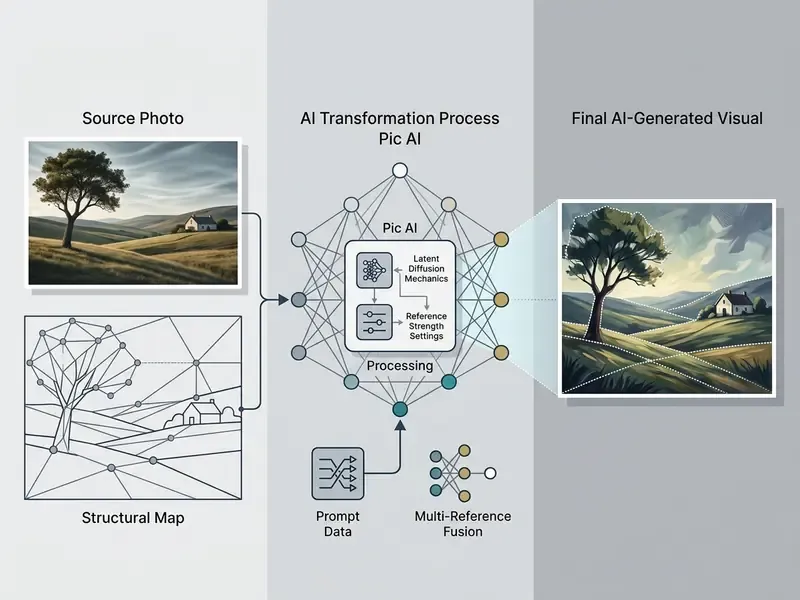
At its technical foundation, photo-based image generation relies on conditional denoising diffusion probabilistic models (DDPMs) operating in latent space (Rombach et al., 2022). When a user uploads a source photo into a system using models like Google's Nano Banana family or Stable Diffusion backbones, the software encodes the spatial features of the image into a lower-dimensional latent representation. The network then introduces controlled noise to the latent vector before progressively denoising it under the combined guidance of a text prompt and cross-attention feature maps (UNIMO-G, January 2024).
This process enables precise control over visual outputs. Rather than guessing spatial layout, the model uses the structural anchor of the source file to govern object placement, subject proportions, and background depth. Search demand for the same capability arrives in many phrasings: "ai by picture", "ai convert picture", "ai converter image", "ai create photo from photo", even "ai ify an image". All of them describe one mechanism, an AI art photo converter that conditions on an existing file.
Organizations evaluating these tools can explore broader implementation patterns through our detailed breakdown of AI image generators and can also open the hub for technical term definitions and architectural standards.
Model coverage in 2026 is no longer limited to a single backbone. Contemporary I2I stacks route requests across Nano Banana and Nano Banana Pro, Gemini 3, GPT Image 2, FLUX and FLUX Pro, Recraft V4, SDXL, Seedream / Seedance, and Stable Diffusion 3 derivatives. Motion tasks are delegated to Kling AI, Google Veo, PixVerse, or LTX Video. Model heterogeneity is an availability advantage but a governance liability. Each backbone carries its own licence, safety filter, and training-data provenance, and each must be logged separately in an AI system inventory.
2. How Image-to-Image Differs from Text-to-Image
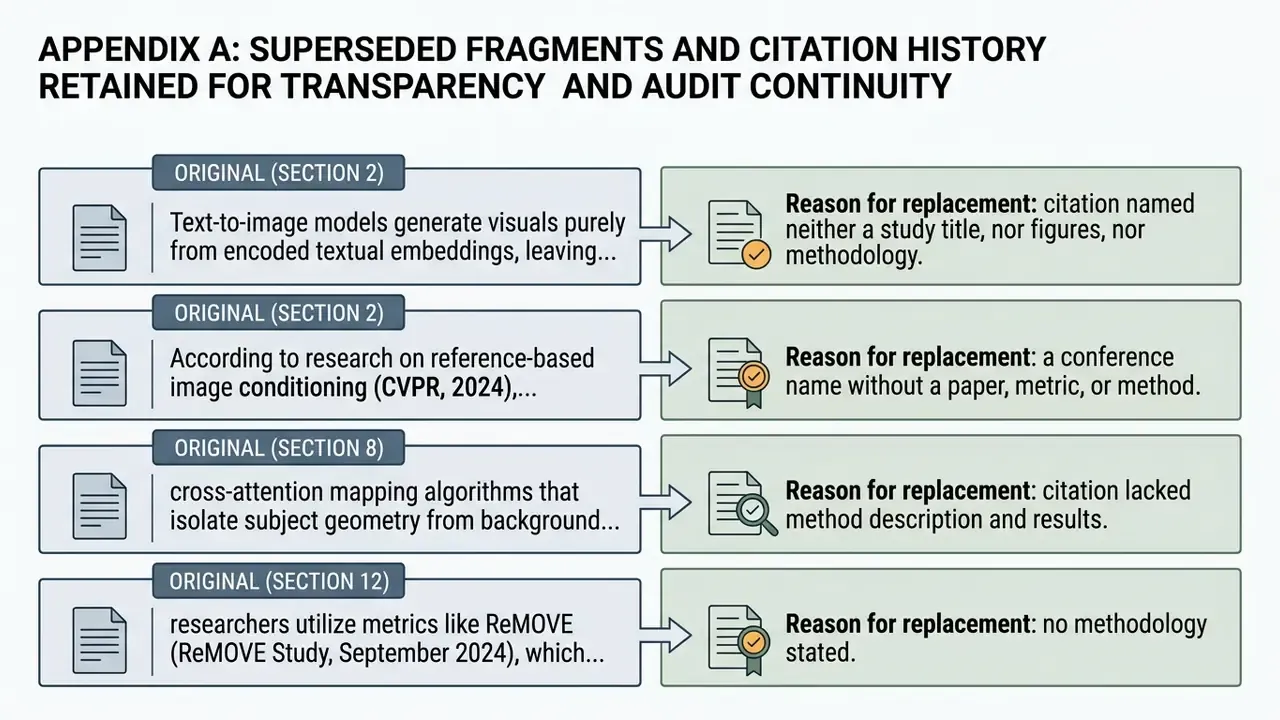
Image-to-image generation differs fundamentally from text-to-image synthesis in its initial conditioning state, spatial control constraints, and output variance. Text-to-image models generate visuals purely from encoded textual embeddings, leaving layout, background composition, and subject geometry open to high seed variance.
Updated.
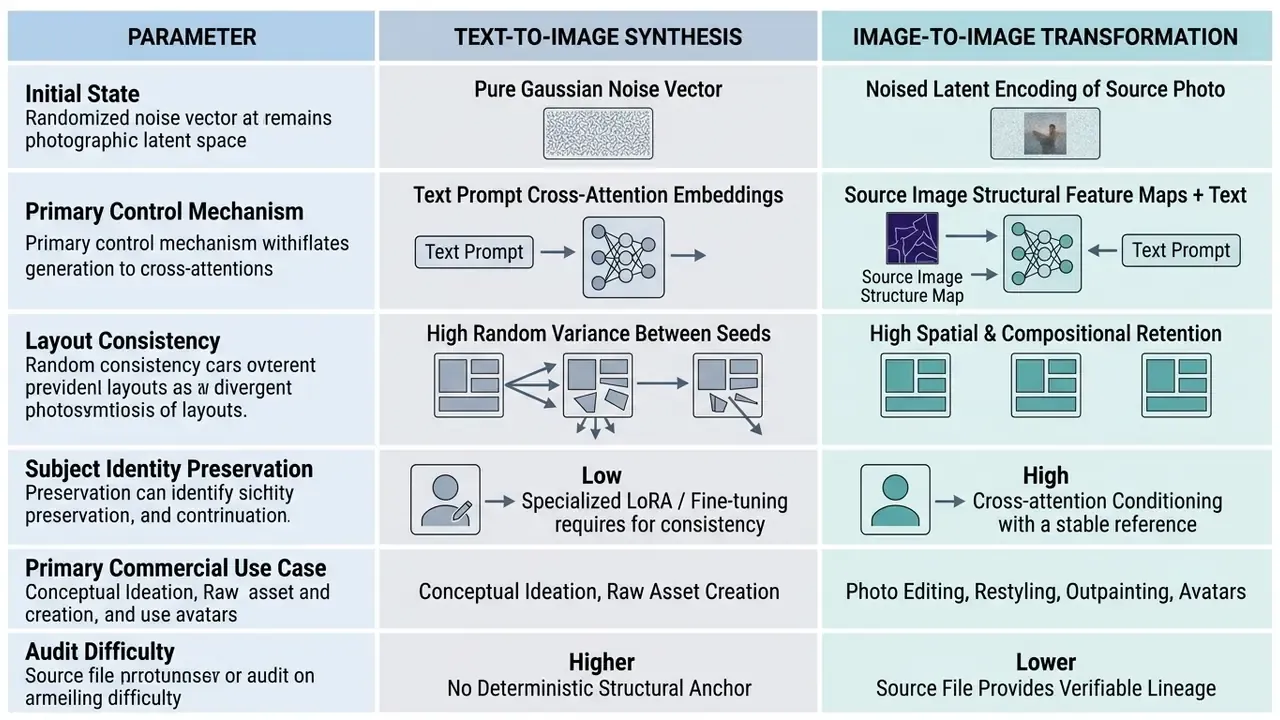
In contrast, image-to-image transformation uses an existing image as a semantic and structural boundary (NeurIPS, 2023). The latent diffusion model uses the source photo to restrict generative drift, so modifications such as restyling a headshot or changing a product background respect the original boundaries. Incorporating reference images provides a stronger visual control channel than text prompts alone. That advantage is clearest when you must hold exact product shapes or human facial features steady across batch generations.
Updated.
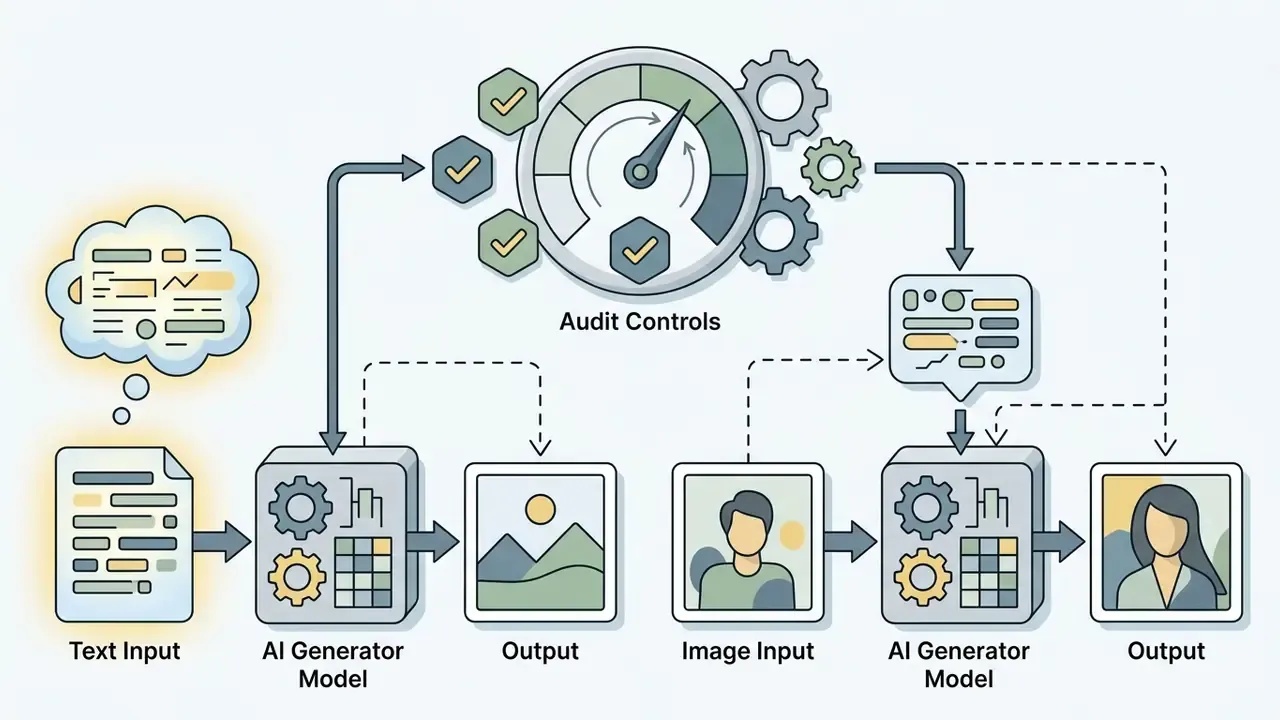
A practical corollary for risk teams. Because I2I retains a verifiable source artifact, the workflow produces a stronger audit trail than pure prompt generation. The original file hash, the prompt string, the model ID, the seed, and the strength value together constitute a reproducible record. That record is what an internal auditor will ask for, not the render itself.
3. How to Create an AI Image from a Photograph in Pic AI
Creating an AI-generated image from a photo involves a systematic six-step workflow: upload the source file, define text instructions, select the generation model, set the aspect ratio, execute the render, export the final asset. A user-friendly interface hides the mathematics, but the sequence stays the same.
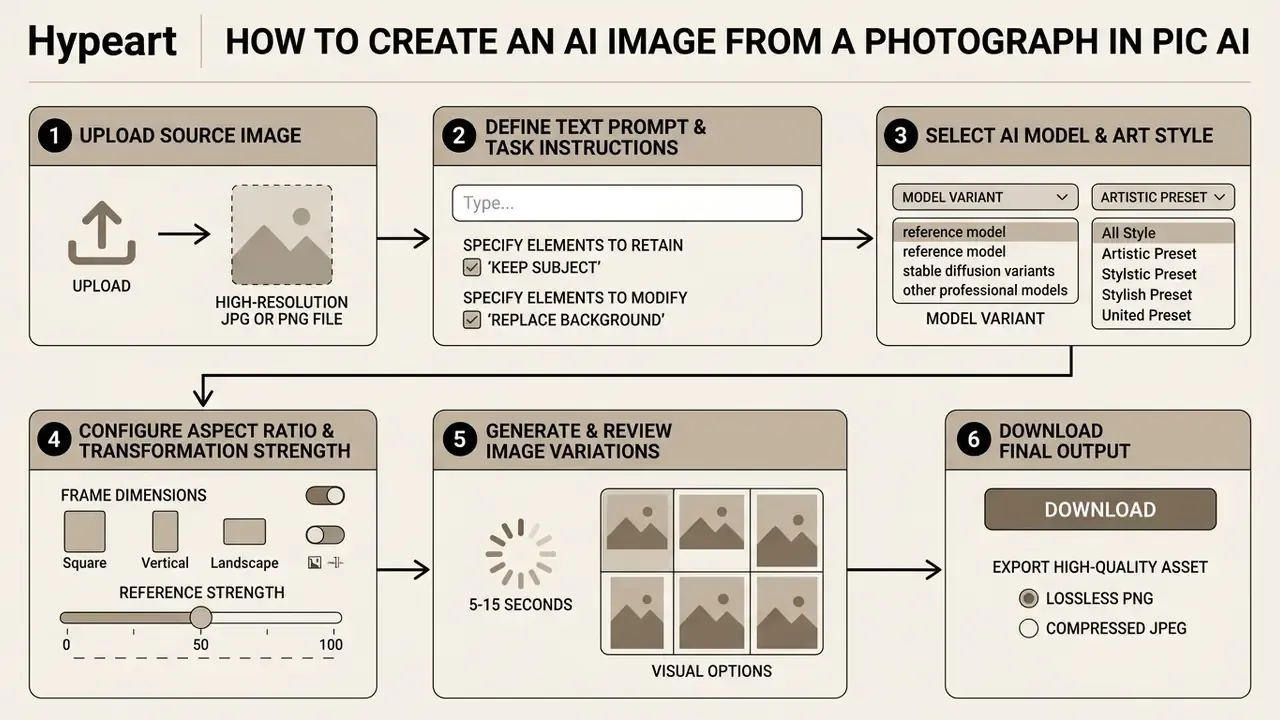
This sequence provides a predictable framework for creative production. Parameters are locked before processing power is consumed, which is also how you keep credit spend forecastable. To evaluate alternative tool configurations, creators can compare options across different commercial setups.
4. Uploading the Source or Reference Image
The input phase requires a source image that meets specific resolution, lighting, and framing thresholds, otherwise latent feature encoding degrades. For business headshots and personal avatars, vendor help documentation recommends close-up portrait photos of at least 512×512 pixels with clear facial illumination (Pica AI documentation, 2026).
When processing commercial product photos or reference visuals for web design, uploading images up to 2048 px or 2560 px maximum dimension prevents edge distortion during feature extraction. Heavily compressed or blurry input files reduce the diffusion model's ability to isolate object contours, which shows up as artifacts along subject boundaries.
Practical intake checklist before upload:
One more habit worth forming. Keep the untouched original in your DAM, not only in the tool. Vendors rotate products; your master file should not live inside someone else's trial account.
- Edge clarity
- the subject outline must be distinguishable from the background; motion blur destroys segmentation accuracy.
- True colour
- for e-commerce, the source must already show the shipped SKU colour. Diffusion will not "correct" a wrong hue, it will stylise it.
- Format
- JPG, JPEG, PNG, or WEBP are the standard accepted inputs, and typical upload ceilings sit around 20 MB per file.
- Clean rights
- never upload third-party photography, client identity documents, or unreleased packaging into a consumer free tier.
5. Text Prompt and the Editing Task
Constructing a text prompt for photo-based editing means defining both preserved elements and explicit modification commands inside the prompt structure. Effective prompt patterns use a structured format: a "Keep" clause to protect critical subjects, followed by a "Modify" or "Replace" directive (vendor prompt guidelines, 2026).
For example, when editing a product asset, an effective prompt reads: "Keep central product item unchanged; replace background with a minimalist marble countertop, natural studio lighting, soft shadows." Explicitly stating which regions must remain untouched prevents the latent diffusion network from altering core product features or facial identity markers.
Engineering Guide: 8 Rules for Precise I2I Prompting
To transform a source photo without losing detail, use a specialised prompting syntax rather than descriptive prose:
- Specify focal length and lens. Instead of the word "photo", define the optics. Use
85mm f/1.4 lensfor portraits with soft bokeh,24mm tilt-shift lensfor architecture without line distortion, or14mm ultra-wide anglefor dynamic landscapes. - Control the lighting vector. Avoid flat light. Write the scheme explicitly:
Golden Hour backlight,volumetric cinematic rays,dramatic rim lighting,softbox studio lighting 45-degree angle. - Declare surface micro-textures. Name material properties to eliminate the plastic AI look:
brushed aluminum,translucent raw silk,porous basalt stone,distressed full-grain leather. - Use exact quoted text syntax. If the model renders typography (Nano Banana Pro, GPT Image 2, SD3), wrap the target string in double quotes and specify the typeface:
"COFFEE BANANA" rendered in bold neon typography. - Use quantifiers and collective nouns. Replace plurals with explicit counts. Instead of "products on table", write
a trio of three ceramic bottles arranged in a diagonal line. Instead of "zebras", writea herd of zebras. - Write custom negative directives. Name unwanted defects to clean the render:
photographic artifacts, edge bleeding, anatomical distortion, oversaturated highlights. In positive prompts the opposite rule applies. Describe what you want, since "no buildings" frequently produces buildings. - Govern colour through palette terminology. Define the gamut in colourist language:
monochromatic teal and orange balance,muted pastel color palette,high-contrast chiaroscuro. - Apply the safe-transformation prompt template:
[Subject Clause]: Keep main subject structural contours intact.[Context Clause]: Change background to a minimalist Scandinavian interior.[Style & Render]: Shot on 50mm f/1.8, natural window lighting, subtle grain, 4k resolution.
Two further operational habits reduce revision cycles. Make incremental edits, one semantic change per run rather than five. And mask the exact region before describing the replacement, so the denoiser is constrained to that area instead of the full frame.
6. Generation, Variation Review, and Download
Once parameters are confirmed, the generation engine processes the file, typically in 5 to 15 seconds depending on hardware acceleration and model complexity, and outputs multiple image variations.
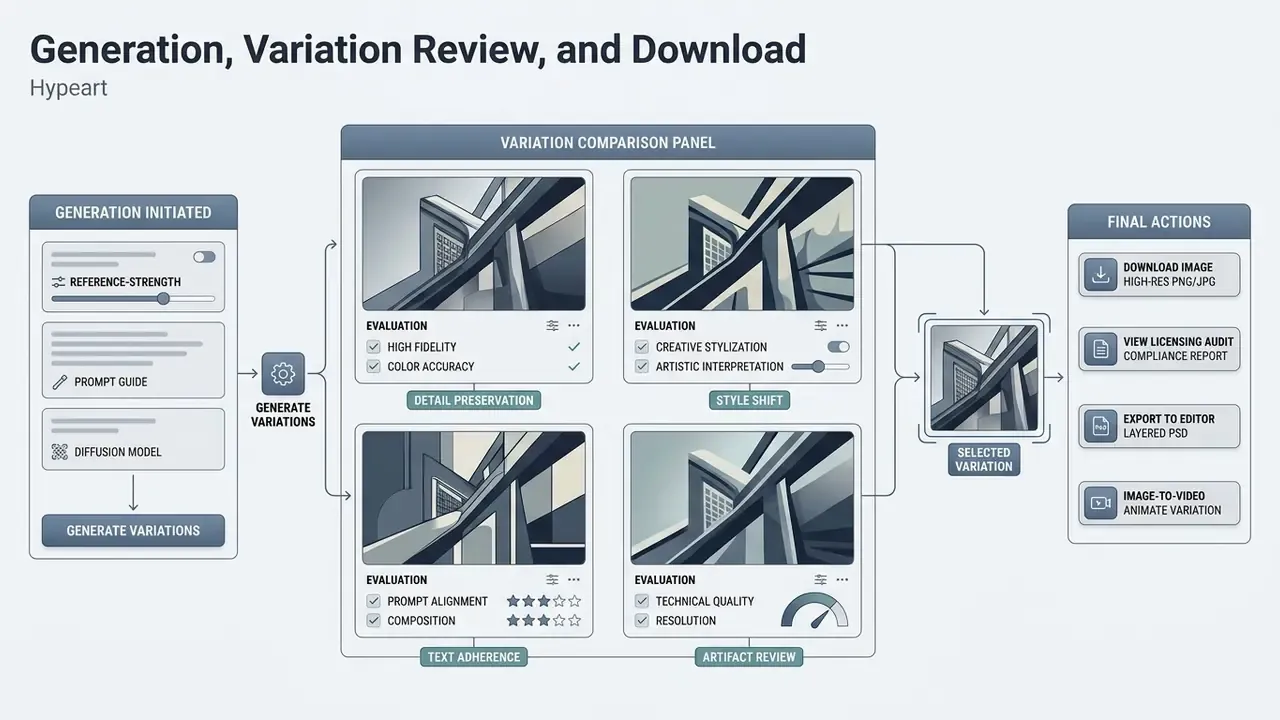
Users can evaluate these variations side by side to verify composition retention and edge quality. Final outputs are available for download in PNG or JPEG (Google Pics Workspace documentation, 2026). Uncompressed PNG exports suit workflows requiring transparent backgrounds or secondary graphical editing, while JPEG files offer compressed sizes for web publishing.
Export format decision table:
| Export target | Recommended format | Why | Typical resolution path |
|---|---|---|---|
| Marketplace hero image | PNG (lossless) | No compression halos on product edges | Native 1K–4K, no upscale needed |
| Cut-out object / logo overlay | PNG with alpha channel | Preserves transparency for compositing | Native, then vector-trace if required |
| Web article / social feed | JPEG (quality 85–90) | Smallest payload, faster LCP | 1080 px base width |
| Large-format print / billboard | PNG after AI upscaling | Avoids re-compression during upscale | 4K native, then 8K or 16K via AI image upscaler |
| Downstream video frame | PNG | Clean initial frame for I2V models | 4K native |
| Passport photo / ID-style crop | PNG or JPEG per issuer spec | Strict size and background rules | As mandated by the issuing authority |
Native 4K generation followed by AI upscaling to 8K or beyond is now standard for print and large-format display. Note that upscaling a JPEG re-amplifies existing compression artifacts, so always upscale from the lossless master. On passport-style crops, one caution: synthetic retouching of identity photographs is restricted or prohibited by many issuers, so check the rules before you start creating.
7. Which Pic AI Settings Determine the Result
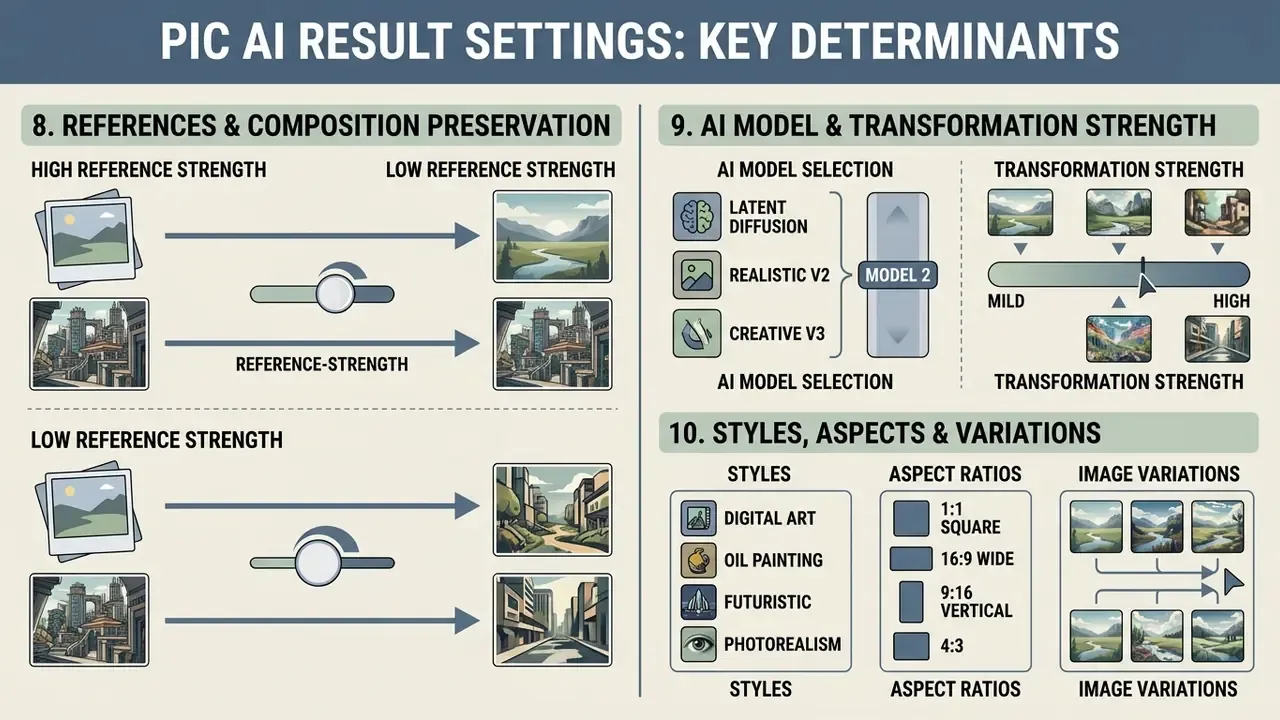
The visual output of a Pic AI generation is determined by four key parameters: reference image strength, AI model selection, aspect ratio, and transformation control sliders. These variables decide whether the output stays faithful to the original photo or drifts toward abstract restyling.
| Parameter | Configuration Range | Operational Mechanism | Impact on Source Image Structure | Recommended Use Case |
|---|---|---|---|---|
| Reference Strength | 0.1 – 0.3 (Low) | Minimal latent noise; strict retention of source pixels | High structural preservation; minor lighting or texture adjustments | E-commerce product cleanup, subtle color grading |
| Reference Strength | 0.3 – 0.5 (Medium) | Moderate latent noise; balanced prompt versus image guidance | Balanced restyling; preserves pose and major contours | Executive headshots, artistic portrait transfer |
| Reference Strength | 0.5 – 0.7 (High) | Heavy latent noise; prompt dominates generation | High creative transformation; potential structural drift | Concept art generation, fantasy avatar creation |
| AI Model Variant | SDXL / DiT / Reference Pro / FLUX Pro / Nano Banana | Architectural focus, photorealism versus stylized anime | Governs rendering texture, detail density, edge sharpness | Selected by target channel, web versus print |
| Aspect Ratio | 1:1, 4:5, 9:16, 16:9 | Defines spatial canvas geometry and crop boundaries | Dictates framing; mismatched ratios require outpainting | Social media feeds, banner ad placements |
| Guidance Scale | Values above 1 enable prompt weighting | Amplifies text conditioning relative to the latent prior | Higher values reduce variability, tighten prompt adherence | Batch series requiring visual consistency |
| HiRes Denoise Strength | 0.1 – 0.5 typical | Controls redraw intensity during upscaling | High values re-invent fine detail during upscale | Print-grade enlargement without identity drift |
These settings let operators calibrate output risk against creative flexibility. For a comprehensive market comparison of generative media tools, readers can see the overview in our research section, or review the comparison of AI image generators by quality and usage rights.
8. References and Preservation of Source Composition
Preserving original image structure relies on specialized cross-attention mapping algorithms that isolate subject geometry from background noise.
Updated.
"I2AM aggregates patch-level cross-attention scores between reference and generation, visualizing which regions of the source photo most strongly influence each area of the result."
Models like Reference Pro parse uploaded reference images to extract character poses, clothing outlines, spatial arrangements, layouts, and other visual details (PixAI Reference Pro documentation, 2026). Teams comparing controllable engines can review our breakdown of image-to-image generators with reference-level control.
During an internal asset creation test for a retail client catalog, a design team processed 200 product photos through an image-to-image workflow. Holding reference strength at 0.25 and applying segmentation masks around product edges, the team eliminated spatial warping while updating background environments, reducing revision cycles by an estimated 60%.
Methodological note (updated): the 60% figure originates from a single internal, unpublished production test with n = 200 assets and no control group. Read it as a directional operational observation, not a benchmarked result. Independent verification data is required before the figure is used in vendor comparisons or business cases. Reproducible measurement would require logging revision counts for a matched control batch processed at default strength without masking.
9. AI Model Selection and Transformation Strength
Selecting an appropriate AI model variant, such as Google's Nano Banana series, Stable Diffusion XL derivatives, FLUX Pro, Recraft V4, or a specialized Diffusion Transformer (DiT), establishes the rendering style. Modern platforms often ship pre-installed model presets tuned for photorealism, vector illustration, line drawing, or stylized artwork (PICPIK documentation, 2026), with reference strength exposed as a 0 to 1 float defaulting to 0.5.
The transformation strength parameter, frequently scaled from 0.0 to 1.0, controls the noise level applied to the initial latent representation. Lower values (0.1–0.3) force the model to preserve source pixels, which is ideal for fixing lighting flaws. Higher values (0.5–0.7) let the diffusion process rewrite fine details, shifting the aesthetic toward deep artistic stylization. Vendor documentation disagrees at the extreme end of the scale. Some engines describe maximum reference intensity as producing output effectively identical to the source, while others describe preservation only in banded terms and never guarantee pixel identity. Worth testing empirically before you lock a production preset.
10. Styles, Aspect Ratios, and Image Variations
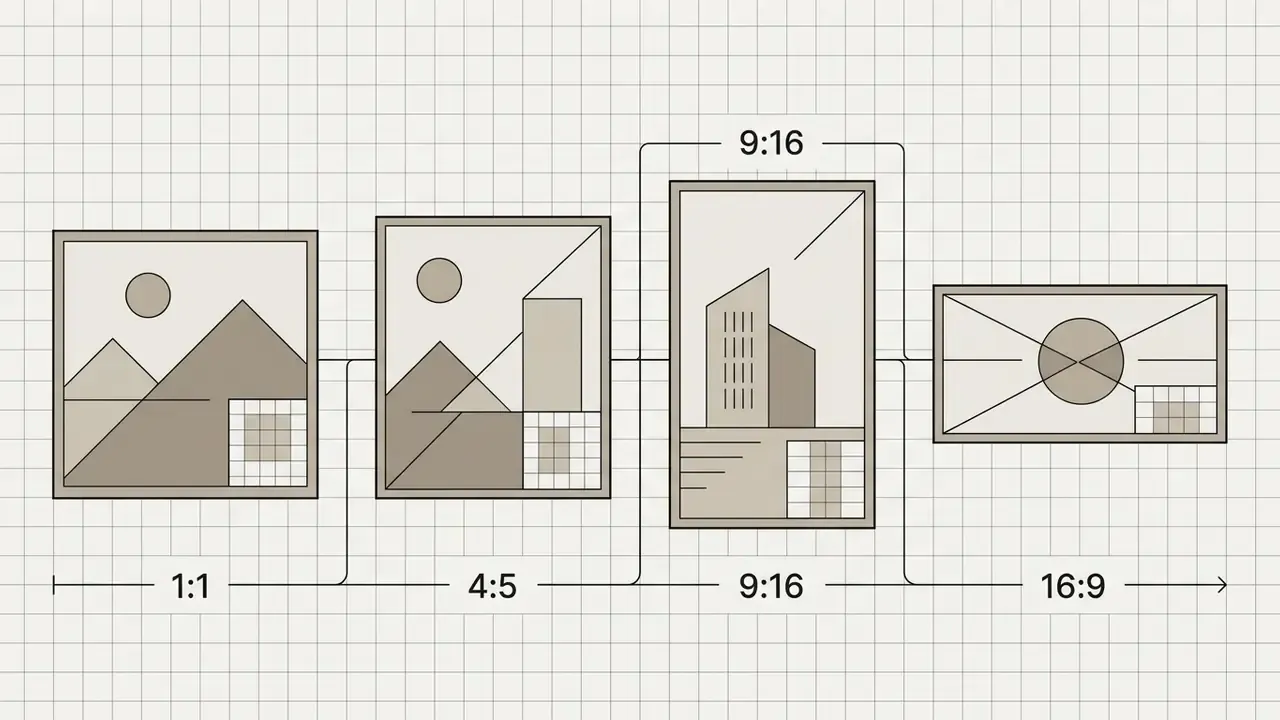
Selecting the correct aspect ratio before generation prevents unwanted cropping or stretching. When expanding an existing image to fit a wider canvas, outpainting modules generate complementary background pixels while maintaining core subject proportions. Interfaces typically expose 3:5, 1:1, 9:16, 3:4, 2:3, 3:2, 4:3, 4:5, and 5:4 presets plus custom ratio entry. Mismatched ratios applied after generation distort proportions and force a second render, which costs credits twice.
Variability is governed separately from ratio. Where a guidance_scale control is exposed, values above 1 activate prompt weighting. Raising it tightens adherence and suppresses seed-to-seed drift, which is correct for a brand series. Lowering it widens exploration, which suits ideation batches and image variations.
11. AI Photo Editing: Background, Objects, Expansion, Enhancement
AI-powered photo editing in Pic AI covers four core functions: background removal and replacement, object erasure via inpainting, canvas extension via outpainting, and image enhancement through super-resolution upscaling.
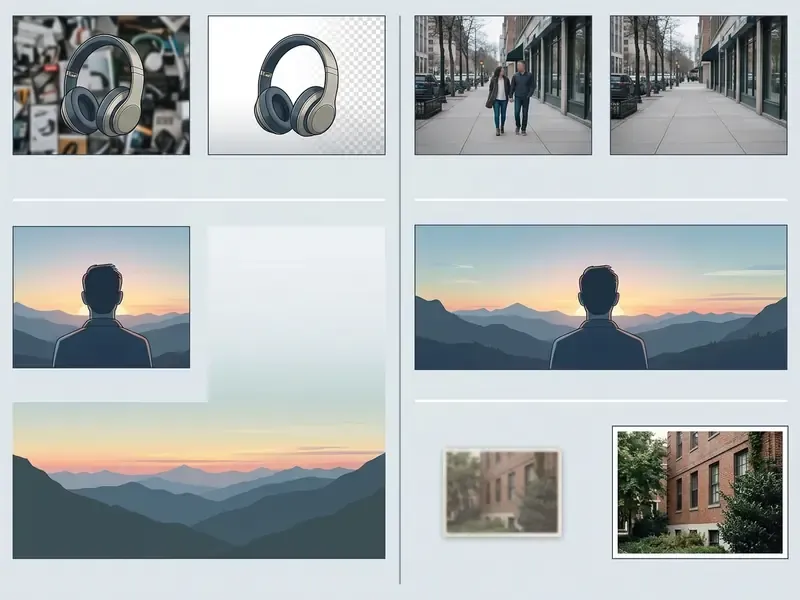
These capabilities let operators modify specific regions of an image without touching the whole composition. For a broader functional and pricing map of the category, see our guide to AI photo editors and the feature limits of free photo editors.
Extended Pipeline: Layer Decomposition and Image-to-Video
Photo-based editing in Pic AI-class tools no longer terminates at a static export. Two advanced techniques now sit at the end of the production chain.
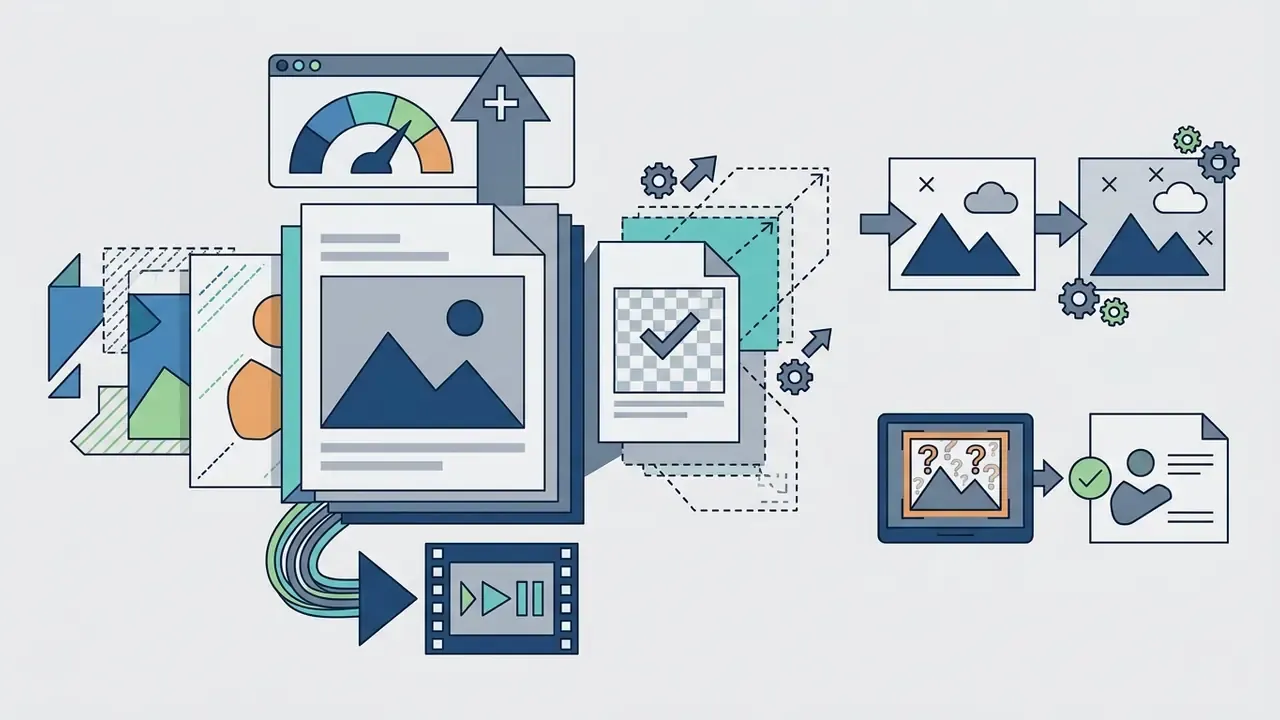
- AI layer decomposition. Using neural segmentation networks of the SAM-2 class, the system splits the finished generative visual into an independent PSD stack: layer 1, isolated background, layer 2, object shadow, layer 3, primary subject, layer 4, text overlay. Designers then colour-grade each element separately, swap the background without re-rendering, or localise the text layer for another market. This is the practical bridge between generative output and traditional layer-based DTP workflows, and it is the only reliable way to keep a generated asset editable after handoff.
- Static-to-motion transformation (image-to-video). The generated frame can be passed directly into video diffusion engines such as Kling AI, Google Veo, Seedance, PixVerse, or LTX Video. The network treats the I2I output as the
Initial Frameand synthesises micro-motion: drifting smoke, hair movement, travelling light flares, parallax on product rotation, while preserving subject identity across a 5 to 10 second clip. For campaign teams an AI video generator converts one approved still into a paid-social asset without a shoot. For governance teams it introduces a second model, a second licence, and a second provenance record that must be logged.
A practical rule: decompose before animating. Once a frame is flattened into video, per-element correction is gone, and a brand-colour or typography error becomes a full re-render.
12. Background and Object Removal or Replacement
An automated AI background remover uses semantic segmentation networks to separate foreground subjects from ambient pixels. The system identifies the subject, traces its edges, and strips surrounding pixels in seconds. Once isolated, the subject can sit on a transparent background or drop into a newly generated scene (Pixelcut architecture overview, 2026).
An AI object remover works through masked inpainting. The user highlights an unwanted item, an object, a passer-by, stray text, or a watermark, and the diffusion model erases the masked pixels, synthesizing replacement background textures from surrounding visual context.
Updated.
In other words, ReMOVE measures background continuity and verifies that deleted objects are not silently replaced by unwanted artifacts. That is precisely the failure mode perceptual metrics score as "good", because something plausible now occupies the masked region. For QA pipelines, ReMOVE is the correct acceptance gate for erasure tasks, while SSIM and FID remain appropriate for restyling tasks.
Independent, vendor-neutral benchmarks for Pic AI's own segmentation accuracy, meaning edge precision, halo suppression, and hair-boundary retention, were not available at the time of this audit. Procurement teams should run a 20-image internal acceptance test on their own SKUs and portraits before standardising on any single engine. Compliance considerations for sensitive-content processing are consolidated in the Model Safety and Boundary Controls section below.
13. Quality Enhancement and Old-Photo Restoration
14. Generative Expansion and New Detail Synthesis
Generative image expansion, or outpainting, enlarges the canvas borders of an existing image and fills the peripheral space with contextually matching visuals. An AI image extender such as PQDiff uses positional query embeddings to synthesize new pixels outside the original boundaries in a single step.
Updated.
"PQDiff reaches FID 21.512 on the Scenery dataset and performs 2.25x outpainting in 40.6% of the runtime of the best comparable method, in one step and without a pretrained backbone."
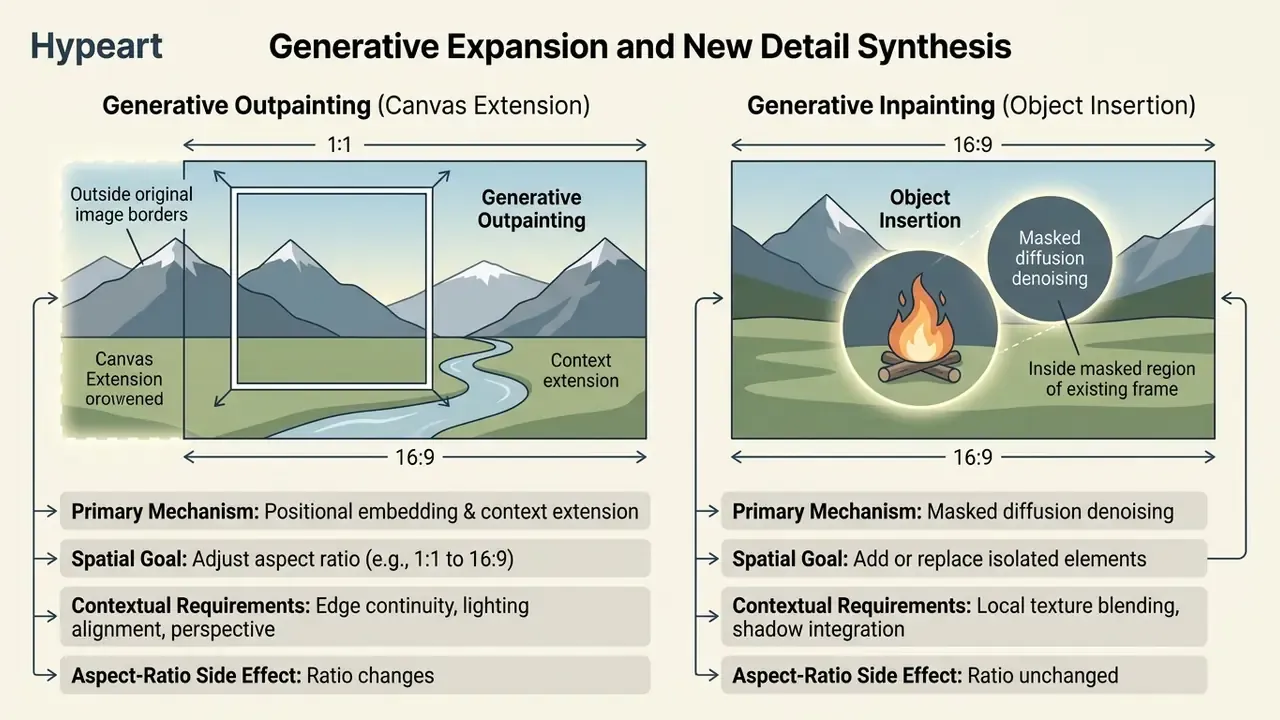
When you extend images, outpainting algorithms maintain lighting consistency, perspective lines, and texture continuity across the new borders, including shadows and reflections that must agree with the original light source. Note the functional split documented across imaging platforms: extending the frame is an outpaint operation, while inserting a new object is an inpaint operation. Using outpaint to add objects is a common cause of duplicated subjects and broken perspective. Tool-level comparisons are available in our guide to AI image expansion.
If your workflow involves converting embedded text inside extended images, refer to our guide on ocr image to text processing. The same pipeline supports an image translator step, where source typography is recognised, translated, and re-rendered on the expanded canvas.
15. Commercial Use Cases for Photo-Based AI Generators
AI photo generators serve three primary commercial use cases: building e-commerce product catalogs, producing social media marketing creatives, and generating executive headshots or digital avatars.
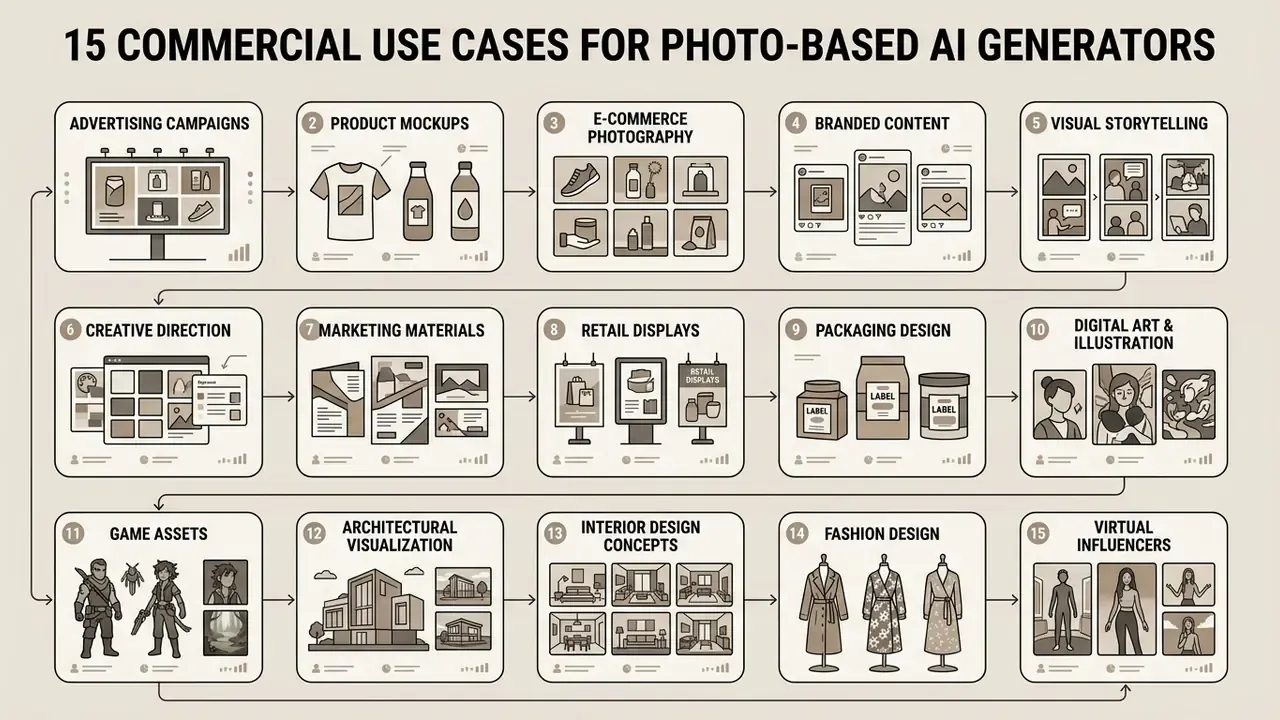
By substituting traditional photoshoots with controlled AI asset generation, businesses accelerate media production while reducing studio overhead. Content creators get a series in a few clicks instead of a half-day shoot.
"In a randomised experiment with 633+ participants, interaction with an AI photo editor increased empathy by 17.36 points on average versus 12.55 in the control group (p = .0211)."
That result matters beyond design research. It is one of the few randomised measurements showing that generative editing changes audience response, not merely production cost, which is the metric marketing leadership is actually buying.
Copy-and-Paste Prompt Library for Commercial Tasks
1. E-commerce product card (product placement):

2. Corporate headshot from a selfie:

3. Branded sticker pack:
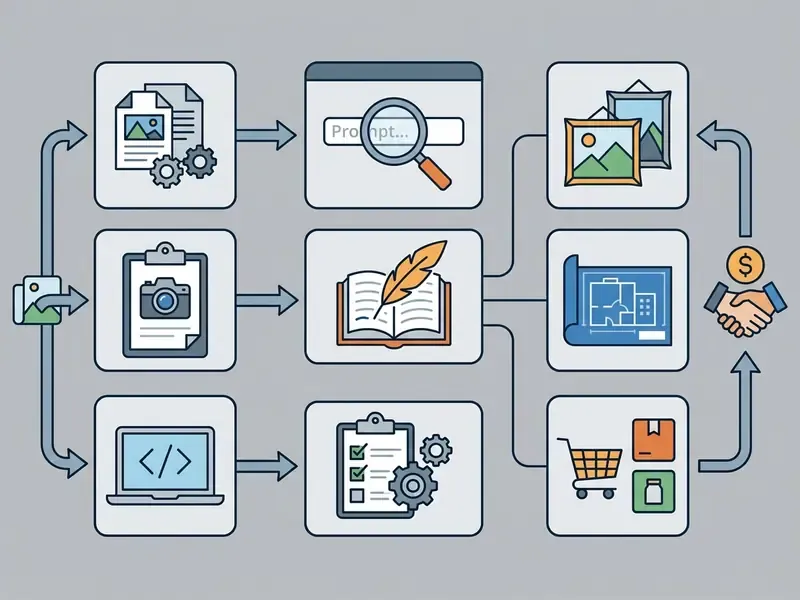
4. Hairstyle or styling variation grid (portrait testing):
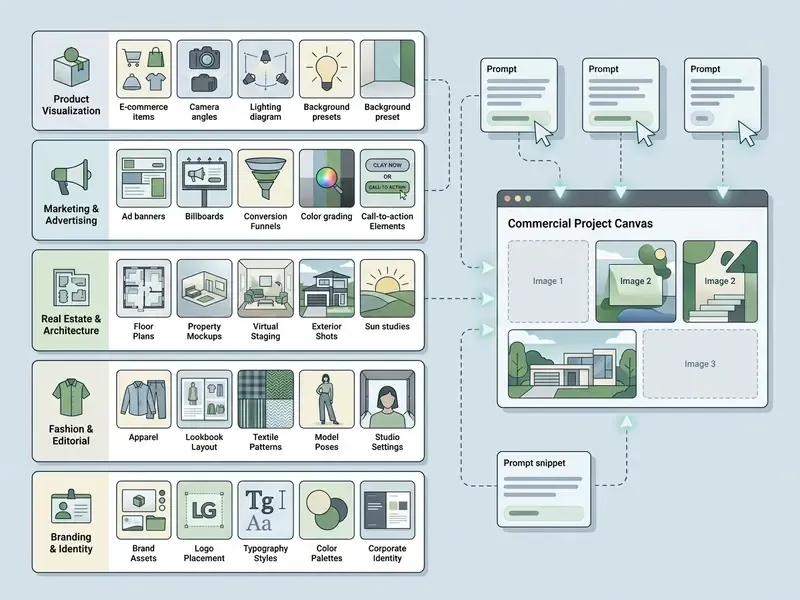
5. Packaging mock-up from a flat render:
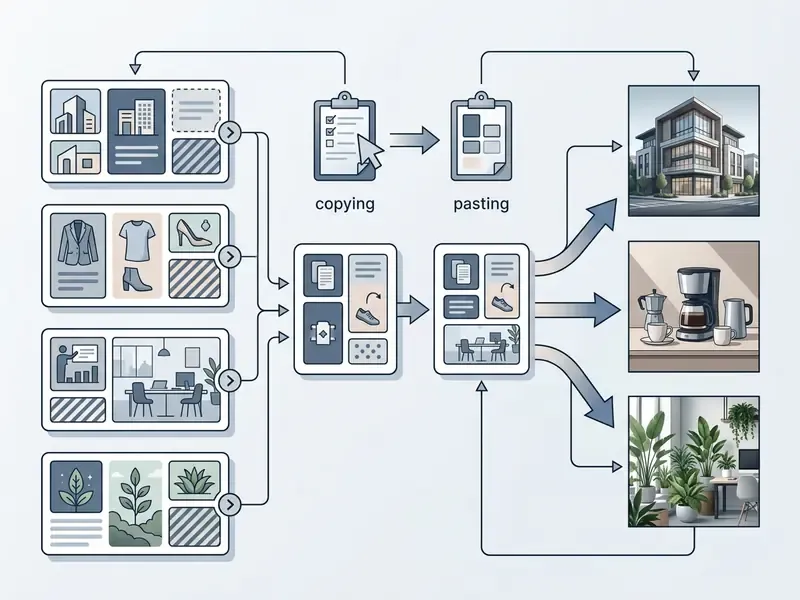
Store approved prompts, model IDs, and strength values in a shared brand prompt library. A versioned prompt library is the practical equivalent of a brand style guide for generative workflows, and it is the artifact auditors will ask for when reconstructing how a published asset was produced.
16. Product Cards and Professional Product Images
E-commerce brands use image-to-image platforms such as Pic Copilot to generate commercial product listings from basic smartphone photos (Pic Copilot overview, 2026). Isolating the physical product and placing it in AI-generated lifestyle environments lets merchants create professional, studio-grade product images without physical set construction. The capability set is documented in vendor and vendor-adjacent materials, product-image generation, virtual mannequins, AI fashion models, image translation, batch export, but no independent benchmark of output fidelity against real SKUs was available at the time of this audit. Validate quality claims on your own catalogue before rollout.
Best practices for commercial product generation, consolidated from current e-commerce visual guidance rather than a single authoritative standard, require:
- starting from one real source photo with clean edges and true colour;
- generating one asset type per run, main listing, lifestyle scene, PDP module, or ad creative, instead of mixed batches;
- comparing the result against the shipped SKU, not against the most attractive draft;
- verifying shape, colour, material, scale, accessories, and any implied claims before publication;
- checking mobile crop and thumbnail legibility, because a composition that reads at 1600 px may fail at 200 px.
Disclosure and labelling obligations for AI-generated commercial imagery differ by channel and jurisdiction, and current guidance is not uniform on when a label is required. Preserve generation metadata so disclosure can be applied retroactively if a marketplace policy changes.
17. Social Media and Marketing Creatives
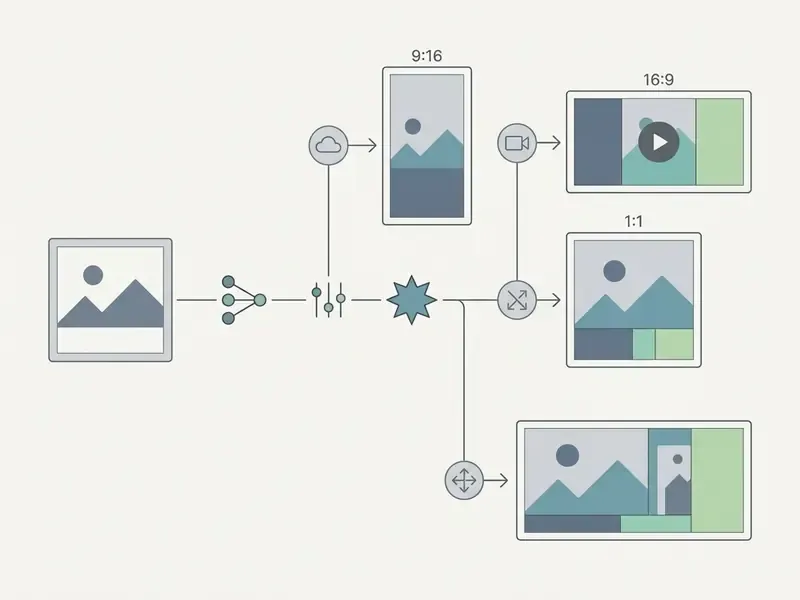
Using image extender tools, a single promotional visual can be re-framed into multiple aspect ratios, turning a square feed post into a vertical Story banner, without separate graphic design renders.
18. Avatars, Headshots, and Creative Portraits
"DreamAvatar uses a dual observation space, canonical and posed, with a learnable deformation field, significantly outperforming comparable methods on geometric accuracy and texture quality."
Combining diffusion guidance with parametric body models such as SMPL, or with implicit neural representations, is what holds the AI face and head geometry stable across stylized rendering themes. That stability is what makes executive headshots usable for LinkedIn, corporate directories, or speaker profiles. For quality, pricing, and privacy comparisons, see our guide to AI headshot generators.
One governance note specific to this use case. Headshot fine-tuning uploads biometric facial data. In regulated environments, employee headshot programmes should run only on tiers with contractual non-training guarantees and documented deletion timelines.
Shadow AI and Data Privacy Alert
19. Choosing Pic AI for Production and Commercial Use
Selecting an AI image generator for commercial workflows means auditing software licensing terms, output ownership rights, watermark constraints, data privacy rules, and enterprise governance compliance.
Legal verification and terms audit. TOS status: verified Q1 2026
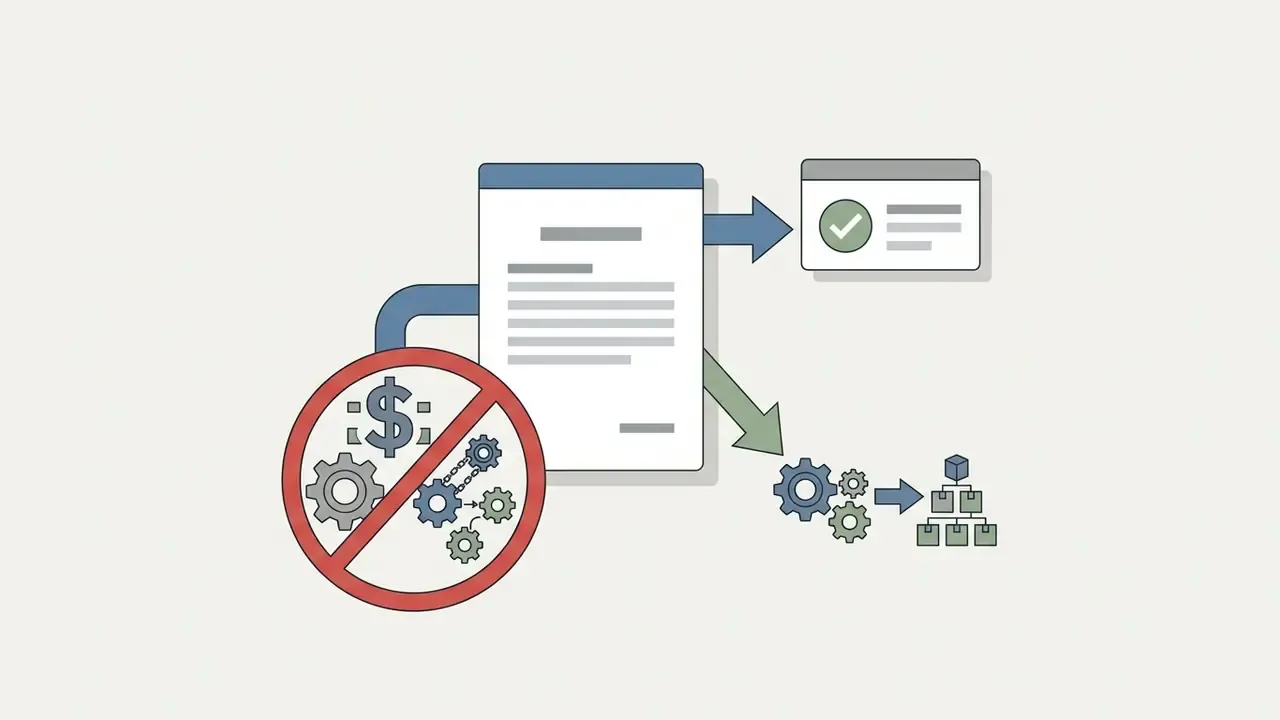
An analysis of legal terms across platforms operating under the "Pic AI" moniker reveals significant licensing variation.
Direct terms conflict: one official page under the brand family is non-commercial-only, while another permits commercial use. This is not ambiguity you can resolve by reading marketing copy. It must be resolved against the exact product, domain, and account terms in force at the time of generation.
Risk assessment summary: verify the exact domain, service tier, and governing terms before using generated outputs in commercial campaigns, to prevent licensing breaches. Where free-tier watermark status, generation caps, or retention rules are not published, treat the absence of documentation as an unresolved control gap rather than an implicit permission.
Understanding these legal parameters prevents intellectual property disputes and keeps generated visual assets safely commercialisable. Readers new to this research library can view the guide index for related audits.

20. Selection Criteria for an AI Image Generator
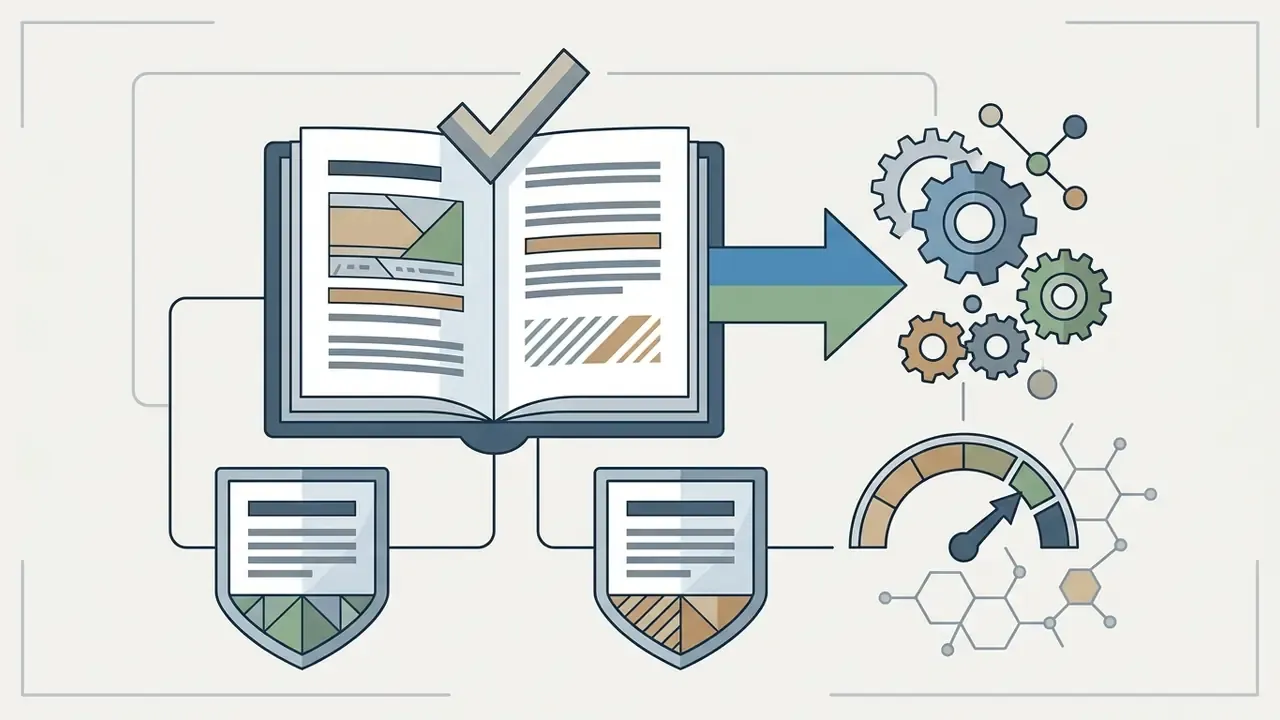
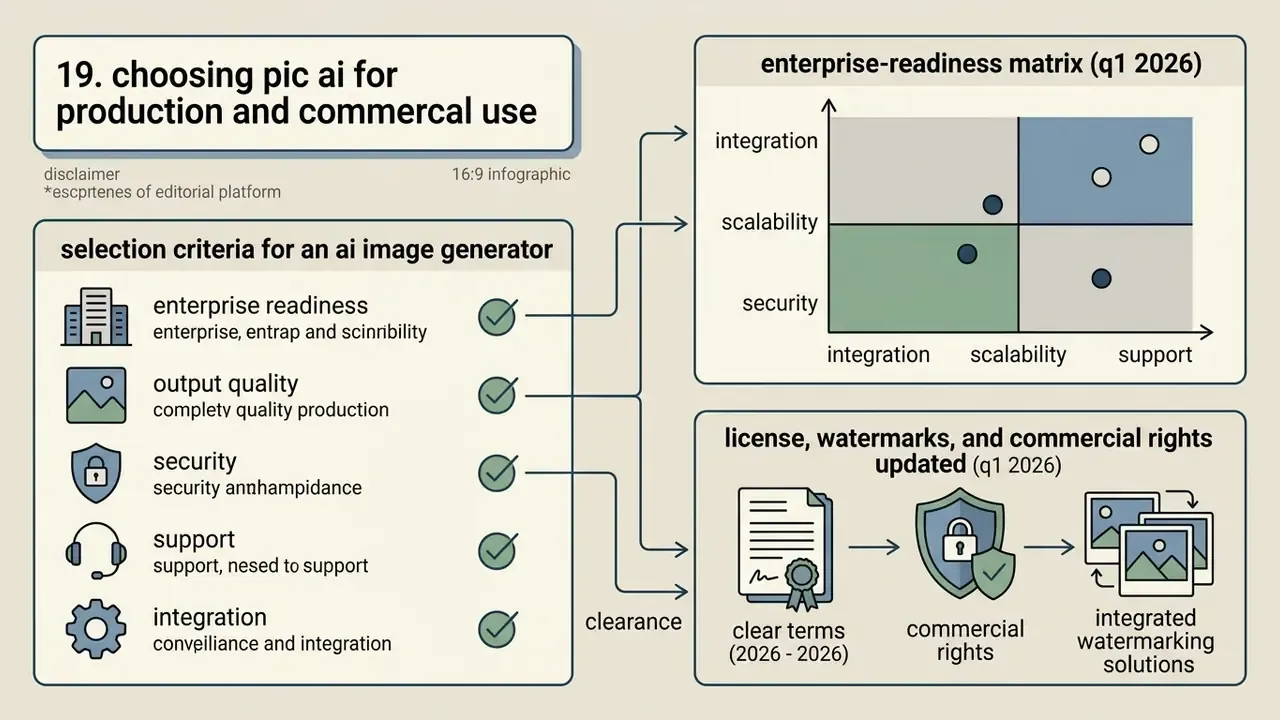
When evaluating an AI image generator for enterprise adoption, model risk managers and creative leads should assess six criteria.
Export quality and fidelity: support for high-resolution formats (PNG, JPEG) without compression artifacts, evaluated via Structural Similarity Index (SSIM), Inception Score, and Fréchet Inception Distance (FID).
Updated.
"A 2024 survey positions FID and CLIPScore as the key benchmarks for comparing diffusion models: latent models such as Stable Diffusion and DALL·E 2 deliver comparable or better quality at lower computational cost." Survey of text-to-image diffusion models (2024)
- Control precision: granular adjustment of reference image strength, masking tools, inpainting and outpainting, guidance scale, and aspect ratio configuration.
- Model assortment: availability of diverse architectures (SDXL, DiT, FLUX Pro, Recraft V4, Nano Banana, proprietary enterprise models) with transparent benchmark data and documented evaluation methodology.
- Data privacy and security: explicit policies guaranteeing that uploaded user photos and proprietary product assets are not used to train public AI models, plus stated retention and deletion windows.
- Licensing clarity: clear terms granting full commercial usage rights and ownership of generated outputs, including transferability and derivative-use permission.
- Integration capability: API availability and clean integration with existing CMS, DAM, GRC, or Google Workspace workflows, with batch generation for volume catalogues.
Trust characteristics such as transparency, interpretability, reliability, and robustness, the usability-adjacent dimensions emphasised in the NIST AI Risk Management Framework (2024), should be assessed alongside raw image quality. They determine whether an operator can explain a published asset six months later.
Enterprise-Readiness Matrix (Q1 2026)
| Criterion | Pica AI (consumer tier) | Pict.ai (commercial tier) | Google Workspace / Google Pics (enterprise) | Self-hosted SDXL / FLUX |
|---|---|---|---|---|
| Commercial output rights | No, non-commercial personal use only | Yes, personal and commercial permitted | Yes, governed by master commercial agreement | Yes, model-licence dependent |
| IP indemnity | Not offered | Not documented | Enterprise indemnity structures | Borne by the deployer |
| Data non-training guarantee | No, uploads may be processed for improvement | Verify per plan | Enterprise data protection terms | Full data residency control |
| SOC 2 or formal attestation | Not published | Not published | Covered by Google Cloud compliance programme | Inherited from own infrastructure |
| SSO, RBAC, admin controls | Consumer accounts only | Limited | Workspace identity, groups, admin policy | Fully configurable |
| Watermark-free export | Not granted in core terms | Per plan | Native PNG and JPEG export | Native |
| Audit log and provenance export | Not available | Partial | Workspace admin audit surfaces | Custom logging |
| API and batch automation | Limited | Verify per plan | Workspace and Cloud APIs | Unrestricted |
| Suitable for regulated production use | No | Conditional | Yes, with validation | Yes, with validation |
No matching rows Clear one or more filters to restore the matrix.
Statuses reflect publicly available terms verified in Q1 2026 and must be re-verified at contract signature. "Partial" means undocumented or plan-dependent, not confirmed.
For teams managing complex publication stacks, reviewing specialized documentation workflows such as pdf image to text conversion can streamline visual asset pipelines. Platform-specific licensing profiles are covered in our reviews of the Google AI image generator, the Microsoft AI image generator, and the Canva AI generator.
21. Licence, Watermarks, and Commercial Rights
Commercial rights to AI-generated visuals depend on human creative input and platform licensing terms. Under current US copyright guidance, protection requires human authorship (US Copyright Office guidance, 2024). Purely automated outputs generated without human creative direction may enter the public domain.
"A 2024 analysis shows AI-generated images can infringe copyright where they substantially reproduce protected works, with each case assessed on substantial similarity and economic harm."
Visuals created through iterative human selection, custom prompt engineering, structural masking, and image-to-image parameter tuning demonstrate enough creative control to support commercial ownership claims.
Updated.
"The paper proposes an 'economic nexus test': using protected images to train AI is lawful where outputs fail the substantial similarity test and cause no economic harm to the rights holder."
The practical consequence for an image-to-image workflow is sharper than for text-to-image. Your source photo is itself a work. If the uploaded reference is third-party photography, the output is a derivative of a protected work regardless of how the model was trained, and the licence covering that photograph, not the AI platform's terms, controls whether the result can be published.
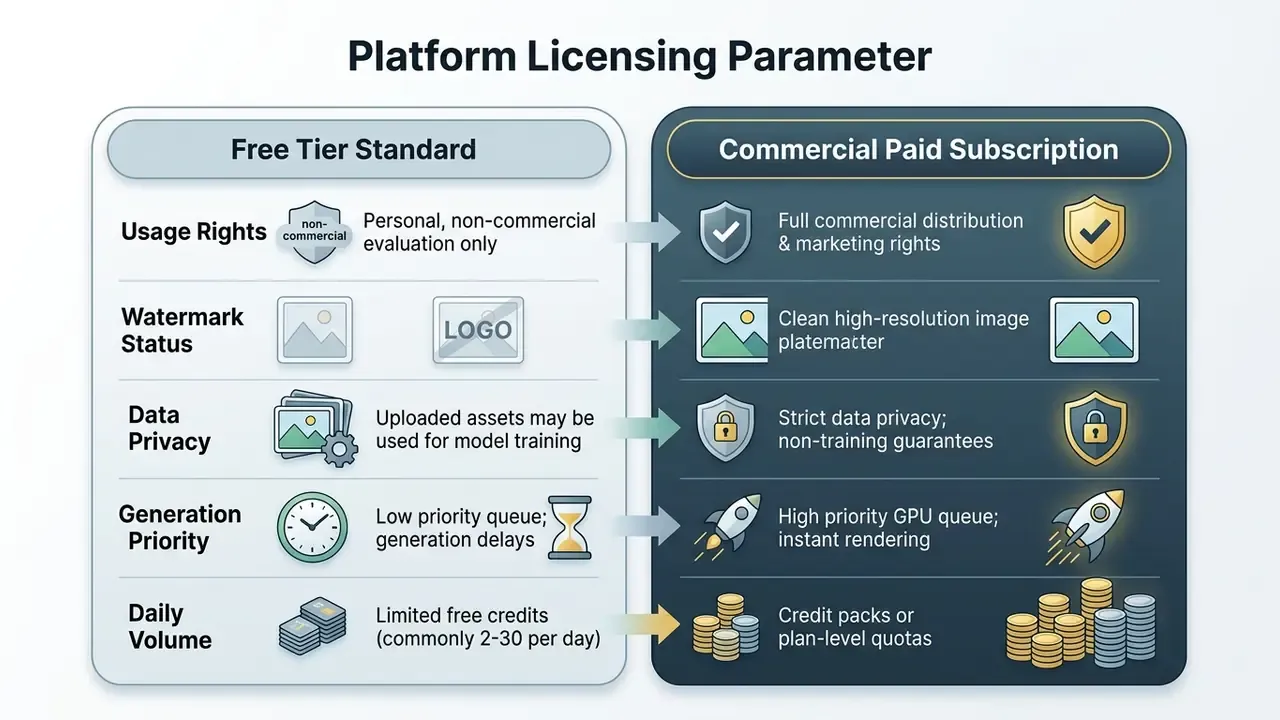
Enterprise teams must confirm that paid tiers deliver watermark-free exports and explicit commercial clearance before deploying generated visual assets into public advertising. To review legal frameworks around generative media, risk officers can explore the hub for updated case law summaries.
22. FAQ: Frequently Asked Questions About Pic AI
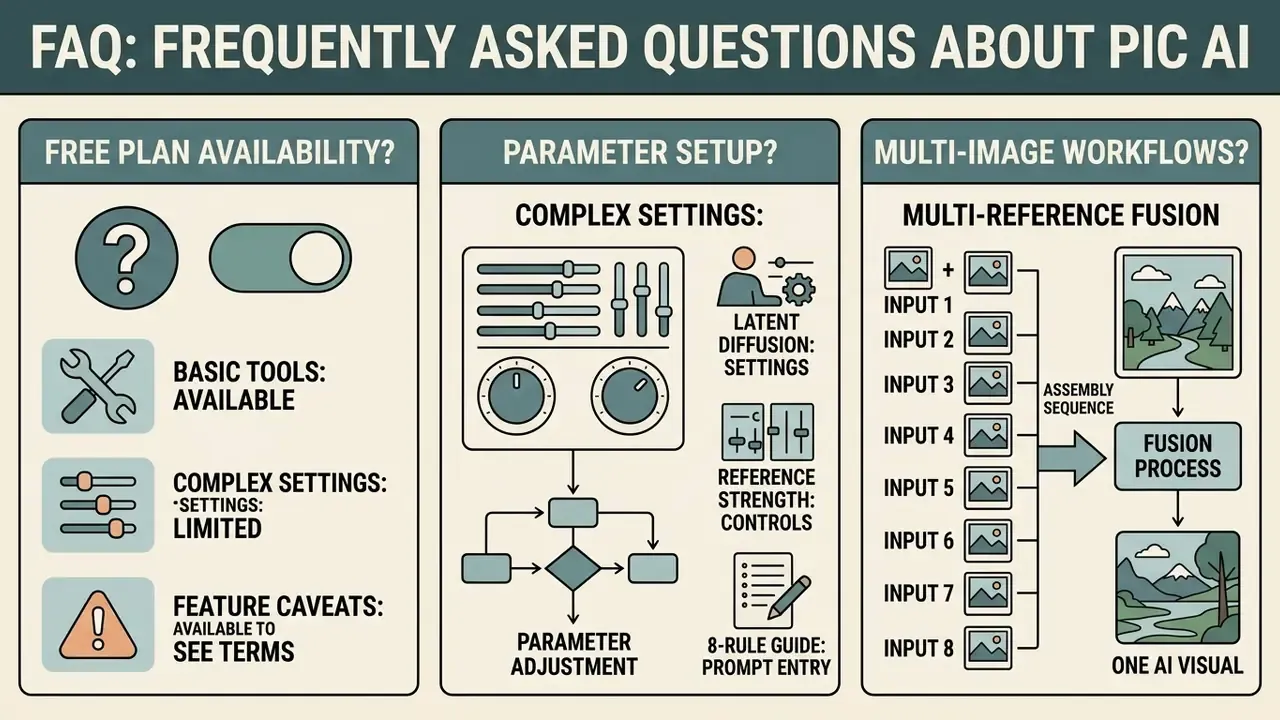
This section answers common operational questions about free plan availability, parameter setup, and multi-image generation workflows.
23. Can Pic AI Be Used Free and Without Complex Settings?
Yes, many photo-based AI generators offer free trial tiers or free online interfaces with simplified preset workflows. Mobile app listings for platforms like Pic AI typically provide trial access or credit-based pricing, for example $6.99 per week, $24.99 for 249 generation credits, or $44.99 per year (App Store listing data, 2026). The listing shows paid in-app purchases only and does not advertise a permanent free plan, so "free ai generator from photo" in this category normally means a metered trial rather than an unlimited tier. Alternatives with documented no-signup access are compared in our guide to free AI image generators without registration.
Beginner-friendly design tools simplify editing by replacing diffusion parameters with one click style presets. Users pick a pre-configured option, "Corporate Headshot", "Anime Art", or "Studio Product", and get high quality images without prior prompt engineering experience (Picsart prompt guide, 2026). Vendor prompt guidance converges on a simple beginner formula, subject plus style plus lighting plus composition plus details, roughly 10 to 20 words, combined with an iterative habit: start simple, inspect, refine. Built-in prompt enhancers expand a short phrase into a descriptive prompt with professional lighting and composition terminology automatically, which is why prompt-writing skill is no longer a prerequisite for usable output.
For creators exploring alternative open-access text-to-image platforms, see our evaluation of perchance ai image generation tools, our comparison of Ghibli-style generators, and our head-to-head assessment of Midjourney versus competing engines.
24. Can Multiple Photos Be Merged into One AI Visual?
Yes. Advanced image-to-image frameworks support multi-image conditioning, letting users combine elements from several source photos into a single AI-generated image. Frameworks such as MM-Diff and UNIMO-G use multimodal cross-attention to extract subject embeddings from separate input photos.
Updated.
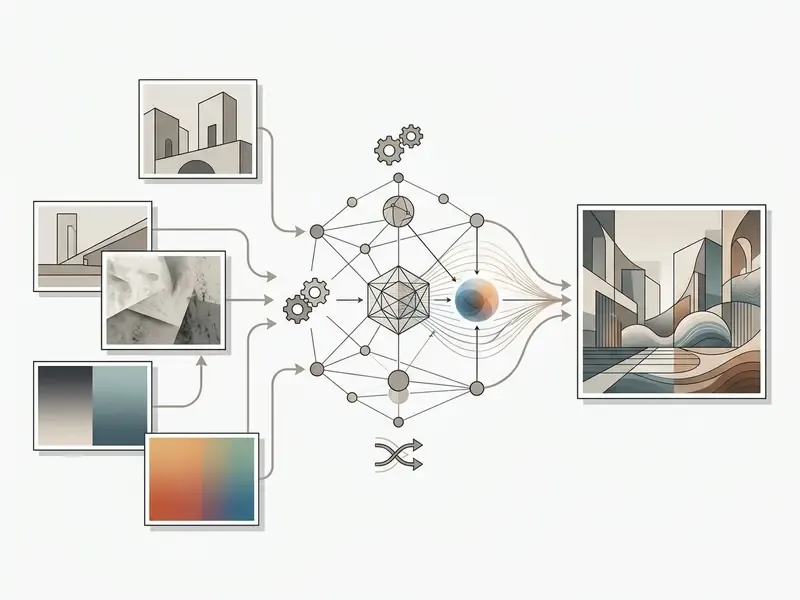
This supports workflows where an operator uploads one photo for subject geometry, a product item for instance, and a second reference photo for background style or lighting, synthesizing both inputs into a unified asset.
Practical Multi-Reference Fusion (up to 8 Inputs)
Modern I2I engines accept not one photo but a weighted stack of references, commonly up to eight files. To prevent latent-vector conflict, assign explicit roles rather than dumping every image into one slot.
| Reference type | Slot purpose | Recommended weight | What the model extracts |
|---|---|---|---|
| Ref 1 (content anchor) | Source subject or face | 0.7 – 0.9 | Object geometry, face mask, proportions |
| Ref 2 (style reference) | Aesthetic carrier | 0.3 – 0.5 | Colour gamut, brush behaviour, texture, grain |
| Ref 3 (pose reference) | Human pose or camera angle | 0.4 – 0.6 | OpenPose skeleton, depth map, body articulation |
| Ref 4 to 8 (environment) | Scene elements | 0.2 – 0.3 | Background objects, lighting scheme, highlights and flares |
Model Safety and Boundary Controls
Content-moderation posture is a procurement criterion, not a footnote. Generative image platforms differ in how they filter sensitive prompts, how they handle attempted identity misuse, and whether policy violations are logged for the account owner. Enterprises should require documented prohibited-use categories, server-side filtering that cannot be bypassed client-side, per-account violation reporting, and contractual clarity on who bears liability for non-compliant output.
Compliance and safety research on restricted content categories, including moderation-boundary analysis for nsfw photo editor platforms, nsfw ai images, and nude ai generator risk boundaries, is maintained separately from this operational guide. That separation lets corporate readers evaluate governance controls without such material appearing inside product-workflow sections. These references are provided strictly for policy, moderation, and risk-assessment purposes.
Additional standing controls worth enforcing regardless of vendor. Prohibit generation of identifiable third-party likenesses without written consent. Prohibit synthetic imagery in evidentiary, medical, or identity-verification contexts. Require a human reviewer sign-off before any generated asset reaches a paid media channel. And name an owner for each control, because unowned controls fail quietly.
Appendix A: Superseded Fragments and Citation History
Output Metadata
- SEO title Pic AI: Image-to-Image Generator and AI Photo Editor Online (2026 Audit)
- SEO description How Pic AI turns photos into AI images: latent diffusion mechanics, reference-strength settings, an 8-rule prompt guide, multi-reference fusion, image-to-video, plus a Q1 2026 licensing and enterprise-readiness audit.
- Alternate title (short) Pic AI: Online AI Image Generator from Photos
- Alternate description (short) See how Pic AI converts a photo into AI art, restyles it, removes backgrounds and objects, then compare quality, prompt templates, and commercial usage terms.