AI image face swap is the automated replacement of one person's face with another's on a still image, in a video clip or inside digital art, performed by neural networks. Between 2020 and 2026 the underlying approach shifted from experimental GAN pipelines to controllable diffusion architectures and transformers capable of preserving detail at 1024×1024 pixels and above.
Why should a bank's risk function care about a consumer toy? Because the same ai face swap generator that produces a party avatar also produces a credible identity artefact. That is the whole tension of this page.
Executive summary
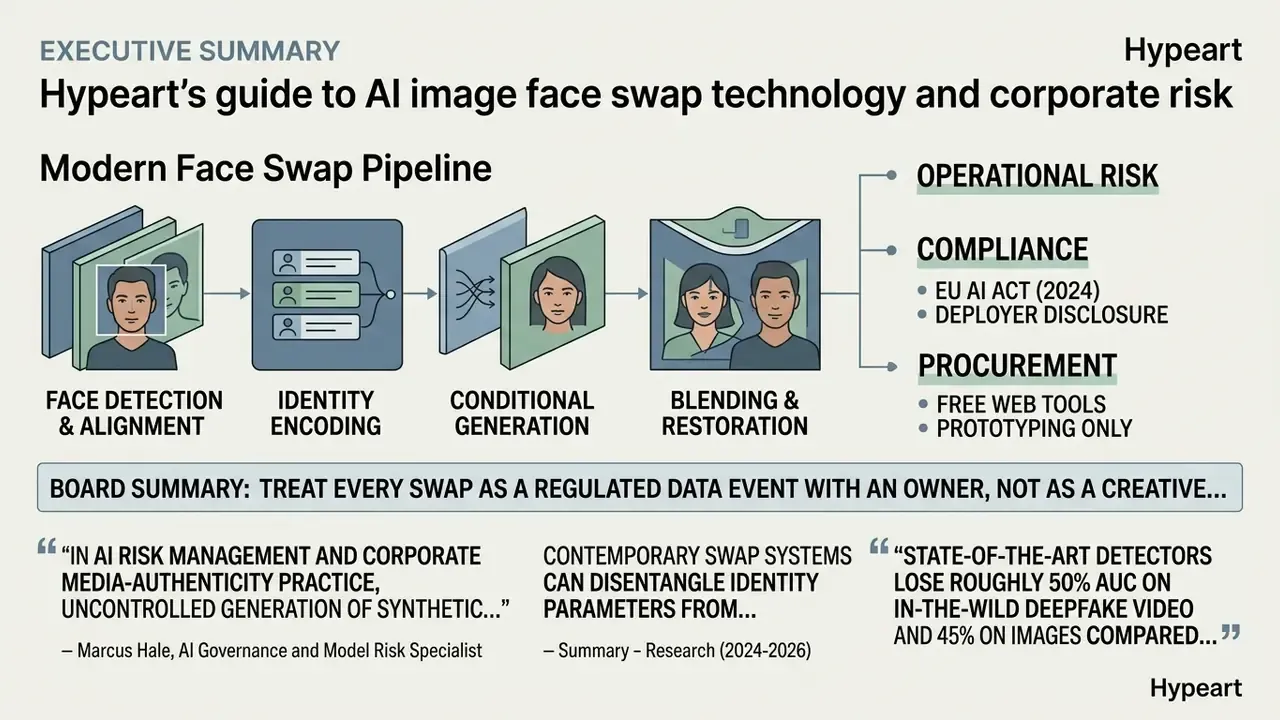
- Technology. Modern face swap is a four-stage pipeline: face detection and alignment, identity encoding, conditional generation, then blending and restoration. Diffusion adapters (Face-Adapter, AlphaFace) and 3D-aware methods now dominate research, replacing single-shot GAN autoencoders.
- Operational risk. Face swap outputs are classified by regulators as synthetic media with identity and fraud implications, not as ordinary photo retouching. Real-world swaps degrade the best detectors by up to 50% AUC compared with academic datasets, which directly affects KYC, liveness and content-moderation controls.
- Compliance. The EU AI Act (2024) requires deployers to disclose AI-generated or manipulated content; the European Commission's 2024 recommendation asks platforms to make synthetic media detectable through watermarks, metadata and cryptographic provenance (C2PA). Biometric processing requires explicit, documented consent under GDPR and equivalent regimes.
- Procurement. Free web tools are appropriate for prototyping only. Enterprise selection criteria are zero data retention, no training on customer inputs, SOC 2 or ISO 27001 attestation, audit logging, automatic C2PA labelling, SLA and licensing indemnification. Not watermark removal.
One line for the board: treat every swap as a regulated data event with an owner, not as a creative experiment.
Research from 2024 to 2026 shows that contemporary swap systems can disentangle identity parameters from environment parameters, transferring facial features without breaking lighting or expression. It also shows something less comfortable: laboratory accuracy does not survive contact with real-world media.
The Deepfake-Eval-2024 benchmark is built from 1,975 images and about 45 hours of video collected from 88 websites and social platforms, which is why its numbers differ so sharply from curated datasets. Understanding how the networks work makes it possible to use an ai face swap generator deliberately, for prototyping, synthetic data generation, creative production and personal projects, and to validate the output afterwards with tools for AI-generated image detection. Additional background on digital processing tools is collected in our glossary, and if you want the wider map of commercial AI media topics, see the overview.
Enterprise risk: face swap, KYC bypass and Shadow AI
Commercially available swap tools have become an attack surface for identity verification systems. Because a source image only needs to be a clear frontal portrait, a publicly posted high-resolution headshot is sufficient input. That is exactly why privacy regulators now advise limiting close-up portraits and high-resolution photos on public pages, including executive bio pages.
Three risk vectors matter for CROs, fraud leads and AI governance owners:
- Injection and presentation attacks on liveness detection.A swapped stream fed into a virtual camera, or a swapped still presented to a passive liveness check, can defeat naïve verification. NIST's Digital Identity Guidelines (SP 800-63-4) frame face-swap outputs as identity-relevant synthetic media rather than cosmetic edits, and the European Parliament's 2025 deepfake briefing classifies them by misuse potential.
- Detection degradation on real-world media.Because detector AUC collapses on in-the-wild content, a control that scores well internally may under-perform in production. Validation should therefore include data-drift testing and periodic re-benchmarking against fresh, platform-sourced samples. Quarterly is a reasonable starting cadence; monthly if your onboarding volume is high.
- Shadow AI.Employees uploading customer photos, ID scans or executive portraits to free consumer swap sites transfer biometric vectors outside the organisation's perimeter, often to services whose terms allow model training on uploads. No procurement review, no contract, no log. That is the definition of an ungoverned model touchpoint.
Manual review still helps. U.S. Department of Homeland Security guidance (2025) lists edge blurring, abrupt skin-tone shifts, double eyebrows, unnatural blinking cadence and inconsistent lighting as recurring artefacts of manipulated identity media. Detection frameworks that explicitly model social-media occlusions report materially better accuracy than generic classifiers.
A short caveat: these percentages come from research settings, so treat them as directional signals for control design rather than as fixed thresholds in your model inventory. For legal precedents and regulatory tracking, see our AI Litigation and enforcement section.
What AI image face swap is and how face replacement works
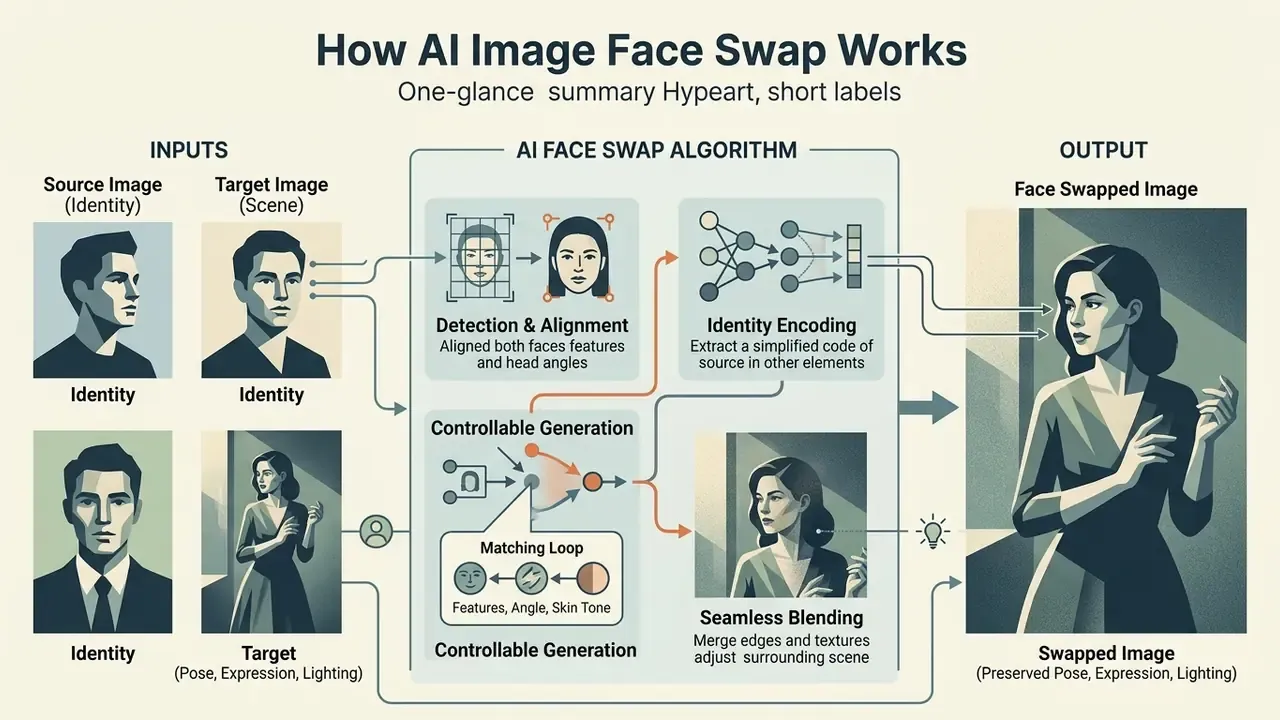
AI image face swap is an algorithmic transplant of identity from a source image onto a target image while preserving the target's pose, expression and lighting. The network extracts key vector embeddings of the source face and integrates them into the structure of the target frame.
Architectures such as AlphaFace and diffusion adapters (Face-Adapter) split the work into four isolated stages:
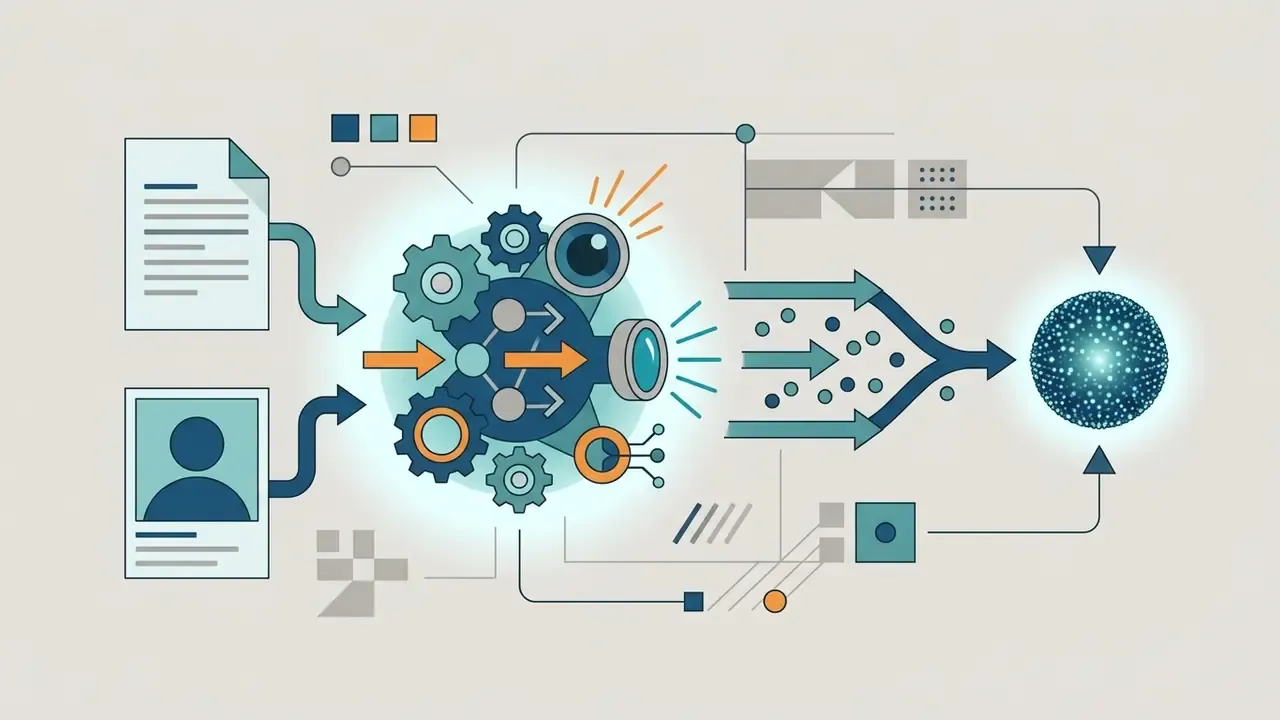
source identity encoder), producing a compact biometric embedding.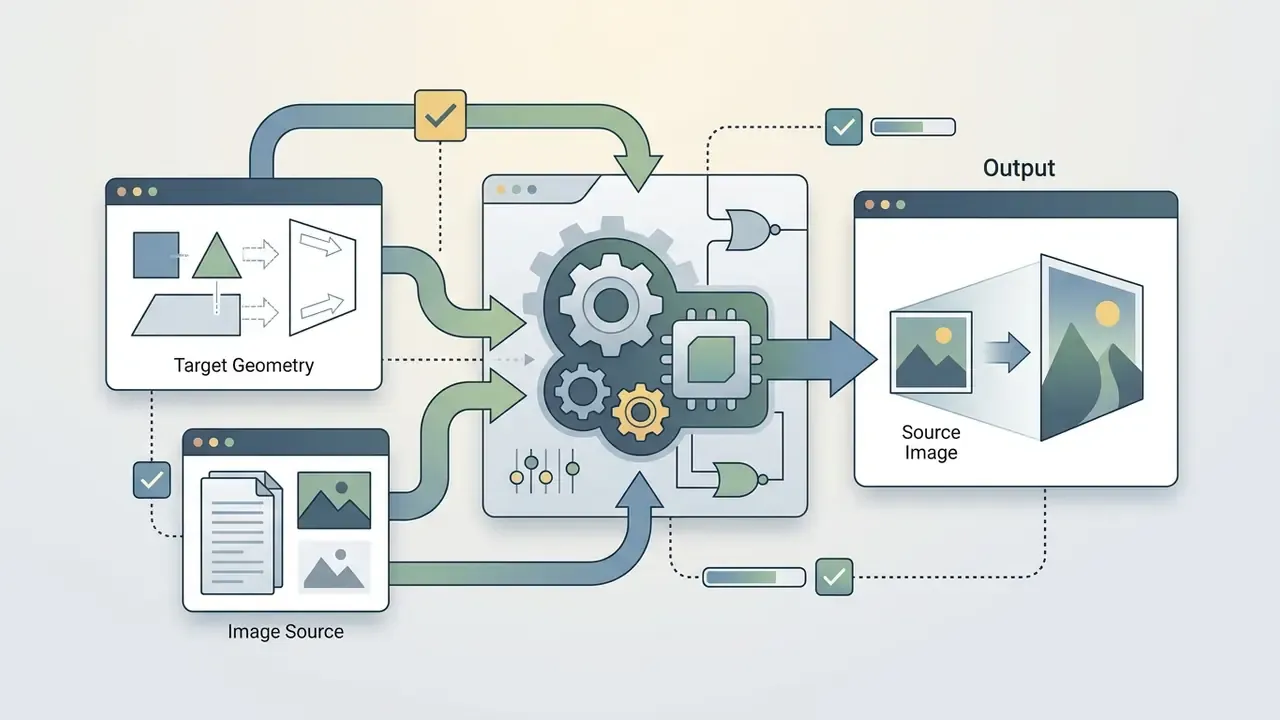
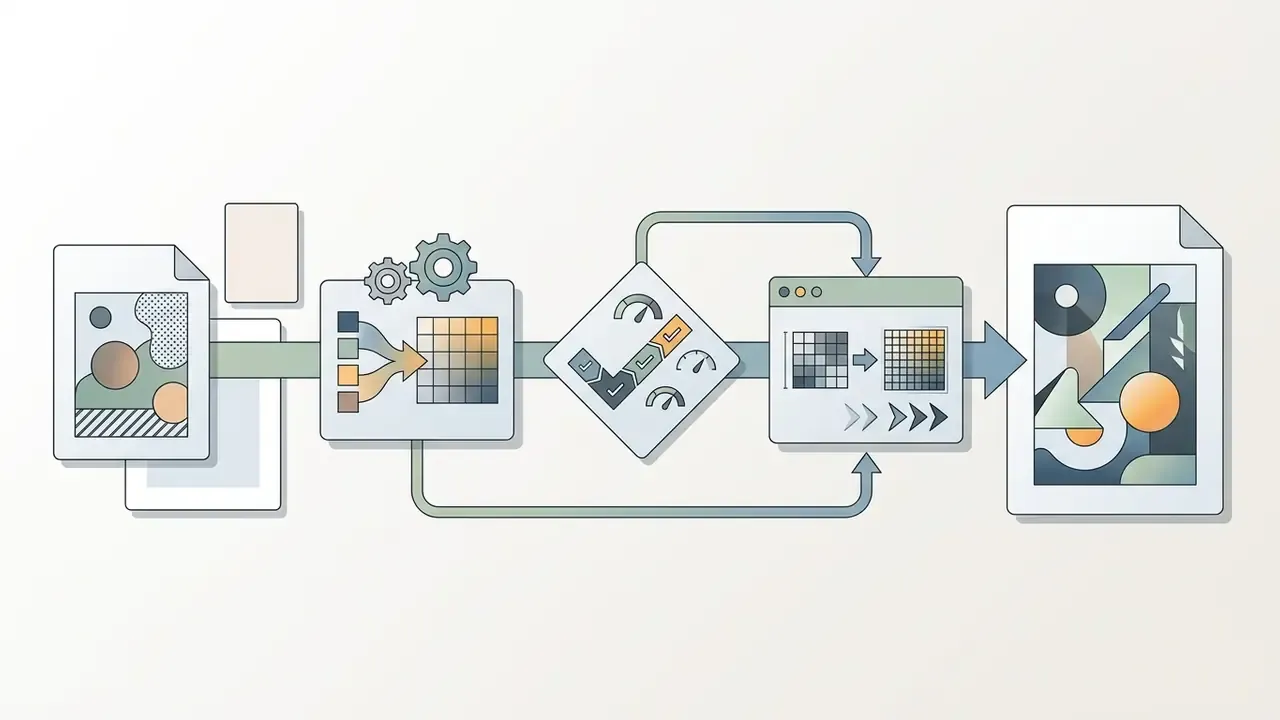
Unlike full text-to-image generation, ai image face swap modifies only the local facial region (target face), leaving hair, head shape, silhouette and the background of the original image untouched. That also separates it from head swap, which replaces the entire head region including hairline and ears, and from face reenactment, which drives the target's own face with new expressions instead of changing identity. Add a lip sync module on top and you get a talking synthetic identity, which is a different risk class again.
Terminology drifts in the market, by the way. Vendors sell the same capability as ai image faceswap, as a face changer, as an ai face swapper, or as an ai deepfake photo editor free tier. The marketing label changes; the biometric processing does not.
Original image, source face and replacement face
The original image is the target frame in which a face will be replaced; the source image is the photograph of the person whose identity is copied. Academic formulations state the split explicitly: the source supplies identity information, the target supplies identity-irrelevant attributes such as pose, expression, illumination and background.
Computer-vision models extract a unique biometric code (a face print) from the source image. That code is then projected onto the replacement face in the target frame. If the uploaded photos contain occlusions (fingers, glasses, hair), the algorithm may mis-position landmarks and produce geometry errors. For predictable output, use front-facing (front facing) shots with natural, evenly distributed light. It really is that simple, and most failed jobs trace back to this one rule.
How AI matches facial features, head angle and skin tone
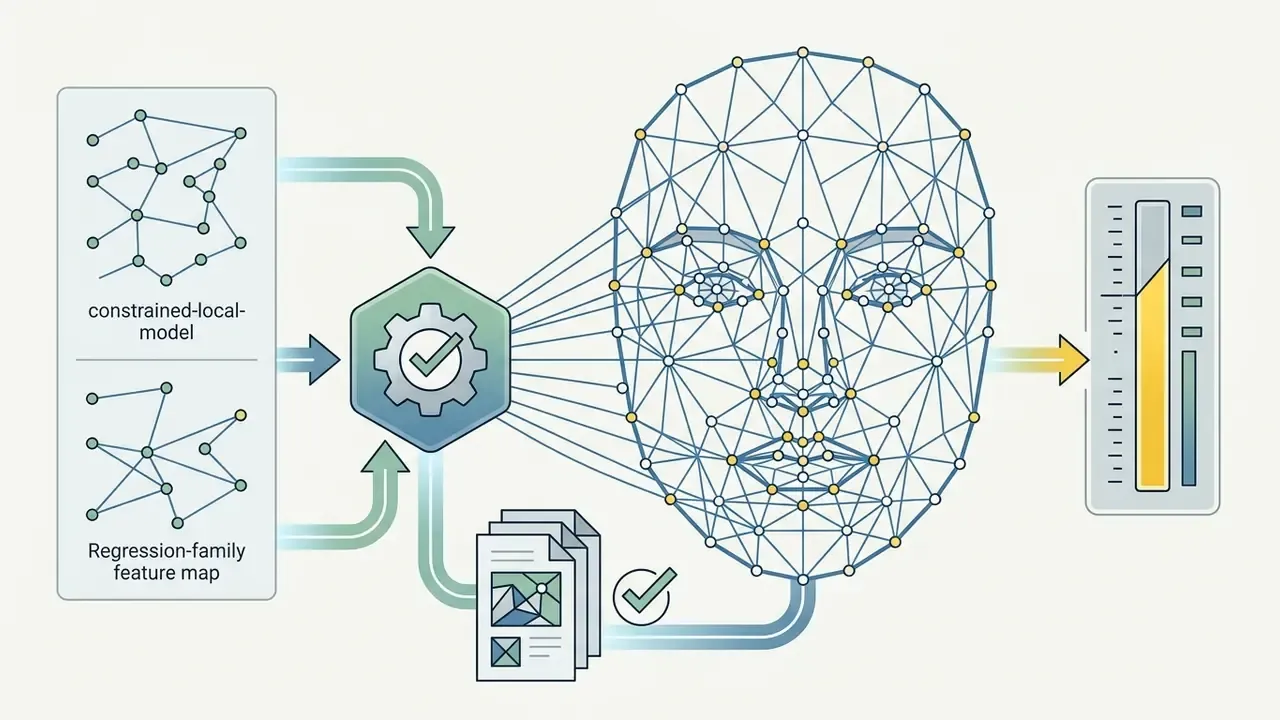
The network reconciles geometry and colour using 3D face reconstruction, dense landmark maps (for example the MediaPipe 468-point face mesh, extendable to 478 points with iris landmarks) and pyramidal blending, adapting the transferred face to the target's angle and illumination.
Gradient smoothing of skin tone prevents hard seams at the mask boundary. Laplacian pyramid compositing analyses luminance levels band by band and brings the source image texture into the target's colour gamut; pixel-wise colour blending with boundary fade-in and fade-out removes residual edges. 3D-aware pipelines additionally reconstruct albedo, illumination and head pose for both faces, then re-render the new face under the target frame's lighting.
The result is a set of realistic face swaps that retain natural shadows, wrinkles and gaze direction. Residual mismatches can be corrected downstream with AI photo editors using local dodge-and-burn, grain matching and selective colour.
How to do an AI face swap online: the full process
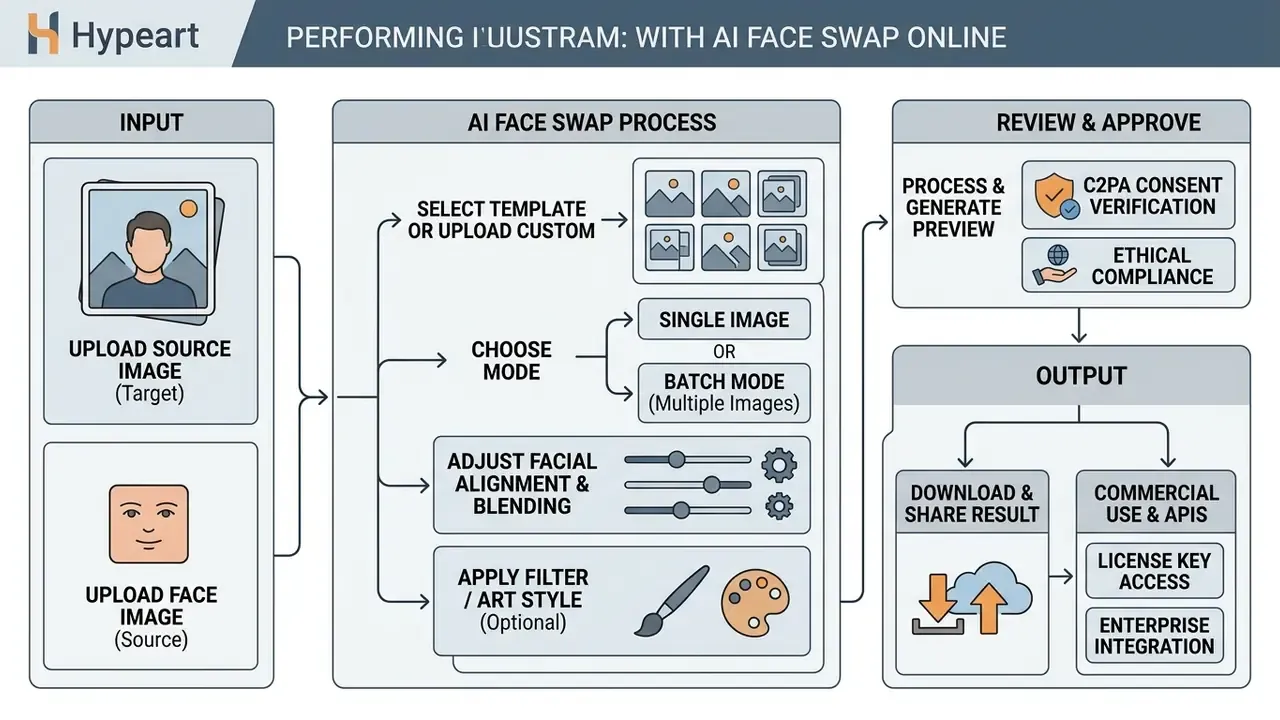
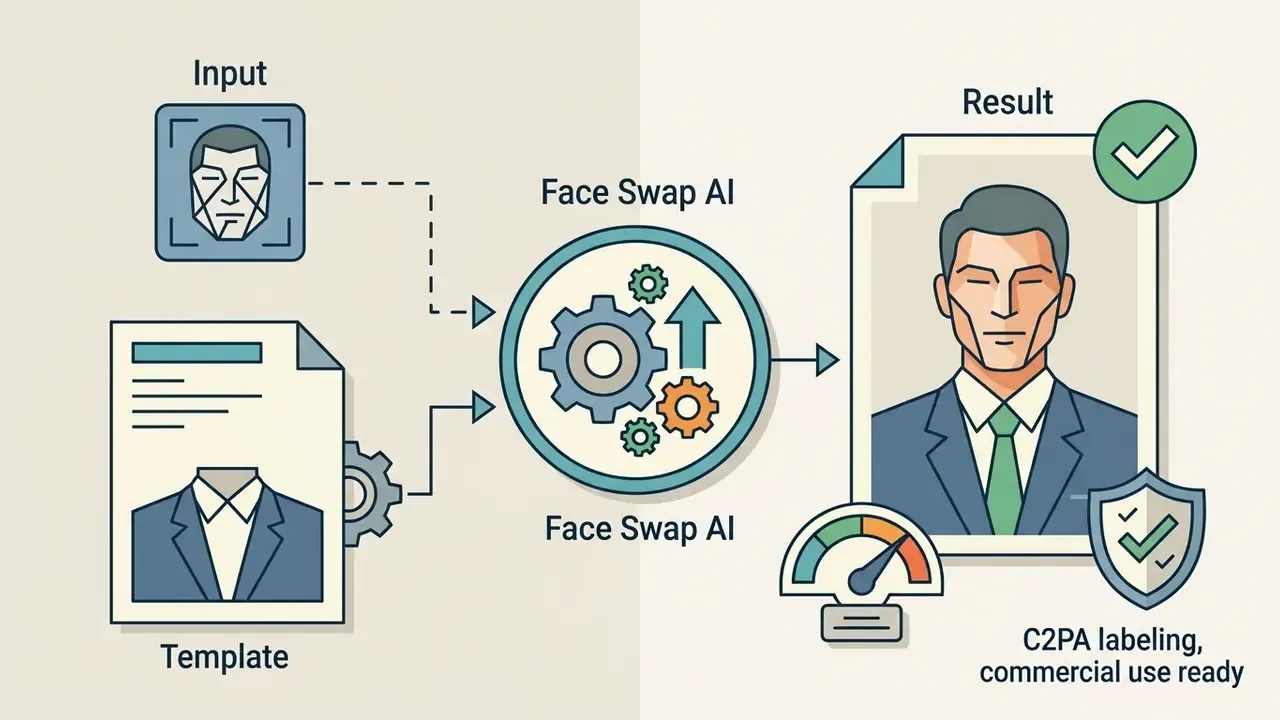
A swap can be produced in a browser-based service without any graphic-design skills. Zero editing skills, in fact. In most tools the user uploads two files and presses a single generate button; vendor API documentation describes the same sequence: upload, parameters, job, download.
The standard user flow in an online tool:
- Select and upload the target image (
original image). - Upload the photograph containing the desired face (
source image). Simply upload and the detector does the framing. - Configure parameters: choose which face to replace when several are present, set model quality (Basic, HD or Pro), optionally set target index or gender.
- Launch generation in
one clickand wait in the processing queue. - Preview and download the finished
face swap result.
Using built-in preset template libraries
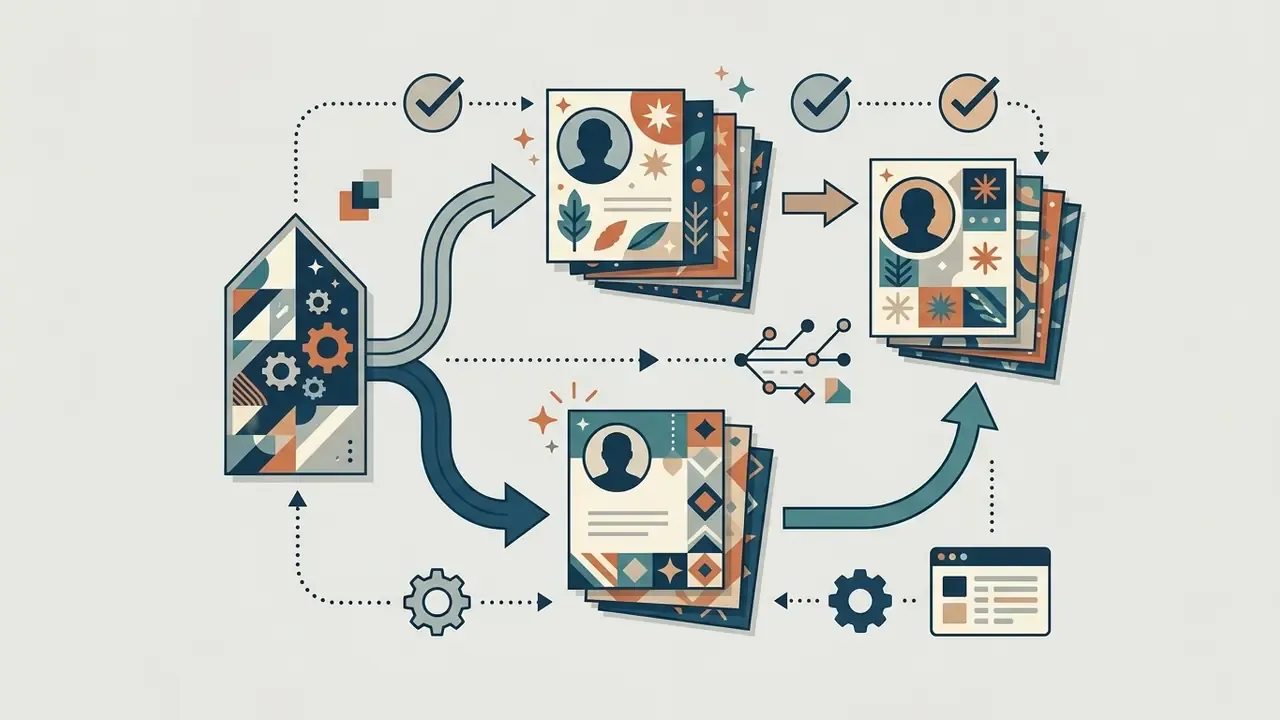
If you do not have a suitable target frame (original image), most online platforms ship built-in template catalogues (template libraries) with hundreds of presets, sorted by category:
- Professional business suits, office and studio portrait backdrops for headshot-style output.
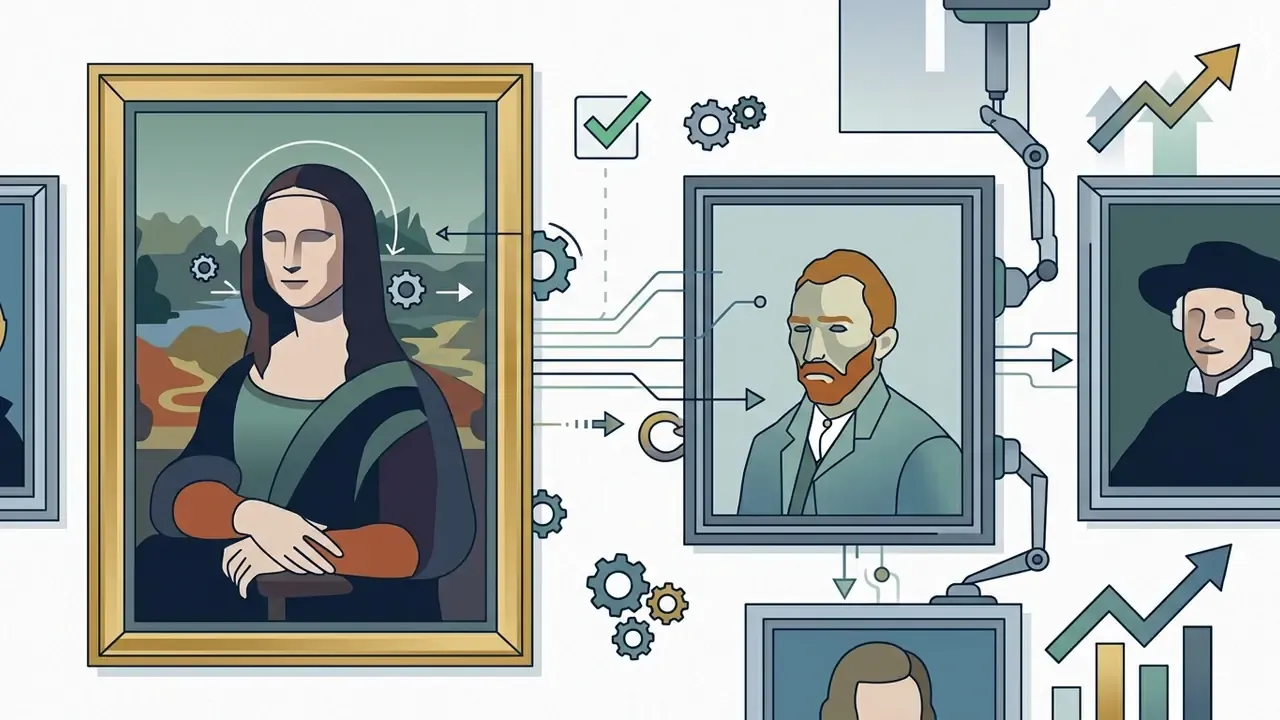
- Historical and art classical paintings, film stills, vintage posters.
- Trending and meme formats viral templates for social platforms.
- Themed and seasonal party invitations, holiday cards, costume scenes.
In this scenario the user just uploads their own source image, and the algorithm adapts it to the selected preset. Templates also reduce compliance risk in testing: the target scene is licensed by the vendor, so only one real likeness is involved. For controlled internal pilots, that single-likeness property is genuinely useful.
How to prepare the original image and source image before upload
The quality of the input files determines the realism of the final frame more than any model setting. Sharp, well-exposed portraits eliminate blurred regions and mask bleed.
Core requirements before upload:
- Angle
- front-facing (
front facing) shots with minimal head deviation. Portrait-quality guidance used in identity documents (ICAO) allows pitch ≤ ±5°, yaw ≤ ±5° and roll ≤ ±8°; the closer you stay to those tolerances, the less the model has to hallucinate. - Resolution
- a face region of at least 300×300 pixels, ideally 1,000 px or more on the short side; digital-imaging guidelines set 300 ppi as a practical capture floor.
- Lighting
- even, diffused light with no deep shadows, hot spots or flash reflections; avoid strong directional sources.
- Occlusions
- no glasses, hats, masks or hair covering the eyes, eyebrows or lips.
- Expression parity
- similar expressions in both files improve landmark alignment and reduce gaze mismatch.
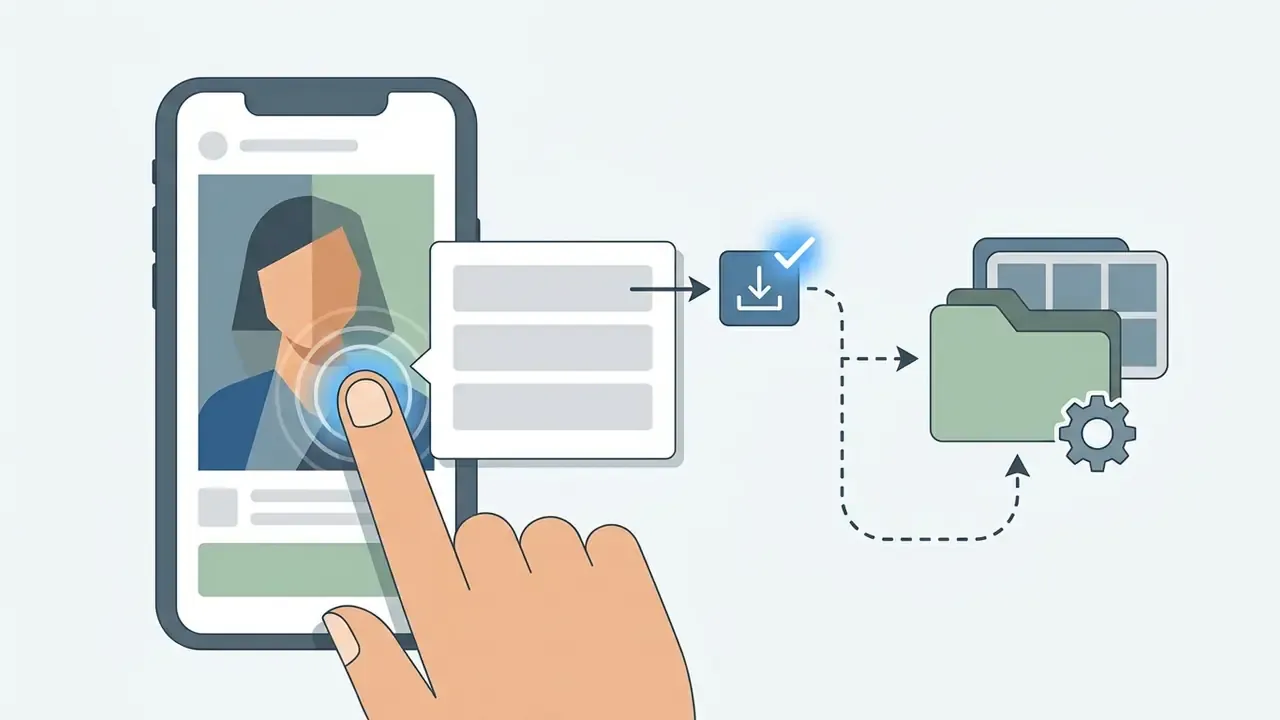
How to download and use the face swap result
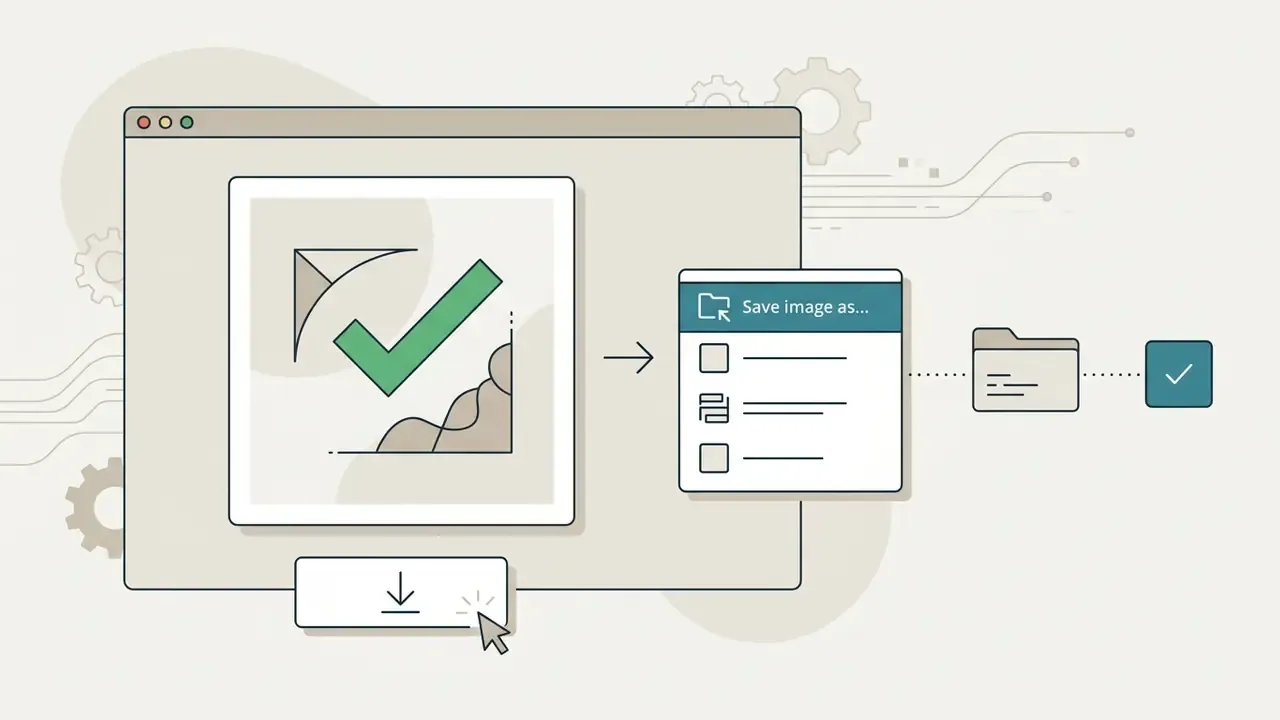
Once processing finishes, the face swap result is delivered through the web interface or the API. Depending on the plan, export is available in basic or high quality (high quality results).
Free services frequently stamp watermarks and cap output at 480p or 720p; paid platforms allow download without a watermark (no watermark) at native resolution in JPG, PNG or WEBP. Documented output formats across vendors include JPEG, PNG and WEBP for images and MP4, MOV, WEBM and GIF for motion. Finished content can be published to social media or used in marketing materials when the corresponding commercial rights are held, and, where required, labelled as synthetic.
Saving the finished file on different devices
To review alternative processing tools, open the hub.
What determines the quality and realism of an AI face swap
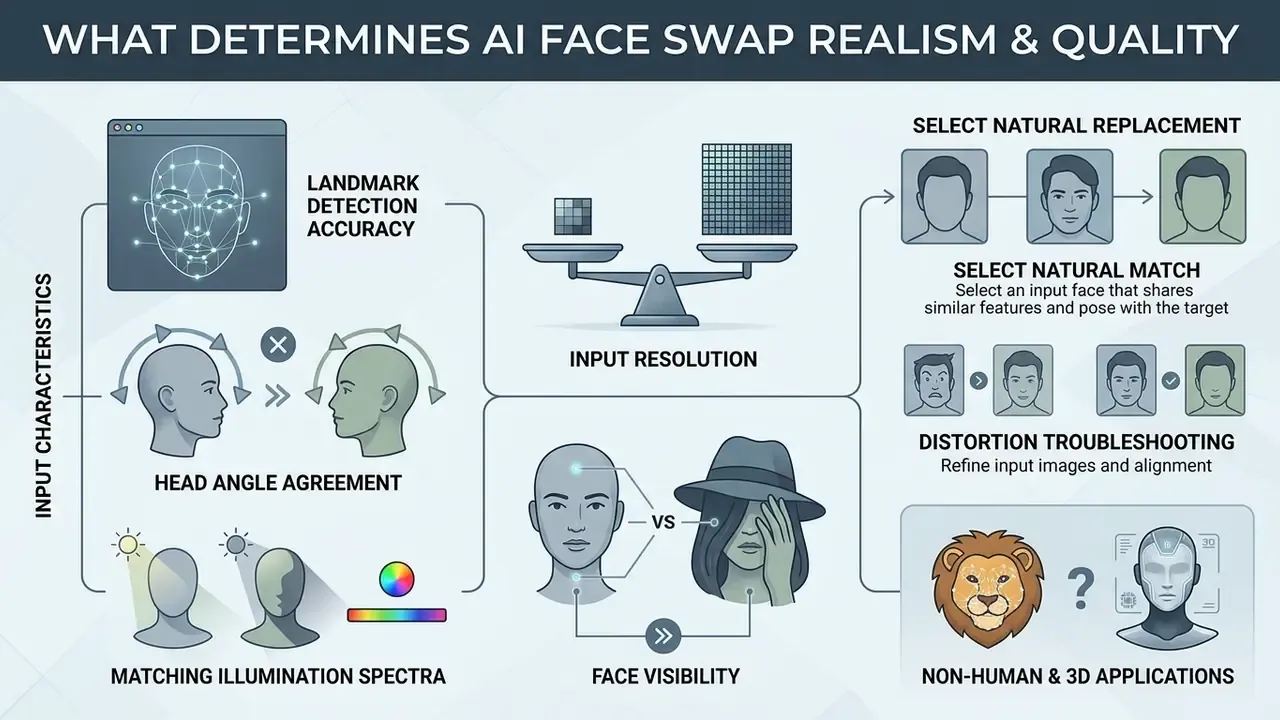
Why angle, lighting and face visibility change the result
A critical head-rotation shift (yaw or pitch beyond roughly 30°, and especially profile views above 60°) forces the network to approximate hidden facial regions, which lowers resemblance to the source. Hard directional light creates colour contrast that is difficult to balance during texture transfer, and sharpness mismatch between source and target reads as an artefact even when geometry is correct.
Visual-effects research is explicit about the production levers here. Disney Research's High-Resolution Neural Face Swapping for Visual Effects (2020) reports that landmark detection, normalisation to 1024×1024, compositing and contrast correction all affect realism, that temporal smoothing removed visible flicker artefacts, and that shrinking the compositing mask reduced border artefacts. Occlusion-aware detection experiments published at ICCIT (2024) quantify the other half of the problem: covering the eye or nose region degrades 3D-mesh alignment accuracy by 40 to 50%. If the source image was shot in a studio and the original image outdoors at dusk, the blending stage has to force contrast, and skin can end up looking plastic.
How to choose a face for a natural replacement
Natural results come from pairing frames with similar anatomical proportions and comparable lighting. Skull shape, intercanthal distance and chin width matter more than superficial resemblance.
When choosing a target face, follow the classical anthropometric canons: equal vertical facial thirds, nose length ≈ ear length, intercanthal distance ≈ nasal width, and mouth width ≈ 1.5× nasal width. For tone matching, colorimetric methods are more reliable than eyeballing: a 2024 study proposed 24 facial skin shade tabs derived from the ITA angle and CIELAB values, giving an objective way to pair source and target complexions. If the two faces differ radically in shape, the network must deform the replacement face heavily, and realism collapses. Cross-gender pairs still work, they simply need closer attention to jaw width and brow height.
What to do when the face swap result shows distortions
If the output contains artefacts such as double eyebrows, misaligned gaze or smeared skin boundaries, change the inputs and regenerate rather than patching the render.
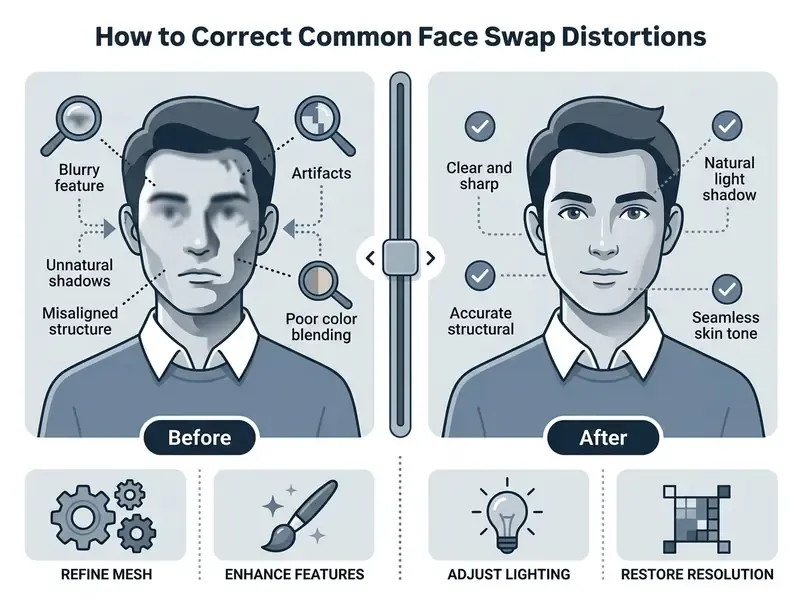
Residual softness and compression noise can be cleaned up with tools for AI image enhancement before export. In commercial media production frames frequently need reframing as well; for methods of extending canvas boundaries see our review of ai expand image.
Does AI face swap work with animal faces and 3D avatars?
Classic replacement algorithms (built on MediaPipe, InsightFace and similar detectors) are trained strictly on human facial anatomy and search for human landmarks: eyes, nose, lips, jaw contour.
- Animals: standard generators do not support swapping animal muzzles. Dedicated mask-conditioned inpainting models or purpose-built "animal face" workflows are required; several vendors ship them as separate tools.
- 3D avatars and stylised art: swapping works only if the network recognises anthropomorphic features and can fit human landmarks to the illustration. Highly abstract or non-frontal character art usually fails detection.
- Infants and heavily retouched portraits: landmark confidence drops, so expect lower identity preservation.
Which formats AI face swap supports: photo, video, GIF and art
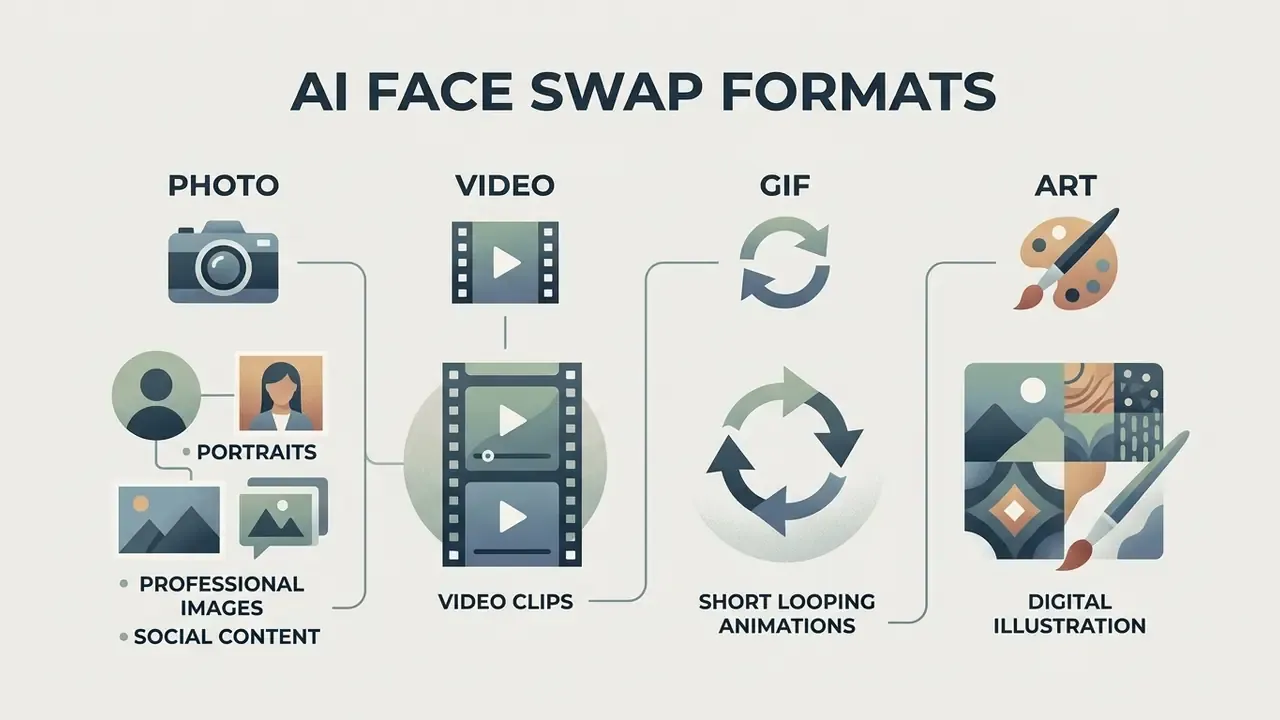
Current generative platforms support face replacement on static photographs, video clips, GIF animations and digital illustration. Each modality has its own processing profile, cost and latency.
Video face swap and GIF face swap for animated content
Replacing a face in video (video face swap) and in GIF animation requires per-frame detection plus temporal smoothing to prevent flicker as the subject moves, and consistent identity conditioning so the face does not drift between shots.
AI art face swap for illustrations and stylised imagery
The ai art face swap technique transfers real faces onto digital art objects, paintings, 3D renders and anime illustration.
The network extracts human facial geometry and re-renders it in the target artwork's drawing style. This is achieved by combining text-conditioned diffusion models with style-transfer adapters; academically the lineage runs from CNN-based portrait painting style transfer (2016) through unified swap-and-reenactment style pipelines (ACCV 2020).
You can explore specialised graphics tooling through our overviews of AI art generators, freepik ai image generator and gcore ai image generator. Many of these platforms also market an ai image generator face swap feature, where the face is inserted at prompt time rather than in a second pass.
Single, multiple, multi and batch face swap: choosing a mode
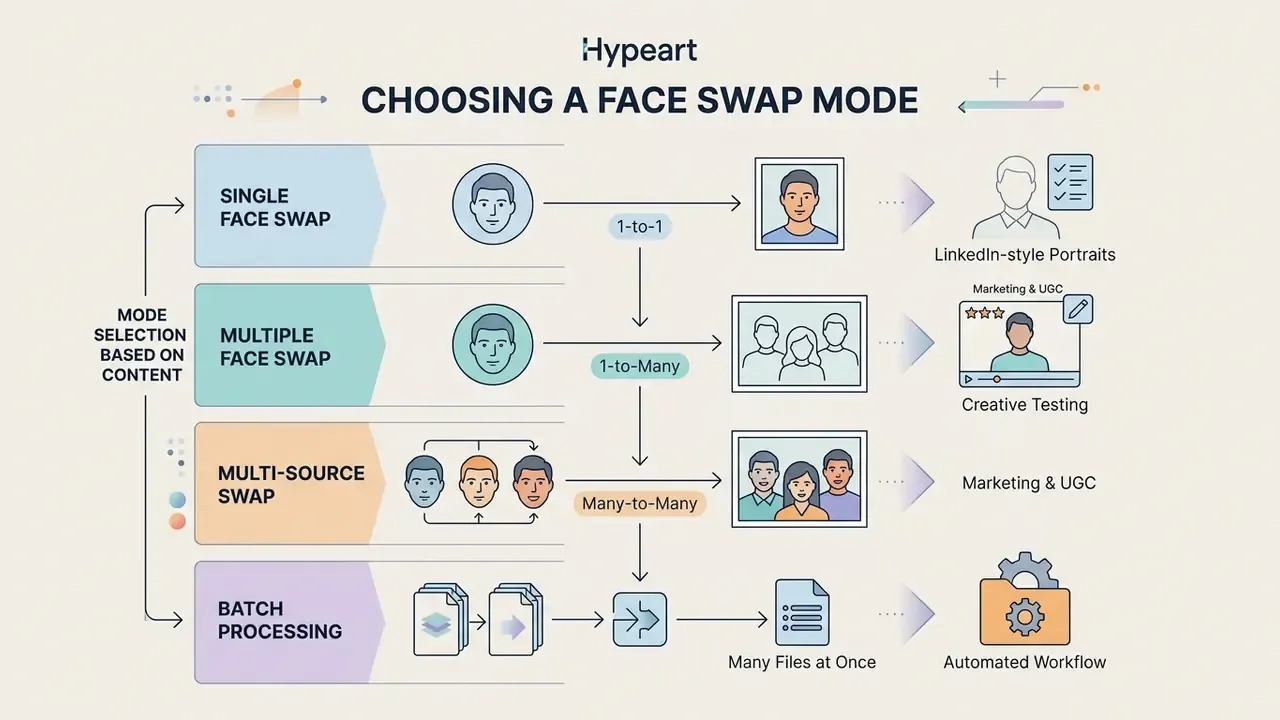
The operating mode depends on how many faces are present in the target image and how many files must be processed. Services offer single replacement (single face swap), multi-object processing (multiple face swap) and queue automation (batch face swap).
Single face swap for one face in a photo
The single face swap mode is designed for classic portraits and frames with one central subject. The network automatically locates the only face present and replaces it.
This mode delivers maximum speed and blending precision, because the model's full capacity is focused on a single mask. Recent CVPR and ICCV methods report high-fidelity, multi-view-consistent results specifically for single-view source-to-target portrait swapping, and diffusion pipelines use two portrait images with face-feature encoding plus inpainting for the same task.
Multiple face swap for group photos and multi-subject video
The multiple face swap (or multi face swap) mode handles group photographs and scenes containing several people. The user specifies exactly which faces to replace.
The algorithm sequentially detects every face in group photos, assigns indices and maps them to the corresponding source images; some tools expose target_index and target_gender parameters for deterministic mapping. Concurrency limits are vendor-specific rather than standardised: published documentation ranges from 3 faces per photo or video, to 4 faces, and up to 8 or 10 selectable targets on other platforms. Video-to-video systems such as FaceOff (WACV 2023) add learned robust blending because multi-subject footage introduces mutual occlusion and identity bleed.
Batch face swap: processing several files at once
The batch face swap mode automates repetitive work across multiple files. Two configurations are used depending on the task:
- One source, many targets (1-to-N)upload a single
source imageand a series of target photos. The network transfers the chosen face onto every frame, which is useful for ad-banner series, cast mock-ups or dataset generation. - Many sources, one target (N-to-1)apply different source faces to one base frame to trial several looks or cast variants quickly.
Batch mode is generally restricted to paid tiers and API access, because it requires a dedicated parallel compute queue; free tiers process requests strictly sequentially. For pipeline design, batch endpoints are also where audit logging matters most. One job can generate hundreds of synthetic likenesses, and without per-request logs you cannot reconstruct who produced what.
Popular applied scenarios
Free AI face swap tools vs paid and enterprise solutions
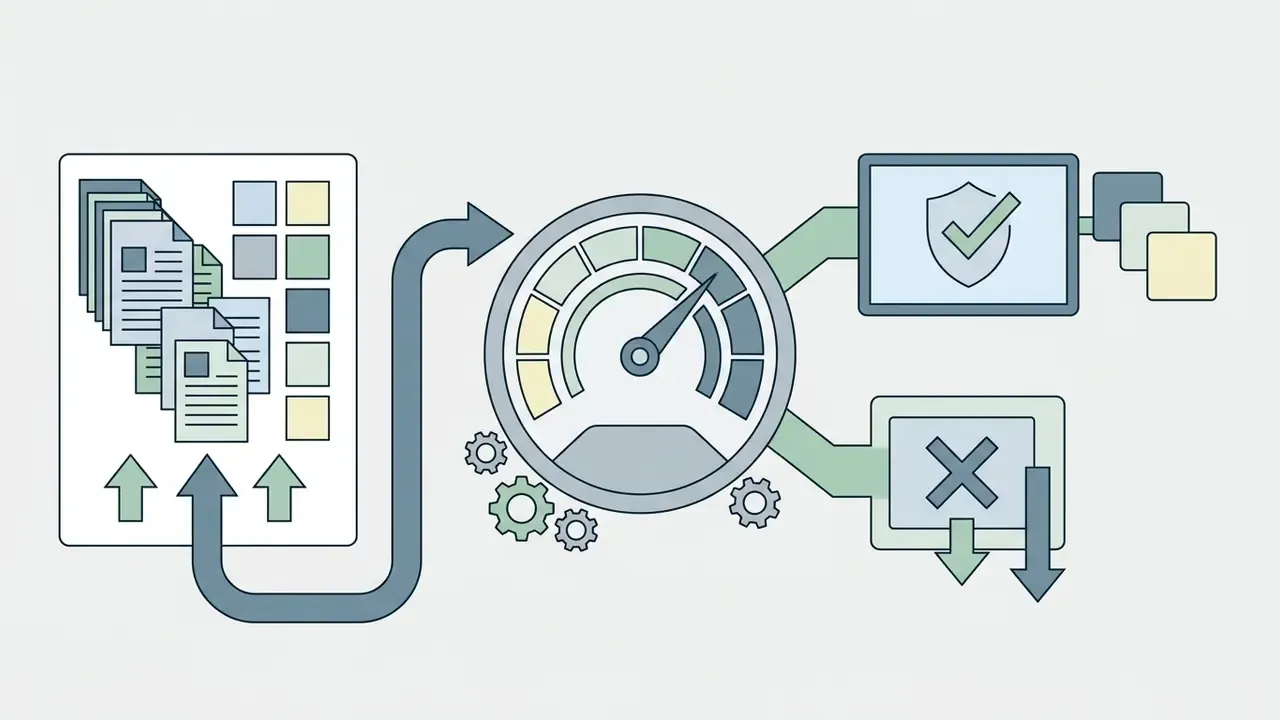
The choice between free online tools, paid subscriptions and enterprise APIs depends on quality requirements, resolution, watermarking, data governance and the legal status of the output.
| Criterion | Free AI face swap tool | Paid plans | Enterprise API |
|---|---|---|---|
| Watermark | Service logo burned into export | Clean export (no watermark) | Clean export plus configurable C2PA or invisible watermark |
| Export resolution | Limited (SD 480p to HD 720p) | High quality (Full HD 1080p to 4K), upscalable with AI image upscalers | Native resolution, deterministic output settings |
| Processing limits | 1 to 10 generations per day, or about 30 credits per week | Unlimited or credit packs | Contracted throughput, priority queue, SLA |
| Video and GIF support | Short clips (15 to 30 s, 5 to 100 MB) | Long clips (up to 300 s or 5 min), batch | Batch plus async jobs, webhook callbacks |
| Commercial rights | Personal use only | Commercial licence included | Licence plus indemnification clauses |
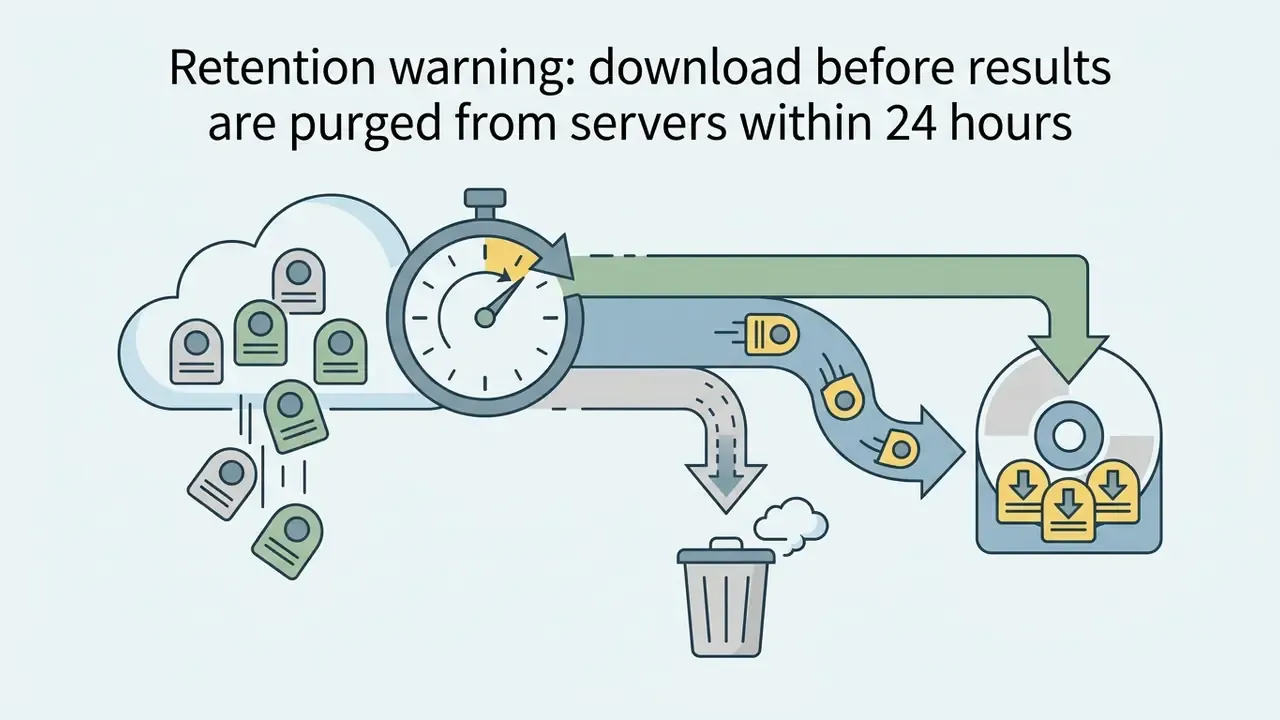
| Data retention | Uploads often kept 24 h; training on inputs frequently permitted | Shorter retention, opt-out of training | Zero data retention, contractual no-training guarantee |
| Security attestation | None published | Varies | SOC 2 Type II or ISO 27001, AES-256 at rest, TLS in transit |
| Audit trail | None | Basic history | Full request logging, consent records, user attribution |
| Integration | None | Limited REST access | REST API or SDK, VPC or region pinning |
No matching rows Clear one or more filters to restore the matrix.
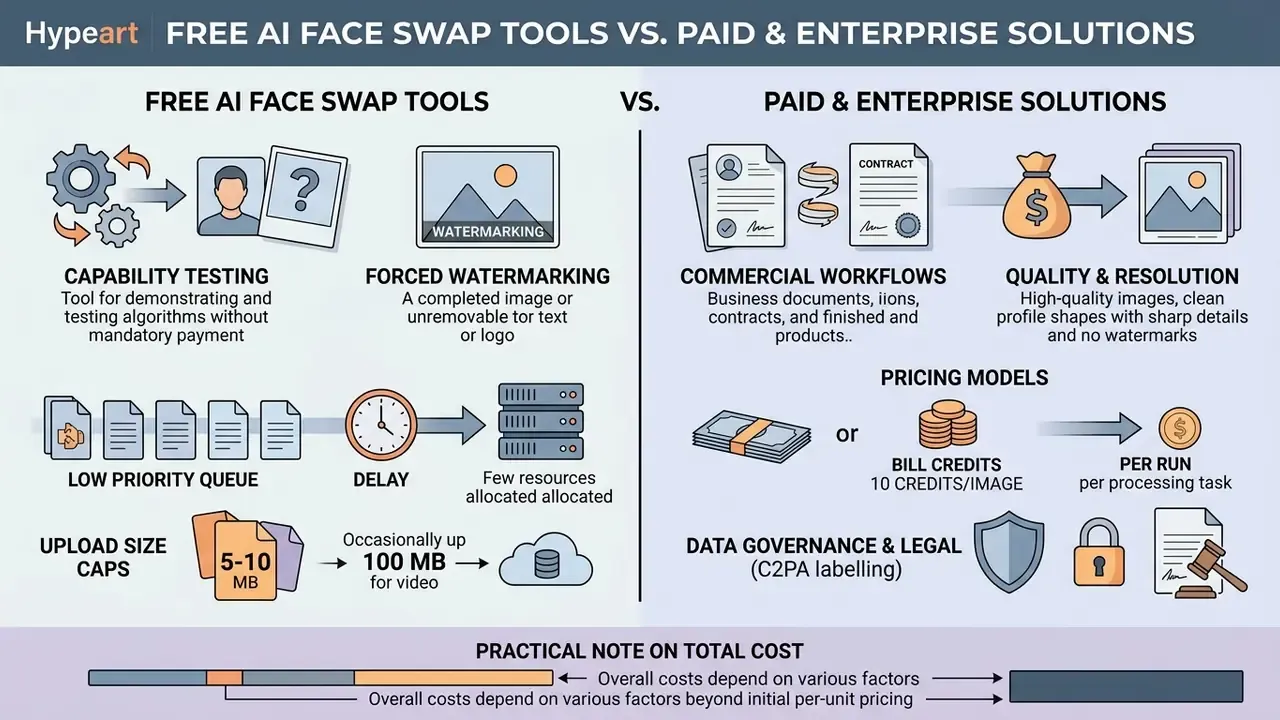
Pricing models differ by vendor: some bill credits (for example 10 credits per swapped image), some per run (public list prices for third-party image APIs sit roughly between $0.005 and $0.02 per generation, for instance $0.010 per image run), and video APIs may be billed per second of output (around $0.05 per second at one vendor). For large automated pipelines developers choose dedicated APIs; implementation patterns for complex video technology are covered in our google veo ai video generator guide.
A practical note on total cost. Per-image price is almost never the driver in a regulated environment. Logging, consent storage, legal review and detector re-benchmarking usually cost more than the generation itself, and ROI models that omit them will overstate the benefit.
What a free AI face swap online tier usually includes
When paid plans and APIs are required for commercial workflows
Paid tiers and API integration are necessary for agencies, marketing teams and developers producing advertising assets, UGC creative and customer-facing applications.
In a commercial context, a subscription secures licence clarity, removes watermarks and provides access to high-throughput compute nodes. API integration lets teams automate the generation of personalised ad creative at scale; vendor documentation explicitly lists marketing as a supported use case and ties output size to subscription level. Official policy guidance is equally explicit that likeness use in marketing requires clear, documented consent, and FTC filings on AI-generated advertising call for provenance information disclosing who generated the ad and whether it is AI-generated. To assemble an optimal tool stack, review the best AI image generators and compare options across workflows.
Privacy, consent and responsible use of AI face swap
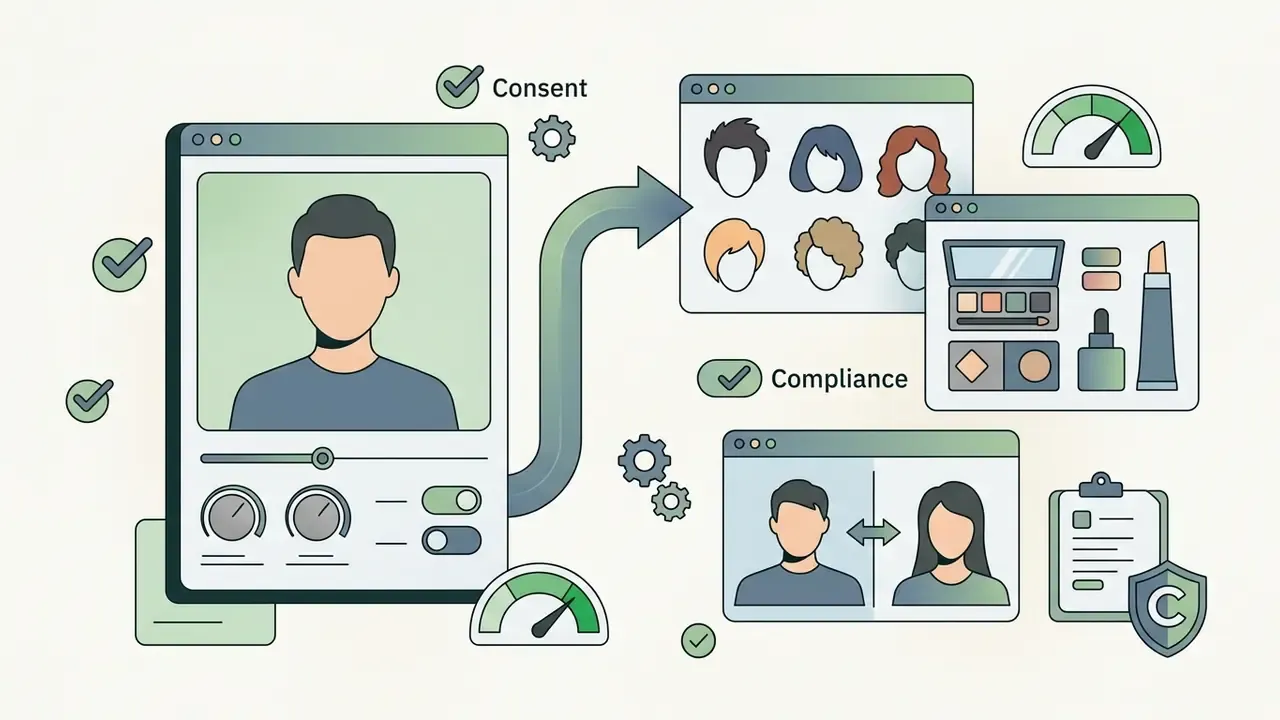
Using identity-synthesis technology requires strict compliance with personal-data law and biometric protection rules. Publishing synthetic material without the rights holder's consent creates legal exposure, and it cannot be assumed that automated moderation will catch it.
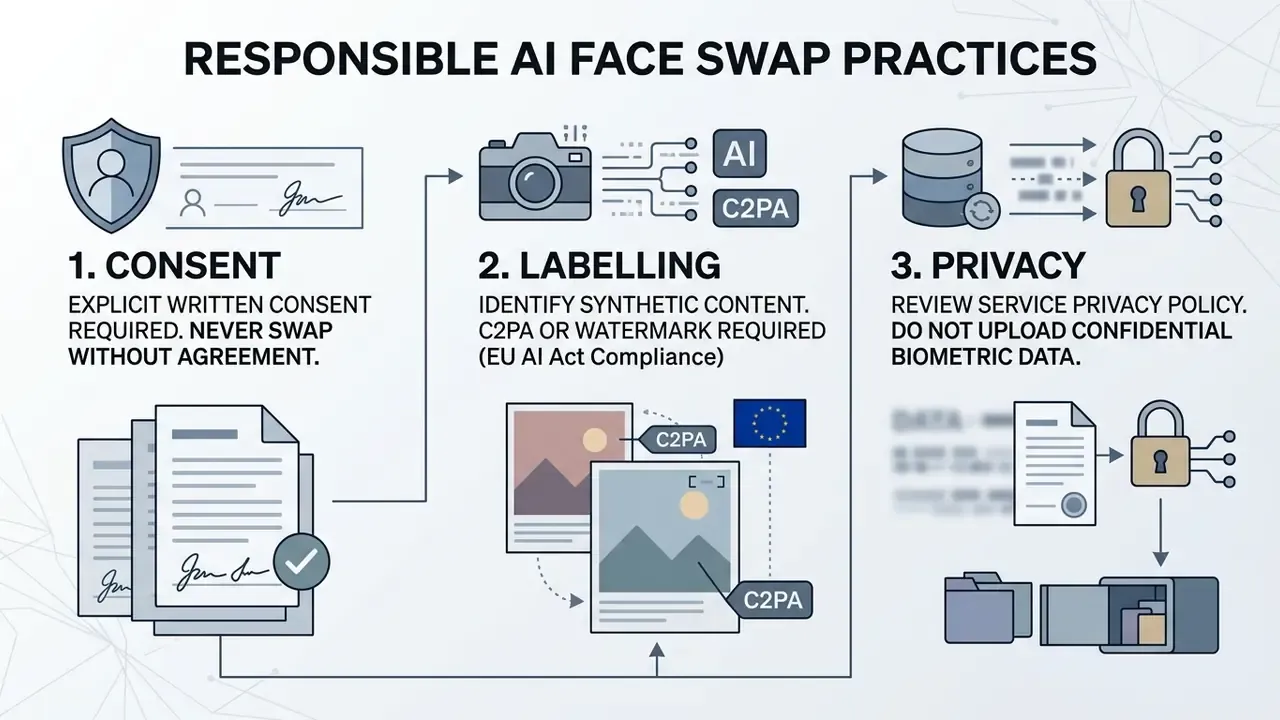
Because detection is unreliable at scale, provenance must be attached at generation time rather than inferred later. Before publishing, verify assets with AI image detectors and preserve the consent record alongside the file.
One more category deserves a direct mention, because acceptable-use policies fail here first. Adult and sexualised synthetic imagery is the single largest source of non-consensual swaps, and most enterprise contracts prohibit it outright; the policy questions around platforms marketed as a free ai porn generator or as a free nsfw ai art generator are covered separately, including why corporate networks usually block them. Audience-specific tools, for example a gay ai image generator, raise the same consent and likeness questions rather than different ones. The rule does not change with the niche: no documented consent, no publication.
Developers and users must also account for international norms and enforcement trends; for case law and regulatory developments see our litigation hub linked above.
AI governance checklist: questions to ask a face swap vendor
Use this list before integrating any swap API into a regulated workflow:
- Data retentionis zero data retention available, and what is the maximum guaranteed deletion window for inputs and outputs?
- Trainingis there a contractual guarantee that customer uploads are never used to train or fine-tune models?
- Attestationsdoes the vendor hold SOC 2 Type II or ISO 27001, and can it share the latest report?
- Encryptionis AES-256 applied at rest and TLS in transit, and where are keys managed?
- Residencyin which jurisdictions is processing performed, and can region pinning be enforced?
- Audit trailare per-request logs (user, timestamp, input hash, output hash, model version) exportable for investigation?
- Provenancecan C2PA Content Credentials or invisible watermarks be applied automatically to every output?
- Consent capturedoes the workflow support attaching and storing a consent artefact per likeness?
- Third partiesare biometric vectors shared with sub-processors or analytics providers, and are sub-processors listed?
- Legalwhat indemnification, acceptable-use policy and takedown SLA apply, and what happens on breach?
If a vendor cannot answer items 1, 2 and 6 in writing, the tool belongs in a sandbox, not in a production workflow.
What to check in a privacy policy before uploading photos and video
Before uploading personal imagery to a third-party web service, read the privacy policy closely. Official data-protection guidance frames the same four questions: what is collected, how it is used and shared, how long it is kept and how it is secured. Marketing claims such as "100% privacy and security" are not evidence; the clauses are.
Key clauses to verify:
- Retention are
uploaded photosdeleted from the servers immediately after generation completes, or kept for 24 hours or longer? - Model training does the service use user uploads to further train its networks?
- Third-party transfer are biometric vectors passed to external analytics companies or sub-processors?
- Encryption are AES-256 at rest and TLS in transit applied to media files, and are exported archives protected?
- Jurisdiction and rights which law governs the processing, and how can access, correction and deletion be exercised?
Publishing faces online is a one-way door in practice. Once an image is indexed or reshared, deletion from the original service does very little.
How AI face swap differs from a deepfake, and when consent is mandatory
Technically, ai face swap is the base method of replacing faces. NIST describes identity swap as replacing a person's face in target media with another person's face from source media. "Deepfake" describes the application of that technique with intent to mislead: the EU AI Act defines a deepfake as AI-generated or manipulated content resembling real persons or events that would falsely appear authentic.
Legal frameworks, including the EU AI Act, FTC guidance, GDPR and national biometric statutes, require documented written consent whenever a person's likeness is used in commercial or public material. GDPR treats facial images used for unique identification as biometric data and obliges the controller to demonstrate consent, requested separately in clear, plain language. UK school rules under the Protection of Freedoms Act 2012 additionally require parental notice, a written objection right and written consent from at least one parent before processing a child's biometric information, while Australia's OAIC adds necessity and proportionality tests on top of valid consent (informed, voluntary, current, specific, given by a capable person). Without consent, generation is treated as a violation of image and privacy rights. If you plan to work with other free generative platforms, review our material on free generative ai.
FAQ about AI face swap: devices, formats and processing speed
Are mobile devices and apps supported?
Yes. Most modern services run through responsive web interfaces in any mobile browser on iOS and Android. Dedicated mobile app builds also exist; some process locally on the smartphone's neural chip, others offload to cloud GPUs. Availability is platform-specific: some listings are iPhone and iPad only, others cover both ecosystems.
Which file formats can be uploaded and downloaded?
Standard image formats are JPG/JPEG, PNG and WEBP, with BMP and HEIC/HEIF accepted by some vendors. Video containers include MP4, MOV, WEBM and AVI; animation uses GIF. Output is usually returned in the same family as the input.
How long does one image or video take to process?
A still photo takes roughly 3 to 10 seconds. Video depends on duration and resolution: a 5-second clip averages 30 to 90 seconds when a GPU is free, and longer or higher-tier renders can take several minutes.
Are there resolution and duration limits for video?
Free tiers typically cap duration at 15 to 30 seconds and resolution at 720p. Paid subscriptions process clips of several minutes at Full HD and 4K; documented maxima range up to 300 seconds per task, with one vendor stating no resolution cap and a 5-minute duration ceiling.
Can an original face be recovered from a swapped image?
Forensic research says partially yes. IDRetracor is a visual-forensics framework capable of reconstructing the original target face from deepfakes produced by several different face-swapping methods (arXiv:2408.06635, 2024, https://arxiv.org/abs/2408.06635). For enterprises, this matters twice over: swapped media is not anonymous, and investigations can sometimes be traced back to the underlying identity.
Can several swap jobs run at the same time?
Yes. Paid plans and commercial APIs support parallel processing of independent jobs (batch processing), with results collected in a project or "creations" view. Free tiers queue requests strictly sequentially.
Does face swap work between animals and humans?
No. Mainstream swap models are trained to detect and align human facial features; animal muzzles require a separate, purpose-built workflow or mask-based inpainting.
Does the technology support gender swap?
Yes. Cross-gender replacement is supported by most engines and is widely used for style exploration, although identity preservation metrics tend to be slightly lower than for same-gender pairs.
How should synthetic output be labelled?
Attach machine-readable provenance (C2PA Content Credentials, or metadata plus an invisible watermark) at export, and add a visible disclosure when the content depicts an identifiable person or could be mistaken for authentic footage. Limitations, open questions and a safe next step Some things in this field are simply unsettled, and pretending otherwise would be dishonest. What the evidence does not yet support. Detector performance figures come from research benchmarks, not from your onboarding funnel; transfer is uncertain. C2PA provenance survives cooperative pipelines but is stripped by many re-encoders and screenshots. And there is no published, industry-agreed loss rate for face-swap-enabled identity fraud in US banking, so any ROI model here rests on internal estimates rather than external norms. Treat the audience assumptions behind this page as hypotheses too, until interviews, CRM data or analytics confirm them. A conservative first move. If your institution is deciding what to do about face swap tooling, three low-risk steps come before any purchase:
- Inventory current usage, including consumer web tools reached from corporate devices, and record owners.
- Run a controlled red-team test of your liveness and document-verification controls with consented synthetic samples, then log the results as validation evidence.
- Write one page of policy: approved use cases, prohibited categories, consent artefacts, labelling duty, escalation path and shutdown authority. No evidence, no autonomy. A swap tool with an owner, a log and a consent record is a manageable digital function; the same tool without them is an unmonitored biometric pipeline sitting inside your perimeter.
Additional resources and topic hubs
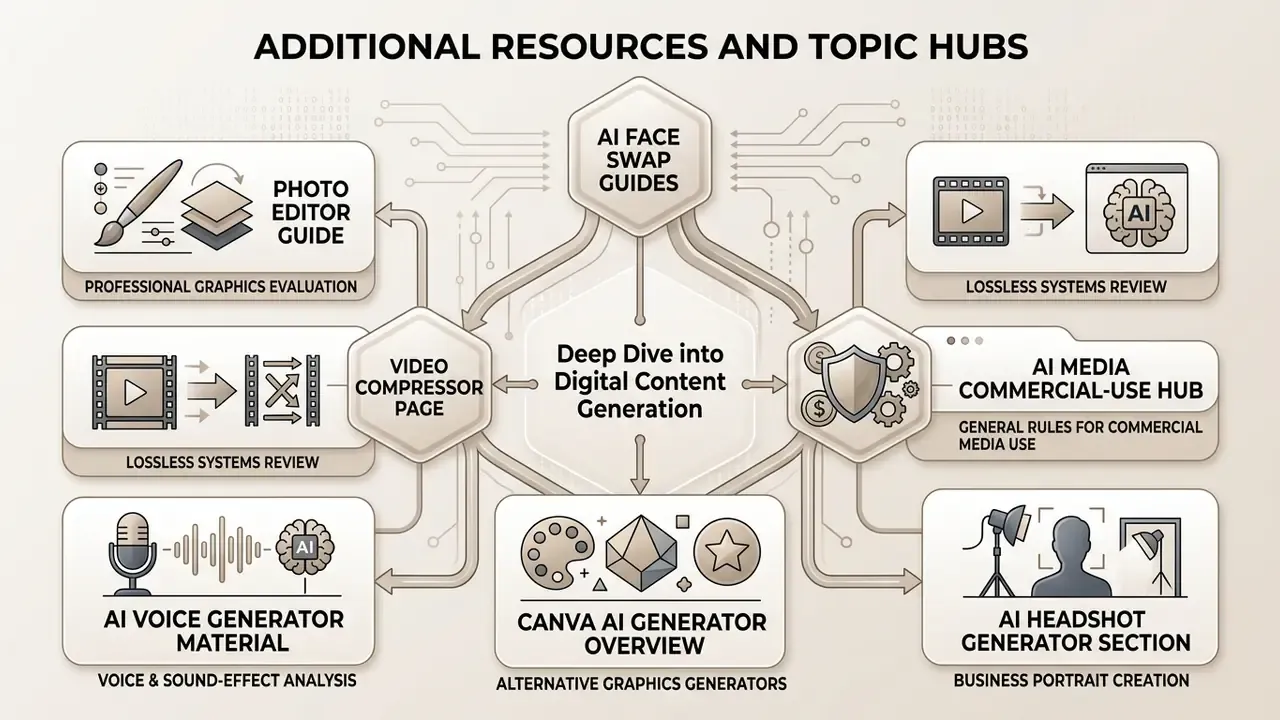
For a deeper dive into digital content generation, specialised editor selection and licensing analysis, use our dedicated materials:
- Professional graphics editor evaluation is covered in the photo editor guide.
- Lossless video compression systems are reviewed on the video compressor page.
- Voice and sound-effect generators are analysed in the ai voice generator material.
- Alternative graphics generators are examined in our canva ai generator overview.
- Business portrait creation is documented in the ai headshot generator section.
- General rules for commercial media use are consolidated in the AI Media Commercial-Use Hub.