Why should a risk or compliance lead care about an image tool? Because visual generation is usually the first place shadow AI appears inside a regulated organization.
Executive Summary for Decision-Makers
Last updated: 2026. Verified against Microsoft Support, Microsoft Learn, and peer-reviewed 2024-2026 research.
| Question | Short Answer |
|---|---|
| Can Copilot generate images? | Yes. Copilot Chat generates four candidate images per prompt using OpenAI DALL-E 3, with Microsoft Designer acting as the underlying creation and editing layer. |
| Where can I access it? | copilot.microsoft.com, the Microsoft Edge sidebar, the Microsoft 365 Copilot app, and the Copilot mobile apps for iOS and Android. |
| What does it cost? | Free tier with sign-in (15 daily fast-generation boosts); Copilot Pro at $20/user/month (100 daily boosts); Microsoft 365 Personal/Family include 60 monthly AI credits; enterprise licensing via Microsoft 365 Copilot. |
| Is commercial use allowed? | Generally yes under paid commercial licenses, backed by Microsoft's Customer Copyright Commitment. Consumer free-tier terms are narrower and require legal verification. |
| What is the biggest enterprise risk? | Shadow AI. Employees generating customer-facing assets on personal Microsoft accounts instead of Entra ID work accounts lose both commercial data protection and license coverage. |
| What evidence must I retain? | Prompt iteration history, human editing contributions, and C2PA Content Credentials embedded in exported files to establish data lineage for audit and copyright claims. |
| Where does it still fail? | Legible embedded text, complex human hands, and domain-specific technical diagrams. Human expert review remains mandatory before publication. |
What Is the Copilot AI Image Generator and Can Copilot Generate Images?
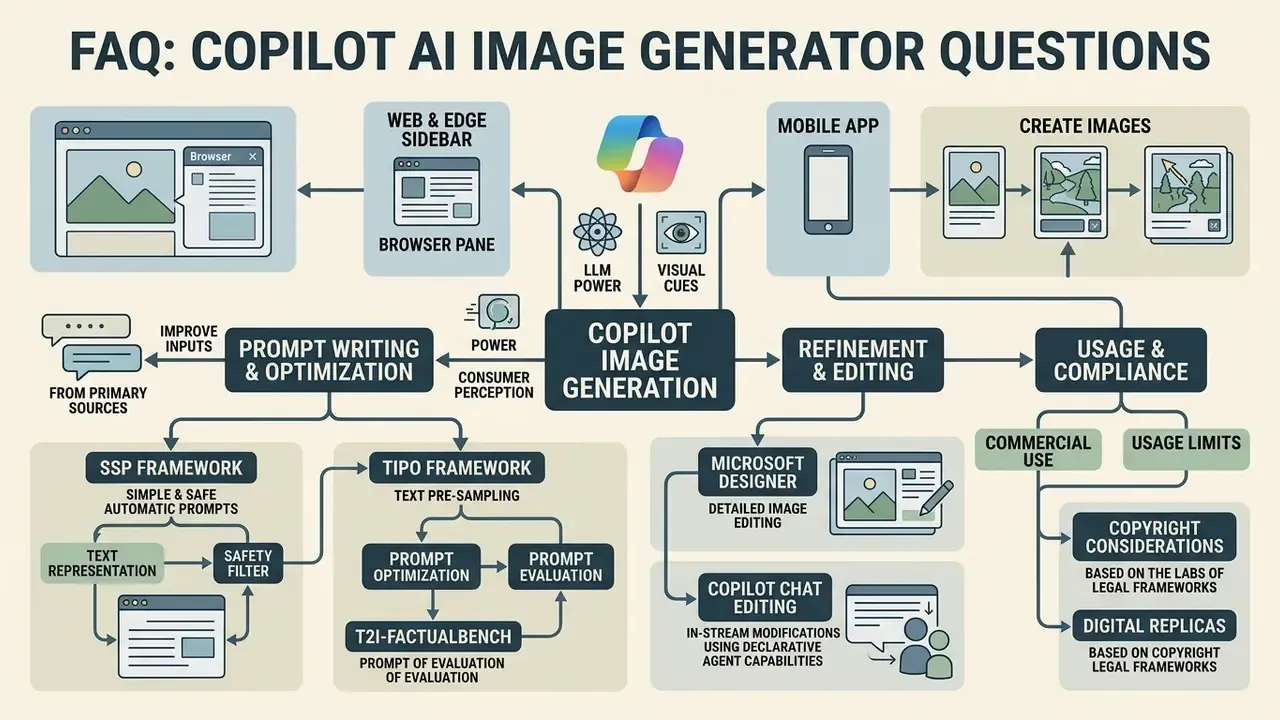
Yes, Microsoft Copilot can generate images natively. The copilot ai image generator feature sits directly inside Copilot Chat and Microsoft Designer. Driven by DALL-E 3, the system translates natural language text prompts into high-resolution visual outputs across web browsers, desktop applications and mobile devices. Rather than relying on third-party plugins, the ai copilot image generator operates as a core capability of the Microsoft ecosystem, so users move from text drafting to visual asset generation inside a single chat interface.
Microsoft Learn documents the image generator as a capability that "uses existing Designer functionality," enabled for declarative agents through the GraphicArt capability in the agent manifest, and available to Copilot Chat users without metered usage or a dedicated Microsoft 365 Copilot license (Microsoft Learn, Image generator capability, 2026). That architectural detail matters more than it first appears. The rendering engine, safety filters and provenance metadata are inherited from the Designer layer rather than implemented separately inside chat, which means one control set governs several surfaces at once.
Image Generation in Copilot Chat and Microsoft Designer
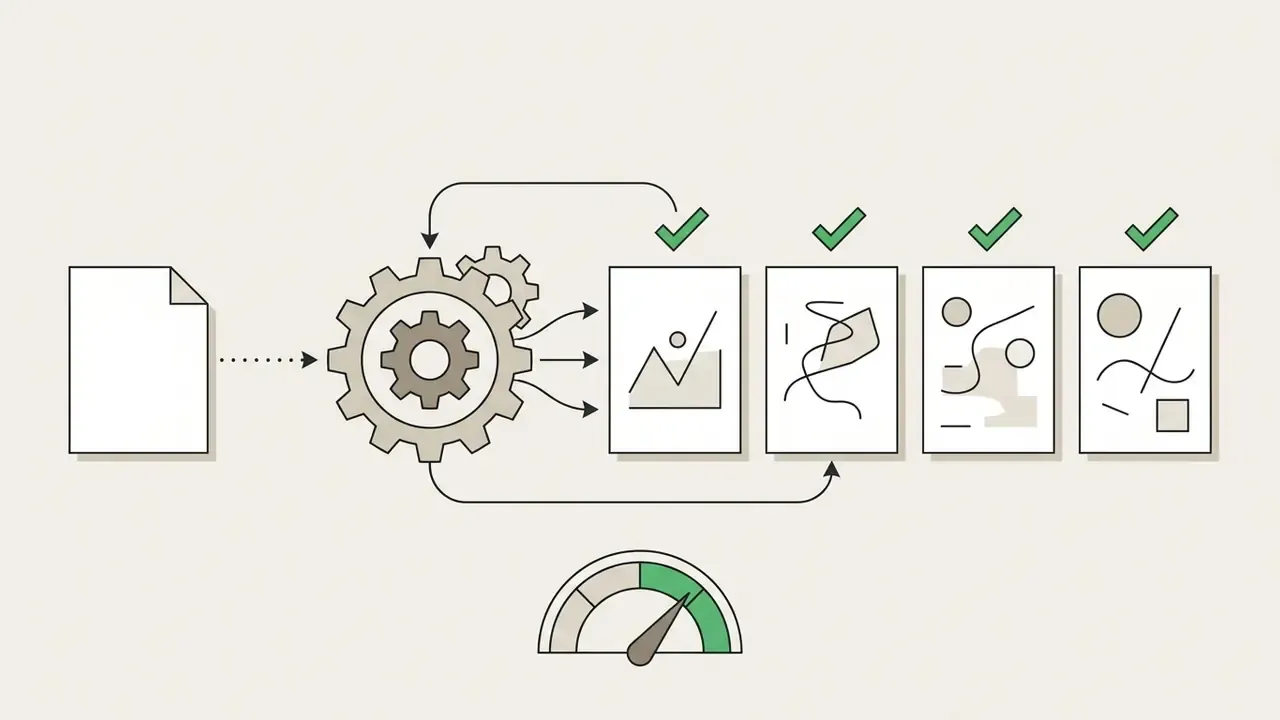
Image creation in Copilot Chat is a conversational workflow backed by Microsoft Designer, producing four distinct visual variations per text prompt. When a user requests an image, the underlying ai image copilot engine processes the prompt, renders the candidates, and offers inline editing tools such as background blurring, object recoloring and aspect ratio adjustments, all powered by the Microsoft Designer agent. This multi-turn setup lets users issue follow-up prompts to refine specific elements without losing the context of the original conversation.
Because the conversation retains context, follow-up instructions such as "make the lighting warmer," "remove the text on the left," or "render the same scene in portrait format" modify the original asset instead of starting a fresh generation cycle. Microsoft documents this as an iterative flow: the image opens in a dedicated editing side pane, then escalates into the Designer agent inside Copilot Create for full canvas work. In practice, that side pane is where most of the useful cleanup happens.
What AI Images Can You Create with Copilot?
The copilot ai art engine supports a broad spectrum of visual content: photorealistic product mockups, architectural concept renders, digital vector illustrations, event posters, presentation slide visual hooks, moodboard visuals and social media assets. Users leaning on the ai photo generator copilot can specify lighting parameters, artistic styles and compositional framings to match editorial or corporate branding guidelines. Teams still weighing platforms can compare capability envelopes across leading AI image generators before standardizing on a single engine.
Supported input formats for image understanding and image-to-image transformation include PNG, JPG, JPEG, GIF, BMP and TIFF, according to Microsoft's support documentation. One caveat worth flagging early: Microsoft does not publish separate technical specifications (bleed, print size, DPI) for posters, slides or moodboards. Those parameters have to be controlled through prompt wording, aspect-ratio selection and post-processing in Designer.
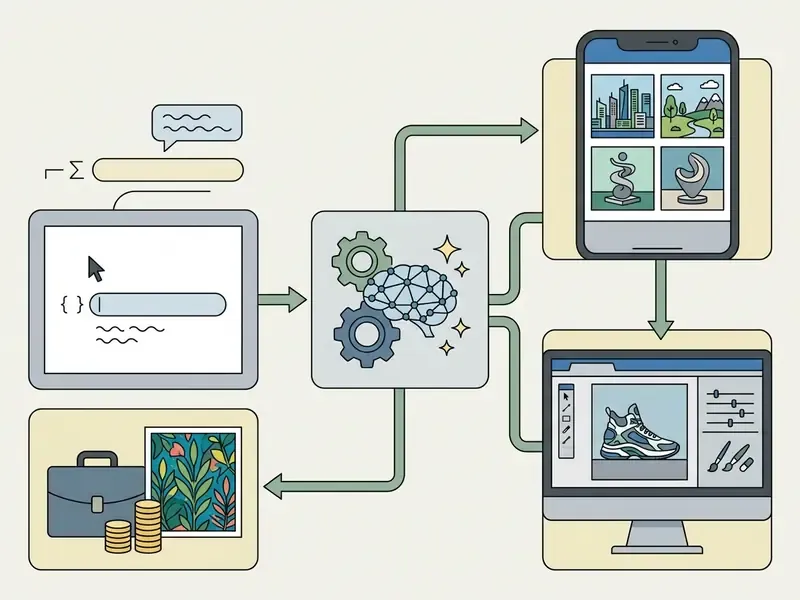
- Accessible step list to render as visible text alongside the diagram:
How to Start Using Microsoft Copilot Image Generator
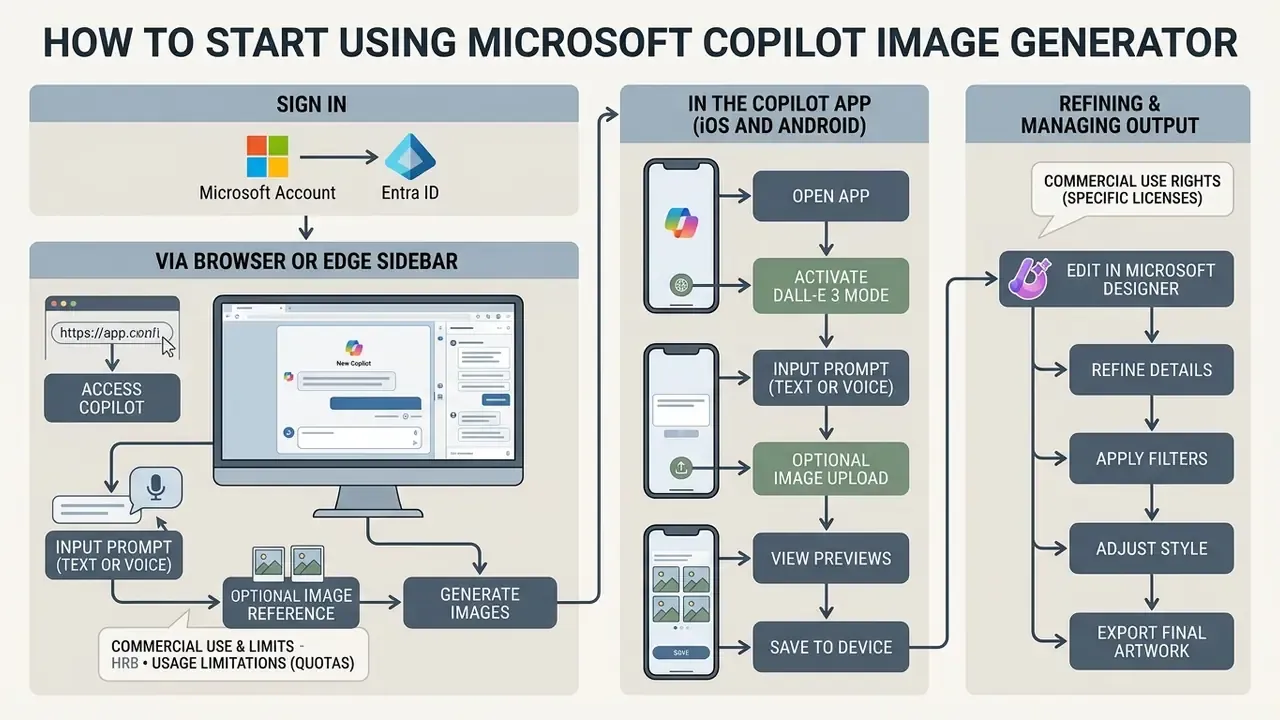
To start using the ai image generator microsoft copilot, open Microsoft Copilot in a browser or dedicated app, sign in with a Microsoft personal account or an Entra ID work/school account, start a chat, and type a prompt beginning with "Create an image of..." or "Generate a photo of...". The platform initializes the DALL-E 3 creation pipeline and renders visual options directly in the chat window. No plugin, no separate subscription, no setup ritual.
Generating Images in Copilot via Browser
In web browsers such as Edge, Chrome or Firefox, navigate to copilot.microsoft.com or open the Copilot sidebar in Edge, sign in, and enter a detailed prompt into the message compose box. The ai image generator co pilot processes the request quickly, rendering inline candidates that can be expanded, modified or downloaded inside the active browser window. Alternatively, open the Create entry in the left navigation pane, select Create an image, fill the Describe your image field, optionally attach a reference file, choose a style and a Square/Portrait/Wide shape, then select Create.
Edge sidebar specifics. Microsoft documents the Copilot side pane as an Edge-exclusive browser surface, while standard Copilot Chat runs in all major browsers (Microsoft Learn, Copilot in Edge documentation, 2026). Edge users therefore gain a genuine workflow advantage: research in the main tab, asset generation in the sidebar, no tab switching.
How to pin and use the Copilot image generator in the Microsoft Edge sidebar:
- Launch Microsoft Edge on Windows or macOS.
- Locate the right-hand sidebar. If the Designer or Copilot icon is not visible, click the "+" (Customize) icon at the bottom of the sidebar panel.
- Search for Designer or Image Creator from Designer in the application directory. Depending on your Edge and Windows build, the entry may appear as Designer (Preview).
- Click the app icon to open the generator panel alongside your active web tab.
- Right-click the icon and select Pin to Sidebar (labelled Add to Sidebar in some builds) for permanent access. You can then generate visual assets side by side with web research, and hand the result straight into the Designer editing surface.
How to Create an AI Image in the Copilot App
In the dedicated Copilot application on Windows, macOS, iOS or Android, launch the app, select the "Create" tab or open a new chat, tap the image creation feature, and submit your prompt. Users can also tap the camera or attachment icon to upload an existing reference image and instruct the copilot ai create image feature to transform, restyle or expand the source photo using natural language commands. That is the same principle behind dedicated image-to-image generators.
Mobile app step-by-step workflow (iOS and Android). Download Microsoft Copilot from the Apple App Store or Google Play Store, launch the application, and sign in with your Microsoft account to unlock the DALL-E 3 creation pipeline. Continuing without signing in is possible, but DALL-E-backed image creation stays locked. Personal accounts can authenticate with a Microsoft Account, Apple ID or Google Account; work and school accounts authenticate through Microsoft Entra ID.
- Activate model mode: ensure the GPT-4 toggle at the top of the chat interface is enabled for maximum visual precision. This toggle is free to use.
- Input prompt (text or voice): type your descriptive prompt in the chat box, or tap the microphone icon to dictate the image description using natural speech. Handy for long, multi-clause prompts on a small keyboard.
- Reference image upload (optional): tap the camera/attachment icon to upload a reference photo, then enter instructions on how Copilot should restyle, expand or alter it.
- Generate and preview: tap Send. Copilot generates four initial image candidates. Tap any tile to expand it to full screen.
- Export to device:
- iOS: tap the image to open full screen, long-press the visual, and select Save to Photos. Alternatively, tap the three-dot menu next to the share icon and select Download.
- Android: open the image, long-press the display area, and select Download Image to save the full-resolution file to your device gallery.
How to Download, Save, and Use Your Generated Image
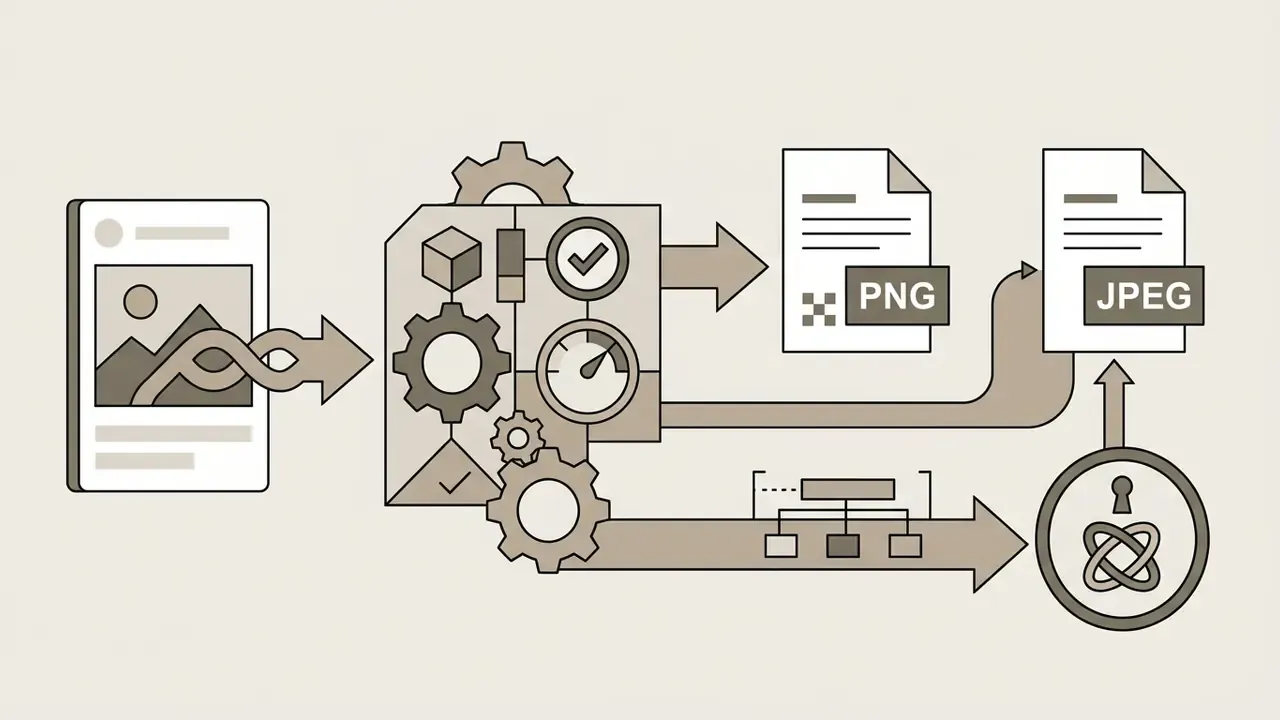
To save a generated visual, select the desired candidate in the chat interface, click Download to store a full-resolution PNG or JPEG on local storage, or select Copy to move it to your clipboard. Images sit temporarily in your Copilot Library, but Microsoft does not permanently save them to your local drive, so explicit manual export is required for external storage or publishing (Microsoft Support, Using image generation in Microsoft Copilot, 2026). Microsoft's help pages also note retention boundaries: uploaded and generated images are kept for a limited period. Copilot's image help page cites up to 18 months, while the Transparency Note states uploaded images are deleted within 30 days after a conversation ends. Neither window substitutes for your own asset archive. For broader context on output rights and downstream editing, review how commercial AI image generators handle export and licensing across the Microsoft stack.
Beginner checklist, first image without errors:
Checklist0 / 6
- Sign inlog into copilot.microsoft.com or the mobile app using a verified Microsoft account or Entra ID.
- Navigate to Createselect the "Create" tab from the left navigation pane, or start a new prompt in Copilot Chat.
- Formulate the promptenter a prompt containing at least six descriptive words covering subject, lighting, style and framing.
- Execute generationclick "Send" or "Create" to initiate DALL-E 3 model inference and consume one generation boost.
- Review and refineexamine the four rendered variants, then use follow-up text prompts or inline tools to adjust details.
- Download and storeclick "Download" to export the final high-resolution asset to your local workspace, and archive the prompt text alongside the file for audit traceability.
How to Write Prompts for Copilot AI Art Generator
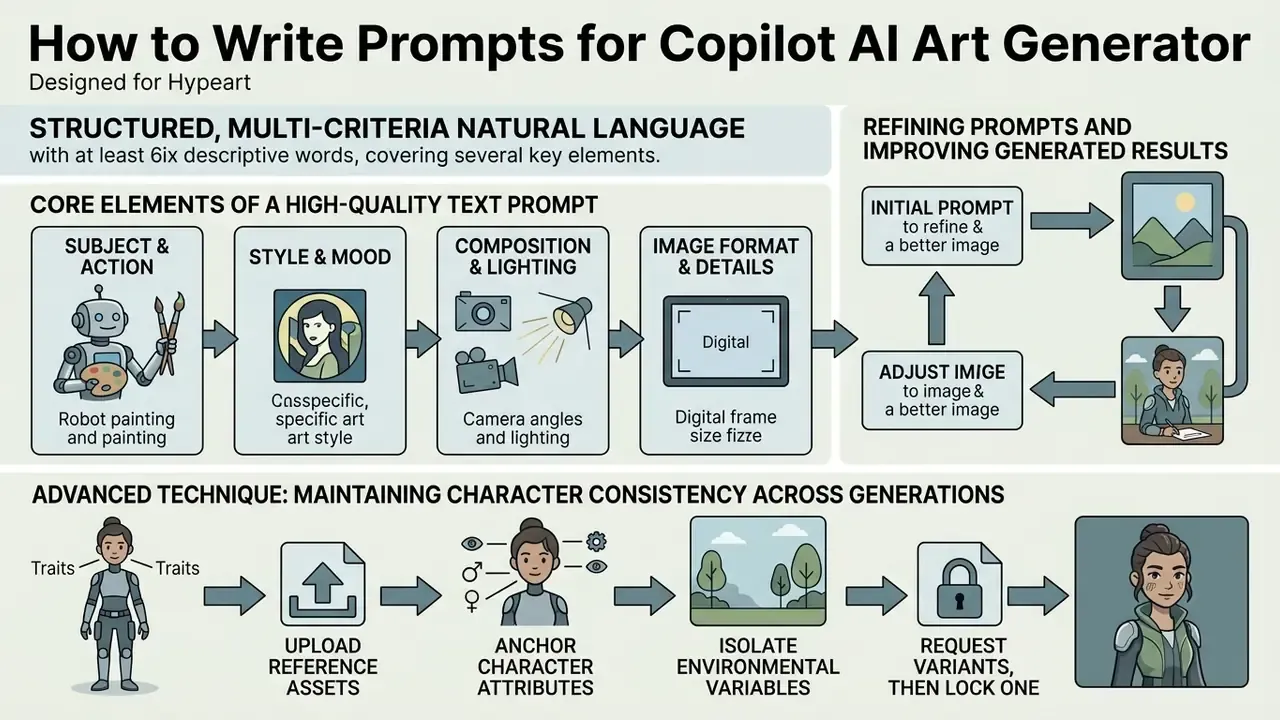
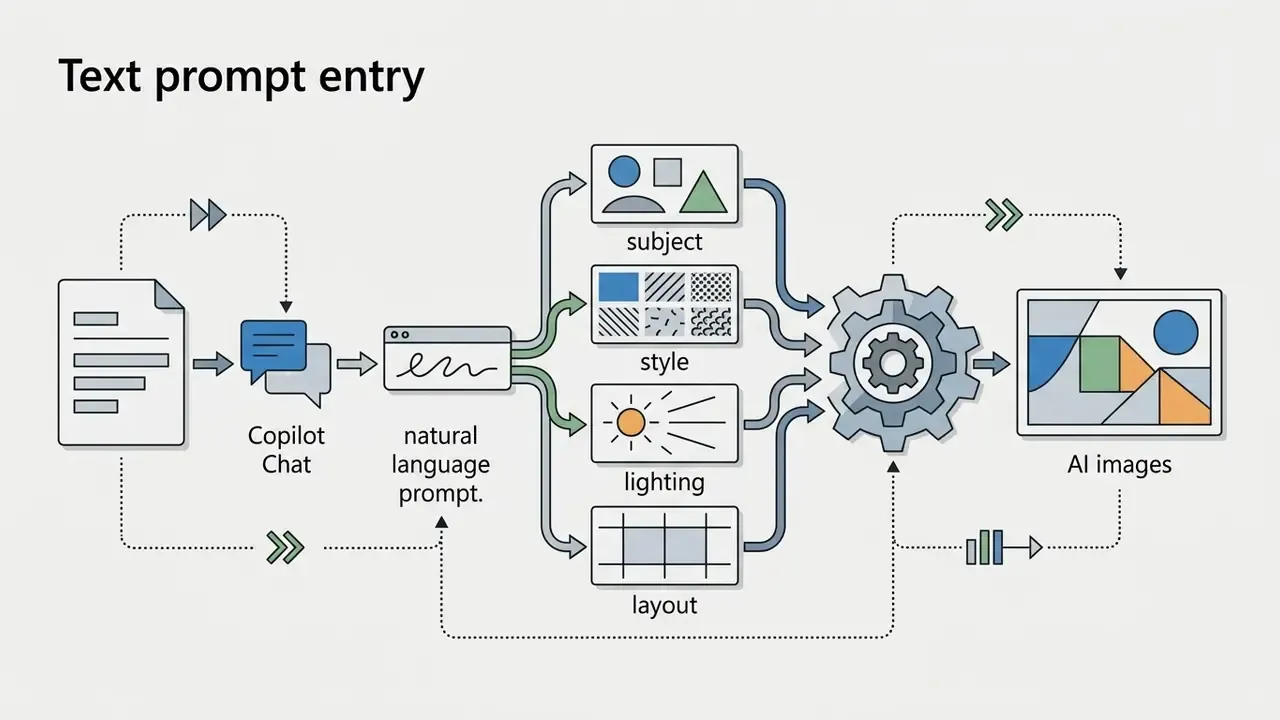
Effective prompts for the copilot ai art generator are structured, multi-criteria natural language descriptions containing at least six descriptive words that cover subject, artistic style, lighting, composition, camera parameters and contextual details. Microsoft's own prompting guidance states that "a minimum of six descriptive words is better and more likely to produce the desired output." Vague or single-word prompts force the generative model to guess, and the guesses tend to look generic. Readers new to the discipline can start with the foundations of AI art generators before moving to advanced templates.
Core Elements of a High-Quality Text Prompt
A high-performing text prompt has six structural building blocks: primary subject, visual aesthetic or medium, lighting conditions, compositional arrangement and framing, camera angle or perspective, and explicit detail level or mood constraints.
Research by Tan et al. (2024, ECCV) shows that LLM-powered text encoders in generative diffusion systems excel at translating multi-sentence, highly descriptive prompts into nuanced spatial and stylistic image features, outperforming short keyword strings. The methodological detail that matters: legacy CLIP text encoders are capped at 77 tokens and English-only input, while LLM-based encoders remove both constraints, improving fidelity on complex prompts with multiple entities, relationships and nuanced attributes.
«LLM-based encoders outperform CLIP on multi-sentence prompts containing multiple entities, relationships and nuanced attributes.»
Practical consequence: stop compressing prompts into keyword soup. Write two to four full sentences that read like an art director's brief.
Defining Style, Composition, and Image Format
You can dictate explicit visual styles with keyword descriptors such as "photorealistic studio photograph," "vector digital illustration," "3D isometric render" or "oil painting texture," and direct aspect ratios through the selectable UI options (Square, Portrait, Wide) or prompt instructions such as "16:9 landscape framing." Microsoft's support documentation confirms "photorealistic" as a working style token and documents Crop & rotate plus aspect-ratio reselection inside the editing pane.
Empirical evaluation from the Simple and Safe Prompting (SSP) framework shows that adding specific camera descriptors, such as "shot on 50mm f/1.8 lens," "macro close-up" or "soft diffuse studio lighting," increases semantic consistency by 16% and text-image alignment by 5%, while improving safety metrics by 48.9%. For enterprise workflows, that last number is the interesting one: it materially reduces the probability of unintended or non-compliant content.
«Adding camera descriptions increases semantic consistency by 16%, text-image alignment by 5%, and safety metrics by 48.9%.»
Refining Prompts and Improving Generated Results
When initial outputs carry minor defects or compositional mismatches, use an iterative refinement loop: send follow-up prompts that modify specific elements without discarding conversational context. The published research pattern is straightforward. Generate, evaluate the specific failure (wrong object count, spatial misplacement, missing attribute), inject a corrective instruction, regenerate, and repeat until a stop criterion is met. Test-time prompt refinement studies (ICCVW, 2025) show that refinements driven by detected failures preserve original intent far better than full prompt rewrites.
According to the TIPO prompt optimization research, controlling prompt length and applying structured attribute tags improves aesthetic evaluation scores and reduces visual artifacts. TIPO formalizes discrete length categories, from Very Short (roughly 18 tags, 2 sentences) up to Very Long (roughly 72 tags, 18 sentences), with the <long> band requiring about 36 to 52 tags and 4 to 8 sentences. That gives teams a reproducible target instead of guesswork.
«Structured length control spans Very Short (18 tags, 2 sentences) to Very Long (72 tags, 18 sentences), reducing artifacts and improving aesthetics.»
Advanced Technique: Maintaining Character Consistency Across Generations
Generating a cohesive series of images featuring the same subject across different scenes requires explicit prompt anchoring. Copilot can hold subject identity across chat turns if you follow four rules.
- Anchor name and unique identifiersassign a specific, non-generic name plus three to four persistent facial and clothing attributes (for example, "Elena, a 30-year-old architect with a sharp jawline, short auburn pixie cut, round tortoiseshell glasses and a beige turtleneck").
- Upload reference assetsin the mobile app or the Designer canvas, upload an approved output as a visual reference for every subsequent command, rather than trusting textual memory alone.
- Isolate environmental variableskeep character descriptors 100% identical in every prompt, changing only the action, background and lighting. Change two variables at once and you lose traceability of what caused the drift.
- Request variants, then lock oneask for multiple versions of the same anchored description, approve a single canonical frame, and treat it as the reference for the rest of the series.
Character consistency prompt template:
"[Anchor Identifier], [New Action/Pose], set in [New Environment/Location], [Lighting Style], shot on [Camera Lens], maintaining exact facial features, hair style, and clothing from the previous turn."
| Use Case | Structured Text Prompt Template | Target Visual Output |
|---|---|---|
| Product Photo | "A photorealistic product photograph of a matte black ceramic coffee tumbler placed on a polished oak surface, soft natural window light from the left, shallow depth of field, 85mm portrait lens framing, clean minimalist aesthetic." | Commercial-grade product image ready for e-commerce listings or digital ad campaigns. |
| Event Poster | "A modern vector event poster for an AI Governance Summit, isometric digital node patterns in deep navy and electric teal, ample negative space on the left for text placement, clean geometric layout." | High-impact promotional visual tailored for event announcements and social media headers. |
| Illustration | "A detailed digital watercolor illustration of an automated financial trading room, vibrant subtle hues, architectural perspective, warm inviting ambient lighting, editorial publication style." | Artistic editorial artwork suitable for blog headers, whitepapers and annual reports. |
| Presentation Slide | "A wide 16:9 minimalist visual metaphor representing scalable cloud architecture, smooth glassmorphism geometric blocks, dark corporate background, clean negative space on the right." | Executive presentation backdrop optimized for overlaying text slides and data charts. |
| Social Media Visual | "A square 1:1 photorealistic workplace scene showing financial risk managers collaborating over digital dashboards, soft studio lighting, natural authentic corporate atmosphere, neutral tone palette." | Mobile-optimized visual post for LinkedIn, Twitter/X and corporate communications. |
| Moodboard Visual | "A moodboard-style grid of four abstract textures for a fintech rebrand: brushed aluminium, deep navy matte paper, soft teal gradient mesh, and fine grid linework, flat lighting, no text." | Reference panel for brand direction reviews and design sign-off meetings. |
| Character Series (Consistency) | "Elena, a 30-year-old architect with a sharp jawline, short auburn pixie cut, round tortoiseshell glasses and a beige turtleneck, reviewing blueprints at a drafting table, warm late-afternoon side light, shot on 50mm f/1.8, maintaining exact facial features and clothing from the previous turn." | Repeatable protagonist for multi-slide decks, explainer storyboards and campaign sequences. |
Capabilities and Quality of AI-Generated Images in Copilot
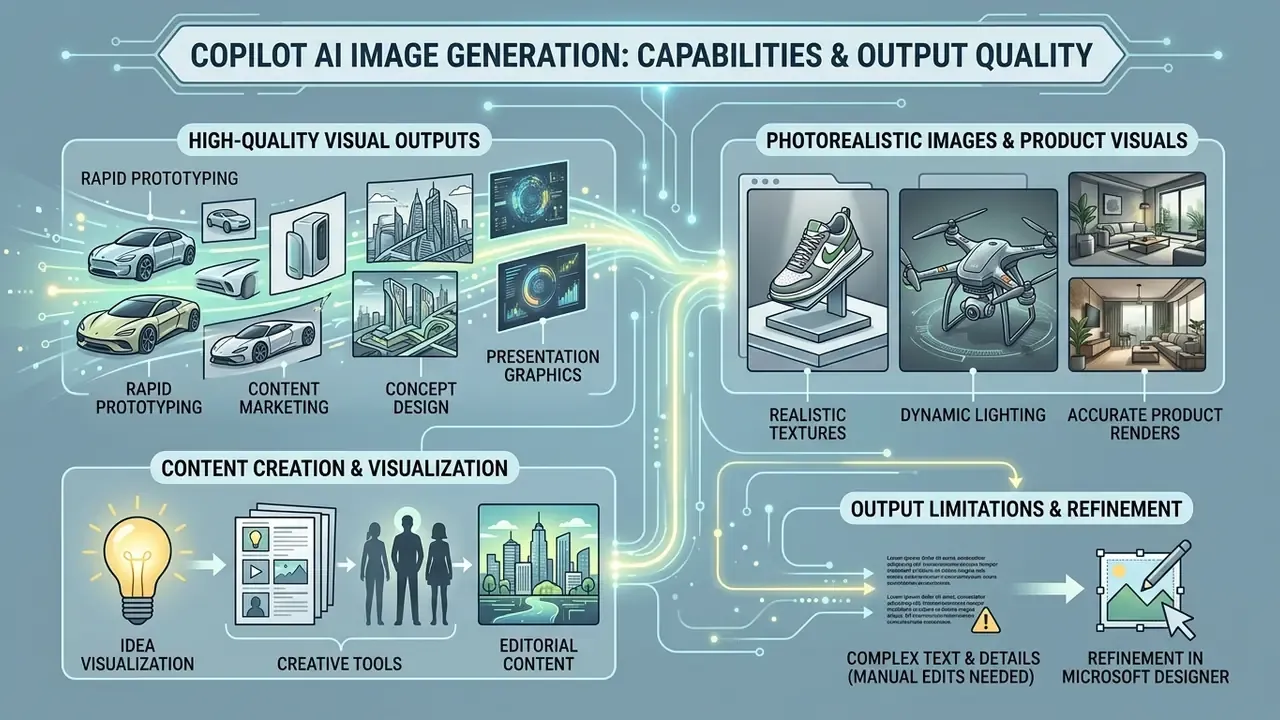
The ai generated images copilot framework produces high quality visual outputs suitable for rapid prototyping, content marketing, concept design and presentation graphics, backed by DALL-E 3's spatial reasoning and rendering precision. Knowing where the model excels, and where it hits a wall, helps teams deploy it effectively while keeping quality expectations realistic.
Content Creation, Design, and Idea Visualization
For marketing, storyboarding and design ideation, the ai picture generator copilot accelerates concept exploration by rendering several thematic variations within seconds. Microsoft's Learn material describes the Copilot plus Designer storyboarding flow as generating an outline of key moments and transitions, then producing three to four visual variations per prompt for review before refinement.
A quasi-experimental advertising study conducted by Columbia University across roughly 16 billion display ad impressions found that AI-generated visual ads achieved an average click-through rate of 0.76% against 0.65% for human-made visuals, χ²(1, N = 369,533,326) = 13,641, p < .001. Strong engagement potential, but only when visuals keep a natural aesthetic balance.
«AI ads reached 0.76% CTR versus 0.65% for human-made visuals, but only when outputs did not visibly look AI-generated.»
Photorealistic Images and Product Visuals
For lifestyle marketing shots and commercial product scenes, the ai photo generator copilot produces convincing reflections, realistic material textures and depth-of-field effects. The Columbia study also noted the flip side: AI-generated visuals only outperform human assets when they avoid overt "AI cues" such as hyper-saturated colors, unnatural skin warmth or blurred synthetic text. That is exactly why Microsoft Designer's inline editing tools matter for authenticity. For campaign-scale product imagery that must survive large-format placement, pairing generation with AI image upscalers preserves edge detail after cropping and reframing.
Output Limitations and Scenarios Requiring Manual Edits
«Even advanced models blur specialized details or substitute visually similar but factually incorrect alternatives.»
Practical mitigation: never let the model render legible text, regulatory labels, numeric figures or product specifications. Generate a clean background in Copilot, then overlay typography in the Designer canvas where text is vector-accurate and editable. To evaluate broader visual editing capabilities across platforms, teams can compare options across specialized media tools.
Copilot AI Image Generator Free: Access, Plans, and Limits
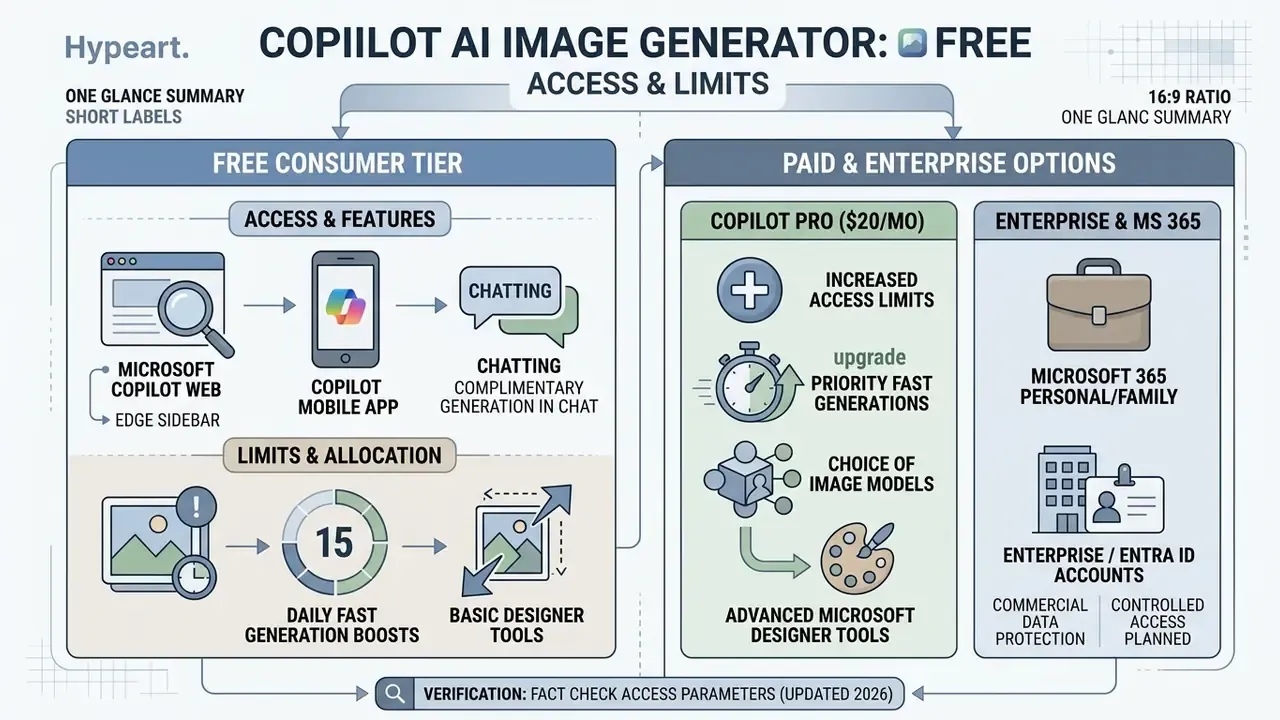
The ai image generator free copilot tier gives complimentary access to image generation via Microsoft Copilot Chat on web and mobile, with 15 daily fast-generation "boosts" after signing in with a standard Microsoft account. Boosts prioritize processing speed during peak service hours, which keeps generation times short when demand spikes.
Features Available in Free Microsoft Copilot
Unpaid users signed into Microsoft Copilot get standard DALL-E 3 image creation, inline color adjustments, background blurring, and up to 15 image generation boosts per 24-hour cycle. When boosts run out, image generation keeps working, just at standard queue speed rather than accelerated priority. Free tier users can save assets to the Copilot Library and use basic Microsoft Designer capabilities. Microsoft also cautions that free image availability can vary by location and service demand, so plan campaign deadlines with buffer. For side-by-side quota comparison against other zero-cost engines, see our review of free AI image generators.
When to Consider Paid Copilot Options
Organizations and professional creators that need higher volume, faster processing and deep Microsoft 365 integration should look at Copilot Pro ($20/user/month) or Copilot for Microsoft 365 commercial licenses. Those grant 100 daily generation boosts, priority access to GPT-4 Turbo and DALL-E 3 during peak traffic, and native image generation inside Word, PowerPoint and Excel. For teams building structured commercial asset libraries, the Commercial-Use AI Tools Matrix provides systematic evaluation criteria across pricing and feature tiers.
Verification caveat. Pricing, boost counts and credit allocations are product-surface dependent and shift with rollout waves. The figures below reflect Microsoft's published documentation as verified in 2026. Confirm current numbers on Microsoft's official plan pages before committing procurement budget, and note that Microsoft has explicitly stated that daily image limits for unlicensed Copilot Chat users are not publicly disclosed and may change.
Fact check and verification of access parameters (updated 2026):
Can You Use Copilot Images in Commercial Projects?
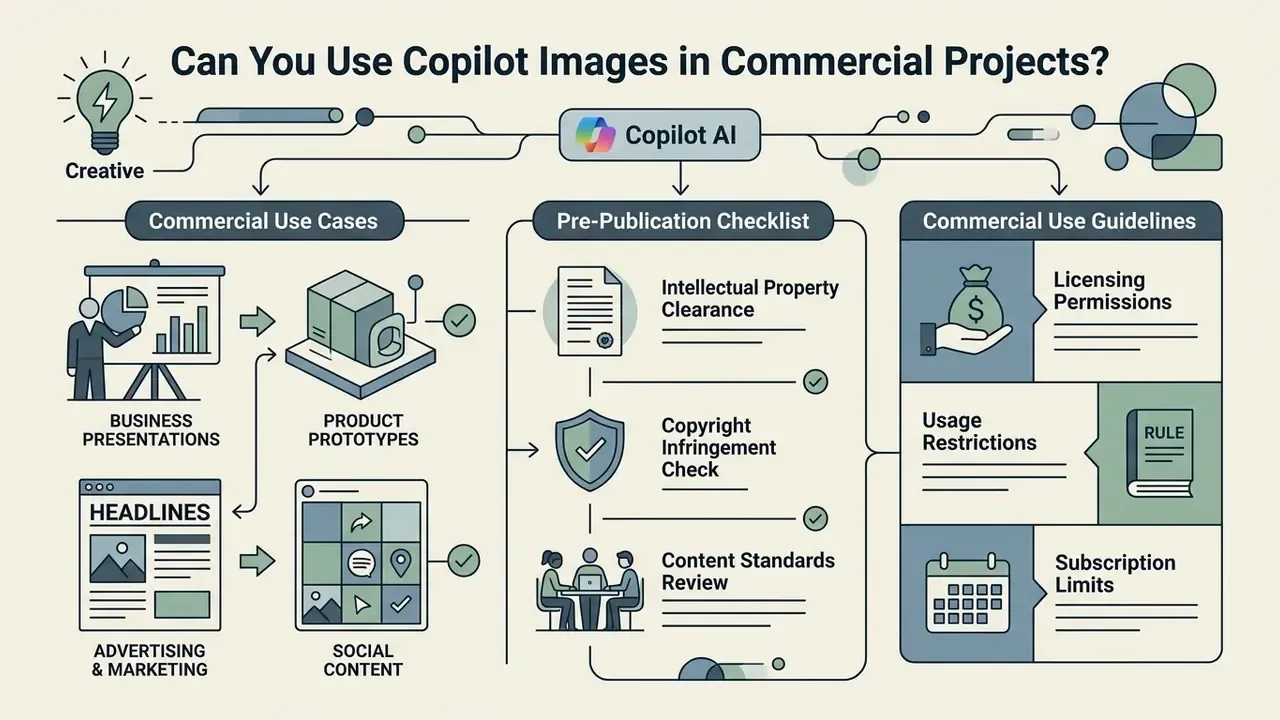
Yes. Images generated through paid commercial offerings, such as Copilot for Microsoft 365 or Copilot Pro under applicable license agreements, can generally be used in commercial marketing, corporate presentations and advertising materials, supported by Microsoft's Customer Copyright Commitment. Consumer free tier outputs carry narrower terms of use that require careful legal verification.
Microsoft's legal pages state that Microsoft does not claim ownership of output generated by its AI tools, and Microsoft 365 support material confirms that premium creative content may be used within the scope of the applicable Microsoft 365 or Office license, including selling documents that embed such content. The critical nuance is scope. Permission is anchored to the product and license under which the asset was generated, not to the image file in isolation.
Pre-Publication Checklist for Commercial Business Content
Before deploying copilot ai generated images in public marketing campaigns or customer-facing channels, corporate teams must confirm that the visual output contains no third-party trademarked logos, no identifiable personal likenesses without explicit consent releases, and no proprietary brand elements.
The U.S. Copyright Office Part 1 Report (2024) clarifies that pure AI outputs lacking substantial human creative input cannot claim copyright protection, which pushes organizations to document prompt iteration history and human editing contributions. The same report goes further, recommending new federal legislation against unauthorized digital replicas. That is a direct practical signal for any brand considering AI-rendered spokespeople, voices or likenesses.
«Pure AI outputs without substantial human contribution are not protected by copyright; the Office recommends new federal law against unauthorized digital replicas.»
Verification gets stronger when candidate assets pass through AI image detectors and reverse-image lookups to confirm provenance and catch near-duplicate third-party material before release.
Checklist0 / 8
Commercial Use Cases Where Copilot Adds Value
Commercial teams use Copilot image generation for backgrounds in digital ads, social media post visuals, visual concepts for client pitches, blog hero graphics and internal presentation deck slides. To see how Copilot stacks up against design-focused competitors, managers can review our guide on the canva ai generator or explore options in the broader Hypeart AI Media Decision Support ecosystem.
Lower-risk commercial patterns include abstract backgrounds, geometric metaphors, textures and non-identifiable environments. Higher-risk patterns include brand-adjacent product renders, celebrity-resembling faces, and anything mimicking a competitor's visual identity, a category where specialized celebrity ai image generator compliance risks apply directly.
Audit Trail, C2PA Lineage, and Shadow AI Control
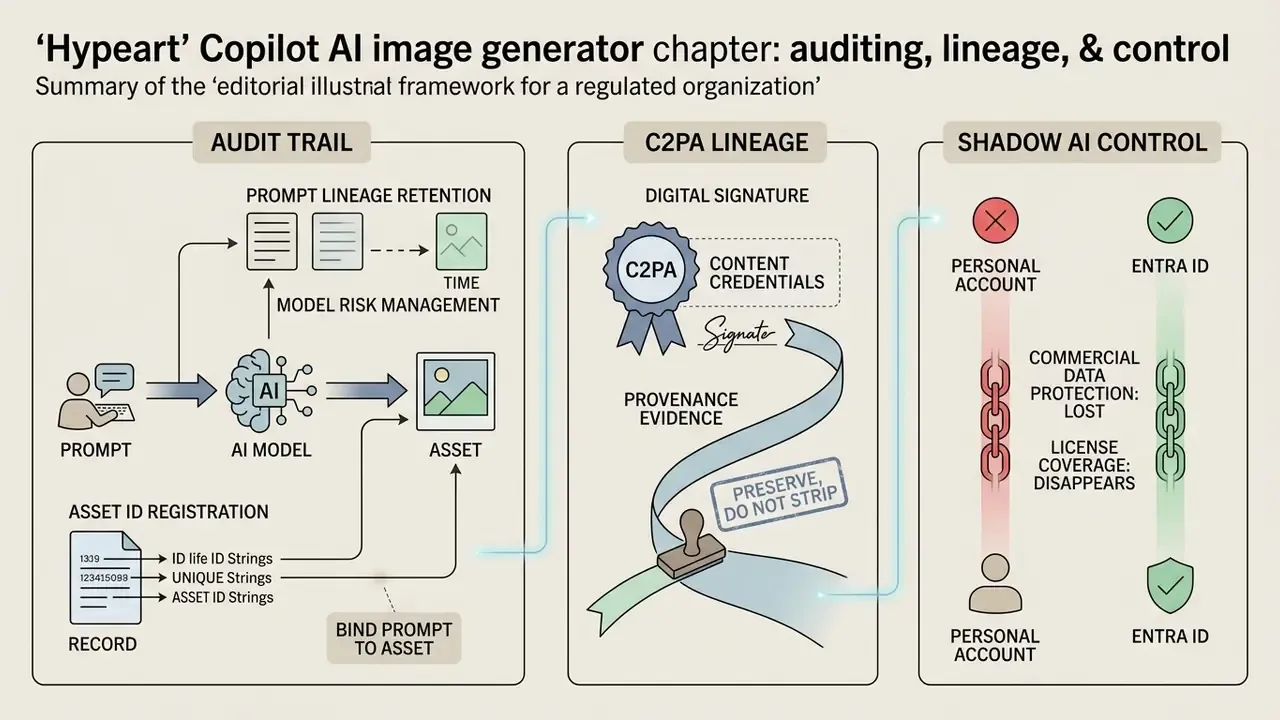
For regulated organizations, the decisive question is not whether Copilot can produce a usable image. It can. The question is whether the resulting asset carries enough evidence to survive internal audit, model-risk review and a third-party IP challenge. Three controls carry most of that weight.
C2PA Content Credentials as Provenance Evidence
Prompt Lineage Retention for Model Risk Management
Retention inside Copilot is bounded. Microsoft cites up to 18 months for stored images and deletion of uploaded images within 30 days after a conversation ends. So the platform is not an archive of record, and enterprises must externalize the evidence.
| Evidence Artifact | Why It Matters | Retention Owner |
|---|---|---|
| Full prompt chain (all turns) | Demonstrates human authorship and iteration intent | Content/marketing team, logged to DAM |
| Selected vs. rejected candidates | Shows human editorial judgment among four outputs | Content owner |
| Post-generation edit log (Designer actions) | Establishes substantive human modification | Design lead |
| C2PA credentials plus file hash | Machine-verifiable provenance | IT/GRC register |
| License tier and account type used | Determines commercial-rights coverage | Procurement/legal |
| Human reviewer sign-off | Satisfies human-in-the-loop control requirement | Risk or compliance function |
One practical note from review cycles: the rejected candidates are often the most persuasive artifact in an audit, because they show a human actually chose.
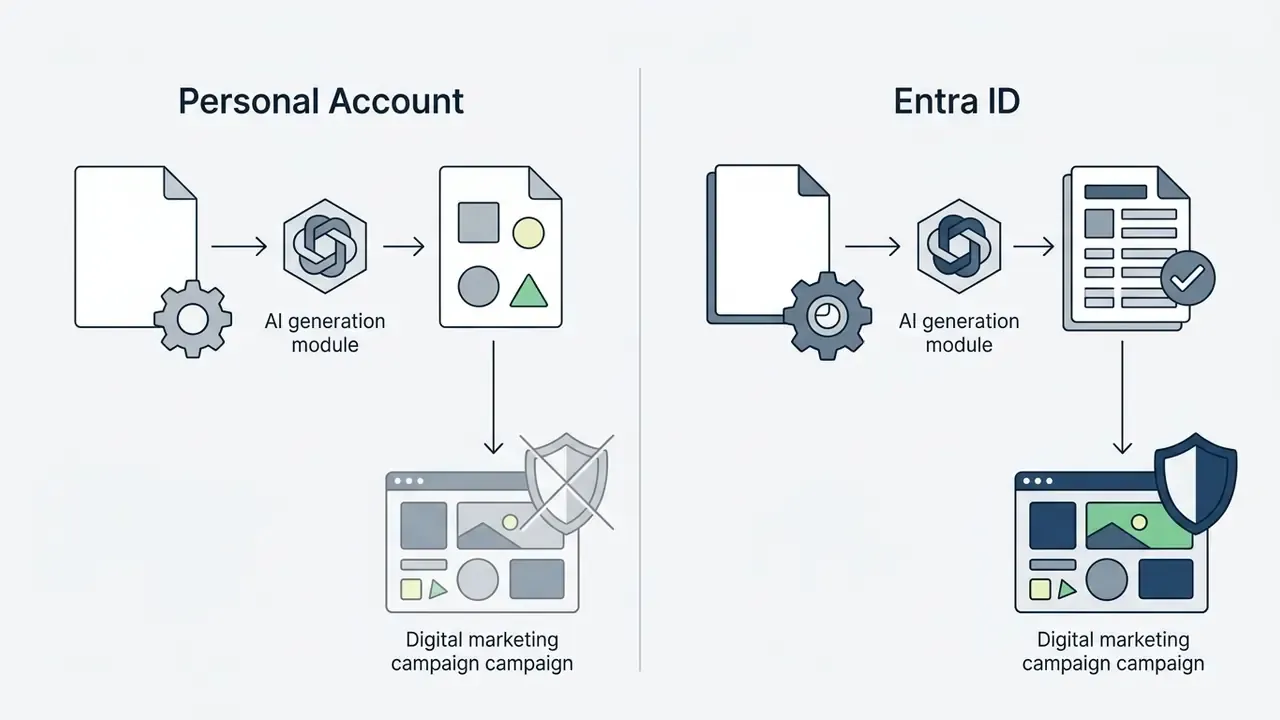
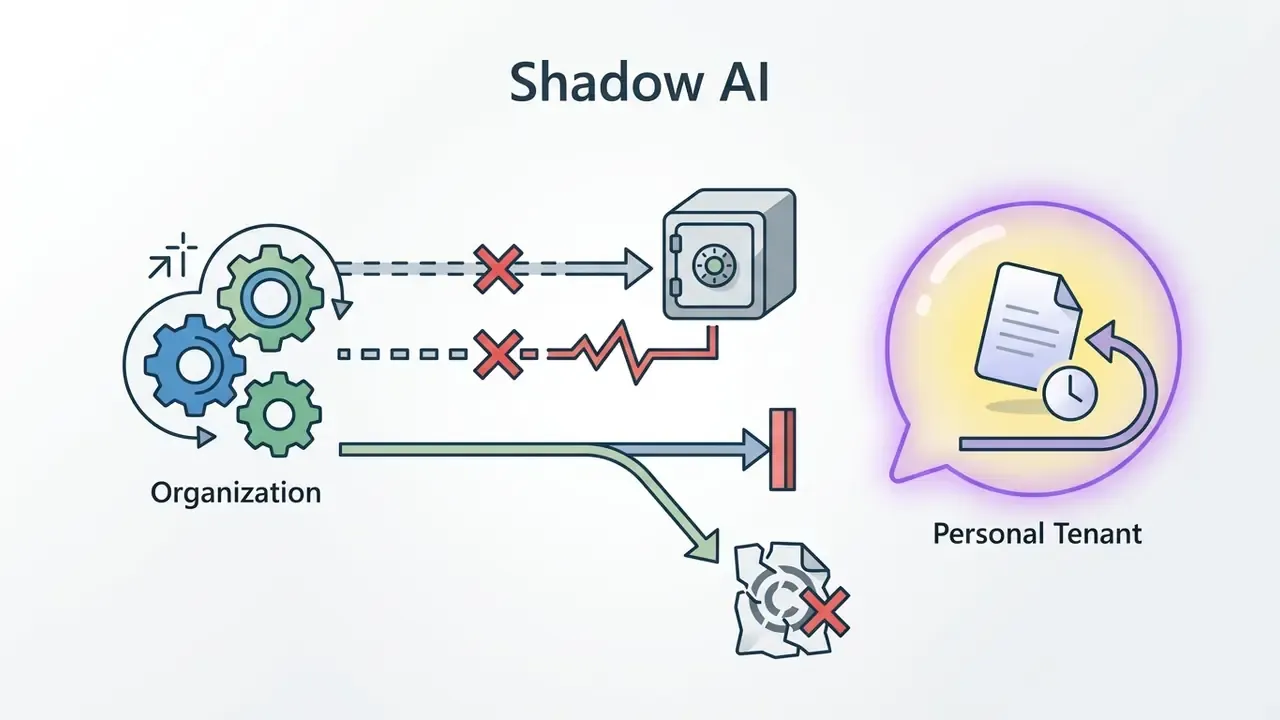
Shadow AI: Personal Account vs. Entra ID
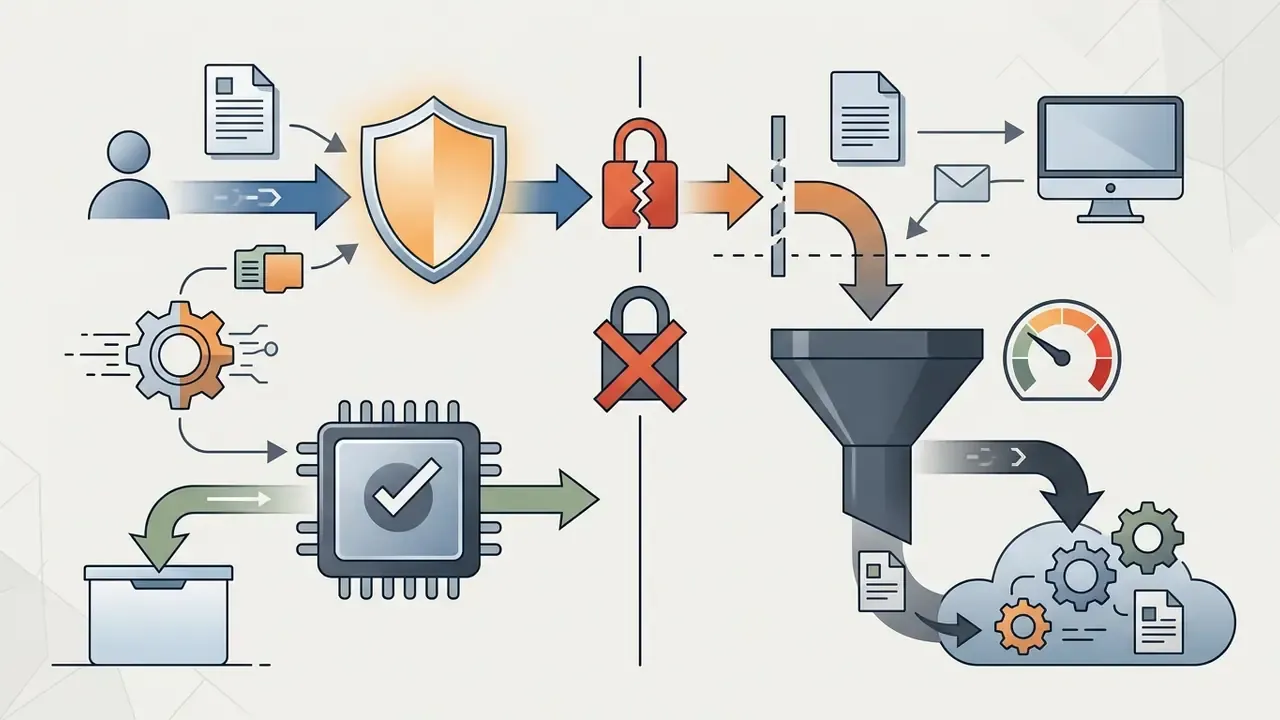
The most common governance failure is not a bad image. It is the wrong account. When an employee generates a customer-facing asset on a personal Microsoft account, three things fail at once.
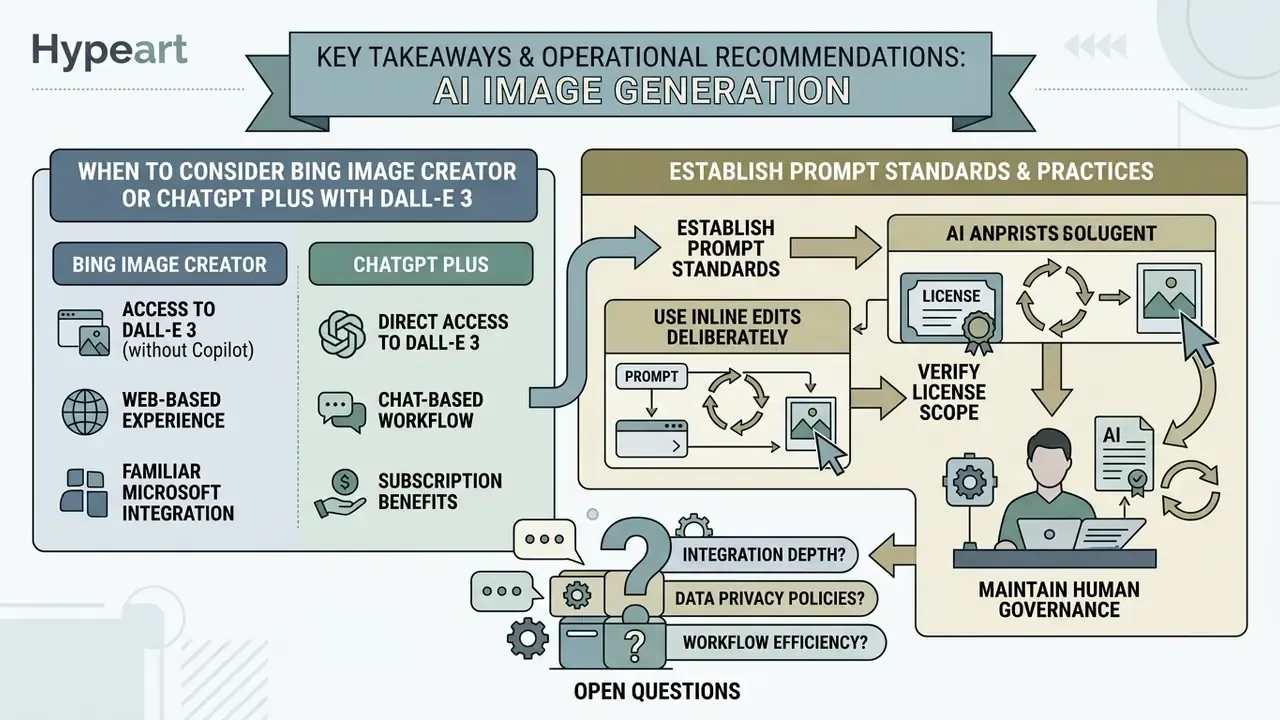
Shadow AI control checklist: publish an explicit policy naming Entra ID as the only approved surface for commercial visual generation; verify per-app Entra support before standardizing, since some Designer and Paint Image Creator surfaces have historically required a personal Microsoft account; route all customer-facing assets through a single approved DAM intake with mandatory prompt-log fields; and enforce human-in-the-loop sign-off before publication. No evidence, no autonomy.
Copilot Image Creator, Microsoft Designer, and Alternatives: Which Should You Choose?
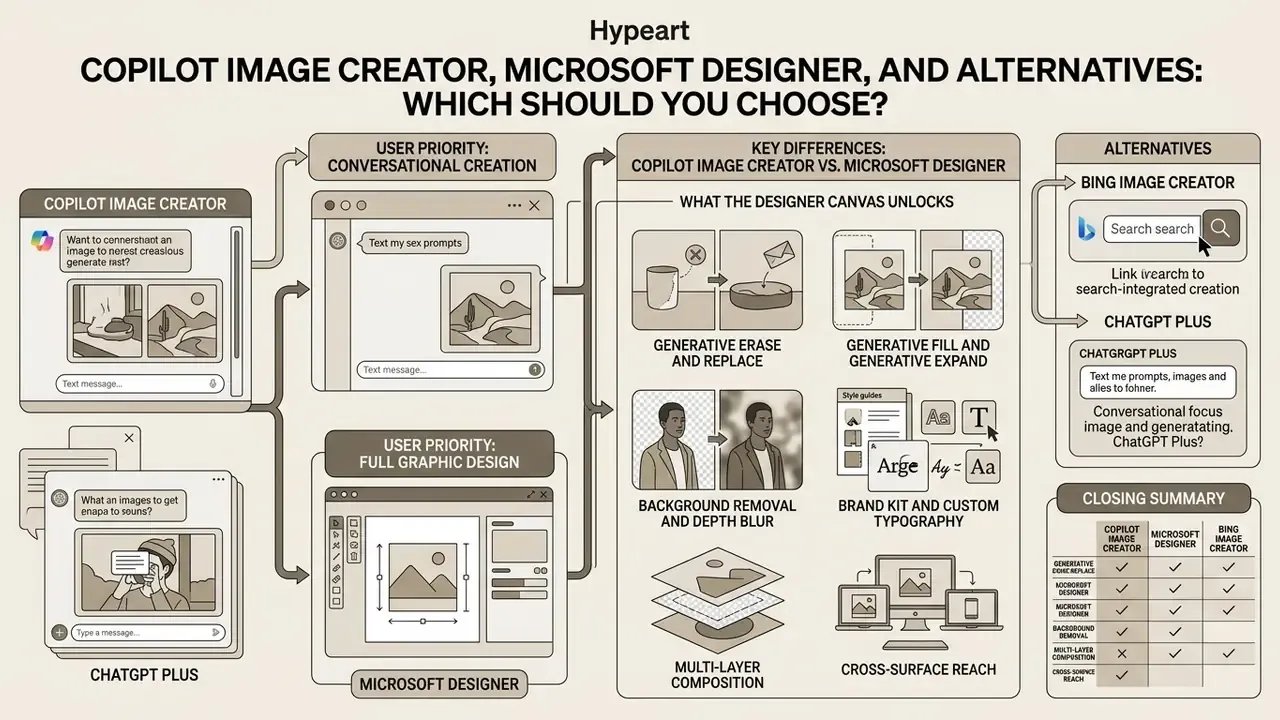
Choosing between ai image creator copilot, Microsoft Designer, Bing Image Creator and ChatGPT Plus depends on your priority: conversational chat-based creation, full graphic design layout editing, dedicated search web integration, or multi-modal LLM reasoning.
Key Differences Between Copilot Image Creator and Microsoft Designer
Copilot Image Creator works as a multi-turn, chat-integrated assistant built for quick prompt-to-image generation and inline modifications inside a conversation. Microsoft Designer, by contrast, is a full graphic design environment with multi-layer layout editing, social media templates, background removal, generative erase and custom brand kit integration.
What the Designer canvas unlocks. Copilot Chat covers quick inline edits (background blur, restyling, cropping, aspect-ratio changes). Moving your generated image to the Microsoft Designer canvas (designer.microsoft.com) unlocks professional multi-layer graphic editing:
Teams looking for alternative visual conversion workflows may explore tools that transform stylized cartoon to realistic graphics, or evaluate outpainting options for expanding images beyond their original frame.
When to Consider Bing Image Creator or ChatGPT Plus with DALL-E 3
Bing Image Creator offers a streamlined web-only entry point powered by DALL-E 3 with 15 daily boosts for quick personal searches. See our dedicated breakdown of Bing AI image creation for access requirements and commercial terms. ChatGPT Plus ($20/month) provides DALL-E 3 image generation inside OpenAI's ChatGPT interface alongside custom GPT building.
Bing Image Creator technical specifics. When accessing the engine via bing.com/images/create, users operate under the Bing Image Creator interface, which carries its own constraints:
- Conversation style requirement: when working through Bing Chat rather than the dedicated create page, select "More Creative" mode so the system routes the query to the DALL-E 3 rendering pipeline instead of returning a text answer.
- Output specifications: Bing Image Creator natively outputs 1024 × 1024 images in standard JPG format, rendering four distinct variants per prompt.
- Boosts and retention: new users receive 15 boosted generations. Microsoft documents image storage in the Bing surface for up to 90 days, and heavier usage tiers have been documented at up to 200 prompts per 24-hour window depending on surface and rollout.
- Editing path: an "Edit image" flow exists for uploaded images, with Microsoft noting that upload-based editing may route through GPT-4o and that users must own the rights to anything they upload.
For workflows that need direct conversational image generation, reviewing dedicated chat ai image generators, or background utility tools like a color remover from an image, can shorten post-processing steps. Governance leads can also inspect AI Litigation and compliance risks across model families, or structure controlled pipelines using AI Media Workflows.
| Feature / Criteria | Copilot Image Creator (Copilot Chat) | Microsoft Designer (Web Application) | Bing Image Creator | ChatGPT Plus with DALL-E 3 |
|---|---|---|---|---|
| Primary Access Point | copilot.microsoft.com and Copilot mobile/desktop apps | designer.microsoft.com and M365 apps | bing.com/images/create | chatgpt.com (ChatGPT Plus/Team) |
| Underlying Engine | OpenAI DALL-E 3 plus GPT-4 Turbo | OpenAI DALL-E 3 plus SAM (Segment Anything) | OpenAI DALL-E 3 | OpenAI DALL-E 3 plus GPT-4o |
| Free Access & Boosts | Free (15 daily boosts upon login) | Free web tier / 60 credits in M365 Personal | Free (15 daily boosts; up to 200 prompts/24h on some surfaces) | Free tier limited to 2 images/day |
| Default Output | Square/Portrait/Wide selectable; PNG or JPEG download | Canvas export in multiple sizes and formats | 1024 × 1024 JPG, four variants | Variable sizes, in-chat download |
| Editing Capabilities | Inline chat edits (blur background, restyle, aspect ratio, crop) | Full canvas editor (generative erase/fill/expand, layers, brand kit) | Basic prompt iteration, cropping, "Edit image" upload flow | In-chat target region editing (inpainting) |
| Commercial Terms | Covered under Microsoft Services Agreement and Copilot license | Personal use web terms vs M365 commercial licenses | Standard Microsoft consumer terms | Commercial usage rights granted to user outputs |
| Enterprise Account Support | Entra ID supported with commercial data protection | Verify per surface: some Designer/Paint flows require a personal MSA | Consumer surface | Team/Enterprise plans available |
| Target Use Case | Conversational asset ideation and document embedding | End-to-end poster, banner and graphic asset design | Rapid web search visual generation | Multi-modal text-and-image chat workflows |
No matching rows Clear one or more filters to restore the matrix.
Readers benchmarking output quality against premium art-focused engines can also review how Midjourney image generation compares on style control and licensing, or how ChatGPT picture generation handles access and pricing trade-offs.
Key Takeaways and Operational Recommendations
FAQ: Copilot AI Image Generator Questions
Does Copilot image generation differ between an Entra ID work account and a personal Microsoft account?
Yes, materially. Entra ID work and school accounts operate under commercial data protection, where chat prompts are not used to train the underlying models, and they fall within the scope of commercial licensing and the Customer Copyright Commitment. Personal accounts do not carry those assurances. Conversely, a few Microsoft surfaces, historically Image Creator in Paint and certain Designer editing flows, have required a personal Microsoft account and were not supported for Entra accounts. Verify per-app support before standardizing a workflow.
What are C2PA Content Credentials and why should a compliance team care?
C2PA Content Credentials are tamper-evident provenance metadata that Microsoft embeds into Copilot-generated images, identifying them as AI-generated and recording the generation event. They give auditors a machine-verifiable link between a published asset and its origin. Because CMS uploads and social platforms often strip metadata, archive the original downloaded master and register its file hash in your asset register.
Can I copyright an image created with Copilot?
Not the purely AI-generated portion. The U.S. Copyright Office's 2024 Part 1 report states that outputs lacking substantial human creative input are not protected by copyright, and registration filings must disclose AI-generated content and explain the human author's contribution. Practically, documenting prompt iteration and substantive human edits is what creates a claimable creative layer.
What happens when my daily generation boosts run out?
Generation does not stop. It drops from accelerated to standard queue speed. The free tier provides 15 daily boosts and Copilot Pro provides 100. Microsoft has also stated that daily image limits for Copilot Chat users without a Microsoft 365 Copilot license are not publicly disclosed and may change, so high-volume teams should plan around licensed capacity rather than free-tier throughput.
Why does my image have garbled text, and how do I fix it?
Diffusion models render text as a visual pattern rather than typography, so embedded strings frequently break. The fix is procedural, not prompt-based: generate a clean composition with deliberate negative space, then add typography in the Microsoft Designer canvas where fonts are vector-accurate, editable and brand-compliant.
How do I keep the same character across a series of images?
Anchor a specific name plus three to four persistent physical and clothing attributes, repeat those descriptors verbatim in every prompt, upload the approved first output as a visual reference, and change only one environmental variable at a time. The consistency template earlier in this guide gives the exact structure.
Which image formats can I upload and download?
Microsoft documents PNG, JPG, JPEG, GIF, BMP and TIFF as supported inputs for image understanding and transformation. Downloads arrive as full-resolution PNG or JPEG. Bing Image Creator's dedicated create page outputs 1024 × 1024 JPG files.
References and Primary Sources
- Tan et al., An Empirical Study of Text-to-Image Generation Using LLM-Powered Textual Representation, ECCV (2024). https://arxiv.org/abs/2408.11004
- SSP Framework, Simple and Safe automatic Prompt engineering (2024). https://arxiv.org/abs/2401.01128
- TIPO Framework, Text to Image with text Pre-sampling for Prompt Optimization (2024). https://arxiv.org/abs/2411.08127
- T2I-FactualBench (2024). https://arxiv.org/abs/2412.04300
- Hartmann et al., How AI-generated ads' visual cues shape consumer perception and performance, Columbia University (2024). https://doi.org/10.7916/d8-g2qh-5v89
- U.S. Copyright Office, Report on Copyright and Artificial Intelligence, Part 1: Digital Replicas (2024). https://www.copyright.gov/ai/copyright-and-artificial-intelligence-part-1-digital-replicas-report.pdf
- Microsoft Learn, Image generator capability for declarative agents (2026). https://learn.microsoft.com/en-us/microsoft-365/copilot/extensibility/image-generator
- Microsoft Support, Using image generation in Microsoft Copilot (2026). https://support.microsoft.com/
- Microsoft Support, Edit images in Microsoft 365 Copilot Chat (2026). https://support.microsoft.com/en-us/microsoft-365-copilot/edit-images-in-microsoft-365-copilot-chat
Reviewed for factual accuracy in 2026 by the AI Governance & Model Risk editorial desk. Product limits, pricing and terms are verified as of publication and are subject to change by Microsoft. Confirm current figures on official Microsoft pages before procurement or campaign launch.
General disclaimer: this article provides general technical and commercial information about AI image generation tools. It is not legal, financial or compliance advice. Organizations operating in regulated sectors should obtain qualified professional counsel before deploying AI-generated media in customer-facing, regulatory or contractual materials.
For more commercial-use evaluations across generative media tools, browse the hub, or browse the hub of head-to-head platform comparisons.
- Powered Textual Representation*, ECCV (2024).
- - Tan et al., An Empirical Study of Text-to-Image Generation Using LLM-Powered Textual Representation, ECCV (2024).
- SSP Framework, Simple and Safe automatic Prompt engineering (2024).
- - SSP Framework, Simple and Safe automatic Prompt engineering (2024).
- sampling for Prompt Optimization* (2024).
- - TIPO Framework, Text to Image with text Pre-sampling for Prompt Optimization (2024).
- FactualBench (2024).
- - T2I-FactualBench (2024).
- doi.org
- - Hartmann et al., How AI-generated ads' visual cues shape consumer perception and performance, Columbia University (2024).
- copyright.gov
- - U.S. Copyright Office, Report on Copyright and Artificial Intelligence, Part 1: Digital Replicas (2024).
- Microsoft Learn, Image generator capability for declarative agents (2026).
- - Microsoft Learn, Image generator capability for declarative agents (2026).
- Microsoft Support, Using image generation in Microsoft Copilot (2026).
- - Microsoft Support, Using image generation in Microsoft Copilot (2026).
- Microsoft Support, Edit images in Microsoft 365 Copilot Chat (2026).
- - Microsoft Support, Edit images in Microsoft 365 Copilot Chat (2026).