If you run risk, compliance, or finance in a US institution, a free AI presentation maker is not a design question. It is a data-handling question wearing a design costume. Artificial intelligence tools for presentation creation have moved from crude text summaries into automated layout engines, and enterprise teams, banks, and operational leaders now use them for executive decks, model documentation summaries, technical reports, and commercial pitch decks.
Which is precisely why procurement should read the fine print before the marketing team pastes the quarterly numbers into a browser tab.
Executive summary for decision-makers
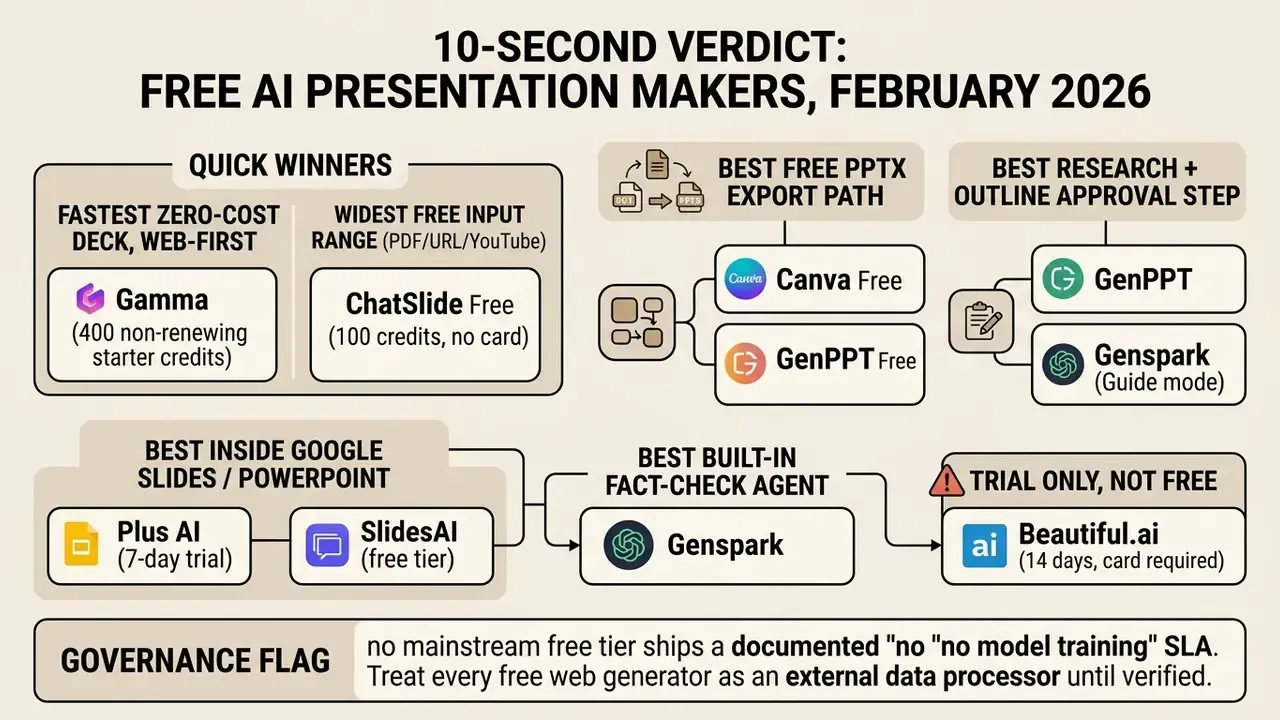
Three decisions define your shortlist. First, whether output must remain a native, editable Office Open XML file, or whether a web link and a PDF will do. Second, whether your inputs are prompts only, or include PDFs, spreadsheets, web URLs, and YouTube videos. Third, whether the data entering the prompt box is public marketing material or confidential corporate information subject to internal AI governance review.
That third question decides more procurement outcomes than any feature list.
Context and evaluation scope
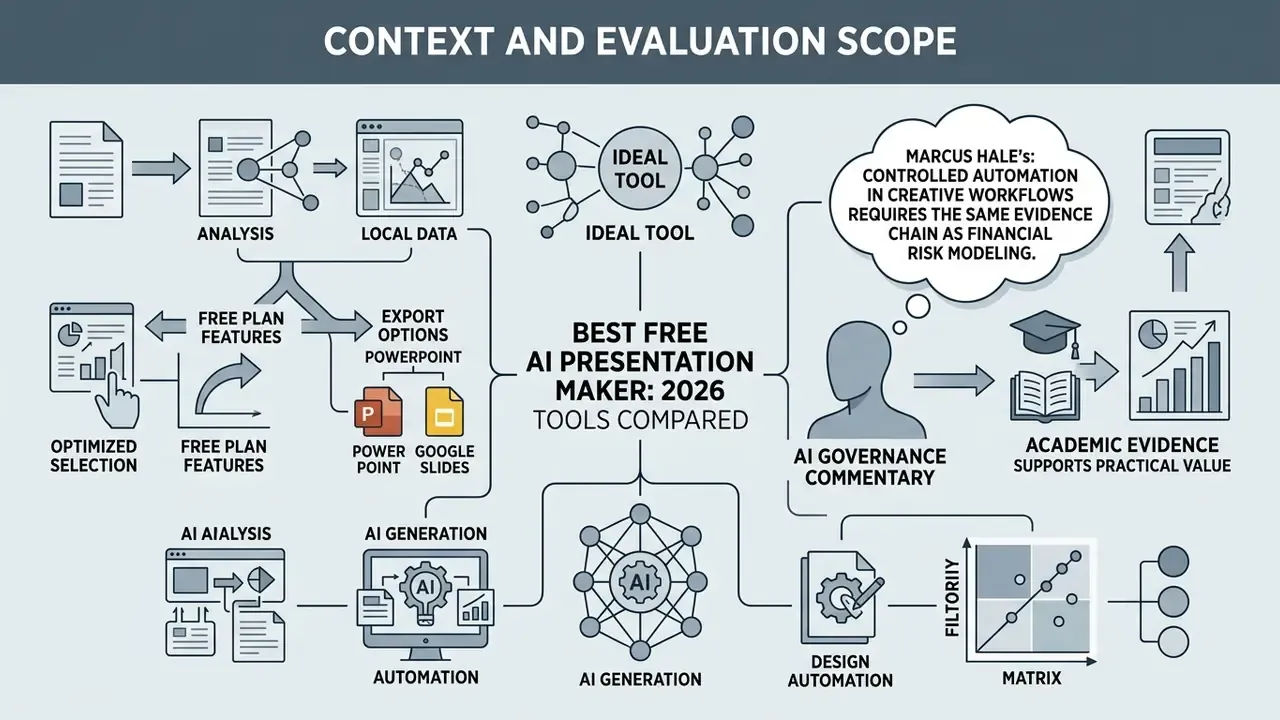
«AI-generated and instructor-built slides received the same median quality rating of 5.0 out of 7; students could not reliably identify the source.»
Best free AI presentation makers: quick recommendations
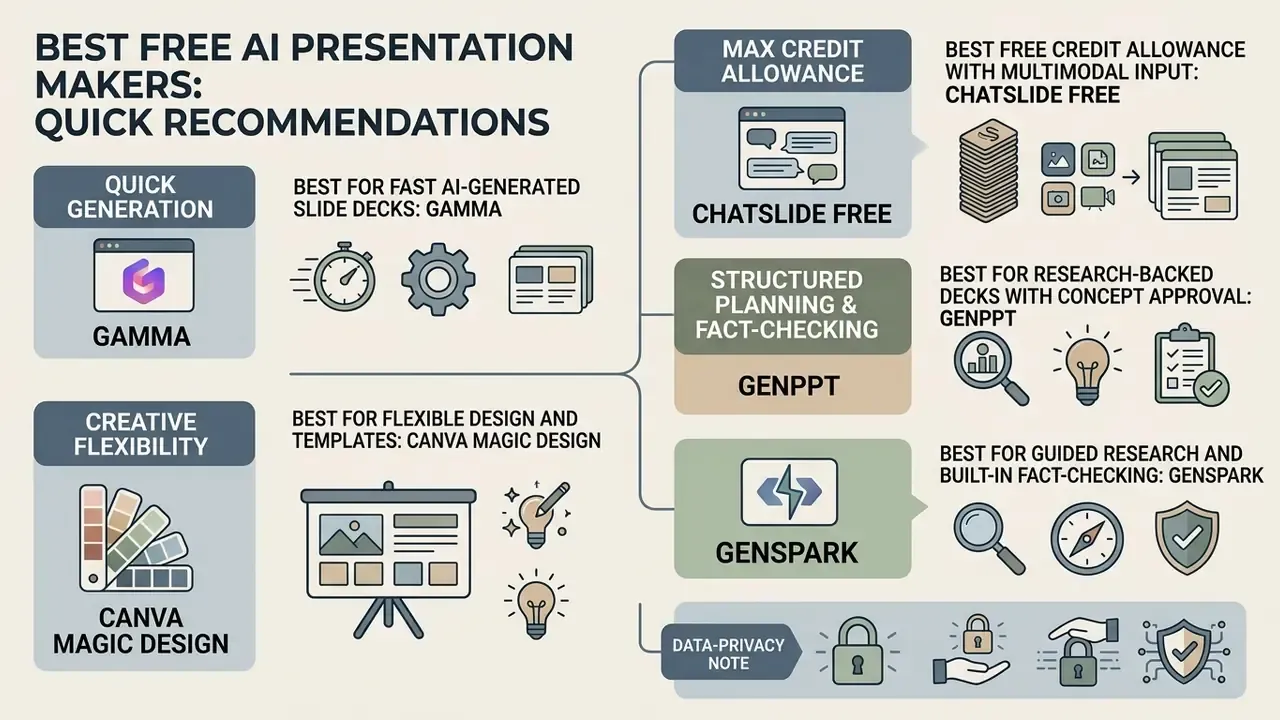
Permanent free plans and trial-based AI presentation tools split primarily by monthly credit allowances, export capabilities, and workflow integration. Choosing the right platform depends on whether your team needs standalone web publishing, native Microsoft PowerPoint integration, or real-time Google Slides collaboration. In practice, that single decision removes half the market from your shortlist in about ten minutes.
Evaluating creative AI software often means looking across adjacent generative media workflows. Organizations frequently assess visual generation alongside presentation generators: testing a best free ai photo generator for slide assets, benchmarking dedicated AI image generators for hero visuals, or reviewing an audio tool such as a best free ai music generator for narrated video presentations.
Best for fast AI-generated slide decks: Gamma
Gamma provides rapid prompt-to-deck generation using a card-based web interface, with 400 non-refilling starter credits and web-first presenting. Users generate an initial deck from a simple prompt, pasted documents, or imported outline text, while selecting visual themes and card ratios.
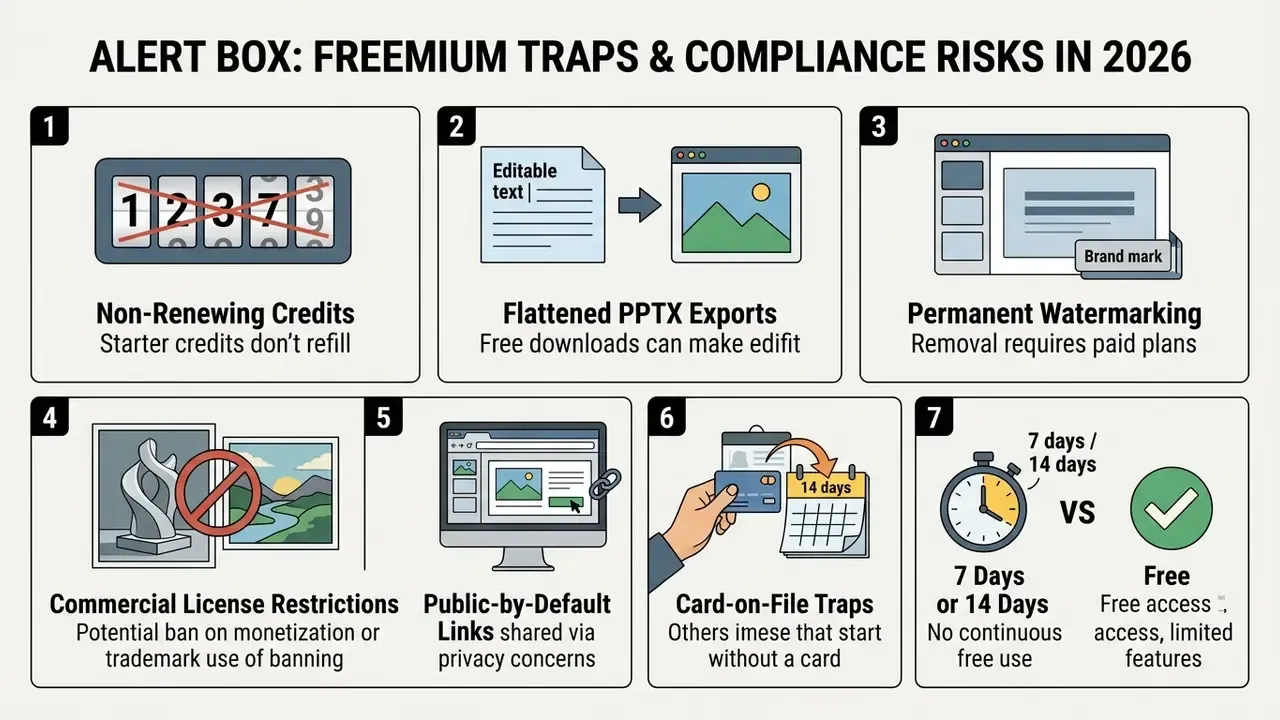
The platform lets you present directly in the browser and share a live link, with no manual file export step. Free tier outputs export to PDF and PPTX, though exported files carry visible platform branding, and free-tier PowerPoint exports are frequently flattened rather than fully layered. Good enough for an internal first draft; rarely good enough for a board pack.
Best for flexible design and templates: Canva Magic Design
Canva Magic Design combines an extensive template library with AI-assisted layout generation, capping free accounts at 10 lifetime Magic Design uses. It maps prompt content into multi-page presentation templates complete with stock graphics, fonts, and customizable color schemes, which helps teams with limited design skills produce slides that actually look good.
Free accounts can edit slides using standard graphic design tools and basic media uploads, but full Brand Kit asset locking stays behind paid tiers. Export options include PPTX, PDF, and standard image formats, which makes Canva one of the few genuinely free routes to an editable PowerPoint file.
Best free credit allowance with multimodal input: ChatSlide Free
ChatSlide Free issues 100 generation credits with no credit card required at signup, and accepts the widest input range of any free tier reviewed: typed prompts, uploaded PDFs, pasted web URLs, and YouTube video links. Free generation runs on DeepSeek V4 with a 20-slide ceiling per deck, and PDF export is included at zero cost.
The trade-off is export format. PPTX download and branding removal sit behind paid plans, so free ChatSlide output is best treated as a view-only deliverable, or as a structural first draft you rebuild in PowerPoint.
Best for research-backed decks with concept approval: GenPPT
GenPPT generates full-slide visual decks from prompts, documents, or links, and inserts a concept preview step before final rendering. It runs deep topic research with optional live web search, drafts a structured outline, then proposes visual concept directions for approval. That sequence prevents wasted credits on a misaligned narrative, which matters when the allowance is fixed.
Free credits are included, decks run up to 30 slides, and PPTX plus PDF export appear on the free tier in published comparisons. Export on the vendor's own free plan has also been reported as gated to the paid Growth tier, so verify current export rights before relying on it. Paid plans start around $19 per month, and multi-step rendering takes two to three minutes rather than being instant.
Best for guided research and built-in fact-checking: Genspark
Genspark accepts a topic, an uploaded PDF, Word, Excel, or an existing PPT file, and runs a Guide mode that asks follow-up questions about audience, tone, and slide count before generating anything. It pulls live web data, drafts an outline, and waits for approval before building slides, so structural problems surface before the deck exists.
Its differentiator for regulated teams is the built-in fact-check agent, which reviews finished slides, validates statistics against sources, and flags questionable figures. Export targets include .pptx, PDF, and Google Slides; manual edits consume no credits; generation supports 19 languages.
Comparison of Recommended Free AI Presentation Maker Tools (February 2026)
| Tool Name | Primary Scenario | Free Tier Model | Credit Card Required | PowerPoint (PPTX) Export | Google Slides Support | Template Library | Collaboration Features | Data Privacy / Model Training Status (free tier) |
|---|---|---|---|---|---|---|---|---|
| Gamma | Fast web decks & direct presenting | 400 non-refilling starter credits | No | Yes (watermarked, often flattened) | Yes (via PPTX import) | Extensive card themes | Live web links & workspace sharing | No documented no-training SLA on free plan; verify DPA |
| Canva Magic Design | Graphic design & template diversity | 10 lifetime Magic Design uses | No | Yes (standard, editable) | No direct add-on | 1,000+ templates | Real-time workspace co-editing | Enterprise controls on paid tiers; verify workspace settings |
| ChatSlide Free | PDF / URL / YouTube to slides | 100 free credits, 20-slide cap | No | No (PDF only on free) | Export via PDF/PPTX upgrade | Smart auto-layouts | Link sharing | GDPR-compliant posture stated by vendor; training terms require review |
| GenPPT | Researched, custom-designed visual decks | Free credits, up to 30 slides | No (trial upgrade $1) | Yes (reported free; verify) | No native extension | Custom visual concepts | AI chat agent for slide edits | Web-search enabled; do not paste non-public data |
| Genspark | Guided research decks with fact-check | Free tier with credit limits | No | Yes (editable .pptx) | Yes (direct export) | Reusable custom templates | Email invite & public link sharing | Live web research; treat inputs as externally processed |
| Pitch | Startup pitch decks & live collaboration | Free tier, unlimited decks, 100 AI credits | No | Yes (standard) | Import/export support | 100+ pitch templates | Real-time co-authoring & assignments | Workspace permissions; free plan limited to 2 external guests |
| Plus AI | In-editor Google Slides & PPTX editing | 7-day free trial only | Yes | Yes (native) | Native add-on | Custom brand templates | Native Google/Microsoft co-authoring | Runs inside your tenant document; add-on permissions must be reviewed |
| SlidesAI | Text-to-slide Google Slides conversion | 12 decks/year, 2,500 chars/deck, 120 credits/yr | No | Export via Slides | Native extension | Categorized library | Google Workspace permissions | Workspace Marketplace scopes apply; audit granted permissions |
| MagicSlides | YouTube / PDF / Word content conversion | 3 presentations/month, 10-slide cap | No | Via Google Slides | Native add-on | SWOT, timeline, metric templates | Google Workspace permissions | Model disclosed (Gemini Flash on free); review add-on scopes |
| Beautiful.ai (trial only, not free) | Automatic layouts & brand locking | 14-day trial, card required | Yes | Yes (PPTX, PDF) | Via integration | 300+ Smart Slides | Real-time team locking | Brand Control + permissions on Team plan |
Best standalone AI presentation generators for free
Standalone web generators build complete presentations inside proprietary browser interfaces rather than operating as plugins within existing office suites. These platforms offer specialized design controls, card-based canvas layouts, and direct web hosting for interactive presentation delivery.
Organizations reviewing standalone content tools often compare whole software stacks rather than single products. You can compare options to weigh standalone generative tools against traditional desktop productivity suites, and a head-to-head versus view helps when two shortlisted platforms look interchangeable on paper.
Gamma for AI-generated presentations and direct presenting
Gamma converts raw text, documents, or prompts into card-based slide decks designed for browser presentation and web link sharing. Users start creation via Generate, Paste, or Import modes, producing structured layouts with automated copy, visual elements, and thematic styling. Import accepts a PowerPoint file, a document, or a URL, and creation settings expose page count, page ratio, and content language before generation begins.
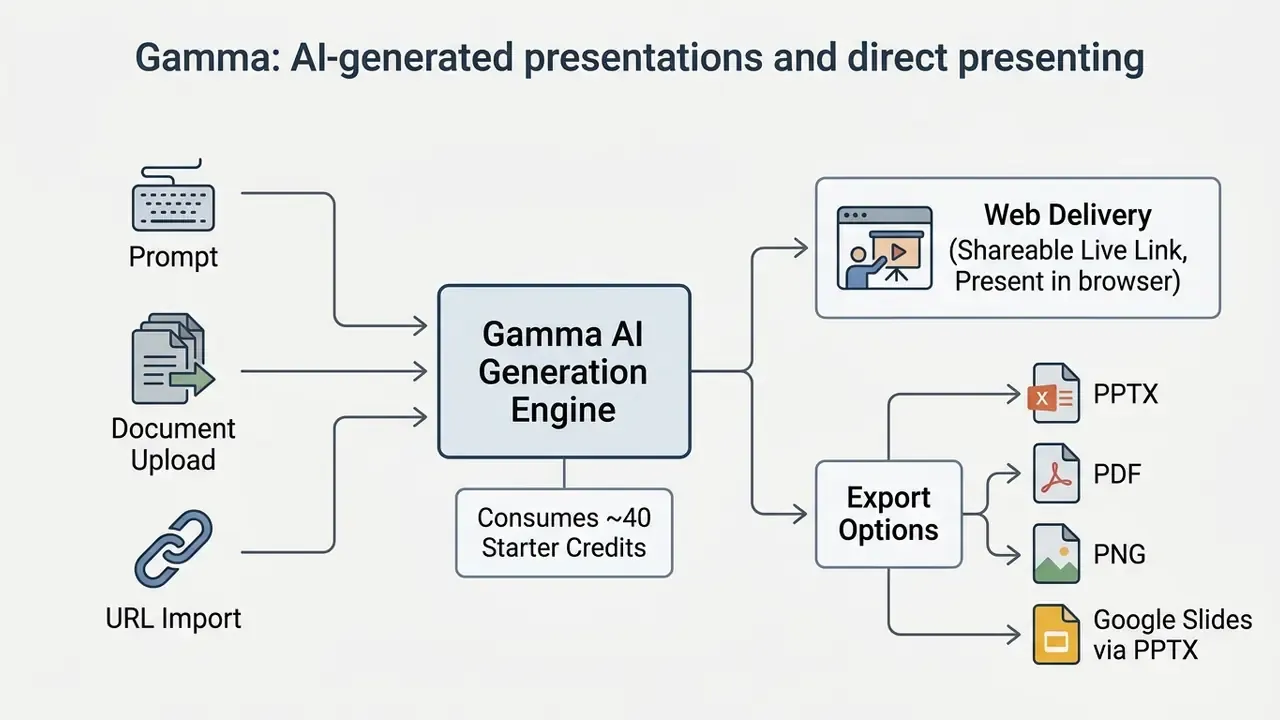
The free plan grants 400 non-refilling starter credits at signup. Initial prompt generations consume roughly 40 credits for up to 10 cards, while AI-assisted card additions and image generation deduct further points. Free exports keep a "Made with Gamma" brand mark, and third-party 2026 reviews consistently report that free PowerPoint exports arrive flattened rather than as fully layered object sets.
Editing after generation includes manual slide edits, a per-slide AI sparkle control, and a multi-slide AI edit panel reserved for Pro accounts. Gamma's own documentation is internally inconsistent on Google Slides: one page lists Google Slides as an export target, another states that Google Slides requires exporting PPTX first and importing it manually. Plan for the PPTX round-trip.
Pitch for collaborative pitch decks and team presentations
Pitch combines real-time co-editing and 100+ expert templates with Pitch Agent, an AI collaborator that generates and refines a pitch deck from user prompts. The platform provides a permanent free tier that allows unlimited presentations, and its published free plan includes 100 AI credits, custom templates, basic sharing links, engagement analytics, and two external guests.
Pitch focuses on startup and corporate workflows, offering specialized template suites covering market analysis, business models, and go-to-market strategy, including a dedicated 26-slide Startup Pitch Deck template and a 40+ template startup collection. Team collaboration features include slide assignments, status tracking, inline commenting, and shared brand asset libraries. For a fundraising team working in real time, that assignment layer is the actual product.
GenPPT for research-backed decks and concept previews
GenPPT positions itself against template-fill generators by producing full-slide custom visual designs rather than dropping text into fixed placeholders. The workflow runs in stages: topic research with optional live web search, structured outline generation, a concept preview sheet for visual direction approval, then final slide rendering.
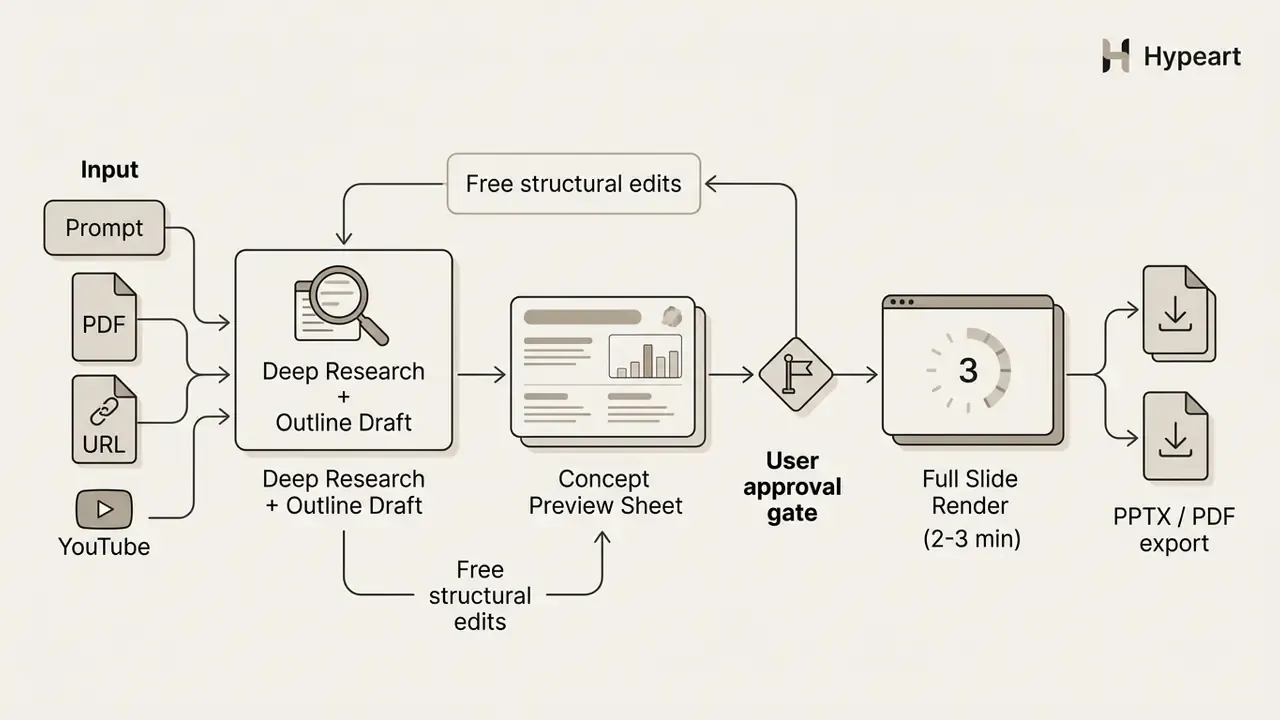
Additional inputs include video, audio, PDFs, and URLs, plus automated brand styling derived from website screenshots, and social media formats such as LinkedIn carousels and Instagram stories. The constraints: a multi-step render time of two to three minutes, no direct Google Slides extension, and export rights that may require the paid Growth tier at roughly $19 per month or $99 per year for 20 decks monthly.
ChatSlide for PDF, URL, and YouTube conversion
ChatSlide's free tier is built around input breadth. One interface accepts a typed prompt, an uploaded PDF, a pasted web page URL, or a YouTube link, then generates a deck of up to 20 slides on DeepSeek V4 with no payment method on file. PDF export is included free; PPTX export, premium models, and branding removal require a paid plan.
For teams repurposing recorded webinars, the YouTube path is the practical differentiator. Editorial teams already running a YouTube editing workflow can push a published recording straight into a slide summary instead of transcribing it by hand.
Genspark for guided generation and source validation
Genspark's Guide mode inverts the usual order of operations. Instead of generating immediately, the assistant interrogates the brief, asking about audience, tone, and slide count, then pulls live web data and drafts an outline that waits for explicit approval. Slides are built only after the structure is confirmed.
Post-generation, Advanced Edit provides PowerPoint-like manual control over text, colors, images, tables, and layout, and manual edits consume no credits. The fact-check agent reviews the completed deck, validates data and statistics against sources, flags anomalies, and can apply corrections automatically. Uploads cover PDF, Excel, Word, and existing PowerPoint files, and any deck can be saved as a reusable template, including uploaded corporate .pptx files converted into branded templates.
Trial-based tools that are not actually free: Beautiful.ai
Updated classification. Beautiful.ai does not operate a permanent free plan. It offers a 14-day full-feature trial that requires a credit card and auto-bills unless cancelled, which places it outside the free tier category despite its frequent appearances in free-tool roundups.
The product itself automates slide formatting through Smart Slides technology, with more than 300 auto-aligning layouts. The system realigns text, charts, and image containers as users add content, which prevents the slow drift toward misaligned traditional slides.
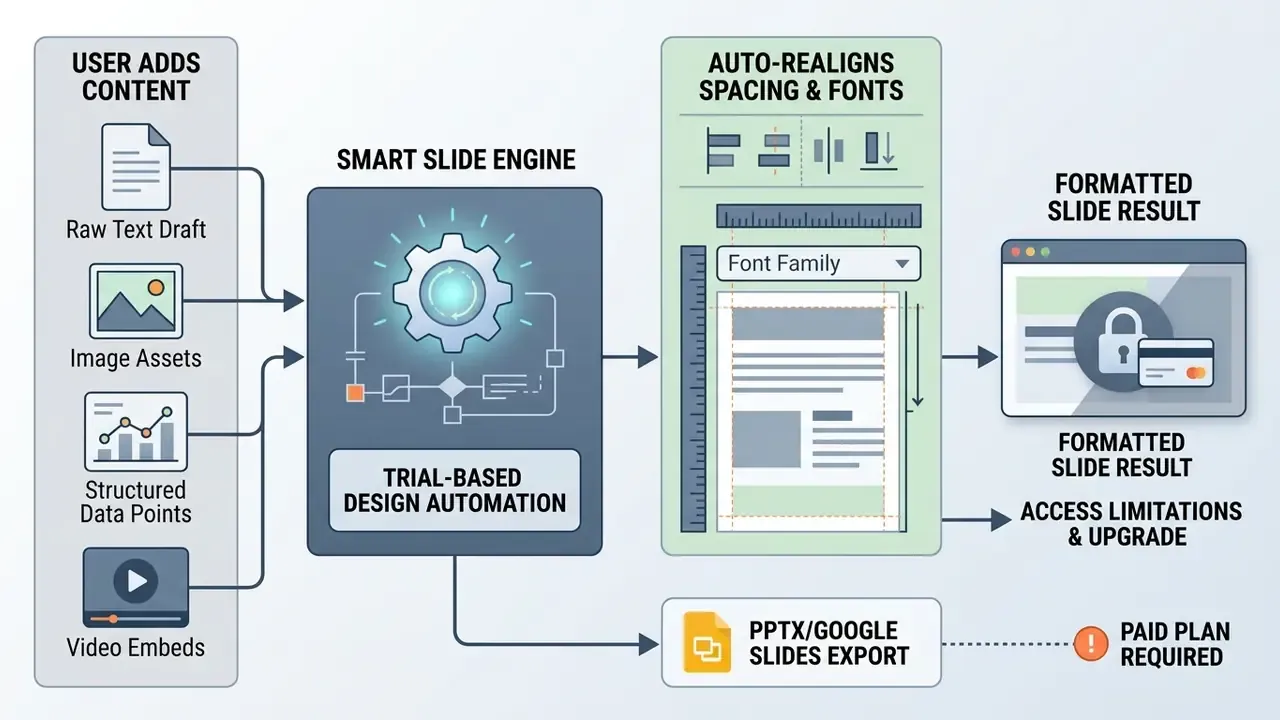
Enterprise brand controls let teams lock master themes, fonts, colors, logos, and layouts across shared workspaces, and assign themes by team, region, or use case. After the 14-day trial, individual accounts move to paid subscriptions starting at $14.50 per month billed annually, with Team tiers priced at $40 per user per month covering 2 to 20 seats and adding version control, locked slides, a shared asset library, and engagement analytics.
Best AI for PowerPoint and Google Slides
In-app AI tools embed directly inside Microsoft PowerPoint or Google Slides, preserving traditional presentation workflows and document history. These integrations let professionals build, reformat, and summarize slides without leaving their primary presentation application, which also keeps the file inside your own tenant.
Plus AI for Google Slides and PowerPoint workflows
Plus AI functions as an add-on for both Google Slides and Microsoft PowerPoint, specializing in full deck generation and reformatting existing slides. The extension lets users enter prompts, paste text outlines, or upload PDF and DOCX files to construct editable slide decks. In PowerPoint, the entry point is Home → Add-ins → Plus AI; in Google Slides it installs through the Workspace Marketplace and requests a broad permission set that IT should review before rollout.
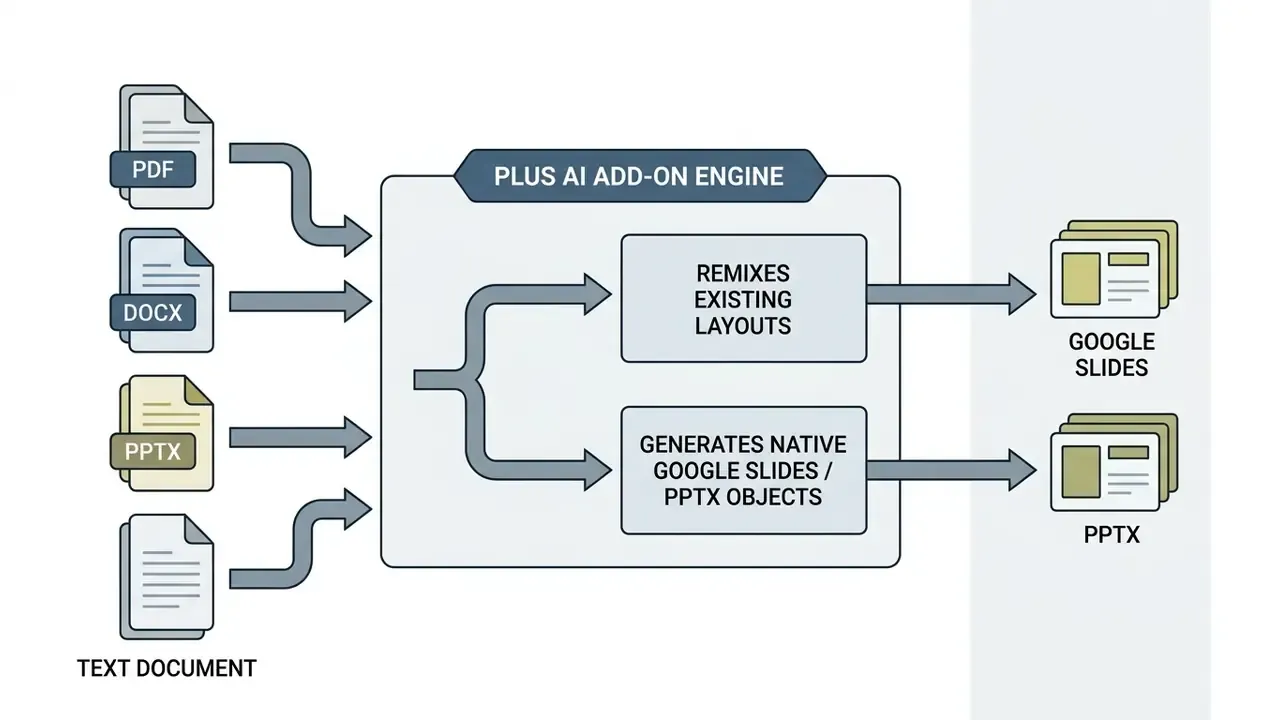
Its Remix function reformats existing, poorly styled slides into clean branded templates, and custom branding supports uploaded logos, brand colors, and font choices applied as a generation template. Self-serve pricing starts at $10 per user per month billed annually for Basic, extending to Pro ($20/mo), Team ($30/mo), and Max ($200/mo) tiers; monthly billing is listed higher at $15, $25, $40, and $240. Access begins with a 7-day trial rather than a permanent free plan.
SlidesAI for creating slides inside Google Slides
SlidesAI converts pasted text into structured Google Slides presentations, with a free Basic tier capped at 12 decks and 2,500 characters per presentation per year. The extension supports over 100 languages and includes automated text summarization that populates slide bullet points and speaker notes.
Users control presentation length directly in the generation setup menu. The free tier allocates 120 AI credits annually, while paid subscriptions expand character limits and unlock advanced layout customization. The template library is explicitly categorized into Business, Education, Healthcare, Infographics, Marketing, Pitch Deck, Portfolio, and Workshop sets.
One strength surfaced during testing: SlidesAI asks for presentation type (educational, business pitch), audience (students, angel investors), and writing style before drafting, then shows an editable outline and a theme picker. That pre-generation interrogation produces tighter alignment with intent than one-shot prompt tools. Small step, real difference.
MagicSlides for YouTube, PDF, and document conversion
MagicSlides operates as a Google Slides add-on and Chrome extension focused on content conversion rather than original authoring. Supported inputs include YouTube videos, PDFs, Word documents, URLs, and images, with over 100 language options on premium plans and purpose-built templates for SWOT analyses, timelines, and metric slides.
The free plan allows three presentations per month, caps decks at 10 slides, locks the model to Gemini Flash, and disables image generation. In hands-on testing against a 10-slide brief, MagicSlides returned only four slides and produced visible overlapping-content bugs, so free output should be treated as raw structure. Paid tiers run $16 per month for 50 presentations and $29 per month for Premium.
For educators and content teams repurposing recorded lectures or webinars, this is still the fastest documented path from video to editable Google Slides. Pair it with an AI voice generator if the resulting deck needs narration for asynchronous delivery.
Copilot and Gemini for native presentation creation
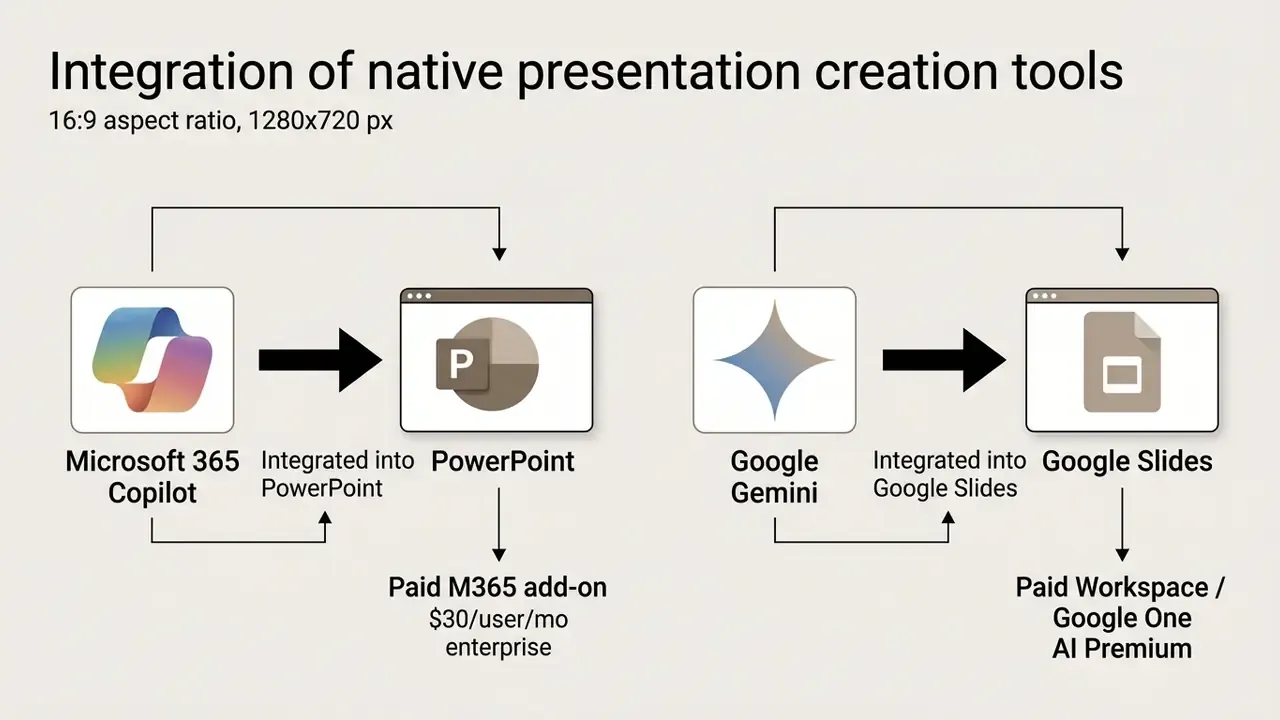
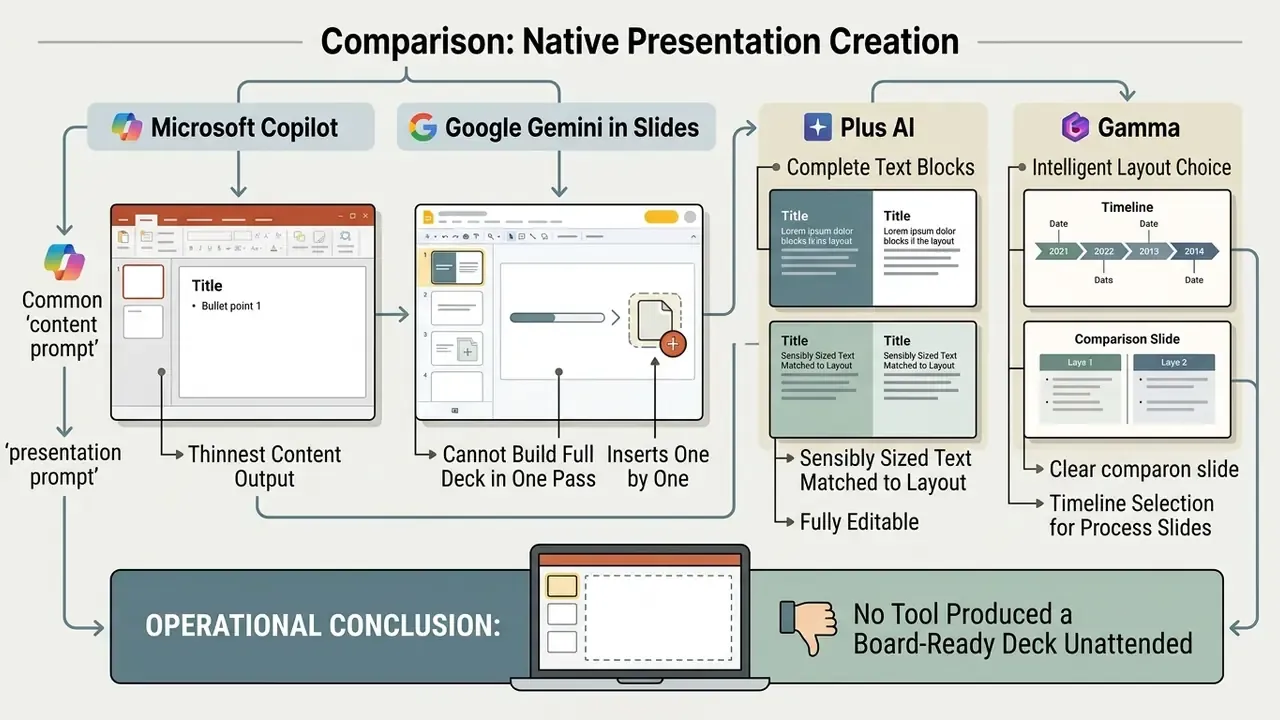
Microsoft Copilot in PowerPoint and Google Gemini in Google Slides provide native enterprise AI capability, but both require paid commercial subscriptions. Copilot generates presentation drafts, rewrites slide text, creates custom visuals, adds and reorganizes slides, and generates speaker notes directly inside PowerPoint for Microsoft 365 subscribers on Windows, Mac, and web.
«In a randomized controlled trial across more than 60 organizations, Copilot users read 11% fewer emails and spent 4% less time on email.»
Gemini in Google Slides constructs fully native, editable slides matching the active workspace theme and can draw context from files, email, and the web. Access is limited to Google Workspace Business Standard and above, or Google One AI Premium; free consumer accounts receive no Slides generation at all. Documented Workspace quotas for presentation generation run at 100 slides per month and 500 slides per month depending on tier. Microsoft likewise states that Copilot is not included in the free version of PowerPoint; individual access arrives through Microsoft 365 Personal at $99.99 per year or Family at $129.99 per year.
Teams that need programmatic generation instead of an add-on should also compare options at the integration layer, since credit accounting and retention terms often differ between the consumer app and the API.
Output quality teardown: what the same prompt actually produced
Input sources breakdown: what you can actually feed the generator
Input flexibility now separates tools more sharply than output design does. Prompt-only generators force manual summarization of existing material; multimodal generators ingest the source document directly.
Supported Input Types by Tool (free and paid tiers combined)
| Tool | Text / Prompt | PDF / DOCX | Excel / Structured Data | URL / Web Page | YouTube / Video | Existing PPTX Import |
|---|---|---|---|---|---|---|
| ChatSlide | Yes | Yes | Limited | Yes | Yes | No |
| MagicSlides | Yes | Yes (PDF, Word) | Limited | Yes | Yes | No |
| GenPPT | Yes | Yes | Yes | Yes | Yes (video + audio) | Yes |
| Genspark | Yes | Yes | Yes (Excel) | Yes (live web research) | No | Yes |
| Gamma | Yes | Yes | Limited | Yes (Import from URL) | No | Yes |
| Plus AI | Yes | Yes (PDF, DOCX) | Yes (via Snapshots) | Limited | No | Yes |
| SlidesAI | Yes | Yes | No | No | No | Limited |
| Microsoft Copilot | Yes | Yes (.docx, .doc, .pdf, .pptx) | Yes (M365 Graph) | No | No | Yes |
| Canva Magic Design | Yes | Limited | No | No | No | Yes |
MagicSlides and ChatSlide lead on video and URL conversion; Genspark, GenPPT, and Plus AI handle spreadsheet and tabular inputs most reliably. Scanned PDFs without selectable text remain the weakest input class across every platform tested and generally require OCR or manual cleanup first. If your model documentation lives in scanned archives, assume a pre-processing step and price it in.
What "free" means in AI presentation makers
Free AI presentation plans operate under one of three structural models: non-renewing starter credits, monthly slide caps, or time-limited trials with export gating. Understanding these restrictions prevents operational friction at exactly the wrong moment, usually twenty minutes before the meeting.
Teams managing multi-tier software options can compare options to evaluate pricing structures and subscription models before committing to enterprise contracts. Assessing image tools alongside presentation makers is common practice; checking a best free ai photo enhancer, reviewing free AI video generators, or testing another best free ai video option helps build a complete media stack rather than a single point tool.
AI credits, slide limits, and generated images
AI credits function as an operational budget where different generation tasks deduct different amounts from the account. Initial prompt-to-deck generation consumes larger credit blocks, while adding individual slides or generating synthetic images deducts smaller amounts.
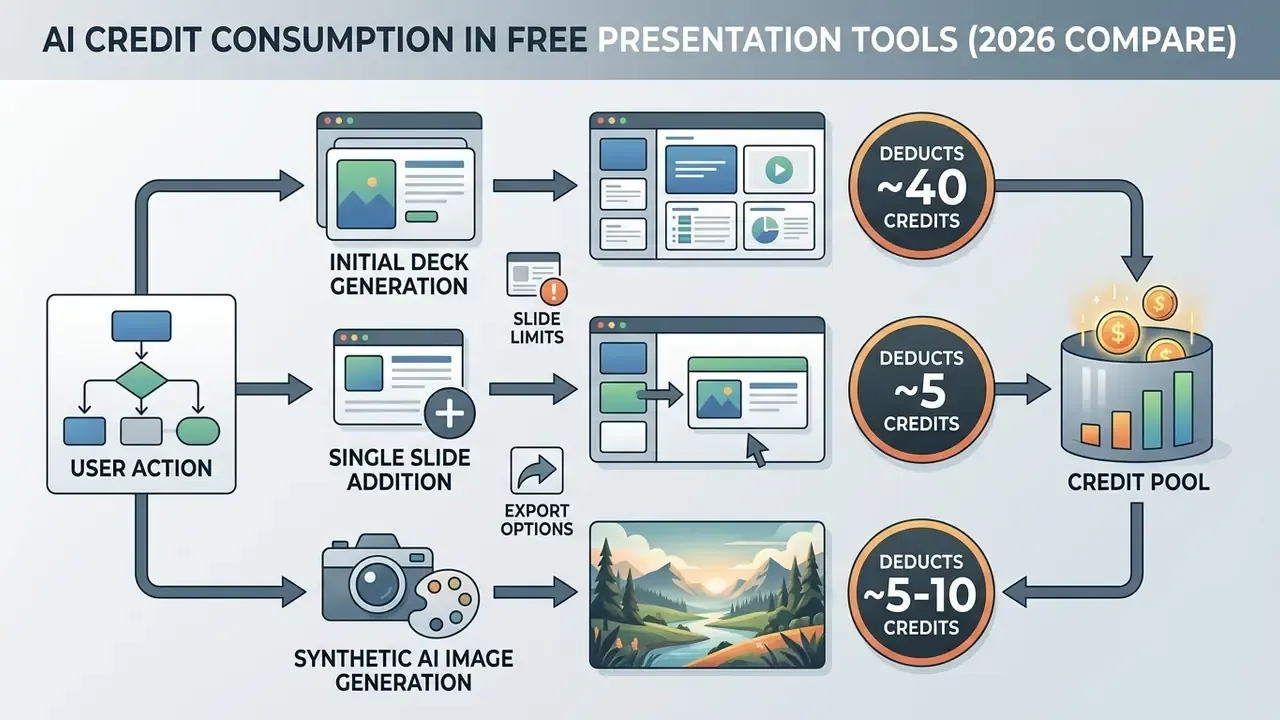
Gamma, for instance, allocates 400 starter credits that do not renew monthly. Generating a standard presentation costs roughly 40 credits, capping total free output at approximately 10 complete decks. Slide count limits per initial prompt on free tiers typically range between 8 and 10 cards, rising to 20 on Plus, 60 on Pro, and 75 on Ultra in published plan comparisons. Reported image-generation costs diverge between sources, 5 credits in one vendor pricing summary versus 10 credits in Russian-language coverage, so measure actual deductions in your own account before budgeting. Trust the ledger, not the landing page.
Saving credits through outline approval and concept preview
The most effective way to stretch a fixed credit allowance is simple: never render the wrong deck. Tools including GenPPT and Genspark split generation into two gated phases. The AI first builds a hierarchical outline and, in GenPPT's case, a visual concept preview sheet. Structural edits at this stage are free, and only after explicit approval do credits fund full slide rendering.
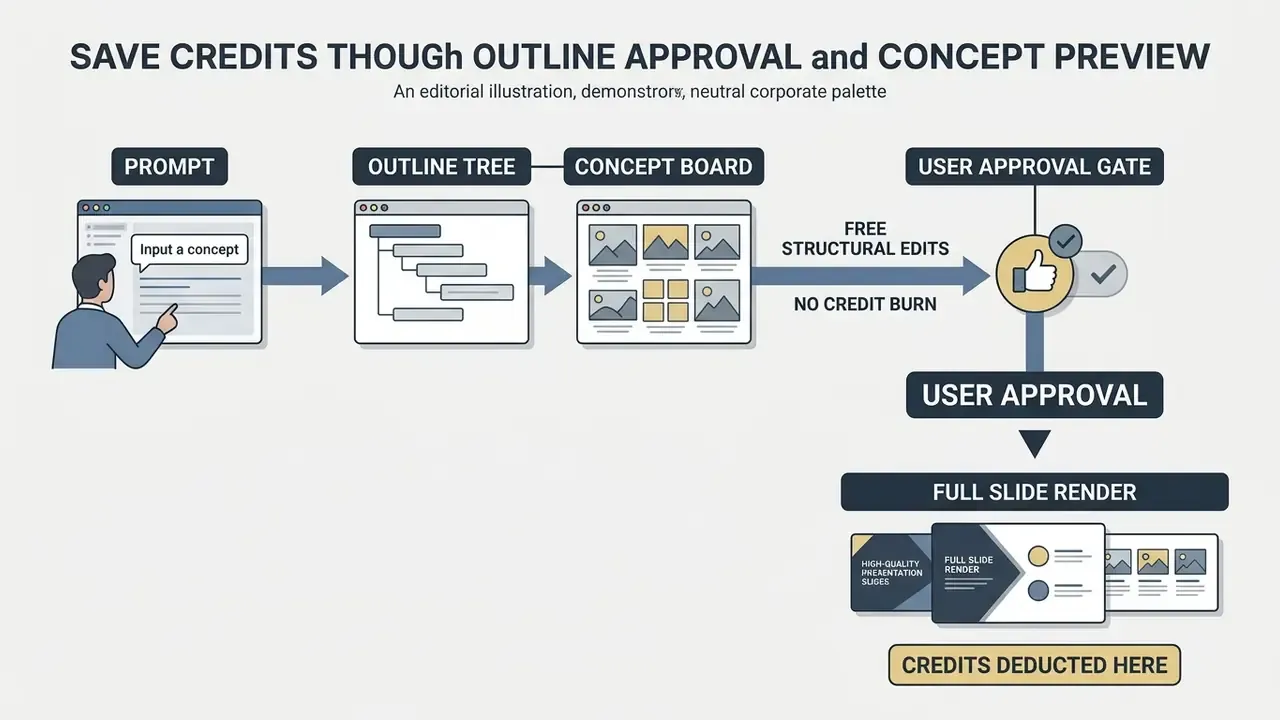
SlidesAI applies a lighter version of the same pattern by confirming presentation type, audience, writing style, and outline before generating. Genspark additionally confirms that manual edits after generation consume no credits, which makes hand-correction strictly cheaper than regeneration. On a 400-credit allowance worth roughly ten decks, a single approval gate converts two wasted regenerations into two usable presentations. That is a 20% swing in output from one process control.
PPTX, PDF, editing, and sharing restrictions
Free tiers frequently restrict native PPTX exports to flattened non-editable slides, or mandate permanent watermarks and public link sharing. Converting AI presentations into PDF creates view-only deliverables that prevent recipients from editing text boxes, updating figures, or extracting charts.
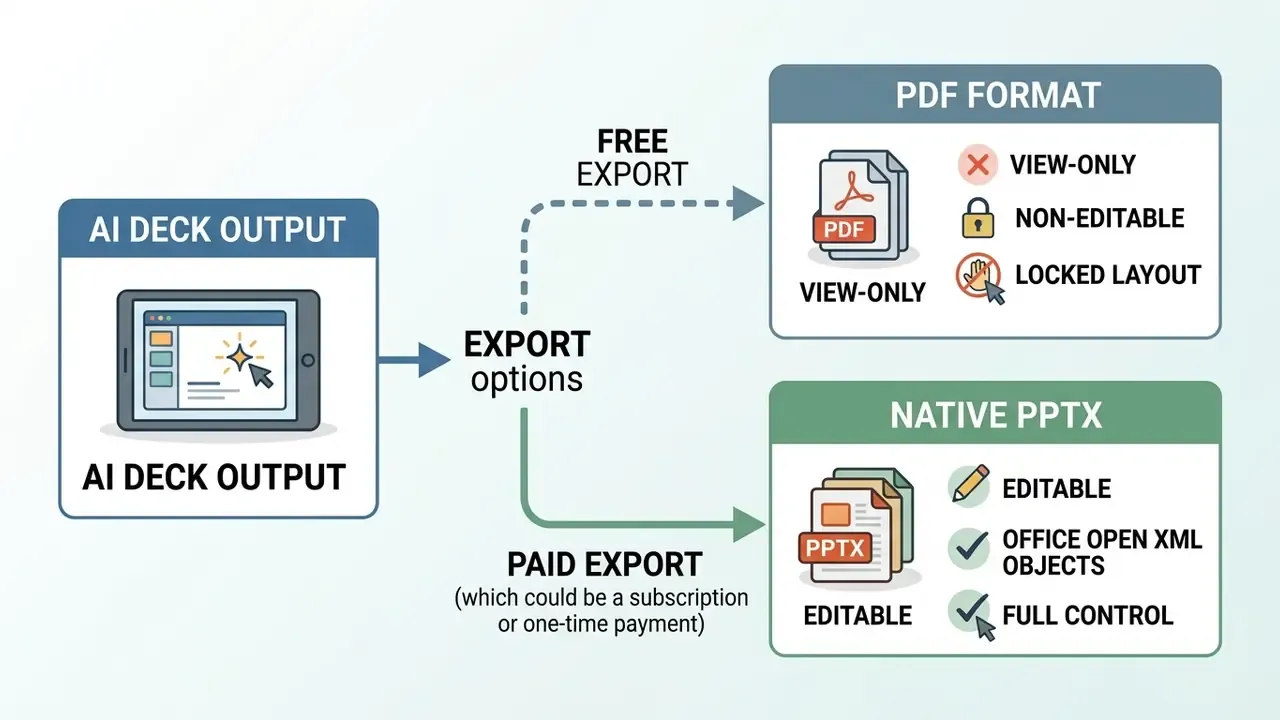
Exporting editable PPTX files with white-label branding generally requires a paid subscription. On current free tiers, Canva and GenPPT are the documented routes to PPTX, while ChatSlide and Gamma restrict free output to PDF or web-only formats. Free tiers may also enforce public visibility on generated web links. Prezi's free plan, for example, is documented as watermark-free but public, which makes it unsuitable for confidential corporate data by construction.
How we tested and ranked free AI presentation tools
AI content generation, slide design, and generated images
Content quality and image placement were assessed by measuring narrative coherence, structural order, and visual distortion against ground-truth benchmarks. The methodology integrated principles from SlidesGen-Bench (2026), which projects slide outputs into visual domains to compute layout balance, element alignment, and typography consistency.
«SlidesGen-Bench evaluates slides across three dimensions, content accuracy, visual aesthetics and editability, using metrics that correlate with human judgment better than LLM-as-a-Judge.»
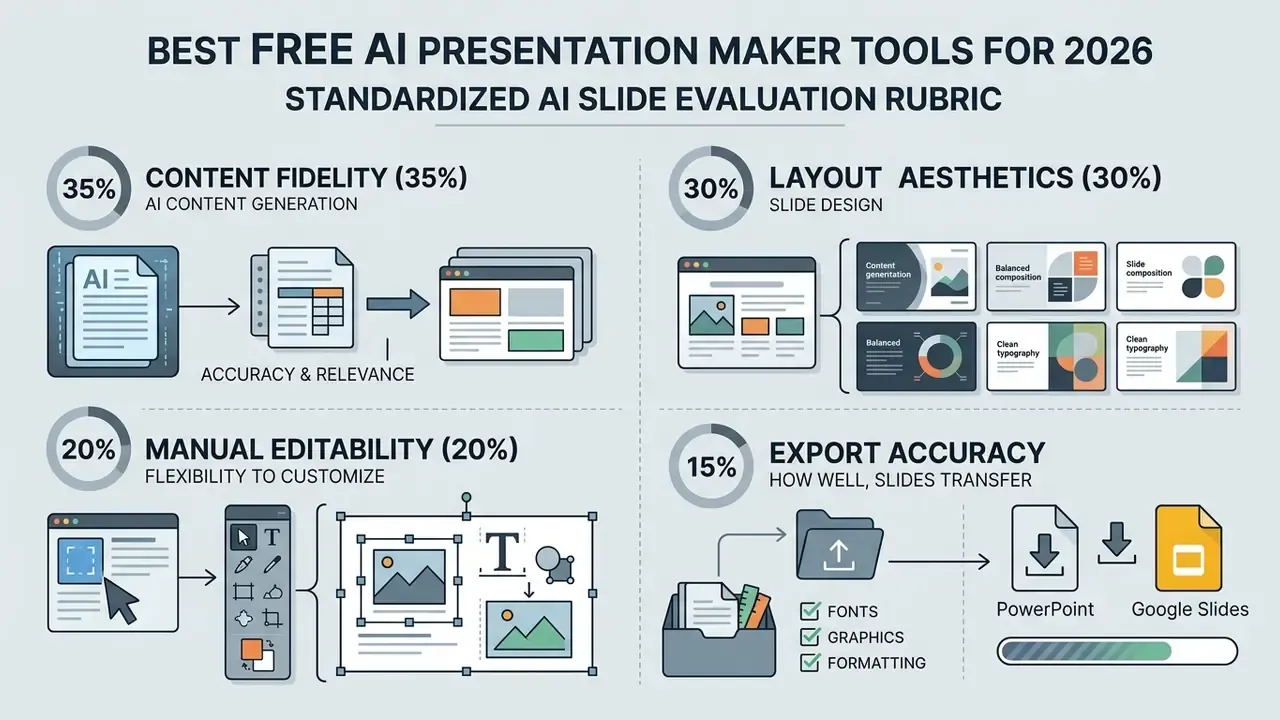
Layout aesthetics were scored against criteria defined in AeSlides (2026), measuring whitespace balance, element collision rates, and aspect ratio compliance.
«AeSlides improves aspect-ratio compliance from 36% to 85% and raises the overall quality score by 7.6% compared with baseline models, while cutting element collisions by 43% and whitespace inefficiency by 44%.»
Image generation was checked using Q-REAL (2026) naturalness criteria to identify anatomical distortions and lighting inconsistencies in synthetic visuals, precisely the failure class observed in Gemini's malformed pencil illustrations. Deck-level structure comprehension drew on VLM-SlideEval's element-level extraction and perturbation-robustness approach, and human scoring followed checklist-based rubrics covering coherence, relevance, and overall quality.
Editing, export, collaboration, and free-plan limits
Manual editability and export fidelity were tested by verifying native PowerPoint object preservation, real-time co-authoring stability, and watermarking enforcement. Testing checked whether generated slides retained individual text boxes, vector shapes, and editable chart objects after PPTX export, rather than collapsing layers into a flat background image. PPTX is an Office Open XML format standardized as ISO/IEC 29500, which gives a stable baseline for confirming that manual edits survive a re-save without structural loss.
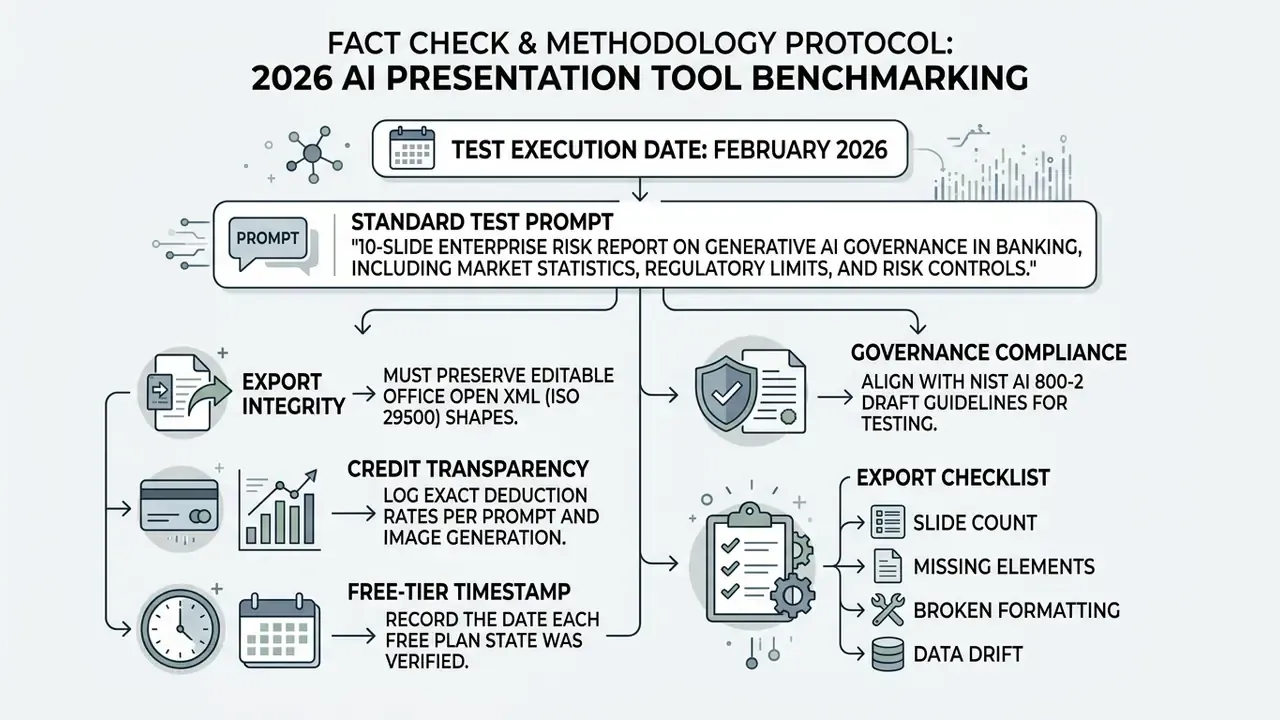
Free-plan constraints were documented by tracking credit depletion rates, slide count limits, watermarking rules, and commercial usage rights. Collaboration checks looked at simultaneous editing limits using ISO/IEC standards for document collaboration as a reference; comparable platforms disclose hard ceilings, 40 simultaneous editors in one suite and 20 concurrent connections in a free community edition, which is the right unit of measurement for team readiness. The protocol follows NIST's three-step evaluation flow: define objectives, implement and run evaluations, then analyze and report results.
How to choose the best AI presentation maker for your use case
Selecting an AI presentation tool means balancing data security requirements, editability needs, visual density, and target delivery format. Institutional teams also need generated output to meet accessibility standards, contrast ratios, and corporate brand guidelines before it reaches an audience.
When setting up recurring presentation workflows, teams often model the cost side first. You can view the guide to access operational calculators and budgeting frameworks for software selection, including seat-count scenarios that change the free-versus-paid calculus.
Business reports, consulting decks, and data visualization
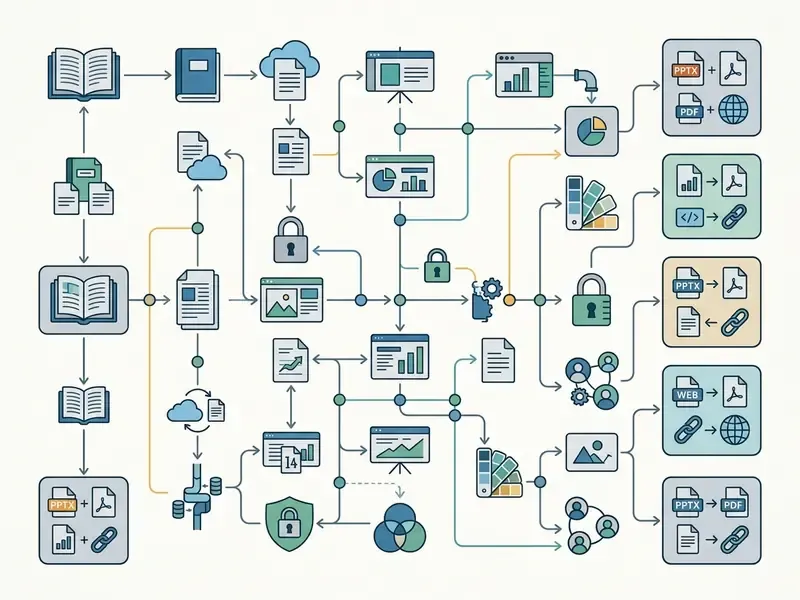
Business reports and consulting deliverables need tools that preserve dense tabular data, export editable PPTX objects, and hold brand kit alignment across cycles. Compliance standards push toward high-contrast visual design, commonly a 4.5:1 minimum contrast ratio, clear reading order, unique meaningful slide titles, and explicit data attribution on every slide carrying a number.
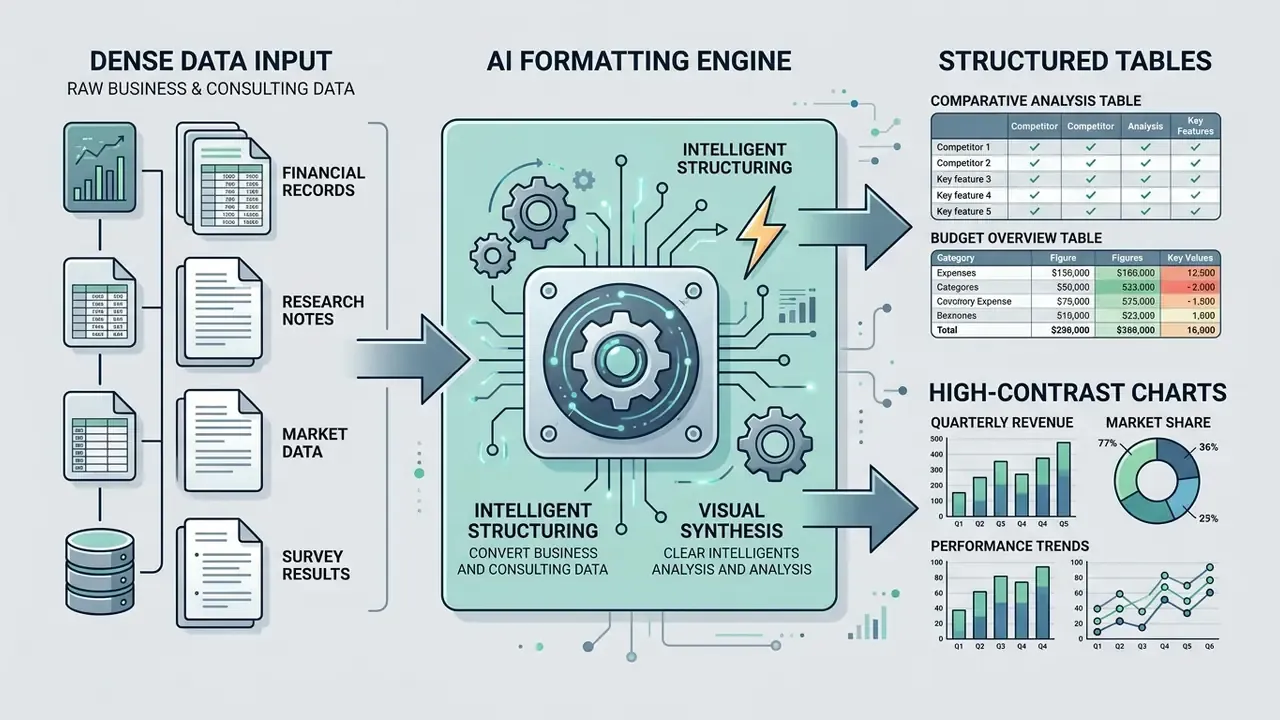
Institutional accessibility guidance converges on body text of at least 32 pt with titles near 44 pt, though the documented floor varies between guides; one institutional standard sets 28 pt, reflecting differing accessibility policies rather than a single binding rule. Confirm your own organization's published standard before locking templates. [Updated] Practical guidance also caps roughly five to six lines per slide and warns against using color as the sole information channel. Tools must support custom corporate templates, structured data tables, and explicit source citation formats suitable for regulatory and executive review, and state-level data-visualization standards provide formal rules for chart and dashboard construction that transfer directly to consulting slides.
For recurring reporting, prioritize tools that keep data connections live, or at least keep charts as editable objects. Plus AI's Snapshot technology refreshes embedded data automatically, while flattened free-tier exports force a full chart rebuild every cycle. Over a year of monthly reporting, that is the difference between minutes and days.
Marketing, education, and startup pitch decks
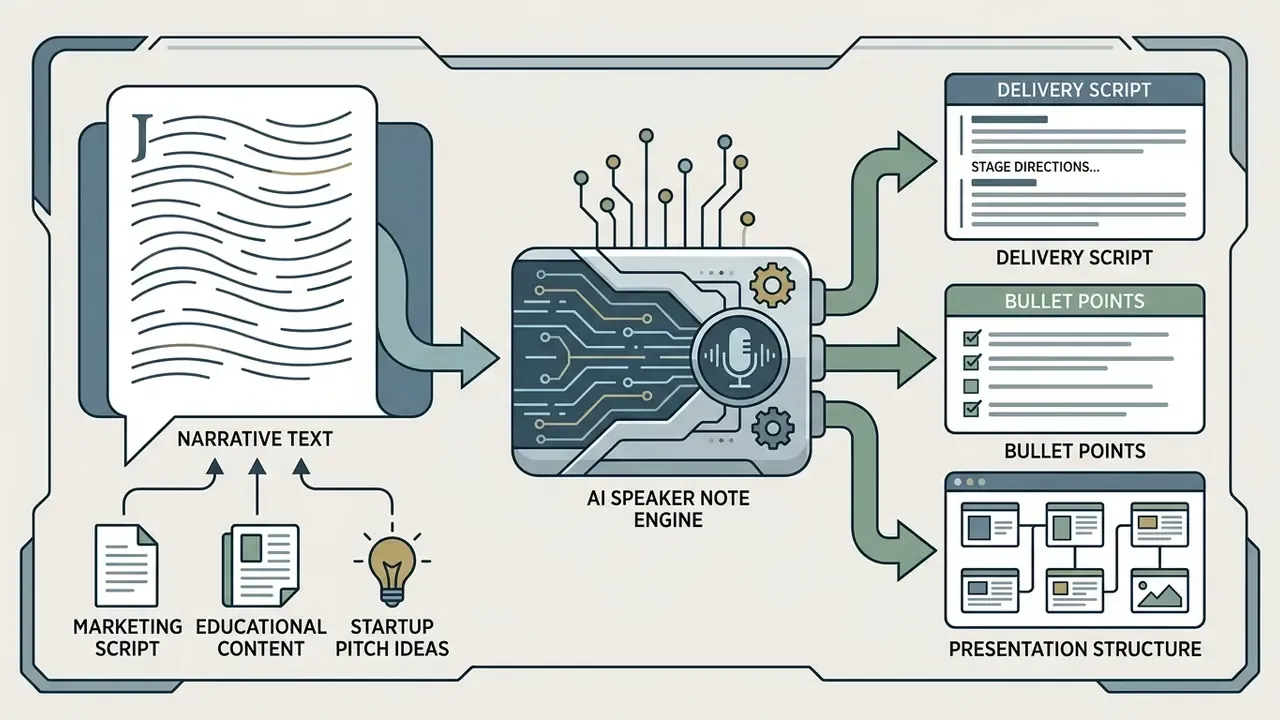
Marketing decks and educational materials prioritize visual storytelling, automated speaker notes, and engaging layout graphics over dense data tables.
«Mann-Whitney U = 25,600, p = 0.84, no statistically significant difference between AI-generated and human-built slide quality.»
Shadow AI and institutional governance warning
Free web-based generators are the easiest AI category for employees to adopt without approval, because signup needs only an email address and no payment method. That convenience is exactly what creates unmanaged data egress. No procurement ticket, no DPA, no inventory entry, and a quarterly forecast sitting in someone else's log files.
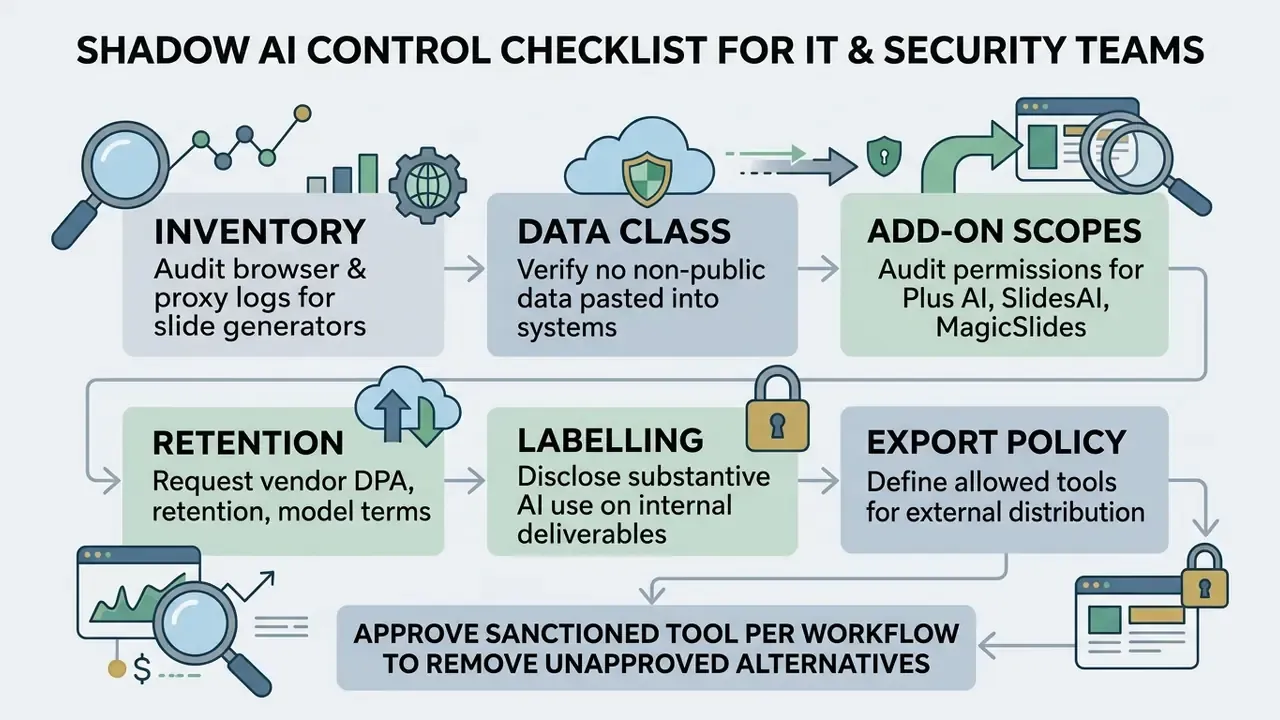
Public-sector guidance is explicit on two points that transfer cleanly into corporate policy: AI-generated content should be clearly labelled and fact-checked, and non-public data should not be placed into publicly accessible generative AI systems. Departmental reference guides also stress that such documents are reference material rather than policy, meaning local rules still govern. The same logic applies to any vendor marketing claim about privacy: it is input to a decision, not the decision. Disclosure practice can be as simple as a slide footnote naming the tools used for text and imagery.
One more control worth naming: assign an owner. A slide generator approved by nobody in particular will be reviewed by nobody in particular.
FAQ: frequently asked questions about free AI presentation makers
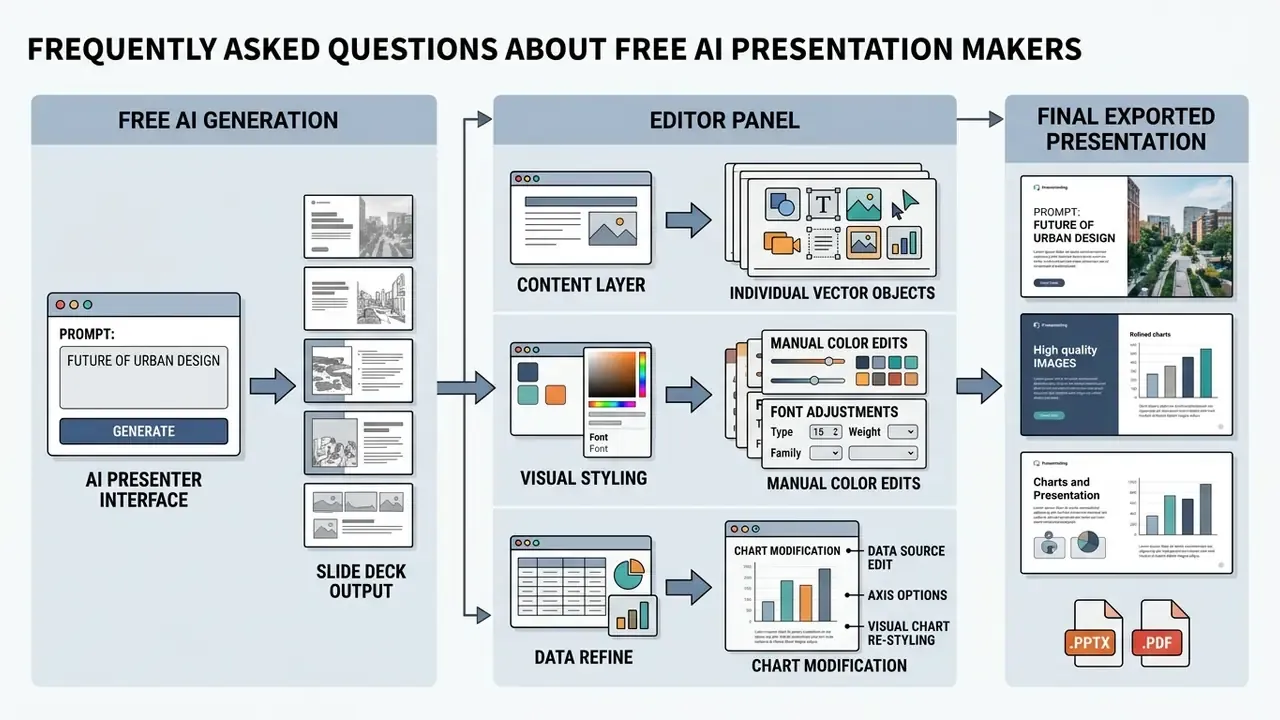
Enterprise AI adoption needs clear policies on document security, post-generation editing, and fact-checking protocols. Set the operational guidelines before anyone processes proprietary files through a public AI generator, not after.
To evaluate commercial licensing terms across creative software categories, you can explore the hub for detailed usage guides and intellectual property frameworks, including commercial licensing terms for AI image generators used inside slide decks.
Can I upload documents and create slides from existing content?
Yes. Leading AI presentation generators support uploading PDF, DOCX, and plain text files to convert raw documentation into a structured slide deck. Microsoft documents .docx, .doc, .pdf, and .pptx as supported formats for creating or enhancing presentations in PowerPoint, and Plus AI documents PDF, DOCX, PPTX, plain text, and pasted text as starting points.
«A study with 12 users confirmed OutlineSpark's effectiveness and usability for structuring presentations from computational notebooks.» - OutlineSpark, CHI (2024) [Updated] That said, scanned PDFs or unformatted text files may need manual structure cleanup before AI processing, and plan-dependent file-size caps apply.
Can I create slides from a YouTube video or a web page URL?
Yes, but only on specific platforms. ChatSlide accepts a pasted URL or YouTube link alongside PDF and prompt inputs on its free tier. MagicSlides converts YouTube videos, PDFs, Word documents, URLs, and images into Google Slides decks. GenPPT imports YouTube, video, audio, PDFs, and URLs, and can screenshot a website to derive brand styling automatically. Gamma's Import mode also accepts a URL. Genspark and Copilot take a different route. Rather than parsing a specific video, Genspark performs live web research on the topic and cites what it finds, which suits subjects where the authoritative source is not a single page. Tools without URL or video support, namely SlidesAI and Canva Magic Design, require pasting a transcript or summary manually.
Can I edit AI-generated slides manually after creation?
Yes. Native PPTX files and browser-based AI platforms both allow complete manual editing of text, shapes, layouts, and visual elements after generation. Tools that export native Office Open XML objects preserve individual layer structures, so users can modify text boxes, replace stock images, and update chart data (ISO/IEC 29500). Web-based platforms such as Gamma and Beautiful.ai provide in-editor AI edit controls, letting users rewrite a selected text block or adjust layout density on individual cards through chat prompts or standard design tools. Microsoft documents reformatting slides to a branded template and rewriting textbox content for clarity or tone. Genspark's Advanced Edit offers PowerPoint-equivalent manual control and consumes no credits, which makes hand-editing the cheapest correction path on credit-limited plans.
Does any tool check facts automatically?
Genspark ships a built-in fact-check agent that reviews finished slides, validates data and statistics against sources, flags anything questionable, and can apply corrections on request. GenPPT reduces fabrication risk differently, by running deep web research and optional live search before drafting, so statistics originate from retrieved sources rather than model memory. Every other tool reviewed leaves verification entirely manual. On those platforms, re-check numerical figures, dates, regulatory thresholds, and quoted percentages against the primary source before exporting to PPTX. A clean layout has never made a wrong number right.
How should I verify AI-generated content before presenting?
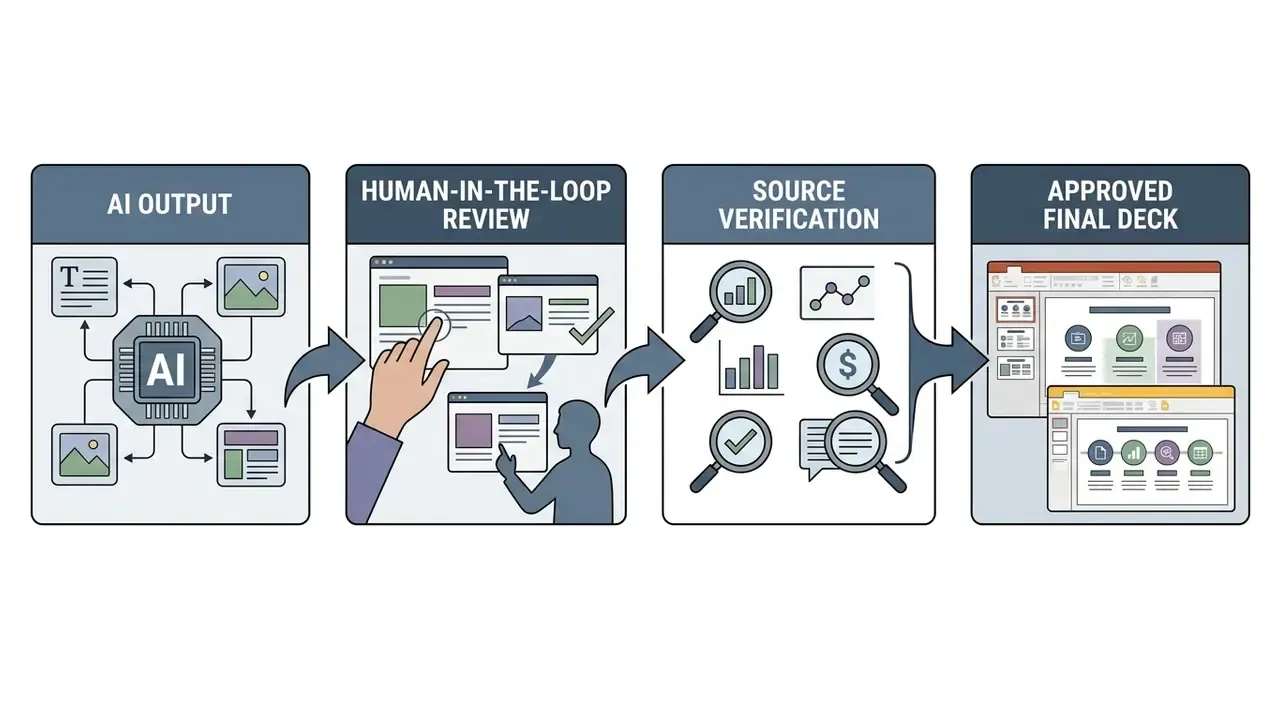
AI-generated presentation content should pass human-in-the-loop fact-checking against source documents to eliminate factual errors, missing context, and hallucinations. The NIST AI Risk Management Framework Generative AI Profile requires organizations to deploy and document fact-checking techniques to verify the accuracy and veracity of AI-generated information, particularly where sources are multiple or unknown, and the accompanying playbook requires human oversight plus defined validation conditions. Departmental generative-AI reference guidance states the requirement plainly: keep a human in the loop to verify the accuracy and validity of outputs.
«Instructors rated NotebookLM and Microsoft 365 Copilot slides as incomplete and pedagogically problematic, while Cursor and Claude Code scored high on accuracy and completeness.» - AI-Generated Slides: Are They Good? Can Students Tell? (2026) [Updated] A workable pre-delivery checklist for financial and metric-heavy decks runs in five steps: (1) list every number, date, and named entity on the deck; (2) trace each to a primary source document and record the citation in speaker notes; (3) recompute derived figures such as growth rates, ratios, and totals independently rather than trusting generated arithmetic; (4) confirm units, currencies, and reporting periods match across slides; (5) have a second reviewer sign off on any figure entering a board or regulatory submission. Presenters should also read the generated speaker notes, which frequently restate claims the slide itself never sourced. This information is general in nature and does not replace consultation with an information-security or corporate data-governance specialist.
Comparative Tool Evaluation Matrix
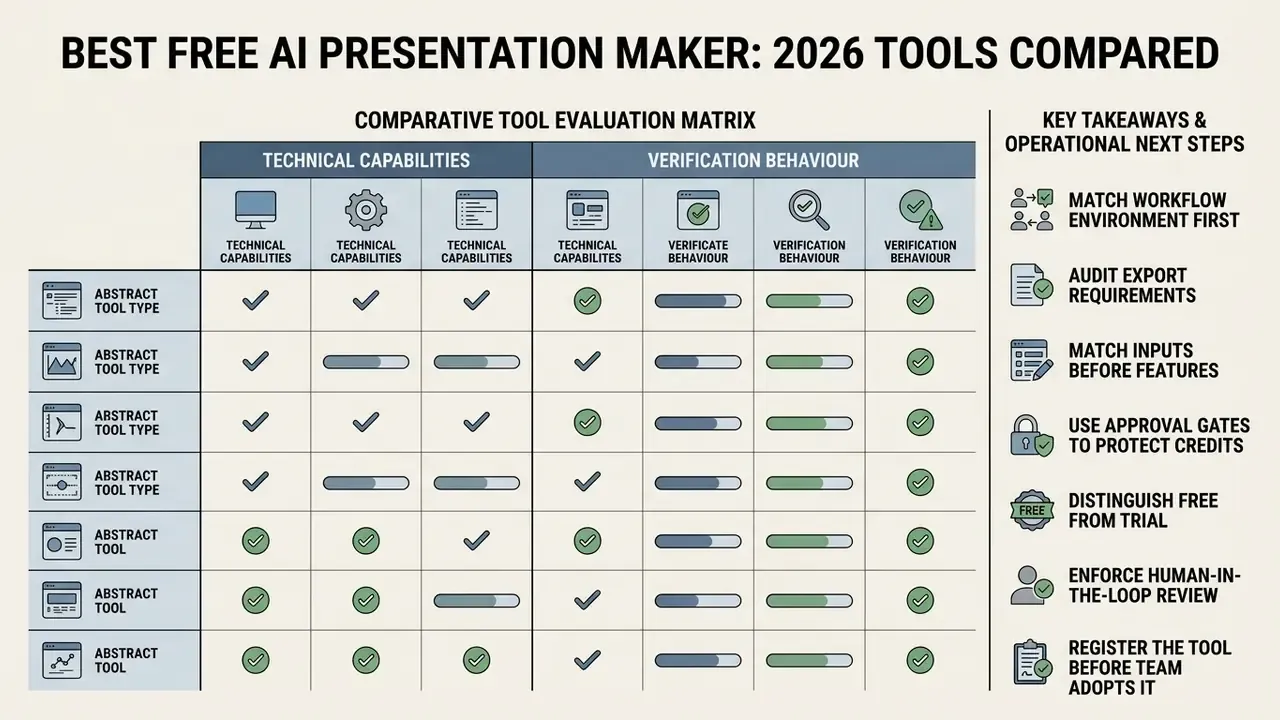
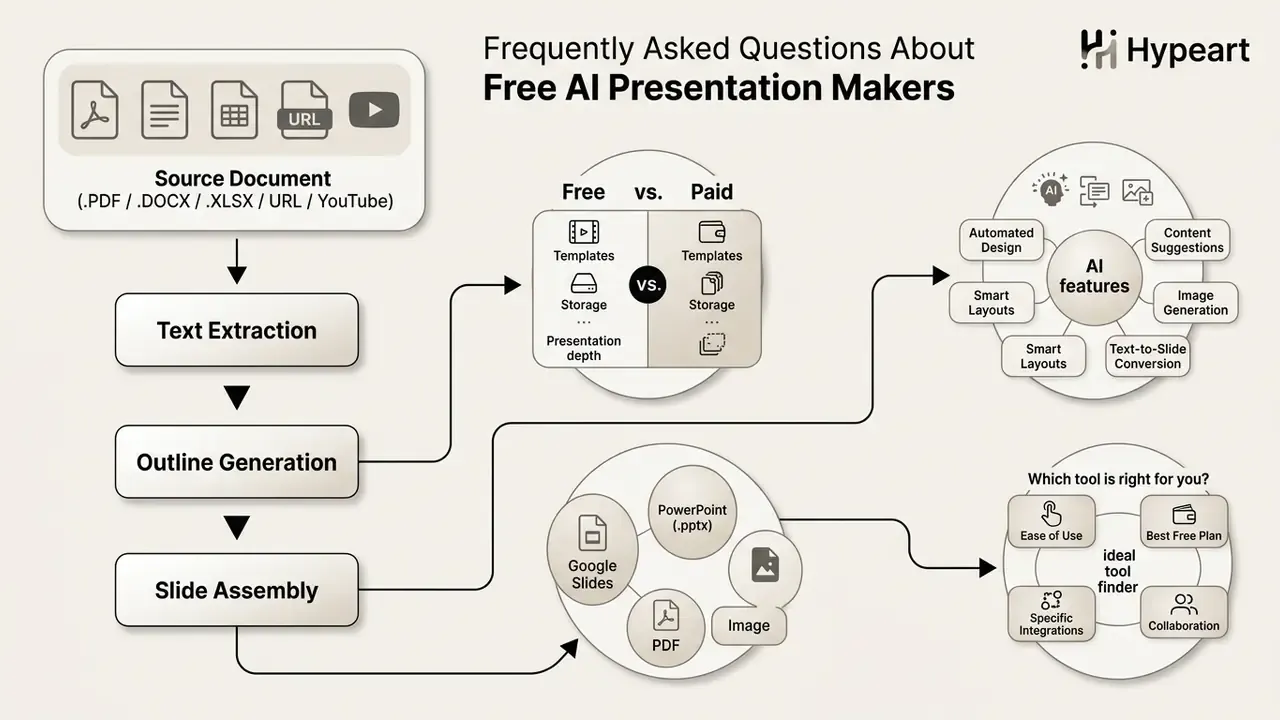
To support decision-makers, the matrix below compares platform types against technical capabilities and verification behaviour.
Enterprise AI Presentation Maker Selection Framework
| Tool / System | Primary Target Scenario | Core Input Formats | Export Editability | Aesthetic Control Model | Pre-Generation Approval Step | Verification Protocol | Paid Entry Price |
|---|---|---|---|---|---|---|---|
| Gamma | Rapid web presentations & visual cards | Prompts, Text, DOCX, PPTX, URL | Editable PPTX / PDF (free = flattened) | Card themes & AI editor | No (theme/length settings only) | Manual slide-by-slide review | ~$10/user/mo |
| Canva Magic Design | Graphic-heavy marketing & social decks | Prompts, Templates, Media | Editable PPTX / PDF | Template library & brand kit | No | Visual alignment checking | $14.99/mo |
| Pitch | Startup pitch decks & live team decks | Prompts, Outline text | Editable PPTX / PDF | Pitch Agent & design themes | Template selection | Team co-authoring review | Paid tiers above free plan |
| GenPPT | Researched, agency-grade visual decks | Prompts, PDF, URL, YouTube, audio | PPTX / PDF (export may need Growth) | Custom visual concepts + brand scrape | Yes (outline + concept preview) | Deep web research with sourcing | $19/mo or $99/yr |
| Genspark | Guided research decks for regulated review | Prompts, PDF, Word, Excel, PPT | Editable .pptx / PDF / Slides | Advanced Edit + saved templates | Yes (Guide mode + outline gate) | Built-in fact-check agent | Paid tiers above free credits |
| ChatSlide | Multimodal input to fast free decks | Prompts, PDF, URL, YouTube | PDF free; PPTX paid | Smart auto-layouts | No | Manual source cross-checking | Low single-digit $/mo |
| MagicSlides | Repurposing video, PDFs, and webinars | YouTube, PDF, Word, URL, images | Native Google Slides | SWOT / timeline / metric templates | No | Manual design and content cleanup | $16/mo (Pro), $29/mo (Premium) |
| Plus AI | Native Google Slides / PPTX workflows | Prompts, PDF, DOCX, PPTX | Native Slides / PPTX | Remix engine & custom brands | Yes (editable outline) | In-editor content validation | $10-$15/user/mo (Basic) |
| SlidesAI | Text conversion inside Google Slides | Pasted text, Documents | Native Google Slides | Category templates | Yes (type/audience/style + outline) | Text source cross-checking | ~$16/mo |
| Microsoft Copilot | Enterprise M365 document synthesis | Word, PDF, PPTX, M365 Graph | Native PowerPoint | Corporate master templates | No | Enterprise MRM audit trail | $30/user/mo (enterprise) |
| Google Gemini in Slides | Native Workspace slide generation | Prompts, Drive files, web context | Native Google Slides | Active deck theme matching | No | Workspace admin + manual review | Business Standard+ / One AI Premium |
Key Takeaways & Operational Next Steps
Vendor due-diligence questions to send before approval
A short list, and it fits in one email. Ask the vendor, in writing: (1) Is customer content used to train or fine-tune any model, on the free tier specifically? (2) What is the retention window for uploads, prompts, and generated files, and can it be shortened? (3) Which sub-processors receive the content, and in which jurisdictions? (4) Does the free plan force public link visibility by default? (5) What permission scopes does the Google Workspace or Microsoft add-on request, and can an admin restrict them? (6) Who signs a DPA, and at which plan tier does it become available? (7) How are deletion requests confirmed, and is a deletion log available to the customer?
Record the answers with a date stamp in your AI tool register. Unanswered questions are themselves a finding, and they belong in the residual-risk column rather than in a footnote.
Appendix A - Superseded phrasing log (transparency record)
For audit completeness, the following earlier formulations were replaced in the main text with better-sourced versions; both versions are retained here so reviewers can trace the change.
- "Research shows that explicit layout supervision in AI models reduces element collisions by 43% and whitespace inefficiencies by 44% (AeSlides, 2026)." Superseded by the fuller AeSlides citation including aspect-ratio compliance (36% to 85%) and the 7.6% overall quality gain.
- "Workplace field studies show that embedded AI assistants significantly reduce time spent on routine document management and communication tasks (Microsoft, 2026)." Superseded by the randomized controlled trial figures across 60+ organizations.
- "Research on document-to-slide systems demonstrates that outline-driven extraction workflows significantly improve content organization and reduce manual drafting time (OutlineSpark, 2024)." Superseded by the CHI 2024 study detail (12 participants, effectiveness and usability confirmed).
- "Academic evaluations show that AI-generated presentation slides achieve perceived quality ratings comparable to human-built decks in educational environments (Classroom Study, 2026)." Superseded by the Mann-Whitney statistics (U = 25,600, p = 0.84).
- "Evaluations reveal that while general AI assistants produce visually polished slides, they can occasionally omit key technical qualifiers or generate incomplete bullet points (Classroom Study, 2026)." Superseded by the tool-level instructor ratings (NotebookLM and Microsoft 365 Copilot versus Cursor and Claude Code).
- "Official documentation guidelines recommend maintaining body text sizes between 32 pt and 44 pt for presentation clarity (U.S. Dept of Commerce, 2025)." Retained as institutional guidance with the divergence to 28 pt noted; the specific attribution requires independent verification.
- "Pitch deck generators should follow established startup guidelines, structuring presentations into concise, visual-heavy layouts capped at 20 or fewer slides (Startup India, 2026)." Retained, with the 20-slide cap attributed to New Zealand Trade and Enterprise guidance and the slide sequence to Startup India's template; exact attributions require independent verification.
- Beautiful.ai was previously presented inside the free standalone generator section; it is now classified as a trial-only tool, with the full product description preserved under the trial subsection.
Disclaimer: This analysis is provided for educational and decision-support purposes only. It is not legal, financial, security, or compliance advice. Free-tier limits, pricing, and data-handling terms change frequently; verify current vendor documentation before procurement. Organizations must evaluate AI software against their specific data privacy, governance, and compliance requirements, and should consult qualified internal specialists before deploying AI-generated materials in regulated or official capacities.