Evaluating a free AI photo generator means looking past the first pretty output. You need prompt alignment, model architecture, native resolution, generation speed in seconds, daily credit limits, data-retention policy and commercial licensing terms. The right platform depends on your priority: photorealism, high-volume social media posts, agent-driven production workflows or enterprise IP safety.
Why does this matter beyond the design team? Because free tools quietly create obligations. A marketing intern uploading an unreleased product photo into a consumer tier is a data-handling event, not a creative choice.
That governance lens does not disqualify consumer-grade tools. It simply changes how they are scored. A free generator used for internal mood boards carries a very different risk profile from one feeding a paid advertising campaign. So the tables below rate each platform on two parallel axes: creative usefulness on the free tier, and the organisational risk it introduces (training-data provenance, output licence, watermarking, and whether uploaded prompts or reference images may be retained or used for model training). Read the first as "can I ship with this today?" and the second as "can compliance sign this off?".
One more framing note. Demand for the same handful of engines shows up in many languages at once, from ai afbeelding generator to ai image generator gratis, and the free limits are usually identical whatever the interface language says.
Best Free AI Photo Generators at a Glance
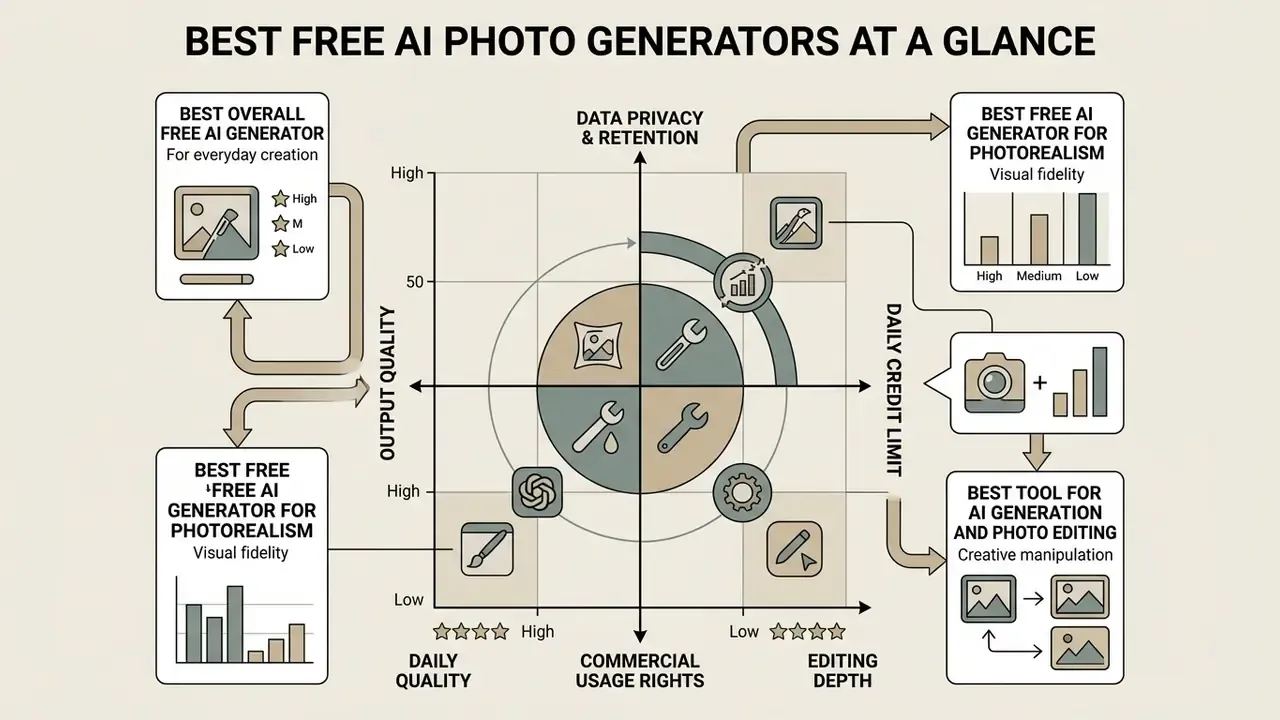
Picking the best free AI photo generator means balancing output visual quality, daily credit allowances, data-retention rules and legal commercial usage rights. Modern tools range from completely free platforms with watermarks to freemium enterprise suites with robust copyright protections. Want a shortlist first? Our free AI image generator comparison ranks the same tools by output quality and export limits.
Table: Free AI Photo Generators - tasks, model benchmarks, free limits, editing features, data handling and commercial rights
| Tool / Platform | Primary Task | Underlying Models and Performance | Free Tier Limits | Editing and Control Features | Data Privacy / Training on User Data | Commercial Use Terms |
|---|---|---|---|---|---|---|
| Canva Free AI | Everyday social assets and visual design | Proprietary Canva AI integration plus partner image models; optimized for fast composition, layout and text prompts. | Free daily access on web and mobile with standard generation quotas; unlimited standard drafts, restricted high-resolution and vector exports. | Built-in graphics editor, Magic Resize, Magic Edit, basic filters, text layering. | Enterprise-grade admin controls sit on paid tiers. Free-tier prompts and uploads run through the standard Canva content pipeline, so avoid confidential product imagery. | Allowed for general commercial use, subject to stock asset licensing rules. |
| Adobe Firefly | Brand visuals, product shots, commercial ads | Firefly Image 3/4 plus partner models (Gemini 2.5 Flash Image, marketed as Nano Banana); trained on licensed Adobe Stock and public domain content. | Free plan with limited daily generations. Generative credits are allocated on first use and expire after 1 month (commonly cited as roughly 25 monthly credits). Standard features such as Generative Fill, Generative Erase, Generative Expand, Remove Background and Upscale are unlimited. | Generative Fill, Generative Remove, Generative Expand, background replacement, style reference, structure reference. | Content Credentials metadata attached to outputs. Note: submitting output to an Adobe-hosted gallery grants Adobe a perpetual, royalty-free licence to use and display it. | Commercially safe. Non-beta outputs carry IP indemnification options on enterprise plans. |
| ChatGPT / GPT Image | Conversational creation and iterative editing | DALL·E 3 and GPT Image 2; strongest reasoning-oriented alignment (R2I-Bench margin of 71.1% over the best open baseline). | Up to 2 free generations per rolling 24 hours on free-tier accounts; no watermark. | Conversational prompt revision, region-based selection tool, in-chat inpainting, outpainting, transparent PNG or WebP export. | Free and consumer tiers may use conversations to improve models unless training is disabled in data controls. Business and enterprise workspaces are excluded by default. | User owns output rights, subject to OpenAI general terms and safety policies. |
| Microsoft Copilot / Bing Image Creator | Fast free prompt-to-image with no watermark | DALL·E-class and in-house MAI image models routed through Copilot Designer. | Roughly 15 fast "boost" credits per day, then unlimited but throttled slow-queue generation; typical export near 1024×1024. | Designer templates, object removal, replacement, attribute edits, text updates, artifact cleanup. | Consumer Copilot data handling differs from Microsoft 365 tenant data. Free consumer usage is not covered by enterprise data boundaries. | Personal-use bias in consumer terms; verify the current Services Agreement before commercial publication. See our Bing AI image commercial terms guide and the wider Microsoft AI image generator overview. |
| Pixlr | Integrated photo editing and background removal | Multi-model browser routing: Flux Schnell, Flux Dev, Flux Dev Ultra, Stable Diffusion XL, Nano Banana 2. | 20 free credits on registration plus a 250-credit trial; up to 8 parallel generations per batch; tiered credit caps for high-resolution output. | AI Generative Fill, Generative Expand, AI Background Remover, object eraser, layer editing, 16 styles, 10 lighting presets, 7 composition options. | "Private mode for AI Generations" is a paid feature, so free generations are not private by default. Mature-flagged content is deleted after 30 days. | Pixlr claims no copyright over generations; commercial use permitted under its terms, but private generation requires a paid plan. |
| Raphael AI | High-volume artistic creation and rapid concepts | Multi-model router (Seedream 3.5 / 4.5 / 5.0 Pro, Nano Banana 2 / Pro, Qwen-Image, GPT Image 2.5 backbones). | Unlimited basic generations without registration; Seedream 3.5 costs 0 credits; about 8 seconds per image on the free Basic model; up to 4 images per prompt; 0.5K guest resolution, up to 2K after free sign-in; roughly 10 fast credits per day. | Scene-aware style routing, reference image upload (up to 3), basic canvas tools, text overlay, browser AI editor. | Minimal-collection model: guest requests processed temporarily and anonymous edits not stored. Signed-in users get a 30-day history retained for account and security features. | Free outputs carry a watermark and are positioned for personal or non-commercial use. Paid plans remove marks and grant commercial rights. |
Quick takeaway: need watermark-free assets today? Start with Canva, Firefly or Copilot. Need volume and speed? Raphael AI and Pixlr win. Need audit-ready provenance? Firefly is the only free tier combining Content Credentials with licensed training data.
Technical Comparison of Free AI Generation Backbones (2026 Standards)
Free platforms are increasingly thin interfaces over a small number of shared backbones. Choosing the engine matters more than choosing the website. That single sentence saves most teams a week of testing.
| Model Backbone | Best For | Native Resolution | Prompt Logic / Alignment | Typical Speed | Free Tier Access via |
|---|---|---|---|---|---|
| Flux 2 Dev / Dev Ultra / Pro Max | Photorealistic lighting, skin and material texture | 1024 to 2048 px (Pro Max higher) | High compositional alignment on T2I-CompBench | 5 to 20 s depending on tier | Pixlr (free credits), NightCafe (5 credits/day plus unlimited slow queue) |
| Seedream 3.5 / 4.5 / 5.0 Pro | Rapid concept art, macro detail, layered light and shadow | 0.5K guest, 2K signed-in | Strong style adherence, fast routing | about 8 s on free Basic | Raphael AI (0-credit Basic, unlimited) |
| Nano Banana 2 / Nano Banana Pro (Gemini 3.x Flash / Pro Image) | Text rendering inside images, complex multi-reference scenes, brand consistency | 1K/2K standard, 4K in preview | Superior spatial reasoning and localized editing | 5 to 15 s | Adobe Firefly (partner model), Google AI Studio, Pixlr, Raphael AI |
| Imagen 4 Ultra | Portrait skin realism, product photography without upscaling | Native 4096×4096 | Highest photorealism claim in the current comparison set | 10 to 30 s | Google AI Studio free tier (up to 2K clean export) |
| DALL·E 3 / GPT Image 2 | Multi-turn conversational edits, reasoning-heavy prompts | Up to 2K (square, portrait, widescreen, banner) | R2I-Bench leader, plus 71.1% over best open model | 10 to 25 s | ChatGPT Free (2 per day cap), Copilot Designer |
| Stable Diffusion XL / SD 3.5 | Open customization, LoRA styles, inpainting control | 1024×1024 base, tiled upscaling | Factuality 68.9 (SD3.5) versus 40.5 (SD v1.5) | 3 to 15 s | Pixlr, DeepAI, self-hosted |
If your team keeps searching for an ai image generator free dall e route, note that the DALL·E lineage now reaches free users through two doors only: ChatGPT Free and Copilot Designer.
Best overall free AI image generator for everyday creation
Canva's free AI image generator remains the most practical universal option for everyday visual creation, largely because web and mobile share the same flow. You enter detailed text prompts, select artistic styles, adjust the aspect ratio, then refine the generated image inside a full graphic design suite without switching tools. Canva's own documentation describes the sequence as prompt, style, aspect ratio, click generate, refine in the editor, reachable from Elements or the Canva AI homepage entry point.
When testing everyday workflows for digital media teams, our operators wanted one thing: no multi-step file transfers. We tested Canva's text-to-image interface across thirty social media posts and product teasers. The platform produced aligned assets within seconds, ready for layout placement and text overlay with no export friction. Before publishing anything client-facing, confirm the rules for commercial use of AI images on your chosen tier, and read our breakdown of the Canva AI generator for pricing and licence specifics.
Let me be explicit about evidence limits. No independent leaderboard currently ranks every free generator by speed, interface simplicity and prompt fidelity in one place. MLCommons only added a Flux.1 text-to-image benchmark to MLPerf Training in 2025, so cross-vendor "best UX" claims stay practical conclusions rather than standardized scores.
See also: AI Media Benchmarks and Review Proof · best ai image generator without restrictions
Best free AI photo generator for photorealistic images
Imagen 4 Ultra, described in vendor documentation as producing native 4096×4096 output with no upscaling step, and Flux 2 Pro Max set the current top benchmark for photorealistic rendering, detailed skin textures and realistic lighting. GPT Image 2 renders skin texture, fabric folds and product surfaces convincingly up to 2K. Seedream 4.5 preserves fine texture and layered light and shadow at high native resolutions. Among accessible free platforms, tools exposing Flux-based backbones or Google's native Gemini image engine (Nano Banana) produce the most convincing physical details for portraits and product shot work.
Research on text-to-image factual generation shows modern backbones such as Stable Diffusion 3.5 reaching high concept factuality scores, up to 68.9 across complex tasks, and clearly outperforming legacy architectures like SD v1.5 at 40.5. High-resolution native rendering keeps fine textures, fabric weaves and dynamic light reflections crisp without artificial upscaling artifacts.
One caveat on photorealism claims. Human-rated evaluation published at NeurIPS 2023 found that real photographs still scored higher on photorealism than every tested text-to-image model, and that automated metrics correlated only moderately with human judgment. Treat vendor resolution figures as capability ceilings, not proof of indistinguishability. For portrait-specific workflows, our AI headshot generator guide covers likeness consistency and privacy handling in more depth.
Best tool for AI image generation and photo editing
Quick takeaway: pick Firefly for licensed provenance plus editing, Pixlr for model variety plus layers, and a Gemini or Nano Banana route when the image must contain legible text.
How We Evaluate Free AI Image Generator Tools
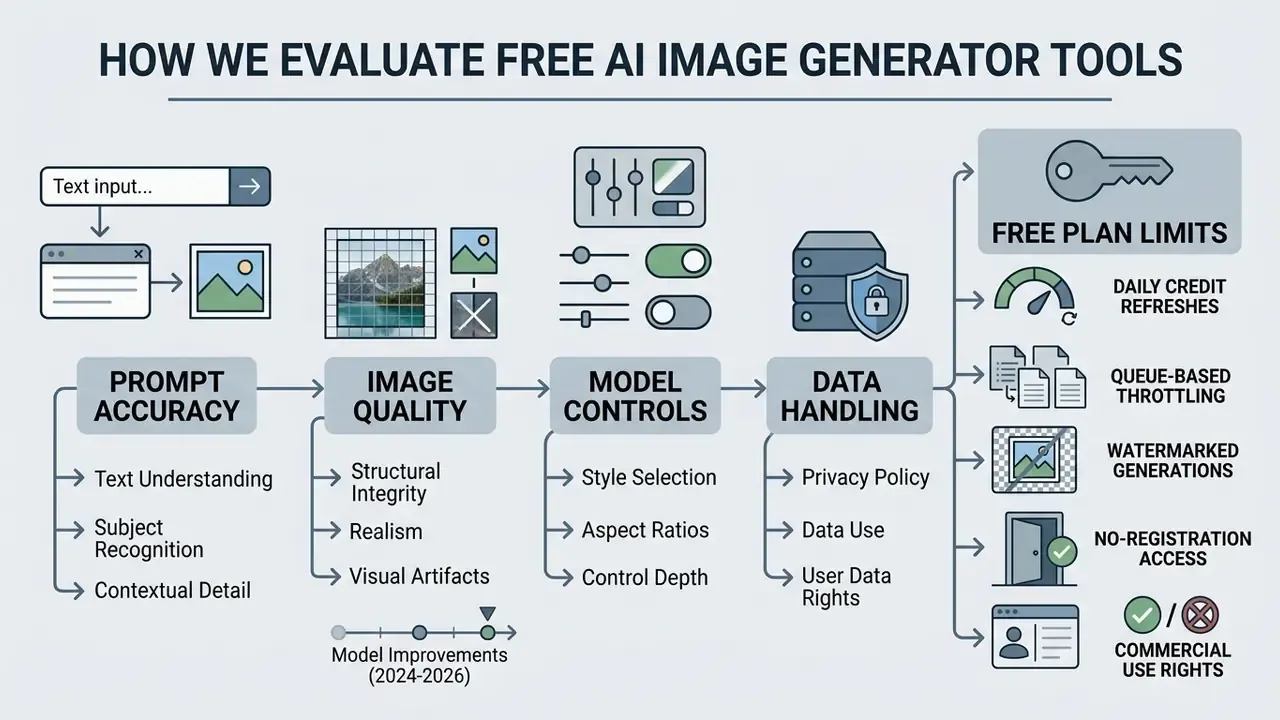
Evaluating a free AI photo generator means measuring prompt adherence, structural image quality, model controls, data handling and the practical operational boundaries of a free account. Systematic evaluation separates pure visual appeal from factual accuracy, alignment and intellectual property compliance.
Our method mirrors the four evaluation families defined in Google DeepMind's generative AI evaluation framework: benchmarking, human annotation, adversarial testing, and user or behavioural research. To that we add the pass/fail gates plus graded 0 to 5 rubrics recommended in OpenAI's image-evals guidance, covering instruction following, text rendering, styling and usability.
Prompt accuracy, text understanding and visual quality
Prompt accuracy measures how precisely a model interprets complex text prompts, including spatial positions, object counts and specific colour attributions. Current evaluation frameworks rely on VQA (Visual Question Answering) metrics such as VQAScore rather than basic CLIPScore, because binary verification questions catch errors that similarity scores miss.
Research from GenAI-Bench (Lin et al., 2024) shows VQAScore correlating strongly with human evaluations across roughly 15,000 human ratings.
T2I-CompBench results confirm that diffusion-based models such as FLUX reach compositional alignment comparable to proprietary tools, well ahead of legacy autoregressive baselines.
Alignment and realism scoreboard (2024 to 2026 models)
| Backbone | Concept factuality (T2I-FactualBench) | Compositional alignment (T2I-CompBench) | Reasoning prompts (R2I-Bench) | Practical read |
|---|---|---|---|---|
| SD v1.5 | 40.5 | Low | below 45% | Legacy; fails multi-concept scenes |
| SD 3.5 | 68.9 | Mid to high | below 45% | Strong open baseline for texture |
| FLUX family | High (reference-conditioned up to about 84.8 with MS-Diffusion) | Comparable to DALL·E 3 | below 45% | Best open route to photorealism |
| DALL·E 3 / gpt-image-1 | High | High | plus 71.1% over best open model | Best for logic-heavy briefs |
| Nano Banana 2 / Pro | High | High, strong text rendering | Not published | Best for text-in-image and localized edits |
Reading note: every open-source model tested on R2I-Bench scores below 45% accuracy, which is why conversational proprietary models still dominate multi-step logical prompts.
Models, styles and creative controls
What "free" means: credits, limits and account requirements
"Free" in AI image generation stretches from daily credit refreshes to unlimited slow queues and ad-supported models. Most free accounts restrict high-resolution downloads, push users into slower queues, or stamp visible watermarks on exported files. The word generator free rarely means unconditional.
- Daily credit refreshes Adobe Firefly provides a fixed allocation of generative credits that reset on a recurring schedule and expire one month after first use.
- Queue-based throttling Bing Image Creator supplies fast "boost" credits before shifting users into a slower generation queue.
- Watermarked unlimited generation Raphael AI offers unlimited generation in basic modes but attaches visible watermarks unless upgraded.
- No-registration access several browser tools allow instant text-to-image creation without a profile, though high-resolution features stay locked. See our roundup of AI image generators with no sign-up.
Platform free limit breakdown matrix
| Platform | Free volume | Speed / queue | Max free resolution | Watermark | Exports |
|---|---|---|---|---|---|
| Canva Free | Unlimited standard drafts, capped AI generations | Seconds | Standard raster | No | High-res and vector gated |
| Adobe Firefly | Limited daily generations plus monthly credits (expire after 1 month); standard edits unlimited | Seconds | Model-dependent | No | PNG/JPEG with Content Credentials |
| ChatGPT Free | 2 images per 24 h | 10 to 25 s | Up to 2K | No | PNG / WebP (transparency supported) |
| Bing Image Creator / Copilot | about 15 fast boosts per day, then slow queue | Fast then throttled | about 1024×1024 | No | PNG/JPEG |
| Raphael AI | Unlimited Basic (Seedream 3.5 at 0 credits) plus about 10 fast credits per day | about 8 s Basic; paid skips queue | 0.5K guest, 2K signed-in | Yes on free | Standard raster |
| Pixlr | 20 credits at signup plus 250-credit trial | Seconds; up to 8 per batch | Tier-dependent | No | PNG/JPEG/WebP |
| NightCafe | 5 credits per day plus unlimited slow Stable Diffusion | Slow queue when credits exhausted | Upscale to 2K | No | Standard raster |
| Krea | 5 free generations per day (about 100 compute units) | Fast | Upscale to 2K | No | Standard raster |
| Leonardo AI | about 150 tokens per day | Fast | Model-dependent | No | Public outputs carry broad platform rights |
| Ideogram | Weekly slow credits | Slow queue | Model-dependent | Tier-dependent | Best-in-class text rendering |
| Playground | 10 images per 3 hours, 2 downloads per day | Fast | Model-dependent | No | Royalty-free licence granted |
| Google AI Studio | API-conditioned free tier | Fast | Up to 2K | No visible watermark | Clean developer exports |
| Gemini App (free) | Daily quota, then fallback to base Nano Banana | Fast | about 1K | SynthID (machine-detectable) | Standard raster |
Tool selection by creative task (decision branches)
Quick takeaway: treat "unlimited" as "unlimited slow, watermarked or low-resolution" until the pricing page says otherwise, and always check whether privacy mode is a paid feature before uploading client material.
See also: platform pricing details, open the hub · AI image upscalers for business use
Free AI Image Generator Tools Worth Trying
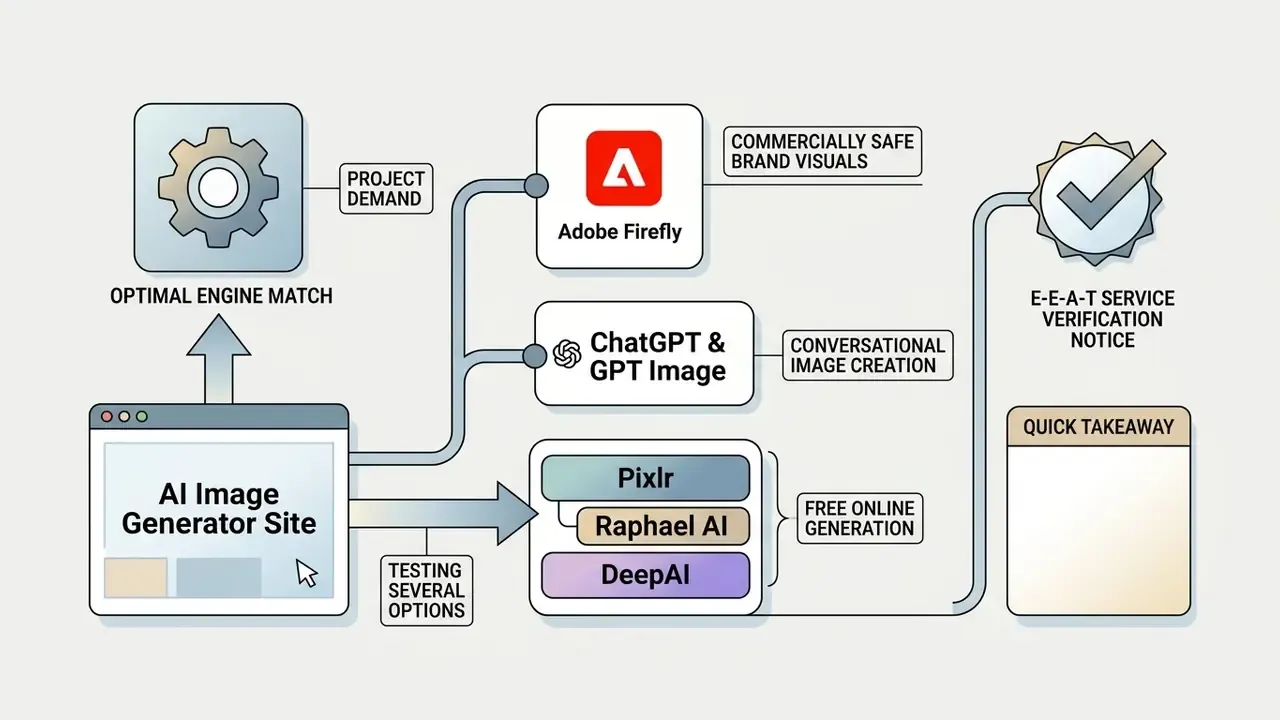
Testing several options on an ai generator site helps match a specific project demand to the optimal engine: commercial licensing, interactive chat editing, agentic report production, or quick browser creation. Each of the tools below is a legitimate ai generated image site with published terms you can actually read.
Adobe Firefly for commercially safe brand visuals
Adobe Firefly is built for commercial brand safety. Its generative models train on licensed Adobe Stock images and public domain content where copyright has expired. Non-beta outputs are eligible for commercial use, which gives corporate marketing teams a defensible position on infringement risk.
According to Adobe Firefly product terms current for 2026, generated assets automatically carry digital Content Credentials metadata confirming AI provenance. Firefly integrates with Adobe Express and Photoshop, offering generative fill, Generative Expand, background generation and style matching from client-owned reference images. Adobe's guidance is blunt on that last point: uploaded style references must be images you hold the rights to use. Free accounts receive limited daily generations plus monthly generative credit refreshes for standard model use, and partner models (including Gemini 2.5 Flash Image, marketed as Nano Banana) are selectable from the model drop-down inside Text to Image.
One nuance for compliance teams. Adobe's Photoshop documentation historically restricted commercial use of some in-app generative features, while Firefly pages permit commercial use of Firefly outputs. The distinction is product- and version-specific, so verify the label, beta or non-beta, inside the exact surface you are using.
ChatGPT and GPT Image for conversational image creation
OpenAI's ChatGPT provides interactive text-to-image creation powered by DALL·E 3 and GPT Image models. You can literally type "ai create an image for me", "ai create a picture for me" or "ai create me a picture" in plain language and iterate from there. Our head-to-head review of ChatGPT as a picture generator compares it against dedicated art tools. Outputs adjust through conversational feedback: change the light, add an object, shift the composition. On mobile the flow is open image, Edit, Select, refine the selection with Undo and Redo, then apply.
Research published in R2I-Bench (2025) indicates that proprietary models such as gpt-image-1 score up to 71.1% higher than open-source baselines on reasoning-oriented evaluation with multi-step logical prompts. Free accounts receive limited daily allowances, up to two images per day, with prompt revisions handled by the conversational layer. The API exposes the rewritten text in a revised_prompt field, and prior image IDs can be referenced for iterative editing. OpenAI's Terms of Use state that, as between user and OpenAI, the user owns the output.
Pixlr, Raphael AI and DeepAI for free online generation
Browser-based platforms such as Pixlr, Raphael AI and DeepAI skip installation entirely. Pixlr works as an online AI image editor with multi-model routing (Flux Schnell, Flux Dev, Flux Dev Ultra, SDXL, Nano Banana 2, plus video models). Raphael AI allows instant generation without mandatory registration, which is why it keeps appearing in ai image create free websites lists. DeepAI advertises more than 100 stylized models in its style gallery, though it publishes less detail on free caps and watermark policy than competitors. For a broader shortlist, see our comparison of free AI art generators and the stylistic deep dive on Ghibli-style AI image generators.
Analysing anonymous user sessions across public web tools, two factors dominate: privacy protection and speed. Raphael AI uses scene-aware routing to send text prompts to optimized backbones, giving an ai bot picture generator interface that returns candidate visuals in roughly eight seconds per query, with up to four variations per prompt and up to three reference images. Its documentation states that guest requests are processed temporarily and anonymous edits are not stored, while signed-in users keep a 30-day history for account and security purposes. That distinction matters if you are trying to prevent shadow AI leakage of unreleased product photography.
E-E-A-T service verification notice
Quick takeaway: Firefly for provenance, ChatGPT for reasoning, Raphael AI for volume, Pixlr for editing breadth, Copilot for watermark-free speed.
See also: Google AI image generator terms · Midjourney vs alternatives · head-to-head comparisons, browse the hub · competitor breakdowns, open the hub
Free Plan Limits That Matter Before You Generate Images
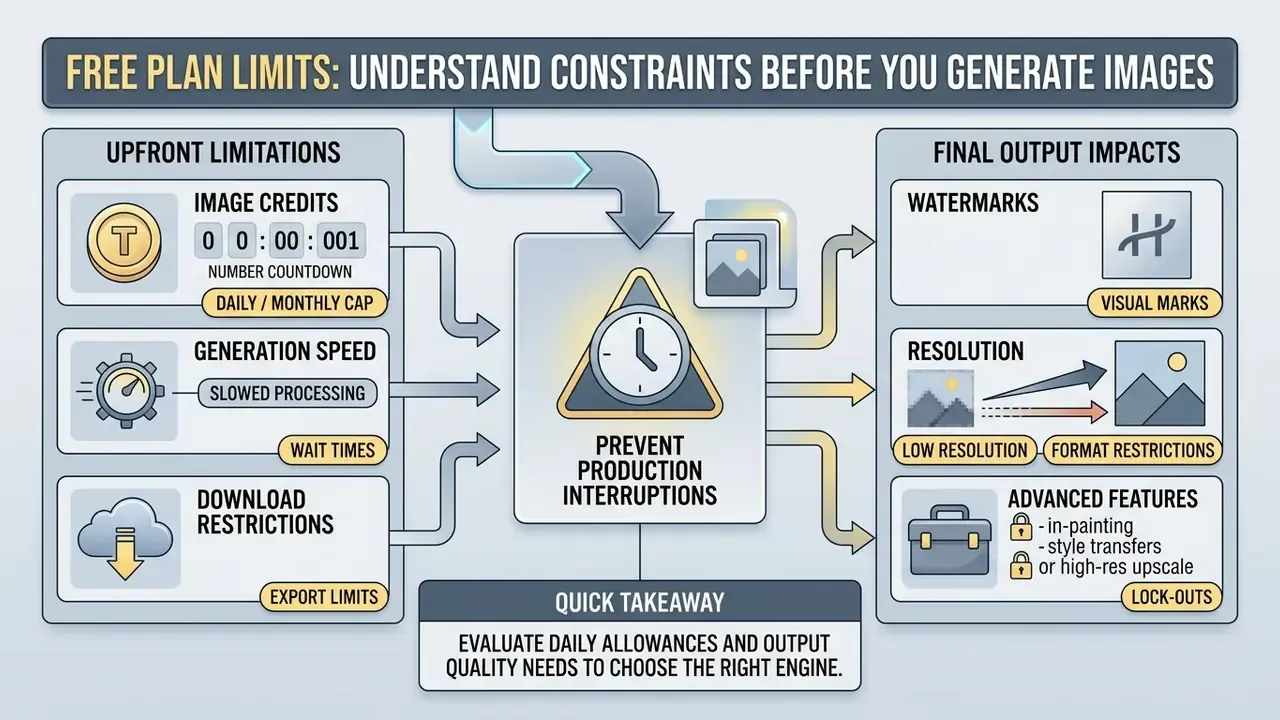
Understanding free plan constraints prevents unexpected interruptions mid-production. Free tiers manage infrastructure costs by capping generation speed, constraining output resolution, restricting commercial usage rights, and increasingly by making privacy itself a paid feature.
Image credits, generation speed and download restrictions
Free AI photo platforms limit usage through credit systems or rate-limiting queues. Fast credits grant instant processing; depleted accounts drop to secondary queues or wait for the next cycle.
- Credit exhaustion: Adobe Firefly and Pixlr assign credit quotas. Once depleted, you wait for a reset or buy more. Firefly free credits expire one month after first use.
- Generation queues: Bing Image Creator supplies roughly 15 fast boosts per day, after which requests sit in a throttled queue. NightCafe pairs 5 daily credits with unlimited slow Stable Diffusion generation.
- Token and batch ceilings: where free access runs through developer APIs, throughput is governed by queued-token limits rather than image counts. Google's Gemini API documents 100 concurrent batch requests, 2 GB input file size and 20 GB file storage, while OpenAI batch limits are expressed as total input tokens queued per model.
- Download formats: free tiers frequently restrict downloads to standard WebP or compressed JPEG, reserving uncompressed PNG or vector exports for paid plans. Transparency requires PNG or WebP, since JPEG cannot carry an alpha channel.
Watermarks, resolution and access to advanced features
Output restrictions decide whether an image can be published professionally. Higher native resolution and watermark-free exports remain the standard boundary between free and premium.
According to NIST guidance on synthetic content transparency, platforms increasingly embed machine-readable metadata or visible watermarks to signal AI generation.
In practice this splits into three tiers. Visible watermarks (Raphael AI free, HeyGen trial). Invisible machine-detectable marks (SynthID in the free Gemini app at roughly 1K output). Clean exports (Google AI Studio up to 2K; Canva, Firefly, ChatGPT and Copilot on their free tiers). Advanced features such as batch upscaling, multi-region inpainting, private generation mode and top-tier model access (Flux 2 Pro, Nano Banana Pro, Seedream 5.0 Pro) usually require an active subscription. One honest caveat: watermark removal is technically possible, so provenance metadata is a disclosure aid, not an authenticity guarantee.
Quick takeaway: budget the risk, not just the price. A free tier that watermarks output, caps you at 0.5K and trains on your prompts can cost more in rework and exposure than a $10 plan.
See also: best ai image upscaler comparison · AI image upscalers for commercial workflows · developer API pricing, browse the hub
How to Create Images with a Free AI Image Generator
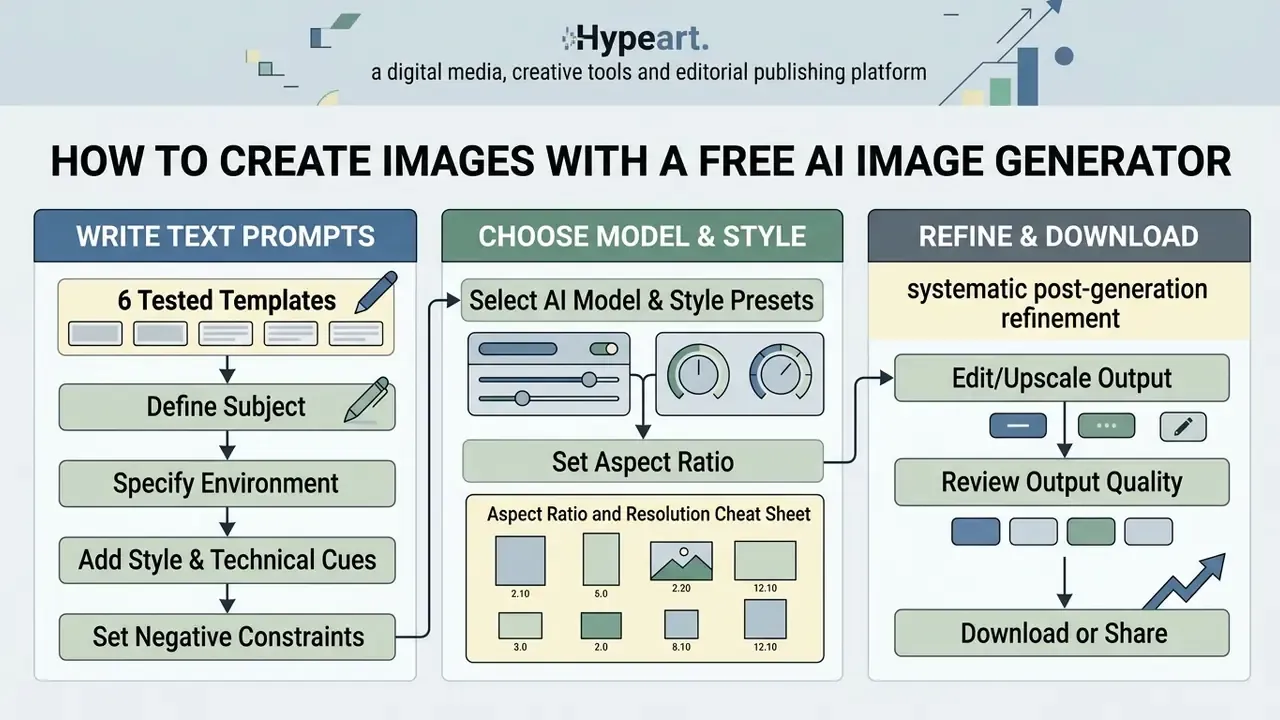
Creating high-quality visuals with a free AI photo generator takes structured prompt engineering, deliberate model selection and systematic post-generation refinement. Skip any of the three and you burn credits.
Write text prompts that produce better results: 6 tested templates
Effective text prompts follow a hierarchy: subject, environment or scene, key details and materials, lighting and style, camera specs, constraints. OpenAI's prompting guide recommends the same consistent ordering (background or scene, subject, key details, constraints) and advises stating the intended use, whether ad, UI mock or infographic, so the model calibrates polish. Research from Columbia's CHI 2022 text-to-image study adds that compact subject-plus-style keywords outperform vague filler phrasing.
Use this ordering syntax:
[Subject] + [Action/Pose] + [Environment/Lighting] + [Camera/Lens Specs] + [Color Palette] --no [Negative Prompts]
1. Commercial product shot (photorealism)
A luxury matte black perfume bottle resting on wet dark basalt stone, soft morning mist, studio side lighting, 85mm lens, f/1.8 depth of field, subtle water droplets, high-contrast reflections --no harsh shadows, dust, scratches, warm tones
Recommended engine: Flux 2 Dev Ultra / Firefly Image 4
2. Micro-macro detail
Extreme macro shot of a sushi roll submerged underwater, vibrant orange caviar glowing under aquatic neon light, tiny air bubbles, ultra-sharp focus, cinematic blue and gold color scheme --no blur, low res, noise
Recommended engine: Gemini 2.5 Flash / Nano Banana 2
3. Isometric 3D illustration
Isometric 3D icon of a modern eco-friendly smart home with solar panels and a mini garden, clay craft style, pastel color palette, soft ambient occlusion shadows, isolated on clean white background
Recommended engine: Seedream 3.5 / SDXL
4. Architectural concept
Futuristic curved glass pavilion inspired by Taj Mahal arches, seamless organic geometry, golden hour sunlight reflecting off smooth white concrete, wide-angle 24mm architectural photography
Recommended engine: Flux 2 Pro / Canva AI
5. Seamless pattern / brand texture
Seamless repeating pattern of stylized eucalyptus leaves, flat vector illustration, two-tone sage and cream palette, even lighting, tileable edges --no gradients, drop shadows, text
Recommended engine: Ideogram / Firefly (vector-friendly styles)
6. Logo-style mark with legible text
Minimal wordmark logo reading "NORTHBAY", geometric sans-serif letterforms, deep navy on off-white, centered composition, print-ready flat design --no gradients, mockup, watermark, extra letters
Recommended engine: Nano Banana 2 / Ideogram (strongest glyph rendering)
For reference, the original four-step construction is still the fastest way to learn the pattern:
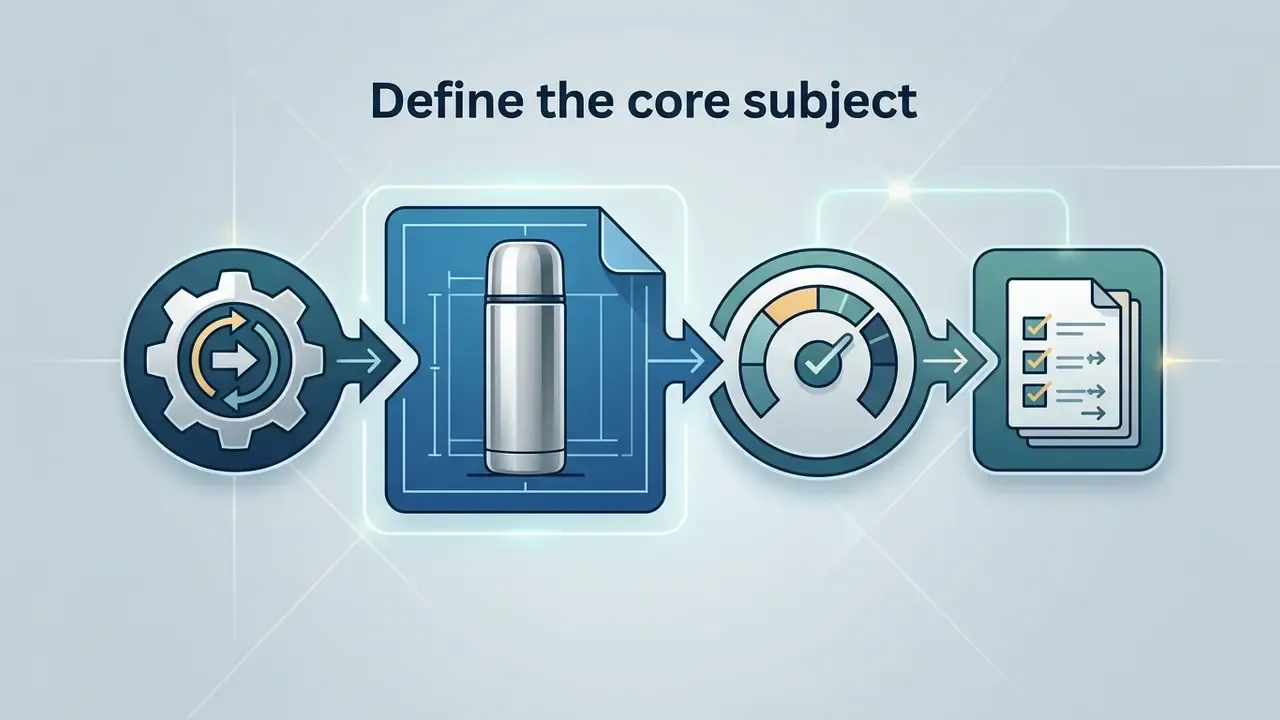
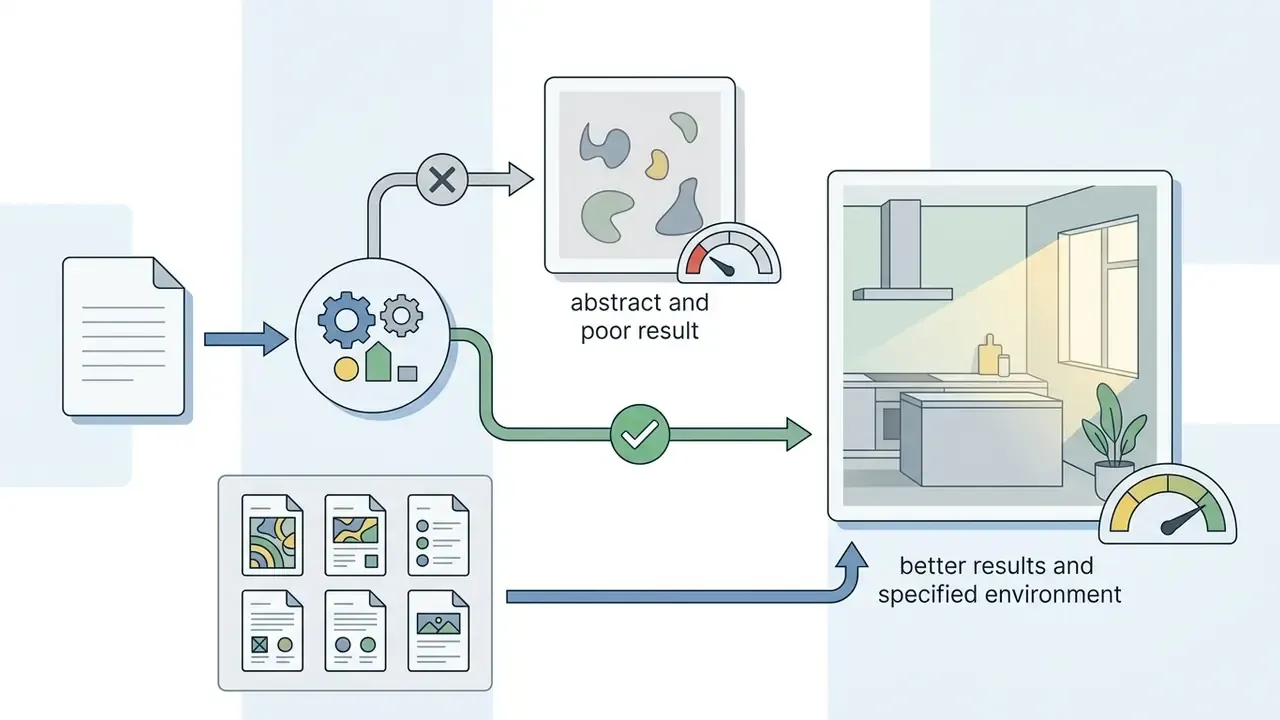
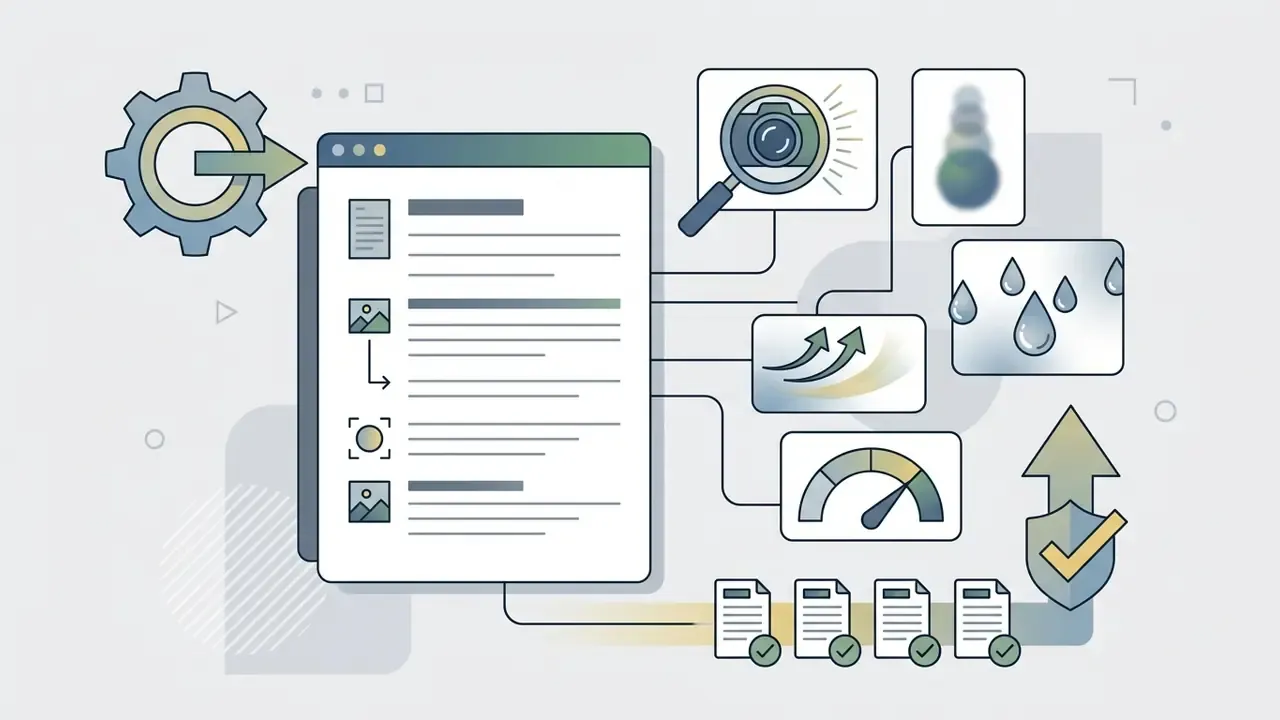
Prompt structure hierarchy: scene and environment, then core subject, then materials and textures, then lighting and camera angle, and finally negative constraints.
Choose a model, style and aspect ratio
Matching model choice and aspect ratio to the destination platform avoids distortion and awkward cropping. Social channels expect specific canvas dimensions, and Meta's own guidance recommends keeping one aspect ratio consistent across every image in a carousel.
Aspect ratio and resolution cheat sheet
| Ratio | Pixel target | Primary use |
|---|---|---|
| 1:1 square | 1080×1080 | Instagram feed, product thumbnails, marketplace cards |
| 4:5 portrait | 1080×1350 | High-engagement social media posts, Meta image ads |
| 9:16 vertical | 1080×1920 | TikTok, Reels, Shorts, mobile stories |
| 16:9 landscape | 1920×1080 | YouTube thumbnails, blog post headers, presentation slides |
| 3:1 banner | 2100×700 | Desktop hero banners (mobile fallback near 3:2) |
| 400×400 square | 400×400 | Profile avatars per corporate social guidelines |
Style and control presets to look for
| Control group | Typical options (Pixlr reference set) |
|---|---|
| Artistic styles (16) | Anime, Photographic, Digital Art, Cinematic, Comic Book, Fantasy Art, Neon Punk, Pixel Art, Low Poly, Origami, Line Art, Craft Clay, Isometric, 3D Model, Analog Film, Enhanced |
| Lighting presets (10) | Studio, Dramatic, Golden Hour, Backlight, Sunlight, Volumetric, Low Key, High Key, Rim Light, Ambient |
| Composition (7) | Blurry Background, Close Up, Wide Angle, Macro, Shot From Below, Shot From Above, Narrow Depth of Field |
| Colour toning | Warm, Cool, Vibrant, Muted, Pastel, Black and White |
| Reference controls | Reference images upload (up to 3 on Raphael AI), strength or denoise slider, style reference, structure reference |
A photorealistic diffusion model such as Flux or SD3.5 gives realistic physical detail for product shots, while stylized models handle abstract artwork and digital graphics better. Where text must stay legible inside the frame, route to Nano Banana 2, Nano Banana Pro or Ideogram.
Generate, refine and download the final image
Once parameters are set, click generate and review candidates. Judging output accuracy lets you refine text descriptions, apply localized edits, or upscale before download.
Anatomy of a generator interface (what each control does)
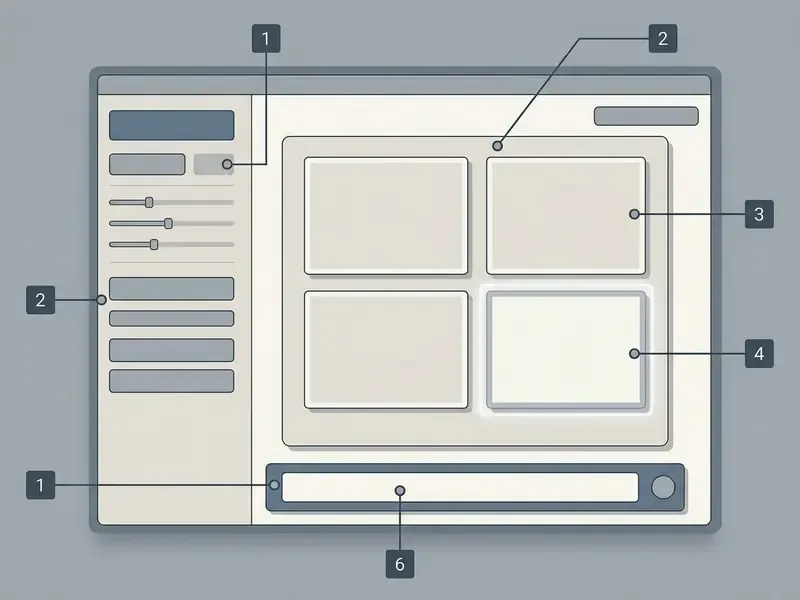
| Interface element | What it controls | Practical tip |
|---|---|---|
| 1. Prompt field | Subject, scene, style, constraints (often a 750 to 3,000 character cap) | Write in the fixed order; put negatives at the end |
| 2. Model selector | Backbone: Flux Schnell/Dev/Ultra, SDXL, Seedream, Nano Banana 2, GPT Image | Fast models for exploration, Ultra or Pro for the final frame |
| 3. Style, lighting and composition pickers | Preset visual language | Combine one style plus one lighting preset; more presets fight each other |
| 4. Aspect ratio selector | Canvas shape (1:1, 4:5, 16:9, 9:16, custom WIDTHxHEIGHT) | Set before generating; cropping later loses resolution |
| 5. Output count / batch | 1 to 8 variations per run | Batch four on free tiers to spend fewer credits per usable frame |
| 6. Resolution / quality toggle | 0.5K, 1K, 2K, 4K, fast versus quality mode | Guest modes often lock 0.5K, so sign in before the final render |
| 7. Reference image upload | Composition, pose, style conditioning | Lock "same position, scale, pose, camera angle, framing" in the prompt |
| 8. Generate button | Queue submission | Note the wait: about 8 s free Basic, longer in slow queues |
| 9. Generative fill and expand tools | Localized inpainting and canvas extension | Fix one region at a time, not the whole frame |
| 10. Download / export | PNG, WebP, JPEG, transparency options | PNG or WebP for transparency; avoid re-saving JPEG |
Quick takeaway: set ratio and resolution before you generate, batch four candidates, fix regions instead of regenerating, and export once without recompression.
See also: best ai image generator hub · online photo editor guide
Editing and Control Features for Better AI-Generated Images
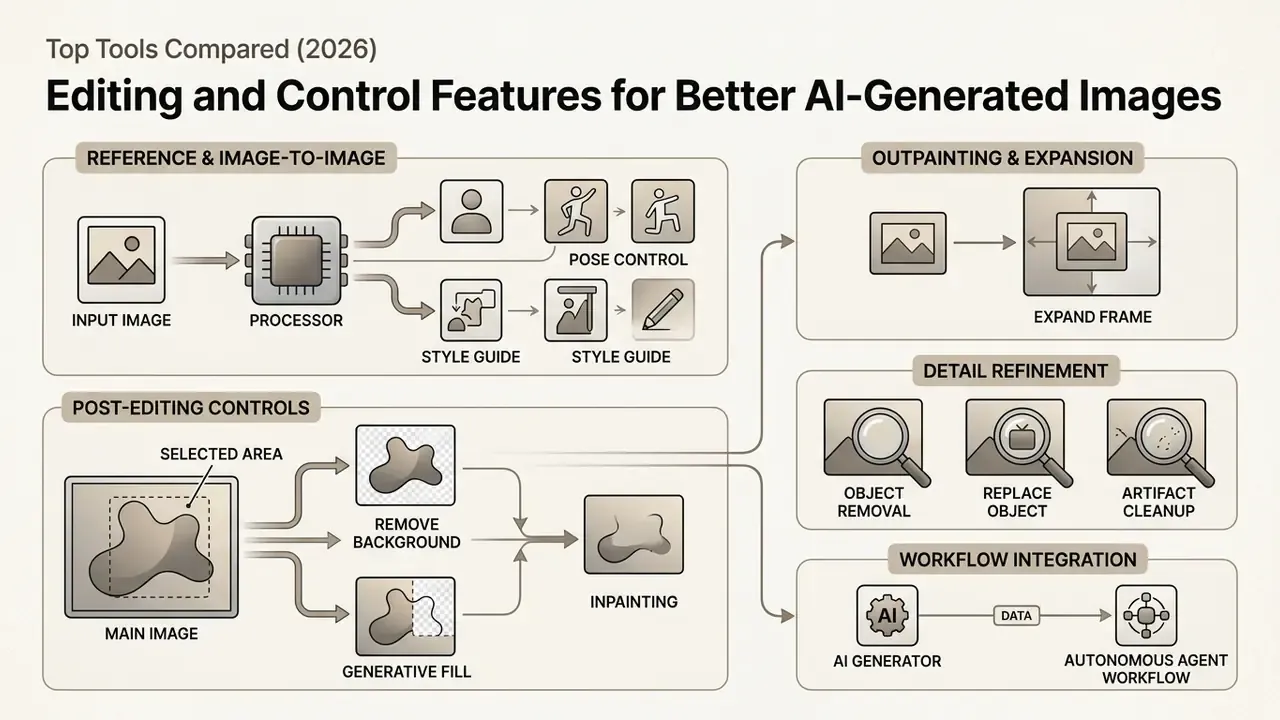
Generative tools now ship serious post-editing controls, so you can refine a specific area instead of regenerating the entire canvas. That shift changes economics on a free account: fewer credits per finished asset.
Use reference images and image-to-image tools
Image-to-image workflows use an uploaded reference photo to guide composition, subject pose or artistic style. Locking exact layout constraints while supplying a reference gives high stylistic consistency. Vendor guidance for image-to-image explicitly recommends fixing "exact same position, scale, pose, camera angle, framing and perspective" in the prompt, with the style source provided separately.
Research in Balanced Image Stylization with Style Matching Score (ICCV 2025) shows that combining style matching scores with progressive spectrum regularization preserves low-frequency layout structure while adapting high-frequency textures. Reference conditioning also pays off in measurable factuality: subject-driven encoders lift T2I-FactualBench scores from 40.5 to 71.8 (SSR-Encoder) and from 45.8 to 84.8 (MS-Diffusion) against text-only prompting. Uploading a product reference shot lets the model keep exact product geometry while altering background settings and environmental lighting. Our guide to image-to-image generation compares the tools that handle reference uploads best.
Remove backgrounds, replace objects and refine details
Localized correction tools let creators isolate subjects, swap backdrops or clean up minor artifacts without touching the rest of the frame.
- Remove background isolates the main subject onto transparency for e-commerce or social graphic placement. Refine afterwards by resizing, cropping and adjusting brightness, contrast and saturation.
- Generative fill and inpainting replaces masked areas from targeted text descriptions while matching surrounding light and shadow, non-destructively.
- Object removal and replacement deletes or swaps elements and changes attributes such as colour, material or text on packaging.
- Outpainting and canvas expansion extends borders outward, generating matching environment details including shadows, reflections and textures for wider aspect ratios. See our comparison of AI outpainting tools.
- Artifact cleanup removes banding, duplicated fingers, garbled glyphs and seam errors flagged during review.
Integrating AI photo generators into autonomous agent workflows
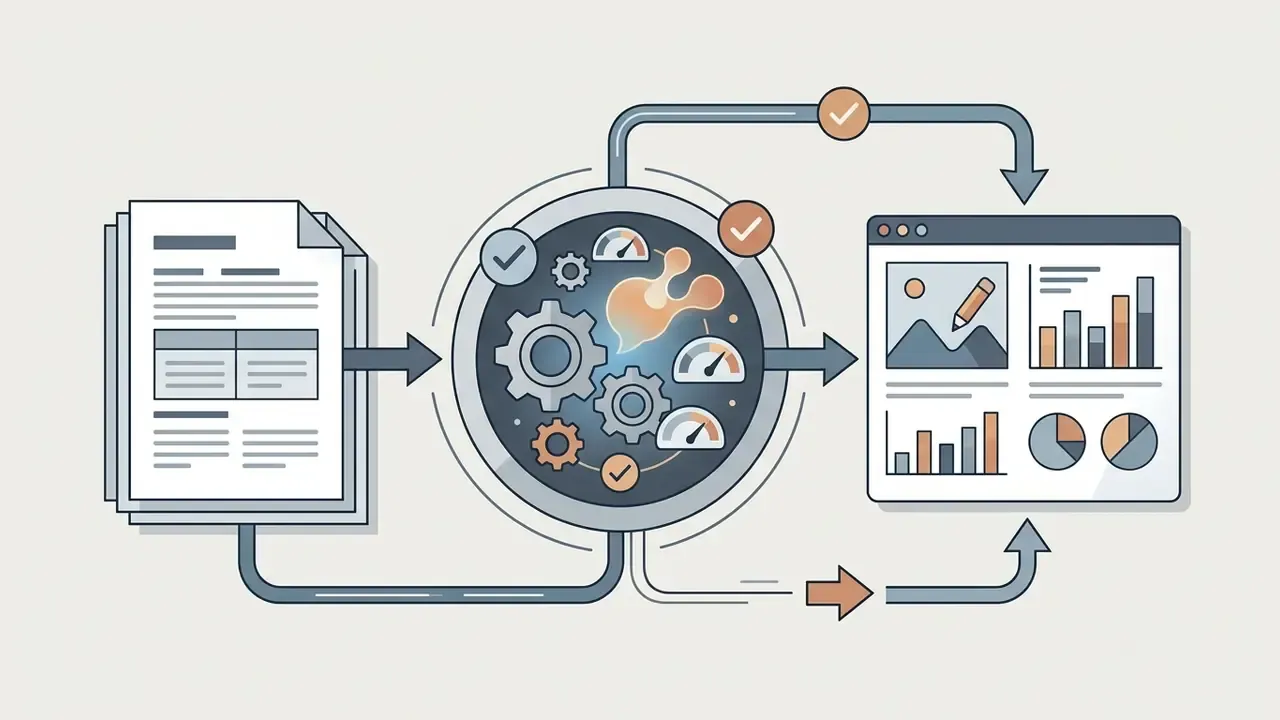
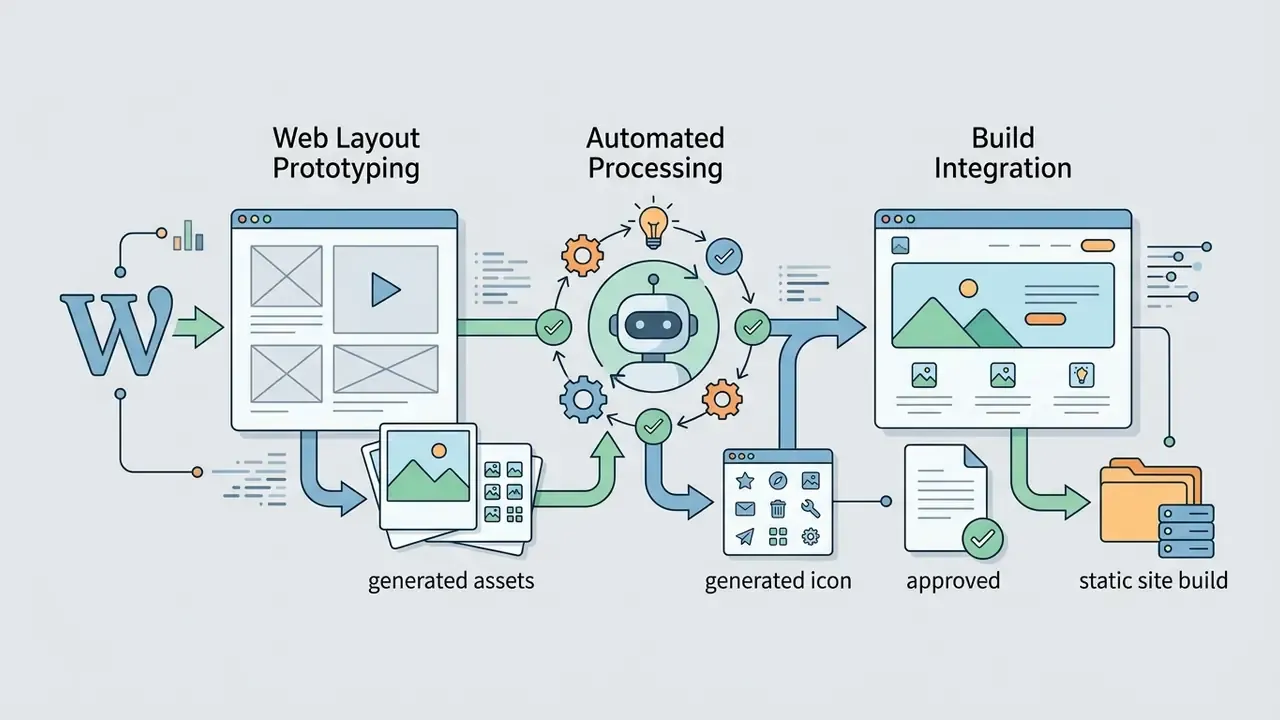
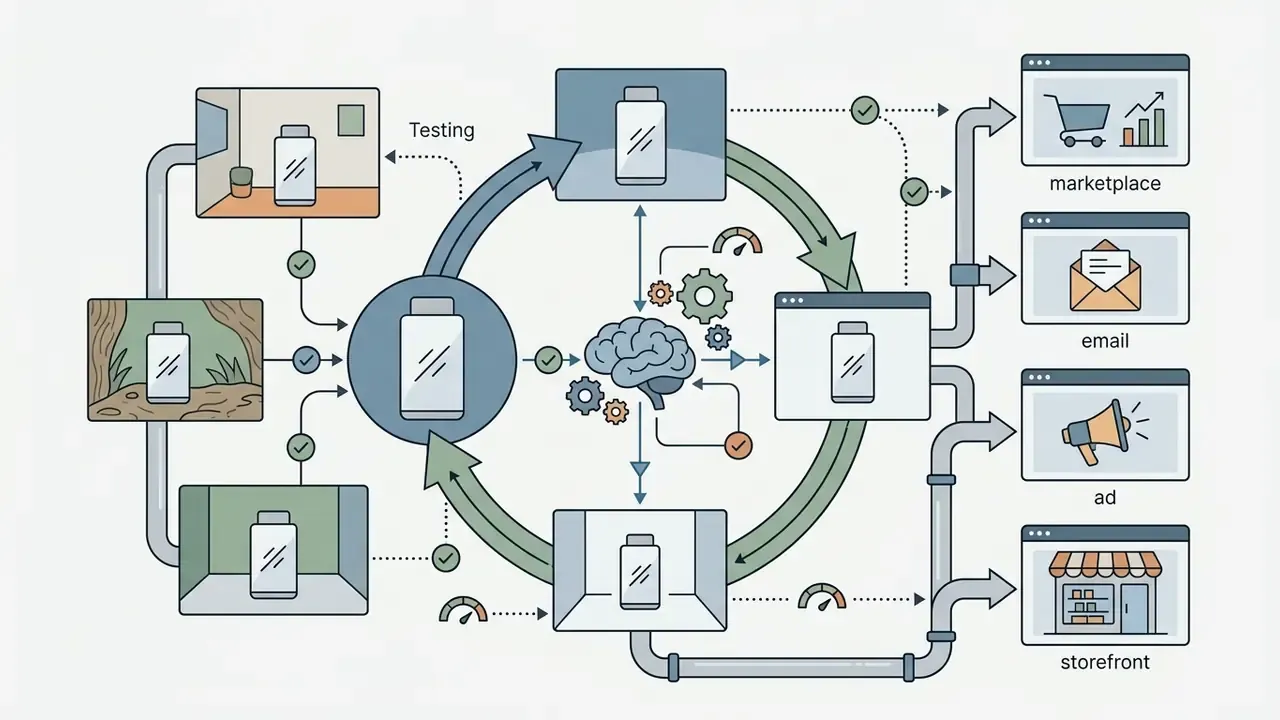
Modern image creation reaches past standalone file exports. Advanced setups combine image engines with autonomous AI agents (Manus-style agents or custom API workflows) to produce structured deliverables instead of loose PNGs:
Governance note for agentic pipelines. Because the agent, not the human, selects and inserts imagery, provenance metadata and prompt logging become the only audit trail. Keep Content Credentials intact, store prompts beside generated assets, and name an owner for the pipeline. No evidence, no autonomy.
Quick takeaway: regenerate regions, not canvases; condition on references for factual accuracy; and log prompts whenever an agent writes images into a deliverable.
See also: best ai logo generator comparison · AI reverse image search · animation makers · best ai music generator 2025 · best ai music generator overview
Commercial Use, Ownership and Safe Use of AI-Generated Images
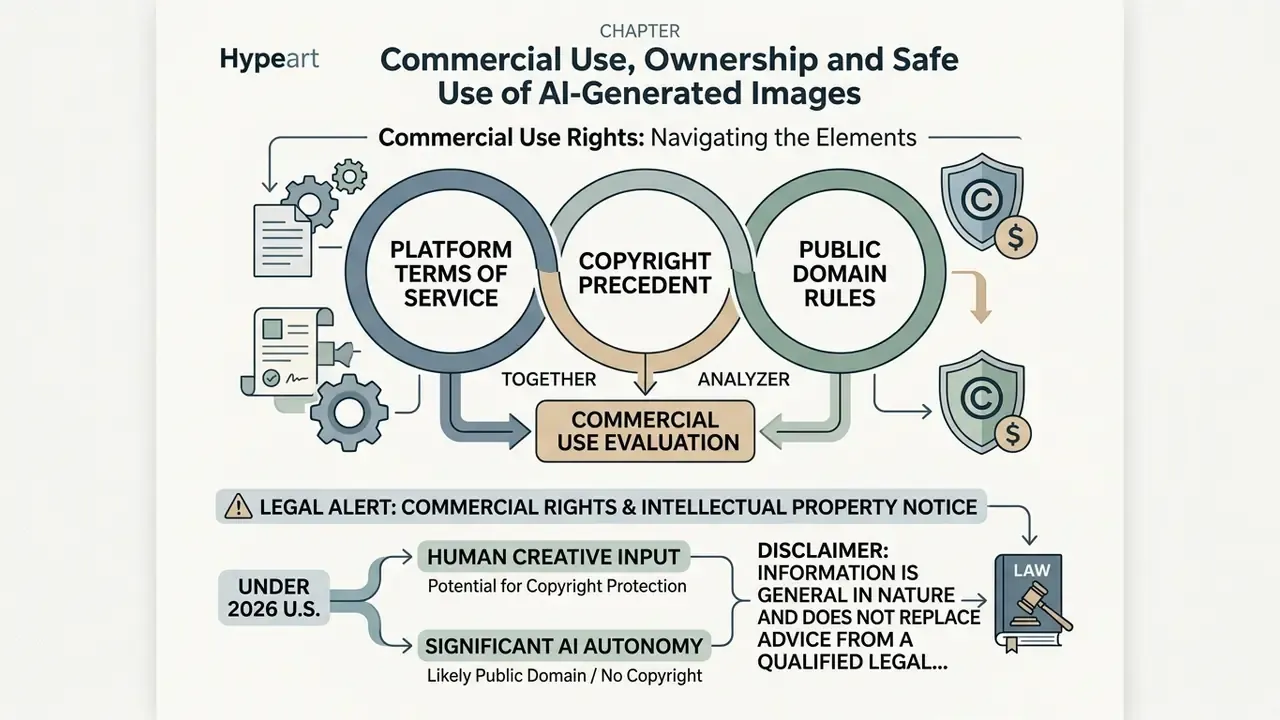
Navigating commercial use rights for AI generated images requires reading platform terms of service, copyright precedent and public domain rules together. Two of the three are usually ignored.
Note the frequent vendor error here. Several free generators tell users they "own the copyright" to outputs. Under current U.S. guidance that claim is inaccurate for purely machine-generated images. What a platform can grant is a contractual usage licence, not a copyright that does not exist. EU guidance in 2026 lands in a similar place from a different direction: protection tracks human creative contribution, while practical rights flow from platform terms, which may permit commercial exploitation even where ownership is limited.
Commercial safety depends heavily on training data transparency. Firefly trains on licensed stock and public domain content, which lowers third-party copyright risk. Open models may generate content carrying residual IP obligations. For the full licensing picture, see our guide to commercial rights for AI-generated images.
Pre-publication TOS checklist
Quick takeaway: copyright and commercial permission are two separate questions. Verify the tier-specific licence, the human-authorship contribution and the disclosure requirement before anything ships.
See also: commercial licensing basics, see the overview
FAQ: Frequently Asked Questions About Free AI Image Generators
Are free AI bot image generators completely free for commercial use?
No. Commercial rights depend entirely on the platform's terms of service and plan tier. Adobe Firefly permits commercial use on its non-beta free tier, while an ai bot image generator free option like Raphael AI restricts free watermarked exports to non-commercial personal use and requires a paid subscription for commercial licensing. Fotor similarly limits free-material use to personal projects, and consumer Microsoft Copilot terms lean toward personal use.
Can I use an AI photo generator online without registration?
Yes. Raphael AI, DeepAI and several browser tools let you enter text prompts and generate images instantly with no account. Raphael AI documents that anonymous generations are processed temporarily and anonymous edits are not stored. However, advanced features such as 2K downloads, inpainting, history and credit tracking require sign-up. Our roundup of AI image generators with no sign-up compares them directly.
Do free AI image generators train on my prompts and uploaded photos?
It varies, and this is the main shadow AI risk. Consumer ChatGPT tiers may use conversations for model improvement unless training is disabled in data controls; business and enterprise workspaces are excluded by default. Pixlr sells private generation as a paid feature, so free generations are not private. Raphael AI states a minimal-collection approach with temporary processing for guests and a 30-day history for signed-in users. Adobe grants itself a perpetual, royalty-free licence to outputs submitted to its hosted galleries. Never upload unreleased product imagery, customer photos or confidential documents to a free tier without checking these settings first.
How do AI image generators handle text prompts on mobile devices?
Modern AI photo generators run as responsive web apps or native iOS and Android applications. Mobile interfaces include prompt input boxes, style selectors and touch-optimized editing controls matching desktop capability. In ChatGPT, for example, you open an image, tap Edit, use Select, then refine with Undo and Redo. Accessibility expectations follow WCAG: the U.S. Department of Justice's 2024 rule sets WCAG 2.1 Level AA as the technical standard for state and local government mobile apps, while W3C's WCAG 2.2 mobile guidance is informative rather than normative.
What is the difference between DALL·E 3, Stable Diffusion, Flux and Nano Banana?
DALL·E 3 and GPT Image, integrated into ChatGPT, excel at complex prompt reasoning and conversational adjustments, leading R2I-Bench by 71.1% over the best open model. Stable Diffusion models (SDXL, SD 3.5) offer extensive open-source customization and inpainting control, with SD 3.5 scoring 68.9 on concept factuality against 40.5 for SD v1.5. Flux prioritizes photorealism, accurate anatomical rendering and precise lighting, with compositional alignment comparable to DALL·E 3. Nano Banana is Google's native Gemini image generation and editing capability: Nano Banana Pro maps to Gemini 3 Pro Image, and Nano Banana 2 delivers 1K/2K output with 4K in preview, plus the strongest text-in-image rendering.
How fast are free AI image generators, really?
Free Basic generation on Raphael AI returns an image in roughly 8 seconds and allows up to 4 images per prompt. Bing Image Creator is near-instant for its 15 or so daily boosts, then drops into a slower queue. NightCafe gives 5 fast credits per day and then unlimited slow Stable Diffusion generation. ChatGPT free typically takes 10 to 25 seconds per image but caps you at 2 images per 24 hours. Paid tiers mostly buy queue priority rather than a different model.
Do free AI image generators place watermarks on downloaded photos?
Some do. Completely free unlimited platforms such as Raphael AI Basic attach visible watermarks to exports. Freemium tools including Canva, Adobe Firefly, Bing Image Creator and ChatGPT generate watermark-free images on free tiers but enforce strict daily limits instead. A third category applies invisible marks: the free Gemini app embeds SynthID at roughly 1K output, while Google AI Studio offers clean exports up to 2K. NIST notes that watermarks can be removed or spoofed, so they support disclosure rather than guarantee authenticity.
What resolution can I get for free, and when do I need an upscaler?
Free ceilings cluster around 0.5K to 1K for guest access, 1024×1024 for Copilot-class tools, and up to 2K once you sign in (Raphael AI, Google AI Studio, GPT Image). Native 4K currently requires Imagen 4 Ultra or preview-tier Nano Banana 2. If the final asset needs print resolution, generate at the highest free native size and run staged 2× or 4× generative upscales instead of one large interpolation. See our AI image upscaler comparison.
Are these tools the same in other languages?
Mostly yes. Interfaces localize, limits do not. Whether you search ai afbeelding generator, ai image generator gratis or ai generative free, you are usually reaching the same backbones (Flux, SDXL, Seedream, Nano Banana, GPT Image) through a different front end. Check the terms page in English as well, since translated help centres lag behind policy updates on ai generated images website properties.
Internal Hub Navigation
- To compare all platform options across categories, open the hub.
- For business licensing questions, see the overview.
- For methodology and test evidence, review our AI Media Benchmarks and Review Proof.