While many applications advertise zero-cost functionality, free plans frequently enforce trade-offs such as mandatory branding watermarks, export resolution caps at 720p or 1080p, and restricted access to advanced AI tools. Evaluating these applications through technical capabilities and verified platform limits allows creators to select an editor tailored to their production needs.
Who this guide is written for. Three groups, roughly. Solo creators who simply want a clean export. Small marketing teams who need repeatable social output without a licence surprise. And anyone editing on a managed corporate device, where the question shifts from "does it look good" to "where does this footage get processed." The last group is small but the stakes are the highest, so it gets its own section further down.
How We Chose the Best Free Video Editing Apps for Android
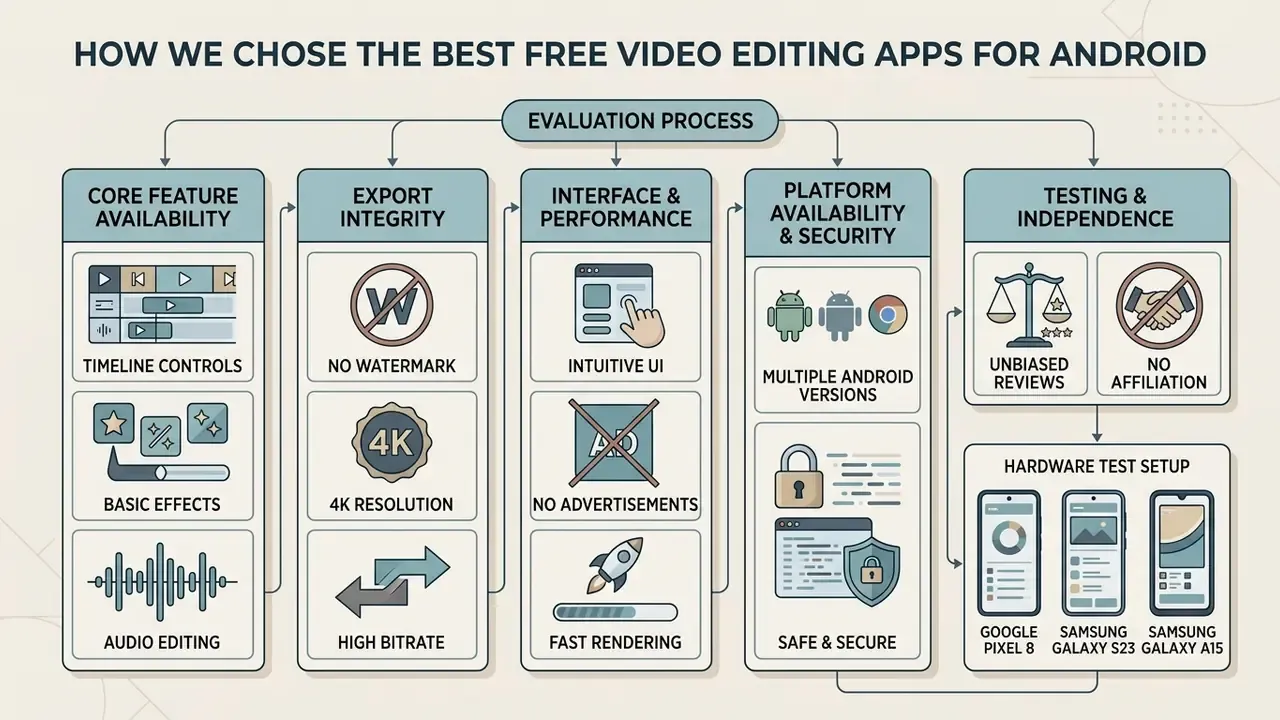
Selecting an optimal best free video editing app for android requires evaluating how effectively an application balances core timeline controls, export settings, hardware optimization, and free-tier restriction policies.
«CapCut reached approximately 1 billion Android downloads and $815 million in revenue in 2025.»
Those numbers explain why CapCut functions as the benchmark against which every other mobile editor is measured, and also why its monetization changes ripple across the entire creator economy.
A fully functional android free video editor must process basic multi-media arrangements without forcing users into hidden paid tiers for routine edits. If you are new to the category, our reference explainer on what a video editor actually does establishes the baseline vocabulary used throughout this comparison.
Our evaluation criteria focus on four measurable technical benchmarks:
- Core Feature Availability: Unrestricted access to essential editing tools such as trimming, splitting, speed adjustments, and text placement.
- Export Integrity: The presence or absence of mandatory watermarks, alongside maximum supported export resolution (1080p vs. 4K) and frame rates (30fps vs. 60fps).
- Interface and Performance: System stability on standard android device hardware, efficient storage management, and ease of use for beginner friendly workflows.
- Platform Availability and Security: Verified listings within google play adhering to Android permission standards, plus transparent data-handling terms.
One criterion we deliberately down-weighted: asset-library size. A 75,000-item store sounds decisive until you check who is licensed to publish with those items. More on that in the copyright section.
Hardware Test Setup and Editorial Independence
Essential Editing Tools for Simple and Advanced Projects
Every viable android free video editing app provides a core baseline of editing capabilities that mirror traditional desktop non-linear editors. According to Android's official Media3 Transformer developer documentation, the core baseline operations for mobile video manipulation include trimming, scaling, rotating, overlaying filters, HDR processing, and slow-motion frame adjustments.
For basic projects, tools to trim clips, split media on a timeline, and add text overlays are essential. Modern creators also require robust audio editing functions, such as sound effect insertion, background noise reduction, and audio-video synchronization. Advanced workflows demand a timeline editing interface supporting multi track editing, picture-in-picture layering, keyframe animation, slow motion speed curves, and specialized video filters and video effects.
Note the difference between the platform baseline and the marketing baseline. Android's own documentation covers trim, scale, rotate, overlay, HDR and speed. Multi-track timelines, keyframe curves and chroma key are third-party additions, which is precisely why free-tier gating varies so widely between apps. Useful mental model: the deeper a feature sits below the OS baseline, the more likely it sits behind a paywall.
Free Version Limits: Watermarks, Ads, Exports and Add-Ons
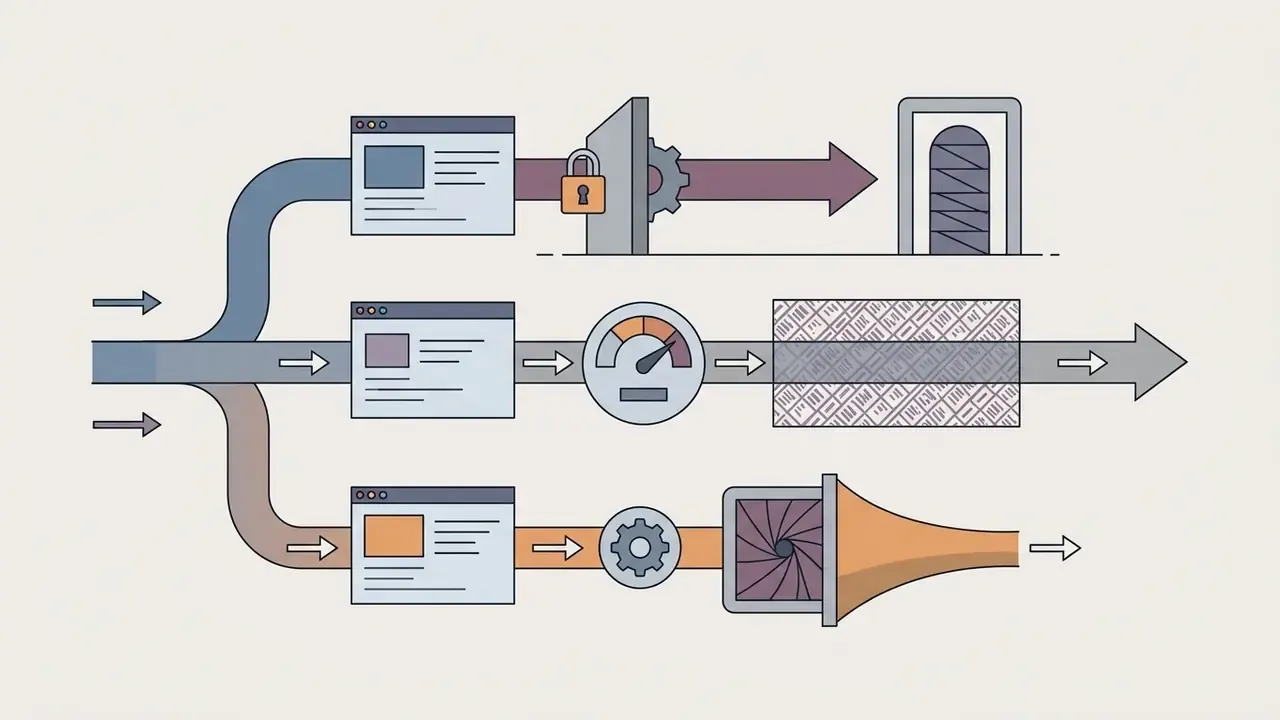
The primary distinction among mobile editors lies in their free version restrictions. While applications like VN Video Editor and CapCut allow users to export clean, unbranded footage under standard conditions, other platforms like InShot, KineMaster, and Alight Motion insert branding unless the user watches a rewarded ad or purchases a premium subscription. In other words, an editor without watermarks is often a conditional state, not a product tier.
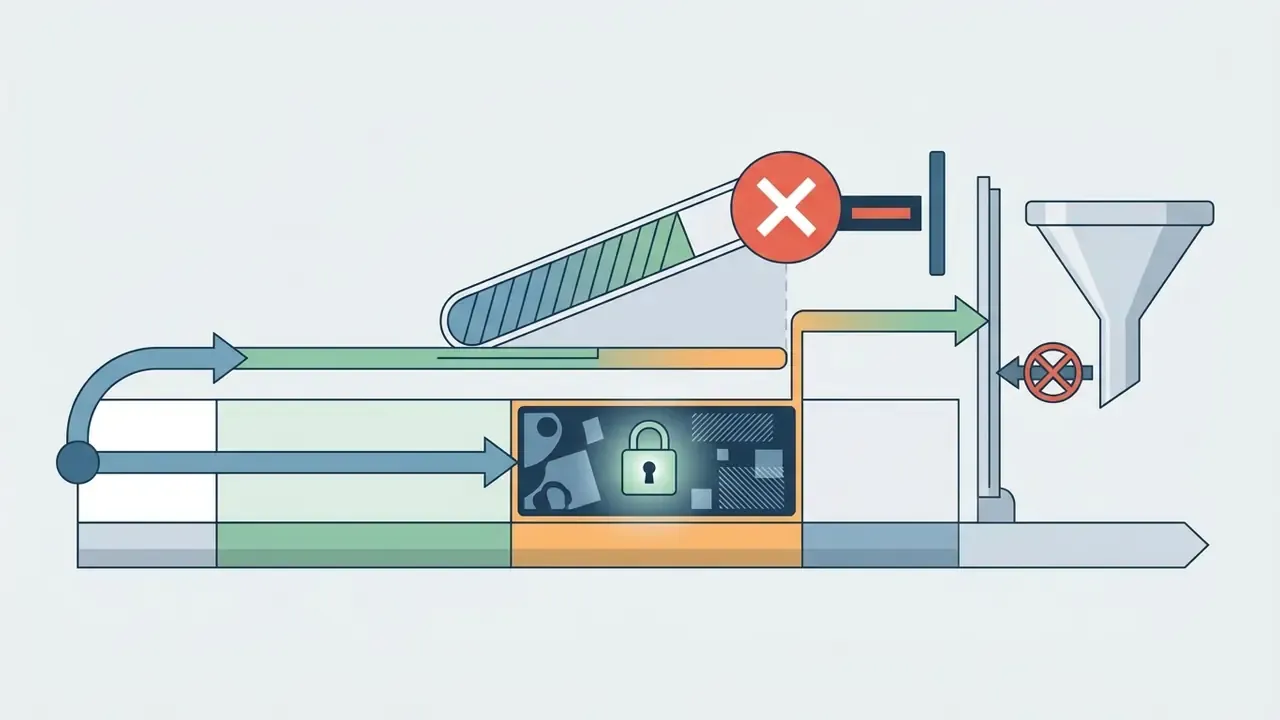
Commercial limits frequently extend beyond branding. Common free-tier boundaries include:




«CapCut, DaVinci Resolve and VN Video Editor are the only major editors offering watermark-free export and up to 4K/60fps quality on a free tier.»
Watermark Bypass Protocols (Verified on Device)
Most "watermarked" editors are actually conditionally watermarked. These are the exact manual steps that remove branding without paying, each one reproduced on the test devices listed above:
- VN Video Editor Scroll to the end of your main timeline track, select the automatically inserted "Input Title / Made with VN" ending scene card, and press Delete before rendering. There is no restriction on removing it, and the remaining export is fully clean up to 4K/60fps.
- CapCut Open App Settings, then disable "Add default ending" to permanently prevent the three-second ByteDance end clip from being attached to any new project. On existing projects, select and delete the trailing end clip manually.
- InShot / VLLO Tap the watermark badge on the preview canvas and select "Free Remove." Complete the mandatory 10-second rewarded video advertisement to unlock a watermark-free export for that specific project. The unlock is per project, not permanent.
- ActionDirector Tap the small "X" on the watermark badge inside the timeline interface to strip the branding manually before hitting export.
- KineMaster / Alight Motion No manual bypass exists. The watermark is tied to account status and is removed only by an active subscription. KineMaster's help documentation confirms removal is instant upon registering a paid membership.
Fact Check: Verification of Free-Tier Capabilities (Updated 2026)
If you are weighing mobile against desktop workflows, our broader roundup of free video editing software maps the same watermark and export-cap logic onto Windows, macOS and browser-based tools.
Quick Comparison of Free Android Video Editors
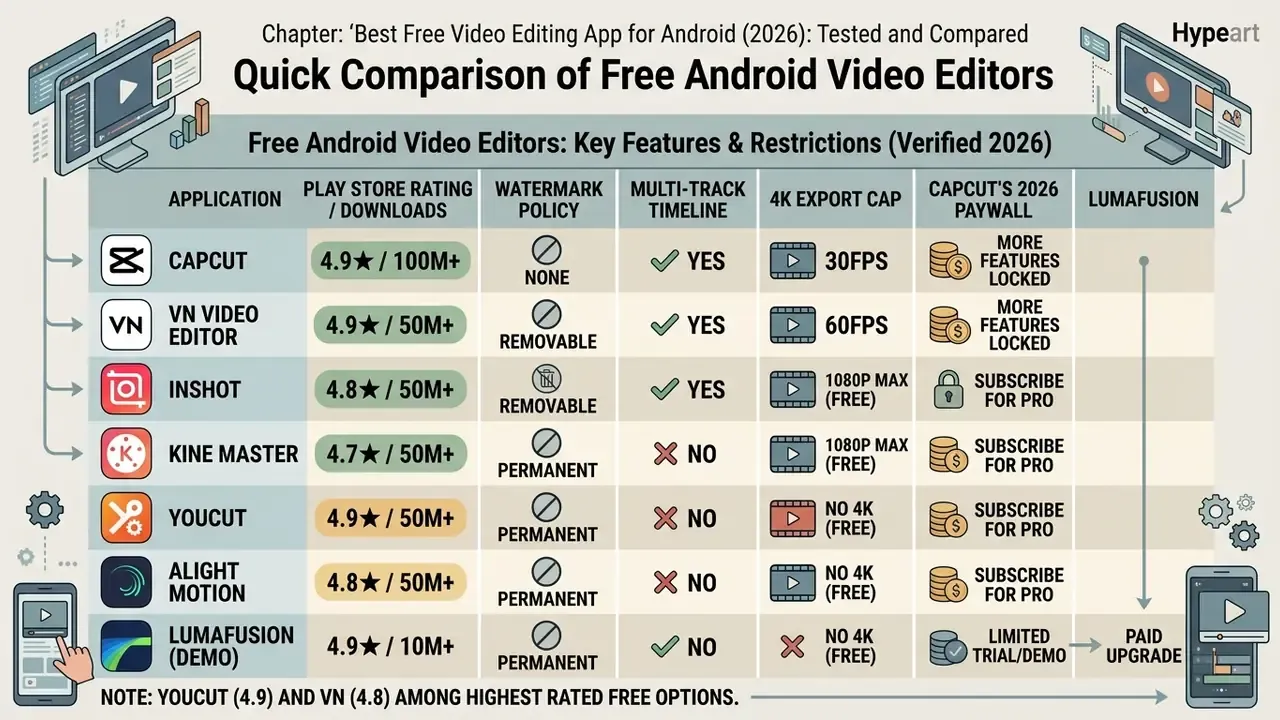
To help creators quickly select the right android video editor free application, the table below compares the seven leading platforms across key features, export caps, watermark policies, commercial-use posture, and Google Play social proof.
Comparison of free-tier capabilities in major Android video editors (verified 2026)
| Application | Play Store rating / downloads | Watermark policy | Multi-track timeline | AI tools (free tier) | Templates and presets | Max free export | Commercial use of free assets | Target complexity |
|---|---|---|---|---|---|---|---|---|
| CapCut | 4.3★ / 500M+ | No watermark (remove end clip) | Yes (multi-layer support) | Credit-capped auto-captions and background removal; most AI now Pro | Extensive (TikTok and Shorts focus) | 4K at 60fps (exports over 15 min may prompt Pro) | Restricted: trending audio and some templates are non-commercial | Beginner to intermediate |
| VN Video Editor | 4.8★ / 100M+ | No watermark (delete end card) | Yes (full NLE timeline) | Basic audio-to-text; AI captions in Pro | Standard aspect ratio presets, BeatsClips | 4K at 60fps, custom bitrate | Generally permitted for in-app free library; verify per asset | Intermediate to advanced |
| InShot | 4.8★ / 500M+ | Watermark added (ad-removable per project) | Limited overlay tracks | Basic auto-tracking, smart cutout | Social ratio presets and frames | 1080p at 60fps (4K listed on newer builds) | Paid materials require subscription rights | Beginner |
| YouCut | 4.9★ / 100M+ | No watermark | Basic multi-layer | Minimal AI; auto-caption on newer builds | Basic filters and slideshows | 1080p HD | Free library broadly usable; Pro packs licensed to subscribers | Beginner |
| KineMaster | 4.2★ / 100M+ | Watermark applied (subscription-only removal) | Yes (layered video, audio, text) | AI style transfer and voice change (gated) | 75,000+ asset library | 1080p (4K/60fps with Premium) | Asset Store items licensed to active subscribers | Intermediate to advanced |
| Alight Motion | 4.3★ / 100M+ | Watermark applied | Yes (vector and graphic layers) | Limited AI; keyframe emphasis | Motion animation presets, 160+ effect blocks | 1080p at 60fps | Community-shared presets carry unclear rights | Advanced / motion designers |
| LumaFusion | 4.1★ / 150k+ (Android build) | None: paid app ($29.99 flat, no free tier) | Yes (magnetic multi-track) | Advanced colour and keyframe tooling; optional AI add-ons | Professional presets and LUTs | Uncompressed 4K at 60fps | Cleanest rights position, you supply your own media | Advanced / professional NLE |
Each application meets specific editorial needs. CapCut and VN Video Editor lead in raw export value without branding, while InShot and YouCut prioritize rapid social assembly. KineMaster and Alight Motion deliver professional editing architecture tailored to users willing to accommodate watermarks or upgrade, and LumaFusion is the only option that behaves like desktop software. To explore broader tool classifications, you can compare options across our full evaluation hub.
One reading of the table that is easy to miss: the two highest-rated apps in the list (YouCut at 4.9 and VN at 4.8) are also the two least aggressive about paywalls. Ratings and restriction policy tend to move together.
Best Free Video Editing Apps for Android: Detailed Reviews
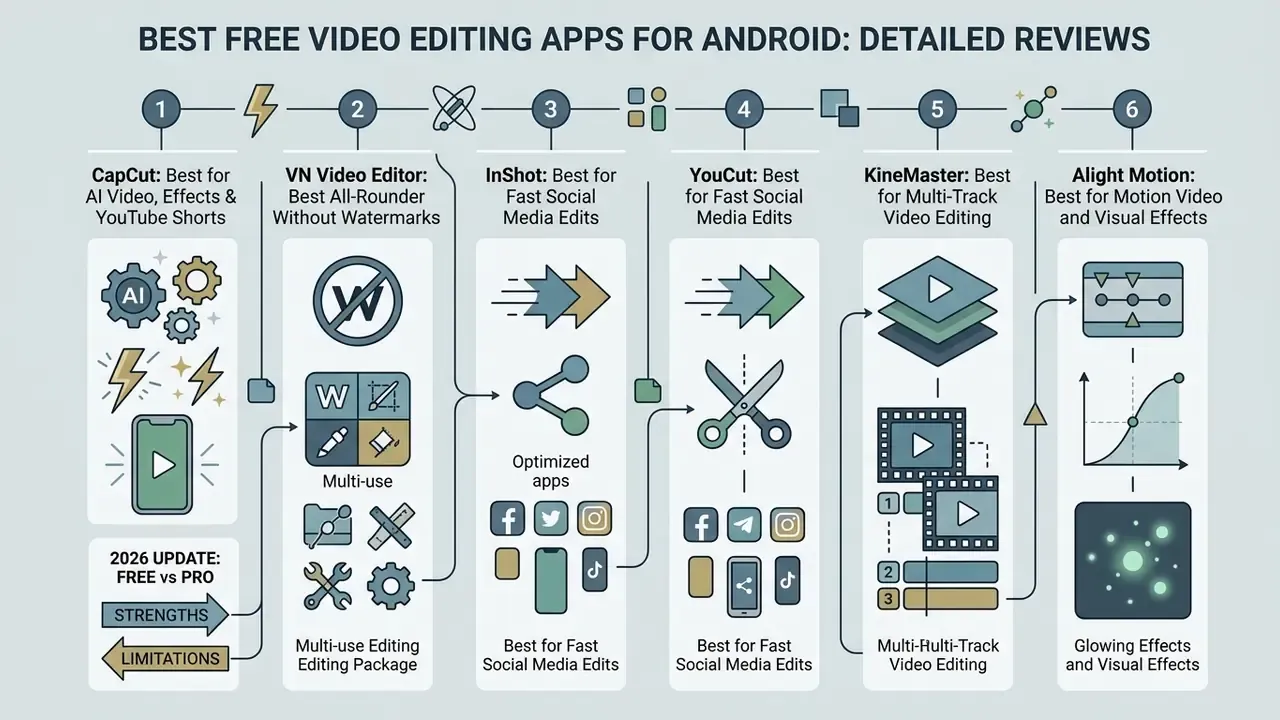
When selecting a best free android video editing app, understanding operational trade-offs is critical. Below are detailed technical evaluations of the primary mobile editors available for content creators on Android.
CapCut: Best for AI Video, Effects and YouTube Shorts
CapCut has emerged as a dominant mobile ai video editor, offering an extensive toolkit designed for short-form video platforms such as TikTok, Instagram Reels, and youtube shorts. Developed by ByteDance, the application integrates ai generated captioning, automated background removal, and custom speed-ramping curves directly into its base timeline. In CapCut's own help documentation the mobile workflow is explicit: import a clip, tap Captions, then Auto Captions, confirm the spoken language, then tap Generate. The resulting subtitles are editable for text, timing and styling.
That cross-platform reach is not just a marketing metric. It explains why CapCut projects sync cleanly between an Android phone, a tablet and a desktop browser, which matters for teams handing footage between devices.
The free tier still provides access to video effects, trending video templates, body tracking, and multi-layer compositing.
«The BBC's shift to vertical formats using CapCut increased views on individual news clips by 20–30%.»
CapCut Free vs Pro: 2026 update (obligatory reading)
While basic trimming and multi-layer editing remain free, ByteDance has shifted its primary AI capabilities behind the CapCut Pro paywall, priced from roughly $7.99 to $20 per month depending on region and device. Free users now face monthly credit caps on auto-captions, background removal and premium transitions, and some exports longer than 15 minutes trigger a Pro prompt. Free cloud storage was discontinued in August 2024. If your workflow relies on unlimited automated speech-to-text without a subscription, VN Video Editor or YouCut are the un-paywalled alternatives. Pricing also varies by the device you subscribe on, so always check the in-app price on the exact handset you will edit with.
- Strengths Zero watermarks on standard edits when the default ending scene is deleted; built-in AI speech recognition with filler-word cleanup and subtitle translation; one-click aspect ratio adjustment; the deepest trending-template library on Android.
- Limitations Generative AI features operate on monthly credit allowances; cloud storage beyond basic allocations requires a paid plan; feature availability is region, account, version and device dependent (Auto Cut, for example, exists on mobile and desktop but not web); privacy terms require review for enterprise users; availability can be disrupted in territories where TikTok is restricted.
If your interest in CapCut is driven primarily by its automation layer, it is worth comparing the category directly: our guide to free AI video generators covers tools that build footage from prompts rather than editing footage you already own.
VN Video Editor: Best All-Rounder Without Watermarks
VN Video Editor (VN Video) is widely recognized as the premier best free android video editor apps choice for creators who require an editor without watermarks alongside precise non-linear editing control. It features a desktop-class timeline editing workspace with full support for multi track editing, colour curve adjustments, keyframing, custom LUT imports, green-screen compositing and beat detection for music-driven cuts.
Store listings on Google Play confirm that VN supports high quality rendering up to 4K resolution at 60 frames per second without appending promotional branding, with resolution, frame rate and bitrate individually configurable through a granular export slider.
«VN is among the editors offering completely free watermark-free export at 4K/60fps alongside CapCut.»
Its clean interface makes it ideal for editing long-form YouTube content, travel vlogs, and multi-camera clips where visual integrity and exact timing are paramount. The one trap to know about: brand-new free projects generate a placeholder title card at the end of the timeline. Delete it and the export is genuinely unbranded. No ad, no prompt, no account upgrade.
- Strengths Completely free of watermarks; full 4K/60fps custom bit-rate exports; multi-track overlay capabilities for video, picture-in-picture, audio, and text; keyframing and advanced audio controls uncommon at zero cost; cross-platform on Android, iOS and macOS.
- Limitations Smaller pre-made template library compared to CapCut; limited automated AI effect generation; AI-generated captions, extra fonts and premium filters sit in the Pro plan.
KineMaster: Best for Multi-Track Video Editing
KineMaster is designed for creators requiring precise control over layered media assets. Its workspace supports multiple video layers, audio tracks, handwriting overlays, text, captions, voice recordings and chroma key (green screen) compositing, with an Audio Mixer plus stackable effects such as Reverb, EQ and Voice Changer.
Free exports append a permanent watermark in the upper corner of the video. KineMaster's own FAQ confirms the mark is removed instantly upon registering a paid membership, and that 4K/60fps rendering and the 75,000-asset store are tied to the same subscription. KineMaster for Android requires Android 5.0 minimum and performs best on 5.1 or later, and the vendor documents reduced preview and export performance on older MediaTek chipsets (MT6735, MT6753, MT8127, MT8163, MT6757).
- Strengths Professional-grade multi-layer timeline; robust chroma key and audio mixer tools; library of over 75,000 downloadable assets; handwriting and annotation layers useful for tutorials.
- Limitations Mandatory watermark on free tier exports with no manual bypass; interface can feel crowded on smaller smartphone screens; documented performance degradation on legacy chipsets.
Alight Motion: Best for Motion Video and Visual Effects
Alight Motion brings vector graphics and motion video editing to the Android operating system. Unlike traditional clip assemblers, Alight Motion functions similarly to motion design software, enabling keyframe animation for every parameter, custom easing curves, and visual effect stacking.
The Google Play listing documents more than 160 basic effect building blocks alongside explicit vector and bitmap support ("edit vector graphics right on your phone"), plus a shape library and freehand illustration tools. The vendor's own site cites 100+ customizable effects, a discrepancy that reflects catalogue versioning rather than a functional difference. While highly capable for animated intros and custom typography, the free version includes watermarks on exported projects and restricts access to advanced keyframe tools.
- Strengths Unmatched vector motion graphics capability on mobile devices; comprehensive keyframe animation controls with easing; layered graphics, video and audio in one project.
- Limitations Steep learning curve for beginners; watermark present on free exports; requires high-end hardware for smooth playback. On the 4 GB test device, three-layer effect stacks dropped preview frames consistently.
Quik and PowerDirector: Best for Quick Videos and GoPro Footage
GoPro Quik and CyberLink PowerDirector serve specialized production niches. GoPro Quik is engineered for automated clip selection and beat-synced assembly, making it ideal for processing gopro footage and action camera media directly on a mobile device. Its Android build adds horizon levelling, frame grab, themes, filters, text overlays, AI object tracking, keyframing, CameraFx and cloud editing for 360 footage, with the "Mural" hub doubling as a media library and storage space.
PowerDirector offers a hybrid desktop-mobile experience with hardware-accelerated video stabilization, voiceover recording, picture-in-picture capabilities and export up to 4K. While Quik enables rapid highlight reel creation without watermarks for basic exports, PowerDirector provides granular timeline control, reserving 4K processing and premium stock assets for paid users. As a video maker for action footage, Quik is fast; as a general-purpose editor, it is deliberately shallow.
«Quik allows watermark-free export and is especially well suited to rapidly assembling action-camera clips.»
- Strengths Quik provides seamless automated music synchronization for action clips and can reframe 360 footage into traditional flat video; PowerDirector offers advanced stabilization and a genuine multi-layer timeline.
- Limitations Quik lacks a multi-track timeline and is most valuable to users already inside the GoPro ecosystem; up to 500 GB of cloud storage is reserved for active GoPro Subscription holders; PowerDirector's free tier limits resolution and applies watermarks.
LumaFusion: Best Desktop-Class Editor for Android Tablets and Foldables
LumaFusion delivers a genuine desktop non-linear editing (NLE) environment to mobile hardware. Designed specifically for advanced mobile creators, tablets, and foldable Android devices, it features a fluid magnetic timeline, frame-accurate cuts, colour grading wheels, advanced keyframing, and multi-track audio mixing with per-track filters. Because the timeline is magnetic, moving one clip keeps the rest of the sequence synchronized. That is the behaviour experienced editors expect from desktop software, and the single biggest workflow difference versus CapCut or VN. The interface can also be rotated and re-laid-out for widescreen or timeline-focused editing, which is the main reason it is the default recommendation for tablets and foldables rather than phones.
- Strengths One-time purchase (approximately $29.99) with no recurring monthly subscription requirement; professional magnetic timeline; frame-by-frame accuracy; zero export watermarks at any tier; full 4K 60fps colour-graded rendering; optional subscription only for extra content packs.
- Limitations Commercial paid app with no permanent free tier; steeper learning curve than VN or CapCut; requires a high-spec processor (Snapdragon 8 Gen 1 or equivalent and above) plus ample RAM to stay responsive; overkill for fast phone-only edits.
Choose LumaFusion if you need deep control, advanced colour and audio tooling, and you edit on a tablet. Skip it if your goal is quick vertical clips shot and published from a phone.
Specialized Android Editors for Niche Workflows
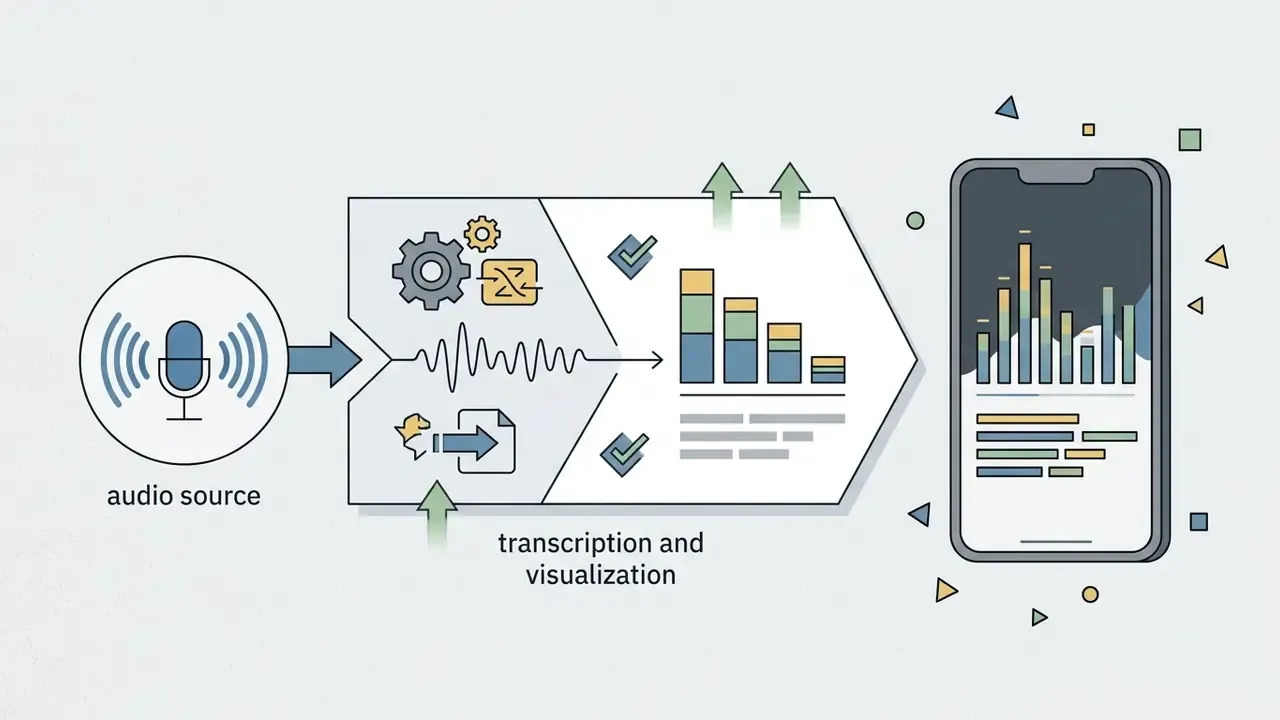
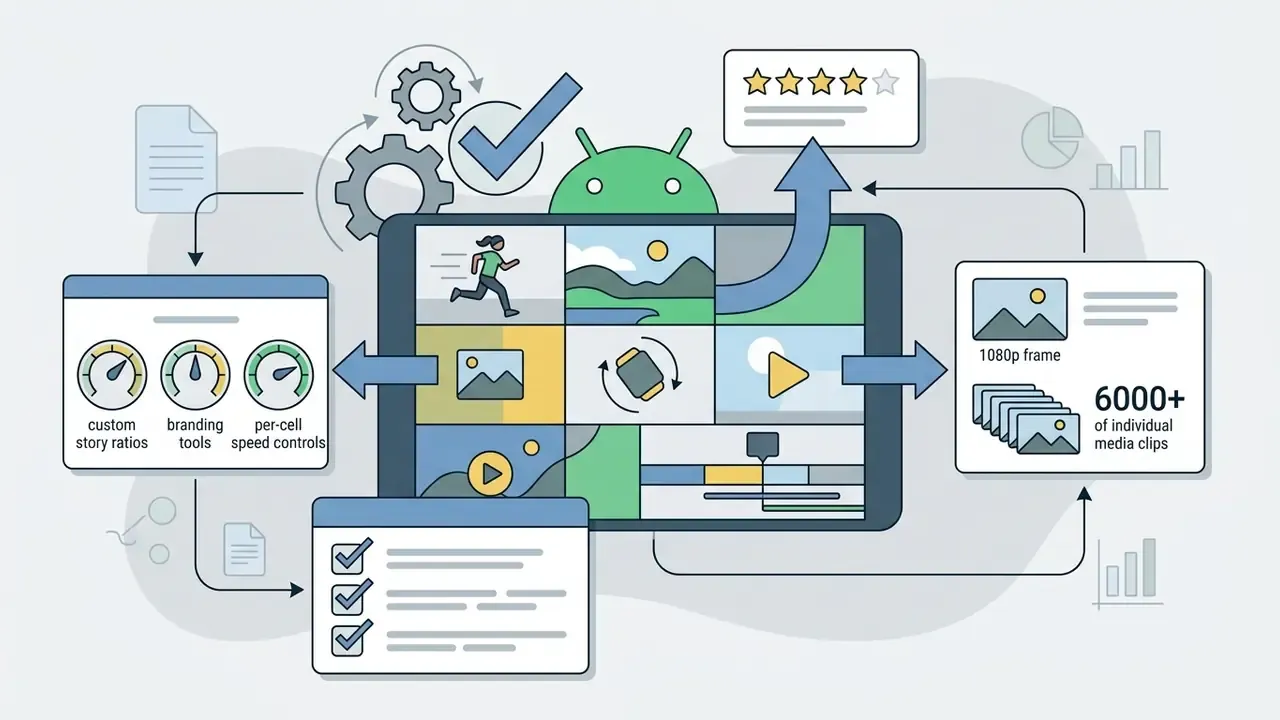
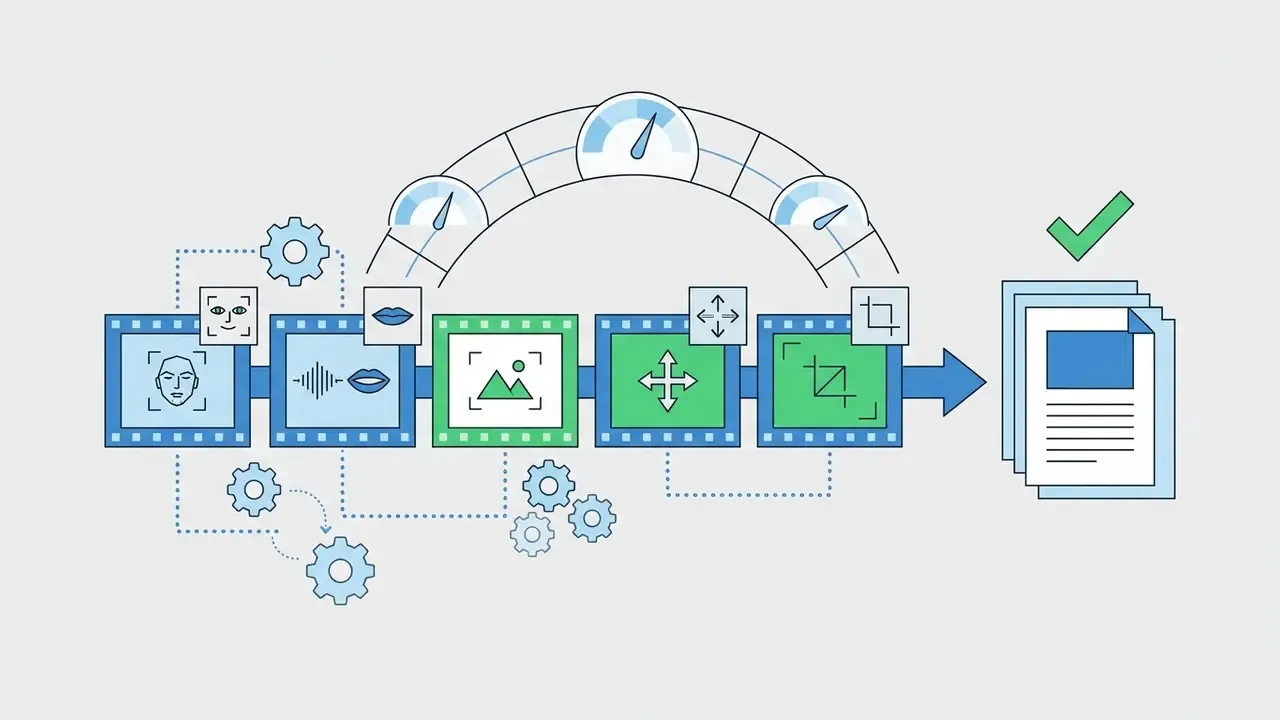
Beyond standard non-linear timeline editors, specific production tasks require specialized toolsets that general-purpose apps handle poorly or not at all:


Enterprise Security and Data Privacy Risks in Mobile Editing
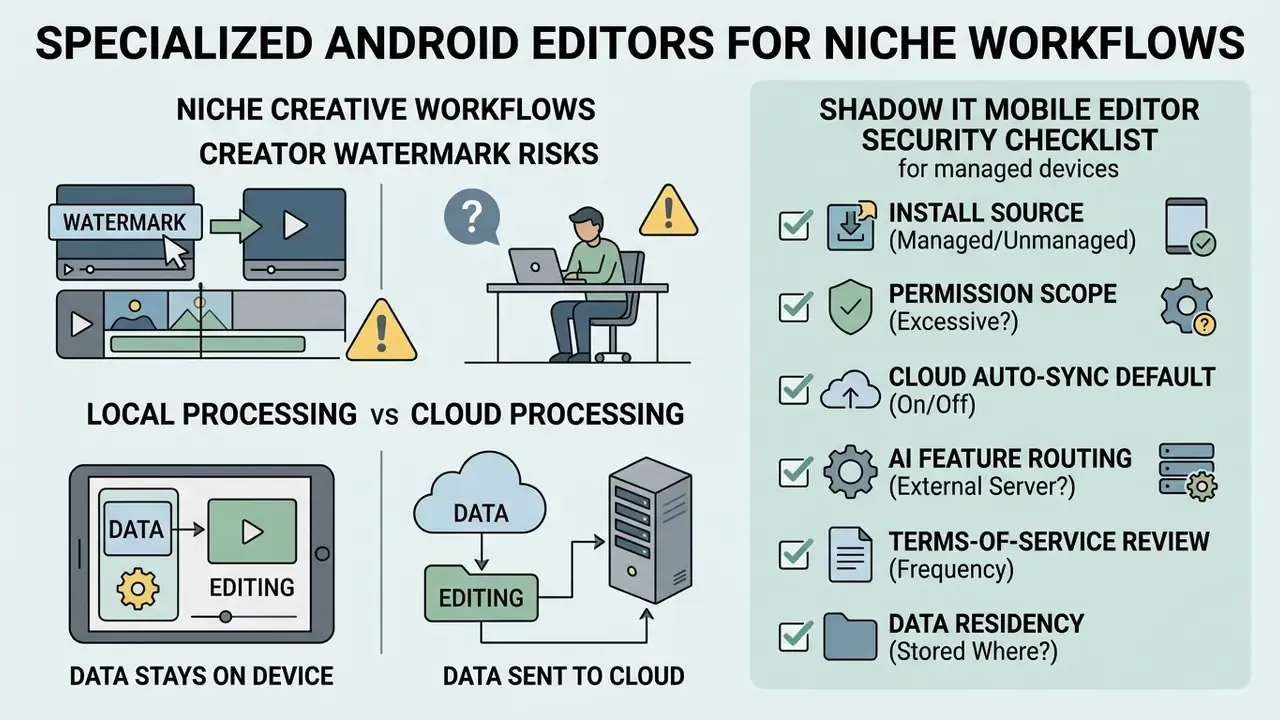
«In June 2025, CapCut revised its terms of service, granting the company broad rights over content uploaded to its cloud.»
Local Processing vs Cloud Processing
Not every "AI" button runs on your phone. Auto-captioning, background removal and upscaling are frequently server-side operations, which means the media leaves the device.
| Application | Typical processing location | Cloud upload for AI features | Enterprise risk posture |
|---|---|---|---|
| CapCut | Mixed: local editing, cloud or server-side AI and templates | Yes, for most AI and template features | High, broad content terms, cross-border processing, cloud sync defaults |
| VN Video Editor | Predominantly on-device rendering | Limited; AI captions in Pro | Moderate |
| InShot / YouCut | Predominantly on-device | Minimal | Moderate to low |
| KineMaster | On-device rendering; asset store downloads | Some AI features server-assisted | Moderate |
| Alight Motion | On-device | Minimal for core effects | Low to moderate |
| LumaFusion | Fully on-device | None required | Low, cleanest option for confidential footage |
| WeVideo / browser editors | Cloud-native | Always | High, all media resides on vendor infrastructure |
Shadow IT Checklist Before Approving an Editor on Managed Devices
- Install sourceApprove installs from Google Play only. Side-loaded APKs and "mod / premium unlocked" builds are the single most common vector for credential and media exfiltration on Android.
- Permission scopeUnder Android 13+, an editor should request
READ_MEDIA_IMAGESorREAD_MEDIA_VIDEO, or use the system Photo Picker. Treat any request for broadMANAGE_EXTERNAL_STORAGEaccess as a red flag requiring justification. Google Play itself subjects that permission to an access review. - Cloud auto-sync defaultDisable automatic project upload before the first import. Confirm in settings, not in the marketing copy.
- AI feature routingAssume any feature labelled "AI" transmits the underlying media to a third-party server unless the vendor documents on-device inference.
- Terms-of-service review cadenceRe-read content-licence clauses quarterly. The CapCut June 2025 revision is a reminder that terms change without a product announcement.
- Data residencyFor GDPR-scoped material, confirm the processing region. Most consumer editors publish no data-residency commitment and hold no SOC 2 attestation.
- Regulatory export considerationsOrganisations subject to U.S. export controls should note that BIS guidance issued 13 May 2025 continues to apply licence requirements to certain advanced-computing and AI model-support activities, regardless of the earlier rescission of the AI Diffusion Rule. Review destination and end-use before routing media or models across borders.
- Authenticity limitsDo not rely on watermarking as an integrity control. NIST SP 100-4 (2024) states that watermarks can be stripped by a dedicated AI system, so a watermark's presence or absence proves nothing about provenance.
- Named owner per appAssign one accountable owner for each approved editor, with a documented removal path. An unowned tool on a managed fleet is shadow IT with extra steps.
Practical rule of thumb: if the footage contains customer data, unreleased financials, internal systems, or identifiable employees, edit it in a fully on-device application (LumaFusion, VN with AI disabled, or a desktop NLE) and keep cloud-AI editors for public marketing material only.
Commercial Use and Copyright Guidance for Free Assets
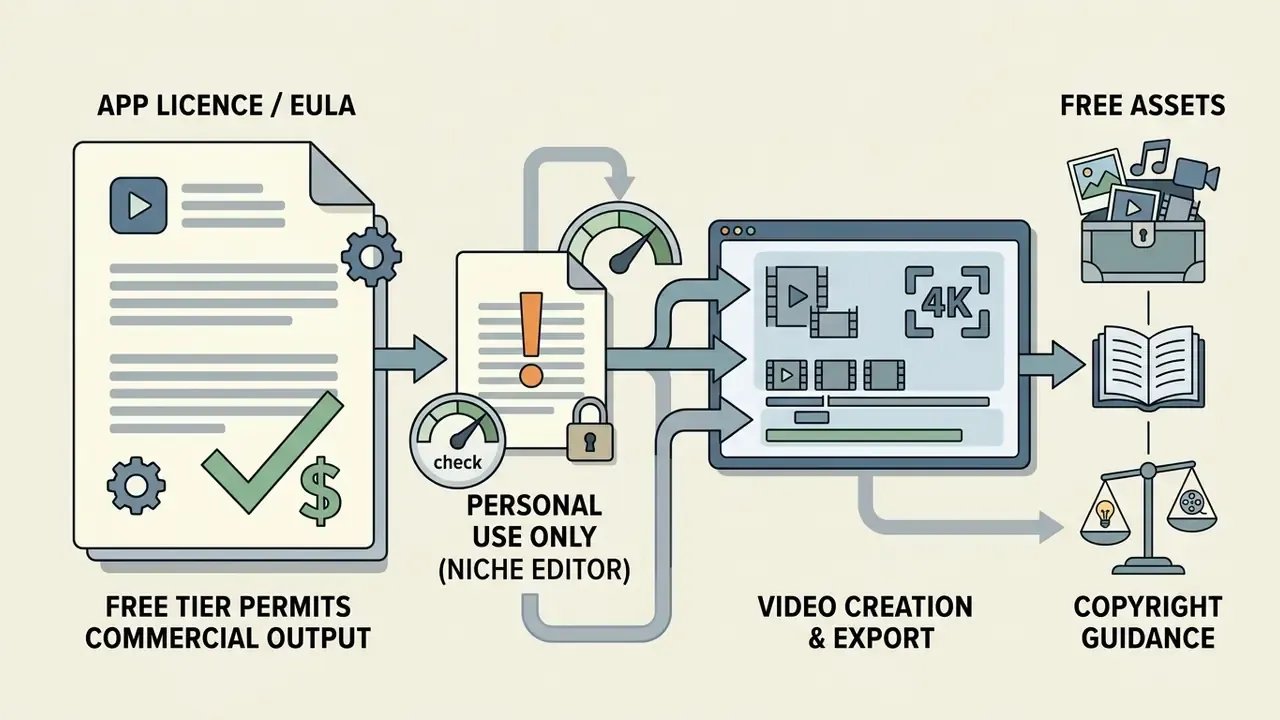
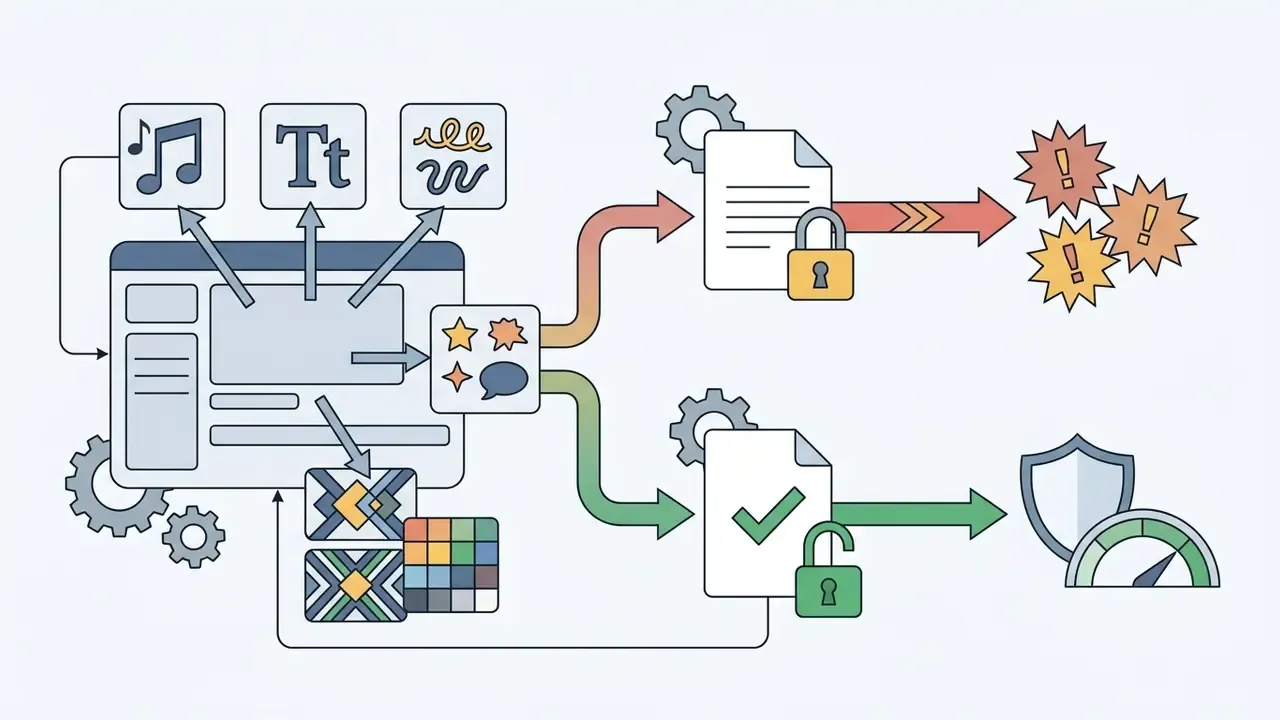
The export being watermark-free does not make the contents of the export licensed for business use. Three distinct rights layers apply to every mobile project:
Practical safeguards for organisational publishing:
- Prefer your own recordings or explicitly licensed libraries over in-app trending audio for anything running as paid media or on a regulated brand channel.
- Avoid community-shared preset packs (common in the Alight Motion ecosystem). Redistributed presets often embed third-party fonts and assets with no traceable licence.
- Keep a per-project asset manifest: asset name, source app, licence tier at time of use, and date. If a claim arrives twelve months later, this is the only evidence that matters.
- Where a project uses a premium stock clip your plan does not cover, expect the editor to block export entirely rather than warn you. Clipchamp behaves this way by design.
- For a structured breakdown of rights tiers across creative AI and media tools, review our commercial use documentation before signing off a brand campaign.
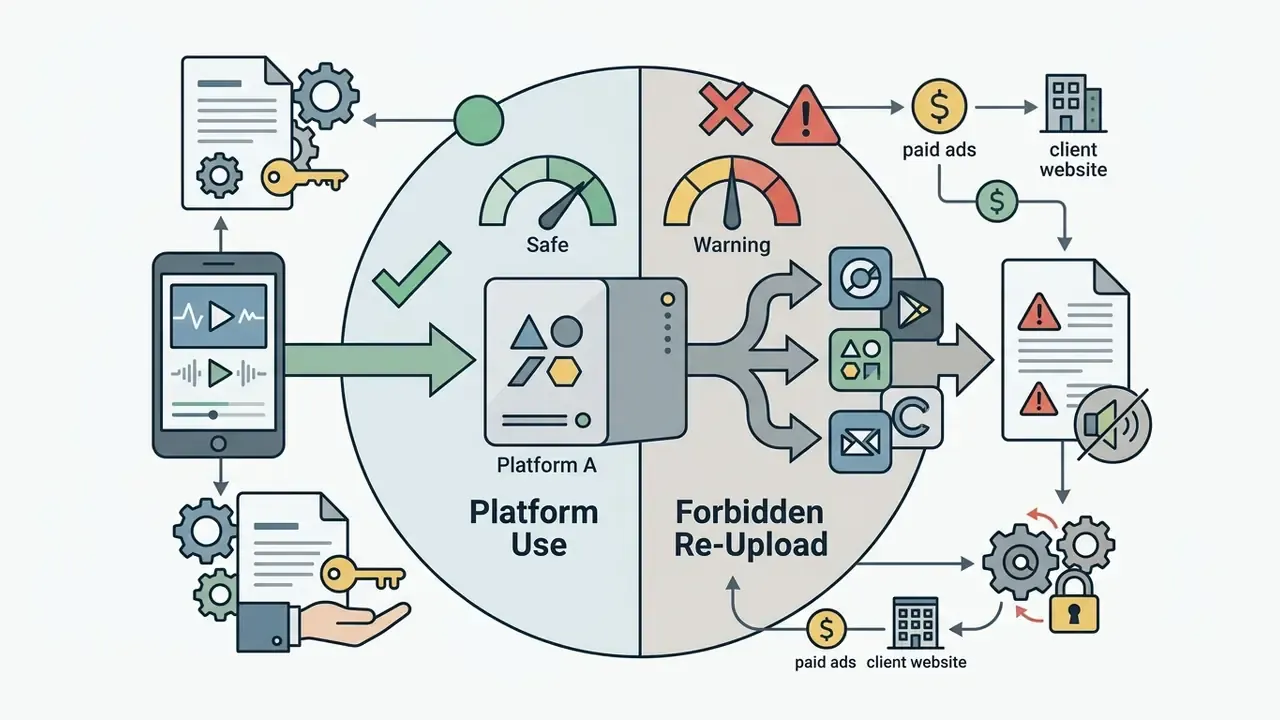
Which Free Android Video Editor Is Best for Your Editing Needs?
Choosing the right android free video editor app depends on aligning software capabilities with your specific output goals. The decision framework below maps creator requirements to the most effective editor.
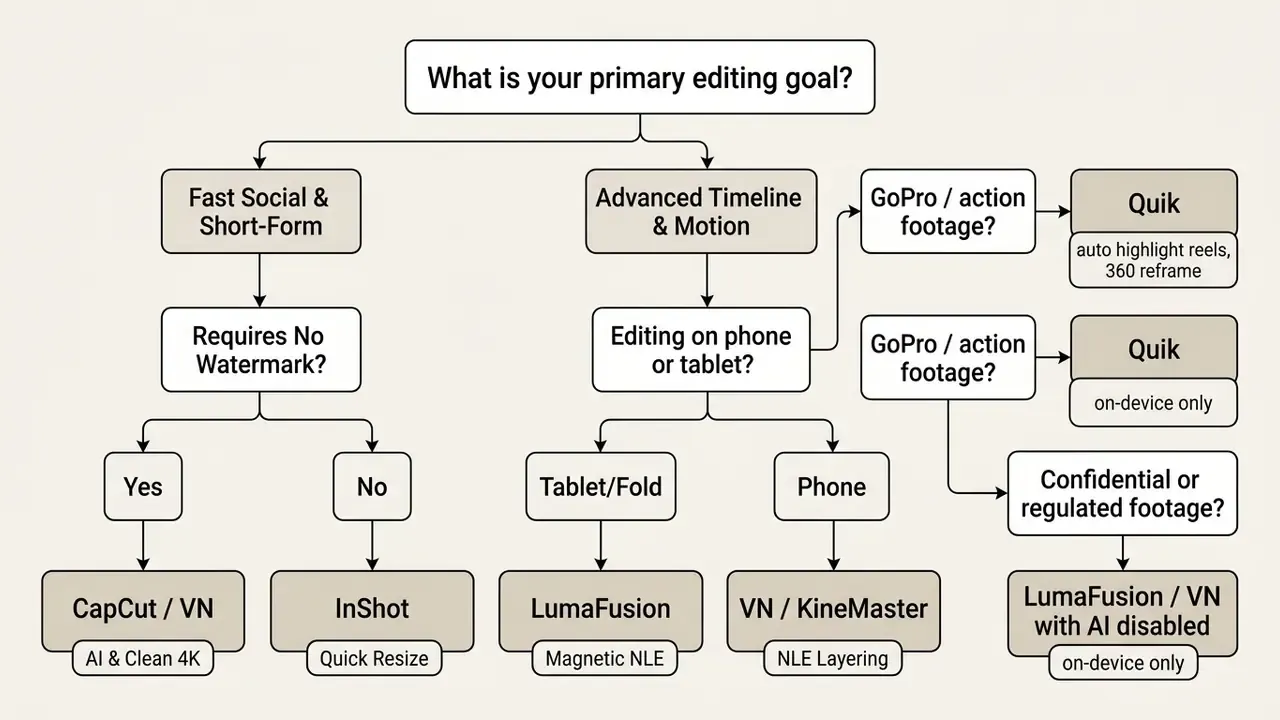
To execute this decision framework:
Step 5 is the one most teams skip. Reverse the order and you end up re-editing a finished campaign because the source file was uploaded somewhere it should not have been.

Best Free App for Beginners and Simple Edits
For users seeking easy video editing without navigating complex timelines, YouCut and InShot offer the most accessible interfaces. Beginners can trim clips, apply canvas backgrounds, and add text within seconds of launching the application. CapCut's own Play listing makes the same promise of getting started "in a matter of seconds," and Movavi Clips occupies similar territory for basic splice-and-caption work.
If you are expanding beyond basic video cuts into broader digital content creation, you can explore our analysis of the best free ai photo generator tools to complement your media library, or the best free ai photo enhancer options when your stills need repair rather than generation.
Best Editors for TikTok, Instagram and YouTube Shorts
Creating video content for short-form platforms requires native vertical aspect ratio (9:16) support, trending effects, and automated captioning. CapCut remains the industry standard for youtube shorts, TikTok, and Instagram Reels due to its direct platform integration and automatic AI caption generator, with dedicated template collections maintained per platform. VN is the closest free rival here, shipping AutoCut, BeatsClips templates and custom platform presets without a subscription, which is enough to create stunning vertical cuts without paying anything.
Creators seeking comprehensive automated media workflows can also review our guide to the best free AI video generators, which compares duration limits, credit systems and watermark policies across generative platforms. If your deliverable is a deck rather than a clip, the same logic applies to the best free ai presentation maker category.
Best App for Advanced Multi-Track and Motion Projects
When a project demands professional video controls, multi-layer keyframing, or vector animation, VN Video Editor and Alight Motion are the top free recommendations on Android, with LumaFusion as the paid ceiling. VN delivers an unbranded multi-track experience suitable for long-form video assembly, while Alight Motion provides professional motion design controls. Node Video sits in the same advanced bracket, though its free tier is more restrictive. Creators building hybrid pipelines can extend these timelines with prompt-based footage from AI video generators and then finish the cut on-device.
What to Know Before Downloading a Free Video Editor from Google Play
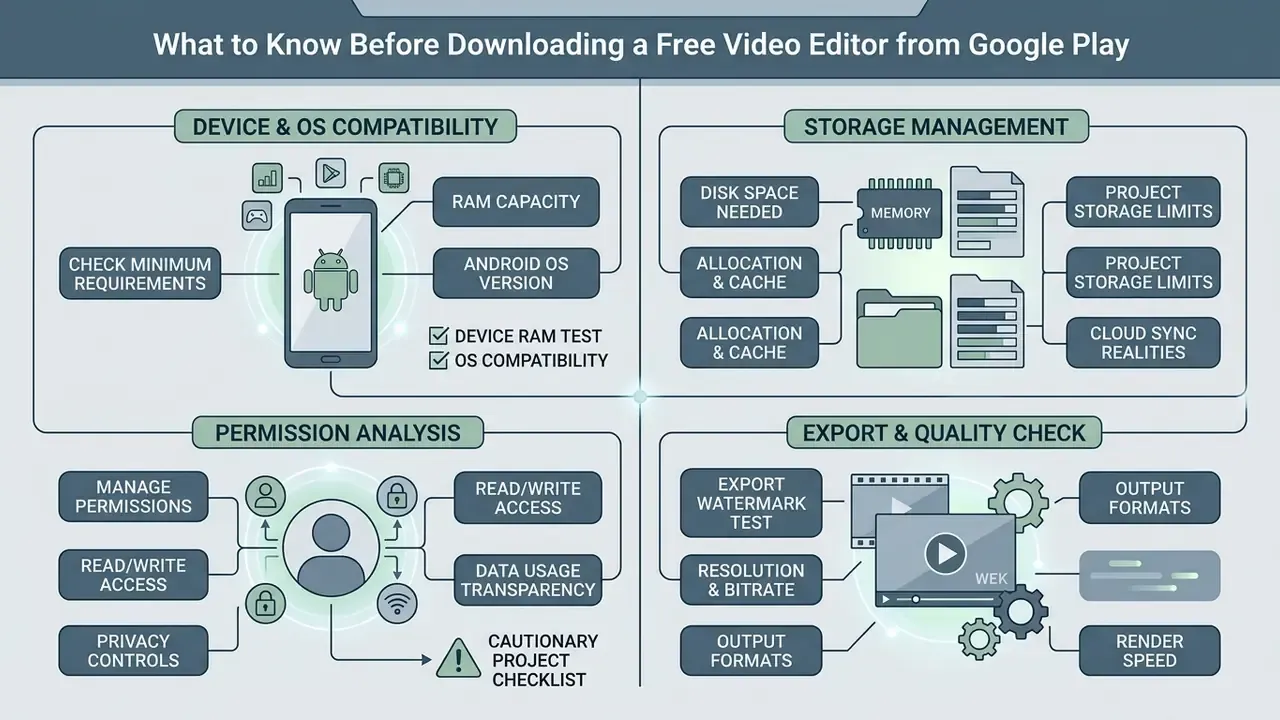
Before installing an android video editor free app from Google Play, creators should evaluate device requirements, storage permissions, and export settings to avoid performance bottlenecks mid-project. A free download costs nothing; an abandoned project costs an afternoon.
Check Android Device Compatibility and Storage Space
Video editing demands significant processor and RAM utilization. Rendering high-bitrate 1080p or 4K video clips can quickly overload older mobile hardware.
- RAM requirements Standard 1080p editing requires a minimum of 3 GB to 4 GB RAM. Smooth 4K multi-track editing requires 6 GB to 8 GB RAM. Android's own media guidance allocates roughly 1 GB of RAM to 1080p playback and 1.5 to 2 GB to 2160p/4K playback. Editing sits well above playback in cost, which is why headroom matters.
- Storage allocation 4K source clips consume roughly 300 MB to 1 GB per minute of footage. Maintain at least 10 GB of free internal storage space to accommodate temporary project caches and final renders.
- Android OS permissions Under Android 13+ guidelines, applications should utilize system Photo Pickers rather than requesting broad
MANAGE_EXTERNAL_STORAGEaccess, ensuring privacy protection for non-project media files. Apps needingREAD_MEDIA_IMAGESorREAD_MEDIA_VIDEOmust justify why the system picker is insufficient for core functionality.
«Editors supporting 4K/60fps generate very large files and place heavy load on the processor and storage, a critical constraint on older devices.»
Cloud project storage realities: Free plans heavily restrict cloud backups. WeVideo caps free accounts at 10 GB of total cloud storage and applies a watermark to free exports, while GoPro Quik offers up to 500 GB only to active GoPro Subscription holders, and CapCut withdrew free cloud storage in August 2024. Always maintain local physical backups of your RAW footage on microSD cards or USB-C external SSDs when working on high-bitrate mobile projects. If storage rather than quality is the binding constraint, our reference on video compressors explains how much size you can shed before quality loss becomes visible.
Review Export Quality and Watermark Conditions Before Editing
Free-tier boundaries frequently change with application updates. Always conduct a 5-second test render before starting a complex editing project. The same discipline applies here as in desktop export dialogs, where quality is a numeric parameter and watermark text, opacity, rotation and position are export-time conditions rather than document properties.
To evaluate alternative software options and pricing structures across media platforms, see the overview in our comprehensive licensing section.
How to Edit Videos on Android for Free
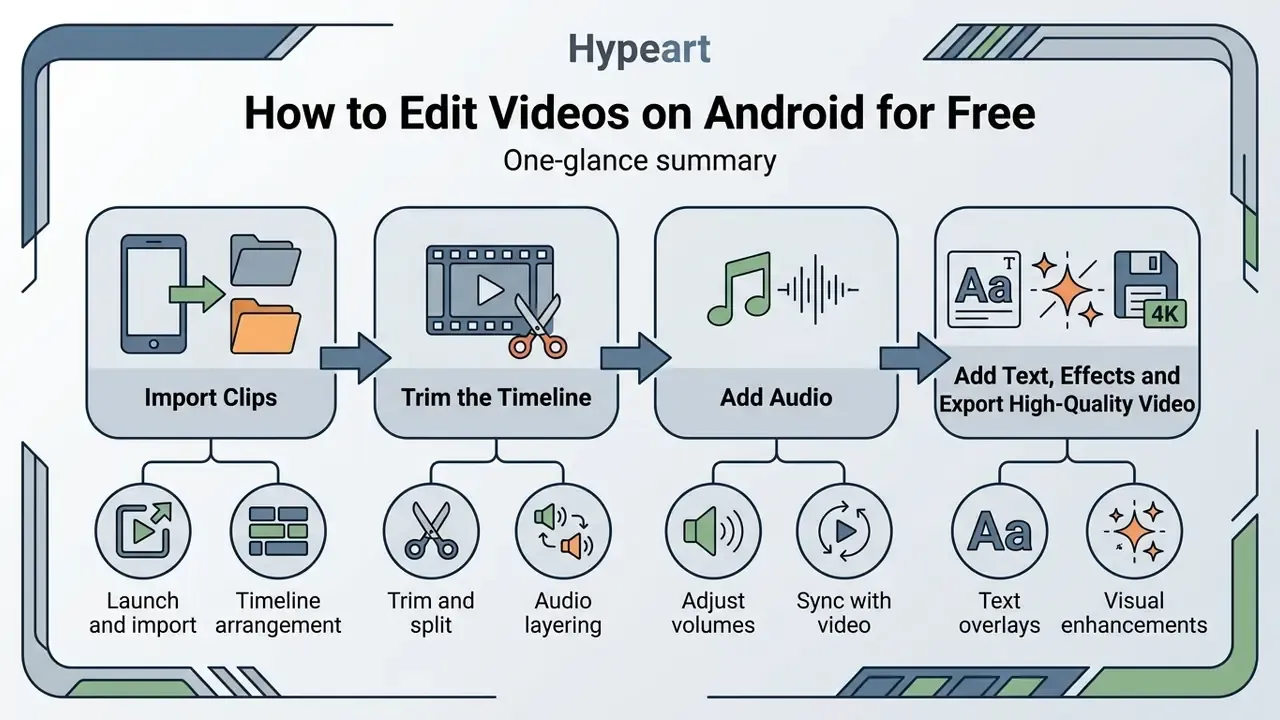
Editing high-quality media on a mobile device follows a structured workflow from media import to final file rendering.
Import Clips, Trim the Timeline and Add Audio
Creators publishing to a channel on a schedule should pair these steps with our YouTube video editor workflow, which covers thumbnails, chapters and publishing metadata alongside the edit itself.
- Launch and import
- Open your chosen editor (CapCut or VN, for example) and start a new project. Select source video clips and photos from your device gallery via the system Photo Picker.
- Timeline arrangement
- Drag media clips onto the main timeline track to set the narrative sequence.
- Trim and split
- Move the playhead to undesired sections and use the split tool to remove unwanted frames, or drag a clip edge inward to shorten it.
- Audio layering
- Add background music or sound effects onto a secondary audio track. Adjust audio levels, apply fade-in and fade-out curves, and synchronize cuts to musical beats. VN's beat detection and CapCut's template beat markers automate this alignment.
Add Text, Effects and Export High-Quality Video
- Text overlaysInsert titles or enable automated captions to generate subtitles from spoken dialogue, then correct names, acronyms and technical terminology manually. Accuracy on domain-specific vocabulary remains the weakest point of on-device speech-to-text.
- Visual enhancementsApply video filters for colour correction, add slow motion where the footage supports it, and insert transitions between clip cuts. Creators who also produce stills for the same campaign can align their grade using the tools covered in our guide to free photo editors.
- Delete the ending cardBefore configuring export, scroll to the end of the timeline and delete any auto-generated branded end card.
- Configure export settingsTap the export button and select your target resolution (1080p or 4K) and frame rate (30fps or 60fps). Where the editor exposes a bitrate slider, raise it for motion-heavy footage and lower it for talking-head content.
- Render and publishExport the final file to local storage or share directly to social platforms. Keep the project file, not just the render. Re-cutting a saved timeline takes minutes; rebuilding one from an MP4 does not.
FAQ About Free Android Video Editing Apps
Does Android Have a Built-In Free Video Editor?
Yes. Most modern Android devices include basic video editing functions directly within Google Photos or the default System Gallery app. Samsung's Gallery, for instance, supports trimming, music, and filters without any download. Google Photos allows users to trim clips, crop and straighten frames, adjust brightness and contrast, apply basic colour filters and special effects, add text, change or mute audio, adjust playback speed, and save a copy. It also offers Highlight video and Video remix creation tools. Google documents concrete limits, however: some editing features require Android 6.0 or later with at least 1 GB RAM, non-Pixel devices on Android 9 do not support video editing at all, Photo-to-video output is portrait-only, and Video remix accepts clips under 60 seconds with a 1 to 10 second selected segment. Stock gallery editors also lack multi-track timelines, advanced keyframe animation, and multi-layer compositing. For advanced projects, downloading a dedicated application like VN Video Editor or CapCut is required.
Can a Free App Create Photo Videos and Slideshows with Music?
Yes. Dedicated applications such as YouCut, InShot, and CapCut serve as efficient photo video editor tools. Users can import static photos, specify frame display durations, apply transition motion between slides, and sync slideshow playback to background music tracks. YouCut provides watermark-free photo slideshow exports, while CapCut offers automated templates that automatically align photo transitions to audio beats and supplies free audio assets inside its slideshow maker. Browser alternatives such as Canva allow the same photo-plus-soundtrack workflow at no cost when you would rather not install anything.
Is CapCut still free in 2026?
Partly. Trimming, multi-layer editing, basic effects and watermark-free export remain free. What changed is the AI layer: auto-captions, background removal and premium transitions are now metered by monthly credits or locked behind CapCut Pro at roughly $7.99 to $20 per month depending on region and device, free cloud storage ended in August 2024, and some exports over 15 minutes prompt an upgrade. Check the price inside the app on the specific handset you intend to edit on, because tiers vary by store and territory.
Which Android editor is best for tablets and foldables?
LumaFusion. It is a paid one-time purchase (around $29.99) but delivers a magnetic multi-track timeline, frame-accurate trimming, colour wheels and rotatable interface layouts designed for large screens. VN is the strongest free option on a tablet if you would rather not pay at all.
Can I use free in-app music commercially?
Not reliably. Trending audio and premium template soundtracks are often cleared only for use on the originating platform, and InShot and KineMaster both tie their paid asset libraries to active subscriptions. For advertising, client work or regulated brand channels, use your own recordings or an explicitly licensed library, and keep a written record of each asset's licence tier at the time of use.
Do any Android editors process video entirely on-device?
Yes. LumaFusion renders fully on-device with no cloud dependency, and VN, InShot, YouCut, KineMaster and Alight Motion perform their core editing and rendering locally. The distinction matters mainly for AI features: auto-captioning, background removal and upscaling are frequently server-side and therefore transmit your media off the device.
What is the minimum Android device for comfortable 1080p editing?
Roughly 4 GB of RAM, a mid-tier chipset from the last four years, and 10 GB of free storage. On our 4 GB Helio G99 test handset, single-track 1080p editing in YouCut and InShot was smooth, while three-layer effect stacks in Alight Motion dropped preview frames. Preview stutter does not always mean the final render will fail, but it makes precise timing work unpleasant.
Further Reading and Resource Directories
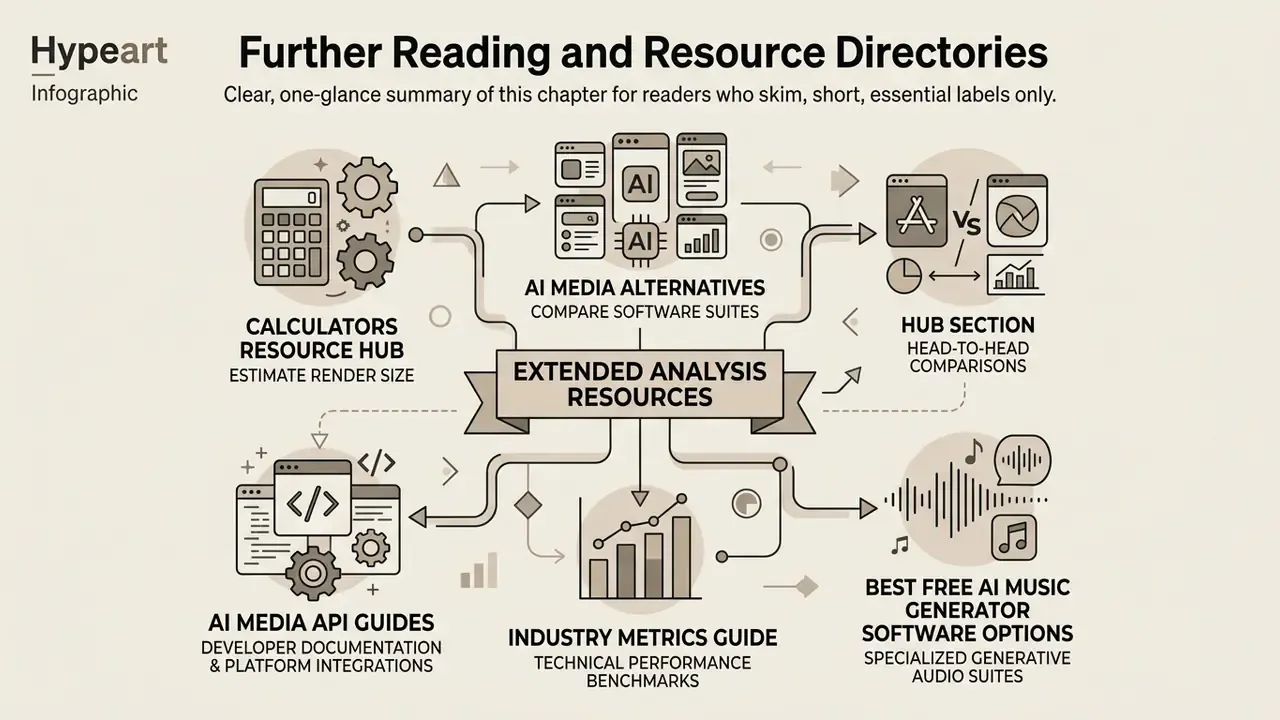
To explore additional creation tools, benchmarks, and commercial licensing options, these reference directories extend the analysis above:
- Review specialized production utilities via our calculators resource hub, useful for estimating render size and bitrate budgets before a 4K export.
- Compare alternative software suites in our AI Media Alternatives directory when a preferred editor is unavailable in your region.
- Examine head-to-head application comparisons when you browse the hub section.
- Review developer documentation and platform integrations through our AI Media API Guides for teams automating render pipelines.
- Assess technical performance benchmarks by choosing to view the guide on industry metrics.
- To review specialized generative audio suites, evaluate the best free ai music generator software options, particularly relevant given the licensing constraints on in-app trending audio.
Appendix A: Superseded Claims and Corrections
In the interest of transparency, the following statements appeared in earlier revisions of this guide and have since been corrected against current vendor documentation. The original wording is preserved so readers can see exactly what changed and why.
| Earlier claim | Current status | Corrected position (Updated 2026) |
|---|---|---|
| "CapCut free tier offers auto-captions and 4K at 60fps without watermark." | Contradictory / partially outdated | Watermark-free 4K/60fps export remains achievable by deleting the ending clip, but automated AI captions are now metered by monthly credits or require CapCut Pro. |
| "VN Video Editor is completely free of watermarks on standard exports." | Supported with caveat | Correct once the auto-inserted "Made with VN" ending title card is manually deleted from the timeline before rendering. |
| "Official technical specifications note that KineMaster supports up to four independent audio tracks and unlimited text layers." | Unattributed source | Replaced with vendor documentation plus the Filmora (2024–2025) review, which verifies multi-layer video, image and sticker support, keyframe animation, blending modes and chroma key. KineMaster's own audio page confirms layered track mixing with stackable Reverb, EQ, Mixer and Voice Changer effects. |
| "Google Play technical specifications list over 160 basic effect building blocks." | Partially verified / version-dependent | The Google Play listing does cite 160+ effect building blocks with vector and bitmap support, while Alight Motion's own site cites 100+ effects, a catalogue-versioning discrepancy rather than a functional one. Corroborated by Filmora (2024–2025). |
| "Total downloads across top Android editors surpassing 3.5 billion (Visual eNews, 2025)." | Needs external verification as an aggregate | Reframed as aggregated Play Store metrics and market assessments. The verifiable annual figure is more than 1.2 billion mobile video-editing app downloads worldwide in 2024 (Visual eNews, 2025, synthesising Statista data). |
Link target /compare/best-free-ai-video-generator-2025/ | Broken / retired URL | Superseded by the maintained comparison at /compare/best-free-ai-video-generator/. |
For complete platform comparisons across mobile, desktop, and web media editors, visit our central portal to compare options.