Selecting the best reel maker app comes down to balancing five things: speed, template depth, editing control, pricing transparency, and export limits. Empirical data keeps pointing the same way. Instagram Reels dominate organic reach across social channels, which makes efficient mobile video production a operational requirement rather than a nice-to-have. Sorry, an operational requirement. The typo stays instructive: teams treat Reels as craft, budgets treat them as throughput.
Quick Verdict
Who This Guide Is For, and How the Claims Were Checked
This guide serves three readers. The solo creator who needs a best free reel maker app that does not stamp a logo on the output. The brand manager who has to keep twenty Reels a month visually identical. And the ops lead who signs the invoice and wants to know what the seat actually costs.
Every feature claim below was traced to a vendor help page, an app store listing or a pricing page in Q1 2026. Where independent roundups disagreed with the vendor, both positions are stated. Older comparisons, including many "best instagram reel maker app 2024" listicles still ranking today, carry stale watermark and duration data, which is why the correction log at the end exists. Anyone budgeting a stack across multiple tools can browse the hub for cost modelling resources and open the hub for plan-level breakdowns.
How to Choose the Best Reel Maker App for Your Needs
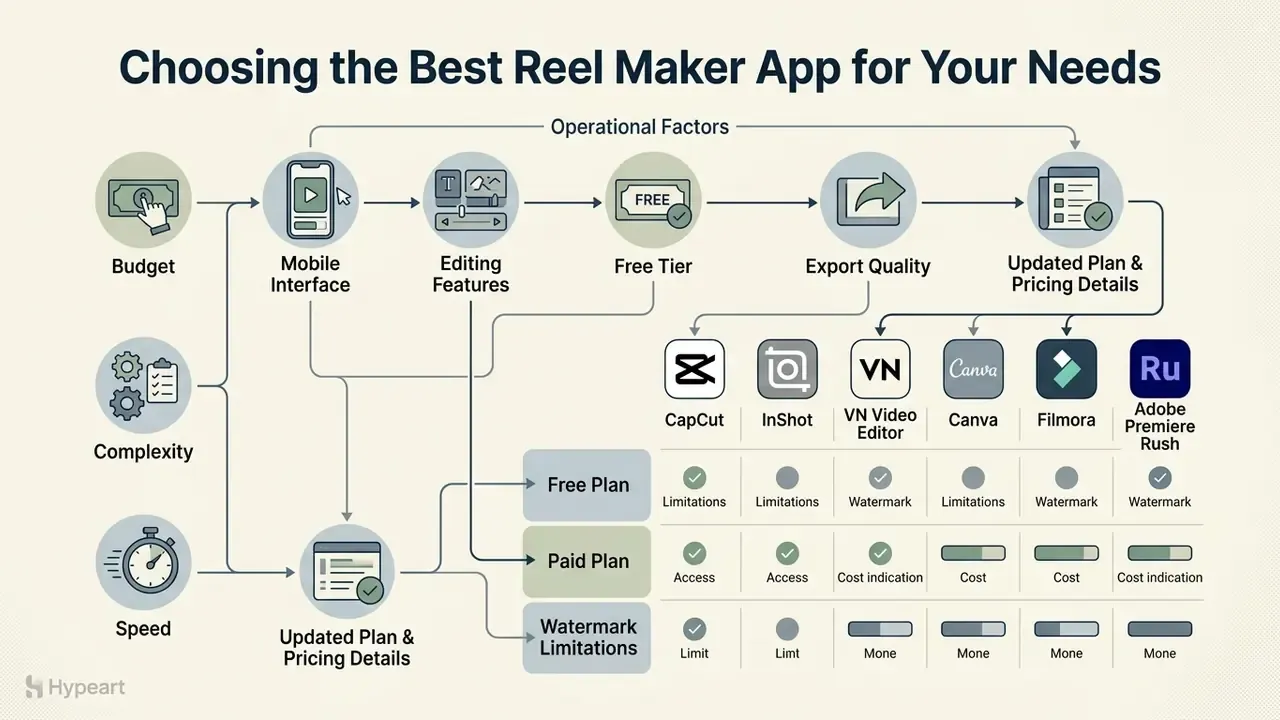
Choosing the best reel maker app means evaluating five operational factors: mobile interface usability, editing feature breadth, free-tier limitations, export rendering quality, and native 9:16 vertical video support. Content creators and social media teams need a video editor that matches their technical experience, budget and posting cadence. Nothing else really matters at the point of purchase.
According to a 2024 performance study by Metricool analysing over 23 million video posts, Reels achieve an average account reach of 37.87%, which makes them the primary driver of top-of-funnel discovery on Instagram.
"Reels deliver roughly 2.25× more reach than single image posts, yet carousels still outperform Reels on engagement rate by about 12%."
That nuance matters when selecting software. If your objective is discovery, prioritise tools that shorten the path from raw footage to a published Reel. If your objective is engagement depth, prioritise tools that also produce strong static and carousel assets. It is exactly why design-led platforms such as Canva often outrank pure video editors for brand accounts.
To evaluate candidates, weigh template availability against manual multi-track controls. Teams benchmarking adjacent creative tools can explore the hub to assess broader platform options, and readers new to the category can review the fundamentals of video editors for social media before committing to a subscription. One practical filter: if the app cannot export a clean 1080×1920 file on the plan you intend to pay for, the rest of the feature list is decoration.
Features That Matter for Fast Reels Editing
"Brand/celebrity presence accounts for 22.10% of model importance; a neutral emotional tone outperforms a positive tone on engagement."
High-performing Reels therefore benefit from an immediate visual hook, a recognisable on-screen presenter and readable subtitles, because a large share of viewers watch short-form video with the sound off.
To accelerate output, creators often compare dedicated design suites against pure editors. You can open the hub to examine head-to-head software evaluations before you commit a team to one ecosystem.
Free Plan, Paid Plan and Watermark Limitations
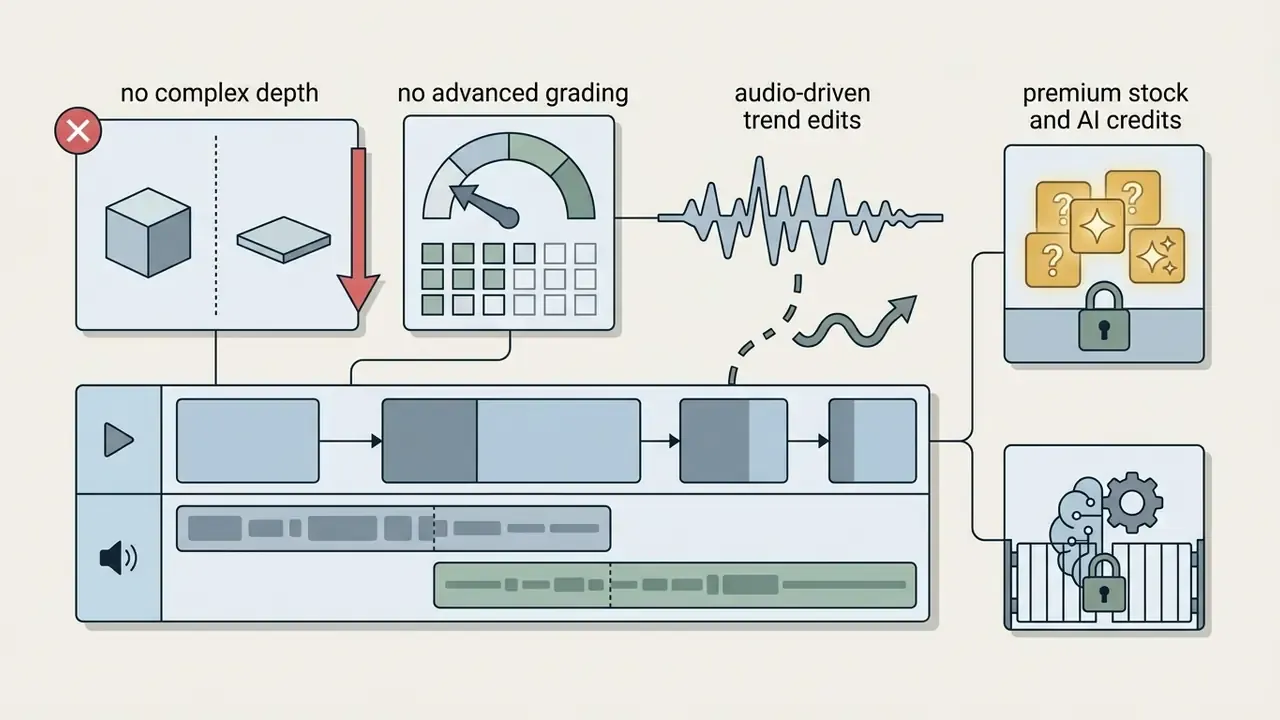
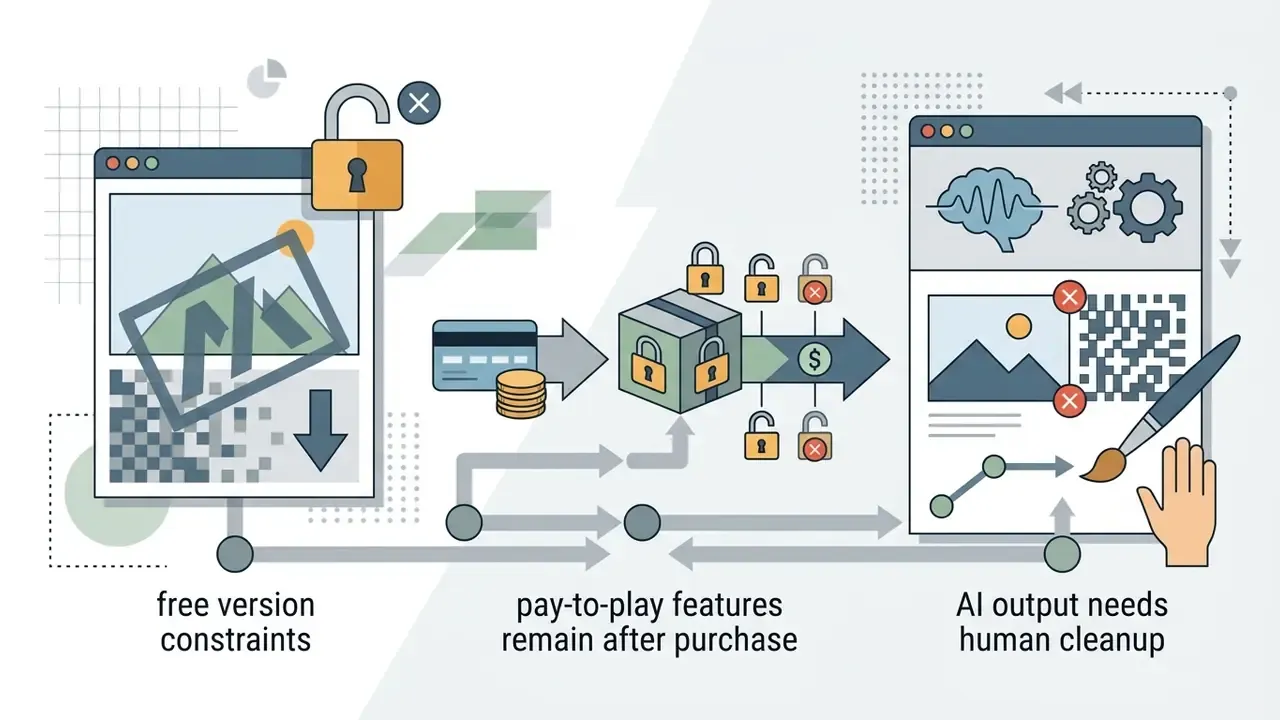
Free plans usually cover core trimming and basic transitions, then impose watermarks, cap exports at 720p or 1080p, and lock premium stock libraries. Paid subscriptions remove branding, unlock 4K rendering, and open advanced AI video features. Readers comparing no-cost options across categories can also study free video editing software before upgrading.
Official product specifications confirm how uneven free-tier terms remain:
- CapCut free exports default to 1080p; 4K rendering, HDR processing and specialised AI tools require a paid plan. Watermarks can still appear on Pro-locked templates and certain AI-generated clips.
- InShot the free tier includes all core editing features but applies an InShot watermark unless you remove it via an ad view or a Pro upgrade. The free app is ad-supported.
- VN Video Editor watermark-free exports in the base version, which makes it the default pick for clean manual editing on mobile.
- Canva the free plan exports MP4 files without watermarks, but premium stock video, premium audio and some Magic Studio AI credits sit behind Pro or Teams.
- Filmora the free version renders with a visible watermark and reduced resolution, so publishing to Reels realistically requires the paid licence.
- Adobe Premiere Rush limits free mobile usage through feature packaging, while bundling full cross-device cloud sync into paid Creative Cloud plans.
- Renderforest-style web generators free tiers commonly watermark output and reserve up to 4K exports for paid plans.
Creators assessing advanced digital workflows can view the guide for technical performance metrics across media software. Teams shipping heavy 4K masters may also need a video compressor to keep uploads inside platform limits.
Best Reel Maker Apps at a Glance
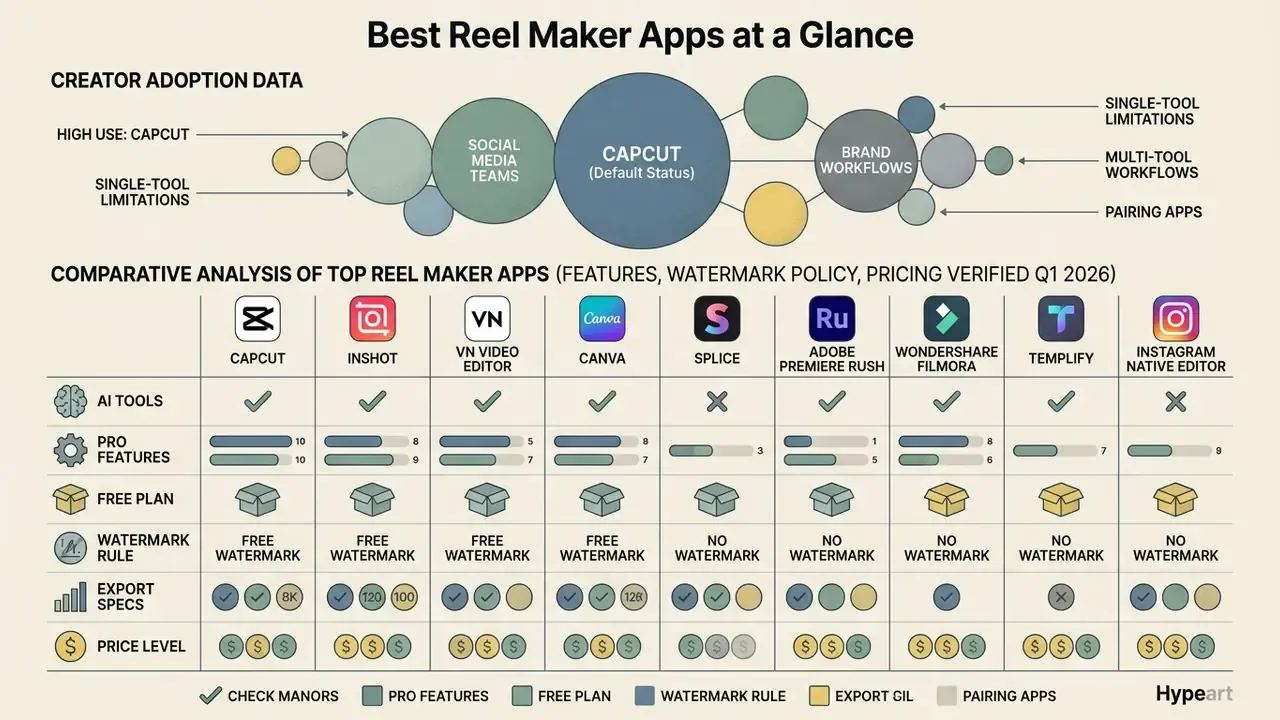
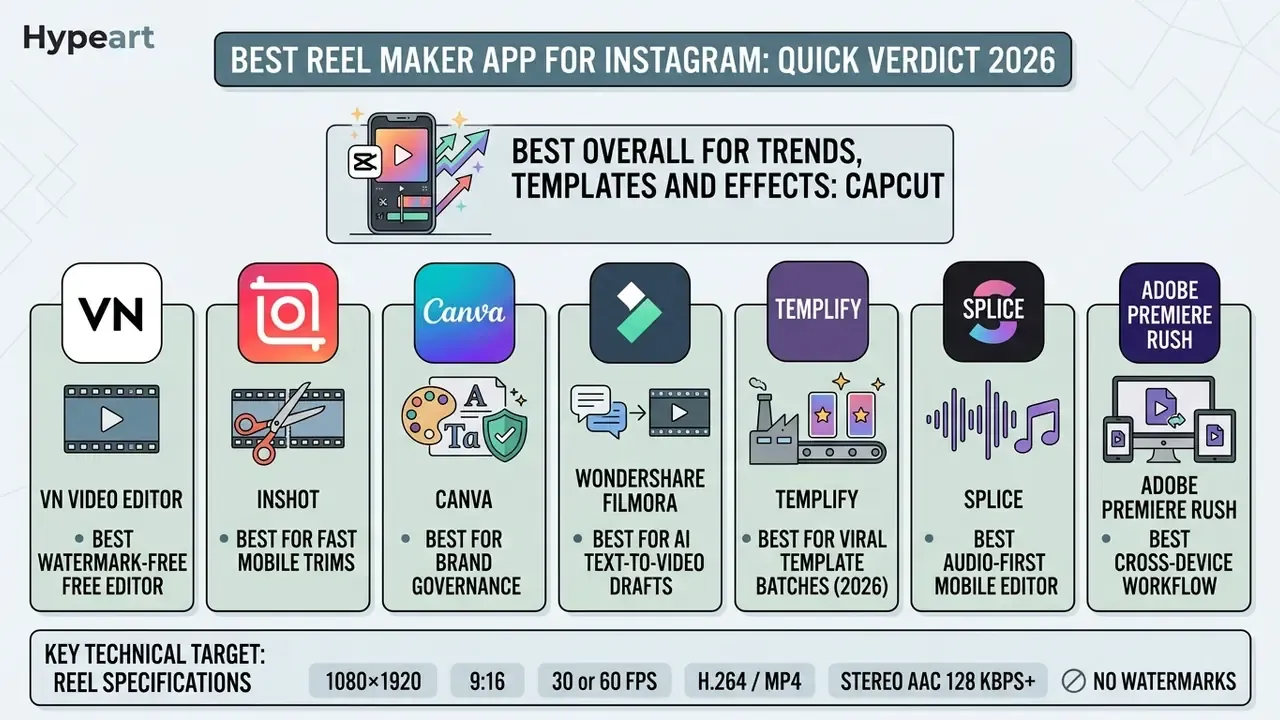
The leading reel maker apps are CapCut, InShot, VN Video Editor, Canva, Splice, Adobe Premiere Rush, Wondershare Filmora, Templify and Instagram's native editor. Each serves a distinct creation workflow. Picking between them means matching your primary format, whether template-driven, manual timeline, AI-generated or brand-governed graphics, to the app's core architecture.
Adoption data explains CapCut's default status in most creator stacks:
"By August 2023 CapCut had reached 490 million users, roughly 25% of TikTok's audience, becoming the world's highest-grossing video editor, with over $100 million in consumer spend."
Single-tool reliance still limits certain brand workflows, which is why many social media teams pair a specialised graphic generator with a dedicated video editor. When evaluating generation systems, some teams also test a best ai avatar tool to produce presenter-led clips for vertical templates.
Comparative analysis of top reel maker apps (features, watermark policy and pricing verified Q1 2026)
| App | Free tier | Watermark policy | AI capabilities | Editing architecture | Indicative price | Primary use case |
|---|---|---|---|---|---|---|
| CapCut | Freemium (1080p free export) | App logo on select free templates and some AI clips | Auto-captions, beat sync, teleprompter, background remover, voice clone, text-to-video | Multi-track mobile and desktop timeline | Free; Pro from $7.99/mo (desktop), higher tiers roughly $9.99 to $19.99/mo or about $179.99/yr | Fast trend-based Reels and viral effects |
| InShot | Freemium (ad-supported) | Watermark present, removable via ad or Pro | Basic auto-captions, cutouts, chroma key | Single or dual track canvas editor | Free; Pro from about $3.99/mo | Quick mobile trimming and simple edits |
| VN Video Editor | Free / Freemium | No watermark on free exports | Auto-cut, beat detection, BeatsClips presets | Full multi-track timeline editor | Free (optional paid assets) | Precise manual cuts and curve speed ramping |
| Canva | Freemium | No watermark on free assets | Magic Studio, Magic Design, background remover, Beat Sync, auto-captions | Layout and graphic canvas editor | Free; Pro about $119.99 to $120/yr; Teams about $100/yr per seat (min. 3) | Brand-governed graphic Reels and text layouts |
| Splice | Freemium | Watermark on free tier exports | Speech-to-text, auto-sync | Multi-track timeline editor | Free; paid from $2.99/mo | Audio-centric mobile production |
| Adobe Premiere Rush | Freemium (feature-capped) | No watermark | Auto-reframe, basic audio balance | Multi-track cloud sync timeline | Bundled in Adobe video plans from about $9.99/mo | Cross-device editing for Adobe users |
| Wondershare Filmora | Free (limited) | Watermark plus reduced resolution on free exports | Text-to-video, Instant Mode auto-edit, AI voiceover, AI stickers | Timeline editor (desktop and mobile) | Free (watermarked); $79.99 perpetual licence | AI-generated first drafts and educational Reels |
| Templify | Freemium | Watermark-free export on paid plan | AI captions, Beat Sync, trend template matching | Template-first vertical editor | Freemium; confirm current in-app tiers | Batch production of trend-driven Reels |
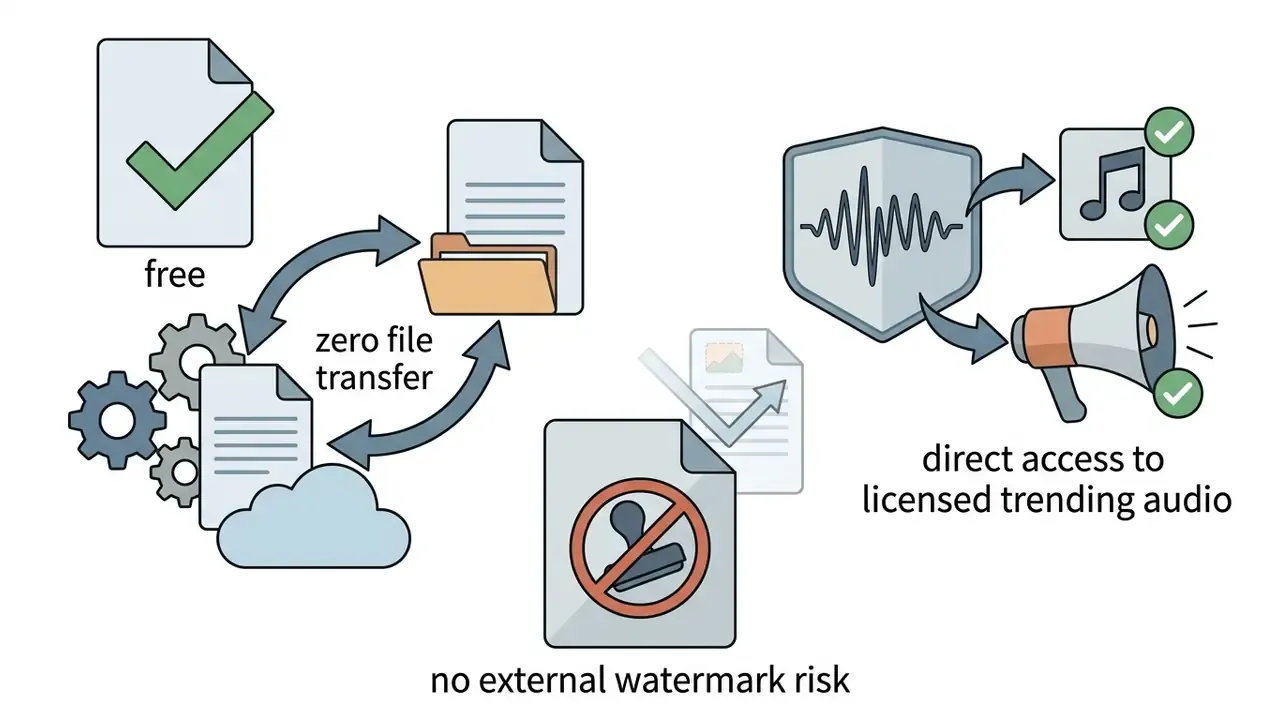
| Instagram native editor | Free | No watermark (native upload) | Auto-captions, template reuse, "first draft" auto-edit (phased rollout) | In-app linear timeline | Free | Algorithm-native, zero-transfer publishing |
Checklist0 / 8
Checklist summary: beginners who prioritise speed should pick apps with pre-built reel templates and automated subtitle generation. Brands and advanced editors need granular timeline controls, custom typography, multi-track audio mixing and documented licensing terms to protect visual identity and reduce legal exposure. If two apps score equally, choose the one whose export dialog you can audit in ten seconds.
App-by-App Reviews: Pros, Cons and Pricing
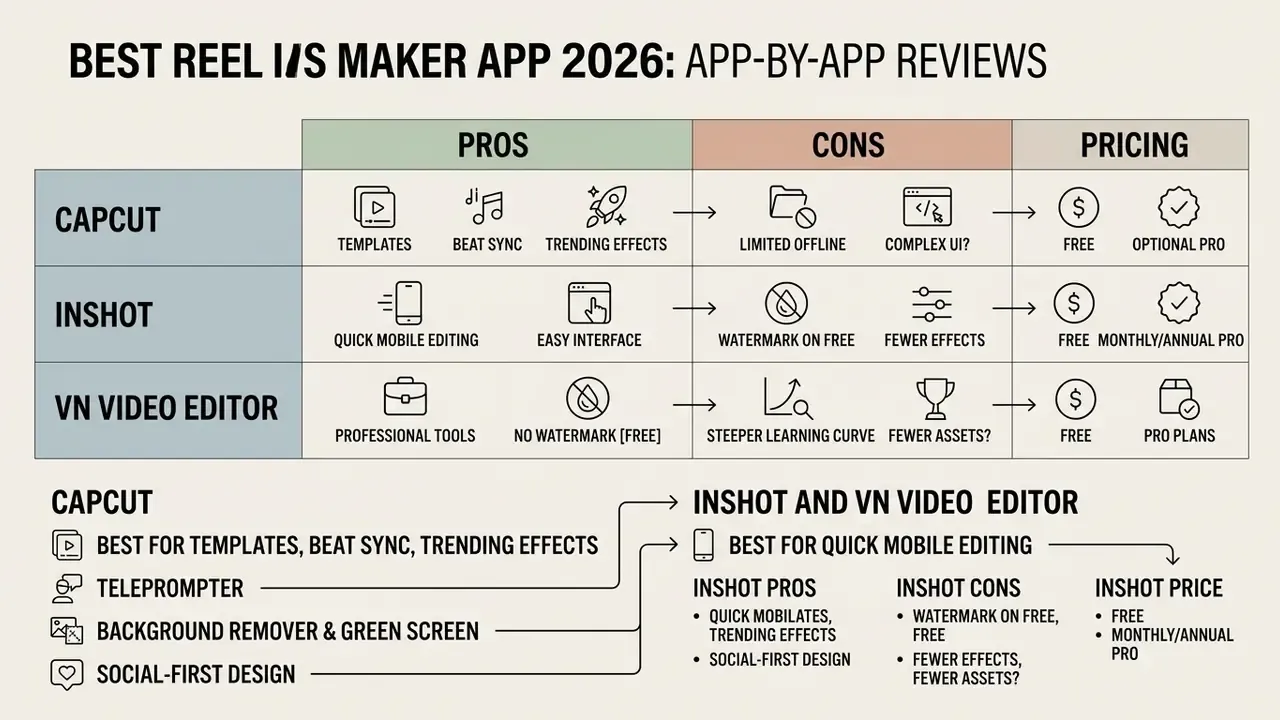
CapCut: Best for Templates, Beat Sync and Trending Effects
CapCut offers the most complete ecosystem for trend-driven Reels: automated beat synchronisation, dynamic transitions, keyframe animation, and a template library that never stops moving. Its engine aligns cuts to the rhythmic peaks of an imported audio track, and the speed-ramp Curve tab supports both presets and custom curves.
The platform also carries serious AI tooling, including automatic speech recognition for subtitles and background removal without a green screen. Two features get overlooked in almost every competing roundup:
Pros
- Built-in teleprompter for scripted talking-head Reels.
- Background removal without chroma key, plus keyframing and motion tracking.
- Auto-captions across a wide range of languages.
- Mobile and desktop versions sharing a project structure.
- Deep trend-template library, refreshed continuously.
Cons
- Users report periodic glitches and slow renders on heavy 4K projects.
- Some premium templates and AI tools stay gated even after upgrading.
- ByteDance ownership raises data-residency questions for regulated organisations.
Price: free with 1080p exports; CapCut Pro from $7.99/month on desktop, with higher tiers commonly listed around $9.99/month (Standard) and $19.99/month or about $179.99/year (Pro).


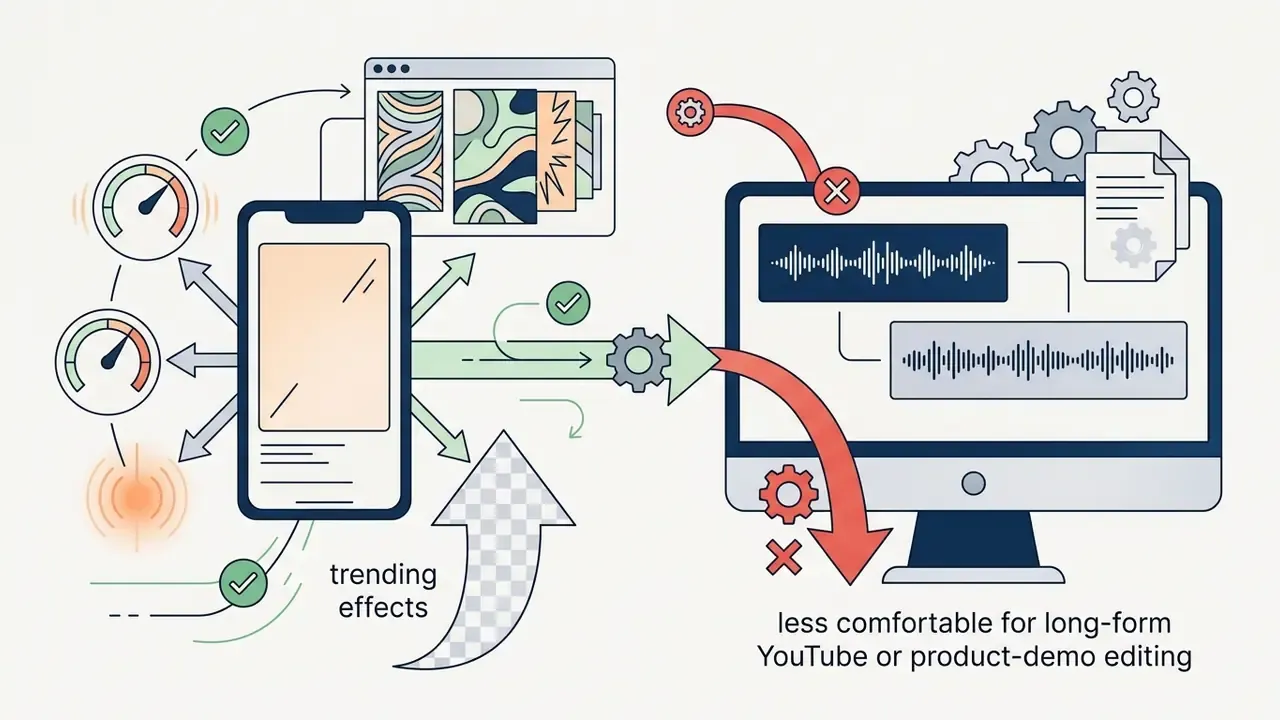
InShot and VN Video Editor: Best for Quick Mobile Editing
InShot and VN Video Editor are lightweight, fast, and built for manual slicing, speed manipulation and colour adjustment on a phone. InShot wins on quick single-clip modifications. VN gives you a near-professional multi-track interface with curve-based speed ramping.
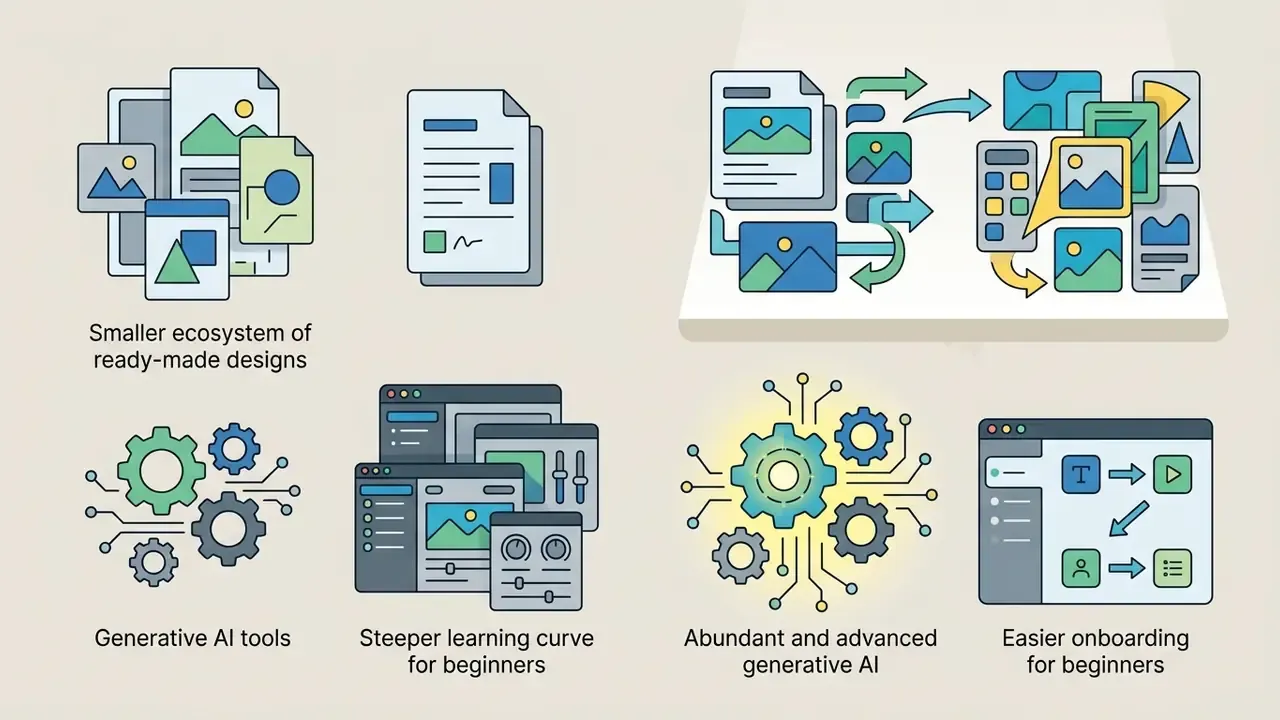
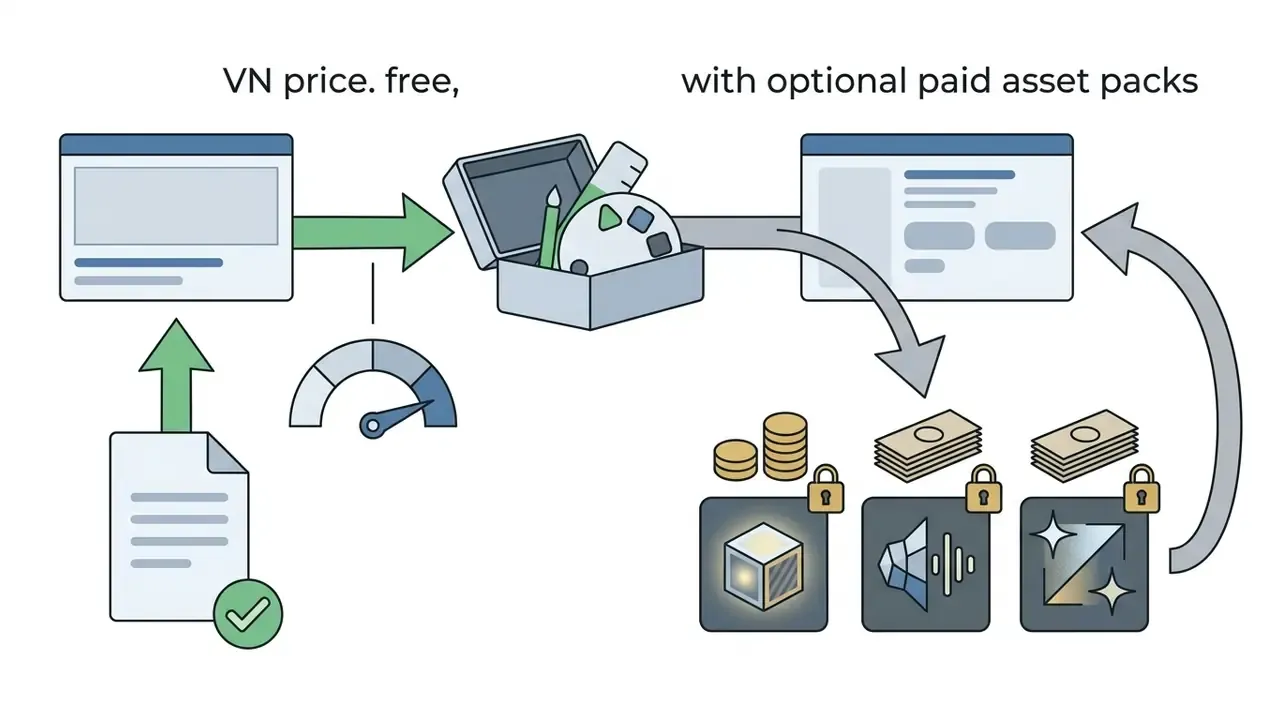
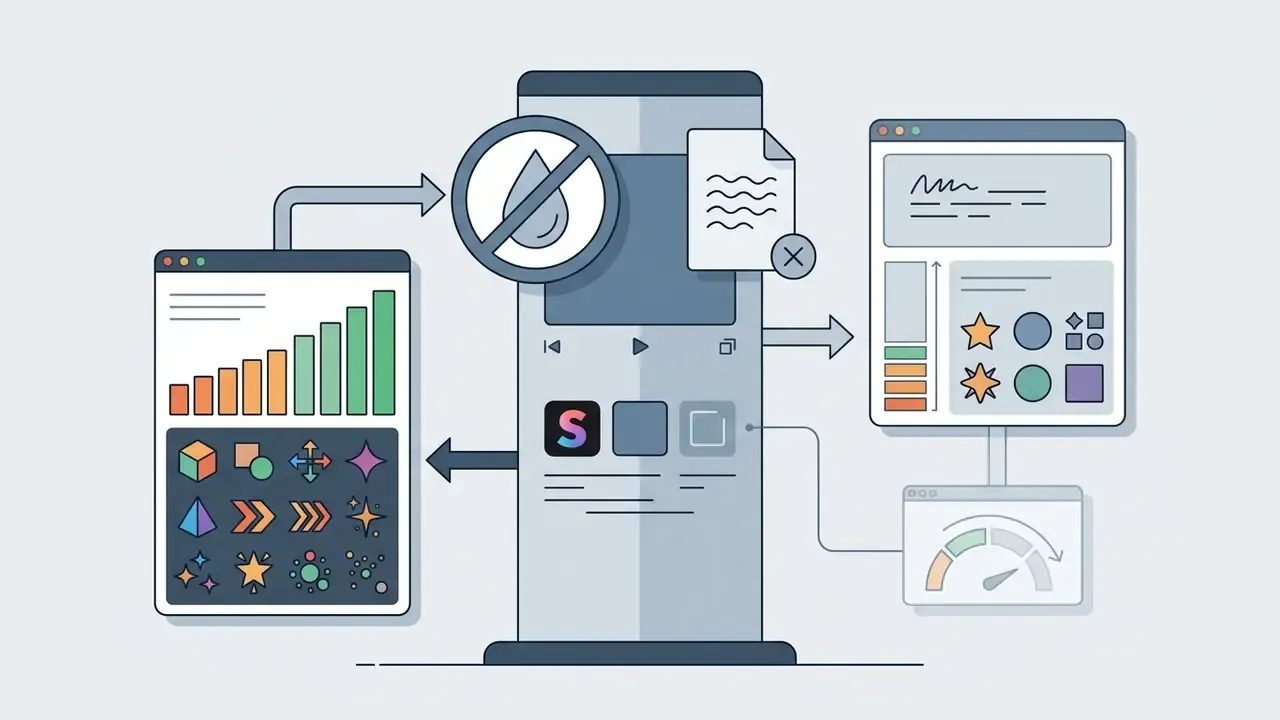
VN stands out for one reason above all: watermark-free exports on the free plan, with multi-layer timeline support, AutoCut, BeatsClips presets and custom LUT import. Contrary to several 2026 roundups claiming VN has "no templates", the app now supports shared user templates and QR-code template import. InShot, meanwhile, keeps text overlays, framing adjustments, speed ramping and canvas changes within reach of a first-time editor on iOS and Android.


Canva, Splice and Adobe Premiere Rush: Best for Brand and Cross-Device Workflows
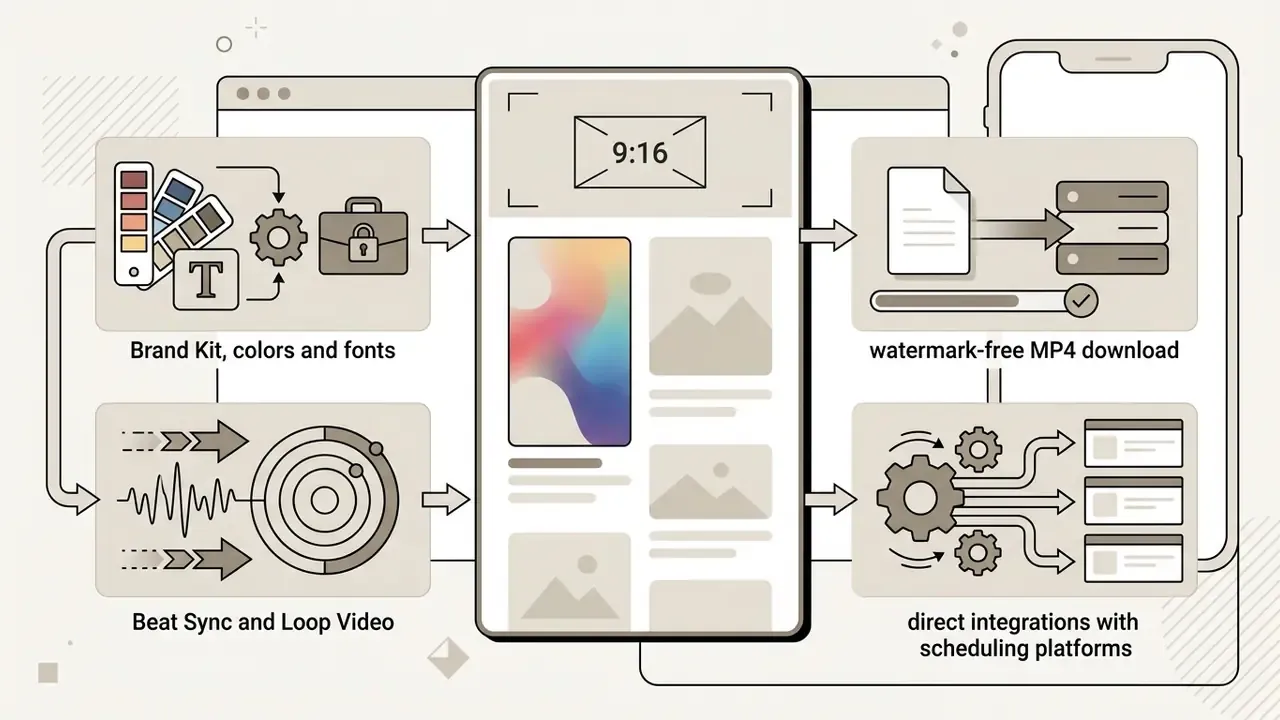
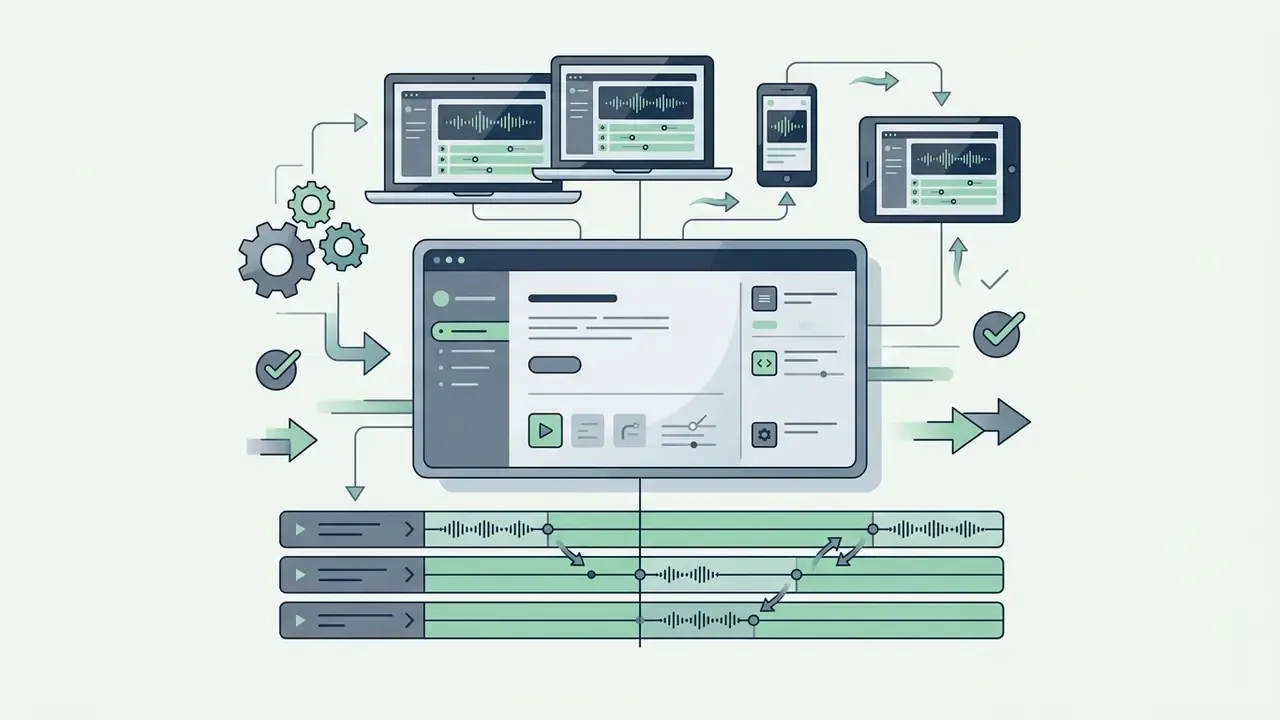
Canva, Splice and Adobe Premiere Rush serve structured environments where brand kits, asset synchronisation and cross-device editing are mandatory rather than optional. Canva lets marketing teams enforce typography and colour rules across graphic-heavy short form video layouts, storing logos, palettes, fonts and guidelines inside Brand Kits.
Adobe Premiere Rush syncs projects across mobile and desktop, so a rough cut started on a phone can be finished on a workstation. Splice handles high-precision audio editing with granular multi-track management, tuned for music-led promotional clips, and supports mobile-to-desktop idea sync.
Wondershare Filmora: Best for AI Text-to-Video Creation
Filmora brings AI workflows that generate complete 9:16 vertical drafts from a written prompt. Its Instant Mode ingests five or more raw assets, applies a chosen template, and returns a rhythmically synced Reel with no manual timeline work. That suits educational explainers and recurring formats where the structure repeats week to week.
Beyond generation it keeps a conventional suite: transitions, stickers, effects, AI voiceover and narration recording, on desktop and mobile.


Instagram's Native Reels Editor: Best for Algorithm-Native Publishing
Instagram's in-app editor remains the most universal option. It records and edits vertical video natively, stores drafts, offers trending audio search, auto-captions, stickers, filters and one-tap template reuse from other creators' Reels. Meta's standalone free mobile editor (Edits) and the phased "first draft" auto-edit feature, which trims clips and strips dead pauses automatically, pull even more of the workflow inside the ecosystem.
Supported Input Formats and Asset Constraints
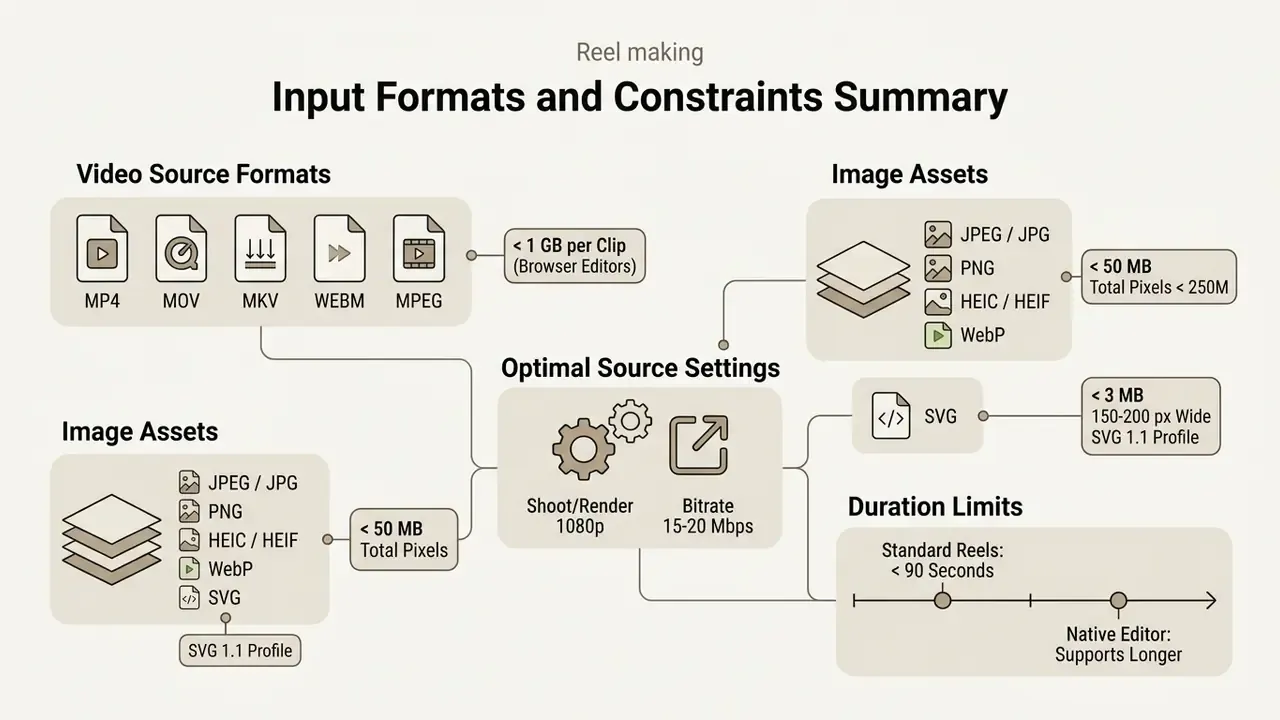
Before editing, confirm your source files will actually import. Cloud and mobile editors enforce container, size and pixel-count limits, and exceeding them is one of the most common causes of a failed upload.
Video containers: MP4, MOV, MKV, WEBM, MPEG, typically up to 1 GB per clip in browser-based editors such as Canva. Clips with transparency upload best as GIF.
Image assets:
- JPEG/JPG, PNG, HEIC/HEIF, WebP: under 50 MB, and no more than 250 million total pixels (width × height). Only static WebP files are supported.
- SVG: under 3 MB, roughly 150 to 200 px wide, saved with an "SVG 1.1" profile.
Optimal source encoding: shoot or render source footage at 1080p with a bitrate of roughly 15 to 20 Mbps (H.264, 30 fps; 6 to 8 Mbps is the minimum many mobile editors recommend) so compression artefacts do not survive into the final Reel. Where possible, film vertically from the outset instead of cropping 16:9 footage, and match the source aspect ratio to the subject area for maximum pixel coverage.
Duration ceiling: standard Instagram Reels run up to 90 seconds, with the native editor supporting longer edits of up to three minutes and extended upload modes in selected regions. Plan the edit to the shorter ceiling if you cross-post to other platforms.
Best Free Reel Maker App Options for Instagram
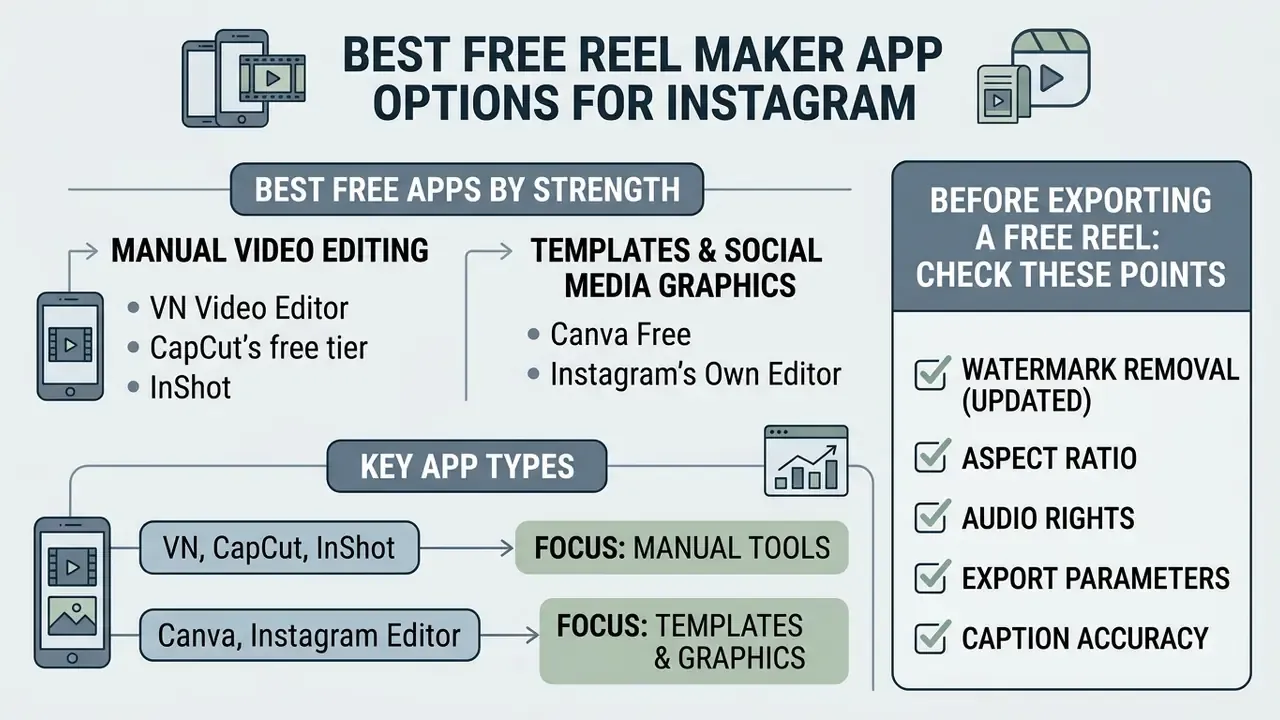
The strongest best free reel maker app options for Instagram are VN Video Editor, CapCut's free tier, Canva Free, InShot and Instagram's own editor. Each delivers real editing power with no upfront payment. The real work is identifying which constraint hurts you: watermarks, asset locks, AI credit caps or a resolution ceiling on the final publishable file.
Empirical studies from Socialinsider indicate that Instagram Reels generate an average video view rate of 2.54%, outperforming standard feed video formats.
"In 2024 the average Reel generated over 15,000 views, 805 likes and 82 saves, indicating high interaction depth per post."
Functional free software lets creators capitalise on that distribution without recurring subscription cost. Readers weighing the trade-offs of no-cost generative tools can also review how free AI video creation tools handle watermarks, credits and export limits.
Best Free Apps for Manual Video Editing
VN Video Editor and CapCut deliver the most advanced free capabilities for frame-by-frame slicing, colour grading and speed adjustment. VN stays the standout because it renders clean, watermark-free vertical files on free accounts.
CapCut's free tier opens keyframe motion tracking, speed curves, precise multi-layer overlay trimming and basic tone controls for brightness, contrast and saturation. Editors working with raw footage lean on exactly these manual controls to tune visual pacing before publishing. A small observation from practice: the first thing most editors adjust is not colour, it is the gap between cuts.
What to Check Before Exporting a Free Reel
Before exporting a free Reel, verify six settings:
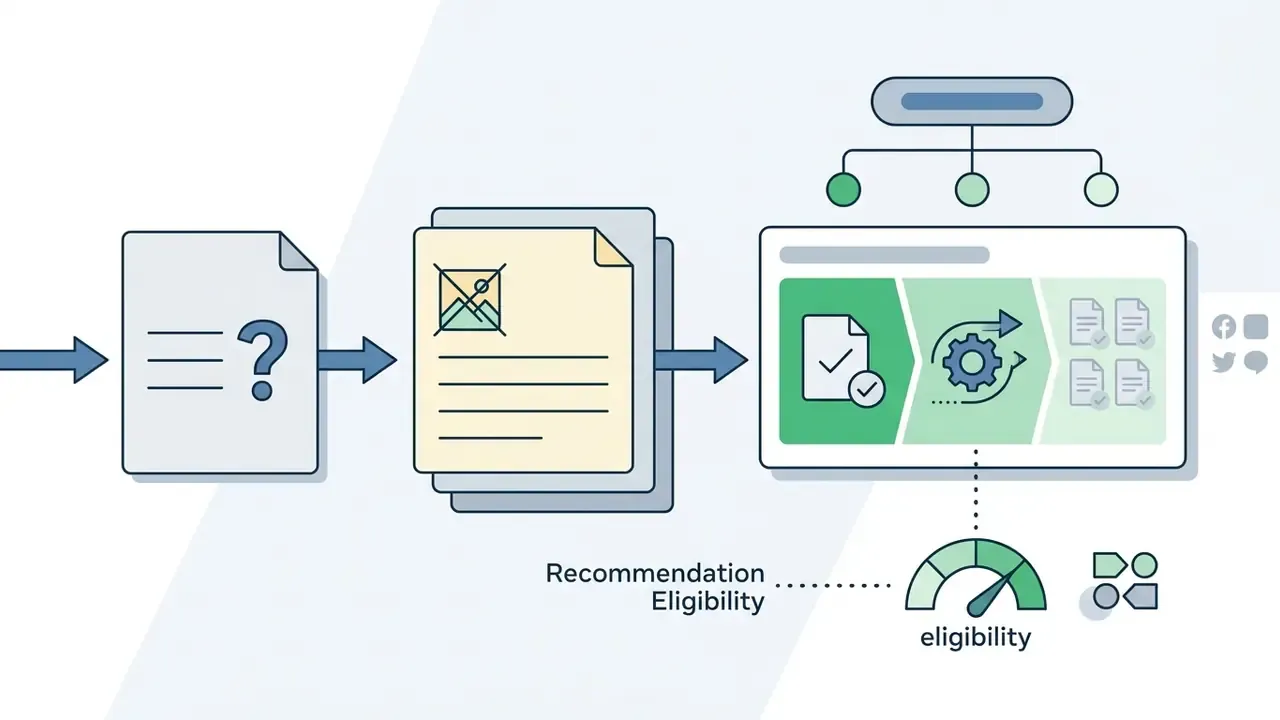
- Watermark removal (updated)confirm the output carries no third-party app logos. Instagram's recommendation guidelines state that content eligible for recommendations should not carry watermarks or logos from other apps, so removing them protects distribution eligibility. Treat this as an eligibility rule, not a proven ranking penalty.
- Aspect ratiofix the canvas at 9:16 (1080×1920 pixels) to prevent black bars or awkward side cropping.
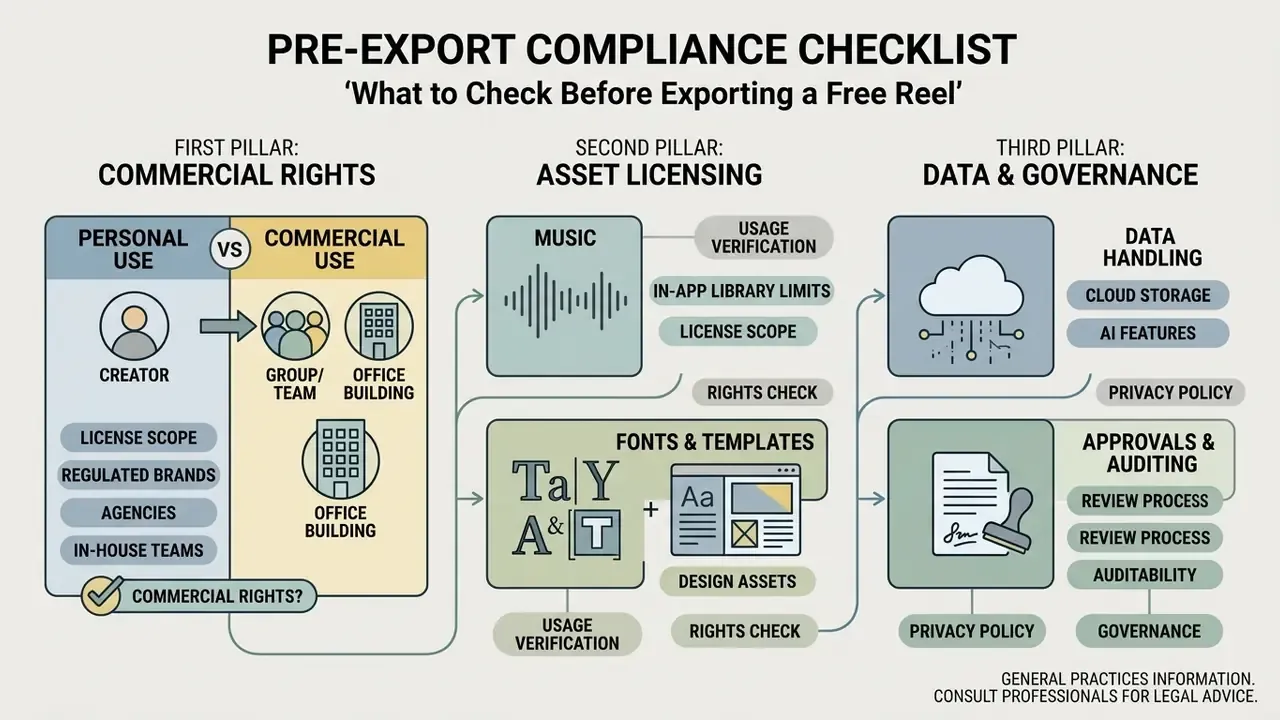
- Audio rightsverify that background music is cleared for your specific use case, whether organic social, paid advertising or client work, to avoid muting, takedowns or contractual exposure. Music inside an editing app's free library is often licensed only for personal, non-promoted posting.


Commercial Rights, Music Licensing and Data Privacy
Best Automatic Reel Maker App and AI Video Tools
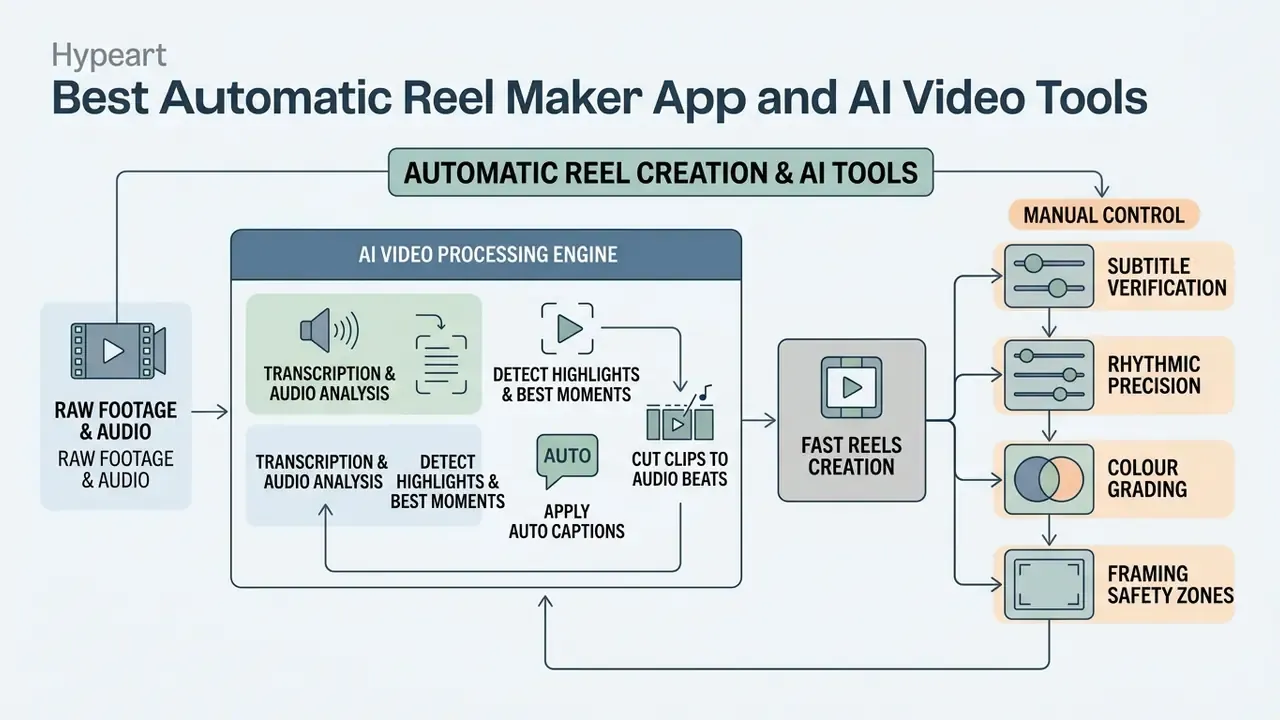
An automatic reel maker app uses artificial intelligence to transcribe spoken audio, detect highlights in long footage, apply auto captions, and cut clips to match audio beats. These AI video tools compress manual editing time by analysing visual and auditory signals to assemble finished vertical edits. Readers who want to benchmark the category further can work through a structured comparison of AI video generators.
Academic research on multimodal video processing shows the technical foundation:
"Automated speech-to-text engines achieve 90% to 99% accuracy on clear primary audio tracks."
That accuracy is what makes time-aligned subtitle overlays viable with minimal manual correction. Contemporary repurposing pipelines combine ASR (Whisper, for example), shot-boundary segmentation, vision-language captioning and LLM scoring to rank candidate clips. The same architecture now sits behind production APIs for automated highlight clipping.
AI Tools for Auto Captions, Clips and Fast Reels Creation
Modern AI video editors include clipping engines that turn one long recording into several short-form drafts. CapCut, Filmora, Vids AI and dedicated web services use speech-to-text plus natural language processing to extract key statements and format them as 9:16 vertical drafts. It is the same principle behind dedicated text-to-video AI tools.
Auto-caption features generate styled, word-by-word animated subtitles synced to spoken dialogue. The saving on manual transcription is real, and it aligns with silent-viewing habits. Vendor estimates put time savings at 80% to 90% of transcription and cleanup effort, though those figures are condition-dependent and rarely reproduced with noisy audio.
Ready-to-use AI prompt template for text-to-video tools:
Create a 15-second 9:16 vertical video about [TOPIC].
Structure: 1) High-energy hook, 0-3s, one bold claim on screen;
2) Core insight with a simple data visual, 3-10s;
3) Actionable CTA, 10-15s.
Style: dynamic kinetic typography, high contrast text, safe-zone margins
(top 15%, bottom 20% clear). Pace cuts every 2-3 seconds.
Voiceover: confident, neutral tone, 45-55 words total.
Beat-sync automation checklist:
- Core insight with a simple data visual, 3-10s;
- Actionable CTA, 10-15s.
- Import the final audio track before cutting any video.
- Run beat detection and confirm the engine marked downbeats, not off-beats.
- Snap clip boundaries to detected markers, then audition at 0.5× speed.
- Nudge the two or three most important cuts manually so they land on musical accents.
- Re-check caption timing after any clip length change. Auto-captions do not always re-flow.
- Export a test render and watch it once on a phone, muted, before publishing.
When AI Editing Needs Manual Control
AI editing needs a human override when automated systems mangle technical vocabulary, misalign audio cuts, or apply the wrong colour profile. Artificial intelligence is strong at rough assembly. Narrative logic and brand compliance remain human work.
Editors should verify four production layers manually:
- Subtitle verification correct misheard industry jargon, proper nouns and punctuation timing.
- Rhythmic precision align cuts with specific musical accents or visual beats.
- Colour grading replace automated presets with approved LUTs to hold brand aesthetics, and run colour correction where lighting shifts between takes.
- Framing safety zones reposition text overlays so Instagram's native buttons do not cover them.
Known AI failure modes in Reels production and required human checks
| AI function | Typical failure | Concrete example | Manual control |
|---|---|---|---|
| Auto-captions (ASR) | Niche terminology and homophones transcribed incorrectly | "APR" becomes "a pair"; "Basel III" becomes "basil three"; ticker symbols rendered as words | Word-by-word proofread; maintain a glossary of brand and industry terms |
| Auto-captions in noisy audio | Accuracy collapses with accents, overlapping speakers, background music | A two-person interview merged into one speaker block | Record clean primary audio; add speaker labels manually |
| Auto-clipping and highlight detection | Cuts mid-sentence or removes the qualifying clause | A compliance caveat trimmed out, leaving an unqualified claim on screen | Review every AI-selected in and out point against the transcript |
| Beat sync | Detection locks to off-beats or tempo changes | Cuts drift after a key change or half-time section | Manually nudge the hook and payoff cuts |
| Auto-reframe and auto-crop | Tracks the wrong subject in multi-person frames | Product cropped out of a demo shot; logo pushed off-frame | Set keyframed crop on brand-critical shots |
| Colour presets | Automated LUT shifts brand colours | Corporate blue rendered teal across the sequence | Apply the approved LUT; verify brand hex values on screen |
| Text-to-video generation | Fabricated on-screen facts, figures or citations | Invented statistic in a generated data card | Fact-check every generated number and claim before export |
Best App for Reels by Creator Type and Workflow
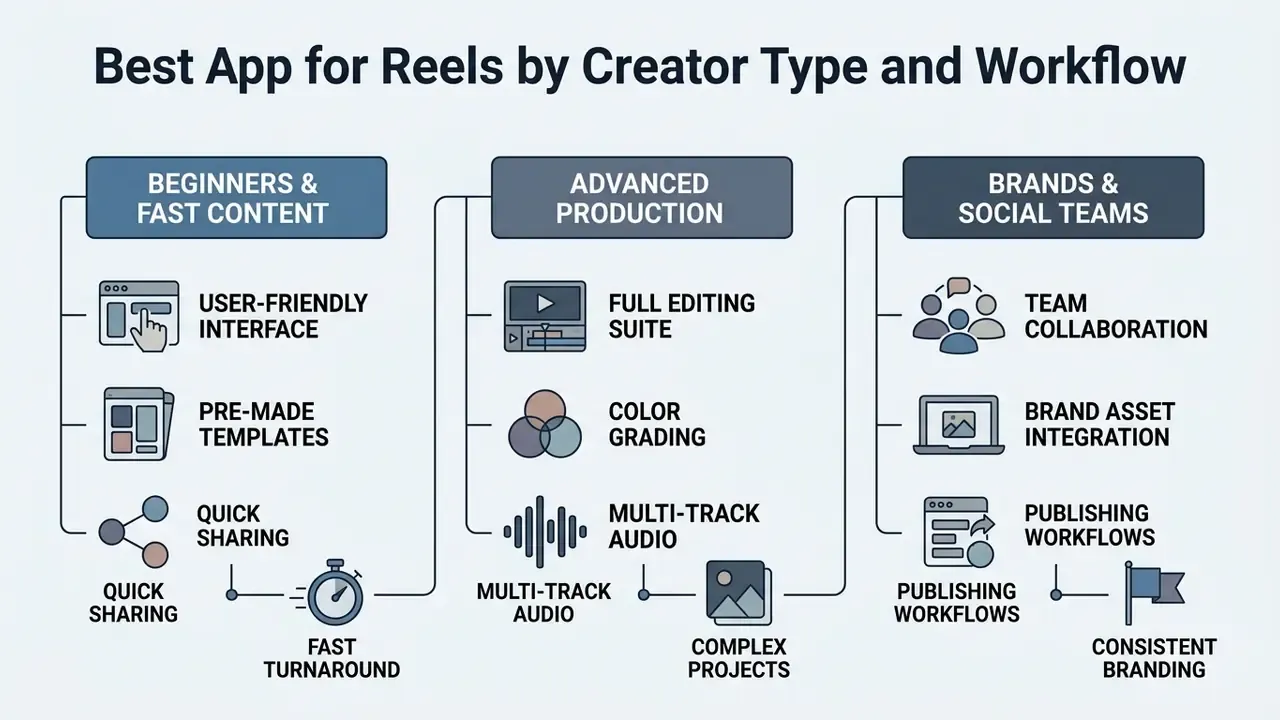
The best app for Reels depends on whether you are an individual creator, a corporate brand team, or a professional editor. Matching the tool to the operational workflow prevents bottlenecks and keeps production speed aligned with content standards.
| Role | Primary constraint | Recommended tools |
|---|---|---|
| Beginner or solo creator | Learning curve | InShot, Instagram native editor, Templify |
| Brand or marketing team | Visual consistency and approvals | Canva (Brand Kits), Adobe Premiere Rush |
| SMM team or agency | Volume and collaboration | Templify (batch), Canva Teams, scheduling suites with in-platform studios |
| Pro videomaker | Timeline precision | VN Video Editor, LumaFusion, Adobe Premiere Pro, Kdenlive |
| AI-first or high-frequency publisher | Draft generation speed | Filmora (Instant Mode, text-to-video), CapCut AI tools |
Best Reel Editing Apps for Beginners and Fast Content Creation
Beginners need a user friendly mobile video editor with drag-and-drop mechanics and pre-configured templates. InShot, CapCut, Templify and Instagram's native editor let non-technical users produce polished reels within minutes of capturing raw footage. Anyone searching for the best ig reel maker as a first app will land in this group, and that is the right place to start.
"Same-day posts account for more than 30% of recommended Reels, double the share of a year earlier."
That algorithmic bias toward freshness is the strongest practical argument for fast editors. A template-driven Reel published the day it was filmed holds a structural distribution advantage over a beautifully polished edit published four days later.
These platforms fold complex tasks, splitting clips, applying speed changes, adding background music, into single-tap actions. Simplicity lets solo creators think about messaging and delivery instead of software navigation.
Best Video Editor for Advanced Reels Production
Advanced editors and production agencies need multi track control, keyframe motion graphics, custom colour grading with LUT support, and precise speed ramp tools. VN Video Editor, LumaFusion, Kdenlive and Adobe Premiere Pro supply that depth, including time remapping with Bezier handles for smooth speed transitions.
These applications let editors manipulate individual video and audio layers, build custom motion graphics, and adjust frame-by-frame colour balance. That control is what makes a short-form file acceptable for high-visibility campaigns. Teams repurposing the same masters across platforms can align them with established professional video editing workflows.
How to Create Instagram Reels With a Reel Maker App
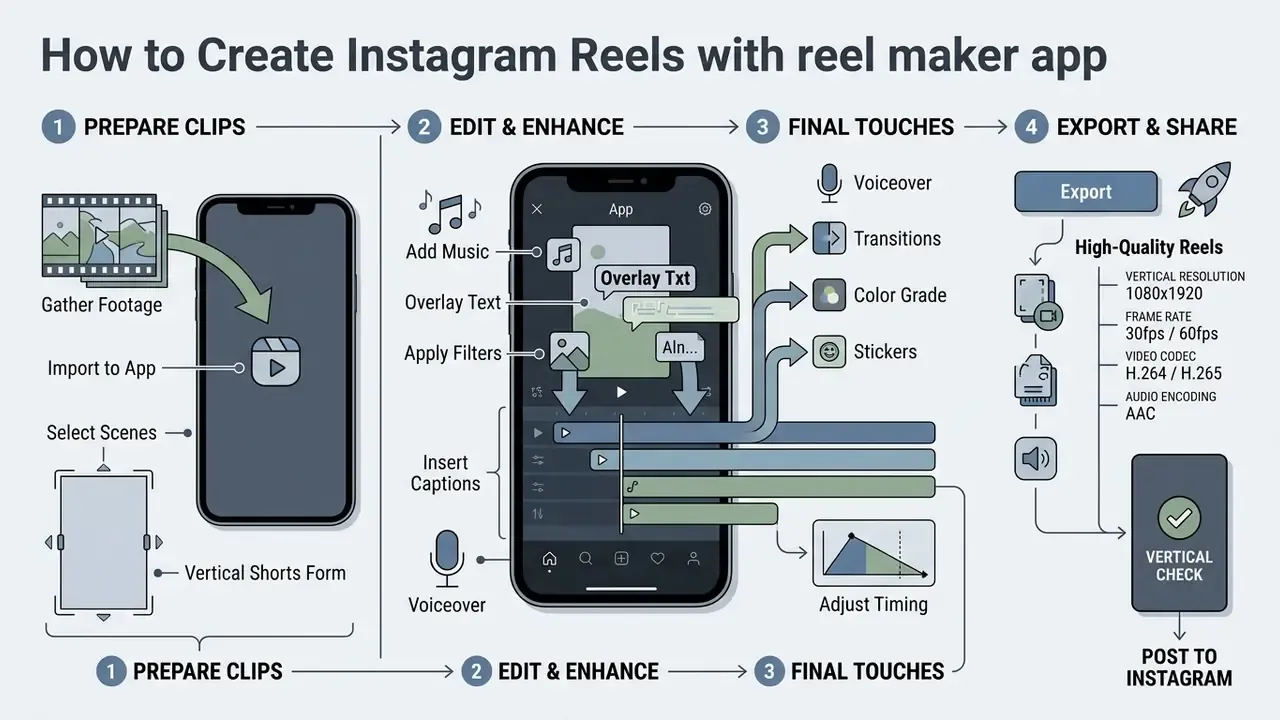
Creating an Instagram Reel runs through seven sequential steps: clip selection, canvas formatting, timeline trimming, text overlay integration, audio sync, high quality export, and publishing. A structured pipeline prevents rendering errors and protects organic reach potential. The same discipline applies when deploying AI video generators for commercial use.
Production pipeline, step by step:
- Raw footage selectiongather vertical clips, confirm focus and exposure, discard unusable takes.
- Import to your reel maker appset the canvas aspect ratio to 9:16 (1080×1920) before placing clips.
- Timeline editingtrim dead air, order the narrative, apply speed ramping and cuts.
- Text and caption overlaysgenerate auto-captions, proofread them, keep all type inside the safe zones.
- Audio integrationadd a royalty free track or align cuts to trending audio timing markers, and confirm the licence matches your use case.
- Export settingsrender at 1080×1920, 30 or 60 FPS, H.264 in MP4 or MOV, stereo AAC audio.
- Instagram publishingupload, choose the cover frame, write the caption, add tags and location, then post or schedule.
Prepare Clips for a Vertical Short Form Video
Preparation means selecting high-resolution source video shot vertically, or framing horizontal footage inside a 9:16 safe zone. Trim unnecessary pauses and keep individual segments brief so the visual pacing stays quick.
Keeping primary subjects centred stops critical elements from being cropped during vertical reframing. For talking-head footage, frame from mid-chest up and keep key information inside the central safe area.
Add Captions, Music and Text Overlays
Captions and text overlays belong inside Instagram's vertical safe area, which means avoiding the top 15% and bottom 20% of the screen where platform interface elements sit. Subtitles should use high-contrast styling, such as bold white text on a dark box, stay limited to about two lines at a time, and sit in the central-lower region so they read on any display.
For audio, select licensed tracks from the app's music library or align raw video cuts with trending audio timing markers. Where lyrics carry the message, burn in the relevant lines to improve accessibility for muted viewing. Teams evaluating advanced photo and visual styling tools can inspect AI image editing tools for complementary asset preparation, and motion-graphic overlays can be produced with a dedicated animation maker.
Export High-Quality Reels Ready for Instagram
Exporting quality reels means matching Instagram's technical ingest specifications:
- Vertical resolution exactly 1080×1920 pixels (9:16). Paid ad placements are specified up to 1440×2560.
- Frame rate 30 FPS minimum, or 60 FPS for smooth motion, at a fixed frame rate with progressive scan.
- Video codec H.264 compression in MP4 or MOV, square pixels.
- Audio encoding stereo AAC at 128 kbps or higher.
- Visual check no third-party app watermarks on the rendered file.
Following these parameters keeps Instagram's automatic re-compression from degrading quality on upload.
Closing the loop: scheduling and cross-posting. The last stage no longer requires saving to the phone gallery. Scheduling platforms and content planners, Canva's Content Planner or studio modules inside social management suites such as Loomly, publish directly via API, and some allow aspect-ratio changes, trims and per-platform captions inside the scheduler. One master export can therefore be adapted for Reels, TikTok and YouTube Shorts in a single pass, with approvals and publishing times recorded in one place. Useful for throughput, and useful for audit trails in regulated teams.
FAQ About Reel Maker Apps
What is the best app to make Reels?
It depends on your workflow. For trend templates and batch output, Templify and CapCut lead. For watermark-free manual editing at no cost, VN Video Editor is the strongest free reel option. For brand-governed graphics and locked visual identity, Canva. For AI-generated first drafts, Filmora. For algorithm-native speed with zero file transfers, Instagram's own editor.
Can you make Reels from photos and static graphics?
Yes. You can build dynamic Reels from static photos and graphic elements using motion templates, pan-and-zoom keyframes, timed transitions and background audio. Canva, CapCut, Templify and Adobe Express all ship photo-to-video animation features designed for 9:16. The process: import multiple high-resolution images, set display duration per frame (typically 0.5 to 2.0 seconds), and apply motion transitions synchronised to a music track. Adding text overlays and animated stickers, available as GIF, MP4 or Lottie JSON assets, turns static assets into engaging short-form video.
What is the difference between Instagram Reels, Stories and Feed videos?
- Reels: public 9:16 vertical short form videos, up to 90 seconds in the standard format, indexed by Instagram's recommendation system and actively distributed to non-followers. They live permanently on the Reels tab and profile grid, and they are the primary discovery surface.
- Stories: ephemeral vertical content that disappears after 24 hours unless saved as a Highlight, built for engagement with existing followers through stickers, polls, quizzes and links. Stories are not recommended to cold audiences.
- Feed videos: standard or longer video assets stored permanently on the profile grid, shown mainly to followers and to accounts arriving via hashtags, search or shares rather than the recommendation engine. Practical implication: Reels for reach, Stories for relationship and conversion with an existing audience, Feed videos for archival or reference content.
How long can a Reel be on Instagram?
Standard Reels run up to 90 seconds, and Instagram's native editor supports editing longer vertical videos up to three minutes, with extended durations in selected regions and upload modes. The widely circulated 60-second cap reflects an older product state. Whatever the ceiling, retention data favours tight edits: land a hook inside the first three seconds and cut anything that does not move toward the payoff.
How do I remove the watermark from a free Reel?
In order of reliability: use an editor that exports watermark-free on its free plan (VN Video Editor, Canva, Instagram's native editor); watch the reward ad where the app offers that route (InShot); or upgrade to the paid tier. Avoid third-party "watermark remover" services for brand content. They re-encode your video, degrading quality, and they often require uploading footage to unknown infrastructure.
Can I use trending Instagram audio in a brand or ad campaign?
Not automatically. Trending audio in the in-app library is generally licensed for organic, non-promoted posts, and business accounts often see a reduced catalogue. For paid promotion, use a track cleared for advertising, typically from an advertiser-facing library inside the ads platform or a properly licensed stock music provider. When in doubt, get written confirmation of the licence scope before publishing.
Do free apps limit export quality?
Frequently. Common limits include 1080p or 720p export ceilings, watermarks, capped clip durations, locked premium stock and finite AI credits. Verify the ceiling in the app's export dialog, not on the marketing page, before you build a production workflow around it.
Appendix A: Corrections and Verification Log
This log documents statements revised during the Q1 2026 review, so readers can see exactly what changed and why.