An AI aging filter turns a single face photo into an older or younger version of the same person, while keeping identity and bone structure recognisable. In 2026, browser-based tools do this with generative adversarial networks (GANs) and latent diffusion architectures, usually in under half a minute. The output looks convincing. That is precisely why the governance questions deserve a paragraph before the fun part.
Executive summary
Three things matter before you, or your organisation, run a face photo through an aging filter.
- Accuracy is probabilistic, not biological.Age-transformation models render statistical appearance patterns learned from training data. Even dedicated biological-age estimators keep a mean absolute error of several years, so an aged portrait is an illustrative visualisation, never a medical or forensic forecast.
- Privacy terms decide the risk, not the interface.Browser tools and mobile apps both send facial images to remote GPUs in most cases. The controlling factors are retention windows (24 to 48 hours), an explicit no-model-training clause, deletion-request paths, and vendor security attestations such as SOC 2 Type II or ISO 27001.
- Free output rarely equals commercial rights.Purely AI-generated images generally hold no copyright, and a recognisable real person still triggers right-of-publicity obligations. Verify licensing before any campaign, ad or paid deliverable.
On this page: what the filter changes → three-step workflow → realism factors and limits → privacy, formats and vendor checklist → choosing a free AI age generator → personal, social, video and B2B use cases → FAQ.
If your interest is procurement rather than play, the pricing and rights sections below carry the weight. You can also compare options on plan tiers before committing a campaign budget to any single vendor.
What an AI aging filter is and what it changes in a photo
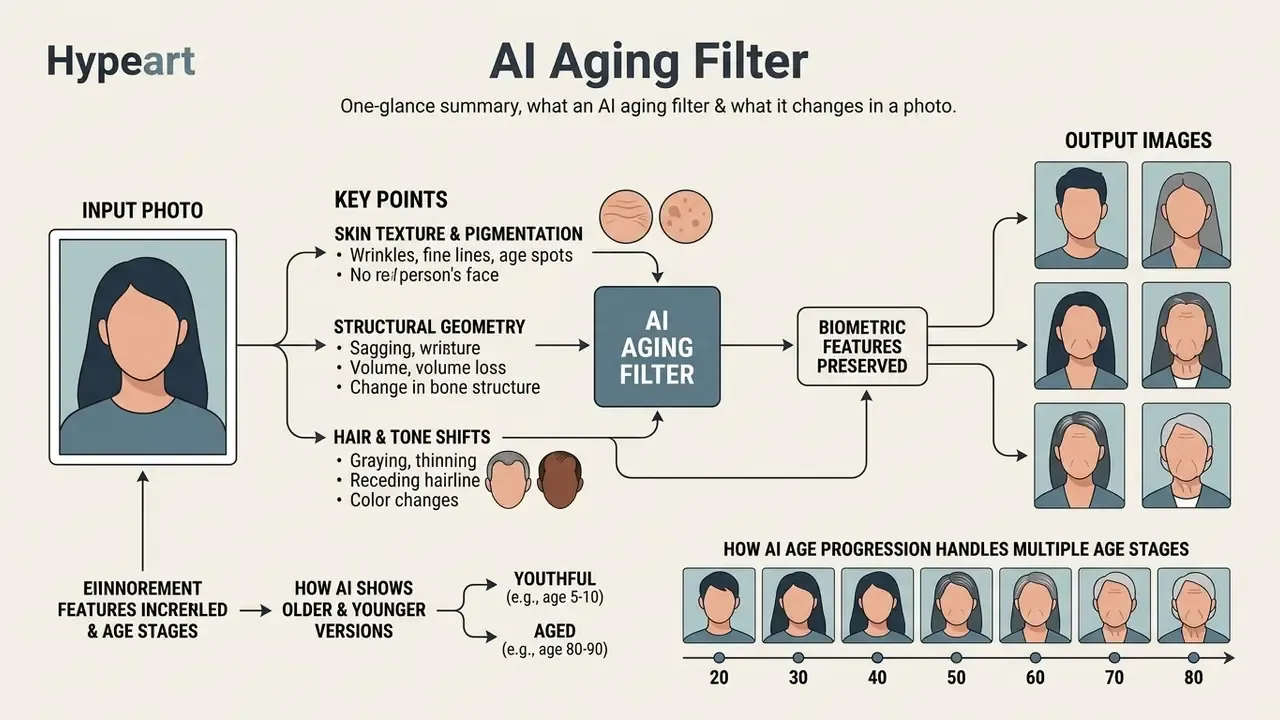
An AI aging filter is a generative computer-vision pipeline that modifies age-linked visual cues on a face photo while preserving core biometric features. Modern platforms run conditional image-to-image translation: they adjust facial attributes without rewriting who the person is.
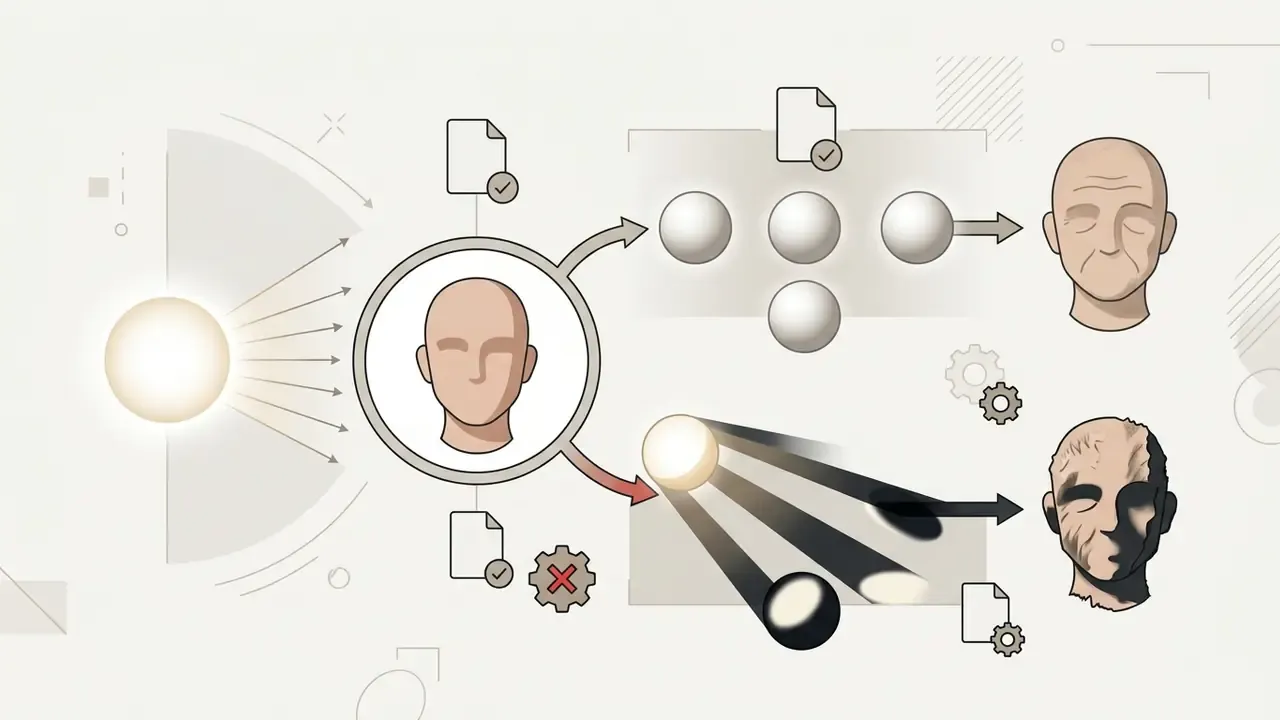
The algorithm works on two levels at once, skin texture and facial geometry.
«The diversity of aging effects appears both in skin textures, wrinkles and pigmentation, and in facial shape, including jaw contour and cheek volume.»
When you apply an AI age filter (also searched as age filter AI or aging ai filter), the model edits a fairly predictable list of markers:
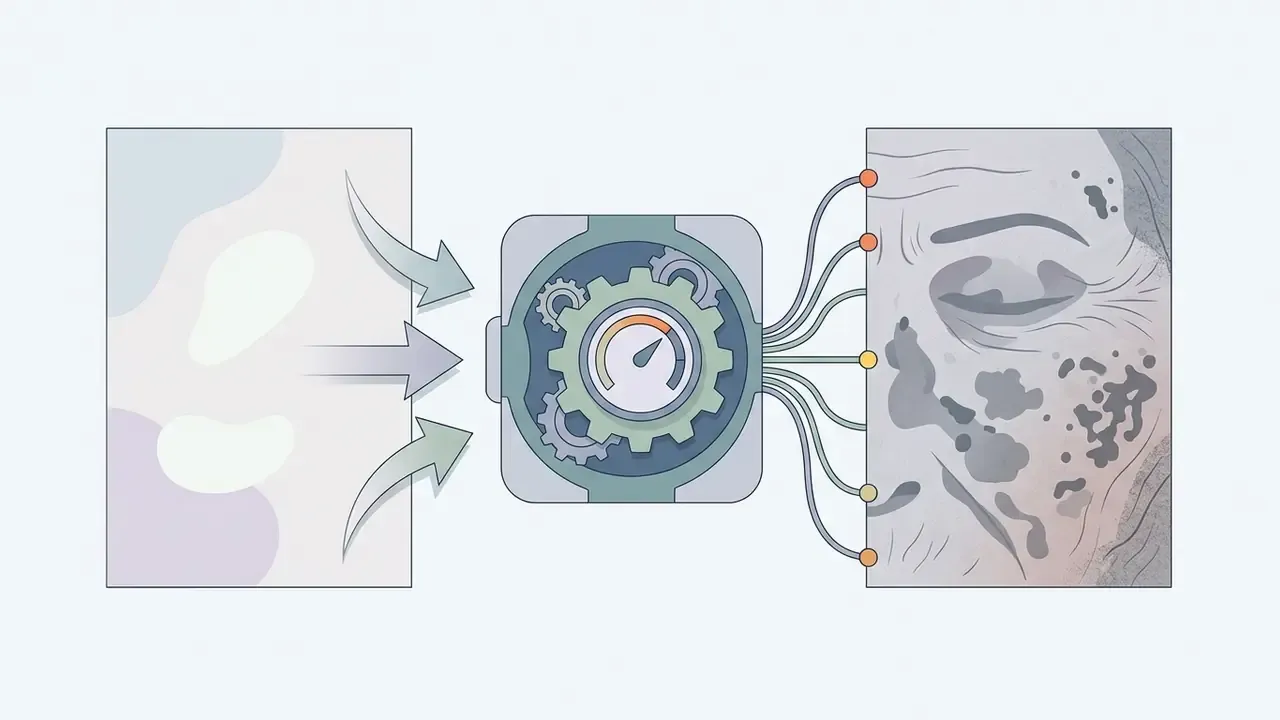
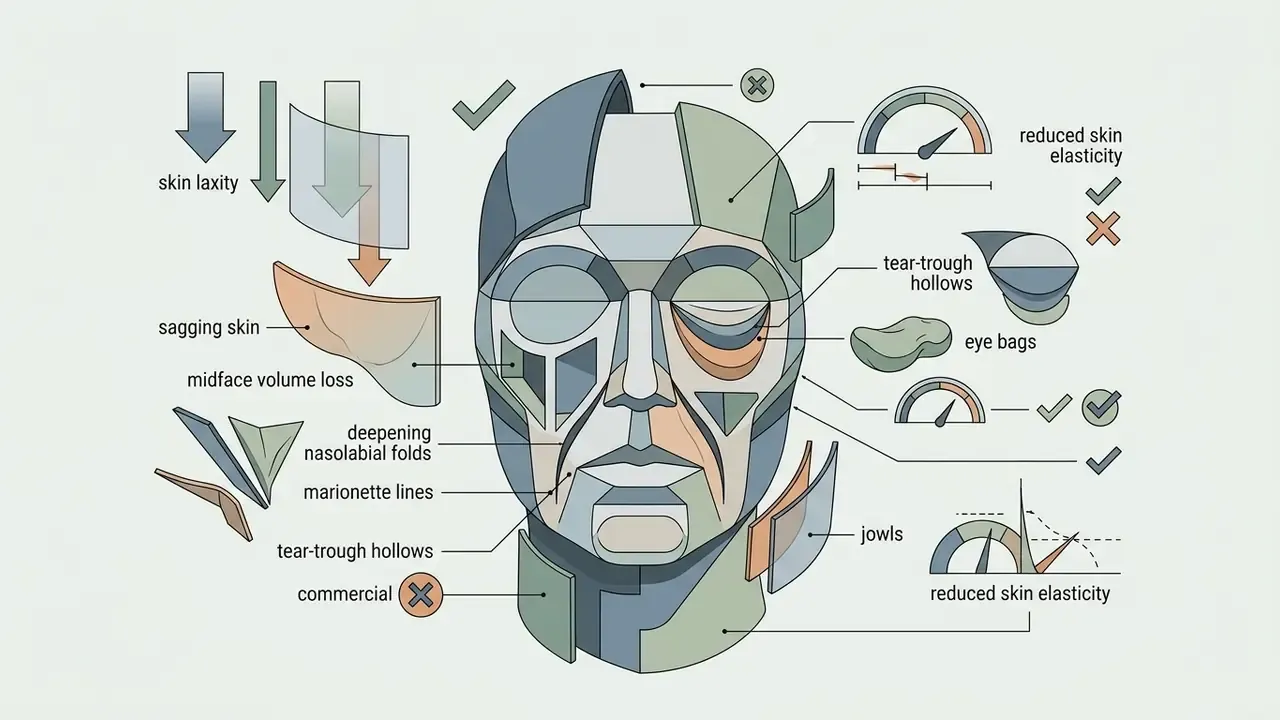
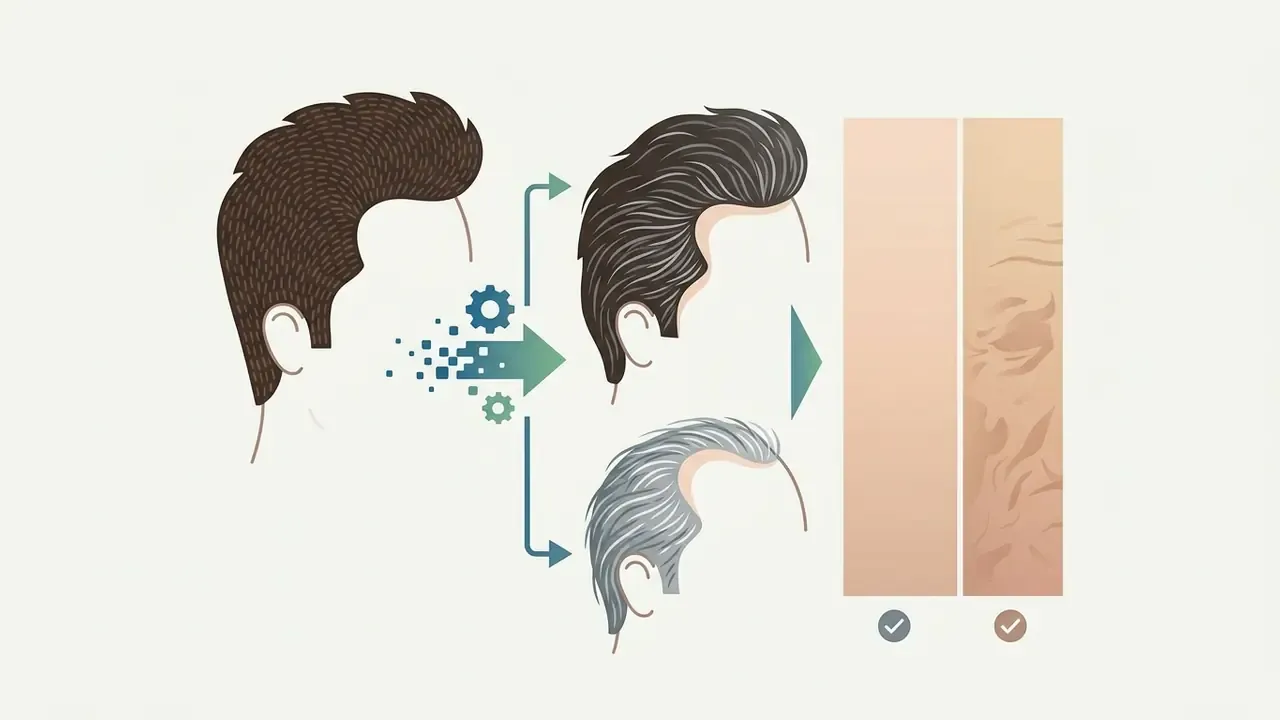
Because the edits happen as localized latent-space adjustments, a good age transformation does not stretch eye spacing or warp overall facial topology. Small detail, big difference. If you want to place this class of tool inside a broader retouching stack, the online photo editor guide breaks down feature sets, pricing tiers and export rights, and stylisation tools such as a cartoon photo editor sit in the same family of face-aware transforms.
How AI shows older and younger versions of a person
Generative models handle age regression and progression as directional vectors inside an identity-preserving latent space. The direction flips; the identity constraint does not.
«Identity-preserving latent diffusion reduces false non-match rates by roughly 44% versus baseline solutions in face verification across age gaps.»
To build an older version, the network injects age-conditioned noise that deepens nasolabial folds, adds jowling and relaxes the jaw contour. To produce a younger output, the age changer suppresses wrinkle artifacts, restores skin elasticity, reduces eye bags and tightens contours, all while keeping the subject recognisable to a human viewer. Same pipeline, opposite sign on the age vector.
How AI age progression handles multiple age stages
Modern AI age progression tools let you visualise continuous facial change across several decades from one portrait. With an age progression tool, the model maps sequential transformations from 20 to 40, then 60, then 80. Advanced multi-stage pipelines accept multiple age targets in a single session, which is what makes decade-by-decade storytelling practical rather than tedious.
«DLAT+ is positioned as the first algorithm able to generate diverse facial transformations across the full lifespan, from early childhood to advanced old age.»
Practical reference points for each stage, drawn from clinical descriptions of facial aging:
| Stage | Dominant visual changes |
|---|---|
| ~20 years | Preserved facial fullness, smooth skin, minimal lines, stable brow and eyelid contour |
| ~40 years | Deeper forehead, glabellar and crow's-feet lines; laxer upper eyelid skin; lengthening tear troughs; reduced midface projection; thinner lips |
| ~60 years | Eyes appear smaller and rounder; visible nasal elongation; pronounced jowls; thinner, less elastic, sagging skin |
| ~80 years | Advanced sagging, marked volume loss, deep folds and reduced skeletal support from cumulative bone and fat remodelling |
How to apply an AI age filter online: three steps
Running an AI age filter online takes three steps in a browser. No editing suite, no local GPU, no driver hunting. An online AI transformation happens on the vendor's infrastructure, which is convenient and, as the privacy section argues, the main reason to read the terms.
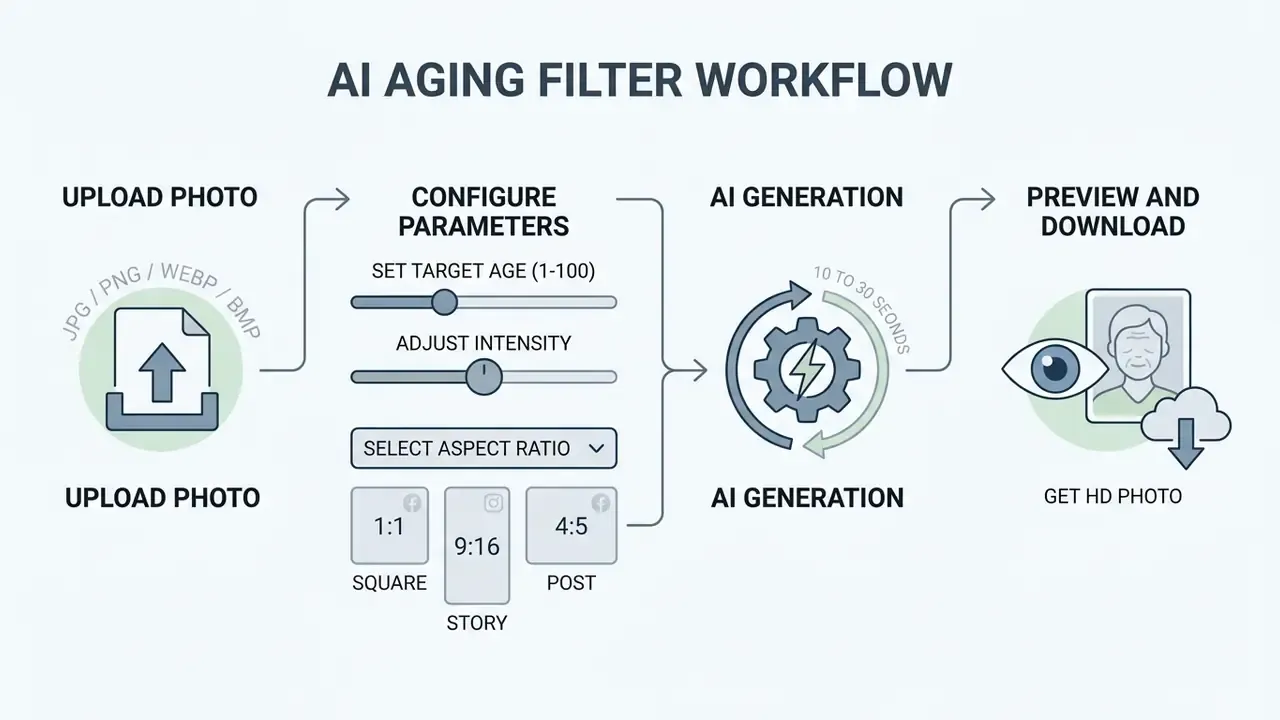
- Upload a photopick a high-resolution, front-facing photo online from your device.
- Configure parametersmove the target-age slider or select an age-group preset, then set the aspect ratio.
- Generate and saveprocess the AI image and download the finished age generator picture.
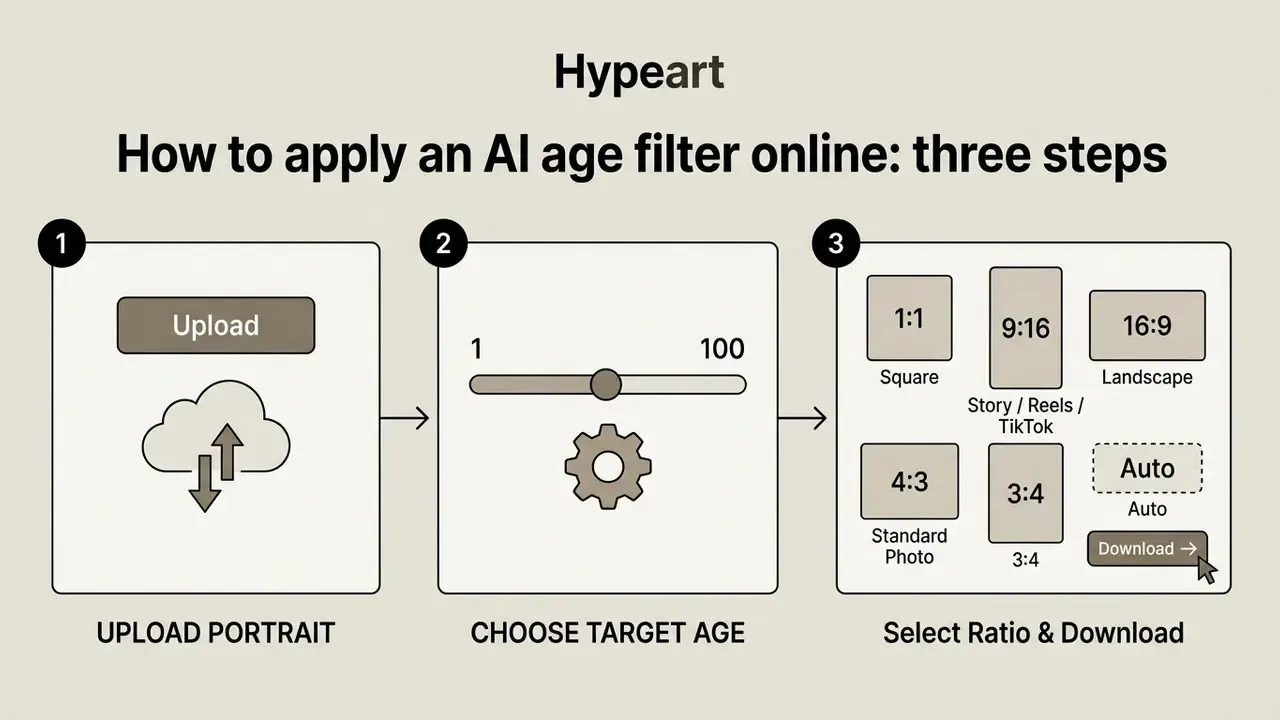
Upload a portrait or face photo
Click the upload prompt to upload a photo or upload your photo into the editor. For the cleanest result, upload a portrait with balanced lighting and a neutral expression: no heavy makeup, no sunglasses, no hands or phones crossing the face. The platform accepts standard raster images and detects facial landmarks before it touches the AI photo. Portrait-quality expectations mirror those in the AI headshot generator guide, where framing and lighting also drive output quality.
Choose the target age and direction of age transformation
Decide whether you are aging or de-aging the subject. Current services expose three control types:
- Presets by life stage: Childhood, Teenage, Adult, Senior, the fastest route for social content.
- Exact numeric target: any age from 1 to 100 years on a continuous slider, useful for decade-by-decade series.
- Effect intensity: a strength parameter running from subtle refinement to pronounced age progression, so you can trade radical transformation against identity retention.
Some tools also ask for gender, which biases hairline recession, facial-hair growth and volume-loss patterns more accurately. Worth setting rather than skipping.
Select the aspect ratio for social platforms
Choose the crop format before generation, not after:
- 1:1 (square) for avatars, profile pictures, posters and marketplace tiles;
- 9:16 (Story / Reels / TikTok) for vertical mobile content and viral challenges;
- 16:9 (landscape) for presentations, YouTube thumbnails and cover art;
- 4:3 and 3:4 (standard photo) for classic portrait proportions in print and family archives;
- Auto keeps the source framing untouched, which is safest when facial landmarks sit close to the frame edge.
Picking the ratio up front avoids a second crop pass that can slice off jawline and hair detail. Those are the two areas where aging cues read strongest.
What determines the realism of AI age progression
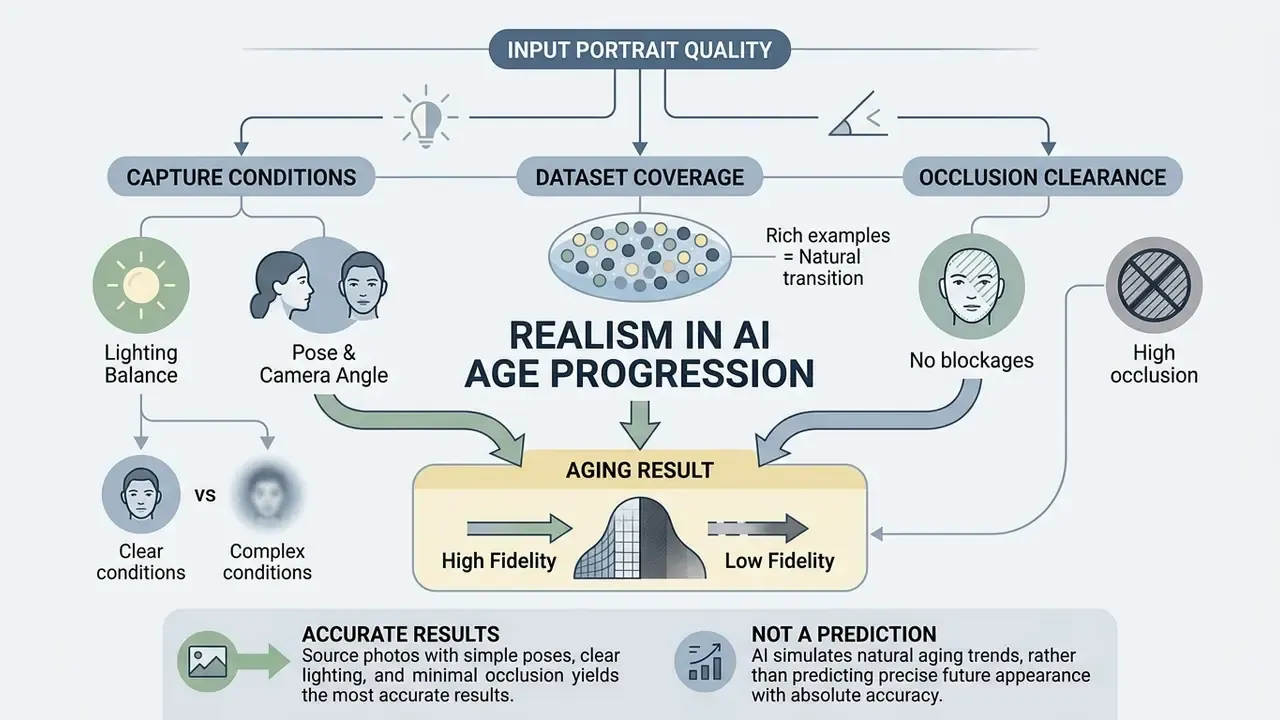
Natural aging and high visual fidelity depend on three things: input portrait quality, model training data, and capture conditions. Facial image analysis research is consistent here, neural networks need clear biometric landmarks to render realistic aging. The same dependency governs any image-to-image AI generator that reconstructs pixels around existing structure.
Key factors influencing realism:
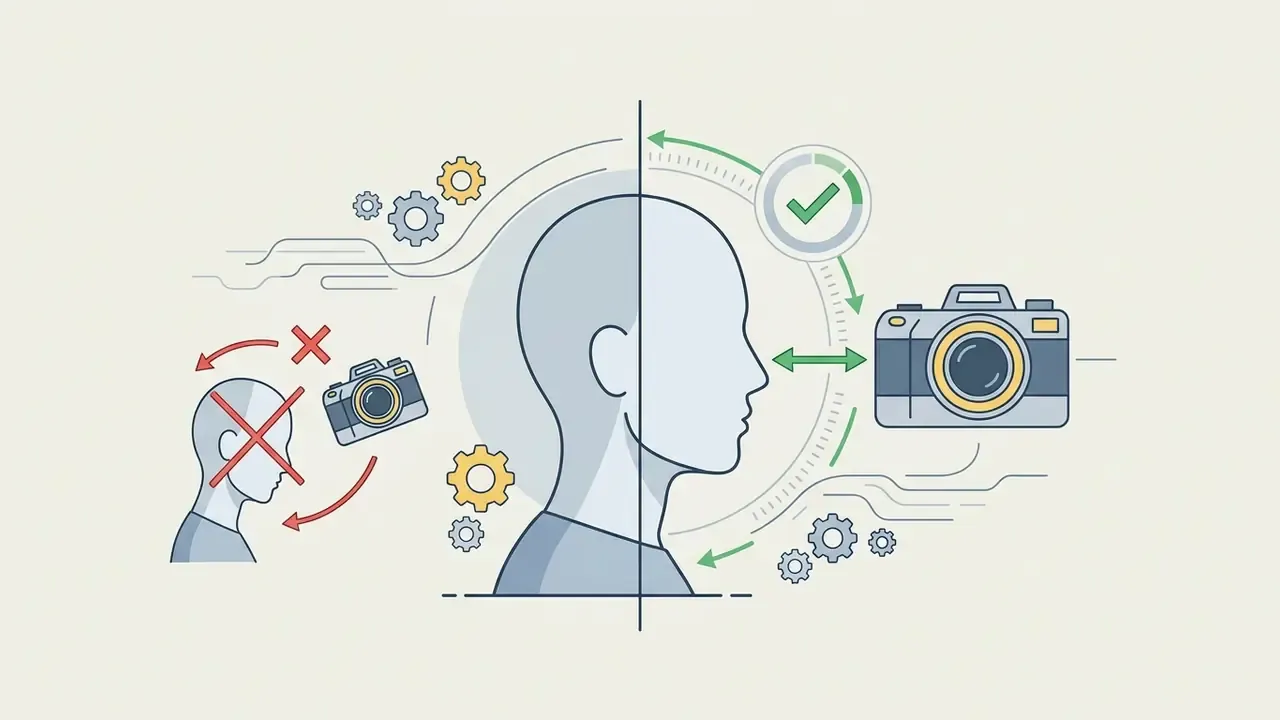
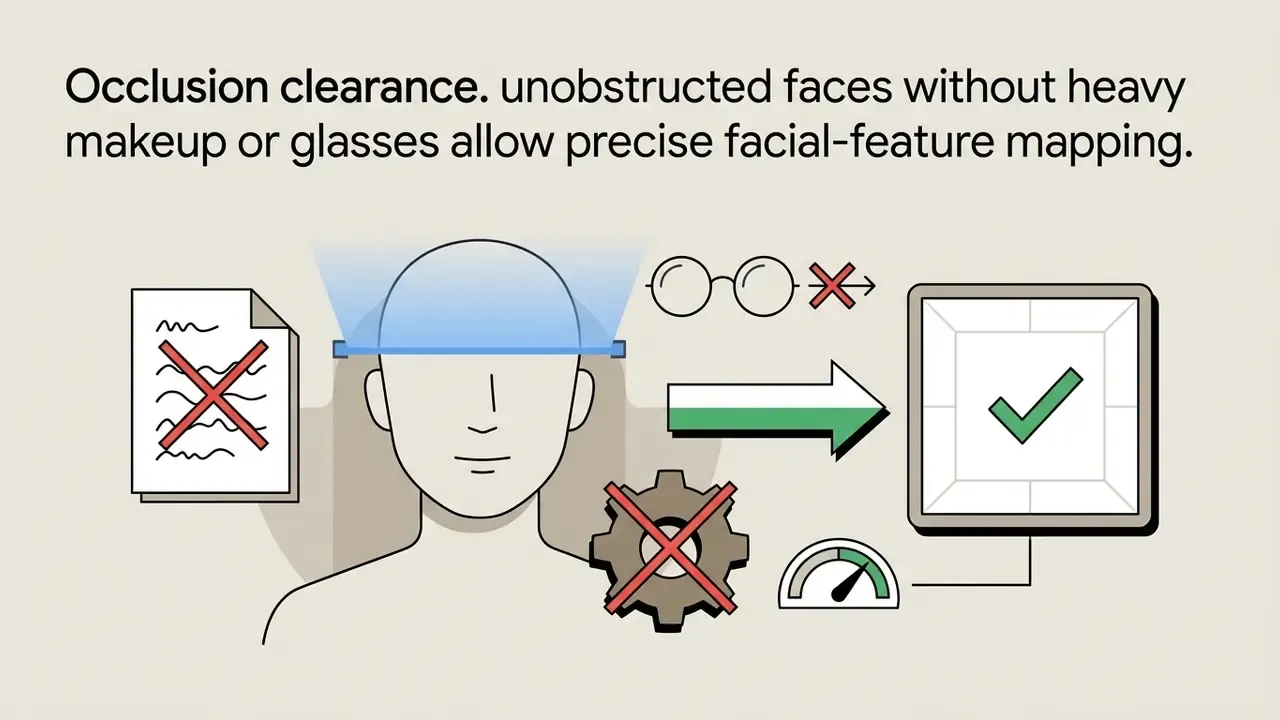
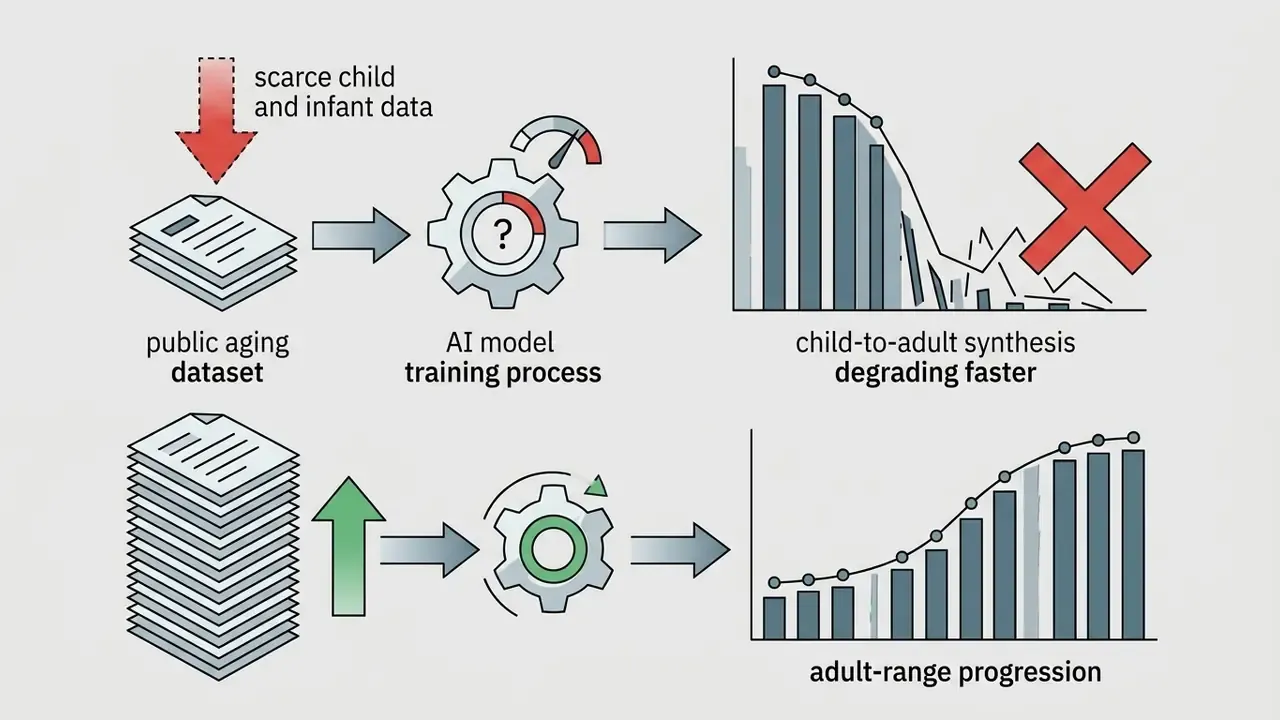
Which source photo yields a more accurate aging result
A clear face photo shot at eye level is the best substrate. According to NIST face image quality guidance (NIST IR 8525, 2024, https://nvlpubs.nist.gov/nistpubs/ir/2024/NIST.IR.8525.pdf), head rotation should stay within ±5 degrees in pitch, roll and yaw, and age-estimation accuracy degrades measurably as image quality drops. When you upload a portrait with enough sharpness (at least 90 to 120 pixels between eye centres), the network maps wrinkle trajectories without eroding identity.
«The FaceAge system reaches roughly 95% face-detection accuracy on its test set; detection quality directly conditions the accuracy of subsequent age transformation.»
If your only usable source is a small or heavily compressed file, upscale it first. Resolution recovery is a separate task, and the free photo editor comparison covers which no-cost tools retain descriptor detail on export.
Why an AI aging filter does not predict appearance with absolute accuracy
An aging filter AI generates a probabilistic visual interpretation, not a deterministic biological forecast. Human aging responds to genetics, cumulative UV exposure, sleep, smoking, medication and disease history. A single JPEG carries none of that.
Academic work frames age progression honestly as an image-synthesis problem. Papers describe it as "aesthetically rendering" a face to present aging effects, split across physical-based, example-based and deep-learning methods. Documented failure modes include ghosting artifacts, unintended shifts in perceived gender or ethnicity, and non-bijective age mappings, meaning one input legitimately maps to many plausible outputs. That last point is the one people underestimate: there is no single correct answer for how you will look at 70.
Privacy, file formats and downloading the AI-aged image
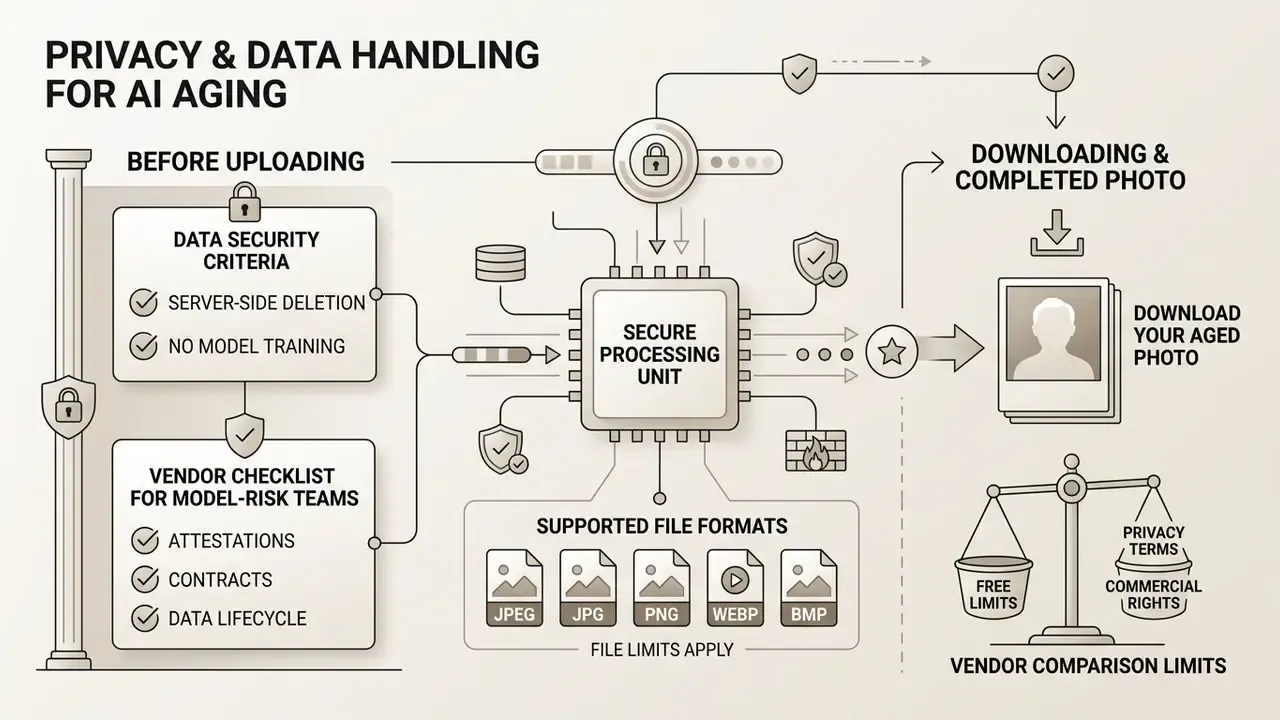
Data security and file integrity matter most when you are handing a face photo to a third party, which is why these criteria belong before the vendor shortlist, not after it. Frameworks such as GDPR and CCPA require strict data minimisation for facial images. Australian privacy guidance (OAIC, 2025) goes further on age-related processing: raw inputs and transient caches should be destroyed immediately after the operation, with only minimal, non-linkable outputs retained. If minimal data collection is your priority, the comparison of free AI art generators shows which platforms operate without mandatory accounts.
What to check before uploading a face photo
Before you run any upload a photo workflow, read the privacy policy for two non-negotiables:
- Server-side deletion: confirm that uploaded portraits, backups, derived files and transient caches are deleted automatically within 24 to 48 hours.
- No model training: confirm the vendor explicitly prohibits using customer photos for public model training, and check whether the opt-out applies retroactively or only to future uploads.
Supported formats: JPEG, JPG, PNG, WebP, BMP, and file limits
Modern platforms accept every common raster format: JPEG, JPG, PNG, WebP and BMP, typically up to 20 MB per file. WebP holds source quality at a smaller payload; BMP support means uncompressed bitmaps need no pre-conversion. Uploading lossless jpg png files between 1600×1200 and 4096×4096 pixels preserves the most descriptor detail. Capture guidance sets the practical floor lower: 640×480 minimum, with roughly 240 pixels of head width (about 120 pixels between eye centres) for reliable facial-feature mapping. In the same spirit, jpeg png exports at standard resolution are fine for social posts but weak for print.
High-resolution sources yield cleaner edge definition and smoother texture blending when you download the final aged photo. Over-compressed JPEGs do the opposite: blocking artifacts get misread as skin texture, and the model happily "ages" compression noise. When the original is too small, run an upscaling pass first. The AI art generator comparison lists platforms that bundle resolution enhancement with generation.
Vendor checklist for model-risk and security teams
How to choose a free AI age generator for personal and commercial tasks
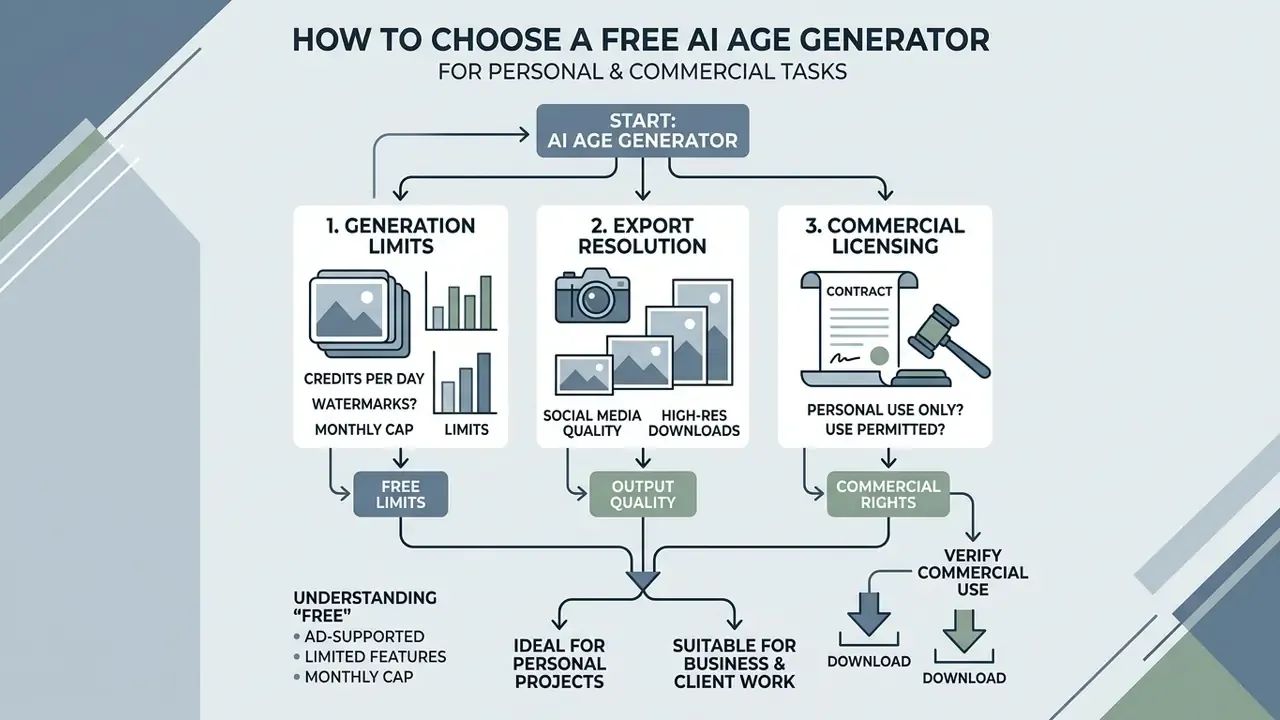
Choosing a free AI generator comes down to three variables: generation limits, export resolution, and commercial licensing. Plenty of platforms advertise an age filter AI free tier, yet capabilities diverge sharply between web portals and mobile apps. For a wider view of commercial-use conditions across generative tools, the Canva AI generator licensing overview shows how export rights and plan tiers interact, and the AI Media Commercial-Use hub collects the underlying rules.
What "free" actually means in an AI age filter online
Most AI age generator free offerings are freemium. A free age tier usually includes a small daily credit allowance, observed patterns range from 1 to 2 transformations per day, to 3 images per month, to 5 lifetime generations, or standard-resolution downloads only. Watermark-free HD exports, 1K/2K/4K output and batch processing normally require an account or a paid plan. If you want to model the real cost across a campaign, compare options on a per-asset basis rather than per subscription.
Put plainly, "free" is often paid in data and marketing consent rather than money. Which is exactly why the privacy checklist above sits earlier in this article than tool selection.
Online tool or AI age generator app
Web-based online age platforms run in the browser with no installation and behave identically on Windows, macOS, Linux, iOS and Android. An AI age generator app, by contrast, adds native camera capture, larger touch targets (a documented usability gain for older users) and offline editing, but requests broader device permissions. Mobile privacy research keeps flagging the same issues inside consumer photo apps: embedded third-party trackers, leaking web traffic, weak access controls. Reporting on large aging apps describes cloud processing with server-side deletion after 24 to 48 hours and locally stored encryption keys, a mixed model rather than genuine on-device inference. The selection logic in the reverse-image-search tool comparison applies here too: the platform label matters far less than documented data handling. To scan adjacent categories, open the hub of side-by-side reviews.
Verifying commercial-use rights and image downloads
Before you put an AI-generated portrait into paid media, read the Terms of Service. Under US Copyright Office guidance, purely AI-generated output that lacks human creative contribution cannot hold copyright; only the human-authored selection, arrangement or editing layer is protectable. EU Parliament research lands in the same place, so exclusivity cannot be claimed on the raw generation. Separately, and this catches teams out, using a real individual's likeness in commercial campaigns needs explicit right-of-publicity consent no matter how deep the transformation goes.
«Synthetic aged faces are already applied in customs and national-database systems: such deployments require controlled licensing agreements rather than consumer "free" terms.»
| Platform / Tool | Free access | Sign-up | Format (App / Web) | HD download | Commercial use | Stated retention | No-model-training claim | Enterprise controls (SOC 2 / ISO / private cloud) |
|---|---|---|---|---|---|---|---|---|
| GoStudio AI | Yes (unlimited) | Not required | Web online | Yes | Personal use | Not published | Not stated | Not published |
| CubistAI | Starter credits | Required | Web online | Yes (credits) | Limited by licence | Not published | Not stated | Not published |
| ImagineArt | 100 credits | Required | Web / App | Yes | Pro plan required | Not published | Not stated | Not published |
| AILabTools | Free previews (ages 1 to 85) | Not required | Web online | Yes (HD) | Check Terms | Not published | Not stated | Not published |
| Pixelbin age tool | Yes (free tier credits) | Optional for basic use | Web online | Yes | Check Terms | Not published | Not stated | Not published |
Where a cell reads "not published", the vendor's public pages did not state the parameter at the time of review. Treat that as an open question for procurement, not as a negative answer.
What to use an AI age filter for: personal, social, creative and business projects
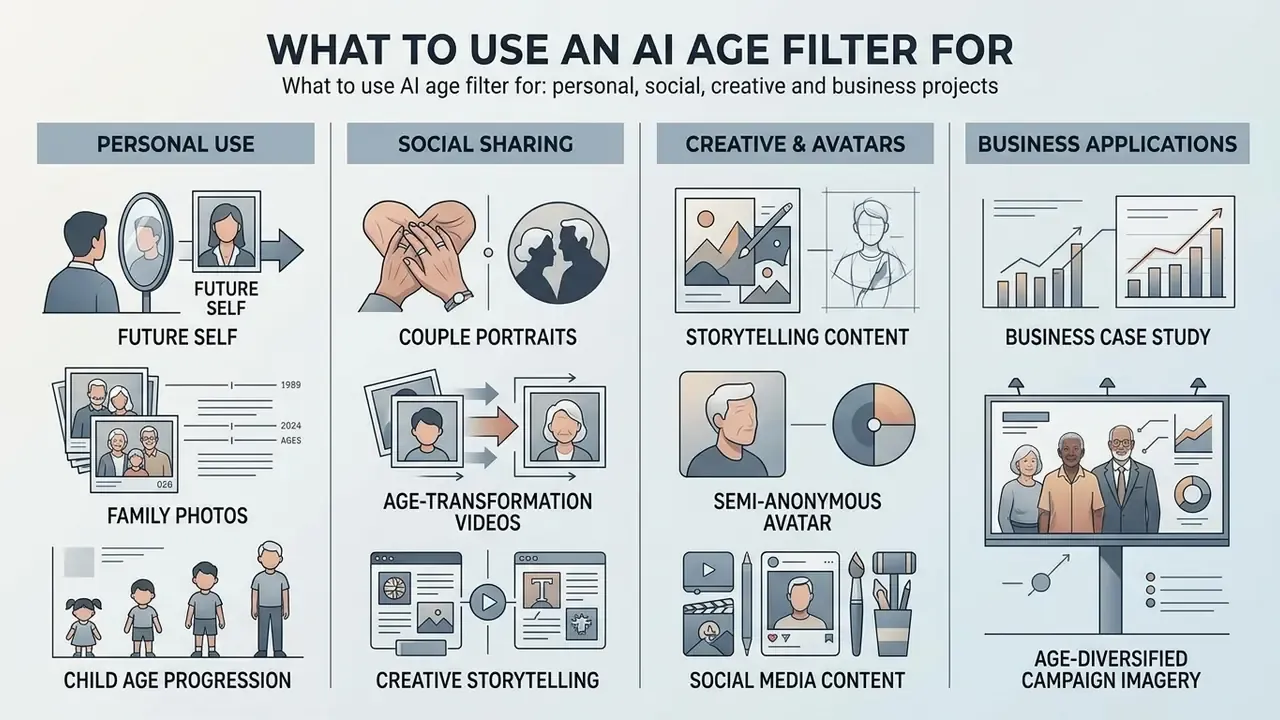
An age generator picture serves more purposes than the viral one. Families, archivists, storytellers and marketing teams all use the same age picture generator mechanics for different ends, from TikTok challenges to campaign assets and memorial albums.
Future self, family photos and age-based imagery
Seeing your future self is a genuinely interesting psychological experiment. Longevity researchers have long argued that viewing an aged self-image nudges people toward more deliberate long-term planning, and that claim still reads as a hypothesis rather than settled fact. It needs stronger public data before anyone builds a retirement product narrative on it.
«A content analysis of 681 TikTok videos using the aged filter found 50% expressed aging anxiety, 12% aging confidence and 8% framed aging as beautiful.»
Families run the same pipeline for retrospectives: reconstructing how a grandparent might have looked at 40, or building keepsake sequences across decades for a wedding anniversary or memorial album. Animated versions of those sequences can be assembled with an animation maker workflow, and a lighter stylised pass through a cartoon picture maker works well for children's albums.
Child age progression: modelling how a child will grow up
AI can "fast-forward" baby and childhood photographs to show how a child may look as a teenager or adult. Place the generated result next to a parent's own childhood photo and inherited traits become directly comparable: eye shape, nose bridge, jaw proportion. This is the single most popular family scenario. One caveat, and it is not minor: public aging datasets under-represent infants and young children, so child-range synthesis is less stable than adult progression. Treat it as playful, never predictive.
Couple portraits: how we will look growing old together
Upload a joint photograph, or process two portraits with identical age targets and intensity settings, and you get the "growing old together" frame that couples share on anniversaries. Processing each face separately and compositing afterwards usually beats a single group pass, because per-face inference preserves individual landmark alignment and prevents one partner's skin texture bleeding into the other's. Wardrobe experiments belong in a different tool, for example a change clothes photo editor rather than the aging pipeline.
Turning photos into AI age-transformation videos
Diffusion models no longer stop at still frames. Short five-second clips can carry a continuous transition from youth to old age, and that format performs strongly in Reels, Shorts and TikTok.
Example generation prompt:
Cinematic 5-second video showing a seamless age transformation of the person from youth to old age, maintaining identity, lighting, facial structure and the original background. The subject stays centered and still, with a calm, direct gaze toward the camera.
Keep the subject motionless in the source frame and hold the lighting constant. Camera motion multiplies identity drift frame by frame. Publishing workflows for these clips are covered in the YouTube video editor guide.
An aged photo as a semi-anonymous avatar
Applying an aging filter shifts surface appearance enough to complicate casual visual recognition. It does not reliably defeat automated facial recognition, and it was never designed to. Identity-preserving models exist to keep biometric cues intact.
«Synthetic aged faces improved recognition accuracy across a 40-year gap by 3.33% over the baseline model: aged avatars can remain identifiable to biometric systems.»
People still use stylised aged portraits as privacy-conscious avatars on forums, dating profiles and gaming platforms, balancing self-expression against exposure. Call it pseudonymity, not anonymity. Dedicated de-identification research relies on controllable identity offsets precisely because ordinary aging filters preserve too much. To check whether a published avatar is already flagged as synthetic, run it through an AI-image detection pass and a reverse-image-search check.
Business case study: age-diversified campaign imagery
Situation. A financial marketing team needed age-diversified imagery for a retirement planning campaign but had no budget for multiple photo shoots. Hypothetical and illustrative, though the constraint is familiar enough.
Action. The team processed approved employee portraits through an identity-preserving AI age generator, applied targeted age progression settings, maintained biometric consistency across assets, and documented right-of-publicity consent for every subject.
Result. The campaign shipped on schedule with 12 realistic age-specific visual assets, cutting production cost by roughly 65% while staying inside brand and legal guidelines.
Adjacent regulated use cases exist beyond marketing. NIST IR 8525 (2024) names digital advertising and age-tailored advertisement among face-based age-estimation applications, while EU AI Act guidance (2025) treats age as a primary vulnerability category. Translation for a compliance owner: age-based profiling and child-directed creative need legal review before launch, not after the first flight.
FAQ about AI age filters
Can I process a photo with several people in it?
Most online AI age filter platforms detect each face in a group photo and run per-face inference. Accuracy falls off when secondary subjects are partially occluded or out of focus, and no standardised pipeline returns a single coherent "group age" result. For group and couple photos, process each portrait separately, then combine them in a final edit.
How fast does an AI age generator produce a result?
Modern online AI models on optimised GPU infrastructure return a transformed image in 10 to 30 seconds. Speed varies with server load, input resolution and the specific generative architecture. Anyone searching for age progression online with instant results should expect that window rather than true real time.
«Few-step diffusion models such as SDXL-Turbo deliver fast inference at high image fidelity, making near real-time generation practically achievable.» - Cradle2Cane, arXiv (2025)
Is a watermark applied to the finished photo?
On most free tiers, no. The output downloads at standard resolution without watermarks or service logos. Some vendors reserve watermark-free or HD export for registered or paid accounts, so confirm the export policy before you build a campaign around one tool.
Can I de-age a face instead of aging it?
Yes. The AI age changer runs in both directions. Move the slider left, or choose the Childhood or Teenage preset, to smooth wrinkles, reduce eye bags, restore midface volume and tighten contours. Quality is strongest inside adult ranges, because child and infant data are under-represented in public training sets.
How accurate is the resulting age in years?
The algorithm models visual aging signals (volume loss, wrinkles, pigmentation, greying) from statistical patterns in training data. It is an artistic visualisation of a probable appearance, not a biological or medical prediction. Even dedicated biological-age estimators report mean absolute errors of roughly 3.5 to 9.5 years, so read any specific number as an illustration.
Do I need to register or install an app?
No. The tool runs entirely online in any modern browser on desktop, iOS and Android, with no account and no third-party software on free tiers. Native apps do exist and add camera capture plus offline editing, but they request broader device permissions. Read their data-collection terms first.
Can I use an AI aging filter output in a regulated financial campaign?
Only with documented consent and a licence that permits commercial use. Two clearances are needed: the platform's terms must allow commercial distribution, and the depicted individual must have granted right-of-publicity consent in writing. Purely synthetic output carries no copyright, so exclusivity cannot be assumed either. Keep the consent record, the vendor terms version and the generation parameters together as audit evidence.
Appendix A: editorial revision log
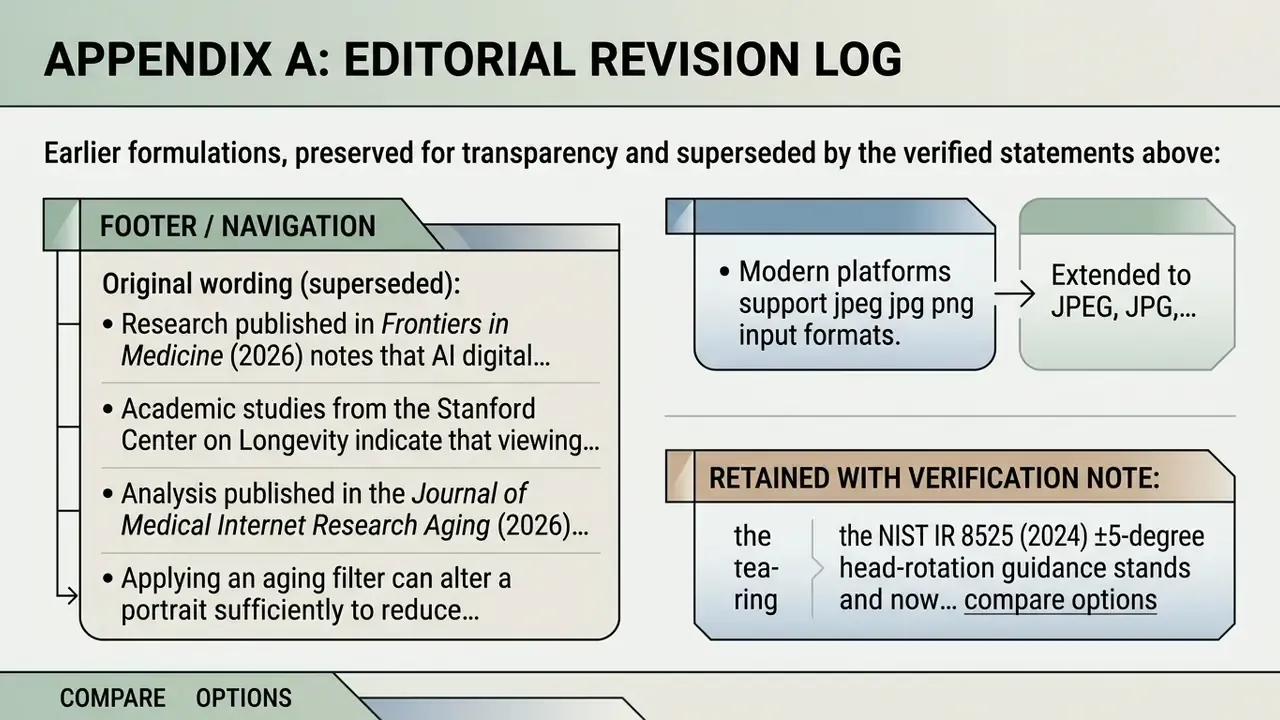
Earlier formulations, preserved for transparency and superseded by the verified statements above:
- Original wording (superseded): "Research published in Frontiers in Medicine (2026) notes that AI digital phenotyping provides an illustrative visualization of pattern change, not an independent medical measurement." Replaced in the main text by the brain-age prediction package comparison (ICC 0.94 to 0.98; MAE 3.56 to 9.54 years), which supplies verifiable error metrics. The Frontiers framing remains directionally consistent: AI-derived digital phenotyping should be read as a view of visible phenotype change, not an independent biological measurement.
- Original wording (superseded): "Academic studies from the Stanford Center on Longevity indicate that viewing an aged version of oneself can positively influence long-term financial planning." Reformulated as a hypothesis requiring further data; the verified TikTok/JMIR Aging content analysis now carries the quantitative claim.
- Original wording (superseded): "Analysis published in the Journal of Medical Internet Research Aging (2026) documented millions of user posts built around viral aging filters." Replaced by the same journal's methodologically described content analysis of 681 TikTok videos across seven thematic clusters.
- Original wording (superseded): "Applying an aging filter can alter a portrait sufficiently to reduce immediate facial recognition indexing while preserving demographic representation." Corrected, since identity-preserving pipelines are explicitly designed to retain biometric cues, and synthetic aged faces have been shown to improve cross-age recognition accuracy.
- Original wording (superseded): "Modern platforms support jpeg jpg png input formats." Extended to JPEG, JPG, PNG, WebP and BMP with a 20 MB upload ceiling, matching current service specifications.
- Retained with verification note: the NIST IR 8525 (2024) ±5-degree head-rotation guidance stands and now carries a direct link to the published NIST document.