Last updated: 2026 edition. Reviewed for: technical accuracy, privacy posture, and commercial-use compliance.
Executive Summary
- What it does an ai clothes changer photo editor replaces tops, bottoms or full outfits in a photo using conditional latent diffusion, neural human parsing and pose conditioning, while leaving the face, posture and background pixels untouched.
- Three input modes one-click presets (3 to 5 seconds), reference garment upload for exact pattern fidelity, and text prompts for fully custom apparel. A manual Photoshop equivalent takes 30 to 90 minutes.
- Quality reality check modern diffusion try-on reaches SSIM ≈ 0.918 and FID ≈ 8.82 on standard benchmarks. Yet 2D image diffusion still does not model physical fit, fabric pressure or true garment sizing.
- Governance reality check independent audits found 65% of virtual try-on websites transmit uploaded user photos to third-party servers, and 37% of collecting sites use vendors capable of extracting facial geometry. Treat free consumer tools as Shadow AI until vetted.
- Legal reality check purely AI-generated visuals without substantial human creative direction are not registrable with the US Copyright Office, and any recognizable real person requires a written model release before commercial deployment.
- Who this is for individual users updating a headshot, e-commerce teams scaling catalog imagery, and risk or compliance leaders assessing whether staff should be using browser-based generators at all.
Key Decisions This Guide Helps You Make
Four decisions, in the order most teams actually face them.
- Method choice.Preset, prompt or reference-image try-on, based on how much pattern fidelity the asset really needs.
- Quality gate.What to inspect before you press download, so a warped hand does not reach a live product page.
- Vendor risk.Whether a browser tool may touch employee or customer photographs at all, and on what written terms.
- Commercial rights.Whether the output can legally appear in a paid campaign, a catalog listing or a regulated disclosure.
Changing attire in photographs historically required painstaking manual masking and multi-layer compositing in desktop software. Today an ai photo clothes editor uses conditional latent diffusion, neural segmentation and pose-estimation architectures to alter garments automatically. Whether you need an ai photo editor change clothes online free utility for personal styling, or an ai change clothes in photo online free workflow for commercial mockups, browser-based models can replace tops, bottoms or full outfits in seconds.
What Is an AI Clothes Changer Photo Editor?
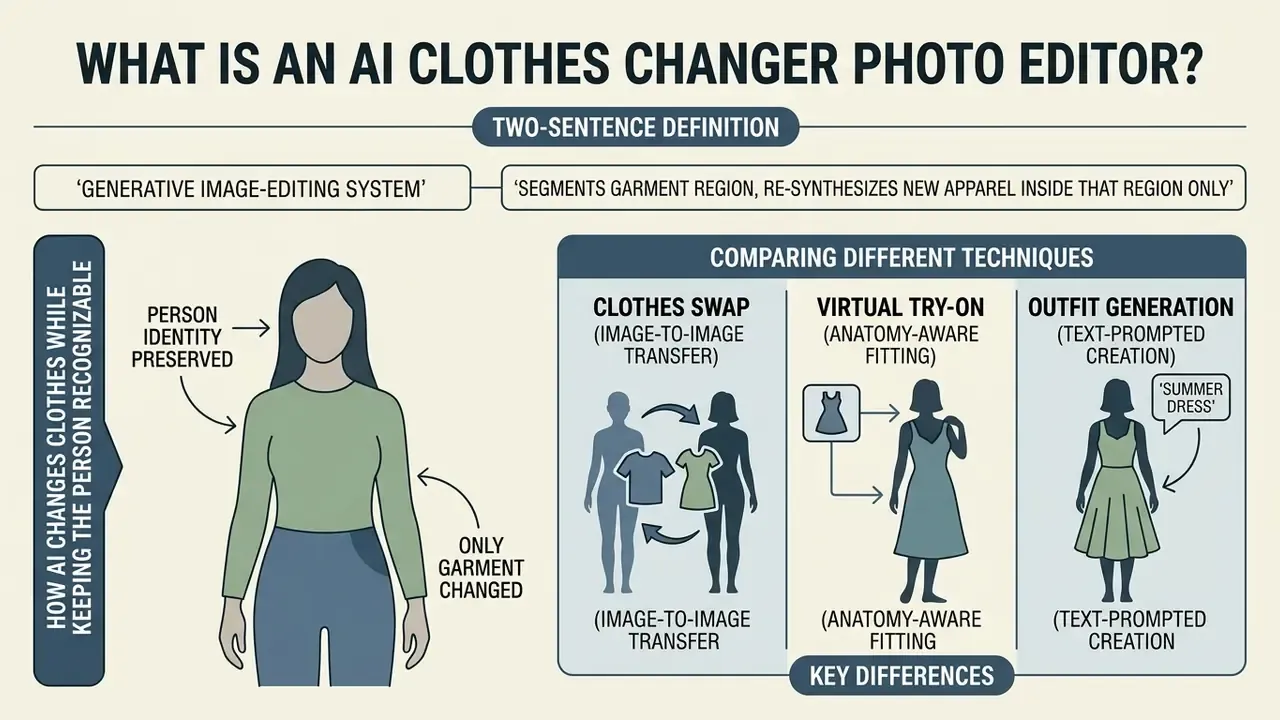
In two sentences: an AI clothes changer is a generative image-editing system that segments the garment region of a photo and re-synthesizes new apparel inside that region only. Everything outside the mask, including face, hair, hands and background, is mathematically locked against modification.
An ai clothes changer photo editor is an automated generative image modification system. It identifies garments within a photo and replaces them with target apparel while leaving the surrounding scene intact. Rather than manually cutting out fabric pixels, the underlying photo editor ai leverages conditional diffusion backends (latent diffusion UNets, or Diffusion Transformers) combined with spatial masking. When you process a person photo, the ai clothes changer isolates the target clothing region, converts the remaining visual elements into structural conditioning signals, then synthesizes new fabric textures directly onto the subject. If you are still mapping the broader tooling landscape, our reference material on AI photo editors explains how garment editing fits alongside retouching, background replacement and upscaling functions.
Recent academic benchmarks show that diffusion-based models have replaced legacy Generative Adversarial Networks (GANs) for apparel editing. According to a comprehensive survey of deep-learning virtual try-on methods, structural similarity (SSIM) for paired try-on tasks climbed from 0.761 in early GAN frameworks to a peak of 0.918 by 2023, while average Fréchet Inception Distance (FID) fell from 21.957 in 2018 to 8.606 in 2023, with the strongest diffusion implementations reaching FID 8.82.
"By 2023 the leading diffusion models reached SSIM 0.918 and FID 8.82, while average FID declined from 21.957 in 2018 to 8.606 in 2023."
That shift lets a modern clothes photo editor synthesize complex textile drapes, realistic shadows and accurate fabric weaves while running entirely inside a web browser. No local GPU, no installed software, no manual layer masking.
How AI changes clothes while keeping the person recognizable
An ai photo editor change clothes free tool maintains human subject recognition by decoupling identity features from garment attributes during the denoising process. When an image upload is submitted, human parsing modules (such as SCHP) and pose estimators (DensePose, OpenPose) construct a clothing-agnostic representation of the subject. This isolates facial geometry, hair boundaries, skin tone and skeletal posture from the original clothing.
To preserve facial identity without alteration, the pipeline applies targeted inpainting masks and cross-attention adapters. Methods like IP-Adapter inject identity-preserving embeddings, while structural models like ControlNet enforce fixed pose and depth contours (Stable Diffusion ControlNet Documentation, 2023, https://github.com/lllyasviel/ControlNet). In models like IDM-VTON, dual encoders process high-level garment semantics alongside low-level spatial features. The result: the synthesized generated image reflects the new outfit while the face, expression and physical proportions stay unchanged.
"IDM-VTON employs two separate encoders: high-level garment semantics are fed into cross-attention layers, while low-level textures are routed into self-attention layers."
Because facial geometry is preserved rather than regenerated, garment swapping is frequently paired with corporate portrait workflows. Readers standardizing team imagery can compare adjacent tooling in our guide to AI headshot generators.
Clothes swap, virtual try-on, and outfit generation: what is the difference?
Casual users tend to group every automated fashion edit under one label, a change clothes photo editor. Computer vision research is stricter, and splits these operations into three technical modalities.
- Clothes swap (image-to-image transfer). Replaces existing garments on a subject using a secondary reference photo of a garment. Systems like CatVTON concatenate the person photo and reference outfit image directly into the latent space, transferring exact patterns, logos and textures.
"CatVTON removes 167M parameters from the backbone and trains only 49.57M parameters, roughly 5.51% of the full UNet, while cutting memory consumption by 49%."
- Virtual try-on (anatomy-aware fitting).Simulates how a specific retail garment drapes across an individual's physical body shape and posture. Advanced frameworks incorporate 3D-aware semantic point matching, such as SPM-Diff, which maps fabric tension and structural alignment over anatomical joints.
- Outfit generation (text-prompted creation).Synthesizes completely new apparel from natural language instructions, with no reference garment photo at all. Systems like AnyDesign (AnyDesign: Mask-Free Versatile Fashion Editing, 2025) use vision-language alignment models to interpret descriptions such as "navy blue cashmere turtleneck" and generate matching apparel on the target subject.
How to Change Clothes in a Photo Online for Free
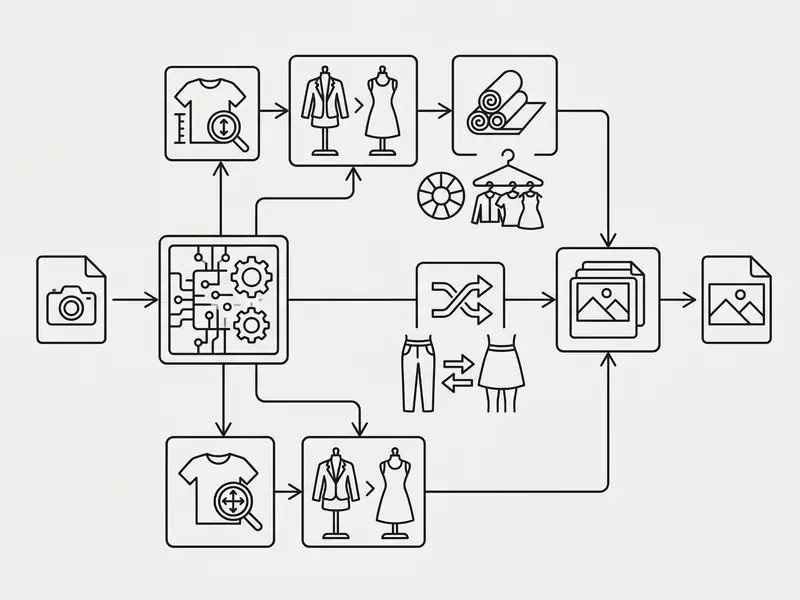
In two sentences: the free browser workflow is four steps, upload, mark the clothing zone, define the replacement garment, then generate and export. No installation, no local GPU, and no manual masking skill required.
To ai change clothes in photo online free, users submit a base photo, define the clothing area to modify, specify the new attire via text or image reference, and trigger the neural rendering engine. Modern browser tools execute this without software installation or local GPU hardware. For a wider view of zero-cost editing suites, see our overview of free online photo editors.
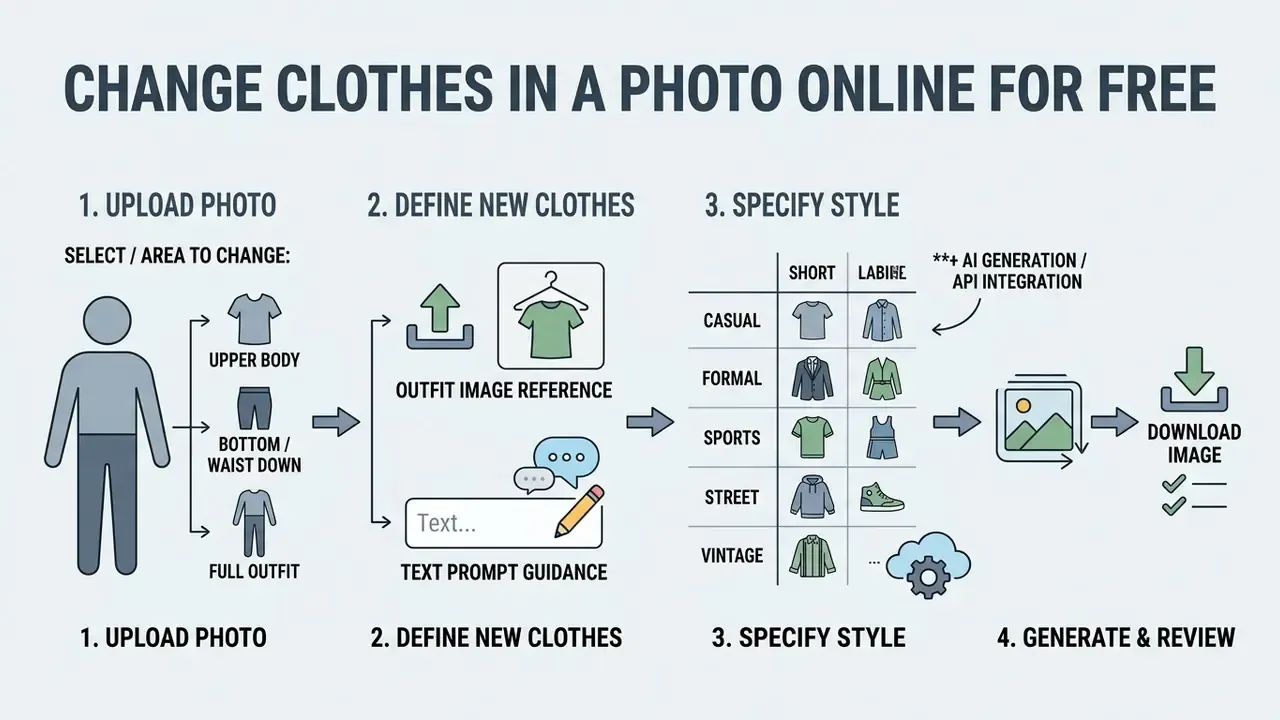
- Upload your photo: select a clear, well-lit JPEG or PNG file featuring a single subject.
- Select the clothing target: highlight the upper body, lower body, or full outfit region.
- Define the new apparel: supply a text prompt or upload an outfit reference image.
- Render and download: click generate, review the preview for realism, export the edited image.
Upload a clear person photo and choose the clothing area
The quality of the ai photo editor change clothes online free result depends heavily on input quality. When you upload your photo, choose an image where the subject stands or sits straight, with minimal body occlusion (arms not crossed tightly over the torso, for instance). Standard web editors support png jpg jpeg formats.
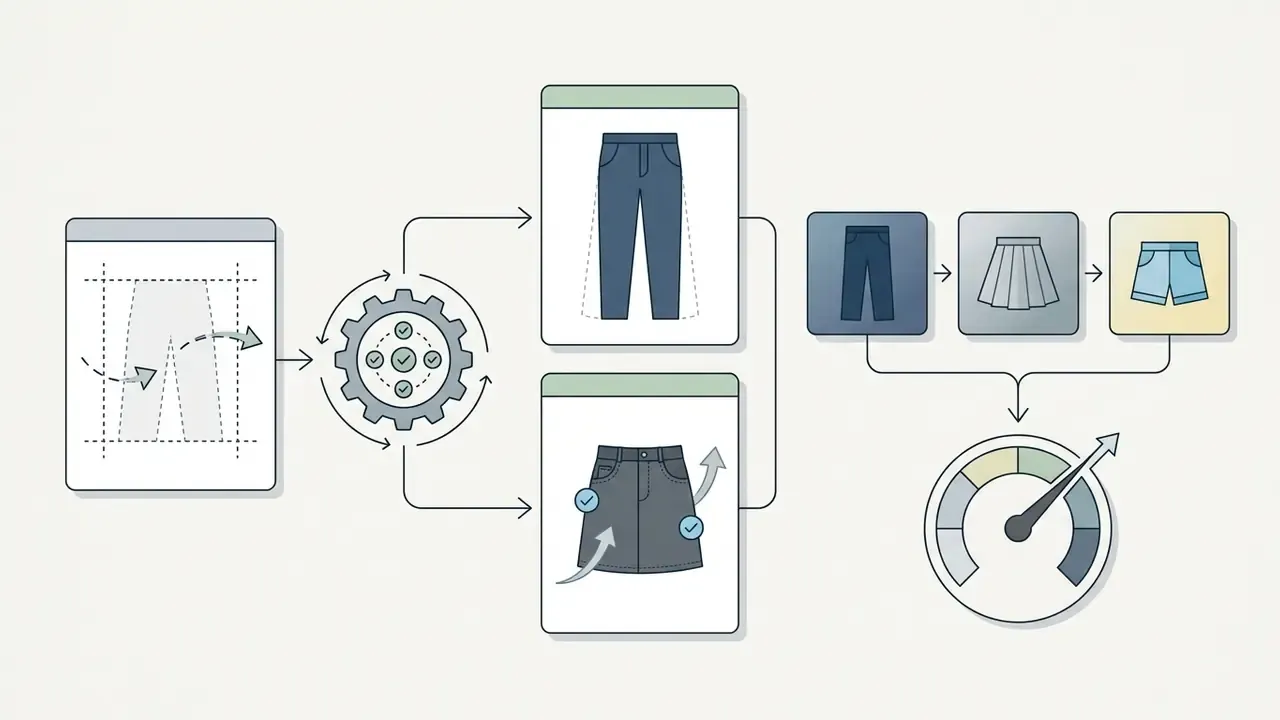
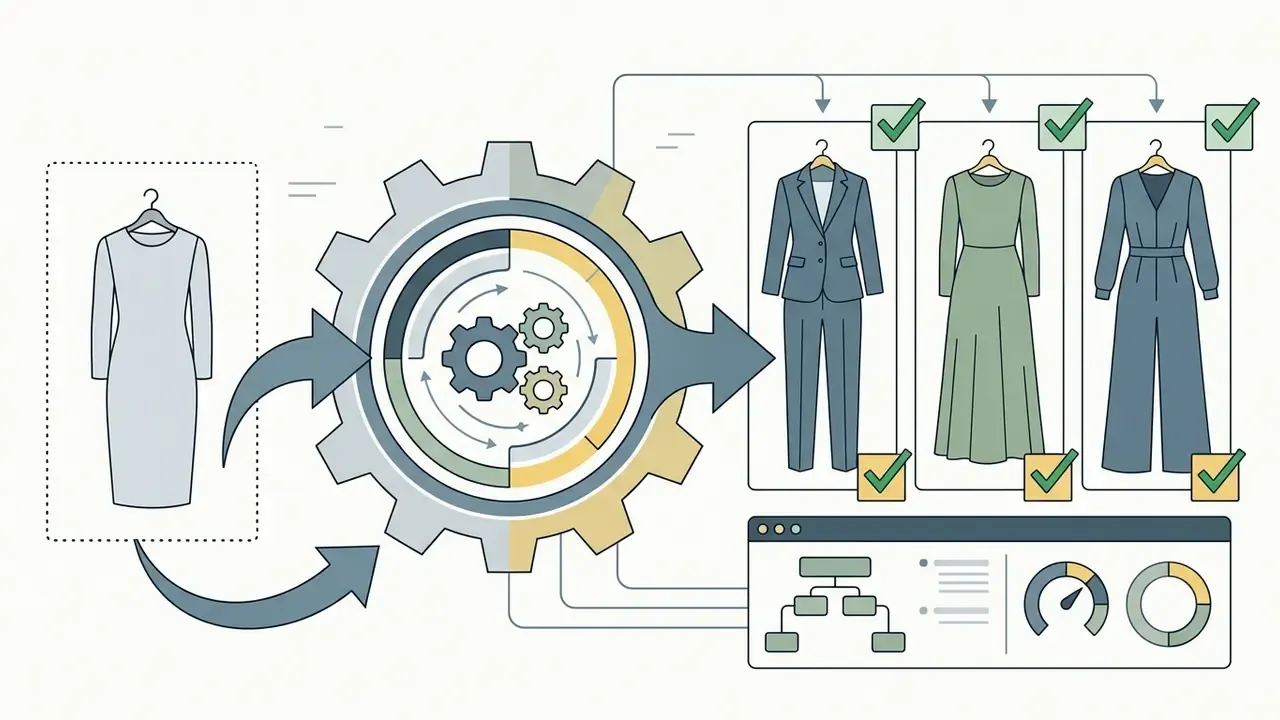
Once the image upload is complete, the tool asks you to select the edit region. Automated segmentation algorithms can detect clothing boundaries on their own, but manual selection brushes let you isolate specific garments:
Add clothes from an outfit image or describe them with text
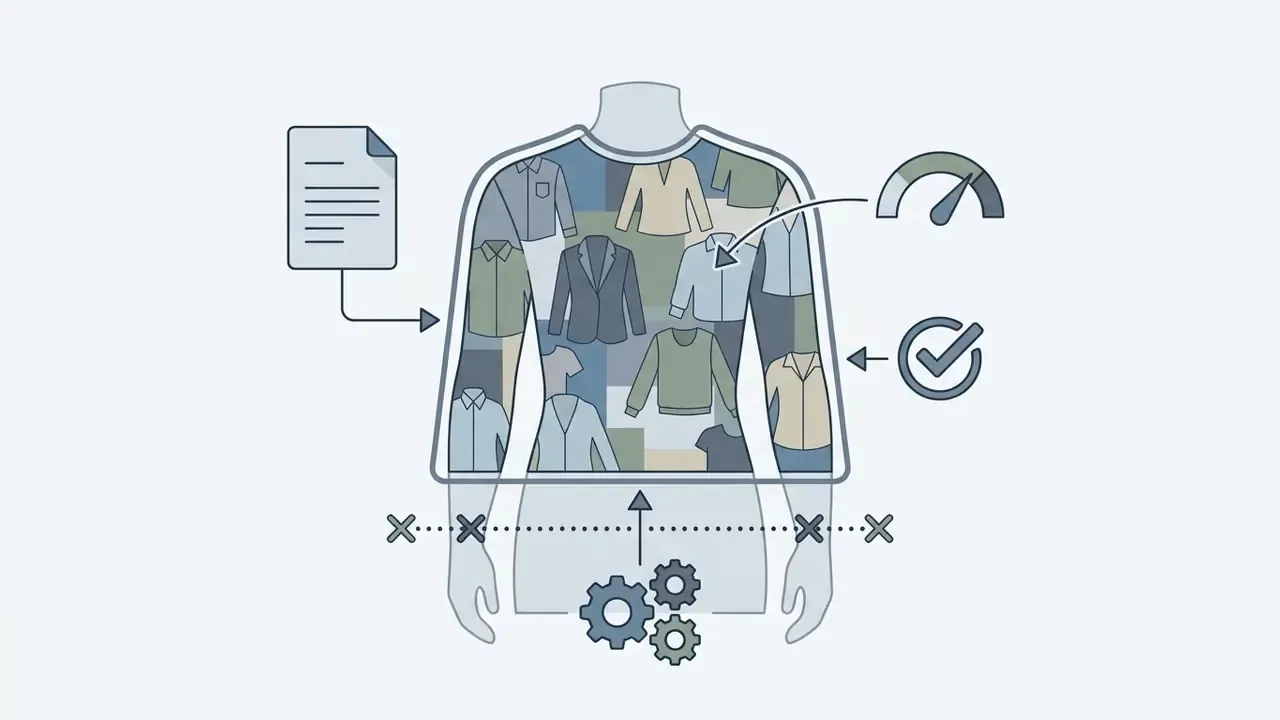
After marking the edit zone, define the replacement attire using one of two input methods.
- Outfit image reference. Upload a product photo or flat-lay image of the garment you want to transfer. Tools built on GarDiff analyze the reference item's texture, weave and brand markings using dedicated feature adapters, which keeps reproduction fidelity high on the person photo.
"GarDiff adds a garment-focused adapter and an appearance loss, reproducing stripes, checks, and small motifs more accurately than baseline models."
- Text prompt guidance. Input natural language descriptions specifying material, cut, color and style. Prompting "dark grey double-breasted wool blazer, crisp white shirt" instructs the latent diffusion model to construct fabric textures from learned semantic priors, without any pre-existing photo of the jacket.
Generate, review, and download the edited image
Clicking generate initiates the latent denoising process, which typically takes 3 to 15 seconds depending on server load and model complexity. The ai tool change clothes in photo free returns a high-resolution preview of the generated image.
Before executing a download, inspect the key evaluation areas: verify that garment edges align naturally with skin boundaries, check that fabric folds match the subject's lighting environment, and confirm background elements adjacent to the shoulders and waist remain undistorted. If visual artifacts appear, adjust the selection mask or refine the text prompt, then run a second generation pass.
Pre-download quality inspection sequence:
- Anatomical integrity. Check hands, fingers, shoulder joints and neckline for warped or merged geometry, the most frequently reported artifact class in generated imagery.
- Mask leakage. Confirm no fragments of the original garment (collars, cuffs, hems, buttons) remain visible around the mask edge.
- Texture coherence. Zoom to 100% and verify that fine patterns, houndstooth, polka dots, lace, pinstripes, are not squeezed, stretched or smeared across curved surfaces.
- Light and shadow match. Ensure garment shading direction matches facial and background lighting, and that cast shadows fall on the correct side.
- Background preservation. Compare original and generated files side by side to confirm non-masked pixels (walls, foliage, furniture) were not re-synthesized.
- Regeneration decision. If two or more checks fail, refine the mask boundary or add explicit prompt constraints, then run a second pass rather than accepting the flawed export.
One practical habit from testing: keep the original open in an adjacent tab. Eyeballing a single file makes leaked collars almost invisible.
Ways to Add or Change Clothes with AI
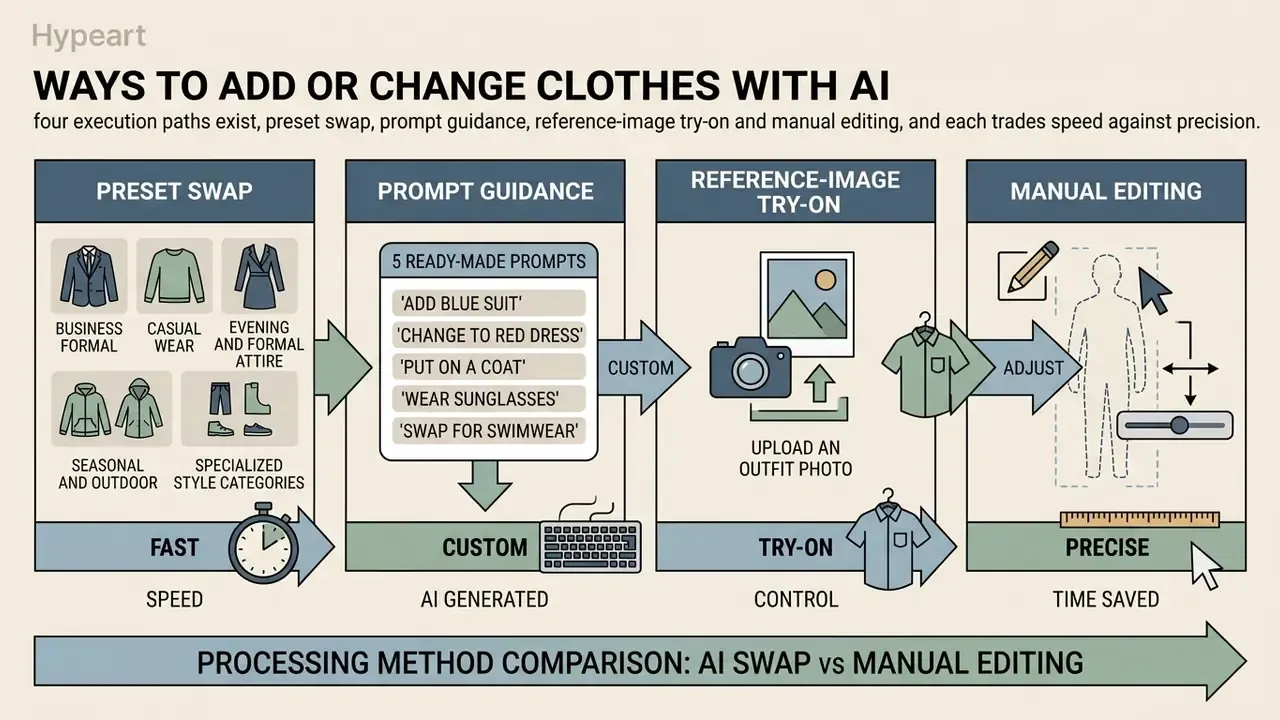
In two sentences: four execution paths exist, preset swap, prompt guidance, reference-image try-on and manual editing, and each trades speed against precision. Choose the fastest method that still satisfies your fidelity requirement.
An ai photo editor change outfit platform provides several operational modes for different visual tasks, from fast preset swaps to granular prompt engineering. Which one is optimal depends on whether you need a standardized dress code or a custom fashion visual.
| Mode / Feature | Primary Input | Best Used For | Key Advantage |
|---|---|---|---|
| Preset styles | Menu selection (Business, Casual) | Rapid headshot updates, basic wardrobe shifts | Zero prompt effort, predictable composition |
| Outfit image reference | Garment reference photo | Catalog try-on, e-commerce matching | Exact pattern and logo fidelity |
| Custom text prompting | Descriptive text string | Concept creation, tailored custom clothing | Unlimited style flexibility, custom textures |
Processing method comparison: AI swap vs manual editing
Choosing the appropriate workflow depends on required turnaround speed, technical expertise and precision.
| Execution Method | Average Time | Technical Skill Needed | Preserves Fabric Texture | Best Used For |
|---|---|---|---|---|
| AI preset swap | 3 to 5 seconds | None (1 click) | High (synthetic prior) | Fast profile updates, casual social posts |
| AI prompt guidance | 5 to 15 seconds | Basic (text description) | Medium-high (generative) | Conceptual designs, custom wardrobe creation |
| AI reference image (VTON) | 10 to 20 seconds | Low (upload outfit) | Ultra-high (latent transfer) | E-commerce catalogs, exact garment matching |
| Manual Photoshop editing | 30 to 90 minutes | Advanced (layer masking, frequency separation) | Pixel-exact (manual) | Ultra-high-res print media, legacy archival edits |
The practical implication is straightforward. Manual retouching still wins on absolute pixel control for print-grade assets, but it costs 300 to 1,000 times more operator time per image. For volume work, catalogs, profile refreshes, regional ad variants, generative swapping is the only economically viable path.
Use preset styles for fast outfit changes
Preset modes let users apply change clothes photo editor configurations with a single click. These templates use pre-tuned embedding vectors optimized for common dress codes, so nobody has to write a complex prompt or source a garment photo.
Popular preset categories in an ai clothes changer include:
- Business formal two-piece tailored suits, button-down dress shirts, blazers and ties suitable for corporate directory photos. Business-casual variants extend to khakis, dark non-distressed denim, polos and cardigans.
- Casual wear denim jackets, cotton t-shirts, polo shirts, cardigans and casual sweaters for everyday profile images.
- Evening and formal attire evening gowns, cocktail dresses, tuxedos and relaxed evening wear for event announcements.
- Seasonal and outdoor trench coats, winter jackets, linen beachwear, swimwear and athletic apparel.
Specialized style categories for targeted try-on
To streamline wardrobe exploration across distinct personal and commercial needs, presets are grouped by apparel domain and demographic target.
| Target Category | Apparel Styles Included | Primary Application and Lighting Model |
|---|---|---|
| Women's fashion | Cocktail dresses, evening gowns, summer sundresses, high-waisted trousers, blouses, streetwear sets | Personal style try-on, retail catalog rendering; optimized for fluid fabric drapes |
| Men's fashion | Tailored suits, tuxedos, Oxford shirts, casual polos, denim and leather jackets | Corporate headshots, LinkedIn profile updates; structured shoulder line enforcement |
| Specialized and heritage | Traditional attire (saree, kimono, hanbok, cheongsam), wedding gowns, cosplay apparel, uniforms | Cultural events, costume design previews, creative visual storytelling |
| Active and outdoor | Thermal parkas, tracksuits, gym compression apparel, swimwear, hiking shells | Outdoor brand campaigns, fitness profile customization; high-contrast daylight priors |
Upload an outfit photo for an AI clothes swap
When exact visual replication is mandatory, say you are trying on a specific garment from an online store, you should upload an outfit photo alongside your personal photograph. An ai to change clothes in photo engine uses cross-attention layers to extract local patterns, fabric drapes and graphical prints from the garment source.
Research published in CVPR 2024 indicates that concatenating reference garment features directly into UNet self-attention layers preserves complex patterns, houndstooth, floral motifs, brand typography, far more effectively than text prompts alone.
"TPD concatenates the masked person image and the garment image along the width dimension, letting self-attention layers transfer texture without additional cross-attention encoders."
This mode makes an ai photo clothes changer online free environment genuinely useful for digital wardrobe cataloging. Technically it belongs to the same family as general-purpose image-to-image generators, which transform an existing photo rather than creating one from scratch.
Create custom clothes with AI prompts
For specialized visual assets that presets and available garment photos cannot cover, users can lean on custom clothes prompting. Entering detailed descriptions into an ai to change outfit in photo generator gives precise control over fabric weight, seam detailing and color palettes.
Effective prompt structure follows a standardized hierarchy:
[Garment Type] + [Silhouette/Fit] + [Fabric/Material] + [Color/Pattern] + [Styling Details] + [Lighting]
Entering "a fitted midnight-blue velvet blazer with satin lapels, over a matte black silk shirt" gives the neural engine specific material constraints, which produces realistic light reflectance across different fabric types. Recent prompt-engineering guidance for fashion generation converges on four mandatory pillars: material (fiber plus surface behavior), silhouette, construction detail and context.
5 ready-to-use AI clothing prompts for high-fidelity swaps
Targeted micro-edits: color swaps and pose adjustments
Advanced diffusion interfaces support localized adjustments without a complete garment swap.
- Color variant testing. Modify only the color space of existing clothing (a red sweater shifted to sage green, for example) while preserving identical weave pattern, shadow placement and fold geometry. It is the fastest way for merchandisers to preview a colorway before sampling.
- Posture realignment. Pair clothing swaps with pose-estimation conditioning (ControlNet OpenPose) to re-orient the subject's shoulders or arms slightly, presenting garments from better lighting angles without a reshoot.
- Partial-zone editing. Change only a shirt, only a skirt, or only outerwear while leaving remaining garments byte-identical. Useful for layered looks where a single item is under test.
How to Get Natural and Realistic AI Outfit Results
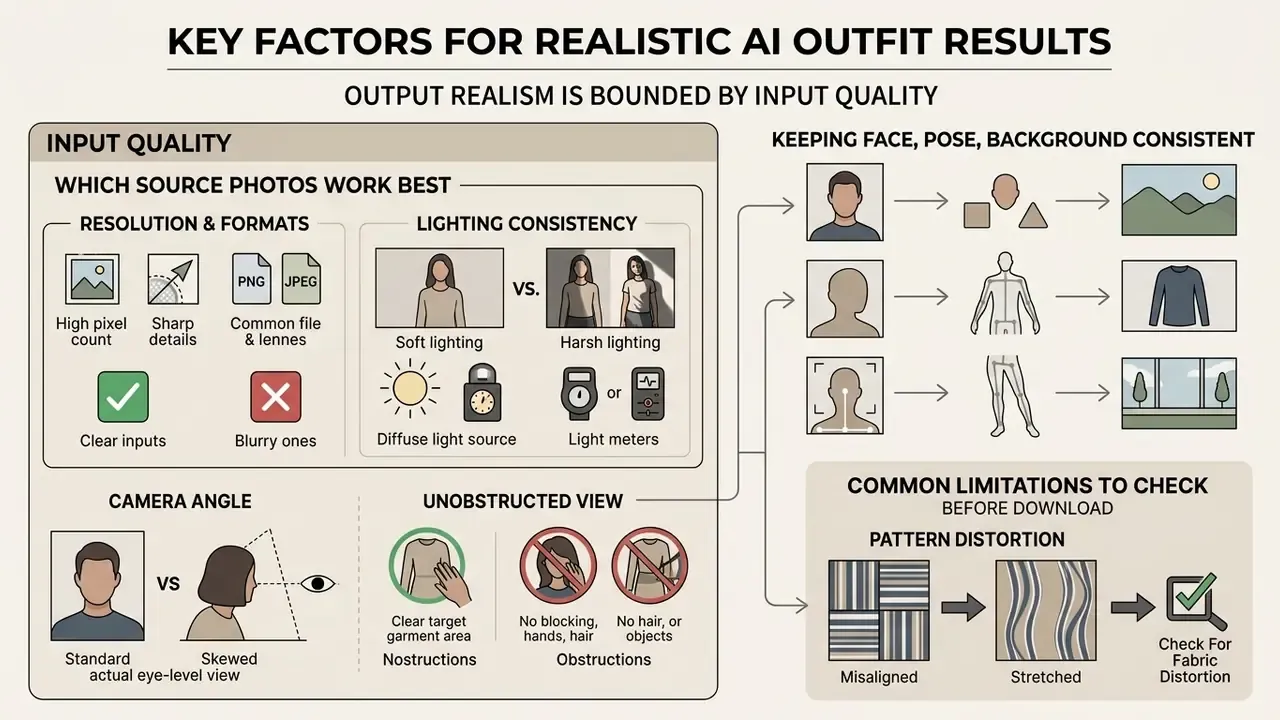
In two sentences: output realism is bounded by input quality, meaning resolution, even lighting and an unobstructed garment area. Model architecture cannot recover detail that was never captured in the source pixels.
Achieving photographic realism with an ai photo editor change clothes and background pipeline requires specific input conditions. Machine learning models depend on high-quality source pixels to infer depth, surface normals and lighting angles correctly.
"SPM-Diff reaches SSIM 0.911 and FID 8.202 on VITON-HD by matching semantic garment points to body points through local flow-warping with 3D cues."
Which source photos work best for changing clothes
The performance of any ai tool to change clothes in photo free process is constrained by the uploaded source file. To maximize generation fidelity:
- Resolution and formats. Supply high-resolution images (minimum 1000px on the shortest edge; 4MP is the practical professional floor) in standard png jpg jpeg formats. Higher pixel density gives sharper guidance for boundary segmentation. If your source sits below that threshold, run it through an AI upscaler before submission, not after.
- Lighting consistency. Use evenly lit photographs with soft, diffused shadows and no glare or specular reflections. Extreme side-lighting or direct flash can confuse the model's texture-blending subroutines, which shows up as mismatched shading between neck and collar.
- Camera angle. Shoot square-on to the subject, without tilt or steep side angle. Off-axis captures increase warping error at the shoulder and hip seams.
- Unobstructed view. Avoid photos where hands, long hair, bags or straps overlap the garment area. Occlusions often produce masking artifacts, with fabric textures bleeding into fingers or hair strands.
How to keep the face, pose, and background consistent
Maintaining environmental and physical continuity matters when you add clothes to photo ai. Advanced ai tools for changing clothes in images apply latent preservation mechanisms that isolate non-target pixels during inference.
By confining the denoising process strictly inside a binary clothing mask, the model leaves background elements untouched, whether that is an office wall texture or an outdoor landscape. Depth-conditioned pose estimation then keeps body stance, shoulder elevation and head tilt identical to the original capture. Face-swap and try-on literature converges on the same control set: face alignment, background, hair and skin segmentation, pose conditioning from the target image, and mask-aware post-processing to remove residual original clothing.
Common AI clothes change limitations to check before download
Despite fast progress in generative architecture, synthetic clothing replacement carries documented operational limits.
- Pattern distortion. Fine-scale grids, small polka dots and intricate lace can warp during anatomical fitting, especially around joints or a twisted torso. Papers targeting this defect separate global fit deformation from dynamic wrinkle deformation, because the two behave as distinct constraints.
- Pose-angle error growth:
"At hip torsion angles above 60°, waistband fold generation error in hybrid VTON models reaches 11.2 mm, five to six times the 2 mm tolerance acceptable for made-to-measure apparel."
- Volumetric mismatch. Bulky garments such as heavy down jackets, applied over thin base layers, may cause unnatural boundary overlaps around arms and shoulders.
"Most existing models focus on a single garment item and fail to handle inter-garment occlusion and texture blending in multi-layer outfits."
- Color drift. Subtle pastel tones or metallic sheens can shift hue under synthetic rendering, depending on the ambient lighting color space.
- Mask leakage and hallucination. Inaccurate masks cause unnaturally regenerated hair and hands, "ghost" remnants of the original garment, VAE compression noise, and hallucinated logos, text or trims that never existed on the reference item.
FACT CHECK / E-E-A-T WARNING: visual concept vs physical fit
Use Cases for an AI Photo Clothes Changer
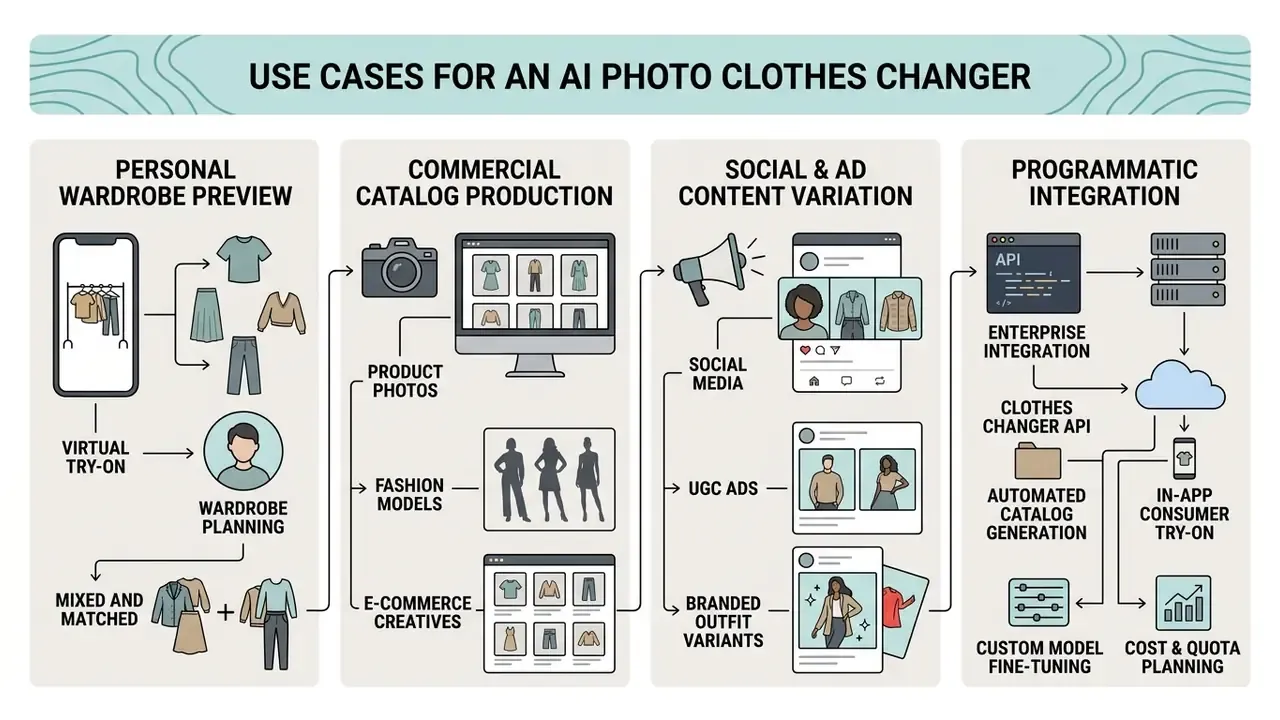
In two sentences: adoption clusters into three intents, personal wardrobe preview, commercial catalog production, and social or ad content variation, plus a fourth, programmatic API integration. Each intent differs mainly by input source and required fidelity.
An ai clothes changer photo editor serves diverse operational applications across personal styling, retail commerce and digital content creation. Rights and restrictions differ sharply between these intents, which is why we maintain a dedicated reference on commercial use of AI image generators.
Virtual try-on and wardrobe planning
Consumers use an ai change outfit in photo free utility to evaluate personal wardrobe combinations before buying. By applying digital garments onto personal photographs, buyers assess style compatibility, color harmony and outfit proportions without visiting a physical store or ordering multiple sizing samples. Smart-wardrobe research describes the mature version of this loop as three steps: catalog the user's existing items, assemble looks by occasion and preference, then render the selected look on the user's own photo with size and style feedback.
Product photos, fashion models, and e-commerce creatives
E-commerce businesses use model photos and product photos generated via AI to streamline catalog production. Vendor-published cost comparisons circulating in 2026 place diffusion try-on output at roughly $0.03 to $2.99 per image against $20 to $150+ per image for traditional commercial photography, with lookbook page costs quoted at $20 to $50 versus $3,000 to $10,000 for full lifestyle sessions. Those numbers come from tool vendors, not independent audits, so treat them as directional marketing claims and model your own unit economics before budgeting. What is verifiable is the inference-side cost floor: commodity GPU inference on A100 or H100-class hardware runs in the low cents per image, which makes the vendor range at least plausible.
Video extends the same economics.
"Fashion-VDM synthesizes virtual try-on video up to 64 frames at 512-pixel resolution in a single pass, showing smooth fabric motion without inter-frame flicker."
Merchants can therefore display apparel across diverse model demographics quickly. Teams selecting a rendering backend can review our comparison of the best AI image generators for e-commerce, and model deployment expense in the AI Media Calculators.
Enterprise integration via clothes changer API
For scalable commercial operations, e-commerce platforms and app developers can integrate virtual try-on models directly into existing stacks through REST endpoints.
- Automated catalog generation. Programmatically batch-process incoming flat-lay supplier photos onto target model baselines using headless server queues, with category tags mapping each garment to the correct body region.
- In-app consumer try-on. Embed lightweight webhooks into mobile apps (iOS, Android) or web storefronts (Shopify, WooCommerce) to offer real-time outfit swaps inside product pages, returning the rendered asset to a CDN rather than the client device.
- Custom model fine-tuning. Enterprise clients can apply low-rank adaptation (LoRA) weights to lock brand-specific garment collections into the neural backend, which holds color drift near zero across generated images and keeps silhouette rendering consistent season over season.
- Cost and quota planning. Model per-request GPU cost, concurrency ceilings and retry behavior before launch. Endpoint documentation and pricing structures are collected in our AI Media API Guides, with failure diagnostics in AI Media Support and Troubleshooting.
| Use Case | Source Image Input | Processing Method | Primary Output Goal |
|---|---|---|---|
| Personal try-on | Frontal selfie or full-body portrait | Garment image reference swap | Visualizing style and color compatibility |
| E-commerce catalog | Flat-lay garment plus digital model photo | Dual-encoder VTON diffusion | High-volume, marketplace-compliant on-model imagery |
| Social content and ads | Creator lifestyle photograph | Text prompt or preset style swap | Regionally tailored fashion promotional assets |
| Enterprise API pipeline | Supplier flat-lay batch plus model baseline library | Headless REST queue with LoRA-locked brand weights | Automated catalog generation at scale, near-zero color drift |
In short: the further right you move in that table, the more the bottleneck shifts from creative judgment to governance, quota planning and evidence retention.
Free Access, Pricing, Watermarks, and Commercial Use
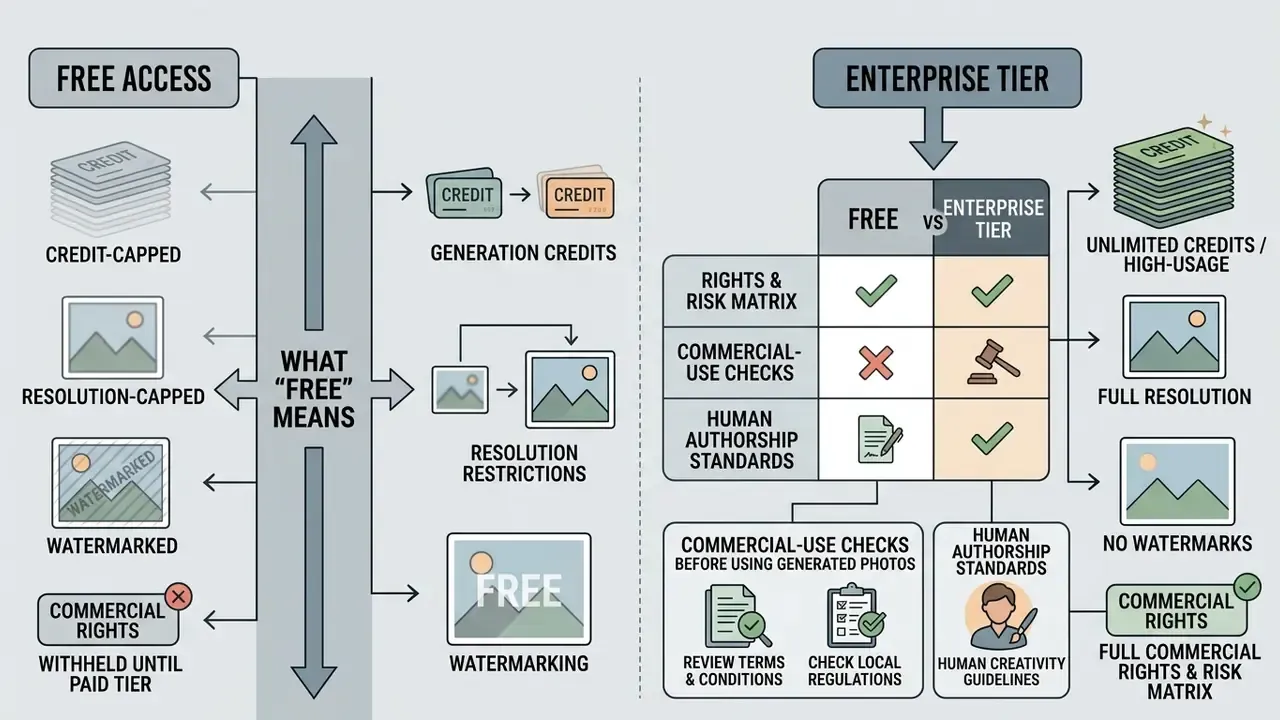
In two sentences: "free" almost always means credit-capped, resolution-capped and watermarked, with commercial rights withheld until a paid tier. Independent audits also show that free consumer try-on sites are a material data-exfiltration vector, which makes vendor vetting a security task rather than a procurement formality.
Many platforms market a change clothes photo editor online free. Operational parameters, usage limits and intellectual property rights, however, vary widely by provider.
What "free" means in an online AI clothes changer
Web platforms offering free ai clothes editing generally run freemium allocation models.
- Generation credits. Free tiers typically grant a limited daily or monthly allocation, commonly 1 to 20 signup credits, or 10 to 15 credits per month, with some services adding a small daily refill. A single garment swap frequently consumes 6 to 15 credits.
- Resolution restrictions. Free outputs are often capped at standard web resolutions (1K to 2K), with high-definition 2K or 4K exports reserved for paid subscriptions.
- Watermarking. Unpaid exports may carry embedded visual watermarks or brand overlays in a corner of the output image. Several vendors tie watermark removal explicitly to the first paid tier.
- Commercial rights withheld. Multiple vendors restrict free and entry tiers to personal use only, moving commercial licensing to mid or enterprise plans. Tier-by-tier breakdowns across platforms sit in our AI Media Pricing Guides.
"An independent audit of 138 virtual try-on sites found 65% transmit user photos to servers, and 79 of 90 send them to third parties including analytics and session-replay providers."
Free tier vs enterprise tier: rights and risk matrix
| Dimension | Free / Personal Tier | Paid Pro Tier | Enterprise Tier |
|---|---|---|---|
| Generation volume | 1 to 20 credits, or roughly 10 to 15 per month | Monthly credit pool, priority queue | Contracted volume, dedicated throughput |
| Max resolution | 1K to 2K, often capped | Up to 4K | 4K and above, configurable pipelines |
| Watermark | Frequently applied | Removed | Removed, custom branding possible |
| Commercial use rights | Often prohibited, or "at user's own risk" | Generally permitted per vendor terms | Contractual, negotiated license |
| IP indemnity | None | Rarely offered | Commonly negotiable |
| Data retention control | Vendor default, may exceed session | Configurable retention window | Contractual DPA, deletion SLA, regional hosting |
| Audit and security artifacts | None published | Limited | SOC 2 or ISO 27001 reports, penetration test summaries |
| Model customization | None | Presets only | LoRA fine-tuning, brand-locked weights |
Note: tier composition varies by vendor. Verify each row against the specific provider's current terms before relying on it.
Commercial-use checks before using generated photos
Before deploying AI-edited images in advertising, catalog listings or brand campaigns, organizations should work through the legal standards on copyright and publicity rights.
- Human authorship standards.The United States Copyright Office (Copyright and Artificial Intelligence, 2026 update) maintains that purely AI-generated visual outputs lacking substantial human creative direction cannot be registered for copyright protection. Where a work mixes human and machine contribution, registrants may claim only their own contributions, and must identify or disclaim the AI-generated parts.
- Likeness and publicity rights.Using uploaded photographs of real models or individuals for commercial product representation requires explicit written consent and model releases. Deploying a recognizable likeness without authorization creates exposure under state right-of-publicity statutes and, increasingly, digital-replica provisions.
"17% of sites collecting user photos violate their own privacy policy; 37% use providers that extract facial geometry and create biometric templates."
Model risk and Shadow AI control checklist
Run this checklist before permitting staff to process corporate or customer imagery through any browser-based ai clothes changer.
Checklist0 / 16
TRUST & COMPLIANCE NOTICE: data handling and privacy verification
AI Clothes Changer FAQ
Can I use the AI clothes changer on a phone, and are uploaded photos stored?
Yes. Modern ai clothes changer photo editor platforms run directly in mobile web browsers (iOS Safari, Android Chrome), with no app store download required. Mobile users can upload captures straight from the device camera roll, and native Android or iOS apps also exist for several services.
Storage policy depends on the backend. Enterprise-grade providers process uploads transiently in RAM and purge source images immediately after rendering, whereas casual consumer utilities may hold uploads for 24 to 72 hours for caching. App-store privacy disclosures in this category are inconsistent: some list "no data collected," others list "data encrypted in transit," a few admit "data can't be deleted." Always read the Privacy Policy to confirm automated deletion schedules, and remember that erasure rights under GDPR apply once data is no longer necessary or consent is withdrawn (Information Commissioner's Office, Right to erasure, 2025, https://ico.org.uk/for-organisations/uk-gdpr-guidance-and-resources/individual-rights/individual-rights/right-to-erasure/).
What file formats work best for AI clothes replacement?
Standard uncompressed or high-quality compressed raster formats, specifically PNG and JPG/JPEG, yield the best visual results. Many services additionally accept WEBP, HEIF and HEIC. Keep the uploaded file under the size limit (typically 10MB to 25MB) and make sure there is clear visual contrast between the target clothing and the background. If your source is small, enlarge it first with an AI upscaler rather than expecting the try-on model to invent missing detail. Outputs default to high-quality JPG on most platforms, with PNG available where transparency is needed.
How fast is a swap, and what if I dislike the result?
Typical generation completes in 3 to 15 seconds, and preset swaps can land in 2 to 5. If the output disappoints, regenerate with a tightened mask or a more specific prompt. Replacing "shirt" with "oversized white cotton oxford shirt, structured collar, visible weave" resolves a large share of low-fidelity results. Iterative regeneration is the standard correction method, and there is no penalty for multiple passes beyond credit consumption.
Can AI change clothes in dynamic video footage?
Yes. Video-based try-on models inflate 2D diffusion architectures with temporal attention modules, enabling frame-by-frame outfit replacement while keeping motion smooth.
"ViViD adds a garment encoder for clothing semantics and hierarchical temporal modules to a Stable Diffusion backbone, maintaining frame consistency under motion." ViViD: Video Virtual Try-on using Diffusion Models (2024). https://arxiv.org/abs/2405.11794
Readers who need video output can explore mobile-optimized flows via our free ai video guide, compare full suites in the free AI video generator breakdown, or add narration with a free ai voice generator.
Can generated images be used commercially?
Only after three checks pass: the vendor's license permits commercial monetization on your tier, every recognizable person has signed a release, and you can document the human creative direction behind the asset. Purely machine-generated output is not registrable for copyright in the United States, which affects your ability to enforce exclusivity against copycats.
What is the safest next step for a regulated organization?
Start narrow. Pick one low-risk use case, such as internal directory portraits with employee consent, run it through one vetted vendor with a signed DPA, and keep provenance records for every published asset. Review results after 30 days against the output validation list above. Expand only if the evidence trail holds up under an internal audit read.
Comprehensive AI Media Resources & Tools
To explore broader generative media workflows, technical documentation and pricing frameworks, use the resource centers below.
| Category | Resource | What It Covers |
|---|---|---|
| Glossary and frameworks | AI Media Glossary | Technical definitions and core generative concepts |
| Photo editing | Photo editor guide · Free photo editors | Feature limits, export restrictions, privacy, paid upgrades |
| Audio and voice | Free AI voice generator | Synthetic voiceover integration and licensing |
| Text and copy | Free AI writing generator, no sign up | Automated scriptwriting and copy tools |
| Video generation | Free AI video generator · With voiceover | Duration limits, credits, watermarks, narration pipelines |
| Cost and ROI | AI Media Calculators | Deployment expense modeling for generative pipelines |
| Subscription models | AI Media Pricing Guides | Tier structures and credit allocations across platforms |
| Technical support | Support & Troubleshooting | Rendering artifacts, masking errors, failed exports |
| Comparative testing | AI Media Comparison Matrices · Best AI art generators | Performance matrices across leading neural models |
| Developer integration | AI Media API Guides | REST endpoints, webhooks, quota and cost planning |
| Legal and regulatory | AI litigation tracking | Emerging synthetic-media compliance legislation and IP developments |
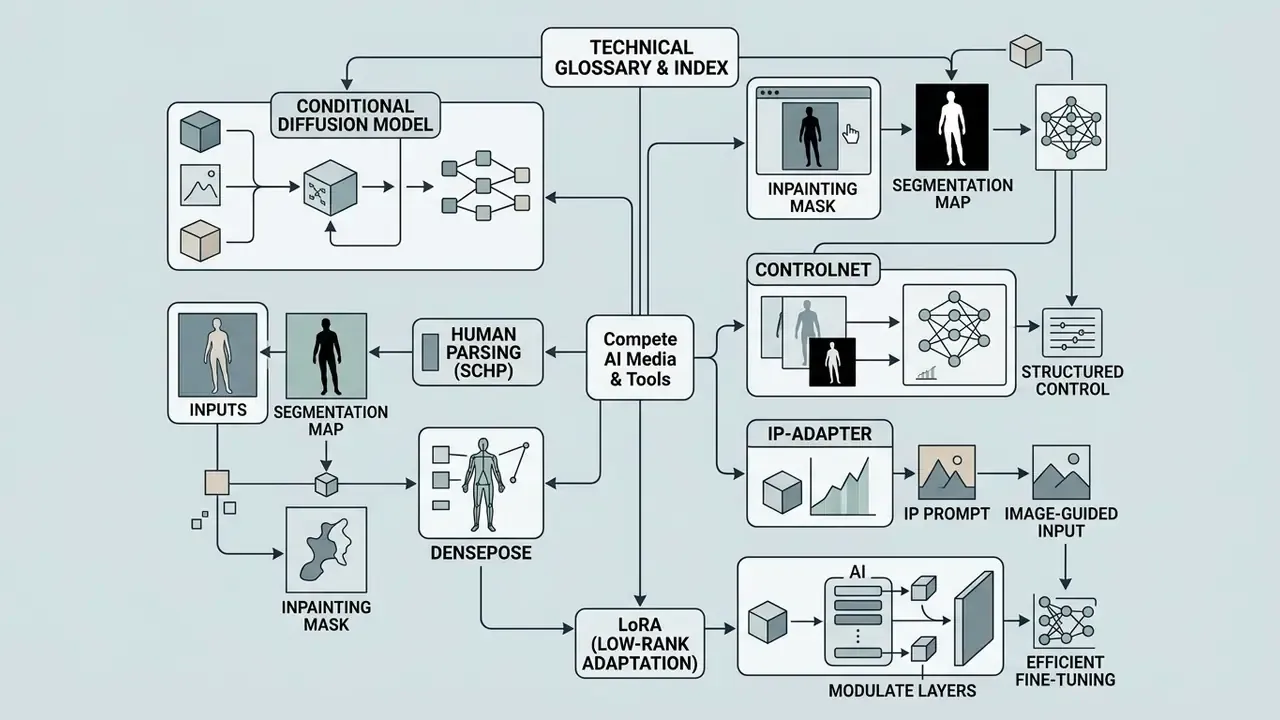
Technical Glossary & Index
- Conditional diffusion model a class of generative neural networks that synthesizes images by iteratively removing noise from latent representations, conditioned on text embeddings, segmentation masks or reference images.
- Inpainting mask a binary image overlay that designates specific pixel coordinates for neural regeneration while locking non-masked coordinates against modification.
- Human parsing (SCHP) a semantic segmentation algorithm that categorizes body parts and clothing into granular pixel classes (face, hair, arms, upper garment, skirt).
- DensePose a dense human-pose estimation method that maps image pixels to a 3D body surface, supplying geometric conditioning for garment alignment.
- ControlNet an auxiliary neural network structure that adds spatial conditioning controls (pose skeletons, edge maps, depth curves) to pre-trained diffusion models.
- IP-Adapter an image-prompt adapter architecture that lets pre-trained diffusion models extract identity and style features from reference photos without altering original model weights.
- LoRA (low-rank adaptation) a lightweight fine-tuning method that injects small trainable matrices into a frozen base model, used here to lock brand-specific garment collections into an enterprise pipeline.
- SSIM / FID / LPIPS standard image-quality metrics, covering structural similarity to a ground-truth image, distributional distance from real-image statistics, and learned perceptual distance.
- PAR (perceptual artifacts ratio) the fraction of an image's area occupied by visible artifacts. Higher PAR means lower perceived quality.
- Mask leakage a failure mode where fragments of the original garment stay visible because the segmentation mask under-covered the target region.
Social media, UGC ads, and branded outfit variants
Content creators and marketing teams use ai add clothes to photo free tools to produce dynamic promotional assets. Documented patterns include presenter-led vertical 9:16 creatives for TikTok, Reels and Feed, plus "styled three ways" and haul-style scripts built from one source capture. By pairing static image editing with modern generative workflows, creators adapt outfit styles for specific regional markets, or turn static product photos into video assets using a free ai video generator from images and related image-to-video AI pipelines. Scripts for those clips are often drafted with a free ai writing generator no sign up.